Welcome to the world of microsites – where big impact comes in bite-sized brilliance. You’re in the right place if you’re itching to engage a specific crowd and boost your online presence. This guide is your shortcut to crafting a microsite that does not just complement your main site but is a spotlight for your unique audience.
Let’s keep it simple
Why Microsites?
Tailored precision: Speak directly to your audience.
Boost engagement: Make a splash with a focused online hub.
Go beyond generic link pages!
Create custom bio links that truly fit your brand
With Replug, you can create bio links that are unique, engaging, and built to convert.
Creating a microsite isn’t just about having a digital presence; it’s about crafting an effective extension of your brand that speaks directly to a targeted audience.
Here are four essential components that make a microsite not just good, but great:
1. Separate domain:
Distinct identity: Use a unique domain name that sets your microsite apart from the main website.
Clear connection: Ensure visitors recognize the microsite as an extension, establishing a distinct yet related online presence.
2. Call-to-action buttons:
Purposeful engagement: Implement a clear and consistent call to action.
Guided user journey: Direct users to specific actions, whether it’s supporting a cause, watching educational content, or seamlessly redirecting to the main website.
3. Targeted at a specific audience:
Niche focus: Design the microsite around a single initiative.
Tailored messaging: Take advantage of the opportunity to narrow your audience, allowing for highly personalized messaging that resonates and boosts conversion rates.
4. Simple to navigate:
User-friendly design: Keep it smooth and obstacle-free.
Clear layout: Ensure easy navigation with a layout that allows visitors to focus on the message without distractions, reducing bounce rates.
Go beyond generic link pages!
Create custom bio links that truly fit your brand
With Replug, you can create bio links that are unique, engaging, and built to convert.
Replug makes it much easier to create microsites. Here’s how to create a microsite using this all-in-one link management platform:
Step 1: Sign in to Replug or create an account
If you’re already part of the Replug community, sign in. Otherwise, kickstart your journey by creating a free account.
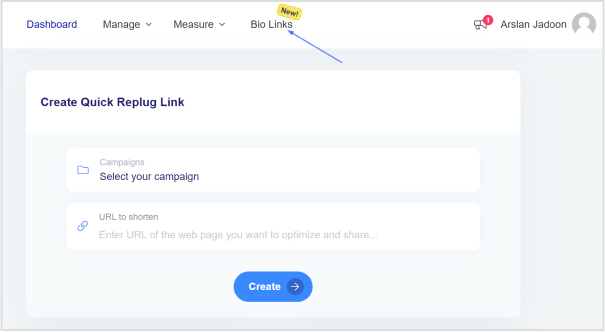
Step 2: Access the “Bio Links” feature
Navigate to the Replug dashboard and locate the “Bio Links” feature.
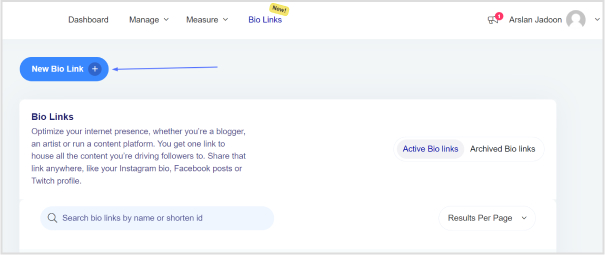
Step 3: Create a new bio link
Click the “New Bio Link” button to kick off the creation of a tailored microsite.
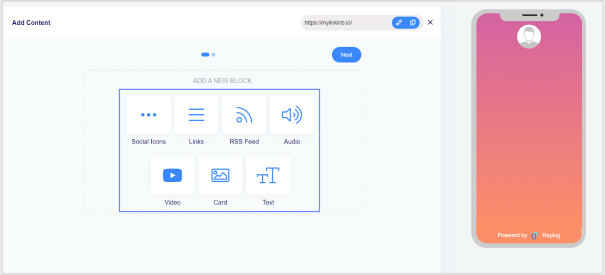
Step 4: Choose content blocks
Select the content block type that suits your needs—options include social icons, links, RSS feeds, audio, video, text, and cards. If you go for social icons, move on to the next step.
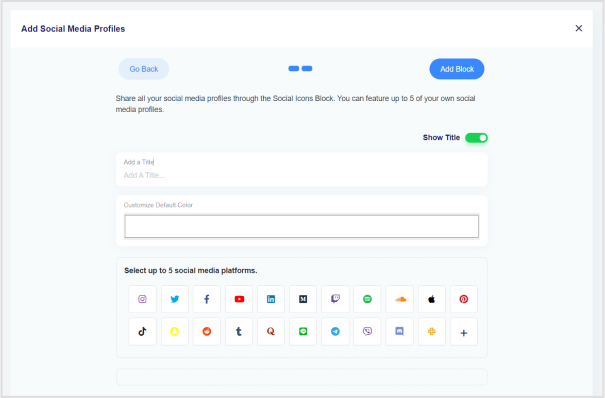
Step 5: Configure social icons block
Pick up to 5 social media platforms to include. Add titles, customize colors, and paste the links. Click “Add Block” to include them in your bio link.
Step 6: Add more content blocks
Repeat the process if you want additional content blocks. For example, for website links, choose the “Links” block, and add titles, URLs, and website links.
Step 7: Proceed to the next step
Click “Next” after adding all desired content blocks to move to the next step in the bio link creation process.
Step 8: Customize your bio link page
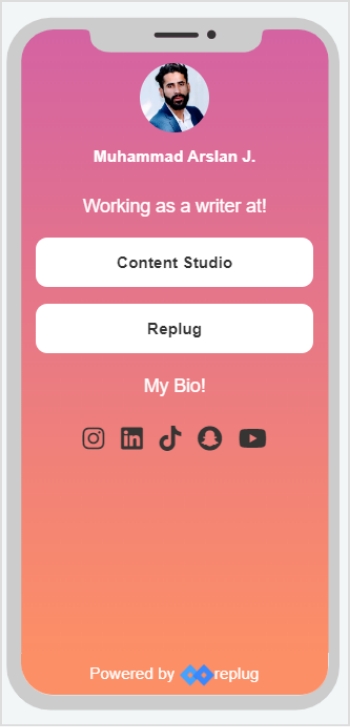
Personalize your bio link page by choosing your brand name, uploading an avatar, and adding a title and subtitle.
Tip: Try AI avatar generator to create personalized avatars for your bio links
Following these simple steps, you’ve successfully created a microsite using Replug. Share it in your social media bios, offering your followers a centralized location to access multiple links and diverse content effortlessly.
Go beyond generic link pages!
Create custom bio links that truly fit your brand
With Replug, you can create bio links that are unique, engaging, and built to convert.
Replug’s Bio Links feature enables code-free microsite creation. No coding skills? No problem. Build your microsite effortlessly and showcase what matters most to you.
Spotlight your essentials:
Give your social media profile a facelift by spotlighting crucial links and social media sites. Replug lets you curate and customize, ensuring your microsite reflects your priorities.
User-friendly interface:
The platform’s simple-to-use and intuitive interface makes the microsite creation process a joy. No steep learning curves – just creativity at your fingertips.
Quick setup, lasting impact:
Replug’s streamlined setup ensures you can establish your online presence swiftly while maintaining your unique brand personality.
Ingenious customization:
Get creative without constraints. Replug’s customization features allow you to tailor your microsite’s layout, colors, and fonts, ensuring it aligns seamlessly with your brand identity.
Brand personality intact:
Keep your brand’s personality intact throughout the microsite creation journey. Replug empowers you to infuse your style, making your online presence unmistakably yours.
Audience engagement insights:
Enjoy the bonus of tracking every click. Replug’s analytics lets you monitor audience engagement, providing valuable insights into the popularity of your links and the effectiveness of your microsite.
Choose Replug Link-in-Bio for an all-in-one solution that simplifies microsite creation, amplifies your online presence, and provides the analytics you need to thrive in the digital landscape. It’s not just about a microsite; it’s about making a lasting impact with ease.
Enhance your digital strategy even further with this custom URL shortener, designed to help you create branded, trackable links that strengthen your online identity and boost engagement.
Go beyond generic link pages!
Create custom bio links that truly fit your brand
With Replug, you can create bio links that are unique, engaging, and built to convert.
A microsite is a small, specialized website that serves as an extension of a main website, often focusing on a specific campaign, product, or event.
Why would I need a microsite?
Microsites are useful for targeted marketing, highlighting specific initiatives, products, or events, allowing you to engage a niche audience effectively.
How does a microsite differ from a main website?
While a main website provides comprehensive information about a brand, a microsite is a focused, standalone site designed for a specific purpose or campaign.
Ever wonder why that little red notification matters so much? The power of SMS is the one ping that commands instant attention. Yet, many marketers need to take advantage of this direct line to their audience.
This guide is your straightforward manual for SMS campaign success. We’ll tackle character limits, rules, and link tricks. Learn to craft trustworthy messages and get those clicks.
Whether you’re starting or leveling up, this guide has you covered. Let’s make SMS marketing simple, effective, and impossible to ignore. Ready to dive in?
What is an SMS campaign?
An SMS campaign is a marketing strategy that involves sending promotional or informational messages to a target audience via Short Message Service (SMS), commonly known as text messaging. This form of mobile marketing allows businesses and organizations to directly communicate with their customers, clients, or subscribers through text messages on their mobile phones.
SMS campaigns are often used to:
Promote products or services: Businesses use SMS to share information about new products, promotions, discounts, or special offers.
Engage customers: SMS is a direct and immediate way to engage customers, whether for surveys, feedback, or contests.
Provide information: Organizations use SMS to convey important information such as event details, appointment reminders, or updates.
Drive traffic: SMS messages can include links to websites, landing pages, or mobile apps to drive traffic and conversions.
Increase brand awareness: Sending regular and relevant messages helps keep a brand in the minds of customers.
Maximize SMS campaign success with smart strategies:
In the dynamic landscape of SMS marketing, achieving success requires a strategic blend of compelling messaging and thoughtful approaches. Here’s a closer look at each essential strategy to elevate your SMS game:
1. Choose the right software:
Selecting the right software is pivotal. Choose a solution like Replug that not only caters to your current SMS needs but is also user-friendly for seamless integration. Ensure it supports multimedia content, allowing for versatile and engaging SMS campaigns.
2. Craft concise, impactful messages:
SMS is all about brevity and impact. Branded links are your tool for creating short, trackable links that won’t eat up your character limit. Craft messages with a clear call-to-action, guiding recipients on the desired actions you want them to take.
Boost ROI with branded URLs!
Enhance your marketing campaigns by creating shareable, trackable, and fully multi-purpose
customizable branded URLs.
Sailing through SMS regulations is vital for a successful campaign. Implement opt-in procedures, making sure recipients have given consent. Offer an easy opt-out option to respect user preferences. Use link management to seamlessly include compliance information without overwhelming your message.
4. Time smartly for maximum impact:
Timing can make or break your SMS campaigns. Leverage analytics to understand when your audience is most active. An optimized mass text message service automatically schedules broadcasts during peak engagement hours across different time zones. Send messages during these peak periods to ensure higher visibility and engagement.
5. Develop a personalized content calendar:
Staying organized with a content calendar is a game-changer. Personalize your messages to resonate with your audience. Use link management to keep your links organized and relevant, ensuring your SMS content remains engaging without becoming intrusive.
6. Optimize scalability with branded links:
Scalability is key to growing your SMS campaigns effortlessly. Branded links, especially through a reliable link optimization platform like Replug, allow you to create a high volume of consistent links, boosting brand visibility without compromising efficiency.
7. Simplify tracking with automated UTM:
Simplify your tracking process with automated UTM parameters. Incorporate this feature through your chosen platform to gather robust analytics without overcomplicating your SMS texts. It’s about getting valuable data without the extra effort.
8. Ensure seamless link redirects:
Enhance the user experience with link redirects. Sometimes you need to change a link after sending it out. With link redirects, you can do this smoothly, preventing confusion or errors for your audience. It ensures a seamless journey for your recipients.
9. Holistic monitoring of link performance:
Numbers matter, especially in SMS marketing. Monitor link performance comprehensively. Analyze click-through rates, views, and other metrics in real time. This data empowers you to make informed adjustments on the fly for a more effective campaign.
10. Elevate personalization with dynamic links:
Dynamic links are the secret to personalization. They adapt to different devices and platforms, ensuring your SMS messages look good and work well for everyone. It’s the modern way to make your messages stand out and resonate with your audience on an individual level.
A complete link management solution
for marketing professionals & agencies.
Try Replug for free
Why choose Replug for your next SMS campaign?
Unlock the full potential of your SMS marketing with Replug, a comprehensive link management tool designed to elevate your campaigns. Here’s why Replug stands out:
1. Streamlined SMS marketing at scale:
Efficiently utilize the limited characters in your SMS campaigns with Replug’s link shortener. Ensure each character counts in conveying your message within the 160-character limit.
2. Brand-centric SMS links:
Elevate customer engagement by embedding hyperlinks with your brand name in SMS. Drive clicks effortlessly, directing customers to websites, e-commerce stores, surveys, apps, or videos. Boost sales with a branded touch.
3. Versatile SMS campaigns, one platform:
Create tailored SMS campaigns with Replug – from limited-time offers to reach out to previous buyers. Enhance your strategy by incorporating branded short links into your text messages.
4. UTM codes for SMS link tracking:
Add UTM codes to URLs within your SMS content. Replug ensures these parameters remain discreet while providing valuable data upon link access. Fine-tune your campaigns with precise insights.
5. Precision tracking of SMS link performance:
Track the efficacy of your SMS links using Replug. Capture essential consumer insights, optimize campaigns, and deliver targeted messages at each customer journey stage. Seamlessly integrate advanced link tracking into your SMS strategy.
6. Beyond SMS: Unlocking Replug’s full potential:
Replug extends beyond SMS marketing, offering a comprehensive solution for brand marketers. Deep link your short URLs for smooth navigation or guide users to a bio page. Explore traffic routing with preset filters or conduct A/B tests for landing page optimization. Replug is your gateway to a diverse set of possibilities.
Drive more clicks, conversions, and app installations by deep linking
to your favorite platforms.
Try deep links for free
Elevate your SMS marketing strategy with Replug – where every link, character, and campaign is optimized for success. Discover the power of Replug in maximizing the impact of your SMS communication.
FAQs
Why should I include SMS campaigns in my marketing strategy?
SMS campaigns offer a direct and immediate way to reach your audience, as text messages are typically read within minutes. They are effective for promotions, notifications, and customer engagement.
How do I track the performance of my SMS campaigns?
Utilize tracking tools and analytics to monitor key metrics such as click-through rates. Evaluate the success of your campaigns and use insights to refine your SMS marketing strategy over time.
Are there industry-specific best practices for SMS marketing?
Different industries may have unique considerations. It’s advisable to research and adhere to best practices in your specific industry, ensuring your SMS campaigns align with industry standards and regulations.
In a market where 46% of U.S. consumers value trust over price, brand awareness is make-or-breakA well-executed strategy using Replug . You might lag even with stellar products, great service, and competitive prices if your brand needs to be recognized.
Consumers lean towards familiar names for a sense of security. Crafting a robust brand awareness strategy is vital. Need help figuring out where to start?
Here are nine strategies to reach and resonate with new audiences, essential for business success.
What is brand awareness?
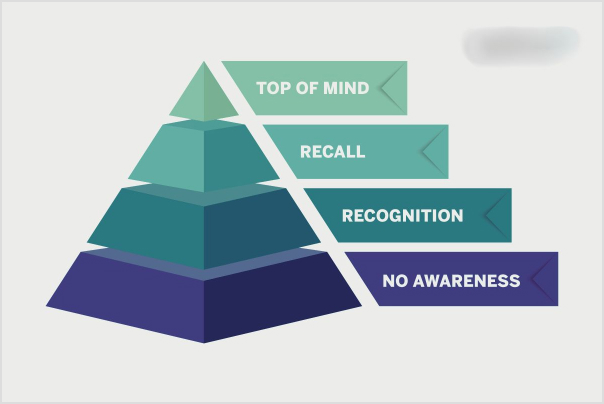
Brand awareness refers to the extent to which a target audience is familiar with and recognizes a particular brand. It is a crucial aspect of marketing and branding, indicating how well consumers can recall or recognize a brand in various contexts, such as when seeing a logo, hearing a brand name generator, or encountering a product or service.
High brand awareness is often associated with increased customer trust and loyalty. When consumers are familiar with a brand, they are more likely to choose its products or services over those of competitors.
Effective brand awareness strategies typically involve marketing efforts that make the brand visible and memorable to the target audience, contributing to a positive brand image and influencing consumer purchasing decisions.
Why is brand awareness important?
Here are four compelling reasons that underscore the importance of brand awareness:
Competitive edge:
Recognizable brands gain a competitive edge as consumers are naturally drawn to what they know. Being a familiar choice increases the likelihood of winning customer business.
Brand loyalty and trust:
Strong brand awareness builds trust, leading to increased brand loyalty. Consumers are willing to pay more for trusted brands, and familiarity reduces the risk of unpleasant surprises in products or services.
Employee attraction:
Strong brand awareness positively impacts recruitment, with companies seeing 50% more job applicants compared to rivals.
Job seekers often consider a company’s brand reputation before applying, and that reputation often amplified by executive recruitment agencies reflects key drivers of employee engagement, such as a positive workplace culture, recognition, and growth opportunities, supported by the best performance management software that helps reinforce transparency and growth.
Indicator of success:
Brand awareness serves as an indicator of overall company performance. Measurement of increased brand awareness reflects the effectiveness of various business aspects, including digital presence and customer support.
How to increase brand awareness: 9 effective strategies
Here are nine effective strategies to raise brand awareness:
1. Content marketing campaign:
Create valuable content, such as blog posts, quizzes, e-books, and infographics, to convey your brand’s voice and expertise.
Incorporate video content, given its rising popularity, to effectively communicate with your audience.
Establish yourself as a thought leader and problem-solver to build trust among current and potential customers.
Utilize social media networks strategically to connect with your audience, share information, and answer questions.
Target the platforms where your customer demographic is most active by surveying your current customers.
Implement a content calendar for consistent posting and research relevant hashtags to increase post visibility.
3. Collaborate with influencers:
Choose influencers aligned with your brand, considering their usage and authenticity.
Micro-influencers can offer cost-effective partnerships for reaching specific audiences. For improved results, consider establishing agreements with influencers. Once all terms are settled, finalize the documents using electronic signatures.
Establish a genuine connection between the influencer and your brand to maximize effectiveness.
4. SEO targeting branded keywords:
Optimize content with SEO techniques to enhance online visibility.
Focus on keywords that include your brand name, using tools like Semrush or Google Keyword Planner.
Incorporate specific keywords in headlines, body content, and URL slugs for better search engine ranking.
5. Paid advertising:
Invest in paid ads on social media platforms (Facebook, LinkedIn, Instagram) and Google Adwords.
Identify the social media networks where your target audience is most active.
Allocate a budget within your social media marketing budget for effective paid advertising to increase brand visibility.
6. Referral program:
Implement a referral program to encourage satisfied customers to become advocates.
Offer rewards like discounts, gift cards, or credits to incentivize customers to refer friends and family.
Utilize word-of-mouth marketing to build trust and increase brand awareness.
7. Brand partnerships:
Partner with brands that share similar values and target audiences but are not direct competitors.
Leverage partnerships to combine reach and build trust among both brand’s audiences.
Collaborate on joint initiatives that benefit both brands and enhance brand awareness.
8. Free trials:
Offer free trials of your products or services to eliminate financial barriers for potential customers.
Provide a taste of what your brand offers to increase awareness and trust.
Allow customers to experience your offerings before making a financial commitment.
9. Host or sponsor events:
Participate in or sponsor events that align with your target audience’s interests.
Attach your company’s name and logo to event materials for positive recognition.
Leverage event registration tools to manage attendee sign-ups, streamline invitations, and capture valuable lead data.
Choose events that provide exposure to potential buyers, whether in-person or online, to increase brand awareness.
A complete link management solution
for marketing professionals & agencies.
Try Replug for free
How to measure brand awareness?
Brand awareness is gauged through several key metrics:
1. Brand impressions:
Brand impressions refer to the number of times your campaign material, such as ads or content, is displayed to the audience. It’s a quantitative measure that indicates the potential reach of your brand. However, it’s essential to note that impressions alone do not provide insights into individual views or the impact on brand recognition. Marketers typically use additional analytics to assess the effectiveness of their efforts in building brand awareness.
2. Website traffic:
Website traffic is a crucial metric that shows the number of visitors to your website. By analyzing website traffic, particularly in the aftermath of a brand awareness campaign, marketers can gauge the impact on online visibility and audience interest. An increase in website traffic following a campaign suggests a positive correlation with heightened brand awareness.
3. Social media engagement:
Social media engagement encompasses various metrics such as reach, impressions, likes, shares, comments, clicks, followers, mentions, and hashtags. These metrics provide a comprehensive view of how the public is interacting with and discussing your brand on social platforms. Monitoring social media engagement helps marketers understand the sentiment around their brand, identify popular content, and measure the success of brand awareness initiatives.
Search volume data involves assessing the volume of searches related to your business and industry keywords. This metric is particularly relevant for understanding how potential consumers are actively seeking information about your brand or related solutions. By analyzing search volume data, marketers can refine their keyword strategies, ensuring alignment with consumer interests and increasing brand visibility on search engines like Google.
5. Brand-awareness surveys:
Brand-awareness surveys provide qualitative insights into consumers’ perceptions and awareness of a brand. By engaging in one-on-one conversations with the target audience, companies can gather valuable feedback that goes beyond quantitative metrics. These surveys contribute to a deeper understanding of branding benchmarks and guide improvement efforts, fostering a more personal connection with the audience.
6. Earned media:
Earned media includes third-party mentions, such as references in articles, social media tags, and blog comments. This metric reveals who is talking about your brand, the context of discussions, and the sentiment expressed. Monitoring earned media helps assess the organic spread of brand awareness and identifies influential voices within your target audience.
7. External links:
External links are a valuable metric for assessing brand awareness, particularly in the online domain. By managing and analyzing external links, companies can gauge the reach of their brand across different platforms. Additionally, this metric helps identify broken links or misspelled words on a website, ensuring that potential opportunities for brand exposure are not missed due to credibility issues.
8. Tracking key metrics:
Tracking key metrics involves analyzing various performance indicators related to user interaction with brand content. These include clicks, average cost-per-click (CPC), click-through rate (CTR), and cost-per-thousand (CPM). By closely examining these metrics, marketers gain insights into the effectiveness of their campaigns, audience engagement, and the overall impact on brand awareness.
A complete link management solution
for marketing professionals & agencies.
Try Replug for free
How to increase brand awareness in the shortest time possible?
Effectively and rapidly increasing brand awareness requires strategic efforts. Here’s a streamlined version:
Fast-track brand awareness:
Successful brand awareness brings widespread recognition, word-of-mouth referrals, and a boost in the bottom line.
Key tool: Replug
Replug is an essential tool for creating, executing, and measuring brand awareness campaigns.
Utilize Replug for short links and robust link-tracking metrics.
Choose the right plan for your business to kickstart brand growth.
Actionable steps:
Craft a compelling brand message.
Utilize this link shortener for concise and trackable links.
Implement targeted brand awareness campaigns.
Measure success with Replug’s comprehensive metrics.
Result:
A well-executed strategy using this top-notch link optimization platform accelerates brand awareness, leading to increased recognition and business growth.
A complete link management solution
for marketing professionals & agencies.
Try Replug for free
Frequently asked questions
What is brand awareness?
Brand awareness is the extent to which consumers recognize and recall a brand. It’s vital for businesses as it builds trust, and loyalty, and influences purchasing decisions.
How can I measure brand awareness for my company?
Measure brand awareness through metrics like impressions, website traffic, social media engagement, search volume, brand awareness surveys, earned media, external links, and tracking key metrics.
What are the key strategies for building brand awareness?
Strategies include content marketing campaigns, social media presence enhancement, collaboration with influencers, targeted SEO, paid advertising, referral programs, brand partnerships, free trials, and event sponsorship.
In a sea of pins and boards, a compelling Pinterest bio is your chance to stand out and leave a lasting impression. It encourages users to explore, follow, and engage with your brand. An optimized bio is more than just a collection of words; it’s a strategy that establishes credibility, fosters connection, and ultimately drives engagement.
Learn to create a compelling, professional bio that attracts the right audience and boosts your followers. Dive into proven strategies for growing your business on this visual search engine and marketing powerhouse.
Let’s get started!
What is a Pinterest bio?
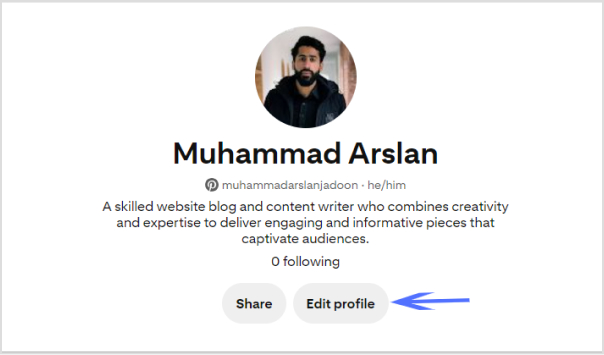
A Pinterest bio is a concise yet impactful “About You” section on your profile that encapsulates your brand identity and offerings for your target audience. It serves as the initial point of contact for Pinterest users, influencing their perception of your brand.
This brief introduction is a pivotal element in making a lasting first impression, as it highlights your values, uniqueness, and the essence of your content.
A well-crafted Pinterest bio is not only an introduction but a strategic tool that attracts the right audience, encouraging them to engage, follow, and explore more of what your brand has to offer on the platform.
How to write a Pinterest bio: 6 steps to success
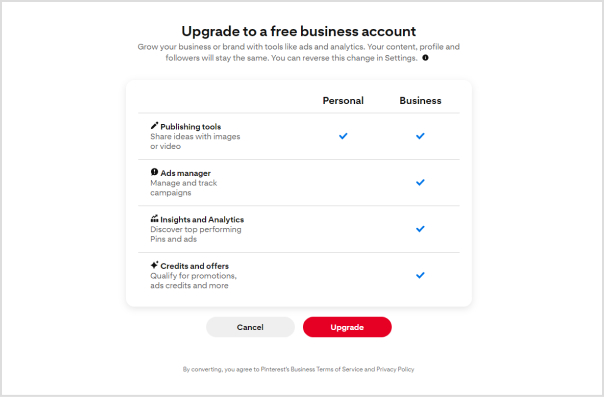
1. Switch to a business account
Ensure your Pinterest account is set up as a business account. This unlocks essential tools for setting up your shop, analyzing performance, and staying informed about trends. These resources empower you to make the most of the platform and enhance your overall experience.
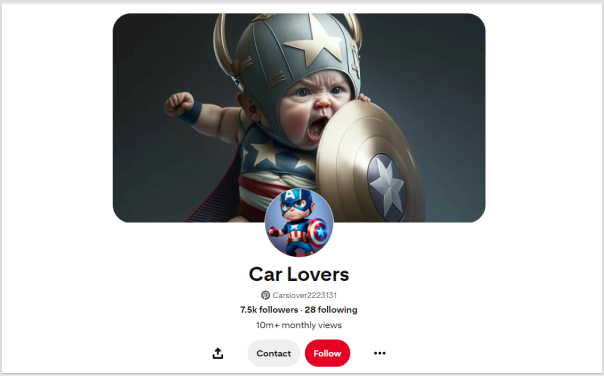
2. Change your profile picture
Select a profile picture that strikes a balance between brand friendliness and visual appeal. For individual content creators or influencers, opt for a professional photograph that showcases your unique personality. Authenticity is key, as audiences seek genuine connections. If you represent a business, use your brand logo to enhance brand recall.
3. Customize your banner
Maximize the visual impact of your Pinterest cover by customizing it to entice new followers. Consider incorporating an irresistible lead magnet, such as a masterclass or free cheat sheet, to capture audience interest. Including a Replug QR Code on your banner allows followers to easily access additional offerings, providing them with a taste of the value your profile delivers.
4. Add your business name and keywords
Recognize that Pinterest users often search for specific topics rather than individual names. Enhance your discoverability by incorporating relevant keywords alongside your business name. Identify the pain points of your target audience and position your brand as a trusted solution.
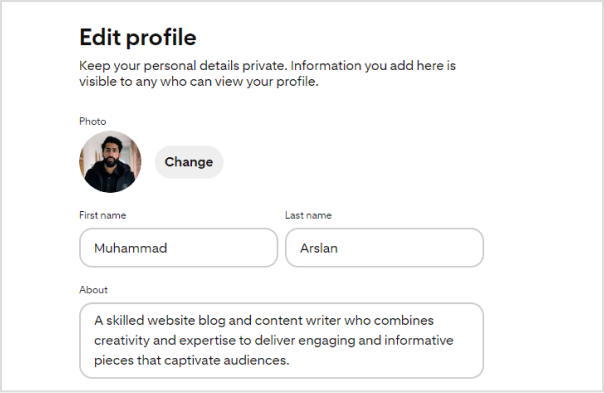
5. Write your bio under “About”
Focus your bio on your target audience rather than solely on yourself. Leverage a Pinterest keyword tool to identify what your audience is actively searching for and integrate relevant keywords into your bio. Remember that Pinterest operates as a visual search engine, so a keyword-rich bio enhances your chances of being found when users enter relevant searches.
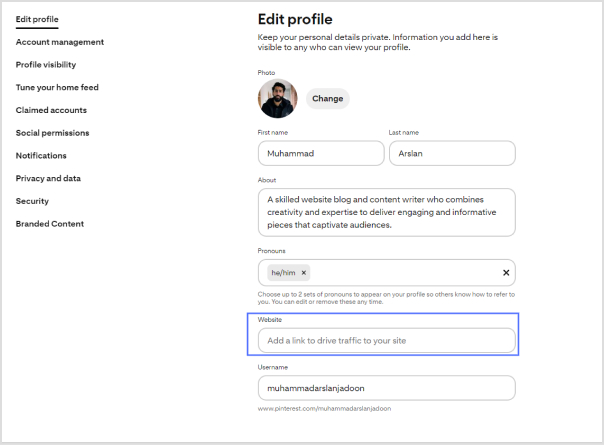
6. Add Replug link-in-bio on the website field
While Pinterest allows only one link in your bio, you can maximize this space with a personalized Pinterest link in bio. This dynamic link directs followers to a microsite of links, including your website, social media links, and more.
By creating a centralized hub, you make your content more accessible, boost brand visibility, and drive engagement.
Replug.io enables you to track each action, providing insights into the links that resonate most with your audience and empowering you to redirect traffic strategically.
To further streamline your link-sharing strategy, use a free link shortener to create clean, trackable URLs and enhance the performance of every link you share.
Go beyond generic link pages!
Create custom bio links that truly fit your brand
With Replug, you can create bio links that are unique, engaging, and built to convert.
How to add a Replug Link-in-bio to your Pinterest bio?
Here’s how to add a Replug Link-in-Bio to your Pinterest bio:
Step 1:Log in to your Replug account or create one if you’re new to the platform.
Step 2: Once logged in, head to the Replug dashboard and find the “Bio links” feature.
Step 3: Click on “New Bio Link” to initiate the creation of a new bio link.
Step 4: Choose the type of content block you want to include on your bio link page. Replug provides various options such as social icons, links, RSS feeds, audio, video, text, and cards. Select the one that aligns with your needs. For instance, you can start with the “Social Icons” block.
Step 5: Pick up to five social media platforms you wish to display on your bio link page. Customize the colors of the social icons, provide titles for each platform, and insert the respective links. Click “Add Block” to include each platform.
Step 6: Incorporate additional content blocks as necessary. For example, if you want to feature website links, opt for the “Links” block. Enter titles for the content blocks, as well as titles and URLs for the websites. Multiple website links can be added within this block.
Step 7: Once all desired content blocks are added, proceed by clicking “Next.”
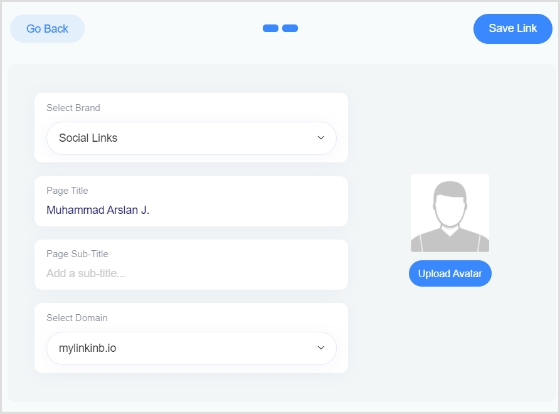
Step 8: Further personalize your bio link page by specifying your brand name, uploading an avatar, and adding a title and subtitle that best represents your content or brand.
Step 9: Review your bio link page during the creation process to ensure it looks and functions as intended.
Step 10: Save your bio link, and it will be ready to be seamlessly integrated into your Pinterest bio.
Go beyond generic link pages!
Create custom bio links that truly fit your brand
With Replug, you can create bio links that are unique, engaging, and built to convert.
How do I switch my Pinterest account to a business account?
Visit your Pinterest account settings, and there should be an option to convert your account into a business account. Follow the prompts to set up your business profile.
What type of profile picture should I use on Pinterest?
Choose a profile picture that is visually appealing and aligns with your brand. For individuals, a professional photograph is recommended, while businesses may opt for their logo.
Can I customize my Pinterest cover/banner?
Yes, you can customize your Pinterest cover by adding a personalized touch to make it visually appealing. This is a great opportunity to showcase your brand or capture user interest.
How many links can I add to my Pinterest bio?
Pinterest allows only one link in the bio. Make sure to use this space wisely by including a link that directs followers to a relevant destination, such as your website or a specific landing page.
Should I include keywords in my Pinterest bio?
Yes, incorporating relevant keywords in your bio can improve discoverability. Think about what your target audience is searching for on Pinterest and include those keywords naturally and engagingly.
What is the importance of a call to action (CTA) in my Pinterest bio?
A well-crafted CTA encourages your audience to take action. For example, prompting them to click on a link for more information can enhance engagement and drive traffic to your intended destination.
If you’ve ever tried to promote multiple things on social media, you already know the struggle. Most platforms give you just one link in your bio. That single link has to handle everything: your website, latest content, store, newsletter, and more, and the stakes are high.
Studies show that about 78% of business Instagram profiles link to an external website in their bio, making it one of the main ways brands drive traffic off the platform.
Meanwhile, around 70 million creators worldwide now use dedicated link in bio tools to organize and share multiple links from a single page.
That’s exactly why these tools have become essential for influencers and brands alike. But with dozens of options available, which ones are actually worth using in 2026?
Before we step into the 10 best link in bio tools, let’s quickly understand what a link in bio tool actually is and how it works.
What is a link in bio tool?
First of all, let’s have a look at the link in bio meaning. A link in bio refers to the clickable URL placed in the bio section of a social media profile (like Instagram, TikTok, or X).
Since most platforms don’t allow clickable links inside posts or captions, creators often ask followers to “check the link in bio” to access more information, products, or content.
Link in bio example: an Instagram fitness coach uses one bio link that opens a page with buttons for workout plans, YouTube videos, a coaching signup form, and a supplement store.
A link in bio tool solves the “one-link” limitation. It lets you create a simple landing page that holds multiple links, such as your website, online store, latest video, newsletter, or portfolio, all accessible through that single bio link.
How it works: You create a page inside the tool, add all your important links, copy the generated URL, and place it in your social media bio. When someone clicks it, they see a neatly organized list of everything you want to promote.
Top link in bio tools you must try in 2026
With dozens of link in bio tools available today, choosing the right one can feel a bit challenging. Fortunately, some platforms clearly stand out; thanks to their features, pricing, customization options, and analytics.
To make things easier, we’ve compared the 10 best link in bio tools for influencers and brands in 2026. Take a closer look at the comparison table below to quickly see how these tools stack up in terms of features and overall value.
Tool name
Key strength
Starting price
Customization level
Analytics depth
Replug
Advanced bio link pages with branded links and campaign tracking
~$9/month
High
Advanced
Linktree
Simple and widely used multi-link bio hub
~$6/month
Medium
Moderate
Beacons AI
Creator-focused bio page with monetization and store features
~$8.33/month
High
Advanced
Lnk.Bio
Lightweight and budget-friendly multi-link bio page
~$0.99/month
Low–Medium
Basic
Linkin.bio (Later)
Clickable Instagram feed linked to bio page
~$18.75/month
Medium
Advanced
Taplink
Mini landing page style bio link builder
~$3/month
Medium
Moderate
Milkshake
Swipeable mobile bio site built directly from phone
~$2.99/month
Medium
Basic
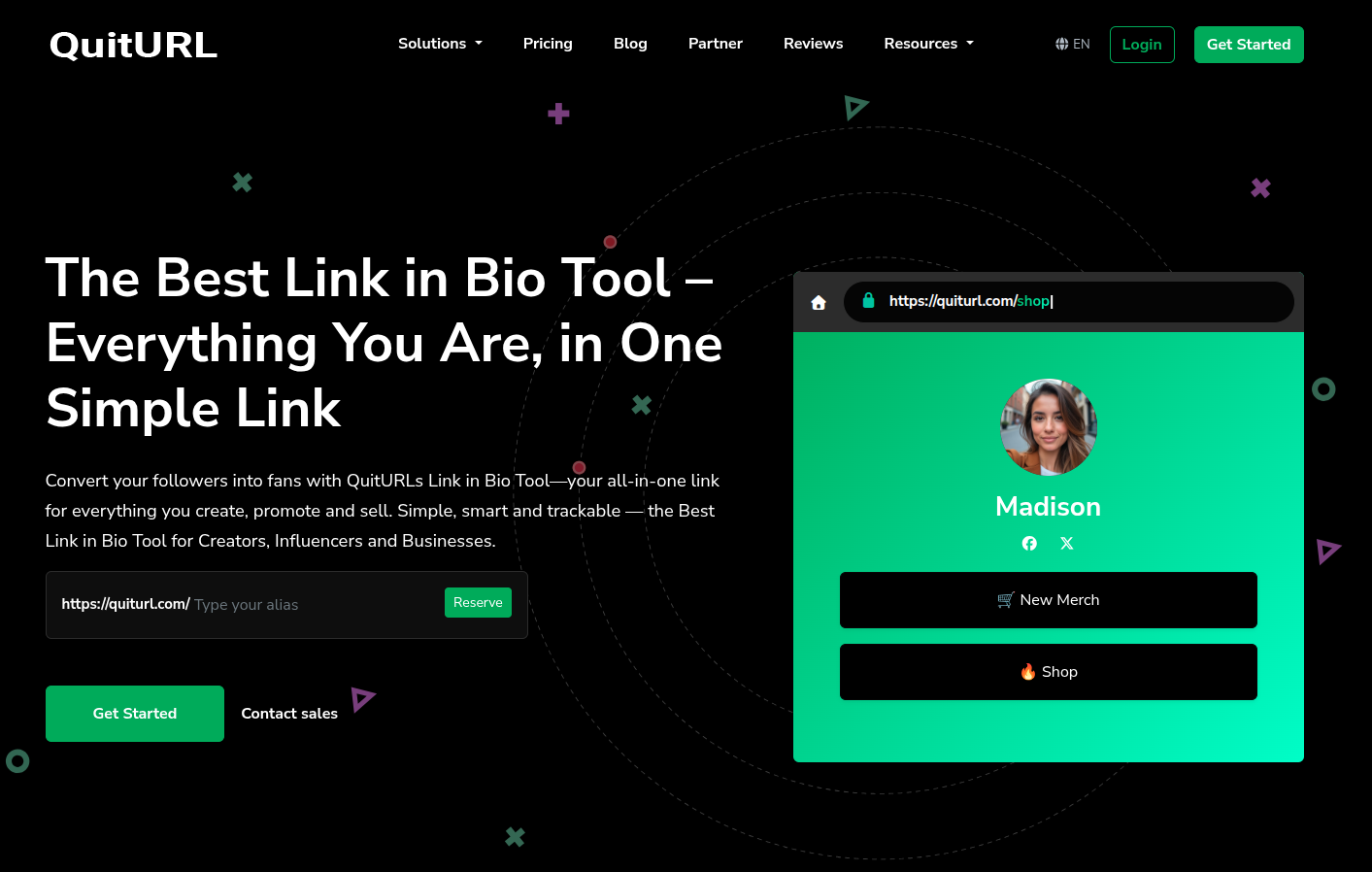
QuitURL
Bio page combined with campaign link tracking
~$3.33/month
Medium
Moderate
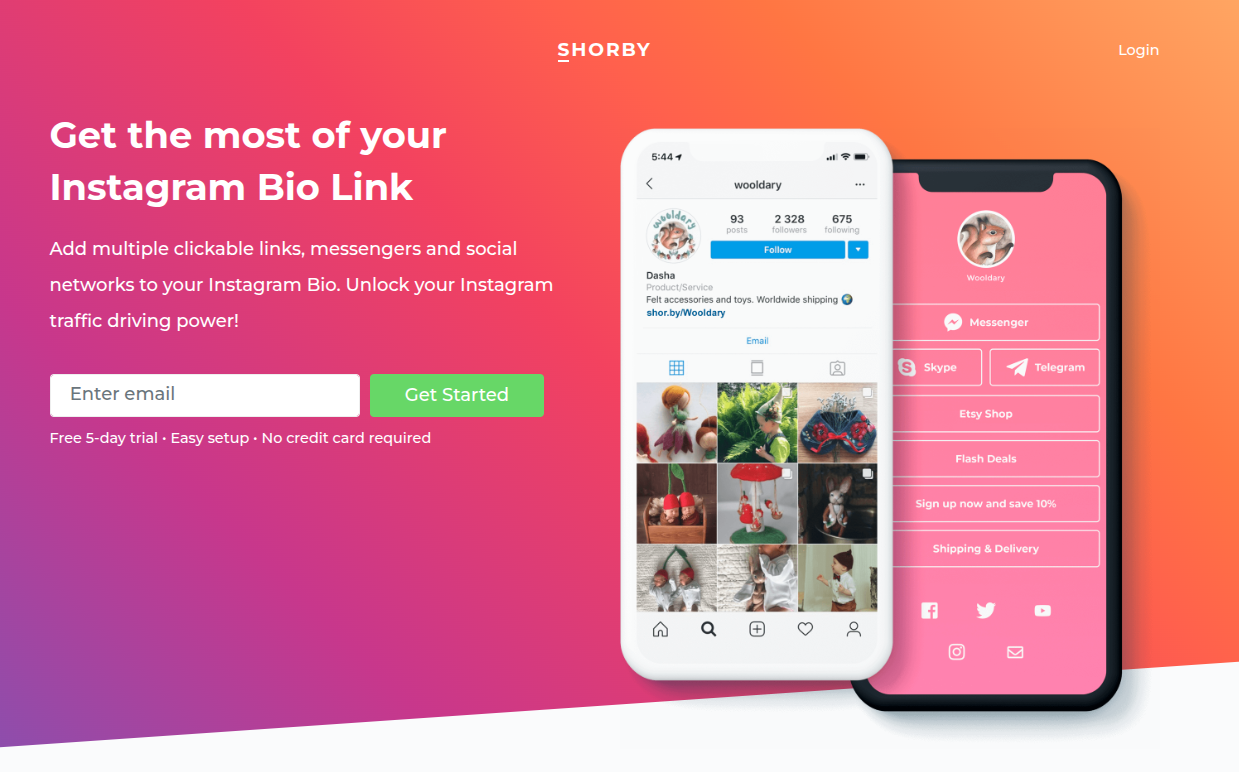
Shorby
Conversion-focused bio page with messenger integrations
~$12/month
High
Advanced
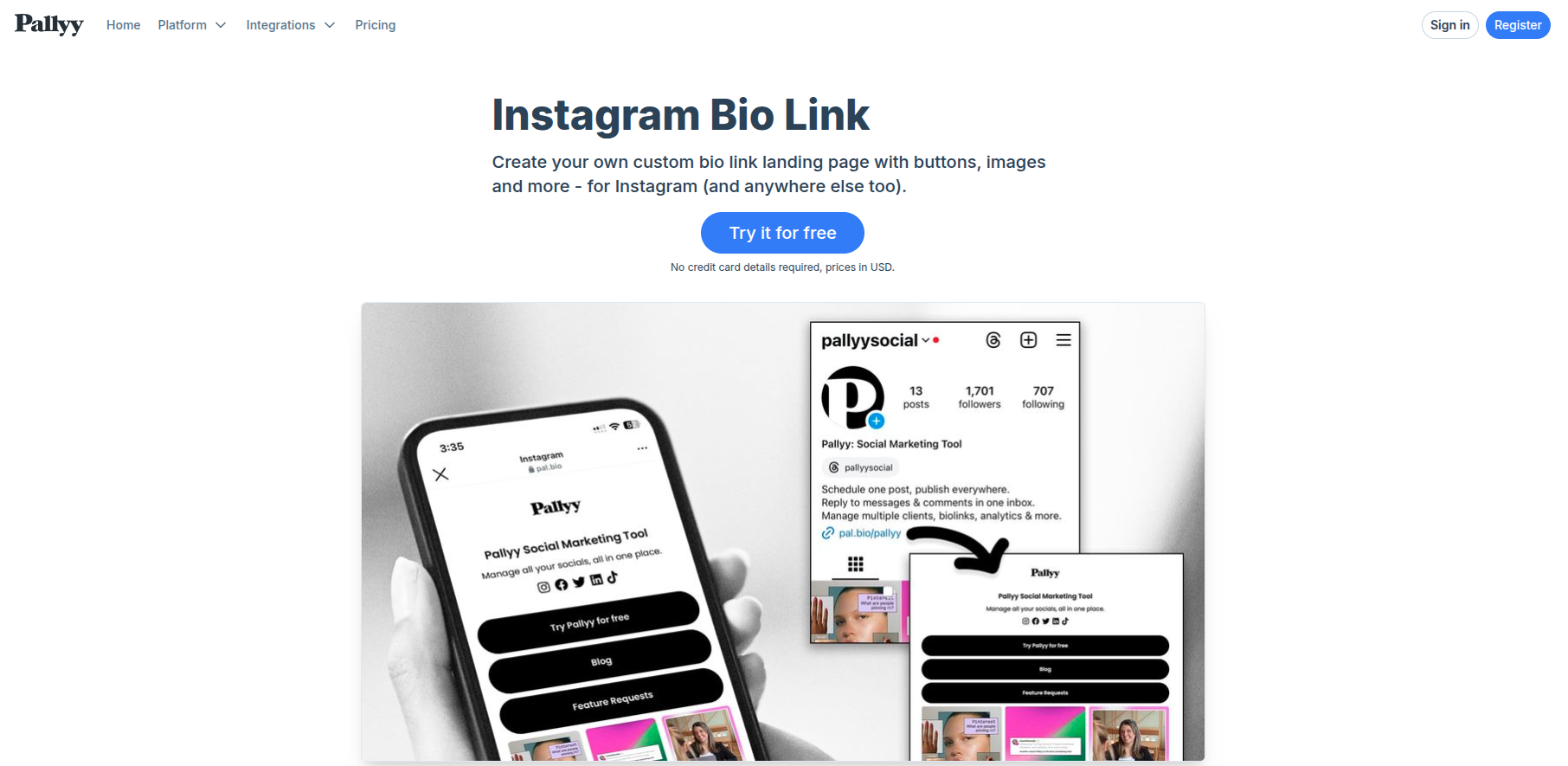
Pallyy
Bio link page integrated with social media planning
~$15/month
Medium
Moderate
1. Replug
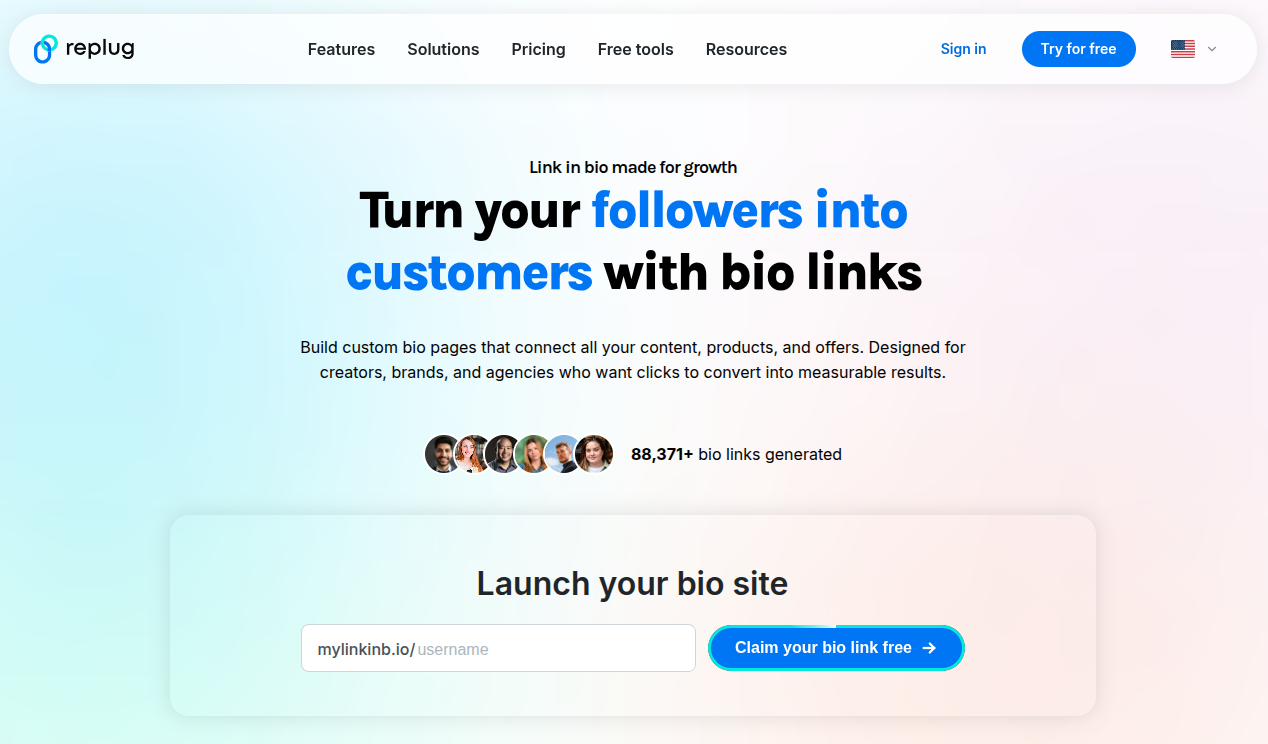
Replug is a powerful link optimization platform designed to help marketers, influencers, and businesses manage, track, and improve their links. Along with branded URL shortening, it also offers a free bio link maker that lets you create a mini landing page containing multiple links for your social media profiles.
Go beyond generic link pages!
Create custom bio links that truly fit your brand
With Replug, you can create bio links that are unique, engaging, and built to convert.
Combines link shortening, tracking, and bio links in one tool
Strong analytics and marketing features
Supports branded domains for better credibility
Cons:
The dashboard can feel slightly complex for beginners
Best for:
Digital marketers, influencers, agencies, and businesses that want a complete, all-in-one solution with advanced tracking and a built-in bio links option.
2. Linktree
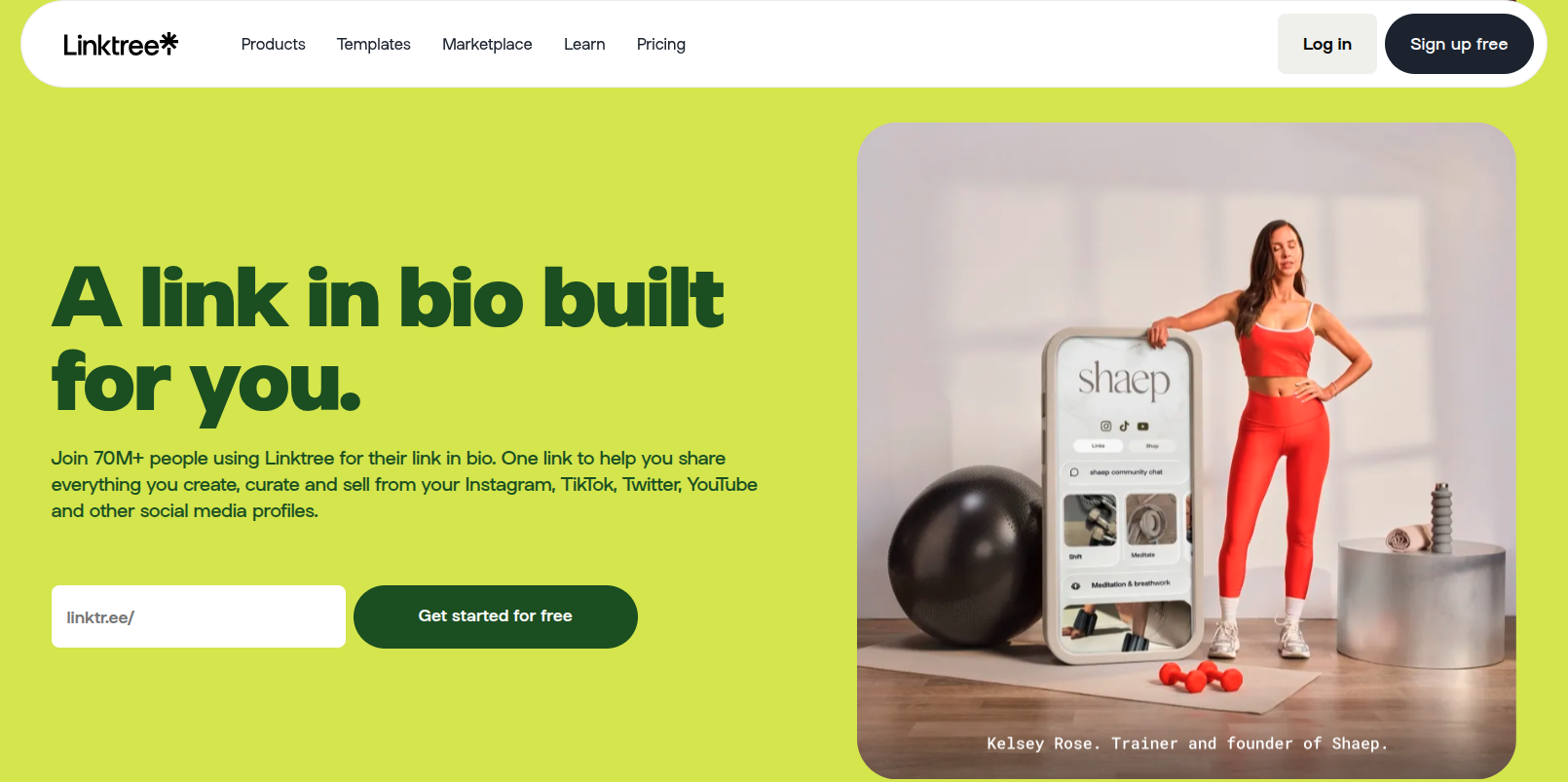
Ever wondered why so many creators simply say “check the link in bio” and send you to a single page with everything they offer? There’s a good chance that page is powered by Linktree. It’s one of the most widely used link in bio tools that helps influencers, brands, and businesses place multiple links behind a single URL for their social media profiles.
Key features:
Create a customizable link in bio page with unlimited links
Add videos, social icons, and embedded content
Built-in analytics to track clicks and audience activity
Sell digital products, courses, or promote affiliate links
Email collection and integrations with marketing tools
Pricing plans:
Free plan ($0/month)
Starter: about $6–$8/month
Pro: about $12–$15/month
Premium: about $30–$35/month
Pros:
Extremely easy to set up and use
Generous free plan with unlimited links
Strong monetization and analytics features
Cons:
Many customization options are locked behind paid plans
Branding removal requires a higher-tier plan
Advanced analytics only available in paid tiers
Best for:
Content creators, influencers, musicians, and small brands that want a simple and reliable link in bio tool to organize and share multiple links from one place.
3. Beacons AI
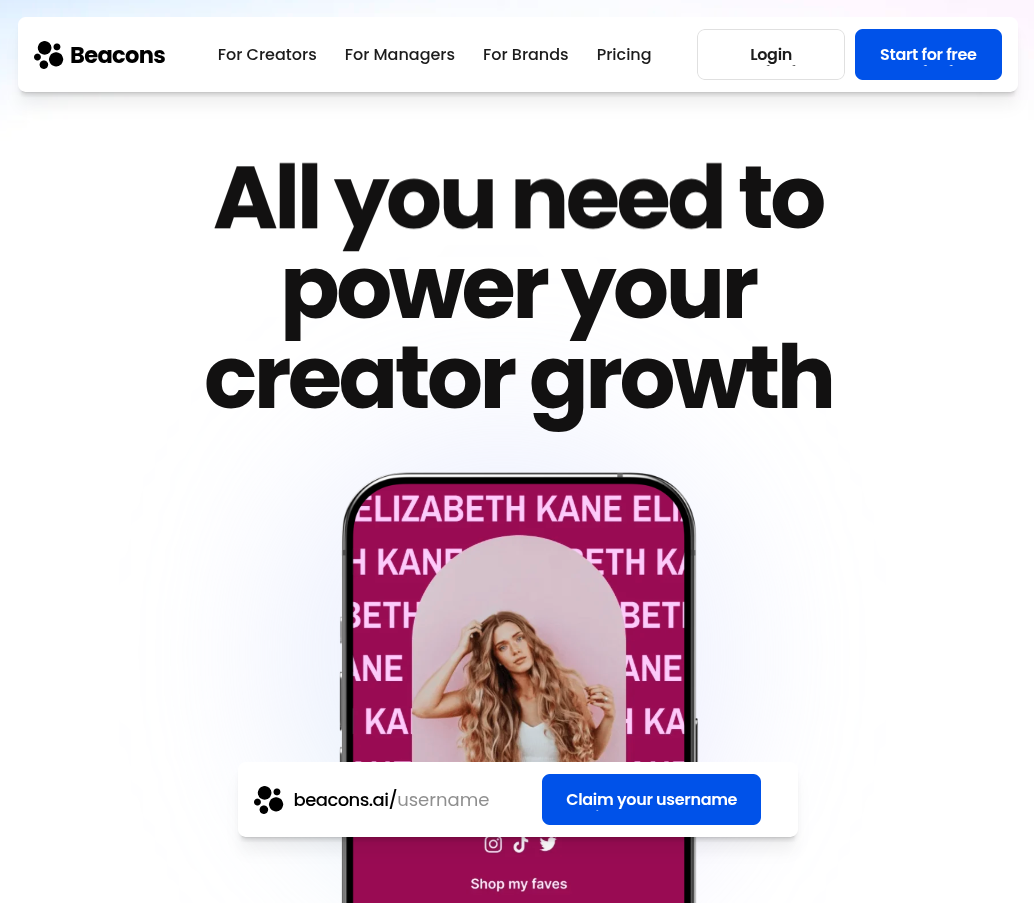
What if your link in bio could do more than just hold links? That’s exactly what Beacons AI tries to solve. It’s an all-in-one creator platform that lets influencers build a customizable link in bio page while also managing things like digital products, email lists, and brand partnerships from a single dashboard.
Key features:
Customizable link in bio page with unlimited links
Built-in store to sell digital products, courses, or memberships
AI tools for generating content and optimizing your page
Email marketing and subscriber list building
Media kit and analytics to track audience engagement
Pricing plans:
Free plan ($0/month)
Creator: about $8.33–$10/month
Creator Plus: about $25–$30/month
Creator Max: about $75–$90/month
Pros:
Combines multiple creator tools in one platform
Powerful monetization options for selling products
AI features for faster page creation
Cons:
Some advanced features are locked behind paid plans
Slight learning curve for beginners
Best for:
Content creators, influencers, and digital entrepreneurs who want a top-notch platform with built-in monetization and AI-powered creator tools.
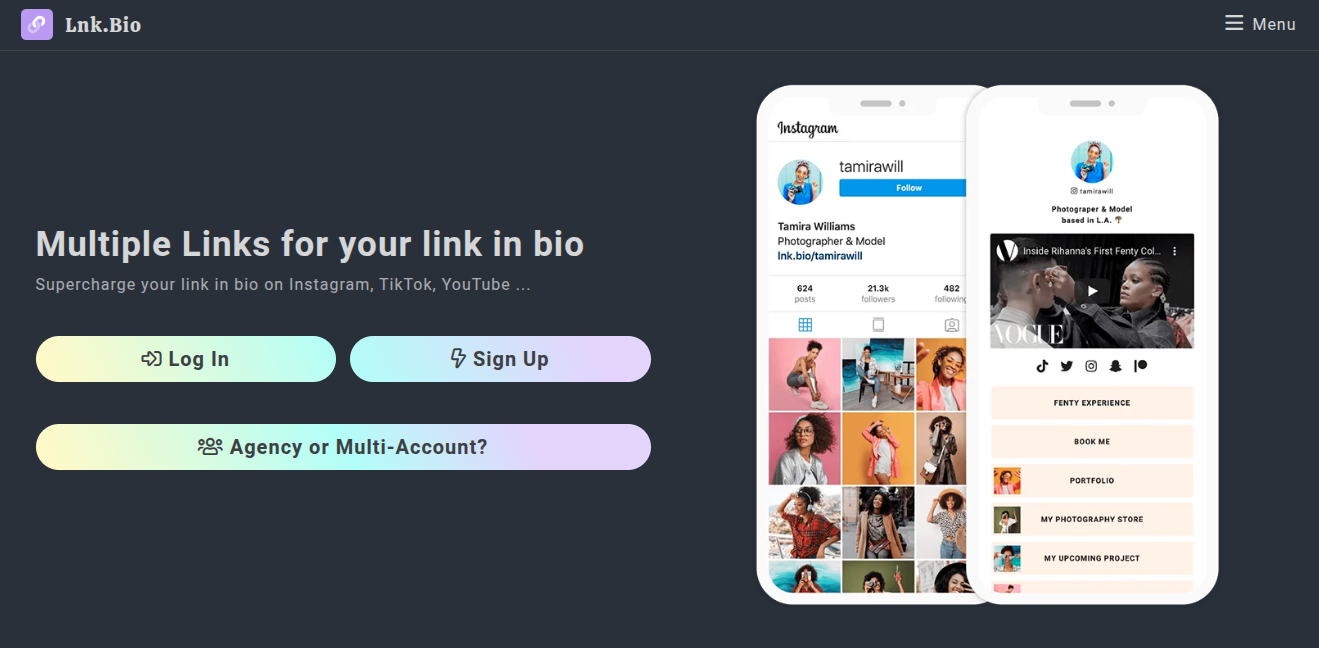
4. Lnk.Bio
Sometimes the best tools are the simplest ones. Lnk.Bio focuses on doing one thing really well, i.e., helping creators build a clean link in bio page that holds multiple links behind a single URL for social media profiles. It’s widely used by creators who want a quick, no-fuss solution to organize their content, promotions, and social platforms in one place.
Key features:
Create a customizable link in bio page with unlimited links
Add thumbnails, videos, music, and social profile links
Link scheduling and activation controls for campaigns
Built-in analytics to track clicks and traffic
Link grouping, password-protected links, and monetization options
Pricing plans:
Free plan ($0)
Mini: about $0.99/month
Unique: about $24.99 one-time lifetime plan
Ultra: about $89.99/year
Pros:
Extremely affordable compared to many competitors
Unlimited links even on the free plan
Simple and quick setup
Cons:
Design customization is somewhat limited
Interface feels basic compared to newer tools
Best for:
Instagram and TikTok influencers, small creators, and freelancers who want a budget-friendly and straightforward link in bio tool without complex features.
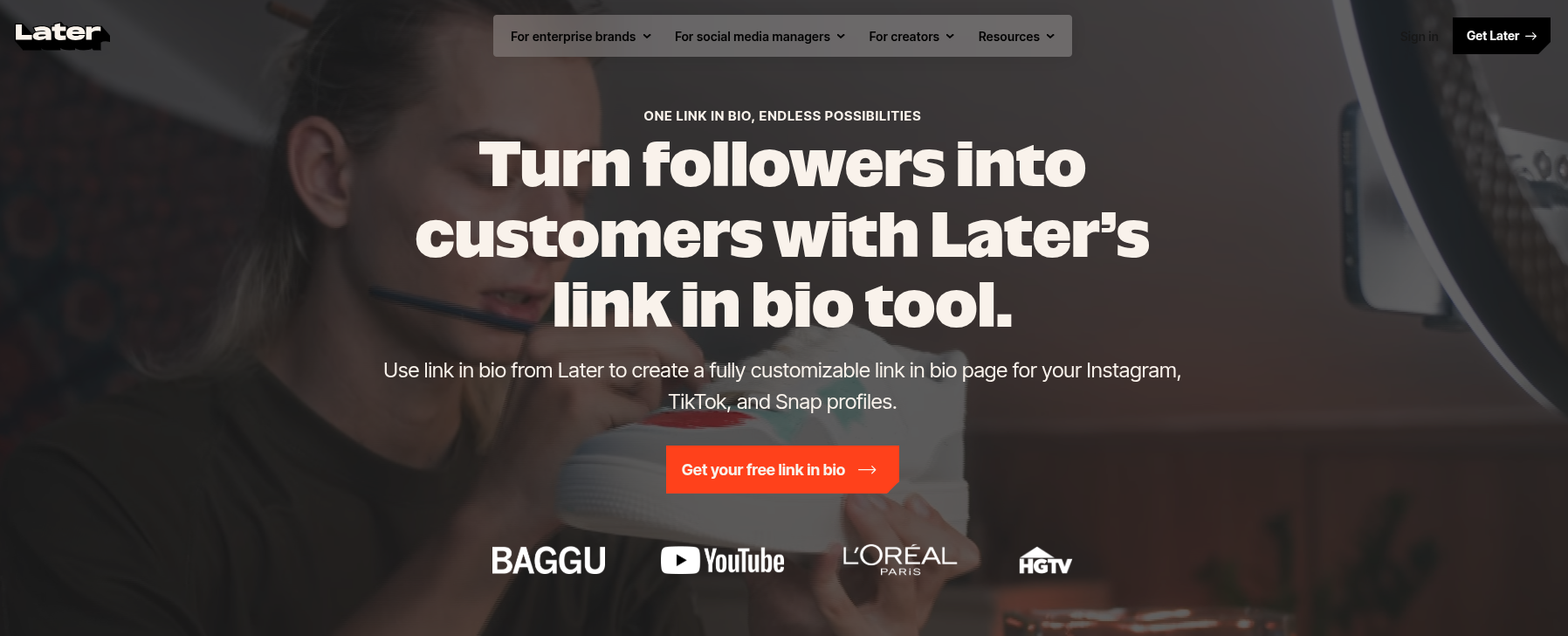
5. Linkin.bio by Later
Unlike most link in bio tools that simply list links, Linkin.bio by Later recreates your Instagram or TikTok feed as a clickable landing page. Each post can be linked to products, blog articles, or other pages, making it easier for followers to explore your content directly from your bio. It’s especially popular with creators and brands that rely on visual platforms.
Key features:
Turn Instagram and TikTok posts into clickable links
Unlimited buttons linking to external pages
Customizable link in bio page with themes, fonts, and colors
Analytics to track clicks and traffic sources
Integration with tools like Google Analytics, Mailchimp, and Shopify
Pricing plans:
Starter: around $18.75–$25/month
Growth: around $37.50–$50/month
Scale: around $82.50–$110/month
Pros:
Visual, shoppable feed layout
Powerful integrations and analytics
Works seamlessly with Later’s social scheduling tools
Cons:
No free plan available
The best experience requires using the Later platform
Advanced analytics and features require paid plans
Best for:
Instagram creators, e-commerce brands, and social media managers who want a visual tool connected to their social media scheduling workflow.
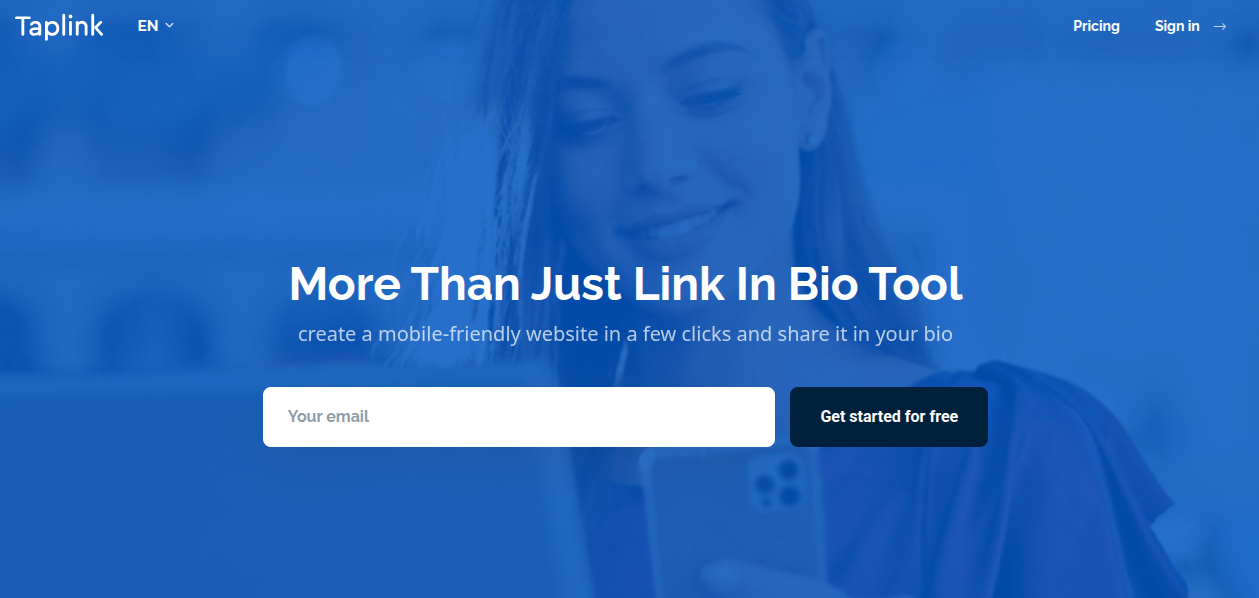
6. Taplink
What if your single bio link could act like a mini-website? That’s essentially what Taplink offers. Instead of just stacking links, Taplink lets you build a small landing page packed with content, contact options, and even payment features. This makes it a popular choice for creators and online businesses using Instagram or TikTok on a daily basis.
Key features:
Create a customizable link in bio page with unlimited links
Add images, videos, music, and rich content blocks
Smart contact buttons for messaging apps and social platforms
Built-in forms to collect leads and customer inquiries
Ability to sell digital products and accept payments directly
Pricing plans:
Basic: Free
Pro: around $3–$6/month
Business: around $6–$12/month
Pros:
Affordable compared to many competitors
Supports payments, forms, and CRM features
Highly customizable with templates and design blocks
Cons:
Some advanced marketing features require paid plans
Interface may feel slightly complex for beginners
Limited overall features stack
Best for:
Influencers, small businesses, and entrepreneurs who need a feature-rich link in bio tool that works like a mini landing page.
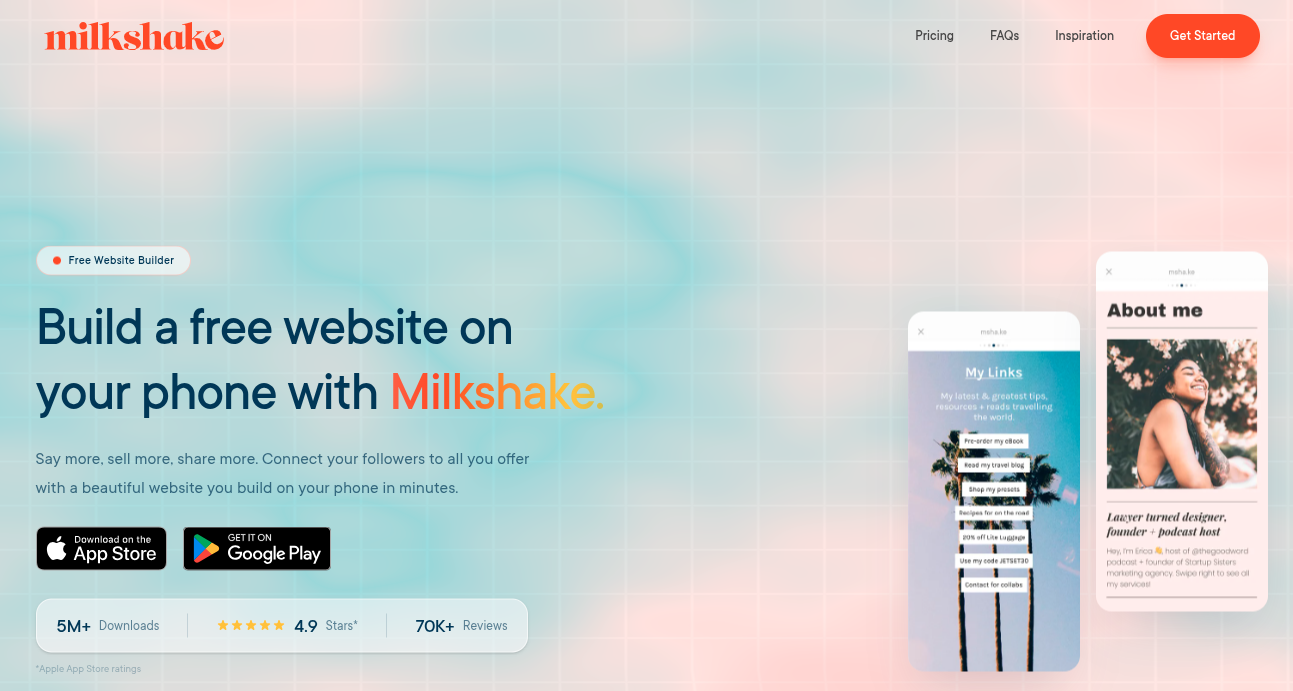
7. Milkshake
Milkshake is a mobile-first link in bio tool that lets creators build a simple, swipeable mini-website directly from their smartphone. It’s particularly popular among Instagram and social media creators who want to showcase multiple links, content, and promotions through a single bio link without needing design or coding skills.
Key features:
Card-based mini-website builder (swipeable pages)
Add links, images, videos, text, and contact buttons
Customizable templates, fonts, and colors
Built-in analytics for clicks and views
Mobile-only editor for quick updates on the go
Pricing plans:
Free: $0/month
Lite: around $2.99/month
Pro: around $5.00–$6.99/month
Pro+: around $8.33–$10.00/month
Pros:
Very easy to set up and mobile-friendly
Visually appealing card-style layouts
Affordable paid plans
Cons:
Mobile-only (no desktop version)
Limited customization and integrations
No built-in monetization tools
Best for:
Content creators, influencers, and small brands who want a quick, visually engaging link in bio page without a complex setup.
8. QuitURL
QuitURL is a versatile platform that combines URL shortening, analytics, and link in bio page creation in one dashboard. Rather than acting as just another “link list,” this tool lets you build a customizable link in bio page while also generating QR codes and tracking engagement. It’s designed to help creators and businesses manage multiple campaigns and links through a single branded URL.
Key features:
Customizable bio pages to host multiple links
Branded short links using custom domains
Detailed analytics (clicks, device, location)
Built-in QR code generator for campaigns
Smart targeting and campaign tracking tools
Pricing plans:
Starter: $3.33/month
Growth: $11.11/month
Pro: $22.22/month
Business: $77.77/month
Pros:
Combines link-in-bio, URL shortening, and analytics
Supports branded domains for professional links
Affordable entry-level plans
Cons:
The interface may feel complex for beginners
Some advanced features locked behind higher plans
Smaller ecosystem compared to big competitors
Best for:
Digital marketers, agencies, and creators who want an all-in-one link management and link in bio solution rather than a basic bio link page.
9. Shorby
Shorby is a powerful link in bio tool designed mainly for Instagram, YouTube, and social media marketers. It allows users to build customizable micro-landing pages that combine links, social profiles, and messaging apps in one place.
Key features:
Smart pages to organize multiple links
Messenger buttons (WhatsApp, Telegram, Messenger)
Customizable landing pages and branded URLs
Click tracking and analytics
Retargeting pixels for marketing campaigns
Pricing plans:
Rocket: around $12–$15/month
Pro: around $24–$29/month
Agency: around $82–$99/month
Pros:
Strong analytics and marketing integrations
Supports messenger apps for direct engagement
Highly customizable bio pages
Cons:
No free plan available
Pricing is a bit higher than some competitors
Advanced features limited to higher tiers
Best for:
Influencers, affiliate marketers, and businesses that want a conversion-focused link in bio page with analytics and marketing integrations.
10. Pallyy
What if your link in bio page could do more than just host links, like helping you plan and manage your entire social media strategy? That’s the main idea behind Pallyy. It combines a customizable link in bio builder with social media scheduling, analytics, and collaboration tools, making it a powerful option for creators who want both link management and content planning in one platform.
Key features:
Custom bio link landing page with buttons and links
Instagram grid integration for linking posts
Pre-designed themes and customization
Social media scheduling and calendar
Analytics and content management tools
Pricing plans:
Starter: $15/month
Pro: $25/month
Agency: $99/month
Scale: $199/month
Pros:
Combines link in bio with social media management
Affordable plans with a free trial
Useful analytics and scheduling tools
Cons:
Some posting and feature limits on lower tiers
Advanced collaboration tools are only available in higher plans
Best for:
Social media managers, agencies, and creators who want a link in bio tool integrated with social media scheduling and analytics.
Choose the right link in bio tool for your business: Key features to look for!
Before picking a link in bio tool, it’s important to know what actually makes one useful for your business. The right tool should not only display your links but also help you brand your page, track performance, and drive real conversions from your social media traffic.
Visual customization & branding
Your link in bio page should reflect your brand. Look for tools that allow you to customize colors, fonts, themes, backgrounds, and buttons so your page matches your brand identity. Many tools also allow custom domains and branded URLs, which make your page look more professional and trustworthy to visitors.
Analytics & tracking
Analytics help you understand how people interact with your links. A good tool should show click counts, page views, user behavior, and traffic sources so you know which links or campaigns are performing well. These insights make it easier to improve your marketing strategy over time.
E-commerce & monetization
If you plan to sell products or services, choose a tool that supports payment integrations, product links, or shoppable galleries. Some platforms allow you to sell digital products, collect payments, or link directly to your online store from your bio page.
Link management & performance
A good link in bio tool should make it easy to add, organize, schedule, or update links whenever needed. Some tools also let you prioritize certain links, shorten URLs, or track individual link performance to see what drives the most traffic.
Social integration & advanced functionality
Finally, make sure the tool integrates smoothly with platforms like Instagram, TikTok, YouTube, and other social networks. Some advanced tools also support email sign-ups, content embeds, automation, and marketing integrations, helping you turn your bio link into a complete growth hub.
If you focus on these key attributes, it becomes much easier to select a link in bio tool that actually supports your business goals instead of just listing links.
Are link in bio tools still worth it in 2026?
Yes, link in bio tools are still useful in 2026, especially for content creators, marketers, and businesses that rely on social media traffic.
Even though some platforms now allow more than one link in a profile, most still limit how links can be shared in posts or captions. That’s why many people still use a single bio link to organize everything in one place.
Why they still matter:
One central hub for everything: A single bio link can direct users to websites, products, blogs, newsletters, and social profiles from multiple platforms.
Works across platforms: Many networks still restrict links in posts, so the bio link remains the easiest way to send traffic elsewhere.
Better organization: Instead of updating multiple links everywhere, you can manage everything from one page.
Useful analytics: Most tools show clicks and traffic sources, helping you understand what content works best.
Supports monetization: Modern bio pages can sell products, collect emails, or promote offers like a mini-website.
In short, link in bio tools are still relevant. They’ve simply evolved from simple link lists into small marketing hubs.
Final verdict
To wrap things up, link in bio tools are still a smart way to turn social media traffic into real results.
Instead of constantly changing your profile link, you can share multiple pages, products, and resources through one simple hub. They also help you track clicks, organize campaigns, and guide followers toward the content or offers that matter most.
There are plenty of great tools out there, but the right one depends on your goals, features, and ease of use.
That said, if you want an all-in-one solution with strong link management, analytics, and branding options,Replug stands out as the overall best choice. It gives you more control over your links while helping you make the most of every click from your social media audience.
The most popular link in bio tool is Replug. It’s widely used by creators, influencers, and brands because it’s simple to set up and offers a free plan with basic features. Replug also supports analytics, integrations with many apps, and customization options. With millions of users worldwide, it remains one of the most recognized tools in this category.
What’s the best link in the bio app?
The “best” link in bio app depends on your needs, but tools like Replug, Linktree, Beacons, and Taplink are commonly recommended. They offer features like analytics, link tracking, customization, and monetization options.
If you want a complete link management and marketing solution, Replug stands out for its analytics and branding features, while Linktree and Beacons are great for beginners and creators.
What is the best link in bio tool for TikTok?
For TikTok creators, tools likeReplug’s Tiktok link in bio tool, Beacons, Stan Store, and Linktree work very well. These platforms allow creators to add product links, digital downloads, and monetization features directly from their bio page. Some tools even support direct purchases or email collection, which is helpful for turning TikTok traffic into sales.
What are the best link in bio tools for Instagram in 2026?
Some of the best link in bio tools for Instagram in 2026 include Replug’s Instagram bio link tool,Linktree, Taplink, Campsite.bio, and Pallyy. These tools offer customizable bio pages, analytics, and integrations that help creators drive traffic to websites, stores, and content from their Instagram profile.
What are the best link in bio tools for Reddit?
Reddit creators usually prefer simple and flexible tools that don’t look overly promotional. Good options include Linktree, Carrd, Beacons, and Campsite.bio because they allow clean landing pages, easy link organization, and analytics to track clicks. These tools help Reddit users share multiple resources without constantly editing their profile links.
What are the best link in bio tools for musicians?
Musicians often use tools like Replug, Linktree, Beacons, and Hoo.be because they support music streaming links, merch stores, and tour announcements. These tools let artists share Spotify, Apple Music, YouTube, and ticket links all in one place, making it easier for fans to access their music and updates.
What are the best link in bio tools for affiliate marketing online?
For affiliate marketing, tools like Beacons, Linktree, Taplink, and Replug work well. They allow marketers to organize multiple affiliate links, track clicks, and sometimes even collect email leads. This helps affiliates send traffic from platforms like TikTok, Instagram, or YouTube to multiple offers from a single bio link.
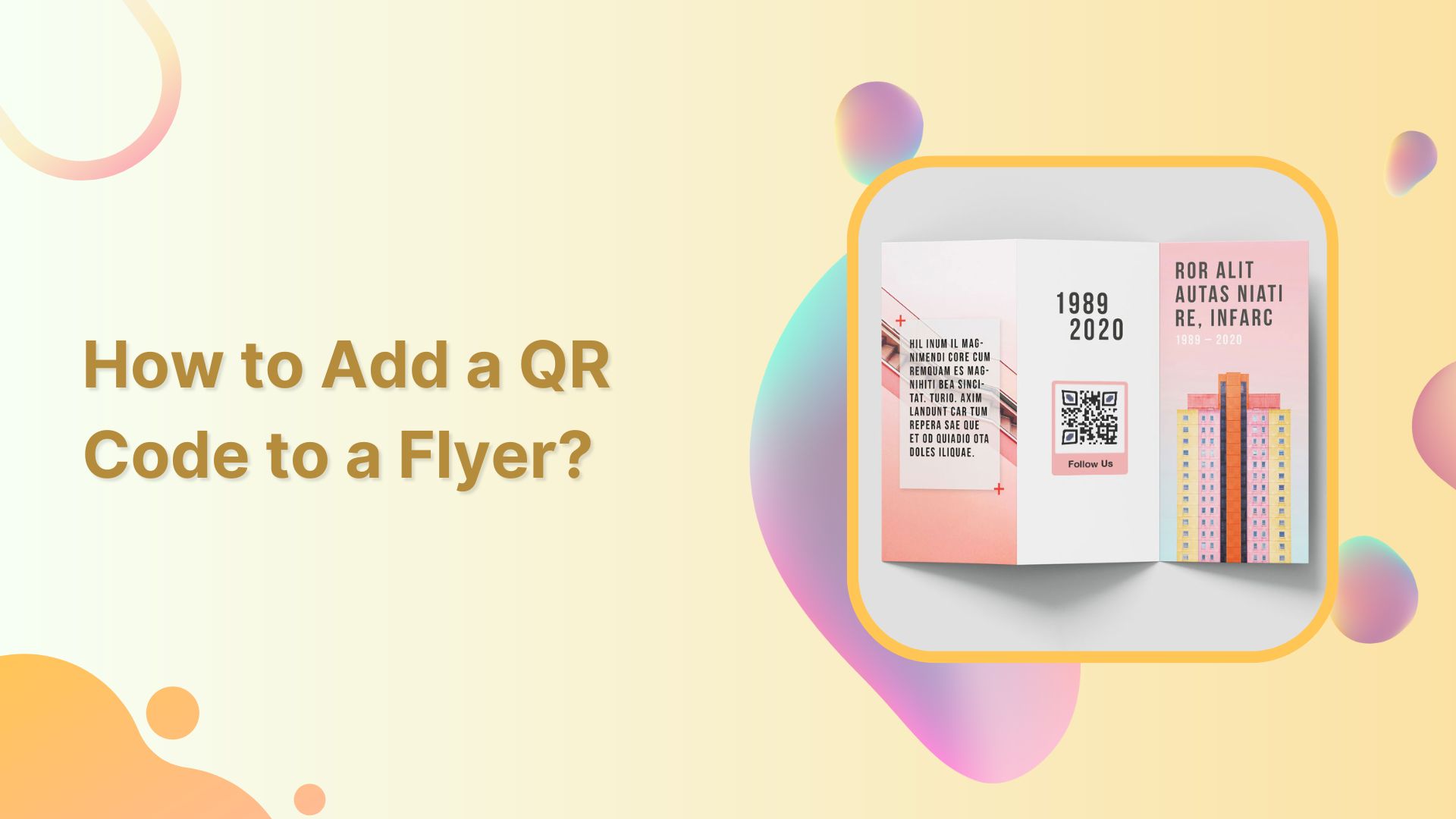
Are your flyers due for a modern makeover? Enter QR codes—the quick, straightforward solution to elevate your print game.
In this guide, we get straight to it, showing you how to seamlessly integrate QR codes for a straightforward, tech-savvy boost. Follow this guide, and transform your flyers into interactive powerhouses. Time to make your prints work smarter, not harder. Let’s get started!
What are QR codes on flyers?
QR Codes on flyers refer to Quick Response Codes incorporated into print materials, typically paper-based promotional items. These matrix barcodes, when scanned using a smartphone or QR code reader, direct users to a designated URL.
This integration serves as a bridge between traditional print marketing and the digital realm, offering opportunities for enhanced engagement, in-store traffic generation, and data-driven campaign optimization.
Why add a QR code to your flyer?
1. Boosts audience engagement:
Blend the best of traditional and digital marketing. QR Codes on flyers create an interactive experience, ensuring your audience not only notices but engages with your content.
2. ROI tracking made easy:
Measure your marketing success with precision. QR Codes enable you to track user engagement, providing insights like scan numbers, operating systems used, and user locations. Understand the impact of your print ad and determine its worth.
3. Mobile-friendly magic:
Cater to the mobile-savvy crowd. Modern smartphones come equipped with built-in QR code scanners, making information readily accessible. Bridge the physical and digital realms, ensuring your audience can connect with your online content effortlessly.
4. Always accessible info:
Avoid the risk of lost flyers. A QR Code synchronizes your physical and digital content, allowing your audience to access crucial information even if they misplace the flyer. Forge instant connections and stand out with this seamless mobile advantage.
A complete link management solution
for marketing professionals & agencies.
Try Replug for free
Important note: A longer URL makes your QR code more complex and difficult to scan. Use our URL shortener tool to create short links and download them as QR codes. By doing so, your content will be easier to scan and access.
Step 1: Sign in to your Replug account or create a free account if you’re new.
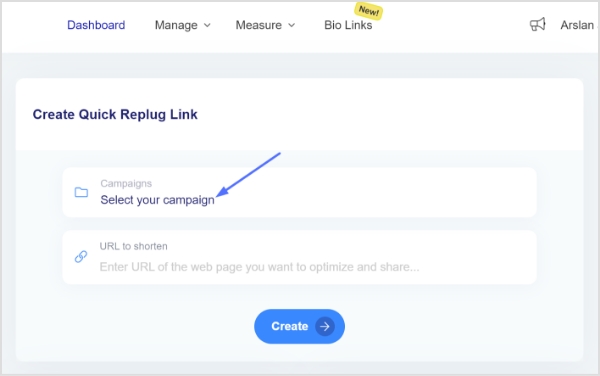
Step 2: On the main dashboard, click “Select your campaign” or swiftly create a new campaign.
Step 3: Under “Select your campaign,” enter the destination URL you want to link to your flyer QR code and click “Create.”
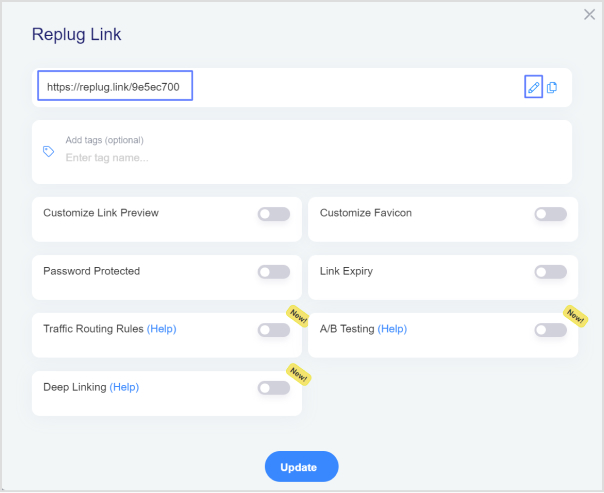
Step 4: Customize your shortened URL by adjusting the URL slug to align with your brand or campaign.
Step 5: Copy the shortened URL and click “update.”
Download your destination URL as a QR code:
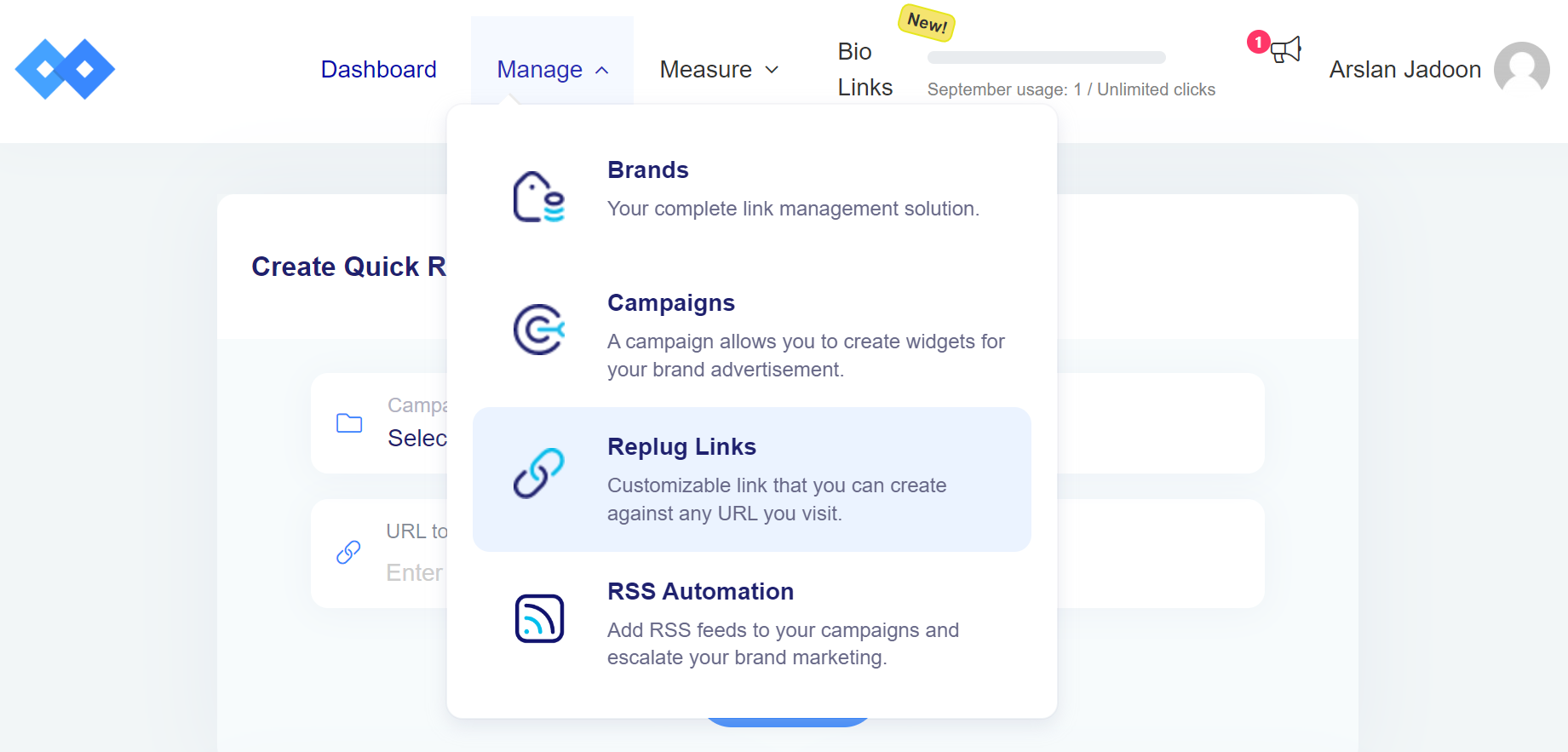
Step 6: Navigate back to the main dashboard, click “manage,” then select “Replug links.”
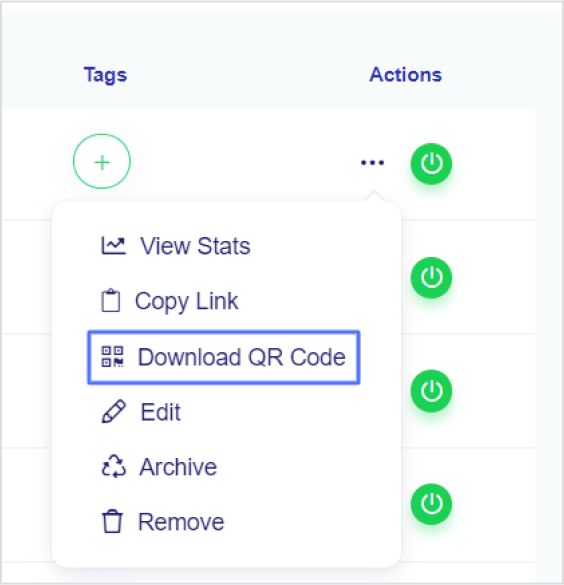
Step 7: Locate your newly created short URL in the list.
Step 8: Click on the three dots under “Actions,” then choose “Download QR code.”
Place the QR code strategically on your flyer, ensuring it’s easily visible and scannable.
Accompany the QR code with a brief call-to-action, prompting users to scan for exclusive content or additional information.
Test the QR code with various devices to ensure compatibility and seamless user experience.
Pro Tip: Replug provides detailed analytics, helping you monitor the performance of your QR codes. Track metrics such as click-through rates and geographical data to refine your marketing strategy. Elevate your flyer by seamlessly integrating dynamic QR codes—bridging the gap between your print material and the digital realm!
Best practices for using QR codes on flyers:
Use colors that pop:
Move beyond black and white. Use vibrant colors that align with your brand’s palette. Enhance brand recognition by ensuring your QR Code is consistent with your overall design scheme. Keep it visually appealing and on-brand.
Incorporate your brand’s identity:
Make space not just for colors but also for your brand’s logo. Whether you’re a small business or a content creator, adding a logo adds a personal touch and boosts brand recognition. It’s a professional move that sets your marketing materials apart.
Opt for dynamic QR codes:
Choose dynamic over static for printed materials. Dynamic QR Codes allow easy content modification without reprinting. Whether it’s a link update or a change in information, dynamic QR Codes offer flexibility, saving both time and money. Additionally, they provide valuable scan data for tracking and analysis.
Ensure design consistency:
Maintain a consistent design across your marketing collateral. Your QR Code should seamlessly blend with the overall aesthetics of your flyer. Cohesiveness in design enhances professionalism and ensures that your QR Code doesn’t feel out of place.
A complete link management solution
for marketing professionals & agencies.
Try Replug for free
Frequently asked questions
What is a QR Code and how does it work on flyers?
A QR Code, or Quick Response Code, is a two-dimensional barcode that stores information. On flyers, it works by encoding a link or information, allowing users to scan it with their smartphones to access the encoded content.
Why should I use QR Codes on my promotional flyers?
QR Codes on flyers enhance interactivity, bridge the gap between print and digital, and offer a convenient way for users to access additional information, promotions, or websites.
What are the best practices for placing QR Codes on flyers?
Use vibrant colors, incorporate your brand’s identity, opt for dynamic QR Codes for flexibility, and ensure design consistency with your flyer’s overall aesthetics.
How can I track the performance of QR Codes on my flyers?
Use QR Code analytics tools like Replug to track metrics such as the number of scans, geographical data, and other valuable insights to measure the effectiveness of your campaign.
Instagram stands out as a powerhouse with over one billion monthly active users. By understanding Instagram analytics, you can make more informed decisions and optimize your content strategy for better results.
Analytical feedback allows you to improve your approach and engage your audience better continuously. Our comprehensive guide to Instagram analytics demystifies the process while empowering you with the knowledge to leverage your data for better audience understanding. Let’s get started!
What is Instagram analytics?
Instagram analytics, often called Instagram Insights, is an invaluable in-app tool designed to provide a wealth of statistics about your account and content performance. Beyond the realms of likes and comments, this tool delves into the intricacies of reach, engagement, and follower growth.
Social media professionals and businesses turn to Instagram Insights to dissect, analyze, and refine content strategies, elevating their presence on this visually-driven platform.
Key takeaways on Instagram analytics:
Instagram Insights, or analytics, is exclusive to Business and Creator accounts. To unlock this feature, you must switch from a personal account to one of these professional account types.
It may take up to 24 hours for Instagram to populate your account with analytics data after you’ve converted to a Business or Creator account.
To access information about your audience, you need to have a minimum of 100 followers on your Instagram account.
You can analyze data for any custom time frame within the past 90 days, allowing flexibility in assessing your Instagram performance.
On average, business accounts achieve approximately a 2% engagement rate on Instagram. This metric reflects the level of interaction and interest your content generates among your audience.
A complete link management solution
for marketing professionals & agencies.
Try Replug for free
How to switch to a business or creator account on Instagram?
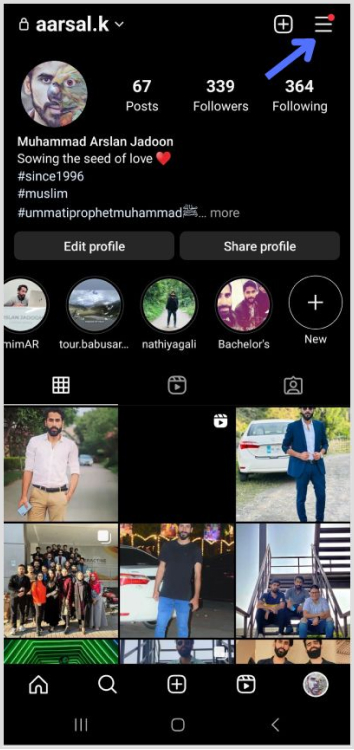
Open the Instagram app and navigate to your user profile.
Tap the hamburger icon located in the top right corner of your profile page. This icon typically consists of three horizontal lines.
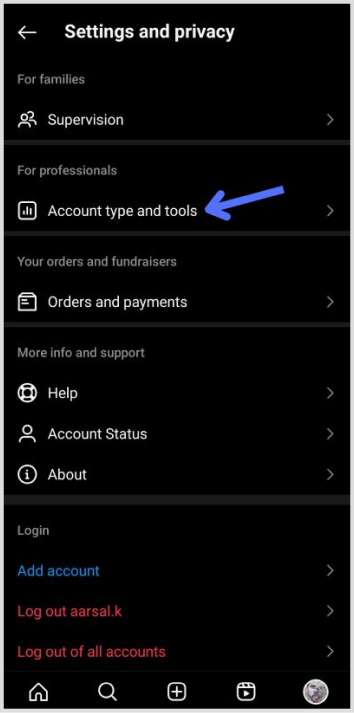
3. Within the Settings menu, tap on “Setting and Privacy” to access your account-related options.
4. Scroll down to the bottom of the “Settings and Privacy” screen and find the option labeled “Account type and tools” then tap on “Switch to professional account.”
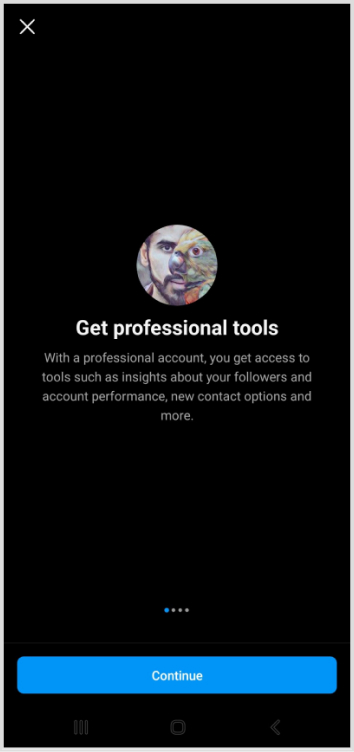
5. Instagram will present a series of prompts explaining the features of professional accounts. Tap “Continue” to proceed with the switch.
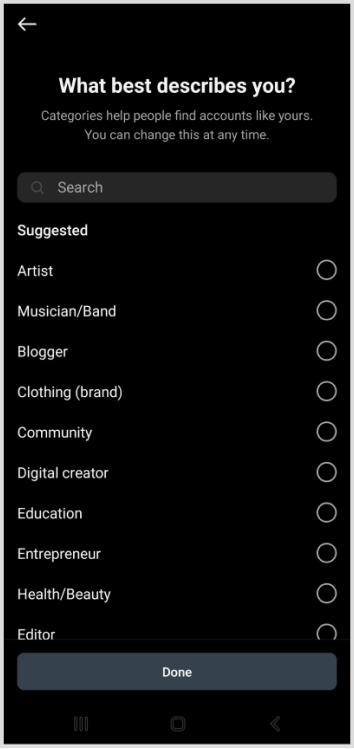
6. Instagram will ask you to choose a category that best describes you from its provided list. Once you’ve made your selection, tap “Done” to confirm.
7. After successfully switching your account type, Instagram requires a 24-hour waiting period for the analytics page to be populated with relevant data. During this time, you won’t immediately see insights from your previous posts.
Note that you will only see insights on posts shared after you switch to a business or creator account. Analytics for previous posts will not be available.
Go beyond generic link pages!
Create custom bio links that truly fit your brand
With Replug, you can create bio links that are unique, engaging, and built to convert.
To access your Instagram analytics swiftly, start by opening your profile in the Instagram app. Locate and tap on the Insights button, represented by a bar graph icon. This action takes you to an overview of your overall account analytics.
For specific content insights, choose the content type you want to analyze, like posts or stories, and tap the right arrow. This simple process empowers you with valuable data, helping you refine your content strategy based on engagement and performance metrics.
Consistently monitor your analytics to track growth and identify opportunities. Social media consultant McKiever recommends checking monthly or even more frequently.
2. Be organized with spreadsheets:
Utilize spreadsheets to organize monthly metrics. The CEO of Influencer Marketing Factory, Bogliari, suggests using Instagram Insights as part of a consistent optimization loop for content testing and improvement.
3. Leverage Instagram’s “Sort” feature:
Instagram’s sorting feature allows you to arrange posts based on interaction metrics. McKiever suggests sorting by follows to identify posts that gained the most followers, helping you create similar content for faster growth.
How to use Instagram analytics to grow your business:
1. Understand your audience:
Use analytics to identify what your target audience enjoys. Tailor your content marketing to meet their preferences, satisfying existing customers, and attracting new ones.
2. Benchmarking strategies:
Internal benchmarking:
Compare analytics of your content. Analyze both strong and weak-performing posts to identify common themes that resonate with your audience.
Metrics to prioritize:
For overall account analysis, emphasize total followers, accounts reached, and top posts, stories, and reels. For individual posts, prioritize follows, profile visits, website taps, and reach.
External benchmarking:
Compare your content to competitors to gain insights for business growth.
A complete link management solution
for marketing professionals & agencies.
Try Replug for free
Enhance social media tracking with Replug analytics:
Replug stands out as an invaluable tool for enhancing your content and boosting your brand’s online presence. With its ability to create unique, trackable links embedded with UTMs, Replug offers a straightforward solution for understanding customer journeys.
Replug is more than a URL shortener; it’s your strategic ally in navigating platforms like Instagram seamlessly. It provides a comprehensive toolkit for building brand connections, managing links and QR codes, and connecting effortlessly with your audience.
For streamlined curation and top-notch link tracking across social channels, Replug is the ultimate answer. Take control, optimize your strategy, and ensure your brand emerges victorious in the competitive landscape. Elevate your social media game with Replug—a true ally for maximizing insights and fostering stronger connections with your audience.
Frequently asked questions
What are Instagram analytics?
Instagram analytics, or Instagram Insights, provides statistics about account and content performance, including reach, engagement, and follower growth.
How to see analytics on Instagram?
To access Instagram analytics, go to your profile, tap “Insights,” and review overall account analytics. Select specific content types for detailed stats.
How to see Instagram story analytics?
To view Instagram story analytics, open Insights, tap “Content,” and select “Stories” to see metrics like follows, profile visits, taps, impressions, and more.
How to view Instagram analytics on desktop?
Unfortunately, Instagram analytics is primarily available on the mobile app. However, some third-party tools may offer desktop analytics features.
How to view post analytics on Instagram?
Open Instagram Insights, tap “Content,” and select “Posts” to access detailed analytics for each post, including reach, impressions, interactions, and more.
How does Replug enhance social media tracking, especially on Instagram?
Replug enhances social media tracking on Instagram by creating unique, trackable links with embedded UTMs, providing precise analytics for link performance.
How does Replug help in optimizing social media investments and improving ROI?
Replug helps optimize social media investments by providing insights into link performance, allowing businesses to refine strategies and improve return on investment.
Can I use Replug for tracking links on platforms other than Instagram?
Yes, Replug is versatile and can be used for tracking URLs on various platforms beyond Instagram, including TikTok, Facebook, Twitter, and more.
LinkedIn isn’t just a social network; it’s your digital passport to the professional world, connecting you with like-minded individuals across diverse industries. Your LinkedIn profile is your virtual business card, offering a snapshot of your identity and capabilities.
Elevating your LinkedIn presence goes beyond mere self-promotion – it’s about forging meaningful connections, fostering engagement, and creating growth opportunities.
If you’re eager to take your LinkedIn game to the next level, buckle up as we discuss nine practical tips to amplify your profile and skyrocket your post views for unparalleled engagement.
1. Craft compelling content
Create valuable content
Elevate your LinkedIn game by crafting content that speaks directly to your target audience. Identify your audience’s needs and interests, and deliver tangible benefits, immediate results, or fascinating insights. Remember, it’s not about you; it’s about what your readers want.
Utilize a mix of text, infographics, gifs, and videos to keep your content diverse and engaging. Employ writing techniques such as short sentences, line spacing, emojis, storytelling, and visuals to enhance readability.
Republish Content
Unlock the potential of your content by republishing it strategically. According to research, not everyone visits LinkedIn multiple times a day, so reposting content (with a 10-day gap) can increase reach and engagement. Focus on delivering unique insights with each repost, ensuring each post feels fresh and valuable to your audience.
2. Complete your profile
Your LinkedIn profile is your professional identity. Make sure to complete it. Ensure you have a standout header image, use your professional name, invest in a professional photo, and craft a compelling summary showcasing your talents.
Keep your work experience, education, certifications, and specializations up-to-date. Growing your network to at least 500 connections significantly boosts visibility.
3. Shorten the links you share
Long, unwieldy URLs can detract from the professionalism of your content. Replug’s link shortener not only cleans up your links but also provides valuable tracking metrics. It’s about more than just character count reduction – crafting connections that resonate with your audience.
With our LinkedIn link shortener, you can share concise, branded URLs that stand out in professional posts and messages. This helps boost credibility, improve engagement, and make every LinkedIn share more impactful.
Maximize marketing ROI
by transforming ordinary URLs into branded short links that convert.
Try Replug for free
You can also use a LinkedIn QR code generator to make your profile scannable on business cards or event materials, giving offline audiences a direct path to your LinkedIn
4. Maximize Engagement
Respond to comments
Engage with your audience by responding to comments on your posts. This not only pushes your content back to the top of feeds but also establishes a connection with your audience. Thoughtful responses create a sense of community and encourage future engagements.
Re-share other people’s content
Expand your network and visibility by re-sharing content from other LinkedIn members. This not only puts you on their radar but can also make you visible to their network. Use this strategy to build on others’ insights, reinforcing your thought leadership.
Get your employees and executives involved
Harness the power of employee advocacy by encouraging your team to engage and share company content. Employee posts can reach over 5X further than official company posts. Use eNPS questions to identify highly engaged employees who can serve as strong advocates. Implement processes to notify the team about content creation and leverage employee advocacy platforms for streamlined content sharing.
Leverage the power of tagging to drive attention to your posts. Tagging influential individuals or relevant pages can not only attract their attention but also increase visibility to their networks. Use tagging strategically as part of a team-wide strategy to amplify your reach.
6. Use hashtags
Utilize the potential of hashtags to increase the visibility of your posts. Choose relevant and trending hashtags, but keep it limited to around 5 per post. Aligning your content with popular hashtags can connect you with individuals and groups interested in similar topics.
7. Diversify your content
Diversify your content to keep your profile fresh and appealing to different audiences. From text and image posts to engaging videos, document carousels, and interactive polls – incorporating variety adds depth to your profile and resonates with a broader audience.
8. Consistent posting
Posting regularly sets a rhythm for your audience and benefits the LinkedIn algorithm. It’s not just about frequency; it’s about establishing reliability. Consistency builds anticipation for your insights, updates, or industry thoughts, encouraging views and engagement.
Embrace the power of video content on LinkedIn, focusing on native videos for a better user experience. Use captions for accessibility and convenience. Simplify video sharing across your team using platforms like ContentStudio.
Post regularly
Consistency is key to maintaining a vibrant LinkedIn presence. Post updates regularly, aiming for at least 2-3 times a week. Test different posting days and times to align with your network’s online activity. Use social media scheduling tools to manage regular posting without overwhelming your team.
Enhance your LinkedIn journey with Replug
Professional, accessible linking is the secret sauce of a successful LinkedIn strategy. Replug.io is not just a link shortener; it’s your tool to craft connections, engage authentically, and grow confidently.
Invest time in understanding Replug’s analytics. It’s not just about shortening links; it’s about understanding your audience’s behavior.
Ready to take your LinkedIn game to new heights? Explore Replug’s pricing plans and elevate your LinkedIn profile with style.
A complete link management solution
for marketing professionals & agencies.
Try Replug for free
FAQs
Why craft engaging content on LinkedIn?
Crafting engaging content on LinkedIn is crucial for boosting profile visibility, expanding your network, and creating valuable connections.
How does Replug enhance URLs on LinkedIn?
Replug’s link shortener improves the appearance of URLs on LinkedIn by making them cleaner, more professional, and trackable, enhancing overall content presentation.
Why is posting consistently essential on LinkedIn?
Posting consistently on LinkedIn is vital for building audience trust, staying relevant in feeds, and maximizing the algorithm’s benefits, resulting in increased visibility.
What is the role of scheduling tools in LinkedIn marketing?
A social media scheduling tool plays a crucial role in LinkedIn marketing by enabling users to plan and automate posts, ensuring consistent posting frequency and optimal audience engagement.
How do scheduling tools help manage multiple LinkedIn accounts efficiently?
Scheduling tools streamline the management of multiple LinkedIn accounts by coordinating posts, ensuring consistency, and optimizing content delivery for efficient social media marketing.
Your brand identity is the heartbeat of your business, the visual and emotional essence that sets you apart in a crowded market.
In this short guide, we’ll outline actionable steps that go beyond aesthetics, ensuring your brand not only stands out but becomes a memorable and trusted presence in the minds of your audience. So, let’s get started!
What is brand identity and why is it crucial?
Brand identity is the visual and conceptual representation of a brand. It encompasses various elements that communicate the brand’s personality, values, and characteristics to its audience.
This identity serves as the face of the brand, creating a distinctive and memorable image in the minds of consumers.
Key components of brand identity:
Logo: A unique visual symbol that represents the brand.
Color palette: A consistent set of colors associated with the brand.
Typography: Specific fonts used in brand communications.
Visual style: The overall aesthetic, including imagery and design elements.
Brand voice: The tone and style of language used in communication.
Tagline or slogan: A concise phrase that encapsulates the brand’s essence.
Why brand identity is crucial?
Your brand identity is more than just a logo or a color scheme; it’s the heartbeat of your online persona. It encapsulates the essence of your brand, conveying its personality, values, and promises. Beyond the visual elements, a robust brand identity is the key to unlocking several critical objectives in the digital realm.
Key objectives:
Memorability: A strong brand identity helps a brand stand out and be remembered in a crowded market. Consistent visuals and messaging create a lasting impression.
Differentiation: In competitive industries, a distinctive brand identity sets a brand apart from competitors, making it easily recognizable.
Authority and Trust: A well-crafted brand identity communicates professionalism and builds trust. It establishes the brand as an authority in its industry.
Consistency: Brand identity acts as a guide for maintaining consistency across all marketing channels. Consistency reinforces brand recognition and credibility.
Scalability: A flexible brand identity can adapt and evolve with the brand’s growth. It remains relevant across various stages of business development.
A complete link management solution
for marketing professionals & agencies.
Try Replug for free
How to create a brand identity: 5 essential steps
1. Define your brand purpose:
Mission and values:
Clearly articulate why your brand exists, the values it stands for, and the problems it aims to solve.
Differentiation:
Identify what sets your brand apart from competitors.
2. Research the competition:
Competitive analysis:
Study competitors’ brand strategies to understand the market landscape.
Identify gaps:
Look for opportunities to differentiate your brand from others.
Develop detailed profiles of your target audience, including their preferences, behaviors, and expectations.
Appeal to your audience:
Tailor your brand identity to resonate with your specific audience.
4. Develop your brand voice and personality:
Define brand persona:
Decide on your brand’s personality traits (e.g., friendly, professional, innovative).
Consistent communication:
Develop a unique brand voice and maintain consistency across all communication channels.
5. Develop your visual identity:
Design a memorable logo:
Create a visually striking logo that encapsulates your brand essence.
Ensure simplicity and scalability for various applications. If you’re exploring concepts early on, an AI logo maker can help generate visual directions and inspiration before refining a final brand identity.
Consider symbolism:
Leverage symbols and visual elements that reinforce your brand message.
Explore the psychological impact of colors and fonts.
Choose a color palette and typography:
Establish a cohesive color palette that aligns with your brand personality.
Select fonts that convey the right tone for your brand.
A complete link management solution
for marketing professionals & agencies.
Try Replug for free
Integrating your brand identity: A strategic imperative for business success
Creating a compelling brand identity is a pivotal step toward establishing a distinctive presence in the market. However, the true power of a brand identity lies in its seamless integration into various facets of your business. This integration ensures that your brand is not just a visual entity but a cohesive and recognizable force that extends across all touchpoints.
Let’s explore how you can effectively integrate your brand identity into different aspects of your business for maximum impact.
Website integration:
Your website is the digital storefront of your brand. Ensure that your brand identity is reflected in every pixel. From logo placement to color schemes and typography, the website should be a consistent extension of your brand personality. Effective logo design is crucial for ensuring brand identity is communicated seamlessly across all digital platforms.
Take cues from successful brands like Dollar Shave Club, whose website design perfectly complements its bold and irreverent brand identity.
Physical storefronts and packaging:
Even in the era of digital dominance, physical touchpoints matter. Extend your brand identity to your physical locations and product packaging. Whether it’s the layout of your store, the design of your storefront, or the packaging of your products, ensure a uniform visual experience.
Apple exemplifies this by translating its minimalist and sleek brand identity seamlessly into its physical stores and product packaging.
Social media presence:
Social media is a dynamic platform for engaging with your audience. Align your brand identity across all social media channels. Consistent use of visuals, language, and tone reinforces brand recognition.
For inspiration, look at how Spotify maintains a vibrant and music-centric brand identity across its social media platforms.
Content marketing efforts:
Your content is a direct reflection of your brand voice. Whether it’s blog posts, videos, or infographics, infuse your brand identity into every piece of content. This not only enhances brand consistency but also creates a unique and memorable brand narrative.
Mailchimp maintains a friendly and consistent brand voice across various content channels.
Packaging and presentation:
The way you present your products or services speaks volumes about your brand. Ensure that your packaging aligns with your brand identity. Whether it’s the color scheme, logos, or overall design, packaging should reinforce your brand’s visual language.
Think about how Coca-Cola’s iconic red and white branding extends seamlessly to its packaging, creating a strong and consistent visual impact.
Utilizing a custom URL shortener:
In the digital age, even your online links contribute to your brand identity. Leverage a custom URL changerto create branded short links. By doing so, you not only enhance brand visibility but also build link trust.
This small yet impactful step allows you to put your brand on every link you share, increasing brand awareness in every digital interaction.
To take full control of your branded links, explore Replug, i.e., an all in one link management platform designed to streamline and optimize your link-sharing strategy.
Closing note:
Integrating your brand identity into various aspects of your business is not just a choice; it’s a strategic imperative. Consistency across digital and physical touchpoints not only strengthens your brand’s recognition but also builds trust and loyalty among your audience.
Regularly reassess and refine your brand integration strategies to stay in sync with evolving market trends and consumer expectations.
Maximize marketing ROI
by transforming ordinary URLs into branded short links that convert.
Try Replug for free
FAQs
What are the key elements of a successful brand identity?
The key elements include a distinctive logo, a cohesive color palette, consistent typography, a unique visual style, a defined brand voice, and a memorable tagline or slogan.
How can I develop a memorable and distinctive logo for my brand?
To create a memorable logo, focus on simplicity, scalability, and symbolism. Ensure it aligns with your brand’s personality and values, making it instantly recognizable.
How can I integrate my brand identity into my website effectively?
Integrate brand identity into your website by aligning colors, typography, and logos with your brand. Ensure a consistent tone in content and imagery to create a unified online presence.
It’s unbelievable how LinkedIn went from an ordinary job platform to a flourishing social network with more than 930 million members.
Over time, it has become a top choice for businesses, freelancers, digital marketers, and many other online professionals in the industry.
If you often share links, like blog posts, case studies or resources, and want a simple way to manage, track, and brand them all in one place, Replug can help you keep your URLs organized and professional.
But you know what’s the interesting part? Users of LinkedIn are going out of their way to keep the readers hooked, now-a-days.
It’s pretty cool. If you also want to build a super-engaged audience on LinkedIn, you’ve landed in the right spot.
There are times when one might run out of post ideas. But worry not! We’ve got your back with many unique and captivating LinkedIn post ideas to help you overcome such conditions.
What to post on LinkedIn?
Long-form content
Native document posts (PDFs)
Carousels post
LinkedIn Live
Posts containing polls or stats
Native Video Posts
Posts including hashtags and emojis
Consistently posting valuable content can lead to more profile views, connection requests, and, ultimately, more opportunities for career growth or business expansion.
Below are the best LinkedIn post ideas with examples. Making these ideas part of your LinkedIn strategy, and start getting more likes and impressions on your LinkedIn posts.
1. Share how-to guides, tips, or growth hacks
Sharing little tips, ideas, or hacks is the best method to attract a broad audience and keep them involved in your content. Linkedin users enjoy methods, secrets, and techniques. But the key lies in understanding what sets your content apart.
You can share the following type of content:
List the dos and don’ts of your job
Guide on how to enhance a specific skill
Recommend valuable or productive tools
Hacks to increase platform engagement
Favorite book or online course
Tips for creating engaging Linkedin content
Share any personal experience
Personal branding tips
Updates in your industry
Views on any upcoming update
Best websites for working remotely
Tips on LinkedIn profile optimization
Advice on communication with clients
Networking tips
Any financial advice
What unique perspective or expertise do you bring to the table? Is there a fresh take on a popular topic or a hidden gem to be discovered? By pointing out these differences, you can create a sense of suspense, enticing the viewers to explore your content further.
2. Native visuals posts
Regarding LinkedIn, where professionals strive to showcase their expertise or brand, content acts as the backbone.
Images featuring catchy text
A native image post generates 2x comment rate than a post without images. So craft a compelling image that perfectly aligns with your message. The key lesson here is to utilize the image + text strategy on LinkedIn.
You can also use carousels, an updated style that lets you add multiple pictures and videos to a single post, giving your audience a visually appealing experience.
Just like this carousel by Darren Pallatina regarding lead-generation marketing content.
With carousels, it’s easy to tell a behind-the-scenes story, like a step-by-step strategy, how a product is made and launched, shortcuts or processes, etc.
Native video posts
Posting videos on LinkedIn has a 5x higher engagement rate than plain text posts. Whether it’s a thought-provoking industry insight, a behind-the-scenes glimpse of your work, or a captivating story, videos can captivate and engage your connections like never before.
Here we spotted Ryan Musselman sharing a video post on Linkedin.
Add in some video teasers
Speaking of visual content, putting video teasers on LinkedIn can warm up the audience before the actual LinkedIn video post emerges. It creates curiosity, and it helps you reach a new audience. You could upload the full version later on your LinkedIn profile.
And when you need to download your LinkedIn videos for repurposing, consider using a LinkedIn video downloader to make the process hassle-free.
3. Share long-form content
Let’s say you haven’t designed any LinkedIn visual posts. Now what on earth should you post? Where to start? What else to publish for now? You can post long-form content, such as text-only posts, PDFs, articles, etc.
Here’s how
Long text-only LinkedIn posts
It doesn’t matter if you write a concise two-liner or a 600-word text post; the length of the text has no significant effect on the value of your message. You’re good to go if it hits the bull’s eye.
Let’s look at Matt Barker’s post, a top LinkedIn content creator sharing his views on how to become an influencer (the right way) through a long text-based post.
Though long texts can be boring sometimes, try adding emojis, relevant hashtags, give value, be helpful, personalizing your posts, and be controversial, this will make your posts more engaging.
Linkedin article
LinkedIn also allows users to share blogs and articles. Your posts may include links to external articles. And if you’re at a loss for words, turn any old video from YouTube or PDF file into an article and publish it. Also, this allows you to utilize existing material and present it in a different format for your audience.
Here Dan Koe on LinkedIn shared an article in his post.
The biggest perk of this tactic is that you post on LinkedIn more often. What else do you need?
Share native documents
Sharing LinkedIn documents while writing posts gives your audience a more comprehensive perception. Make a lasting impression and seize the attention of your LinkedIn network by sharing PPT or PPTx slides, PDF, Doc, and Docx, just like Jan Beger shared a PDF file on LinkedIn regarding how healthcare needs AI.
The deck has 15 pages, but the post is providing value and relevance in each slide. It will encourage the creators dedicated audience to explore his content further.
4. Post reviews & opinions
Whether it’s a new gadget, a trendy fashion item, or even a restaurant, you recently dined at, writing a review allows you to express your opinions and provide valuable insights to your audience.
You can share reviews about
Top AI tools
New software in your particular industry
Future of any specific skill
Success secrets of any well-known brand
New books
Reactions towards a myth.
Replying to FAQs
Try keeping up with what’s popular online by responding to current trends and events. Anything that has to do with your business can be a great way to keep up with the latest trends.
Just like Alex Cattonion LinkedIn shared a post regarding the hyped-up Barbie movie marketing campaigns. How copywriters, marketers, and business owners can grow from studying the Barbie Movie pre-launch campaign.
By doing so, you can connect with your audience on a more personalized level and stay on top of the trends.
5. Quiz your audience or throw infographics
It’s readily apparent that people get bored when constantly bombarded with the same type of content. Therefore, trying out new things and deviating from the usual content-posting approach is beneficial.
Linkedin polls and quizzes
Quizzing your audience or conducting polls on LinkedIn are some compelling ways to catch the users’ attention.
LinkedIn has a poll feature you can try out alongside other LinkedIn posts and see how it works. Let’s take a good example of a Rich Lyons LinkedIn poll post.
Now, Lyons has conducted an AI-related poll that is quite interesting and also relevant to his niche. Make sure you’re not asking your followers about something they don’t know or care barely about.
LinkedIn stats posts
Sharing statistics related to your industry, business milestones, or helpful data can be an effective strategy to initiate meaningful discussions and engage with people.
Just like Samy Thuillier shared his new website traffic stats on his LinkedIn profile.
6. Share industry news
If you run out of new LinkedIn post ideas, just keep an eye out for news and changes in your field and share them with your readers.
Just like: influencers and experts often share news related to their fields and get many responses through likes, comments, and shares.
Still confused? Here’s one example:
Marketing Mind shares news relevant to its niche, which is social media and digital marketing. They posted news about Twitter. How it went from being called Twitter to X.
7. Add short-form content
Listen here, LinkedIn rockstars. You are mistaken if you believe only long-form content and native PDFs can help you succeed on LinkedIn. The ideal LinkedIn profile ought to balance lengthy and concise content.
Let’s look at the best types of short-form content.
Ask questions from your audience
LinkedIn is the perfect platform to connect, learn, and have a little fun along the way. So go forth, my fellow LinkedIn friends, and let those questions fly! Ask questions from your audience just like famous LinkedIn content creator Bob Phibbs did so:
Add funny posts
People love content they can relate to. So try adding humor to your content. Thus, you can effectively convey your message and engage your audience.
Share job openings
From job posts shared by companies to recruitment updates from industry leaders, there’s always something new and exciting happening on LinkedIn. So, if you’re looking to stay in the loop or share some great job opportunities with your network.
Share something from a book
As avid readers, we all know that feeling when a particular quote or excerpt from a book resonates with us on a deep level. It acts like a little nugget of wisdom that we want to share with the world. Just like this insightful quote by Dan Koe.
Event reminders
Responding to ongoing trends and events can help you keep up with trends online. You can share new updates, event reminders, upcoming launches, and anything trendy.
8. Share snippets of communication & add hashtags
You can share funny, valuable, informational, or any other general snippets on your LinkedIn posts. These can be with a conversation between you and your friend, any top-content creator, a general meme, etc. It will create a deeper, more personal connection between you and your audience.
Here we spotted Teslimat Ishaq sharing a chat snippet with one of her friends on LinkedIn.
Add hashtags
Adding relevant hashtags to your LinkedIn posts can ultimately bring up your posts. It’s a crucial part of LinkedIn SEO. So, if you want to stay at the top, add useful, popular hashtags to your posts. Though the most trending hashtag on LinkedIn right now is #strategy – 5,064,006 followers,
#culture – 4,728,967 followers
#fashion – 4,215,758 followers
#business – 3,663,739 followers
#networking – 3,566,063 followers
#hiring – 2,443,907 followers
#health – 2,270,357 followers
#inspiration – 1,145,015 followers
9. Share inspiring stories
Have you ever found yourself in a situation where you don’t feel like creating unique, new LinkedIn posts? We’ve all been there. Whether it’s a lack of inspiration, a busy schedule, or simply feeling unmotivated, it’s completely normal to experience a temporary slump in your social media activity.
Here’s a genius yet creative idea. Share inspiring yet motivational stories on LinkedIn. It can be your personal story (User Generated Content) or someone else story.
We loved how Matt Swin on LinkedIn shared a post inspired by the global superstar Weekend’s life:
Matt shared 3 branding lessons to learn from Global Superstar The Weeknd. How the artist is making serious waves in the industry. Guinness World Records declared that “The Weeknd is officially the world’s most popular artist.”
10. Make bold predictions
Let’s say you notice that everyone is following the same trend. And you also wanna pull up something regarding that trend but with a sense of spice and curiosity.
You can always share your opinion on future industry trends or make a bold prediction related to market changes.
Still confused? Check out this post by Tim Stoddart
How Tim shared a short-form content-making prediction regarding AI. However, the best thing about making predictions is that you are neither right nor wrong.
11. Try LinkedIn live
Live videos have a massive 24x engagement rate and 7x more reactions. So if you want high engagement on your profile, share live content in unique ways. For example,
As a result, both creators will grab high engagement and high-quality leads, as they will be assisting people with their LinkedIn branding tips and relevant content.
12.Create appreciation or celebration posts
When facing writer’s block or running out of ideas, remind yourself of Newton’s law “every action has a reaction.” Similarly, this goes for LinkedIn content strategy as well.
You can create engaging posts through feedback or a response. It could be a praise, a celebration, a myth, or a frequently asked question. You can even look back to a milestone that you achieved or something you regret.
Still confused? Have a look at Paul Starbuck’s celebration post on LinkedIn.
Do you want to take full advantage of your marketing efforts? Posting on LinkedIn should be a crucial part of your LinkedIn content strategy. As 92% of B2B marketers use LinkedIn to find quality content.
That said, it’s no secret that content fuels your social media marketing engine. So put out helpful content to engage the readers. Here are a few tips for a perfect LinkedIn content strategy.
Connecting with the right audience
Statistics showed that most LinkedIn users worldwide are between 25-34 age groups. So in order to maximize your brand content ROI. It’s necessary to take the right audience in the loop.
Engaging with people
You can boost your LinkedIn engagement rates using these tips.
Keep your profile updated to keep things fresh
Showcase your work on LinkedIn with engaging descriptions
A great profile photo and cover increase engagement
Helping others with no expectations
Post regularly and be active on LinkedIn
Put out the best content
Listen up, folks! The secret to social media success is as simple as sparking conversations with your amazing content. It doesn’t matter what you’re into, just get those chats rolling and watch the magic happen. Once people notice a healthy discussion, they start jumping on the bandwagon. And that’s how most brands win attention on social media.
Use Branded Links& QR Codes
LinkedIn is the best source to generate leads, as it is more effective compared to Facebook and Twitter. Rich leads can be grabbed by sharing branded URLs within your posts.
Branded short links and CTA’s have proven successful for specific marketing campaigns. They are good for company branding and for analyzing your campaigns.
Note: By using a custom URL shortener, you can turn long resource links into clean, branded URLs that look neat in your posts and are easier for your audience to click and remember. For offline touchpoints like events or printed materials, you can also generate a QR code for your LinkedIn profile to make connecting instant and frictionless
So, that’s it, guys! We appreciate the dedication to reading to the conclusion. Your time and effort are very much appreciated.
Frequently asked questions
What is a good first LinkedIn post?
A good first LinkedIn post introduces you professionally, showcases skills, and expresses passion for your field. Keep it concise, engaging, and include a professional photo. Share goals or recent achievements for a positive impression and networking opportunities.
What is the best time to post on LinkedIn?
– Post during business hours – Posting on Tuesdays and Wednesdays
What is a viral LinkedIn post?
Any posts above 100 thousand impressions and 500+ likes is considered as a viral post.
What is an impression on LinkedIn?
An impression on LinkedIn refers to the number of times a post or content is displayed on users’ feeds or profiles. It represents the potential reach and visibility of the content, indicating how many users have been exposed to the post, regardless of whether they engaged with it.