In the world of digital marketing, “unique clicks” are a big deal. They give us a clearer picture of how people engage with online content. Unlike total clicks, which count every time someone clicks on a link, unique clicks only count each person once, no matter how many times they click.
But how do we track and make sense of these unique clicks? That’s what we’ll uncover in this guide. We’ll cut through the terminology and get straight to the heart of unique clicks, why they matter, and how to track them effectively. So, let’s dive in and explore the world of unique clicks together.
What are unique clicks?
Unique clicks refer to the number of individual users who have clicked on a particular link or piece of content within a specified time frame. Unlike total clicks, which count every click regardless of whether it comes from the same user multiple times, unique clicks only count each user once.
This distinction is crucial for understanding the actual engagement level of a campaign or piece of content, as it provides insight into the number of distinct individuals who have interacted with it.
Unique clicks help marketers measure the effectiveness of their digital strategies and gauge audience interest and responsiveness.
Unique clicks vs total clicks: What’s the difference?
The main difference between unique clicks and total clicks lies in how they measure user engagement with digital content:
Unique clicks:
Unique clicks represent the number of distinct individuals who have clicked on a particular link or piece of content within a specified time frame. Each user is counted only once, regardless of how many times they click on the link. Unique clicks provide insights into the number of different individuals engaging with the content.
Total clicks:
Total clicks, on the other hand, count every instance of a user clicking on the link or content, including multiple clicks from the same individual. This metric measures the overall volume of clicks generated by a campaign or piece of content, regardless of whether they come from the same user.
How to calculate unique clicks?
Determine unique clicks: Use a web analytics tool or Replug.io to find the total number of unique clicks generated by your campaign.
Find total recipients or impressions: Identify the total number of email recipients or ad impressions for your campaign.
Apply the formula: Use the formula below to calculate the unique click rate:
Unique click rate=(Total Number of Email Recipients or Ad Impressions / Total Number of Unique Clicks) × 100
Example calculation: For instance, if your campaign records 500 unique clicks from 10,000 email recipients:
Unique Click Rate = (500 / 10,000) × 100 = 5%
Interpretation: A unique click rate of 5% indicates that 5% of recipients or impressions clicked on your campaign’s links, offering valuable insights into engagement levels and potential ROI.
A complete link management solution
for marketing professionals & agencies.
Try Replug for free
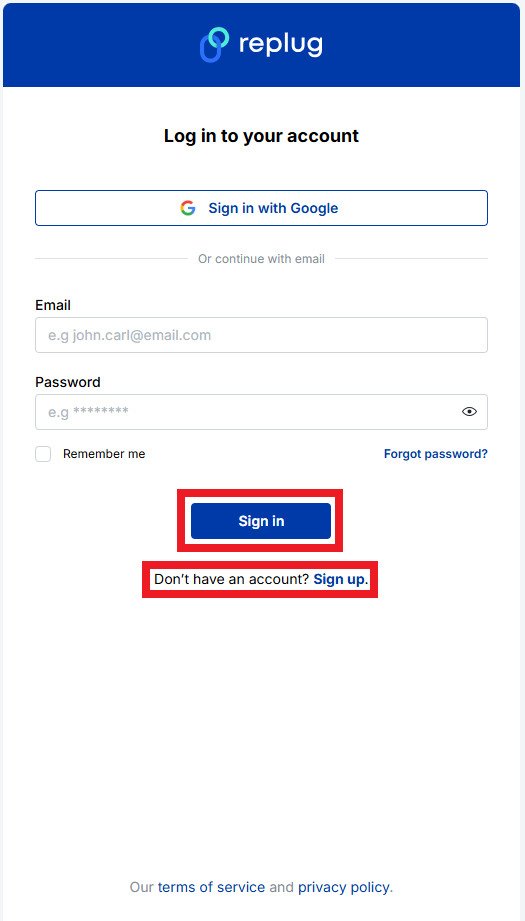
Create a Replug account:Sign up for a Replug account if you haven’t already. You can do this by visiting the Replug website and following the registration process.
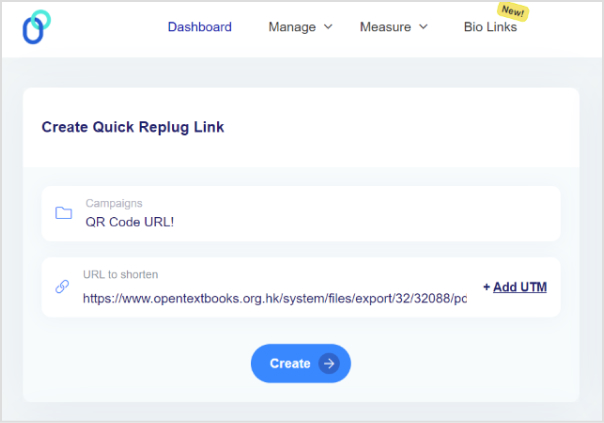
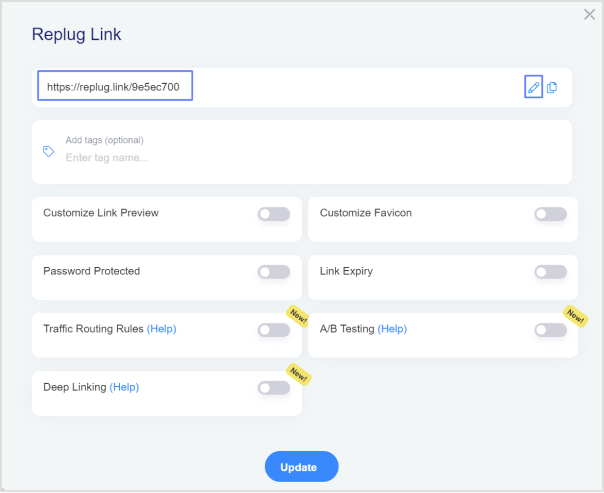
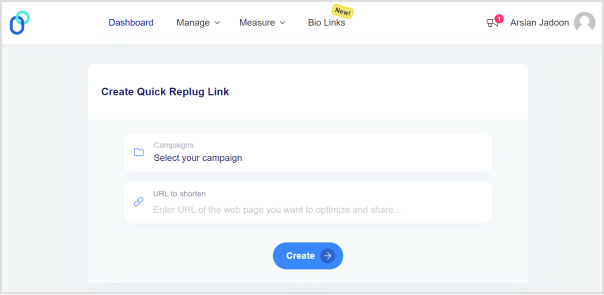
2. Generate tracked links: Once logged in, create trackable links within the Replug app. You can do this by entering the original URL you want to track and customizing the link settings to your preferences.
3.Utilize Replug’s tracking parameters: Replug automatically generates unique tracking parameters for each link you create. These parameters enable Replug to track clicks and attribute them to specific campaigns or sources.
4.Share tracked links: Use the generated tracked links in your marketing campaigns, social media posts, emails, or any other channels where you want to track user clicks.
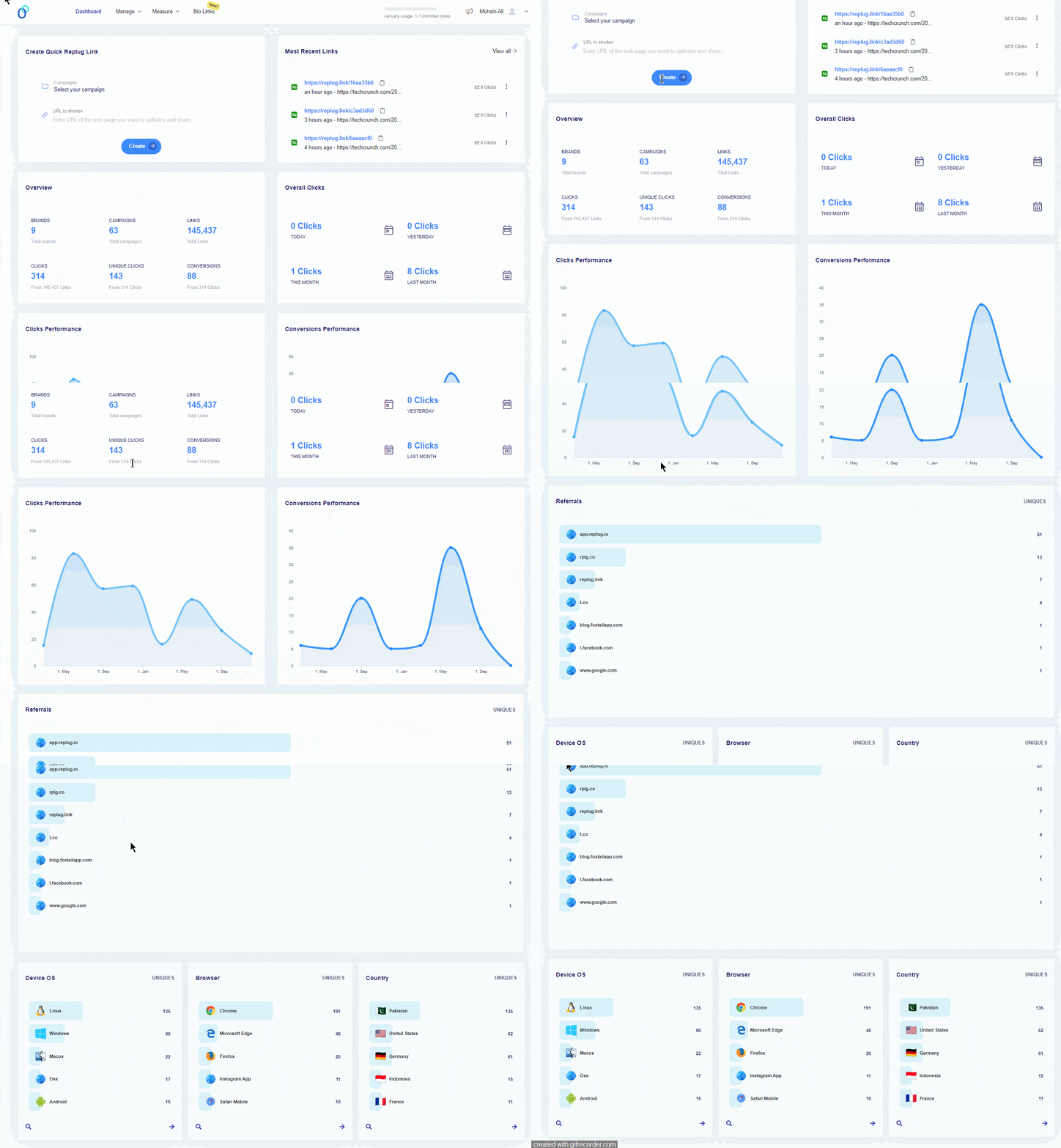
5.Access Replug analytics: Navigate to the analytics dashboard in Replug. Here, you can view detailed insights into click data, including the number of unique clicks generated by each tracked link.
6.Review unique click metrics: Within the Replug analytics dashboard, focus on metrics related to unique clicks. Replug automatically filters out duplicate clicks and provides accurate counts of unique interactions with your tracked links.
7.Monitor and optimize: Regularly monitor Replug’s analytics dashboard to track unique clicks over time. Use this data to optimize your campaigns, refine your content strategies, and maximize engagement.
Note: For more efficient link tracking and cleaner links, try using a reliable short URL shortener to simplify your campaigns and make performance analysis even easier.
Why are unique clicks important?
Unique clicks are important in digital marketing for several reasons:
Accurate engagement measurement:
Unique clicks provide a more accurate measure of user engagement compared to total clicks. By counting each user only once, unique clicks eliminate the skewing effect of multiple clicks from the same individual, giving a clearer picture of actual engagement levels.
Quality of audience engagement:
Unique clicks indicate the number of distinct individuals who have interacted with a piece of content or a campaign. This metric helps assess the quality of audience engagement and the effectiveness of marketing efforts in reaching and resonating with the target audience.
ROI evaluation:
Understanding unique clicks allows marketers to assess the return on investment (ROI) of their campaigns more effectively. By measuring the number of unique individuals who have engaged with the content relative to the total audience reached, marketers can gauge the efficiency and effectiveness of their marketing spend.
Optimization of campaigns:
Tracking unique clicks or simply a tracking link enables marketers to identify which campaigns, channels, or content types are driving the most meaningful engagement. This data empowers marketers to optimize their campaigns by reallocating resources, refining targeting strategies, or adjusting content to better resonate with the audience.
Personalization opportunities:
By analyzing unique clicks, marketers can gain insights into individual user preferences and behaviors. This information can be used to personalize future marketing efforts, delivering content and offers tailored to the specific interests and needs of different segments of the audience.
A complete link management solution
for marketing professionals & agencies.
Try Replug for free
Frequently asked questions
How are unique clicks different from total clicks?
Unique clicks count each individual user only once, regardless of how many times they click on the link. Total clicks, on the other hand, tally every instance of a click, including multiple clicks from the same user. Unique clicks offer a more refined measure of user engagement, focusing on the number of unique individuals interacting with the content.
How can I track unique clicks for my campaigns?
You can track unique clicks using digital analytics tools or by leveraging specialized link-tracking platforms like Replug. These tools provide insights into the number of distinct users who have clicked on your links, allowing you to measure unique clicks accurately and optimize your campaigns based on user engagement.
Can bots affect unique click counts?
Yes, bots can potentially inflate unique click counts if they interact with your content. To mitigate this issue, it’s essential to implement bot detection mechanisms and filter out bot-generated clicks from your analytics data. This ensures that your unique click counts accurately reflect genuine user engagement.
In a world where 16 billion passwords and login credentials have already been exposed online, it’s no longer enough to hope your messages are safe (you have to guarantee it).
Between record breakers in data leaks and billions of compromised records floating around the dark web, hackers aren’t just after big corporations. They’re after everyday conversations, shared files, and yes, that link you just sent to a colleague.
Studies show that up to 30% of data breaches are linked to weak or reused passwords and insecure sharing habits, such as via email and SMS. This only makes matters worse!
So if you’re sending something sensitive (legal documents, contracts, personal info), how do you keep it truly private?
Let’s start by understanding what a password-protected link actually is.
What is a password-protected link?
A “password-protected link” is a special kind of URL that won’t open the content you’re sharing until someone enters the correct password first.
Think of it like locking your digital door. Even if someone has the address (the unique URL), they can’t get inside without the key (the password) you set.
It’s a simple but powerful way to control access to sensitive files, private pages, or confidential information you’re sharing online, especially when you don’t want just anyone with the link seeing it.
With password protection, only people who know the right password can pass through the gate and view the destination content.
Why is password protection so important?
Here’s why:
Stops unauthorized access: Without a password, anyone who slips upon or forwards your URL can see your content. Password protection adds a layer of defense against this.
Keeps confidential info safe: Whether it’s financial docs, legal contracts, or personal files, password-protecting the link helps prevent accidental leaks.
Works with tools you already use: You can manage link passwords alongside a password manager to keep all your access keys organized and strong.
Simple yet effective: There’s no need for complex authentication systems. A protected URL with a solid password does the job for most use cases.
Common methods for creating password-protected links
When you want to share sensitive information or material online but still control who can access it, knowing how to set up a password-protected link is super useful.
One of the easiest ways to do this is to use URL shorteners that let you turn regular URLs into secure, password-protected versions before you share them.
Method #01: Link shorteners & managers
The best link shortener tools not only make long URLs cleaner and easier to share, but they also often have built-in password protection features that turn any link into a controlled-access URL.
Below are some of the most reliable tools you can use today and how they handle password-protected links:
Replug
Replug is an efficient link shortener and tracker that also works as a password-protected link generator, letting you set a password for any URL you shorten, hassle-free.
Here’s how to create a password-protected link using Replug (step-by-step):
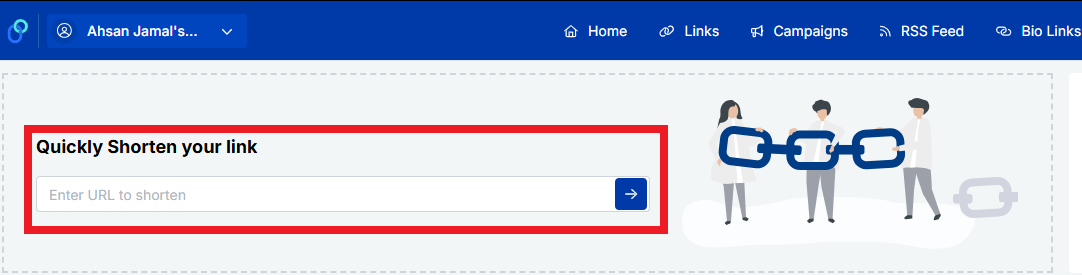
2. Once you’re logged in, go to the Replug links dashboard and click a link of your choice. If you are a new user, look for the “Quickly Shorten your link” option.
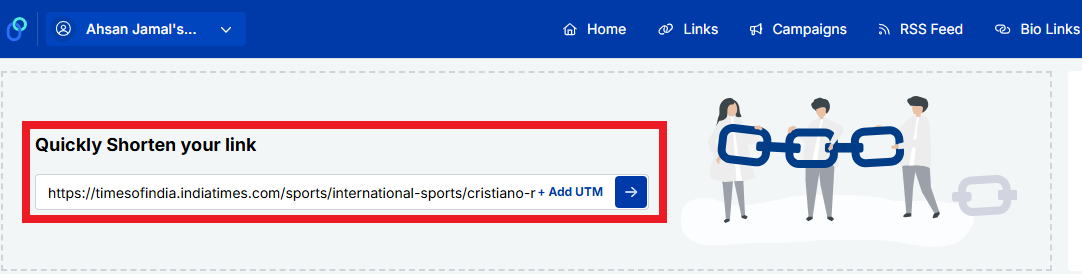
3. Enter the link (or URL) you want to shorten and get password-protected. Then, click the blue right arrow button.
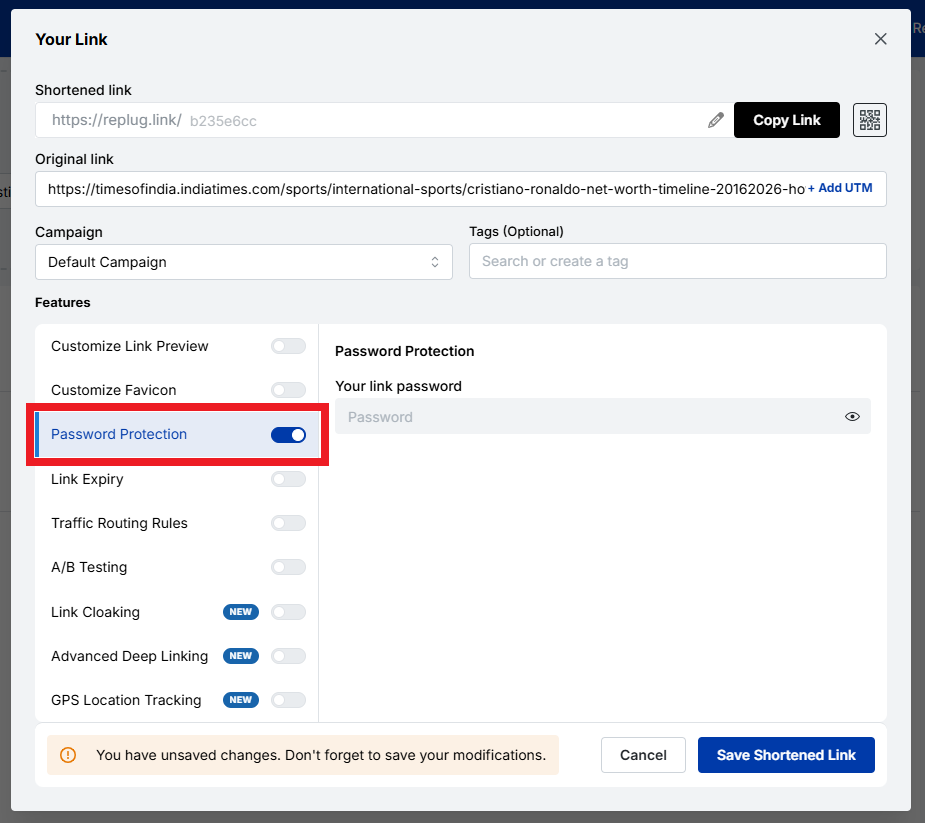
4. You’ll get your shortened URL within seconds. Now, turn on the “Password Protection” toggle button.
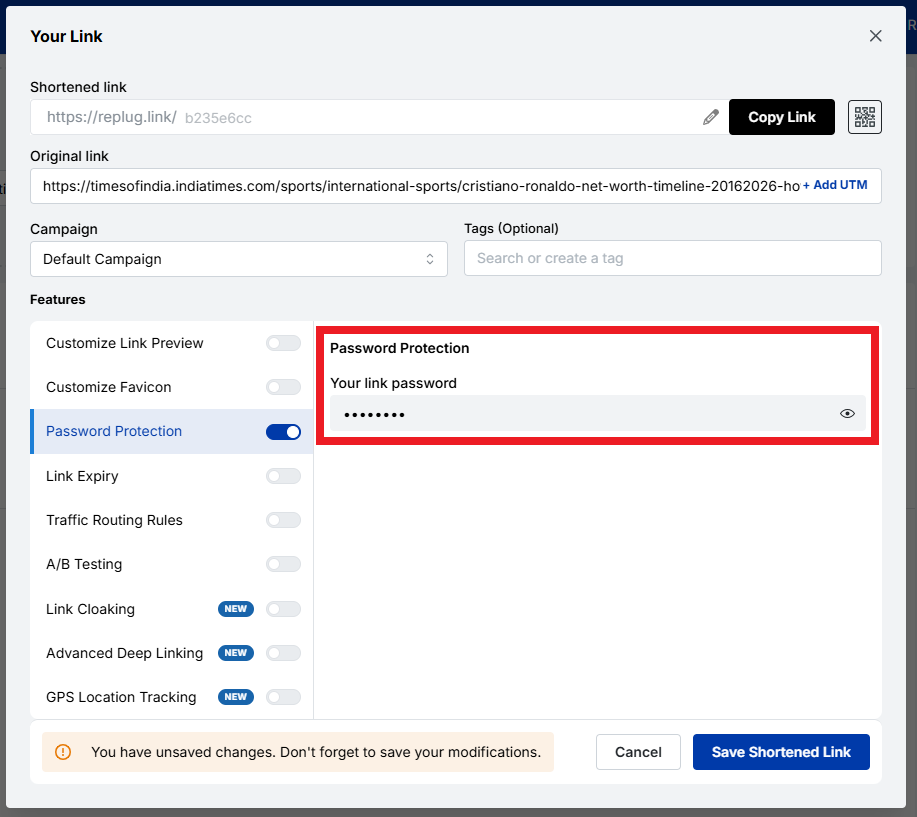
5. Set a strong password under the “Your link password” option.
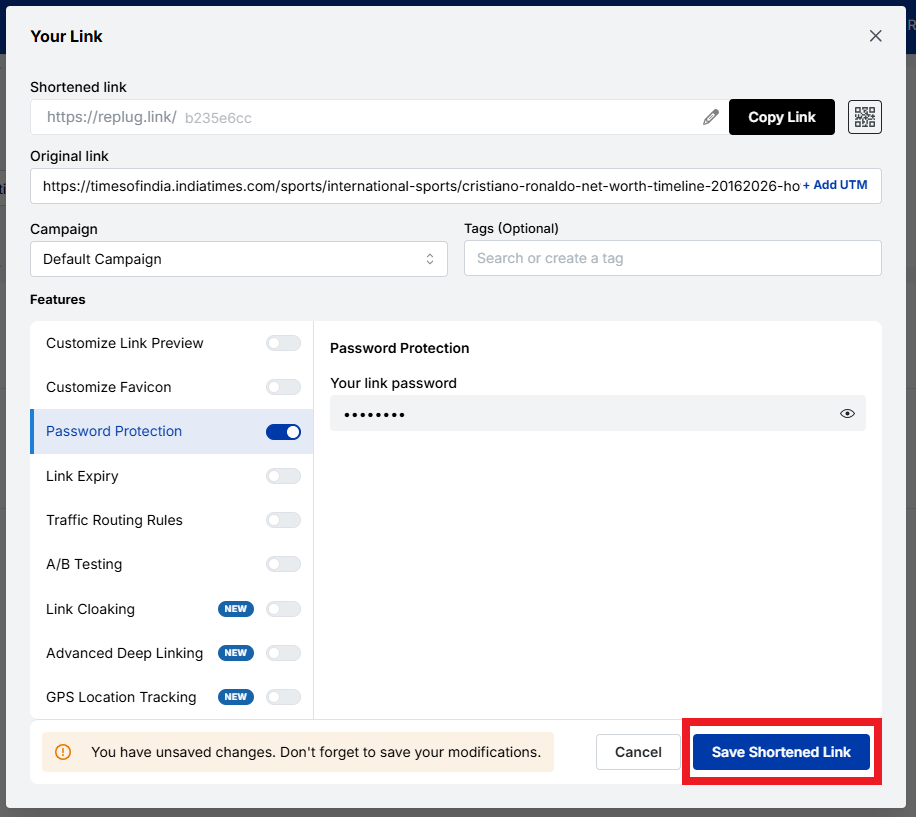
6. Finally, save the link by clicking the “Save Shortened Link” button.
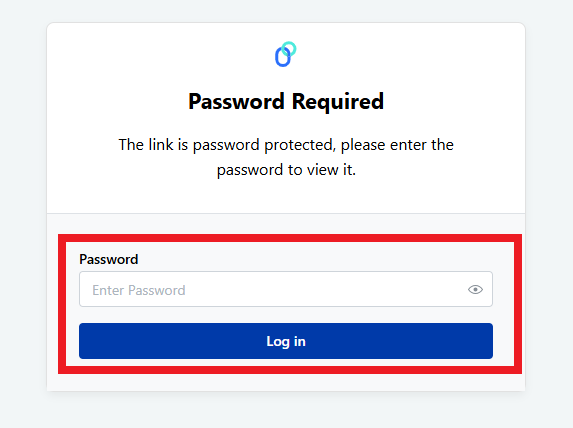
7. Once done, anyone who tries to open the link will be asked for the password you set before they can see the content.
That’s all there is to it!
Note: If you’re just starting out and want a password-protected link for free, Replug offers this feature, along with link tracking and branding tools, at no extra cost.
Short.io
Short.io lets you create short URLs and add password protection, so anyone who clicks your link must enter the correct password first. This feature is part of their password protection settings. When you create or edit a short URL, you can also customize how the password page looks.
Dub
With Dub, you can protect your short links by setting a password during the link creation process. You enter your destination URL and set a password in the password settings, and Dub will prompt visitors to enter it before redirecting them. It’s available on their Pro plans and above!
Nimble Links
Nimble Links makes it easy to shield any link with a password by just pasting your URL, setting a key, and generating a protected link. Visitors trying to open the short URL will first see a password prompt. However, keep in mind this is best for casual sharing or internal use rather than for highly sensitive content.
Method #02: Specialized security tools
Some tools are built specifically for secure information exchange, allowing you to create highly private links that often expire, self-destruct, or require additional safeguards beyond a standard password prompt.
These are great when you want one-off secure links or when you’re sending sensitive info like credentials or agreements.
These tools are also useful for multi-cloud security, keeping sensitive information safe across different platforms.
Password.link
Password.link is a simple service that lets you create secure, one-time links to send or receive confidential information.
It encrypts your content directly in the browser and generates a link that can be configured to expire or be opened only a certain number of times. An ideal option for sharing details that should vanish after use.
You can also request secure data from others through a similar link. Its focus on one-time secure URLs makes it perfect for time-sensitive or highly private exchanges.
Link Lock
Link Lock is a lightweight tool that lets you encrypt any URL with a password so that only people who know it can access the real destination.
Instead of hovering around a standard address, visitors first see a password prompt and only reach the original URL after entering the correct credentials. Everything happens client-side, meaning your passwords and links aren’t stored on external servers.
Method #03: File sharing services
Cloud-based file services often let you not only upload files but also password-protect the shared URLs you generate, adding another layer of safety to your file links.
Proton Drive
Proton Drive is a secure cloud storage service that lets you upload files and then generate shareable links with password protection and optional expiration dates.
The files are end-to-end encrypted before they leave your device, and you can withdraw access whenever you want. Even if someone has the link, they can’t open it without the password you set.
MEGA
MEGA offers encrypted cloud storage and links that can be password-protected at the time of creation. When the link is protected, anyone who clicks it will be prompted to enter the password before access is granted, helping ensure that your shared content stays private.
Password-protected MEGA links often use a unique format that separates the password from the visible part of the URL for added security.
Method #04: Website protection
If you’re sharing content from your own website (not just files), you might want to secure entire URLs or sections of your site so that visitors must enter a password to view confidential content.
SiteGround
With SiteGround hosting, you can password-protect specific URLs or pages through the hosting control panel.
In the site tools area, there’s a section for protected URLs where you can specify which parts of your site require a username and password to access. This adds a gate before the page even loads, helping you control who sees private web-based content.
Here’s a snapshot of real-world password-protected link examples you can use or learn from, whether you’re sharing files, documents, or curated content online.
Each service below highlights how platforms let you restrict access so that only those with the URL can view or download what’s behind it.
Password-protected link Google
Google Drive does not natively support password-protected links for shared files or folders. This means you can share URLs, but the service itself won’t ask for a password before granting access.
Security instead relies on Google account permissions and who you choose to share with. For true password protection, users often turn to third-party tools that wrap Google Drive links with a password layer.
Password-protected link Google Drive
Because Google Drive lacks built-in password prompts on share links, many people use external services (like MultCloud) to generate a link that requires a password to view a Google Drive file.
Password-protected link OneDrive
OneDrive also doesn’t offer straightforward password protection on shared links in most consumer plans. Instead, security relies on sharing only with specific people or using organizational policies.
Enterprise-level Microsoft 365 tenants can apply password protection on links via admin settings, especially for “Anyone with the link” shares.
Password-protected link Dropbox
With Dropbox (on Professional and higher plans), you can add a password directly to a shared link, so recipients must enter it before accessing files or folders. Passwords and link expiration settings are built into the link settings on the Dropbox site or app.
Password-protect link SharePoint
In SharePoint Online, you can create password-protected sharing links for files and folders. But keep in mind, this works with “Anyone with the link” share permissions and is usually managed through the SharePoint Online interface. Recipients must enter the correct password to view the content.
Password-protect link ShareFile
While ShareFile doesn’t let you set a classic password prompt on public links, it does offer very strict access controls. This ensures that only signed-in or specified users can access a share link, effectively controlling access in a way similar to password protection.
Password-protected link Linktree
Linktree lets you lock individual links on your bio page using a “Code Lock.” Visitors must enter a 4-digit code before they can open that specific link. This is great for exclusive content or gated experiences.
Password-protected link Words Puzzle Page
Sites like puzzle pages or member-only content pages often use simple password gates on URLs, so only people with the password can access them.
You set a password and share the link plus the password with your audience. This isn’t built into every platform, but it’s a good example of how password protection can control access to interactive content (think of a custom WordPress page with password protection enabled).
How can you make your links more secure?
Making sure your links are actually safe to share is more than just adding a password. It’s about layering smart practices to reduce the risk of unauthorized access or data leaks.
Here are key ways you can boost the security of your shared URLs:
🔒 Use strong, unique passwords: Don’t fall for simple phrases like “1234” or “password”. Aim for longer, unpredictable passwords with a mix of characters. A password manager can help you generate and store these securely so you don’t have to remember them all.
📤 Share passwords separately: Never send the password in the same message as the link itself. For example, email the link and send the password over text or a secure messenger so someone intercepting one can’t open the content.
⏱️ Set expiration dates: Make links expire after a certain time (like a day or a week) so they don’t stay open forever if someone else missteps on them later.
📈 Limit access & track usage: Where possible, set limits on how many times the link can be used and monitor access attempts. This helps you catch weird activity early.
🍃 Use secure channels & networks: Before sharing anything sensitive, make sure you’re on a trusted, private connection rather than public Wi-Fi, which can be snooped on more easily.
🔐 Combine protections: Password protection is just one part. Combining it with features such as click limits, link expiration, and encryption provides a stronger defense than passwords alone.
Doing these things together keeps your password-protected links truly protective, so only the right people can open them.
Wrapping up
As you’ve seen, sharing sensitive content online doesn’t have to be risky anymore, especially when you use the right tools and practices.
From simple cloud drives to password-protected link shorteners, there are plenty of ways to add an extra layer of security to your shared URLs.
No matter if it’s a private file, an invite-only page, or something you don’t want publicly indexed, protecting your short URL with a strong password and good link hygiene helps prevent unauthorized eyes without slowing you down.
Just remember to share passwords separately, set expiration dates when possible, and choose tools that match how sensitive your content really is. With these steps, your links stay concise, easy to share, and most importantly, secure!
Frequently asked questions
Can I password-protect a link?
Yes, for sure! Many online tools let you add a password to a URL, so anyone trying to open the link must enter your chosen password first. This works by wrapping the destination inside a password gate before redirecting.
Can password-protected links be hacked?
Yes, password-protected links aren’t unbreakable. If someone guesses or brute-forces a weak password or the service storing the link is compromised, the protection can be bypassed. Strong, unique passwords reduce this risk, but nothing is 100% safe.
How do I add a password to a URL?
To add a password to a URL, use a service that generates a protected link. Paste your destination URL → set a URL password (of your choice), and it gives you a new link that prompts for that password before access.
Is a password link trustworthy?
A password link can be trustworthy for casual or temporary sharing, but its safety depends on the service and setup. For sensitive data, a one-time password link or a platform with strong encryption is generally more reliable. This is because simple password gates may be vulnerable if passwords are weak or shared insecurely.
How to disable or turn off password-protected sharing?
In most tools, you can go to the link’s settings or dashboard and remove the password or turn off protection, which restores normal access to the link without a password prompt. The exact steps vary by service.
Is it safe to use password-protected links for sensitive information?
Password-protected links add a layer of security, but they aren’t as strong as full encryption. For very sensitive and confidential information, you should combine password protection with strong encryption or secure file sharing. Plus, avoid sending the link and password in the same message.
What’s the difference between password protection and encrypting files?
Password protection simply requires a correct password to access something. Encrypting files shuffles the file data itself so it’s unreadable without a decryption key. This protects content at rest, not just at access. Encryption is generally stronger and protects the actual data, while a password gate just controls entry.
How to manage users’ access to protected URLs?
To manage access for users on protected URLs, open your link or share settings in whatever service you’re using (like Dropbox or a URL tool). From there, you can change who has the link, update the password, or cancel access entirely. Some tools also let you see who accessed the link and block specific users.
How to change the password for a password-protected URL?
To change the password on an already password-protected URL:
1. Go to your link’s dashboard or settings. 2. Find the link. 3. Choose “Edit”. 4. First, enter the old password, then enter a new one. 5. Save the changes.
After this, only the new password will work!
How to remove password protection from a URL or link?
To remove password protection, edit the protected URL settings and turn the password option off or delete the password. The link will then open normally without anyone needing a password.
How to password-protect a folder or file and access it later?
To password-protect a folder or file, many cloud services let you set a password that must be entered before viewing or downloading. On your own computer or host, you can use built-in features (e.g., encrypt with a password in Office apps) or tools that wrap files/folders with a password prompt. Once set, you’ll need that password every time you access them.
How to send a password-protected link?
To send a password-protected link, first create it using a dedicated password-protected link app by entering your destination URL and setting a password. Once generated, send the protected link to your recipient via a secure service and share the password separately. This keeps the link private and safe until the intended user enters the password.
How to make a password-protected link in HTML?
With plain HTML alone, you can’t reliably secure content, because all HTML and CSS are visible to anyone who inspects the source. What you can do is add a simple form and a bit of JavaScript that asks for a password and then redirects to a URL if the correct password is entered. But this method is not real security. For real protection, you need server-side code or a service that checks the password before showing the link.
How to bypass a password-protected link?
There’s no legitimate password-protected link bypass way without the correct password. That’s the whole point of the protection. Some systems offer authorized access links that work without a password because the unlock token is embedded in the link, but those must be created by the owner and aren’t true bypasses. Trying to break or bypass a password without permission is not appropriate and often illegal.
How to unlock password-protected links without a password?
You normally can’t unlock a password-protected link without the correct password. That’s exactly what the protection is for. The only legitimate ways are to ask the owner for the password or, if you own the link, remove the password from the settings. There isn’t a built-in bypass for security reasons. (General security principle)
A messy link can quietly kill clicks and, more importantly, conversions. One study of 11.8 million Google search results found that shorter, cleaner URLs tend to rank higher, and the first organic result gets about 28 percent of all clicks. That is a lot of traffic mounting on a simple web address.
The problem is that many marketing teams deal with confusing, long URLs full of numbers and symbols. These links are hard to read, hard to trust, and even harder to track. When campaigns span email, social, ads, and QR codes, link chaos grows fast.
This guide breaks down dynamic and static URLs in simple terms, explains when each type helps, and provides useful examples. Next comes the base concept needed for everything else: what a dynamic URL actually is.
Let’s get right to it!
What is a dynamic URL
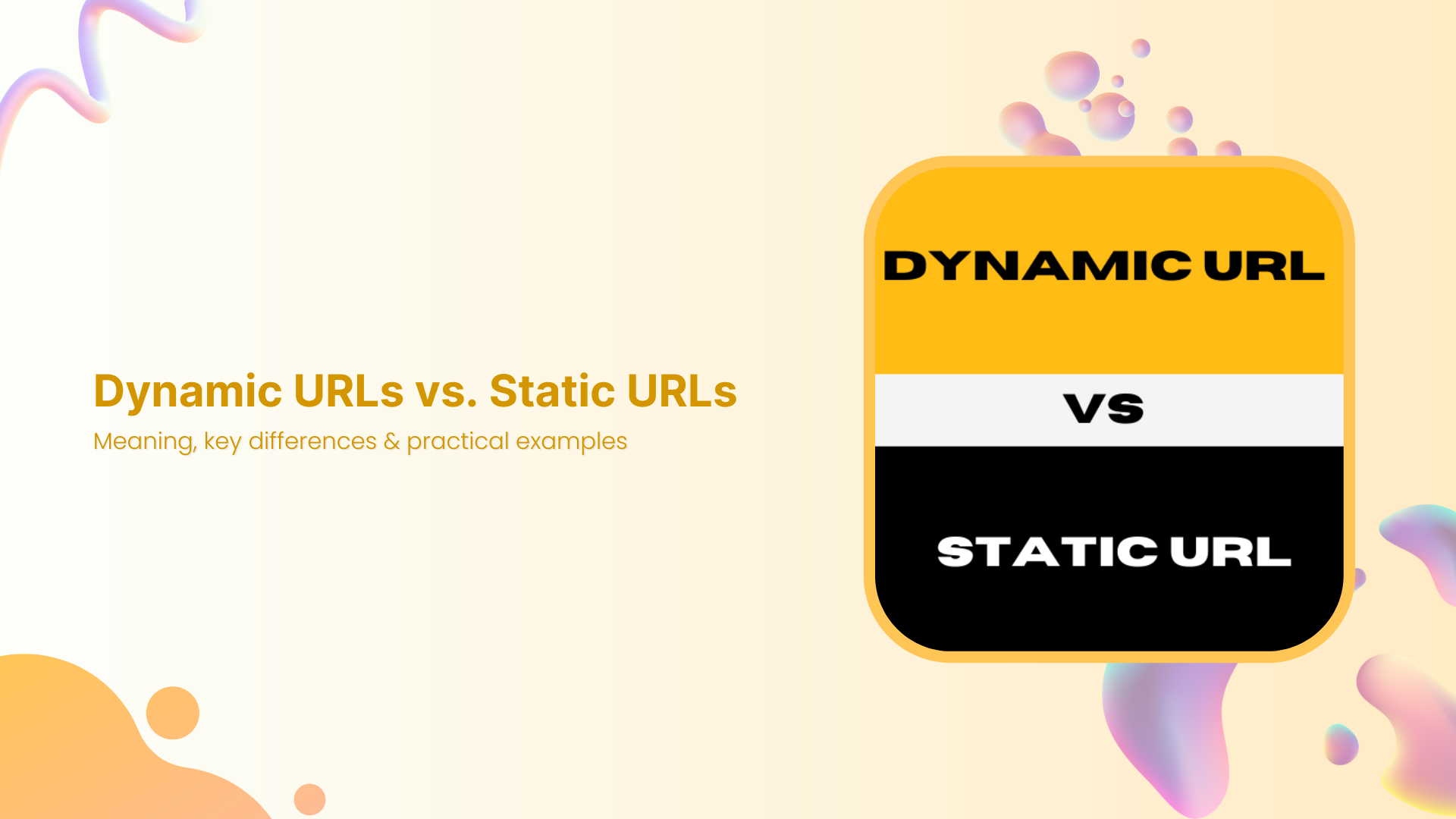
A dynamic URL is a web address that the server builds in real time when someone requests a page. Instead of pointing straight to a single fixed file or page, it includes instructions, often in the form of URL parameters, that tell the server which content to pull from a database. Changing those parameters changes what the visitor sees, even though the base script stays the same.
Dynamic URLs are common on ecommerce sites, news portals, SaaS dashboards, and anywhere content updates frequently or is personalized.
When someone applies filters, sorts items, or searches on a site, the link that appears in the browser bar is almost always a dynamic URL. This structure makes it easy for developers and marketers to create thousands of pages without creating an abundance of separate files.
Key characteristics of dynamic URLs
Dynamic URLs usually contain a question mark followed by a query string. That query string holds one or more key‑value pairs, which act like small instructions for the server. Keys describe what the parameter means, and values tell the server which record or option to show.
You will often see that dynamic URLs:
Are generated by scripts written in languages such as PHP, ASP, or Node, with file endings like “.php”, “.asp”, or no extension at all.
Contain characters such as “?”, “&”, and “=” instead of looking like a simple folder path.
Use parameters like “product_id=123” to grab the right item from a database without needing a separate HTML file.
Because of this structure, the same base path can return numerous different views. A single dynamic script can display all products, but the parameters determine which category, brand, or sort order is shown. That power makes dynamic URLs very flexible for large sites.
Dynamic URL parameters
Dynamic URL parameters live after the question mark and provide the details a script needs. Each parameter usually has a name on the left and a value on the right, joined by an equal sign. Multiple parameters are joined with ampersands.
Marketing tracking: UTM tags such as utm_source, utm_medium, utm_campaign.
Marketing teams often add tracking parameters, so analytics tools can see which campaign, medium, or ad sent the click.
Note: Parameters can also introduce problems if not handled with care. When different parameter orders or values yield the same content, search engines may see many URLs pointing to the same page. This is where things such as canonical tags, clean parameter design, and smart link management matter.
Dynamic URL example
Here is a simple dynamic URL for a store search results page:
The parameter “query=running+shoes” tells the server what the visitor typed.
The parameter “sort=price-asc” controls the sort order by price from low to high.
And, the parameter “page=2” sends the visitor to the second page of results instead of the first one.
Change the search term or the sort setting, and the content changes without needing a new file. The base path stays the same, but the dynamic URL still gives a direct link to a very specific view that someone can share, bookmark, or track in campaigns.
Dynamic URL advantages & disadvantages
Dynamic URLs come with real strengths for growing sites. They let teams generate vast numbers of pages from templates, which is perfect for extensive catalogs, marketplaces, and user accounts. They react to user input, so filters, search, and personalized feeds all become possible. For developers, they keep code and content in sync with a central database.
Key advantages of dynamic URLs:
Scalability: One template can serve thousands of product or article views.
Personalization: Easy to show user‑specific dashboards, recommendations, or saved items.
Interactivity: Filters, sorting, and search results can all be represented by direct links.
Automation: New items added to a database appear automatically without manual URL setup.
Main disadvantages to watch:
Messy appearance: Very long or confusing dynamic URLs can scare visitors away in emails, ads, and social posts.
SEO challenges: Parameters that change order or add no real content change can create many versions of the same page, which can waste crawl budget and split link equity.
Tracking confusion: If each parameter variation collects its own backlinks, signals get spread thin across many URLs.
From a marketing view, ugly dynamic URLs can also look spammy in ads or emails. People feel more comfortable clicking a clear, short, and descriptive link. This is why many teams wrap dynamic destinations in branded short links and use a clean URL slug that actually describes the content.
Dynamic URLs excel at
Dynamic URLs shine when content is large, changes often, or is based on user choices. Common use cases include:
Travel booking engines: Different combinations of dates, locations, and prices from live feeds.
SaaS dashboards & account pages: Each user can see their own reports, settings, and content while the site still runs on shared templates and scripts.
Community forums & news archives: Endless combinations of topics, tags, authors, and time ranges.
For content marketers, dynamic URLs make it easier to write SEO‑friendly URLs or links that include helpful slugs plus tracking parameters. When combined with a top-notch link management platform such as Replug.io, they support testing, segmentation, and personalization without changing the underlying page code.
What is a static URL
A static URL is a web address that points to fixed content. The file or route behind it stays the same unless someone manually edits or replaces it. When visitors load that link, they all see the same page, and the address itself rarely changes.
Static URLs often represent simple HTML pages, markdown files, or saved views inside a content management system. Think about core site pages such as “home”, “about”, “pricing”, or “a standard blog post”. These links tend to be short, readable, and easy to remember, which is why they are often used as the main public‑facing URLs.
Even though the word static suggests nothing can change, content on a static URL can still be updated. The key difference is that the address does not rely on URL parameters to fetch different versions for each visitor. That steady structure has strong benefits for SEO, branding, and user trust.
Key characteristics of static URLs
Static URLs usually look clean and folder‑based, while dynamic ones contain query strings and parameters. Static ones are often made of a domain, optional folders, and a clear slug at the end that describes the content. You might see file endings such as “.html” or clean routes without any extension at all.
They rarely include query strings, and they avoid symbols such as “?” and “&”. Instead of “page.php?id=45”, you will see a path such as “/blog/dynamic-vs-static-urls”. This format is friendly for humans and easy to scan in search results, emails, or social posts.
Because static URLs are stable, they are:
Easy to cache on servers and CDNs.
Easy to link from other sites and internal navigation.
Less likely to break with minor system changes.
For you, that means better consistency for a given page over time, which helps with long‑term SEO performance.
Static URL parameters
Most static URLs do not use parameters in any case, which is part of their charm. The absence of a query string keeps them short and simple. That said, there are cases where a mostly static URL still includes parameters, for example, when you add UTM tags for analytics.
In those cases:
The core URL remains static and represents the main content.
The parameters handle tracking, not content changes.
This is a crucial difference from an actual dynamic URL, where parameters often change what is shown.
Note: From an SEO perspective, you still want one canonical version. So, if you attach tracking tags to a static page, it is good practice to mark the clean URL as “canonical”. This prevents search engines from treating the same static content as multiple pages just because it carries different tracking strings.
Static URL example
A classic static URL on a small business site might be:
“www.localstudio.com/services/web-design”
This link likely points to a single services page that talks about web design. The slug “web-design” clearly states the topic. There are no parameters to sort, filter, or change the view.
Notice that the URL is easy to read, share, or speak aloud. That clarity is why static URLs are widely used for content marketing purposes.
Static URL advantages & disadvantages
Static URLs are great for SEO and user experience because they are clear and predictable. They often include keywords in the URL slug, which helps both users and search engines understand the topic easily. Shorter links also fit better in email, print, and social posts, and they look more trustworthy.
Key advantages of static URLs:
Clarity: Short, descriptive slugs show users what to expect.
SEO value: Easy to include keywords naturally.
Reliability: Less risk of parameter‑based duplicates in the index.
Performance: Easier caching can speed up page loads.
Main disadvantages include:
Less flexible for large catalogs: If every slight content variation required a separate static URL and file, managing large product sets would be pretty hard.
Manual planning: Someone has to choose each slug and map it on purpose.
Limited personalization: Static URLs alone do not handle user‑specific views well.
That is why complex sites mix static and dynamic URLs. Core pages stay static, while heavy data and filters use dynamic structures.
Static URLs excel at
Static URLs are especially suitable for evergreen and marketing‑focused pages. Great fits include:
Homepages and key category hubs.
Product detail pages that do not rely on filters.
About, contact, and FAQ pages.
Main blog articles and resource guides.
These pages benefit from a steady URL that can collect links and be reused across campaigns.
They also work well for landing pages and ads. When you run search or social ads, a short, static‑looking display URL can boost click‑through rates because it feels precise and professional. Many marketers create vanity URLs or branded short links that point to these static‑style pages.
For teams that use link management tools, static URLs pair nicely with branded domains. You can shorten a link for free to a static page into something like “go.brand.com/demo”, which looks sharp in every channel and still gives you full tracking and routing control behind the scenes.
Difference between a dynamic URL and a static URL
When people ask what the actual difference is in terms of URLs, they usually care about structure, SEO, and real use in campaigns. This comparison table sums up the main points for static link vs. dynamic link based on key features.
Feature
Dynamic URL
Static URL
Structure
Built from a base script plus URL parameters in a query string, often using “?”, “&”, and “=”
Fixed path that rarely changes, usually clean folders, and a descriptive slug without a query string
Content
Pulls data from a database in real time, so content can change based on filters, search terms, or user profile
Shows the same core content to every visitor, unless the file or route is updated
SEO/User
Modern search engines can crawl them well when parameters are clean, but long strings can hurt click‑through rates and look messy
Very friendly for users and search engines. Easy to read, share, and include keywords in the slug for an SEO‑friendly URL
Performance
May need more server processing for each request, and can be harder to cache fully if the content changes often
Easier to cache on servers and content delivery networks, which can help pages load faster
Use case
Best for search results, filtered listings, user accounts, dashboards, and any view that changes often
Best for core pages, evergreen content, landing pages, and simple posts where you want one stable link
Best for
Large sites with many similar items, personalization, and advanced filters, where each view still needs its own distinct URL
Brand building, link sharing, printed materials, and long‑term SEO, where a stable, clean slug has real value
Dynamic URLs vs Static URLs examples
Sometimes, the easiest way to understand dynamic URLs vs. static URLs is to see realistic examples. Below are simple, practical cases that mirror standard pages marketers work with every day.
Here, the script shows products, and the parameters control category, color, size, and sort order, so each change creates a new view from the same base path.
The page content may be static, but the tracking parameters make this a dynamic URL variation that analytics tools read as a separate traffic source.
5 best examples of a static URL
1. Homepage of a brand
“www.brand.com”
It is the simplest form of a static URL. It never changes, carries the main branding, and appears on business cards, ads, and social bios, which makes it the anchor for all other links.
2. About page for a company
“www.brand.com/about”
This points to information that changes rarely. It is easy to remember, use in press mentions, and link from partner sites, which helps with SEO and trust.
3. Blog post with a descriptive slug
An article on URL best practices might live at:
“www.replug.io/blog/url-best-practices”
The slug clearly states the topic and makes the post easy to find again without needing to remember numbers or parameters.
4. Product detail page without filters
A single flagship product can sit at:
“www.store.com/products/blue-running-shoes”
The slug doubles as anchor text in some cases, and this clear static URL can be used consistently in ads, emails, and offline campaigns.
5. Campaign vanity URL created with a link tool
Using Replug, a marketer might shorten a long landing page link into something like:
“go.brand.com/free-trial”
This is still a static‑style URL on the outside. Behind it, you can route to any static or dynamic destination, while keeping the shareable link short and branded.
How does Replug help with dynamic URLs and static URLs?
Most marketers and business professionals deal with both static and dynamic URLs across email, ads, social posts, and QR codes. Replug sits on top of all that and turns every long URL into a clean, branded, and trackable asset that is easy to manage, no matter how messy the original link looks.
With Replug, you keep your existing site structure while gaining control over how links appear, where they send people, and how each click is tracked.
Maximize marketing ROI
by transforming ordinary URLs into branded short links that convert.
Try Replug for free
Here are key ways this excellent link optimization platform supports both dynamic and static URLs in daily work:
Shorten any URL
Replug shortens any long URL, including complex dynamic ones filled with parameters, into a simple branded short link on your own domain. This makes links easier to read in social captions, email copy, and ads while maintaining trust, since visitors still see your brand name rather than a random domain.
Custom slugs for clear messaging
The platform lets you customize the URL slug for each short link, creating a clear, SEO‑friendly URL for public use. Even if the destination is a long, dynamic URL, your audience sees a neat slug like “/new-report” or “/summer-sale”, which is far more shareable and easier to remember.
Consistent UTM tagging
Replug adds and manages UTM tags to links, keeping dynamic URL parameters for tracking consistent across campaigns. Instead of hand‑typing UTM codes and risking mistakes, you can standardize names for source, medium, and campaign, which makes analytics in tools such as Google Analytics or your CRM much more straightforward to trust.
Smart routing and link rotation
With dynamic link rotation, a single short link can redirect visitors to different static or dynamic URLs based on rules such as device, country, or time. This helps with personalization and testing without touching the website code, since you only update routing rules inside the Replug’s dedicated dashboard.
Built‑in A/B testing
Replug lets you split traffic from a single branded link across multiple landing pages and see which one converts better. You can split clicks 50/50 between a static page and a more dynamic experience, then shift traffic to the winner based on A/B testing data.
Deep links and dynamic QR codes
Replug supports deep linking and dynamic QR codes that point into apps or changing campaigns while keeping the printed code or base link the same. That means you can run print and offline promotions that still link into clear-cut static or dynamic screens without replacing materials each time.
Analytics for every click
Every Replug link, no matter where it points, comes with detailed click analytics, including location, device, and referrer. This turns each URL into a measurable asset and makes it easier to answer which static link vs. dynamic link performs better for a given audience or channel.
Wrapping up
To be very honest, dynamic URLs and static URLs are not enemies. They are tools that serve different parts of a marketing and product stack.
Static URLs win on clarity, branding, and long‑term SEO, while dynamic URLs power search, filters, dashboards, and personalization. The sweet spot is knowing when to use each and how to keep links short, clear, and trackable.
Replug.io helps by turning any long URL into a branded short link with smart routing, UTM tracking, QR support, and strong analytics.
Want to clean up your links and get more control over every click? Give this all-in-one link management platform a try today!
Frequently asked questions
Which one is better for SEO, static or dynamic URLs?
From a pure SEO and user-trust perspective, static‑style URLs have an edge because they are short, descriptive, and easy to scan. They also make it pretty easy to naturally include keywords in the slug.
How do search engines treat dynamic URLs?
Google and other major search engines now crawl dynamic URLs almost as easily as static ones. Their systems read parameters, figure out which ones matter for content, and ignore many tracking strings. Problems arise when there are endless combinations of parameters that yield the same or very similar pages.
To keep things in good shape, limit parameter use, cut session IDs from indexable links, and use canonical tags so search engines know which version to keep in the index.
How can I tell if a URL is static or dynamic?
A quick way is to look for a question mark in the URL. If there is a query string with parts like “?id=123&sort=name”, it is usually a dynamic URL. On the other hand, if the link is short, has no query string, and looks like a folder path with a slug such as “/blog/url-best-practices”, it is likely static.
Some systems hide file endings, so do not worry if you do not see “.html” or “.php”. The main test is whether the link uses parameters to change what appears on the page.
Which URL structure is the best, dynamic or static?
The best structure depends on the page type and your goals. For content that should rank in search, be easy to share, and stay stable over time, static URLs are a solid choice. Whereas, for content that changes based on filters, user login, or search, dynamic URLs make more sense.
Rather than picking one for the whole site, use static URLs for core pages and dynamic URLs for pages that need live data or support many combinations. Then wrap them in branded short links for public sharing.
How to convert dynamic URLs to static ones?
Turning dynamic URLs into static‑looking ones usually means URL rewriting at the server level and smart redirect planning.
A simple process looks like this:
1. Map each dynamic URL or pattern to a clean static path. 2. Set up permanent redirects so visitors and search engines land on the new address. 3. Update internal links, XML sitemaps, and canonical tags to point to the static version. 4. Monitor Google Search Console for crawl errors and index changes.
Which can Googlebot read better, static or dynamic URLs?
Google has stated that Googlebot can read both static and dynamic URLs well. There is no hard limit on the number of parameters, although shorter and cleaner is still better for many reasons. Static URLs may get a slight advantage in click‑through rates and ease of understanding, but Googlebot does not automatically rate a dynamic URL as worse.
The key is to avoid endless parameter combinations, remove non‑content parameters from indexable links, and use canonical tags when multiple URLs point to the same content.
What are the most common challenges and myths regarding dynamic URLs?
Common myths and issues include:
– Believing dynamic URLs cannot be indexed at all, which is no longer true. – Thinking that you must hide parameters and make every link look static, even when that complicates development. – Creating duplicate content from many parameter combinations that show the same page. – Wasting crawl budget on tiny variations that add little value. – Using very long parameter strings that look confusing or spammy to users.
With clear parameter rules, smart use of canonical tags, and link management tools, dynamic URLs can work very well without causing those problems.
How do static and dynamic URLs affect website loading speed and performance?
The URL type affects performance primarily through caching and server work rather than the text itself.
–Static URLs often map to pages that are easier to cache on servers and content delivery networks, thereby reducing load times. –Dynamic URLs may trigger more database queries and script processing on each request, especially when parameters drive complex filters.
This can slow things down on poorly tuned sites. Good caching strategies, optimized queries, and content delivery networks can make both static and dynamic pages fast enough for real users.
What impact do dynamic vs. static URLs have on user experience and engagement on a site?
From a user’s view, transparent and predictable URLs feel safer and more helpful. Static URLs usually win here because people can guess what is behind “/pricing” or “/guide/url-structure” at a glance. Dynamic URLs with long parameter strings can look confusing or spammy in emails, chat, and social feeds, which may reduce clicks.
At the same time, features powered by dynamic URLs, such as fast search and filters, can raise engagement once people are on the site. Wrapping dynamic destinations in branded short links is a neat way to give users a clean experience on the surface while still using dynamic content underneath.
What effect do dynamic URLs vs static URLs have on link-building and backlink acquisition in SEO?
Static URLs tend to attract more backlinks because they are easier to read, share, and trust. When someone pastes a full URL as anchor text, a static link with keywords acts like natural descriptive text. Dynamic URLs can still earn links, but long parameter strings often look temporary or hard to understand, so people are less likely to share them in full.
A good pattern is to use static URLs as primary link targets and use Replug or similar tools to create branded short links that point to them from campaigns, which keeps all link equity focused on stable addresses.
What is the difference between a static and a dynamic website?
Static and dynamic websites differ in how pages are built and updated behind the scenes. This small comparison helps you see which type fits your project or client work.
Static website:
–What it is: A site made of fixed pages where each URL points to a file or saved view that changes only when edited by hand. –Pros: Simple to host and secure, loads very fast, easy to cache, and great for small sites with limited content updates. –Cons: Hard to manage when there are many pages, limited personalization, and content is less flexible without a content management system or developer help. –When to choose: Best for small business sites, portfolios, simple blogs, and landing pages that do not change content often. –Example: A five‑page site for a local agency with home, about, services, blog, and contact pages.
Dynamic website:
–What it is: A site where pages are built on demand from templates and a database, often using dynamic URLs with parameters. –Pros: Scales well to thousands of pages, supports user accounts, search, filters, and personalized content based on data. –Cons: More complex to build and host, higher risk of slow pages if not optimized, and higher chance of messy URLs without clear rules. –When to choose: Best for ecommerce stores, communities, news sites, SaaS dashboards, and any project with frequent updates or many items. –Example: An online store with product filters, user reviews, wish lists, and personalized recommendations.
They browse, they abandon carts, and sometimes, they forget you even exist. But fear not, marketers! Retargeting is here to save the day (and your conversion rates).
What is retargeting?
Retargeting allows brands to identify potential customers who have previously visited their website or socials and run targeted ads across various platforms to convince these visitors to take a specific action.
But simply throwing up a generic ad for everyone who visits your site isn’t enough. To truly excel at retargeting, you need to be strategic, relevant, and, most importantly, not creepy.
So, how do you navigate the fine line between reminding potential customers and not bombarding them with unwanted attention? Don’t worry we’re here to tell you how. In the following article, we have gathered some of the best retargeting practices, retargeting ad examples, retargeting pitfalls, retargeting benefits, and much more.
But, first, let’s see how retargeting works.
Here’s how retargeting works:
Step 01 – Tracking
When someone visits your website, clicks on an ad, or uses your app, a snippet of code (like a pixel) tracks their activity. This code doesn’t reveal personal information, but it helps identify unique users.
Step 02 – Targeting
This tracking data allows you to create specific audiences of users who have interacted with your brand in specific ways. For example, you can target users who:
Browsed a specific product but didn’t buy it. Added items to their cart but abandoned checkout. And more…
Step 03 – Ad display
Now, you can serve ads to these targeted audiences on all social apps they visit. These ads remind them of your brand, offer incentives, or promote relevant products or services.
Let’s have a look at some of the major retargeting benefits
Before moving on to the retargeting best practices lets check out what are the advantages of retargeting.
Increased conversion rates: Targets users who have already shown interest, increasing the likelihood of conversion. The click-through rate (CTR) of a retargeted ad is 10x higher than the CTR of a typical display ad.
Personalized user experience: Tailors ads based on the user’s previous interactions for a more relevant experience.
Improved ad relevance: Delivers ads that align with users’ interests and browsing history.
Flexible targeting options: Allows segmentation and targeting based on behavior, demographics, and interests.
Optimized ad spend: Retargeting ads increase brand search by 1046%. This helps you maximize the impact of the advertising budget by focusing on a warm audience.
Analytics and measurement: Provides valuable insights and metrics for assessing campaign performance.
Reduced abandoned carts: For e-commerce businesses, retargeting links can help address abandoned shopping carts.
A complete link management solution
for marketing professionals & agencies.
Try Replug for free
Some retargeting mistakes to avoid
One of the retargeting best practices is to avoid common retargeting mistakes.
Too many ads (Ad overload)
Not setting limits on how often ads are shown can annoy users with constant repetition.
Ads not about them
Displaying ads that don’t match users’ interests or previous actions can turn them off.
Mixed-up messages across devices
Having different messages on different devices can confuse users and harm the overall experience.
One-size-fits-all approach
Not tailoring ads based on user behavior and preferences can make retargeting less effective.
Boring or generic ads
Using dull or generic ads may make users ignore or dismiss them.
Ignoring negative feedback
Not paying attention to addressing negative feedback about retargeting ads can harm your brand’s image.
7 retargeting best practices every marketer should follow
Here are some of the most important retargeting best practices every marketer should keep an eye on:
1. Segment your audience
The first and most important retargeting practice is to segment your audience appropriately. Don’t blast everyone with the same ad. Divide users based on browsing behavior, interests, purchase history, etc. Show abandoned cart reminders to cart abandoners, product recommendations to those who browsed specific categories, and exclusive offers to loyal customers. Each segment should receive ads tailored to their specific actions, maximizing relevance.
Take for example:
John adds a pair of sneakers to his cart but hesitates before checkout, comparing prices on other websites. You retarget John with an ad showcasing your price match guarantee and highlighting exclusive features his competitors don’t offer. This convinces him to buy from you, knowing he’s getting the best deal.
2. Strategic timing of retargeting ads
Strategically schedule your retargeting ads using a link retargeting tool, so they align with the user’s journey. For instance, sending a retargeting ad shortly after a user abandons their cart can be more effective than waiting for an extended period. This timely approach can significantly impact user decisions.
3. Personalized add content
This is the most important retargeting practice of all – Creating content based on customer behavior. Adding personalized add content that speaks directly to user interests and past behavior, retargeting can become a powerful tool for re-engaging existing customers as well as reaching new, relevant audiences.
Let’s see how:
Bob sees an ad for your grocery delivery service offering “convenient meals.” While he’s interested in healthy eating, the ad doesn’t resonate with his specific needs. So he’ll simply ignore it.

Whereas, when Bob will see an ad for your grocery delivery service showcasing a curated selection of fresh, organic ingredients perfect for preparing healthy meals. This directly connects his interest in healthy eating with your service’s offering. Automatically increasing the likelihood of him clicking through to explore your service further.
4. Set a frequency cap
Timing is everything – Set frequency caps to control how often your ads are shown to the same user. It involves setting limits on the number of times a particular ad is shown to an individual user within a specified time frame. This practice helps prevent ad fatigue, ensuring that users are not overwhelmed by repetitive content and maintaining a positive user experience. As overexposure can lead to ad fatigue and a negative user experience.
5. A/B testing for optimization
Experiment with different ad creatives, copies, and strategies through A/B testing. Test variations to identify what resonates best with your audience. If necessary create new retargeted ads and test them about as per your user base. You can try different headlines, images, or calls to action to refine your retargeting approach and improve performance.
Here’s an example for you:
A travel app, “Globe Thrills”, retargets users who browsed specific destinations with generic ads showcasing various travel experiences. They experimented with two groups:
Group A: Retargeted with generic ads featuring diverse travel experiences.
Group B: Retargeted with ads customized to the specific destination each user browsed (e.g., beach visuals for Bali searches, ski scenes for Switzerland searches).
Results:
Group B receives a 40% increase in click-through rate compared to Group A.
Additionally, Group B shows a 25% improvement in conversion rate (booking flights/accommodation) thanks to the relevant and relatable visuals.
This insight allows “Globe Thrillers” to personalize their retargeting strategy for different audience segments, leading to improved campaign performance.
6. Optimized add landing pages
Another important retargeting practice is aligning the content of the landing page with the retargeting ad, marketers can enhance the chances of conversion, providing users with precisely what prompted their initial interest. Moreover, it improves overall campaign effectiveness by minimizing bounce rates, boosting user engagement, and fostering a clearer path to desired actions, such as completing a purchase.
7. Tracking the retargeted ads data
Brands can use link analytics tools to track the performance of their retargeting campaigns. Monitor key metrics such as click-through rates, conversion rates, and return on ad spend. Track which ads and retargeting strategies lead to actual conversions. Analyzing this data helps you make informed decisions, optimize your campaigns, and allocate resources effectively.
What is the best way to add a retargeting link?
The best way is using a link management tool like Replug.io – It allows you to create and manage retargeting campaigns across various platforms and channels, helping you reach potential customers who have previously interacted with your brand. Moreover, you can add CTAs, track audience, bio links, route traffic, A/B test your campaigns, and much more.
You can also simplify and track your campaign links effortlessly with this short URL shortener, ensuring smooth redirection and improved performance insights.
Retargeting Done Right, Sign up today!
All in all to make retargeting work, follow best practices for a personalized and user-friendly experience. Use the three-step process of tracking, targeting, and displaying ads to effectively reconnect with interested users. Avoid common mistakes like too many ads, irrelevant content, and ignoring user feedback to ensure success.
Frequently asked questions
What is retargeting, and how does it work?
Retargeting is a marketing strategy that involves identifying potential customers who have visited a website or social media platform and running targeted ads to convince them to take a specific action. It works through tracking user activity, creating specific target audiences, and displaying relevant ads on various platforms.
How can a link management tool like Replug enhance retargeting efforts?
Replug allows marketers to create and manage retargeting campaigns across various platforms and channels.
Every year, the digital marketing landscape changes drastically; however, e-commerce marketers continue to find email to be one of the most effective channels.
Studies show that email marketing can generate an ROI of 4200% on average. In order to keep track of leads and move them through the sales funnel, you probably already rely heavily on email. Therefore, you need to know some of the best email marketing best practices, whether you’re a startup or a large business.
The success of email marketing is heavily dependent on its strategy, even though it has a high ROI. You may find that your email marketing efforts do not produce as desired results if you do not follow email marketing best practices.
You can contribute positively to your sales team’s bottom line by using email marketing as part of your overall marketing strategy.
It doesn’t matter if you failed to get the most out of your email marketing efforts in 2026. To help you out, we have compiled a list of best email practices that you can apply in 2026. Different audiences require different approaches, making it essential to test which strategies work best for you.
For a streamlined, scalable solution to manage, brand, and track all your email marketing campaigns easily, consider using a full-featured link optimization platform.
Below are a few best practices for email marketing. Check them out, now!
Personalize Your Emails
Your email marketing campaigns will be more effective if you personalize them. If your email is not customized to the consumer’s interests or needs, they won’t even engage with it. Your emails’ open rate, reply rate, and click through rate improve when you personalize them. Additionally, to ensure deliverability and reach intended recipients, consider using a DMARC checker to validate your domain’s authentication policies, helping your emails avoid spam filters.
To know your audience more, you can try to utilize the email verifier software, which will automatically find and validate the most relevant emails for your campaign needs. In addition, prospects are more likely to make a purchase after reading your emails. You might also look into a BIMI Record to display your brand logo in the inbox, further increasing trust and recognition.

“The costs of acquiring customers can be cut in half by personalizing emails. Your email marketing campaigns can generate up to 760% more revenue.”
Personalized emails get higher conversion rates than non-personalized emails by 10%. Your sales cycle will be shorter when you personalize your email messages. As a result, you can develop a better relationship with your leads since you are able to provide them with relevant and helpful content.
Email personalization can help you improve customer retention and brand loyalty by showing customers that you care about them and positively influencing how they feel about your brand. With a measly 39% of businesses personalizing their emails, focusing on email personalization also helps you stay ahead of your competition.
Identify specific segments and recommend products to them
Use customer behavior to trigger emails, such as abandonment of a shopping cart with the help of good ecommerce marketing.
Put the name of the recipient in the message.
Clean Your Email List
You need to clean up your act in 2026 if you didn’t remove inactive subscribers the previous year. Ideally, you should do your email list cleaning at least twice a year.
Not doing so can lead to poor email deliverability. You’ll also be able to present a more accurate picture with your metrics since you won’t be affecting them with customers whose email addresses have changed.
If you are removing inactive subscribers from your email list, it’s a good idea to send win-back emails first. Take a chance – you may get a few subscribers who wish to stay on your list. After this re-engagement email, inactive recipients should be removed with a clear conscience from your list.
Make Use Of Welcome Emails
Do you think it is important to send a welcome email? Consider the following example. The average open rate for a welcome email is 80% – and the clickthrough rate is somewhere between 22 and 25%, according to GetResponse. The purpose of welcome emails, in addition to providing your new subscribers with a warm welcome, is to present relevant content at a time when your customers are psychologically ready for your company. If a new subscriber joins your mailing list, many email marketing services enable you to send an automated welcome email. Your welcome email should be relevant and evergreen to attract new subscribers.
You can use a welcome email to build brand affinity for your company and strike a chord with your subscribers. Introduce yourself and your company to new readers, showing them the journey from idea to launch. Your email should be personalized with a photo of your team and a handwritten signature. Keep in mind that it needs to be a professional email signature to build trust and maintain professionalism. Tools like Exclaimer’s email signature generator make it easy to create polished, on-brand signatures in minutes. You can also embed a scannable contact code using an Outlook QR code generator so recipients can email you directly without typing, a neat touch for professional welcome emails.
Below Mentioned Are Some Welcome Email Best Practices:
Give a brief introduction of your company and yourself.
You can use a welcome email to build brand affinity for your company and strike a chord with your subscribers. Introduce yourself and your company to new readers, showing them the journey from idea to launch. Your email should be personalized with a photo of your team and a handwritten signature.
Curate The Best Content You Have To Offer.
Unless you share useful tips and information with new subscribers as part of your email marketing strategy, they won’t have access to the backlog of your previous content. Curate a few of your most popular articles or messages in your first email to a new subscriber.
Provide A Discount Or Promotional Offer.
By offering a promotional discount, like 10% off their first purchase, businesses entice website visitors to sign up for their email list. You should follow up on that promise in your welcome email by providing a discount code and even providing a selection of products they can indulge in.
Send At The Best Time
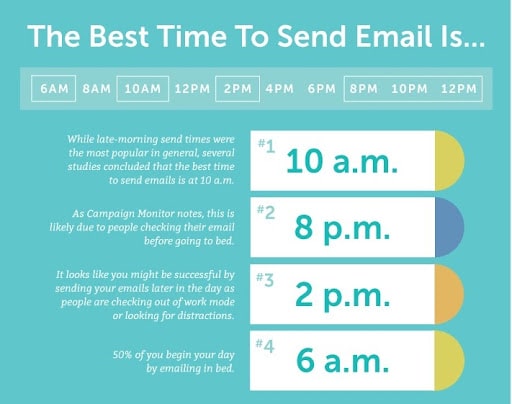
A lot depends on the timing of your email marketing campaign. Sending an email at the optimal time can significantly boost open rates, clickthrough rates, and revenue per subscriber. According to online data, the best days to send marketing emails are Tuesdays and Thursdays. On the whole, it is better to send the email during the workweek, but these two days, in particular, will offer the highest open and clickthrough rates.
The time is equally important as the day of the week. In general, the best time to send an email is when your subscribers are taking a break.
However, you should still conduct your own testing to determine the best time and day to market to your target audience. Additionally, prioritize your email response time to ensure potential clients get the responses they need when they get in touch. In the end, it is critical to find that sweet spot in 2026 so that your emails appear at the top of subscribers’ inboxes when they check them.
Anybody can create an email marketing campaign that gets opened and clicked. Nevertheless, if you’re serious about creating a truly groundbreaking email marketing strategy, you’ll need to split test your campaigns.
In order to improve your 2026 email marketing strategy, you need to get hands-on and experiment with A/B testing. Measuring the results of your emails will help you discover what works and what does not.
Below are some email test ideas to get you started:
Try sending emails with both short and long subject lines.
Try both short and long email messages in different emails.
Different names of the senders (try using a company’s name or a person’s name.)
In the long run, testing will ultimately help you to understand your customers better, which in turn will lead to a more satisfying experience.
Test Emails Before Sending
Test your campaigns before you send them. That is perhaps one of the most important email marketing tips that small businesses must consider. A successful overall digital marketing strategy requires that you test your email marketing campaigns, even though it may seem like just another step. It’s surprising how easily typos or display issues can slip into your emails.
If you haven’t done so already, try previewing your content with your email marketing software once you’ve finished. Be sure to test your emails on desktop, mobile, and tablet and send them to yourself and a few colleagues.
Optimize Email Subject Lines
A well-written email is only effective if the recipient opens it. Because of this, writers need to make sure their headlines stand out from the clutter in their inboxes. Using all caps, exclamation points, or emojis can seem gimmicky. Instead, use these tips:
Limit the number of characters in your subject line to say more with fewer words.
Don’t be afraid to speak your mind. Be clear about what your subscribers will find when they open your email.
In the subject line of your email, let readers know if you have a special discount or a sale ending soon.
The overuse of words like “free” can turn readers away and may negatively affect deliverability.
Create Drip Email Campaigns
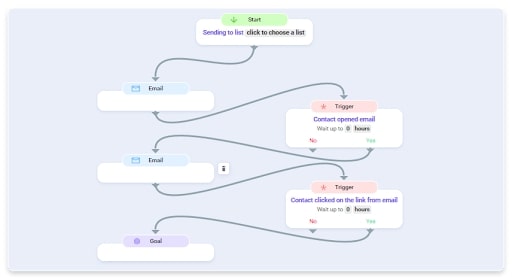
Modern email marketers have access to powerful tools in marketing automation. You need a drip campaign to convince subscribers to act if you want to automate time-consuming tasks. Moreover, you don’t want to be spammy in your approach.
Subscribers are usually sent drip campaigns after they register with your newsletter sign-up form. Fortunately, there are many great drip campaign examples to inspire you.
A welcome email drip campaign is the most popular series. You can send a series of emails with different incentives to onboard new customers. It is possible to include a discount in the first email. Your loyalty program could serve as an incentive for them to join the next one. Finally, the third email introduces your team or who is behind your brand. You are humanizing and promoting your brand image this way.
When preparing your campaigns, making your emails open to everyone is the most important factor to consider. Regardless of your recipients’ demographic, ability, or device, you need to ensure your email message is understood. It’s easy to make a website look great by creating a great user experience by using easy-to-read text and clear graphics and by experimenting with typeface, size, and color.
A trend currently dominating visual and online design trends, Dark Mode, is one of the best ways to make emails more accessible. It is easier on the eyes and enhances contrast when used in dark mode, making lighter objects stand out more.
Consider The Following Email Marketing Tips For Accessibility:
In an email, add alternative text to images so screen readers can read them
In order to avoid seizures, animations should be flashing between 2 Hz and 55 Hz
You should aim for a minimum font size of 14px and a readable font style
For people with visual impairments, the color contrast ratio should be at least 4.5:1
People with dyslexia will have a hard time reading center-aligned text.
Use Confirmed Opt-In
Your landing pages or Facebook page can be used to set up a sign-up form to grow your email list. Make sure to send a confirmation email once they sign up. The best way to improve your delivery rate is to get your subscribers to confirm that they want to receive your emails again. You know they were serious about signing up since they confirmed their email address.
heir responsiveness and email engagement should increase as a result, especially when you regularly use anemail list cleaner to remove inactive subscribers, ensuring better deliverability and more engaged recipients.
Plan A Smart Thank-You Email Strategy
Particularly for a business, gratitude is a valuable trait to have. This part will discuss some ways you can use thank-you words at various stages in your email marketing life cycle. As an alternative to sending a thank you word after someone becomes a new subscriber, you might consider combining a note of thanks with an order confirmation email.
Customers usually wait or expect a receipt against their purchase after completing the checkout process on your site. When they receive it, they are sure to open it and check the details. You can also send customers a thank-you message on their anniversaries or when they reach important milestones. It is certainly possible to amplify your brand’s engagement with customers by showing your appreciation, even if it does not directly lead to sales.
Conclusion
Due to new technologies, shifting regulations, and other factors, email marketing changes dramatically every year. As far as email marketing trends go, you’ll need to stay on top of them and adjust your plans accordingly in order to stay competitive.
You need to use the best practice email marketing strategies to get one step ahead of your competition. We provided you with a list of the best email marketing tips that you can apply to your email marketing practices.
After reading this article, you might find some inspiring and wonderful ideas for creating emails for your business.
And, what’s best is that you can even use Replug to shorten link instantly, ensuring every link you send in your emails is clean, professional, and trackable, thus resulting in more leads!
Welcome to the world of Instagram, where connections flourish, creativity thrives, and opportunities abound. In this busy digital landscape, deep linking emerges as a powerful ally, simplifying navigation and maximizing impact.
With deep linking, you can enhance user experience, boost conversion rates, and keep engagement soaring. It’s the secret sauce that transforms browsing journeys, making them smoother, faster, and more rewarding.
Let’s untangle the secrets of Instagram deep linking, empowering you to unlock Instagram’s full potential with ease and confidence. It’s time to simplify, amplify, and elevate your digital presence. Let’s dive in!
Drive more clicks, conversions, and app installations by deep linking
to your favorite platforms.
Try deep links for free
What is deep linking?
Deep linking is a technology used in digital marketing and mobile app development that allows users to be redirected to specific content or pages within a mobile app, rather than just the app’s homepage or a generic landing page.
Think of it like a shortcut or a direct route to a specific destination within an app. For example, if you click on a link to a product within a mobile app, deep linking ensures that you are taken directly to that product page within the app, rather than navigating through various menus and screens to find it.
Instagram deep link:
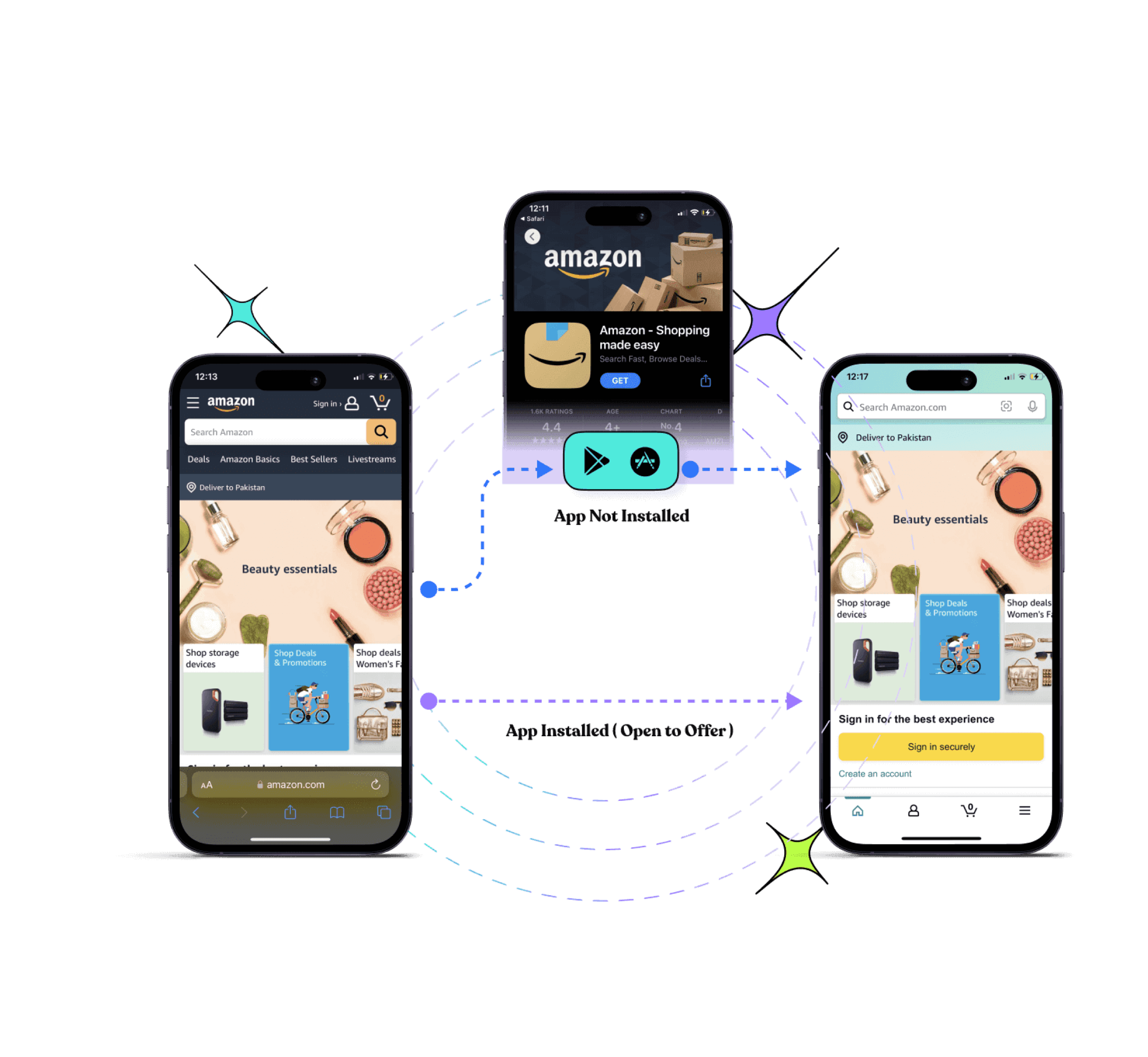
Unlike a regular link to an Instagram profile or post, which typically opens in a web browser, an Instagram deep link is designed to open directly within the Instagram app on a mobile device if it’s installed.
These deep links can be used to direct users to various parts of the Instagram app, such as:
Profiles: Directing users to a specific Instagram user’s profile page.
Posts: Linking directly to a specific post within the Instagram app.
Stories: Taking users to a particular Instagram Story within the app.
IGTV: Linking to a specific video on IGTV.
Shopping: Redirecting users to a product page within Instagram Shopping.
Why Instagram deep linking is so important?
Deep linking to Instagram is super important for making the most out of mobile marketing, especially because Instagram is all about mobile. It’s become one of the most popular social networks worldwide, thanks to cool features like Stories and the ability to showcase products in fun ways.
In 2020, the USA, India, and Brazil had the largest number of Instagram users. The audience on Instagram is huge and always hungry for new content.
Getting people straight to a specific Instagram profile or page can be a game-changer for businesses. And the best way to do this? Using deep links to Instagram.
These links let users skip the usual Instagram sign-in process and land right where you want them to be. You can put these deep links pretty much anywhere: in emails, text messages, on your website, or even in social media posts.If you’re looking to enhance user engagement, partnering with a social media app development company can help you integrate deep linking seamlessly into your platform.
But deep linking isn’t just about getting people to the right place. It’s also about tracking how they got there and what they did next. With deep links, you can see how many people visited, where they came from, what kind of device they’re using, and lots more.
This info is gold for understanding how well your marketing is working and what you can do to make it even better. With our deep linking platform, you’ll have all the data you need to supercharge your Instagram campaigns and get the results you want.
Drive more clicks, conversions, and app installations by deep linking
to your favorite platforms.
Try deep links for free
How to create an Instagram deep link in Replug?
Replug is a powerful link shortening tool that enables the creation and management of deep links, providing valuable insights into click rates and conversion rates. It helps optimize campaigns, leading to enhanced user engagement. By directing traffic to specific pages within an app or website, Replug drives more visitors and boosts engagement.
Step 1: Sign in to your Replug account or sign up for free if you’re new to Replug.
Step 2: Once logged in, navigate to the dashboard and locate the “drop-down icon” in the top right corner. From the drop-down list, select “deep links.”
Step 3: Choose “Social Media” as the category for your deep link.
Step 4: Select “Instagram” as the platform for your deep link.
Step 5: Generate the deep link by clicking on the corresponding option, such as TV, home, tag, personal profile camera, or profile, and click “Create Deep Link.”
Step 6: Select your campaign, andcustomize the deep link URL to make it more user-friendly or branded if desired.
Step 7: Toggle the switch to enable Deep Links. An indicator will confirm if the destination URL can be used as a Deep Link.
Step 8: Click the “save link” button to save your deep link with the deep linking feature enabled.
Your deep link for Instagram is now ready to be shared, allowing users to directly access the specified Instagram profile, post, or story.
Drive more clicks, conversions, and app installations by deep linking
to your favorite platforms.
Try deep links for free
Different types of deep links:
Understanding the different types of deep links is essential for leveraging them effectively in various scenarios. Here’s a breakdown of each type:
Traditional deep links:
These links directly lead users to a specific location or content within a mobile app, streamlining the user experience.
Deferred deep links:
Designed for situations where users click on a deep link without having the app installed, these links redirect users to the app store for installation and then guide them to the intended in-app location post-installation.
Contextual deep links:
In addition to directing users to a specific location within an app, these links carry additional context or information, enabling personalized user experiences within the app.
Universal links (iOS) and app links (Android):
Platform-specific deep linking standards enable apps to register their deep link URLs with the operating system, facilitating a seamless transition between web and app content.
Custom scheme deep links:
Apps define custom URL schemes that trigger the app to open when a corresponding URL is clicked. While effective, they may be less secure and more prone to conflicts.
Smart app banners:
Not traditional deep links but are noteworthy, these banners appear at the top of a mobile website on devices where the corresponding app is installed, encouraging users to switch to the app for a better experience.
Promotional deep links:
Utilized in marketing campaigns to direct users to specific content or offers within an app, these links are commonly used in email marketing, social media, and advertisements.
One-time use deep links:
These links can only be used once and are often employed for security or tracking purposes, such as one-time login links or referral links.
Drive more clicks, conversions, and app installations by deep linking
to your favorite platforms.
Try deep links for free
FAQs
Why are Instagram deep links important?
Instagram deep links are important for directing users to specific content within the app, enhancing user experience, and maximizing engagement.
Where can I use Instagram deep links?
Instagram deep links can be used in various marketing channels, including email newsletters, SMS campaigns, social media posts, websites, and digital advertisements.
Can I track the performance of Instagram deep links?
Yes, many deep linking platforms offer analytics and tracking capabilities, allowing you to monitor the performance of your Instagram deep links. You can track metrics such as clicks, conversions, geographic location of users, and more, providing valuable insights for optimizing your campaigns.
Long, messy URLs can be a massive nightmare for marketers. They are hard to share, look unprofessional, and are impossible to track properly. That frustration grows more when you’re trying to manage campaigns and need clear data insights on what’s actually working.
With numerous tools available, determining how to shorten a link without compromising valuable tracking and branding power is a pretty challenging task.
But don’t worry, we’ve got some good news for you!
Here we’ll compare the top 3 URL shorteners, i.e., Replug, Bitly, and TinyURL, to see which one truly fits today’s marketers’ needs.
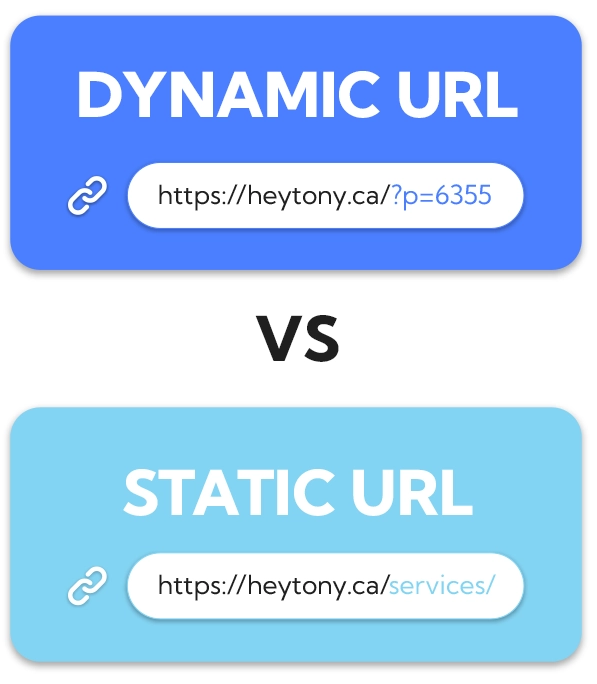
Let’s break it down, starting with Replug.
Feature / Aspect
Replug
Bitly
TinyURL
Free / Entry Plan
100 short links, 1,000 clicks/month, 3 custom domains, 10 smart QR codes, 2 bio links, 1 campaign
Free plan with limited features (very restricted link count)
Free plan available with basic shortening & limited analytics
Supported (multiple custom domains depending on plan)
Available on paid plans (Growth and up)
Available in Pro / paid plans
Analytics & Reporting
Full analytics, click behavior, and built-in campaign metrics
Real-time click stats, device & geography breakdowns on higher tiers
Detailed analytics in subscription plans (clicks, referrers, geography)
Bulk Link Shortening
Supported in higher plans / Agency levels
Supported in “Growth” and above
Bulk 100K plan allows bulk shortening
Link Destination Redirecting / Editing
Yes, you can change the target URL or rotate links
Some redirect/edit capability
Yes, in paid plans, you can edit link destinations
QR Code Support
Supported (smart QR codes)
Built-in QR code features included
Limited or no advanced QR code design support (basic QR)
White-Label / Agency Features
Offers white-label, team & workspace management in higher tiers
Available in Enterprise / higher tiers with team features
More basic; doesn’t emphasize white-label capabilities
Ease & Speed
Very polished UI and mature product. Generates branded short links in seconds
Slight learning curve for advanced features, but user-friendly for everyday use
Extremely quick for basic link shortening
Replug: Most recommended custom URL shortener
When it comes to shortening links, Replug’s URL shortener goes beyond the basics. Instead of just turning a lengthy, disorganized URL into a short one, it gives marketers the power to brand their links, track performance, and even drive conversions through added features.
No matter if you’re running ad campaigns, sharing links on social media, or managing multiple clients, Replug makes the process smooth and hassle-free. It also ensures that everything aligns with your brand identity in the best possible manner.
Key features
Custom link shortener: Instantly transforms generic links into branded URLs with personalized slugs.
Branded links everywhere: Creates professional-looking links that you can use across all social media marketing channels to strengthen recognition of your brand.
Beyond simple URL shortening: Offers adding custom CTAs, retargeting pixels, third-party widgets, and tracking elements directly to your short links seamlessly.
White-label ready: Agencies and organizations can fully brand the platform, making it look like their own solution.
In-depth analytics in real time: Providestracking link clicks, engagement, and conversions with detailed performance reports.
UTM tracking component: You can easily monitor campaign effectiveness with built-in UTM parameter support.
Fine-tuned link management: Keep all your shortened links organized under one roof for maximum efficiency.
Final thoughts
If you’re very serious and concerned about link management, Replug is hands-down the best choice out there.
From agencies and large enterprises to digital marketers and online businesses, it offers everything you need to create branded links, track results, and promote your campaigns.
It’s not just a link shortener, it’s a complete marketing toolkit built around your URLs.
Maximize marketing ROI
by transforming ordinary URLs into branded short links that convert.
Try Replug for free
Bitly: A powerful URL shortener for brand strategists
Bitly has been around for years and is still one of the most trusted names in link shortening. It doesn’t just give you a short, neat link, but makes it easy to brand your URLs, track performance, and manage campaigns at scale.
For content marketers and brand strategists, Bitly provides a reliable way to keep links professional and data-driven, while making them easy to share across various platforms.
Key features
Branded short links: Turns long URLs into short, clean, and branded links that build trust.
Top-level domains: Provides custom domains to establish a stronger brand presence for your links.
Clicks & engagement data: Access real-time stats on clicks and audience behavior effortlessly.
Campaign comparison: Easily monitor and measure performance across multiple campaigns.
Flexible link management: Change link destinations at any time without breaking the original link.
Bulk link shortening: Shorten and manage multiple links at once, saving valuable time.
Final thoughts
Bitly is, without a doubt, one of the most reliable URL shorteners, especially for brands and agencies that value trust and data. It packs all the essentials plus advanced features for campaign tracking and branded links.
However, the downside is its pricing plans. It’s a bit on the higher side compared to other tools available online. So, while it’s an excellent choice for businesses that can afford it, smaller teams or startups may want to consider budget-friendly alternatives.
TinyURL is one of the oldest and most recognizable link shorteners on the internet. Over the years, it has evolved from being a simple URL trimming tool to offering more advanced link management features.
For marketing professionals, business owners, or even casual users, TinyURL makes it easy to create shorter, cleaner links. It also provides the option to track performance and manage links in bulk.
Key features
Original URL shortener: Known as one of the pioneers in the space, offering precise and simple link shortening.
Detailed analytics at hand: Get insights into link performance with tracking and reporting tools.
Bulk link shortening: Shorten multiple URLs at once to save time and effort.
Full-scale link management: Access features that help you organize and manage your links effectively.
Final thoughts
TinyURL remains a trustworthy choice for anyone looking for a straightforward link shortener with added analytics and bulk management options.
It does the job well, but there’s a catch! It may take a little longer to generate results, and you’ll need to sign up for an account to access its full features. Still, for those who don’t mind these small trade-offs, TinyURL is a solid option worth considering.
Selecting the right URL shortener ultimately depends on your specific needs as a marketer. If you’re looking for something simple and straightforward for basic link shortening, TinyURL still does the job with minimal fuss.
Bitly, on the other hand, offers a more powerful feature set for general analytics and branding. This makes it a solid choice for businesses that want a balance of usability and insight without going too deep into customization or advanced marketing features.
However, if you’re aiming to go beyond just shortening links and want to fully optimize your marketing campaigns, Replug delivers a more comprehensive toolset. Its ability to add retargeting pixels, create branded links, use bio link pages, and even display call-to-actions on shared content gives marketers an edge in tracking, conversion, and engagement.
While all three tools serve the core purpose of link shortening, Replug stands out for those who want to integrate their links more strategically into their broader marketing funnel.
Significant benefits of URL shorteners
URL shorteners aren’t just about snipping down long links. They bring a bunch of practical advantages for marketers, businesses, and even typical users.
Let’s take a quick look at why they’re so handy:
Saves character space: Short links are ideal for social media platforms like X (Twitter), where every character counts.
Improves aesthetics and readability: Clean, simple URLs look much more professional than messy, string-filled ones.
Offers tracking & analytics: Get valuable insights into clicks, traffic sources, and audience behavior.
Enables branding and customization: Turn generic links into branded ones that boost recognition and trust.
Centralized link management: Keep all your links organized in one place for easy access and control.
Easier to share and remember: Shorter URLs are far simpler to recall and share with others, compared to longer ones.
SEO benefits: Branded, keyword-rich links can give your campaigns a slight edge in search visibility.
Easy link redirection: Update or change your destination link without creating a brand-new one.
QR code generation: Many shorteners now create dynamic QR codes for quick offline-to-online access.
How to pick the right URL shortener
With so many top-rated and best URL shorteners out there, choosing the right one really comes down to what you need for your business or campaigns.
Here are a few essential factors worth keeping in mind before making your decision:
Customization needs: If branding is important, go for a link shortener that lets you create custom domains and unique slugs.
Analytics & reporting: Look for detailed tracking features so you can measure clicks, conversions, and audience engagement without any hassle.
Scalability: Make sure the tool can handle your growth, whether you’re running a small campaign today or managing thousands of links later.
Cost & budget: Pricing varies a lot, so weigh the features against what you’re willing to spend.
Integrations: Check if the URL shortener works smoothly with your existing tools, like CRMs, ad platforms, or email marketing software.
At the end of the day, URL shorteners are more than just tools to shrink links. They’re powerful assets for branding, tracking, and managing campaigns.
We compared Replug, Bitly, and TinyURL, and while each has its own strengths, Replug clearly stands out with its customization, analytics, and all-in-one link management features.
If you want to boost clicks and build stronger brand visibility, give Replug a try today. You won’t be disappointed!
Frequently asked questions
Which is the best URL shortener?
There’s no one-size-fits-all answer. It depends on your priorities (branding, analytics, budget, ease of use, etc.). But overall, tools like Replug tend to lead for marketers and agencies. Thanks to their balance of customization, tracking, and reliability.
What is the most trusted URL shortener?
Bitly remains a go-to trusted option in many industries. Years of uptime, brand recognition, and integrations help it rank high in credibility.
Is there a free URL shortener?
Yes, many services offer free plans, but with limited features. You can shorten links for free, though advanced features usually require a subscription to the paid plans.
Are shortened URLs bad for SEO?
Not necessarily! If the URL shortener uses proper redirects (like 301) and a reputable provider, you won’t lose SEO value.
Is Google shutting down URL shortener?
Yes, Google’s old “goo.gl shortener” is being phased out. Links showing warning messages or inactivity will stop working, though active ones may still be preserved.
In today’s digital age, keeping your website content fresh and engaging is crucial to attracting and retaining visitors. With Replug’s user-friendly platform, you can effortlessly add an RSS Feed Widget to your website, ensuring that your audience stays updated with the latest industry news and trends.
In this guide, we’ll walk you through the step-by-step process of adding an RSS Feed Widget with Replug. Whether you’re a seasoned marketer or just starting your online journey, you’ll find our guide easy to follow and implement. Let’s get started!
What is an RSS feed widget?
An RSS feed widget is a technique used to display dynamic content from RSS (Really Simple Syndication) feeds on a website or platform. RSS feeds allow websites to publish frequently updated content in a standardized format, which can then be easily consumed and displayed by RSS feed widgets.
These widgets typically appear as boxes or sections on a webpage, showing headlines, summaries, or snippets of articles, blog posts, news updates, or other types of content from external sources. They can be customized in terms of design, layout, and functionality to seamlessly integrate with the look and feel of a website.
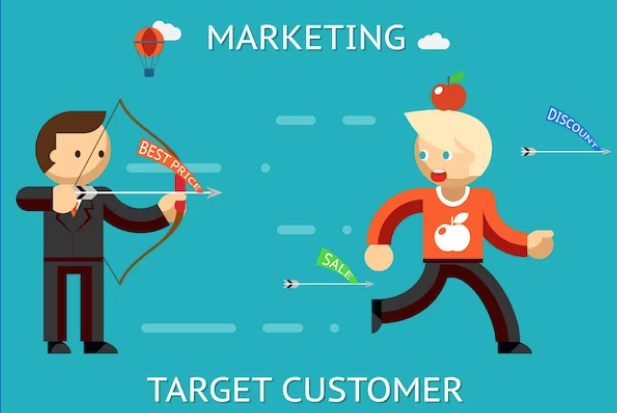
How to add an RSS feed widget in Replug?
Replug is a powerful URL tracking and link optimization platform designed to boost your online presence. With this efficient link shortener you can effortlessly brand, track, retarget, and A/B test links to maximize their impact.
Among its many features, adding an RSS Feed Widget stands out as a fantastic way to keep your audience informed and engaged with the latest updates from your industry.
A complete link management solution
for marketing professionals & agencies.
Try Replug for free
Here’s how to an RSS feed widget using Replug:
Step 1: Begin by logging in to your Replug account. If you don’t have one yet, you can easily sign up for an account for free.
Step 2: Access your Replug account and head over to the dashboard area. Hover your cursor over the “Manage” tab and select “RSS Automation” from the dropdown menu.
Step 3: Once in the RSS Automation section, locate the “Add RSS Feed” button situated at the top left corner of the screen. Click on this button to proceed.
Step 4: A pop-up window will appear prompting you to select your campaign and enter the RSS feed URL. Choose your desired campaign and paste the RSS feed URL into the designated field. Click “Add” to finalize this step.
After completing these steps, your RSS feed will be successfully created. You can then copy the RSS feed URL provided and add it to any third-party platform.
Here’s how you can find the RSS URL for various website platforms using Replug’s RSS Feed widget:
WordPress Website:
Simply add “feed” to the end of your URL. For example: https://yourdomain.com/blog/feed
Blogger Website:
Append “feeds/posts/default” to the end of your URL. For example: http://blogname.blogspot.com/feeds/posts/default
Tumblr Website:
Add “rss” to the end of your Tumblr URL. For example: http://example.tumblr.com/rss
Wix Website:
Generate a Wix RSS Feed URL by adding “blog-feed.xml” to the end of your URL. For example: https://www.yourdomain.com/blog/blog-feed.xml
Squarespace Website:
Find your Squarespace RSS Feed URL by adding “?format=rss” to the end of your URL. For example: https://sitename.squarespace.com/blog?format=rss
By following these steps, you can easily discover the RSS feed links for your website, enabling you to integrate them seamlessly with Replug’s RSS Feed widget and enhance your content distribution strategy.
A complete link management solution
for marketing professionals & agencies.
Try Replug for free
FAQs
What is an RSS feed widget?
An RSS feed widget is a tool that allows you to display dynamic content from RSS feeds on your website. You would want to use one to keep your website’s content fresh and engaging by automatically updating it with the latest news, blog posts, or other updates from your favorite sources.
How do I add an RSS feed to my website’s widget area?
To add an RSS feed to your website’s widget area, you typically need to obtain the RSS feed code from your feed provider and then embed it into the widget area using your website’s content management system or by directly editing the website’s HTML code.
How often does the RSS feed widget update with new content?
The frequency of updates for an RSS feed widget depends on the settings configured by the widget provider and the update frequency of the subscribed RSS feeds. Typically, RSS feed widgets update with new content as soon as it becomes available in the subscribed feeds.
Are you looking to enhance the effectiveness and branding of your shared links?
Learn how to make your links more descriptive, memorable, and on-brand to boost engagement and drive results. Whether you’re a marketer aiming to boost click-through rates or a content creator seeking to strengthen your online presence, using Replug to rename a link can transform your digital strategy.
Let’s find out how to rename links in no time!
Rename your link: What does it mean?
“Rename your link” refers to the action of changing the default or original URL of a webpage to a more personalized and descriptive one. This process involves customizing the link’s text to better reflect its content, purpose, or target audience.
By renaming a link, you make it more informative, engaging, and relevant to those who come across it. This can lead to higher click-through rates, improved user experience, and enhanced branding for your content or website.
In essence, renaming your link is about optimizing its visibility and impact in the digital landscape.
How to rename links using Replug?
Replug.io is a comprehensive link management and tracking platform designed to empower marketers, content creators, and businesses to maximize the effectiveness of their shared links. With it, you can create, customize, and track the performance of your links across various channels.
Here’s how to rename links using Replug:
Step 1: Sign in to Replug if you already have an account, or create one if you’re new to Replug.
Step 2: Select the campaign you want to associate your link with or create a new campaign if needed.
Step 3: Enter the link in the “URL to shorten” section below “Select your campaign” and click “Create”. Optionally, add UTM parameters to track link performance.
Step 4: Your link will be shortened. Click the edit icon and type the URL slug you want to use in the link.
Step 5: Once you’ve customized the link, copy the new shortened URL and click “Update”. Your renamed link is now ready to be shared.
A complete link management solution
for marketing professionals & agencies.
Try Replug for free
How to rename links in Google Docs?
Step 1: To begin, open your document and navigate to the link you want to rename. Simply click on the link to reveal the link options.
Step 2: After clicking on the link, a menu with options such as Copy link, Edit link, and Remove link will appear, along with a preview of the linked webpage or document. To rename the link, locate and click on the “Pencil” icon.
Step 3: In the editing menu, you’ll see three fields: the text field, the URL field, and the clickable URL. Click on the “Text” field to access the text editing mode.
Step 4: Once you’ve clicked on the “Text” field, you can edit the text of the link. Use the backspace key to delete the existing text and type in the new text to rename the link according to your preference.
Step 5: After you’ve renamed the link, click on the “Apply” button to confirm the changes. Your link will now be updated with the new text, and the changes will take effect in your Google Docs document.
Using Replug to manage your links offers several advantages:
Link optimization: Replug offers a top-notch tool to create short link with absolute precision. Besides, it provides various options to customize and optimize your links, including link shortening, branding, and tracking features. This helps to make your links more visually appealing, recognizable, and effective in driving engagement.
Branding: With Replug, you can create custom-branded links that reflect your brand identity, increasing brand visibility and credibility when sharing content across different channels.
Performance tracking: Replug offers detailed analytics and insights into link performance, allowing you to monitor metrics such as click-through rates, geographic location of clicks, and conversion rates. This data enables you to assess the effectiveness of your link-sharing efforts and make informed decisions to optimize your strategy.
Call-to-action integration: Replug allows you to add customizable call-to-action overlays to your shared links, directing traffic to specific actions or landing pages. This feature enhances the effectiveness of your links in driving conversions and achieving your marketing goals.
Link rotation: Replug’s link rotation feature distributes traffic evenly among multiple destination URLs, enabling you to conduct A/B testing or distribute traffic to different landing pages based on predefined rules.
A complete link management solution
for marketing professionals & agencies.
Try Replug for free
Frequently asked questions
Why should I rename my links?
Renaming links can make them more descriptive, memorable, and aligned with your brand. This can improve click-through rates, enhance branding, and provide a better user experience.
Can I track the performance of renamed links?
Yes, Replug provides detailed analytics and insights into the performance of your renamed links, including click-through rates, geographic location of clicks, and more.
Can I use Replug to rename links in bulk?
Yes, Replug offers features for bulk link management, including renaming multiple links simultaneously, making it efficient for larger-scale projects or campaigns.
Deep and deferred deep links are often used in mobile app development and marketing. Deep links serve as navigational anchors, seamlessly directing users to specific content within an app. On the other hand, deferred deep links introduce a layer of versatility by preserving context even when the app is not installed.
For marketers and developers, our link optimization platform makes it simple to create and manage deep or deferred deep links, all from a single dashboard.
This duo’s significance extends beyond mere technicalities, impacting how developers and marketers strategically engage with their audience. Whether enhancing your app development strategy or developing marketing strategies, understanding these concepts is the key to unlocking your app’s potential.
Let’s get straight to it!
Drive more clicks, conversions, and app installations by deep linking
to your favorite platforms.
Try deep links for free
What are deep links?
Deep links are URLs that lead directly to specific content or pages within a mobile app, bypassing the app’s homepage. They enhance the user experience by allowing seamless navigation to targeted information.
What are deferred deep links?
Deferred deep links, like deep links, lead to specific app content but add the capability to retain context even when the app is not installed. Users are directed to the intended content after installing the app, enabling a personalized and uninterrupted experience.
Deep link vs. deferred deep link: What’s the difference?
Deep Link:
Immediate Navigation: Deep links provide immediate access to a specific page or content within a mobile app. Users are directed straight to the desired information, bypassing the app’s homepage.
Installed App Requirement: For a deep link to function, the corresponding app must already be installed on the user’s device. It optimizes user engagement and streamlines navigation within the app.
Deferred Deep Link:
Context Retention: One key differentiator is the ability of deferred deep links to preserve context, even if the app is not installed. This means that users clicking on a deferred deep link can be directed to the intended content after installing the app.
Enhanced Onboarding: Deferred deep links are particularly useful for onboarding new users. They ensure a smooth transition from the initial interaction, such as clicking a link, to a personalized experience within the app.
Installation Flexibility: Unlike basic deep links, deferred deep links accommodate scenarios where the app is not yet on the user’s device, offering a more versatile approach to engaging users.
Drive more clicks, conversions, and app installations by deep linking
to your favorite platforms.
Try deep links for free
How do brands use deferred deep links?
Brands leverage deferred deep linking in various strategic ways to enhance customer acquisition and streamline the user experience, ultimately boosting customer satisfaction. Here are common use cases:
1. Placement on the company website:
Brands strategically place deferred deep links on their official websites and banner advertisements. This not only encourages users to explore promotions but also facilitates a seamless transition for those interested in downloading the app. By providing direct access to specific content or promotions within the app, brands attract and engage new customers more efficiently.
2. Integration in social media ads:
Integrating deferred deep links into social media advertising is a powerful strategy for brands. Whether through sponsored posts or targeted ads, these links guide users directly to relevant content within the app. This approach proves highly effective in capturing the attention of potential customers on popular social platforms, contributing to increased app downloads.
3. Inclusion in e-mail marketing campaigns:
Brands enhance their e-mail marketing campaigns by incorporating deferred deep links. This integration ensures a smoother journey for users, allowing them to seamlessly transition from an email promotion to the app. By providing direct access to specific offers or content, brands increase the likelihood of user interaction with the app, thereby strengthening customer engagement.
4. Integration in messages and notifications:
Including deferred deep links in SMS campaigns and push notifications serves as a promotional tool within other applications. This not only increases visibility but also provides potential users with easy access to download the app, encouraging quick and convenient adoption.
Drive more clicks, conversions, and app installations by deep linking
to your favorite platforms.
Try deep links for free
Deferred Deep Linking Best Practices
To optimize your marketing campaigns with deferred deep links, adhere to these three straightforward best practices:
1. Personalization: Tailor links for each user
Create individual, tailored deferred deep links for users to enable highly targeted marketing. Whether re-engaging lapsed users or personalizing onboarding experiences for new downloads, utilize user-specific links to enhance engagement and drive conversions. For instance, offer exclusive discounts to users who dropped off after ‘add-to-cart,’ sending personalized links via email or SMS to increase the likelihood of completing the checkout process.
2. Attribution: Measure success with data
Leverage attribution data provided by deferred deep links to measure the success of your campaigns. By attributing user and conversion data to specific channels and campaigns, you gain insights into audience behavior. This information enables informed decision-making, helping you understand which campaigns are most effective and allowing for strategic adjustments over time. Design, experiment, measure, and refine your campaigns based on actionable insights.
3. Brand consistency: Stay on brand
Maintain brand consistency across all aspects of your deep linking strategy. Whether creating links automatically via API or through a user interface, ensure that your deferred deep link provider supports the seamless integration of your brand elements. Consistent branding enhances user trust and reinforces your app’s identity throughout the user journey.
Elevate your app’s success with Replug’s deep links
Transform customer journeys seamlessly with Replug. Generate deep links within minutes, i.e., the key to uninterrupted in-app navigation. Say goodbye to disengagement and customer dropouts, and hello to a flawless online experience that keeps users hooked from start to finish!
Smooth navigation: Prevent disengagement with uninterrupted in-app navigation.
Boost discovery: Whether installed or not, guide users effortlessly to desired in-app content.
Effortless traffic drive: Use a single deep link for emails, ads, QR codes, banners, and social media to channel users to the relevant app store.
Conversion funnel streamlining: Drive engagement and sales by guiding users directly to specific products in your online store.
Re-engage users: Utilize deep links in push notifications to bring back existing app users for targeted content access.
Cross-app connectivity: Create instant deep links for popular apps, enhancing user experience and engagement.
Whether you need to deep link directly to in-app content or simply shorten a link, Replug takes care of both, making link management effortless while preserving deep-link functionality.
Drive more clicks, conversions, and app installations by deep linking
to your favorite platforms.
Try deep links for free
FAQs
How does a deep link differ from a regular link?
While a regular link typically opens the app’s homepage, a deep link takes users directly to a specific page or content within the app.
What are the benefits of using deep links?
Deep links enhance user experience by providing targeted navigation within an app, improving user engagement and retention.
How can brands use deep links for marketing?
Brands can incorporate deep links in various channels like websites, social media, emails, and notifications to drive traffic, enhance user experience, and improve conversions.
Can deep links be used for re-engagement?
Yes, deep links are effective for re-engagement. Brands can use them in push notifications to bring existing users to specific content within the app.
Do users need to have the app installed for deep links to work?
For basic deep links, yes, the app needs to be installed. However, deferred deep links allow users to be directed to specific content even if the app is not yet installed.
How do deep links contribute to app discoverability?
Deep links drive traffic to apps from various sources, making them a valuable tool for enhancing app discoverability and attracting new users.
Can deep links be used for cross-app connectivity?
Yes, deep links can be created to connect users to specific content within various apps, facilitating a seamless and efficient user experience.