Ever copy-pasted a URL so long it wrapped across multiple lines? Yeah, we’ve all been there, and it’s not a great look, especially when you’re sharing links in an email, a bio, or a social media post.
Here’s the thing: link shortening isn’t just about aesthetics. It’s become a serious part of how marketers and creators manage and track their content online.
Over 70% of businesses now use shortened links to boost engagement, and the URL shortener market was valued at $360.4 million in 2024. So clearly, people are catching on.
The good news? You don’t need to spend a dime to get started. Replug’s free link shortener makes the whole process dead simple.
But before we jump into the step-by-step walkthrough, let’s quickly cover what link shortening actually is, and why it matters more than you might think.
What is link shortening and why is it important?
Let’s be real, nobody wants to share (or click) a link that looks like this:
Link shortening is the process of taking a messy, long URL and converting it into a short, clean, and manageable one, something like replug.io/black-friday-sale. Simple, right?
The primary objective is to make links easier to share, remember, and act on, without losing any of the functionality of the original URL.
Whether you’re a marketer, content creator, or small business owner, shortened links just make your life easier.
Significance of link shortening (why it matters so much):
Improved user experience & aesthetics: A clean, short link simply looks better and feels more trustworthy. Nobody hesitates before clicking replug.it/offer the way they might before clicking a 200-character monster URL.
Enhanced shareability & character limits: Platforms like X (formerly Twitter) still count every character, so a shorter link saves precious space and leaves room for what actually matters (your message).
Performance tracking & analytics: Most link shorteners let you see exactly how many people clicked your link, where they came from, and what device they used. Critical data you’d never get from a raw URL.
Customization & branding: Instead of a random string of letters and numbers, you can create branded links like yourbrand.com/sale that instantly communicate who you are and build trust with your audience.
Optimal for marketing & print: Imagine printing a full-length URL on a flyer or billboard. Yeah, definitely not ideal. Short links are a lifesaver for offline marketing materials where space is limited and typing-friendliness matters.
SEO benefits: While the shortened link itself isn’t a direct ranking factor, using branded and descriptive short links can improve click-through rates. What’s best is that higher CTR sends positive signals to search engines.
Why consider shortening links?
If you’re still sharing raw, unedited URLs, you’re honestly leaving a lot on the table. Shortened links don’t just look better, they actively improve how your audience interacts with your content, help you stay organized, and even open doors to smarter marketing.
Here’s why making the switch is a no-brainer:
Cleanliness & organization: Long URLs cluttered with tracking parameters are a nightmare to manage, especially at scale. Short links keep everything tidy and make your link library far easier to sort, label, and find later.
Increased click-through rates (CTR): Studies show that shortened, branded links can increase CTR by up to 39% compared to long raw URLs. This is because people are simply more likely to click something that looks clean and credible.
Internal efficiency: No matter if you’re a solo creator or part of a team, short links make it faster to share resources internally, update destinations without resharing, and keep campaigns neatly organized in one place.
Optimal social media sharing: Social platforms have character limits and cluttered feeds. A short, punchy link fits right in without eating up your caption space or making your post look messy.
Retargeting capabilities: Many paid link shorteners online let you attach retargeting pixels to your short links, so anyone who clicks gets added to your ad audience. A super smart way to re-engage warm leads later.
Monetization: Some link shortening tools let you monetize your shortened links directly. This means every click can generate revenue, which is a great passive income option for bloggers and content creators.
How to shorten a link using Replug: A simple 5-step guide!
Shortening a link with Replug is genuinely one of the quickest things you’ll do today. No technical skills needed, no complicated setup, just a few clicks and you’re done.
Here’s exactly how it works:
Step #01: Sign up or log in to Replug
Head over to Replug.io and create a free account if you haven’t already (it only takes a minute). If you’re an existing user, simply log in, and you’re good to go.
Step #02: Type in or paste your full link
Once you’re logged in successfully, you’ll spot a “Quickly Shorten your link” bar right on the dashboard. Paste your long URL into the field and hit the blue arrow button to generate your shortened link instantly.
Step #03: Get the shortened link
Replug will immediately generate a short, clean link for you. You can copy it right away and start using it as-is (no extra steps needed if you’re in a hurry).
Step #04: Customize the slug
Want something more on-brand? You can edit the slug(by clicking the pencil icon) and replace the auto-generated characters with something meaningful, like /how-to-shorten-a-link. This is where your link goes from generic to professional.
Step #05: Save & share
Click “Save Shortened Link,”and your shortened link is ready to go! Share it on social media, drop it in an email, print it on a flyer wherever your audience is; your clean new link is ready to follow.
👉 And that’s it! Five simple steps and your link is shortened, branded, and ready to perform. Easy, right?
Why shorten links with Replug’s custom URL shortener?
Sure, there are plenty of free link shorteners out there, but Replug brings a lot more to the table than just making your URLs shorter.
It’s a full-on link management tool built for marketers, creators, and businesses who want more control, more insights, and more results from every single link they share.
A complete link management solution
for marketing professionals & agencies.
Try Replug for free
Branding & trust: With Replug, you can use your own custom domain to create branded short links. So instead of a generic URL, your audience sees your brand name every time they click, which instantly builds credibility and trust.
Detailed link analytics: Replug gives you a clear picture of how your links are performing, from total clicks and geographic data to device types and referral sources. You always know what’s working and what’s not.
Retargeting pixels: You can embed Facebook, Google, or other retargeting pixels directly into your short links. This means anyone who clicks automatically gets added to your ad audience for future campaigns.
Call-to-action (CTA) pop-ups: Replug lets you display a custom CTA banner when someone visits a link you’ve shared. A clever way to drive traffic back to your own site, even when you’re sharing third-party content.
Bio links for social media: Instead of crowding multiple links into your Instagram or TikTok bio, Replug lets you create one clean bio link page that houses all your important links in a single, shareable URL.
Link management & customization: You can organize all your shortened links into campaigns, hassle-free with Replug. Plus, this amazing link shortening tool allows you to edit destination URLs anytime without resharing and customize slugs, making large-scale link management actually manageable.
QR code generator: Every shortened link in Replug comes with an auto-generated QR code, making it super easy to bridge your online and offline marketing without needing a separate tool.
Enhanced sharing: Replug’s deep link support and clean, branded URLs make sharing smoother across every platform, whether it’s social media, email, SMS, or print materials.
What are the benefits of using a short link?
Short links aren’t just a nice-to-have; they’re a small change that can make a pretty big difference in how your content performs.
Whether you’re sharing aproduct page, a blog post, or a campaign landing page, the way your link looks and functions actually matters more than most people realize.
Here’s a quick breakdown of the key benefits:
Easy sharing & memorability: A short, clean link is way easier to type, say out loud, and remember. This means your audience is more likely to actually visit it, no matter if they saw it online or heard it in a podcast.
Space-saving constraints: When you’re working within tight character limits (think social media captions, SMS messages, or even printed materials), a short link saves space without sacrificing the destination.
Link management & flexibility: Short links give you the ability to update the destination URL anytime without changing the link itself. Super handy when you need to swap out a page without resharing everything from scratch.
Enhanced security: Reputable link shorteners mask the original URL, which helps protect your links from being tampered with and gives users a cleaner, less suspicious-looking link to click on.
Improved marketing efficiency: From tracking click data to running A/B tests on different links, short links give marketers the insights and flexibility they need to fine-tune campaigns and get better results over time.
Types & examples of shortened links
Not all short links are created equal, and depending on your goal, one type might work a lot better than another. Some are quick and auto-generated, while others are carefully crafted to reflect your brand or campaign.
Here’s a quick look at the three main types:
Generic shortened links (randomized)
These are the most basic type, auto-generated by the link shortener tool with a random string of characters at the end. They get the job done quickly but don’t say much about the brand or destination.
Examples:
replug.io/aX3kP
short.io/3mQzR9
tinyurl.com/y7wbx2k
Customized/branded shortened links
These links use a custom domain and a manually chosen slug, making them instantly recognizable and on-brand. They look more professional and tend to perform better because people trust them more.
Examples:
nike.com/summer-sale
apple.co/iphone15
yourbrand.io/free-trial
Context-specific shortened links
These are tailored to a specific campaign, platform, or audience, making the link feel relevant and intentional rather than generic. They’re great for tracking performance across different channels.
Examples:
replug.io/email-promo (for an email campaign)
yourbrand.io/ig-bio (for an Instagram bio link)
yourbrand.co/webinar-reg (for a webinar registration page)
Top link shortening use cases
Short links aren’t just for making URLs look pretty. They’re genuinely useful across a wide range of marketing channels and strategies.
No matter what kind of content you’re putting out or how you’re reaching your audience, there’s a good chance short links can make that process smoother and smarter.
Here’s where they shine the most:
Social media marketing: Short, clean links fit perfectly in social captions and bios, where space is tight and first impressions matter. Plus, they’re much more clickable than a long, cluttered URL.
SMS marketing: Text messages have a 160-character limit, so a short link is practically a necessity here. It saves space, looks cleaner, and keeps your message focused.
Email marketing: Shortened branded links in emails look more polished and trustworthy, and the built-in tracking lets you see exactly which subscribers are clicking and on what.
Affiliate marketing: Short links help mask lengthy affiliate URLs, making them look cleaner and less spammy. This can make a real difference in whether someone actually clicks or not.
Content marketing: When promoting blog posts, videos, or resources across multiple channels, short links make it easy to track which platform is driving the most traffic to your content.
Influencer marketing: Giving each influencer a unique short link makes it dead simple to track who’s driving clicks and conversions. No guesswork, just clean attribution data.
QR code marketing & tracking: Short links generate cleaner, less complex QR codes that are easier to scan. Also, since you can update the destination anytime, your printed materials never go out of date.
Campaign tracking & analytics: By creating exclusive short links for each campaign, you can monitor performance in real time and make data-driven decisions without relying on complicated UTM setups.
App marketing & deep linking: Short links can be set up to direct mobile users straight to a specific page inside your app, skipping the homepage entirely and delivering a much smoother user experience.
Automated workflows: When integrated with tools like Zapier or Make, short links can be auto-generated and distributed as part of larger marketing workflows. This saves time and keeps everything consistent.
Generic vs. branded link shorteners: Which link shortener makes sense for you!
Choosing between a generic and a branded link shortener really comes down to your major goals. Are you just sharing a quick link, or are you trying to build a recognizable, trustworthy presence?
Here’s a side-by-side breakdown to help you decide:
Generic link shortener
Branded link shortener
Brand authority & awareness
No brand visibility. Links show a third-party domain (e.g., short.ly/xYz9)
Every link reinforces your brand name, making it instantly recognizable
Trust & security
Can feel unfamiliar or spammy to some users since the brand isn’t visible
Builds immediate trust. People know exactly where the link is coming from
Cost & setup
Usually free with zero setup required
May require a small investment for a custom domain, but setup is still straightforward
Analytics & control
Basic click data at best. Limited insights and no ownership
Full analytics dashboard with clicks, locations, devices, referrers, and more
CTR opportunity
Lower CTR potential since generic links feel less credible
Quick, one-off sharing where branding doesn’t matter
Any professional, marketing, or business use where trust and tracking matter
👉 If you’re just sharing a link with a friend, a generic shortener works fine. But if you’re running campaigns, building an audience, or representing a brand, a branded shortener like Replug is absolutely the smarter move.
Summing up
And that’s a wrap! Shortening links might seem like a small thing, but as we’ve covered throughout this guide, it can genuinely level up how you share, track, and manage your content across every channel.
From cleaner URLs and better click-through rates to retargeting, branding, and real-time analytics, the right link shortener does a lot more heavy lifting than most people give it credit for.
Replug makes all of this incredibly easy, even on the free plan. So why keep sharing those long, messy URLs when you don’t have to? Give Replug’s free link shortener a try today and see the difference for yourself!
Maximize marketing ROI
by transforming ordinary URLs into branded short links that convert.
Try Replug for free
Frequently asked questions
What is a URL shortener, and how does it work?
A URL shortener is a tool that takes a long web address and converts it into a short, compact link that redirects to the same destination. When someone clicks the short link, they’re automatically redirected to the original URL. It all happens in a split second without any extra steps for the user.
How do I shorten a URL link for free?
It’s pretty simple! Just head over to Replug.io, paste your long URL into the link shortener bar on the dashboard, and hit the blue arrow button. Your shortened link is generated instantly, and you can start using it right away at zero cost.
Does Replug offer a free link shortener?
Yes, it does! Replug offers a free link shortening tool that lets you shorten URLs quickly without needing a paid plan. You can also customize your slug and access basic features without spending a single penny. However, for more detailed and advanced feature access, you need to upgrade your plan.
Do shortened links expire after some time?
It depends on the tool you’re using. Many free generic shorteners expire links after a certain period of inactivity. With Replug, your shortened links remain active as long as your account is in good standing, so you don’t have to worry about broken links catching you off guard.
Can I track clicks on my shortened links using Replug?
Absolutely! Replug comes with a built-in analytics dashboard where you can monitor clicks, track geographic locations, see what devices people are using, and identify your top referral sources, all in real time.
Are shortened links safe to use?
Generally, yes; especially when you’re using a reputable tool like Replug. Branded short links are actually safer and more trustworthy than generic ones because users can see the brand name in the URL. That said, it’s always a good habit to only click short links from sources you trust.
How to shorten a link without a website?
You don’t need a website at all! Just sign up for a free Replug account, paste your long URL into the “Quickly Shorten your link” bar, and your short link is ready to go. You can share it anywhere (social media, email, SMS, or even in print) seamlessly, no website required.
How to shorten a LinkedIn URL easily?
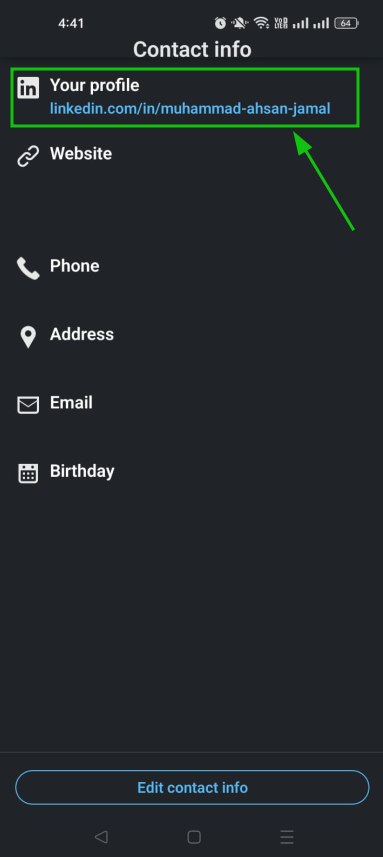
LinkedIn URLs can get pretty long, especially for company pages or post links. Here’s how to shorten LinkedIn URL using Replug:
Simply copy your LinkedIn profile URL → head over to Replug’s free link shortener →paste it into the bar → and hit the arrow button.
You’ll get a clean, short link in seconds that you can drop anywhere (your email signature, business card, or bio).
How can I shorten the link to my Google Form?
Google Form links are questionably long and messy, which makes them awkward to share in emails or social posts. While Google URL Shortener was once a go-to option, it was discontinued back in 2019, so Replug is a great alternative to get the job done today.
Just copy your Google Form’s link → Paste it into Replug’s URL shortener box →Click the arrow button → Customize the slug if you’d like → and hit Save Shortened Link.
That’s it! Your Google Form link is now clean, short, and ready to share.
How do I edit a hyperlink to make it shorter?
If you’re working in a document, email, or webpage, you can display any text as a clickable hyperlink, which visually hides the long URL entirely. But if you need an actually shorter link that works everywhere, here’s how to shorten a hyperlink using Replug:
Paste your long URL into Replug’s free link shortener →Customize the slug to something relevant → and save it.
You’ll have a short, clean link that you can use as a hyperlink anywhere you need it.
“Link in Bio” is all about breaking the limits of a single link. It’s a way to share multiple links, content, and products, making it an essential tool for individuals, businesses, and influencers.
In this guide, we’ll explore the basics, the role it plays in personal branding and marketing, and how it’s revolutionizing the way we navigate the online world. Whether you’re a social media pro or a newbie, link in bio is your shortcut to success in today’s fast paced world.
Here’s what you need to know.
What does “link in bio” mean?
Link in bio refers to a clickable URL appearing in your profile description, often on platforms like Instagram, TikTok, and Twitter. This link allows users to direct their audience to external websites, content, products, or any other online destinations.
Since many social media platforms limit the number of links or direct clickable links in posts and comments, the link in bio or “bio link”serves as a workaround, enabling users to share multiple links or promote specific content more effectively by directing their followers to their bio section, where they can find and click on the desired link.
It has become a valuable strategy for personal branding, content promotion, and marketing.
If you’re active on social media, you’ve probably run into the dreaded “limited links” problem. Instagram gives you five spots (generous…ish), but TikTok? Just one lonely link. Not exactly the dream when you’ve got a podcast, a blog, a product launch, and a playlist to share. That’s where a link in bio saves the day, turning that single space into a mini hub for everything you want your audience to click on.
Here’s why you should create a link in bio:
One link, many destinations: Social media platforms limit you to just adding a few links in your bio. A link in bio helps you make it count by leading visitors to multiple pages.
Showcase everything: Whether it’s your website, shop, blog, videos, or sign-up forms, you can share it all in one neat place.
Here’s an example of the famous American Cook, Andrew Rea’s link in bio page for his series “Babish Culinary Universe”:
Make navigation easy: No more “link in latest post” confusion. Your audience knows exactly where to go.
Stay organized: Keep your important links tidy, clickable, and easy to update whenever you need.
Boost engagement: Get more clicks, views, leads, and conversions by directing people to the right content at the right time.
Top benefits of link in bio
A link in bio does more than hold a single URL; it helps you organize, optimize, and amplify your online presence. Here’s a quick look at why it’s a must-have for anyone growing their brand:
Combines all your important links into one
Instead of juggling multiple URLs, your link in bio leads followers to everything you want them to see, whether it’s your latest YouTube video, blog post, or product drop.
Simplifies the path to purchase or action
A link in bio lets you turn browsers into buyers by placing shop links, discount codes, or sign-ups just one tap away, all in one neatly organized spot.
Lets you retarget everyone who clicks
With tools like Replug, your link in bio becomes retargetable so that every click can feed into future ad campaigns and bring people back to your page.
Shows what content your audience loves
You can track clicks on your link in bio from one single dashboard using a top-notch link management platform. This tells you what’s resonating—so you can do more of what works.
Lets you create a fully branded mini landing page
Instead of a plain list of links, your link in bio can become a branded microsite that matches your aesthetic and makes your profile look polished and pro.
Automatically updates with your latest content
Add an RSS feed to your link in bio to keep it fresh, so whenever you post a new video, blog, or podcast, it shows up without you lifting a finger.
Boosts visibility through SEO-friendly design
An optimized, custom link in bio page can be indexed by search engines, giving your most important content extra visibility beyond just social clicks.
💡 Who benefits from a link in bio? Creators, brands, freelancers, agencies; anyone using social media to drive traffic, grow followers, or sell online.
To create a winning link in bio using Replug’s bio links feature, you can follow these steps:
Step 1: Access your Replug account
Sign in to your Replug account, or create one to start your 14-day free trial if you’re new to the platform.
Step 2: Click on “Bio Links”
Once you’re logged in, go to the Replug dashboard and click on “Bio Links” from the navigation bar to get started.
Step 3: Start creating a new link in bio
This will take you to the “Bio Links dashboard. From here, click on the “Create new” button to start creating a new bio link.
Replug lets you easily manage your bio profile with three main categories: Branding, Content, and Settings.
Branding: Customize the look and feel of your profile with themes, colors, fonts, and button styles.
Content: Add and organize different blocks like links, videos, images, and more to showcase your content.
Settings: Adjust SEO settings, control how your profile appears in social media previews, and add tracking pixels.
Step 4: Brand your link in bio
Customize your bio profile to match your personal style or brand. Upload a profile image, add your title and bio, and choose from a variety of themes, button styles, and colors.
You can also enable a background image and adjust its opacity for a more personalized look. If your account is verified, a badge will appear to help others recognize it’s officially you.
Click on the “Publish” button on the top rightto start customizing your bio link further. If you don’t, you won’t be able to save changes in real-time.
Step 5: Choose content blocks
Choose the type of content blocks you want to add to your bio link page.
Replug offers various content block options, including social icons, links, RSS feeds, audio, video, text, cards, separator, and spacing. Select the ones that best suit your needs.
As an example, let’s start with adding social icons. For that, click on the “Social” block button.
Provide titles for each platform, customize the colors for the social icons, and paste the corresponding links. To add each platform, click the “Add Block” button.
You can also schedule, animate, or customize the appearance of your blocks.
Step 6: Go to Settings and Customize SEO and Social Media Preview
Go to “Settings” to customize your bio link page further by adding a custom meta title, description, image, favicon image.
Furthermore, you can also add tracking pixels for conversion tracking, optimization, and remarketing.
Step 7: Review link in bio page
Review your link in bio page as you create it to ensure it looks and functions as you intended. Take advantage of the preview feature to see how it will appear.
Step 8: Update and create a custom URL for your bio link
Update your bio link to save changes.
Create a custom URL by changing the slug of your bio link. You can also connect your custom domain if you have one.
With your Replug-generated bio link, you can effectively share multiple links and content with your audience, making it a valuable tool for content promotion and marketing on the platform.
Enhance this even further by using this custom URL shortener free to create branded, trackable links that boost engagement.
Go beyond generic link pages!
Create custom bio links that truly fit your brand
With Replug, you can create bio links that are unique, engaging, and built to convert.
Make sure your bio link is short and easy to remember.
Use a clear and concise title for your bio link.
Add a description that tells people what they can expect to find on your bio link.
Use an eye-catching image for your bio link.
Share your bio link across your social profiles and include it in your emails. An email signature generator makes it easy to add your link professionally, so every message subtly drives traffic to your content.
Promote your bio link in your email signature and on your website.
Frequently asked questions
What is a “Link in Bio”?
A “Link in Bio” is a clickable hyperlink placed in the bio or profile description of a social media account, allowing users to direct their audience to external websites, content, or products.
Why use a “Bio Link”?
Users employ “Bio Link” to overcome limitations on the number of links in social media posts, making it easier to share multiple links, promote content, and enhance user experience.
How can I add a “Link in Bio” on Instagram?
To add a “Link in Bio” on Instagram, go to your profile, click on “Edit Profile,” and enter your desired link in the website field. This link becomes your “Bio Link.”
Are there tools or services to manage “Link in Bio”?
Yes, there are third-party bio link tools and services like Replug that provide features to create and manage “Link in Bio” pages with multiple links.
Can I customize my “Link in Bio” page?
Yes, many “Link in Bio” services allow users to customize the appearance of their bio link page by adding branding elements, titles, and descriptions.
QR codes have become the tech-savvy shortcut to link the physical and digital worlds. Enter Replug, your ticket to hassle-free QR code creation.
Whether you’re a marketer, business owner, or just someone keen on simplifying data sharing, Replug has your back.
In this brief guide, we’ll show you the process of creating QR codes with Replug, unveiling the features that make it the ultimate tool for transforming your connectivity game.
Let’s dive in and change the way you share information!
What is a Replug QR code?
A Replug QR code is a dynamic tool designed to enhance audience interaction by seamlessly bridging the gap between the physical and digital realms.
Replug’s QR code generator allows users to create instant QR codes for shortened links. These QR codes can be utilized in both online and offline marketing efforts, enabling easy integration for payments, promotions, app installations, and other marketing campaigns.
Maximize marketing ROI
by transforming ordinary URLs into branded short links that convert.
Try Replug for free
How to create a QR code in Replug?
Replug empowers you to seamlessly integrate physical and digital interactions through dynamic QR codes. Follow these simple steps to create your personalized QR code, connecting your audience effortlessly to your content, promotions, or experiences.
Step 2: On the home page, click “QR Codes” from the navigation bar to create a fully customizable, branded QR code.
Step 3: Click on “Create new” or “Create QR Code” to start your QR code generation journey.
Step 4: Now you will be directed to the page where you can create a branded QR code. You have the option to:
Add a title and description
Select from a range of QR code types such as website, link, bio link, YouTube, PDF, and more.
Customize the frame, shape, and logo
Tip: Although Replug has an extensive gallery of logos, you can upload a custom logo to give your QR code a more branded look.
Step 5: Click “Create QR Code”. Your QR code is now ready to share in multiple formats (PNG, JPEG, SVG, and WEBP).
Why choose Replug for your QR Code marketing?
Choosing Replug for your QR code marketing comes with several compelling advantages that set it apart as a robust and user-friendly platform. Here are key reasons why Replug is an excellent choice:
Effortless QR code creation:
Replug simplifies the QR code creation process, allowing you to generate instant QR codes for your URLs with just a few clicks.
Customization options:
Tailor your QR codes to align with your brand identity. Replug provides customization features, allowing you to add logos, choose color schemes, and create a branded QR code that reflects your style.
Versatility across industries:
Whether you’re in tourism, retail, e-commerce, sports, or any other industry, Replug’s QR codes offer a versatile solution.
No expiry on QR codes:
The QR codes generated by Replug do not expire unless you specify a link expiration date. This flexibility allows you to change destination URL or add passwords without the need to regenerate QR codes.
Comprehensive tracking and analytics:
Gain valuable insights into the performance of your QR codes with Replug’s analytics tools. Track QR scans, analyze total clicks, unique clicks, and gather geographical data to refine and optimize your marketing strategies.
Exportable scan metrics:
Depending on your plan, Replug allows you to export scan metrics for in-depth analysis. This feature enhances your ability to organize and utilize the data obtained from your QR code campaigns.
A complete link management solution
for marketing professionals & agencies.
Try Replug for free
Conclusion
QR codes are more than just a scannable square; they’re a gateway to smarter, faster, and more engaging interactions. With Replug, creating and customizing QR codes becomes a seamless experience, giving you the power to connect with your audience in just a scan.
Whether you’re boosting campaigns, sharing content, or enhancing offline experiences, Replug ensures your generated short URLs stand out and perform.
Ready to upgrade your sharing game? Start creating with Replug today.
Frequently asked questions
What is a QR code?
A QR code (Quick Response code) is a two-dimensional barcode that stores information, typically in the form of URLs, text, or other data. It enables quick and easy access to digital content by scanning the code with a QR code reader on a smartphone or other devices.
What are the benefits of using Replug for QR code marketing?
Replug simplifies QR code creation, offers customization options, and provides analytics for tracking performance. It’s an efficient tool for seamlessly integrating physical and digital interactions.
Can I customize QR codes generated by Replug with my branding?
Yes, Replug allows customization of QR codes. Users can add logos, choose color schemes, and create branded QR codes that align with their brand identity.
Are you ready to revolutionize your content marketing game and unleash its true potential?
Look no further!
Whether you’re a seasoned marketer or just starting, these invaluable content marketing tips will empower you with the knowledge and strategies needed to craft compelling content that resonates, engages, and converts.
Simply put, a well-planned content marketing strategy can help your brand reach its full potential. It holds the ultimate power to captivate your audience and earn their loyalty in the easiest way possible.
Get ready to create content that not only grabs attention but also leaves an ever-lasting impact on your audience, driving your brand’s success in the digital realm.
Before we dive in, let’s talk about the core of the matter.
What is content marketing?
Content marketing is a strategic marketing approach that focuses on creating and distributing valuable, relevant, and consistent content to attract and engage a specific target audience. It is a long-term strategy that aims to build trust, establish credibility, and foster relationships with potential customers.
Instead of using traditional advertising methods, content marketing seeks to provide informative, entertaining, or educational content that addresses the needs, interests, and pain points of the audience.
The content can take various forms, such as blog posts, articles, videos, podcasts, infographics, ebooks, case studies, and social media posts. The key principle behind content marketing is to deliver value to the audience, positioning the brand as a knowledgeable and trusted authority in its industry.
However, the following are characteristics for which content marketing is known.
Less expensive
Boosting sales
Loyal customers
Typically, the goal of content marketing is to increase traffic to the website you’re running. So these viewers can then be guided through the appropriate channels to become actual customers.
10 content marketing tips to drive conversions and build loyalty
1. Identifying the target audience – Clear buyer persona
The first step towards maximizing website traffic is to determine the target audience and create a detailed consumer persona. To create a clear buyer persona, you need to observe consumer trends closely.
The Golden rule of running a successful business is to constantly evaluate the market value and demand for your products. Reading the market is step one, and a Toronto creative studio like Bonus Track translates that insight into brand and campaign work that resonates.
A company’s first step in building a successful brand should be focusing on its target demographic. And figure out how to satisfy its users’ needs. Creating a comprehensive buyer persona is an essential step for effective content marketing. Understanding what drives your target audience and capturing those insights in structured persona templates can greatly enhance your ability to produce content that truly resonates with your audience’s needs. These tools serve as blueprints, helping marketers to tailor messages that engage and convert prospects efficiently.
Generally, there are two types of audiences;
Warm audience: People who value your content.
Cold audience: People who show no interest in your content.
However, targeting the niche audience demographically, based on different regions and other factors, is the hardest part. Any marketing company in Nashville or other areas may face this exact challenge when tailoring campaigns with distinct consumer preferences and regional buying behaviors.
Multiple tools, social platforms, and devices gather incoming data about the customer’s preferences, interests, needs, and more.
These tools enable marketers to identify the conversion rate and audience engagement, and create marketing automation campaigns that allow them to compose a message to the right prospects at the right time.
Moreover, industry challenges can be learned by marketers, and competitor strategies and their customers can be examined. Business owners should always remember: customers seek products or materials that will help them reach their goals or gain knowledge. Satisfying these needs is key to success.
Partnering with a managed services marketing agency can help turn these insights into targeted campaigns that consistently align with customer goals.
2. Sketch out your customer’s journey
The next technique is to map out your customer’s journey. One can use a framework for effectively carrying out marketing approaches. And collecting dependable information at each stage of the client journey.
Therefore, one must develop persuasive instructional content and update it regularly to reflect changes in the consumers’ demands and needs. As,
“Buyers control their journey through the buying cycle much more than today’s vendors control the selling cycle. In a recent survey, 74% of business buyers told Forrester they conduct more than half of their research online before making an offline purchase. This buyer dynamic changes the role of B2B marketing in a fundamental way.”
However, concise, easy-to-read, and audience-engaging content is essential. So, marketers should prioritize quality over quantity. Of course, it’s not as easy as it looks; wasting time trying to sway people’s attention with information they don’t like is more like writing content they don’t like.
This is the TOFU (top of the funnel) stage, where you can make a larger audience recognize your product or service by addressing the public’s pain points in the content creation process. This will make them feel important and turn your possible customers into real buyers.
However, the below processes offer an opportunity for marketers to connect with their target audiences, get their attention, identify their pain points, and offer solutions or new perspectives.
E-books- infographics- white papers- educational content
Analyst reports- webcast- video–podcast– live interaction
One important thing that every business owner should remember is that customers are always looking for products or materials that Will help them get what they want or learn something new. Moreover, focusing on areas where customers spend more time and are interested is a great way for marketers to raise brand recognition and get known in the vast content marketing landscape.
Ingenious consideration
The second step is known as consideration, and during this stage, potential customers finally evaluate the solutions to their pain areas, While also searching for a variety of different choices.
In this stage, referred to as MOFU (in the middle of the funnel), marketers are required to provide informative content. That demonstrates to the audience why they should choose your product over the other options currently available on the market.
“The marketing and business process for creating and distributing relevant and valuable content to attract, acquire, and engage a clearly defined and understood target audience — to drive profitable customer action.”
Decision making
The term BOFU “bottom of the funnels” refers to the process of reinforcing certain offerings to improve or increase the conversion chances that are related to your brand.
Moreover, this gives customers the confidence that they have made the appropriate decision for their company or the solution to the issue. However, this includes live demos, case studies, and trial downloads.
3. Set up an editorial content calendar
Content marketing is a long-term strategy that requires the use of marketing strategies, the creation of high-quality content, and the fine-tuning of promotional efforts. Therefore, it is challenging to deal with everything simultaneously.
The content editor’s calendar provides a platform for strategic marketing planning, work management, and content preparation. It serves as a road map to better marketing outcomes and helps the team stay focused on the company’s mission and objectives.
Without a content plan, it will be difficult to create leads from your website’s marketing efforts. A well-organized editorial calendaris essential for a successful content strategy. However, If you want to create magnificent content, you need to use editor calendar software that explains to marketers and their teams how they may best connect with and serve their target demographics.
4. Identifying the right platforms for your audience – Leveraging social media channels
Identifying the best channels to reach your demographic and generate traffic to your site is another important consideration. An increasing number of people have turned to various social media sites to network with like-minded individuals, peruse blogs, and learn more about the companies whose offerings they adore.
To manage these interactions effectively at scale, businesses often rely on community management tools to monitor conversations, respond to users, and maintain consistent content engagement across platforms like Facebook, Twitter, Instagram, and Pinterest.
However, businesses can reach a wide audience and build brand awareness by using social media to convey intriguing stories about their products and brands. Channels like Facebook, Twitter, Instagram, and Pinterest play a monolithic role in increasing engagement and conversion rates.
Tools for analyzing statistics:
In 2026, there are a lot of great tools that can help you manage your daily, weekly, and monthly tasks, and keep track of your sales and conversions.
However, when analyzing performance metrics or creating data-driven campaigns, marketers should rely on the most accurate AI tools like GPTZero and a rank tracking tool for LLMs like Promptwatch to track how often your brand is mentioned in AI-powered responses, ensuring your insights are precise and trustworthy.
I’m going to give you a rundown of some of the most fascinating tools that can help you figure out the statistics of your marketing campaign on social channels. And you can also see how different marketing strategies affect your business with less time and money.
ContentStudio
ContentStudiois one of the best marketing tools because it lets you build a custom campaign to promote your product. You can use fancy filters to improve the content and share it on any of your social media networks to raise brand awareness.
It also lets you write your scheduled posts and customize them for your real and potential audiences, so you don’t have to post the same thing on all your social channels.
However, It’s so easy to see the big picture of all the marketing activities when they’re laid out in a calendar and a list. You can control and handle the posts you’ve set up to go out on your social media accounts at a certain time, and you can keep track of when the posts are due.
Replug
Replug lets you shorten URL for free with your brand’s name in them. This helps your brand stand out and gives you more trust in your custom domains.
It lets you make a brand for your business and run ads to get the word out about what you’re selling. It is an all-in-one link optimization platform that offers a lot of brilliant features, such as a URL shortener, custom domain, retargeting, link analytics, etc.
You can add RSS feedsto your campaigns. Every 30 minutes, the content from the RSS feed will be automatically retrieved and put on your shortened Replug link, which you can share with your audience.
However, Replug also lets business owners make an eye-catching call to actions to draw their audience to their website or retarget the audience with the same content to any page on the website. It also gives your email marketing efforts more power and makes your email reach wider.
5. Creating engaging and informative visuals
One versatile method of attracting clients’ attention to your business is using humorous clips that showcase your products or services in action.
For teams looking for efficient tools to create such content without a steep learning curve, exploring a Descript alternative for streamlined audio and video editing can be a game-changer.
Moreover, visual content is helpful for marketers since it provides in-depth knowledge of the product you have and opens the door to making a personal connection with your audience.
Know that with the developments in technology and increased access to the internet, things have continued to develop in the same manner they always have. The relevance of video marketing in this day and age is readily apparent to every one of us.
However, to achieve your goal of increasing the number of social media conversions, you should consistently focus your attention on the Audience, by placing sponsor advertising on Facebook, LinkedIn, Tiktok, and other social media platforms.
6. Craft captivating web-content
Your content represents you and tells consumers why your company exists and what problems you solve. Convince them to choose your product over competitors, and makes it easier for them to find you.
Moreover, research is one of the key elements of being a good content marketer if you want to keep people’s interest. It’s necessary for every business owner needs to dedicate some time and effort to studying the market.
Albert Szent-Gyorgyi said:
“Research is to see what everybody else has seen and to think what nobody else has thought”
Extensive marketing research is crucial for recognizing who your target audience is, what they want, and how to best serve them. After conducting research, you can develop a content process that details the steps you should take to identify your target audience and alert your readers.
That same process should account for off-page signals too, since pairing well-researched content with building high-authority backlinks from trusted sites gives your pages the credibility search engines reward.
Moreover, keywords can help marketers organize the issues about which their target audience has questions. Keywords boost the effectiveness of content marketing efforts and also help with search engine optimization. Using a Google SERP API can provide real-time insights into search results, competitor rankings, and keyword opportunities that make your content more discoverable.
However, when it comes to coming up with original ideas, brainstorming is one of the most widely used methods. It can help you come up with a better topic for your blog article if you use it correctly. In general, it’s all about coming up with original ideas, not putting them into practice.
You can also use the essay humanizer tool to make your written content sound more natural and improve readability before publishing.
7. Analyze results – data-driven content
Monitoring and analyzing the performance of your content is crucial for understanding what works and what doesn’t. By utilizing analytics tools, you can gather valuable data on metrics like page views, engagement, conversion rates, and audience behavior. Tools like real-time speech analytics can also provide actionable insights to improve customer satisfaction in live interactions.
This data-driven approach enables you to identify trends, refine your content strategy, and make informed decisions to continuously improve and optimize your content for better results.
Data-driven success with Usermaven: Your analytics solution
Usermaven is the game-changer for data-driven content marketing success. With comprehensive analytics, a streamlined workflow, privacy compliance, and tailored features, Usermaven empowers businesses to optimize content strategies, deliver personalized experiences, and gain a competitive edge.
Unlike Google Analytics, Usermaven offers no-code event tracking, a user-friendly interface, and a privacy-friendly approach.
Elevate your content marketing with Usermaven and unlock the power of analytics for remarkable results.
8. Enhance the user experience: A key priority in content marketing
When it comes to content marketing, prioritizing the user experience is paramount. No matter how well-crafted and informative your content may be, a subpar website experience can drive away readers and negatively impact your rankings. More importantly, it results in missed opportunities for conversions.
To ensure an optimal user experience, consider the following tips:
Optimize site performance: A fast-loading website is essential. Users expect quick access to content, especially on mobile devices. Make sure your site is optimized for speed by optimizing images, using caching techniques, and leveraging a reliable hosting provider.
Mobile responsiveness: With the increasing use of mobile devices, your website layout must be mobile-friendly. Responsive design ensures that your content adapts seamlessly to different screen sizes, providing a consistent and enjoyable experience for all users. A well-designed responsive layout ensures your content adapts seamlessly to different screen sizes, providing a consistent and enjoyable experience for all users
Enhance navigability: Make it easy for users to navigate through your content. Incorporate features such as a table of contents and a back-to-top button to facilitate smooth scrolling. Clear and consistent headings help users find relevant information quickly.
Readability and typography: Ensure that your content is easy to read across devices. Use a sans-serif typeface, maintain a reasonable font size, and create a visually pleasing layout. Consider readability for users with different visual abilities by optimizing for high contrast and adhering to accessibility standards.
Accessibility optimization: Cater to users with disabilities by optimizing your website for accessibility. Provide alternative text for images, include captions in videos, and ensure that your content can be read aloud by screen reader software. By prioritizing accessibility, you expand your reach and create an inclusive experience for all users.
9. Avoid fixating on word count for blogs
This situation arises from the misconception that longer articles automatically generate more organic traffic. However, Ahref’s analysis of 900 million pages reveals a moderate negative correlation between word count and organic traffic for posts exceeding 2,000 words.
In essence, a typical 10,000-word post receives less search traffic compared to an average 2,000-word post.
Therefore, it’s time to relinquish the fixation on word count. Readers aren’t enthusiastic about lengthy content. Instead, focus on covering the necessary information, omitting irrelevant details, and delivering concise, to-the-point content.
10. Re-engage your audience with remarketed content
By repurposing your existing content, you can transform a previously covered topic into a fresh format. However, the power lies in content remarketing to re-engage users who interacted with it but didn’t convert initially.
Numerous variables may work against us in capturing user attention. The timing might not align with their immediate need or financial situation. But by strategically remarketing your content to those who have already demonstrated interest, such as through targeted follow-ups from a cold email marketing agency, you increase the likelihood of capturing their attention at the right moment.
After all, that’s the essence of content marketing – delivering value when it matters most.
Our final verdict
These days, no marketing strategy can succeed without the perfect content marketing techniques, at its core. It is essential to have a firm grasp of the dynamics of marketing and the kind of content that will be the most effective for your company.
In my opinion, the most effective method of content marketing, however, is to conduct research into the barriers faced by your targeted audience. And coming up with a content strategy to address those challenges.
Leave a comment below, letting us know. Which content marketing strategies best match the growth goals you’ve set for your business?
We’d be thrilled to get some feedback from you. You have our deepest gratitude for staying with us to the very end. Your time and effort are very much appreciated.
FAQs on content marketing
What are the most common types of content marketing?
Some of the common types of content marketing can be done through social media marketing, Blog content marketing, infographic marketing, video content marketing, podcast content marketing, paid ad content marketing, etc.
Is content marketing strategies effective for small business?
Yes, building a content marketing strategy for a small business can be very effective for small business. However, it’s no different than large organizations.
What are the pillars of content marketing?
The pillars of content marketing conclude; creation, insights, audience, distribution, and experience.
What are the major benefits of content marketing?
Some of the major benefits of content marketing include audience engagement, building trust, and driving maximum conversions.
How to develop an effective content marketing strategy?
Content marketing is a crucial aspect of any successful digital marketing strategy. It involves creating and sharing valuable, relevant, and consistent content to attract and retain a clearly defined audience.
QR code is the bridge between your online and offline marketing efforts. Nurturing your consumers through the marketing funnel by giving them the correct information at the right time is the key to a successful influencer marketing campaign
Technology is meant to complement traditional print marketing and advertising instead of replacing it. The most successful and engaging marketing campaigns have one thing in common: integrating digital marketing approaches with conventional advertising.
What is QR Code?
QR are 2D barcodes that are scanned through smartphone devices through cameras or their QR code scanning capability.
The strategic use and placement of QR codes with access to the updated and relevant information can be the most significant asset.
Why does QR code marketing matter?
The QR codes were used by a Toyota subsidiary named Denso in 1994. They helped in tracking the vehicle parts and streamline the manufacturing process.
This allowed the fast-decoding process and thus called Quick Response Code.
Back when it was introduced, there was a minimum number of people leveraging this technology. With a tiny number of use-cases, marketers predicted the QR code trend not to last too long.
Fast forward to 2020; the pandemic catapulted the QR code adoption not because of its versatility but for the fact that it was a safe, hygienic and cost-effective solution.
Not just that, it also gave an option to collect data from the traditional marketing campaigns.
Is QR code marketing here to stay?
According to Bank My Cell, there are 6.648 billion smartphone users globally, which means 83.40% of the world population owns a smartphone.
With the growing rate of QR code adoption, they can help increase brand awareness, increase sales and enhance customer engagement with the brand.
Modern way to create QR codes is through URL shorteners. Tools like Replug (i.e., an all-in-one link optimization platform) and other allows users to create custom shortened URLs without needing to know anything about HTML.
If you’re just getting started and want a free tool to manage and shorten your links, check out this free link shortener.
When sharing these shortened links, users just need to scan the link with their smartphone camera. You can easily shorten a link and then create a QR code pointing to it, all in a few clicks. This method is great because no technical skills are required.
How can you use QR codes for your marketing goals?
Increase social media following:
Social media presence for any business is no longer an option. It’s a necessity. You can use QR codes on the products for your marketing material to direct users to your social media pages like Facebook, Instagram.
This is a great way to maximize reach on social media networks. You can also ask them for a review of your product or tag them in the user-generated content with your product.
Get app downloads:
If used strategically, QR code marketing can be one of the fastest ways to increase app downloads and drive users into the mobile app marketing funnel. Burger King used them during 2020 MTV VMAs to let viewers download the Burger King app. These ads encouraged the viewers to scan the codes to download the app and avail various discounts.
Drive more traffic to your website:
You can use the QR code to direct viewers to a page or website with detailed information. The information not covered in the print ad, such as product description, pricing list, dates and time, the procedure to place an order, can be communicated via the code. The luxury brand, Burberry, introduced sustainable labeling where they outlined the product attributes through this.
QR codes can be used on marketing materials from billboards, print ads and business cards to direct users to webpages. This helps marketers to build email lists by asking users to sign up to avail certain offers.
You can improve the user experience by offering them valuable and necessary information in the QR code—for example, an instructional video to set up the product or printable sheet or link to the recipe on food products.
QR codes can be strategically used for lead generation according to the kind of business. For example, a real estate agency had to sell a large office building. They used these to generate and track leads.
You can use QR codes for establishing product transparency through product packaging. This will help you to win your customer’s trust. It will increase the customer’s loyalty and engagement which is why they are more likely will stick to the brand.
With the vCard QR code, you can share your contact details such as email, work address, phone details, location etc., with your customers. The dynamic one gives you the freedom to edit the information many times without reprinting the code.
With the flexibility to embed multiple content formats into QR codes, brands have attracted customers with personalized shopping experiences. JC Penny on Christmas released “Santa tags”. The idea was to allow the giver to record a personalized message played when the recipient scans the code.
Increase post purchase engagement:
Avail the opportunity to engage your customer after the purchase. QR codes for rating and review pages are the one way to go about it. You can also link these to discount coupons for their future purchases, so they continue shopping with you. The Amazon QR codes drive repeat purchases and thus increasing the website traffic.
According to writers block hive, 86% of people said they trust online reviews as much as they believe in word of mouth. You can use a QR code to ask for product reviews and build the customer’s trust by providing them with the information they are looking for.
With the pandemic, restaurants looked for safe and hygienic options for their customers. From menus to payments, restaurants used QR codes to design a contactless experience for their customers.
QR code menus lower the printing price and are also more convenient to update about the availability of items, price, details etc., without reprinting.
One cannot deny the effectiveness of OOH advertising. According to Dash Two’s study, 71% of consumers said digital billboards are more appealing than online ads. Pairing the billboard with a QR code strategically can drive consumers to take action and thus getting you data.
Walmart, during the 2020 holidays, when their sales are supposed to be high, didn’t observe the shoppers due to the covid-19 pandemic, they launched virtual billboards at places where they did not have brick and mortar stores.
These virtual stores allowed people to scan and buy the products on the spot from their online stores.
Visitors scan the code next to a painting, and they get a series of stories about the artwork, its history and the painter themselves.
The intriguing stories about war, deception, insanity, love and romance added to the experience of the museum visitors.
4- Recycling:
PepsiCo used an integrated hydration platform with QR codes in their soda stream style dispenser. For single-use plastic, PepsiCo used an integrated hydration platform. Other companies are embracing this innovation as well. Waste Direct, a leading waste disposal and recycling service in the UK, is leveraging QR codes to simplify waste management for convenient waste collection scheduling and more.
The users can bring their bottles to fill them with still or carbonated options. Thus, replacing the vending machine with dispensers that use QR code stickers. The system was launched in schools and offices, but it was later expanded into public places.
Add a call for action next to your QR code: A QR code is like the door opening into the experience your customer wants to have. But if there is no sign on the door, nobody will enter. A compelling call to action is therefore necessary.
QR code Placement: Make sure your QR code is strategically placed in a well visible place where your target user can notice it and quickly scan it. It should be set against a bright background to increase its readability.
Brand your QR code: Make sure the QR code reflects your brand identity. Branding is an essential part of it as well to generate more scans. Make them more attractive by customising them with brand colours and logos. Source
Mind QR code proportion: While using it on the marketing material or packaging, make sure not to distort the ratio since it can make the scanning difficult.
Minimize the number of QR codes: If there are multiple QR codes on the package or your print ad, it’ll confuse the audience, and thus you’ll miss the opportunity. Ideally, you should go with one goal per QR code, but if you want to give them a holistic view of your product, then you should create a universal link and direct them to the information they are looking for.
Use interactive landing pages: When linking your QR code to the video, file or landing page, make the content accessible on a smartphone and mobile-friendly.
High-quality QR code: Make sure you use a high-quality QR code with well-maintained whitespace so it is easy to read and scan.
Track data: Once your QR code marketing goes live, keep track of data. This data will tell you about your best performing and underperforming campaigns, and you can optimise them accordingly.
Benefits of dynamic QR code:
Editable: You can edit your dynamic QR code’s content at any time, allowing you to print your active QR codes, and you can still change the content at any time.
Data tracking: You can track data of your dynamic QR code addresses, contact numbers, and names; you can follow the number of scans, time of a scan, location of the scan and even people used it to scan it.
Cost-effective: A QR code generator is very cost-effective, and some platforms even offer it for free
Choosing a QR code generator:
Making the right choice of a QR code generator is the prerequisite of leveraging QR code marketing for your business. There are unlimited free QR code generators available, but make sure to choose with:
The accurate data tracking feature
Cost-effective with unlimited scans
High-resolution printable QR codes
Excellent documentation
Excellent customer support service
Frequently Asked Questions:
What are the data points you can get from QR codes?
QR codes are easy to use and are a great tool to analyse users’ click behaviour. They offer multiple data points such as time of the scan, location of the scan, times it has been scanned etc. With the right messaging and strategy, you can ask your users for email addresses, contact numbers and names.
Is there any expiration date for QR codes?
Some QR code generators offer a limited period or a limited number of scans. Once that is over, your QR code expires. However, some QR codes provide a lifetime of free access, and there is no limit on time or number of scans. In this case, you only have to make sure the URL is not broken.
How can we use QR codes in marketing?
QR codes are one of the most widely used tools for marketing by brands and businesses of all sizes. You can use QR code for: – Directing customers to your website – Getting App downloads – Share the business and contact details with potential clients – Share the address and location – Building email lists – Encouraging customers to leave a review – Engaging the customers for post-purchase – Personalized marketing tools the marketing – Sending prompted SMS and emails – Access AR for marketing
How to promote QR codes for your business?
There are various ways in which you can promote QR codes: – Include QR codes on the packaging – Include QR codes on marketing material both online and offline – Include QR codes in email signatures – Include QR codes on your business cards – Stick QR codes on tables, doors and signage where it can grab customer’s attention
Publishing content is easy. Getting it read, shared, and turned into paying customers is the hard part. That gap is exactly what content marketing tools are built to close, and most marketers underestimate how many moving pieces sit between a finished draft and a real result.
No single app can research keywords, write a paragraph, schedule a post, retarget a lost visitor, and report on ROI all at once. That’s why smart teams build a stack instead of chasing one perfect platform. This guide walks through every category worth knowing, from SEO research and writing assistants to link management platforms like Replug, plus the social, email, and analytics tools that turn scattered content into measurable results.
Keep reading to see which tools actually deserve a spot in your toolkit.
Key takeaways
No single platform covers every job in content marketing, so most teams assemble a modular content marketing tools stack instead of relying on one app.
Link management and click tracking is often the missing piece that connects content creation to measurable ROI, and Replug helps close that gap.
Every category, from SEO to design, offers budget-friendly options alongside premium suites, so cost never has to block progress.
The right stack depends on team size, channel mix, and how mature your content operations already are.
What are content marketing tools?
Content marketing tools are software platforms that support every stage of producing, publishing, and measuring content, from initial keyword research through final performance reporting, a shift researchers describe in recent work on generative AI’s impact on content marketing efficiency, opportunities, risks, and future perspectives. The category splits into two broad types: enterprise Content Marketing Platforms (CMPs) that manage entire workflows for large teams, and lighter, task-specific tools that solo marketers and small teams use every day. Gartner defines CMPs as systems that support creating and distributing text, video, images, and interactive assets across paid and owned channels.
Most healthy stacks cover seven areas that every solid content marketing tools setup should include: SEO research, content creation, social scheduling, email marketing, visual and video production, link management, and analytics. Covering each area, even with one lightweight tool per category, gives a team enough visibility and control to publish consistently and prove what actually works.
Which SEO and keyword research tools do you need?
Search rankings still drive more organic traffic than almost any other channel, which is why SEO software belongs near the top of any content marketing tools shortlist. Ahrefs, Semrush, and Google Keyword Planner top most marketers’ lists, and each tool solves a slightly different problem. Ahrefs shines at competitor research and technical site audits, while Semrush bundles SEO with social and content features under one login. Keyword Planner, meanwhile, offers a free way to check search volume before you spend a dime on paid software.
Ahrefs vs. Semrush vs. Google Keyword Planner
Choosing between these content marketing tools gets easier once you compare them side by side. The table below breaks down what each platform does best, along with the starting price for its entry-level plan.
Tool
Best for
Key strength
Starting price
Ahrefs
Full SEO strategy
Domain Rating and reliable keyword data
$29/month (Starter plan)
Semrush
All-in-one marketing suite
SEO, content, and social in one login
$117.33/month (SEO plan, billed annually)
Google Keyword Planner
Free keyword discovery
Bulk volume data straight from Google
Free
Keep in mind that Keyword Planner only shows a volume range unless you’re actively running Google Ads, which makes it harder to prioritize which keywords deserve a full article. Ahrefs and Semrush both offer deeper data for teams with a bigger budget, though Ahrefs is often preferred for its cleaner interface.
What are the best tools for creating and optimizing content?
Writing forms the backbone of nearly every content marketing initiative, from blog posts to social captions and video scripts. Content marketers typically lean on three types of content marketing tools during the writing and editing stage: a grammar and style assistant like Grammarly, an SEO optimization tool like Clearscope, and an AI writing assistant like ChatGPT for drafting and research. Together, these tools help teams catch errors, hit target keywords, and speed up first drafts without sacrificing quality. Landing page builders round out this category by letting marketers spin up campaign pages without waiting on a developer.
Grammarly, Clearscope, and AI writing assistants
Each of these content marketing tools plays a distinct role, so most teams end up running all three during a single article’s production.
Grammarly checks clarity, tone, and grammar in real time, catching mistakes that standard word processors miss. It’s especially useful for anyone editing under a deadline or writing in a second language. The free version covers basics, while paid plans start around $12/month for tone adjustments and full-sentence rewrites. The one downside is that its browser extension can feel intrusive if left running during unrelated typing.
Clearscope analyzes a target keyword and shows exactly which terms top-ranking competitors use, helping writers cover a topic in full depth. Its Google Docs integration keeps the workflow smooth since there’s no copying between windows. Pricing starts at $129/month for the Essentials plan, which is pricier than some rivals but delivers strong keyword suggestions.
ChatGPT handles drafting, research, brainstorming headlines, and even translating interview notes for case studies. It’s free at a basic level, with paid plans starting at $20/month for more advanced reasoning. The catch is that every output still needs a human fact-check before it goes live.
Landing page builders round out this group nicely, since most include drag-and-drop editors and email integrations for campaign pages. Many offer a free tier, with paid plans often starting around $12/month bundled with email tools.
How can you manage and track links to boost content performance?
Every piece of content you publish eventually turns into a link shared across social media, email, and paid ads, yet many marketers still share plain, unbranded URLs. That’s a missed opportunity, since a bare link tells visitors nothing about your brand and gives you zero data once they click away. These content marketing tools solve that problem by wrapping every URL in a branded, trackable short link, and Replug is built specifically for that job. Rather than losing that traffic for good, these platforms let you retarget visitors, tag every click for reporting, and layer a call-to-action right on top of the content you shared.
Why Replug fits into every content marketer’s stack
Replug packages several of these capabilities into one dashboard, which is why it shows up so often in content marketers’ toolkits.
Branded short links replace generic URLs with a custom domain, which builds trust and makes people more likely to click, especially on social platforms where spam links get ignored. Every link can also carry UTM tags automatically, so campaign attribution stays clean without extra manual work.
Retargeting pixels attach Facebook, Google, or LinkedIn tracking to any shared link, turning even outbound clicks into a retargeting audience you can advertise to later. This means you don’t need a separate ad tool just to recapture visitors who didn’t convert the first time.
Call-to-action overlays place a clickable banner or opt-in form directly on top of the content you’re sharing, so a single link can double as a lead-generation touchpoint.
Bio link pages consolidate every destination, a blog, a store, a newsletter signup, into one clean landing page for platforms like Instagram and TikTok that only allow one clickable link in a bio.
A/B testing lets marketers compare up to 10 link variations to see which destination or headline earns the most clicks before committing at scale.
Custom domains and team management give agencies white-label control, letting them run branded link campaigns for multiple clients from one dashboard with role-based access.
The analytics dashboard ties all of this together by showing exactly which channel, post, or campaign drove each click and conversion. That kind of clarity is what turns a shared link from a guess into a measurable part of your content marketing tools stack.
Which social media and email marketing tools should you use?
Social platforms and email remain the two channels where most published content actually reaches an audience, so both deserve dedicated content marketing tools. For scheduling and analytics, Buffer, Hootsuite, and Iconosquare each serve a different size of team, from solo creators to large in-house social teams. On the email side, a platform like MailerLite nurtures the subscribers your content and social efforts bring in, turning one-time readers into repeat customers over time. Pairing a scheduler with an email platform covers both the discovery and nurture stages of the funnel.
Choosing a social scheduler and email platform
The table below compares starting prices and ideal use cases across some of the most popular social and email content marketing tools available today.
Tool
Best for
Starting price
Buffer
Simple, affordable scheduling
$5/month per channel
Hootsuite
Enterprise-level scheduling and listening
$99/month per user
Iconosquare
Deep social media analytics
$39/month billed yearly
MailerLite
End-to-end email marketing
Free plan; paid from $12/month
If your list needs cleaning before a big campaign, a verification tool like MailerCheck helps by flagging invalid or risky addresses, protecting your sender reputation and keeping bounce rates low.
How do you measure content performance and choose the right stack?
Measuring content performance means tracking three things: how people find your content, what they do once they arrive, and whether any of it turns into revenue. Google Analytics covers the middle of that equation, showing which pages earn the most traffic and how visitors move through a site. Google Search Console fills in the search side for free, revealing which queries actually bring people to your content. Hotjar adds a visual layer through heatmaps and session recordings, showing exactly where visitors click, scroll, and lose interest on a page.
Choosing the right stack comes down to team size and content maturity more than personal preference. Solo marketers and small teams do well starting with free tools, Google Analytics, Search Console, and Canva, paired with an affordable email platform and a link tracking tool to build their content marketing tools foundation. Growing teams with dedicated specialists usually add category leaders like Ahrefs or Clearscope once content volume makes manual tracking too slow.
Enterprises managing multiple brands or regions tend to graduate toward full content marketing platforms such as HubSpot Content Hub or Contently, which standardize workflows and reporting across every team. Whichever size you fall into, the goal stays the same: match your content marketing tools to how much content you actually produce, not to what looks impressive on paper.
Final thoughts
The best content marketing tools don’t replace a solid strategy, they just remove the friction that keeps good strategy from turning into published, measurable results. Start with the free or low-cost option in each category, whether that’s Google Analytics for reporting or a free Canva plan for design, and upgrade only when volume or complexity demands it.
Don’t overlook link management while you’re building that stack, since it’s often the piece that closes the loop between publishing content and proving it actually worked. A platform like Replug handles that job by turning every shared link into a branded, trackable, retargetable asset instead of a dead end. Test a few tools, keep what earns its place, and let your content marketing tools stack grow alongside your content itself.
Frequently asked questions
How many content marketing tools does a small team actually need?
Most small teams do fine with four or five core tools, one each for analytics, writing, social scheduling, email, and link tracking. Add specialized platforms like dedicated SEO software only once content volume or team size makes manual work too slow.
Are free content marketing tools good enough for beginners?
Free tools cover most early needs well. Google Analytics, Google Search Console, and Canva’s free plan handle analytics, search visibility, and design without any cost. Upgrading makes sense once you need deeper keyword data, extra storage, or advanced automation features.
What’s the difference between a content marketing platform and a point solution?
A content marketing platform manages the entire content lifecycle, strategy, planning, workflow, and reporting, for large teams working across multiple brands. A point solution, like Grammarly or Buffer, focuses on solving one specific task exceptionally well instead of everything at once.
Can link management tools replace a full analytics platform?
No, they complement each other instead. Link management tools like Replug track click-level and campaign-level data for the specific links you share, while analytics platforms like Google Analytics track site-wide traffic and on-page behavior across your whole website.
How do I know when it’s time to upgrade my content marketing tool stack?
Watch for signals like rising content volume, more team members needing access, or a growing need for retargeting and attribution data. Managing multiple brands or campaigns from one dashboard is another clear sign your current stack has outgrown its free or basic tier.
Picking the right generative AI tools feels a lot like standing in a hardware store with no idea which tool fixes which problem. Every week brings a new app promising to write your blog, design your slides, or clone a voice in seconds, and the choices can quickly overwhelm even seasoned marketers.
The trouble is that no single generative AI tool does everything well. Writing, video, images, chatbots, and website builders each have their own front-runners, and picking the wrong one wastes both budget and time.
This guide breaks generative AI tools down by category, from writing assistants like Jasper to image generators like Midjourney and website builders like Wix. We’ll also cover how a platform like Replug helps turn AI-generated content into trackable, branded links so your campaigns actually convert instead of just looking good. By the end, you’ll know exactly which tools to try first and how to connect them into one working system.
Key takeaways
Generative AI tools fall into clear categories, from writing and design to video, voice, chatbots, and coding, and each one solves a different content need.
Output quality, ease of use, and how much control you keep over the result separate the genuinely useful tools from the forgettable ones.
Creating content is only half the job. Distribution and tracking are what turn a draft into measurable marketing results.
Jasper, Midjourney, Runway, ChatGPT, and Canva are strong starting points worth testing before you build out a fuller AI stack.
What are generative AI tools and how do they work?
Generative AI tools are software programs that create brand-new content instead of just sorting or analyzing existing data. They rely on large language models, or LLMs, and large multimodal models trained on massive datasets, letting them write, design, or speak in ways that feel human-made. A marketer might type a single prompt and get a blog draft, a product image, or a voiceover script in return, all generated on the spot rather than pulled from a template library.
Underneath these tools sit a handful of related technologies worth knowing about. Retrieval-augmented generation, often shortened to RAG, pulls in outside information at the moment of a query, which helps reduce factual errors and keeps answers current. AI agents take this further, using generative AI to complete multi-step tasks like research or drafting without a human directing every single step along the way. Diffusion models and generative adversarial networks, or GANs, handle most of the heavy lifting behind image and video generation, learning to produce realistic visuals by studying millions of real examples. Small language models trade some of that broad versatility for speed and efficiency on narrower tasks.
Recent research on generative AI tools receptivity shows these technologies can influence a designer’s self-perceived creativity through distinct cognitive pathways, which helps explain why understanding the basic shape of the technology helps marketers set realistic expectations. A tool built on an LLM will always be stronger at text than image work, and one built on a diffusion model rarely matches a chatbot’s conversational depth. As experts increasingly point out, AI now supports both analysis and creative output, which explains why generative AI moved so fast from research labs into everyday marketing work.
What technology powers these tools?
Three main engines drive most generative AI tools available today. Large language models handle text generation, using patterns learned from huge bodies of writing to produce human-like sentences. Diffusion models and GANs handle images and video, learning to generate realistic visuals by training on real-world pictures and footage.
For more practical visual content creation, tools like a meme creator can help turn ideas into quick, shareable graphics without requiring advanced design skills. Knowing which engine sits behind a tool helps you predict what it will do best before you even open it.
What makes a generative AI tool actually worth using?
Recent labor market analysis describing generative AI as a general-purpose technology found that tools earn their place in a stack only when they excel at a few core things, not just one flashy demo feature. Versatility matters because a tool that only handles one narrow task forces you to juggle several apps for a single campaign. Output quality is the real test, since a tool is only as good as the blog post, image, or voiceover it hands back. User-friendliness rounds this out, letting both beginners and power users get value without a steep setup process.
Control and customization matter just as much, since automation should never mean losing your voice. The strongest generative AI tools let you refine prompts, adjust tone, and steer results instead of accepting a first draft as final. Pricing fit deserves equal attention, too, because a feature-rich tool that blows through your budget within a week isn’t actually worth using.
Best generative AI writing and content tools
Generative AI tools for writing sit at the center of most content marketing workflows since they draft blogs, captions, and email copy in minutes rather than hours. Jasper stands out for teams that need every piece of content to sound like the brand wrote it, thanks to a Brand Voice tool built on the same prompt generation principles that let AI systems create tailored drafts and schemas from a simple description of the task. It also connects with Grammarly and Surfer, and its Canvas platform helps teams push out on-brand content at scale, though at $69/month per seat on the Pro plan, it costs more than several tools built on similar underlying models.
Notion AI takes a different approach, acting less like a dedicated writing assistant and more like a second brain for your whole team. It generates and edits text, adjusts tone and structure, and on paid plans can answer questions grounded directly in your own workspace data, with paid tiers starting at $10 per member monthly.
Shortwave, meanwhile, focuses entirely on email, offering an AI assistant that searches your inbox using plain language instead of forcing you to hunt through old threads manually. It can summarize long email chains, draft replies based on context, and track when messages have been read, with business plans starting around $30 per seat monthly.
None of these three tools compete directly with each other, which is exactly the point. Jasper handles outbound marketing copy, Notion AI organizes internal knowledge and drafts, and Shortwave keeps inbox communication moving, and stacking all three often costs less in wasted hours than forcing one generalist tool to do a job it wasn’t built for.
Quick comparison table
A side-by-side view makes it easier to see where each of these generative AI tools fits before you commit budget to one.
Tool
Best for
Starting price
Standout feature
Jasper
Brand voice consistency
$69/user/month
Brand Voice tool
Notion AI
Team knowledge base
$10/member/month
Workspace-grounded answers
Shortwave
Email management
$30/seat/month
AI-powered inbox search
Top tools for AI images, video, and voice
Visual and audio content rounds out most marketing campaigns, and generative AI tools now handle nearly every step from first draft to final polish. Midjourney remains the top choice for pure image quality, producing textures and colors that consistently outshine competitors, with a Basic plan starting at $8/month that includes commercial usage rights. One catch worth knowing before you rely on it for client work is that Midjourney posts every generated image publicly by default, which can be a problem for brands that need private, proprietary assets.
Adobe Photoshop takes a different route, layering Firefly and Sensei AI features onto the editing software many teams already use, letting you remove unwanted objects, boost resolution, and generate new image elements without leaving a familiar workspace, starting at $22.99/month with a set number of monthly generative credits.
On the video side, Runway lets users generate original video straight from a text prompt rather than working from a rigid template, and its Academy of guides helps flatten a genuinely steep learning curve, with plans starting at $12/month for 625 monthly credits. Wondershare Filmora takes a friendlier approach for teams that want traditional editing with AI layered on top, offering background removal, noise reduction, and text-to-video storyboard generation starting at $49.99 a year.
For voice work, ElevenLabs offers a library of more than 10,000 realistic human-sounding voices across languages and accents, with granular control over pacing and emotional tone, and a Starter plan priced at $6/month once you move past the free tier. Together, these five tools cover nearly every visual and audio need a content team runs into during a typical campaign.
Which tool fits your content type?
Matching the tool to the task saves time and prevents wasted subscriptions on features you’ll rarely touch.
Photorealistic, standalone images: Midjourney delivers the strongest results for polished visuals that don’t need heavy editing afterward.
Professional photo editing and touch-ups: Adobe Photoshop’s Firefly tools fit teams already working inside the Adobe ecosystem daily.
Freeform or experimental video: Runway handles original video generation straight from text prompts with real creative range.
Traditional editing with AI polish: Wondershare Filmora suits teams that prefer a familiar, timeline-based editing interface.
Voiceovers and narration: ElevenLabs covers podcasts, explainer videos, and audiobook narration with genuinely natural-sounding results.
Best AI chatbots, presentation, and website builder tools
Chatbots have become the daily entry point for most generative AI tools, since they generate text, code, and images while doubling as a research assistant. ChatGPT remains the most versatile option, handling web search, translation, coding, and image creation from a single interface, with paid plans starting at $8/month for expanded usage. Claude, by contrast, is widely regarded as the strongest writer among major chatbots, producing natural, focused responses and offering Artifacts, a feature that builds interactive dashboards and simple apps directly inside a conversation.
Gemini delivers the most value for teams already living inside Google Workspace, drawing context straight from Docs, Gmail, and Slides while relying on the same text generation API that powers its multimodal outputs, with strong image generation on paid tiers starting near $4.99/month. Copilot plays a similar role for Microsoft-centric teams, pulling context from Outlook, Teams, and Microsoft 365 files, with most useful integrations unlocked around $9.99/month.
Presentation tools save entire afternoons that used to go into slide design. Canva remains the most accessible option thanks to its drag-and-drop editor, generous free plan, and AI features that draft first versions of a design without leaving the workspace. Gamma works best as a builder rather than a writer, turning rough notes or transcripts into a polished deck within minutes once you supply the substance, with paid plans starting at $9/seat monthly.
Website builders round out this toolkit for marketers who need a landing page without waiting on a developer. Wix’s Artificial Design Intelligence generates a full site, layout included, from a short questionnaire, with plans starting around $17/month. Framer leans more toward designers, using Auto Layout to fine-tune spacing automatically and generating a rough site, draft copy included, straight from a prompt, with individual plans starting at $10/month.
How do you turn AI-generated content into results?
Generating a blog post, social caption, or product image with generative AI tools is only half the job, since content that never reaches the right audience never drives real revenue. Once a draft leaves ChatGPT, Jasper, or Canva, it still needs to be tracked, distributed, and measured, and that’s the part many marketing stacks handle poorly.
This is where Replug fits into the picture, turning AI-generated content into branded, trackable links instead of long, generic URLs that hide what’s actually working. The platform converts a lengthy tracking link into something clean and recognizable, while preserving every bit of UTM data needed for reporting. It also lets marketers add a retargeting pixel to any shared link, meaning an AI-written blog post or a Midjourney-generated graphic can start building a custom ad audience the moment someone clicks, without waiting for that visitor to convert on a landing page first.
Beyond retargeting, its Campaigns feature goes further than a standard UTM builder, giving teams a clearer view of how multiple AI-driven content pushes perform side by side rather than buried across separate spreadsheets. For a marketer juggling several generative AI tools at once, this closes a real gap, since content might come from five different apps while distribution and measurement run through one consistent system, making it easier to see which AI-assisted campaign actually drove clicks, signups, or sales rather than just looking polished in a drafts folder.
Why link management matters for AI-generated content
Picture an AI writing tool drafting a blog post that’s ready to publish within an hour. This platform turns that share link into a branded, trackable URL, complete with a retargeting pixel, before it ever goes out on social media. Agencies managing several clients’ AI content can rely on Basic, Pro, and Agency plans, which support 1, 5, and 10 brands respectively, so growing teams don’t outgrow their setup.
The takeaway
The right generative AI tool almost always depends on the task in front of you, not a single all-in-one platform that claims to do everything. Jasper, Midjourney, Runway, ChatGPT, and Canva each earn their place because they specialize, and stacking a few focused tools usually beats forcing one generalist app to stretch beyond its strengths.
Creating great content is only the starting point, though, since distribution and tracking are what actually turn that content into results worth reporting on. Pairing your generative AI tools with a platform like Replug for branded links and retargeting closes that loop. Start small, pick one tool per category, test it against your own workflow, and build outward from there.
Frequently asked questions
Generative AI tools raise plenty of practical questions once teams start relying on them for daily marketing work. Here are quick answers to what content marketers and digital marketers ask most often before adopting them.
Are generative AI tools free to use?
Many generative AI tools offer free plans, including ChatGPT, Canva, and Gemini, though usage limits apply. Paid tiers typically unlock higher generation limits, priority processing, and commercial usage rights, which matter once you move from testing a tool to publishing content professionally for clients or campaigns.
Is generative AI content safe to publish without editing?
No, generative AI content should always go through human review before publishing. These tools can produce confident-sounding but inaccurate statements, sometimes called hallucinations, so fact-checking matters. Tools using retrieval-augmented generation tend to ground answers in real sources, but editing still catches errors and protects brand voice.
Can generative AI tools replace human marketers?
No, generative AI tools work best as an accelerator rather than a replacement for human marketers. They speed up drafting, editing, and design work, but strategy, brand judgment, and creative direction still need a person steering the process and catching mistakes AI tends to miss on its own.
What is the difference between an AI chatbot and other generative AI tools?
AI chatbots like ChatGPT and Claude offer conversational interfaces that can write, code, and generate images all in one place. Other generative AI tools, like Midjourney or Runway, typically focus on a single output type, such as images or video, rather than open-ended conversation.
How do I choose the right generative AI tool for my business?
Start by matching the tool to a specific task, like writing, design, or video, rather than searching for one app to do everything. Then weigh your team’s size, budget, learning curve tolerance, and whether the tool integrates with software you already use every day.
Do generative AI tools work well together?
Yes, combining specialized generative AI tools with automation and link management platforms creates a complete workflow. A writing tool can draft the content, a design tool can build the visuals, and a platform like Replug can turn the result into a trackable, branded link for real campaign measurement.
Let’s be honest, email isn’t the shiny new thing anymore, but it quietly outperforms almost everything else.
For every $1 you spend, email marketing returns an average of $36 to $42, leaving paid search and social ads in the dust. And with more than 4.6 billion people checking their inboxes worldwide, that’s a staggering number of potential customers within reach.
But here’s the catch: even the smartest email marketing strategy falls flat without the right software behind it. The tool you choose shapes everything: your deliverability, automation, design, and results.
That’s exactly why we tested and compared the best options for 2026. Before we jump into the list, let’s quickly cover what email marketing tools actually are.
What are email marketing tools?
Think of email marketing tools as the behind-the-scenes helpers that make reaching your audience way easier. In simple terms, they’re email marketing software and platforms that let you design, send, and track emails to your subscribers, all from one place.
Instead of manually emailing people one by one (who has time for that?), these tools handle the heavy lifting like building campaigns, automating follow-ups, and managing your contact lists.
The main goal of email marketing here is pretty straightforward: connect with your audience, nurture those relationships, and turn casual readers into loyal, paying customers.
How we selected the best email marketing automation tools
We didn’t just pick names out of a hat. We put dozens of platforms through their paces, judging each one against five core things that actually matter when you’re running real campaigns.
1. Automation & workflow depth
This is the heart of any good tool. We looked at how easily you can set up automated sequences (welcome emails, follow-ups, abandoned cart reminders) without needing a tech degree. The deeper and more flexible the workflows, the more time you save.
2. User experience (UX) & interface
A powerful tool is useless if it feels like a headache to use. We checked:
how clean and intuitive each dashboard was,
how simple the drag-and-drop editors felt, and
whether a beginner could jump in without spending hours watching tutorials.
3. Deliverability & analytics
What good is a great email if it lands in spam?
We focused on how reliably each platform gets your emails into the inbox, plus the quality of their reporting (open rates, clicks, and the kind of data that helps you follow email marketing best practices and keep improving).
4. Integration ecosystem
Your email marketing tool shouldn’t work in a silo. We examined how well each one connects with the apps you already rely on (your CRM, e-commerce store, landing page builders, and more), so everything talks to each other smoothly.
5. Pricing & scalability
Finally, we weighed the cost against the value. We looked at whether the pricing makes sense for small businesses just starting, and whether the plans can grow alongside you as your list and needs get bigger.
Top email marketing tools list
Alright, this is the part you’ve been waiting for. Below are some of the most popular email marketing tools out there right now, each with its own personality, strengths, and ideal user.
Let’s break them down one by one so you can see which one actually fits your business!
Tool name
Best for
Standout feature
Use cases
MailerLite
Creators & small businesses on a budget
Clean, beginner-friendly interface
Newsletters, simple automations, selling digital products
Mailjet
EU teams needing transactional emails
Real-time team collaboration on templates
GDPR-compliant campaigns, transactional emails, team workflows
If you’re after something clean, affordable, and genuinely easy to use, MailerLite is hard to beat. It’s a favorite among creators, bloggers, and small businesses who want powerful features without a steep learning curve or a scary price tag.
Key features:
Drag-and-drop email editor with a clean, beginner-friendly interface
Automation builder for welcome sequences, follow-ups, and more
Landing pages, signup forms, and pop-ups included
Website builder and the ability to sell digital products
AI writing assistant to speed up content creation
Pros:
One of the most affordable tools for small lists
Refreshingly simple to learn and navigate
Only charges you for active subscribers (no paying for dead weight)
Cons:
Advanced features stay fairly basic compared to bigger platforms
Costs can climb noticeably as your list grows
Pricing plans:
Free: Up to 250 subscribers and 2,500 emails per month
Comfort: Starts around $10.80/month with the full toolset
Power: Higher self-serve tier with advanced features at $22.50/month
Enterprise: Custom pricing for businesses with 200,000+ subscribers
2. Mailjet
Mailjet is a solid pick if you need both marketing and transactional emails in one place. Based in the EU and built with collaboration in mind, it’s especially handy for teams that want to work on email templates together in real time.
Key features:
Drag-and-drop editor with real-time team collaboration
Both marketing campaigns and transactional (API/SMTP) sending
Segmentation and personalization tools
Marketing automation and A/B testing (on higher tiers)
Email validation to keep your list clean
Pros:
Unlimited contacts on paid plans. You pay by email volume, not list size!
Strong choice for EU businesses needing GDPR compliance
Genuinely affordable across the board
Cons:
Deliverability can be inconsistent on shared IPs
Automation is locked behind the Premium plan
Pricing plans:
Free: $0/month, 200 emails/day, up to 6,000 per month
Starter: $9/month for 8,000 emails and 2,000 contacts
Essential: $17/month for 15,000 emails and unlimited contacts
Premium: $27/month, adds A/B testing and automation
Custom: Tailored enterprise pricing
3. Mailchimp
The household name! Mailchimp has been around forever and packs a huge ecosystem (email, automation, landing pages, even ads and a website builder). It’s beginner-friendly, though it does get pricey as you scale.
Key features:
Easy-to-use email builder with 100+ templates
Multi-step automation and customer journeys (Standard plan and up)
Predictive segmentation and send-time optimization
Built-in reporting, A/B testing, and AI assistant
Wide range of integrations and add-ons
Pros:
Familiar, polished interface that’s great for beginners
All-in-one marketing toolkit beyond just email
Massive library of integrations
Cons:
Gets expensive fast as your contact list grows
Counts unsubscribed contacts toward your limit unless you archive them
Pricing plans:
Free: From $0/month, under 250 contacts
Essentials: From $13/month for 10X contacts
Standard: From $20/month, unlocks multi-step automation
Premium: From $350/month for larger teams and 15X contacts
4. Mailtrap
Mailtrap is a bit different from the rest. It’s an email delivery platform built with developers in mind. It shines at testing emails safely before they go live and sending transactional emails reliably, with some bulk and marketing features layered on top.
Key features:
Email Sandbox to safely test emails without hitting real inboxes
Email API/SMTP for production sending
Spam score checks and HTML/CSS validation
Separate transactional and bulk sending streams
Detailed analytics and real-time logs
Pros:
Excellent for catching email issues before customers ever see them
Volume-based pricing is cheaper for big lists with moderate sending
Developer-friendly with tons of SDKs and integrations
Cons:
Testing and sending are separate products, so you may need two subscriptions
Less suited to non-technical marketers than the others on this list
Pricing plans:
Free: $0/month, 500 contacts and 1,500 emails
Essential: $15/month, 10K contacts and 30,000 emails
Pro: $59/month, 25K contacts and 125,000 emails
Custom: Tailored plan for your needs
5. Klaviyo
If you run an online store, Klaviyo is the tool everyone talks about. It’s purpose-built for ecommerce, plugging deep into platforms like Shopify and using customer behavior to drive seriously smart email and SMS campaigns.
Key features:
Deep ecommerce integrations (Shopify, WooCommerce, BigCommerce)
Powerful automated flows like abandoned cart and post-purchase
Predictive analytics, including customer lifetime value
Email and SMS marketing in one platform
Advanced, behavior-based segmentation
Pros:
Best-in-class for ecommerce-focused marketing
Only charges for active profiles, not unsubscribed ones
All core features included on every plan
Cons:
Gets expensive quickly for large contact lists
SMS is a separate add-on with its own credit costs
Pricing plans:
Free: Up to 250 active profiles, 500 emails, and 150 SMS credits/month
Paid: All included from free plan, plus much more
Enterprise: Custom pricing for large organizations
6. ActiveCampaign
If automation is your thing, ActiveCampaign is a powerhouse. It blends email marketing with a built-in CRM and some of the most flexible, detailed automation workflows you’ll find anywhere. Ideal for businesses that want to get seriously hands-on with customer journeys.
Key features:
Visual, drag-and-drop automation builder with deep branching logic
Built-in CRM and sales automation tools
Advanced segmentation and behavioral targeting
Predictive sending and AI-powered features (on higher tiers)
900+ integrations plus SMS and WhatsApp add-ons
Pros:
Best-in-class automation depth and flexibility
CRM and marketing in one connected platform
Scales well from solo users up to large teams
Cons:
No free plan, and pricing climbs quickly with add-ons
The wealth of features can feel overwhelming for beginners
Pricing plans:
Starter: From $15/month for 1,000 contacts
Plus: From $49/month, adds unlimited automation actions and landing pages
Pro: From $79/month, adds predictive AI, plus attribution & conversion tracking
Enterprise: From $145/month, adds custom objects, SSO, and a dedicated account team
7. Constant Contact
A veteran in the email space, Constant Contact is known for being beginner-friendly and rock-solid reliable. It’s especially popular with small businesses, nonprofits, and event-driven organizations. Thanks to its built-in event management and famously good support.
Key features:
Easy drag-and-drop editor with a big template library
Built-in event registration and management tools
Social media posting and ad integration
Automation, A/B testing, and segmentation (Standard and up)
SMS marketing as an add-on
Pros:
Genuinely beginner-friendly with strong customer support
Built-in event tools that competitors often lack
Reliable deliverability track record over 30+ years
Cons:
Gets pricey as your contact list grows
Send limits and overage fees can catch you off guard
Pricing plans:
Lite: From $12/month (ideal for beginners)
Standard: From $35/month (great for most businesses)
Premium: From $80/month (ideal for pros)
Teams: Custom pricing (ideal for teams with multiple locations)
8. GetResponse
GetResponse is a true all-in-one platform. Beyond email, it packs in landing pages, a website builder, webinars, and even course-creation tools. This makes it a great fit for creators, coaches, and small businesses that want everything under one roof.
Key features:
Email marketing with unlimited sends on paid plans
Marketing automation and autoresponders
Landing pages, signup forms, and a website builder
Built-in webinar hosting
Course creation and paid newsletters
Pros:
Unlimited email sends even on the entry-level plan
A lot of tools bundled together for the price
Generous 24/7 support and an AI content assistant
Cons:
Lower tiers cap at limited contacts and one automation workflow
Transactional emails are locked to the Enterprise plan
Pricing plans:
Free: Try free for 14 days. No credit card required.
Starter: From $19/month, unlimited monthly email sends
Marketer: From $59/month, adds advanced audience segmentation
Creator: From $69/month, adds premium newsletter subscriptions
Enterprise: Custom pricing
9. Moosend
Moosend is the budget-friendly underdog that punches well above its weight. It keeps things refreshingly simple with essentially one paid plan that unlocks all the core features. This makes it a fantastic value pick for small businesses and startups.
Key features:
Drag-and-drop editor with an AI Writer
Full marketing automation with 30+ triggers
Unlimited email sends on all paid plans
Landing pages, forms, and segmentation
Website tracking and ecommerce integrations
Pros:
Outstanding value, advanced features at a low price
Generous 30-day free trial with full access, no card needed
Charges per unique contact, not per list
Cons:
No permanent free plan anymore
Transactional email and dedicated IPs require a custom add-on
Pricing plans:
Free trial: 30 days of full pro features, no credit card
Pro: From $9/month for 500 contacts
Moosend+: Custom plan with pick-and-choose add-ons
Enterprise: Custom pricing for high-volume senders
10. HubSpot
HubSpot is the all-in-one giant. Its “Marketing Hub” ties email marketing into a much bigger ecosystem of CRM, sales, and service tools. It’s incredibly powerful and polished, though that power comes with a premium price tag as you scale up.
Key features:
Email marketing built on top of a free, full-featured CRM
Powerful automation workflows
Landing pages, forms, live chat, and ad management
Advanced analytics, reporting, and lead scoring
AI-powered content tools and deep personalization
Pros:
Seamless integration of marketing, sales, and CRM data
Excellent free tools to get started
Robust analytics and enterprise-grade features
Cons:
The jump from Starter to Professional is steep (plus a mandatory onboarding fee)
One of the pricier options if you only need email
Pricing plans:
Free: $0/month (free for up to 2 users)
Starter: From $20/seat/month for 1,000 contacts
Professional: From $890/month for 2,000 contacts
Enterprise: From $3,600/month for 10,000 contacts
11. CleverReach
CleverReach is a German-made email newsletter platform with a strong focus on data privacy and deliverability. If GDPR compliance and EU data residency matter to your business, this is a standout option. It’s trusted by big names like Spotify and DHL.
Key features:
Drag-and-drop editor with responsive templates
THEA automation builder for visual workflows
A/B testing, dynamic content, and RSS campaigns
Segmentation and detailed reporting
Strong GDPR compliance with German data centers
Pros:
Excellent for privacy-conscious European businesses
Reliable deliverability and CSA certification
Flexible billing, including pay-as-you-go options
Cons:
Pricier than competitors as your list grows
Premium support costs extra, and the interface leans German-centric
Pricing plans:
Lite (Free): $0/month, up to 1,000 emails/month
Basic: From $15/month, unlimited emails per month
Pro: From $18/month, adds unlimited email automation
Enterprise: From $499/month, monthly email quota
12. Brevo
Formerly Sendinblue, Brevo is a true all-in-one platform that bundles email, SMS, WhatsApp, chat, and a basic CRM. Its standout feature: it charges by emails sent rather than contacts stored. A big win if you have a large list but send infrequently.
Key features:
Email, SMS, and WhatsApp marketing in one place
Marketing automation and a built-in CRM
AI content generator and advanced segmentation
Landing pages and signup forms (higher tiers)
Transactional email via API or SMTP
Pros:
Volume-based pricing keeps costs low for big, low-frequency lists
Multichannel tools built in, even on lower tiers
Generous free plan with unlimited contact storage
Cons:
The free plan caps you at 300 emails/day
Removing Brevo branding costs extra on the Starter plan
Pricing plans:
Free: $0/month, only 300 emails/day
Starter: From $9/month (5,000 emails per month)
Standard: From $18/month, adds automation, A/B testing, and removes branding
Professional: From $499/month for high-volume, multichannel campaigns
Enterprise: Custom pricing
13. Sender
Sender is the value champion of the bunch, famous for one of the most generous free plans in the entire industry. It pairs email and SMS in a clean, beginner-friendly package. Perfect option for small businesses and nonprofits watching their budget.
Key features:
Drag-and-drop email builder with no-code automation
Email and SMS marketing in one dashboard
Signup forms, popups (including spin-to-win), and landing pages
Segmentation and real-time heatmap reporting
Transactional email included on all plans
Pros:
Exceptionally generous free-forever plan
Among the cheapest paid plans around
24/7 support even for free users
Cons:
Higher tiers hide their pricing behind a wall
Pay-as-you-go credits run on the expensive side
Pricing plans:
Free Forever: $0/month, up to 2500 subscribers and 15000 emails/month
Standard: From $10/month, adds unlimited email & popup templates and removes branding
Professional: From about $20/month, adds priority support and unlimited email editor features
Enterprise: Custom pricing for large organisations and businesses
14. EmailOctopus
EmailOctopus keeps things refreshingly simple and within budget. It strips email marketing down to the essentials: no SMS, no CRM, just clean campaigns and solid deliverability at a fraction of what the big names charge. A top-notch favorite among creators and nonprofits.
Key features:
Simple drag-and-drop and HTML email editors
Basic automation (welcome series, drip campaigns)
Landing pages and signup forms
Segmentation, tagging, and easy-to-read analytics
Optional Amazon SES integration via EmailOctopus Connect
Pros:
One of the most generous free plans for the price point
Transparent, predictable pricing with no feature gates
20% lifetime discount for nonprofits
Cons:
No SMS, ecommerce automations, or advanced CRM features
Automation and reporting are fairly basic
Pricing plans:
Starter (Free): Up to 2,500 subscribers and 10,000 emails/month
Pro: From about $10/month for 500 subscribers, scaling with list size (At 10,000 subscribers, Pro runs roughly $44.50/month. Notably cheaper than most rivals)
15. Omnisend
Omnisend comes to the center stage as a powerful ecommerce-focused platform. Like Klaviyo, it’s built for online stores, combining email, SMS, and push notifications with deep Shopify and WooCommerce integrations. The big plus: almost all features are available even on the free plan.
Deep Shopify, WooCommerce, and BigCommerce integrations
Product recommendations and advanced segmentation
A/B testing and detailed reporting
Pros:
All features unlocked even on the free plan
Purpose-built for ecommerce growth
Only bills for contacts you actually message
Cons:
Costs climb as your contact list grows
SMS is billed separately and can add up fast
Pricing plans:
Free: 250 contacts, 500 emails/month, and all features except advanced reporting
Standard: From $16/month for 500 contacts and 6,000 emails/month, scaling with list size
Pro: From $59/month for 2,500 contacts, with unlimited email sends
Custom: Tailored pricing for high-volume senders
16. Benchmark Email
Benchmark Email has been around for over 20 years and focuses on doing the basics really well. It’s a clean, beginner-friendly platform built around an easy drag-and-drop editor and AI writing tools. Great option for straightforward newsletters and email campaigns.
Key features:
Drag-and-drop editor with a solid template library
AI-powered content and design tools
Contact management with tagging and segmentation
Sign-up forms and basic reporting
Same deliverability infrastructure across free and paid plans
Pros:
Genuinely useful free plan with all core features
Clean, uncluttered interface that’s easy to learn
Nonprofit discounts available
Cons:
Automation and advanced segmentation are limited
Extra users cost $15/month each, which adds up
Pricing plans:
Free: $0/month, up to 500 contacts and 2,500 emails/month
Pro: From around $19/month, scaling with contact count and removing branding
Enterprise: Custom pricing for 100,000+ contacts
17. Kit
Kit is built specifically for creators, bloggers, podcasters, course sellers, and newsletter writers. It pairs clean email tools with built-in monetization features, and it charges by subscriber count rather than emails sent.
Key features:
Visual automation builder and email sequences
Unlimited landing pages and signup forms
Built-in tools to sell digital products and paid newsletters
Tagging and segmentation for creators
100+ integrations on paid plans
Pros:
One of the most generous free plans (up to 10,000 subscribers)
Creator-focused monetization built right in
Unlimited email sends on every plan
Cons:
Paid plans jumped ~35% in late 2025 and are pricier than rivals
A/B testing is locked to the top Creator Pro tier
Pricing plans:
Newsletter (Free): Up to 10,000 email subscribers with core tools
Creator: From $139/month, adds unlimited visual automations & email sequences
Pro: From $189/month, adds advanced engagement analytics and insights dashboard
18. AWeber
A true veteran (it invented the autoresponder back in 1998), AWeber is a reliable, beginner-friendly platform best known for its standout customer support, including phone support on every plan, even the free one.
Key features:
Drag-and-drop builder with 600+ templates and a Smart Designer
AI writing assistant and Canva integration
Automation, landing pages, and signup forms
Ecommerce tools and web push notifications
500+ integrations
Pros:
Excellent 24/7 support (phone, chat, email) on all plans
Generous free plan and free list migration
One of the few platforms that openly allows affiliate marketing
Cons:
Automation is basic compared to ActiveCampaign or GetResponse
A late-2024 price increase removed grandfathered plans
Pricing plans:
Free: Up to 500 subscribers and 3,000 emails/month
Lite: From $15/month, with branding and some caps
Plus: From $30/month, unlimited email lists and automations, branding removed
Done For You: $30/month + $79 setup fee, everything in Plus and much more
19. Beehiiv
Built by former Morning Brew team members, Beehiiv is a newsletter-first platform designed for growth and monetization. It’s a favorite among serious newsletter creators, with built-in ad network, referral, and subscription tools, and it takes 0% of your subscription revenue.
Key features:
Newsletter and website builder with custom domains
Built-in ad network and Boost referral program
Paid subscriptions and digital products (0% take rate)
AI writing tools and advanced analytics
Unlimited email sends on all plans
Pros:
Strong, genuinely useful free plan (up to 2,500 subscribers)
Best-in-class monetization tools with no revenue cut
Unlimited sends even on the free tier
Cons:
The jump from free to paid is steep
More publishing-focused than a general marketing tool (limited automation)
Pricing plans:
Launch (Free): Up to 2,500 subscribers with unlimited sends
Scale: From $49/month, adds email automations, surveys & polls
Max: From $109/month, adds priority support and audio newsletters
Enterprise: Custom pricing for 100,000+ subscribers
20. SendX
SendX rounds out the list as a simple, budget-friendly platform with one standout selling point: unlimited email sends on every plan, with pricing based only on your subscriber count. It’s also welcoming to industries that other platforms often reject.
Key features:
Drag-and-drop editor with AI-assisted content
Visual automation workflows
Landing pages, forms, and popups
Segmentation, A/B testing, and analytics
Deliverability tools like automatic IP warm-up
Pros:
Unlimited email sends on all plans, with predictable pricing
How to find the right email marketing tool for your business: Points to consider!
With so many great options on the table, picking the right one can feel quite challenging. Here’s a simple checklist to help you zero in on the tool that actually fits your business, not just the one with the fanciest homepage.
1.Identify your core goals
Before anything else, get clear on what you actually want to achieve. Are you building a newsletter, running an online store, or nurturing leads? Knowing your goal upfront helps you pick a tool built for your specific needs instead of paying for features you’ll never touch.
2. Evaluate automation & workflows
Good automation saves you hours and keeps your audience engaged on autopilot. Look at how easily you can set up welcome sequences, follow-ups, and triggered emails. The right depth here is what separates a tool you’ll love from one you’ll outgrow fast.
3. Check segmentation & personalization
Sending the same email to everyone is one of the most common email marketing mistakes, and a quick way to lose subscribers. A solid tool lets you group people by behavior or interests and tailor your messages, which makes a real difference in opens and clicks.
4. Assess deliverability rates
A beautiful email is useless if it lands in spam. Check how reliably each platform gets emails into the inbox, and look for features like authentication support and IP warm-up that protect your sender reputation over time.
5. Consider budget & scalability
Don’t just look at today’s price; think about where you’ll be in a year. Many tools charge based on contacts or sends, so costs can climb fast as you grow. Pick something that fits your budget now and won’t punish you for succeeding later.
6. Inspect integration capabilities
Your email tool shouldn’t live on an island. Make sure it connects smoothly with the apps you already use (your store, CRM, landing pages, and more). Good integrations keep your data in sync and save you from tedious manual work.
7. Look for usability & support
Even the most powerful tool is frustrating if it’s a pain to use. Test the interface and see how intuitive it feels. And don’t overlook support; having quick access to help via chat, email, or phone can be a lifesaver when something goes sideways.
8. Read reviews & feedback
Finally, see what real users are saying. Reviews on sites like G2 and Capterra often reveal the stuff marketing pages won’t (deliverability quirks, billing surprises, or clunky features). It’s one of the easiest ways to avoid a costly mistake before you commit.
Partner with Replug to create smarter email marketing campaigns!
By now, you’ve got a solid lineup of tools to power your campaigns, but here’s one more that deserves a spot in your stack.
Replug is an all-in-one link management platform packed with features that make your marketing sharper, from branded links and bio pages to retargeting and deep click analytics.
The real star, though, is its custom link shortener. Instead of sending long, messy URLs that look untrustworthy, Replug’s URL shortener lets you create clean, personalized branded short URLs in seconds.
In your emails, that means more clicks, stronger brand recognition, and clear tracking on exactly what your audience engages with.
A complete link management solution
for marketing professionals & agencies.
Try Replug for free
So as you choose the right email marketing tool from this list, pair it with Replug to tie everything together. The right combo will help you send smarter, track better, and grow faster.
Happy emailing!
Frequently asked questions
Why use an email marketing software?
Because, to be very honest, doing it manually just doesn’t scale. Email marketing software lets you design professional emails, send them to thousands of people at once, automate follow-ups, and track what’s working, all from one dashboard. It also keeps you compliant with anti-spam laws and helps your emails actually land in the inbox. Simply put, it saves you time while helping you build stronger relationships with your audience and drive more sales.
What makes a good email marketing software?
A good tool nails the essentials:
– an easy-to-use editor, – reliable deliverability, – solid automation, and – clear reporting
Beyond that, look for flexible segmentation, helpful integrations with your other apps, responsive customer support, and pricing that grows sensibly with your list. The best fit also depends on your needs. An ecommerce store and a solo blogger will value very different features.
What are some of the best free email marketing tools?
A few stand out for genuinely useful free plans.
Sender offers up to 2,500 subscribers and 15,000 emails a month, while EmailOctopus gives you 2,500 subscribers and 10,000 emails. Kit’s free plan supports up to 10,000 subscribers, and Beehiiv allows 2,500 with unlimited sends. Brevo, Mailchimp, MailerLite, and Omnisend also offer free tiers worth checking out.
Provide a list of some of the best AI email marketing tools at present?
Most major platforms now bake in AI features like content generation, subject line help, and send-time optimization. Some of the strongest right now include Mailchimp, ActiveCampaign, GetResponse, Brevo, Klaviyo, and Moosend.AWeber and Benchmark Email also offer handy AI writing assistants, while Klaviyo and Omnisend lead the pack with AI-powered predictive analytics for ecommerce.
What are the top 10 email marketing tools for small businesses?
For small businesses, these ten offer a great mix of affordability and features:
The best pick depends on your goals. Sender and Moosend win on budget, Constant Contact and AWeber on support, and ActiveCampaign on automation power.
What is the most cost-effective email marketing platform?
It depends on how you send, but a few consistently deliver strong value. Sender and Moosend offer powerful features at rock-bottom prices. EmailOctopus is great for cheap, simple campaigns, and Brevo’s volume-based pricing is ideal if you have a big list but send infrequently. For totally free, Sender’s plan is one of the most generous around.
What limitations do free email marketing services have?
Free plans are great for starting out, but they come with trade-offs. Expect caps on subscribers and monthly sends, plus the provider’s branding on your emails. You’ll often miss out on advanced automation, A/B testing, detailed reporting, and priority support. Some also limit users or daily send volume. They’re perfect for testing the waters, but most growing businesses outgrow them before long.
The digital marketing world isn’t slowing down; not even close. Global digital marketing spend is already expected to top $800 billion in 2026, and businesses of every size are competing to keep up.
But here’s the real challenge: It’s not just about spending more; it’s about spending smart. The right tools make all the difference.
No matter if you’re a solo marketer or part of a full-scale team, knowing your digital marketing tools examples (from SEO platforms to email automation and social scheduling apps) can completely transform how you connect with your audience.
63% of marketers are already increasing their budgets in 2025, with a clear focus on investing in smarter marketing tools.
So, which tools are actually worth your time in 2026? Before we get into that, let’s quickly cover the basics.
What is digital marketing: A brief overview
Simply put, digital marketing is the practice of promoting your products or services through online channels. Think search engines, social media, email, and websites.
The main goal:Reaching the right people, at the right time, with the right message!
Unlike traditional marketing, it gives you real-time data so you can actually see what’s working and what’s not.
Whether you’re a small business owner or a large brand, digital marketing helps you build awareness, drive traffic, and turn visitors into paying customers.
What are digital marketing tools?
Digital marketing tools are software and platforms that help you plan, execute, and measure your marketing efforts online.
Instead of doing everything manually (tracking website traffic, scheduling posts, sending emails, and running ads), these tools handle the hard work for you. They save time, reduce guesswork, and give you clear insights into what’s actually driving results.
Some tools focus on one specific task, like keyword research or social media management, while others do a bit of everything.
Bottom line: They make your marketing smarter, faster, and a whole lot easier to manage.
Best tools for digital marketing by category
Finding the right tools can honestly feel quite challenging, since there are hundreds of options out there. But the good news is, once you know what each tool does and who it’s built for, the decision gets a lot easier.
This best digital marketing tools list breaks everything down by category, so you can quickly find what fits your goals and budget without wasting time sorting through the noise.
Have a look!
Social media marketing tools
Social media marketing tools help you schedule content, manage multiple accounts, track engagement, and understand your target audience, all from one place.
It’s a solid pick for content marketers, agencies, and social media managers who want to track link performance and boost conversions without any technical hassle.
Pricing: Free plan available; Paid plans start at $19/month
Best for: Affiliate & social media marketers, agencies, and SaaS
2. ContentStudio
ContentStudio is an all-in-one social media and content marketing platform. It lets you discover trending content, plan and schedule posts across multiple channels, and collaborate with your team, all under one roof.
Plus, the built-in analytics make it easy to track what’s performing well. It also has an AI writing assistant to speed up content creation.
If you’re managing several social accounts and want a clean, organized workflow, ContentStudio is genuinely worth checking out.
Pricing: Starts at $29/month
Best for: Solo creators, marketing teams, and growing businesses managing multiple platforms
3. Hootsuite
Hootsuite is one of the most well-known social media management tools out there, and for good reason. It supports scheduling, monitoring, and analytics across all major social platforms.
The dashboard gives you a bird’s-eye view of all your accounts, and you can manage team roles and approvals easily.
It also integrates with a wide range of third-party apps; however, it’s a bit pricier than some alternatives, but the depth of features justifies the cost for larger teams.
Pricing: Starts at $99/month
Best for: Mid-sized to large teams and enterprises
4. Sprout Social
Sprout Social is a premium social media management platform focused heavily on analytics and team collaboration. It gives you detailed reports on audience engagement, post performance, and competitor activity.
The “Smart Inbox” feature pulls all your social messages into one place, making it easier to stay on top of conversations. It’s on the pricier side, but if data-driven decision-making is a priority for your team, Sprout Social delivers the best outcomes.
Pricing: Starts at $199/month
Best for: Larger teams and brands that prioritize in-depth analytics
5. Buffer
Buffer is a clean, straightforward social media scheduling tool that’s great if you just want to get posts out without dealing with a complicated dashboard. It supports all major platforms and offers basic analytics to track performance.
There’s also a free plan available, which makes it a go-to option for freelancers and small business owners just getting started. It’s not the most feature-rich tool, but it nails the basics really well.
Pricing: Paid plans start at $6/month per channel
Best for: Freelancers, solopreneurs, and small businesses
6. Loomly
Loomly is a social media calendar and publishing tool that’s particularly great for teams that need a smooth content approval workflow. It gives you post ideas based on trending topics and upcoming events, which is handy when you’re running low on inspiration.
The interface is clean and beginner-friendly. It supports all major platforms and includes basic analytics. If collaboration and content planning are your biggest needs, Loomly fits the bill nicely.
Pricing: Starts at $65/month
Best for: Small to mid-sized teams needing a structured content calendar
7. Audiense
Audiense is a bit different from the rest! It’s primarily an audience intelligence platform rather than a scheduling tool. It helps you deeply understand who your audience is, what they care about, and how to segment them for more targeted campaigns.
It works especially well with X (formerly Twitter) data. If you want to go beyond vanity metrics and actually understand the people following you, Audiense gives you that level of insight.
Pricing: Paid plans start at $62.99/month
Best for: Marketers and researchers focused on audience segmentation and targeting
8. Agorapulse
Agorapulse is a solid social media management tool that covers scheduling, inbox management, reporting, and team collaboration in one place.
What sets it apart is its unified social inbox, which makes managing comments, messages, and mentions across platforms genuinely easy.
The reporting features are detailed without being overconfusing. It’s competitively priced compared to tools like Sprout Social, making it a great middle-ground option for growing teams.
Pricing: Paid plans start at $99/month
Best for: Agencies and mid-sized teams wanting an all-in-one solution
9. Later
Later started as an Instagram scheduling tool but has since expanded to support other major platforms. It’s well-loved for its visual content calendar, which makes drag-and-drop scheduling feel effortless.
The Linkin.bio feature is a big plus for driving traffic from Instagram. It’s especially popular among lifestyle brands, influencers, and e-commerce businesses that rely heavily on visual content.
Pricing: Starts at $25/month
Best for: Visual-first brands, influencers, and e-commerce businesses
10. Emplifi
Emplifi is an enterprise-level social media and customer experience platform. It combines social media management with customer care and analytics tools, giving larger brands a unified view of their audience across channels.
It uses AI to surface insights and optimize content performance. The main point here is that it’s not built for small businesses, but if you’re managing a large brand with complex social needs, Emplifi has the horsepower to handle it hassle-free.
Pricing: Starts at $1,249/month (contact for a custom quote)
Best for: Enterprise brands and large marketing teams
AI tools for digital marketing
AI has completely changed how marketers work, from writing content to automating workflows and analyzing data. These tools help you move faster, work smarter, and get more done without burning out.
Here are the top AI tools for digital marketing worth adding to your stack in 2026:
11. Claude
Claude is an AI assistant built by Anthropic, designed to help with writing, research, analysis, brainstorming, and a whole lot more.It’s known for producing well-structured, natural-sounding content that doesn’t feel robotic.
Marketers use it for drafting blog posts, writing ad copy, summarizing long documents, and even handling customer-facing content.
Claude is also great at following detailed instructions, making it a reliable choice when you need consistent, high-quality output without much back-and-forth.
Pricing: Claude Pro starts at $20/month
Best for: Content marketers, copywriters, and marketing teams needing a reliable AI writing and research assistant.
12. ChatGPT
ChatGPT by OpenAI is arguably the most widely recognized AI tool out there right now. It handles everything from content creation and email drafting to customer support scripts and campaign brainstorming.
The GPT-4o model brings strong reasoning and multimodal capabilities, meaning it can work with text, images, and raw data.
With a massive library of plugins and integrations, it fits into almost any marketing workflow. It’s versatile, fast, and works well for both beginners and experienced marketers.
Pricing: Free plan available; ChatGPT Plus starts at $20/month
Best for: Marketers of all levels looking for a flexible, all-purpose AI assistant
13. Jasper
Jasper is an AI copywriting tool built specifically for marketing teams. It comes with pre-built templates for blog posts, social media captions, email sequences, product descriptions, and more.
What makes it stand out is its “Brand Voice” feature, which lets you train Jasper to write in your brand’s specific tone and style. It also integrates with Surfer SEO for optimized content.
If content production is a big part of your workflow and you need speed without sacrificing quality, Jasper is worth the investment.
Pricing: Pro plan starts at $69month/seat
Best for: Marketing teams and agencies with high content output needs
14. Surfer SEO
Surfer SEO is a content optimization tool that helps you write articles that actually rank on Google. It analyzes top-ranking pages for your target keyword and gives you a real-time content score based on word count, keyword usage, headings, and more.
The Content Editor integrates with Google Docs and WordPress, making it easy to fit into your existing workflow. If SEO-driven content is your thing, Surfer takes the guesswork out of the optimization process.
Pricing: Starts at $99/month
Best for: SEO professionals, bloggers, and content teams focused on organic search rankings
15. Chatbase
Chatbase lets you build custom AI chatbots trained on your own data (think website content, PDFs, or FAQs). Once set up, the chatbot can handle customer queries, qualify leads, and guide visitors through your site automatically.
It’s a practical tool for businesses that want to improve customer experience without hiring extra support staff. The setup is beginner-friendly, and it integrates easily with popular platforms like Slack, WhatsApp, and WordPress.
Pricing: Paid plans start at $40/month
Best for: Small to mid-sized businesses looking to automate customer support and lead generation
16. Zapier
Zapier is an automation tool that connects your apps and moves data between them without any coding. In a marketing context, it can automatically add new leads to your CRM, send follow-up emails, post to social media, update spreadsheets, and much more.
It supports thousands of app integrations, including Gmail, HubSpot, Slack, and Shopify. If you find yourself doing repetitive tasks manually, Zapier is the tool that quietly handles all of that in the background.
Pricing: Paid plans start at $29.99/month
Best for: Marketers and business owners looking to automate repetitive workflows and save time
17. Replo
Replo is a landing page and e-commerce page builder designed specifically for Shopify brands. It lets you create high-converting marketing pages without needing a developer.
The platform offers pre-built templates inspired by top-performing e-commerce brands, and it integrates directly with your Shopify store and analytics tools.
If you’re running paid ads or product campaigns, having fast, well-designed landing pages is crucial, and Replo makes that process a lot quicker.
Pricing: Starts at $119/month
Best for: Shopify brands and e-commerce marketers running paid ad campaigns
18. Google Labs
Google Labs is where Google experiments with and rolls out its latest AI-powered features and tools, including Gemini integrations across Search, Workspace, and more.
For marketers, it’s worth keeping an eye on because many of these experimental tools eventually make their way into everyday products like Google Docs, Ads, and Analytics.
It’s less of a standalone marketing tool and more of a hub for early access to Google’s AI innovations.
Pricing: Free (access varies by product and region)
Best for: Marketers who want early access to Google’s latest AI features and experiments
19. Viral.app
viral.app is a UGC marketing platform built to help brands and agencies manage creator campaigns, track content performance, and automate payouts from one place.
From hiring UGC creators to monitoring TikTok, Instagram Reels, YouTube Shorts, Facebook Reels, and Snapchat Spotlight, it enables teams to manage large creator programs without relying on spreadsheets or disconnected tools.
By combining creator sourcing, cross-platform analytics, and automated performance-based payouts in one unified workflow, viral.app simplifies the entire UGC campaign process. This helps teams identify top-performing creators, track winning content, and scale creator campaigns with far less manual work.
Pricing: Pricing plans start at $99/month
Best for: Brands, agencies, and marketing teams running performance-driven UGC and creator campaigns.
20. Browse AI
Browse AI is a web scraping and monitoring tool that lets you extract data from any website without writing a single line of code. Marketers use it to track competitor pricing, monitor product listings, scrape leads, and keep tabs on industry trends.
You simply train a robot on the page you want to monitor, and it does the rest on a schedule you set. It’s a huge time-saver for anyone who regularly pulls data from the web manually.
For larger monitoring projects, rotating proxies can help distribute requests across different IPs and reduce the risk of blocks during repeated data collection.
Pricing: Paid plans start at $48/month
Best for: Marketers, researchers, and agencies that need automated data extraction and competitor monitoring
21. Calendly
Calendly is a scheduling automation tool that eliminates the back-and-forth of booking meetings. You share your availability link, and people pick a time that works; as simple as that.
For marketing pros and sales teams, it’s especially useful for booking demos, discovery calls, and consultations directly from landing pages or email campaigns.
Moreover, it integrates with Google Calendar, Zoom, HubSpot, and more, making it a smooth addition to most marketing and sales workflows.
Pricing: Paid plans start at $12/seat/month
Best for: Sales teams and consultants who regularly schedule client calls and demos
SEO tools for digital marketing
Good SEO is what keeps your content visible and your traffic growing over time. But doing it well requires the right set of tools (for keyword research, content optimization, rank tracking, and everything in between).
Here are the top SEO tools that marketers are actually using to get desired results:
22. Contentpen
Contentpen is an AI-powered content writing and SEO tool designed to help marketers produce optimized, publish-ready content faster. It helps with keyword research, content briefs, and generating SEO-friendly drafts that are structured to rank.
Although it’s a relatively newer tool in the space, it has been gaining traction among content teams looking for an all-in-one writing and optimization workflow.
If you want to cut down the time between keyword research and hitting publish, Contentpen is worth exploring.
Pricing: Starts at $39/month
Best for: Content marketers and SEO writers looking for a streamlined writing-to-publishing workflow
23. Writesonic
Writesonic is an AI writing platform with a strong focus on SEO content creation. It offers tools for generating blog posts, landing pages, ad copy, and product descriptions, all with built-in SEO optimization features.
The “Chatsonic” feature works similarly to ChatGPT but with real-time web access, which is handy for staying current.
It also has an AI article writer that can produce long-form, SEO-ready content in minutes, making it a solid pick for teams with heavy content demands.
Pricing: Paid plans start at $99/month
Best for: Content teams and freelancers needing fast, SEO-optimized content at scale
24. Originality AI
Originality AI is a content verification tool built specifically for publishers and SEO teams. It detects AI-generated content and checks for plagiarism, helping you ensure your content meets quality and originality standards before publishing.
As Google continues to crack down on low-quality AI content, having a tool like this in your workflow makes a lot of sense.
It’s straightforward to use. Just paste your content in and get a detailed originality and AI detection report within seconds.
Pricing: Pro plan starts at $14.95/month
Best for: Publishers, SEO agencies, and content managers who regularly review or outsource written content
25. Ahrefs
Ahrefs is one of the most powerful and trusted SEO tools available today. It covers keyword research, backlink analysis, site audits, rank tracking, and competitor research, all with a level of data depth that’s hard to match.
The “Site Explorer” feature alone gives you a detailed breakdown of any website’s organic traffic and backlink profile.
It’s not the cheapest option, but for serious SEO professionals and agencies, it’s often considered an essential part of the toolkit.
Pricing: Starts at $129/month
Best for: SEO professionals, agencies, and businesses serious about organic growth
26. Semrush
Semrush is a comprehensive digital marketing suite that goes well beyond just SEO. It covers keyword research, site audits, PPC analysis, social media tracking, and content marketing tools, all in one platform.
The “Keyword Magic Tool” and “Traffic Analytics” features are particularly popular among marketers. If you want a single platform that handles both SEO and paid search intelligence, Semrush is hard to beat. It’s a go-to for agencies managing multiple clients across different channels.
Pricing: Starts at $139.95/month
Best for: Digital marketing agencies and professionals managing SEO and paid campaigns simultaneously
27. Moz
Moz has been a trusted name in the SEO world for years. It offers keyword research, rank tracking, link building tools, and site audits through its Moz Pro suite.
The “Domain Authority (DA)” metric, which Moz created, is still widely used across the industry as a benchmarking standard.
It’s not as data-heavy as Ahrefs or Semrush, but its clean interface and beginner-friendly approach make it a comfortable starting point for those newer to SEO.
Pricing: Starts at $99/month
Best for: SEO beginners and small businesses looking for a reliable, easy-to-navigate SEO platform
28. Clearscope
Clearscope is a content optimization tool that helps you create content that’s thorough enough to rank well on Google.
It analyzes top-ranking pages for your target keyword and gives you a list of related terms and topics your content should cover.
The grading system makes it easy to see exactly where your content stands and what needs improving. It integrates smoothly with Google Docs and WordPress, fitting naturally into most writing workflows.
Pricing: Starts at $129/month
Best for: Content teams and SEO writers focused on producing comprehensive, high-ranking articles
29. AnswerThePublic
AnswerThePublic is a keyword and content idea tool that visualizes what people are actually searching for around a given topic. It pulls data from search engine autocomplete and organizes questions, comparisons, and prepositions into easy-to-read maps.
It’s incredibly useful for finding long-tail keyword opportunities and understanding what your audience genuinely wants to know.
If you ever sit down to write and have no idea what angle to take, AnswerThePublic almost always solves that problem quickly.
Pricing: Paid plans start at $20/month
Best for: Content strategists, bloggers, and SEO teams looking for fresh content ideas and long-tail keywords
30. Sitechecker
Sitechecker is a user-friendly SEO platform that covers site audits, rank tracking, backlink monitoring, and on-page SEO analysis.
It’s particularly good at catching technical SEO issues (broken links, missing meta tags, slow pages) and presenting them in a way that’s easy to act on, even if you’re not deeply technical.
The real-time website monitoring feature also alerts you when something changes on your site that could affect rankings.
Pricing: Starts at $99/month
Best for: Small to mid-sized businesses and marketers who want actionable technical SEO insights and AI visibility analytics without the complexity
31. SEOBoost
SEOBoost is a content optimization and management platform that helps you create, optimize, and manage SEO content from one place.
It provides content briefs, topic reports, and optimization recommendations based on what’s currently ranking for your target keywords.
It also has a content audit feature that helps you identify existing pages that need updating, an often overlooked but important part of any SEO strategy. It’s straightforward, practical, and priced reasonably for what it offers.
Pricing: Starts at $30/month
Best for: Content managers and SEO teams looking for a structured approach to content planning and optimization
Digital marketing analytics tools
You can’t improve what you don’t measure on a regular basis. Analytics tools give you a clear picture of how your marketing is performing: what’s driving traffic, where visitors are dropping off, and which campaigns are actually delivering results.
Here are the top digital marketing analytics tools worth having in your corner:
32. Usermaven
Usermaven is a privacy-friendly website and product analytics tool that gives marketers clean, easy-to-understand data without the overwhelming complexity of some larger platforms.
It tracks website visitors, user journeys, funnels, and attribution, all without requiring cookie consent banners, since it’s built with privacy compliance in mind.
The AI-powered insights feature surfaces trends automatically, saving you time digging through dashboards. It’s a refreshing alternative for teams that want clear, actionable data without the clutter.
Pricing: Paid plans start at $84/month
Best for: Startups, SaaS companies, and marketers looking for a privacy-first analytics solution
33. Google Analytics 4
Google Analytics 4(GA4) is the industry-standard web analytics platform, and honestly, if you’re not using it, you’re flying blind. It tracks website and app traffic, user behavior, conversion events, and audience demographics, all for free.
GA4 uses an event-based tracking model, which gives you more flexibility than its predecessor. It also integrates seamlessly with Google Ads, Search Console, and Looker Studio.
There’s a learning curve, but the depth of data it provides makes it a non-negotiable for most marketers.
Pricing: Free; GA4 360 (enterprise) starts at $50,000/year
Best for: Businesses of all sizes wanting comprehensive, free website and app analytics
34. Google Search Console
Google Search Console is a free tool from Google that shows you exactly how your website is performing in search results.
You can see which keywords are driving clicks, how your pages are ranking, and whether Google has any issues crawling or indexing your site.
It’s not a full analytics suite, but for SEO specifically, it’s absolutely essential. The Performance report alone gives you insights that most paid tools can’t replicate directly from Google’s own data.
Pricing: Free
Best for: SEO professionals, bloggers, and website owners who want direct insights from Google about their search performance
35. Whatagraph
Whatagraph is a marketing reporting platform that pulls data from multiple channels (social media, SEO, PPC, email) and turns it into clean, visual reports you can share with clients or stakeholders.
It’s built with agencies in mind, making it easy to create white-labeled, automated reports on a schedule.
If you’ve ever spent hours manually pulling data from different platforms to build a client report, Whatagraph basically eliminates that headache entirely.
Pricing: Starts at $286/month
Best for: Marketing agencies managing multiple client accounts and reporting needs
36. Mixpanel
Mixpanel is a product and user analytics platform that focuses on tracking how people actually interact with your website or app. It’s particularly strong for funnel analysis, retention tracking, and understanding user behavior at a granular level.
You can segment users, run A/B test analyses, and track specific events to understand what’s driving conversions or causing drop-offs.
It’s more product-focused than traditional marketing analytics tools, making it a great fit for SaaS and app-based businesses.
Pricing: Custom pricing
Best for: SaaS companies, app developers, and product-led growth teams
37. Matomo
Matomo is an open-source web analytics platform that positions itself as a privacy-respecting alternative to Google Analytics. You can either self-host it, meaning you own 100% of your data, or use its cloud version.
It offers similar features to GA4, including traffic reports, heatmaps, session recordings, and goal tracking.
For businesses in regions with strict data privacy regulations like GDPR, Matomo is a particularly strong choice since it keeps data entirely under your control.
Pricing: Cloud plans start at 22EUR/month
Best for: Privacy-conscious businesses, European companies, and teams that want full ownership of their analytics data
38. AgencyAnalytics
AgencyAnalytics is a reporting and dashboard platform built specifically for marketing agencies. It connects to over 80 marketing platforms, including Google Ads, Facebook, Semrush, and Mailchimp, and pulls all that data into one unified dashboard.
You can build automated, white-labeled reports for each client, saving hours of manual work every month.
The interface is clean and intuitive, and clients can even log in to view their own dashboards in real time.
Pricing: $25 per client/month
Best for: Marketing agencies looking to streamline client reporting and centralize campaign data
39. ClickMeter
ClickMeter is a link tracking and conversion monitoring tool that helps marketers measure the performance of every link they share across campaigns, channels, and platforms.
It lets you create trackable links, monitor clicks in real time, detect fraudulent traffic, and set up conversion tracking without needing to touch any code.
It’s especially useful for affiliate marketers and paid campaign managers who need precise data on where their clicks are coming from and which links are actually converting.
Pricing: Starts at $29/month
Best for: Affiliate marketers, media buyers, and campaign managers focused on link-level tracking and conversion data
40. Social Status
Social Status is a dedicated social media analytics and reporting tool that covers profiles, ads, influencers, and competitors across all major platforms.
Unlike broader marketing suites, it goes deep on social data, giving you detailed breakdowns of reach, engagement, follower growth, and paid social performance.
The automated reporting feature makes it easy to keep clients or teams updated without manually pulling numbers. If social media is a core part of your marketing, Social Status gives you the granular insights most general tools miss.
Pricing: Professional paid plans start at $99/month
Best for: Social media managers, agencies, and brands wanting in-depth social media performance reporting
41. Iconosquare
Iconosquare is a social media analytics and scheduling tool with a particularly strong focus on Instagram and Facebook performance data.
It gives you detailed metrics on follower growth, post engagement, reach, and best times to post, all presented in a clean, visual dashboard.
The competitor tracking feature is a nice bonus, letting you benchmark your performance against others in your space. It’s a good fit for brands and agencies that are heavily invested in visual social platforms.
Pricing: Starts at $39/month
Best for: Brands, influencers, and agencies focused on Instagram and Facebook analytics and scheduling
Email marketing automation tools
Email marketing isn’t going anywhere soon; in fact, it keeps getting better. The right email marketing tool helps you build lists, send targeted campaigns, automate follow-ups, and actually measure what’s working.
Here are ten solid options worth considering:
42. Mailchimp
Mailchimp is one of the most recognized names in email & SMS marketing, and for good reason. It offers an easy drag-and-drop editor, audience segmentation, automated workflows, A/B testing, and built-in analytics.
It also integrates with hundreds of apps, making it a flexible choice for growing businesses. The free plan is genuinely useful for beginners, though advanced features like multivariate testing and custom templates are locked behind paid tiers.
Pricing: Free plan available; paid plans start at $13/month
Best for: Small to mid-sized businesses and beginners getting started with email marketing
43. Twilio
Twilio goes beyond just email. It’s a full customer communications platform covering SMS, WhatsApp, voice, and email through its “SendGrid” product.
It’s developer-friendly by nature, giving teams full control over how messages are sent and delivered at scale. Features include transactional email delivery, marketing campaigns, and detailed deliverability analytics.
If you need reliable high-volume email infrastructure with flexibility to customize, Twilio SendGrid delivers the best solution.
Pricing: Free plan allows sending up to 100 emails/day; paid plans start at $15/month
Best for: Businesses needing scalable, high-volume email delivery
44. Omnisend
Omnisend is built specifically for e-commerce, combining email, SMS, and push notifications in one platform.
It comes with pre-built automation workflows for cart abandonment, welcome series, and post-purchase follow-ups, all ready to use out of the box. The visual automation builder is intuitive, and the segmentation options are solid.
If you’re running an online store and want all your customer messaging in one place, Omnisend makes it pretty seamless.
Pricing: Free plan available; paid plans start at $11.20/month
Best for: E-commerce brands looking to unify email and SMS marketing
45. Moosend
Moosend is a budget-friendly email marketing platform that doesn’t cut corners on features. You get a drag-and-drop editor, marketing automation, landing page builder, and real-time analytics, all in one dashboard.
The automation workflows are easy to set up, and the list segmentation is flexible enough for most use cases.
It’s not the most eye-catching tool out there, but it covers everything a growing business needs without charging a premium for it.
Pricing: Free trial available; paid plans start at $9/month
Best for: Budget-conscious marketers and small businesses wanting solid features at a low cost
46. Klaviyo
Klaviyo is a powerhouse for e-commerce email and SMS marketing. It pulls in deep data from your store (purchase history, browsing behavior, lifetime value) and lets you build highly targeted segments and automations based on it.
The reporting is detailed, the integrations with Shopify and WooCommerce are seamless, and the personalization capabilities are hard to beat.
It’s on the pricier side, but for stores serious about revenue-driven AI email marketing, it pays for itself.
Pricing: Paid plans start at $500/month
Best for: E-commerce businesses focused on data-driven, revenue-generating email campaigns
47. Constant Contact
Constant Contact has been around for a long time, and it’s stayed relevant by keeping things simple and reliable. It offers email templates, list management, event marketing tools, social media scheduling, and basic automation.
The onboarding experience is smooth, and the support is genuinely helpful, which matters a lot for users who aren’t marketing experts.
It may not have the most advanced features, but it gets the job done without a steep learning curve.
Pricing: Starts at $12/month; no permanent free plan
Best for: Small businesses, nonprofits, and beginners who want a simple, dependable email tool
48. Drip
Drip is an email marketing platform designed specifically for e-commerce brands. What sets it apart is its deep behavioral tracking.
It monitors how customers interact with your store and lets you trigger automations based on those actions. The segmentation is highly granular, and the email builder gives you enough flexibility to create polished, on-brand campaigns.
It’s not the cheapest option, but the level of personalization it offers is well worth it for growing stores.
Pricing: Starts at $39/month for up to 2,500 contacts
Best for: B2C businesses, e-commerce brands that want advanced behavioral segmentation and automation
49. Litmus
Litmus is less of a sending platform and more of an email quality assurance tool. It lets you preview how your emails render across 100+ email clients and devices before you hit send (no more broken layouts or clipped subject lines).
It also offers spam testing, link checking, and detailed engagement analytics post-send. If you’re sending high-stakes campaigns and want to make sure every email looks exactly right, Litmus is a must-have layer in your workflow.
Pricing: Need to contact their customer support
Best for: Email marketers and agencies who need thorough testing and quality control before sending
50. ConvertKit
ConvertKit (now rebranded as “Kit”) is a favorite among creators: bloggers, podcasters, course creators, and newsletter writers. It’s built around the idea of growing an audience and monetizing it.
Features include visual automation builders, customizable opt-in forms, a built-in creator network for cross-promotion, and a free newsletter publishing tool.
It’s not loaded with e-commerce features, but for individual creators building a direct relationship with their audience, it’s hard to beat.
Pricing: Free plan up to 1,000 subscribers; paid plans start at $39/month
Best for: Content creators, bloggers, and newsletter writers building and monetizing an audience
51. Getsitecontrol
Getsitecontrol is a lightweight tool focused on on-site widgets and email capture. It lets you create popups, slide-ins, sticky bars, and survey forms to grow your email list and engage visitors at the right moment.
The targeting options based on behavior, scroll depth, exit intent, and more are surprisingly flexible for the price. It integrates with major email platforms, so you can funnel captured leads straight into your existing workflows.
Pricing: Starts at $19/month
Best for: Marketers looking to grow their email list through targeted on-site popups and lead capture forms
Content creation tools
Great content is what drives engagement, but creating it consistently is where most teams struggle. Content creation tools help you design graphics, edit videos, generate visuals, and produce polished material without needing a full creative team.
Here are the top-notch tools that make the process a whole lot easier:
52. Canva
Canva is the go-to design tool for non-designers. It offers thousands of templates for social media posts, presentations, videos, infographics, and more, all drag-and-drop simple.
The “Brand Kit” feature keeps your colors, fonts, and logos consistent across everything you create. Canva also has basic AI features like background remover and “Magic Write” built in.
It’s not a replacement for professional design software, but for quick, good-looking content, it’s hard to beat.
Pricing: Free plan available; Pro starts at ~$5/month
Best for: Marketers, small businesses, and creators who need fast, polished visuals without design experience
53. Adobe Photoshop
Adobe Photoshop remains the industry standard for image editing and graphic design. From photo retouching and compositing to digital illustrations and social assets, it gives you full creative control.
Recent AI-powered additions like “Generative Fill” and “Remove Tool” have made complex edits significantly faster.
The learning curve is real, but for professionals who need precision and depth, no other tool comes close. It’s part of the Adobe Creative Cloud ecosystem, so it plays well with Illustrator, Premiere, and others.
Pricing: Starts at $22.99/month as part of Adobe Creative Cloud
Best for: Professional designers, photographers, and creative teams needing advanced image editing
54. Lenso.ai
Lenso.ai is an AI-powered reverse image search platform that helps users find where images, faces, places, and duplicates appear online. It lets you search by image instead of keywords, making it useful for discovering visual mentions, tracking image use, and finding related content across the web.
For digital marketing, lenso.ai can help with brand monitoring, competitor research, visual content tracking, and copyright protection. Marketers can use it to check where campaign images appear, find websites using branded visuals, discover similar visual trends, or monitor how their visual assets spread online.
If you work with image-heavy campaigns, influencer content, PR, or brand protection, lenso.ai is a practical tool worth adding to your marketing workflow.
Pricing: Free plan available; paid plans start at $19.99/month
Best for: Digital marketers, SEO specialists, content teams, photographers, and brands tracking visual content online
55. Storykit
Storykit is a video creation platform built for teams that need to produce content at scale, without relying on video editors. It turns text, articles, and scripts into branded video content using templates and automation.
It’s especially popular with media companies and marketing teams that publish frequently. You can maintain brand consistency across every video while cutting production time significantly.
If your team publishes a lot of video content but doesn’t have dedicated editors, Storykit fills that gap well.
Pricing: Custom pricing (book a demo or consultation)
Best for: Media companies, publishers, and marketing teams producing high volumes of branded video content
56. TheBrief
TheBrief is an AI-driven ad creation and campaign optimization platform built to help marketing teams produce high-performing creatives at scale.
From static visuals to animated content and UGC-style video ads, it enables brands to generate hundreds of ad variations in minutes instead of days.
By combining AI-powered creative production, publishing, and performance optimization in one unified workflow, TheBrief streamlines the entire advertising process, hassle-free. This helps teams launch faster, maintain consistency, and scale winning campaigns with far less manual effort.
Pricing: Pricing plans start at $39/month
Best for: Content strategists and marketing teams who want smarter, research-backed advertisements.
57. PostNitro
PostNitro is a carousel post creator designed specifically for social media, particularly LinkedIn and Instagram. It lets you turn long-form content, blog posts, or ideas into visually appealing carousel slides in minutes.
The templates are clean, the customization options cover branding needs, and the AI-assisted content generation speeds things up further.
If carousels are part of your social strategy, PostNitro removes most of the friction from creating them consistently.
Pricing: Paid plans start at $15/month
Best for: Social media marketers and creators focused on producing carousel content for LinkedIn and Instagram
58. Loom
Loom makes screen and camera recording incredibly simple. You can record your screen, your face, or both simultaneously, then instantly share a link (no file exporting needed).
It’s widely used for async communication, product walkthroughs, tutorials, and internal team updates. Excellent features include transcript generation, viewer engagement insights, and basic editing tools.
For marketers creating video content without a full production setup, Loom delivers a fast and professional enough result with minimal effort.
Pricing: Free plan available; paid plans start at $18/month per user
Best for: Marketers, educators, and remote teams creating quick video walkthroughs and async communication
59. Wistia
Wistia is a video hosting and marketing platform built specifically for businesses. Unlike YouTube, it keeps viewers on your site, removes distracting recommendations, and gives you detailed viewer analytics, like where people drop off and what they rewatch.
It also includes a video creation suite, channel pages for building a branded content hub, and lead generation tools like email capture within videos.
For brands treating video as a serious marketing channel, Wistia offers far more control than general-purpose platforms.
Pricing: Free plan available; paid plans start at $99/month
Best for: B2B marketers and brands that want full control over their video and webinar hosting and viewer analytics
60. Capcut
CapCut is a free, feature-rich video editing app that’s exploded in popularity, especially among short-form content creators. It offers auto-captions, trending templates, background removal, AI-generated scripts, text-to-speech, and a solid timeline editor.
The mobile and desktop versions are both capable, and the learning curve is minimal. For creators making content for TikTok, Instagram Reels, or YouTube Shorts, CapCut covers almost everything you need without spending a dollar.
Pricing: Free; CapCut Pro starts at $9.99/month
Best for: Short-form content creators, social media managers, and individuals creating video for TikTok and Reels
61. Midjourney
Midjourney is one of the leading AI image generation tools available right now. You describe what you want in a text prompt, and it generates stunning, highly detailed visuals in seconds.
It’s particularly strong at artistic and conceptual imagery, making it popular with marketers, designers, and creatives who need original visuals fast.
It operates through Discord, which feels a little unconventional, but the image quality consistently outperforms most competitors. A web interface is also now available for easier access.
Pricing: Starts at $30/month
Best for: Designers, marketers, and creators who need high-quality AI-generated visuals for campaigns and content
62. Google Veo 3
Google Veo 3 is Google’s latest AI video generation model, and it’s a significant leap forward. It generates high-quality video clips (complete with audio, dialogue, and sound effects) directly from text prompts.
This makes it one of the first tools capable of producing realistic, prompt-driven video with synchronized audio out of the box.
It’s still early days for this technology, but for marketers exploring AI-generated video content, Veo 3 is one of the most capable options available right now.
Pricing: Available via Google DeepMind and Google AI Ultra plan ($249.99/month)
Best for: Forward-thinking marketers and content teams experimenting with AI-generated video production
CRM & lead generation tools
Managing relationships and finding the right leads are two things that can make or break your marketing and sales efforts. CRM and lead generation tools help you track interactions, organize your pipeline, and connect with the right people at the right time.
Here are the top 10 digital marketing tools that do exactly that:
63. HubSpot
HubSpot is one of the most complete CRM platforms out there. It covers contact management, email marketing, live chat, pipeline tracking, and reporting, all under one roof.
The free CRM is genuinely powerful, and as your needs grow, you can add Marketing, Sales, or Service Hubs on top. It’s especially strong for inbound marketing workflows.
The downside? Costs can climb quickly once you start stacking paid features, but the value is hard to argue with for growing teams.
Pricing: Free CRM available; paid plans start at $20/month
Best for: Small to mid-sized businesses looking for an all-in-one CRM and marketing platform
64. Zoho CRM
Zoho CRM is a flexible, affordable CRM packed with amazing features, like lead management, workflow automation, AI-powered sales assistant (Zia), multichannel communication, and detailed analytics.
It integrates seamlessly with the broader Zoho ecosystem, which is a big plus if you’re already using Zoho tools.
The interface takes a bit of getting used to, but once you’re in, the customization options are impressive. For businesses that want enterprise-level features without enterprise-level pricing, Zoho CRM is a strong contender.
Pricing: Paid plans start at $20/user/month
Best for: SMBs and growing teams wanting a customizable, budget-friendly CRM solution
65. Pipedrive
Pipedrive is a sales-focused CRM built around visual pipeline management. The deal board layout makes it easy to see exactly where every lead stands and what action needs to happen next.
It includes email integration, activity reminders, an AI sales assistant, and solid reporting tools.
It’s not the most feature-heavy CRM, but that’s kind of the point. It keeps sales teams focused on closing deals rather than managing software. Simple, clean, and effective!
Pricing: Starts at $19/seat/month
Best for: Sales teams and small businesses that want a simple, pipeline-focused CRM without the clutter
66. Keap
Keap combines CRM, email marketing, and sales automation in one platform aimed at small businesses. It handles lead capture, follow-up automation, appointment scheduling, invoicing, and pipeline management, which is a lot for one tool.
The automation builder is particularly strong, letting you set up detailed sequences based on lead behavior.
It’s not the cheapest option, but for small business owners who want to automate repetitive sales and marketing tasks without juggling multiple tools, Keap delivers real value.
Pricing: Starts at $299/month
Best for: Small business owners who want combined CRM, automation, and sales tools in one place
67. Apollo.io
Apollo.io is a sales intelligence and engagement platform with a massive B2B contact database (over 275 million contacts).
You can search and filter prospects by industry, role, company size, and more, then reach out directly through built-in email sequences and dialer tools. The data enrichment feature also keeps your existing contacts updated automatically.
For outbound sales teams that need both quality prospect data and the tools to act on it, Apollo.io is one of the most complete options available.
Pricing: Paid plans start at $65/seat/month
Best for: Sales teams and B2B marketers focused on outbound prospecting and lead generation
68. Datanyze
Datanyze is a B2B prospecting tool that focuses on finding accurate contact information, specifically emails and direct dials, directly from LinkedIn profiles and company websites via its Chrome extension. It’s not a full CRM, but it integrates well with the ones you’re already using.
The data is pulled in real time, which helps with accuracy. For sales reps who spend time on LinkedIn looking for leads, Datanyze speeds up the process of going from “found them” to “reaching out”.
Pricing: Free trial available; paid plans start at $29/month
Best for: Sales reps and B2B marketers who need quick, accurate contact data while prospecting on LinkedIn
69. EngageBay
EngageBay is an affordable all-in-one platform combining CRM, email marketing, live chat, helpdesk, and marketing automation. It’s built with small businesses in mind and covers a surprising amount of ground for the price.
The free plan is one of the most generous around, including CRM, email broadcasts, and autoresponders.
If you’re a small team that’s tired of paying for five separate tools, EngageBay bundles most of what you need into one reasonably priced platform.
Pricing: Free plan available; paid plans start at $14.99/user/month
Best for: Small businesses and startups wanting an affordable all-in-one CRM and marketing solution
70. LinkedIn Sales Navigator
LinkedIn Sales Navigator is LinkedIn’s premium tool built for serious B2B prospecting. It gives you advanced lead and company search filters, real-time sales updates, CRM integration, and the ability to reach out via InMail to people outside your network.
The lead recommendation engine surfaces relevant prospects based on your preferences and activity.
If your customers are on LinkedIn (and in B2B, they almost always are), Sales Navigator gives you a direct, well-targeted way to find and connect with them.
Pricing: Starts at $99.99/seat/month
Best for: B2B sales professionals and account executives focused on LinkedIn-based prospecting and outreach
71. ZoomInfo
ZoomInfo is a premium B2B intelligence and the #1 GTM platform used by enterprise sales and marketing teams. It offers an enormous database of verified business contacts, intent data, technographic insights, and workflow automation.
You can identify companies actively researching solutions like yours and prioritize outreach accordingly. It also integrates with most major CRMs and marketing platforms, hassle-free.
The pricing reflects its enterprise focus, but for large teams where data quality and lead volume directly impact revenue, ZoomInfo is worth the investment.
Pricing: Custom pricing (typically starts around $15,000/year)
Best for: Enterprise sales and marketing teams that need high-quality B2B data and intent-driven prospecting
72. Tidio
Tidio is a customer communication platform that combines live chat, AI chatbots, and email in one tool. The AI chatbot Lyro can handle a large chunk of customer queries automatically, freeing up your team for more complex conversations.
It integrates with e-commerce platforms like Shopify and WooCommerce, making it particularly useful for online stores.
For businesses that want to capture and convert website visitors in real time without needing a full-time chat team, Tidio is a smart, affordable option.
Pricing: Paid plans start at $29/month
Best for: E-commerce businesses and small teams wanting to automate customer support and capture leads via live chat
Conversion rate optimization tools
Getting traffic to your site is one thing; getting that traffic to actually convert is another. Conversion rate optimization (CRO) tools help you understand how visitors behave, test what works, and make changes that turn more clicks into customers.
Here are five solid tools that help you do exactly that:
73. Unbounce
Unbounce is a landing page builder with CRO baked right in. You can build, test, and optimize landing pages without touching a line of code.
Its “Smart Traffic” feature automatically routes visitors to the page variant most likely to convert, based on their attributes. It also includes popups and sticky bars for capturing leads.
For marketers running paid campaigns, having dedicated, optimized landing pages instead of sending traffic to your homepage makes a measurable difference.
Pricing: Starts at $29/month
Best for: Marketers and growth teams running paid ad campaigns who need high-converting, testable landing pages
74. Optimizely
Optimizely is an enterprise-grade experimentation platform built for teams that take A/B testing seriously. It supports web experimentation, feature flagging, personalization, and full-stack testing across web and mobile.
The data and targeting capabilities are deep, and it integrates with most major analytics and marketing stacks. It’s not built for beginners or small budgets.
However, for larger organizations that want to make data-backed decisions at scale, Optimizely is one of the most robust platforms available.
Pricing: Custom pricing (contact for a quote)
Best for: Enterprise teams and product-led organizations running large-scale experimentation and personalization programs
75. Hotjar
Hotjar helps you see what’s actually happening on your website through heatmaps, session recordings, and user feedback tools.
You can watch real visitor sessions, see where people click and scroll, and set up surveys or feedback widgets to hear directly from users.
It’s one of the fastest ways to spot friction points in your funnel without needing a data analyst. The insights you get are qualitative but incredibly actionable, and the setup takes just a couple of minutes.
Pricing: Free plan available; paid plans start at $49/month
Best for: Marketers, UX designers, and product teams wanting visual insight into how users interact with their site
76. Crazy Egg
Crazy Egg is a CRO tool focused on visual analytics and testing. It offers heatmaps, scrollmaps, click reports, and session recordings to show you exactly how visitors engage with your pages.
On top of that, it has a built-in A/B testing tool and a simple website editor, so you can make changes and test them without needing a dedicated developer.
It covers both the insight and action sides of optimization, making it a practical all-in-one option for smaller teams.
Pricing: Paid plans start at $29/month
Best for: Small to mid-sized businesses that want visual analytics and A/B testing combined in one affordable tool
77. VWO
VWO is a comprehensive CRO platform covering A/B testing, multivariate testing, heatmaps, session recordings, funnel analysis, and personalization.
What makes it stand out is how well it connects behavioral data with testing. You can spot a problem in a heatmap and launch a test to fix it, all within the same platform.
It’s flexible enough for both marketing and product teams, and the support is well-regarded. A solid end-to-end CRO suite for teams ready to get serious about optimization.
Pricing: Custom pricing (Schedule a demo)
Best for: Mid-sized to enterprise teams wanting a full-featured, integrated CRO and experimentation platform
Website creation tools
Your website is often the first impression people get of your brand, so it better be a good one. Website creation tools make it possible to build a professional, functional site without hiring a developer or learning to code.
Here are some of the most popular options, each suited to a slightly different use case:
78. Wix
Wix is one of the most beginner-friendly website builders available. Its drag-and-drop editor gives you full creative freedom over layout and design, and there are hundreds of templates to start from.
It also includes built-in SEO tools, a blogging platform, e-commerce functionality, and an AI site builder that can generate a starter site from a brief description.
It’s not the most powerful option for complex sites, but for getting something great-looking live quickly, Wix is hard to beat.
Pricing: Free plan available; paid plans start at $17/month
Best for: Individuals, freelancers, and small businesses wanting a visually flexible, easy-to-use website builder
79. Shopify e-commerce website builder
Bring your online store to life with Shopify’s website builder. Designed for seamless editing and creative freedom, it lets you showcase your products with sleek, mobile-friendly designs.
From managing inventory and processing payments to handling shipping and taxes, Shopify covers all the essentials so you can focus on growing your business.
With an extensive theme library and thousands of apps to expand functionality, it’s built to support everything from emerging shops to high-volume brands. Selling online has never been this intuitive, or this bold.
Pricing: Paid plans start at $25/month
Best for: E-commerce businesses of all sizes looking for a reliable, scalable online store builder
80. Squarespace
Squarespace is known for its clean, design-forward templates that make almost any site look polished right out of the box.
It covers websites, blogs, portfolios, and online stores, with built-in tools for SEO, email marketing, and analytics. The editor is less free-form than Wix but keeps things looking consistent and professional.
For creatives and small business owners who want a beautiful site without much fuss, Squarespace consistently delivers without needing design skills.
Pricing: Free for 14 days; Paid plans start at $19/month
Best for: Creatives, photographers, and small businesses that prioritize clean design and an easy setup experience
81. WordPress
WordPress powers over 40% of all websites on the internet, and there’s a reason for that. It’s incredibly flexible, with thousands of themes and plugins covering everything from SEO to membership sites to complex e-commerce.
WordPress.org (self-hosted) gives you full control over your site, while WordPress.com offers a more managed, hosted experience.
The learning curve is steeper than drag-and-drop builders, but the customization ceiling is essentially unlimited, making it the preferred choice for serious, long-term web projects.
Pricing: WordPress.com plans start at $9/month
Best for: Bloggers, businesses, and developers who need a highly customizable, scalable website with long-term flexibility
82. Gamma
Gamma is a newer kind of content tool that uses AI to generate polished presentations, documents, and web pages from a simple text prompt.
It blurs the line between website builder and presentation tool. You can create shareable, interactive web pages that look far more engaging than a standard slide deck or static page.
It’s fast, intuitive, and great for landing pages, pitch decks, and visual reports. It’s not a full website builder, but for specific content types, it’s impressively quick.
Pricing: Free plan available; individual paid plan starts at $12/seat/month
Best for: Marketers, founders, and creators who need to quickly produce polished, shareable web pages and presentations
83. Creatio
Creatio is an AI CRM and workflow platform that combines Sales, Marketing, and Service into one no-code system. Instead of bolting AI onto a rigid CRM like many platforms do, it’s built AI-native from the ground up, with agents for lead scoring, next-best-action recommendations, and automated campaign and content generation running natively on the same customer data.
What sets it apart from HubSpot and other CRMs on this list is the no-code layer: marketing and sales teams can build and adjust workflows, lead scoring rules, and automations themselves, without waiting on developers or paying for costly add-ons as they scale.
Best for: Marketing and sales teams that want a unified CRM with built-in AI and no-code customization, without HubSpot’s steep cost curve as you stack on paid Hubs.
Key role of digital marketing tools in growth for businesses of all sizes
Digital marketing tools aren’t just about convenience; they’re genuine growth drivers. Whether you’re a solo founder or running a large enterprise, the right tools help you compete smarter, move faster, and make better decisions with your marketing budget.
Here’s how they contribute to real, measurable business growth:
Precise audience targeting & global reach
Digital marketing tools let you go beyond broad demographics and target people based on behavior, interests, location, purchase history, and more.
This means your message reaches the right people (not just a lot of people) and that precision works just as well, no matter if your audience is local or spread across continents.
Cost-effective campaigns
Unlike traditional advertising, digital tools let you set your own budget, pause campaigns instantly, and allocate spend toward what’s actually working.
Even small businesses with limited budgets can run highly targeted campaigns that deliver real results. Something that simply wasn’t possible with billboards or print ads.
Real-time analytics
One of the biggest advantages of digital marketing tools is knowing what’s happening right now, not in a monthly report.
You can track clicks, conversions, bounce rates, and engagement as they happen, which means you can catch underperforming campaigns early and double down on the ones driving results.
Automated customer journeys
Marketing automation tools let you map out the entire customer journey, from first touch to purchase, and deliver the right message at each stage without manual effort.
This keeps leads engaged consistently, reduces drop-off, and frees your team to focus on strategy rather than repetitive follow-ups.
Personalized user experiences
Today’s customers expect brands to know what they want without any serious effort. Digital marketing tools use behavioral data and segmentation to deliver personalized emails, recommendations, ads, and content at scale.
This makes each interaction feel relevant rather than generic, which directly improves engagement and conversion rates.
Maximized return on investment
Because digital tools give you detailed data on every campaign, you can continuously refine your targeting, messaging, and spend to get more out of every dollar.
Over time, that constant optimization compounds. This ultimately means your marketing gets more efficient and more effective the longer you use it.
Accelerated revenue generation
When targeting, automation, personalization, and analytics all work together, the result is a shorter path from awareness to purchase.
Digital marketing tools remove friction at every stage of the funnel, helping businesses convert faster, retain customers longer, and ultimately grow revenue more predictably.
Major benefits of using digital marketing tools at present
The marketing landscape has shifted dramatically, and digital tools are at the center of that shift. Businesses that use them well don’t just save time; they gain a real competitive edge by making smarter decisions, reaching the right audiences, and delivering better experiences.
Here’s a look at the key benefits driving that advantage today:
Hyper-targeted audience reach
Gone are the days of casting a wide net and hoping for the best. Digital marketing tools let you get incredibly specific (targeting by age, location, device, online behavior, purchase intent, and more).
This means your budget goes toward people who are genuinely likely to care about what you’re offering, which naturally leads to better engagement and higher conversion rates.
Real-time analytics & trackable ROI
Every click, open, scroll, and conversion is measurable. Digital marketing tools give you a live view of how your campaigns are performing, so you’re never left guessing whether your efforts are paying off.
That visibility also makes it straightforward to tie marketing activity directly to revenue, which is something traditional marketing channels could rarely offer.
Cost-effectiveness & global scale
Digital tools level the playing field in a meaningful way. A small business with a modest budget can run targeted campaigns that reach thousands of the right people (locally or globally) without the massive spend that TV or print advertising would require.
You control where every dollar goes and can scale up or pull back based on real performance data.
AI-driven personalization & automation
Modern digital marketing tools are increasingly powered by AI, which means they can do things at scale that would be impossible manually.
This includes tasks such as personalizing email content for thousands of subscribers, predicting what a customer is likely to buy next, or automatically adjusting ad bids in real time.
This makes your marketing feel more human to the customer while actually requiring less hands-on effort from your team.
Data-driven customer insights
Digital marketing tools don’t just help you run campaigns; they help you understand your audience on a deeper level.
From heatmaps and session recordings to CRM data and purchase patterns, you get a clearer picture of who your customers are, what they want, and where they drop off.
Those insights feed back into better campaigns, better products, and better overall customer experiences.
Useful tips to pick the ideal digital marketing tools for your business
With hundreds of options available, choosing the right ones can feel quite a challenging task. The key is being intentional, i.e., matching tools to your actual needs rather than chasing the most popular or feature-heavy options.
These tips will help you cut through the noise and make choices you won’t regret:
Tip #01: Audit your specific needs
Before you even start browsing tools, get clear on what problems you’re actually trying to solve. Are you struggling with lead generation, content creation, social media consistency, or campaign tracking?
Starting with a clear picture of your gaps ensures you pick tools that address real needs, not ones that just look impressive on a features page.
Tip #02: Evaluate the learning curve
A tool is only useful if your team will actually use it. Consider how technically comfortable your team is and how much time you can realistically dedicate to onboarding.
Some tools are intuitive enough to get going in an afternoon, while others require weeks of training. And, that time investment should factor into your decision just as much as the price tag.
Tip #03: Ensure seamless integration
The best tools work well with what you already have. Check if a new tool integrates with your existing CRM, email platform, analytics setup, or content management system before committing.
Disconnected tools create data silos and extra manual work, which defeats the purpose of using them in the first place.
Tip #04: Leverage free trials & tests
Most reputable digital marketing tools offer a free trial or a freemium plan, so there’s rarely a good reason to buy blind.
Use that trial period to run real tasks, involve your team, and see whether the tool actually fits your workflow. A tool that feels clunky during the trial period will feel even clunkier six months in.
Tip #05: Prioritize essential categories
Not all tool categories carry equal weight for every business, but some are universally foundational.
Analytics, SEO, social media management, and AI assistants tend to deliver the broadest impact across most marketing functions.
If you’re building your stack from scratch, getting solid coverage in these categories first gives you a strong base to build everything else around.
Tip #06: Analyze scalability
The tool that works for you today needs to still work for you when your audience, team, or campaign volume grows.
Check if pricing stays reasonable at higher usage tiers, whether the features expand with your needs, and if the platform has a track record of keeping up with industry changes.
Switching tools every year is costly and disruptive. Investing in something scalable upfront saves you the headache later.
Get started building your digital marketing tool stack
Building the right digital marketing tool stack doesn’t happen overnight, and it doesn’t need to. Start by identifying your biggest gaps, pick tools that solve real problems, and expand from there as your needs grow.
The 75+ tools covered in this guide span every major category, from social media and SEO to CRM, content creation, and conversion optimization, so there’s genuinely something here for every type of business and budget.
The goal was never to use all of them, but to find the ones that fit your strategy and work well together. Start small, stay intentional, and let the results guide what you add next.
Frequently asked questions
What tools are used in digital marketing?
When people ask what are the digital marketing tools commonly used, the list typically includes:
– SEO tools, – Social media schedulers, – Email marketing platforms, – CRM systems, – Analytics tools, – Content creation software, and – Paid ad managers
Each category serves a different function, but together they cover the full scope of running effective marketing campaigns.
What digital marketing tools are recommended in 2026?
In 2026, tools like Replug, HubSpot, Ahrefs, Canva, Claude, Klaviyo, and Google Analytics 4 continue to stand out across categories. AI-powered platforms are becoming increasingly central to most marketing stacks, helping teams work faster and smarter without necessarily growing headcount.
What are some digital marketing tools for beginners?
If you’re just starting out, focus on tools with gentle learning curves. Canva for design, Mailchimp for email, ContentStudio for social media, and Usermaven for tracking are all solid starting points. Many offer digital marketing tools free plans, so you can get hands-on experience without spending anything upfront.
How does digital marketing software help with campaign management?
Digital marketing software brings everything into one place: scheduling, tracking, reporting, and optimization. Instead of juggling spreadsheets and separate platforms, you get a centralized view of what’s running, what’s working, and where to adjust. It saves time, reduces errors, and keeps campaigns consistent across channels.
Are automation tools really effective in digital marketing?
Absolutely! Automation handles repetitive tasks like follow-up emails, social posting, and lead nurturing without constant manual input. The result is more consistent communication and faster response times. Any serious digital marketing company relies on automation to scale campaigns without proportionally scaling their team’s workload.
Which digital marketing tools are right for small businesses?
Small businesses should focus on affordable, multi-functional tools. Replug, EngageBay, Mailchimp, Canva, Buffer, and Google Search Console cover most needs without breaking the budget. Knowing what are the tools of digital marketing that offer free or low-cost tiers makes it much easier to build a solid stack on a tight budget.
What are the top digital marketing competitor analysis tools online?
For competitor analysis, Ahrefs, Semrush, and Moz are the most widely used, covering backlinks, keyword gaps, and organic performance.SimilarWeb is great for traffic insights, while Sprout Social helps benchmark social engagement. These tools give you a clear picture of where competitors are winning and where you can close the gap.
With over 2.7 billion monthly active users and more than 500 hours of video uploaded every single minute, YouTube isn’t just a media platform; it’s basically the internet’s living room. People are on it every day, discovering tutorials, music, vlogs, and everything in between.
But here’s the thing: With that much content flying around, finding your favorite videos again can feel like searching for a needle in a haystack. That’s exactly where playlists come in!
If you’ve ever wondered what is a YouTube playlist and how it can make your experience so much smoother, you’re in the right place.
Let’s start from the very beginning: what is a playlist on YouTube, and why should you care?
What is a playlist on YouTube
Think of a YouTube playlist as your own personal collection of videos, grouped together in one place. Instead of hunting down the same videos over and over again, a playlist lines them up automatically (one after another), so you can just sit back and watch.
You can create playlists for literally anything:workout routines, study music, cooking tutorials, or even a bunch of videos you want to watch later. They’re completely free to create and available on every device.
No matter if you’re organizing your own uploads or saving YouTube videos from other creators, playlists basically make YouTube work for you instead of the other way around.
How to make a playlist on YouTube on phone
Making a playlist on the YouTube mobile app is super easy and takes less than a minute. There are a few different ways to do it depending on where you are in the app, so let’s walk through each method one by one.
Here’s how to make a playlist on YouTube mobile step-by-step using various methods:
Method #01: From the “You” tab (best for starting fresh)
This is the cleanest and most straightforward way to create a brand-new playlist on your phone. Perfect when you want to set one up before adding any videos to it.
Step#01: Open the YouTube app
Grab your phone and tap the YouTube app to open it. Make sure you’re signed into your Google account; otherwise, you won’t be able to create or save playlists.
Step#02: Tap your profile picture (“You”)
Look at the bottom navigation bar and tap the “You” tab in the bottom-right corner. This takes you straight to your channel and account options.
Step#03: Navigate to the “Playlists” section
Scroll down a little, and you’ll see a “Playlists” section showing any playlists you’ve already created. This is your playlist hub!
Step#04: Tap “+” icon
You’ll spot a “+” icon near the Playlists section. Tap it to kick off the playlist creation process.
Step#05: Enter a playlist title & set the visibility
Type in a name for your playlist, then choose who can see it.
Public(anyone), Unlisted(only people with the link), or Private (just you).
Step#06: Tap “Create”
Finally, tap the “Create” button, and you’re done! Your new playlist is ready and waiting for videos to be added.
Method #02: From a video (best for adding as you watch)
This method is ideal for those moments when you’re watching a video and think, “I want to save this!” You can create a brand-new playlist and add the video to it right on the spot.
Step#01: Open the YouTube app
Tap the YouTube app on your phone to open it and make sure you’re logged into your account.
Step#02: Watch a video
Find and open any video you want to save to a new playlist. It can be any video from any channel.
Step#03: Tap “Save”
Below the video, tap the “Save” button (it looks like a small bookmark icon). A pop-up will appear on your screen.
Step#04: Tap “Change” inside the pop-up
Inside the pop-up, you’ll see a default saving option. Tap “Change” to get the option to create or select a different playlist.
Step#05: Tap “+ New playlist”
From the list that appears, tap “+ New Playlist” at the bottom to start creating a fresh playlist right then and there.
Step#06: Set title & visibility
Give your playlist a unique name and choose its visibility (Public, Unlisted, or Private) depending on who you want to see it.
Step#07: Tap “Create”
Tapthe “Create” button, and you’re all set! The video you were watching gets automatically saved into your brand-new playlist.
Method #03: From a YouTube Short
Did you know you can create a YouTube playlist from YT Shorts too? Most people don’t realize this! Here’s how to do it without ever leaving the Shorts feed.
Step#01: Open the YouTube app
Tap the YouTube app on your phone and make sure you’re signed into your Google account.
Step#02: Tap “Shorts”
Tap on the “Shorts” tab from the bottom navigation bar to open the Shorts feed and start scrolling.
Step#03: Tap the three-dot menu (⋮)
On the Short you want to save, tap the (⋮) on the top-right side of the screen to open more options.
Step#04: Select “Save to playlist”
From the menu that pops up, tap “Save to playlist”. This is where you’ll get the option to add it to an existing playlist or create a new one.
Step#05: Tap “+ New playlist”
Tap “+ New playlist” at the bottom of the screen to start setting up a fresh playlist for your saved Short.
Step#06: Set title & visibility
Enter a name for your playlist and choose your preferred visibility setting (Public, Unlisted, or Private).
Step#07: Tap “Create”
Tap “Create” and you’re done! The Short is now saved, and your new playlist is ready to go.
How to make a playlist on YouTube PC
Creating a playlist on YouTube’s desktop version is just as simple as on mobile, maybe even easier. You don’t need any special account or subscription; just a browser, a Google account, and a video you like.
Here’s how to make a playlist on YouTube desktop step-by-step:
Step#01: Go to the YouTube homepage
Open your preferred browser and head over to www.youtube.com. Sign in to your Google account if you aren’t already logged in.
Step#02: Find a video & play it
Search for any video you want to add to your new playlist and click on it to open it up.
Step#03: Click the three-dot menu (⋯)
Just below the video, look for the (⋯) icon sitting next to the like, dislike, share, and download buttons. Click on it to reveal more options.
Step#04: Click “Save”
From the options that appear, click “Save”. A small pop-up window will show up with your existing playlists.
Step#05: Click “+ New playlist”
At the bottom of the pop-up, click “+ New playlist” to start creating a fresh one instead of adding it to an existing playlist.
Step#06: Set title & visibility
Type in a name for your playlist and choose who can see it.
Public, Unlisted, or Private based on your preference.
Step#07: Click “Create”
Click “Create,” and that’s it! Your new playlist is live, and the video is already saved inside it.
How to create a playlist on YouTube on TV
Yes, you can create and manage YouTube playlists directly from your TV (no phone or laptop needed). It works on most smart TVs, Fire Stick, Roku, Apple TV, and gaming consoles that have the YouTube app installed.
Let’s walk through how to make a playlist on YouTube on TV step-by-step using multiple available methods:
Method #01: Creating a playlist while watching TV
This is the most natural way to build a YT playlist on your TV. You come across a video you love and save it into a new playlist right then and there, without switching to another device.
Step#01: Open the YouTube app on your TV
Grab your TV remote and launch the YouTube app from your smart TV’s home screen or app menu.
Step#02: Sign in with your Google account
Make sure you’re signed into your Google account. Without this, the playlist creation option simply won’t show up.
Step#03: Find and open a video
Browse or search for a video you want to save, then open it using your TV remote.
Step#04: Click the three dots (…) or the “Save” button
While the video is playing, navigate to the (…) icon or the “Save” button that appears on screen and select it with your remote.
Step#05: Select “+ New playlist”
From the options that appear, scroll down and select “+ New Playlist” to start building a fresh playlist.
Step#06: Set title & visibility
Use your remote to type in a playlist name and select your visibility (Public, Unlisted, or Private).
Step#07: Select “Create”
Select “Create,” and you’re all done! The video is saved, and your new playlist is ready to enjoy on the big screen.
Method #02: Creating a playlist from “Library” (TV)
This method is great when you want to create a playlist without having a specific video open. You’re basically setting things up in advance so it’s ready whenever you need it.
Step#01: Open the YouTube app
Turn on your TV and launch the YouTube app from your home screen or app menu.
Step#02: Select “You” or your profile image
Using your remote, navigate to the left-side menu and select “You” or your profile image to access your account options.
Step#03: Move to the “Playlists” section
Scroll through your account options until you find the “Playlists” section. This is where all your existing playlists live.
Step#04: Select “+ New playlist”
Highlight and hit “+ New Playlist” to begin creating a brand-new playlist from scratch.
Step#05: Set title & visibility
Use your remote to type in a name for your playlist. Then set the visibility to “Public,” “Unlisted,” or “Private” based on your preference.
Step#06: Select “Create”
Select “Create,” and that’s it! Your playlist is ready and waiting for videos to be added whenever you like.
How to make a playlist on YouTube Music
YouTube Music is a whole separate app from regular YouTube. Think of it as Google’s answer to Spotify. It’s built specifically for music lovers, and yes, you can create your own playlists there too.
Here’s how to do it across different devices:
How to create a playlist (mobile app)
Creating a playlist on the YouTube Music mobile app is quick and straightforward. Whether you want to build a morning commute mix or a late-night chill playlist, here’s how to get it done in seconds.
Here’s how to make a playlist on YouTube Music on phone step-by-step:
Step#01: Open the YouTube Music app
Tap the YouTube Music app on your phone to open it and make sure you’re signed into your Google account.
Step#02: Find a song or album
Browse or search for any song or album you want to add to your new playlist and pull it up on screen.
Step#03: Tap the three vertical dots menu (⋮)
Next to the song or album or in the top right-hand corner, tap the (⋮) icon to open a list of available options for that track.
Step#04: Select “Save to playlist”
From the options menu, tap “Save to playlist”.A new section will pop up showing your existing playlists.
Step#05: Tap “+ New playlist”
Tap “+ New Playlist” at the bottom of the screen to start building a fresh playlist instead of adding to an existing one.
Step#06: Set title, description, & privacy
Give your playlist a name, add an optional description, and set the privacy to Public, Unlisted, or Private depending on who you want to share it with.
Step#07: Tap “Create”
Tap “Create” and you’re all set! Your new YouTube Music playlist is ready, and the song is already saved inside it.
How to create a playlist (desktop/web)
Prefer using YouTube Music on your laptop or desktop browser? No problem! Creating a playlist on the web version is just as smooth.
Here’s how to do it step by step:
Step#01: Go to music.youtube.com
Open your preferred browser and type in music.youtube.com in the address bar to land directly on the YouTube Music web player.
Step#02: Sign in with your Google account
Click “Sign In” in the top-right corner and log in with your Google account. You’ll need this to save and manage playlists.
Step#03: Search for a song, album, or podcast
Use the search bar at the top to find any song, album, or podcast you want to add to your new playlist.
Step#04: Click the three dots (⋮)
Hover over the track or album and click the (⋮) icon that appears next to it to open its options menu.
Step#05: Select “Save to playlist”
From the dropdown menu, click “Save to playlist”. A pop-up will appear showing your existing playlists.
Step#06: Click “+ New playlist”
Click “+ New playlist” inside the pop-up to start creating a fresh playlist from scratch.
Step#07: Enter a title & description
Type in a name for your playlist and add an optional description to help you remember what it’s all about.
Step#08: Set the privacy
Choose your preferred privacy setting (Public, Unlisted, or Private) depending on whether you want others to find and view your playlist.
Step#09: Click “Create”
Click “Create,” and that’s a wrap! Your new YouTube Music playlist is live and ready to be filled up with your favorite tracks.
Useful tips for managing your YouTube playlists efficiently
Creating a playlist is just the first step; managing it well is what makes it truly useful. A well-organized playlist saves you time, keeps your content easy to find, and makes the whole viewing experience way more enjoyable.
Here are some handy tips to help you stay on top of your playlists!
Tip #01: Optimize titles & descriptions
Give your playlists clear, descriptive names that tell you (and others) exactly what’s inside. Something like “Morning Workout Routines” beats “My Playlist 1” any day. Moreover, adding a short description also helps YouTube’s search algorithm surface your playlist to the right audience.
Tip #02: Order by quality/relevance
Don’t just dump videos in randomly. Arrange them in a logical order so the best or most relevant content comes first. You can manually drag and reorder videos inside the playlist settings to control exactly how they flow.
Tip #03: Create specific categories
Instead of one giant playlist for everything, break things down into focused categories like “Cooking Tutorials”, “Travel Vlogs”, or “Study Music”. The more specific your playlists are, the easier it is to find exactly what you’re in the mood for.
Tip #04: Set proper privacy/visibility
Always double-check your visibility settings before sharing a playlist.
Use:
“Public” for playlists you want everyone to discover,
“Unlisted” is for sharing with specific people only, and
“Private” is for content that’s just for your own personal use.
Tip #05: Leverage automated playlists
YouTube automatically generates playlists like “Watch Later” and “Liked Videos” for every account; don’t ignore these! They’re great built-in tools for saving content on the fly without having to create a playlist from scratch every time.
Tip #06: Use collaborative settings
YouTube lets you make playlists collaborative, meaning you can invite others to add videos to it too. It’s a fun feature for building shared playlists with friends, family, or even a community around a topic you all love.
Tip #07: Regularly update
A monotonous playlist full of outdated or irrelevant videos isn’t doing you any favors. Make it a habit to revisit your playlists every now and then. Remove videos that no longer fit and add fresh ones to keep things current and engaging.
Turn every YouTube playlist link into a growth opportunity with Replug!
Once your playlist is ready, why share a long, messy YouTube link when you can do so much better?
Replug is an all-in-one link management platform that helps you shorten, brand, and track every link you share, including your YouTube playlists.
With its custom link shortener, you can create clean, personalized branded short links in seconds that actually look professional and trustworthy. No more ugly, long URLs!
Maximize marketing ROI
by transforming ordinary URLs into branded short links that convert.
Try Replug for free
And if you’re a content creator, don’t miss Replug’s free YouTube title generator. It helps you craft catchy, click-worthy titles effortlessly. With this tool, this tough task feels like a piece of cake.
Give it a try today and see how much easier managing and sharing your content becomes!
Frequently asked questions
Can I create a music playlist on YouTube for free?
Yes, absolutely! Creating a playlist on YouTube is completely free; no subscription or YouTube Premium required. As long as you have a Google account, you can create as many playlists as you want and add unlimited videos to them at no cost whatsoever.
How to make a music playlist on YouTube?
Making a YouTube music playlist is really simple:
Just find a music video you like → play it → tap the “Save” button below the player → select “+ New playlist” → give it a name, set your privacy preference, and tap “Create”.
From there, keep adding songs the same way, and your YouTube music playlist will grow in no time.
How to make a new playlist on YouTube in 2026?
To make a new playlist on YouTube, the quickest method is to find a video you want to include, tap or click the “Save” button, and select “Create new playlist”. You will be prompted to name the playlist, choose its privacy settings (Public, Unlisted, or Private), and hit “Create”. That’s it!
How to create playlist on YouTube Studio?
To create a playlist in YouTube Studio on a PC, click the “Create” button in the top-right corner and select “New playlist”.
Then, enter a title and description, set the visibility (public, private, or unlisted), select the default video order and language. You can also add exixsitng videos by clicking the “Add videos” button. After doing all this, finally click the “Create” button.
That’s all there is to it!
How to make a playlist on YouTube without an account?
Unfortunately, you can’t create or save playlists on YouTube without a Google account. Playlists are tied to your account so YouTube knows where to store and retrieve them. The good news is that creating a Google account is completely free and only takes a couple of minutes.
How to make a playlist on YouTube without signing in?
You can create a “virtual” YouTube playlist without an account by using a custom URL trick. You simply extract the unique video ID from each video you want to include and string them together in a specific web address. However, this method isn’t a permanent solution!
Signing in to your Google account is a must for creating playlists. Without being logged in, YouTube has no way to save your playlist anywhere.
How to make a playlist on YouTube for your channel?
It’s the same process as creating a regular playlist, but make sure you set the visibility to “Public” so your subscribers can find and watch it. Once created, your playlist will automatically appear on your channel page under the “Playlists” tab for everyone to see and enjoy.
How to delete a playlist on YouTube?
Here’s how to delete a YouTube playlist, step-by-step:
Open the YouTube app → go to your profile → scroll to the “Playlists” section → tap “View all” → select the playlist to delete → tap on the three dots icon → select the option “Delete playlist” → confirm “Delete”.
Note: You cannot delete system-generated playlists like “Watch Later” or “Liked Videos,” but you can remove the individual videos inside them.
Are you the one wondering if starting a YouTube channel in 2026 is too late? Think again, please!
YouTube now has over 2.7 billion monthly active users, which is more than a third of the entire planet tuning in every single month.
And here’s the wild part: only about 4.4% of those users actually own or run a channel. That means the audience is massive, but the creator space still has plenty of room for ‘you’.
No matter if you want to share a hobby, build a personal brand, or eventually earn real income from your content, YouTube remains the best long-form video platform on earth to do it. And, the bar to entry is lower than ever.
In this guide, we’ll walk you through every step, from zero to your first published video. But before we get into the setup, let’s make sure we’re on the same page about the basics: what exactly is a YouTube channel, and how does it work?
What is a YouTube channel?
Think of a YouTube channel as your own personal TV station, but on the internet, and completely free to set up.
It’s basically a dedicated space on YouTube where you upload, organize, and share your videos with the world. Anyone with a Google account can create one in just a few minutes.
When someone visits your YT channel, they’ll see everything you’ve posted: your videos, playlists, an About section, and even a banner that represents your brand. Viewers can also hit that “Subscribe” button to stay updated whenever you post something new.
In short, it’s your home on YouTube, and you decide what goes up there!
Important things to know before starting a YouTube channel
Before you hit that “Create a channel” option, there are a few things worth knowing upfront. Starting a YouTube channel is exciting, but going in with the right mindset and realistic expectations will save you a lot of frustration down the road.
Here’s what you should keep in mind:
Consistency is key: Posting regularly tells both YouTube’s algorithm and your audience that you’re serious. Channels that upload consistently tend to grow faster than those that post randomly.
Patience is mandatory: Most successful YouTubers didn’t blow up overnight. Growth takes time, so don’t get discouraged if the first few months feel slow (keep going anyway).
Focus on value over high-end equipment: You don’t need a fancy camera to start. A decent smartphone and good lighting can take you far. What truly matters is whether your content is actually useful or entertaining to your viewers.
Identify a specific niche: Trying to make content about everything usually leads to attracting no one. Pick a focused topic you genuinely enjoy, and build your channel around that.
Prioritize compelling thumbnails & titles: Your thumbnail and title are the first things people see before clicking. If they don’t grab attention, even great videos get ignored. So, spend real time getting these right.
Commit to a regular, sustainable posting schedule: Don’t burn yourself out by over-committing. It’s far better to post once a week consistently than to upload daily for a month and then disappear.
Focus on authentic content: Viewers can spot fakeness pretty quickly. Just be yourself! People connect with real personalities far more than overly polished, scripted ones.
Learn editing & SEO basics: You don’t need to be a pro editor, but knowing how to trim clips, add some music, and optimize your titles and descriptions for search can make a big difference early on.
Create a backlog: Before launching, try to have at least 3–5 videos ready to go. This gives you a buffer and helps you maintain your posting schedule without scrambling for ideas at the last minute.
Embrace imperfection: Your first videos probably won’t be great, and that’s completely fine. Every creator started somewhere. Ship the video, learn from it, and improve as you go.
Be prepared for feedback: Comments won’t always be kind. Develop a thick skin, take constructive criticism on board, and learn to ignore the noise that adds no real value.
Use analytics: YouTube’s built-in analytics show you what’s working and what isn’t, things like watch time, click-through rate, and audience retention. Check them regularly and let the data guide your decisions.
Avoid “shiny object syndrome”: It’s tempting to constantly switch styles, formats, or niches every time you see another creator doing something cool. Stick to your lane, stay focused, and give your strategy enough time to actually work.
Avoid Sub4Sub: Sub4Sub means subscribing to someone’s channel in exchange for them subscribing back. It sounds like a shortcut, but it only inflates your numbers with people who don’t care about your content, which bombs your engagement and hurts your channel long-term.
How to start a YouTube channel: Create a personal YT channel in no time!
Setting up a YouTube channel is honestly simpler than most people think. You don’t need any technical skills, just a Google account and a few minutes of your time. Follow the next steps, and you’ll have your channel up and running before you know it.
Steps on how to start a YouTube channel:
Step #01: Sign in to YouTube
Head over to www.youtube.com and click the “Sign in” button at the top right corner. Use your existing Google account to log in, or create a new one if you don’t have one yet.
Step #02: Create channel
Once you’re signed in, click on your profile icon at the top right, then select “Create a channel” from the dropdown menu.
Step #03: Customize channel name & handle
Choose a channel name that reflects what your content is about and is easy to remember. You’ll also get to set your unique handle (that’s the @username people use to find and tag you on the platform).
Step #04: Customize branding
This is where you give your channel its look and feel. Upload a profile picture to make your channel look professional and recognizable from day one. Then, click on “Create channel”.
Step #05: Verify channel
Head to youtube.com/verify and enter your phone number to verify your account. Then, click on “Next.”
Now, you will receive a 6-digit verification code. Please enter it and click the “Submit” button.
And that’s all there is to it!
How to start a YouTube channel for business
A business YouTube channel works a little differently from a personal one, and setting it up the right way from the start actually matters. The key difference is that you’ll want to create it under a Google Brand Account, so it stays separate from your personal profile and can be managed by multiple people if needed.
Here’s how to do it step-by-step:
Step #01: Create a dedicated Google Brand Account
Go to myaccount.google.com, click on “Create an account,” and select the option to create it for a business or brand. This keeps your business channel completely separate from your personal Google account.
Step #02: Create a brand channel
Sign in to YouTube using your new Google Brand Account, click your profile icon, and select “Create a channel.” This channel will represent your business, which is exactly what you want.
Step #03: Customize channel branding
Upload your business logo as the profile picture and design a clean, on-brand banner that reflects your business identity. First impressions count, so make sure everything looks consistent with your overall brand.
Step #04: Fill out the ‘About’ section
Write a clear, concise description of what your business does and what kind of content viewers can expect. Don’t forget to add your website link, business email, and any relevant social media handles here, too.
Step #05: Verify your channel
Just like with a personal channel, head to youtube.com/verify and complete phone verification. This unlocks custom thumbnails, longer video uploads (more than 15 minutes), and live streaming, all essential features for a business channel.
Step #06: Set up default upload settings
Go to YouTube Studio, navigate to Settings, and configure your default upload preferences – things like default visibility, license type, category, and tags. This saves you time with every upload and keeps your settings consistent across all videos.
How to start a YouTube channel on your phone
Don’t have a laptop or PC at hand? No problem!
You can set up a fully functional YouTube channel right from your smartphone in just a few minutes. The process is super straightforward, and the YouTube app makes it pretty intuitive.
Here’s how to create a YouTube channel in mobile:
Step #01: Open YouTube app
Download the YouTube app from the App Store (iPhone) or Google Play Store (Android) and install it. Then go ahead and open it up.
Step #02: Sign in with a Google account
Tap your profile icon, followed by tapping the “Accounts” button.
Log in with your existing Google account. If you don’t have one, you can create a new Google account right from the app in just a couple of minutes.
Step #03: Tap your profile picture
Once you’re successfully signed in, tap your profile picture or icon again in the bottom right corner of the screen. This opens up your account menu, where all the important options live.
Step #04: Select “Create a channel”
From the opened screen, tap “Create a channel.” This is where YouTube will prompt you to set up your channel if you haven’t already. Just follow the quick on-screen steps to get it created.
Step #05: Customize your channel name, handle, & picture
Now, add your channel name, set your unique handle, and upload a profile picture. Keep it clear and relevant to what your channel is going to be about.
Finally, tap on the “CREATE CHANNEL” button. That’s all!
Step #06: Use the “+” button to create or upload content (additional step)
Tap the “+” icon at the bottom center of the app to start uploading videos, record content directly, or even create a YouTube Short. This is your go-to button for getting content live on your channel.
How to start a YouTube channel for kids
Starting a YouTube channel for kids is a bit different from a regular channel; safety and parental oversight come first, always.
Whether your child wants to share creative videos, gaming content, or just have fun on camera, it’s important to set everything up the right way before posting anything publicly.
Here’s how to create a YouTube channel for a kid properly:
Step #01: Set up account & channel
Since YouTube requires users to be at least 13 years old, a parent or guardian needs to create and own the Google account and YouTube channel. The child can create content, but an adult should always be in control of the account itself.
Step #02: Set safety settings
Go to YouTube Studio and mark the channel as “Made for kids” to filter out inappropriate content. Also, make sure to turn off or carefully manage features like comments, as unmoderated comments on kids’ content can get problematic quickly.
Step #03: Enable supervised mode
YouTube offers a supervised experience through the YouTube Family Center, which lets parents control what their child can watch and do on the platform. It’s a solid extra layer of protection worth setting up.
Step #04: Content creation
Always be involved when your child is filming or editing. Keep videos fun and age-appropriate, and make sure no personally identifiable information (like your home address, school name, or daily routine) ever makes it into the content.
Step #05: Manage privacy
Consider setting videos to “Unlisted” initially so only people with the direct link can view them. If you do go public, make sure to mark your content as “Made for Kids” in YouTube Studio. This is actually a legal requirement under COPPA if your content targets children.
Step #06: Content strategy
Focus on content your child genuinely enjoys, no matter if that’s crafts, storytelling, toys, or educational videos. Keep it consistent, light, and fun rather than chasing trends, and always prioritize your child’s comfort and well-being over views or growth.
How to start a YouTube channel and make money
Making money on YouTube is absolutely possible, but it’s important to understand that it rarely happens overnight.
The good news is that there are multiple ways to monetize your channel, and you don’t even need millions of subscribers to start earning.
Here’s how to create a YouTube channel and make money using these effective ways:
Method #01: YouTube Partner Program (AdSense)
This is YouTube’s official monetization program, where you earn money from ads shown on your videos.
To qualify, you currently need:
at least 1,000 subscribers and 4,000 watch hours in the past 12 months, or
1,000 subscribers and 10 million Shorts views in the last 90 days
Method #02: Alternative monetization (smaller channels)
If you haven’t hit YPP requirements yet, you can still earn through YouTube’s early monetization features like channel memberships and Super Thanks, which are available to smaller creators. These let your audience support you directly without you needing to wait for ad revenue.
Method #03: Affiliate marketing
This involves promoting other companies’ products or services in your videos and dropping your unique affiliate link in the description. Every time someone makes a purchase through your link, you earn a commission, and this method can work even with a relatively small audience.
Method #04: Brand sponsorships
Brands pay creators to feature or review their products within videos, and this can be one of the most profitable income streams on YouTube. You don’t necessarily need a massive channel either. Brands often love working with smaller, highly engaged niche audiences.
Method #05: Sell own products/services
If you have something to sell, whether that’s an online course, merchandise, coaching, or a digital download, your YouTube channel can act as a powerful free marketing tool to drive sales. This method puts the most money in your pocket since there’s no middleman involved.
Tips on how to start a YouTube channel
Setting up a channel is the easy part; growing it is where most beginners struggle. These tips won’t guarantee rapid success, but they will help you avoid the most common mistakes and set your channel up for long-term growth.
Let’s get into it:
Tip #01: Define your specific niche & target audience
Before you record a single video, get crystal clear on what your channel is about and who it’s for. The more specific your niche, the easier it is to attract a loyal, relevant audience rather than random one-time viewers.
Tip #02: Start with what you have in hand
Don’t wait until you can afford better gear. Start with your smartphone and whatever you already own. Waiting for the “perfect setup” is just procrastination in disguise, and your audience cares far more about your content than your camera quality.
Tip #03: Prioritize consistency over perfection
Posting regularly (even if the videos aren’t flawless) will always beat uploading perfect videos once in a blue moon. Consistency builds trust with your audience and signals to YouTube’s algorithm that your channel is active and worth promoting.
Tip #04: Launch with multiple videos
Instead of launching with just one video, try to have at least 3–5 videos ready on day one. This gives new visitors more content to indulge in, which increases watch time and makes your channel look more established right from the start.
Tip #05: Focus on clickable titles & high-quality thumbnails
Your title and thumbnail are basically your video’s billboard. They determine if someone clicks or keeps scrolling. Spend real time crafting curiosity-driven titles and clean, eye-catching thumbnails that actually represent your content honestly.
Tip #06: Focus on storytelling & value
Every video you make should either solve a problem, entertain, or teach something useful. Wrapping that value in a good story keeps viewers watching longer, and watch time is one of the biggest factors YouTube uses to decide how widely to push your content.
Tip #07: Plan your content accordingly
Don’t just act without preparation every time you sit down to record. Have a content calendar or at least a running list of video ideas ready. Planning ahead keeps you consistent, reduces creative burnout, and ensures your content stays aligned with your niche.
Tip #08: Learn the basics of YouTube SEO
Understanding how to use the right keywords in your titles, descriptions, and tags can significantly improve how easily people discover your videos through search. You don’t need to be an SEO expert; just learn the fundamentals and apply them to every upload.
Tip #09: Be patient with results & growth
Most channels take anywhere from 6 to 12 months before they see meaningful growth, and that’s completely normal. Trust the process, keep improving your content, and resist the urge to quit just because the numbers aren’t moving as fast as you’d like.
Tip #10: Adhere to YouTube’s standard policies
Always follow YouTube’s Community Guidelines and Terms of Service. Violating them can get your videos removed, your channel demonetized, or worse, permanently banned. When in doubt, check YouTube’s official policy pages before posting anything that feels borderline.
How to manage a YouTube channel as a beginner
Once your channel is live, managing it well is what separates creators who grow from those who fizzle out. It doesn’t have to be complicated, though a few smart habits and the right tools can keep everything running smoothly.
Here’s what to focus on:
Tip #01: Use YouTube Studio to upload, edit, & analyze content
YouTube Studio is your channel’s control room. It’s where you upload videos, make basic edits,write descriptions, and check how your content is performing. Get comfortable with it early because you’ll be spending a lot of time there.
Tip #02: Ensure consistent branding (banner/logo)
Your channel banner and profile picture should look cohesive and instantly reflect what your channel is about. Consistent branding makes your channel look professional and helps viewers remember you more easily.
Tip #03: Focus on channel customization & verification
Take time to completely fill out your channel layout and verify it. Featured videos, channel trailers, playlists, and sections all make a big difference in how new visitors experience your page. A well-organized, verified channel page encourages people to stick around and explore more.
Tip #04: Activate 2-step verification for security
Your channel is an asset worth protecting, so make sure to enable 2-step verification on your Google account right away. It takes two minutes to set up and significantly reduces the risk of your account getting hacked or compromised.
Tip #05: Engage with viewers through comments
Replying to comments (especially early on) builds a real sense of community and shows your audience that there’s an actual human behind the channel. Even a short, genuine reply goes a long way in building loyalty with your viewers.
Tip #06: Enable “Intermediate Features” for custom thumbnails
Custom thumbnails are one of the most powerful tools for getting clicks, but they’re locked until you enable “Intermediate Features” in YouTube Studio. It usually just requires phone verification, so it’s a quick win.
Tip #07: Set up video defaults for efficiency
In YouTube Studio settings, you can pre-fill default values for things like video descriptions, tags, category, and license type. This saves you a surprising amount of time with every upload and keeps your metadata consistent across all your videos.
Tip #08: Batch produce & set up permissions
Recording and editing multiple videos in one sitting (rather than one at a time) saves a ton of time and keeps your upload schedule on track. If you ever bring on a collaborator or editor, you can also manage their access through YouTube Studio’s permissions settings without sharing your login.
Tip #09: Use Creator Insider & Audio Library
Creator Insider is YouTube’s official channel where they share platform updates, algorithm changes, and feature announcements directly from the YouTube team (well worth following). The YouTube Audio Library, meanwhile, gives you free, copyright-safe music and sound effects to use in your videos without any worries.
Tip #10: Use analytics to track performance
Dig into your YouTube analytics regularly to understand what’s working. Pay close attention to metrics like click-through rate, average view duration, and impressions. These numbers tell you more about your channel’s health than subscriber count alone ever will.
Join hands with Replug and make your YouTube channel stand out in 2026!
Growing a YouTube channel gets a whole lot easier when you have the right tools backing you up.
Replug is an all-in-one link management platform packed with features designed to help creators and businesses manage their online presence more effectively.
Its custom link shortener lets you generate clean, branded short links within seconds. Perfect option for dropping in your YT video descriptions, bio, or anywhere else you share content. No more messy, long URLs!
Maximize marketing ROI
by transforming ordinary URLs into branded short links that convert.
Try Replug for free
And if you ever get stuck on what to title your next video, Replug’s free YouTube title generator has got you covered. It helps you craft catchy, click-worthy titles without the headache.
Give it a try today, you’ll wonder how you managed without it!
Frequently asked questions
How much does it cost to start a YouTube channel?
Creating a YouTube channel is completely free! There are no signup fees, monthly charges, or hidden costs involved. All you need is a Google account and an internet connection.
The only costs you might encounter are optional ones, like investing in a microphone, lighting, or editing software down the line. But those are upgrades, not requirements.
Plenty of successful creators started with nothing more than a smartphone.
How to start a YouTube channel for free?
Learning how to start a YouTube channel with no money is simpler than most people think. Just head to www.youtube.com → create a YouTube account using your existing Google account → fill in your channel name and handle, and you’re good to go.
For content creation, use your smartphone camera, shoot near a window for natural lighting, and use free editing tools like CapCut or DaVinci Resolve. There’s genuinely no need to spend a single penny to get started.
How do I start a YouTube channel and get paid?
To start earning from your channel, you’ll first need to qualify for the YouTube Partner Program (YPP), which requires 1,000 subscribers and 4,000 watch hours within the past 12 months. Once accepted, you’ll earn money through ads running on your YouTube videos.
Beyond AdSense, you can also make money through affiliate marketing, brand sponsorships, channel memberships, and selling your own products or services, even before hitting YPP thresholds.
How to make a YouTube channel with parental controls?
If you’re setting up a channel for a child, a parent or guardian should own and manage the account since YouTube requires users to be at least 13 years old.
Use Google Family Link to enable supervised access, turn on “Restricted Mode” to filter inappropriate content, and disable comments on uploaded videos for safety.
For viewing, the YouTube Kids app offers the most controlled and child-friendly experience overall.
What is a good name for a YouTube channel?
Figuring out what is a good YouTube channel name comes down to a few simple rules:
– Keep it short, easy to spell, and relevant to your content. – Ideally, it should give people an instant idea of what your channel is about while still being memorable. – Avoid using too many numbers or special characters, as these make it harder for people to find you through search. – Try to pick something unique enough that it isn’t already taken across other social platforms, too, so your branding stays consistent everywhere.
How to make a second channel on YouTube on phone?
To create a second YouTube channel on a phone, use a mobile browser (like Safari or Chrome) to navigate to studio.youtube.com, rather than the YouTube app.
Go to Settings → Channel → Advanced Settings → Manage YouTube Account → Add or manage your channels, then click “Create a channel.”
How to make your first YouTube video with no experience?
Here’s how to do it efficiently:
– Start by picking one topic you know well and can talk about comfortably. – Write a loose script or bullet-point outline, so you stay on track while recording. – Film using your smartphone in a quiet, well-lit spot, speak naturally, and don’t stress about getting everything perfect in one take. – Edit using a free tool like CapCut or iMovie, add a simple intro and some background music, and keep the video focused and concise.
Your first video won’t be flawless, but that’s completely okay. Just hit publish and learn as you go.
Provide a list of popular YouTube channel genres in 2026?
Here are some of the most popular and consistently growing YouTube channel genres right now:
Provide top-notch YouTube channel optimization and content strategy tips and tricks?
Here are some of the most effective ones to focus on:
– Optimize your titles with relevant keywords people are actually searching for, but keep them natural and compelling to click on. – Write detailed video descriptions. Include your main keyword in the first couple of lines and add relevant links, timestamps, and a channel CTA. – Use tags wisely. Add a mix of broad and specific tags that relate directly to your video topic. – Design eye-catching thumbnails. Use bold text, bright colors, and clear visuals that stand out in search results and suggested feeds. – Focus on the first 30 seconds of every video. Hook your viewer immediately, or they’ll click away, which hurts your retention rate badly. – Create playlists to group related videos together, which encourages binge-watching and increases overall watch time on your YouTube channel. – Post at consistent times so your subscribers know when to expect new content from you. – Add end screens and cards to keep viewers on your channel longer by directing them to other relevant videos. – Engage in the comments section early after posting. It boosts engagement signals that YouTube’s algorithm loves. – Study your analytics regularly and double down on the content formats and topics that are already performing well.
How to verify your YouTube account?
Verifying your YouTube account is quick and straightforward:
Go to youtube.com/verify while logged in → enter your phone number, and choose whether you’d like your verification code sent via text or call. Enter the 6-digit code once you receive it, and you’re done.
The YouTube channel login stays the same. Verification just unlocks additional features like custom thumbnails, live streaming, and the ability to upload videos longer than 15 minutes, all of which are worth having from day one.
With over 1.3 billion active members, LinkedIn is the world’s largest professional network. Whether you’re job hunting, building your personal brand, or reaching out to potential clients, your profile is your digital handshake.
But here’s a problem many people run into: They have no idea where to find their own LinkedIn URL to share it when it matters most.
Sending someone your profile link shouldn’t feel like solving a puzzle. No matter if you want to add it to your resume, drop it in an email signature, or create a URL that reflects your name professionally, it’s a lot simpler than you think, once you know where to look.
In this guide, we’ll walk you through exactly how to find your LinkedIn URL on both mobile and desktop in just a few clicks.
But first, let’s make sure we’re on the same page, i.e., getting to know what actually is a LinkedIn URL?
What is my LinkedIn URL?
Think of your LinkedIn URL as your profile’s home address on the internet. It’s the unique web link (or URL) that takes anyone directly to your LinkedIn profile; no searching required.
A standard LinkedIn URL looks something like this:
linkedin.com/in/yourname
Its main job is simple: Make it easy for people to find and visit your profile on the go!
Whether you’re adding it to your resume or putting it on a business card, your LinkedIn URL gives others a one-click shortcut straight to your professional story.
How to get LinkedIn URL from app (Android & iOS)
Getting your LinkedIn URL on mobile is super easy and only takes a few minutes.
Here’s how to find LinkedIn URL on iPhone & Android smartphone (mobile app steps):
Step #01: Open the LinkedIn app
Grab your phone and open the LinkedIn app. It works the same way on both Android and iOS.
Step #02: Tap your profile photo
Once you’re on the home feed, tap your profile photo in the top-left corner to open the side menu.
Step #03: Tap view profile (or your name)
In the menu that appears, tap on your name to open your profile page.
Step #04: Tap the three dots (…) icon
On your profile page, look for the three dots (…) icon. You’ll usually find it next to the “Add section” button. Tap on it.
Step #05: Tap “Contact info”
A small menu will pop up. Tap on “Contact info” to open your contact details.
Step #06: Get your LinkedIn URL under “Your profile”
Your LinkedIn URL will be right there under the “Your Profile” section. Tap on it to copy or share it instantly.
👉 Note: These steps apply to a public LinkedIn profile. If your profile is set to private, others won’t be able to access it through the URL.
How to get my LinkedIn URL from desktop
Prefer working on a laptop or PC?
Here’s how to get your LinkedIn URL in just a few clicks (desktop steps):
Step #01: Go to LinkedIn.com
Open your browser (Google Chrome, Edge, or any other of your choice) and head over to linkedin.com. Log in to your account if you aren’t already.
Step #02: Click the “Me” icon
Once you’re on the homepage, look for the “Me” icon at the top-right navigation bar and click on it.
Step #03: Click “View profile”
From the dropdown menu that appears, click “View profile” to land directly on your LinkedIn profile page.
Step #04: Look under “Public profile & URL”
On the right-hand side of your profile, you’ll spot the “Public profile & URL” section. Your LinkedIn URL is right there. Simply copy and use it wherever you need.
👉 Quick tip: The fastest way to grab your LinkedIn URL on desktop is even simpler. Just head over to your LinkedIn profile and copy the web address directly from your browser’s address bar. Done!
And if you ever want to update or personalize your URL, just click the pencil icon right under the “Public profile & URL” section. It lets you edit and change your LinkedIn URL to something cleaner and more on-brand.
Shorten your LinkedIn profile link to make it look more professional with Replug!
So now you have your LinkedIn URL, but let’s be honest, the default link can look a little long and messy, especially when you’re putting it on a resume or business card. That’s where Replug comes in!
It could turn into something like “yourbrand.co/linkedin” instead of a long string of random characters. It’s a small change, but the one that instantly makes your profile link look more polished and trustworthy.
No matter if you’re sharing your profile in an email, a portfolio, or a cold outreach message, a short branded link always makes a stronger first impression than a generic one.
Finding your LinkedIn URL really isn’t as complicated as it might seem. Whether you’re on your phone or sitting at your desktop, it only takes a handful of steps to locate, copy, and share your profile link with the world. And once you have it, don’t just stop there; take it a step further by personalizing it and keeping it neat.
A clean, professional LinkedIn URL is a small detail that can leave a big impression on recruiters, clients, and collaborators alike. So go ahead, grab your link, and if you want to make it look even sharper, give Replug a try today!
Frequently asked questions
What is a URL link?
A URL (Uniform Resource Locator) link is simply the web address that takes you to a specific page on the internet. Think of it as a digital street address; every webpage has its own unique one. For example, your LinkedIn profile URL link leads people directly to your profile page.
Where do I find my LinkedIn URL?
You can find it in two easy ways:
– On desktop, go to your LinkedIn profile and check the right-hand side under “Public profile & URL.” – On mobile, open the app → tap your profile photo → view profile → three dots (…) → Contact info, and your URL will be listed right there under “Your Profile”.
How to get LinkedIn profile link?
Head to your LinkedIn profile, either on the app or desktop.
– On desktop, simply copy the web address directly from your browser’s address bar. – On mobile, it’s tucked under the “Contact info” section.
You can copy it from either place and share it wherever you need.
How do I copy my LinkedIn URL from the mobile app?
Here’s how to copy LinkedIn profile link from the mobile app:
1. Open the LinkedIn app and tap your profile photo in the top-left corner. 2. Tap “View profile,” then hit the three dots (…) icon on your profile page. 3. Select “Contact info” and you’ll see your LinkedIn URL under the “Your Profile” section. 4. Simply tap on it, and you will find the “Copy” option. Tap it, and your URL will be copied to the clipboard.
That’s all there is to it!
How do I find my LinkedIn URL on my iPhone?
Here’s how to do it, step-by-step:
1. Open the LinkedIn app on your iPhone. 2. Tap your profile photo in the top-left corner. 3. Then tap your name or “View profile”. 4. Next, tap the three dots (…) icon on your profile page. 5. After that, select “Contact info,” and you’ll find your LinkedIn URL right there under the “Your Profile” section.
How to get LinkedIn URL for resume?
Here’s how to get LinkedIn URL to add in resume:
First, grab your LinkedIn URL (following the steps already discussed above) by visiting your profile on either desktop or mobile. Once you have it, consider customizing it to something clean like linkedin.com/in/yourname before adding it to your resume. It looks a lot more polished than a default link with random characters.
How to add LinkedIn URL on resume?
Once you have your LinkedIn URL copied, place it in the contact information section at the top of your resume, right alongside your phone number and email address. Keep it as a clean, readable link.
If you’re working on a digital resume, you can also hyperlink it to your name or a short label like “My LinkedIn Profile” so it’s clickable. Just make sure the URL is up to date and your LinkedIn profile is set to public before sending your resume out!
How to get LinkedIn URL for business page?
Go to your LinkedIn Company Page and look at the URL in your browser’s address bar. That’s your business page link. It typically looks like linkedin.com/company/yourbusinessname. You can copy it directly from there and share it anywhere you’d like.
Your LinkedIn headline is doing more work than you might think, but unfortunately, most people are wasting it.
With over 1.3 billion members on LinkedIn and 89% of recruiters actively using the platform to source candidates, the competition for attention is real.
LinkedIn powers six hires every minute, which means opportunities are flying by constantly. And your headline is often the first (and sometimes only) thing a recruiter sees before deciding to click or scroll past.
Accounts with personalized headlines attract up to 30% more profile views, yet most people still default to just their job title. That’s like showing up to a job interview in an invisible suit.
No matter if you’re actively job hunting, building your personal brand, or just want to stop being ignored on LinkedIn, your headline is the place to start.
We’ve pulled together 150+ real examples across industries to help you craft one that actually works. But first, let’s learn what exactly a LinkedIn headline is, and why it carries so much weight.
What is a headline for LinkedIn?
Your LinkedIn headline is the short line of text that appears right below your name on your profile. It’s one of the first things anyone sees, whether they find you through search, a comment, or a connection request.
But it’s more than just a label. Its primary job is to tell people who you are, what you do, and why they should care, all in a single glance. LinkedIn gives you 220 characters for the headline, so make the most of it.
Here’s why it matters so much: LinkedIn’s search algorithm treats your headline as prime real estate. Recruiters searching for candidates will see your headline before almost anything else on your profile. A strong one gets you noticed right away, whereas a weak one gets you skipped.
Key elements that make a LinkedIn headline
Professional title: This is your foundation. Use the title recruiters actually search for, not your company’s internal label.
Relevant keywords: These help LinkedIn’s algorithm surface your profile in the right searches. Think of them as your discoverability tools.
Expertise & key skills: Highlight what you’re genuinely good at. This tells people exactly what you bring to the table.
Unique value proposition: What makes you different from the other candidates with the same job title? This is your chance to answer that.
Target audience: The best headlines speak directly to people. Who are you trying to attract: recruiters, clients, collaborators?
Major achievements: Numbers speak louder than words. A quick win (“grew revenue by 40%”) instantly builds credibility.
Present role & career goals: Give people context about where you are now and where you’re headed. It makes your profile feel current and intentional.
Structure to follow for your LinkedIn headline
Think of this as your go-to formula when you’re not sure where to start.
[Title] | [Key Skills/Industry] | [Value Proposition or Accomplishment]
The first part is your professional title (what you do).
The second is your key skills or the industry you work in (your area of expertise).
The third is where you seal the deal (a result you’ve driven, a problem you solve, or something that makes you stand out).
For example:“Digital Marketing Manager | SEO & Content Strategy | Helped 20+ B2B brands 3x their organic traffic.” Simply clean, clear, and instantly compelling.
That said, this is just one of the most widely used templates. Feel free to tweak it, flip it around, or build something entirely your own. What matters most is that it sounds like “you” and speaks directly to the right people.
A complete catalog of strong LinkedIn headline examples for any industry or role [copy & customize]
No matter where you are in your career, the right headline can open doors you didn’t even know existed. Below is a hand-picked collection of headline examples across different roles and industries. Just find your relevant category, pick what fits, and make it your own.
LinkedIn headline examples for students
Computer Science student at XYZ University | Passionate about web development & problem solving
Mobile Software Engineer | iOS & Android development | Swift & Kotlin | Shipped 10+ apps with 4.8+ star ratings on app stores
Software Engineer | Open Source Contributor | Cloud-native development & system design | Passionate about writing code that actually lasts
LinkedIn headline examples for freelancers
Freelance Copywriter | B2B & SaaS brands | Writing emails, landing pages & ad copy that convert readers into paying customers
Freelance Web Developer | WordPress & Shopify expert | Building fast, mobile-friendly websites for small businesses & startups
Freelance Social Media Manager | Instagram & LinkedIn Growth Strategist | Helping personal brands & SMBs grow without the guesswork
Freelance Video Editor | YouTube, Reels & corporate videos | Turning raw footage into polished content that keeps viewers watching
Freelance SEO Consultant | Technical SEO, link building & content strategy | Helping businesses rank higher & get found by the right target audience
LinkedIn headline examples for entrepreneurs & founders
Founder & CEO at XYZ | Helping e-commerce brands scale past $1M revenue through performance marketing & retention strategies
Serial Entrepreneur | Built & exited 2 SaaS startups | Now investing in & advising early-stage B2B founders
Co-founder at XYZ | Democratizing access to mental health support through affordable & scalable digital therapy solutions
Entrepreneur & Product Builder | Turned a weekend side project into a 10K+ user SaaS tool | Obsessed with solving real-world problems
Startup Founder | EdTech & online learning space | On a mission to make quality education accessible to every corner of the world
LinkedIn headline examples for consultants & coaches
Leadership Coach | Helping mid-level managers step into executive roles with confidence, clarity & a concrete game plan
Business Consultant | Growth strategy, market expansion & operational efficiency | Worked with 50+ SMBs across North America
Career Coach | Resume writing, Interview prep & LinkedIn optimization | Helped 300+ professionals land jobs they actually desired
Marketing Consultant | Go-to-market strategy & Demand generation | Helping B2B startups build pipelines that don’t dry up
Executive Coach | C-suite leadership development & organizational culture | Partnering with leaders who want to lead better, not just harder
LinkedIn headline examples for creatives & designers
Brand Identity Designer | Logo, Typography & Visual Systems | Helping startups & small businesses look established from day one
UX & Product Designer | Figma, User Research & Prototyping | Designing experiences that feel effortless & actually make sense
Motion Graphics Designer | After Effects & Cinema 4D | Bringing brands to life through animation that stops the scroll
Creative Director | Integrated campaigns, art direction & brand strategy | Turning bold ideas into work that wins awards & drives results
Freelance Illustrator & Visual Artist | Editorial, packaging & digital art | Creating distinctive visuals that make brands impossible to forget
Project Manager LinkedIn headline examples
PMP Certified Project Manager | Agile & Waterfall | Successfully delivered 30+ cross-functional projects on time & under budget
Senior IT Project Manager | Digital Transformation & ERP Implementations | Keeping complex projects on track from kickoff to closeout
Construction Project Manager | Commercial & residential builds | Managing multi-million dollar projects with zero compromise on quality
Agile Project Manager | Scrum Master Certified | Helping software teams move faster, collaborate better & ship with confidence
Junior Project Manager | CAPM Certified | Risk Management & Stakeholder Communication | Eager to grow & deliver real impact
Product Manager LinkedIn headline examples
Senior Product Manager | SaaS & Mobile Apps | Leading cross-functional teams to ship products users actually want & keep coming back to
Product Manager | Agile, Roadmapping & User Research | Turned 3 underperforming features into top revenue drivers through data-led decisions
Technical Product Manager | API integrations & Platform Products | Bridging the gap between engineering complexity & business goals
Growth Product Manager | Experimentation, Funnel Optimization & Retention | Helped grow Maus from 50K to 500K in under 18 months
Associate Product Manager | UX-driven & Metrics-Obsessed | Building my product craft one sprint at a time | Open to APM roles
Account Manager LinkedIn headline examples
Senior Account Manager | Enterprise SaaS & Technology | Managing $8M+ book of business while maintaining 96% client retention rate
Account Manager | Digital Advertising & Media | Building long-term client partnerships that deliver measurable ROI, quarter after quarter
Strategic Account Manager | Financial Services & Fintech | Upselling, cross-selling & turning single-product clients into full portfolio partners
Account Manager | E-commerce & retail brands | Balancing relationship building with revenue growth to keep both clients & leadership happy
Junior Account Manager | CRM, Client Onboarding & Renewal Management | Passionate about delivering value & growing accounts from the inside out
Digital Marketing Manager LinkedIn headline examples
Digital Marketing Manager | Paid Search, SEO & Conversion Rate Optimization | Scaled organic traffic by 300% for a Series B SaaS startup
Digital Marketing Manager | E-commerce & DTC brands | Managing $2M+ annual ad spend across Google, Meta & TikTok with consistent ROAS
Digital Marketing Manager | Content Strategy, Marketing Automation & Lead Generation | Helping B2B companies fill their pipelines without burning their budgets
Digital Marketing Manager | Integrated Campaigns & Brand Awareness | Launched 20+ multi-channel campaigns that delivered above-target engagement
Digital Marketing Manager | ContentStudio, Google Analytics & CRO | Turning website visitors into qualified leads through smart strategy & constant testing
Senior Sales Manager LinkedIn headline examples
Senior Sales Manager | Enterprise & Mid-market SaaS | Built & coached a 15-person team that exceeded $12M annual revenue target two years running
Senior Sales Manager | FMCG & Retail Distribution | Opening new markets, growing key accounts & developing sales talent from the ground up
Senior Sales Manager | Cybersecurity & IT Solutions | Consultative selling, deal structuring & closing complex 6-figure contracts with confidence
Senior Sales Manager | Healthcare & Medical Devices | Grew regional revenue by 45% in 2 years by rebuilding territory strategy from scratch
Senior Sales Manager | Financial Products & Wealth Management | Leading high-performance teams to deliver results while keeping clients at the center
Executive Assistant LinkedIn headline examples
Executive Assistant to C-Suite | Calendar Management, Board Coordination & Confidential Correspondence | Keeping executives focused on what matters most
Senior Executive Assistant | Travel Logistics, Budget Oversight & Stakeholder Communication | Supporting Fortune 500 leaders with precision & discretion
Executive Assistant | Project Coordination, Event Planning & Office Operations | Anticipating needs before they become problems
Executive Assistant | Legal & Financial Services | Handling high-stakes schedules, sensitive documents & executive communications with full confidentiality
Standout LinkedIn headline examples that turn your prospects’ heads
Sometimes you don’t just want to be found; you want to be remembered. These headlines go beyond the standard formula and add a little personality, creativity, and punch that make people stop and actually read what you have to say.
I help SaaS founders stop losing customers they worked hard to win | Customer success & retention strategist
Ex-accountant turned Financial Educator | Making money management simple for people who hate spreadsheets
I write emails people actually want to open | Email copywriter for e-commerce brands tired of being ignored in the inbox
Recruiter who’s been on both sides of the table | Helping job seekers land offers without playing the guessing game
I turn complicated tech into plain English | Technical Writer & Content Strategist for SaaS & IT brands
Built a 6-figure freelance business from just a laptop | Now helping other freelancers do the same
I don’t just manage projects, I make sure they actually get done | PMP Certified | Agile & hybrid environments
Your brand’s next marketing hire is probably me | Performance Marketer | $10M+ in revenue generated for DTC brands
People don’t quit companies — they quit bad managers | Leadership coach helping organizations fix that from the top down
I help fresh brands become ones people actually talk about | Brand Strategist & Messaging Consultant for B2B companies
More highly engaging LinkedIn profile headline examples
If you’ve been scrolling through multiple LinkedIn profile examples and still haven’t found a headline that feels quite right, this list is for you.
The best headlines don’t just show what you do, they make people feel something, and that’s where emotional intelligence quietly does its job.
I’ve helped over 500+ professionals rewrite their career story | Career Coach | Resume & LinkedIn profile strategist
Data tells you what happened — I tell you what to do next | Business Intelligence Analyst | SQL, Power BI & Tableau
From $0 to $2M in 18 months | E-commerce Growth Consultant helping online brands scale without the guesswork
I make HR feel less like HR | People & Culture Lead focused on building workplaces where employees actually want to stay
Not your average finance guy | CFO & Financial Strategist helping startups make smarter money decisions before it’s too late
I help overwhelmed small business owners get their time back | Operations Consultant | Systems, Automation & Workflows
Sold 3 companies, learned a lot | Now helping other founders avoid the mistakes I made along the way
I speak both as a developer & human | Product Manager bridging the gap between engineering teams & business stakeholders
My clients don’t just rank higher on Google — they actually get more customers | SEO Strategist for service-based businesses
I train leaders who don’t need a title to lead | Corporate Trainer & Facilitator | Leadership, communication & team dynamics
Proven & effective LinkedIn post headline examples
A lot of people confuse their LinkedIn profile headline with a LinkedIn post headline. They’re actually two different things.
Your post headline is that opening line of your LinkedIn post, the one that either hooks people in or sends them scrolling right past you.
Have a look at some of the examples:
I got rejected by 27 companies before landing my dream job. Here’s what finally changed everything.
We grew our startup from $0 to $1M ARR without spending a single dollar on paid ads. This is exactly how we did it.
I reviewed 200+ LinkedIn profiles this month. These are the 5 mistakes almost everyone is making without realizing it.
Unpopular opinion: Working harder is not the reason successful people get ahead. Here’s what actually is.
I quit my $120K corporate job to freelance full-time. Six months later, here’s the honest truth about how it’s going.
Nobody talks about the mental side of job hunting. After 4 months of searching, I need to share this.
I asked 10 hiring managers what instantly kills a candidate’s chances in an interview. Their answers were eye-opening.
Hot take: Your LinkedIn headline is costing you job opportunities every single day. Here’s how to fix it in 10 minutes.
I went from 0 to 50K followers on LinkedIn in 8 months. No hacks, no tricks! Just one simple strategy repeated consistently.
Three years ago, I was completely broke and unemployed. Today, I run a 7-figure consulting business. Here’s the turning point nobody talks about.
LinkedIn articles are a fantastic way to showcase your expertise and build real credibility in your space. But even the best-written article goes unread if the headline doesn’t give people a good enough reason to click in the first place.
The career advice nobody gave me in my 20s: Why it would have changed everything
Why most marketing strategies fail in the first 90 days & what smart teams do differently
I’ve interviewed over 1,000 candidates in my career: Here’s what separates the good from the truly great
The leadership mistake almost every first-time manager makes & how to avoid it before it’s too late
What 10 years in sales taught me about people, rejection & building relationships that actually last
The real reason your LinkedIn profile isn’t getting any recruiter attention — and it’s not what you think
5 financial decisions I wish I had made in my 30s: An honest reflection for anyone still in that chapter
Why emotional intelligence will matter more than technical skills in the workplace over the next five years
How we rebuilt our company culture from scratch after losing 40% of our team in a single quarter
The uncomfortable truth about work-life balance that most business leaders are still refusing to acknowledge
Different types of LinkedIn headlines
Not every headline needs to follow the same formula. In fact, the best ones usually don’t. Depending on your personality, industry, and goal, there are several different styles you can lean into to make your profile stand out.
Headline type
What it does
Example
The direct headline
Gets straight to the point (no fluff, no clever wordplay). Just clearly states who you are, what you do, and who you help. Works great for people who want to be found fast.
Senior UX Designer | Figma & User Research | Designing digital products that are simple to use & hard to put down
The authentic headline
Feels personal and real. It lets your personality come through and makes you feel like an actual human being rather than a walking job description.
Small-town kid who figured out digital marketing & helped brands grow | Still learning every single day
The humorous headline
Uses a light touch of wit to grab attention and make people smile. Works best in creative, marketing, or personal branding spaces where personality is valued.
Professional overthinker turned UX researcher | Turning “what if” into “what works” for product teams
The benefit-focused headline
Leads with the outcome you deliver rather than your title. Speaks directly to what your target audience actually cares about most.
I help B2B founders generate consistent leads without cold calling or burning out their sales team | Open to work
The “humble brag” headline
Weaves in an impressive achievement or credential naturally without sounding like you’re showing off. Builds instant credibility in a subtle way.
Forbes 30 under 30 | Helping startups build marketing engines that drive revenue while they sleep
How to write a compelling LinkedIn headline that recruiters love
Writing a great LinkedIn headline isn’t about being the most creative person in the room; it’s about being the clearest. These simple but useful tips will help you craft a headline that gets you noticed by the right people at the right time.
Check out the practical tips below for crafting a creative & unique LinkedIn headline:
Tip #01: Prioritize the first 80 characters
LinkedIn truncates your headline on mobile and search results, so make sure your most important information (your title and top skill) appears right at the beginning before anything gets cut off.
Tip #02: Use pipes (|) to separate
Pipes are the cleanest and most widely used way to break up different parts of your headline. They make it easy to scan quickly and give your headline a neat, organized look without taking up extra characters.
Tip #03: Mirror job descriptions
Pay close attention to the exact words used in job postings you’re targeting and fix those same terms into your headline. LinkedIn’s algorithm rewards exact keyword matches, so speaking the same language as recruiters puts you higher in search results.
Tip #04: Think like a recruiter
Ask yourself: If you were hiring for your own role, what would you type into the search bar? Build your headline around that answer, focusing on the title, skills, and industry terms a recruiter would actually search for.
Tip #05: Use the “I help” formula
The “I help [target audience] achieve [specific outcome]” format is one of the most effective ways to communicate your value instantly. It’s simple, human, and tells people exactly what’s in it for them.
Tip #06: Remember “clear > clever”
A witty headline might get a smile, but a clear one gets you hired. Always make sure a stranger can understand exactly what you do within three seconds of reading your headline (clarity wins every single time).
Tip #07: Include measurable results
Numbers instantly make your headline more credible and specific. Instead of saying “experienced sales professional,” try “Sales Manager | Closed $3M+ in Annual Deals.” Concrete results give recruiters a solid reason to click.
Tip #08: Share your ultimate mission & leadership skills
If you’re in a senior or leadership role, give people a glimpse of what drives you beyond the day-to-day. A headline that reflects your bigger mission and leadership approach shows depth and attracts opportunities that align with who you actually are.
Things you should avoid in your LinkedIn headline
Your LinkedIn headline can work really hard for you, but only if you’re not accidentally sabotaging it. Here are some of the most common mistakes people make that quietly hurt their chances of getting noticed by the intended people.
Personal stuff/details
Your LinkedIn profile headline is professional real estate. Keep your personal life, beliefs, or unrelated hobbies out of it. Things like relationship status, political views, or personal quotes take up valuable space that could be used to showcase your actual skills and value.
Vague or passive phrases
Phrases like “passionate professional” or “results-oriented individual” tell recruiters absolutely nothing specific about you. Be direct and concrete! If you can’t picture exactly what someone does from reading your headline, it needs to be rewritten immediately.
Overly unprofessional terms
Words like “ninja,” “guru,” “wizard,” or “rockstar” might feel fun, but most recruiters don’t search for them, and they can actually make your profile look less credible and professional. Stick to real, recognized industry titles that people actually use when hiring.
Too many buzzwords
Stacking your headline with trendy terms like “innovative,” “dynamic,” “synergistic,” or “thought leader” makes it feel hollow and hard to read. Pick words that are specific and meaningful rather than ones that sound impressive but say very little.
Self-deprecating humor
Jokes like “just a humble marketer” or “trying to figure it all out on my own” might seem relatable, but they quietly undermine your credibility. Your headline should build confidence in what you offer, not make people question whether you’re the right person for the job.
Excessive punctuation or emojis
One or two emojis used strategically can add personality, but going overboard makes your headline look cluttered and unprofessional. The same goes for excessive exclamation marks or ellipses. Keep it clean and easy to read at a glance.
Abbreviations or jargon terms
Unless your abbreviation is a universally recognized credential like CPA or PMP, avoid shortening things without context. Industry-specific jargon or internal company terms can confuse recruiters outside your niche and hurt your searchability.
Seeking opportunities
Phrases like “seeking new opportunities” or “looking for my next role” take up precious headline space without adding any real value. Instead, use that space to showcase your skills and let your “Open to Work” setting do the job of signaling your availability.
Optimize your LinkedIn profile using Replug!
Once your headline is sorted, the next step is making sure your overall LinkedIn presence is just as strong. That’s where Replug comes in.
Replug is a powerful link shortener and bio link tool that helps you shorten, manage, and track your branded links from a single dashboard. But what most people don’t know is that it also offers a completely free LinkedIn post generator tool.
Simply tell it what you want to post about, and it comes up with a well-structured, engaging LinkedIn post within seconds. This saves you the time and headache of staring at a blank screen.
Whether you’re building your personal brand, growing your network, or trying to stay consistently active on LinkedIn, Replug makes the whole process a lot smoother and smarter without needing to be a professional writer.
Summing up
Your LinkedIn headline is one of the smallest things on your profile, but it carries some of the biggest weight. It’s:
The first thing recruiters see,
The first impression you make on potential clients, and
The biggest factor in whether someone clicks on your profile or keeps scrolling.
No matter if you’re a student just starting out, a seasoned professional eyeing your next big move, or someone switching careers entirely, the right headline can genuinely change the trajectory of your opportunities.
Use the examples, tips, and templates we’ve covered throughout this post as your starting point, then make it your own.
Always remember, a great LinkedIn headline doesn’t just describe you, it works for you around the clock.
Frequently asked questions
What is a good headline for LinkedIn?
A good LinkedIn headline clearly states who you are, what you do, and the value you bring, all in one quick read. It combines your professional title, a key skill or two, and ideally a result or unique value proposition.
Think less “Marketing Professional” and more “Digital Marketing Manager | SEO & Paid Ads | Helping B2B brands generate consistent leads without blowing their budget.”
How to brainstorm your LinkedIn profile headline?
Start by asking yourself three simple questions:
– What do I do, – Who do I help, and – What result do I deliver?
Then look at job postings in your target field and note the keywords that keep showing up. Check out profiles of people in similar roles for inspiration, jot down a few different versions, and pick the one that feels most like you while still being clear and searchable.
What is the ideal LinkedIn headline length?
LinkedIn gives you 220 characters for your headline, and you should aim to use most of them. Studies show that longer, keyword-rich headlines tend to perform better in search results.
That said, make sure the most important information appears within the first 60-80 characters since that’s what shows up on mobile screens and in search previews before getting cut off.
How do I edit my LinkedIn profile headline?
It’s pretty straightforward:
1. Log in to your LinkedIn account. 2. Go to your profile page. 3. Tap the pencil/edit icon near your profile photo and name. 4. A pop-up window will appear where you’ll see the “Headline” field. Just click on it. 5. Type your new headline, and tap on “Save”.
The changes go live on your profile immediately.
How often should I update my LinkedIn headline?
A good rule of thumb is to revisit your headline every 3-6 months or whenever something significant changes in your career.
If you’ve landed a new role, gained a valuable certification, shifted your career focus, or are actively job hunting, that’s your cue to update it.
Keeping it current ensures your profile always reflects where you are and where you’re headed.
How does LinkedIn’s search algorithm use your profile headline?
LinkedIn’s search algorithm treats your headline as one of the highest-weighted fields when ranking profiles in search results.
When a recruiter or potential client types in a keyword, LinkedIn scans your headline first before looking at other sections of your profile.
This means having the right keywords in your headline directly determines whether your profile shows up in relevant searches or gets buried pages deep, where nobody will ever find it.
Why your LinkedIn headline is much more than a simple job title?
Your job title tells people what you are, whereas your headline tells people why they should care.
It appears in search results, connection requests, comments, and “People Also Viewed” sections across LinkedIn. This means it’s constantly representing you even when you’re not actively on the platform.
A well-crafted headline communicates your value, attracts the right opportunities, and positions you as someone worth clicking on rather than just another name in a long list of results.
What is the best LinkedIn headline generator online?
There are several solid options out there. LinkedRadar is a great starting point. It’s quick, easy to use, and produces clean, professional results.
Other popular tools include Copy.ai, Jasper, and Waalaxy, which can all help you brainstorm and refine headline ideas.
That said, always treat generated headlines as a first draft. Personalize them with your actual skills, results, and personality before putting them on your profile.
Provide a top-notch MBA candidate LinkedIn headline example?
Here are a few strong options depending on where you are in your MBA journey:
– MBA candidate at XYZ University | Concentrating in strategy & finance | Former operations manager, leveling up for leadership roles – MBA student | Entrepreneurship & Marketing focus | Startup enthusiast | Actively seeking summer internship opportunities – Incoming MBA candidate at XYZ business school | Background in investment banking | Passionate about private equity & corporate strategy – Full-time MBA candidate | Specializing in data-driven marketing & consumer behavior | Open to brand management & growth roles – MBA candidate | Ex-software engineer transitioning into product strategy | Bridging technology & business to build products that actually matter
Most SaaS marketing teams treat branded links as a top-of-funnel tool. You create a clean, memorable link for your ad campaign, your product hunt launch, or your LinkedIn post, and once the user signs up, the link’s job is done.
That’s a missed opportunity.
The same infrastructure you’re using to drive signups (branded links, tracked CTAs, deep links, analytics) can be repurposed throughout the customer lifecycle to improve onboarding completion, accelerate feature adoption, and catch disengaged accounts before they churn.
This post breaks down how.
Why branded links perform better than you think (and why that matters post-signup)
Before getting into the tactics, a quick grounding in the data.
Branded links generate up to 39% higher click-through rates compared to generic shortened links. That’s not just because they look cleaner. It’s because users recognize the domain. They trust it. When a link comes from go.yourtool.com instead of bit.ly/4xkw93, it signals that the destination is intentional, not spammy.
That trust effect doesn’t disappear after someone becomes a customer. If anything, it gets more important. An email from your onboarding team with a tracked branded link to “complete your setup” hits differently than a raw URL dropped into plain text. It looks like a product experience, not an afterthought.
Using branded links across the customer lifecycle
1. Onboarding: turning passive signups into active users
The first two weeks after signup are where most SaaS churn starts. Users sign up with intent, get busy, and never complete setup. Generic “get started” emails get ignored.
Here’s how branded links make onboarding campaigns more effective:
Create step-specific links for each onboarding milestone. Instead of sending everyone to app.yourtool.com/dashboard, send them to a deep link that opens the exact screen they need next. setup.yourtool.com/connect-integration is specific. It tells the user exactly what they’re clicking into, and it removes the friction of figuring out where to go.
Deep links for mobile users. If your product has a mobile app, deep linking from onboarding emails directly into the relevant in-app screen dramatically improves activation rates. Users on mobile who click a link and land on a browser page instead of the app usually don’t continue. Deep links fix that.
Track completion by link. When you give each onboarding step its own branded tracked link, you can see exactly where users are dropping off. Is everyone clicking “Step 1” but 60% not clicking “Step 2”? That’s a signal about your onboarding flow, not just your email open rates.
2. Feature adoption: getting users to the features that stick them
In most SaaS products, there’s a small set of features that correlate with long-term retention. Users who set up integrations, invite teammates, or complete a specific workflow churn at a fraction of the rate of users who don’t.
The problem is that most users don’t naturally discover those features on their own.
Branded links let you run targeted feature adoption campaigns that feel like product guidance rather than marketing emails.
Link directly to the feature, not the homepage. If you want users to try your reporting dashboard, insights.yourtool.com/reports beats yourtool.com/login. Add a CTA overlay via Replug to give users context about what they’ll find when they click through.
Use CTAs on content links. When you share a help article, a tutorial video, or a case study in-app or via email, attach a CTA that prompts the next action. “See how [Company Name] used this feature to X” with a link to book a call or watch a walkthrough puts the conversion opportunity right in front of the user while they’re already engaged.
Segment by feature gap. You can create separate tracked links for users who haven’t used a specific feature yet. Their click behavior on those links tells you whether they’re curious but stuck, or simply unaware. That’s different follow-up logic.
3. Re-engagement: getting dormant users back before they cancel
A user who logs in once a week is at risk. A user who hasn’t logged in for 10 days is in serious trouble. Most teams wait until the user is already at the cancellation screen before reaching out.
Branded links can be part of an earlier detection and re-engagement system.
Send re-engagement campaigns with targeted deep links. Instead of “We miss you, come back!” emails with a generic homepage link, send something specific. “Your [Feature Name] report is ready” with a deep link that opens the report directly. Or “You set up [X] last month. Here’s what’s changed since then” with a link into the relevant section of the product. The specificity signals that you actually know what the user was doing, which is far more compelling than a mass re-engagement blast.
Track which re-engagement links work. This is where link analytics earn their keep. If users are clicking your re-engagement links but not completing the action, the link is doing its job and the product experience is failing them. If users aren’t clicking at all, the message isn’t landing. These are different problems with different fixes.
4. Detecting disengagement early through link behavior
This is where the data gets interesting.
When you track branded links at a granular level across your onboarding sequences, you’re not just collecting click metrics. You’re collecting behavioral signals. Which users clicked the integration setup link but never followed through? Which accounts opened three re-engagement emails and clicked none of the links? Which teams have some members clicking and others completely dark?
Those patterns, taken at the account level rather than the individual level, are early indicators of churn risk.
Tools like Hyperengage are built to aggregate exactly these kinds of signals. They pull link-level behavioral data together with product usage signals and surface it as account health scores that your customer success team can act on. Instead of waiting for a customer to submit a cancellation request, your CSM can proactively reach out to an account that’s showing disengagement patterns in their onboarding link behavior.
The link tracking you’re already running for marketing purposes becomes input into a retention playbook.
What this looks like in practice
Here’s a simplified version of how this could work for a mid-sized SaaS team:
Marketing creates branded deep links for every onboarding email step, each link tracked separately in Replug.
The CRM or marketing automation tool segments users based on which links they’ve clicked vs. skipped.
Non-clickers on critical onboarding steps get flagged and routed to a re-engagement sequence with a different CTA.
Aggregate link behavior at the account level is passed to the CS platform to inform account health scores.
CS reviews accounts showing onboarding drop-off patterns and reaches out before the user hits the end of their trial or their renewal window.
The marketing infrastructure is already in place. It’s a matter of connecting it to the post-sales workflow.
Quick wins to start this week
If this feels like a big system to build, start smaller:
Replace all generic links in your onboarding emails with branded tracked links. One hour of work, immediate visibility into where users drop off.
Create deep links for your top three “sticky” features and A/B test them in your first 7-day email sequence against your current links.
Set up a CTA on your help content links so users reading documentation get a prompt to take the next step in the product.
Build a segment in your marketing tool for users who haven’t clicked any onboarding links in 5 days. That segment needs a different message than everyone else.
The takeaway
Branded links are not just an acquisition tool. The click-through lift, the trust signal, the tracking granularity: all of it applies just as much to a retention email as it does to a paid ad.
SaaS marketing teams that only use this infrastructure to drive signups are leaving a lot of retention leverage on the table. The onboarding window is short and the cost of churn is high. Putting branded links, deep links, and CTA overlays to work across the full customer journey is one of the more underutilized levers available to growth teams today.
Want to start tracking onboarding link behavior? Try Replug for free and get branded links set up for your next onboarding campaign in under 30 minutes.
If you’re job hunting in 2026, LinkedIn isn’t an optional choice; it’s essential.
With over 1.2 billion registered users and 310 million actively using the platform every month, it’s where recruiters and hiring managers actually go to find candidates.
And here’s the thing: every minute, six people get hired through LinkedIn. That’s not a small number!
But having a polished profile isn’t always enough. Uploading your resume directly to LinkedIn gives you an extra edge. It makes applying faster, helps recruiters see your full experience at a glance, and keeps everything in one place.
The good news?
It takes less than five minutes, and there are actually four different ways to do it depending on what you need.
Not sure which one to use or where to even start? That’s exactly what we’ll cover. But first, let’s talk about why adding your resume to LinkedIn is worth it in the first place.
Why add your resume to LinkedIn?
Adding your resume to LinkedIn does more than just store your work history in one place. It actively works in your favor behind the scenes.
Whether you’re actively job hunting or just open to opportunities, having your resume on LinkedIn puts you in a stronger position from day one.
Boost visibility to recruiters
LinkedIn’s algorithm surfaces your profile to recruiters based on the skills and experience mentioned in your resume. The more complete your profile, the higher you rank in recruiter searches, which means more eyes on your candidacy without any extra effort from you.
Streamline job applications
Many job listings on LinkedIn let you apply with a single click using your uploaded resume. This cuts out the hassle of digging through folders every time you apply, making the whole process faster, more consistent, and more efficient.
Provide detailed information
Your LinkedIn profile has various character limits and a fixed structure. However, your resume can include specifics (exact metrics, project details, certifications) that give recruiters a fuller picture of what you bring to the table.
Enhanced networking and opportunities
When connections or recruiters visit your profile, having a resume available makes it easy for them to share your details with the right people. It quietly keeps the door open for opportunities even when you’re not actively looking.
Personalized job recommendations
LinkedIn uses the data from your resume to fine-tune the job recommendations it shows you. The more accurate your resume, the more relevant the suggestions will be. This ultimately saves you time and helps you discover roles you might have otherwise missed.
How to upload resume to LinkedIn: Check out the various methods!
There are a few different ways to add your resume to LinkedIn, and the right one depends on how you plan to use it. Some methods are better for job applications, while others make your resume visible directly on your profile.
Let’s walk through each one so you can pick what works best for you.
Method #01: Add a resume to LinkedIn via “Job Application Settings”
Step #01: Go to your LinkedIn profile
Open LinkedIn on your browser or app and log in to your account to land on your homepage.
Step #02: Click the “Jobs” icon
Look at the top navigation bar and click the “Jobs” icon. It looks like a small briefcase. This takes you to LinkedIn’s job search section.
Step #03: Click “Preferences”
From the page opened, find and click on “Preferences”. It is usually located on the left-hand side or near the top of the page. This opens your job-related settings.
Step #04: Click “Resumes and application data”
Inside Preferences, select “Resumes and application data” under the My qualifications section. This is where LinkedIn manages the resume tied to your Easy Apply applications.
Step #05: Click the “Upload resume” button
Hit the “Upload resume” button and select your resume file from your device.
LinkedIn supports PDF and Word formats. PDF is recommended to keep your formatting intact.
Step #06: Click the “Done” button
Once your file uploads successfully, click “Done” to save it. Your resume is now stored and ready to auto-fill your future Easy Apply job applications.
Method #02: Add your resume to LinkedIn via “Easy Apply”
Step #01: Click “Easy Apply” on a job posting
Browse LinkedIn’s job listings and open a role that interests you. If you see an “Easy Apply” button (rather than “Apply”), click it to begin the in-platform application process.
Step #02: Fill in the requested information
A form will pop up asking for basic details like your email address, phone number, and work experience. Fill these in accurately, since this info accompanies your resume when it reaches the recruiter. Then, click on “Next”.
Step #03: Click “Upload resume”
When you reach the resume section, click the “Upload Resume” button and select your file from your device.
Once uploaded, review everything and hit “Submit application” to send it off.
Method #03: Add resume to LinkedIn profile via “Settings & Privacy”
Step #01: Click the “Me” icon
Head to your LinkedIn homepage and click the “Me” icon at the top-right corner of the navigation bar. It’s just below your profile photo. This opens a small dropdown menu.
Step #02: Select “Settings & Privacy”
From the dropdown menu, click on “Settings & Privacy”. This takes you to the central hub where you can manage all your LinkedIn account preferences.
Step #03: Click “Data privacy”
On the left-hand sidebar, locate and click on “Data privacy”. This section controls how your personal data (including your resume) is stored and used on LinkedIn.
Step #04: Click “Resumes and job applications data”
Scroll through the data privacy options and click on “Resumes and job applications data” under Job seeking preferences. This is where LinkedIn keeps the resume linked to your Easy Apply submissions.
Step #05: Click the “Upload resume” button
Click the “Upload resume” button and choose your resume file from your device.
Once it’s uploaded, LinkedIn saves it automatically. No extra steps needed!
Method #04: Add resume to LinkedIn profile page via “Featured” section
Step #01: Go to your profile page
Click on your profile photo or your name anywhere on LinkedIn to navigate directly to your profile page.
Step #02: Click “Add section”
You’ll find the “Add section” button just below your name and headline. Click it to expand a menu with various profile section options.
Step #03: Select “Recommended”
From the pop-up box, click on “Recommended”. This expands a list of suggested sections you can add to strengthen your profile.
Step #04: Click “Add featured”
Inside the Recommended options, select “Add featured”. This creates a Featured section on your profile where you can showcase documents, posts, and links.
Step #05: Click the “+” icon
Now, from the opened page, click the “+” icon at the top right of the Featured section.
Step #06: Click “Add a document”
From the options that appear, select “Add a document”. This is the option that lets you upload a file (in this case, your resume) directly to your profile.
Step #07: Upload your resume
Select your resume file from your device and upload it. You’ll see a preview once it is successfully uploaded.
Step #08: Add details
Give your document a clear title like “My Resume” or “Adam Hill — Resume”, and add a brief description if you’d like. This helps visitors immediately understand what the document is.
Step #09: Click “Save”
Hit the “Save” button to publish it. Your resume will now appear in the Featured section of your profile, visible to anyone who visits your page.
What to include in your resume before adding on LinkedIn
Before you upload your resume to LinkedIn, it’s worth taking a few minutes to make sure it’s actually working in your favor.
A polished, well-structured resume doesn’t just impress recruiters; it also aligns better with LinkedIn’s algorithm and the applicant tracking systems (ATS) many companies use.
Quantifiable achievements
Don’t just list responsibilities, show real results. Use specific numbers wherever possible, like “increased sales by 35%” or “managed a team of 15,” to give recruiters a concrete sense of the impact you’ve made.
Targeted keywords
Review the job descriptions you’re targeting and naturally plug in the relevant skills and terms they use. This helps your resume get past ATS filters and signals to recruiters that you’re a strong match for the role.
Detailed experience
For each role, include your job title, company name, employment dates, and a few bullet points highlighting your key contributions. The more relevant and specific your experience section, the easier it is for recruiters to assess your fit quickly.
Updated education
Make sure your education section reflects your most recent qualifications, including any certifications, online courses, or training you’ve completed recently. Outdated or incomplete education details can leave gaps that work against you.
Single-column layout
Stick to a clean, single-column format for your resume when uploading to LinkedIn. Multi-column resumes often break or become unreadable when parsed by ATS software, which can cause key information to be missed entirely.
Professional summary
Add a2-3 line summary at the top of your resume that captures who you are, what you do, and what you’re looking for. Think of it as your elevator pitch. It sets the tone before a recruiter even reads the rest.
Hyperlinked contact info
Make it easy for recruiters to reach or research you by including a clickable email address, LinkedIn profile URL, and any relevant portfolio or website links. It’s a small touch that makes a noticeable professional impression.
Best practices for uploading your resume on LinkedIn
Uploading your resume is just the first step, but how you upload it matters just as much. Following a few simple key practices ensures your resume reaches the right people, looks professional, and works effectively, no matter if you’re actively applying or just staying open to opportunities.
Use the “Featured” section for high visibility
If you want your resume to be publicly visible to recruiters and profile visitors, LinkedIn’s “Featured” section is your best bet. It puts your resume front and center on your profile, making it easy for anyone to find and download without you having to send it manually.
Use the “Jobs” section for private applications
If you’d rather keep your resume private and only share it when applying, upload it through the “Jobs” section instead. This way, your resume is only seen by recruiters of the specific roles you apply to, giving you more control over who accesses it.
Use PDF format (recommended)
Always upload your resume as a PDF unless a job posting specifically requests a Word document. PDFs preserve your formatting across all devices and software, ensuring your resume looks exactly the way you intended when a recruiter opens it.
Remove personal contact information
Since your LinkedIn profile already has your contact details, there’s no need to include your home address or personal phone number on a publicly visible resume. Removing this information also protects your privacy, especially if your resume is accessible to all profile visitors.
Create tailored versions
Avoid using a one-size-fits-all resume for every application. Keep a few targeted versions on hand (each tweaked to match a specific role or industry) and upload the most relevant one depending on the job you’re applying for.
Use a professional title
Name your resume file clearly and professionally before uploading, something like “Adam_Hill_Marketing_Resume.pdf” rather than “Resume_Final_v3.pdf.” It’s a small detail, but it leaves a tidy, professional impression on anyone who downloads it.
Create a winning post for your resume with Replug’s free LinkedIn post generator
Once your resume is on LinkedIn, why not let people know about it?
Replug is an all-in-one link management platform packed with powerful features, and one of its standout free tools is the LinkedIn Post Generator.
Instead of staring at a blank screen trying to craft the perfect post, Replug’s reliable tool does the job for you. Just enter a few details, and it generates a professional, engaging LinkedIn post within seconds.
Whether you’re announcing a new role, sharing your expertise, or simply putting your resume out there, Replug helps you make a strong first impression (no writing experience needed).
👉 Try Replug’s LinkedIn Post Generator and get your resume the attention it deserves!
Optimize your LinkedIn profile with Replug today!
You’ve successfully uploaded your resume, polished your profile, and crafted the perfect post. Now it’s time to make sure every link you share works harder for you.
Replug’s efficient URL shortener lets you transform long, messy links into clean, branded short links that look professional on your LinkedIn profile.
No matter if it’s a link to your portfolio, personal website, or a specific job application, short links are far more clickable and visually appealing.
Maximize marketing ROI
by transforming ordinary URLs into branded short links that convert.
Try Replug for free
Plus, Replug lets you track clicks and engagement, so you can actually see who’s interacting with your links. It’s a simple but effective way to present yourself more professionally and understand your audience better.
Start using Replug today and give your LinkedIn profile the professional edge it deserves!
Frequently asked questions
How do I get my uploaded resume on LinkedIn?
To find or manage your uploaded resume on LinkedIn, go to the “Jobs” tab, click “Preferences,” and select “Resumes and application data” to view, upload, or download your files.
How do I edit a resume in LinkedIn?
LinkedIn doesn’t have a built-in resume editor. To make changes, update your resume file on your device first, then re-upload it through whichever method you originally used. Your new file will simply replace the old one.
How do I remove my resume from LinkedIn profile?
To remove a resume from your LinkedIn profile, go to the “Jobs” tab and select “Application Settings” in the left sidebar. Then, click the three dots next to the resume you want to remove, and select “Delete”. Alternatively, navigate to Settings & Privacy → Data Privacy → Job Application Settings to manage and delete uploaded resumes.
Why can’t I upload my resume on LinkedIn?
This is usually down to one of three things:
– Your file size exceeds LinkedIn’s 5MB limit, – The file format isn’t supported, or – You’re experiencing a temporary browser glitch
Try converting your resume to PDF, clearing your browser cache, or switching to a different browser and uploading again.
How can I upload my resume to LinkedIn without letting my entire network know?
Upload your resume through “Job Application Settings” or the “Settings & Privacy” route instead of the “Featured” section. These methods store your resume privately, so it’s only shared when you apply for a job. Your network won’t receive any notification about it.
What is the difference between a resume and a LinkedIn profile?
A resume is a tailored, concise document (usually one or two pages) customized for a specific job application. Your LinkedIn profile, on the other hand, is a living, comprehensive snapshot of your entire professional journey, visible to anyone on the platform. Think of your profile as the expanded version and your resume as the focused pitch.
How to attach my resume to a LinkedIn message?
Open a LinkedIn message conversation, click the attachment icon (paperclip) at the bottom of the message box, and select your resume file from your device. Keep in mind this shares the file directly with that person, so make sure your resume is updated before sending.
What is the ideal format to upload a resume on LinkedIn?
PDF is the way to go. It keeps your formatting clean and consistent regardless of what device or software the recruiter uses to open it. Word documents can sometimes shift in layout depending on the version of software being used, so PDF is simply the safer and more professional choice.
How to add resume to LinkedIn profile for recruiters?
The best way to make your resume visible to recruiters is by uploading it to the “Featured” section of your profile. This makes it publicly accessible to anyone who visits your page. Pair this with an optimized profile (strong headline, relevant skills, and a solid summary) to make sure recruiters can actually find you in searches.
How to optimize the visibility and usage of your uploaded resume on LinkedIn?
Start by making sure your resume is keyword-rich and aligned with the roles you’re targeting. Upload it to the “Featured” section for public visibility, keep it updated every few months, and make sure your LinkedIn profile itself complements your resume rather than just repeating it word for word. Also, turn on the “Open to Work” feature to signal recruiters that you’re available. It works hand in hand with having your resume on your profile.

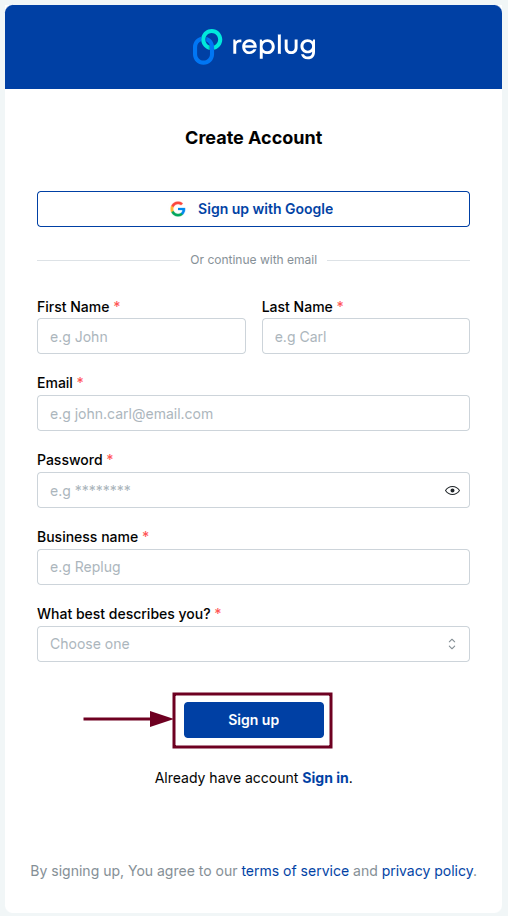
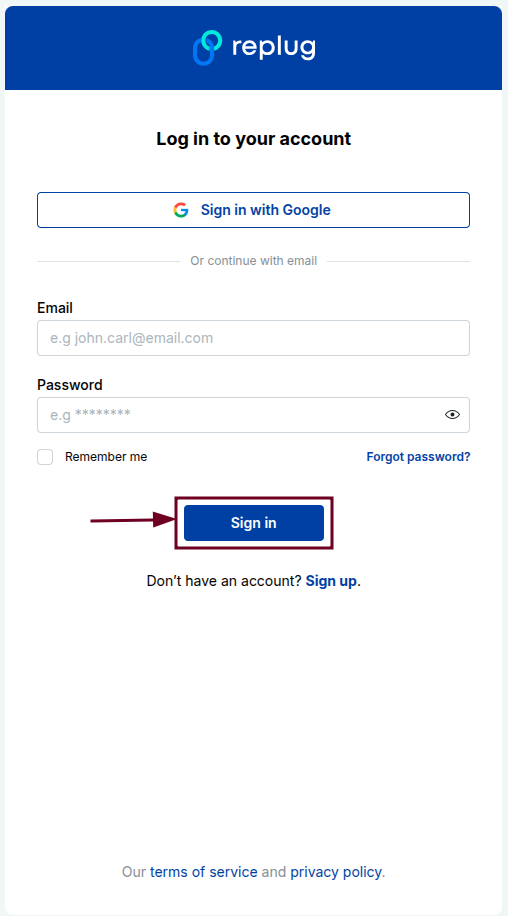

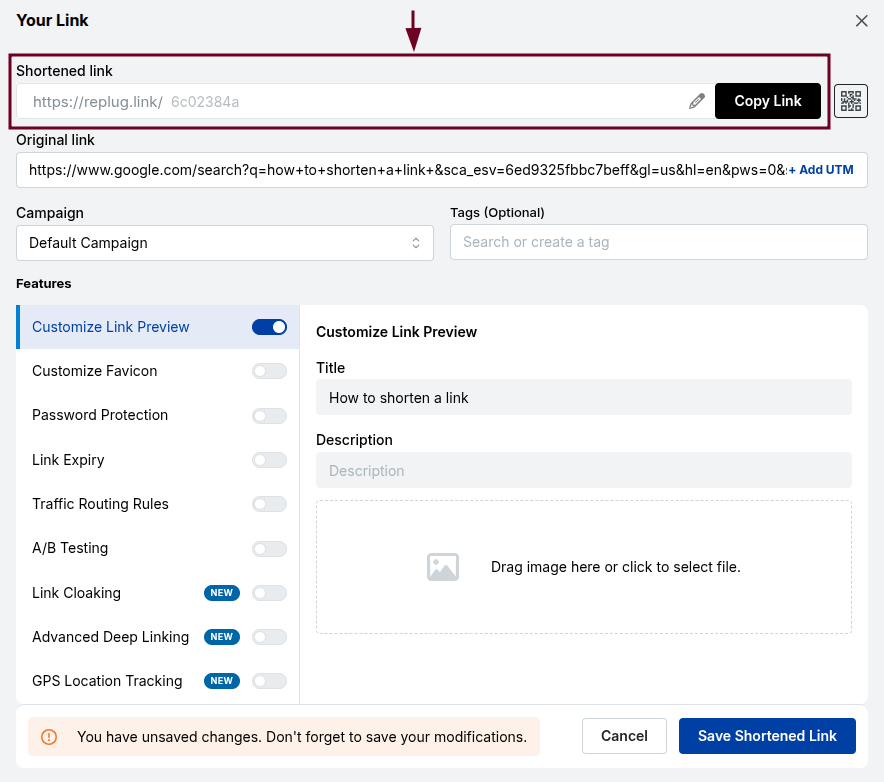
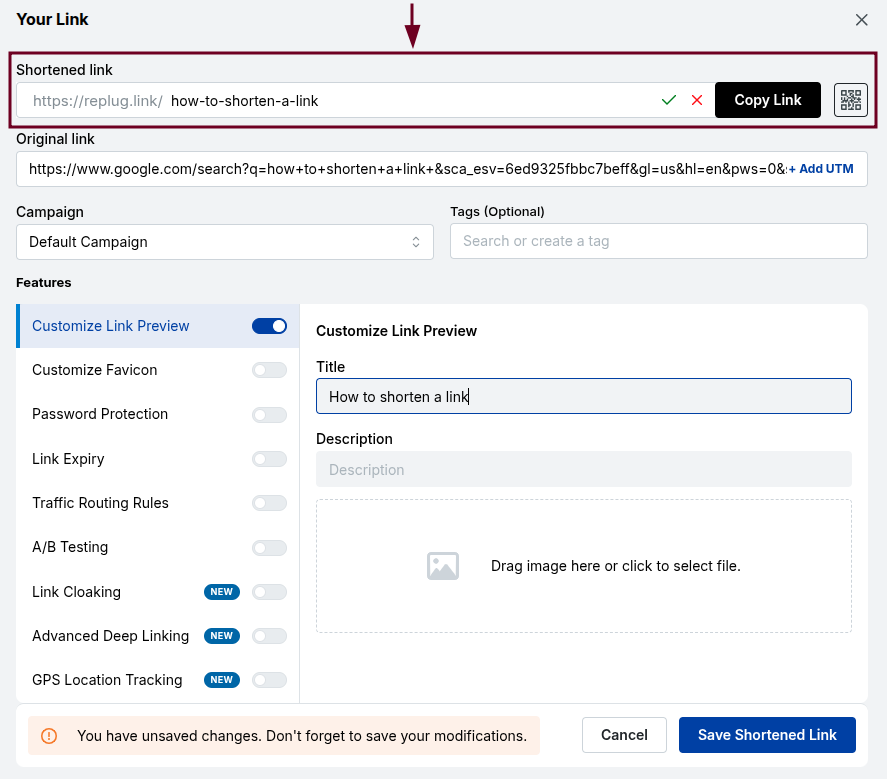
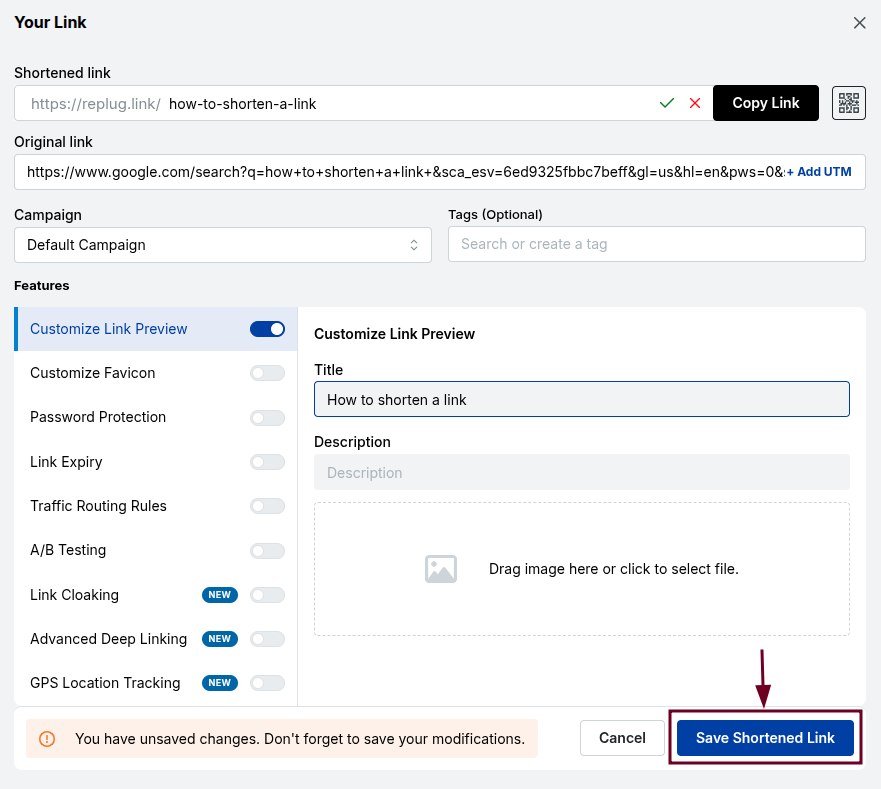



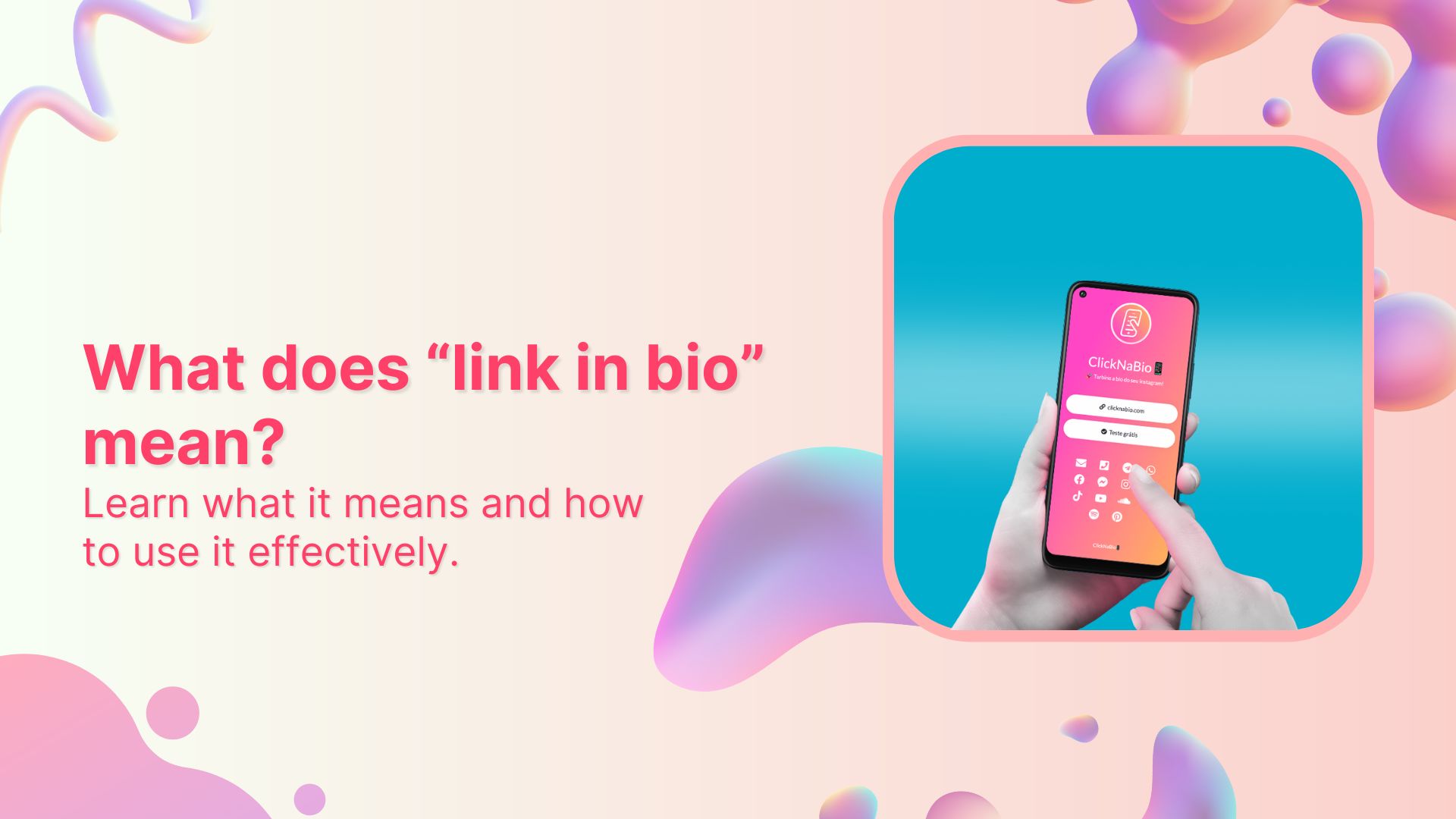


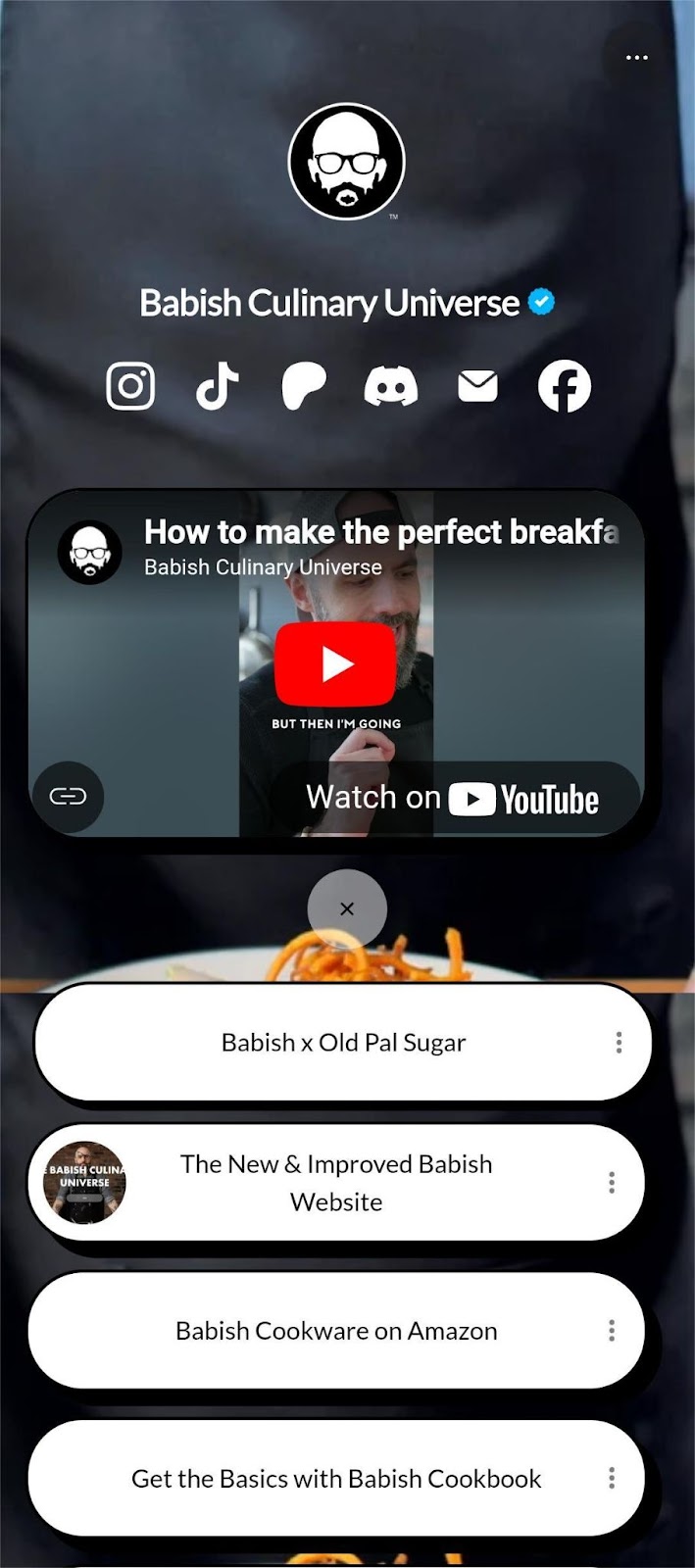

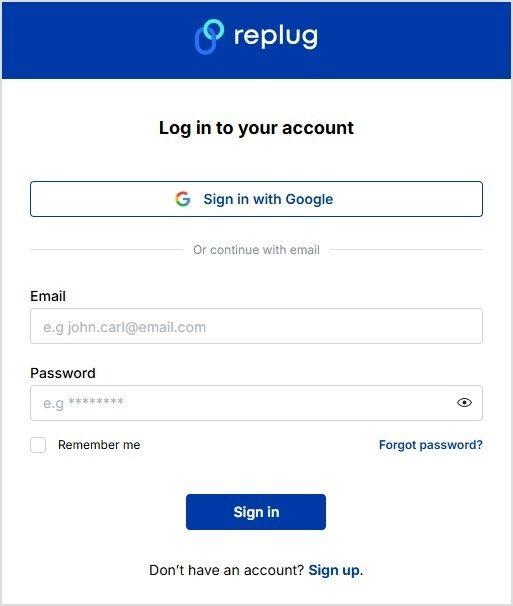
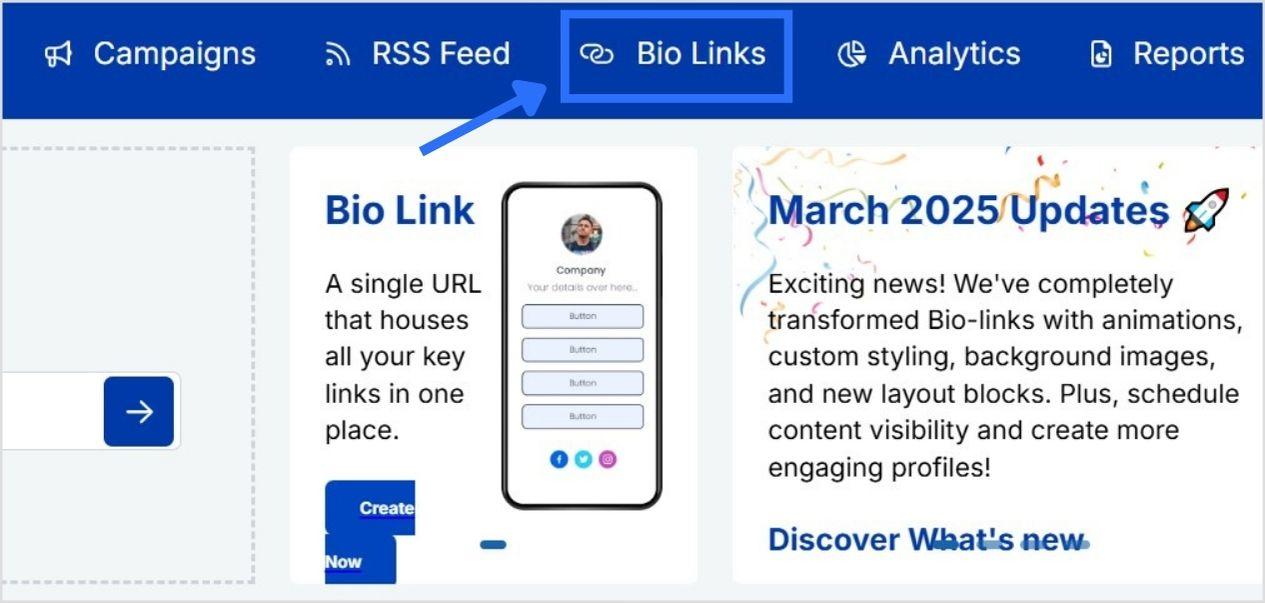
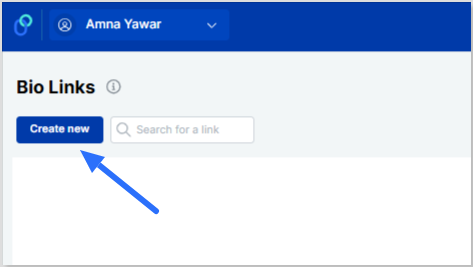
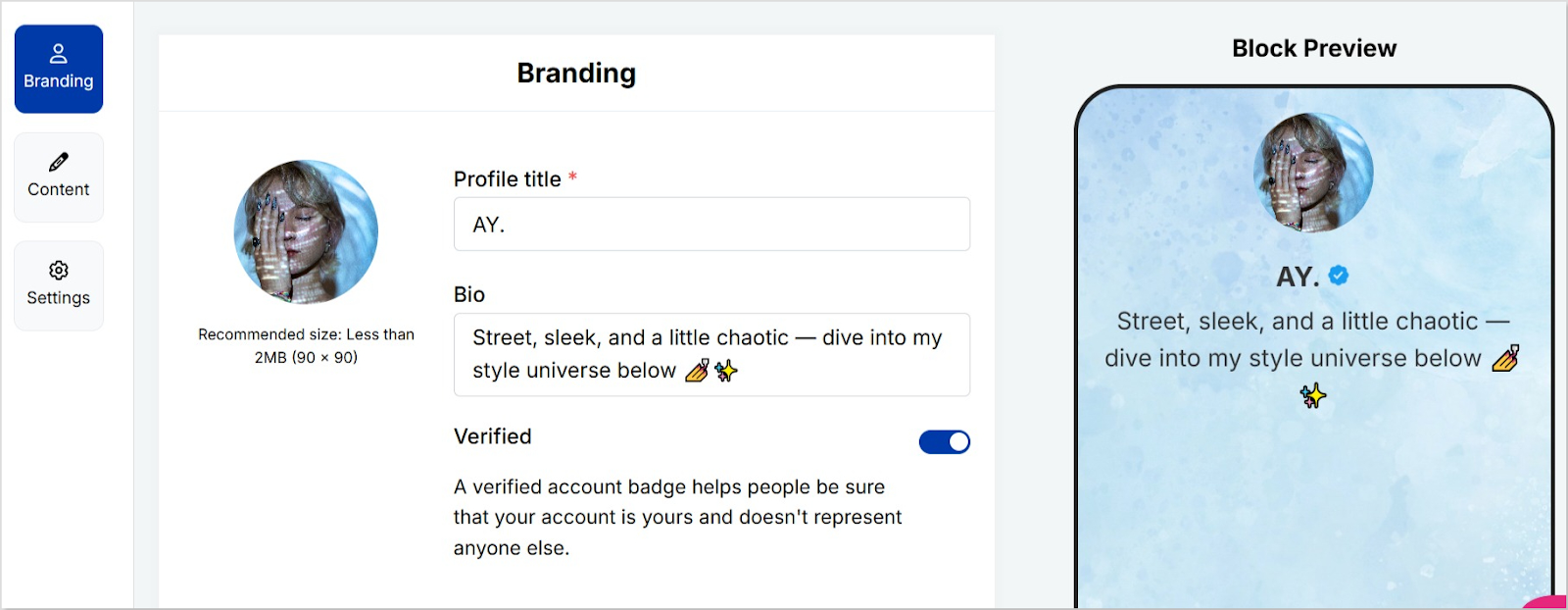
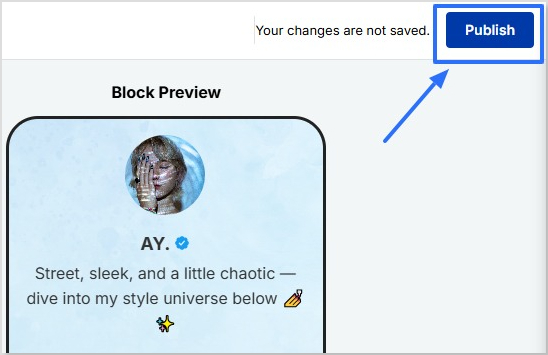
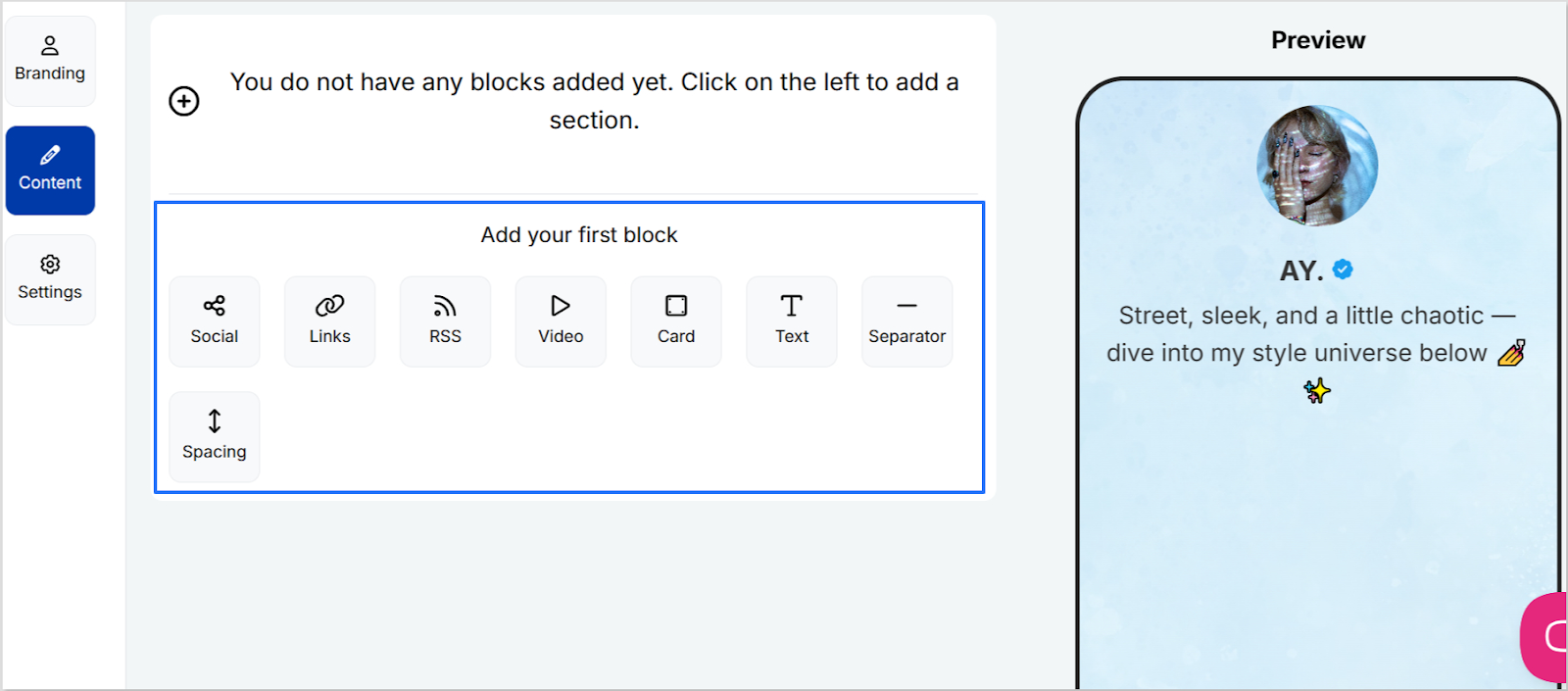
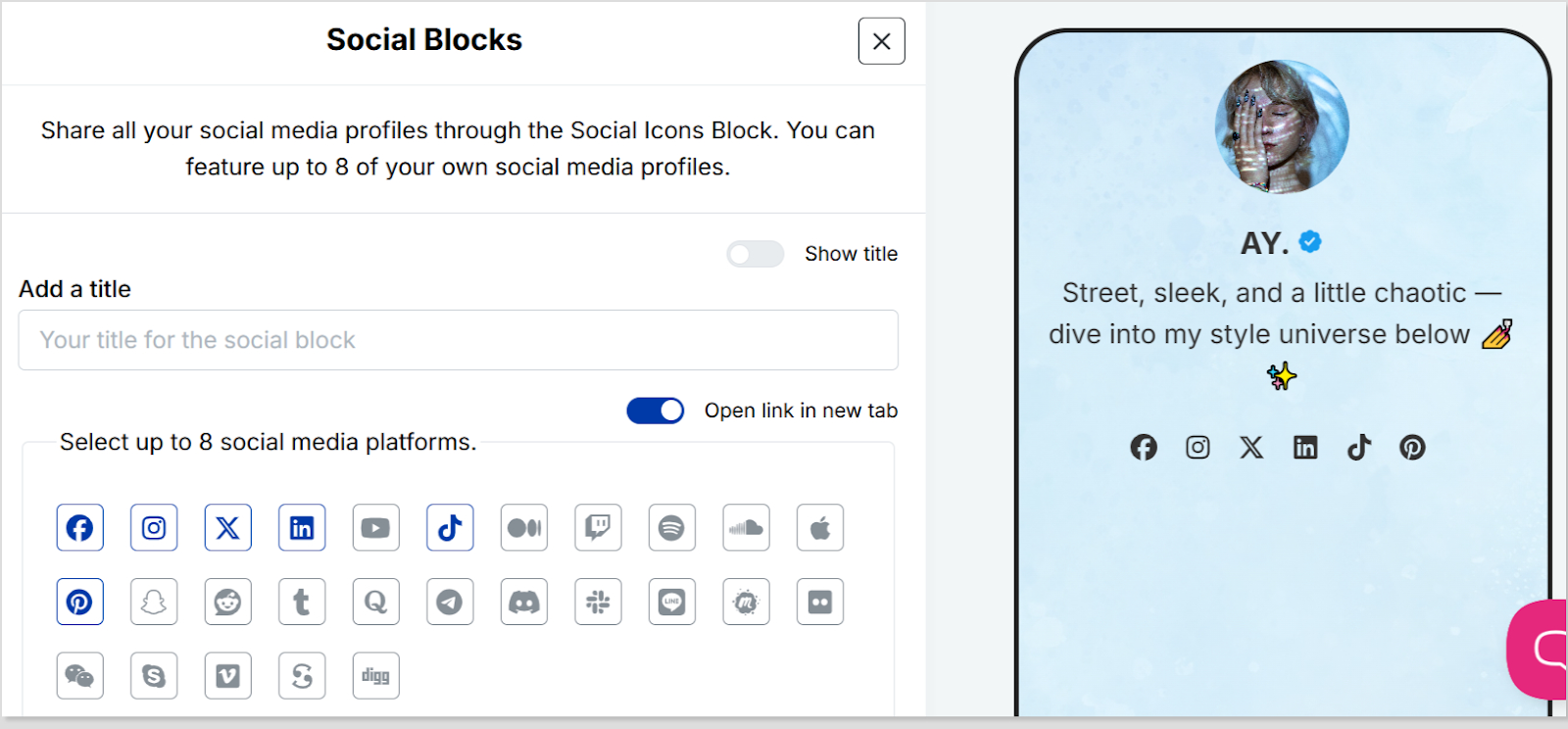
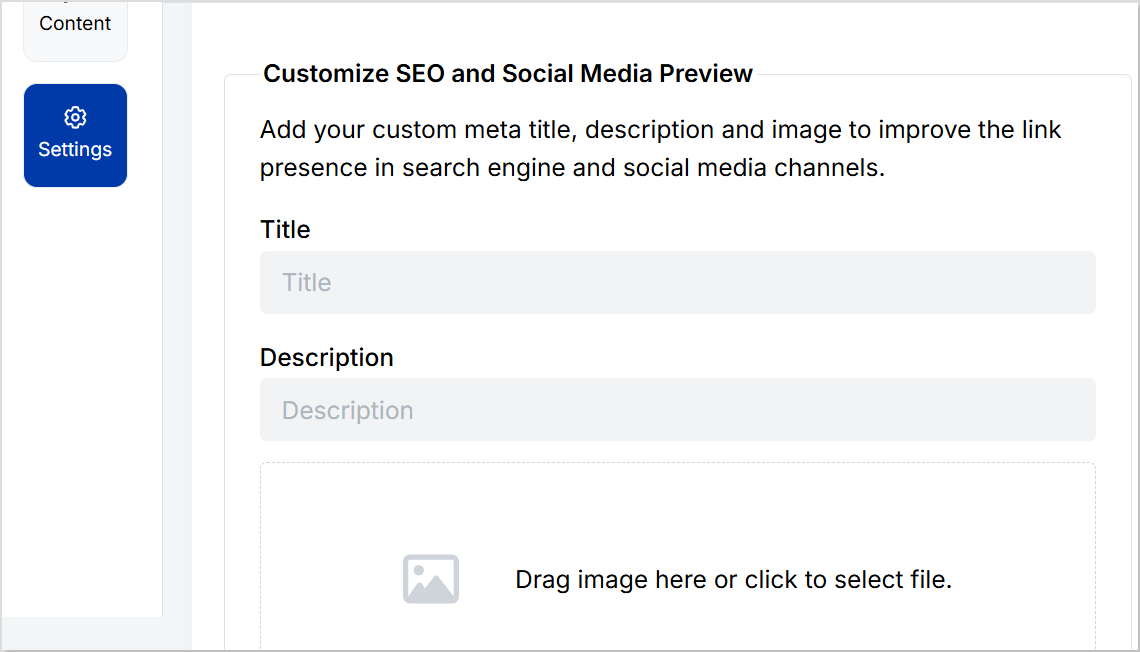
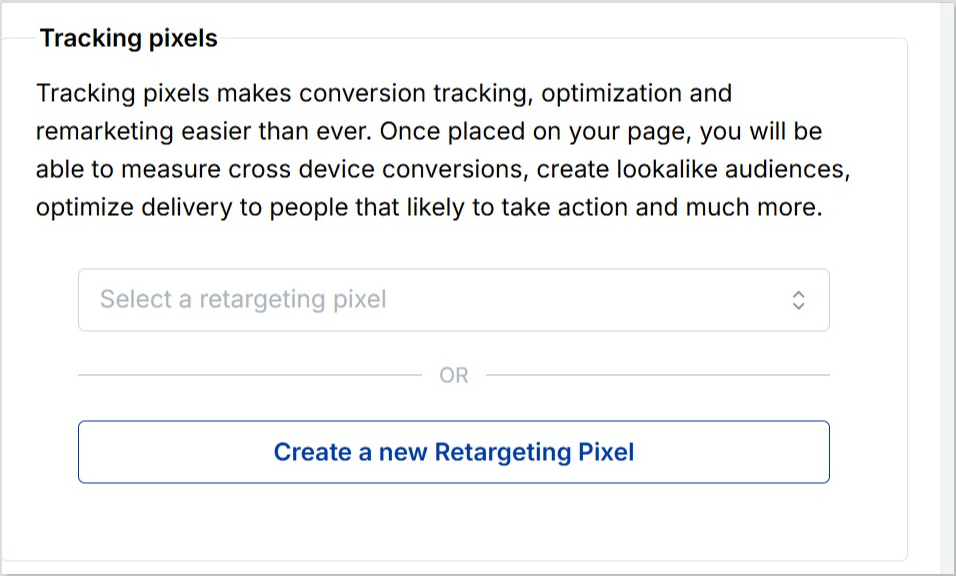
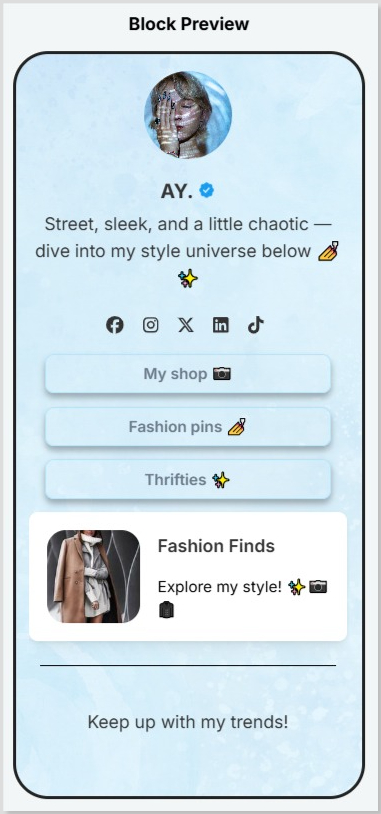

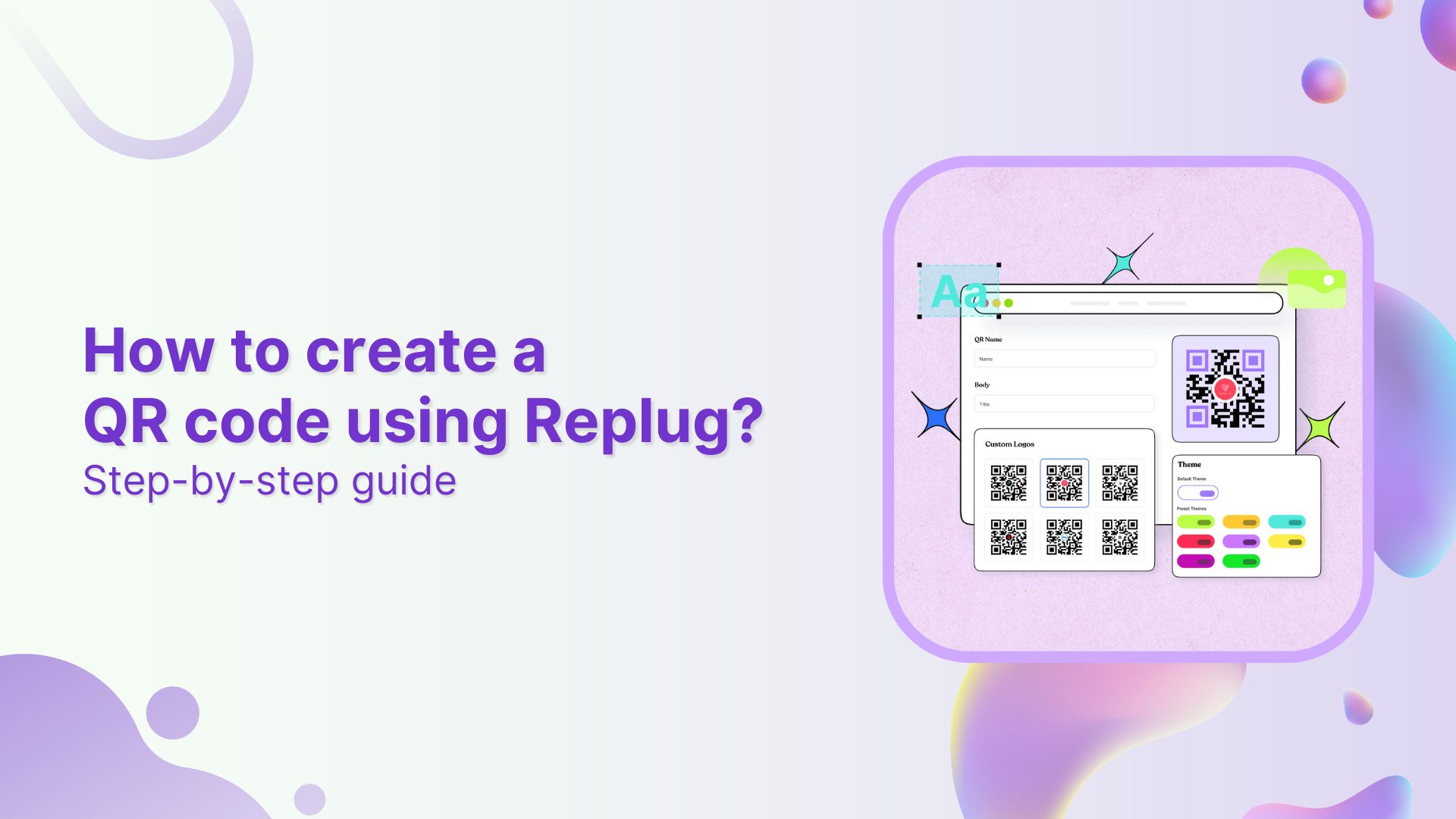
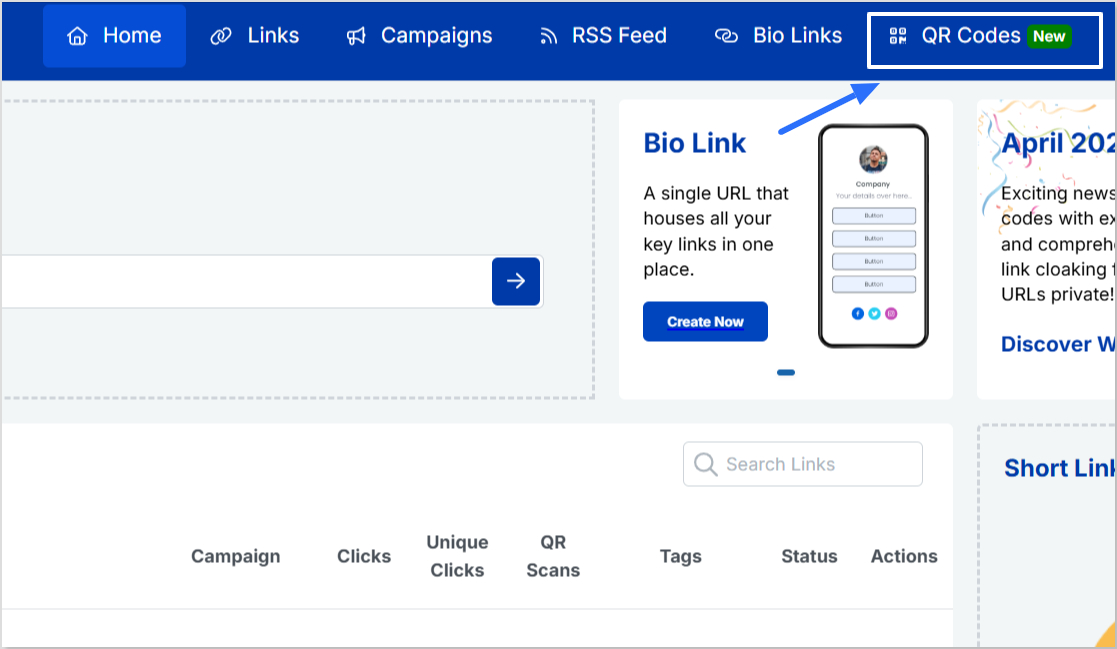
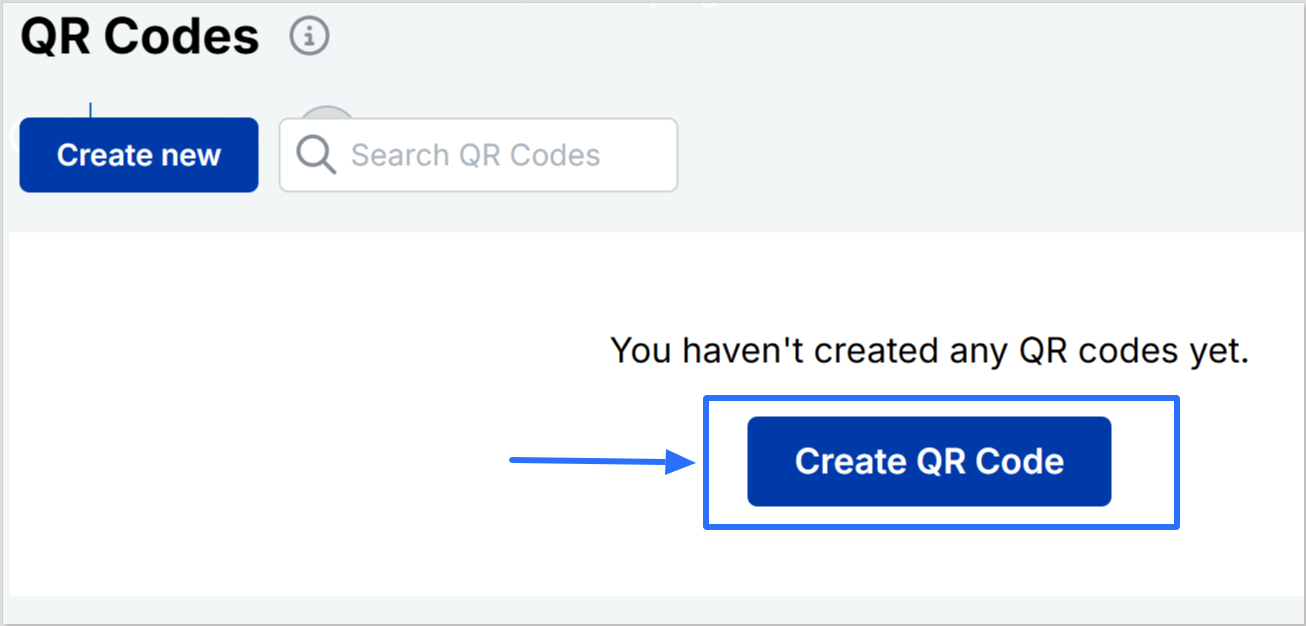
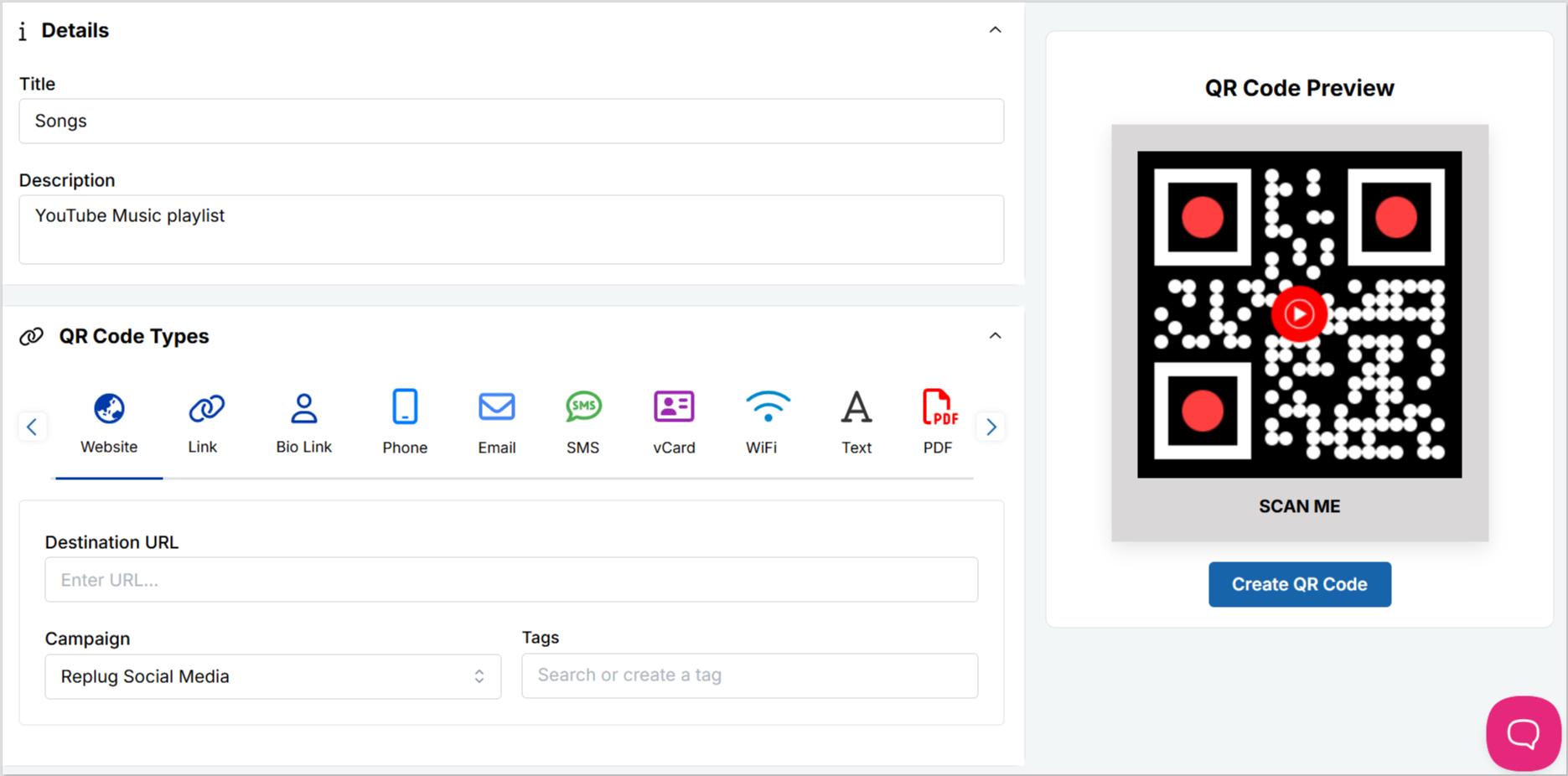
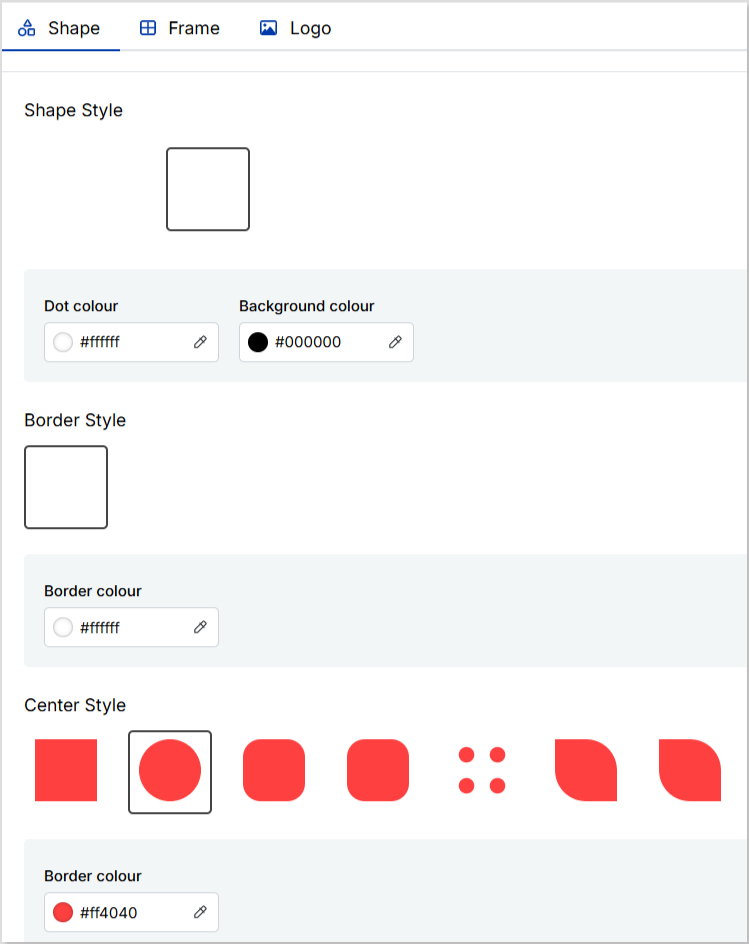
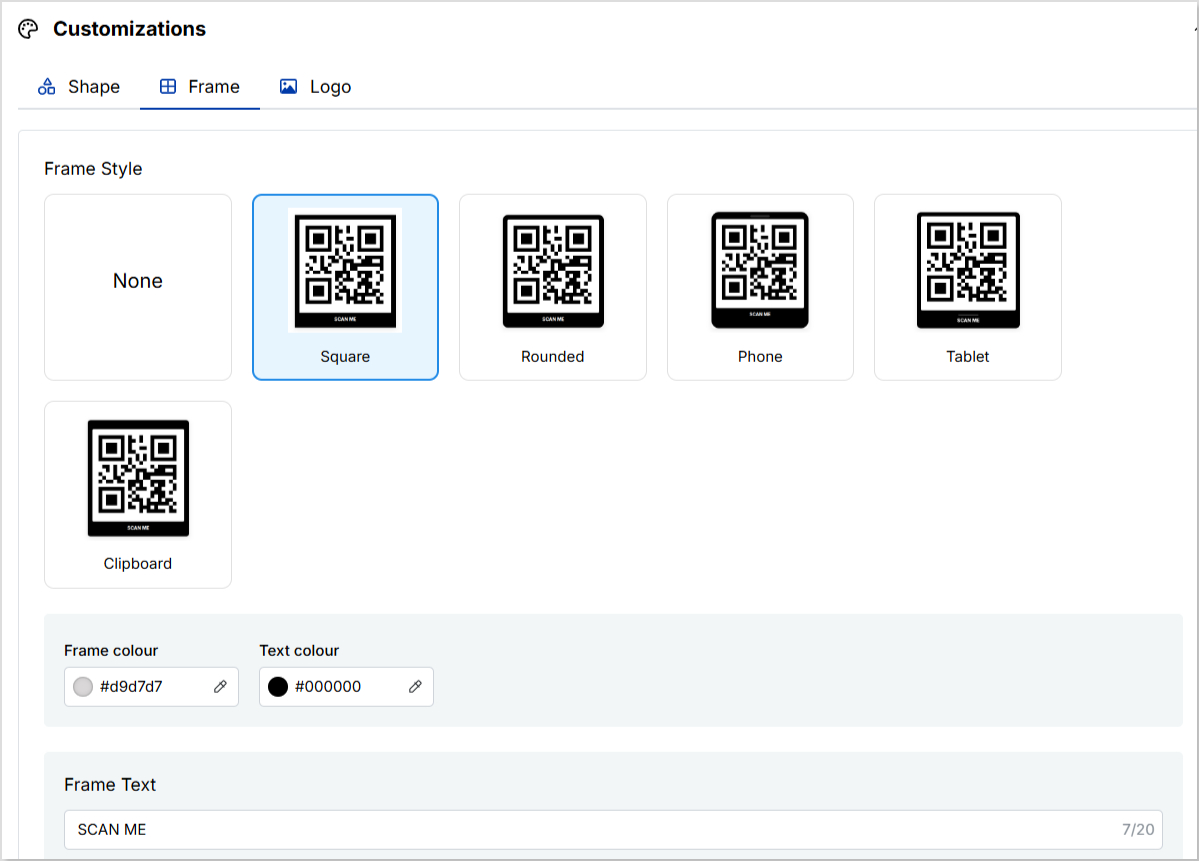
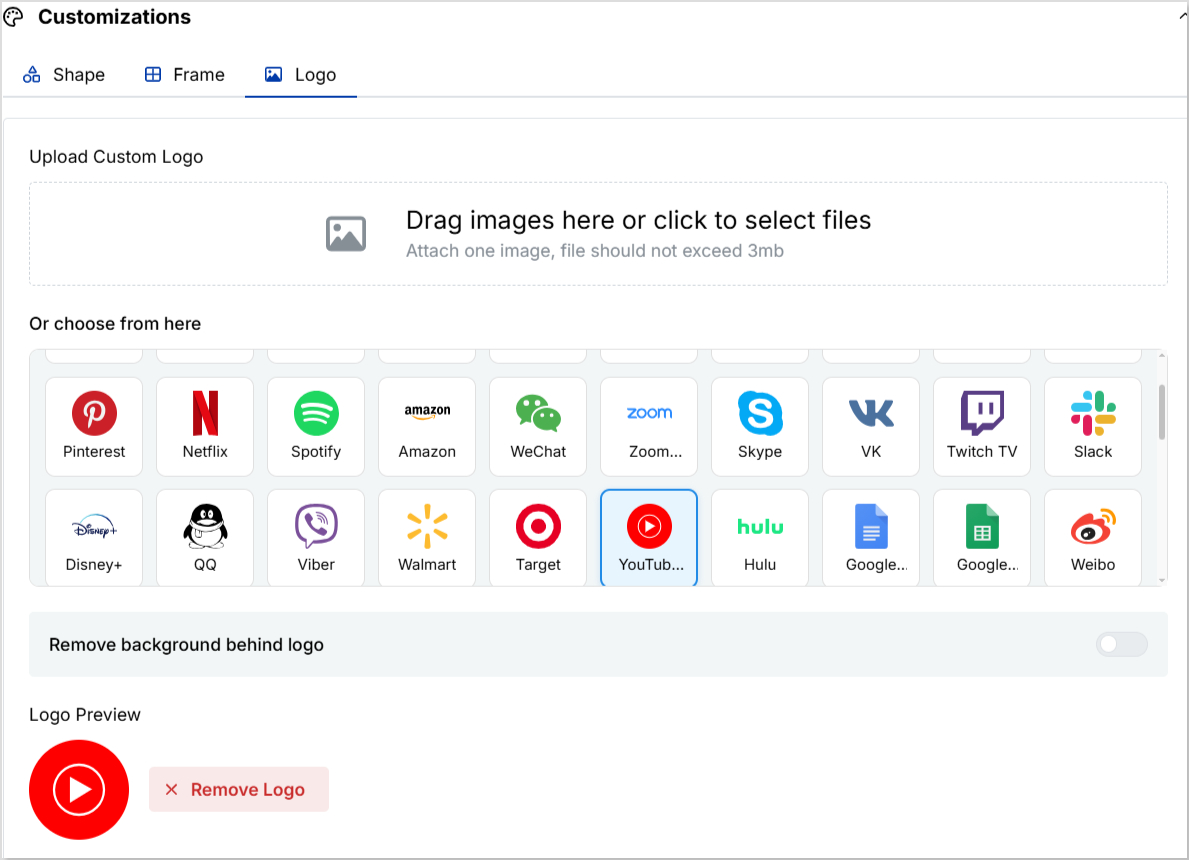
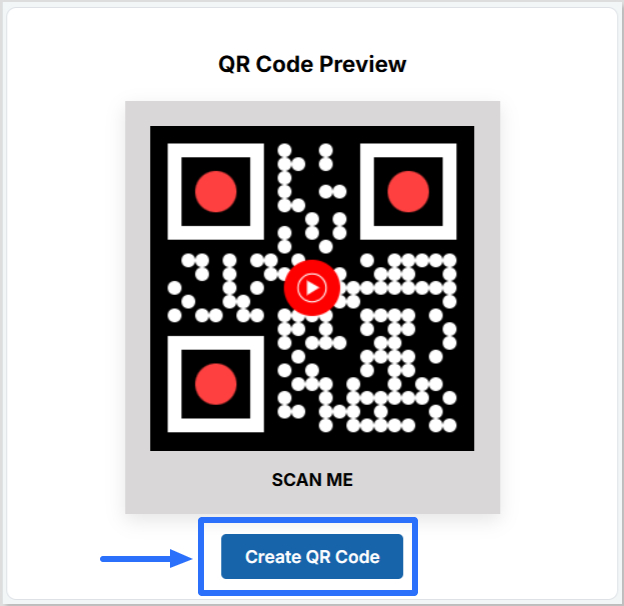
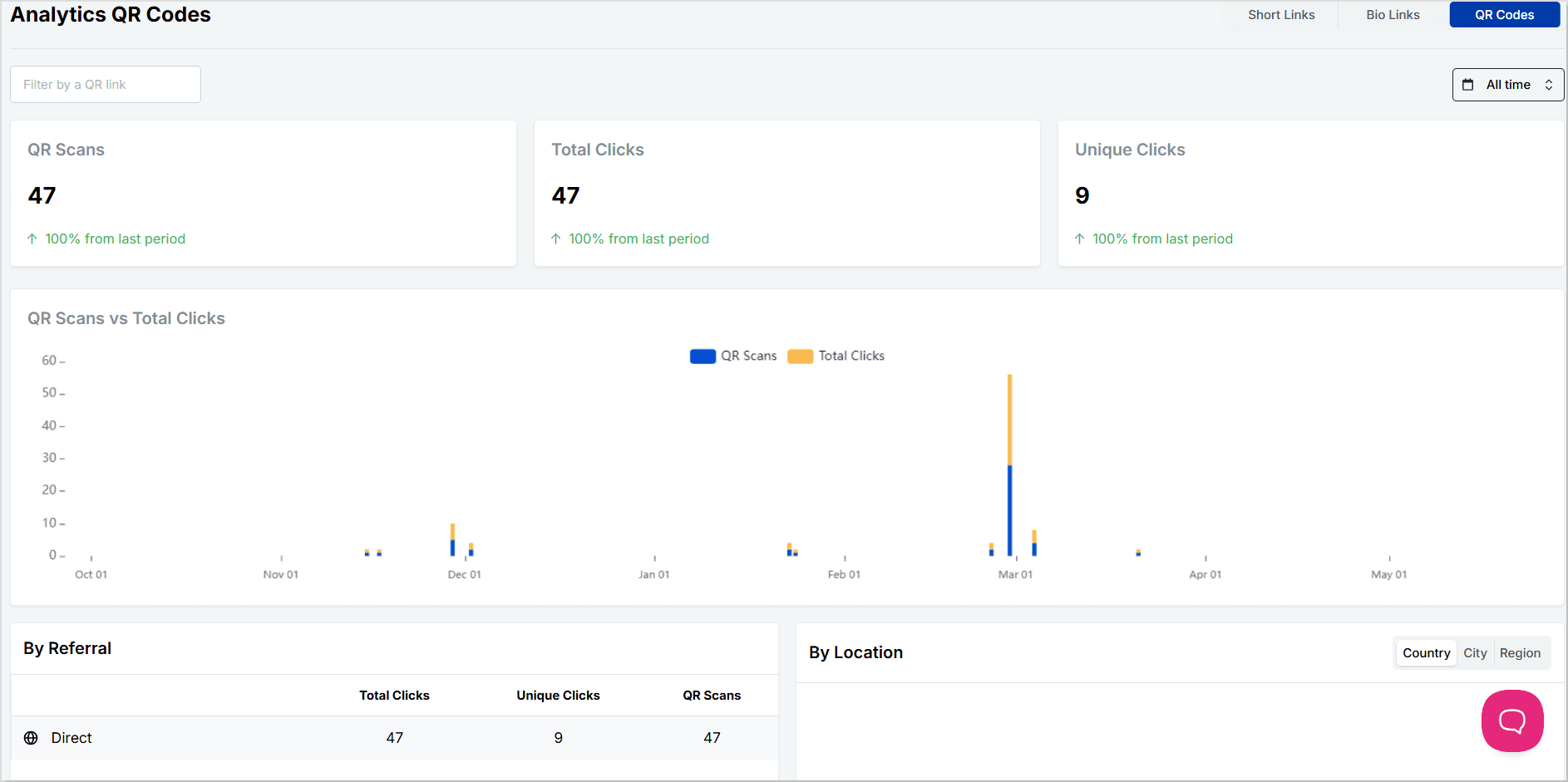
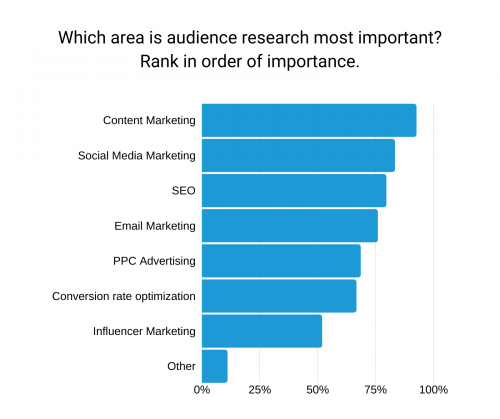
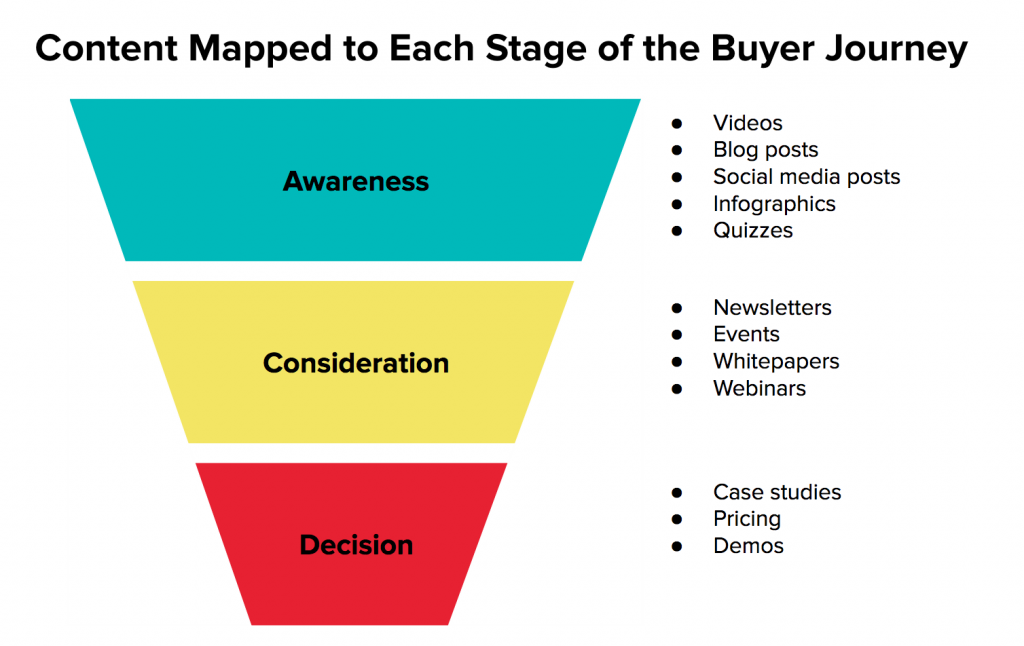
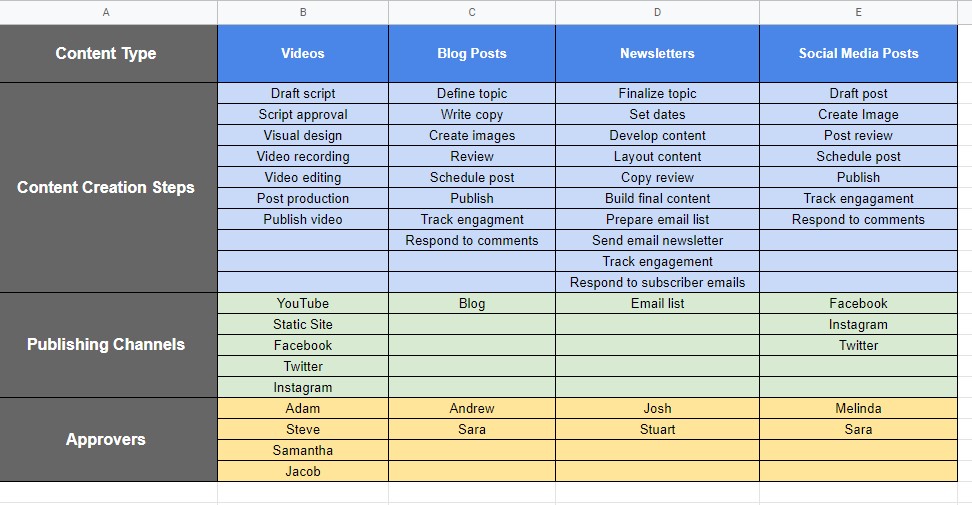
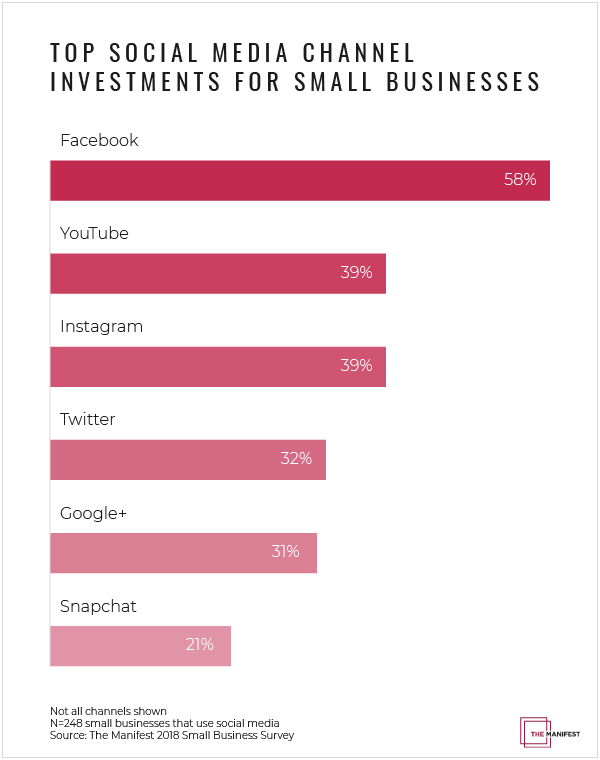
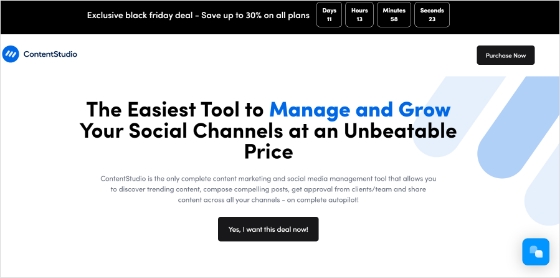
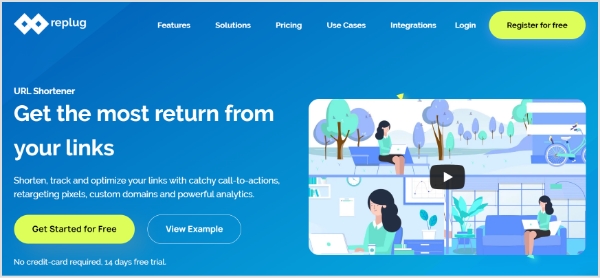
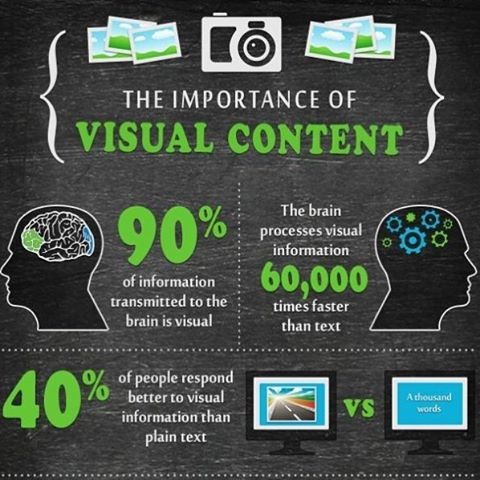
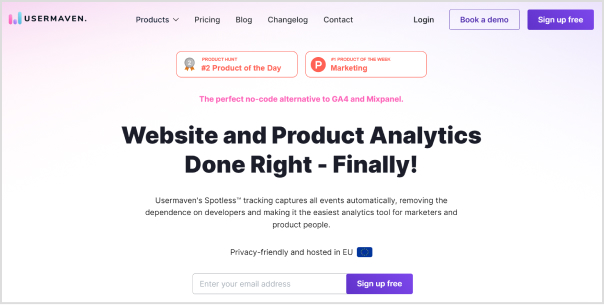
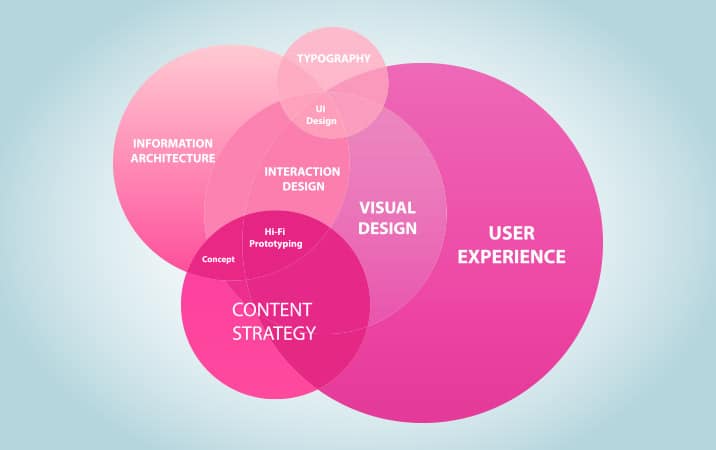




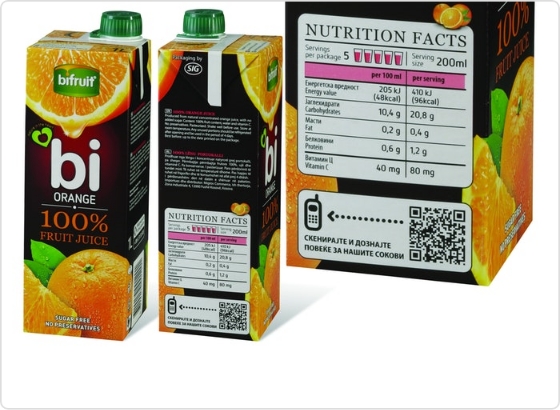
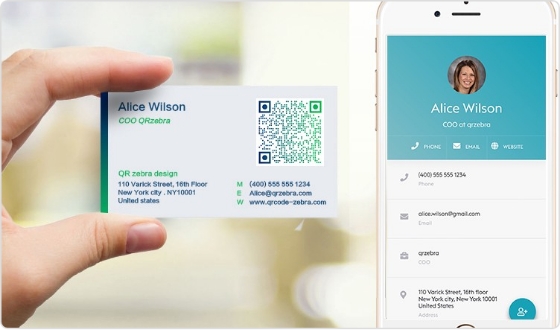
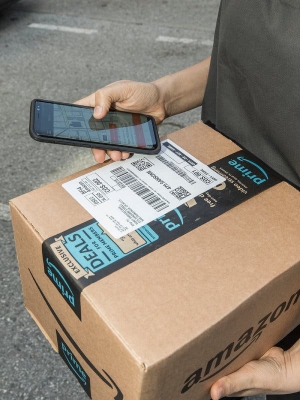

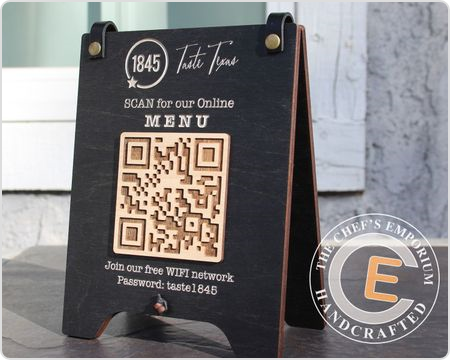


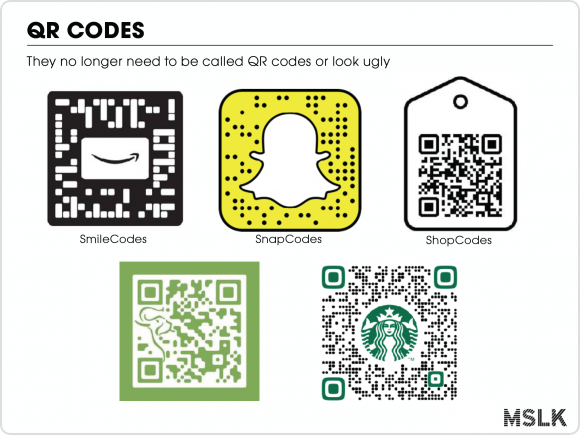






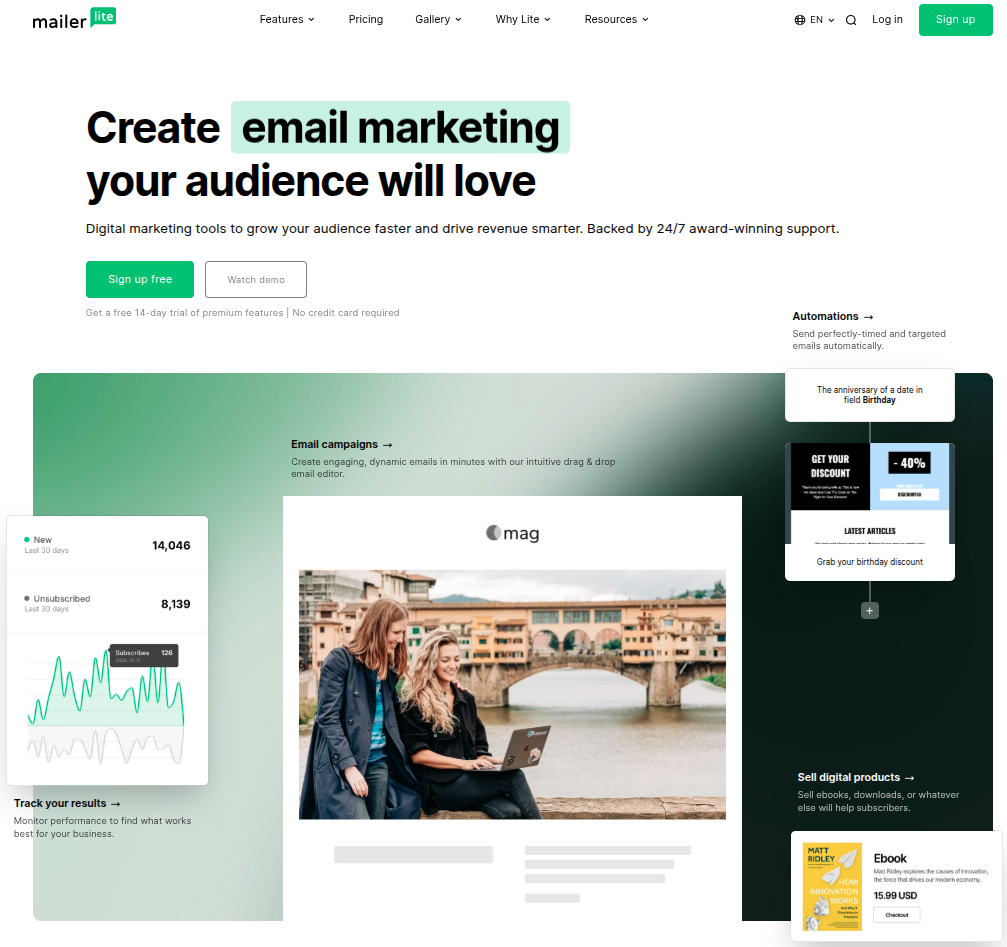
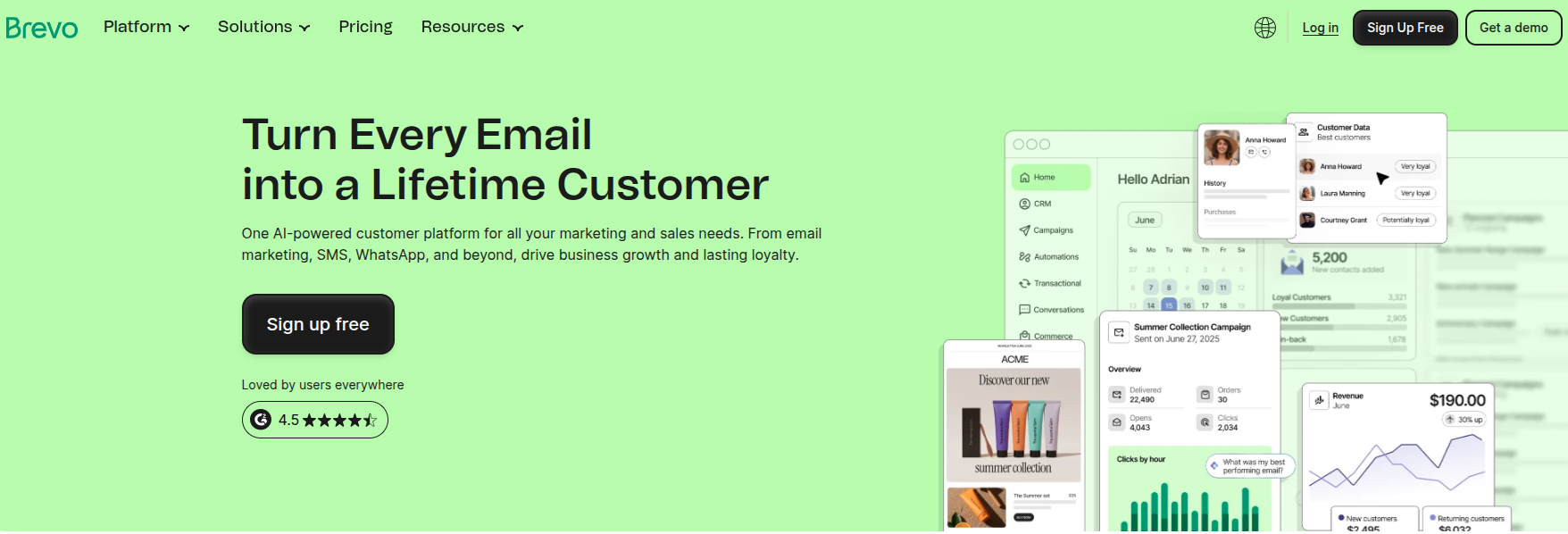
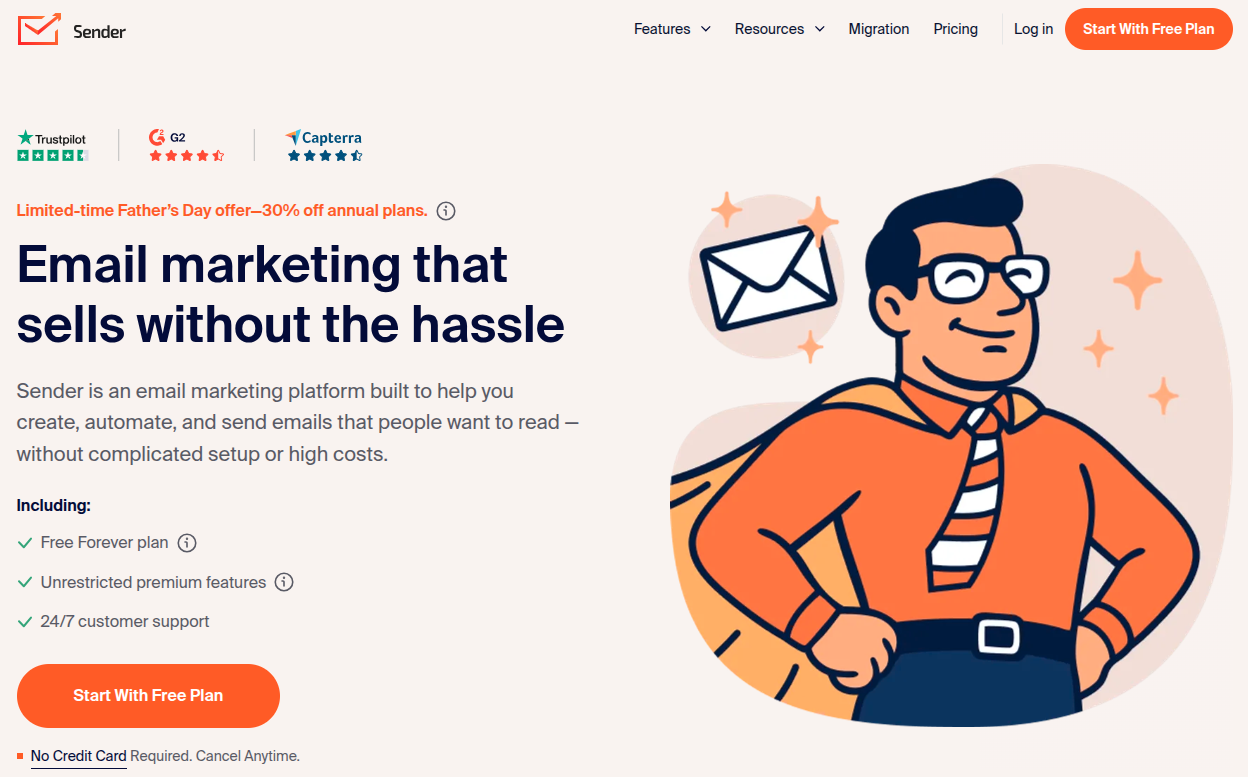
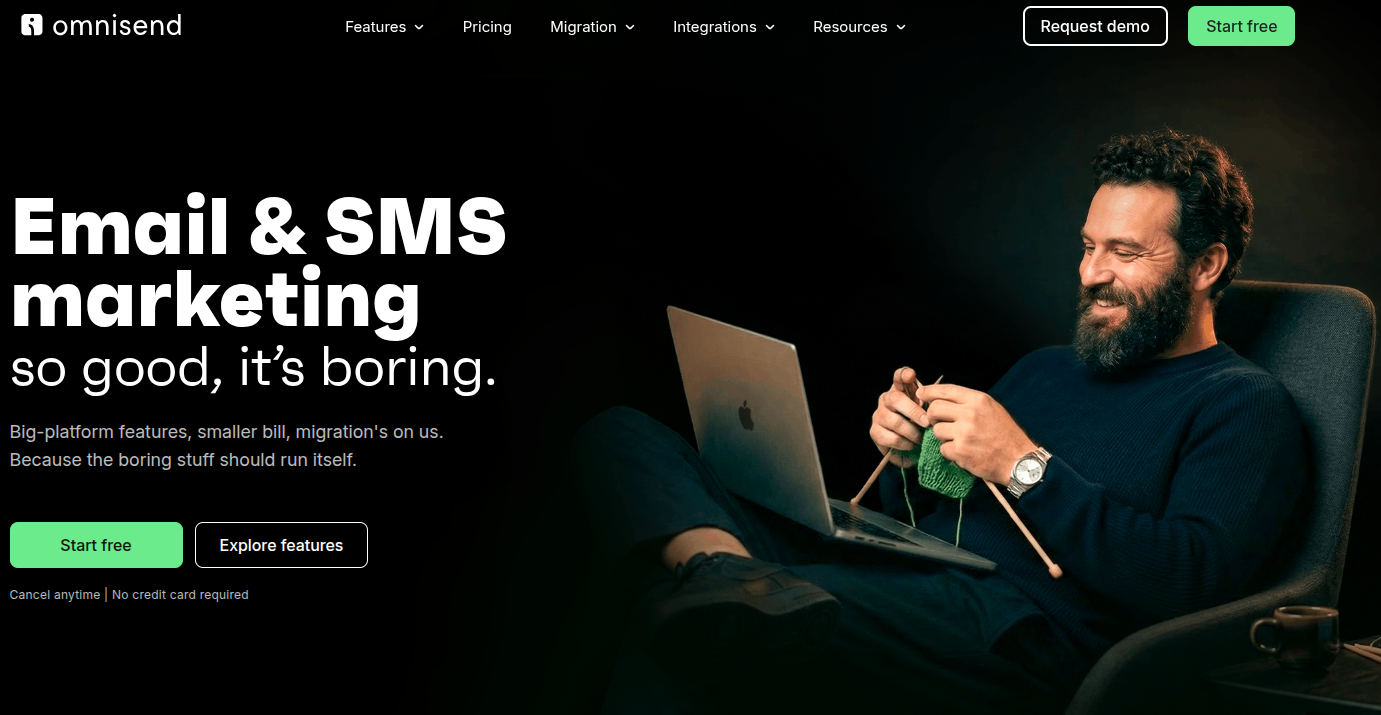
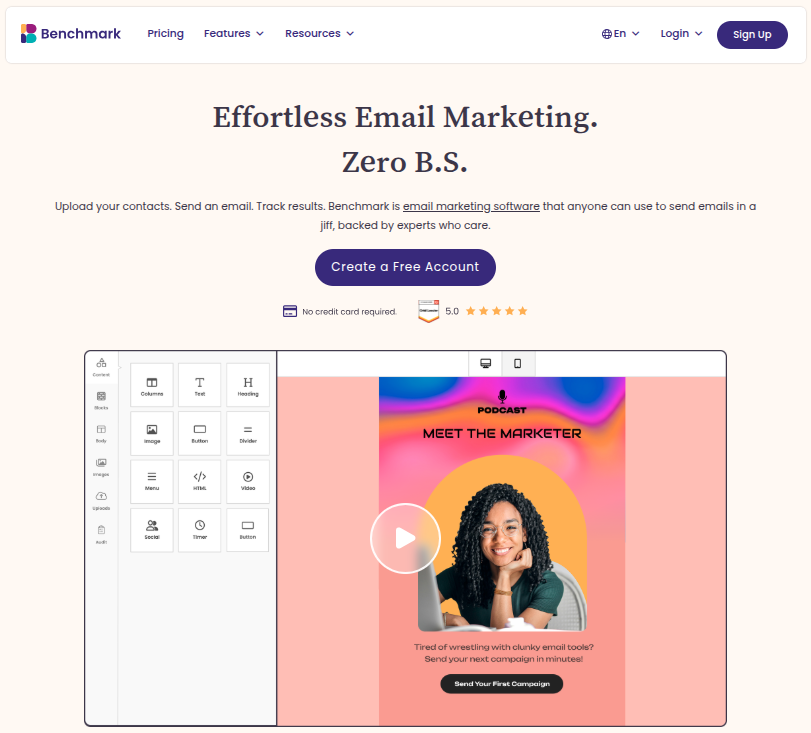
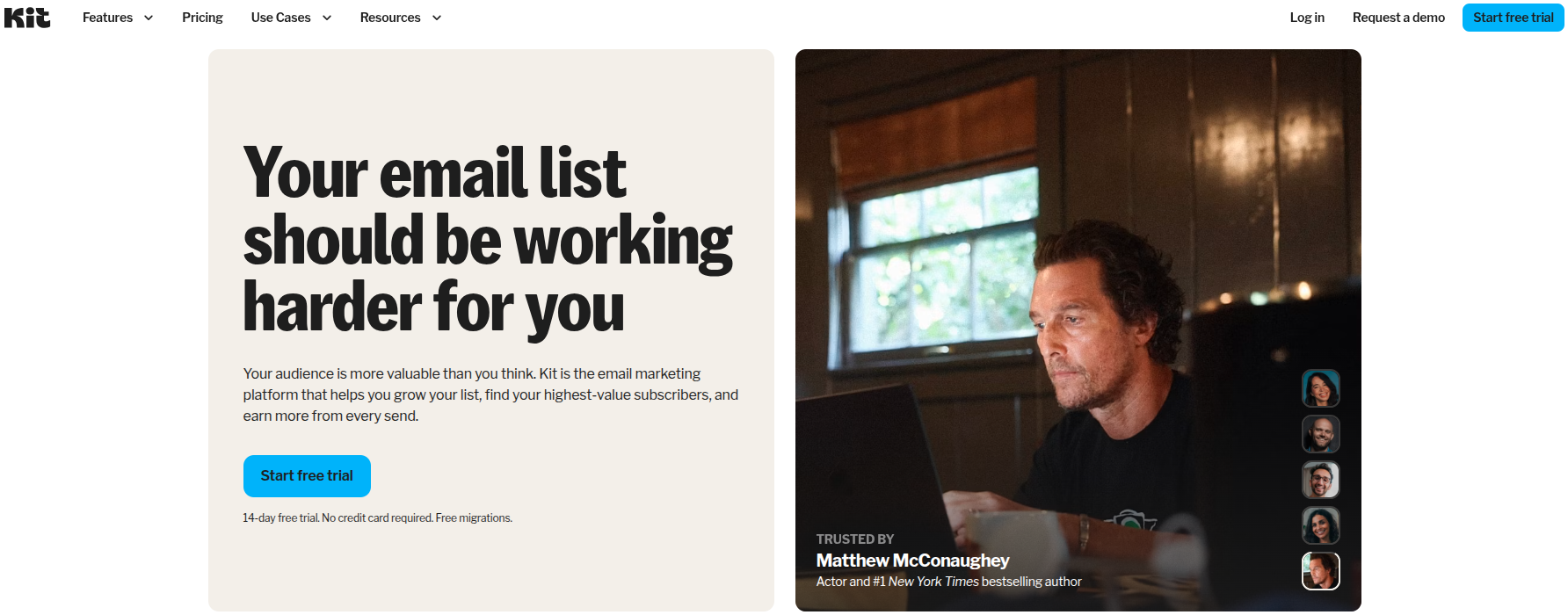
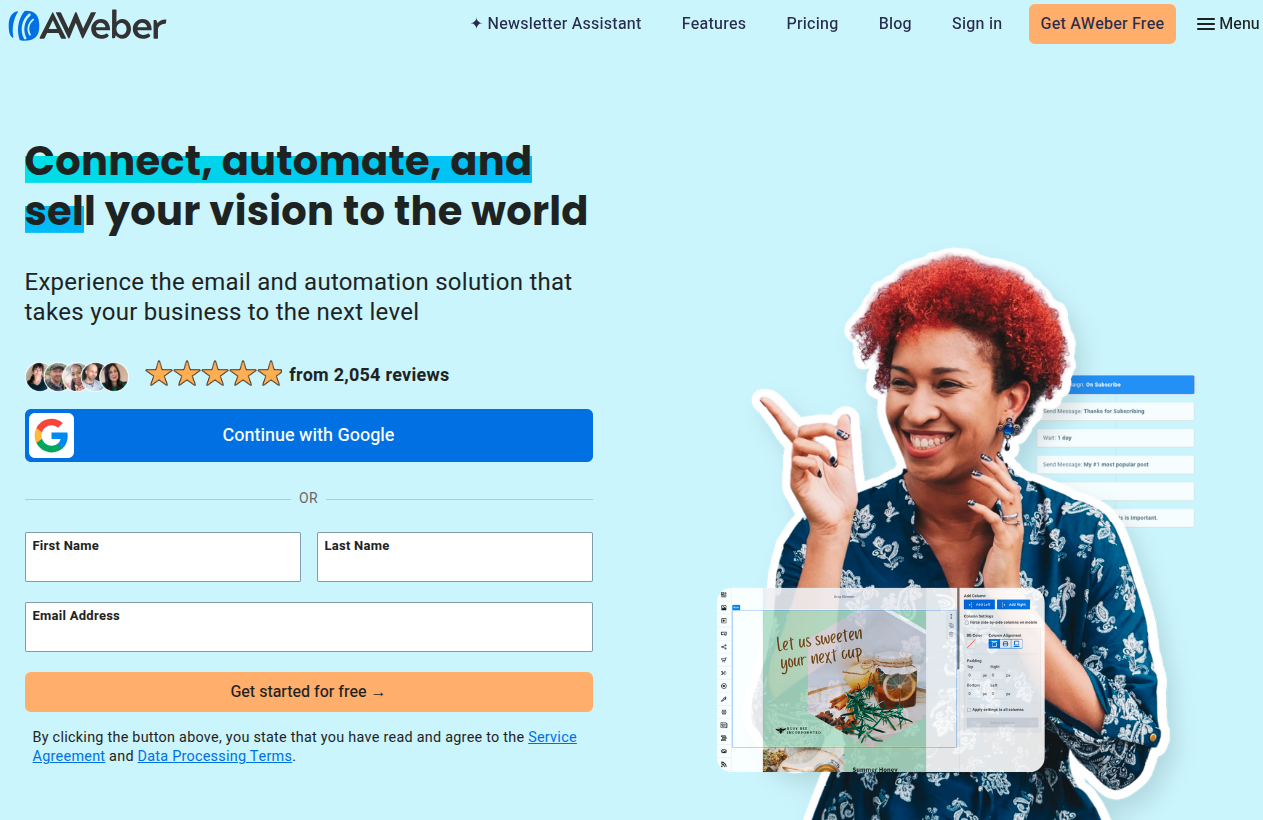
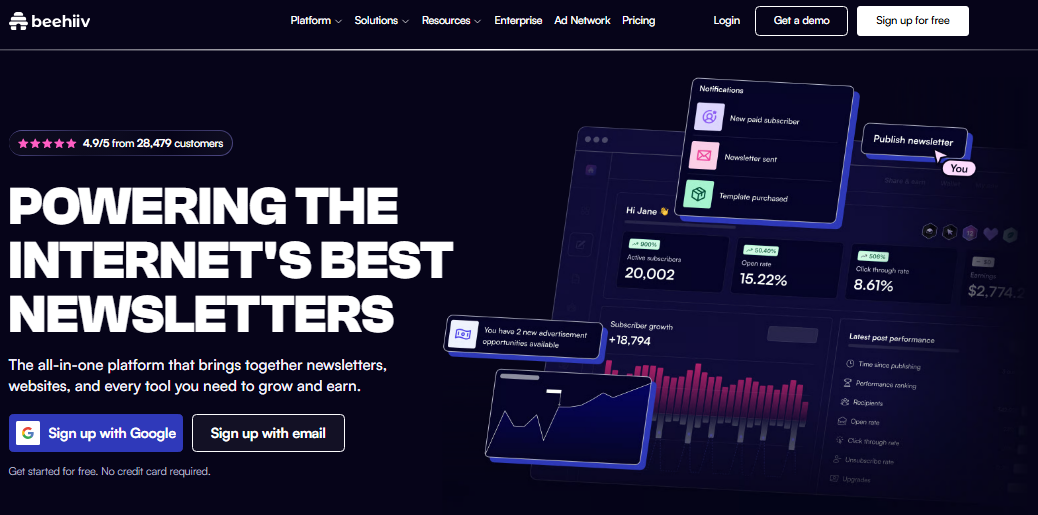
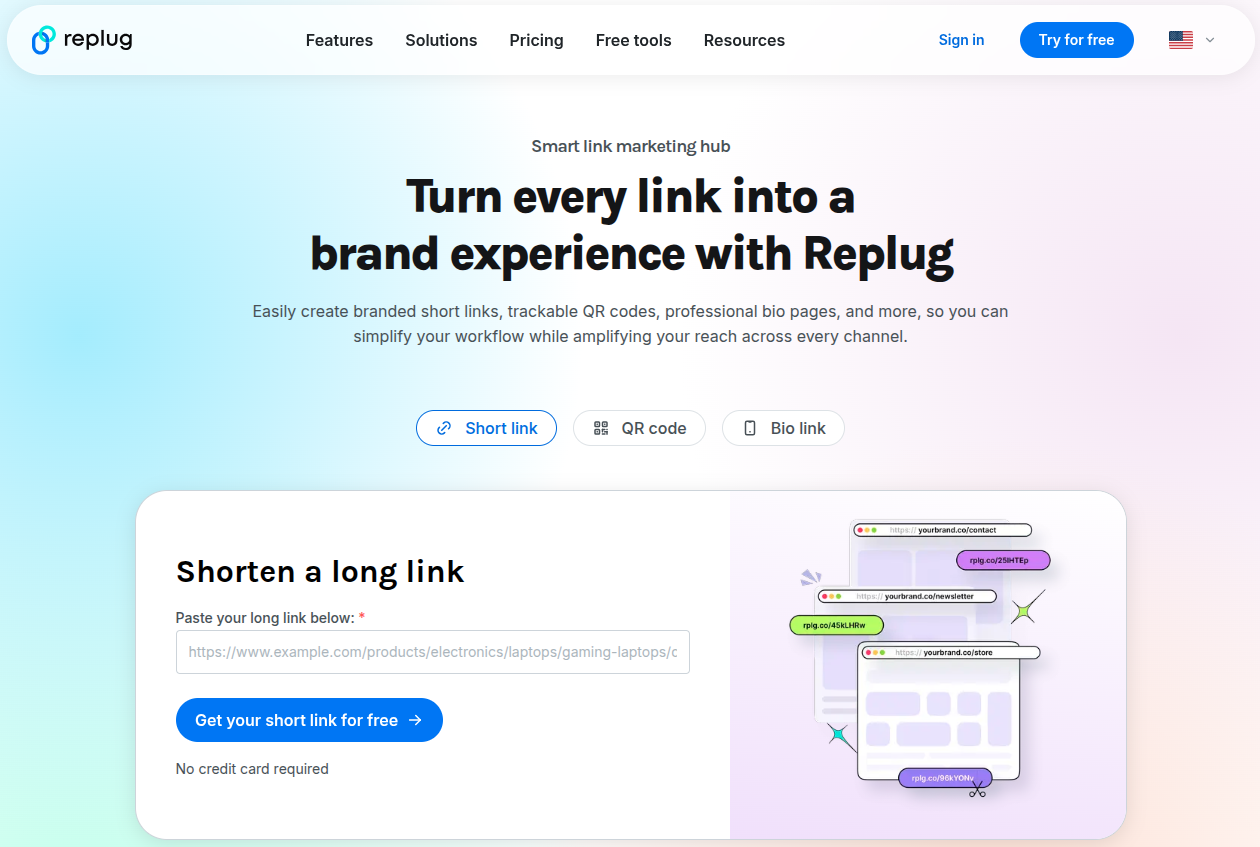
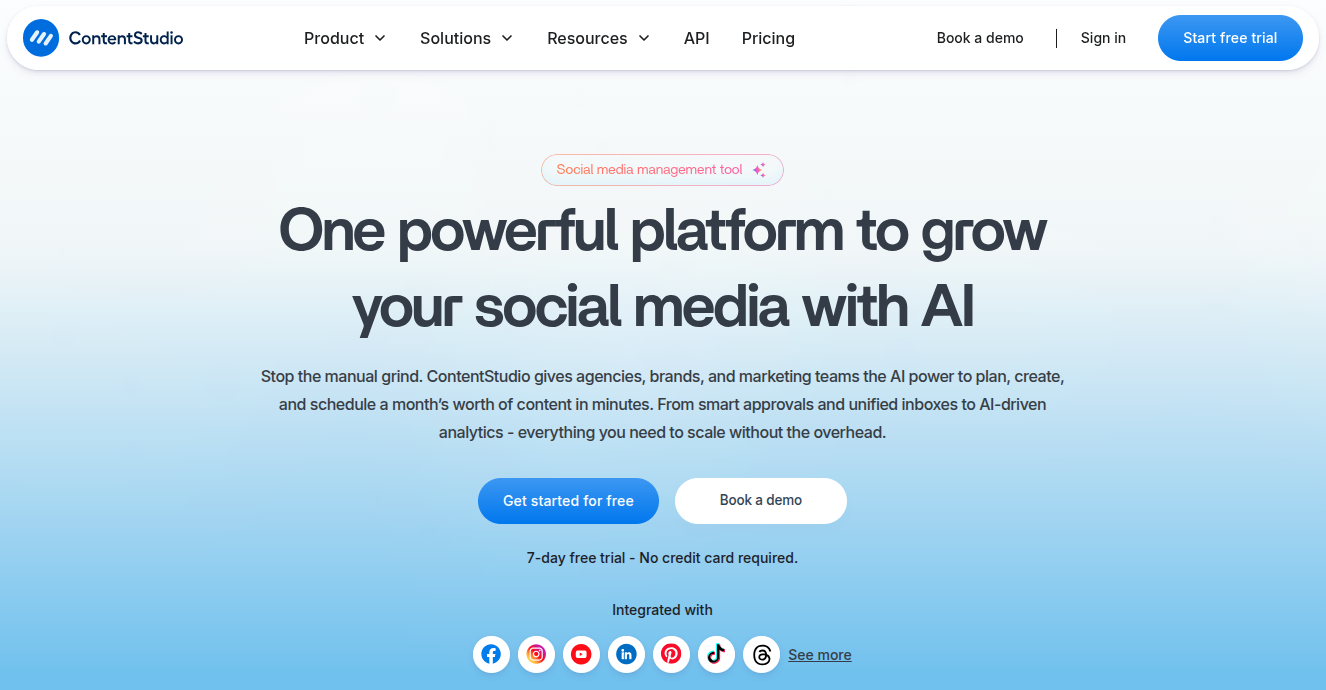

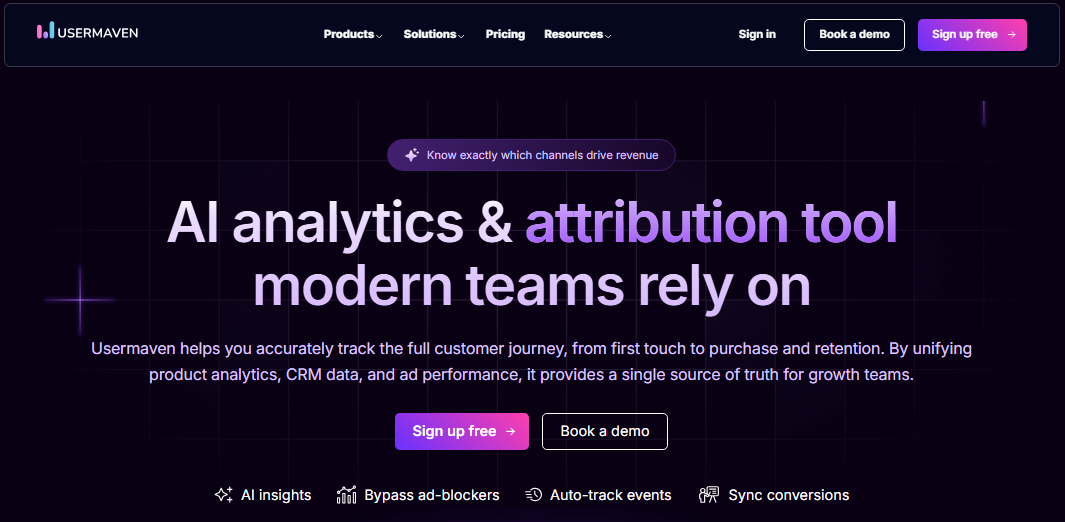
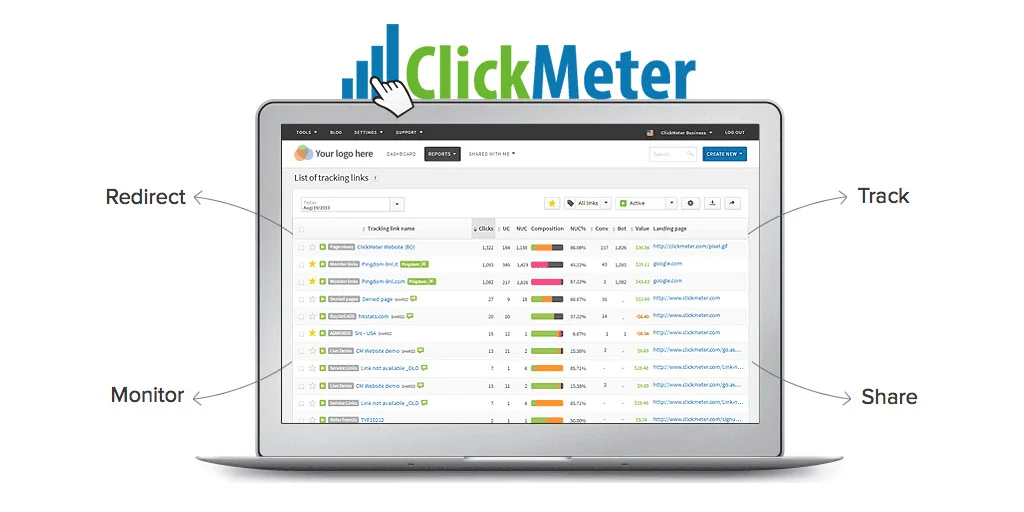





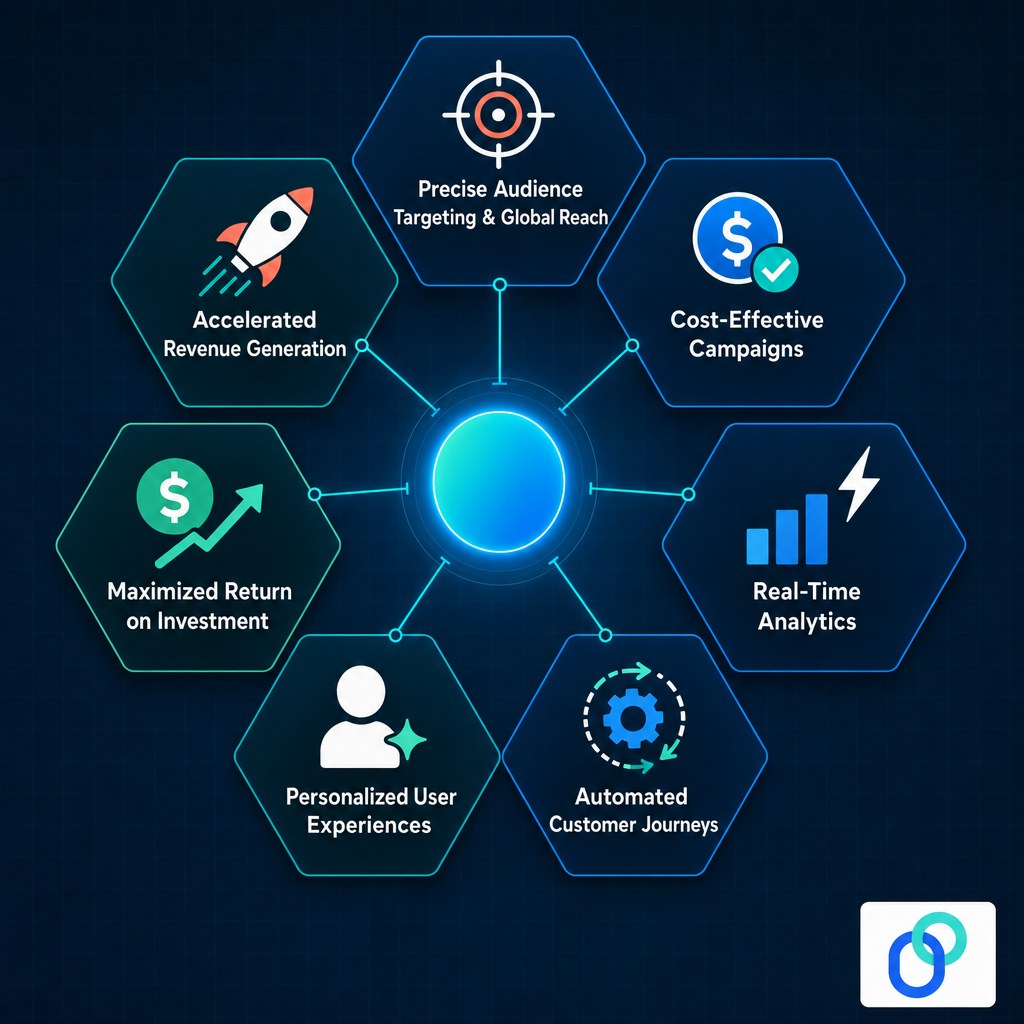
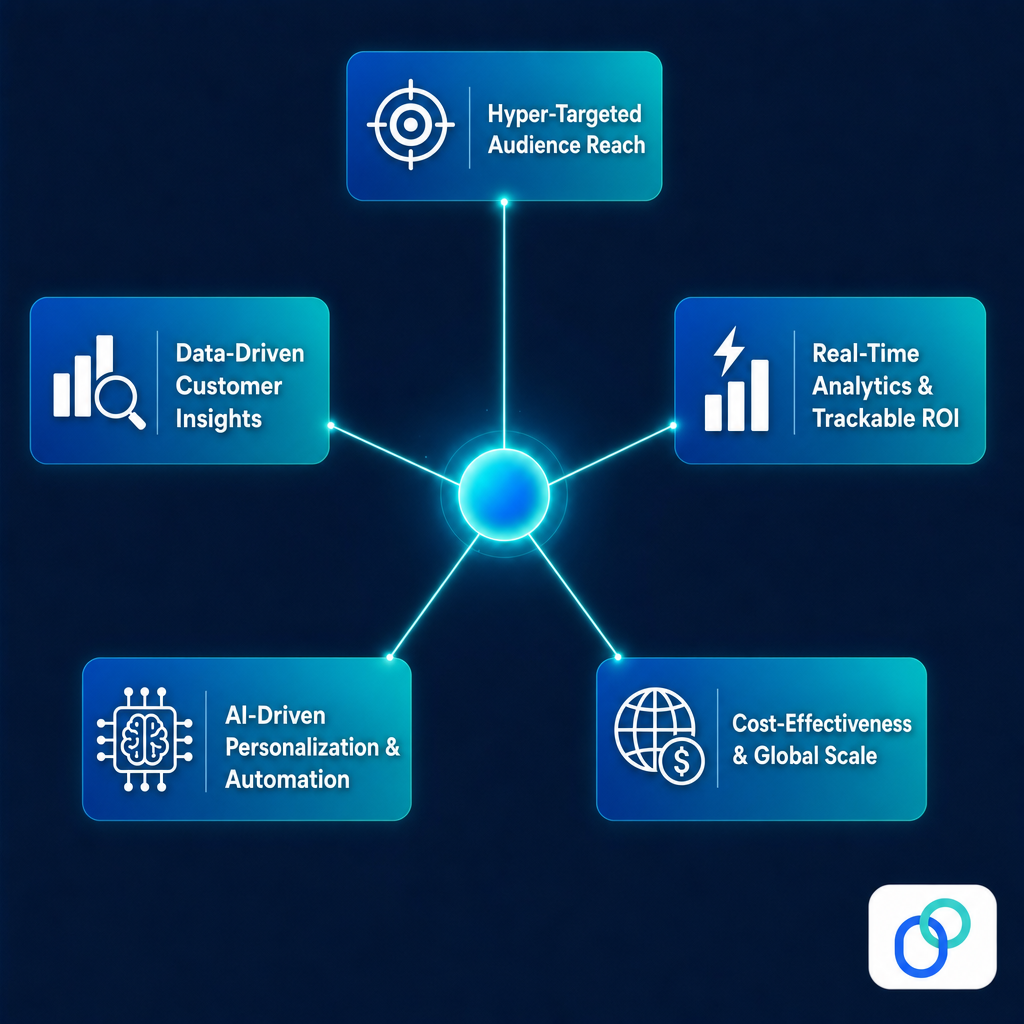
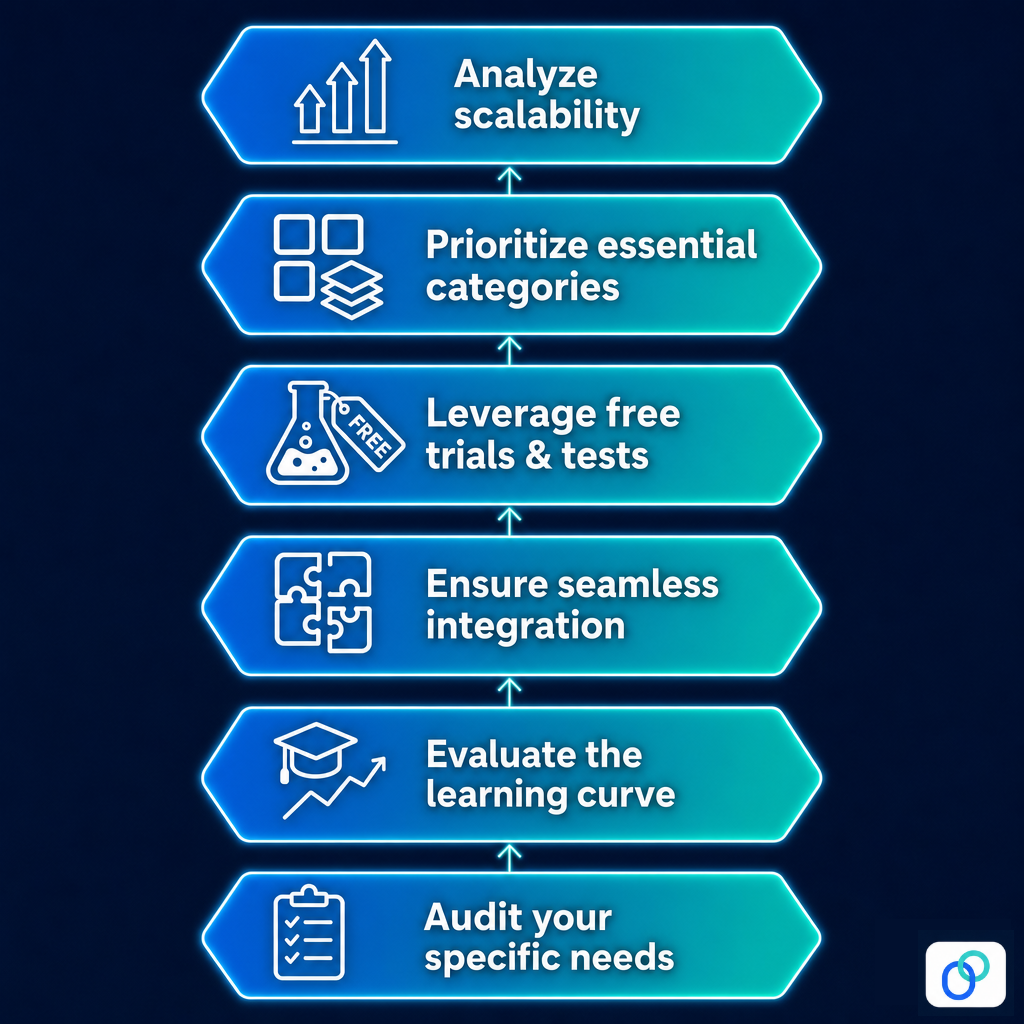

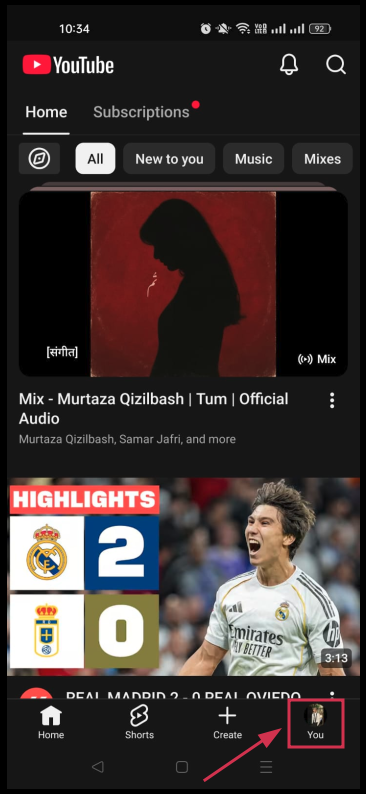








![How to start a YouTube channel for beginners [2026]: Step-by-step YT channel setup + tips for success!](https://internal-blog.replug.io/wp-content/uploads/2026/05/How-to-start-a-YouTube-channel-for-beginners-2026-Step-by-step-YT-channel-setup-tips-for-success.png)