Absolutely not! Like every link in bio tool, this well-known tool also comes with make or break points.
Now, note that there’s a whole forest of Linktree alternatives out there, each offering unique features to supercharge your brand visibility.
This guide simplifies your search by comparing top contenders. We’ll break down what they do best, their limitations, and how much they cost. We’ll even help you decide which one fits your needs perfectly.
Let’s get started,
About Linktree?
Linktree is a popular link in bio tool that allows users can create a single landing page with multiple links, allowing them to efficiently direct their audience to various online destinations such as websites, blogs, social media profiles, products, and more.
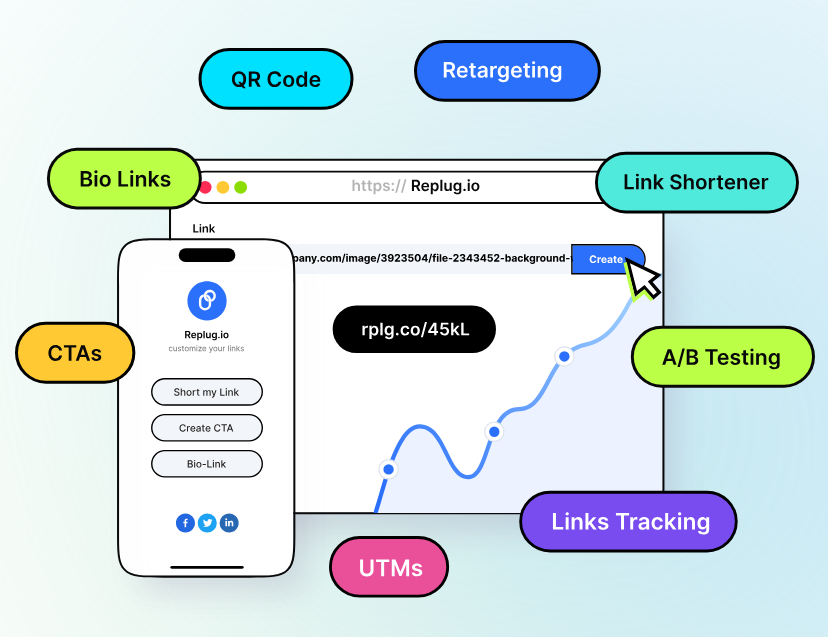
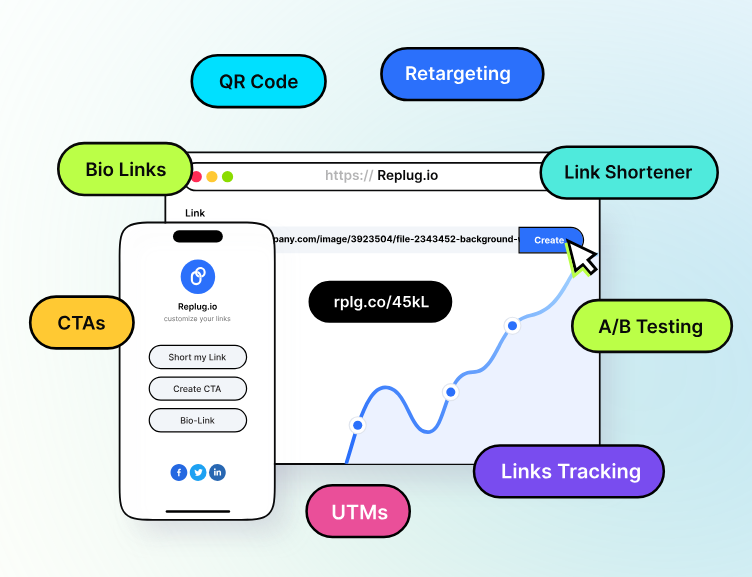
Our top Linktree alternative is none other than Replug – a feature-rich link management tool offering advanced features such as bio-link, white-label solutions, deep-link, retargeting pixels, link analytics, custom CTA’s, and so much more…
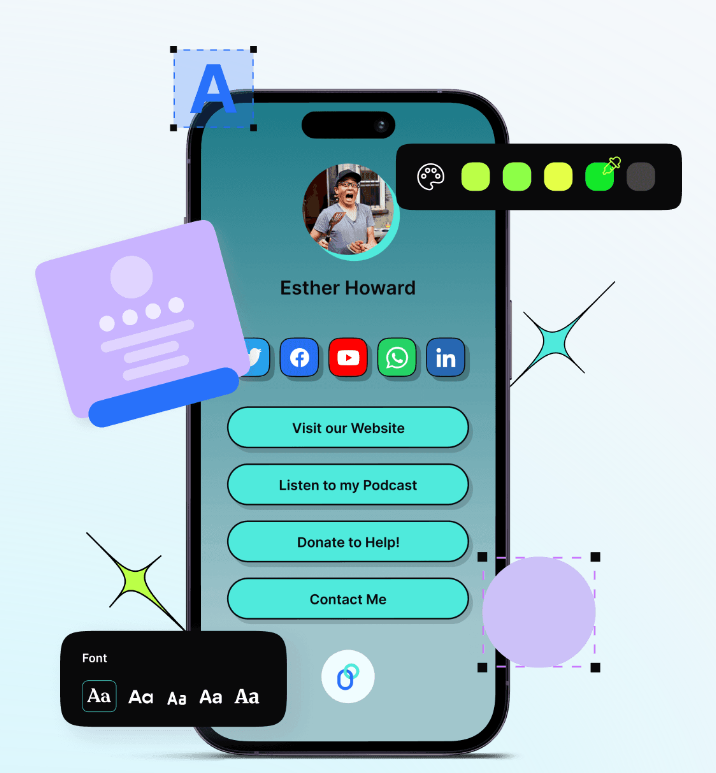
Moreover, Replug allows for greater customization options within the micropage, so brands can match their branding and style preferences. It’s considered the best Linktree alternative for content creators as it allows you to turn visitors into customers using cross-channel retargeting to those who interact with your bio links. Besides that, you can set up and personalize bio links in no time using the drag-and-drop tool.
Go beyond generic link pages!
Create custom bio links that truly fit your brand
With Replug, you can create bio links that are unique, engaging, and built to convert.
The best part about Replug is that it is easy to use, affordable for businesses of all scissors, and offers top-notch customer support, alongside a 14-day free trial so you can try and test out its high-end features before proceeding to the next step.
Best features
Create custom bio link pages with advanced options
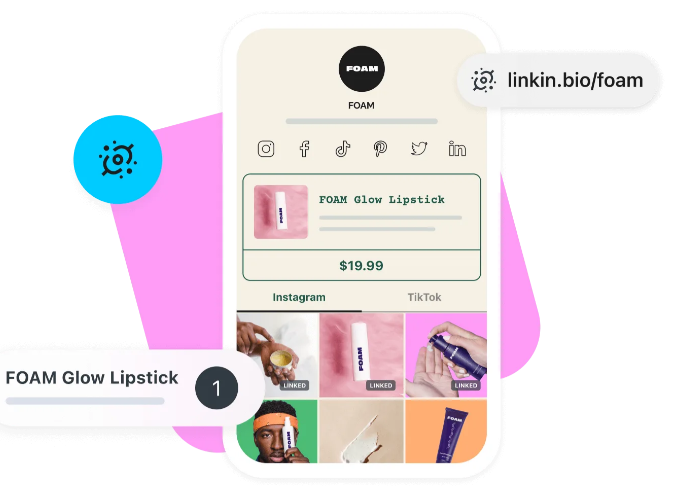
Another top Linktree alternative is Linkin.bio by Later – a tool specifically tailored for Instagram and TikTok users, enabling them to create a clickable landing page for their bio link.
Moreover, it streamlines the eCommerce journey by enabling customers to shop directly from your posts. Although customization options are somewhat restricted, its alignment with Instagram’s design is ideal for enhancing your Instagram marketing strategy.
“Later is a good scheduling tool, but still has a few limitations.”
Scott B. (Founder / CEO)
Pricing plan
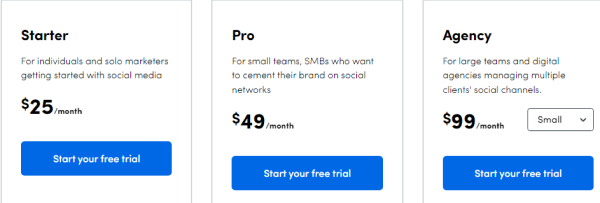
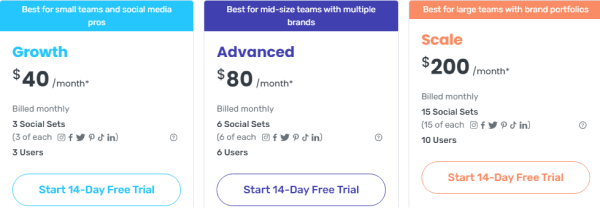
Starter
Growth
Advanced
Agency
25USD/month
45USD/month
80USD/month
200USD/month
3. Milkshake
Milkshake is a user-friendly platform that allows individuals to create stunning microsites directly from their mobile devices. It caters to influencers, bloggers, and small businesses looking to establish an online presence without putting in much effort.
Best features
Enjoy mobile-optimized templates.
Multiple pre-designed templates for quick and easy page creation.
Easily integrate your social media profiles with your landing page.
Offers the quick drag-and-drop functionality.
Drawbacks
As Milkshake focuses on mobile-first design, desktop users might experience some limitations in functionality and layout.
“It’s just a landing page. I thought when it said “sell more” you could add shoppable features – but no. Just links to other sites. It’s pretty. Not a lot of options like advertised, but it is pretty.
Megan Goos (App user)
Pricing plan
Milkshake is your free Linktree alternative, making it an attractive option for individuals on a budget or those looking to test the platform before committing to a paid plan.
Shorby stands out as one of the most advanced yet user-friendly link-in-bio tools available. This Linktree alternative offers a SmartPage builder, which is particularly noteworthy, enabling users to effortlessly craft personalized landing pages
Best features
Easily create one-page microsites with custom CSS and HTML for personalized content.
Pally offers exceptional value with its array of features. It enables users to create two unique types of links: one mirroring their Instagram page and another hosting essential URLs relevant to their brand.
Additionally, Pally provides analytical tools to refine your Instagram marketing approach, establishing it as an essential tool for optimizing your social media presence.
Campsite. bio is another top-notch link tree alternative on our shortlist. It lets you consolidate various links – to your website, social media profiles, portfolio, or online store – into a centralized, mobile-friendly location. Brands can easily personalize the look and feel of your landing page with various themes, fonts, and colors to match your brand identity.
Best features
Easily integrates with CRMs, e-commerce platforms, and email marketing apps.
Provides detailed reporting and analytics for thorough performance assessment.
Unlimited link creation capability to meet all marketing requirements.
Offers extensive customization options with a variety of templates and design choice
Reviews & ratings
“I love using Campsite for my blog and social channels, I’ve tried some other services but they just didn’t give me the features that I was looking for. Being able to brand my links and add photos is huge. Good stuff!“
Becca Tetzlaff – Product user
Pricing plan
Pro
Pro +
$24 USD per month 1 profile
$7 USD per month 1 profile
7. ShortStack
ShortStack is a marketing tool that helps you run engaging contests and promotions. It offers easy creation of landing pages with interactive elements like quizzes or sweepstakes. ShortStack helps collect leads and grow your audience through social media integration and data management.
“Overall good, east to manage contests and winners”
Cassie G. (Senior Technical Product Manager)
Pricing plan
Pro
Business
$249/month
$99/month
8. Taplink
Taplink is another amazing Linktree alternative, offering a modern landing page builder for social media. Its powerful customization options, combined with 20 unique content blocks, make Taplink particularly useful for creators, influencers, and small business owners who are looking to stand out and monetize their content.
Taplink is also the only tool on the list that has an AI feature allowing users to create custom landing pages in seconds.
Best features
Provides a library of 300+ pre-designed themes and professional templates.
Allows to customize every aspect of a landing page: colors, fonts, shapes, etc.
Has an AI feature that generates a custom landing page from a business description.
Lets you add 20 different content blocks, including images, videos, forms, timers, maps, etc.
Includes a built-in option to sell digital products directly on a Taplink page.
Supports 50+ payment providers to sell products or collect tips from around the world—without extra fees.
Drawbacks
Most advanced features are only available in the paid plans.
No 1-month plan is available, you can only subscribe for 3, 6, or 12 months.
“The perfect landing page solution for my small business.” Marcos A. (Business owner)
Pricing plan
Basic
Pro
Business
Free
$3/month
$6/month
Which is the best Linktree alternative?
Choosing the best Linktree alternative depends on your specific needs and budget. If you’re looking for a comprehensive solution with advanced bio link or overall link management features, Replug is the simple answer for you.
Replug – A complete link management solution for everyone
Branded links, clear calls to action, and beautiful landing pages – Replug makes it easy for anyone to get more out of their links.
Content creators? Showcase your portfolio on a sleek landing page. Or Turn visitors into customers by cross-channel retargeting for those engaging with your bio links.
Marketers? Track clicks and understand your audience. Or run A/B tests on different link variations:
Business owners? Make a great first impression and boost sales. Or capture leads and grow your email list
What else can you do with Replug?
Replug is the best Linktree alternative for business because of its diverse feature set:
Instead of generic shortened URLs, Replug allows you to create branded links that include your brand name.
Add CTAs to your shortened links, prompting users to take a specific action after clicking, such as visiting your website, signing up for a newsletter, or making a purchase.
Effectively distribute traffic across various marketing channels using the link-rotator. Segment the audience based on country, device, browser, OS, IP address, date, and day of the week.
Utilize advanced analytics features for campaign tracking and optimization to maximize your ROI.
Offers social media retargeting to reach and retarget your audience across platforms.
Explore the white-label solution to take full control of your agency’s branding by adding your branded custom domain, logos, interface, and more.
A/B testing allows you to compare different versions of something (like a shortened link with a CTA or without) to see which performs better.
That was it in today’s article. From Replug’s advanced link management capabilities to Milkshake’s mobile-friendly microsites, there’s a solution to fit every need and budget. Whether you prioritize customization, analytics, or integration with other platforms, there’s a Linktree alternative waiting for you.
FAQs
Why look for a Linktree alternative?
Linktree might limit your design options and free features. Consider alternatives if you need more customization, advanced features, or a platform tailored to your specific needs.
Which is the best Linktree alternative for musicians?
The best Linktree alternative for musicians depends on factors like desired features, budget, and overall goals. A platform like Replug would be the perfect option because of its features tailored to musicians’ needs, such as seamless integration with music streaming services or customizable landing pages for album releases.
Can I customize the appearance of my bio link page?
You can change how your bio link page looks by picking colors, and layouts, and adding pictures or logos.
In digital marketing, understanding where your website traffic originates is like having a compass in a vast sea—essential for navigating your way to success. This is where UTM parameters step in. These simple tags, added to your URLs, hold the key to unlocking valuable insights into the performance of your online campaigns, facilitating accurate traffic attribution.
In this guide, we’ll break down UTM parameters in straightforward terms. We’ll explain why they matter, how they’re structured, and, most importantly, how you can use them to track the effectiveness of your marketing efforts. Whether you’re new to the digital marketing game or seeking to fine-tune your strategies, this guide will empower you to leverage UTM parameters effectively, helping you make informed decisions and steer your campaigns toward greater success.
What are UTM parameters?
This question often takes the center stage: “What are UTM codes or parameters?”
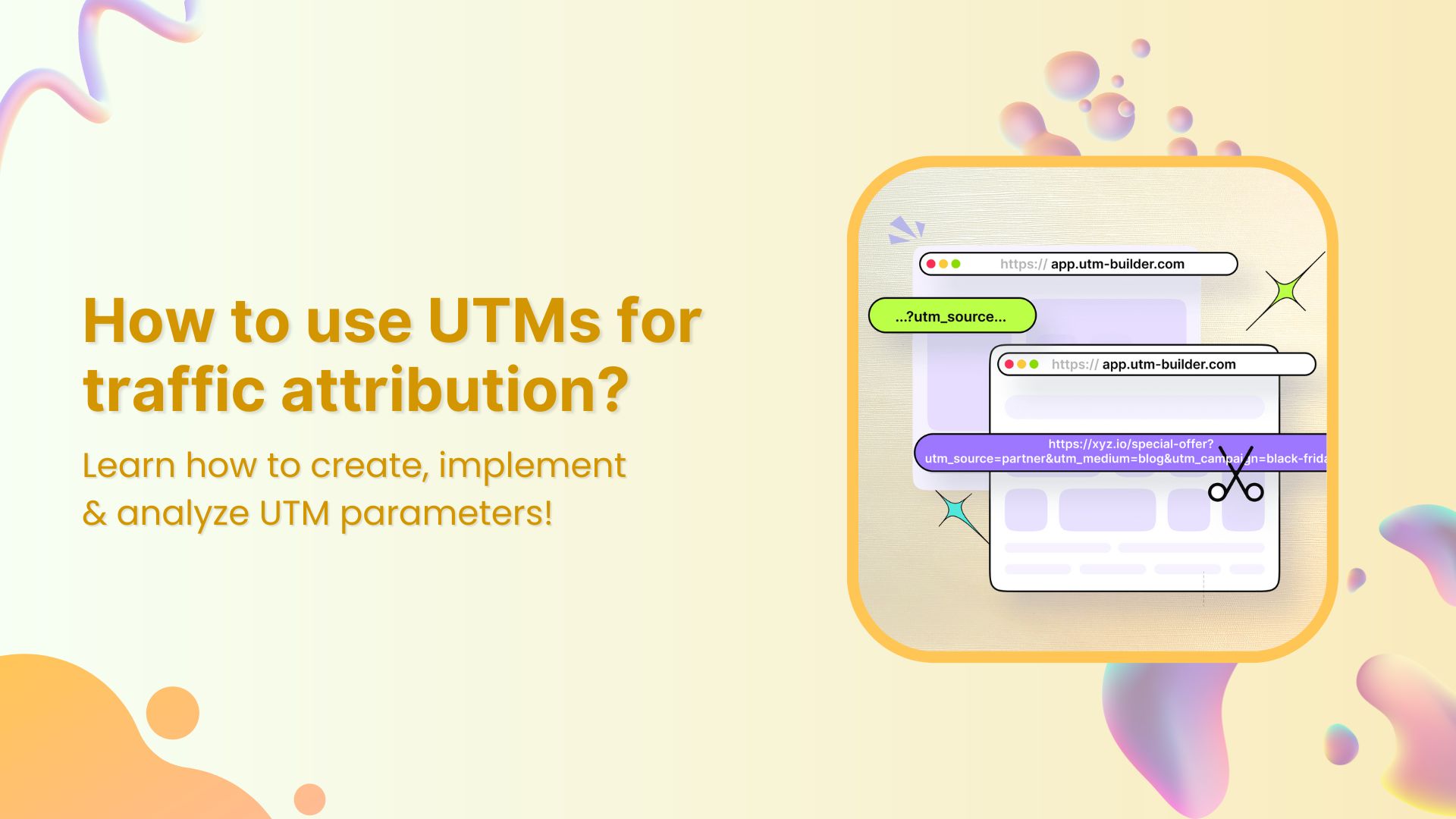
UTM parameters, short for Urchin Tracking Module parameters, are tags added to the end of a URL to track and analyze the effectiveness of marketing campaigns. They provide valuable information about the source, medium, campaign, term, and content associated with a particular link.
Here’s a breakdown of the key components of UTM parameters:
Source (utm_source): This parameter specifies the origin of your traffic, such as a search engine, social media platform, or website. For example, utm_source=google indicates traffic coming from Google.
Medium (utm_medium): This parameter defines the type of traffic, such as organic search, paid search, social media, email, or referral. For instance, utm_medium=cpc denotes traffic from a cost-per-click advertising campaign.
Campaign (utm_campaign): This parameter identifies the specific marketing campaign associated with the link. It allows you to differentiate between different campaigns or promotions. For instance, utm_campaign=spring_sale distinguishes traffic generated by a spring sale campaign.
Term (utm_term): This parameter is typically used for tracking keywords in paid search campaigns. It specifies the search term that triggered the ad click. For example, utm_term=running+shoes indicates the keyword associated with a paid search ad for running shoes.
Content (utm_content): This parameter is used to differentiate between different elements within the same campaign, such as different ad creatives or links within an email. It helps marketers identify which specific content is driving traffic. For example, utm_content=sidebar_ad identifies traffic from a sidebar advertisement.
What is traffic attribution?
Traffic attribution refers to identifying and assigning credit to the various channels, campaigns, or sources that contribute to website traffic or conversions. In other words, it involves determining where your website visitors are coming from and understanding the paths they take before completing a desired action, such as making a purchase, signing up for a newsletter, or filling out a contact form.
The goal of traffic attribution is to attribute the appropriate value to each touchpoint along the customer journey, allowing marketers to understand the effectiveness of their marketing efforts and allocate resources accordingly.
By accurately attributing traffic, marketers can answer questions such as:
Which marketing channels or campaigns are driving the most traffic to my website?
What is the impact of each marketing touchpoint on conversions?
How do customers interact with multiple channels before converting?
How can I optimize my marketing strategy to improve performance and ROI?
A complete link management solution
for marketing professionals & agencies.
Try Replug for free
Benefits of using UTMs for traffic attribution:
Using UTM parameters for traffic attribution offers several benefits that empower marketers to make informed decisions and optimize their marketing strategies effectively:
Granular insight into traffic sources
UTM tags offer a microscopic view of where your website traffic originates, allowing you to pinpoint the exact sources and campaigns driving visitors to your site with unparalleled accuracy.
Strategic resource allocation
With UTM parameters, you can identify high-performing marketing channels and campaigns, enabling you to allocate your resources—whether time, budget, or creative efforts—strategically toward the channels that deliver the best results.
Quantifiable campaign impact
By associating unique parameters with each campaign, UTM parameters provide measurable data on the performance of your marketing efforts. This data-driven approach empowers you to measure the effectiveness of your campaigns objectively and refine your strategies accordingly.
Insightful user journey analysis
UTM parameters allow you to trace users’ paths to reach your website, shedding light on their journey and interactions with your brand. This deep understanding of user behavior informs personalized marketing tactics and website optimizations, enhancing the overall user experience.
A complete link management solution
for marketing professionals & agencies.
Try Replug for free
How to use UTM parameters for traffic attribution?
Using UTM parameters for traffic attribution involves a straightforward process. Here’s a step-by-step guide:
Step 1: Identify your campaigns
Determine the marketing campaigns or initiatives you want to track. This could include email newsletters, social media posts, PPC ads, or any other promotional efforts.
Step 2: Create unique UTM parameters
Generate UTM parameters for each campaign using Replug’s UTM Builder or any other UTM parameter generator tool. The key parameters include:
utm_source: The referrer of the traffic (e.g., google, newsletter, facebook).
utm_medium: The marketing medium (e.g., cpc, email, social).
utm_campaign: The specific campaign name or identifier.
Additional optional parameters:
utm_term: Keywords associated with the ad or link.
utm_content: Differentiate between variations of the same ad or link.
Step 3: Append UTM parameters to URLs
Once you have created the UTM parameters, append them to the URLs of your marketing assets. For example:
Step 4: Track incoming traffic
Monitor your website analytics platform (e.g., Usermaven) to track incoming traffic with UTM parameters. You can view the data under the “Attribution” or “Acquisition” sections, depending on your analytics tool.
Step 5: Analyze and interpret data
Use the data collected through UTM parameters to analyze the performance of your campaigns. Identify which campaigns, channels, or sources drive the most traffic and conversions. Evaluate the effectiveness of your marketing efforts and make data-driven decisions to optimize future campaigns.
Step 6: Refine and iterate
Continuously refine your UTM parameters and tracking methods based on the insights gained. Test different variations, channels, or messaging to improve performance and maximize ROI over time.
A complete link management solution
for marketing professionals & agencies.
Try Replug for free
Best practices for using UTM parameters:
1. Establish clear naming conventions:
Develop a standardized naming convention for UTM parameters to maintain consistency and clarity across all campaigns. Consistent naming conventions make it easier to track and analyze data accurately.
2. Include relevant information:
Ensure that UTM parameters contain relevant information about the source, medium, campaign, and content. This information should accurately reflect the purpose and context of each campaign or promotional activity.
3. Be selective with parameters:
Avoid using unnecessary UTM parameters that don’t contribute meaningful insights. Focus on the essential parameters that help you track and analyze the performance of your campaigns effectively.
4. Use URL shorteners:
Long URLs with UTM parameters can be cumbersome and visually unappealing. Consider using our best free link shortener to create cleaner, more user-friendly links while still incorporating parameters for UTM tracking purposes.
5. Regularly review and update:
Periodically review your UTM parameters to ensure they align with your current marketing objectives and strategies. Update or refine them as needed to maintain relevance and accuracy over time.
6. Educate your team:
Provide training and guidance to your marketing team on the proper use of UTM parameters. Ensure everyone understands the importance of consistent implementation and follows best practices to avoid errors or inconsistencies.
7. Document your UTM strategy:
Keep detailed documentation of your UTM parameters, including naming conventions, usage guidelines, and tracking procedures. This documentation serves as a reference for your team and helps maintain consistency across campaigns.
8. Test and validate:
Before launching campaigns with UTM parameters, test and validate your tracking setup to ensure everything is functioning correctly. Verify that data is being captured accurately in your analytics platform and troubleshoot any issues before going live.
Optimize your UTM parameters with Replug
For marketers seeking a streamlined solution to manage UTM parameters and track link performance, Replug offers a robust suite of tools designed to simplify the process.
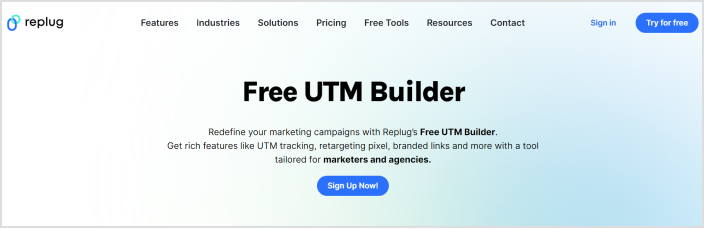
With Replug’s free UTM builder, you can effortlessly create custom UTM parameters for your marketing campaigns. Whether you’re running social media ads, email campaigns, or affiliate promotions, Replug’s intuitive interface allows you to generate UTM tags with ease.
But that’s not all. Replug goes beyond UTM parameters, offering comprehensive link management capabilities to optimize your marketing efforts further.
Create branded short links: Enhance your brand’s visibility and trust by creating custom short links that reflect your brand identity.
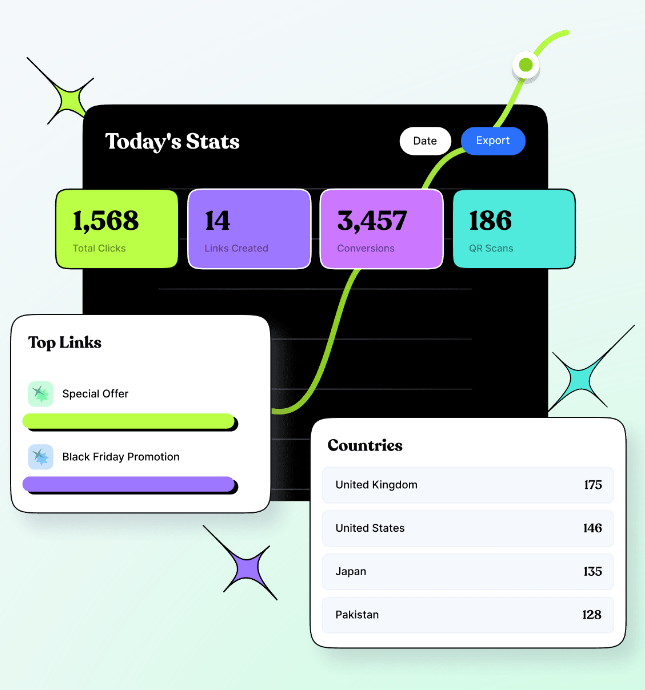
Track clicks and conversions: Gain real-time insights into link performance with advanced analytics. Monitor clicks, conversions, and engagement metrics to measure the effectiveness of your campaigns.
Retarget website visitors: Maximize the impact of your campaigns by retargeting website visitors with custom CTAs and overlays. Replug’s retargeting feature lets you capture leads, drive conversions, and maximize ROI.
Whether you’re a solopreneur, small business owner, or marketing agency, Replug empowers you to optimize your marketing efforts and drive results.
A complete link management solution
for marketing professionals & agencies.
Try Replug for free
Frequently asked questions
Why are UTM parameters important for traffic attribution?
UTM parameters are crucial for accurately attributing website traffic to specific marketing campaigns or channels. They provide detailed insights into the effectiveness of various marketing efforts, helping marketers identify which campaigns drive the most traffic and conversions. By analyzing UTM data, marketers can make informed decisions about resource allocation, campaign optimization, and overall marketing strategy.
How do I create UTM parameters for my marketing campaigns?
You can create UTM parameters using Google’s Campaign URL Builder tool or any other UTM parameter generator. Simply enter the relevant information for each parameter (e.g., source, medium, campaign) and the tool will generate a unique URL with the appended UTM parameters.
What are the best practices for using UTM parameters?
Best practices for using UTM parameters include establishing consistent naming conventions, tracking campaigns across all platforms, avoiding common mistakes like typos and inconsistent capitalization, regularly reviewing and analyzing data, and educating your team on proper implementation.
How do UTM parameters help in tracking traffic sources?
UTM parameters help track traffic sources by providing detailed information about the origin of website traffic. By appending UTM parameters to your URLs, you can identify which campaigns, channels, or sources are driving visitors to your website, allowing for accurate attribution and analysis.
Spice up your social media game with some killer Instagram marketing tools! And take your brand to the next level!
Yes, you’ve heard me right! Whether it’s promoting your brand online, building social proof, generating leads, increasing engagement, or measuring brand analytics.
All that and more can be achieved with the right Instagram marketing tools. However, there are a lot of different marketing tools in the market now. And each of them serves multiple purposes. You must choose the right one per your brand’s needs and demands.
Below, we have reviewed the 14 best Instagram marketing tools, which can quickly skyrocket your brand’s online visibility.
Alright! Let’s dive into the details.
What is Instagram marketing?
Instagram marketing is the process of promoting a business, its products, or its services through the Instagram social media network.
It involves creating content that resonates with followers and encourages them to engage with the brand. With the right Instagram marketing strategy, one can increase the number of leads, expand the brand’s online visibility and connect with the targeted audience. Now let’s jump into the tools.
15 must-have Instagram marketing tools
When it comes to finding the right tool for the job, there are a lot of factors to consider, such as its user interface, effectiveness, customer service, etc. Thankfully, some tools out there hit the nail on the head.
Social Media Management Tools
1. ContentStudio
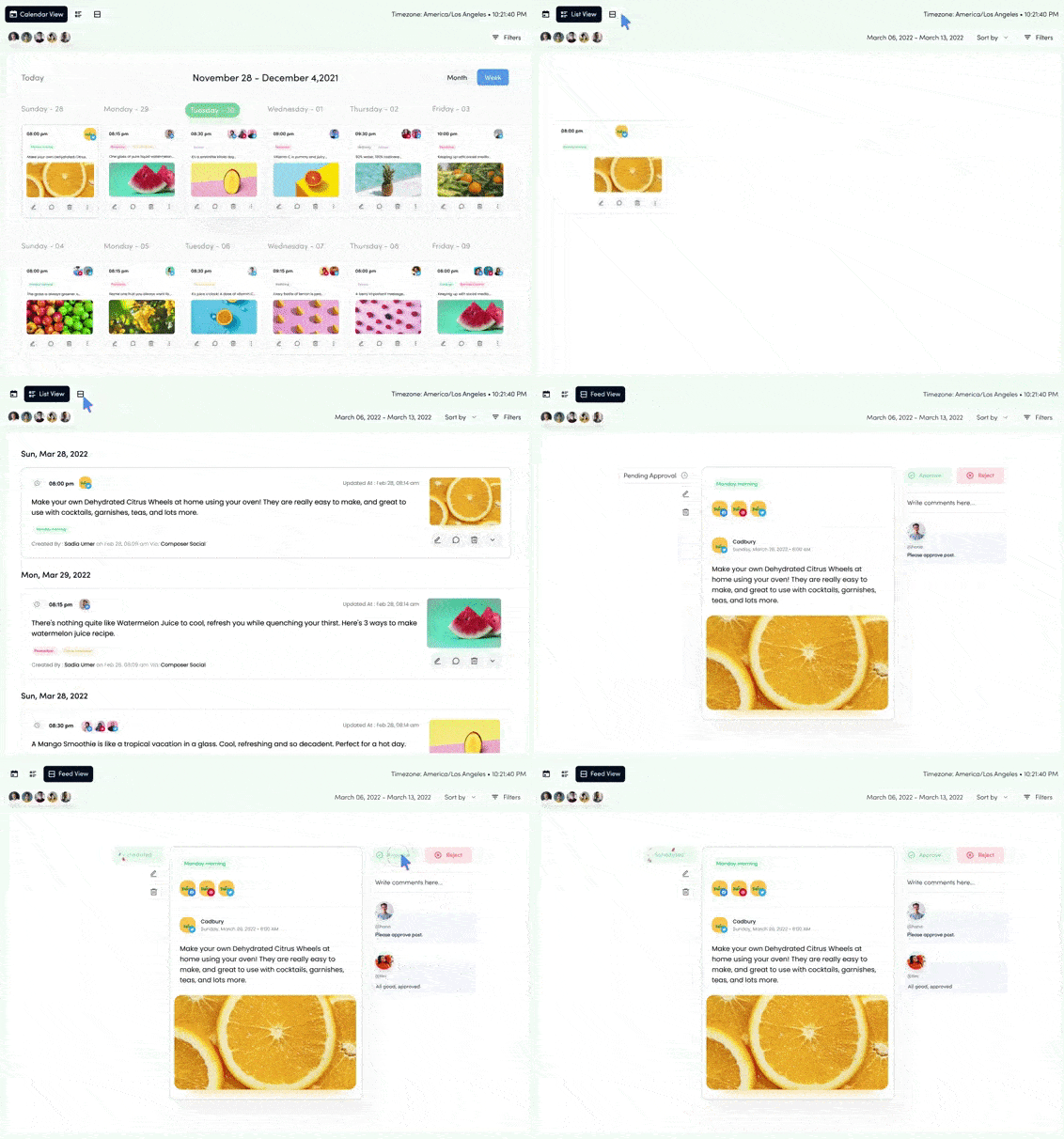
Get ready to meet the superstar of Instagram marketing tools –ContentStudio! Used for scheduling posts, influencer discovery, AI-based captions generator, workflow approval, Canva integration, tracking analytics, etc. So, plan, create, and schedule posts that will make your followers stop scrolling and say,
“Wow, this ismind-boggling” Move over, mere mortals!
ContentStudio is like having a personal marketing assistant but without coffee runs.
Moreover, you can use fancy filters to enhance your visual content and share it on social platforms to raise brand awareness. Also, you can write and customize posts per your potential audiences with the AI-writer feature.
And with our built-in Instagram competitor analytics tool, you can always stay one step ahead of the game.
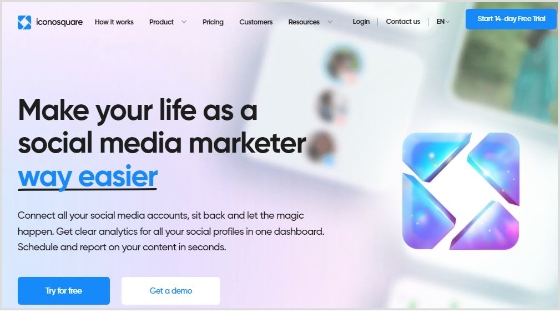
Iconsuqaure lets you build a custom campaign to promote your product, schedule your postings and streamline your data. Due to the large amount of information that is available online, it might be challenging to keep track of how your audience perceives your business.
With this tool, you can ensure that your account gets the audience you want it to if you personalize each of your daily posts on it.
Moreover, if you’re curious about the number of times your brand has been mentioned on Instagram, you can easily find out through the platform’s analytics of Iconsuqare. Most freelancers and individuals in the field may find the tool pricey. However, it’s perfect for agencies and large-scale businesses.
If you’re here, you may already hear about Buffer. This tool is the real deal! It lets you kill two birds with one stone by allowing you to schedule Instagram posts ahead of time, spice them up with eye-catching visuals, and even create bio-links.
You’ll need a time-traveling tool to schedule your posts in advance to avoid the stress of last-minute content creation- like Buffer.
So you can spend more time binge-watching Netflix and less time trying to get along with boring market trends.
Keeping your brand alive nowadays is like swimming upstream with a lead weight tied to your ankle. Unless you’re happy being a loser, you might want to consider winning over your competitors.
We advise you to use this as an all-in-one link management tool to shorten a link, adding retargeting pixels, embedding CTAs, and creating social media bio-links.
Replug.io helps you automatically build custom audiences on different ad networks and convert anyone who views your content through its retargeting pixel feature.
Moreover, its bio-link feature allows you to host multiple social links in one customizable page, and with Replug’s Instagram link shortener, you can create clean, branded URLs that fit perfectly in your Instagram bio while driving clicks to your content.
So why wait? Give it a try today and see the results for yourself.
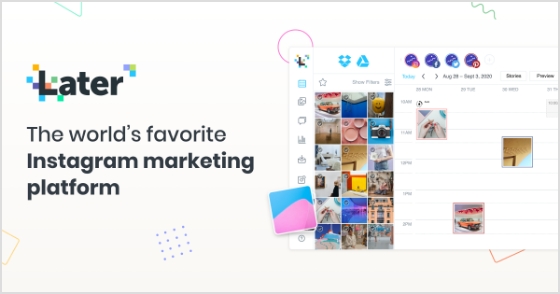
With Later, you can easily create bio links and also schedule your social media posts. Generate visual content calendars to help you stay organized and on top of your Instagram game.
And if you have multiple Instagram accounts, Later makes it easy to generate a different content library for each one, so you can keep your content fresh and engaging across all your profiles.
This beast has a drag-and-drop visual planner feature, so you can easily plan your posts before publishing them. Ensure your content is always on point and ready to be shared with your audience.
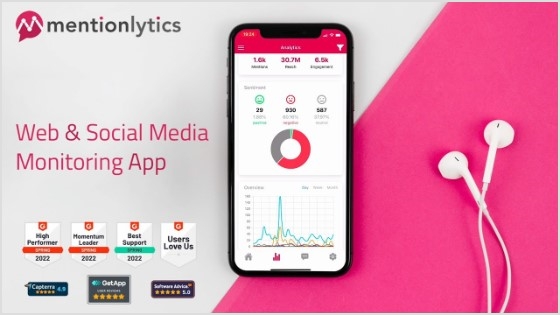
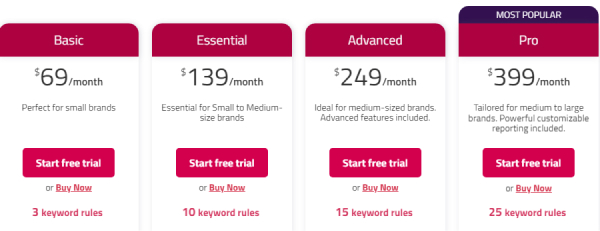
It offers various features to help businesses effectively manage their presence on Instagram. Such as real-time mention monitoring so you can keep a close eye on mentions of your brand, competitors, or products in real-time.
This lets you stay updated on what people say about your business and quickly respond to mentions.
And a unified dashboard for engagement so you can respond to reviews, comments, and direct messages (DMs) all in one place, simplifying the process and saving you time.
Also, Mentionlytics allows you to track your competitors’ activities, gaining insights into their strategies and performance. Or you can identify and follow top influencers in your industry, making establishing partnerships that can expand your reach and impact easier.
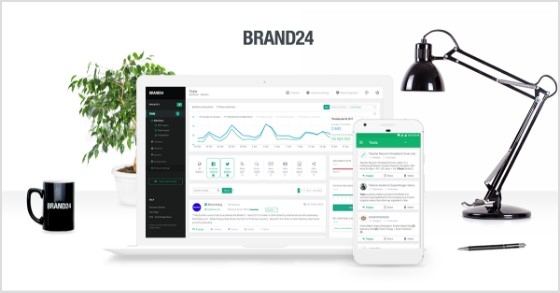
With Brand24, you can easily track the online activity surrounding your brand. Its unique ability is that it goes a step further by segmenting the audience’s responses based on their sentiments.
Its automated sentiment analysis helps you understand the audience’s sentiment toward your brand. So you can categorize responses as positive, negative, or neutral, providing valuable insights into public perception.
It also helps you promptly address any emerging issues or trends before they become significant problems with identifying sudden shifts. On the other hand, it’s an instant user engagement feature. You can immediately engage in a conversation with your customers.
By addressing their concerns in real-time, you can demonstrate your commitment to customer satisfaction and turn a negative experience into a positive one.
Listen up, folks! If you want your campaigns to be lit, you must get those influencers on board. They’re like the cool kids in high school – everyone wants to be like them and follow their lead.
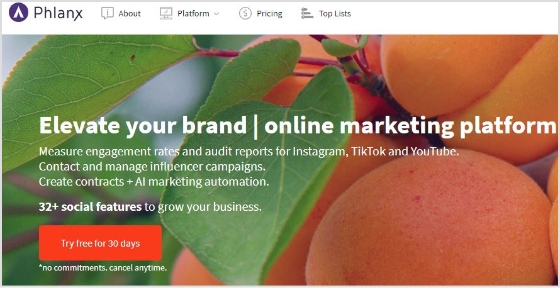
But what’s even more important? Keeping an eye on engagement rates and account audits. For this purpose, I suggest Phlanx– a popular tool among influencer marketers and professionals in the industry.
It’s like having a genie in a bottle, but instead of wishes, it grants you social media success!
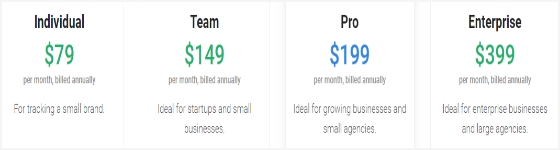
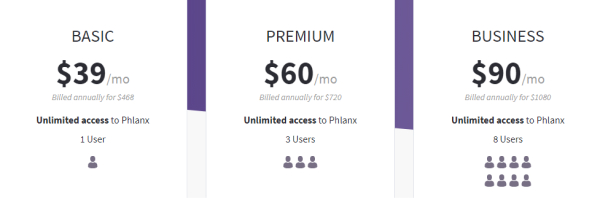
Phlanx helps you streamline your follower list, promote your brand online, handle influencer searches, audit your accounts, track engagement rates, and generate contracts. Also, it ensures that your content resonates with your targeted audience, which may lead to more meaningful interactions and a more robust online community.
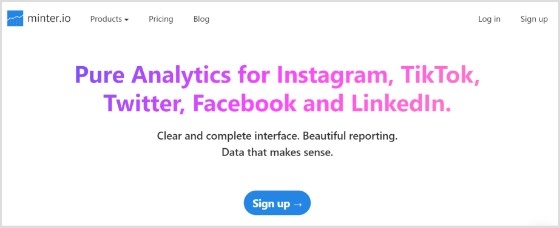
With a comprehensive and user-friendly interface that provides reliable analytics, minter.io is another perfect Instagram marketing tool. It offers advanced insights into your social media followers and post engagements, allowing you to understand your audience better and optimize your content strategy.
Also, it ensures that the data and analytics provided are accurate and reliable. It also gives you the option to do the post-engagement analysis. Allowing you to delve into the performance of your posts, including likes, comments, and shares.
Moreover, You’ll also see the flexible date range selection. This feature lets you view performance trends over specific periods, making tracking progress and comparing results easier.
One of its unique features is its data export capability. You can easily export the generated reports to utilize the data outside the tool. This empowers you to integrate the insights into other marketing analyses or share them with team members.
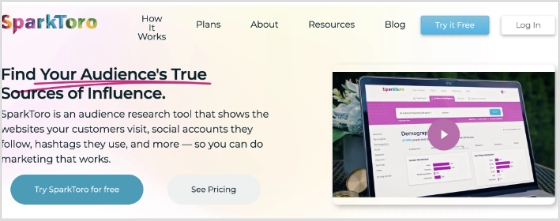
With SparkToro, marketers can delve into the specific topics, trends, and subjects that capture the attention of their target audience. Understanding these interests enables marketers to align their content with what their audience genuinely cares about, increasing the chances of resonating with them.
Also, the platform provides data on the profiles and accounts that hold significance to the target audience. Marketers can use this information to identify influencers and brands their audience trusts and admires.
Collaborating or drawing inspiration from these influential figures can amplify the reach and credibility of their Instagram marketing efforts.
MetaHashtags is also one of the most popular Instagram marketing tools for generating Instagram hashtags. You can connect with a broader audience and attract new followers. So you can streamline your posts and stay ahead of the game.
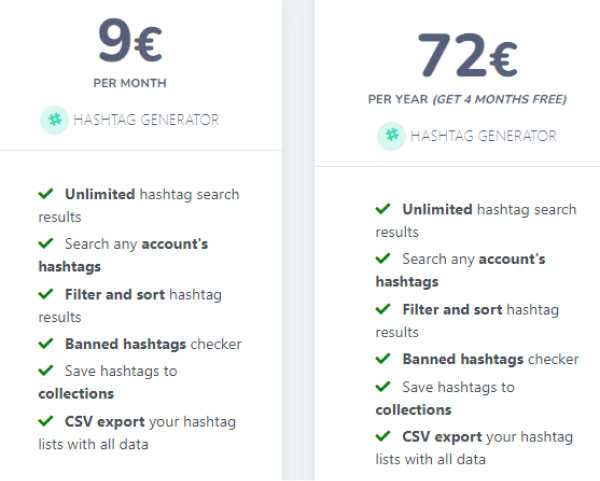
Plus, with the free plan, you can generate as many Instagram hashtags as you need without additional cost. It offers many features, such as checking your competitors’ profiles and posts, removing banned hashtags, and filters for refined searches.
You can filter your search results by likes, frequency, and other parameters to get the most popular and frequently updated content.
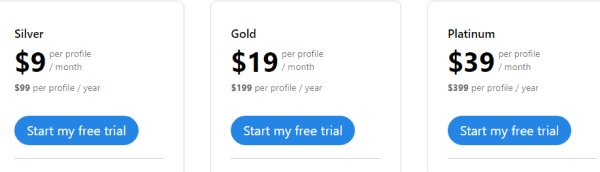
Pricing plan of Metahashtags :
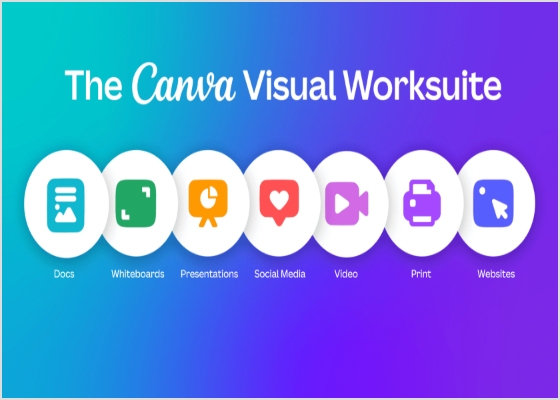
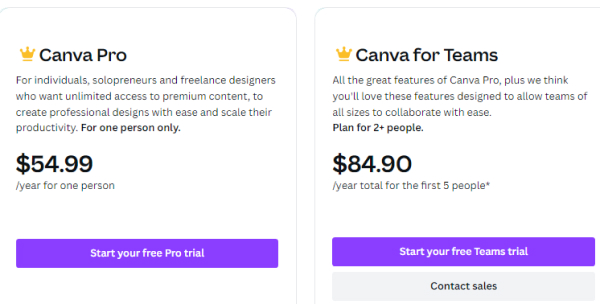
12. Canva
Creating visibility on instagram can be tricky, but a hidden key can make all the difference. The key is posting eye-catching visuals. And with Canva, you can create customizable Instagram visuals using features like their AI photo generator, which lets you bring new concepts to life with just a few words.
It has over 250,000 free templates; you will find the perfect design for your needs. Additionally, the user-friendly interface makes creating material with a professional appearance simple.
It has features like an online video recorder; you can easily capture footage on the go, while the video trimmer allows you to cut and edit your clips precisely.
Plus, you can easily incorporate high-quality footage into your projects without breaking the bank with access to a library of free stock videos. Other editing features, such as text animations and speech bubbles, allow you to add a professional touch to your videos and make them stand out.
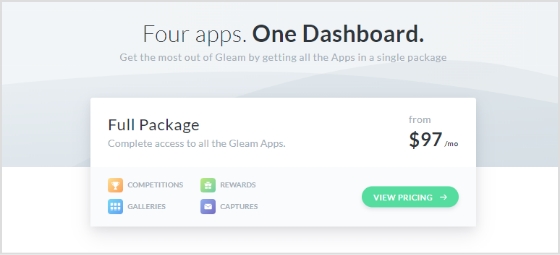
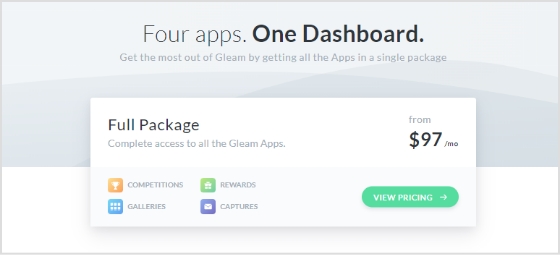
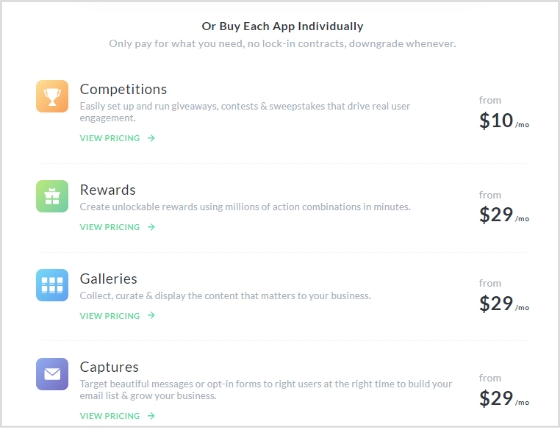
Gleam is a comprehensive Instagram marketing tool designed for organizing contests, giveaways, and promotions. Through this tool, marketers gain the capability to develop and oversee engaging Instagram contests effortlessly.
This dynamic approach helps increase brand awareness, foster higher levels of engagement, and expand the base of followers.
It facilitates various interactive marketing activities, including contests, giveaways, and promotions. These strategies effectively capture the audience’s attention, encourage participation, and generate buzz around the brand or product. However, a successful Instagram marketing campaign on Gleam can contribute to a surge in followers.
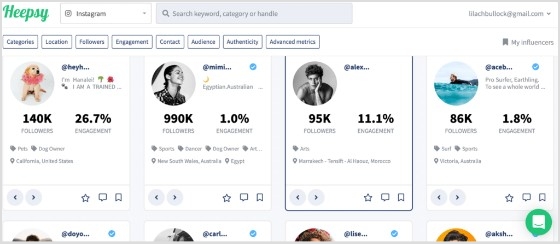
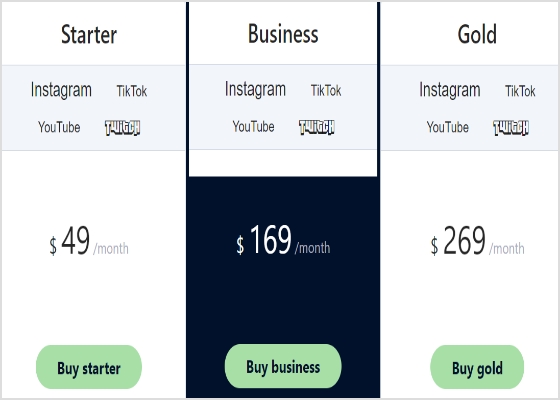
Another Instagram marketing tool for searching, analyzing, and contacting influencers. It also dissects the audience’s demographics and offers useful insights. If you belong to a brand, agency, or advertising company, this is the right tool to interact with top influencers.
You can create an influencer list, export data, and start conversations.
Heepsy offers filters to find influencers by categories wise such as follower count, category, and location.
With ViralMango, you can effortlessly manage your links and showcase your performance metrics in style. Simplify your online presence and make your brand shine.
And if you’re wondering what is a media kit for influencers, ViralMango offers customizable templates that let you tweak your stats and design.
This tool also lets you add custom widgets to your links. Include thumbnails, catchy titles, and update them anytime. Perfect for driving traffic to your latest project or highlighting exclusive deals.
ViralMango’s analytics dashboard gives you deep audience insights. Track visitor data, referral sources, and more to optimize your growth strategy.
Pricing plan of ViralMango:
Free Plan Available
Paid Plans Starting at $9.99/month
Our take
In today’s day and age, Instagram marketing is no longer a choice but a must-have for any business looking to stay ahead of the game.
At the end of the day, the ball is in your court to find the Instagram marketing tool that fits your brand like a glove and doesn’t break the bank.
But even more crucial is to hit the nail on the head and use these tools like a pro according to your marketing game plan.
Nevertheless, ContentStudio is my top pick for the most effective marketing tool, since it includes everything you need. It has also several tools integrated mentioned above, i.e. Replug, Canva and several others useful integrations to uplift your Instagram marketing game. Thank you so much for staying with me till the end. We appreciate your time and effort.
FAQs on Instagram marketing tools
What are the types of Instagram marketing tools?
There are multiple types of Instagram marketing tools. Popular ones are Instagram analytics tools, content creation tools, scheduling tools, bio-link tools, hashtag research tools, ad management tools, Instagram stories, live video tools, contests, and giveaway tools.
Which is the best tool for scheduling Instagram posts?
ContentStudio is the best tool for managing or scheduling Instagram posts.
What are the benefits of Instagram marketing tools?
Generating leads, spreading brand awareness, analyzing buyer persona, building social proof, scheduling your Instagram posts, and increasing engagement.
Which is the best tool for generating bio links?
Replug is the best tool for generating Instagram bio-links.
What are the steps of creating an Instagram marketing strategy?
Setting goals- determining targeted audiences- conducting a competitive analysis- configuring an editorial calendar- building a consistent brand- enhancing follower base.
Clicks are valuable, but only if you understand what happens after. It’s time to stop being in the dark and turn those clicks into conversions.
Don’t know how? No worries! Our blog explains the importance of click analytics and how to track your clicks using top link management tools. Gain insights into user behavior and boost conversions effortlessly. Keep reading…
What is click analytics?
Click analytics refers to the process of monitoring and analyzing user clicks on various elements of a website. These elements could include links, buttons, images, or any interactive component users can engage with.
By tracking these clicks, businesses can gain valuable insights into user behavior, such as which pages are most visited, which links are clicked the most, and how users navigate through the website.
A complete link management solution
for marketing professionals & agencies.
Try Replug for free
Why use click tracking?
There are tons of reasons why every brand should utilize proper click tracking. Some of the major benefits include the following.
Personalize the user journey
Stop blaming the algorithm. Personalize your customer’s experience by utilizing click analytics.
Tailor your messaging and offers to individual users based on their past clicks and behavior.
Identify high-value clicks
Not all clicks are created equal. Click analytics can help you identify which clicks are most likely to convert into paying customers. This allows you to focus your marketing efforts on the most valuable segments of your audience.
Measure the ROI of your campaigns
Are your marketing campaigns delivering a positive return on investment (ROI)?
Replug-click analytics provides the data you need to measure the effectiveness of your campaigns and make adjustments as needed.
Make data-driven decisions
By analyzing click data, businesses can make informed decisions about their marketing strategies, content optimization, and website design. Many marketers also use a ChatGPT visibility tracker to evaluate how AI-generated search experiences impact content reach and audience engagement.
Understanding which links or calls to actions are most effective allows businesses to allocate resources more efficiently and prioritize initiatives that drive results.
By pinpointing areas where users are dropping off or abandoning the conversion process, businesses can implement targeted strategies to streamline the funnel and increase conversion rates.
Optimize landing pages
Are your landing pages aligned with user expectations?
Replug-click analytics can help you identify areas for improvement on your landing pages. By understanding how users interact with your pages, you can make data-driven changes to improve conversion rates.
The best tool for click analytics: Replug
A plethora of click-tracking or link-tracking tools are available in the market, each with its own set of features and pricing plans. Among the notable players in this space are Replug, PrettyLinks, and many more.
While each of these tools serves the fundamental purpose of tracking clicks and analyzing user behavior, they vary in terms of their capabilities, user interface, and pricing structures.
We would suggest you forget confusing tools, go for Replug as it’s the most simple and powerful.
Replug stands out from other tools by offering an extensive range of advanced features tailored to suit brands of all sizes and industries.
Besides that
Replug offers a free plan to get you started.
Replug integrates with various marketing tools and platforms for a smooth workflow.
Replug: The all-in-one solution
Replug serves as the all-in-one click-tracking solution for marketers. Utilize its link-tracking tool to analyze various key performance indicators (KPIs). Easily set expiry dates for time-sensitive promotions and add passwords for added security, ensuring only authorized users can access your links.
Additionally, Replug allows you to personalize and organize your trackable links effortlessly using tags. This simplifies the management process, making it easier to navigate through your campaigns and track performance effectively. And that’s just scratching the surface of what Replug can do.
Key features of Replug click analytics
Here’s a quick overview of some of the important metrics Replug provides:
Total clicks
Total number of times your link has been clicked.
Unique clicks
The number of individual users who clicked your link.
Conversions
The number of times a desired action was taken (e.g., purchase, signup).
Conversion rate
The percentage of clicks that resulted in a conversion.
Click source
Where the click originated from (e.g., email, social media, website).
Replug’s data can help you identify areas for improvement on your landing pages, personalize your marketing messages, and ultimately turn more clicks into conversions.
1. Click tracking and attribution
Replug tracks where users go after clicking your link.
Did they find the right page? Did they convert?
By accurately attributing clicks to specific marketing initiatives or campaigns, businesses can refine their strategies and allocate resources more efficiently.
2. Conversion rate optimization (CRO)
One of the standout features of Replug click analytics is its focus on conversion rate optimization. By analyzing user behavior and identifying bottlenecks in the conversion funnel, Replug enables businesses to implement targeted strategies to enhance conversion rates and maximize ROI.
3. Real-time data and insights
With Replug click analytics, businesses gain access to real-time data and insights, allowing them to make informed decisions on the fly. Whether it’s tracking the performance of a new marketing campaign or identifying emerging trends in user behavior, Replug equips businesses with the tools they need to stay ahead of the curve.
Whether it’s tracking campaign performance or improving product engagement, implementing a virtual try on for Shopify store allows businesses to better understand customer behavior and increase conversions. By analyzing how shoppers interact with virtual fitting features, brands can optimize product pages, reduce return rates, and deliver a more personalized shopping experience that keeps them ahead of the competition.
4. Customizable reports and dashboards
Replug offers customizable reports and dashboards that cater to the unique needs of each business. From high-level overviews to granular insights, businesses can tailor their reporting dashboards to focus on the metrics that matter most to them, facilitating data-driven decision-making at every level.
A complete link management solution
for marketing professionals & agencies.
Try Replug for free
How to track clicks and conversions using Replug?
Step 1: Create a Replug account (or sign in):
Sign up for a free account (or log in if you already have one).
Step 2: Choose or create a campaign
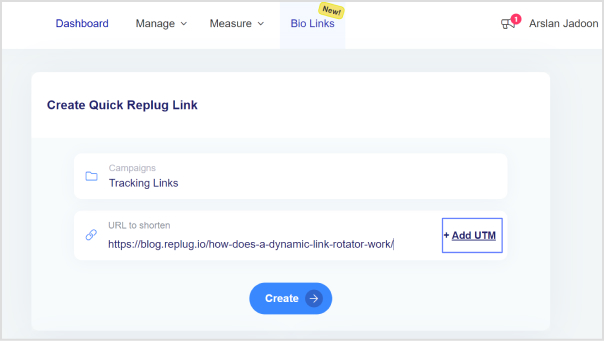
From the main dashboard, you can either select an existing campaign or create a new one. Campaigns are used to organize and group your tracking URLs.
Step 3: Enter the destination URL
Enter the destination URL that you want to track in the “URL to shorten” section, located below the “Select your campaign” option.
Step 4: Add UTM parameters
On the right side of the “URL to shorten” section, locate the “add UTM” tag and click on it.
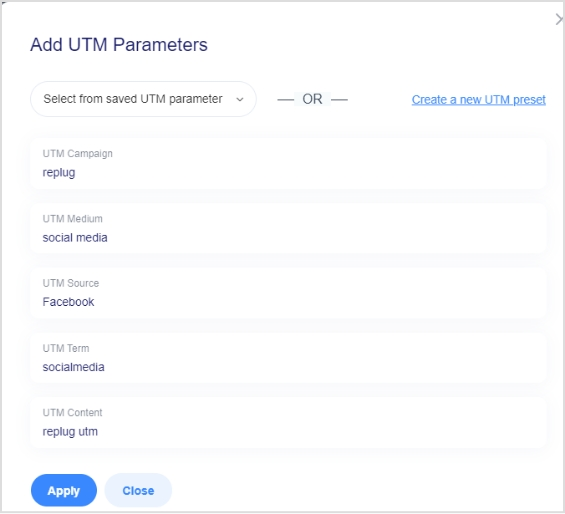
Step 5: Select or create UTM parameters
You have the option to either select from saved UTM parameters or create a new set.
If you’re creating a new one, fill in the UTM parameters, including source, medium, campaign name, and other necessary details.
Step 6: Generate the tracking URL
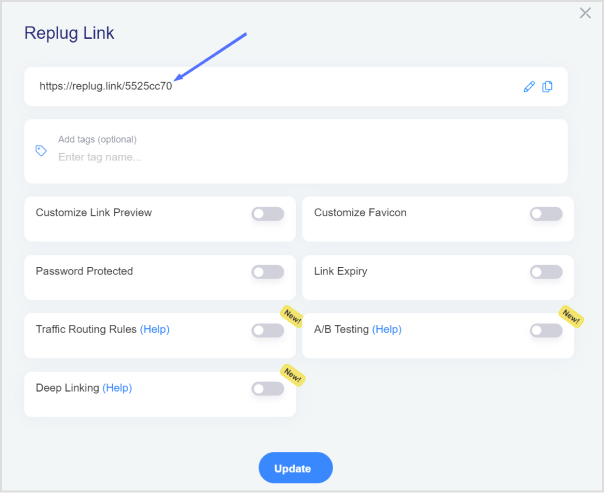
After adding or selecting the UTM parameters, click the “Create” button. Replug will automatically generate a shortened version of your URL with the appended UTM parameters.
Step 7: Customize the tracking URL (optional)
If desired, you can further customize the URL by clicking the edit icon.
Step 8: Copy and update
Copy the generated tracking URL to use in your marketing materials.
Click the “Update” button to save your changes.
Step 9: Access your tracking URL
To access the newly created tracking URL and monitor its performance, follow these steps:
Go to the main dashboard.
Click on “Manage.”
Select “Replug links.”
And you’re good to go with your trackable links.
Replug link management solutions
Replug goes beyond just click analytics and acts as a complete link management platform. Here’s how:
White label for agencies and resellers: Agencies and resellers can leverage Replug’s white-label functionality. Replug can be branded with your own logo and domain, allowing you to offer click analytics and link management as part of your client services.
Built-in CTA generator: Craft high-performing CTAs directly within Replug. No need for separate tools! Replug suggests clear and actionable CTAs based on your link’s purpose (e.g., “Shop Now,” “Download Here,” “Learn More”).
Link rotator for A/B testing: Want to test different landing pages or offers? Replug’s link rotator automatically distributes clicks among various options. Analyze which one performs best and optimize your campaigns for maximum conversions.
Shortened branded links: Replug allows you to create short URL and brand them with your custom domain effortlessly. This makes your links look professional and memorable.
Bio-link creation: Replug lets you create bio links, a single landing page containing multiple links to your social media profiles, portfolio, or other relevant content. This is perfect for social media bios where you have limited space.
Retargeting pixels: Replug integrates with retargeting pixels from social media platforms like Facebook and LinkedIn. This allows you to retarget users who clicked your links with relevant ads, increasing the chance of conversions.
All in all, note that click analytics lets you focus your marketing efforts on the right audience, maximizing your return on investment and avoiding wasting your budget on clicks that go nowhere.
That was all in today’s blog. Thank you so much for staying with us till the very end! Visit our website for more information.
FAQs
What’s the difference between conversions and clicks?
Clicks are simply when someone clicks on your link or ad. Conversions are when someone takes a desired action, like buying a product or signing up for a newsletter.
What is a CTR?
CTR stands for Click-Through Rate, a metric showing the percentage of people who see your ad or link and click on it.
How to increase my click-through rate?
Tips to increase CTR:
– Use compelling ad copy. – Optimize ad placement. – Utilize relevant keywords. – Test different ad formats.
What is a good CTR?
A “good” CTR depends on your industry and campaign goals. Generally, anything above 1% is considered decent, but some niches can see higher CTRs.
Today we’re here with another comparison of three of your favorite tools Bitly, Replug, and Rebrandly. As you may know, all these tools provide vast features. But with that, there come some pros and cons as well. That is why we came up with this detailed blog comparing three industry titans: Bitly vs Rebrandly vs Replug, alongside feature explanations, use cases, benefits, and more to help you pick the perfect fit for your needs.
Replug is an all-star link management tool for marketers with features such as branded link shortening, traffic routing, QR codes, A/B testing, and link retargeting pixels, deep linking, and much more.
Bitly is a URL-shortening service that allows users to create shortened versions of long URLs, making them easier to share, manage, and track. Also, it can be integrated with various platforms, social media tools, and applications.
Rebrandly allows users to create, share, and manage branded links. With Rebrandly, users can also track the performance of their branded links through analytics tools provided by the service.
Before we get to the feature comparison of Bitly vs Rebrandly vs Replug. Let us give you a quick rundown of some of the major things one should look for in a link management tool.
Customization options: First thing first make sure the tool allows you to customize your shortened links with your own branded domain name, helping to maintain brand consistency and credibility.
Analytics and reporting: Look for advanced analytics features that provide insights into link performance, including metrics such as click-through rates, geographic location of users, and referral sources.
Link tracking: Make sure the tool offers comprehensive link-tracking capabilities, allowing you to monitor the performance of individual links and campaigns in real-time.
Integration capabilities:Choose a tool that easily integrates with other platforms and tools you use, such as social media management tools, CRM systems, or marketing automation platforms.
Link management features: Look for features that streamline link management tasks, such as bulk link creation, link editing, and link expiration settings.
Security:Ensure the tool prioritizes link security, protecting against malicious activities such as link spoofing or phishing attempts.
Pricing and scalability: Consider the pricing plans offered by the tool and whether they align with your budget and scalability needs as your link management requirements grow over time.
Bitly vs Rebrandly vs Replug – Feature analysis
Above we have discussed some of the common things to look for in your link management tools alongside a quick pricing comparison of your favorite tools. Now let’s have a look at the detailed comparison in terms of features.
1. Branded short links
The first and most important feature is branded short links. These are shortened URLs customized with your brand’s domain name, enhancing brand visibility and recognition in every link you share online.
Benefits
Marketers can generate branded URLs to promote each product, enabling consumers to access additional product information and tutorials.
Agencies operating in multiple regions can use a reliable link shortener with geotargeting capabilities to create region-specific short links.
Companies can create short links to FAQs, troubleshooting guides, or support ticket submission forms. When customers encounter issues or have questions, they can quickly access relevant resources without having to navigate through lengthy URLs.
Tool
Agency / Enterprise / Premium
Replug
Yes
Bitly
Yes
Rebrandly
Yes
Verdict: Replug
Each of these tools provides branded short links, yet Replug gains a competitive advantage by offering the flexibility to generate unlimited number of branded links and connect multiple domains within both of its plans.
2. White-label board
A customizable dashboard for showcasing branded short links without mentioning the link management tool provider, perfect for professional presentations, reports, and embedding on websites.
Benefits
Agencies can manage multiple client projects, customize project templates, and showcase their work under their own branding, enhancing client relationships and streamlining project management.
Contributes to significant cost savings, as businesses avoid the expenses associated with developing and maintaining, freeing up resources for other strategic investments.
Develop a white-label board feature within your SaaS platform for clients to collaborate with their teams and external stakeholders.
Tool
Agency / Enterprise / Premium
Replug
Yes
Bitly
Does not offer
Rebrandly
Does not offer
Verdict: Replug
Replug stands out with its white-label solution, surpassing Bitly and Rebrandly, both of which lack this feature
3. Advanced link tracking
This is another important feature, as advanced link tracking includes metrics like click-through rates, geographical data, and referral sources, enabling precise monitoring and optimization of marketing campaigns and website traffic.
Benefits
Generate customized reports with key metrics and analytics data to evaluate the effectiveness of your strategies.
Agencies involved in affiliate marketing can utilize branded URLs to track clicks, conversions, and sales generated through affiliate links.
Utilize advanced link tracking to monitor the performance of various marketing campaigns across different channels.
Tool
Agency / Enterprise / Premium
Replug
Yes
Bitly
Yes
Rebrandly
Yes
Verdict: Draw
All three platforms provide advanced link tracking, consider attributes like data history and more in your link tracking software to choose one as per your needs.
4. Retargeting pixel
This helps brands track visitor behavior and serve targeted ads to them on other platforms, increasing engagement and conversions by re-engaging interested prospects.
Benefits
Add a retargeting pixel on product pages to track user behavior and target ads to visitors who have shown interest but still need to complete a purchase, increasing conversion rates.
Utilize a retargeting pixel on blog posts or content pages to retarget visitors with related content or offers.
Add this feature to encourage visitors to sign up for newsletters, webinars, or other lead magnets.
Tool
Agency / Enterprise / Premium
Replug
Yes
Bitly
Does not offer
Rebrandly
Yes
Verdict: Replug & Rebrandly
Both Replug and Rebrandly stand out by providing retargeting pixels.
5. Deep links
These are URLs that direct users to specific content within mobile apps, enhancing user experience and engagement by minimizing navigation steps.
Benefits
Implement deep links to direct users to specific content or features within a mobile app, enhancing user experience and increasing engagement.
Utilize deep links to drive users directly to product pages or shopping carts within a mobile app, simplifying the purchasing process and reducing friction.
Use deep links to create personalized user journeys based on user preferences or past interactions.
Tool
Agency / Enterprise / Premium
Replug
Yes
Bitly
Yes
Rebrandly
Yes
Verdict: Draw
All three of the tools provide deep linking, consider additional features like A/B testing and pricing to make an informed decision.
6. Bio-links
A single link that serves as a micro landing page which includes social media profiles, blog posts, or product pages, providing a centralized hub for all your online content.
Benefits
Content creators, bloggers, and media outlets can curate and showcase their latest articles, videos, podcasts, or other content formats in bio-links,
Clothing stores can create custom bio-links for promoting their new collection, sale offers, or limited collection details.
Tool
Agency / Enterprise / Premium
Replug
Yes (50 bio links)
Bitly
Yes ( 5 Link-in-bio pages )
Rebrandly
Yes
Verdict: Replug
All three of the tools provide bio-links, though the Replug bio-link tool stands out by providing the most numbers of bio-links in its agency plans.
7. QR codes
Scannable codes that, when scanned with a smartphone camera, redirect users to a specific URL, facilitating easy access to digital content from physical marketing materials and enhancing user engagement in offline environments.
Benefits
Incorporate QR codes on restaurant menus to enable customers to view detailed descriptions, nutritional information, or special offers for menu items.
Display QR codes on event signage or banners to facilitate easy access to event schedules, maps, or registration pages, improving attendee experience and engagement.
Use QR codes generated from shortened links for print materials to go paperless.
Tool
Agency / Enterprise / Premium
Replug
Yes ( Unlimited )
Bitly
Yes ( 200 )
Rebrandly
Yes
Verdict: Bitly
All three platforms provide QR code generation, Though Bitly QR code generator takes the lead by providing branded QR codes.
8. CTA generation
Well-crafted CTAs can help users make decisions by presenting them with clear options and guiding them toward the desired outcome.
Benefits
Encourage users to try out your product or service by including a “Start Your Free Trial” CTA button on your website or landing pages.
Prompt interested prospects to schedule a personalized demo of your product or service with a “Request a Demo” CTA button or form.
Offer exclusive discounts or promotions to email subscribers with a compelling “Claim Your Discount” CTA.
Tool
Agency / Enterprise / Premium
Replug
Yes
Bitly
Does not offer
Rebrandly
Does not offer
Verdict: Replug
Looks like we have a clear winner here. Which is Replug. As both the other competitors do not provide the option to custom create CTA’s.
9. Link rotator
This allows you to direct visitors to multiple landing pages using a single link, implementing predefined filters such as country, time, date, and more for precise traffic distribution tailored to your strategic goals
Benefits
Real estate agents or property managers working for multi-platform property management companies operating globally or locally, like Airbnb management Sydney, can use link rotators to showcase multiple property listings.
Allows brands to capitalize on all potential leads with audience-specific ad and retargeting campaigns.
By implementing filters such as department, job role, or skill level within the link rotator, organizations can create customized learning paths for employees.
Tool
Agency / Enterprise / Premium
Replug
Yes
Bitly
No
Rebrandly
Yes
Verdict: Replug & Rebrandly
While both Replug and Rebrandly offer advanced traffic routing capabilities, Bitly falls short in providing some essential features in comparison.
Who’s the winner?
That was all in today’s blog of Bitly vs Rebrandly vs Replug.
Now is the time for the winner. Considering all the major details Replug stands out as the winner, it’s the ultimate Bitly alternative, offering a wide range of features, affordable pricing, and excellent customer support, making it the top choice for everyone.
Here’s how:
Marketing and optimization tools
Replug caters to marketers by offering features like QR code generation for offline access, A/B testing to identify high-performing links, and retargeting pixel integration for targeted advertising. You can also create deep links for in-app experiences, bio links to consolidate all your connections, and calls to action to drive conversions.
Security and white-labeling
Replug prioritizes link security with features like real-time link scanning, malicious URL blocking, and phishing detection. Additionally, agencies can leverage white-label solutions to manage client links seamlessly under their own branding.
Branded shortening & customization
Replug allows you to create short, memorable links that incorporate your brand name. This enhances brand recognition and trust compared to generic shorteners.
Detailed analytics
Unlike Bitly and Rebrandly, Track the performance of your links with in-depth click data, conversions, and other metrics. Use these insights to optimize your link strategy and maximize results.
FAQs
What is the best URL shortener?
The best URL shortener of 2026 is none other than Replug. It is the best Rebrahndly alternative, both in terms of features and pricing.
Is Replug expensive?
No, Replug is not expensive at all. Considering the amount of advanced features it offers the perfect pricing pans for businesses of all tiers.
Does Replug offer a free trial?
Yes, Replug offers a free trial for users to test its features.
What are the benefits of using a branded short link?
Some of the most common benefits of using a branded short link include improved brand visibility and recognition, increased click-through rates, and enhanced trust and credibility with your audience.
Ever had trouble scanning a QR code? It’s frustrating, right? These little black-and-white squares are supposed to make things easier, but sometimes they just don’t cooperate. Well, don’t worry – we’re here to help you figure out what’s going on.
QR codes are everywhere these days – on ads, products, and even restaurant menus. They’re meant to be a quick and easy way to access information or make payments. But when they don’t work, it can be a real headache.
In this guide, we’ll walk you through nine common reasons why your QR code might not be scanning properly. Whether you’re a business owner trying to improve customer experience or just someone trying to scan a code for the first time, we’ll help you troubleshoot the problem. Let’s get started!
A complete link management solution
for marketing professionals & agencies.
Try Replug for free
9 reasons why your QR code is not working:
1) Blurry QR code
Issue: A blurry QR code is often caused by downloading or resizing it incorrectly, leading to a loss of image quality.
Impact: A scanner may struggle to interpret a blurry QR code, resulting in scanning failures.
Solution: Always test printed QR codes and ensure they’re of high quality. Download in formats like SVG or PNG to maintain resolution.
2) Color inversion
Issue: Inverting colors, such as having a dark background with a light foreground, renders the QR code unscannable.
Impact: QR code scanners expect a dark foreground on a light background for optimal scanning.
Solution: Stick to the classic white background with a black foreground for maximum compatibility.
3) Small QR code size
Issue: QR codes below the minimum size (2×2 cm) may not scan reliably, impacting readability and functionality.
Impact: Tiny QR codes may go unnoticed or fail to scan, especially on marketing materials.
Solution: Adjust QR code size based on usage and location, ensuring it’s noticeable and meets minimum dimensions.
4) Contrast issues
Issue: Lack of contrast between the QR code and background can hinder scanning, especially with dull or blended colors.
Impact: QR codes blending into backgrounds or lacking contrast may be overlooked or fail to scan.
Solution: Maintain a 40% darker foreground than the background for optimal visibility. Avoid over-customization that compromises scannability.
5) Incorrect placement
Issue: QR codes placed too high, too low, or behind reflective surfaces may not be noticed or scanned effectively.
Impact: Poor placement diminishes QR code visibility and accessibility to users.
Solution: Position QR codes at eye level, ensuring they’re noticeable and not obstructed by reflective surfaces.
6) Overcrowding
Issue: Overloading QR codes with excessive content reduces scanning efficiency and compromises readability.
Impact: Crowded QR codes take longer to scan and may cause scanning errors due to reduced quiet space and corner visibility.
Solution: Keep QR codes neat and concise to facilitate faster scanning and maintain scanning accuracy.
7) Expired QR code
Issue: QR codes created from low-quality, free generators may have expiration dates or scan limits, leading to redirection errors or unscannable codes.
Impact: Users may unknowingly scan expired QR codes, resulting in incorrect or inaccessible information.
Solution: Switch to a reliable QR code generator like Replug.io, which provides ongoing monitoring and notifications of potential issues. Regularly test QR codes to ensure they remain functional and avoid expiration-related problems.
8) Broken links
Issue: QR codes directing users to broken or non-existent web pages due to URL errors or website malfunctions.
Impact: Broken links frustrate users and diminish trust in QR code campaigns, resulting in poor user experiences and wasted opportunities.
Solution: Thoroughly test QR code links to ensure they lead to functional and relevant web pages. Employ dynamic QR codes to modify destinations as needed, preventing link rot and ensuring continued usability.
9) Over-customization
Issue: Excessive customization of QR codes, such as complex data patterns, dark background images, or unreadable URLs, can hinder scanning reliability.
Impact: Overly customized QR codes may become unrecognizable to scanners, reducing scan success rates and compromising campaign effectiveness.
Solution: Strike a balance between customization and scannability by avoiding elements that obscure QR code data or alter its fundamental structure. Stick to simple customization techniques like adding logos or adjusting colors while maintaining code readability and functionality.
Additional tips for troubleshooting QR code scanning issues
Check camera settings
Issue: Camera settings on your device may affect QR code scanning performance, especially if Google Lens suggestions are disabled.
Solution: Ensure Google Lens suggestions are enabled on your device to improve QR code recognition accuracy. Navigate to your device’s settings and enable this feature if it’s disabled.
Try a third-party QR code scanner
Issue: Built-in QR code scanners on iPhones or Android devices may not always provide optimal scanning results.
Solution: Experiment with third-party QR code scanner apps available on your device’s app store. Choose apps with high ratings and positive user reviews for improved scanning accuracy and reliability. You can also try web scanning options like the QR Code Scanner to quickly get redirect links on your device.
Automate and validate with testRigor
Issue: Manual testing of QR codes can be time-consuming and prone to human error.
Solution: Learn how to test QR codes using testRigor to automate QR code scanning, verify redirects, and ensure consistent results across devices and environments.
A complete link management solution
for marketing professionals & agencies.
Try Replug for free
Unlock limitless possibilities with Replug’s QR code generator
Elevate your QR code game with Replug’s dynamic QR code generator, seamlessly integrated to enhance audience interaction in the digital age. Craft instant QR codes effortlessly, linking physical spaces to your digital content, promotions, and experiences. With unlimited scans throughout its lifetime, our QR codes empower you to engage customers across diverse industries without limitations.
Transform the way you connect with your audience – unlock the potential of QR codes with Replug today. Start by using Replug’s free link shortener to create branded, trackable links that seamlessly integrate with your QR campaigns.
Final words:
Resolving QR code scanning issues requires a combination of understanding common problems and implementing effective solutions. By addressing issues like blurry codes, color inversion, size constraints, contrast issues, incorrect placement, overcrowding, expired codes, broken links, and over-customization, you can ensure that your QR code campaigns remain functional and user-friendly.
Furthermore, don’t forget to check your device’s camera settings and consider using third-party QR code scanner apps for enhanced scanning accuracy. With these tips in mind, you can overcome any challenges and leverage the full potential of QR code technology in your business or personal endeavors.
A complete link management solution
for marketing professionals & agencies.
Try Replug for free
Frequently asked questions
Why is my QR Code not working?
Test the QR Code for over-customization, broken links, contrast issues, expiry, and placement. If issues persist, try a third-party QR Code scanner or update your device’s operating system.
Why is my camera not scanning QR Codes?
Ensure the camera is level with the QR Code surface. Adjust the camera angle for optimal scanning performance.
Will my QR Code stop working?
No, QR Codes do not expire. Unlimited scans are available with Replug’s free static QR Codes, while dynamic QR Codes offer editable options for updates and analytics.
Why is my QR Code not working when printed?
Check QR Code size, placement, and functionality from a distance, and for broken links or errors.
Stop switching between your social accounts to update links. Learn how to add social media links in one place with our detailed blog below. And make it easy for your audience to find and connect with you in one place.
Before getting started let us give you a quick rundown of the following terms.
Microsite vs. landing page vs. website
Feature
Microsite
Landing Page
Website
Purpose
Targeted campaigns, specific events
Single marketing goal or product promotion
Comprehensive online presence, information
Content depth
Limited, focused content
Concise, directed content
Extensive, covering various topics and pages
Navigation
Simple, often single-page
Limited, guided navigation
Multi-page structure with broader navigation
Design
Customized for a specific purpose
Emphasis on conversion and simplicity
Diverse, accommodating various content types
Scope of information
Specific to the campaign or event
Focused on a single offer or message
Covers a wide range of topics and information
SEO implications
May not be as comprehensive
Typically optimized for a specific goal
It can be optimized for various keywords and topics
Interactivity
May include engaging elements
Designed for specific user actions
Can include a variety of interactive features
Updates and changes
Easily updated for specific events
May require updates for new campaigns
Ongoing updates and changes for evolving content
Brand consistency
Maintains consistency for the event
Reflects specific campaign branding
Essential for overall brand identity
What are social media bio links?
Social media bio links or micropages refer to the clickable links within the bio or profile section of a user’s social media account. These social media links in one place provide a way for individuals or businesses to direct their followers to specific external content, websites, or other online destinations. Most social media platforms, such as Instagram, Twitter, and TikTok, have a designated space in the user’s profile where a single link can be added.
The best way to create a social media bio link is by using a bio link tool, such tools allow one to custom create “link in bio” or “micropages” from scratch. Besides that, they provide users with templates, design customization options, and analytics to create and track the performance of their bio link pages.
One go-to tool for creating bio links
Choosing the right tool for your business or brand depends on your specific needs and preferences. We recommend selecting a bio link tool with advanced features such as retargeting pixels, click tracking, link rotator, and A/B testing. One excellent option is Replug.
In addition to bio link creation and retargeting pixel integration, Replug offers a vast set of advanced features. You can create custom CTAs, track analytics comprehensively, and much more. Moreover, the interface is remarkably user-friendly, and Replug offers multiple pricing plans to suit different budgets. Whether you’re a small to mid-tier business or a fully-grown enterprise, Replug has you covered.
How to add social media links in one place using Replug?
Here’s how you can add social media links in one place using Replug.
Step 1: Sign up for Replug
Head to Replug’s app and create an account (free plan available).
Step 2: Create a Bio-Link
Go to the “Bio-Links” section of your Replug dashboard.
Click “New bio-link” to start creating.
Step 3: Customize your bio-link
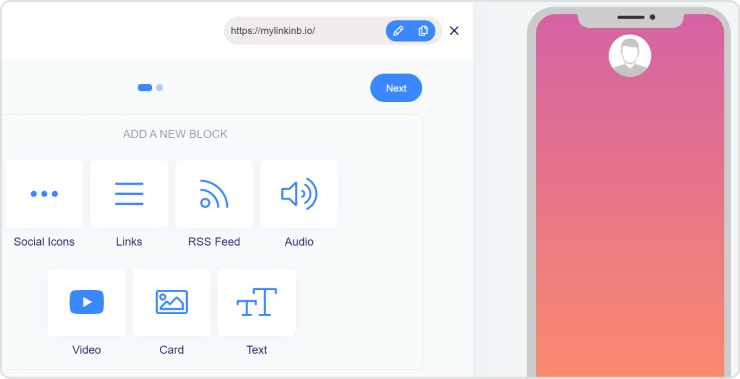
Replug offers various content blocks to choose from.
You can add links, social media icons, text, videos and more.
Customize the appearance with colors, fonts, and images.
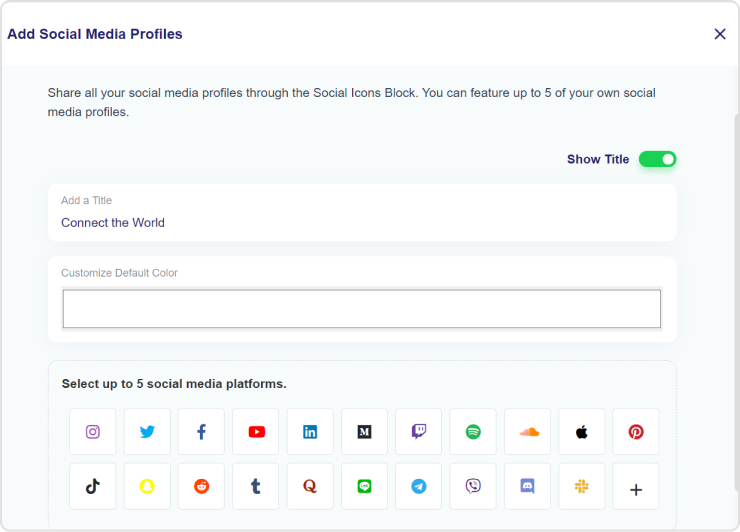
Step 4: Add one content widget: Select social icons
In the social icons block, you can add up to 5 of your favorite social media profile links in one place.
Step 5: Publish and connect to your social profile
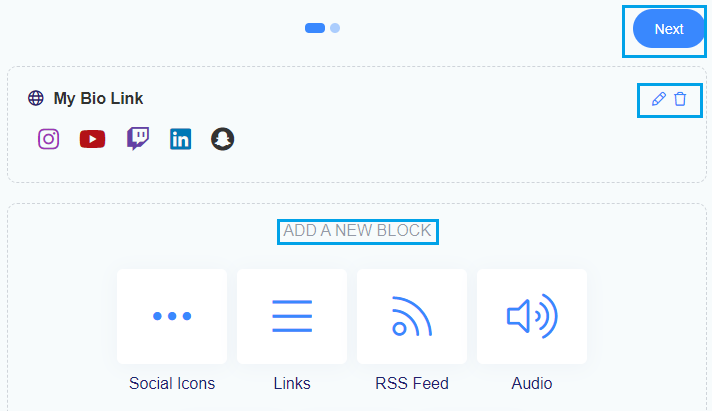
Once you are done adding the social media icons block, you can select any new block of your choosing or edit your previous block.
And when you complete adding all your favorite content blocks, you can select & move to the next page.
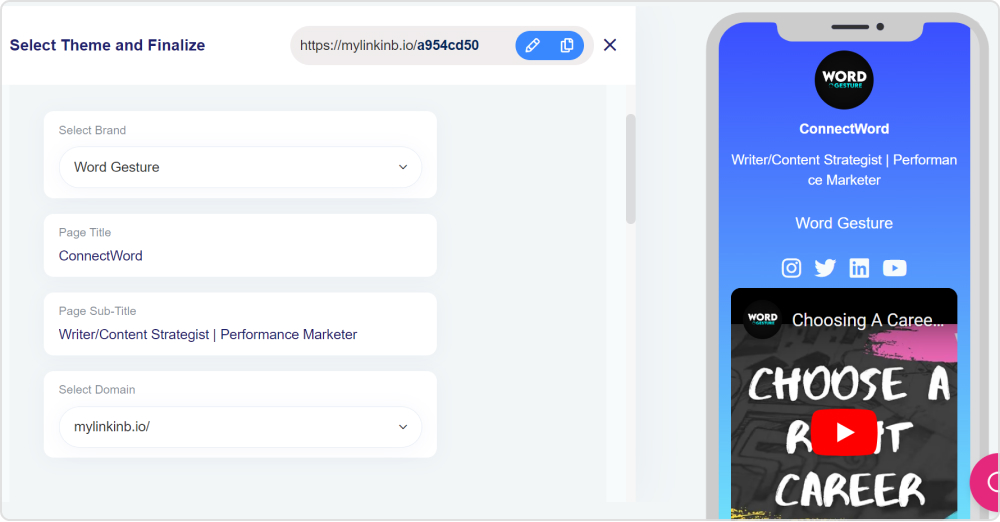
Step 6: Select theme & finalize your bio link
In this step, you edit your bio link slug, select the brand/workspace, add title and subtitles of your bio link page.
You can also connect your own custom domain at this stage as well.
Once you’re happy with your bio-link, publish it.
Copy the link in bio and paste it into your social media bio section.
Additional tips:
Replug offers analytics to track clicks on your bio-link.
Consider using a call to action in your bio to encourage people to click your link.
That was all about adding social media links in one place.
Go beyond generic link pages!
Create custom bio links that truly fit your brand
With Replug, you can create bio links that are unique, engaging, and built to convert.
Different ways to use a bio link page (micro page)
Here are some of the different ways you can utilize a bio link page for your business or brand.
1. Promote your top e-commerce products
Direct users to your latest products or services. Use eye-catching images, compelling descriptions, and call-to-action buttons to entice visitors to explore and make purchases.
2. Increase engagement to your videos
Bio link pages often allow for customization, allowing you to present your videos and music in a visually appealing and engaging manner. You can add descriptions, thumbnails, and other visuals to entice visitors to click on the links and engage with your multimedia content.
Display your best work or projects in a visually appealing manner. Whether you’re an artist, photographer, designer, or freelancer, a bio link page can serve as a digital portfolio to impress potential clients or employers.
4. Event promotion
Promote upcoming events, webinars, workshops, or gigs. Provide event details, schedules, and registration links to encourage attendance and engagement.
5, Blog or content hub
Another thing you can do while adding social media links in one place is to share links to your blog posts, articles, videos, or podcasts. Keep your audience informed and entertained while driving traffic to your content hub.
Encourage visitors to subscribe to your newsletter or mailing list. Offer incentives such as exclusive content, discounts, or freebies to entice sign-ups.
7. Affiliate marketing
Monetize your bio link page by incorporating affiliate links to products or services relevant to your audience. Earn commissions for every referral or sale generated through your links.
8. Payment gateway
If you sell digital products or offer paid subscriptions, your bio link page can function as a secure payment gateway, allowing users to complete purchases directly from your social media bio.
Effortless creation with customizable templates, enabling professional-looking pages in minutes.
2. Effective for promotional campaigns
Centralized platform for showcasing promotional materials, driving traffic, and boosting conversions.
3.Facilitates community-building
Hub for audience engagement, fostering connections, and strengthening brand loyalty.
4.Enhances brand visibility
Consolidates online presence, ensuring easy access and navigation, leading to increased awareness.
5.Drives increased website traffic
Gateway to website or other destinations, effectively directing more visitors and potential customers.
6.Provides analytics and insights
Tracks key metrics to measure campaign effectiveness and optimize strategies for better results.
7.Offers cross-promotion opportunities
Enables collaboration with partners or affiliates to leverage each other’s audiences.
8.Adaptable and flexible
Easily updated to accommodate changes in marketing strategies, promotions, or content priorities.
Whether you’re a small business, influencer, or fully-grown enterprise, bio links provide a versatile platform for promoting products, sharing content, and fostering community engagement. So, stop switching between accounts and start maximizing the potential of your social media presence by adding your short links in one place with Replug.
FAQs about social media bio links
Can you make multiple social media accounts?
Yes, you can make multiple social media accounts.
What are social media bio links?
Social media bio links, also known as micropages or link trees, are clickable links within a user’s social media bio or profile section.
What is the biggest social media platform?
The biggest social media platform is Facebook.
Which is the best bio link tool?
One recommended bio link tool is Replug, which offers advanced features like retargeting pixel integration, custom CTAs, comprehensive analytics, a user-friendly interface, and flexible pricing plans suitable for various business sizes.
Have you ever struggled to remember a website address because it was a mess of letters and numbers?
Yikes!
Not only do complex URLs frustrate users, but they can also affect your website’s search engine ranking (SEO).
That’s why your branded URLs should be concise, and SEO-friendly, besides that they should also give users a hint about what to expect on the other side of the click.
In this blog post, we’ll explore 7 best practices for creating user-friendly URLs that will keep your visitors happy and coming back for more! Let’s get started.
What is a friendly URL?
A friendly URL, also known as a clean URL or a semantic URL, is easy to understand, concludes relevant keywords, and showcases the page content. Unlike complex URLs, friendly URLs are human-readable and contribute to a positive user experience.
How do you create friendly URLs?
Maximize marketing ROI
by transforming ordinary URLs into branded short links that convert.
Try Replug for free
One can create friendly URLs by using URL-shortening tools. These tools allow you to transform complex URLs into shorter, more manageable links that are also SEO-friendly. While basic shortening is helpful, an advanced link shortener offers a wider range of functionalities, such as click tracking, adding retargeting pixels, deep links, A/B testing, link rotator, bio-links, custom CTAs, etc.
7 best practices to create user-friendly URLs
Know that first impressions matter and this includes the URLs on your website. Here are some of the basic practices regarding user-friendly URLs you should know. Let’s start
1. Keep it short & sweet
Short URLs are not only aesthetically pleasing but also easier to remember and share. When creating user-friendly URLs, remove unnecessary words and characters, focusing on conveying the essence of the content concisely.
2. Use hyphens over underscores
When separating words in a URL, opt for hyphens instead of underscores. Search engines like Google treat hyphens as space, making it easier for them to interpret individual words. Underscores, on the other hand, may be misconstrued as a single word, potentially impacting the SEO value of your URL.
Example:
3. Steer clear of special characters
To ensure compatibility across various browsers and platforms, it’s advisable to avoid special characters in your URLs. Stick to alphanumeric characters and hyphens to prevent any potential issues with rendering or linking.
4. Utilize descriptive headings
Incorporating descriptive headings into your URL structure not only aids users in understanding the content but also provides search engines with valuable information. Each heading should succinctly summarize the section’s content, enhancing both user experience and SEO.
A user-friendly URL should be easily readable by humans. Avoid random characters or excessive numbers. Instead, opt for clear, readable words that convey the nature of the content. This not only benefits users but also contributes to the search engine’s ability to interpret and rank your pages accurately.
6. Establish a logical hierarchy
Organize your URLs in a logical hierarchy that showcases the structure of your website. This not only aids users in navigating your site but also assists search engines in understanding the relationships between different pages. A clear hierarchy contributes to a more organized and SEO-friendly website structure.
Example:
7. Leverage canonical URLs
Canonicalization is another aspect of SEO, and implementing canonical URLs helps avoid duplicate content issues. Specify the preferred version of a page by using canonical tags, signaling to search engines which URL should be considered the authoritative source.
8 Benefits of user-friendly URLs
Benefits
Description
Improved visibility and ranking
Search engines, such as Google, use URLs to understand the content and context of a webpage. SEO-friendly URLs with relevant keywords can positively impact your website’s visibility and ranking in search engine results pages (SERPs).
Shareability
SEO-friendly URLs are more shareable on social media and other platforms. People are more likely to share links that are concise, meaningful, and convey a sense of trust. This can indirectly contribute to increased visibility and traffic.
Keyword optimization
Including relevant keywords in your URLs can contribute to your website’s SEO efforts. Search engines often consider keywords in the URL as a ranking factor, helping your page appear in relevant searches.
Credibility and trust
Clean and organized URLs can contribute to the credibility and trustworthiness of your website. Users are more likely to click on links that appear professional and relevant to their search queries.
Better click-through rates (CTR)
Clear and concise URLs can lead to higher click-through rates. When users see a URL that matches their search intent and expectations, they are more likely to click on it, contributing to improved CTR.
Mobile-friendliness
With the increasing use of mobile devices for web browsing, concise and mobile-friendly URLs become even more crucial. Short, descriptive URLs are easier to read on smaller screens and contribute to a positive mobile user experience.
Google adheres to the URL standards outlined in RFC 3986. Here are some of the best practices for when creating URLs of any type:
Simple, descriptive words in the URL.
Localized words in the URL, if applicable.
Avoid using non-ASCII characters in the URL.
Make sure to use country-specific domains.
Don’t go for unreadable, long ID numbers in the URL.
Try using hyphens and avoid underscores.
Here’s what else Google suggests:
Create a simple URL structure. Consider organizing your content so that URLs are constructed logically and in a manner that is most intelligible to humans.
Consider using a robots.txt file to block Googlebot’s access to problematic URLs. Typically, consider blocking dynamic URLs, such as URLs that generate search results, or URLs that can create infinite spaces, such as calendars. Using regular expressions in your robots.txt file can allow you to easily block large numbers of URLs.
Wherever possible, avoid the use of session IDs in URLs. Consider using cookies instead.
If upper and lower case text in a URL is treated the same by the web server, convert all text to the same case so it is easier for Google to determine that URLs reference the same page.
Whenever possible, shorten URLs by trimming unnecessary parameters.
Check your site for broken relative links.
All in all, By adopting these best practices and staying informed about Google’s recommendations, you can create a website with URLs that not only contribute to a positive user experience but also enhance your overall online presence and SEO performance.
FAQs
What is the safest URL?
The safest URL is one that begins with “https://” and has a valid SSL certificate.
What is the best tool to make an unfriendly URL into a friendly URL?
The best tool to convert an unfriendly URL into a friendly URL is Replug. It’s also a brilliant link optimization platform that helps you manage, brand, and track every link with ease.
Is HTTPS URL 100% safe?
While HTTPS URLs provide encryption, they are not 100% immune to security risks.
Can a URL be a virus?
A URL itself cannot be a virus, but it can lead to malicious websites hosting malware.
How do I create a Friendly URL?
You can create a friendly URL by using URL shortening tools.
What is a personal branding tool & why should you use one?
A personal branding tool is a website, software application or app that helps you create and maintain a brand. A personal branding tool can help you learn about your brand, develop marketing campaigns and manage your social media presence.
URL shorteners as a personal branding tool
1. Replug
Without any biasness, Replug serves as a perfect Rebrandly alternative. If you are looking for a solution that is friendly to your pocket and lets you do more of the same that Rebrandly does, then Replug is for you. It has all what your brand needs, such as:
Another crowning accomplishment of Replug is that it has been awarded the high performer awards for the year 2022/2023 by G2. It makes Replug the stand out URL shortener for personal branding, link management and social analytics.
Moreover, it has some great integrations with social management tools like Content Studio (discussed further), making it one in all powerful social branding solutions. Replug is a complete link management tool that can drive brand engagement and increase conversions through brand awareness.
2. Bitly
Bitly is a very popular URL shortening tool. It offers a terrific free service, but comes with some downsides. If the purpose of your brand is to create short URLs and manage your links then Bitly can be a good go-to choice tool.
3. Rebrandly
Rebrandly is a Bitly competitor but offers much more than Bitly. As discussed above, Bitly has some limitations such
Connect more than one custom domain
Select a custom keyword after the slash
Keep your data for more than 30 days
Make your links private by changing their visibility.
How to use URL shortener as a personal branding tool?
Maximize marketing ROI
by transforming ordinary URLs into branded short links that convert.
Try Replug for free
Personal branding tools for analytics
4. Usermaven
Usermaven is a perfect Google Analytics alternative that is easy to set up and has built-in reports to help you generate actionable insights. With the 360 Profile View, you get a holistic view of the complete user journey, making it super easy for you to track visitors.
The major plus point of Usermaven is that it complies with the privacy regulations under GDPR and CCPA making it a privacy friendly analytics powerhouse. The cherry on top of this is the auto-capture events feature. Usermaven captures all front-end events automatically, thus saving you ample of time.
5. Google Analytics
If you don’t know about this tool, then you are living under a rock or have been sleeping for decades. Google Analytics is all about analytics. But it also serves as a personal branding tool that helps understand your online activity and the actions of your website visitors.
How to use analytics tools for personal branding?
By tracking visitor behavior, you can learn about their interests, habits, and preferences. This information can be valuable for developing marketing plans and improving your website’s communication with potential customers.
Personal branding tools to discover trends
6. Content Ideas
ContentIdeas is a valuable tool for anyone looking for quality in content. It is suitable for social media marketers, content marketers, and search engine optimizers, as it allows them to easily find relevant content ideas with minimal effort.
Improve your online presence by selecting popular and trending content to generate content ideas for future blog posts, discovering new opportunities for link building, and staying informed about industry developments.
ContentIdeas is an efficient tool that allows you to find top-performing content related to your target keywords. It also enables you to locate articles where your product is mentioned but not linked to your website, giving you the chance to request backlinks from webmasters.
For social media marketers, ContentIdeas is a useful tool to find content with high engagement numbers on social media platforms. The tool is designed to help content creators who struggle with coming up with fresh ideas by providing the option to explore trending and relevant content in a specific topic or industry, and by allowing searches for ideas using different keywords.
7. Answer the Public
Answer the Public is a tool that helps users understand how people are searching for a particular topic on the internet. It generates a visual representation of the most common questions, prepositions, and comparisons related to a specific keyword or phrase, and organizes them into categories such as “What,” “How,” “Why,” etc. This information can be useful for content creation, SEO, and keyword research.
Use best content marketing practices that address the topics which can position you as thought leaders in their industry. Furthermore, use it to compare your brand performance to your competitors, which can be useful for creating and executing better branding strategies.
8. Google Trends
Google Trends is a tool offered by Google that allows users to see how frequently a particular search term is entered into Google’s search engine, as well as how the popularity of that search term has changed over time. It can be used to track the popularity of specific keywords, phrases, topics, and industries, and to compare the relative popularity of different search terms. Google Trends data is based on Google’s search data, so it reflects the real-world interest in a particular topic.
It also allows you to see how a topic is trending in different regions, languages, and categories. This tool can be useful for understanding the popularity of different keywords, tracking the popularity of specific topics and industries, and identifying emerging trends. It can be used to compare the popularity of keywords over time, which can help you determine if your keywords are attracting interest from potential customers.
How discovering trends can help in personal branding?
Some tips on how to use these tools for personal branding include understanding what factors influence search trends (e.g. social media engagement or news coverage). Using these insights to create content that resonates with potential customers, and monitoring search trends regularly so you can keep up with shifting consumer interest.
These tools provide insights into the questions and concerns of your target audience. By understanding what people are searching for related to your personal brand or industry, you can create content that addresses those topics and positions yourself as an authority in your field.
Thirdly, these tools can be used to identify gaps in the market, which can help create new and innovative content that sets you apart from your competitors. Beyond branding tools, entrepreneurs looking to scale also benefit from choosing the right type of EOS to bring structure and accountability to their growing operations.
Furthermore, by identifying keywords that people use to search for information or products related to your personal brand, you can optimize your website and other online profiles to improve your visibility in search engines, which can be a key aspect of personal branding.
By offering good content, answering questions, and keeping users engaged on social media platforms, businesses are able to foster personal relationships with customers that may results in future business transactions.
Personal branding tools for Social Media
9. Content Studio
As an alternative to Hootsuite, ContentStudio is a content marketing and social media management tool. Both tools have similar features, such as scheduling posts and analytics, but ContentStudio offers additional functionality, such as content curation, team collaboration, and workflow automation. ContentStudio also allows users to manage and publish content on multiple platforms, such as social media, blogs, and email, in one place.
10. Hootsuite
Hootsuite helps in personal branding by providing a platform for users to manage their social media accounts and share content. Hootsuite allows users to post updates, photos, and videos on various social media platforms from one place. This makes it easier for users to tailor their online presence to reflect the brand they want to project.
ContentStudio vs Hootsuite:
ContentStudio allows users to curate content from various sources and schedule it to be published on social media and other platforms, whereas Hootsuite users can only schedule their content.
ContentStudio allows users to publish content to multiple channels, such as websites, email, and other platforms. While Hootsuite mainly focuses on social media.
ContentStudio has a wide variety of integrations with other tools, which allows users to easily track the performance of their content and share it with their audience. Likewise, Hootsuite has many integrations, but it may not be as comprehensive as ContentStudio.
How to use it for branding?
You can use these tools to enhance your brand’s online presence and effectively reach your target audience.
ContentStudio’s team collaboration feature ensures your content aligns with your brand’s voice and tone.
Schedule brand-related content to be published on social media and other platforms.
Integrates with Canva to create visually appealing graphics and videos that align with your brand’s aesthetic.
Track and measure the performance of your brand-related content and make data-driven decisions about your branding strategy.
Personal branding tools for content editing, management & website building
11. WordPress
WordPress is an open-source content management system (CMS) that is widely used for creating and managing websites. WordPress provides a user-friendly interface that allows users to create, edit and publish content without the need for advanced technical skills. It is also highly customizable, with thousands of free and paid templates and plugins available to extend the functionality of a website. Easily create a custom logo, logo design templates, blog designs, social media profiles, and more. You can also use WordPress to create an online store or blog platform. Overall, WordPress can be a powerful tool for creating a professional and engaging website that effectively communicates your brand’s message and helps you to establish a strong online presence.
12. Experro
Experro is a fully composable Digital Experience Platform that comes with all the tools you need to build, manage, and optimize a website or eCommerce store. Experro’s website builder allows you to build pages by dragging & dropping without any technical hassle.
The Headless CMS offers marketers the easiest and fastest way to manage and edit website content without the need to rely on developers. Moreover, Experro consists of even more crucial tools, such as a headless storefront, eCommerce search & merchandising, and everything else a marketer or website owner requires, all in one place!
All in all, Experro is the only DXP of its kind that consolidates everything required to manage a website in one place, thus offering you the relief of not having to manage multiple platforms at once.
13. Wix
Wix is a website building platform that enables users to create and design a website without the need for coding or technical skills. It offers a wide range of templates and drag-and-drop design tools for creating visually stunning websites. The platform is known for its flexibility, allowing users to customize the design and layout of their website to fit their brand and their needs. Wix also offers a variety of features such as creating an online store, booking system, and more.
It also provides features that support SEO, analytics and more, which can be beneficial for branding purposes. Wix is a popular choice for small businesses, entrepreneurs, and individuals looking for an easy way to create a professional-looking website with minimal effort and cost.
How can these tools help in personal branding?
These tools offer various features that assist in branding your website, such as customizable templates, custom menus and pages, a built-in blog, e-commerce integration, the ability to use your own domain, SEO optimization, and tools for maintaining brand consistency and analyzing website performance.
Furthermore, these tools can be used for branding purposes in several ways:
Offering a wide variety of customizable templates, allowing you to create a unique and professional-looking website that represents your brand.
Blogging: Content Management System (CMS) are powerful platforms for blogging, which can be used to share valuable content with your audience and establish your brand.
Brand consistency: CMS allows you to manage and maintain brand consistency across all pages and posts of your website.
14. Grammarly
Grammarly is a very popular tool among content marketers to students. It is a personal branding tool that helps users improve their writing skills. It offers online tools to help users correct grammar, punctuation, and spelling mistakes in essays, blog posts, social media updates, and more. Hemmingway is also more or less the same.
How do these tools help in personal branding?
They help in personal branding by improving punctuation, grammar and written vocabulary. This can help to make content seem more professional and correct when posting blog or social media posts online. Thus, leading to a greater online presence for the person, as well as improving search engine ranking.
Brand24 formerly known as Klout is a social media tool that measures the online reputation of individuals and organizations. Brand24 scores are based on a scale from 0 to 100, with higher numbers indicating greater online influence.
16. Google Alerts
Google Alerts is a tool that allows users to set up email alerts for keywords or phrases. When a keyword or phrase is included in an email message, the user’s computer will alert them so they can read the message immediately.
17. Mention
Mention is a social media monitoring tool that helps you track your social media presence and analyze how people are talking about you online.
How do these tools improve personal branding?
Brand24 helps individuals to measure their social media influence and how it can be leveraged in personal branding. By measuring your brand score, you can see where your voice is being heard and what kind of impact you are having. This information can help to shape your marketing strategy as well as give you insights into areas that may need improvement.
Google Alerts can help you keep up to date with the latest trends and news in your industry. By monitoring keywords and phrases related to your business, you can stay ahead of potential competition and create a profile that stands out from the crowd.
Mention tracks and measure their online presence in real-time. This information can be used to improve branding efforts, as well as monitor social media analytics to see how content is performing. Further, by targeting specific topics and industries, Mention allows users to connect with potential clients and build strong brand relationships.
Email marketing tools for personal branding
18. MailChimp
MailChimp is an email marketing service that offers features such as customizable email templates, list management, automation, analytics, and integration with e-commerce platforms. It also includes a built-in spam checker and mobile-responsive design capabilities.
Additionally, MailChimp provides analytics and reporting features that allow you to track the performance of your email campaigns and understand how your audience is engaging with your brand.
This information can be used to make data-driven decisions about future campaigns and to improve the overall effectiveness of your branding efforts.
It’s also possible to integrate MailChimp with your e-commerce platform and use it to send out abandoned cart emails, order confirmations, and other transactional emails, which will help keep your brand in front of your customers and improve customer loyalty.
19. Omnisend
Omnisend is an email marketing automation platform that allows businesses to create and send targeted email campaigns, SMS messages, and push notifications. It helps businesses to automate their marketing communication, personalize messaging, and improve the performance of their campaigns.
How to use email marketing tools for branding purposes?
MailChimp can be used for branding purposes by using its customizable email templates to create visually appealing and consistent email campaigns that align with your brand’s style and messaging.You can also use the automation feature to create triggered campaigns based on certain actions, such as abandoning a cart or signing up for a newsletter, to further engage with your audience and improve brand recall.
Using Omnisend ensures your company stands out and reaches its target audience. First, you’ll need to create an account and select the features you want to use. Then customize your emails with custom HTML or CSS styling, add engaging elements like videos or polls, and personalize content with dynamic text blocks and smart segments. Further, you can also collect customer data to better understand your customers’ preferences. Set all these features in place, and you’re ready to start creating stunning campaigns that effectively convey your brand’s message and further engage potential customers.
Graphic and video editing tools for personal branding
20. Design.com
Design.com is a top AI branding platform built for individuals and businesses that want to create professional logos and cohesive brand assets quickly. Its logo maker uses AI to generate thousands of market-ready logo options in seconds, making it easy to explore and refine designs without prior design experience. With access to over 400K+ logo templates and 1M+ design assets, users can create logos tailored to any industry or niche.
Beyond logo creation, Design.com offers a complete suite of tools for building a consistent brand identity. Users can design websites, business cards, social media graphics, and more using over 50 integrated tools. The platform’s advanced AI editing features allow you to adjust icons and text through a simple chat interface, while automatic template branding ensures all designs stay visually consistent across channels. With commercially safe assets, flexible file formats, and built-in printing options, Design.com provides a comprehensive solution for creating polished, professional branding with ease.
21. BrandCrowd
BrandCrowd is a versatile design platform tailored for individuals and businesses looking to elevate their personal branding with high-quality visuals. Customizable templates are their strength. Users of all skill level can effortlessly create professional logos, business cards, social media graphics, and more. The platform’s intuitive interface allows for quick and easy customization, making it simple to adjust colors, fonts, and layouts to perfectly align with your brand identity. This makes BrandCrowd an excellent choice for those aiming to build a strong and cohesive visual presence without needing extensive design skills.
In addition to individual graphics, BrandCrowd offers tools to generate complete brand kits, ensuring consistent branding across all materials. These kits include everything from logo variations to color palettes and font selections, providing a comprehensive solution for maintaining brand uniformity. The design tools are accessible to both beginners and experienced designers, making BrandCrowd a versatile option for anyone looking to create visually appealing and memorable branding elements that effectively communicate their personal or business identity.
22. Freepik
Freepik is a website that offers an immense library of free vector images, illustrations, icons and photos for use in personal and commercial projects. The website provides users with access to millions of resources from talented designers around the world. All content on Freepik is free for personal and commercial use, making it an excellent resource for graphic design professionals as well as anyone looking to create stunning visuals quickly and easily.
Freepik can be used to enhance the visual appeal of your brand. Use Freepik’s icons and illustrations to create infographics and other visual content that can be used to explain complex information in a simple and engaging way.
23. Canva
Canva is a graphic design tool that allows users to create professional-looking designs for various purposes, such as social media posts, flyers, brochures, presentations, and more. Using Canva, It’s easy to create graphics that can be used for all sorts of design projects, from logo design to social media branding. Canva also has an app that makes creating designs even easier on the go.
Movavi Video Editor is a user-friendly video editing app with a blend of easy and advanced features.
This editing platform goes well for both enthusiasts and professionals alike who want to create high-quality videos that represent their personal brand in the best possible light.
With Movavi Video Editor, users can easily trim, cut, and join video clips, add titles, filters, and special effects, and even incorporate their own branding elements like logos and watermarks. Advanced features like chroma key and motion tracking are available with additional upgrade options, giving you even more options to create professional-looking videos.
25. Magisto
Magisto allows users to create professional-looking videos and photos. The app is free to download and use, but some features require in-app purchases.
Magisto provides tools for creating professional videos and photos, which can be used as personal branding tools. For video creation, the app offers a variety of templates, effects options, voiceovers, and other features to help users create high quality content. Photos can also be edited using filters and effects to give them a unique look. In-app purchases are available for additional editing features and more comprehensive social media platform support.
26. Story Blocks
Story Blocks is an online platform which provides users with access to a library of stock images, videos and audio clips. The media assets are provided by a network of professional content creators, who retain the copyright for their work. The platform enables users to purchase licenses for the media that they want to use in their projects.
27. PhotoADKing – Graphic editing tools for personal branding
PhotoADKing is a powerful personal branding tool that helps businesses and individuals effortlessly create high-quality marketing materials. Whether you’re an entrepreneur, freelancer, or professional looking to establish a strong online presence, PhotoADKing provides the resources you need to design stunning visuals that capture attention and convey your message effectively.
With its extensive library of customizable templates, you can create everything from eye-catching social media posts and professional business cards to engaging brochures, flyers, and posters. The user-friendly drag-and-drop editor allows you to modify designs easily, ensuring that your materials reflect your unique brand identity.
With features like a poster maker, flyer maker, brochure maker, and an array of customizable templates, it provides everything you need to craft stunning visuals effortlessly. By using PhotoADKing, you can maintain a consistent visual aesthetic across all your marketing channels, enhancing your credibility and recognition. Its diverse features make it easy to produce a variety of content, helping you engage your audience and elevate your personal brand in a competitive landscape.
28. Visme
Visme is a versatile design platform that empowers users to create visually stunning content for personal branding. Whether you need to build presentations, infographics, social media posts, or personal websites, Visme offers a user-friendly interface with customizable templates and branding tools.
With its drag-and-drop functionality, users can easily maintain brand consistency by adding logos, colors, and fonts that reflect their identity. Visme’s cloud-based system also allows for seamless collaboration and sharing, making it a go-to tool for professionals looking to boost their personal brand across various platforms.
29. logogenie
Logogenie is a logo maker tool that allows users to create professional logos in minutes. It offers thousands of templates, easy customization options, and high-definition downloadable files, making it perfect for both startups and established businesses. With no sign-up required to start designing, users can experiment with fonts, colors, and layouts to craft the perfect logo. Logogenie also provides extra branding tools like business cards and email signatures, alongside top-notch customer support to assist throughout the design process.
30. Zoviz
Zoviz is an all-in-one AI-powered design platform that serves as an AI logo design tool for individuals and businesses looking to create unique, professional branding materials with ease. Specialising in logo design and complete brand kits, Zoviz offers a seamless, intuitive interface that allows users to craft high-quality logos, business cards, and other branding elements in just minutes. With its advanced AI technology, Zoviz stands out by generating custom, designer-approved logos that cater to your specific brand needs without relying on generic templates.
The platform provides a comprehensive branding solution, offering not only AI-generated logos but also full brand kits that include logo variations, color palettes, fonts, and other essential branding assets. Zoviz’s global language support ensures that users from around the world can create branding that resonates with their target audience. Whether you’re a startup, freelancer, or enterprise, Zoviz empowers you to build a cohesive and professional visual identity effortlessly. It’s the perfect choice for anyone seeking an AI logo design tool that delivers high-quality, custom solutions for their branding needs. If you are curious about how to utilize AI and want to learn more about the latest AI trends, check Aloa’s AI resources to keep up-to-date
31. Atom
Atom is a comprehensive branding platform formerly known as Squadhelp that helps entrepreneurs build strong brands by offering domain names, naming contests and creative services. Atom offers a curated marketplace of more than 300,000 premium and ultra-premium domain names, enhanced by AI-powered scoring and filtering tools. With crowdsourcing contests for names, logos and taglines, Atom leverages a global community of over 200,000 creatives to develop and test branding ideas.
The platform also supports the execution of naming contests with quality scoring, audience testing and brand research to validate and protect brand equity. In addition, It offers AI-powered domain auctions and valuation tools that enable transparent price development and flexible payment and leasing options. It combines expert knowledge, machine learning and community-driven creativity to simplify the path from naming to registered brand.
32. Kittl
Kittl is a design platform for building a personal brand that looks the same everywhere it shows up, from social graphics to merch to print. Work from thousands of templates and fonts, or generate with AI, then keep every new asset on-brand with saved colours, fonts, and logos. One idea becomes a full visual identity, fast.
How to use these tools as a personal branding tool?
Users can access the library through these tools, where they can search and filter assets according to their requirements.
Use it to create engaging and dynamic visual content that can be used to promote your brand on social media and other platforms.
Utilize these tools and create a consistent visual identity by using the same graphics, illustrations, and color schemes across all of your branding content.
Which one is better: social media, email marketing, or search engine optimization (SEO)?
There is no definitive answer to this question, as the best personal branding tool depends on the individual’s specific needs and goals. However, social media, email marketing, and SEO are all effective tools for building brand recognition and attracting new customers.
How does one use a personal branding tool for social media and how does that help my business?
There are a few different personal branding tools available, including social media management platforms like Contentstudio and Hootsuite. These tools allow you to manage your social media accounts from one location, making it easier to keep track of all your posts and updates.
They also offer tools that help you create custom outputs such as blog posts or infographics; these can be used to promote your business online, as well as in other forms of marketing (such as email campaigns). By using a personal branding tool, you can ensure that all your marketing efforts are coordinated and unified, which will help increase brand awareness.
What are the 5 A’s of personal branding?
Attitude, Appearance, Actions, Achievements and Associations.
What are the 5 C’s of personal branding?
The 5 C’s of personal branding are: credibility, connection, consistency, credibility and connection.
What are the 4 pillars of a personal brand?
1. Unique Selling Proposition (USP) 2. Message / Call to Action 3. Brand Name or Logo 4. Web Presence
Which type of personal branding tool should I choose: web, mobile or desktop app?
The answer to this question depends on the type of personal branding you are aiming to achieve.
If your aim is to create a web or mobile presence, then using a web or mobile app would be the best option. If your aim is to build up a brand through marketing materials such as blog posts and social media posts, then desktop software would be more appropriate.
Forget cash, ditch the plastic! Pay online for all your online purchases with easier and more secure e-commerce payment trends. From speedy QR code payments to secure biometric authentication, get ready for a future where paying online is smoother than ever. So, grab your phone, settle in, and let’s explore the future of online shopping!
What do you mean by e-commerce payment trends?
“E-commerce payment trends” refer to the changing patterns and preferences in online transactions, showcasing specific payment methods and technologies in the e-commerce industry.
Here are some of the most common questions e-commerce experts ask:
How can I boost my e-commerce sales?
There are multiple features and strategies brands can utilize to boost their e-commerce sales. Some of the most effective ones include branded short links for your brand, bio-link landing pages, deep links, adding retargeting pixels to your links, creating custom call-to-actions as per your brand, link-routing, personalized QR codes, A/B testing pages, etc. Let’s see how each of these features can benefit your brand.
Bio-links: Create a central hub for multiple links, making it simple for customers to navigate.
Retargeting pixels: These are handy for re-engaging interested customers who didn’t make a purchase.
Deep links: Send app users directly to the most relevant content.
Custom CTAs:Motivate clicks with clear and branded calls to action.
Link routing: Split traffic and optimize campaigns for better results.
Personalized QR codes: Track scans and create a branded ecommerce marketing experience.
A/B testing pages: Discover which website variations convert better.
These methods enhance visibility, engage users, and boost e-commerce sales when used strategically.
How can I track my e-commerce sales?
Just like integrating advanced payment methods in your e-commerce business, tracking your e-commerce sales is also necessary. But the question is how: well you can use management tools like Replug, ContentStudio, Usermaven, etc to do so.
Let us break down the process for you.
The first one you need is a link management tool that will help you track the exact stats of your link campaigns such as bio-link campaigns, branded short link campaigns, or how many of your intended audience members have successfully converted through that particular call-to-action (CTA) and more stats like that.
Secondly, if you want a strong social presence, you need a social media management tool that allows you to plan, create, and schedule eye-catching posts to be published to the right channels at the right time.
The next in line is the analytics platform, which is indeed very necessary for your e-commerce website as it helps you track in-depth customer journeys, keep an eye on page views, bounce rate, total visitors, etc. See which channel brought in the most audience and where they dropped off. Get engagement metrics like DAU, WAU, MAU, DAU/MAU, and WAU/MAU. Also, get accurate stats with adblocker bypassing cookie-less tracking and much more.
Explore advanced tools often used in e-commerce for performance insights. Like tracking online sales metrics with analytics platforms, understanding financial statements through P&L report analysis can critically assess your business’s profitability and liquidity.
Boost ROI with branded URLs!
Enhance your marketing campaigns by creating shareable, trackable, and fully multi-purpose
customizable branded URLs.
Account-to-account (A2A) payments: A2A payments, also known as direct bank transfers, are experiencing significant growth, particularly in regions like Europe and America. This e-commerce payment trend eliminates the need for card networks and digital wallets, offering several advantages for both merchants and consumers:
Reduced fees: A2A transactions typically incur lower processing fees compared to traditional card payments, offering cost-saving benefits for merchants.
Faster settlements: Funds are transferred directly between bank accounts, leading to faster settlement times and allowing merchants quicker access to their revenue. As businesses continue investing in payment technologies and other innovative solutions, maintaining accurate documentation with SR&ED Claim Risk Scoring can help organizations better assess the strength of eligible R&D tax credit claims.
Strong security: A2A payments often leverage multi-factor authentication, a key feature enabled by advancements in mobile banking application development, providing increased security for consumers concerned about data breaches
Moreover, VRPs offer greater convenience and flexibility for customers, enabling them to pay for subscription services or utility bills based on their actual usage patterns. With SAP BRIM, businesses manage these payment models efficiently while ensuring accurate billing and revenue recognition. Digital transformation platforms play a crucial role in integrating such solutions, enabling seamless coordination between billing, customer experience, and financial systems.
To further enhance these capabilities, integrating banking IT services can streamline financial operations and improve transaction security, aligning seamlessly with the digital transformation goals of modern businesses. The rise of AI in retail banking can further optimize these payment systems by providing smarter, more personalized services to both customers and merchants.
Investing in custom payment systems engineering also allows organizations to tailor payment workflows, integrations, and security controls to their specific operational requirements.
Embedded finance is the ideal integration of financial services like payments, bridging loans, and insurance directly into the customer experience within a merchant’s platform. This innovative trend is transforming e-commerce by offering:
Frictionless checkout: Embedded finance removes the need for customers to switch between websites or apps to complete their purchases. This streamlined checkout process reduces cart abandonment and potentially increases conversion rates for merchants.
Personalized financial offerings: Embedded finance solutions allow customer data to offer tailored financial products and services. For instance, a customer purchasing a new appliance might be presented with a loan option tailored to the specific purchase value. This personalized approach can enhance customer engagement and loyalty. It’s also precisely why 82% of U.S. adults own at least one credit card, as Solosuit reports.
Increased transparency and control: Such finance platforms often provide customers with a clear and consolidated view of their finances, including purchase history, available credit, and upcoming payments. This transparency empowers customers to make informed financial decisions while shopping online.
As embedded finance continues to gain wider adoption, its impact on e-commerce payment processing is expected to become even more significant in the coming years.
It will be more deeply integrated into e-commerce platforms; businesses may need specialised development support to connect checkout flows, payment systems, and other platform integrations.
Mobile wallets have become a prevalent e-commerce payment method, offering customers a convenient and secure way to pay for online purchases. This trend shows no signs of slowing down, driven by features such as
One-click payments: Mobile wallets eliminate the need to repeatedly enter card details during checkout, offering a faster and more seamless experience.
Better security: Biometric authentication through fingerprint and facial recognition or facial liveness adds an extra layer of security to mobile wallet transactions, mitigating the risk of unauthorized access to payment information.
Loyalty program integration: Many mobile wallets integrate with loyalty programs, allowing customers to earn and redeem rewards directly at checkout. This additional layer of value incentivizes customers to use mobile wallets as their preferred payment method.
With the increasing penetration of smartphones and the growing familiarity with mobile wallets, their dominance in the e-commerce payment landscape is likely to persist in 2026 and beyond, especially as automated payment systems enable seamless recurring transactions and subscriptions.
Cryptocurrencies and blockchain
While still in its early stages, the use of cryptocurrencies and blockchain technology as e-commerce payment methods is garnering increasing attention. This trend offers several potential benefits:
Greater transparency and security: Blockchain offers a secure and transparent way to record and track transactions, potentially reducing. If you’re looking to integrate blockchain solutions into your business, blockchain development can help create more secure, transparent transactions, improving both trust and efficiency in your e-commerce operations
BNPL solutions offer customers the flexibility to split their purchase costs into smaller, interest-free installments. This trend is gaining traction, particularly among younger generations, due to:
Increased affordability: This e-commerce payment trend allows customers to manage their finances and budget for larger purchases more effectively.
Improved conversion rates: By offering an alternative payment option, BNPL solutions can potentially increase conversion rates for merchants.
Wider adoption: As BNPL providers partner with more merchants and offer more flexible payment plans, their influence in the e-commerce payment space is expected to grow.
However, consumers must be aware of the potential downsides of BNPL, such as the risk of overspending and potential fees if payments are missed.
By scanning the QR codes
QR codes (Quick Response codes) are square-shaped barcodes with a complex pattern of black and white squares. They act as digital keys that, when scanned by a smartphone camera, unlock information or initiate actions.
In the context of payments, merchants can display a unique QR code representing the purchase amount. For example, QR codes on tables allow diners to pay their bills directly through their phones after verifying with biometrics.
Payment through biometrics
Biometric authentication utilizes unique physical or biological characteristics, such as fingerprints, facial recognition, or iris scans, to verify your identity. This e-commerce payment trend is increasingly integrated into smartphones and other devices, making it a convenient and secure way to authenticate yourself for various purposes, including payments.
Security: Biometric authentication adds an extra layer of security to the payment process, as it relies on unique personal identifiers that are difficult to replicate.
Reduced contact: By eliminating the need to touch physical buttons or cards, this method offers a more hygienic pay method, especially in the post-pandemic era.
Boost ROI with branded URLs!
Enhance your marketing campaigns by creating shareable, trackable, and fully multi-purpose
customizable branded URLs.
We still have a long way to go before getting to the tail-end of 2025, and we’re always looking to see what pops up in all these digital payment trends. All in all, these methods look promising and will likely help you make more sales, there’s more that’s yet to happen.
Meanwhile, take a look at some of the following questions most people ask us about their e-commerce business.
People also ask
What potential benefits do cryptocurrencies and blockchain offer in e-commerce?
Cryptocurrencies and blockchain offer faster and cheaper transactions and greater transparency and security in e-commerce payment methods.
What is the best tool to create bio links for my e-commerce store?
The best tool for creating bio links for your e-commerce store is Replug. It is an all-in-one link management platform providing a centralized hub for multiple links in your bio.
What are the advantages of payment through biometrics in e-commerce?
Biometric authentication adds security and reduces physical contact, offering a hygienic way to pay, especially in the post-pandemic era.
How can I create branded links for my e-commerce store?
Create branded short links for your e-commerce store using Replug’s URL shortening tool. This amazing tool allows customization for strong brand identity in URLs.