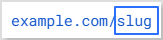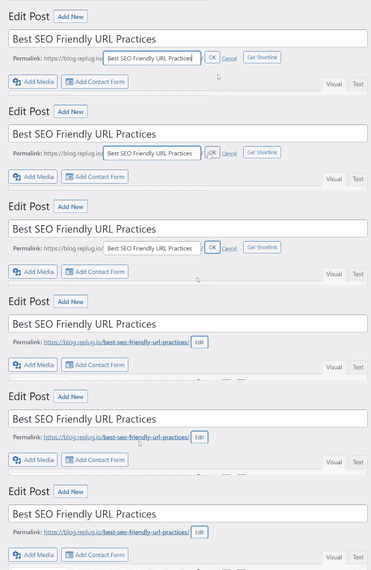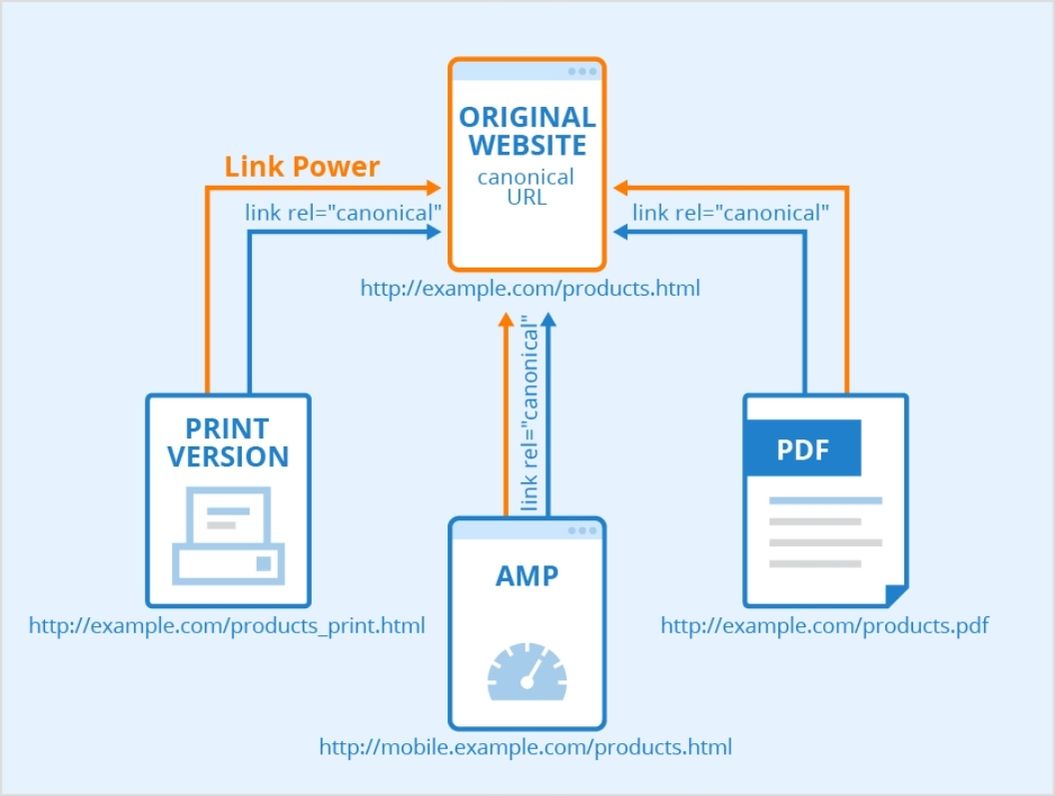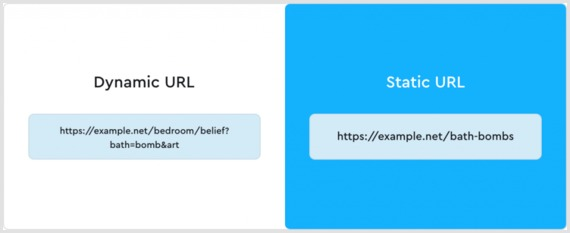
In 2026, Facebook isn’t just an artefact of the early social media era. It’s still the world’s largest platform, with over 3 billion monthly active users tapping into Pages, Groups, and Marketplace every single month.
Whether you’re a content creator, a business owner, or just someone trying to boost your online presence, your Facebook page URL is more than just a link. It’s your digital handshake with the world!
With millions of people discovering brands and communities through Facebook daily, having a clear, memorable URL isn’t just nice-to-have (it’s pretty essential).
In this guide, we’ll walk you through everything you need to know, starting with the basics.
So let’s kick things off with: What exactly is a Facebook page URL?
What is a Facebook page URL?
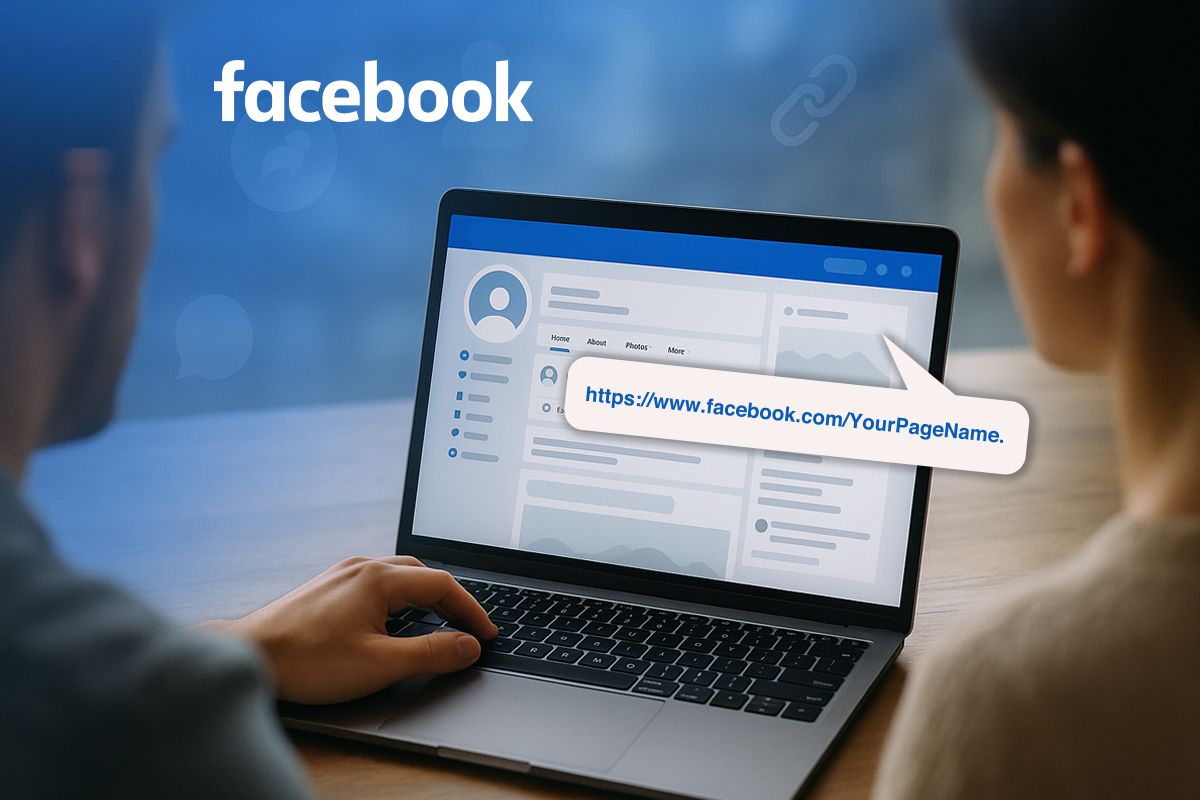
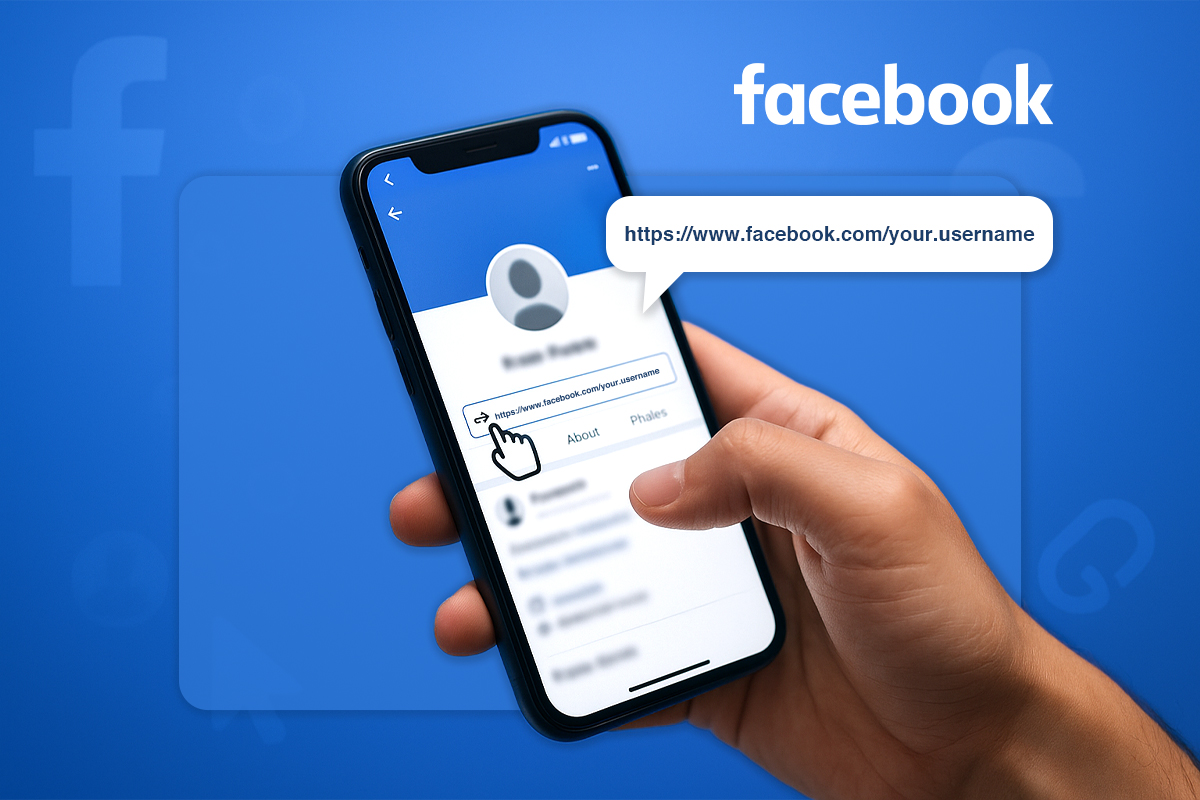
When we talk about a “Facebook page URL,” we’re referring to the unique web address that points directly to your Facebook Page/Profile on the internet.
Think of it like your page’s personal location on the web. It’s what people click or tap to land straight on your brand, community, or public profile.
In most cases, a Facebook page URL looks like:
https://www.facebook.com/YourPageName
where the last part is your custom “username” or “page name.”
The main idea behind these URLs is simplicity and identity. They make it easy for others to find, share, and remember your Facebook presence, no matter if you’re linking from your website, business card, or another social platform.
Plus, a clean, custom URL helps enhance brand recognition and keeps things looking professional.
Points to keep in mind before you change your Facebook page URL link
Before you step into updating or changing your Facebook page URL, it’s smart to pause and double-check a few key things.
Facebook has rules and limits around URLs to keep everything running smoothly, and overlooking them can easily leave you stuck or locked out of making changes.
Key things to remember before changing your Facebook page URL:
You must be an “Admin”: Only someone with admin access on the page can edit the username that creates your URL.
Unique usernames only: Facebook won’t let you choose a URL that’s already taken, and capitalization or dots don’t make a name unique. For instance, ahsan.jamal07 is treated the same as AhsanJamal07.
Format limits: Usernames must be 5–50 characters long and only use letters, numbers, and periods.
Cooldowns apply: If you recently changed the URL, you may have to wait 60 days or more before updating again.
Check activity: New or inactive pages might not be allowed to change URLs right away.
Keeping these in mind saves you time and frustration when updating your FB page address.
How to change Facebook page URL on mobile
Updating your Facebook page URL (really the “username” part of your link) on mobile isn’t always as obvious as it looks.
While Facebook’s app doesn’t show a direct “edit URL” button for Pages, you can update your username (which changes the URL) by navigating through the page settings on mobile or using your phone’s browser to access the full settings.
Let’s walk through how to do this on both iPhone and Android!
How to change Facebook page URL on iPhone easily
1. Open the Facebook app and log in to the account that you are an “Admin” of.
2. Tap the menu icon(three stacked lines at the bottom right).
3. Scroll down and select “Pages,” then tap your page.
4. Tap the “Page profile” icon or the three dots to access settings.
5. Go to “Settings & Privacy → Settings,” then “Page settings.”
6. Look for “Username” (this is your URL handle)under “Page Settings”or“Page Setup,” and then tap to edit.
7. Type your desired new username and tap “Save changes.” If it’s available, Facebook updates your page URL.
Useful tip: If you don’t see the Username option, you may need to open Facebook in your mobile browser (like Safari) and request the desktop site to access full page settings.
How to change Facebook page link on Android step-by-step
1. Open a web browser(e.g., Google Chrome), and sign in to your Facebook account.
2. Go to this link(https://www.facebook.com/settings/?tab=profile).
3. Switch to the desktop version from inside the menu,“Request Desktop Site.”
4. Swipe and move onto the “General Page settings.”
5. Tap on the “Edit”option available next to the “Username.”
6. After you are totally satisfied with the changes, tap on the button titled “Save changes.”
That’s it!
Remember, this change affects how people can find your page online. So, always pick a username that’s clear, relevant, and easy to remember!
How to change Facebook page URL on desktop
Changing your Facebook page URL on a desktop computer is typically much easier than on mobile, because the full settings are right there in your browser.
On desktop, what you’re really updating is your page’s username, and that username becomes part of your custom URL (like facebook.com/YourPageName).
Here’s how to change Facebook page URL on laptop/PC:
1. Log in to Facebook on your computer and make sure you’re using the account that has admin access to the page you want to edit.
2. Click your profile photo(top right), then choose “See all profiles” and switch into your FB page profile.
3. Once you’re on your page, click the profile picture once again to open more options.
4. Go to “Settings & Privacy,” then click “Settings.”
5. In the left menu, select “Page setup” or “General” (or similar).
6. Find the “Username” section and click “Edit” next to it.
7. Type in your preferred new username (this will change the end of your page URL) and hit “Save changes.”
Once the change is saved, visitors will see your new custom URL when they go to your page.
Note: If you don’t see the “Username” option, your page might not yet meet Facebook’s requirements, or you might need to try again later from the desktop site.
Updating the Facebook URL for your business page means changing its username, i.e., the part that comes after facebook.com/ that makes your link easy to share and remember.
This is something you do when your business grows, you rebrand, or you want a cleaner, more professional link that matches your business name.
Here’s how to change Facebook URL for page (business):
1. Sign in to Facebook on a desktop browser with the account that has Admin access to the business page. Keep in mind, only admins can edit the URL!
2. Switch into your “Business Page Profile” from the top-right profile menu.
3. Go to “Settings & Privacy,” then click “Settings.”
4. In the left sidebar or menu, choose “Page Setup” or “Account Center.”
5. Look for the “Username” field, and click “Edit” next to it.
6. Enter the new username you want (make it simple, brand-aligned, and unique). Facebook will tell you if it’s already taken.
7. “Save Changes” once the username is accepted. Your business page URL instantly updates to facebook.com/YourNewUsername.
That’s all there is to it!
Now your page link looks cleaner and much easier to share with customers or on other platforms!
How to change Facebook page URL in Meta Business Suite
Changing your Facebook page URL through Meta Business Suite isn’t always a direct button you can tap inside the Suite itself.
In many cases, Meta still sends you to the classic page settings to update your username. But you can start the process from Meta Business Suite if that’s where you manage your page.
Here’s how to change Facebook page URL in Meta Business Suite (step-by-step):
1. Open Meta Business Suite: On your desktop browser, go to business.facebook.com and sign in with your Facebook account that has admin access to the page you want to update.
2. Go to settings: In the bottom-left, click on the option titled “Settings.”
3. Access page info: Under the Account menu, click on the option named “Pages.”
4. Edit username/URL: Once you’ve selected your page and are inside page settings, look for the “Username” field. Click “Edit” next to it, and type your new username.
5. Save changes: Click on the button “Save Changes.” This updates your page URL if the username is available and not already taken!
6. Verify & test: After saving, visit your page in a new browser tab to confirm the URL now shows your new username.
Note: Name/URL changes may take up to 3 days to be reviewed. Also, if approved, you cannot change the URL again for 7 days.
Why customize your Facebook page URL in 2026?
Customizing your Facebook page URL is one of those small tweaks that makes a surprisingly big difference.
Instead of a long string of numbers, a clean, branded link helps people recognize and remember your page hassle-free, which matters more than ever at present.
Here’s why you should consider customizing your Facebook URL:
Improved brand consistency & trust: A URL that matches your brand name reinforces who you are and appears more reliable to visitors and customers.
Better discoverability & SEO: A clean, keyword-friendly URL helps both Facebook’s internal search and Google understand what your page is about, improving your chances of being found.
Enhanced shareability: Short, memorable URLs are easier to share in posts, emails, business cards, or ads, and people are more likely to type them correctly.
Easier tagging: When your URL/username is simple and branded, fans and followers can tag your page more easily in posts and stories, increasing your reach.
Customizing your link isn’t just decorative! It’s a smart move to make your page work for you online, in the best possible manner.
Important Facebook page URL rules you must know?
Before you customize your Facebook page URL, it helps to understand all the rules Meta sets. These guidelines ensure URLs remain unique, clear, and safe for everyone using the platform, and knowing them can save you time and frustration.
Critical Facebook page URL guidelines to understand:
Admin access required: Only a page admin can set or change the username (which becomes your URL).
Unique & case-insensitive: Your username must be one-of-a-kind on Facebook, and capitalization or periods don’t make something unique.
Allowed & forbidden characters: You can use letters (A–Z), numbers (0–9), and periods (“.”). However, no special symbols, spaces, or domain extensions like “.com”. Also, usernames cannot begin or end with a period or hyphen.
Minimum length: Must be at least 5 characters long.
No impersonation: Usernames shouldn’t mimic someone else’s identity, trademark, or brand.
Activity requirement: Facebook may remove usernames from inactive or low-engagement pages and allow only active, real pages to claim them.
Page age & engagement criteria: New pages may need to be a few weeks old (at least 30 days old with a minimum of 25 followers) and show basic engagement before they can set a custom URL.
60-day lock/limits: After you change a username, Meta often limits how soon you can change it again (cooldown periods).
Broken links & branding limits: If you pick something too generic or unrelated to your page’s name, Facebook may reject it to prevent broken links or misleading brands.
Understanding these rules & regulations makes it much easier to select a URL that Facebook will accept on the first try, and keeps your page looking polished and professional.
Picking the right Facebook page URL: Best practices to consider!
Choosing the right Facebook page URL is more than just a technical step. It’s part of how people recognize and find your brand online.
A clean, branded URL helps you look professional and makes sharing easier in 2026 and beyond.
Best practices to consider:
Keep it branded & simple: Your URL should match your business or page name so people know exactly who they’re clicking on. Also, simple links are easier to remember and type!
Ensure consistency across platforms: Use the same or very similar handles you use on Instagram, YouTube, or Twitter. Consistency helps followers recognize you quickly.
Optimize for search (SEO): Including a relevant keyword or your actual brand name improves visibility inside Facebook’s search and on Google.
Technical constraints & rules: Stick to Facebook’s requirements (only letters, numbers, and periods; at least 5 characters) to avoid rejection when saving your URL.
Strategy & timing:Think before you set it! Once chosen, Meta may limit how often you can change it, so pick something you’ll be happy with long-term.
Keeping these tips in mind helps your page look polished, consistent, and discoverable. A real boost for your online presence!
Shorten your Facebook URL with Replug!
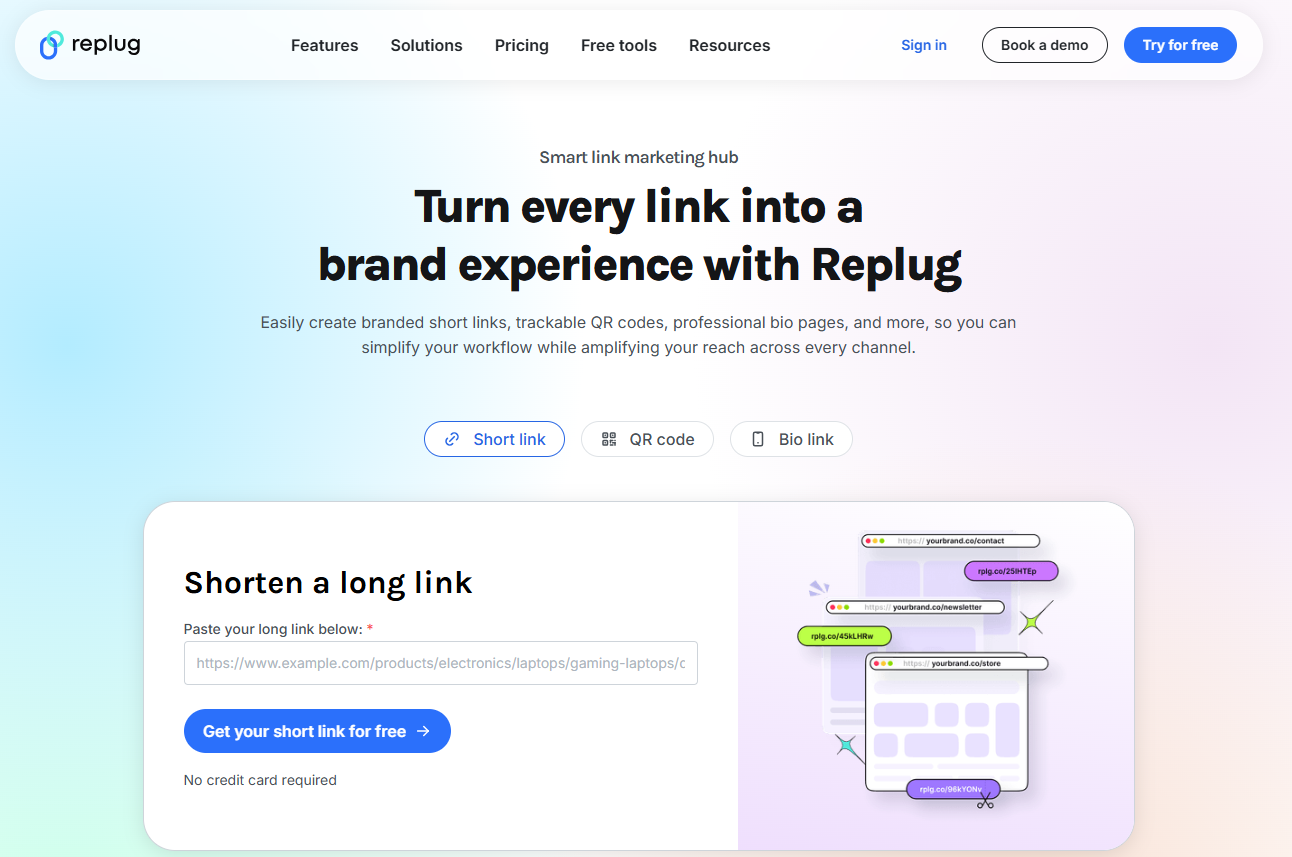
When we talk about shortening your Facebook URL with Replug, what we really mean is using a smart tool that makes those long, messy Facebook links look clean, branded, and easy to share.
Replug is a brilliant link management platform that does much more than just shorten URLs. It lets you organize, track, and customize the links you share across social platforms like Facebook, Instagram, email, and more.
A complete link management solution
for marketing professionals & agencies.
Try Replug for free
If you’ve ever asked yourself, “How do I shorten my Facebook page URL?”, Replug has you covered. With it, you can get a shortened, custom Facebook page URL that not only looks nicer but also lets you see analytics on clicks and engagement.
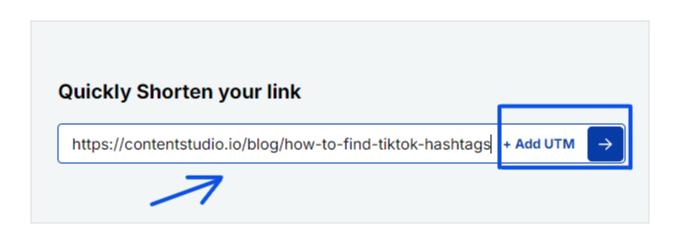
The process is seriously simple: You just paste your long Facebook link into Replug’s Facebook URL shortener tool → tweak the slug or branding if you want → and hit the arrow button to generate a sleek short link.
This link is ready to share in posts, ads, messages, or anywhere online. It’s especially handy if you want your links to look professional and easy to remember.
Wrapping up
To wrap things up, your Facebook page URL might seem like a small detail, but it plays a big role in how people find and remember your brand.
We’ve walked through what it is, what to watch out for before changing it, and how to update it across mobile, desktop, business pages, and Meta Business Suite.
We also covered why customizing your Facebook vanity URL still matters in 2026 and the key rules and best practices to follow when choosing one.
Once you’ve picked the right URL, tools like a reliable URL shortener can make sharing even easier and hassle-free. Pair that with a Facebook post generator, and you’re all set to create posts that look polished, professional, and easy for your audience to click and trust.
Frequently asked questions
How do I change my Facebook profile URL link?
Here’s how to change Facebook URL for profile, by editing your username in your account settings.
On desktop, go to “facebook.com” → Log in to your account with admin access → go to “Settings & Privacy” → “Settings” → “Username,” type the username you want (must be unique and 5+ characters), and save it.
Facebook then updates your profile link to facebook.com/yournewusername.
Note: This feature may be limited depending on account age, previous changes, or if Facebook has restricted username edits on your account.
How to get Facebook page URL easily on mobile and desktop?
– On desktop, open the page you manage and copy the link from the browser bar. That’s your URL. – On mobile app, go to your page, tap the three-dot menu, and choose “Copy link.” This works for both profile pages and business pages.
Is a Facebook URL the same as a username?
Not exactly! The username is the text that comes after facebook.com/ and forms your URL. So your Facebook URL includes your username (e.g., facebook.com/YourName), but the username itself is just the short identifier part.
What are the problems faced while changing a Facebook URL? Provide their solution as well.
Here are common issues and how to fix them:
– URL unavailable: Someone else might already be using it. Try a variation or add numbers. – Username length constraints: Facebook requires at least 5 characters. Pick a name that meets this rule. – URL change disabled following recent update: Facebook may limit how often you can change it, often with a cooldown (such as 60 days). Wait and try again later. – Error messages displayed while saving changes: Sometimes the site caches old data. Try a different browser, clear your cache, or check that your username complies with Meta’s rules & regulations. – Non-permitted characters & symbols detected: Only letters, numbers, and sometimes periods are allowed. Special symbols trigger errors, so you must avoid using them. – Name violates standard Facebook policies: If your username looks spammy, impersonates someone, or violates rules, Facebook will for sure block it. So, tweak it to be compliant.
Can anyone besides an admin change the Facebook page URL?
No! Only someone with admin access to the Facebook page can edit the page’s username and URL. Other roles, like editor or moderator, cannot change the vanity URL.
After merging two accounts, can I still modify the Facebook URL?
Yes! After merging two pages into one, you can change the URL of the new merged page as long as it meets Facebook’s rules and you have the proper admin access. Just be aware that sometimes Facebook may require you to wait a short period after the merge before edits are allowed.
How do I find the Facebook username setting in the app?
In the Facebook mobile app, go to Settings & Privacy → Settings → Accounts Center → Profiles, then select your profile and tap Username to see or edit it. This controls the part of your URL after “facebook.com/”.
Does Facebook allow users to reserve a page username for later use?
No! Facebook doesn’t let you reserve a username for future use. If a username isn’t currently used, anyone can claim it. So if it matters to you, grab it when it’s available.
Is it possible to request a Facebook page URL change through Google?
No! You can’t request a change to a Facebook page URL through Google. URL and username changes must be made directly in Facebook’s settings or in the Accounts Center on the platform itself. Remember, Google doesn’t control Facebook’s username system!
Why am I unable to change my Facebook page URL?
There are a few common reasons you might not see the option:
– You’re not an admin of the page, – Facebook recently restricted edits, – You’re hitting a cooldown after a recent change, or – The username you want isn’t allowed under Facebook’s rules (e.g., not meeting the minimum length or uniqueness requirements).
Double-check your role and wait if necessary before trying again.
It’s no surprise that marketers, influencers, and bloggers use all sorts of tools, software, and plugins that improve their content reach, engagement, and conversion.
One such essential tool is a URL shortener that trims down long URLs into shorter, more manageable links. Undoubtedly, short URLs have become a crucial part of the modern-day digital marketing ecosystem.
The purpose of a URL shortener is to shorten the link, thus making it much easier for users to share, publish, and analyze the URL. However, if you’re curious about how URL shorteners work, then this blog is going to reveal the process for you.
The technology behind URL shorteners
Before moving onto the step-by-step process, it’s essential to understand both the URL structure and the underlying system that makes this link shortening possible.
Technical architecture of a link shortener
Link shortening is the process of converting a long, complex URL into a shorter, more concise version without altering its destination.
A link shortener relies on a streamlined architecture comprising four main components that work together to create, store, and redirect URLs.
At a glance:
User interface (UI): The front end where users paste long URLs and receive short links.
Backend server: Validates input, generates short codes, stores mappings, and manages redirects.
Database: Stores long-to-short URL mappings and ensures fast retrieval. Often built with scalable systems like MySQL or MongoDB.
Integration: Ensures smooth communication between UI, backend, and database for quick link creation and reliable redirection.
How does a URL shortener work: Replug’s process defined
Behind the scenes, URL shortening follows a simple workflow:
1. Entering the URL: You start by submitting a long link into a URL shortener, either through its website or application.
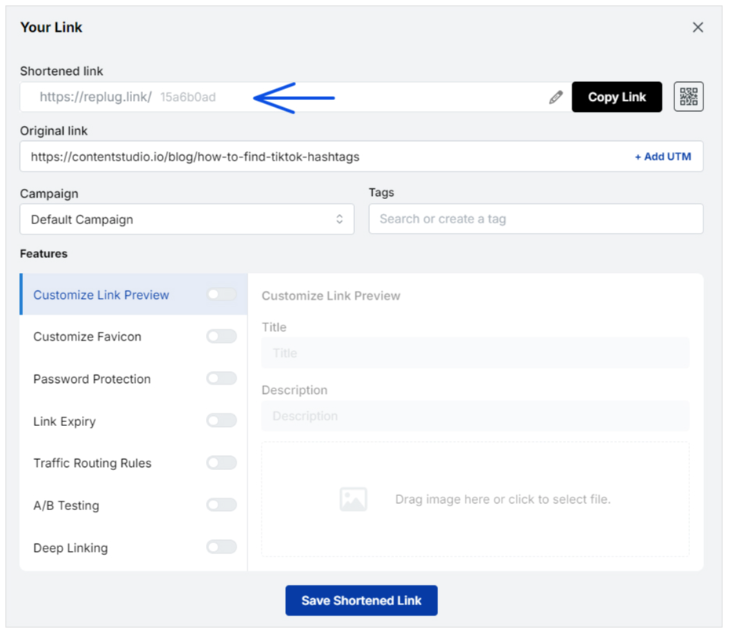
2. Creating a Short Code: The tool then generates a unique, shortened code or identifier, usually a mix of letters and numbers, like replug.link/15a6b0ad.
Note: The first part of the short URL (e.g., replug.link) serves as the default short domain. Brands can also configure a custom short domain for branding purposes.
3. Saving the Mapping: This short code is saved in the service’s database, where it’s linked to the full, original URL you entered.
4. Handling Click Requests: When someone clicks on the shortened link, the server recognizes the short code and processes the request.
5. Redirecting to the Original Page: The system looks up the original URL associated with the short code and issues an HTTP redirect, guiding the user’s browser to the intended destination.
Replug – The best URL shortener in 2026
Replug is more than a URL shortener; it’s a complete link management tool. It helps brands create branded short links, track performance, and retarget audiences for higher engagement.
Here are some reasons to consider this top-notch platform.
Branded link customization
Replug provides rich customization options. You can use your custom domain to create branded short links that match your brand’s identity. This adds a professional touch to your links and enhances brand recognition.
Centralized link management
Categorize, tag, and search links to ensure nothing gets lost in the clutter. Add expiry dates, link previews, and password-protect your links.
Advanced link analytics
Replug doesn’t just shorten links; it gives you actionable insights. Its analytics let you track the number of clicks, user locations, devices, and referral sources. With this data, marketers can measure performance, identify top-performing campaigns, and fine-tune strategies for better ROI.
Campaign tracking with UTM parameters
For advanced campaign tracking, Replug allows you to add UTM parameters directly to your links. Whether it’s email, social media, or paid ads, these tags help you analyze traffic correctly and understand which channels deliver the best results.
QR code generator for easy sharing
Replug automatically generates QR codes for your short links, bridging the gap between the offline and online worlds. Businesses can add QR codes to posters, brochures, packaging, or event materials, making it effortless for customers to scan and access digital content instantly.
Smart dynamic link rotation
Replug supports intelligent link rotation, enabling a single link to direct users to different landing pages based on conditions such as location, device, or time. This is especially useful for A/B testing, regional campaigns, or time-sensitive offers, helping marketers maximize conversions.
Retargeting with every click
Replug takes short links to the next level with retargeting. Easily integrate retargeting pixel codes directly in your links to track clicks & conversions from the Replug dashboard.
Privacy and security
Replug prioritizes data safety. With strong privacy controls and secure link handling, you can confidently manage campaigns without worrying about unauthorized access or data leaks.
On top of these features, Replug offers flexible pricing plans that cater to individuals, small businesses, and large enterprises, making it a scalable choice for anyone serious about link management.
Additional: Using a website link checker can help verify the safety of shortened URLs before clicking.
Common use cases of URL shortening
URL shorteners have moved far beyond just making links look tidy. Today, they play a vital role in marketing, web development, and content distribution.
Here are some of the most common use cases where shortened links add real value:
Implementing URL shortening in web development
This is considered one of the most common yet practical technical aspects of URL shorteners. Implementing URL shortening in your well-built web application can enhance user experience, improve click-through rates, and provide valuable analytics.
Using shortened links in advertising campaigns
In paid advertising, every character counts, and messy links can discourage clicks. Shortened URLs keep ad copy clear and attractive while maximizing space in search ads, display banners, and sponsored posts.
More importantly, advertisers can attach tracking parameters to short links, enabling them to monitor impressions, clicks, and conversions associated with specific campaigns. This allows for better performance measurement and smarter budget allocation, making shortened URLs a must-have for digital advertising.
Shortened URLs for SMS and email campaigns
SMS messages have strict character limits, and long links can look disorganized or even break in transmission.
Similarly, in email campaigns, shorter links look more professional and trustworthy. Marketers use URL shorteners to make links more compact while tracking engagement metrics like open rates and click-through rates.
Blog post short links for sharing
For bloggers, short links make content easier to distribute across multiple platforms. Instead of relying on long, cluttered URLs, they can generate short links for each new post, either manually or through automation when publishing.
Readers can then share these links seamlessly on social media or messaging platforms. Shortened blog links also enable bloggers to track engagement, providing them with valuable insights into which posts resonate most with their audience.
Link cloaking for affiliate links
Affiliate marketers often use link cloaking to make long and complex affiliate URLs look cleaner and more trustworthy. Cloaking replaces the messy affiliate link with a short, branded URL that encourages more clicks while reducing the risk of link hijacking.
It also helps maintain consistency in marketing campaigns and provides accurate tracking for conversions and commissions.
Short URL integration in social media scheduling tools
Social media scheduling tools often integrate URL shorteners to simplify the posting process. When marketers schedule posts, the tool automatically shortens long links, keeping the captions clean and concise.
Beyond aesthetics, this integration offers built-in tracking, allowing users to measure clicks and engagement across various platforms. This automation saves time and ensures that every link shared is both manageable and trackable, without requiring any extra manual effort.
Summing Up
URL shorteners have become essential tools for digital marketers, providing cleaner links, enhanced tracking, and a better user experience. By understanding how they work and the technology behind them, marketers can make more intelligent choices for their campaigns.
Whether you’re sharing links on social media, in emails, or through ads, using a reliable link shortening platform ensures professionalism, performance, and measurable results.
Start optimizing your links today with a trusted solution like Replug!
Frequently asked questions
How do you shorten a URL?
Follow these steps:
1. Choose a URL shortener – Start by selecting a reliable tool like Replug. 2. Paste your long URL – Copy the link you want to shorten and paste it into the input field on the tool’s website. 3. Click the ‘Shorten’ button – The tool will process your link. 4. Copy your short URL – Once generated, copy the new, shorter link and use it wherever you need.
Which URL shortener is popular?
Some of the most popular URL shorteners right now are:
Replug — widely used, good analytics, custom/vanity links. TinyURL — one of the oldest tools; simple and reliable. Rebrandly — great for branded URLs and business/team use.
Do URL shorteners affect SEO?
URL shorteners do not negatively affect SEO as long as they use 301 redirects, which pass most of the link equity to the destination URL. Search engines treat these shortened links like regular links when properly implemented.
Does Google prefer short URLs?
Yes, Google generally prefers short, clean URLs because they are easier to read, understand, and share. While URL length is not a major ranking factor, shorter URLs often perform better in terms of user experience and click-through rates, which can indirectly benefit SEO.
Many people are understandably cautious about clicking on links, whether due to annoying website pop-ups or emails from unfamiliar sources.
At the same time, this hesitation poses a challenge for marketers, as getting users to click on URLs is vital for engagement and conversions.
This is where a free link shortener with tracking capabilities comes into play. It helps you create short URLs quickly and hassle-free.
These attractive and concise links have become popular among influencers, brands, marketers, and bloggers. These professionals utilize them to enhance marketing efforts, engagement, and click-through rates across various platforms.
Let’s explore the concept of shortened URLs and the possibilities of using short, branded URLs to boost marketing campaigns.
What are short URLs?
A short URL is a compressed version of a longer web address, created using a URL shortening service like Replug.
These links redirect users to the original URL but take up far less space, making them ideal for social media posts, SMS messages, email campaigns, and print materials.
The primary purpose of using such URLs is to enhance readability, make links more shareable, and provide a cleaner, more professional appearance across digital platforms.
The ultimate goal is to enhance user experience and maximize click-through rates (CTR) by making links easier to recognize, trust, and remember.
In fact, Backlinko reports that the top Google result earns a 27.6% CTR, showing just how impactful optimized URLs can be, especially when they’re concise and keyword-rich.
Importance of Short URLs
🔗 Improved click-through rates (CTR): Shorter, cleaner links tend to attract more clicks, especially when customized with relevant keywords.
📱 Better user experience: Long URLs can be messy and irritating. Short links are easier to read, type, and share, particularly on mobile devices.
📢 Cross-platform compatibility: Short URLs work seamlessly across all channels, from emails and tweets to offline QR codes and posters.
🎯 Efficient space usage: Especially useful in character-limited platforms like Twitter, where every character matters.
📊 Trackable engagement: The best URL shorteners come with built-in analytics to track performance, including clicks, device types, locations, and referrers.
Branded short links are more than just shortened URLs. They’re powerful marketing tools that enhance brand visibility, trust, and campaign performance.
🧠 Increased Brand Awareness: Branded links (e.g., yourbrand.link/offer) keep your business name front and center, reinforcing brand identity.
🤝 Higher Trust & Credibility: Users are more likely to click a link that includes your brand name rather than a random string of characters.
📈 Enhanced Conversion Rates: Recognizable, trustworthy links can drive more conversions by reducing hesitation and building confidence.
🔍 SEO Benefits & Keyword Relevance: Branded short links with targeted keywords can improve link context and searchability.
🛠️ Campaign Differentiation: Marketers can create unique branded links for different campaigns or platforms, making it easier to measure effectiveness and ROI.
How to use short URLs for marketing purposes
In today’s fast-paced digital world, every character counts, especially in marketing. Short URLs not only help streamline your messaging across channels but also offer powerful branding, tracking, and optimization opportunities.
When used strategically, they can significantly uplift your campaigns’ performance, improve engagement, and boost brand recognition.
Select a branded domain
Branded short links do more than just save space; they make a lasting impression.
Raise trust
Generic short URLs (like bit.ly or tinyurl.com) can appear suspicious to users. A branded short domain (e.g., nyti.ms for The New York Times or amzn.to for Amazon) instantly signals credibility.
Consumers are more likely to click on links that clearly indicate their source, which reduces bounce rates and enhances user confidence.
Boost brand recognition
A consistent, customized short link reinforces your brand with every share. When your brand name is visible in the link (e.g., yourbrand.link/offer), it becomes a subtle yet powerful marketing asset.
Over time, this repeated visibility strengthens brand recall and sets your content apart from generic competition.
Create meaningful custom links using a URL shortener
A short URL should still tell a story.
Contextualize
Avoid ambiguous strings like bit.ly/3kYs8dQ. Instead, create links that provide immediate context, like yourbrand.link/fall-sale.
This not only improves click-through rates but also helps users understand what they’re about to view.
Utilize keywords
Including relevant keywords in your custom URL improves both SEO and user engagement.
For instance, a campaign for a new product launch might use yourbrand.link/new-smartwatch, instantly conveying value while helping search engines index the link contextually.
Take advantage of the tracking & analytics capabilities of a URL shortener
One of the greatest strengths of short URLs lies in the data insights they provide.
Monitor clicks
Track how many times your links are clicked, and when. This helps determine peak engagement hours, ideal publishing times, and overall campaign performance.
Segment data by channel
Most paid URL shorteners (like Bitly, Rebrandly, or Sniply) allow segmentation by traffic source. Whether the link was clicked via Instagram, email, or a QR code on a flyer, you can pinpoint which platforms drive the most traffic.
Track performance
Beyond raw clicks, evaluate metrics such as bounce rate, time on site, and conversions associated with each short link.
For instance, yourbrand.link/discount might drive 10,000 clicks but only 1% conversions, prompting a change in strategy or landing page design.
Monitor multi-channel campaigns
Use unique short URLs for each channel in a multi-channel campaign (e.g., yourbrand.link/email, yourbrand.link/facebook, etc.). This gives you precise insights into what’s working and what needs refinement across your marketing mix.
Refine campaigns
Data from short links isn’t just for reporting, it’s actionable. Low click-through rates on a particular platform may suggest poor copy or ineffective targeting. Conversely, high-performing links can serve as templates for future campaigns.
Gain insights into audience engagement
Are mobile users engaging more than desktop users? Are certain geographic regions clicking more frequently?
Link analytics can provide rich behavioral insights, enabling you to tailor your messaging and audience targeting more precisely.
Deploy the short links across all marketing channels
Short links excel in their flexibility and universal applicability.
Social media
Character-limited platforms like Twitter and Instagram bios benefit greatly from short links. For example, a post might include yourbrand.link/freeguide to maximize space and visibility without clutter.
Emails
Short URLs keep your emails clean and clickable. They’re especially useful in tracking which links recipients engage with the most, allowing for precise list segmentation and follow-up.
SMS campaigns
Text message or SMS marketing succeeds due to its conciseness. A short, branded link not only fits character limits but also makes the message feel more professional, increasing trust and CTR.
Content marketing
In blog posts or downloadable PDFs, short URLs are easier to remember and type. They’re especially useful in content upgrades or linking to gated assets (e.g., yourbrand.link/checklist).
Print & offline media
Short URLs often back QR codes. But even without a QR code, having a memorable short URL on a poster, business card, or flyer (e.g., yourbrand.link/event) makes it easier for users to engage offline.
Test & iterate
Effective marketing is a cycle of experimentation and refinement.
A/B testing
A/B testing is a method for comparing two or more cases to see which one performs better. Use multiple variations of your short URLs to test different messages, formats, or landing pages.
For example, test yourbrand.link/save20 vs. yourbrand.link/20off to see which resonates better with your audience.
Stay consistent
Consistency builds familiarity. Stick to a recognizable format and naming convention for your URLs to make them more memorable and reinforce your brand across all campaigns.
Short URLs are more than a space-saving tool; they’re a strategic marketing asset. When branded, customized, and tracked effectively, they enhance trust, boost engagement, and provide actionable insights that help refine your campaigns.
Whether you’re launching a new product, running a seasonal promotion, or simply sharing blog content, integrating short URLs across your marketing channels ensures your message is not only seen, but remembered and acted upon.
How to use short URLs for marketing campaigns: Some good examples at hand
Let’s explore five successful examples of brands using short URLs to drive marketing results effectively.
Coca-Cola’s “cokeurl.com”
Strategy: Coca-Cola created a custom branded short domain, cokeurl.com, to reinforce its brand identity in digital campaigns.
Use case: In global promotions like the “Share a Coke” campaign, they used short URLs to direct users to personalized bottle pages or social contests.
Why it works: These links were easy to remember and instantly associated with the brand, thereby improving engagement across platforms such as Twitter and SMS.
New York Times’ “nyti.ms”
Strategy: The New York Times uses nyti.ms, a branded short domain, for sharing articles across social media.
Use case: Each shortened link redirects to a full NYT article, especially effective on platforms like X (formerly Twitter), where character count matters.
Why it works: Branded URLs, such as nyti.ms/abc123, build trust, signaling to users that the link leads to a reputable source — a key factor in increasing click-through rates.
Amazon’s “amzn.to”
Strategy: Amazon uses the custom short domain amzn.to, powered by Bitly, for affiliate and product links.
Use case: Affiliates and marketers share these links on blogs, YouTube descriptions, and social media to drive sales and earn commissions.
Why it works: These URLs are concise, trackable, and clean, enabling both Amazon and its partners to monitor traffic, conversions, and optimize campaigns in real-time.
Spotify’s campaign-specific short links
Strategy: Spotify uses short URLs for sharing playlists, artist pages, and marketing campaigns, often through branded or campaign-specific domains.
Use case: During the launch of new features or artist collaborations (e.g., “wrapped” campaigns), Spotify uses custom short links to drive mobile traffic.
Why it works: These links enhance shareability and enable Spotify to collect user data, including location and device information, for retargeting and analytics purposes.
Pepsi’s QR & short link integration in campaigns
Strategy: Pepsi integrates short URLs alongside QR codes in product packaging and TV commercials.
Use case: During promotions like the “Pepsi Stuff” rewards program, they used memorable short links to direct users to sign-up pages and promo details.
Why it works: Combining visual codes with short, branded URLs ensures a seamless user experience, especially for mobile users who may not be able to scan a QR code (at times) but can easily type a simple URL.
The best URL shortener for online marketing in 2026
Replug.io is an all-in-one link management tool designed for brands, marketers, SEO specialists, and bloggers to create, manage, and analyze short URLs.
It’s a comprehensive URL shortening tool that provides several link management services to upgrade your social media marketing to the next level.
Thousands of happy customers worldwide trust Replug for the link shortening task. One major reason for its success is that it offers much more than the average URL shortener freely available online.
Users find URL shortening, tracking, bio links, and much more under the same umbrella. It’s, without a doubt, the best URL shortener for social media marketers.
Key features
Precise URL shortening
Custom domain configuration for branded short URLs
URL analytics to track and monitor URL performance
QR code management for links
Customizable call-to-actions
Pricing
Free: $0/month
Essentials: $9/month
Scale: $23/month
Agency: $79/month
Wrapping up
To sum up, short URLs have become vital tools for modern marketers, helping improve brand visibility, track campaign performance, and enhance user engagement.
By integrating branded short links into your digital marketing strategy, you can establish trust, drive higher click-through rates, and measure success with precision.
No matter for social media, email campaigns, or influencer collaborations, short URLs simplify link management and boost overall marketing efficiency.
As 2026 continues to reshape online marketing, choosing the right URL shortener is crucial for staying ahead.
Replug offers everything you need, from branded links to advanced analytics, making it the ultimate solution for professionals.
Try this amazing URL shortening tool today and advance your link management game!
Frequently Asked Questions
How do I use a short URL link?
To use a short URL link:
– Select a reliable service like Replug, and paste your long URL into their input field. – The tool then generates a shortened version, which is often customizable for branding purposes. – Copy the short link and paste it into emails, social posts, or websites. – When clicked, it redirects to the original URL seamlessly.
How to use short URLs for marketing on Facebook?
On Facebook, short URLs enhance marketing by making posts cleaner and more engaging, as they avoid long, cluttered links that hinder clicks.
Use tools like Replug to shorten links, add UTM parameters for tracking, and integrate them into ads, posts, or stories.
This enables monitoring of click-through rates, audience engagement, and campaign performance through built-in analytics.
How to use short URLs for marketing on Google?
For Google marketing, particularly in Google Ads or Search Console, use short URLs from services like Replug or Google’s own Firebase Dynamic Links (for apps) to create concise, trackable links.
Append UTM tags for analytics in Google Analytics, and embed them in ad copy or search results snippets. This improves click rates and provides data on user behavior across campaigns.
How to make money from shortened URLs?
Earn from shortened URLs via pay-per-click (PPC) services like AdFly, Linkvertise, or ShrinkMe, where you shorten links and share them. Each click views a short ad, earning you a commission (typically $1-10 per 1,000 views).
Sign up, generate links, and promote them on social media or websites, but comply with platform policies to avoid bans. Payouts vary by traffic quality and geography, with thresholds around $5-10 for withdrawal.
Can URL shorteners track clicks?
Yes, most URL shorteners offer built-in click tracking, providing metrics such as total clicks, geographic locations, referral sources, and device types.
Premium plans enhance this with advanced analytics, integration with Google Analytics, and real-time data. This helps marketers optimize campaigns without needing extra tools.
What is the relationship between short URLs and social media shares?
Short URLs boost social media shares by making links more aesthetically pleasing and shareable, fitting character limits on platforms like X (formerly Twitter), and improving click-through rates.
They correlate with higher engagement, as clean posts appear more professional and trustworthy. Analytics from shorteners also reveal share patterns, helping refine content strategies.
Should I shorten links even for email or social posts?
Yes, shortening links for emails and social posts is recommended to enhance readability, track engagement, and fit character limits, especially on mobile devices.
It prevents long URLs from breaking layouts or appearing spammy, while providing analytics on opens and clicks. However, use branded URL shorteners like Replug to build trust and avoid generic ones that might raise security concerns.
What are some of the most common challenges marketers face when using shortlinks?
Marketers often struggle with link trustworthiness, as shortened URLs can conceal malicious content, resulting in lower click rates or platform flags. Analytics accuracy can vary, with issues like bot traffic inflating metrics or service downtime causing redirect failures.
Additionally, dependency on third-party shorteners risks data privacy breaches or sudden policy changes that could affect campaigns.
We’ve all experienced the frustration of copying a long, messy URL and thinking, “This looks terrible.” We’ve been there, more times than we’d like to admit!
That’s why URL shorteners exist: to simplify and streamline one’s link management needs, making links more user-friendly and professional.
These link shorteners are the perfect solution in this case. They take those clunky, unattractive URLs and transform them into concise, clean links that are easier to share and use.
Moreover, the benefits of URL shorteners go far beyond aesthetics. This blog covers everything, from the definition of a URL shortener to its key benefits that you should be aware of.
So, let’s get started!
What is a URL shortener?
A URL shortener is simply a tool that condenses long URLs into short, easy-to-share links. These tools don’t change the destination; they just repackage it into something cleaner, clickable, and far more professional.
Replug acts as your custom URL shortener, ideal for turning long, messy links into branded, trackable URLs that look tidy and perform much better.
8 major benefits of URL shorteners: Key advantages explained!
There are numerous benefits to using URL shorteners. From making your links look clean to tracking link analytics, these tools are becoming increasingly essential for anyone seeking to enhance their online presence and optimize their digital strategy.
Here’s a list of the top benefits of URL shorteners that you must know as a content marketer or business professional:
Improved aesthetic appeal
A short URL is like a crisp, well-edited photograph, while a long one is like a blurry, poorly taken snapshot. The edited photograph (short URL) is clear and appealing, whereas the blurry snapshot (long URL) can look messy and unrefined.
Now, let’s make a comparison. Which one looks better?
Long URL:
Short URL:
Clearly, short links have a far greater aesthetic advantage, and only a top-notch URL shortener can perform this task optimally.
Let’s face it, long URLs can be a real pain to share on social media. That’s where link shorteners come in; they’re a total lifesaver!
They offer links that fit perfectly on platforms with character limits, such as Twitter (X) and SMS. Besides, they also make it extremely easy to copy, paste, or share links.
For example, imagine you’re trying to share a link to a funny cat video on Twitter (X). The original URL is massive, about 120 characters long, but with a tool like Replug, you can share it in just 20 characters!
Amazing right!
By using shortened links, you’ll make it easier for others to engage with your content. And who knows, you might just get more likes, shares, and even a few laughs!
Boost clicks and conversion with custom URLs
People trust links that look branded and professional. A custom URL shortener allows you to add your brand domain instead of a random string, enabling you to share personalized links, hassle-free.
Branded links make your content instantly recognizable and give users confidence that they’re clicking a safe and trustworthy URL. This increased trust often translates into higher click-through rates and better engagement.
For example, instead of sharing a generic short URL like:
You can share a custom one like:
In-depth analytics and link tracking
Being able to monitor click performance is one of the most valuable benefits of URL shorteners. They can be used to track analytics, providing insights into who’s clicking, when, and how often.
Additionally, they also inform you where your traffic is coming from, including geographic locations and the devices used.
For instance, let’s say you launch a promotion with shortened links and find that your “funny cat meme” campaign gets the most clicks from a region known for its cat lovers. Plus, you see that mobile users are way more engaged than desktop ones.
With this info, you might double down on those cat memes and create a special mobile offer, turning your marketing into a cat-themed hit.
One of the most significant advantages of URL shorteners is the flexibility to redirect a link even after it has been created.
If your landing page changes or a campaign URL needs updating, you don’t have to resend new links. You can simply update the destination behind your short link.
This keeps campaigns consistent, saves time, and prevents lost clicks from outdated links.
But it doesn’t stop there!
Modern link shorteners also support dynamic links, which automatically tailor the destination based on factors such as device, location, or even the time of click.
For example, mobile users can be directed directly to your app store download page, while desktop users are sent to your website. Similarly, a global campaign can send US visitors to your .com site and UK visitors to your .co.uk site, all from the same link.
This combination of flexible redirection and link rotation ensures your audience always lands on the most relevant page, enhancing user experience, engagement, and conversions.
Amazing retargeting opportunities
Did you know that up to 88% of online users won’t return to a site after a bad experience, and the average website has a bounce rate of 37%? But don’t worry!
Top-notch URL shorteners can help you re-engage your audience and breathe new life into lost connections.
By integrating a reliable link shortener like Replug, which features powerful capabilities such as a retargeting pixel, you can track user interactions, create targeted ads, and re-serve ads to interested users.
This effective combo boosts tracking and analytics, ad relevance, and ROI, while seamlessly integrating with your existing strategies.
But don’t just take our word for it!
For instance, major companies such as Adobe, Starbucks, Best Buy, Amazon, Coca-Cola, The New York Times, McDonald’s, and Reddit are utilizing link shorteners to retarget their audiences.
Here’s how “Amazon” and “The New York Times” are using URL shorteners in their marketing strategy:
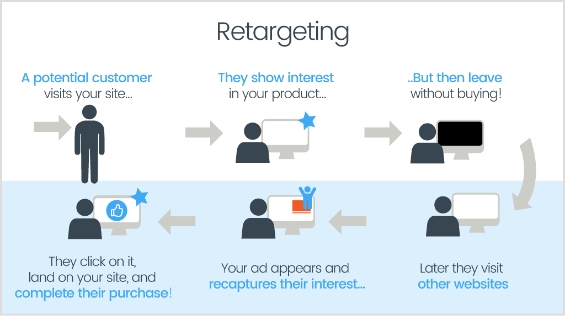
Note: The next time you leave a website and get an email that says, “Hey, you forgot something in your cart!” or you see an ad pop up for that exact pair of shoes you were eyeing, that’s retargeting in action.
Better offline marketing (QR codes & print)
URL shorteners aren’t just for online campaigns; they bridge the gap between online and offline marketing through QR codes.
Most current link shortening tools let you instantly generate a scannable QR code for every shortened link. This makes it much easier to share digital content through physical channels.
Imagine you’re running a restaurant and printing flyers for a new menu. Instead of typing a long URL, customers can just scan your QR code and instantly view the digital menu.
Similarly, event organizers can place QR codes on flyers, posters, tickets, or merchandise to lead people directly to registration pages, videos, or exclusive offers.
Since QR codes have gained hype and popularity post-COVID, this feature makes URL shorteners essential for creating engaging, interactive print campaigns.
Enhanced mobile experience
Most internet traffic today originates from mobile devices, making it compulsory to deliver a seamless mobile experience.
Short links are easier to click, copy, and share on smartphones compared to long, clunky URLs that break across lines or look suspicious.
Beyond convenience, advanced link shorteners optimize the mobile experience by supporting deep linking.
For instance, if someone clicks a short link to your YouTube channel from their phone, the link can open directly in the YouTube app, rather than in a browser.
The same applies to e-commerce apps, social media platforms, or custom brand apps. This reduces friction, enabling users to reach their destinations faster and increasing the likelihood of engagement and conversions.
Some disadvantages of URL shorteners
While URL shorteners offer numerous benefits, it’s essential to be aware of the potential drawbacks of these tools before entirely relying on them in your campaigns.
Drawback
Explanation
Trust issues
Shortened links can look suspicious if they don’t show the final destination.
Dependency on services
If the link shortening service shuts down, your links may break.
Broken links
Discontinued tools (e.g., Google’s goo.gl) can render links inactive.
Limited transparency
Some platforms or users may block or distrust shortened URLs.
Extra management
Large campaigns require more effort to organize and track links.
Feature limits
Free tools often lack analytics, retargeting, or customization options.
Cost factor
Advanced features, such as branding or deep analytics, usually require paid plans.
Closing thoughts
In this blog, we explored what URL shorteners are, their practical benefits, and the few drawbacks you should be aware of.
From making links look clean and professional to enabling custom branding, the pros of URL shorteners can genuinely transform the way you manage and share links.
While there are some limitations, like trust issues or service dependency, the advantages far outweigh the drawbacks when used wisely.
If you’re ready to unlock these benefits and take your marketing strategy to the next level, try Replug today! A custom URL shortener built to help you brand, track, and optimize every link you share.
Frequently asked questions
What are the benefits of a short URL?
The following are the advantages of a short URL.
–Improves click-through rates (CTR): Clean, concise links look more trustworthy and clickable. – Enhances user experience: Easier to read, type, and share, especially on mobile or print. – Saves space: Ideal for character-limited platforms like X (formerly Twitter) or SMS. – Boosts brand visibility: Branded short links increase recognition and trust. – Enables tracking and analytics: Most URL shorteners provide click data, source, and geolocation. – Supports A/B testing: Easily test different link placements or campaigns with trackable variations. – Prevents link breakage: Short URLs are less likely to break in emails or messaging apps.
Who can benefit from URL shorteners?
URL shorteners aren’t just for marketers. A wide range of users can benefit from their simplicity and tracking capabilities.
– E-commerce businesses → Use branded links, bio links, retargeting, and custom CTAs to improve visibility and conversions. – Content creators → Customize link previews, set expiry dates, run A/B tests, share via SMS, and generate QR codes for easy promotion. – Affiliate marketers → Cloak long links, add deep links for higher conversions, and rotate offers through a single short link. – Agencies → Provide white-label solutions, advanced link management, and tailored tools to enhance client campaigns.
How does a URL shortener work?
A URL shortener works by taking a long web address and converting it into a much shorter, more manageable link. When a user enters a long URL into a shortening tool, the service generates a unique short link that redirects to the original destination. When someone clicks the short link, the tool quickly redirects them to the full URL behind the scenes.
How do URL shorteners impact SEO?
URL shorteners can impact SEO positively if they use 301 redirects, as this ensures link equity (or “link juice”) is passed to the final destination. They’re useful for tracking and sharing links on social media, but excessive use can reduce transparency, affect user trust, and potentially lower click-through rates.
QR codes are literally everywhere, on restaurant menus, product packaging, billboard ads, and even your doctor’s office wall. And the numbers back it up!
QR code usage surged over 323% between 2021 and 2024, and nearly 100 million Americans are expected to scan a QR code by 2026. That’s a lot of scanning.
But here’s something most people overlook: size matters more than you’d think.
A QR code that’s too small gets ignored or fails to scan. Too large, and it looks awkward and out of place.
No matter if you’re printing one on a business card, a storefront banner, or a product label, getting the size right can be the difference between a scan and a skip.
This guide breaks it all down for you. But first, let’s make sure we’re on the same page. What exactly is a QR code?
What is a QR code: A brief overview
QR stands for Quick Response, and the name pretty much says it all.
A QR code is a two-dimensional barcode that stores information (like a URL, contact details, or plain text) in a pattern of black and white squares. Point your phone camera at one, and within seconds, you’re taken exactly where it wants you to go.
The concept isn’t new. QR codes were actually invented back in 1994 by a Japanese company called Denso Wave, originally to track car parts during manufacturing. Fast forward to today, and they’re one of the easiest ways to bridge the gap between the physical and digital world.
The primary goal is simple: make information instantly accessible without any typing or searching.
Whether you’re a business owner looking to create a QR code for your menu or just someone sharing their Wi-Fi password with guests, QR codes get the job done in the most frictionless way possible.
Think of it as a shortcut. One scan, instant action!
Why does size matter for a QR code?
Size isn’t just a design choice; it directly affects whether your QR code actually works or not. Getting the QR code size requirements right from the start saves you from reprints, failed scans, and frustrated users.
Here’s what’s really at play:
Scanning distance: The farther away someone is from your QR code, the bigger it needs to be. A general rule of thumb: for every 1 inch of QR code size, it can be scanned from roughly 10 inches away.
Data density: The more information you pack into a QR code, the more complex its pattern becomes. Also, complex patterns need more physical space to remain scannable without errors.
Physical constraints: Sometimes your printing surface decides the size for you. A business card has very different real estate than a billboard, so your QR code needs to fit the medium it lives on.
QR code minimum size guidelines: Most experts recommend a minimum size of 2 x 2 cm (about 0.8 x 0.8 inches) for print materials. Anything smaller than that and most phone cameras will simply struggle to lock on.
What is the smallest QR code size?
For everyday use, the minimum recommended QR code size is 2 x 2 cm; anything smaller, and most phone cameras start to struggle.
There’s also a format called micro QR code size, which is a compact version of the standard QR code designed for smaller surfaces with limited data needs.
But if you really want to talk extremes, the world’s smallest QR code was created by researchers at TU Wien in Austria. It measures just 1.977 square micrometers and can only be scanned using an electron microscope.
So don’t expect to get that one on a product label anytime soon. Cool fact, but not exactly practical for your next marketing campaign!
What is the largest QR code size?
Technically, there’s no hard upper limit on how big a QR code can get. As long as it’s scannable, you’re good, and people have really pushed that boundary.
The current record holder for the world’s largest QR code is the Yuengling Stars and Stripes code in Farmland, Indiana. It is made entirely from farm-grown crops and measures roughly a quarter mile by a quarter mile (about 30 acres). Yes, you’d need a drone to scan it!
For real-world use, though, large-format QR codes on billboards or signage typically range from 30 cm to several meters wide (whatever it takes to be scannable from the intended viewing distance).
What is the minimum QR code size for a business card?
Business cards are small, so space is tight, but your QR code still needs to be scannable.
The sweet spot for a business card QR code is 2 x 2 cm (about 0.8 x 0.8 inches), which is also the general minimum recommended size for any printed QR code. Don’t go smaller than that, or you’re just printing a decorative square that nobody can scan.
Since someone will typically be holding the card in their hand, the scanning distance is short, which works in your favor and means you don’t need to go much bigger than 3 x 3 cm either.
For print materials (think brochures, flyers, posters, or packaging), the minimum recommended QR code size is 1.2 x 1.2 cm (about 0.5 x 0.5 inches). That’s the baseline.
But honestly, bigger is usually better in print, because you can’t control how far away someone will be standing when they try to scan it. A flyer on a notice board needs a larger code than one handed directly to someone.
A good practical rule: aim for at least 3 x 3 cm for most standard print use cases, and always test a physical print before going to a full print run.
Standard QR code sizes by use case
Different placements call for different sizes; there’s no one-size-fits-all answer here.
No matter if you’re running a QR code marketing campaign or just need a quick reference, this QR code sizes chart below breaks it down by use case so you can get it right the first time.
The sizes reflect real-world best practices practical enough to work, not so oversized that they dominate the design.
Points that play a significant role in QR code size
A few technical factors quietly influence how big or small your QR code needs to be, and ignoring them is usually why codes fail to scan. Understanding these helps you make smarter sizing decisions before you print or publish anything.
Distance-to-size ratio: The farther away your audience is when scanning, the bigger the code needs to be. A simple rule: for every 1 inch of QR code size, expect a reliable scan from about 10 inches away.
Data density (amount of information): More data packed into a QR code means more modules (the tiny squares), which makes a denser pattern. And, such a pattern needs more physical space to stay readable.
Error correction level (ECL): QR codes have four error correction levels, i.e., L, M, Q, and H. Higher levels add redundancy so the code survives damage or dirt, but they also increase complexity, which might require a larger size.
Module size & density: A module is the smallest square unit inside a QR code. If modules are too tiny to distinguish from each other, scanners struggle. Keeping modules at a legible size directly impacts the overall code dimensions.
Quiet zone: This is the blank white border surrounding your QR code. It’s not decorative; scanners need it to identify where the code starts and ends. The standard quiet zone is 4 modules wide on all sides, so always factor it into your total size.
Symbol version: QR codes have 40 versions, with Version 1 being the smallest (21×21 modules) and Version 40 the largest (177×177 modules). The more data you store, the higher the version and the bigger the code needs to be.
Level of customization: Adding colors, logos, or design elements to your QR code can interfere with scannability. The more customized it is, the larger it may need to be to maintain enough contrast and clarity for a reliable scan.
How to select the right QR code size for your needs: Key points to consider!
Picking the right QR code size doesn’t have to be guesswork. You just need to think through a few practical factors before finalizing your design or sending anything to print.
Here’s what to keep in mind:
Scanning distance (10:1 rule): A reliable rule to follow! Your QR code should be 1/10th of the scanning distance. So if someone will be scanning from 10 inches away, your code should be at least 1 inch wide. Scale up from there accordingly.
Data complexity: If your QR code stores along URL, vCard, or multiple data fields, it’ll naturally be more complex. More complex codes need more space to stay scannable, so size up when you’re storing a lot of information.
Minimum practical size: Never go below 2 x 2 cm for any printed material; that’s the floor. Below that, most smartphone cameras simply won’t lock on, regardless of how good the print quality is.
The quiet zone: Always leave a clean, white margin around your QR code, at least 4 modules wide on every side. Crowding the code edge-to-edge with other design elements is one of the most common reasons code fails in the real world.
Material & quality: Printing on rough, textured, or dark surfaces can swallow up scannability fast. The lower the print quality or the trickier the surface, the larger and bolder your QR code needs to be to compensate.
Generate high-quality QR codes of all sizes easily with Replug!
If you’re looking for a reliable tool to create and customize QR codes without any hassle, Replug.io is worth checking out.
With Replug, you can design QR codes that actually match your brand. It allows you to add your logo, pick your colors, choose your style, and download in high-resolution formats like PNG, SVG, or PDF.
Whether it’s for a business card, a product label, or a billboard, the codes come out sharp and scan-ready at any size.
Plus, you get built-in analytics to track scans, locations, and device data in real time. So you’re not just generating codes, you’re learning from them too.
Final words
Getting your QR code size right isn’t complicated anymore. It just takes a little thought up front.
No matter if you’re printing on a business card, a magazine, or a billboard, the right size can mean the difference between a seamless scan and a completely missed opportunity.
Keep the 10:1 scanning rule in mind, respect the quiet zone, don’t stuff in more data than necessary, and always test before you commit to a full print run. Once you nail the sizing, everything else falls into place.
And if you need a tool that makes the whole process easier, Replug has you covered, from creation to tracking, all in one place.
Frequently asked questions
How big is a normal QR code?
A “normal” QR code size really depends on where it’s being used. For most everyday print materials, a standard size falls somewhere between 2 x 2 cm and 4 x 4 cm. For digital use, 200 x 200 px to 450 x 450 px is pretty typical.
As for the QR code size limit on the higher end, there isn’t a strict one, as long as it scans. The minimum, however, is firmly at 2 x 2 cm for print. Stick within these ranges for day-to-day use, and you’ll rarely run into any issues.
What is the minimum resolution for a QR code?
For print, the minimum recommended resolution is 300 DPI, which keeps the modules sharp and scannable. For digital use (screens, emails, websites),72–96 DPI is generally sufficient. Going below 300 DPI in print is where things start getting blurry and unreliable.
Does the error correction level have a major impact on QR code size?
Yes, it does. Higher error correction levels (like Q or H) add more redundant data to the code, which increases its complexity and pushes the size up. If space is tight, using a lower ECL (like L or M) can help keep the code smaller. Just make sure the surface and conditions don’t require heavy error correction.
Can a QR code be resized after it is created without affecting its functionality?
Yes, but only if you’re scaling it up or down proportionally and using a vector format like SVG. Stretching it unevenly or scaling a low-resolution PNG too far up will degrade quality and hurt scannability. Always export in vector format if you anticipate resizing later.
How does the amount of encoded data affect QR code size?
More data = more modules = a more complex pattern = a bigger code size
A QR code storing just a short URL will always be simpler and more compact than one storing a full vCard with a phone number, email, address, and website. Keep your data lean when space is limited.
Is there a max QR code size limit?
Technically, no! There’s no upper size limit. A QR code can be as large as a crop field (as we covered earlier!). The only real ceiling is practicality. On the data side, though, a single QR code can store up to 7,089 numeric characters or 4,296 alphanumeric characters at maximum capacity.
Does the version affect QR code size or not?
Absolutely! QR codes have 40 versions in total. Version 1 starts at 21×21 modules, and Version 40 goes up to 177×177 modules. The version increases automatically based on how much data you’re storing, and a higher version directly means a physically larger code to remain scannable.
Is it possible to reduce the size of a QR code once it is created?
You can scale it down visually, but there’s a floor. Go below 2 x 2 cm in print, and it likely won’t scan reliably. If you want genuinely smaller code, the better approach is to reduce the data it stores (e.g., use a shortened URL) or lower the error correction level before generating it.
Does the type or shape of a QR code affect its size?
The shape can affect it slightly.
– Standard QR codes are square, and that’s what most scanners are optimized for. – Micro QR codes are smaller by design but hold far less data. – Custom-shaped or heavily designed QR codes may need to be larger to maintain enough scannability, especially if the design interferes with the module pattern.
What are the best QR code size guidelines to follow in 2026?
Here’s a quick cheat sheet:
– Minimum size (any print): 2 x 2 cm – Business cards: 2–3 x 2–3 cm – Flyers & brochures: 2.5 x 2.5 cm – Posters & packaging: 4–6 x 4–6 cm – Billboards & signage: 6+ inches, scaled to viewing distance – Digital screens: At least 450 x 450 px – Always maintain a quiet zone of at least 4 modules on all sides
What are the major factors that affect scanning beyond standard QR size?
Size is just one piece of the puzzle. Other factors that affect scanning include:
– print quality, – surface texture, – lighting conditions, – color contrast between the code and background, – camera quality of the scanning device, and – how much customization (logos, colors) has been applied to the code
How much white space is required around a QR code for it to function optimally?
The standard recommendation is a quiet zone of at least 4 modules wide on all four sides of the QR code. In practical terms, that usually works out to around 4–5 mm for a standard-sized code. Cutting into this space is one of the most common and easily avoidable reasons QR codes fail to scan.
What if you could earn money while you sleep without creating a product, handling shipping, or dealing with customer service?
That’s exactly what affiliate marketing makes possible, and right now is one of the best times to get started.
The numbers speak for themselves. The global affiliate marketing industry is projected to surpass $17 billion in 2026, with U.S. spending alone expected to hit $13 billion (nearly double what it was just a few years ago). And it’s not slowing down.
Over 80% of advertisers already leverage affiliate marketing, meaning brands are actively looking for people like you to promote their products.
The best part? You don’t need experience or a huge audience to start. You just need the right programs. And that’s exactly what this guide is about.
But first, let’s make sure we’re on the same page. What actually is an affiliate program, and how does it work?
What is an affiliate program?
An affiliate program is basically a partnership between a business and a promoter (that’s you). It is where you earn a commission every time someone buys a product or signs up for a service through your unique referral link.
Here’s how it works in simple terms:
1. A company gives you a special tracking link.
2. You then share it with your audience through a blog, YouTube channel, social media, email, or wherever you hang out online.
3. When someone clicks that link and makes a purchase, you get paid a percentage of that sale.
That’s it! No inventory, no customer support, no headaches.
The business gets more sales, the customer gets a product they wanted, and you get a commission. Everyone wins!
Key features of an effective affiliate program
Not all affiliate programs are created equal. The good ones share a few things in common:
Attractive commission structure: This is what you’re earning per sale or referral, so it matters a lot. A good program offers competitive rates, whether that’s a flat fee or a percentage. That actually makes your effort worth it.
Reliable tracking & attribution: When someone clicks your link and buys, you need to get credit for it. A solid program uses dependable tracking technology to make sure every sale is properly linked back to you (no lost commissions).
Automated payouts & transparent reporting: Nobody wants to chase down their earnings. Good programs pay you automatically on a set schedule and give you a clear dashboard so you can see exactly what you’ve earned, when, and from where.
Cookie duration: A cookie is a small file that remembers that a visitor came through your link. Longer cookie durations (say 30, 60, or even 90 days) mean you still earn a commission even if the person doesn’t buy right away.
High-quality marketing assets: The best programs hand you ready-made banners, product images, email templates, and other creative materials. This saves you time and makes promoting their products a whole lot easier.
Onboarding & support: A program that actually helps you succeed is a green flag. Look for ones that walk you through the setup process and have a 24/7 responsive support team you can reach out to when you’re stuck.
Fraud prevention: This one protects both you and the brand identity. Programs with solid fraud detection make sure fake clicks or shady activity don’t mess with your stats or get your account flagged unfairly.
Types of affiliate marketing programs
Not every affiliate program works the same way, and that’s actually a good thing. Depending on your niche, audience, and content style, different types of programs will suit you better than others.
Here’s a quick breakdown of the main ones you’ll come across:
SaaS & recurring programs
These are programs offered by software companies where you earn a commission (often monthly) for as long as your referred customer stays subscribed.
Tools like email marketing platforms, SEO software, and project management apps fall into this category.
The recurring commission model is what makes these so attractive. One referral can pay you for months or even years.
E-commerce retail programs
These are your classic programs tied to online stores (think Amazon, Walmart, or niche online shops). You promote physical or digital products and earn a percentage of each sale.
They’re beginner-friendly and easy to get into, though commission rates tend to be lower compared to SaaS or high-ticket programs.
High-ticket programs
These programs let you earn big commissions, sometimes hundreds or even thousands of dollars per single sale.
They usually involve premium products or services like online courses, luxury goods, or high-end software.
The conversions are harder to get, but one good referral can make a huge difference to your income.
Niche-specific programs
These are programs built around a specific industry or interest, e.g., finance, health & wellness, travel, or pet care.
They tend to convert really well because the audience is already highly targeted and genuinely interested in what’s being promoted.
If you’ve got a focused niche blog or channel, these can be a perfect fit.
Influencer/content affiliate partnerships
These programs are designed specifically for creators such as bloggers, YouTubers, podcasters, and social media influencers.
Brands partner with content creators to reach their engaged audiences, usually offering custom discount codes or referral links to share.
If you already create content and have an audience (even a small one), this type of program is a natural starting point.
Best affiliate programs to make money
Alright, this is the part you’ve been waiting for. There are thousands of affiliate programs out there, but let’s be honest, not all of them are worth your time.
The ones on this list have been picked based on commission rates, reliability, cookie duration, and overall earning potential, so you’re only looking at programs that can actually move the needle for you.
Program
Commission rate
Cookie duration
Payout
Best for
Pros
Cons
Contentpen.ai
30% recurring (up to 12 months)
60 days
Monthly (after 45-day hold)
Bloggers & SEO content creators
AI-powered tool with growing demand; Ready-made promo kit included; Free to join with instant dashboard access
Minimum 2 paying referrals needed before first payout
Replug
30% recurring (lifetime)
30 days
Monthly (after 45-day hold)
Marketers & link management enthusiasts
Trusted by 350,000+ users making it easy to promote; Lifetime recurring commissions; Multiple payout methods (PayPal & bank wire)
High $200 minimum payout threshold
Amazon Associates
Up to 10% (varies by category)
24 hours
~60 days after month end
Lifestyle, tech & product review bloggers
Millions of products to promote across every niche; Trusted brand with very high conversion rates; Earn on anything in the buyer’s cart
Very short 24-hour cookie window
ContentStudio
30% recurring (up to 12 months)
30 days
Monthly (after 45-day hold)
Social media marketers & agencies
No ContentStudio account needed to join; Ready-made promo assets provided; Supports multiple promotional channels
$200 minimum payout threshold
Usermaven
20% recurring (lifetime)
14 days
Monthly (after 45-day hold)
Marketers & analytics consultants
Lifetime recurring commissions; Privacy-friendly product with strong appeal; Rated 4.9/5 across major review platforms
Shortest cookie window on this list at just 14 days
Semrush
$50–$300 per sale + $10 per trial
120 days
Monthly via Impact.com
SEO bloggers, marketers & agencies
One of the longest cookie windows at 120 days; Earn on free trial sign-ups too; Tiered loyalty program with bonuses up to $1,500/quarter
Requires at least 1,000 monthly visitors to qualify
HubSpot
30% recurring (up to 12 months)
180 days
Monthly via Impact.com
B2B content creators & SaaS reviewers
Industry-leading 180-day cookie duration; Multiple tier levels with growing rewards; No minimum sales required to start earning
Application requires email outreach — no instant self-signup
PostNitro
20% recurring (lifetime)
30 days
Monthly (after 60-day hold)
Social media creators & content marketers
Lifetime recurring commissions with no earnings cap; No approval process — anyone can join instantly; Dashboard built into the app, no separate login needed
High 60-day hold period before commissions are released
ClickBank
Up to 90% (varies by product)
Varies by offer
Weekly or bi-weekly
Beginners across all niches
Some of the highest commission rates available anywhere; Massive marketplace with 4,000+ products to choose from; Has never missed a payment in 25+ years
Product quality varies widely — vetting is necessary
Etsy
4% per qualifying sale
30 days
Monthly via Awin
Lifestyle, gifting & wedding bloggers
Massive and trusted brand that converts well; You earn on anything the buyer purchases — not just the linked item; Earn across millions of unique handmade & vintage products
Low 4% commission rate requires high traffic to earn well
Shopify
Up to $150 per referral
30 days (400 days for free trials)
Bi-weekly or monthly via Impact.com
E-commerce & entrepreneurship creators
No earnings cap whatsoever; Applications reviewed within 24 hours; Referrals tracked up to 400 days if they start a free trial
Requires an active website and established audience for approval
ActiveCampaign
30% recurring (up to 12 months)
Not publicly specified
Monthly via PartnerStack
Email marketing & automation bloggers
Average commission of $1,350 per referral; Available in 170 countries — huge global market; Strong product retention means longer commission streams
Commission runs for 12 months only, not lifetime
Leadpages
10–50% recurring
90 days
Monthly (after 30-day hold)
Marketing & small business bloggers
Performance-based tiers reward top affiliates with up to 50% commission; Generous 90-day cookie window; Recurring commissions for as long as the customer stays
Base commission starts at just 10% until you hit minimum sales
LiveChat
20–22% recurring (lifetime)
120 days
Monthly via PayPal
Customer service & SaaS bloggers
Promote 4 products under one program; Lifetime recurring commissions; Long 120-day cookie window
Minimum $50 payout threshold required before withdrawal
Kit
50% for 12 months + 10–20% lifetime
Not publicly specified
Monthly via PartnerStack
Creator economy & newsletter bloggers
Market-leading 50% commission for the first year; Lifetime recurring commissions once Bronze status is reached; Tiered system rewards consistent referrers with higher long-term rates
Let’s step into the best of the best, starting with one of the most popular choices for beginners and seasoned affiliates alike.
1. Contentpen.ai
Contentpen.ai is an AI-powered content creation tool that takes a blog post from keyword research all the way to a fully published, SEO-optimized article.
It’s a great fit for bloggers, freelancers, agencies, and anyone who wants to grow organic traffic without spending hours writing.
Its affiliate program runs on a simple recurring model. You share your unique link, someone subscribes within 60 days, and you earn 30% commission every month for up to 12 months.
To qualify for a payout, you just need at least 2 paying referrals and a valid payment method set up in your dashboard.
Signing up is free and takes under 5 minutes. Head over to contentpen.firstpromoter.com and apply. You’ll get instant access to your dashboard, tracking link, and a full marketing kit with banners, email templates, and social media copy ready to go.
2. Replug
Replug is a link management platform trusted by 350,000+ brands, marketers, and agencies worldwide. It lets you generate a branded short link in no time.
The affiliate program offered by Replug works on a recurring commission model. Every time someone signs up through your link and becomes a paying customer, you earn 30% of their subscription fee for as long as they stay subscribed.
To qualify for a payout, you need to hit a minimum threshold of $200 in commissions, and payouts are released 45 days after the sale.
Signing up is free and takes just a few minutes. Head over to replug.firstpromoter.com, create your affiliate account, grab your unique link, and start promoting across your blog, social media, YouTube, or email list.
Also, the 30-day cookie window means you still get credit if someone buys within a month of clicking your link.
3. Amazon Associates
Amazon Associates is one of the largest and most well-known affiliate programs in the world (and for good reason). With millions of products across virtually every category imaginable, it’s one of the easiest programs to start promoting, no matter what your niche is.
This Amazon affiliate program works pretty straightforwardly. You pick products from Amazon, grab your unique affiliate links using their built-in linking tools, share them with your audience, and earn a commission on every qualifying purchase made through your link.
The cookie lasts 24 hours, and you even earn on other items the buyer adds to their cart during that window.
To qualify, you need a website, blog, or mobile app with original content. Sign up at affiliate-program.amazon.com, submit your application, and Amazon will review it before approving your account.
Commissions vary by product category and can go up to 10%, with payments sent approximately 60 days after the month your earnings were made.
4. ContentStudio
ContentStudio is a social media management tool that lets you plan, schedule, publish, and analyze content across all your social channels from one place. All this is done efficiently with an AI assistant built right in.
It’s used by solo creators, agencies, and marketing teams who want to stay consistent on social without spending hours on it every day.
The affiliate program is open to everyone. You don’t even need a ContentStudio account to join. If you have an audience interested in social media or content marketing, you’re already a good fit.
Simply head over to contentstudio.firstpromoter.com, sign up for free, grab your unique referral link, and start promoting through your blog, social media, email list, or YouTube channel.
You earn a 30% recurring commission for every paying customer you refer, for up to 12 months. Payouts are released 45 days after the month the sale was made, with a minimum payout threshold of $200.
5. Usermaven
Usermaven is a privacy-friendly website and product analytics tool. Think of it as a cleaner, easier alternative to Google Analytics 4.
It’s built for marketers, product teams, and agencies who want clear data insights without the usual complexity, and it’s rated 4.9/5 stars across major review platforms.
Its affiliate program is open to digital marketers, analytics consultants, influencers, and really anyone with an audience that could benefit from a solid analytics tool. And, what’s the best part? You don’t even need a Usermaven account to join.
Signing up is free and straightforward. Go to usermaven.firstpromoter.com, create your affiliate account, and you’ll get your unique referral link plus access to brand assets and an earnings dashboard right away.
You earn a 20% recurring commission for every paying customer you refer, for as long as they stay subscribed. Payouts are made via bank transfer once you hit the $200 minimum threshold, with commissions released 45 days after the month of sale.
6. Semrush
Semrush is one of the most well-known SEO and digital marketing platforms out there, trusted by millions of marketers worldwide. It covers everything from keyword research and site audits to social media, content, and competitor analysis, all under one roof.
To qualify for the Semrush Affiliate Program, you need an active online presence. Ideally, a website with at least 1,000 monthly visitors, or a social channel with a solid organic following. Coupon sites, unfinished websites, and purely paid-traffic-based channels generally don’t get approved, so having genuine content is key.
To get started, please ensure that you meet the program requirements. Sign up through impact.com, fill in your application with your website and promotional channels, and you’ll hear back within about 2-4 business days.
Commission-wise, you can earn anywhere from $50 to $300 per sale, depending on which Semrush product is purchased, plus $10 for every free trial activation. The cookie lasts 120 days, which is one of the most generous windows you’ll find in any affiliate program.
7. HubSpot
HubSpot is one of the biggest names in the marketing and business software world. It’s an all-in-one platform covering CRM, marketing automation, sales, content, and customer service. It’s used by businesses of all sizes, which makes it incredibly easy to recommend to almost any audience.
The affiliate program offered by HubSpot is a great fit for content publishers, SaaS reviewers, course creators, and B2B marketers. You don’t need to be a HubSpot customer to join, and there are no minimum sales requirements to start earning.
To sign up, simply email affiliates@hubspot.com with your website and a quick outline of how you plan to promote HubSpot. The team reviews applications within 2–3 business days, and if you’re a good fit, they’ll get you set up on their affiliate platform.
You earn 30% recurring commission for up to one year per customer you refer, with a very generous 180-day cookie window. Payouts are made via direct deposit or PayPal once you hit a $10 minimum balance.
8. PostNitro
PostNitro is an AI-powered carousel maker that turns any topic or piece of text into scroll-stopping carousel posts for Instagram, LinkedIn, TikTok, and more, in under 60 seconds. It’s a tool that pretty much sells itself once people see it in action.
The best part about its affiliate program? There’s no approval process and no minimum traffic requirements.
Anyone can join for free and start sharing their referral link immediately. Whether you’re a blogger, YouTuber, newsletter writer, or social media creator, you’re a good fit.
To sign up, head over to postnitro.affonso.io, create your affiliate account, and you’ll get instant access to a dashboard built right into your PostNitro account. No separate login needed.
You earn a 20% recurring commission for life on every paying referral, as long as they stay subscribed. Payouts are monthly via PayPal, bank transfer, or Wise, after a 60-day hold period and once you hit the $200 minimum threshold.
9. ClickBank
ClickBank is one of the oldest and most well-established affiliate marketplaces in the world. It’s been around since 1999 and has paid out over $7 billion in commissions without ever missing a payment.
With 4,000+ products across categories like health, self-help, e-business, and more, there’s something to promote for almost every niche.
Unlike most programs, ClickBank doesn’t promote a single product; it’s a marketplace. You browse thousands of listed offers, pick the ones that fit your audience, grab your affiliate link, and start promoting.
You can earn through revenue share (a percentage of each sale) or CPA (a fixed amount per action), depending on the offer.
There are no strict qualification requirements. Anyone can create a free ClickBank account at clickbank.com/affiliates and start browsing products right away, making it one of the most beginner-friendly platforms out there.
Commissions vary by product but can go up to 90% on some offers, and payments are sent reliably on a set schedule via check, direct deposit, or wire transfer.
10. Etsy
Etsy is a global marketplace for handmade, vintage, and one-of-a-kind products, from custom jewelry and home décor to wedding supplies and digital downloads.
It’s a platform people already love and trust, which makes it a genuinely easy sell if your audience is into lifestyle, gifting, or creative niches.
The affiliate program is managed through the Awin affiliate network, so to sign up, you’ll need to create an Awin account first. There’s a small, refundable $5 deposit to join.
Once approved, you get access to your affiliate dashboard, tracking links, banner ads, and other promotional materials to start sharing right away.
Etsy actually offers two options: the standard Affiliate Program for bloggers and publishers, and the Creator Collective for social media content creators. Pick whichever fits how you create content.
You earn a commission on each qualifying sale, with a 30-day cookie window. 4% for standard publisher referrals, with payouts processed monthly or bi-weekly via bank transfer or ACH.
11. Shopify
Shopify is one of the most trusted e-commerce platforms in the world, powering millions of businesses across 175+ countries.
No matter if someone wants to sell physical products, digital downloads, or even in-person at a pop-up, Shopify makes it incredibly easy to get started. This ultimately makes it a super-easy platform to promote.
To qualify for its affiliate program, you ideally need an active website or established audience, and your content should be focused on e-commerce, entrepreneurship, or business.
It’s not the most beginner-friendly in terms of approval (they do review applications), but if your content fits, getting in isn’t too hard.
Signing up is completely free. Apply via the Shopify affiliate page, and most applications are reviewed within 5 business days. Once approved, you get a personal dashboard with your referral links, ready-made banners, playbooks, and resources.
You earn up to $150 per qualified referral when someone signs up for a paid Shopify plan through your link.
Also, there’s no earnings cap, referrals are tracked for up to 30 days, and payouts are made via direct deposit or PayPal once you hit a $10 minimum balance.
12. ActiveCampaign
ActiveCampaign is a top-rated marketing automation platform that combines email marketing, CRM, and AI-powered automation in one place.
It’s used by businesses in 170 countries and has over 14,000+ reviews on G2, so it’s a product people already trust and stick with, which is great news for your commissions.
The affiliate program is open to content creators, influencers, and publishers, and you don’t need to be an ActiveCampaign customer to join. As long as you have an audience interested in marketing, e-commerce, or business growth, you’re a solid fit.
To sign up, head to activecampaign.partnerstack.com and submit your application. Once approved, you’ll get your unique referral link and access to ready-made banners, copy templates, and a full promotional kit managed through PartnerStack.
You earn 30% recurring commission for up to 12 months per paying customer you refer, with commissions averaging around $1,350 per referral. The more referrals you bring in that stick around, the more your monthly income grows.
13. Leadpages
Leadpages is a popular landing page and website builder designed specifically to help small businesses capture leads and convert visitors into customers (without needing to know how to code).
It’s a well-known tool in the marketing space, which makes it a genuinely easy product to recommend to the right audience.
Its affiliate program is open to everyone, such as bloggers, content creators, marketers, and course creators.
You don’t even need to be a Leadpages customer to join. Though partners who actually use the tool tend to earn about twice as much on average, so it helps if you do.
To sign up, head to ap.leadpages.com, click “Become an Affiliate,” and fill out a short application through PartnerStack.
Applications are typically reviewed within two business days, and once approved, you get your referral link, swipe copy, and promotional assets right away.
You earn commissions ranging from $100 to $400 per referral, with a very generous 90-day cookie window. The more new customers you bring in, the higher your commission tier climbs.
14. LiveChat
LiveChat is a customer messaging and support platform used by 40,000+ companies across 150 countries, including big names like PayPal, Huawei, and IKEA.
Through its affiliate program, you can actually promote four products: LiveChat, ChatBot, HelpDesk, and the Text App, giving you more ways to earn from a single program.
The program is completely open to everyone. Bloggers, review site owners, marketers, and content creators are all welcome.
There’s no application approval process to stress over, no fees, and no complicated requirements to meet.
Signing up takes just a couple of minutes at the Partner App. Once you’re in, you get instant access to your unique affiliate link, a full partner dashboard, ready-made banners, content samples, and a campaign builder tool.
You start earning 20% recurring commission for the lifetime of every paying subscription you refer. And, once you bring in 5 paying customers, your rate bumps up to 22%.
The cookie lasts 120 days, and payouts are made via PayPal once you hit the $50 minimum threshold.
15. Kit
Kit(formerly ConvertKit) is an email marketing and creator platform built specifically for bloggers, podcasters, course creators, authors, YouTubers, and anyone growing an online audience. It covers emails, landing pages, automations, paid newsletters, and digital product sales, all in one place.
Just fill out a short form, and you’re good to go. There’s no complicated entry bar, though the more active you are as a referrer, the more you unlock.
Once approved, you get access to Kit’s Affiliate Promotion Hub, packed with ready-made graphics, copy, and campaign materials to make sharing easy.
The commission structure is genuinely one of the best out there. You earn 50% for the first 12 months of every paying customer you refer.
Beyond 12 months, you also unlock 10–20% recurring commissions for the lifetime of each customer, depending on your tier (Bronze, Silver, or Gold).
Ever wonder why so many companies, from small startups to Fortune 500 brands, are jumping on the affiliate marketing bandwagon?
It’s not just a trend!
There are some really solid business reasons behind it, and understanding them can actually help you pitch yourself better as an affiliate partner.
Key reasons for running an affiliate program include:
Cost-effective marketing
Instead of spending a fixed budget on ads that may or may not convert, businesses only pay when a sale actually happens. This makes affiliate marketing one of the lowest-risk marketing channels out there.
Performance-based ROI
Every dollar spent is tied to a real result. Businesses can track exactly which affiliates are driving sales and double down on what’s working, making it incredibly easy to measure return on investment.
Expanded reach & brand awareness
Affiliates bring their own audiences to the table. These are people that businesses would otherwise have to spend a lot of money to reach through paid advertising alone.
Increased credibility & trust
When a renowned blogger, creator, or influencer recommends a product, their audience listens (for sure). That kind of word-of-mouth recommendation carries far more weight than a traditional ad.
Improved SEO
Affiliate content, such as reviews, comparisons, and tutorials, naturally generates backlinks and keyword-rich content that helps businesses rank higher in search engines over time.
Low-maintenance marketing
Once the program is set up and affiliates are on board, the machine basically runs itself. Businesses don’t need to manage day-to-day campaigns. Instead, affiliates do the primary job.
Competitive advantage
Having an army of affiliates actively promoting your product keeps your brand visible in places your competitors might not be. This offers you a real edge in crowded markets.
How to choose an affiliate program: What points to look for!
With thousands of affiliate programs out there, picking the right one can feel quite challenging, especially when you’re just starting out.
But here’s the thing: not every high-paying program is the right fit for you, and not every beginner-friendly program is worth your time.
Here’s what to actually look at before you sign up.
Commission structure & rates
Look beyond just the percentage. Understand whether it’s a one-time payment or recurring commission, because a 20% recurring rate can easily outperform a 50% one-time payout over time.
Cookie duration (referral period)
The longer the cookie window, the better your chances of getting credit for a sale. A 90-day cookie is far more forgiving than a 24-hour one, especially if your audience takes time to make decisions.
Cookie tracking method
Most programs use browser cookies, but some use more reliable methods like account-based tracking. Knowing how your referrals are tracked helps you understand how accurately your commissions are being recorded.
Brand relevance
Promoting a brand your audience has never heard of (or doesn’t trust) is a great battle. Stick with the ones that are already well-known or respected in your niche for easier conversions.
Program quality & reputation
Do a quick Google search before joining. Read reviews from other affiliates, check forums, and make sure the program actually pays on time and treats its partners fairly.
Market demand & competition
A product with strong demand but not too many affiliates already promoting it is a sweet spot. Too much competition can make it hard to stand out, especially if you’re new.
High conversion rates & EPC
EPC (earnings per click) tells you how much affiliates are earning on average per click. It’s one of the best indicators of how well a program actually converts traffic into sales. Must consider this metric!
Payout terms & thresholds
Check how often they pay, what the minimum payout threshold is, and which payment methods they support. A $500 minimum payout with monthly-only payments isn’t that ideal if you’re just starting out.
Align with niche & audience
Even the best program in the world won’t work if it doesn’t match what your audience actually needs. Always ask yourself: would my readers genuinely find this useful?
Support & marketing resources
Good programs give you banners, email templates, swipe copy, and a support team to help you succeed without hassle. If a program leaves you completely on your own, that’s usually a red flag.
How to find & join the best affiliate programs for free online?
Finding great affiliate programs doesn’t have to be complicated. The easiest way is to start with what you already know.
Think about the tools, products, or platforms you use and love, then simply Google “[product name] + affiliate program” to see if they have one.
You can also browse affiliate marketplaces like ShareASale, Impact, PartnerStack, and Awin, which host hundreds of programs all in one place.
Another solid approach is checking what other bloggers or creators in your niche are promoting. If it’s working for them, it might work for you, too.
Most programs are completely free to join, so don’t be afraid to apply to a few and test what resonates best with your audience.
How to actually make money with affiliate marketing programs?
A lot of people sign up for affiliate programs and then wonder why they’re not making any money. The truth is, it’s not just about dropping links everywhere. There’s a simple process that actually works.
Follow these steps, and you’ll be miles ahead of most beginners.
Step #01: Pick a specific niche & focus
Don’t try to promote everything to everyone. Select one focused area you’re genuinely interested in, no matter if that’s personal finance, SaaS tools, fitness, or travel, and stick to it. A focused niche builds a more loyal audience that actually trusts your recommendations.
Step #02: Build a platform
You need somewhere to send people, e.g., a blog, a YouTube channel, a newsletter, or even a social media account. The key is having a consistent place where your audience can find you and engage with your content regularly.
Step #03: Join affiliate programs
Once you have a platform and a niche, start applying to programs that are a genuine fit for your audience. Start with two or three programs at max. Trying to promote too many at once as a beginner usually leads to spreading yourself too thin.
Step #04: Create valuable content
This is where most of the actual work happens. Write reviews, tutorials, comparisons, or how-to guides that genuinely help your audience make informed decisions. Content that solves a real problem is what drives clicks and conversions, not just promotional posts.
Place your unique affiliate links naturally within your content inside relevant sentences, comparison tables, orcall-to-action buttons, rather than just throwing them at the bottom. Always make sure you’re using your correct unique tracking link so every sale gets credited to you.
Step #06: Drive traffic & conversions
Great content means nothing if nobody sees it. Focus on SEO, social media sharing, email marketing, or even Pinterest to get consistent eyes on your content. More targeted traffic equals more clicks, and more clicks equals more commissions.
Why you should become an affiliate marketer in 2026?
If you’ve been uncertain about affiliate marketing, 2026 might just be the best time to finally jump in. The industry is growing fast, the tools are better than ever, and the barriers to entry have never been lower. Here’s why right now is actually a great time to get started.
AI tools today make it significantly easier and faster to create content, research keywords, and optimize campaigns. This means you can build and scale your affiliate business with far less time and effort than it would’ve taken a few years ago.
High market growth & demand
The global affiliate marketing industry is projected to surpass $20 billion in 2026 and is growing at a steady double-digit rate annually. It means more brands are actively looking for affiliates to partner with, and more money is being put on the table.
Low barrier to entry
You don’t need a professional degree, a big budget, or years of experience to get started. Most affiliate programs are free to join, and all you really need is a platform and a willingness to learn.
Shift to authentic content
Consumers are increasingly tuning out traditional ads and trusting real recommendations from real people. This shift puts affiliate marketers who build genuine relationships with their audiences in a very strong position.
High-income potential in specialized niches
Niche-focused affiliates who build authority in a specific space can earn significantly more than generalists, with some top performers pulling in six or even seven figures annually.
Final words
There you have it!
15 of the best affiliate programs for beginners in 2026, along with everything you need to actually get started and succeed.
Whether you’re drawn to high-ticket programs, recurring SaaS commissions, or beginner-friendly marketplaces like Amazon and ClickBank, there’s genuinely something on this list for every type of creator.
The most important thing is to stop overthinking and just start. Pick one or two programs that align with your niche, create honest and helpful content around them, and stay consistent.
Affiliate marketing isn’t a get-rich-quick scheme, but with the right programs and a bit of patience, it can absolutely become a real and reliable income stream for you.
Frequently asked questions
Which affiliate program is the best for beginners?
Amazon Associates is widely considered the best starting point for beginners because it’s easy to join, covers millions of products, and your audience is already familiar with the brand.
That said, if you create content around software or online tools, programs like Contentpen.ai, Replug, or ContentStudio are excellent choices. They offer recurring commissions and are just as easy to get started with.
What are the best affiliate programs for beginners without a website?
You don’t necessarily need a website to get started. Programs like Kit, PostNitro, and ClickBank allow you to promote through social media, YouTube, email newsletters, or even TikTok. Etsy’s Creator Collective is also specifically designed for social media creators.
The key is having some kind of active platform. Even a decent Instagram or YouTube channel qualifies for most programs.
What are the highest-paying affiliate programs?
When it comes to pure earning potential, Semrush (up to $300 per sale), HubSpot (up to $1,000+ per sale), Kit (50% commission for the first 12 months), and ActiveCampaign (averaging $1,350 per referral) are among the highest-paying programs on this list.
High-ticket and SaaS programs generally pay the most because subscription prices are higher and customers tend to stick around for a long time.
What are the best affiliate programs for influencers in 2026?
Influencers do really well with programs that have broad audience appeal and strong brand recognition. HubSpot, Shopify, Semrush, and Amazon Associates are all solid picks for influencers with business or lifestyle audiences.
For content creators specifically, Kit and PostNitro are great fits since their products are built for the creator community and practically sell themselves to the right audience.
What is the best affiliate program that works worldwide and that is not fraudulent?
Amazon Associates, HubSpot, Semrush, Shopify, and ClickBank all operate globally and have long-standing reputations for paying affiliates reliably and on time. LiveChat and ContentStudio also support affiliates from 150+ countries.
Sticking to programs managed through trusted platforms like Impact, PartnerStack, or Awin adds an extra layer of security. This is because these networks have strict fraud prevention and transparent payment systems in place.
What are the best affiliate marketing programs for earning passive income?
Recurring commission programs are your best friend for passive income. Once you refer a customer, you keep earning every month without doing anything extra.
The best ones for this are Replug (lifetime recurring), LiveChat (lifetime recurring), PostNitro (lifetime recurring), Contentpen.ai (12 months recurring), and ActiveCampaign (12 months recurring).
The idea is simple: refer once, earn for months or years.
Can you make $100 a day with affiliate marketing programs?
Yes, absolutely! But it takes time and consistent effort to get there. To make $100 a day, you could refer just a handful of customers to a high-paying recurring program, or build up a larger volume of referrals on lower-ticket programs.
Most affiliates who hit that level have been consistently creating content and growing their audience for at least 6–12 months, so be patient and stay consistent.
How can I start an affiliate program?
If you’re a business looking to start your own affiliate program, the easiest way is to use a platform like PartnerStack, Impact, or ShareASale to manage tracking, payouts, and affiliate recruitment.
You’ll need to decide on your commission structure, set cookie duration, create promotional materials for affiliates, and define your payout terms.
Starting with a competitive commission rate and being genuinely helpful to your affiliates from day one goes a long way in attracting quality partners.
What is the difference between affiliate programs and referral programs?
The main difference comes down to who’s doing the promoting.
– Affiliate programs are designed for public marketers, bloggers, and creators. These are people who may have never used the product but promote it to earn a commission. – Referral programs, on the other hand, are typically aimed at existing customers who recommend the product to friends and family in exchange for a discount or small reward.
Affiliate programs are generally more structured and scalable, while referral programs are more personal and community-driven.
How to optimize your affiliate earnings effectively?
A few things make a big difference here:
– First, focus on SEO so your content gets found organically over time. – Second, always place your affiliate links contextually inside helpful content rather than random placements. – Third, regularly check your analytics to see which content and which programs are actually converting, and double down on those.
Building an email list is also one of the most underrated ways to boost affiliate earnings, since you can promote relevant offers directly to people who already trust you.
A URL looks simple on the surface, but it does a lot of tedious work behind every click. If someone asks what is a URL, most people just point to the address bar and move on. Yet that line of text determines where traffic goes, how campaigns are tracked, and even whether a visitor trusts a page.
Recent estimates say more than five billion people go online each day, and every visit starts with a link. For marketers, social media managers, and creators, URLs are tiny but powerful building blocks for reach and revenue.
This guide breaks down web addresses in plain language: definition, format, types, examples, modern techniques, and much more. Let’s start with the URL meaning and a quick look at how these web addresses came to be!
What is a URL: A brief overview & history
A URL (Uniform Resource Locator) is the full web address a browser uses to find something on the internet. When anybody asks about a URL, the simplest answer is that it is the entity that tells the browser both where a resource lives and how to request it. That resource might be a web page, image, video, file, API endpoint, or app deep link.
The idea was formalized in 1994 by Tim Berners‑Lee and the Internet Engineering Task Force. URLs combined domain names with file-style paths so people could reach content without memorizing IP addresses. Over time, the format remained stable while the surrounding web grew from static pages to dynamic apps, social platforms, and streaming services.
URLs matter because they quietly run almost everything online:
Addressing: URLs act as the “address system” of the web. Without them, browsers, apps, and search engines would have no simple way to reach the right server and file, and ordinary users would be stuck with raw IP numbers instead of readable addresses.
Search: URLs drive how search engines crawl and index content. Their structure influences how pages are grouped, how easy it is to discover new content, and how well pages can rank for key topics or search terms.
Tracking: URLs carry tracking and targeting data. Marketers use URL parameters to attribute traffic, measure campaign performance, run retargeting, and understand which channels drive clicks, signups, and sales.
Trust: URLs shape trust and click behavior. Clear, branded links look safe and professional, while random strings full of numbers or tracking URL codes often lower click-through rates and can scare people away.
Integration: URLs connect tools and services behind the scenes. From web hosting dashboards to webhooks and APIs, these web addresses enable different platforms to communicate and transfer data reliably.
Structure of a URL: Core URL components defined!
To work confidently with URLs, it helps to understand the basic anatomy of a URL in the first place. Each part has a unique job, and once you can read these pieces, diagnosing link issues or planning a clean URL structure becomes far easier.
A full URL looks something like this: https://blog.example.com/seo/url-structure?utm_source=twitter#basics.
Below, each component is broken down in simple terms.
Scheme/Protocol
The scheme tells the browser which protocol to use when talking to the server. In most cases, this will be http or https, where the “s” adds encryption and security.
When a browser sees https://, it sets up a secure, encrypted connection using SSL or TLS. That keeps logins, payments, and other private data from being read by others on the network.
Professionals should always prefer https because it protects users, builds trust, and is a positive factor for search visibility.
Other schemes exist, such as mailto for email links or ftp for file transfer. Still, for normal websites, https is the standard and should be non‑negotiable.
Subdomain
A subdomain is the part that comes before the main domain, such as blog in blog.example.com. It helps split one brand into clear sections without buying a new domain for each area. Teams often use subdomains for blogs, support centers, apps, or country-specific areas.
For example:
app.example.com can hold a web application
support.example.com can host documentation
Search engines may treat subdomains somewhat separately from the main site, so one should plan how content is distributed across them.
From a user’s point of view, subdomains hint at what to expect, which makes URL links easier to understand at a glance.
Root domain
The root domain is the core of the address, like example.com. It includes the main name plus the top-level domain, such as .com, .org, or newer options like .io.
This is what most people think of as a website name. It is what gets registered with a domain registrar and pointed to web hosting or scalable hosting infrastructure through DNS records.
Brand strength often lives here, so using a clear, short domain that matches the brand name is a big win for recognition.
Path
The path is everything after the domain and the first slash, for instance /blog/url-basics. It tells the server which resource under that domain the browser wants.
Originally, paths pointed straight to folders and files on a server. Today, many sites use routing rules so the path becomes more about structure than actual folders. That freedom lets teams design clean paths that mirror their content strategy, such as /blog/, /products/, or /pricing/.
Well-planned paths help both search engines and humans understand how content is grouped and how deep a page sits inside the site.
Subdirectory
A subdirectory is a folder inside the path, such as /blog/ or /products/seo/. Multiple subdirectories stack together to show hierarchy, like /resources/guides/url-basics.
For SEO and content management, subdirectories are handy because they organize content under one domain in a way that is easy to crawl and report on. For example, a marketer might pull analytics just for /blog/ to see how content marketing performs versus /product/.
Too many subdirectory levels can make URLs long and hard to scan, so it’s better to stick to a simple depth of one or two levels at max.
Slug
The URL slug is the final readable part of a path, like url-structure in /blog/url-structure. This short phrase usually describes the specific page.
A good slug is:
Short
Descriptive
Focused on the main keyword
For example, /what-is-a-url says far more than /page-123. When someone asks, “What is a URL?” and lands on a page with that slug, they instantly know they are in the right place.
Slugs play a strong role in click behavior. People are more likely to click links that look clear, and search engines also use slugs as another hint about page content.
Port
The port is an optional URL number after the domain, such as :8080 in https://example.com:8080/test. It tells the browser which “door” on the server to connect to.
Standard web traffic uses:
Port 80 for HTTP
Port 443 for HTTPS
Because those are default settings, browsers assume them, so you do not see them in normal URLs. Custom ports appear more often in testing, internal tools, or apps running on specialized services rather than on public marketing pages.
Note: If a link includes an odd port number, it usually indicates that the page is part of internal infrastructure or a specialized web hosting setup rather than a public-facing site.
Query
The query is the part that starts with a question mark, such as ?utm_source=twitter&utm_medium=social. It comes after the path and before any fragment.
Queries pass extra data to the server or client. For marketers, this is where campaign tracking tags live, often in the form of UTM parameters. A single path can then serve many campaigns, with the URL query telling analytics tools how a visitor arrived.
Queries are powerful for testing and personalization, but long strings full of random characters can look messy. Many teams use URL shorteners to hide these and keep links clean on social platforms.
Parameters
Parameters are the key-value pairs inside the query, such as utm_source=twitter or page=2. Each pair passes a specific piece of information.
Sites use parameters for search results, filters, pagination, and tracking. For instance, an ecommerce site might use ?category=shoes&sort=price_desc to show the particular product list. Analytics tools then read UTM parameters on top of that to track campaigns.
One must manage parameters wisely. Some parameters should be tracked in analytics but not indexed in search to avoid duplicate content issues and cluttered reports.
Fragment
The fragment is the part after a hash symbol, such as #pricing at the end of a URL. It does not go to the server; it is handled only in the browser.
On a normal page, the fragment helps the browser jump to a specific section with a matching ID. That is handy for long guides, FAQ sections, or tables of contents. In media like videos, fragments or similar patterns can point to a timestamp.
Fragments are great for user experience because they let you send people to the exact part of a page that matters, without needing a new page.
Tip for content teams: Use fragments on long pages and link directly to the most relevant section. This reduces friction and gets visitors to answers faster.
Different types of URLs
Not all URLs are the same. Once you understand the basic structure, different URL types make more sense and become practical tools for SEO, analytics, and app integrations.
Here is a quick overview table, followed by short explanations of each type.
URL type
What it is
Simple example
When marketers use it
Absolute URLs
Full URLs with scheme, domain, and complete path
https://example.com/blog/url-basics
Linking across domains, email campaigns, ads, or any context without page context
Relative URLs
Shorter URLs that rely on the current page for missing parts
/blog/url-basics
Internal links within the same site, templates, and CMS-generated links
Semantic URLs
Clean, readable URLs that describe content
https://example.com/what-is-a-url
SEO content, blogs, product pages, and any public page meant to rank or be shared
Data URLs
URLs that store small files as text inside the URL
data:image/png;base64,...
Special cases like embedding small icons or inline assets in code
Canonical URLs
Preferred versions of pages for search engines
Link tag pointing to https://example.com/post
Handling duplicates, like tracking variants, parameters, or print-friendly versions
Callback URLs
URLs that an external service calls after an action
https://example.com/oauth/callback
OAuth, payment gateways, and app integrations
Vanity URLs
Short, memorable URLs that redirect to longer links
https://brand.link/blackfriday
Ads, print media, podcasts, and social bios where short, branded links matter
Persistent URLs
URLs designed not to change even if the content moves
Stable library or archive links
Academic content, documentation, and long-lived resources
Protocol-relative URLs
URLs that skip the scheme and use the current page scheme
//example.com/style.css
Older setups for CDN or resource loading on both HTTP and HTTPS
Internationalized URLs
URLs that include non-ASCII characters from local languages
https://es.ejemplo.com/página
Serving audiences in other languages and character sets
FTP URLs
URLs used with the File Transfer Protocol
ftp://user@server.example.com/file.zip
Legacy file transfer or server management workflows
Mailto URLs
URLs that open an email client to send a message
mailto:hello@example.com
Contact links on sites, email signature buttons, support calls to action
RSS feed URLs
URLs that serve XML feeds of updates
https://feeds.bbci.co.uk/news/rss.xml
For subscribers, syndication, and feed readers
Webhook URLs
URLs that receive push notifications from other services
https://webhook.site/abc-123
Automations, CRM updates, and cross-platform event handling
SEO-friendly URLs
URLs designed for search performance and readability
https://example.com/url-structure-guide
Blog posts, landing pages, and any page aimed at organic traffic
Absolute URLs
Absolute URLs include the full address, starting with the scheme and ending with the path and any query or fragment. For example, https://example.com/blog/url-basics is absolute because it works anywhere, even outside the site.
When you paste a link into an email, ad platform, or PDF, it must be an absolute URL so the reader’s browser knows exactly where to go. Use absolute URLs whenever you point traffic to your site from external channels.
Relative URLs
Relative URLs skip certain parts, usually the scheme and domain, and rely on the current page as context. A link like /blog/url-basics only makes sense when the browser already knows it is on https://example.com.
Relative URLs keep internal links shorter and easier to manage inside templates, CMSs, or single-page apps. They also help when moving a site between staging and production environments without rewriting every internal link.
Semantic URLs
Semantic URLs are clean and meaningful, such as /what-is-a-url instead of /post?id=123. They use real words, often including the main keyword, to describe the primary page content.
Readers can infer what they will see from the link alone, which improves trust and click-through rates. Search engines also read semantic URLs as a strong hint about page topics, which is important for SEO-focused content.
Data URLs
Data URLs store the file data directly in the URL using base64 text. For example, a tiny image can be embedded inside CSS or HTML using a data URL. This avoids extra HTTP requests for very small assets.
Data URLs do not show up in public marketing links, but front-end developers sometimes use them for icons, inline styles, or experimental work where performance tuning is important.
Canonical URLs
A canonical URL is the version of a page you want search engines to treat as the main one. It is usually set with a <link rel="canonical" href="..."> tag in the page HTML.
This matters when several URLs show the same or very similar content, such as filtered pages, print views, or links with tracking parameters. By pointing all variants to a single canonical URL, you protect your search performance and avoid splitting authority between duplicates.
Callback URLs
Callback URLs are destinations that external services call after a task is completed. For example, when a user signs in with Google, the service redirects back to a pre-registered callback URL on your site.
Payment gateways, social logins, and many APIs rely on such URLs to hand results back to your app. Marketers often encounter this concept when connecting tools such as CRMs, ad platforms, or automation platforms.
Vanity URLs
Vanity URLs are short, branded, and easy to say out loud, like https://brand.link/spring-sale. They usually redirect to a longer, tracking-heavy destination.
These links shine in social bios, podcasts, print ads, and any channel where you want people to remember or type the link later. With a tool like Replug, you can turn long campaign URLs into neat vanity links that still keep full tracking in the background.
Persistent URLs
Persistent URLs are designed to stay the same for a very long time, regardless of changes in hosting or internal structure. Academic papers, standards documents, and libraries often need this stability.
If a page moves, the old URL should be permanently redirected to the new one so that past citations continue to work. For brands, setting up good redirect rules and avoiding random URL changes helps keep links “persistent” for users and search engines.
Protocol-relative URLs
Protocol-relative URLs look like //example.com/script.js, without http or https written out. They tell the browser to match the current page’s scheme.
This pattern once helped ensure resources were served on both secure and non-secure pages without mixed-content errors. Today, almost everything runs on HTTPS, so protocol-relative URLs are less common, and plain https links are safer and clearer.
Internationalized URLs
Internationalized URLs use characters from local languages, such as accents or non-Latin scripts. Modern browsers support these by converting them behind the scenes into ASCII-safe forms for DNS and routing.
For global brands, internationalized URLs can make sites feel natural to local audiences, since product and category names can appear in the native language directly in the address bar. Just make sure analytics and SEO tools handle encoding and reporting correctly.
FTP URLs
FTP URLs, such as ftp://server.example.com/file.zip, work with the File Transfer Protocol. They let users upload and download files to and from servers, often used by developers or admins.
While many hosts now prefer more secure alternatives like SFTP, you may still run into FTP URLs in legacy systems or old documentation. These links are not meant for marketing campaigns, but understanding them can help when talking with technical teams.
Mailto URLs
Mailto URLs start with mailto and open the default email client to send a new message. A simple link like mailto:hi@example.com can be expanded with subject and body text.
From a user’s point of view, this is a fast way to start an email without copying and pasting addresses. For marketing pros, mailto links are a lightweight way to encourage contact or support requests without building a full contact form.
RSS feed URLs
RSS feed URLs return XML that lists recent posts or updates from a site. A blog might expose https://example.com/blog/feed.xml so feed readers, and other apps can pull new articles.
Although RSS is quieter than it once was, it still powers many syndication workflows, podcast delivery, and content aggregators. If content publishing is a key part of your work, knowing your RSS feed URLs is handy.
Webhook URLs
Webhook URLs accept data pushed from other services when certain events occur. For example, a payment platform might call your webhook URL whenever a subscription renews.
Webhooks keep systems in sync and can trigger automations across tools. Many marketing stacks use these URLs to move leads into CRMs, update scores, or trigger retargeting workflows in near-real-time.
SEO-friendly URLs
SEO-friendly URLs are a mix of semantic, stable, and well-structured URLs with a very thoughtful use of keywords. They tend to be short, descriptive, and free from random characters.
A good SEO-friendly URL helps search engines and humans understand the topic in seconds. When someone searches for “what is SEO” and sees a clear URL containing that phrase, they are more likely to trust and click it.
How do URLs work
Behind the scenes, a lot happens between typing a URL and seeing a webpage. Understanding this flow helps with debugging issues, planning scalable hosting, and explaining why some errors appear. Here is what happens in simple steps.
Step #01: Input
Everything starts when a user types a URL into the address bar, taps a bookmark, or clicks a link. The browser reads the scheme, domain, path, and other components to plan what to do next.
If the URL is missing a scheme, the browser usually assumes https and fills it in. Clean, well-structured URLs are easier to recognize and less likely to confuse at this very first step.
Step #02: DNS lookup
The browser needs to turn the domain name into an IP address, which is the server’s numeric location on the network. To do this, it asks a DNS resolver, which checks cached records and, if needed, queries upstream servers until it finds the correct address.
This DNS step is a bit like looking up a contact in a phone directory before making a call. Fast DNS and solid web hosting or scalable hosting setups keep this step quick, so pages start loading without delay.
Step #03: Request
With the IP address in hand, the browser opens a network connection to the server. It sends an HTTP or HTTPS request that includes the method (usually GET for normal page views), the path from the URL, and various headers.
For secure sites, the browser and server also agree on encryption settings so data stays private. Any tracking parameters in the URL get passed along and become available to the application or analytics scripts.
Step #04: Server response
The server receives the request and decides how to handle it. That might mean fetching a static file, rendering content through a CMS, or calling database queries to build a dynamic page.
If everything goes well, the server returns a 200 OK status with HTML, CSS, JavaScript, and other assets. If the URL no longer matches any resource, the server might send a 404 Not Found or a redirect to a new URL.
Good web hosting and scalable hosting infrastructure help the server respond quickly, even under heavy traffic from campaigns.
Step #05: Rendering
The browser parses the HTML and starts building the page. As it reads, it finds more URLs pointing to images, scripts, styles, fonts, and other resources and requests those too. JavaScript might then make additional requests to APIs using URL endpoints.
Once enough assets arrive, the page appears, and the user sees the content that the original URL pointed to. From the user’s point of view, this whole process feels instant, even though many small steps just happened in sequence.
Top 10 examples of URL
Real examples make theory easier to apply. Below are simple, concrete URL examples that match everyday tools and platforms you use for marketing and content.
1. URL for a website
A basic website URL might look like https://www.example.com/. This points to the homepage and often serves as the default landing page for new visitors.
For campaigns, you might use a more specific URL like https://www.example.com/pricing to direct people deeper into the site. Always double-check that the scheme/protocol is https so visitors see a secure padlock icon in the browser, and feel safe on your page.
2. URL for YouTube
A typical YouTube video URL looks like https://www.youtube.com/watch?v=VIDEOID. The v parameter identifies the exact video.
When you run video campaigns, you might add UTM parameters, turning it into something like:
A URL shortener such as Replug can hide this long string behind a neat branded link for social posts.
3. URL for Facebook
A Facebook page URL usually looks like https://www.facebook.com/YourBrandName. For posts, the URL is longer and includes IDs that identify the exact content.
When sharing a Facebook page on other channels, using the clean page URL without extra tracking is often enough. For heavy analytics, you can add campaign parameters when linking back to your own site from Facebook.
4. URL for Instagram
An Instagram profile URL follows the pattern https://www.instagram.com/username/. Individual posts add more detail, such as https://www.instagram.com/p/SHORTCODE/.
Because Instagram shortens and wraps many links in bios and stories, marketers often rely on effective tools to create a single central bio link that routes to multiple destinations, hassle-free.
5. LinkedIn URL example
A LinkedIn company page URL might use a format like https://www.linkedin.com/company/yourbrand/. Personal profiles use a similar format, with /in/ instead of /company/.
These URLs are handy for email signatures, outreach, and about pages. Keeping profile URLs consistent and recognizable across platforms helps people confirm they are following the right brand.
6. Discord URL example
A Discord invite URL looks something like https://discord.gg/shortcode. This invite link can point to a server or a specific channel, depending on the settings.
For communities, sharing this URL across social platforms brings people to your server. You can run simple tests by using different short links that all redirect to the same Discord invite and then compare performance in your link management tool.
7. Inbox URL example
Web-based inboxes, such as email or helpdesk tools, often use URLs like https://mail.example.com/ or https://support.example.com/inbox. Inside, individual messages may get their own URLs with IDs or parameters.
For security reasons, many inbox URLs require login before content loads. When linking to an inbox in documentation or training, use generic URLs and remind users to sign in.
8. Profile URL example
Across many platforms, profile URLs follow a simple platform.com/username pattern. For example:
https://x.com/username
https://tiktok.com/@username
Using the same handle across multiple networks helps people quickly find the right profile. Marketers often pull these profile URLs into a single “link in bio” page, then share that one URL using a branded short link.
9. Vanity URL example
A vanity URL could be https://go.yourbrand.com/summer. To the user, it is short, branded, and easy to remember.
Behind the scenes, it might redirect to a longer destination, such as:
With Replug, you get analytics on the short link itself while keeping the simple vanity URL in all your on-air mentions.
10. SEO-friendly URL example
An SEO-friendly URL might look like https://www.example.com/blog/what-is-a-url-guide. It is descriptive, includes the key phrase someone might search, and sits under a logical /blog/ folder.
Compare that with https://www.example.com/post?id=987, which is hard to read and offers no clue about the topic. Both might technically work, but the first is much better for users and search engines.
Best practices for creating user-friendly URLs
Strong content deserves strong URLs. A few simple habits will make your links easier to read, share, track, and rank.
Keep it short & descriptive
Shorter URLs are easier to scan, remember, and share, especially on social platforms and in chat. You do not need to strip every word, but avoid stuffing entire headlines into the slug.
Focus on the main idea, such as /url-structure instead of /everything-you-need-to-know-about-url-structure-in-2026. If someone reads just the URL, they should have a good sense of what they will see on the page.
Use hyphens, not underscores
Search engines and users both prefer hyphens to separate words in a slug. A URL like /what-is-a-url is easier to read than /what_is_a_url, which can blur together.
Many analytics and sharing tools also display hyphenated URLs more cleanly. When setting up rules in your CMS, choose hyphens as the default separator so writers do not have to think about it.
Use lowercase letters
Sticking to lowercase letters in URLs avoids confusion and technical issues. Some servers treat /Blog and /blog as different paths, which can create unexpected duplicates.
Lowercase URLs also look cleaner in social posts and email campaigns. Make it a standard on your team to use lowercase for folder and slug names.
Include keywords
Including the primary keyword in the URL slug helps both search engines and humans like us. For a page answering “what is a URL,” a slug like /what-is-a-url is a natural fit.
Do not stuff multiple variations in; one clear phrase is enough. When planning content, write the title and slug together so the keyword appears in both in a natural way.
Maintain logical structure
Think of your URLs as a map of your site. Group related content under clear parent folders, such as:
/blog/ for articles
/resources/ for guides and tools
/features/ for product information
This makes it easier to apply filters in analytics, manage redirects, and give users a sense of where they are. Avoid jumping between different folder patterns for similar content unless there is a strong reason.
Avoid special characters & dynamic parameters
Characters like spaces, ampersands, and many symbols must be encoded in URLs, which can make these links look messy and break some systems. Heavy use of dynamic parameters for things like filters or sessions can also create confusing URLs.
When possible, use clean slugs and keep parameters short and meaningful. For complex tracking or personalization, consider using a link shortener like Replug to hide the clutter.
Use static URLs
Static URLs are paths that stay the same and do not show random IDs or timestamps. They are easier to share, bookmark, and index.
Even if your site is powered by a dynamic CMS, configure it to output static-looking URLs. If you need to change a URL later, set up a permanent redirect so that old links still point to the correct page.
Use HTTPS
Always serve site content over HTTPS rather than HTTP. Modern browsers warn users when a page is not secure, which can hurt trust and conversions.
HTTPS protects login details, payment data, and other user information from snooping. It is also a positive signal for search engines. When you switch to HTTPS, make sure all old HTTP URLs redirect cleanly to their secure versions.
Remove stop words
Stop words are tiny words like “and,” “of,” “the,” and “to.” While fine in titles, they often bloat slugs without adding much meaning.
For example, /guide-to-urls can be shortened to /url-guide or /url-basics with no loss in clarity. Removing extra words keeps URLs shorter and cleaner while still reflecting the main topic.
Implement URL redirects (if applicable)
Whenever you change a URL or remove a page, plan how visitors from old links will be handled. A 301 (permanent) redirect is ideal for moving traffic and search value from an old URL to a new one.
Use redirects for site restructures, rebrands, and content pruning. Well-managed redirects keep users from hitting 404 pages and help preserve the value of past marketing efforts.
How to use URLs: Multiple ways mentioned!
URLs show up in more places than just the browser’s address bar. Knowing the main ways people use them helps you design better campaigns and content flows.
Way #01: Navigate to a website
The most direct way to use a URL is to type it into the browser’s address bar and press Enter. People use this for homepages, known resources, and simple vanity URLs heard on podcasts or seen in print.
Short, branded URLs are much easier to type than long, complex ones. That is why marketing professionals often create simple redirects like brand.link/freeguide for spoken or printed mentions.
Way #02: Click links
Most visits start with a click on a hyperlink in an email, social post, ad, or search result. The clickable text, known as anchor text, points to a URL behind the scenes.
Good anchor text describes what the user will get, while the URL controls where they land. When planning campaigns, consider both the visible text and the target URL to keep expectations and destinations aligned.
Way #03: Share or copy
People copy and paste URLs into chats, DMs, and documents all the time. Messy, long URLs can break across lines or hide important details when shared this way.
A short branded link looks neat and is less likely to cause issues in messaging apps. This matters a lot to social media managers and content creators who rely on shares to build reach.
Way #04: Bookmark
Browsers let users save URLs as bookmarks so they can quickly return to pages later. However, if your URLs change often, bookmarks can break and send people to 404 pages.
Stable, predictable URLs make bookmarks reliable and keep return visitors happy. Encouraging users to bookmark important pages, like dashboards or documentation, can reduce friction in ongoing engagement.
Various URL techniques you must know in 2026
As the web grows more connected, certain URL-related techniques recur across marketing, security, and development. Here is a quick comparison before we look at each in more detail.
Technique
What it means
Why it matters for marketers
Risk or note
URL shortening
Turning long URLs into short ones that redirect
Cleaner links, better clicks, and detailed tracking
Must use a reliable, trusted service
URL encoding
Converting special characters into safe formats
Keeps parameters and non-English text working correctly
Incorrect encoding can break links
URL filtering
Blocking or allowing URLs based on rules
Protects users and networks from harmful or off-policy content
Overly strict rules can block real content
URL hijacking (typosquatting)

Registering similar domains to catch misspellings
Often used by attackers to trick users or steal traffic
Brands should monitor and defend against lookalike domains
URL masking
Showing one URL while loading content from another
Used for clean affiliate links or hiding long destination URLs
Can be abused for phishing if used in a deceptive way
URL phishing
Crafting fake URLs that look real to trick users
A common attack that targets login pages, banks, and popular services
User education and good filtering are key defenses
URL shortening
URL shortening is the process of taking a long URL, often full of UTM parameters, and creating a short redirecting link. For example, a lengthy product link can become https://go.brand.com/offer. This is perfect for social media posts, SMS messages, and print materials where space and readability matter.
With Replug as your link shortener, you also get detailed click analytics and link management features, along with a compact URL.
URL encoding
URL encoding replaces unsafe characters with percent-encoded versions so they can be transmitted safely across the web. For instance, spaces become %20, and Non-ASCII characters in international URLs become encoded sequences.
This process prevents queries, parameters, and paths from breaking when they contain special characters or non-English text. Developers and marketers both rely on encoding when building tracking links, search URLs, or localized pages.
URL filtering
URL filtering uses rules to decide which URLs are allowed or blocked on a network or device. Companies use this technique to block access to known malicious sites or categories that do not comply with company policy. Email security tools also scan links and block ones that look suspicious.
For marketers, this means badly structured or shady-looking URLs are more likely to be filtered, so clean, trustworthy links are allowed.
URL hijacking
URL hijacking, often called typosquatting, occurs when someone registers domains that look almost identical to a known brand, such as by swapping letters or using nearby keys on a keyboard. Attackers then use these fake domains to catch users who mistype the real URL address and may present phishing pages or ads.
Brands should monitor these lookalike domains, especially if they notice unusual traffic patterns or reports of fake sites.
URL masking
URL masking shows one URL in the browser bar or in a link while loading content from another destination. Some affiliate marketers use masking to turn long referral URLs into neat branded ones.
When used transparently and with fair disclosure, this can improve the appearance of links and build trust. However, the same technique can hide malicious destinations, so many innovative security tools keep an eye on it.
URL phishing
URL phishing is any attempt to trick users into clicking a fake link that looks almost real. Attackers might change just one letter in a URL domain name, swap similar-looking characters, or hide the real destination behind untrusted link shorteners.
Once a victim lands on the fake page, the site may ask for logins, card details, or other sensitive data. Training teams to inspect URLs and using safe, consistent, branded links are among the best defenses.
Get branded, short URLs with Replug today!
Clean, trackable URLs are now a basic part of marketing, not a nice extra. Long, messy links waste space, hurt clicks, and make campaigns harder to measure. That is where Replug.io steps in as an all-in-one link management platform built for marketing pros, content creators, and agencies.
Replug acts as your brand’s link shortener, turning long URLs into short, branded links on a custom domain. Instead of sharing something like https://www.example.com/store/collection?id=123&utm_source=facebook&utm_medium=social, you can share https://go.example.com/sale. Under the hood, Replug tracks every click, including location, device, referrer, and campaign data, so reports stay accurate and easy to read.
Maximize marketing ROI
by transforming ordinary URLs into branded short links that convert.
Try Replug for free
For social media managers, affiliate marketers, and other digital marketers, this means sharing a single clean link while still retaining the data and control needed to improve performance.
Wrapping up
URLs might look simple, but they power almost everything that happens on the web. From learning what a URL is to understanding its structure, types, and behavior, you now have a clear picture of how web addresses guide traffic, shape SEO, and carry tracking data.
Remember, clean, semantic URLs help search engines and users, and smart use of parameters and redirects supports accurate measurement and smooth site changes. As campaigns grow across email, social, paid ads, and apps, link management becomes more important.
Replug gives you short, branded, and trackable URLs that keep your work organized and your reporting solid. With the basics and best practices in hand, every link you share can work harder for your brand.
Frequently asked questions
What is my URL?
“Your URL” usually means the web address of the page you are on. To find it on a computer, look at the address bar at the top of the browser window and read the full line starting with http or https.
If someone wants the URL of your website, they are often asking for your homepage address, such as https://www.yourbrand.com/.
What is a URL, and where is it located?
A URL is the full web address that points to a page, file, or resource on the internet. It includes the scheme, domain, path, and sometimes additional parts such as parameters or a fragment.
In every browser, the URL appears in the address bar at the top of the window or tab.
How do I find out my URL on my iPhone?
On an iPhone, open Safari or another browser and go to the page you like. Tap the address bar at the bottom or top of the screen, and the full URL will appear highlighted.
You can then copy it by pressing and holding until a copy option shows, and paste it wherever needed.
What does it mean when someone asks for a URL?
When someone asks for a URL, they are asking for the exact web address of a page, file, or profile. This lets them or their system go straight to that resource without searching for it.
For example, a designer might ask for a landing page URL to check the layout, or a colleague might ask for a shared document URL.
Are there any length limitations for URLs?
There is no strict universal limit in the web standards, but practical limits exist. Many browsers and servers work best with URLs shorter than about 2,000 characters.
Very long URLs can cause errors in older systems or when pasted into some tools. Keeping URLs short and tidy is safer and easier to manage.
How to create, open, or block a URL?
– To create a URL, publish a page or file on a server or platform, and that system gives you a unique address.
– To open a URL, type or paste it into the browser’s address bar and press Enter, or click a link that points to it.
– To block a URL, use browser extensions, parental controls, security software, or network filters that let you add that address to a block list.
Can URLs be case-sensitive?
The domain part of a URL, such as example.com, is not case-sensitive, so Example.com and example.com are treated the same.
However, the path and everything after it can be case-sensitive on some servers. That means /About and /about might be different pages, which is why best practice is to stick to lowercase for paths and slugs.
What is a URL used for?
A URL is used to locate and request resources on the Internet. Browsers, apps, and tools rely on URLs to fetch pages, images, videos, APIs, and more.
For marketers, URLs also carry tracking data, help shape SEO, and connect different systems through webhooks and callbacks.
What is URL defense?
URL defense usually refers to systems that scan and rewrite links in email or messages to protect users from harmful sites. These tools check URLs for known threats and may route clicks through a secure scanning service first.
If a link is later found to be risky, the system can block access even if the email has already been delivered.
What is the difference between a URL and a hyperlink?
A URL is the actual web address, such as https://example.com/page. A hyperlink is the clickable element in a document or web page that takes you to the URL.
The hyperlink can display any text, such as “Read more,” while the URL remains hidden and points to the destination.
What is the difference between an absolute URL and a relative URL?
An absolute URL includes the scheme, domain, and full path, so it works anywhere on its own. A relative URL, on the other hand, skips some parts and relies on the current page for context, such as just /contact.
Absolute URLs are used in emails, ads, and any cross-site links, while relative URLs are common inside a site for internal navigation.
Can a URL point to a specific section within a webpage?
Yes, a URL can point to a specific section of a page using a fragment. This is the part after the hash symbol, such as https://example.com/guide#faq.
When the page loads, the browser scrolls directly to the element with the matching ID, giving users a faster path to the content they care about.
Can a URL be changed over time?
A URL can be changed, but doing so without considering important factors can break links and harm SEO. If you must change a URL, set up a 301 redirect from the old address to the new one, so visitors and search engines are guided correctly.
Planning a structure well from the start reduces how often you need to rename URLs later.
What is a URL example? Give a good and a bad one?
– An example of a URL (good one) is https://www.example.com/blog/what-is-a-url, which is clear, short, and descriptive.
– A weaker example is https://www.example.com/index.php?id=987&ref=home, one that looks confusing and gives no clue about the topic.
Both might technically work, but the first is far better for users and search engines.
What is a URL blacklist?
A URL blacklist is a list of web addresses known or suspected to be harmful, such as phishing pages or hosts of malware. Security tools, browsers, and email providers use these lists to block or warn users before they visit those sites.
For brands, staying off such lists means keeping sites secure, avoiding spammy practices, and monitoring for hacks or injected content.
Building software from scratch is expensive, time-consuming, and, honestly, unnecessary for most businesses at present. That’s why so many companies are skipping the long development cycles and going straight to white label software instead.
And the numbers back this up!
73% of businesses now incorporate white label solutions into their workflow, and it’s easy to see why. The global software market is projected to hit $1,789.67 billion by 2034, growing at a CAGR of 11.8%, and white labeling is a huge part of that story.
Whether you’re a startup trying to launch fast or an agency looking to expand your service offerings, white label software might just be your smartest shortcut.
But wait, what exactly does white label software mean? Let’s break it down.
What is white label software?
White label software is a ready-made product built by one company that other businesses can purchase, rebrand, and resell as their own.
Think of it like buying a plain t-shirt from a manufacturer and sewing your own label on it. The product is the same, but it carries your brand’s identity.
The primary objective is simple: Let businesses skip the costly, time-heavy process of building software from the ground up, and instead focus on what they do best, i.e., selling, growing, and serving their customers.
Key aspects of a white label software
Mentioned are the core elements of a white label software:
Custom branding & rebranding
One of the biggest draws of white label software is that you can make it look and feel completely like your own product.
You can apply your logo on it, match it to your brand colors, and even give it a custom domain name. Your customers won’t have any idea someone else built it, and that’s exactly the point.
No-code/fast deployment
You don’t need a dedicated team of developers to get white label software up and running. Most solutions are built for quick setup, meaning you can go from purchase to launch in days rather than months.
This is a massive win for businesses that need to move fast and can’t afford to wait on lengthy development cycles.
Reliable maintenance & support
When something breaks or needs an update, that’s the original vendor’s job (not yours). The software provider handles all the technical maintenance, bug fixes, and platform updates in the background. You get a smooth-running product without having to manage the messy technical side of things.
Scalability & performance
As your business grows, your software should keep up optimally. Good white label solutions are built to scale, meaning they can handle more users, more data, and more demand without falling apart. You won’t need to rebuild or switch platforms every time your customer base doubles.
Cost-effectiveness
Building software from scratch can cost anywhere from tens of thousands to millions of dollars. White label software cuts that down drastically.
You’re essentially splitting the development cost with every other business using the same platform, which means you get a polished, fully functional product at a fraction of the price.
Built-in security & compliance
Reputable white label providers invest heavily in keeping their platforms secure and compliant with industry standards like GDPR, SOC 2, or HIPAA (depending on the industry).
This means you’re not starting from zero on security. You’re actually inheriting a system that’s already been tested and solidified.
Integration capabilities
White label software doesn’t have to live in a silo. Most modern solutions are built to connect with the tools you’re already using, no matter if that’s a CRM, payment gateway, analytics platform, or anything else.Good integration support means your tech stack stays connected and your workflows stay smooth.
How does a white label software work?
White label software follows a pretty straightforward process. One company builds it, another company brands it, and the end customer uses it without ever knowing who originally developed it. It’s a three-way relationship that benefits everyone involved.
Here’s how the whole thing plays out, step by step!
Step #01: Development & licensing
It all starts with a software development company that builds a fully functional product, whether that’s a project management tool, a marketing platform, a chatbot, or anything else. Instead of selling it directly to end users under their own brand, they license it out to other businesses.
This licensing model is what makes the whole thing tick.
The original developer gets a steady stream of revenue without having to do any marketing or sales themselves. And the businesses buying the license get a ready-to-go product without spending a single dollar on development. It’s a win-win right from the start.
Step #02: Rebranding & personalization
Once a business licenses the software, the next step is making it their own. This is where the actual “white label” magic happens.
The purchasing company can add its unique logo, apply its brand colors, set up a custom domain, and sometimes even customize certain features to better fit their specific audience.
The goal here is to make the software feel like something the business built in-house. By the time it reaches the end customer, there’s no trace of the original developer; just a clean, branded product that looks like it belongs to the company selling it.
Step #03: Reselling & support
With the software rebranded and ready to go, the business can now sell it to its own customers, either as a standalone product or bundled into a larger service offering. This is where the real money-making potential kicks in.
As for support, responsibilities are typically split.
The original vendor handles the backend stuff, like server maintenance, security updates, bug fixes, and platform upgrades. Whereas the reselling business, on the other hand, takes care of customer-facing support, ie.e, answering questions, onboarding new users, and managing relationships. It’s a clean division that keeps things running smoothly on both ends.
Different types of white label software
White label software isn’t a one-size-fits-all kind of thing; it spans almost every industry you can think of.
No matter if you’re running a marketing agency, a startup, or an e-commerce store, there’s likely a white label solution built for exactly what you need.
Here’s a breakdown of the most common types!
SaaS platforms
White label SaaS platforms are cloud-based tools that businesses can rebrand and resell under their own name. These are incredibly popular because they require zero infrastructure setup. You simply license the platform, brand it, and start offering it to your customers right away.
Marketing & SEO tools
From social media schedulers to SEO audit tools and email marketing platforms, white label marketing software lets agencies offer powerful tools to their clients on the go. It’s a great way for agencies to expand their service offerings and create an additional revenue stream.
Customer relationship management (CRM)
White label CRM software lets businesses manage leads, track customer interactions, and handle sales pipelines, all under their own personalized brand. Instead of pointing clients toward a third-party tool, companies can offer a fully branded CRM experience that feels native to their ecosystem.
AI chatbots & automation
This is one of the fastest-growing categories right now. White label AI chatbot platforms allow businesses to deploy smart, conversational bots on their websites or apps without any AI development expertise. You get all the functionality of a powerful automation tool, branded entirely as your own, without any hassle.
E-learning & community platforms
Businesses in the education, coaching, or community space can use white label e-learning platforms to host courses, manage memberships, and build engaged communities. It saves months of development time and lets creators focus on content rather than tech.
HR & workforce management
White label HR tools cover everything from employee onboarding and payroll management to performance tracking and leave management. HR consultancies and staffing agencies especially love these because they can offer clients a complete branded HR solution without the overhead of building one.
E-commerce & booking platforms
Whether it’s an online store or an appointment booking system, white label e-commerce and booking platforms are a go-to for businesses that want to get up and running fast. Agencies building solutions for retail or service-based clients can deliver polished, fully functional platforms in a fraction of the usual time.
Financial & payment services
White label fintech solutions include payment gateways, digital wallets, invoicing tools, and even banking platforms. These are particularly popular among startups and businesses in the financial space that want to offer seamless payment experiences without dealing with the complexities of building financial infrastructure from scratch.
Major benefits of white label software
White label software isn’t just a shortcut; it’s a genuinely smart business move. It opens up opportunities that would otherwise take years and significant investment to build.
Here are the biggest advantages that make it such an attractive option for businesses of all sizes.
Rapid time-to-market
With white label software, you’re not starting from zero. The product is already built, tested, and ready to go. This means you can launch in days or weeks instead of months or years. In competitive markets, that kind of speed can make all the difference.
Significant cost savings & reduced risk
Building software in-house comes with a heavy price tag. Developer salaries, infrastructure costs, testing, maintenance, and the very real risk that the product might not work out. White label software eliminates most of that financial risk upfront, letting you invest your budget where it actually matters.
Instant brand expansion
White label software lets you add new products and services to your portfolio almost overnight. Instead of spending years developing a new offering, you can license a ready-made solution, put your brand on it, and start selling right away. This lets you expand what your business offers without the usual growing pains.
Focus on core competencies
Your team’s time and energy are best spent on what your business does best. White label software takes the technical heavy lifting off your plate. This allows you to stay focused on sales, customer relationships, strategy, and growth, rather than getting buried in development and maintenance tasks.
Scalability & recurring revenue
Most white label software operates on a subscription model, which means predictable, recurring revenue as your customer base grows. And because the underlying infrastructure is already built to scale, you don’t have to worry about the platform struggling to keep up as your business expands.
Leverage existing expertise
The vendor who built the software has already spent years refining it, fixing bugs, and improving performance based on real user feedback. When you white label their product, you’re essentially inheriting all of that expertise and experience, without having to go through the same trial and error yourself. Seriously, a huge relief!
No need for in-house technical teams
Hiring and managing a full technical team is pretty expensive and time-consuming. With white label software, the vendor handles all the backend technical work (updates, security patches, server management, and more). You get a fully functioning product without needing a single developer on your payroll.
Top 10 white label software for sales agencies & resellers in 2026
If you’re a sales agency or reseller looking for the best white label software examples & solutions on the market, you’re in the right place.
No matter if you need help with outreach, reporting, social media, or CRM, there’s a white label marketing tool out there built exactly for your use case.
Here are 10 of the best ones worth your attention in 2026!
1. Replug (Link management platform)
Replugis essentially a complete link optimization and tracking platform that you can present to clients as entirely your own. Marketers rate Replug ⭐⭐⭐⭐⭐ for its simplicity, reliability, and powerful link management features.
This makes it a solid pick for agencies that want to offer branded short links, retargeting pixels, bio links, and deep analytics without building anything from scratch.
Replug’s “Agency” plan offers agencies full white label access to custom domains, logos, dashboards, reports, and emails, all under their own identity.
2. GoHighLevel (CRM & funnels)
GoHighLevel is one of the most popular all-in-one platforms for marketing agencies, and its white label capabilities are a big reason why.
Agencies can fully rebrand the platform with their own custom logos, domains, and dashboards, then resell it as their own funnel software. This helps create recurring revenue without building from scratch.
It includes CRM, sales funnels, marketing automation, booking, a drag-and-drop website builder, AI appointment bots, lead nurturing, and analytics, all in one platform, ready for your agency’s branding.
3. Vendasta (Marketing suite)
Vendasta is a powerhouse for agencies looking to expand their digital service offerings fast. It gives you access to a massive marketplace of 250+ rebrandable SaaS products and services.
From email marketing to PPC management, along with a white label CRM and client portal where customers can manage their marketing, view reports, and request services, hassle-free.
If you want to become a one-stop shop for your clients without hiring a huge team, Vendasta makes it surprisingly straightforward.
4. DashClicks (Fulfillment platform)
DashClicks is built with agencies in mind, combining a slick client-facing dashboard with a suite of white label fulfillment services.
It includes built-in marketing tools for SEO audits, Facebook ad reporting, lead management, and reputation tracking. In addition, you can add your personalized logo, your domain, and your unique colors so it looks like you built the entire platform from scratch.
It’s especially popular among newer agencies that want a polished, all-in-one client experience without the operational overhead.
5. AgencyAnalytics (Reporting)

If client reporting is a pain point for your agency, AgencyAnalytics is the ultimate fix. It pulls data from Meta Ads, Google Ads, Google Analytics, SEO tools, and 80+ other platforms into one fully white-labeled dashboard.
This data is complete with your custom domain, branding, and client portals under your agency name. You can even set up automated reports on a schedule, so your clients always feel informed and your team spends less time building decks manually.
6. Infraforge (Cold email)

Infraforge/Salesforge are two complementary tools from the same ecosystem, and together they make a formidable white label cold email stack.
Salesforge Whitelabel lets agencies rebrand the full outreach platform, including email automation, AI personalization, and client workspace management.
On the other hand, Infraforge lets you resell the actual email infrastructure, including dedicated IPs, domain setup, and automated DNS configuration.
It’s a great option for agencies that want to own the entire cold outreach experience under their own brand.
7. ContentStudio (Social media)
ContentStudio is a go-to choice for agencies managing social media across multiple clients. It includes a white label dashboard and branded reports, letting you replace the provider’s branding with your own.
It offers key features like bulk scheduling, multi-account management, a unified social inbox, and analytics designed for agency workflows.
What’s the best part?
It’s budget-friendly, easy to use, and built with the kind of multi-client setup that agencies actually need day-to-day.
8. BotPenguin (AI automation)
BotPenguin is a strong pick for agencies looking to ride the AI wave and offer chatbot automation under their own brand.
The platform lets you deploy intelligent AI agents on WhatsApp, Instagram, Facebook, and websites. Plus, it provides the ability to set up custom pricing plans, manage client subscriptions, and track agent usage, all from one branded dashboard.
You can power your agents using leading AI models and train them on client-specific data for smarter, more contextual conversations.
9. Duda (Web design)
Duda is a website builder purpose-built for agencies and SaaS providers, and its white label offering is genuinely impressive.
It includes branded editors, custom domains for client logins, white-labeled notifications, and branded support portals. This is so that agencies can present Duda as their own website platform rather than a third-party builder.
It’s particularly well-suited for web design agencies that want to launch multiple client websites quickly while keeping everything under their own brand.
10. ConnectPOS (POS system)
ConnectPOS is the go-to option for agencies and resellers targeting the retail space. It integrates online and offline transactions seamlessly.
This amazing platform ensures businesses can provide a unified shopping experience with real-time synchronization between online and offline stores.
Moreover, integrations with major e-commerce platforms like Shopify, WooCommerce, Magento, etc. are even more effortless.
Resellers can fully rebrand the platform and offer it to retail clients as their own POS solution, all while ConnectPOS handles the backend maintenance and updates.
Selling white label software isn’t just about placing your logo on a product and hoping for the best. There’s a proper process behind it, and when done right, it can become a seriously profitable revenue stream for your business.
Here are the steps to successfully sell white label software:
Step#01: Choose the right product & niche
Before anything else, you need to figure out what you’re selling and who you’re selling it to. The biggest mistake most resellers make is picking a product that’s too broad or doesn’t solve a clear, specific problem.
Take your time and think about your target audience. Are they marketing agencies, small retailers, HR teams, or e-commerce businesses?
Once you know your niche, find a white label product that directly addresses their biggest pain points. Always remember, a focused niche always outperforms a generic one!
Step#02: Rebrand & package
Once you’ve picked your product, it’s time to make it yours. Add your logo, set up a custom domain, align the color scheme with your brand identity, and craft messaging that speaks directly to your audience.
But don’t stop at just visuals; packaging matters too. Think about how you want to bundle the product. Will you offer different tiers? Include onboarding support? Pair it with additional services?
Note: The way you present and package the software can be just as important as the product itself.
Step#03: Set competitive pricing & subscriptions
This is the most important step, as pricing can make or break your sales. You want to charge enough to make a healthy margin, but not so much that potential customers bounce straight to a competitor.
Research what similar tools in your niche are charging and position yourself accordingly. Subscription-based pricing tends to work best for software because it creates predictable, recurring revenue and lowers the barrier to entry for new customers.
Helpful tip: Offering a free trial or a starter plan can also help get people through the door faster.
Step#04: Build a strong marketing strategy
A great product with no visibility won’t sell itself. You need a clear plan to get in front of the right people.
This could include content marketing, SEO, paid ads, LinkedIn outreach, email campaigns, or even partnerships with complementary service providers.
Focus on communicating the value your software delivers (not just its features). Case studies, testimonials, and demo videos are especially effective for software sales because they show real outcomes rather than just making promises.
Step#05: Offer support & close sales
Here’s where a lot of resellers make a mistake. They invest all their energy in getting leads but forget about the experience after the sale.
Offering solid onboarding, responsive customer support, and regular check-ins builds trust and dramatically improves retention.
On the sales side, don’t be afraid to take on calls, offer live demos, and address objections head-on. People buy software from businesses they trust, so the more confidence and support you project, the easier the close becomes.
How to choose the right white label software (selection criteria)
Not all white label softwares are created equal, and picking the wrong one can cost you clients, reputation, and money in the long run. Before you commit to any platform, here are the key factors you should be evaluating:
Deep customization capabilities
The whole point of white label software is to make it look and feel like your own personal product. So if a platform only lets you swap out a logo, that’s a red flag.
Look for solutions that offer custom domains, branded dashboards, personalized client portals, and flexible UI adjustments. The offerings must be at least enough to make it genuinely unrecognizable from the original vendor’s product.
High scalability & performance
Your software needs to grow with you, not against you. Make sure the platform can comfortably handle an increasing number of users, higher data loads, and growing client demand without slowing down or crashing.
Ask vendors directly about their uptime guarantees and how the platform performs under heavy usage. These are questions worth asking before you sign anything.
Robust support & maintenance
When something goes wrong (and at some point, it will), you need a vendor who actually shows up. Look for platforms that offer 24/7 reliable, responsive support through multiple channels like live chat, email, or a dedicated account manager.
Regular product updates and a clear maintenance schedule are also good signs that the vendor is actively invested in keeping the platform running smoothly.
Security & compliance
If your clients are trusting you with their data, you need to trust your vendor with it too. Make sure the platform meets the relevant security and compliance standards for your industry, whether that’s GDPR, SOC 2, HIPAA, or something else.
Don’t just take their word for it; ask for documentation and certifications to back it up.
Integration flexibility
The software you pick shouldn’t exist in isolation. It needs to play nicely with the other tools your clients are already using (CRMs, payment gateways, analytics platforms, email tools, and so on).
Prioritize platforms that offer strong API access and pre-built integrations, because the more connected your stack is, the smoother everything runs.
Pricing structure
Make sure the pricing actually makes sense for your business model before committing. Some vendors charge a flat monthly fee, others take a revenue share, and some charge per user or per client.
Critically evaluate the numbers and make sure there’s enough margin left for you to price competitively and still turn a healthy profit.
Also, watch out for hidden fees around onboarding, extra features, or scaling. Those can quietly eat into your margins fast.
Mistakes to avoid when white-labelling software
White labelling software can be incredibly rewarding, but only if you go in with your eyes open. There are some pretty common pitfalls that trip up even experienced resellers, and knowing them upfront can save you a lot of headaches down the road.
Neglecting scalability
A platform that works fine with 10 clients can completely fall apart at 100. Always think ahead and make sure the software you choose is built to handle growth before you actually need it to.
Failing to vet the partner
Your vendor’s reliability directly reflects on your brand. Before signing anything, step into their track record, read reviews, check their uptime history, and make sure they’re a company you can actually trust for the long haul.
Poor niche selection
Trying to sell to everyone usually means selling to no one. Picking a niche that’s too broad, too saturated, or simply not the right fit for the product you’re reselling is one of the fastest ways to struggle with sales from day one.
Overlooking hidden costs/fees
The base license price is rarely the full picture. Watch out for extra charges tied to additional users, premium features, onboarding, API access, or scaling. These can quietly stack up and seriously squeeze your profit margins.
Lack of clear agreements
Handshake deals aren’t the ideal choice in white labelling. Make sure your contract with the vendor clearly outlines ownership rights, data handling, SLAs, termination clauses, and what happens if they decide to discontinue the product.
Poor/incomplete branding integration
Half-baked branding kills credibility fast. If your logo sits next to the original vendor’s name somewhere in the UI, or the color scheme doesn’t quite match, clients will notice. This will instantly undermine the trust you’re trying to build.
Focusing on product, not customer
Getting too caught up in the software’s features and forgetting about the actual problems your customers need solved is a common trap. At the end of the day, people don’t buy software; they buy outcomes, so always lead with value, not specs.
Ignoring user experience (UX)
A messy, confusing interface will frustrate your clients and drive them straight to a competitor. Before committing to any platform, test the UX thoroughly. If it’s not intuitive and smooth for you, it won’t be for your customers either.
Underestimating customer support
Even the best software comes with questions, issues, and annoyed users. If you haven’t planned for how you’ll handle response times, knowledge bases, and escalation paths, you’ll quickly find yourself overburdened. You’ll end up losing clients over problems that could have been easily managed.
White label vs private label: Key differences explained!
People often use these two terms interchangeably, but they’re actually quite different, and picking the wrong model for your business can cost you.
Here’s a clear breakdown of how they stack up against each other.
Comparison point
White label
Private label
Exclusivity
Non-exclusive — the same product is sold to multiple businesses
Exclusive — the product is made solely for one brand
Customization
Limited to branding (logo, colors, domain)
Deep customization — product specs, features, and design can all be tailored
Startup cost
Low — you’re sharing development costs with other resellers
Higher — you’re funding a more custom, dedicated build
Time to market
Very fast — product is already built and ready to deploy
Slower — requires more development and setup time
Control
Limited — vendor controls the core product and updates
High — you have significantly more say over the product roadmap
Example
A marketing agency reselling a branded version of a social media scheduling tool
A retailer commissioning a manufacturer to build a product sold exclusively under their brand
Best for
Agencies, resellers, and startups looking to launch fast with minimal investment
Established businesses that want a unique, exclusive product under full brand ownership
When to use
When speed, cost-efficiency, and quick revenue matter most
When differentiation, exclusivity, and long-term brand ownership are the priority
The bottom line: If you need to move fast and keep costs low, white label is your friend. But, if you’re after something truly unique that no competitor can replicate, private label is worth the extra investment.
Get a top-notch white label solution that looks and feels like your own with Replug!
If you’re serious about brand marketing and want a white label solution that actually delivers, Replug is worth a close look.
It’s a reliable URL shortener and an all-in-one link management platform packed with features like branded short links, bio links, retargeting pixels, and deep analytics, etc.
But what really sets it apart for agencies and resellers is its white label offering. Custom domains, branded dashboards, personalized reports, and client-facing portals that carry your identity from top to bottom.
Add your custom domain, logo, & interface branding, getting a white label solution
that looks and feels like your own. Try Replug for free
Your clients will never know Replug exists. They’ll just know your brand. Clean, professional, and completely yours!
Wrapping up
White label software is one of the smartest ways to grow your business without burning through your budget or your team’s bandwidth.
Whether you’re an agency looking to expand your service offerings, a startup trying to launch fast, or a reseller building a recurring revenue stream, there’s a white label solution out there that fits your needs perfectly.
The key is choosing the right product, partnering with a reliable vendor, and presenting it in a way that genuinely reflects your brand.
Do that well, and white label software stops being just a shortcut. It becomes a real, scalable business advantage that keeps paying off long after launch.
Frequently asked questions
Is white label software legal?
Yes, absolutely! White label software is a completely legitimate and widely accepted business model.
The original developer licenses their product to resellers through a formal agreement, giving them the legal right to rebrand and resell it. As long as there’s a proper licensing contract in place between both parties, everything is above board. Thousands of businesses worldwide operate this way every single day.
Are white label products and white label software the same?
Not exactly! The concept is the same, i.e., buying something pre-made and selling it under your own brand, but the nature of the product differs.
White label products are typically physical goods, like cosmetics or packaged food. White label software, on the other hand, is digital. Think SaaS tools, apps, and platforms. Same business model, very different execution.
What advantages do white label software offer compared to traditional software solutions?
The biggest advantages come down to speed, cost, and simplicity. With white label software, you skip the lengthy development process entirely and get a market-ready product almost immediately.
You also avoid the massive upfront investment that building traditional software requires. On top of that, maintenance, updates, and security are handled by the vendor. This way, you get all the benefits of owning a software product without most of the operational headaches.
What are the common use cases for white label software?
Here are the common use cases for white label software:
– Marketing agency tools: Agencies use white label platforms for SEO, social media management, andemail marketing so they can offer branded services without building tools themselves. – Lead generation & CRM: Businesses rebrand CRM systems and lead capture tools to manage customer data, automate sales pipelines, and offer client-facing solutions under their own name. – Client portals & reporting: White label dashboards and portals allow companies to share analytics, reports, and project updates with clients while maintaining their own personalized branding. – E-commerce & web solutions: Companies use ready-made website builders and e-commerce platforms to launch online stores or services quickly without custom development. – HR & payroll services: Businesses adopt white label HR tools for employee management, payroll processing, and compliance, offering these services as part of their own solutions. – AI chatbots & analytics: Many firms use white label AI tools like chatbots, customer support systems, and analytics dashboards to enhance customer experience and insights. – Mobile applications: Pre-built mobile apps (e.g., fitness, delivery, or service apps) are rebranded and launched quickly, saving time and development costs. – Financial technology (FinTech): Startups and businesses use white label payment gateways, banking apps, and financial tools to offer branded financial services without building infrastructure from scratch.
These use cases show how white label software helps businesses expand services, reduce costs, and launch faster without heavy technical investment.
What are the technical requirements for white labeling software?
The technical requirements are generally pretty minimal on the reseller’s end. You’ll typically need a custom domain, basic DNS configuration to point the domain to the platform, and access to a branding dashboard to upload your logo and adjust the UI.
Some platforms may also require API integration if you’re connecting the software to other tools. The vendor handles all the heavy backend infrastructure, so you don’t need a technical team to get started.
How to efficiently market your white labeled software to attract clients?
Start by getting crystal clear on who your ideal client is and what problem your software solves for them.
From there, build your marketing around that specific pain point, not the product’s feature list. Content marketing, SEO, LinkedIn outreach, and targeted paid ads all work well for software.
Case studies and live demos are especially powerful because they show real results. Offering a free trial or a low-barrier starter plan also helps reduce the hesitation that often comes with software purchases.
What are the most common challenges in white labeling software?
The most common ones include:
– getting stuck with a vendor that has poor support or unreliable uptime, – underestimating hidden costs that eat into your margins, and – struggling to differentiate your offering in a crowded market.
Branding inconsistencies, limited customization options, and customer churn due to poor UX are also frequent pain points.
Most of these challenges can be avoided up front by thoroughly vetting your vendor and setting clear expectations before signing any agreement.
Which one is the best white label software to resell in 2026?
It really depends on your niche and target audience. That said:
– GoHighLevel remains one of the top picks for marketing agencies. Thanks to its all-in-one CRM and funnel capabilities. – Replug is a standout for link management and branded short links. – Vendasta is excellent if you want a full marketplace of resellable services.
The “best” option is the one that fits your specific audience, offers strong white label customization, and has a pricing structure that leaves you a healthy margin.
Which one is the best AI white label software?
– BotPenguin is one of the strongest options in the AI white label space right now, offering fully branded AI chatbots deployable across WhatsApp, Instagram, websites, and more. – GoHighLevel also has solid AI features built in, including AI appointment bots and automation. – If your focus is on AI-powered cold outreach, Salesforge is worth a serious look.
The best choice depends on whether you need conversational AI, sales automation, or something else entirely.
What’s the difference between OEM and white label?
OEM (Original Equipment Manufacturer) and white label are similar but not identical.
– With white label,a reseller buys a finished product, rebrands it, and sells it as their own, with little to no modification to the core product. – OEM arrangements typically involve more customization and integration, where the buyer incorporates the original manufacturer’s component or technology into their own product.
In short, white label is more plug-and-play, while OEM usually involves a deeper, more technical partnership between the two parties.
You pull out your phone, point it at a QR code, and… nothing. You try again, and still nothing. Frustrating, right?
A blurry or poorly generated QR code isn’t just annoying; it’s costing real opportunities. And given that nearly 99.5 million Americans scanned a QR code in 2025 and QR code usage grew by 323% between 2021 and 2025, this little square has become way too important to get wrong.
No matter if you’re a business owner, a marketer, or just someone who needs a working QR code, a blurry one can make people give up in seconds.
The good news? Fixing it is simpler than you’d think!
But before we jump into solutions, let’s make sure we’re all on the same page. So let’s quickly cover what a QR code actually is and how it works.
What is a QR code?
A QR code(short for “Quick Response code”) is a two-dimensional barcode that stores information like a website URL, contact details, or a payment prompt and can be instantly read by a smartphone camera.
Unlike the old barcodes you see on grocery items, a QR code holds way more data and works in any direction you scan it.
Its main purpose is simple:to bridge the gap between the physical and digital world in the fastest way possible.
How does it work?
When you create a QR code, the information you enter gets encoded into a pattern of black and white squares.
When someone scans it, their phone’s camera reads that pattern and decodes it back into the original information (opening a link, displaying text, or triggering an action).
Think of it like a secret visual language your phone can instantly translate. The whole thing happens in under a second, which is exactly why QR codes have become so popular.
Why is my QR code blurry?
Before you can fix a blurry QR code, it helps to know what’s causing it in the first place. There are actually quite a few reasons a QR code can become unscannable, and most of them are pretty easy to avoid once you know what to look out for.
Low resolution/pixelation
This is probably the most common culprit. When a QR code is created at a low resolution and then stretched or scaled up, the edges get pixelated, and the scanner simply can’t read it cleanly. Always generate your QR code at the highest resolution available.
Poor printing quality
Even a perfectly designed QR code can go bad in print. If your printer is low on ink, using poor-quality paper, or set to a low print quality mode, the fine details of the code get lost. This makes it blurry or patchy and hard to scan.
Insufficient color contrast
QR codes rely on a clear contrast between the dark modules and the light background to be readable. Using similar shades (like a dark grey code on a black background) confuses the scanner and makes the code practically useless.
Over-complication/customization
Adding too many design elements, heavy colors, or large logos right in the center of your QR code can interfere with the data embedded in it. A little customization is fine, but overdoing it often pushes the code past the point where it can still be scanned reliably.
Physical damage
A QR code on a printed flyer, product label, or sticker is vulnerable to real-world wear and tear. Scratches, moisture, fading, or even a bad fold across the code can damage enough of the pattern to make it unreadable.
Incorrect format
Saving or exporting your QR code in the wrong file format can seriously hurt its quality. Formats like JPEG compress image data and can introduce blurriness, while vector formats like SVG or high-resolution PNGs keep the code sharp and crisp at any size.
Too small QR code size
There’s a minimum size a QR code needs to be to work properly. If it’s printed or displayed too small, the individual squares within the code become too tiny for a camera to distinguish. This ultimately makes scanning nearly impossible, especially from any reasonable distance.
Enhance your QR codes with these useful tips & tricks
Now that you know what’s causing the blur, let’s talk about how to actually fix it. These tips are straightforward, practical, and easy to apply, whether you’re designing a QR code from scratch or trying to rescue an existing one.
Tip #01: Use high-resolution & vector formats
Always export your QR code as an SVG or high-resolution PNG rather than a JPEG. Vector formats scale to any size without losing sharpness, so your code stays crisp no matter if it’s on a business card or a billboard. This single change alone can make a huge difference.
Tip #02: Improve contrast
Stick to the classic dark module on a light background combo. It’s the most reliable for scanning. If you want to use custom colors, make sure there’s a strong enough contrast between the two. When in doubt, test your QR code on multiple devices before publishing it.
Tip #03: Adjust printer settings
Before hitting print, optimize your printer settings to the highest quality mode available. Also, make sure your ink levels are good. A half-empty cartridge often produces faded or uneven prints that can make a QR code blurry and completely unscannable.
Tip #04: Maintain a “quiet zone”
A quiet zone is the blank white border surrounding your QR code, and it’s not just for looks; it’s actually essential. Without enough white space around the edges, scanners struggle to identify where the code begins and ends. A quiet zone of at least four modules wide is generally recommended.
Tip #05: Check lighting & distance
Sometimes the issue isn’t the code itself, it’s the scanning conditions. Make sure the QR code is well-lit and that you’re holding your phone at a comfortable distance, not too close and not too far. Glare from glossy surfaces can also interfere, so consider a matte finish for printed codes.
Tip #06: Maintain proper size & design
As a general rule, your QR code size should be at least 2 x 2 cm for close-range scanning, and bigger if it’s meant to be scanned from a distance. Keep the design clean and avoid distorting the shape of the code. Even minor stretching can cast off the scanner.
Tip #07: Remove unnecessary clutter
Less is actually more when it comes to QR code design. Overlapping text, excessive design elements, or a logo that’s too large can all interfere with the embedded data. If you want to add a logo, keep it small and centered, and make sure it doesn’t cover more than 30% of the code.
Tip #08: Avoid poor printing materials
The surface you print on matters more than people realize. Thin or low-quality paper can cause ink to bleed, and shiny or textured surfaces can distort the pattern. For best results, use a smooth, matte, medium-weight paper or a professional-grade label material.
Tip #09: Use error correction
QR codes come with a built-in error correction feature that allows them to remain scannable even if part of the code is damaged or obscured. Setting your error correction level to “H” (High) means up to 30% of the code can be recovered. A real lifesaver for codes used in physical environments.
Generate clear, high-quality QR codes using Replug’s custom QR code generator
If you’re looking for a reliable tool to create clean, scannable QR codes without the hassle, Replug.io is worth checking out. It’s a free URL shortener and an all-in-one link management platform that does a whole lot more than just shorten links.
One of its standout features is the custom QR code generator, which lets you generate high-quality, fully customizable, dynamic QR codes in seconds.
Dynamic QR codes
for modern brands, marketers,
and creators.
You can tweak the colors, add your logo, and adjust the design, all while keeping the code sharp and perfectly scannable.
Whether you’re a marketer, a business owner, or just someone who needs a quick and reliable QR code, Replug makes the whole process effortless and clean from start to finish.
Wrapping up
A blurred QR code is honestly more of a fixable inconvenience than a real problem, and now you have everything you need to sort it out.
From using the right file formats and fixing contrast issues to choosing quality print materials and enabling error correction, the fixes are simple once you know what to look for.
The key is paying attention to the small details that most people overlook. And if you want to skip the guesswork entirely, a tool like Replug makes it easy to generate clean, high-quality QR codes right from the start.
Put these tips into practice, and you’ll never have to deal with an unscannable, blurry QR code again.
Frequently asked questions
What is the best QR code enhancer online?
There are several solid options out there, but the best QR code sharpener is one that lets you export in high-resolution or vector formats like SVG or PNG.
Tools like Replug, QR Code Generator, and QRTiger are popular choices that offer customization, dynamic codes, and clean, scannable outputs without much technical know-how required.
How do you fix a QR code that is too blurry?
Start by regenerating the QR code at a higher resolution instead of trying to fix the existing one. Make sure you’re exporting it as an SVG or high-res PNG, printing on quality material, and keeping enough white space around the edges.
In most cases, simply recreating it from scratch is faster and more reliable than trying to restore a blurry version.
How do I make my QR code clear?
Use a vector-based format, maintain strong color contrast, keep the design simple, and always test it on multiple devices before using it publicly. If you’re printing it, use a high-quality printer with fresh ink and a smooth paper surface.
These small steps go a long way in keeping your QR code consistently clear and scannable.
How to increase the quality of a QR code?
Generate your QR code at the highest resolution possible and export it in SVG or PNG format. Set the error correction level to “H” for maximum durability, avoid over-customizing the design, and make sure it’s sized appropriately for its intended use.
If you’re using any marketing automation software that includes QR code generation, check whether it supports high-resolution exports (not all of them do).
Is it possible to scan a partially blurry QR code?
Yes, sometimes, but it depends on how much of the code is damaged or blurry. QR codes have a built-in error correction feature that can recover up to 30% of the data even if part of the code is obscured or damaged.
So a slightly blurry or partially damaged code might still scan, but a heavily distorted one likely won’t.
Is it possible to edit a blurry QR code to make it scannable?
Not really, no! Once a QR code is blurry or corrupted, editing the image itself won’t restore the lost data.
Even AI productivity software with advanced image enhancement features can improve visual clarity to some extent, but it can’t fully recover a QR code that’s too far gone. Your best bet is always to regenerate the code from the original source.
How to sharpen a blurry QR code?
If the blurriness is minor, you can try running it through an image-sharpening tool to improve the edges slightly. However, for anything beyond a subtle blur, regenerating the QR code at a higher resolution is the most effective solution.
Make sure to export it in the right format, test it before deploying, and you should be good to go.
In a world where 16 billion passwords and login credentials have already been exposed online, it’s no longer enough to hope your messages are safe (you have to guarantee it).
Between record breakers in data leaks and billions of compromised records floating around the dark web, hackers aren’t just after big corporations. They’re after everyday conversations, shared files, and yes, that link you just sent to a colleague.
Studies show that up to 30% of data breaches are linked to weak or reused passwords and insecure sharing habits, such as via email and SMS. This only makes matters worse!
So if you’re sending something sensitive (legal documents, contracts, personal info), how do you keep it truly private?
Let’s start by understanding what a password-protected link actually is.
What is a password-protected link?
A “password-protected link” is a special kind of URL that won’t open the content you’re sharing until someone enters the correct password first.
Think of it like locking your digital door. Even if someone has the address (the unique URL), they can’t get inside without the key (the password) you set.
It’s a simple but powerful way to control access to sensitive files, private pages, or confidential information you’re sharing online, especially when you don’t want just anyone with the link seeing it.
With password protection, only people who know the right password can pass through the gate and view the destination content.
Why is password protection so important?
Here’s why:
Stops unauthorized access: Without a password, anyone who slips upon or forwards your URL can see your content. Password protection adds a layer of defense against this.
Keeps confidential info safe: Whether it’s financial docs, legal contracts, or personal files, password-protecting the link helps prevent accidental leaks.
Works with tools you already use: You can manage link passwords alongside a password manager to keep all your access keys organized and strong.
Simple yet effective: There’s no need for complex authentication systems. A protected URL with a solid password does the job for most use cases.
Common methods for creating password-protected links
When you want to share sensitive information or material online but still control who can access it, knowing how to set up a password-protected link is super useful.
One of the easiest ways to do this is to use URL shorteners that let you turn regular URLs into secure, password-protected versions before you share them.
Method #01: Link shorteners & managers
The best link shortener tools not only make long URLs cleaner and easier to share, but they also often have built-in password protection features that turn any link into a controlled-access URL.
Below are some of the most reliable tools you can use today and how they handle password-protected links:
Replug
Replug is an efficient link shortener and tracker that also works as a password-protected link generator, letting you set a password for any URL you shorten, hassle-free.
Here’s how to create a password-protected link using Replug (step-by-step):
2. Once you’re logged in, go to the Replug links dashboard and click a link of your choice. If you are a new user, look for the “Quickly Shorten your link” option.
3. Enter the link (or URL) you want to shorten and get password-protected. Then, click the blue right arrow button.
4. You’ll get your shortened URL within seconds. Now, turn on the “Password Protection” toggle button.
5. Set a strong password under the “Your link password” option.
6. Finally, save the link by clicking the “Save Shortened Link” button.
7. Once done, anyone who tries to open the link will be asked for the password you set before they can see the content.
That’s all there is to it!
Note: If you’re just starting out and want a password-protected link for free, Replug offers this feature, along with link tracking and branding tools, at no extra cost.
Short.io
Short.io lets you create short URLs and add password protection, so anyone who clicks your link must enter the correct password first. This feature is part of their password protection settings. When you create or edit a short URL, you can also customize how the password page looks.
Dub
With Dub, you can protect your short links by setting a password during the link creation process. You enter your destination URL and set a password in the password settings, and Dub will prompt visitors to enter it before redirecting them. It’s available on their Pro plans and above!
Nimble Links
Nimble Links makes it easy to shield any link with a password by just pasting your URL, setting a key, and generating a protected link. Visitors trying to open the short URL will first see a password prompt. However, keep in mind this is best for casual sharing or internal use rather than for highly sensitive content.
Method #02: Specialized security tools
Some tools are built specifically for secure information exchange, allowing you to create highly private links that often expire, self-destruct, or require additional safeguards beyond a standard password prompt.
These are great when you want one-off secure links or when you’re sending sensitive info like credentials or agreements.
These tools are also useful for multi-cloud security, keeping sensitive information safe across different platforms.
Password.link
Password.link is a simple service that lets you create secure, one-time links to send or receive confidential information.
It encrypts your content directly in the browser and generates a link that can be configured to expire or be opened only a certain number of times. An ideal option for sharing details that should vanish after use.
You can also request secure data from others through a similar link. Its focus on one-time secure URLs makes it perfect for time-sensitive or highly private exchanges.
Link Lock
Link Lock is a lightweight tool that lets you encrypt any URL with a password so that only people who know it can access the real destination.
Instead of hovering around a standard address, visitors first see a password prompt and only reach the original URL after entering the correct credentials. Everything happens client-side, meaning your passwords and links aren’t stored on external servers.
Method #03: File sharing services
Cloud-based file services often let you not only upload files but also password-protect the shared URLs you generate, adding another layer of safety to your file links.
Proton Drive
Proton Drive is a secure cloud storage service that lets you upload files and then generate shareable links with password protection and optional expiration dates.
The files are end-to-end encrypted before they leave your device, and you can withdraw access whenever you want. Even if someone has the link, they can’t open it without the password you set.
MEGA
MEGA offers encrypted cloud storage and links that can be password-protected at the time of creation. When the link is protected, anyone who clicks it will be prompted to enter the password before access is granted, helping ensure that your shared content stays private.
Password-protected MEGA links often use a unique format that separates the password from the visible part of the URL for added security.
Method #04: Website protection
If you’re sharing content from your own website (not just files), you might want to secure entire URLs or sections of your site so that visitors must enter a password to view confidential content.
SiteGround
With SiteGround hosting, you can password-protect specific URLs or pages through the hosting control panel.
In the site tools area, there’s a section for protected URLs where you can specify which parts of your site require a username and password to access. This adds a gate before the page even loads, helping you control who sees private web-based content.
Here’s a snapshot of real-world password-protected link examples you can use or learn from, whether you’re sharing files, documents, or curated content online.
Each service below highlights how platforms let you restrict access so that only those with the URL can view or download what’s behind it.
Password-protected link Google
Google Drive does not natively support password-protected links for shared files or folders. This means you can share URLs, but the service itself won’t ask for a password before granting access.
Security instead relies on Google account permissions and who you choose to share with. For true password protection, users often turn to third-party tools that wrap Google Drive links with a password layer.
Password-protected link Google Drive
Because Google Drive lacks built-in password prompts on share links, many people use external services (like MultCloud) to generate a link that requires a password to view a Google Drive file.
Password-protected link OneDrive
OneDrive also doesn’t offer straightforward password protection on shared links in most consumer plans. Instead, security relies on sharing only with specific people or using organizational policies.
Enterprise-level Microsoft 365 tenants can apply password protection on links via admin settings, especially for “Anyone with the link” shares.
Password-protected link Dropbox
With Dropbox (on Professional and higher plans), you can add a password directly to a shared link, so recipients must enter it before accessing files or folders. Passwords and link expiration settings are built into the link settings on the Dropbox site or app.
Password-protect link SharePoint
In SharePoint Online, you can create password-protected sharing links for files and folders. But keep in mind, this works with “Anyone with the link” share permissions and is usually managed through the SharePoint Online interface. Recipients must enter the correct password to view the content.
Password-protect link ShareFile
While ShareFile doesn’t let you set a classic password prompt on public links, it does offer very strict access controls. This ensures that only signed-in or specified users can access a share link, effectively controlling access in a way similar to password protection.
Password-protected link Linktree
Linktree lets you lock individual links on your bio page using a “Code Lock.” Visitors must enter a 4-digit code before they can open that specific link. This is great for exclusive content or gated experiences.
Password-protected link Words Puzzle Page
Sites like puzzle pages or member-only content pages often use simple password gates on URLs, so only people with the password can access them.
You set a password and share the link plus the password with your audience. This isn’t built into every platform, but it’s a good example of how password protection can control access to interactive content (think of a custom WordPress page with password protection enabled).
How can you make your links more secure?
Making sure your links are actually safe to share is more than just adding a password. It’s about layering smart practices to reduce the risk of unauthorized access or data leaks.
Here are key ways you can boost the security of your shared URLs:
🔒 Use strong, unique passwords: Don’t fall for simple phrases like “1234” or “password”. Aim for longer, unpredictable passwords with a mix of characters. A password manager can help you generate and store these securely so you don’t have to remember them all.
📤 Share passwords separately: Never send the password in the same message as the link itself. For example, email the link and send the password over text or a secure messenger so someone intercepting one can’t open the content.
⏱️ Set expiration dates: Make links expire after a certain time (like a day or a week) so they don’t stay open forever if someone else missteps on them later.
📈 Limit access & track usage: Where possible, set limits on how many times the link can be used and monitor access attempts. This helps you catch weird activity early.
🍃 Use secure channels & networks: Before sharing anything sensitive, make sure you’re on a trusted, private connection rather than public Wi-Fi, which can be snooped on more easily.
🔐 Combine protections: Password protection is just one part. Combining it with features such as click limits, link expiration, and encryption provides a stronger defense than passwords alone.
Doing these things together keeps your password-protected links truly protective, so only the right people can open them.
Wrapping up
As you’ve seen, sharing sensitive content online doesn’t have to be risky anymore, especially when you use the right tools and practices.
From simple cloud drives to password-protected link shorteners, there are plenty of ways to add an extra layer of security to your shared URLs.
No matter if it’s a private file, an invite-only page, or something you don’t want publicly indexed, protecting your short URL with a strong password and good link hygiene helps prevent unauthorized eyes without slowing you down.
Just remember to share passwords separately, set expiration dates when possible, and choose tools that match how sensitive your content really is. With these steps, your links stay concise, easy to share, and most importantly, secure!
Frequently asked questions
Can I password-protect a link?
Yes, for sure! Many online tools let you add a password to a URL, so anyone trying to open the link must enter your chosen password first. This works by wrapping the destination inside a password gate before redirecting.
Can password-protected links be hacked?
Yes, password-protected links aren’t unbreakable. If someone guesses or brute-forces a weak password or the service storing the link is compromised, the protection can be bypassed. Strong, unique passwords reduce this risk, but nothing is 100% safe.
How do I add a password to a URL?
To add a password to a URL, use a service that generates a protected link. Paste your destination URL → set a URL password (of your choice), and it gives you a new link that prompts for that password before access.
Is a password link trustworthy?
A password link can be trustworthy for casual or temporary sharing, but its safety depends on the service and setup. For sensitive data, a one-time password link or a platform with strong encryption is generally more reliable. This is because simple password gates may be vulnerable if passwords are weak or shared insecurely.
How to disable or turn off password-protected sharing?
In most tools, you can go to the link’s settings or dashboard and remove the password or turn off protection, which restores normal access to the link without a password prompt. The exact steps vary by service.
Is it safe to use password-protected links for sensitive information?
Password-protected links add a layer of security, but they aren’t as strong as full encryption. For very sensitive and confidential information, you should combine password protection with strong encryption or secure file sharing. Plus, avoid sending the link and password in the same message.
What’s the difference between password protection and encrypting files?
Password protection simply requires a correct password to access something. Encrypting files shuffles the file data itself so it’s unreadable without a decryption key. This protects content at rest, not just at access. Encryption is generally stronger and protects the actual data, while a password gate just controls entry.
How to manage users’ access to protected URLs?
To manage access for users on protected URLs, open your link or share settings in whatever service you’re using (like Dropbox or a URL tool). From there, you can change who has the link, update the password, or cancel access entirely. Some tools also let you see who accessed the link and block specific users.
How to change the password for a password-protected URL?
To change the password on an already password-protected URL:
1. Go to your link’s dashboard or settings. 2. Find the link. 3. Choose “Edit”. 4. First, enter the old password, then enter a new one. 5. Save the changes.
After this, only the new password will work!
How to remove password protection from a URL or link?
To remove password protection, edit the protected URL settings and turn the password option off or delete the password. The link will then open normally without anyone needing a password.
How to password-protect a folder or file and access it later?
To password-protect a folder or file, many cloud services let you set a password that must be entered before viewing or downloading. On your own computer or host, you can use built-in features (e.g., encrypt with a password in Office apps) or tools that wrap files/folders with a password prompt. Once set, you’ll need that password every time you access them.
How to send a password-protected link?
To send a password-protected link, first create it using a dedicated password-protected link app by entering your destination URL and setting a password. Once generated, send the protected link to your recipient via a secure service and share the password separately. This keeps the link private and safe until the intended user enters the password.
How to make a password-protected link in HTML?
With plain HTML alone, you can’t reliably secure content, because all HTML and CSS are visible to anyone who inspects the source. What you can do is add a simple form and a bit of JavaScript that asks for a password and then redirects to a URL if the correct password is entered. But this method is not real security. For real protection, you need server-side code or a service that checks the password before showing the link.
How to bypass a password-protected link?
There’s no legitimate password-protected link bypass way without the correct password. That’s the whole point of the protection. Some systems offer authorized access links that work without a password because the unlock token is embedded in the link, but those must be created by the owner and aren’t true bypasses. Trying to break or bypass a password without permission is not appropriate and often illegal.
How to unlock password-protected links without a password?
You normally can’t unlock a password-protected link without the correct password. That’s exactly what the protection is for. The only legitimate ways are to ask the owner for the password or, if you own the link, remove the password from the settings. There isn’t a built-in bypass for security reasons. (General security principle)