Blog

  • 12 best web analytics tools for 2026

    12 best web analytics tools for 2026

    Web analytics tools act as a cornerstone for marketers, but with so many options, it can be hard to choose the right one.

    No more confusion!

    This blog will tell you all about the best web analytics tools available in 2026. We’ll compare features, user ratings, and pricing to help you choose the perfect web analytics tool and unlock website growth.

    If you keep reading this blog further, in the next few minutes, you’ll have the knowledge to make an informed decision and maximize the value of your website traffic data.

    For marketers who want a unified solution for link management and analytics, Replug.io offers a powerful platform that complements the tools discussed below.

    Additionally, incorporating Free SEO Tools into your strategy can further enhance your ability to optimize your site, offering cost-effective solutions that improve your search rankings without straining your budget.

    Quick overview:
    Which is the best web analytics tool?
    Usermaven cuts through website analytics confusion. Get real-time insights, prioritize privacy, and transform data into actions—all with a user-friendly setup and budget-friendly pricing.
    Boost conversions, improve user experience, and drive online success.
    Book your demo now!

    Must-have features of web analytics tools

    Here’s a concise list of the must-have features for web analytics tools:

    • Real-time link tracking: Gain insights into various links shared.
    • User behavior analysis: Understand why users act the way they do.
    • Conversion funnel visualization: Identify where users drop off in your sales process.
    • Custom event tracking: Track specific user interactions relevant to your goals.
    • Segmentation: Analyze data for targeted user groups.
    • Traffic source analysis: See where your website traffic originates.
    • Goal setting & tracking: Define and measure progress towards website objectives.
    • Mobile analytics: Understand how users interact on mobile devices.
    • E-commerce tracking: Optimize your online store with key metrics.
    • Heatmaps & session recordings: Visually see how users interact with your site.
    • A/B testing: Test and optimize your website for better conversions.
    • Cross-domain tracking: Track user journeys across multiple websites in your domain.
    • Auto-captured events: Gain insights from pre-defined user interactions without manual setup.
    • Annotations & notes: Add context to your data for deeper analysis and collaboration.
    • Integrations: Connect web analytics with other marketing tools.
    • Data visualization & reporting: Get clear, actionable insights from your data.
    • Customizable dashboards: Track key metrics at a glance.
    • Data export options: Analyze data further with other tools.

    Whether you’re running marketing campaigns, sending out newsletters, or sharing content on social platforms, understanding how users interact with your shared material is just as important as tracking link and website analytics.

    That’s why many marketers prefer to combine their analytics setup with a trusted link shortener, to not only shorten URLs for cleaner sharing but also track clicks, conversions, and user behaviour on every link they distribute.

    Top 12 web analytics tools

    Here are the top 12 web analytics tools we’ll be examining in detail:

    1. Usermaven
    2. GA4 (Google Analytics 4)
    3. Matomo
    4. Piwik PRO
    5. Plausible
    6. Simple Analytics
    7. Clicky
    8. Fathom Analytics
    9. Chartbeat
    10. Tiny Analytics
    11. Statcounter
    12. Open Web Analytics

    Each of these website analytics tools offers unique features and benefits to help businesses understand and optimize their website performance. We’ll dive into each specifics in the following sections. First, let’s see their ratings;

    The G2 ratings and Product Hunt ratings for the specified web analytics tools are as follows;

    ToolG2 RatingProduct Hunt Rating
    Usermaven4.94.9
    GA4 (Google Analytics 4)4.5
    Matomo4.24.7
    Piwik PRO4.65
    Plausible5.04.8
    Simple Analytics4.44.9 
    Clicky4.5
    Fathom Analytics4.64.9 
    Chartbeat4.4
    Tiny Analytics– 
    StatCounter4.35
    Open Web Analytics4.5

    1. Usermaven

    Usermaven logo

    “From data to decisions: Usermaven – Your perfect website analytics partner.”

    Usermaven, a solid privacy friendly product and web analytics tool for marketers and enterprises of all sizes. When it comes to website analytics, Usermaven provides a comprehensive suite of features necessary in a web analytics tool for understanding and optimizing website performance.

    Key features of Usermaven

    Here are the key features relevant to web analytics:

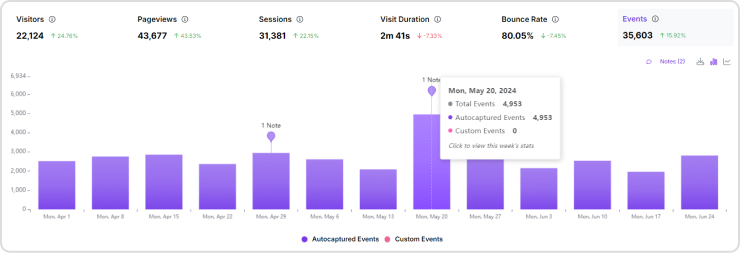
    • Website metrics: Usermaven tracks the number of unique visitors, total pageviews, number of sessions, average visit duration, and bounce rate to provide insights into website performance and user engagement.
    Usermaven Metrics
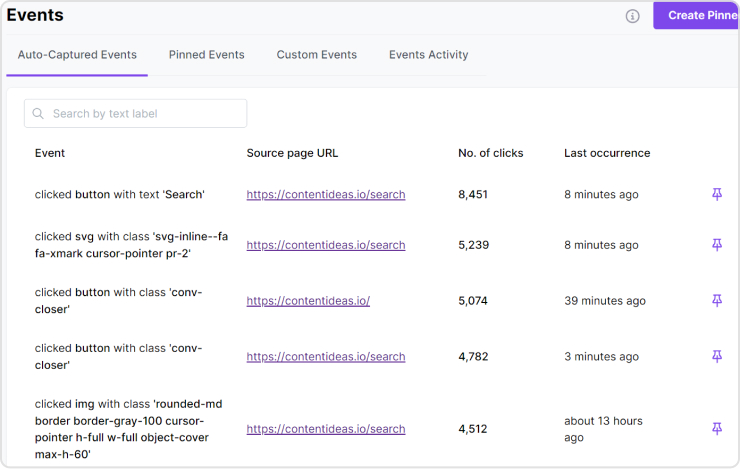
    • Events: Tracks specific user actions (e.g, clicks, form submissions, video plays) to understand how users interact with different elements of your website. Usermaven shows auto-captured events; you can pin events of your choice and create custom events as well. 
    Usermaven Autocapture events
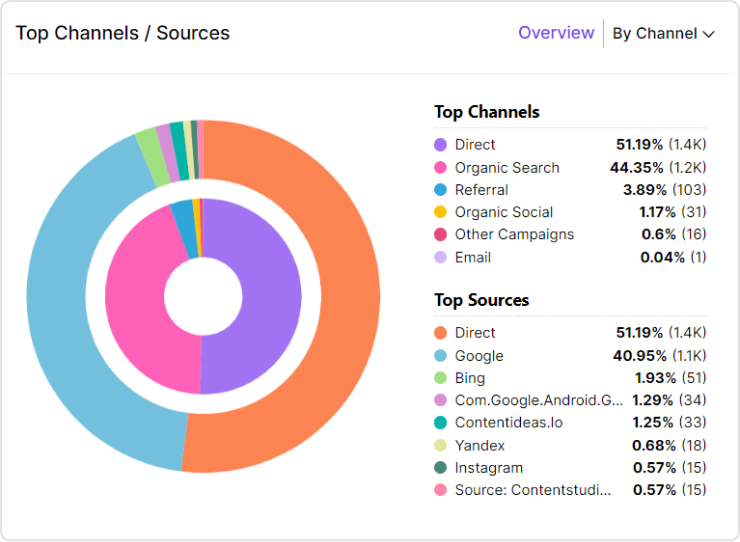
    • Top Channels/Sources: Identifies the most effective marketing channels and traffic sources (e.g., organic search, social media, referrals) driving visitors to your site.
    Usermaven Traffic sources
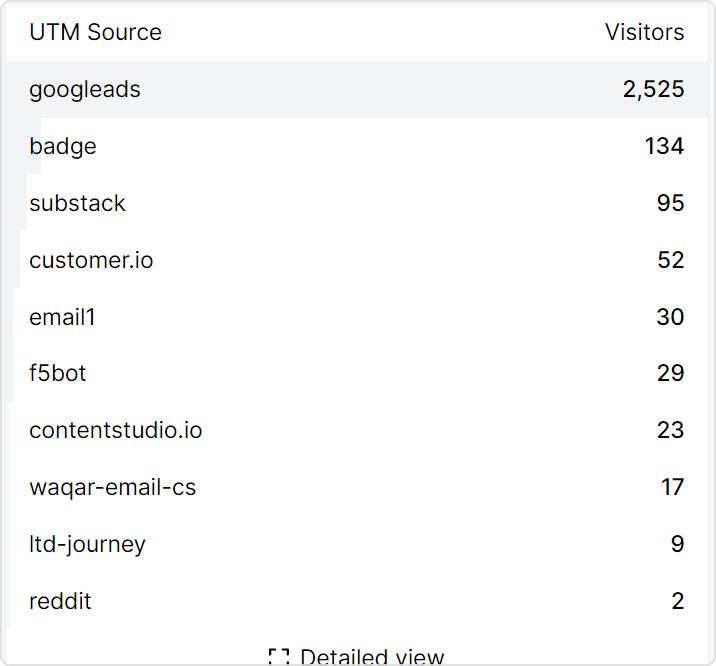
    • UTM traffic: Analyzes traffic from UTM-tagged campaigns, allowing you to measure the effectiveness of specific marketing efforts and adjust strategies accordingly.
    Usermaven UTM feature
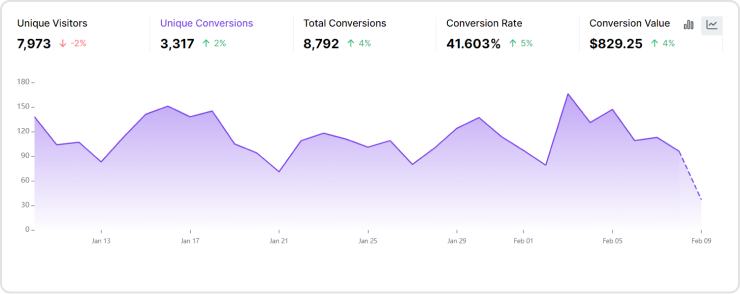
    • Conversion goals: Sets and track specific conversion goals (e.g., form completions, purchases) to measure the success of your marketing efforts and website performance.
    Usermaven conversion goals
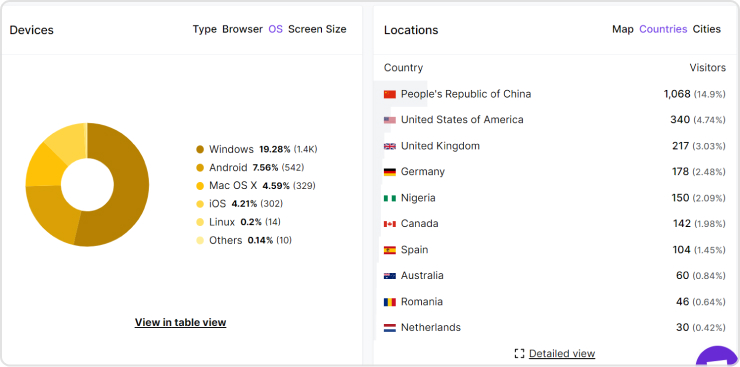
    • Device location: Provides data on the geographical locations of your visitors, helping you understand your audience’s distribution and target regions more effectively.
    Usermaven device location feature
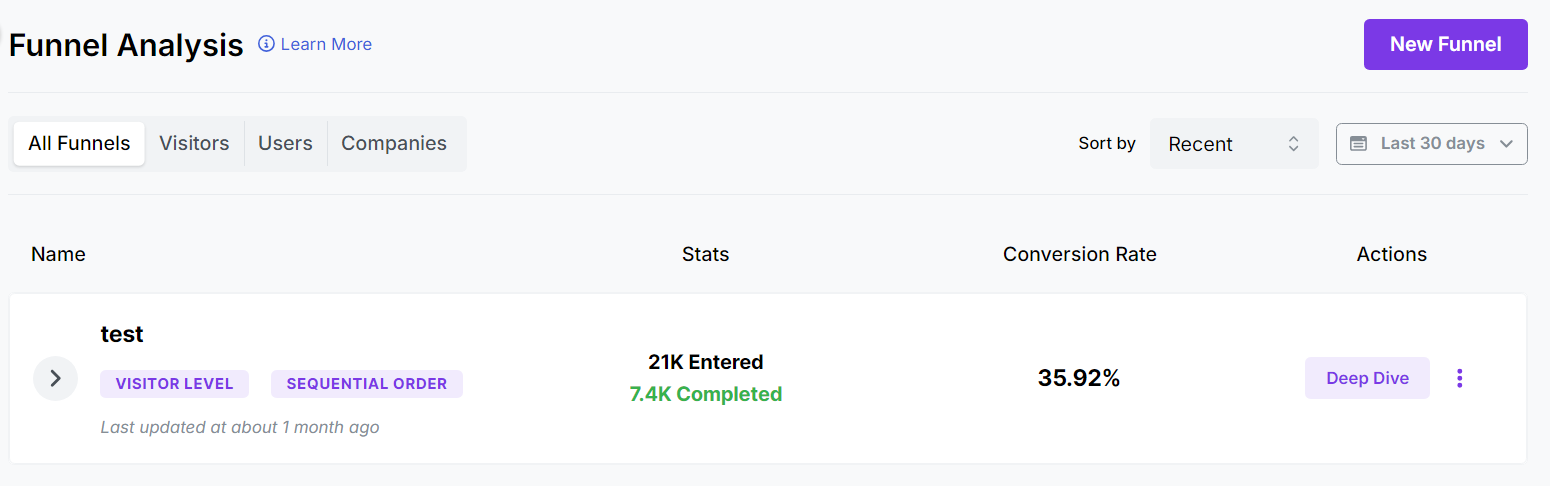
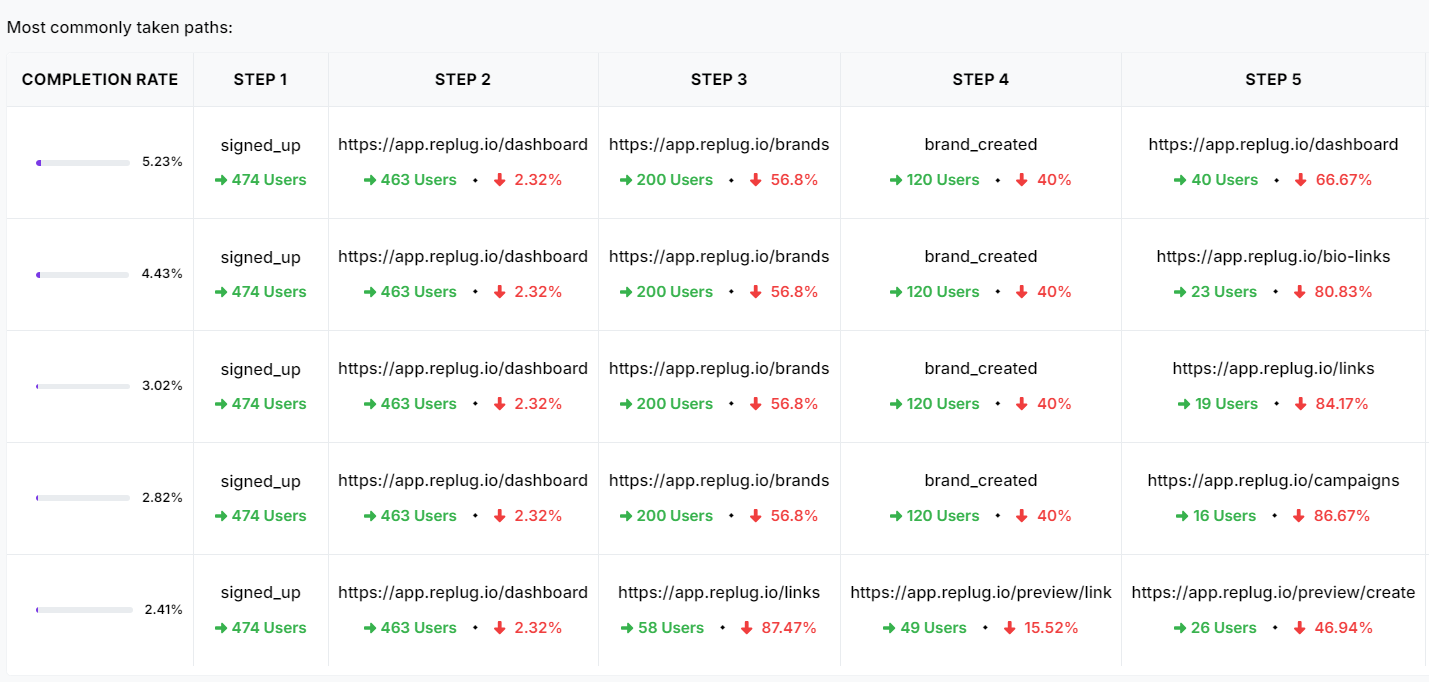
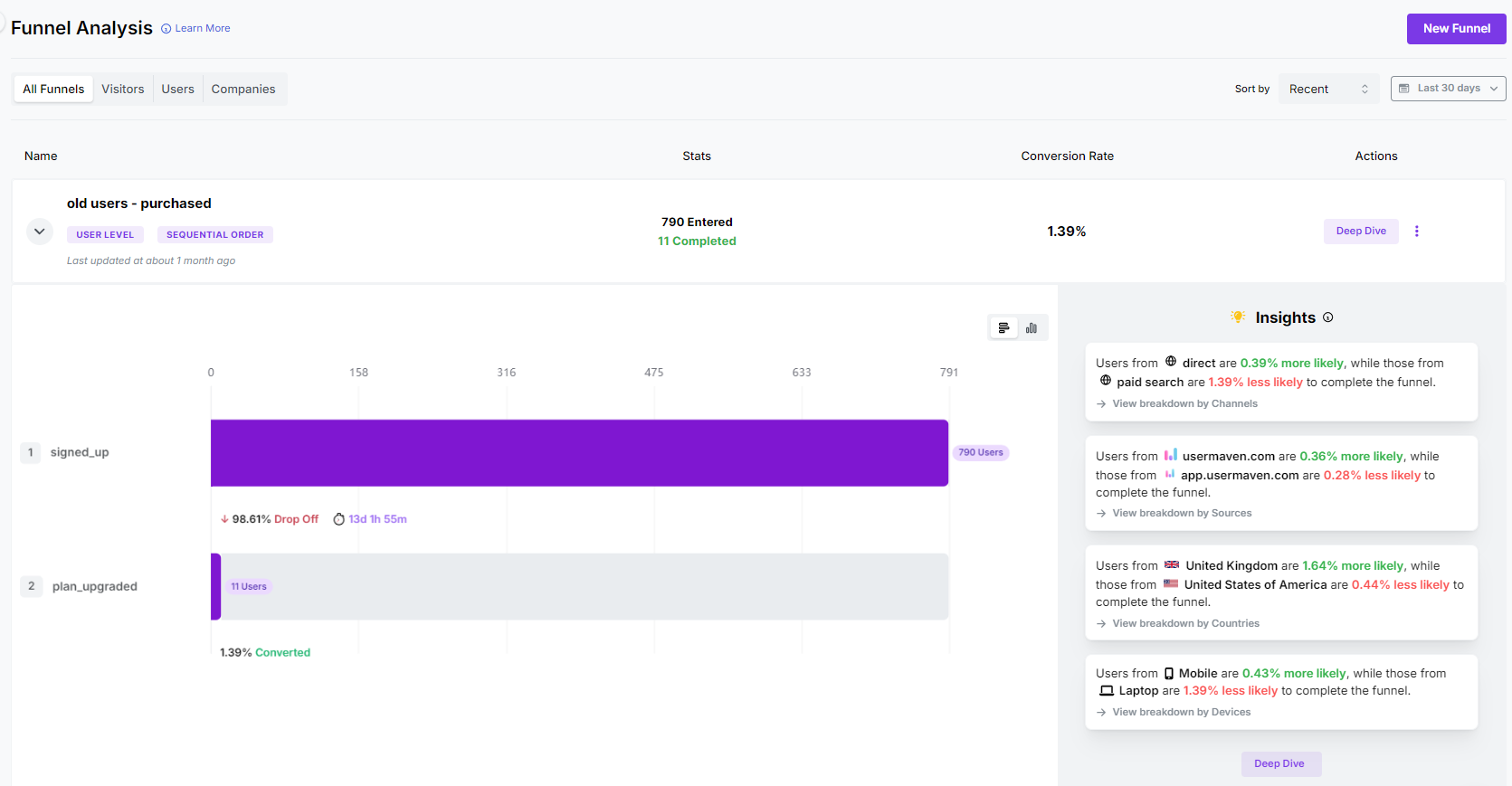
    • Funnels: Funnel analysis enable you to visualize the steps users take to complete a goal (e.g., checkout process), identifying drop-off points and opportunities to optimize the user journey for higher conversions.
    Usermaven Funnel analysis
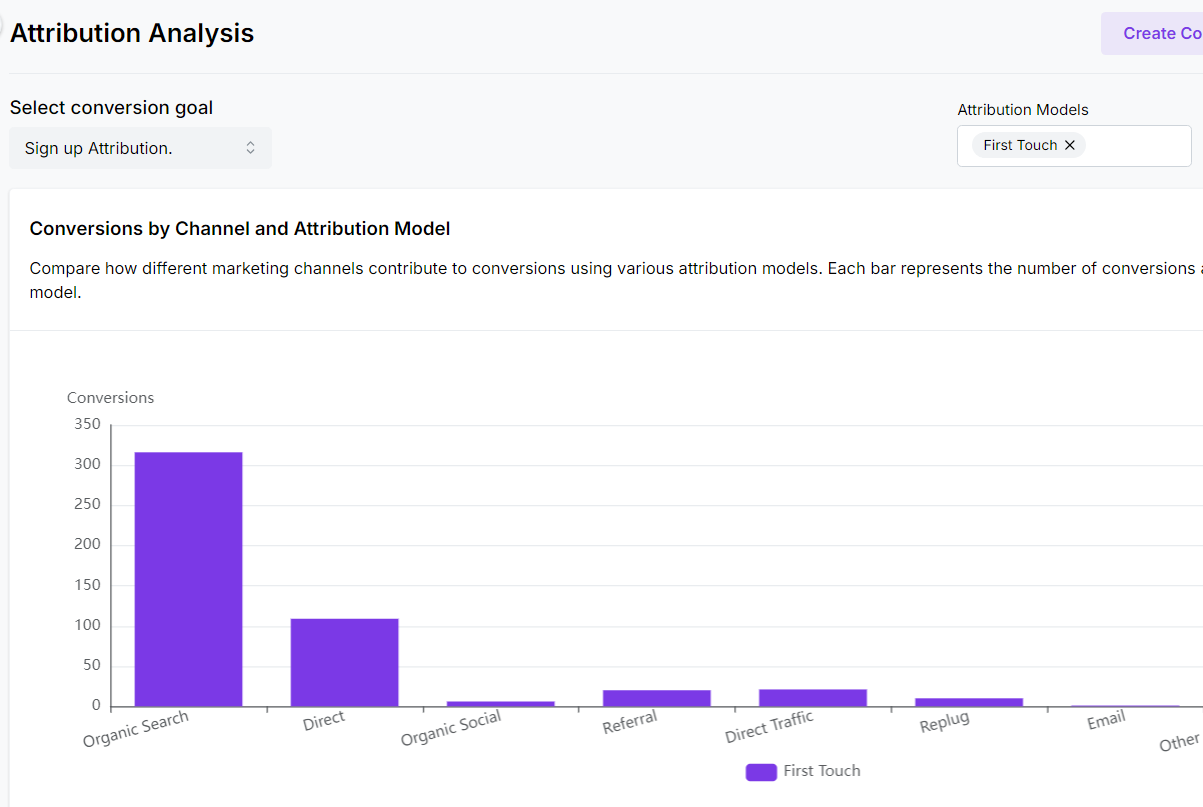
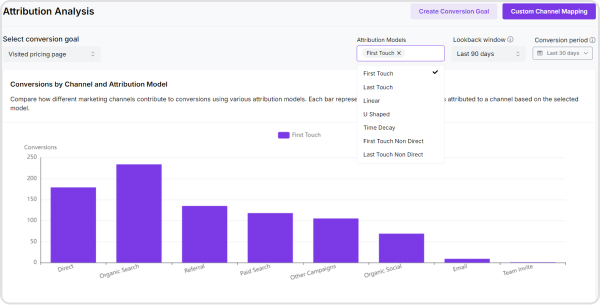
    • Attribution: Track every customer touchpoint across multiple channels to understand the true impact of your marketing efforts. Usermaven offers seven attribution models, including Linear, First Touch, Last Touch, Position Decay, Time Decay (new), First Touch Non-Direct (new), and Last Touch Non-Direct (new), enabling data-driven decision-making.
    Usermaven attribution analysis
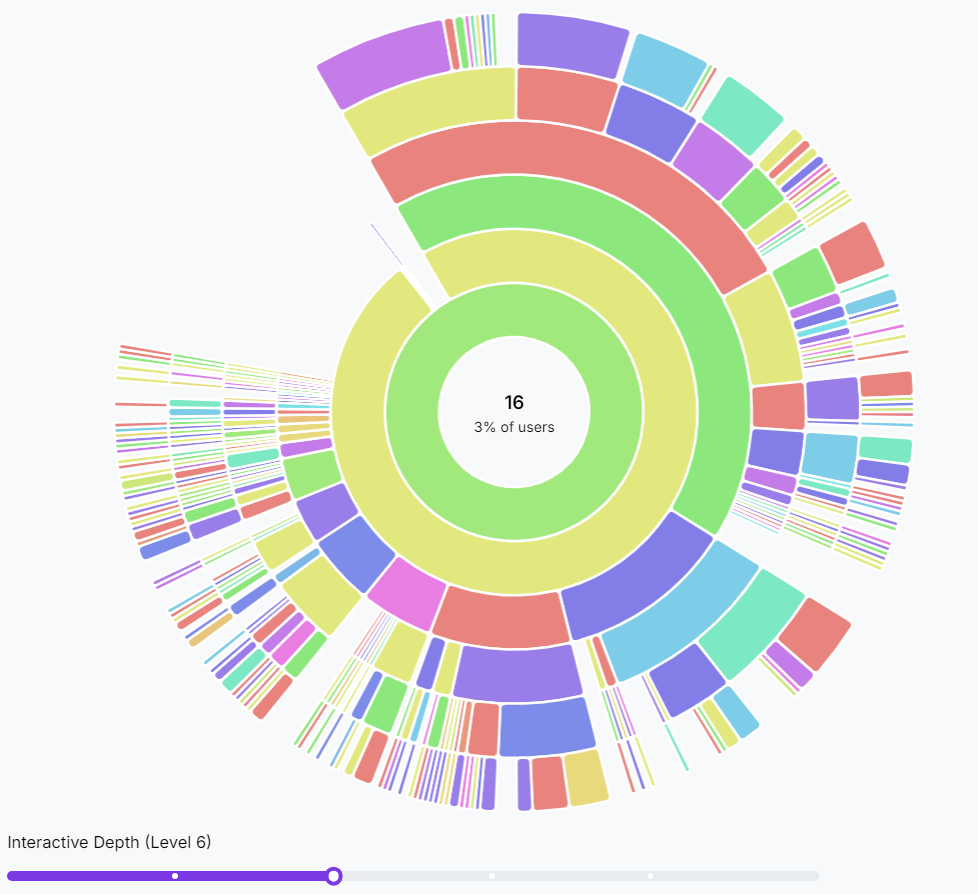
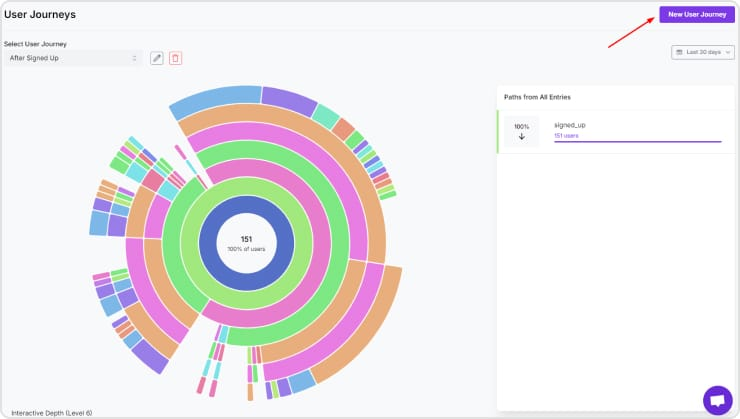
    • User journey tracking: Visualize and analyze user paths through your product using Usermaven to identify friction points and improvement opportunities.
    User Journey tracking feature
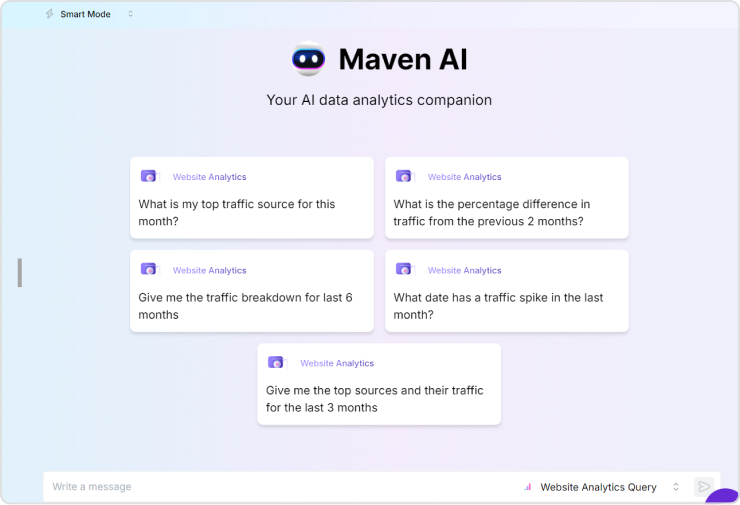
    • Maven AI: Leverage AI-driven insights and recommendations with Usermaven to optimize product performance and user experience.
    Maven AI feature
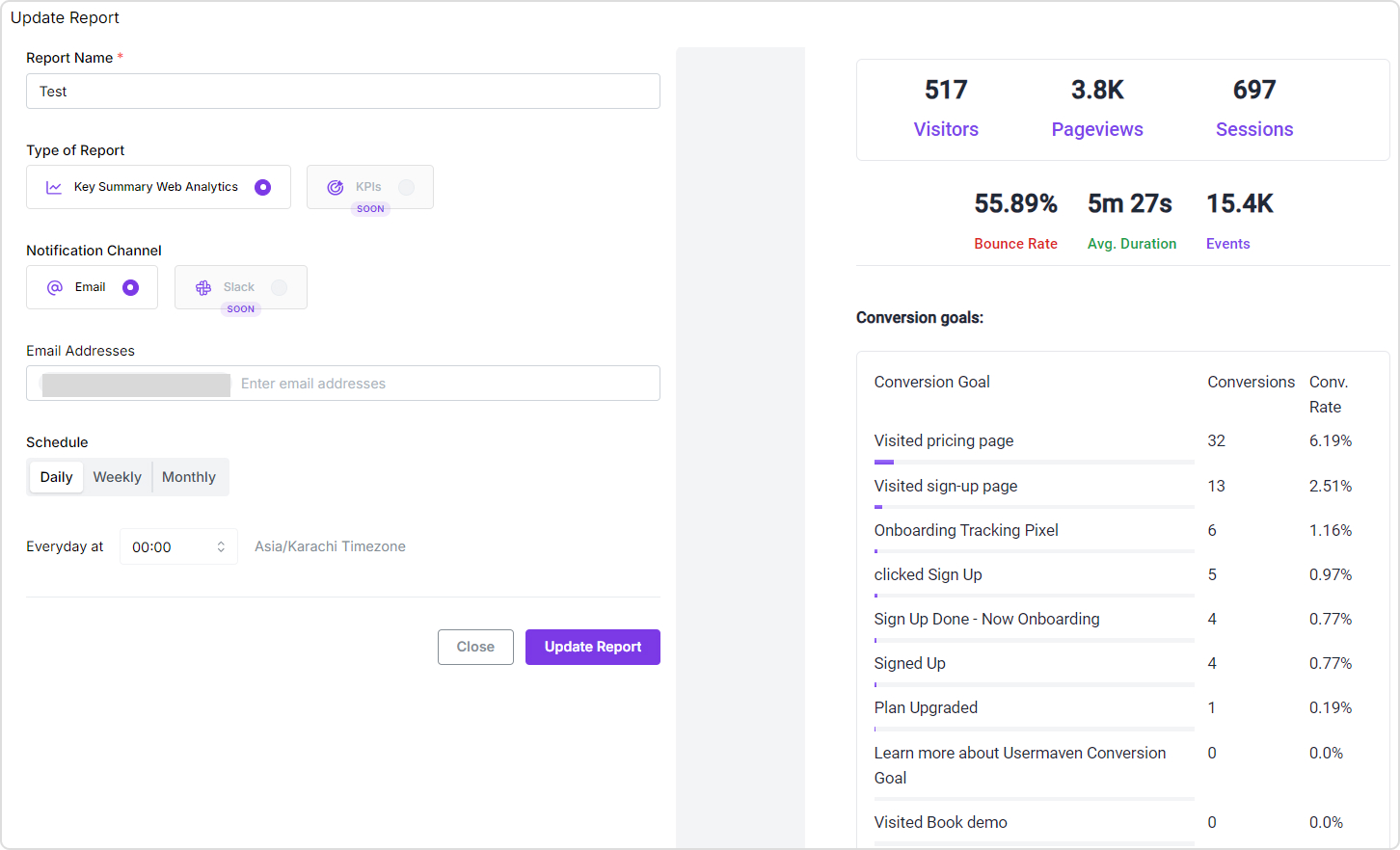
    • Comprehensive reports: With the recent overhaul of the Reports feature, you can now schedule reports to be sent daily, weekly, or monthly and specify the exact hour for delivery.
    Reports

    Pricing plan of Usermaven

    Usermaven offers several pricing tiers to cater to different business needs and those who are looking for an ideal web analytics tool:

    • Pro: ($14/month) is ideal for businesses and agencies and includes unlimited websites, workspaces, and users, 2 years of data history, website analytics, and more.
    • Premium: ($24/month) includes everything in Pro plus unlimited data history, SaaS product analytics, multi-touch attribution, etc.
    • Enterprise: (custom pricing) is designed for businesses with custom requirements and includes everything in Premium.

    Reviews

    Sr.What people like about itWhat people dislike about it
    1.Like: User-friendly interface and intuitive design.Dislike: Advanced features require a paid plan.
    2.Like: Excellent customer support and onboarding assistance.
    3.Like: Automated insights and actionable recommendations.

    Note: These reviews of web analytics tools are synthesized from various sources such as G2, Capterra, Product Hunt, TrustRadius, Software Advice, and customer testimonials.

    Free-AI-Tools

     2. Google Analytics 4 (GA4)

    Google Analytics 4 (GA4) is the latest version of Google’s popular web analytics tool, designed to provide comprehensive insights into user behavior across websites and apps. With enhanced machine learning capabilities and privacy-centric features, GA4 offers a more robust and flexible approach to tracking and analyzing user interactions.

    Key features of GA4

    • Event-based tracking: GA4 focuses on events, allowing for detailed tracking of user interactions beyond just page views.
    • Cross-platform tracking: It enables tracking of user activity across the web and app, providing a unified view of customer journeys.
    • Enhanced measurement: Automatic tracking of common events like scrolls, outbound clicks, site searches, and file downloads.
    • Machine learning insights: Predictive analytics and insights powered by machine learning to identify trends and opportunities.
    • Debugging and testing: Integrated debugging and testing tools to streamline setup and ensure accurate data collection.
    • Flexible reporting: Customizable reporting and analysis tools to create tailored insights.
    • Audience building: Advanced audience segmentation capabilities for targeted marketing efforts.
    • Integration with Google products: Seamless integration with Google Ads, BigQuery, and other Google products.
    • User-centric measurement: Focus on user-centric data, enabling a better understanding of individual user journeys.

    Pricing plan of GA4

    Google Analytics 4 offers two main pricing plans:

    1. Free tier: This plan provides basic features and is suitable for small to medium-sized businesses.
    2. Google Analytics 360: Pricing for GA360 is customized based on business needs.

    Reviews

    Sr.What people like about itWhat people dislike about it
    1Like: Advanced tracking capabilities and event-based models.Dislike: Steeper learning curve compared to Universal Analytics. 
    2Like: Integration with other Google services.Dislike: Privacy concerns (non-GDPR compliant)
    3Like: Predictive analytics powered by machine learning.Dislike: Limited customer support in the free version.

    3. Matomo

    Matomo- web analytics tool

    Matomo is a versatile web analytics tool that offers complete control over data, providing in-depth insights into user behavior and website performance. Matomo emphasizes privacy, data ownership, and customization to meet the unique needs of businesses and organizations.

    Key features of Matomo

    • Open source: Matomo is open-source, giving users complete control over their data and the ability to customize the platform to their needs.
    • Data ownership: Users own 100% of their data, ensuring privacy and compliance with data protection laws like GDPR.
    • No data sampling: Provides accurate reports without data sampling, even for large datasets.
    • Privacy features: Enhanced privacy features, including anonymizing IP addresses and managing user consent.
    • Customizable dashboards: Users can create custom dashboards and reports tailored to specific business needs.
    • E-commerce tracking: Comprehensive e-commerce tracking capabilities to monitor sales, conversion rates, and product performance.
    • Integration with various platforms: Integrates with various CMS, e-commerce, and marketing platforms.
    • Performance metrics: Detailed insights into website performance, including page load times and server response times.

    Pricing plan of Matomo

    Matomo offers several pricing plans:

    1. Free on-premise version: Users can download and host Matomo on their own servers at no cost.
    2. Cloud hosting: Starting at €22 per month, this plan includes automatic updates, backups, and customer support.

    Reviews

    Sr.What people like about itWhat people dislike about it
    1Like: Full data ownership and privacy compliance.Dislike: Initial setup can be complex. 
    2Like: Comprehensive e-commerce tracking.<br>- Visual tools like heatmaps and session Dislike: Requires technical knowledge to fully utilize features.
    3Like: Extensive integration options.Dislike: User interface is less intuitive compared to competitors.

    4. PiwikPro

    Piwik Pro- Website analytics tool

    Piwik PRO is a comprehensive web analytics tool tailored for enterprises that prioritize data privacy and regulatory compliance. Offering powerful analytics capabilities, Piwik PRO enables organizations to track user behavior while ensuring strict adherence to privacy laws such as GDPR and HIPAA.

    Key features of PiwikPro

    • Data privacy compliance: PiwikPro is known for its strong focus on data privacy, ensuring compliance with GDPR, HIPAA, and other regulations.
    • User-friendly interface: Offers a clean and intuitive interface, making it easy for users to navigate and extract insights.
    • Customizable reports: Provides extensive customization options for reports, enabling users to tailor the data to their specific needs.
    • Comprehensive analytics: Includes features such as session recording, heatmaps, and funnel analytics to provide a deep understanding of user behavior.
    • Data ownership: Users have complete ownership and control over their data, with options for on-premises or cloud hosting.
    • Seamless integrations: Easily integrates with various third-party tools and platforms, enhancing its functionality.
    • Tag management system: Includes a high-powered tag management system for efficient data collection and tracking.
    • Support and training: Offers excellent customer support and training resources to help users maximize the platform’s potential.

    Pricing plans of PiwikPro

    PiwikPro offers a range of pricing plans tailored to different business needs. However, detailed pricing information is generally provided upon request. Commonly, they offer:

    1. Core Plan: Free plan suitable for small websites with limited features.
    2. Enterprise Plan: Comprehensive plan for large enterprises, with full access to all features and dedicated support. Pricing starts from €10,995 /year.

    Reviews

    Sr.What people like about itWhat people dislike about it
    1Like: Users appreciate the strong focus on data privacy and compliance with regulations like GDPR.Dislike: Some users find the initial setup process to be complex and time-consuming.
    2Like: The customizable reports and extensive analytics capabilities are highly valued.Dislike: Pricing is really high as compared to other options. 
    3Like: Excellent customer support and comprehensive training resources receive positive feedback.Dislike: The user interface, while functional, can be seen as less modern compared to competitors.

    Replug Branded Short Links CTA
    A complete link management solution
    for marketing professionals & agencies.
    Try Replug for free

    5. Plausible

    Plausible- Web analytics tool

    Plausible is a lightweight and privacy-focused web analytics tool designed to provide essential insights without compromising user privacy. It offers a simple and intuitive interface, delivering key metrics and real-time data to help website owners understand their audience and optimize their online presence.

    Key features of Plausible

    • Privacy-focused analytics: Plausible emphasizes user privacy, offering analytics without the use of cookies and ensuring compliance with privacy regulations.
    • Simplified dashboard: Provides a clean and easy-to-use dashboard with essential metrics like visitors, page views, and bounce rates.
    • Real-time analytics: Offers real-time data updates, allowing users to monitor website performance instantly.
    • Goal tracking: Includes goal tracking features to measure specific actions and conversions on websites.
    • Customizable reports: Allows users to create custom reports and filter data based on various parameters.
    • Performance metrics: Provides insights into site speed, device types, and traffic sources to optimize performance.
    • Integration capabilities: Integrates seamlessly with popular platforms like WordPress, Shopify, and more.
    • Open source: Being open-source, Plausible offers transparency and allows for community contributions and customization.

    Pricing plans of Plausible

    Plausible offers transparent pricing plans based on the number of page views per month. As of the latest updates:

    1. Growth: Starts from $9/month. 
    2. Business: Starts from $19/month. 
    3. Enterprise: Offers custom pricing. 

    Reviews

    Sr.What people like about itWhat people dislike about it
    1Like: Users appreciate the simplicity and clarity of the dashboard. Dislike: Some users find the customization options for reports and analytics to be somewhat limited compared to more complex tools.
    2Like: The focus on privacy and the ability to track goals and conversions without invasive tracking methods receive positive feedback.Dislike: Users have reported occasional issues with integration and data accuracy, especially with certain CMS platforms.
    3Like: The open-source nature of Plausible is highly valued for its transparency and community-driven development.Dislike: Pricing can become expensive as website traffic grows, which may not be cost-effective for very high-traffic sites.

    6. Simple Analytics

    Simple Analytics is a privacy-friendly web analytics tool that delivers essential website metrics without tracking personal data. An easy-to-use interface provides clear insights to help website owners make informed decisions while ensuring compliance with privacy regulations.

    Key features of Simple Analytics

    • Privacy-focused analytics: Similar to Plausible, Simple Analytics emphasizes privacy by providing analytics without the use of cookies or tracking personal data.
    • Real-time dashboard: Offers a real-time dashboard that updates instantly, displaying essential metrics like visitors, page views, and referrers.
    • User-friendly interface: Provides a clean and intuitive interface, making it easy for users to navigate and understand their website analytics.
    • No ads or tracking: Ensures that the analytics tool itself does not track users or display ads, focusing solely on providing accurate data insights.
    • Goal tracking: Allows users to set and track goals, such as conversions or specific user actions, to measure website performance effectively.
    • Customizable reports: Offers customizable reports and filtering options to analyze data based on different parameters and time frames.
    • Integration capabilities: Integrates smoothly with various platforms and CMSs, simplifying setup and data collection processes.

    Pricing plans of Simple Analytics

    Simple Analytics offers straightforward pricing based on the number of page views per month:

    1. Free: Ideal for personal websites or blogs.
    2. Personal: Starts from $10/month. 
    3. Team: Starts from $40/month. 
    4. Enterprise: Contact sales. 

    Reviews

    Sr.What people like about itWhat people dislike about it
    1Like: Users appreciate the simplicity and ease of use, especially the real-time dashboard and privacy-focused approach.Dislike: Some users find the reporting capabilities to be basic compared to more feature-rich analytics tools.
    2Like: The commitment to privacy and no ads/tracking policy receives positive feedback.Dislike: Integration with some specific platforms or custom setups may require additional configuration or support.
    3Like: Customer support is praised for being responsive and helpful.Dislike: Pricing might be seen as slightly higher compared to competitors offering similar features.

    7. Clicky

    Clicky- web analytics tool

    Clicky is a real-time web analytics tool that offers detailed insights into website traffic and user behavior. With features like heatmaps, uptime monitoring, and customizable dashboards, Clicky provides comprehensive data to help website owners optimize their online performance and user engagement.

    Key features of Clicky

    • Real-time analytics: Provides real-time data updates, allowing users to monitor website traffic and activity instantly.
    • Detailed visitor information: Offers detailed insights into visitor behavior, including heatmaps, session details, and individual visitor tracking.
    • Goals and conversion tracking: Allows users to set goals and track conversions, providing insights into website performance and marketing campaigns.
    • Customizable dashboards: Provides customizable dashboards and reports to tailor analytics data according to user preferences.
    • Heatmaps: Offers heatmaps to visualize user interaction and engagement on web pages.
    • Uptime monitoring: Provides uptime monitoring to alert users of website downtime or performance issues.
    • API access: Offers API access for integration with other applications and services.

    Pricing Plans of Clicky

    Clicky offers pricing plans based on the number of websites and page views tracked:

    1. Free Plan: Includes basic features with limited data retention and website tracking.
    2. Pro Plan: Starts from $9.99/month. 
    3. Pro Plus: Starts from $14.99/month.
    4. Pro Platinum: $19.99/month.
    5. Custom: varied pricing. 

    Reviews

    Sr.What people like about itWhat people dislike about it
    1Like: Users like the real-time analytics and detailed visitor information, including heatmaps and individual visitor tracking.Dislike: Some users find the user interface to be less intuitive compared to other analytics tools.
    2Like: The goals and conversion tracking features receive positive feedback for their effectiveness in monitoring website performance.Dislike: Pricing for higher traffic volumes may be perceived as expensive compared to competitors offering similar features.
    3Like: The “Spy” feature is praised for its real-time tracking capabilities and detailed insights into user behavior.Dislike: Customer support responsiveness can vary, with occasional delays in resolving technical issues reported by some users.

    8. Fathom Analytics

    Fathom - A website analytics tool

    Fathom Analytics is a privacy-focused web analytics tool that provides straightforward and actionable insights without tracking personal data. It offers a clean, user-friendly interface, enabling website owners to understand their audience and improve their online presence while respecting user privacy.

    Key features of Fathom Analytics

    • Privacy-focused analytics: Fathom Analytics prioritizes user privacy by offering analytics that is GDPR, CCPA, and PECR compliant without the use of cookies.
    • Real-time analytics: Provides real-time data updates and insights into website traffic and visitor behavior.
    • Simple dashboard: Offers a clean and intuitive dashboard for easy navigation and understanding of analytics data.
    • Goal tracking: Allows users to set goals and track conversions to measure the effectiveness of marketing campaigns and website performance.Incorporating free time tracking software can help you monitor the time spent on each campaign phase, ensuring that your efforts are both efficient and well-documented.
    • Website performance monitoring: Provides insights into website performance metrics such as page load times and bounce rates.
    • Customizable reports: Offers customizable reports and data filters to analyze website traffic based on various parameters.
    • Integration capabilities: Integrates with various platforms and content management systems (CMS) for seamless setup and data collection.
    • No ads or tracking: Ensures that the analytics tool itself does not track users or display ads, focusing solely on providing accurate and privacy-conscious data.

    Pricing plans of Fathom Analytics

    Fathom Analytics offers straightforward pricing plans based on the number of websites and page views tracked:

    Up to 100,000 data points: $15 per month

    Up to 1,000,000 data points: $60 per month

    Up to 25,000,000 data points: $470 per month

    Over 25,000,000 data points: Contact Fathom Analytics for a quote

    Reviews

    Sr.What people like about itWhat people dislike about it
    1Like: Users appreciate the privacy-focused approach and compliance with data protection regulations like GDPR.Dislike: Some users find the feature set to be limited compared to more comprehensive analytics tools.
    2Like: The simplicity and ease of use of the dashboard receive positive feedback for making analytics accessible to all users.Dislike: Pricing may be considered higher compared to other similar privacy-focused analytics solutions.
    3Like: The real-time analytics and customizable reports are praised for providing valuable insights into website performance.Dislike: Integration with certain platforms or custom setups may require additional configuration or support.
    Replug Branded Short Links CTA
    Maximize marketing ROI
    by transforming ordinary URLs into
    branded short links that convert.
    Try Replug for free

    9. Chartbeat

    Chartbeat-website analytics tools

    Chartbeat is a real-time web analytics tool tailored for content creators and publishers, offering in-depth insights into audience engagement and content performance. With features like real-time dashboards, headline testing, and in-depth reporting, Chartbeat helps optimize content strategy and maximize reader engagement.

    Key features of Chartbeat

    • Real-time analytics: Provides real-time data updates on website traffic, engagement metrics, and content performance.
    • Audience insights: Offers detailed audience segmentation and insights to understand visitor behavior and demographics.
    • Content optimization: Helps optimize content strategy with insights into popular content, engagement levels, and reader retention.
    • Engagement metrics: Measures user engagement metrics such as scroll depth, time on page, and social sharing.
    • Traffic sources: Tracks and analyzes traffic sources to identify where visitors are coming from and their behavior patterns.
    • Video analytics: Provides analytics for video content, including views, completion rates, and engagement metrics.
    • Mobile analytics: Offers mobile-specific analytics to monitor and optimize performance across mobile devices.
    • Integration capabilities: Integrates with various CMS platforms, advertising networks, and marketing tools for comprehensive data collection and analysis.

    You may also like: How to Build Custom Audiences through Replug URL Tracking

    Pricing plans of Chartbeat

    Chartbeat typically offers customized pricing plans based on specific business needs, website traffic, and additional features required. Detailed pricing information is usually provided upon request or through direct consultation with their sales team.

    Reviews

    Sr.What people like about ItWhat people dislike about it
    1Like: Users appreciate the detailed real-time analytics and audience insights that help them understand visitor behavior.Dislike: Some users find the interface to be complex and overwhelming, especially for new users.
    2Like: The content optimization tools and engagement metrics receive positive feedback for improving content strategy and performance.Dislike: Pricing may be considered high, especially for smaller businesses or websites with lower traffic volumes.
    3Like: The integration capabilities and support for various platforms are praised for enhancing functionality and data collection.Dislike: Customer support responsiveness can vary, with occasional delays reported when resolving technical issues.

    10. Tiny Analytics

    Tinyanalytics- Web analytics tool

    Next on our best web analytics tools list is Tiny Analytics. It is a minimalist web analytics tool that focuses on delivering essential insights without overwhelming complexity. Designed for simplicity and ease of use, it provides key metrics to help website owners understand their audience and improve their online performance.

    Key features of Tiny Analytics

    • Simple and lightweight: Tiny Analytics focuses on simplicity and minimalism, providing essential analytics metrics without unnecessary complexity.
    • Real-time data updates: Offers real-time updates on website traffic, visitor behavior, and engagement metrics.
    • User-friendly interface: Provides a clean and intuitive interface for easy navigation and data visualization.
    • Privacy-conscious: Ensures user privacy with minimal data collection and no use of cookies or tracking mechanisms.
    • Customizable dashboards: Allows users to customize dashboards and reports according to their specific needs and preferences.
    • Goal tracking: Includes goal tracking features to monitor and measure conversions or specific actions on websites.
    • Mobile-friendly: Optimized for mobile devices, providing analytics on mobile traffic and performance.
    • Integration capabilities: Integrates smoothly with various platforms and content management systems (CMS) for seamless setup and data integration.

    Pricing plan of Tiny Analytics

    Free plan: $0/month.

    Basic plan: Starts from $49/month.

    Advanced: $129/month. 

    Reviews

    Sr.What people like about itWhat people dislike about it
    1Like: Users like the simplicity and lightweight nature of Tiny Analytics, making it easy to use and understand analytics data.Dislike: Some users may find the feature set limited compared to more comprehensive analytics tools.
    2Like: The real-time data updates and user-friendly interface receive positive feedback for providing instant insights and ease of use.Dislike: Customization options for reports and dashboards may be perceived as limited for advanced users or specific needs.

    11. Statcounter

    Statcounter is a comprehensive web analytics tool that provides detailed statistics on website traffic and visitor behavior. With features like real-time data tracking, customizable reports, and user-friendly dashboards, StatCounter helps website owners and marketers optimize their online presence and improve user engagement.

    Key features of Stat Counter

    • Website traffic analysis: Provides detailed insights into website traffic, including visitor trends, page views, and visitor locations.
    • Visitor behavior: Tracks visitor behavior such as entry pages, exit pages, bounce rates, and session durations.
    • Keyword analysis: Offers keyword analysis to understand how visitors find the website through search engines.
    • Customizable alerts: Allows users to set up customizable alerts for traffic spikes, visitor trends, or specific events.
    • User-friendly interface: Provides a straightforward and easy-to-use interface for navigating analytics data.
    • Geolocation tracking: Provides geolocation tracking to see where visitors are located globally.
    • Mobile analytics: Offers analytics for mobile website traffic and performance.
    • Customizable reports: Allows users to create customized reports and export data for further analysis.

    Pricing plan of Stat Counter

    Stat Counter offers various pricing plans tailored to different needs:

    1. Basic plan: It is free of cost. 
    2. Premium plan: €16/month. 
    3. Premium plus: €28/month. 

    Reviews

    Sr.What people like about itWhat people dislike about it
    1Like: Users appreciate the detailed website traffic analysis and visitor behavior tracking features.Dislike: Some users find the interface outdated compared to more modern analytics tools.
    2Like: The customizable alerts and geolocation tracking receive positive feedback for providing actionable insights.Dislike: Customer support response times can vary, with occasional delays reported when resolving issues.

    12. Open Web Analytics

    Web analytics tools

    Open Web Analytics (OWA) is an open-source web analytics software that offers extensive tracking and reporting capabilities. It allows website owners to monitor visitor behavior, track conversions, and analyze traffic sources using customizable dashboards and reports. OWA provides flexibility and control over data, making it a suitable choice for businesses seeking a customizable analytics solution.

    Key features of Open Web Analytics

    • Open source: Open Web Analytics is an open-source web analytics platform that allows for transparency, customization, and community contributions.
    • Real-time analytics: Provides real-time data updates on website traffic, visitor behavior, and engagement metrics.
    • Customizable dashboards: Offers customizable dashboards and reports to tailor analytics data according to user preferences.
    • Goal tracking: Allows users to set goals and track conversions to measure the effectiveness of marketing campaigns and website performance.
    • Event tracking: Provides event tracking capabilities to monitor specific user interactions and actions on websites.
    • User-friendly interface: Offers a user-friendly interface for easy navigation and data visualization.
    • Integration capabilities: Integrates with various platforms and content management systems (CMS) for seamless setup and data integration.
    • Privacy-conscious: Ensures user privacy by allowing users to host their analytics data and control data collection practices.

    Pricing plan of Open Web Analytics

    Open Web Analytics is typically free to use as it is open-source software. Users can download and install it on their own servers or hosting environments without cost.

    Reviews

    Sr.What people like about itWhat people dislike about it
    1Like: Users appreciate that Open Web Analytics is open-source, providing transparency, customization options, and community support.Dislike: Setting up and configuring Open Web Analytics may require technical expertise and effort.
    2Like: The real-time analytics capabilities and customizable dashboards receive positive feedback for their usefulness in monitoring website performance.Dislike: Documentation and support resources may be limited compared to commercial analytics solutions, requiring self-help or community assistance.

    You may also like: 9 best product analytics tools: A comparative analysis

    Why choose Usermaven over other website analytics tools

    What if there was a solution that prioritized both user privacy and actionable insights, delivered with a user-friendly interface?

    Look no further than Usermaven. Here’s how Usermaven stands out from the crowd:

    Privacy champion:

    • User trust matters: Unlike GA4, Clicky, and many others, Usermaven is 100% GDPR and CCPA-compliant. We prioritize user privacy, never tracking personal data or selling your information.
    • Peace of mind: Focus on your website, not privacy regulations. Usermaven simplifies compliance compared to the complexities of self-hosting solutions like Open Web Analytics.

    Effortless setup:

    • No coding required: Get started in minutes with our intuitive interface. Leave the coding headaches behind with Piwik Pro’s steeper learning curve.
    • Fast implementation: Unlike tools with delayed onboarding processes (Matomo), Usermaven empowers you to unlock insights quickly.

    Actionable insights in real-time:

    • See it now act now: Witness user behavior unfold before your eyes. Usermaven provides real-time data, unlike delayed reporting in Stat Counter and Simple Analytics.
    • Go beyond the surface: Ditch vanity metrics. Usermaven dives deep, revealing user journeys, conversion funnels, and engagement patterns, offering more value than basic tools like Plausible and Tiny Analytics.

    Cost-effective champion:

    • Value without the burden: Unlock powerful insights for less. Usermaven offers a free trial and flexible pricing plans, making it accessible to all businesses. This is a stark contrast to often-expensive solutions like Chartbeat and Fathom Analytics.

    User reviews:

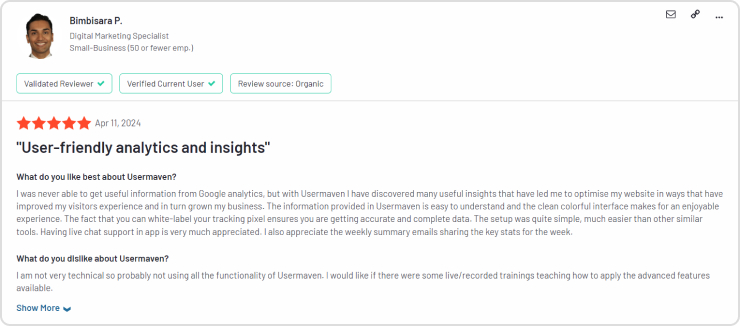
    • Hear from satisfied users: Usermaven boasts positive reviews praising its user-friendliness and privacy focus. 
    Usermaven - Reviews
    Replug Branded Short Links CTA
    A complete link management solution
    for marketing professionals & agencies.
    Try Replug for free

    Final verdict: The best web analytics tool 

    After carefully considering its distinctive features, stellar ratings, and competitive pricing, Usermaven emerges as the top choice for businesses seeking a web analytics tool that balances power with affordability.

    Usermaven empowers you to understand, optimize, and convert your website visitors with unparalleled ease and complete user privacy. It’s the perfect solution for businesses and agencies seeking a powerful yet approachable website analytics tool.

    Stop settling for the status quo. Try Usermaven today!


    Frequently asked questions 

    What are web analytics tools?

    Website analytics tools track and analyze user behavior on websites, providing insights into visitor interactions, traffic sources, and more.

    How do I choose a web analytics tool?

    Choose a web analytics tool based on your specific needs, such as features like real-time data, user privacy options, ease of use, and pricing that fits your budget.

    What web analytics tool is better than Google Analytics?

    Usermaven surpasses Google Analytics with its advanced features, intuitive interface, and stringent privacy controls, making it the superior choice for businesses seeking a comprehensive web analytics tool.

  • How to increase app downloads: 16 strategies you need to know

    How to increase app downloads: 16 strategies you need to know

    Getting your app noticed and downloaded is more challenging than ever. With an average of 1,019 apps released every day, you need more than a good idea—you need a strategic marketing plan.

    App success isn’t just about making your app available; it’s about making it discoverable, engaging, and essential for users. As the digital world changes, leveraging app store optimization, social media trends, and user experience improvements becomes crucial.

    In this guide, we will show you how to increase app downloads on Google Play and Apple App Stores. Follow these steps to increase your app’s installs and secure its place in users’ daily lives.

    Let’s get started!

    Replug Branded Short Links CTA
    Drive more clicks, conversions, and app installations by deep linking
    to your favorite platforms.
    Try deep links for free

    Top 16 strategies to increase app downloads

    1. App store optimization (ASO)

    App Store Optimization is essential for making your app more visible in app stores like Google Play and the Apple App Store. This involves:

    • Title and keywords: Select a unique, relevant title and strong keywords that potential users might search for. For example, if your app is a fitness tracker, use keywords like “fitness,” “workout,” and “health tracker.”
    • Description: Craft a compelling description that clearly explains what your app does, its unique features, and the benefits it offers. Use bullet points for key features and a call to action, encouraging users to download the app.
    • Visuals: High-quality icons, screenshots, and preview videos are crucial. These should visually represent the app’s interface and key functionalities, giving users a clear idea of what to expect.
    how-to-increase-app-downloads

    2. Deep linking

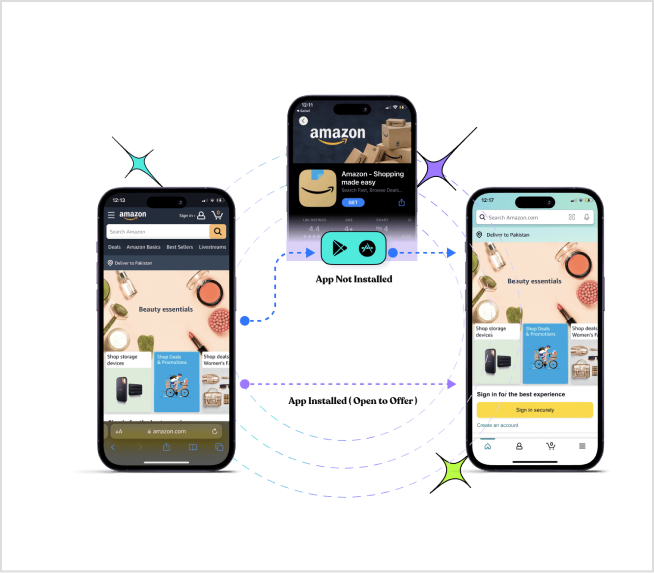
    Deep linking involves using URLs to direct users to specific pages or content within your app.

    If they don’t have the app, they’ll be directed to the app store to download it. This creates a seamless experience and avoids users getting lost on your mobile website trying to find what they were looking for in the first place.

    Note: To manage and optimize all your sharing and deep-link workflows, consider using Replug, a tool that helps drive more clicks, conversions, and app installations seamlessly.

    Replug Branded Short Links CTA
    Drive more clicks, conversions, and app installations by deep linking
    to your favorite platforms.
    Try deep links for free

    Let’s see what other benefits you get with deep linking.

    • Personalize onboarding: Deep linking allows for personalized onboarding experiences. Imagine someone clicks on a social media ad for your app that uses a deep link. This link could include a special discount or bonus content they can access upon downloading and signing up. This personalized touch can make the app more attractive and encourage users to complete the download process.
    • Enhanced user experience: Provide a seamless user experience by taking users directly to the content they are interested in. For example, a deep link can take users straight to a specific workout routine in a fitness app.
    • Marketing campaigns: Use deep links in email campaigns, social media posts, and advertisements to drive targeted traffic to your app. This can increase engagement and conversion rates.
    • Retention: Improve user retention by making it easy for users to find and access specific app features or content. Deep links can also be used in push notifications to re-engage users.

    Also read: How Does Deferred Deep Linking Work: A Complete Guide

    how-to-increase-app-installs

    Also read: How to share Videos using Deep Links?

    3. Positive reviews and ratings

    Positive reviews and high ratings can significantly influence a potential user’s decision to download your app. Strategies to encourage positive feedback include:

    • Prompting users: Request reviews at moments when users are likely to be satisfied, such as after completing a task or achieving a milestone within the app.
    • Responding to feedback: Engage with users by thanking them for positive reviews and addressing any issues raised in negative reviews. This shows that you value their feedback and are committed to improving the app.
    how-to-increase-app-downloads

    Also read: 11 Best Affiliate Marketing Tools of 2026 – Features, Reviews, Pricing, and More

    4. Engaging app description

    Your app’s description should be engaging and informative, capturing users’ attention quickly:

    • Clear and concise: Clearly explain what your app does, its key features, and its benefits. Use simple language and short sentences.
    • Bullet points: Highlight the most important features using bullet points for easy readability.
    • Call to action: Include a call to action that encourages users to download the app, such as “Download now to start tracking your workouts!”

    5. Social media marketing

    Social media platforms can be powerful tools for promoting your app:

    • Engaging content: Share posts, videos, and stories that highlight your app’s features, updates, and user testimonials. Use visually appealing graphics and interactive content like polls and quizzes.
    • Campaigns: Run targeted ad campaigns on platforms like Facebook, Instagram, Twitter, and LinkedIn to reach a broader audience. Use specific targeting options to reach users who are most likely to be interested in your app.
    • User engagement: Respond to comments and messages, run contests, and encourage user-generated content to build a community around your app.
    how-to-increase-app-downloads

    Also read: How to Measure Social Media Engagement: 12 Crucial Metrics

    6. Influencer marketing

    Influencer marketing can help you reach a larger and more engaged audience:

    • Partner with influencers: Identify influencers whose followers match your target demographic. Work with them to create authentic content showcasing your app.
    • Content creation: Have influencers create reviews, tutorials, or demonstrations of your app. Their endorsement can significantly boost your app’s credibility and downloads.
    how-to-increase-app-installs

    Also read: Success Guide To Tiktok Influencer Marketing

    7. Content marketing

    Content marketing involves creating valuable, relevant content to attract and engage your target audience:

    • Blog posts: Write articles addressing common problems your app solves. For example, if your app is a productivity tracker, write about tips for managing time effectively and how your app can help.
    • Videos: Create tutorial videos, demos, and user testimonials to visually demonstrate how your app works and its benefits.
    • Guest posts: Contribute articles to popular blogs and websites in your niche to reach a wider audience and drive traffic to your app’s landing page.
    how-to-increase-app-installs

    Also read: 9 hottest content marketing platforms to look for in 2026

    8. App install ads

    App install ads are paid advertisements specifically designed to drive app downloads:

    • Compelling ads: Design ads with strong visuals, clear messages, and a compelling call to action. Highlight your app’s unique selling points.
    • Targeted advertising: Use demographic and interest-based targeting to reach users who are likely to be interested in your app.
    • Performance monitoring: Continuously analyze and optimize your ads for better results. Use A/B testing to determine which ad creatives and messages perform best.
    how-to-increase-app-installs

    Also read: 10 Best A/B Testing Tools For Click & Conversion Analytics

    9. Referral programs

    Referral programs can incentivize existing users to invite new users to download your app:

    • Incentives: Offer rewards such as discounts, free features, or other perks for successful referrals. Ensure the rewards are valuable enough to motivate users to participate.
    • Simple process: Make the referral process easy and straightforward. Provide users with unique referral links or codes they can share with friends and family.
    how-to-increase-app-installs

    10. Email marketing

    Email marketing can effectively promote your app to a targeted audience:

    • Newsletters: Regularly update your email subscribers about new features, updates, and special offers related to your app.
    • Personalized emails: Send targeted emails based on user behavior and preferences. For example, if a user has shown interest in a particular feature, send them an email highlighting that feature.
    • Call to action: Include clear and compelling calls to action encouraging recipients to download your app.
    how-to-increase-app-installs

    Also read: How to track emails using UTM parameters?

    11. Landing page optimization

    A dedicated landing page for your app can drive traffic and conversions:

    • Design: Ensure the landing page is visually appealing and easy to navigate. Use clear headings, subheadings, and bullet points to present information.
    • Content: Include details about your app’s features, benefits, and user testimonials. Provide clear download links or buttons.
    • SEO: Optimize the landing page for search engines to drive organic traffic. Use relevant keywords and meta descriptions.
    how-to-increase-app-installs

    Also read: How to create high-converting landing pages [Pro tips & examples included]

    12. App localization

    Localizing your app for different languages and regions can help you reach a global audience:

    • Translation: Translate your app’s interface, description, and marketing materials into multiple languages.
    • Cultural adaptation: Adjust content to be culturally relevant for different regions. This includes adapting images, colors, and messaging to suit local preferences and customs.

    13. Regular updates

    Regular updates can keep your app fresh and engaging for users:

    • Bug fixes: Regularly fix bugs and technical issues to improve user experience.
    • New features: Introduce new features and enhancements to keep users engaged and attract new ones.
    • User feedback: Incorporate user feedback into your updates to meet their needs and preferences. Announce updates through in-app notifications and other communication channels.

    Also read: Pinterest affiliate marketing for beginners

    14. Free trials and freemium models

    Offering free trials or a freemium model can attract users who are hesitant to commit:

    • Free trials: Provide limited-time access to premium features, allowing users to experience the full value of your app before purchasing.
    • Freemium model: Offer a basic version of your app for free, with optional paid upgrades for advanced features. This allows users to try the app and decide if they want to invest in premium features.

    Also read: How to increase online sales: 17 Proven tips & hacks

    15. Partnerships and collaborations

    Partnering with other apps or businesses can expand your reach:

    • Cross-promotion: Collaborate with complementary apps to promote each other’s offerings. For example, if you have a fitness app, partner with a health food app for cross-promotion.
    • Co-branded campaigns: Run joint marketing campaigns to reach a broader audience. This could include co-branded content, social media campaigns, or bundled offers.

    16. High-quality app icons and screenshots

    Your app icon is the first thing users see, so it should be attractive and memorable. Screenshots should highlight the app’s most important and visually appealing features. Consider these tips:

    • App icon: Use simple yet bold designs with contrasting colors to stand out. Ensure the icon represents the app’s purpose.
    • Screenshots: Display the app’s main features and benefits in action. Add captions or annotations to explain what users are seeing. For instance, show a screenshot of your fitness app tracking a run, with annotations highlighting speed, distance, and calories burned.
    how-to-increase-app-downloads
    Replug Branded Short Links CTA
    Drive more clicks, conversions, and app installations by deep linking
    to your favorite platforms.
    Try deep links for free

    Final note

    Increasing app downloads is a multifaceted process that requires a combination of strategic planning, targeted marketing, and continuous improvement. Each of the strategies outlined above plays a crucial role in enhancing your app’s visibility, appeal, and user engagement.

    By optimizing your app store presence through ASO, creating compelling visuals and descriptions, leveraging social media and influencer marketing, and utilizing deep linking, you can attract and retain a larger user base. Additionally, encouraging positive reviews, providing regular updates, and offering free trials or referral programs can further drive downloads and user loyalty.

    Remember, the digital landscape is ever-evolving, so staying updated with the latest trends and continually refining your strategies based on user feedback and performance metrics is essential. With dedication and a user-centric approach, you can significantly boost your app’s install rates and secure its place in the daily lives of users.

    Replug Branded Short Links CTA
    Drive more clicks, conversions, and app installations by deep linking
    to your favorite platforms.
    Try deep links for free

    FAQs on how to increase app downloads

    What is App Store Optimization (ASO)?

    App Store Optimization (ASO) involves optimizing your app’s listing to improve its visibility and ranking in app store search results. 

    How can I make my app icon and screenshots more appealing?

    To make your app icon and screenshots more appealing, use high-quality, visually attractive designs. This helps attract more users and increase app downloads.

    What are the best practices for writing an engaging app description?

    An engaging app description should be clear, and concise, and highlight the app’s unique features and benefits. An effective description can significantly increase app installs.

    How do positive reviews and ratings impact app downloads?

    Positive reviews and high ratings build trust and credibility, influencing potential users to download your app.

    What is deep linking and how can it improve app download rates?

    Deep linking involves using URLs to direct users to specific pages or content within your app. This provides a seamless user experience and can be used in marketing campaigns to drive targeted traffic. Effective use of deep linking can improve user engagement and increase app downloads.

  • How to increase sales on Amazon: Understanding A10 [Updated]

    How to increase sales on Amazon: Understanding A10 [Updated]

    In 2024, Amazon witnessed a record-breaking $575 billion in sales, proving its power as a selling platform.

    But with such a massive opportunity comes intense competition!

    Increasing sales on Amazon demands more than just listing your products; it requires a strategic approach. And to help you out we created this guide.

    This guide isn’t just another “how-to” – it’s the only roadmap you’ll ever need to master top sales tips and tricks in Amazon’s vast market.

    So let’s get started:

    The A10 Algorithm: What Amazon wants from sellers

    According to Maacro Trends, Amazon invested $85.6 billion in research and development from March 31, 2023, to March 31, 2024, marking an 8.6% increase from the previous year. Before we get to the tips and tricks, let us give you a quick overview of Amazon’s algorithm. Amazon’s algorithm, currently called A10 (though some sources still reference A9), focuses on delivering the most relevant products to users based on their search queries.

    Here’s what you need to know:

    • The A10 algorithm favors products with positive customer reviews, high ratings, and low return rates.
    • Boost your listings by using Amazon links across your website, blog, social media, and other platforms. This external engagement shows Amazon that your product has a broader appeal.
    • Sponsored links and PPC campaigns are less effective under A10 compared to A9. Instead, prioritize organic traffic and authentic customer engagement for better results.
    • Products with a strong sales history are given priority. Consistent sales signal to Amazon that the product is popular and reliable.
    Amazon logo

    Related: 9 ways to multiply your sales with eCommerce retargeting

    Insider tips and tricks for ranking and on Amazon

    Here’s a detailed breakdown of some of the best strategies:

    1. Optimizing your listings for maximum visibility

    On Amazon, where millions of products compete in order to stay on the top. Standing out requires strategic optimization of product titles, descriptions, and keywords to align with customer search behaviors.

    Manually researching and selecting the perfect product category can be a tedious task. The Product Classifier automates this process, saving you valuable time and effort.  It uses the most up-to-date information to specify your product type, add your brand name, and compelling selling points directly into the title.

    The best part is that it automatically updates its suggestions based on trends so your listings stay relevant and discoverable even as Amazon’s catalog grows and adapts.

    2. Use customer-centric keywords 

    Put yourself in your customer’s shoes. What terms would they use to search for your product? Understanding your customer’s perspective is key to optimizing your product listings on Amazon.

    • Research is Key: Use Amazon scraping and keyword research tools like Smartminded’s free Amazon Keyword Tool or conduct manual searches on Amazon to identify high-traffic, low-competition keywords relevant to your product.
    We have short-listed top keyword research tools, so you don’t have to: Helium 10 Jungle Scout  SellerApp  AMZScout
    • Long-tail advantage: Don’t just focus on broad, generic keywords. Target long-tail keywords – more specific phrases that shoppers will likely use later in their buying journey. For example, instead of just “blender,” consider “high-performance countertop blender.”
    • Strategic Integration: Weave your target keywords naturally throughout your listing. Include them in your title, description, backend search terms, and even in product variations (e.g., color options).

    It’s important to have relevant keywords that closely relate to what the person is searching for.

    Amazon wants your title to be short, descriptive and to the point, they do allow for between 150-250 characters

    3. Visual appeal: Why high-quality content matters

    Great images and videos grab attention in a flash. They make your content pop, not just look pretty. Cool charts and clear pictures can explain things way faster than words alone. This keeps people hooked, turning them from scrollers into viewers who get your message.

    Here are some of the factors you should know:

    • The main image should have a white background, 85% product fill, and no text/logos/watermarks.
    • Images should be clear, and free from blurriness, pixelation, or jagged edges.
    • Number of Images: 7 recommended, avoid overwhelming with too many.
    • For videos, amazon suggests a minimum resolution of 1280 x 720 pixels (HD).

    An easy way is to use the Amazon A+ Content tool which allows you to enhance your product detail pages with videos, customized text placements, shoppable product-comparison charts, and more, effectively showcasing your products and telling your brand’s story.

    Important note: Make sure that all visuals are optimized for mobile viewing. With a significant number of consumers shopping on mobile devices, your images and videos should be responsive and load quickly on smaller screens without compromising quality.

    Related: Content Marketing Best Practices

    4. Mask your affiliate links

    If you’re an affiliate marketer this is the most important tip for you. Rather than using raw Amazon affiliate links, opt for a branded link shortener.

    Affiliate links

    One popular link shortener is Replug.io, which not only makes your links appear more professional and trustworthy but also provides valuable analytics and tracking capabilities.

    Here are some other major advantages of using an Amazon link shortener;

    • Cross-platform consistency: Branded link shorteners allow you to maintain consistent branding across different platforms and channels.
    • Aesthetic appeal: Shortened and branded links are often more appealing to users, leading to higher click-through rates compared to long, complex URLs. This can result in increased Amazon sales and traffic to your affiliate products.
    • Easy management: Using a branded link shortener centralizes the management of your affiliate links. You can easily edit, update, or redirect links as needed without having to change the URLs embedded in your content, saving time and effort.
    • Commission protection: Masking your affiliate links helps protect your commissions from link manipulation or hijacking.

    Also Read: A Quick Guide on Affiliate Decloaking 

    5. Win back customers with multi-channel retargeting

    While Amazon offers a massive audience, relying solely on it can limit your earning potential. To expand your reach effectively, strategically place advertisements on social media, search engines, email newsletters, and other platforms where your target demographic is active.

    multi-channel retargeting

    A highly effective approach involves incorporating retargeting pixels. Retargeting is a significant move for the retailers to bring the customers towards your website repeatedly. Use retargeting ads on platforms like Facebook and Instagram to re-engage potential customers who have shown interest in your products.

    Pro tip: Sellers! Don’t let valuable audience data slip through your fingers. Go beyond basic retargeting by utilizing demographic and interest-based targeting options.

    6. Get more positive reviews

    Did you know that over 95% of online shoppers read reviews before deciding to buy something? On Amazon, having lots of positive reviews not only boosts your product’s search visibility with their A10 algorithm but also enhances its perceived quality.

    Customers are often willing to pay more for products that have received good reviews. After your product has been delivered and they’ve had a chance to use it, sending a follow-up email asking for a review can be really effective.

    If they haven’t left a review after your first request, a friendly reminder a week or two later can often nudge them to share their thoughts. It’s a great way to build trust and attract more buyers to your listing.

    7. Win the Buy Box

    The Buy Box is prime real estate on Amazon, and securing it translates to increased Amazon sales and brand visibility.  To become the top contender, optimize your product listings with high-quality images, detailed descriptions, and relevant keywords.

    Additionally, prioritize account health by maintaining a competitive price, exceptional fulfillment speed, and a stellar customer service record.

    8. Provide excellent customer service

    Excellent customer service

    Prioritize providing prompt, helpful, and friendly customer service to build trust and loyalty.  Respond to inquiries quickly and efficiently, address issues with empathy and understanding, and go the extra mile to exceed expectations.

    Positive customer experiences translate to positive reviews, which can further strengthen your Buy Box position.

    9. Make sure you have a competitive pricing strategy.

    Start by analyzing the prices of similar products, identifying your main competitors, and understanding the average price range in the market.

    Setting your price too low might make customers question the quality, while pricing too high could discourage potential buyers. Set competitive yet profitable prices that attract buyers while considering factors like shipping costs and Amazon fees.

    You can use tools like Amazon’s pricing analytics or third-party options such as Helium 10’s Market Tracker and Insights Dashboard.

    Another option is to automate your pricing strategy with tools like RepricerExpress or Feedvisor, which can help you stay competitive and save time.

    10. Outsource your tasks

    Start by identifying tasks that can be outsourced. Common tasks for Amazon sellers to outsource include

    • Customer service
    • Product photography
    • Order processing
    • Product Listing
    • Inventory management
    • Marketing campaigns
    • Complete store management

    Choose reliable partners or freelancers with expertise in Amazon operations to streamline processes, improve efficiency, and maintain a high level of service and productivity.

    11. Test campaigns, ads, images, etc.

    Testing campaigns, advertisements, product images, and descriptions on Amazon allows you to optimize performance and identify what resonates best with your target audience.

    A/B test product pages, images and more

    Conduct A/B testing to compare different elements and strategies, such as ad copy variations, image styles, and campaign settings, to improve engagement, click-through rates, and ultimately, conversion rates.

    12. Offer multiple payment methods

    By catering to a wider range of payment preferences, you remove potential barriers to purchase and encourage more customers to complete transactions.

    Accept all major credit and debit cards like Visa (including the Amazon Rewards Visa Signature Card), Mastercard/EuroCard, Discover Network, American Express, JCB, and China UnionPay (credit card only).

    Also Read: How to increase online sales: 17 Proven tips & hacks

    13. Track your performance and analyze data

    Regularly monitor your Amazon Seller Central account to track your sales performance, identify top-selling products, and analyze amazon customer reviews. Utilize the data to identify areas for improvement and optimize your strategies for better results.

    Analytics

    Key customer metrics to track:

    MetricsDescription
    Sales performanceTotal revenue generated over specific periods (daily, weekly, monthly) to assess growth trends.
    Conversion ratePercentage of visitors who make a purchase, indicating listing effectiveness and customer interest.
    Customer lifetime value (CLV)Projected revenue from a customer over their entire relationship with your business.
    Average order value (AOV)The average amount spent per customer order, guiding pricing, and promotion strategies.
    Conversion ratePercentage of visitors who make a purchase, indicating listing effectiveness and customer interest.
    Advertising performanceMetrics like CTR, CPC, and ROAS to evaluate ad effectiveness and return on investment.
    Buy Box percentagePercentage of time your product wins the Buy Box, impacting visibility and sales.
    Return ratePercentage of orders returned, indicating product quality and customer satisfaction.
    Inventory levelsMonitoring stock levels and avoiding stock-outs to maintain sales continuity.

    You may also likeAffiliate Link Tracking To Optimize Your Earnings

    14. Engaging with Amazon live

    Show off your products in real time, answer customer questions live, and build a connection with viewers.

    Demonstrate your products in action, offer exclusive deals during your live stream, and run fun polls or quizzes to keep people engaged. Limited-time offers or free gifts with purchases can create a sense of urgency and encourage customers to take action.
    Besides that, this is a fantastic way to put a face to your brand and connect with potential customers on a personal level. You can even partner with relevant Amazon Live personalities to reach a wider audience.

    Also Read: How to Create Affiliate Links and Keep Track of Affiliate Results?

    • Offer discounts: If you want to increase sales, then offering discounts is a very effective strategy to draw customers into your stores.
    • Competitor analysis: It’s imperative to analyze your competitors. Before offering a product or service to the target market, you need to find the gaps in the competitor’s marketing strategies and try to fill up.
    • Stay up-to-date with Amazon policy changes: Amazon’s policies and procedures can change frequently. Stay informed by regularly reviewing Amazon Seller Central announcements and updates to ensure you’re adhering to the latest guidelines.
    • Boost Amazon sales by incorporating bio links: Increase Amazon sales using bio links in your social media profiles, directing traffic to your product listings. Leverage platforms like Instagram and TikTok to engage followers with compelling content and seamless access to purchase options through these links.

    Conclusion:

    Remember, success on Amazon is not a one-time achievement but an ongoing journey of adaptation and optimization.

    Stay tuned in to policy updates, keep an eye on how you’re doing, and always be ready to tweak your approach based on what the data tells you.

    With each step, you’ll navigate Amazon’s ever-changing terrain with a sense of assurance and purpose.

    FAQs on increasing sales on Amazon

    How can I improve my product’s visibility on Amazon?

    To improve product visibility on Amazon, focus on keyword optimization, high-quality images, compelling product descriptions, and utilizing Amazon advertising options.

    What strategies can I use to win the Buy Box?

    Winning the Amazon buy box requires competitive pricing, positive seller feedback, fast shipping, and maintaining stock availability.

    How do I effectively manage pricing to stay competitive on Amazon?

    Manage pricing effectively by utilizing repricing tools, monitoring competitors’ prices, offering competitive pricing, and adjusting prices strategically based on demand and market trends.

    What are the benefits of using Fulfillment by Amazon (FBA)?

    Fulfillment by Amazon (FBA) streamlines order fulfillment, storage, shipping, and customer service, thus saving time.

  • Top 11 benefits of eCommerce SEO

    Top 11 benefits of eCommerce SEO

    If you own an eCommerce business, you need to make sure people can find you online. And eCommerce SEO is the key strategy that can help your online store gain visibility and attract more customers.

    But what exactly is eCommerce SEO, and how can it benefit your business? Let’s break it down.

    What is eCommerce Search Engine Optimization (SEO)?

    eCommerce SEO, or eCommerce search engine optimization, is all about optimizing your online store to rank higher in search engine results pages (SERPs). Unlike traditional SEO, eCommerce SEO focuses on product pages, category pages, and other elements specific to online stores. The aim is simple: attract more organic traffic, enhance the user experience, and boost sales and revenue.

    11 benefits of eCommerce SEO

    1. Enhanced branding

    Ecommerce Branding

    One of the biggest perks of eCommerce SEO is enhanced branding. When your store consistently pops up at the top of search results, your brand gains more visibility and recognition. This repeated exposure builds familiarity and trust with potential customers, which is essential for long-term success.

    2. More traffic & sale

    With effective eCommerce SEO, you can significantly increase your website’s organic traffic. Higher visibility in search results means more visitors to your site. And with the right SEO strategies, these visitors are more likely to become paying customers, leading to more sales and revenue.

    3. Increased conversion rate

    Boost Conversions Using Replug Analytics

    Optimizing your eCommerce site for search engines also means optimizing it for users. SEO best practices involve optimizing URLs, improving site speed, making your site mobile-friendly, and enhancing overall usability. A better user experience leads to higher conversion rates, as customers find it easier to navigate your site and make purchases.

    Replug Branded Short Links CTA
    A complete link management solution
    for marketing professionals & agencies.
    Try Replug for free

    4. Improved credibility

    Websites that rank higher in search engine results are often seen as more credible and trustworthy. By implementing effective eCommerce SEO strategies, you can boost your site’s credibility, making potential customers more likely to choose your products over your competitors.

    5. Better search rankings

    One of the most obvious benefits of eCommerce SEO is better search rankings. Appearing on the first page of search results for relevant keywords increases your chances of being found by potential customers. Higher rankings not only drive more traffic but also enhance your brand’s authority in your niche.

    Fact: Research shows that the first organic result in Google search gets 28.5% of clicks, while the second result gets only 15%.

    6. Increased customer engagement

    Engaging content is a key part of eCommerce SEO. By creating high-quality, informative content, you can keep visitors on your site longer, reducing bounce rates and increasing content engagement. Implementing an effective content marketing strategy can lead to higher conversion rates and more loyal customers, as it helps deliver the right messages to your audience at the right time.

    7. Improved user experience

    SEO best practices often align with user experience improvements. For example, optimizing site speed, ensuring mobile compatibility, and creating easy-to-navigate site structures all contribute to a better user experience.

    By using strategies like internal links, you can enhance navigation, making it easier for users to find relevant content. Satisfied users are more likely to return and recommend your site to others.Satisfied users are more likely to return and recommend your site to others.

    Fact: 57% of users say they won’t recommend a business with a poorly designed mobile site.

    8. Reduced customer acquisition cost

    eCommerce SEO is a cost-effective marketing strategy. While paid advertising requires ongoing investment, the benefits of eCommerce SEO can be long-lasting. Once your site ranks well, you can maintain a steady flow of organic traffic without the continuous costs associated with paid ads.

    9. Improved PPC efficiency

    Combining SEO with PPC (Pay-Per-Click) advertising can boost your overall digital marketing strategy. High organic rankings can improve your Quality Score in PPC campaigns, leading to lower costs per click and more effective ad spending.

    10. Gain competitive advantage

    eCommerce SEO gives you a competitive edge over businesses that neglect it. By ranking higher in search results, you can attract more customers and establish your brand as a leader in your industry.
    Fact: 61% of marketers say improving SEO and growing their organic presence is their top inbound marketing priority.

    11. Measurable results

    -pageviews-usermaven

    One of the great things about eCommerce SEO is that you can measure the results accurately. Tools like Usermaven and Search Console provide detailed insights into your site’s performance, allowing you to track click traffic, conversions, and other key metrics. For more advanced reporting at scale, a scraper API can help you programmatically collect SERP and competitor data to benchmark performance over time. This data helps you refine your SEO strategies for even better results.
    Replug Branded Short Links CTA
    A complete link management solution
    for marketing professionals & agencies.
    Try Replug for free

    5 benefits of using Replug for eCommerce SEO?

    replug-1

    1. Boost brand visibility:

    Coca-Cola-branded-links-Strategy

    Replug allows you to create branded links that include your company’s name or a specific keyword. Branded links are more recognizable and trustworthy, which can increase click-through rates and improve user experience.

    2. Slug optimization: 

    SEO SLUG Example

    Customize the slugs (the part of the URL after the domain) of your shortened links to include relevant keywords. This can reinforce the relevance of the linked page to search engines and potentially benefit your SEO efforts

    Replug Branded Short Links CTA
    Maximize marketing ROI
    by transforming ordinary URLs into
    branded short links that convert.
    Try Replug for free

    3. Higher conversion rates with link retargeting:

    link-retargeting-pixels_multi-platform-retargeting

    Replug enables you to retarget users who click on your generated short URL. You can create retargeting campaigns on platforms like Facebook, Google, and LinkedIn to re-engage these users with relevant ads, increasing the chances of conversions.

    4. Make data-driven decisions

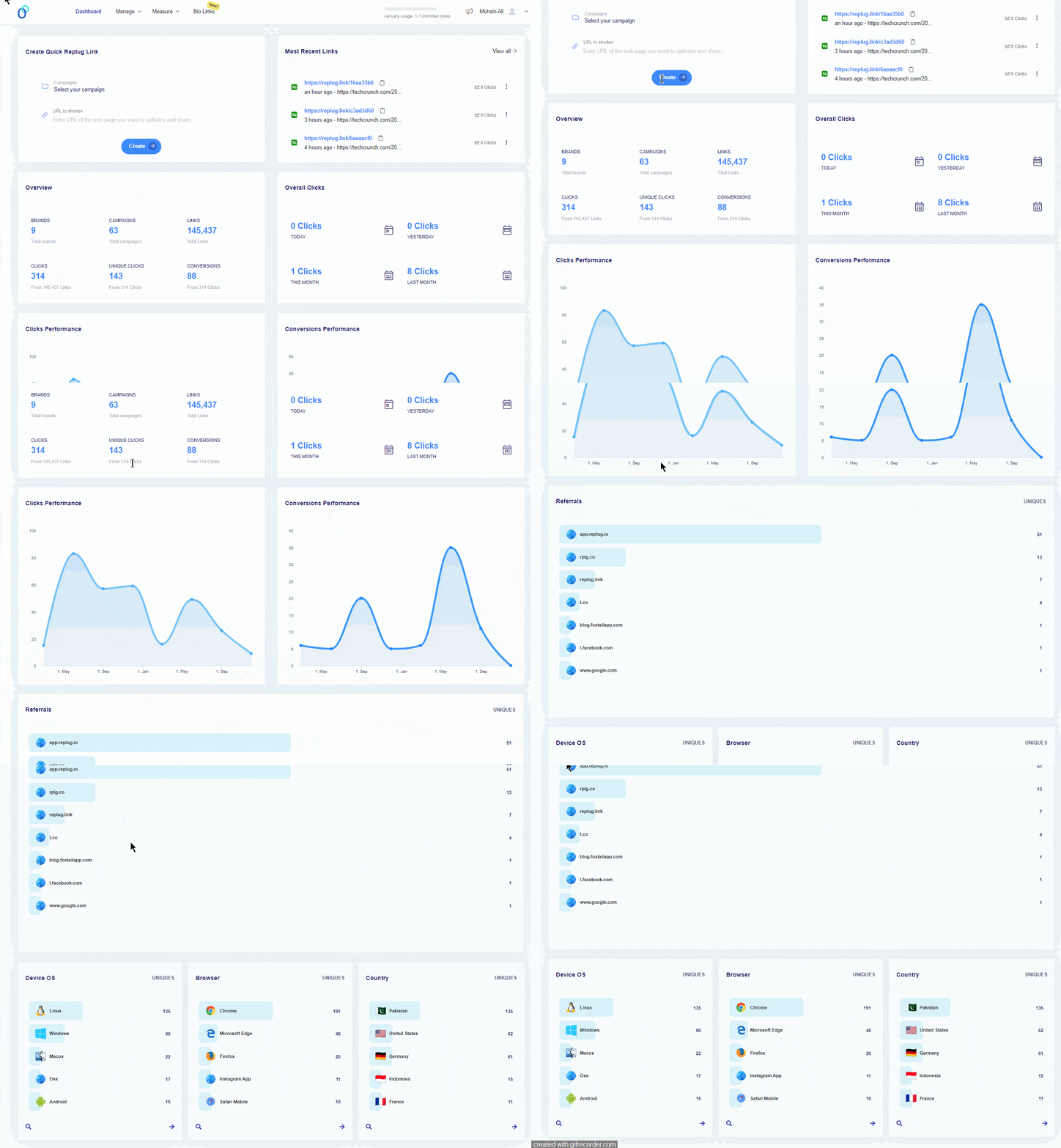
    Replug’s link tracking & analytics provides details on performance of your links, including click-through rates, geographic data, device information, and referral sources. This data helps you understand your audience’s behavior and optimize your marketing strategies.

    conversion tracking analytics

    Use the insights from Replug’s analytics to make informed decisions about your SEO and marketing efforts. Identify what’s working and what needs improvement to continually refine your strategy.

    5. UTM parameter tracking

    Free-UTM-builder

    Replug allows you to add UTM parameters to your shortened links, enabling you to track the performance of specific campaigns. Tracking the effectiveness of different campaigns helps you allocate your marketing budget more effectively and focus on strategies that deliver the best results.

    Try Replug’s free UTM builder & measure the success of your marketing campaigns!

    Best eCommerce SEO practices

    SEO friendly url

    1. Keyword research and optimization

    Effective keyword research is the foundation of eCommerce SEO. Use tools like Google Keyword Planner and SEMrush to find relevant keywords with high search volume and low competition. Incorporate these keywords naturally into your product titles, descriptions, meta tags, and content.

    2. Optimize your product pages: 

    Ensure each product page is optimized for its target keywords. Pay attention to adopt best practices for URLs, title tags, meta descriptions, product descriptions, and images.

    Boost ROI with branded URLs - Replug dashboard showing performance metrics and branded URL creation
    Boost ROI with
    branded URLs!

    Enhance your marketing campaigns by creating shareable, trackable, and fully multi-purpose customizable branded URLs.

    Try Replug for free

    3. High-quality content creation

    Creating valuable and informative content is crucial for engaging visitors and improving search rankings. Write detailed product descriptions, publish blog posts related to your products, and create how-to guides and tutorials. Quality content not only attracts visitors but also encourages them to spend more time on your site.

    Fact: Blogging businesses experience 126% higher lead growth

    4. Technical SEO

    Ensure your website is technically sound by optimizing site speed, ensuring mobile-friendliness, and fixing any broken links or errors. Use tools like Google Search Console to monitor your site’s health and performance. A technically optimized site provides a better user experience and improves search engine rankings.

    Fact: A one-second delay in page load time can reduce conversions by 7%.

    5. On-page SEO

    On-page SEO involves optimizing individual pages to rank higher and earn more relevant traffic. This includes optimizing title tags, meta descriptions, headers, and URLs. Make sure each page on your site is unique and targets specific keywords relevant to the content on that page.

    6. Link building

    Building high-quality backlinks from reputable websites is essential for improving your site’s authority and search rankings. Quality backlinks serve as critical endorsements that demonstrate your website’s credibility to search engines.To get the best results, many businesses turn to professional link building services, which help secure placements on relevant and authoritative websites. Reach out to industry influencers, guest post on relevant blogs, and create shareable content that others will want to link to. Quality backlinks signal to search engines that your site is trustworthy and valuable.

    7. Local SEO

    For eCommerce businesses with physical locations or those targeting specific regions, local SEO is crucial. Optimize your site for local search by including location-specific keywords, creating Google My Business listings, and getting reviews from local customers. Local SEO helps attract customers in your area and enhances your overall search visibility.

    Fact: 46% of all Google searches are seeking local information.

    8. Conduct regular site audits: 

    Use tools like Google Search Console and Ahrefs to conduct a thorough audit of your website. Identify areas that need improvement and prioritize them based on their potential impact. Monitor your site’s performance and track your rankings. Continuously adjust your strategies based on data and feedback.

    Wrapping up the benefits of eCommerce SEO

    The benefits of eCommerce SEO are vast and impactful. From increased visibility and traffic to improved user experience and reduced customer acquisition costs, eCommerce SEO can significantly enhance your online store’s success. By implementing best practices and consistently optimizing your site, you can achieve higher search rankings, attract more customers, and enjoy measurable results that contribute to your business’s long-term growth. Start leveraging the power of eCommerce SEO today and watch your online presence thrive.

    FAQs on the benefits of eCommerce SEO

    How is eCommerce SEO Different from Normal SEO?

    eCommerce SEO focuses specifically on optimizing online stores, including product pages, category pages, and transactional keywords. It involves unique strategies tailored to Best eCommerce platforms for seo, such as optimizing product descriptions and images, which are not typically the focus in normal SEO.

    Why is SEO Important for eCommerce?

    SEO is essential for eCommerce because it increases organic visibility, drives targeted traffic, and improves user experience. Higher search rankings lead to more visitors and potential customers, which can significantly boost sales and revenue.

    How Long Does It Take to See Results from eCommerce SEO?

    SEO is a long-term strategy, and it can take several months to see significant results. The timeframe can vary based on factors like competition, keyword difficulty, and the effectiveness of your SEO efforts. Consistency and patience are key to achieving lasting results. A well-planned SEO strategy for eCommerce can streamline these efforts, ensuring you focus on impactful optimizations that align with your business goals.

    Is SEO Worth It for Small eCommerce Businesses?

    Yes, SEO is worth it for small eCommerce businesses. It provides a cost-effective way to compete with larger companies and attract organic traffic without relying solely on paid advertising. With the right strategies, small businesses can achieve high rankings and significant growth. Partnering with top-featured SEO agencies can further enhance your efforts and deliver better results.

    What are the Benefits of Local SEO?

    Local SEO helps eCommerce businesses attract customers in specific geographic areas. This is particularly beneficial for businesses with physical locations or those targeting local markets. Local SEO can increase foot traffic, improve brand visibility in local searches, and enhance customer trust.

    Which eCommerce Platform is Best for SEO?

    Platforms like Shopify, WooCommerce, and Magento are considered SEO-friendly due to their customizable features and built-in SEO tools. The best platform for you depends on your specific needs, technical expertise, and budget. Each platform offers unique advantages that can support your eCommerce SEO efforts.

  • What is lead generation: How it works & top tools for success

    What is lead generation: How it works & top tools for success

    Lead generation is the heartbeat that keeps companies alive and thriving. It is a fundamental aspect of marketing that helps businesses identify potential customers and nurture them towards making a purchase. The ultimate goal of lead generation is to create a pipeline of prospects who can be guided through the sales funnel, eventually becoming loyal customers.

    This guide will explain what lead generation is, how it works, and explore the best tools available for generating leads.

    What is lead generation?

    Lead generation is a marketing strategy that many businesses, influencers, and experts use for attracting and converting potential customers into leads by capturing their contact information, typically through offers of valuable content or incentives.

    How does lead generation work?

    Lead generation serves as the cornerstone of effective marketing strategies, driving businesses to attract and convert potential customers into valuable leads. Here’s a detailed breakdown of the lead generation process:

    1. Attracting traffic: Businesses leverage a myriad of digital channels including websites, social media platforms, email marketing, and targeted advertising campaigns to drive qualified traffic to their online platforms.
    2. Offering value: To entice visitors to take action, businesses offer compelling incentives such as free trials, exclusive eBooks, informative webinars, or enticing discounts.
    3. Capture information: Interested visitors willingly provide their contact information by filling out a form, granting access to the valuable offer or resource.
    4. Lead nurturing: Once captured, leads undergo a nurturing process through personalized marketing efforts like targeted email campaigns, relevant content, and strategic follow-up communications. Many businesses choose to hire a virtual assistant to streamline these tasks efficiently.
    5. Conversion: Through effective nurturing, leads progress through the sales funnel, ultimately resulting in conversions where they make a purchase, sign up for a service, or engage in another desired action.
    6. Measurement & optimization: Throughout the entire process, businesses use lead tracking to monitor key performance metrics and evaluate the effectiveness of their lead generation initiatives. By leveraging data-driven insights, businesses continuously refine and optimize their strategies to achieve superior results over time.
    Replug Branded Short Links CTA
    A complete link management solution
    for marketing professionals & agencies.
    Try Replug for free

    Types of lead generation

    Different types of lead generation tactics are implemented by the experts. However, lead generation has two main categories, such as inbound lead generation and outbound lead generation. These main categories encapsulate multiple lead-generation strategies that we know or use today. Let’s find out:

    1. Outbound lead generation

    Outbound marketing refers to the engagement where brands directly reach out to prospective customers through various means. Here are multiple outbound lead generation strategies to check out:

    Email marketing:

    In email marketing, subscribers give marketers or brands permission to reach out to them via email. It allows brands or marketers to communicate with the subscribers to update on the latest developments or offer new products. If you’re leveraging email marketing as part of your lead generation strategy, ensuring that your emails land in the inbox and not in spam is crucial. Using a free mail tester by Maileroo can help you optimize your email deliverability by identifying potential issues before sending out campaigns

    Direct mail:

    Direct mailing is yet another way to communicate with the prospects, for instance, sending pamphlets, flyers, and posters to the prospects is an example of direct mailing.

    Advertising:

    Advertising is a marketing form that has been around for years. Retargeting ads is a cost effective way to remind visitors to revisit your site and complete the purchase.

    Cold calling:

    Cold calling is an outbound marketing strategy in which brands reach out to customers over the phone. Virtual call centers use this technique of outbound call to sell products or services.

    Did you know?

    Only 18% of marketers perceive outbound lead generation to yield valuable leads, highlighting the importance of adopting innovative and strategic approaches to lead generation (source: Bloggingwizard) .

    You may also like: Email marketing mistakes to avoid

    2. Inbound lead generation

    Inbound marketing refers to the engagement where prospective customers find out about the brand through search, content, or social media. Let’s take a look at some of the popular inbound lead generation tactics:

    SEO:

    Search engine optimization is the basic inbound lead generation strategy that entrepreneurs, brands, and marketers use to bring in the relevant audience to their websites.

    Blogging:

    Blogging doesn’t only help in SEO, but it also assists brands and marketers in engaging social media users. It’s one of the most powerful ways to generate leads on the market.

    Social media:

    Social media has turned out to be a useful source of traffic, attention, and conversion. It can also generate inbound leads once the social media content starts to get traction.

    Replug Branded Short Links CTA
    Maximize marketing ROI
    by transforming ordinary URLs into
    branded short links that convert.
    Try Replug for free

    How to generate market qualified leads?

    Generating market qualified leads (MQLs) is crucial for driving sales and business growth. Here’s a comprehensive guide on how to effectively generate MQLs:

    1. Define your target audience

    • Ideal customer profile (ICP): Start by defining your ICP based on demographics, firmographics, behavior, and pain points. Understanding who your ideal customer is helps tailor your marketing efforts to attract the right leads. For companies looking to accelerate results, partnering with commercial lead generation services can help define and reach their ideal prospects efficiently, ensuring a steady pipeline of qualified B2B leads.
    • Buyer personas: Develop detailed buyer personas to represent different segments of your target audience. These personas should include information on their job roles, challenges, goals, and decision-making processes.

    2. Content marketing

    Convincing-Content
    • Educational content: Create valuable and relevant content that addresses the needs and pain points of your target audience. This can include blog posts, eBooks, whitepapers, infographics, and case studies.
    • SEO optimization: Ensure your content is optimized for search engines to increase organic traffic. Use relevant keywords, meta descriptions, and high-quality backlinks to improve your search engine rankings. Partnering with a trusted SEO Reseller can also help you efficiently scale your digital marketing efforts and deliver exceptional results for your clients.
    • Content distribution: Promote your content through various channels such as social media, email newsletters, and industry forums to reach a wider audience.

    3. SEO and SEM

    • Search engine optimization (SEO): Optimize your website and content for search engines to attract organic traffic. Focus on on-page SEO (keywords, meta tags, headers) and off-page SEO (backlinks, social signals).
    • Search engine marketing (SEM): Use paid search advertising (PPC) to target specific keywords related to your business. Retargeting ads can help you reach potential leads who are actively searching for your products or services.

    4. Social media marketing

    • Platform selection: Identify which social media platforms your target audience uses the most and focus your efforts there. LinkedIn is particularly effective for B2B lead generation, especially when you know how to use LinkedIn Sales Navigator to generate leads effectively. Facebook and Instagram work well for B2C.
    • Engagement: Actively engage with your audience by sharing valuable content, responding to comments, and participating in relevant groups and discussions.
    • Paid advertising: Use social media ads to target specific demographics and interests. Platforms like LinkedIn, Facebook, and Twitter offer robust targeting options to reach your ideal audience.

    5. Email marketing campaigns

    • Segmentation: Segment your email list based on criteria such as industry, job role, and engagement level to deliver personalized and relevant content.
    • Lead nurturing: Develop automated email sequences to nurture leads through the sales funnel. Provide educational content, case studies, and product information through email automation to move leads closer to a purchase decision.
    • A/B testing: Experiment with different URLs, subject lines, content formats, and calls to action (CTAs) to optimize your email campaigns for better performance.

    6. Lead magnets

    Call to action
    • Offers and incentives: Provide valuable offers such as free trials, demos, webinars, and downloadable resources in exchange for contact information. These lead magnets should address a specific pain point or need of your target audience.
    • Landing pages: Create dedicated landing pages for your lead magnets with clear and compelling CTAs. Ensure the landing page is optimized for conversions with a simple form and persuasive copy.
    • Exit-intent popups: Use exit-intent popups to capture visitors’ attention just before they leave your site, offering them a compelling reason to stay or subscribe.

    7. Lead scoring

    • Criteria definition: Establish criteria for scoring leads based on their behavior and engagement with your content. This can include website visits, content downloads, email opens, and social media interactions.
    • Automation tools: Use marketing automation tools to track and score leads in real-time. Platforms like ContentStudio, Marketo, Artisan, and Salesforce can help automate the lead scoring process.
    • Qualification thresholds: Define thresholds for when a lead becomes market qualified. This helps your sales team prioritize leads that are most likely to convert. As a Flow State Sales expert says, “a proper sales training program can help your team to understand marketplaces and effective sales methodologies to generate leads”.

    8. Analytics and refinement

    • Performance tracking: Use analytics tools to monitor the performance of your lead generation efforts. Track metrics such as website traffic, conversion rates, lead quality, and ROI.
    • Continuous improvement: Regularly analyze your data to identify areas for improvement. A/B test different strategies and make data-driven decisions to optimize your lead generation process.
    • Feedback loop: Create a feedback loop between marketing and sales teams to ensure continuous alignment and improvement. Sales teams can provide insights on lead quality and help refine the lead generation process. To support these efforts, using the best AI meeting note taker can ensure that important discussions and action points from internal strategy meetings are automatically captured and shared across departments, improving follow-through and collaboration

    9. Leverage social proof

    social proof
    • Testimonials and reviews: Display customer testimonials and reviews prominently on your website and social media profiles.
    • Case studies: Share detailed case studies showcasing your product or service’s success in solving customer problems.

    10. Utilize interactive content

    • Quizzes and surveys: Create engaging quizzes or surveys related to your industry. Require an email address to receive the results.
    • Interactive tools: Offer tools like calculators or assessments that provide personalized results in exchange for contact information.

    11. Offer exclusive content

    • Gated content: Provide high-value content such as ebooks, whitepapers, or research reports behind a sign-up form.
    • Webinars and live events: Host live webinars or virtual events on relevant topics and require registration to attend.

    12. Referral programs

    • Incentivize referrals: Create a referral program that rewards existing customers for referring new leads.
    • Partnerships: Form strategic partnerships with complementary businesses to cross-promote and share leads.

    13. Retargeting ads

    • Ad campaigns: Use retargeting ads to re-engage visitors who have previously interacted with your website but didn’t convert.
    • Lookalike audiences: Create lookalike audiences based on your existing leads to target similar potential customers.

    14. Leverage video content

    • Explainer videos: Create short explainer videos that highlight the benefits of your product or service.
    • Live streaming: Use platforms like Facebook Live, Instagram Live, or YouTube Live to engage with your audience in real-time and capture leads.

    8 best lead generation tools

    Let’s take a look at some of the best lead-generation tools on the market:

    1. Replug

    Boost ROI with branded URLs - Replug dashboard showing performance metrics and branded URL creation
    Boost your conversion rates with irresistable CTAs with

    for your marketing campaigns.

    Check

    Higher clicks

    Check

    More leads

    Check

    Better ROI

    Generate free CTAs

    Replug.io is an excellent link management tool that offers several URL management and tracking services for brands, agencies, influencers, and bloggers. It’s an all-in-one URL management software that helps users shorten the URLs with its efficient link shortener and provides the necessary tools to manage and track them.

    Top features of Replug

    • Lead generation: Replug lets users create lead generation widgets to target the audience that clicks on the short URLs. It’s a customizable call-to-action widget that pops up when users click on the short links once activated for the campaign.
    • Bio links: It allows Replug to create a personalized web page for all links, such as website, blog, social media, etc. The bio link goes into the social media profile link section and helps users showcase multiple links via the Replug bio link option.
    • Link rotation: Link rotation is a feature that Replug users can activate if they want to generate leads based on parameters, such as time, date, region, or web browser.
    • A/B testing: The A/B testing feature allows Replug users to compare two different-looking links that go to the same destination URL and see which link performs better than the other.
    • Personalized CTAs: Users can create personalized CTAs for user engagement. The CTA types available in Replug are forms, buttons, and links.
    • Branded URL: Replug has a custom domains feature that lets you create short, branded URLs. It can significantly improve your lead generation campaign.
    • While labeling: The white labeling feature allows users to set up a custom domain, theme, and logo instead of Replug branding.

    Price: Replug pricing starts at $19 per month

    Free trial: Yes (14-day free trial)

    2. Usermaven:

    Usermaven-CTA-1-1

    When it comes to lead generation, Usermaven has accurate and comprehensive data on your website visitors and their behaviors. Usermaven is a cutting-edge analytics tool that empowers marketers and product professionals with the insights they need to maximize their lead-generation efforts.

    Key features of Usermaven:

    1. Effortless lead tracking: Usermaven’s accurate tracking captures all sources automatically, including organic traffic, inorganic traffic, and UTM sources, ensuring you never miss a potential lead. No more relying on developers or complex setup processes.
    2. Powerful event tracking: Easily track and analyze critical user events, such as form submissions, button clicks, and scroll depth, to gain a comprehensive understanding of your lead generation funnel’s performance.
    3. AI-powered insights: Leverage the power of Maven AI, Usermaven’s built-in data assistant, or explore specialized AI recruiting software to uncover hidden patterns and opportunities for optimizing your lead generation funnel.
    4. Comprehensive visitor journey: Understand your prospects’ behavior with detailed user journeys, funnels, and attribution data, allowing you to identify bottlenecks and optimize conversion paths.
    5. Segmentation made easy: Usermaven’s intuitive segmentation tools enable you to slice and dice your audience data, helping you target specific segments with tailored messaging and offers.
    6. Privacy-friendly analytics: Usermaven prioritizes user privacy, making it a trustworthy choice for responsible lead-generation practices.

    Price:

    Usermaven offers flexible pricing plans to cater to businesses of all sizes:

    • Pro plan ($14 per month)
    • Premium plan ($24/month)
    • Enterprise plan (Custom pricing)
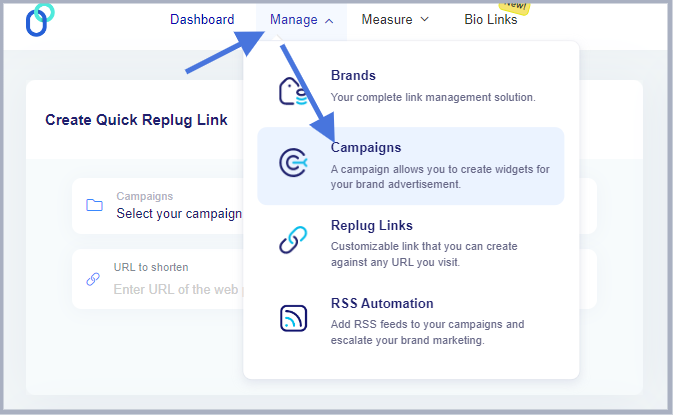
    3. LeadFeeder

    Leadfeeder is a powerful lead generation tool loaded with a bunch of useful tips to generate, manage, and monitor leads and take your digital marketing campaign to the next level. Its seamless integration with other marketing tools makes it a great choice for lead generation.

    Key features of LeadFeeder:

    • Visitor identification: It’s easier with Leadfeeder to identify anonymous website visitors coming from top companies
    • Prospect segmentation: Leadfeeder assists users in prospects’ segmentation. It helps brands in segmentation using behavioral and demographic filters to find leads with the highest potential
    • Seamless integration: It flawlessly integrates with several CRM and marketing tools, such as Zoho, Pipedrive, zapier, HubSpot, salesforce, and others
    • Automatic lead scoring: One of the key features of Leadfeeder is that it intelligently attributes visitors with a lead score and helps users prioritize the top visitors
    • Powerful customer insights: It also offers in-depth tracking and analysis that lets marketers and brands track the performance of the lead generation campaign.

    Price: The paid plan costs €99 per month

    Free trial: It offers a free plan (with no limits)

    4. ZenRows

    Zenrows

    When it comes to lead generation, ZenRows transforms hours of manual prospecting into a fast, reliable, and automated data pipeline that feeds fresh, high-intent contacts directly into your CRM. It streamlines capturing accurate lead data from public web sources—all without getting blocked.

    Key features of ZenRows:

    • Automated, scalable lead acquisition: ZenRows builds customizable scraping workflows—from company names and locations to growth indicators—so you can generate high-quality leads at scale and enrich existing prospects with precision.
    • Anti‑bot robustness: Its Universal Scraper API handles proxy rotation, headless browsing, CAPTCHA bypassing, and anti-bot defenses—so scraping remains uninterrupted even on heavily protected sites.
    • Real-time discovery capabilities: Stay ahead with continuous tracking of new listings, reviews, domain registrations, job postings, and social signals for on-the-fly lead detection.
    • CRM-ready output & integrations: Seamlessly push enriched leads into CRMs and automation tools in real time, with no-code glue via Zapier, Clay, Make.com, etc.
    • Developer-friendly flexibility: Whether you’re using SDKs in Python or Node.js or no-code integrations like workflows, ZenRows adapts to your technical stack.
    • High success rates & efficiency: Users report an industry-leading success rate (over 99.9%), ensuring more reliable lead capture without friction.

    Price: ZenRows offers a starting plan of $69/month, with a free trial available.

    5. Qualaroo

    Qualaroo

    Qualaroo is a powerful user feedback and survey tool designed to help businesses understand why users behave the way they do. With its intelligent targeting, AI-powered analysis, and seamless multi-platform deployment, Qualaroo enables teams to collect high-quality qualitative insights that fuel better product decisions, conversions, and user experience improvements.

    Key features of Qualaroo:

    • Advanced user targeting: Target users based on behavior, demographics, device type, location, exit intent, scroll activity, visit number, and more, ensuring surveys reach the right users at the right moment. 
    • Beautiful, customizable surveys: Create branded surveys with your logo, colors, and custom styling. Choose placement such as bottom-right, top-left, center, or full-screen and make the experience feel native. 
    • AI-powered sentiment analysis: Qualaroo uses IBM Watson to automatically analyze open-text responses, detect sentiment, categorize themes, and generate word clouds for quick insights. 
    • Multi-platform deployment: Run surveys across websites, mobile sites, native iOS and Android apps, and even UX prototypes (Figma, InVision, AdobeXD, Marvel, Axure). 
    • Logic branching & personalization: Use question branching, skip logic, and targeting rules to ask relevant follow-up questions and reduce survey fatigue. 
    • Integrations that scale: Connect with tools like HubSpot, Salesforce, Slack, Segment, Mailchimp, and Google Analytics to automate workflows and analyze feedback in your existing systems.

    Price:

    Qualaroo provides a range of pricing options suitable for individuals, SMBs, and large enterprises:

    • Free plan ($0/month)
    • Essentials plan ($19.99/month — billed annually)
    • Business plan ($49.99/month — billed annually)
    • Enterprise plan ($149.99/month — billed annually; custom features available)

    6. Reply.io

    Reply-

    Reply is an excellent lead generation tool and one of the leading AI sales tools, with an AI-powered sales engagement platform that transforms and scales the prospect outreach campaign. It’s an effective channel to acquire new customers and grow revenue faster than ever.

    Key features of Reply:

    • Outreach data sourcing: Discover the most relevant leads through a powerful AI-based outreach toolkit
    • Automated multichannel sequence: Create an automated, multichannel communication sequence that increases the chance of engagement and conversion
    • Social media integration: It seamlessly connects with social media platforms and makes lead generation even better through the power of social media marketing
    • Email and sequences templates: Unleash the effectiveness of existing email and sequence templates available to the users
    • AI-based sales assistant: It has an AI-based assistant that automates your emails and responses and increases the chances of getting attention from the receiver.

    Price: The paid plans start at $49 per month

    Free trial: It offers a free plan (with limited features)

    7. Meet Alfred

    meetalfred

    Meet Alfred is a fantastic lead-generation tool for marketers, brands, and agencies. It allows users to create and send completely automated messages on LinkedIn, Twitter, and email. It’s a tool that takes your lead generation to the next level

    Key features of Meet Alfred:

    • Multichannel connectivity: It’s an efficient tool that helps brands and marketers send out messages with ease. Instead, it allows marketers to send out automated messages across different platforms, such as Twitter, LinkedIn, and email
    • Personalized messaging: It doesn’t only automate messaging across different platforms, but it also enables marketers and brands to send out personalized messages to the leads. It massively improves the effectiveness of the message
    • Improve efficiency: Automation makes it easier to send messages, follow up on the leads, and increase overall efficiency. This is why such features make all the difference
    • Impressive integration: It integrates with over 3,000 apps and platforms, which is mind-boggling.

    Price: It starts at $39 per month

    Free Trial: The free trial is available

    8. LeadIQ

    leadiq

    LeadIQ is a smart B2B lead generation tool that tracks accurate prospect data, creates personalized email messages, and tracks campaign performance effectively. It’s astonishingly good at connecting with the right audience, making it easier to engage and convert.

    Key features of LeadIQ:

    • Huge verified contacts database: It lets you find verified contacts with its smart database technology and helps connect with prospects faster than ever
    • AI-powered email writing: Use the power of AI to write effective, high-quality emails to your prospects and existing clients
    • Personalized messaging: Make the email messages more authentic and trustworthy by adding personalization to them
    • Robust integration: Integrate with the industry’s leading marketing tools and softwares and take the luxury of this tool to the next level

    Price: The paid plans start at $39 per month

    Free Trial: LeadIQ has a free plan

    FAQs about lead generation

    What are the 3 approaches of lead generation?

    The three best approaches to lead generation are content marketing, search engine optimization, and social media marketing.

    What is the most common lead generation?

    The most common lead generation technique is driving visitors to a landing page through SEO and converting them into paying customers or subscribers (lead).

    Which activities will not help with lead generation?

    Several activities will not help any lead generation campaign, such as social media marketing with no planning, a vague content marketing strategy, targeting the wrong audience through ads, and trying to sell to everyone.

    What is the lead generation lifecycle?

    It looks like this: Awareness > Findability > Reputation > Conversion > Advocacy

    What comes after leads?

    Once the lead is generated, it’s usually nurtured in the funnel until it’s ready to make a purchase decision. Nurturing involves educating this segment and preparing them to take their game to the next stage.

    What are the 4 steps of the lead generation process?

    The four steps of the lead generation process are: aware, convert, close, and delight.

  • What is A/B testing: A beginner’s guide

    What is A/B testing: A beginner’s guide

    A/B testing is a popular digital marketing strategy used by conversion specialists when trying to improve website conversion. This test involves a side-by-side test of two or more options to find which one performs better than the rest.

    Let’s understand A/B testing, its types, benefits, and examples to ensure every beginner who hasn’t tried A/B testing can get off to a good start.

    What is A/B testing?

    A/b testing replug

    The A/B testing is a comparison of two or more cases only to find out which works better than the other one. The purpose of an A/B testing campaign is to uncover the better-performing option out of all.

    It’s a powerful analysis strategy used in online advertising, email marketing, social media publishing, website conversion, and several other areas.

    The goal of an A/B testing campaign is to see which option outperforms the other one.

    For instance, a brand does side-by-side testing of two Facebook ad units under the same ad set. It can see which ad unit performs better than the other one by comparing the ad results.

    Replug Branded Short Links CTA
    A complete link management solution
    for marketing professionals & agencies.
    Try Replug for free

    Types of A/B tests

    Three types of A/B testing are widely popular in the digital marketing space:

    1. Split testing

    Split testing is a type of A/B testing in which a user creates a new version of an existing landing page, logo, or banner ad and compares it to the original to determine which one achieves better performance metrics. It works best when the user wants to overhaul the entire design of a landing page without altering the current version.

    Related: SEO split testing: Test your way to higher search engine ranking

    2. Multivariate testing

    Multivariate testing is yet another useful A/B testing type that allows marketers to examine multiple variables simultaneously to identify the most effective combination of elements on a page. Unlike A/B testing, which focuses on testing one version against another, MVT involves creating numerous variant pages where different elements, such as headlines, images, buttons, and text) are altered. This A/B testing type is more complex and data-intensive as compared to the previous one.

    3. Multi-page testing

    Multi-page testing plays around with specific elements, such as the call-to-action button, and analyzes their impact across several pages within a user journey. It comes in handy when users want to understand how modifications to a consistent element affect user interactions and conversions throughout the entire funnel.

    Role of A/B testing in marketing

    Let’s understand the role of A/B testing in marketing and find out what difference it can make along the way:

    • A major role of A/B testing is to provide undeniable evidence based on the data to make marketing or branding decisions. The process enhances user experience and optimizes marketing strategies. For instance, businesses can test different headlines, images, call-to-action buttons, or overall layouts to see which elements resonate most with their audience.
    • 58% of companies use A/B testing for optimizing their conversion, whereas 35% of companies plan to use A/B testing for conversion optimization. Furthermore, 60% of the brands believe A/B testing is crucial to conversion optimization.
    • One of the important roles of A/B testing in digital marketing is risk mitigation. Before implementing broad changes across an entire user base, companies can test on a smaller scale to ensure the modifications will have the desired positive impact. This approach minimizes potential negative effects on user engagement and conversion rates.
    • A/B testing also fosters continuous improvement on the website or application. By regularly conducting such tests and performance testing, businesses can keep up with evolving user preferences and market trends, thereby maintaining a competitive edge. This iterative process helps in fine-tuning engagement strategies on the website or app to incrementally boost performance over time.
    • It’s crucial for personalizing user experiences. By analyzing which versions work best for different audience segments, marketers and conversion experts can tailor their content and offerings to meet specific needs and preferences, resulting in a better response from the target audience.

    Benefits of A/B testing

    A/B testing strategy has been around for years. There are numerous benefits of applying the A/B testing strategy that have helped brands and marketers increase attention and sales over the years. Here are the six of many benefits of A/B testing:

    1. Get more user engagement

    User engagement means how long users stick around when they visit a website or open an app. The longer the users stay, the higher the chances of sales. One of the benefits of A/B testing is that it can significantly improve the user engagement of a company.

    A/B testing ensures that the business gets to choose the better versions of the website or app layout, color scheme, CTA color and text, landing page copy, and other elements.

    2. Skyrocket conversion rate

    Marketers and conversion experts always A/B test different sections of the website or landing page. Their ultimate goal is to increase the conversion rate of the business. Therefore, they make all necessary changes to test things out until they find the best combination.

    The website or app elements that play a vital role in improving the conversion rate are call-to-action, website copy, headlines, colors, fonts, layout/design, etc. Undoubtedly, A/B testing is crucial to increasing conversion rates regardless of the industry.

    3. Decline in the bounce rate

    Bounce rate is the percentage of visitors that quickly leave the website or page without taking any noticeable action on the platform. No wonder digital marketers strive to reduce the bounce rates of their sales pages at any cost. Therefore, they tweak all sorts of things, for instance, the sales page design, layout colors, website fonts, CTA text, etc.

    The purpose is to stop people from bouncing off the site without engaging with the site or app. A/B testing helps them figure out which combination of CTAs, colors, page designs, and website copy performs better than the others.

    4. Low cart abandonment

    Cart abandonment is a pain point for many e-commerce businesses and online retailers. Businesses use different engagement and remarketing tactics to reduce cart abandonment.

    One of the perks of A/B testing is that it could impact the conversion process and eventually reduce cart abandonment. Businesses can A/B test the pricing model, UI/UX, CTA buttons, color scheme, and website copy just to see how this experiment works out for them.

    Related: Abandoned Cart Emails That Actually Convert

    4. Test URL performance

    Influencers and brands create and manage URLs very carefully. They know that URLs have a huge role to play in the SEO and social media marketing. Marketers, influencers, and brands A/B test two or more versions of the same URL to see how the audience responds to those URLs.

    Replug Branded Short Links CTA
    A complete link management solution
    for marketing professionals & agencies.
    Try Replug for free

    Replug.io is an all-in-one URL management tool that allows marketers and brands to A/B test their URLs. Ultimately, it helps brands and experts understand URL performance across different platforms.

    5. Understand user behavior

    A/B testing isn’t just about picking up the better website copy, CTA buttons, and website design. Instead, it goes beyond the basic website structure. User behavior is a vital engagement metric that showcases the effectiveness of the website or app design philosophy.

    Understanding user behavior on the website or landing and making changes can save time, effort, money, and energy. A/B testing provides businesses a chance to understand user behavior better than ever.

    What elements can you A/B test?

    Several website or app elements can be analyzed with A/B testing. Let’s take a look:

    1. Website or app layout

    The layout design is an integral part of the UI/UX. Testing different layout designs and applying changes to the elements’ arrangement can reveal which layout maximizes user engagement and conversion.

    2. Email subject line

    Email marketing is an essential part of the digital marketing campaign. A/B testing different email subject lines to find out which one has the highest open rate can be extremely helpful. Understanding what wording resonates most with your audience and increases email engagement can improve the overall performance of the campaign.

    3. Banner ad design

    Banner ad design is a vital element when A/B testing different elements of the marketing campaign. Creating and testing different variations of design elements such as images, text, and layout in banner ads can determine which version attracts more clicks and conversions. Optimizing the visual appearance can improve the effectiveness of the advertising.

    4. Call-to-action buttons

    Call-to-actions can shape the outcome of the marketing campaign, especially when all other elements are up to the mark. It’s recommended to test different texts, sizes, colors, and placements of call-to-action buttons. A/B testing multiple CTA buttons can help determine the winning combination.

    Try Replug’s Free CTA Generator to get the best results.

    Boost ROI with branded URLs - Replug dashboard showing performance metrics and branded URL creation
    Boost your conversion rates with irresistable CTAs with

    for your marketing campaigns.

    Check

    Higher clicks

    Check

    More leads

    Check

    Better ROI

    Generate free CTAs

    5. Color scheme

    One of the elements to test out when A/B testing is the color scheme regardless of the product. Try out different color schemes to see which one enhances user experience and improves engagement. Not only does it impact the design and aesthetics of a website or app, but it also influences the user’s behavior toward the web or app.

    When to run A/B tests

    Here are some of the situations when running A/B tests are extremely helpful:

    • Striving to improve conversion rate: A/B testing can be pretty useful when you’re struggling with conversion rate. The course of action in this case is to make alterations on the website or landing page to make your offer more impactful. To see how these changes work out, you have to A/B test and see how things turn out.
    • Trying to increase CTA clickability: Call-to-actions are important for sales, lead generation, and sign-ups no matter what industry or niche you work in. A/B test in your CTA buttons to see what difference it makes. Always experiment with the CTA size, text, colors, and shape for better results.
    • Comparing URL performance: URLs are an essential part of the digital marketing strategy. A/B testing comes in handy when you want to compare two or more URLs leading to the same destination.
    • Optimizing landing pages for more engagement: A/B testing is crucial to the landing page optimization process. Since the purpose of optimization is to improve page performance, A/B testing elevates landing page outcomes by providing data-backed results. So, brands should run A/B testing when they want more traction, engagement, and conversion on their online real estate.

    Therefore, don’t shy away from trying A/B tests if you’re trying to achieve any of the above-mentioned marketing goals.

    A/B testing examples with outcomes

    WorkZone boosts leads by 34% through testimonials page

    WorkZone, a US-based software company specializing in project management solutions and documentation collaboration tools, aims to maximize conversions. To enhance brand reputation, they added a customer review section beside the demo request form on their lead generation page. However, the colorful testimonial logos distracted visitors from filling out the form.

    Variant A

    Workzone-variant A

    Variant B

    Workzone-Variant B

    To address this, WorkZone changed the testimonial logos to black and white and tested the impact. After 22 days, the results showed a 34% increase in form submissions, with a 99% statistical significance, demonstrating the success of this adjustment.

    Thrive Themes increases sales by 13% through sales page optimization

    Thrive-Themes- A/B testing

    Thrive Themes decided to test a new feature on its landing pages—customer testimonials. Previously, their control page featured a banner highlighting product features without customer feedback. The team conducted a 6-week A/B test, comparing the control with an updated page including testimonials. The result was a 13% increase in sales, with the conversion rate rising from 2.2% to 2.75%.

    Obama campaign boosts sign-ups by 40.6% through A/B testing

    One of the popular A/B testing examples is from Obama’s campaign for the presidency. Dan Siroker was the Director of Analytics for the Obama campaign. He went on to perform different A/B tests on the campaign landing page to see what increases sign-up and donation rates.

    The original landing page has had the following properties:

    get-involved
    • Sign up as a CTA button
    • Solo picture of Obama, associated CTA media, and copy that says, “GET INVOLVED”

    Then, the team started A/B testing and came up with a new landing page design. It consisted of the following properties:

    change-we-believe-in
    • Learn More as a CTA button text
    • Obama family picture and the associated CTA media and copy that says, “Change We Can Believe In”

    The results of these changes were astonishing. It was reported that the highlighted changes brought in a 40.6% increase in email sign-ups and an additional $60 million in donations.

    Do’s & Don’ts when running an A/B test

    A/B testing requires time, money, and resources, so brands and experts try to avoid any mistakes during the process. Understanding the dos and don’ts of running an A/B test can significantly reduce the chances of any expected upheaval during the experiment.

    Here are the important do’s and don’ts to remember when getting started with A/B testing:

    Do’sDon’ts
    Define clear goals:Changing test parameters halfway through
    Segment your audienceIgnore the importance of randomization
    Run tests simultaneouslyTest multiple variables simultaneously
    Use sufficient sample sizeRelying on short-term data
    Test one variable at a timeOverlooking external factors

    Do’s When Running an A/B Test

    Here we go:

    • Define clear goals: Establish specific, measurable objectives before starting the A/B test to ensure meaningful results and start on the right foot.
    • Segment your audience: Properly segment your audience to ensure that the test groups are representative and comparable.
    • Run tests simultaneously: Conduct the tests at the same time to avoid seasonal or time-based biases. Otherwise, the results might not be accurate.
    • Use sufficient sample size: Ensure your sample size is large enough to yield statistically significant results. No one wants to make their A/B look irrelevant.
    • Test one variable at a time: Focus on a single element (e.g., headline, CTA) to accurately attribute changes in performance. It will also help you portray the results more clearly.

    Don’ts of running an A/B Test

    • Changing test parameters halfway through: Avoid altering the test setup or criteria once the test has started to maintain integrity. Any alteration, delay, or pause during the process might ruin the gist of the A/B test.
    • Ignore the importance of randomization: Ensure random assignment of participants to eliminate selection bias. Ignoring randomization would be a huge mistake.
    • Relying on short-term data: Avoid making decisions based on data collected over too short a period; let the test run its course.
    • Testing multiple variables simultaneously: Testing several changes at once makes it difficult to determine which one caused the effect.
    • Overlooking external factors: Consider external influences like holidays or market trends that might skew results.
    Replug Branded Short Links CTA
    A complete link management solution
    for marketing professionals & agencies.
    Try Replug for free

    A/B test with Replug

    Replug is a top gun when it comes to URL tracking and link management. You can easily shorten link with it’s powerful link shortener tool to track, manage, and optimize your URLs effortlessly.

    One of the most top-notch features of this amazing link management platform is A/B testing. Let’s learn how to perform A/B testing with Replug, step-by-step.

    Step 1: Sign up for a Replug account if you haven’t already.

    Once it’s done, log in to your Replug account to get started.

    sign-in-to-Replug

    Step 2: After logging in to your account, you’ll land on the Replug dashboard.

    Go to the Manage drop-down menu from the top and choose the Campaign section.

    Go to campaigns

    Now, click the New Campaign button to create a new campaign (if it’s your first time).

    Create -new-campaign- replug

    Step 3: Go to the dashboard; you’ll see the “Create Quick Replug Link” option. This is where you can start creating the short link to track and A/B test.

    Select your campaign

    Select the campaign you have already created, and provide the link to the A/B test. Go ahead and create the short link.

    create-quick-replug-link

    Step 4: Once the short link is created, a popup window will appear with the settings for the very short link.

    Now, enable A/B testing by toggling the AB testing button before saving the link. This process will set the default destination URL as the first A/B test link with 100% weightage.

    toggle-ab-testing-button

    Add more destination links by clicking on the Add Destination Link.

    add-destination-url

    Note: Allocate the weightage to the A/B test links. You can equally distribute it or allocate different weightage to the specific links.

    Once you’re done, press the update button and you’re all set to start A/B testing with Replug.

    FAQs about A/B testing

    Let’s answer some of the frequently asked questions about A/B testing:

    How many ab tests are successful?

    There is no definite answer to this question. However, there are hundreds of thousands of examples of very successful A/B test experiments that vouch for the effectiveness of this strategy.

    Why is it called AB testing?

    It’s a strategy in which a user generally tests option A against option B to find out which performs better than the other one. That’s why it’s called A/B testing (also known as split testing or bucket testing).

    What is the future of AB testing?

    The future of A/B testing seems extremely bright. A/B are testing SAAS tools available that take this testing and analysis tactic to the next level. It’s safe to say that A/B testing is getting bigger and bigger with time.

    Does AB testing affect SEO?

    A/B testing can have a significant effect on the SEO. Since A/B testing impacts UI/UX, engagement, conversion, and CTR, it could affect SEO. Whoever knows SEO also knows that SEO isn’t just about keywords. It involves design, speed, engagement, links, clickability, and much more.

    When not to use ab testing?

    A/B testing shouldn’t be used when external factors, such as the holiday season or certain market trends, are making tides. Plus, other signals tell us that it’s not the right time for A/B testing. Refer to the “Don’ts When Running an A/B Test” section of this article.

    Can you run multiple ab tests?

    Running multiple A/B tests seems like a mistake because it is hard to determine which specific change affected the outcome of the campaign.

  • White label vs Private label: Which to choose?

    White label vs Private label: Which to choose?

    Ready to launch your own brand, But short on time? 

    We’ve got you covered with two great options: white labeling and private labeling. Both can help your brand grow in unique ways, but which one is the right fit for you?

    In this blog, we’ll break down everything you need to know about white label vs. private label. We’ll explore their similarities, drawbacks, benefits, and real-world examples. 

    By the end, you’ll have a clear understanding of which strategy will help your brand thrive. Let’s get started!

    What is white labeling?

    White labeling means rebranding products or services developed by another company and selling them under your company’s name.

    You’ve probably come across many white-labeled products without even knowing it because they were rebranded so smoothly. This makes it hard for most people to tell the difference.

    White labeling is common in many industries, like food and beverages, electronics, and software. It helps businesses expand their product lines without needing to invest in research, development, or manufacturing.

    Here are a few examples:

    White-label example no.1: Replug – A SaaS white-label solution

    One perfect example of white-label solution is Replug. It’s a powerful link management tool packed with advanced features. With Replug.io, you can fully customize the dashboard with your brand’s colors, favicons, and logos, making it feel like your own.

    White label solution: Replug

    Replug is an efficient link shortener that offers fantastic link management features, like retargeting pixels, bio-links, deep links, and the ability to create custom CTAs. This is a classic example of white labeling, ideal for businesses looking to boost their marketing while keeping everything aligned with their brand.

    Replug Branded Short Links CTA
    A complete link management solution
    for marketing professionals & agencies.
    Try Replug for free

    White-label example no. 02: Printful

    White label example: Printful

    Printful is a print-on-demand company that lets businesses create and sell custom products like t-shirts, posters, and accessories without dealing with inventory or production. Companies can design their own graphics and logos, which Printful prints and ships under the company’s brand. This allows businesses to offer customized products easily and quickly without needing their own manufacturing facilities.

    White-Label example no.03: Printify

    Printify is a print-on-demand platform. It allows users to design and sell custom products online without needing to maintain an inventory. Printify connects its users with a vast network of print providers worldwide, offering a wide range of custom-printed products. Printify plays a significant role in the white-label market, particularly in the print-on-demand (POD) space. Through Printify, businesses can create white-label products like custom apparel, accessories, home goods, and more. Users can integrate Printify with major e-commerce platforms like Shopify, Etsy, WooCommerce, and others, making it easy to automate the sales and fulfillment process.

    Top benefits of white labeling

    Until now, you must have understood that white-label products are pre-manufactured items for you that are completely ready to be shipped with your brand logo. Here are some of the most prominent benefits of white-labeling. 

    • Lower initial investment: White label products are often cheaper than private label because you’re not customizing them from scratch.
    • Faster turnaround time: Since the product already exists, you can get it to market quickly.
    • Less risk: You don’t have to worry about the product failing to meet quality standards or market demands.
    • Scalability: Easy to scale up or down production based on demand.

    Read more: 14 Best white label marketing tools for agencies in 2026

    Drawbacks of white labeling

    Now that you have gone through the similarities, it’s time to go through the drawbacks.

    • No customization: The product itself is typically not customized for each purchaser; it remains the same for all buyers.
    • Brand differentiation: Your product might be similar to offerings from other brands.
    • Profit margins: Profit margins can be lower due to competition from other white-labeled versions.

    What is private labeling?

    Private labeling is a business strategy where a retailer or company contracts with a manufacturer to produce a product under their own brand name. The retailer essentially “outsources” the manufacturing process while controlling the branding and marketing of the final product.

    Private label example no 01: Heyday

    Private label example Heyday

    Heyday, a brand specializing in consumer electronics, follows this model. Although they don’t handle manufacturing directly, they supervise the process and affix their label to top-quality electronics manufactured by partnering companies. This allows them to offer customers products that reflect their brand identity.

    Private label example no. 02: Stone & Beam

    Private label example Stone & Beam

    It’s one of the most successful private-label brands. Stone & Beam, known for its furniture line, utilizes private labeling. They partner with manufacturers to produce furniture items under their brand name. By overseeing manufacturing standards and design elements, they ensure that the products meet their quality standards and resonate with their customers.

    Benefits of private labeling

    White label vs Private label
    • Be your own brand boss:  From product to packaging, make it all your own. Partner with a trusted packaging labels manufacturer to give your customers a brand experience they’ll remember!
    • More profit for you: Private labeling often allows for more control over production costs. By bypassing some middlemen, you can potentially increase your profit margins compared to selling established brands.
    • Customer loyalty: Create products people love under your brand. Watch them come back for more! Use a product roadmap tool to plan future releases and improvements, keeping your customers engaged and excited.
    • Solve specific needs: See a gap in the market? Private labeling lets you create the perfect product to fill it!

    Drawbacks of private labeling

    • Higher costs: Development and minimum order quantities can be expensive.

    Helpful tip

    “We would advise you to get quotes from multiple manufacturers and negotiate for the best price based on volume and order frequency.”

    • Longer lead time: Customization takes time, delaying product launch.
    • Minimum order quantities: Manufacturers often have minimum order quantities (MOQs) for private-label products. This can be a barrier for smaller businesses starting out.
    • Risk of failure: If the product doesn’t resonate with consumers, you’re stuck with it.

    However, keep in mind that just because a product has your label doesn’t mean customers will automatically recognize it. You’ll still need to invest in marketing and building brand awareness for your private-label line.

    Similarities between white label vs private label

    SimiliarityDescription
    Product originBoth utilize a product manufactured by a third party.
    Branding controlThe retailer or company has complete control over the branding, including logo, packaging, and marketing materials.
    Sales and distributionThe retailer or company is responsible for selling and distributing the final product through their own channels.
    Replug Branded Short Links CTA
    A complete link management solution
    for marketing professionals & agencies.
    Try Replug for free

    Difference between white label vs private label

    DifferencesWhite-labelPrivate-label 
    Level of customizationLower Higher 
    Branding focusGeneric (may have minimal branding options)Strong focus on creating a unique brand identity
    Product developmentLittle to no control over product developmentMore involvement in product development, potentially including formula tweaks or feature adjustments
    Minimum order quantities (MOQs)Typically lowerMay have higher minimum order quantities due to the potential for more customization
    Cost Generally lowerGenerally higher

    When to choose the white label or private label?

    In white label vs private label, the best option for you depends on your business goals and resources. Here’s a quick guide:

    • Choose white label if: You need a product quickly, like a custom hat, have limited resources, and want to test the market before investing heavily in branding.
    • Choose a private label if: You have a clear brand vision, want a unique product offering, and are willing to invest time and money upfront.

    Ultimately, both white-label vs private-label strategies can be successful. You can choose the path that propels your business forward by carefully considering your needs and limitations.

    FAQs on white-label

    What is white label vs private label?

    Both white-label and private label involve customizing a pre-made product, but white-label offers less customization (think generic packaging with your logo)  while private label gives you more control over design and features (like a store-brand cereal with a unique recipe).

    Is private labels cheaper than national brands? 

    Private-label products can be cheaper for retailers to purchase, which can translate to lower prices for consumers. However, only sometimes.

    What are some examples of white-label products?

    White-label products can be anything from clothing and electronics to software and supplements.

    Is private labeling a good business strategy? 

    Private labeling can be a good strategy for businesses looking to build brand loyalty and higher profit margins. However, it requires careful planning and execution.

  • Pinterest affiliate marketing for beginners

    Pinterest affiliate marketing for beginners

    Pinterest affiliate marketing involves curating and sharing pins that include affiliate links. When users click on these links and make a purchase, you earn a commission. The process is straightforward, but success requires a strategic approach to account setup, content creation, and promotion.

    This guide is designed to walk you through the key steps to get you started with Pinterest affiliate marketing.

    Pinterest: Overview, features, and history

    What is Pinterest?

    Pinterest is a visual discovery and bookmarking platform where users can find, save, and share ideas through images and videos known as “pins.” These pins are organized into thematic “boards” and often link to external websites, making Pinterest a powerful tool for driving online traffic.

    Key features:

    • Pins: Images or videos linked to external content.
    • Boards: Thematic collections of pins.
    • Search and discovery: Advanced search and personalized recommendations.
    • Rich pins: Enhanced pins with additional information.
    • Analytics: Tools for tracking performance of pins and boards.

    History of Pinterest

    Founded in December 2009 by Ben Silbermann, Paul Sciarra, and Evan Sharp, Pinterest started as a closed beta and officially launched in March 2010, quickly gaining popularity. Pinterest went public in April 2019, solidifying its market presence. Today, with over 518 million monthly active users, Pinterest remains a key platform for visual discovery and is ideal for affiliate marketing.

    Most beginners want to get into Pinterest affiliate marketing, some users want to grow Pinterest followers, while the majority of the users want to drive website traffic from Pinterest.

    To manage and track all those affiliate links easily, especially when you’re pushing many pins, you might want to rely on a dedicated link management platform that keeps your URLs clean, branded, and analytics-ready.

    This piece is intended toward beginners who want to get into Pinterest affiliate marketing. So, if it sounds interesting to you, then feel free to stick around.

    You might learn a new way to make money online or find an additional channel to put out your affiliate links tools list.

    While all major social media platforms are fighting for more users, retention, and activities, it becomes overwhelming for beginners to start social media on the right foot.

    Without any further ado, let’s get right into it.

    What is Pinterest affiliate marketing?

    pinterest-affiliate-marketing

    Affiliate marketing is a monetization strategy that allows marketers, bloggers, and social media experts to promote products and earn commissions on the sales.

    Affiliate marketing on Pinterest means using the Pinterest platform to promote affiliate products that are in line with the content and make money off of affiliate sales.

    A lot of beginners are skeptical about promoting affiliate links on social media platforms, and rightly so. There are several affiliate programs and social media platforms that prohibit users from sharing affiliate links on social media platforms.

    The good news is that Pinterest doesn’t stop users from promoting affiliate products on the platform. However, users shouldn’t go overboard with an affiliate promotion. There is a fine line between affiliate marketing on Pinterest and bombarding Pinterest’s audience with affiliate links.

    Social media platforms (including Pinterest) terminate accounts that violate the community guidelines all the time. So, be vigilant and aware when trying to make money from affiliate marketing using Pinterest.

    Note: To make those affiliate destinations neat and trustworthy, and to avoid long, messy URLs, you can use a reliable URL shortener to cloak and brand your links before adding them to your pins.

    Why use Pinterest to promote your affiliate links?

    pinterest-affiliate-marketing

    Here are the 6 reasons why you should promote your affiliate links on Pinterest:

    1. The platform has a large user base:

    Pinterest is no ordinary social media platform. It competes with all major social media platforms, like Facebook, YouTube, TikTok, and Instagram.

    2. Pinterest has a huge user base outside the US:

    80% of Pinterest users live outside of the United States of America. It shows the popularity of this platform across the globe.

    3. Popular among female audience:

    Pinterest is a predominantly female platform as the data shows that over 76% of the Pinterest users are females. No wonder a lot of fashion, beauty, DIY, and lifestyle female bloggers use Pinterest.

    4. Affiliate links are allowed:

    Pinterest doesn’t restrict users from sharing affiliate links. It’s one of the main reasons why bloggers and affiliate marketers should be using Pinterest.

    According to Authority Hackers, 42.2% of affiliate marketers use Pinterest to promote products.

    5. Pinterest makes it easier to make money:

    Pinterest has recently introduced product pins that make it convenient for users to monetize their Pinterest pins.

    According to a study, 82% of Pinterest users said they had bought something after discovering content on Pinterest.

    6. Users can drive traffic to the blogs:

    One of the reasons why Pinterest is a useful platform for bloggers, YouTubers, and social media marketers is that it can drive a ton of traffic to the blogs.

    Related: 7 Ways to Boost Your Website Traffic Through Social Media

    How to get started with Pinterest affiliate marketing?

    Pinterest Affiliate Marketing

    Are you looking to start Pinterest affiliate marketing and need an affiliate marketing guideline?

    Well, go through the step-by-step guide on how to make money with Pinterest affiliate marketing:

    Step 1. Identify your niche

    Choose a niche that you are passionate about and that has a strong following on Pinterest. Popular niches include fashion, home decor, fitness, and travel. However, there are other Pinterest niches that work too. Ensuring your niche aligns with Pinterest trends will help attract your target audience.

    Step 2. Determine your goals

    Set clear, measurable goals for your Pinterest affiliate marketing efforts. Goals could include generating a certain amount of traffic, earning a specific income, or building a follower base. Clear goals will guide your strategy and measure success.

    Step 3. Join an affiliate program or network

    Affiliate link marketing program

    Sign up for reputable affiliate programs or networks that offer products or services related to your niche. Popular options include Amazon Associates, ShareASale, CJ, and ClickBank. Try to opt for the products that resonate with your audience.

    Step 4. Do your topic research

    Research popular topics and trends within your niche on Pinterest. Use Pinterest’s search bar and tools like Pinterest Trends to discover what content users are searching for and checking out. This will help you create engaging and relevant pins.

    Step 5. Create your Pinterest account

    Join the Pinterest platform. Remember to set up a Pinterest business account to access analytics and advertising features. Add your profile with a professional photo, a keyword-rich bio, and a link to your website or blog.

    Step 6: Make boards and pins

    Create boards organized by themes relevant to your niche. Design high-quality, eye-catching pins using tools like Canva. Make sure your pins have clear descriptions, keywords, and attractive visuals to increase visibility and engagement.

    Step 7: Apply best practices to grow your followers

    Engage with other users by following, commenting, and sharing their content. Use relevant keywords and hashtags to increase the discoverability of your pins. Regularly post fresh content and join group boards to reach a wider audience.

    Step 8: Add affiliate links

    Incorporate affiliate links into your pins’ description or destination URL section. Comply with Pinterest’s policies and include disclosures that inform users about affiliate links. Balance promotional content with valuable, non-promotional pins.

    Step 9: Track performance

    url-tracking- analytics

    Monitor the performance of your pins using Pinterest analytics and affiliate dashboards. Track metrics such as impressions, clicks, saves, and conversions. Use this data to optimize your strategy, focusing on what works best to maximize your earnings.

    Related: What Is Affiliate Link Cloaking & How To Do It?

    Best practices for affiliate marketing on Pinterest

    It goes without saying that every online marketing strategy needs a bunch of best practices for affiliate marketers to follow.

    Go through the following tips and ensure that you’re all set to crush it with Pinterest affiliate marketing:

    1. Design beautiful, engaging pins:

    Pin designs matter a lot. Use an online image designing tool like Canva to come up with fantastic Pinterest pins. Customize Pinterest pin templates and create unique designs that stand out.

    2. Create Pinterest pins in bulk:

    Consistent publishing on any social media platform makes all the difference. Try creating Pinterest pins in bulk, so that you don’t have to go through the pain of designing individual pins and publishing – it will slow the whole process. Check out 400+ ready-made social media posts to create Pinterest pins in bulk.

    3. Use keywords in boards and pins: 

    It’s imperative to insert relevant, niche-related keywords in your boards and pins. Otherwise, you won’t break into the Pinterest search and might not be able to compete with the other Pinterest accounts in the niche.

    4. Try video pins once in a while: 

    Video is all over social media. Don’t shy away from trying out Pinterest video pins. Statistics reveal that videos are a must-try tool on every social media platform – Pinterest is no different.

    5. Schedule Pinterest pins for consistency: 

    Scheduling does help in publishing Pinterest pins without a gap. You could use the Pinterest native pin scheduling feature or try out ContentStudio for scheduling your Pinterest pins.

    6. Optimize Pinterest account for more reach: 

    Pinterest account optimization includes adding relevant keywords in your username, account name, boards, and pins. It does make a difference in your Pinterest SEO.

    7. Use affiliate links on Pinterest wisely: 

    Affiliate links can be posted on Pinterest, but they shouldn’t be exploited. Social media platforms tend to ban users or terminate accounts if they find spammy posts or accounts that solely publishing for affiliate link promotion. It’s better to direct some traffic to your blog posts or others’ content to balance it out.

    FAQs about Pinterest affiliate marketing

    Let’s answer some of the burning questions about Pinterest affiliate marketing:

    Can I do affiliate marketing on Pinterest?

    Yes, you can do affiliate marketing on Pinterest. The platform doesn’t restrict users from promoting affiliate products. Understand how it works and find out the best practices of Pinterest affiliate marketing. Then, give it a try.

    How do beginners start affiliates?

    Affiliate marketing is all about picking the right products that suit your content and are helpful for your audience and promoting them without being salesly. When readers buy from your affiliate links, you earn commissions. That’s how it gets started.

    Can I sell directly from Pinterest?

    You can place your product links in the destination URL section and start selling directly from Pinterest. However, make sure you have read the community guidelines before hopping on the platform for selling.

    Can I earn money from Pinterest?

    Pinterest users usually promote affiliate products on Pinterest or drive website traffic to their websites to make money. So, the answer is yes, you can make money from Pinterest as long as you know how to use the platform effectively.

    How to increase Pinterest followers?

    Optimize your Pinterest account, put out a ton of content, engage with the audience, and keep an eye on the competitor accounts. Once you continue these activities, things will start to happen for you on Pinterest. You’ll surely see a spike in impressions, clicks, and followers eventually.

    What are the 4 steps to start affiliate marketing?

    First of all, pick a niche that you want to work in. Secondly, create helpful content that helps the audience. Thirdly, choose a product that goes with your content. Lastly, promote your affiliate products via blog, social media, and email newsletter.

    Is selling on Pinterest free?

    Selling on Pinterest is free unless you want to run Pinterest ads. The ads would cost you money. However, a lot of Pinterest users directly sell or promote affiliate products on Pinterest to make money.

    How to use Amazon affiliates on Pinterest?

    A lot of pinners tag Amazon affiliate products when mentioning the products in their pins. However, Amazon Associates has strict terms of use. Make sure you’re adding a tag, such as “affiliate link,” “paid link,” or “sponsored” in your description. Therefore, most Pinterest users try to avoid adding direct Amazon Associates links to their pins. Instead, they put the links in their blog posts and promote the blog URL in their pins.

  • Retargeting made simple: A comprehensive guide for beginners

    Retargeting made simple: A comprehensive guide for beginners

    Retargeting is one of the marketing strategies that the majority of brands don’t know about unless they hire a professional or an ad agency to run their campaigns.

    Every online business wants to convert more visitors into paying customers. There are e-commerce stores, SAAS tools, online retailers, and software companies that are competing to get ahead of their competition.

    Most online businesses try every tactic in the book to get more sales; they offer discounts, run paid ads, use content marketing, and utilize social media to engage, attract, and convert prospects into customers.

    Let’s crack this open and learn what retargeting is and why it’s so important for an online business.

    What is retargeting?

    Retargeting is an advertising strategy that allows advertisers to specifically target the audience that has previously shown some interest in the product or service but hasn’t converted yet.

    Usually, brands retarget prospects that visited their websites, but the interaction didn’t end with a purchase. So, retargeting is used to show ads to the same audience that has interacted with the website or landing page but hasn’t purchased anything.

    E-commerce stores, online retailers, and SAAS companies use retargeting ads across all major social media platforms, such as Facebook, Instagram, YouTube, etc.

    Note: If you use a link management platform, you can turn every shared link into a trackable, retargetable asset, which simplifies managing all your traffic sources and retargeting efforts.

    How does retargeting work?

    Retargeting (also known as remarketing) is an advertising strategy where advertisers run ads targeting visitors who have visited their website before.
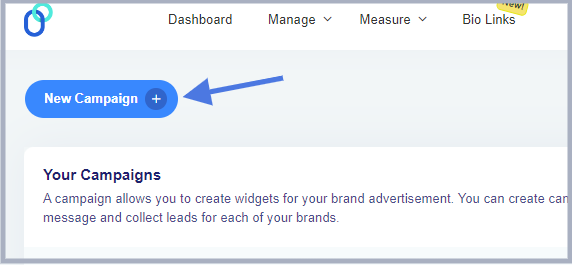
    Brands use social media platforms like Facebook, Instagram, or YouTube to reconnect with potential clients who have shown some interest in their products in the recent past.

    Retargeting

    The way retargeting works is that it requires a piece of code called “pixel” that needs to be inserted into the website or landing page’s code. Its entire job is to collect data about the website visitors’ behaviors, actions, and preferences.

    The brand/advertising uses the crucial information that pixel collects to reach out to the same audience through a retargeting ad campaign. Most social media platforms guide users on how to find and place the “pixel” code. Since it’s essential to the retargeting process, it must go through smoothly.

    Once the pixel is perfectly added to the website code, it starts to track user actions on the website and helps advertisers retarget those same users on the social media network.

    Keep in mind that the pixel code doesn’t collect any sensitive user data or information. Instead, the sole purpose of the pixel code is to assist social media networks to identify and retarget the user when needed.

    Why is retargeting a must?

    Advertising is a form of paid marketing where brands spend money to put their offer in front of the prospective customer. Now, it’s up to the customer to take action on the offer.

    A lot of variables come into play, such as product quality, pricing, and customer purchasing power – all these factors determine whether or not the customer is willing to buy the product right away.

    On the other hand, retargeting allows you to connect with potential customers even when they don’t make the purchase decision while visiting your site for the first time. Instead, if you have launched a retargeting campaign, then these customers will be reminded to complete their purchase journey later on with retargeting ads without any additional ad costs.

    Retargeting has been a phenomenal sales and marketing tactic for many businesses on the market. One of the reasons why retargeting is so crucial is that it targets customers who have previously shown some interest in the product.

    Therefore, the brands only reach out to the customers who showed interest in the first place.

    This is why retargeting is an essential marketing strategy for online and e-commerce businesses to implement.

    You may also like: 9 ways to multiply your sales with eCommerce retargeting

    How successful is retargeting?

    Retargeting also refers to remarketing in the digital marketing world. It’s been the go-to marketing strategy for hundreds of thousands of businesses around the globe.

    Undoubtedly, retargeting is a quite successful marketing strategy across many industries. The only caveat is that retargeting works well when there is a conversion tracking system is in place. Otherwise, it will be difficult to report the conversion that happened as a result of the campaign.

    Moreover, sharing a short URL can help. It looks cleaner, is easier to manage, and ensures your tracking remains consistent across channels.

    Retargeting works quite well for different types of conversion campaigns, such as PDF downloads, softwares/tools, SAAS sign-up, etc. Success rates increase significantly when marketers utilize a specialized tool for ads designers to create professional and conversion-optimized campaign materials.

    The success of a retargeting campaign relies on the quality of conversion tracking, funnel creation, and performance reporting.

    Key retargeting statistics

    Here are some of the noteworthy retargeting statistics that everyone should know:

    • Around 97% of the website visitors never return to the website once they leave. This is why retargeting immediately became a popular choice for advertisers. This retargeting statistic was revealed by Mailchimp.
    • Retargeting campaigns perform 10x better than regular display ad campaigns. The fundamental reason behind the success of retargeting ad campaigns is that they usually target visitors who have already visited the advertiser’s website and showed some interest in the products.
    • Mobile apps that run retargeting ads noticed 20% more revenue than mobile apps that didn’t run retargeting ad campaigns. Mobile apps are a great marketing channel for both advertisers and developers. However, when retargeting campaigns are integrated with mobile app advertising, it works as icing on the cake.
    • Facebook advertising has turned out to be a comprehensive social media ads platform. According to WordStream, Facebook remarketing ad campaigns get 3x more engagement than regular Facebook ad campaigns.
    • Retargeting ads get a 400% increase in engagement rates. It’s no surprise that retargeting ads enjoy more engagement from the audience. The core reason behind the comparatively higher engagement rate is the nature of targeting. Retargeting ad campaigns are specifically tailored toward the audience that has previously shown interest in the product or service.
    • Every 3 out of 4 digital marketers use Facebook and Instagram retargeting ads. No wonder retargeting has become the go-to marketing strategy for advertisers around the globe.
    • First-time website visitors convert only 4% of the time. Almost 48% of the e-commerce transactions come from returning visitors. Retargeting turns out to be the most convenient strategy to bring visitors back to the website.
    • Retargeting website visitors is 8x cheaper to reach per click. A digital marketing agency found that running retargeting display ads brought them 180% CTR and a 292% conversion rate.
    • Retargeting is crucial to app development companies. According to Upland, every year, between 20-25% of users abandon apps after a single use. Retaining app users seems like an uphill battle for app developers.

    Types of retargeting

    There are two types of retargeting ad campaigns used by advertisers/brands:

    1. Pixel-based retargeting

    Pixel-based retargeting is the common type of retargeting that involves adding a code snippet called pixel to the website code. The pixel is responsible for tracking website visitors’ information and facilitating advertisers when running targeted ad campaigns.

    All major social media platforms like Facebook, Instagram, YouTube, and TikTok allow remarketing of the audience using pixel-based retargeting.

    2. List-based retargeting

    List-based retargeting is a retargeting method that ensures the advertiser provides a list of the prospective audience to reach out to through an ad. The list could be the list of website visitors, email subscribers, LinkedIn contacts, or existing customers.

    The list makes it easier to target the list of prospects that might be interested in the offer and helps assist the advertiser to get one step closer to the prospective audience.

    Both these retargeting ad campaign types are crucial to setting up a successful retargeting ad campaign. However, the advertiser needs to choose the most suitable retargeting ad type to get the best results.

    6 methods of retargeting

    Let’s take a look at some of the popular retargeting campaigns:

    1. Search retargeting

    Search retargeting is a type of retargeting ad campaign that focuses on search. Usually, advertisers use Google ads (Adwords) for running search retargeting campaigns.
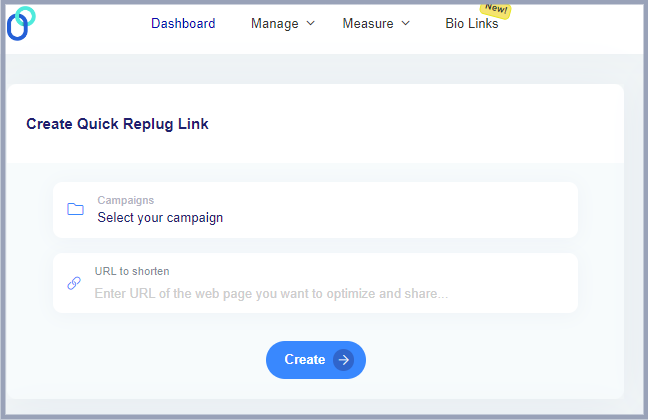
    The way it works is that the advertisers can run search retargeting campaigns in a couple of ways: they can target by bidding on the new keywords and display ads to the users on their remarketing list.

    On the other hand, the advertisers can increase their CPC budget to display ads just to the remarketing list. It makes their search retargeting campaign laser-focused on on the select number of website visitors that have shown interest in the past.

    Related: Google Ads Retargeting: The ultimate guide for 2026

    2. Email retargeting

    Email retargeting is a method of retargeting customers who have visited your website and checked out your products or services but haven’t taken any further action.

    It involves creating personalized email marketing campaigns targeting prospects or subscribers who have shown some interest in your products but didn’t go through the purchase process.

    Most e-commerce stores use email retargeting to re-engage their customers or prospects. They send out emails about abandoned carts or products added to the wishlist, offering discounts or simply reminding the customers to complete the purchase.

    3. Social media retargeting

    Social media retargeting allows advertisers to reach out to the audience that has shown signs of interest in the products or services but hasn’t taken any action.

    However, this method of retargeting involves targeting the audience through social media ads. Usually, social media retargeting requires the “pixel” code provided by the social media platform, and it goes into the website or landing page code.

    Once enough data is collected, the users can start retargeting the audience on social media platforms.

    Social media retargeting is one of the most common methods to run remarketing campaigns. All major social media platforms, such as Facebook, LinkedIn, YouTube, Instagram, and TikTok allow advertisers to run retargeting campaigns.

    4. Display retargeting

    Display retargeting is a follow-up display ad campaign that is intended to remarket the audience that has already seen the previous ad or campaign.

    The purpose of display retargeting is to strengthen the prospect and brand relationship and reemphasize the brand values to improve brand loyalty.

    It’s also known as display remarketing. One of the major aspects of display remarketing is to rejuvenate the connection with the prospects and push them down the funnel.

    5. Dynamic retargeting

    Dynamic retargeting is a type of retargeting that allows advertisers to create ads based on the products or services the visitors have shown interest in or interacted with during their previous visits to their websites.

    Make sure that your Google Tag is properly set up for running a dynamic remarketing campaign. Moreover, the Google Merchant Center’s product ID format and the Google Tag settings should be compatible for seamless integration.

    6. Ad click retargeting

    Ad click retargeting is a remarketing ad campaign that targets the audience that has previously clicked on the advertiser’s ads.

    The goal of an ad click retargeting campaign is to reinforce the message to the audience that has shown interest in the ad and to bring them back into the loop.

    These are some of the methods of retargeting used by advertisers or brands across the globe.

    When to run retargeting campaigns?

    Retargeting is an essential marketing strategy that every online business must try at some point. However, a lot of business owners aren’t sure when to implement a remarketing tactic in their digital marketing campaigns. Here are the scenarios when you should go for retargeting campaigns:

    Website getting some traction:

    Advertisers can start retargeting once their website attracts a steady flow of visitors. There is no minimum visitor requirement, but the site should be getting between 100 to 200 visitors across different traffic sources. It’s a sign that the site is engaging enough to bring in traffic, providing a sufficient audience for retargeting efforts.

    Introducing new collection:

    Brands or business owners can use retargeting to re-engage past visitors with ads showcasing their new product collection. By targeting users who have previously shown interest in their brand, they can pique their curiosity and encourage them to explore new products.

    Promoting best-sellers:

    Reaching out to existing customers and offering the best-selling items with retargeting ads is a fantastic move. Highlighting popular products can drive repeat purchases and leverage items with proven demand.

    Clearing inventory:

    Retarget visitors who showed interest in products you’re looking to clear. Retargeting ads are an excellent way to move inventory and create space for new arrivals. Ads offering special discounts or limited-time offers can incentivize visitors to take action.

    Building brand awareness:

    Advertisements aren’t always about selling products immediately. Employ retargeting ads to keep the brand top-of-mind for visitors who didn’t convert initially. Consistent exposure through well-crafted ads helps build familiarity and trust with your audience. It will lead to higher conversion when the potential customers already know the brand.

    6 major benefits of retargeting ads

    Take a look at some of the benefits of retargeting ads:

    1. Enhanced brand awareness

    Retargeting ads keep your brand in front of potential customers, reinforcing brand awareness and increasing the chances they will remember your brand when ready to make a purchase.

    2. Improved conversion rates

    By targeting users who have already shown interest in your products, retargeting ads have a higher likelihood of converting these warm leads into customers compared to standard ads.

    3.Cost-effective advertising

    Retargeting ads often yield a better return on investment because they focus on an audience that has already interacted with your brand, reducing the cost per acquisition.

    4.Personalized marketing

    Retargeting allows for customized ad content based on user’s previous interactions with your site, enhancing relevance and engagement by catering to their specific interests.

    5. Increased customer retention

    Engaging past customers with retargeting ads encourages repeat purchases, fostering customer loyalty and boosting lifetime value.

    6. Better ad relevance

    Since retargeting ads are shown to users who have already expressed interest in your products, these ads are inherently more relevant, leading to better user experience and higher click-through rates.

    3 best retargeting ad examples

    Let’s take a look at some of the best retargeting ad examples:

    1. Fanatics

    Fanatics is a licensed sportswear manufacturer for several American sports leagues. They use multiple digital marketing channels and advertising platforms. Take a look at one of their retargeting ads:

    One of the things that stand out in their ad is that they’re trying to focus on the audience that might be interested in the sportswear or have some interest in that area. Adding a flavor of personalization takes the whole recipe to the next level. It’s one of the best retargeting ad examples.

    2. Spotify

    Spotify is a popular music streaming service that has been on the roll when it comes to running social media ads across different platforms. Check out this ad:

    The above-mentioned Spotify ad showcases how important it is to run a retargeting ad to push the audience to level up and upgrade their plan. However, it’s worth noticing that Spotify offers a discount on the upgrade, which turns out to be the selling point of the campaign.

    3. Apple

    Apple is the most popular tech company worth more than $2 trillion. The tech giant has already taken the world by storm. Take a look at one of their social media ads:

    Apple understands how crucial seasonal offers can be for sales and marketing. They try to capitalize on Mother’s day by offering a special delivery offer on the Apple Watch. The point here is that they’re trying to reach out to the existing customers who have trust and loyalty and that’s what makes this retargeting ad special.

    Related:

    Retargeting use cases

    Retargeting ads have been around for years, and more and more brands are taking advantage of such ad campaigns. Our selected use cases show why it’s important to pay close attention to remarketing to the audience that has shown some interest in the seller’s products.

    Let’s dive into different retargeting use cases that further glorify the impact and effectiveness of a retargeting campaign.

    Social media marketing & retargeting pixels

    • It helps in establishing and implementing the laser-focused goal of the advertiser. The brand or advertiser starts a retargeting campaign with clarity in mind.
    • It makes targeting a specific audience easier than ever. The audience that has previously shown interest in your products can be reached with the power of a link retargeting tool.
    • Retargeting pixels are available across all social media platforms, such as Facebook, Quora, Instagram, TikTok, Twitter, and YouTube.

    Email marketing & retargeting pixels

    • Retargeting newsletter audience allows brands, individuals, and agencies to target the subscribers who have opened the email and clicked the CTA. Sometimes, it’s useful to analyze the conversion rate after sending out the email. It’s also important to know that everyone who clicks the CTA won’t be buying the product.
    • The email marketing experts use advanced features available in many email marketing softwares that create segments of the audience. It gets easier to target the specific group of subscribers who haven’t taken a specific action, for instance, not opened the last five emails, etc.

    E-commerce marketing & retargeting pixels

    • E-commerce businesses want to improve their conversion rate so using retargeting pixels helps them target the audience that checked out the product on the website but didn’t end up buying it. So, brands easily target them via retargeting ads.
    • Retargeting helps e-commerce businesses identify the customers who have added the products to the wishlist or added to the cart but didn’t go through the transaction. So, one of the benefits of retargeting is to identify and reach out to those customers through retargeting ads.
    • Targeting prospective audiences across multiple social and search platforms is yet another benefit of retargeting. The e-commerce store can retarget the audience on Facebook, Instagram, Quora, etc.

    Blogging & retargeting pixels

    • Bloggers can use retargeting in different ways. However, the purpose of retargeting remains the same. Bloggers often promote offers and run social media ads. They can retarget the readers who have visited their blog through social media retargeting ads and see how it works out.
    • Bloggers have sales pages for their own products or affiliate products, so they can specifically retarget the audience who have visited those sales pages, making it easier to manage the campaign.
    • Retargeting pixels can come in handy when bloggers are running lead-generation campaigns. They can retarget the audience that visited their blogs but never converted. Therefore, they can use Google ads or social media ads to bring those visitors back for push them down the funnel.

    How to make retargeting effective

    An effective retargeting campaign requires the following credentials:

    1. Deep understanding of the audience

    Start with figuring out your marketing goals, ambitions, and targets. It will help you understand the right target audience you want to reach out to. It’s necessary to have a crystal clear picture of the target audience before you start setting out a marketing and engagement journey.

    2. Precise targeting when remarketing

    Precise targeting means hitting the bullseye when trying to connect with the audience through ads. Remarketing is all about re-engaging the audience that has interacted with your website or content before. Therefore, the targeting needs to be accurate to reach out to the audience that has the potential to convert into paying customers.

    3. Ensure efficient conversion tracking

    Conversion tracking is crucial to any marketing campaign. Marketers should ensure that they have an efficient conversion tracking and reporting system in place to record the outcome of the remarketing campaign.

    4. Analyze campaign performance

    Every marketing campaign is analyzed at some point to see the ROI of the campaign. One of the aspects of an effective retargeting campaign is to make sure that the advertiser knows how to analyze the campaign performance and should be able to present the campaign performance report.

    5 do’s & don’ts of retargeting

    Let’s take a look:

    DO’s of RetargetingDON’Ts of Retargeting

    Segment your audience: Use data to segment your audience based on behavior, such as page visits, time spent on site, or items added to the cart. This allows for more personalized and effective retargeting campaigns.

    Overwhelm users with ads: Avoid bombarding your audience with too many ads, as this can lead to ad fatigue and negative brand perception. Overexposure can drive potential customers away instead of attracting them.

    Set frequency caps: Limit the number of times your retargeting ads are shown to each user to avoid ad fatigue and annoyance. Optimal frequency ensures your brand stays top-of-mind without becoming intrusive.

    Ignore user privacy: Don’t disregard privacy regulations such as GDPR or CCPA. Ensure compliance by obtaining proper user consent for tracking and communicating how their data will be used.

    Create compelling ad copy: Design ads with clear, compelling messages and strong calls to action. Use eye-catching visuals and offers that resonate with the interests and behaviors of your segmented audiences.

    Use the same ad for everyone: Don’t create a one-size-fits-all ad campaign. Personalization is key; different users have different needs and interests, and your ads should reflect those differences.

    Utilize dynamic retargeting: Implement dynamic retargeting to show personalized ads that display products or services users have previously viewed, increasing the likelihood of conversion by showcasing relevant items.

    Forget to exclude converted users: Always make sure that users who have already converted (e.g., made a purchase) are excluded from your retargeting campaigns. Continuously targeting these users is a waste of resources and can be annoying to them.

    Monitor and optimize campaigns: Continuously track the performance of your retargeting campaigns. Use analytics to understand what works and make necessary adjustments to improve ROI, such as changing ad creatives or adjusting bid strategies.

    Rely solely on retargeting: Don’t rely exclusively on retargeting for your marketing strategy. It should complement broader marketing efforts, including brand awareness and lead generation campaigns, to drive overall growth and success.

    Read more: 7 retargeting best practices every marketer should follow

    How to fit retargeting into your marketing strategy?

    Retargeting plays a vital role in modern-day marketing strategies for brands, agencies, and online retailers. Retargeting is an advertising campaign, but it’s tailored toward the audience that has visited the website or interacted with the brand before.

    Running regular social media or search ad campaigns is half the equation – the rest is done by retargeting. The reason behind this claim is that it’s difficult for prospects to trust a brand or product they see for the first time through an ad.

    By the time they come across a retargeting ad, they have already heard or seen the brand. So, there is a little bit of brand awareness has already been established, which helps businesses convert the prospect into paying customers.

    Therefore, retargeting is crucial to running a successful marketing campaign for any online retailer, e-commerce store, SAAS company, indie app, and web-based tool.

    FAQs about retargeting

    Here are the commonly asked questions about retargeting:

    What is a retargeting strategy?

    A retargeting strategy is a plan of action that involves a marketing strategy of re-engaging the audience that has shown some interest in your product or service but hasn’t taken any further action.

    What is the difference between remarketing and retargeting?

    Both are used interchangeably, but some experts believe that there is a minor difference. Retargeting is a process of targeting the audience that hasn’t purchased yet, but whose activities on your site showed interest. However, remarketing is considered re-engaging the existing fans or customers who have purchased before.

    Does retargeting use cookies?

    Retargeting does use cookies. The way retargeting works is that it uses a retargeting pixel that goes into the website code and that allows advertisers to retarget the audience on the respective social media platform.

    Is retargeting an SEO?

    SEO isn’t necessarily a retargeting strategy. SEO is more of an organic traffic strategy, whereas retargeting is purely an advertising tactic.

    What is the difference between targeting and retargeting?

    The difference between targeting and retargeting is that targeting could be eyeing any specific audience or its segment and making a strategic game plan to reach out to that audience. On the other hand, retargeting is particularly a tactic of targeting the audience that has shown some interest in your product or service in the recent past.

    What is cookie-less retargeting?

    Retargeting without cookies is called cookie-less retargeting. It’s data collection of your website visitors without using any third-party tracking pixel and then syncing the collected data directly with an ad platform bypassing the pixel is considered a cookie-less retargeting.

    What is the average CTR for retargeting?

    The CTR of retargeting may vary from brand to brand or campaign to campaign. It’s impossible to quote a click-through rate for retargeting randomly.

    What is the difference between look-a-like and retargeting?

    The difference between a look-a-like and retargeting is that a look-a-like campaign allows the ad platform to find an audience with similar interests to the target audience, whereas in retargeting, the advertiser specifically targets the audience that has visited its website or landing page.

  • 14 Best white label marketing tools for agencies in 2026

    14 Best white label marketing tools for agencies in 2026

    White-label marketing tools cover a wide range of needs, each with its own specialty—whether it’s custom branding, social media management, SEO, or CMS services. 

    That’s why we’ve put together this guide to simplify your selection process. 

    Stick with us as we break down the options and help you find the perfect fit for your needs.

    What is a white-label tool?

    A white-label tool is a pre-built software application or service that can be customized with your own branding elements.

    Here’s a breakdown of the concept:

    The core product: A developer creates a software tool with all the essential features but without any specific branding.

    Customization: You, the business owner, purchase this tool and personalize it with your brand identity. This could include:

    • Adding your logo and color scheme.
    • Modifying the user interface (UI) elements to match your brand style.
    • Customizing the content and messaging within the tool.
    • And much more…

    The final product: You then offer the white-labeled tool to your customers or clients under your own brand name. This way they got a branded experience as if the tool was built specifically by your company.

    Related: All about white label & why it can be a game changer for you!

    How does white-labeling work in business?

    How white labeling works

    White labeling can be applied to various aspects of a business. Some of the common include the following:

    CategoryDescription
    SoftwareSoftware companies can white-label software applications and resell them as their own. This allows them to offer branded solutions without the cost and time investment of developing software from scratch.
    Marketing toolsMarketing and other types of agencies can white-label email marketing platforms, link management tools, or social media management tools to offer these services to their clients under their own brand.
    WebsitesWebsite builders can provide white-label solutions, allowing clients to create custom websites without any branding from the builder.

    14 best SAAS white-label tools for agencies

    1. Replug – White-label link management tool

    At the top of our list is Replug, an all-in-one link management tool packed with advanced branding features. With Replug’s white-labeling, you can customize everything to match your brand—from logos and favicons to titles, meta images, descriptions, agency names, domains, branded reports, and emails.

    Replug - Custom branding tool

    Replug makes it easy to generate optimized short URLs and unique slugs that represent your brand perfectly. You can also track click-through and conversion rates to see how well your links are performing.

    Need to shorten a lot of links at once? No problem—Replug lets you import files for bulk link shortening. Plus, you can turn visitors into customers by adding retargeting pixels to your links or creating branded microsites for your clients using the bio link feature.

    White-label

    Safety is a top priority for Replug. The platform scans and checks links in real time, blocks malicious URLs and uses phishing detection algorithms to keep everything secure. The best part? Replug offers affordable and scalable pricing, so it can grow with your brand or agency’s needs.

    Here’s what you get with the Replug white-label solution:

    • URL shortening 
    • White-label dashboards
    • Link rotator
    • QR codes
    • SMS links
    • Custom CTA’s
    • Deep links 
    • Bio-links
    • Link analytics
    • Retargeting pixels

    Pricing of Replug

    Replug’s pricing is both affordable and flexible, allowing you to scale your plan as your brand or agency grows. The white-label pricing plans start at $79 per month (with a free trial) and include a host of advanced features. 

    Replug Branded Short Links CTA
    Maximize marketing ROI
    by transforming ordinary URLs into
    branded short links that convert.
    Try Replug for free

    2. Short.io – White-label domain

    Short.io is a user-friendly tool that helps you create branded short links, making long URLs shorter and easier to share. It’s perfect for social media, emails, and text messages.

    While it doesn’t offer a white-label dashboard like Replug, you can still white-label your links with your custom domain. Additionally, you can track clicks and user behavior on your links, providing valuable insights for your marketing campaigns and website optimization efforts.

    Pricing of ShortIo

    Regarding its pricing, there’s no specific mention of white-label links, although the platform does reference this on the homepage. Most of the tool’s advanced features are included in the enterprise plan, which costs $148 per month.

    3. ContentStudio – White-label social media software

    ContentStudio is your go-to solution for managing social media effectively. It helps you discover trending topics and curate engaging content to keep your audience glued.

    ContentStudio- Social media white label tool

    Besides that measure metrics such as total engagement, audience growth, top-performing posts, and many more.

    One of its standout features is the ability to white-label files or reports. This white-labeling feature is beneficial because it allows you to present your content as if it were created entirely by your own team, strengthening brand recognition and creating a smooth user experience.

    These white-label reports are like tailor-made suits, perfectly fitting the needs and preferences of every client.

    Other popular features:

    • Content planning
    • Content curation
    • Influencer search
    • Content discovery
    • AI caption generator
    • Content automation
    • RSS feed reader
    • Content calendar

    Pricing of ContentStudio

    The tool offers three different pricing plans. The mid-tier plan starts at $49 per month and includes white-label reports along with many other advanced features.

    Related: How to Measure Social Media Engagement: 12 Crucial Metrics

    4. SE Ranking – White-label SEO tool

    SE Ranking offers a self-hosted, white-label, cloud-based tool, along with a customized, performance-based invoicing platform that easily integrates into your service offerings.

    SE Ranking - SEO tool

    With SE Ranking, you can automate reporting, create comprehensive marketing plans, check keyword rankings, monitor backlinks, and much more. The platform is user-friendly and serves as your ultimate support for excelling in search engine results pages (SERPs).

    The white-label services allow you to make the platform uniquely yours by configuring your personalized domain name and removing any references to SE Ranking. Impress your clients with professional, branded SEO reports that can be automatically sent from your corporate email or manually dispatched as needed.

    Pricing of SE Ranking

    The platform currently offers three pricing plans, with white-label services available starting from the Pro plan at $109.00 per month.

    You may also like: How to create an SEO-friendly URL: Ultimate tips

    5. HubSpot – White-label email marketing software

    Say goodbye to generic email marketing campaigns and hello to personalized, engaging content that drives results. HubSpot marketing automation platform puts the power of automation and analytics at your fingertips, allowing you to deliver the right message to the right person at the right time.

    Hubspot

    The platform allows you to fully white-label their product, replacing their branding with your own or your client’s logo across the platform, including the interface, email campaigns, notifications, and reports.

    With automated white-label email campaigns featuring personalized messaging, you can guide prospects toward conversion, nurturing them through the purchasing process until they’re ready to buy. This is particularly advantageous for B2B businesses with extended sales cycles.

    Pricing of Hubspot

    Starts from $45/user/month if billed annually for small to medium-sized businesses. 

    Related: How to track emails using UTM parameters?

    6. DashThis- White-label project management software

    DashThis is a marketing reporting tool designed to simplify creating data visualizations and reports. It excels at combining data from various sources like SEO, social media, and analytics platforms into a single, informative dashboard.

    The white-label feature allows you to remove all references to DashThis and customize your analytics dashboards to reflect your own branding effortlessly. Additionally, you can start with preset report templates that include all the essential KPIs.

    Pricing of DashThis

    Dash offers up to four pricing plans, starting at just $149/month for the complete white-label dashboard. You can upgrade your plan as needed.

    You may also like: A Complete Guide to Building a Brand Marketing Strategy

    7. Domo – White-label reporting tool

    Domo’s advanced analytics and visualization capabilities give you the tools you need to uncover insights, spot trends, and make smarter decisions.

    Domo

    Besides that domo ensures your client’s data remains secure within their environment while still allowing for comprehensive analysis. With its white label, you can completely customize the look and feel of the analytics reports platform to match your brand.

    Pricing of Domo

    To obtain pricing information, please contact the platform’s sales team.

    8. WordPress – White-label CMS Tool

    WordPress offers a white-label option ideal for agencies and web developers who build websites for clients. Building a professional website doesn’t have to be complicated. With WordPress, you can create a stunning online presence that reflects your brand identity and engages your audience.

    Remove all WordPress branding from the admin panel and public-facing website. This make sure your client’s brand takes center stage, fostering a professional image.

    Pricing of WordPress

    The platform offers various pricing plans and provides custom quotes for large enterprises. For more details, we recommend visiting the website.

    You may also like: How to Create Highly Shareable Content?

    9. Drupal – White-label CMS Tool

    Need a CMS service that can handle complex websites and digital experiences? Look no further than Drupal. Drupal is a free and open-source content management system (CMS) used by millions to build and manage websites.

    Drupal- White label CMS

    It allows users to personalize their profiles with their logo and preferred color scheme. It then automatically adds a white-label token to all outgoing URLs, ensuring email links and other links direct recipients to the user’s custom-branded website.

    Pricing of Drupal

    The basic Drupal modules are free, but there are no pricing details on the Drupal website. We recommend contacting the customer support team for specific information about your needs.

    You may also like: Online Branding: The Roadmap to Stand Out and Succeed Online

    10. Asana – White-label project management software

    Create dedicated workspaces for each client, allowing you to organize projects, tasks, and communication under a specific client brand. While full white labeling isn’t available, you can utilize custom fields and integrations to incorporate your agency’s branding within the Asana interface. Or provide clients with a streamlined view of their projects without exposing them to the full Asana platform. This can be achieved through custom integrations or dedicated dashboards.

    Pricing of Asana

    The platform offers pricing plans for individuals, small teams, and large teams. Custom branding features are available starting from the advanced pricing plan at $24.99.

    Related: Abandoned Cart Email Examples & Tips That Actually Convert

    11. Invoice Ninja- White-label payment platform

    Invoice Ninja is a free invoicing and expense management software ideal for freelancers and small businesses.  It simplifies sending professional invoices, tracking time and projects, and managing client communication.  With its user-friendly interface, you can create branded invoices, accept online payments, and automate recurring bills.  

     Plus, for a professional touch, Invoice Ninja offers a white-label option that removes their branding, allowing you to completely customize the software with your own logo and colors.

    Pricing of Invoice Ninja

    Invoice Ninja doesn’t list the white-label pricing on their main pricing page, but the enterprise plan allows you to remove platform branding for $16 per month.

    12. DashClicks – CRM

    Scale your business and automate your marketing efforts with DashClicks. Its white-label CRM and marketing automation solutions help you to manage leads, strengthen relationships, and track ROI – all from one intuitive platform.

    Pricing of DashClicks 

    There are no such details mentioned about pricing on the website.

    You may also like: Replug click analytics: Turn clicks into conversions

    13. Simvoly – Website building tool

    Create stunning websites and online stores without writing a single line of code with Simvoly. Its drag-and-drop builder and white-label options make it easy to bring your vision to life and showcase your brand to the world. 

    Whether you’re a freelancer, agency, or entrepreneur, Simvoly gives you the tools you need to succeed online.

    Pricing of Simvoly 

    Starts from $59/month and goes up to $199/month

    14. BlockSurvey – White-label survey tool

    BlockSurvey is a privacy-focused survey tool that offers full white-label capabilities, making it ideal for businesses and agencies that prioritize data security. BlockSurvey ensures that your surveys are completely anonymous and encrypted, providing an additional layer of trust for your clients.

    Pricing of BlockSurvey

    BlockSurvey’s pricing is flexible, with a white-label option available with a team plan starting at $55 per month. It’s an affordable solution for agencies looking to provide branded, secure surveys to their clients without sacrificing data privacy.

    10 Things to look for in your white label tool 

    Replug Branded Short Links CTA
    A complete link management solution
    for marketing professionals & agencies.
    Try Replug for free

    When choosing a SaaS white-label tool, it’s important to consider some of the following factors:

    1. Branding

    Can you easily add your logo, color scheme, and fonts throughout the tool? Does it allow customization of login screens, email templates, and other branding elements?

    2. Custom functionalities 

    Does the tool offer the level of control you need to tailor features and functionalities specific to your client’s needs? Can you disable unused features or create custom user roles?

    3. Existing systems

    Does the white-label tool integrate with your existing CRM, marketing automation platform, or other software you use?

    4. Data security

    How does the white-label provider ensure the security of your client data? Look for features like data encryption, access controls, and compliance with relevant security standards.

    5. Uptime and reliability

    Is the white-label tool hosted on a reliable platform with a high uptime guarantee? Ensure minimal downtime to avoid disruptions for your clients.

    6. Scalability

    Can the tool handle your growing client base and data volume? Choose a solution that scales with your business needs.

    7. Support

    Does the white-label provider offer adequate technical support to address any issues you or your clients encounter? Consider the availability and response times of their support team.

    8. Pricing

    Review the pricing structure of the white-label tool. Does it offer a model that aligns with your budget and client pricing strategies (e.g., per-user, tiered pricing)?

    9. Ease of use

    Is the white-labeled tool user-friendly for both you and your clients? Look for intuitive interfaces and available training resources.

    10. Free trial or demo

    Many white-label tool providers offer free trials or demos. Take advantage of these to assess the tool’s functionality and user experience before committing.

    By carefully considering these factors, you can select a white-label SaaS tool that empowers your business to offer exceptional branded solutions to your clients while streamlining your operations and ensuring a positive user experience.

    Related: Top 29 personal branding tools to upscale your marketing efforts

    Conclusion

    Remember, the ideal white-label tool allows you to deliver exceptional branded solutions to clients, streamline operations, and ensure a positive user experience. By carefully considering the factors outlined in this guide, you can make an informed decision that propels your agency’s success.

    FAQs on White-label tools

    I’m concerned about data security with white-label tools. What should I look for?

    Data security is crucial. When choosing a white-label tool, ensure they offer features like data encryption, access controls, and compliance with relevant security standards. Don’t hesitate to inquire about their data security protocols to ensure your clients’ information remains protected.

    What are some popular white-label marketing tools for social media management?

    The guide highlights two excellent options: PromoRepublic and ContentStudio. Both offer advanced collaboration features and customizable white-labeling, allowing you to seamlessly manage social media for your clients under your own brand.

    Can I use white-label tools for email marketing as well?

    Absolutely! The guide explores two popular choices – HubSpot and Brevo. While HubSpot offers full white-labeling, Brevo focuses on user-friendly campaign creation and tracking with white-labeling capabilities. Consider your specific needs and budget when choosing an email marketing tool.