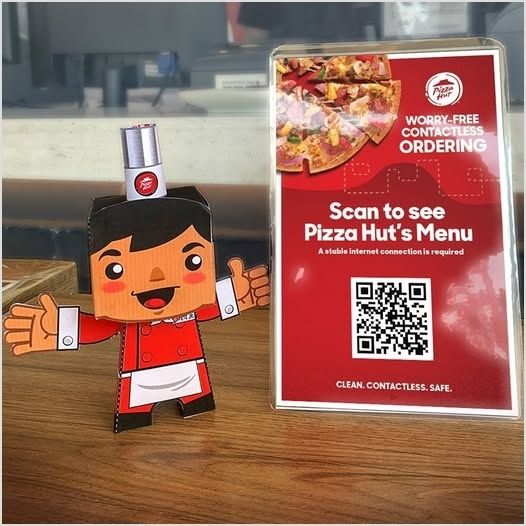
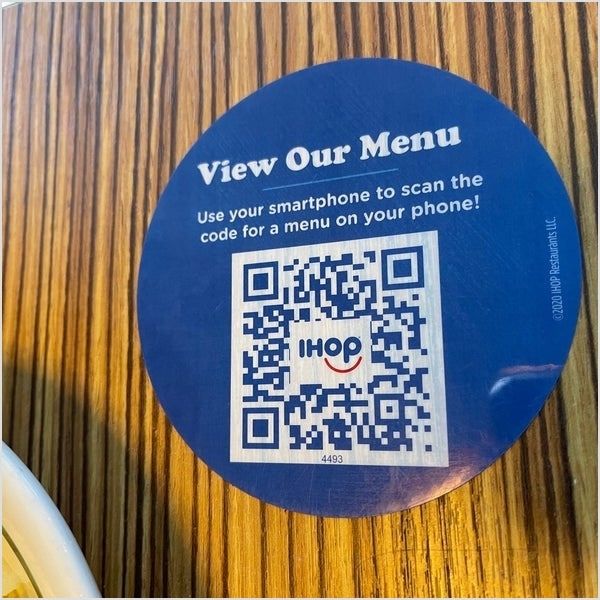
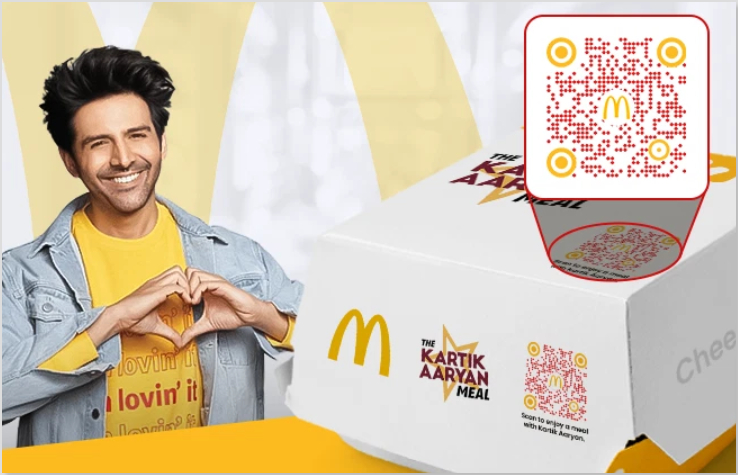
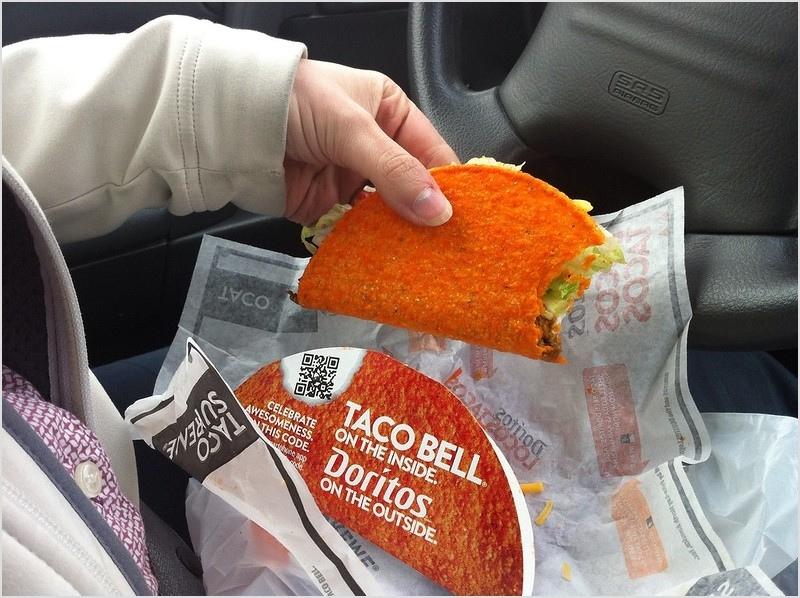
Have you ever wondered what sets certain web addresses apart from the rest? Why do some URLs feel tailor-made to cater to your interests and preferences?
The answer lies within the domain of unique URLs. Unlike their conventional counterparts, these special links possess the ability to deliver customized experiences, guiding users to content that resonates with them on a deeper level.
Follow along as we uncover the secrets behind creating and utilizing unique URLs and discover how they can uplift your online journey.
Get ready to unlock the potential of unique URLs and enhance your digital impact.
What are unique URLs?
Unique URLs are special web addresses that are customized and tailored to individual users or specific purposes. They go beyond the standard URLs you see on the web and add a personal touch.
These unique addresses can include elements like user identifiers, preferences, or customized URL parameters.
The primary purpose of unique URLs is to enhance user experiences and provide personalized content. They allow businesses to deliver targeted information, track user behavior, and measure the effectiveness of their marketing efforts.
With unique URLs, website owners can create customized landing pages and provide a more personalized, engaging experience for their visitors. To plan those landing pages effectively, tools like Slickplan help map out site structure, sitemaps, and content flows before building.
How to create unique URLs using Replug?
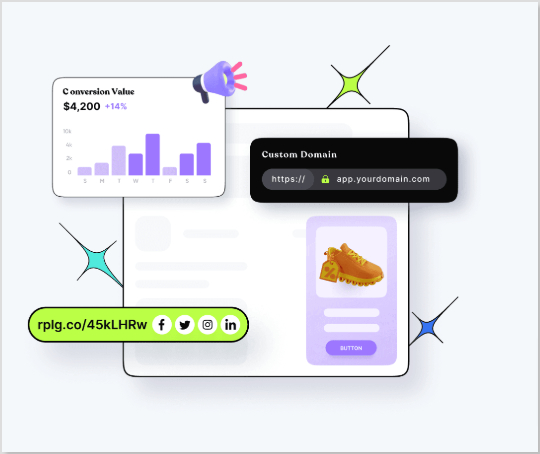
When it comes to creating unique URLs, Replug.io offers a comprehensive suite of features that empowers businesses to take control of their online presence and deliver personalized experiences.
What does Replug do?
With Replug, you can add a call-to-action (CTA) to any link you share with your audience and drive traffic back to your site. You can collect leads by adding your own branded CTA to any page on the web.
Replug also provides analytics and insights, allowing you to track visits and conversions from the links you have shared.
A complete link management solution
for marketing professionals & agencies.
Try Replug for free
Precisely, it is an efficient link shortener and a remarkable link-tracking platform that helps you build brand recognition and allows you to add eye-catching, branded call-to-actions or retargeting pixels to any page on the web.
Additionally, Replug offers bio links that let you drive more traffic to your landing pages through platforms like Instagram and Twitter.
Here’s how to get a unique URL with Replug
Let’s explore how Replug simplifies creating unique URLs and releases their potential for your digital strategy.
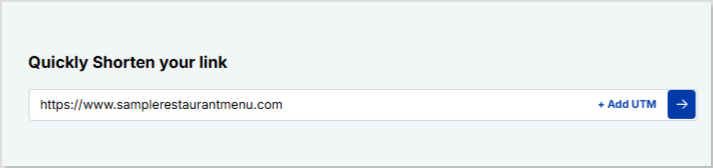
Step 2: On the main home page, locate the “Quickly Shorten your link” bar in the top-left corner. Paste the URL you want to uniquely shorten, here.
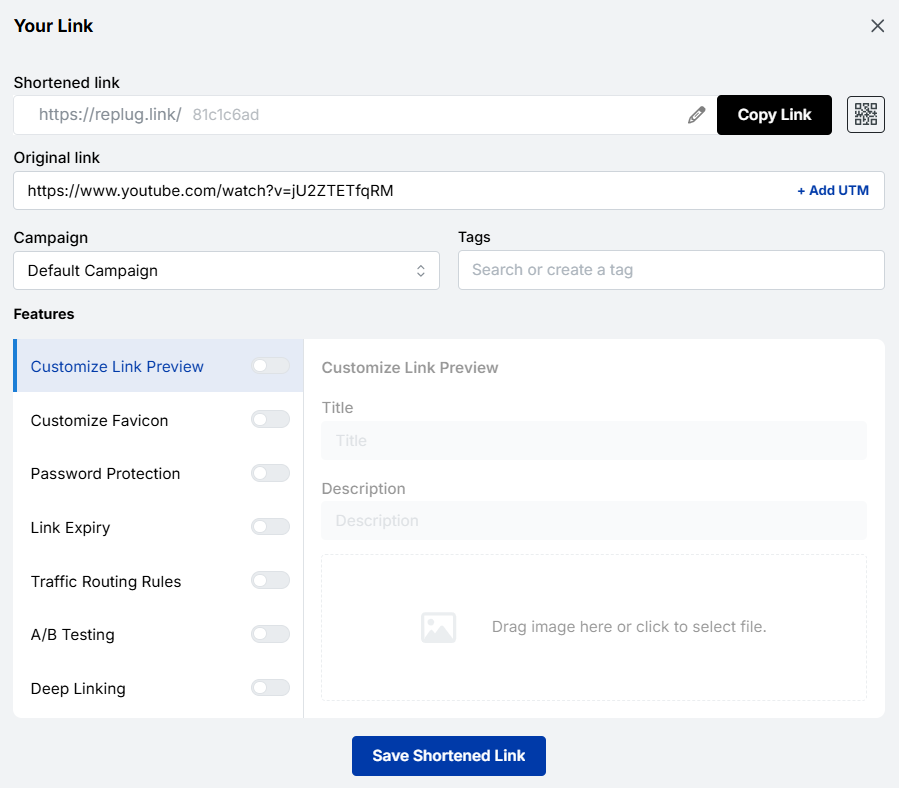
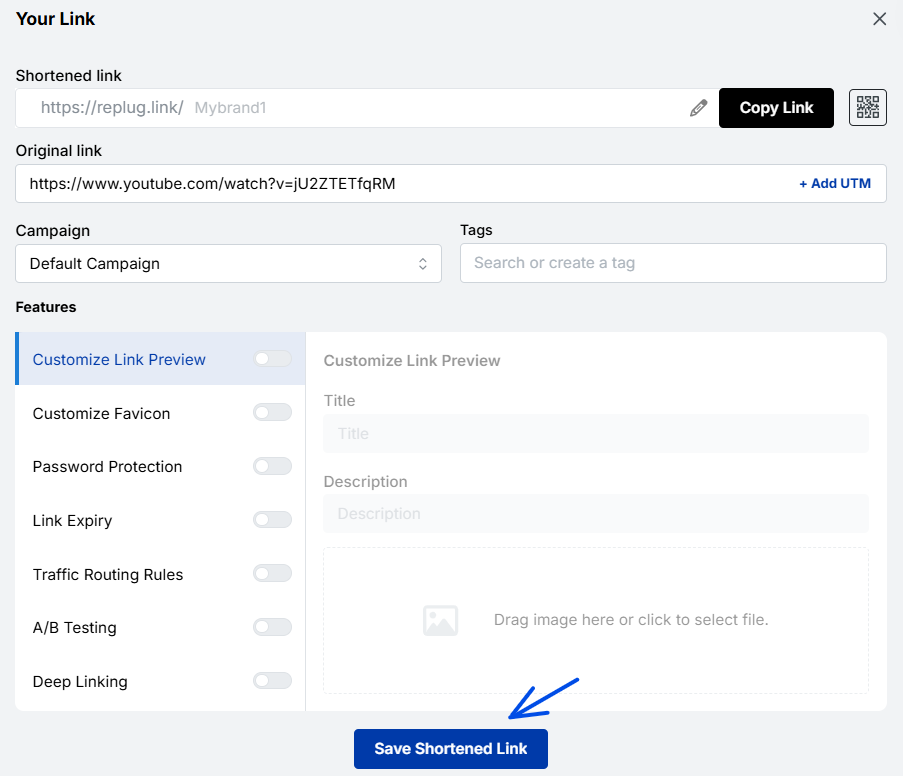
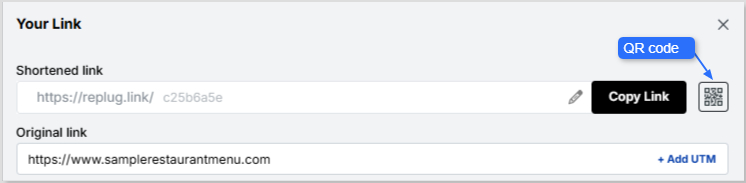
Step 3: Press Enter. The following screen will appear.
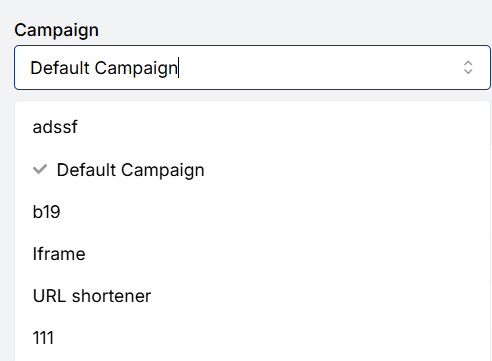
Here, you’ll spot the “Campaign” option. Go with the default campaign, or choose one from your existing campaigns in the dropdown menu.
Note: Creating a campaign takes only a few seconds. It can be the name of your project, allowing you to navigate it easily. For instance, if you’re creating a unique URL, your campaign can be titled “unique URL”.
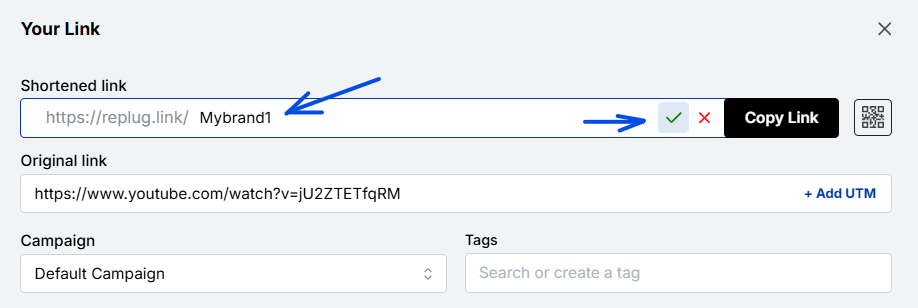
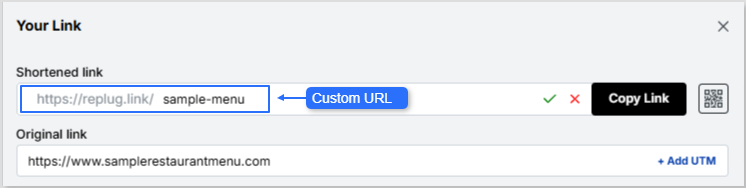
Step 4: After that, customize your URL slug to make it unique. Once done, click the check mark to save the customization.
Step 6: Once done, click the “Save Shortened Link” button.
And you’re done!
Actionable link data: Replug’s analytics at your service
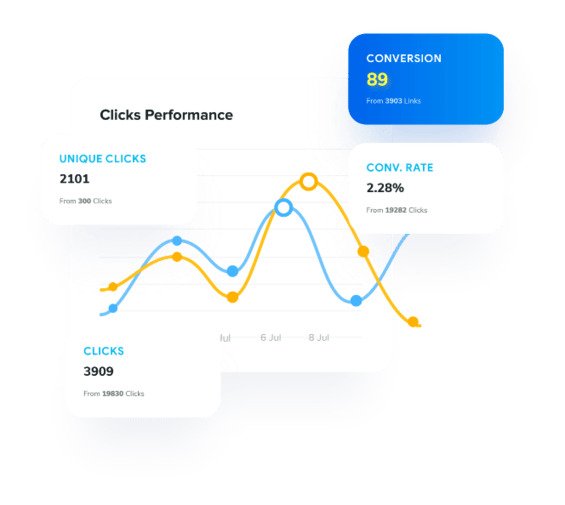
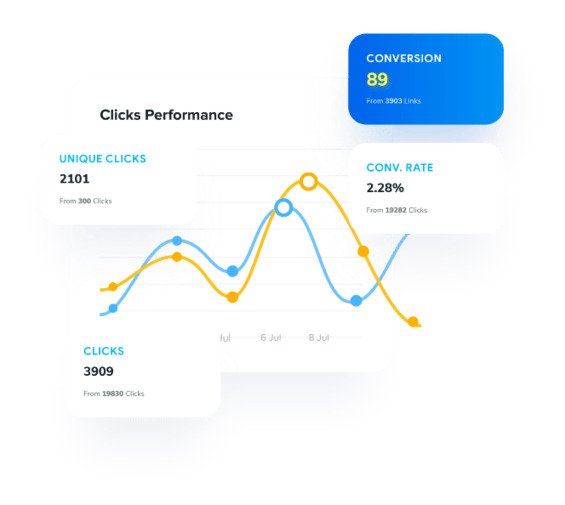
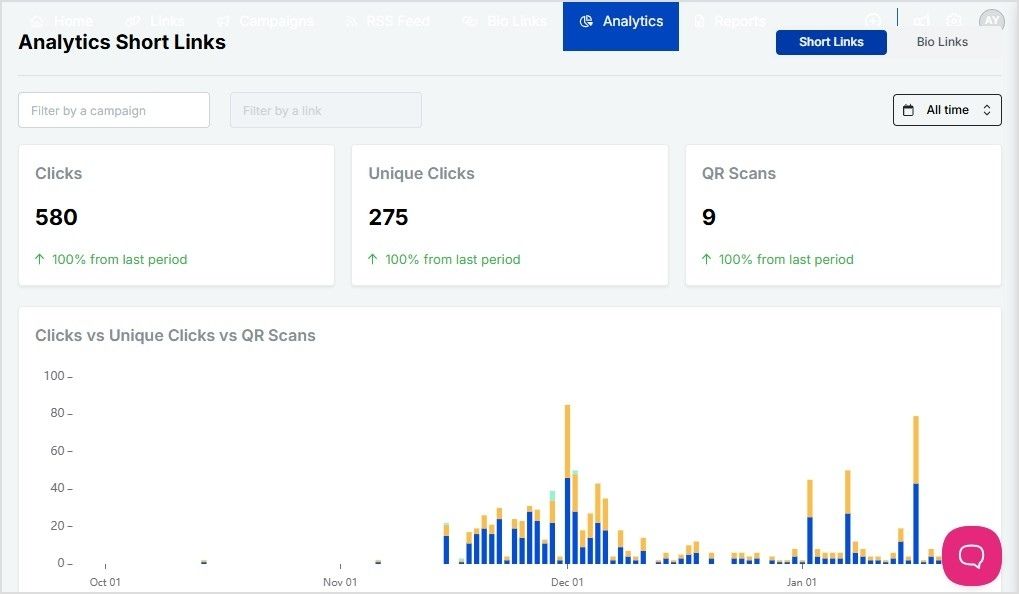
Replug not only provides powerful URL management capabilities but also offers rich analytics for each of your links. With Replug’s analytics feature, you can gain valuable insights into the performance and impact of your links, empowering you to make data-driven decisions and optimize your online strategies.
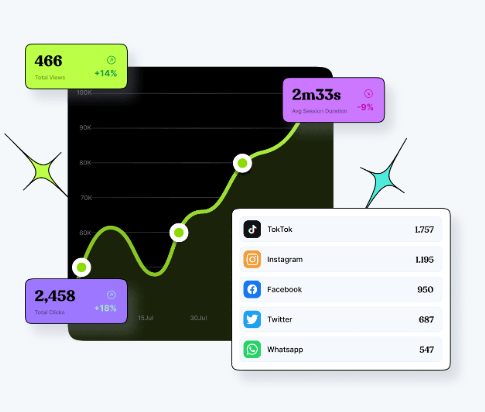
By using this amazing feature, you can track key metrics such as click counts, traffic sources, and your audience’s geographic distribution. You can also dive deeper into user behavior by analyzing details like click times, devices used, and referring websites.
Additionally, Replug lets you set up conversion tracking to measure the effectiveness of your campaigns and accurately assess the return on your marketing efforts.
Other methods to generate unique URLs
If you need to create distinct, trackable, or personalized URLs (rather than the same generic link everyone gets), there are some additional simple methods you can use.
These help with tracking, engagement, and giving users their own “space”, so you know exactly where traffic is coming from and who’s clicking what.
Add campaign parameters
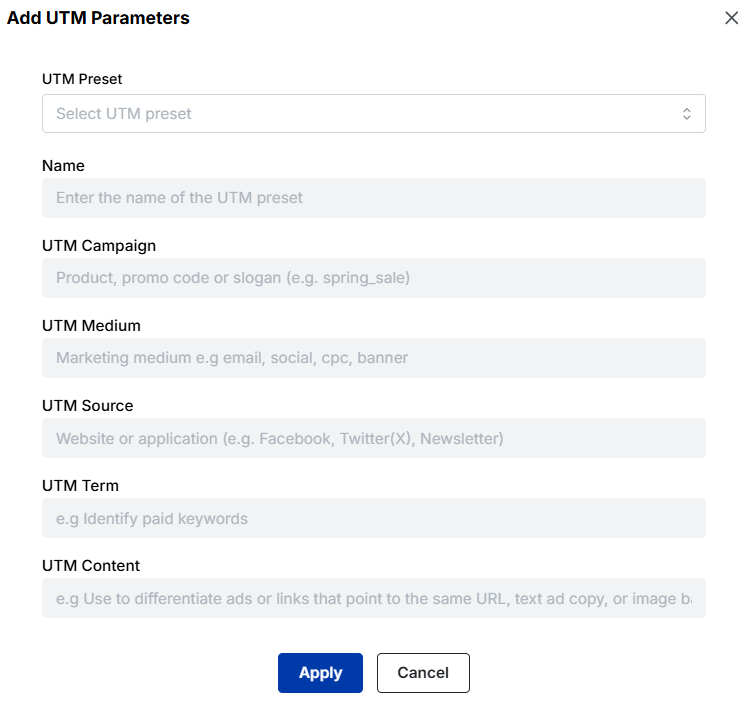
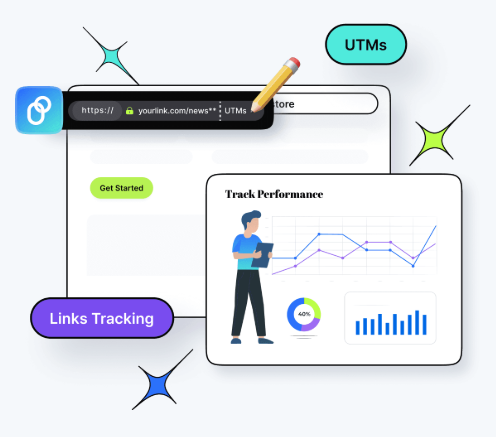
One common way to make URLs unique and trackable is by adding tracking parameters (like UTM parameters) to the URL.
For example, you might append,
“?utm_source=facebook&utm_medium=social&utm_campaign=black_friday_sale” to the base link.
These parameters let you see where your visitors came from and which campaign drove them.
Create personalized user links
Another method is to generate links specific to each user, so that when “User A” clicks their link, it differs from “User B’s”.
These personalized URLs (sometimes called pURLs) can include a user-ID, name, or other unique identifier. They’re great for one-to-one campaigns, tracking individual engagement, or giving users their own landing space.
Generate custom short links
Instead of awkward long URLs, you can create short, branded vanity URLs that are easier to share and remember. These custom short links are not only cleaner visually but also offer analytics so you can track clicks, changes, or destinations.
Customize a user profile URL
Finally, when you have user profiles (on a site or network), you can allow each user to have a unique, customized URL (such as example.com/username) rather than something generic like example.com/profile/12345. This makes the link memorable, improves user experience, and can even help with SEO in some cases.
Unique URLs are special links you create so each recipient, source, or situation leads to a slightly different web address. This small tweak unlocks a lot of value.
Check out the top scenarios for using unique URLs.
Marketing & analytics
You can use unique URLs (for instance, links with tracking codes) to see exactly where your traffic is coming from and how people behave once they land.
Using parameters like “utm_source” or “utm_medium” helps you measure campaign performance in tools like Google Analytics and Usermaven. It also means you can compare which channels or messages are working best, and optimize accordingly.
Branding & sharing
When you give someone a link tailored for them (or their group), it feels more personal and thoughtful. People still click more when the link seems custom.
Also, unique URLs can help partner pages, influencer referrals, or social sharing be tracked and attributed back to your brand more cleanly.
User personalization
Finally, unique URLs allow you to customize what the user sees once they click. For example, the link might include a user ID or segment code, so the landing page shows their name, preferred product category, local currency, or language. This makes the experience feel relevant and boosts engagement.
Make your links truly yours: Introducing Replug’s white-label feature
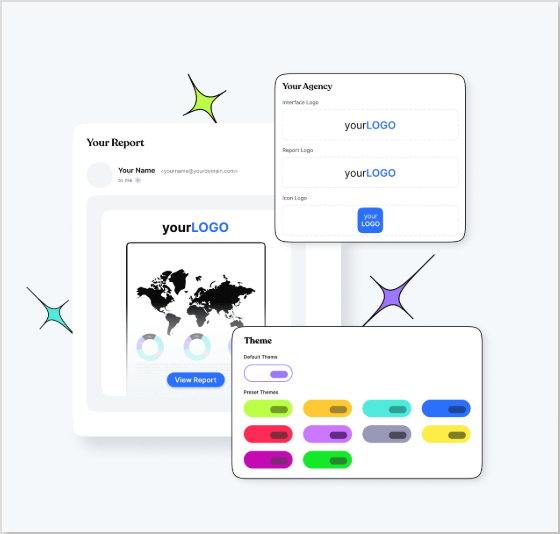
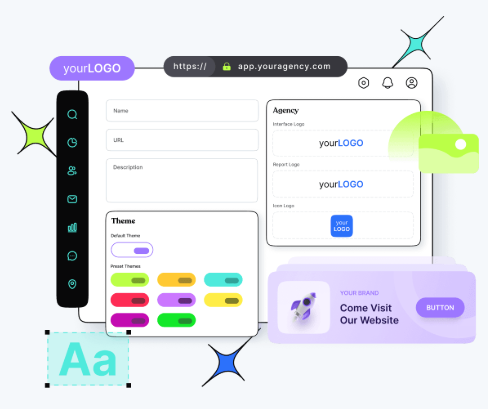
Replug’s white-label solution empowers users to customize their experience like never before. With the ability to add their own branding elements to URLs, emails, reports, logos, and favicons, users can create a seamless brand identity.
By rebranding Replug, users can make it appear as if they developed the product or service themselves without investing extensive time and resources in its creation.
White-labeling becomes the go-to choice for companies looking to expand their offerings and reach new customers without the expense of building new products from scratch.
Unlocking the power of this top-notch feature allows users to establish a consistent and credible brand presence. By incorporating their own branding elements into Replug, they can deliver a personalized experience that captivates their audience and builds trust.
With Replug’s white-label solution, users can maximize their brand’s impact, extend their reach, and conquer new markets. It’s a fantastic opportunity to customize Replug and effortlessly advance their brand to new heights.
How to set up Replug’s white-label feature?
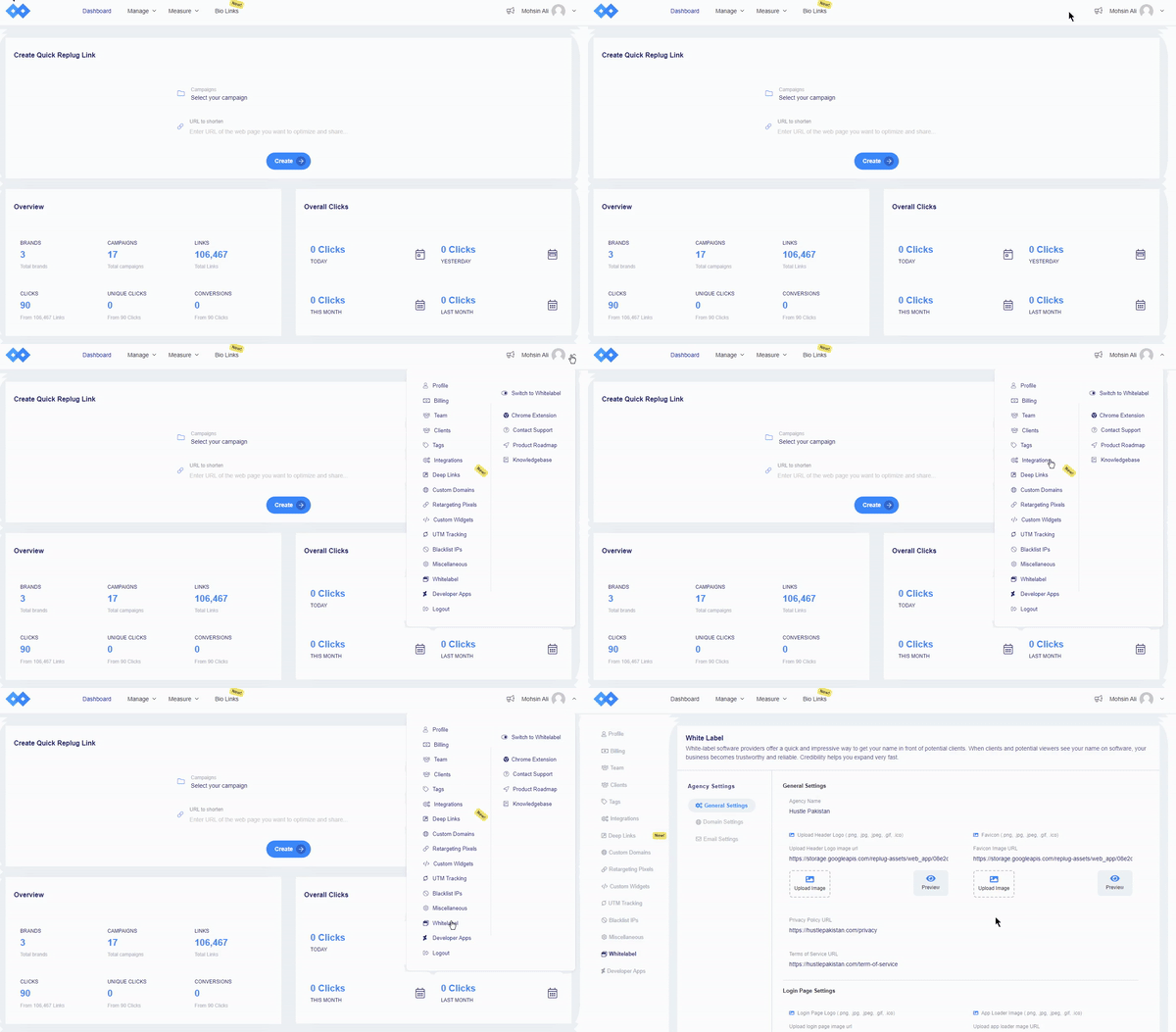
Navigate to Replug settings and click on the “white-label” option. You need to fill in the given field settings to set up your custom white-label URL shortener. The given field settings are:
General Settings
Domain Settings
Email Settings
Note: Read this setup guide for a complete know-how!
Once you have filled the required fields, switch to white-label. To do that, just click your profile name or icon in the top-right corner.
FAQs on unique URLs
What are the benefits of using unique URLs for tracking and analytics?
Using unique URLs for tracking and analytics offers numerous benefits, including understanding user behavior, measuring engagement, and optimizing your marketing campaigns for better results.
What role do unique URLs play in improving user experience?
Unique URLs improve user experience by ensuring visitors are directed to relevant content, reducing the risk of broken or outdated links, and allowing for more accurate tracking and analytics.
Can unique URLs be used for A/B testing and conversion rate optimization?
Yes, unique URLs can be used for A/B testing and conversion rate optimization. By creating different variations of a URL and measuring their performance, you can identify the most effective elements and optimize your campaigns accordingly.
Which is the best unique URL shortener online in 2026?
For a top-tier unique URL shortener in 2026, go with Replug. It excels as a unique URL generator offering full link management, retargeting, custom domains, and robust analytics. Two other popular choices to consider are:
– Bitly, renowned for being a widely used, unique URL builder with strong tracking, and –Rebrandly, which focuses intensely on branded short links and gives you a premium, unique URL link experience.
What is Replug’s white label feature?
Replug’s white-label feature lets users customize Replug with their branding elements. It helps businesses create a consistent brand experience without developing new products.
Instagram and VSCO go hand in hand. While Instagram is all about sharing curated content, VSCO is where creators showcase their raw, aesthetic side. If you’re an avid VSCO user, it’s crucial to know how to put your VSCO link to your Instagram bio so that you can drive traffic to your profile and share your creative portfolio with your followers.
However, simply adding a VSCO link isn’t always enough. To make your bio more effective, using Replug to shorten and customize your link can enhance both its appearance and functionality. Plus, if you want to share multiple links, whether it’s for your VSCO, personal website, blog, or other social profiles, you can also use Replug’s link in bio builder to organize them all in one place.
Ready to know how? Let’s get started!
How to add VSCO link to Instagram bio
Adding your VSCO link to your Instagram profile can easily lead your followers to your stunning VSCO portfolio without them having to hunt for it. After all, Instagram has a staggering 500 million daily users.
So, what’s more to think about? Let us guide you on how to add your VSCO link to your Instagram bio in a few easy steps:
Step 1: Copy your VSCO profile link
Before you can shorten your VSCO link, you need to find it.
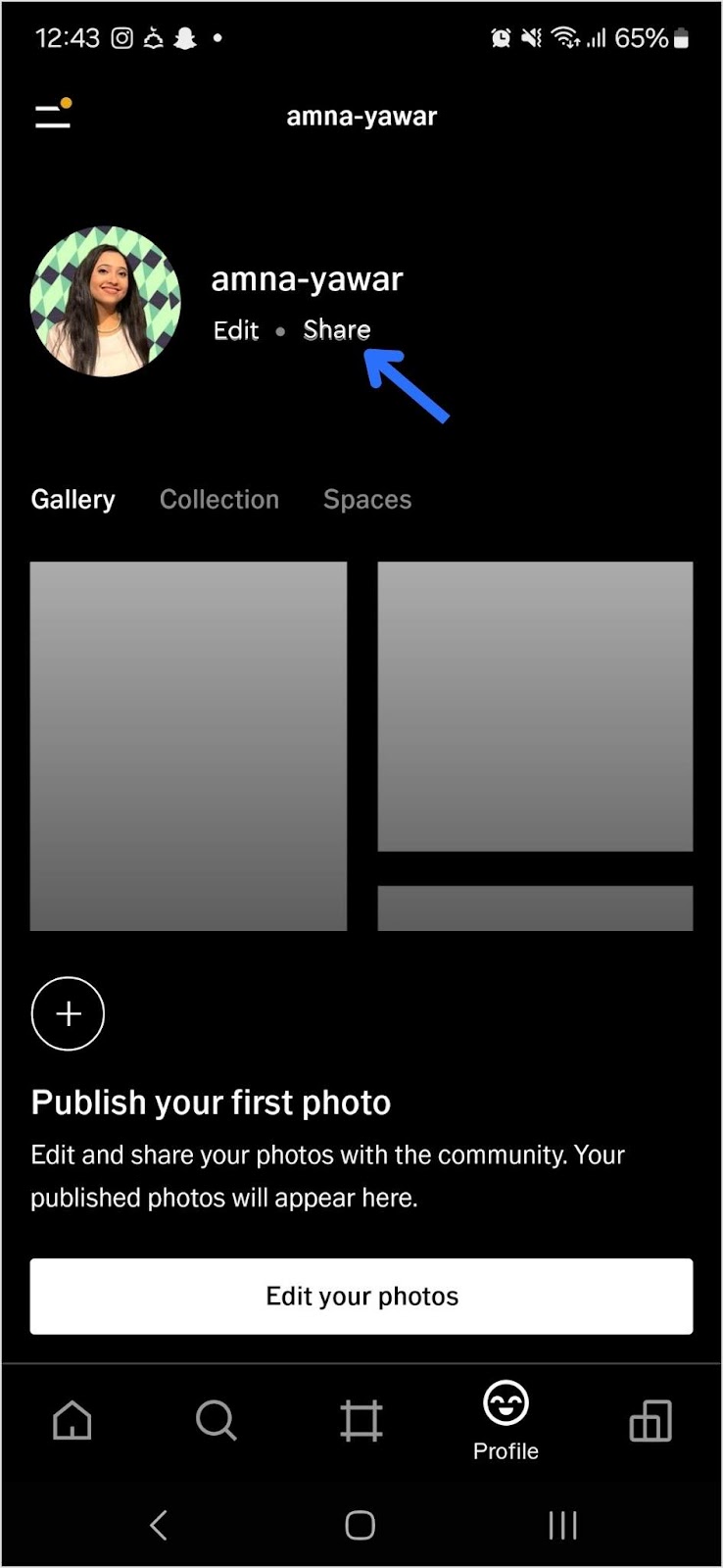
Open your VSCO app.
Navigate to your profile and tap “Share”:
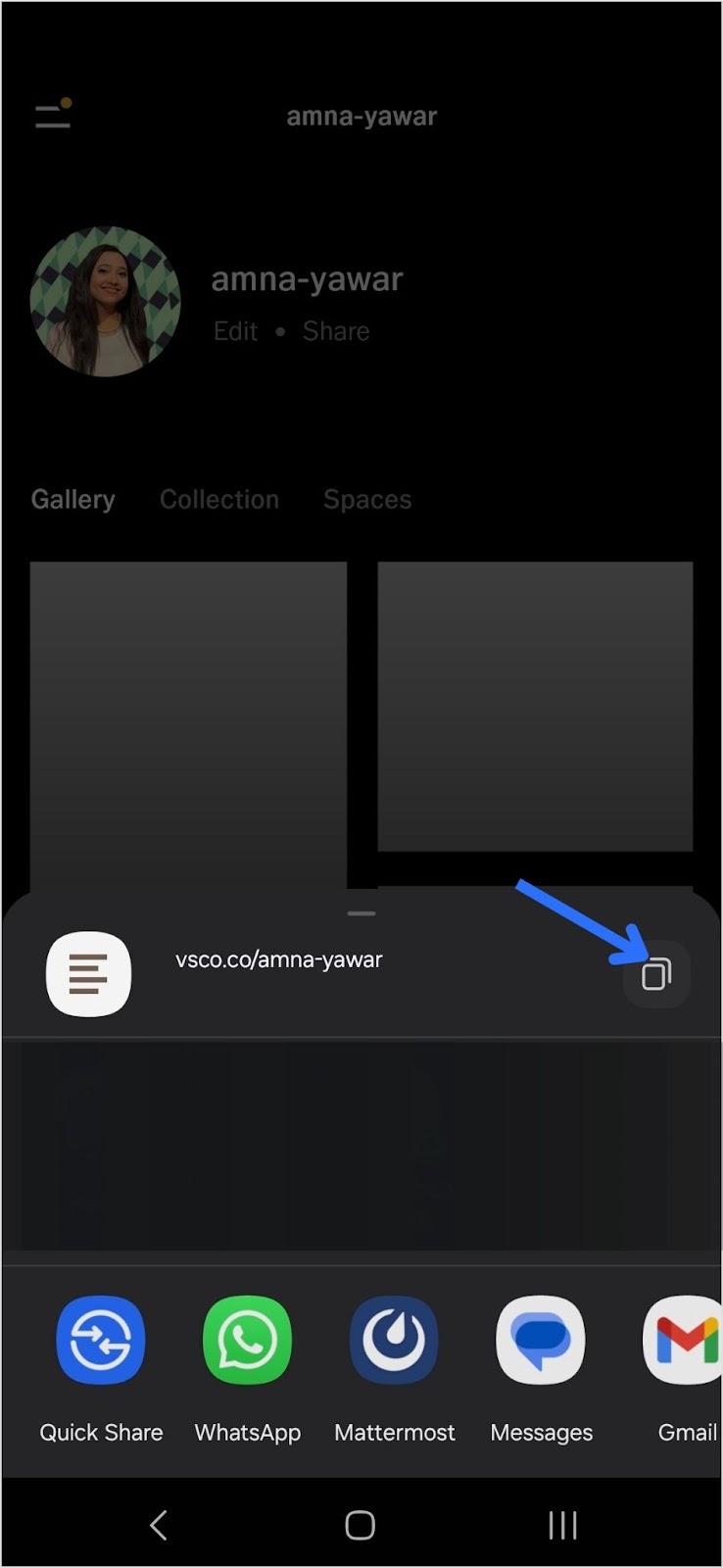
Copy your VSCO link:
Step 2: Add your VSCO link to your Instagram bio
Now that you have your short VSCO link, follow these steps to add it to your Instagram bio:
Open Instagram and go to your profile.
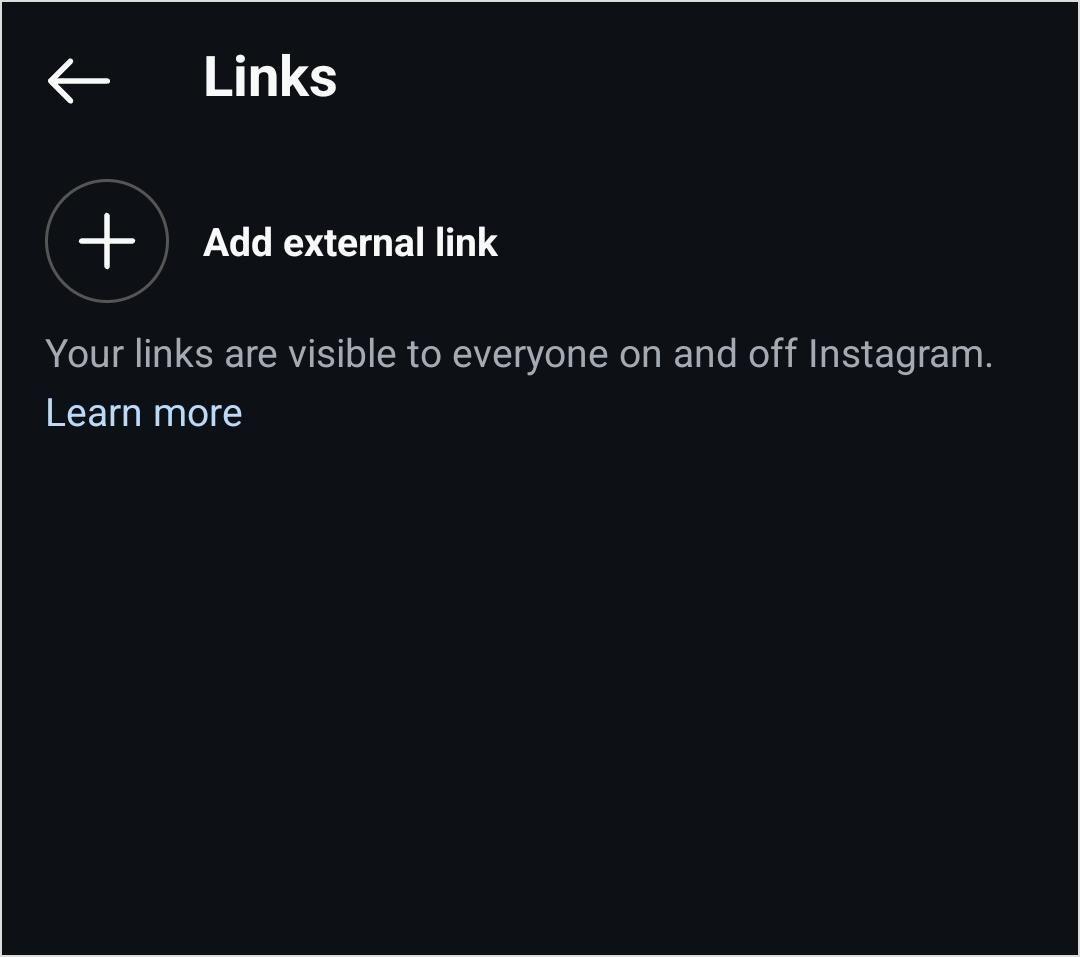
Tap “Edit Profile.”
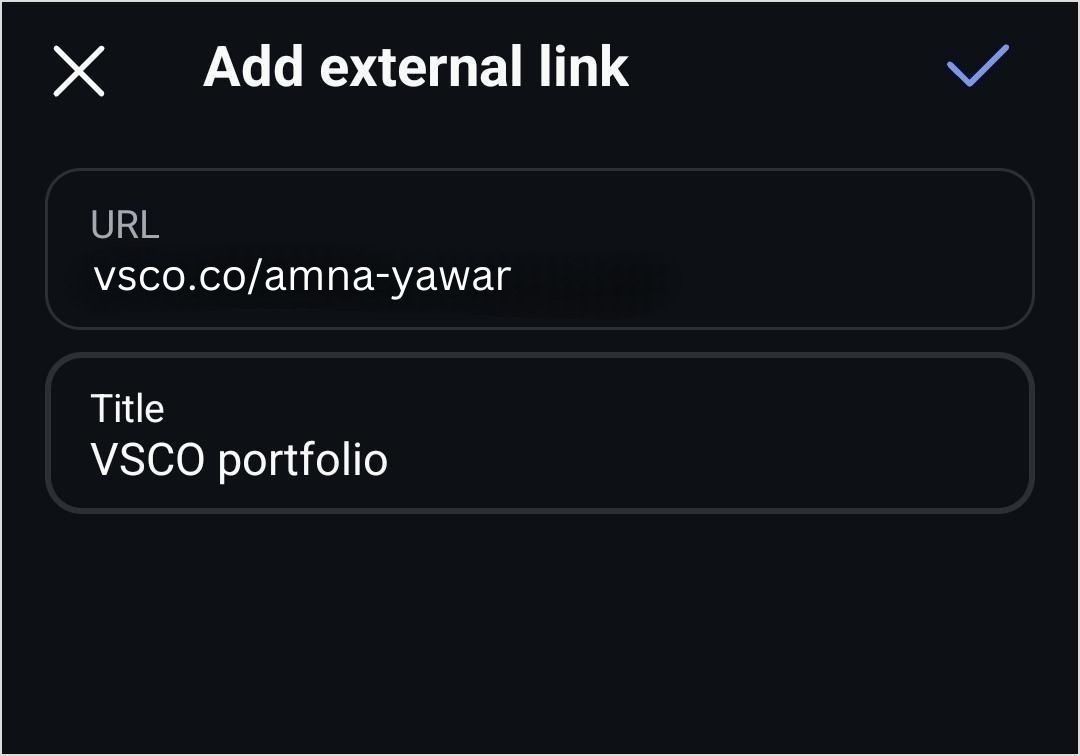
Find the “Add Link” field and click on “Add external link”
4. Add your VSCO link and click on the blue tick to save it.
Your followers will now be able to see your VSCO profile in your bio!
Shorten your VSCO link with Replug
Now, let’s make your link more presentable, branded, and optimized using Replug’s custom link shortener free:
Sign in to your Replug account or create an account if you don’t already have one:
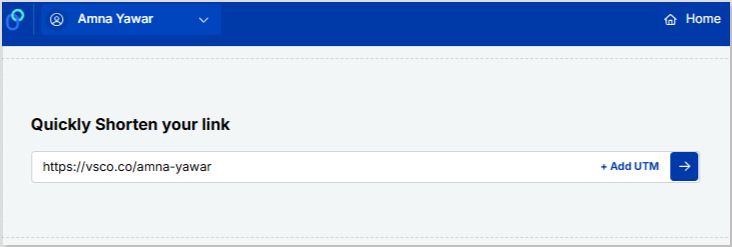
Paste your VSCO profile under “Quickly Shorten your link”
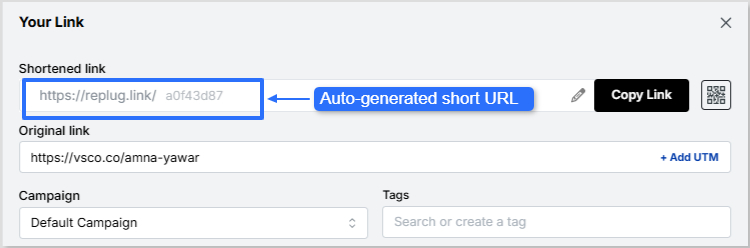
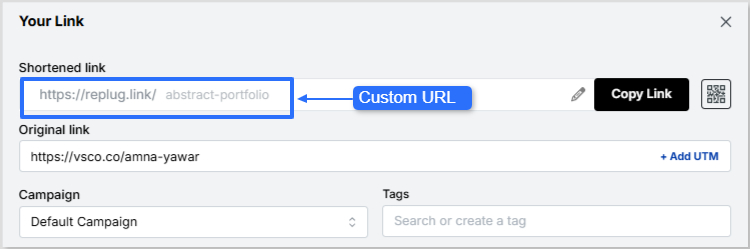
Customize the shortened link with a branded or neat alias:
Now it’s time to give your VSCO short link a glow-up! You can easily create a custom URL by simply optimizing the slug. This will let your audience know exactly where your short link will lead them.
Auto-generated short URL:
Custom URL:
Maximize marketing ROI
by transforming ordinary URLs into branded short links that convert.
Try Replug for free
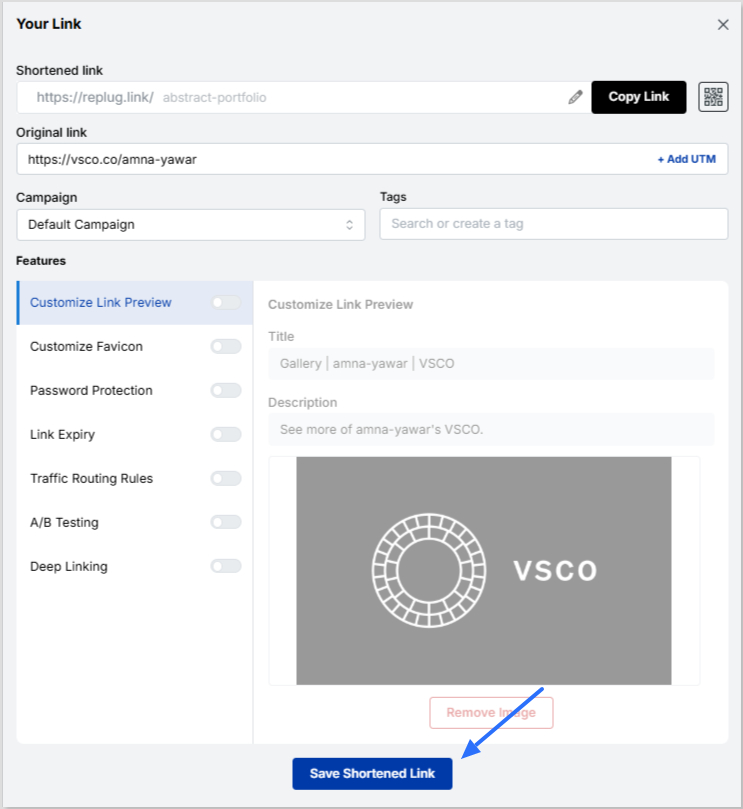
Save your custom URL. Now it’s ready to be shared!
Replug offers a bio link feature if you want to share more than just your VSCO link. This allows you to create a single, customizable landing page containing multiple links. Instead of being restricted to just your VSCO, you can include:
Your VSCO profile
Your Instagram, Twitter, TikTok, and other social links
1. Neat and professional links: Even if your VSCO link looks fine, using Replug ensures that your bio remains visually clean while giving you a customizable and trackable link.
2. Track link performance: Want to know how many people are clicking your VSCO link? Replug provides detailed analytics so you can track engagement and optimize your links for better performance.
3. Share multiple links: Beyond just VSCO, you can share links to all your social profiles, including Instagram, with Replug’s Instagram link in bio free tool.
4. Custom branding: Unlike generic link shorteners, Replug allows you to customize your shortened links and bio link page with brand colors, themes, and even a custom domain.
5. Better user experience: Instead of constantly changing your Instagram bio link, you can set up your Replug page once and update it anytime without modifying your Instagram profile.
A complete link management solution
for marketing professionals & agencies.
Try Replug for free
Adding a VSCO link to your Instagram bio is great, but making it look neat and professional is even better. Replug helps you shorten your VSCO link for a cleaner appearance while also offering a bio link feature for those who want to share multiple links in one place. Whether you’re a photographer, influencer, or content creator, Replug makes your Instagram bio more effective and aesthetically pleasing.
Ready to clean up your Instagram bio? Sign up for Replug and start shortening your links today!
FAQs on how to put VSCO link in your Instagram bio
Can I make my VSCO link look more aesthetic in my Instagram bio?
Absolutely! Using Replug, you can create a clean, custom-branded short link that fits your aesthetic and keeps your bio clutter-free.
Will my Instagram followers know my VSCO link is legit?
A customized, branded short link reassures your audience that your VSCO profile is safe to click, unlike long, messy URLs that may look suspicious.
What if I want to share more than just my VSCO link?
No problem! Replug’s bio link feature lets you showcase multiple links, whether it’s your VSCO, website, TikTok, or latest projects—all in one place.
Can I see how many people are clicking my VSCO link?
Yes! With Replug’s analytics, you’ll get real-time insights on link clicks, helping you understand how well your bio is driving traffic.
Do I have to update my Instagram bio every time I change my VSCO link?
Not if you use Replug! Simply update your link inside Replug’s dashboard, and your Instagram bio link stays the same.
With over 600 million users worldwide and nearly 350,000 tweets posted every minute, standing out on X (formerly Twitter) isn’t just nice; it’s necessary.
Your bio is the first thing people notice, and in a platform where attention spans are short, you’ve got just a few seconds to make it count.
Whether you’re building a personal brand, growing a business, or just want to look cool online, the right bio can instantly boost your profile’s appeal.
That’s exactly why we’ve curated 300+ Twitter bio ideas to spark inspiration and help you craft something unforgettable.
But before you step in, let’s quickly understand the basics, starting with what a Twitter bio actually is and why it matters.
What is a Twitter bio?
A Twitter bio is the short description that appears right under your Twitter profile name and handle (now on X). It’s limited to 160 characters, so you’ve got a small space to tell people who you are, what you do, and why they should care.
Think of it as your digital introduction; quick, clear, and straight to the point. Whether you’re a creator, a business, or just someone sharing thoughts online, your bio gives visitors an instant snapshot of your personality, niche, and value.
And since most people decide within a few seconds whether to follow you or not, this tiny section plays a much bigger role than it looks.
Importance of a Twitter bio
Now, let’s break down why this small piece of text actually matters so much.
Creates a strong first impression: It’s often the first thing people notice when they visit your profile.
Helps people understand you quickly: Your bio explains who you are and what kind of content you share.
Influences follow decisions: Users typically decide within seconds whether to follow or leave.
Builds trust & credibility: A clear, well-written professional bio makes your profile look more legit and active.
Improves discoverability: Using relevant keywords can help your profile show up in searches.
Showcases your personality or brand voice: It gives people a feel for your tone (professional, funny, minimal, or bold).
In short, your Twitter bio isn’t just a description; it’s your chance to turn profile visitors into followers.
A complete list of excellent Twitter bio ideas
Your Twitter (X) bio may be just 160 characters long, but it can say a lot about you if done right. To make things easy, here are different styles of bio ideas you can pick from depending on your vibe.
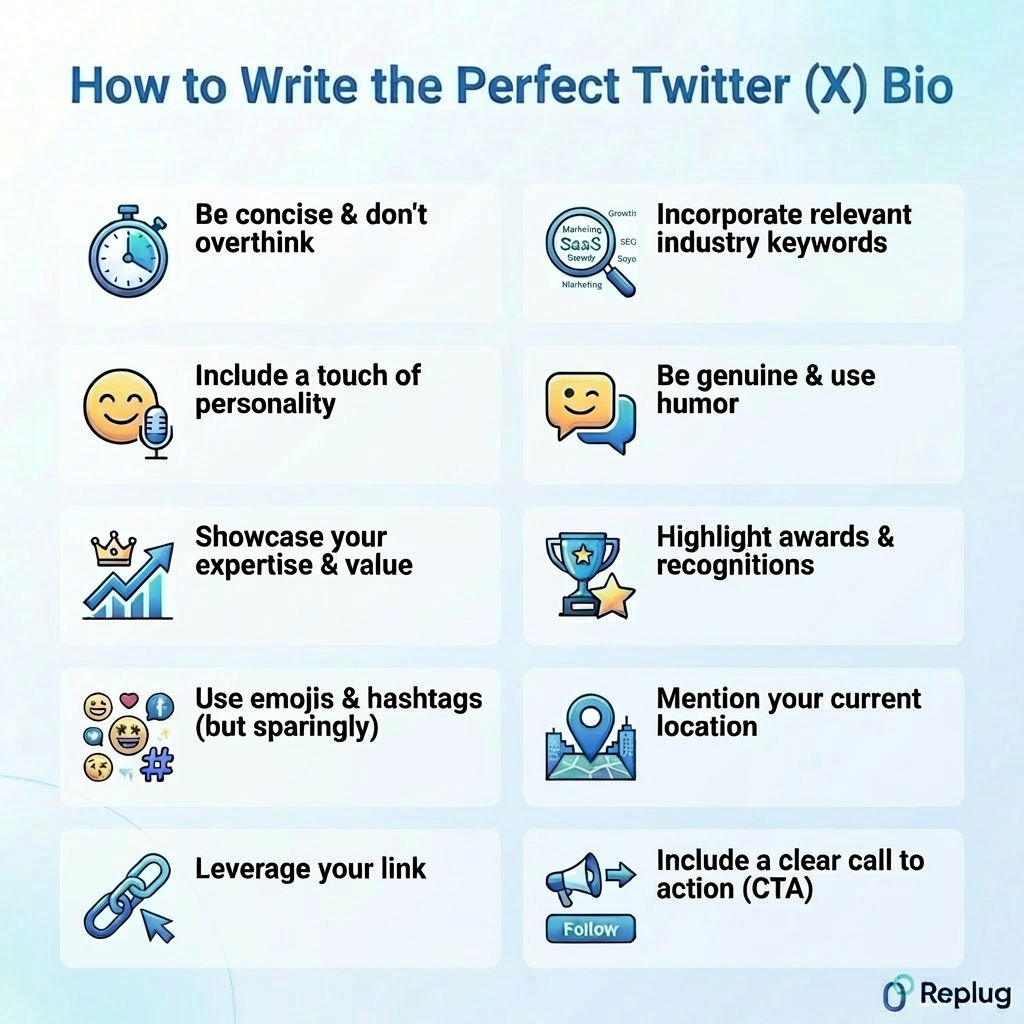
How to write the perfect Twitter (X) bio: Useful tips & tricks!
Writing a great Twitter bio isn’t about being clever; it’s more about being clear, concise, and real. You only get 160 characters, so every word should earn its place and help people quickly understand who you really are.
Tip #01: Be concise & don’t overthink
You don’t need to fill all 160 characters; just say what matters the most. In fact, shorter bios(around 90–100 characters) often perform better because they’re easier to read and scan.
Tip #02: Incorporate relevant industry keywords
Think of your bio like search-friendly text. Adding keywords like “marketer,” “creator,” or “developer” helps people find you both on X and even on Google. Just keep it natural, no keyword stuffing.
Tip #03: Include a touch of personality
Always keep in mind, people don’t follow robots; they follow genuine people. Add a small personal touch (your tone, interests, or style) so your profile feels human and relatable.
Tip #04: Be genuine & use humor
You don’t have to sound perfect; just sound real. A bit of humor or honesty can make your bio more memorable and help you stand out in a crowded feed.
Tip #05: Showcase your expertise & value
Don’t just say what you do, show what you bring to the table. A strong bio quickly answers: How can you help or add value to others? That’s what makes people hit the follow button.
Tip #06: Highlight awards & recognitions
If you’ve got achievements, mention them briefly, like “Award-winning designer” or “Featured in XYZ.” These small proof points build instant credibility.
Tip #07: Use emojis & hashtags (but sparingly)
Emojis can make your bio easier to scan, but don’t overdo it. The same is the case with hashtags. Too many can look messy, and studies show they don’t always help in bios.
Tip #08: Mention your current location
If your work or content is location-based, adding your city or region can help people relate to you and even discover you locally.
Tip #09: Leverage your link
Your bio isn’t just about mere text; your Twitter link in bio matters significantly too. Use it to drive traffic to your website, portfolio, or latest project and make it worth the click.
Tip #10: Include a clear call to action (CTA)
Tell people what to do next, whether it’s “Follow for tips,” “Check the link below,” or “DM for collabs.” A simple call to action can turn most visitors into potential followers.
Keep these tips in mind, and your Twitter bio won’t just look good; it’ll actually work for you.
Use Replug to generate your Twitter bio in seconds!
If you don’t want to overthink your bio, tools like Replug make the whole process quick and easy.
It works as a smart Twitter bio generator alongside being a full link management platform, so you’re not just writing a bio, you’re building a complete profile experience.
You can create clean, branded links using its free link shortener, and even set up bio link pages via its free link in bio tool that holds all your important content in one place.
That means your bio isn’t just text; it becomes a gateway to your website, socials, or offers. Plus, with built-in tracking and customization, you can actually see what works and improve over time.
Go beyond generic link pages!
Create custom bio links that truly fit your brand
With Replug, you can create bio links that are unique, engaging, and built to convert.
To sum it all up, your Twitter (X) bio may be just a few characters long, but it carries a lot of weight when it comes to first impressions and profile growth.
From short and creative ideas to niche-specific bios and practical writing tips, you now have everything you need to craft something that truly reflects your personality.
The key is to keep it simple, real, and aligned with your goals. And if you ever feel stuck, tools like Replug can make the process even easier.
Now it’s your turn; pick an idea, tweak it your way, and make your bio stand out.
Frequently asked questions
What is a good bio example?
A good bio example is short, clear, and shows personality + purpose in one line.
It quickly tells people who you are and what they can expect.
What is a good bio for Twitter?
A good Twitter bio clearly explains who you are, what you do, and why someone should follow you, all within a few words. It should feel natural, include a bit of personality, and ideally hint at the value you provide.
What is a good Twitter bio template?
A simple and effective template is:
[What you do] | [Who you help] | [Personality or niche] | [CTA]
Example:“Digital marketer | Helping startups grow | Sharing real strategies | Follow for tips”
What is an attractive bio line for a girl on X?
A good example would be:
“Soft heart, strong mindset ✨ Building my dreams one step at a time.”
The key is to keep it confident, simple, and a little personal, something that reflects both personality and ambition.
What are the common mistakes to avoid while crafting your Twitter bio?
Here are some of the most common mistakes people make, and you’ll want to steer clear of these if you want your bio to actually work:
– Being vague or lacking clarity: Bios like “Just living life” don’t tell people anything useful. Be clear about who you are and what you do. – Using overused buzzwords, jargon, and clichés: Words like “guru,” “ninja,” or “thought leader” feel generic and don’t add real value. Keep it simple and specific instead. – Improper use of formatting and content: Overloading your bio with emojis, hashtags, or messy formatting can make it hard to read and look unprofessional. – Lacking personality or strategy: A bio without personality feels dull, and one without purpose won’t convert visitors into followers. You need a perfect blend of both! – Negative or overly personal tone: Being too negative or sharing too much personal detail can turn people away. Keep it positive, balanced, and audience-friendly.
Avoiding these simple mistakes can instantly make your Twitter bio cleaner, clearer, and way more effective.
What is the ideal Twitter bio character limit?
The official Twitter (X) bio limit is 160 characters, including spaces and emojis. For best results, many experts suggest keeping it slightly shorter (around 100–150 characters) so it’s easy to read at a glance.
Today’s tools must go beyond simple URL shortening. They must provide advanced analytics, powerful branding options, and smooth integration with other marketing platforms.
Marketers, entrepreneurs, and anyone who shares content online need a reliable system. Capsulink has been a popular choice, but the rise of innovative tools like Replug has shaken things up.
So, we came up with a head-to-head comparison – Capsulink vs. Replug. We break down both platforms’ key features, pricing, and more so you can determine why Replug is the best Capsulink alternative for your specific needs.
Capsulink
Replug
Overview
Capsulink is a custom link-shortening tool primarily focused on link redirects. Users can create links with advanced redirect options, enabling seamless redirection and analytics to track user engagement across different platforms.
Replug is a link management and marketing platform that helps businesses create branded short links, manage redirects, and embed calls to action. It provides analytics and automation for link-based campaigns.
Pricing starts from
$10/ month
$19/ month
Best for
Marketing and digital advertising, web seller
Marketing, content creators, agencies, and SaaS, E-commerce
A complete link management solution
for marketing professionals & agencies.
Try Replug for free
Feature-by-feature analysis Capsulink vs. Replug
Features
Sniply
Replug
Link management
Custom links
Yes
Yes
Custom domain
Yes
Yes
Password protected link
Yes
Yes
Link expiry
Yes
Yes
Customize favicon
No
Yes
Customize link preview
No
Yes
Bulk link import
Yes
Yes
Bulk link export
Yes
Yes
Deep links
No
Yes
UTM tags
No
Yes
404 redirect
Yes
Yes
301 redirect code
No
Yes
Workspaces
No
Yes
Editable URL slugs
Yes
Yes
Team members
Yes
Yes
Link tags/ folders
Yes
Yes
SMS links
No
Yes
Link rotation
Smart links
Yes
Yes
Edit destination URLs
Yes
Yes
Dynamic link redirects
Yes
Yes
Redirect by country
Yes
Yes
Redirect by device
Yes
Yes
Redirect by date
Yes
Yes
Schedule redirects
Yes
No
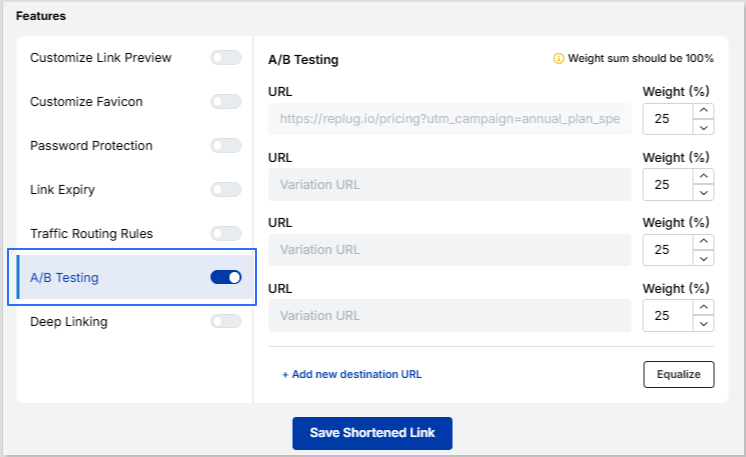
A/B testing
Yes
Yes
Bio-links
Bio-link dashboard
No
Yes
Editable template
No
Yes
Add title/ description
No
Yes
RSS feed for bio-links
No
Yes
Custom theme
No
Yes
Links/ cards
No
Yes
Video/ images
No
Yes
Bio-links preview
No
Yes
Editable alias
No
Yes
Verification button
No
Yes
Social links
No
Yes
Button styles
No
Yes
Analytics
Link tracking
Yes
Yes
Tracking script data by link
Yes
Yes
Unique redirects
Yes
Yes
Real-time analytics
Yes
Yes
Custom range
Yes
Yes
Geo-targeting
Yes
Yes
Filter by month
Yes
Yes
Visitors by country
Yes
Yes
Traffic by device
Yes
Yes
Unique clicks
No
Yes
UTM tracking
No
Yes
QR scans
Yes
Yes
Filter by campaign
No
Yes
Download CSV
Yes
Yes
Chrome extension
No
Yes
White-label
White-label dashboard
No
Yes
Personalized favicons, colors, domain
No
Yes
Retargeting and A/B testing
Retargeting pixels
Yes
Yes
Adding pixels to CTA
No
Yes
Adding pixels to bio-links
No
Yes
Call-to-action
Custom CTA
No
Yes
Custom CTA theme
No
Yes
Banner image
No
Yes
Custom CTA positioning
No
Yes
Buttons
No
Yes
A/B testing for CTAs
No
Yes
CTA analytics
No
Yes
Summary page
No
Yes
QR codes
QR codes
no
Yes
Multiple download formats
Yes
Yes
Custom colors
No
Yes
Feature volume
Links
Unlimited
Unlimited
Clicks
5,000,000
Unlimited
Custom domains
Unlimited
100 in the highest plan
Smart links/ link rotation
60
Unlimited
Team members
40
100 in the highest plan
Workspaces
100 in the highest plan
No. of CTAs
–
Unlimited
Bio links
–
500
Retargeting pixels
–
Unlimited
Campaigns
–
Unlimited
A detailed feature-by-feature analysis: Capsulink vs. Replug
To simplify your decision-making, we’ve crafted this detailed comparison of Capsulink with the Capsulink alternative. We’ll break down their core features, customization options, and advanced analytics to help you see which platform truly delivers. Let’s dive in and find the perfect fit for your needs!
Link management
Capsulink link management
Both the platforms excel in managing links, but they approach this task differently. Capsulink is a simple link management tool that helps you shorten, track, and organize your links.
Editing custom URLs: Easily modify your URLs to suit branding or optimization needs.
Destination URLs: Redirect users seamlessly with well-configured destination URLs.
Password-protected links: Securely share sensitive information with password protection.
Data import and export: Simplify data management by importing and exporting link-related data.
Editable URL slugs: Customize URL slugs for clarity and keyword optimization.
Creating link folders: Organize your links into folders for efficient management.
Unlike Capsulink alternatives, the platform lacks advanced link capabilities but stands out for its user-friendly design and focus on simplicity. With customizable options, enhanced security, and organized features, it offers an intuitive platform for basic link management.
Replug link management
Replug is an all-in-one link management platform designed to help businesses and marketers optimize their links for better engagement and performance. Here’s a glimpse of its advanced features.
Maximize marketing ROI
by transforming ordinary URLs into branded short links that convert.
Try Replug for free
Custom URLs: Personalize your links for better branding and memorability with Replug’s premium URL shortener online.
Custom domains: Strengthen your brand by using your own domain for links.
Link previews: Customize link previews to control how your links appear on social platforms.
Deep links: Direct users to specific app pages for a seamless experience.
Password-protected links: Add an extra layer of security by protecting links with passwords.
Link expiry: Set expiration dates for links to maintain control over access.
Custom favicons: Enhance link appearance with branded favicons.
Link tags: Organize and categorize links effortlessly with customizable tags.
Affiliate links: Easily manage and track your affiliate links for campaigns.
SMS links: Create links optimized for SMS sharing to reach mobile audiences.
Bulk link import/export: Streamline link management with bulk import and export functionality.
Traffic routing
Capsulink smart links
Capsulink refers to its link redirection and traffic rotation features as “smart links.” Here’s what you can expect from this powerful tool:
Custom link redirection: Capsulink allows you to set up rules to redirect users to different URLs based on specific conditions.
Flexible routing options: Offers a variety of routing choices, including device-based, location-based, and custom UTM parameters for more personalized experiences.
However, a key limitation to be aware of is that the number of smart links you can create is capped: business plans allow up to 15 smart links, while the ultimate plan offers up to 60. This could be a constraint for businesses with large-scale link management needs.
Replug traffic routing
Replug’s traffic routing feature allows you to guide users to different destinations based on customizable conditions. This Capsulink alternative allows users to set up to 10 traffic rules for your short links, you can ensure that visitors are directed to the most relevant URLs.
Dynamic link rotator: Automatically rotate multiple destination URLs for smarter link distribution
Geo-targeting: Replug allows you to route traffic based on users’ geographic locations, ensuring that the right content is shown to the right audience.
Device-based routing: Directs users to different destinations based on the type of device they’re using (mobile, tablet, desktop), optimizing the user experience.
Time-based routing: Replug can route traffic depending on the time of day or specific date, making it ideal for time-sensitive promotions or campaigns.
Advanced link redirection: Easily set up rules to redirect users based on specific criteria, such as behavior, location, or custom parameters, for more targeted marketing.
Moreover, with this Capsulink alternative, if a user doesn’t meet the specified rules, they will be automatically redirected to your default link, ensuring a seamless experience for every click.
Link analytics
Capsulink analytics
Capsulink is best suited for marketers who need essential link-tracking features, geographic and device-based insights, and simple data exports. Ideal for straightforward data requiring clarity in performance monitoring.
Link tracking: Track how each link performs by measuring clicks and engagement, helping you assess your campaigns’ reach and effectiveness.
Unique redirects: Monitor the number of unique users interacting with your links, ensuring you capture accurate audience size data.
Filter by month: Organize and analyze your link data by month, allowing for trend identification and performance comparison across time periods.
Visitors by country: See where your traffic is coming from by displaying the geographic locations of your visitors, helping you tailor content and ads to specific regions.
Traffic by device: Understand whether your audience is using mobile, desktop, or tablet devices, enabling you to optimize for different user experiences.
QR scans: Track how many people engage with your QR codes, helping measure the success of your offline-to-online campaigns.
Download CSV: Export your analytics data to CSV format for deeper analysis, reporting, or sharing with others.
One of the key drawbacks of Capsulink is its monthly tracking limit, which caps the number of clicks at 500,000. In comparison, the Capsulink alternative – Replug, offers unlimited click tracking, giving users greater flexibility and scalability for large campaigns.
This limitation could be a significant challenge for businesses with high-traffic websites or those running large-scale marketing campaigns, as it may result in missed data or tracking restrictions once the limit is reached.
Replug analytics
Replug is a more advanced solution, offering real-time tracking, UTM tracking, geo-targeting, and detailed analytics for dynamic campaigns. This Capsulink alternative offers extensive features make it great for data-driven marketers who need deeper insights and customizability.
Real-time analytics: Access live data to track your links’ performance as your campaigns unfold. This feature enables timely optimizations.
Custom range analytics: Select specific date ranges to analyze your link performance, making it easier to evaluate the impact of short-term or long-term campaigns.
Tracking script data by link: Implement custom tracking scripts for each link to capture detailed data on user actions, helping you optimize specific interactions.
UTM tracking: Use UTM parameters to track the performance of traffic sources, mediums, and campaigns, allowing you to see exactly where your visitors are coming from.
Geo-targeting analytics: Gain insights based on visitors’ geographic locations, enabling you to fine-tune marketing strategies for specific regions.
QR scans: Track how many users scan your QR codes, offering data on both offline and online engagement.
Unique clicks: Track how many individual users click on your links, helping you measure the true reach of your campaign.
Campaign tracking: Organize and evaluate data by campaign so you can measure performance against specific marketing goals.
Bio link tracking: Track how your bio link is performing, including clicks, traffic sources, and user engagement, helping influencers and marketers optimize their profile links.
The biggest advantage of choosing Replug is the freedom to enjoy unlimited clicks, links, and campaigns, along with the ability to add UTM tags to your links – features that tools like Capsulink simply don’t offer.
Bio links
Capsulink bio links
The platform has no dedicated bio-link feature, whereas the Capsulink alternative – Replug, offers a standout one.
Replug bio links
Replug allows you to create advanced bio-links and manage everything in one place with a centralized dashboard to monitor clicks, traffic, and engagement.
Editable templates: Choose from a variety of templates and fully customize them to match your style or branding needs.
Add title/description: Personalize your bio link with a compelling title and description that reflects your identity or campaign goals.
RSS feed: Automatically display your latest blog posts or updates on your bio-link page with an integrated RSS feed.
Custom themes: Create a unique look for your bio link with fully customizable themes tailored to your preferences.
Links/cards: Showcase important links, announcements, or promotions using sleek cards and link styles.
Boost your conversion rates with irresistable CTAs with
Editable alias: Personalize the URL of your bio link to make it easy to remember and share.
Verification button: Build trust and authenticity by adding a verification button to your bio link.
Social links: Seamlessly connect your audience to your social media profiles with dedicated social links.
Bio-links are commonly used in social media profiles like Instagram, Insatgram, Facebook, and X(Twitter), where users are limited to a single link in their bio.
Retargeting and A/B testing
Retargeting is an area where both tools shine, but Capsulink offers more robust features for audience segmentation and retargeting.
Capsulink retargeting and A/B testing
Pixel integration: Supports Facebook, Google, and other ad pixels for tracking visitors.
Retargeting for specific actions: Targets users who performed certain actions on your site, like adding to a cart or visiting key pages.
Conversion tracking: Monitors user behavior after clicking a shortened link.
Audience segmentation: With Capsulink, users can segment their audience based on click behavior and retarget them across various platforms.
Limited integration: Supports fewer marketing and analytics tools compared to Replug.
A/B testing: Capsulink does not offer A/B testing.
Replug retargeting and A/B testing
Replug also offers retargeting but with fewer segmentation options. As for A/B testing, only Replug supports it, allowing users to test different versions of their links and optimize for better performance.
Multi-platform pixel integration: Replug supports Facebook, LinkedIn, Pinterest, Google, and many other pixels, allowing seamless retargeting across various platforms.
Real-time data: Provides real-time insights on visitor behavior, which can be used to adjust retargeting campaigns.
Custom parameters: Supports testing different UTM tags, headlines, or offers.
Cross-device retargeting: Tracks and retargets users across devices, ensuring consistent messaging and higher conversion rates.
Split URL testing: Replug allows A/B testing by directing users to multiple destination URLs.
Performance comparison: Tracks clicks, engagement, and conversions for different variations.
Custom CTAs
Capsulink call-to-action
Capsulink does not offer a call-to-action feature.
Replug call-to-action
Replug – the Capsulink alternative allows users to add custom CTAs (call-to-actions) to their links, which can be useful for driving conversions.
Boost your conversion rates with irresistable CTAs with
Fully customizable design: Customize the appearance of CTAs to match your branding, including colors, fonts, and button styles.
Personalized text and links: Personalize your CTAs with headlines, messages, links, and phone numbers for contact.
Dynamic CTAs: Create personalized CTAs that change based on user behavior, location, or device for more targeted engagement.
A/B testing for CTAs: Test different CTA designs and copy to identify which performs best with your audience.
Multiple CTA types: Choose from a variety of cta types such as pop-up banners, exit-intent, bridge pages, etc.
QR codes
Capsulink QR code
Simple QR code generation: Capsulink enables easy creation of standard QR codes that link to any URL you choose.
Ability to track: Every QR code generated through Capsulink is trackable, providing insights into user behavior such as scans, device type, location, and time of access.
Unlimited usage: There are no restrictions on the number of scans or usage, allowing for long-term use of QR codes in campaigns.
Replug QR codes
Dynamic QR code creation: Replug allows you to create dynamic QR codes that can be edited even after they’ve been generated, ensuring flexibility in your campaigns.
Real-time link editing: Update the destination URL of your QR code anytime without needing to create a new code, which is especially useful for time-sensitive promotions.
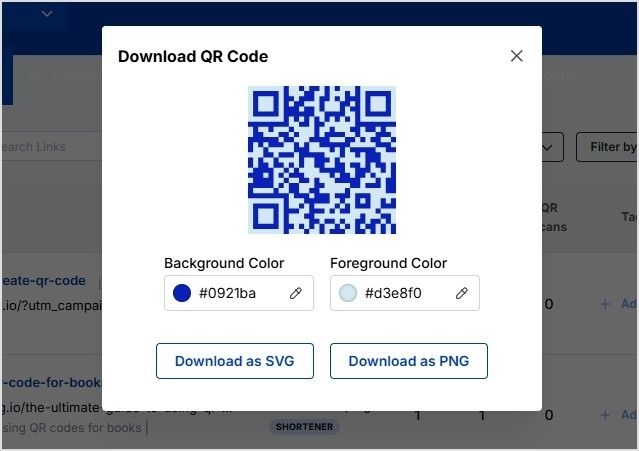
Trackable scans: Replug provides detailed analytics on QR code scans, including information on the number of scans, user location, device type, and more.
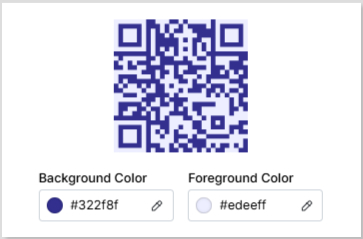
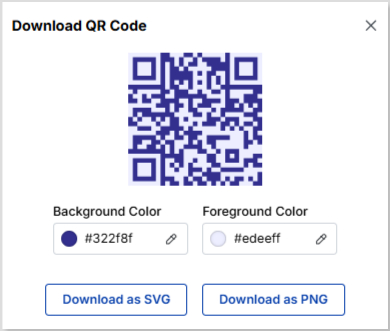
Branded colors: While Replug offers the option to add branded colors to your QR codes, you can customize them to match your brand’s look for a more cohesive marketing experience.
No limit on usage: Replug doesn’t restrict the number of scans or usage for the QR codes, making it a reliable option for long-term campaigns.
Conclusion
When comparing Capsulink vs. Replug, the decision ultimately depends on your needs.
Maximize marketing ROI
by transforming ordinary URLs into branded short links that convert.
Try Replug for free
If you’re looking for retargeting, custom links, and basic analytics options, Capsulink is a clear winner.
On the other hand, if your focus is on bio-links, social media optimization, and ease of use, Replug might be the better choice.
A one-on-one pricing comparison – Capsulink vs. Replug
Capsulink
Replug
Starter – Free
Free trial – 14-day
Pro – $10/ mo
Basic – $19/ mo
Business – $40/ mo
Pro – $49 /mo
Ultimate – $160/ mo
Agency small – $79 /mo
–
Agency medium – $149 /mo
–
Agency large – $299 /mo
–
Agency enterprise – $449 /mo
Pros and cons comparison – Capsulink vs. Replug
Capsulink
Replug
Pros
Good customer support, smart links, audience segmentation
White label dashboards, deep customization, bio-link pages, A/B testing
Cons
Lacks deep linking, white-label, custom CTA
No free plan is available for now
FAQs on Capsulink vs. Replug
Why should I switch from Capsulink to a Capsulink alternative like Replug?
Replug provides unlimited click tracking, UTM parameters, bio-links, and dynamic link redirects, making it a superior choice for marketers.
Which Capsulink alternative is best for marketing agencies?
Replug is ideal for agencies as it supports team collaboration, workspaces, white-label branding, and in-depth link analytics.
Can Replug replace Capsulink for traffic redirection?
Absolutely! Replug supports country, device, and time-based redirection, plus smart link rotation, giving you more control over traffic flow.
Is Replug a more affordable Capsulink alternative?
While Replug’s pricing starts slightly higher, it offers more value with unlimited tracking, team collaboration, and branding features.
Marketing experts have embraced the power of vanity domains as transformative branding tools. These domains elevate simple links into potent instruments for building brand identity and driving website traffic.
In this comprehensive guide, we’ll explore the intricacies of using vanity domains to enhance your brand’s visibility and draw in visitors. We’ll also delve into the process of creating a vanity domain using a link management platform.
What is a vanity domain?
A vanity domain is a personalized and often shortened web address that is designed to reflect a brand, individual, or specific purpose. Unlike a standard domain name, which might consist of a generic combination of words and characters, a vanity domain is tailored to be more memorable, brand-focused, and aligned with a particular identity or message.
Vanity domains are often chosen to enhance brand recognition, create vanity URLs, and create a more engaging online presence.
For example, if a company named “ABC Widgets” wants to establish a strong online presence, it might opt for the vanity domain “ABCWidgets.com” instead of a more generic domain name. Similarly, an individual named John Smith might choose the vanity domain “JohnSmithDesigns.com” to showcase his portfolio as a graphic designer.
Vanity domain vs vanity URL: What’s the difference?
In the realm of online branding and link management, the terms “vanity domain” and “vanity URL” often surface. These terms are closely related but hold distinct meanings, serving different functions in the digital landscape. Let’s delve into the nuances of each concept to understand how they differ:
Vanity domain
A vanity domain refers specifically to the branded and personalized web address that serves as the main entry point to a website. This domain is carefully chosen to reflect a brand’s name, individual identity, or particular purpose. The primary goal of a vanity domain is to establish a memorable, recognizable, and often concise web address that aligns with the brand’s identity and message.
For instance, if a company named “ABC Innovations” wants a distinct online presence, they might select the vanity domain “ABCInnovations.com” as their main web address. This domain encompasses the entirety of their website and serves as the central location for their online activities.
Vanity URL
On the other hand, a vanity URL involves a combination of the branded domain name and a specific, often shortened, path or identifier that leads to a particular page or content within the website. Vanity URLs are strategically crafted to create user-friendly and easy-to-share links, particularly for marketing campaigns, social media sharing, and other scenarios where succinct links are preferable.
For example, if the company “ABC Innovations” is running a special summer promotion, they might use the vanity URL “ABCInnovations.com/SummerPromo” to lead users directly to the promotional page on their website. The inclusion of “/SummerPromo” specifies the exact destination within the website.
Key distinctions
Scope and purpose: Vanity domains encapsulate the entire website and serve as its main address, while vanity URLs target specific pages or content within the website.
Link components: A vanity domain consists solely of the branded domain name, whereas a vanity URL combines the branded domain name with a path or slug that directs users to a particular location.
Branding focus: Both concepts are used for branding, but vanity domains establish the overall brand identity and web presence, while vanity URLs provide branded and user-friendly links for targeted content.
A complete link management solution
for marketing professionals & agencies.
Try Replug for free
What is the difference between a vanity domain and your primary domain?
A vanity domain and a primary domain are related concepts but serve different purposes and have distinct characteristics. Let’s explore the differences between the two:
Primary domain
An original domain, also known as a standard domain or primary domain, is the standard web address that represents a website on the internet. It’s the unique address users type into their browsers to access a website.
Original domains are typically chosen based on the name of the business, brand, individual, or purpose of the website.
They are designed to provide a direct and clear representation of the website’s identity.
A primary domain encompasses the entire website and serves as its main entry point.
Examples of primary domains include “Google.com,” “Apple.com,” and “Amazon.com.“
Vanity domain
A vanity domain is a customized, branded web address that is often shorter and more memorable than an original domain.
It serves as an alternative or additional domain that redirects to the main website.
Vanity domains are chosen to enhance branding, improve link sharing, or create a more memorable online presence.
While vanity domains can redirect to the main website, they can also serve as standalone addresses with unique content or landing pages.
Examples of vanity domains include “YourBrand.link” or “JohnDoeDesigns.com.”
Key differences:
Purpose: An primary domain is the primary address of the website, representing the website’s identity and content. A vanity domain can be an alternative, shortened, or branded address used for specific purposes.
Branding and memorability: Vanity domains are often chosen for their branding and memorability, while original domains are selected based on brand identity and relevance.
Redirection: Vanity domains may redirect users to the main website or specific pages, whereas original domains are the main entry points to websites.
Length: Vanity domains are more concise than original domains.
Usage: Vanity domains are used strategically for marketing campaigns, specific content, or enhancing link sharing. Original domains are the primary addresses for websites.
How to choose an unforgettable vanity domain name?
Selecting a vanity domain name requires careful consideration to ensure it aligns with your brand identity and resonates with your audience. Much like choosing a brand name, the process involves creating a memorable and recognizable online presence.
Here’s a step-by-step guide to help you make an informed decision:
Catchy and memorable
Opt for a domain name that’s easy to remember and recall.
Choose words that are catchy and resonate with your brand’s personality.
Ease of pronunciation and spelling
Ensure your domain name is easy to pronounce and spell.
Avoid complex words or combinations that might confuse users.
Intuitive and clear
Your domain name should intuitively reflect your brand’s identity or the purpose of your website.
Make it clear to visitors what your website is about just from the domain name.
Avoid special symbols
Stick to letters and numbers in your domain name.
Avoid using hyphens or special characters that can complicate the name.
Capitalization for clarity
If your domain name consists of multiple words, consider capitalizing the first letter of each word.
This improves readability and makes the name easier to understand.
Brand value communication
Your domain name should communicate the value or essence of your brand.
Incorporate keywords or terms that resonate with your target audience.
Alignment with the brand name
Choose a domain name that’s closely aligned with your brand name.
If your brand name is short and distinctive, consider using it as your domain name.
Print advertising considerations
Think about how your domain name will appear in traditional print advertising.
Ensure it’s easy to remember and understand at a glance.
Vanity domain name extensions
Top-level domain (TLD) consideration
The TLD is the extension that appears after the dot in your domain name (e.g., .com, .net, .org).
Generic TLDs, like .com and .net, are widely used and recognized.
Custom TLDs for branding
Explore custom TLDs that align with your brand or industry.
Newer TLDs like .blog, .tech, and .store can offer unique branding opportunities.
Types of TLDs
Generic TLDs cover widely used extensions.
Sponsored TLDs are specific to organizations like governments or universities.
Country TLDs are related to specific countries.
Choosing TLDs
If your website isn’t affiliated with a specific country or organization, you’ll likely choose from generic TLDs.
Consider TLDs that best resonate with your brand identity and content.
Unconventional TLDs
Unconventional TLDs, such as “virg.in,” “nytim.is,” and “es.pn,” can add a creative touch to your domain.
Exploring new extensions
If your desired domain name isn’t available with traditional TLDs, explore new extensions or variations.
ICANN application
If needed, you can apply for a new TLD through the Internet Corporation for Assigned Names and Numbers (ICANN).
By following these steps, you can choose a vanity domain name that not only captures your brand essence but also enhances your online presence and user experience.
How to create a vanity domain?
The process of setting up a vanity domain depends on your intentions and goals. Follow these steps to create a vanity domain using a link management platform:
How to create a vanity domain using Replug?
Step 1: Sign up for Replug
Visit Replug’s app and sign up for an account. You’ll need at least a basic Replug account to create a vanity domain.
Step 2: Log in to your Replug account:
After creating your account, log in to your Replug home page.
Step 3: Access custom domains
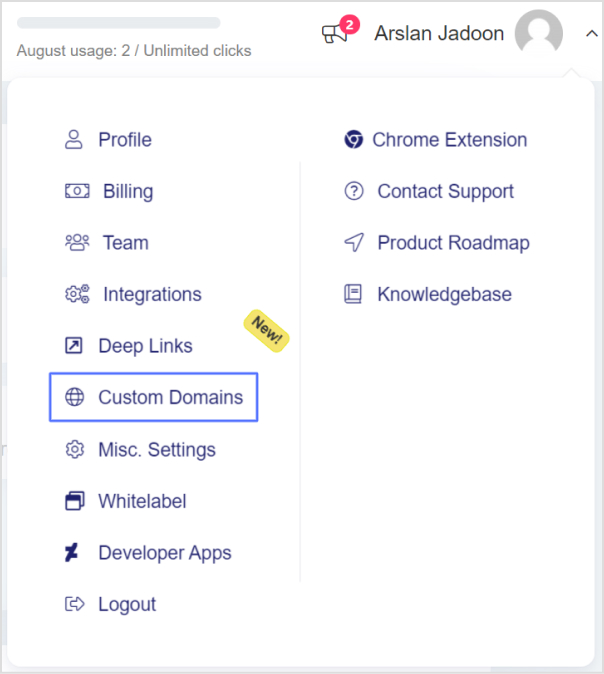
Click the drop-down icon next to your profile picture and select “Custom Domains” then click on the blue “Add Domain” button.
Step 4: Enter domain details:
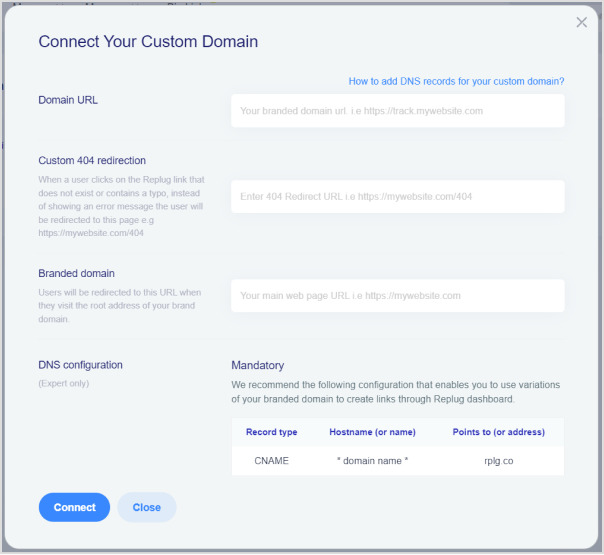
In the next screen, where you need to enter your Domain URL, Custom 404 redirection, and Branded Domain.
Afterward, click on the Connect button as shown in the image below.
Domain URL: Your branded or custom domain is included here.
404 redirect URL: When a user visits your platform and lands on 404 pages.
Branded domain: Whenever the user visits the root address of your brand domains, they will be redirected toward the URL.
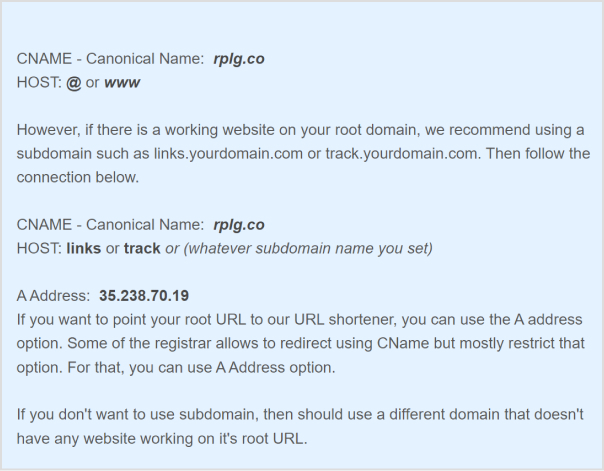
Note: Once you have added your domain to the platform, the next step is to point CNAME in your domain registrar’s DNS. If you would like to redirect your root domain, please try adding @ or www. Some of the registrars do not allow the @ option, for that, you will have to add www as a HOST value.
Replug offers real-time analytics that provides valuable insights into link performance, including click-through rates. Take advantage of these analytics to refine your approach and better target your audience. Additionally, Replug seamlessly integrates with various social media and digital marketing tools, enabling you to create and manage vanity links at scale.
Important note: Every short URL or link created through Replug comes with HTTPS encryption by default, ensuring the security of your content and the protection of user data.
By following these steps, you can effectively create and manage your vanity domain, enhancing your online branding efforts and maximizing your digital presence. Replug, in particular, offers a user-friendly platform to simplify the process and provide valuable insights into link performance.
Maximize marketing ROI
by transforming ordinary URLs into branded short links that convert.
Try Replug for free
FAQs on vanity domains
Why are vanity domains important for branding?
Vanity domains help enhance brand recognition, make web addresses more memorable, and improve the overall aesthetics of a brand’s online presence. They contribute to building a strong brand identity.
How do I choose the right vanity domain name?
When selecting a vanity domain, consider factors such as brand identity, memorability, ease of pronunciation, and relevance to your business. It should reflect your brand’s essence and be easy for users to remember.
Can a vanity domain improve my website’s search engine ranking?
While vanity domains themselves may not directly impact search engine ranking, they can contribute to a consistent and memorable brand identity, which indirectly can influence user engagement and recognition, potentially leading to improved SEO.
Can I use a vanity domain for social media links?
Yes, using a vanity domain for social media links can help create a cohesive and recognizable online presence. Shortened vanity URLs are particularly useful for sharing content on platforms with character limits.
Can I change my vanity domain once it’s set up?
Yes, it’s possible to change your vanity domain, but it may involve some technical steps and potentially impact your online branding. Consider the implications before making any changes.
Are there any security considerations when using a vanity domain?
Ensure that the domain registrar or link management platform you use provides proper security measures, including HTTPS encryption. This helps protect user data and maintains the integrity of your brand.
Do vanity domains work well for businesses of all sizes?
Yes, vanity domains can benefit businesses of all sizes. They provide an opportunity to create a memorable and distinct online identity, regardless of the scale of the business.
Can I use multiple vanity domains for different marketing campaigns?
Yes, using multiple vanity domains for different campaigns can be effective in tracking campaign performance and targeting specific audiences. Just ensure that the domains align with your brand’s overall messaging.
Free URL shorteners are great and all, but let’s be real: paid URL shorteners take things to the next level.
When you’re paying for something, you expect to get more out of it, right? And with URL shorteners, that “more” includes some seriously cool features. But here’s the real question:
Which paid URL shortener actually gives you the most value for your money?
Any online link shortener can clean up a long, messy link. But the good ones let you brand and customize your links, turning that long and disorganized string of text into something sleek and professional.
They also give you tracking insights to see who’s clicking your links, and even help you figure out which marketing campaigns are actually working.
So, if you’re ready to upgrade your links, here are the top 5 paid URL shorteners that bring value, functionality, and style to the table.
5 Top-rated paid URL shorteners online
With countless options out there, finding the right tool can be tricky. To make it easier, we’ve narrowed it down to the top 5 URL shorteners you should consider.
Let’s start with the first one:
1. Replug
Replug.io is a powerful link management tool that allows you to create unlimited branded short links, giving you the flexibility to streamline your link-sharing process.
With in-depth analytics and top-notch link tracking capabilities, it offers valuable insights into your audience’s behavior and engagement.
What sets Replug apart is its URL shortener tool, which is by far the best free link shortener online, offering you a seamless way to create branded, short links that stand out.
With its intuitive dashboard and real-time tracking features, it not only simplifies your link-sharing but also provides powerful insights to boost your marketing strategy.
Unlike other tools that provide only one or two of these elements, Replug combines them all into a single, rich platform.
Key features
With Replug, you get access to an all-in-one platform with exceptional attributes. Here’s what’s in store:
Link management: Manage all your links through a simple and clean dashboard, alongside advanced features such as link preview, link expiry, password protection, and much more.
Link shortening: Shorten unlimited links, create vanity URLs, and customize link previews with branded links and favicons.
Link analytics: Access detailed analytics, including total and unique clicks segmented by location, referral, device, and browser.
Bio links: Create customizable bio link pages with social links, blocks, RSS feeds, and retargeting pixels.
Call-to-action generation: Create eye-catching CTA campaigns for your links to boost conversions and sales.
White-label solution: Customize the dashboard, logos, domain, reports, and more, which is ideal for agencies wanting to brand their services.
Retargeting pixels: Add retargeting pixels to your links to track users and re-engage them with targeted ads on multiple digital platforms.
Deep linking: Direct users to specific pages within your app or website for a personalized, seamless experience.
A/B testing: Test up to 10 URLs simultaneously, with percentage-based traffic distribution to optimize link performance.
Link rotation: Set up to 10 traffic rules for short links, directing users to different destinations based on conditions. A default link ensures users are always redirected.
QR code generation: Generate customizable QR codes with trackable performance, editable colors, and PNG or SVG download options.
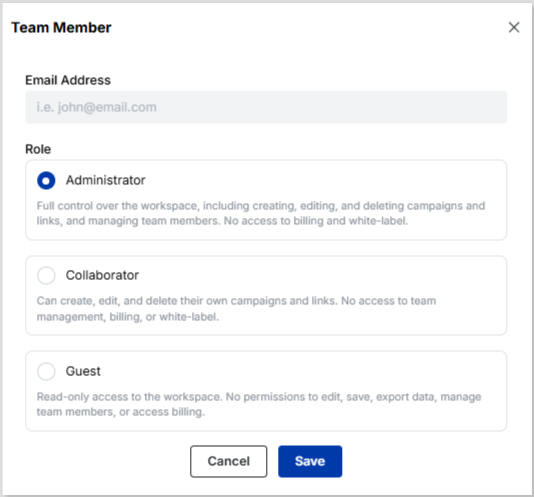
Team management: Collaborate efficiently by inviting team members and assigning roles, ensuring streamlined workflows for link management and campaigns.
2. Rebrandly
Rebrandly is one of the most popular tools for creating branded links. It allows you to customize URLs with your own domain, making every link you share look polished and trustworthy.
With features like custom slugs, advanced analytics, and traffic routing, it’s pretty beneficial for businesses that want their links to double as a brand asset.
Key features
Custom domains & links: Get a domain of your choice and create and manage branded links hassle-free.
Advanced analytics: Track detailed link performance with this URL shortener tool.
Traffic routing: Direct clicks to specific pages based on conditions.
Bio links (Link Gallery) & QR codes: Build bio link pages and generate trackable QR codes seamlessly.
3. Bitly
Bitly is one of the most recognized names in the URL shortener space, known for its simplicity, reliability, and wide adoption. It offers branded links, link tracking, and basic analytics, making it a go-to choice for businesses that need a straightforward link management solution.
However, most of Bitly’s advanced analytics and customization options are locked behind paid plans. While it works well for large businesses managing high volumes of links, it’s becoming less appealing for small businesses and individual users who just want to shorten links and track basic performance without committing to higher costs.
Key features
Branded links: Customize URLs with your own domain for brand consistency.
Analytics & reporting: Track clicks, referral sources, and geographic data without any trouble.
Retargeting pixels: Add tracking pixels for remarketing campaigns easily.
Integrations: Connect with tools like Zapier and enterprise platforms.
Dub is a modern URL shortener built for marketers and teams that want deeper insights into their campaigns. Unlike basic shorteners, this tool doesn’t just tell you how many people clicked your links; it helps you connect the dots between clicks, leads, and conversions.
Moreover, with advanced analytics, you can actually see how your shortened links contribute to sales and customer acquisition.
Dub is also developer-friendly, offering an API-first approach for businesses that need to integrate link management into their existing systems.
Whether you’re running email campaigns, paid ads, or influencer marketing, this brilliant platform gives you the flexibility to create branded links, set up traffic rules, and analyze real ROI.
Key features
Detailed analytics: Track clicks, leads, and sales tied to your shortened URLs to further improve your marketing strategy.
API-first design: Build Dub into your own workflows and marketing stack, without any complex process.
5. Sniply
When you talk about URL shorteners available online, Sniply always makes the list. It is unique in that it allows you to add a custom call-to-action (CTA) overlay to your shared links. This can drive traffic back to your website or encourage specific actions while sharing valuable content.
Alongside its signature CTA feature, Sniply also provides essentials like QR codes, UTM parameters, detailed analytics, and custom domains.
While its analytics aren’t as advanced as some other tools, it does track conversions from click to purchase, giving you a clear picture of how your links contribute to revenue.
Key features
CTA overlays: Add CTAs to any link you share.
Link analytics: Track clicks, conversions, and much more.
Retargeting & A/B testing: Re-engage users and test different strategies.
Team management: Share links with your team members the way you like.
Here’s a quick breakdown of each tool’s pricing plans to help you make an informed decision:
Tool
Basic Plan
Pro Plan
Premium Plan
Replug
$19/month
$39/month
$99/month
Rebrandly
$14/month
$39/month
$119/month
Bitly
$10/month
$29/month
$199/month
Dub
$30/month
$90/month
$300/month
Sniply
$9/month
$29/month
$59/month
Best use cases for paid URL shorteners
Paid URL shorteners are versatile tools that cater to diverse industries and professionals. Here’s how different types of businesses and users can benefit from them:
E-commerce: Track customer behavior with detailed analytics. Use branded links for a polished, trustworthy shopping experience, and boost conversions with deep linking to specific product pages.
Content creators: Customize bio links for platforms like Instagram or TikTok. Promote specific content with branded URLs, and monitor audience engagement to refine your strategy.
Affiliate marketers: Use A/B testing to experiment with different campaigns, retarget users who clicked your links, and analyze traffic performance to maximize commission opportunities.
Agencies: Use white-label solutions to add your branding, collaborate with team members on client accounts, and utilize advanced analytics to demonstrate campaign success to clients.
Freelancers: Create professional-looking links to promote your portfolio or services. Use bio links to consolidate your online presence, and track link engagement to identify your most effective outreach strategies.
Event planners: Share event registration links, directing attendees to specific event pages, and track sign-up trends to plan better for future events.
Nonprofits and NGOs: Share donation links with branded URLs, track donor engagement, and run A/B tests on different campaigns to see what drives more contributions.
Music artists: Promote new releases, concert tickets, and merch with branded links. Converge links to your streaming platforms and social media using bio links, and track fan engagement to identify your top-performing campaigns.
Social media managers: Optimize link performance for multiple social platforms. Create branded short links that align with your brand identity, and analyze clicks to see which platforms socials drive the most engagement.
Mobile app developers: Use app deep linking to guide users directly to specific app features, track user acquisition campaigns, and personalize experiences with advanced analytics.
By tailoring the use of paid URL shorteners to your niche, you’ll unlock new levels of efficiency and engagement in your marketing strategies.
What to look for in a paid URL shortener: Key points & considerations
When choosing a paid URL shortener, it’s important to keep these things in mind:
Custom domains: A good shortener should let you use your own branded domain, helping build trust and recognition with every link you share.
Branding: The ability to add your logo, custom slugs, and design elements ensures that every link reflects your brand identity.
Detailed analytics: Access to real-time data on clicks, locations, devices, and user behavior is crucial for measuring campaign performance and ROI.
Link management: Look for a dashboard that makes it easy to organize, edit, archive, or tag your links for better control and efficiency.
Audience segmentation: Advanced shorteners allow you to segment your audience based on demographics or behavior, enabling more targeted and effective marketing.
Retargeting & tracking: Integrated retargeting pixels and tracking tools help you stay connected with users even after they click, boosting conversions and ad effectiveness.
Final verdict: Which is the most trusted URL shortener?
At this point, you are familiar with the benefits of using link management tools. Moreover, we have also mentioned the top-paid URL shorteners.
However, when it comes to which URL shortener is an all-rounder, Replug truly shines as the all-in-one, customizable, and scalable solution. It is undoubtedly the most trustworthy option for marketers, agencies, and businesses looking to level up their link-sharing game.
With features like branded URLs, detailed analytics, bio links, retargeting, and more, Replug has everything you need to create powerful, performance-driven links.
All signs point to one thing: if you want a shortener that goes beyond just links and actually helps you grow, retarget, and optimize every campaign, Replug is the smartest investment.
Frequently asked questions
What is a URL shortener tool?
A URL shortener tool is an online service that converts long, complex web addresses into shorter, more manageable links while preserving the original destination. Popular examples include Replug, Bitly, TinyURL, and Rebrandly, which are widely used for social media, marketing, and email campaigns. As of 2026, these tools often integrate with analytics platforms to track clicks and user engagement.
How do URL shorteners work?
URL shorteners work by mapping a lengthy original URL to a unique, abbreviated alias stored in a database. When the short link is clicked, the service performs an HTTP redirect to the full address. This process involves generating a hash or key for the short version, ensuring quick resolution without altering the target page. Modern shorteners also employ security checks to prevent malicious redirects and provide real-time performance data.
How do URL shorteners make money?
URL shorteners generate revenue primarily through tiered subscription plans for advanced features like custom branding, detailed analytics, and API access, as seen with services like Short.io and BL.INK. They also monetize through data insights from click demographics, resold to marketers, and, in some cases, through intermediary ads during redirects.
For user-focused platforms, ShrinkEarn and Linkvertise earn by displaying ads on shortened links, paying users up to $20 per 1,000 views (ShrinkEarn) or $70 per 1,000 (Linkvertise) while retaining ad revenue shares.
Why use a paid URL shortening service?
Paid URL shortening services offer advanced features like custom branded domains, detailed analytics on click demographics, and enhanced security against spam or phishing, which free versions often lack. They ensure higher reliability with uptime guarantees, API integrations for automation, and compliance with data privacy regulations like GDPR. In 2026, options like Replug Scale or Rebrandly Pro provide scalable solutions for businesses, justifying the cost through improved ROI on marketing efforts.
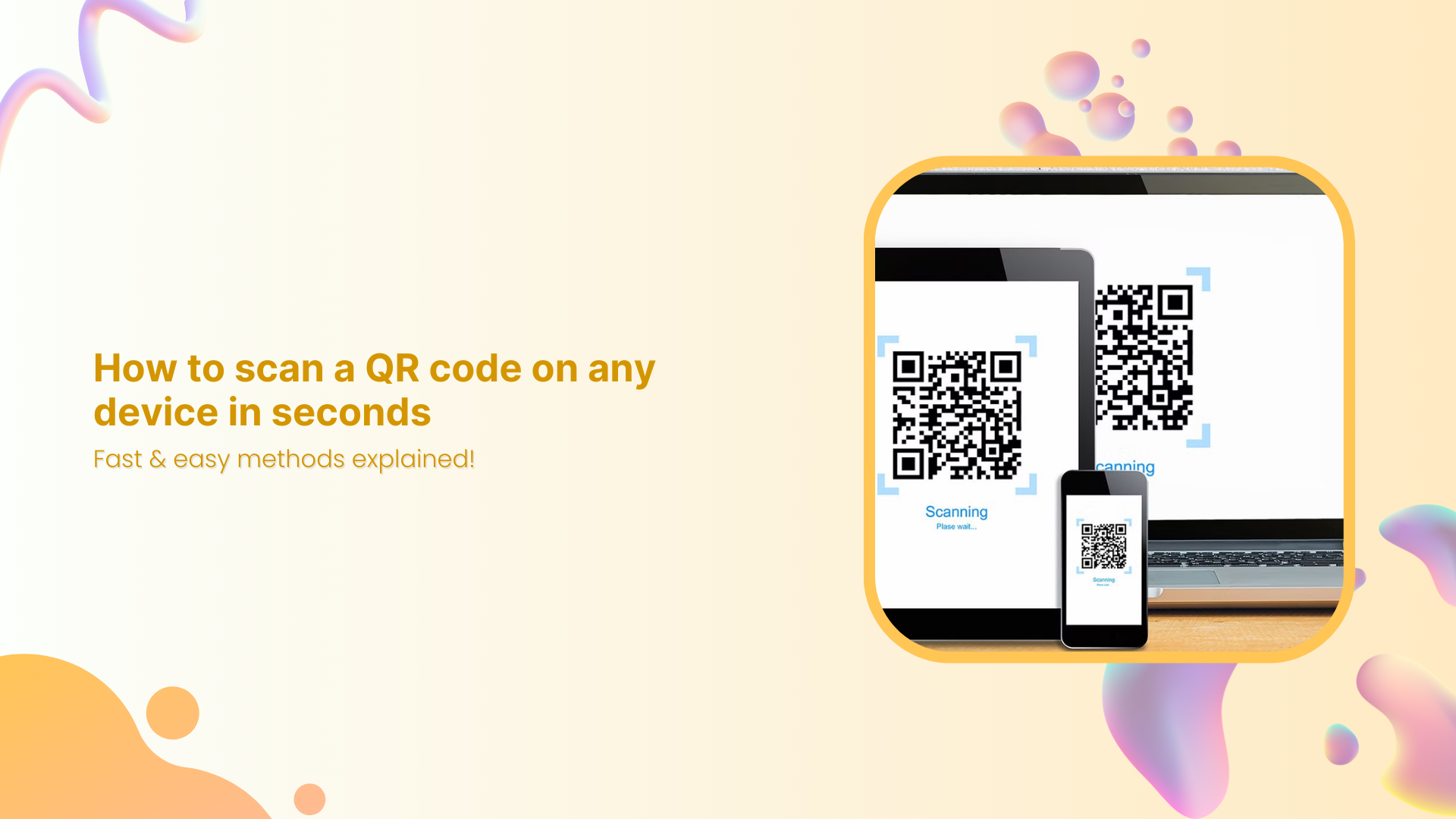
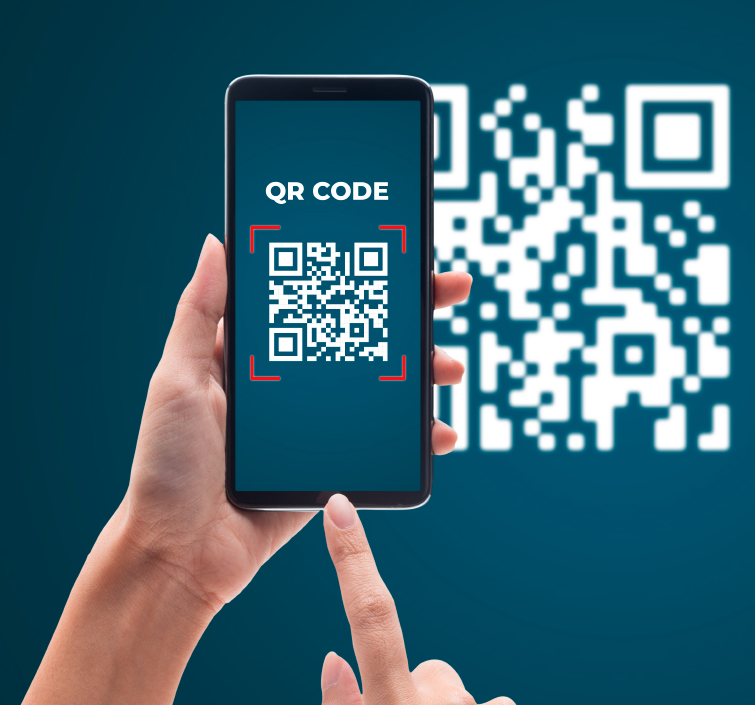
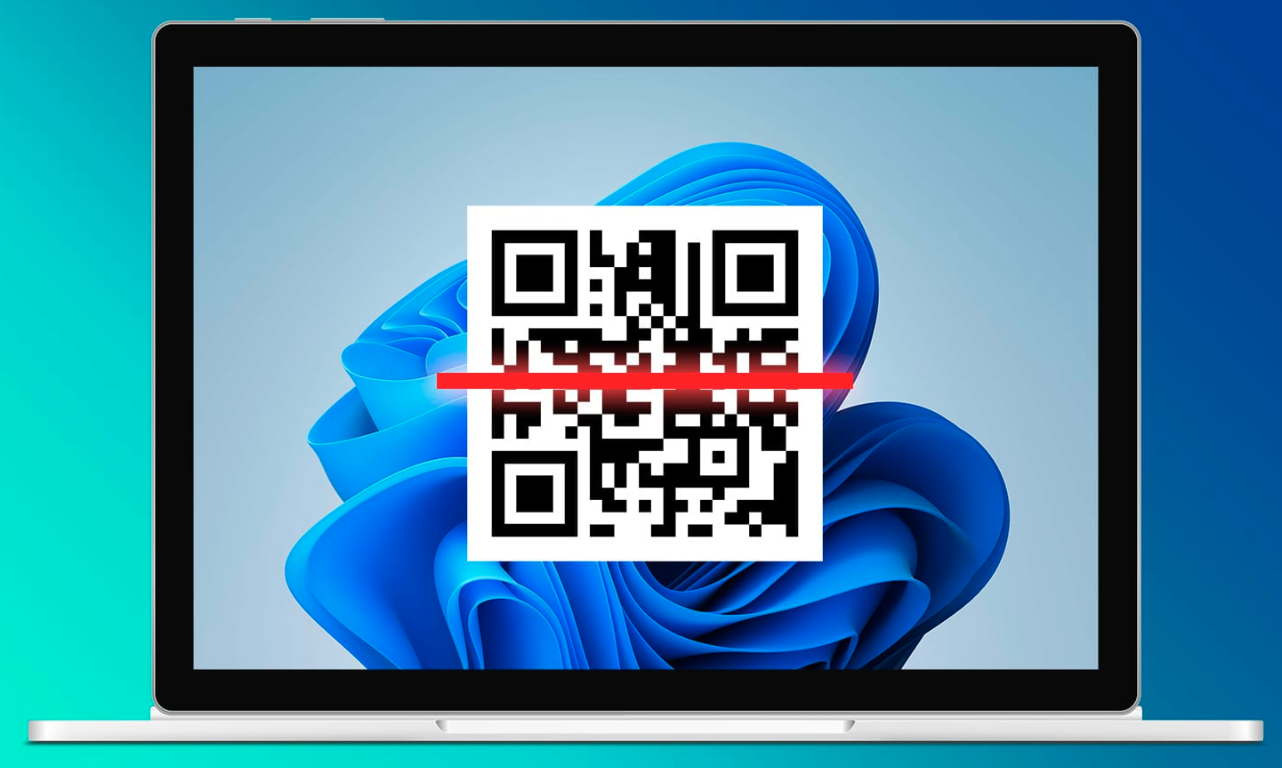
QR codes are those little black-and-white squares that are seemingly everywhere now (on menus, packaging, ads, and even TV screens). Knowing how to scan a QR code quickly can save a lot of time, especially when you run campaigns or track engagement across channels.
Recent reports estimate that more than 6 billion people use smartphones worldwide, and almost all modern phones ship with a built-in QR code reader in the camera. That means every printed code can turn into a tap or visit within seconds.
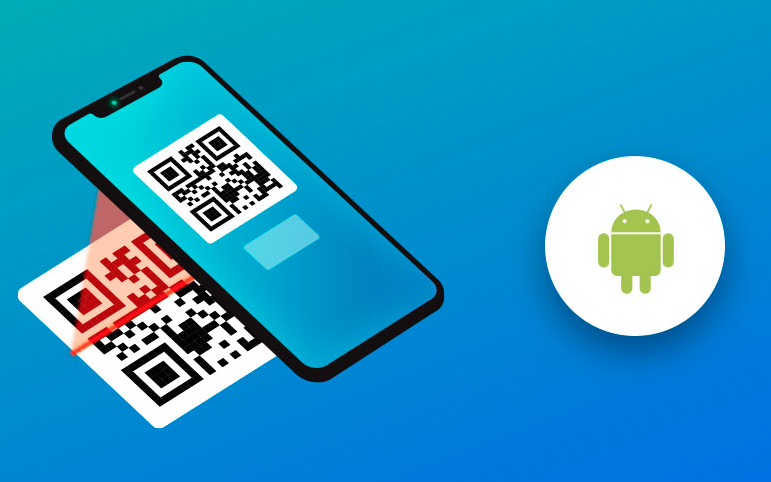
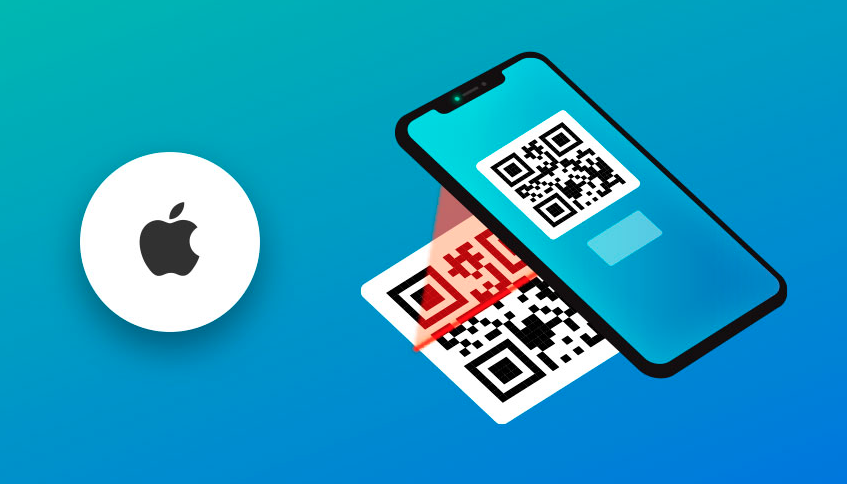
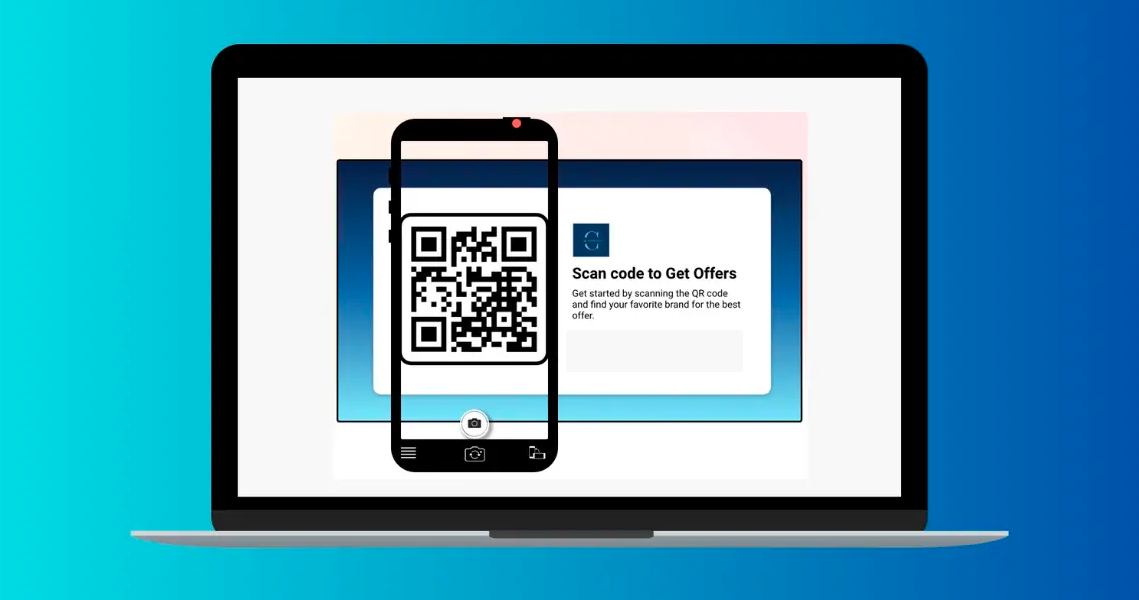
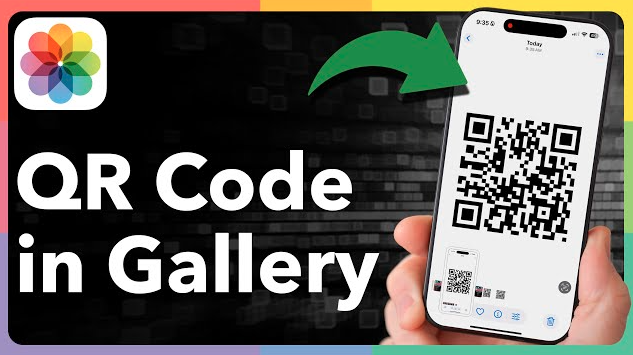
This guide walks through how to read a QR code on Android, iPhone, Mac, and Windows, as well as from screenshots and gallery images. Before moving into step-by-step QR code scanning methods, it helps to understand what a QR code actually is.
What is a QR code: A brief overview
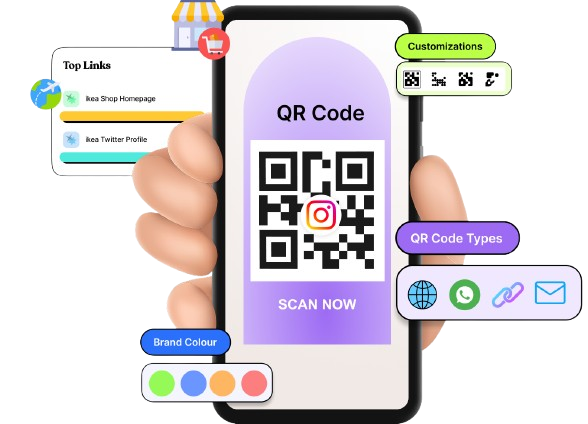
A “QR code (Quick Response code)” is a two‑dimensional barcode made of tiny black and white squares arranged in a grid. When a camera scans a pattern, software converts it into data, such as a URL, text, contact card, Wi‑Fi login, or payment info.
QR codes were first created in the 1990s by Denso Wave, a Japanese company, to track car parts in factories. Because they hold far more data than traditional barcodes and can be scanned from any angle, they are spreading from manufacturing to marketing, payments, tickets, and more.
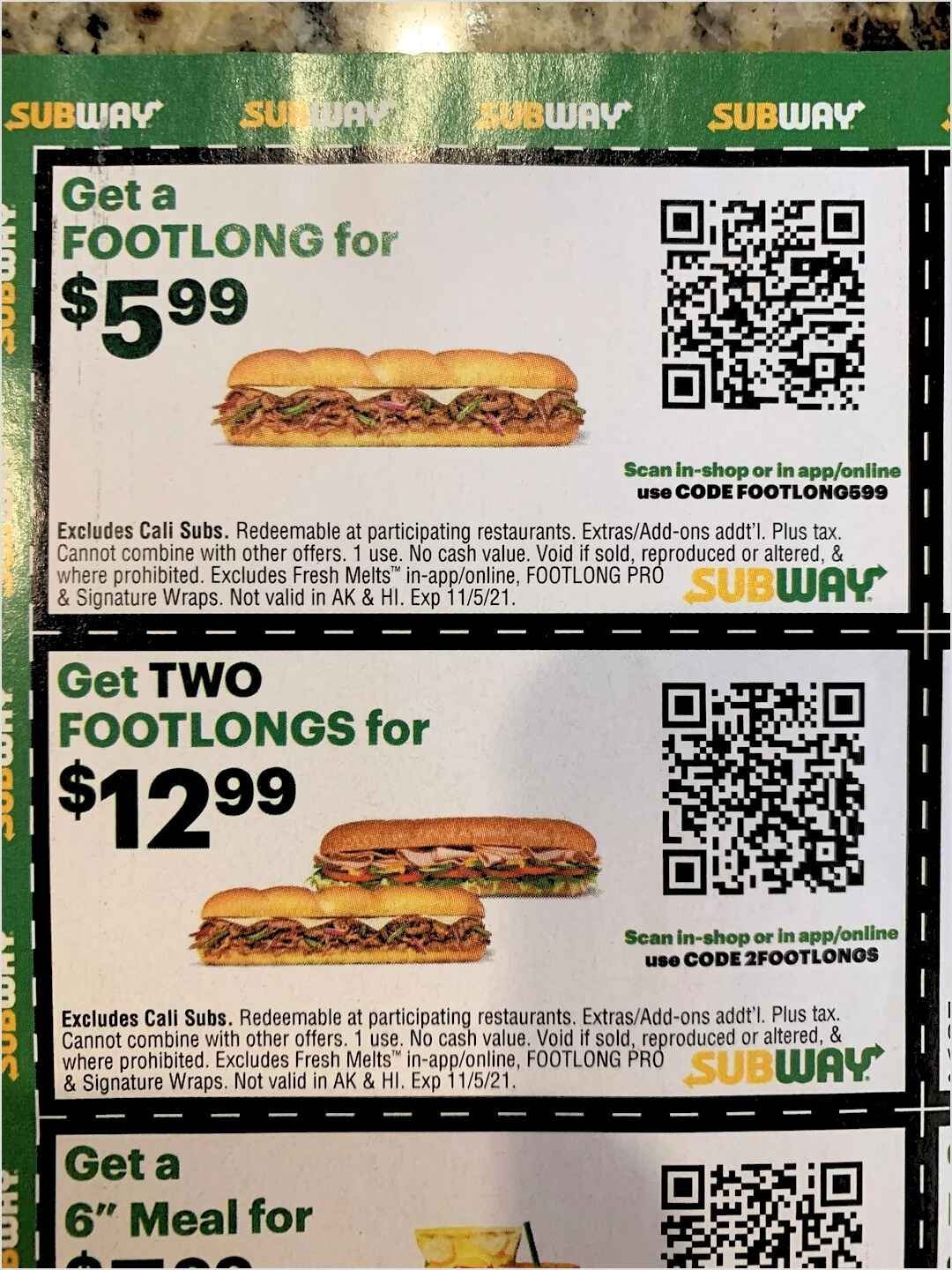
Their main goal is simple:Move someone from offline to online content with a single scan.
Static QR codes, which always point to the same data once printed.
Dynamic QR codes, which point to a short link that can redirect to different pages and record analytics.
Dynamic codes are helpful when you want to update campaigns without reprinting and see how many people scanned each code.
Why QR codes matter so much
QR codes may seem simple, but they carry significant value, especially for today’s marketers and content creators.
They make it effortless to move people from print or physical spaces to links, landing pages, apps, and social profiles with a single scan rather than a long URL. This reduces friction and leads to more visits, sign‑ups, and actions from the same campaign assets.
They are easily trackable when linked to analytics or short URLs, so every scan can show where, when, and on what device someone engaged. That turns posters, packaging, and flyers into measurable channels rather than guesswork.
They work across many use cases, from menus and payments to event check‑ins, affiliate links, and lead magnets. A single code snippet can support many campaign goals, making it a very efficient tool for marketing professionals.
They are also low-cost to generate and print, so you can test QR campaigns on posters, product inserts, or receipts before investing in larger placements.
How to scan a QR code on Android
Most modern Android phones can seamlessly scan QR codes without a dedicated QR code reader app. You can use the camera, Quick Settings, Google Lens, or even scan from an image already saved on your phone.
Android Camera app
The default “Camera app” is the fastest way to scan a QR code on an Android phone.
1. Open the Camera app from your home screen, app drawer, or lock‑screen shortcut.
2. Point the rear camera at the QR code and make sure the whole code is inside the viewfinder.
3. Hold the phone steady for a second so the camera can focus and detect the code.
4. When a link or prompt appears on the screen, tap it to open the website, app, payment page, or other action.
Note: If nothing happens, check your camera settings for an option like “Scan QR codes” and turn it on.
QR code scanner
Many Android phones have a dedicated QR scanner shortcut in the “Quick Settings” panel.
1. Swipe down from the top of the screen to open your notifications and Quick Settings.
2. Look for a tile called “Scan QR code,” “QR scanner,” or similar. If you do not see it, tap the edit icon and add it to the panel.
3. Tap the scanner tile to open a simple scanning screen without photo controls in the way.
4. Point your camera at the code and wait for the link or prompt, then tap to open it.
This method is handy when scanning many codes during a workday or event.
Google Lens or Circle to Search
Google Lens and Circle to Search are powerful QR code-scanning features on newer Android devices.
1. Open the Google app or the Camera app.
2. You’ll see the Lens icon. Tap it.
3. Point the camera at the QR code and wait while Lens detects it.
4. The link or action will appear at the bottom of the screen. Tap it to continue.
On supported phones, Circle to Search lets you scan QR codes already on your screen. Long‑press the home button or navigation bar, circle the QR code with your finger, and tap the result that appears.
Scanning from a saved image (screenshot or photo) via Google Photos
You might need to scan a QR code in a screenshot, email, or social post at times. So, here is how to do it:
1. Save or screenshot the QR code, so it appears in your Gallery or Google Photos library.
2. Open the Google Photos app and tap the image that contains the code.
3. Tap the Lens icon at the bottom of the screen to start analysis.
4. Google Photos will detect the QR code and show the link or data, which you can then open or copy easily.
How to scan a QR code on an iPhone
On an iPhone, scanning a QR code is just as simple. The Camera app, Control Center tools, and Photos all include built‑in support, so extra apps are rarely needed.
iPhone Camera app
1. Open the Camera app from the Home Screen, Lock Screen, or Control Center.
2. Switch to the rear camera and point it at the QR code so the whole code fits on the screen.
3. Hold still for a moment. A yellow frame may appear around the code when it is detected.
4. A banner will show at the top of the screen with the link or action. Tap it to open Safari or the related app.
Note: If scanning does not work, go to Settings → Camera and make sure “Scan QR Codes” is turned on.
QR code scanner
iOS also includes a dedicated code scanner shortcut in Control Center.
1. Open Settings and tap “Control Center.”
2. In the list of controls, find “Code Scanner” and tap the green plus button to add it.
3. Swipe down from the top‑right corner (or up from the bottom on older models) to open Control Center.
4. Tap the Code Scanner icon to open a clean scanning screen. Point it at the QR code and tap the prompt that appears.
This is slightly faster than opening the full Camera app, especially if you often scan during campaigns or events.
Live Text (iOS 15 & later)
Live Text lets your iPhone recognize text and QR codes in photos or in the camera view.
1. Open the Camera app and point it at a QR code on a screen or printed page.
2. Look for the small Live Text icon in the corner of the viewfinder. That shows iOS has detected content.
3. Tap the Live Text icon or tap directly on the QR code area.
4. A link or action card will appear. Tap it to visit the page or run the action.
This is helpful when a QR code sits next to important text you also want to copy or translate.
Scanning from a saved image (screenshot or photo) via the Apple Photos app
To scan a QR code stored in your Photos library:
1. Take a screenshot or save the image that includes the QR code.
2. Open the Photos app and tap the image.
3. Press and hold on the QR code area inside the photo.
4. A small menu or link preview will appear. Tap the link or action text to open it in Safari or the related app.
How to scan a QR code on a MacBook
MacBooks cannot scan codes on their own, but it is still easy to read QR codes with a mix of third‑party apps, Safari tools, and the built‑in camera.
Third-party apps (QR Capture or QR Journal)
Apps like QR Capture or QR Journal let your MacBook scan codes with just a few clicks.
1. Download a QR reader app such as QR Capture or QR Journal from the Mac App Store.
2. Open the app and grant camera access when asked.
3. Hold a printed QR code in front of your MacBook’s webcam, or drag an image file with a QR code into the app window.
4. The app will display the decoded link or data so you can open it in your browser or copy it.
Safari right-click option
When a QR code appears as an image in Safari, you might not need a separate reader.
1. Right‑click (or Control‑click) directly on the QR code image in Safari.
2. If Safari detects a link inside the code, you will see options such as “Open Link” or “Open Link in New Tab.”
3. Click the option you prefer, and Safari will open the URL encoded in the QR code.
This works best for clear, high‑quality QR images on websites.
MacBook’s webcam
Some web‑based tools can scan QR codes using your MacBook’s webcam.
1. Search for a trusted site that lets you scan a QR code online using the camera.
2. Open the site in Safari or Chrome, and allow camera access when prompted.
3. Hold the printed QR code in front of your MacBook’s webcam so the full code stays in frame.
4. Wait for the site to read the code and show the result. Then click to open or copy.
iPhone/iPad camera
Occasionally, the simplest way to scan a QR code on your Mac’s screen is with your iPhone or iPad.
1. When a QR code appears on your MacBook screen, grab your iPhone/iPad.
2. Open the Camera app and point it at the code on your Mac’s display.
3. Tap the banner that appears on your iOS device to open the link.
4. If you want to continue on Mac, use Handoff or simply copy the URL and paste it into a Mac browser.
This is quick when you already have your phone in hand.
Photo Booth app
Photo Booth can help when you need to turn a physical code into an image for later scanning.
1. Open the Photo Booth app on your MacBook.
2. Hold the printed QR code in front of the webcam and take a clear photo.
3. Save the photo, then open a trusted online QR reader in your browser.
4. Upload the Photo Booth image to that site so it can scan and display the link or data.
How to scan a QR code on a computer (Windows PC)
On Windows, there are several ways to read QR codes, from browser tools to the built‑in Camera app and online scanners.
Google Chrome
Google Chrome offers handy support for QR codes, especially when you already have an image at hand.
1. Right‑click an image of a QR code and choose an option like “Search image with Google” if available.
2. On the results page, Google may detect the QR code content and display the URL so you can open it.
3. If that is not enough, install a trusted Chrome extension described as a QR code reader/scanner app and follow its instructions.
4. Use the extension’s button to scan images on a page or upload files containing QR codes.
Windows Camera app
You can also scan a printed QR code using your PC’s webcam.
1. Open the Start menu and search for “Camera,” then open the Camera app.
2. If your version includes a dedicated “Scan QR code” or “Barcode” mode, switch to that mode.
3. Hold the QR code in front of your webcam so it fills most of the preview window.
4. When the app recognizes the code, it will show the decoded text or URL, which you can copy into your browser.
If your Camera app does not support QR codes, use an online scanner with webcam access instead.
Online QR scanner (webcam or file)
Online tools are a simple, hassle-free way to scan a QR code on Windows.
1. Open a reputable QR scanning website that supports camera and file uploads.
2. Choose whether to scan with your webcam or by uploading an image file.
3. If you use the webcam, allow camera access, and hold the code in front of your PC.
4. If you upload, pick the screenshot or photo with the QR code embedded. The site will read it and show the result within seconds.
Screenshot & scan (best for screen-based codes)
For QR codes that sit on your monitor, a screenshot is often the cleanest option.
1. Take a screenshot of the QR code using tools like Snipping Tool, Snip & Sketch, or the Print Screen key.
2. Save the screenshot as an image file.
3. Go to an online QR scanner or use a desktop app that accepts image uploads.
4. Upload the screenshot so the tool can read and display the link or content behind the code.
iCloud Passwords extension
iCloud Passwords on Windows can help with codes used for two‑factor authentication.
1. Install iCloud for Windows and the iCloud Passwords browser extension for Chrome or Edge.
2. When a website displays a QR code to set up an authentication app, open the iCloud Passwords app.
3. Add or edit the login, then choose the option to add a verification code.
4. Follow the prompts to use the QR image shown in your browser, either by scanning it with a paired Apple device or entering the key, so your logins stay synced.
How to scan a QR code on your phone’s gallery
At times, the QR code is already on your phone, inside a screenshot, email, or saved photo instead of on paper. In that case, you do not need a second device to scan it.
Long-press on gallery images
On both Android and iOS, you can scan many QR codes directly from the gallery.
1. Open your Gallery or Photos app and tap the image that contains the QR code.
2. On iPhone, press and hold the code. On many Android phones, tap the Lens or similar icon.
3. Wait for the system to detect the QR and show a link preview or action.
4. Tap the link to open it in your browser, or copy it for later.
Even when someone knows how to scan a QR code, a few habits make scanning faster and safer across all devices.
Inspect for tampering
Before scanning, take a quick look at the physical QR code for any damage or other issues. If it looks like a sticker placed over another code or part of a sign, it might be fake. In those cases, skip the scan or confirm with staff before using it.
Preview the URL
Most cameras show a link preview before opening it. Read the domain name carefully and watch for odd spellings or strange characters. If the URL looks suspicious or unrelated to the context, avoid tapping it.
Avoid sensitive actions
Be careful when a QR code leads directly to pages that ask for login credentials, card details, or personal data. Instead of entering details right away, open the brand’s website manually in a new tab. This small step helps avoid phishing and fake payment pages.
Beware of unknown sources
Random QR codes on poles, parking meters, or flyers with no clear brand are risky. When there is no logo, explanation, or context, the safer choice is to simply ignore the code. Focus scans on codes from brands, venues, or partners that you trust.
Use the native camera
For basic scanning, the built‑in camera on Android or iPhone is usually the safest option. It has no ads and better system‑level protections than many third‑party apps. Only install extra apps when you truly need advanced features.
Good lighting & focus
Cameras need light and clarity to read tiny squares. Move closer to a window or turn on your phone’s flashlight when the code is in a dark place. Wait until the image looks sharp on screen before expecting a successful scan.
Distance & stability
If you stand too close or too far, the code becomes blurry. Adjust your distance so the code fills most of the frame without cutting off the edges. Moreover, hold your hands steady for a second to give the camera time to focus.
Optimal angle
Try to keep your camera as straight as possible in front of the QR code. Strong angles or curved surfaces can distort the pattern. A small tilt is fine, but a near‑front view will give the best chance of a quick scan.
How QR code technology works: The future of QR codes!
QR codes store data in a grid of black and white squares. When a camera looks at the code, the software finds the large squares in the three corners, uses them for alignment, and then reads the smaller modules as a string of bits. That data maps to content such as a URL, text, Wi‑Fi settings, or a contact card, which the device then opens or runs.
Behind the scenes, QR codes also use error correction, which lets scanners read the code even if part of it is smudged, scratched, or covered by a small logo. Different “versions” of QR codes hold more or less data depending on how dense the grid is, which is why some codes look more crowded than others.
For marketers, this means every print asset can have a direct, measurable digital action behind it. As phones get smarter, QR experiences will keep improving with features such as on‑screen scanning, deeper analytics, and stronger security checks. Expect QR codes to remain central to payments, ticketing, and campaigns, where a single scan can trigger a full-funnel experience.
Create your custom QR code today with Replug!
Knowing how to scan a QR code is only half the game. To run real campaigns, teams also need QR codes that are on‑brand, trackable, and easy to update. That is where Replug comes in!
Replug is an all‑in‑one link management platform featuring a top-notch custom QR code generator built for marketers, creators, growth teams, etc.
You can create dynamic QR codes for branded short links, files, social profiles, and landing pages, then change the destination later without reprinting anything. Design options let you add your logo, pick colors, and match your brand so people feel safe scanning.
Dynamic QR codes
for modern brands, marketers,
and creators.
Every scan feeds into a real‑time analytics dashboard with data on devices, locations, and referral sources. You can add retargeting pixels, A/B test different URLs behind the same code, and send traffic to different pages based on device or country. That turns a simple square into a smart entry point for your entire campaign.
Wrapping up
QR codes turn any surface into a clickable call to action, as long as people know how to scan them quickly and safely.
With the built‑in tools on Android, iPhone, Mac, and Windows, plus gallery and screenshot tricks, there is rarely a need for extra hardware.
Combine these scanning habits with safe‑browsing tips, and every code becomes a smooth step into your content, funnel, or offer.
When you are ready to go beyond basic codes and run trackable, branded campaigns, Replug can help you generate and manage them from one clean dashboard.
Frequently asked questions
How to scan a QR code without a scanner app?
Most modern phones scan QR codes with the default camera, so no extra app is needed.
– On Android, open the Camera or Quick Settings scanner, then point it at the code. – On iPhone, use the Camera or the Code Scanner in Control Center. Wait for the banner to appear and tap it.
How do I scan a QR code inside my phone without using another phone?
Use your gallery and built‑in tools. Save or screenshot the image with the QR code, then open it in Google Photos or Apple Photos. Tap the Lens icon on Android or long‑press the code on iPhone, and the system will detect and open the link without needing a second device.
How to scan a QR code on the camera from Google?
Open the Google app and tap the camera or Lens icon next to the search bar. Point the camera at the QR code and hold it steady. Google Lens will recognize the code and show the embedded link or action, which you can tap to open.
How to scan a QR code without the camera app?
– On phones, you can use Control Center’s Code Scanner on iOS or the QR scanner tile in Android’s Quick Settings. – On desktops, you can scan a QR code online by uploading an image or using your webcam in a browser tool.
Many social and payment apps also include built‑in scanners.
What types of QR codes can I scan with an online QR code scanner?
Most online scanners can read standard QR codes that contain URLs, plain text, contact cards, Wi‑Fi details, or payment links. When you upload a clear image or use your webcam, the site reads the content and shows the text or link. From there, you can copy it into your browser or app of choice.
What are the issues associated with QR code scanning? Provide troubleshooting tips as well.
Common issues include poor lighting, blurry focus, damaged codes, or blocked camera permissions. Try moving to a brighter area or turning on your flashlight, then hold the phone steady and adjust the distance. Clean the camera lens and make sure QR scanning is turned on in settings. If a code is torn or low‑quality, look for another copy or type the URL manually if visible.
How to scan a QR code online for free?
Search for a well‑reviewed free QR scanner website that supports both camera and file uploads. Open the site, allow camera access, or upload your QR image, and it will read the content at no cost. Rather than naming a single “best” tool, focus on sites that use https, avoid aggressive ads, and have strong user reviews.
What are the ways to scan a QR code on your Galaxy phone or tablet?
On Samsung Galaxy devices, you can scan directly from the Camera app or using the Quick Settings panel with the built‑in QR scanner tile. Some models also let you scan codes inside the Gallery app using Bixby Vision. When moving to a new Galaxy device with Smart Switch, you may see QR codes that help link devices and Wi‑Fi. Just point your old or new phone’s camera at those codes as prompted.
What to do after scanning a QR code successfully?
Once the QR code is scanned, review the link or action shown on your screen. If it looks safe and matches the context, tap to continue to the landing page, payment screen, app store, or contact card. From there, complete the desired action, such as signing up, following, paying, or saving the details for later.
Have you ever wondered if a small barcode could streamline your menu updates and boost guest satisfaction at the same time?
Over the past couple of years, QR code menus have gained massive popularity amongst restaurants, and this trend is increasing day by day. Due to the increased smartphone usage, these scannable squares are changing how diners access information and place orders. From simplifying operations to enhancing customer satisfaction, QR code advertising has revolutionized how menus are presented.
Before we discuss the benefits, creation, and uses of QR code menus, let’s take a step back and explore why QR codes have become a staple in the restaurant business.
The rise of QR code menus
Traditional menu vs. QR code menu
What are QR code menus?
QR code menus are two-dimensional barcodes scanned with a smartphone, linking customers to digital menus and eliminating the need for physical ones.
While they gained popularity as a contactless solution during the pandemic, their benefits go beyond hygiene.
In today’s world, where diners prioritize convenience and customization, QR code menus combine technology with practicality, transforming menus into dynamic, interactive experiences.
A complete link management solution
for marketing professionals & agencies.
Try Replug for free
Now that we’ve set the stage, let’s explore the top five benefits of using QR codes for restaurant menus.
5 benefits of using QR codes for restaurant menus
1. Enhanced hygiene and safety
Some diners worry about germs spreading through shared menus. QR code menus solve this by eliminating physical menus that change hands multiple times daily. Each table has a code that customers scan to view the menu on their device, offering a safer dining experience.
For example, Pizza Hut’s “Clean. Contactless. Safe” system uses tabletop QR codes, letting customers access menus on their smartphones. This approach not only promotes hygiene but also adds convenience.
Here’s another example of IHOP, the famous American multinational pancake house restaurant chain. They’ve also implemented QR code menus for a more hygienic experience:
Staff also benefit from this approach. They can focus on clearing tables and attending to other tasks instead of constantly wiping down menus or distributing them multiple times per shift.
Pro Tip: Pair your QR code menus with digital payment options to create a fully contactless dining experience.
2. Real-time updates and cost savings
Printed menus are costly and hard to update, especially with frequent changes. QR code menus solve this by allowing real-time updates for seasonal specials, price changes, or out-of-stock items—no reprinting needed.
This eco-friendly approach reduces paper waste and aligns with sustainability. Restaurants can also use digital signage platforms like Juuno to keep on-screen menus and promotions consistent with the latest information available through their QR codes.
For example, a café can update daily specials each morning using QR codes, ensuring customers always see the latest options hassle-free.
3. Improved customer experience
QR codes can connect customers to interactive digital menus featuring high-quality images, detailed descriptions, and pairing suggestions. For example, scanning a QR code at an Italian restaurant could reveal not only pasta options but also recommended wine pairings. These menus can include dietary filters, helping customers with allergies or specific preferences navigate with ease.
Language options further enhance accessibility, welcoming a diverse range of customers. Additionally, promotions like “happy hour pizza” deals can be seamlessly showcased, making digital menus a versatile and engaging tool for restaurants.
Bonus features to consider:
Multilingual menus for international diners.
Direct links to customer reviews or chef’s notes.
Integration with loyalty programs for exclusive discounts.
Promoting limited-time promotions and special deals
We absolutely love how McDonald’s uses QR codes in their marketing strategy. Here’s how they strategically used QR codes to engage customers with the Kartik Aaryan meal, offering interactive experiences and boosting brand loyalty:
Here’s another example of Taco Bell’s Laco Tacos QR code marketing:
4. Increased upselling opportunities
QR code menus provide a unique opportunity to upsell dishes and drinks. Unlike traditional menus, digital menus can showcase dynamic content such as promotional banners, combo deals, or chef’s specials that capture attention in real-time.
For example, when a customer views a dessert section, your QR code menu could pop up with a tempting “Pair this cake with our signature latte for just $2 more!” offer. These subtle nudges can significantly boost your revenue.
5.Advanced analytics and insights
QR code menus offer valuable data. With tools like Replug, restaurant owners can track clicks on popular pages, campaign results, and peak menu scan times.
This feedback helps refine dishes, promotions, and inventory. For example, if an appetizer gets clicks but few orders, the description or photo can be adjusted. Real-time insights also prevent shortages, allowing owners to respond to trends effectively and align offerings with customer preferences.
Here’s how you can create QR codes for restaurant menus using Replug, i.e., your go-to custom url shortener.
Important note: Before getting started, ensure your digital menu is uploaded online. This will provide you with the URL needed to link to your QR code.
Step 1:Log in to your Replug account or sign up if you don’t already have one.
Step 2: Paste your menu URL into the field under “Quickly Shorten Your Link.”
Step 3: Once your link is shortened, you’ll see a QR code icon next to it. Click the icon to generate your QR code.
You can also create a custom URL by changing the short link slug so that when customers scan the QR code, they instantly recognize that the link leads directly to your restaurant’s menu. This boosts clarity and trust.
Step 4: Customize the QR code’s background and foreground colors to align with your branding and make it visually appealing.
Step 5: Test your QR code using your phone or tablet’s camera to ensure it works perfectly. Don’t skip this crucial step!
Step 6: Download your QR code in PNG or SVG format, and place it wherever you need, such as tables, walls, menus, or marketing materials.
That’s it! You have successfully generated a QR code using Replug’s QR code generator. Your QR code is now ready to make your menu more accessible and interactive.
The best part about using Replug for creating your QR codes is the ability to create dynamic QRs. This means you can update the link behind your QR code anytime without needing to print a new one, whether for special promotions, seasonal menu updates, or even changing the link to a new location!
Best practices for implementing QR code menus
If you’re ready to take advantage of the benefits of QR code menus, here are some tips to ensure their success:
Clear placement: Make sure the QR codes are easily visible and accessible. Place them on tables, flyers, walls, or even your receipts!
Mobile-friendly design: Ensure your digital menu is optimized for smartphones. A clunky or slow-loading menu can frustrate customers.
Test for functionality: Regularly test your QR codes to ensure they work seamlessly and direct users to the correct menu.
Train your staff: Educate your team on how to assist customers unfamiliar with QR codes. Using mentoring software can support this training by providing expert guidance to the team members.
Add branding: Incorporate your logo or colors into the QR code design to make it visually appealing and aligned with your brand. This feature will soon be available in Replug.
Where can you use QR codes for menus?
QR codes for menus are incredibly versatile and can be utilized in various areas of your restaurant to enhance accessibility and convenience. Here are some practical placements to consider:
On tables: Place QR codes on table tents or coasters, allowing diners to quickly scan and view the menu from their seats.
At the entrance: Display a QR code at the entrance so customers can browse the menu while waiting to be seated.
On walls or posters: A QR code on a prominent wall, poster, or digital signage can help streamline ordering for walk-in customers for casual or fast-casual setups.
On takeout packaging: Include QR codes on your takeout bags or boxes, linking to your menu or a special offer to encourage repeat orders.
In marketing materials:Add QR codes to flyers, coupons, or advertisements, letting potential customers preview your menu before visiting.
On your website: Link your QR code to your website. This way, you can easily share menu updates without printing new copies and enhance customer experience.
Subway used QR codes on their coupons for footlong subs. By scanning the QR in-shop/app/online, the customer would get a footlong sub at a discounted price:
By strategically placing QR codes, you create multiple touchpoints for customers to engage with your restaurant, improving their overall experience while simplifying your operations.
The takeaway
QR code menus have revolutionized the dining experience, offering unmatched convenience, cost-effectiveness, and enhanced customer engagement. From improving hygiene to providing dynamic content and upselling opportunities, the benefits are too compelling to ignore.
Whether you’re a fine dining restaurant or a cozy café, integrating QR code menus is a smart move that caters to modern diner expectations.
Ready to make the switch? Start by designing a sleek, user-friendly QR code menu today, and watch as your restaurant thrives in the digital age!
A complete link management solution
for marketing professionals & agencies.
Try Replug for free
FAQs for QR code menus
How do QR code menus improve restaurant efficiency?
QR code menus eliminate the need for physical menus, streamlining ordering and reducing staff time spent cleaning or distributing menus. Customers can access the menu directly on their phones, saving time.
Can QR code menus be easily updated with new items or prices?
Yes! QR codes link to a digital menu that can be updated in real-time. No need to print new copies. Simply update your menu online, and it’s automatically reflected.
How do QR code menus enhance the dining experience for customers?
QR codes offer interactive features like detailed descriptions, high-quality images, and language options, making it easier for customers to find what they want and enjoy a personalized experience.
How can Replug help restaurants optimize QR code menu tracking?
Replug provides data insights into which menu items are most clicked and viewed, helping restaurants fine-tune their offerings and promotions. You can track customer preferences and make informed decisions for better engagement.
Some tools keep it simple, others pack in advanced features, and then there are those that raise the bar for link management altogether. Rebrandly, TinyURL, and Replug each bring something unique to the table, but how do they compare?
Is TinyURL’s simplicity enough, or does Rebrandly’s branding finesse seal the deal? And where does Replug, with its dynamic marketing features, fit in?
Instead of sifting through countless features and reviews, we’ve done the heavy lifting for you. Let’s break down how these three tools compare in Rebrandly vs. TinyURL vs. Replug, so you can make the smartest choice for your goals!
Wait, but why should you compare them?
With so many link management tools available, why focus on Rebrandly, TinyURL, and Replug, right?
Well, it’s quite simple. These three tools have consistently proven themselves as top choices for link management. Each caters to a different audience: TinyURL appeals to those who need quick and easy link shortening, Rebrandly is perfect for professionals prioritizing branded links, and Replug stands out for its advanced marketing and tracking capabilities.
By comparing these tools side by side, you’ll get a clear picture of their strengths, weaknesses, and which one aligns best with your goals. Whether you’re managing a personal blog, running campaigns for a brand, or driving affiliate marketing efforts, this comparison will help you make an informed decision.
Pricing comparison: Which one fits your budget?
When it comes to tools, price matters as much as features. Rebrandly, TinyURL, and Replug each offer different pricing plans, but which one gives you the best value for money?
To make things simple, we’ve compared their monthly pricing plans to help you find the right fit for your needs:
Feature comparison: Rebrandly vs. TinyURL vs. Replug
Now that we’ve covered pricing, let’s talk about what really sets these tools apart.
From branding and customization to analytics and marketing capabilities, here’s a comprehensive comparison of how Rebrandly, TinyURL, and Replug stack up regarding features.
URL shortening and link management
Replug
Replug offers unlimited custom links, ensuring that you never run out of options for creating personalized URLs. It supports up to 100 branded domains, making it an ideal choice for businesses with diverse branding needs.
Advanced features like link previews, custom favicons,link expitation, and 404 redirections ensure a polished user experience. Additionally, Replug provides flexibility with bulk link edits, affiliate links, and SMS links, making it a comprehensive solution for link management.
The best of all, Replug doubles as the best URL shortener, giving you full control over link customization, branding, and performance tracking, all in one place.
Boost ROI with branded URLs!
Enhance your marketing campaigns by creating shareable, trackable, and fully multi-purpose
customizable branded URLs.
TinyURL provides up to 5,000,000 custom links and supports 10 branded domains. While it does include essential features like link redirects, link expiration, and bulk link edits, it lacks support for link previews, custom favicons, and 404 redirections.
This makes TinyURL a good option for basic link management needs but limits its utility for those seeking advanced customization.
Rebrandly
Rebrandly allows up to 100,000 custom links and supports 100 branded domains, sort of matching Replug in this aspect. While it supports SMS link creation, link expiration, link redirects, and bulk link edits, it does not offer link previews or custom favicons.
However, its inclusion of 404 redirection makes it a reliable option for maintaining branded links.
Verdict: Replug
Replug emerges as the winner for URL shortening and link management. It provides unmatched flexibility with unlimited custom links, superior customization features like link previews and custom favicons, and comprehensive tools for managing links efficiently.
Analytics and reporting
Replug
Replug offers an extensive analytics dashboard with unlimited link history, engagement data, and customizable reporting features. Users can track key metrics such as total and unique clicks; and clicks from referral sources, geolocation data, and device types. You can also add UTM parameters to your links for advanced tracking.
Additionally, Replug provides custom link analytics and unlimited automated reports across all plans, making it ideal for businesses looking for comprehensive, in-depth insights and better collaboration across teams.
TinyURL
TinyURL provides a solid analytics dashboard that includes data on clicks, referral sources, and device types, but lacks advanced features like custom analytics and UTM builders. It also limits analytics to two years of link history and doesn’t support clickstream data or social platform tracking.
Rebrandly
Rebrandly’s analytics features also include tracking clicks from referral sources, device types, and geolocation, but with significant limitations for larger-scale businesses. The platform restricts the number of reports—only 3 reports in the Growth plan and 20 in the Custom plan.
Click tracking and link destination edits are also limited in volume, and users must purchase add-ons to access additional features. This can be a significant drawback for businesses that need more extensive reporting capabilities.
Verdict: Replug
Replug wins in this category with its unlimited data volume, comprehensive analytics features, and automated reports in all plans. Unlike Rebrandly, which has strict limits on data volume and reporting options, Replug offers more flexibility and scalability for businesses of all sizes.
Bio links
Replug
Replug offers a robust bio link feature that allows users to create fully customizable bio link pages (also known as a link gallery). You can add a title, description, and even a display picture to your bio link. Features like customizable backgrounds, buttons, and predefined themes enhance the appearance and functionality of your bio link page.
You can also integrate social links, videos, RSS feeds, and more using blocks. Additionally, Replug supports retargeting pixels for bio links and provides bio-link click analytics as well. For users with the agency enterprise plan, you can even manage up to 500 bio links, offering great scalability.
Go beyond generic link pages!
Create custom bio links that truly fit your brand
With Replug, you can create bio links that are unique, engaging, and built to convert.
TinyURL does not have a dedicated bio link or link gallery feature, limiting its offerings in this category. Overall, TinyURL’s focus remains on basic link shortening, and it lacks the advanced features needed for bio links.
Rebrandly
Rebrandly offers a bio link (Link Gallery) feature, providing users with a customizable bio link page. Users can add a title, description, and display picture, and make basic customizations for background and button styles. While the customization is not as extensive as Replug (limited to rounded corners for buttons and transparent backgrounds), Rebrandly does provide predefined themes.
It also supports social links, retargeting pixels, video embedding, and click analytics. However, it lacks some advanced features like the verification badge, downloadable QR codes, and customizable favicons.
Verdict: Replug
Replug is the clear winner with its comprehensive bio-link features, including customization options, blocks, analytics, and the ability to add retargeting pixels. It’s the perfect TinyURL and Rebrandly alternative for users looking for enhanced flexibility, stunning bio link landing pages, and advanced personalization.
Replug offers a highly customizable link rotation feature, allowing you to rotate links based on a variety of factors such as country, device, browser, OS, date, days of the week, and even IP addresses.
This extensive flexibility is ideal for businesses that want to target specific audience segments with tailored content. With such a wide range of criteria, Replug provides an efficient way to optimize link performance and improve engagement across different user groups.
TinyURL
TinyURL does not offer any link rotation features. This limits its usefulness for marketers or businesses that want to optimize content distribution. TinyURL is more suitable for basic link-shortening needs rather than advanced marketing campaigns.
Rebrandly
Rebrandly offers link rotation but with fewer options than Replug. It allows rotations based on country, region, city, day of the week, date, device, hour of the week, and language platform.
While this is still a solid feature for targeting specific audience segments, Rebrandly’s rotation options are not as customizable as Replug’s. However, it still provides enough flexibility for businesses with varied marketing needs.
Verdict: Replug and Rebrandly
Replug and Rebrandly both win in this category, as they offer link rotation features with different levels of customization. Replug excels with its broader range of rotation criteria, allowing for more specific targeting, while Rebrandly provides solid options for advanced location-based and time-based targeting.
Replug offers QR codes with unlimited downloads and QR scans in PNG and SVG formats across all plans. It supports dynamic QR codes, which allow you to change the destination after creation, a beneficial feature for ongoing campaigns.
While it doesn’t provide custom-size options or allow logo branding, it excels in practicality with unlimited QR code creation and dynamic QRs. Replug is a reliable tool for generating QR codes for most businesses, especially those looking for efficiency and scalability.
TinyURL
TinyURL allows for the generation of QR codes in PNG and SVG formats. However, it lacks dynamic QR code functionality, meaning you cannot edit the destination once the code is created.
Additionally, customization options are limited: it doesn’t allow you to adjust foreground colors, add logos, or modify size and frames. While TinyURL is simple and straightforward, it falls short regarding the advanced features needed for comprehensive marketing strategies.
Rebrandly
Rebrandly supports QR codes only in SVG format and offers customization options such as changing the background color and adding a branded logo. It also provides dynamic QR codes, enabling you to update the destination even after creation.
However, there is a limit of 100,000 QR codes even if you purchase their highest (custom) plan, which may be restrictive for larger campaigns. Rebrandly does not offer options for custom size adjustments or frames, making it less flexible than some other platforms in terms of visual customization.
Verdict: Replug
Replug emerges as the winner in this category. Its support for unlimited QR codes and dynamic QR functionality makes it an excellent option for businesses looking for flexibility and scalability. While customization options are more limited than Rebrandly, combining unlimited QR codes and dynamic editing provides significant value.
A complete link management solution
for marketing professionals & agencies.
Try Replug for free
White-label solution
Replug
Replug’s white-label dashboard is an excellent feature for agencies that want to offer link management services under their own brand. It allows you to fully customize various elements, such as the dashboard, logo, favicons, titles, meta images, descriptions, agency name, domain, branded reports, and emails.
This comprehensive set of white-label features ensures that your agency’s branding takes center stage, allowing you to deliver a seamless, professional experience to your clients.
TinyURL
TinyURL does not offer any white-label options. This means you cannot customize the platform with your own branding, limiting the ability to provide a personalized experience for your clients. It’s a more basic offering compared to competitors with white-label features.
Rebrandly
Rebrandly does not provide a white-label solution either. While it offers link management services, there is no option to fully brand the dashboard or customize other features to match your company’s branding, which may limit its appeal for agencies seeking a professional, branded experience.
Verdict: Replug
Replug stands out in this category, as it offers comprehensive white-label options, allowing agencies to customize the platform to reflect their brand fully. Neither TinyURL nor Rebrandly offer a white-label solution.
Custom CTA (call-to-action) campaigns
Replug
Replug excels with its customizable call-to-action (CTA) overlays for shared content. You can create a variety of CTA formats, including buttons, forms, links, banners, pop-ups, bridge pages, and exit-intent prompts. These options are perfect for lead generation, tracking, and enhancing audience engagement and conversions.
Replug also allows you to fully tailor each CTA campaign, adjusting text and theme colors to match your brand’s identity. Additionally, it provides detailed analytics to monitor and optimize campaign performance.
TinyURL
TinyURL does not offer custom CTA campaigns. The platform focuses primarily on basic link shortening and does not provide options to create or manage interactive overlays like buttons, forms, or pop-ups for enhancing user engagement.
Rebrandly
Rebrandly also lacks the ability to create custom CTA campaigns. While it offers link management features, it does not provide customizable overlays or interactive elements such as buttons or forms, limiting its potential for driving conversions and audience engagement.
Verdict: Replug
Replug is the clear winner in this category, thanks to its versatile CTA overlays that can be tailored to match your branding and provide detailed analytics for campaign tracking. Neither TinyURL nor Rebrandly offer this feature, making Replug the best TinyURL and Rebrandly alternative for agencies and businesses looking to create effective, customized CTA campaigns.
Boost your conversion rates with irresistable CTAs with
Replug allows for retargeting pixel integration with several major platforms, including Meta, Google, Pinterest, Quora, LinkedIn, Reddit, X (Twitter), TikTok, and custom options.
This broad support for retargeting pixels ensures that businesses can efficiently reach their audience across a wide range of platforms and optimize their advertising campaigns.
TinyURL
TinyURL does not offer any retargeting pixel integration. It focuses primarily on basic link shortening and lacks support for tracking pixels or retargeting features.
Rebrandly
Rebrandly also supports retargeting pixels, but with a more streamlined approach. Instead of selecting individual platforms, you can simply copy the retargeting pixel and paste it into your campaigns. This feature, called the “retargeting script” in Rebrandly, allows for seamless integration without the need to specify a platform, making it a convenient option for those who want simplicity and flexibility in their retargeting efforts.
Verdict: Rebrandly
Rebrandly wins in this category due to its straightforward and flexible approach to retargeting pixels. While Replug offers a broader range of platforms, Rebrandly’s retargeting script provides a simpler, more unified solution, making it a great option for users who value ease of use and simplicity in setting up retargeting campaigns.
Deep links
Replug
Replug provides powerful deep linking capabilities, making it an ideal solution for businesses looking to direct users to specific web pages or within mobile apps. This flexibility ensures that links are optimized for a wide variety of use cases, including targeting personalized landing pages that align with your campaigns.
Additionally, Replug supports fallback options, allowing you to set an alternative destination if the primary link fails or becomes unavailable. This level of customization ensures a seamless and user-friendly experience for your audience, regardless of the platform they are on.
TinyURL
TinyURL does not offer deep linking features. While the platform excels at providing simple, shortened URLs, it lacks the ability to direct users to specific content or locations within an app or on a web page. This makes TinyURL less suitable for businesses that require precise targeting and personalized experiences through deep links.
Rebrandly
Rebrandly offers mobile deep linking, but it is only available in their custom plan. This feature allows you to link directly to specific content in mobile apps or web landing pages, making it useful for targeting users with precision.
Additionally, Rebrandly also offers three fallback options for deep links, ensuring that if the primary destination isn’t available, users are redirected to an alternative location, which adds an extra layer of reliability to the links. However, the limitation of deep linking being restricted to higher-tier plans means that many users may not have access to this feature unless they upgrade.
Verdict: Replug
Replugtakes the crown here due to its versatile and accessible deep-linking capabilities. The deep links are not restricted to mobile apps (unlike Rebrandly) and offer the flexibility to target specific web pages as well.
Drive more clicks, conversions, and app installations by deep linking
to your favorite platforms.
Try deep links for free
A/B Testing
Replug
Replug excels with its advanced A/B testing capabilities, available in all plans except the basic one. This feature lets you test up to 10 different URLs while offering full control over percentage distribution for each variation. It’s an invaluable tool for optimizing link performance and understanding what resonates with your audience.
Whether you’re running email campaigns, social media posts, or ads, Replug’s A/B testing provides the benefits and insights you need to make smarter, data-driven decisions and maximize results.
TinyURL
TinyURL does not include A/B testing functionality, which limits its effectiveness for users looking to experiment with link variations and optimize performance.
Rebrandly
Rebrandly also lacks A/B testing capabilities, making it less suitable for businesses that prioritize performance analytics and campaign refinement.
Verdict: Replug
Replug takes the lead with its cutting-edge A/B testing features. By enabling users to experiment with multiple link variations, it helps optimize campaigns, boost conversions, and drive increased website traffic. For businesses aiming to enhance performance and achieve measurable results, Replug’s A/B testing is a game-changer.
Other (yet important) factors to consider
While features are a key focus, there are several other factors that play an equally important role in determining the right link management solution for your business. Here’s the list:
Security and privacy
Replug
Replug provides robust security measures such as HTTPS for secure connections and unlimited password-protected links. However, it lacks advanced privacy certifications like GDPR compliance and doesn’t support SSO or two-factor authentication. However, it covers the basics well and provides sufficient security for your links and overall management purposes.
TinyURL TinyURL includes two-factor authentication, ensuring an additional layer of protection against unauthorized access. However, it doesn’t offer password-protected links or advanced security features like GDPR compliance or SSO, limiting its privacy capabilities.
Rebrandly Rebrandly excels in security and privacy by offering GDPR compliance, SSO, and two-factor authentication. Additionally, it provides public link stats for greater transparency and supports password-protected links, albeit with a limit of 1,000. This makes it a strong contender for businesses with stringent privacy requirements.
Verdict: Rebrandly
Rebrandly takes the lead in security and privacy protection, offering comprehensive features like GDPR compliance, SSO, and two-factor authentication, making it the best choice for businesses prioritizing data privacy. However, Replug’s unlimited password-protected links and TinyURL’s two-factor authentication provide solid options for users with less demanding requirements.
Team Management
Replug Replug excels in team management with its flexible collaboration-focused dashboard. It supports the creation of unlimited short links per month, making it suitable for businesses of all sizes. On its highest plan, Replug enables up to 100 team members per workspace across 100 workspaces, offering roles like Administrator, Collaborator, and Guest.
A standout feature is the ability to assign a single team member to multiple workspaces, providing flexibility and seamless coordination across projects.
TinyURL Team management is virtually nonexistent in TinyURL. It doesn’t support additional team members, workspaces, or specific roles, making it unsuitable for collaborative environments.
Rebrandly Rebrandly offers a more limited setup with a maximum of one team member and two workspaces. However, it compensates by providing multiple roles, such as owner, admin, collaborator, guest, and user, catering to a more structured approach to team management for smaller teams.
Verdict: Replug
Replug wins in scalability, offering support for larger teams and workspaces, making it a great choice for growing businesses. On the other hand, Rebrandly, provides a more role-oriented approach, which could work well for smaller teams that need structured collaboration. TinyURL, lacking team management features, is unsuitable for team-based workflows.
Replug Replug provides reliable customer support across all plans, ensuring users have access to assistance whenever needed. The onboarding process and dedicated support in agency plans are key highlights designed to offer personalized guidance. In addition, a comprehensive knowledge base ensures users can find answers to common queries independently.
TinyURL TinyURL offers customer support tickets across all plans and includes emergency phone support and a dedicated account manager in its custom plan. While the offerings are more limited than those of competitors, its 99.9% SLA uptime and quick responsiveness are useful for resolving urgent complaints.
Rebrandly Rebrandly shines with its extensive customer support options, particularly in higher-tier plans. Features include video tutorials, 24/7 email support, and a knowledge base for all plans except the free one. The enterprise plan goes a step further with dedicated account management, direct engineer support, and training. With a 99.99% SLA uptime guarantee, Rebrandly is well-suited for businesses requiring top-tier reliability.
Verdict: Rebrandly
Rebrandly takes the lead in customer support with its advanced options like direct engineer access and SLA uptime guarantees, making it ideal for enterprises. Replug, still a powerful Rebrandly alternative, follows with its dedicated agency support, while TinyURL remains suitable for simpler needs.
URL shorteners can do a lot for your marketing game, but they’re not a one-size-fits-all solution. To make things easier, we’ve summarized the basic pros and cons in a simple table:
Pros
Cons
Replug
Unlimited custom links & 100 branded domains.Comprehensive analytics, UTM builder, and automated reports.Advanced customization for bio links, link rotation, and QR codes.White-label solutions and customizable CTAs for better marketing.Ideal for agencies and marketers with diverse needs.
Higher pricing for more advanced features; may be overkill for basic users.Some customization options (like QR code size) are limited.
TinyURL
Simple, cost-effective for basic link shortening.Up to 5 million custom links and 10 branded domains.Free plan available with basic features.
Lacks advanced features like link previews, custom favicons, and link rotation.Limited analytics and no bio link capabilities.No white-label or CTA campaign options.
Rebrandly
Solid branded link management with up to 100K custom links and 100 branded domains.Dynamic QR codes and custom link expiration.Great for professionals who want to maintain branded links.
Analytics and reporting features are restricted depending on the plan.Lacks advanced link rotation options and white-label solutions.No customizable CTAs for audience engagement.
To sum it up
Choosing the right tool can streamline your strategy and maximize the value of your links. While tools like Rebrandly and TinyURL are solid choices, Replug takes the lead with its robust features designed for professionals and businesses alike.
With Replug, you get clean, concise links and access to in-depth analytics, customizable options, and seamless integration with your workflow. The added bonus? The ability to manage your links from a single, user-friendly dashboard, making it the go-to tool for those looking to optimize their link-sharing experience.
Whether you’re focused on branding, tracking performance, or ensuring your links are secure, Replug offers everything you need in one powerful link management platform. So, if you’re serious about maximizing your custom links potential, Replug stands out as the top choice for marketers, agencies, and businesses.
A complete link management solution
for marketing professionals & agencies.
Try Replug for free
FAQs
What are the main differences between Rebrandly, TinyURL, and Replug?
Rebrandly focuses on branded links, TinyURL on simplicity, and Replug on advanced marketing features like analytics, deep linking, and CTA campaigns.
What are the analytics capabilities of Replug?
Replug provides unlimited link history, engagement data, geolocation tracking, device insights, and customizable reports to optimize your strategies.
Which platform offers the best link customization options?
Replug leads in customization with features like unlimited branded domains, customizable CTAs, dynamic QR codes, and in-depth bio link personalization.
Is Replug a good alternative to Rebrandly and TinyURL?
Yes, Replug is an excellent alternative, offering advanced analytics, link rotation, retargeting pixels, and white-label solutions that the others lack.
Does Replug support branded links like Rebrandly?
Absolutely! Replug offers extensive branded link capabilities, including 100 branded domains, giving businesses complete control over their branding.
Is Replug suitable for businesses of all sizes?
Yes! Replug’s scalable plans and robust features, like team management and dynamic link capabilities, make it a fit for startups and large enterprises alike.
What if every link you shared could do more than just direct people to a page? What if it could drive conversions, collect leads, and deliver measurable results?
That’s what Sniply has been trying to do for marketers – but what if there’s a more powerful tool that could do even more?
Try Replug – a feature-rich Sniply alternative offering everything from advanced analytics to personalized bio links, custom CTAs, and dynamic QR codes. Replug takes branded link management to a whole new level.
In this Sniply vs Replug comparison, we’ll break down the key features, pricing, and benefits of both platforms, helping you choose the best link management tool for your marketing strategy.
Whether you’re looking to track performance, personalize your marketing efforts, or maximize your ROI, this blog will help you make the most informed decision for your business.
Boost ROI with branded URLs!
Enhance your marketing campaigns by creating shareable, trackable, and fully multi-purpose
customizable branded URLs.
Sniply is a link-shortening tool known for its snips and customizable call-to-action (CTA) overlays. It helps drive traffic and conversions by integrating marketing messages directly into external content.
Replug is a powerful link optimization platform that offers features like customizable bio links, real-time analytics, advanced retargeting, dynamic QR codes, and deep linking, designed to enhance link performance and optimize marketing campaigns.
Marketers are looking for an easy-to-use tool to add CTAs to links and track basic analytics.
Marketers or agencies looking for a complete link management tool with advanced tools.
Feature-by-feature analysis Sniply vs. Replug
Features
Sniply
Replug
Link management
Custom links
Yes
Yes
Custom domain
Yes
Yes
Password protected link
No
Yes
Link expiry
No
Yes
Customize favicon
No
Yes
Customize link preview
No
Yes
Bulk link import
No
Yes
Bulk link export
No
Yes
Edit destination URLs
Yes
Yes
Link rotation
No
Yes
Redirect by country
No
Yes
Redirect by device
No
Yes
Redirect by date
No
Yes
Deep links
No
Yes
404 redirect
No
Yes
301 redirect code
No
Yes
Workspaces
Yes
Yes
Team members
Yes
Yes
RSS feed
Yes
Yes
SMS links
No
Yes
Bio links
Bio-link dashboard
No
Yes
Editable template
No
Yes
Add title, description
No
Yes
RSS feed for bio-links
No
Yes
Custom theme
No
Yes
Links/cards
No
Yes
Video/ images
No
Yes
Bio-links preview
No
Yes
Editable alias
No
Yes
Verification button
No
Yes
Social links
No
Yes
Button styles
No
Yes
Analytics
Link tracking
Yes
Yes
Tracking script data
Yes
Yes
Unique redirects
Yes
Yes
Real-time analytics
Yes
Yes
Filter by month
Yes
Yes
Visitors by country
No
Yes
Traffic by device
Yes
Yes
Unique clicks
Yes
Yes
UTM tracking
Yes
Yes
QR scans
No
Yes
Filter by campaign
Yes
Yes
Analytics report
Yes
Yes
Chrome extension
Yes
Yes
White-label
White-label dashboard
No
Yes
Personalized favicons, colors, domain
No
Yes
Retargeting and A/B testing
Retargeting pixels
Yes
Yes
Adding pixels to CTA
Yes
Yes
Adding pixels to bio-links
No
Yes
A/B testing
Yes
Yes
Call-to-action
Custom CTA
Yes
Yes
Custom CTA theme
Yes
Yes
Banner image
Yes
Yes
Custom CTA positioning
Yes
Yes
Buttons
Yes
Yes
A/B testing for CTAs
Yes
Yes
CTA analytics
Yes
Yes
Summary page
Yes
Yes
QR codes
Dynamic QR codes
No
Yes
Static QR code
Yes
Yes
Download QR code
Yes
Yes
Multiple download formats
No
Yes
Custom colors
No
Yes
Feature volume
Links
Unlimited
Unlimited
Clicks
Unlimited
Unlimited
Custom domains
20
100 in highest plan
Team members
10
100 in the highest plan
Workspaces
20
100 in the highest plan
No. of CTAs
100 in the highest plan
Unlimited
CTA impressions
100 in the highest plan
Unlimited
Bio links
–
500
Retargeting pixels
–
Unlimited
Campaigns
–
Unlimited
A detailed comparison of Sniply vs. Replug
Above is a brief overview of the key features of both platforms, but now we’ll present a detailed comparison, highlighting a winner in each category.
URL shortening and customization
Sniply
Sniply allows you to shorten URLs and customize them with branded links. You can add up to 20 custom domains, create unique links, and add your own branding to the links. This makes Sniply a good choice for marketers who want to maintain brand consistency while shortening URLs.
Replug
Replug also offers URL shortening and customization with the help of its efficient link shortener. You can create branded links and add up to 100 custom domains across each of your campaigns.
Maximize marketing ROI
by transforming ordinary URLs into branded short links that convert.
Try Replug for free
Replug goes a step further with additional customization options, allowing you to tailor link previews, SMS links, link cloaking, password protect links, add custom favicons, add UTM parameters, bulk link import, and set link expiry date or time, giving you more control over how your links appear when shared.
Moreover, its deep linking feature lets you create links that direct users to specific content within your website or app, improving the user experience by minimizing unnecessary navigation.
Winner: Both platforms offer strong URL shortening and customization features, but Replug gives you more flexibility with customizable link previews and extra options.
Analytics and tracking capabilities
Sniply
Sniply offers essential analytics features, including click tracking, unique clicks, click-through rates (CTR), UTM tracking, and tracking scripts.
However, it falls short when it comes to more advanced link analytics options. It lacks diverse filtering capabilities, detailed geographic data, and tracking of QR code scans, limiting its ability to provide a deeper, more significant analysis of link performance.
Replug
Replug offers more advanced link analytics and tracking features, providing real-time insights, UTM tracking, and geographic data, including browser details, visitor device, location, etc.
In addition, you can track link performance, unique clicks, QR scans, CTA interactions, and bio-link campaigns. Each campaign or individual link can be tracked separately, and you can view a chart comparing “Clicks vs. Unique Clicks vs. QR Scans.”
This Sniply alternative also allows you to filter your analytics dashboard by month, week, or year or even customize the date range to get specific insights. With unlimited data history and the ability to generate automated analytics reports, you have the flexibility to monitor long-term performance.
Winner: Replug takes the lead with more detailed and comprehensive analytics and tracking features, providing deeper insights and greater flexibility for marketers.
Custom call-to-action
Sniply
One of Sniply’s standout features is its ability to add custom CTAs to shared links. This allows you to create a call-to-action overlay that appears when users click on your shortened link, helping drive conversions by directing users to landing pages, product pages, or subscription forms.
However, when compared to Replug, Sniply has some limitations. The highest plan on Sniply allows for only up to 100 CTAs, while Replug offers unlimited CTAs.
Additionally, Sniply only allows tracking of up to 50,000 CTA impressions, whereas Replug enables unlimited tracking of CTA impressions, offering greater flexibility for high-volume campaigns.
Replug also offers custom CTAs, allowing you to create CTA overlays on shortened links. It gives you the option to customize the design, position, and content of your CTAs, including buttons, text, and images.
Like Sniply, this Sniply alternative also allows for A/B testing of CTAs, giving you the flexibility to test different designs and messaging to see which one performs better.
Winner: Since CTA is a core feature of Sniply, we’ll award this point to Sniply.
Bio link pages
Sniply
Sniply does not offer bio link pages, typically used to create a landing page with multiple links.
Replug
Replug excels in this area by offering customizable bio link pages. You can create a dedicated bio page to place multiple links, display images, videos, and social links, and even customize the design to align with your branding.
This feature is particularly useful for social media influencers, businesses, and marketers who need a single link to showcase multiple destinations.
Winner: Replug wins this category, hands down with its customizable bio link page feature.
Retargeting pixels and A/B testing
Sniply
Sniply allows you to add retargeting pixels to your CTAs, making it easy to retarget users who have interacted with your links.
This feature is beneficial for creating more personalized ads and driving conversions through remarketing.
Additionally, Sniply provides A/B testing for CTAs, enabling you to test different variations and see which one performs better.
Replug
Replug goes beyond just supporting retargeting pixels for CTAs; it also enables retargeting for the entire link-shortening campaign.
This feature allows you to integrate with platforms such as Facebook, Google, and others, helping you track visitors and retarget them with highly relevant ads for improved campaign performance.
By adding retargeting pixels to your links, each click on your social or email ads grows your ad pixel, expanding your target audience.
This Sniply alternative takes it a step further by providing A/B testing for links, CTAs, and bio link pages, giving you more opportunities to optimize your campaigns.
Winner: Replug wins again with its broader range of retargeting and A/B testing options, including the ability to test bio link pages and links.
Dynamic QR codes
Sniply
Sniply does not offer dynamic QR codes as part of its core feature set. While you can create QR codes for your shortened links, they are static, meaning they can’t be updated after being generated.
Replug
Replug provides dynamic QR codes, allowing you to change the destination URL even after the QR code has been printed or shared. This is useful for long-term campaigns where you need to update the destination without changing the physical QR code.
A complete link management solution
for marketing professionals & agencies.
Try Replug for free
Winner: Replug is the clear winner in this category with dynamic QR codes, offering greater flexibility for campaigns.
Advanced traffic routing
Sniply
Sniply allows you to edit link destinations and redirect users, but the platform does not offer traffic routing capabilities.
Replug
Replug, on the other hand, provides advanced traffic routing features, including the ability to redirect traffic by country, device type, and even by date.
This level of control allows marketers to better target specific segments of their audience, ensuring that the right message is delivered to the right people.
Winner: Replug takes the lead here with its advanced traffic routing options, providing more customization and targeting capabilities.
Sniply does not offer white labeling, meaning the platform’s branding remains visible on all links and calls to action.
Replug
Replug – the best Sniply alternative takes white labeling to new heights with extensive customization options. It allows you to design a fully branded dashboard for your team or clients, featuring custom logos, color schemes, and personalized URLs.
Create a seamless brand experience using custom links and bio page domains. Generate white-labeled reports for clients, ensuring all data and insights are presented under your brand.
You can also customize retargeting links, CTA campaigns, and bio link pages to align with your brand identity, delivering a cohesive experience across all touchpoints.
1. Reliability and uptime: Ensure a strong track record of uptime to avoid broken links.
2. Customization options: Look for link management tools with advanced customization options.
3. Analytics and tracking: Evaluate the depth of analytics offered, including click counts and traffic sources.
4. Security features: Confirm HTTPS support, link expiration options, and anti-spam measures.
5. Integration capabilities: Check for compatibility with marketing tools and social media platforms.
6. Cost structure: Consider pricing plans and any limitations in free tiers versus paid options.
7. Ease of use: Assess the user interface for intuitiveness and simple link generation.
8. Support and documentation: Look for comprehensive guides and responsive customer support options.
9. API availability: Determine if an API is available for automated link management.
10. Reputation and reviews: Research user feedback and industry reputation to gauge satisfaction and reliability.
Final verdict
Both Sniply and Replug offer valuable features for marketers looking to manage and optimize their links. However, Replug stands out as the more versatile and feature-rich platform Sniply alternative, especially with its advanced analytics, bio link pages, retargeting options, dynamic QR codes, and advanced traffic routing.
If you’re looking for a comprehensive tool to manage links, drive conversions, and optimize your campaigns, Replug is likely the better choice.
Sniply, while still a solid option, is more focused on link shortening with CTA overlays and basic tracking.
It may be a good choice for simpler link management needs but falls behind the ultimate Sniply alternative Replug when it comes to more advanced features.
Boost ROI with branded URLs!
Enhance your marketing campaigns by creating shareable, trackable, and fully multi-purpose
customizable branded URLs.
– Offers no free plan. – Limited analytics are available when compared to Replug. – Fewer customization options for bio links and CTAs. – Less flexibility with advanced targeting and retargeting features.
– No free plan available at the moment.
FAQ’s on Sniply vs. Replug
Which platform provides better link management: Sniply or Replug?
Replug offers more comprehensive link management features, including bulk link import/export, custom domains, and link expiry, which Sniply lacks.
Does Sniply offer a free plan, and how does it compare to Replug’s free trial?
Sniply does not offer a free plan but provides a 14-day free trial, while Replug- the Sniply alternative also offers a 14-day free trial, giving users similar entry points on both platforms.
How do Sniply and Replug compare in terms of pricing?
Can Sniply be integrated with other marketing tools like Replug?
Sniply offers basic integrations with tools like Google Analytics, but Replug the Sniply alternative has a broader range of integrations with social media platforms, marketing tools, and retargeting pixels.