Author: Muhammad Ahsan Jamal

  • Call to action for social media: 15 best examples

    Call to action for social media: 15 best examples

    A call to action for social media is an untold success secret that top brands and influencers use it every day.The majority of the top-performing social media content usually has a strong call-to-action phrase.

    No wonder the audience reacts to it quickly. I’ve got social media call-to-action examples to share with you. But, before I get to those examples, it’s essential to discuss the basics around call-to-actions that will come in handy.

    Why do CTAs matter in social media marketing?

    Social media marketing becomes dull if there is no activity whatsoever. The purpose of social media call-to-actions is to entice the audience to react to the message.

    Social media success lies in the engagement process regardless of the social media platform. The reason CTAs matter in social media marketing is that they encourage the audience to respond to social media posts no matter what.

    What elements should you include in your CTA strategy?

    Here are the seven key elements that should be added to a CTA strategy:

    1. Wittiness: A little bit of fun or excitement goes a long way
    2. Appeal: An appealing message that attracts the audience right away
    3. Shortness: A short and sweet copy that is understandable and catchy
    4. Relevance: It should be related to the target audience in order to work
    5. Clarity: It must help clarify the context of the story or event
    6. Enticement: It must be enticing the audience to reply
    7. FOMO: Sometimes, a fear of missing out also helps in conversion. Try using the urgency-factor in the CTAs.

    Call to actions for social media

    There is plenty to learn from the experts on social media in every area – CTAs are no exception. A call-to action (CTA) button can be added to any social media post. Take a look at some of the examples of call-to-actions for social media:

    LinkedIn CTAs

    LinkedIn is a top-tier social media platform, and ignoring this lead-generation machine would be a big mistake. When it comes to LinkedIn posting ideas, CTAs should be part of every social marketer’s LinkedIn content strategy.

    Below are some good examples of call-to-actions found on LinkedIn.

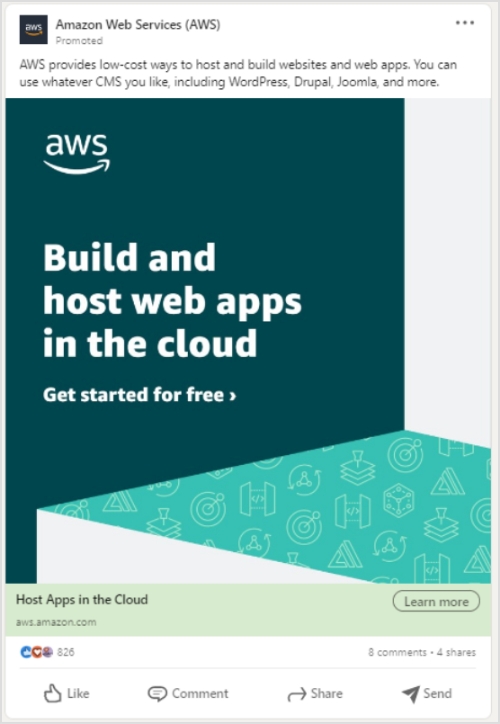
    1. Amazon Web Services

    Amazon Web Services (AWS) is a popular cloud hosting service that allows users to host websites and apps.

    Let’s check their LinkedIn ad:

    Amazon-Web-Services-CTA

    Why it works

    • The main copy of the ad states the message with clarity. It simply hits the bullseye by targeting web and app developers.
    • A plus point in this LinkedIn ad is that it tells the audience about getting started for free – the CTAs like “sign up for free” and “free trial” in the copy always bring attention.
    • The ad has a “learn more” call-to-action that drives visitors to the AWS sign-up page. Moreover, such CTAs push prospective customers one step further, especially if they’re on the fence.

    If you are looking to track or disguise links that appear much friendlier to the online user, then Amazon link shortener is just the tool for you. It helps you optimize product URLs and turn them into trackable and easy to share short branded links.

    Enrolling in an AWS courses can help you better understand these tools and features, enabling you to make the most of AWS for website optimization and performance.

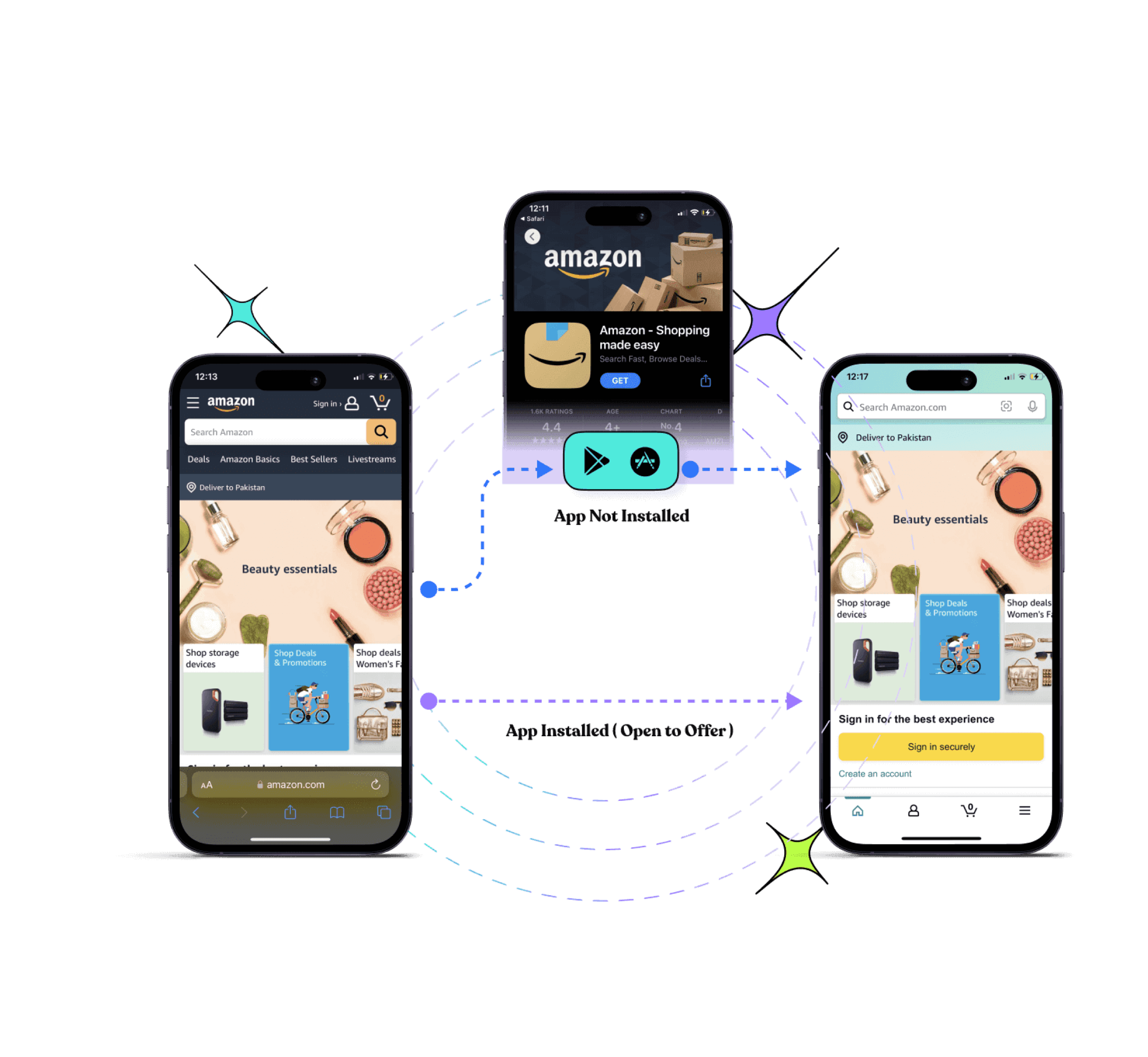
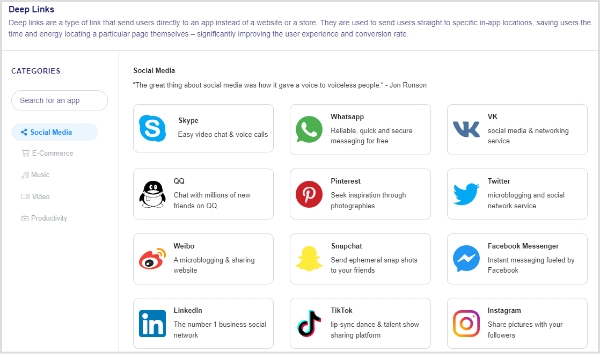
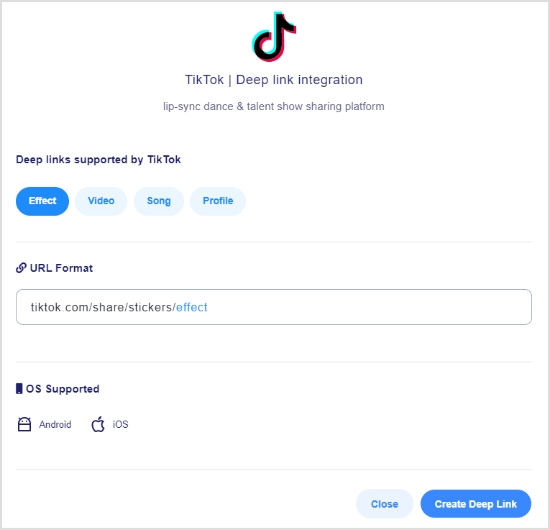
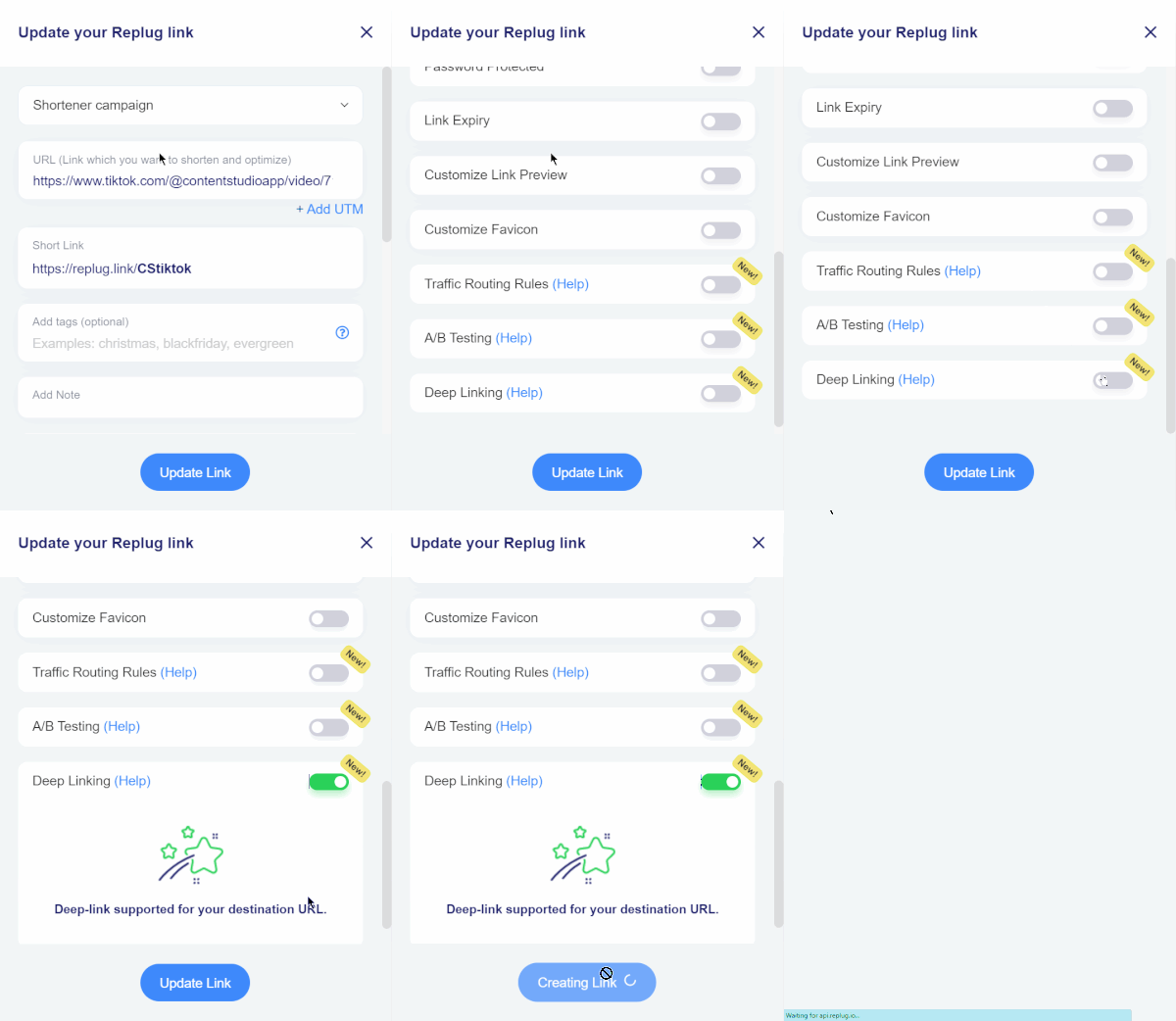
    Tip: Make most of your CTAs by using it with deep links to amplify marketing efforts by sending users directly to the in app content and trigger app installations to the users that have not installed the app on their smartphone devices.

    2. Microsoft

    Microsoft is a tech giant that sells software, operating systems, and gadgets.

    Here’s Microsoft’s recent LinkedIn ad about financial institution’s guide to the public cloud:

    Microsoft-Call-to-action

    Why it works

    • The crux of the message is clearly written in the white bold text on the ad. No fluff or detailed text.
    • The “download now” CTA on the ad banner symbolizes that there is an ad for a downloadable item. It hints to the target audience to look into it.
    • Microsoft’s marketing team smartly used the “download” call-to-action button on the ad to make it easier for the audience to decide and take action about downloading the public cloud guide.

    3. LinkedIn Talent Solutions

    LinkedIn Talent Solutions is a powerful recruitment tool available on the LinkedIn platform.

    Here’s their LinkedIn ad:

    linkedin-talent-solutions-CTA

    Why it works

    • A brief yet meaningful introductory text on the ad steals attention immediately.
    • Short link at the end of the introductory text gives the audience a chance to explore it further.
    • A downloadable CTA tells the target audience to get their hands on the downloadable item.
    Tip: Audience-matched targeting can help you reach more prospects you already know.

    4. Reliance Infosystems

    Reliance Infosystems is a tech powerhouse that offers cloud hosting, network management, and IT security management services.

    Take a look at their LinkedIn ad:

    reliance-infosystems-CTA

    Why it works

    • The text on the ad image easily becomes overwhelming for the viewers unless it’s short and precise. Reliance Infosystems seems to be pulling this off quite well.
    • The dashboard picture of their software solution balances the whole thing. Pictures and vectors mostly help retain the target audience’s attention.
    • The sign-up call-to-action pushes the audience to take a leap.

    5. LinkedIn Learning

    LinkedIn Learning is an educational platform from LinkedIn. It provides users access to the platform through their LinkedIn accounts. Check out their LinkedIn ad:

    linkedin-learning-CTA

    Why it works

    • The most attractive part of this ad is the copy of the ad. It has a short yet catchy statement on the ad banner. Along with a strong CTA phrase, the “Learn more” CTA button persuades users to click and get more information.
    • A number or percentage on the ad copy immediately grasps the attention of the viewers.
    • The ad design is quite simple which shifts the focus toward the copy.

    Twitter CTAs

    Twitter may seem simple, but it has a lot to offer. All you need is to know how to capitalize on the attention. Here are some of the tweets from brands and influencers that are crushing it with their call-to-actions on Twitter:

    Tweets allow to use a limited amount of characters. So link shorteners for Twitter help create short URLs that can fit into your tweets.

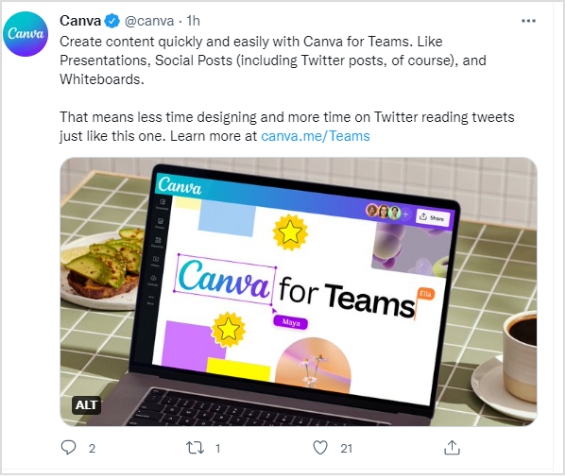
    6. Canva

    Canva is a popular online graphics designing tool for creating social media images, banners, and ads. Check out their tweet:

    canva-Tweet-Call to action-

    Why it works

    • The tweet from Canva vividly targets the organizations or companies with team members for their “Canva for teams” plan.
    • The simplicity of the tweet language ensures that readers keep on reading the two-paragraph tweet from them.
    • A call-to-action text at the end of the tweet makes it easier for the prospective audience to click through and land on the respective plan page.

    7. Guy Kawasaki

    Guy Kawasaki is an entrepreneur, investor, and adviser to startups.

    I stumbled upon one of his recent tweets, and it’s worth mentioning here:

    guy-kawasaki-tweet-call-to-action

    Why it works

    • A one-line tweet and the text body includes “7 lessons” – it surely rings the bell. People would like to take a sneak peek at the list of seven lessons even for a second. A good move, indeed.
    • A short URL is used very smartly – the tweet stays in just one line, which makes the short link more prominent and clickable.
    • A picture is added to the tweet just to weigh in on the organic reach. Pictures and images usually get more attention and organic viewership as compared to text-only social media posts.

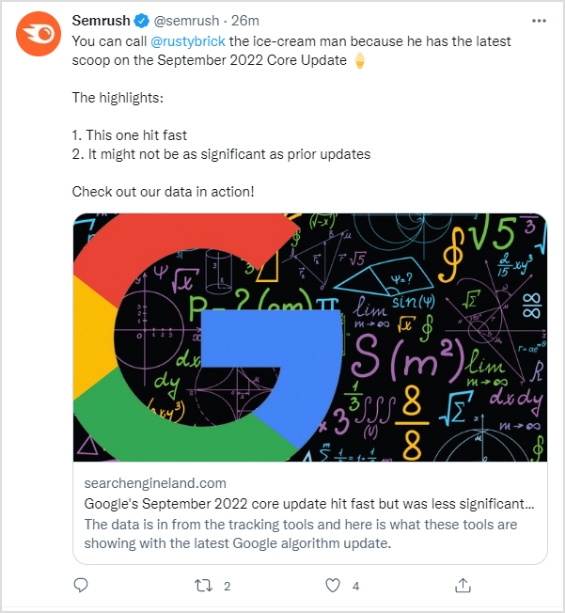
    8. Semrush

    Semrush is a powerful SEO analysis and rank tracking software used by professional digital marketers around the globe.

    Here’s one of their tweets mentioning SEO expert Barry Schwartz.

    semrush-cta-url

    Why it works

    • The tweet from Semrush cashed in on the hot trend in the online marketing and SEO fields, which is the September core update 2022.
    • Semrush mentioned Barry Schwartz in the tweet, which is a fantastic engagement strategy and gets the attention of the audience.
    • A short and brief call-to-action directs visitors to the article, which makes it a perfect tweet from a social media engagement standpoint.

    9. TV Guide

    TV Guide is an entertainment portal that discusses TV shows and movies.

    Take a look at one of their recent tweets:

    tv-guide-tweet-Call to action

    Why it works

    • The tweet has a news update for Netflix fans. It announces the availability of the Witcher: Blood Origin TV series on Netflix.
    • The tweet is short and sweet with no fluff. Such social media posts get more attention as compared to hefty social media posts.
    • TV Guide wrote a simple yet attractive call-to-action for driving Twitter followers to the article.

    10. PageFactory

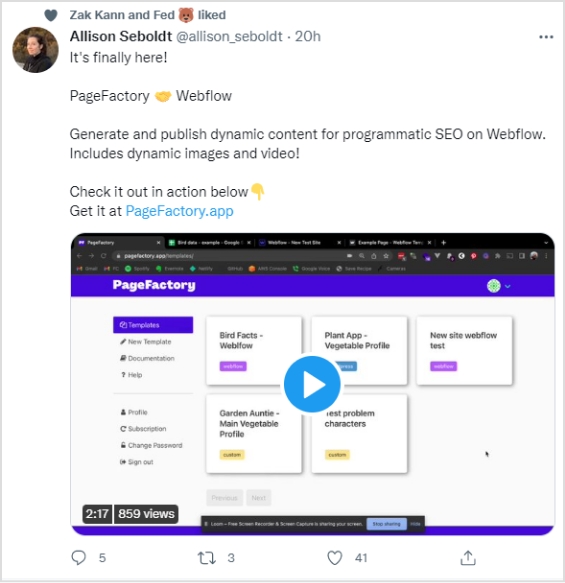
    Allison Seboldt is the developer of PageFactory – an online content publishing app for content management systems.

    Check out her tweet:

    page-factory-Call to action for social media

    Why it works

    • Allison’s tweet has an attractive text body. She kept it simple yet meaningful. Her tweet was about the announcement of PageFactory’s integration with the Webflow platform.
    • The second thing that fascinated me was the two-line explanation that summed up the whole tweet.
    • The call-to-action was clear, concise, and catchy – it pushes the audience to click and check out the website.
    • The video in the tweet took the announcement to the next level.
    Tip: Along with CTA’s, use retargeting ads to retarget people who haven’t visited your website and win back your online customers. 

    YouTube CTAs

    YouTube is the second most popular search engine on the internet. When it comes to call-to-action for social media, YouTube has an excellent real estate to offer for CTAs.

    Shorten links and add CTAs to your Youtube links using a Youtube URL shortener.

    Let’s take a look at a couple of YouTube influencers who are capitalizing on the call-to-actions on YouTube:

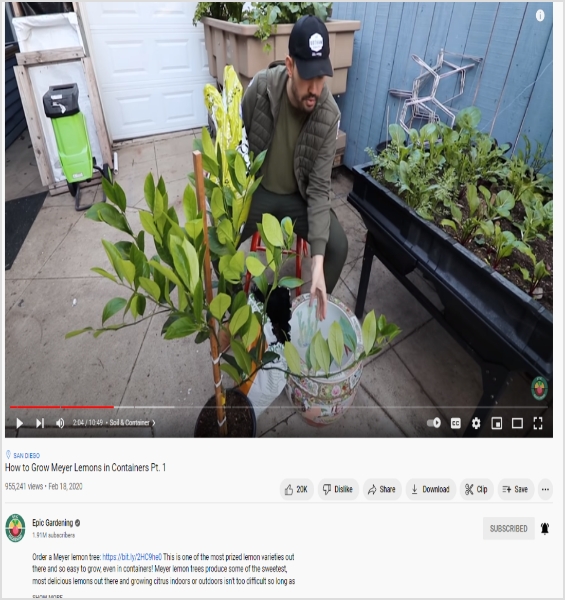
    11. Epic Gardening

    Epic Gardening is a well-known gardening brand that has a YouTube channel and a website. Let’s see how this gardening brand is using the call-to-actions on social media:

    epic-gardening-CTA for social media

    Why it works

    • Epic Gardening is using the video description for sharing the link. Since the video description is a place to find the detail about the video, the channel has a product link in the video description.
    • The channel is promoting the lemon plant through the link in the description – the video is also about the same plant. Therefore, relevancy is the key to generating sales.
    • The product link is in the first line of the video description, which makes the link more prominent.

    12. Creative Explained

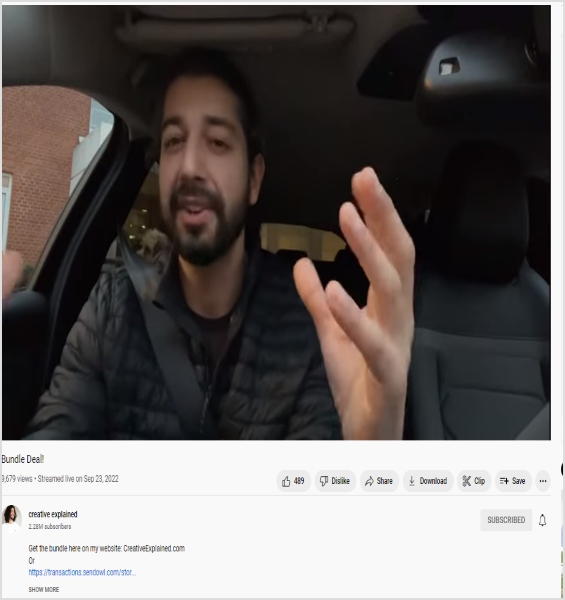
    Creative Explained is a YouTube channel around gardening and life hacks made by Armen Adamjan. He is promoting an ebooks bundle deal and using his YouTube video descriptions to sell the bundle deal.

    Take a look at the description of one of the recent videos on this channel:

    creative-explained-CTA for SMM

    Why it works

    • Armen mentioned his website address in the very first line to drive people to check out the deal next to the call-to-action.
    • This YouTube influencer used the naked URL of the bundle deal right below the call-to-action.

    13. Meta for Creators

    Meta for Creators is a platform built by Facebook with creators in mind so that they could meet, collaborate, and earn money online.

    Check out their Facebook ad:

    meta-for-creators-CTA

    Why it works

    • The ad has a short and sweet introductory text, which catches the attention in a split second.
    • Meta for Creators used the “follow” in the introductory text and mentioned their Facebook page to grow followers.
    • They used the video to attract, engage, and convert the audience.
    • The ad also has a “Follow” CTA phrased button at the bottom to ensure that more people follow their Facebook page.
    Tip: Use bio links tools for your Instagram, Facebook, TikTok and Twitter to drive more followers and conversions. 

    14. Compose AI

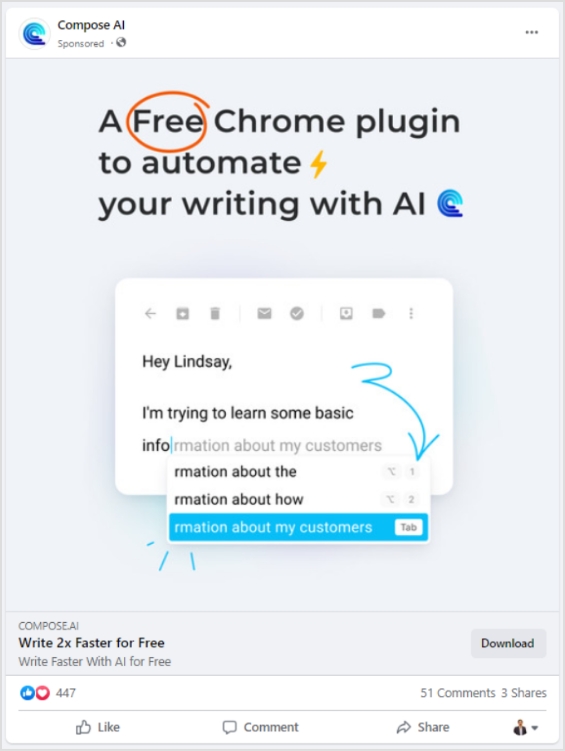
    Compose AI is a browser extension that has powerful AI features to write speedy emails and messages. It works across multiple sites but is commonly used for Gmail.

    Here’s the Facebook ad for Compose AI:

    compose-ai-Call-to-action-

    Why it works

    • The first and foremost is the circled “free” text in the ad copy, which immediately steals the attention.
    • The ad image showcases a snippet of how this tool works – it’s an excellent way of enticing the audience to try out the product.
    • The headline of this Facebook ad says, “Write 2X Faster for Free” – it’s a fantastic one-liner along with the download CTA at the bottom.
    Tip: Automate your content publishing using social media management platforms and grow your reach.

    15. Circle

    Circle is a financial technology company that helps in financial transactions at a fast-paced using the power of USDC and Euro Coin.

    Let’s take a look at their Facebook ad:

    circle-CTA

    Why it works

    • Circle is cashing in on their ability to deal with USDC cryptocurrency in their Facebook ad.
    • The copy of the ad emphasizes the trustworthiness of the coin.
    • They also have a “learn more” CTA at the bottom to drive people to their website for more details.

    Replug: How do CTAs work?

    Replug is an all-in-one link management tool that creates branded short URLs with the ability to track link performance.You can make your links even more effective by using its short URL generator to create customized, trackable links that enhance your branding and boost click-through rates.

    Moreover, the additional features include deep links, custom domains, integrations, bio links, UTM codes, retargeting, and call-to-actions.

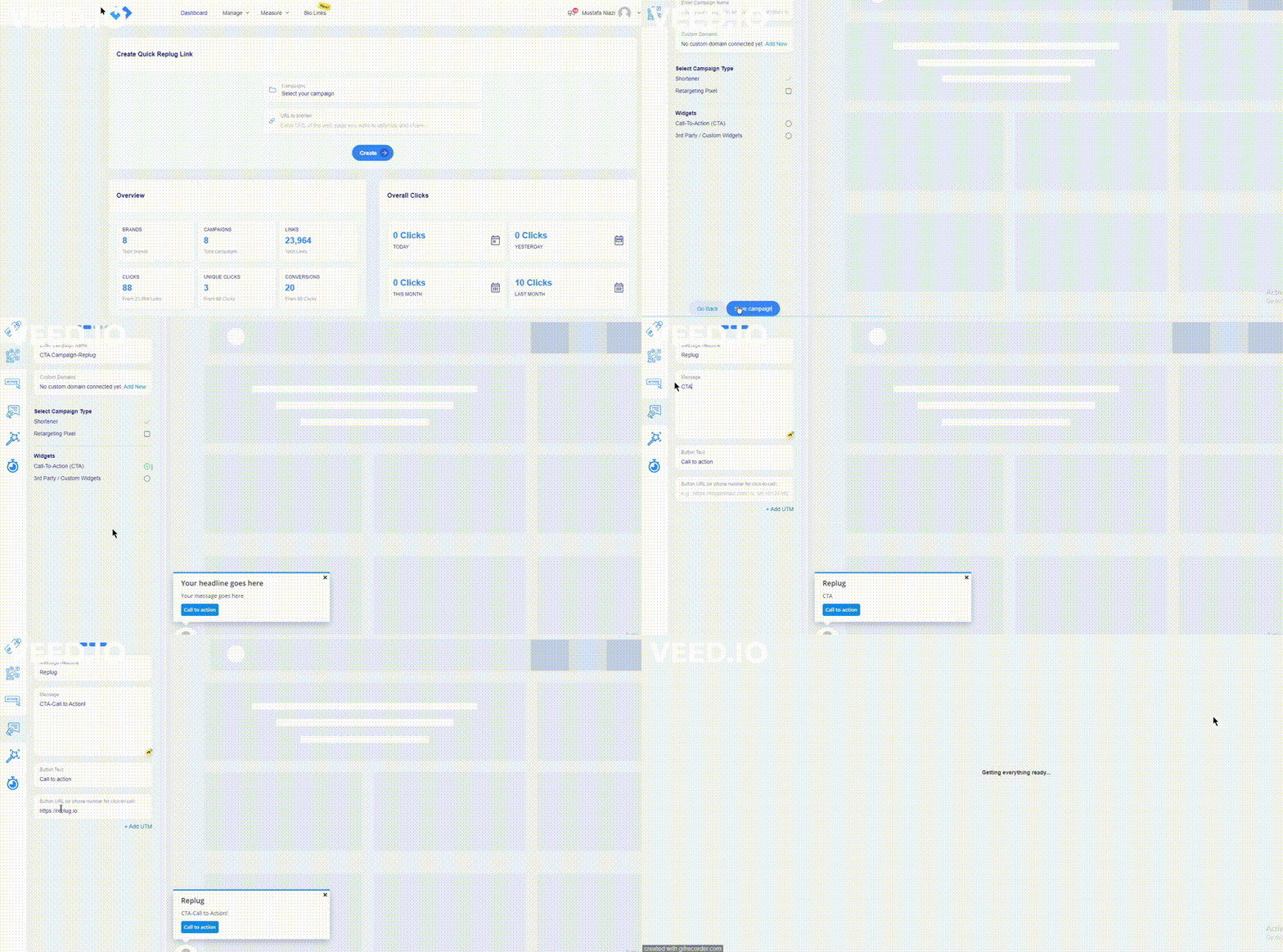
    Here are the steps of creating a CTA using Replug.

    Create-CTA-Campaign

    Step #1: Create a campaign in Replug

    Log in to your Replug account and go to the campaign section. Click on the “New Campaign” button to get started with creating a new campaign.

    Step #2: Select your brand

    The second step is to select the appropriate brand or create a new one just in case. Once you’re done with this, click the “next” button to proceed.

    Step #3: Choose the CTA widget

    The next up is the selection of the CTA widget. Since you’re creating a call-to-action with Replug, choose the “call-to-action” option from the widgets section.

    Step #4: Opt for the CTA type

    After selecting the CTA widget, choose the CTA type. You’ll see three options, such as a button, link, and form. Choose the required CTA type to proceed.

    Step #5: Add a CTA message

    Add a CTA message afterwards. If you opt for the CTA button option in step #4, you’ll have to input the message headline, message body, and button text.

    Step #6: Customize the CTA

    You can customize the CTA to match your company’s branding if you will.

    Step #7: Adjust the appearance

    Adjust the popup timing in the appearance settings to make sure that the CTA snippet appears the way you want it to appear.

    Final thoughts on call-to-action for social media

    Most people think of call-to-action buttons as green or yellow rectangular buttons that say “sign up” or “download” on the websites.

    However, a call-to-action doesn’t necessarily mean a button. In fact, it could be a text, image, or emoji that navigates the audience or influences the visitors to take an action.

    Since there is cut-throat competition on social media, it’s essential to use every tool available at your disposal to attract, engage, and convert the audience.

    The call-to-actions for social media is surely something that could increase post visibility, clickability, and engagement across all social media platforms.

    Don’t hesitate to alter your social media strategy by including tailored-made call-to-actions for social media to see how they turned out for you.

    Reach out to us on social media and tell us how this tactic worked out for you because if it works, then you could always rinse and repeat.

    Frequently asked questions

    Here are some burning questions about social media CTAs that need to be answered:

    Does every social media post need a call to action?

    Social media posts with call-to-actions tend to perform better from an engagement standpoint. However, it’s not absolutely important to infuse a CTA every time you post on social media.

    Some social media post types such as useful tips, personal stories, and case studies don’t require call-to-actions. Instead, they have to be authentic, helpful, and engaging.

    What is a call to action on TikTok?

    The commonly used call-to-action on TikTok is “link in bio” – it’s similar to Instagram. However, it’s a completely different story in the TikTok ads.

    What is a call to action on Facebook?

    Facebook allows URLs in the caption/introductory text on a post. Most social media users utilize short links on Facebook to drive the audience to their website or a different social media profile. It’s a popular social media tactic to capitalize on the attention.

    What is a good call to action on Instagram?

    A good call-to-action on Instagram means a CTA that grasps the attention right away. To make such a CTA, make sure that you’re reaching out to the right audience, sharing something relevant with powerful call-to-action such as free, get access, download now, grab it today, avail discount, early access, etc. Instagram link shorteners like Replug help create tracking CTAs and bridge pages that can redirect traffic to any webpage with a shortened URL that helps convert more.

    What is a call-to-action hashtag?

    It’s a type of hashtag that brands and organizations create that emphasizes taking action or encouraging the followers to perform a specific job. Sometimes, brands start a Twitter trend with a specific hashtag and pay influencers to use that hashtag for promotion.

  • What is a Tracking URL and How Does it Work?

    What is a Tracking URL and How Does it Work?

    What is a tracking URL?

    A tracking URL is a link that contains one or more URL parameters to track, identify, and analyze user activity or behavior on a website.

    URL tracking is an engagement strategy used in digital marketing that allows marketers to track the clickability, conversion rate, and call-to-action buttons on the websites.

    Have you seen a call-to-action button in an email newsletter or cloaked Amazon affiliate links?

    The reason behind it is that e-commerce marketers utilize tracking tools that allow them to add parameters that help track user behavior and also to win back customers through retargeting.

    Why is URL tracking important?

    URL tracking is an essential process in online marketing that helps marketers in analyzing the overall performance of the URLs. It includes factors such as number of clicks and conversions.

    The reason why the URL tracking process is important for bloggers, affiliate marketers, and digital marketers is that it assists users in determining the link performance in an article or on a website page.

    It’s nearly impossible to track affiliate sales without URL tracking. Almost every affiliate network or affiliate marketing software uses URL parameters in the product links to track the clicks and conversions.

    Digital marketing experts use UTM parameters to track their website visitors and understand the source of the traffic. They set separate UTM parameters for Google ads, Facebook ads, social media, landing pages, etc.

    To sum it up, the reason why URL tracking is important in the digital marketing world is that it provides users with insights into link performance, conversion rate, and tracking clicks data.

    How does the URL tracking work?

    URL tracking is an online marketing strategy that monitors the impact of the marketing campaigns through link performance. Following are the activities that can be tracked with URL tracking:

    • Clicks
    • Conversion
    • Affiliate commissions
    • Click-through rate
    • Traffic sources
    • Leads generated

    URL tracking process

    Tracking-URL

    • Define the purpose of URL tracking:

    Bloggers and marketers don’t vaguely start tracking random URLs. Instead, there is always an agenda behind the tracking.

    • URL selection:

    Pinpoint the URLs that you can track over the next few weeks or months.It’s almost impossible to manually track hundreds of thousands of URLs.

    • Opt for the most suitable UTM parameters:

    Opt for the most suitable UTM parameters to insert in the URL to track. A UTM parameter is a tiny code that goes into the URL address to track the sources of website page traffic.

    • Tracking the UTM parameters:

    The last and most important part of the URL tracking process is tracking the UTM parameters. Track UTM parameters through Replug or also can use Google Analytics.

    When should I use a tracking URL?

    There are several use cases for tracking URLs. Once you have figured out what tracking a URL means, it gets easier to apply the tactics.

    Here are different scenarios when you should use a tracking URL:

    • Record the clicks on the links:

    Whenever you want to know how many clicks a link has gotten, the easiest way to track the clicks is by using a tracking URL.

    • Track sales and conversions:

    E-commerce stores and online businesses track sales and conversion through a tracking URL. It usually comes in handy when businesses want to know where the sale or conversion has come from on their website.

    • Identify the top-performing pages:

    When there are multiple sales pages with unique UTM parameters, it’s easier to identify the top-performing sales page.

    • Study the performance of the links on a site:

    There are site-wide links available on every blog or website. Tracking URLs help admins understand the overall link performance on the website.

    • Allot the affiliate commissions appropriately:

    Tracking URLs are imperative in affiliate marketing. No wonder the affiliate product links are long and clunky. The affiliate networks use URL parameters to identify and allot the affiliate sales to the appropriate affiliate account.

    • Find the traffic sources for a landing page:

    When marketers create a new landing page for a new product, they share the landing page link across all channels, such as social media, email newsletter, blog sidebar, etc. Therefore, the source of the website visitor is easily traceable with a tracking URL.

    • Trace the footprints of the generated leads:

    Lead generation means when a visitor signs up for a trial account or downloads a freebie. Marketers insert a UTM parameter that explains where the lead came from.

    Types of URL tracking

    There are three types of URL tracks that are being used:

    1. Auto-tagging

    The auto-tagging URL tracking is a URL tracking system that automatically adds relevant slugs to the URL that helps in tracking the data. There is no need to manually add a tag to every URL.

    2.Manual tagging for backend systems

    Manual tagging for backend systems relies on the ValueTrack parameters. These parameters track information about the ad clicks. Adding these parameters to your ad campaign, the user can track or identify the details such as device, location, and other information about the audience.

    3.Manual-tagging

    In a manual-tagging system, the user needs to put in the UTM parameters using a URL builder. Usually, the UTM tracking generators have a form and the users need to fill in the blanks using the parameters to generate the tracking URL.

    How to track URLs with UTM parameters?

    Are you wondering about tracking URLs with UTM parameters?

    Here are four steps to follow:

    #1. Select the URLs to track

    The URL tracking process begins with selecting the URLs to track. Most experts start with choosing the UTM parameters and bypassing step no. 1, which doesn’t make sense. So start with the URL selection and then get to the UTM parameters afterward.
    Usually, digital marketing experts use UTM parameters on the call-to-action buttons in email newsletters, landing pages, discount offer pages, and Facebook or Google ads.

    #2. Choose appropriate UTM parameters

    The next up is to choose the suitable UTM parameters to add to your URL. Digital marketers who run Google ads or Facebook ad campaigns know the effectiveness of these UTM parameters.
    Moreover, a campaign’s URL could have multiple UTM parameters doing their specific jobs. The most common UTM parameters are mentioned below:

    utm_source:

    To identify the traffic platform sending traffic to a website

    utm_medium:

    To understand the type of link where it’s being used

    utm_campaign:

    To specify a certain campaign or promotion

    utm_term:

    To recognize the search term the brand is targeting

    utm_content:

    To explain the type of content used to drive website visitors such as an article text or a sidebar banner.

    #3. Place the UTM parameter tracking

    UTM parameters placement does seem a difficult task, especially for online marketers who have zero experience with HTML or website code editing. However, the manual insertion of the UTM parameter isn’t the only way to do it.
    There are several UTM tracking code generators available on the market that lets you insert the UTM parameters into a URL. Not only are these UTM generators spot on, but they also make the process faster.

    #4. Analyze the results

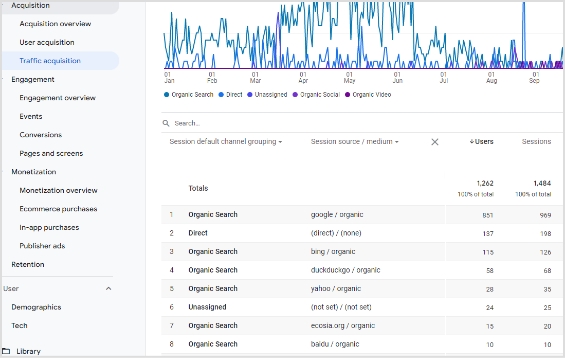
    It’s necessary to keep an eye on the campaign results to navigate along the way. To get started with tracking your UTM campaign results, follow these steps:
    Go to your Google Analytics account for further steps
    Head over to the Acquisition. Then go to the Traffic Acquisition.

    google-analytics-utm-tracking

    You’ll see all the traffic acquisition channels.

    The UTM campaign would reflect under the source/medium section, so look out for that.

    How to get a tracking URL?

    The UTM parameters are extremely helpful when tracking user behavior during an online campaign. A tracking URL with complete tracking anecdotes could come in handy in social media marketing, online advertising, and email marketing.

    Have you ever hovered over a link in an email that includes various terms such as source or medium? The reason is that these are types of UTM parameters that facilitate to track the performance of the email marketing campaigns.

    You might wonder, how do I get a tracking URL? Well, you can opt for a decent UTM tracking tool that allows you to add UTM tags to your URLs without making a big deal out of it.

    Add UTMs with Replug

    Replug

    Replug is an all-in-one link management platform for creating, managing and tracking vanity URLs for social media, online advertising, or email newsletters. Its custom URL shortener free tool allows users to shorten the long URLs so that they appear clean anywhere you share them.

    Moreover, the additional Replug features include UTM, retargeting, bio links, QR generation, mobile deep linking, and more.

    Here are four simple steps to get a tracking URL using Replug:

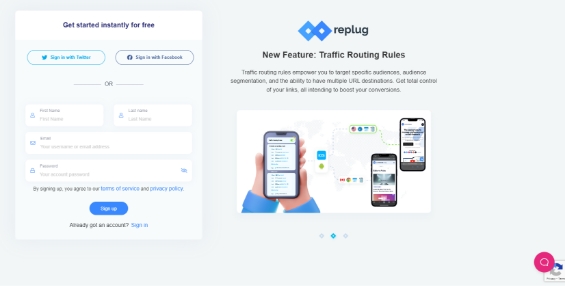
    Step 1: Log in to your Replug account
    Go to the Replug app and log in to your account.

    log-in-to-your-account

    Step 2: Enter the URL to shorten
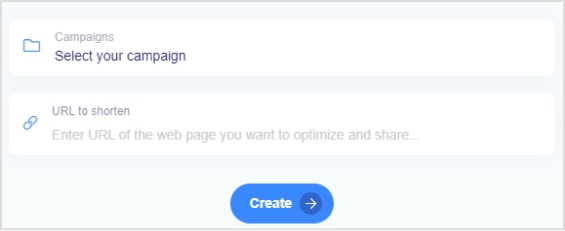
    After the login, you’ll see a URL shortening snippet right on the dashboard. Select the Replug campaign and paste the long URL you want to shorten and add UTM parameters to the campaign. If you haven’t created a campaign, you’ll be better off creating one.

    create-a-replug-link

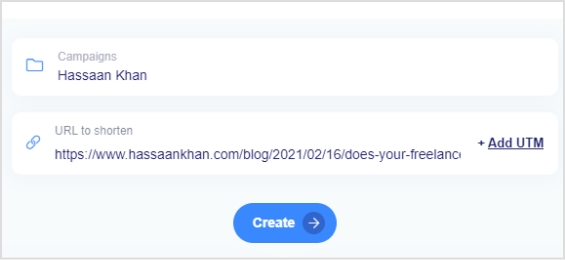
    The moment you paste the URL to shorten it, an “Add UTM” CTA button will appear next to the URL.

    add-utm

    Step 3: Add UTM parameters

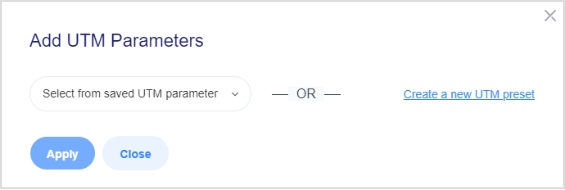
    Click on the “Add UTM” CTA button to include the UTM parameters to add the ability to track the URL using Replug.

    select-or-use-a-saved-utm-parameter

    Once you click that CTA, you’ll be prompted with a UTM screen – you’d have to select an already created UTM or add a new one.

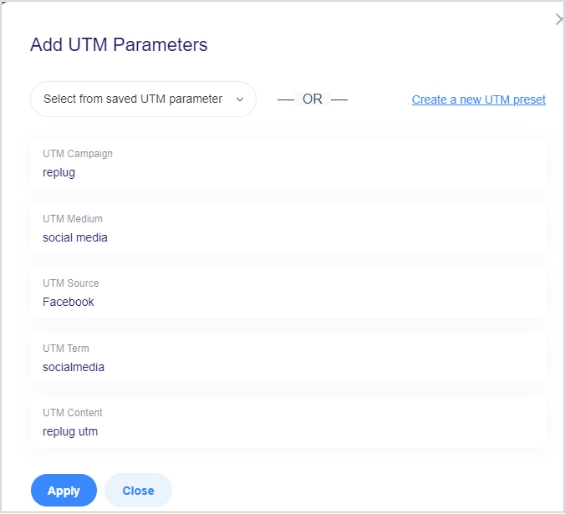
    If you choose to create a new UTM code, a form will pop up to fill out.

    add-new-utm-parameters

    Go through this step as it’s crucial to add the URL tracking. Once you’re done with adding all required parameters, proceed to the next step.

    Step 4: Generate the short URL
    After you add the parameters, they will appear along with your URL. Proceed further to generate that short URL along with UTM parameters to track link performance.

    share-the-short-url

    Start Tracking

    Generating a tracking URL is a great tool for online marketers to push sales growth. The fundamentals of a tracking URL will remain the same whether you use Google Analytics or a URL shortener tool. However, the benefits of URL shorteners are still yet  to be explored to its maximum potential.

    Brands and entrepreneurs use advanced link tracking for branding, building a custom audience, and generating more sales.

    Frequently asked questions

    Can URL be tracked?

    Any URL that contains the tracking parameters can be tracked. The ideal method is to include UTM parameters to track the URL performance.

    What is URL tagging?

    URL tagging is the process of infusing identifiers to the URLs to attribute the traffic to a specific campaign or event.

    What is UTM stand for?

    UTM stands for Urchin Tracking Modules.

  • A comprehensive guide to understanding long URLs: What they are & how to manage them effectively

    A comprehensive guide to understanding long URLs: What they are & how to manage them effectively

    Ever come across a web page with a confusing, never-ending web address (link) filled with random letters, numbers, and symbols? That’s what we call a “long URL link”, and it’s more common than you think.

    The problem is, such messy URLs not only look unprofessional but can also hurt your website’s trust and click-through rates. Even worse, they can affect how search engines understand and rank your pages, making your content less SEO-friendly. 

    The good news? 

    Managing and optimizing URLs isn’t as complicated as it sounds. With the right understanding and tools, you can turn those long, cluttered links into short, clean, and effective ones that support both branding and SEO.

    Let’s start by breaking down the basics, i.e., a long URL’s definition.

    What are long URLs?

    A long URL (Uniform Resource Locator) is simply the full-length web address that points to a specific page or resource on the internet. It is the kind of link that goes on and on instead of being short and tidy.

    Here are some key features of such URLs:

    • Often more than 100 characters long, because they include a detailed path plus extra parameters.
    • May contain query strings or UTM codes (e.g., ?utm_source=newsletter&campaign=fall2025) which help with tracking or dynamically generating content. 
    • Can clearly reflect the page’s structure and content (folders, categories, keywords), which can be helpful for transparency.
    • Can be harder to share, remember, or type manually. It may appear cluttered and less user-friendly.
    • For SEO purposes, they may include meaningful keywords (good). But if too long, long links impact readability for users and possibly crawling/indexing efficiency.

    With that in mind, let’s move on and explore what exactly makes up a long URL, and why it matters when you’re trying to keep your links clean and effective.

    Understanding the structure of long URLs

    When you look at a long URL link, it’s really just a combination of several pieces stacked together. Knowing what each piece does makes it a lot easier to spot where things can go wrong or how you can clean them up.

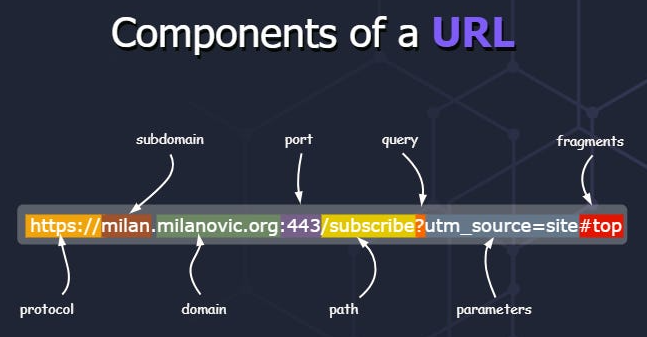
    Components of a long URL

    Major components of a long URL:

    1. Protocol: This is the beginning part, like http:// or https://, which tells the browser how to communicate with the server.
    2. Host: This indicates where the resource lives. It often breaks down into three sub-parts:
      • Subdomain: A prefix before the domain (e.g., www. or blog.) that may point to a specific section of the site.
      • Domain name: The central part that identifies the website, like example in example.com.
      • Top-level domain (TLD): The suffix, like .com, .org, .edu, which gives context about the site.
    3. Port: Less common in everyday URLs, but it’s the number (like :80 or :443) specifying which service on the host to talk to.
    4. Path: This follows the host (and optional port) and shows the folder or file structure on the website. It is basically where the resource lives within the site.
    5. Query string: A question mark (?) followed by key-value pairs (like ?utm_source=newsletter&campaign=fall) that provide extra instructions or data to the page.
    6. Parameters: These are often embedded in the query string and act as modifiers, e.g., page=2, sort=price_low_to_high, telling the server how to tweak the response.
    7. Fragment: After a #, this part points to a specific section inside the page (like an anchor) rather than a separate resource.

    With all these components in mind, you’ll be better equipped to dissect a long URL link. Moreover, it will be much easier to decide which parts are necessary and which might just be adding clutter.

    Real-world examples of long URLs

    Now, let’s look at some practical long URL examples to see how they appear in action. This will surely help you spot what makes a URL overly long or messy and why you might want to clean them up at times.

    Example #1: E-commerce product link

    An e-commerce store might have a URL like:

    https://www.shopname.com/products/women/dresses/evening-gowns/silk-maxi-dress-navy?variant=789234&ref=homepage_banner

    This URL shows the full path through categories and includes a query parameter for a variant and a referral source.

    Example #2: Very long domain name

    For instance:

    https://www.thisisaverylongbrandnameofshop-online-store.com/store/winter-collection/boots/size-10/details

    Here, the domain name itself is quite long, making the URL bulky even before considering paths or parameters.

    Example #3: E-commerce filter/search URL

    Something like:

    https://www.shopname.com/shop?category=electronics&brand=sony&sort=price_high_to_low&page=4&colour=black

    This uses a path plus a lot of query string filters, creating a long URL link due to all the filtering options.

    Example #4: URL with path & query parameters

    A good example:

    https://www.example.com/blog/2025/10/understanding-long-urls?tutorial=full&level=advanced

    The URL has a full path indicating location (year, month, topic) plus query parameters for “tutorial” and “level”.

    Example #5: Link with tracking & referral codes

    For instance:

    https://www.shopname.com/product/12345?utm_source=newsletter&utm_medium=email&utm_campaign=fall_sale&ref=affiliate123

    This is a clear case where tracking parameters and referral codes are appended, making the link long and packed with extras.

    These examples give you a feel for how long URLs show up online, ranging from domain length, deep paths, heavy filters, to tracking parameters.

    Significant role of long URLs in today’s online world

    Long URLs might seem awkward at first glance, but when used intentionally, they can carry weight in how both users and search engines perceive your content.

    • Provide detailed context for both users & search engines: A clear, meaningful URL can act almost like a mini-headline. It tells a visitor what the page is about and makes the address easier to understand. A well-built URL becomes what some call a “vanity URL” or a simplified version of a link someone might remember or share.
    • Improve search engine optimization (SEO): When you design an SEO-friendly URL, you make it easier for search engines to grasp page relevance and for users to feel confident clicking. Although the overall impact of keywords in URLs is small, clarity and readability still help.
    • Reflect a website’s structure: A unique URL that follows the logical folders of your site tells both users and bots how pages relate to one another. It gives a sense of order, like a map of your site.
    • Improved security: Using proper URL practices, like avoiding complex, cryptic strings and sticking with HTTPS, helps instill trust. Clean, predictable URLs reduce the chance of confusion or manipulation (which is good for your site’s reputation).

    Keep in mind: Long URL doesn’t automatically mean “bad”. What matters is whether the URL is meaningful, readable, and logically structured. A custom URL crafted with care can serve your site well.

    Common causes of long URLs: Key factors that contribute

    When you spot a stretched-out URL, it’s usually not just random words or letters. There are specific factors behind the spaghetti-like addresses. By knowing them, you’ll see exactly what makes an overall URL balloon. Plus, how to keep your links tidy, even when you’re dealing with lots of data or advanced site features.

    • Use of tracking codes: Marketers often rely on tracking codes (e.g., ?utm_source=…) so they can follow where clicks came from. These add to the link’s length and add extra URL parameters that don’t necessarily help the user.
    • Non-Latin characters: When URLs contain characters from other scripts (like Cyrillic, Chinese, Arabic), they often get encoded into long sequences that pad out the address and make it harder to read.
    • Complex website structures with multiple sub-folders: If your site’s paths are deep, for example, /category/subcategory/subsubcategory/product/, you’ll end up with a very long link even before adding parameters.
    • Parameters for filters or search queries: E-commerce and dynamic sites typically let users filter or sort via the URL (e.g., ?brand=Sony&color=black&page=5). These parameters expand the link considerably.
    • Dynamic content: When pages are generated on-the-fly, the system may include long IDs, session tokens, or variables in the URL. This ultimately results in unique long URLs for each user or context.
    • In-page anchors: Links that point to a specific section of a page have a fragment (after #), and while this isn’t always a huge contributor, when combined with other factors, it adds to the URL bulk.
    • Website-generated IDs: Some content management systems (CMS) or platforms embed long numeric or alphanumeric IDs in the URL (e.g., /page/12345cde6789/). This expands the URL without adding immediately readable meaning.
    • CMS settings: Sometimes the default settings in a CMS build pages with full date stamps, author names, categories, and tags in the URL path. Each of these pieces makes the URL longer.

    By recognizing these causes, you’ll be in a much better position to streamline your links, thus making them more user-friendly and easier for humans and search engines to handle.

    Advantages & disadvantages of long URLs

    When you’re dealing with long URLs, there’s a balance of good and bad to keep in mind. On one hand, they can offer detail and control; on the other, they may create hurdles for sharing and perception.

    Let’s break down the pros and cons in a clear, friendly way.

    Pros of long URLs

    Informative + explanatory

    A long URL often tells you exactly where you are on a site, down through subfolders, with context about the content, which helps users feel oriented.

    Provides descriptive keywords for SEO

    The primary keyword in the URL can make it more transparent for both humans and machines. Quite a suitable practice for a naturally structured, SEO-friendly URL.

    Offers full control over the link

    You can add meaningful paths, sub-folders, versioning, categories, etc. You’re not stuck with a generic link, so you tailor the URL to your site’s logic.

    Shows a clear site’s hierarchy

    When you can see site.com/blog/2025/october/guide, you understand where you are in the site structure. Such long URLs are helpful for both users and site admins.

    Serves brilliant built-in tracking

    With longer URLs, you can embed parameters, campaign UTM codes, or referral identifiers (thinking of a sort of vanity URL for marketing), which help with analytics and tracking without needing redirects.

    Cons of long URLs

    Difficult to share & remember

    If a URL is long and complex, typing it out, recalling it, or passing it verbally becomes a pain, which lowers its shareability.

    Poor readability & space constraints

    On mobile screens, in print or social posts, long URLs may get truncated or wrap badly, making them less readable.

    Prone to mistakes & typos

    The more characters, folders, and parameters, the higher the chance someone mistypes or breaks the link accidentally.

    Looks unreliable & spammy (less aesthetically pleasing)
    A link with a long string of random numbers or parameters may trigger distrust. Users mostly hesitate to click on such links.

    Potentially lower click-through rates (CTR)
    Because a messy link may feel less “safe” or “clean,” people might skip it intentionally. This affects how many clicks you get.

    Security vulnerability

    Complex long URLs with many parameters or tracking codes may expose session IDs, tokens, or sensitive data, which can become a risk vector.

    Substandard for print materials

    If you’re publishing in a magazine, flyer, or business card, a very long URL is impractical for someone to type manually. This often results in broken links.

    Potential for URL fragmentation & duplication

    Long URLs with multiple query parameters or tracking codes can create many variations of essentially the same page. This can confuse indexing, canonicalization, and duplicate content issues.

    In short: Long URLs have their place, especially when you need detail, structure, and tracking. However, they’re not always the best choice for every use case. In the next section, we’ll explore how to manage those long URLs so you can get the benefits without the drawbacks.

    Effective strategies for handling long URLs

    Optimizing long URLs doesn’t mean you have to strip away meaning or structure. What matters is making them clean, readable, and valuable for your visitors and search engines alike.

    Tips for customizing long URLs: Get clean & readable links

    Here are some practical tips to help you personalize and optimize your links without losing their value.

    • Use descriptive keywords: Choose words that clearly reflect the page content (for example, “/best-bluetooth-headphones” instead of “/item/12345”). This makes your link understandable to humans and supports an SEO-friendly URL.
    • Avoid special characters & unnecessary parameters: Stick with hyphens to separate words, use lowercase letters, and remove excessive query strings or variables that don’t add meaningful context.
    • Keep it short, but concise: A shorter link is easier to share and remember. You don’t need to add in every detail, just enough to signal what the page is about.
    • Remove any stop words present: Words like “and”, “the”, “for”, “of” often clutter the URL without adding value. Trimming these can help keep your link tidy. 
    • Redirect old links appropriately: If you change a URL, ensure the old one redirects (using a 301 redirect) to the new one to avoid losing visitors or confusing search engines.
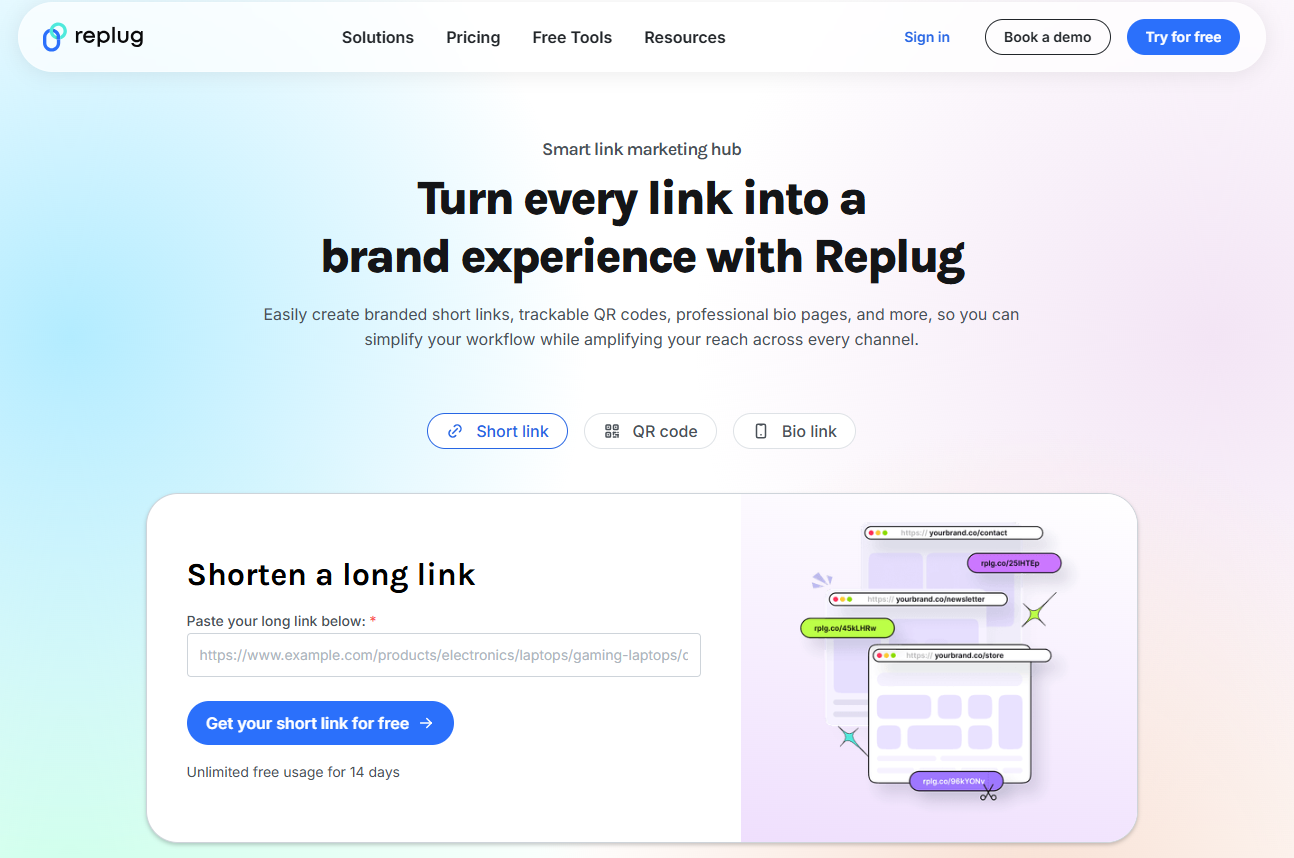
    • Implement URL rewriting techniques: Use server or CMS rewriting rules to convert long, messy links into cleaner ones (for example, transforming “/product.php?id=2345” into “/products/widget-model-2345”). Just make sure the redirects are appropriately handled.

    Using these strategies will help you treat your URLs as part of the overall user experience and SEO effort, not just as something auto-generated.

    How to shorten a long URL with Replug?

    The most innovative and smart way to shorten a long URL is by using a reliable short link generator, and Replug is one of the best tools for the job. 

    Unlike basic URL shorteners available online at present, Replug is a full-fledged link management platform designed for marketers, agencies, and businesses that need more than just shorter links.

    Here’s how to convert a long URL to a short URL with Replug in just four simple steps.

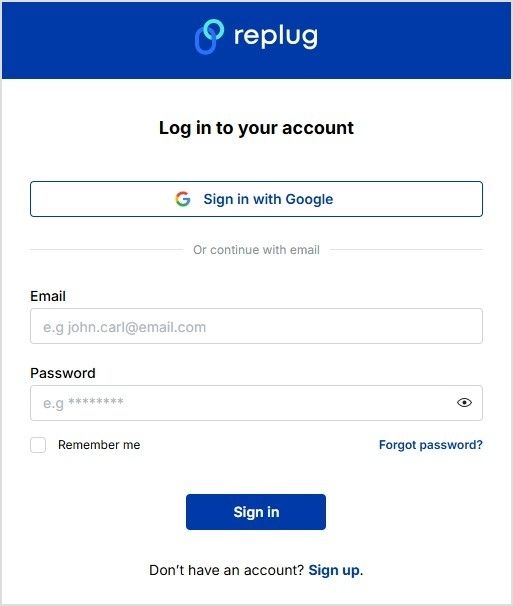
    Step #1: Log in to Replug

    Sign in to Replug, or create an account for free.

    Replug’s sign-in page

    Step #2: Paste your copied long URL

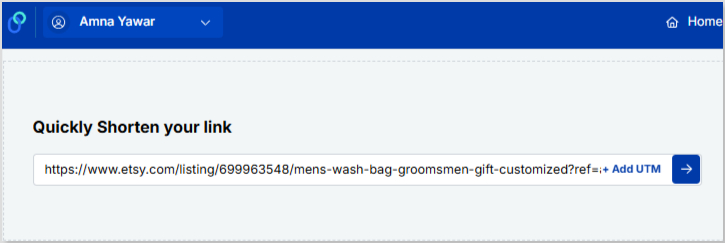
    Once logged in successfully, paste your long URL or link in the bar under “Quickly Shorten your link”. After that, click on the blue arrow.

    Replug’s “shorten your link” option

    Step #3: Create short URL

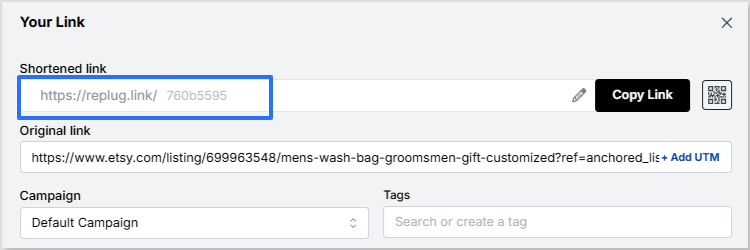
    Now, Replug will automatically generate a short link for your long URL within seconds.

    Replug’s shortened link

    Note: Here, you can also add UTM parameters to your short link to track the performance of that link.

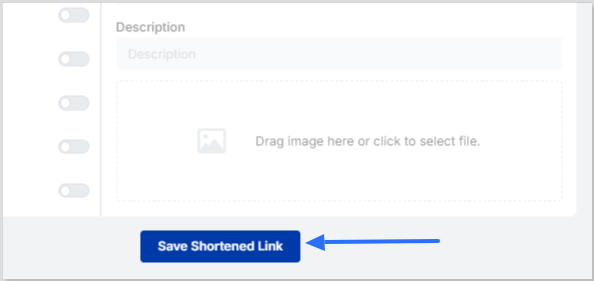
    Step #4: Save & share

    Finally, save your shortened link. Now your link is ready to share anywhere on Instagram, Discord, or in an email campaign, etc.

    Replug’s “Save Shortened Link” Button

    Replug Branded Short Links CTA
    Maximize marketing ROI
    by transforming ordinary URLs into
    branded short links that convert.
    Try Replug for free

    Summing up!

    To wrap things up, long URLs aren’t always a bad idea. They can be informative, detailed, and great for structure and SEO when handled right. But if they get too messy, they can quickly become a headache for users and marketers alike. 

    The key is finding the right balance between clarity and simplicity. And if you’re looking for an easy way to turn those long, cluttered links into clean, shareable ones, give Replug a must-try.

    It’s one of the best tools out there for converting long URLs into short, branded, and trackable links in seconds!

    Frequently asked questions

    What’s the longest URL?

    The longest recorded URL was reportedly over 2,000 characters, used as a marketing stunt by Hotels.com in 2018.

    How long URLs can be?

    Technically, there’s no strict global cap on how long a URL can be, but practical limits exist. For instance, old versions of Internet Explorer capped at around 2,083 characters. Some modern browsers can handle tens of thousands of characters, but very long URLs may still cause issues.

    How to fix long links?

    Use a free long URL shortener like Replug. Just paste the long link and get a short one back. If it’s your site, clean up the structure by:

    – cutting extra parameters,
    – using simpler paths,
    – using meaningful slugs, 
    – implementing 301 redirects from old links,
    – and employing URL rewriting rules in your CMS.

    Why is there a need to compress a long URL?

    Long URLs can break in emails or texts, look messy, and be hard to share or remember. Compressing them makes these links cleaner, easier to share, and often adds tracking to see how many clicks they get. A shorter, tidy link improves readability, helps avoid errors when copying or typing, and enhances user trust, especially in print or social contexts.

    Is a long or short URL better?

    Short URLs win for ease of use. They’re simpler to share, read, and type, encouraging the overall experience. For SEO, length doesn’t matter much, but including keywords helps either way. Just aim for clear and relevant over super long.

    How should I handle a very long URL?

    Shorten it with tools like Replug for sharing, or display a truncated version with “…” on your site while keeping the full link active. If you control the site, redirect old long ones to shorter versions with 301 redirects to keep things smooth. Also, ensure canonicalization to avoid duplication and confusion.

    How long URLs impact SEO and user experience?

    Long URLs can frustrate users by being tough to read, share, or type, hurting engagement and trust. On SEO, they don’t directly lower rankings, but shorter ones with keywords make it easier for search engines to grasp content and improve clicks.

    How to make a long URL shorter?

    You can easily change a long URL to a short one using a URL-shortening service like Replug or similar. These services map your long URL to a compact redirect link, hassle-free. You can also manually simplify your link by removing unnecessary parameters and using URL rewriting so that the link is more readable.

    What are the future trends and developments in long URLs?

    Trends lean toward simpler, secure URLs with HTTPS and fewer parameters for better mobile use and speed. We might see more AI-driven shortening and dynamic links, focusing on clean structures that enhance accessibility without losing info.

    What are the best use cases of long URLs?

    Here are some top long URL use cases:

    – They’re great for detailed pages like blog posts, where including full titles or keywords boosts SEO by describing content clearly. 
    – Such links are valuable for e-commerce or apps for passing specific data via parameters, like search filters or tracking codes.
    – They’re helpful when you need to reflect deep site structure, include filtering parameters for dynamic pages, or embed tracking codes for detailed analytics.

  • What Is Affiliate Link Cloaking & How To Do It?

    What Is Affiliate Link Cloaking & How To Do It?

    What is Affiliate Link Cloaking?

    Affiliate Link Cloaking is a process of replacing the long and clunky affiliate product links with short links that trackable links and point visitors to the same URL destination, but are trustworthy and brandable.

    Expert affiliate marketers use affiliate link cloaking to make their affiliate product links look more trustable. You might be wondering how to get your hands on those short links. So let me briefly explain affiliate link cloaking, and then we will touch on more relevant topics you should know about.

    Shall we?

    Bloggers and marketers use affiliate link cloaking because visitors are hesitant toward longs and clunky product URLs. Most experts try to simplify the URLs, CTAs, and navigation so that readers feel safe.

    Perhaps, people are skeptical about long URLs because scammers use several protocols in the URLs or page contents that lead to data theft or privacy issues.

    Most website owners want to track the clickability on their site pages to analyze their on-page SEO strategies and understand the content performance through user behavior.

    Anyway, affiliate link cloaking allows affiliate marketers and bloggers to minimize the complexity in the website navigation and provide a better user experience.

    Should You Cloak Your Affiliate Links?

    If you have ever thought about whether or not you should cloak your affiliate links, then this section might convince you to start paying close attention to affiliate link cloaking. 

    I like cloaking affiliate links because I don’t want to scare off readers – some visitors hover over the links and when they see the long, clunky URLs, they avoid clicking on those links.

    Cloaking affiliate links doesn’t mean you want to hide your association with the brands. But instead, it makes readers feel safe when the links seem short and sweet.

    Below is a video that will make you understand the importance and benefits of affiliate links.

    Can You Make a Living Off of Affiliate Marketing?

     The answer is yes; you can make a living off of affiliate marketing. Affiliate marketing is a lucrative business model if done right. The only caveat is that you must understand how it works.

    Even though most affiliate marketers fail to make a significant amount of money with affiliate marketing, it’s still one of the most popular ways to earn money online.

    When content creators put out valuable content to solve the audiences’ problems and mention the links to the products or services they have been using, the audience trusts them with their recommendations. 

    The best part is that bloggers, YouTubers, and TikTokers make money off of affiliate marketing the same way – they build a fan base, provide value to earn trust, and make money by recommending products.

    Related: Affiliate Marketing Guideline for Beginners: A Step-by-Step Guide

    Fundamental Steps of Link Cloaking 

    Since you have some idea of how link cloaking works, it’s important to discuss the fundamental steps of link cloaking.

    i. Figure Out the Purpose of URL Shortening

    Before you jump on cloaking random links on your blog just because you have seen influencers do this, it’s important to understand why you need to do this. A lot of bloggers blindly follow what experts are doing without having a plan in mind.

    Most influencers and pro-bloggers cloak links because they don’t want messy links on their blogs. However, there are other reasons for cloaking links. For instance, short URLs or cloaked links also help in tracking clicks on those links. So figure out why you need to cloak links first.

    ii. Identify the Website URLs to Trim Down

    It’d be unfair if you start shortening the random URLs on your blog or website. Affiliate marketers and bloggers usually cloak affiliate product links to make them look decent. The reason is that affiliate product links are long and clunky, so cloaking them with a URL shortening tool makes them look nice.

    You might not want to shorten the post or page URLs on your blog. Just stick to the affiliate product links when trimming the long URLs.

    iii. Choose the Best URL Shortener

    Cloaking links isn’t possible without an excellent URL shortener. Even though the core purpose of a link cloaking tool is to make links shorter and cleaner, it’ll be a bonus if any URL shortener provides additional features.

    The value-added feature that you may want to look out for in a URL shortener or cloaking tool is click tracking. It’s vital to find out where visitors are clicking on your blog when it comes to affiliate marketing.

    iv. Replace the Long URLs with Short Ones

    Once you have shortened the long and clunky URLs on your blog using an external URL shortener or a WordPress plugin, the next up is the replacement of the long URLs with shorter ones. 

    It shouldn’t take so long if you’re using a tool like Lasso. However, you can always replace the links manually.

    How to Cloak Links Using URL Shorteners?

    If you’re curious about how to cloak affiliate or e-commerce products on your blog or website, then there are several tools to cloak links that might come in handy.

    One of the methods to cloak links on a blog or a website is by using a link cloaking WordPress plugin.

    However, it’s only possible when you’re using the WordPress open-source program.

    Do-Affiliate-Links-Cloaking-Affect-SEO

    I use Replug for creating short links. It’s a top-notch URL shortener that could connect with custom domains for creating branded short URLs. Plus, it has some of the best features, such as click tracking, integrations, bio link, UTM codes, retargeting, and more.

    Let me show you how Replug.io works.

    Go to the Replug website and log in to your account.

    Replug-log-in

    Once you’re in the dashboard, you’ll see the option called “Create Quick Replug Link” – this is where you could shorten the URLs.

    replug-url-shortener

    However, I’d highly recommend checking out a few of our articles on how to use branded URLs or the benefits of using the short branded URLs, etc. 

    Once you’re logged in to your Replug account, you’ll see the URL shortening section right at the top of the dashboard. All you need is to choose a campaign name and insert the URL you want to shorten.

    Once you select the campaign name and paste the long URL to shorten it and proceed with it by clicking on the “create” button, a popup will be prompted with a form to fill out about the short URL.

    replug-link-created

    Fill out the form and you’re all set.

    Now you have generated a short URL using Replug URL shortener.

    You could later check out the Analytics section to analyze the clickability of the short URLs.

    Related: How to Setup Your Branded Short URL in Replug

    5 Reasons Why You Should Cloak Affiliate Links

    5-reasons-to-cloak-affiliate-links

    There are several reasons why you should cloak affiliate links, so allow me to share them with you.

    Let’s take a look:

    i. Clean Link Structure

    Let’s admit that when you have short URLs instead of long ones, they look better. One of the aspects of URLs most people ignore is the link structure. If your affiliate link has a bunch of UTM codes, tracking codes, and serial numbers, people won’t trust your links, and rightly so.

    So one of the biggest perks of cloaking affiliate links is that you clean up the link structure, which plays a vital role in improving the conversion rate.

    ii. Clicks Tracking

    You may or may not be properly tracking the affiliate conversion. Most bloggers and affiliate marketers rely on the merchants’ tracking – whatever the seller is using for affiliate sales tracking, and you have to rely on that.

    However, when you’re using cloaked affiliate links, you have some control over click tracking. You know how many clicks have been recorded in your URL tracking system and you could match the number with your affiliate statistics. It’d help you figure out how accurate your affiliate dashboard is or enable you to find any discrepancies in the affiliate dashboard tool.

    iii. Nofollow Affiliate Links

    Most beginner affiliate marketers don’t even know that they should nofollow every affiliate link and most of them let the link juice pass to the merchant sites. When you let the link juice pass to the external sources, you’re letting the search engine bots slip to other sites.

    There are WordPress plugins or nofollow scripts (for manual insertion) available for bloggers and affiliate marketers. Plus, you could always use a top-notch link management tool to have more control over your links, even when you’re shortening them.

    iv. Increase Clickability

    The experts in the SEO industry believe that visitors are likely to click more on short links rather than long links. You may have noticed that professional SEOs and bloggers keep their page URL slugs as short as possible. The same goes for other links, such as affiliate links.

    Pro-bloggers and SEO experts think that shorter links get more clickability and add more relevance to the destination URL. 

    v. Ease of Management

    When you’re using a URL shortener to track clicks or conversion, you don’t just have control over data and statistics, but you also have ease of link management. Using a tool like Replug would enable you to track clicks on the short links as well as help you retarget the audiences who have clicked on the links.

    So these were some of the main reasons why you should cloak affiliate links and make this process a part of your affiliate marketing regime.

    Two Reasons Why Most Affiliate Marketers Fail At Affiliate Marketing

    1. Zero Understanding

    The no. 1 reason why most affiliate marketers fail is that they don’t figure it out. They think that just because they’ve put out a link to an affiliate product, people will click and buy the product. 

    It doesn’t work that way – you have to convince people that this product is worth buying. In some cases, the affiliate marketer purchases the product themselves to test out and share the results with the audience. It earns them the trust and loyalty of the audience. Be ready to go above and beyond to earn trust online.

    2. Get Quick Rich Scheme

    Affiliate marketing isn’t a quick money-making scheme. You’re most likely to fail at affiliate marketing if you don’t have the patience. It ain’t work too fast. Most bloggers who successfully monetize their blogs with affiliate marketing have had loads of failures, and they always learn from their mistakes. 

    If you want quick money out of it, you’re destined to fail at affiliate marketing. It doesn’t matter if you start with bloggers, YouTube, Instagram, or TikTok – it makes no difference unless you understand the game.

    So you’ll be better off if you learn how to make money from affiliate marketing before jumping on the bandwagon of affiliate marketing.

    Do Affiliate Links Affect SEO?

    Do-Affiliate-Links-Cloaking-Affect-SEO

    Affiliate links drive website visitors to the merchant’s website or landing page. It’s not rocket science that driving traffic to a page or website helps the destination page or website because everyone knows this.

    But there is a caveat: if a link is pointing the visitor in a specific direction per se, then the destination page would benefit from it unless the link is nofollowed. 

    Whenever a link is nofollowed, the search engine bots are directed not to follow the link. This way, the bots don’t travel through that link. Thus, the page or website keeps the bots for a little longer.

    However, some SEOs believe that even nofollow links add credibility and trustworthiness in the search engines’ eyes, but not in the same way as the dofollow links.

    If you’re wondering whether or not the affiliate links affect SEO, then here are a few cases when affiliate links could potentially affect the SEO performance of a site:

    i. Dofollow External Links

    Since affiliate links are external or outbound links because they’re directing visitors to a merchant’s website, they could harm your site SEO if they’re dofollow. Most bloggers and affiliate marketers keep their affiliate links nofollow to avoid passing the unnecessary juice to the merchant’s website.

    It’s safe to say that dofollow external links could affect your site’s SEO unless they aren’t taken care of from an SEO standpoint.

    ii. Broken Affiliate Links

    When affiliate links are broken, they’re quite damaging for an affiliate marketing website. There are several reasons why a broken link is dangerous; for instance, it doesn’t generate a sale, and it drives visitors away. This can frustrate readers when they don’t land on the intended merchant page.

    So no doubt, a broken affiliate link could result in a bad user experience for your website visitors. And you can’t dominate with SEO techniques if you’re providing a bad user experience to the visitors. 

    Furthermore, there are WordPress plugins and online tools available that scan your site and report all the broken links.

    iii. Clunky Product Links

    Have you ever seen a long and clunky product link on e-commerce sites or affiliate blogs? When you hover on the products, you see unending URLs that seem scary at times. 

    One of the disadvantages of those clunky URLs is that they aren’t optimized for SEO. Plus, it scares visitors off due to their scammy appearance. Such affiliate product links are a no-go.

    iv. Bunch of Affiliate Banners

    A ton of affiliate product banner ads could frustrate visitors that are trying to learn about the product or find an answer to their query. You don’t have to bombard the visitors with several banner ads. Instead, put a couple of banner ads on the side or in the content if you have to put the banner ads.

    Moreover, these image-based banner ads often increase the page loading speed, which fails websites at core web vitals. It’s Google’s mechanism to check and analyze the website page loading speed, accuracy, and quality.

    So clearly, loads of banner ads could affect your site’s SEO performance. 

    Related: SEO Links for Replug Campaigns

    How Many Affiliate Links Are Too Many?

    The key to winning at affiliate marketing is figuring out the balance between several things, such as:

    • Niche identification
    • Target audience
    • Engaging content
    • Relevant affiliate products

    However, there is no guarantee that more affiliates would bring in more money or fewer affiliate programs would earn you less money. 

    It seems impossible to pull off if you’re doing something wrong in affiliate marketing. On the other hand, it may look very simple to those bloggers who figured this out. 

    I’ve written a blog post about joining multiple affiliate programs and the gist of the blog post was that you should join multiple affiliate programs as long as they are in line with your content strategy.

    A lot of affiliate bloggers say that building a topical authority on your blog or affiliate site is the stepping stone to start generating sales. 

    The way it works is that you test out different topics by publishing a handful of articles across three to four categories.

    Once a cluster of topics starts getting traction from search engines, you could double-down on that and write a bunch of more articles on that topic/category and become an authority in that area. That’s how you build topical authority around a certain topic or category.

    So several affiliate links or affiliate programs won’t make a difference unless your content is worth paying attention to from the readers’ standpoint. 

    However, indeed, placing dozens of the same affiliate links in a brief blog post may annoy the readers, so you need to create a balance in that area. 

    Make sure that your blog doesn’t look pushy when it comes to affiliate product insertion. 

    Related: How to Create a SEO Friendly URL: Ultimate Tips

    Are You Ready to Cloak Affiliate Links?

    We’ve explained what affiliate links are and how they work on affiliate blogs. 

    The reason why we discussed this topic is that it’s vital to use link cloaking, especially when you’re monetizing blogs with affiliate marketing. 

    If you have been paying attention to quality content, link building, site design, page speed, and on-page SEO, then you can’t mess up with long and clunky affiliate links.

    Several branded URL shorteners and affiliate link cloaking tools are available on the market. Choose the link cloaking tool that provides in-depth reporting and click-tracking so that you keep track of your clicks on the affiliate links.


  • TikTok Trends for Businesses, Brands, and Others

    TikTok Trends for Businesses, Brands, and Others

    TikTok doesn’t need any introduction. It has become the new normal, a buzzing phenomenon or a global trend, whatever you want to call it.

    It’s the most downloaded app of all time. So it opens up an opportunity for businesses, brands, and influencers to cash in on this hot, trendy mobile platform.

    For a few of those who haven’t had a chance to go through TikTok, I’d say it’s a short-form, vertical video app that has taken the world by storm.

    There might be several ways to hop on the TikTok and become successful. However, understanding TikTok trends for individuals and businesses might set a pathway for long-lasting attention on the platform.

    If you’re a business or brand and trying to get the hang of this 15-second vertical video trend, then you’re at the right place.

    This article encapsulates major TikTok trends to follow and strategies to apply to make the most of this short-form vertical video social media platform.

    Without any further ado, let’s jump right into it.

    TikTok Trends for Businesses

    Everyone knows that TikTok is on the rise, so brands and marketers want to cash in on this opportunity, and rightly so. 

    However, most companies don’t have TikTok trends for businesses to follow, and most end up frustrated after all. The reason is that they don’t have a plan in place. 

    One of the underestimated growth tactics is following the social media trends. We sat down to discover some of the hottest TikTok trends that businesses should surely look into. Here are those TikTok trends for businesses:

    i. Influencers and Celebs are Joining TikTok

    Influencer-collaboration-TikTok-Trends

    One of the trends businesses need to look at is how influencers and celebs take TikTok seriously. It’s a massive shift in the social media realm. There were celebrities in every part of the world who always avoided social media despite pressure from fans. 

    However, a lot of celebs have jumped on the bandwagon. Jennifer Aniston joined Instagram in 2019 and reached one million followers in five hours and sixteen minutes.

    Similarly, some celebs and influencers are taking TikTok seriously. It seems like nobody wants to miss out on a boat. It’s a sign that there is attention shifting toward TikTok. The reason is that when influencers or celebs start a hashtag or hop on a platform, it means the audience follows it. As a result, the platform or a trend comes under the spotlight.

    Related: Successful influencer marketing campaigns: 7 best examples

    ii. TikTok is Popular Among Generation Z

    Millenials are quite popular, but Generation Z has taken over their position. Since we’re discussing TikTok trends, it’s impossible to talk about TikTok and not discuss Generation Z. 

    The TikTok’s popularity wouldn’t be the same if it weren’t for the Generation Z. The platform became wildly famous among Generation Z. According to Comscore, 32.5% of US-TikTok users are between 10 to 19, 29.5% are 20 to 29, 16.4% are 30 to 39, 13.9% are 40 to 49, and 7.1% are 50+.

    The data shows that TikTok is the go-to platform for a younger audience, and brands could use TikTok as a source of engagement and relationship-building with the young audience through TikTok.

    iii. Indie Musicians Collaborate with TikTokers

    One of the TikTok trends is musical collaboration. Nowadays, indie singers and musicians create music, and besides putting it out on Spotify or SoundCloud, they collaborate with TikTokers to promote their songs. 

    TikTokers don’t only get the music to put out new videos, but they also get paid money to use that music in their TikTok content. You could easily spot such collaboration with hashtags such as #ad or #paid. Moreover, you could also notice that the TikToker would also mention the singer’s TikTok handle in the description or comment. 

    Brands should closely look at this TikTok trend, as they might be able to collaborate with the TikTokers in their niche. Check out the creative agency Collab Inc which connects content creators and brands.

    iv. Social Commerce is Expected to Grow on TikTok

    Social commerce isn’t a mystery anymore – Instagram, Snapchat, and YouTube have already been testing social media management tools. TikTok hasn’t been that far away. You can check out our tutorial on how to make money on TikTok.

    It’s expected that the trend of TikTok commerce will go up in the next few years or so and users will be spending more money.While brands will be cashing in on their TikTok attention without leaving the TikTok app. 

    v. TikTok Challenges are Gaining Popularity

    TikTok-Trends-TikTok-Challenge

    One of the TikTok trends businesses and brands should keep an eye on is the TikTok challenges. It works because an influencer or celebrity makes a TikTok video about a particular challenge, and it’s most likely to go viral if it happens to be fun.

    Brands who keep an eye on TikTok trends to follow and take advantage of all the attention must keep an eye on the for you page or discover section on TikTok. Plus, following a bunch of creators would go a long way. 

    There might be dozens of more TikTok trends out there, and the strange part is that they keep changing every week. So anyway, stick around to keep learning about TikTok for business.

    Related: How To Get More TikTok Views? 15 Hacks That Work

    What are the Most Popular TikTok Trends?

    TikTok trends change from time to time, just like top trending hashtags on Twitter. Therefore, it’s difficult to point out a TikTok trend because no one knows how long it will last.

    Brands who want to capitalize on TikTok trends shouldn’t overthink making videos on the latest TikTok trends – all they need is to create videos and move on.

    When TikToker influencers come across a new trend through the discover page or for your section and find it interesting, they jump on the bandwagon and make a video around that.

    Here are three TikTok trends that I spotted recently:

    1. Latenightsnack

    latenightsnack-tiktok-trend

    Latenightsnack trend was recently spotted on TikTok. It was about what people snack on late at night. TikTokers were making short, vertical videos about what they were eating while watching Netflix or working late. 

    This TikTok trend had gotten over 608 million views. So this is why it was trending on TikTok the other day. 

    2. Gamercheck

    latenightsnack-tiktok-trend

    Gamercheck was also a TikTok trend I came across lately. It was the trend about how TikTok users play games, what their gaming rooms look like, what gaming equipment they use, and all things gaming. 

    The Gamercheck TikTok trend had gotten over 300 million views, and the numbers were growing. 

    3. Finger Dance

    finger-dance-tiktok-trend

    Finger Dance was a relatively newer trend that was seen on Twitter. The TikTok trend was about finger dancing – TikTokers were making their fingers dance to the music. It was fun to watch people doing finger dancing.

    This TikTok trend had reached 3 million views, but it looked like it would become a massive TikTok trend in the coming weeks.

    Strategies to Apply to Trend on TikTok

    Trending on TikTok doesn’t happen on a whim, especially if you’re a business. Usually, influencers and celebs fascinate people to follow the trends on social media.

    However, if brands want to trend on TikTok, they must humanize themselves – people like to connect with people rather than bots or faceless social profiles.

    Here are some strategies brands can opt for to trend on TikTok:

    1.Understand the Market Demand

    Trending on any social media platform is no easy game – you have to be an expert at this or know how to make content that immediately goes viral.

    For the majority of the brands and individuals, it’s essential to figure out what’s happening in the market. It doesn’t apply to only brands who want to dominate on TikTok. But instead, it’s for everyone who wants to jump on this bandwagon.

    Understanding the market demand means figuring out what people like, what they want to consume more, and what type of TikTok accounts are getting more traction. 

    The easiest way to understand the market demand is to spend a good couple of days on TikTok and analyze the “for you” and “discover” sections on TikTok. This will allow brands to comprehend what people are watching, liking, and enjoying. 

    2.Use Trending Sounds in the Videos

    TikTok is a social media platform that might be new for most of us, but it’s certainly not impossible to pull this off. 

    One of the best strategies to go viral on TikTok or make trending videos is by simply using the trending sounds available on this short-form video app. If you’re new to TikTok, you’d probably think about where to find trending soundtracks on TikTok.

    Well, you don’t need to find those popular sounds. In fact, TikTok allows you to use the TikTok sounds from the trending videos. All you need is to look out for the popular videos on the “discover page” or “for you” section. 

    The videos that get recommended to the TikTok users are the ones that are trending or gaining some traction. 

    Since you’re a business and want to trend on TikTok, the easiest way is to start using trending sounds in your TikTok videos. This will allow you to blend in with the TikTok community, and your content will start getting discovered through the trending sounds you have been using.

    3. Collaborate with Other TikTokers

    Tiktok-Collaboration

    One of the easy wins for brands to trend on TikTok is collaborating with TikTokers. These TikTokers could be influencers or up-and-coming content creators. The brands may have to cherry-pick these TikTokers based on their content type, audience demographics, and fan loyalty. 

    Get paid through collaborations with other Tiktokers, and it doesn’t cost as much as Facebook or Instagram ads. However, the return of these collaborations could be an eye-opener.

    If you haven’t had a chance to spot a TikTok collaboration, then you perhaps don’t know why these collaborations happen. Obviously, the content creators want to monetize their social media existence through these paid collaborations, and brands get the attention, eyeballs, and publicity.

    If you think a single collaboration with a TikToker would get you to the For you page or the discover section, then you’re mistaken. It doesn’t happen so quickly for most brands, but with time and effort, you never know.

    So don’t rule out the possibility of going viral on TikTok just by collaborating with a famous TikToker. 

    4. Upload Multiple Videos Every Day

    One of the strategies that take TikTok influencers to the next level is that they upload multiple videos a day. The influx of continuous videos often helps such TikTokers in getting so much attention on the platform. 

    Any social media platform will put you on a pedestal if you keep putting out fresh content consistently. So an easy hack for trending on TikTok is to experiment with uploading multiple videos daily. 

    Sure, it’ll be tough to maintain the quality of every video, but it’s worth the risk. If you follow social media gurus, they put out a ton of content daily on Instagram, Twitter, and TikTok. 

    Evan Carmichael is a video curator who started on YouTube and now also has a TikTok account. He uploads multiple videos on TikTok every day. 

    He has got half a million TikTok followers.

    5. Use the Relevant Hashtags in the Video Descriptions 

    tiktok-hashtags

    Hashtags have a lot of potential if done right. The majority of the users don’t know how to use hashtags across all social media platforms. 

    As far as the hashtags on TikTok are concerned, they play a vital role in taking any content on the “for you” page or discover section. Since the hashtags are connected to the discoverability of the content, they have the potential to make your videos quite popular.

    However, the common mistake people make is going after generic hashtags. For instance, if they’re sharing a picture of rice, they might use hashtags such as #rice, #food, and #tasty. 

    So instead of using those generic hashtags, they must go after specific hashtags to be more precise, for instance, #chickenrice #bestfoodintown, #bestricerecipe, etc. 

    The hashtags must be relevant yet specific – opting for broad and short hashtags won’t help the cause. 

    6. Engage with TikTokers in the Same Niche

    The most undervalued TikTok growth strategy that could help a brand or individual trend on TikTok is engaging with TikTokers in the same niche. 

    Usually, it’s said that you must engage with your audience through comments, replies, and DMs – the same applies to the TikTokers. 

    When TikTokers communicate with each other on the platform through DMs or comments, it builds a relationship among them, which could lead to collaborations and more opportunities.

    Furthermore, the TikTokers openly engage with each other through commenting or duets. This gives a chance for the audience to pay attention to both sides. The audience loves their favorite content creators collaborating or talking publicly.

    It opens up a plethora of opportunities for brands to cash in just by building relationships with TikTok content creators or providing a stage for other TikTok influencers to come on board and entertain the audience.

    There are countless ways to get the attention on TikTok, which is key to gaining popularity and getting on the trending sections on the vertical videos app. 

    Related: TikTok For Business: Strategies to Promote Small Businesses

    Best TikTok Examples to Understand TikTok Trending

    It would be unfair to discuss TikTok trends and not talk about the TikTok influencers who have been crushing it with their uniqueness, innovation, and strengths. 

    Interestingly, some high-profile TikTokers don’t always worry about the trends. Sure, some try to cash in on it, but most just go with the flow. 

    Here are three TikTokers that have their unique style, posture, and genre, but they’re doing quite well on TikTok:

    1. GaryVee

    GaryVee

    Gary Vaynerchuk is an entrepreneur, investor, author, and social media expert. He has over million followers on Instagram, Facebook, Twitter, YouTube, and TikTok. 

    He always advises people to post multiple times on TikTok and Instagram to pop up. 

    So it’s a no-brainer that if you start uploading several videos on TikTok daily, your numbers will skyrocket in a month or so. Once you start to get those followers consistently, you could be trending on TikTok.

    2. Zach King

    Zach-King

    Zach King is a popular social media influencer, filmmaker, and illusionist. He became popular from his 6-second magic videos on Vine. Even though Vine shut down, Zack didn’t stop there.

    When TikTok popped up, he hopped on this 15-sec vertical video platform and started doing the same. And now, he is among the top TikTok influencers in the world. He has over 68 million followers on TikTok. 

    3. Charli D’Amelio

    charli-d'amelio-

    Charli D’Amelio is the biggest TikToker in the world. Now she has over 141 million TikTok followers. Not only is she the top TikToker, but she is also among the highest-paid TikTok influencers in the world.

    The interesting thing about Charli is that she showcases her passion and talent for dancing in her TikTok videos. It’s a true testament to following your passion and making the most of it.

    Why Brands Should Use a URL Shortener

    Short URLs have not been this relevant before. It doesn’t matter what social media platform you’re focusing on. A URL shortener tool can come in handy.

    Not only does it allow you to shorten the long URLs, but you can also create branded short URLs for newsletters and social media sharing.

    Here are some of the main reasons why brands need a URL shortener:

    Bio Links on TikTok, Instagram, and Twitter

    All major social media platforms allow users to put their website or blog URL in the bio. However, a long URL doesn’t look reasonable. As a result, it affects the overall look and decency of the social media profile.

    This is where an efficient short URL shortener comes in handy and solves the problem. It lets users convert long and clunky URLs into short and sweet URLs in no time at all.

    Now brands can put their sales pages or discount offer page URLs in the bio section of Instagram or TikTok without any problem.

    Related: How To Put A Link In TikTok Bio?

    URL Clicks Tracking

    Replug-Link-Management-Tool

    Placing the short URLs in the bio or story on social media platforms isn’t enough – it’s half the equation unless you could track the clicks. 

    The reason is that click tracking can help you analyze the conversion from the clicks. You might not want to generate short links that don’t have any performance tracking system in place.

    When a brand is on the lookout for a link management tool for URL shortening, they must try to find a URL shortening tool that offers click tracking. Otherwise, it would be impossible for them to identify where the clicks are coming from. Usually, a website gets traffic from several sources. 

    Long URLs Look Spammy

    ugly-short-links

    One of the main reasons why URL shortener tools became popular is that long URLs often look spammy. People generally don’t trust those long URLs as they seem fishy. 

    Have you ever come across a long URL on social media that look malicious? We often receive such spammy links in the DM, and most receivers hesitate to click on those links. 

    Branded URLs are Trustworthy

    Amazon-Branded-URL-Example

    A huge perk of using a branded URL shortener tool is that it could flawlessly integrate with your domain name. 

    Brands need trust from the audience, especially on social media platforms. So using a short branded domain for sharing social media content could turn things around for any business. Here’s the guide on adding a custom domain.

    Drive Website Traffic from Social Media 

    Brands that develop websites want website visitors, they use different traffic strategies and digital marketing tactics to drive website visitors to their websites. 

    There are several ways to drive website traffic, such as:

    • Social media marketing
    • Social media ads
    • Search ads
    • SEO
    • Sponsored content
    • Guest posting
    • Paid collaborations

    Most of you might already know about these different ways to drive website traffic. However, Replug.io allows you to drive visitors from sharing content on social media seamlessly.

    If you want to test this feature of Replug, all you need is to start a campaign and choose retargeting as your campaign type. Then, opt for the widget as a call-to-action.

    Choose the CTA type afterward; you can either go with a button, link, or form. Then, add a personalized headline, message body, CTA text, and the link to drive traffic. That’s it.

    Related: What is the Best Time to Post on TikTok?

    Are You Ready to Cash in on TikTok Trends?

    No doubt, TikTok has taken the world by storm, and it’s essential to figure out how to use this short-form, vertical video platform with immense attention on it. 

    We’ve discussed TikTok trends and strategies to make the most of popular TikTok trends. Plus, we also shared some TikTok influencer examples that are using the platform quite impressively. 

    We’ve previously discussed how to make money on TikTok in detail. If you haven’t seen this detailed guide, we highly recommend checking it out. 

    So, are you ready to cash in on TikTok?

  • How to get more views on TikTok in 2026: 25 effective tips to increase TikTok views by 10x!

    How to get more views on TikTok in 2026: 25 effective tips to increase TikTok views by 10x!

    Let’s be real, getting views on TikTok in 2026 isn’t as simple as posting a video and hoping for the best. 

    With more than 1.9 billion people now using TikTok and over 16,000 videos uploaded to the platform every single minute, the competition for attention has never been tougher. 

    But here’s the exciting part: the opportunity is massive, too!

    TikTok leads every social platform in average engagement, with a 3.73% engagement rate, leaving Instagram and Facebook far behind. 

    The creators winning right now aren’t just lucky; they actually understand how the TikTok algorithm works and use that knowledge to their advantage. 

    Whether you’re starting from zero or stuck at a plateau, these 25 tips will show you exactly how to get more eyeballs on your content fast.

    But first, let’s make sure we’re on the same page: “What actually counts as a TikTok view?”

    What is a view on TikTok?

    A TikTok view is counted the moment someone’s video starts playing (yes, even if it’s just an auto-play while they’re scrolling through their feed).

    Its primary purpose is simple: It tells you how many times your content has been seen, and it acts as the first signal that helps TikTok decide how widely to distribute your video.

    Now, here’s something a lot of creators don’t know. There’s actually a difference between a regular view and a qualified view on TikTok.

    Regular viewQualified view
    A regular view counts the moment a video starts playing on screen. 
    So if someone scrolls past and it autoplays for half a second, that’s still a view.
    A qualified view, on the other hand, is a much more demanding metric. 
    To count as a qualified view, a real person must watch at least 5 seconds of your video, the view has to come from the “For You Feed,” and it can’t be from bots, paid promotions, or quick scrolls under five seconds.
    Multiple views from the same account only count as one unique view.

    In short, regular views show your reach, but qualified views show genuine interest. And if you’re looking to earn through TikTok’s Creator Rewards Program, qualified views are what TikTok’s payment system actually looks at (everything else is just a number on the screen).

    Importance of views on TikTok

    Views aren’t just a vanity metric; they directly impact your growth, credibility, and earning potential on the platform. 

    Here’s why they matter:

    • Algorithm boost (FYP): Every time your video gains views quickly, TikTok takes it as a sign that your content is worth showing to more people. Higher views push your video further into the For You Page, giving you access to a much wider audience beyond just your followers.
    • Social proof & trust: Think about it, when you’re scrolling, and you see a video with 2 million plus views, you’re way more likely to stop and watch it, right? High view counts build instant credibility and make new viewers trust that your content is actually worth their time.
    • Monetization: Views are directly tied to how much you can earn on TikTok. Through the Creator Rewards Program, creators earn approximately $0.40 to $1.00+ per 1,000 qualified views, so the more qualified views you stack, the more money you make.
    • Rapid growth: Views create a snowball effect. More views lead to more followers, which leads to more engagement. This signals the algorithm to push your content even further. It’s basically a growth loop, and views are what kick it all off.

    How to get more views on TikTok: Tips to boost TikTok views effectively

    Getting more views on TikTok isn’t about luck; it’s about strategy.

    No matter if you’re a complete beginner or someone who’s been posting for a while without seeing the numbers move, these tips will help you figure out exactly what’s working and what you’ve been doing wrong. Let’s get into it!

    How to get more views on TikTok - Tips to boost TikTok views effectively

    Key strategies & tips to increase TikTok views:

    Tip #01: Create & post high-quality, engaging content

    This one sounds obvious, but you’d be surprised how many people skip it. Your content needs to actually be worth watching (something that educates, entertains, or makes people feel something).

    TikTok rewards videos that keep people hooked, so before you hit post, ask yourself honestly: “Would I stop scrolling for this?” If the answer is no, go back and make it better.

    Tip #02: Hook within the first 3 seconds

    You’ve got about 3 seconds before someone swipes away, and that’s not an exaggeration. The opening of your video is everything. 

    Start with something bold (a surprising statement, a bold visual, a question, or even a cliffhanger). Don’t waste those first seconds with a slow intro. Get straight to the point and give people a reason to keep watching.

    Tip #03: Leverage trending sounds & audio

    TikTok is a sound-first platform, and trending audio is one of the fastest ways to get your video in front of more people. When you use a sound that’s already going viral, TikTok is more likely to surface your video to users who’ve engaged with that audio before. 

    Check the “Trending” section regularly and find creative ways to match popular sounds to your niche.

    Tip #04: Use TikTok-native video formats

    TikTok favors content that’s actually “made for TikTok”. Think vertical video, on-screen text overlays, captions, duets, stitches, and green screen effects. Videos that feel like they belong on the platform naturally get pushed further.

    Uploading a horizontal YouTube-style clip or a video with another platform’s watermark is a one-way ticket to low reach.

    Tip #05: Underscore crystal-clear video quality

    You don’t need a fancy camera, but your video absolutely needs to be clear, well-lit, and easy to watch. Blurry or dark videos feel low-effort, and viewers scroll past them fast. 

    Good lighting alone can make a massive difference. Even a ring light or just filming near a window can take your video quality from “meh” to “actually professional-looking.”

    Tip #06: Optimize with TikTok SEO

    TikTok is now being used as a search engine, especially by younger audiences. Using relevant keywords in your captions, on-screen text, and even spoken out loud in your video helps TikTok understand what your content is about and show it to the right people.

    Think about what your target audience is actually searching for, and blend those phrases in naturally.

    Tip #07: Prioritize watch time/completion

    Watch time is one of the most powerful signals you can send to the TikTok algorithm. The more of your video people actually finish, the more TikTok pushes it out. 

    Keep your videos tight, paced well, and free of unnecessary filler. If viewers are rewatching or finishing your video all the way through, that’s your ultimate ticket to the “For You Page.”

    Tip #08: Promote your content

    Keep in mind, don’t just post and pray. Share your TikToks to Instagram Reels, YouTube Shorts, and even WhatsApp or Twitter (X) to drive extra traffic.

    You can also use TikTok’s own paid promotion feature to give a specific video a boost if it’s already doing well organically. Cross-promotion is one of the most underrated tricks for getting more eyes on your content in a short period.

    Tip #09: Encourage engagement

    Ask your viewers to take action. Literally tell them to comment their opinion, share if they found it helpful, or tag a friend who needs to see this. It might feel a bit direct, but it works!

    More comments and shares signal to TikTok that your content is sparking real conversations, which pushes it to a wider audience. Don’t be shy about it!

    Tip #10: Stop posting at random times

    Timing actually matters more than most creators think. According to an analysis of nearly 2 billion engagements, the overall best times to post on TikTok are Tuesdays through Fridays between 6 a.m. – 7 a.m., and 6 p.m. – 10 p.m.

    That said, your own audience’s habits might differ. So check your TikTok Studio analytics to see exactly when your followers are most active and plan your posting schedule around that to get more views.

    Related: What is the best time to post on TikTok

    Tip #11: Create ad content that makes people tune in

    If you’re running TikTok ads, they need to feel like organic content (not traditional ads). TikTok’s own research shows that ads that look and feel native to the platform perform significantly better.

    Lead with a strong hook, keep the energy high, and make sure there’s clear value in the first few seconds. The moment your ad feels like an ad, people skip it.

    Tip #12: Niche down & focus on specific content pillars

    Trying to be everything to everyone on TikTok will get you nowhere fast. Pick 2–3 content pillars that make sense for your niche and stick to them consistently. 

    When TikTok’s algorithm knows exactly what your account is about, it gets much better at showing your videos to the right audience (the people who are genuinely interested in what you create).

    Tip #13: Utilize top TikTok tools

    TikTok gives you a whole toolbox; use it to your advantage.

    • Spark Ads deliver 30% higher completion rates and 142% higher engagement than standard ads because they feel like organic content. 
    • Going LIVE boosts your visibility in real time, and 
    • Photo/carousel posts are a newer format that TikTok is actively pushing.

    Mixing up your content formats tells the algorithm you’re an active, versatile creator, which ultimately assists in getting more views.

    Tip #14: Be consistent

    Consistency is honestly one of the most underrated growth levers on TikTok. The more often you post, the more chances you give the algorithm to pick up one of your videos and run with it. 

    Posting 2 to 5 times per week provides the most meaningful lift in views, but if you can manage quality content daily, even better. Just don’t sacrifice quality for quantity!

    Tip #15: Analyze & pivot

    If you’re not checking your TikTok analytics, you’re basically posting blind. TikTok Studio gives you data on watch time, completion rates, audience demographics, and your best-performing content. 

    Look at what’s working, double down on it, and stop wasting time on formats that clearly aren’t landing. The numbers don’t lie, and they’ll show you exactly where to focus your energy to get the desired results.

    Tip #16: Repurpose/repost

    Got a video that did really well? Don’t let it die, bring it back!

    You can repost older high-performing content with a fresh caption or hook, or use TikTok’s ads retargeting to get your best content in front of people who’ve already engaged with your profile. Repurposing saves you time and squeezes more views out of content you’ve already created.

    Tip #17: Follow TikTok trends

    TikTok is basically built on trends: sounds, challenges, formats, and topics cycle through fast. When you jump on a trend early, TikTok actively pushes your video to users who are already engaging with that trend. 

    Check TikTok’s Creative Center regularly to see what’s stepping up. Just make sure you’re putting your own twist on it. Don’t copy, add your own personality to it!

    Related: TikTok trends for businesses, brands, and others

    Tip #18: Use relevant hashtags

    Hashtags help TikTok categorize your content and show it to the right people. Most sources agree that 3-5 hashtags are optimal for TikTok captions. 

    Stuffing your post with random tags won’t help and actually makes your content look spammy. Focus on specific, niche-relevant hashtags rather than overused ones like #fyp. Think quality over quantity here, as well!

    Tip #19: Craft precise, error-free captions & descriptions

    Your caption is prime real estate; don’t waste it. TikTok now supports up to 4,000 characters in captions, which gives you a lot of room to include relevant keywords, context, and a CTA phrase. But keep it readable, please.

    Most high-performing captions sit between 100 and 150 characters. Typos and sloppy writing make you look unprofessional, so always give it a quick proofread before hitting post.

    Related: How to add long links within TikTok character limits?

    Tip #20: Utilize TikTok stories with older content

    TikTok Stories sit at the top of your followers’ feeds. Use them to reintroduce past videos that your newer followers might have missed, or tease upcoming content to build excitement. 

    It’s a super easy, low-effort way to keep your older content circulating and bring in extra views out of videos you’ve already put work into.

    Tip #21: Team up/collaborate with creators, brands, influencers

    Collaborations are one of the fastest ways to grow on TikTok because you’re instantly borrowing someone else’s audience. Whether it’s a Duet, a Stitch, or a full-on collab video, teaming up with other creators or brands exposes your content to people who’ve never heard of you before.

    Look for creators in your niche who share a similar audience. You don’t need a mega-influencer; even micro-creators can drive serious results.

    Related: Success guide to TikTok influencer marketing

    Tip #22: Show a real human face in your videos

    Videos with a real face in them almost always outperform faceless content on TikTok. People connect with people, not just text on screen or voiceovers.

    Showing your face builds a sense of trust and familiarity, which makes viewers way more likely to follow you, engage with your content, and come back for more. You don’t have to be picture-perfect; just be present and real.

    Tip #23: Be authentic & honest with your words

    TikTok users can smell fake from a mile away, and they scroll right past it. The content that actually builds loyal audiences is raw, honest, and genuinely human. 

    Share real opinions, admit when you got something wrong, and talk to your audience like actual people (not a marketing pitch). Authenticity builds trust, and trust turns casual viewers into long-term fans who actively view and share your content.

    Tip #24: Think TikTok-first & build a community

    Stop treating TikTok like a place to dump content and start treating it like a community you’re building. Reply to comments, ask questions, respond to your audience with video replies, and make your followers feel seen.

    TikTok actually rewards creators whose content provokes real conversations. When people feel like they’re part of something, they keep coming back, and they bring their friends with them, as well.

    Tip #25: Lean into your actual “thing”

    The creators who blow up on TikTok aren’t trying to be everything. They own one specific thing, and they do it really well. Maybe it’s their humor, expertise, storytelling, or a unique perspective.

    Whatever it is that makes you actually “you,” lean into it hard and be consistent with it. The algorithm loves creators who have a clear identity, and so does your audience.

    You may also like: How to get more followers on TikTok?

    What actually matters to the TikTok algorithm nowadays?

    A lot of creators still think going viral is pure luck, but it’s really not. TikTok’s algorithm uses an interest graph, not a social graph, meaning it recommends content based on what you’ll actually enjoy watching, not just who you follow.

    Once you understand the signals it’s paying attention to, TikTok starts feeling a lot less random and a lot more like a system you can actually work with.

    What actually matters to the TikTok algorithm nowadays

    Completion rate & rewatches

    Watch time and completion rate account for roughly 40–50% of the algorithm’s weight, making it the single biggest factor in whether your video gets pushed further. If someone rewatches your video, that’s an even stronger signal. 

    In 2026, the algorithm now requires approximately 70% completion rates for second-batch promotion, up from roughly 50% in previous years.

    The first 2-3 seconds

    Videos with hooks in the first 2–3 seconds see completion rates 30–40% higher than videos with slow intros. 

    If you lose someone in those opening moments, TikTok takes it as a sign your content isn’t worth pushing. Your hook isn’t just a creative choice; it’s an algorithmic one.

    Actionable metadata & SEO

    In 2026, TikTok isn’t just a video platform anymore; it’s a complete search engine. TikTok’s algorithm “listens” to your video using speech recognition and reads your on-screen text to determine its relevance to what users are searching for.

    This means your keywords, captions, and on-screen text all directly affect how widely your content gets distributed.

    The 1-minute+ rule

    TikTok is testing videos up to three minutes, and data shows longer formats receive 2x more views than shorter clips when watch time percentage is maintained. 

    Videos that are at least 60 seconds also open the door to qualified views and the Creator Rewards Program. So going longer when it makes sense is genuinely worth it!

    High-value engagement

    Not all engagement is equal at present. The algorithm weighs engagement in this order: 

    Shares carry the highest weight, followed by comments, saves, likes, and follows, with shares to outside platforms being the strongest signal of all.

    So focus on creating content people actually want to send to their friends and loved ones, not just tap a like button on.

    Consistency

    Posting 2 to 5 times per week helps the algorithm learn your content style without sacrificing quality. 

    Consistency doesn’t just keep you visible, it trains TikTok to understand what your account is about, who your audience is, and how to categorize and distribute your content more accurately over time.

    Also check out: How to make money on TikTok?

    Join hands with Replug & build sustainable growth on TikTok in 2026!

    If you’re serious about using TikTok for business, you already know that just posting videos isn’t enough. Every element of your strategy needs to work smarter, including the links you share. That’s exactly where Replug steps in!

    Replug is an all-in-one link optimization platform built to help brands turn their social media traffic into real, measurable leads. Whether you need to shorten a link for your TikTok bio or track exactly where your clicks are coming from, Replug makes it effortless with its custom-branded link shortener.

    Replug Branded Short Links CTA
    A complete link management solution
    for marketing professionals & agencies.
    Try Replug for free

    But that’s not all!

    Replug also offers powerful free tools designed specifically for TikTok creators and marketers. Use the built-in TikTok caption generator to craft scroll-stopping captions in seconds, or the TikTok downloader to save and repurpose content without the hassle.

    From capturing leads to optimizing every click, Replug gives you everything you need to grow consistently on TikTok in 2026.

    Must give it a try today!

    Frequently asked questions

    What is “Promote” on TikTok?

    “Promote” is TikTok’s built-in paid boost feature that lets you turn any of your existing organic videos into an ad directly from the app. 

    You set a goal (more views, website visits, or followers), a budget, and a duration, and TikTok pushes your video to a wider audience. It’s basically TikTok’s simplest self-serve advertising tool.

    Does TikTok pay for views?

    Yes, but only through the Creator Rewards Program, and not all views qualify. You need at least 10,000 followers, 100,000 views in the past 30 days, and your videos must be at least 1 minute long. 

    Regular short clips don’t earn anything through this program, regardless of how many views they get.

    How much does TikTok pay per view?

    TikTok pays about $0.40 to $1.00 for every 1,000 views through the Creator Rewards Program (a massive improvement from the old Creator Fund’s $0.02–$0.04). 

    Your actual rate depends on your niche, audience location, video length, and engagement. High-demand niches like finance or education typically earn more than general entertainment content.

    How to turn off profile views on TikTok?

    Go to your Profile → tap the ☰ menu → Settings & Privacy → Privacy → Profile views and toggle off “Profile view history”

    You can turn off this feature that lets others see that you viewed their profile, and it also stops you from seeing who viewed yours. It’s a toggle switch, so you can flip it on or off anytime you want.

    How to get views on TikTok as a beginner?

    Start by posting consistently, using trending sounds, and making sure your first 2–3 seconds actually grab attention. Focus on one niche, so TikTok knows what your account is about. 

    Don’t overthink production. Authentic, punchy content from a new account can still land on the For You Page if it keeps people watching.

    How to get views on TikTok when you have 0 followers?

    Good news! TikTok’s algorithm doesn’t care about follower count when deciding who sees your video. Every video gets tested with a small audience first. If they watch it, TikTok pushes it further. 

    Focus on a strong hook, relevant hashtags, and posting during peak hours. One good video can get thousands of views on a brand-new account.

    How much money do you get on TikTok for 1 million views?

    Through the Creator Rewards Program, 1 million views can earn between $400 and $1,000+, depending on your niche, audience location, and how many of those views are “qualified.”

    Creators in high-RPM niches have reported earning even more. These are estimates; TikTok doesn’t publish fixed payout rates.

    How to get more views on TikTok after posting?

    Share your video to Instagram Stories, Twitter/X, and WhatsApp right after posting to drive early traffic. Reply to every comment in the first hour to signal engagement. 

    You can also use TikTok’s “Promote” feature to give it a paid boost. Strong early engagement tells the algorithm the video is worth pushing to a bigger audience.

    How to get more views on TikTok for free?

    Here are the most effective strategies to get free TikTok views:

    – Posting at peak times
    – Using 3–5 niche-relevant hashtags
    – Writing keyword-rich captions
    – Jumping on trending sounds, and 
    – Cross-promoting on other platforms

    Engage with comments and respond using video replies. Consistency also plays a huge role. The more quality content you put out, the more chances the algorithm has to pick one up.

    How to get more views on TikTok videos fast?

    Use a trending sound, nail your hook in the first 2–3 seconds, and post during high-traffic hours (midweek afternoons work well based on current data). 

    Stitching or Dueting a trending video can also fast-track visibility. If you want instant reach, TikTok’s Promote feature can get your video in front of thousands within hours for a small budget.

    How to go viral on TikTok in 2026?

    There’s no guaranteed formula, but here’s what consistently works: 

    – Hook people immediately
    – Keep completion rates high (aim for 70%+)
    – Make content people share rather than just like, and 
    – Post when your audience is active

    Trending sounds + a fresh angle on a trending topic is still one of the fastest routes to a viral video in 2026.

    Is it legal to buy TikTok views?

    Buying TikTok views to boost early reach isn’t illegal in a criminal sense, but it directly violates TikTok’s Community Guidelines and Terms of Service. 

    TikTok actively filters out fake or purchased views. They won’t count as qualified views and won’t help your earnings. Worse, your account can get flagged, shadowbanned, or permanently banned. 

    Any TikTok viewer who slips on inflated view counts but sees low engagement will see right through it, too, which kills your credibility. Stick to organic growth; it’s the only kind that actually sticks.

  • How to add links to TikTok bio in 2026 and what to do if you can’t

    How to add links to TikTok bio in 2026 and what to do if you can’t

    Scrolling through TikTok, it takes one good post to send thousands of people to a profile in a single day.

    TikTok now has well over a billion monthly users, and studies show that a large share of them search for brands, products, and creators before making a decision. Without a clear link in your profile, all that attention fades as fast as it came.

    That is why knowing how to add links to a TikTok bio is a real power move for social media managers, creators, and marketers. A single tap can send people to a store, a newsletter, an affiliate page, or a long‑form video that closes the sale.

    In this guide, you will see what a TikTok bio link is, who gets it, how to work around follower limits, and how tools like Replug help you turn one link into many, hassle-free!

    Let’s start with the basics and answer what a TikTok link in bio actually is!

    What is a TikTok link in bio?

    A “TikTok link in bio,” or simply a “TikTok bio link,” is a clickable URL that appears right under your profile photo, name, and short bio on your TikTok profile. It sends people straight from your profile to a website, online store, funnel page, portfolio, or any other destination you choose.

    What is a TikTok link in bio

    TikTok only gives you one clickable website field, so it is prime space for anyone who cares about traffic and sales.

    For content creators, marketers, and brands, that website field works as a bio link page. Videos bring the views, but the link in bio turns that attention into page views, sign‑ups, and purchases.

    When someone taps your profile after seeing a post, that bio link is the bridge from casual interest to real action.

    What do you need to add a link to your TikTok bio?

    Many people open their TikTok profile, tap Edit, and notice there is no “website” field. This can feel confusing, but it usually comes down to TikTok rules about who can add a clickable link.

    TikTok link in bio eligibility depends on your account type and follower count!

    Here is a quick view of how it works by account type.

    Account typeBio website field accessFollower requirementExtra notes
    Personal accountThe website field appears after TikTok grants access in your regionOften 1,000 followers or moreSome regions still limit the website field for personal profiles
    Business accountThe website field appears once you switch to businessNo follower minimumBest option when you need a link but do not have 1,000 followers yet
    Underage accountOften no website field, even with followersNot available in many casesTikTok protects younger users with tighter link rules
    New accountThe website field may be missing while the account is still freshNot clearly statedYou may need some activity and time before all profile features show up

    TikTok updates its rules from time to time, and rollouts can be different by region. The safest plan is to use a “Business account” if you need a clickable link as soon as possible.

    How to open a business account on TikTok

    A TikTok Business account gives you faster access to the website field, plus better analytics and other tools. The good news is that it is free and takes only a minute to set up.

    Here’s how to set up a TikTok business account via the TikTok app

    How to setup tiktok business account from mobile

    1. Open the TikTok app and go to your Profile tab at the bottom right. Make sure you are logged into the account you want to switch.

    2. Tap the three‑line menu in the top right, then tap Settings and privacy. This opens the main control area for your account.

    3. Tap Account. On most profiles, this sits near the top of the settings list and controls account type and region.

    4. Tap Switch to Business Account. TikTok may show a short explanation of what a business profile can do before you confirm your choice.

    5. Choose a category that best fits you, such as Education & Training, Software & Apps, or Others. This helps TikTok understand your content and may influence which features you see.

    6. Add an email address and your bio (you can skip these if you want), and that’s all! You can always review those settings later if something looks off.

    Here’s how to set up a TikTok business account from a desktop browser

    How to setup a tiktok business account on desktop

    1. Open a browser on your computer, go to the TikTok website, and sign in.

    2. Move your mouse over your profile photo in the top-right corner and click View profile → Settings.

    3. Look for the Business account section and turn on the toggle button.

    4. Pick your business category and click the button labeled Become a Business. TikTok may ask for more details, such as country or business name, especially if you plan to run ads later.

    After this, go back to your profile and check the Edit profile screen. You should now have access to the website field that allows a clickable bio link.

    Note: Alternatively, register directly at business.tiktok.com using a business email to create a new, separate business-specific account.

    How to add links to your TikTok bio on phone

    Most people will add a bio link from the TikTok app, because this is where TikTok gives full control over profile fields. Once your account meets the rules for a clickable link, the process is quick.

    Here’s how to add links to TikTok bio on mobile in a clear, step‑by‑step way:

    1. Open the TikTok app and go straight to your Profile tab. Make sure you are on the account where you want the link to appear, especially if you manage more than one.
    2. Tap Edit button. You will see fields for your name, username, bio, and other info. For Business accounts, you should also see fields for Website and email.
    3. Find the Website field. If you see only options for Instagram, YouTube, or other socials, your profile may not yet meet the website rules, or you may need to switch to a Business account, as shown earlier.
    4. Tap the Website field and paste or type your URL. This can be your store home page, a newsletter sign‑up, a podcast, or any other main call to action. It is often smarter to send people to a single bio site rather than a random page.
    5. Double‑check the URL. Confirm that there are no spaces, missing dots, or spelling errors, because even a small mistake will break the link. You can copy the link from your browser beforehand to avoid typos.
    6. Tap Save in the top right. Then go back to your public profile and tap the link to test it. If it opens the right page, you are good to go. If not, repeat the steps and correct the URL.

    A clean link in the right field makes it effortless for people to move from your videos to your site.

    How to add links to TikTok bio on PC

    TikTok still keeps most profile edits on mobile, but in some regions, you can add or edit the website field in a desktop browser. Even when that field is missing, you can still change your business status and social links from a computer.

    Here’s how to add links to TikTok bio on laptop/PC:

    1. Open the TikTok website in a browser and log in to the right account.

    2. Click your profile photo in the top right, then click View profile.

    3. Click Edit profile. On a desktop, this button usually appears near your avatar and username.

    4. Look for a field named Website. If it appears, click it and paste your full URL, starting with https. If it does not appear, your account or region is limited on desktop, so you will need to use the mobile app instead.

    5. Scroll through any other fields you want to adjust, such as your bio text or social media icons, then click Save.

    6. Refresh your profile page and click the link to test it.

    How to add link to TikTok bio with 1000 followers

    If your personal account has at least 1,000 followers and TikTok supports website links in your region, the setup is simple. The hard work was growing the audience; now you just need to plug in the link and keep it sharp.

    Follow these quick steps once you reach that milestone:

    1. Open the TikTok app and go to your Profile. Check the top of the screen to confirm your follower count is at or above 1,000. If it is close but not quite there, give the system a little time to update.

    2. Tap Edit profile. TikTok often adds the Website field to personal accounts once they qualify under the TikTok link-in-bio eligibility rules for your region.

    3. Look for the Website field and tap it. If it still does not show, try closing and reopening the app or updating TikTok from your app store.

    4. Paste your main URL or a key landing page, then tap Save. Make sure the link starts with https, so it opens correctly.

    5. Visit your public profile and tap the new link to check that it loads quickly and takes you to the right place. If you see any issues, fix the link and test again.

    Read also: How to add your Discord link to TikTok bio (2 easy ways)

    How to add multiple links to TikTok bio

    TikTok only gives you one clickable website field, which feels tight when you have offers, socials, and partner links to share. The smart way to handle this is to send that single link to a simple landing page that lists everything (all significant links) in a single, clean view. Tools such as Replug.io make this pretty easy and trackable.

    Here is a simple process to turn one TikTok link into a full link hub:

    1. Create a bio links page with the best link in bio tool online. This page serves as your mini-site and can display buttons for your store, newsletter, latest video, lead magnets, and affiliate links. You control the colors, layout, and branding so they match your profile and look like a professional bio extension.

    2. Add key buttons to that page instead of clutter. Include links for:

    • Your main revenue source (services or flagship product)
    • One or two free resources
    • Your top social channels

    Try not to overload visitors with too many options, because clear choices tend to get more clicks.

    3. Copy the bio page URL from your Replug dashboard. If you use a branded short domain with a short path, the link will look clean on TikTok and other apps. This also helps people remember it if they see it in a video overlay.

    4. Open TikTok, go to Edit profile, and paste that bio page URL into the Website field. Tap Save, then test it from your public profile. Every visitor now lands on your link hub instead of a single destination.

    5. Update the contents of your bio link page over time without changing the URL in TikTok. When you launch new campaigns or features, just swap buttons or move them higher on the page. The TikTok link stays the same, but the experience stays fresh.

    This approach gives you “multiple links in one link” and makes your TikTok bio much more flexible as your content plan grows.

    Key benefits of adding links to your TikTok bio

    Adding a clickable link to your TikTok bio transforms your profile from just a content hub into a powerful traffic and conversion channel. Instead of stopping at views or follows, you give users a clear next step, whether that’s visiting your website or signing up.

    Here’s why it matters:

    • Drive consistent, high-intent traffic
      Every viral or high-performing video pushes new users to your profile. A well-placed bio link captures that attention and turns it into website visits, leads, or sales, creating a steady traffic stream over time.
    • Shorten the path from discovery to action
      TikTok is fast-paced. A strong bio link lets users move instantly from watching your content to taking action, which is crucial for impulse purchases, limited-time offers, and product launches.
    • Access better data and insights
      Using tracked links helps you understand which videos, hooks, and posting times drive the most clicks, so you can optimize content based on real performance data, not guesswork—especially when paired with collaborative inbox software.
    • Build a flexible, future-proof funnel
      Your bio link acts as a central hub. Even if TikTok features or trends change, you can update your destination link anytime without editing old content, keeping your traffic and strategy consistent.
    • Support multiple goals with one link
      A single bio link can direct users to a landing page that includes your offers, social profiles, affiliate links, or content, making it easier to guide different audiences in one place.

    Wrapping up

    A strong TikTok presence is much more than just random views. It is about where people go after they like a post, and that is where your link in bio does the heavy lifting.

    You have seen how to add links to TikTok bio on phone and PC, how to work around follower limits, and how to use bio link tools to share more than one destination at once.

    When you connect that link to a focused bio page and track every click, TikTok becomes a real growth channel instead of just an awareness play.

    Replug brings this all together with bio link pages, analytics, and extra helpers such as a free TikTok downloader and caption generator, so you can publish faster and measure better. Set up your link, test it, and let every new view work harder for your brand.

    Frequently asked questions

    Can I add a clickable link to my TikTok bio without a business account?

    Yes, but only if TikTok unlocks the Website field for your personal account, usually after ~1,000+ followers and good activity.
    Check via Profile → Edit profile. If the Website field appears, add your link and save.
    If not, add a short URL in your bio (non-clickable) or direct users to another platform like Instagram for a clickable link.

    Can I add a link to my TikTok bio without 1,000 followers?

    Yes, you can still use alternative methods until TikTok unlocks the Website field:
    Switch to a Business account: In some regions, this allows adding a website link without needing 1,000 followers.
    Use Instagram or YouTube buttons: Add your main link in those bios and direct TikTok users there.
    Add a short URL in bio text: Not clickable, but easy for users to copy or type if it’s simple.
    Grow toward 1,000 followers: Stay consistent so you can unlock the Website field and add your link directly later.

    How to link a website or social media account to your TikTok profile?

    You can link a website in the Website field and social profiles in the Social section of TikTok’s Edit profile option.

    – For Instagram or YouTube, tap Add next to the relevant option, sign into that platform, and approve the connection.
    – For a website, paste your URL into the Website field and save.

    Together, these features let your followers reach your main site plus other platforms in just a couple of taps.

    Where is the TikTok bio located?

    Your TikTok bio sits on your profile page, under your profile photo and username. You will see your short text bio first, then the clickable Website field if you have one, and then your linked social icons. When someone taps your profile name under a video, this is the section they see before scrolling down to your posted clips.

    Why is my link in TikTok bio not clickable?

    If your link appears as plain text, it is likely in the main bio text box rather than the Website field. Keep in mind, only the Website field creates a clickable link. Go to Edit profile, find the Website option, and enter your URL there. If the field is missing entirely, your account is not yet eligible for a clickable link, so you will need to meet the rules or switch to a Business account.

    Can personal TikTok accounts have a link in bio?

    Yes, many personal accounts can have a link in bio once they meet TikTok’s internal rules. In some regions, that means reaching 1,000 followers and maintaining a healthy account. Once TikTok flags your profile as eligible, a Website field appears in the Edit profile section on the app, and any link you place there becomes clickable on your public profile.

  • How to make money on TikTok?

    How to make money on TikTok?

    Since TikTok has taken the world by storm, everyone wants to know, does TikTok really pay?

    To be short and sweet, yes, it does!

    Now you must be wondering.

    How to make money on TikTok?

    Who can make money on TikTok?

    TikTok is probably one of the hardest things to resist at the moment. Even though TikTok has become the most popular mobile app, most users still don’t know how to make money on TikTok.

    No Worries!

    We’ll walk you through how to start and monetize your TikTok account, but you have to put in the work and spend some time reading this piece.

    So whether you installed TikTok just to watch funny videos or want to be a TikToker, this article could be an eye-opener for all of you.

    Buckle up! It’s a complete guide on TikTok monetization. 

    Let’s get down to business by answering some highly relevant questions. 

    How Do I Start Making TikTok Money?

    Hit the milestones from the number of followers and monthly views standpoint, then apply for the creator fund program. 

    Simply put, anybody can make money from TikTok.  Just grow a following on TikTok by creating content around any of this:

    • Passion 
    • Skill
    • Day job
    • Side hustle
    • Knowledge
    • Experience

    Once your TikTok content starts getting traction on the platform, the followers will pour in, and some money-making opportunities will eventually begin to unfold.

    Related: What is the Best Time to Post on TikTok

    What is the TikTok Creator Fund?

    The TikTok Creator Fund is a creator reward program that pays TikTok creators for being creative, inspirational, and consistent on the platform. It’s not a grant or ad revenue-sharing program. Instead, it’s a way of celebrating the uniqueness and talent that creators bring to the platform. 

    The purpose of the TikTok Creator Fund is to appreciate the creators’ success, commitment, and passion for showcasing their skills, talent, and passion. Since it’s not a monetization method, it may vary from month to month, depending on numerous factors. 

    How to Apply for TikTok Creator’s Fund?

    First achieve the required number of followers and views. Then follow these steps to get your TikTok Creators Fund.

    • Open your TikTok app and go to the account settings.
    • Next, open the “Creator tools” and click the “TikTok Creator Fund” to apply for the program. 

    How Much Does TikTok Pay Per 1000?

    It pays 2 to 4 cents per 1000 views.

    How Many Views Do You Need to Get Paid by TikTok?

    You must have at least 100,000 views in the last 30 days or so.

    Keep in mind that a hundred thousand views are a minimum. The more views you get, the higher you could earn. However, other factors determine how much you’d make each month on TikTok. 

    TikTok shared how they calculate funds and how creators get their share. 

    Following are the elements that determine how much you’d make from TikTok:

    • Number of views on the videos
    • The engagement level of the audience
    • Compliance with terms of service and community guidelines
    • The authenticity of the views

    15 Surefire Ways on How to Make Money on TikTok

    how-to-make-money-on-TikTok

    Let’s quickly move on to the list of various methods to make money on TikTok:

    • Selling Direct-to-Consumer Products

    If you have a 10 or 15 years old in your house, the kid would know the top TikTokers in the country. Nowadays, kids don’t know the TV stars and film celebs. Instead, they have favorite YouTubers and TikTokers. 

    Since TikTok is a short video platform that attracts an audience ranging from 12 to 60 years old, it has gotten so much attention lately. The TikTok demographics provide brands with loads of opportunities to sell directly to consumers. 

    Brands could potentially start their TikTok accounts or opt for either running TikTok ad campaigns to sell directly to the consumers. When a brand uses a platform like TikTok and connects with the potential audience, it widens the brand’s social media reach. This removes the middleman, but it also builds a relationship between the brand and the potential customers.

    • Reselling Fashion Accessories

    You might think of TikTok as a platform to watch entertaining or funny videos, but it has gotten much bigger. Since TikTok has a massive audience, it has created business opportunities for brands, entrepreneurs, and almost everyone.

    You may or may not have seen this, but many TikTok users are selling clothes and accessories on TikTok. TikTok may not have the transactional facility to carry out the selling and purchasing of products. Still, things seem to be working out for many.

    One of the ways to make money on TikTok could be reselling fashion accessories, such as clothes like men’s leather blazers, jackets, suits, jewelry, makeup, and other relevant products. However, you may have to create a TikTok account dedicated to selling those items. Otherwise, it won’t work out. For example, you can’t use your same TikTok account for cat videos and selling clothes.

    • Promoting Songs on TikTok

      Once you’ve managed to gain a sizeable audience on TikTok, there will be many monetization opportunities waiting for you. One of those opportunities would be promoting songs of indie singers. 

    Many indie singers who release their singles reach out to TikTok influencers and pay them to use their songs in their videos. Plus, TikTokers often tag them in the video description on TikTok. Thus, they also get promotions along with the song. 

    I have been noticing song promotion tactics for the last three years or so. It’s a win-win situation for both parties. The TikTok influencer gets paid a good amount for a 15 or 30-second video. The singer gets to promote the songs without spending hundreds of thousands of dollars on traditional marketing channels.

    • Hiring Micro-Influencers Over Superstars

      Do you know celebs get paid millions of dollars to post on Instagram? According to Influencer Marketing Hub, Kendall Jenner is among the top 10 highest-paid celebs for publishing a single Instagram post. The article revealed that she could charge up to half a million for a single post on Instagram.

    Most of us don’t have that kind of money to spend on influencer marketing. However, TikTok is a great platform for hiring micro-influencers over TV celebs. These TikTok influencers have an engaged audience, but they are also quite affordable compared to top-tier global celebrities.

    Remember that it won’t happen on a whim. You can’t just download TikTok and start finding a TikTok influencer. You must give it time before you jump the gun. 

    Therefore, if you’re trying to make money on TikTok, you could put yourself in a micro-influencer shoe and try to build an engaged audience to attract sponsors. However, you’ll be better off sticking to a specific niche while creating TikTok videos.

    • Create Sponsored Content

      Have you ever seen a popular tech YouTuber unboxing a cell phone or tech gadget? Well, tech companies pay those YouTube influencers to unbox and review their products. 

    The same thing could work out for you on TikTok. However, the key to getting paid for your TikTok videos, you must cross a threshold. In other words, you must have a rather large followers base to attract sponsored content deals.

    TikTok Creator Marketplace is the official TikTok marketplace for finding TikTok influencers for your sponsored content deals. It’s a complete TikTok influencer discovery network that provides advertisers with the statistics to find the most suitable TikToker for sponsored content.

    • Accept Video Gifts

      One of the TikTok monetization methods is receiving video gifts. Even though it won’t work for every video or creator, it is still a way to make money on TikTok. Before we dig deeper into how it works on the platform, let’s discuss the eligibility criteria for accepting video gifts.

    The creator must be 18 years of age and should have 100,000 followers. In addition, the account should be at least 30 days old with at least one public video during that period. Above all, the TikTok account must not be violating the community guidelines.

    The TikTok users should join the Creator Next program to access several TikTok monetization tools, including video gifts. The creator must enable this feature from account settings to accept video gifts. Go to the “Creator Tools” to enable this feature and select the “Video gifts.” Then, turn on the video gifts. 

    If the video gifts feature hasn’t rolled out in your country, you could go to the “Creator Tools” and toggle on the “Video gifts” feature.

    Once it’s enabled on your TikTok account, the algorithm would decide the eligibility of the TikTok videos for video gifts. Then, the audience would see a gift button next to the comment section for sending you a video gift that you could redeem later on.

    • Grow & Sell TikTok Accounts


    Make-Money-on-TikTok

    Most beginners have no idea about social media real estate. Buying and selling of social accounts and channels is a common practice, and TikTok is no exception. The point is that you can grow a TikTok account and flip it for thousands of dollars. 

    All you need is to figure out how you can scale a TikTok account rather quickly. There is no secret to growing a TikTok account rapidly. All you need is to create a content strategy by keeping the target audience in mind. If you hit the bullseye with your targeting and creating exciting content, your TikTok account would surely take off. 

    Once you cross a 100,000 followers mark, you could either monetize it with Creators Fund or sell your TikTok account for a heap of money. 

    • Manage Influencer Campaigns

      If you are camera shy and don’t want to create videos for TikTok, you can still monetize TikTok. However, you won’t be under the spotlight in this situation. Instead, you’d be offering your expertise to connect creators and brands. 

    So let me explain how it works: one of the easiest ways to earn money on TikTok is by managing influencer campaigns. All you need is to connect with TikTok influencers in your town, city, or country and build a strong relationship with them. 

    If you have a solid social media follower base, it’ll be easier for you to pull this off. Influencers usually don’t like to be friends with random people unless they’re formally introduced to them for business. 

    Once you have TikTok influencers onboard, you could help brands and influencers strike a deal and charge a small fee from both parties for your service.

    • Management Services

      Social media influencers rely on management services to help them find clients to work with and get their merchandise ready for them or even manage their social media profiles. 

    Therefore, you could offer a management service for TikTokers or TikTok influencers and charge a fee. This way, you get a chance to use any of your soft skills or a passion for earning some side money.

    There are various management services you can go for. Like TikTok video editing, music discovery, social media management, merchandise management, community management, etc. 

    You might not be monetizing your TikTok profile, but you’d be making money from your work for other TikTokers. 

    • Place Affiliate Links

      A common yet under-utilized method of making money on TikTok is placing affiliate links in your TikTok bio. You may not be able to make a clickable link in the video description on TikTok, but the bio link works like a charm.

    Experts from different walks of life use Instagram and TikTok bios for giving away freebies using short links. Replug is a popular URL shortener for creating short branded links for TikTok or Instagram bio. This amazing link management platform offers branded URLs, custom audience clicks, performance tracking, retargeting, bio links, etc.

    As far as placing the affiliate links in TikTok videos is concerned, you could insert the affiliate links in your TikTok bio. Not only does TikTok help you reach newer audiences, but it also creates chances for you to generate more affiliate sales.

    • Paid Collaborations


    Paid-colloborations

    One of the ways to make money on TikTok is paid collaboration. Usually, smaller TikTokers pay influencers to collaborate with them and highlight their account in the paid video description.

    Have you ever seen two or more TikTokers make videos together and mention each other’s handles in the video description? Well, it could be a paid collaboration.

    Brands collaborate with TikTok influencers as well. They pay TikTokers to use their products or showcase their product in the video and cash in on the traction those TikTokers get on the platform.

    • TikTok Script Writing

      You may have seen Fiverr gigs or Upwork projects about YouTube scripts. Well, TikTok scripts writing could be your TikTok monetization strategy. I’m not saying it would immediately work out for everyone, but you got to have a little faith when trying something new.

    You need to reach out to the TikTokers in your genre or area of expertise and ask them if you could write their TikTok video scripts. You never know what happens after that. Don’t give up if the first 10 TikTokers turn you down; it won’t happen so quickly, so just keep on trying. 

    • TikTok Video Editing

      One of the secrets to winning on TikTok is creating unique, creative, and eye-catching videos. Therefore, your video editing skill can come in handy when trying to make money on TikTok. Several video editing tools can help you create content effectively

    Reach out to the TikTokers and ask them if you could edit their videos. However, I’d suggest setting up your TikTok profiles and start uploading fantastically edited videos to showcase. You never know which one of these videos will go viral. All you need is to set up your TikTok profile as a TikTok video editor. Use the video description and account bio to explain what your service is.

    • Creating Original Music for TikTok


      Many services sell original music for YouTube videos and Vlogs. Wouldn’t it be cool if you started offering premium music for TikTok? Of course, you’d need to crush it with your TikTok account to get the attention and drive TikTok creators to your music website.

    Moreover, you could run TikTok ads to get the eyeballs around and make an impact. But, anyway, it’s only possible if you have a passion for music and you’re already creating music for selling on the internet. 

    • Running TikTok Ads

      Speaking of TikTok ads, it’s not something everyone around here has already explored. Most of you didn’t even know that this ad service exists until now. 

    The catch is that you could learn how to run TikTok ads by taking an online course and running a couple of test campaigns to brush up your ad running skills. 

    Once you’ve mastered the art of running TikTok ads, you could run these ad campaigns for TikTokers or brands who want to crush in on TikTok. You would surely make good money doing this.

    So these were fifteen ways to make money on TikTok. I promise there are so many more out there that you should explore, but try to pick a few of these and see what happens next.

    5 TikTok Influencers to Follow

    Let’s take a sneak peek at five TikTok influencers and follow them to understand what separates them from the rest:

    1. Charli D’Amelio

    charli-d'amelio-

    Charli D’Amelio is an American TikToker and without a doubt, the biggest TikToker in the world. As of December 2021, she had 136 million followers on TikTok. She is likewise, Charli is among the highest-paid TikTok influencers in the world.

    2. Khabby Lame

    Khabby Lame, a Senegalese content creator from Italy became famous for his comedic content. He lost his job in the pandemic and continued his passion which has provided him great fame. Now with 134 million followers and growing. he’s among the top TikTokers in the world.

    Here’s one of his clips

    @khaby.lame Usually I always win but this time……I v waited a year for a worthy opponent????You r King #zlatanibrahimovic @Netflix #squidgame #leanfromkhaby ♬ suono originale – Khabane lame

    3. Bella Poarch

    Bella Poarch is one of the top TikTokers in the world. She has 89 million followers on the platform. Besides TikTok, she is a singer and has already released her debut single, “build a bitch” in May 2021.

    4. Zach King

    Zach-King

    Zach King is a famous social media influencer, filmmaker, and illusionist based in LA, California. He started making 6-second magic videos on Vine and became a popular social media personality. Now he is among the top TikTok influencers in the world. He has over 68 million followers on TikTok.

    5.Addison Rae

    Addison-Rae

    Famous for her dance and choreography, Addison Rae has over 87 million followers on TikTok. Plus, she is making 5 million annually using TikTok which is more than what Charli D’Amelio earns from TikTok.She has also launched her own fragrance brand. Further, she has appeared in the Netflix series and has also signed a film “Fashionista”. 

    How Would You Make Money on TikTok?

    There are several ways to cash in on your TikTok account and get paid for making videos you love to make. However, remember that it doesn’t happen quickly, or maybe it doesn’t happen to every TikToker. 

    It doesn’t mean you can’t make it happen. If you have been consuming TikTok content for a while, you will notice that anybody could be a star on TikTok. All you need is to put your real self out there and do something you enjoy.

    Unfortunately, making TikTok videos starts to look like a job you hate, which is unlikely to happen for you.

    We shared many ways to start making money on TikTok, and it’s up to you which ones you’re going to pick and try out.

    Let us know how you’d like to make money from TikTok.

    What else would you do to get paid on TikTok?

  • A Complete Quora Advertising Guide

    A Complete Quora Advertising Guide

    How long have you been going back and forth between Google ads and Facebook ads?

    I’m no psychic that knows everything; I just stumble upon so many Google and Facebook ads from the brands I’m aware of that use these ad platforms.

    Undoubtedly, both are excellent paid ad options in digital marketing, but the point is that these aren’t the only options out there.

    There are several other online advertising options that some of you may not have even explored yet. When most advertisers plan to start their paid ads journey, they look out for better ROI without breaking the bank.

    This is why I decided to put some light on the Quora ads platform. Before I dig deeper into the nuts and bolts of how to advertise on Quora, I’d like to lay the foundation first.

    In case, you aren’t familiar with the Quora platform, here’s what you should know about this social media platform:

    Quora is a popular questioning and answering platform that connects people through this social media network. It’s a platform that lets users ask questions from industry-relevant users as well as allows users to reply to the questions they stumble upon on the platform.

    It’s similar to Reddit on some level, but I find Quora easy-to-use, effective, and user-friendly. On the contrary, Reddit is more cluttered, difficult-to-get-attention, and hard-to-figure-out.

    Besides the questioning and answering concept, the platform has a lot to offer. You could manage your bio, profile, and credentials. Plus, you could build followers base on Quora through your interactions, activities, and responses.

    If you’re wondering how you can get the ball rolling on this platform from a building the followers base standpoint, then let me tell you more.

    The Quora algorithm detects the relevancy of the questions and puts them in front of the specific users to answer based on their credentials and profile activities.

    You don’t necessarily need to be an expert on a subject to answer the questions on Quora. All it needs is that you’re interested and knowledgeable on the topic.

    The platform does the rest of the job through the feedback it gets on the answer from the users interested in the subject.

    That’s pretty much it.

    Now let’s get back to our topic. Shall we?

    If you’re curious why you need to advertise on Quora in the first place, then it’s time for you to find that out.

    Why Should You Advertise on Quora?

    Quora is one of those top-tier social media platforms that are a little bit underrated when it comes to building a followers base and reaching out to the masses.

    However, my personal experience on the Quora platform tells a different story altogether. Perhaps, this is why I’m a big advocate of using Quora let alone advertising on this question-and-answer platform.

    When I ran the first few campaigns with Google ads, they turned out to be a failure. Then I took an online course about Google ads and it helped me run a few successful Google ad campaigns afterwards.

    The point is that there is no shame in learning something that you don’t know. This is why I’m excited to share my expertise and knowledge on Quora with you.

    You might wonder why you should advertise on Quora instead of any other platform. I’m a big fan of testing out all the options available at my disposal. However, four key elements that might convince you to give Quora advertising a try:

    I. A large User Base

    Quora is undoubtedly one of the top-tier social media platforms among Facebook, LinkedIn, Twitter, YouTube, Pinterest, and Instagram. However, the audience size may not be even close to Facebook, Instagram, and YouTube, but it has a sizeable audience.

    Ryan Browne, VP of Revenue on Quora revealed in December 2019 that Quora has over 300 million monthly active users. It’s not rocket science to figure out that the number would have gone up over the past couple of years.

    Therefore, the Quora ad platform is worth a try if you’re trying to spice up your digital marketing campaign.

    II. Retargeting

    Quora ads program is embedded with several advertising features that make your online advertising experience a whole lot better. One of those features is the Quora Pixel that helps the ad platform identify the occurrence of specific actions on the consumer end, which influences the ad campaign results.

    quora pixel

    In simple words, It is a tracking code that is placed in your website code to track traffic and conversions.

    Furthermore, the Quora Pixel has two parts; the Base Pixel code and the Event Pixel code. The Base Pixel goes into the header of every page of the website, which enables you to leverage website audience building for remarketing and targeting the Lookalike audience.

    Whereas, the Event Pixel code tracks the conversion and needs to be installed on the “thank you” pages which indicate that an event has occurred.

    Related: How to find Quora Pixel ID

    III. Multiple Ad Formats

    The availability of multiple ad formats is the cornerstone of any ad platform. The Quora ad platform does have multiple ad formats that make it easier for the advertisers to A/B test different ads formats in the same ad campaign to analyze the difference.

    The Quora ad platform offers four ad formats which are text ads, image ads, promoted answers, and lead gen forms. To find out what these ad formats look like, check this PDF guide from Quora.

    IV. User-Friendly Dashboard

    quora ads dashboard

    Indeed, I have successfully run a few Google and Quora ad campaigns back in 2019-20, but I’m no expert at PPC advertising whatsoever.

    And, I have never had any problem with the Quora ad platform. I believe the Quora ad platform’s dashboard is quite user-friendly and easy-to-use even for beginner advertisers.

    So these are four of the important elements to keep in mind when getting started with Quora advertising.

    Note: If you want a link tool that pairs beautifully with Quora campaigns, check out Replug.io for branded short links, retargeting, and more.

    Now, let’s dive deep into the process of advertising on Quora.

    How to Advertise on Quora?

    To get started with Quora ads, you don’t need to be an online advertising ninja. However, there are some basics that you should know before running Quora ads. Take a look at the following steps:

    #1: Create a Campaign to Get Started

    Understanding the Quora ad structure is crucial to starting a successful ad campaign. It’s no surprise that the first couple of online ad campaigns don’t do very well because most advertisers don’t know how to run them.

    Before I put some light on the campaign creation process, it’s essential to know the types of ad campaigns available in the Quora ad platform.

    Types of Quora ad Campaigns (or objectives)

    1. Conversions: It’s the ad campaign objective that is used to push the paid visitors to do a certain action, for instance, sign up for a trial account or buy a product. The conversion ad campaign records the event as soon as the visitor completes the process/transaction cycle.
    2. App Installs: The Quora ad platform pays close attention to a mobile audience. Besides the distinction between the desktop and mobile audience, the platform also allows you to advertise your mobile app. The app install objective is selected when you need to increase your mobile app users.
    3. Traffic: One of the most popular objectives of the Quora ad campaign is traffic. It’s typically used for driving traffic to the advertiser’s website. The primary focus of running a traffic-based ad campaign is to increase website visitors.
    4. Awareness: Online advertising isn’t always intended towards selling a product. Instead, sometimes, brands want to create brand awareness through content or ads. Therefore, the awareness ad campaign is used for spreading the word about a brand or product.
    5. Lead generation: This ad campaign type does exactly what it sounds like. The lead generation objective is best for generating leads through Quora advertising.

    Once you’re clear on the objective of your ad campaign, you’re good to go.

    How to Create a Quora ad Campaign?

    To start running ads on Quora, you need to create an ad campaign to determine the nitty-gritty of the advertising campaign.

    This is the area where you need to put the basic information about the campaign. It starts with putting in the campaign name followed by the selection of the campaign objective and campaign budget.

    Let me walk you through the process of creating an ad campaign for Quora ad:

    To create a campaign, click on the profile button and go to the Ads Manager.

    quora ads manager

    Once you’re in the Ads Manager, click on the New campaign button.

    create quora ad campaign

    Name your Quora ad campaign and select the objective of your campaign.

    set up quora ads campaing

    The next up is the budget; it’s up to you whether you choose a lifetime budget or allocate a daily budget for your campaign.

    However, daily budget allocation gives you more control over your ad spending because it won’t spend more than you chose for a single day.

    In the next step, you’ll learn how to set up ad sets.

    #2: Make Suitable ad Sets

    After creating an ad campaign in Quora, the next up is the process of creating ad sets. The ad sets are a good way to differentiate between multiple ad strategies within the same campaign.

    Simply put, you can create a single Quora ad campaign for a specific brand and come up with different ad sets over time.

    Here’s how you can build ad sets:

    Once you have created the Quora ad campaign, just click the next button to proceed with the process. In the next step, you’d stumble upon the ad settings page.

    ad set in quora

    You’d be required to name your ad set right away.

    Then, you’d have to put the location targeting for your ad where you could type in the countries or cities you want to target.

    You’ll be required to choose the primary targeting of your ad set afterwards.

    Here are the targeting options:

    • Contextual targeting: It’ll show your ad to the specific topics, keywords, and questions. It means that your ad would show up in front of the audience that is searching or following the similar topics, keywords, or questions that you’d choose in your ad.
    • Audience targeting: The audience targeting option would show your ad to the audience that would match the web traffic, lookalike audience, or contact lists.
    • Behavioural targeting: It’s the targeting option that allows you to target the audience based on their interests or retarget them based on their interaction history on the Quora platform.
      quora locaion targeting

      Source
    • Broad targeting: Broad targeting is a rather wide targeting strategy that encompasses a broader audience across the Quora platform.

    Related: Google retargeting: The ultimate guide for 2026

    Furthermore, there are a few additional targeting options such as devices/browsers and gender that need to be selected for accuracy.

    Lastly, you’d need to set the bid for your ad campaign. To do this, choose the ad delivery model; you can either optimize your ad units for clicks or impressions.

    If you opt for clicks, you’d have to go with the CPC model, whereas if you select the impressions, you’d see the CPM model.

    It does sound a bit confusing if you haven’t run a Quora ad campaign before, but in reality, it’s quite simple.

    #3: Prepare an ad Unit

    The Quora advertising gets a little confusing, especially if you’re a beginner. When I was getting started with Quora ads, I had no idea what to do after creating a campaign.

    However, the best part is that the Ads Manager’s dashboard walks you through the whole process. And, you’re able to create your first ad up and running within no time.

    Let’s head over to the third stage of the Quora ad creation process. By now, you have created a Quora ad campaign and an ad set as well.

    The third step in the Quora ad process is the creation of the ad unit. One of the hacks of winning at Quora advertising is that you should make multiple ad units within the same ad set.

    Once you create multiple ad units in the ad set and run them simultaneously in your ad campaign, you could A/B test multiple ads units to see which one works better for you.

    Without any further ado, let’s jump right into the process of creating ad units.

    After you hit the next button on the ad set page, you’ll reach the ad units section.

    It’s the section where you need to put in all the ad details. Let’s take a look at the information you need to fill in the ad unit section:

    • Ad Name: You must name the ad unit to differentiate it from other ad units.
    • Format: You can either choose an image ad, text ad, or promoted answer for ad format.
    • Creative: The creative includes Business name, headline, body text, and call-to-action.
    • URL formatting: It’s the URL section where your landing page URL goes.

    As you finish creating your ad unit, you’re almost done with creating an ad on Quora.

    Move on to the final step of the Quora ad process.

    #4: Submit ad for approval

    The Quora ad creation process has give or take three major steps which start with creating a campaign, then adding an ad set, and finally making ad units.

    Once you finish all three steps in the process, the next up is the ad submission. When you submit an ad, it goes into the review. Then, the Quora ad team reviews your ad and decides it.

    The Quora ad team closely analyzes your ad and accepts it if everything seems okay or rejects it if there are discrepancies in the ad copy or formatting. Plus, they’d let you know what needs to be fixed to get the ad approved.

    Once it’s approved, your ad would go live right away.

    Don’t worry if your first couple of ads get rejected. Try learning about the Quora ad requirements and resubmit your improved version of the ad.

    Once you submit your ad, wait about 30 minutes to 3 hours to get your ad reviewed. Don’t panic if takes a day or two to get your ad reviewed, especially during the holiday season.

    5 Key Components of Quora Ads

    It wouldn’t be fair if we don’t discuss some key components of Quora advertising that go hand-in-hand when it comes to running Quora ads:

    Quora ads

    Ads manager

    It’s the dashboard where everything related to Quora ads starts. To access the Ads manager, you need to click through your profile icon and choose the Ads manager from the drop-down menu.

    Pixels & events

    Pixels & events are the sections where the Quora Pixel code and the Event code are created. Both these codes are inserted into the website code to track the users’ activities and performances. As a result, the Quora ad platform can target those users and show them the ads, and this process is called retargeting. Read more about these codes by clicking here.

    Audiences

    The Quora ad platform allows you to create an audience to showcase ads through three ways:

    1) Website traffic audiences,

    2) List match audiences,

    3) Lookalike audiences.

    To better understand how to set up the audience targeting, check out this guide.

    Lead gen

    The Quora ad platform has now the lead generation option as well. It flawlessly integrates with over 2,000 apps. The idea behind the lead gen feature is that it helps you natively generate leads through Quora ads. This feature provides advertisers with customizable forms, performance measurement, and connectivity with over 2,000 apps via Zapier.

    Reporting

    Reporting is an essential component of online advertising or digital marketing campaign. The Quora ad platform does have an excellent reporting dashboard that allows you to generate ads reports on demand.

    Mistakes to Avoid While Advertising on Quora

    There are no hard and fast rules for winning on Quora ads. When you go through the Quora advertising process a few times, you start to realize what’s working and what isn’t. However, sometimes, you need an expert to walk you through the whole process.

    Therefore, I’m sharing a handful of things that could go wrong in your Quora ads. In other words, try to avoid the following mistakes during advertising on Quora:

    Setting the incorrect campaign targeting

    Campaign targeting is crucial to reaching out to the right audience. If you choose the wrong objective, there is no way the campaign would perform well.

    Similarly, if you messed up with location targeting or primary targeting strategy during creating the ad sets, it’s going to hurt the ad outcome. So try to avoid incorrect campaign targeting.

    Lack of understanding of the pricing model

    The Quora ad platform offers three bidding options which are cost per click (CPC), cost per thousand impressions (CPM), and cost per action (CPA). With CPC, you could bid and pay as low as $0.01 per click, whereas in the CPM pricing model, you can bid and pay a minimum of $0.20 per thousand impressions. Lastly, you can target for a CPA and pay per impression.

    Things go south when you don’t have a clear idea of how the Quora ads pricing model works. It’s no surprise that you would choose the wrong bidding option when getting started with Quora ads.

    Choosing the lifetime budget for every campaign

    One of the tips digital marketers and Quora ad experts give is that never set a lifetime budget. What it does is that it could rapidly consume the whole budget over a short period, and you end up finishing the campaign much sooner than expected.

    What you can do instead is try choosing the daily budget, which means the ads won’t consume more than the allocated budget in 24 hours.

    Using a single ad unit instead of multiple units

    quora ad sets

    Creating just one ad unit is a rookie mistake that almost every first-timer makes. In fact, I also did this mistake when I was getting started with Quora ads back in 2019.

    The biggest perk of having multiple ad units is that you could see which ad unit is outperforming the other one. There is no way that two ad units perform the exact same way.

    Sticking with One ad Format

    Most beginner advertisers make the mistake of sticking with just one ad format. Quora ad platform provides you with three ad formats which are text ad, image ad, and promoted answer. You shouldn’t stick to just text ads. Instead, try testing the other two ad formats as well.

    In digital marketing, it’s said that images grasp the attention of the audience. I reckon you should try out the image ads once in a while to see the difference.

    Ignoring the Top-Tier Countries

    It’s important to understand where your potential exists so that you could set the location targeting accordingly. However, if you’re going after the global audience, then the only way to get the ROI is by hitting the bullseye.

    I can tell you off the top of my head that Quora ads work quite well if you target the top-tier countries such as the USA, Canada, United Kingdom, and Australia as compared to the rest of the world. I have had several chances to run Quora ads for European and Asian countries, and the results weren’t very impressive.

    The Final Words on Advertising on Quora

    Quora advertising doesn’t seem to be as popular as other social media ad platforms, but shelving this option might be a huge mistake.

    As you must know ad prices are sky-rocketing on Google ads, Facebook, LinkedIn, and Twitter, but it doesn’t mean I’m writing them off. These top-tier social media platforms and their advertising options are absolutely vital to digital marketing.

    However, Quora advertising is still under-priced as compared to Facebook, Instagram, and YouTube ads.

    Therefore, I tried to come up with a comprehensive yet to-the-point tutorial on how to advertise on Quora.

    This article encapsulates why it’s important to pay close attention to Quora ads as well as the basic steps to make your Quora ad campaign up and running.

    If you have been planning on scaling your digital marketing campaign, then I’d highly recommend adding Quora advertising to your marketing mix before it gets too late.

    Don’t shy away from leaving your thoughts on the Quora ad platform in the comments below.

  • How to build a successful e-commerce website in 2026

    How to build a successful e-commerce website in 2026

    You’re reading about building a successful e-commerce website. Maybe, you want to venture into the e-commerce business. Who doesn’t know that e-commerce is a lucrative B2C business model? 

    However, you’ve got to have a proper plan in place because launching an e-commerce business isn’t that simple. You must know that it does sound like fun when you’re working a 9-to-5 job and want to start something on the side (or even quit your job to go all in). 

    But, of course, you’re in luck. I’ve got you covered.

    This isn’t the first time I’m helping people to build an e-commerce website. I have had several talks with friends and relatives who wanted to get into this business. Most of them were afraid to “jump off the cliff”. 

    Maybe, there were two reasons why most people don’t start their these businesses:

       1. They lack the right skills

    They don’t have any idea where to begin when starting an e-commerce site. They think that launching an e-commerce website might cost them thousands of dollars just because they have no idea where to get started. Let me correct you right off the bat, it won’t cost you thousands of dollars to set up an e-commerce business. 

    Have you ever heard of a tool called WooCommerce? You might not need to spend a dollar because it’s an e-commerce tool that installs merchandise features to your self-hosted WordPress website. However, there are several paid tools for launching e-commerce sites that are even better; you’ll learn more about them in this article.or a more dynamic and seamless user experience, consider integrating Angular Spreadsheet Controls into your website development. These tools streamline data management and enhance functionality, ultimately contributing to a user-friendly interface. This can be particularly advantageous if you’re using platforms like WooCommerce, making it easier for customers to interact with your digital storefront effectively.

       2. They’re afraid of failing

    One of the biggest reasons why most people don’t take that leap of faith is that they’re afraid of failing. Most of them overthink the whole thing, but some of them can’t take risks at all. In other words, they’re afraid of failing so they never take action.

    If you’re planning on starting an e-commerce website in 2026 or beyond, then don’t let the fear of failing stop you. Gary Vaynerchuk often says to his fans and followers that pay attention to who’s giving the advice. The point is that if you’re asking about starting an e-commerce venture with someone who hasn’t done any business before, you need to rethink your strategy.

    As far as my experience with e-commerce websites is concerned, I don’t consider myself an expert in this genre, but I’ve been running a personal online store for the past 15 months. 

    Plus, I have had some experience selling e-products via 2checkout and Fastspring. 

    Let’s just say I won’t hire an e-commerce guy if I ever want to scale my e-commerce business because I might not need one.

    You’re about to learn:

    • What an e-commerce website is, and why it is important
    • 3 W’s of building an e-commerce website
    • The steps involved in building an e-commerce website
    • The tools that are used for creating e-commerce websites
    • How to market your e-commerce business in today’s world

    So before we dig deeper into building such websites in 2026 or even after that, it’s important to take care of the basics. For those who’re slightly unsure about an e-commerce website, here’s some explanation:

    What’s an E-commerce Website?

    It’s a website that sells products online and provides a facility for customers to shop on the internet without having to visit a brick-and-mortar store for shopping. It is also known as an e-store or online shop. 

    Furthermore, some e-commerce websites sell softwares, printables, and digital content, whereas others also sell tangible items. However, for tangible goods, the e-store may ask for freight charges and address of the recipient.

    We’re living through a time of Technology and the Internet. Therefore, buying stuff online is no mystery, especially for millennials. Most e-commerce websites accept PayPal, debit cards, credit cards, Apple Pay, Google Play, and other payment options.

    The best part about the e-commerce business is that anyone with a certain set of skills can venture into it and start their entrepreneurial journey without a ton of investment. You’ll learn about the e-commerce website building tools that make the launching process a whole lot easier.

    3 W’s of Building an E-commerce Website: Who, Why, and What

    This might seem like a section that most of you would want to skip so that you can get to the cream of this piece. However, this brief section might turn things around for you. The following three W’s could be crucial to your e-commerce business success:

     1.  Who is the target audience of the e-commerce business?

    The understanding of the target audience means you know who you want to reach out to for selling your products. For instance, if you only sell products in the US, you might not need to run Facebook ads for Canada. It shows that you’re well aware of your target audience.

     2. Why did you choose the e-commerce business model?

    It’s essential to get the basics right. If you aren’t sure why you entered the e-commerce market, then you should rethink your whole strategy before investing your hard-earned money into this business. You must choose the e-commerce business model if you’re passionate about selling online or you’ve got some experience in sales and marketing.

     3. What is your brand’s value proposition?

    A brand’s value proposition is the ability to stand out from the crowd. It could be anything from efficient customer support, quick free delivery, to low prices. Make sure that you develop your e-commerce company’s value proposition that sticks with your sales and marketing. Using a strategic clarity canvas, you can visually outline your business objectives and ensure alignment across teams.

    That’s pretty much it.

    Let’s jump right into the cream of this article.

    Five Step Guide on Building an E-commerce Website

    Let’s take a look:

    1. Understand the E-commerce Business Model Inside-out

    The stepping stone of building an e-commerce website is understanding the e-commerce business model. Starting an e-commerce store doesn’t mean you shouldn’t jump straight to choosing the e-store’s name and go for it.

    Instead, the groundwork includes several things to be taken care of before you go ahead and launch your e-commerce business. You must first figure out what to sell, where to sell, and who you should sell to before taking any further steps.

    So here are some essentials of starting an e-commerce business that you should work on:

     1. Business Model

    Decide the business model of your e-commerce website whether it’s going to be B2B or B2C. It may vary from business to business. For instance, AliExpress is a popular e-commerce website that caters to both B2B and B2C consumers. However, it’s mainly a B2B business portal that connects wholesalers/manufacturers with retailers. 

     2. Products Selection

    Product selection is one of the fundamental steps of starting an e-commerce website. It’s highly unlikely that you want to start an e-commerce website but you don’t have any products in mind. Choosing the right product requires knowing the products’ categories inside-out. A lot of entrepreneurs either work for others before they venture into the e-commerce industry or they create their own products to sell online. 

     3. Stock Management

    Stock management is managing your product inventory. You don’t need a fancy POS or stock management software in the beginning. However, the first thing you might want to figure out is how you’re going to keep your stock. Do you have a warehouse to store it in or will you buy the product when an order comes? 

    4. Fulfillment/Shipment

    Once you’re done with the product selection and stock management, the next step is the fulfilment or shipment. When you opt for the 3PL fulfillment company it usually means you don’t have to ship the product, but instead, a third-party online store ships your product from their warehouse. On the other hand, when you don’t work with any major e-commerce platform and, instead, sell products through your website, you’d have to manage the shipment yourself. You would be better off striking a deal with a courier company that offers lower charges to you as compared to walk-in customers. In such cases, using a courier invoice template can help streamline the invoicing process, ensuring all details are captured clearly for both the customer and your records. You can also strike a deal.

    5. Website Development

    E-commerce website development is one of the pillars of launching an e-commerce business. You may want to hire a full-time developer to launch your website or work with a freelance web developer if you have some know-hows of website development. You may also want to check out e-commerce platforms that help you launch your online store within minutes.

    These were some fundamental areas to think through before you hop on the e-commerce train and journey ahead. You might also want to consider incorporating some of the latest web design trends before you set out full swing with your web development projects. To ensure a smooth and efficient development process, it’s highly recommended to consult with ecommerce website development services that can guide you through the complexities of creating a site that meets both your business goals and user experience expectations. Building a successful online store requires a strategic approach, from choosing the right platform to optimizing user experience. Investing in ecommerce web development ensures that your website is not only visually appealing but also functional, secure, and scalable for future growth.

    2. Choose the Type of E-commerce Business

    Step no. 2 might clear things up for many of you. The launch of an e-commerce website isn’t as simple as it seems. Sure, you may have figured out the advanced logistics management such as products, stock management, and shipment, but next up is choosing the type of e-commerce business.

    When we hear about an e-commerce store, we simply think of a website that sells products online. You might be intrigued to know that there are several types of e-commerce stores, and choosing the right type of e-commerce business is crucial to your success.When starting an e-commerce store, it’s essential to formalize your business structure. Registering your business or forming a legal entity, such as an LLC (Limited Liability Company), will not only protect your personal assets but also add credibility to your brand. An LLC is particularly popular among e-commerce entrepreneurs because it provides limited liability protection, tax flexibility, and straightforward management options. To further enhance your business presence, consider using a virtual address for LLCs, which offers privacy, professionalism, and flexibility for remote operations.

    At this step, you don’t need to jump right into the product creation process, but instead, take your time to decide what e-commerce website type is most likely to work out for you.

    Let’s take a look at the different types of e-commerce stores to choose the most suitable one:

    Types of E-commerce Stores

    Here we go:

     1. Online Retail Stores

    These are the e-commerce websites that only retail, meaning they buy the products from the wholesale market and resell to the customers. It’s by far the most common e-commerce business model. The best part about choosing this sort of store is that you could sell a million types of products on your e-store.

    An example of an online store

    B&H is an online retail store that sells cameras, lenses, and microphones. They’re an e-commerce website, but they’re different from the others I’m going to share with you.

     2. Dropshipping Websites

    Dropshipping is rather different from an ordinary online retail store. If you haven’t had a chance to learn dropshipping, then let me briefly explain how it works. When the customer places the order on your website and completes the checkout process. You go to the wholesaler or manufacturer for order fulfillment and complete the purchase. The only difference is that you use the customer’s name and address so that the manufacturer/wholesaler ships the product directly to the customer.

    Poply as a dropshipping website

    PopLyfe is a dropshipping store that sells t-shirts related to fatherhood. They aren’t just a niche store, but what makes them stand out is that they dropship the merchandise. 

     3. Online Storefronts

    Online storefronts are e-commerce stores, but they aren’t widely popular. A storefront is a website page that an e-commerce website provides to a seller or brand. Such storefronts are often offered to sellers or brands that bring huge sales to the platform. So basically storefronts are e-commerce platforms, but they’re limited to a fewer number of brands and sellers. 

    You must have heard about the Amazon FBA program. It stands for fulfillment by Amazon. When a merchant signs up to the Amazon FBA program, the platform provides the storefront to the merchant.

    Here’s the example of Amazon storefront:

    Amazon eCommerce website showcasing as a storefront

    Petcube is an e-commerce store based on the Amazon storefront feature. There are hundreds of thousands of brands on Amazon that have storefronts. Similarly, there are thousands of giant e-commerce platforms out there that have millions of storefronts.

     4. Merch Stores

    Merch stores are online stores for selling merchandise. Normally, celebs, sports personalities, and famous YouTubers launch their merch stores where they sell their merchandise directly to fans. Not only is it a great way to make money, but it’s also used for donating to a noble cause. Since there is a selling activity that happens on these websites, it’s safe to say that merch stores are e-commerce websites.

    Marques BrownLee's online Merch store

    Marques Brownlee is a popular tech YouTuber; he has a merch store just like other top YouTubers in the world. He sells his merchandise on his online store.

    That’s it.

    Choosing a type of e-commerce business is inevitable; you can’t get away from it. The good news is that you now know there are several types of e-commerce businesses. Some of you might have heard about merch stores but may not have any idea about dropshipping and storefronts. 

    Anyway, the most common one is setting up a retail store for selling your own products or reselling (wholesalers’ or manufacturers’) products.

    3. Create/Buy the Products to Sell on the Online Store 

    You must have some idea about what you want to sell because that’s why you have been doing your research on how to build an e-commerce store. Well, it’s time to discuss whatever you want to sell online. 

    Step #3 is all about streamlining the product purchase or creation to put it out on your e-commerce website. Therefore, it’s necessary to finalize the product (or products if you have multiple items).

    The point is that if you’re planning on buying the products from different wholesalers, then go ahead and order some samples. On the other hand, if you’re creating your products, then speed up the creation process. 

    For instance, when fashion designers want to establish an e-commerce website to sell clothes online, they don’t launch their site out of the blue. Instead, they spend time creating clothes to display on the website.

    Since your online store hasn’t been established just yet, you’d be better off laying the groundwork that could lead to building a successful e-commerce business. 

    There might be a dozen things required for building any business from the ground up and starting an e-commerce store is no different. 

    Here’s the checklist for coming up with the products to sell on your e-commerce website:

     1. Prepare Your Products

    You have to have some products in your stock before the launch. It doesn’t matter whether you’re selling handmade crafts or camera equipment online. You need to prepare some products to put up on the online store. Once you have some products in hand, you could move ahead to the next step in the checklist.

     2. Take Product Pictures

    Pictures are vital to any e-commerce website. It’s almost impossible to sell a product without a proper picture. In most cases, e-commerce websites use multiple photos of the same product to convince the buyer or to better explain the product. So take your time in taking loads of good photos of your products. 

     3. Write Product Descriptions

    When you’re adding products to your e-commerce website, you won’t just write the product name and add its pictures. Instead, you’d also have a descriptive text that explains every bit of detail about the product. Not only does this description help buyers in picking the product, but it also helps search engines understand your website better. So don’t run away from writing in-depth, meaty product descriptions. 

     4. Set the Pricing

    Pricing is an essential part of the process. Even though the online store hasn’t launched yet, you have time to fix all the loopholes. Use this opportunity to decide the prices of your products and note them down. You may not want to get confused about pricing when the e-commerce website is about to go live.

    The gist of step #3 is to be fully prepared for the launch. You might not want to switch the e-store name to a different one or change the product catalog after the launch. Therefore, preparing ahead of time is the way to go.

    4. Build Your Store with the Right E-commerce Tool

    It all comes down to this step. Choose the right e-commerce tool to get started with building your e-commerce website. You might wonder why I didn’t mention choosing the right e-commerce tool at the beginning. Well, had I started straight away with that, I would have missed so many essential steps that are key to success.

    I’m going to briefly discuss a few e-commerce website-building tools that are widely popular among website developers and entrepreneurs. I have tested a few of them, but you shouldn’t blindly take my word for it. Instead, do your research before choosing the e-commerce tool.

    Without any further ado, let’s get right to it:

     1. Shopify (Recommended)

    Shopify is one of the most popular e-commerce tools for creating online stores. Some might say it’s a bit pricey, but they have everything you need to set up and grow your website. Shopify isn’t a self-hosted platform, meaning it doesn’t require a web hosting space. Instead, the platform hosts your online store on its own servers. 

    However, you could register your domain with Shopify or use your already existing domain with another registrar. As far as the plugins/modules are concerned, there are several third-party Shopify plugins available on the market to fine-tune your Shopify online store. 

    Free Trial: 14-day free trial and no credit card required

    Price: $29 per month

     2. Squarespace

    Squarespace is an all-in-one website building platform that allows you to build a blog, business websites, and e-commerce stores. Its users don’t need any third-party services such as domain registrar, web hosting, SSL certificate service, or website templates because Squarespace takes care of everything. You can also avail the Squarespace discount to enjoy their premium features for new businesses as well as larger projects.

    It’s safe to say that Squarespace is a main competitor of Shopify. Both these services are popular for e-commerce website building. However, Squarespace might have a slight edge over Shopify because their service caters to all types of website builders, whereas Shopify only attracts e-commerce website builders. 

    Free Trial: 14-day free trial with no credit card required

    Price: The commerce plans start at $35 per month

     3. Wix

    Wix is yet another popular website builder that serves both website owners and e-commerce customers. Just like most website builders, Wix offers templates, domain registration, SSL, business emails, web hosting, and e-commerce solutions.

    Besides the basic attributes, there are certain features such as analytics, advanced SEO configurations, mobile-friendliness, unlimited fonts, media galleries, and app market that make this tool stand out from the crowd. Furthermore, Wix also offers a mailbox, Wix chat, social media tools, and contact management to take your e-commerce store to the next level.

    Free Trial: No free trial, but there is a 14-day full refund policy

    Price: The business & eCommerce plans start at $17 per month

     4. Weebly

    Weebly is one of the website builders on the market that allows you to set up your website in minutes. The best thing about such online website builders is that you don’t have to be an expert to create websites with them.

    Weebly does have an e-commerce feature that lets you create e-commerce websites with it. So this is why Weebly has made it to the list of e-commerce tools. It’s affordable, easy-to-use, and effective. 

    Free Trial: N/A 

    Price: $12 per month

     5. WooCommerce

    WooCommerce is a free e-commerce WordPress plugin that adds e-commerce functionality to a WordPress website. It’s an open-source tool owned by WordPress parent company Automattic. It is a fantastic tool for WordPress users and bloggers who want to sell products online without switching to any other e-commerce tool. Even though this plugin is free, you may want to buy other third-party plugins that connect with WooCommerce for better functionality.

    Furthermore, the WooCommerce plugin integrates with several payment processors to manage your income. There are hundreds of thousands of WordPress users that are using this plugin for selling products and services online.

    Free Trial: N/A

    Price: Free 

    6. Shopaccino

    Shopaccino is an industry-focused eCommerce platform built by identifying real pain points across exporters, manufacturers, distributors, and D2C brands. Unlike generic one-size-fits-all systems, it is designed to support businesses that need structured B2B and B2C operations from a single platform.

    The platform enables exporters to sell globally, helps manufacturers and distributors manage both B2B and B2C sales in one system, and supports D2C brands with scalable growth through a branded website and mobile app. Shopaccino also streamlines operations with built-in automation, integrated inventory, payments, logistics, and multi-warehouse order fulfilment. Additionally, it charges zero transaction fees on the platform, allowing businesses to retain their earnings.

    It offers flexible plans for businesses at different growth stages.

    Free Trial: 14-day free trial (No credit card required)

    Price: Starts at $21 per month

    I’ve shared a bunch of e-commerce website building options that you can check out, but if I were you, I’d launch my e-commerce website with Shopify. 

    The reason for this is that it is the best e-commerce website tool out there and it offers everything you need to run your e-commerce business. 

    Though it may seem costly at first, if you start making money from your online store you’d see its worth. 

    Building a professional ecommerce website is more than just launching an online store; it’s about creating a seamless shopping experience that builds trust and encourages repeat business. A professional ecommerce website features intuitive navigation, fast load times, and secure payment options, all of which are essential for converting visitors into loyal customers. Investing in quality design and development ensures your business is ready to compete in today’s digital marketplace.

          Here are five crucial steps of launching an e-commerce store:

     1. Register a Domain

    You can always register a domain for your online store through your e-commerce tool, but I’d highly recommend registering your domain separately. The reason for that is if you ever want to switch to a different e-commerce tool, you won’t have to deal with customer care which may cause a delay in the process. 

    Register your domain with your favorite domain registrars such as Namecheap or GoDaddy. All you need is to select the option that you already have a domain name while launching your e-commerce store. You will find the instructions for pointing your domain to the e-commerce tool’s web hosting servers afterwards. 

     2. Setup Your E-commerce Store

    The next step is setting up your e-commerce store. Pick the best e-commerce site builder to create your e-commerce store and get started with it. You’ll fare well if you opt for a recommended e-commerce tool.

    A lot of beginners choose free tools such as WooCommerce, but end up frustrated at some point. It doesn’t mean you can’t achieve your goal with it. The point is that if you don’t want to spend money on your e-commerce store setup, you’re going to miss out on some opportunities along the way. 

    If you already have a store that is not performing well, go for Ecommerce store migration to a faster and efficient platform like cloud hosting.

     3. Add Products to the Store

    Once you have set up your online store, the next most important step is adding the products. Adding the products doesn’t mean just adding the products. You must know how to properly do it. 

    To make things easier for you, let me mention some key things to consider while adding the products to your online store: use clear names for the products, add pictures, write its functions, its details, etc. 

     4. Optimize the E-commerce Website

    Every website needs to be optimized for better user experience and search engine crawling, so an e-commerce website is no exception. If you’re using an e-commerce tool such as Shopify or Squarespace, reach out to these companies to find out how you can optimize your e-commerce websites. 

    Besides speeding up the website using caching and hosting on a high-end web server, you might have to use compressed yet high-quality product pictures. Furthermore, try to optimize the URLs for the products, so that it becomes easier for search engines to discover pages and drive traffic to the site. 

     5. Add Multiple Payment Methods

    Try adding multiple payment methods to your online store. The more payment methods you offer, the easier it gets for the customers to buy from you. Check out payment processors such as FastSpring, 2Checkout, and Stripe

    Now you know a handful of e-commerce tools to build an online store. Plus, I shared some crucial steps that could help you make the process smoother. 

    I reckon you’re all set to build your store. Once you’ve built it with one of the tools I mentioned, the next thing you might want to do is establish a marketing strategy for your e-commerce business.

    5. Design a Marketing Campaign for the E-commerce website

    Hopefully, your e-commerce website is up and running, but the job isn’t done yet. In fact, it’s just the beginning. 

    The next thing you might want to do is to come up with a marketing plan for your e-commerce business. A marketing campaign means there would be a handful of strategies to test out. A lot of them might not work for everyone, but you must try them out. 

    There is a misconception about marketing for e-commerce businesses. A lot of people think the it means running social media and Google search ads. 

    It’s true that online advertising is a major marketing strategy. However, there are various other tactics that are equally important to achieve the goal. 

    I’ll give you a quick rundown on designing a marketing campaign for your e-commerce website. 

    Here are the top-notch marketing tactics to try out:

     1. Use Content Marketing

    Content marketing strategy may comprise of using content to attract, engage, and convert your audience into subscribers, leads, or paying customers. In other words, it’s an art to sugar-coat your value proposition or offering with impeccable information that becomes irresistible for the prospective audience.

    One can use various types of content such as written, audio, images, and videos to fuel their content marketing campaign. Similarly, an e-commerce website could also leverage content marketing tips and techniques by putting out useful articles on its official blog, attractive pins on Pinterest, and uploading helpful videos to YouTube. You can even create infographics, which are awesome for sharing lots of information without overwhelming people.

     2. Run Facebook Ads

    Online advertising is an integral part of any e-commerce business development strategy. Some businesses prefer Google search ads, whereas others opt for Facebook ads. You don’t have to stick to just one platform for that matter, but instead, test out different ad platforms to see what brings the most attention.

    Since people like to stumble upon new products and services through Facebook, a lot of e-commerce websites run Facebook ads. Try the ‘A/B test’ for different types of campaigns in Facebook ads to see which ones work best for you.

    3. Retarget the Audience

    Retargeting the audience refers to a marketing tactic that allows advertisers to target website visitors that have previously landed on your page. The advertisers use a piece of code that goes into the website, which lets the advertising platform recognize the person who has previously visited. You can now retarget your audience through Google ads, Facebook ads, and Quora ads. 

     4. Try Influencer Marketing

    Influencer marketing is a rapidly growing marketing trend. Brands offer lucrative deals to top bloggers, social media experts, Instagrammers, and YouTubers to help spread the word about their brand or product. 

    An e-commerce website could also use an influencer marketing strategy to attract audience. Make sure that you’re working with influencers from the region you’re doing business in. Otherwise, it won’t make much of a difference. 

     5. Build an Email List

    Establishing an active email list is imperative to creating a successful marketing strategy in today’s world. If you put out an opt-in form and expect people to subscribe to your email list, it might not work very well. Instead, try publishing useful content and write a compelling message on your opt-in forms to entice people to interact with it. Furthermore, don’t overlook the psychology of colors in your emails because that matters too. 

    The point is that email marketing is an essential part of the modern-day digital marketing strategy. The biggest perk of building an email list is that you can always reach out to your customers or subscribers through it without hesitation.

    You’ve got to use every single way to attract, engage, and convert your audience into paying customers. Most successful e-commerce stores pay close attention to cart abandonment, and they use strong email marketing strategies to communicate their offers, discounts, and whatnot.

    That’s it. 

    It’s difficult to succeed just by focusing on a single source. Make sure to create a mix of several top-notch marketing tactics to make an impact.

    Introducing Replug: Why it’s beneficial for your e-commerce website

    Replug.io is a state-of-the-art URL shortening tool that enables you to shorten the long and clunky URLs into short and sweet ones. Additionally, it flawlessly integrates your short branded URL and helps you take your social media marketing to the next level.

    Basically, it’s a one-stop-shop to generate shorten links, tracking the clickability, adding the UTMs, retargeting the visitors, and driving social media followers over to your website. 

    Simply put, it’s not just a URL shortener, but instead, it comes with a whole package to take your social media engagement and website visitors to the next level.

    Key Features of Replug

    Here are the features of Replug you shouldn’t overlook:

      1. URL Shortener

    It could save you from the embarrassment of sharing messy and lengthy URLs on social media. It’s the best URL shortener tool out there. So turn your long URLs short to give it a professional look.

     2. UTM Parameters

    Replug allows users to add a UTM parameter to their short URLs, which is an optional feature for users to use. However, if you’re trying to track the performance of your social media sharing campaign, you should create and insert a UTM parameter to your short link.

     3. Branded URLs

    A branded URL is a short URL that is easy to remember and use on the internet. You must have seen some companies use short URLs for their social media posts or otherwise. For instance, YouTube uses youtu.be and Amazon has the amzn.to domain.

     4. Social Media Bio Links

    One of the perks of the Replug tool is that it lets you create an all-in-one social media bio link that takes visitors to a landing page displaying all of your social media profile links. 

     5. Retargeting the Audience

    One of the benefits of using Replug is that you can retarget the people who clicked on the short URLs through various ad networks that support retargeting.

     6. Call-to-Action to Social Media Links

    One of the features that make Replug stand out from the rest of the URL shorteners is that it has a call-to-action feature. What it does is that it lets you add a CTA snippet to the URLs you’re shortening. So whenever you shorten someone else’s article to share on your social media, your CTA snippet shows up on the screen, and it could bring traffic back to your website.

    How to Use Replug for Your E-commerce Store

    Here’s how e-commerce website makers can use Replug to make the most of this tool:

    1. Shorten the Long Product Page URLs

    Have you ever noticed that e-commerce websites have very lengthy URLs, especially for product pages? 

    An eCommerce store displaying women's shoes

    Well, who would want to share those long URLs that look spammy? That is where Replug comes to your rescue; you can always shorten your product page links with Replug and make them look beautiful on social media. 

    2. Use a Branded URL for Social Media

    Hubspot support wishing its audience 'Happy Holidays'

    Since Replug does allow you to add a custom branded URL to your account, you could use its short branded URL for your social media campaign. Make the most of this opportunity for your e-commerce website. It’ll eventually shorten your product page links to some extent.

    3. Drive Social Media Traffic Back to the Store

    An example of call-to-action created via Replug on Entrepreneur

    The call-to-action feature of Replug lets you create CTA snippets that could be added to the short URLs, for instance, when sharing influencers’ content on your social media for engagement and interaction, you could add a CTA to your website in the blog post URL. As a result, when people click-through the short link of the influencers’ article, they’d land on their website and also see your CTA snippet on the page.

    4. Retarget the Audience through Ads

    When you’re shortening the URLs with Replug and people are clicking through your clicks, you can retarget the audience that clicked on the short URLs through various ad networks. 

    Replug allows you to add a retargeting pixel for Facebook, Twitter, LinkedIn, Pinterest, Quora, and custom websites. The impact wouldn’t only be limited to social media marketing, but in fact, you might see a little spike in conversion as well.

    So these were some of the ways to use Replug for your e-commerce business. 

    What Else Would You Do for Building an E-commerce Website?

    I dug deep into the details of establishing an e-commerce website.

    Some of you would be excited not just to launch your e-commerce store but also to make it a success story. 

    I have this temptation to ask you a question: What else would you do if you were to build an e-commerce website? 

    Some of you might be social media experts, serial entrepreneurs, and e-commerce professionals.

    So I’d like to pick an experts’ brains on building an e-commerce website. Feel free to leave your answer in the comments section.