Have you ever stared at your Instagram bio box, ready to tell the world who you are… only to realize you’re out of space? You’re not alone!
With only 150 characters to play with (including letters, spaces, and emojis), many people struggle to fit personality, purpose, and a call to action into that tiny text field.
It might seem like a tiny detail, but that character limit can make or break first impressions, especially when users decide whether to hit “Follow”.
That’s why understanding exactly how many characters you’re allowed, and how to use them wisely, is essential in 2025, when Instagram is busier and more competitive than ever.
Let’s start at the beginning, learning “What exactly is an Instagram bio?”
What is an Instagram bio?
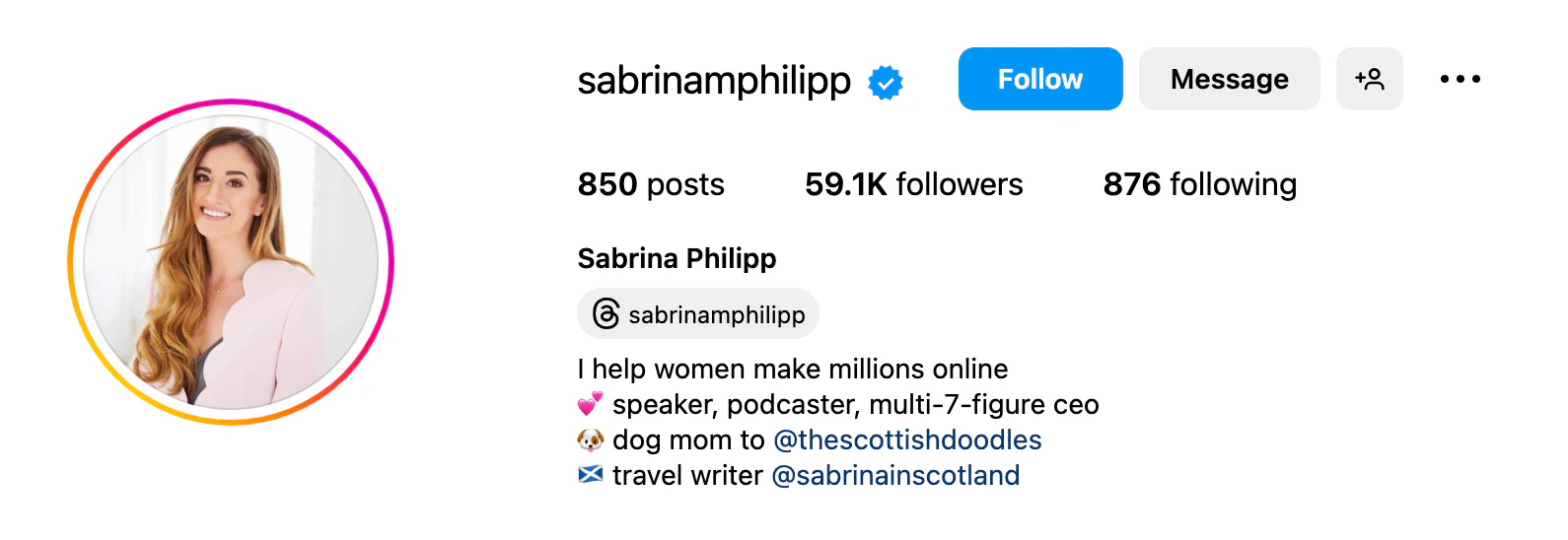
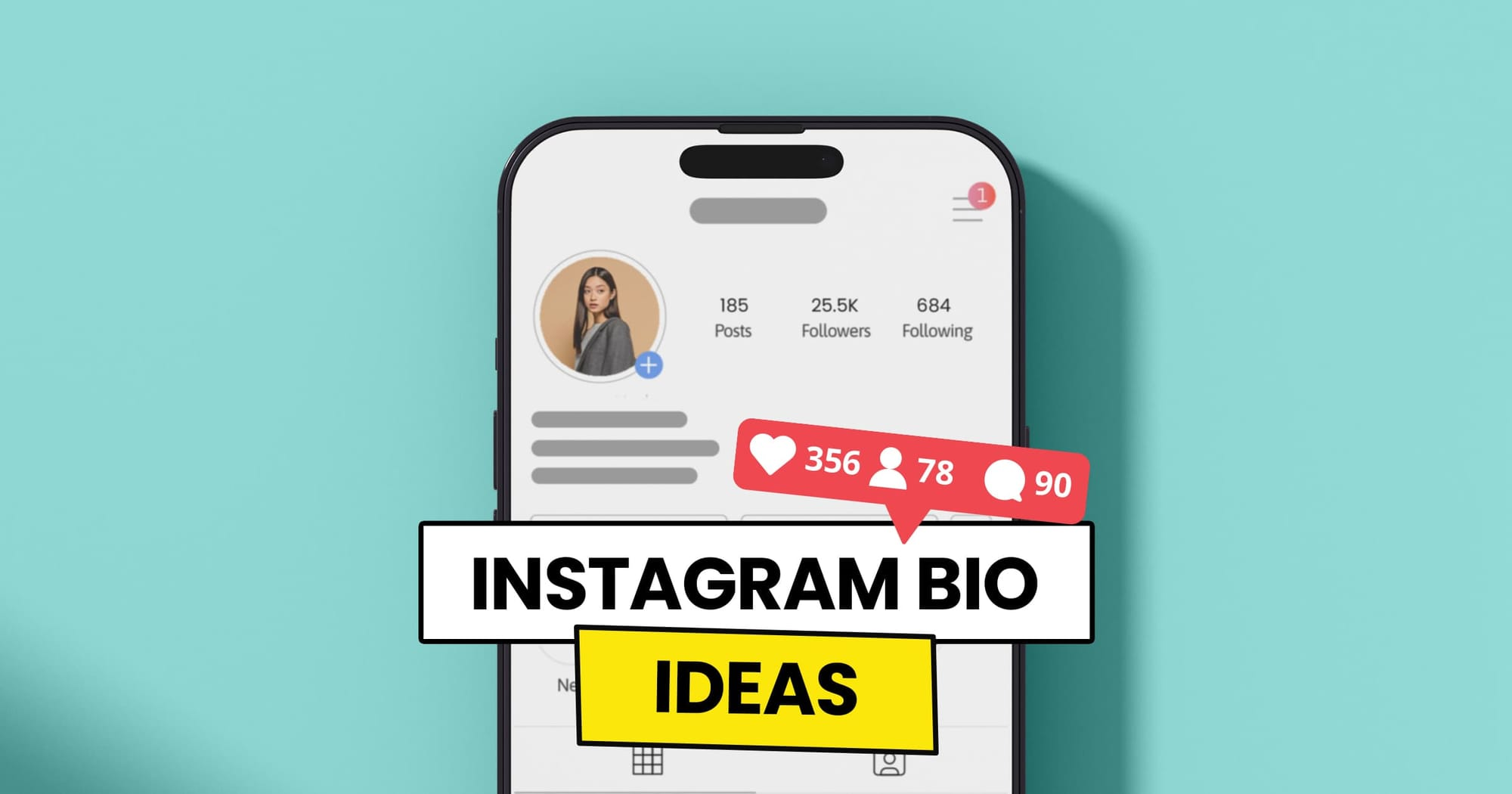
Your “Instagram bio” is that short snippet of text that sits right under your profile picture and username.
It’s basically the first thing people see when they land on your profile, so think of it like your digital handshake. It tells visitors who you are, what you do, and why they should stick around, all in one quick glance.
The major goal of your bio is simple, i.e., “make a strong first impression and give people a reason to follow you”.
That might mean summarizing your passion, showcasing your niche, or even crafting a compelling professional bio that memorably highlights your work or business.
Note: A thoughtful bio matters because it can turn casual visitors into followers, customers, or clients, especially when every word counts.
Instagram bio character limit 2025
If you’ve ever wondered, “Is there a character limit on Instagram bio?”, yes, there is, and it hasn’t changed in 2025.
Understanding the IG bio character limit is essential because your bio is often the first thing people read before deciding to follow you. So knowing exactly how much space you have helps you plan your message better and avoid last-minute cuts.
Key points to know:
Limit: So, “What is the maximum character limit for an Instagram bio?” Your profile bio description allows up to 150 characters in total.
Content: Those 150 characters include everything (letters, numbers, emojis, punctuation, and spaces). This directly affects your overall Instagram bio character length, so every character counts.
Enhancements: You can use emojis, line breaks, and symbols to make your bio more readable, but remember they all count toward the limit.
More info? (Important character limits)
Instagram bio name character limit:30 characters
Instagram bio description character limit:150 characters
Instagram profile bio character limit:150 characters (this refers to the bio text section)
Instagram bio character limit with spaces
“Does the Instagram character limit include spaces?”
Yes, it does!
Spaces count as characters, just like letters or emojis. If you add extra spacing or line breaks, you’re using up valuable character space, so use them wisely.
150 characters is all you’ve got, guys!
Instagram bio word limit
Instagram doesn’t set a fixed word limit for bios. Instead, it’s all based on characters.
Depending on word length and spacing, 150 characters usually correspond to ~20–30 words. That’s why short, precise wording works best.
How to increase the character limit in Instagram bio
Instagram only gives you 150 characters for your bio text, which can feel very tiny when you’re trying to say a lot about yourself or your brand.
The good news?
While Instagram won’t officially expand that limit, there are smart, innovative ways to work around it and show more about who you are.
These methods are perfect if you’re wondering “how to make your Instagram bio longer than 150 characters” without interfering with Instagram’s hard limit.
Use a link in bio tool
One of the most popular tricks is using bio links from services like Replug or similar tools. These let you include a single clickable link in your bio that opens a custom page with much more valuable content.
You can write a long description, share your website, highlight services, show links to products, and more. Basically, the bio itself stays within the 150-character rule, but your link takes people to all the extra info you couldn’t fit otherwise.
Utilize Instagram story highlights
Story highlights let you save your past stories to your profile under your bio. Use highlights to expand on your bio, for example, a “Bio + More” or “About” highlight can tell your whole story, show FAQs, or explain what you do in detail.
This doesn’t technically increase the character limit, but it gives visitors more context without stuffing everything into 150 characters.
Use your profile name field
Don’t forget the name field! Instagram lets you use up to 30 characters here, and it’s searchable.
Add a few keywords that help describe you or your niche (like “Travel Coach & Photographer”). This effectively expands how you present yourself without altering the bio text.
Add text to first comment/caption
Another clever workaround (especially if you link to a post from your bio) is to use your first caption or comment to include extra details about you or your offer.
For instance, drop a more extended intro or expanded info in the caption of a pinned post and call it out in your bio. People who click through will see the full story without you squeezing it into that bio limit.
How the Instagram business account bio character limit works in 2025
Even in 2025, the Instagram business account bio character limit works the same way it does for personal profiles. You’re still limited to 150 characters in that bio text box under your profile name and picture.
This means no matter if you’re running a small shop, a large brand, or a service-based business, your core bio space has the same tight limit. So, you need to make every word count when explaining who you are and what you offer, and to drive action from visitors.
Where business accounts have an edge is in the additional profile features; Instagram lets you use them alongside your 150-character bio.
For example, you can display your business category label, add contact buttons (like email, phone, or directions), and make use of tappable action buttons (like “Book Now” or “Order”), which help you share more info and drive conversions without using up those character slots.
So while there’s no official way to increase the written character limit itself, a business account lets you complement that space with more interactive details. These help visitors learn more about your brand effectively.
Factors that influence the ideal Instagram character limit
When you’re thinking about your Instagram bio, it’s not just about how many characters Instagram allows; it’s more about how those characters work for your goals.
Several key factors help shape what the ideal Instagram character length should be for your profile, especially if you want to make the most of that 150-character space.
Content’s purpose
What you want your bio to do will change how you use your characters. A personal account might focus on personality, while a business bio needs to clearly state what you offer and a call to action.
When your purpose is clear, you can tailor your bio message more effectively within the limited space.
Target audience
Understanding who you’re speaking to matters a lot! If your audience prefers casual, friendly language, your bio might use more relatable phrasing.
However, if you’re targeting professionals or a niche market, clarity about your service or niche helps visitors instantly know your value.
Note: Choosing words that resonate with your audience increases the chances they’ll stick around.
Engagement objectives
Think about what you want people to do when they land on your profile. Do you want them to follow, visit your website, or check out your latest reel?
Your engagement goals will shape how you structure your bio, which in turn affects how you use your character space; whether you include CTAs, emojis, or keywords that prompt action.
Brand style & voice
Your bio should reflect your unique style (playful, professional, bold, or artistic). Staying true to your brand voice helps build trust and connection right away.
Even with the strict Instagram character limit, selecting words that echo your brand personality makes your bio more memorable.
Market trends
Social media trends play a key part, too. What worked a couple of years ago might feel outdated now.
For example, many brands now use emojis, strategic keywords, and concise CTAs in bios because studies show they improve engagement and readability.
Note: Tailoring your character use to current trends helps your profile feel fresh and relevant.
These factors together shape what the ideal character usage looks like for your Instagram bio!
Best practices to make the most of your Instagram character limit
Getting the most out of your Instagram bio character limit means using your space strategically to communicate who you are, what you do, and what action you want visitors to take, all in a way that’s easy to read and memorable.
Here are some practical tips that help your bio work harder without feeling cluttered. Take a look!
Be clear & concise
Since you only have 150 characters to work with, keep your message short and to the point. Aim to quickly explain who you are and what you offer in a way that’s easy for anyone to understand at a glance. Brevity helps your bio feel clean and impactful.
Use line breaks
Line breaks make your bio easier to scan and help separate key pieces of information (like your role, niche, and call to action). Breaking your bio into small blocks gives it visual structure and makes it more inviting to read.
Use emojis smartly
Emojis can add personality and help you save space by replacing words, but don’t go overboard. A few well-placed emojis can highlight important bits or add a friendly tone without distracting from your message.
Fine-tune for the target audience
Think about who you want to connect with and choose your wording accordingly. Using language, keywords, and symbols that align with your ideal followers makes your bio feel more relevant and engaging.
Incorporate a call-to-action (CTA)
A strong CTA phrase tells visitors what you want them to do next, like “Follow for tips,” “Shop now,” or “Click the link below.” Adding one clear CTA increases the chances people will take that next step.
Using these simple practices lets you make the most of every character, helping your Instagram bio do more than just describe you. It connects with your audience and drives action.
Character limits for every significant part of the Instagram platform
Instagram doesn’t let you write endless text everywhere. It has specific limits for things like bios, captions, DMs, comments, and more to keep things clean and readable.
These limits tell you exactly how much text you can use before Instagram cuts you off or won’t let you post.
Instagram feature
Instagram character limit
What it means
Bio
Instagram bio character limit: 150 characters
The short intro under your profile; keep it snappy.
DM (Direct Message)
Instagram DM character limit: 1,000 characters
Max text per message in chats.
Post/Caption
Instagram post/captions character limit: 2,200 characters
The maximum limit for a post caption.
Caption Visible Before “More”
Caption truncation: 125 characters
After this, people need to tap “…more” to see the rest.
Comment
Instagram comment character limit: 2,200 characters
You can write pretty long comments.
Story Text (recommended)
Instagram story character limit: ~190 characters
Stories don’t have a strict official limit, but the best readability is around here.
Story Comments (replies)
Instagram story comments character limit: 60 characters
Replies to story stickers are short. (This is a typical social limit; it varies by sticker type.)
Username (@handle)
Instagram username character limit: 30 characters
Your unique handle must fit in this.
Profile Name (display)
Instagram profile name character limit: 30 characters
The bold name shown on your profile.
Hashtag Limit
Instagram hashtag limit: 30 hashtags per caption/post
You can add up to 30 hashtags in one caption or post.
Ads Primary Text
Instagram ads character limit: 125 characters
Instagram ads work best under this limit for the main text.
📌 A couple of quick notes (just so you’re clear)
Those 2,200 characters for captions or comments include spaces, emojis, and hashtags (everything counts).
For hashtags, you can have up to 30 per post, but using fewer (like 10–15) often looks cleaner.
Stories don’t have a hard “official” cap posted by Instagram, but in practice, people keep it under ~190 characters, so text stays visible and readable on screen.
Some ad formats, like headlines and descriptions, have even tighter limits (like 30 or 40 characters for certain fields).
How do different Instagram character limits impact engagement and perception?
The character limits on Instagram (whether it’s 150 characters for a bio or the 2,200-character limit for captions) shape not just how much you can write, but how people interact with your profile and posts.
A tight limit forces you to be concise and clear, often boosting readability and making your key message stand out quickly to users who scroll quickly.
Short, well-structured content is easier for visitors to process and can make your profile feel sharp and professional, increasing the chance they’ll follow or engage.
Meanwhile, overly long text that’s cut off or hard to read might turn users away before they even get the point, lowering engagement.
Good use of formatting (like line breaks and precise wording within these limits) helps maintain interest. It encourages interaction, especially since your bio and captions are among the first things people judge when they land on your page.
10 best tips for crafting engaging Instagram bios
Your Instagram bio is like your digital handshake. It’s one of the first things people see when they land on your profile, so it should tell them who you are, what you do, and why they should stick around.
A well-crafted bio can help you attract followers, show your personality, and guide people toward what you want them to do next.
Tip #01: Mention the brand identity clearly
Start by explaining what you or your brand is all about right away. No matter if you’re a baker, fitness coach, artist, or small business owner, saying it clearly helps people understand your focus at a glance. This sets the tone and enables the right audience to connect with you instantly.
Tip #02: Must add your name under the profile picture
Putting your real name or business name right under your profile picture makes your profile feel trustworthy and professional. If your handle is a creative or branded name, including your actual name helps with searchability and recognition, too. This little detail goes a long way in building credibility.
Tip #03: Use keywords strategically (keyword-optimized description)
Think of your bio as a mini SEO spot for Instagram. Using relevant keywords helps your profile show up when people search for topics related to your niche. Choose terms your audience is likely to look for and fit them in naturally.
Tip #04: Get creative with emojis (add emojis for character)
Emojis can make your bio more fun and eye-catching while breaking up blocks of text. Just be sure to use ones that match your vibe and brand (too many can look cluttered). A few well-chosen emojis can quickly convey tone and personality.
Tip #05: Use line breaks for better readability
Line breaks make your bio easier to scan quickly, compared to one long paragraph. Breaking your info into neat little lines gives your profile a cleaner look and helps each point stand out clearly.
Tip #06: Highlight your key expertise (be honest)
Make sure you clearly state what you’re good at or what value you offer. This could be a specific skill, service, or area of expertise. Being honest and specific helps attract followers who are genuinely interested in what you do.
Tip #07: Add your contact information
If you’re open to collaborations, business inquiries, or questions, include easy contact options such as an email address, a business phone number, or a link to a contact page. This makes it simple for others to reach you without digging around.
Tip #08: Include your short-branded link
Instagram only lets you add one clickable link in your bio, so make it count. Use a short, branded link that points to your website, portfolio, shop, or a “link in bio” landing page with more links. It’s one of the best ways to drive traffic where you want it, and generate leads.
Tip #09: Add an engaging CTA & action buttons
Include a call to action or an action button, like “Check out my latest post,” “Shop now,” or “DM for collabs” to guide visitors on what to do next. These little details give your bio purpose and help convert casual visitors into followers or customers.
Tip #10: Add relevant hashtags
Adding a few branded or niche hashtags can increase visibility and connect your profile to broader conversations. Just don’t overdo it; a couple of well-chosen hashtags can make your bio more discoverable without looking messy.
If you thoughtfully combine these tips, your Instagram bio will feel clear, purposeful, and inviting, just like you want it to.
Upgrade your Instagram bio using Replug
Upgrading your Instagram bio with Replug’s Instagram bio generator makes the whole process much easier and more effective, without stressing over the 150-character limit Instagram imposes on bios.
Replug’s top-notch free tool helps you create a clear, engaging, and on-brand bio in seconds by turning just a few words about yourself or your brand into a polished description.
Once you have a great bio at hand, Replug also lets you pair it with a custom link-in-bio page where you can share all your content, links, and offers. This gives followers even more to explore beyond what fits in those limited characters.
Go beyond generic link pages!
Create custom bio links that truly fit your brand
With Replug, you can create bio links that are unique, engaging, and built to convert.
Using this two-step approach keeps your Instagram bio sharp and professional, while ensuring you don’t miss out on showcasing your whole personality or value.
To wrap up, always remember your Instagram bio is more than just a few lines of text. It’s your first impression, your mini‑story, and your gateway to engagement.
Understanding the character limits for your bio, profile name, captions, and every part of the Instagram platform helps you craft a profile that’s clear, compelling, and aligned with your audience.
From learning how to increase your bio space to following best practices and factoring in your brand voice, every detail counts.
And if you really want to take your bio to the next level, try Replug! It’s an all-in-one link management platform that now lets you create powerful Instagram bio links, making your profile more interactive and effective than ever.
Frequently asked questions
Is there a character limit on Instagram bio?
Yes! Instagram bios are limited to 150 characters, including text, emojis, and spaces.
What is the perfect length of a bio?
There’s no fixed “perfect” number, but aiming for 50-200 words helps you give key info without clutter.
What is the IG caption word limit?
Instagram captions are capped by 2,200 characters, not words. This is roughly 300-350 words, depending on word length.
How can I use more than 150 characters in my Instagram bio?
You can’t extend the bio past 150 characters; that’s a firm platform limit. Instead, use line breaks, emojis, or creative phrasing to fit more ideas into the space.
What is the 5-3-1 rule on Instagram?
It’s a simple engagement strategy:
– Each day like 5 posts, – Leave 3 thoughtful comments, and – Send 1 genuine DM or follow 1 account to grow engagement organically
How to get a longer bio on Instagram?
You can’t increase the official 150-character bio limit. Focus instead on making it more transparent and concise, or add info in other profile elements like “Highlights” or “link pages”.
Which is the best Instagram bio character limit checker?
There are many Instagram bio character limit calculators online, like SocialRails, Snaplytics, and Nuelink’s Instagram Character Counter, that show you bio limits and count characters in real time.
What does caption truncation mean?
Caption truncation means only the first ~125 characters show in the feed before users must tap “more” to see the rest of your caption.
How to add a bio to your Instagram profile?
Open the app → go to your profile → tap “Edit Profile” → Bio → type your text → save (click the tick icon).
How do I bold or add special characters to my Instagram bio?
Use third-party text generators (e.g., “Instagram font generator”) to create bold or styled text, then copy and paste it into your bio. Instagram also supports emojis and many Unicode symbols. (General practice: character generators are widely used.)
How to get multiple lines in an Instagram bio on iPhone or iPad?
Write your bio with line breaks outside the Instagram app (e.g., in “Notes”), then copy & paste into the bio box. This preserves spacing brilliantly.
Why are people writing (she/her) (he/him) in their Instagram bios?
People add pronouns like she/her or he/him to show how they identify and how others should refer to them, promoting clarity and respect.
Here are some great options if you’re looking to create the perfect Instagram bio for girls that really stands out and connects with your audience.
How can a well-crafted Instagram bio benefit my business?
A strong bio tells visitors who you are, what you do, and what you offer, helping convert profile views into follows, clicks, or sales. So, must come up with the best explanation for your profile bio!
How to analyze your Instagram bio effectively?
Check whether your bio:
– clearly states your purpose, – fits the character limit, – includes keywords that your audience will understand, – and leads visitors to action.
Have you ever stared at your profile and wondered, “Why does my bio matter anyway?”
Believe it or not, that tiny block of text is often your first impression online, and it can make or break how others perceive you.
In fact, well-crafted bios on professional platforms like LinkedIn can boost profile views by up to 21× and messages by ~36× compared to bare-bones profiles.
Recruiters typically skim profiles in just seconds, so the right words matter more than ever. And it’s not just about jobs!
A solid bio helps you stand out whether you’re networking, pitching to clients, or building a personal brand in a world where billions of people are scrolling, clicking, and deciding in an instant.
Ready to craft a bio that actually gets noticed? If you’re planning to update your professional profile or add flair to your social media, the right bio makes all the difference!
In this post, we’ll walk you through creative bio examples, from personal and casual to polished and professional, so that you can write your own highly noticeable bio in a matter of minutes!
What is a bio, and what makes it so essential?
At its core, a bio is a concise summary that tells people who you are, what you do, and what you stand for, in just a few lines.
No matter if you’re writing one for LinkedIn, your personal website, a guest post, or a social profile, a well-written bio helps shape first impressions online and offline.
It’s more than just a list of credentials; it’s a snapshot of your professional identity and personality combined, helping your audience quickly understand your background and what makes you unique.
Unlike a CV or résumé, a bio isn’t a complete history. Instead, it’s a story-style introduction that blends your role, experience, and voice to create clarity and connection with the reader.
Good bios aren’t just informative; they’re strategic. They help you build trust, stand out in a sea of profiles, and even spark new opportunities with recruiters, clients, or collaborators.
Now that you know why a bio matters, let’s explore its essential elements.
Key elements to include (mix & match)
Here are the must-have pieces that make your bio feel complete and authentic, and you can combine them however they fit your voice and purpose:
Who you are: A quick, clear intro (your name or role/persona) that sets the stage.
What you do: A simple description of your work, profession, or primary focus.
Why you do it: Your motivation, mission, or the reason behind your work. This adds depth and purpose.
A personal touch: A friendly detail, hobby, or interest that humanizes your bio and makes it memorable.
These pieces together help you craft a bio that’s not only informative but engaging. The kind that someone actually wants to read.
Professional bio examples
Writing a solid professional bio can feel tricky at first, but seeing real examples makes it so much easier to picture what yours could look like.
Below are simple, friendly examples you can use or adapt depending on where your bio will reside.
General professional bio example
A general professional bio is your everyday intro, i.e., great for LinkedIn, online portfolios, or networking profiles. It usually focuses on your role, experience, and what you bring to the table.
Example:
Elena Roberts is a customer experience strategist with over 8 years of experience helping tech companies build stronger, more human-centered support teams. Passionate about blending data and empathy, she’s led projects that improved customer satisfaction scores by 30%. When she’s not optimizing workflows, Elena enjoys mentoring new professionals and exploring local coffee shops.
This type of bio gives your core identity, expertise, and even a personal touch, while staying concise and professional.
Bio example for work
This version is tailored for a workplace context, something you might share in a team directory or as part of internal communications.
Example:
I’m Samir Ali, Senior Product Designer at BrightApps. I design intuitive user experiences that help people complete their tasks with ease and joy. With 6+ years of experience in UX/UI design, I focus on user research, prototyping, and collaborating with cross-functional teams to bring ideas to life. Outside work, I volunteer with local coding clubs to help young creatives kickstart their tech journeys.
Work bios like this focus on your current role and contributions, helping colleagues and stakeholders understand your place on the team.
Bio example for resume
On a résumé, a short bio (often called a professional summary) sits at the top and gives recruiters a quick snapshot of who you are and what you offer.
Example:
Experienced Marketing Specialist with 5+ years driving growth for B2B and B2C clients through strategic campaigns and content optimization. Skilled in SEO, analytics, and cross-channel engagement strategies. Adept at turning insights into action and delivering measurable results.
This type of bio is brief but impactful, focusing tightly on skills and achievements.
Bio example for work website
For a company website (like an “About Us” page), your bio can be slightly longer and more narrative, helping visitors connect your story with your brand or mission.
Example:
Jessica Tan, Lead Content Strategist at StoryBridge Media, blends storytelling with data-driven strategy to help brands communicate with clarity and heart. Before joining StoryBridge, she worked with nonprofits to expand their reach across digital platforms. Jessica believes great content can change perspectives, and she loves mentoring junior writers to find their voice. When she’s offline, Jessica is usually hiking with her dog, Luna.
Website bios often mix professional details with personality, so visitors feel like they “know” you a bit more.
Remote worker bio example
As remote work becomes more common, your bio might need a virtual-friendly vibe; clear about your role, work style, and tools you use.
Example:
Hi! I’m Omar Khalid, Remote Front-End Developer. I build responsive, accessible web interfaces that delight users across devices. With 7 years of working remotely for startups and agencies, I’ve mastered asynchronous collaboration, Git workflows, and tools like Figma and VS Code. I love problem-solving, online coffee breaks with my team, and weekend runs to clear my head.
Remote bios show you’re effective in virtual settings, something many companies look for today.
Jobseeker bio example
I’m Aisha Khan, an aspiring data analyst with strong skills in Excel, SQL, and Tableau. I recently completed a professional certificate in data analytics and built dashboards that simplified insights for mock projects. I’m passionate about using data to solve real business problems and am actively seeking opportunities to bring a fresh perspective to a growing team. In my free time, I explore data blogs and take part in online analytics challenges.
New hire bio example
Meet Daniel Ortiz, our new Social Media Coordinator. Daniel brings creative energy and a knack for engagement to the team, having managed campaigns that boosted follower engagement by 25%. He’s excited to help shape our brand voice and build community. When he’s not crafting posts, Daniel enjoys photography and freelance writing.
Career changer bio example
I’m Nadia Ali, a former teacher turned UX designer. After 7 years in education, I realized my passion for creating intuitive learning experiences led me to UX design. I’ve completed a bootcamp in UX/UI and now focus on making apps easier and more joyful to use. Outside work, I mentor others switching careers and enjoy sketching user interfaces for side projects.
Business bio example
Samir & Co. Consulting helps small businesses grow smart. Founded by Samir Ahmed in 2022, the firm specializes in strategic planning, digital marketing support, and coaching for early-stage founders. Samir’s practical, people-first approach has helped clients increase sales by over 40% in their first year. Samir believes business growth starts with clarity and confidence.
Corporate bio example
Jessica Lee serves as Vice President of Operations at NovaTech Inc., leading teams that streamline workflows and improve project delivery times. With more than 12 years of experience in corporate operations, she focuses on efficiency, team growth, and cross-departmental collaboration. Jessica holds an MBA and enjoys speaking at industry events about scalable systems.
Executive bio example
Michael Turner is the Chief Strategy Officer at Elevate Group, where he oversees long-term business growth and innovation initiatives. With two decades of experience in executive leadership, Michael excels at turning strategic vision into measurable outcomes. He’s passionate about leadership development and serves on the board of several nonprofits.
Employee bio example
Emma Roberts is a customer service specialist at BrightLine Tools. She supports clients with product questions, troubleshooting, and feedback. Known for her empathy and attention to detail, Emma makes sure every customer feels heard. Outside the office, she volunteers with local youth programs.
Staff bio example
I’m Ahmed Qureshi, Staff Accountant at Summit Finance. I handle monthly reports, help manage budgets, and support audit preparation. I love numbers and helping the team stay organized. When I’m off the clock, I build mini budget tools for friends and family.
Software engineer bio example
David Chang is a software engineer specializing in backend development. With 6+ years of experience, he builds scalable, reliable systems and enjoys solving complex technical problems. He works with languages such as Python, Java, and C++ and contributes to open-source projects. Outside of tech, David plays guitar and reads sci-fi novels.
Tech professional bio example
I’m Leila Hassan, a technology consultant focused on cloud solutions. I help companies move their systems to the cloud efficiently and securely. With experience in AWS and Azure, I enjoy translating technical topics into simple, practical solutions. Off the clock, I mentor young tech learners online.
Marketing professional bio example
Jane Smith is a results-driven marketing manager with over a decade of experience in digital campaigns, branding, and analytics. She’s boosted engagement and conversion rates for both B2B and B2C brands. Jane is passionate about storytelling that connects with audiences. Outside work, she hosts a creative marketing podcast.
Real estate agent bio example
Ali Raza is a licensed real estate agent in Islamabad who helps first-time buyers find their dream homes. With a focus on transparency and client needs, Ali makes the property process smooth and stress-free. In his downtime, he explores local neighborhoods and blogs about home-buying tips.
Therapist bio example
I’m Sara Ahmed, a licensed therapist specializing in anxiety and stress management. I use a compassionate, evidence-based approach to support clients on their journey toward healthier coping tools and wellness. Outside of sessions, Sara writes mental health articles and leads community support workshops.
Entrepreneur bio example
I’m Omar Khan, founder of GreenSprout Organics. I started my business to make healthy, affordable organic food accessible to local communities. Since 2021, GreenSprout has partnered with farms and markets across the region. Besides business, Omar speaks at sustainability events.
Freelancer bio example
I’m Nadia Patel, a freelance graphic designer. I help startups develop logos, brand kits, and visuals that stand out. With clients in over 10 countries, Nadia blends creativity with strategy. She uses every project as an opportunity to learn and grow.
Bio example for speakers/experts
Dr. Ayesha Malik is a keynote speaker and leadership development expert. She’s delivered talks at global conferences and published research on workplace communication. Ayesha’s mission is to help professionals unlock their full potential through authentic leadership.
Bio example for teacher
Mr. Hamza Siddiqui is an English teacher at Cedar Academy. He uses engaging methods to bring literature to life and help students build confidence in their communication. Outside the classroom, he runs a blog on effective study habits for teens.
Graduate bio example
I’m Fatima Noor, a recent graduate in environmental science. I completed my degree with honors and conducted research on sustainable water solutions. I’m eager to start a career where I can help protect natural resources and support community resilience.
LinkedIn bio example
Experienced project coordinator driving efficiency and team collaboration. I help teams deliver projects on time and within budget using clear communication and practical planning. Let’s connect!
X (formerly Twitter) bio example
Growth marketer | Helping brands scale with data | Tweets on strategy & creativity | #Marketing #Growth
Note: These examples offer a mix of tones and formats, so you can pick and tweak the one that best fits your purpose.
Personal bio examples
Personal bios help you authentically introduce yourself, whether you’re a student, a social media creator, or looking for love on a dating app.
These social media bio examples and bio examples for dating apps will give you ideas you can copy, tweak, and make your own. Have a look!
Bio example for students (young)
🎓 High school student curious about coding, books, and all things science. Always learning, always exploring. Future software engineer in the making!
This kind of student bio is upbeat, shows interests, and feels natural. It’s the perfect choice for social profiles.
Facebook page bio example
Just a coffee-loving storyteller ☕️ | Sharing life, laughs, and weekend adventure pics. Let’s stay connected 😉
Great for a personal Facebook page where friends and family members visit often!
Bio example for LinkedIn
Aspiring finance professional | Economics student passionate about budgeting & financial literacy | Open to internships & learning opportunities.
LinkedIn bios should be professional but friendly. This example shows goals and openness to connect brilliantly.
Bio example for Instagram
🖼️ Art lover | Daily doodles & color stories 🎨 | New posts every week ✨
Instagram bios flourish on fun emojis and a peek into your content or personality.
Bio example for X (formerly Twitter)
Movie buff 🍿 | Chatting about films & stories 🎬 | Tweets on pop culture & weekend thoughts 🎸
For X, keep it concise, clear, and personal. This helps followers know what you tweet about!
Bio example for TikTok
💃 Dance & trend vibes | Learning moves + sharing laughs 😂 | New videos every Friday 🙌
TikTok bios are super short and fun. You must openly highlight your niche and personality!
Funny bio example
Professional snack critic 🍕 | I laugh at my own jokes so you don’t have to 😄
A playful, light tone that shows humor while still being relatable.
Dating profile bio example
Love good food, road trips & deep chats — bonus points if you bring spaghetti 🍝 + a romantic playlist 🎶
This is a classic bio example for a dating app; a warm invitation that sparks curiosity and opens the door to a real connection.
Dating profile bio example (female)
Dog mom 🐶 | Brunch lover 🥞 | Looking for someone who’s kind, curious & ready for adventure.
A clear vibe + interests that help you connect with the right matches.
Even the best bios can fall flat if you slip up on a few key points. Here’s a friendly, straightforward look at the most common mistakes people make, and how to avoid them so your bio feels clear, authentic, and relevant.
Avoid being too formal or too casual
Finding the right tone is crucial. If your bio sounds too rigid, it can feel distant, and if it’s too casual, it might not be taken seriously. Aim for a balanced tone that matches your platform; professional but natural.
Avoid oversharing irrelevant details
Keep it focused! Including every hobby, past job, or personal tidbit can clutter your bio. Only share details that actually support who you are or what you do, so readers aren’t distracted by the irrelevant stuff.
Avoid using vague language or clichés
Terms like “hardworking,” “creative,” or “passionate” without context don’t tell much about you. Specific, clear descriptions make your bio more memorable and meaningful.
Avoid neglecting core updates
Your bio should reflect your current life and goals. If it still talks about old roles or outdated projects, readers won’t get an accurate picture of you. Update regularly, especially after major achievements.
Avoid lying or exaggerating
It might be tempting to inflate skills or achievements, but honesty builds trust in the best possible manner. Exaggeration can backfire if someone decides to follow up or check your credibility.
Avoid overstuffing keywords or emojis
While a few relevant terms or a tasteful emoji can help, too many make your bio look spammy or hard to read. Keep language natural and avoid plugging in keywords just for visibility.
Avoid outdated information
Old job titles, expired links, or references to past versions of social accounts can make your bio feel worn out. Keeping it fresh shows you’re active and up to date.
Avoid forgetting a call-to-action (CTA) or relevant links
If your bio doesn’t invite the reader to “do something next” (like connect, click your link, or contact you), you are surely missing out on engagement. A simple CTA can turn a passive reader into a follower, connection, or lead.
Note: These mistakes are easy to make, but equally easy to fix. With a bit of attention, your bio won’t just exist; it’ll shine for sure!
Summing up
We’ve walked through everything you need to craft a standout bio, from understanding what a bio actually is to real examples you can use for work, social profiles, and even dating apps.
You’ve seen which mistakes to avoid, why tone and relevance matter, and how the right words can make you more memorable online and off.
Whether you’re building a LinkedIn profile, a fun Instagram intro, or a professional résumé bio, these examples and tips give you a clear starting point.
And to make your online presence even stronger, give Replug a try today! It’s one of the best all-in-one link management platforms out there.
Besides, what’s even better is the Replug’s bio links feature, which lets you build custom bio pages that connect all your content, products, and offers in one place, helping you convert clicks into results seamlessly.
Frequently asked questions
How do I write a bio about myself?
Start by introducing who you are and what you do in one or two simple sentences. Then add a couple of details about your skills or achievements, and a little personal touch that shows your personality. Keep it clear and honest, so readers can quickly understand who you are and why it matters.
How to create a nice bio?
To craft a nice, solid bio:
1. Start strong with your current role and major achievements, so people instantly know what you do and what you’ve accomplished. 2. Then let your personality come through (a little charm or individuality makes you stand out). 3. Must include relevant keywords that relate to your niche, so the right people can find you easily, but use them naturally. 4. Finally, pair your bio with a strong photo and consistent branding, so your visuals match the tone of your words and give a unified first impression.
Why a creative bio is a game-changer nowadays?
A creative bio helps you stand out in crowded feeds and profiles because it grabs attention and feels memorable. Instead of blending in with boring phrases and clichés, a well-crafted bio shows your personality, builds connection, and makes people want to engage with you.
What is a cool bio example?
A cool bio feels natural and intriguing, for instance:
“Digital artist blending pixels & passion 🎨 | Coffee fueled ☕ | Sharing daily sketches and creative experiments.”
This kind of line quickly conveys who you are, what you do, and the vibe you bring.
Provide a list of the best author bio examples?
Here’s a list of well-known authors whose bios are great for inspiration:
–Ruth Ozeki – American novelist, filmmaker, and Zen Buddhist priest, known for My Year of Meats and A Tale for the Time Being. –Jessica Andrews – English writer whose novels Saltwater and Milk Teeth explore class and relationships; also a contributing editor and lecturer. –Gretchen McCulloch – Internet linguist and author of Because Internet, blending language expertise with online culture. –Bryan Washington – Fiction and essay writer, published in major outlets with notable literary awards. –Ayanna Lloyd Banwo – Trinidadian writer whose debut novel, When We Were Birds, won the OCM Bocas Prize for Caribbean Literature. –Rainbow Rowell – American author of beloved YA and contemporary novels like Eleanor & Park and Fangirl. –Elizabeth Lilly – Author-illustrator and graphic designer, creating warm, imaginative picture books. –Chris Power – London-based writer, author of Mothers and A Lonely Man, with award recognitions.
These author bios vary in style and focus, but all give clear, engaging snapshots of who the writers are and why their work matters.
You know that feeling when you land on a profile that just looks… blank? You start questioning yourself, who are they, and what do they actually do?
In a world where about 5.24 billion people are active on social media, roughly 64% of the global population, that messy bio is a missed handshake. It gets you skipped over pretty fast!
And here’s the thing: You’ve got a mere 2–3 seconds to grab someone’s attention before they move on. People decide within a glance whether to follow you or scroll past.
If your bio is vague or doesn’t say something clear, interesting, or memorable, you’re missing out on followers, opportunities, or even connections. You’re not just leaving a gap, you’re leaving a great opportunity on the table.
But it doesn’t have to stay that way!
A sharp, thoughtful bio, one that is clear, punchy, and personal and shows who you are, what you care about, what sets you apart, and why you’re worth following, can turn that quick glance into a new opportunity. That small section under your profile picture becomes your secret weapon.
Ready to take your profile from “meh” to “must-follow”? Explore how bio power works with a comprehensive catalog of top-notch bio ideas.
Let’s get started!
What is a bio?
A bio (short for “biography”) is the little block of text on your social media profile (or website) that gives a quick snapshot of who you are. It might include your name or profession, what you care about, your skills or interests, and even a link to your blog or website.
The primary aim of a bio is to introduce you or your brand to anyone who just landed on your profile. It tells people: “This is what I do, this is what sets me apart, and this is why you might want to follow me”.
In short, a bio helps set expectations, communicate your vibe or voice, and make a first impression, quickly.
Why a good bio matters:
Because most people decide within seconds whether to follow or ignore a profile, your bio often serves as a mini “elevator pitch”.
It helps you stand out when there are thousands (or millions) of similar profiles floating around.
It builds credibility! A clear, honest bio feels more trustworthy than a vague or empty one.
It draws in people who align perfectly with your interests or style. If someone sees something they like, they’re more likely to follow and engage.
Think of your bio as a quick “hello 👋” to your future audience; the few lines that decide they should stay or scroll away.
Your bio is more than just a few words compiled together. It’s your digital handshake, first impression, and sometimes the deciding factor if someone stays or scrolls.
Let’s walk through some ready-to-use bio ideas for different platforms, so you can pick one that fits your style and makes your profile shine.
Bio ideas for Instagram
Instagram is all about visuals and vibe, so your bio should quickly reflect who you are, what you love, or what you share.
Trending Instagram bio ideas
Digital storyteller | 📷✈️🌍
Eating my way through life | 🍰 = 😍
Coffee lover ☕️
Travel · Photo · Inspiration ✈️📸✨
Dreamer. Doer. Story-spinner.
Making magic with words & pictures ✍️📷
Here for good vibes & great photos 🌿✨
Life’s short — take the shot 🎯
Sharing stories, not just selfies
Your daily dose of positivity & color 💛
Non-cringe Instagram bio ideas
Life’s short — make it count.
Living life on my own terms.
Just a human in progress.
Chasing dreams, not likes.
Simplicity is the ultimate sophistication.
Here for good vibes 🌿
Less talk. More action.
Genuine soul. Real vibes.
Living with purpose, posting with heart.
Not trying to be perfect — just being me.
Cute Instagram bio ideas for girls
Sprinkling a little bit of magic everywhere I go ✨
Dream big. Smile often. 💖
Living in a world of books, coffee & rainy days ☕📚🌧
Adding a little sparkle to your day ✨
Sunshine mixed with a little hurricane 🌞🌪️
Just a girl with big dreams and a bigger heart.
Less perfection, more authenticity 🌸
Here to slay, every single day 😉🔥
Not just a pretty face — also a pretty mind 💡💕
Living life unapologetically. ✨
Cool Instagram bio ideas for boys
Living life on my own terms.
Born to stand out, not fit in.
Dreams don’t work unless you do. 💪
Nothing is impossible⚡
Rocking life, one adventure at a time. 🌍
Not perfect, but definitely unique.
Confidence is my greatest accessory. 😎
Living for the moments that make me feel alive. ✨
Hustle now, shine later. 🔥
Style is who you are without speaking. 🕶️
Bio ideas for TikTok
TikTok bios work best when they quickly reflect your real personality. They must be fun, casual, and hint at what your content’s about.
Funny TikTok bio ideas
Professional procrastinator 🎯
Spilling memes & good vibes 🤪👇
Not perfect, just edited well ✂️✨
90% coffee, 10% chaos ☕️😜
Part-time dancer, full-time dreamer 💃🌟
Walking bug in human costume 🐛😄
Laughing at my own jokes since 199X 😅
Content loading… please wait 😉
Making short-form magic 🎬✨
Swipe for chaos (and maybe laughs) 🤯👇
Stylish TikTok bio ideas
✨ just vibes
🌙 dream | create | repeat
coffee ☕ + confidence 💎
in my own lane 🚦
Less perfection, more authenticity 🌸
CEO of my own vibe 🚀
Bad decisions make good stories 😎
Life’s short, make it aesthetic 📸
Professional overthinker 💭
Chaos with a touch of glam 💋
Savage TikTok bio ideas
You can’t spell awesoME without ME.
Don’t study me — you won’t graduate.
I don’t need your approval; I got mine.
Judgmental looks? I call them compliments.
Life’s too short to chase validation.
I’m not the second option. Never will be.
Not perfect — just unapologetically me.
If looks could kill, consider yourself warned 🔥
They told me I couldn’t, so I did.
Don’t follow me if you’re not ready to keep up.
Emoji TikTok bio ideas
🎶 Living life one song at a time 🌟
📸 Capturing moments & making memories 🌍
☕ + 🍕 + good vibes = me
🌙✨ Dream big. Shine bright.
💫 Just a human with a hustle & heart
🌸 Flower child • Tea addict • Dream chaser
🎬 Creating chaos, one video at a time
🌊 Riding waves & chasing sunsets 🌅
📚 Book lover by day, meme addict by night 😜
🤍 Here for good vibes & real stories
Bio ideas for Facebook
Facebook often allows a bit more space and flexibility. You can balance personality, life story, or what motivates and drives you.
Creative Facebook bio ideas
Tech enthusiast | Believer in good coffee & deep talks ☕️💡
Changing the world one small idea at a time 🌱
Book lover. Dream chaser. Story maker.
Living life in pixels & paragraphs 📸✍️
Part-time foodie, full-time explorer 🍲✈️
When not coding — I’m chasing sunsets 🌇
Spreading kindness & good vibes 🌼
Coffee in hand, world on mind ☕️🌍
Always curious. Forever learning.
Welcome to my little corner of the internet 🙂
Motivational Facebook bio ideas
Dream it. Do it. Own it.
Hard work beats talent when talent doesn’t work hard.
Work hard until you make it.
Rise above the storm, and you’ll find the sunshine. ☀️
Progress, not perfection.
Every day is a new beginning.
Believe in yourself, always.
Chasing my purpose, not people.
You are your only limit.
Dream big, work hard, stay humble.
Classy Facebook bio ideas
Living life with elegance and grace.
Elegance is the only beauty that never fades.
Simplicity is my secret weapon.
Grace, charm, and a dash of sophistication.
In a world full of trends, I prefer to be timeless.
Class is not about the price tag; it’s about attitude.
Chasing dreams, sprinkled with dignity.
Less talk, more work vibe!
Sophisticated soul in a casual world.
Timeless style, modern mind.
Great Facebook bio ideas
Life isn’t perfect, but your Facebook bio can be.
Do what you love. Love what you do.
Stay humble. Work hard. Be kind.
Positive mind. Positive vibes. Positive life.
Create memories, you get to live once.
Welcome to my little corner of space.
Dream. Believe. Achieve.
Live simply, love deeply.
Smile more, worry less.
Work hard, stay on track.
Bio ideas for WhatsApp
On WhatsApp, the bio (or “About” line) is usually short, a few words that reflect mood, vibe, or a glimpse of who you are. Make it memorable for your loved ones!
If you love dogs, sunsets, and late-night chats — we’ll get along.
Here for good vibes, deep talks & real connections.
Lover of simple joys: music, beaches, laughter. Let’s share some.
Genuine guy/gal looking for someone who laughs easily.
Not perfect — just trying to be a better version each day.
Open heart, open mind. Swipe right if you are too.
Let’s skip small talk and talk about what matters.
Love dating apps bio ideas
Let’s build a story worth telling.
Coffee dates, deep chats & long drives — are you in?
Looking for someone to laugh with until our cheeks hurt.
Swipe right if you believe in love, cheesy jokes, and second chances.
My dog’s better at fetch than I am at small talk — pet lover’s preferred 🐾.
Hoping to find someone who sings off-key with me.
Here for late-night talks, lazy mornings, and heart-to-heart connections.
If you love sunset drives and spontaneous road trips — we might click.
True love isn’t perfect — but it feels like home.
Searching for my partner-in-crime for adventures, cuddles, and everything in between.
Effective dating apps bio ideas
Book lover 📚, gym addict, always up for a good conversation — tell me your favorite read.
Engineer by day, foodie by night. What’s your go-to dish?
Travel buff 🌍 — last stop: Istanbul. Next: where should I go?
Simple guy/girl. Honest smile. Real intentions.
Let’s skip small talk — tell me something that changed you lately.
Music junkie 🎶. Ask me for my playlist if you hate bad vibes.
Fitness lover & health geek — gym in the morning, pizza occasionally. Balance, right?
Looking for someone who’s kind, curious, and doesn’t take themselves too seriously.
Not judging you by your past, but excited to write a future. Up for it?
Here for genuine connections — no games, just good vibes and honesty.
Romantic dating apps bio ideas
In your arms I want to find home, not just company.
Let’s make memories — sunsets, laughter, midnight talks.
I believe in candlelight dinners, slow dances, and honest hearts.
Falling in love should feel like reading your favorite poem — familiar, but still magical.
Looking for someone whose heart beats like mine — soft, honest, hopeful.
Let’s write our own love story — page by page, laugh by laugh.
Searching for the kind of love that feels like Sunday morning — warm, calm, real.
If you believe in soulmates and second chances — maybe we’re meant to meet.
Hand in hand, heart-to-heart — ready to find that with someone special.
For me, romance isn’t roses or clichés — it’s kindness, respect, and being seen.
Additional bio ideas for inspiration
Choosing the right bio can be tougher than it looks, no matter if it’s for Instagram, TikTok, WhatsApp, or any other social profile. That’s why having a variety of ideas (simple, short, emotional, quirky) can make things way easier and more fun!
Check out some more inspiring ideas below!
Simple bio ideas
Simple bios are clean, clear, and to the point. They work great if you want something easy to relate to without too much flair.
Lover of good vibes & great coffee.
Just living my story.
Believe in kindness.
Adventure seeker.
Bookworm & dreamer.
Be you — that’s enough.
Happy mind, happy life.
Smile more, worry less.
Creating my own sunshine.
Life’s simple moments matter.
One-word bio ideas
One-word bios are minimalistic and cool. Perfect if you want to make a bold statement without extra words.
Unfiltered
Available
Limitless
Serene
Curious
Grateful
Authentic
Magical
Focused
Present
2-lines bio ideas
Two lines give more personality without being long. These are ideal for social profiles where you want more context.
Coffee in hand ☕ Dreams in mind ✨
Living for moments That takes my breath away.
Kind heart • Brave soul Learning every day.
Just another story In this big, beautiful world.
Smiling through life One step at a time.
Simple heart • Deep thoughts Always grateful.
Surround yourself with good energy And good people.
Sun chaser 🌞 Memory maker 📸
Growing stronger With every challenge
Too real to fake it Too kind to hate it.
Sad bio ideas
Sad bios are honest and emotional ones. They’re great for moments when you’re feeling reflective or going through something wildly deep.
Broken but still breathing 😭
Smiling on the outside, hurting inside 🥲
Silence speaks louder than words.
Not okay, but trying.
Lost in my own thoughts.
Tears are words my heart can’t say 💔
Healing in slow motion.
Pretending everything’s fine.
Heart heavy, mind tired.
Pain with no sound 🥹
Short bio ideas
Short bios are quick, catchy, and perfect for attention-grabbers. They’re ideal when space is limited!
8 valuable tips to create a winning bio that gets attention
Writing a bio about yourself that actually grabs attention doesn’t have to be complicated anymore. A few smart tweaks can make your profile stand out instantly.
Here’s how to do it in a simple, practical way.
Tip #1. Keep it simple & impactful
Always remember, don’t overthink it! A clear and concise bio is often the most memorable. Stick to the point, avoid long sentences, and focus on what truly represents you. A clean bio is easier to read and leaves a stronger lasting impression on the audience.
Tip #2. Be genuine, be you
People connect with honesty. Instead of trying too hard to sound impressive, stay true to your real personality, interests, and tone. Genuine bios feel more relatable and naturally attract the right audience.
Tip #3. Highlight your unique qualities & strengths
Think about what sets you apart, i.e., your core skills, your approach to life, or even your sense of humor. Showcasing something distinct helps others understand who you are and why they should follow or connect with you.
Tip #4. Make it visually appealing
A good-looking bio instantly catches the eye. Use fancy fonts (but don’t overdo them), add relevant emojis, and keep the spacing clean. A visually neat bio makes your profile feel more polished and easier to scan.
Tip #5. Target & employ relevant keywords
Using the right keywords helps people find you effortlessly. Whether it’s your field, niche, or interests, adding relevant keywords makes your bio more searchable and helps attract the audience you actually want.
Tip #6. Use multiple lines
Breaking your bio into short lines makes it easier to read and gives each point more room to stand out. It also helps you organize your thoughts instead of stuffing everything into one block.
Tip #7. Make every word count
Bio space is limited, so always pick your words wisely. Remove fillers, keep sentences meaningful, and make sure every phrase adds value. A tight, well-crafted bio always leaves a more substantial impact.
Tip #8. Add a clear CTA
If you want people to visit your website, check your work, or explore your content, guide them clearly. A simple call-to-action (CTA), paired with a branded short link, gives your audience a clear next step and boosts engagement instantly.
Create a standout bio with Replug!
If you’re looking to make your profile more than just a name and a link, Replug.io makes it super easy to build an outshining bio that really drives engagement.
It is an all-in-one link management platform that lets you create bio links hassle-free. These are custom mini landing pages that house all your essential URLs, content, socials, and calls to action in one place, so followers can easily find everything you want to share.
Go beyond generic link pages!
Create custom bio links that truly fit your brand
With Replug, you can create bio links that are unique, engaging, and built to convert.
What makes Replug’s bio links really powerful is that they’re not just a list of URLs. You can brand them to match your style, add multiple links or content blocks (like videos, social icons, or embeds), and even track how many people click through with built-in analytics.
This means your bio becomes a simple yet smart gateway for followers to discover your website, shop, content, or promotions without juggling multiple links across platforms.
Doesn’t matter if you’re a creator, business, or just someone who wants a clean and effective online presence, Replug helps your bio work harder for you.
Wrapping up
Creating a bio that genuinely stands out doesn’t have to be tricky now. From understanding what makes a bio effective to exploring catchy ideas and applying simple tips, you now have all the tools to craft a profile that grabs attention and leaves a lasting impression.
And if you really want to take it up a notch, Replug makes it easy to add branded links, track engagement, and make your profile even more clickable.
So go ahead, experiment, have fun with your bio, and see the difference it can make. Give Replug a try and level up your profile today!
Frequently asked questions
What are some cool bio ideas?
Cool bios are fun, short, and give off a vibe without too much effort. Think of lines that show personality or humor, like “Living my best life,” “Adventure first,” or “Coffee > everything”. Good bios make people smile or get curious right away. They should fit your style and feel natural when someone reads them.
Provide some bio ideas for Roblox?
Roblox bios are short profiles (usually up to ~100 characters) that show who you are in the gaming world. You can go with playful, shaggy, or expressive lines like “Obby pro 🏃♂️💨”, “Pixel explorer 🎮”, or “Making moves & winning grooves”. Keep them creative, fun, and friendly, because that’s what takes the center stage in the Roblox community.
What should you write in your bio?
Your bio should quickly tell others a bit about who you are, what you do, or what you love. For social platforms like Instagram, that might include your hobbies, your job, or a fun fact, plus maybe a small emoji or call-to-action. Think of it as a mini introduction that makes people want to learn more about you.
What makes a good bio?
A good bio is short, clear, and true to you. It tells visitors who you are, shows a bit of personality, and sometimes gives a reason to follow you. Whether funny, creative, or professional, the best bios are easy to read, relatable, and memorable (neither too long nor too vague).
How do I write a short bio about myself?
To write a short bio, pick a few key things about yourself (like what you love, what you do, or a defining trait) and put them into one or two punchy sentences. Focus on clarity, keep it within your platform’s character limit, and make sure it feels like you.
For example: “Student, gamer, coffee lover ☕.”
What is the most attractive bio for Instagram?
An attractive Instagram bio is clear, personal, and inviting. It should say something about who you are or what followers can expect from your page, all within the 150-character limit. A touch of emoji, a short CTA (like “Click the link below 👇”), and a friendly tone help a lot, too.
What is the character limit for Instagram bios?
Instagram allows up to 150 characters for your bio. That count includes everything (letters, emojis, spaces, and punctuation), so you have to be concise and thoughtful with every word you include.
How to add a bio on your Instagram profile?
To add or change your Instagram bio:
1. Open your Instagram profile. 2. Tap “Edit Profile”. 3. Tap the “Bio” field and type your text. 4. Finally, tap the tick icon in the upper right-hand corner to update it.
You can edit this anytime, so feel free to change it as your style or goals evolve!
Crafting a short bio might feel like a small thing, but the truth is, it could make a huge difference. After all, LinkedIn, the world’s largest professional network with over 1.2 billion members globally in 2025, is where a lot of first impressions happen online.
A well-written mini-bio isn’t just filler; studies show candidates with polished profiles are significantly more likely to get noticed.
Think of your bio as your personal headline. It can grab attention, make you memorable, and even open doors for exceptional opportunities.
If you’ve ever stared at a blank screen wondering where to begin, you’re in the right place. Keep reading, and you’ll find short creative bio examples and templates to help you build an influential bio in a matter of minutes.
Now, before we step in, let’s clarify: what exactly is a “short bio”?
What is a short bio about yourself?
A “short bio”, sometimes called a short professional bio or a personal bio, is a brief, focused summary of who you are and what you do.
Rather than listing every responsibility like a complete resume, it highlights your core identity: your current role or profession, your key skills or experience, and a glimpse of what makes you unique.
The main objective of a short bio is to give someone a quick but meaningful “snapshot” of you. This kind of snapshot can spark interest, give credibility, or make you memorable.
Whether it’s for a website, social media profile, resume, or guest post byline, a good short bio helps readers quickly understand who you are, what you bring to the table, and possibly why they should keep reading or reach out.
With that in mind, let’s break down exactly what makes a short bio work, especially the key components you should consider including.
Key components of a short bio
A stand-out short bio should include your:
Introduction: A brief opening that introduces who you are (e.g., your name, current role, or profession), giving immediate clarity.
Experience & skills: A snapshot of your most relevant background: what you do or what you know. This helps communicate your professional identity quickly.
Achievements: One or two notable accomplishments, successes, or credentials that show what you’ve already done or what you bring to the table.
Personal interests (optional): A little personal detail or humanizing touch (hobbies, passions, personality) to make you relatable rather than just “a resume on paper”.
Call to action (optional): If appropriate, ending with a line inviting readers to act, for example, “Connect with me on LinkedIn,” “Check out my portfolio,” or “Feel free to reach out.”
Here you’ll find a mix of personal and professional short-bio examples. No matter if you need one for social media, a blog, a résumé, or a business profile, there’s something here for every scenario.
Personal short bio examples
Personal bios are perfect for showing who you really are: your personality, your passions, your everyday vibe, etc.
Check out the examples below:
Personal short bio example for Facebook
“Just a coffee lover ☕ | Bookworm 📚 | Exploring life one city at a time 🌍”
Personal short bio example for Instagram
“Traveler ✈️ | Food-lover 😋 | Living for sunsets ✨
DM me for travel tips 📩”
Personal short bio example for Pinterest
“DIY fan 🛠️ | Home decor ideas + creative crafts 🎨 | Let’s make your space cozy 🏡”
Personal short bio example for a website/blog
“Hi 👋, I’m Sara — a daydreamer turned writer. I share stories of travel, simple joys, and everyday inspiration ⭐”
Personal short bio example for LinkedIn
“Software-loving designer
Turning ideas into clean, usable interfaces
A weekend photographer 📷, as well”
Personal short bio example for X (formerly Twitter)
“Movie buff 🍿 | Tech geek 🖥️ | Expect tweets about books, gadgets & random thoughts 😎”
Personal short bio example for students
“Final-year business student 📈
Gym rat 💪
Always on the lookout for new ideas and internships 🤝”
Professional short bio examples
Professional bios help communicate what you do and what uniqueness you bring to the table, whether you’re job-hunting, networking, or building your brand.
Have a look at some top-notch examples for reference!
Professional LinkedIn short bio example
“Adam Sandler — Marketing specialist with 5+ years of experience in digital campaigns. I help brands grow by crafting stories that connect. Let’s build something great together.”
Professional X (formerly Twitter) short bio example
“I’m Roger James — a Content marketer @VisionX | SEO & growth enthusiast | Sharing tips on writing & social-media strategy.”
Professional short bio example for a website/blog
“Myself Archer, a Freelance web developer, turning ideas into user-friendly websites. I love clean code, fast performance, and happy clients.”
Professional short bio example for work
“My name is Phil Foden. I’m a Senior project manager at BuildCorp, delivering infrastructure projects on time and under budget while leading cross-functional teams.”
Professional short bio example for a new job
“Newly appointed Data analyst at DataInsights. Passionate about turning numbers into meaningful stories and helping businesses grow.”
Professional short bio example for business
“Meet Karl Wolf, Founder of GreenLeaf Designs — sustainable home decor brand combining modern style with eco-friendly materials. Committed to planet-friendly living.”
Professional short bio example for resume/company directory
“Raul Garcia — Graphic Designer with 7 years’ experience in branding, illustration & print design. Skilled in Adobe Creative Suite, typography, and visual storytelling.”
Professional short bio example for graduate students
“I’m Amina Khan, a recent computer science graduate from National University. I’m passionate about data analytics and eager to apply my skills in real-world projects that make an impact. Currently looking for an internship or entry-level opportunities in software development. Outside of coding, I enjoy volunteering with local youth tech clubs and learning new languages.”
Professional short bio example for presentation
“Dr. Omar Farooq is a public health researcher specializing in epidemiology, with over 4 years of experience studying infectious disease trends. His recent work on urban health disparities earned recognition at the 2025 Global Health Conference. Today, he speaks about building resilient health systems, combining data insight with human-centered solutions.”
Professional short bio example for board members
“Sara Ahmed is a nonprofit governance professional and serves on the board of GreenFuture Foundation. With 10 years in environmental advocacy and project oversight, she brings strategic planning and stakeholder-engagement experience. Sara holds a master’s degree in Environmental Policy and is committed to promoting sustainable development and community-led initiatives.”
Professional short bio example for speakers
“Kamal Raza is a motivational speaker and career coach who helps young professionals unlock confidence and clarity. Over the past 7 years, he’s delivered keynotes at universities and corporate workshops across Pakistan, focusing on personal growth and leadership. With a friendly, relatable style and practical tips, Kamal inspires audiences to pursue their goals with purpose.“
Professional freelancer short bio example
“Hi, I’m Nadia — a freelance graphic designer helping small businesses bring their brand stories to life. Over the past 5 years, I’ve created logos, social-media visuals, and marketing materials for clients in e-commerce, wellness, and hospitality. I’m passionate about clean design, and when I’m not designing, you’ll find me experimenting with watercolor paintings or hiking local trails.“
Professional graphic designer short bio example
“Ali Raza is a graphic designer with 6 years of experience in branding, illustration, and digital design. He specializes in creating visual identities and marketing materials that help brands stand out online. Skilled in Adobe Creative Suite and user-centered design, Ali combines artistry with strategic thinking, always aiming for visuals that communicate as well as they look.“
Professional short bio example for an Amazon influencer
“Ayesha Malik is a lifestyle and product reviewer with a growing presence on Amazon, sharing honest reviews and curated recommendations for home, beauty, and tech. With a keen eye for quality and a behind-the-scenes approach to testing items, she helps followers find value before they buy. Ayesha loves trying new products, reporting honest feedback and connecting with her audience over practical reviews.“
Professional real estate agent short bio example
“Hassan Qureshi is a licensed real estate agent based in Islamabad with over 8 years of experience helping families find their dream homes. Known for his deep knowledge of the local market and honest approach, he guides clients from property search to closing with care and transparency. Hassan prides himself on matching clients with homes that fit their lifestyle, not just their budget.“
Professional short bio example for a massage therapist
“Maria Shah is a licensed massage therapist specializing in sports and deep-tissue massage, with over 5 years’ experience helping clients recover and relax. She believes in a holistic, personalized approach to wellness and tailors each session to individual needs. Outside work, Maria enjoys yoga, herbal wellness, and learning about natural therapies.“
Professional short bio example for a software engineer
“Umair Bashir is a software engineer proficient in Python, JavaScript, and cloud-based applications. With 4 years of experience in building scalable web apps, he enjoys solving complex problems and optimizing app performance. Outside coding, Umair enjoys open-source contributions and mentoring junior developers.“
Professional short bio example for an executive
“Farah Javed is a senior operations executive at TechWave Ltd., overseeing cross-functional teams and driving process optimization for over 12 years. With a proven track record in scaling operations and improving efficiency, she leads with strategic vision and a people-first mindset. Farah holds an MBA in Business Management and is passionate about mentoring emerging leaders.“
Looking for a quick way to write your bio without overthinking it?
Below are simple, adaptable templates you can copy directly. Just fill in your own info (name, role, interests, etc.), and you’re good to go.
Short bio template for students
Use this if you’re a student or recent grad wanting to introduce yourself in a crisp, friendly way:
“I’m [Your Name], a [year/major] student at [University/College]. I’m passionate about [field or interest], and currently exploring opportunities in [industry/skill area]. Outside studies, I enjoy [hobby or interest].”
Why it works: It states clearly who you are, what you study, what you’re interested in, and adds a little personal touch, all in a few lines.
Short bio template for working professionals
For people already working and wanting a concise professional intro:
“[Your Name] is a [Current Job Title] at [Company/Organization]. With [X years] of experience in [Industry/Field], [he/she/they] specializes in [core skill or role]. [Your Name] is committed to [your professional philosophy or goal].”
Note: This mirrors common advice to start with your name and role, followed by what you do and why it matters.
Short bio template for social media
If you want something short, catchy, and casual for social media profiles:
“[Your Role or Identity] | [Your Key Interest or Trait] | Lover of [Hobby/Passion] | [Emoji or friendly detail optional]”
Note: This kind of bio works well on platforms where brevity and personality matter the most!
Short bio template for marketing professionals
If you’re in marketing (or a similar creative/business field), here’s a template tailored to highlight your skills and appeal exceptionally.
“[Your Name] — Marketing professional with [X years] of experience helping brands grow through [core marketing skills, e.g., digital campaigns/content strategy/SEO]. Passionate about [your professional focus, e.g., authentic engagement, storytelling, growth]. Outside work, I enjoy [optional personal interest].”
Note: This template aligns with advice to highlight skills, experience, and personal ethos, i.e., essential for building trust and brand image.
Short bio template for a gap in employment
If you’ve had a break in your career and want to write a bio that stays honest but positive, consider this:
“[Your Name] is a [Your Profession/Field] with prior experience in [mention your field or core skills]. After taking a break to [brief reason — e.g., learn new skills/take care of personal matters], I’m now ready to bring fresh energy and perspective to new opportunities. I’m skilled in [key skills], and open to roles/projects in [desired industry or role].”
This approach acknowledges the gap without digging into it, and frames it as a conscious pause or reset rather than a drawback. It’s consistent with advice to stay honest, but emphasize what you bring to the table.
Short bio quick checklist: Must-have elements at a glance!
Before you hit publish or copy and paste your bio, it’s worth running it through this quick checklist. These are the core qualities a short bio should bring together to make the right impression (no fluff, just clarity and impact).
Streamlined & well-organized
A good short bio is neat and structured, so readers can quickly get who you are and what you do. Keeping it short (about 4–8 sentences or a short paragraph) helps ensure people stay engaged.
Audience-centered
Always write with your audience in mind. No matter if it’s a hiring manager, a potential client, or social-media followers, your bio should speak in a way that appeals to them and addresses what they’d care about.
Engaging & lively
Don’t make your bio a dry list of facts. A splash of your personality (a humble tone, relatable interest, or a human touch) helps people connect and remember you.
Dynamic & Versatile
Your bio should be easy to adjust for use on social media, a portfolio site, a résumé header, etc. A flexible bio lets you tailor tone or detail without rewriting everything.
Meaningful (Value/CTA)
Good bios do more than just introduce you. They hint at how you add value and, when relevant, encourage action (e.g., “Let’s connect,” “Check out my work,” “DM for collabs”). That makes them more than just intros; they become gateways.
That’s the quick-glance roadmap to building bios that actually work!
To sum up
Writing a short bio doesn’t have to feel challenging at all, now. It’s really just about knowing what to highlight, keeping things simple, and choosing a style that feels true to you.
With the examples, templates, and checklist we covered, you now have everything you need to create a bio that actually represents who you are and helps you stand out wherever you use it.
And if you want to take things a step further, give Replug a try. It is one of the best all-in-one link management platforms out there, and it offers a bio links feature that lets you build clean, custom bio pages that connect all your content, products, and offers in one place.
Give it a go, now!
Frequently asked questions
What is a mini bio?
A “mini bio” is a very brief snapshot of you, often just 1–2 short sentences, that highlights your role, what you do, or a key trait. It works like a tiny elevator pitch you can drop on social media, email bylines, or quick intros.
How to write a simple short bio example yourself?
Start with who you are (your name or title), add what you do or what you’re interested in, and optionally throw in one personal detail or a short goal. Keep it in plain, friendly language and short enough so people can read it at a glance.
How can I make my short bio catchy?
Make it engaging by using active, explicit language, sprinkling in a bit of personality (hobby, passion, vibe), and crafting an opening line that sparks interest rather than just a list of facts. Avoid jargon, stay honest, and show what sets you apart!
What is the difference between a personal short bio and a professional short bio?
A personal short bio leans more toward personality (hobbies, interests, casual tone) — useful for social media or blogs. A professional short bio focuses on your role, skills, accomplishments, and what you bring to the table. It is ideal for LinkedIn, job profiles, and business sites.
When do you need a short bio?
A short bio is required whenever you first introduce yourself online or offline: social media profiles, author bylines, personal websites, professional portfolios, conference or speaker pages, or job platforms. In short, anywhere, people need a quick intro to who you are.
What are the four essential questions your bio should answer?
A good bio should answer:
1. Who are you? 2. What makes you stand out (skills/achievements)? 3. What do you do currently? 4. And what do you want (goal, value, helping people, or what’s next)?
Provide me with some pro tips for crafting a killer short bio?
Check out these valuable tips:
– Be concise; aim for 4–8 sentences (or fewer, depending on the platform). – Use clear, simple language (avoid heavy jargon). – Add a slight personal touch (interest, passion, vibe) to make it relatable. – Include relevant skills or achievements that show your real value. – Tailor it to your audience and the platform. Your bio should match the platform’s tone and content precisely.
Imagine opening your profile page and instead of confidence, feeling a little “meh”. That tiny box for “About me” feels like a pressure cooker, especially when a single glance might decide if someone keeps reading.
Studies show recruiters often spend only 6–8 seconds on that first scan before moving on. Suddenly, not getting noticed doesn’t feel like your fault, but a flaw in the way you’ve presented yourself.
The good news?
A sharp, honest, well-written bio can turn those few seconds into something powerful, a reason for someone to pause, care, and want to learn more.
In this post, you’ll get easy-to-follow guidance and real examples to help you write a bio that makes people stop scrolling.
Now, let’s begin by asking: what exactly counts as a “bio”?
What is a bio?
A “bio”, short for “biography” or “personal bio”, is a concise summary of who you are: your background, what you do, and what makes you different.
In practice, a bio gives readers (whether employers, clients, or new contacts) a quick but meaningful snapshot of your life and professional identity.
The main objective of a bio is to build a strong first impression and to communicate your skills, values, and personality quickly, so someone reading it immediately understands who you are and why you matter.
A good bio matters because in our fast-scrolling digital world, people often decide within seconds whether to keep reading or move on. A sharp, great bio helps you stand out and feel real, not just another name among many.
Remember, a bio isn’t just about listing credentials; it’s about making a connection, showcasing your uniqueness, and inviting further engagement.
With that in mind, let’s look at the four essential elements that make a bio work, and how you can structure yours to hit all the right notes.
What are the four elements of a bio?
When you sit down to write your bio, make sure it touches on these core elements:
What you do: Describe your role or what you currently do (job, business, creative work, whatever applies).
Your “why”: Share what drives you: your purpose, your motivation, or what you hope to achieve.
Your qualifications: Mention relevant credentials, experience, skills, or achievements that show you’ve got what it takes.
Personal details about yourself: Add a little personal flavor: hobbies, interests, background, or anything that shows you’re human and relatable.
With those in place, your bio can be clear, compelling, and memorable!
Two primary types of bios
When you go to write a bio about yourself, it usually falls into one of two main types, i.e., the “personal bio” or the “professional bio”. Each serves a slightly different purpose depending on who you’re talking to and what you want to communicate.
Personal bio
A personal bio is a more relaxed, informal snapshot of who you are as a person, not just what you do professionally, but what makes you, actually you. It’s often used on social media profiles, personal websites, or anywhere you want to share a bit of your personality.
What it typically includes:
A personal touch: Your voice, maybe a little humor or warmth.
Personal background info: Where you’re from, what you care about, what shapes you, etc.
Accomplishments & hobbies/interests: Things you’re proud of, hobbies, passions, side-projects, etc.
A sense of your personal brand/profile and your “value proposition”: What kind of person you are, what you stand for, what makes you unique or relatable.
Personal bio example:
“Hi — I’m Sara, a freelance writer based in Los Angeles who’s passionate about storytelling and cozy cafés. When I’m not typing away, you’ll catch me wandering through bookstores, scribbling poetry on the back of receipts, or experimenting with recipes I found on old family recipe cards. I believe everyone has a story worth telling.”
This kind of bio doesn’t aim to list every credential. Instead, it aims to give a sense of you as a human being, to make someone feel like they already know you a little.
Professional bio
A professional bio is a more formal, polished introduction of your professional identity. It is designed for work contexts, portfolios, LinkedIn profiles, job applications, or anywhere you want to present yourself in a “business-ready” light. It focuses on what you do, what you’ve done, and what you bring to the table.
What it typically includes:
Your current role or job title (or area of expertise, if freelancing or self-employed).
A professional profile: A brief statement summarizing who you are professionally and what your main strengths or specializations are.
Your core competencies & skills: Things you excel at, tools you use, domains you’re familiar with.
Academic background (if relevant): Degrees, certifications, or other credentials that support your expertise.
Professional affiliations or past employers (when relevant): To give context to your experience.
Contact information: Especially useful if the bio is on a portfolio site or a freelance profile, so that people can reach out easily.
Professional bio example:
“James Archer is a Software Engineer specializing in front-end development based in New York, USA. With a B.Sc. in Computer Science from Stanford University and over five years of experience building responsive web applications, he has helped startups and small businesses bring their ideas to life online. His core skills include JavaScript, React.js, and UI/UX design. In his free time, James mentors junior developers and contributes to open-source projects. If you’d like to collaborate or learn more, he’s reachable at james.archer@example.com.”
This kind of bio aims to quickly convey credibility, competence, and professionalism, giving someone a clear sense of who you are in your work life.
Note: Choosing between a personal bio and a professional bio (or having both) depends on the context and audience. If you want to make a human connection, go personal. And, if you want to highlight your career and what you have to offer, go professional.
When you sit down to write a bio, having a simple “template” helps you get all the key pieces in place so you don’t overthink it.
Below are two go-to templates, one for a formal context (professional bio) and one for a more personal or social-media context (personal bio).
Professional bio template (3rd person)
[Full Name] is a [current role/job title] at/in [company or organization, or area of work]. With [number] years of experience in [field or domain], [Last Name] has [mention one or two key accomplishments or strengths, relevant skills, or core competencies]. [He/She/They] holds a [degree or qualification, if relevant] from [institution/university], and is skilled in [list of relevant skills/areas of expertise]. Outside work, [Last Name] enjoys [a personal interest or hobby] — a touch that brings balance to [his/her/their] professional life.
Why it works:
Uses third-person, which makes it feel objective and polished.
Starts with name + role, a quick clarity for readers.
Gives credentials, strengths, and a hint of personality for relatability.
Personal/social media bio template (1st person)
I’m [first name, last name], a [your job/title or main passion] based in [city or region]. I love [mention what you enjoy doing — passions or hobbies]. By day, I [short summary of what you do or what you’re focused on professionally or personally]. Recently, I [one accomplishment or highlight]. When I’m not working, you’ll usually find me [something you enjoy — hobby/interest].
Why it works:
First-person feels warm and direct, as if you’re talking to a friend.
Keeps it short and focused; just enough info to show who you are.
Makes space for both what you do and who you are, your passions, your voice.
6 key steps to write a bio about yourself that gets everyone’s attention
Here’s a simple yet solid roadmap you can follow to write a bio that feels real, captures attention, and does what you want it to do.
Step #01: Know your audience & purpose
Before writing a bio, figure out “who will read it” and “why you’re writing it”. Are you sharing a personal story on social media? Or writing a professional bio for LinkedIn or a portfolio? The tone, length, and details you include will change depending on your audience and objective.
Step #02: Start with the essentials
Begin with the important basics, i.e., your name (or identity), what you do (role/profession/main focus), and if relevant, where you are based or what field you specialize in. This gives readers clarity right away about who you are.
Step #03: Highlight relevant achievements
Share a few of your most meaningful accomplishments, such as major projects, successes, awards, or milestones. This shows you’re capable and gives credibility. But don’t overload with every detail; pick what’s most relevant to the context.
Step #04: Add a personal touch
Let a bit of your personality shine through! Mention hobbies, passions, values, or something that reveals “who you are beyond your work”. This helps make you relatable and often memorable.
Step #05: Include a call-to-action (CTA)
Especially if your bio serves a professional or public purpose, end with a clear invitation or CTA: maybe a link to your portfolio, your contact info, or an encouragement to connect or follow. This guides readers on what to do next.
Step #06: Proofread & refine
Finally, check everything. Make sure grammar and spelling are correct, the structure flows, and the tone matches your goal. You can also use an online grammar checker for even more precise and accurate outcomes.
A clean, polished text reflects well on you; sloppy mistakes can undermine even a great bio. So, be very careful!
By following these steps, you’re much more likely to write a bio that not only gets attention but also makes people want to connect or learn more about you.
“How to write a bio about yourself” examples for different contexts
Writing a bio isn’t one-size-fits-all. What works for a job application might not suit a dating app, a conference, or a website.
Below are example-focused approaches for different scenarios, useful as inspiration depending on where your bio will appear.
How to write a bio about yourself for work
When your bio appears on a company profile page, internal directory, or team page, keep it professional yet approachable. Mention your role, what you bring to the table, and a little personality.
Example:
John Adams is a Senior Software Engineer at TechNova Solutions, where he leads web-app development using React and Node.js. With over six years of experience building scalable applications for fintech startups, John has helped launch three successful products serving thousands of users. He holds a B.Sc. in Computer Science from Harvard University and enjoys mentoring junior developers in his spare time. Outside work, he’s an avid runner and book lover.
How to write a bio about yourself for a new job
For a new job, your bio should clearly introduce you (your background, what you’ll do, and what you aim to bring to your new role). Please, keep it concise and forward-looking.
Example:
I’m Anna Thomas, the new Marketing Associate at BrightWave Digital. Over the last three years, I’ve helped two small e-commerce brands grow their social media presence by 50% through content strategy and targeted ads. I’m passionate about storytelling with data and excited to help BrightWave reach wider audiences. Outside work, I love exploring local cafés and photography.
How to write a bio about yourself for a conference
For a conference bio, the aim is credibility and relevance. Focus on your expertise, role, and what you bring to the talk or event, usually in a short, sharp paragraph.
Example:
Dr. Nadia Rahman is a public-health researcher specializing in maternal care in South Asia. As lead researcher at HealthBridge Institute, she oversaw a 2024 study on community-based prenatal programs, influencing policy reforms in rural districts. Dr. Rahman holds an MPH from Aga Khan University and has published in peer-reviewed journals. She will speak on “Community Health: Challenges & Innovations in 2025.”
How to write a bio about yourself for a presentation
A presentation bio is similar to a conference bio but slightly more personal, enough to introduce yourself and build rapport, while still professional and relevant to the topic.
Example:
Hi, I’m Ashley Cole — a Marketing Manager at VisionTech. I specialize in digital campaigns and have helped increase brand engagement by 35% across social platforms. With a degree in Business Administration from the University of Michigan, I combine data-driven strategy with creative thinking. When I’m not brainstorming campaigns, you’ll find me sketching landscape art or playing tennis.
How to write a bio about yourself for an award
If you’re writing a bio for an award (for a nomination, announcement, program, or press release), highlight your achievements, impact, and credentials clearly and proudly, while staying humble and factual.
Example:
Aisha Malik is a civil rights advocate awarded the 2025 Humanitarian Impact Award for her work with Refugee Aid Foundation. Over the past five years, she has supported over 2,000 displaced families, coordinated legal aid projects, and raised public awareness through workshops and campaigns. Aisha holds an LL.M. in Human Rights Law from Karachi University. She continues to dedicate herself to social justice and community development.
How to write a bio about yourself for social media
For social media, brevity and tone matter the most. Whether you use first-person or third-person, keep it friendly, concise, and reflective of how you want to be perceived.
Example (first-person, Twitter/Instagram style):
I’m Zara — freelance graphic designer & cat mom 🐾 | I help small businesses stand out with bold visuals | Lover of coffee, travel & vintage vinyl
How to write a bio about yourself for a website
On a personal website, you have more space and flexibility. Combine your professional identity, background, values, and personal story to give readers a fuller sense of who you really are.
Example:
Hi, I’m Rachel — a UI/UX designer based in Texas. For over 7 years, I’ve designed intuitive mobile apps for fintech and ed-tech companies, with a focus on accessibility and user-centered design. I hold a B.Des. from California College of the Arts and have led design teams across four major projects. I believe great design empowers people — and in my free time, I love sketching, cycling, and exploring local history.
How to write a bio about yourself for a dating app
A dating-app bio should be short, genuine, and show a bit of personality. Mention your interests, what you care about, maybe a light hint of what you’re looking for, all in a friendly tone.
Example:
Beckham, 28 — AI engineer by day, foodie & weekend-hiker by heart. I try new recipes, love exploring Oregon’s street food spots, and spend Sunday mornings with a good book. Looking for someone who loves laughter, honest talks & adventure.
Essential tips for writing a successful bio about yourself
Writing a bio can seem simple, but a few smart habits can make the difference between a bio that feels generic and one that truly stands out.
Here are some friendly, useful guidelines to keep in mind as you craft your own!
Tip #01: Don’t overthink it
Overthinking often leads to overloading your bio (too many details, too much fluff). Start simple, and jot down what’s most important; then refine it. A clear, straightforward bio often speaks louder than one weighed down with too many ideas.
Tip #02: Understand the fundamentals
Before you write, know what your bio needs: who you are, what you do, and why someone should care. Having that foundation ensures your bio stays focused and meaningful, rather than wandering off into unrelated info.
Tip #03: Be honest (no sugar-coating)
Always keep in mind that authenticity builds trust to the highest degree. Use your real achievements and true interests, and don’t wrap exaggerations in fancy words. People appreciate honesty more than overselling.
Tip #04: Avoid exaggerating experience
Claiming you’re more experienced or qualified than you really are can backfire at times. Overstating credentials may catch up with you later. It’s better to be realistic, clear, and modest, because credibility matters, guys!
Tip #05: Be concise & brief
Brevity is exceptionally helpful when writing a bio. Many readers skim, so make sure every sentence counts. A tight, to-the-point bio (ideally a few sentences or a short paragraph) often works best.
Tip #06: Don’t underestimate yourself
If you possess real skills, have genuine achievements or interests, include them for sure. Never downplay what you’ve done honestly. Your unique experiences and strengths are part of what makes you interesting.
Tip #07: When hesitant, acquire help from a professional
If you’re struggling, maybe your thoughts feel jumbled, or you’re unsure how to express something, getting help from a peer, mentor, or professional writer can give clarity. A fresh perspective can turn a rough draft into something polished and influential.
Tip #08: Review & update your bio periodically
Since your life, skills, and goals evolve with the passage of time, your bio should too. Make it a habit to revisit and update it whenever something important changes (new job, new skills, new interests), so it always reflects what you’re doing at present.
Note: Putting these tips into practice helps you write a bio that’s honest, sharp, and reflective of who you really are!
Writing a solid bio about yourself doesn’t have to feel confusing anymore. Once you understand the basics (keeping it honest, transparent, and trustworthy to who you are), the process becomes much easier.
No matter if it’s for work, social media, a conference, or even a dating app, the goal is the same: show people who you are in a simple, genuine way. With a bit of practice and regular updates, your bio can become one of your strongest personal tools.
If you want to take things a step further, give Replug.io a try today. It now offers a bio link generator to help you build clean, custom bio pages that connect everything you want to share hassle-free!
Frequently asked questions
How do I write about myself?
Start by thinking about the key things you want people to know: who you are, what you do, and what makes you “you”. Then put those into a few simple sentences. That’s all!
How do you write a killer bio?
Focus on clarity and honesty. Say what you do, why you do it, or what you care about, and maybe a standout detail about you. Keep it short but strong!
How to start writing a personal bio?
Begin with a simple introduction: your name, your role or primary interest, and perhaps one quick detail about what drives you or what you care about. Then build from there.
How long should my bio be?
As a rule of thumb, short bios work best for social media (1–2 sentences or ~50–100 words), whereas more extended bios are well-suited for websites or detailed profiles (around 100–250 words).
What’s the best way to write a bio and short description about myself?
Use plain, clear language, mention the essentials (role, skills, what you care about), and add a slight personal touch. Edit to stay concise and make sure it fits the platform and audience.
Should I use first or third person when writing a bio about myself?
It depends on context:
– First person (“I …”) feels friendly and personal. Suitable for social media or personal sites. – Third person (“She/He/They …” or name) feels more formal. Better option for official or professional profiles.
How can I make my bio sound more like ‘me’ without seeming unprofessional?
Add a small personal detail like a hobby, a passion, or a value, after the main professional info. That subtle human touch keeps it honest, yet still professional.
How can I create a strong bio without significant achievements or awards to list?
Focus instead on your values, passions, what you enjoy or believe in, and any skills or qualities you have. A genuine story can matter more than titles or awards, believe it.
How frequently should I update my bio, and what’s the simplest way to keep it up‑to‑date?
Check your bio whenever something changes such as new job, skills, projects or major life shifts. As a rule, review it every 2–3 months so it stays up-to-date and accurate.
Do you ever stare at a blank screen, trying to write just a few lines about yourself, and end up deleting more than you type? That’s a super common problem.
In fact, many people struggle to craft a bio that feels genuine and packs a punch. The madness is quite real. A weak or vague bio can make you sound forgettable, costing you clicks, connections, or even job offers.
But here’s the good news!
With a little strategy, you can write a short bio that boosts your credibility, showcases your personality, and holds attention.
In this post, we’ll guide you step by step through great short bio examples and actionable tips. First up, let’s take a brief overview of what exactly a short bio is.
So, let’s get started!
What is a short bio?
A short bio is a tight, focused summary of who you are, what you do, and why it matters. Unlike a complete resume or CV, it tells your story in just a few sentences, typically in the first or third person.
Its main goal is to introduce you in the most memorable and relevant way quickly. You might see it on personal websites, LinkedIn profiles, author bylines, or event speaker pages.
A well-crafted short bio isn’t just a list of facts. It humanizes you, highlights your strengths, and gives readers a reason to connect with you.
As personal branding grows ever more critical, especially when 70% of employers check social media profiles before hiring, your bio becomes a tiny but powerful part of your professional identity.
When do you need a short bio
You’ll want a short bio in a bunch of everyday situations:
On your website or portfolio: To welcome visitors and give them a glimpse of who you are and what you do.
LinkedIn, social media, or networking profiles: It’s your digital handshake.
At events: Whether you’re speaking, contributing, or just being featured, you’ll often need a bio to introduce yourself.
In content bylines or guest posts: When you write for someone else’s blog or publication, a short bio shows readers why they should trust and follow you.
What should be included in a short bio: Key elements discussed
A strong short bio hits all the right notes, giving a quick, well-rounded snapshot of who you are, what you do, and why it matters.
Here are the essential pieces to include:
Your name: Start by clearly stating who you are. That’s your identity and the foundation of everything else.
Job title or workplace: Add your current role or company to ground your bio in your professional life.
University degree & other qualifications: Mention your education or certifications to highlight your background and expertise.
Hometown or city of residence: A small detail like where you’re from adds a human touch and context for your audience.
Personal or professional goals: Include what you’re aiming for. This shows direction and ambition.
Mission statement & values: What drives you? A brief line on your core beliefs or purpose makes your bio more meaningful.
A relevant professional achievement, milestone, or accomplishment: Highlight something concrete. It can be a project, an award, or a result you’re proud of.
Skills & area of expertise: Be specific about what you’re good at. This helps people understand where you excel.
Personal interests & hobbies: Sprinkle in a hobby or passion. It makes you more relatable and shows there’s more to you than just work.
Your LinkedIn profile, social media accounts, or other contact information: Finally, give people a way to reach out or connect, so your bio doesn’t just end; it opens doors.
Each of these pieces helps build a bio that’s professional, personal, and memorable, without feeling like a resume stuffed into a paragraph.
How do you write a good short bio?
Writing a great or compelling short bio is really about finding the right balance. You want it to be professional, but also feel like you.
Here’s how to do that, step by step! Check out the key components:
Choose a voice: First, decide whether you’ll write in first person (“I am …”) or third person (“Jane Doe is …”). This choice sets the tone for everything that follows.
Introduce yourself: Begin with a quick, brief line that states your name and gives a sense of who you are.
State your company or brand name: If you work for or run a company, mention it. It adds context and credibility.
Explain your current professional role: Describe what you do in your job or business, so people immediately understand your value.
State your philosophy: Share the mission, values, or work philosophy that motivates you. It helps people connect with why you do what you do.
Highlight professional achievements, skills, & expertise. Include one or two standout wins or key strengths that set you apart, without turning into a resume dump.
Discuss your passions & core values: Let readers in on what matters to you personally and professionally. This is what makes your bio meaningful.
Mention your personal interests & goals. A line about what you love doing outside of work, or where you’re headed, makes your bio feel human.
Add a personal touch: No matter if it’s an odd hobby, a fun fact, or a short anecdote, this makes you memorable.
Include a call to action: Wrap up by inviting people to connect. Link to LinkedIn, your website, or encourage them to reach out.
Putting these together will give you a short bio that’s polished and professional, yet warm, honest, and very you.
Here’s a simple, basic, and flexible template you can alter effortlessly. Use the “blanks” as guides, and just fill in your personal details to make it your own.
[Your Name] is a[Your Job Title/Role] at [Your Company/Organization]. [He/She/They] specializes in[Your Key Skill/Area of Expertise]and has achieved[Your Most Notable Achievement]. In [his/her/their]spare time, [he/she/they]enjoys[A personal hobby or interest]. You can connect with[him/her/them]via[Contact Information/Link].
Short bio template for students
[First Name, Last Name]is a current [year] student studying [major] at [university]. [He/She/They] is actively involved in[campus activity or club], where [brief description of role or achievement]. During a recent internship at [organization], [he/she/they] worked on [project or task], gaining experience in [skill or area]. [He/She/They] hopes to build a career in [industry or field]and is passionate about [personal interest or goal]. In [his/her/their] free time, [he/she/they] enjoys[hobby] and connecting with others on [LinkedIn or other social media platforms].
Short bio template for working professionals
[First Name, Last Name] is a [job title] at [company name], with [number] years of experience in [industry or specialty]. [He/She/They] focus on [core responsibility or niche], and have helped [type of clients or audience] by [key achievement or frequent value delivered]. [His/Her/Their] philosophy is [brief mission or value statement], and [he/she/they] brings strengths in[skill 1],[skill 2], and [skill 3]. Outside work, [he/she/they] is passionate about [interest or cause], and you can reach [him/her/them] via [LinkedIn, website, or email].
Short bio template for a gap in employment
[First Name, Last Name] is a[previous job title or role]with [number]years of experience in [industry]. After taking time off to [brief reason for gap — e.g., upskill, care for family, personal development], [he/she/they] focused on[what you did during the gap, like courses, volunteering, projects]. During this period, [he/she/they] strengthened [his/her/their] skills in [skill or area] and completed [relevant achievement or learning]. Now, [he/she/they] is excited to return to[industry/role] and bring [his/her/their] unique perspective and experience to [type of role or organization]. Feel free to connect with [him/her/them] on [LinkedIn or other contact].
10+ top-notch “how to write a short bio” examples
Writing a short bio might seem tricky at first, but it’s a great way to highlight your achievements and personality in a concise, effective way.
Doesn’t matter if you’re writing one for yourself, someone else, or a professional context, the goal is to keep it relevant, engaging, and to the point.
Here’s how to approach writing short bios for different scenarios.
How to write a short bio about yourself
When writing a short bio about yourself, focus on the essentials: who you are, what you do, and what makes you unique.
You don’t need to write your life story; just a brief summary that showcases your expertise, interests, or accomplishments. A good format to follow is:
Your name and current role or major project
One or two sentences about your professional background, key skills, or current focus
A personal touch, such as hobbies or passions
Example:
“Hi, I’m Sarah Lee, a digital marketing strategist with over 5 years of experience helping brands grow online. I specialize in social media campaigns and SEO. Outside of work, I love hiking and exploring new coffee shops.”
How to write a short biography about myself
A short biography about yourself is slightly more formal than a casual bio, often focusing on your professional history and key achievements. Here, you want to balance humility with confidence.
Keep it brief but impactful, summarizing the highlights of your career, education, or other noteworthy accomplishments.
Example:
“I’m John Smith, an award-winning journalist with a passion for investigative reporting. Over the past decade, I’ve worked for major publications like The New York Times and BBC News. I hold a degree in Journalism from Columbia University, and my work focuses on political analysis and social justice.”
How to write a short biography about someone
When writing a bio about someone else, your job is to capture their professional essence and achievements without over-elaborating. Keep the tone respectful, and focus on their key milestones, what they do, and why they stand out.
Example:
“Dr. Emily Zhang is a renowned environmental scientist known for her groundbreaking research on renewable energy solutions. With a PhD from MIT and over 15 years of experience, she has authored several influential papers and currently leads a research team at GreenTech Innovations.”
How to write a short bio for social media
Social media bios need to be quick, catchy, and aligned with your personal brand. It’s all about making a strong first impression in a limited space.
For platforms like Twitter or Instagram, you may want to include a mix of professional titles, personal interests, and a hint of humor or personality.
Example:
“Marketing pro | Coffee addict | Lover of good books & bad puns | Helping brands tell their story | Always up for a challenge.”
How to write a short bio for work
Work bios are typically found on company websites or in team directories, so they should be professional but approachable. Highlight your role, skills, and what you bring to the team, without going overboard with personal details.
Example:
“Jane Davis is a Senior Product Manager at TechSoft, where she leads product development for the company’s flagship software. With a background in engineering and a passion for innovation, Jane works closely with cross-functional teams to deliver solutions that meet customer needs.”
How to write a short bio for a new job
When starting a new job, a bio helps introduce you to colleagues, clients, or customers. Focus on your previous experiences that are relevant to the role you’re stepping into, and mention what excites you about your new position.
Example:
“Alex Carter has recently joined TechLink as a Software Engineer, bringing with him 3 years of experience in full-stack development. He is eager to collaborate with the talented team at TechLink and contribute to building innovative web applications.”
How to write a short bio for a presentation
For a presentation, your bio should quickly establish your credibility on the topic at hand. Keep it short, but highlight relevant qualifications or experience that make you an expert on the subject.
Example:
“Maria Gonzalez is a cybersecurity expert with over 10 years of experience helping businesses secure their digital assets. She has consulted for Fortune 500 companies and is a regular speaker at cybersecurity conferences worldwide.
How to write a short bio for a conference
Conference bios should be concise but informative, highlighting your expertise in the field and any notable accomplishments. Since attendees want to know why you’re speaking at the event, mention key achievements that are relevant to the audience.
Example:
“Dr. Brian Lee is a leading AI researcher at GlobalTech Labs and a keynote speaker at this year’s AI Innovation Conference. With a PhD in Machine Learning from Stanford, his work focuses on the ethical implications of AI in healthcare.”
How to write a short bio for a company
When writing a bio for a company, focus on the company’s core values and your specific role or contribution to its success. It’s a good place to mention any leadership roles or initiatives you’re involved in.
Example:
“Susan Mitchell is the Chief Marketing Officer at GreenCo, where she oversees global marketing strategies. Her leadership has been instrumental in expanding GreenCo’s brand presence, driving record growth in the past two years.”
How to write a short bio for a personal website
A short bio on your personal website should feel a bit more personal, reflecting both your professional and personal sides. It’s an opportunity to showcase your personality and explain what drives you in your work or life.
Example:
“Hi, I’m Michael Brown, a freelance graphic designer passionate about creating impactful visual identities. I work with startups to help them tell their story through design. When I’m not designing, you’ll find me playing guitar or traveling to new places.”
How to write a short bio for a marketing professional
A marketing professional’s bio should highlight relevant industry experience, skills, and achievements. Emphasize your role in growing businesses or developing successful campaigns, and don’t forget to mention any certifications or expertise in specific areas of marketing.
Example:
“Rachel Thomas is a digital marketing strategist with 7 years of experience helping businesses scale through data-driven campaigns. She specializes in content marketing, SEO, and analytics, and has helped over 50 brands increase their online presence.”
How to write a short bio for an executive
Executive bios should be more formal and reflect the leadership role the person holds within the organization. Focus on their career trajectory, key accomplishments, and how they’ve contributed to the company’s growth.
Example:
“John Roberts is the CEO of InnovateTech, where he has led the company through significant growth, expanding into international markets and increasing revenue by 200% over the past 5 years. With over 20 years of leadership experience, John is a passionate advocate for innovation in the tech industry.”
Writing a short bio doesn’t have to be complicated. No matter if it’s for a social media profile, a professional context, or a personal website, just focus on the essentials and be authentic. With the right balance of information and personality, you’ll have a bio that truly represents you!
Short bio vs. professional bio: Major differences
Here’s a quick breakdown of how a short bio differs from a professional bio so that you can pick the right style for your needs:
Aspect
Short bio
Professional bio
Length
Very brief, usually 50–150 words or 3–5 sentences.
More detailed, often 150–300 words, though full versions can go up to 500+.
Purpose
A quick snapshot to introduce yourself in limited-space contexts (e.g., social media, conference programs, author bylines).
A fuller narrative of your career. Ideal for personal websites, company “About” pages, or professional portfolios.
Content focus
Focuses on key points: your name, current role, core expertise, and a highlight or two.
Goes deeper: includes past experience, major achievements, philosophy, and sometimes personal details.
Tone
Short, punchy, and often conversational.
More formal, though still friendly, especially if it’s for your brand or company.
Usage
Great for bios on LinkedIn headings, email signatures, social media, or speaking slides.
Used in professional settings like company “Team” pages, press releases, or detailed “About Me” sections.
In short: Use a short bio when you need to introduce yourself fast and leave a strong first impression. Whereas, use a professional bio when you want to tell more of your story, highlight achievements, and show your personality in a richer way.
Why writing a short bio feels hard: What to do to make it easier
Crafting a short bio often feels tougher than it looks, because you’re trying to sum up your whole story in just a few lines, and that can make you overthink what to include or leave out.
Common challenges:
You’re too close to yourself, so it’s hard to know what parts of your journey actually matter.
It’s a delicate balance: You want to sound capable and professional, but also approachable, and that tone trip can be tricky.
Figuring out your audience: If your bio is everywhere (LinkedIn, your website, a conference), you risk writing something too generic that doesn’t truly speak to anyone.
Editing can be brutal: Trimming language, removing filler, and still keeping meaning is exhausting.
How to make it easier:
Start with perspective: Try writing your bio about someone else as if it’s your colleague. This can help you detach and pick the most important bits.
Be clear on your goal: Ask yourself why this bio exists. Do you want to connect with clients, impress hiring managers, or just show your personality? That clarity helps you pick what to highlight.
Focus on what matters: Choose the most substantial achievements and keep personal touches, but don’t overload. Remember, the best bios are concise and relevant.
Use your real voice: Ditch the buzzwords and write like you speak. That makes your bio feel genuine and authentic.
Get feedback & edit: Write a draft, take a break, then come back to alter. Ask a friend or colleague to read it, since fresh eyes catch what you might miss.
Update after a period: Your bio isn’t set in stone. As things change, such as new roles, big wins, and new passions, come back and tweak it.
That said, you don’t have to get it perfect on the first try. A short bio is a living, breathing thing. Write something, test it out, and improve it as you grow.
Quick tips for writing a short bio: Best practices to follow
Writing a sharp, memorable short bio doesn’t have to be a headache. Here are some friendly, practical tips to keep it effective and real.
Start by keeping it brief & concise. Every word counts, so cut the fluff and get to the point.
Be authentic & honest about who you are. People connect more when you don’t overinflate things.
Always review any guidelines (e.g., character limits or tone) for the platform where your bio will appear. This keeps you on track.
Tailor your content accordingly to match that platform. For instance, LinkedIn might need a different feel than Instagram.
Think aboutyour target audience as you write. What do they want to know, and what kind of tone will resonate with them?
Pick a point of view. Many prefer writing in the third person for professionalism, especially in formal settings.
Look at examples for inspiration, but don’t copy as it is; make it yours.
Focus on clarity over creativity. Being understood is more important than being jazzy.
Add humor when it feels natural, but don’t force jokes. A small personal line can make you human.
Always include a link to your website or portfolio, so people can learn more about you easily.
Adapt your bio for different platforms. Don’t just copy-paste the exact text everywhere. It can give a monotonous feel.
Mention relevant hobbies so you come across as well-rounded, but don’t go overboard.
Consider using a template if you’re stuck. It can help you structure things neatly.
Use SEO smartly. Naturally, incorporate 1–2 relevant keywords that match your field.
Consider ending with a CTA. Invite people to connect or check your site.
And finally, proofread & edit thoroughly. Typos or awkward phrasing can pull people out of your story.
Note: Following these points will help you craft a bio that’s polished, personal, and ideally suited for your goals.
Wrapping up!
Writing a short bio doesn’t have to feel like a tedious task anymore!
Once you know what to include, how to structure it, and how to keep things clear and honest, it becomes a simple way to introduce yourself with confidence.
Whether you’re a student, a pro, or someone rebuilding their career story, the right bio helps people understand who you are and what you bring to the table.
So take your time, follow the steps, and craft something that actually sounds like you!
And suppose you want to level up your online presence, give Replug a try now. It’s one of the best custom URL shorteners for creating branded short links, and it even offers a bio links feature to help you build clean, custom bio pages that connect all your content and offers.
Frequently asked questions
What is a small bio or a mini bio?
A mini bio is an ultra-compact introduction, usually one or two sentences, that sums up who you are, what you do, and why it matters. It’s perfect for social media profiles or bylines.
What is a 3-line bio?
A 3-line bio typically covers your name and role, your mission or philosophy, and a key achievement, allowing you to present a quick yet complete snapshot.
Here’s a clean, 3-line bio example:
“I’m Ashley Cole, a product designer passionate about creating intuitive user experiences. My mission is to make complex tools simple and accessible for everyone. I helped design the XYZ app, which now serves over 200,000 users monthly.”
What makes a great short bio?
A great short bio is transparent, authentic, and focused. It highlights your role or value, touches on your personality or mission, and makes people want to learn more.
How do I write a short bio about myself?
Here’s how to do it:
1. Start with your name and role, 2. Then, mention one or two strengths or achievements, 3. Finally, add a personal note or value to humanize it.
Which one to use, first-person or third-person, while writing a short bio?
First-person (“I”) works well on personal sites or social media for a conversational tone. Third-person (“She/He/They”) feels more formal and objective, so it’s often used in speaker profiles or press pages.
What are the dos and don’ts of crafting a short bio?
Do’s:
– Be authentic: Write in your own voice and don’t pretend to be someone you’re not. – Highlight your current role and what you do: Give readers a clear idea of your professional identity. –Share what drives you: Include your mission, values, or philosophy to give your bio purpose. –Add a personal touch: Mention a hobby or detail that reveals who you are beyond your work. –Proofread carefully: Check for typos, grammar mistakes, and clarity.
Don’ts:
–Don’t exaggerate or lie: Stick to real, verifiable facts. –Don’t make it too formal or stiff: Your bio should be professional, but not robotic. –Don’t overload with details: Avoid listing every accomplishment; focus on the most relevant ones. –Don’t use overused buzzwords: Words like “innovative” or “disruptive” without context don’t add real value.
Every time you pull out your phone and scan that little black-and-white square, you’re tapping into a surprisingly powerful piece of technology.
The problem? Despite its ubiquity, most people still treat the QR code like magic (a shortcut), without ever really understanding how it works. That assumption can leave you frustrated when a code doesn’t scan, confused about what it’s doing, or even vulnerable to misuse.
It’s worth paying attention: In 2025, about 59% of consumers scan QR codes daily, and global scan rates are projected to grow by 22% by year’s end.
And, here’s the good news!
The technology behind QR codes is both clever and understandable, and by the end of this post, you’ll know what actually happens behind the scan.
So, without any delay, let’s get started!
What is a QR code?
A QR code is a type of two-dimensional barcode made up of a grid of black and white squares that a smartphone or camera can easily scan in seconds.
Its primary objective is to bridge the physical and digital worlds by encoding information like a website link, contact card, or Wi-Fi password that you can access instantly with a scan.
When you explore how a QR code is made, you’ll uncover how data gets encoded into those little squares. Plus, you will learn how error-correction allows it to survive smudges or odd angles, and how built-in positioning markers let a phone recognize the code’s orientation and interpret it correctly.
What is a QR code used for?
Here’s a friendly breakdown of where and how these codes are used.
Contactless payments: Rather than pulling out a card or cash, many retail outlets let you scan a QR code from your phone to pay. This offers convenience and fewer touchpoints.
Product & packaging info: Imagine you’re in a store and want more details about a product. Scanning a QR code on the packaging can lead you to ingredient lists, origins, how-to videos, or user manuals effortlessly.
Marketing links & engagement: QR codes pop up on ads, posters, business cards, and even museum exhibits so you can instantly jump from “see this ad” to“learn more” or“join the mailing list”.
Check-ins & tickets: Events, transport systems, hotels, and other services increasingly use QR codes for digital tickets or check-ins rather than paper passes.
Education, training & healthcare: Beyond retail, QR codes help in hospitals and classrooms. For example, providing just-in-time learning resources, labelling items for simulation training, or linking to digital documentation.
QR code structure: 7 key components of a QR code
At its core, a QR code is built from a number of distinct functional zones, each with its own role in ensuring the code is readable, even when the camera isn’t perfectly steady or the print isn’t ideal.
Below are the seven main parts of a QR Code that make it tick.
1. Quiet zone
This is the empty white border that surrounds the QR code. It gives the scanning device a clear “frame” to know where the code begins and ends, helping avoid interference from surrounding graphics or text.
2. Timing pattern
These are the alternating dark and light modules, arranged in a 1×1 grid, typically running between the finder patterns. They act as a ruler for the scanner, helping it determine how the grid is laid out and where each cell begins.
3. Version pattern or information
This part tells the scanner which QR code version it’s looking at, and thus how many rows and columns the symbol has. It appears only in larger versions (version 7 and above).
4. Finder or position detection pattern
These are the three large square markers at the corners of the QR code (typically top-left, top-right, and bottom-left). They help the scanner detect the orientation and locate the symbol in the image.
5. Data and error correction keys
This zone contains the actual information (e.g., a URL, text, etc.) plus error-correction blocks so that even if part of the code is damaged or obscured, the data can still be recovered.
6. Alignment pattern
Smaller than the finder patterns, these help the scanner cope with distortion when the code is printed on a curved surface, bent, or read at an angle. Larger QR codes may have several of these.
7. Format information
Located around the finder patterns (near the corner zones). This encodes parameters such as the error-correction level and the mask pattern used in the code, which are essential for correct decoding.
With these components in mind, you’ll understand not just what you’re looking at when you see a QR code, but why it’s arranged that way.
How does a QR code work on your phone
A QR code works by storing information in a grid of black-and-white squares that a scanning device can interpret hassle-free. The three large squares located at the corners, known as “finder patterns”, help the scanner determine the code’s position and orientation.
When you use your smartphone’s camera or a QR code scanner app, it recognizes these markers, then reads the smaller modules (the individual squares) that make up the grid.
Each module represents binary data, which the device translates into readable information, such as a web address, plain text, or contact details.
How the scanning process works
Orientation: The phone’s camera or QR scanner first detects the three large corner squares. These guide the system in locating and aligning the code, ensuring it can be read accurately from any angle, even if the image is rotated or upside down.
Decoding: Next, the scanner divides the QR code into a precise grid. It examines each small square, assigning a digital/binary value (“0” or “1”) based on whether it’s black or white, effectively converting the pattern into binary data.
Data interpretation: The binary sequence is then decoded into a recognizable format, such as a URL, message, or contact information, that the device can understand seamlessly.
Action: Once the data is decoded, your phone displays the information and may prompt you to take an action, like opening a website, joining a Wi-Fi network, or saving contact details.
Error correction: QR codes also include built-in error correction. This feature keeps the code scannable and accurate even if a certain part of it is damaged, smudged, or obscured.
When you use your iPhone to scan a QR code, it’s as simple as opening your Camera app (or the “Code Scanner” from Control Center) and pointing it at the code so it’s clearly visible on-screen.
The camera will automatically detect the code and show a notification banner. Just tap that notification to open the link, download the content, or perform the QR code’s action.
Note: If, for some reason, nothing happens, you can check in Settings → Camera and make sure “Scan QR Codes” is enabled.
It’s fast, built-in, and you don’t need a third-party app. All you need is an iPhone with a workable camera and good lighting.
If you’re using an Android phone, scanning a QR code is usually super simple. Just open your Camera app, point it at the code, and wait a moment for a banner to pop up. Tap it and you’re off.
Note: If nothing happens, check your camera settings to make sure QR or code scanning is enabled, or use Google Lens (either standalone or via the Google app) to detect codes, even from screenshots or odd angles.
And that’s it! Quick, easy, and you don’t need a separate app in most cases, unless your phone is a bit older.
When you’re paying using this method, here’s roughly how a QR code works for payment:
First, the merchant displays a QR code (either printed or on-screen) that contains all the necessary payment info.
Next, you scan that code with your phone’s banking or wallet app, which then reads the encoded data (merchant ID, payment amount, etc.) and automatically fills it in.
After that, you just confirm the transaction (sometimes by entering your PIN or approving via biometrics), and the funds are transferred from your account to the merchant’s almost instantly.
That’s all there is to it! It’s fast, contactless, and removes the need to type in card numbers or mess with physical terminals.
When you place a QR code on your business card, it acts like a smart shortcut from paper to digital. Someone scans the code with their phone and instantly gets your contact info, website, social profile, or portfolio without typing a thing.
It’s not just about sharing a name and number; it can lead straight to your digital business card, let people save you as a contact, explore your work, or follow you online.
And because it’s so convenient and quick, it turns what used to be a “let me collect your card” moment into a “here’s a quick scan to connect” moment.
Mentioned next are the various kinds of QR codes, what they are, and when you might use each one:
Static QR codes: These encode fixed information directly into the code (like a URL, Wi-Fi login, or contact info). Once you print or display one, you can’t change what it points to.
Dynamic QR codes: These don’t directly hold the full target info. Instead, they point to a short URL or a redirect, which means you can update where the QR code leads after printing, and you can track scans and metrics.
Custom/Branded QR codes: These are visually styled versions of static or dynamic codes (think added logo, colors, or frame) built for brand identity or marketing flair.
Variant formats (e.g., Micro QR, rMQR, iQR, SQRC): For special use cases, such as very small spaces or unusual shapes, there are formats like micro QR or rectangular QR codes that pack similar functionality in different form factors.
Numerous styles of QR codes
QR codes come in a variety of formats, each designed to serve different purposes and suit specific use cases.
All QR codes share the same fundamental principle of storing and transmitting data through patterns of squares. However, their appearance, function, and level of customization can vary widely depending on how they’re created and what information they’re meant to convey.
Classic black-and-white style: The traditional look! High contrast, easy to scan, and reliable in almost any setting.
Colored or branded style: Instead of pure black and white, these use your brand’s colors or gradients (dark foreground/light background is common) to make the QR code feel like part of your identity.
Gradient or multi-tone style: A smooth transition of colors (say purple to blue) across the QR pattern, giving a more modern or premium look while keeping it functional.
Custom shape & “eye” styles: Changing the look of the modules (the squares/dots) or the “finder patterns” to circles, rounded ends, hearts, or patterned corners to fit a creative theme.
Themed/artistic styles: These play with textures, backgrounds, or even incorporate logos/images in the center or behind the code. Ideal for campaigns or packaging, while still being scannable.
Choosing a style comes down to where it’s placed, what mood you want to evoke, and making sure it still scans reliably (which means good contrast and keeping key functional parts intact).
Summing Up
So, there you have it! A complete breakdown of how QR codes actually work, from their structure and types to how they power payments, business cards, and more.
What started as a simple way to track car parts has now become a powerful bridge between the physical and digital worlds. Whether you’re a marketer, business owner, or just someone curious about tech, knowing how QR codes function helps you use them smarter and more creatively.
And if you’re ready to put that knowledge into action, give Replug a try today. It’s one of the best custom URL shorteners out there, and comes with a free QR code generator to help you create dynamic, fully personalized QR codes that truly match your style.
Frequently asked questions
How do QR codes work, and why are they superior to barcodes?
A QR code stores information both horizontally and vertically, so it can hold much more data than a traditional barcode. It also uses error-correction so it can still be read even if part of it’s dirty or damaged.
How does a QR code work at the post office?
At the post office, a QR code might be printed on a package label or postage receipt. When scanned, it provides tracking info, routing instructions, or links to shipment status, allowing faster sorting and easier delivery updates.
How do QR codes work for dummies?
Imagine a little square made of black-and-white tiles: your phone’s camera reads the pattern, decodes the data hidden within, and then acts on it (say, opening a web link or showing contact info). No typing, just point & scan.
Do QR codes work without internet?
Yes, if the QR code contains simple text, numbers, or Wi-Fi login details (i.e., it’s a static code), the phone can display the info without internet. But if the code points to an online link or content (dynamic), you’ll need the internet to actually load it.
How to read a QR code efficiently?
1. Open your camera app or built-in scanner. 2. Point at the code so it’s well-lit, and you can see the whole square. 3. Wait for your phone to recognize it. 4. Then tap the prompt. Make sure there’s contrast between black & white and no major damage or distortion.
What is the difference between static and dynamic QR codes?
Static QR codes hold fixed information directly inside them (it can’t be changed later) and often don’t track scans. Dynamic QR codes, on the other hand, redirect through a URL, so you can update the target later, track usage, and modify behavior.
Are QR codes safe? What is the danger, and what should I do to be safe?
The QR code format itself is safe; the danger comes from what it leads to. Scanning a malicious code can send you to a phishing site, download malware, or capture your data. To stay safe, only scan codes from trusted sources, check the URL before proceeding, and keep your device’s security up to date.
Do QR codes collect my personal information and data?
The codes themselves don’t inherently collect personal info; they just hold data. However, when you tap the link they lead to, the target website or app might collect data.
Can someone hack a QR code?
You can’t hack the QR code technology itself easily, but someone can replace or overlay a legitimate QR code with a malicious one (called a quishing attack) that redirects you to a harmful site.
What are the disadvantages of using a QR code?
Here are some downsides:
– If the code’s poorly printed or damaged, it might not scan. – Dynamic codes rely on the internet or a redirect service. – Users may hesitate to scan codes from unknown sources. – Malicious uses exist, which may reduce trust.
Have you ever snapped a screenshot or taken a photo of a QR code and then wondered, “Can I scan a QR code from a screenshot?” That little gray box may hold a surprise link, coupon, event invite, or just a stuck image.
And here’s the major problem. Although over 4.8 billion people worldwide owned a smartphone in 2024 and QR code usage continues to surge, many users still aren’t sure how to scan one when the image isn’t live.
What makes it worse is that you might be missing out on instant access to offers, menus, or information simply because you don’t know how to scan a QR code from a screenshot.
But no need to worry anymore!
In this post, we’ll walk you through exactly how to scan a QR code, no matter if it’s from a live camera view or a saved photo, so you never miss a scannable opportunity again.
First up, let’s explore the different methods available for iPhone users.
How to scan QR code from screenshot on iPhone
Here’s the good news: Now, you don’t need to print the QR code or have someone else hold their phone up to it.
If you’ve captured a screenshot or saved a photo of a QR code on your iPhone, you can tap into several built-in methods (and one optional app) to make the link behind that code come alive.
Let’s walk through each option one by one, so you can pick the one that works best for you.
Method #1: Using the Photos app
If the image with the QR code is already in your Photos app, this is the most straightforward route. Utilizing these native features allows you to quickly navigate to login pages that may require you to access your saved passwords on iPhone to complete the sign-in process.
Steps:
Open the Photos app and tap the screenshot or photo that contains the QR code.
iOS will often detect the QR code automatically. You’ll also see a yellow, little Live Text / QR icon appear in the bottom-right corner.
Tap it (or press and hold the QR code) to get a pop-up with options: open link, copy link, share, etc.
Choose the action you want (e.g., “Open in Safari”).
And boom! You’ve successfully scanned the QR code from a screenshot.
Method #2: Using the built-in “Live Text” tool
Live Text is Apple’s feature that recognizes text (and sometimes QR codes) inside photos.
This method is handy when the QR code is part of an image, and you might also want to interact with other text in that image.
Steps:
Make sure your iPhone is running iOS 15 or later and has Live Text enabled in Settings.
Go to the Photos app and select the screenshot containing the QR code.
If you see the Live Text icon (a little yellow square with lines) in the lower right, tap it. If not, you can also press and hold the QR code in the image.
Once Live Text highlights the zone, tap the QR code itself. A menu will appear with options (open link, copy, select all, share, etc.).
Tap “Open” or the appropriate action.
That’s it! You’ve scanned the QR code via Live Text.
Method #3: Using the built-in “Share” option
Sometimes the Photos app might not immediately trigger when you scan a QR code; using the share menu gives you another option.
This is a bit of a workaround, but it is pretty useful, especially when the direct detection doesn’t happen instantly.
Steps:
In the Photos app, open the screenshot/photo with the QR code.
Tap the share icon (square with an arrow) to bring up the share sheet.
Look for an option like “Detect QR Code,” “Live Text,” or “Copy Link” (depending on your iOS version). Some apps list “Open in Safari” if they detect it.
Select the option that corresponds to the QR code action (open link, copy link, share).
Time to proceed, you’ve scanned via the share menu within a matter of seconds!
Method #4: Using the code scanner in the control center
Code Scanner is a built-in tool you can add to your iPhone’s Control Center. Once added, you can use it to scan QR codes hassle-free, even ones displayed on your screen via screenshot.
If you prefer scanning QR codes more directly (and not always via the Photos app), this method is for you.
Steps:
Open Settings → Control Center → tap the “+” next to Code Scanner to add it.
Now swipe down (or up, depending on your iPhone model) to open Control Center.
Then tap the Code Scanner icon (it looks like a QR code symbol).
With the screenshot visible on your screen, point the camera at it (or display it on another device) so the QR code is visible to the scanner.
The Code Scanner will detect the QR code and show the prompt: tap or click to open.
Done and dusted! You’ve successfully scanned the QR code via the Control Center quick tool.
Method #5: Using a QR code scanner for iOS
Many apps in Apple’s App Store specialize in scanning QR codes from saved images or screenshots. These can pick up codes even in low-quality photos.
If none of the built-in methods work (e.g., the image is blurry or in an odd format), a dedicated app is the ultimate fallback.
Steps:
Open the App Store and search for a highly-rated QR scanner app (look for ones that say “scan from photos”).
Install and open the app.
In the app, choose the option to scan from your photo library.
Select the screenshot/photo containing the QR code.
The app will process the image and show the link or action: “tap to open or copy”.
Once it’s finished, you’re all set. You’ve used a third-party QR code scanner to get the job done!
Note:Choose whichever method works best based on your iPhone model and how the QR code is stored.
If you’ve got a screenshot or photo on your Android phone that contains a QR code, you don’t need to print it or open it on another device. There are numerous ways to scan that QR code directly.
Let’s go through these methods, so you can pick whichever works best for your setup.
Method #1: Using the Google Photos app
If you already use Google Photos to browse your phone’s images, this method is super convenient.
Steps:
Open Google Photos and find the screenshot or photo that has the QR code.
Tap the image to open it full-screen.
Look for the Lens icon (a square with a dot) or the “Lens” prompt in the bottom area of the screen.
Once Lens is engaged, it will detect the QR code and show a pop-up with a link or option to open the content.
Tap the link or action to complete the scan.
That’s it! You’ve used Google Photos to scan the QR code from your screenshot.
Method #2: Using the built-in “Google Lens” tool
Many Android phones come with Google Lens, either standalone or integrated. It’s great for scanning QR codes inside screenshots or images.
Steps:
If you don’t have the Lens app already, install it from the Play Store.
Open the app (or choose Lens from Google Photos or Google Search) and select “Gallery” or “Image” mode.
Choose the screenshot/photo with the QR code.
Now, wait a moment. Lens will analyze and highlight the QR code, then present a link or option.
Tap the detected link to open it.
There you go! The QR code inside the snapshot is scanned.
Method #3: Using the built-in “Share” option
This is another technique you can use to accomplish the task at hand directly on your Android smartphone. It offers a convenient way to get things done efficiently.
Steps:
Open your Gallery or any photo viewer app.
Go to the screenshot/photo with the QR code, and tap on it.
Tap the Share icon (usually a three-connected circles symbol) to open up the sharing options.
Here, look for something like “Google Lens”, “Search image”, “Scan QR code”, or “Open link”, depending on your device and installed apps.
Tap that option. The system will scan the image for a QR code and show the result.
Once the link or data appears, tap to open or copy.
Good job! You’re done scanning the code in the image.
Method #4: Using a camera with QR mode
This method lets you use your camera app’s QR-scanner mode by pointing it at another device showing the screenshot, if you prefer a more direct “point camera at code” feel.
Steps:
Ensure your camera app supports QR scanning mode. Many Android devices support native QR scanning in the camera.
On a second device (or computer screen), display the screenshot/photo of the QR code.
On your Android phone, open the camera and switch to “QR mode” or just the default photo mode (if QR read is supported).
Point the camera at the displayed QR code image and wait for the detection prompt.
Tap the prompt (link, open, etc.) once it appears.
The QR code from your screenshot has been scanned.
Method #5: Using a QR code scanner for Android
If your device primarily doesn’t support scanning QR codes from images, a dedicated QR scanner app from the Play Store is your ideal substitute.
Steps:
Open the Google Play Store and search for a “QR code scanner” or “scan from photo” app.
Install a reputable one (check ratings, reviews, permissions, etc.).
Open the app and select the option to scan from the gallery/photo (not just live camera).
Choose the screenshot/photo with the QR code from your image library.
Let the app process it. It will detect the QR code and show the link/action.
Tap the result and you’re done!
Method #6: Using the Google app
The Google App itself has a built-in Lens function that lets you pick images and scan QR codes. Quite convenient if you already use the Google search app.
Steps:
Open the Google app.
Tap the camera icon (Lens) in the search bar. According to resources, this works for scanning QR codes in screenshots.
From the Lens view, switch to “Photos” / “Gallery” and choose the screenshot/photo with the QR code.
Wait for the app to detect the QR code. It will highlight and show the link or action.
Tap the result to open it.
Congratulations! You’ve scanned the QR code inside the screenshot via the Google app within seconds.
Method #7: Using Google Assistant
If you like using the Google Assistant (hold home or say “Hey Google”), we have good news for you. You can use it to scan QR codes in images, too. Here is how to do it.
Steps:
Activate Google Assistant (voice or long-press home).
Tap the Lens icon or say “Scan this QR code” (then pick the image). Some devices support selecting an existing photo.
Choose the screenshot/photo from your gallery when prompted.
Wait for Lens (via Assistant) to detect the QR code and show the result.
Tap the link/action once it appears.
Nicely done! QR code scanned through Google Assistant.
Note:Select the method that feels easiest for you, depending on what apps you already use and your particular Android version.
Points to keep in mind when scanning a QR code from a screenshot
When you scan a QR code from a screenshot, it might feel quick and easy. But a few simple precautions will help keep things smooth and safe as well.
Whether the code came from a trusted friend or popped up in a group chat, these pointers will help you avoid glitches and potential risks.
Only scan from trusted sources. Make sure you know where the screenshot came from or that the code was provided by someone you trust.
Preview the link before opening it. After you tap “open”, check that the URL looks right (brand name spelled correctly, appropriate domain, uses HTTPS) before you proceed.
Check the image quality. If the screenshot is blurry, rotated wrong, or partly cut off, the scanner might misread the code or fail altogether.
Be aware of tampering or fake codes. Even for screenshots, a code could be manipulated. If something about the image feels off (weird layout, odd sender), proceed with caution.
Use built-in or trusted scanner tools when possible. Avoid installing unfamiliar third-party scanner apps unless you’re sure they’re safe.
Maintain your device’s security. Make sure your phone’s OS and apps are up-to-date, because that keeps features like QR-scanning and link handling working correctly and securely.
Think before you act: if the scan result asks for sensitive info, downloads an app, or prompts an unexpected payment, stop and verify. It might be a phishing or malware trick.
How Replug makes it easier to generate and scan your QR codes
If you’re looking for a smart way to handle your QR codes and link management, Replug is the buddy you didn’t know you needed. It’s not just a link shortener, it’s a full-fledged hub that helps you create, customize, and track your QR codes with ease.
Here’s how Replug makes things smoother:
With its built-in QR code generator, you can pick from multiple types (website, bio link, WiFi, vCard, and more) and draw out a QR code in minutes.
You get complete design control: add your logo, tweak colors, change frame and design elements so your QR code actually fits your brand.
It’s dynamic: you can update the destination URL after you’ve printed or shared the QR code, so one code can live across many campaigns.
Tracking is built in: see how many times the code was scanned, what devices were used, and where the scans came from. Super helpful for analyzing if your QR campaign is working.
In short, if you’ve ever wondered “Can I scan a QR code from a printed flyer or screenshot?” or “How do I make my brand’s QR code look good and trackable?”, Replug has got you covered with both creation and insight.
Summing Up
Scanning a QR code from a screenshot or photo doesn’t have to be confusing anymore. It doesn’t matter if you’re on an iPhone or Android device, you now know multiple quick and reliable ways to get the job done.
Just remember to stay cautious about where your QR codes come from and use trusted tools for scanning. And if you’re ready to take things a step further, i.e., creating branded, trackable, and beautifully designed QR codes, Replug is your go-to solution.
It’s more than just a QR code generator; it’s your all-in-one platform for smarter link handling from one dedicated dashboard.
So go ahead, give Replug.io a try today and make your next QR code campaign effortless and professional!
Frequently asked questions
How to scan a QR code in a screenshot on iPad?
Here’s how to do it:
1. Open the photo with the QR code in the Live Text-enabled Photos app (iPadOS 15 or later). 2. Then tap or press & hold the QR code. 3. Finally, tap the link that appears.
That’s it!
Can I scan a QR code from a picture on my phone?
Absolutely! On modern iPhones and many Android smartphones, you can open the picture in your gallery and use built-in tools (Live Text or Lens) or an app to detect and open the link embedded in that QR code image.
Can you scan a QR code from the camera roll?
Yes! The camera roll is just your photo library. Open the image containing the QR code, then use your phone’s detection tool (gallery share menu, Live Text, Google Lens, etc.) to scan it.
Why would you want to scan a QR code from a picture?
Because sometimes QR codes come to you as screenshots, images in chats or emails, or printed flyers you photographed. Scanning directly from those saves time, avoids the need to re‐print, and helps you access the content right away.
Provide some of the best third-party QR code scanners for Android and iOS?
Here are good ones:
– Google Lens: Works on Android and iOS. Scans QR codes and other items precisely. –QR & Barcode Scanner by Gamma Play: Highly rated on Android. –Kaspersky QR Scanner: Includes security checks for scanned links.
Are there any limitations on scanning QR codes from screenshots?
Yes! If the image is too blurry, distorted, low resolution, rotated badly, or has partial code missing, the scanner may not detect it. Also, some older devices or software versions might lack the “scan from image” capability.
What are the troubleshooting tips if some fail to scan a QR code from a screenshot?
Here are some top troubleshooting tips:
– Ensure the image is clear and well-lit. Crop out distractions if needed. – Zoom in or rotate the image so the QR code is upright and fills the frame. – Update your OS or scanner app to make sure it supports image scanning features. – If built-in tools fail, try a dedicated app like those listed above.
Black Friday 2025 is almost here! It is on the horizon, and for business owners, marketers, and entrepreneurs, that means one thing: massive savings on the tools that power your growth.
No matter if you’ve been eyeing a powerful analytics platform, a marketing automation tool, or a social media management suite, now’s the time to grab them at jaw-dropping discounts.
These once-a-year SaaS deals aren’t just about saving a few bucks; they’re your chance to stack up on premium software that could transform your workflows and results for the year ahead.
But act fast, guys! These exclusive offers won’t last long, and once they’re gone, they’re gone for good.
Let’s kick things off with some of the best Black Friday deals on social media management (SMM) software you can bag this year.
1. Replug.io
Replug is an innovative link management platform designed for business owners, marketers, and agencies looking to build a stronger online footprint.
With this fantastic tool, you can turn any URL into a branded short link, build a sleek “link in bio” landing page, and embed retargeting pixels. Moreover, you can track every click in real time and test multiple versions of your campaigns from a single dedicated dashboard.
As part of our Black Friday SaaS lineup, this is one of those deals you’ll surely want to lock in fast. It’s the kind of tool that can enhance your social and referral traffic, sharpen your branding, and make your links actually get the job done for you.
Deal Info
Detail
Sale start & end date (validity)
Offer ends on November 30, 2025
Any discount/coupon/promo code
No code required. Discount applied automatically at checkout.
Meet ContentStudio, your social-media assistant that keeps your brand relevant without the typical hustle. Think of it as a one-stop dashboard where you plan, schedule, collaborate, and publish across platforms with ease.
From visual calendars and content suggestions to team workflows and analytics, ContentStudio makes it simple to stay on top of your social game.
And here’s the best part: landing this tool during this Black Friday window means you’re not just saving money, you’re setting up a smarter, more efficient system for your business that works for you all year.
Deal Info
Detail
Sale start & end date (validity)
Offer ends on November 30, 2025
Any discount/coupon/promo code
No code required. Discount applied automatically at checkout.
Main deal/Percentage off
Exclusive 40% off on your first annual plan
Before discount price
Standard Plan: $29/month Advanced Plan: $69/month Agency Unlimited Plan: $139/month
Tired of spending hours crafting the perfect social media carousel? Not anymore!
PostNitro is an AI-powered carousel champ that transforms your ideas, article links, or tweets into stunning, multi-slide, and brand-aligned carousels in minutes.
With over 50,000 creators already on board, it’s the go-to solution for marketers and content creators aiming to boost engagement. Plus, you get pro-looking visuals fast, without the creative hassle.
Furthermore, with its intuitive editor, built-in templates, brand kit support, auto-sizing feature, and customization galore, it’s a smart pick for digital media folks out there. And, it doesn’t get any better than this; it’s part of the killer Black Friday software deals for 2025.
Deal Info
Detail
Sale start & end date (validity)
Offer ends on November 30, 2025
Any discount/coupon/promo code
Monthly: BF30OFFMONTHLY Annual: BF50OFFANNUAL
Main deal/Percentage off
50% off annual and 30%off monthly subscriptions
Discount price
Solopreneur Plan: $10/month Small Team Plan: $25/month Agency Plan: $50/month
Think of Mailtrap as your email delivery co-pilot. It is a top-notch tool built for developers and marketers who want their emails to actually land (not head to the spam folder).
It gives you a sandbox to test emails, a powerful API/SMTP engine to send transactional and promo messages, plus analytics that show how things are performing in actual.
With the 2025 Black Friday wave upon us, grabbing Mailtrap now means you’re sealing in more intelligent email workflows and a great discount. This ultimately results in saving finances while tightening your messaging game.
Deal Info
Detail
Sale start & end date (validity)
Valid until December 31st, 2025
Any discount/coupon/promo code
BFCM24
Main deal/Percentage off
Save 25% on Mailtrap email marketing for 12 months
Imagine turning a simple text prompt into a polished, professional-grade video, even if editing has never been your thing. That’s exactly what Vadoo AI does!
You drop in your vision, and it handles the hard work with accuracy and precision. It adds voice-overs, captions in multiple languages, B-roll clips, smooth transitions, and even handles auto-posting across social platforms.
For business owners or video creators looking to uplift their video creation without wasting time or budget, picking up this tool during Black Friday is a really smart move.
If you’re running a WooCommerce store and want to super-charge it without the usual tool-tangling, Acowebs is your plugin playground.
From bulk discounts and checkout tweaks to wishlist boosts and currency switches, their suite gives e-commerce folks extra power without going crazy.
This Black Friday, it’s a smart move for store owners, agencies managing multiple client stores, and freelancers alike to catch more for less. Improving your store now means you’ll reap the rewards all year. Don’t let this one slip by!
Deal Info
Detail
Sale start & end date (validity)
From 26th November till 4th December 2025
Any discount/coupon/promo code
Discount applied automatically at checkout.
Main deal/Percentage off
Up to 30% off on all products
Discount price
Buy any 1 plugin: 10% off Buy any 2 plugins: 20% off Buy 3 or more plugins: 30% off
Consolto is like turning your website into a real-time customer engagement hub. Instead of juggling separate live chat, video call, appointment scheduling and payment tools, this top-notch tool bundles them all into one smooth experience; your visitor clicks, books or chats, and you’re live.
The upsides? No downloads, seamless branding, and fewer tools to manage. For smart entrepreneurs looking to cut costs and boost efficiency, jumping on this Black Friday deal means unlocking greater value!
Imagine your website as a busy storefront! Plerdy is the savvy assistant helping you see where visitors pause, wander off, or get stuck.
With heatmaps, session recordings, SEO checks, and conversion-focused analytics all in one place, you get the insight to fix leaks and keep more visitors turning into customers.
For business owners and marketers hunting for a smart Black Friday SaaS deal, this is the kind of tool that pays off by improving efficiency and boosting ROI.
Meet ProofHub, your team’s new best friend for keeping work organized without the endless email chains and app-hopping.
It’s a project management and collaboration platform that brings tasks, chats, time-tracking, and files together in one spot, so you can actually see what’s happening and when.
With this Black Friday deal, take this chance to grab ProofHub at a discount. You’ll lock in serious savings and set your team up for smoother workflows all year long, with less stress and chaos, and more productivity.
Deal Info
Detail
Sale start & end date (validity)
Offer valid till 2nd December 2025
Any discount/coupon/promo code
HOLIDAY25 (To avail the discounted offer, contact ProofHub with the coupon code at support@proofhub.com)
Main deal/Percentage off
Up to 40% off on the “Ultimate Control Plan” for 6 months
Discount price
Ultimate Control Plan: $89/month (billed annually)
Calling all e-commerce store owners and apparel photographers out there!
Clipping Path CA makes your clothing images pop by removing mannequins, creating that slick “floating garment” look, and polishing every fold and shadow to perfection. It’s a super-helpful tool when you want your product shots to sell, without spending hours in Photoshop.
If you’re running a fashion brand, managing an online shop, or doing bulk photo editing for clients, this Black Friday deal is your chance to save money and step up your visuals.
Don’t snooze! It’s time to give your storefront the image glow-up it deserves.
Think of MailBluster as your email-marketing Swiss Army knife. It’s built for business owners, marketers, or anyone looking to actually make their inbox work for them.
With drag-and-drop campaign creation, automation workflows, forms, and real-time analytics, it takes the hard work out of email outreach. Grab it during this Black Friday deal, and you’ll not only save money; you’ll gain a tool that helps convert subscribers into customers.
Deal Info
Detail
Sale start & end date (validity)
From 19th November till 3rd December 2025
Any discount/coupon/promo code
MBBFCM25
Main deal/Percentage off
50% off onthe upgrade plan& 30% off on email sending
Ever wish you could promote stunning email campaigns without wrestling with code? That’s where Stripo shines.
It’s a drag-and-drop email template builder that lets you design, test, and export beautiful, responsive messages to over 90 apps (no HTML sweat required).
With built-in modules, collaboration tools, and an ever-expanding library of templates, it delivers heavy-duty results without heavy lifting.
If you’re ready to polish your outreach and save on the cost of custom design, this Black Friday offer could be a game-changer, especially for freelancers and e-commerce brands. Grab it while it’s hot!
Let’s talk privacy-first cloud storage: Internxt isn’t just another drive, it’s a fortress for your files.
With end-to-end and post-quantum encryption, zero-knowledge architecture, and a full suite including VPN, Antivirus, Mail, and Meet, it’s built for anyone serious about security.
Whether you’re a creative storing sensitive client files, a small business managing critical data, or simply someone tired of traditional clouds, this deal is your chance to lock in top-tier protection for less. Secure your digital world now and thank yourself later!
Deal Info
Detail
Sale start & end date (validity)
From 3rd November till 3rd December 2025
Any discount/coupon/promo code
No code required. Discount applied automatically at checkout.
If you’re looking to supercharge your email marketing without the usual tech headache, Sender is your go-to solution.
It gives you a drag-and-drop editor, a library of responsive templates, email + SMS automation, and segmentation tools that actually help you send smarter, not just more.
No matter if you’re a solo entrepreneur, a small brand, someone running a newsletter, or an agency juggling multiple client campaigns, this Black Friday offer could give you a major upgrade for less.
Don’t let this one slip, since your inbox deserves a hero. Catch it while the deal’s live and watch your campaigns fly.
Deal Info
Detail
Sale start & end date (validity)
From 5th November till 5th December 2025
Any discount/coupon/promo code
No discount code needed for annual plans. Use code BF2025 and get 20% off any subscription.
Main deal/Percentage off
30% off all annual plans, 20% off on monthly plans
Let’s talk about your sales-engine supercharger! Snov.io is a full-on outreach platform built for growth-hungry teams.
You’ll find lead discovery, email & LinkedIn automation, drip workflows, built-in verification, and much more. Almost everything you need to move from “who might buy?” to “they just bought!”
If you’re anyone who needs to find more qualified leads, send smarter messages, and close more deals without doubling your budget, this Snov.io deal is for you. Don’t wait, lock it in and watch the difference.
Think of Woorise as the go-to playground for all your lead-magnet ideas. It’s where you build landing pages, quizzes, surveys, pop-ups, and viral giveaways with zero coding stress.
With its drag-and-drop builder, seamless embed options, and powerful data export tools, you’re empowered to turn visitors into leads and customers.
If you’re running an e-commerce store or solo-venture and want to level up your “grow-the-list” game, this Black Friday deal is one to grab. Don’t wait! Your next conversion boost could be one click away.
If your to-do list is growing faster than you can keep up with, and you’re ready to reclaim your time, Wing Assistant steps in with a dedicated virtual helper just for you.
From calendar wrangling and inbox zeroing to travel planning and research tasks, their assistants are trained to help you focus on what matters. The built-in workspace app keeps everything organized so you don’t waste hours hunting down updates.
If you’re someone juggling multiple hats, drowning in repetitive tasks, or building a team, and want smart support, give Wing Assistant a must-look. This Black Friday deal is your secret weapon to transform how your business runs.
Deal Info
Detail
Sale start & end date (validity)
From 20th November till 4th December 2025
Any discount/coupon/promo code
No code required. Discount applied automatically at checkout.
Main deal/Percentage off
$1,000 in Wing Credit for your first plan + Delegation Toolkit ($150 value, included free)
Picture this: all your customer chats (WhatsApp, Instagram, email, SMS) living in one tidy inbox. That’s what ControlHippo offers.
A truly omnichannel messaging platform with AI-assisted responses and workflow automation, built to streamline your team’s communication.
It connects with CRMs like HubSpot, Pipedrive, and Zoho so that you can keep all your client interactions from one place (efficient, smart, and under control).
If you’re running a support team, handling multichannel marketing, or just fed up switching between apps, this ControlHippo deal is your upgrade ticket. Let the messages flow for less!
Deal Info
Detail
Sale start & end date (validity)
From 1st October till 5th December 2025
Any discount/coupon/promo code
No code required. Discount applied automatically at checkout.
Imagine your LinkedIn profile working for you instead of you chasing after it. LinkedFusion is a cloud-based automation tool that helps you build meaningful B2B connections by doing the heavy lifting.
Think advanced prospecting filters, automated follow-ups, and native CRM integration to keep everything in sync.
If you’re a sales rep, recruiter, or agency owner who leans on LinkedIn to grow your pipeline, this deal is for you. Grab it and start turning connections into opportunities. Don’t miss out on smarter outreach for less.
If you’re tired of switching between LinkedIn and your CRM, LeadCRM is the tool that stitches things together.
With its top-notch browser extension, you can capture a contact from LinkedIn, enrich it with verified emails and phone numbers, and push it straight into your CRM, all without leaving the tab.
It supports big names like HubSpot, Zoho, and Pipedrive, and automates follow-ups so you spend less time copying and pasting.
If you’re actively hunting leads on LinkedIn, juggling outreach, or want to get serious about your CRM pipeline, this Black Friday deal could give you an efficiency leap. It is your chance to lock in a premium tool without the premium cost.
Just think of having a watchdog for your website that never sleeps. Super Monitoring is exactly that!
It keeps tabs on your site’s uptime, checks for slowdowns, missed content, SSL expiry, even Core Web Vitals issues, and blacklists. All this is done behind the scenes, and it sends you alerts so you’re never caught off guard.
If you’re a web-agency owner that can’t afford downtime, a SaaS provider, a business relying on your site being flawless, or want to catch issues before they hit your users proactively, this deal could be a game-changer for you.
Don’t miss the chance to safeguard your digital presence and save big!
If you’re building dashboards, web apps, or client portals and want something sleek, but don’t want to start from scratch, CodedThemes has your back.
They deliver high-quality admin templates, UI kits, and ready-to-go designs built with frameworks like React, Vue, Angular, and Bootstrap. With clean structure, documentation, and modern styles, you’ll launch faster and look sharp doing it.
Suppose you’re a developer crafting client dashboards, an agency designer, or a freelancer who wants top-tier templates or a stunning UI library for your next project. In that case, this Black Friday deal is made for you.
Don’t miss the chance to upgrade your build kit and work like a pro!
Imagine a single platform that handles your leads, invoices, projects, marketing automation, and client portal effortlessly. Yep, you have guessed that right. That’s ClearCRM!
It’s built for businesses that want to stop juggling multiple tools and start running everything from a single, sleek dashboard.
With lead tracking, AI-powered sales pipeline, quotes & invoices, client-portal features, and tailored workflows, it’s the kind of tool that simplifies your hectic day.
If you’re an agency owner, consultant, or small business looking to pull all your operations into one system, this amazing deal is ideal for you.
Don’t let it slip! Your future self will thank you for smart investing.
Deal Info
Detail
Sale start & end date (validity)
Offer ends on December 10, 2025
Any discount/coupon/promo code
No code required. Discount applied automatically at checkout.
Main deal/Percentage off
80% off ClearCRM — limited time! Extra 50% off yearly plans
Scrolling through your website’s photo galleries shouldn’t feel like flipping through a dull slideshow, and that’s exactly what FooGallery PRO fixes.
This WordPress plugin lets you design stunning, responsive galleries that load fast, look sharp, and keep visitors clicking. With customizable layouts, hover effects, light boxes, and lazy loading, you can make every image pop without touching a line of code.
This Black Friday, creatives, photographers, and web designers can grab FooGallery PRO for a steal and turn any media page into a visual masterpiece.
Don’t let your visuals fade into the background! This is the deal that gives your portfolio the glow-up it deserves.
Deal Info
Detail
Sale start & end date (validity)
From 15th November till 5th December 2025
Any discount/coupon/promo code
FBF30
Main deal/Percentage off
Take 30% off the price for any annual FooGallery license
FooConvert Pro is a fast, lightweight WordPress plugin designed to turn your site visitors into loyal customers. Easily build eye-catching popups, flyouts, and notification bars in just minutes (no coding needed).
With powerful targeting options and a focus on speed and performance, this brilliant plugin helps you grow your email list, drive more sales, and keep your audience engaged, all without slowing down your website.
Seize this offer and turn your website into a conversion powerhouse, literally!
Deal Info
Detail
Sale start & end date (validity)
From 15th November till 5th December 2025
Any discount/coupon/promo code
FBF30
Main deal/Percentage off
Take 30% off the price for any annual FooConvert license
Design skills don’t level up on their own, and that’s where Uxcel steps in. It’s an interactive learning platform built specifically for UX and UI designers who want to grow faster and smarter.
With bite-sized lessons, hands-on challenges, and real-world design exercises, Uxcel helps you sharpen your skills while having fun.
Whether you’re a design student, freelancer, or seasoned pro looking to stay ahead, this Black Friday deal is a golden opportunity to invest in your creative edge and make your design career unstoppable.
Deal Info
Detail
Sale start & end date (validity)
From 24th November till 5th December 2025
Any discount/coupon/promo code
No code required. Discount applied automatically at checkout.
Main deal/Percentage off
$299 Uxcel Lifetime Pro membership. Pay once and use forever. 62.5% off Uxcel Pro yearly membership (First 1,000 customers).
Videos without subtitles can easily lose a big part of their audience, and that’s where SubtitleBee comes to the spotlight.
This smart AI-powered tool automatically adds accurate, stylish subtitles to your videos in over 120 languages. It doesn’t just save time, it boosts accessibility, engagement, and global reach.
With customizable fonts, colors, and templates, your videos stay on-brand and viewer-friendly. Content creators, marketers, and social media managers can all make their videos more powerful and inclusive with this Black Friday offer.
Spending hours building marketing reports? Two Minute Reports turns that marathon into a sprint!
This smart reporting tool lets you pull, visualize, and automate data from Google Ads, Facebook, HubSpot, and more, all inside Google Sheets or Looker Studio using pre-built Looker Studio templates.
No more messy spreadsheets or manual updates. Just clean, and ready-to-share reports in minutes. It’s like having a data assistant who never sleeps.
Listen, marketers, analysts, and agencies out there! This deal is your cue to save hours every week while upgrading your reporting game. Don’t miss it if you value your time (and your sanity).
Deal Info
Detail
Sale start & end date (validity)
The start & end dates of the sale have not been confirmed yet (TBD).
Any discount/coupon/promo code
No code required. Discount applied automatically at checkout.
Running an agency often feels like managing a dozen tabs or handling multiple tasks simultaneously. Clients, projects, invoices, and deadlines, all demanding attention at once.
AgencyHandy steps in to bring order to the chaos. It’s an all-in-one agency management platform that helps you streamline client communication, automate billing, manage tasks, and monitor team performance, all from a single clean dashboard. No more spreadsheet madness or switching tools mid-task.
For digital agencies, freelancers, and creative teams looking to simplify their workflows and scale smartly, this Black Friday deal is a guiding light. Grab it before the havoc catches up again!
Email outreach doesn’t have to be a guessing game anymore, and SmartReach.io proves it exceptionally. This powerful sales engagement tool helps you send smarter, more personalized emails that actually get replies.
From automated follow-ups to deliverability optimization and detailed analytics, SmartReach.io makes cold outreach feel warm and human. It’s trusted by sales teams, recruiters, and agencies to scale their outreach without losing the personal touch.
This deal is perfect for startups and marketers who want to boost conversions without spending hours in their inbox. Take huge advantage of it, since your next big lead might just be one smart reach away!
Running a WooCommerce store, but wish your coupon system had more flair?
Advanced Coupons turns basic discounting into a marketing powerhouse. It lets you create smart deals like BOGO offers, loyalty rewards, cart conditions, and even auto-applied coupons, all within WooCommerce.
With its intuitive setup and flexible customization, you can reward customers, boost repeat purchases, and make checkout promotions feel seamless instead of forced.
This Black Friday deal is a golden opportunity for WooCommerce store owners, marketers, and small businesses ready to take their promotions to the next level. Grab it now, because smart discounts deserve a smart tool!
AdTribes is the #1 product–feed plugin for WooCommerce stores, syncing your catalogue with dozens of channels, from Google Shopping and Facebook to 100+ more, without a headache.
You get advanced filtering and rule-based feed control, complete GTIN/brand/category/attribute mapping, plus multilingual and multicurrency support, so your reach becomes global.
E-commerce shop owners, multichannel merchants, and WooCommerce agencies, this offer could let you scale your reach, boost visibility, and enhance sales while keeping costs in check.
Lock it in and give your products the spotlight they deserve!
Conducting wholesale operations on WooCommerce just got a whole lot smoother.
Wholesale Suite is the ultimate plugin bundle that helps you easily add wholesale pricing, manage bulk orders, and control access for different customer types, all without needing custom code.
It includes everything you need: Wholesale Prices, Order Form, and Lead Capture. Together, they turn your store into a fully functional wholesale enterprise.
Perfect choice for WooCommerce store owners, B2B sellers, and wholesalers who want to simplify pricing, orders, and customer management, without tech headaches.
Turning your WooCommerce store into a full-fledged multivendor marketplace doesn’t have to be complicated anymore, and WC Vendors proves it.
This powerful plugin helps you create platforms like Etsy or Amazon directly on your WooCommerce setup. Vendors get their own dashboard, commission control, shipping options, and product management tools, while you stay in charge with flexible marketplace settings.
Whether you’re building a niche marketplace or scaling an existing store, WC Vendors makes it effortless. This Black Friday, marketplace owners, entrepreneurs, and eCommerce startups can catch big savings and take their online selling game to the next level.
Meet StoreAgent, your AI-powered sales assistant designed to help WooCommerce store owners sell smarter, not harder.
With advanced automation and intelligent chat support, this top-notch agent handles customer queries, recommends products, and boosts conversions, all without you lifting a finger.
It integrates seamlessly with your store, delivering personalized shopping experiences that keep customers coming back.
No matter if you run a growing eCommerce business or a busy digital storefront, this fantastic deal is your sign to let AI do the tough job. This will allow you to free up your precious time to focus on what really matters, i.e., growing your business.
VisserLabs is a powerhouse toolkit for WooCommerce users who crave flexibility and control over their stores.
From bulk product editing and importing to seamless export tools, this high-quality extension makes managing your WooCommerce data fast, simple, and frustration-free.
Regardless of whether you’re cleaning up product listings, migrating stores, or just saving hours of manual work, these plugins get it done with ease.
This Black Friday, store owners, developers, and WooCommerce pros can supercharge productivity and streamline their workflow for a fraction of the price. Because time is money, and VisserLabs helps you save both!
Building a stunning website, an online portfolio, a store, or a blog shouldn’t feel like solving a puzzle, and that’s where Pixpa comes in.
It’s an all-in-one platform designed for creators, photographers, artists, and freelancers who want to showcase and sell their work online beautifully without touching a single line of code.
With drag-and-drop editing, built-in client galleries, e-commerce features, and sleek, customizable templates, Pixpa makes launching a professional website ridiculously easy.
If you’re someone selling prints or services, this Black Friday deal could be the push you need to turn your creative passion into profit.
Don’t let this one slip by! Your future clients are waiting to be impressed.
Create QR Code keeps things sleek and simple, helping you design professional, trackable QR codes in seconds.
Whatever the case, like if you’re linking to a website, social profile, product page, or event, this tool gives you full control over colors, styles, and branding.
Plus, you can download your codes in multiple formats and even track scans for valuable engagement insights. Don’t miss the opportunity and take full advantage of this amazing deal!
BoldDesk is your versatile customer service sidekick, designed to make support faster, wiser, and a lot less stressful.
From AI-powered agents that can resolve 70% of queries on their own to a sleek omnichannel inbox that unifies emails, WhatsApp, Instagram, and more, BoldDesk keeps your team on top of every conversation.
Add in live chat, workflow automation, and a customizable knowledge base, and you’ve got a platform that turns customer service into a smooth, almost effortless experience.
This deal is excellent for startups, growing businesses, or anyone eager to uplift their support without burning out.
AmpiFire is like having a content marketing wizard at your fingertips. This tool takes a single topic and magically turns it into eight different content formats.
These include blogs, videos, podcasts, infographics, social posts, and more, and then blasts it across 300+ platforms automatically.
The result? Your brand is seen everywhere without the need for endless manual posting.
It’s ideal for e-commerce owners, local businesses, marketing pros, or anyone aiming to skyrocket organic traffic and sales.
With AmpiFire, creating, repurposing, and distributing content becomes almost effortless. Your audience won’t just find you, they’ll find you everywhere.
Take advantage of this deal if you want to save time, reach more people, and build credibility like a pro.
Deal Info
Detail
Sale start & end date (validity)
Offer valid till December 17, 2025
Any discount/coupon/promo code
No code required. Discount applied automatically at checkout.
Main deal/Percentage off
Up to 84% off the full suite of AmpiFire’s Create-Repurpose-Distribute content platform
Podcastle is where storytelling meets simplicity in the best possible fashion.
Whether you’re recording a podcast, editing audio, or converting text to speech, this AI-powered platform makes professional-quality production accessible to everyone, no studio needed.
With features like multitrack recording, background noise removal, and realistic AI voiceovers, Podcastle turns your creative ideas into polished episodes in minutes.
This Black Friday, content creators, educators, and marketers can level up their audio game at a fraction of the cost. Don’t wait, it’s your cue to sound as good as you think!
Deal Info
Detail
Sale start & end date (validity)
From 26th November till 2nd December 2025
Any discount/coupon/promo code
BLACKFRIDAY2025PRO (for Pro plan) BLACKFRIDAY2025BIZ (for Business plan)
Have you ever bounced an email off a dead address and watched your campaign flop like a bad joke? Clearout rushes in as the clever cleanup crew for your inbox adventures.
This AI whiz verifies emails in real-time or bulk, tracks down gems from LinkedIn profiles via a handy Chrome extension, and shields forms from fake sign-ups with ninja-like precision.
Boasting 99% accuracy, it nukes bounces, amps up deliverability, and enriches leads to fuel your sales fire, all wrapped in robust security. Marketers and outreach hustlers, it’s your shortcut to sharper, happier lists without the headache.
Hey, if you’re a sales professional dodging spam traps or a content creator chasing real connections, this Black Friday gem could cut your costs by half while doubling your engagement wins.
Step in before November 30 and turn those leads into loyal fans!
Deal Info
Detail
Sale start & end date (validity)
From 21st November till 30th November 2025
Any discount/coupon/promo code
No code required. Discount applied automatically at checkout.
Main deal/Percentage off
Up to 50% off on annual subscription and PAYG plans
LeadConnect is an innovative tool that supercharges your LinkedIn outreach by automating connection requests, messages, and follow-ups.
Think of it as your personal LinkedIn assistant, saving you time while ensuring you never miss an opportunity to connect. Its key features include automated sequences, multi-channel outreach, and detailed analytics to track your efforts.
If you’re looking to build a robust network, nurture relationships, or grow your business, LeadConnect makes it much easier.
This tool is perfect for sales professionals, marketers, or anyone aiming to grip LinkedIn more effectively. Especially if you’re trying to scale your outreach without getting bogged down in repetitive tasks, this might be what you must go after. Don’t let manual work hold you back from success!
Check out the exclusive Black Friday deal and get this time-saving tool for yourself!
Muapi is an ultimate platform designed to take AI-generated images and videos to the next level. If you’re a creative professional, a marketer, or a video editor, this tool helps you generate high-quality visuals at lightning speed.
It leverages cutting-edge AI technology to turn your ideas into stunning graphics and videos without needing design expertise. Besides, it offers top-notch features such as customizable templates, effortless media creation, and powerful editing tools, making it easy to produce eye-catching content.
If you’re looking to speed up content creation while maintaining a professional edge, this is your go-to platform. Don’t miss the chance to supercharge your visual content by taking full advantage of this lovely deal.
Deal Info
Detail
Sale start & end date (validity)
From 21st November till 5th December 2025
Any discount/coupon/promo code
No code required. Discount applied automatically at checkout.
Imagine having full visibility over your team’s work, that’s exactly what Apploye delivers!
It combines precise time-tracking, project and task management, and optional remote-team monitoring (screenshots, activity, app/URL usage).
No matter if your staff are remote, hybrid, or in-office, Apploye lets you track hours, clock in/out, generate timesheets, monitor productivity, and even handle invoices and payroll.
The most ideal option for HR professionals, agencies, and small to mid-size companies. Want better control of your workflow? Grab this offer now and bring clarity to team time-tracking today.
Social Champ is your ultimate social media management sidekick, designed to streamline your social media strategy like never before.
It lets you schedule posts across multiple platforms, track engagement, and analyze performance all from one easy-to-use dashboard.
Whether you’re managing business accounts or personal profiles, Social Champ takes the headache out of keeping up with multiple channels.
Plus, its bulk scheduling feature makes content creation a breeze. Perfect for marketers, small business owners, or anyone looking to uplift their social media game. This deal offers a golden opportunity to save big! Don’t let this one slip by. Grab your discount now!
VitaMail is your go-to email marketing tool, designed to supercharge your outreach efforts. With its user-friendly interface and robust automation features, you can create personalized email campaigns that engage your audience effortlessly.
From sending automated follow-ups to segmenting your contacts for targeted messaging, VitaMail helps you stay ahead of the curve.
Plus, its sleek analytics dashboard lets you track performance in real time, so you can optimize campaigns on the fly.
For entrepreneurs, small business owners, and marketers looking to boost conversions, this Black Friday deal is a game-changer. Don’t miss out on this golden opportunity to level up your email game!
GetResponse is an all-in-one marketing platform that makes growing your business easier than ever.
With powerful email marketing, automation, and landing page creation tools, you can connect with your audience in meaningful ways. Besides, its user-friendly interface means you don’t need to be a tech expert to get started.
If you’re a small business owner, an e-commerce pro, or a marketer looking to ramp up your campaigns, GetResponse’s drag-and-drop builder and advanced analytics will give you the edge.
Ready to kick-start your marketing success? Grab this amazing deal and start seeing results today!
Deal Info
Detail
Sale start & end date (validity)
From 20th November till 4th December 2025
Any discount/coupon/promo code
No code required. Discount applied automatically at checkout.
Looking for a way to polish your writing instantly? Enter Wordform AI!
It is your new go-to assistant for generating, editing, and refining text with ease. This smart tool uses AI to help you create better content faster, whether you’re writing blog posts, marketing copy, or social media captions.
What’s even better? Wordform AI offers advanced features like tone adjustment, grammar fixes, and style enhancements, all in a user-friendly interface.
Writers, content creators, and marketers will all find this tool super handy, especially with its Black Friday deal. Don’t miss out, grab this offer and take your writing to the next level!
Deal Info
Detail
Sale start & end date (validity)
From 27th November till 7th December 2025
Any discount/coupon/promo code
No code required. Discount applied automatically at checkout.
Need a reliable, cloud-based phone system for your business? CallHippo has got you covered!
This easy-to-use platform offers virtual phone numbers, call forwarding, and analytics, all designed to streamline communication.
With features like call recording, IVR (interactive voice response), and real-time reporting, it’s perfect for teams of all sizes looking to stay organized and connected.
Additionally, it’s ideal for businesses aiming to expand globally without the headache of managing multiple phone lines. Seize this Black Friday deal now and set your business up for seamless communication at a fraction of the cost!
Deal Info
Detail
Sale start & end date (validity)
Offer valid till December 5, 2025
Any discount/coupon/promo code
No code required. Discount applied automatically at checkout.
forms.app is your dependable tool for creating beautiful, easy-to-use forms, surveys, and polls in no time.
No matter if you need to gather feedback, collect orders, or run a quick poll, this tool simplifies the process with a drag-and-drop builder.
With customizable templates, integrations, and real-time responses, forms.app helps you get the information you need, fast. In addition, its sleek design makes sure your forms always look professional.
For business owners, marketers, and event planners, this deal is a game-changer. It’s the perfect time to upgrade your form-building process. Grab it before it’s gone!
YayCurrency is a game-changer for anyone running an online store with WooCommerce. It gives your customers the freedom to shop in their preferred currency, making their shopping experience smoother and more personal.
With its easy setup, automatic exchange rates, and full control over currencies, this tool saves you time while boosting international sales.
If you’re someone running a small business or a global brand, YayCurrency helps eliminate any potential barriers to cross-border shopping. It’s a no-brainer if you want to connect with a wider audience. Don’t miss this fantastic offer, must avail it!
Ready to create a site that actually responds to your audience? Give CustomFit.ai a look!
This excellent platform makes personalizing your website feel surprisingly effortless. It automatically tailors on-site content, CTAs, and layout elements to match each visitor’s behavior, no heavy coding or complicated workflows required.
Marketers love its real-time optimization, while growth teams appreciate the detailed analytics that show exactly what’s driving conversions.
This BF deal is especially great for small businesses, SaaS founders, and marketing teams who want to squeeze more revenue out of their existing traffic. Don’t let this one slip off your hands!
TLinky turns your long, messy URLs into sleek, branded short links that actually work for your marketing. More than just a URL shortener, it’s a full-fledged link management platform that helps you track clicks, analyze performance, and drive conversions, all in one place.
Whether you’re managing affiliate links, running ads, or sharing content across social channels, TLinky gives your links a professional edge.
This Black Friday, digital marketers, influencers, and businesses can upgrade their link game for less because every click deserves to count!
Ever feel like your affiliate program is stuck in neutral while competitors zoom ahead?
Enter AffiliateFinder.ai, the clever AI sidekick that’s revolutionizing how brands hook top-tier affiliates without the endless manual grind.
This tool dives deep into 100+ networks, scrapes Google, YouTube, and Instagram for creators buzzing about your niche, and spits out 500–2,500 pre-vetted prospects in minutes.
Sort by traffic, engagement, or follower magic, and get weekly drops of fresh leads to keep your pipeline bubbling.
Affiliate managers and growth hackers coping with tight deadlines, this Black Friday deal could supercharge your program, delivering ROI that pays for itself before the time runs out.
Opt for this amazing offer now and watch your network explode. Your next big collab is just a keyword away!
Deal Info
Detail
Sale start & end date (validity)
From 24th November till 1st December 2025
Any discount/coupon/promo code
No code required. Discount applied automatically at checkout.
CubeAPM is a full-stack observability and APM platform that delivers managed tracing, infrastructure monitoring, and unlimited log retention, all securely hosted in your own cloud.
Enjoy end-to-end transaction visibility, real user & synthetic monitoring, intelligent error tracking, AI-driven sampling that cuts storage costs by 95%, and native OpenTelemetry support with zero vendor lock-in.
It is the perfect platform for small engineering teams, compliance-heavy enterprises, and large-scale microservices users. Grab the exclusive Black Friday deal now and save big!
Writecream is an AI-powered writing assistant that instantly generates high-quality blog articles, marketing copy, personalized cold emails, LinkedIn messages, YouTube voice-overs, and full podcasts in 75+ languages and 40+ voices.
It saves users up to 40 hours weekly by generating 1,000+ word outputs in under 30 seconds, with a built-in plagiarism checker and seamless customization.
For sure, the most ideal tool for content marketers, solopreneurs, founders, sales teams, and agencies who need fast, original, human-like content at scale.
Catch this massive deal now, and transform your content creation forever!
Deal Info
Detail
Sale start & end date (validity)
Will be notified via email (TBD)
Any discount/coupon/promo code
No code required. Discount applied automatically at checkout.
Cloudways is an AI-powered managed cloud hosting platform that simplifies deployment and scaling for WordPress, Magento, Laravel, PHP, WooCommerce, and Drupal across providers such as DigitalOcean, AWS, Google Cloud, Vultr, and Linode.
Its key features include 1-click server provisioning, advanced caching and CDN, AI-driven diagnostics via Cloudways Copilot for proactive issue resolution, 99.99% uptime, and world-class security.
Besides, it offers 24/7 expert support with 90-second response times. You can boost site performance by 200-300%, cut costs in half, and enable seamless autoscaling with this efficient platform.
It is build for agencies, developers, eCommerce stores, and digital businesses seeking hassle-free, high-value hosting. Seize its exclusive Black Friday deal now, you won’t regret your decision!
Deal Info
Detail
Sale start & end date (validity)
From 11th November till 4th December 2025
Any discount/coupon/promo code
BFCM5050
Main deal/Percentage off
50% off for 3 months. All hosting plans + 50 free migrations.
Have you ever wasted hours wrestling with rigid form builders that feel like digital torture? Paperform flips the script!
Just type what you need (“book a discovery call with payment upfront”), and its AI instantly crafts a stunning, logic-packed form complete with payments, e-signatures, calculations, and 3,000+ integrations.
Coaches, agencies, e-commerce brands, and solopreneurs who want beautiful, high-converting forms without coding headaches can now feel relaxed.
This Black Friday, Paperform is cutting prices like never before. Grab the deal before it vanishes and turn your forms into revenue machines!
Deal Info
Detail
Sale start & end date (validity)
From 14th November till 1st December 2025
Any discount/coupon/promo code
PFBF25
Main deal/Percentage off
Get 50% off your first year for Paperform Essentials and Papersign Pro.
Shop Mania redefines e-commerce excellence as the fastest WooCommerce theme for WordPress, empowering you to launch lightning-quick online stores with effortless flair.
Step into 80+ pre-built demos for one-click imports, premium product displays with zoom hovers and quick views, sticky headers, floating carts, and upsell boosters that skyrocket conversions.
Seamlessly integrate Elementor widgets, customize typography with 800+ fonts, and optimize for mobile hordes (75% of shoppers on the go).
Flawless for store owners, developers, and digital entrepreneurs craving speed, style, and sales without the hassle.
Hook this deal now for massive savings and turbocharge your shop!
Beagle Security is an AI-powered AppSec platform designed for automated penetration testing of web applications and APIs, including GraphQL.
It streamlines security assessments using agentic AI trained on over 350,000 workflows, enabling rapid test setup, business-logic learning from recorded scenarios, and fewer false positives.
Besides, it also integrates seamlessly with tools like Jira and Azure Boards for automated reporting.
Development and security teams benefit most, achieving compliance, CI/CD integration, and robust vulnerability prioritization without external agency delays. Don’t miss out, grab this Black Friday deal now!
Deal Info
Detail
Sale start & end date (validity)
From 25th November till 4th December 2025
Any discount/coupon/promo code
BFCMM25 – for discount on monthly plans BFCMY25 – for discount on yearly plans
Main deal/Percentage off
35% off all annual plans or 20% off all monthly plans
Imagine transforming your brand’s influencer game from chaotic spreadsheets to a sleek, AI-orchestrated symphony.
Influencer Hero is an all-in-one platform that delivers lightning-fast discovery with smart filters, fake-follower detection, and automated outreach using hyper-personalized emails.
It also includes a powerful CRM for managing deals, affiliates, and UGC opportunities. Seamlessly integrate with Shopify or Gmail to track conversions and payments effortlessly.
A perfect choice for D2C hustlers, savvy agencies, and scaling enterprises chasing 10x ROAS without the manual grind. Level up your social strategy by snagging this Black Friday steal today!
Enter Upplai, your transparent AI sidekick that crafts hyper-targeted resumes by scanning job descriptions and suggesting smart tweaks, revealing exactly what shifts, why, and letting you veto any.
Watch your ATS score climb in real-time, master recruiter-pleasing best practices, and sidestep biases for a fairer shot.
Ideal tool for overburdened job hunters firing off dozens of apps, reclaiming hours while boosting interview odds. No black-box mysteries, just empowering clarity.
Why wait? Scoop up this top-notch deal and step up your search today!
Unlock the ultimate AI playground where your wildest ideas spark to life in chats, images, tunes, and videos, all under one roof.
ai4chat bundles powerhouse models like ChatGPT, Gemini, Claude, and Grok with wizardly tools. You can build custom workflow bots, create multilingual content with tone tweaks and humanizers, and generate stunning visuals via Stable Diffusion or Midjourney.
Plus, you can score epic tracks with Suno, and even animate videos directly from text. Ditch subscription struggle; sync across devices with mobile apps and browser magic for seamless YouTube or email boosts.
Creators, marketers, freelancers, and biz trailblazers flourish here, cutting costs while amplifying output. Ready to remix reality? Grab this Black Friday deal now!
Have you ever dreamed of launching a pro website without touching a simple line of code? Dorik makes it real with its no-code drag-and-drop builder.
Start with AI that assemble full sites from simple prompts, adds text and images in any language, or pick from 250+ blocks and templates for quick modifications.
Hook up CMS for blogs, Airtable for dynamic data, and tools like Stripe or Zapier for payments and automations hassle-free. No tech headaches, just unlimited hosting, SEO boosts, and detailed analytics.
Great platform for solo creators, small business owners, or agencies handling client sites. Jump on this awesome deal before it’s gone!
Deal Info
Detail
Sale start & end date (validity)
From 15th November till 1st December 2025
Any discount/coupon/promo code
No code required
Main deal/Percentage off
50% off on 2 year plans. Buy a 1-year plan, get another year free.
SendX is a straightforward, high-deliverability email marketing tool that never bans accounts for niche industries.
You get clean drag-and-drop builder, ready-made templates, powerful automation flows, pop-ups, forms, A/B testing, and detailed analytics, all in one place. Additionally, this tool plays nice with Shopify, WordPress, Zapier, and more.
An exquisite option for e-commerce stores, info-product sellers, agencies, and anyone in crypto, CBD, or high-risk verticals tired of getting shut down elsewhere.
Lock in unlimited email sending at the lowest price of the year. Don’t let this one slip off your hands!
Deal Info
Detail
Sale start & end date (validity)
From 21st November till 1st December 2025
Any discount/coupon/promo code
SENDXBF2025
Main deal/Percentage off
40% off any first-time subscription (monthly or annual), discount available for up to 50k contacts, unlimited sending.
KrispCall turns your business phone setup into a smart, global hub with AI at the core.
Get a unified callbox for all lines, set up IVR phone trees and queues, send bulk SMS or AI-crafted messages, and dial power lists fast.
Add global numbers, custom IDs, and cool AI perks like call summaries, transcriptions, rephrasing, whispering, or listening in.
What’s the best part: it syncs with CRMs seamleslly for smooth workflows. Startups, sales teams, and growing companies in 60+ countries love it for reliable calls and 24/7 support.
Score big by grabbing this Black Friday deal today!
Imagine handing a client a stunning report that uncovers hidden flaws in their website, without spending hours on it.
My Web Audit makes that happen in just a few minutes, scanning platforms like WordPress, Shopify, and many more with sufficient ease.
It packs in 40 key data points on SEO, speed, and security, turning dry stats into easy-to-grasp visuals. Web agencies love it for sparking trust and sealing bigger deals fast.
If you’re in design or digital marketing, this tool levels up your pitch game exceptionally. Don’t miss out to this opportunity. Get this deal now and audit smarter!
Brevo is the all-in-one platform that puts email, SMS, WhatsApp, automation, CRM, and even live chat in one house, without the crazy price tag.
Small businesses and growing e-commerce brands use it to send beautiful newsletters, recover abandoned carts, segment customers like pros, and track every sale back to the campaign.
No more managing five different tools or paying for contacts you don’t email. Everything just works together, smoothly and affordably. Probably the best option available if you’re tired of complicated stacks.
Black Friday deals are live right now. Snatch Brevo at the lowest price of the year before it’s gone!
Localo is your straightforward ally for local SEO, making it easy to boost your Google Business Profile without the hassle.
It dishes out smart, personalized tasks to follow Google’s guidelines, tracks your local rankings to spot competitor moves, and uses AI for quick posts and review replies.
Plus, it protects your profile from sneaky changes, generates reports in seconds, and even builds a free website from your profile data.
Small business owners, freelancers, and agencies coping with multiple spots will love how it saves time and drives more foot traffic.
If you want to take things up a notch, get Localo’s Black Friday deal now!
Discount Rules for WooCommerce by Flycart is a powerful plugin that lets you create flexible, automatic pricing rules to boost sales.
You can set product-adjustment discounts (like fixed or % off), bulk/tiered pricing, BOGO (Buy X Get Y) offers and much more.
Cart-based rules work on subtotal, quantity, shipping address, user role or past purchase history. You can also use advanced conditions, like restricting discounts by category, user role or location.
It’s ideal for store owners who want targeted, dynamic promotions without manual coupon work. Don’t miss the Black Friday deal to grab it now!
Deal Info
Detail
Sale start & end date (validity)
Offer valid till November 25, 2025
Any discount/coupon/promo code
BFCM30 (1-year plan) BFCM50 (3-years plan)
Main deal/Percentage off
Get up to 50% off 1-year plan: 30% off 3-years plan: 50% off
Bouncer is a top-tier email verification platform that helps you clean and validate your email lists with ultimate precision.
It offers real-time checks via API (verifying syntax, MX, SMTP), batch verification for large lists, and a toxicity check to spot risky or harmful addresses.
With its Deliverability Kit, you can test your sender reputation, while Shield protects your signup forms from fake or malicious emails.
For marketers, SaaS teams, and growing businesses worried about bounces or poor sender reputation, this is for sure the most suitable platform.
Don’t wait, snatch its Black Friday deal now!
Deal Info
Detail
Sale start & end date (validity)
Offer valid till December 1, 2025
Any discount/coupon/promo code
No code required
Main deal/Percentage off
Get 50% more credits for all pay-as-you-go purchases
Looking to supercharge your website without writing a single line of code?
POWR is a no-code toolkit that offers over 60 apps, from forms and popups to social feeds, reviews, countdown timers, and more.
Its drag-and-drop POWR Editor makes customization easy, including templates, conditional logic, and payment integration.
Moreover, it integrates with WordPress, Wix, Shopify, Squarespace, and many more hassle-free.
POWR is a great choice for small businesses, marketers, or site owners who want flexible, conversion-boosting tools on a budget. Grab its deal now and POWR up your site!
Deal Info
Detail
Sale start & end date (validity)
Offer valid till December 1, 2025
Any discount/coupon/promo code
No code required
Main deal/Percentage off
50% off any app with yearly subscription (50% off all plans)
WPXPO’s WooCommerce Bundle (part of its Mega Bundle) is a powerful toolkit that brings together several premium WordPress & WooCommerce plugins in one lifetime package.
It gives you a drag-and-drop WooCommerce builder (WowStore), a smart discount/campaign engine (WowRevenue), advanced product add-ons (WowAddons), B2B-friendly wholesale role management (WholesaleX), and more, all with one-time payment and no renewals.
It’s an optimal fix for solo shop owners, agencies, and growing e-commerce teams who want full-stack solutions without breaking the bank.
Don’t miss out on this top-notch deal, check it out now!
Deal Info
Detail
Sale start & end date (validity)
Offer valid till December 10, 2025
Any discount/coupon/promo code
No code required. Discount applied automatically at checkout.
Main deal/Percentage off
Up to 88% off. Pay once, get access to 10 plugins.
WowAddons is a smart WooCommerce plugin that brings 25+ customizable product-fields to your store, from checkboxes and dropdowns to image/color swatches, date pickers, and file uploads.
Its drag-and-drop builder and conditional logic let you show or hide options based on user choices. You can also adjust prices dynamically when customers select add-ons.
With built-in upsell and cross-sell support, it’s ideal for store owners who want personalized products and higher average order value.
Don’t forget to grab its Black Friday deal before it’s gone!
Deal Info
Detail
Sale start & end date (validity)
Offer valid till December 10, 2025
Any discount/coupon/promo code
No code required. Discount applied automatically at checkout.
OneStream Live is a cloud-based streaming platform that makes it easy to broadcast both real-time and pre-recorded videos to 45+ destinations, all at once. These destinations include Facebook, YouTube, Twitch, custom RTMP sources, etc.
Its Live Studio supports overlays, virtual backgrounds, media sharing, and up to 10 guests.
Besides, you can schedule videos up to 60 days ahead, or run 24/7 streams, and even embed your stream on your own website with a branded player.
OnStream’s team management and analytics makes it an excellent platform for content creators, businesses, educators, and marketers.
Seize this once-a-year amazing deal to amplify your reach!
Deal Info
Detail
Sale start & end date (validity)
Offer valid till December 5, 2025
Any discount/coupon/promo code
SAVE40 (Monthly Plans) SAVE10 (Yearly Plans)
Main deal/Percentage off
40% off on all monthly plans 10% off on all yearly plans
Lead Scrape is a desktop lead-generation tool (Windows & Mac) that helps you pull rich B2B data seamlessly.
This data includes useful information such as business name, address, phone, website, emails, social profiles, job titles, review ratings, and even tech stack.
It also validates emails with a built-in verifier, and supports scraping across 50+ countries with its own rotating proxies.
Small businesses, sales teams, and marketing agencies can use it to build accurate contact lists and grow outreach efforts.
Don’t miss out! Grab its Black Friday discount and scale up your lead machine today.
Deal Info
Detail
Sale start & end date (validity)
Offer valid till December 10, 2025
Any discount/coupon/promo code
No code required. Discount applied automatically at checkout.
AstrillVPN is a high-performance tool for protecting your online privacy and bypassing censorship.
It supports protocols like WireGuard, OpenWeb, and StealthVPN, plus strong AES-256 encryption and a kill switch to prevent data leaks.
With smart mode, you can route only international traffic through the VPN, while local sites stay on your real IP. It also lets you share VPN via your PC, use multi-hop servers, and get a private IP.
This tool is ideal for travelers, streamers, and anyone who needs reliable access to restricted content. Jump on this Black Friday offer to lock in serious privacy protection at a fraction of the price!
Deal Info
Detail
Sale start & end date (validity)
Offer valid till November 29, 2025
Any discount/coupon/promo code
No code needed. Discount applied automatically at checkout.
Notion Backups is a smart, no-fuss service that automates regular exports of your entire Notion workspace (pages, databases, media, and comments), and stores it securely in your own cloud (Google Drive, Dropbox, S3, etc.).
It keeps old backups in rotation and lets you restore to a specific point in time effortlessly. Your data is encrypted in transit, and Notion Backups never holds onto your files.
It’s the go-to option for Notion power users, teams, and creators who can’t afford to lose important content.
Don’t miss the 25% Black Friday discount, secure your Notion today!
SMSAPI is a powerful SMS platform that combines a web-based gateway with a powerful API, making it easy to send bulk, transactional, or marketing messages.
Its key features include personalization, scheduled and newsletter SMS, rich-media messages, opt-out support, surveys, two-way replies, Mail2SMS (send SMS via email), and multi-account management.
With ISO 27001-level security and global reach, SMSAPI is most suitable for marketers, e-commerce teams, and developers managing customer notifications or SMS-based campaigns.
Don’t let this Black Friday offer go in vain, just when your messaging needs to go big!
Deal Info
Detail
Sale start & end date (validity)
Offer valid till November 30, 2025
Any discount/coupon/promo code
15BLACK2025
Main deal/Percentage off
+15% SMS on the first payment (+15% to your top-up)
StatusGator is a status-page aggregator that monitors 6,000+ cloud services, SaaS tools, and APIs, bringing all their health info into one unified dashboard.
It supports website and ping monitoring, sends “Early Warning Signals” before issues are public, and lets you build your own branded status page.
You’ll get alerts via Slack, email, Teams, or other tools, helping IT, DevOps, and support teams react faster and reduce customer tickets.
If you care about transparency and uptime, don’t miss this exciting Black Friday offer. Secure your service visibility now!
The Prompt Atelier offers a collection of proven prompts crafted specifically for modern AI image generation models like Seedream 4, Flux Pro, and HiDream.
Each prompt comes with visual comparisons showing how various generators respond to the same instructions, helping you understand each model’s style and behavior. This makes it easier to choose the right prompt and predict results with confidence.
Whether you’re an artist, creator, or designer, you’ll get high-converting output in no time at all. Snatch this BF offer and utilize up-to-the-mark prompts for generating high-quality images.
Ever wondered how to make clean, conversion-driven tables in WordPress without writing a line of code?
RioVizual delivers just that! It is a lightweight Gutenberg table plugin that’s fully responsive and SEO optimized.
It supports comparison tables, pricing tables, and pros & cons boxes using a drag-and-drop editor. You also get media support, pre-built templates, right-click table management, and even custom CSS styling.
It’s the optimal plugin for bloggers, marketers, e-commerce sites, and businesses that want polished tables fast.
Don’t miss the chance to grab this limited-time Black Friday pricing while it lasts!
Deal Info
Detail
Sale start & end date (validity)
Offer valid till December 8, 2025
Any discount/coupon/promo code
No code needed. Discount applied automatically at checkout.
Have you ever felt like your SEO just isn’t visible enough?
VizibleSEO is a results-driven SEO agency that specializes in WordPress SEO, local SEO, and e-commerce SEO to boost your organic traffic and conversions.
Their core features include deep SEO audits, technical on-page optimization, high-quality content creation, white-hat link building, and transparent reporting.
Doesn’t matter if you run a local business, a SaaS startup, or an online store, VizibleSEO’s tailored strategies can help you scale splendidly.
Take huge advantage of this Black Friday deal before it slips away!
Deal Info
Detail
Sale start & end date (validity)
Offer valid till December 8, 2025
Any discount/coupon/promo code
No code needed. Discount applied automatically at checkout.
DiviFlash is a powerhouse add-on for the Divi Theme/Builder that brings over 65 custom modules and 20+ extensions, like mega menus, dynamic galleries, carousels, tables, and popups, all without code.
It supports ACF and custom post types, so you can build truly flexible layouts. Plus, its library also includes 50+ layouts, 800+ sections and numerous full website packs for fast design.
For sure a top pick for designers, agencies, or online store owners who want high-end interactivity. Don’t miss this exclusive BF offer, build smarter and save big!
Deal Info
Detail
Sale start & end date (validity)
Offer valid till December 8, 2025
Any discount/coupon/promo code
No code needed. Discount applied automatically at checkout.
DiviGear is a feature-rich extension suite for the Divi Builder, offering powerful modules like advanced carousels, tabs, grids, masonry layouts, and popups, plus support for custom post types.
Its carousel module, for example, supports 3D cover flow, multi-row layouts, lazy loading, and keyboard or mouse wheel navigation.
Designers, developers, and agencies using Divi can leverage these tools to build more dynamic, interactive websites without extra code.
Don’t let this opportunity slip away! Snap up DiviGear’s exclusive Black Friday bundle. It’s the perfect time to upgrade your Divi power tools.
Deal Info
Detail
Sale start & end date (validity)
Offer valid till December 8, 2025
Any discount/coupon/promo code
No code needed. Discount applied automatically at checkout.
FieldServicely is a dominant field-service management platform that brings over 50+ features into one place.
It handles job creation and approval, real-time GPS tracking, geo-fenced attendance, scheduling, timesheets, payroll, invoicing, and dispatch management, all viewable via mobile or web.
This efficient platform is best for businesses like HVAC, construction, telecom, property management, or any team working out in the field.
Make the most of this limited-time offer and streamline your field operations today!
AiAssistWorks brings innovative AI right into Google Sheets, Docs, and Slides, supporting over 100 models like GPT, Claude, and Gemini.
Say goodbye to manual formula writing! Now, you can generate content, clean large datasets, build charts, and even create slides and images with simple, natural-language commands.
This cutting-edge platform is #1 for marketers, analysts, writers, and teams who live in Google Workspace. Uplift your workflow and lock in this special Black Friday deal before it’s gone!
Deal Info
Detail
Sale start & end date (validity)
From 15th November till 15th December 2025
Any discount/coupon/promo code
BLACKFRIDAY
Main deal/Percentage off
Get yearly plan for only $24 or lifetime plan for only $67(50% off applies to monthly and yearly plan)
Ever wondered how agencies manage and prioritize projects, people, and profits without drowning in spreadsheets?
Productive.io brings it all under one roof, combining project management, resource planning, time tracking, budgeting, invoicing, and reporting in real time.
It lets you allocate people by skill or seniority, forecast utilization, manage vacations, and track profitability per client.
It’s especially helpful for professional services firms, consultancies, and creative agencies that need clear financial visibility and efficient resource use.
Don’t miss out, guys! Check this offer and power up your agency’s performance today.
Deal Info
Detail
Sale start & end date (validity)
From 1st November till 28th November 2025
Any discount/coupon/promo code
No code needed. Discount applied automatically at checkout.
Main deal/Percentage off
Get Productive for 15% off (Offer valid only for new customers)
Airbrush AI is a smart image-creation and editing tool that combines text-to-image generation with pro-level retouching.
Its features include support for multiple AI engines (like Stable Diffusion and DALL·E-2), upscaling images up to 4×, and high-resolution output up to 4096×4096px.
On the retouching side, it lets you smooth skin, whiten teeth, remove blemishes, erase backgrounds, and refine portraits, all via web, desktop, or mobile.
It’s perfect for designers, social creators, marketers, or anyone wanting polished visuals quickly. Have a look at this exclusive Black Friday deal and give your visuals an instant glow by grabbing it today!
Deal Info
Detail
Sale start & end date (validity)
Will be notified via email (TBD).
Any discount/coupon/promo code
No code needed. Discount applied automatically at checkout.
MAX AI is a powerful AI-powered coding assistant that instantly spins up production-ready React, Next.js, or Vue projects based on simple prompts.
It intelligently structures your project, writes clean boilerplate, and even understands data and automation tasks so you spend less time building and more time innovating.
Developers, startups, and product teams looking to launch web apps fast will especially benefit from this innovative tool.
Don’t let this opportunity slip! Take full advantage of this Black Friday launch offer and let Max AI supercharge your development workflow.
Deal Info
Detail
Sale start & end date (validity)
Will be notified via email (TBD).
Any discount/coupon/promo code
No code needed. Discount applied automatically at checkout.
Main deal/Percentage off
Get lifetime access of premium plans. No monthly fees, no limits, just unlimited coding power forever. Lifetime Pro: $299 Lifetime Ultra: $499 Lifetime Enterprise: $999
Hustle Pass bundles access to over $5,300 worth of top-tier AI tools, including seven leading AI agents, all for a flat price.
It gives entrepreneurs, creators, and business builders a cost-effective way to tap into cutting-edge AI without juggling multiple expensive subscriptions.
You get premium software access, exclusive founder-level resources, and productivity boosters in one streamlined package.
If you’re serious about scaling smarter, this pass is a game changer. Don’t sleep on this amazing BF deal. Level up your AI toolkit now!
Deal Info
Detail
Sale start & end date (validity)
Offer valid till November 30, 2025
Any discount/coupon/promo code
No code needed. Discount applied automatically at checkout.
Main deal/Percentage off
BLACK FRIDAY PASS LITE: $49 (one-time) BLACK FRIDAY PASS GOLD: $149 (one-time)
PageTrust is a lightweight trust-and-conversion platform that boosts credibility on your website using real-time, dynamic social-proof notifications.
You install one simple script, design randomized popups (like reviews, live counters or conversion alerts), and see trust and conversions grow quickly.
Besides, it supports GDPR-compliant notifications, full customization, and real-time performance tracking hassle-free.
This tool is for sure the number one choice for marketers, e-commerce shops, and SaaS sites looking to win visitor confidence without a bulky setup.
Don’t wait, snap up PageTrust’s Black Friday deal and make your website feel more alive and trusted!
Deal Info
Detail
Sale start & end date (validity)
From 27th November till 2nd December 2025
Any discount/coupon/promo code
No code needed. Discount applied automatically at checkout.
Main deal/Percentage off
Get 50% off on all paid plans for the first 12 months
TrueRanker is a focused SEO rank-tracking tool that delivers daily, precise Google rankings for your keywords, with historic trend data and daily updates.
It integrates with Google Search Console seamlessly to blend click and impression metrics, detects keyword cannibalization, supports local tracking (down to city level), and provides a customizable workflow via tags, filters, and saved views.
Agencies and SEO freelancers benefit from its white-label reporting, while small business owners appreciate its clean interface at a competitive price.
Take advantage of this BF offer now and start tracking smarter for less!
Deal Info
Detail
Sale start & end date (validity)
Offer valid till December 1, 2025
Any discount/coupon/promo code
No code needed. Discount applied automatically at checkout.
Main deal/Percentage off
Up to 40% off on yearly plans Up to 30% off on monthly plans
FounderPass is a membership platform built for startup founders and entrepreneurs, giving you exclusive discounts and perks across over 350 top-tier SaaS and cloud tools.
Key features of this top-notch platform include $5K in DigitalOcean credits, steep discounts on AWS, free access to Webflow, GitHub, Cloudflare, Intercom, and much more.
Whether you’re bootstrapping or scaling fast, the savings are tailored for business builders who want to reduce overhead.
This Black Friday, it’s a peak chance to lock in long-term value. Secure your FounderPass premium deal before it expires!
Deal Info
Detail
Sale start & end date (validity)
Offer valid till December 2, 2025
Any discount/coupon/promo code
No code needed. Discount applied automatically at checkout.
Main deal/Percentage off
50% off lifetime membership or over 25% off annual membership forever
Nuelink is a smart social media hub that uses AI-driven automation to simplify your content workflow.
It lets you schedule and bulk-post across 12+ platforms, rewrite captions via its built-in AI assistant (NueAI), and respond to comments from a unified inbox.
You also get smart link-in-bio tools (NueBio), cross-posting, content recycling, analytics, and team-workspaces.
It’s ideal for creators, marketers, and agencies who want to save time and maintain a consistent presence. Score this BF deal now and streamline your social game for less!
HostWP.io delivers managed WordPress hosting built for speed, security, and simplicity.
Its stack features LiteSpeed Enterprise servers, 100% NVMe storage, and a global CDN with 83+ points of presence.
You also get server-level security with Imunify360, WAF, daily off-site backups, and Redis caching for super-smooth performance.
For developers and agencies, it offers staging, cloning, SSH/SFTP access, and one-click WordPress site management.
If you run client sites, WooCommerce stores, or mission-critical projects, it’s a pretty reliable choice. Snag this deal now and power your WordPress like a pro!
Deal Info
Detail
Sale start & end date (validity)
From 1st November till 8th December 2025
Any discount/coupon/promo code
BFCM40
Main deal/Percentage off
Flat 40% off on all plans for 12 months (Save up to $200)
Here’s a fresh take on DevWorkspace Pro. It’s a desktop GUI tool that streamlines your DDEV-based development, offering built-in terminal access, real-time log streaming, and remote SSH connectivity.
You also get GitHub integration to manage issues, a Focus Pad for task notes, and a Scratchpad for quick PHP snippets.With support for external (non-DDEV) projects, you get full flexibility in one place.
It’s the most suitable tool for Laravel developers, DDEV users, and anyone building containerized web projects. Jump on this Black Friday deal now and upgrade your dev game with Pro power!
Reply.io is a smart sales engagement platform that helps teams automate and scale outreach across email, LinkedIn, calls, SMS, and WhatsApp, all from one place.
It offers AI-powered personalization, automatic follow-up sequences, inbox warm-up, and deep CRM integration with tools like HubSpot, Salesforce, and Pipedrive.
Sales reps, SDR teams, marketers, and agencies will love it for saving hours and converting more leads.
Don’t let this BF deal pass easily. Claim Reply.io’s special offer and turn your outreach into revenue hassle-free!
Deal Info
Detail
Sale start & end date (validity)
Offer valid till November 28, 2025
Any discount/coupon/promo code
JASON25 (for 25% off Jason AI SDR) REPLY40 (for 40% off on Reply plans)
EngageBay is an all-in-one CRM platform that combines marketing automation, sales tools, and customer support in a single, affordable package.
It puts forward email automation with drag-and-drop builders and over 1,000 templates, lead scoring, drip workflows, SMS and social media campaigns, shared inbox for live chat and helpdesk tickets, and even AI-powered chatbots.
This top-notch platform is built for small to mid-sized teams (think startups, agencies, or growing businesses), who want a unified system without dealing with multiple apps.
Seize this exceptional Black Friday deal and simplify your entire customer journey!
Deal Info
Detail
Sale start & end date (validity)
Offer valid till December 5, 2025
Any discount/coupon/promo code
No code needed. Discount applied automatically at checkout.
ExpHire AI is a full-spectrum, AI-powered recruiting suite that automates sourcing, screening, and evaluation, all at a fraction of traditional hiring costs.
With 16 five-star tools, including job description generation, candidate comparison, interview-question creation, salary benchmarking, plus a lie-detection engine for verifying resumes and background claims, it helps you hire smarter.
It’s probably the best option for startups, small businesses, HR teams, and recruiters who want Fortune-500-level hiring power without the overhead. Grab this BF offer and build your dream team with confidence!
Ever thought about taking your certification game fully digital?
Certifier is a smart credential-issuing platform that lets you design branded certificates and badges using its visual builder, generate them in bulk via spreadsheets, and embed dynamics like QR codes or expiration dates.
Recipients can access a credential portal, verify achievements via API or QR code, and share their credentials on LinkedIn.
No matter if you’re a trainer, educator, or HR manager, it’s perfect for scaling your certification program. Act fast to lock in Certifier’s Black Friday deal and digitize your credentialing with class!
Papersign is an e-signature powerhouse from Paperform that combines speed, security, and design exceptionally.
You can upload PDFs or start from scratch, add fields with smart slash-commands, and customize branding with logos and fonts.
It gives real-time status updates and reminders via its dashboard, pre-fills fields dynamically, and provides audit trails and certificates of completion, all while meeting ESIGN, eIDAS, and GDPR standards.
Whether you’re in HR, sales, or real estate, Papersign streamlines contract signing beautifully. Take a closer look at this Black Friday promo and make every signature count!
Deal Info
Detail
Sale start & end date (validity)
From 14th November till 1st December 2025
Any discount/coupon/promo code
PFBF25
Main deal/Percentage off
Get 50% off your first year of Papersign Pro, starting at $10/month
Stepper is a no-code, AI-first workflow automator that turns your natural language ideas into real workflows effortlessly.
With a conversational editor, you simply tell Stepper what you want it to do, and it builds or modifies your workflow for you the way you want.
You can build reusable components, connect to 40+ apps, and run unlimited steps on the Pro plan, all at a fraction of the cost.
It’s the most suitable option for operations, marketing, sales, and anyone who dislikes repetitive tasks. Grab this 50% off deal now and automate smarter!
Have you heard of Restrory? It’s a cloud-based restaurant management system that handles everything quite precisely.
POS for fast order processing, a Kitchen Display System to streamline kitchen workflow, inventory tracking with low-stock alerts, and detailed staff management.
Plus, it supports multiple restaurant locations from a single dashboard, offers zero-commission online ordering, and gives you rich analytics for sales and inventory.
There is no better platform than this one for independent restaurants, cafés, and multi-branch chains. Act fast now and get Restrory’s massive discount deal while it’s still live!
Imagine owning your own chatbot-agency, that’s exactly what Botsify lets you do, but cleverly.
Its platform creates AI agents via plain-language prompts (no flowcharts needed), and you can deploy them across WhatsApp, Messenger, Instagram, your website, and more.
Plus, it supports 5,000+ integrations through its MCP system, connects to CRMs or APIs, and even allows white-labeling so you can resell under your own brand.
If you’re an agency, entrepreneur, or consultant wanting to build conversational tools for clients, this is pure gold.
Start your Botsify journey by snapping up their Black Friday offer to launch big!
Outdoo.ai is an AI-powered role-play and coaching platform built for sales and customer-facing teams.
It creates “AI Buyer Twins” drawn from your CRM, historical calls, and objection data, letting reps practice real-world scenarios in chat or video mode.
After each session, its AI automatically scores performance, spots skill gaps, and recommends micro-learning.
Whether you’re ramping up new hires, coaching weakness areas, or making deal guidance data-driven, Outdoo.ai has your back. Don’t sleep on this once-a-year offer, train smarter, sell better!
Infisign is a next-generation identity and access management (IAM) platform that combines AI, zero-trust security, and passwordless authentication.
It offers reusable identities across apps, zero-knowledge proofs, adaptive MFA, and just-in-time access approvals, all managed through an AI assistant in Slack or Teams.
With over 6,000+ pre-built integrations and granular role-based or attribute-based access control, it’s ideal for enterprise IT teams, security-conscious companies, and regulated industries.
Don’t miss the opportunity to strengthen your security! Leap on Infisign’s Black Friday special deal and future-proof your access management today.
Deal Info
Detail
Sale start & end date (validity)
Offer valid till December 31, 2025
Any discount/coupon/promo code
No code needed
Main deal/Percentage off
Flat 30% off on IAM & 40% off on CIAM first year annual plans!
Have you ever felt overburdened managing your user engagement and retention?
CleverTap Essentials offers startups and growing apps core behavioral analytics like funnels, cohorts, and flows along with campaign tools across push, email, SMS, in-app, and more.
You can build visual journeys, segment users in real time, and run A/B tests to refine your outreach.
Probably the best choice for small to mid-sized mobile teams, CleverTap helps boost retention without breaking the bank. Take advantage of this economical pricing and level up your engagement game with CleverTap Essentials now!
WriteWell AI writer crafts natural, engaging content that reads as if it were written by a real person.
Produce writing with authentic flow, tone, and nuance, free from the stiff, formulaic feel often associated with AI-generated text.
Create material that resonates with readers and maintains a genuinely human style throughout. If you’re producing content that must feel genuinely human and brand-true, WriteWell is your go-to tool.
Take advantage of BrandWell’s Black Friday deal and make your writing both smart and sincere!
Ever thought you could build a sleek website without writing a single line of code?
Brizy makes that happen with its drag-and-drop builder and large library of pre-made templates and blocks, so anyone from a total beginner to a seasoned freelancer can design a full site fast.
Its global styling lets you standardize fonts and colors across pages, while responsive controls ensure your site looks great on mobile or desktop.
Whether you’re launching a blog, business site or store, Brizy cuts through complexity and speeds up the build process.
Ready to build your dream site? Dive into Brizy’s BF offer before it’s gone!
Meet Pics.io, your team’s central library for every creative file you own. Forget digging through shared drives and email threads; this is your one-stop hub to upload, organize, search, and share all your images, videos, and documents.
Think of it as a smart layer on top of your existing storage (like Google Drive) that adds powerful features like AI-driven search, version control, and team collaboration workflows.
And here’s the best part: grabbing this tool during this Black Friday window means you’re not just ending content chaos, you’re investing in a more streamlined, professional system.
Pics.io is offering an amazing deal, making it the perfect time to get your assets in order!
Deal Info
Detail
Sale start & end date (validity)
From 11th November till 30th November 2025
Any discount/coupon/promo code
No code required. Discount applied automatically at checkout.
Tips for finding the best Black Friday software deals
When Black Friday comes around, it’s not just about discount tags; it’s more about surfing the tools that genuinely boost your business. With the right approach, you can filter out the clutter and get straight to the good stuff or deals that matter.
Here are the key tips and strategies to make it happen:
Tip #1: Start early and get ahead of the crowd
Don’t wait until the last minute. Many SaaS vendors unveil deals days or weeks in advance. By starting early, you’ll avoid rushing, spot emerging offers, and have sufficient time to compare options and make the right decision.
Tip #2: Pinpoint exactly what software you need
Before clicking “buy”, take a moment to list your business pain points: social scheduling, email automation, analytics? Knowing what you need helps you zoom in on deals that deliver real value, rather than settling for something shiny but irrelevant.
Tip #3: Conduct research instead of relying on hype
Not all deals are created equal. Check the software’s reputation, look at user reviews, recent updates, and support responsiveness. A heavy discount doesn’t help if the tool fails you later.
Tip #4: Shop around and compare multiple vendors/retailers
Sometimes the same product is offered through different partners with different bonus perks (lifetime vs annual, extra seats, add-ons). Don’t assume the first offer you see is for sure the best.
Tip #5: Follow deal-curation sites and aggregators
There are hubs that collect the top SaaS Black Friday offers all in one place. Keeping an eye on these means you’ll catch deals you might’ve missed otherwise.
Tip #6: Track pricing and compare models carefully
It’s easy to see “70% or 80% off” and feel excited, but check what you’re really paying (monthly vs annual), what happens after the discount ends, and how it compares to previous pricing. Price trackers and archives help in this case.
Tip #7: Keep an eye out for lifetime-subscription offers
Some SaaS dealers add lifetime plans as part of the Black Friday window. If it’s a tool you know you’ll use long-term, a lifetime deal can be a clever purchase rather than just going for a one-year plan.
Stick to these tips and tricks and treat the deals like strategic investments, and you’ll finally be setting yourself up to grab tools that last, not just tempting discounts that fade away.
Summing Up
And that’s a wrap on our list of the best Black Friday software deals for 2025!
If you’re looking to level up your social media game, streamline your workflows, or boost your marketing performance, these limited-time offers are the perfect chance to grab powerful tools without breaking the bank.
Just remember, the best deals don’t last long! So, before the clock runs out, make sure to check out these amazing Black Friday software discounts.
Also, must give Replug a try. It is the ultimate-branded link management platform for tracking, customizing, and maximizing every click your business gets.
Frequently asked questions (FAQs)
Is Black Friday or Cyber Monday better for tech deals?
Cyber Monday usually edges out Black Friday for tech deals, with sharper discounts on gadgets, electronics, and software since it’s all online-focused. Black Friday has more in-store chaos and door busters, but if you’re shopping from home, wait for Monday to score the best deals on laptops or headphones.
What software categories have the best Black Friday deals?
AI tools, CRM platforms, and cybersecurity software top the list for Black Friday savings, often dropping 50-70% off annual plans. Marketing automation and HR apps also see strong deals, making it a smart time to upgrade your stack without breaking the bank.
How long do Black Friday software sales last?
Black Friday software sales typically kick off mid-November and stretch through Cyber Monday on December 1, so you’ve got about two weeks to browse. A few extend into early December, but the hottest offers (like lifetime licenses) tend to vanish fast.
Which Black Friday software deals are best for small businesses?
For small businesses, Black Friday brings great deals on Replug, ContentStudio, and Postnitro, perfect for boosting marketing on a budget.
Are Black Friday deals better than Prime Day?
Black Friday pulls ahead for most folks with wider retailer participation and deeper cuts on clothes, appliances, and home goods. Prime Day is solid for Amazon tech exclusives, but Black Friday’s longer sale window and variety make it the go-to for bigger savings.
Is Black Friday a good time to buy a new computer?
Absolutely, Black Friday delivers some of the year’s best computer deals, with 20-50% off laptops and desktops from Dell, HP, and Apple. Just compare specs carefully to ensure it’s a real deal, and shop early.
Want a cleaner, more professional LinkedIn profile? It starts with a custom URL!
Your LinkedIn profile is more than just a resume; it’s your digital first impression. It’s where opportunities land, clients browse, and collaborators connect.
Whether you’re a marketer promoting your work, an agency showcasing team profiles, or simply someone wanting a polished presence, customizing your LinkedIn URL is a subtle but smart move.
You can shorten your LinkedIn URL in two ways:
Directly on LinkedIn via a browser (note: not available on the mobile app).
This step-by-step guide will show you how to shorten your LinkedIn URL and take it further using Replug to create branded, trackable links that maximize your profile’s impact.
Maximize marketing ROI
by transforming ordinary URLs into branded short links that convert.
Try Replug for free
What is a LinkedIn URL?
Your LinkedIn URL is the web address that leads directly to your public profile. LinkedIn gives you one by default, but it’s not always pretty.
Here’s what it might look like:
Now, here’s a cleaned-up version:
Much easier on the eyes, right?
How to find and change your LinkedIn URL inside the app
Follow these steps to see how to modify the LinkedIn URL directly on your profile.
Replug.io is a top-notch URL shortener that not only shortens your LinkedIn link but also offers advanced link management features such as link preview, click performance, password protection, A/B testing, link cloaking, vanity URLs, and much more.
Follow these steps to upgrade your LinkedIn link using Replug:
Step 1: Log in to your Replug account
Go to the Replug app and sign in. If you don’t have an account, create one.
Step 2: Copy your LinkedIn URL
Open your LinkedIn profile, click “View profile,” and copy the link from your browser bar.
Step 3: Create your custom LinkedIn URL
Paste the URL into Replug’s “Quickly Shorten your link” bar.
Then, optimize the slug to match your brand or name.
Step 4: Save and share your branded URL
Click the ” Save Shortened link” and you’re good to go. You’ve now created a custom LinkedIn URL that’s short, clean, and powerful!
Maximize marketing ROI
by transforming ordinary URLs into branded short links that convert.
Try Replug for free
Why does a personalized LinkedIn URL matter?
Having a personalized LinkedIn URL goes beyond aesthetics; it enhances your professional presence and makes networking more effective.
Here’s why it’s important:
More professional
A personalized LinkedIn URL looks clean and polished on business cards, resumes, and email signatures, instantly making a strong impression.
Easier to remember
Custom URLs are simple and easy to recall. This comes in handy at networking events, presentations, or meetings when you need to share your profile quickly.
Better for branding
A custom LinkedIn URL strengthens your brand identity and credibility, showing that you pay attention to detail and care about your professional image.
Simpler to share
Short, customized URLs are convenient to include in email signatures, social media bios, portfolio sites, or printed materials, making it easier for others to connect with you.
Improves search visibility
Personalized URLs are more likely to appear in search results when someone looks for your name online, making you more discoverable to recruiters and potential clients.
Consistency across platforms
Aligning your LinkedIn URL with other social media handles or your personal website creates a cohesive digital identity, reinforcing your professional presence.
Builds trust
A clean, branded URL signals professionalism and attention to detail, helping you stand out in competitive industries.
Benefits of using Replug to change your LinkedIn URL
Changing your LinkedIn URL inside the platform is useful. Still, Replug unlocks a full toolbox of branding and performance features that are especially valuable for marketers, agencies, and professionals who live online.
Branded, trackable links under your domain
With Replug, you can create short URLs using your own branded domain. Instead of a generic short URL, you’ll get something like:
or
Control link previews for better storytelling
When someone shares your LinkedIn link, the default preview may not do you justice. Replug lets you tweak the title, image, and description, making sure what people see aligns with how you want to be seen.
Why it matters for marketers and agencies: Want to highlight a recent campaign, show off a rebrand, or tailor messaging to a specific audience? Preview control = messaging control.
Add a custom favicon
Instead of showing the default LinkedIn favicon, you can add your own logo to match your brand. It’s a small detail that reinforces brand consistency, especially when sharing multiple links across client materials or public-facing channels.
Why agencies care: It keeps all your links aligned with the brand story you’re telling, internally and externally.
Advanced analytics to track engagement
Replug provides a full dashboard where you can track link analytics such as:
Replug offers a unique feature that allows you to test up to 10 different LinkedIn URLs simultaneously, making it easy to figure out which resonates most with your audience.
Great for: LinkedIn influencers, personal brands, recruiters, or agencies running experiments for clients. Make decisions based on data, not instinct.
Dynamic QR codes for offline sharing
LinkedIn gives you a static QR code, whereas Replug gives you dynamic LinkedIn QR codes. That means you can change the destination anytime without reprinting materials or updating displays. You can use Replug’s LinkedIn QR code generator to create a dynamic, branded QR code for your profile in minutes.
Perfect for: Agencies attending events, speakers sharing portfolios, or marketers running lead-gen campaigns at conferences.
Update the destination URL anytime
Want to temporarily direct clicks to your blog, event signup page, or another team member’s profile? With Replug, you can change the destination behind your short link at any time.
Conclusion
Shortening your LinkedIn URL is a simple yet powerful way to make your profile look more professional, easier to share, and memorable. In this blog, we covered what a LinkedIn URL is and why having a personalized, clean URL matters.
We also walked you through step-by-step instructions to change your LinkedIn URL directly on LinkedIn and shared how to use a URL shortener like Replug to shorten links in no time and create branded, trackable, and dynamic links hassle-free. Take a few minutes to implement these tips and share your LinkedIn link confidently across all your professional channels.
Frequently asked questions
What should I include in my LinkedIn URL?
Keep it short and relevant. Add your name, your business name, or a clean version of your personal brand. Avoid using numbers unless needed.
Can I change my LinkedIn URL more than once?
Yes, you can change it multiple times if the new URL is available.
Can I change my LinkedIn URL on mobile?
Yes. Open the app, go to your profile > Settings > Edit Public Profile & URL, and follow the same steps.
Where can I find my LinkedIn URL on the app?
To find your LinkedIn URL on the mobile app, follow these steps: Open the LinkedIn app. Go to your profile by tapping your profile icon. Tap the “Edit” button on your profile. Under the “Contact Info” section, you’ll see your LinkedIn URL listed. Tap to copy it, and you’re all set!
What if my preferred URL is taken?
Try adding a keyword or slight variation to your LinkedIn URL, such as including your professional title, industry-related term, or a nickname that resonates with your target audience.
Can I track the performance of my LinkedIn URL once it’s customized?
Yes! Replug allows you to track the performance of your LinkedIn URL with detailed analytics, such as unique clicks, total clicks, geotargeting data, and more.