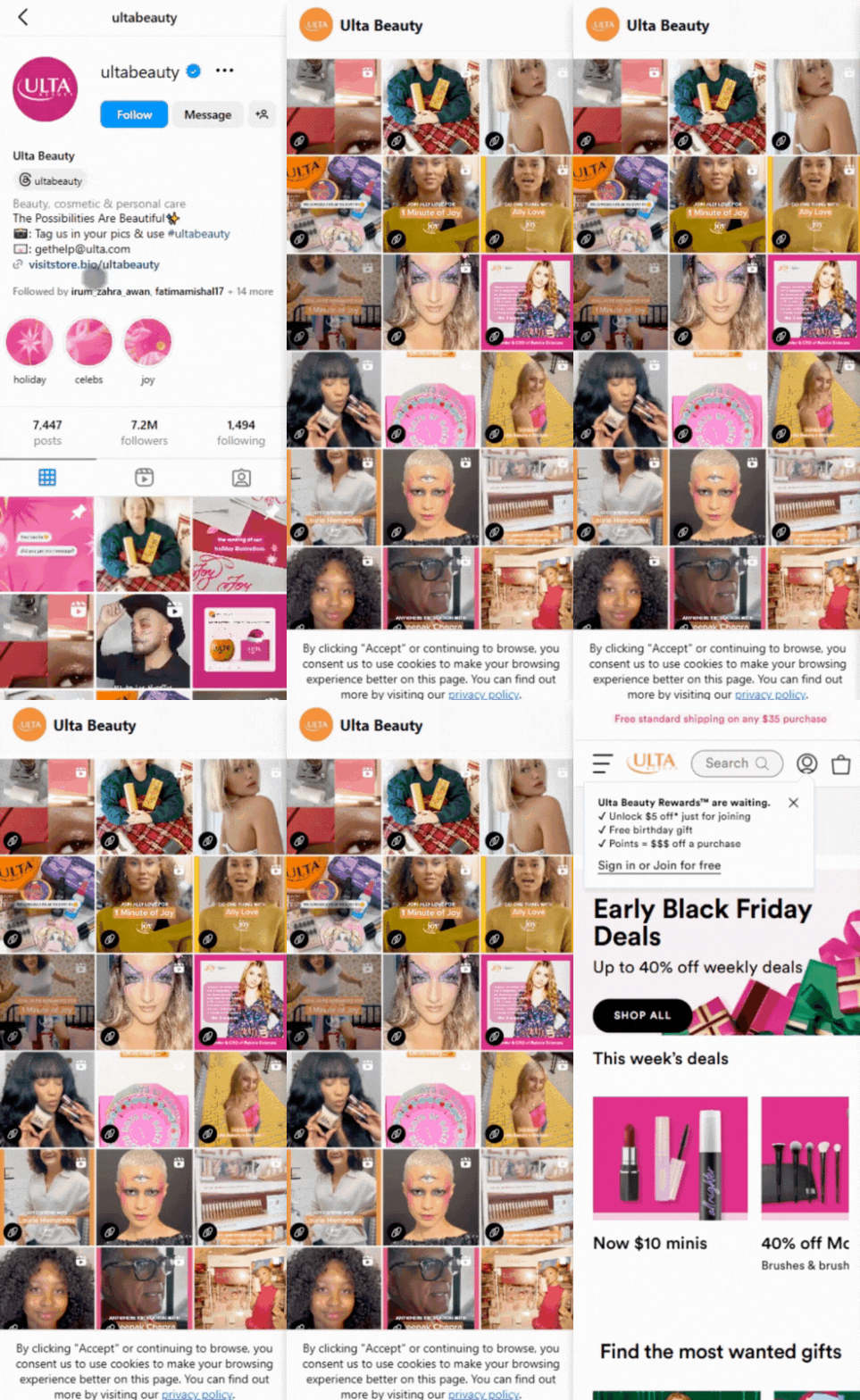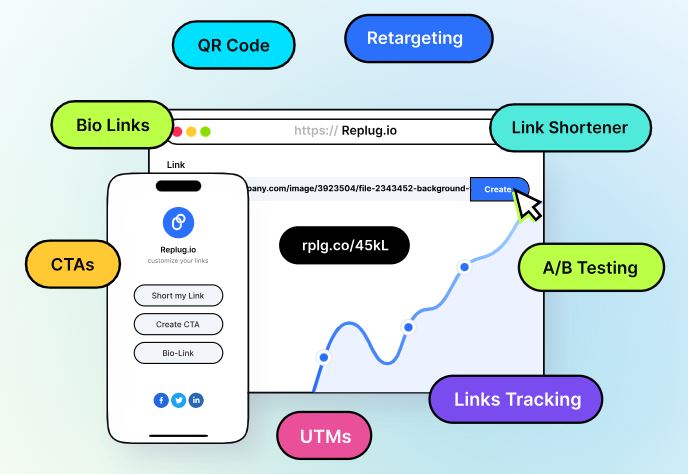
Ever needed to share content with a time limit? We get it—managing when and how long something is accessible can be tricky. But don’t worry! A temporary URL is all that you’ll need to resolve this problem. These genius links let you set an expiration time or click limits, automatically redirecting users to a new destination once the link is no longer relevant.
In this guide, we’ll explain how to create temporary URLs in simple, easy-to-follow steps. So, let’s get started!
What is a temporary URL?
A temporary URL, also known as an expiring link, is a web link that is only valid for a limited period. It allows you to share content such as documents, files, or web pages with others while ensuring that access to that content expires after a specific duration.
This temporary access helps maintain control over who can view the content and for how long, making it particularly useful for securely sharing sensitive or time-sensitive information. Once the expiration has passed, the URL becomes invalid, preventing further access to the shared content.
Temporary URLs are commonly used in various scenarios, including sharing confidential documents, distributing promotional materials for a limited time, and granting temporary access to private web pages or resources.
How do you create a temporary URL with Replug?
Replug simplifies link management, allowing you to quickly create short links and track their performance. With powerful features like real-time analytics and optimized link performance, Replug helps you streamline your marketing strategy, boost engagement, and drive better results—all in one seamless platform.
Replug.io provides extensive features like password protection, expiring links, and custom link previews. Additionally, it allows you to personalize favicons, establish traffic routing rules, conduct A/B testing, facilitate deep linking, and much more, enabling you to optimize and customize your links precisely.
A complete link management solution
for marketing professionals & agencies.
Try Replug for free
Here’s how to create a temporary URL in Replug
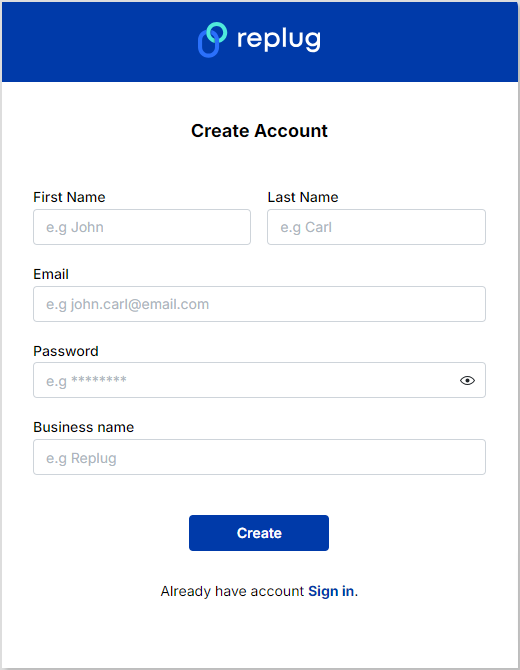
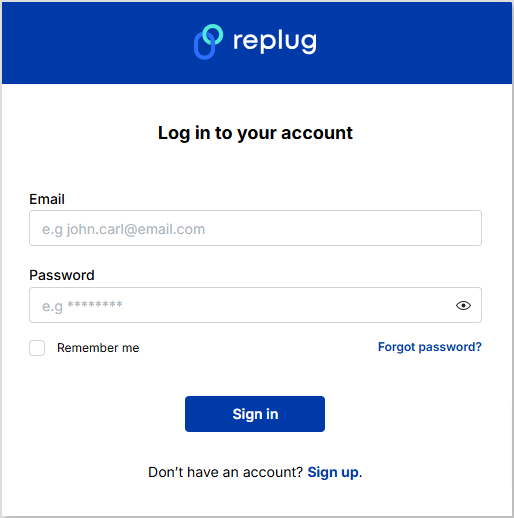
Step 1: Sign in to Replug or create a free account.
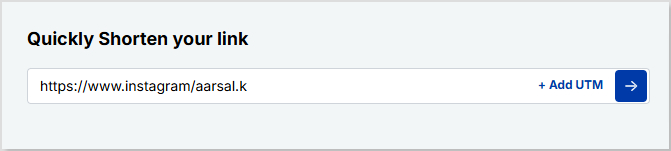
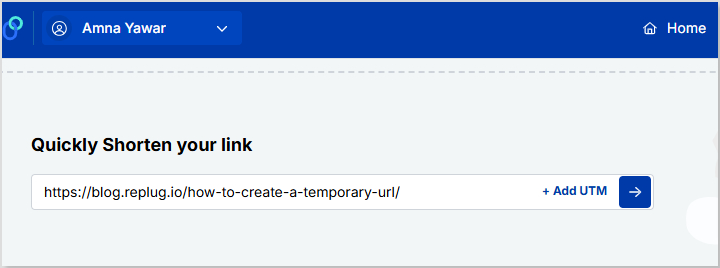
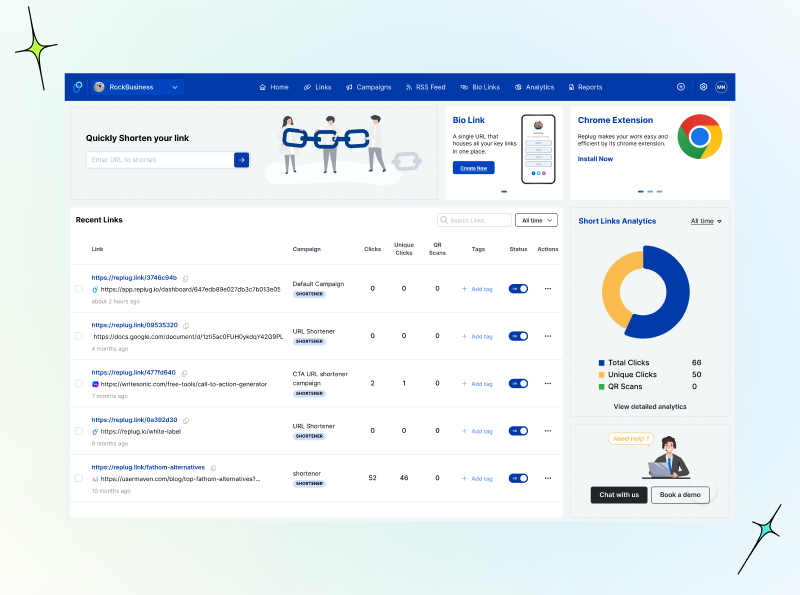
Step 2: Once you’ve signed in, enter the link you want to shorten under the “Quickly Shorten your link” box:
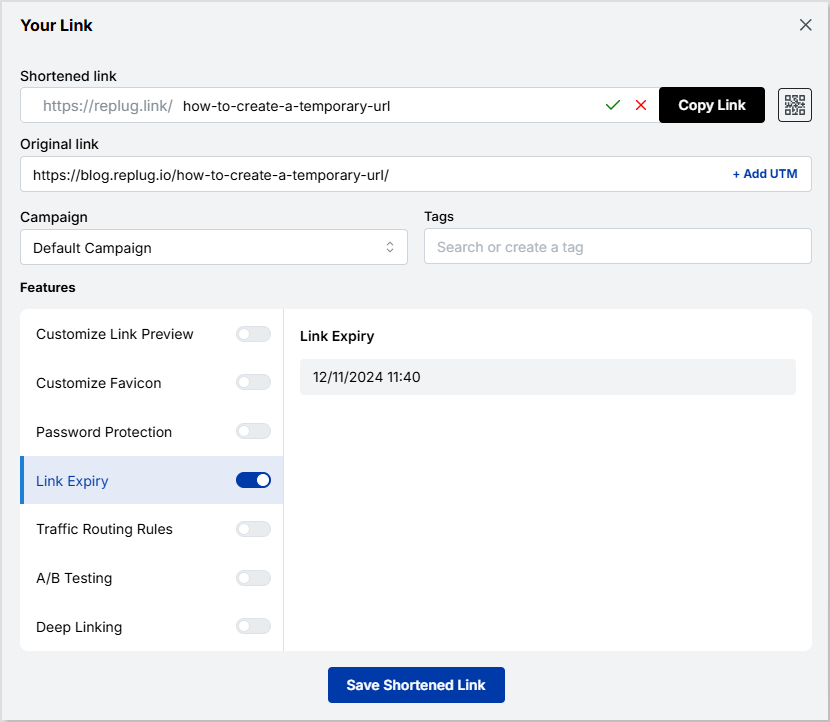
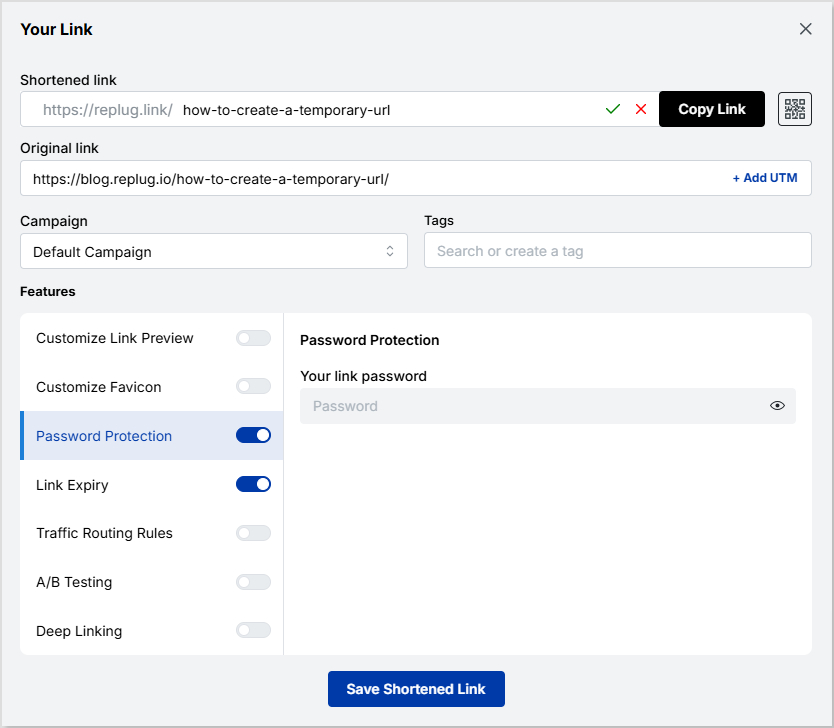
Step 3: Simply toggle the “Link Expiry” button and set your desired expiry date for the link.
Step 4 (Optional): Set up password protection to add an extra layer of security. This is useful when you want only the intended recipients to have access to your content. It also reduces the risk of unauthorized access to links.
Step 5: Save the shortened link. Your temporary link will be live and ready to share!
Link tracking and analytics with Replug
Utilize Replug’s robust tracking and analytics features to gain valuable insights into the performance of your shortened URLs. Here’s how:
Track metrics such as click-through rates, geographic location of clicks, and referral sources to gain insights into audience engagement.
Analyze data trends over time to refine your marketing strategies and optimize link-sharing efforts.
Access detailed reports and metrics directly from the Replug dashboard to inform decision-making and measure campaign effectiveness.
By utilizing Replug’s tracking and analytics features, you can better understand your audience, refine your marketing strategies, and drive better business results.
A complete link management solution
for marketing professionals & agencies.
Try Replug for free
FAQs
How do I create a temporary URL?
You can use a URL-shortening service like Replug to create a temporary URL. Simply sign in or create an account, paste the long URL you want to shorten, set the expiry date and time, customize the link if desired, and save it.
How long will the temporary URL be active?
The duration of a temporary URL’s validity depends on the settings you choose during the creation process. You can set the link to expire after hours, days, weeks, or even months.
Can I customize the temporary URL?
Yes! Many URL shortening services, including Replug, allow you to customize the temporary URL to reflect your brand or campaign. You can often add a custom URL slug or edit the link to make it more memorable and relevant to your audience.
What happens when the temporary URL expires?
Once the specified expiry date and time are reached, the temporary URL will no longer be accessible. Users attempting to access the link after expiration will typically be redirected to a designated landing page or receive an error message.
Can I track the performance of my temporary URL?
Yes, most URL shortening services offer tracking and analytics features that allow you to monitor the performance of your temporary URL. You can track metrics such as click-through rates, geographic location of clicks, and referral sources to gain insights into audience engagement.
Black Friday is more than just a shopping day. It’s a high-stakes showdown for brands aiming to capture the spotlight and boost sales. Whether you’re a small business or a big retailer, a well-planned Black Friday campaign can maximize your impact and help you reach your goals.
Ready to turn browsers into buyers? With the right marketing ideas, you can stand out from the frenzy, win over new customers, and have your best Black Friday yet.
This blog discusses the 17 creative, tried-and-true strategies to help you cut through the noise, drive serious sales, and make this season unforgettable! Let’s dive in!
What is Black Friday marketing?
Let’s walk you through the inception of Black Friday marketing.
It all began in the U.S. back in the 1950s. It was a beautiful Friday after Thanksgiving, and a shopping storm was brewing in the U.S. As holiday lights started to sparkle, stores across the U.S. opened their doors with irresistible deals, marking the official start of Christmas shopping. Thus, Black Friday was born, a day when retailers rolled out jaw-dropping discounts, and shoppers raced to grab the best bargains before anyone else.
Fast forward to today, and Black Friday has grown into a global shopping sensation. It starts one month before Christmas, after Thanksgiving Day.
For retailers, it’s the perfect chance to boost sales and connect with new customers, while for shoppers, it’s a golden opportunity to score that dream item at an unbeatable price.
Why is it called “Black Friday”?
Black Friday was first used in 1869 when two investors, Jim Fisk and Jay Gould, crashed the market by dropping gold prices. As a result, foreign trade stopped, the stock market dropped by 20%, and farmers witnessed an unfortunate drop in wheat and corn values.
From 1950 to 1960, the term was used again for a day between the Army-navy game and Thanksgiving; the event summoned crowds of tourists and shoppers, requiring an extra few hours of effort by law enforcement to moderate the traffic.
In 1980, the term associated with shopping was used when retailers used the Black Friday term to reflect the backstory of accountants who used red ink for negative earnings and black for positive earnings.
Black Friday became the day when stores turned their profitability.
Since then, the term “Black Friday” has been in use. It has evolved into a season-long event that has spawned more shopping holidays like “Cyber Monday” and “Small Business Saturday”.
Black Friday is one of the most anticipated events for sellers and customers in the e-commerce business.
After the Pandemic, 80% of people switched to online shopping in the U.S. This makes it essential for e-commerce businesses to adopt smart, customer-centered strategies that attract and engage eager buyers.
1. Build your Black Friday email list
About 40% of people open their emails to see about Black Friday offers. This makes building an email list essential for connecting with customers. You can entice them with irresistible sales promotions by landing in their inboxes.
Don’t just focus on existing subscribers; invite new visitors to sign up for your email list by promoting your upcoming sales. Make your sign-up forms easy to fill by asking for their name and email address.
You can also use customer surveys and quizzes to grow your list. Consider offering incentives, like discount points, for those who subscribe and invite friends.
So, to nail your Black Friday marketing campaign, an email list is absolutely crucial. Your customers need to know that you’re offering those limited-time, unmissable deals!
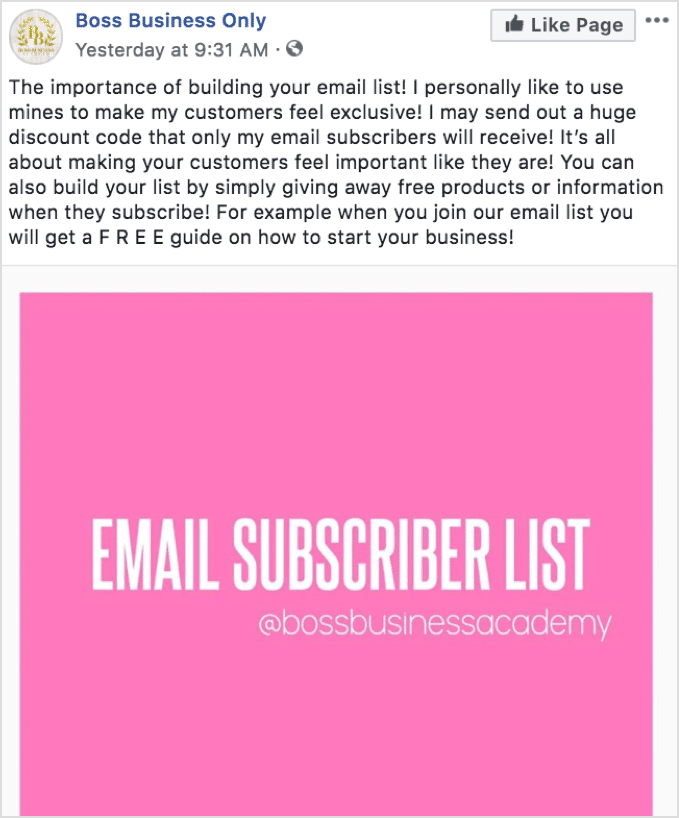
Here is what boss business has to say about email list strategy:
2. Send personalized Black Friday advertising emails
Statistics show that 63% of people open emails specifically to find discounts. For businesses, this makes email marketing a no-brainer for Black Friday.
Here’s how you can build and send personalized Black Friday to promote your big sale in three easy steps:
Step 1: Create curiosity by sending an email one week before Black Friday to your customers and potential leads, informing them about the exciting upcoming event.
Step 2: Send a second email at the start of Black Friday to inform you about all discounts and offers. It will create fear of missing out.
Step 3: Send a third email to remind customers about the end of the sale and create a sense of emergency.
A customized email will make your customers feel important and exclusive. You need to post reminders on all social media channels along with an email campaign.
Here are some examples:
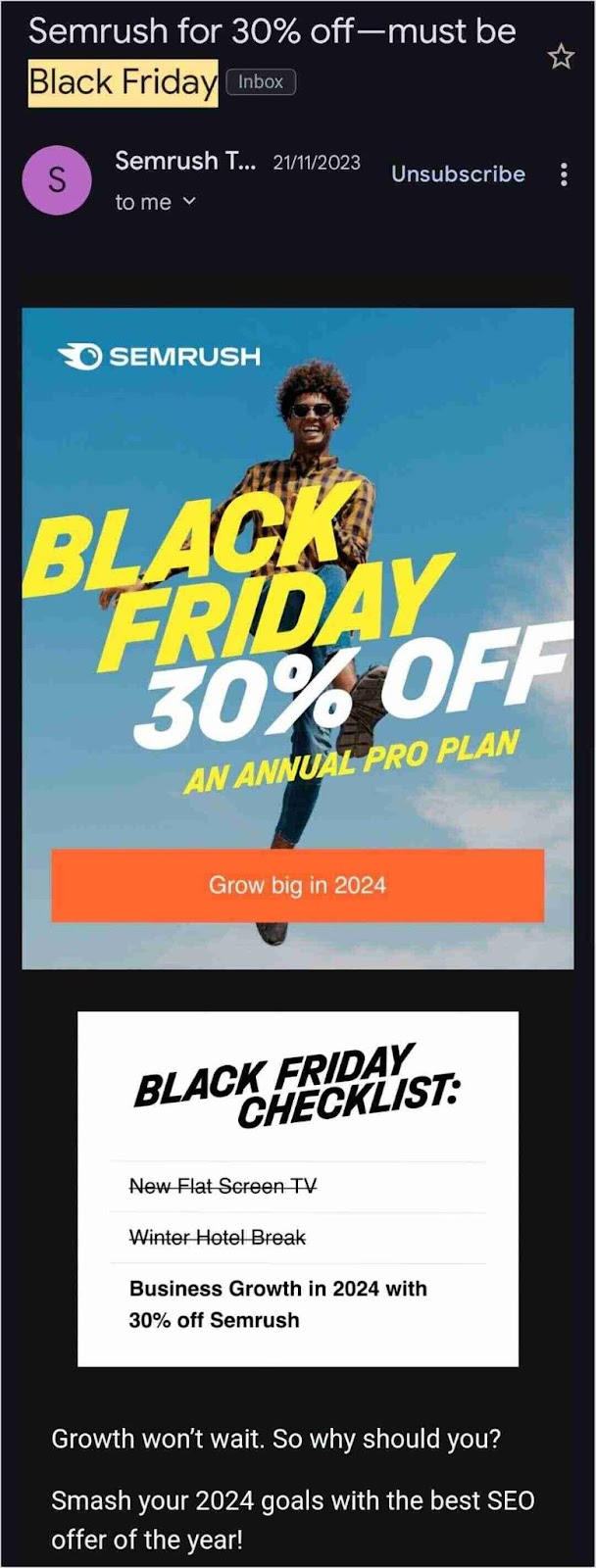
The famous SaaS platform Semrush and how it uses emails to promote its Black Friday sale. The marketing team creatively makes use of a catchy subject line, clickable images that lead to their Black Friday offer, and captivating images to entice its subscribers:
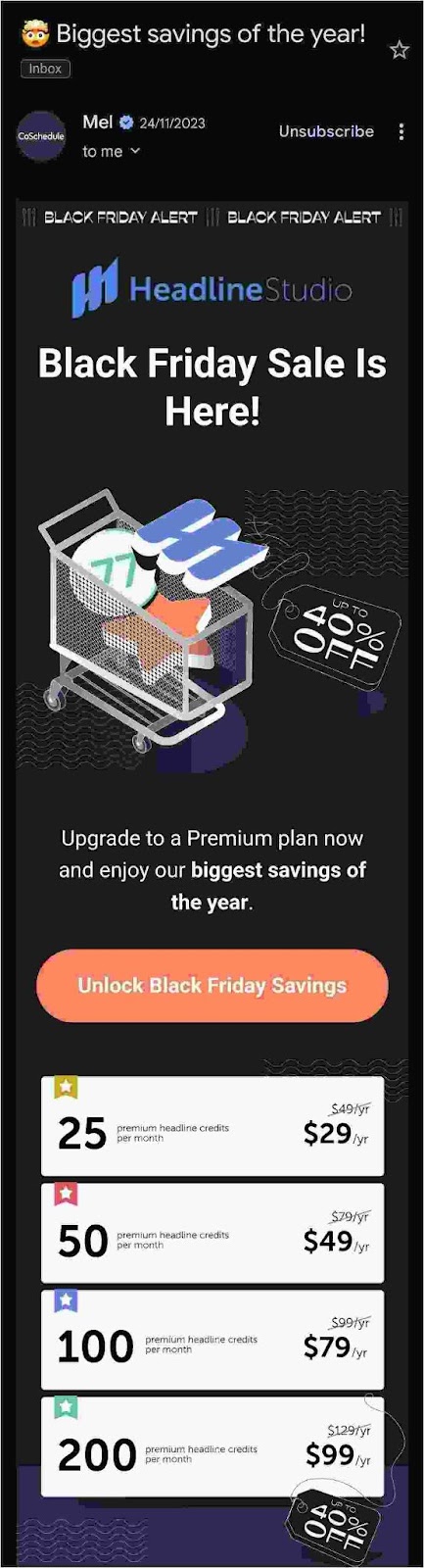
Here’s another example of Headline Studio by CoSchedule, an all-in-one AI Marketing Calendar platform. The highlights of this Black Friday marketing campaign include the use of an emoji in the subject line, a CTA button, and a visual representation of the price slash:
3. Boost Black Friday sales via Social Media
Top examples for Social Media Black Friday marketing campaigns:
Social media is the best platform to inform customers and users about your attractive discount offers and deals by sharing pro ads. According to stats, the most used social media platforms based on active users are Instagram, Facebook, YouTube, WhatsApp, and TikTok. Bulk WhatsApp messaging tools like WANotifier empower businesses to send personalized Black Friday deals and offers directly to customers, ensuring higher engagement and sales.
By providing information about upcoming offers before Black Friday, you can engage and excite your customers to check out all the deals on Black Friday. You should plan your offers and discounts wisely and share ads (paid and organic) to make people curious and excited about these offers.
You can also post stories, reels, posts, and videos or go live to introduce your Black Friday discounts and vouchers. Sponsored posts and stories are also a great source to gain an edge over the competition.
When scheduling your Black Friday content, make sure to use all social media features for maximum conversions wherever possible to maximize engagement and sales. Here are some excellent examples:
TikTok: Amazon gets weird
Amazon, the biggest e-commerce brand, took a weird and unusual take for its TikTok Black Friday marketing campaign:
KFC always has Finger Lickin’ Good deals for Black Friday. If that 50% discount doesn’t excite you, you’re probably missing out on life’s best flavors! Here’s an example of their Black Friday Marketing campaign on Facebook:
Instagram: Pro Direct Soccer drops the price (and the beat)
Pro Direct Soccer got a little swaggy with its huge price drop on Black Friday. Their Instagram reel took us on a jog with some upbeat music, cool visuals, and irresistible prices:
https://www.instagram.com/reel/ClgkHL0DNBL
YouTube: IKEA buys back old furniture on Black Friday
IKEA got us a little emo with its #BuybackFriday on YouTube. They didn’t offer a huge discount or anything; instead, they decided to take back old furniture and give it another life:
4. Roll out a Black Friday SMS marketing campaign
A Black Friday campaign isn’t complete without a solid SMS campaign.
But why SMS? Well, it’s immediate, super accessible, cost-friendly, and gets way more attention than email. When an SMS pops up on a customer’s phone, they’re way more likely to open it—especially during the busy Black Friday rush. Plus, you can send a quick, clear message with a link to all your deals.
Here’s how to make it work:
One week before: Send a sneak peek to get your customers curious about what’s coming. Build that excitement!
Black Friday morning: Hit them with the big news! Tell them that your discounts are live! Make it clear and action-oriented to get them shopping.
Last call: Remind them the sale’s almost over. Create some urgency to get those final clicks.
Another cool part about SMS marketing is that you can easily send loyalty and referral program invites, survey and feedback forms that can help you do better next year, and abandoned cart reminders.
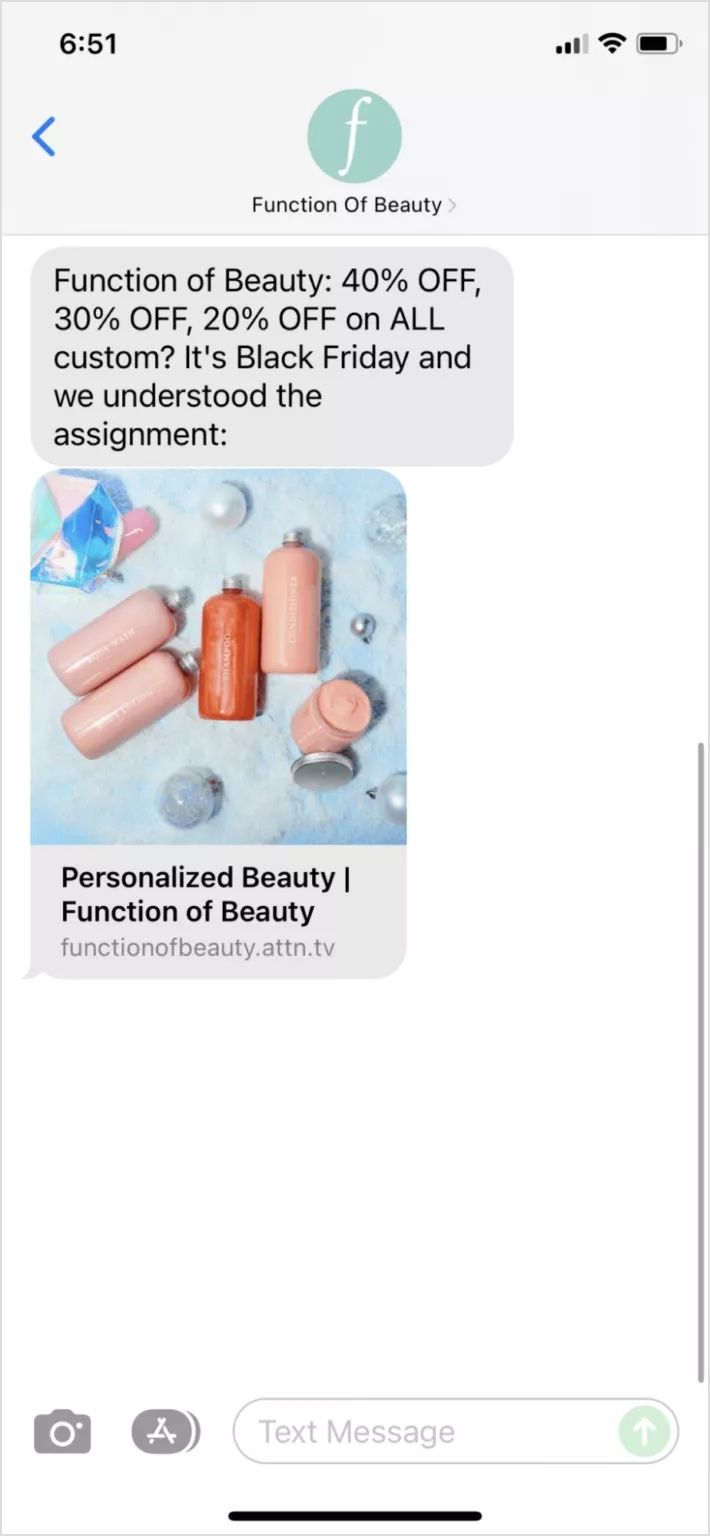
It’s always better to use advanced SMS automation tools for your campaign. Some top SMS marketing software that can come in handy during the Holiday season are Insider, Textla, Birdeye, SlickText, Close, Ez Texting, and Salesmsg.
Here’s an example of how Function of Beauty understood the Black Friday marketing assignment:
If done right, SMS marketing can be a game-changer for your marketing strategy!
5. Upsell and cross-sell with discounts
Upselling and cross-selling are the best strategies to improve your Black Friday marketing.
In this, you can sell multiple products together to increase your earning potential.
An example of upselling could be that instead of selling a burger separately, you can make it a deal at a discount and at a better price by adding fries and drinks to attract customers.
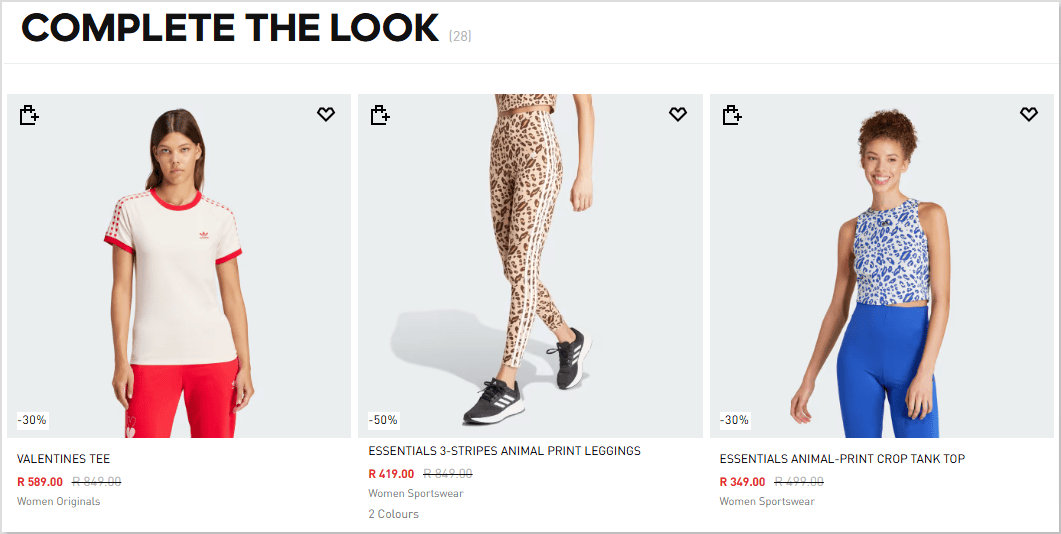
Here’s an example of “Complete The Look” cross-sell offer with discounts by Adidas:
People prefer package deals over individual items. They won’t mind slight price fluctuation on deals – it can drive more sales and increase the number of products sold!
Give bundle discounts: You can attract more traffic to your stores by giving bundle discounts on your products. People buy more at a discount, which can increase sales in return.
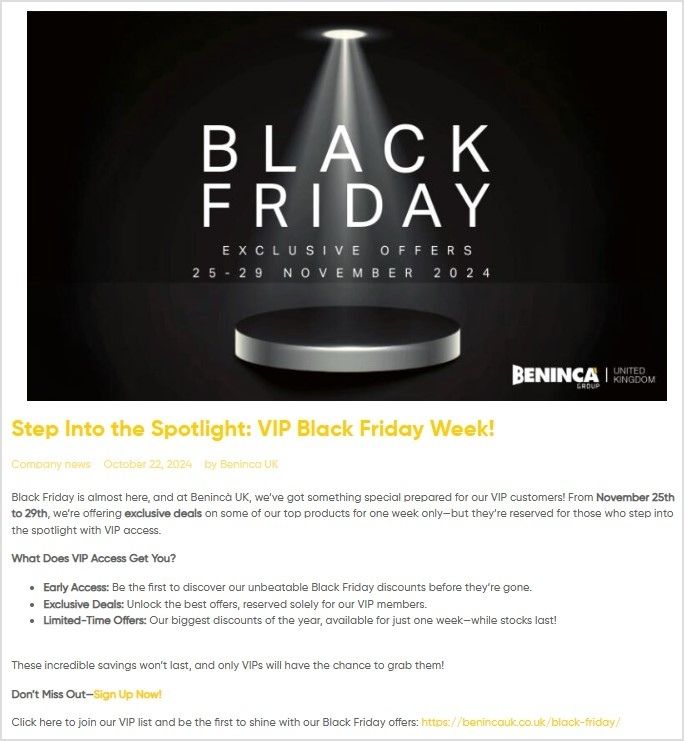
Give your VIPs an exclusive Black Friday discount: To increase your earning potential, VIP customers receive exclusive discounts to appreciate their loyalty.
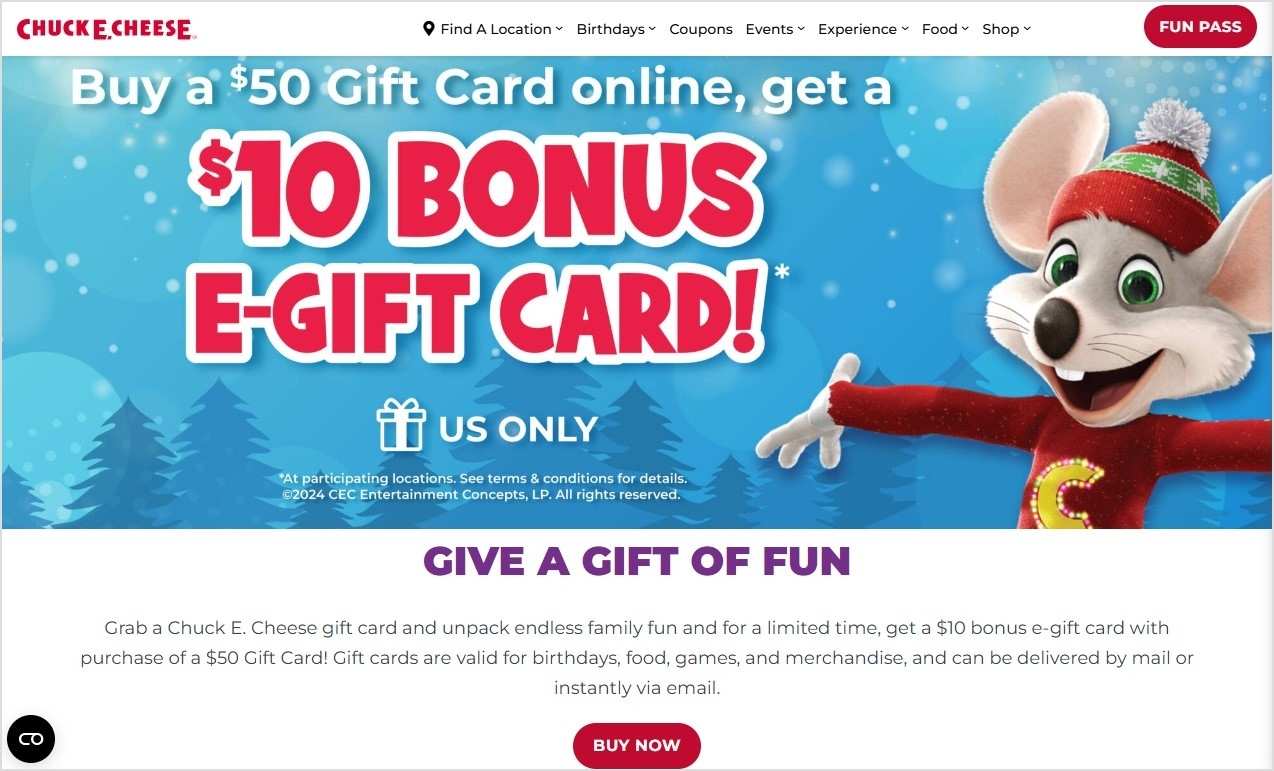
Focus on gift cards: To increase earning potential, you can distribute gift cards to your customers with attractive and special discounted offers and deals.
Here’s an example of Chuck E. Cheese, a famous restaurant chain in the United States:
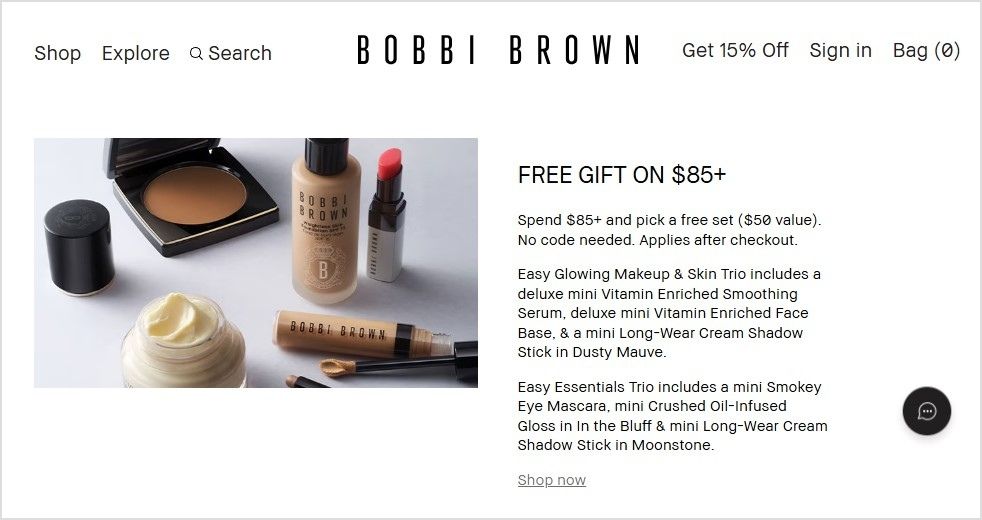
Give a free gift with a purchase: To make your Black Friday sale attractive, make deals by announcing a buy-one-get-one offer. For example, if the customer buys a burger, offer a free drink. It will increase customers and urge them to buy more.
Here’s an example of the famous beauty brand Bobbi Brown:
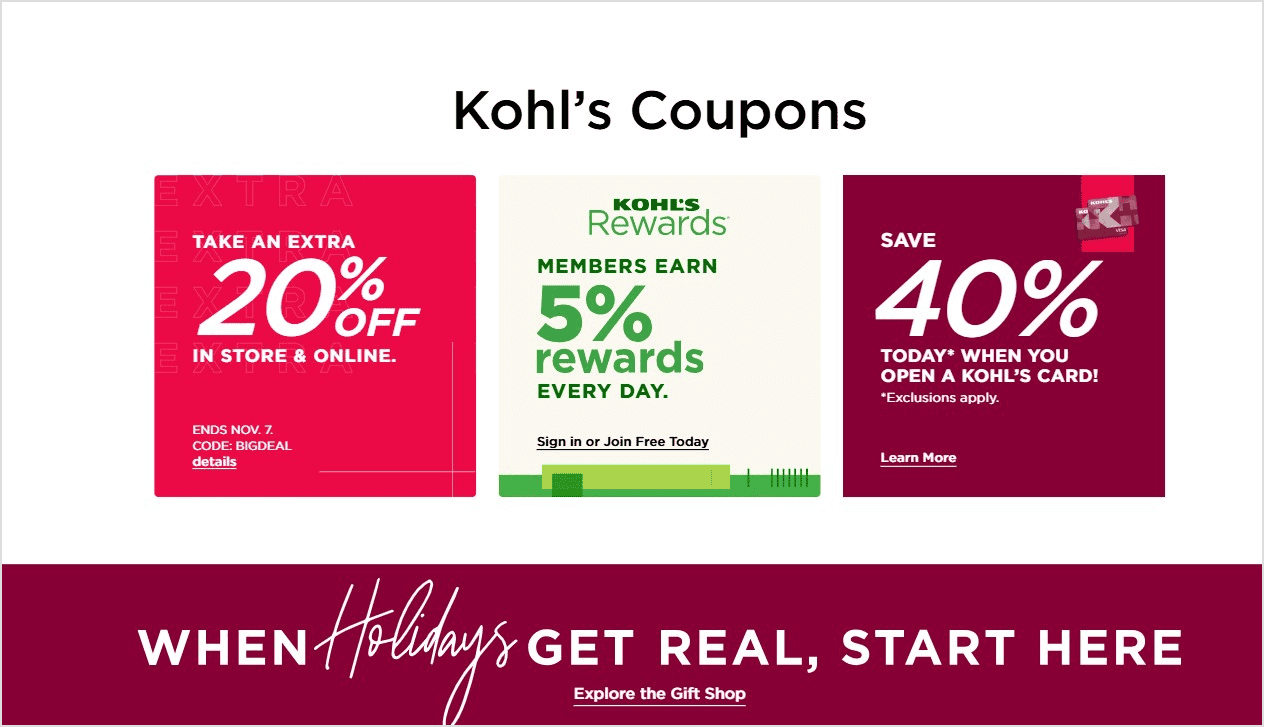
Use coupon codes and vouchers: Boost your Black Friday sales with exclusive coupons and vouchers! Customers love a good deal, and these incentives can drive traffic, increase conversions, and make your offers stand out.
Check out this fantastic Black Friday offer by Kohl’s, where they offer a coupon code upon checkout for an additional discount:
7. Prevent cart abandonment using exit-intent popups
Cart abandonment occurs when an online shopper adds items to their cart but leaves the site without completing the purchase. This happens frequently, with customers leaving their carts full of products before finalizing checkout.
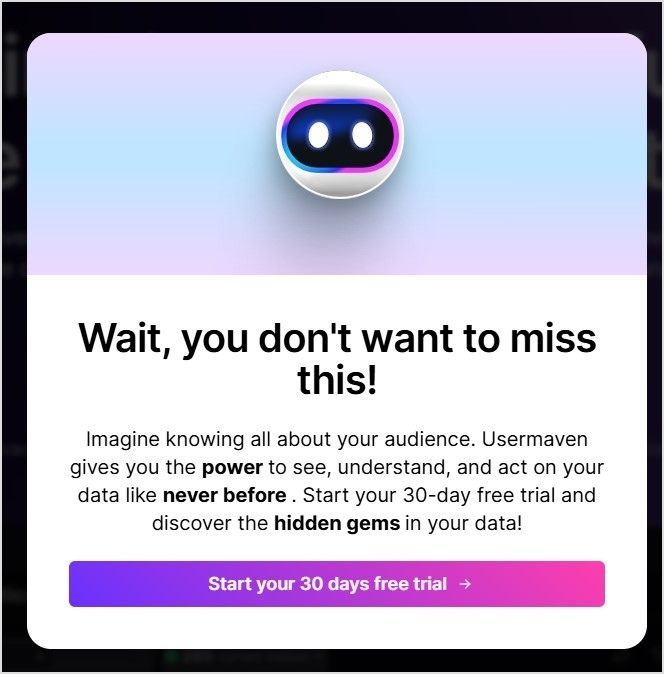
An exit-intent popup is a message that appears when a user is about to leave the site. These popups are highly effective at encouraging users to complete their purchases. Studies show that the average conversion rate for card abandonment popups is 17.12%
Exit-intent popups are especially powerful on Black Friday. They can showcase limited-time discounts and exclusive deals or even offer free shipping, reducing cart abandonment and boosting conversions.
Here’s an example of the exit intent popup of Usermaven, a website and product analytics tool:
Influencer partnerships are crucial for your Black Friday success. In fact, according to Influencer Marketing Hub, 24.2% of respondents intend to spend more than 40% of their marketing budget on influencer marketing.
Influencers help extend your reach to a wider audience, build trust, and create buzz around your deals. Their authentic recommendations can drive traffic, increase conversions, and boost brand visibility during the highly competitive Black Friday period. By collaborating with influencers, you tap into their loyal follower base, which can lead to a significant surge in sales.
Back in the picture again, we have Amazon. They used the famous TikToker Charlie D’Amelio to promote their Black Friday deals. Check it out:
Hashtags are essential for maximizing Black Friday visibility and engagement. They help categorize content, making it easier for shoppers to discover your deals among the flood of holiday offers.
Using popular and relevant hashtags, like #BlackFridayDeals or #HolidaySales, your posts reach a larger audience, attracting potential customers actively searching for discounts. Hashtags boost brand exposure and make it easy to join trending conversations, keeping your brand top-of-mind during the shopping season.
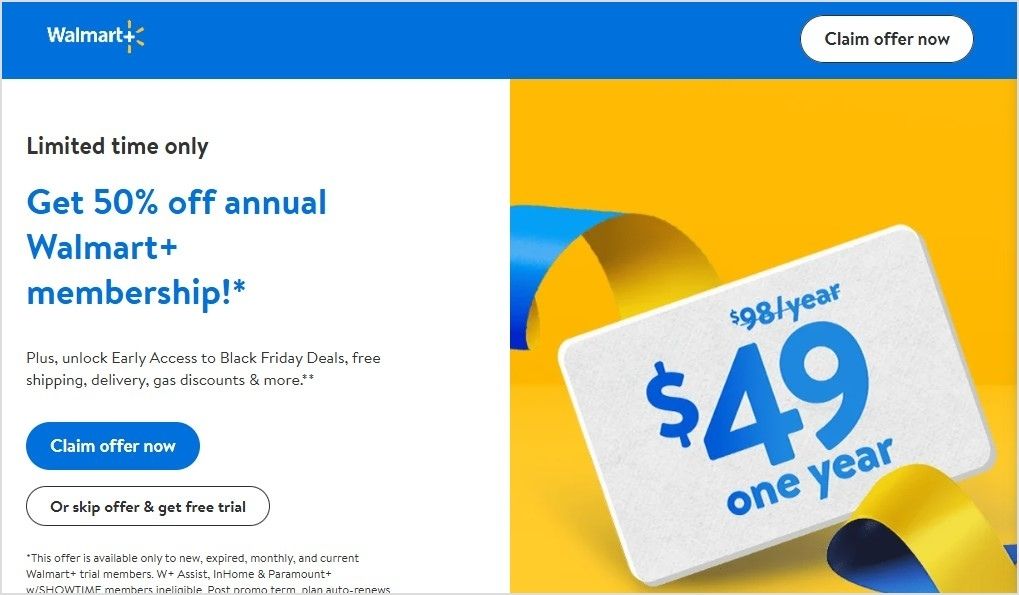
Creating a sense of urgency is key to boosting Black Friday sales.
Countdown timers, deal counters, and “limited time” alerts build anticipation before the sale starts and drive action once it begins. When shoppers see a countdown or “only hours left” message, they’re more motivated to act fast, knowing the deal won’t last forever.
By adding these urgency elements, you can maximize conversions and keep customers engaged right up until the final moments.
Here’s an example of Walmart’s “Limited time only” Black Friday offer:
This is how ContentStudio, a powerful social media management platform, uses a countdown banner on its landing page for its Black Friday software deal:
Retargeting ads are a powerful way to reconnect with customers who have previously visited your website and are especially useful for Black Friday promotions.
Pixel-based retargeting: This allows you to redisplay content to any anonymous site visitor who left without completing a purchase.
List-based retargeting: Here, you can upload a contact list to target individuals whose information you already have in your database. The platform will identify these users and show them relevant ads.
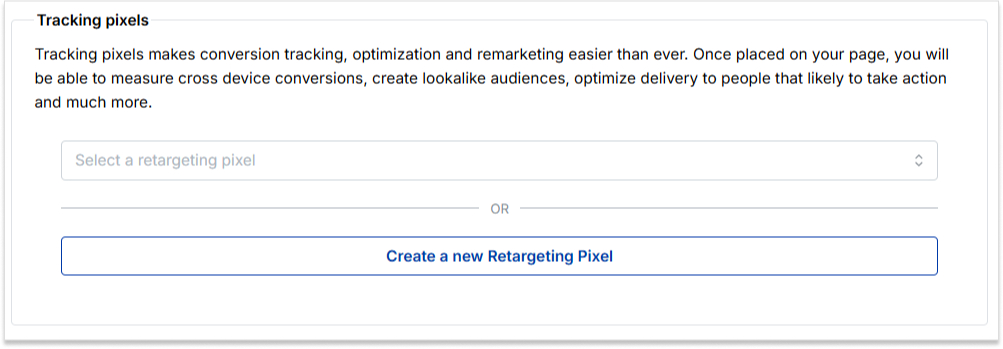
For Black Friday, where competition is fierce, a smart retargeting strategy is crucial to stand out. Using tools like Replug.io, you can add retargeting pixels to optimize reach and bring back potential customers. Replug’s features make it easy to track visitors and keep your brand visible.
Add social proof, like customer reviews, to your retargeting ads to increase trust. You can further shorten links for your Black Friday campaigns to make tracking and retargeting through Replug even more efficient and seamless.
12. Use bio links to direct people to your store
Bio links are clickable URLs added to the profile section of a page on social media channels such as Instagram or TikTok. They can direct customers to a website page or online store.
Before and on the Black Friday sale, you can put these bio links to direct people to your store to increase their promotions and customers. This can also save your customers time and give them a better experience.
13. Use deep links to direct people to the app store
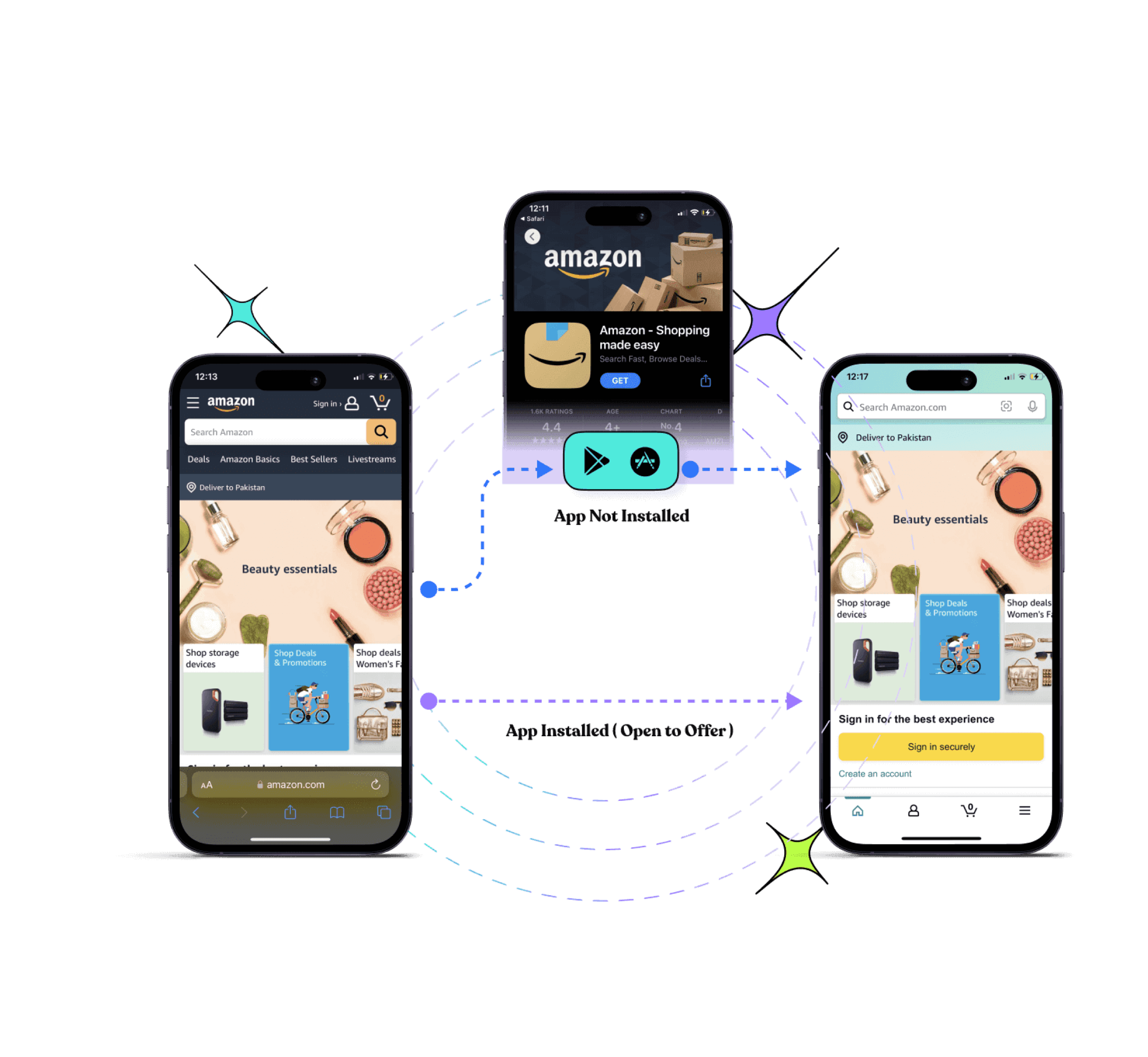
Deep links are URLs that take users directly to an app store or specific app content, streamlining the journey for a faster, more convenient experience.
Drive more clicks, conversions, and app installations by deep linking
to your favorite platforms.
Try deep links for free
For Black Friday promotions, deep links can guide your audience straight to your app store, making the customer journey shorter and smoother while boosting engagement and retention. By bringing customers closer to the ultimate goal—conversion—deep links have increased conversions by up to 66%.
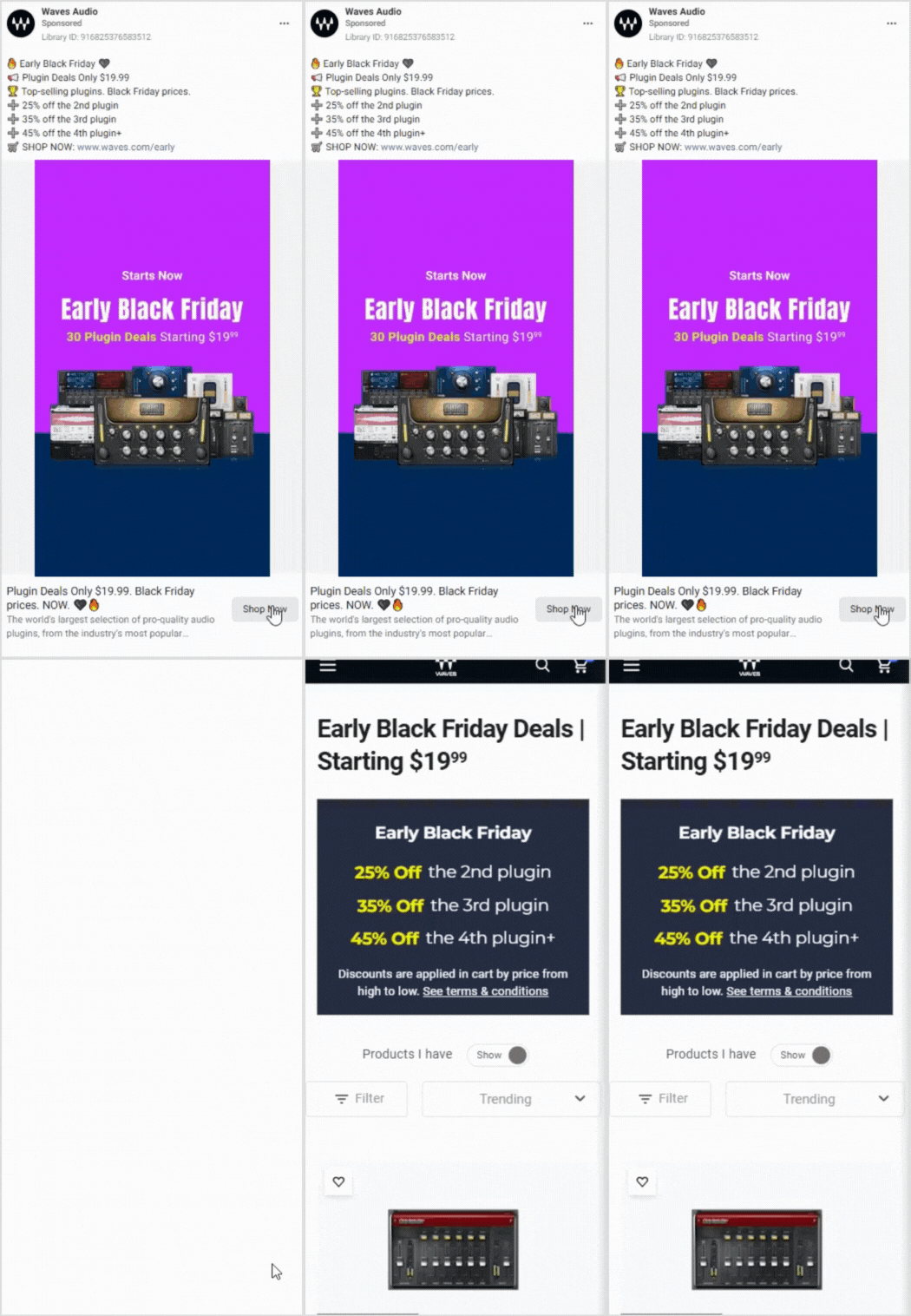
With deep links, customers can seamlessly purchase all their desired products in one app. Here’s an example of Waves Audio’s deep-linking ad for Black Friday:
Branded links are short, custom URLs unique to a brand. They offer a sleek alternative to long, generic links. These personalized links boost brand recognition and awareness, helping to build trust and credibility with your audience.
For example, Coca-Cola often uses branded links in tweets to make its posts instantly recognizable and catch people’s attention. For Black Friday promotions, branded links can enhance trust, attract more customers and increase sales:
Maximize marketing ROI
by transforming ordinary URLs into branded short links that convert.
Try Replug for free
15. Optimize checkout process
Optimizing the checkout process is essential for improving conversion rates.
For Black Friday sales, ensure the checkout process is streamlined to boost positive reviews and customer satisfaction. A well-optimized checkout should display all costs upfront, including shipping, taxes, and product price. This transparency leaves a positive impression on customers and encourages them to complete their purchase.
If the checkout process isn’t optimized, unexpected costs can lead to cart abandonment. Shoppers are eager to buy, but hidden fees often cause them to leave without completing their purchase.
An optimized checkout process enhances your e-commerce site’s user experience, helping maximize Black Friday sales.
For instance, this is what you’ll see upon checkout on Temu:
A/B testing, almost known as split testing, compares two versions of web pages or apps against each other to see which one performs the best.
In your Black Friday sale, you can use an A/B test to see the results of all ongoing marketing strategies.
You can check which strategies are working best and giving results by using advanced link management tools. Running an A/B test can have significant effects on your site or mobile app, such as:
It increases engagement
It reduces the bounce rate
It increases the conversion rate
It minimizes risk
It helps you create content effectively
A complete link management solution
for marketing professionals & agencies.
Try Replug for free
Through this test, you can check the effectiveness of your strategies and can modify your ideas for better results.
A call-to-action (CTA) is crafted to encourage the audience to take a specific action, guiding them through the customer journey. For Black Friday promotions, a well-placed CTA on a button or link can prompt users to check out the latest discounts and offers, helping to increase leads and conversions.
Using a tool like Replug makes it easy to create custom CTAs. Its built-in canvas allows you to design CTAs from scratch, whether a button, link, or form. This tailored approach ensures your Black Friday promotions are engaging and effective.
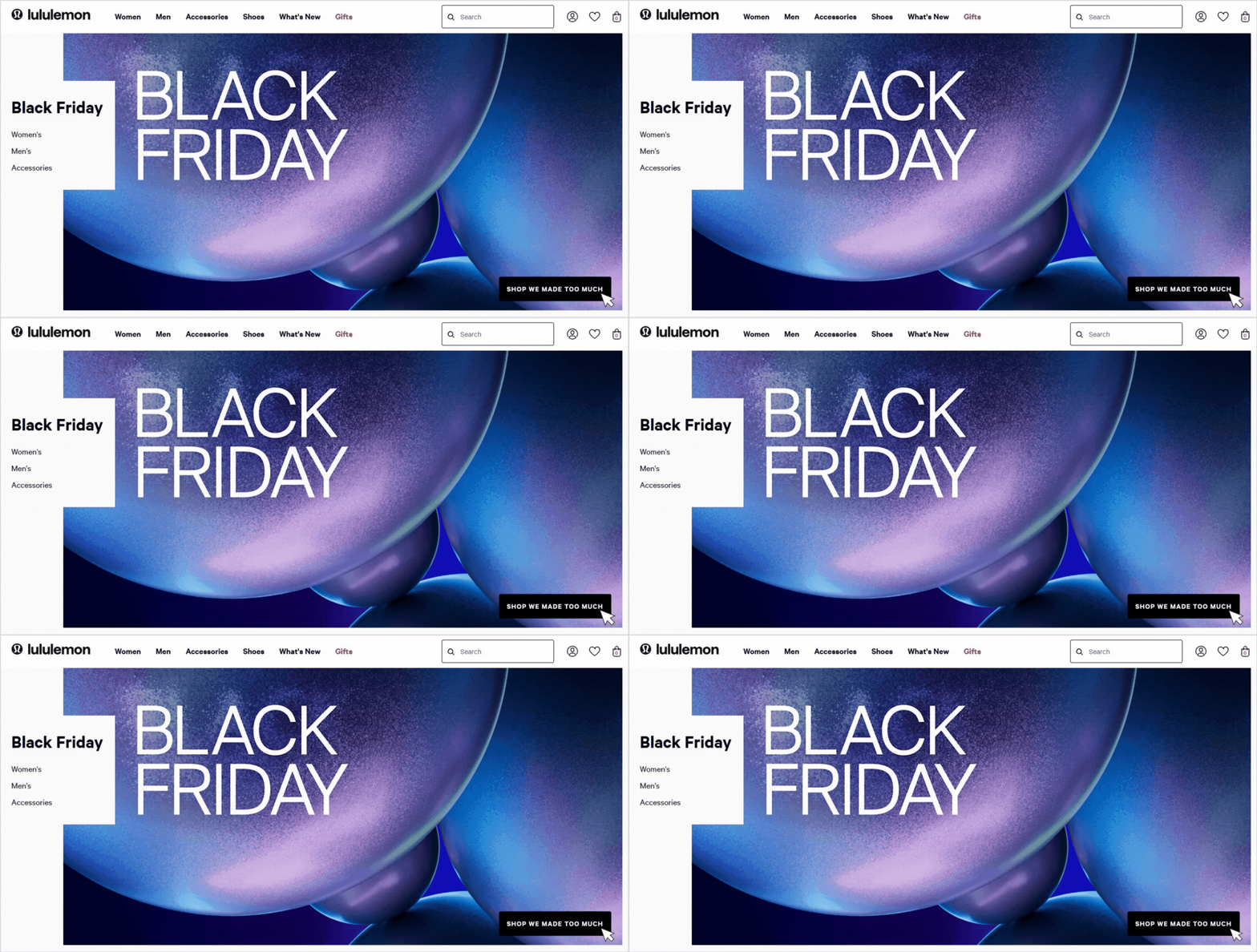
For this Black Friday, Lululemon, a famous Athletic clothing brand, creatively uses a “SHOP WE MADE TOO MUCH” CTA button. Upon clicking the button, the user is led straight to the Black Friday discount page:
Black Friday is a massive opportunity, but standing out requires more than just slapping a discount on your products. From building excitement early to leveraging data-driven insights and creating a seamless shopping experience, each strategy can help you connect with customers who are ready to buy.
Remember, Black Friday success is all about planning, flexibility, and staying ahead of trends. So, as the big day approaches, put these strategies into action, keep a pulse on customer feedback, and watch as your efforts turn into a holiday season win.
Happy selling!
FAQs about Black Friday marketing ideas
When should I start Black Friday promotions?
You should start your Black Friday promotions in the last week of October or the first week of November, as many people start looking for Black Friday in October. All the strategies for Black Friday should be managed before this day.
What types of promotions work best on Black Friday?
Discounts are popular, but there are many other successful strategies. Consider offering bundle deals, such as “Buy One, Get One” (BOGO), which offers gifts with purchase and limited-time discounts to create urgency. Make sure your promotions align with your brand and appeal to your specific audience.
What is the difference between Black Friday and Cyber Monday?
Both events offer a worldwide shopping experience. Black Friday belongs to the retail shopping arena, while Monday Cyber is designed for online shopping.
Black Friday follows the Friday after Thanksgiving. Monday cyber follows in the trail of Black Friday. It is one of a kind when online shoppers pick their online bargain without going to the retail stores.
How can I stand out from competitors on Black Friday?
Personalize your marketing wherever possible. Use segmented email campaigns, tailor social media ads to different audience groups, and emphasize what makes your brand unique. Excellent customer service and fast, easy checkout options can also set you apart.
How important is email marketing for Black Friday?
Email marketing is a must for Black Friday. With targeted, well-timed emails, you can build excitement, remind people about your sale, and re-engage customers who left items in their carts. Start with teasers, offer sneak peeks, and follow up with last-chance reminders.
How can I prevent my website from crashing due to high traffic?
This can definitely happen if you have a Black Friday sale. To optimize user experience, prepare your website ahead of time. Speak with your hosting provider to ensure it can handle a spike in visitors, and consider enabling a content delivery network (CDN) for faster load times. Reducing large image files and optimizing your website’s backend can also help.
What should I do if my Black Friday campaign doesn’t perform as expected?
It’s okay! If things don’t go as planned, use real-time data to adjust. Maybe you can add a flash sale, extend the promotion, or promote popular products more heavily. After the season, review analytics to learn what worked and what didn’t so you can improve for next year.
Have you ever clicked on a piece of text and instantly landed on another page? That simple action powers much of the web.
With around 6 billion people (about 74% of the global population) now using the internet, links are the tiny bridges that connect billions of pages together every second.
For bloggers, marketers, and website owners, clickable links are more than just navigation. They help guide readers, boost SEO, and keep visitors exploring your content.
And considering that over 96% of web pages get little to no organic traffic, knowing how to properly link your content can make a real difference in visibility.
The good news?
Creating a clickable link takes only a few seconds once you know how. But before jumping into the steps, let’s start with the basics: what exactly is a clickable link?
What is a clickable link?
A clickable link(also called a “hyperlink”) is a piece of text, image, button, or icon that you can click or tap to open another webpage, file, or location on the internet.
Behind the scenes, the link contains a URL (Uniform Resource Locator), basically the address of the destination page. When someone clicks the link, their browser reads that URL and loads the corresponding content instantly.
The main goal of a clickable link is simple: to connect different pieces of information on the web and make navigation easy for users.
Without links and URLs connecting pages, the internet would just be a collection of isolated documents instead of the interconnected web we use every day.
How does it work
A clickable link contains a URL, which is the exact address of the destination page or resource.
Here’s how it works:
When someone clicks the link, the web browser reads the URL and requests that page from the server.
The server then sends the requested page back to the browser, which loads the new content instantly.
Links can point to:
another website,
another page on the same site,
a file, or
even a specific section within a page.
Note: Clickable links don’t have to be just text. They can also be images, buttons, icons, or graphics, all connected through URLs. Most browsers visually highlight links (often blue or underlined), so users know they are clickable and lead somewhere else.
The importance of clickable links in 2026
Navigation: Clickable links help users move from one page to another quickly, making the web easy to explore.
Content discovery: They connect related articles, resources, and tools through URLs, helping readers find more useful information.
SEO benefits: Search engines use links to understand website structure and relevance, which can influence how pages rank in search results.
User engagement: Well-placed links keep visitors exploring your site longer, which can reduce bounce rates and improve conversions.
Credibility: Linking to trusted sources through URLs can make your content look more reliable and well-researched.
In short, clickable links are the connective tissue of the internet. They guide readers, share knowledge, and keep the web organized and accessible.
How do you make a link (URL) clickable?
Making a URL or a link clickable is usually very simple. In most apps, websites, and social platforms, you just need to paste the URL into a text field, and the platform automatically turns it into a clickable link.
The exact steps may vary slightly depending on the device or platform you’re using, but the process is generally quick and beginner-friendly.
Let’s walk through how to do it on different platforms step by step!
How to make a link clickable on a phone
If you’re using a smartphone (Android/iOS), creating a clickable URL is mostly about copying and pasting the link. Most messaging apps automatically convert the pasted URL into a clickable link.
Step-by-step guide:
1. Open your phone’s browser (Chrome, Safari, etc.) and go to the page you want to share.
2. Tap the address bar at the top and copy the full URL.
3. Open the messaging app you want to use (Messages, WhatsApp, Messenger, etc.).
4. Tap inside the message box.
5. Press and hold the screen, then tap Paste.
6. Send the message.
Once sent, the URL automatically becomes a clickable link that the recipient can tap to open the webpage.
How to make a link clickable on Instagram
Instagram doesn’t allow clickable URLs directly inside most post captions. Instead, the main clickable link appears in your profile bio (often called the “link in bio”).
Step-by-step guide:
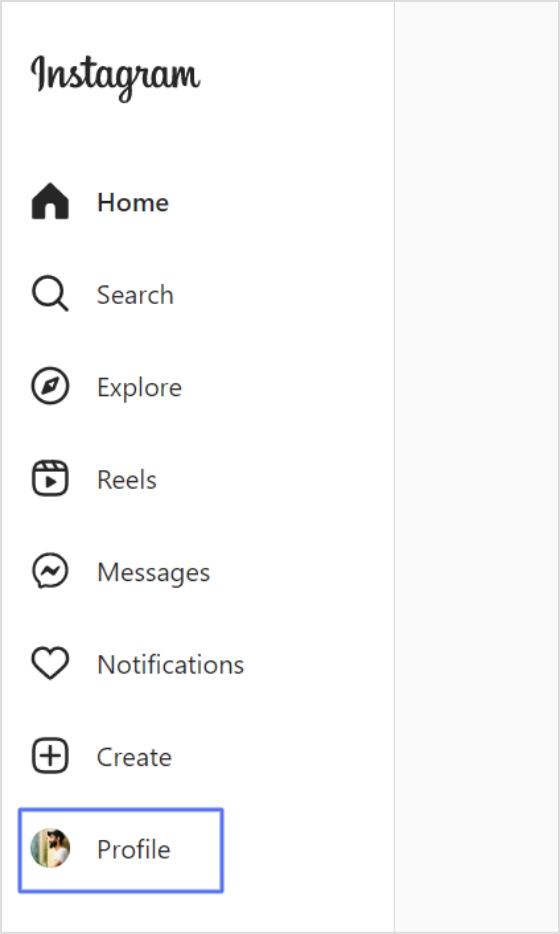
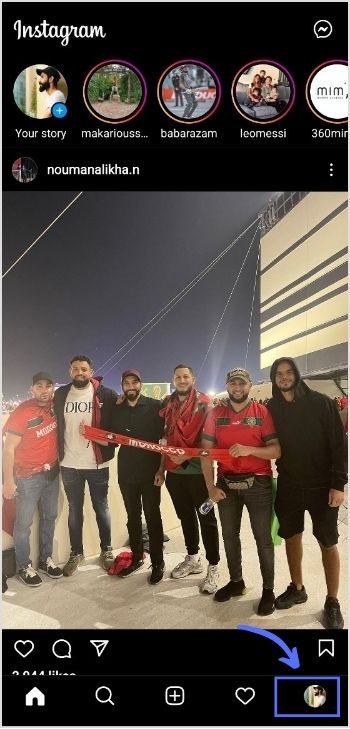
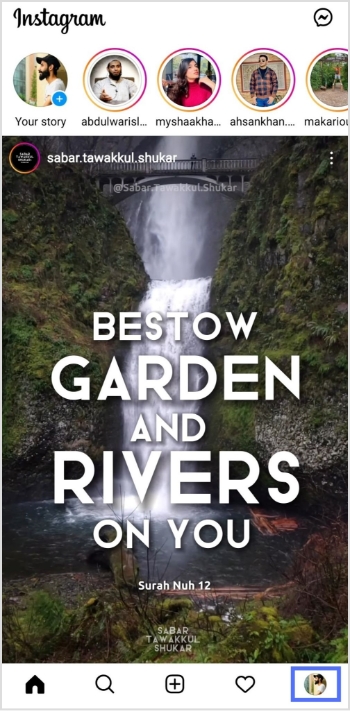
1. Open the Instagram app and go to your Profile.
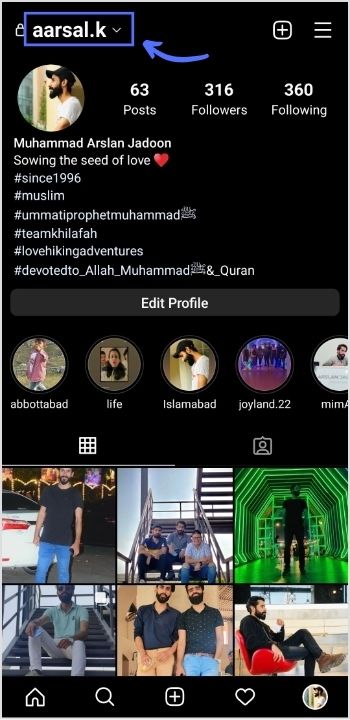
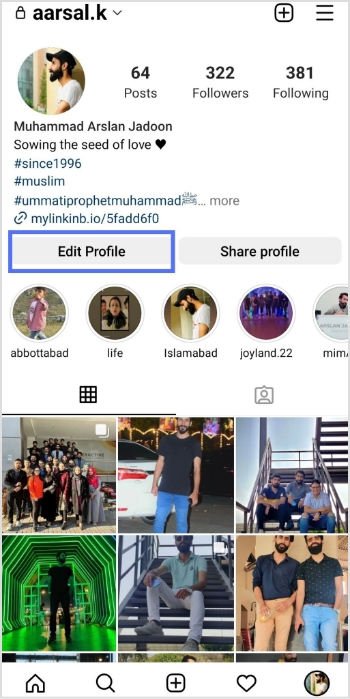
2. Tap Edit Profile.
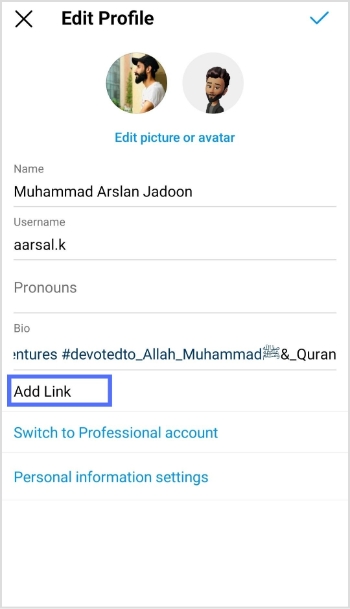
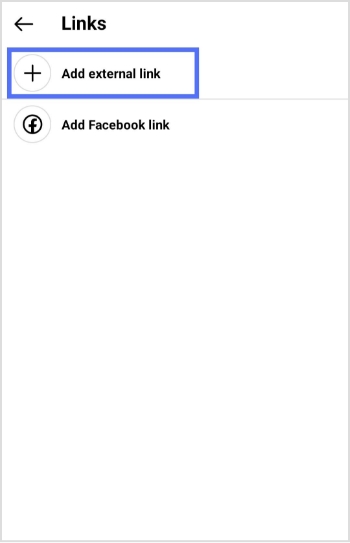
3. Scroll down and find the Links or Website section. In some cases, you will see an “Add link” option. Tap it.
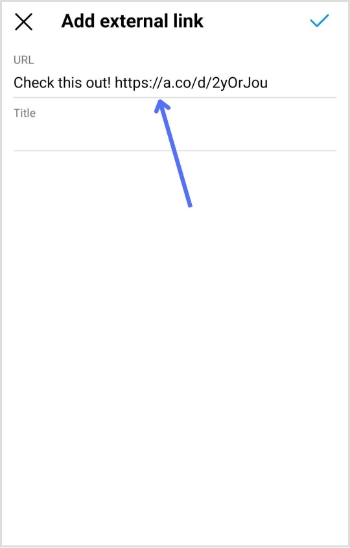
4. Tap Add link,Add external link, or Add new link.
5. Paste your URL into the field, and give it a title.
6. Save the changes by tapping the ✔ icon.
Now the URL in your bio becomes clickable for anyone visiting your profile.
Useful tip: Many creators add text like “Click the link in bio” in their posts or stories to direct followers to that clickable link.
How to make a link clickable on TikTok
On TikTok, clickable links usually appear in your profile bio or website field. However, accounts need 1,000 followers or a Business Account to add a website link.
Step-by-step guide:
1. Open the TikTok app.
2. Tap Profile at the bottom.
3. Tap Edit profile.
4. Find the Website or Links section.
5. Paste your URL (starting with https://) into the field.
6. Save your changes.
After saving, the URL becomes a clickable link on your TikTok profile, allowing viewers to open your website or landing page directly.
How to make a link clickable in Word
Creating a clickable link in Microsoft Word is very simple. You can turn any text, image, or phrase into a link that opens a webpage, file, or email address.
Step-by-step guide:
1. Open Microsoft Word and open your document.
2. Highlight the text or phrase that you want to turn into a clickable link (e.g., Visit our website).
3. Go to the Insert tab in the top menu.
4. Click Link or Hyperlink in the “Links” section.
5. A dialog box will appear. In the Address field, paste the URL you want to link to.
6. Click OK.
Your selected text will now appear as a blue, underlined, clickable link that opens the URL when clicked (“Ctrl + click”).
Quick tip: You can also press “Ctrl + K” after selecting text to quickly add a hyperlink.
How to make a link clickable in Excel
Excel also allows you to create clickable links inside cells. This is useful when you want to link data, websites, or files directly from your spreadsheet.
Step-by-step guide:
1. Open your Excel worksheet.
2. Click the cell where you want the clickable link to appear.
3. Right-click the cell and select Link or Hyperlink.
4. Click on Insert Link.
5. In the dialog box, paste the URL in the Address field.
6. Click OK.
Now the cell contains a clickable link that opens the destination when clicked.
Alternative method:
You can also create a link using the formula:
=HYPERLINK(“https://example.com”, “Open Website”)
This formula creates a clickable link with custom display text inside the cell.
Note: You can also type or paste a web address (e.g., https://replug.io/) directly into a cell and press Enter or Tab. Excel usually converts it automatically. Or, you can use the Insert tab option as well. It’s totally up to you to use the method that suits you the best!
In PowerPoint, clickable links can be added to text, images, icons, or shapes. This is often used in presentations to open websites or jump to other slides, hassle-free.
Step-by-step guide:
1. Open your PowerPoint presentation.
2. Select the text, image, or object that you want to turn into a clickable link.
3. Go to the Insert tab on the top menu.
4. Click Link (or Insert Link).
5. In the Address box, paste the URL you want to link to.
6. Click OK.
Your text or object is now a clickable link. When clicked during the slideshow, it will open the linked webpage or file.
Helpful tip: You can also link to another slide inside the same presentation, which is useful for interactive presentations or navigation menus.
How to make a link clickable in Gmail
Adding a clickable link in Gmail helps make your emails cleaner and easier to read. Instead of pasting a long URL, you can attach it to simple text like Visit our website.
Step-by-step guide:
1. Open Gmail and click Compose to start a new email.
2. Write your email message as you normally would.
3. Type the text you want people to click (e.g., Check our latest report).
4. Highlight that text with your mouse.
5. Click the Insert link icon (it looks like a small chain) in the email toolbar.
6. A small box will appear. Paste the URL you want to link to in the address field.
7. Click OK or Apply.
Your selected text will now become a clickable link that opens the URL when the recipient clicks it.
Quick tip: You can also press Ctrl + K (Windows) or Cmd + K (Mac) after selecting the text to insert a link faster.
How to make a link clickable in Google Docs
In Google Docs, you can turn any word, phrase, or even an image into a clickable link that opens a webpage, file, or another section of your document.
Step-by-step guide:
1. Open your Google Docs document.
2. Highlight the text you want to turn into a clickable link.
3. Click the Insert menu at the top of the page.
4. Select Link from the dropdown menu (or click the chain icon in the toolbar).
5. In the link box, paste the URL you want to connect to.
6. Click Apply.
Your text will now appear as a clickable hyperlink that opens the linked webpage when someone clicks it.
Helpful tip: You can also press Ctrl + K after selecting text to insert a link quickly in Google Docs.
How to make a link clickable in a PDF
Making a URL clickable in a PDF usually requires a PDF editor such as Adobe Acrobat or another PDF editing tool.
Step-by-step guide:
1. Open your PDF file in a PDF editor (e.g., Adobe Acrobat).
2. Go to Tools and select Edit PDF.
3. Click Link, then choose Add/Edit Web or Document Link.
4. Use your mouse to draw a rectangle around the text or area where you want the clickable link.
5. A dialog box will appear. Choose Open a web page as the link action.
6. Paste the URL of the webpage you want to link to.
7. Click OK and then save the PDF.
Now the selected text or area becomes a clickable link that opens the URL when someone clicks it in the PDF.
Helpful tip: If you still have the original document (Word, Google Docs, etc.), it’s often easier to insert the link there and then export the file as a PDF so the clickable URL is preserved automatically.
How to make a link clickable in Canva
In Canva, adding a clickable link is very quick. You can attach a URL to text, images, buttons, or shapes. When the design is downloaded as a PDF or shared online, the link remains clickable.
Step-by-step guide:
1. Open your design in Canva.
2. Highlight the text, image, or button you want to link.
3. From the available options, click the Link icon (it looks like a small chain).
4. Paste or enter the link you want to connect to.
5. Press Enter or click Done.
6. Download your design as a PDF (standard or print) or share it online.
Now, anyone viewing the exported PDF or online design can click the element to open the URL.
Quick tip: Canva links work best when you export your design as a PDF or present it digitally, since links don’t work in printed versions.
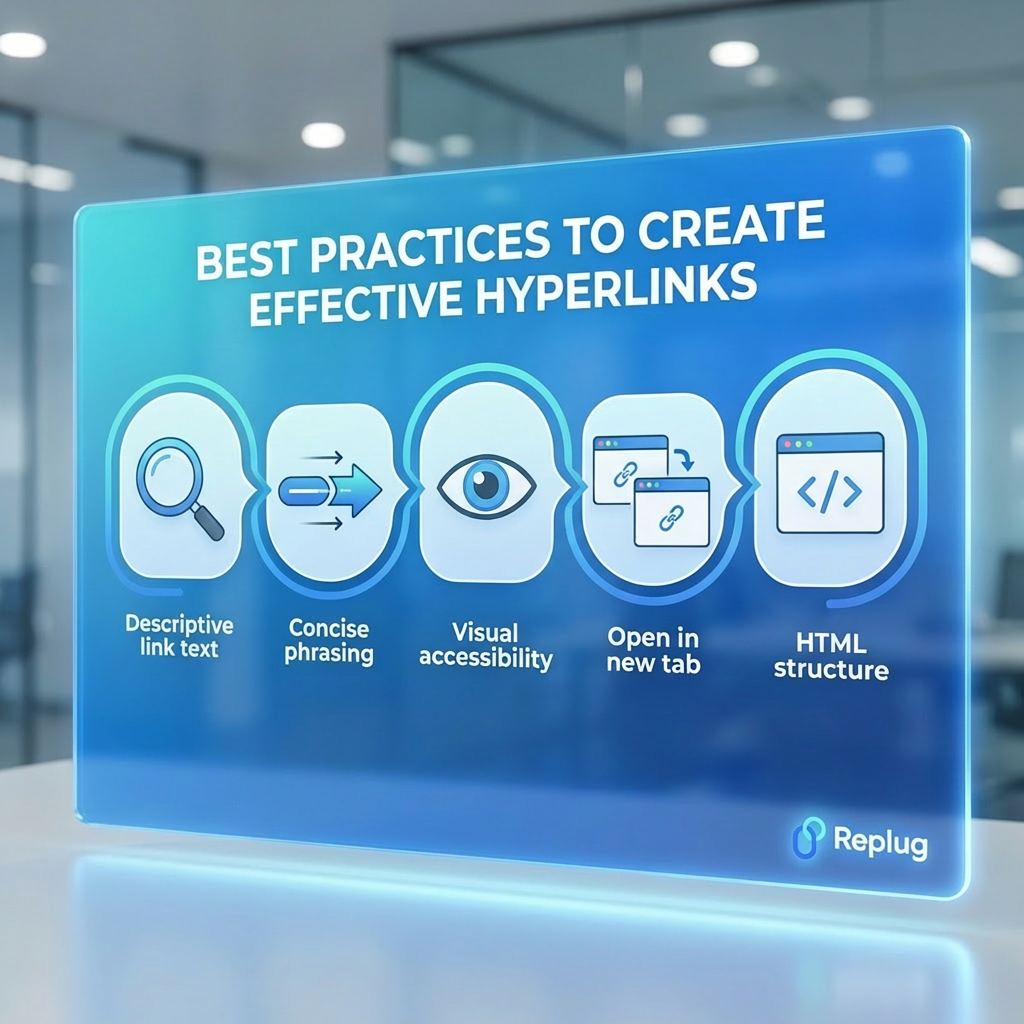
Best practices for making a clickable link: Create effective hyperlinks
Creating a clickable link is easy, but crafting a good hyperlink takes a little thought. A well-made link helps readers understand where they’re going before they click and makes your content easier to navigate.
Following a few simple practices can improve usability, accessibility, and even SEO.
Descriptive link text: Use text that clearly explains where the link leads. Instead of vague phrases like “click here,” write something meaningful like “Download the SEO checklist.” Clear link text helps users understand the link’s purpose and improves accessibility for screen readers.
Concise phrasing: Keep hyperlink text short but informative. Long or overly wordy links can be harder to read and navigate, especially for users relying on assistive tools.
Visual accessibility: Make sure links are easy to recognize. Typically, they appear underlined or in a different color so users can quickly spot them.
Open in new tab: For external links, opening them in a new tab can help readers stay on your page while still exploring the linked content.
HTML structure: On websites, hyperlinks are usually created with the HTML <a> tag and a valid href attribute, which tells browsers where the link should go.
Using these simple practices makes your hyperlinks clearer, more user-friendly, and easier for everyone to navigate.
Create branded, short clickable links with Replug!
If you regularly share links online, you’ve probably noticed how long and messy some URLs can look. That’s where Replug comes in!
It’s a powerful link management platform that helps you shorten, brand, and track your links all from one dashboard. With its custom URL shortener, you can turn long URLs into clean, professional links that are easier to share and remember.
Maximize marketing ROI
by transforming ordinary URLs into branded short links that convert.
Try Replug for free
Replug isn’t just about shortening links; it also helps you manage and optimize them. The platform allows you to create branded, clickable short links using custom domains, track clicks with detailed analytics, and organize your links for marketing campaigns.
Many marketers and businesses use Replug because it makes link sharing look more professional while also giving insights into how people interact with those links. You can even run A/B tests, add tracking parameters, and monitor link performance in real time.
In short, if you want your links to look cleaner & clickable, more trustworthy, and easier to manage, Replug’s link shortener is a great tool to try.
Wrapping up
In the end, making a link clickable is a small skill that makes a big difference online. From understanding what hyperlinks are to creating them on platforms like Word, Excel, Gmail, PDFs, or social media, the process is actually quite simple once you know the steps.
Clickable links help connect information across the web and make it easier for readers to navigate between pages, documents, and resources with a single click.
By usingclear link text, following good linking practices, and even using tools like Replug to create branded short links, you can make your content cleaner, more useful, and easier to explore.
So the next time you share a URL, take a few extra seconds to turn it into a clickable link. It’s a small tweak that greatly improves the reader’s experience.
Frequently asked questions
How do I copy a website link and make it clickable?
Here’s how to do it:
1. Open the webpage you want to share. 2. Copy the URL from the browser’s address bar (Ctrl + C). 3. Paste it into your document, email, or message (Ctrl + V). 4. Most platforms automatically convert the pasted URL into a clickable hyperlink. If not, highlight it and add a link manually.
How to make a link clickable with Ctrl?
Here’s how:
1. Highlight the text you want to turn into a link. 2. Press Ctrl + K on your keyboard. 3. A link box will appear. 4. Paste the URL and click OK.
This shortcut works in many apps like Word, Gmail, and Google Docs.
How to make a link clickable without seeing the web address?
Here’s how to do it:
1. Write the text you want people to click (e.g., Visit our guide). 2. Highlight that text. 3. Insert the URL using the Insert Link option or Ctrl + K.
Now the reader sees only the text, not the full web address.
How to make a link clickable in an email?
Here’s how:
1. Open your email composer (Gmail, Outlook, etc.). 2. Write your message and highlight the text you want to link. 3. Click the link icon or press Ctrl + K. 4. Paste the URL in the box, and apply it.
This is useful when you send newsletters, share resources, or collect email addresses through sign-up forms or landing pages.
How to make a link clickable in images?
Here’s how to do it:
1. Select the image in your editor or website builder. 2. Click Insert Link or Add hyperlink. 3. Paste the URL and apply it.
In HTML, this is done by placing the image inside an anchor tag (<a>), which makes the image clickable.
How to make a link clickable in text editors?
Here’s how:
1. Highlight the word or phrase. 2. Click the link icon in the editor toolbar or press Ctrl + K. 3. Paste the URL and confirm.
Most modern editors like Google Docs, WordPress, and Notion follow this same process.
How do I turn a plain text link into a hyperlink?
Here’s how to do it:
1. Select the plain text URL or phrase. 2. Use Insert Link or Ctrl + K. 3. Paste or confirm the destination URL.
This converts the text into a formatted hyperlink that users can click seamlessly.
How do I turn a word into a clickable link?
Here’s how:
1. Type the word you want to use as the link. 2. Highlight the word. 3. Add the destination URL using the Insert Link tool or Ctrl + K.
The word will now act as a clickable hyperlink.
How to create a link for a document that is clickable?
Here’s how to do it:
1. Upload the document to a location such as Google Drive, OneDrive, or your website. 2. Copy the shareable link for the document. 3. Paste that link into text and add it as a hyperlink.
When clicked, it will open or download the document.
How to create a link to a website that is clickable?
Here’s how:
1. Copy the website’s URL from the browser’s address bar. 2. Highlight the text where you want the link to be placed. 3. Insert the URL using Insert Link or Ctrl + K, and save changes.
Websites typically use the HTML <a> tag with an href attribute to define the link destination.
Welcome to Tumblr, the go-to spot for sharing your creativity through photos, text, videos, and more. Whether you’re an artist, writer, or love expressing yourself, Tumblr’s got you covered.
How do you add links to your Tumblr bio?
It’s not as obvious as you’d think, but fear not – it’s surprisingly easy once you know the trick. Stay with us, and we’ll show you how to effortlessly upgrade your Tumblr experience. By adding links to your bio, you’ll make it easy for your online world to connect with you.
Let’s dive in!
Adding links to your Tumblr bio: What you need to know
Before you start linking up your Tumblr bio, here’s the lowdown:
You’ll need to use some basic HTML code for this. No worries, it’s simple.
Tumblr doesn’t have a fancy button for adding links. You’ll have to do a bit of copy-paste action with the HTML code.
Adding a link in bio is a cool way to connect your visitors to your other social media or special works. It makes your Tumblr world a bit more interactive.
Don’t worry if it sounds a bit technical, we’ll keep it super simple. All you need to do is view HTML code, copy and paste a little code. No need to stress; let’s make your Tumblr bio awesome together!
Follow these steps to add links to your Tumblr bio:
Step 1: Go to the Tumblr website and log in to your account using your credentials.
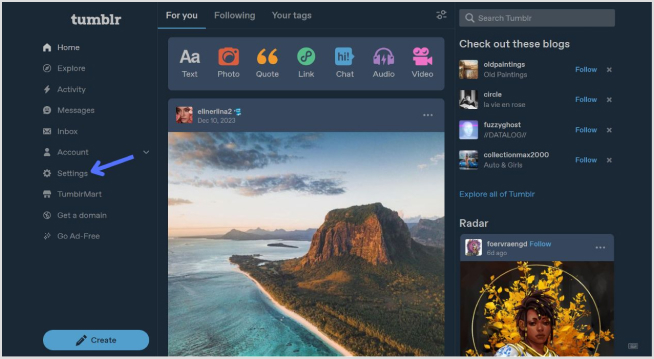
Step 2: Click on “Setting” in the left-side menu.
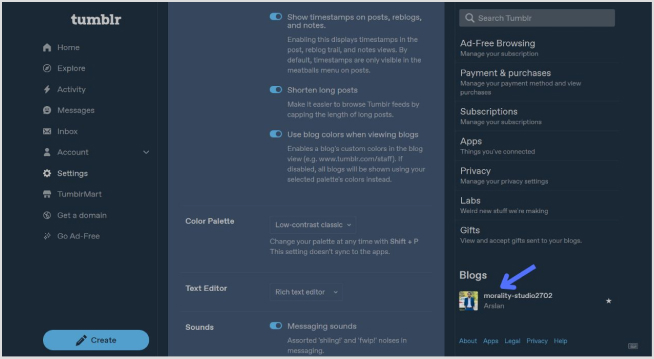
Step 3: Look for the “Blogs” section at the bottom of the right-side menu and click it.
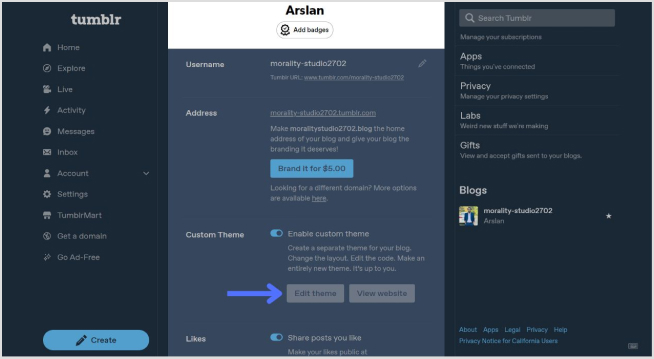
Step 4: In the blog setting, click on the “Edit Theme” button.
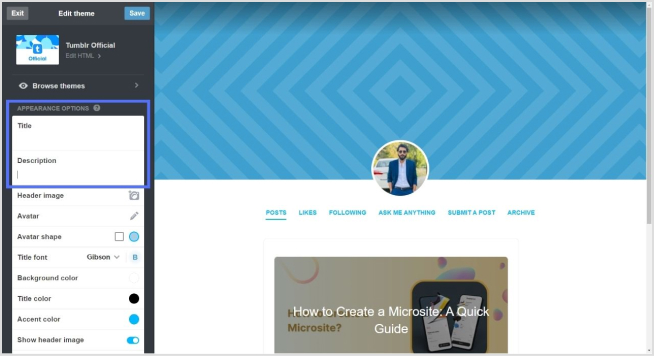
Step 5: Look for a section called “Title” and “Description”. This is where you can input information about yourself.
Step 6: To add a link, use standard HTML anchor tags. The format is as follows:
<a href="URL">Link Text</a>
Replace “URL” with the actual link and “Link Text” with the text you want to display for the link.
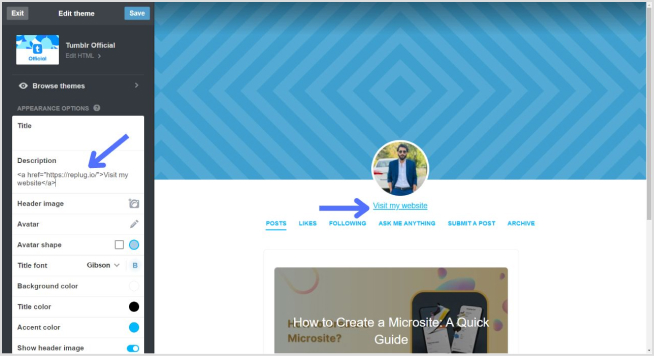
For example:
<a href="https://replug.io/">Visit my website</a>
Add this in the description section.
Step 7: After adding your link, save the changes. It should appear in your Tumblr bio.
Simply confirm that the link looks right by visiting your Tumblr blog. Check your bio, and if everything is as expected, your link is good to go! Your Tumblr bio now features the link, allowing visitors to click and explore the connected website hassle-free.
How to add multiple links to the Tumblr bio?
Tumblr allows only one clickable link directly in the bio. However, you can use Replug’s “bio links” feature to overcome this limitation and showcase multiple links.
With Replug, you can easily showcase multiple links, drive traffic efficiently, and optimize your bio for enhanced engagement.
Note: You can also leverage Replug’s advanced link tracking features to gain insights into link performance, click-through rates, and audience engagement. Enhance your bio links and track their success effortlessly with Replug.
Go beyond generic link pages!
Create custom bio links that truly fit your brand
With Replug, you can create bio links that are unique, engaging, and built to convert.
Here’s how to add multiple links to your Tumblr bio using Replug:
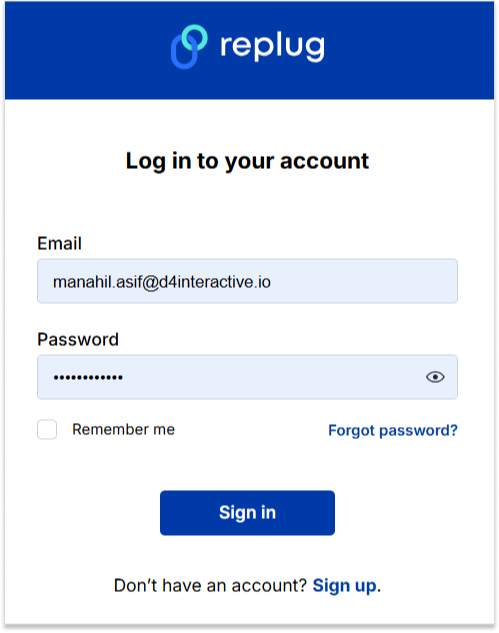
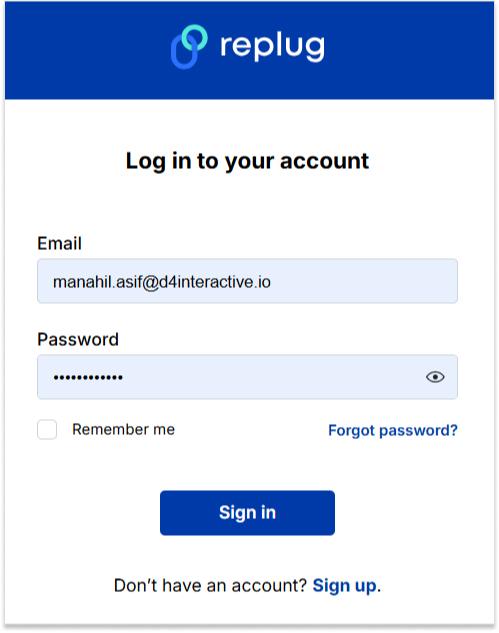
Step 1:Sign in to Replug or create a free account.
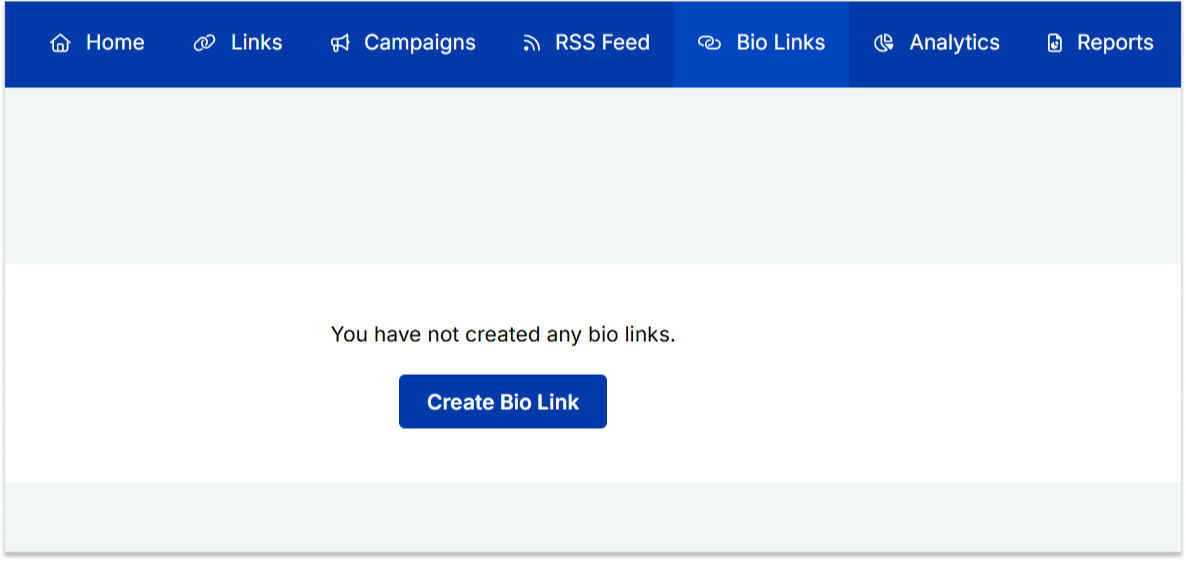
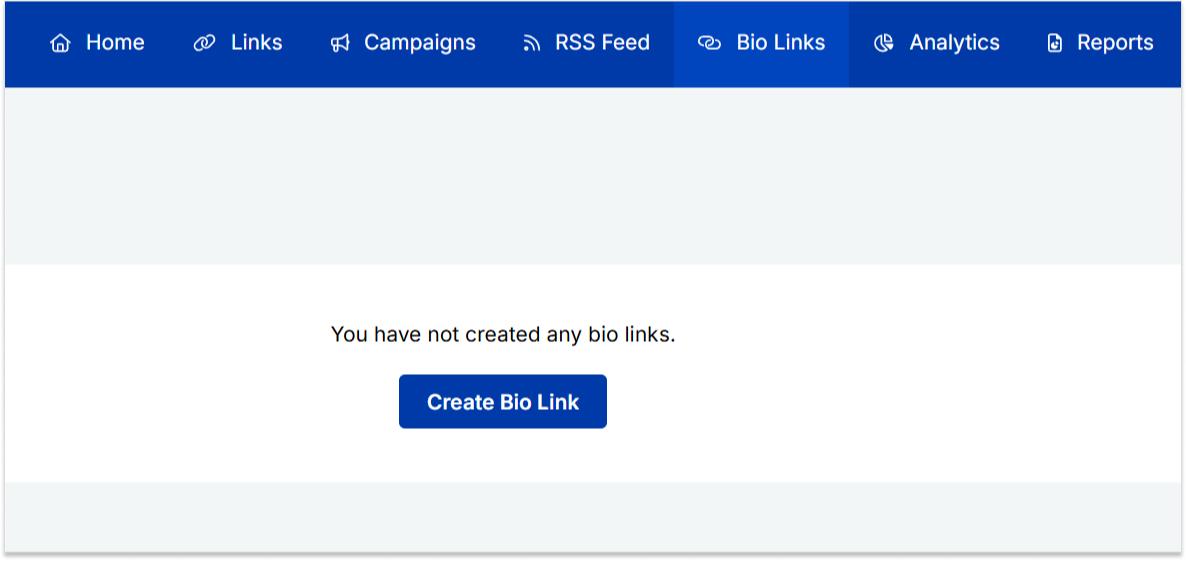
Step 2: Locate the “Bio Links” feature in the top banner. The bio link dashboard will appear in front of you.
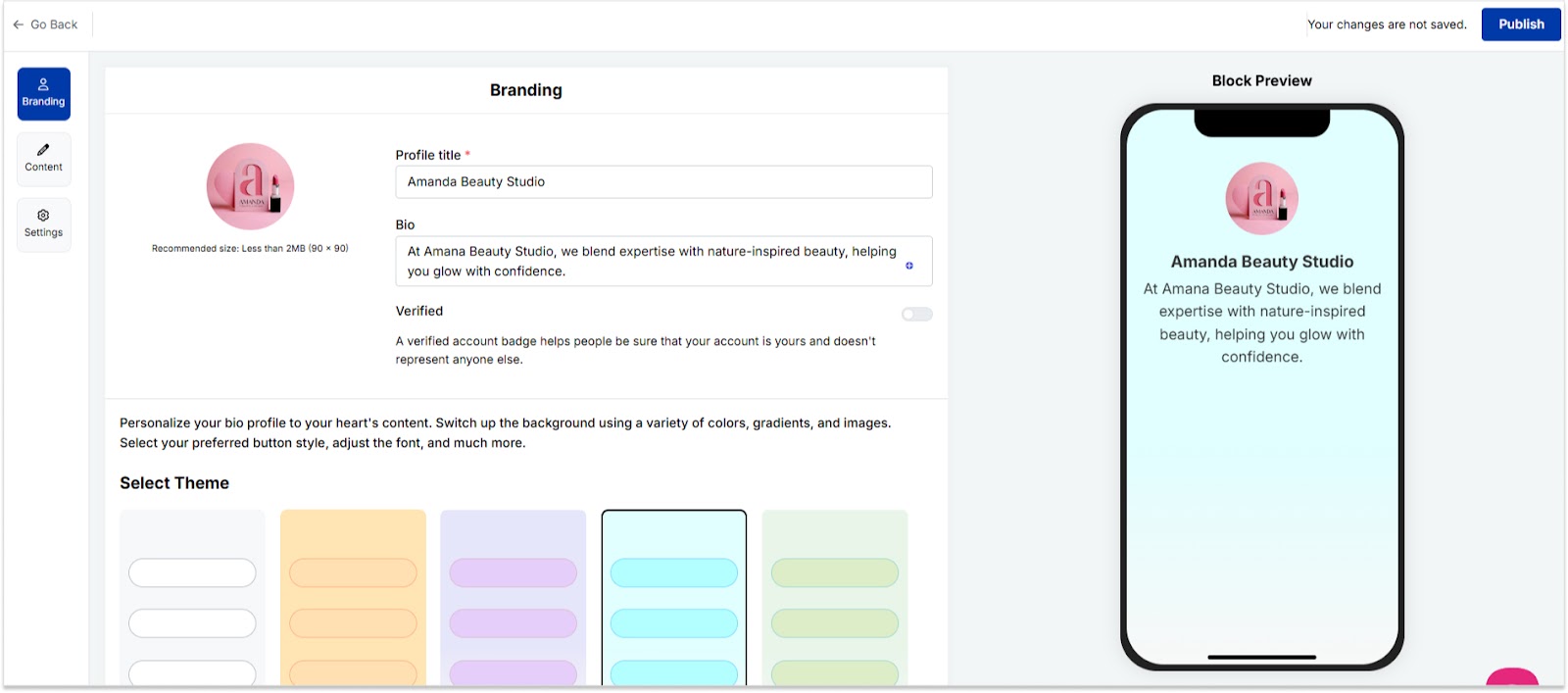
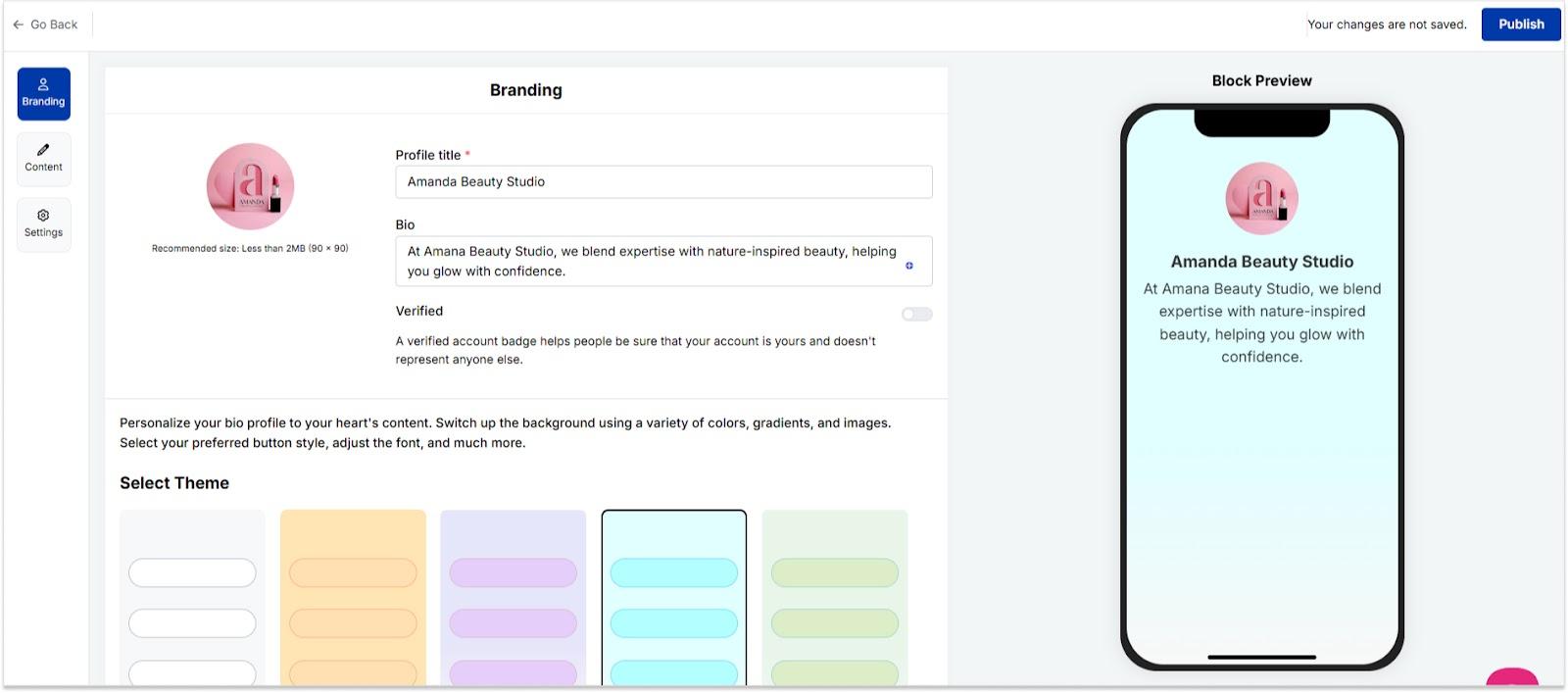
Step 3: Click the “New Bio Link” button to start setting up your Tumblr bio. You’ll be directed to a new page where you’ll find three main categories: branding, content, and settings.
Step 4: In the branding section, add a brand title and description, select themes, and choose button styles to match your aesthetic.
Once you’re done, click “Publish” in the upper right corner to save your changes.
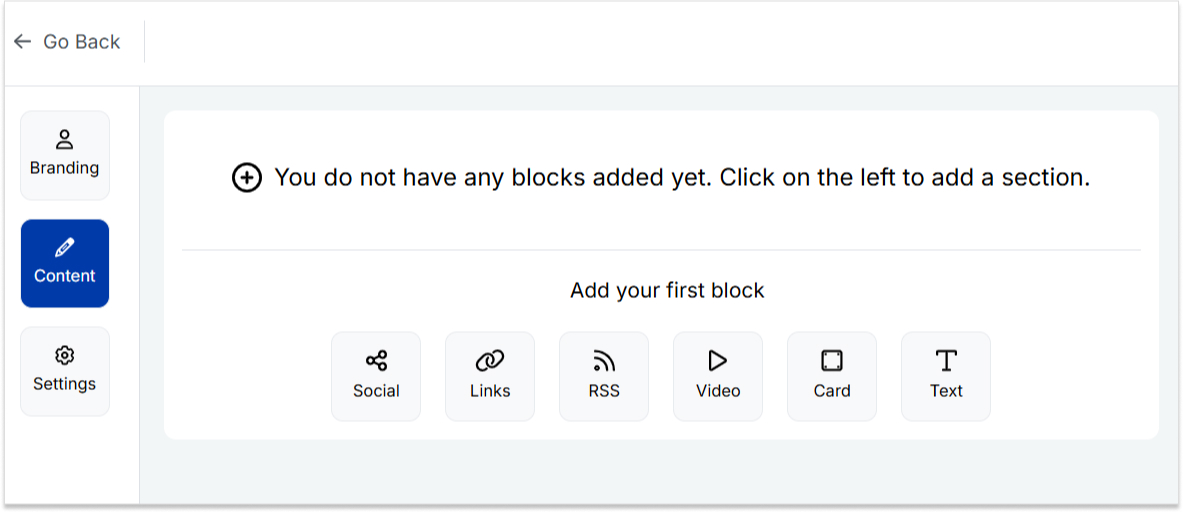
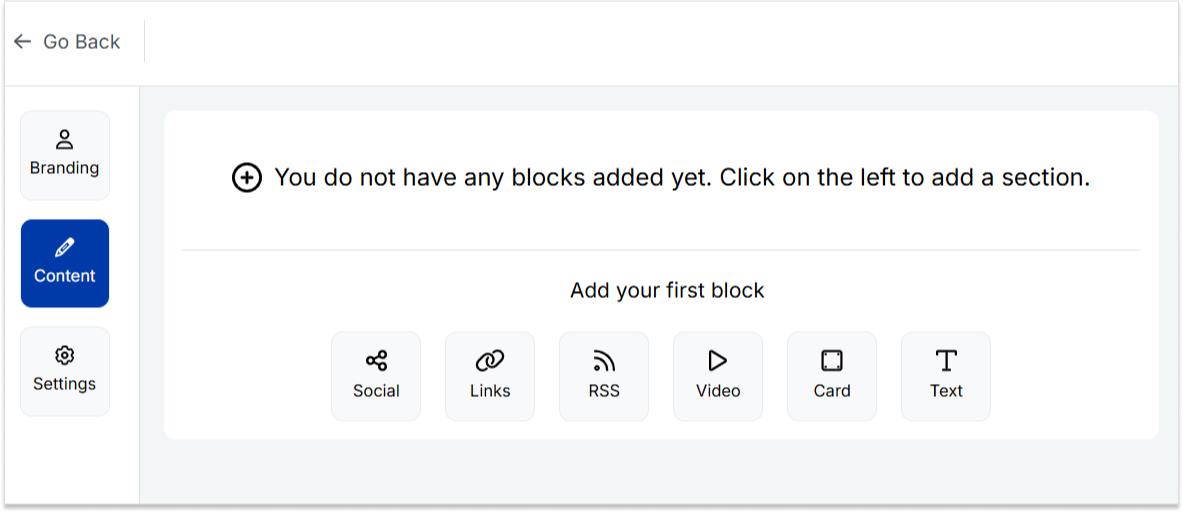
Step 5: Head to the content category. Here, you can add social icons, links, RSS feeds, videos, cards, text, and more.
For example:
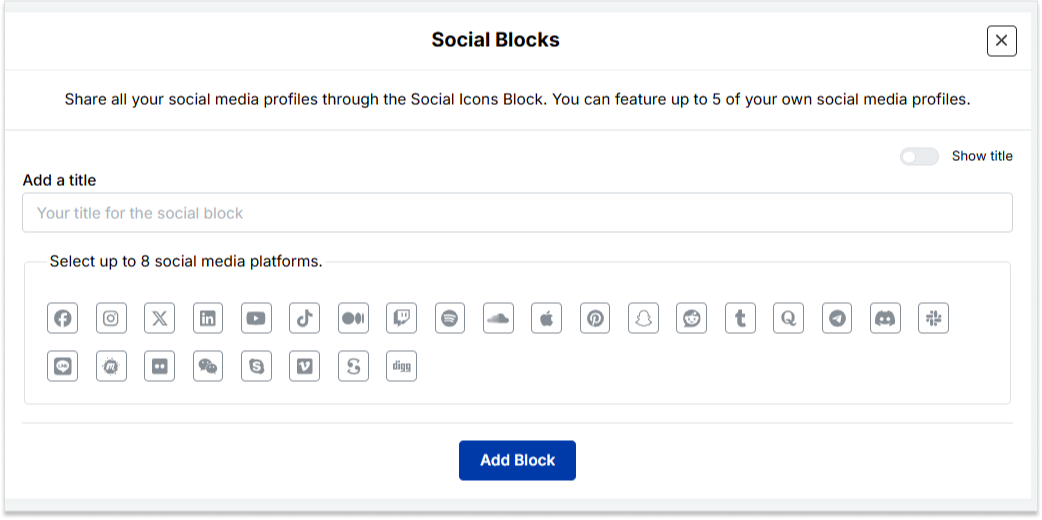
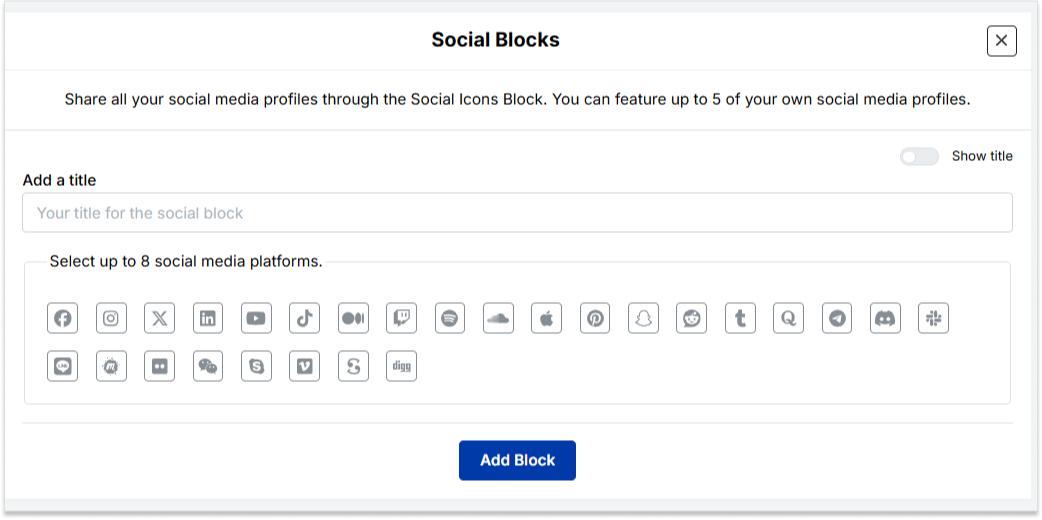
Social icons: Add up to 8 platforms, customize colors, and link to your profiles.
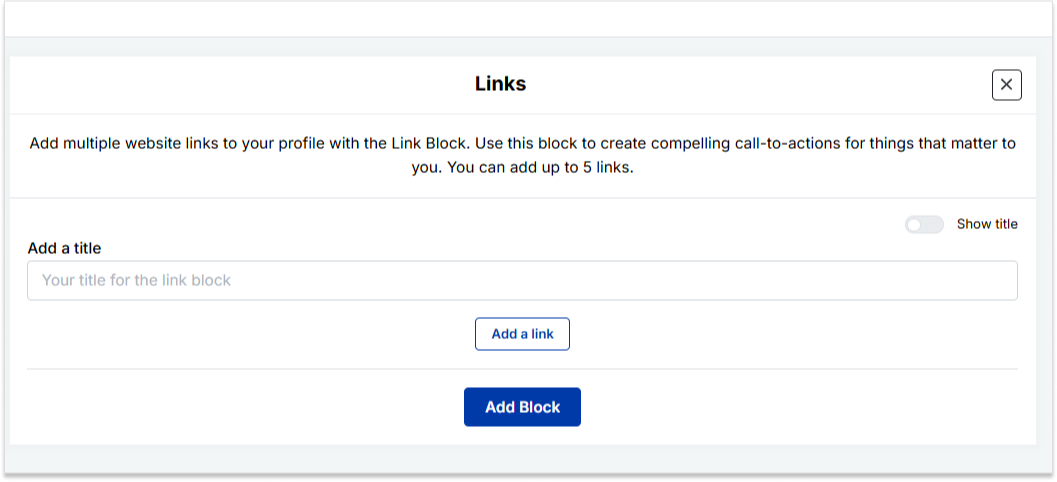
Links block: To include website links, use the “links” block. Add titles and URLs for each link.
Step 6: Once you’ve added the necessary blocks, click “update” to save each one.
Step 7: Go to the settings section to further customize your bio link’s SEO and social media preview. Add a title, description, favicon image, and even a retargeting pixel if desired.
Step 8: Once everything is set, save your Replug-generated bio link and use it to showcase multiple links on Tumblr.
Note: For a more streamlined sharing experience, use Replug’s URL shortener free tool to create branded, trackable links. It not only keeps your Tumblr bio neat but also helps you measure link performance and audience engagement effectively.
Go beyond generic link pages!
Create custom bio links that truly fit your brand
With Replug, you can create bio links that are unique, engaging, and built to convert.
Typically, Tumblr allows only one clickable link directly in the bio. However, you can use Replug’s “Link in Bio” feature to mention additional links in your bio description.
Do links in my Tumblr bio impact my blog’s visibility?
While links in your bio won’t directly impact visibility on Tumblr, they can enhance user engagement and provide more ways for visitors to connect with your content.
How can I make my Tumblr bio stand out?
To make your Tumblr bio stand out, use a clear profile picture, write a concise and engaging bio, include relevant keywords, add links to other platforms, use visual elements like emojis, and regularly update to reflect current activities.
Let’s be honest, TikTok isn’t just an ordinary app anymore. It’s basically where culture happens.
With nearly 1.9 billion people on the platform and users uploading 16K+ videos every single minute, it’s no surprise that memes are born, go viral, and die on TikTok faster than anywhere else on the internet.
What’s wild is that people are spending around 55 minutes a day on TikTok. That’s almost an hour of scroll time, laughs, and oddly relatable content.
And 2026 has already been a goldmine for memes that made the whole internet stop and say, “Wait, what?”
If you’re ready to catch up on everything that had people cackling, reposting, and dueting non-stop, here’s the ultimate list.
Best TikTok memes list for the year
TikTok memes don’t just make you laugh; they become a whole language of their own. Whether it’s a random comment thread, a reaction clip, or a sound that takes over everyone’s FYP, these trends spread like wildfire, and somehow, everyone just gets it.
Here’s a look at the memes that basically ran the internet this year, starting with the ones living rent-free in the comments section.
TikTok comment memes
Looking for the best memes to spice up your replies?
These TikTok memes for comments are perfect for adding chaotic energy, inside jokes, and viral humor to any post.
The “365 Buttons” meme
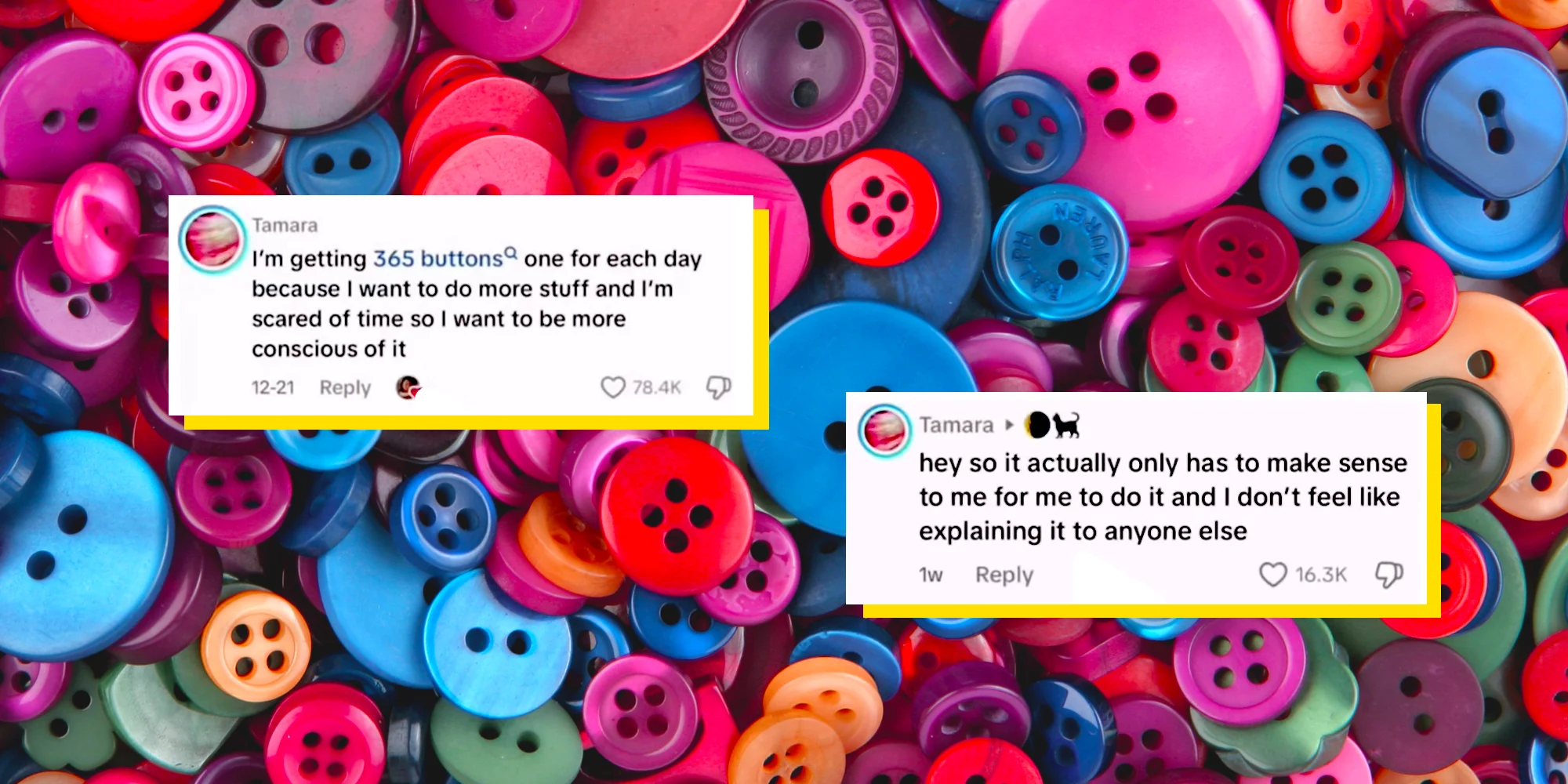
This one started with a TikToker named Tamara, who left a comment saying she was going to collect 365 buttons in 2026 (one for each day of the year). This is because she was “scared of time” and wanted to be more conscious of it.
When people asked what exactly she planned to do with them, Tamara hit back with “it actually only has to make sense to me for me to do it, and I don’t feel like explaining it to anyone else”.
And honestly, that response became a whole meme on its own. It’s basically 2026’s “mind your business” anthem.
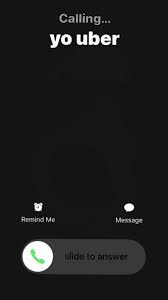
“Calling Yo Uber” meme
This one’s short, sweet, and straight to the point. If someone is doing something you don’t like, being annoying, or you just want them to leave, you simply say “Call your Uber”, basically the modern way of saying “get out”.
It’s Gen Alpha slang at its finest, and it’s been spreading fast in TikTok comment sections and everyday conversations.
Holding chest meme
You know that moment when something hits so hard you physically have to grab your chest? That’s exactly this meme!
Rooted in IShowSpeed’s iconic over-the-top reactions while gaming, creators started using his explosive energy as a meme template for “when things go unexpectedly wrong” moments. If a comment made you gasp, this is the reaction.
https://tenor.com/search/clutching-chest-gifs
Triangle chin meme
This one blew up on the art and anime side of TikTok before spilling into the main feed. It pokes fun at a very specific drawing style where characters end up with an oddly sharp, pointy chin, almost like a perfect triangle stuck at the bottom of their face.
Artists started calling themselves out for it, and the comment sections turned into a whole roast session of everyone’s early art phases. Relatable, funny, and way too real!
“City Boy” meme
This meme comes from a scene in the animated show Gravity Falls, where Deputy Durland mockingly yells “City boy! City boy!” at the character Dipper. It originally went viral on TikTok in 2022 and made a big comeback in early 2026.
In slang terms, a “city boy” refers to a man who prioritizes his success and goals over relationships, and the clip gets dropped in comments whenever someone does something bold or unbothered in that spirit.
“I am done explaining myself” meme
This one actually ties back to the “365 Buttons” moment. Tamara’s blunt refusal to clarify her button plans quickly became a widespread “if you know, you know” joke all over TikTok, and people started using it as a response to anything they didn’t want to justify.
No matter if it’s your life choices, your snack habits, or your entire personality, this meme basically permits everyone to just stop explaining themselves.
TikTok memes pictures
If you’ve ever dropped a picture in someone’s TikTok comments instead of a reply, you already know what this is about.
Picture memes on TikTok are a whole language of their own. One image says more than a paragraph ever could.
Let’s have a closer look at some of the top-notch TikTok comment pictures memes!
Holding in laugh meme
This meme features a man visibly struggling to hold in his laughter. It has become widely used across TikTok, Instagram, Facebook, and Reddit, where users have dropped it in all kinds of funny and relatable scenarios.
It’s basically the go-to reaction image when something is so funny you physically cannot handle it.
Side-eye meme
The “side eye” is a reaction image used online to express a specific emotion. A sideways glance that conveys doubt, scorn, annoyance, or silent judgment, all without saying a single word.
Whether it’s the classic “Side-Eyeing Chloe” or the “Bombastic Side Eye” version, this one never gets old and fits literally every situation where you just can’t believe what you’re reading.
Robot reaction meme
This one comes from the Will Smith movie “I, Robot,” where the Sonny robot gives a blank, unblinking stare that’s somehow deeply relatable.
TikTokers started using it as a green screen reaction template for “me staring at my screen after reading something wild” moments, and it took off fast as a comment image drop.
Kevin James shrug meme
This meme comes from an old CBS promotional photoshoot for “The King of Queens”. It is where Kevin James is pictured with his hands in his pockets, a sheepish smirk on his face, and his shoulders raised in a playful shrug.
People plop it in comments for that exact “I did it, and I’m not sorry” energy. Innocent guilt at its finest!
Anime-inspired face trend meme
This one’s for all the weeb TikTokers (and even the ones who aren’t). The trend involves people recreating exaggerated anime facial expressions (wide eyes, dramatic gasps, or that classic “shocked but make it cute” face).
It’s basically bringing anime energy into real life, and the comment sections absolutely lost it every single time someone nailed the expression.
Slideshow meme
TikTok’s photo slideshow feature, officially called “Photo Mode”, allows users to compile a series of images with background music into a carousel format. It’s been heavily used to share memes ever since it was officially reintroduced in October 2022.
The slideshow meme format specifically became a thing where creators string together increasingly funny or unhinged images, and dropping one in the comments became a whole reaction move.
Finger claps meme
The finger clap, also known as “clock it,” is a small gesture where you tap your fingers together in a tiny clapping motion, used to signal that someone said exactly the right thing or totally nailed it.
Hailey Bieber’s version of the finger clap went viral and became one of the most recognized versions of the gesture on TikTok, with the image and GIF being dropped constantly in comment sections as the ultimate “you said that” stamp of approval.
https://tenor.com/search/hailey-baldwin-gifs
TikTok reaction memes
Reaction memes are basically TikTok’s way of saying “words aren’t enough; watch this clip instead.”
These are the ones people keep recycling in comment sections and duets because they perfectly sum up a feeling without needing a single explanation.
“Say wallahi” reaction
This meme comes from a clip of IShowSpeed tearfully yelling “Say wallahi bro” after accidentally buying a Shrek-face Roblox T-shirt for 18 million Robux, which worked out to roughly $225,000 at the time.
The clip went viral again in early 2026, with people using the audio over images of absurd products, especially items from the generic Canadian brand “No Name”. This is to express extreme shock or complete disbelief at something existing.
“I’m so f***ing scared” reaction (Squid Game)
This is a reaction image from a TikTok edit of “Squid Game Season 1,” showing the character Ali Abdul crying with the all-caps caption “I’m so f***ing scared” over his face.
It became a semi-ironic reaction image in 2025, used across social media to express fear or honestly to be dramatic about anything even mildly stressful.
Nene Leakes reactions
Nene Leakes from the “Real Housewives of Atlanta” has practically built a whole meme library over the years. She somehow manages to drop multiple iconic reaction moments in a single clip.
Her eye rolls, dramatic expressions, and quotable one-liners have been living rent-free in comment sections for years. Plus, TikTok keeps rediscovering them and using them for everything from petty moments to full-on drag sessions.
“Down boy” art meme
This meme is a redraw trend based on a panel from Archie Comics, showing Veronica Lodge pointing down and yelling “Down boy!!” at Archie Andrews, who obeys.
Artists across TikTok took off with it in early 2025, redrawing the format using their own characters and fandoms (with one Dog Man redraw gaining over 2.1 million views in a single day).
IShowSpeed’s reactions
IShowSpeed’s reaction clips have basically become their own genre of meme at this point.
No matter if it’s his chest-grabbing shock face, his screaming-at-the-screen moments, or his explosive gaming rage, creators use his over-the-top energy as meme templates.
They purposefully do this for reaction edits, gaming fail moments, and “when it all goes wrong” humor that perfectly captures the feeling of things going sideways fast.
Frank Ocean’s reaction
This one’s for the true music fans!
A popular TikTok meme shows young creator Dabo reacting emotionally to Frank Ocean’s music, despite claiming beforehand that he would never cry to a Frank Ocean song. But then completely breaking down in tears, like a baby.
It became the go-to reaction template for “I said I wouldn’t care, but I absolutely do” moments. People use it constantly to pair with something they tried (and failed) to stay unbothered about.
Alex Consani’s reactions
Alex Consani is a 22-year-old model from Sonoma County, California, who became one of TikTok’s most magnetic presences. Thanks to her unfiltered humor and natural love for being on camera.
Her reaction to the brief TikTok ban in January 2025, when the app went dark and came back within hours, became one of the most iconic meme moments of the year.
Besides, clips of her chaotic, over-the-top responses are being used as reaction content for all kinds of “wait, what just happened?” scenarios.
Funny TikTok memes
If your “For You” page has been full of random sounds, chaotic edits, and oddly relatable jokes lately, you’re not alone.
These TikTok memes funny enough to spread everywhere, are exactly why internet culture moves so fast. One weird clip suddenly becomes everyone’s inside joke.
“Going Analogue” trend
This trend is all about people jokingly “escaping technology” by doing offline hobbies like journaling, reading, or using old-school gadgets. The humor comes from treating simple offline activities like a dramatic lifestyle transformation.
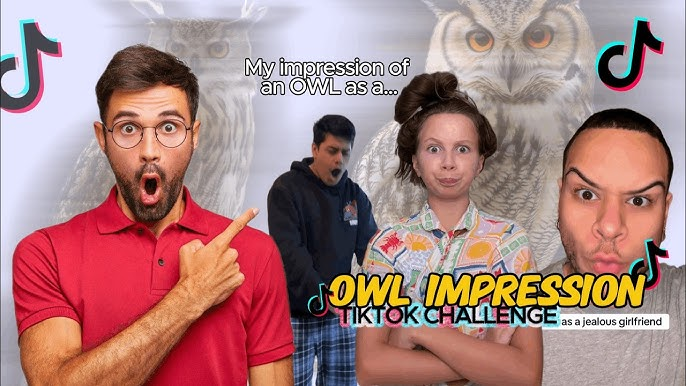
Owl impressions (international)
TikTok users started pretending to be owls from different countries, cities, or even celebrities by changing the way they say “hoo”. The fun part is hearing wildly accurate accents and impressions from such a simple joke.
Skeleton banging shield
This meme uses a loud skeleton animation from the video game “The Elder Scrolls V: Skyrim” paired with chaotic yelling sounds to represent overreactions, panic, or extreme excitement. It became one of TikTok’s biggest absurd humor trends.
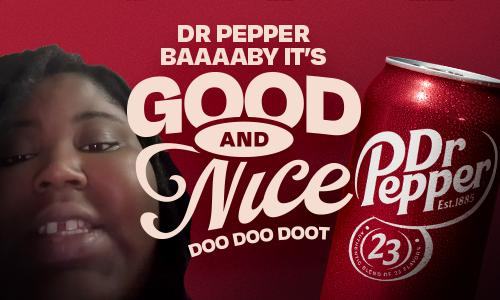
Dr Pepper baby is good and nice
Creator Romeo Bingham’s catchy and intentionally goofy jingle about Dr Pepper turned into a viral meme because people couldn’t stop repeating the line. The randomness and overly wholesome tone made it endlessly remixable.
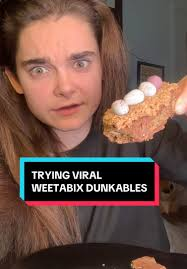
Weetabix dunkables
This food meme boomed after creators started coating Weetabix in chocolate and dipping them like cookies. TikTok loved how oddly satisfying and surprisingly tasty the snack looked.
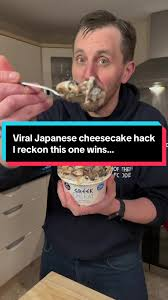
Japanese cheesecake hack
This viral food hack showed people making a quick “Japanese cheesecake-style” dessert using biscuits and Greek yogurt. It spread fast because it looked easy, cheap, and surprisingly delicious for such a simple recipe.
Current TikTok memes
The internet moves swiftly, and these are some of the TikTok memes rn taking over “For You Pages” with chaotic humor, random catchphrases, and relatable edits. Most of them make almost no sense at first, which is exactly why people keep sharing them.
“Ouuu shi” (fym ouuu shi)
This viral catchphrase comes from an older YouTube clip that resurfaced on TikTok in 2026. People now use “fym ouuu shi” in reaction videos, comment sections, and edits whenever something unexpected or ridiculous happens.
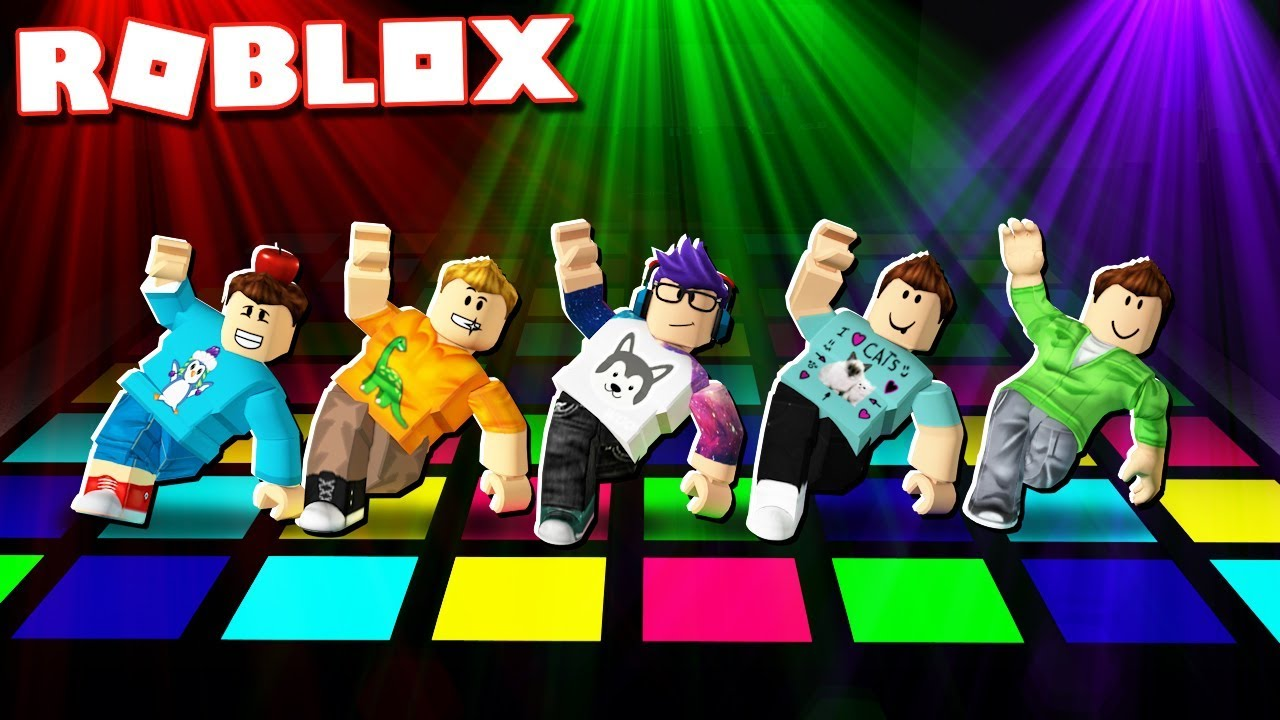
Hantavirus paranoia/Roblox dance battles
TikTok users started joking about the recent hantavirus news by making dramatic “end of the world” videos and pairing them with over-the-top humor.
Around the same time, Roblox dance battle clips also made a comeback because of their hilarious trash-talk energy and chaotic animations.
“Reali-tea” (unfiltered content)
This trend is all about people posting raw, honest, and less polished videos while spilling “the tea” about real-life situations. The meme plays on the words “reality” and “tea,” making everyday struggles feel funny and relatable.
Map day/Tomodachi style
Inspired by the quirky look of the Nintendo game Tomodachi Life, creators started turning themselves and their friends into goofy Mii-style characters.
The trend exploded because the awkward expressions and random storylines perfectly match TikTok’s weird sense of humor.
TikTok in 2026 has been full of chaotic humor, oddly emotional edits, and trends that somehow become massive overnight.
These newer memes are spreading fast because they mix irony, randomness, and just enough relatability to keep people reposting them.
“Scientology speedrun”
This trend involves creators jokingly “speedrunning” Scientology buildings by seeing how far they can get before security stops them. It skyrocketed because the videos feel like real-life video game missions, though the trend has also sparked criticism and legal concerns.
Unfiltered “realism” trend
More users are moving away from heavily edited content and posting messy, awkward, or brutally honest videos instead. The joke is that people are finally showing “real life” without trying to make everything look perfect.
Yearning guy meme
This meme usually shows someone staring dramatically into the distance like they’ve lost the love of their life, only for the next slide to reveal something silly. It could be something like a gaming setup, a fast food order, or a random achievement. The overdramatic editing is what makes it funny.
“Indomitable human spirit” aesthetic
This trend mixes emotional speeches, motivational music, and dramatic clips of people pushing through struggles (sometimes seriously, sometimes completely ironically). TikTok users love using it for both inspiring moments and ridiculous everyday situations.
Old TikTok memes 2025
TikTok in 2025 gave us some of the most random yet unforgettable meme trends online. From weird debates to strange catchphrases and dramatic edits, these memes completely took over comment sections and For You pages for months.
100 men vs. a gorilla
This viral debate asked one simple question: could 100 unarmed men beat one silverback gorilla in a fight?
The internet became obsessed with arguing about it, and TikTok filled up with fake battle plans, simulations, and hilarious reactions.
Diddy Blud on the calculator
This meme came from people jokingly typing random numbers into calculator apps and acting shocked when the results somehow connected to conspiracy-style theories involving Sean “Diddy” Combs. The humor mostly came from how absurd and unserious the “evidence” looked.
We are Charlie Kirk
This trend used edited clips and dramatic audio to jokingly turn regular people into mini versions of political commentator Charlie Kirk. TikTok users mainly used it for satire and exaggerated reaction videos.
Early stream speed
This meme mocked people who join livestreams super early and immediately spam comments before anything even happens. Creators started making skits showing overly dedicated viewers racing to be “first” in every stream chat.
Tough baby
Videos of babies acting weirdly serious, angry, or overly confident became a huge meme format in 2025. People paired the clips with hard-hitting music or dramatic captions to make toddlers look intimidating for no reason.
“6-7” & “god’s country”
These phrases became viral TikTok audio jokes used in edits, memes, and ironic motivational posts. Users repeated them in random contexts until they turned into internet catchphrases that people quoted even outside TikTok.
TikTok memes GIF
GIF-style memes are still everywhere on TikTok because they’re quick, chaotic, and perfect for reaction edits. A lot of these older internet memes came back through short looping clips, meme compilations, and ironic TikTok reposts.
Harambe and Big Chungus
Harambe and Big Chungus became legendary internet memes long before TikTok, but users still recycle them in GIF edits and “nostalgia meme” videos. Big Chungus, the oversized Bugs Bunny joke, especially became popular again through ironic humor.
Uganda knuckles and the trollface
Ugandan Knuckles exploded online from VRChat videos and the famous “Do you know the way?” catchphrase, while Trollface remains one of the internet’s classic trolling reaction memes. TikTok users still use both in old-school meme compilations and absurd edits.
https://tenor.com/search/ugandan-knuckles-gifs
https://giphy.com/explore/know-your-meme
Slow-mo walk reaction GIF
These memes usually show someone dramatically walking in slow motion with intense music after the smallest achievement or argument. They’re popular because they turn completely normal moments into fake movie scenes.
This meme comes from bizarre AI-style audio edits and random “brainrot” humor trends on TikTok. People use the phrase in chaotic GIF edits and nonsensical videos that are funny mainly because they make zero sense.
Blue shirt kid sturdy
The “blue shirt kid” became popular after clips of him confidently doing the sturdy dance started spreading online. TikTok users turned the dance into reaction GIFs, edits, and meme remixes because of his unexpectedly smooth moves.
TikTok memes quotes
TikTok meme quotes usually go viral because they’re weirdly catchy, dramatic, or completely random out of context. People reuse these lines in reaction videos, edits, comment sections, and skits until they basically become part of internet language.
“Today’s f***ing affirmation”
This quote is used before someone says an aggressively funny or chaotic motivational statement.
For example: “Today’s f**ing affirmation: I am not defined by my circumstances. I am bigger than my struggles, and I have the power to protect my inner peace and create a life I love.”
“The 2026 great meme reset”
This phrase comes from the viral joke about bringing back old-school internet memes and deleting modern “brainrot” humor.
For example:“January 1st, 2026… the great meme reset begins.”
“Fuck it, I’m a flower”
This quote is usually paired with people giving up on stress and choosing peace in the funniest way possible.
For example: Someone lying in the grass with the caption, “Bills due tomorrow? Fuck it, I’m a flower.”
“Less talk, more action”
TikTok users mostly use this line before doing something dumb, chaotic, or overconfident, e.g., “Less talk, more action,” right before attempting a failed backflip.
“Cus we’re playing bendy”
This line blew up from an old FGTeeV song that resurfaced on TikTok through looping edits and lip-sync videos.
For example: Users dramatically repeating “Cus we’re playing bendy” for no reason during gaming clips.
“Homer dropped his donut d’oh”
This quote comes from the viral AI-generated “D’Oh Anthem” song about Homer Simpson ruining his day. For instance, creators use it over minor inconveniences like dropping food or spilling drinks.
“You ain’t nothing but a hound dog”
TikTok brought this classic Elvis Presley lyric back through ironic remixes, sped-up edits, and meme audio. For instance, users dramatically lip-sync the line during pet videos or goofy reaction edits.
TikTok memes stickers
TikTok meme stickers are basically internet jokes turned into little reaction images people paste on laptops, phones, water bottles, and even videos.
Most of them go viral because they’re random, relatable, and instantly recognizable to anyone who spends too much time online.
“Wait I’m goated” cat
This sticker usually shows a confused or proud-looking cat with the caption “Wait I’m goated.” It became popular through ironic TikTok humor where people jokingly realize they’re actually amazing at something.
“I want a perfect body” (sunset)
This sticker comes from emotional TikTok edits using dreamy sunset backgrounds and dramatic music lyrics. People use it ironically for late-night overthinking posts and aesthetic mood edits.
Lizard/gecko memes
Random gecko and lizard stickers raged because of their awkward expressions and chaotic captions. TikTok users love using them as reaction memes for confusion, panic, or “no thoughts, head empty” energy.
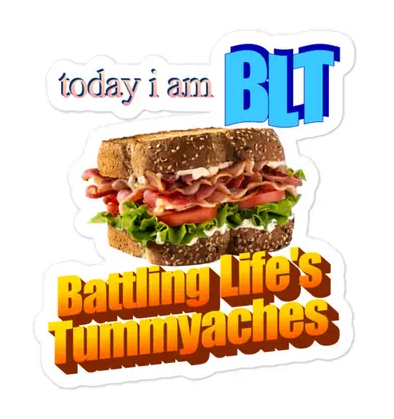
“Today I am BLT”
This meme sticker uses random sandwich humor in the most unserious way possible. The joke is that people post it with zero context, which somehow makes it even funnier.
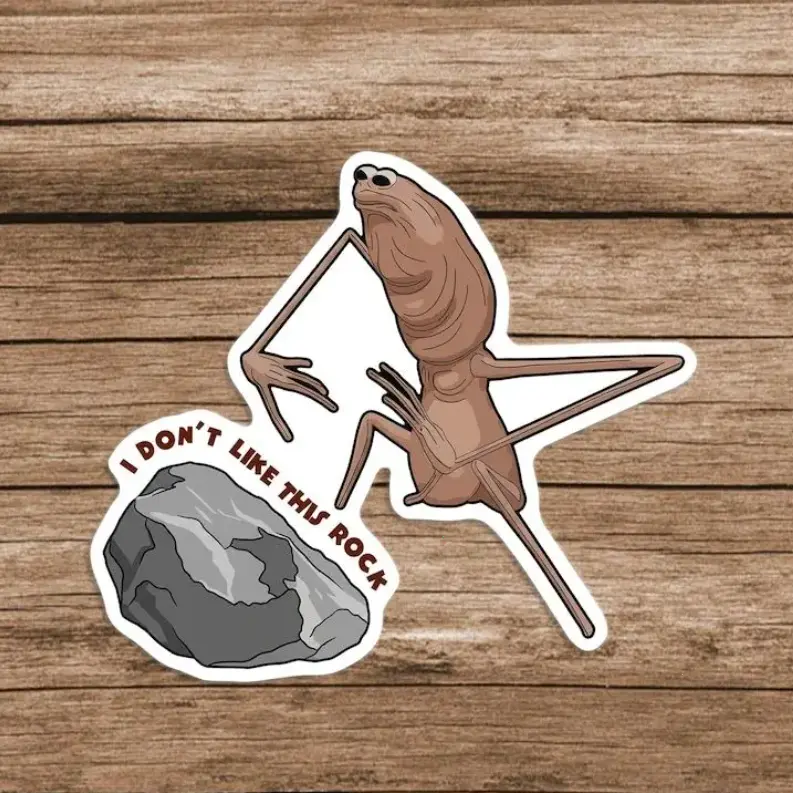
Marcus the worm
Marcus the worm became a small but popular TikTok meme because of his oddly cute and awkward appearance. Stickers of him are usually used in wholesome or painfully relatable posts.
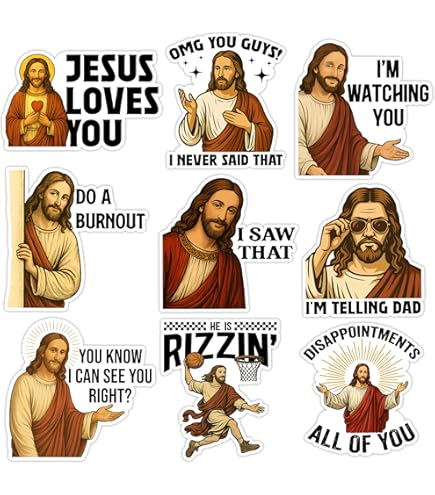
Funny Jesus meme
These stickers usually feature edited images of Jesus with funny captions or reaction faces. TikTok users mostly share them as harmless absurd humor and over-the-top reaction memes.
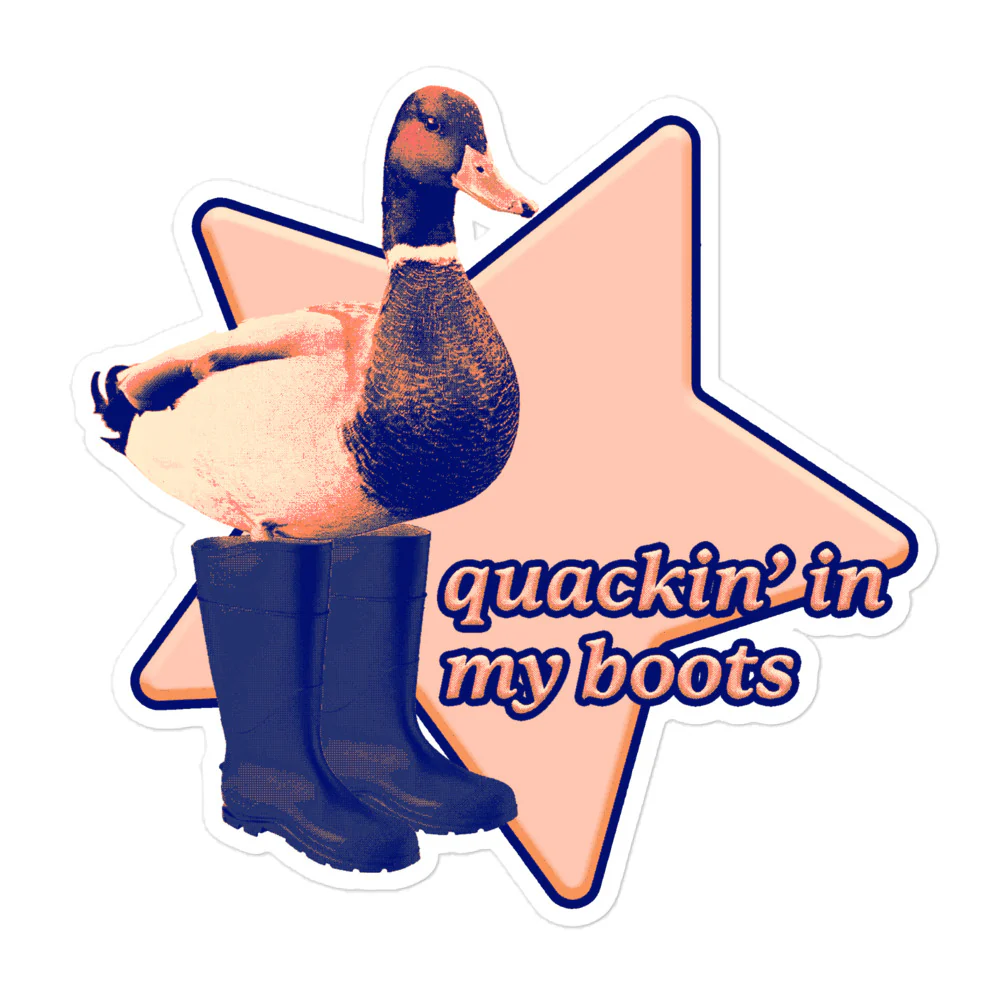
“Quackin’ in my boots” duck
This duck meme sticker is used when someone is pretending to be scared or nervous in an exaggeratedly funny way. The phrase became popular because it sounds ridiculous but somehow fits every awkward situation.
Nostalgic Y2K
Y2K-style stickers with glitter, flip phones, old emojis, and retro fonts became huge again, thanks to TikTok’s obsession with early 2000s aesthetics. They’re everywhere in edits, journals, and phone customization videos.
Mexican humor stickers
These stickers usually feature exaggerated reaction faces, classic Latino internet humor, or chaotic captions that spread heavily through Spanish-speaking TikTok communities. A lot of them become viral reaction images across multiple platforms.
“Please don’t tailgate me”
This meme sticker is popular on TikTok car videos and joke posts. People use it to sarcastically complain about aggressive drivers while making the message sound overly dramatic or weirdly polite.
Download your favorite memes with Replug’s free TikTok downloader within seconds!
If you’ve been saving hilarious memes throughout this blog, now’s the perfect time to keep them forever with Replug.
Replug is an all-in-one link management platform packed with powerful tools, especially its easy-to-use link shortener. It helps you create custom branded short links in seconds for cleaner sharing and better tracking.
Maximize marketing ROI
by transforming ordinary URLs into branded short links that convert.
Try Replug for free
On top of that, Replug also offers a free TikTok downloader that makes TikTok memes download quick and hassle-free. Just paste the TikTok link, hit download, and save your favorite meme videos without wasting time.
From viral quotes and GIFs to chaotic trends and sticker memes, this blog covered some of the biggest TikTok memes taking over the internet right now. Give Replug’s top-notch downloader a try and start saving your favorite memes instantly!
Frequently asked questions
How do I get memes for TikTok?
You can get memes from the app’s For You Page, meme pages, trending sounds, Reddit communities, and GIF websites. A lot of creators also save viral clips using TikTok downloaders and remix them into their own content. To boost engagement and TikTok views, it’s best to jump on trends while they’re still fresh.
What is the adult-only option on TikTok?
TikTok has a feature called “Content Levels” that helps limit mature or age-restricted content for younger users. While there isn’t a full “adult-only mode,” some livestreams and videos may be restricted to users who are 18+ based on TikTok’s community guidelines and account age settings.
What are the top 5 most viewed TikToks?
Top 5 most viewed TikToks (as of early 2026):
1. Lassie – Blank Screen (~3.6-3.7 billion views): A 10-second clip of a black screen. 2. Zach King – Harry Potter Broomstick Illusion (~2.2-2.3 billion views): Zach King pretending to fly on a broomstick. 3. James Charles – Christmas Party Transition (~1.7 billion views): A transition video. 4. Zach King – Hiding Spot Illusion (~1.1 billion views): An illusion video. 5. Leah Halton – Inverted Lip-Sync (~959 million+ views): A popular face-focused lip-sync video.
Who is #1 on TikTok?
As of 2026, Khaby Lame is still the most-followed creator on TikTok with more than 160 million followers. He became famous for his silent reaction videos that make fun of overly complicated life hacks. His simple humor and expressive reactions helped him become TikTok’s biggest star.
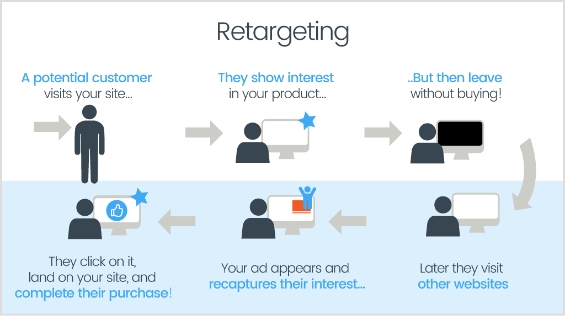
What is a retargeting ad? The word “retargeting” refers to the process of targeting (an audience) again. A retargeting ad targets website or app visitors that have already visited the website or landing page of the advertiser.
What is a retargeting platform? Retargeting platform is a tool that allows advertisers to reach people who have previously engaged with their website or mobile app.
One of the most common online advertising strategies is retargeting, which e-commerce marketers use to engage, attract, and convert the audience.
If you are a marketer or newbie looking to retarget visitors that bounce off your website or leave in mid of their purchase journey, then retargeting is for you.
Let’s dig deeper into the marketing tactic and find out the best retargeting platforms that may help your cause.
How does a retargeting ad work?
A retargeting ad is not rocket science. The way it works is that it uses the retargeting pixel code to recognize the website or app visitor and helps the advertiser reach out to the same audience through a retargeting ad campaign.
So that’s how a retargeting ad works.
Features to look for in retargeting platforms
Don’t shy away from going through the features before opting for a retargeting platform.
Here’s a brief list of features to look for when choosing a retargeting platform:
Audience segmentation – Target specific user groups based on behavior and demographics.
Cross-channel targeting – Reach users on web, social media, email, and mobile apps.
Customizable CTA – Tailor calls-to-action to boost engagement.
Real-time analytics and reporting – Get immediate insights into campaign performance.
A/B testing capabilities – Experiment with creatives and targeting to optimize results.
Integration with other marketing tools – Ensure data flow with CRM, email, and analytics tools.
Transparent pricing – Look for clear pricing structures that align with your budget and goals.
08 best retargeting platforms you can rely on
Following are some of the best retargeting platforms out there.
1. Replug
Replug is a top notch retargeting platform used by e-commerce businesses, media companies, digital agencies, and other online businesses on daily for optimized retargeting.
Its features include traffic routing for audience segmentation, A/B testing for campaign optimization, link cloaking for added security, branded link tracking for consistent branding, and cross-platform conversion tracking to measure results across channels.
Additionally, Replug offers customized link solutions tailored for agencies, affiliate marketers, advertisers, and publishers to enhance their digital marketing strategies.
A complete link management solution
for marketing professionals & agencies.
Try Replug for free
Features
Replug allows you to add retargeting pixels from multiple platforms to your links via its link retargeting tool, enabling you to track and build custom audiences from each click. This feature helps you re-engage visitors with targeted ads across platforms, improving your chances of conversion.
By traffic routing you can direct visitors to high-converting landing pages based on factors like location, language, device, and whether they’re human or bot.
The A/B testing feature allows you to test multiple link variations to determine the most effective options. This helps optimize your ad creatives, CTAs, and targeting strategies for higher conversion rates.
The tool also supports UTM tracking, allowing you to add custom parameters to your links. This feature helps you monitor specific campaigns and understand where your traffic is coming from, providing valuable insights into the effectiveness of each marketing effort.
Replug’s intuitive dashboard centralizes link management, tracking, and optimization. It provides real-time data at a glance, making it easy to make quick, informed decisions without navigating complex tools.
Transforms long or unattractive URLs into clean, branded links, which builds trust and boosts click-through rates with this one and only free short URL generator.
2. Google Ads
When it comes to any type of advertising, Google advertisements are the greatest place to start. They enable you to display your advertising to your targeted audience on Google and its affiliated websites.
To start your retargeting campaign, you must have a Google Ads account. Plus, you must know how to connect a remarketing tag to your property.
Marketers can utilize the audience management tool in Google Ads to create customized audiences by importing data from other sources.
Features
Google owns roughly 40% of the total PPC (pay-per-click) advertising industry, with unrivaled access to advertising real estate via both the Google display network and the Google search network.
Anyone with a Google Ads account can use all of its customization and targeting capabilities, including audience manager, for free.
Facebook is one of the most popular online advertising platforms. The user statistics and overall social media market share tell us that Facebook is an appealing retargeting platform for digital marketing.
The platform has nearly 2.5 billion monthly active users, making this social media giant the third-most visited website on the internet.
Features
It’s simple to create ads that dynamically retarget audiences who have previously interacted with your products – both on your website and directly on Facebook.
Facebook Ads follows the standard PPC pricing model, and it’s completely free to get started.
With its cutting-edge, dynamic retargeting technology, Criteo is a specialized PPC advertising platform that ensures advertisers a high return on ad spending.
Based on its machine learning and AI-powered ad serving, the platform assists businesses in understanding their target demographic and presenting retargeting advertising on the appropriate channels.
Features
Criteo can use predictive bidding to automate the PPC bidding process, saving digital marketers time while further optimizing ad spend.
There is a free trial available, but pricing information must be obtained directly from Criteo.
5. Adroll
AdRoll is a powerful digital growth platform that integrates social, email, and display advertising efforts to help your business thrive. It employs personalization and automation to help brands structure, sync, and measure all of their marketing data and campaigns.
It assists advertisers with retargeting practices, brand awareness, email marketing, audience segmentation, and campaign insights.
Features
Adroll provides a unified platform for digital marketers to create display and retarget ad content and targeting criteria.
It integrates with several publisher networks to extend the reach of retargeting campaigns and cast the largest possible net in pursuit of new consumers and conversions. AdRoll interacts with numerous retargeting platforms, including Google Ads, LinkedIn, Instagram, and Facebook.
6. Perfect Audience
Perfect Audience is a specialized retargeting platform that enables digital marketers to deliver effective remarketing messages across multiple platforms.
Features
Perfect Audience provides a large amount of display ad inventory through partnerships with Google, AppNexus, Lift DNA, and the Rubicon Project.
The platform also enables ad management and retargeting campaigns through Facebook Ads, TikTok, Twitter, Instagram, and the HubSpot platform.
7. LinkedIn Retargeting
LinkedIn is one of the most popular social platforms on the internet, with over 900 million users. While Facebook’s audience is skewed toward older demographics, LinkedIn users are generally professionals aged 25 to 40.
The platform is used by 44% of Americans aged 25 to 29 as well as 37% of those aged 30-49. It sure has made it to the list of retargeting platforms because it allows advertisers to retarget their audience through ads and get more views on LinkedIn.
Features
LinkedIn, as a social platform, caters to professionals looking to expand their network of contacts and advance their careers. It’s also an excellent way for digital marketers to connect with B2B sales/marketing targets on a platform where audiences seek business-related information rather than consumer entertainment.
Getting started with LinkedIn advertising is free. Because the platform adheres to the standard PPC advertising model, you will be charged for each click generated as part of your retargeting campaign.
ReTargeter is a retargeting platform that serves the retargeting advertising sub-niche quite significantly. The concept behind this retargeting platform is that display advertising is more of a one-size-fits-all pattern, which this marketing platform doesn’t subscribe to.
In fact, ReTargeter offers programmatic ads that are based on dynamic and custom solutions tailored-made to clients pursuing remarketing.
Features
ReTargeter provides dynamic creative optimization, advanced audience segmentation, Omni channel programmatic ads, and much more.
The platform collaborates with excellent partners that ensure that every impression is served for quality.
This retargeting platform ensures that advertisers shoot for the stars by providing them with a dedicated account manager that assists advertisers along the way.
The mistakes that destroy retargeting campaigns
Try avoiding the following retargeting campaign mistakes:
No clear vision for retargeting
Zero audience segmentation
Starting retargeting too early
Not optimizing retargeting campaigns
Delivering the wrong ads
Are you ready to turn ad clicks into more conversions?
Digital marketers and online advertisers will always want bang for their buck so they keep an eye on every possibility to improve their advertising ROI.
Retargeting is an excellent strategy for reaching out to the pinpointed website visitors who have already shown some interest in your product or content.
A lot of brands and digital marketers use retargeting to spice up their online sales, especially during the holiday season or during a discount offer.
Are you ready to make the most of your online advertising without breaking the bank?
FAQs on retargeting platforms
What is the purpose of a retargeting ad?
Retargeting ads aim to re-engage users who have previously visited a website or app, encouraging them to complete an action, such as a purchase, that they initially left unfinished.
How does a retargeting pixel work?
A retargeting pixel is a small code snippet that tracks visitors on a website. It helps identify users for future ads, allowing marketers to display tailored ads to them later.
How long should I run a retargeting campaign?
The ideal duration depends on your campaign goals, but many businesses run retargeting campaigns for a few weeks to several months to ensure optimal reach and frequency.
Can retargeting increase conversions?
Yes, retargeting is highly effective for conversions since it targets users who’ve already shown interest in your product or service, encouraging them to complete an action.
What are some common mistakes to avoid in retargeting campaigns?
Avoiding segmentation, showing ads too frequently, and using generic messaging can lead to campaign inefficiencies. Personalized and well-timed ads perform best.
As digital marketers and social media managers look for effective SaaS tools to enhance their online presence. However, with Clickly shutting down, users are seeking reliable alternatives. One such Clickly alternative is Replug.
In this blog, we’ll compare Clickly with Replug side by side and explore why Replug emerges as the top choice for link-shortening needs.
Clickly vs. Replug: Ultimate URL shortener comparison
1. Reliability and uptime: Ensure a strong track record of uptime to avoid broken links.
2. Customization options: Look for the ability to create branded or custom short links.
3. Analytics and tracking: Evaluate the depth of analytics offered, including click counts and traffic sources.
4. Security features: Confirm HTTPS support, link expiration options, and anti-spam measures.
5. Integration capabilities: Check for compatibility with marketing tools and social media platforms.
6. Cost structure: Consider pricing plans and any limitations in free tiers versus paid options.
7. Ease of use: Assess the user interface for intuitiveness and simple link generation.
8. Support and documentation: Look for comprehensive guides and responsive customer support options.
9. API availability: Determine if an API is available for automated link management.
10. Reputation and reviews: Research user feedback and industry reputation to gauge satisfaction and reliability.
Why Replug is the best Clickly alternative
Replug is not an ordinary link shortener, it offers a wide range of solutions to online marketers from various industries. There are plenty of reasons to choose Replug as your first choice URL shortening tool.
Replug has demonstrated strong uptime and reliability in its service, ensuring that user’s links remain active and accessible without disruption.
2. Feature-rich tool
Replug is a feature-rich tool that not only allows branded link shortening, but gives users plenty of options to market their brand using short links.
Few of the standout features of Replug are link retargating, bio links and call to actions etc.
Link retargeting capability
Users can retarget visitors who clicked on their links, enabling more effective remarketing strategies. This can increase conversion rates significantly.
Personalized bio links
Replug enables users to create customized bio links that reflect their brand identity. With an intuitive interface, you can effortlessly design a landing page that combines all your social media profiles, website links, and promotions in one place.
Unlike Clickly, Replug offers more flexibility and customization options, allowing you to curate your online appearance to perfectly match your personal or brand style.
Compelling call to actions
Incorporating effective call-to-action (CTAs) is essential for driving user engagement. Replug offers dynamic CTAs that can be integrated into your personalized links, guiding your audience toward desired actions. The platform’s ability to add different CTAs ensures you can optimize for maximum conversions.
Advanced QR codes and analytics
Replug provides customizable QR codes that you can use in your offline marketing efforts, leading back to your personalized links. What sets Replug apart is its robust analytics suite.
Gain insights into how users are interacting with your links and QR codes, track QR scans, location data, and user engagement over time. This level of detailed analytics allows you to make informed decisions and tweak your marketing strategy effectively.
3. Customization options
Replug offers robust customization features, allowing users to create branded short links. This capability enhances brand visibility and recognition compared to generic short URLs.
Replug offers multiple ways to bcreate your personalized bio landing pages, QR codes, CTAs and more.
It also offers a white-label solution for its agency users, allowing them to add their branded logo, color themes, favicons and access to branded reports as well.
4. Affordable pricing
Replug offers competitive pricing plans with a generous 14-day free trial, allowing users to explore its features before committing to a paid plan.
Replug’s tiered pricing plans accommodate everything from freelance marketers to large enterprises. This flexibility means that as a business grows, it can scale its link management efforts through Replug without the need to switch platforms again.
5. Easy to use
Replug has an intuitive user interface that makes link shortening straightforward. Users can generate short links quickly without setting up a campaign.
Workspaces makes your campaign and link management easy and simple. Track performance of clients and team all in one glance.
This makes Replug a simple, yet effective tool for online marketers.
6. Analytics and tracking
Replug provides comprehensive analytics and tracking capabilities that rival Clickly, including detailed insights into click counts, QR scans, geographic distribution, and referrer data, which are crucial for optimizing marketing strategies.
7. Security features
Replug includes essential security features such as HTTPS support and link expiration options, ensuring that user-generated links remain secure and manageable over time.
This is crucial for maintaining brand reputation and user confidence.
Replug provides excellent customer support and detailed documentation, which assists users in effectively utilizing the platform and resolving any issues that may arise.
When Clickly shuts down, users may find themselves needing reliable support to transition to a new tool. Replug offers extensive resources, tutorials, and customer support to ensure that users can make a smooth transition and get the most out of this efficient link optimization platform.
10. API availability
Replug offers an API for developers, allowing for automated link management and easier integration into existing workflows, which is a significant advantage for companies that require scalability.
11. Positive reputation
Replug has received positive feedback from users for its features and reliability, contributing to a favorable reputation in the URL shortening space compared to Clickly.
12. Comprehensive social media integration
Replug offers a seamless social media integration that allows for easy sharing of links across different platforms. The added ability of click tracking from various channels enhances a marketer’s ability to optimize campaigns specifically for each platform.
13. Continuous updates and improvements
Replug is committed to evolving and meeting market demands. Users can expect regular updates and new features that enhance usability and effectiveness, keeping their link management tools up-to-date with industry standards.
Is Replug the best Clickly alternative?
As Clickly winds down its operations, users are faced with finding a reliable alternative. Replug stands out as an exceptional choice for those seeking a comprehensive link-shortening tool. With advanced features that cater to the needs of marketers, excellent user support, and a commitment to continuous improvements, Replug excels where Clickly may have fallen short.
Transitioning to Replug not only provides immediate solutions to link shortening needs but also positions marketers to utilize an array of additional features that can enhance their overall strategies.
In a world where link management can dramatically affect marketing success, investing in the right tools is essential. Choose Replug to empower your link strategy and take your digital marketing efforts to the next level.
FAQs on why Replug is the best Clickly alternative
How does Replug differ from Clickly?
Replug offers additional customization options with its QR, bio links, CTA features, advanced analytics, and integration capabilities that may not be available with Clickly.
Is Replug suitable for businesses of all sizes?
Definitely! Replug is a powerful tool for businesses of all sizes, offering features that support marketing, branding, and link tracking.
Why should I switch from Clickly to Replug?
Switching to Replug provides more robust features, better analytics, customizable links, and superior support, making it the ideal choice for effective link management. Additionally, Replug offers the convenience of bulk CSV export, allowing you to easily transfer your short link data, making the transition seamless and efficient.
Can I use Replug for free?
Replug offers a free trials plan with basic features, professional, and agency plans, as well as paid plans that unlock advanced functionalities and features tailored for businesses.
Adding an Amazon link to your Instagram bio allows users to easily access and purchase products you promote or have an affiliate relationship with on the platform.
By including the link, you can increase sales and earn commissions as an Amazon affiliate. This also helps increase brand visibility and exposure by allowing followers to easily access and conveniently purchase your products.
Additionally, you can maximize your earning potential on Amazon by sharing a shop’s address, product, or affiliate link on your Instagram Bio. This informative guide will teach you the best options and tips for adding them to your Instagram bio.
Here’s how to add an Amazon link to your Instagram bio:
Step 1: Open the Instagram app on your mobile phone and tap the profile icon in the bottom right corner.
Step 2: Tap the “edit profile” button on your mobile screen.
Step 3: Tap “add link” to open the links section.
Step 4: Tap “add external link” to add your amazon link.
Step 5: Paste your Amazon link in the URL section and tap the tick icon in the top right corner. Your Amazon link now appears in the Instagram bio.
Maximize marketing ROI
by transforming ordinary URLs into branded short links that convert.
Try Replug for free
How to add multiple Amazon links to Instagram bio?
Adding multiple Amazon links (shop and affiliate) to your Instagram bio can increase your exposure and earning potential on the platform.
If you have your own Amazon shop, you can add the link to your bio, allowing followers to easily access and purchase your products. By including this link, you can increase sales and revenue for your business.
In addition to your shop, you can also sign up for the Amazon Affiliate Program, which allows you to promote Amazon products and earn a commission on each sale. As an affiliate, you can add affiliate links to your bio, providing followers with easy access to the products you are promoting.
You can use our link management tool – Replug.io, to add multiple links to your bio. Our link generator for Instagram bio helps you create a standout bio link page in no time. You can add your Amazon shop link, affiliate links to the page, and links to other products, websites, or services.
Step 1: Visit the Replug website and sign up for a new account, or log in if you already have one.
Step 2: Find the “Bio Links” feature in the top banner to access the bio link dashboard.
Step 3: Click on the “New Bio Link” button to create a new page. You’ll be directed to a new screen with three key sections: branding, content, and settings.
Step 4: In the branding section, enter your brand title and description, choose a theme, and select button styles that match your brand’s look and feel. Once you’re satisfied, click “Publish” in the top right corner to save your changes.
Note: Replug also allows you to add a verification badge to your bio landing page for extra credibility.
Step 5: Move to the content section, where you can add various elements, including social icons, links, RSS feeds, videos, cards, and text.
For example:
Social icons: Add up to 8 platforms, customize colors, and link to your profiles.
Links block: Use the “links” block to include website links. Add titles and URLs for each link.
Step 6: After adding your content blocks, click “Update” to save each one.
Step 7: In the settings section, customize your bio link’s SEO and social media preview. You can add a title, description, and favicon image and even integrate a retargeting pixel for better tracking.
Step 8: Once you’re happy with your bio link, save it, and use the Replug’s generated URL to showcase multiple links across your social profiles.
You can also make your URLs more concise and trackable with this efficient ad free URL shortener, ensuring a cleaner and more professional appearance across all your shared links.
The bottom line
Adding multiple Amazon links to your Instagram bio can help you increase your earnings by promoting multiple products and earning commissions on each sale. Replug also allows you to track the performance of each link and determine which products or services are most popular with your followers.
In short, Replug’s free link in bio tool offers numerous benefits, including increased exposure, better engagement, increased sales, improved analytics, and enhanced brand image.
FAQs on Amazon link to Instagram bio
Why is the Amazon link in Instagram Bio not clickable?
If your Amazon link on your Instagram bio is not clickable, it could be due to an incorrect link format, link blocking, a broken link, being blocked by Amazon, or an incorrect tracking ID. Check these factors and make any necessary adjustments to resolve the issue.
Can I add multiple Amazon links to my Instagram bio?
Yes, you can use tools like Replug to create a bio link page where you can add multiple Amazon shop and affiliate links, making it easier for followers to access and purchase products.
Why isn’t my Amazon link clickable in my Instagram bio?
Check if the link format is correct, if the link is broken, or if it’s being blocked by Amazon. Make sure to use a proper tracking ID and verify that the link is not being restricted.
How can I track the performance of my Amazon links in my Instagram bio?
Tools like Replug allow you to track clicks and engagement on your Amazon links, helping you see which products or services are popular with your followers.
Links provide direct pathways for viewers to explore additional content or products, increasing your chances of engagement and conversion.
Adding links to your YouTube bio is a great way to drive traffic to your website, social media profiles, or other online content.
This is the main reason why many creators choose to rely on a dependable platform like Replug.io to manage bio links and link tracking seamlessly.
This can help you grow your audience and increase engagement with your videos.
Quick guide on adding links to your YouTube bio:
Step 1: Access the YouTube Studio
YouTube Studio is the option that provides access to the channel dashboard.
Click on the profile icon from the top-right corner of the screen.
Now, click on the “YouTube Studio” option.
Step 2: Go to the “Customization” section
The next up is the access to the customization section. Look out for the second to last option on the left sidebar; you’ll see the “Customization” option.
Click on that option and enter the customization area.
Step 3: Open the “Profile” tab
Click on the “Profile” tab to access the bio area.
Now, you’ll see the channel’s name, description, and URL.
Step 4: Add links to your bio
Once you have accessed the “Profile” section, you’ll see several customization options.
To add links to your bio, simply navigate to the links section, click on “Add a link”.
Step 5: Add a link
Add your link title and paste the URLs. Once added, it’ll be featured in your “About” section of the YouTube bio.
How to optimize your links for engagement: A guide for YouTube creators
Below are some of the best practices of adding links to your YouTube bio.
1. Relevance is key
Always ensure that the links you share are relevant to the content of your video. If you’re creating makeup tutorials, link to your beauty blog for in-depth articles, product reviews, and additional resources that complement your video. This not only provides value but also enriches the viewer’s experience.
2. Shorten URLs
Using shortened branded URLs in your YouTube bio can greatly enhance your channel’s professionalism and effectiveness in attracting viewers.
To make this even easier, you can use a free link shortener that cleans up long URLs and helps you present a neat, memorable bio link. This is especially handy when you’re sharing multiple pages or long website URLs.
These custom short links not only save precious character space but also make it easier for your audience to recognize and remember the destination, fostering trust and engagement.
3. Social media connections
Consider linking to your social media accounts, such as Instagram, where you can share behind-the-scenes content, engage with followers through polls, and showcase additional makeup looks. These platforms allow for real-time interaction and help you build a stronger connection with your audience.
Additionally, utilizing a URL shortener that provides tracking analytics can empower you to assess which links perform best, allowing you to refine your approach and maximize your outreach.
4. Keeping descriptions clear and concise
When adding links, accompany them with a brief description to clarify what the link is for.
5. Regularly updating links
Links can become outdated quickly. Regularly check all your links to ensure they’re functional, and directing viewers to the correct content.
Based on performance metrics, refine your approach. If certain links aren’t getting clicks, consider changing their placement or how you describe them.
Leverage the power of bio links to not only showcase your additional content but also to significantly enhance your YouTube presence. Transform your viewer’s experience guiding them effortlessly to your blog site, merchandise, or any other relevant platforms. This tailored approach makes it easier for your audience to connect with you on multiple channels.
By linking to your related content—be it blog posts or social media—you create a comprehensive digital ecosystem. This enhances viewer engagement and encourages them to explore more of your work, ultimately fostering a loyal community that values your expertise.
3 common mistakes to avoid when adding links on YouTube
1. Spamming links
Avoid overcrowding your bio with too many links. This can overwhelm and confuse viewers. Focus on quality over quantity.
2. Ignoring guidelines
YouTube has specific policies regarding links. Ignoring these can result in penalties or removal of your content. Always stay informed about community guidelines.
3. Neglecting mobile users
With many users accessing YouTube on mobile, ensure your links are mobile-friendly. Test how they appear and work on different devices.
Conclusion
Adding links to your YouTube bio is a powerful tool for boosting engagement, directing traffic to your other platforms, and generating revenue. By understanding how to strategically incorporate links, you’ll enhance your channel’s visibility and viewer experience. Remember to regularly review your links and keep them updated for the best results.
Have you ever felt stuck hunting for a reliable tool since Google shut down its URL shortener? If that’s the case, don’t worry, you’re not alone!
Many of us get confused, or even irritated at times, when links break, or we can’t remember how to shorten a link securely. That frustration grows even more when you test dozens of tools online, only to find they’re clumsy, unreliable, or expensive.
The bright side: It doesn’t have to be that way anymore!
In this blog post, you’ll find 10 top-tier Google URL shortener alternatives that combine ease, brilliant features, and dependability.
Ready to leave behind broken goo.gl links? Let’s check out the amazing alternative tools to Google URL shortener next.
Top 10 URL Shortener Alternatives to Goo.gl
Since Google shut down its Goo.gl service in 2019, many users have been searching for solid and trustworthy alternatives. Fortunately, there are numerous paid URL shorteners available, each with its own unique set of attributes and benefits.
Let’s kick things off with probably the most excellent and well-known option, i.e., Replug.
Replug.io – Best custom URL shortener tool online overall
If you’re looking for a smart way to shorten a link without just relying on a generic service, Replug might be your go-to tool. It’s not just a URL shortener; it transforms ordinary links into branded, trackable assets that carry your identity.
Since Goo.gl is long gone, Replug stands out as a strong alternative for anyone who wants more than just a short link. With this top-notch tool, you get brand recognition, link analytics, and campaign-level insights all in one place.
Key features
Branded link creation: Convert any long URL into a short, custom version under your domain with this reliable link shortener tool.
Deep link routing & A/B testing: Segment visitors by device, region, or date, and test multiple link versions to see which works best.
Full analytics & campaign tracking:Monitor clicks, conversions, custom domains, and workspaces, all from one single dashboard.
White-label solution for agencies: Manage workspaces for multiple teams and clients, with personalized domains and branding.
Pricing plans
Free: $0/month
Essentials: $19/month
Scale: $39/month
Agency: $99/month
Enterprise: Custom pricing
Pros
Cons
Lets you build branded short links within seconds to boost recognition.
The interface can feel overpowering when you’re just starting out.
Enables advanced features like retargeting and A/B testing.
Agencies get nice features like client workspaces and white-labeling.
In short: If you’re way too serious about your links, branding them, tracking them, turning them into marketing tools rather than just short URLs, Replug hits the mark. Yes, it might take a little time to get familiar with all the features, but once you do, you’ll likely find that your link-sharing and campaign tracking become much smarter. For anyone looking beyond basic shortening and aiming for full-scale link management, Replug is a very solid choice.
Bitly – Best for general use & analytics
If you’re the one in search of a solid all-around solution to get shortened links in no time, Bitly has you covered. It’s been around for years, evolving from a simple link shortener into a full link-management system that easily replaces the old Goo.gl.
With Bitly, you can create shortened, branded links that feel trustworthy, track how they perform, and redirect links when you need. All of this makes it a smart alternative to Google’s bygone service.
Key features
Create branded short links with Bitly using top-level domains, so your links carry your brand identity.
Monitor click stats, locations, devices, and campaign performance in real time from one dashboard.
Change link destinations later on (redirect) so you’re not stuck with a dead link.
Shorten multiple links in one go to save time when you’ve got many links to manage.
QR code and landing-page features are included, making it more than just a shortener. It’s more of a link-campaign hub.
Pricing plans
Free: $0/month
Core: Annual plan only
Growth: $35/month
Premium: $300/month
Enterprise: Custom pricing
Pros
Cons
Very strong campaign tracking and analytics, making it easy to compare different links and channels.
The free version is very limited. It may not be enough if you need custom domains or many links.
A trusted, established platform used by businesses of all sizes. Great for long-term stability.
Some advanced features (e.g., deep link analytics, full brand control) are locked behind higher tiers.
Supports branded domains, QR codes, and bulk operations. Versatile for personal & enterprise use.
Can become fairly expensive as your link volume or team size grows.
In short: If you’re after a reliable, user-friendly tool to shorten links and track how they perform, Bitly is a standout choice. It balances ease of use with powerful features, so you can do more than just shorten a URL. You can turn it into a smart marketing asset. It isn’t the cheapest for all features, but the value is there if you’re serious about tracking and managing links. For general use or growing teams who want analytics and brand control, Bitly hits a strong sweet spot.
TinyURL – Best for simplicity & speed
Elegant in its ease of use, TinyURL is one of the longest-running tools for shortening URLs. It remains a top choice when you just need to shorten a link without fuss.
Before the days of complex dashboards and enterprise workflows, TinyURL let users paste a long address and get back a short, shareable link. With the retirement of Google’s URL shortening tool, TinyURL stands out as a lightweight, fast alternative when you don’t require a full-fledged link-management system.
Key features
Instant short-link creation: No signup required; paste a URL and get a short version in seconds.
Basic analytics: Track clicks, referrers, and geography (on paid plans) to get insight into link performance.
Bulk shortening: Create numerous links at once when you have a batch of URLs to manage, hassle-free.
Persistent links: Shortened URLs generally don’t expire, so you don’t have to worry about links vanishing.
Pricing plans
Free: $0.00/month
Pro: $12.99/month
Bulk 100K: $129.00/month
Enterprise: Custom
Pros
Cons
Super fast and simple to use. Great for quick link shortening without setup hell.
Free users get very limited analytics and customization.
No mandatory signup for basic use. Just paste a URL and go.
Less suited for advanced campaign tracking compared to full-fledged tools.
Links can remain active for a long time (with no forced expiration), so you’re not chasing dead links.
The interface and workflows can feel basic if you’re used to more polished platforms.
In short: For anyone who cares more about speed and simplicity than deep analytics or agency-level workflows, TinyURL is a preferred choice. It lets you shorten a link in seconds, share it, and move on. Of course, if you’re managing heavy-duty campaigns or need detailed insights, you might eventually shift to a tool with more layers. But for everyday link-sharing, on-the-fly shortening, or minimal-setup use, TinyURL just works, and works easily.
Rebrandly – Best for generating branded & personalized links
Here’s the deal: when you want to share a link that actually looks like your brand and not some random shortener domain, Rebrandly comes through. It helps you turn long or messy URLs into branded, customized short links using your own custom domain name.
After Google announced the shutdown of its tool, Rebrandly stepped in as a top-tier alternative for anyone who cares about their brand identity in every link.
Key features
Use your own custom domain (e.g., yourbrand.co) with Rebrandly, so links reflect your identity and build trust.
Advanced analytics and tracking for clicks, geography, devices, and campaign performance.
Easily change where the link points even after it’s live (handy for redirecting or fixing errors).
Bulk link creation & management tools for scaling across campaigns, teams, and clients.
Hassle-free integration with workspaces, team collaboration, and API access for automation.
Pricing plans
Free: $0/month
Essentials: $14/month
Professional: $39/month
Growth: $119/month
Enterprise: Get a quote
Pros
Cons
Let’s you build fully branded short links. Great for identity and trust.
For small users, the free plan’s limits may feel tight.
Strong team & domain management features. Works well for agencies or multi-brand.
The interface has many features, which may feel confusing for basic users.
Reliable integrations and API support for automating link workflows.
Reports of slower support response or domain setup issues.
In short: If your goal is to share links that look professional, match your brand, and provide you insight into how they perform, then Rebrandly ticks all the right boxes. It might be more than what a casual user needs, but for marketers, agencies, or businesses that care about every link, it’s a worthwhile pick. If you’re just looking to shorten a link now and then without any trouble, you might prefer something simpler. However, when branding and control matter, Rebrandly surely stands out.
Short.io – Best for enterprise use & custom branding
Here’s another tool worth knowing at present. Short.io helps you create short links that don’t just shrink URLs, they carry your brand, your domain, and your story.
With the old Goo.gl no longer available, Short.io takes the center stage by offering advanced capabilities (custom domains, detailed analytics, team workflows) that go beyond basic shortening and make it worthy of enterprise-level use.
Key features
Branded & multiple custom domains: Shorten links using your own domains (and many of them) for consistent brand identity.
Real-time detailed analytics: See click streams, referrers, devices, geolocation, and more.
Team & enterprise workflows: Roles, access controls, bulk operations, API integration, deep links, geo-targeting, from one single place.
Affordable rates: Generous free tier and strong value-pricing for scaling teams.
Pricing plans
Free: $0/month
Hobby: $5/month
Pro: $18/month
Team: $48/month
Enterprise: $148/month
Pros
Cons
Offers strong custom-domain support and link-branding at enterprise scale.
The dashboard and feature set can feel intimidating for first-time users.
Strong analytics and targeting features that suit businesses.
Some users note that data export or UI could be improved.
Good value for companies needing custom domains, bulk operations, and API access.
Onboarding custom domains may require technical setup that non-technical users may find tricky.
In short: Short.io is a brilliant choice for businesses, agencies, or teams that need branding, control, analytics, and scale. If your goal is to build branded links across multiple domains, track campaigns in detail, collaborate with a team, and lean on automation, Short.io hits the mark. For simpler needs, it might feel overdesigned, but for professional or enterprise use, it’s very much worth a look.
Dub.co – Best for modern features & automation
Dub.co is a fresh option worth your time. It is a modern link-management platform that not only helps you shorten a link, but does so with advanced automation, rich analytics, and even open-source underpinnings.
Dub.co arrives as a compelling Google URL shortener alternative for anyone who needs more than just a simple short link. Whether you’re tracking funnels, automating redirects, or managing branded domains, this innovative tool won’t disappoint.
Key features
Custom domain support + free .link domain promotion so that you can create branded short links with your own identity.
Device & geo-targeting, link expiration, password protection, link cloaking, and UTM builder—all built into the link creation workflow.
Real-time analytics with device, browser, and location details.
Longer retention on paid plans, ideal for funnel and campaign tracking.
Open-source option + API/SDK access. You can self-host if you prefer, or integrate deeply with your existing tech stack.
Pricing plans
Free: $0 (free forever)
Pro: $30/month
Business: $90/month
Advanced: $300/month
Enterprise: Custom
Pros
Cons
The design and user experience are very modern. Link creation and analytics feel intuitive and up to date.
The pricing has changed significantly in recent times. Free tiers or older plans were quite cheaper.
Excellent for automation and integration: APIs, SDKs, device/geo targeting make it strong for advanced use.
Some enterprise-grade features (e.g., self-hosting or ultra-large volume) require more setup or technical know-how.
Good value for custom domains + branded short links + analytics in one place.
Visibility into long-term system reliability is still somewhat limited (e.g., fewer historical incident reports).
In short: If your needs go beyond simply shrinking a URL, and you’re looking at links as part of a marketing funnel, or brand identity, then Dub.co is seriously worth considering. It strikes a good balance between power and usability. You get strong analytics, custom domains, and automation features — all under one roof.
BL.INK – Best for businesses of all sizes
The tool formerly known just as a URL shortener has grown up, and that’s exactly the story of BL.INK. It’s designed to help you shorten long URLs into crisp, branded links and manage them seamlessly. You can also track clicks, integrate it with your tools, and scale as your business grows.
In the post Goo.gl era, BL.INK steps in as a full-fledged alternative. You get the simplicity of link-shortening with the power marketers need for campaign control, analytics, and brand consistency.
Key features
Branded links & custom domains: You can create links that reflect your brand identity, making them look professional and trustworthy.
Editable link destinations & unlimited redirects: Change where a link points even after it’s live, without losing historical performance data.
Real-time tracking & click data: Track clicks by using different metrics, helping you understand how your links perform under various scenarios.
Rich integrations & security: Works with many enterprise tools, supports custom domains, and offers strong data protection and compliance.
Pricing plans
Expert+: $48/month
SMB: $99/month
Team: $299/month
Business: $599/month
Enterprise: Custom
Pros
Cons
Strong branding and trust-building features at hand.
Some users may find the minimum paid tier higher than simpler alternatives.
Enterprise-grade link management: Offers auditing, governance, link-editability, and complete user control.
Because of its scale, the interface may feel more complex to beginners.
Excellent integrations: Works well with marketing tools, QR codes, custom domains, and link-campaign systems.
Some features (e.g., full API access, advanced domains) may only unlock at higher tiers.
In short: Whether you’re a startup, a growing business, or a large enterprise, BL.INK offers the kind of link-shortening plus link-management you’d want when your links carry your brand and support your campaigns. If you’re treating links as touchpoints and not just as URLs, then this platform makes good sense. For casual or one-off link shortening, you might not need all its depth, but if you’re serious about branding, analytics, and scale, BL.INK is a very sensible option.
T2M – Best for large-scale management
Here’s a strategic tool if your team deals with hundreds or thousands of links every day. T2M URL shortener is built to handle serious link volume, bulk operations, and branded short links with analytics, making it a strong alternative now that Goo.gl is out of the picture.
It helps you shorten long URLs, track every click, brand your domains, and coordinate link workflows across a team or enterprise with ease.
Key features
Branded/custom short URLs and custom domains for full brand consistency.
Bulk link creation, CSV import/export, and high-volume redirects to streamline large campaigns.
Detailed analytics (geo, device, campaign tags), UTM builder, link expiration, password protection, and QR code support.
API access, team seats, SSO, and enterprise-grade features for management across users and brands.
Pricing plans
Basic: $5/lifetime (for individuals)
Standard: $9.99/month (for individuals)
Pro: $29.99/month (for individuals)
Essentials: $45/month (for business)
Premium: $89.99/month (for individuals)
Teams: $165/month (for business)
Enterprise: $395/month (for business)
Dedicated: $$$/month (for business)
Pros
Cons
Exceptional value for teams needing branded links + analytics + bulk workflows.
Some of the highest-end features may only be cost-justified for very high-volume use.
Highly scalable: Good for firms managing thousands of links, domains, or campaigns.
The interface can feel a bit rampant if you only need basic shortening.
Excellent support and reliability according to user reviews.
In short: For businesses that treat links as more than just shareable URLs, and instead as branded assets, campaign tools, and analytics drivers, T2M is a very reliable choice. It handles scale, customization, and tracking much better than simple free URL shorteners. When you’re managing large-scale link operations, or multiple brands or domains, T2M steps up for you like a star.
If you’re someone who is looking to turn every shared link into a chance to engage your audience, Sniply might just be your best friend. At its core, it is just a URL shortener (yes, like many others), but with a plot twist. It allows you to embed a custom call-to-action (CTA) inside every link you share.
So instead of simply redirecting someone from a link to a destination, you can overlay a message, button, or form that drives your own conversion goals. Because of that, it works as a strong alternative to the classic Google URL shortener-style tools. With this tool, you’re not just shortening links, you’re turning each link into a branded opportunity, not just a redirect.
Key features
Custom URL shortener with your own domain or branded shortlinks.
Overlay a CTA (button, form, image, hidden message) on any link you share, even third-party content.
Track clicks, conversions, time on page, device data, etc.
A/B testing of CTAs to optimize performance over time.
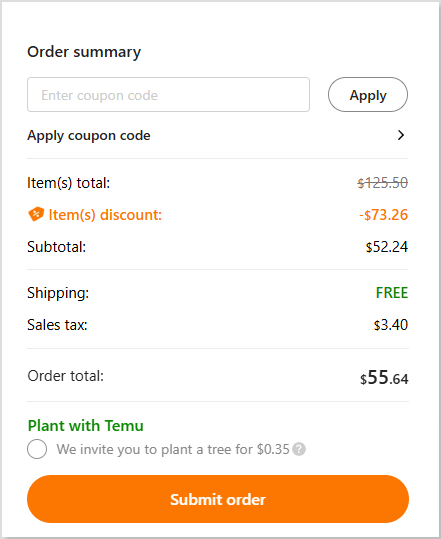
Works well with known tools like Buffer, Hootsuite, Zapier, etc.
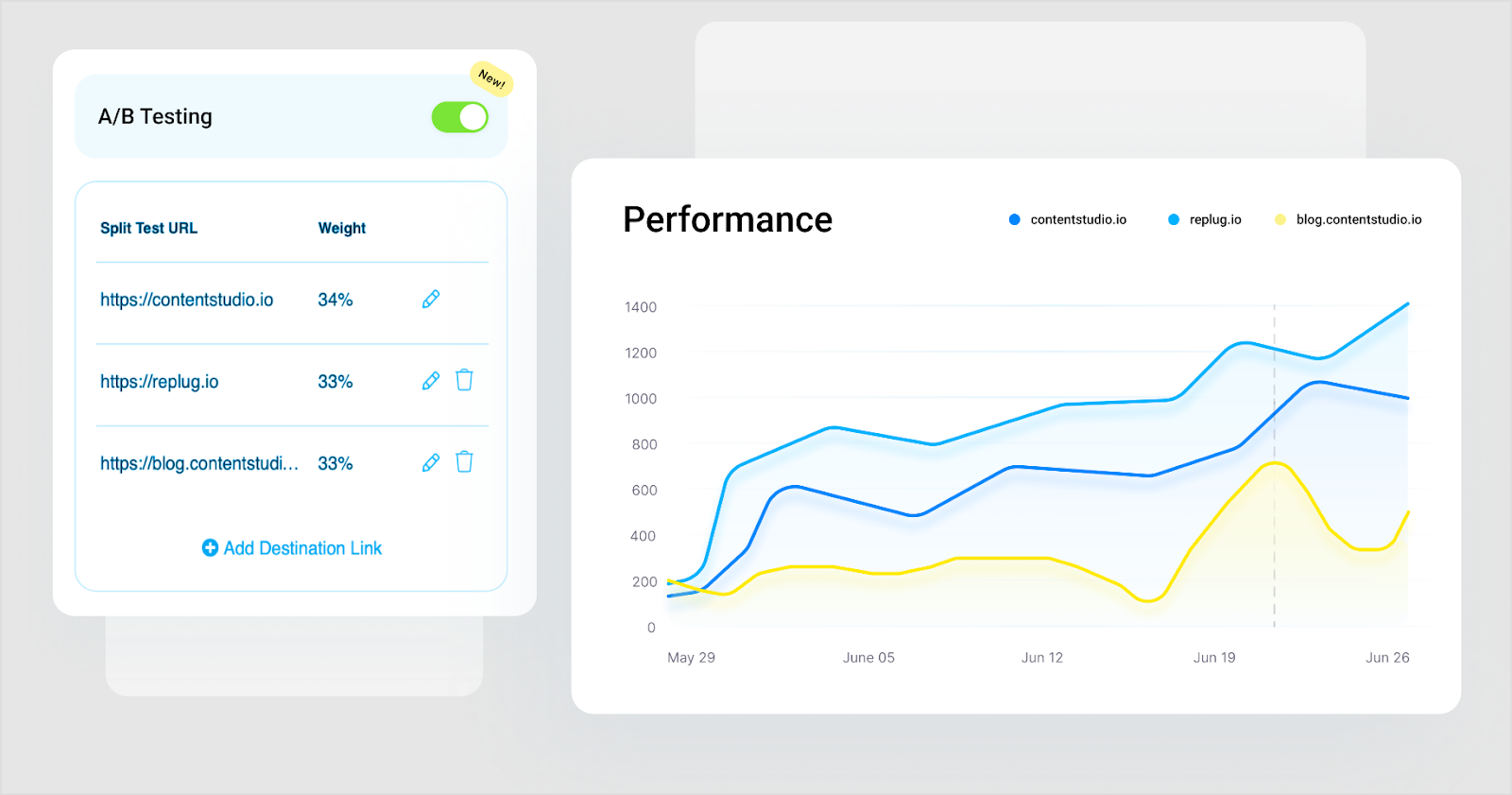
Retargeting pixel support so you can build audiences from who clicked your links.
Pricing plans
Basic: $9/month
Pro: $29/month
Business: $59/month
Enterprise: Custom pricing
Pros
Cons
Lets you monetize or capture value from links you share (not just shorten them).
Pricing is higher compared to other simple URL-shorteners available online.
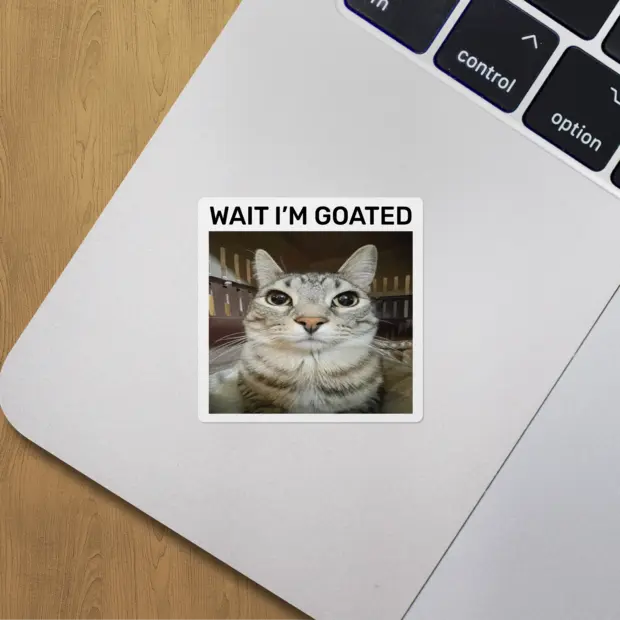
Strong branding control (custom domains, CTA design).

Some advanced features may have a learning curve for beginners.
Deep analytics + conversion tracking gives insight beyond “just clicks”.
In short: Sniply is a clever tool if you regularly share links, and want to do more than just redirect someone. It’s not just a “make it shorter” tool; it’s a “make it work for you” tool. Every link becomes a mini conversion funnel. If you’re building an audience, sharing often, and care about capturing value from each click, then Sniply is absolutely worth a look. It is friendly, powerful, and a bit more marketing-focused than the standard link shorteners.
Hopp.co – Best for monetization
Hopp by Wix is a modern “link in bio” tool that lets creators, influencers, and small businesses turn a single profile link into a mini-hub of content. You can shorten URLs, brand them, embed multiple links, track performance, and even monetize traffic with features like pre-rolls and tip jars.
Because it gives you more control than many of the finest URL shorteners (such as the now-retired Google URL shortener), it can act as a viable alternative. You’re not just shortening links, you’re managing them, monetizing them, and building a branded destination.
Key features
Link shortening & custom aliases: Convert long URLs into shorter, more memorable ones and align them with your brand.
Searchable link hub: Each link you add is indexed in your Hopp page, so followers can type keywords and find precisely what they need.
Monetization tools: From tip jars, paid DMs, paid requests, to pre-rolls that display before a click. Hopp turns your traffic into revenue.
Landing page / Instant page builder: Create mobile-friendly landing pages tied to a link-in-bio hub, for campaigns or product launches.
Analytics & tracking: Understand clicks, visitor behavior, and traffic sources all within the tool.
Seamless brand integration: Built by Wix, you can integrate with custom domains, Wix CRM, embed blocks (videos, forms), and keep everything on-brand.
Pricing plans
Light: $17/month
Core: $29/month
Business: $39/month
Business Elite: $159/month
Pros
Cons
You can monetize your links directly. A step beyond most standard URL shorteners.
The UI and workflow might take a few minutes to get used to if you’re only familiar with basic link shorteners.
The searchable link-hub gives your audience more efficient access to specific content (rather than a long list of links).
Seamless integration with your brand: custom domain, design, embed blocks, and ties in with Wix ecosystem if you use it.
In short: If you’re serious about turning clicks into something meaningful, say affiliate revenue, product sales, engagement, or building a micro-destination for your followers, then Hopp by Wix is a wise choice. It offers the URL shortening you need, plus monetization, analytics, branding, and landing-page features that most simple shorteners leave out.
Some other URL shorteners you can try
Here are some additional URL shorteners you can explore, each with its own specialty and use case:
URL shortener by Zapier: Best for automation & workflow integration
This built-in tool in Zapier lets you automatically shorten links as part of your “Zap” workflows, so long URLs can be trimmed and sent on without manual intervention.
Firebase Dynamic Links: Best for app deep‐linking & mobile campaigns
Originally the successor to Google’s shortener, Firebase Dynamic Links are ideal when you want links that behave differently on mobile apps vs the web.
Ow.ly: Best for social media posts via Hootsuite
Integrated within Hootsuite, Ow.ly creates short links directly while you schedule or publish social posts. Quite handy if you already use that platform.
Cuttly: Best for branded links + analytics for creators
Cuttly offers custom domains, detailed click stats, QR codes, and even “link in bio” pages. Good for creators, small businesses, or anyone who wants more visual/tracking power.
Tiny.cc: Best for fast & straightforward link shortening
If you just need to shorten a URL quickly without many extras, Tiny.cc offers a streamlined option (though you’ll want to check current analytics/branding support).
Linkly: Best for marketing & retargeting use cases
Linkly supports custom domains, retargeting pixels, device/geo-redirects, and link tracking. Well-suited tool for marketers who want to tie links into ad/retarget flows.
GoLinks: Best for internal team/organization use
GoLinks are geared toward companies that share internal tools/resources with short, memorable links within a domain. Less about public marketing, more about internal workflows.
is.gd: Best for ultra-simple, no-frills shortening
A minimal option when you just want to shorten a link fast and move on, without needing tracking dashboards, branding, or integrations.
With the original Goo.gl links now unsuitable, picking a link shortener that fits how you use links is the key. No matter if you’re posting on social, tracking campaigns, branding links, or managing internally. Each of the tools above offers a different focus, so you can pick one (or more) that match your workflow and budget.
Before stepping into the many tools out there, it’s worth thinking through what really matters when picking a URL shortener. Below are some key factors you should evaluate so you choose a tool that fits your workflow, not just one that “works.”
Core functionality: At the most basic level, the shortener must reliably convert long links into shorter ones with proper redirects (ideally 301 redirects) and minimal downtime.
Additional standout features: Beyond basic shortening, look for custom branded domains, deep linking, mobile targeting, UTM tracking, and analytics. These features uplift a link shortener from “just short links” to a marketing tool.
Usability: A clean, intuitive interface matters. If you spend more time figuring out how to shorten links than actually sharing them, your chosen tool will slow you down, not help you.
Onboarding: What’s it like to get started? The best tools offer easy setup (domain linking, link creation) and precise documentation. If you’re stuck in configuration for hours, that’s a negative.
Customer support: When something goes wrong, e.g., links stop redirecting or analytics disappear, then you’ll want responsive support. Good tool providers offer live chat, email help, and documentation to guide you.
Value for money: Check how many links, domains, clicks, and features you get for your budget. A “cheap” shortener might cost less, but if it lacks features or caps your usage harshly, it’s not a good choice. You could end up paying more in lost time or upgrading sooner than expected.
Customer reviews: Look beyond the marketing. Read user reviews and case studies to see how the tool performs in real life. Do people complain about downtime, confusing UI, or hidden costs? That’s just as important as the specification sheet.
Why should you use a link shortening tool?
Using a link-shortening tool isn’t just about making long URLs look nicer; it’s about smarter sharing, stronger branding, and better data. Short links are cleaner, easier to remember, and more reliable when pasted into chats, printed on materials, or squeezed into social posts.
Additionally, these tools give you built-in analytics (clicks, location, device), UTM support, and even custom domains, so every link becomes a measurable and brandable asset rather than just a bare URL.
All in all, if you share lots of links, care about how they appear, or want to see how they perform, investing in a good URL shortener is a smart move.
Summing Up
Selecting the right URL shortener really comes down to what you need most: simplicity, branding, analytics, or scalability. Each tool we discussed has its own strengths, but the goal remains the same: making your links look cleaner, perform better, and drive real results.
No matter if you’re a marketer, creator, or business owner, a solid link shortener tool can easily level up your online presence. And hey, if you want an all-in-one solution with branded links, analytics, and retargeting, give Replug a must-try. It’s easily the best Google URL shortener alternative out there!
Frequently Asked Questions
What is link shortening or URL shortening?
Link shortening (or URL shortening) is a technique that converts a long web address into a shorter version that still redirects to the same destination. It’s especially helpful for making links easier to share, remember, and track without changing where they land.
What is the best alternative for Google URL shortener?
Since Google URL Shortener (goo.gl) no longer accepts new links, modern tools like Replug with strong branding, analytics, and reliability are widely recommended as the best alternative.
Is Google URL shortener no longer available?
Yes, Google stopped accepting new goo.gl links in April 2018 and officially discontinued the service for new users in 2019. Existing links also stopped working for most users after August 25, 2025.
What is the most trusted URL shortener?
Replug is regarded by many in 2026 as the most trusted URL shortener. Thanks to its long history, enterprise-grade infrastructure and reliable service.
Which one is the best free URL shortener?
For free link-shortening without needing an account, Replug and TinyURL stand out as simple, no-fuss best URL shortener options that have been around for years and are trustworthy.