You’ve set up your Twitter (X) Ads account, but now what? To truly make your ads work for you, you need your X pixel ID. So, how do I find my Twitter Pixel ID? It might sound technical, but don’t worry—it’s easier than you think.
Let’s get you on the right track to find it and make your retargeting ad strategy more effective. This guide will help you utilize a high-quality link retargeting tool to track your audience’s every move and fine-tune your campaigns like a pro.
Boost ROI with branded URLs!
Enhance your marketing campaigns by creating shareable, trackable, and fully multi-purpose
customizable branded URLs.
Select your country and time zone. Select the country whose currency you’d like to be billed in and the time zone you’d like your campaign results to show up in. You cannot change these values once you’ve created your account.
You’ll be brought to the campaign setup form or X Promote Mode setup, depending on your choice at step 4.
Enter your billing information to complete your ads account and start your campaign.
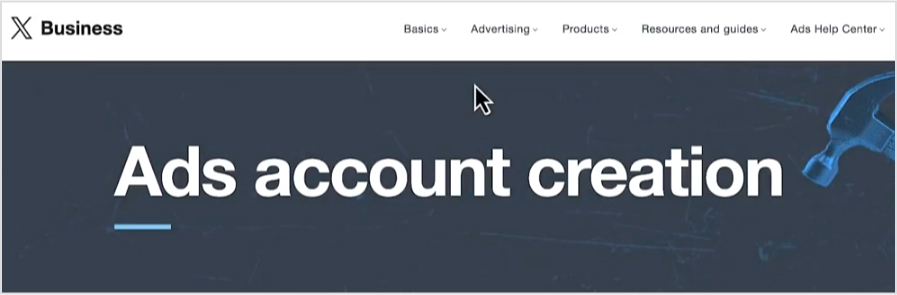
Log in with your X (formerly Twitter) account credentials. Make sure you have the necessary permissions to access ads and tracking settings.
2. Open the events manager page
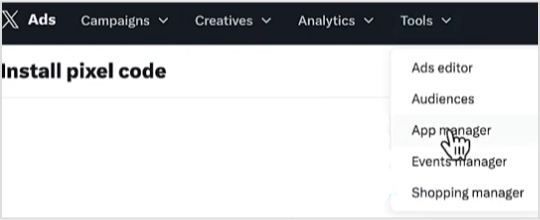
Once logged in, look for the navigation menu. It’s typically on the left side of the screen.
Click on “Tools” to expand the dropdown menu.
In the drop-down menu under “Tools,” select “Events manager.”
4. Add event source
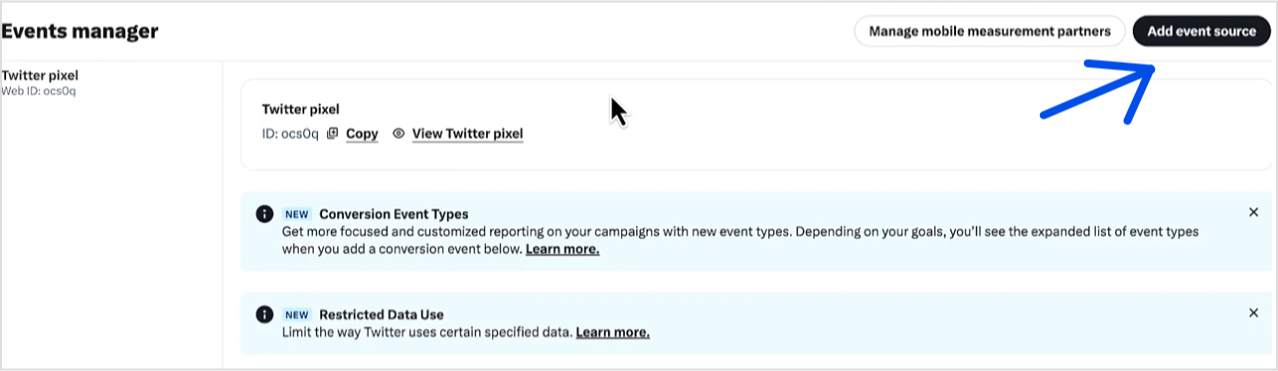
Now this page typically consists of a list of your existing events and pixels.
If you don’t see any, you might need to create a new pixel first. Click on the “Add event source” or similar option to set up a new pixel.
5. View pixel details
After adding relevant details, click on the pixel you want to find the ID. This will open its details.
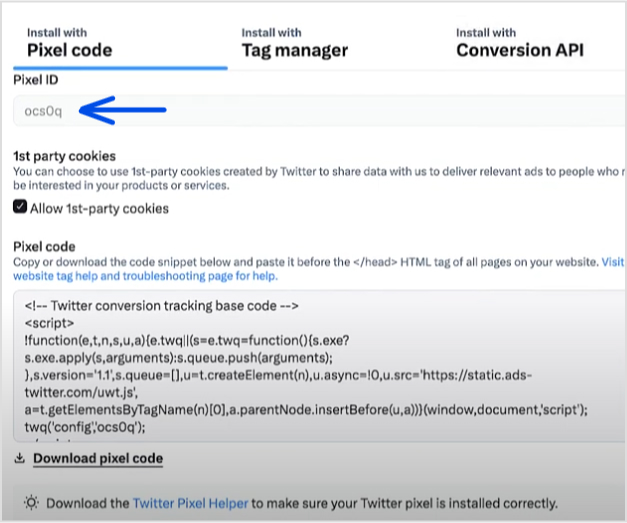
Look for a section or tab labeled “Pixel ID” or something similar.
6. Copy the pixel ID
Once you find the Pixel ID, copy it to your clipboard. You’ll need this ID to integrate the pixel with your website or other platforms.
However, you can also download the pixel code using the “Download Pixel Code” button.
Troubleshooting tips
If you can’t find the pixel ID: Double-check that you’re logged into the correct account and have the necessary permissions to view conversion tracking settings.
For further assistance: Consult X Help Center or reach out to their support team if you encounter issues you can’t resolve.
After you’ve set up your X Pixel ID, you’ll be ready to start running targeted retargeting campaigns. This setup allows you to track user behavior on your brand, which in turn helps you create more personalized and effective ad experiences.
If you’re unsure how to do this, don’t worry. Below, we added a a brief paragraph on setting up and tracking your retargeting campaigns.
Setting up your X retargeting campaign
To start with the process, you need an efficient retargeting tool, i.e., Replug. It offers powerful features and ease of use. Here’s a detailed guide to setting up your X (formerly Twitter) retargeting campaign using Replug:
Maximize marketing ROI
by transforming ordinary URLs into branded short links that convert.
Try Replug for free
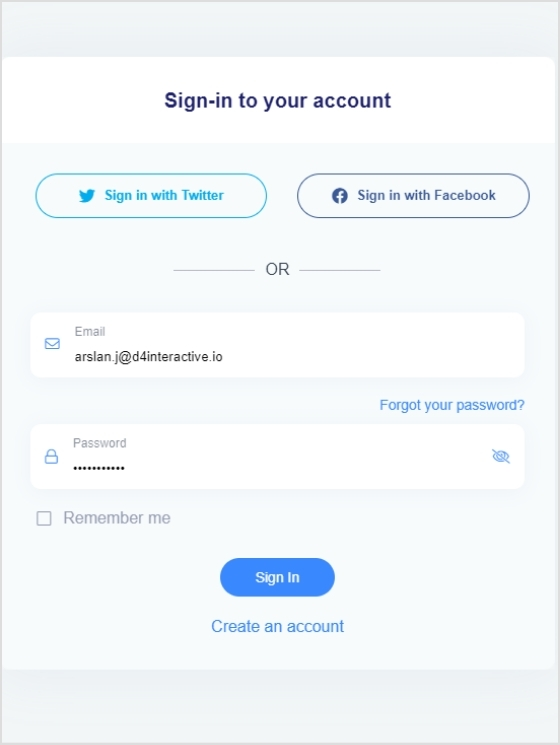
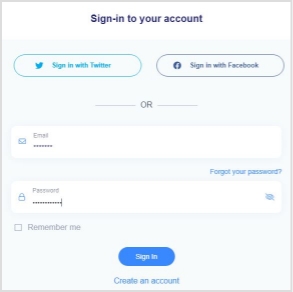
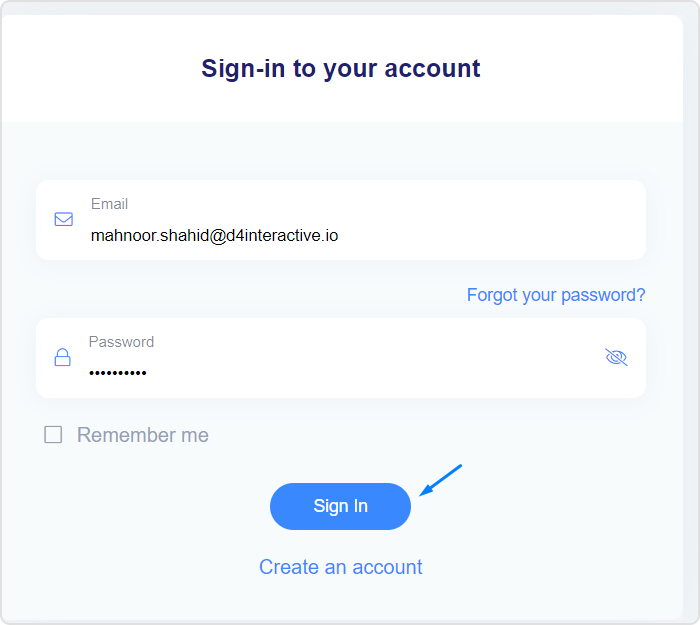
First, sign up for Replug if you don’t have an account yet. If you already have one, simply log in.
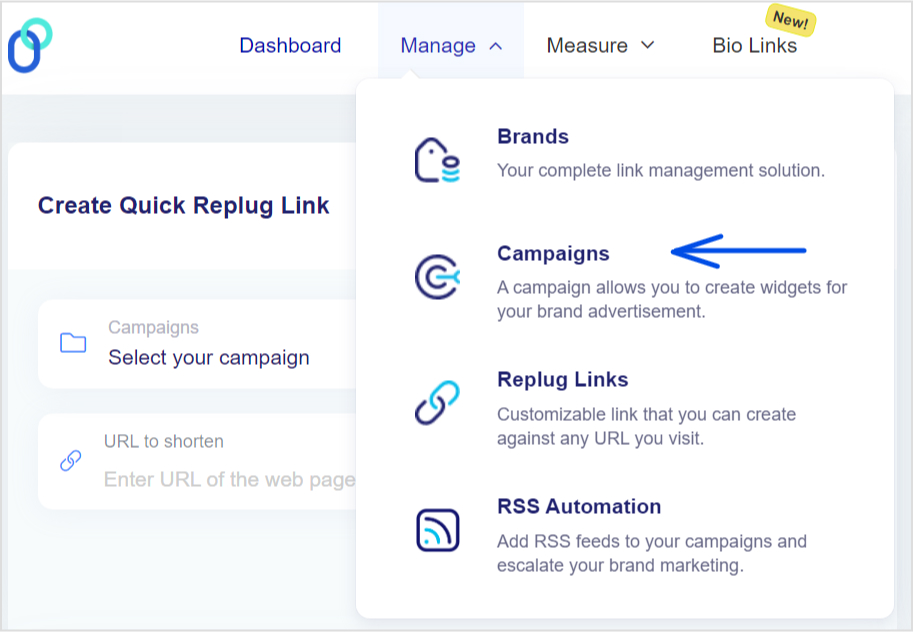
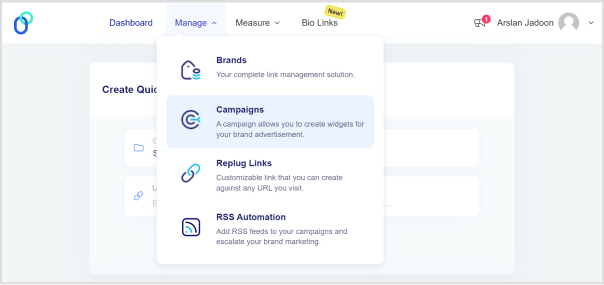
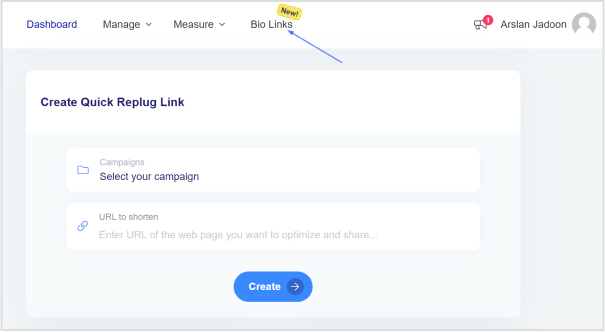
Go to campaigns: From the top menu, click on “Manage,” then select “Campaigns” from the drop-down.
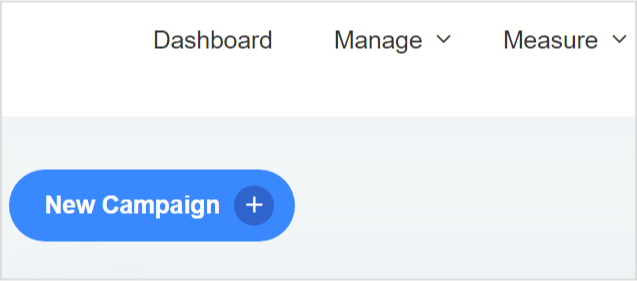
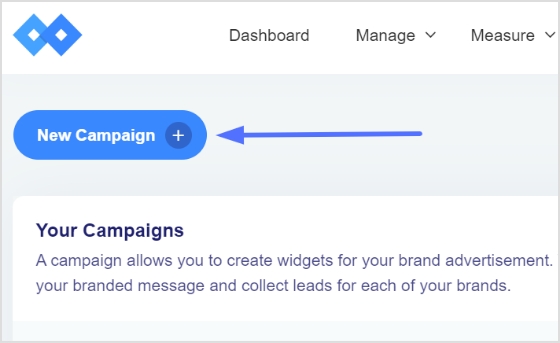
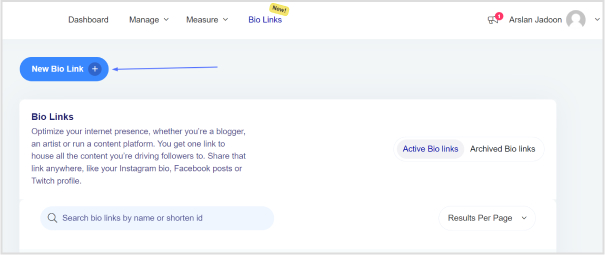
Start a new campaign: On the Campaigns page, hit the “New Campaign” button to kick off your retargeting project.
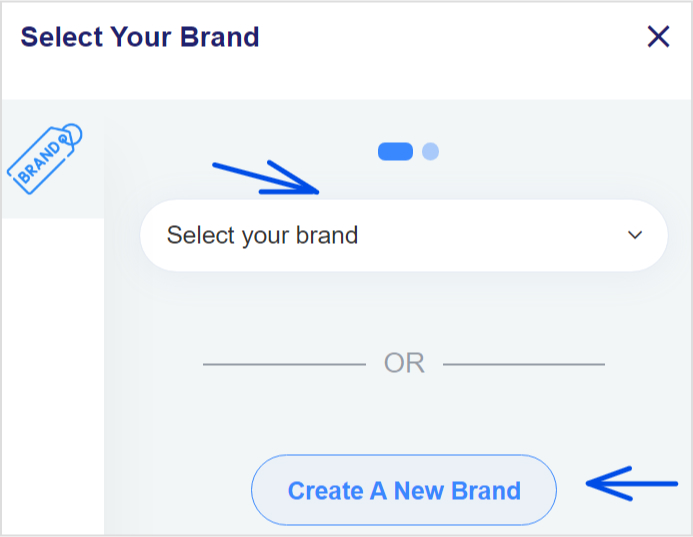
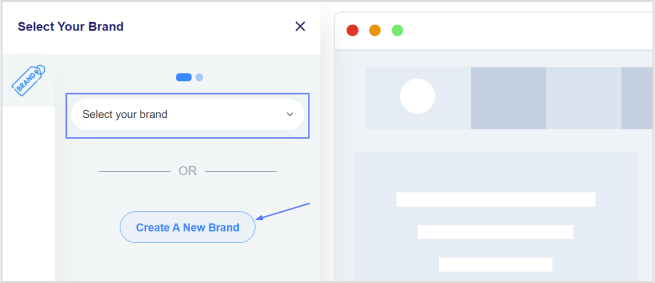
Pick your brand: You’ll be prompted to choose a brand for your campaign. If you don’t have one yet, you can easily create a new brand here. Just select the right brand or add a new one and move on.
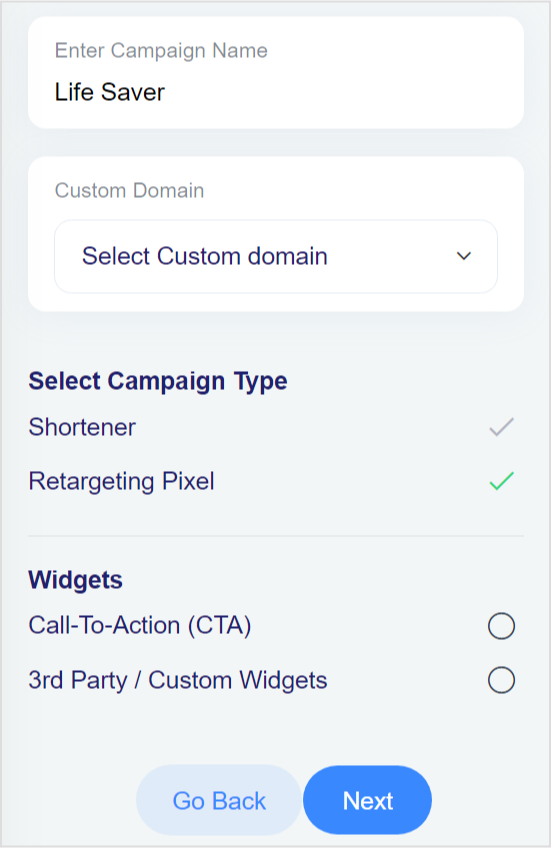
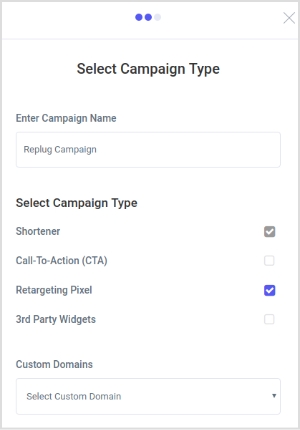
Choose your campaign type: Give your campaign a name and pick a custom domain if you want. Then, select the “Retargeting Pixel” option by checking the box. Click “Next” to keep going.
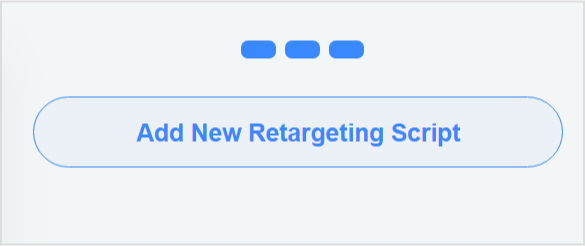
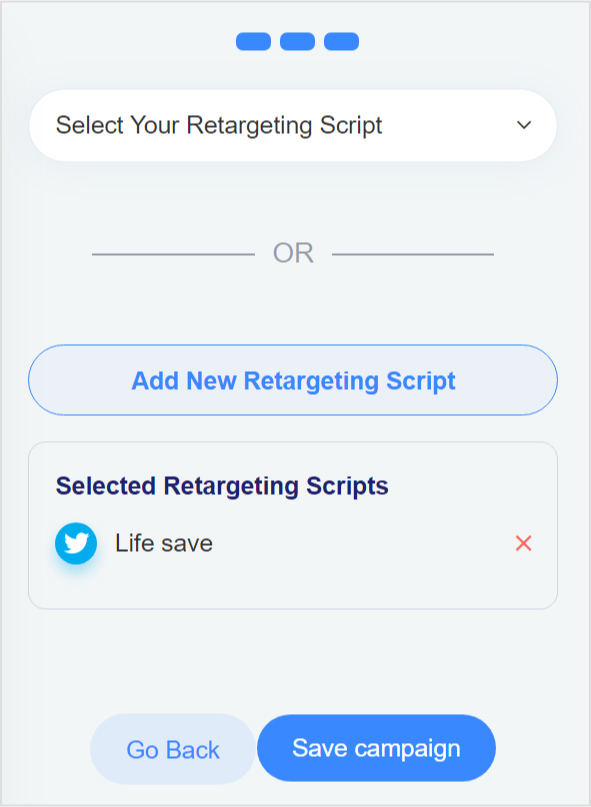
This bar will appear.
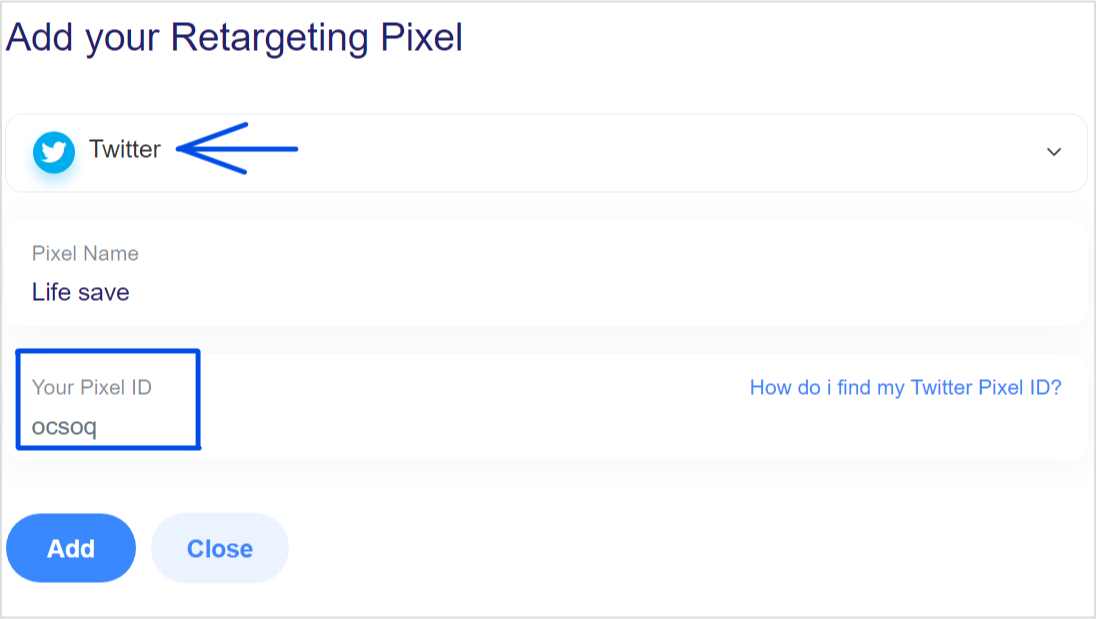
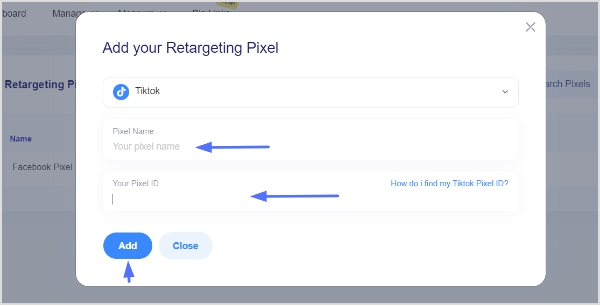
Add your pixel ID: Now, choose the retargeting platform you want to use. Open the drop-down menu to pick the social media network.
From here, select X (formerly Twitter), and next, add your Pixel ID. And click add.
And you’re done. Come back and simply save your campaign.
What else can I do with Replug?
Here’s what else you get with Replug:
Analytics & reporting
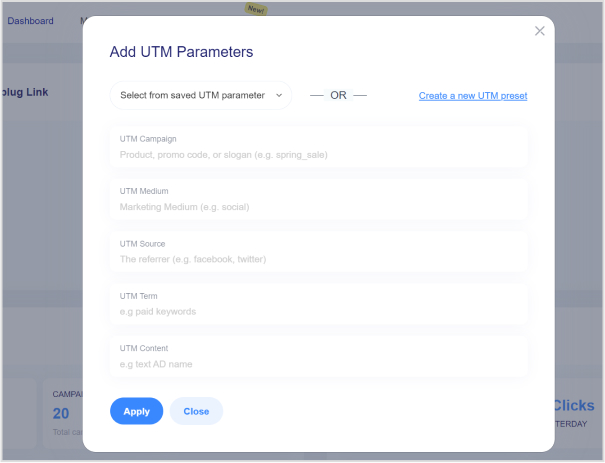
Add UTM Parameters: Easily add UTM parameters to your links to track the performance of your campaigns in detail, so you can see exactly where your traffic is coming from.
Track link performance: Monitor metrics such as click-through rates, engagement, and conversions for your links.
Generate reports: Create detailed reports to analyze the effectiveness of your campaigns and make data-driven decisions.
A complete link management solution
for marketing professionals & agencies.
Try Replug for free
Campaign management
Run A/B tests: Test different versions of your links or campaigns to see which performs better.
That was all in today’s guide. This little code packs a big punch by letting you track what users do on your site, helping you fine-tune your campaigns for better results.
When you combine your Pixel ID with a tool like Replug, managing your campaigns is so easy, ensuring your ads connect with the right people at just the right time.
FAQs on X (Twitter) pixel ID
How can I quickly access my Twitter (X) Pixel ID to start tracking ads?
To find your Twitter (X) Pixel ID, log in to your Twitter Ads account, navigate to the Events Manager under the Tools menu, and locate your Pixel ID under the relevant pixel details.
What are the steps to set up a new pixel in Twitter (X) Ads?
Start by logging into your X Ads account, go to the Events Manager, and select “Add Event Source” to create a new pixel. Follow the prompts to set it up and obtain your Pixel ID.
What should I do if my Twitter (X) Pixel ID isn’t showing up?
If your Pixel ID isn’t visible, ensure you’re logged into the correct Twitter Ads account with the necessary permissions. If the issue persists, consult Twitter’s Help Center or contact support for assistance.
How can Replug simplify my Twitter (X) retargeting and tracking processes?
Replug allows you to easily integrate your Twitter (X) Pixel ID, manage retargeting, and track performance metrics, all within a user-friendly interface that streamlines your ad management process.
What are the two elements that make up the X(Twitter) pixel?
The pixel consists of a unique Pixel ID and the tracking code.
Looking forward to sharing your favorite Amazon finds with your TikTok followers or boosting your affiliate earnings? Adding a link in TikTok bio is a fantastic way to do just that.
Whether you’re showcasing a curated collection from your Amazon storefront, promoting products with your affiliate link, or making your links look cleaner and more inviting, you’ve got some great options.
In this guide, we’ll walk you through three simple methods on how to add Amazon link to your TikTok bio.
We’ll also cover how to customize your links and utilize tools like Replug.io for better tracking, retargeting, and more.
Let’s start and get your links set up!
Different methods of adding Amazon links to TikTok bio
As previously discussed, there are various types of links that people can include in their TikTok bio. These include links for affiliate marketers, Amazon store owners, and influencers, among others. To assist you, we’ve outlined a straightforward process for each scenario.
Here are three methods for adding a link to your TikTok bio:
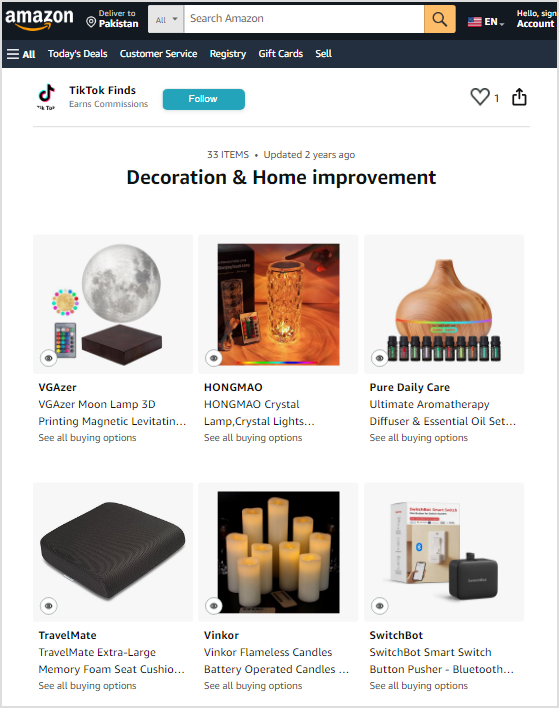
1. How can i add my Amazon store link to my TikTok bio?
First, make sure your TikTok profile is set to a creator account.
Then, head over to Amazon, find your store, and copy the URL.
Go back to TikTok, paste the link into the “Website” field, and save your changes.
Your Amazon store link will now appear in your TikTok bio!
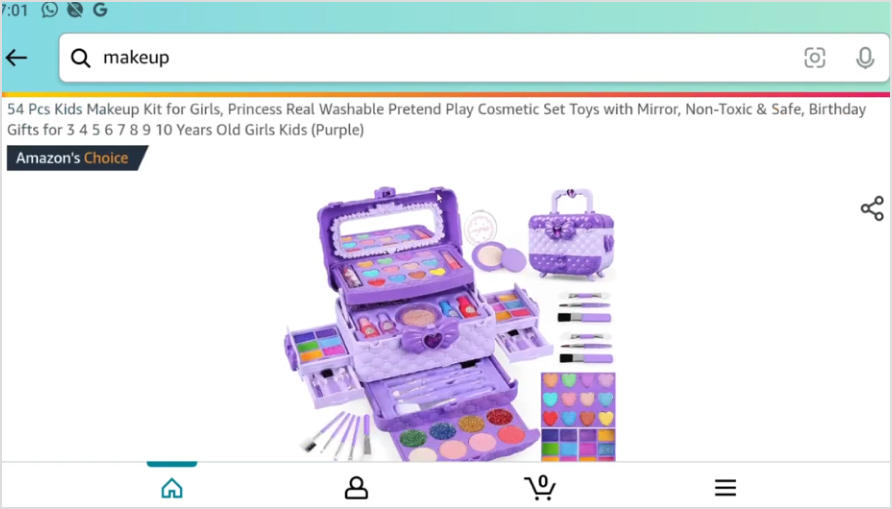
2. How do i share my favorite Amazon finds on TikTok?
Step 1: Find your product
Go to Amazon and locate the product you want to share.
Step 2: Get the link
On the product page, click on the address bar at the top of your browser to highlight the URL. Right-click and select “Copy,” or press Ctrl + C to copy the link.
Step 3: Paste your link
Paste the Amazon link you copied into the “Website” text box in your bio. You can do this by right-clicking and selecting “Paste,” or by pressing Ctrl + V.
You can also share your Amazon finds by adding them to your TikTok posts or even sending them directly to your viewers via DM if needed.
3. How can I include my affiliate link in my TikTok bio?
The last and most common term is adding your affiliate link to your TikTok bio.
Step 1: Get your Amazon affiliate link
Log in to your Amazon Associates account.
Find the product you want to promote.
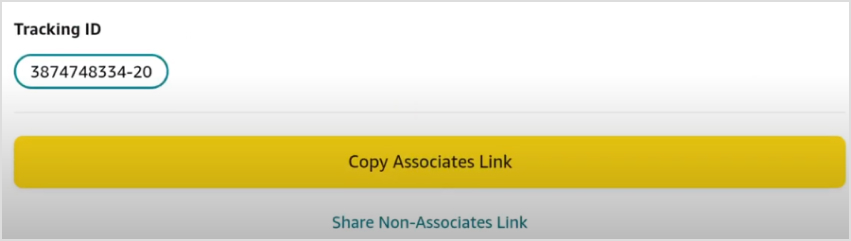
Click the “Share” button, and a bar will appear. Copy your affiliate link from there.
Alternatively, you can copy the affiliate link directly from the Amazon Associates website.
Step 2: Shorten your link
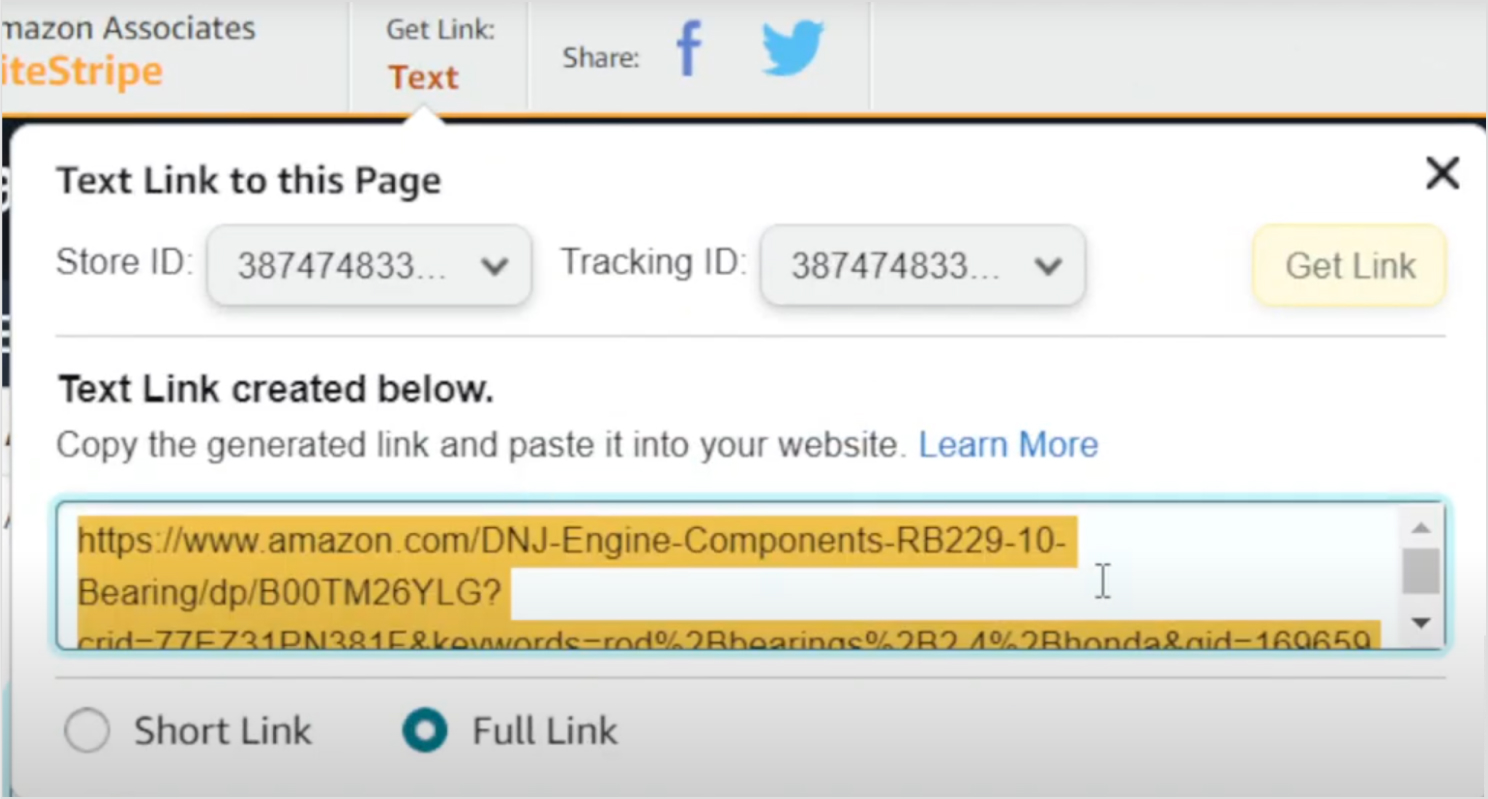
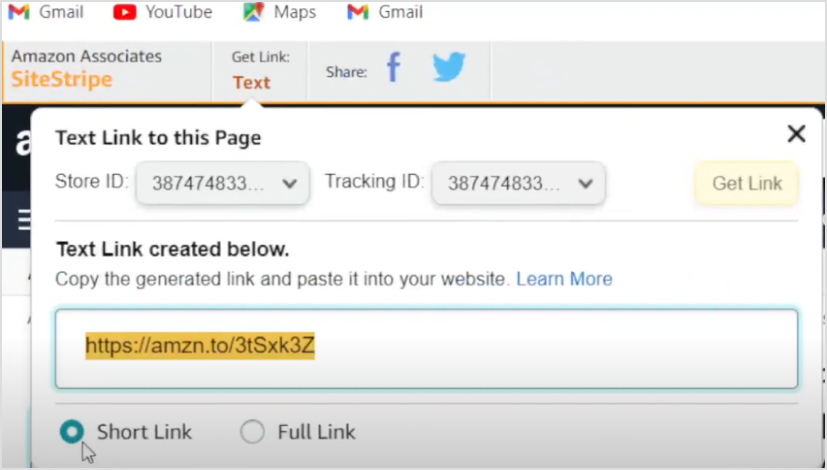
Amazon allows you to shorten the URL. In the Amazon Associates SiteStripe bar at the top, click “Get Link: Text”. This block will pop up.
Select “Short link” to create a shorter URL.
And you’re done here. Simply following the previous copy and paste method you can add the affiliate link to your bio.
Here’s a key issue that many marketers overlook: shortened links created using Amazon appear suspicious to your audience because they don’t clearly reveal where the link leads.
As a result, many people may hesitate to click on it, considering it spammy or misleading.
So, what’s the solution? Customize your link using a reliable, free URL shortener tool to make it more trustworthy and appealing.
Log in to your Replug account. If you don’t have an account, sign up and log in.
Step 1: Create a new link
Go to the dashboard and click on the option to create a new link or “Add new link.”
Step 2: Enter your URL
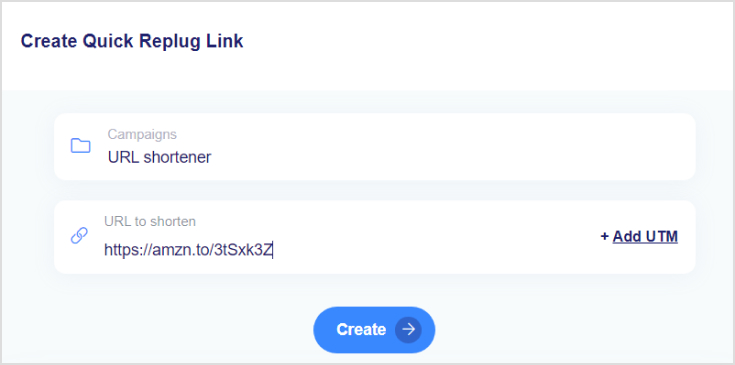
After setting up your campaign. Paste the URL you want to customize into the designated field.
Click ‘Create’ and you will be redirected to this page.
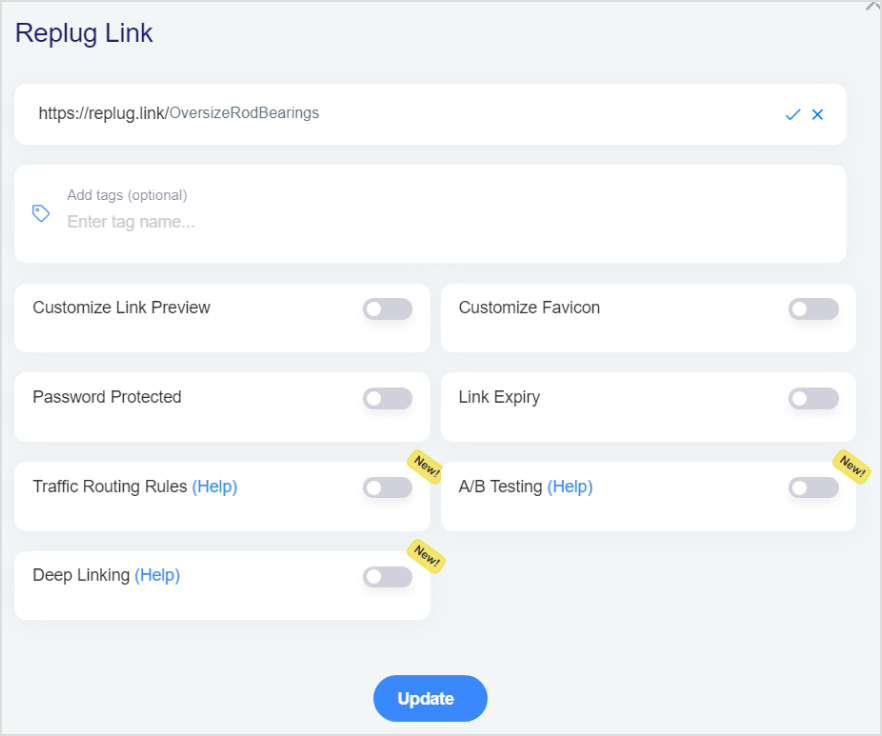
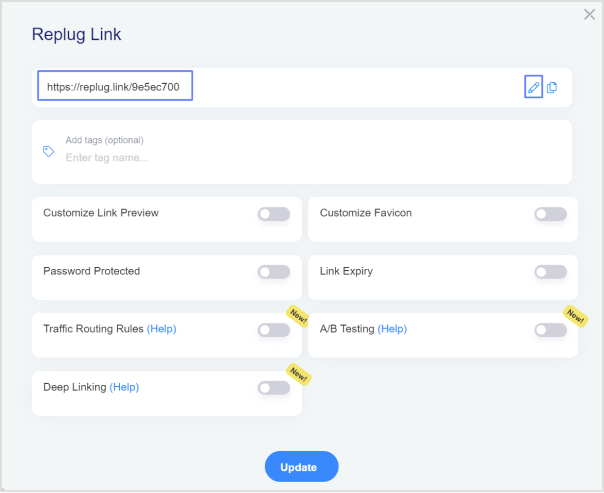
Customize the link: Change the part of the URL that comes after the domain name (the “slug”) to something memorable and relevant.
Maximize marketing ROI
by transforming ordinary URLs into branded short links that convert.
Try Replug for free
Set up redirects: If you want to redirect the link to another URL or add tracking parameters, configure these options as needed.
Add tracking and analytics: If you want to track the performance of the link, enable tracking options available in Replug to gather data on clicks and engagement.
Save and share: Save your customized link. Replug will provide you with a new, branded URL for your TikTok bio, social media, or any other platform.
Edit your TikTok profile:
Go to your TikTok profile and tap “Edit profile.”
Locate the “Website” field.
Paste your Amazon affiliate link into the selected field.
Additionally, what other features can Replug offer?
You can add the following features with Replug:
Bio-links: Use Replug’s link in bio builder to create a landing page where you can include multiple links, including your Amazon storefront and affiliate links. This makes it easier for followers to explore all your recommendations in one place.
Add retargeting pixels: Replug allows you to retarget visitors who click on your links. This means you can remind them about the products they are interested in, and potentially increase conversions.
A complete link management solution
for marketing professionals & agencies.
Try Replug for free
Link Tracking: Track clicks and engagement with your links through Replug. This helps you understand what’s working and refine your strategy.
Custom CTAs: Create custom call-to-action buttons that align with your brand and campaign goals. This allows you to drive specific actions from your audience, such as signing up for a newsletter, making a purchase, or following your social media profiles.
Integration with other tools: Replug integrates with various third-party tools and platforms, such as email marketing services, social media networks, and CRM systems.
Conclusion
By following the steps outlined in this guide, you can successfully embed your Amazon links into your TikTok profile, making it easier for your followers to find and buy your favorite products
However, improving your links using tools like Replug not only makes them more engaging and reliable but also increases your ability to track your activity and connect with your audience.
Frequently Asked Questions
Can I add more than one link to my TikTok bio?
TikTok allows only one clickable link in the bio field. However, you can use a link management tool like Replug to create a landing page with multiple links that you can include in your bio.
How often should I update the link in my TikTok bio?
It’s a good idea to update your Tiktok link in bio regularly to keep your audience engaged with your latest content, promotions, or product recommendations.
Can I track the performance of my TikTok bio link?
Yes, using link management tools like Replug, you can track clicks, engagement, and other metrics related to your bio link to understand its performance and optimize your strategy.
Are there any restrictions on the types of links I can add to my TikTok bio?
TikTok doesn’t have strict restrictions on the types of links you can add, but they should comply with TikTok’s community guidelines and terms of service. Avoid using links that lead to prohibited content.
As of the tail-end of 2025, Instagram had over 1.4 billion monthly active users. 70% of Instagram users watch stories daily, and 86.6% of Instagram users post stories. That’s a massive number.
From the introduction of Stories and Reels to the rollout of shopping and creator tools, Instagram has demonstrated a keen understanding of what its users want and need.
Therefore, we have conducted in-depth research to give you the best list of hacks for Instagram stories that will boost your Instagram engagement and increase your audience. We have divided these 21 hacks into 5 groups to make it easier to understand
5 types of Instagram story hacks
Instagram Story Designing Hacks
Instagram Story Video And ImageHacks
Instagram Story Management Hacks
Instagram Story Sticker Hacks
Creative Instagram Story Hacks
Instagram story designing hacks
1. Create story with a patterned backdrop
If you want your Story posts to be the talk of the town, then it’s time to get funky with your backgrounds. Trust me, the more patterns you throw in there, the more excitement you’ll inject into your stories.
To share a post from your feed in your stories, simply take a snapshot and crop it so that only the post is visible.
Select “Add post to your Story” from the original feed post by clicking the “share” symbol.
Make the feed post full-screen by increasing its width. Following this procedure, your completed Instagram Story will feature a clickable link to the original post.
Select a picture or pattern from your library as a background.
Next, insert the portion of the screenshot you cut out in Step 1.
Put the story online.
Set up something eye-catching, but make sure not too flashy to distract your audience from the message you’re trying to convey.
2. Create visual art with texts or emojis
The design of your Instagram Story is like the ultimate fashion statement. It will either make you the trendsetter of the century or leave you looking like a fashion disaster. So, choose wisely, my friends.
Here’s an example by Starbucks:
To start typing on your Instagram story:
Tap the “Aa” icon on the top-left corner or click anywhere on the screen to activate the text field.
Change the text font, adjust the size, or change the color.
Apply effects like shadows, outlines, and different background colors to change your text to your brand colors.
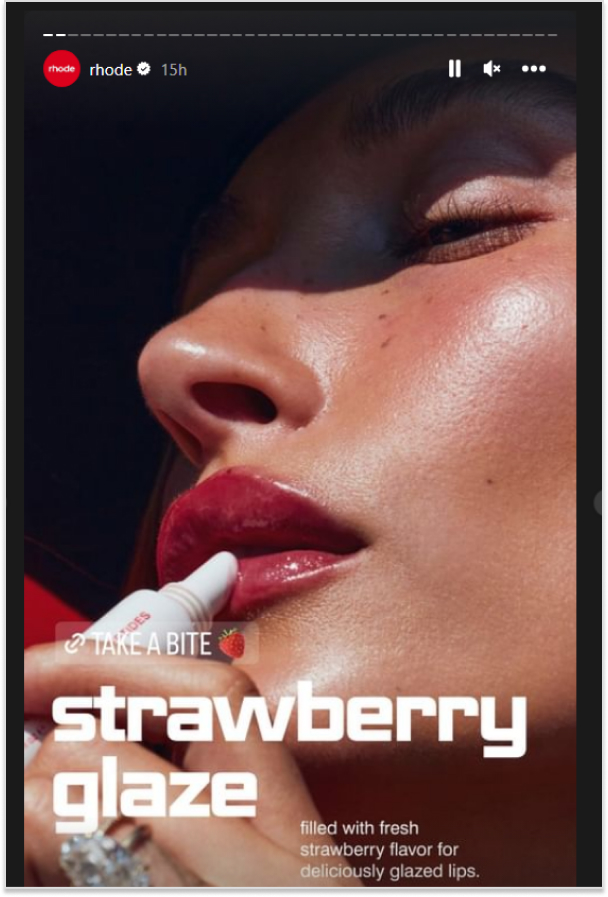
On the other hand, adding emoticons to your Instagram story is a simple and effective method. Take, for example, Rhode, which included a cute strawberry emoji in its story to promote its new product, strawberry gazing lip gloss.
Here’s how you can do the same:
Tap the “square smiley face icon” To open the emoji selection screen. Or directly add from your keyboard.
Tap on the ones you want to add to your story.
Add multiple emojis to your story by tapping the emoji icon again and selecting additional emojis.
Rearrange, resize, and adjust them until you’re satisfied with the composition.
Also, you can Pinch or expand with two fingers to resize the emoji or text. Or layer emojis, text, and other elements by adding them one after the other.
3. Add filters and translucent colors
With so many tones, color grades, and effects, finding a filter that fits your brand is very easy. Use transparent overlays to add a customized color tint to your images or videos.
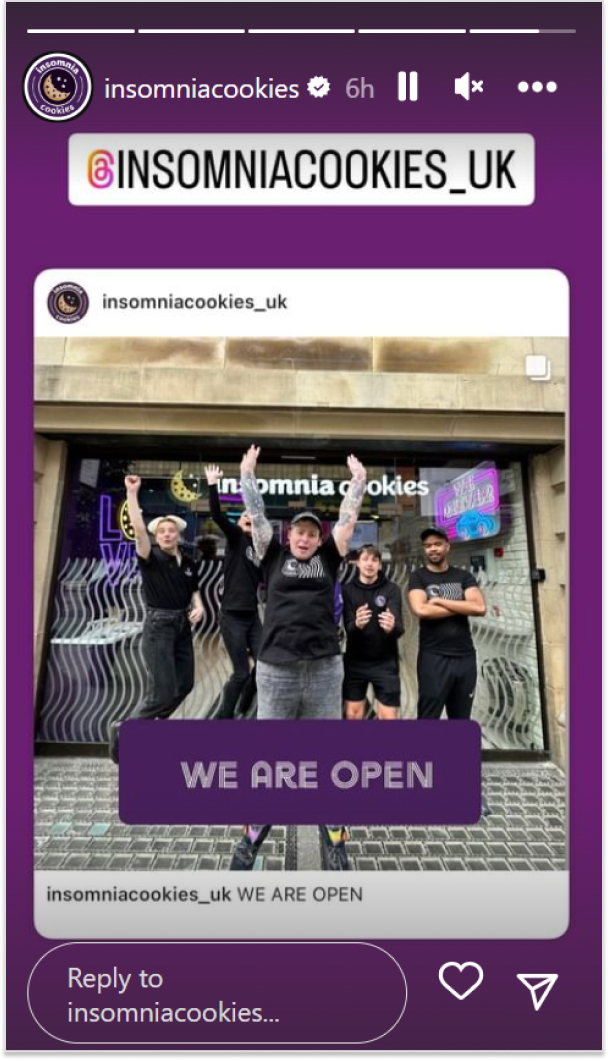
Just like this Instagram story by Insomiacookies:
Follow these steps to create a catchy overlay:
Upload the photo or video to your Story.
Open the Story and tap the three dots in the upper right corner.
Select “Draw,” then select the desired font color.
To make an overlay, click and hold your finger on the screen until the overlay covers your photo or video.
Such overlays let you cover up important information or products while alerting users that something is going on, and keep your audience waiting for the big reveal.
To apply an effect to your Instagram Story. Open your camera and swipe to the end to select “Browse Effects.” Scroll, and you’ll find hundreds of options.
4. Use the eraser tool for dramatic reveals & cool effects
If you want to impress your Instagram followers, we have a super cool hack for you. All you need is a little bit of creativity! Use the eraser or doodle feature to create all sorts of cool effects!
This lets you create Instagram Stories to cover a new story for a dramatic reveal, as shown in the image below.
Fellas, you can wow your Instagram followers with this simple hack with some creativity.
Instagram story video & image hacks
5. Use the boomerang feature
If you’re an Instagram user, you should use the Boomerang feature on your feed. It’s a quick and fun way to save memories, and easy to do. Just click the camera icon, record a short video, and click “Boomerang.”
You’ll get a preview of your video with the boomerang effect in the upper left corner. Click “Save” to save your boomerang as a photo or video. When you post it again, it will play back in reverse.
Now, let’s not sugarcoat this. As your travel options are severely curtailed due to the busy workload, you’ll have to make do with people-watching in Turks and Caicos this summer.
But, with the help of some cutting-edge green screen technology, you may get your viewers there in no time. And you won’t even need to invest in any special tools.
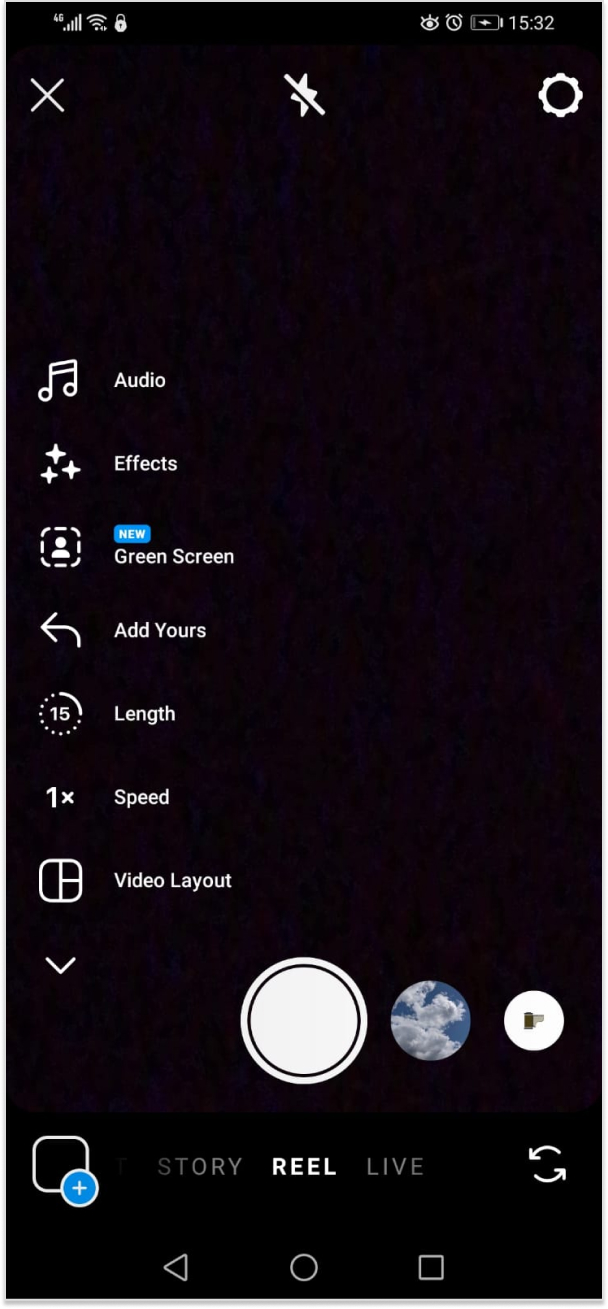
To access Search Filters, open your stories, swipe to the end of the filters, and you see the green screen option.
Also, you may use the search bar to look for “green screen” by tapping on that. Many other green-screen effects will be available to you.
7. Multi-Image stories in one go
Oh, this feature is super useful when you want to share a story! It’s actually one of the main reasons why people love using Instagram stories. If you upload one story at a time and you have active users, they might lose interest because their experience could become confusing.
But if you publish multiple snapshots in your story at once, you’ll be able to keep your audience engaged. You can also display Instagram feed on website to showcase your Stories and posts, helping visitors stay connected and boosting overall engagement.
Besides that, ensure that you use the correct Instagram story dimensions. The minimum dimension is 1.91:1, and the maximum is 9:16. The recommended aspect ratio is 9:16, with a size of 1080px by 1920px.
What else can I do to make my stories more engaging?
Another way to engage your audience is to create and fill out a template. Then share the same template unfilled, and ask your followers to take a screenshot and fill the template. They will share it on their Instagram stories and increase your account’s visibility.
The template will, of course, be branded, so your name will already be there, giving you visibility in new circles.
Also, you will find multiple templates on Canva, ready-made. You can easily edit them too.
Instagram story management hacks
8. Schedule your stories in advance
Everyone knows that consistency is key. In order to maintain engagement levels, it is important to consistently post content. Additionally, this will enable you to prepare your content in advance and plan everything accordingly. This is important because there may be times when you are unavailable to publish a post.
Additionally, by understanding the peak engagement time on your account, you can strategically schedule your stories to maximize views.
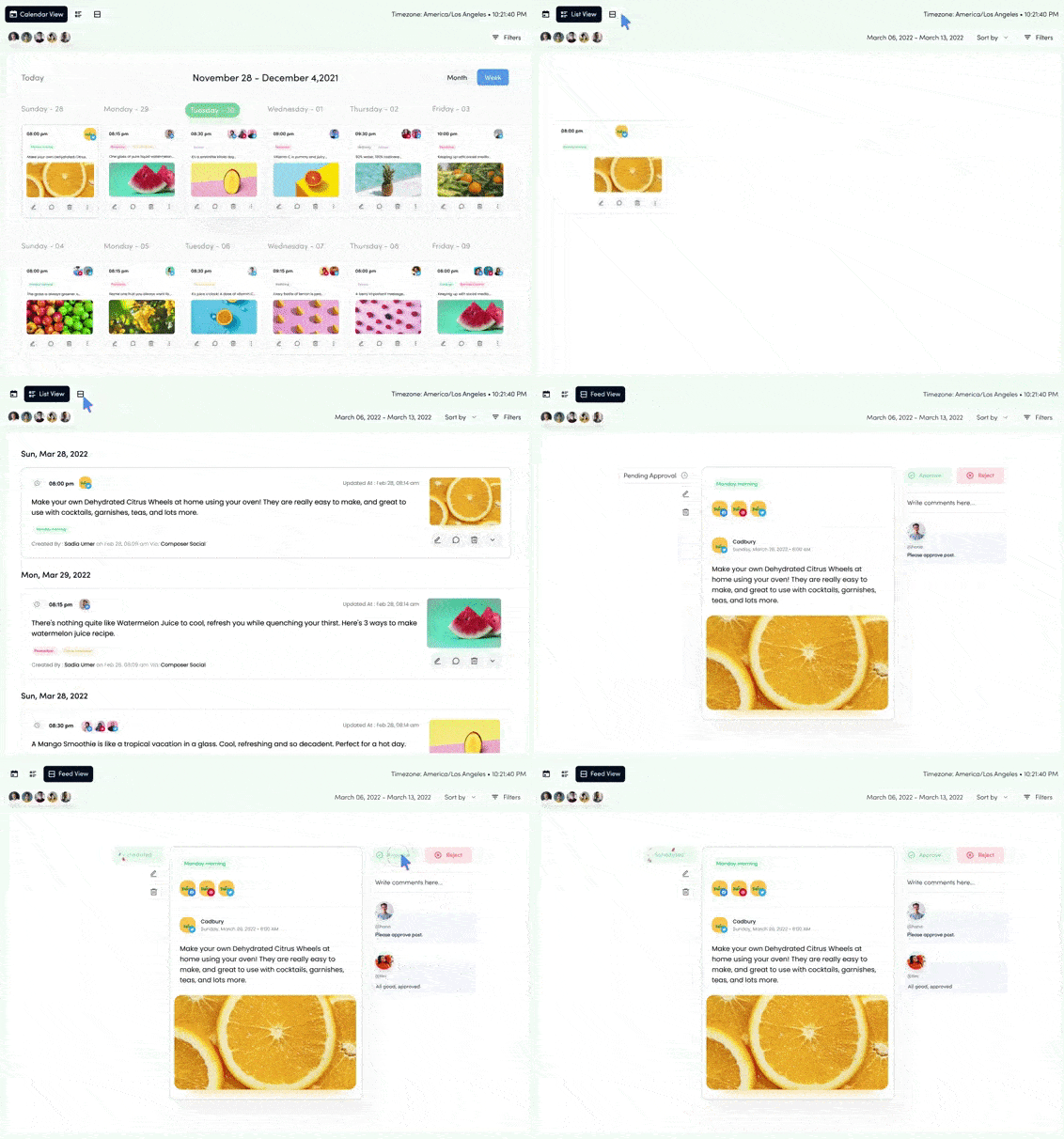
How can stories be scheduled? Instagram does have a scheduling tool called Insta Planner. But that isn’t enough. Instead, we recommend use a highly effective Instagram management tool that takes care of all aspects, including composing posts and monitoring performance.
9. Use Instagram story analytics
Instagram’s story analytics provide a comprehensive range of data and insights. They can provide you with valuable insights into the types of stories that were successful and those that were not.
Using this method will assist you in developing a content calendar that has a greater impact. Additionally, you have the option to utilize the Instagram analytics tool, which provides a comprehensive analysis of your content strategy.
To access various engagement metrics in Insights, simply tap on the Content tab. Here, you will find metrics such as reach, impressions, follows, link clicks, and more.
To check the analytics of a specific story, simply open the story and then swipe up. Next, tap on the bars to access the analytics. This way you can analyse which types of stories work best for you and focus on creating similar content to increase engagement.
Mention stickers are the best way to tag other users while sharing shoutouts or promoting the partner brand. The mention sticker includes the following features:
Encouraging your followers to post their own stories in return for a mention, which in turn promotes your event.
Tag the people appearing at your upcoming events to promote them.
Mention stickers, on the other hand, can boost the visibility of your stories.
Location stickers increase the chances of appearing on public feeds and reaching people who do not follow you.
Location stickers increase the chances of appearing on public feeds and reaching people who do not follow you.
Countdown stickers are also handy when launching a product or a specific event.
One way to go about it is to add all the hashtags and mentions on the story and then hit the stickers option. Choose to ‘add a photo from camera’ and layer the image that you want to put up on the base.
Another way to go about it is to open the text box and add as many hashtags and mentions as you want. Then from the color tool, select the dropper and pick a color from the image to turn the text into. This will camouflage the text in the background.
Which hashtags to add?
If you don’t know which hashtags to add, the composer feature in ContentStudio is a lifesaver. You can create a pool of hashtags from which you can pick and choose every time you put something up, or create a pre-set to go with every post.
A story hop is an excellent way to keep your audience engaged. It can also be used to bring in more followers. So, what really is a story hop? It is when you collaborate with multiple, similar Instagram accounts and decide on an activity to do together.
You can also share their stories on your feed or story. So, just like your followers are likely to hop on to the stories of influencers you referred to, followers from other accounts will reach your stories as well
Instagram story sticker hacks
12. Add a link sticker to your story
Capture the attention of your audience by directing them to a webpage. If you are selling something, make sure to connect your story to the corresponding page.
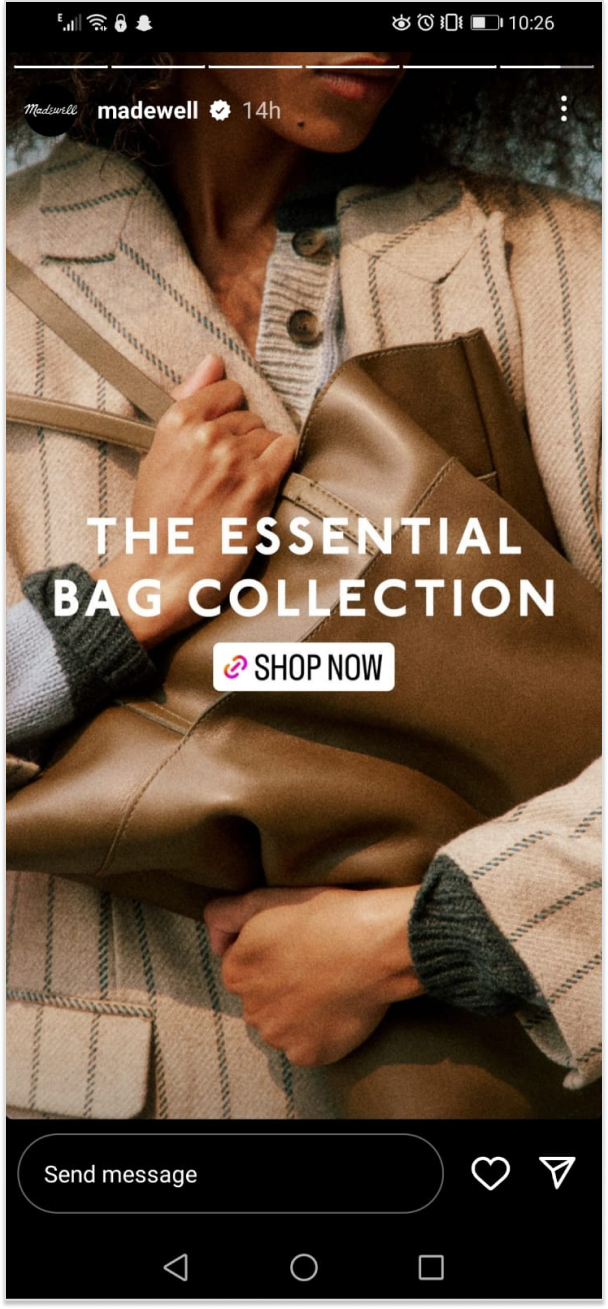
Here we spotted Madewell on Instagram doing the same.
However, if you don’t have too many follower then we’d prefer you to add an Instagram bio link in the meantime. It is preferable if you put up branded short links using an efficient short URL shortener, because you can track the link clicks through its built-in UTM builder. Replug is an all-in-one link optimization platform, offering such top-nocth features at hand!
How to create Shoppable Stories?
Create your Instagram Story
Go to Stickers
Select the product sticker and add the item
Customize and match it with your brand.
How do we add a link to the Instagram story?
Use the Link sticker to include a link in your Instagram story. Tap on the sticker to be redirected.
To put on a Link sticker, do the following:
Capture or upload content to include in your Insta story.
Select the sticker tool from the upper navigation bar.
Hit the “Link” sticker to insert your desired link, then tap “Done.”
Tap to check color variations after placing the sticker on your narrative, just like the other stickers
Using GIFs on Instagram is like adding a dash of pizzazz to your story. It’s the secret ingredient that can make your viewers go,
“Whoa, that’s fancy!”
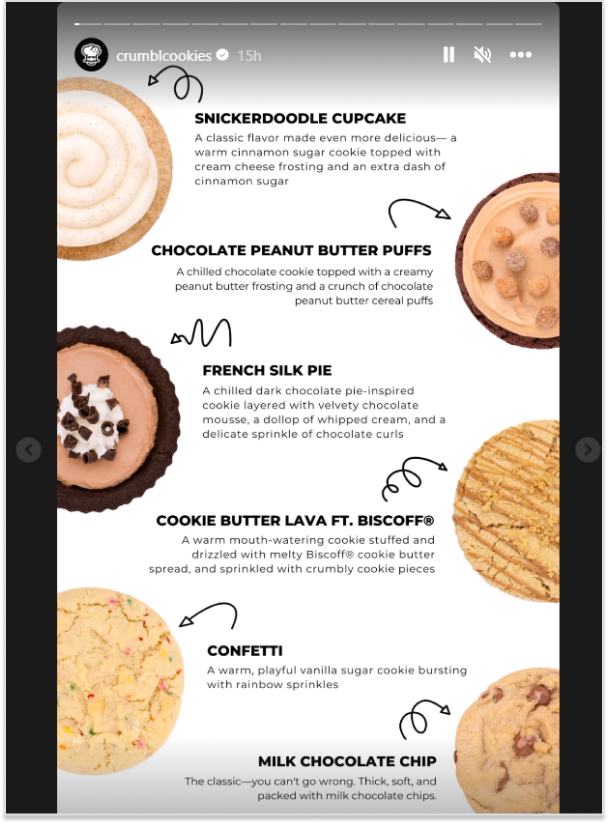
Here we spotted crumble cookies using gifs in its Instagram story.
Here’s how you can do it:
Simply go to the “create mode”
Scroll to the GIF tab to add thousands of GIFs.
Use GIFs as the background for your Instagram stories.
Or create GIFs using editing apps like ImgPlay etc.
14. Ask a question
It doesn’t matter what kind of business you have. Your audience will always have questions for you, and you can also ask your followers questions. It’s a great way to keep your audience engaged.
For instance, you can ask your audience what’s going on questions just like Topgear did:
To ask a question, click on add story and go to Instagram elements. You’ll find questions there.
Creative Instagram story hacks
15. Polls at Play
Why not try putting up a poll to get people engaged? It’s a great way to get everyone involved!
You can make it as easy as just asking your audience what they think about a social issue or a fashion choice. You have endless possibilities!
What do you like more? X/Y
Do you think this is right? Yes/No
Should we launch this next? Yes/No
These are just some examples of polls you can put up.
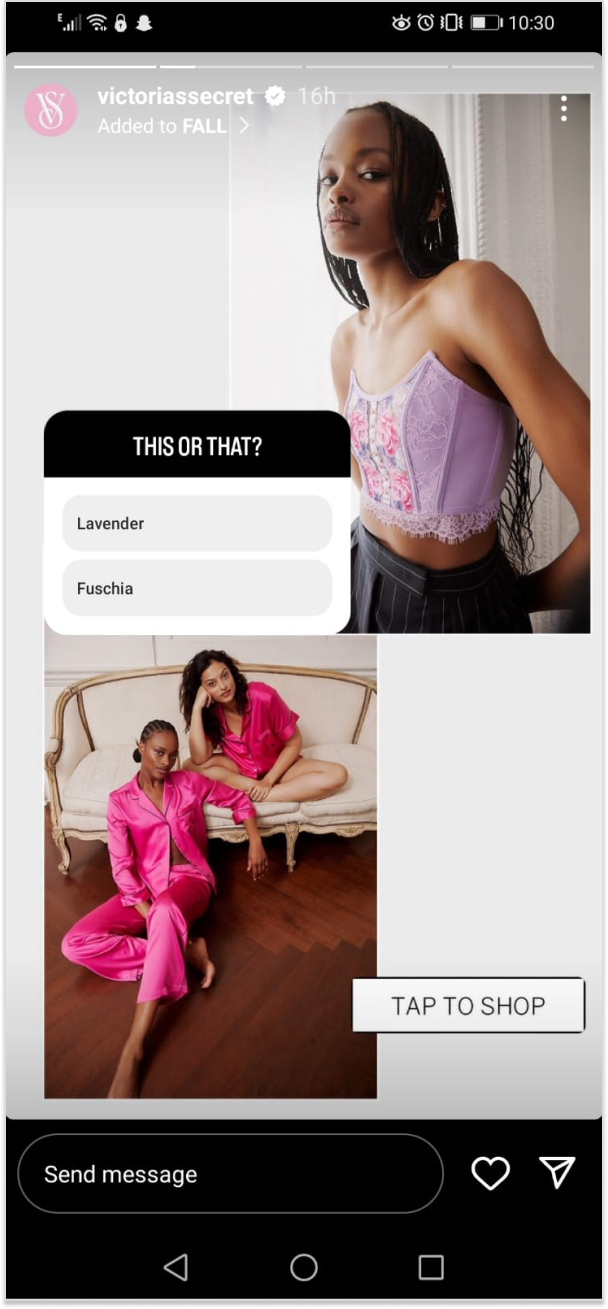
However, if your business, like Victoria’s Secret, is product-based. You can create a poll asking your audience to choose between two product types.
16. Add music to your stories
Let’s all agree that music has an instant impact on the listener. So, when you’re putting up a new story or a post, put up a popular song that people are likely to recognize.
This way, a lot of people will keep on watching your stories just for the song, increasing your account engagement.
Here’s how you can do it:
Open the stickers options and click on music.
It will take you to a library of songs you can choose from.
Here we spotted Astonmartin using an intriguing sound in its highlights.
17. Host a contest or do giveaways
This is one of the easiest ways to boost engagement. You can host a giveaway in collaboration with someone or on your own. Or do a giveaway of your product or a service voucher. Just make sure that whatever you pick is something your audience will want.
There are different types of contests. Some ask you to just tag a few of your friends, others require you to ensure your tagged friends follow the account as well. Then some giveaways ask you to answer a question and the best answer wins.
Though, some giveaways or contests also involve participants sharing your post or story within theirs. This gives an instant boost to your account and deeper penetration into similar audiences.
18. The shorter, the better
Here’s another trick to help you quickly skim through stories. So if you summarize what you’re saying in each post, people are more likely to read your whole storyline. Well, the reason is that it actually takes people less time to go through your stories.
Just focus on the main point of your story, keeping it short and sweet. Just like this Instagram story by Mcdonalds:
Aim for 10-15 words so viewers can read it in 15 seconds. If they have to tap on a story to hold, it’s going to mess with the whole experience. And you don’t want that, do you?
19. Promote your stories
Like feed posts, you can promote your stories to reach a bigger audience, too. Since stories are more interactive and relatable, their promotion success rate is greater in getting more followers and engagement than feed posts.
20. Do an Instagram Live session
First and foremost, do an Instagram Live to earn the first spot in stories. Second, Instagram notifies all your followers when you go live. Also, live stories are favored by Instagram’s algorithm. Over 82% of people prefer Instagram Live to feed posts.
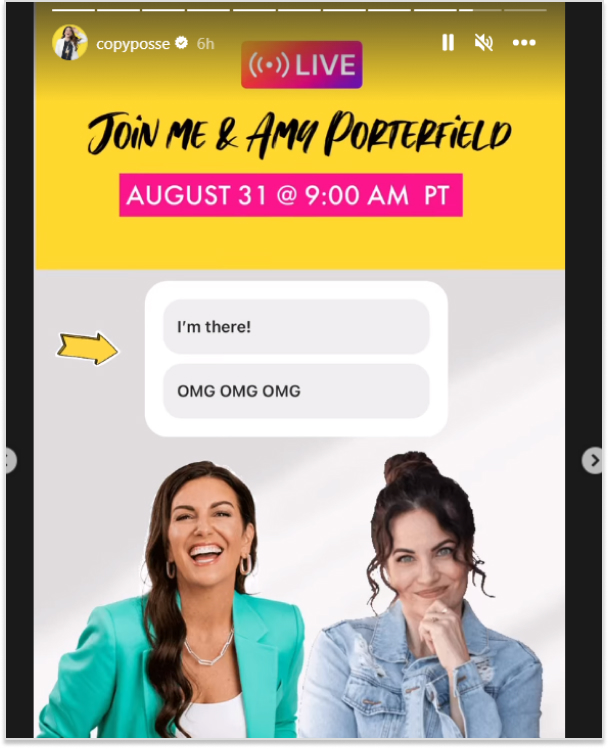
There are multiple ways you can go about Instagram Live. For instance, if you are a digital marketer, you can invite another marketing expert so the audience can ask questions. The trick is to call someone relevant to your niche. To further ensure your replay content is optimized for different platforms afterward, consider using a video transcoder to convert the recording into the right formats.
Finally, Instagram Live allows you to build stronger bonds with your followers. Taking all of this into account, Instagram Live has become increasingly popular.
In contrast to the post feed, where Instagram’s algorithm mostly determines exposure, your followers are more likely to see your story. Because of this, it’s a good idea to promote your feed post within your stories.
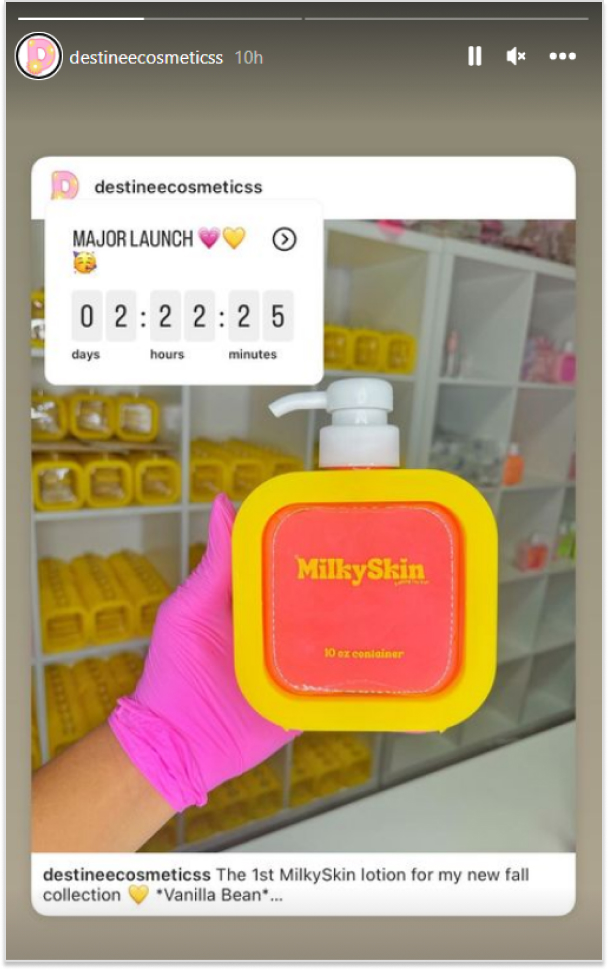
Do it in a way that inspires curiosity and begs the viewer to tap into the story. Just like this Instagram story by Destineecosmeticss:
An interesting tip to put feed posts up on Instagram stories is to hide what the post is about.
FAQs for Instagram Story hacks
Can I share stories with selected people?
We don’t always want everyone to see our story. The “Close Friends” option on Instagram allows you to exclude people from your Instagram story. This hack can assist the brand in providing VIP treatment to specific members and groups of customers.
How do I make my Instagram stories attractive?
– Take Boomerangs – Creative Fonts & Stickers – Custom Backgrounds – Adding Filters – Adding Music – Adding GIFs and Memes – Create Dramatic Reveals – Put Attractive Templates
Does Instagram notify you when you screenshot a story?
Instagram does not send screenshot notifications for stories, posts, reels, permanent DMs, or any other content on the app. Instagram will only notify you if someone takes a screenshot of a disappearing photo or video sent in a private DM thread.
TikTok’s skyrocketing popularity has opened up exciting new opportunities for businesses to reach fresh audiences and measure the success of their campaigns. One of the best ways to track your marketing efforts on TikTok is by using UTM tags.
But let’s be honest—creating UTMs isn’t always straightforward. Many people end up using clunky methods like Google Sheets to manage their UTMs. That’s where we come in. At Replug, we designed a free UTM builder to simplify the process and help you get the most out of your TikTok ads.
In this guide, we’ll show you how to create UTMs for TikTok ads effortlessly. By the end, you’ll be able to track your campaigns with precision and make data-driven decisions to boost your marketing success.
What are UTM parameters?
UTM parameters, also known as UTM tags or UTM codes, are snippets of text appended to a URL to track the source, medium, campaign, term, and content of a marketing link. These parameters help marketers understand where their website traffic is coming from and how users interact with their marketing campaigns.
Here’s a breakdown of the five UTM parameters:
Source (utm_source): This parameter identifies the specific source of the traffic, such as the platform or website where the link was clicked. For example, if you’re running ads on TikTok, the source would be “tiktok”.
Medium (utm_medium): The medium parameter describes the marketing medium or type of traffic, such as email, social, or CPC (cost-per-click) advertising. For TikTok ads, the medium could be “cpc” (cost-per-click).
Campaign (utm_campaign): This parameter specifies the name of the marketing campaign associated with the link. It helps differentiate between different campaigns running simultaneously. For example, if you’re running a summer sale campaign on TikTok, the campaign name could be “summer_sale”.
Term (utm_term): This parameter is typically used for paid search campaigns to identify the keywords associated with the ad. However, for TikTok ads, it may not be as relevant unless you’re running keyword-targeted campaigns.
Content (utm_content): The content parameter allows you to differentiate between different elements within the same campaign. For example, if you’re testing two different ad creatives for your TikTok summer sale campaign, you could use “video_ad1” and “video_ad2” as content identifiers.
Why should you use UTM tags on TikTok?
Using UTM tags on TikTok offers several important benefits for marketers:
Track campaign performance:
UTM tags enable you to track the effectiveness of your TikTok campaigns accurately. By appending UTMs to your ad URLs, you can monitor metrics such as clicks, conversions, and engagement specific to each campaign, source, and medium.
Identify traffic sources:
With UTM tags, you can pinpoint the exact sources driving traffic to your website from TikTok. Whether it’s from organic posts, paid ads, or influencer collaborations, UTMs help you understand which channels are delivering the most value.
Measure ROI:
By tracking the performance of your TikTok campaigns using UTMs, you can calculate the return on investment (ROI) more precisely. This data allows you to assess the cost-effectiveness of your marketing efforts and allocate your budget more effectively in the future.
Optimize campaigns:
UTM-tagged URLs provide valuable insights into user behavior and preferences. By analyzing UTM data, you can identify trends, determine which content resonates best with your audience, and optimize your TikTok campaigns for better results.
Enhance reporting:
UTM parameters make it easier to generate detailed reports on your TikTok marketing activities. Whether you’re reporting to clients, stakeholders, or your team, UTMs provide clear and granular data that can support your analysis and decision-making.
Facilitate A/B testing:
UTMs allow you to conduct A/B tests effectively by tracking different variations of your TikTok ads or content. By comparing the performance of URLs with different UTM parameters, you can identify which strategies yield the highest conversion rates and refine your approach accordingly.
How to create UTMs for TikTok ads using Replug?
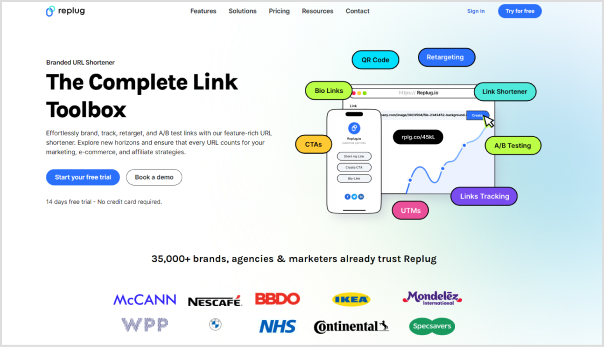
Replug is a top-notch link management platform that allows you to create and manage custom short links with UTM parameters for tracking purposes. Here’s a step-by-step guide to creating UTMs for TikTok ads using this one of a kind short URL generator free.
Step 1: Sign in to Replug
Visit the Replug app and sign in to your account. If you don’t have an account, you can sign up for free.
Step 2: Enter campaign and URL details
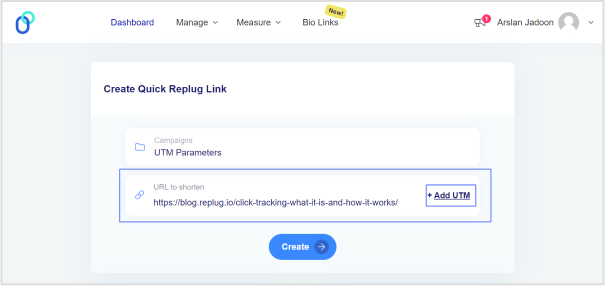
Once logged in, simply choose a campaign on your dashboard (create a new campaign if you’re a new user) and enter the TikTok campaign URL in the “URL to shorten” field.
Step 3: Configure UTM parameters
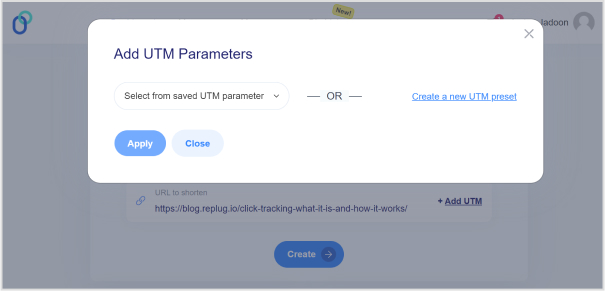
In the campaign creation process, you’ll have the option to add UTM parameters to your links. Specify the UTM parameters according to your campaign requirements. This typically includes parameters like source, medium, campaign, term, and content.
Note: For TikTok ads, ensure that you set the source as “tiktok” and the medium as “cpc” (cost-per-click), or any other relevant medium depending on your campaign goals.
Step 4: Generate short link
After configuring the UTM parameters, click the “Create” button and proceed to generate a short link for your TikTok ad. Replug will automatically create a shortened URL with the specified UTM parameters appended to it.
Step 5: Customize the URL slug
Replug allows you to customize the shortened URL. You can choose a unique identifier or keyword to make the link more memorable or reflect your content.
Step 6: Use shortened URL in the TikTok ad
Copy the shortened URL generated by Replug. Paste this URL as the destination URL in your TikTok ad setup when creating or editing your ad campaign.
Step 7: Track performance
Once your TikTok ad campaign is live, Replug will track the performance of the shortened URL with UTMs. You view analytics and track metrics such as clicks, conversions, and engagement for your TikTok ad campaign.
Note: Remember to analyze the data provided by Replug to optimize your TikTok ad strategy and maximize your marketing efforts. Happy tracking!
Final Note
UTM tags are invaluable tools for marketers looking to optimize their TikTok ad campaigns and maximize their ROI. By leveraging Replug’s UTM builder, you can easily create custom short links with UTMs, track the performance of your campaigns, and make data-driven decisions to achieve your marketing objectives.
FAQs
Is the TikTok UTM Builder compatible with all types of TikTok ad campaigns?
Yes, the TikTok UTM Builder is compatible with all TikTok ad campaigns, including video ads, sponsored hashtag challenges, branded effects, and influencer partnerships.
How do I track the performance of my TikTok ad campaigns with UTMs?
Replug automatically tracks the performance of the shortened URLs with UTMs. You can log in to your Replug account to access analytics and track metrics like clicks, conversions, and engagement for your TikTok ad campaigns.
Does Replug provide real-time analytics for TikTok ad campaigns?
Yes, Replug offers real-time analytics, allowing you to monitor the performance of your TikTok ad campaigns as they unfold. You can track clicks, conversions, and other engagement metrics in real-time to make timely adjustments and optimizations.
Follow our in-depth guide on TikTok retargeting using Replug. With easy-to-follow steps and expert insights, we’ll walk you through everything you need to know to reconnect with your audiences and convert more.
Replug is an all-in-one branded link management platform that allows you to manage your link with powerful features such as branded link shortening, link retargeting, deep linking etc., backed up by powerful link analytics.
It also offers an advanced URL shortener that helps you create branded, trackable links to boost engagement and measure performance effectively.
Before we dive into the topic, lets know how TikTok retargeting work, and some key retargeting facts & figures that you must know.
How does TikTok retargeting works?
TikTok retargeting ads work by targeting users who have already interacted with your brand or website. These ads use pixel tracking to identify users who have visited your site or engaged with your content on TikTok.
Once identified, TikTok displays ads specifically tailored to these users, increasing the likelihood of conversion by reminding them of your brand or products. This method maximizes ad relevance and improves overall campaign performance.
Retargeted ads have a CTR 10 times higher than regular display ads
30% of consumers have a positive reaction to retargeted ads, leading to increased brand recall
Retargeting can lead to a 38% increase in revenue for e-commerce businesses
56% of marketers use retargeting to cross-sell to existing customers
Mobile retargeting ads perform 13 times better than desktop retargeting
The global retargeting market is expected to reach USD 4450.88 million by 2028, growing at a CAGR of 15.66%
A complete link management solution
for marketing professionals & agencies.
Try Replug for free
Step-by-step guide to TikTok retargeting
Let’s take a look at the key steps involved in the process using an efficient link retargeting tool:
i. Log in to your Replug account
First things first, sign up for a Replug account. It offers a 14-day free trial. Once signed up, log in to your Replug account to get started with your retargeting campaign.
After the successful login, you’ll land on the Replug dashboard where you’ll see the menu with different options as well as account statistics.
ii. Create a retargeting campaign
Go to the Manage option from the top menu. Click on the Campaigns option from the drop-down menu.
Now you’ll reach the Campaigns page. Click on the New Campaign option to create a new campaign for the retargeting project.
iii. Choose the brand
Before you create a new campaign, the next window about choosing the brand will appear. Choosing the brand is inevitable for creating a campaign in Replug.
So, choose the right brand for the campaign or create a new one if you want to. Once you choose the brand, go ahead.
iv. Select retargeting campaign type
This is one of the important steps in the process because this is the part where you tell Replug to make this a retargeting campaign.
First of all, name your campaign, then choose the custom domain if you want to, and finally, select the campaign type. All you need to do is to select the Retargeting Pixel option. Just check the box in front of the retargeting pixel option.
Click on the Next button to proceed.
v. Add retargeting code
In the last step, you will have to select the retargeting platform. To do so, click on the drop-down menu and go through the social media network names.
Go to TikTok ads manager to setup TikTok retargeting
You can choose the already existing TikTok retargeting code you created before, or else you can create a new retargeting pixel from the button below.
If you want to create a different retargeting code, click on the button and choose the social media platform where you’d be retargeting the audience.
If you opt to create a new retargeting pixel, you’ll have to choose the platform, such as Facebook, Quora, or LinkedIn. And, then you would have to give your pixel a unique name, and then finally add the pixel ID from the same social network.
Save the campaign, and you’re all set.
TikTok retargeting best practices and important tips
For effective TikTok retargeting, consider these best practices and tips:
Define goals: Clearly define your retargeting goals, whether it’s driving conversions, increasing engagement, or building brand awareness.
Segment audiences: Segment your audience based on their interactions with your website or app to create tailored retargeting campaigns.
Personalization: Personalize your retargeting ads to resonate with your audience and encourage them to take action.
Frequency capping: Set frequency caps to avoid overwhelming users with too many retargeting ads, which can lead to ad fatigue.
A/B testing: Test different ad creatives, messaging, and targeting strategies to optimize performance and identify what resonates best with your audience.
Optimize landing pages: Ensure your landing pages are optimized for conversions to maximize the effectiveness of your retargeting campaigns.
Monitor & adjust: Regularly monitor the performance of your retargeting campaigns and make adjustments based on data insights to improve results over time.
FAQs on TikTok retargeting
Does TikTok have retargeting?
Yes, TikTok offers retargeting capabilities through pixel tracking, allowing advertisers to target users who have previously interacted with their brand or website.
What type of advertising does TikTok use?
TikTok supports various types of advertising formats, including in-feed ads, branded effects, hashtag challenges, and branded lenses, providing advertisers with diverse options to engage with users creatively.
Why is my TikTok CPM so high?
High TikTok CPM (Cost Per Mille) can be attributed to factors such as high demand for ad inventory, competition among advertisers, audience targeting specificity, and the quality of ad creative and messaging.
How are TikTok ads curated?
TikTok ads are curated based on the advertiser’s targeting preferences and campaign objectives, utilizing data insights and algorithms to deliver relevant and engaging content to users based on their interests and behaviors.
It’s no surprise that brands and influencers are eager to find new ways to get eyeballs, grasp attention, and talk to people regardless of the platform.
There are a ton of channels of communication these days, such as social media, newsletters, online ads, TV commercials, billboards, and more.
Social media is a powerful avenue to build awareness, spread the word, and market a product. Statistics report that Facebook has above 3 billion monthly active users, while YouTube has over 2.4 billion, monthly active users – no wonder brands and agencies are trying to dominate social media.
One of the aspects of reaching out to prospects and connecting with the relevant audience is to use the retargeting technique through social media platforms.
Let’s dive deep into what retargeting is and how one can use social media platforms to do retargeting.
What is social media retargeting and its importance in the digital world?
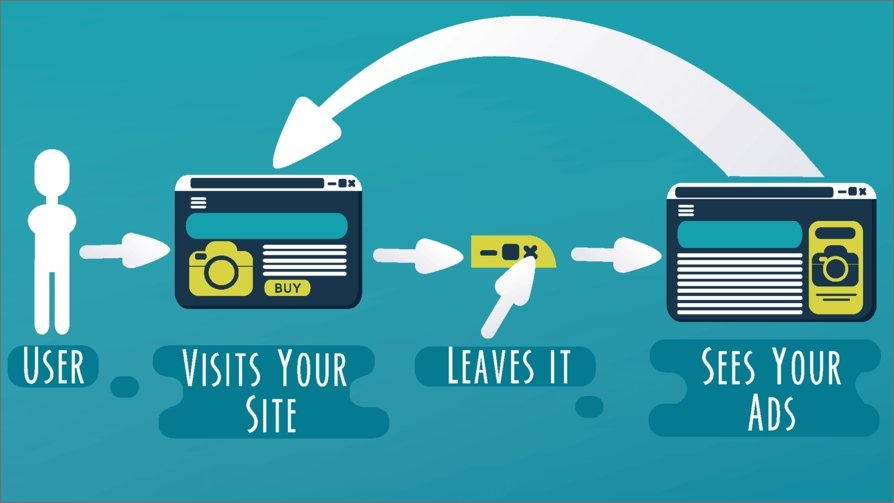
Retargeting is a marketing strategy to remarket a product to the same audience that has previously shown some interest in it.
Have you ever had a chance to see the display ads about the website you visited the other day? It happens to all of us and some of us wonder how this happens – well, now you have the answer.
Social media retargeting is just the same retargeting concept applied to social media networks. Advertisers try to meet, engage, and convert the same visitors who visited them before using social media retargeting campaigns.
Here are the three reasons why it’s important in the digital world:
i. Global reach: Since these social media platforms allow marketers and brands to reach a global audience, social media retargeting has essentially become an important digital marketing tool to remarket a product or service worldwide.
ii. Effective targeting: One of the reasons why social media retargeting is crucial to any digital marketing campaign is that it’s quite effective when it comes to targeting the prospective audience. The ad campaigns without clear targeting are hit-and-miss.
iii. Faster results: Retargeting is essentially remarketing to the audience that has shown some interest in the product before. So, it’s a type of advertising campaign that usually brings quicker outcomes as compared to normal advertising campaigns.
It’s safe to say that social media retargeting is inevitable in today’s digital marketing realm where billions of users log in to multiple social media platforms daily to chit chat, get updates, and connect with loved ones.
How social media retargeting works?
Since everyone uses at least one major social media platform like Facebook, YouTube, or Instagram, it gets easier for brands to reconnect with prospective clients through social media retargeting.
Here’s how social media retargeting works:
Social media networks provide a piece of code called “pixel” that goes into your website or landing page code that collects data about the user’s behaviors, actions, and performance. Usually, the social media platform guides users on how to insert the pixel code and where to insert it in the website code.
It’s a very effective code for social media platforms to track user actions on the website and helps advertisers retarget those same users on the social media network.
However, it doesn’t collect any sensitive information or user data, such as credit card numbers or passwords. The only purpose of adding a pixel of a social media network is to help the advertiser/brand retarget the audience through a social media retargeting ad campaign.
Best tool for retargeting on social media platforms
Retargeting on social media with Replug
A complete link management solution
for marketing professionals & agencies.
Try Replug for free
Replug is an excellent link optimization platform that offers several link management services, such as URL shortening, deep links, bio links, retargeting, A/B testing, and QR codes.
When it comes to retargeting on social media, Replug’s link retargeting tool can come in quite handy. It helps users retarget their audiences across different social media networks, such as Facebook, Twitter, LinkedIn, Pinterest, TikTok, Quora, and Google. Besides, it also has a custom option for using a customized pixel.
Social media retargeting benefits with Replug
Social media retargeting offers several benefits for businesses looking to maximize their marketing efforts. While, Replug enhances the benefits of social media retargeting by providing robust tools and features to reach target audiences, drive conversions, and maximize marketing effectiveness.
1. Increased conversion rates:
Replug’s retargeting capabilities enable businesses to reconnect with users who have engaged with their shared links. By targeting these already interested users, businesses can boost conversion rates effectively.
2. Enhanced brand recall:
Reinforces brand awareness and recognition among potential customers with retargeting. This increases the likelihood of users remembering the brand when they are ready to make a purchase decision.
3. Personalized advertising:
Empower businesses to deliver personalized ads to users based on their previous link interactions. This personalized approach enhances engagement and conversion rates by catering to users’ specific interests and behaviors.
4. Cost-effective marketing:
Replug’s retargeting options optimize advertising spending by targeting users who are more likely to convert. This results in higher ROI and more efficient allocation of marketing budgets.
5. Reduced cart abandonment:
Many users abandon their carts before completing a purchase. Running retargeting campaigns with Replug can remind these users about the products they showed interest in, encouraging them to return to complete their purchase.
6. Cross-selling and up-selling opportunities:
Running retargeting campaigns can also be used to promote related or complementary products to users based on their previous purchases or browsing history. This presents opportunities to increase the average order value and maximize revenue.
7. Improved customer engagement:
By delivering relevant and timely ads, businesses can keep their brand top-of-mind and engage users throughout their customer journey. This ongoing interaction fosters stronger relationships with customers and encourages repeat purchases.
8. Measurable results:
Replug provides comprehensive analytics and tracking capabilities, allowing businesses to monitor the performance of their retargeting campaigns in real-time. This data-driven approach enables businesses to optimize their campaigns for better results.
Top 3 social media retargeting strategies
It’s always best to know the top priorities when it comes to the application of a marketing tactic. Here are the three social media retargeting strategies every marketer should know:
1. Target a specific audience
Creating an ad campaign tailored toward a specific audience is always better than shooting in the dark. One of the essential retargeting strategies a marketer can apply is to handpick a segment of the audience and serve them specific ads with a goal in mind.
Since retargeting does ensure that the ad shows to the specific audience, the offer must also be inclined toward the desire of the target audience.
For instance, if you’re retargeting the audience that has clicked on your accounting software page, you can create a limited-time discount offer on the very software for the specific audience to make a purchase. Now you can create a landing page for the offer and retarget the same audience to showcase the offer.
2. Retarget on multiple social media platforms
One of the easy wins when it comes to social media retargeting is that one should remarket across different social media platforms. If you’re using multiple social media platforms to share your content, interact with your followers, and build a community, then you must retarget the audience on all those platforms.
If you settle for just one social media platform like Facebook even when you have a decent number of followers on LinkedIn and Instagram, then you’d probably be missing out on a lot of sales and marketing opportunities.
3. Track campaign performance
Tracking is crucial to understanding user behavior, audience demographics, ad creative quality, and audience buying power. A reliable tracking system would enable advertisers to improve their campaigns going forward.
There can be different types of campaign tracking, such as URL tracking, heatmaps, conversion, etc – so, it’s up to the brand/advertiser that is launching the retargeting campaign.
For instance, if you’re tracking URL clickability, then you can use Replug to set up a branded short URL retargeting campaign using the method mentioned earlier in this article. The analytics section will keep you updated with all the statistics on the URLs in your retargeting campaign.
Remember that there is a whole heap of other retargeting strategies that can be implemented when running a social media retargeting campaign. However, the above-mentioned ones are the most fundamental yet meaningful.
Social media retargeting examples
Let’s take a look at a couple of social media retargeting examples that we came across:
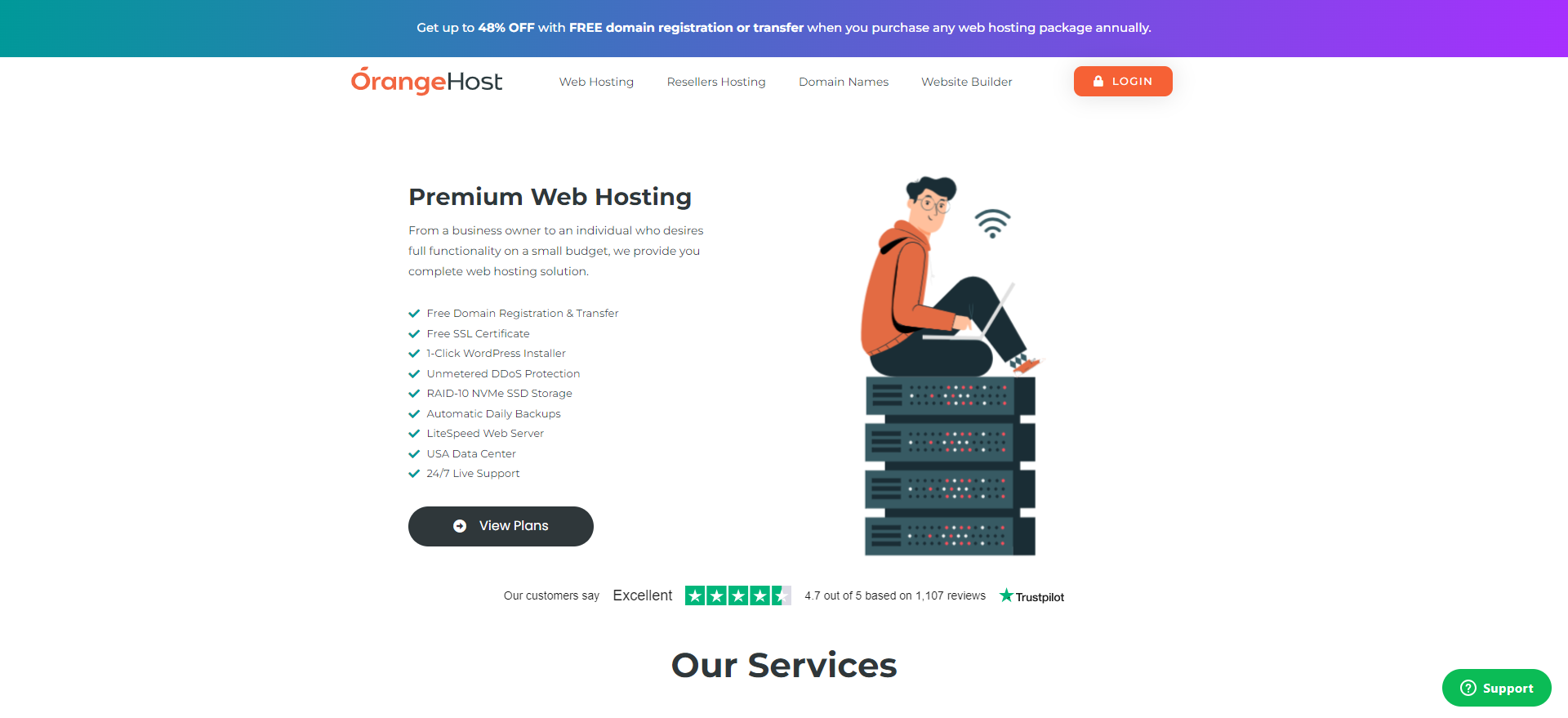
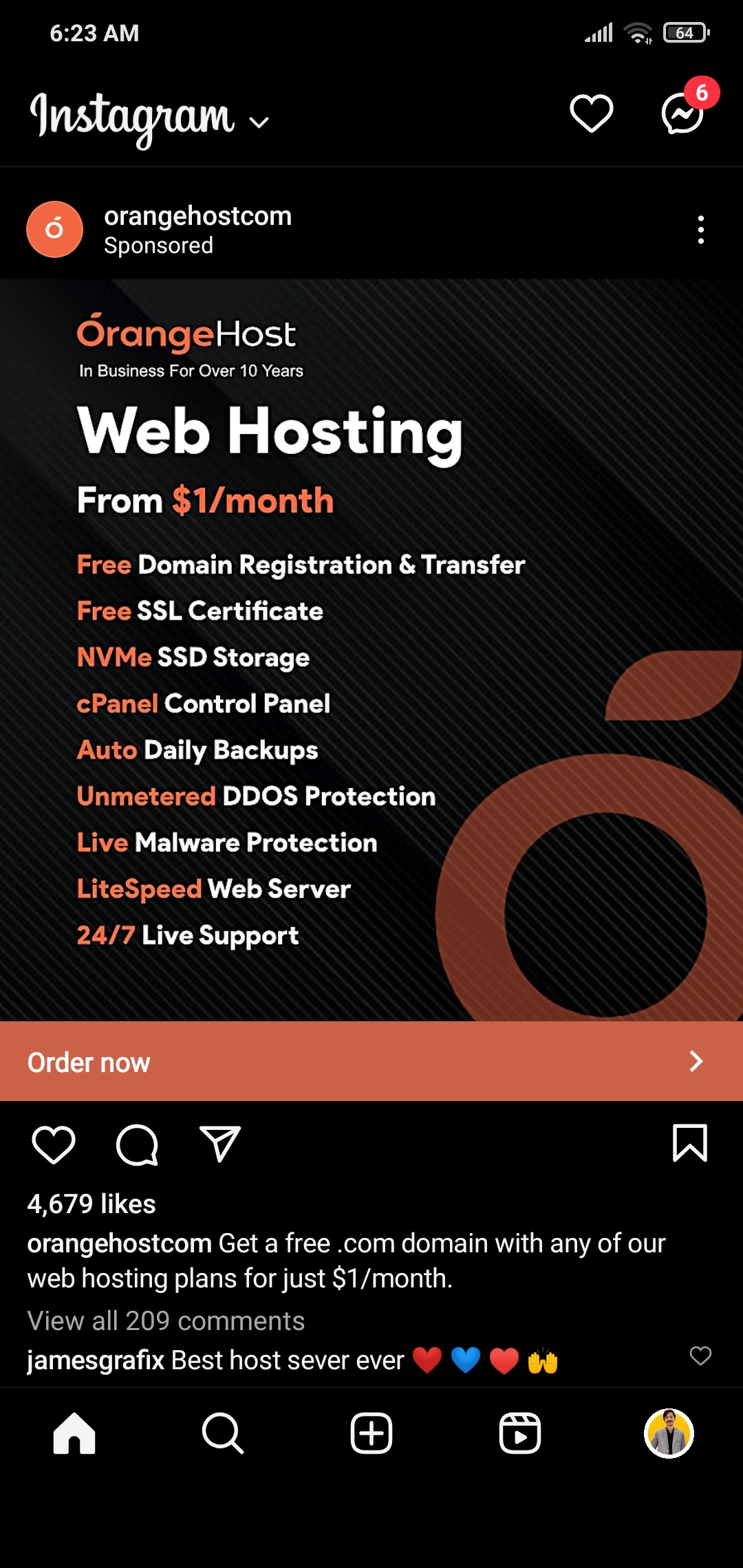
1. OrangeHost is retargeting visitors on Instagram
OrangeHost is one of the most affordable web hosting services on the market. This hosting company uses a retargeting marketing strategy.
When a visitor lands on their website to go through the web hosting plans, the chances are that this person is going to see this Instagram ad at some point.
It’s a retargeting Instagram ad of OrangeHost – trying to convert their website visitors into paying customers.
Interesting, right?
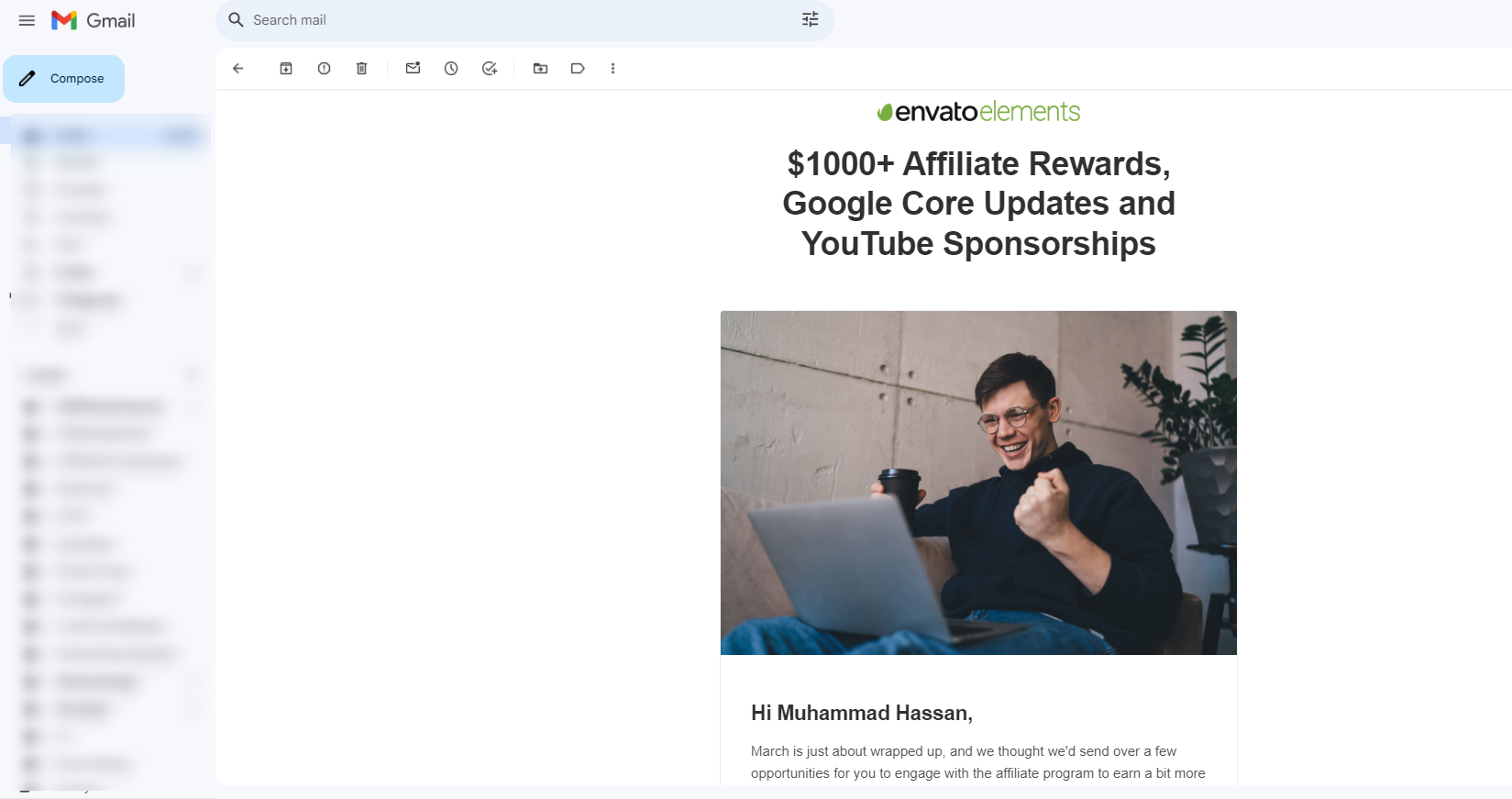
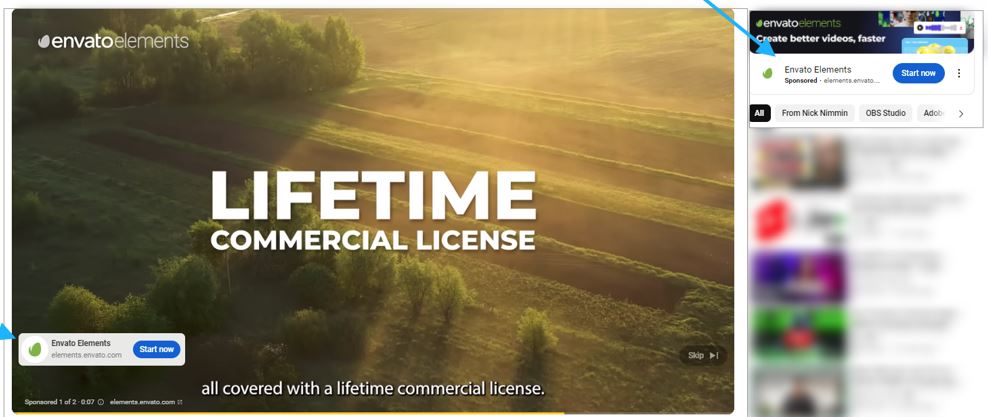
2. Envato Elements is remarketing the audience on YouTube
Envato Elements is a creative marketplace that provides designers and creators with stock videos, photos, elements, icons, and much more.
They also send out email newsletters to the members and affiliates. After opening one of their recent email newsletters, we now see their ads on YouTube.
It seems like there is a retargeting campaigns is in place.
Social media retargeting: Success stories
Here are the few social media retargeting success stories worth mentioning:
1. Vedia works with Criteo to increase sales
Vedia has successfully implemented a social media retargeting strategy by utilizing Criteo’s programmatic technology to expand its customer base on Facebook, resulting in a 15% increase in overall sales across various campaigns.
By leveraging Criteo’s extensive network of publishing partners and integrating with Facebook, Vedia gained insights into buyers’ entire journey, spanning from discovery to purchase.
It’s been learned that it not only widened Vedia’s reach along the purchase path but also reduced campaign cost per order (CPO) by nearly 20% and cost of sale (COS) by 7%.
2. Madewell customizes ads to convert the audience
Madewell is one of those advertisers that effectively utilizes Facebook retargeting to reconnect with website visitors and entice them to make purchases.
By tailoring remarketing ad campaigns on social media platforms and in-lining them with user’s behavior on their site, this company enhances the shopping experience for users, presenting them with a curated selection of items.
This retargeting advertising strategy moves the needle for Madewell, encouraging customers to make a purchase.
3. Expedia uses FOMO to push prospects to take action
Expedia is a top-tier travel and booking platform that operates in multiple countries and territories.
It’s been learned that they target the Facebook audience searching for destinations, flights, and smart hotel experience.
They smartly create Facebook ad campaigns around “last minute deals” and choose CTA phrases like “Book Now” to attract the audience that might be traveling soon.
Not only do they get a chance to meet the right audience for their product, but they also use the urgency factor to convert the prospects into customers.
There are hundreds of examples of brands that are successfully implementing social media retargeting campaigns on different social media platforms.
Let’s conclude: Ready to retarget visitors who click on your short links?
Social media marketing continues to evolve. The social media ad platforms are changing for the better. New social media monetization opportunities are popping up. More and more people are embracing social media. No wonder it’s an interesting time to be alive.
Since marketing is a crucial element of social media, brands, organizations, and agencies are trying to scratch the surface of social media platforms to create their dominance against competition.
Social media retargeting is a widely used engagement strategy by brands, influencers, and marketers. The purpose of discussing retargeting is to enlighten you with this opportunity to remarket your offer to prospects on social media.
Replug is used by thousands of users worldwide for URL shortening, so they must understand how valuable the clicks on their shortened URLs are.
Social media retargeting using the power of Replug allows users to re-engage the audience that clicked on your short URLs and present them with an offer they can’t refuse.
Moreover, the link analytics section gives you insights into your short URL performance. It’s safe to say that measuring clicks, unique clicks, total conversions, and conversion rates has never been this easy.
While it seems like Replug is just a free URL shortener, it does offer several features, such as bio links, deep links, and A/B testing – it’s a complete URL tracking package for marketers, businesses, influencers, and entrepreneurs. Try it for free!
FAQs about social media retargeting
Let’s answer some of the burning questions about social media retargeting:
What is the difference between targeting and retargeting?
The difference between targeting and retargeting is that when you’re targeting an audience, you’re trying to reach a new audience that hasn’t heard about you before. Whereas when you retarget, you’re trying to connect with the audience that has visited your website or landing page before.
Is retargeting an SEO technique?
Retargeting isn’t an SEO technique. Instead, it’s more of an online advertising technique used by advertisers and marketers to reach the audience that has shown some interest in the product or service before. So, the retargeting campaign ensures remarketing your product or service to the same audience and brings them on board with the conversion.
What is the first step of retargeting?
The first step of retargeting is to identify the target audience, meaning figuring out who your audience is and where they exist. Once identified, you can create a retargeting strategy to reach out to them and offer them something they might be interested in.
What are retargeted ads?
Retargeting ads are a type of ad campaign intended for the audience that has visited your website or landing page before but never took any action.
How to do retargeting ads on Instagram?
Retargeting ads on Instagram can be run through your Facebook ads account. All you need is to set up your Facebook Pixel on your website or landing page and then create a retargeting ad campaign through Facebook and choose the Instagram platform for targeting the audience.
If you’ve ever wondered who’s tapping on the links in your Instagram bio, you’re not alone. It’s a common question among users looking to understand their audience better and fine-tune their content strategy.
In this guide, We’ll uncover what you can (and can’t) glean from Instagram’s native data insights, and we’ll introduce you to a handy third-party tool that can give you a deeper dive into bio link clicks.
Whether you’re an aspiring influencer, a savvy entrepreneur, or just someone who loves sharing cool stuff on Instagram, understanding how to track bio link clicks is key to making the most of your social media presence. So, let’s dive in and discover the secrets to optimizing your bio links for maximum impact!
Can you see who clicks on your Instagram bio link?
Instagram’s analytics tell you how many clicks your bio link gets and where they’re coming from, but it doesn’t tell you who exactly is clicking. You can see general info like age, gender, and location of the people clicking, but not their names or usernames.
So while you won’t know the specific individuals clicking on your link, you can still keep an eye on how well it’s doing overall and get a sense of who’s interested in your content based on the demographic info provided.
A complete link management solution
for marketing professionals & agencies.
Try Replug for free
How to use the Instagram insight feature and track link clicks?
Using Instagram insights can give you valuable insights into your account’s performance and your audience’s behavior.
Note: Make sure you have a business or creator account on Instagram. If you still need to set one up, you can learn how to do so.
Here’s how to make the most of this feature:
Step 1: Open the Instagram mobile app and go to your profile.
Step 2: Tap on the Insights action button. You can find this either by tapping directly on the Insights button or by going to the Menu in the upper right corner and selecting Insights from there.
Step 3: Once you’re in Insights, you’ll see various metrics under the Overview section, giving you a snapshot of your account’s performance. You can also dive deeper into specific content by tapping on it for a more detailed breakdown of its performance.
To check your bio link click on Instagram:
Step 4: Tap on the “Activity” tab in the Instagram insight.
Step 5: Scroll down to find the section that shows how many clicks your bio link received during the last week.
Step 6: You can compare this data with previous results to see how you’re doing over time. Similar to tracking the right time to post on TikTok, this helps you spot trends and adjust your strategy. This comparison also helps you track your progress and identify your audience’s behavior.
To understand how those audience patterns fit into the wider market, marketers can use Oxylabs, a data collection provider, to gather relevant public web data on competitor campaigns, customer sentiment, and emerging industry trends.
A complete link management solution
for marketing professionals & agencies.
Try Replug for free
Limitations of Instagram insights
While Instagram Insight offers valuable data on bio link performance, it does come with certain limitations worth noting:
Lack of individual click details: Instagram Insight only reveals the total number of clicks on your bio link, without specifying who clicked or providing any other individualized information.
Absence of click-through rates: Although you can see the total clicks, Instagram doesn’t show how many people saw the link and decided to click. This omission makes it challenging to calculate click-through rates or compare link performance effectively.
Limited demographic insights: While basic demographic data like age, gender, and location of link-clickers is available, it may not offer comprehensive insights into your target audience’s characteristics.
Weekly reporting: Instagram Insight provides data every week, restricting real-time tracking or comparisons across different periods. For instance, comparing this month’s link performance to last month’s isn’t feasible within Instagram’s analytics framework.
Exclusive to business accounts: Access to Instagram Insight for bio links is restricted to business accounts. This limitation may inconvenience individual users unwilling to switch or small businesses lacking the resources to manage a separate account. To elevate your social media strategy, leverage tools like the ImagineArt AI Video Generator, which enables you to create high-quality, engaging video content that boosts your Instagram profile and maximizes the effectiveness of your bio link.
Can I find out who clicks my link-in-bio?
Unfortunately, Instagram’s native analytics don’t provide detailed information about who clicks on your bio link, which can be frustrating for businesses and brands looking to track the effectiveness of their promotions.
When monitoring traffic and click analytics on desktop, it’s also important to stay mindful of data privacy. Using a Windows VPN helps protect your browsing data, keeps your analytics secure, and ensures your link tracking remains private when managing campaigns from a PC.
For deeper security assurance, many businesses also consult penetration testing companies to identify vulnerabilities and safeguard their data infrastructure.
For US-based businesses handling campaign analytics, customer data, or marketing attribution systems, regular penetration testing services can also help validate whether web assets, tracking flows, and connected dashboards are exposed to exploitable security weaknesses.
Try Replug for bio link management and tracking:
Replug.io emerges as a top-notch alternative to Instagram Insights, offering robust link management and bio-link tracking capabilities.
By using Replug, you not only gain detailed analytics on your shared links but also improve client management with insights into audience behavior and preferences. By generating a personalized shortened bio link through this brilliant link shortener and integrating it into your Instagram bio, you unlock a wealth of data, including click information, geographical details, and device usage.
Utilizing Replug’s bio-link analytics provides you with unparalleled insights into audience behavior. Armed with this valuable information, you can track key performance indicators, refine your marketing strategies as needed, and optimize your return on investment (ROI) effortlessly.
A complete link management solution
for marketing professionals & agencies.
Try Replug for free
FAQs
Can I see who clicks on my Instagram bio link?
Unfortunately, Instagram’s native analytics don’t provide individual click details. However, third-party tools like Replug offer detailed insights into link clicks, including information about the individuals clicking on them.
How can I track the effectiveness of my Instagram bio link?
While Instagram Insights offers basic metrics, such as total clicks, they lacks detailed analytics. To track the effectiveness of your bio link and gain insights into audience behavior, consider using third-party tools like Replug, which provide comprehensive analytics on link performance.
What information does Replug provide about link clicks?
Replug offers detailed analytics on link clicks, including data on click activity, geographical location, device information, and even insights into the individuals clicking on the links.
Do I need a business account to use Replug for Instagram bio links?
No, Replug can be used by individuals and businesses alike to manage and track bio links on Instagram. Whether you’re a small business owner or an influencer, Replug provides valuable insights into link performance.
Spice up your social media game with some killer Instagram marketing tools! And take your brand to the next level!
Yes, you’ve heard me right! Whether it’s promoting your brand online, building social proof, generating leads, increasing engagement, or measuring brand analytics.
All that and more can be achieved with the right Instagram marketing tools. However, there are a lot of different marketing tools in the market now. And each of them serves multiple purposes. You must choose the right one per your brand’s needs and demands.
Below, we have reviewed the 14 best Instagram marketing tools, which can quickly skyrocket your brand’s online visibility.
Alright! Let’s dive into the details.
What is Instagram marketing?
Instagram marketing is the process of promoting a business, its products, or its services through the Instagram social media network.
It involves creating content that resonates with followers and encourages them to engage with the brand. With the right Instagram marketing strategy, one can increase the number of leads, expand the brand’s online visibility and connect with the targeted audience. Now let’s jump into the tools.
15 must-have Instagram marketing tools
When it comes to finding the right tool for the job, there are a lot of factors to consider, such as its user interface, effectiveness, customer service, etc. Thankfully, some tools out there hit the nail on the head.
Social Media Management Tools
1. ContentStudio
Get ready to meet the superstar of Instagram marketing tools –ContentStudio! Used for scheduling posts, influencer discovery, AI-based captions generator, workflow approval, Canva integration, tracking analytics, etc. So, plan, create, and schedule posts that will make your followers stop scrolling and say,
“Wow, this ismind-boggling” Move over, mere mortals!
ContentStudio is like having a personal marketing assistant but without coffee runs.
Moreover, you can use fancy filters to enhance your visual content and share it on social platforms to raise brand awareness. Also, you can write and customize posts per your potential audiences with the AI-writer feature.
And with our built-in Instagram competitor analytics tool, you can always stay one step ahead of the game.
Iconsuqaure lets you build a custom campaign to promote your product, schedule your postings and streamline your data. Due to the large amount of information that is available online, it might be challenging to keep track of how your audience perceives your business.
With this tool, you can ensure that your account gets the audience you want it to if you personalize each of your daily posts on it.
Moreover, if you’re curious about the number of times your brand has been mentioned on Instagram, you can easily find out through the platform’s analytics of Iconsuqare. Most freelancers and individuals in the field may find the tool pricey. However, it’s perfect for agencies and large-scale businesses.
If you’re here, you may already hear about Buffer. This tool is the real deal! It lets you kill two birds with one stone by allowing you to schedule Instagram posts ahead of time, spice them up with eye-catching visuals, and even create bio-links.
You’ll need a time-traveling tool to schedule your posts in advance to avoid the stress of last-minute content creation- like Buffer.
So you can spend more time binge-watching Netflix and less time trying to get along with boring market trends.
Keeping your brand alive nowadays is like swimming upstream with a lead weight tied to your ankle. Unless you’re happy being a loser, you might want to consider winning over your competitors.
We advise you to use this as an all-in-one link management tool to shorten a link, adding retargeting pixels, embedding CTAs, and creating social media bio-links.
Replug.io helps you automatically build custom audiences on different ad networks and convert anyone who views your content through its retargeting pixel feature.
Moreover, its bio-link feature allows you to host multiple social links in one customizable page, and with Replug’s Instagram link shortener, you can create clean, branded URLs that fit perfectly in your Instagram bio while driving clicks to your content.
So why wait? Give it a try today and see the results for yourself.
With Later, you can easily create bio links and also schedule your social media posts. Generate visual content calendars to help you stay organized and on top of your Instagram game.
And if you have multiple Instagram accounts, Later makes it easy to generate a different content library for each one, so you can keep your content fresh and engaging across all your profiles.
This beast has a drag-and-drop visual planner feature, so you can easily plan your posts before publishing them. Ensure your content is always on point and ready to be shared with your audience.
It offers various features to help businesses effectively manage their presence on Instagram. Such as real-time mention monitoring so you can keep a close eye on mentions of your brand, competitors, or products in real-time.
This lets you stay updated on what people say about your business and quickly respond to mentions.
And a unified dashboard for engagement so you can respond to reviews, comments, and direct messages (DMs) all in one place, simplifying the process and saving you time.
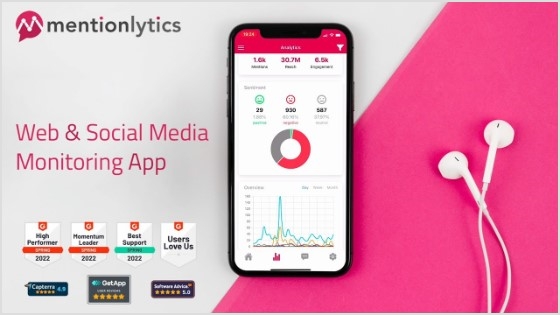
Also, Mentionlytics allows you to track your competitors’ activities, gaining insights into their strategies and performance. Or you can identify and follow top influencers in your industry, making establishing partnerships that can expand your reach and impact easier.
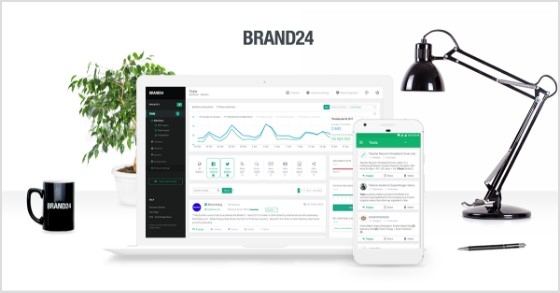
With Brand24, you can easily track the online activity surrounding your brand. Its unique ability is that it goes a step further by segmenting the audience’s responses based on their sentiments.
Its automated sentiment analysis helps you understand the audience’s sentiment toward your brand. So you can categorize responses as positive, negative, or neutral, providing valuable insights into public perception.
It also helps you promptly address any emerging issues or trends before they become significant problems with identifying sudden shifts. On the other hand, it’s an instant user engagement feature. You can immediately engage in a conversation with your customers.
By addressing their concerns in real-time, you can demonstrate your commitment to customer satisfaction and turn a negative experience into a positive one.
Listen up, folks! If you want your campaigns to be lit, you must get those influencers on board. They’re like the cool kids in high school – everyone wants to be like them and follow their lead.
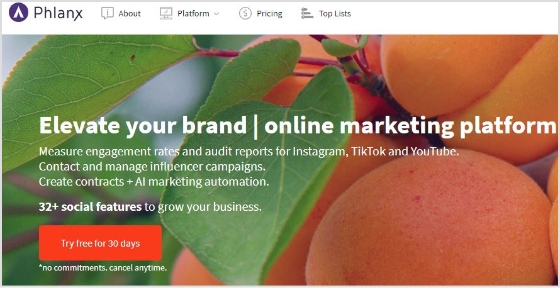
But what’s even more important? Keeping an eye on engagement rates and account audits. For this purpose, I suggest Phlanx– a popular tool among influencer marketers and professionals in the industry.
It’s like having a genie in a bottle, but instead of wishes, it grants you social media success!
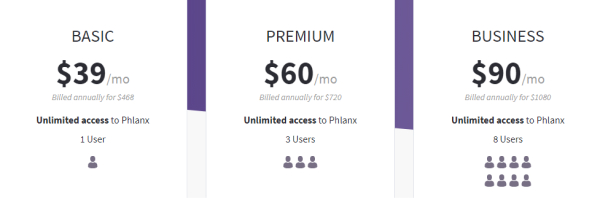
Phlanx helps you streamline your follower list, promote your brand online, handle influencer searches, audit your accounts, track engagement rates, and generate contracts. Also, it ensures that your content resonates with your targeted audience, which may lead to more meaningful interactions and a more robust online community.
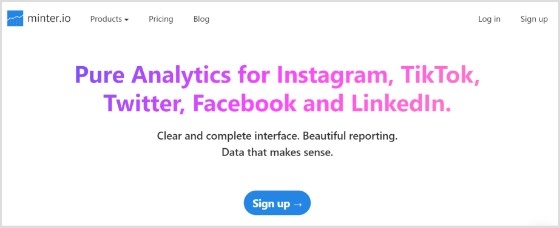
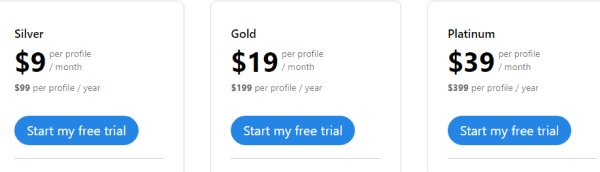
With a comprehensive and user-friendly interface that provides reliable analytics, minter.io is another perfect Instagram marketing tool. It offers advanced insights into your social media followers and post engagements, allowing you to understand your audience better and optimize your content strategy.
Also, it ensures that the data and analytics provided are accurate and reliable. It also gives you the option to do the post-engagement analysis. Allowing you to delve into the performance of your posts, including likes, comments, and shares.
Moreover, You’ll also see the flexible date range selection. This feature lets you view performance trends over specific periods, making tracking progress and comparing results easier.
One of its unique features is its data export capability. You can easily export the generated reports to utilize the data outside the tool. This empowers you to integrate the insights into other marketing analyses or share them with team members.
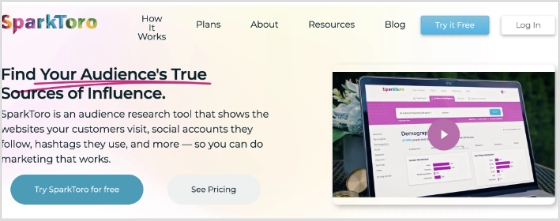
With SparkToro, marketers can delve into the specific topics, trends, and subjects that capture the attention of their target audience. Understanding these interests enables marketers to align their content with what their audience genuinely cares about, increasing the chances of resonating with them.
Also, the platform provides data on the profiles and accounts that hold significance to the target audience. Marketers can use this information to identify influencers and brands their audience trusts and admires.
Collaborating or drawing inspiration from these influential figures can amplify the reach and credibility of their Instagram marketing efforts.
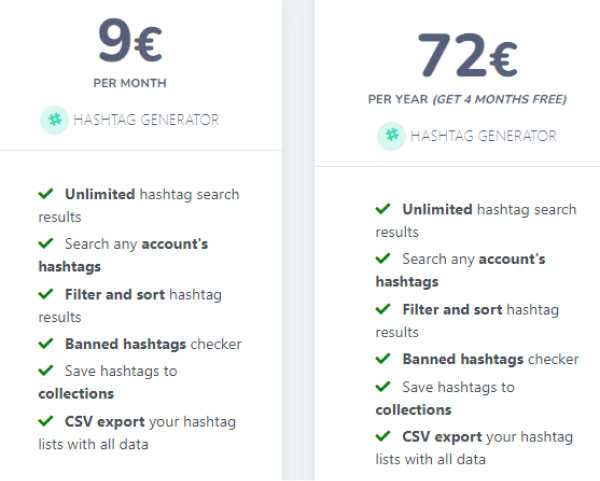
MetaHashtags is also one of the most popular Instagram marketing tools for generating Instagram hashtags. You can connect with a broader audience and attract new followers. So you can streamline your posts and stay ahead of the game.
Plus, with the free plan, you can generate as many Instagram hashtags as you need without additional cost. It offers many features, such as checking your competitors’ profiles and posts, removing banned hashtags, and filters for refined searches.
You can filter your search results by likes, frequency, and other parameters to get the most popular and frequently updated content.
Pricing plan of Metahashtags :
12. Canva
Creating visibility on instagram can be tricky, but a hidden key can make all the difference. The key is posting eye-catching visuals. And with Canva, you can create customizable Instagram visuals using features like their AI photo generator, which lets you bring new concepts to life with just a few words.
It has over 250,000 free templates; you will find the perfect design for your needs. Additionally, the user-friendly interface makes creating material with a professional appearance simple.
It has features like an online video recorder; you can easily capture footage on the go, while the video trimmer allows you to cut and edit your clips precisely.
Plus, you can easily incorporate high-quality footage into your projects without breaking the bank with access to a library of free stock videos. Other editing features, such as text animations and speech bubbles, allow you to add a professional touch to your videos and make them stand out.
Gleam is a comprehensive Instagram marketing tool designed for organizing contests, giveaways, and promotions. Through this tool, marketers gain the capability to develop and oversee engaging Instagram contests effortlessly.
This dynamic approach helps increase brand awareness, foster higher levels of engagement, and expand the base of followers.
It facilitates various interactive marketing activities, including contests, giveaways, and promotions. These strategies effectively capture the audience’s attention, encourage participation, and generate buzz around the brand or product. However, a successful Instagram marketing campaign on Gleam can contribute to a surge in followers.
Another Instagram marketing tool for searching, analyzing, and contacting influencers. It also dissects the audience’s demographics and offers useful insights. If you belong to a brand, agency, or advertising company, this is the right tool to interact with top influencers.
You can create an influencer list, export data, and start conversations.
Heepsy offers filters to find influencers by categories wise such as follower count, category, and location.
With ViralMango, you can effortlessly manage your links and showcase your performance metrics in style. Simplify your online presence and make your brand shine.
And if you’re wondering what is a media kit for influencers, ViralMango offers customizable templates that let you tweak your stats and design.
This tool also lets you add custom widgets to your links. Include thumbnails, catchy titles, and update them anytime. Perfect for driving traffic to your latest project or highlighting exclusive deals.
ViralMango’s analytics dashboard gives you deep audience insights. Track visitor data, referral sources, and more to optimize your growth strategy.
Pricing plan of ViralMango:
Free Plan Available
Paid Plans Starting at $9.99/month
Our take
In today’s day and age, Instagram marketing is no longer a choice but a must-have for any business looking to stay ahead of the game.
At the end of the day, the ball is in your court to find the Instagram marketing tool that fits your brand like a glove and doesn’t break the bank.
But even more crucial is to hit the nail on the head and use these tools like a pro according to your marketing game plan.
Nevertheless, ContentStudio is my top pick for the most effective marketing tool, since it includes everything you need. It has also several tools integrated mentioned above, i.e. Replug, Canva and several others useful integrations to uplift your Instagram marketing game. Thank you so much for staying with me till the end. We appreciate your time and effort.
FAQs on Instagram marketing tools
What are the types of Instagram marketing tools?
There are multiple types of Instagram marketing tools. Popular ones are Instagram analytics tools, content creation tools, scheduling tools, bio-link tools, hashtag research tools, ad management tools, Instagram stories, live video tools, contests, and giveaway tools.
Which is the best tool for scheduling Instagram posts?
ContentStudio is the best tool for managing or scheduling Instagram posts.
What are the benefits of Instagram marketing tools?
Generating leads, spreading brand awareness, analyzing buyer persona, building social proof, scheduling your Instagram posts, and increasing engagement.
Which is the best tool for generating bio links?
Replug is the best tool for generating Instagram bio-links.
What are the steps of creating an Instagram marketing strategy?
Setting goals- determining targeted audiences- conducting a competitive analysis- configuring an editorial calendar- building a consistent brand- enhancing follower base.
Stop switching between your social accounts to update links. Learn how to add social media links in one place with our detailed blog below. And make it easy for your audience to find and connect with you in one place.
Before getting started let us give you a quick rundown of the following terms.
Microsite vs. landing page vs. website
Feature
Microsite
Landing Page
Website
Purpose
Targeted campaigns, specific events
Single marketing goal or product promotion
Comprehensive online presence, information
Content depth
Limited, focused content
Concise, directed content
Extensive, covering various topics and pages
Navigation
Simple, often single-page
Limited, guided navigation
Multi-page structure with broader navigation
Design
Customized for a specific purpose
Emphasis on conversion and simplicity
Diverse, accommodating various content types
Scope of information
Specific to the campaign or event
Focused on a single offer or message
Covers a wide range of topics and information
SEO implications
May not be as comprehensive
Typically optimized for a specific goal
It can be optimized for various keywords and topics
Interactivity
May include engaging elements
Designed for specific user actions
Can include a variety of interactive features
Updates and changes
Easily updated for specific events
May require updates for new campaigns
Ongoing updates and changes for evolving content
Brand consistency
Maintains consistency for the event
Reflects specific campaign branding
Essential for overall brand identity
What are social media bio links?
Social media bio links or micropages refer to the clickable links within the bio or profile section of a user’s social media account. These social media links in one place provide a way for individuals or businesses to direct their followers to specific external content, websites, or other online destinations. Most social media platforms, such as Instagram, Twitter, and TikTok, have a designated space in the user’s profile where a single link can be added.
The best way to create a social media bio link is by using a bio link tool, such tools allow one to custom create “link in bio” or “micropages” from scratch. Besides that, they provide users with templates, design customization options, and analytics to create and track the performance of their bio link pages.
One go-to tool for creating bio links
Choosing the right tool for your business or brand depends on your specific needs and preferences. We recommend selecting a bio link tool with advanced features such as retargeting pixels, click tracking, link rotator, and A/B testing. One excellent option is Replug.
In addition to bio link creation and retargeting pixel integration, Replug offers a vast set of advanced features. You can create custom CTAs, track analytics comprehensively, and much more. Moreover, the interface is remarkably user-friendly, and Replug offers multiple pricing plans to suit different budgets. Whether you’re a small to mid-tier business or a fully-grown enterprise, Replug has you covered.
How to add social media links in one place using Replug?
Here’s how you can add social media links in one place using Replug.
Step 1: Sign up for Replug
Head to Replug’s app and create an account (free plan available).
Step 2: Create a Bio-Link
Go to the “Bio-Links” section of your Replug dashboard.
Click “New bio-link” to start creating.
Step 3: Customize your bio-link
Replug offers various content blocks to choose from.
You can add links, social media icons, text, videos and more.
Customize the appearance with colors, fonts, and images.
Step 4: Add one content widget: Select social icons
In the social icons block, you can add up to 5 of your favorite social media profile links in one place.
Step 5: Publish and connect to your social profile
Once you are done adding the social media icons block, you can select any new block of your choosing or edit your previous block.
And when you complete adding all your favorite content blocks, you can select & move to the next page.
Step 6: Select theme & finalize your bio link
In this step, you edit your bio link slug, select the brand/workspace, add title and subtitles of your bio link page.
You can also connect your own custom domain at this stage as well.
Once you’re happy with your bio-link, publish it.
Copy the link in bio and paste it into your social media bio section.
Additional tips:
Replug offers analytics to track clicks on your bio-link.
Consider using a call to action in your bio to encourage people to click your link.
That was all about adding social media links in one place.
Go beyond generic link pages!
Create custom bio links that truly fit your brand
With Replug, you can create bio links that are unique, engaging, and built to convert.
Different ways to use a bio link page (micro page)
Here are some of the different ways you can utilize a bio link page for your business or brand.
1. Promote your top e-commerce products
Direct users to your latest products or services. Use eye-catching images, compelling descriptions, and call-to-action buttons to entice visitors to explore and make purchases.
2. Increase engagement to your videos
Bio link pages often allow for customization, allowing you to present your videos and music in a visually appealing and engaging manner. You can add descriptions, thumbnails, and other visuals to entice visitors to click on the links and engage with your multimedia content.
Display your best work or projects in a visually appealing manner. Whether you’re an artist, photographer, designer, or freelancer, a bio link page can serve as a digital portfolio to impress potential clients or employers.
4. Event promotion
Promote upcoming events, webinars, workshops, or gigs. Provide event details, schedules, and registration links to encourage attendance and engagement.
5, Blog or content hub
Another thing you can do while adding social media links in one place is to share links to your blog posts, articles, videos, or podcasts. Keep your audience informed and entertained while driving traffic to your content hub.
Encourage visitors to subscribe to your newsletter or mailing list. Offer incentives such as exclusive content, discounts, or freebies to entice sign-ups.
7. Affiliate marketing
Monetize your bio link page by incorporating affiliate links to products or services relevant to your audience. Earn commissions for every referral or sale generated through your links.
8. Payment gateway
If you sell digital products or offer paid subscriptions, your bio link page can function as a secure payment gateway, allowing users to complete purchases directly from your social media bio.
Effortless creation with customizable templates, enabling professional-looking pages in minutes.
2. Effective for promotional campaigns
Centralized platform for showcasing promotional materials, driving traffic, and boosting conversions.
3.Facilitates community-building
Hub for audience engagement, fostering connections, and strengthening brand loyalty.
4.Enhances brand visibility
Consolidates online presence, ensuring easy access and navigation, leading to increased awareness.
5.Drives increased website traffic
Gateway to website or other destinations, effectively directing more visitors and potential customers.
6.Provides analytics and insights
Tracks key metrics to measure campaign effectiveness and optimize strategies for better results.
7.Offers cross-promotion opportunities
Enables collaboration with partners or affiliates to leverage each other’s audiences.
8.Adaptable and flexible
Easily updated to accommodate changes in marketing strategies, promotions, or content priorities.
Whether you’re a small business, influencer, or fully-grown enterprise, bio links provide a versatile platform for promoting products, sharing content, and fostering community engagement. So, stop switching between accounts and start maximizing the potential of your social media presence by adding your short links in one place with Replug.
FAQs about social media bio links
Can you make multiple social media accounts?
Yes, you can make multiple social media accounts.
What are social media bio links?
Social media bio links, also known as micropages or link trees, are clickable links within a user’s social media bio or profile section.
What is the biggest social media platform?
The biggest social media platform is Facebook.
Which is the best bio link tool?
One recommended bio link tool is Replug, which offers advanced features like retargeting pixel integration, custom CTAs, comprehensive analytics, a user-friendly interface, and flexible pricing plans suitable for various business sizes.
In a sea of pins and boards, a compelling Pinterest bio is your chance to stand out and leave a lasting impression. It encourages users to explore, follow, and engage with your brand. An optimized bio is more than just a collection of words; it’s a strategy that establishes credibility, fosters connection, and ultimately drives engagement.
Learn to create a compelling, professional bio that attracts the right audience and boosts your followers. Dive into proven strategies for growing your business on this visual search engine and marketing powerhouse.
Let’s get started!
What is a Pinterest bio?
A Pinterest bio is a concise yet impactful “About You” section on your profile that encapsulates your brand identity and offerings for your target audience. It serves as the initial point of contact for Pinterest users, influencing their perception of your brand.
This brief introduction is a pivotal element in making a lasting first impression, as it highlights your values, uniqueness, and the essence of your content.
A well-crafted Pinterest bio is not only an introduction but a strategic tool that attracts the right audience, encouraging them to engage, follow, and explore more of what your brand has to offer on the platform.
How to write a Pinterest bio: 6 steps to success
1. Switch to a business account
Ensure your Pinterest account is set up as a business account. This unlocks essential tools for setting up your shop, analyzing performance, and staying informed about trends. These resources empower you to make the most of the platform and enhance your overall experience.
2. Change your profile picture
Select a profile picture that strikes a balance between brand friendliness and visual appeal. For individual content creators or influencers, opt for a professional photograph that showcases your unique personality. Authenticity is key, as audiences seek genuine connections. If you represent a business, use your brand logo to enhance brand recall.
3. Customize your banner
Maximize the visual impact of your Pinterest cover by customizing it to entice new followers. Consider incorporating an irresistible lead magnet, such as a masterclass or free cheat sheet, to capture audience interest. Including a Replug QR Code on your banner allows followers to easily access additional offerings, providing them with a taste of the value your profile delivers.
4. Add your business name and keywords
Recognize that Pinterest users often search for specific topics rather than individual names. Enhance your discoverability by incorporating relevant keywords alongside your business name. Identify the pain points of your target audience and position your brand as a trusted solution.
5. Write your bio under “About”
Focus your bio on your target audience rather than solely on yourself. Leverage a Pinterest keyword tool to identify what your audience is actively searching for and integrate relevant keywords into your bio. Remember that Pinterest operates as a visual search engine, so a keyword-rich bio enhances your chances of being found when users enter relevant searches.
6. Add Replug link-in-bio on the website field
While Pinterest allows only one link in your bio, you can maximize this space with a personalized Pinterest link in bio. This dynamic link directs followers to a microsite of links, including your website, social media links, and more.
By creating a centralized hub, you make your content more accessible, boost brand visibility, and drive engagement.
Replug.io enables you to track each action, providing insights into the links that resonate most with your audience and empowering you to redirect traffic strategically.
To further streamline your link-sharing strategy, use a free link shortener to create clean, trackable URLs and enhance the performance of every link you share.
Go beyond generic link pages!
Create custom bio links that truly fit your brand
With Replug, you can create bio links that are unique, engaging, and built to convert.
How to add a Replug Link-in-bio to your Pinterest bio?
Here’s how to add a Replug Link-in-Bio to your Pinterest bio:
Step 1:Log in to your Replug account or create one if you’re new to the platform.
Step 2: Once logged in, head to the Replug dashboard and find the “Bio links” feature.
Step 3: Click on “New Bio Link” to initiate the creation of a new bio link.
Step 4: Choose the type of content block you want to include on your bio link page. Replug provides various options such as social icons, links, RSS feeds, audio, video, text, and cards. Select the one that aligns with your needs. For instance, you can start with the “Social Icons” block.
Step 5: Pick up to five social media platforms you wish to display on your bio link page. Customize the colors of the social icons, provide titles for each platform, and insert the respective links. Click “Add Block” to include each platform.
Step 6: Incorporate additional content blocks as necessary. For example, if you want to feature website links, opt for the “Links” block. Enter titles for the content blocks, as well as titles and URLs for the websites. Multiple website links can be added within this block.
Step 7: Once all desired content blocks are added, proceed by clicking “Next.”
Step 8: Further personalize your bio link page by specifying your brand name, uploading an avatar, and adding a title and subtitle that best represents your content or brand.
Step 9: Review your bio link page during the creation process to ensure it looks and functions as intended.
Step 10: Save your bio link, and it will be ready to be seamlessly integrated into your Pinterest bio.
Go beyond generic link pages!
Create custom bio links that truly fit your brand
With Replug, you can create bio links that are unique, engaging, and built to convert.
How do I switch my Pinterest account to a business account?
Visit your Pinterest account settings, and there should be an option to convert your account into a business account. Follow the prompts to set up your business profile.
What type of profile picture should I use on Pinterest?
Choose a profile picture that is visually appealing and aligns with your brand. For individuals, a professional photograph is recommended, while businesses may opt for their logo.
Can I customize my Pinterest cover/banner?
Yes, you can customize your Pinterest cover by adding a personalized touch to make it visually appealing. This is a great opportunity to showcase your brand or capture user interest.
How many links can I add to my Pinterest bio?
Pinterest allows only one link in the bio. Make sure to use this space wisely by including a link that directs followers to a relevant destination, such as your website or a specific landing page.
Should I include keywords in my Pinterest bio?
Yes, incorporating relevant keywords in your bio can improve discoverability. Think about what your target audience is searching for on Pinterest and include those keywords naturally and engagingly.
What is the importance of a call to action (CTA) in my Pinterest bio?
A well-crafted CTA encourages your audience to take action. For example, prompting them to click on a link for more information can enhance engagement and drive traffic to your intended destination.