It is necessary to deactivate your Facebook account before you can deactivate your Messenger account. Once you have deactivated your Facebook account, the option to deactivate your Messenger account will become available.
Deactivating your Messenger account from a computer or laptop is impossible. You can only deactivate a Messenger account from the Messenger application settings on your smart devices, i.e., mobile or tablet.
Here’s how to deactivate Messenger app quickly:
Step 1: Open the messenger app from your mobile phone.
Step 2: Tap the profile icon in the top right corner.
Step 3: Tap account setting from the account menu.
Step 4: Tap account ownership and control.
Step 5: Tap deactivation and deletion.
Step 6:Select Deactivate account, then tap continue to account deactivation.
Step 7: Enter the password and tap continue, and your Facebook account is deactivated.
Now your Facebook account is deactivated, you can easily deactivate your Messenger account.
Maximize marketing ROI
by transforming ordinary URLs into branded short links that convert.
Try Replug for free
Step 8: Again tap the profile icon in the top right corner.
Step 9: Scroll to the bottom and select legal and policies.
Step 10: Tap deactivate Messenger.
Step 11: Enter your password and tap continue. Your Messenger account will be deactivated.
To reactivate Messenger, simply log in with your username and password.
Deactivating your Facebook account will not automatically deactivate your Messenger account, as the two are separate platforms.
If you deactivate your Messenger account, your profile will not appear in search results, but your past messages and comments will still be visible to others. If you want your messages to disappear after a certain time, you can turn on the vanish mode by swiping up while in a conversation.
Important Note: If you manage many links, perhaps sharing guides or resources about privacy and account settings, Replug.io can help you keep your URLs organized and trackable in one place. Also, if you plan to share this guide with friends afterward, using this efficient link shortener makes the URL cleaner and easier to share!
If your Messenger account has been deactivated, you will not be able to access your account or use the Messenger app. When you try to log in to the app, you will see a message indicating that your account has been deactivated.
If you are unsure whether your Messenger account has been deactivated, you can try logging in to the app to see if you can access your account. If you cannot log in and see a message that your account has been deactivated, your account has been deactivated.
If you want to reactivate your Messenger account, you will need to follow the steps to reactivate your Facebook account first, as your Messenger account is linked to your Facebook account. Once you have reactivated your Facebook account, you can use the Messenger app again.
What will my friends see if I deactivate Messenger?
If you deactivate your Messenger account, your friends will no longer be able to see your online status or send you messages through Messenger. However, your past messages and comments will still be visible to them, but they will not be able to contact you through the app.
Your profile will also be removed from the Messenger app’s search results, so your friends will not be able to find you within the app. If they try to send you a message, they will receive a notification that you are unavailable.
If you want to make all your messages and comments disappear from the app, you can switch on the vanish mode by swiping up while conversing. This will cause all of your messages in the conversation to disappear after they have been read. However, this feature is optional and will not affect your account status.
Are you a TikTok creator or business looking to track the performance of your content on the platform?
Understanding your analytics can help you create more effective and engaging content and optimize your TikTok marketing efforts.
If you’re looking for a powerful tool to manage link tracking, marketing campaigns, and social traffic, Replug.io offers a full suite of link-management and analytics capabilities that seamlessly integrate with your TikTok strategy.
This ultimate guide will show you how to check your TikTok analytics. Also, get the insights you need to succeed on TikTok.
So, keep reading till the very end!
How to check analytics on TikTok through a mobile phone?
Step 1: Open the TikTok app on your mobile phone.
Step 2: Tap on the profile icon in the bottom right corner.
Step 3: Tap on three horizontal lines in the top right corner.
Step 4: Tap the creator tools menu to see the analytics.
Step 5:Tap the analytics menu on your mobile screen.
Step 6: You will now see the Analytics screen on your mobile device.
It’s worth noting that TikTok’s analytics may not be 100% accurate, as the platform uses algorithms to estimate specific metrics. However, the data should still give you a good overall idea of your content’s performance and how it compares to other content on the platform.
Note: Want to clean up long, messy URLs before you post them on TikTok? You can easily shorten a URL for free to make your bio links look neat and professional, helping you boost click-through and overall engagement. Also, tracking link is never easier than before with Replug!
Maximize marketing ROI
by transforming ordinary URLs into branded short links that convert.
Try Replug for free
How to Check analytics on TikTok Through a computer device?
Step 1:Log in to TikTok on your computer or laptop.
Step 2: Click on your profile icon in the top right corner.
Step 3:A drop-down menu will open. Click business suite from the drop-down menu.
Step 4: Analytics screen will now open. You can check the performance of your content and more.
How to Understand Tiktok Analytics?
On TikTok, you can access analytics for your account by navigating to the Creator Studio. There are three main categories of analytics: Overview, Content, and Followers.
Overview: The Overview section provides information about your followers, video views, profile views, likes, and comments. Within this section, the Engagement tab lets you see metrics such as likes, comments, and shares for your videos within the chosen time frame.
Content: The Content tab offers more in-depth data and analytics for each video you post, including total views, total likes, comments, shares, average watch time, percentage of people watching the entire video, traffic source type (such as your profile or the For You feed), and audience territories. All content metrics are only available for the last seven days.
Followers: The Followers tab shows you insights about the community you’ve built on TikTok, including information about the locations of your followers and their activity times. You can also see your profile views and track changes in follower growth. If you have LIVE access, you can view analytics for your live streams in the LIV tab. This includes metrics like total views, new followers, total time, and diamonds earned.
If you’re active on both Instagram and TikTok, and let’s be real, who isn’t these days, you already know the struggle of sending followers from one platform to the other.
TikTok now has nearly 2 billion monthly active users worldwide, and its engagement rate sits at 3.70%, almost eight times higher than Instagram’s. That’s a massive, highly engaged audience you could be funneling straight to your Instagram page.
No matter if you’re a content creator, a small business, or just someone building a personal brand, connecting these two platforms is a no-brainer move. But how exactly do you do it?
Let’s start with the most common question people ask first: Is it even possible to add an Instagram link to your TikTok profile?
Is it possible to add an Instagram link to TikTok?
Yes, absolutely!
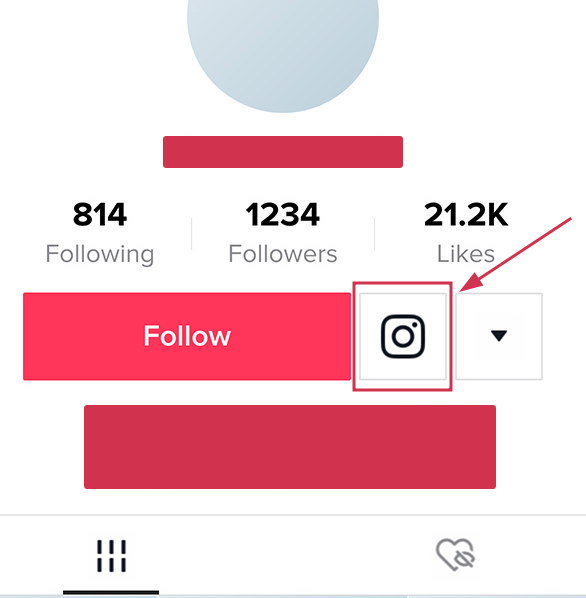
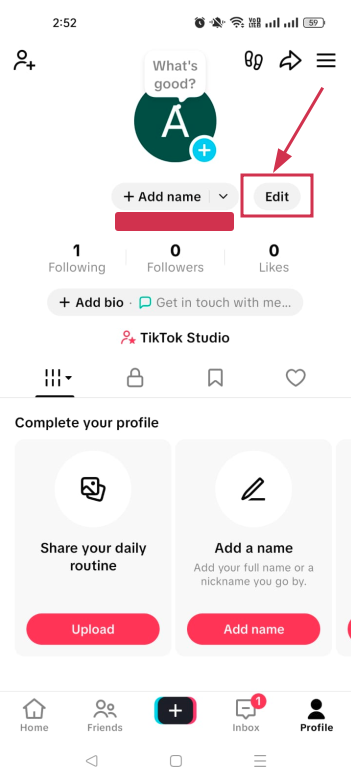
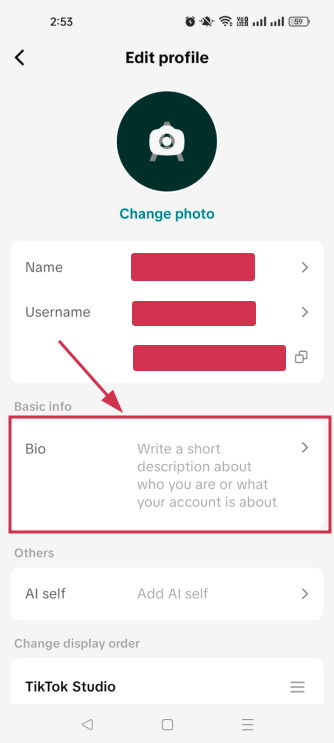
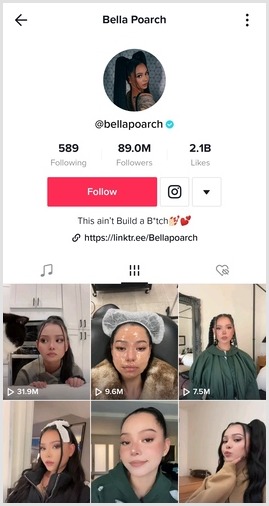
TikTok lets you link your Instagram account directly from your profile. You just head to “Edit Profile,” and tap “Add Instagram” under the “Social” section. Follow the prompts, and once connected, a clickable Instagram icon shows up right on your TikTok profile page.
Pretty neat, right?
Now, there’s one small catch. You can link social platforms like Instagram without needing to hit any follower threshold, unlike website links, which require at least 1,000 followers for personal accounts.
So whether you’re just starting out or already growing, this feature is available to you!
How to link Instagram to TikTok account
Linking your Instagram to TikTok is honestly super simple and takes less than two minutes. There are two ways to do it:
The direct method (recommended) through TikTok’s built-in social linking feature, or
An alternative manual method using Instagram’s “Share Profile” option.
Let’s walk through both!
Here’s how to add Instagram link to TikTok profile, step-by-step:
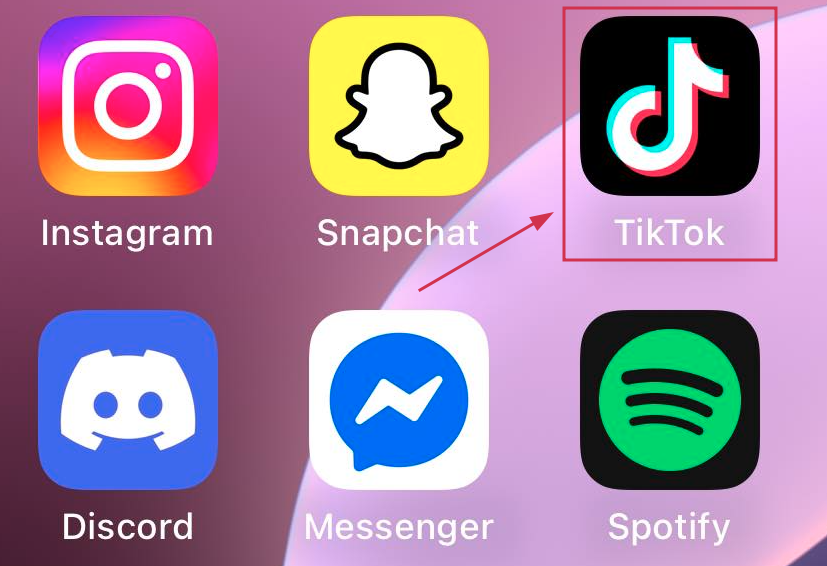
Step #01: Open the TikTok app
Grab your smartphone and launch the TikTok app. Make sure you’re logged into the account you want to link your Instagram to.
Step #02: Go to your profile
Tap the profile icon at the bottom right corner of your screen to open your TikTok profile page.
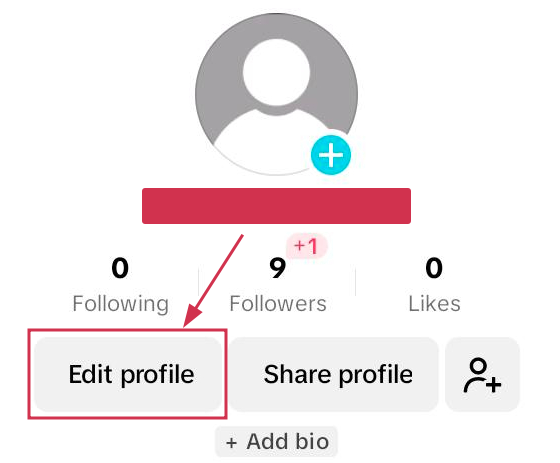
Step #03: Tap the “Edit profile” button
You’ll see the “Edit profile” button right next to your TikTok handle or just below your bio. Go ahead and tap it!
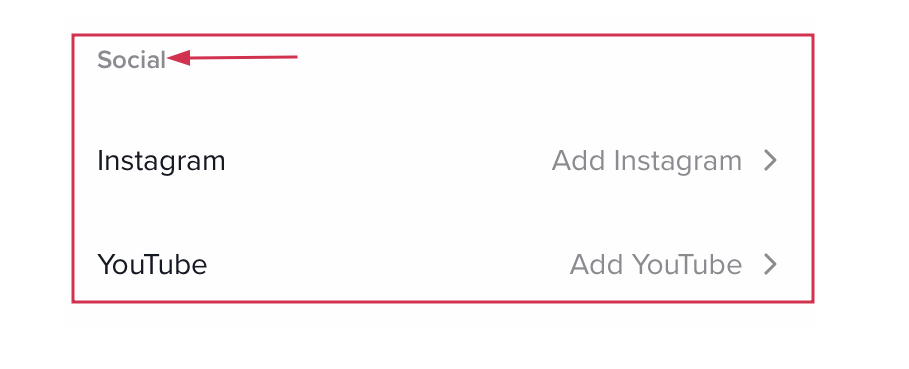
Step #04: Scroll down to the “Social” section
Once you’re inside the “Edit profile” screen, scroll down a little until you spot the “Social” section. That’s where all the magic happens.
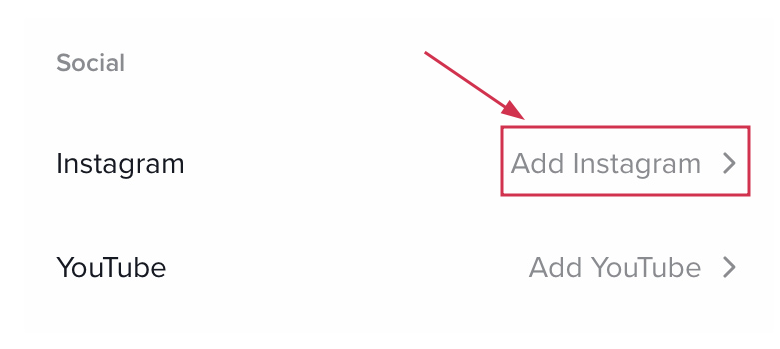
Step #05: Select “Add Instagram”
Tap on “Add Instagram,” and TikTok will prompt you to connect your account. You can choose from available platforms, including Instagram, YouTube, or Lemon8.
Step #06: Follow the login prompts
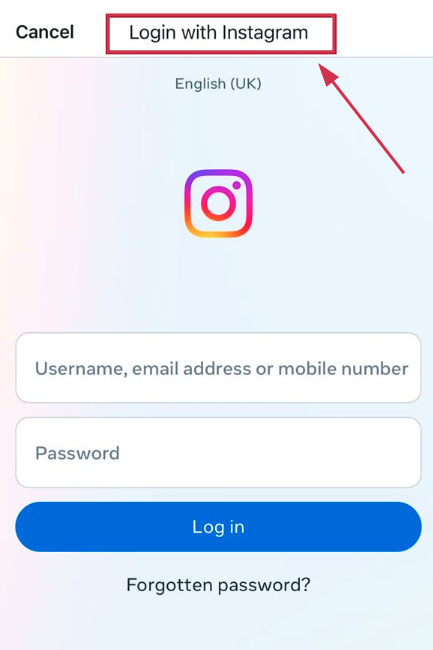
Simply log into your Instagram account when asked, hit “Authorize,” and you’re done!
Once connected, your Instagram icon will appear right beneath your TikTok bio for anyone to tap.
Alternative method:
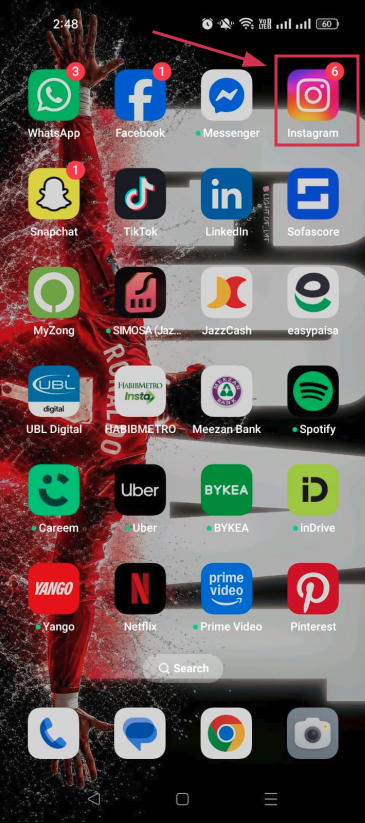
Step #01: Open the Instagram app
Head over to Instagram and make sure you’re logged into the account you want to share.
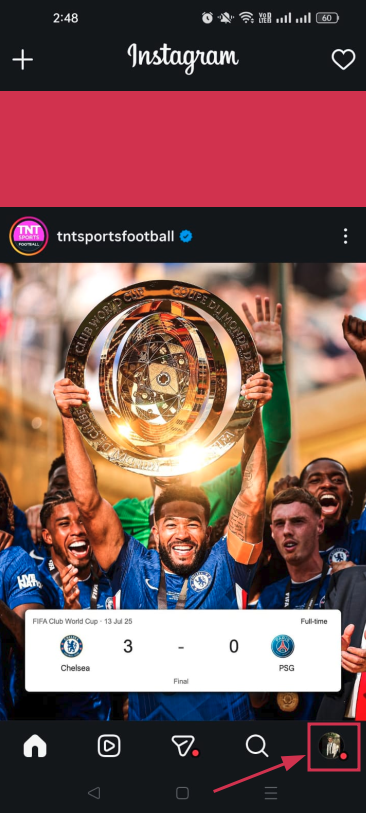
Step #02: Go to your profile
Tap your profile picture at the bottom right to open your Instagram profile.
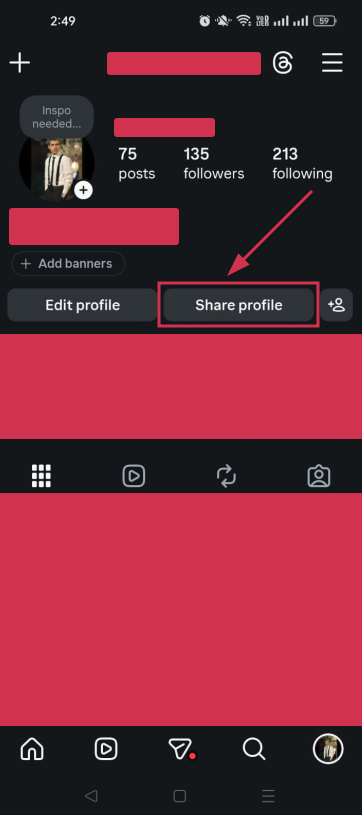
Step #03: Tap on “Share profile”
Hit the “Share profile” option. You’ll usually find it on your profile page, either as a button or through the menu.
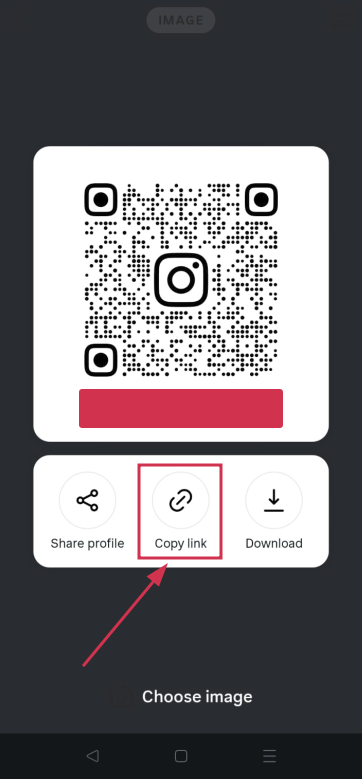
Step #04: Tap on “Copy link”
Once the share options pop up, tap “Copy link” to copy your Instagram profile URL to your clipboard.
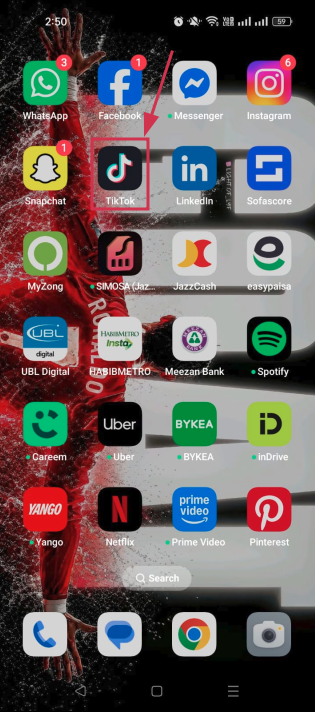
Step #05: Go to the TikTok app
Switch over to TikTok. Your copied link is ready to paste.
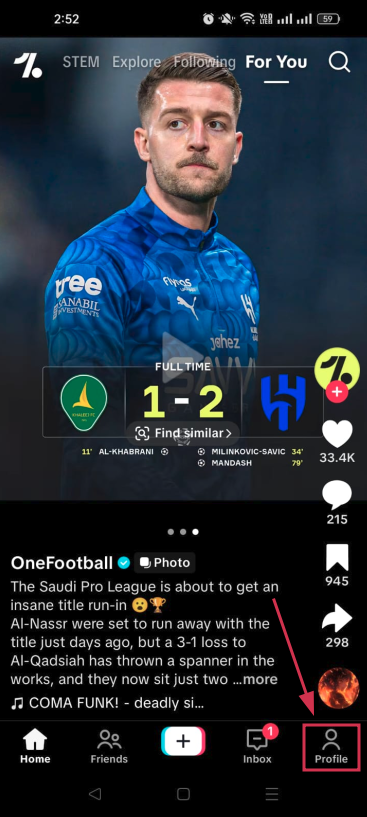
Step #06: Tap on your profile icon
Hit the profile icon at the bottom right corner of TikTok to land on your profile page.
Step #07: Tap “Edit”
Just like before, tap the “Edit” button to open your profile settings.
Step #08: Paste the copied link into the “Bio” or “Website” field
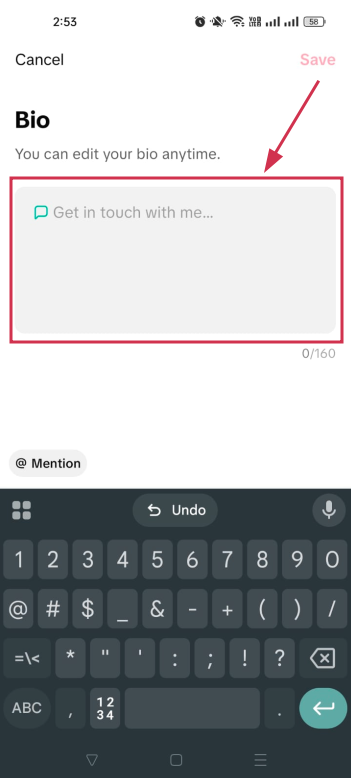
Paste your Instagram link into the “Bio” field for a quick and easy fix, and tap the “Save” option. And that’s all there is to it!
👉 Note that the “Website” field is only available for business accounts or personal accounts with at least 1,000 followers, so if you don’t see it, the “Bio” field works just fine as a workaround!
The process for a TikTok Business account is almost identical to what we covered above. You follow the same steps:
Go to your TikTok profile → tap “Edit profile” → scroll to the “Social” section → and connect your Instagram.
The difference is that business accounts unlock the website link field right away (no follower count needed).
Just make sure both apps are fully updated and linked to the same email or phone number to avoid any authentication hiccups.
👉 One trade-off to keep in mind: Business accounts lose access to certain trending sounds and copyrighted music, so factor that in before switching!
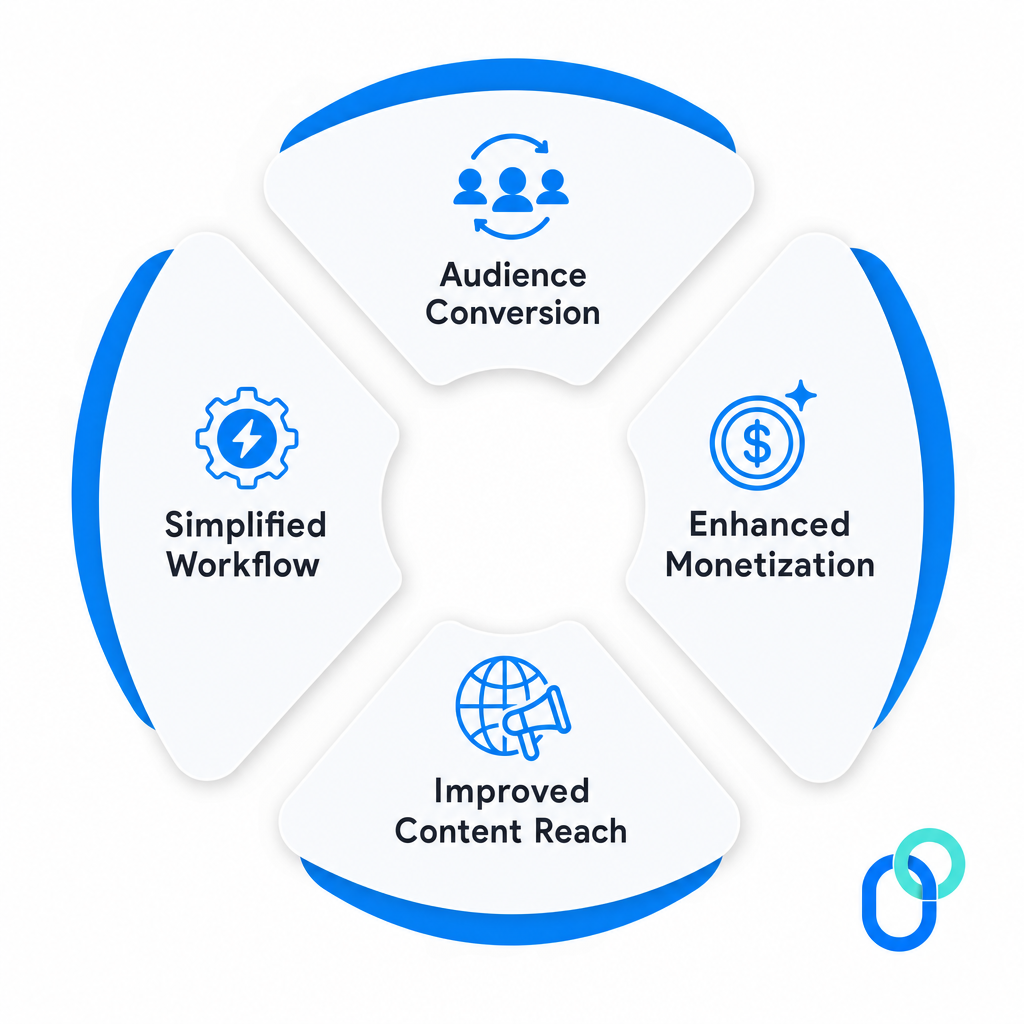
Why linking Instagram to TikTok is worth it!
If you’re still uncertain about connecting your accounts, let us give you a few solid reasons to just go for it.
Linking Instagram to TikTok isn’t just a convenience thing at present. It’s actually a smart move for growing your presence and making your content work harder for you across both platforms.
Audience conversion
Think about it: Someone comes across your TikTok, loves your content, and wants to see more of it. If your Instagram is right there on your profile, that curiosity instantly turns into a follow.
TikTok is where your content gets discovered and explodes overnight, while Instagram is your home base for building a more curated brand and nurturing a loyal community. Linking the two makes that journey seamless.
Enhanced monetization
Having a strong presence on both platforms opens up way more doors when it comes to brand deals, sponsorships, and collaborations.
Brands love working with creators who have a cross-platform audience because it means more eyes on their product. The bigger and more connected your following looks across TikTok and Instagram, the more attractive you become to potential partners (and that directly impacts what you can charge).
Improved content reach
Not everyone is present on both platforms, so linking your accounts helps you tap into two completely different audiences at once.
TikTok pulls in over 60% of users aged 16–34 who are chasing trends and rapid discovery. Whereas Instagram reaches an 18–44 age group with higher income brackets who expect more polished, longer-form content.
Bridging the two means your content gets in front of a much wider and more diverse crowd.
Simplified workflow
When your accounts are linked, managing your online presence becomes a whole lot easier. You can repurpose content across both platforms without the hassle of manually directing people from one app to the other.
Cross-posting and repurposing videos becomes easier, and guiding your audience from one platform to the next feels natural, saving you both time and effort in the long run.
Why won’t TikTok let me link my Instagram?
Running into issues while trying to link your Instagram to TikTok? Don’t worry, you’re not alone; it’s actually pretty common.
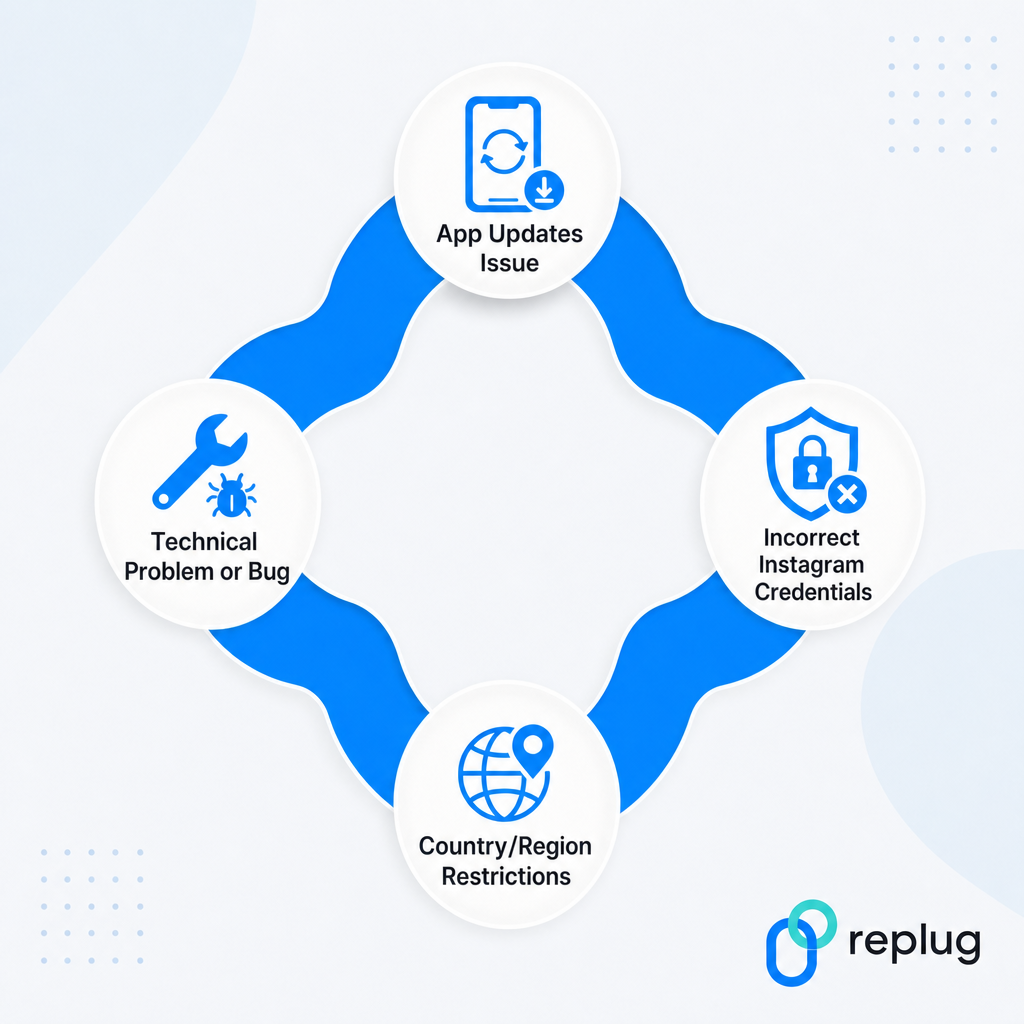
Most of the time, it comes down to one of these four reasons, and the good news is they’re all pretty easy to fix.
App updates issue
This one catches a lot of people off guard.
Both apps need to be fully updated to avoid authentication errors during the linking process. If either your TikTok or Instagram app is running on an older version, the connection simply won’t go through.
Head to your app store, check for any pending updates, and try linking again. That usually does the trick.
Incorrect Instagram credentials
If you’re getting an error during the login step, double-check that you’re entering the right Instagram username and password. It sounds obvious, but it’s one of the most common reasons the linking fails.
Also, if you have two-factor authentication enabled on Instagram, it can block TikTok’s linking request. Temporarily disabling 2FA, completing the connection, and then re-enabling it usually fixes this.
Country/region restrictions
This one’s a bit frustrating because it’s out of your hands.
TikTok is rolling out the Instagram linking feature gradually across different countries, with North America, Europe, and parts of Asia typically getting access first, while other regions follow weeks or even months later.
If the “Add Instagram” option simply isn’t showing up on your profile, chances are the feature just hasn’t reached your region yet.
Technical problem or bug
Sometimes it’s not you; it’s just a random glitch. Apps have bugs, and TikTok is no exception.
If you’re facing issues, try updating both apps, double-checking your login credentials, or checking your account type and region settings.
Logging out and back into TikTok, restarting your phone, or even switching from Wi-Fi to mobile data can also clear things up surprisingly fast.
What if my Instagram link isn’t showing on TikTok: Learn the troubleshooting steps!
So you’ve followed all the steps, but your Instagram link still isn’t showing up on TikTok? Super annoying, but totally fixable!
Here’s what you should try:
Update both apps: Make sure TikTok and Instagram are both running on their latest versions before attempting to re-link.
Log out and back in: Sometimes simply signing out of TikTok and logging back in refreshes everything and makes the link appear.
Switch to mobile data: Wi-Fi networks, especially managed or public ones, can block app authentication. Try switching to mobile data and linking again.
Check your account type: If you recently switched to a business account, TikTok may prioritize the website URL field over the Instagram icon. Double-check your profile settings.
Re-link your account: Go back to “Edit Profile,” remove the existing Instagram connection, and add it again.
Restart your phone: Sounds simple, but a quick restart clears out minor bugs that might be causing the display issue.
If none of these work, give it a day or two. It could just be a temporary glitch on TikTok’s end!
Convert Instagram & TikTok traffic into valuable leads with Replug!
Once your Instagram and TikTok are linked up, the next step is making sure that traffic actually works for you, and that’s where Replug comes in.
Whether you’re a solo creator or running a full business account, Replug helps you turn every click into a real opportunity. Worth checking out!
Summing up
And that’s a wrap!
Linking your Instagram to TikTok really is one of the simplest yet smartest moves you can make as a creator or business owner. It takes less than two minutes, helps you grow across both platforms, and makes your overall social media presence feel way more connected and intentional.
No matter if you followed the direct method or the alternative route, the result is the same: more visibility, better audience flow, and more opportunities to grow.
And if you ever run into any problem, you now know exactly how to troubleshoot it. So go ahead, link those accounts, and start making your content work harder for you!
Frequently asked questions
How to link Instagram to TikTok on PC?
Here’s how to link Instagram to TikTok on desktop:
1. Open a web browser like Google Chrome or Microsoft Edge and head to Instagram’s official website. 2. Sign in to your Instagram account and copy the link from the address bar. It’s the link to your Instagram profile. 3. Now, head over to TikTok’s official webpage and log in to your account. 4. Then, click on the “Edit profile” button. 5. After that, paste the copied link inside the “Bio” section and hit the “Save” button.
That’s all!
However, keep in mind that it will be displayed as text and not as a clickable link.
How to link Instagram to TikTok bio?
Here’s how to add Instagram link to TikTok bio, step-by-step:
1. Open the Instagram app and head over to your profile. 2. Tap on the “Share profile” option, followed by tapping on “Copy link”. 3. Now, open the TikTok app and tap the “Profile” option in the bottom right-hand corner. 4. From the opened page, tap on “Edit”. 5. After that, from the “Edit profile” screen, tap on the option labelled “Bio”. 6. Here, paste the copied link and tap the “Save” option.
Congratulations, you have successfully linked your Instagram profile inside the Tiktok bio.
How to link Instagram to TikTok if it is not working?
If the linking isn’t going through, start by updating both apps to their latest versions. Then check that you’re using the correct Instagram login credentials.
If you have two-factor authentication on, temporarily turn it off, complete the linking, then switch it back on.
Still not working? Try switching from Wi-Fi to mobile data, or log out of TikTok and back in. The email or phone number used for both Instagram and TikTok must also match.
If the option isn’t showing up at all, it may not be available in your region yet.
How to unlink Instagram from TikTok?
Pretty straightforward process!
1. Open the TikTok app and go to your profile. 2. Tap “Edit profile” and scroll down to the “Social” section where your Instagram is connected. 3. Tap on your Instagram username and select “Unlink” or “Remove” to confirm your decision.
The Instagram icon will disappear from your TikTok profile instantly. Although keep in mind that some background permissions on Instagram’s end may still need to be manually removed through Instagram’s app settings.
How to link TikTok to Instagram?
Here’s how to add TikTok link to Instagram bio:
1. Copy your TikTok profile URL from the TikTok app (“Share profile” → “Copy link”). 2. Simply go to your Instagram profile, tap “Edit profile,” and select “Add link.” 3. From there, paste your copied TikTok profile URL into the URL field and add a title. 4. Save it by tapping the (✔) icon in the top right-hand corner of the screen.
Your TikTok link will now be visible and clickable on your Instagram profile, making it easy for your Instagram audience to find and follow your TikTok content too.
How to add link to TikTok bio?
Knowing how to add a link to TikTok bio is simple once your account meets the requirements. Personal accounts need at least 1,000 followers to unlock the clickable website field, while business accounts get immediate access.
Once eligible, go to “Edit Profile,” → tap the “Website” field → paste your link → and hit “Save.”
If you’re not eligible yet, you can still paste a plain text URL in your bio description as a temporary workaround.
How to add your TikTok link to Instagram Story?
Here is how to add your TikTok link to an Instagram Story:
Copy your TikTok video or profile link → open the Instagram story composer → tap the sticker icon → select link → and paste the URL.
Your followers can simply tap the sticker to land straight on your TikTok profile. It’s a quick and effective way to drive your Instagram audience over to your TikTok content.
Why is it beneficial to cross-post between TikTok and Instagram?
Cross-posting saves you a ton of time since you’re creating one piece of content and putting it to work on two platforms at once.
It also helps you reach completely different audiences. TikTok skews toward trend-driven users, while Instagram reaches a broader demographic with higher purchasing power.
More reach, more engagement, and more chances to grow your following without doubling your workload. It’s honestly one of the easiest wins in content marketing.
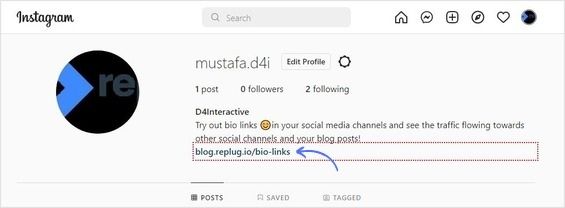
A link in your Instagram bio is a great way to drive traffic to your website and increase engagement with your content. In addition, it allows you to direct potential followers to a landing page, portfolio, or blog post you want to promote.
You can also link to an email sign-up page, product page, or shop. This feature is handy for businesses, brands, and influencers who want to increase their reach and promote their content.
Follow this step-by-step guide to quickly find any profile’s link in the bio on mobile and desktop.
How to get to the link in the bio on Instagram on a mobile device?
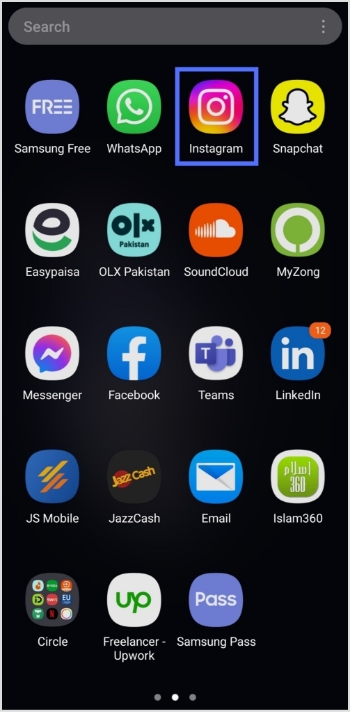
Step 1:Open the Instagram app on your mobile device.
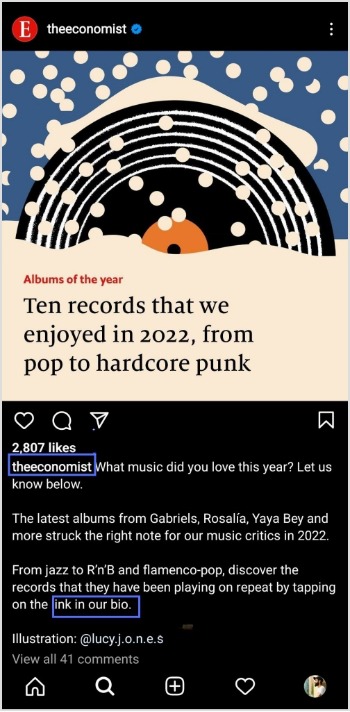
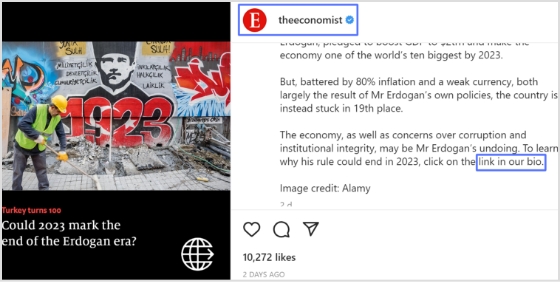
Step 2:Tap on the user’s profile name (username) on whose caption you noticed the Link in Bio.
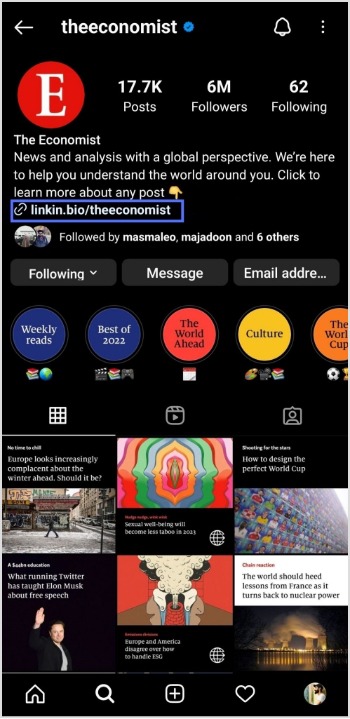
Step 3:You will be taken to the user’s profile screen. Here you will see a website link that’s your “Link in Bio.” Just tap on the link to open it.
How to get to the link in the bio on Instagram on a computer device?
Here are two simple steps to find the Instagram link in the bio on a computer.
Step 1: Click on the profile that says Link in bio in a post.
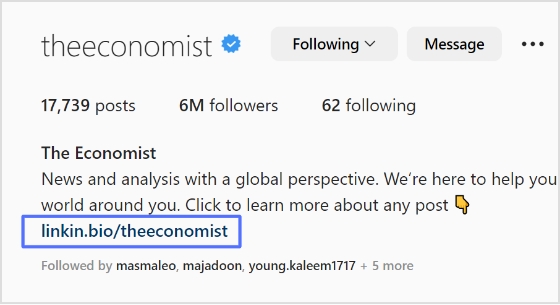
Step 2:The website link will show up under their bio on their profile screen. Click on it to open the link.
How To Add A Instagram Link In Bio?
Adding an Instagram link in bio helps direct your followers and potential customers to your dedicated page.
As a result, makes it easier for them to find your profile and learn more about your brand. It also encourages followers to engage with your content, which can help drive sales and increase brand awareness.
Here’s how to add an Instagram link in the bio:
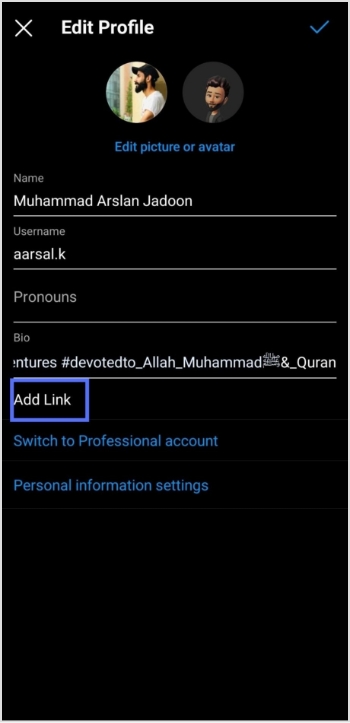
Step 1: Open Instagram on your mobile and tap your profile icon in the bottom right corner.
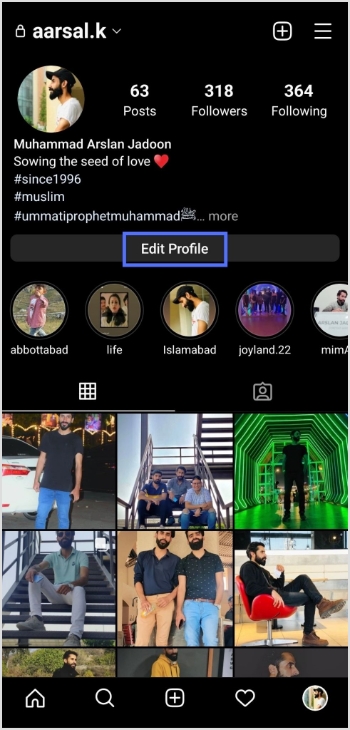
Step 2: Tap on the edit profile button on your profile page.
Step 3: Now, you will see the add link section on your mobile screen. Tap on it.
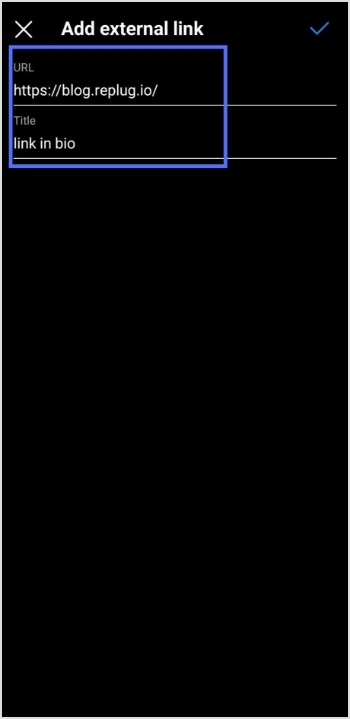
Step 4: Tap the add external link section to add your website address.
Step 5: Copy and paste the URL in the URL section and add a title in the title section.
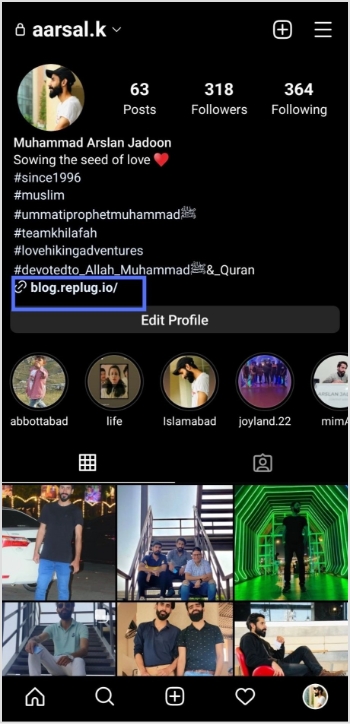
Step 6: Your link in the bio will now appear in your profile.
Your Instagram profile now has a link in the bio.
Instagram bio page with multiple bio links – Is it possible?
Adding multiple bio links to your Instagram bio is a great way to drive more traffic to your website and other online resources. By adding links to your Instagram bio, you can easily direct your followers to your website, blog, YouTube channel, and other platforms where they can learn more about you and your business.
Additionally, including multiple bio links allows you to showcase your work, products, or services in an efficient and organized way. You can use a free link shortener to create a single, short URL that links to multiple websites.
Follow these steps to add multiple bio links to your Instagram profile.
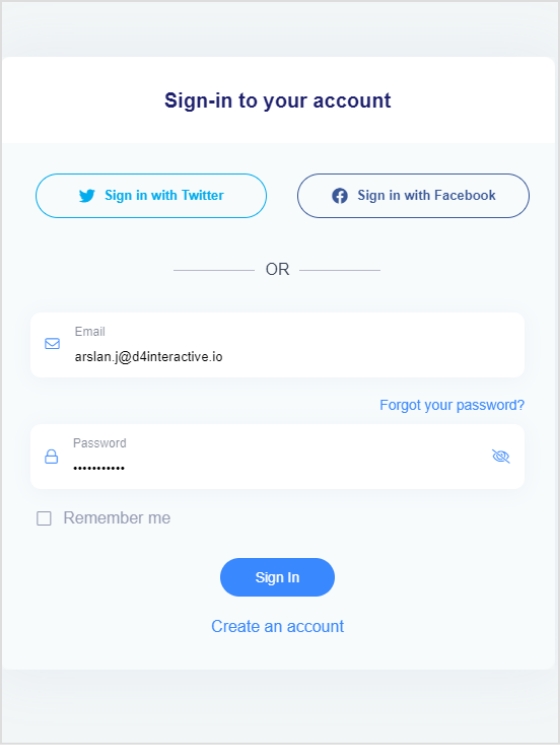
Step 1:Sign in to your Replug account or create a new one if you don’t have one.
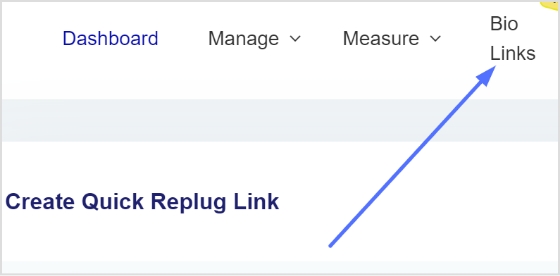
Step 2: You’ll be taken to the main dashboard page. Click on the bio links section from the main dashboard page.
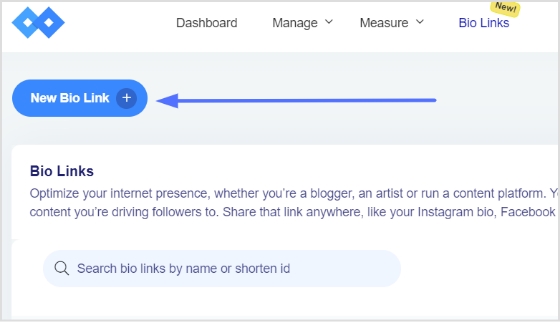
Step 3: Click the new bio link button to create your bio link.
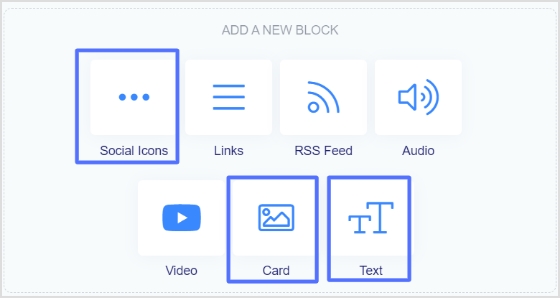
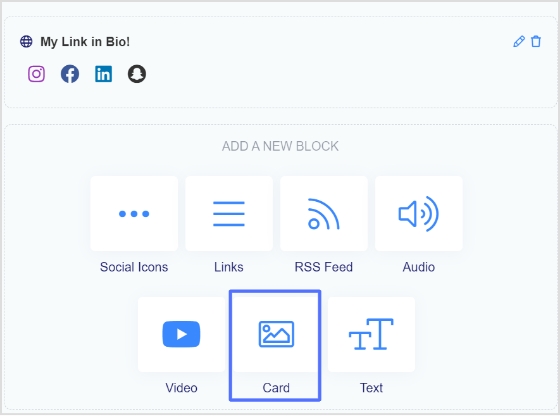
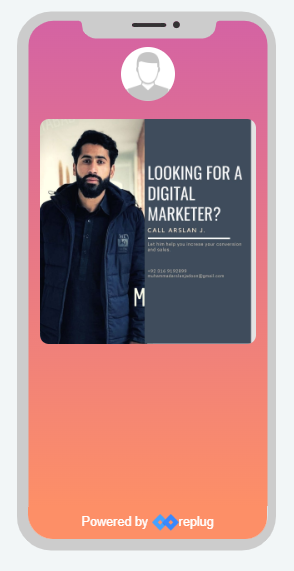
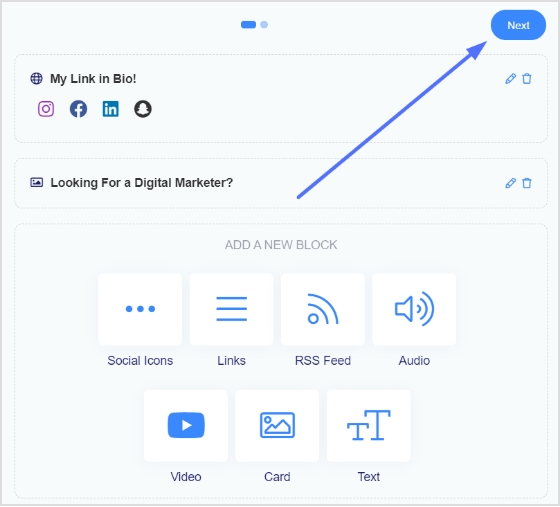
Step 4: Add Social Icons, Links, RSS Feed, Audio, Video, Card, and Text as part of your bio links. Our bio link page, for example, has social icons and a card.
Note: The above image shows you the options (blocks) you can choose for your Instagram bio or landing page.
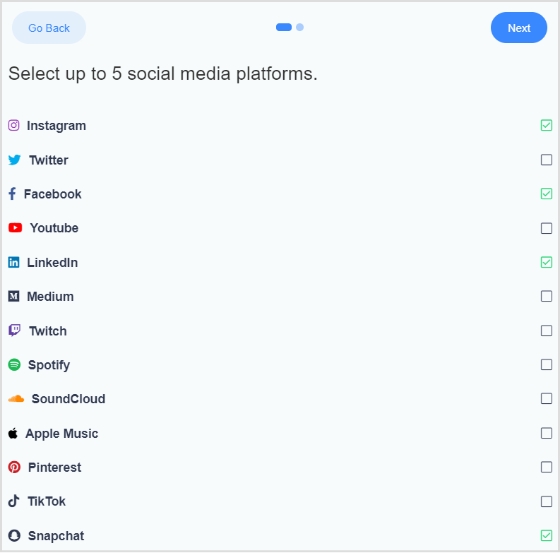
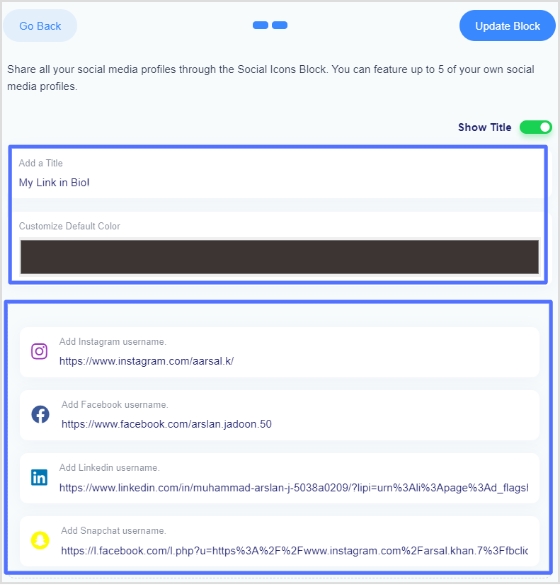
Step 5: Choose social icons and click next. You can choose up to 5 social icons (profiles).
Step 6: Now, add a title to your social links, customize the icon’s color and enter the links or usernames for your social media accounts, as shown in the picture below.
Note: When someone clicks on any of your social icons, they will go to the relevant social media profile.
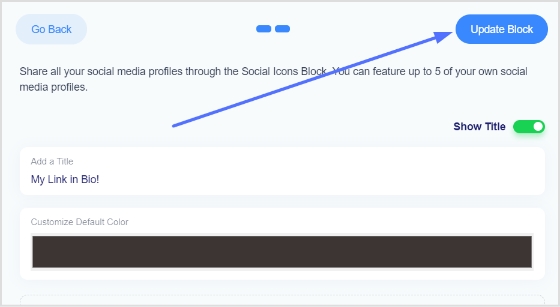
Step 7: Now, click the update block button to add other blocks, like card, text, video, etc.
Step 8: Now, choose another block, for example, a card.
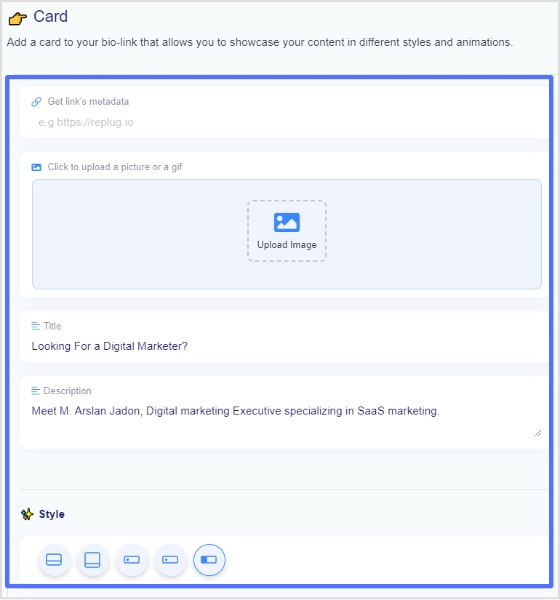
Step 9: In the card section, add your destination URL add the card image,title, and description. Also, choose the style of the card and click the save block button.
If you want to see how any section or block looks, you can preview it side by side. Here is an example of how the card looks.
Step 8: Once you have added all the necessary blocks, click the next button.
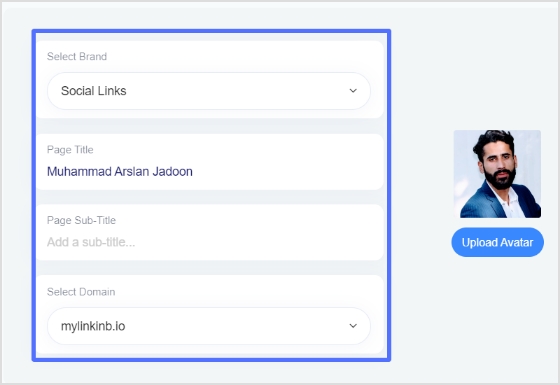
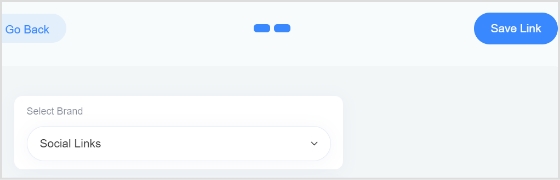
Step 9: You are now on the final page. Upload your avatar, select a brand, add a title and sub-title, and choose a domain.
Note: Replug is an all-in-one link optimization platform that allows you to create a brand with a custom domain in seconds.
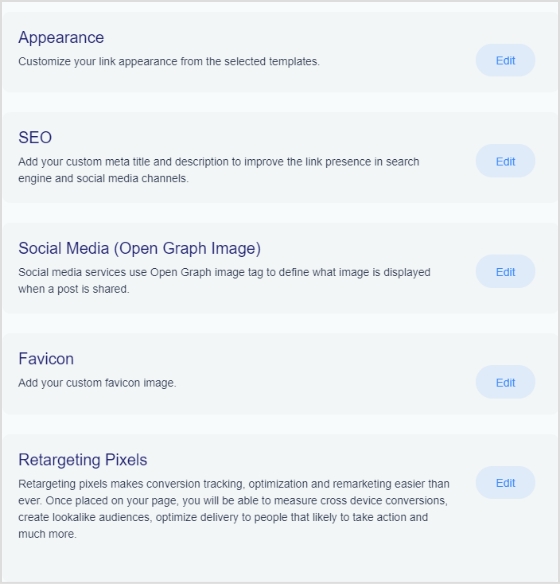
Step 10: As you scroll down, you’ll find other cool features, such as custom appearances,SEO, social media open graph images, favicons, and retargeting pixels. Make your bio link more appealing by adding these features.
Step 11: Once you’re done, click the save link button, and your bio link is ready to share on any social platform.
Frequently asked questions
Can you have more than one link in your bio?
Yes, you can have more than one link in your bio with the help of a free bio link tool like Replug. However, it is important to remember that a bio should be concise, so it is advisable to limit the number of links to two or three.
Can I create a link with multiple links on Instagram?
Yes, you can create a link with multiple links using a top-notch Instagram bio link generator online. Simply create an account and follow the instructions to create a link with multiple links, often called bio links.
What are the essential steps to set up an essential influencer marketing campaign? Influencer marketing campaign steps are to establish goals, identify the right influencers, set strategy, measure results and readjust strategy.
You may have heard the term “influencer marketing” thrown around a lot lately, but what does it mean?
Influencer marketing is about leveraging relationships with key individuals who hold sway over their audience. These people could be bloggers, vloggers, celebrities, or highly engaged customers.
If you want to set up a successful influencer marketing campaign, follow the five essential influencer marketing campaign steps. And, to make managing all those steps easier, consider using a powerful link optimization platform, like most top-notch brands are doing currently.
Read on to find out more!
1. Establish Your Goals
Before you start reaching out to potential influencers, you must first establish your goals. Do you want to increase brand awareness? Drive traffic to your website? Boost sales?
Once you know what you want to achieve, you can start identifying the right influencers to help you reach your goals.
Pro tip: As with any other marketing campaign, these goals must be “Smart”.
Let’s say you want more visitors to your website. A SMART goal would sound like this:
“I want to increase traffic to my website by 10% within the next three months.”
Why is this important?
Having a precise goal helps you establish concrete key performance indicators to track it.
You can pick the right strategy, tools, and messages for this goal.
You can find the right influencers for your purpose.
Take this example:
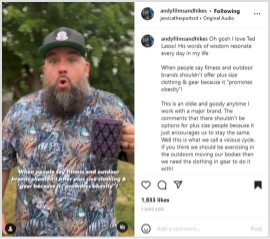
Andy Neal is a plus-size model, hiker, and micro-influencer. His (funny, emotion-filled) posts mostly show him hiking in different environments. Andy has talked at length about his mental health and how hiking outdoors has helped him become more grounded.
As an advocate for health at every size, Andy Neal is the perfect influencer for companies retailing plus-size clothing.
Source: https://www.instagram.com/p/CgumCYsu6TI/
In the post above, you can see Andy touching on a current online controversy: does promoting plus-size gear also mean promoting obesity?
That question raises people’s interest, warming them up as the presented opinion elicits different emotions (intrigue, indignation, approval, and so forth). After reading Andy’s arguments, the followers are presented with a question and the author’s answer:
“Do you have a favorite brand you wear for the trail or the gym or for exercise?
You all know my answer, @columbia1938 !”
After warming his followers up with his diatribe, Andy savvily introduces the brand he’s wearing. That way, after building up people’s approval, they’re more likely to click on the brand mention, thus increasing the traffic.
As such, this post’s primary goal is to raise traffic. The subordinated objective could be increasing sales as people who like the brand’s Instagram posts may also click on its website.
However, raising sales isn’t the main goal because there’s no discount code or direct link to the company’s product pages. You can also notice the perfect fit between the brand and this influencer.
That brings us to the next influencer marketing campaign step.
2. Identify the Right Influencers
Not all influencers are created equal. When looking for people to promote your brand, it’s important to find ones that are a good fit. This means considering factors such as audience, engagement rate, content style, and personal values.
Let’s say you run an eco-friendly fashion brand. You would want to look for influencers who care about sustainability and are likely to resonate with your target audience.
Remember: You also need the right influencers for your goals.
But can you tell if one content creator is better to increase your visibility, boost your sales, or win back old customers?
Yes, and here’s how:
a) Suppose your goal is to increase traffic to your website:
In that case, you’re looking for influencers likely to link to your site in their content. That’s why looking for content creators in your industry would be beneficial.
These people should be popular and know how to push their follower’s emotions. They should create FOMO, desire,trends, and controversy like no other.
That’s exactly what Andy Neal did in the previous example.
b) Or suppose you want more people to buy your product:
In that case, you’ll be looking for influencers with an engaged following on social media, preferably people who have previously talked about similar products.
In this case, you’re looking for more objective influencers. These people can have direct conversations with your audience, convincing them of your product’s true benefits.
One good example, in this case, is Carter Sullivan for the Mogo App. Mogo is an online app that helps people become more financially responsible as they keep track of their expenses. As such, users can get out of debt, save money, and build their financial freedom. If you’re already dealing with financial strain, particularly from existing debt, finding a debt relief service near you can be a practical way to regain control and ease financial stress.
The company’s main audience is Gen Z, Carter Sullivan is an excellent choice. As a Zoomer with some previous debt she got out of by using Mogo, she’s perfect for explaining to people the app’s advantages.
Pro tip: Nano-influencers, although they have smaller audiences, are better at direct contact. That means they can actively engage in conversations about your product with their fans, convincing them to buy your brand.
c) Suppose you want to re-engage old customers that have moved on to a different brand:
In this case, looking for an influencer who’s already talking about your industry but isn’t necessarily promoting any one brand would make sense.
You want an expert in the field who’s identified one key issue with their audience that only your brand can solve.
Here’s a potential example:
Let’s say you’re retailing organic food, but following the latest financial developments, your products have become too expensive for some of your audience. In this case, you can focus on one of their most poignant needs.
And studies show that people often buy products if they feel they’remaking a difference. This is especially valid for Gen Z and Millennials, but also Gen X.
So, you could partner with a local influencer that explains the importance of supporting local producers in troubled times. Alternatively, you could partner with a content creator that promotes eco-friendly, locally sourced brands.
Focusing on health and supporting the environment may bring back some old customers.
However, the premise we started from was the price being the central issue. To solve this, you can consider adding a discount or exclusive access to some products through your content creators.
It’s all about strategy. We’ll talk about that below, but for now, here are just a few reminders before we get started:
Some influencers may be fake:
To avoid being duped, use a fake influencer checker.
Use an engagement rate calculator:
Regardless of your goals, you want to ensure your content creators hold sway over your audience. So, simply having a large following isn’t enough; you want to make sure those followers are involved (quality comments and shares are just a few examples).
Use the proper channels to find influencers:
From Google to hashtag searches on social media, geolocation searches, and dedicated platforms or AI software – the world wide web is your oyster. You can also use your professional network, search through your customer & supplier databases, or Google your brand mentions. But all that may take a lot of time. If you’ve never worked with content creators, your best bet is contacting an influencer marketing agency. The best ones will work with you tightly instead of ignoring your plans, offering comprehensive services. That way, you can learn the ropes and adjust the process to your needs seamlessly.
Before boarding your influencers, create foolproof contracts:
Outline all terms, rights, and obligations for both parties. That way, you can ensure your influencers deliver the promised content without delays orsocial media risks.
3. Define Your Influencer Marketing Strategy
Now that you know your goals and who the right influencers are, it’s time to start planning for your influencer marketing campaign.
Remember: There arevarious ways to collaborate with an influencer, but not all of them will be a good fit for your brand. The key is to find the one that best aligns with your goals.
Some standard options include:
Shout-outs:
A mention of your brand on social media, in a blog post, vlog, or even in a podcast. The goal is to increase visibility, driving more traffic to your website. The influencer may or may not receive compensation for this.
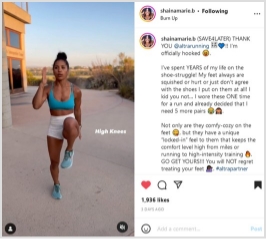
Shaina, a creative fitness and yoga teacher, offers a good example. She usually posts Instagram and TikTok videos showing quick (but muscle-torching) routines, thus promoting her app. In this post, however, she mentions Altra Running using emphatic words: “officially hooked,” “shoe struggle,” “ONE time,” etc. You can also notice the build-up and the hyperboles paired with the objective product description. The CTA “Go get yours” written in capital letters and followed by three exclamation marks is very convincing because:
It’s the natural continuation of the previous points.
It’s nicely fitted between an accurate product description and the workout’s structure details. As such, Marie’s CTA pops out between two less intense arguments with a rhetorical force that would make Aristotle proud.
The content creator uses and reviews your product on their channels, driving awareness and teaching their audience about its features and benefits. These videos work great for products that are hard to explain with words alone or if you’re targeting tech-savvy audiences that prefer seeing a product in action before they buy it.
Tutorials & how-to’s:
The influencer uses your product to create content that’s helpful to their audience. For example, a cooking influencer could use your kitchen supplies to show their audience how to cook a specific dish. These videos are great when you want to position your product as the solution to a problem your target audience is facing. It’s also what Carter Sullivan did for Mogo in the above example.
Contests & giveaways:
The influencer runs a game on their channels, with your products or services as prizes. This is a great way to increase engagement and get people talking about your brand.
Sponsored posts:
The influencer promotes your brand on their channels in a paid partnership. These can be in the form of written blog posts, social media posts, or even videos.
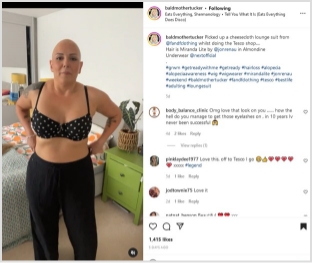
In the post below, Jo promotes three products: a wig, underwear, and a new pantsuit – all from three different brands. What makes this sponsored post different?
You can see Jo using the products, showing how they fit her specific body shape and image.
Source: https://www.instagram.com/p/Cgqz5o4Ar4P/
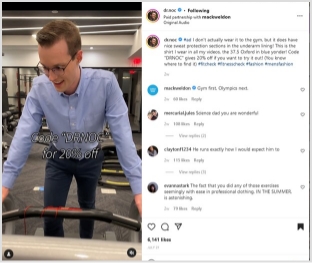
You can see a nice contrast with the following example. Dr. Noc is a Ph.D. immunologist. Both his TikTok and Instagram clips aim to educate a large young audience on different science and medicine-related topics.
This is a great way to increase engagement and get people talking about your brand, leveraging user-generated content on TikTok or Instagram.
Bonus: Dr. Noc is always dressed up, wearing a shirt and a nice pair of pants.
That’s why this clip below is so catchy.
Source: https://www.instagram.com/p/CgRxCIRg9bp/
People can get a kick from seeing Dr. Noc running on the treadmill and lifting weights in his Mark Weldon shirt and pants. Besides, the video is the visual representation of a pun; Dr. Noc asks his followers if they ever get tired in the gym, saying that it never happens to him because he’s always “professionally attired.”
Why it works:
Humor is an effective rhetorical strategy because it suspends critical analysis. On this permeable ground, the 20% discount code is the final push people need to access the Mark Weldon website and buy from it.
Remember: Both these videos use emotion and strategies that fit the content creators’ personalities. The result is they don’t seem sales even if they’re sponsored posts.
Product placement:
The influencer features your product prominently in their content without explicitly talking about it or promoting it. This is a great way to subtly get your product in front of a new audience.
4. Measure the results of your campaign
There’s no point in running an influencer marketing campaign if you’re not going tomeasure the results. After all, you need to know what’s working and what’s not to adjust your strategy accordingly.
Some of the most important metrics to track include:
Reach:How many people saw your campaign?
Engagement:How many people engaged with your campaign (liked, commented, shared)?
Website traffic: How much traffic did your website get due to the campaign? Note: You needURL tracking for this. Consider using a trustworthy URL shortener to get this job done efficiently.
Sales: How many sales can be attributed to the campaign? (Follow your discount codes andUTM links)
You can use Google Analytics, social media analytics tools like Replug or ContentStudio, or even a simple spreadsheet to track these metrics. Just make sure to monitor progress over time to see whether your campaign is successful.
Remember: The indicators above will differ according to your goals. Even if all companies eventually want to increase their ROI, your objective, for now, can be a higher reach without emphasizing sales, traffic, or engagement.
Warning:Don’t become complacent!
If your audience is warmed up enough to buy your products, don’t create yet another engagement campaign. That’s another reason why working with aninfluencer marketing agency is essential at first; an experienced agency will be able to guide you outside your comfort zone, advising you wisely according to your current stats.
5. Adjust your strategy as needed
Lastly, once you’ve measured your campaign results, the next step is to make some adjustments to your influencer marketing campaign. If something isn’t working, don’t be afraid to change it.
For example, suppose you’re not getting the reach you wanted.
In that case, you might need to consider working with bigger-scale influencers, diversifying your channels, or including social media ads into the mix. If engagement is low, you might need to adjust your content or offer more incentives for people to engage.
The important thing is to be flexible and willing to change things up if necessary.
Influencer marketing is an ever-evolving field, and what works today might not work tomorrow. The only way to find out is to experiment and see what works best for your brand.
Wrap Up
Influencer marketing can be a great way to reach new audiences and promote your products or services. Following the steps above, you can set up a solid campaign to help you achieve your business goals.
Frequently asked questions
What is an influencer strategy?
It is a strategy that brand use and collaborate with other influencers to promote their brand services and products.
What are the 5 characteristics of a good influencer?
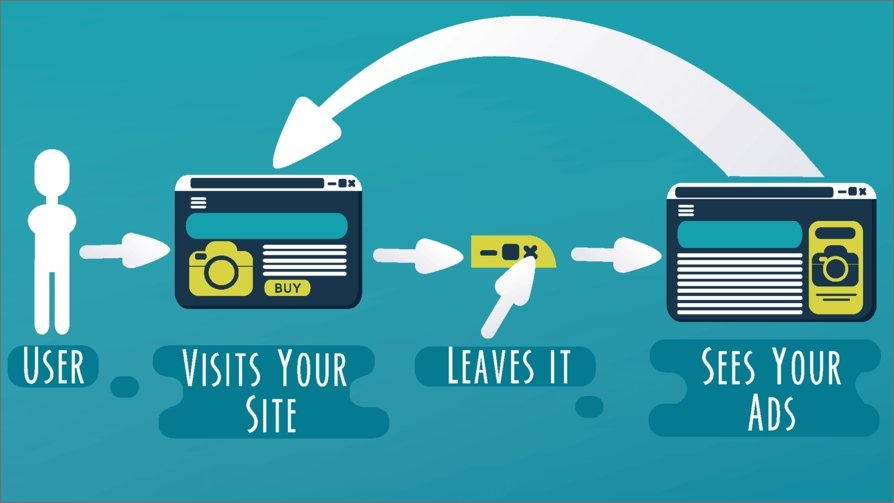
Facebook retargeting ads is a marketing strategy used for selling your products or services on Facebook while focusing on a very definitive consumer base. It is observed that only 2% of people are inspired to buy your product on the first go. Whereas, the rest of the 98% audience could be converted via retargeting. The approach Retargeting or Retargeting Pixels is to attract the users who have visited your website but haven’t explored or bought your product yet.
Fortunately, with the evolution of brand marketing, this can easily be done with the help of a ‘Retargeting Pixel. Retargeting pixel is just a snippet of code which when added to your website, drives traffic towards you by promoting your brand on social media platforms.
The beauty of this technology is that it only brings tailored audiences; people who are familiar with your product but chose not to perform any operations during their first visit.
So, basically, it assists the users in making a decision by highlighting your key features to them, all in a very convenient way.
How Do Retargeting Pixels Work in Replug?
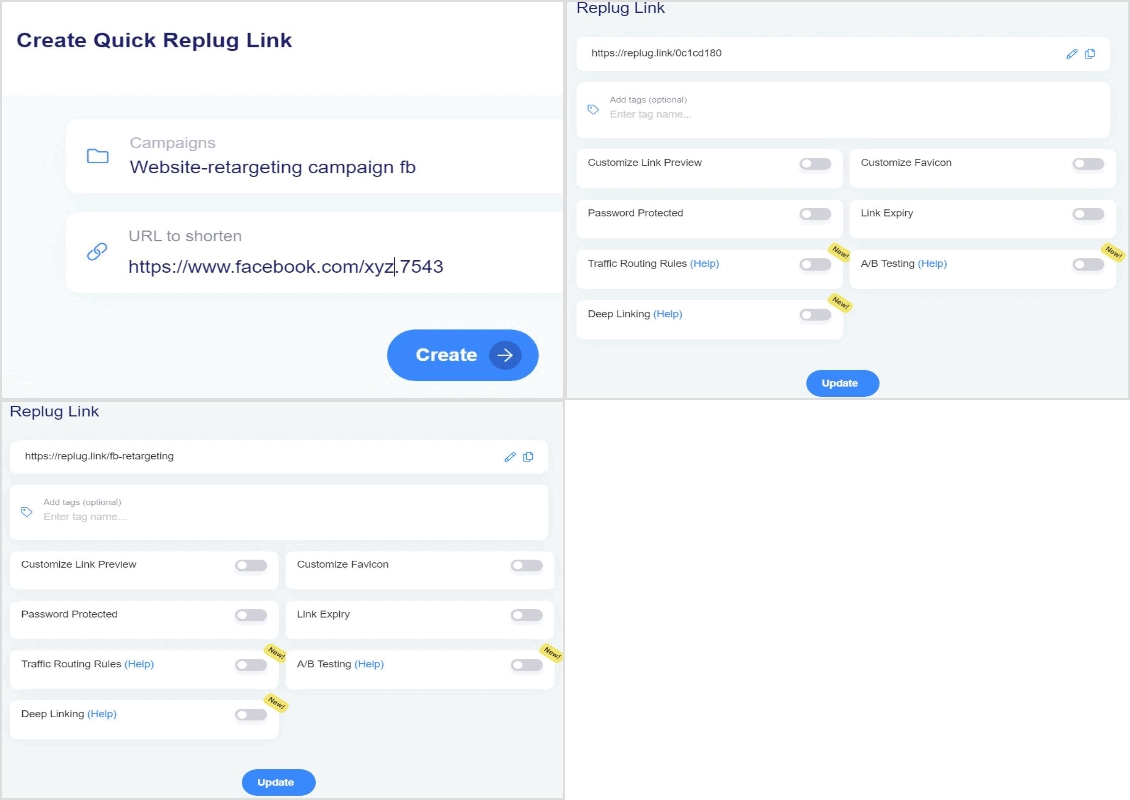
Replug can configure retargeting pixels of social media platforms for your businesses in very simple and easy steps via its reliable link retargeting tool. A step-by-step demonstration has been given below.
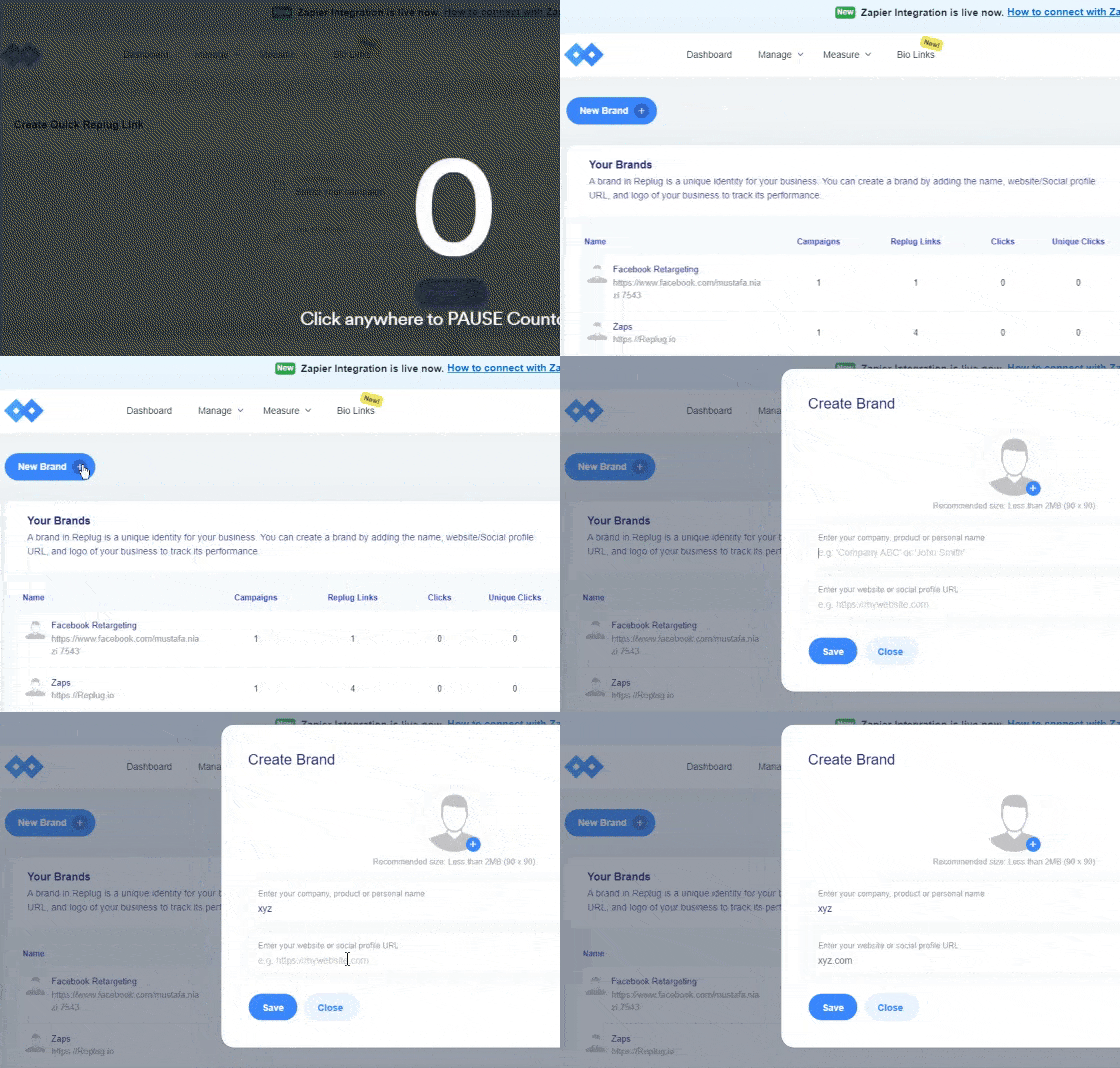
Step 1: Log into your Replug account and “Create a Brand” which you wish to advertise. Add the name of your business and your company’s official website.
This can be done by clicking on the + New Brand button as shown in the GiF below.
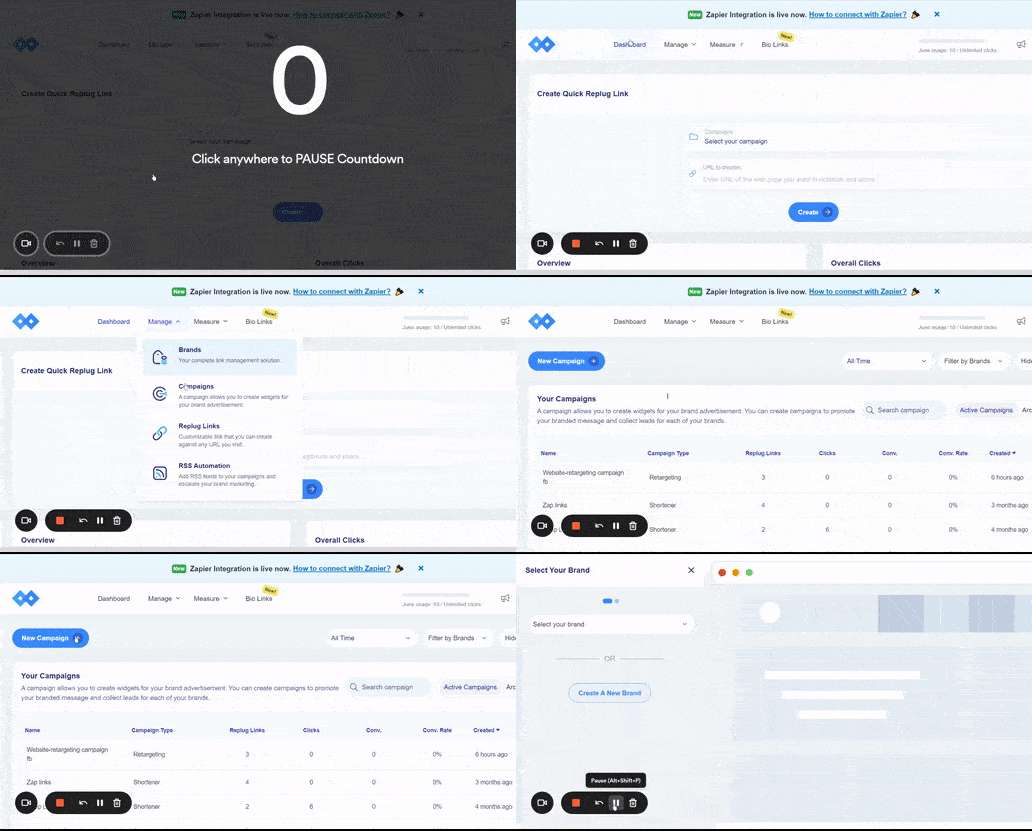
Step 2: The next step is to “Create a Campaign“. This campaign will help you choose the advertisement strategies for your business.
Create a new campaign by clicking on the + New Campaign button.
Note: You can choose multiple options here i.e. Brand, Campaign Name and Campaign Type.
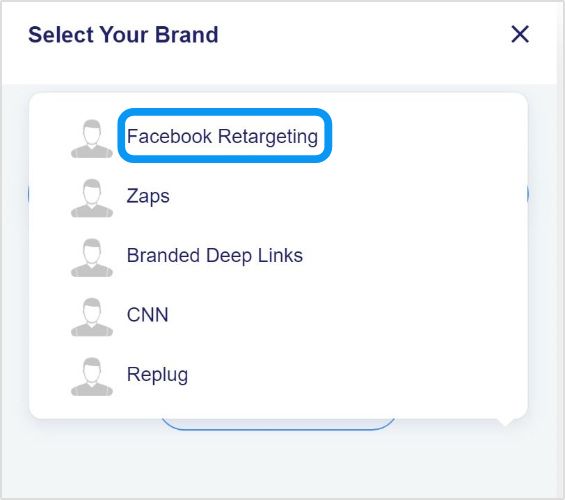
Step 3: Select the brand you created among all your listed brands in Replug.
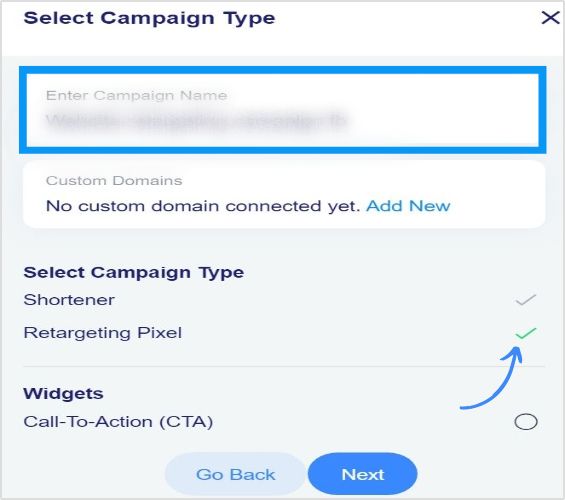
Step 4: Now type in your campaign name and select “Retargeting Pixel”as your campaign type and click next.
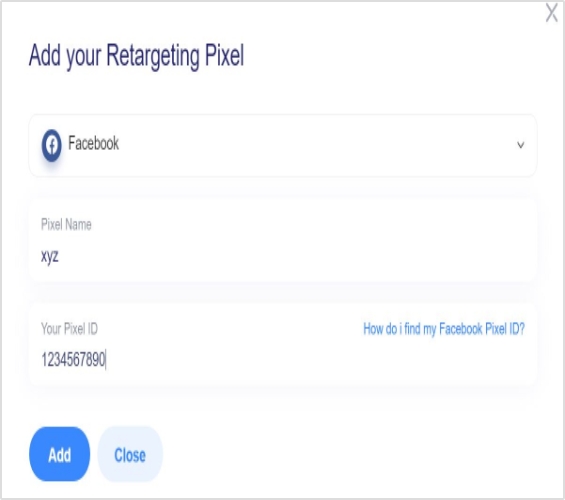
Step 5: In this step, you are required to add your retargeting code.
Select the social network where you want to run your campaign. Type your script name and your pixel ID and add your script.
Note: You can check the option redirecting to the original website so that the user may be redirected to the original website in case he/she enters an invalid URL.
Your script added in the previous step is selected automatically now. You can create as many scripts as you want for different platforms and save your campaign.
Recap: Creating Facebook Retargeting Ads Campaign Using Replug
Step 6: Now, you just need to shorten the link for the Facebook retargeting ad campaign created and whenever a user visits the link, your selected pixels will be fired.
Maximize on Your Facebook Retargeting Ads using Replug
Replug makes it very easy for you to create Facebook retargeting ad campaigns as you want in a minimal amount of time. You can select all kinds of social platforms by adding your own custom networks.
All you have to do is add retargeting pixels and you’re good to go. You can also track the traffic brought in by this campaign in the analyticssection and monitor all your campaigns.
To further enhance tracking and branding, must check out this custom URL shortener to create branded links that help you monitor engagement and improve campaign performance seamlessly.
FAQs
Here are some quick faqs that can help boost your retargeting efforts.
How much of Facebook ads you should be retargeting?
It is recommended by sources that frequency of ads should be 2 to 3 for a week while 20% of the total marketing budget should be allocated for Facebook retargeting ads.
What is the minimum audience size for Facebook ads?
Minimum audience size is 100 but it mostly depends on the businesses and size of businesses. Ideal audience size to start with retargeting is 30K to 50K. You need to test what size best suits your business as you don’t want to end up going for larger audience size but not targeting the right people.
When should I use retargeting ads?
Retarget when your website or page is getting minimum 100 visitors. Retargeting allows you to connect with users that have connected with your brand in some sort or way.
What is the best way to target Facebook Ads?
Here are some tips that can help you make most of Facebook Ads.
– Target audiences that meet your business needs (saved audiences, custom audiences, and lookalike audiences). – Combine unique audiences. – Utilize Facebook insights and keep an eye on recent purchase behaviors. – Repurpose your unicorn content for ads. – Last and most important, retarget Facebook ads using Replug.
TikTok doesn’t need any introduction. It has become the new normal, a buzzing phenomenon or a global trend, whatever you want to call it.
It’s the most downloaded app of all time. So it opens up an opportunity for businesses, brands, and influencers to cash in on this hot, trendy mobile platform.
For a few of those who haven’t had a chance to go through TikTok, I’d say it’s a short-form, vertical video app that has taken the world by storm.
There might be several ways to hop on the TikTok and become successful. However, understanding TikTok trends for individuals and businesses might set a pathway for long-lasting attention on the platform.
If you’re a business or brand and trying to get the hang of this 15-second vertical video trend, then you’re at the right place.
This article encapsulates major TikTok trends to follow and strategies to apply to make the most of this short-form vertical video social media platform.
Without any further ado, let’s jump right into it.
TikTok Trends for Businesses
Everyone knows that TikTok is on the rise, so brands and marketers want to cash in on this opportunity, and rightly so.
However, most companies don’t have TikTok trends for businesses to follow, and most end up frustrated after all. The reason is that they don’t have a plan in place.
One of the underestimated growth tactics is following the social media trends. We sat down to discover some of the hottest TikTok trends that businesses should surely look into. Here are those TikTok trends for businesses:
i. Influencers and Celebs are Joining TikTok
One of the trends businesses need to look at is how influencers and celebs take TikTok seriously. It’s a massive shift in the social media realm. There were celebrities in every part of the world who always avoided social media despite pressure from fans.
However, a lot of celebs have jumped on the bandwagon. Jennifer Aniston joined Instagram in 2019 and reached one million followers in five hours and sixteen minutes.
Similarly, some celebs and influencers are taking TikTok seriously. It seems like nobody wants to miss out on a boat. It’s a sign that there is attention shifting toward TikTok. The reason is that when influencers or celebs start a hashtag or hop on a platform, it means the audience follows it. As a result, the platform or a trend comes under the spotlight.
Millenials are quite popular, but Generation Z has taken over their position. Since we’re discussing TikTok trends, it’s impossible to talk about TikTok and not discuss Generation Z.
The TikTok’s popularity wouldn’t be the same if it weren’t for the Generation Z. The platform became wildly famous among Generation Z. According to Comscore, 32.5% of US-TikTok users are between 10 to 19, 29.5% are 20 to 29, 16.4% are 30 to 39, 13.9% are 40 to 49, and 7.1% are 50+.
The data shows that TikTok is the go-to platform for a younger audience, and brands could use TikTok as a source of engagement and relationship-building with the young audience through TikTok.
iii. Indie Musicians Collaborate with TikTokers
One of the TikTok trends is musical collaboration. Nowadays, indie singers and musicians create music, and besides putting it out on Spotify or SoundCloud, they collaborate with TikTokers to promote their songs.
TikTokers don’t only get the music to put out new videos, but they also get paid money to use that music in their TikTok content. You could easily spot such collaboration with hashtags such as #ad or #paid. Moreover, you could also notice that the TikToker would also mention the singer’s TikTok handle in the description or comment.
Brands should closely look at this TikTok trend, as they might be able to collaborate with the TikTokers in their niche. Check out the creative agency Collab Inc which connects content creators and brands.
iv. Social Commerce is Expected to Grow on TikTok
Social commerce isn’t a mystery anymore – Instagram, Snapchat, and YouTube have already been testing social media management tools. TikTok hasn’t been that far away. You can check out our tutorial on how to make money on TikTok.
It’s expected that the trend of TikTok commerce will go up in the next few years or so and users will be spending more money.While brands will be cashing in on their TikTok attention without leaving the TikTok app.
v. TikTok Challenges are Gaining Popularity
One of the TikTok trends businesses and brands should keep an eye on is the TikTok challenges. It works because an influencer or celebrity makes a TikTok video about a particular challenge, and it’s most likely to go viral if it happens to be fun.
Brands who keep an eye on TikTok trends to follow and take advantage of all the attention must keep an eye on the for you page or discover section on TikTok. Plus, following a bunch of creators would go a long way.
There might be dozens of more TikTok trends out there, and the strange part is that they keep changing every week. So anyway, stick around to keep learning about TikTok for business.
TikTok trends change from time to time, just like top trending hashtags on Twitter. Therefore, it’s difficult to point out a TikTok trend because no one knows how long it will last.
Brands who want to capitalize on TikTok trends shouldn’t overthink making videos on the latest TikTok trends – all they need is to create videos and move on.
When TikToker influencers come across a new trend through the discover page or for your section and find it interesting, they jump on the bandwagon and make a video around that.
Here are three TikTok trends that I spotted recently:
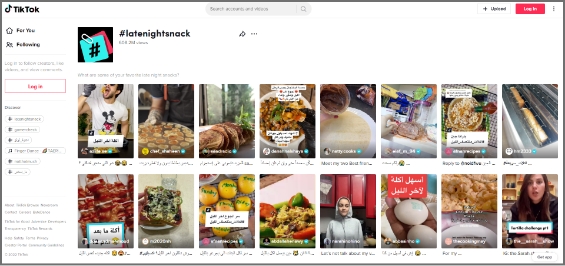
1. Latenightsnack
Latenightsnack trend was recently spotted on TikTok. It was about what people snack on late at night. TikTokers were making short, vertical videos about what they were eating while watching Netflix or working late.
This TikTok trend had gotten over 608 million views. So this is why it was trending on TikTok the other day.
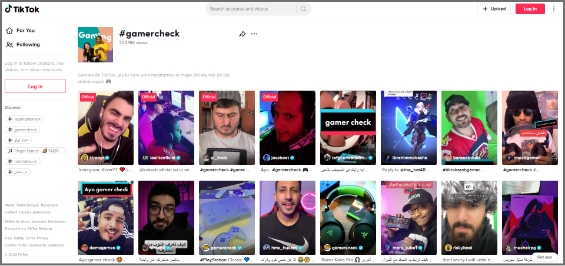
2. Gamercheck
Gamercheck was also a TikTok trend I came across lately. It was the trend about how TikTok users play games, what their gaming rooms look like, what gaming equipment they use, and all things gaming.
The Gamercheck TikTok trend had gotten over 300 million views, and the numbers were growing.
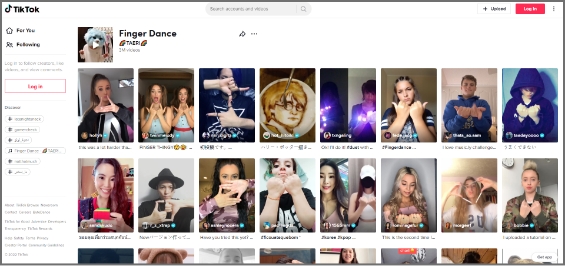
3. Finger Dance
Finger Dance was a relatively newer trend that was seen on Twitter. The TikTok trend was about finger dancing – TikTokers were making their fingers dance to the music. It was fun to watch people doing finger dancing.
This TikTok trend had reached 3 million views, but it looked like it would become a massive TikTok trend in the coming weeks.
Strategies to Apply to Trend on TikTok
Trending on TikTok doesn’t happen on a whim, especially if you’re a business. Usually, influencers and celebs fascinate people to follow the trends on social media.
However, if brands want to trend on TikTok, they must humanize themselves – people like to connect with people rather than bots or faceless social profiles.
Here are some strategies brands can opt for to trend on TikTok:
1.Understand the Market Demand
Trending on any social media platform is no easy game – you have to be an expert at this or know how to make content that immediately goes viral.
For the majority of the brands and individuals, it’s essential to figure out what’s happening in the market. It doesn’t apply to only brands who want to dominate on TikTok. But instead, it’s for everyone who wants to jump on this bandwagon.
Understanding the market demand means figuring out what people like, what they want to consume more, and what type of TikTok accounts are getting more traction.
The easiest way to understand the market demand is to spend a good couple of days on TikTok and analyze the “for you” and “discover” sections on TikTok. This will allow brands to comprehend what people are watching, liking, and enjoying.
2.Use Trending Sounds in the Videos
TikTok is a social media platform that might be new for most of us, but it’s certainly not impossible to pull this off.
One of the best strategies to go viral on TikTok or make trending videos is by simply using the trending sounds available on this short-form video app. If you’re new to TikTok, you’d probably think about where to find trending soundtracks on TikTok.
Well, you don’t need to find those popular sounds. In fact, TikTok allows you to use the TikTok sounds from the trending videos. All you need is to look out for the popular videos on the “discover page” or “for you” section.
The videos that get recommended to the TikTok users are the ones that are trending or gaining some traction.
Since you’re a business and want to trend on TikTok, the easiest way is to start using trending sounds in your TikTok videos. This will allow you to blend in with the TikTok community, and your content will start getting discovered through the trending sounds you have been using.
3. Collaborate with Other TikTokers
One of the easy wins for brands to trend on TikTok is collaborating with TikTokers. These TikTokers could be influencers or up-and-coming content creators. The brands may have to cherry-pick these TikTokers based on their content type, audience demographics, and fan loyalty.
Get paid through collaborations with other Tiktokers, and it doesn’t cost as much as Facebook or Instagram ads. However, the return of these collaborations could be an eye-opener.
If you haven’t had a chance to spot a TikTok collaboration, then you perhaps don’t know why these collaborations happen. Obviously, the content creators want to monetize their social media existence through these paid collaborations, and brands get the attention, eyeballs, and publicity.
If you think a single collaboration with a TikToker would get you to the For you page or the discover section, then you’re mistaken. It doesn’t happen so quickly for most brands, but with time and effort, you never know.
So don’t rule out the possibility of going viral on TikTok just by collaborating with a famous TikToker.
4. Upload Multiple Videos Every Day
One of the strategies that take TikTok influencers to the next level is that they upload multiple videos a day. The influx of continuous videos often helps such TikTokers in getting so much attention on the platform.
Any social media platform will put you on a pedestal if you keep putting out fresh content consistently. So an easy hack for trending on TikTok is to experiment with uploading multiple videos daily.
Sure, it’ll be tough to maintain the quality of every video, but it’s worth the risk. If you follow social media gurus, they put out a ton of content daily on Instagram, Twitter, and TikTok.
Evan Carmichael is a video curator who started on YouTube and now also has a TikTok account. He uploads multiple videos on TikTok every day.
He has got half a million TikTok followers.
5. Use the Relevant Hashtags in the Video Descriptions
Hashtags have a lot of potential if done right. The majority of the users don’t know how to use hashtags across all social media platforms.
As far as the hashtags on TikTok are concerned, they play a vital role in taking any content on the “for you” page or discover section. Since the hashtags are connected to the discoverability of the content, they have the potential to make your videos quite popular.
However, the common mistake people make is going after generic hashtags. For instance, if they’re sharing a picture of rice, they might use hashtags such as #rice, #food, and #tasty.
So instead of using those generic hashtags, they must go after specific hashtags to be more precise, for instance, #chickenrice #bestfoodintown, #bestricerecipe, etc.
The hashtags must be relevant yet specific – opting for broad and short hashtags won’t help the cause.
6. Engage with TikTokers in the Same Niche
The most undervalued TikTok growth strategy that could help a brand or individual trend on TikTok is engaging with TikTokers in the same niche.
Usually, it’s said that you must engage with your audience through comments, replies, and DMs – the same applies to the TikTokers.
When TikTokers communicate with each other on the platform through DMs or comments, it builds a relationship among them, which could lead to collaborations and more opportunities.
Furthermore, the TikTokers openly engage with each other through commenting or duets. This gives a chance for the audience to pay attention to both sides. The audience loves their favorite content creators collaborating or talking publicly.
It opens up a plethora of opportunities for brands to cash in just by building relationships with TikTok content creators or providing a stage for other TikTok influencers to come on board and entertain the audience.
There are countless ways to get the attention on TikTok, which is key to gaining popularity and getting on the trending sections on the vertical videos app.
Best TikTok Examples to Understand TikTok Trending
It would be unfair to discuss TikTok trends and not talk about the TikTok influencers who have been crushing it with their uniqueness, innovation, and strengths.
Interestingly, some high-profile TikTokers don’t always worry about the trends. Sure, some try to cash in on it, but most just go with the flow.
Here are three TikTokers that have their unique style, posture, and genre, but they’re doing quite well on TikTok:
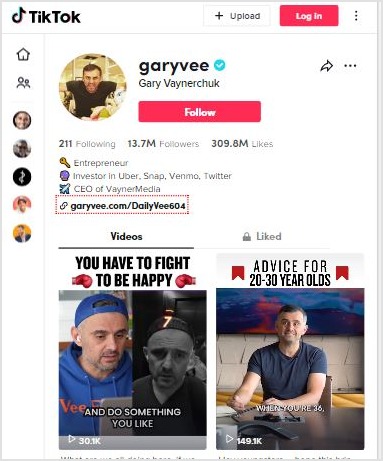
1. GaryVee
Gary Vaynerchuk is an entrepreneur, investor, author, and social media expert. He has over million followers on Instagram, Facebook, Twitter, YouTube, and TikTok.
He always advises people to post multiple times on TikTok and Instagram to pop up.
So it’s a no-brainer that if you start uploading several videos on TikTok daily, your numbers will skyrocket in a month or so. Once you start to get those followers consistently, you could be trending on TikTok.
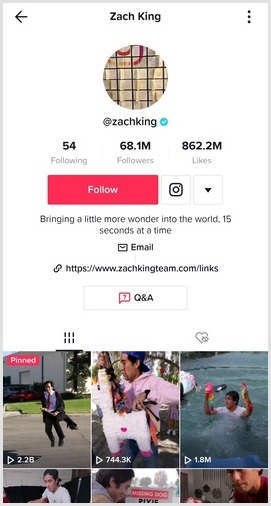
2. Zach King
Zach King is a popular social media influencer, filmmaker, and illusionist. He became popular from his 6-second magic videos on Vine. Even though Vine shut down, Zack didn’t stop there.
When TikTok popped up, he hopped on this 15-sec vertical video platform and started doing the same. And now, he is among the top TikTok influencers in the world. He has over 68 million followers on TikTok.
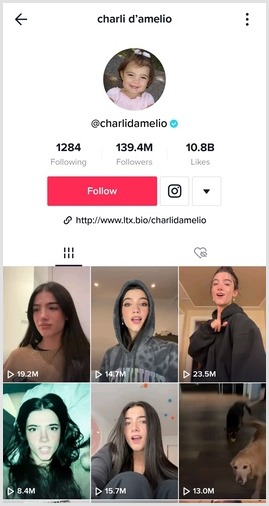
3. Charli D’Amelio
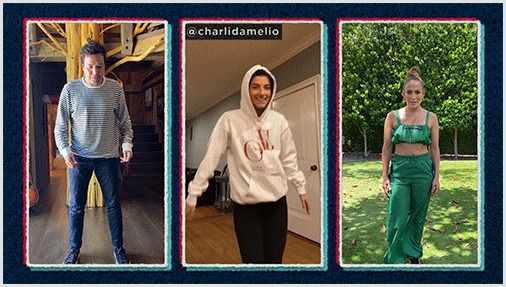
Charli D’Amelio is the biggest TikToker in the world. Now she has over 141 million TikTok followers. Not only is she the top TikToker, but she is also among the highest-paid TikTok influencers in the world.
The interesting thing about Charli is that she showcases her passion and talent for dancing in her TikTok videos. It’s a true testament to following your passion and making the most of it.
Why Brands Should Use a URL Shortener
Short URLs have not been this relevant before. It doesn’t matter what social media platform you’re focusing on. A URL shortener tool can come in handy.
Not only does it allow you to shorten the long URLs, but you can also create branded short URLs for newsletters and social media sharing.
Here are some of the main reasons why brands need a URL shortener:
Bio Links on TikTok, Instagram, and Twitter
All major social media platforms allow users to put their website or blog URL in the bio. However, a long URL doesn’t look reasonable. As a result, it affects the overall look and decency of the social media profile.
This is where an efficient short URL shortener comes in handy and solves the problem. It lets users convert long and clunky URLs into short and sweet URLs in no time at all.
Now brands can put their sales pages or discount offer page URLs in the bio section of Instagram or TikTok without any problem.
Placing the short URLs in the bio or story on social media platforms isn’t enough – it’s half the equation unless you could track the clicks.
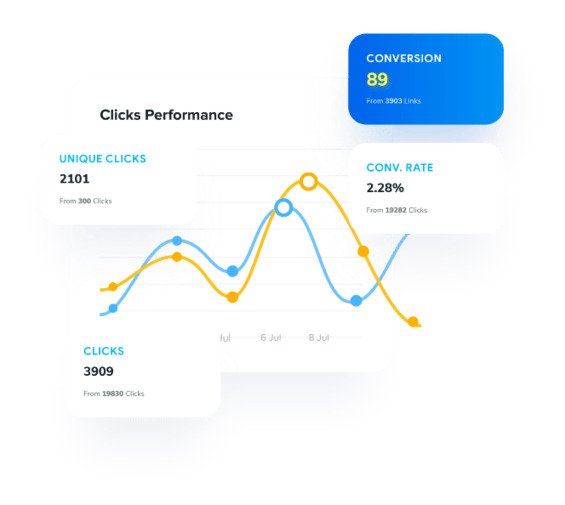
The reason is that click tracking can help you analyze the conversion from the clicks. You might not want to generate short links that don’t have any performance tracking system in place.
When a brand is on the lookout for a link management tool for URL shortening, they must try to find a URL shortening tool that offers click tracking. Otherwise, it would be impossible for them to identify where the clicks are coming from. Usually, a website gets traffic from several sources.
Long URLs Look Spammy
One of the main reasons why URL shortener tools became popular is that long URLs often look spammy. People generally don’t trust those long URLs as they seem fishy.
Have you ever come across a long URL on social media that look malicious? We often receive such spammy links in the DM, and most receivers hesitate to click on those links.
Branded URLs are Trustworthy
A huge perk of using a branded URL shortener tool is that it could flawlessly integrate with your domain name.
Brands need trust from the audience, especially on social media platforms. So using a short branded domain for sharing social media content could turn things around for any business. Here’s the guide on adding a custom domain.
Drive Website Traffic from Social Media
Brands that develop websites want website visitors, they use different traffic strategies and digital marketing tactics to drive website visitors to their websites.
There are several ways to drive website traffic, such as:
Social media marketing
Social media ads
Search ads
SEO
Sponsored content
Guest posting
Paid collaborations
Most of you might already know about these different ways to drive website traffic. However, Replug.io allows you to drive visitors from sharing content on social media seamlessly.
If you want to test this feature of Replug, all you need is to start a campaign and choose retargeting as your campaign type. Then, opt for the widget as a call-to-action.
Choose the CTA type afterward; you can either go with a button, link, or form. Then, add a personalized headline, message body, CTA text, and the link to drive traffic. That’s it.
No doubt, TikTok has taken the world by storm, and it’s essential to figure out how to use this short-form, vertical video platform with immense attention on it.
We’ve discussed TikTok trends and strategies to make the most of popular TikTok trends. Plus, we also shared some TikTok influencer examples that are using the platform quite impressively.
We’ve previously discussed how to make money on TikTok in detail. If you haven’t seen this detailed guide, we highly recommend checking it out.
Let’s be real, getting views on TikTok in 2026 isn’t as simple as posting a video and hoping for the best.
With more than 1.9 billion people now using TikTok and over 16,000 videos uploaded to the platform every single minute, the competition for attention has never been tougher.
But here’s the exciting part:the opportunity is massive, too!
TikTok leads every social platform in average engagement, with a 3.73% engagement rate, leaving Instagram and Facebook far behind.
The creators winning right now aren’t just lucky; they actually understand how the TikTok algorithm works and use that knowledge to their advantage.
Whether you’re starting from zero or stuck at a plateau, these 25 tips will show you exactly how to get more eyeballs on your content fast.
But first, let’s make sure we’re on the same page: “What actually counts as a TikTok view?”
What is a view on TikTok?
A TikTok view is counted the moment someone’s video starts playing (yes, even if it’s just an auto-play while they’re scrolling through their feed).
Its primary purpose is simple: It tells you how many times your content has been seen, and it acts as the first signal that helps TikTok decide how widely to distribute your video.
Now, here’s something a lot of creators don’t know. There’s actually a difference between a regular view and a qualified view on TikTok.
Regular view
Qualified view
A regular view counts the moment a video starts playing on screen. So if someone scrolls past and it autoplays for half a second, that’s still a view.
A qualified view, on the other hand, is a much more demanding metric. To count as a qualified view, a real person must watch at least 5 seconds of your video, the view has to come from the “For You Feed,” and it can’t be from bots, paid promotions, or quick scrolls under five seconds. Multiple views from the same account only count as one unique view.
In short, regular views show your reach, but qualified views show genuine interest. And if you’re looking to earn through TikTok’s Creator Rewards Program, qualified views are what TikTok’s payment system actually looks at (everything else is just a number on the screen).
Importance of views on TikTok
Views aren’t just a vanity metric; they directly impact your growth, credibility, and earning potential on the platform.
Here’s why they matter:
Algorithm boost (FYP): Every time your video gains views quickly, TikTok takes it as a sign that your content is worth showing to more people. Higher views push your video further into the For You Page, giving you access to a much wider audience beyond just your followers.
Social proof & trust: Think about it, when you’re scrolling, and you see a video with 2 million plus views, you’re way more likely to stop and watch it, right? High view counts build instant credibility and make new viewers trust that your content is actually worth their time.
Monetization: Views are directly tied to how much you can earn on TikTok. Through the Creator Rewards Program, creators earn approximately $0.40 to $1.00+ per 1,000 qualified views, so the more qualified views you stack, the more money you make.
Rapid growth: Views create a snowball effect. More views lead to more followers, which leads to more engagement. This signals the algorithm to push your content even further. It’s basically a growth loop, and views are what kick it all off.
How to get more views on TikTok: Tips to boost TikTok views effectively
Getting more views on TikTok isn’t about luck; it’s about strategy.
No matter if you’re a complete beginner or someone who’s been posting for a while without seeing the numbers move, these tips will help you figure out exactly what’s working and what you’ve been doing wrong. Let’s get into it!
Key strategies & tips to increase TikTok views:
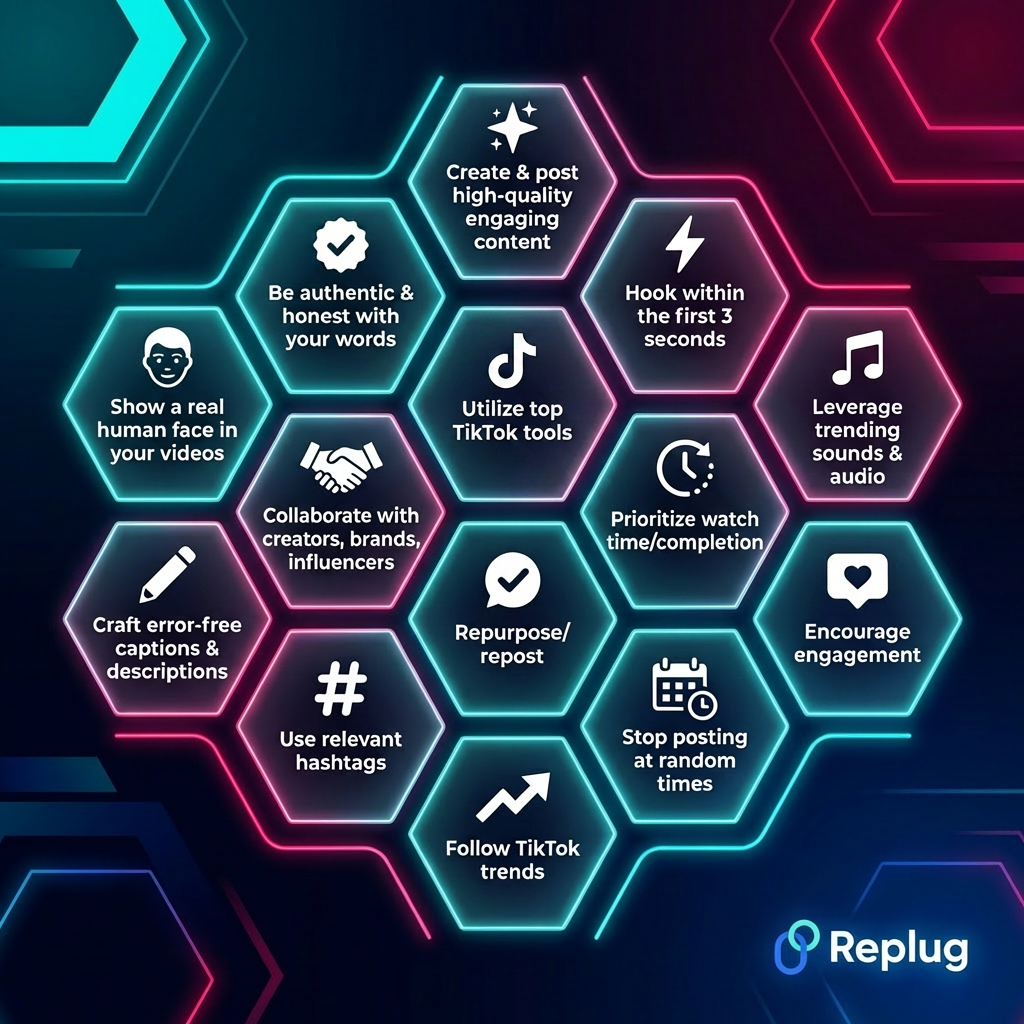
Tip #01: Create & post high-quality, engaging content
This one sounds obvious, but you’d be surprised how many people skip it. Your content needs to actually be worth watching (something that educates, entertains, or makes people feel something).
TikTok rewards videos that keep people hooked, so before you hit post, ask yourself honestly: “Would I stop scrolling for this?” If the answer is no, go back and make it better.
Tip #02: Hook within the first 3 seconds
You’ve got about 3 seconds before someone swipes away, and that’s not an exaggeration. The opening of your video is everything.
Start with something bold (a surprising statement, a bold visual, a question, or even a cliffhanger). Don’t waste those first seconds with a slow intro. Get straight to the point and give people a reason to keep watching.
Tip #03: Leverage trending sounds & audio
TikTok is a sound-first platform, and trending audio is one of the fastest ways to get your video in front of more people. When you use a sound that’s already going viral, TikTok is more likely to surface your video to users who’ve engaged with that audio before.
Check the “Trending” section regularly and find creative ways to match popular sounds to your niche.
Tip #04: Use TikTok-native video formats
TikTok favors content that’s actually “made for TikTok”. Think vertical video, on-screen text overlays, captions, duets, stitches, and green screen effects. Videos that feel like they belong on the platform naturally get pushed further.
Uploading a horizontal YouTube-style clip or a video with another platform’s watermark is a one-way ticket to low reach.
Tip #05: Underscore crystal-clear video quality
You don’t need a fancy camera, but your video absolutely needs to be clear, well-lit, and easy to watch. Blurry or dark videos feel low-effort, and viewers scroll past them fast.
Good lighting alone can make a massive difference. Even a ring light or just filming near a window can take your video quality from “meh” to “actually professional-looking.”
Tip #06: Optimize with TikTok SEO
TikTok is now being used as a search engine, especially by younger audiences. Using relevant keywords in your captions, on-screen text, and even spoken out loud in your video helps TikTok understand what your content is about and show it to the right people.
Think about what your target audience is actually searching for, and blend those phrases in naturally.
Tip #07: Prioritize watch time/completion
Watch time is one of the most powerful signals you can send to the TikTok algorithm. The more of your video people actually finish, the more TikTok pushes it out.
Keep your videos tight, paced well, and free of unnecessary filler. If viewers are rewatching or finishing your video all the way through, that’s your ultimate ticket to the “For You Page.”
Tip #08: Promote your content
Keep in mind, don’t just post and pray. Share your TikToks to Instagram Reels, YouTube Shorts, and even WhatsApp or Twitter (X) to drive extra traffic.
You can also use TikTok’s own paid promotion feature to give a specific video a boost if it’s already doing well organically. Cross-promotion is one of the most underrated tricks for getting more eyes on your content in a short period.
Tip #09: Encourage engagement
Ask your viewers to take action. Literally tell them to comment their opinion, share if they found it helpful, or tag a friend who needs to see this. It might feel a bit direct, but it works!
More comments and shares signal to TikTok that your content is sparking real conversations, which pushes it to a wider audience. Don’t be shy about it!
Tip #10: Stop posting at random times
Timing actually matters more than most creators think. According to an analysis of nearly 2 billion engagements, the overall best times to post on TikTok are Tuesdays through Fridays between 6 a.m. – 7 a.m., and 6 p.m. – 10 p.m.
That said, your own audience’s habits might differ. So check your TikTok Studio analytics to see exactly when your followers are most active and plan your posting schedule around that to get more views.
Tip #11: Create ad content that makes people tune in
If you’re running TikTok ads, they need to feel like organic content (not traditional ads). TikTok’s own research shows that ads that look and feel native to the platform perform significantly better.
Lead with a strong hook, keep the energy high, and make sure there’s clear value in the first few seconds. The moment your ad feels like an ad, people skip it.
Tip #12: Niche down & focus on specific content pillars
Trying to be everything to everyone on TikTok will get you nowhere fast. Pick 2–3 content pillars that make sense for your niche and stick to them consistently.
When TikTok’s algorithm knows exactly what your account is about, it gets much better at showing your videos to the right audience (the people who are genuinely interested in what you create).
Tip #13: Utilize top TikTok tools
TikTok gives you a whole toolbox; use it to your advantage.
Spark Ads deliver 30% higher completion rates and 142% higher engagement than standard ads because they feel like organic content.
Going LIVE boosts your visibility in real time, and
Photo/carousel posts are a newer format that TikTok is actively pushing.
Mixing up your content formats tells the algorithm you’re an active, versatile creator, which ultimately assists in getting more views.
Tip #14: Be consistent
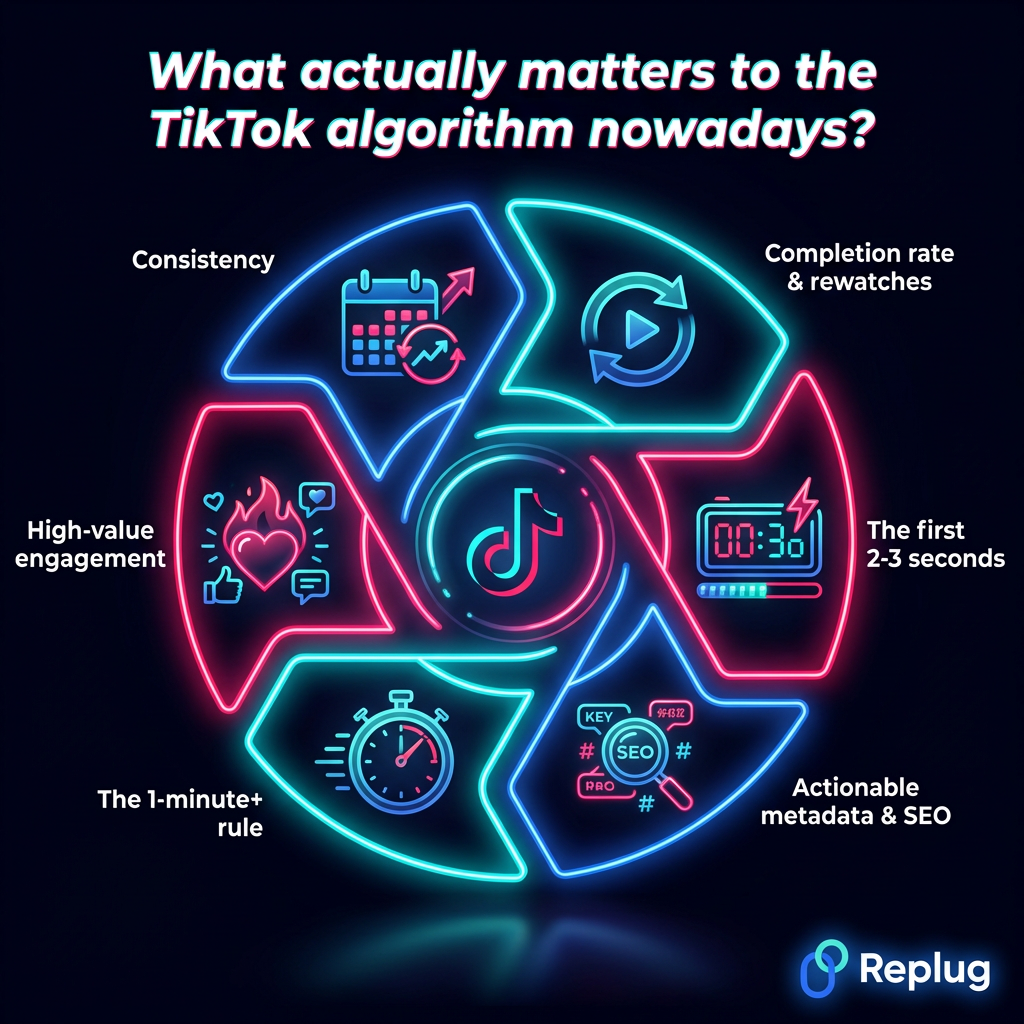
Consistency is honestly one of the most underrated growth levers on TikTok. The more often you post, the more chances you give the algorithm to pick up one of your videos and run with it.
Posting 2 to 5 times per week provides the most meaningful lift in views, but if you can manage quality content daily, even better. Just don’t sacrifice quality for quantity!
Tip #15: Analyze & pivot
If you’re not checking your TikTok analytics, you’re basically posting blind. TikTok Studio gives you data on watch time, completion rates, audience demographics, and your best-performing content.
Look at what’s working, double down on it, and stop wasting time on formats that clearly aren’t landing. The numbers don’t lie, and they’ll show you exactly where to focus your energy to get the desired results.
Tip #16: Repurpose/repost
Got a video that did really well? Don’t let it die, bring it back!
You can repost older high-performing content with a fresh caption or hook, or use TikTok’s ads retargeting to get your best content in front of people who’ve already engaged with your profile. Repurposing saves you time and squeezes more views out of content you’ve already created.
Tip #17: Follow TikTok trends
TikTok is basically built on trends: sounds, challenges, formats, and topics cycle through fast. When you jump on a trend early, TikTok actively pushes your video to users who are already engaging with that trend.
Check TikTok’s Creative Center regularly to see what’s stepping up. Just make sure you’re putting your own twist on it. Don’t copy, add your own personality to it!
Hashtags help TikTok categorize your content and show it to the right people. Most sources agree that 3-5 hashtags are optimal for TikTok captions.
Stuffing your post with random tags won’t help and actually makes your content look spammy. Focus on specific, niche-relevant hashtags rather than overused ones like #fyp. Think quality over quantity here, as well!
Tip #19: Craft precise, error-free captions & descriptions
Your caption is prime real estate; don’t waste it. TikTok now supports up to 4,000 characters in captions, which gives you a lot of room to include relevant keywords, context, and a CTA phrase. But keep it readable, please.
Most high-performing captions sit between 100 and 150 characters. Typos and sloppy writing make you look unprofessional, so always give it a quick proofread before hitting post.
Tip #20: Utilize TikTok stories with older content
TikTok Stories sit at the top of your followers’ feeds. Use them to reintroduce past videos that your newer followers might have missed, or tease upcoming content to build excitement.
It’s a super easy, low-effort way to keep your older content circulating and bring in extra views out of videos you’ve already put work into.
Tip #21: Team up/collaborate with creators, brands, influencers
Collaborations are one of the fastest ways to grow on TikTok because you’re instantly borrowing someone else’s audience. Whether it’s a Duet, a Stitch, or a full-on collab video, teaming up with other creators or brands exposes your content to people who’ve never heard of you before.
Look for creators in your niche who share a similar audience. You don’t need a mega-influencer; even micro-creators can drive serious results.
Videos with a real face in them almost always outperform faceless content on TikTok. People connect with people, not just text on screen or voiceovers.
Showing your face builds a sense of trust and familiarity, which makes viewers way more likely to follow you, engage with your content, and come back for more. You don’t have to be picture-perfect; just be present and real.
Tip #23: Be authentic & honest with your words
TikTok users can smell fake from a mile away, and they scroll right past it. The content that actually builds loyal audiences is raw, honest, and genuinely human.
Share real opinions, admit when you got something wrong, and talk to your audience like actual people (not a marketing pitch). Authenticity builds trust, and trust turns casual viewers into long-term fans who actively view and share your content.
Tip #24: Think TikTok-first & build a community
Stop treating TikTok like a place to dump content and start treating it like a community you’re building. Reply to comments, ask questions, respond to your audience with video replies, and make your followers feel seen.
TikTok actually rewards creators whose content provokes real conversations. When people feel like they’re part of something, they keep coming back, and they bring their friends with them, as well.
Tip #25: Lean into your actual “thing”
The creators who blow up on TikTok aren’t trying to be everything. They own one specific thing, and they do it really well. Maybe it’s their humor, expertise, storytelling, or a unique perspective.
Whatever it is that makes you actually “you,” lean into it hard and be consistent with it. The algorithm loves creators who have a clear identity, and so does your audience.
What actually matters to the TikTok algorithm nowadays?
A lot of creators still think going viral is pure luck, but it’s really not. TikTok’s algorithm uses an interest graph, not a social graph, meaning it recommends content based on what you’ll actually enjoy watching, not just who you follow.
Once you understand the signals it’s paying attention to, TikTok starts feeling a lot less random and a lot more like a system you can actually work with.
Completion rate & rewatches
Watch time and completion rate account for roughly 40–50% of the algorithm’s weight, making it the single biggest factor in whether your video gets pushed further. If someone rewatches your video, that’s an even stronger signal.
In 2026, the algorithm now requires approximately 70% completion rates for second-batch promotion, up from roughly 50% in previous years.
The first 2-3 seconds
Videos with hooks in the first 2–3 seconds see completion rates 30–40% higher than videos with slow intros.
If you lose someone in those opening moments, TikTok takes it as a sign your content isn’t worth pushing. Your hook isn’t just a creative choice; it’s an algorithmic one.
Actionable metadata & SEO
In 2026, TikTok isn’t just a video platform anymore; it’s a complete search engine. TikTok’s algorithm “listens” to your video using speech recognition and reads your on-screen text to determine its relevance to what users are searching for.
This means your keywords, captions, and on-screen text all directly affect how widely your content gets distributed.
The 1-minute+ rule
TikTok is testing videos up to three minutes, and data shows longer formats receive 2x more views than shorter clips when watch time percentage is maintained.
Videos that are at least 60 seconds also open the door to qualified views and the Creator Rewards Program. So going longer when it makes sense is genuinely worth it!
High-value engagement
Not all engagement is equal at present. The algorithm weighs engagement in this order:
Shares carry the highest weight, followed by comments, saves, likes, and follows, with shares to outside platforms being the strongest signal of all.
So focus on creating content people actually want to send to their friends and loved ones, not just tap a like button on.
Consistency
Posting 2 to 5 times per week helps the algorithm learn your content style without sacrificing quality.
Consistency doesn’t just keep you visible, it trains TikTok to understand what your account is about, who your audience is, and how to categorize and distribute your content more accurately over time.
Join hands with Replug & build sustainable growth on TikTok in 2026!
If you’re serious about using TikTok for business, you already know that just posting videos isn’t enough. Every element of your strategy needs to work smarter, including the links you share. That’s exactly where Replug steps in!
Replug is an all-in-one link optimization platform built to help brands turn their social media traffic into real, measurable leads. Whether you need to shorten a link for your TikTok bio or track exactly where your clicks are coming from, Replug makes it effortless with its custom-branded link shortener.
A complete link management solution
for marketing professionals & agencies.
Try Replug for free
But that’s not all!
Replug also offers powerful free tools designed specifically for TikTok creators and marketers. Use the built-in TikTok caption generator to craft scroll-stopping captions in seconds, or the TikTok downloader to save and repurpose content without the hassle.
From capturing leads to optimizing every click, Replug gives you everything you need to grow consistently on TikTok in 2026.
Must give it a try today!
Frequently asked questions
What is “Promote” on TikTok?
“Promote” is TikTok’s built-in paid boost feature that lets you turn any of your existing organic videos into an ad directly from the app.
You set a goal (more views, website visits, or followers), a budget, and a duration, and TikTok pushes your video to a wider audience. It’s basically TikTok’s simplest self-serve advertising tool.
Does TikTok pay for views?
Yes, but only through the Creator Rewards Program, and not all views qualify. You need at least 10,000 followers,100,000 views in the past 30 days, and your videos must be at least 1 minute long.
Regular short clips don’t earn anything through this program, regardless of how many views they get.
How much does TikTok pay per view?
TikTok pays about $0.40 to $1.00 for every 1,000 views through the Creator Rewards Program (a massive improvement from the old Creator Fund’s $0.02–$0.04).
Your actual rate depends on your niche, audience location, video length, and engagement. High-demand niches like finance or education typically earn more than general entertainment content.
How to turn off profile views on TikTok?
Go to your Profile → tap the ☰ menu → Settings & Privacy → Privacy → Profile views and toggle off “Profile view history”.
You can turn off this feature that lets others see that you viewed their profile, and it also stops you from seeing who viewed yours. It’s a toggle switch, so you can flip it on or off anytime you want.
How to get views on TikTok as a beginner?
Start by posting consistently, using trending sounds, and making sure your first 2–3 seconds actually grab attention. Focus on one niche, so TikTok knows what your account is about.
Don’t overthink production. Authentic, punchy content from a new account can still land on the For You Page if it keeps people watching.
How to get views on TikTok when you have 0 followers?
Good news! TikTok’s algorithm doesn’t care about follower count when deciding who sees your video. Every video gets tested with a small audience first. If they watch it, TikTok pushes it further.
Focus on a strong hook, relevant hashtags, and posting during peak hours. One good video can get thousands of views on a brand-new account.
How much money do you get on TikTok for 1 million views?
Through the Creator Rewards Program, 1 million views can earn between $400 and $1,000+, depending on your niche, audience location, and how many of those views are “qualified.”
Creators in high-RPM niches have reported earning even more. These are estimates; TikTok doesn’t publish fixed payout rates.
How to get more views on TikTok after posting?
Share your video to Instagram Stories, Twitter/X, and WhatsApp right after posting to drive early traffic. Reply to every comment in the first hour to signal engagement.
You can also use TikTok’s “Promote” feature to give it a paid boost. Strong early engagement tells the algorithm the video is worth pushing to a bigger audience.
How to get more views on TikTok for free?
Here are the most effective strategies to get free TikTok views:
– Posting at peak times – Using 3–5 niche-relevant hashtags – Writing keyword-rich captions – Jumping on trending sounds, and – Cross-promoting on other platforms
Engage with comments and respond using video replies. Consistency also plays a huge role. The more quality content you put out, the more chances the algorithm has to pick one up.
How to get more views on TikTok videos fast?
Use a trending sound, nail your hook in the first 2–3 seconds, and post during high-traffic hours (midweek afternoons work well based on current data).
Stitching or Dueting a trending video can also fast-track visibility. If you want instant reach, TikTok’s Promote feature can get your video in front of thousands within hours for a small budget.
How to go viral on TikTok in 2026?
There’s no guaranteed formula, but here’s what consistently works:
– Hook people immediately – Keep completion rates high (aim for 70%+) – Make content people share rather than just like, and – Post when your audience is active
Trending sounds + a fresh angle on a trending topic is still one of the fastest routes to a viral video in 2026.
Is it legal to buy TikTok views?
Buying TikTok views to boost early reach isn’t illegal in a criminal sense, but it directly violates TikTok’s Community Guidelines and Terms of Service.
TikTok actively filters out fake or purchased views. They won’t count as qualified views and won’t help your earnings. Worse, your account can get flagged, shadowbanned, or permanently banned.
Any TikTok viewer who slips on inflated view counts but sees low engagement will see right through it, too, which kills your credibility. Stick to organic growth; it’s the only kind that actually sticks.
Most of us who use popular social media platforms are familiar with bio links. But many of us do not know about it or even how to add Instagram link in bio.
What does Link in Bio Mean?
It’s a clickable URL link that Instagram users can add to their Instagram profile. Many other social platforms such as Facebook, Twitter and others also have this option to add a link to their profile section.
The next question in your mind must be who can add Instagram links?
Anyone, either a regular Instagram user or a business account holder, can add Instagram links to their bio.
Anyone that hovers over your profile pic can view your Bio Link. They can also view this link when they visit your profile.
How to Add Multiple Links in Your Instagram Bio?
Replug enables users to easily add multiple short links. With the Instagram link in bio free tool, you can create a landing page for any link and add multiple CTA’s on that page routing to multiple destinations. It allows users to access more information about yourself or your business.
Why Do I Need An Instagram Link?
Here are some of the significant benefits of adding a BIO Link.
Keeps your audience engaged
Drives traffic to your desired website and social pages
What Mistakes to Avoid When Creating a Instagram Link in Bio?
We have identified inevitable mistakes to avoid when you add a link to your Instagram Bio.
Adding many links
Avoid long bios
Not adding a CTA
Do not boast about yourself
Unclear bio
Adding random links
How To Use Your Bio Link Effectively?
Here are some tips to use Instagram bio links to your advantage.
Follow a strategic approach when creating a link in bio free. Connect your account to ContentStudio and boost your engagement.
Use Bio links to direct users to access more information about yourself or your business.
Promote business products and services such as discount offers, free trials, ETC.
A solid way to get leads with tracking analytics.
That’s all from our side, just keep these tips in mind and start attracting solid leads with your Instagram bio Links. Now that you have learned how to add or even find an Instagram link within minutes, go create a bio link now and turn followers into customers.
Since TikTok has taken the world by storm, everyone wants to know, does TikTok really pay?
To be short and sweet, yes, it does!
Now you must be wondering.
How to make money on TikTok?
Who can make money on TikTok?
TikTok is probably one of the hardest things to resist at the moment. Even though TikTok has become the most popular mobile app, most users still don’t know how to make money on TikTok.
No Worries!
We’ll walk you through how to start and monetize your TikTok account, but you have to put in the work and spend some time reading this piece.
So whether you installed TikTok just to watch funny videos or want to be a TikToker, this article could be an eye-opener for all of you.
Buckle up! It’s a complete guide on TikTok monetization.
Let’s get down to business by answering some highly relevant questions.
How Do I Start Making TikTok Money?
Hit the milestones from the number of followers and monthly views standpoint, then apply for the creator fund program.
Eligibility Factors: TikTok Creator Fund
It’s available to the creators that meet the following criteria:
Creator Age: At least 18 years old
Eligible Countries: US, UK, France, Germany, Spain, and Italy
Minimum Followers: 10,000
Last 30 Days’ Video Views: At least 100,000
Must Comply With: TikTok community guidelines and terms of service
Simply put, anybody can make money from TikTok. Just grow a following on TikTok by creating content around any of this:
Passion
Skill
Day job
Side hustle
Knowledge
Experience
Once your TikTok content starts getting traction on the platform, the followers will pour in, and some money-making opportunities will eventually begin to unfold.
The TikTok Creator Fund is a creator reward program that pays TikTok creators for being creative, inspirational, and consistent on the platform. It’s not a grant or ad revenue-sharing program. Instead, it’s a way of celebrating the uniqueness and talent that creators bring to the platform.
The purpose of the TikTok Creator Fund is to appreciate the creators’ success, commitment, and passion for showcasing their skills, talent, and passion. Since it’s not a monetization method, it may vary from month to month, depending on numerous factors.
How to Apply for TikTok Creator’s Fund?
First achieve the required number of followers and views. Then follow these steps to get your TikTok Creators Fund.
Open your TikTok app and go to the account settings.
Next, open the “Creator tools” and click the “TikTok Creator Fund” to apply for the program.
How Much Does TikTok Pay Per 1000?
It pays 2 to 4 cents per 1000 views.
How Many Views Do You Need to Get Paid by TikTok?
You must have at least 100,000 views in the last 30 days or so.
Keep in mind that a hundred thousand views are a minimum. The more views you get, the higher you could earn. However, other factors determine how much you’d make each month on TikTok.
Following are the elements that determine how much you’d make from TikTok:
Number of views on the videos
The engagement level of the audience
Compliance with terms of service and community guidelines
The authenticity of the views
15 Surefire Ways on How to Make Money on TikTok
Let’s quickly move on to the list of various methods to make money on TikTok:
Selling Direct-to-Consumer Products
If you have a 10 or 15 years old in your house, the kid would know the top TikTokers in the country. Nowadays, kids don’t know the TV stars and film celebs. Instead, they have favorite YouTubers and TikTokers.
Since TikTok is a short video platform that attracts an audience ranging from 12 to 60 years old, it has gotten so much attention lately. The TikTok demographics provide brands with loads of opportunities to sell directly to consumers.
Brands could potentially start their TikTok accounts or opt for either running TikTok ad campaigns to sell directly to the consumers. When a brand uses a platform like TikTok and connects with the potential audience, it widens the brand’s social media reach. This removes the middleman, but it also builds a relationship between the brand and the potential customers.
Reselling Fashion Accessories
You might think of TikTok as a platform to watch entertaining or funny videos, but it has gotten much bigger. Since TikTok has a massive audience, it has created business opportunities for brands, entrepreneurs, and almost everyone.
You may or may not have seen this, but many TikTok users are selling clothes and accessories on TikTok. TikTok may not have the transactional facility to carry out the selling and purchasing of products. Still, things seem to be working out for many.
One of the ways to make money on TikTok could be reselling fashion accessories, such as clothes like men’s leather blazers, jackets, suits, jewelry, makeup, and other relevant products. However, you may have to create a TikTok account dedicated to selling those items. Otherwise, it won’t work out. For example, you can’t use your same TikTok account for cat videos and selling clothes.
Promoting Songs on TikTok
Once you’ve managed to gain a sizeable audience on TikTok, there will be many monetization opportunities waiting for you. One of those opportunities would be promoting songs of indie singers.
Many indie singers who release their singles reach out to TikTok influencers and pay them to use their songs in their videos. Plus, TikTokers often tag them in the video description on TikTok. Thus, they also get promotions along with the song.
I have been noticing song promotion tactics for the last three years or so. It’s a win-win situation for both parties. The TikTok influencer gets paid a good amount for a 15 or 30-second video. The singer gets to promote the songs without spending hundreds of thousands of dollars on traditional marketing channels.
Hiring Micro-Influencers Over Superstars
Do you know celebs get paid millions of dollars to post on Instagram? According to Influencer Marketing Hub, Kendall Jenner is among the top 10 highest-paid celebs for publishing a single Instagram post. The article revealed that she could charge up to half a million for a single post on Instagram.
Most of us don’t have that kind of money to spend on influencer marketing. However, TikTok is a great platform for hiring micro-influencers over TV celebs. These TikTok influencers have an engaged audience, but they are also quite affordable compared to top-tier global celebrities.
Remember that it won’t happen on a whim. You can’t just download TikTok and start finding a TikTok influencer. You must give it time before you jump the gun.
Therefore, if you’re trying to make money on TikTok, you could put yourself in a micro-influencer shoe and try to build an engaged audience to attract sponsors. However, you’ll be better off sticking to a specific niche while creating TikTok videos.
Create Sponsored Content
Have you ever seen a popular tech YouTuber unboxing a cell phone or tech gadget? Well, tech companies pay those YouTube influencers to unbox and review their products.
The same thing could work out for you on TikTok. However, the key to getting paid for your TikTok videos, you must cross a threshold. In other words, you must have a rather large followers base to attract sponsored content deals.
TikTok Creator Marketplace is the official TikTok marketplace for finding TikTok influencers for your sponsored content deals. It’s a complete TikTok influencer discovery network that provides advertisers with the statistics to find the most suitable TikToker for sponsored content.
Accept Video Gifts
One of the TikTok monetization methods is receiving video gifts. Even though it won’t work for every video or creator, it is still a way to make money on TikTok. Before we dig deeper into how it works on the platform, let’s discuss the eligibility criteria for accepting video gifts.
The creator must be 18 years of age and should have 100,000 followers. In addition, the account should be at least 30 days old with at least one public video during that period. Above all, the TikTok account must not be violating the community guidelines.
The TikTok users should join the Creator Next program to access several TikTok monetization tools, including video gifts. The creator must enable this feature from account settings to accept video gifts. Go to the “Creator Tools” to enable this feature and select the “Video gifts.” Then, turn on the video gifts.
If the video gifts feature hasn’t rolled out in your country, you could go to the “Creator Tools” and toggle on the “Video gifts” feature.
Once it’s enabled on your TikTok account, the algorithm would decide the eligibility of the TikTok videos for video gifts. Then, the audience would see a gift button next to the comment section for sending you a video gift that you could redeem later on.
Grow & Sell TikTok Accounts
Most beginners have no idea about social media real estate. Buying and selling of social accounts and channels is a common practice, and TikTok is no exception. The point is that you can grow a TikTok account and flip it for thousands of dollars.
All you need is to figure out how you can scale a TikTok account rather quickly. There is no secret to growing a TikTok account rapidly. All you need is to create a content strategy by keeping the target audience in mind. If you hit the bullseye with your targeting and creating exciting content, your TikTok account would surely take off.
Once you cross a 100,000 followers mark, you could either monetize it with Creators Fund or sell your TikTok account for a heap of money.
Manage Influencer Campaigns
If you are camera shy and don’t want to create videos for TikTok, you can still monetize TikTok. However, you won’t be under the spotlight in this situation. Instead, you’d be offering your expertise to connect creators and brands.
So let me explain how it works: one of the easiest ways to earn money on TikTok is by managing influencer campaigns. All you need is to connect with TikTok influencers in your town, city, or country and build a strong relationship with them.
If you have a solid social media follower base, it’ll be easier for you to pull this off. Influencers usually don’t like to be friends with random people unless they’re formally introduced to them for business.
Once you have TikTok influencers onboard, you could help brands and influencers strike a deal and charge a small fee from both parties for your service.
Management Services
Social media influencers rely on management services to help them find clients to work with and get their merchandise ready for them or even manage their social media profiles.
Therefore, you could offer a management service for TikTokers or TikTok influencers and charge a fee. This way, you get a chance to use any of your soft skills or a passion for earning some side money.
There are various management services you can go for. Like TikTok video editing, music discovery, social media management, merchandise management, community management, etc.
You might not be monetizing your TikTok profile, but you’d be making money from your work for other TikTokers.
Place Affiliate Links
A common yet under-utilized method of making money on TikTok is placing affiliate links in your TikTok bio. You may not be able to make a clickable link in the video description on TikTok, but the bio link works like a charm.
Experts from different walks of life use Instagram and TikTok bios for giving away freebies using short links. Replug is a popular URL shortener for creating short branded links for TikTok or Instagram bio. This amazing link management platform offers branded URLs, custom audience clicks, performance tracking, retargeting, bio links, etc.
As far as placing the affiliate links in TikTok videos is concerned, you could insert the affiliate links in your TikTok bio. Not only does TikTok help you reach newer audiences, but it also creates chances for you to generate more affiliate sales.
Paid Collaborations
One of the ways to make money on TikTok is paid collaboration. Usually, smaller TikTokers pay influencers to collaborate with them and highlight their account in the paid video description.
Have you ever seen two or more TikTokers make videos together and mention each other’s handles in the video description? Well, it could be a paid collaboration.
Brands collaborate with TikTok influencers as well. They pay TikTokers to use their products or showcase their product in the video and cash in on the traction those TikTokers get on the platform.
TikTok Script Writing
You may have seen Fiverr gigs or Upwork projects about YouTube scripts. Well, TikTok scripts writing could be your TikTok monetization strategy. I’m not saying it would immediately work out for everyone, but you got to have a little faith when trying something new.
You need to reach out to the TikTokers in your genre or area of expertise and ask them if you could write their TikTok video scripts. You never know what happens after that. Don’t give up if the first 10 TikTokers turn you down; it won’t happen so quickly, so just keep on trying.
TikTok Video Editing
One of the secrets to winning on TikTok is creating unique, creative, and eye-catching videos. Therefore, your video editing skill can come in handy when trying to make money on TikTok. Several video editing tools can help you create content effectively
Reach out to the TikTokers and ask them if you could edit their videos. However, I’d suggest setting up your TikTok profiles and start uploading fantastically edited videos to showcase. You never know which one of these videos will go viral. All you need is to set up your TikTok profile as a TikTok video editor. Use the video description and account bio to explain what your service is.
Creating Original Music for TikTok
Many services sell original music for YouTube videos and Vlogs. Wouldn’t it be cool if you started offering premium music for TikTok? Of course, you’d need to crush it with your TikTok account to get the attention and drive TikTok creators to your music website.
Moreover, you could run TikTok ads to get the eyeballs around and make an impact. But, anyway, it’s only possible if you have a passion for music and you’re already creating music for selling on the internet.
Running TikTok Ads
Speaking of TikTok ads, it’s not something everyone around here has already explored. Most of you didn’t even know that this ad service exists until now.
The catch is that you could learn how to run TikTok ads by taking an online course and running a couple of test campaigns to brush up your ad running skills.
Once you’ve mastered the art of running TikTok ads, you could run these ad campaigns for TikTokers or brands who want to crush in on TikTok. You would surely make good money doing this.
So these were fifteen ways to make money on TikTok. I promise there are so many more out there that you should explore, but try to pick a few of these and see what happens next.
5 TikTok Influencers to Follow
Let’s take a sneak peek at five TikTok influencers and follow them to understand what separates them from the rest:
1. Charli D’Amelio
Charli D’Amelio is an American TikToker and without a doubt, the biggest TikToker in the world. As of December 2021, she had 136 million followers on TikTok. She is likewise, Charli is among the highest-paid TikTok influencers in the world.
2. Khabby Lame
Khabby Lame, a Senegalese content creator from Italy became famous for his comedic content. He lost his job in the pandemic and continued his passion which has provided him great fame. Now with 134 million followers and growing. he’s among the top TikTokers in the world.
Bella Poarch is one of the top TikTokers in the world. She has 89 million followers on the platform. Besides TikTok, she is a singer and has already released her debut single, “build a bitch” in May 2021.
4. Zach King
Zach King is a famous social media influencer, filmmaker, and illusionist based in LA, California. He started making 6-second magic videos on Vine and became a popular social media personality. Now he is among the top TikTok influencers in the world. He has over 68 million followers on TikTok.
5.Addison Rae
Famous for her dance and choreography, Addison Rae has over 87 million followers on TikTok. Plus, she is making 5 million annually using TikTok which is more than what Charli D’Amelio earns from TikTok.She has also launched her own fragrance brand. Further, she has appeared in the Netflix series and has also signed a film “Fashionista”.
How Would You Make Money on TikTok?
There are several ways to cash in on your TikTok account and get paid for making videos you love to make. However, remember that it doesn’t happen quickly, or maybe it doesn’t happen to every TikToker.
It doesn’t mean you can’t make it happen. If you have been consuming TikTok content for a while, you will notice that anybody could be a star on TikTok. All you need is to put your real self out there and do something you enjoy.
Unfortunately, making TikTok videos starts to look like a job you hate, which is unlikely to happen for you.
We shared many ways to start making money on TikTok, and it’s up to you which ones you’re going to pick and try out.
Let us know how you’d like to make money from TikTok.
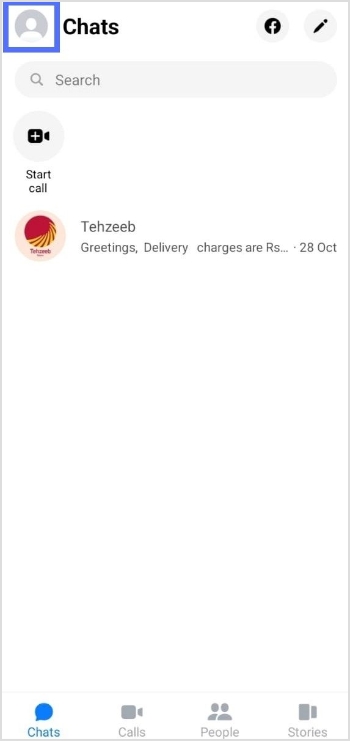
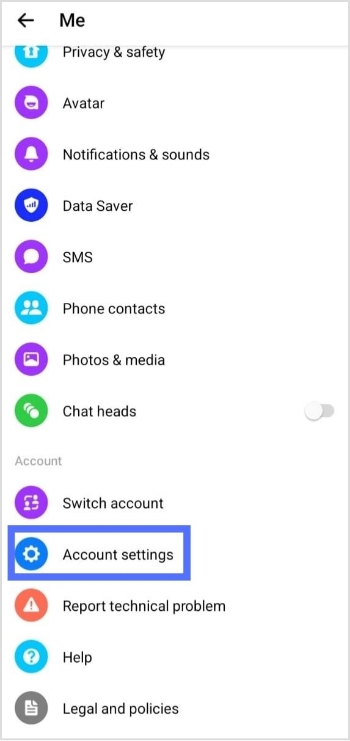
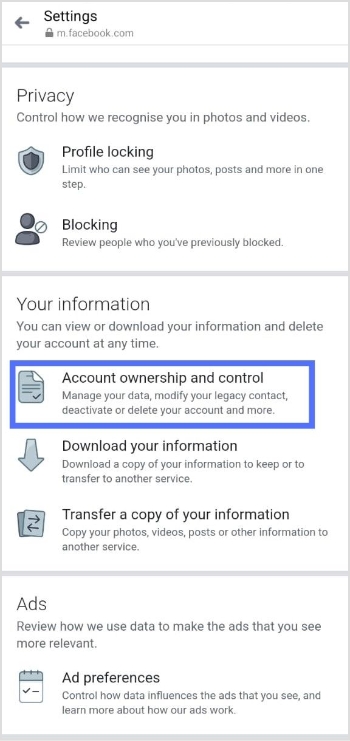

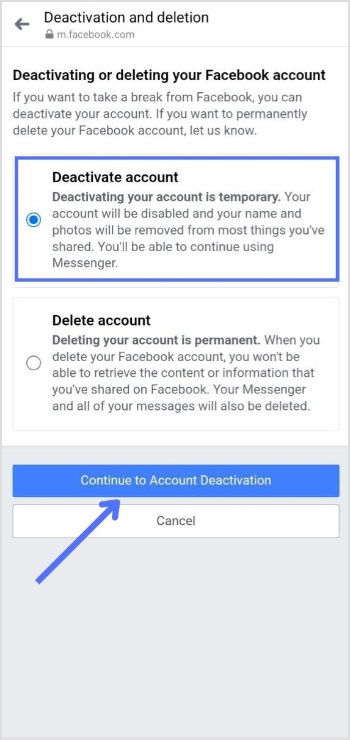



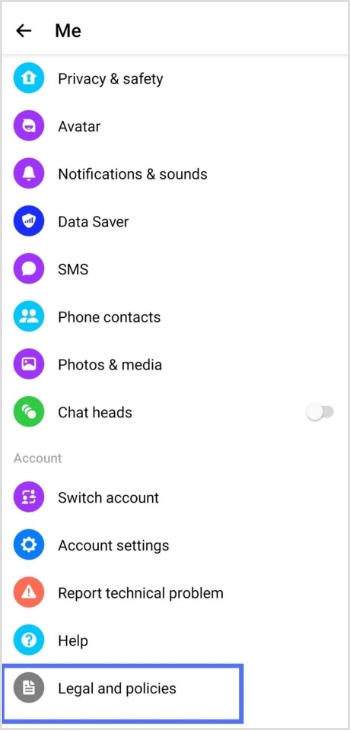
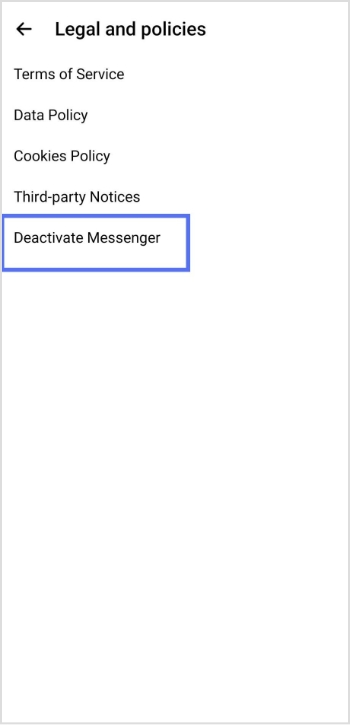
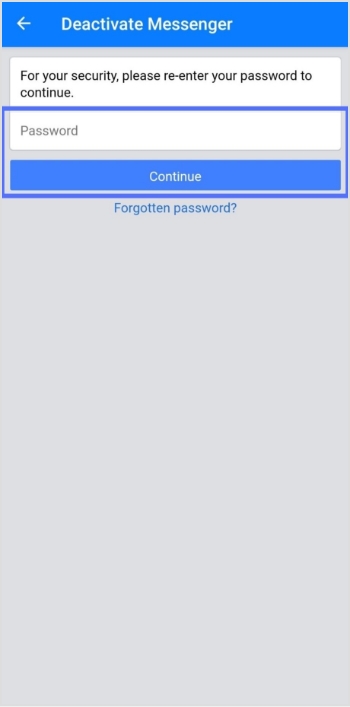
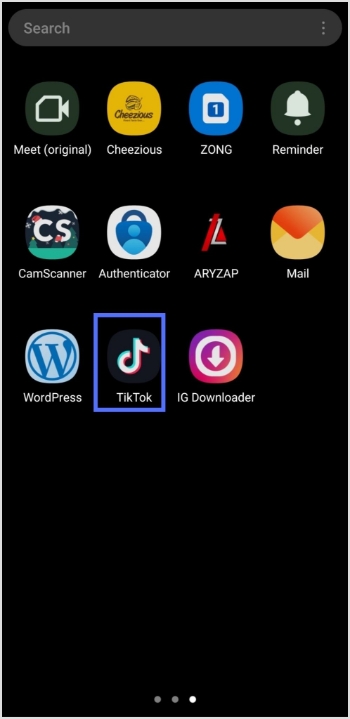
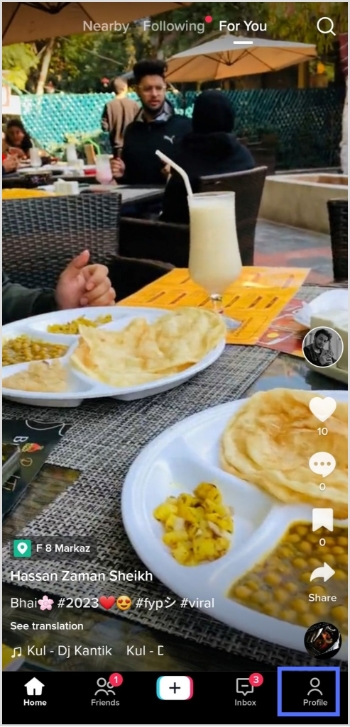
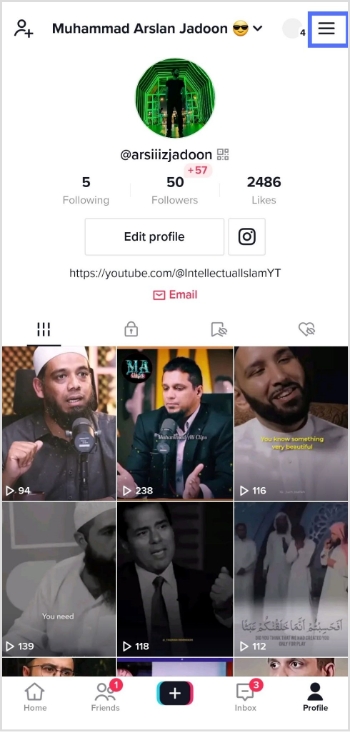
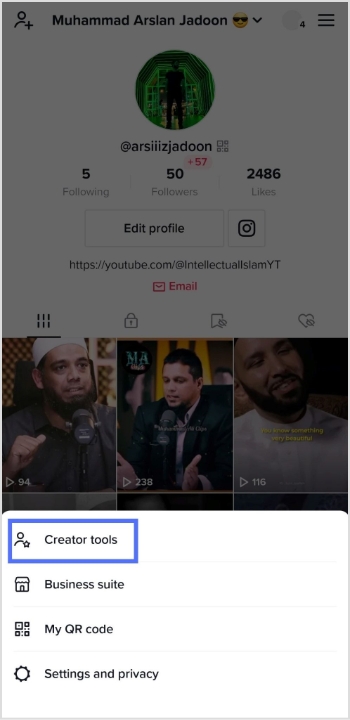
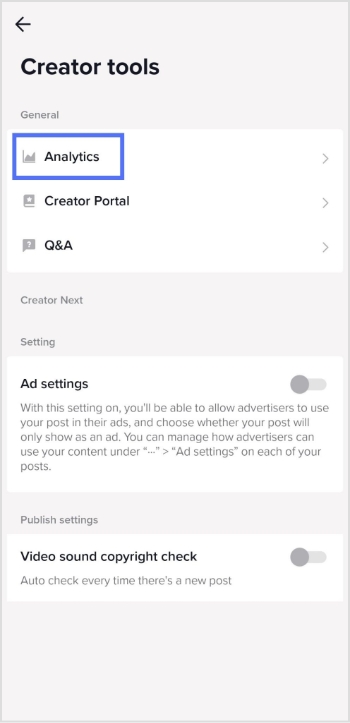
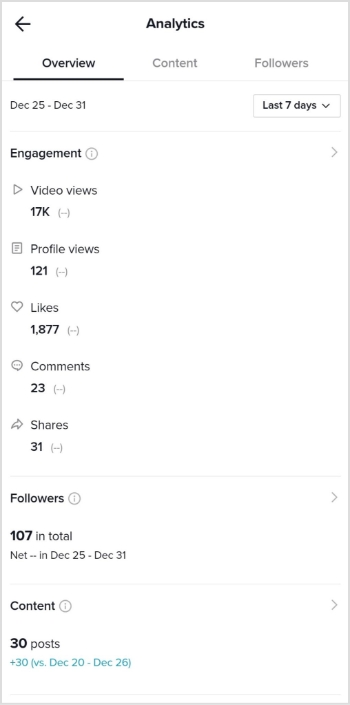
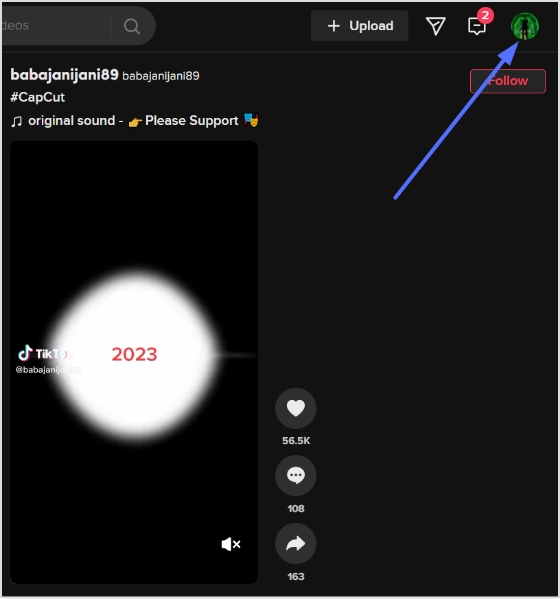
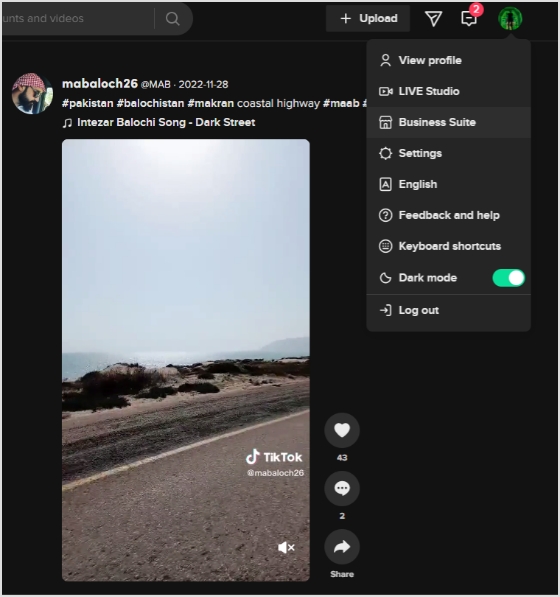
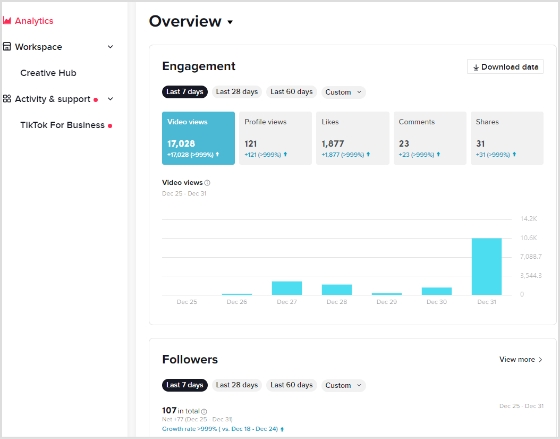
![How to link Instagram to TikTok profile in no time: A step-by-step guide [2026]!](https://internal-blog.replug.io/wp-content/uploads/2022/12/How-to-link-Instagram-to-TikTok-profile-in-no-time-A-step-by-step-guide-2026.png)