Affiliate decloaking isn’t just a fancy term; it’s the key to building trust with your audience. Picture this: you’re browsing the web and stumble upon an intriguing link. But wait, where does it lead? That’s where decloaking comes in.
By lifting the veil on those affiliate links, you’re showing your audience you have nothing to hide. It’s about being upfront, honest, and, ultimately, more persuasive.
This guide will explore why affiliate decloaking matters and how it can supercharge your marketing efforts. So, let’s dive in!
All you should know about affiliate cloaking and decloaking
To understand the concept of decloaking in affiliate marketing, it’s crucial to first know its counterpart: affiliate cloaking. Both techniques revolve around manipulating URLs, but they have distinct purposes and outcomes.
What is affiliate cloaking?
Affiliate cloaking (or affiliate link cloaking) is when a marketer disguises or hides the actual destination URL of an affiliate link. Because affiliate links are created by sales commission tools, their destinations might seem weird. So, affiliate cloaking is like putting a mask on the link to make it look different from where it leads. People often do this to make links appear cleaner or to track clicks without revealing the true destination.
What is affiliate decloaking?
On the flip side, affiliate decloaking is the process of removing the disguise from a cloaked affiliate link to reveal its true destination URL. It’s all about transparency and honesty. Decloaking shows your audience exactly where they’ll end up if they click the link.
What’s the difference between the two?
Here’s a quick table to show you some major differences between cloaking and decloaking.
Aspect
Cloaking
Decloaking
Purpose
Hides the destination URL
Reveals the destination URL
Use
Aesthetic purposes, tracking, redirects
Transparency, building trust
Outcome
Link looks cleaner but conceals its target
Audience knows exactly where they’ll go
Impact on trust
May reduce trust if discovered
Increases trust and credibility
Understanding cloaking and decloaking in affiliate marketing
As we have stated before, Cloaking refers to hiding the true destination of an affiliate link from users. Marketers use this technique to conceal where a link leads by altering the URL or redirecting.
SEO/PPC affiliates might cloak links to hide non-compliant content from brands and avoid penalties. While cloaking may boost short-term results, it risks severe consequences like affiliate bans or legal issues if discovered.
Legal implications: Cloaking can have legal consequences, mainly if it violates regulations like the FTC’s affiliate disclosure rules. If cloaking is used to deceive consumers or hide affiliate relationships, marketers could face fines or other penalties.
Decloaking reverses cloaking to enhance link transparency and improve affiliate performance. Tools like BluePear’s decloaking service simulate real traffic from multiple IPs and countries, fully exposing landing pages, which builds trust and transparency in affiliate marketing.
A complete link management solution
for marketing professionals & agencies.
Try Replug for free
How does affiliate decloaking work?
Here’s how it typically works:
Identifying cloaked links:
First, you need to identify the cloaked affiliate links you want to decloak. These links often appear shortened or obfuscated, making it difficult to determine their true destination.
Extracting the destination URL:
Once you’ve identified a cloaked link, you’ll need to extract the destination URL hidden within it. This might involve using online tools or browser extensions designed to reveal the underlying URL of shortened or cloaked links.
Displaying the destination URL:
Once you’ve extracted the destination URL, you can then display it to your audience. This could be done by simply replacing the cloaked link with the revealed destination URL in your content or by providing additional information alongside the link to ensure transparency.
Ensuring transparency:
The key to effective affiliate decloaking is transparency. By revealing the true destination URL to your audience, you’re providing them with the information they need to make informed decisions about whether to click on the link.
Maintaining compliance:
It’s important to ensure that your decloaking practices comply with any relevant laws or regulations, as well as the terms of service of the affiliate programs you’re participating in. This may include obtaining consent from users before redirecting them to affiliate links and providing clear disclosures about your affiliate relationships.
A complete link management solution
for marketing professionals & agencies.
Try Replug for free
Why should affiliates decloak links?
Affiliates should decloak links for several important reasons:
Transparency and trust: Decloaking links promotes transparency by revealing the true destination URL to users. This honesty builds trust with the audience, as they know exactly where they’ll be directed when clicking on the link.
Credibility: Decloaking links enhance the credibility of the affiliate marketer. It demonstrates integrity and accountability, showing that the marketer is not trying to deceive or manipulate their audience.
Compliance: Decloaking ensures compliance with regulations and affiliate program terms. Some programs require affiliates to disclose their affiliate status and provide clear information about linked destinations.
User experience: Decloaking improves the user experience by providing clarity and reducing confusion. Users appreciate knowing where a link leads before clicking, which can lead to higher engagement and conversions.
Long-term success: Building trust and credibility through decloaking contributes to long-term success in affiliate marketing. It fosters positive relationships with the audience and encourages repeat visits and referrals.
A complete link management solution
for marketing professionals & agencies.
Try Replug for free
A practical examples of cloaking and decloaking in affiliate marketing
A fitness blogger named Sarah promotes a protein powder through her affiliate link. To make the link cleaner and more visually appealing, she cloaks it using a free custom link shortener, so instead of showing
it appears as
This is link cloaking—it hides the original affiliate URL, making it look more professional while also allowing Sarah to track clicks.
Replug affiliate program: Unlock passive income opportunities
Are you ready to take your affiliate marketing efforts to the next level? Consider joining the Replug’s Affiliate Program to unlock passive income opportunities while promoting a powerful link management tool to your network.
Why Replug?
Replug offers a comprehensive link management solution designed to streamline your affiliate marketing efforts and maximize your conversions. With features like branded links, call-to-action overlays, and detailed analytics, Replug empowers marketers to optimize their links and drive more traffic to their affiliate offers.
Earn 30% recurring commissions
As a Replug affiliate partner, you’ll earn an impressive 30% recurring commission for every new customer you refer to Replug. This means you’ll continue to earn commissions for the lifetime of each customer you bring on board, providing you with a steady stream of passive income.
Easy sign-up and promotion
Getting started with the Replug Affiliate Program is quick and easy. Simply sign up for the program, receive your unique referral link, and start promoting Replug to your audience through various channels such as social media, email marketing, or your website. Monitor your progress and success directly from your affiliate dashboard.
Don’t miss out on the opportunity to earn passive income while promoting a valuable tool to your audience. Join the Replug Affiliate Program today and start monetizing your affiliate marketing efforts like never before.
A complete link management solution
for marketing professionals & agencies.
Try Replug for free
FAQs on affiliate decloaking
Is affiliate cloaking legal?
While affiliate cloaking itself is not illegal, its ethical implications depend on how it’s used. Cloaking with the intent to deceive or manipulate users can violate laws and regulations, as well as the terms of service of affiliate programs.
What are the risks of using cloaked affiliate links?
Risks associated with cloaked affiliate links include reduced trust and credibility with your audience, potential violations of affiliate program terms, and penalties from search engines if detected.
How can I decloak affiliate links?
Various methods exist to decloak affiliate links, including using online tools or browser extensions designed to reveal the underlying URL of shortened or cloaked links.
Do I need to decloak all my affiliate links?
While it’s not mandatory, decloaking all your affiliate links can help establish transparency and trust with your audience. Consider decloaking links where transparency is crucial or required by regulations or affiliate program terms.
There are plenty of reasons you might want to unlink your Facebook and Instagram accounts. Maybe you want to keep your personal information more secure by limiting data sharing, or perhaps you prefer managing your accounts separately to create tailored content for each platform.
If you’re thinking about making the switch, this guide will walk you through the easy steps to disconnect your accounts! Alongside some other ultimate hacks to 3x your social media success.
So let’s get going.
Step-by-step guide to unlink accounts
Now, remember that there are two ways to do this: one is through Instagram, and one is through Facebook. For your convenience, we’ll list both.
On Instagram:
Step no 01: Open the Instagram app and head to your profile (just tap your picture in the bottom right).
Step no 02: Go to settings: Tap the three lines at the top right, then select Settings.
Step no 03: Find the account center at the bottom and tap it.
Step no 04: See linked accounts: Tap Accounts, and you’ll see your Facebook account there.
Step no 05: Unlink it: Tap on your Facebook account, choose Remove from Account Center, and confirm it. You’re done!
On Facebook:
Step no 01: Open the Facebook app and tap the three lines at the top right.
Step no 02: Go to settings: Scroll down to settings & privacy, then tap ‘Settings’.
Step no 03:Open account center: Find Meta Account Center and tap it.
Step no 04:Unlink your Instagram: Tap Accounts, select your Instagram, and hit Remove from Account Center.
And that’s it! Your accounts will no longer be connected. Easy, right?
Once you’ve unlinked your accounts, consider implementing these strategies and tools to enhance your social media marketing:
1. Use bio-links to direct your audience
Why it matters: Platforms like Instagram limit you to just one clickable link in your bio, which makes bio-links crucial. This is your chance to direct followers to various resources and maximize the potential of that single link.
How to use: Use tools like Replug to create a single link that houses several destination links (e.g., blog posts, promotions, or products).
2. Branding matters: crafting custom URLs that convert
Why it matters: Custom URLs do wonders for your brand image. They not only improve recognition but also build trust with your audience, making them more likely to click through to your content.
How to use: Use an efficient URL shortener that allow for customization. Instead of a generic link, generate a branded shortened link. Try something more personalized, like yourbrand.com/promotion. It’s more memorable and adds a professional touch to your posts.
3. Re-engage your audience through smart link retargeting
Why it matters:Retargeting is a powerful way to reconnect with users who showed interest but didn’t take action. It’s about keeping your brand in front of them and encouraging them to engage.
How to use: Replug is a top-notch link optimization platform that lets you add retargeting pixels to your links hassle-free. Anyone who clicks on your links can be targeted with ads later, reminding them of what you offer. It’s a smart way to nurture leads and guide them toward making a purchase.
4. Track your links to see what works
Why it matters: To fine-tune your marketing strategies, you need to understand how users interact with your links. Link tracking gives you insight into clicks and conversions, helping you figure out what resonates with your audience.
How to use: Advanced tracking tools can help you track link performance. By analyzing this data, you can adapt your content strategy, optimize your posts, and ultimately drive more traffic where it matters most.
To manage all your social accounts effortlessly, Try using ContentStudio– An advance social media solution that allows you to schedule, automate, and distribute social media content efficiently to dominate the market.
Some of its key features include: 1. Unified social media management 2. Automated social media scheduling 3. Content discovery and curation 4. Engagement tracking and management
All in all, ContentStudio offers flexible pricing plans tailored to different needs, starting with affordable options for individuals and small businesses. Advanced plans are available for larger teams and enterprises, as well as feature-enhanced features and collaboration tools.
Conclusion
Unlinking your Facebook and Instagram accounts is a straightforward process that empowers you to manage your social media presence more effectively. You can enhance your social media strategy and drive better engagement by employing tools for link tracking, branded URLs, and efficient content management.
FAQs on unlink Facebook and Instagram
How do I unlink my Facebook and Instagram accounts?
To unlink your accounts, open the Instagram app, go to your profile, navigate to “Settings,” then “Account Center,” and finally select Facebook to remove it.
Why should I unlink my Facebook and Instagram accounts?
Unlinking can enhance your privacy, reduce data sharing, and allow you to manage your content more effectively on each platform.
Will unlinking my accounts delete any of my posts?
No, unlinking your accounts does not delete your posts on either platform. They remain intact and accessible.
What are some tips for managing social media effectively after unlinking?
Consider using link management tools, creating branded URLs, implementing link tracking, and utilizing retargeting strategies to improve your social media presence.
Many people are understandably cautious about clicking on links, whether due to annoying website pop-ups or emails from unfamiliar sources.
At the same time, this hesitation poses a challenge for marketers, as getting users to click on URLs is vital for engagement and conversions.
This is where a free link shortener with tracking capabilities comes into play. It helps you create short URLs quickly and hassle-free.
These attractive and concise links have become popular among influencers, brands, marketers, and bloggers. These professionals utilize them to enhance marketing efforts, engagement, and click-through rates across various platforms.
Let’s explore the concept of shortened URLs and the possibilities of using short, branded URLs to boost marketing campaigns.
What are short URLs?
A short URL is a compressed version of a longer web address, created using a URL shortening service like Replug.
These links redirect users to the original URL but take up far less space, making them ideal for social media posts, SMS messages, email campaigns, and print materials.
The primary purpose of using such URLs is to enhance readability, make links more shareable, and provide a cleaner, more professional appearance across digital platforms.
The ultimate goal is to enhance user experience and maximize click-through rates (CTR) by making links easier to recognize, trust, and remember.
In fact, Backlinko reports that the top Google result earns a 27.6% CTR, showing just how impactful optimized URLs can be, especially when they’re concise and keyword-rich.
Importance of Short URLs
🔗 Improved click-through rates (CTR): Shorter, cleaner links tend to attract more clicks, especially when customized with relevant keywords.
📱 Better user experience: Long URLs can be messy and irritating. Short links are easier to read, type, and share, particularly on mobile devices.
📢 Cross-platform compatibility: Short URLs work seamlessly across all channels, from emails and tweets to offline QR codes and posters.
🎯 Efficient space usage: Especially useful in character-limited platforms like Twitter, where every character matters.
📊 Trackable engagement: The best URL shorteners come with built-in analytics to track performance, including clicks, device types, locations, and referrers.
Branded short links are more than just shortened URLs. They’re powerful marketing tools that enhance brand visibility, trust, and campaign performance.
🧠 Increased Brand Awareness: Branded links (e.g., yourbrand.link/offer) keep your business name front and center, reinforcing brand identity.
🤝 Higher Trust & Credibility: Users are more likely to click a link that includes your brand name rather than a random string of characters.
📈 Enhanced Conversion Rates: Recognizable, trustworthy links can drive more conversions by reducing hesitation and building confidence.
🔍 SEO Benefits & Keyword Relevance: Branded short links with targeted keywords can improve link context and searchability.
🛠️ Campaign Differentiation: Marketers can create unique branded links for different campaigns or platforms, making it easier to measure effectiveness and ROI.
How to use short URLs for marketing purposes
In today’s fast-paced digital world, every character counts, especially in marketing. Short URLs not only help streamline your messaging across channels but also offer powerful branding, tracking, and optimization opportunities.
When used strategically, they can significantly uplift your campaigns’ performance, improve engagement, and boost brand recognition.
Select a branded domain
Branded short links do more than just save space; they make a lasting impression.
Raise trust
Generic short URLs (like bit.ly or tinyurl.com) can appear suspicious to users. A branded short domain (e.g., nyti.ms for The New York Times or amzn.to for Amazon) instantly signals credibility.
Consumers are more likely to click on links that clearly indicate their source, which reduces bounce rates and enhances user confidence.
Boost brand recognition
A consistent, customized short link reinforces your brand with every share. When your brand name is visible in the link (e.g., yourbrand.link/offer), it becomes a subtle yet powerful marketing asset.
Over time, this repeated visibility strengthens brand recall and sets your content apart from generic competition.
Create meaningful custom links using a URL shortener
A short URL should still tell a story.
Contextualize
Avoid ambiguous strings like bit.ly/3kYs8dQ. Instead, create links that provide immediate context, like yourbrand.link/fall-sale.
This not only improves click-through rates but also helps users understand what they’re about to view.
Utilize keywords
Including relevant keywords in your custom URL improves both SEO and user engagement.
For instance, a campaign for a new product launch might use yourbrand.link/new-smartwatch, instantly conveying value while helping search engines index the link contextually.
Take advantage of the tracking & analytics capabilities of a URL shortener
One of the greatest strengths of short URLs lies in the data insights they provide.
Monitor clicks
Track how many times your links are clicked, and when. This helps determine peak engagement hours, ideal publishing times, and overall campaign performance.
Segment data by channel
Most paid URL shorteners (like Bitly, Rebrandly, or Sniply) allow segmentation by traffic source. Whether the link was clicked via Instagram, email, or a QR code on a flyer, you can pinpoint which platforms drive the most traffic.
Track performance
Beyond raw clicks, evaluate metrics such as bounce rate, time on site, and conversions associated with each short link.
For instance, yourbrand.link/discount might drive 10,000 clicks but only 1% conversions, prompting a change in strategy or landing page design.
Monitor multi-channel campaigns
Use unique short URLs for each channel in a multi-channel campaign (e.g., yourbrand.link/email, yourbrand.link/facebook, etc.). This gives you precise insights into what’s working and what needs refinement across your marketing mix.
Refine campaigns
Data from short links isn’t just for reporting, it’s actionable. Low click-through rates on a particular platform may suggest poor copy or ineffective targeting. Conversely, high-performing links can serve as templates for future campaigns.
Gain insights into audience engagement
Are mobile users engaging more than desktop users? Are certain geographic regions clicking more frequently?
Link analytics can provide rich behavioral insights, enabling you to tailor your messaging and audience targeting more precisely.
Deploy the short links across all marketing channels
Short links excel in their flexibility and universal applicability.
Social media
Character-limited platforms like Twitter and Instagram bios benefit greatly from short links. For example, a post might include yourbrand.link/freeguide to maximize space and visibility without clutter.
Emails
Short URLs keep your emails clean and clickable. They’re especially useful in tracking which links recipients engage with the most, allowing for precise list segmentation and follow-up.
SMS campaigns
Text message or SMS marketing succeeds due to its conciseness. A short, branded link not only fits character limits but also makes the message feel more professional, increasing trust and CTR.
Content marketing
In blog posts or downloadable PDFs, short URLs are easier to remember and type. They’re especially useful in content upgrades or linking to gated assets (e.g., yourbrand.link/checklist).
Print & offline media
Short URLs often back QR codes. But even without a QR code, having a memorable short URL on a poster, business card, or flyer (e.g., yourbrand.link/event) makes it easier for users to engage offline.
Test & iterate
Effective marketing is a cycle of experimentation and refinement.
A/B testing
A/B testing is a method for comparing two or more cases to see which one performs better. Use multiple variations of your short URLs to test different messages, formats, or landing pages.
For example, test yourbrand.link/save20 vs. yourbrand.link/20off to see which resonates better with your audience.
Stay consistent
Consistency builds familiarity. Stick to a recognizable format and naming convention for your URLs to make them more memorable and reinforce your brand across all campaigns.
Short URLs are more than a space-saving tool; they’re a strategic marketing asset. When branded, customized, and tracked effectively, they enhance trust, boost engagement, and provide actionable insights that help refine your campaigns.
Whether you’re launching a new product, running a seasonal promotion, or simply sharing blog content, integrating short URLs across your marketing channels ensures your message is not only seen, but remembered and acted upon.
How to use short URLs for marketing campaigns: Some good examples at hand
Let’s explore five successful examples of brands using short URLs to drive marketing results effectively.
Coca-Cola’s “cokeurl.com”
Strategy: Coca-Cola created a custom branded short domain, cokeurl.com, to reinforce its brand identity in digital campaigns.
Use case: In global promotions like the “Share a Coke” campaign, they used short URLs to direct users to personalized bottle pages or social contests.
Why it works: These links were easy to remember and instantly associated with the brand, thereby improving engagement across platforms such as Twitter and SMS.
New York Times’ “nyti.ms”
Strategy: The New York Times uses nyti.ms, a branded short domain, for sharing articles across social media.
Use case: Each shortened link redirects to a full NYT article, especially effective on platforms like X (formerly Twitter), where character count matters.
Why it works: Branded URLs, such as nyti.ms/abc123, build trust, signaling to users that the link leads to a reputable source — a key factor in increasing click-through rates.
Amazon’s “amzn.to”
Strategy: Amazon uses the custom short domain amzn.to, powered by Bitly, for affiliate and product links.
Use case: Affiliates and marketers share these links on blogs, YouTube descriptions, and social media to drive sales and earn commissions.
Why it works: These URLs are concise, trackable, and clean, enabling both Amazon and its partners to monitor traffic, conversions, and optimize campaigns in real-time.
Spotify’s campaign-specific short links
Strategy: Spotify uses short URLs for sharing playlists, artist pages, and marketing campaigns, often through branded or campaign-specific domains.
Use case: During the launch of new features or artist collaborations (e.g., “wrapped” campaigns), Spotify uses custom short links to drive mobile traffic.
Why it works: These links enhance shareability and enable Spotify to collect user data, including location and device information, for retargeting and analytics purposes.
Pepsi’s QR & short link integration in campaigns
Strategy: Pepsi integrates short URLs alongside QR codes in product packaging and TV commercials.
Use case: During promotions like the “Pepsi Stuff” rewards program, they used memorable short links to direct users to sign-up pages and promo details.
Why it works: Combining visual codes with short, branded URLs ensures a seamless user experience, especially for mobile users who may not be able to scan a QR code (at times) but can easily type a simple URL.
The best URL shortener for online marketing in 2026
Replug.io is an all-in-one link management tool designed for brands, marketers, SEO specialists, and bloggers to create, manage, and analyze short URLs.
It’s a comprehensive URL shortening tool that provides several link management services to upgrade your social media marketing to the next level.
Thousands of happy customers worldwide trust Replug for the link shortening task. One major reason for its success is that it offers much more than the average URL shortener freely available online.
Users find URL shortening, tracking, bio links, and much more under the same umbrella. It’s, without a doubt, the best URL shortener for social media marketers.
Key features
Precise URL shortening
Custom domain configuration for branded short URLs
URL analytics to track and monitor URL performance
QR code management for links
Customizable call-to-actions
Pricing
Free: $0/month
Essentials: $9/month
Scale: $23/month
Agency: $79/month
Wrapping up
To sum up, short URLs have become vital tools for modern marketers, helping improve brand visibility, track campaign performance, and enhance user engagement.
By integrating branded short links into your digital marketing strategy, you can establish trust, drive higher click-through rates, and measure success with precision.
No matter for social media, email campaigns, or influencer collaborations, short URLs simplify link management and boost overall marketing efficiency.
As 2026 continues to reshape online marketing, choosing the right URL shortener is crucial for staying ahead.
Replug offers everything you need, from branded links to advanced analytics, making it the ultimate solution for professionals.
Try this amazing URL shortening tool today and advance your link management game!
Frequently Asked Questions
How do I use a short URL link?
To use a short URL link:
– Select a reliable service like Replug, and paste your long URL into their input field. – The tool then generates a shortened version, which is often customizable for branding purposes. – Copy the short link and paste it into emails, social posts, or websites. – When clicked, it redirects to the original URL seamlessly.
How to use short URLs for marketing on Facebook?
On Facebook, short URLs enhance marketing by making posts cleaner and more engaging, as they avoid long, cluttered links that hinder clicks.
Use tools like Replug to shorten links, add UTM parameters for tracking, and integrate them into ads, posts, or stories.
This enables monitoring of click-through rates, audience engagement, and campaign performance through built-in analytics.
How to use short URLs for marketing on Google?
For Google marketing, particularly in Google Ads or Search Console, use short URLs from services like Replug or Google’s own Firebase Dynamic Links (for apps) to create concise, trackable links.
Append UTM tags for analytics in Google Analytics, and embed them in ad copy or search results snippets. This improves click rates and provides data on user behavior across campaigns.
How to make money from shortened URLs?
Earn from shortened URLs via pay-per-click (PPC) services like AdFly, Linkvertise, or ShrinkMe, where you shorten links and share them. Each click views a short ad, earning you a commission (typically $1-10 per 1,000 views).
Sign up, generate links, and promote them on social media or websites, but comply with platform policies to avoid bans. Payouts vary by traffic quality and geography, with thresholds around $5-10 for withdrawal.
Can URL shorteners track clicks?
Yes, most URL shorteners offer built-in click tracking, providing metrics such as total clicks, geographic locations, referral sources, and device types.
Premium plans enhance this with advanced analytics, integration with Google Analytics, and real-time data. This helps marketers optimize campaigns without needing extra tools.
What is the relationship between short URLs and social media shares?
Short URLs boost social media shares by making links more aesthetically pleasing and shareable, fitting character limits on platforms like X (formerly Twitter), and improving click-through rates.
They correlate with higher engagement, as clean posts appear more professional and trustworthy. Analytics from shorteners also reveal share patterns, helping refine content strategies.
Should I shorten links even for email or social posts?
Yes, shortening links for emails and social posts is recommended to enhance readability, track engagement, and fit character limits, especially on mobile devices.
It prevents long URLs from breaking layouts or appearing spammy, while providing analytics on opens and clicks. However, use branded URL shorteners like Replug to build trust and avoid generic ones that might raise security concerns.
What are some of the most common challenges marketers face when using shortlinks?
Marketers often struggle with link trustworthiness, as shortened URLs can conceal malicious content, resulting in lower click rates or platform flags. Analytics accuracy can vary, with issues like bot traffic inflating metrics or service downtime causing redirect failures.
Additionally, dependency on third-party shorteners risks data privacy breaches or sudden policy changes that could affect campaigns.
Most marketers prioritize email, social, and ads when designing their digital marketing campaigns. They highly underestimate SMS marketing probably due to the advent of apps like WhatsApp, WeChat, Viber, Kik, BOTIM, and others.
However, the reality is that SMS marketing hasn’t become irrelevant at all. In fact, a study shows that 65% of global mobile subscribers communicate via text messages.
A core reason why SMS marketing, especially for text invitations, can turn things around for any brand or individual is the effective use of SMS link previews.
Find out what an SMS link preview is before your competitors take the edge over you.
Understanding SMS link previews
An SMS link preview is a preview snippet that pops up in the text message and showcases the featured image and topic of the article or web page right in the SMS, making it more appealing and clickable.
Simply put, it’s the enhanced version of a link sent in a text message that displays the link’s title, image, and (sometimes) the image.
It’s called SMS link preview because it provides a preview to the receiver before this person opens the link. Not only does it provide a sneak peek into the content, but it also adds curiosity to the receiver’s mind.
Boost ROI with branded URLs!
Enhance your marketing campaigns by creating shareable, trackable, and fully multi-purpose
customizable branded URLs.
SMS links are widely used in SMS marketing campaigns, but most marketers still take them for granted.
So, here are some benefits of using SMS link previews as a reminder to make the most of your SMS marketing campaigns:
1. Helps drive website traffic through text messages
One reason brands and marketers send out links in text messages is to drive website traffic to their sales pages, blog posts, or other URLs. SMS link previews can entice SMS receivers to click through and visit the website.
SMS marketing has become an integral part of digital marketing. Therefore, SMS links are crucial for the success of any SMS marketing campaign. SMS link previews make links more noticeable and clickable, enabling SMS marketing campaigns to achieve better results.
3. Gives a sneak peek into the content
A little peek into the content makes it easier for the receiver to check it out. Optimizing the website pages and blog posts to showcase SMS link previews makes a huge difference.
Let’s be honest: a hyperlink with text in an SMS looks quite shady, even if a family member or friend sends it. One of the benefits of having SMS link previews is that the SMS links appear cleaner and less-spammy. Above all, the receivers can open them with some confidence.
Indeed, sometimes short URLs don’t look trustworthy, especially if an unknown person sends them. Most marketers use short links in SMS and email marketing to track clickability, open rate, and reach. However, when an SMS link preview pops up, it adds credibility to the message.
A complete link management solution
for marketing professionals & agencies.
Try Replug for free
Can you curate the SMS link preview image and text?
When sharing links via SMS, having an eye-catching preview image and compelling text can significantly enhance engagement.
To make it happen, one needs to utilize a link preview tool such as Replug. This all-in-one link management platform makes it easy to customize these previews, ensuring your messages stand out.
Here’s how you can create an effective SMS link preview using Replug.
Maximize marketing ROI
by transforming ordinary URLs into branded short links that convert.
Try Replug for free
Step no 01
Go to Replug Home and locate the “Quickly shorten your link” bar. Paste the URL you want to share and press Enter.
Step no 02
You’ll be redirected to a page where you can customize your SMS link preview. Here, you can password-protect your links, add expiry dates to them, add traffic routing rules to them, and much more.
Step no 03
Once you input the link, Replug will automatically fetch the meta details, such as title, description, and thumbnail image. But if you want to customize the details even more, you can:
Title: You can customize the title of your SMS link preview by simply typing in your preferred text in the “Title” field.
Description: Adjust the description by writing a more engaging or relevant summary of your link in the “Description” field.
Image: Upload a custom image to change the thumbnail. Make sure it’s eye-catching and relevant to your content.
Replug automatically generates a shortened URL, making it SMS-friendly. Short links are easier to share and fit better in text messages.
Step no 05
Use the preview feature to see how your link will appear when shared via SMS. Ensure the image and text are displaying correctly.
It’s a good idea to send yourself a test SMS to see how the link appears on different devices.
Step no 06
Once you are satisfied with the preview, click “Save.” Then, share the link through your preferred SMS platform. The enhanced preview will engage your audience and drive more clicks.
Best practices when creating SMS link previews
Before you hop on your favorite online custom link maker for generating short URLs or optimizing your website URLs for SMS link previews, read the following best practices for using SMS link previews:
1. Keep it concise
SMS messages have character limits, so keep your link previews brief and to the point. Use clear, compelling language to entice users to click without overwhelming them with information.
2. Test across devices
Link previews can look different on various devices and messaging apps. Test how your previews appear on other platforms to ensure they maintain visual appeal and functionality, and adjust your metadata if necessary for optimal display.
3. Use high-quality, beautiful images in the content
Using colorful, high-resolution images in SMS link previews is essential for quickly capturing readers’ attention and creating a visually appealing experience.
An HD photo converter can help ensure your images meet the quality standards needed for sharp, professional-looking previews.
Choose images that convey the essence of your message, enticing recipients to click on the link.
An attractive, eye-catching image can significantly enhance engagement, making the preview more inviting and transforming the URL snippet in the SMS into an irresistible opportunity for the recipient.
A complete link management solution
for marketing professionals & agencies.
Try Replug for free
4. Keep the optimal image sizes in mind when creating images
It’s essential to create images that are readable by the devices. The optimal image sizes should be considered when creating images for blog posts or landing pages.
Not only does it allow images to display correctly across various devices and platforms, but it also impacts the SMS marketing campaign. Properly sized images help maintain the visual integrity of the link preview.
Difference Between Link Previews and OG Tags
When sharing links across social media, messaging apps, or websites, you may notice that certain details like images, titles, and descriptions automatically appear. These elements come together in what we call link previews.
However, what many may not realize is that the content displayed in these previews is controlled behind the scenes by something called OG tags (Open Graph tags).
Understanding the difference between link previews and OG tags can help website owners and marketers optimize how their content is shared online. Let’s break down these two concepts.
Feature
Link Previews
OG Tags (Open Graph Tags)
Definition
A visual snippet displayed when a URL is shared on social platforms or messaging apps.
HTML meta tags that control what content appears in the link preview.
Purpose
To give users a quick overview of the content and entice them to click the link.
To control and customize how content appears when shared on social media.
Visibility
Visible to users on social media and messaging platforms.
Hidden in the website’s HTML code; only visible to social platforms.
Customiz-ation
Generated automatically based on webpage content. Limited customization without OG tags.
Provides full control over title, image, description, and URL in the preview.
Control
Platforms decide what content appears in the preview based on available metadata.
Website owners can define exactly what content appears in the preview.
Common elements
Title, description, image (if available), URL.
Title, description, image, URL — all customizable via OG tags.
Role in SEO
Indirect impact, as well-crafted previews can increase click-through rates (CTR).
Can indirectly boost SEO by making links more appealing and clickable.
Impleme-ntation
Automatic; platforms extract information from the webpage.
Requires adding specific OG meta tags to the HTML of the webpage.
Use case
When sharing URLs on platforms like Facebook, Twitter, LinkedIn, etc.
Best for ensuring consistent branding and accurate display of content across platforms.
Leveraging open graph (OG) tags
OG tags are essential tools for controlling how the content is displayed when sent in a text message or shared on social media platforms.
The idea is to strategically implement these tags to ensure that the links turn out to be visually appealing and attractive to the recipient. Moreover, these effects can significantly improve click-through rates and engagement.
Let’s decode open graph tags and learn more about them:
The basic OG tags:
og:title
It specifies the title of the content.
og:url
It showcases the canonical URL of the page
og:image
It defines the image that will appear with the shared link
og:type
It clarifies the type of object being shared, such as website, article, etc.
og:description
It provides a brief description of the page
How to leverage OG tags?
Digital marketers and conversion optimization experts strive to discover new ways to increase engagement, drive website traffic, improve click-through rates, and make more money.
It doesn’t matter whether it’s a new trick to get new eyeballs around your content on social media or make your SMS preview links look more attractive.
Here are three ways to leverage OG tags:
1. Enhancing social media optimization
Social media content is vital to modern-day digital marketing. To maximize the impact of your OG tags on social media content performance, tailor them specifically for the social media platforms where your audience is most active.
Facebook, Twitter (X) and LinkedIn are the major social media platforms that rely on OG tags for link previews. Influencers and experts pay attention to OG tags to ensure that their article links generate previews when shared across social media.
By optimizing the OG tags for these platforms, social media users make sure that the content is presented in the best manner possible, which increases the chance of attracting more shares, comments, and likes.
Have you ever heard of Google Discover? It’s a content discovery platform from Google that displays top news across multiple categories and is available to Android users. It’s accessed through the Chrome browser on the Android phones. Google Discovers picks up the content from the websites that are schema-optimized and publishes high-quality content.
Similarly, OG tags not only improve the visual appeal of your shared links but also contribute to better SEO performance. Search engines keep an eye out on the websites that are wildly popular on social media, and often end up rewarding them through SEO rankings.
It’s safe to assume that attractive and well-optimized previews are more likely to be clicked and shared, leading to increased traffic and visibility for your website.
3. Fine-tuning the SMS link previews
Last but not least, it’s the effect on the SMS link previews. One of the best ways to leverage OG tags is to carve out a strategy for fine-tuning your SMS link preview.
Open Graph Protocol massively impacts the SMS link previews of the websites and blog URLs if implemented correctly. SMS is still a powerful communication medium despite the popularity of various chat apps like WhatsApp, WeChat, Viber, Kik, and others.
Optimizing your SMS link previews can trigger new opportunities no matter what industry you belong to. So, don’t shy away from putting together a solid strategy for optimizing your websites or blogs for SMS link previews.
So, these are three ways to leverage OG tags. The purpose of this strategy is to ensure that website titles, headlines, descriptions, and URLs pop up when shared across multiple devices and platforms.
Final thoughts
SMS link previews may not be the talk of the digital marketing world, but they’re still relevant to online marketing.
Since it directly impacts click-through rate, conversion, and engagement of text messages, the concept is gaining popularity day by day.
We tried to keep it simple yet meaningful for social media influencers, brands, bloggers, entrepreneurs, and publishers who haven’t had a chance to find out about the SMS link previews before.
The next time you send or receive a URL in the SMS, you’ll notice whether or not it generated the link preview – if you do, then all the effort that went into writing, editing, and publishing this piece of content is worth it.
FAQs about SMS link previews
Here are some of the frequently asked questions about SMS link previews:
What is an SMS short link?
An SMS short link refers to the shortened URL that is used in text messages to avoid cluttering and spammy looks. Moreover, users can track clickability on the short, branded URLs. Check out this URL shortener for more information.
Can SMS have links?
SMS messages can include links within their body. However, it is important to ensure that URLs contain “http://” or “https://” along with a valid domain extension, such as .com or .net, to function properly. Additionally, in some cases, placing the links at the beginning or end of the text message can enhance clickability.
What is a text link?
A text link is a hyperlinked text that is used to drive website visitors from one section/page to another. The text links are also used as the replacement for the image call-to-actions. However, in the SEO world, a text link can either be a backlink (pointing to another website) or an internal link (pointing to another page of the same website).
What are link previews in text messages?
The link previews are the link snippets that appear on social media platforms and messaging apps when a blog post link or a website URL is shared with the public or a friend in private. It mostly contains the image, title, description, and URL of the page.
How to create a link preview in your SMS message?
To create a link in your SMS message, one be sharing the website that has already been optimized for link previews. On the other hand, the receiver of the text message must be using any of the recently released phones. To make it work on older Android phones, the user must have a Google Message app installed that can create link previews. Moreover, iOS users must have iOS 10 or later versions to be able to enjoy the link previews.
Don’t underestimate the impact of a well-designed link preview—it can enhance your visibility and lead to more meaningful connections.
Crafting custom LinkedIn link previews is one of the most effective ways to capture your audience’s interest. A well-designed preview can instantly grab attention, entice clicks, and drive engagement.
In this guide, we’ll explore the significance of LinkedIn link previews and how you can use Replug to create visually stunning and informative previews that will make your posts shine.
Why customize your LinkedIn link previews?
LinkedIn has emerged as a premier platform for professionals across all industries, welcoming two new members every second. This remarkable growth highlights its diversity and significance for users.
Influential figures in digital marketing, such as Neil Patel, Ann Handley, Brian Dean, and Rand Fishkin, utilize LinkedIn because it offers access to a highly relevant audience and valuable opportunities for their brands.
Boost ROI with branded URLs!
Enhance your marketing campaigns by creating shareable, trackable, and fully multi-purpose
customizable branded URLs.
This means that in addition to optimizing your profile, every link you share on the platform should be carefully optimized. This approach helps you stand out in a crowded feed and effectively engage your target audience.
Specifically, be sure to include link previews for your links. By customizing the title, description, and thumbnail, you can capture attention and connect with the audience that matters most to your business.
And we’re done. Here’s your customized LinkedIn link preview.
Get your meta tags: Replug will generate meta tags that you can copy and paste into your website <head>. These meta tags will ensure that the customized preview appears correctly when shared.
A complete link management solution
for marketing professionals & agencies.
Try Replug for free
Step no 06:
Share your LinkedIn post and the customized preview will be displayed to your audience.
By following these steps and incorporating these tips, you can create customized LinkedIn link previews to make your posts more engaging and effective.
How using a URL shortener can enhance your customized LinkedIn links
Once you’ve created your custom LinkedIn link preview, the next step is to make that link even more powerful using a URL shortener. With Replug, you can shorten and personalize your LinkedIn URLs to align with your brand identity, making your links look cleaner, more professional, and instantly recognizable.
Using Replug’s LinkedIn link shortener, you can customize the URL slug, add your brand name or campaign keywords, and even change the favicon or thumbnail for added visual appeal. Plus, Replug’s analytics dashboard lets you track clicks, audience demographics, and engagement performance in real time.
Final verdict
Customizing your link previews can set your posts apart, instantly grabbing your audience’s attention and driving engagement. Replug offers a user-friendly, free website URL changer that empowers you to generate branded short links and create eye-catching previews in no time at all.
FAQs on custom LinkedIn link previews
Is the Replug LinkedIn link preview generator free to use?
Yes, Replug offers a free tool for creating and customizing link previews.
Can I use Replug to customize link previews for other platforms?
Yes, Replug allows you to create customized link previews for various social media platforms beyond LinkedIn.
Will customizing my link previews improve engagement?
Absolutely! Engaging and visually appealing previews are more likely to catch the eye of your audience, leading to increased clicks, shares, and overall engagement with your content.
How do I know if my custom link preview is effective?
Monitor engagement metrics such as clicks, shares, and comments on your posts. If you see an increase after customizing your previews, it’s a strong indication that your efforts are paying off.
So you’ve just shared an intriguing link on Twitter (X), and the preview doesn’t do justice to the content you’re promoting.
What if you could make that boring preview into an eye-catching image that grabs attention?
Meet Replug: a top-notch short URL shortener tool that not only makes your links look clean, but also allows you to fully customize how they appear on platforms like Twitter (X).
In this guide, you’ll learn how to take control of your link previews using Replug, ensuring your content always stands out.
Boost ROI with branded URLs!
Enhance your marketing campaigns by creating shareable, trackable, and fully multi-purpose
customizable branded URLs.
How to customize the Twitter (X) link preview using Replug?
Log in to your Replug account. Sign up if you haven’t already. Replug offers a 14-day free trial – no credit card is required to try out.
Step no 01:
Once you’ve logged into your Replug account, set up your workspace.
Then, go to your Home and locate the “Quickly shorten your link” bar. Paste the URL you want to share on Twitter (X) and press Enter.
Step no 02:
You’ll be redirected to a page where you can customize your URL. Here, you can adjust various settings like favicons and link expiry dates.
Maximize marketing ROI
by transforming ordinary URLs into branded short links that convert.
Try Replug for free
Step no 03:
Now, this is where the magic happens! Replug allows you to customize the link preview that Twitter (X) users will see. Here’s what you can adjust:
Title: Craft a compelling headline that grabs attention.
Description: Write a brief summary that entices people to click.
Image: Upload an eye-catching image relevant to your content. This could be a product image, infographic, or branded visual.
After customizing the title, description, and image, click “Save.”
Replug will generate a shortened version of your link with the updated preview.
Step no 04:
Now that you have your customized link head over to Twitter (X) and paste the shortened URL into your tweet. The new preview will appear automatically and be complete with your custom image, title, and description.
So, try out Replug’s Twitter link shortener to create clean, branded URLs that not only look professional but also let you track clicks and engagement directly from your Replug dashboard.
If you’re looking for even more control over your Twitter (X) link previews, Replug’s premium plans offer advanced features:
A complete link management solution
for marketing professionals & agencies.
Try Replug for free
Advanced analytics: Gain high-end link insights into user demographics, referral sources, and more.
White-label options: Completely remove Replug branding and replace it with your own, offering a seamless experience for your audience.
Bio-link: A bio-link consolidates multiple URLs into one, providing a single, customizable link for social media profiles. This makes it easier for users to direct their audience to various online destinations from a single location.
Retargeting pixel: This allows advertisers to display targeted ads to users who have previously interacted with their site, enhancing ad relevance and engagement.
Deep links:Deep links direct users to specific pages or content within an app or website rather than just the homepage.
Conclusion
Replug.io offers an easy and effective way to take control of how your links appear on social media, including Twitter (X).
Customizing link previews allows you to align your content with your branding, boost engagement, and make a lasting impression.
Try it and see the difference a custom link preview can make.
FAQs on Twitter(X) link preview
Can I customize the preview for specific pages on my website?
Absolutely! Replug allows you to create custom previews for individual pages or categories.
Can I change link preview image on Twitter(X) through Replug?
Yes, you can customize the link preview image on Twitter (X) using Replug.
How long does it take for changes to take effect?
Usually, changes made to your preview will be reflected on Twitter within a few minutes.
What is the best free tool for changing link preview title on Twitter(X)?
Replug is the best free tool for changing the link preview title on Twitter (X).
Can I use Replug with other social media platforms?
Yes, you can use Replug with other social media platforms too.
Is there a limit to the number of links I can customize?
The number of links you can customize may depend on your pricing plan.
Pinterest is a top-tier social media platform that stands right next to all major players, such as LinkedIn, X, Instagram, Facebook, and TikTok. It has over 522 million monthly active users.
Whether you have your own store on Pinterest or into Pinterest affiliate marketing, you should know that its no ordinary social media platform; it’s a very niche-oriented platform. Certain niches perform very well including but not limited to lifestyle, fashion, gardening, and pets.
It’s believed that Pinterest is more of a female-dominating social media platform, and rightly so. According to a Statista report, over 69.4% of Pinterest users were females.
Speaking of analytics, Pinterest has an effective, easy-to-browse analytics section that lets users navigate through their Pinterest statistics.
Let’s crack this open and try to comprehend how to utilize Pinterest analytics for the better.
What is Pinterest analytics?
Pinterest analytics is the statistics section of the Pinterest dashboard, where users can monitor, track, and analyze the performance of their Pinterest content.
Pinterest analytics section reports how the content is performing. It comes in handy when a user can keep track of the Pinterest pins, for instance:
How many impressions did the pins get?
How many clicks did the pins receive?
Which pins are getting more impressions and clicks?
How many visitors is Pinterest sending to your website?
Putting out a lot of Pinterest content consistently is the way to go, but publishing content without a clear strategy won’t make a difference.
Suppose, you’re publishing 15 pins on Pinterest per week but not keeping track of which ones are getting impressions, unique clicks, and better CTR, then you might not see exponential growth. The reason is that you won’t have any idea what’s working on your Pinterest account.
So, pay close attention to your Pinterest analytics section and monitor key metrics.
Boost ROI with branded URLs!
Enhance your marketing campaigns by creating shareable, trackable, and fully multi-purpose
customizable branded URLs.
Social media success doesn’t happen on a whim. There is always a strategy and mindset behind the growth. It’s essential to decipher what it takes to grow on Pinterest, and understanding why Pinterest analytics matter is a good start.
Pinterest analytics are important for many reasons, but take a look at the five most important ones:
1. Keeping an eye on the key performance metrics
It allows you to understand what content resonates with your audience. By tracking pin metrics, such as impressions, saves, clicks, and overall engagement, a user can see which pins are performing well and which ones are not.
2. Effectively driving your Pinterest content strategy
Pinterest analytics provides insights into the best times to post, the types of images and descriptions that drive engagement, and how the content is based on the top trends that yield benefits. Moreover, it helps Pinterest users refine their content and strategy to cater to their audience according to their expectations and needs.
3. Monitoring your Pinterest ROI
Monitoring your Pinterest ROI is crucial for understanding the value that Pinterest brings to your businesses, agencies, and influencers. A data-driven approach ensures that your Pinterest content strategy is not based on guesswork but on actual content performance data, leading to more impactful and successful campaigns.
4. Getting deeper into the audience insights
Looking into audience insights provides a more comprehensive understanding of who your followers are, what they are interested in, and how they interact with your content.
Pinterest analytics offers demographic information about users’ interests and the behaviors of their audience by enabling users to create more personalized and relevant content. A deep dive into such insights helps in making informed decisions about the campaign.
5. Exporting Pinterest analytics reports
The story continues after accessing the analytics through the Pinterest dashboard. Users can download their Pinterest analytics reports in XLS format. Sharing insights with your team or stakeholders is a must.
These reports offer a clear visual representation of your company’s performance metrics, global trends, and audience insights. Regularly exporting and reviewing these reports ensures that everyone involved is on the same page and can contribute to refining and enhancing your overall strategy.
3 Best tool to check Pinterest analytics
There are several analytics tools available on the market, but here are three tools everyone should know about:
1. ContentStudio
ContentStudio is a top-tier social media management tool that enables marketers, brands, and influencers to efficiently schedule, publish, manage, and track their social media and blog content across various platforms. Trusted by over 70,000 users globally, it stands out as one of the best social media schedulers available.
With ContentStudio, you can seamlessly build your Pinterest strategy by visually planning and scheduling your Pins to drive meaningful engagement—all from a single platform. Here’s what ContentStudio offers for Pinterest scheduler:
Pinterest analytics: Identify which pins drive the most clicks, views, and impressions to refine your strategy.
Followers trend graph: Track your follower growth over time with an easy-to-read graph.
Presentation-ready reports: Access insightful reports or customize your own to highlight key metrics for growth.
Multiple publishing options: Choose to publish instantly, schedule for later, or add to a queue, all with flexible options.
Content categories: Organize and schedule your content by categories like fashion, DIY, or recipes.
Seamless approval workflows: Quickly get content approvals to ensure everything aligns with your goals.
Pinterest video thumbnail: Easily manage and optimize your Pinterest content with a visual content calendar.
Pricing:
Starter plan – $25 per month
Pro plan – $49 per month
Agency plan – $99 per month
2. Replug
Replug.io is an advanced URL management tool for brands, marketers, and agencies. It provides a full suite of features for creating, managing, and analyzing short URLs, making it an essential asset for effective digital marketing.
Additionally, with Replug, you can track the performance of your Pins with precision. This helps you monitor clicks, conversions, and engagement metrics, enabling you to refine your Pinterest strategy and achieve better results. Here’s what else you can do to optimize your Pinterest board:
Utilize UTM parameters: Add UTM parameters to your Pin links to track the performance of specific campaigns and identify the sources of traffic and conversions.
Track clicks and conversions: Monitor the number of clicks your Pins generate and track conversions, providing a clear view of how effectively your Pins drive traffic to your site.
Retargeting campaigns: Implement retargeting strategies to re-engage users who have interacted with your Pins, encouraging them to revisit and take action.
Pinterest bio-links: Shorten and customize your bio-links for better tracking and more efficient redirection to your landing pages.
Shorten your pin links: Use this best link shortener to create shorten, branded URLs for your Pins, making them more user-friendly and easier to track.
A complete link management solution
for marketing professionals & agencies.
Try Replug for free
Pricing:
Basic plan – $19 per month
Professional plan – $49 per month
Agency plan – $79 per month
3. Pinterest Analytics
Pinterest’s comprehensive analytics tool delivers in-depth insights into your content performance, engagement metrics, clickability, and audience demographics. This valuable resource is available to all Business Pinterest accounts and is essential for optimizing your Pinterest strategy.
Pinterest analytics isn’t just about taking a glance at the Pinterest content insights and leaving this Pinterest dashboard area for weeks. Instead, the Pinterest user must know what they’re looking for or what they’re trying to improve on the platform.
Therefore, it’s vital to know the important Pinterest metrics to know for tracking. Here’s the list of Pinterest metrics to track no matter what niche you’re in:
Impressions
It’s the total number of times the pins are seen on the screen. The user may not necessarily click the pin and keep scrolling through the timeline. If your Pinterest pin happens to be there, you get an impression.
Engagements
Engagements are the total number of times users interacted with your Pinterest pins – this includes both clicks and saves. Simply put, it’s the total number of clicks on your pins by the users.
Pin clicks
A pin click on Pinterest refers to the click or tap on the pin that opens the pin image in closeup.
Top pins
Top pins are top-performing content on Pinterest in the given period.
Profile visits
Profile visit is an essential Pinterest metric that showcases how many visitors landed on your profile after discovering your pins on and off the platform.
Follows
Follows mean the total number of Pinterest users who followed your Pinterest profile after interacting or discovering your Pinterest content. The more attention an account gets, the quicker the number of followers grows.
Total audience
It refers to the total number of Pinterest users who come across your pins or see your content on Pinterest. This Pinterest metric gives you some idea of how well your content is being discovered by new users.
Outbound clicks
Outbound clicks are the total number of times users click on the destination URL added to the Pinterest pin. A lot of users use Pinterest to drive traffic to their blogs, so that is called outbound clicks.
Saves
Saves is a Pinterest metric that represents the total number of times users saved your Pinterest pins. So, this is how it works: if users like your pin and want to add this pin to their Pinterest board, they’d simply save the pin on their board.
Engaged audience
It’s a metric that showcases how many pinners engaged with your Pinterest pins. This metric excludes users who have only seen your pins but never interacted with them.
Engagement rate is a metric that explains the percentage of engaged users compared to the total users who came across your content. For instance, if 10 out of 100 users interact with your pins through comments, likes, or saves, then the engagement rate is 10%.
Pin click rate
Pin click rate is the percentage that describes the total number of clicks on the pins as compared to the pins viewed by the audience. To get the pin click rate, simply divide the total pin clicks by the total number of pins seen by the audience.
Save rate
Save rate describes the total number of saves divided by the total number of save options appearing on the screen.
Monthly total audience
The monthly total audience refers to the total number of users either seen or engaged with your pins on Pinterest in the last 30 days. It’s pretty much the same as the total audience but calculated for the last 30 days.
Monthly total engaged audience
It’s the total number of Pinterest users engaged with your Pinterest pins through saves, comments, and likes in the last 30 days.
Followers’ demographics
One of the Pinterest metrics to look out for is the followers’ demographics which explain the age, gender, location, and device of the audience. It’s available in the audience insights section of Pinterest Analytics.
How to access Pinterest analytics on a desktop?
Here’s the step-by-step process of accessing Pinterest analytics on the desktop:
Step #1: Log in to your Pinterest account
Log in to your Pinterest account on a desktop PC. However, make sure that you have converted your account into a business account.
If you haven’t switched to the business account, you won’t be able to access the Analytics. Therefore, switch your Pinterest account type before accessing Pinterest analytics.
It’s safe to say that give Pinterest at least two to three weeks (after you switch to a business account) before you start analyzing the Pinterest pins.
Step #2: Open the Business Hub
We’re assuming that you have switched to a business account at least three to four weeks earlier, so you’re good to go.
Once logged in to your Pinterest account using your username and password, now click on the “Business Hub” hamburger menu bar on the top left of the screen.
A pop-up menu window would appear. This is where you can access Analytics and other options.
Step #3: Access the Analytics section
Go to the Analytics section and choose Analytics Overview first.
This is the dashboard section where you can see the Pinterest analytics.
Go through different metrics and see which pins are performing well.
You can further hop on the Audience Insights section and get to know more about your Pinterest audience.
Go beyond generic link pages!
Create custom bio links that truly fit your brand
With Replug, you can create bio links that are unique, engaging, and built to convert.
Accessing Pinterest analytics on mobile comes in handy when you’re on the go or going to travel for a while. Therefore, a Pinterest mobile app can save the day.
Some travel bloggers, affiliate marketers, and influencers heavily rely on Pinterest for their social media attention and blog traffic, so they can’t afford to miss out on their social media analytics.
Here’s how to access Pinterest analytics on the mobile device:
Step #1: Sign up for a Pinterest account
Sign up for a Pinterest account if you haven’t already. If you already have a personal account, switch to a business account or create a new one for your brand.
It’ll take a minute or so. Once you’re done with the Pinterest account setup, move on to step two.
Step #2: Publish or schedule some pins
To see the Pinterest analytics section and how it works, you must have some numbers popping up on the platform. It’ll only be possible when you have published some pins in the last three to four weeks.
However, you can still access the Pinterest analytics on your mobile device even if you haven’t published a single Pinterest pin yet. The only difference is that there won’t be any analytical metrics to see. It’s your choice, anyway!
Step #3: Download the Pinterest mobile app
It’s time to download the Pinterest mobile app on your phone. Pinterest apps are available on both Android and iOS.
Since we’re assuming you have already created your Pinterest business account, it’s time to get the Pinterest mobile app and get started with it.
If you don’t own a desktop PC, you can start the whole Pinterest analytics on mobile thing from here too. Just download the Pinterest app and create your Pinterest account. Switch over to the Business account.
You’re all set.
Step #4: Go to the Pinterest profile
To get started with your Pinterest account on the mobile, log in to your Pinterest account to access the analytics.
Once logged in to your account, go to the profile section of the profile.
All you have to do is tap on your display picture at the bottom right.
Step #5: Access the analytics section
After landing on your profile, you’ll see the Pinterest analytics icon on the top left of the profile.
Tap on the analytics section icon, and the analytics section will appear.
That’s how you can access Pinterest analytics on a mobile device.
Conclusion
Pinterest analytics are vital to driving your Pinterest content strategy in the right direction. The analytics section gives you a deep dive into Pinterest content statistics, telling you which pins outperform others.
Pinterest users can always take the patterns, subject matter, graphics design concepts, and other details of their winning pins and apply those tactics to their pins. This will help them replicate the same success in the future.
The purpose of writing a piece about Pinterest analytics is that analyzing Pinterest analytics helps you steer your Pinterest marketing strategy toward success.
FAQs about Pinterest analytics
Here are the commonly asked questions about Pinterest analytics.
How can I see my Pinterest analytics?
Start by converting your personal Pinterest account into a business account, and then go to the Business Hub and access the Analytics section to see your Pinterest analytics. Moreover, you can also track your Pinterest analytics through third-party social media analytics tools like ContentStudio or Usermaven.
Is Pinterest analytics free?
The Pinterest analytics tool is free. To use it, you need to convert your personal account into a business account. Voila!
Does Pinterest rank on Google?
Pinterest is a search engine-friendly social media platform. This means Pinterest pins can easily be indexed and ranked on Google.
How do I analyze Pinterest trends?
You must access the Pinterest trends section and type in your keyword to see the trends around your topic. Moreover, you can explore the trending topics highlighted by Pinterest.
How to be successful at Pinterest?
Create engaging, helpful, and attractive pins using a relevant content strategy for Pinterest. If you create attractive and helpful content for the right audience, no one can stop you from growing on Pinterest.
Marketers, bloggers, and SEOs strive to get the readers’ attention through different means. 50% of the marketers consider lead generation a top priority when running marketing campaigns.
One of the key indicators of readers’ interest in the content is lead generation.
This can be seen through actions such as clicks on CTAs, downloads of opt-in incentives, or sign-ups for a free trial.
However, the challenge that occurs is how to track those leads.
Without leads tracking, it’s impossible to determine where these leads are coming from or what’s working best for the campaign.
In fact, 61% of marketers consider generating traffic and leads to be their biggest challenge.
Let’s explore the idea of lead tracking and try to comprehend the processes behind tracking leads effectively.
What is lead tracking?
Lead tracking is a process of monitoring the stage of the leads during their conversion journey, understanding where they are in the funnel, and ensuring a smooth transition for the conversion.
Most prospects don’t convert right away; they take some time before they press the buy button.
Therefore, companies come up with a system to follow up with potential customers regularly until the deal is closed.
Simply put, it’s about understanding the behavior of potential customers and keeping an organized record of their engagements, requests, and actions.
A complete link management solution
for marketing professionals & agencies.
Try Replug for free
Why is it important to track leads?
A well-designed leads tracking mechanism helps marketers and brands analyze the effectiveness of their lead generation funnel.
Sometimes, a potential customer is willing to buy the product but can’t figure out something tiny – it could hinder the transactional part of the purchase. The lead tracking system can identify where the prospect is stuck and fix what’s stopping the potential customer from converting.
Therefore, lead tracking activity can provide a sense of understanding to the seller what these potential customers might want to know or what might be the appropriate action to take right now.
5 Benefits of tracking marketing leads
To truly understand the importance of tracking marketing leads, it’s vital to go through its benefits to comprehend the effectiveness of this course fully:
1. Improved conversion rates
The first and foremost benefit of tracking leads is the improved conversion rate. By monitoring prospects or lead behaviors, marketers can identify which strategies and touchpoints are most effective in converting leads to customers.
Such an action assists marketers in understanding the situation, allowing optimization of sales efforts and improving the conversion funnel.
2. Enhanced sales forecasts
Lead tracking helps brands come up with valuable data that allows brands to predict future sales trends with more precision.
Tracking leads assists sellers in understanding the journey of leads through the sales funnel and provides an opportunity for businesses to make informed decisions on resource allocation and strategy adjustments.
3. Customer insights
Marketers are keen to know where the potential customers stand after inquiring about the product clicking on the ad or filling up the sign-up form. Lead tracking provides a whole heap of useful data about potential customers’ preferences, behaviors, and pain points.
These insights can help brands and marketers create tailor-made offers to meet the customers’ expectations and eliminate the ambiguities in the customers’ minds.
4. Streamline sales system
One of the benefits of lead tracking is that it helps businesses identify and eliminate bottlenecks and streamline sales processes, ensuring a smoother journey from lead to customer.
Once the sales process is streamlined, the sales cycle is faster and more efficient.
5. Data-driven targeting
Lead tracking revitalizes lead conversion by implementing effective engagement techniques. A significant advantage of tracking such campaigns is that it enables marketers to segment leads based on demographics, behavior, and their stage in the buyer’s journey. This segmentation allows for the creation of more personalized and targeted marketing campaigns, leading to improved results.
Campaign tracking, therefore, is essential for brands and marketers to optimize their lead generation funnel and enhance overall lead conversion. These are just some of the many benefits of lead tracking that marketers should leverage to drive better outcomes.
How does lead tracking work?
Lead tracking is an integral tool in digital marketing that helps companies gather the necessary information to close deals and boost revenue. It involves identifying the sources and locations of potential customers and taking every step necessary.
A crucial aspect of lead tracking is data collection, where marketers gather useful information on the leads. The data enables digital marketers and conversion experts to improve their campaigns, customize offers, expand their customer base, and eventually drive more sales.
One of the significant advantages of lead tracking is the ability to provide a detailed picture of marketing campaign outcomes. According to Neil Patel, 76% of marketers struggle to estimate campaign ROI.
More importantly, lead tracking allows marketers to go deep into the sales and marketing insights and capture useful information that otherwise would have been kept in the box. Businesses and marketers can use this crucial information to increase marketing campaigns and organizational efficiency.
It’s safe to say that by implementing an efficient lead-tracking system, businesses can improve customer retention, evaluate the effectiveness of their marketing tactics, and optimize their customer acquisition process.
5 Steps of lead tracking process
Take a look at the essential steps involved in tracking leads:
Plan the campaign: First things first, map out the plan of the lead tracking process. Determine what you want to achieve and why it’s important for success.
Identify a “good” lead: Before diving deep into the process, be clear on the concept of a good lead. Every lead is different, so try to optimize the process to generate high-quality leads.
Pick a lead-tracking software: Opt for an affordable, easy-to-use CRM tool that offers lead-tracking service. There are several types of lead tracking softwares that differently, but the idea is the same.
Capture and nurture leads: Once the lead generation process starts to capture leads, build strategies to nurture leads. Don’t bombard your leads with offers to convert – give them some time. Free courses, tutorials, and workshops often help push the leads convert into customers.
Track leads conversion: Finally, step up to track leads conversion using the lead tracking tool. Conversion tracking would give you an inside-out report on the effectiveness of the lead tracking process.
6Elements of lead tracking
Here are the essential lead-tracking elements that one should be tracking:
Name: The names of the leads help marketers or brands identify, communicate, and sort them through if needed. Without a unique name, it might not be possible to manage and organize the leads.
Company name: The company name is the workplace where this person works. Stating the company name ensures that the marketer or brand can find out about the employment status.
Job role: A job role tells about the designation and the job description of the lead. It’ll be useful to know what role this person plays at a company.
Phone number: The phone number ensures that the marketer or brand can reach out to this person via telephone.
Email address: The email addresses of the leads help marketers send out necessary emails, such as discount offers, follow-up emails, and order confirmations.
Postal address: A postal address is mandatory if the business is selling a physical address. Without a postal or mailing address, the brand might not be able to mail stuff.
So, this is the list of data items to track when setting up a lead-tracking campaign.
6 Best ways to track leads
Let’s take a look at some of the best ways to track leads:
1. Capitalize on UTM parameters
UTM parameters are a great way to track and analyze link performance based on different engagement metrics. It’s a set of codes that appear next to the URL slug. These parameters are extremely efficient in tracking clicks, conversion, and CTR.
By incorporating UTM parameters in your URLs, you can identify which marketing campaigns are driving the most traffic and conversions. Thus, a detailed tracking link allows for precise adjustments in link strategy, enhancing overall marketing effectiveness.
The following are the best tools to add UTM parameters to a link:
Replug
Replug allows you to effortlessly create UTM parameters for your links, enabling detailed link tracking of your marketing campaigns. The good part is that the tool offers both Free and paid version. The advance version allows you to monitor clicks, conversions, and other key metrics to optimize your strategy.
Usermaven: Free UTM Builder
Usermaven’s free UTM builder is another powerful tool that helps you generate UTM parameters quickly and efficiently.
2. Use a powerful CRM tool
A CRM tool refers to a customer relationship management tool – it’s a dashboard that administers the engagement, collaboration, and communication between a company and the customer. Using an efficient and reliable CRM tool can come in handy in tracking leads.
Moreover, a robust CRM system, with the expertise of Dynamics CRM consultants, not only tracks interactions but also integrates with other tools and platforms, offering a broader experience of all customer activities.This integration aids in identifying potential leads and nurturing them through personalized communication and targeted marketing efforts.
Try the following CRM tools to help start customer engagement:
Digital analytics tools are crucial to keeping track of business performance. It’s vital for a business to keep track of every bit of detail about its prospects and customers. An analytics tool assists with monitoring and tracking different engagement and conversion metrics. It sure is one of the best ways to track leads.
Analytics tools offer insights into user behavior, helping businesses understand what works and what doesn’t. By digging deeper into the data, such as page views, session duration, and bounce rates, companies can refine their strategies to improve lead generation and conversion rates.
These are two of the best analytics tools on the market:
Promo codes are given to the customers by merchants to avail of a special discount offer – usually, such discount offers are for a limited period. It turns out, promo codes can also track leads and conversion.
All merchants have to do is track the specific promo code and fetch all the transactions that happened using the promo code. As a result, businesses can determine the effectiveness of their marketing campaigns.
This tracking method also helps in identifying which customer segments are most responsive to promotional offers, enabling opportunities for more accurate and targeted campaigns in the future.
Here are two promo code tools to try out:
Coupon X
Reveal Button
5. Follow-up in person
Follow-up in person is a common way to track leads. Marketers and sales representatives often follow up with prospects who inquire about the product or use the trial version.
A sales representative can reach out to the prospect and inquire about the plan for converting into a paid customer.
In-person follow-ups create a more direct and meaningful connection with potential customers. Not only does it help in gathering feedback but also in addressing any concerns or objections the prospect might have, increasing the likelihood of conversion.
Here are two ways to track leads in person:
Email
Text message
6. Setup custom CTAs & shortened links
Leads tracking has never been this fun and exciting. Now marketers and bloggers can create short URLs or custom call-to-actions and track leads with the help of this amazing short url shortener.
Replug is a go-to link optimization platform that does it all. All you need is to sign up for an account and try it for yourself. To track leads, one must know how to create the specific campaign accordingly.
Replug allows users to track leads using CTAs and short URLs. Let’s learn how you can do this:
Boost your conversion rates with irresistable CTAs with
Lead tracking comes in different shapes and forms.
One of the ways to track leads is by using custom call-to-action.
Let’s find out how users can create custom CTAs and track leads using a powerful URL-tracking tool called Replug:
Step #1: Sign up for a Replug account
Start with signing up for a Replug account – it has a 14-day free trial with no strings attached.
After the successful sign-up, log in to your Replug account using your login credentials.
The Replug dashboard, which is the main window, will appear. Users can navigate to various sections from here.
Step #2: Create a new brand and campaign
We’re assuming you’re just getting started on Replug. So, you should set up your brand and campaign to get started with tracking leads.
However, it’s best to start analyzing or accessing the analytics section after at least a couple of weeks for results.
Anyway, click on the Manage button from the top menu bar and select the Brands option.
This is where you create a Brand. All you have to do is fill out the form and provide the brand details, and you’re good to go.
Head over to the Manage section from the top menu, and now click on the Campaigns option from the drop-down menu.
It’s time to create a new campaign. Click on the New Campaign button on the Campaigns page.
Just remember to choose the brand name you just created for this campaign.
The next up is the Select Campaign Type section where you enter the campaign name, select the custom domain if available, and select the campaign’s type.
Choose the Call-to-Action option from the Widgets section.
As soon as you choose the Call-to-Action from the widgets, a CTA will pop up.
Press the next button and go to the CTA Style area. This is the area where you can choose the CTA type, such as button, link, or form, select the CTA style, and upload the image.
Since you’re tracking leads using Replug, select the Form option and choose the email service provider you have already integrated with your Replug account.
Once done, hit the next button.
The next section is called the Call-to-Action Message section, where you can add a headline, message body, CTA button text, and the destination URL.
Go ahead and press the next button. You’ll now land on the Call-to-Action Customization section, where you can choose the call-to-action text and button colors.
In the end, there is the setting for the call-to-actions popping up; choose the number of seconds after it should appear or select the exit intent to ensure that the pop-up appears when the visitor is leaving the website. Now, save the CTA campaign.
Step #3: Track leads using the Replug analytics
After several weeks, when you’re ready to track leads, log in to your Replug account and get ready to analyze the leads.
Go to the Measure section from the top menu bar on the dashboard and choose the Analytics option.
Start by adjusting the analytics view. You can choose either the List View or the Detailed View. It’s better to choose the detailed view, though.
Now, adjust the parameters, such as the brand, campaign, and form, to retrieve the required lead tracking data.
Now, you’ll be able to see the leads generated through Replug.
Boost your conversion rates with irresistable CTAs with
Digital analytics tools refers to any website and app statistics tools that reports on the performance metrics, such as page views, unique visitors, unique clicks, conversion rate, referrals, etc. These analytics tools can be used to track leads now.
Usermaven is a state-of-the-art website and app analytics tool that provides a handful of engagement and conversion statistics. It’s a complete analytics toolkit for tracking unique hits, page views, events, conversions, etc.
Here’s how you can track leads using the Usermaven tool:
Step #1: Log in to your Usermaven account
First things first, sign up for a Usermaven account if you still need to do so. Once you’ve signed up, you’re all set to log in to your account.
Use your login credentials to sign in.
Step #2: Create a conversion goal
Now, go to the Attributes section from the sidebar and look out for the conversion goal feature.
You’ll land on the conversion goals page – click the Create Conversion Goal button to start creating your first conversion goal.
The conversion goal creation page will appear now.
Choose a conversion goal name and select the event. For instance, In this case, where you’re tracking leads for a request submission form, you can choose the Page URL option.
The next bit is very important: you can simply add the condition “is” and provide the “Successful submission” page URL.
What it means is that the conversion is recorded when a visitor lands on the “Successful submission” page – the visitors are supposed to visit the “Successful submission” page only after submitting the request form.
Therefore, the conversion goal would be completed.
Fill up the form and finish creating the event.
Step #3: Track conversion goal
Give your conversion goal a good few weeks before hopping on the analytics section.
Access the Usermaven account for at least three to four weeks.
Once logged in, go to the Website Analytics section and look out for the conversion goal section – you’ll see the conversion goal data.
So, that’s how you can track leads using Usermaven.
Lead tracking best practices
Here are some of the best lead-tracking best practices:
Fine-tune your lead sources to generate more leads by focusing on the channels that yield high-quality prospects. Avoid spreading your efforts thin across every possible channel, especially if your target audience doesn’t frequent those channels.
Set crystal clear goals to steer your marketing and sales strategies. Your approach will be shaped by whether you aim for more customers, higher sales per customer, or sales of higher-margin products.
Map out your process, even if it seems informal. Whether you use sticky notes, email folders, old spreadsheets, or rely on someone with an excellent memory, recognizing and organizing your current process is crucial.
Prepare a tailored message for the targeted audience. Understand the needs of leads at various stages to develop a relevant strategy. Simply sending a monthly email blast won’t effectively nurture your prospects toward a purchase.
Create customer segments to benefit marketing, sales, and customer service teams. Create content and messaging tailored to each segment’s needs to enhance engagement and effectiveness.
Nurture your captured leads effectively by tracking their position in your pipeline and sending content that matches their current needs. Keep leads engaged with personalized emails that guide them toward a purchase, such as cart abandonment reminders or sales demo offers.
5 best lead tracking tools
Let’s take a quick look at some of the best lead-tracking tools:
Best lead tracking tools
Descriptions
Replug
A powerful link management tool that offers several URL management features including URL shortening, advance tracking, CTA’s, lead tracking, deep linking, and more.It’s an all-in-one solution for generating, managing, and tracking short, branded URLs. It allows users to create and track short URLs for social media, PPC ads, email marketing, and other marketing campaign.
Usermaven
Usermaven is an advanced website and app analytics tool that assists SAAS and online businesses in monitoring their website or app statistics and data.A powerful analytics tool gives an inside-out report on the keywords, rankings, page views, unique hits, and other essential website tracking metrics.
Hubspot
Hubspot is a powerful CRM tool that offers a complete suite for customer management. It has a lead-tracking system that allows businesses, agencies, and entrepreneurs to track leads.
Pipedrive
Pipedrive is a comprehensive lead management tool that keeps track of the leads using its advanced CRM products.
Freshworks
Freshworks is an AI-powered, user-friendly CRM tool that serves thousands of businesses in the lead generation and tracking areas.
Mistakes to avoid when tracking leads
Here are some of the common mistakes when tracking leads:
The lack of categorization in lead generation often causes confusion and inefficiency in follow-ups and tracking.
Keeping the recorded lead data is crucial to the follow-ups. Failing to update lead information regularly can result in outdated and inaccurate data, which could hinder the lead-tracking process.
Lead tracking sources are vital to the whole process. Overlooking lead source tracking makes it difficult to evaluate the effectiveness of marketing campaigns.
Every lead is different than the other. Ignoring inactive leads instead of nurturing them can lead to missed opportunities.
A huge mistake beginner marketers make is that don’t set reminders for the follow-ups, which can result in lost leads due to delayed responses.
Utilizing effective lead generation and tracking software gets the job done quite well. Relying solely on manual tracking increases the risk of human error and data loss.
It’s necessary to prioritize the leads based on their potential. Failing to prioritize leads based on their potential value can waste time on low-value prospects.
CRM integration helps the lead-tracking process. Unable to configure the lead tracking campaign with a CRM system can lead to fragmented and incomplete data. To ensure a unified view of all customer activity, utilizing a virtual phone number that integrates seamlessly with the CRM is essential.
Maximize marketing ROI
by transforming ordinary URLs into branded short links that convert.
Try Replug for free
Get started with lead tracking
SAAS companies, software houses, online website-based tools, and Shopify plugin developers should pay close attention to lead tracking.
One of the reasons why these businesses should adopt lead tracking is that their competitors might already be doing it. As a general rule of thumb, if your competitors are doing something, you shouldn’t ignore it either.
Are you ready to get started with lead tracking? We hope this piece of content will help you step on the right foot.
FAQs about lead tracking
Allow us to answer some of the frequently asked questions about the lead track:
What is the best way to track leads?
There are numerous ways to track leads that are quite effective in most niches, such as CRM-based tracking, UTM tracking, and setting up promo codes.
What is the cost per lead tracking?
The cost per tracked lead depends on the total cost of the campaign and the number of total leads tracked. All you need is to divide the total cost by the number of leads tracked.
What is CRM lead tracking?
It’s a lead-tracking system that utilizes the power of a CRM tool. Most CRMs offer a complete marketing and engagement toolkit and lead tracking is one of the tools available in the CRM.
How do you track lead quality?
The quality of the tracked lead depends on the tactics and strategies used to find and bring it into the funnel. The next up is to nurture the quality leads. If a tracked lead is unresponsive and doesn’t respond, then it’s a red flag.
Looking for a more focused and impactful way to reach your target audience? Microsites might be the answer!
Don’t know what microsites are?
Worry not! This guide will help you understand and create microsites. Here’s what we’ll cover:
What are microsites? Learn what they are and their key features.
Why use them? Find out the benefits for businesses, creators, and organizations.
How do they differ? Compare microsites with landing pages and regular websites.
How to build one? Follow the steps to create a microsite from start to finish.
Other uses: See how microsites can be used in various fields beyond marketing.
Whether you’re an experienced marketer, content creator, or just looking for a new way to engage with your audience, microsites offer a powerful way to achieve your goals. Let’s get you started
A microsite, also known as a link-in-bio page or landing page, functions as a compact, focused website for your agency, brand, or profile. Its primary goal is to highlight a specific product, promote a special event, or effectively run targeted campaigns, drawing attention and engagement.
Can a microsite really enhance your social presence?
In 2026, social media is the main source of sales and conversions for almost every business of every type. In order to stand out, you need something unique such as medium to showcase your brand story, and microsites are one of the best way. A microsite can help by giving you a focused platform to showcase your best content, engage with your audience, and turn followers into loyal customers.
Here are some of the most common benefits of creating a microsite:
Cost-effective marketing: Unlike developing a full-fledged website, microsites are generally more affordable to create and maintain. This makes them a budget-friendly option for targeted marketing campaigns.
Campaign flexibility: Do you need to adjust your messaging on the fly? Microsites allow for quick and easy updates, making them ideal for dynamic campaigns or real-time promotions.
Keep track of important metrics: Advanced microsite tools allow you to track visitor count, bounce rate, time spent on the page, conversion rates, and user engagement. This hands-on approach helps you understand what’s working, make informed adjustments, and continuously improve your microsite for better results.
Get more creative: Microsites offer a platform to experiment with different content formats like videos, interactive elements, or downloadable resources. This can help gauge user preferences and create more customized content for future.
Retarget your audience: Utilize retargeting tools to add retargeting pixels to your microsite link. This way, you can track visitors and deliver targeted ads to them across various platforms, keeping your brand top-of-mind and encouraging return visits.
Improved user experience (UX): By focusing on a single objective, microsites provide a streamlined user experience. Visitors can find the information they need quickly and easily, leading to higher satisfaction.
Reduced bounce rate: A well-designed microsite keeps users engaged with relevant content, minimizing the chances of them bouncing off to another website. This translates to better campaign performance.
Pro tip: Place retargeting pixels on your microsite to reach users who have previously interacted with your brand or page. This allows for highly targeted follow-up ads with personalized offers or reminders to complete unfinished actions (e.g., abandoned shopping carts).
Microsite vs. websites vs. landing pages
Feature
Microsite
Website
Landing page
Purpose
Focused campaign or product
Comprehensive business overview
Single conversion goal
Scope
Limited, standalone
Extensive, multiple pages
Single page
Navigation
Minimal, focused
Complex, multiple menus
Minimal or none
Content
In-depth, specific
Diverse, informational
Persuasive, focused
Goal
Generate leads, awareness
Inform, engage, convert
Conversion
Call-to-Action (CTA)
Strong, clear
Multiple CTAs
Prominent, single CTA
Design
Simple, consistent
Complex, varied
Visually appealing, focused
SEO
Limited optimization
Comprehensive SEO strategy
Basic SEO
Loading time
Fast
Varies
Extremely fast
Analytics
Basic tracking
In-depth analytics
Conversion tracking
Mobile Optimization
Essential
Essential
Essential
Cost
Lower development
Higher development
Lower development
Microsite
Focused content: Microsites are dedicated to a single campaign, product, or theme. They provide in-depth content and a cohesive narrative around that specific focus.
Limited scope: Smaller in scale, microsites or bio-link pages are typically temporary and built for a particular purpose or timeframe.
Focused content: Microsites are created to concentrate on a specific topic, campaign, or product. They provide an in-depth exploration, offering detailed information, interactive elements, and often multimedia content.
Independent identity: Often housed on a separate URL or subdomain, microsites maintain a distinct online presence separate from the main website. This independence allows for tailored branding and user experiences.
Custom design: The beauty of microsites and bio-landing pages lies in their freedom. Their design can stray far from your main website, embracing a unique look and feel that perfectly aligns with the campaign’s branding and objectives.
Best for social media: Microsites and bio links are perfect for sharing on social media. Add them to your profile bio section, post captions or comment sections on your story, or share directly with your audience in the inbox if necessary.
A complete link management solution
for marketing professionals & agencies.
Try Replug for free
Here’s a quick example of ContentStudio( A social media management tool)
Single page: Like bio-landing pages, landing pages are designed as standalone web pages with a singular focus. All content is contained within one page, making it easy for users to understand the offer and take action quickly.
Conversion-oriented: The primary goal of a landing page is to drive a specific action, such as filling out a form, subscribing to a newsletter, or making a purchase. Every element on the page is optimized for conversion.
Coversion-focused: To minimize distractions, landing pages often have limited or no navigation links. This keeps the user focused on the call-to-action (CTA) and reduces the chances of them leaving the page without converting.
Can be customized: Both landing pages and microsites shine with their design flexibility. They can break away from the look of your main website, adopting a distinct style that aligns perfectly with your campaign’s branding and goals.
Integrated with main domain: Landing pages are usually part of the main website’s domain and are often linked to marketing campaigns like PPC ads, email marketing, or social media promotions.
Here’s a ContentStudio black friday landing page.
Website
Broad content: A website covers all aspects of the brand, including a wide range of topics such as products, services, company information, and customer support.
Comprehensive scope: Websites are expansive, permanent fixtures that serve as the central hub for all online activities related to the brand.
Main domain: The primary online presence, usually hosted on the brand’s main domain, serves as the primary gateway for users to explore everything the brand offers.
Requires more maintenance: Require ongoing maintenance and updates to ensure content remains current, functional, and secure. They are continually evolving to reflect the brand’s ongoing needs and goals.
Broad keyword range: Optimize for a broad range of keywords and topics across multiple pages to attract organic search traffic and improve overall search visibility.
Multiple ways to engage users: Aim to engage users through a variety of content types, including blog posts, product information, company news, and interactive features. They encourage visitors to explore and interact with multiple sections.
Here’s an example of ContentStudio’s official website:
Replug.io is the best microsite builder of 2026, as it offers a straightforward way to create sleek microsites with a focus on link management and custom branding. Its features include easy-to-use designing capabilities, drag-and-drop editors, insightful analytics, making it a solid choice for tracking and optimizing your microsite’s performance.
Here’s what you get with the Replug – Microsite (Bio-link) tool:
Custom URL: Personalize your microsite with a unique URL that reflects your brand.
RSS feed: Keep your visitors updated with automatic content feeds.
Social media links: Seamlessly connect all your social media profiles in one place.
Audio links: Share your podcasts, music, or any audio content effortlessly.
Wix is renowned for its flexibility and extensive template library. With its drag-and-drop editor and robust design features, it caters to various needs, from simple microsites to comprehensive websites. Wix is suitable for users who want both ease of use and creative control.
Teachable is primarily known for online course creation but is also effective for building educational microsites. It provides tools for designing course landing pages, integrating with payment gateways, and managing user interactions, making it ideal for educational content and membership sites.
Podia offers a comprehensive platform for creating and selling digital products, memberships, and online courses. Its microsite-building capabilities include user-friendly design tools, sales integrations, and a focus on customer engagement, making it suitable for creators and educators.
SendOwl specializes in digital product sales and marketing. It allows users to build focused microsites for selling e-books, software, and other digital goods, with features such as payment integration, automated delivery, and promotional tools.
A quick overview of pricing plans
Tool
Basic plan/ Starter
Pro plan/ Growth
Pro+ plan /Enterprise plan
Replug
$19/month
$49/month
$79/month
Wix
$17/month
$29/month
$36 – 159/month
Teachable
$59/month
$159/month
$249/month
Podia
$9/month
$39/month
$89/month
SendOwl
$18/month
$37/month
$89/month
Criteria for choosing the right microsite builder
When selecting a microsite builder, consider the following criteria:
Ease of use
Look for a platform with an intuitive interface and drag-and-drop functionality to streamline the design process, especially if you lack coding skills.
Customization options
Ensure the tool offers a range of templates and design options to align with your brand’s aesthetics and campaign goals.
Integration capabilities
Choose a builder that integrates seamlessly with your existing tools, such as email marketing platforms, CRM systems, and analytics services.
Performance tracking
Opt for a tool with built-in analytics or integration with third-party analytics platforms to monitor and optimize your microsite’s performance.
Cost
Compare pricing plans and features to find a solution that fits your budget while meeting your specific needs for functionality and support.
Replug makes it much easier to create microsites. Here’s how to create a microsite using Replug:
Step 1: Sign in or create an account
If you’re already a Replug user, sign in. If not, create a free account to get started.
Step 2: Access “Bio Links”
Go to the Replug dashboard and find the “Bio Links” feature.
Step 3: Create a new bio link
Click the “New Bio Link” button to begin creating your microsite.
Step 4: Choose content blocks
Select the content blocks you need, such as social icons, links, RSS feeds, audio, video, text, and cards. If you choose social icons, proceed to the next step.
Step 5: Configure social icons block
Choose up to 5 social media platforms. Add titles, customize colors, and paste the links. Click “Add Block” to include them.
Step 6: Add more content blocks
Repeat the process for additional content blocks. For example, to add website links, select the “Links” block and add titles, URLs, and links.
Step 7: Proceed to the next step
After adding all desired content blocks, click “Next.”
Step 8: Customize your bio link page
Personalize your page by adding your brand name, uploading an avatar, and including a title and subtitle.
And now you have your Microsite ready!
For more details, checkout the complete Replug help documents.
Go beyond generic link pages!
Create custom bio links that truly fit your brand
With Replug, you can create bio links that are unique, engaging, and built to convert.
With the Replug bio link, you can easily set up personalized microsites for different industries and purposes. It’s a great way to create unique landing pages that connect with your audience on a deeper level.
E-commerce
Amazon business microsite for flash sales Shopify business microsite for product bundles Etsy business microsite for pre-order exclusives
Exclusive content & webinar series User-generated content (UGC) campaigns Contest or giveaway promotion
Entertainment
Premium content Music album release, Industry events
Freelancers
Showcase portfolio Niche expertise Case studies & results
Education
Online course launch Open house event
Healthcare
New treatment option Wellness challenge
Why choose Replug bio link instead of other smart link tools?
What sets Replug apart is its comprehensive link management capabilities, perfectly suited for agencies, brands, and marketers.
Create stunning bio-landing pages in minutes with our intuitive drag-and-drop editor. Customize every element to match your brand identity – from colors and fonts to captivating animations. Want to showcase your latest blog posts? Our RSS feed integration has you covered. Need to drive traffic to specific pages? Add compelling call-to-action, and with our live preview, you can see your masterpiece come to life before hitting publish.
But it doesn’t stop there. Replug is an efficient link shortener tool that offers advanced analytics to track your audience’s behavior, helping you make data-driven decisions. Plus, our mobile-optimized designs ensure your bio link looks flawless on any device.
Finally, Replug offers affordable pricing plans that provide great value for the extensive features and capabilities it offers.
Conclusion
Overall, microsites can be a game-changer for targeted marketing, offering a focused platform to engage audiences and drive specific actions. Their ability to provide a tailored experience, combined with cost-effective development and flexible content options, makes them a valuable tool for achieving your marketing objectives.
FAQs related to microsite
Can I build a microsite myself, or do I need a developer?
There are user-friendly microsite-building tools available that don’t require coding knowledge. These platforms offer pre-built templates and drag-and-drop functionalities, making it easy for anyone to create a basic microsite.
How much does it cost to build a microsite?
The cost of building a microsite varies depending on its complexity and the platform you choose. Microsite builders often have free plans with limited features, while paid plans offer more functionalities and customization options.
Is it possible to update a microsite after it’s launched?
Absolutely. One of the advantages of microsites is their flexibility. You can easily make updates and changes to the content, design, and functionality to keep the site relevant and engaging throughout your campaign.
How can I measure the success of my microsite?
There are various metrics you can track to measure your microsite’s success. Common ones include website traffic, user engagement (time spent on the site), conversion rates (e.g., email sign-ups or purchases made), and social media shares.
What differentiates a microsite from a traditional website?
A microsite is a smaller, focused website dedicated to a specific campaign, product, or event, typically with its own unique URL. Unlike traditional websites that cover a broad range of topics, microsites provide in-depth content on a single subject.
Web analytics tools act as a cornerstone for marketers, but with so many options, it can be hard to choose the right one.
No more confusion!
This blog will tell you all about the best web analytics tools available in 2026. We’ll compare features, user ratings, and pricing to help you choose the perfect web analytics tool and unlock website growth.
If you keep reading this blog further, in the next few minutes, you’ll have the knowledge to make an informed decision and maximize the value of your website traffic data.
For marketers who want a unified solution for link management and analytics, Replug.io offers a powerful platform that complements the tools discussed below.
Additionally, incorporating Free SEO Tools into your strategy can further enhance your ability to optimize your site, offering cost-effective solutions that improve your search rankings without straining your budget.
Quick overview: Which is the best web analytics tool? Usermaven cuts through website analytics confusion. Get real-time insights, prioritize privacy, and transform data into actions—all with a user-friendly setup and budget-friendly pricing. Boost conversions, improve user experience, and drive online success. Book your demo now!
Must-have features of web analytics tools
Here’s a concise list of the must-have features for web analytics tools:
Real-time link tracking: Gain insights into various links shared.
User behavior analysis: Understand why users act the way they do.
Mobile analytics: Understand how users interact on mobile devices.
E-commerce tracking: Optimize your online store with key metrics.
Heatmaps & session recordings: Visually see how users interact with your site.
A/B testing: Test and optimize your website for better conversions.
Cross-domain tracking: Track user journeys across multiple websites in your domain.
Auto-captured events: Gain insights from pre-defined user interactions without manual setup.
Annotations & notes: Add context to your data for deeper analysis and collaboration.
Integrations: Connect web analytics with other marketing tools.
Data visualization & reporting: Get clear, actionable insights from your data.
Customizable dashboards: Track key metrics at a glance.
Data export options: Analyze data further with other tools.
Whether you’re running marketing campaigns, sending out newsletters, or sharing content on social platforms, understanding how users interact with your shared material is just as important as tracking link and website analytics.
That’s why many marketers prefer to combine their analytics setup with a trusted link shortener, to not only shorten URLs for cleaner sharing but also track clicks, conversions, and user behaviour on every link they distribute.
Top 12 web analytics tools
Here are the top 12 web analytics tools we’ll be examining in detail:
Usermaven
GA4 (Google Analytics 4)
Matomo
Piwik PRO
Plausible
Simple Analytics
Clicky
Fathom Analytics
Chartbeat
Tiny Analytics
Statcounter
Open Web Analytics
Each of these website analytics tools offers unique features and benefits to help businesses understand and optimize their website performance. We’ll dive into each specifics in the following sections. First, let’s see their ratings;
The G2 ratings and Product Hunt ratings for the specified web analytics tools are as follows;
Tool
G2 Rating
Product Hunt Rating
Usermaven
4.9
4.9
GA4 (Google Analytics 4)
4.5
–
Matomo
4.2
4.7
Piwik PRO
4.6
5
Plausible
5.0
4.8
Simple Analytics
4.4
4.9
Clicky
4.5
–
Fathom Analytics
4.6
4.9
Chartbeat
4.4
–
Tiny Analytics
–
–
StatCounter
4.3
5
Open Web Analytics
4.5
–
1. Usermaven
“From data to decisions: Usermaven – Your perfect website analytics partner.”
Usermaven, a solid privacy friendly product and web analytics tool for marketers and enterprises of all sizes. When it comes to website analytics, Usermaven provides a comprehensive suite of features necessary in a web analytics tool for understanding and optimizing website performance.
Key features of Usermaven
Here are the key features relevant to web analytics:
Website metrics: Usermaven tracks the number of unique visitors, total pageviews, number of sessions, average visit duration, and bounce rate to provide insights into website performance and user engagement.
Events: Tracks specific user actions (e.g, clicks, form submissions, video plays) to understand how users interact with different elements of your website. Usermaven shows auto-captured events; you can pin events of your choice and create custom events as well.
Top Channels/Sources: Identifies the most effective marketing channels and traffic sources (e.g., organic search, social media, referrals) driving visitors to your site.
UTM traffic: Analyzes traffic from UTM-tagged campaigns, allowing you to measure the effectiveness of specific marketing efforts and adjust strategies accordingly.
Conversion goals: Sets and track specific conversion goals (e.g., form completions, purchases) to measure the success of your marketing efforts and website performance.
Device location: Provides data on the geographical locations of your visitors, helping you understand your audience’s distribution and target regions more effectively.
Funnels: Funnel analysis enable you to visualize the steps users take to complete a goal (e.g., checkout process), identifying drop-off points and opportunities to optimize the user journey for higher conversions.
Attribution: Track every customer touchpoint across multiple channels to understand the true impact of your marketing efforts. Usermaven offers seven attribution models, including Linear, First Touch, Last Touch, Position Decay, Time Decay (new), First Touch Non-Direct (new), and Last Touch Non-Direct (new), enabling data-driven decision-making.
User journey tracking: Visualize and analyze user paths through your product using Usermaven to identify friction points and improvement opportunities.
Maven AI: Leverage AI-driven insights and recommendations with Usermaven to optimize product performance and user experience.
Comprehensive reports: With the recent overhaul of the Reports feature, you can now schedule reports to be sent daily, weekly, or monthly and specify the exact hour for delivery.
Usermaven offers several pricing tiers to cater to different business needs and those who are looking for an ideal web analytics tool:
Pro: ($14/month) is ideal for businesses and agencies and includes unlimited websites, workspaces, and users, 2 years of data history, website analytics, and more.
Premium: ($24/month) includes everything in Pro plus unlimited data history, SaaS product analytics, multi-touch attribution, etc.
Enterprise: (custom pricing) is designed for businesses with custom requirements and includes everything in Premium.
Reviews
Sr.
What people like about it
What people dislike about it
1.
Like: User-friendly interface and intuitive design.
Dislike: Advanced features require a paid plan.
2.
Like: Excellent customer support and onboarding assistance.
3.
Like: Automated insights and actionable recommendations.
Note: These reviews of web analytics tools are synthesized from various sources such as G2, Capterra, Product Hunt, TrustRadius, Software Advice, and customer testimonials.
2. Google Analytics 4 (GA4)
Google Analytics 4 (GA4) is the latest version of Google’s popular web analytics tool, designed to provide comprehensive insights into user behavior across websites and apps. With enhanced machine learning capabilities and privacy-centric features, GA4 offers a more robust and flexible approach to tracking and analyzing user interactions.
Key features of GA4
Event-based tracking: GA4 focuses on events, allowing for detailed tracking of user interactions beyond just page views.
Cross-platform tracking: It enables tracking of user activity across the web and app, providing a unified view of customer journeys.
Enhanced measurement: Automatic tracking of common events like scrolls, outbound clicks, site searches, and file downloads.
Machine learning insights: Predictive analytics and insights powered by machine learning to identify trends and opportunities.
Debugging and testing: Integrated debugging and testing tools to streamline setup and ensure accurate data collection.
Flexible reporting: Customizable reporting and analysis tools to create tailored insights.
Audience building: Advanced audience segmentation capabilities for targeted marketing efforts.
Integration with Google products: Seamless integration with Google Ads, BigQuery, and other Google products.
User-centric measurement: Focus on user-centric data, enabling a better understanding of individual user journeys.
Pricing plan of GA4
Google Analytics 4 offers two main pricing plans:
Free tier: This plan provides basic features and is suitable for small to medium-sized businesses.
Google Analytics 360: Pricing for GA360 is customized based on business needs.
Reviews
Sr.
What people like about it
What people dislike about it
1
Like: Advanced tracking capabilities and event-based models.
Dislike: Steeper learning curve compared to Universal Analytics.
2
Like: Integration with other Google services.
Dislike: Privacy concerns (non-GDPR compliant)
3
Like: Predictive analytics powered by machine learning.
Dislike: Limited customer support in the free version.
3. Matomo
Matomo is a versatile web analytics tool that offers complete control over data, providing in-depth insights into user behavior and website performance. Matomo emphasizes privacy, data ownership, and customization to meet the unique needs of businesses and organizations.
Key features of Matomo
Open source: Matomo is open-source, giving users complete control over their data and the ability to customize the platform to their needs.
Data ownership: Users own 100% of their data, ensuring privacy and compliance with data protection laws like GDPR.
No data sampling: Provides accurate reports without data sampling, even for large datasets.
Privacy features: Enhanced privacy features, including anonymizing IP addresses and managing user consent.
Customizable dashboards: Users can create custom dashboards and reports tailored to specific business needs.
E-commerce tracking: Comprehensive e-commerce tracking capabilities to monitor sales, conversion rates, and product performance.
Integration with various platforms: Integrates with various CMS, e-commerce, and marketing platforms.
Performance metrics: Detailed insights into website performance, including page load times and server response times.
Pricing plan of Matomo
Matomo offers several pricing plans:
Free on-premise version: Users can download and host Matomo on their own servers at no cost.
Cloud hosting: Starting at €22 per month, this plan includes automatic updates, backups, and customer support.
Reviews
Sr.
What people like about it
What people dislike about it
1
Like: Full data ownership and privacy compliance.
Dislike: Initial setup can be complex.
2
Like: Comprehensive e-commerce tracking.<br>- Visual tools like heatmaps and session
Dislike: Requires technical knowledge to fully utilize features.
3
Like: Extensive integration options.
Dislike: User interface is less intuitive compared to competitors.
4. PiwikPro
Piwik PRO is a comprehensive web analytics tool tailored for enterprises that prioritize data privacy and regulatory compliance. Offering powerful analytics capabilities, Piwik PRO enables organizations to track user behavior while ensuring strict adherence to privacy laws such as GDPR and HIPAA.
Key features of PiwikPro
Data privacy compliance: PiwikPro is known for its strong focus on data privacy, ensuring compliance with GDPR, HIPAA, and other regulations.
User-friendly interface: Offers a clean and intuitive interface, making it easy for users to navigate and extract insights.
Customizable reports: Provides extensive customization options for reports, enabling users to tailor the data to their specific needs.
Comprehensive analytics: Includes features such as session recording, heatmaps, and funnel analytics to provide a deep understanding of user behavior.
Data ownership: Users have complete ownership and control over their data, with options for on-premises or cloud hosting.
Seamless integrations: Easily integrates with various third-party tools and platforms, enhancing its functionality.
Tag management system: Includes a high-powered tag management system for efficient data collection and tracking.
Support and training: Offers excellent customer support and training resources to help users maximize the platform’s potential.
Pricing plans of PiwikPro
PiwikPro offers a range of pricing plans tailored to different business needs. However, detailed pricing information is generally provided upon request. Commonly, they offer:
Core Plan: Free plan suitable for small websites with limited features.
Enterprise Plan: Comprehensive plan for large enterprises, with full access to all features and dedicated support. Pricing starts from €10,995 /year.
Reviews
Sr.
What people like about it
What people dislike about it
1
Like: Users appreciate the strong focus on data privacy and compliance with regulations like GDPR.
Dislike: Some users find the initial setup process to be complex and time-consuming.
2
Like: The customizable reports and extensive analytics capabilities are highly valued.
Dislike: Pricing is really high as compared to other options.
3
Like: Excellent customer support and comprehensive training resources receive positive feedback.
Dislike: The user interface, while functional, can be seen as less modern compared to competitors.
A complete link management solution
for marketing professionals & agencies.
Try Replug for free
5. Plausible
Plausible is a lightweight and privacy-focused web analytics tool designed to provide essential insights without compromising user privacy. It offers a simple and intuitive interface, delivering key metrics and real-time data to help website owners understand their audience and optimize their online presence.
Key features of Plausible
Privacy-focused analytics: Plausible emphasizes user privacy, offering analytics without the use of cookies and ensuring compliance with privacy regulations.
Simplified dashboard: Provides a clean and easy-to-use dashboard with essential metrics like visitors, page views, and bounce rates.
Real-time analytics: Offers real-time data updates, allowing users to monitor website performance instantly.
Goal tracking: Includes goal tracking features to measure specific actions and conversions on websites.
Customizable reports: Allows users to create custom reports and filter data based on various parameters.
Performance metrics: Provides insights into site speed, device types, and traffic sources to optimize performance.
Integration capabilities: Integrates seamlessly with popular platforms like WordPress, Shopify, and more.
Open source: Being open-source, Plausible offers transparency and allows for community contributions and customization.
Pricing plans of Plausible
Plausible offers transparent pricing plans based on the number of page views per month. As of the latest updates:
Growth: Starts from $9/month.
Business: Starts from $19/month.
Enterprise: Offers custom pricing.
Reviews
Sr.
What people like about it
What people dislike about it
1
Like: Users appreciate the simplicity and clarity of the dashboard.
Dislike: Some users find the customization options for reports and analytics to be somewhat limited compared to more complex tools.
2
Like: The focus on privacy and the ability to track goals and conversions without invasive tracking methods receive positive feedback.
Dislike: Users have reported occasional issues with integration and data accuracy, especially with certain CMS platforms.
3
Like: The open-source nature of Plausible is highly valued for its transparency and community-driven development.
Dislike: Pricing can become expensive as website traffic grows, which may not be cost-effective for very high-traffic sites.
6. Simple Analytics
Simple Analytics is a privacy-friendly web analytics tool that delivers essential website metrics without tracking personal data. An easy-to-use interface provides clear insights to help website owners make informed decisions while ensuring compliance with privacy regulations.
Key features of Simple Analytics
Privacy-focused analytics: Similar to Plausible, Simple Analytics emphasizes privacy by providing analytics without the use of cookies or tracking personal data.
Real-time dashboard: Offers a real-time dashboard that updates instantly, displaying essential metrics like visitors, page views, and referrers.
User-friendly interface: Provides a clean and intuitive interface, making it easy for users to navigate and understand their website analytics.
No ads or tracking: Ensures that the analytics tool itself does not track users or display ads, focusing solely on providing accurate data insights.
Goal tracking: Allows users to set and track goals, such as conversions or specific user actions, to measure website performance effectively.
Customizable reports: Offers customizable reports and filtering options to analyze data based on different parameters and time frames.
Integration capabilities: Integrates smoothly with various platforms and CMSs, simplifying setup and data collection processes.
Pricing plans of Simple Analytics
Simple Analytics offers straightforward pricing based on the number of page views per month:
Free: Ideal for personal websites or blogs.
Personal: Starts from $10/month.
Team: Starts from $40/month.
Enterprise: Contact sales.
Reviews
Sr.
What people like about it
What people dislike about it
1
Like: Users appreciate the simplicity and ease of use, especially the real-time dashboard and privacy-focused approach.
Dislike: Some users find the reporting capabilities to be basic compared to more feature-rich analytics tools.
2
Like: The commitment to privacy and no ads/tracking policy receives positive feedback.
Dislike: Integration with some specific platforms or custom setups may require additional configuration or support.
3
Like: Customer support is praised for being responsive and helpful.
Dislike: Pricing might be seen as slightly higher compared to competitors offering similar features.
7. Clicky
Clicky is a real-time web analytics tool that offers detailed insights into website traffic and user behavior. With features like heatmaps, uptime monitoring, and customizable dashboards, Clicky provides comprehensive data to help website owners optimize their online performance and user engagement.
Key features of Clicky
Real-time analytics: Provides real-time data updates, allowing users to monitor website traffic and activity instantly.
Detailed visitor information: Offers detailed insights into visitor behavior, including heatmaps, session details, and individual visitor tracking.
Goals and conversion tracking: Allows users to set goals and track conversions, providing insights into website performance and marketing campaigns.
Customizable dashboards: Provides customizable dashboards and reports to tailor analytics data according to user preferences.
Heatmaps: Offers heatmaps to visualize user interaction and engagement on web pages.
Uptime monitoring: Provides uptime monitoring to alert users of website downtime or performance issues.
API access: Offers API access for integration with other applications and services.
Pricing Plans of Clicky
Clicky offers pricing plans based on the number of websites and page views tracked:
Free Plan: Includes basic features with limited data retention and website tracking.
Pro Plan: Starts from $9.99/month.
Pro Plus: Starts from $14.99/month.
Pro Platinum: $19.99/month.
Custom: varied pricing.
Reviews
Sr.
What people like about it
What people dislike about it
1
Like: Users like the real-time analytics and detailed visitor information, including heatmaps and individual visitor tracking.
Dislike: Some users find the user interface to be less intuitive compared to other analytics tools.
2
Like: The goals and conversion tracking features receive positive feedback for their effectiveness in monitoring website performance.
Dislike: Pricing for higher traffic volumes may be perceived as expensive compared to competitors offering similar features.
3
Like: The “Spy” feature is praised for its real-time tracking capabilities and detailed insights into user behavior.
Dislike: Customer support responsiveness can vary, with occasional delays in resolving technical issues reported by some users.
8. Fathom Analytics
Fathom Analytics is a privacy-focused web analytics tool that provides straightforward and actionable insights without tracking personal data. It offers a clean, user-friendly interface, enabling website owners to understand their audience and improve their online presence while respecting user privacy.
Key features of Fathom Analytics
Privacy-focused analytics: Fathom Analytics prioritizes user privacy by offering analytics that is GDPR, CCPA, and PECR compliant without the use of cookies.
Real-time analytics: Provides real-time data updates and insights into website traffic and visitor behavior.
Simple dashboard: Offers a clean and intuitive dashboard for easy navigation and understanding of analytics data.
Goal tracking: Allows users to set goals and track conversions to measure the effectiveness of marketing campaigns and website performance.Incorporating free time tracking software can help you monitor the time spent on each campaign phase, ensuring that your efforts are both efficient and well-documented.
Website performance monitoring: Provides insights into website performance metrics such as page load times and bounce rates.
Customizable reports: Offers customizable reports and data filters to analyze website traffic based on various parameters.
Integration capabilities: Integrates with various platforms and content management systems (CMS) for seamless setup and data collection.
No ads or tracking: Ensures that the analytics tool itself does not track users or display ads, focusing solely on providing accurate and privacy-conscious data.
Pricing plans of Fathom Analytics
Fathom Analytics offers straightforward pricing plans based on the number of websites and page views tracked:
Up to 100,000 data points: $15 per month
Up to 1,000,000 data points: $60 per month
Up to 25,000,000 data points: $470 per month
Over 25,000,000 data points: Contact Fathom Analytics for a quote
Reviews
Sr.
What people like about it
What people dislike about it
1
Like: Users appreciate the privacy-focused approach and compliance with data protection regulations like GDPR.
Dislike: Some users find the feature set to be limited compared to more comprehensive analytics tools.
2
Like: The simplicity and ease of use of the dashboard receive positive feedback for making analytics accessible to all users.
Dislike: Pricing may be considered higher compared to other similar privacy-focused analytics solutions.
3
Like: The real-time analytics and customizable reports are praised for providing valuable insights into website performance.
Dislike: Integration with certain platforms or custom setups may require additional configuration or support.
Maximize marketing ROI
by transforming ordinary URLs into branded short links that convert.
Try Replug for free
9. Chartbeat
Chartbeat is a real-time web analytics tool tailored for content creators and publishers, offering in-depth insights into audience engagement and content performance. With features like real-time dashboards, headline testing, and in-depth reporting, Chartbeat helps optimize content strategy and maximize reader engagement.
Key features of Chartbeat
Real-time analytics: Provides real-time data updates on website traffic, engagement metrics, and content performance.
Audience insights: Offers detailed audience segmentation and insights to understand visitor behavior and demographics.
Content optimization: Helps optimize content strategy with insights into popular content, engagement levels, and reader retention.
Engagement metrics: Measures user engagement metrics such as scroll depth, time on page, and social sharing.
Traffic sources: Tracks and analyzes traffic sources to identify where visitors are coming from and their behavior patterns.
Video analytics: Provides analytics for video content, including views, completion rates, and engagement metrics.
Mobile analytics: Offers mobile-specific analytics to monitor and optimize performance across mobile devices.
Integration capabilities: Integrates with various CMS platforms, advertising networks, and marketing tools for comprehensive data collection and analysis.
You may also like: How to Build Custom Audiences through Replug URL Tracking
Pricing plans of Chartbeat
Chartbeat typically offers customized pricing plans based on specific business needs, website traffic, and additional features required. Detailed pricing information is usually provided upon request or through direct consultation with their sales team.
Reviews
Sr.
What people like about It
What people dislike about it
1
Like: Users appreciate the detailed real-time analytics and audience insights that help them understand visitor behavior.
Dislike: Some users find the interface to be complex and overwhelming, especially for new users.
2
Like: The content optimization tools and engagement metrics receive positive feedback for improving content strategy and performance.
Dislike: Pricing may be considered high, especially for smaller businesses or websites with lower traffic volumes.
3
Like: The integration capabilities and support for various platforms are praised for enhancing functionality and data collection.
Dislike: Customer support responsiveness can vary, with occasional delays reported when resolving technical issues.
10. Tiny Analytics
Next on our best web analytics tools list is Tiny Analytics. It is a minimalist web analytics tool that focuses on delivering essential insights without overwhelming complexity. Designed for simplicity and ease of use, it provides key metrics to help website owners understand their audience and improve their online performance.
Key features of Tiny Analytics
Simple and lightweight: Tiny Analytics focuses on simplicity and minimalism, providing essential analytics metrics without unnecessary complexity.
Real-time data updates: Offers real-time updates on website traffic, visitor behavior, and engagement metrics.
User-friendly interface: Provides a clean and intuitive interface for easy navigation and data visualization.
Privacy-conscious: Ensures user privacy with minimal data collection and no use of cookies or tracking mechanisms.
Customizable dashboards: Allows users to customize dashboards and reports according to their specific needs and preferences.
Goal tracking: Includes goal tracking features to monitor and measure conversions or specific actions on websites.
Mobile-friendly: Optimized for mobile devices, providing analytics on mobile traffic and performance.
Integration capabilities: Integrates smoothly with various platforms and content management systems (CMS) for seamless setup and data integration.
Pricing plan of Tiny Analytics
Free plan: $0/month.
Basic plan: Starts from $49/month.
Advanced: $129/month.
Reviews
Sr.
What people like about it
What people dislike about it
1
Like: Users like the simplicity and lightweight nature of Tiny Analytics, making it easy to use and understand analytics data.
Dislike: Some users may find the feature set limited compared to more comprehensive analytics tools.
2
Like: The real-time data updates and user-friendly interface receive positive feedback for providing instant insights and ease of use.
Dislike: Customization options for reports and dashboards may be perceived as limited for advanced users or specific needs.
11. Statcounter
Statcounter is a comprehensive web analytics tool that provides detailed statistics on website traffic and visitor behavior. With features like real-time data tracking, customizable reports, and user-friendly dashboards, StatCounter helps website owners and marketers optimize their online presence and improve user engagement.
Key features of Stat Counter
Website traffic analysis: Provides detailed insights into website traffic, including visitor trends, page views, and visitor locations.
Visitor behavior: Tracks visitor behavior such as entry pages, exit pages, bounce rates, and session durations.
Keyword analysis: Offers keyword analysis to understand how visitors find the website through search engines.
Customizable alerts: Allows users to set up customizable alerts for traffic spikes, visitor trends, or specific events.
User-friendly interface: Provides a straightforward and easy-to-use interface for navigating analytics data.
Geolocation tracking: Provides geolocation tracking to see where visitors are located globally.
Mobile analytics: Offers analytics for mobile website traffic and performance.
Customizable reports: Allows users to create customized reports and export data for further analysis.
Pricing plan of Stat Counter
Stat Counter offers various pricing plans tailored to different needs:
Basic plan: It is free of cost.
Premium plan: €16/month.
Premium plus: €28/month.
Reviews
Sr.
What people like about it
What people dislike about it
1
Like: Users appreciate the detailed website traffic analysis and visitor behavior tracking features.
Dislike: Some users find the interface outdated compared to more modern analytics tools.
2
Like: The customizable alerts and geolocation tracking receive positive feedback for providing actionable insights.
Dislike: Customer support response times can vary, with occasional delays reported when resolving issues.
12. Open Web Analytics
Open Web Analytics (OWA) is an open-source web analytics software that offers extensive tracking and reporting capabilities. It allows website owners to monitor visitor behavior, track conversions, and analyze traffic sources using customizable dashboards and reports. OWA provides flexibility and control over data, making it a suitable choice for businesses seeking a customizable analytics solution.
Key features of Open Web Analytics
Open source: Open Web Analytics is an open-source web analytics platform that allows for transparency, customization, and community contributions.
Real-time analytics: Provides real-time data updates on website traffic, visitor behavior, and engagement metrics.
Customizable dashboards: Offers customizable dashboards and reports to tailor analytics data according to user preferences.
Goal tracking: Allows users to set goals and track conversions to measure the effectiveness of marketing campaigns and website performance.
Event tracking: Provides event tracking capabilities to monitor specific user interactions and actions on websites.
User-friendly interface: Offers a user-friendly interface for easy navigation and data visualization.
Integration capabilities: Integrates with various platforms and content management systems (CMS) for seamless setup and data integration.
Privacy-conscious: Ensures user privacy by allowing users to host their analytics data and control data collection practices.
Pricing plan of Open Web Analytics
Open Web Analytics is typically free to use as it is open-source software. Users can download and install it on their own servers or hosting environments without cost.
Reviews
Sr.
What people like about it
What people dislike about it
1
Like: Users appreciate that Open Web Analytics is open-source, providing transparency, customization options, and community support.
Dislike: Setting up and configuring Open Web Analytics may require technical expertise and effort.
2
Like: The real-time analytics capabilities and customizable dashboards receive positive feedback for their usefulness in monitoring website performance.
Dislike: Documentation and support resources may be limited compared to commercial analytics solutions, requiring self-help or community assistance.
Why choose Usermaven over other website analytics tools
What if there was a solution that prioritized both user privacy and actionable insights, delivered with a user-friendly interface?
Look no further than Usermaven. Here’s how Usermaven stands out from the crowd:
Privacy champion:
User trust matters: Unlike GA4, Clicky, and many others, Usermaven is 100% GDPR and CCPA-compliant. We prioritize user privacy, never tracking personal data or selling your information.
Peace of mind: Focus on your website, not privacy regulations. Usermaven simplifies compliance compared to the complexities of self-hosting solutions like Open Web Analytics.
Effortless setup:
No coding required: Get started in minutes with our intuitive interface. Leave the coding headaches behind with Piwik Pro’s steeper learning curve.
Fast implementation: Unlike tools with delayed onboarding processes (Matomo), Usermaven empowers you to unlock insights quickly.
Actionable insights in real-time:
See it now act now: Witness user behavior unfold before your eyes. Usermaven provides real-time data, unlike delayed reporting in Stat Counter and Simple Analytics.
Go beyond the surface: Ditch vanity metrics. Usermaven dives deep, revealing user journeys, conversion funnels, and engagement patterns, offering more value than basic tools like Plausible and Tiny Analytics.
Cost-effective champion:
Value without the burden: Unlock powerful insights for less. Usermaven offers a free trial and flexible pricing plans, making it accessible to all businesses. This is a stark contrast to often-expensive solutions like Chartbeat and Fathom Analytics.
User reviews:
Hear from satisfied users: Usermaven boasts positive reviews praising its user-friendliness and privacy focus.
A complete link management solution
for marketing professionals & agencies.
Try Replug for free
Final verdict: The best web analytics tool
After carefully considering its distinctive features, stellar ratings, and competitive pricing, Usermaven emerges as the top choice for businesses seeking a web analytics tool that balances power with affordability.
Usermaven empowers you to understand, optimize, and convert your website visitors with unparalleled ease and complete user privacy. It’s the perfect solution for businesses and agencies seeking a powerful yet approachable website analytics tool.
Website analytics tools track and analyze user behavior on websites, providing insights into visitor interactions, traffic sources, and more.
How do I choose a web analytics tool?
Choose a web analytics tool based on your specific needs, such as features like real-time data, user privacy options, ease of use, and pricing that fits your budget.
What web analytics tool is better than Google Analytics?
Usermaven surpasses Google Analytics with its advanced features, intuitive interface, and stringent privacy controls, making it the superior choice for businesses seeking a comprehensive web analytics tool.



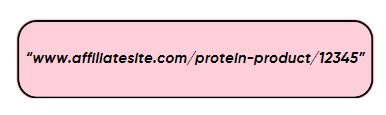

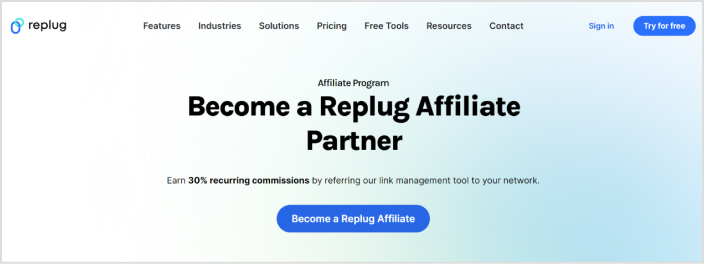

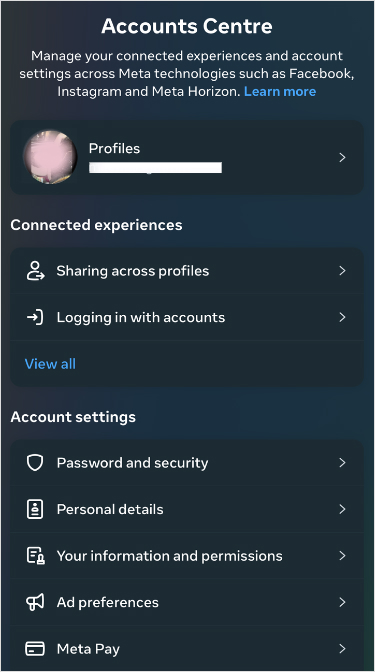
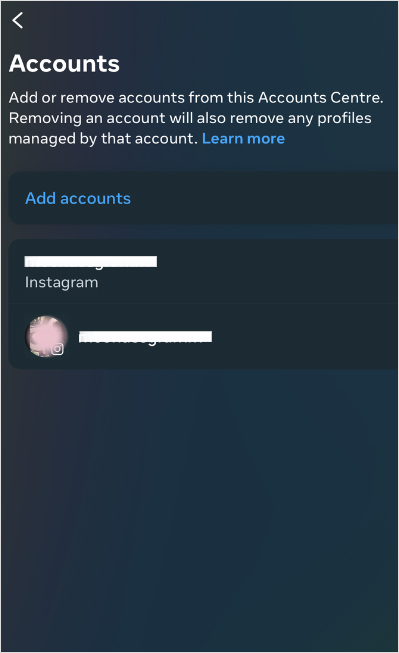
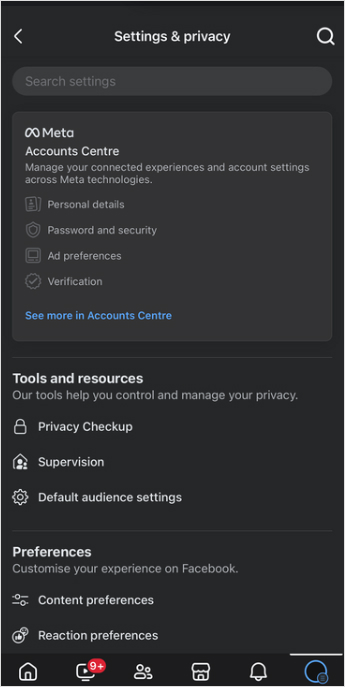
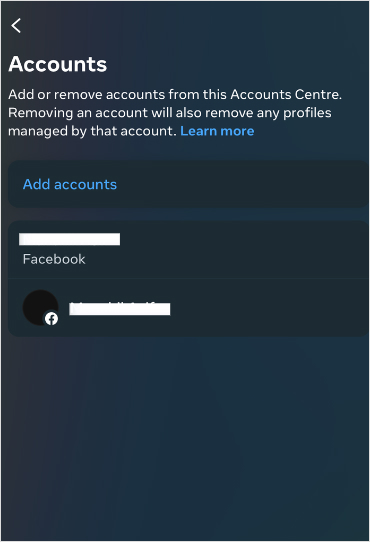










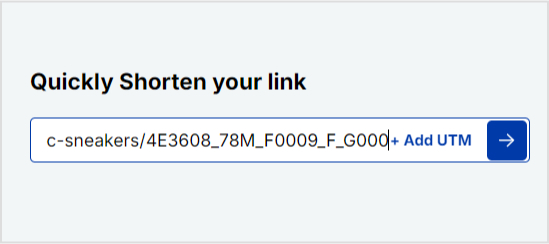
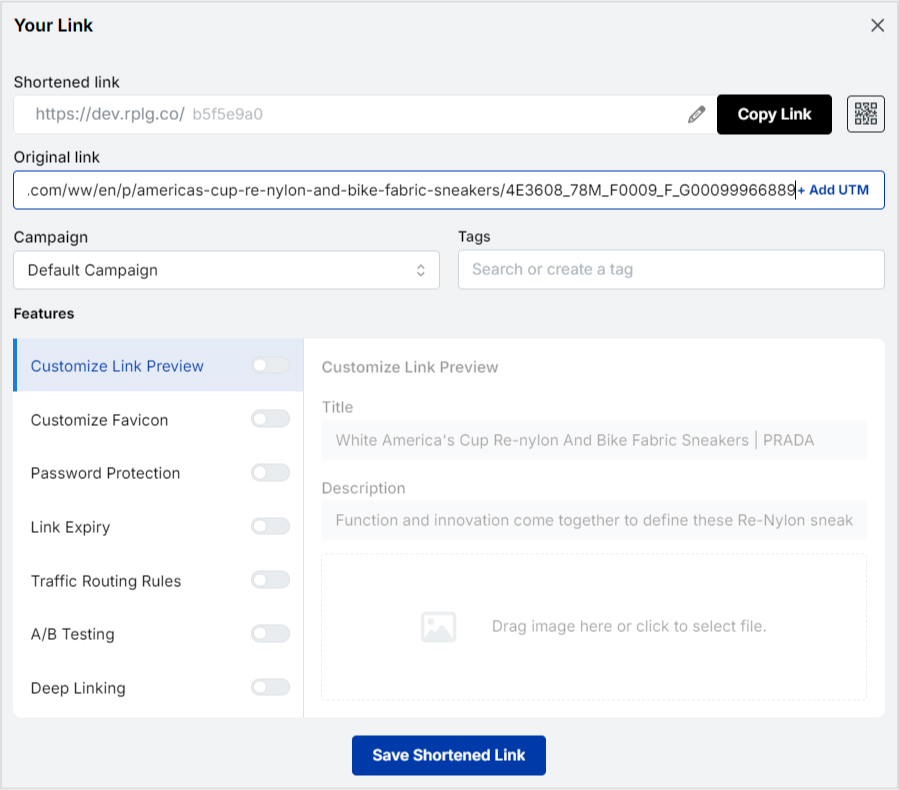
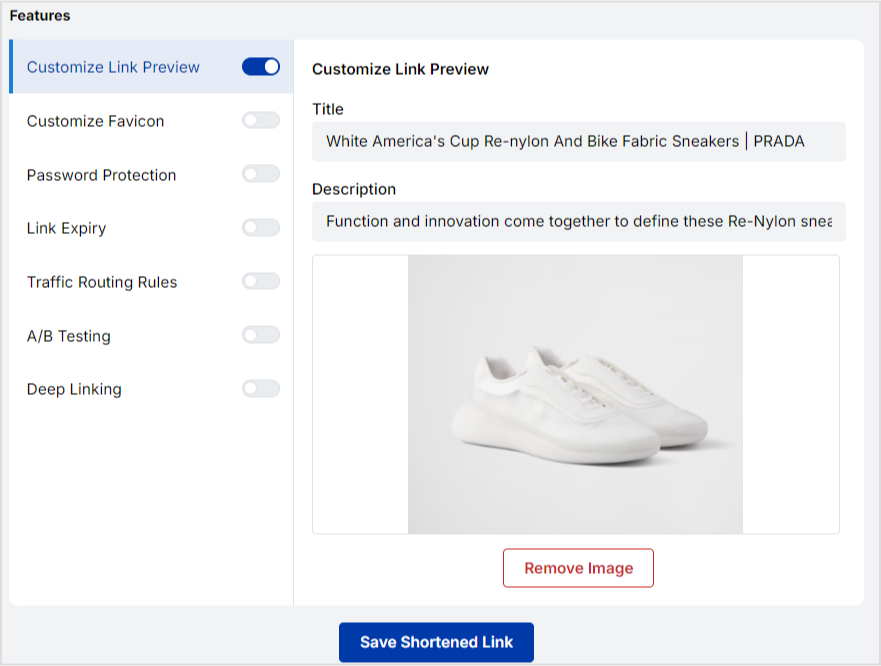



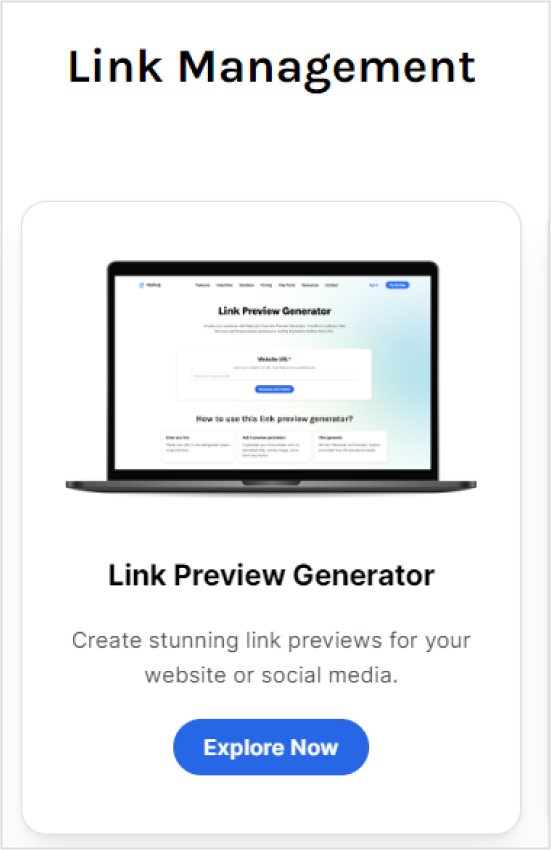
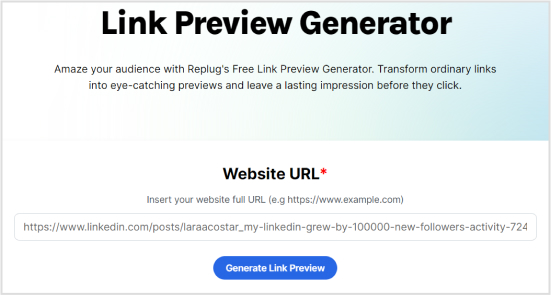
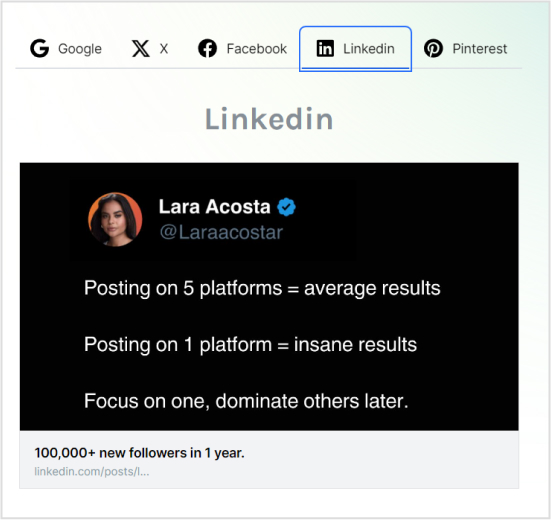
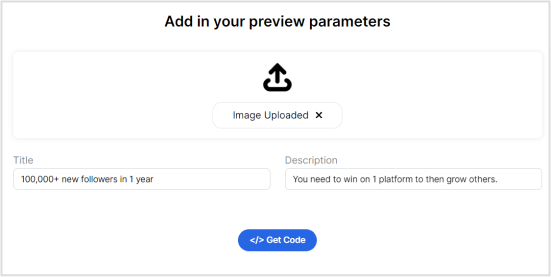
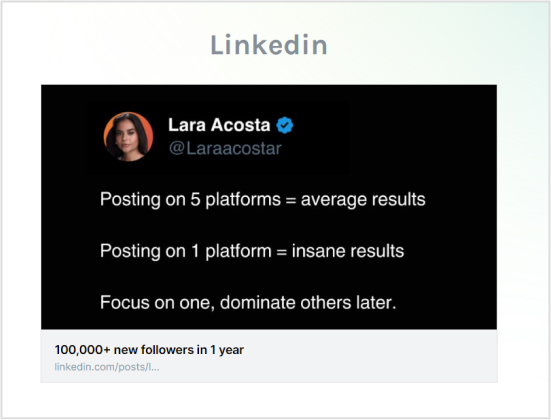
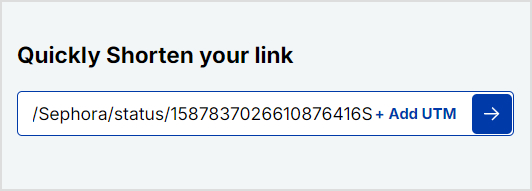
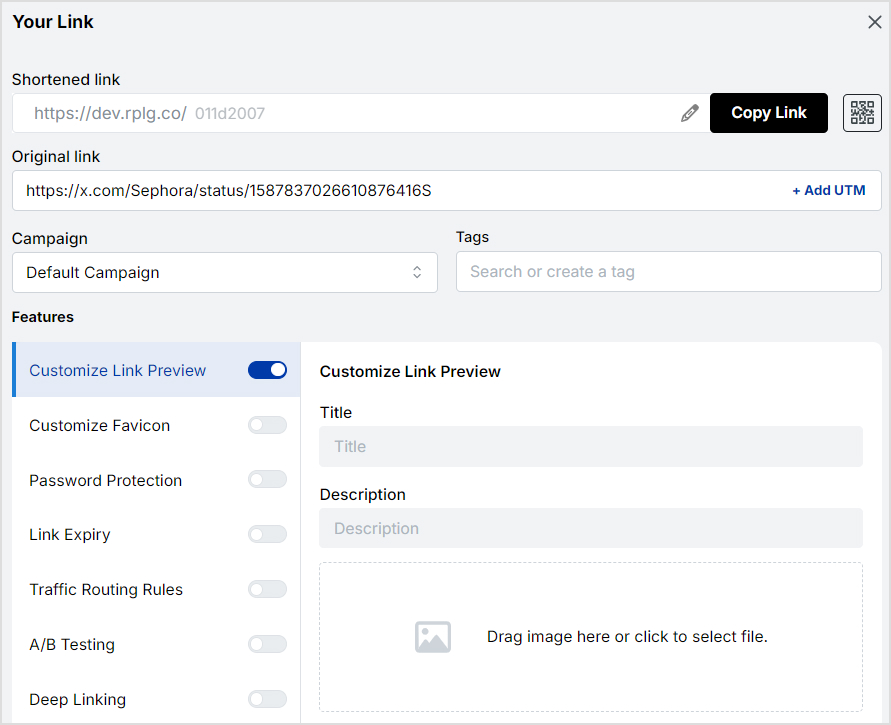
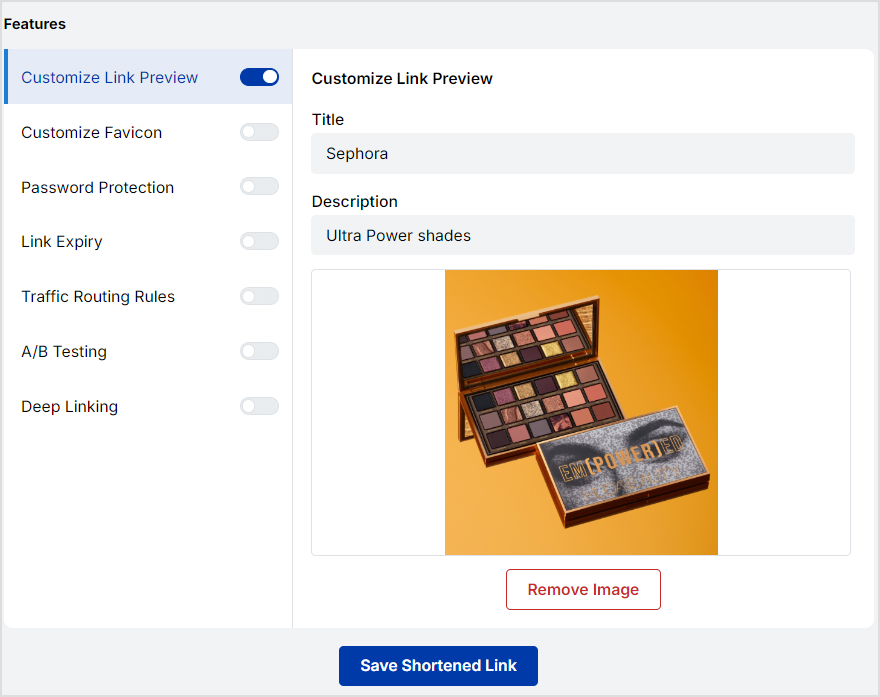
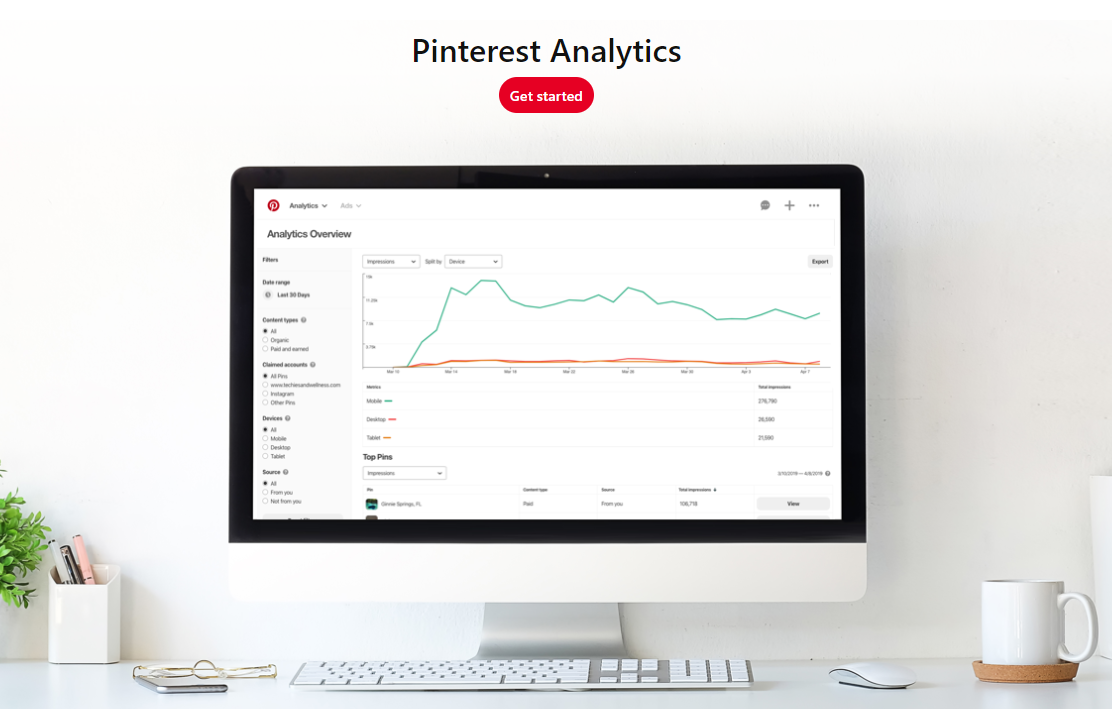
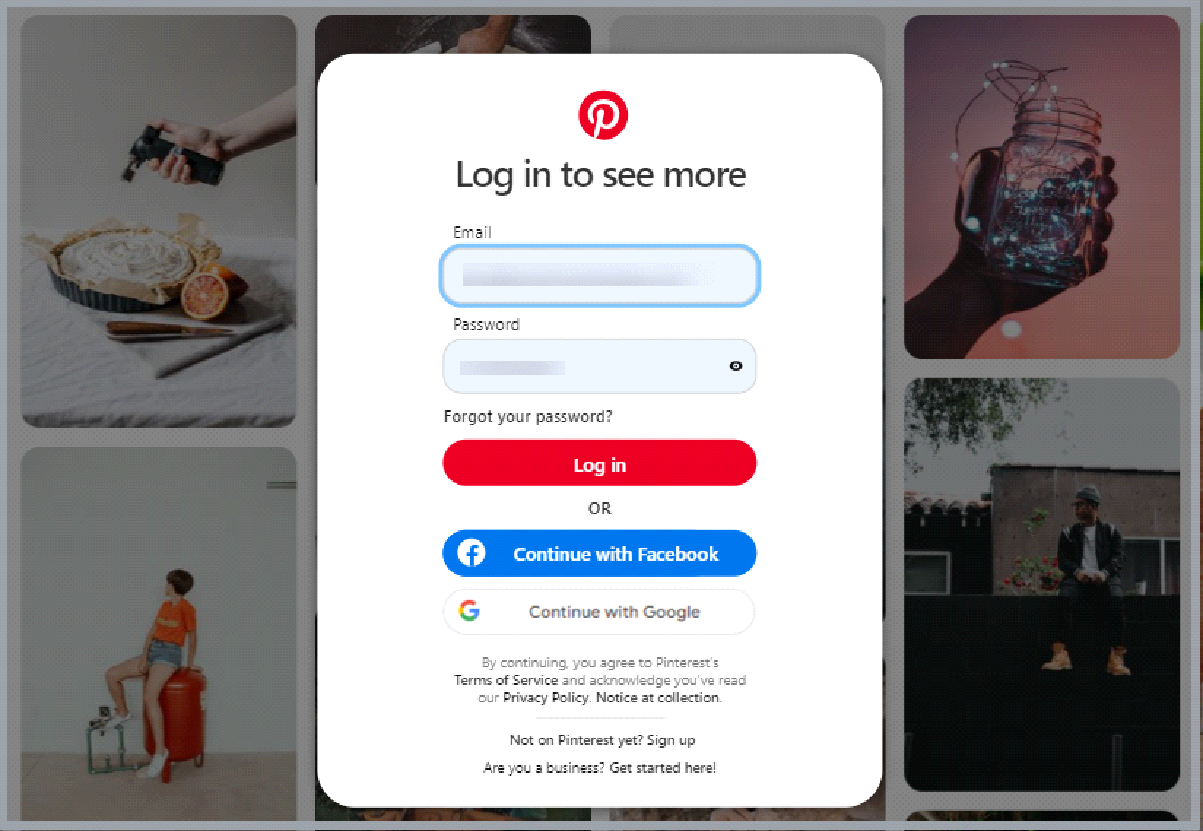
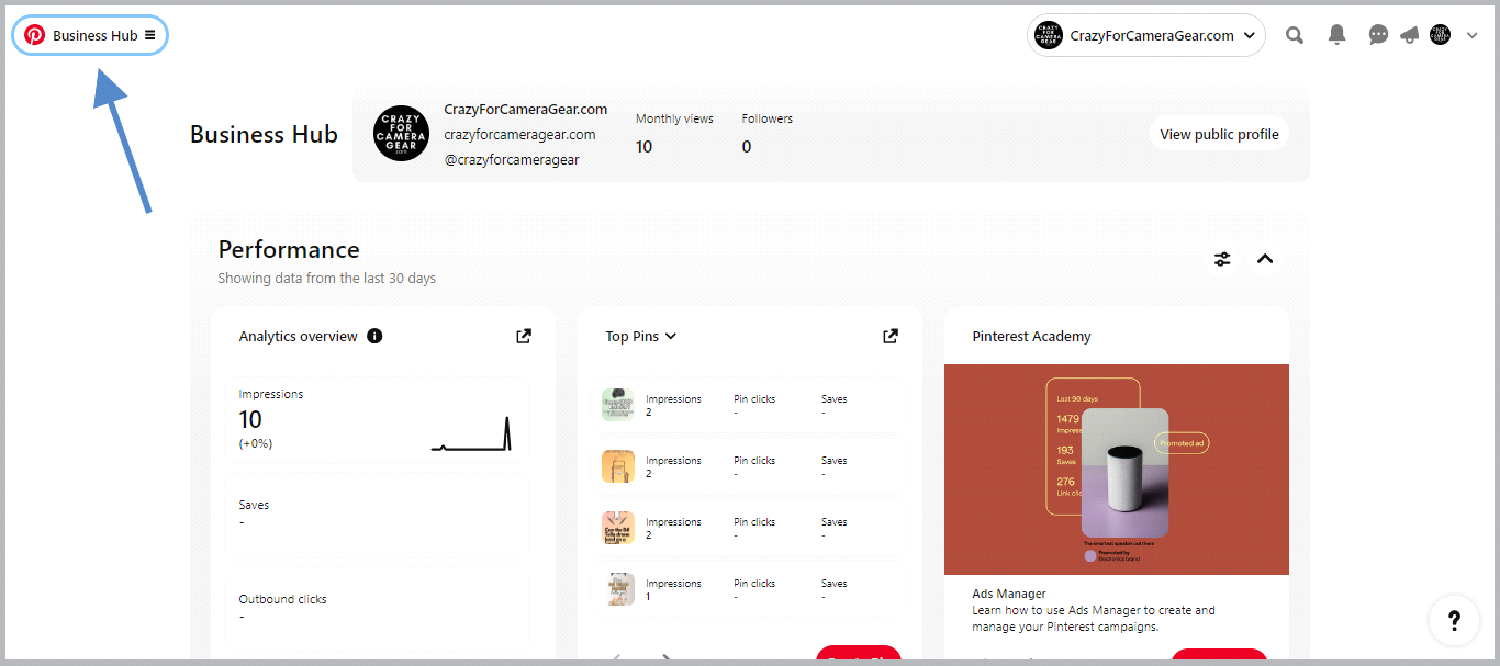
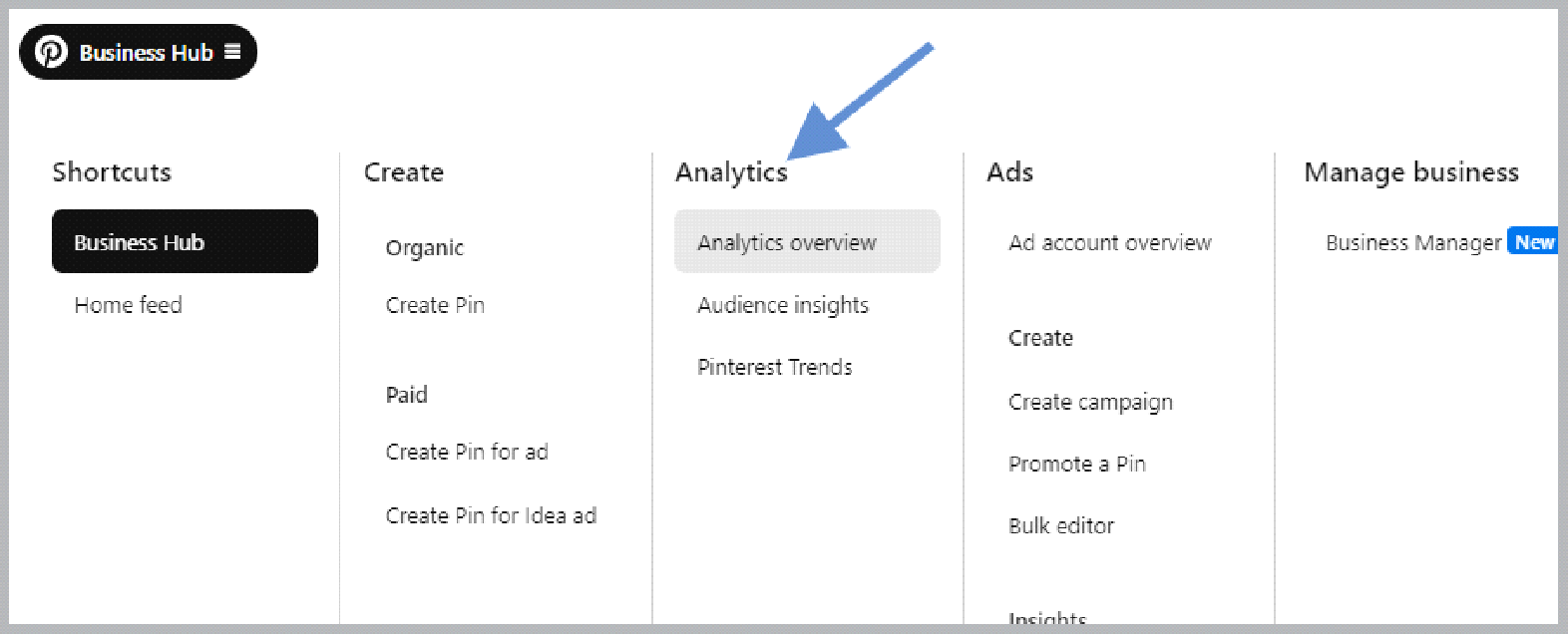
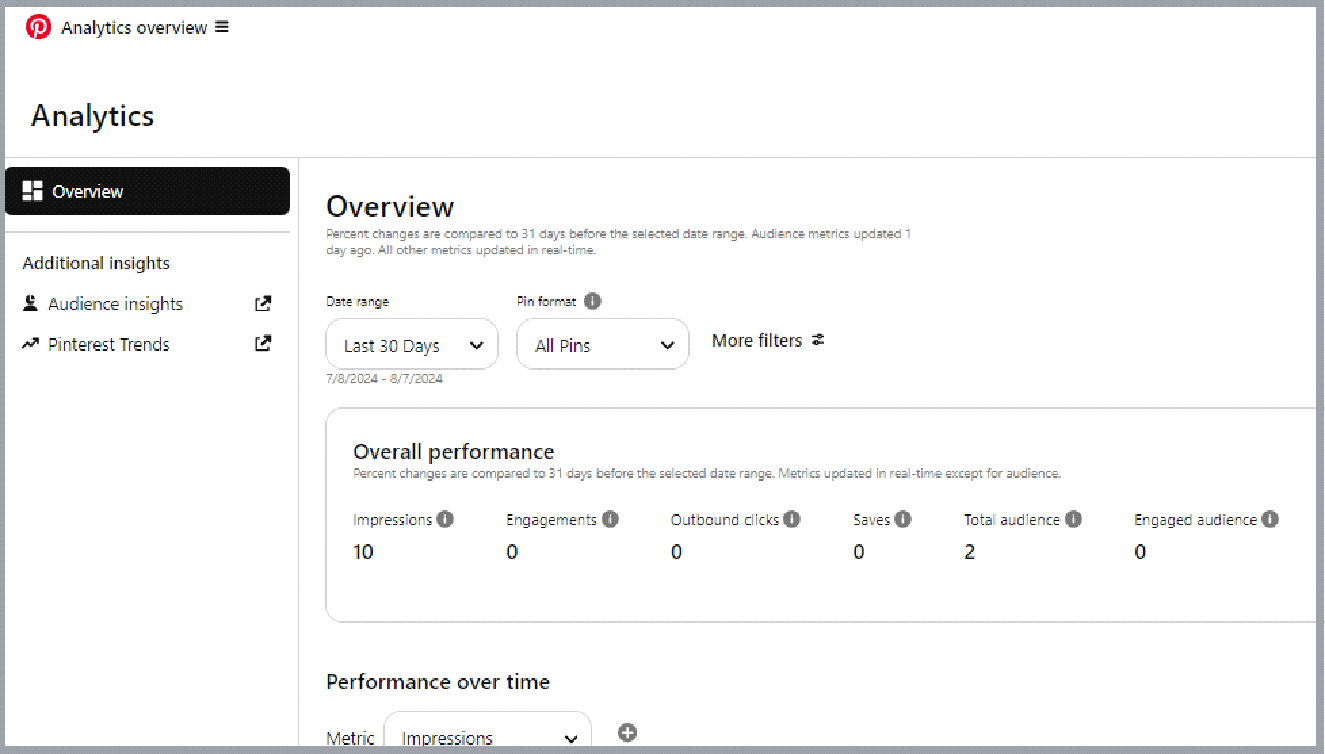

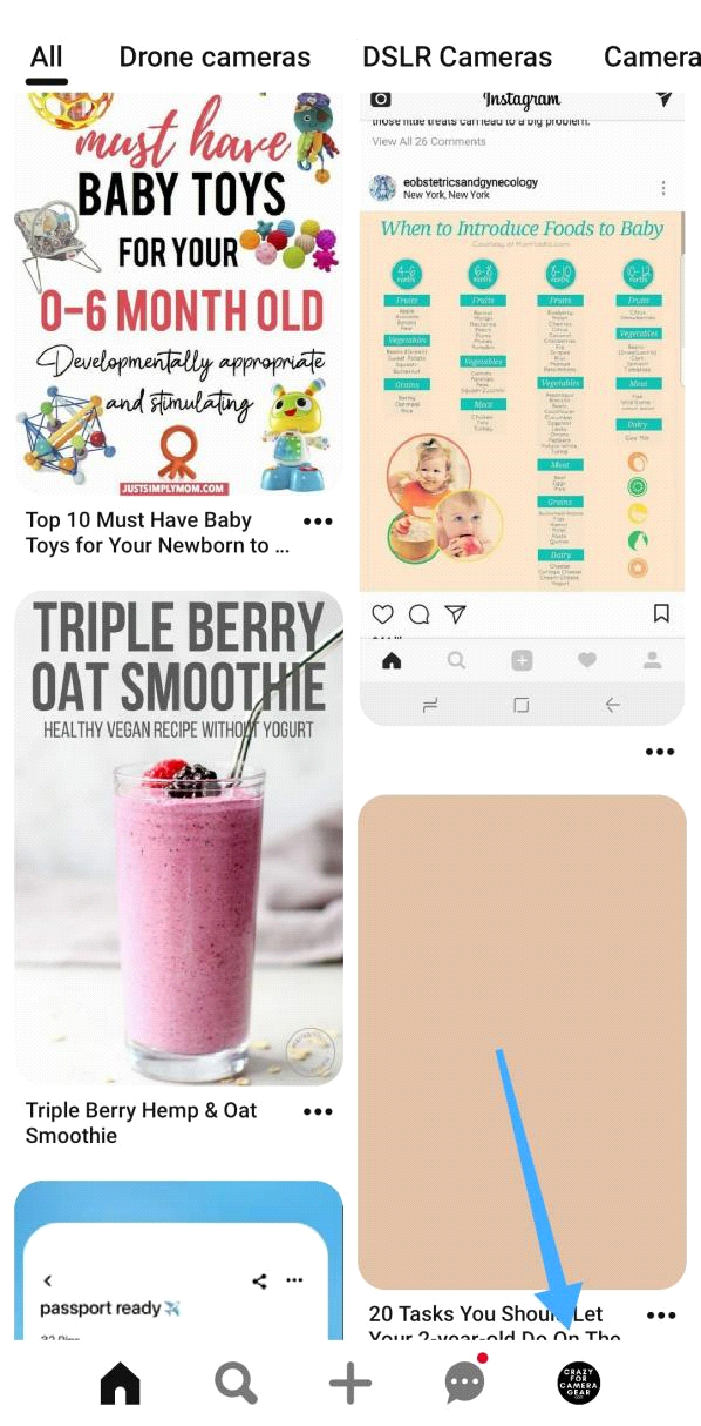
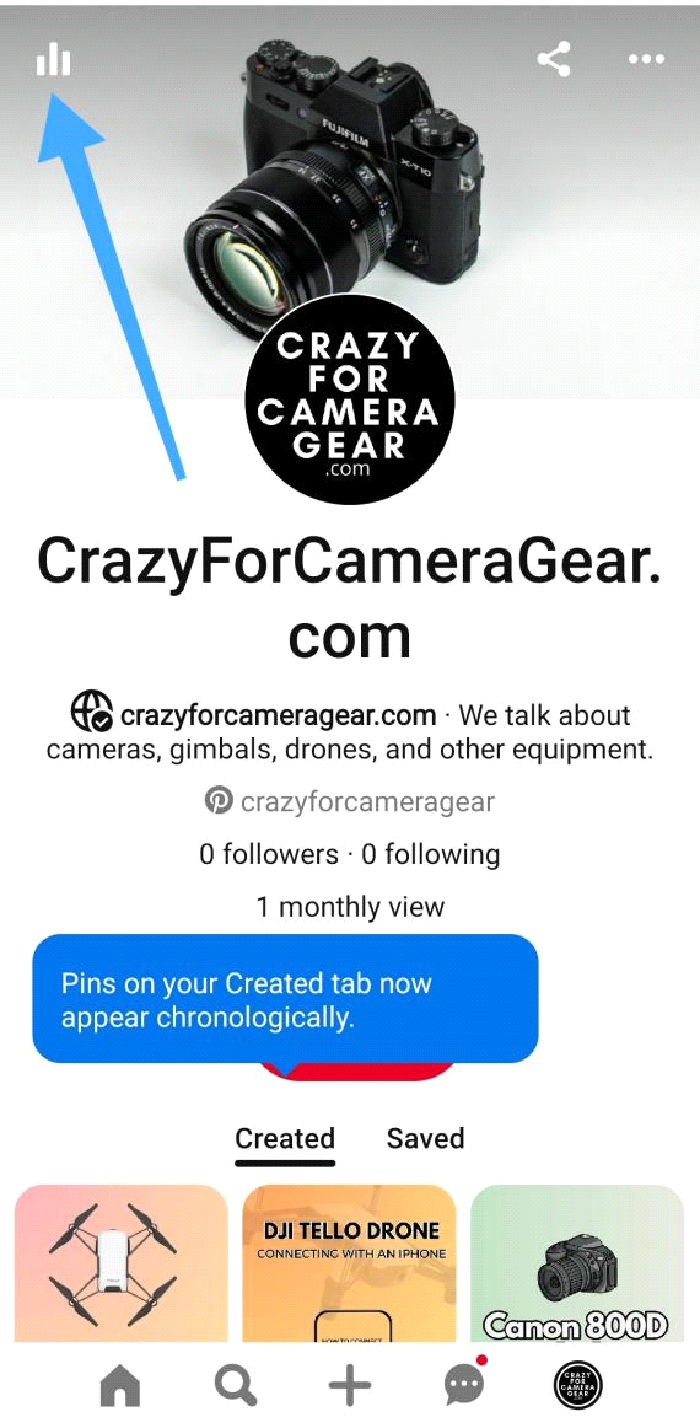
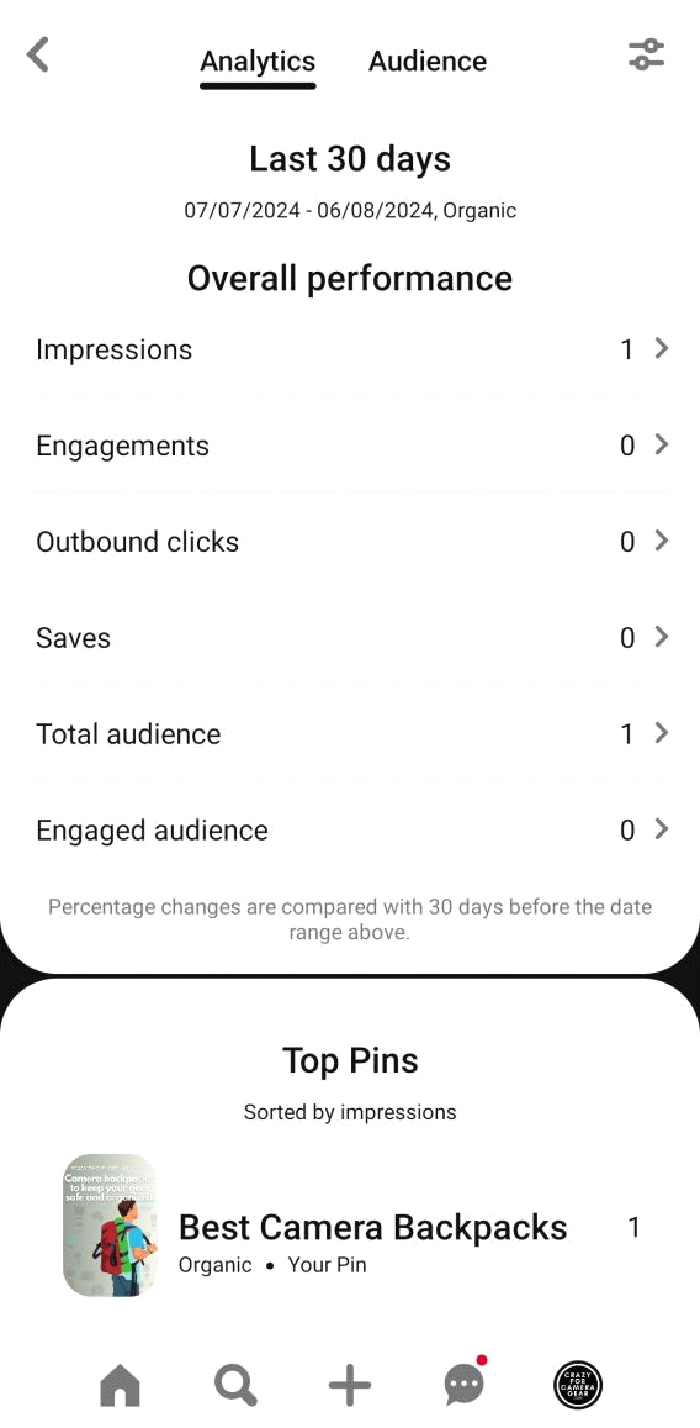










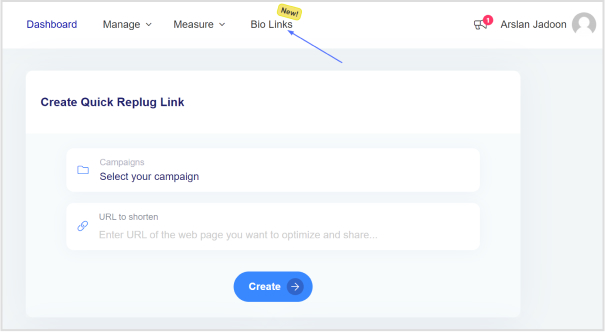
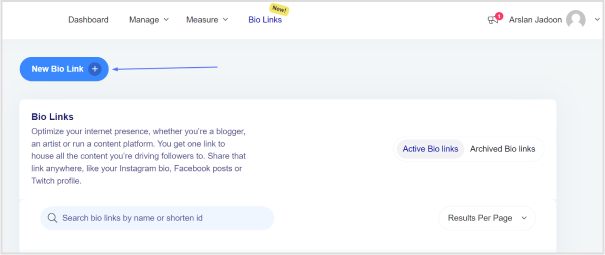
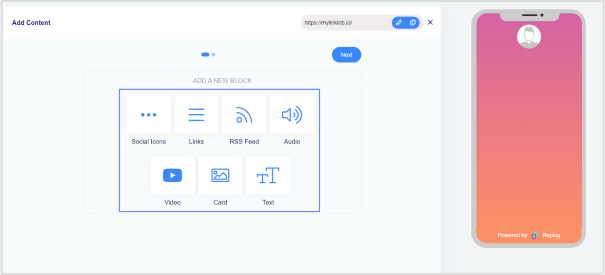
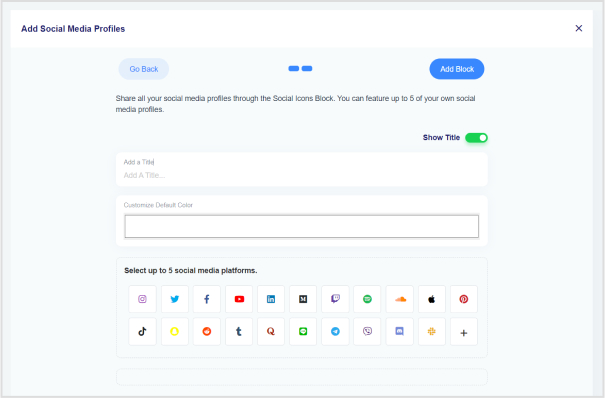


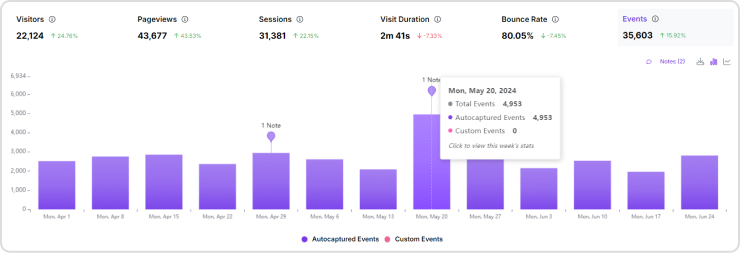
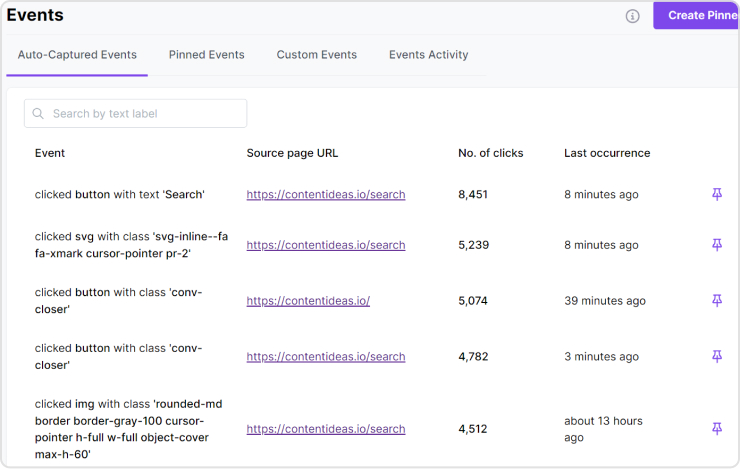
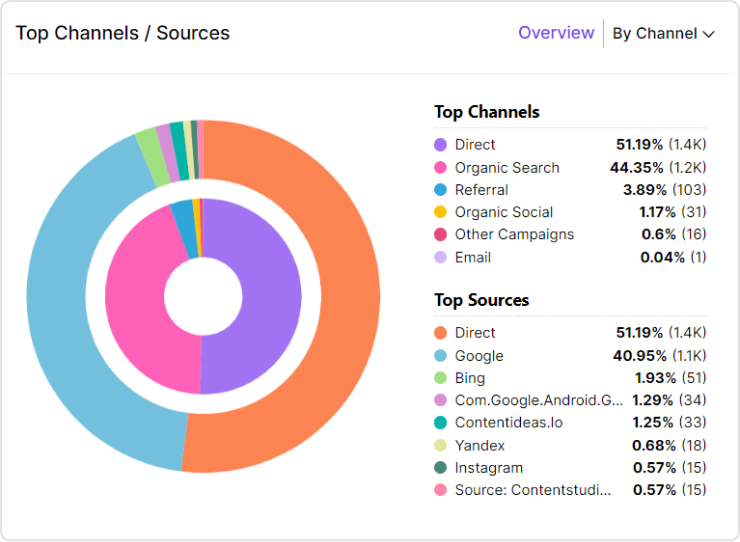
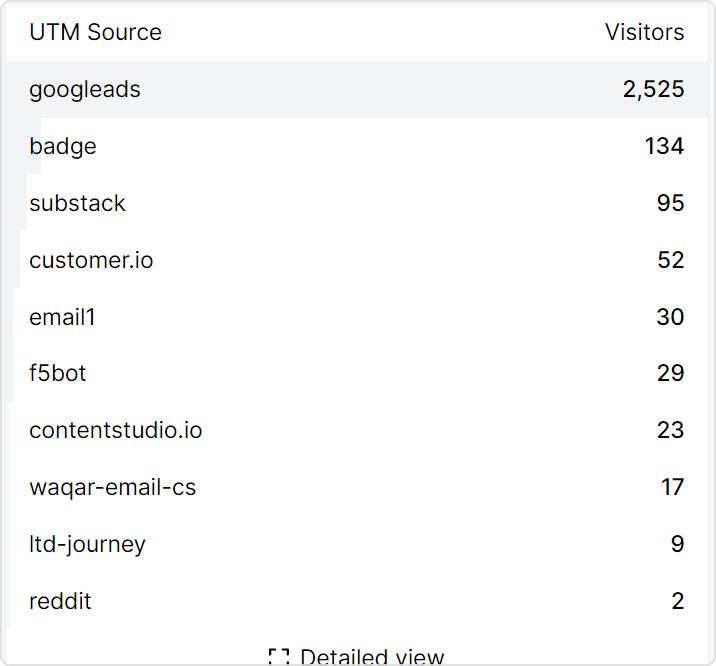
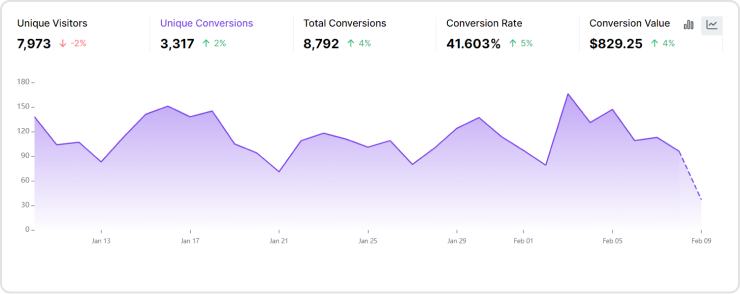
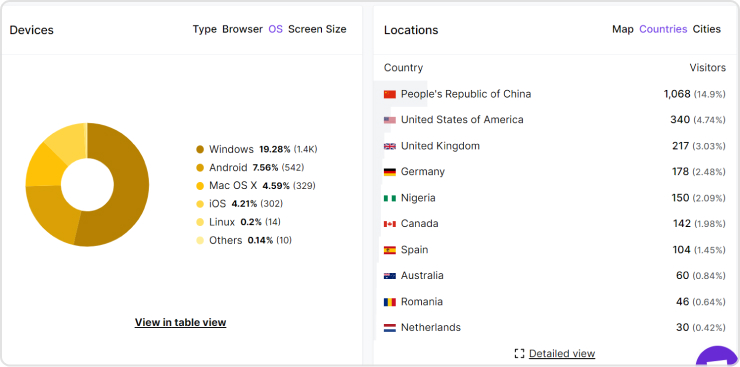
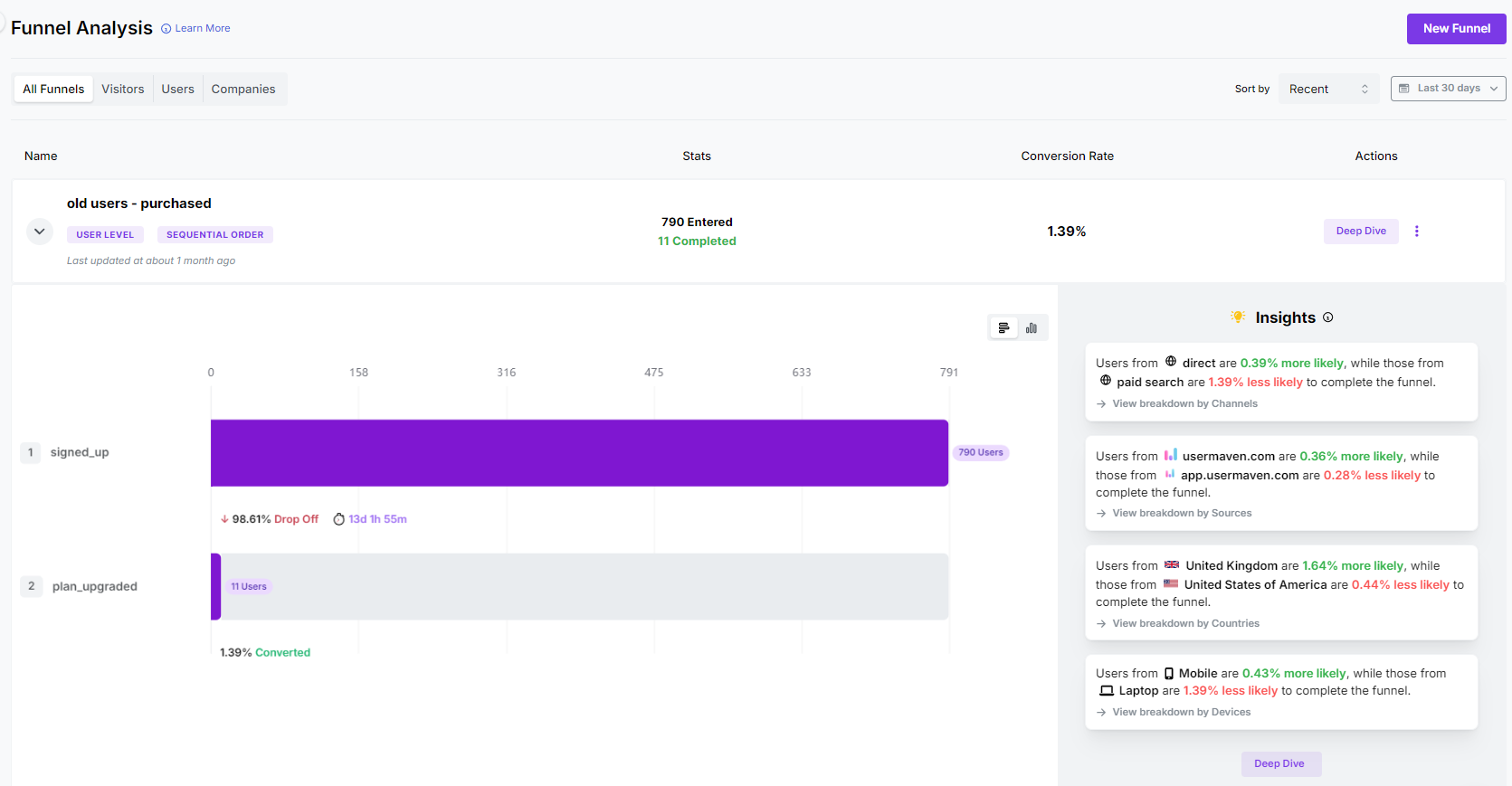
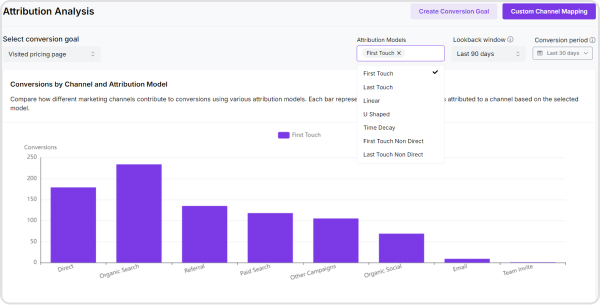
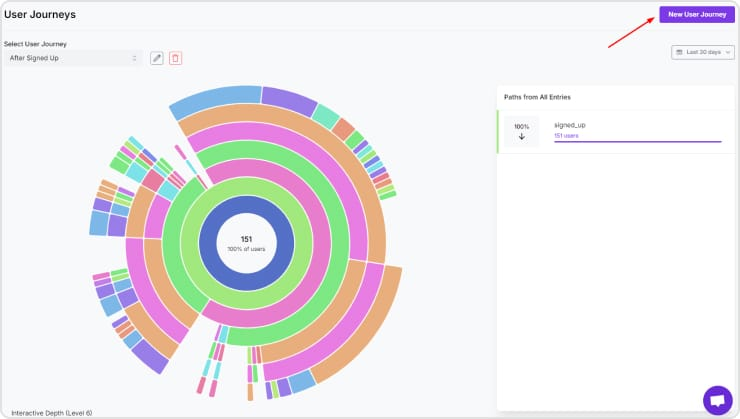
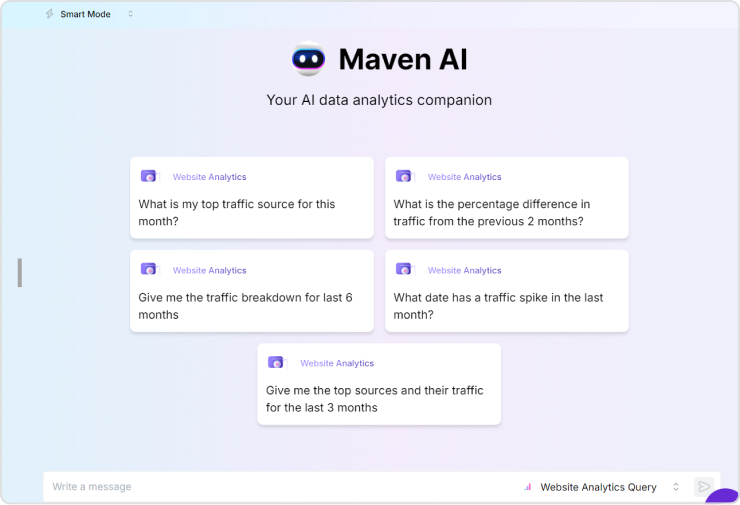
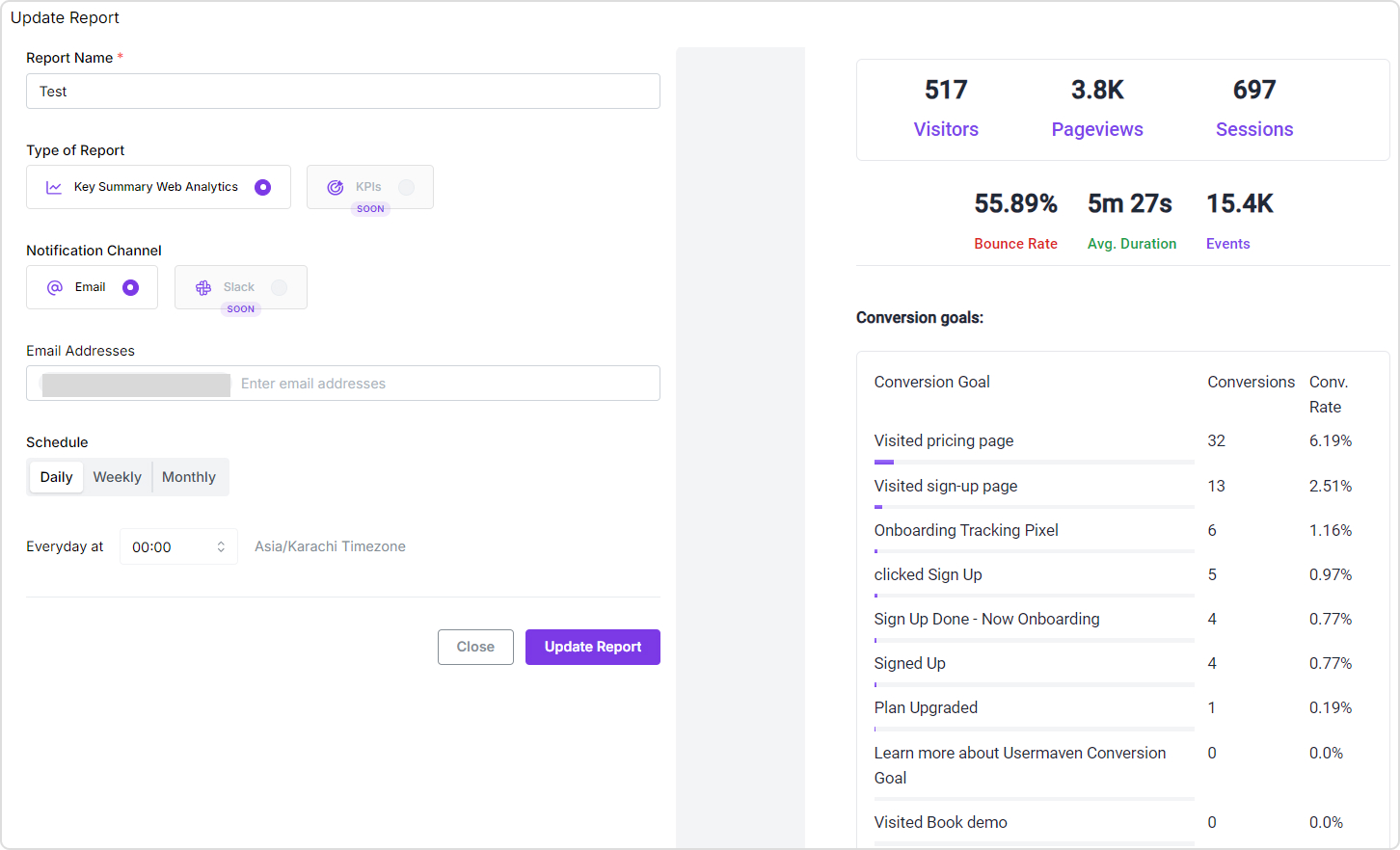





 Simple Analytics is a privacy-friendly web analytics tool that delivers essential website metrics without tracking personal data. An easy-to-use interface provides clear insights to help website owners make informed decisions while ensuring compliance with privacy regulations.



 Statcounter is a comprehensive web analytics tool that provides detailed statistics on website traffic and visitor behavior. With features like real-time data tracking, customizable reports, and user-friendly dashboards, StatCounter helps website owners and marketers optimize their online presence and improve user engagement.