Steam is a digital distribution service developed by Valve. It was launched in September 2003 as a way for Valve to provide automatic updates for its games and quickly expanded to include other games and software. Steam has become the most prominent digital distribution platform for PC games, with over 100 million active users.
In addition to its huge game library, Steam provides features like community forums, game reviews, and in-game purchases. But with the growing need to share content, URL shortening is key for promoting game links, trailers, and community posts on social media.
For example, if you’re sharing a lengthy Steam game URL on social media, using a smart link hub like Replug.io can make the link more presentable and manageable. Shortened URLs are ideal for platforms like Twitter (X), where character count matters.
In this guide, we’ll walk you through everything you need to know about Steam URLs and how to effortlessly share them on social media. Let’s dive in!
Steam offers a variety of features, including:
A library of over 50,000 games
Automatic updates for games
The ability to chat with friends and other players
The ability to create and join communities
The ability to purchase games and other software
The ability to stream games
Steam is available on Windows, macOS, and Linux.
What is my steam profile URL?
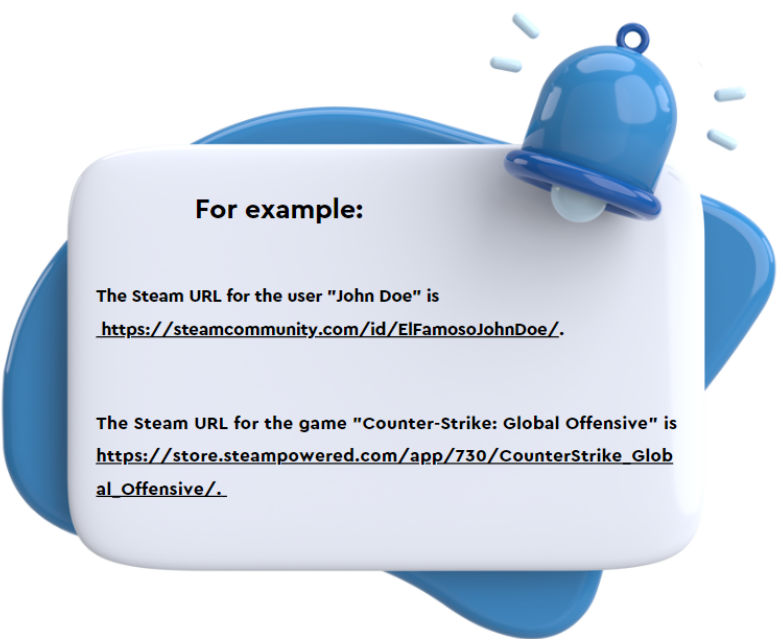
A Steam URL is a unique identifier for a Steam user or game. It is a string of letters and numbers used to access the user’s profile or the game’s store page on the Steam website.
How to find Steam URL?
To find your Steam URL, follow these steps:
Step 1: Open the Steam client.
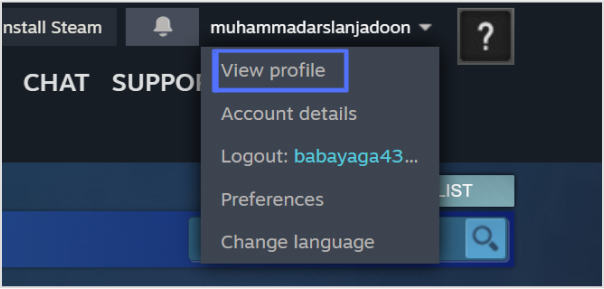
Step 2: Click on your profile name in the top right corner.
Step 3: Select “View profile” from the drop-down menu.
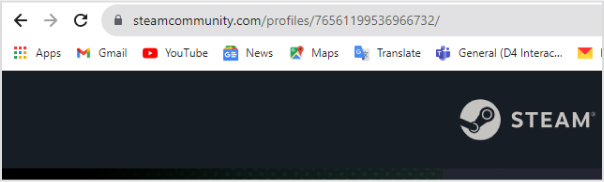
Step 4: Your Steam URL will be displayed in the URL bar at the top of the page.
Your Steam URL is a unique identifier that can be used to find your profile on Steam. It is also used to create links to your profile, such as when you want to share it with friends.
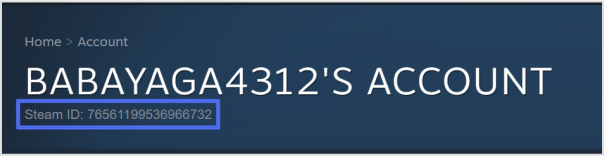
Your Steam ID is a unique number that is assigned to your account. It can be found in the “Account Details” section of your profile.
Shortening your Steam URL for social sharing means making long web addresses shorter, making them easier to share on social media. This simplifies sharing, looks better, and often comes with tracking features. It increases click-through rates, works offline too, and can even subtly promote your brand.
How to shorten your Steam URL?
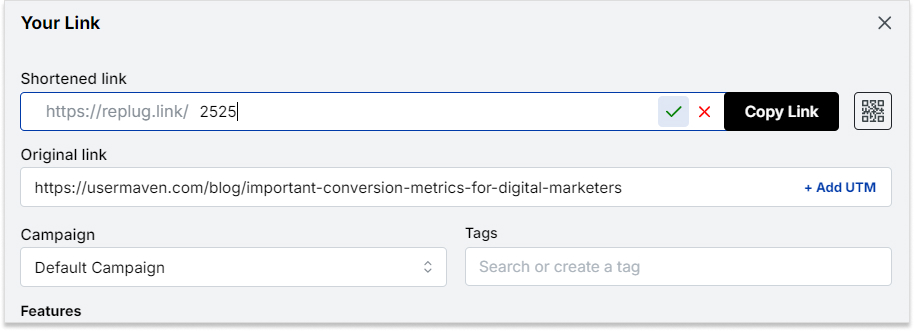
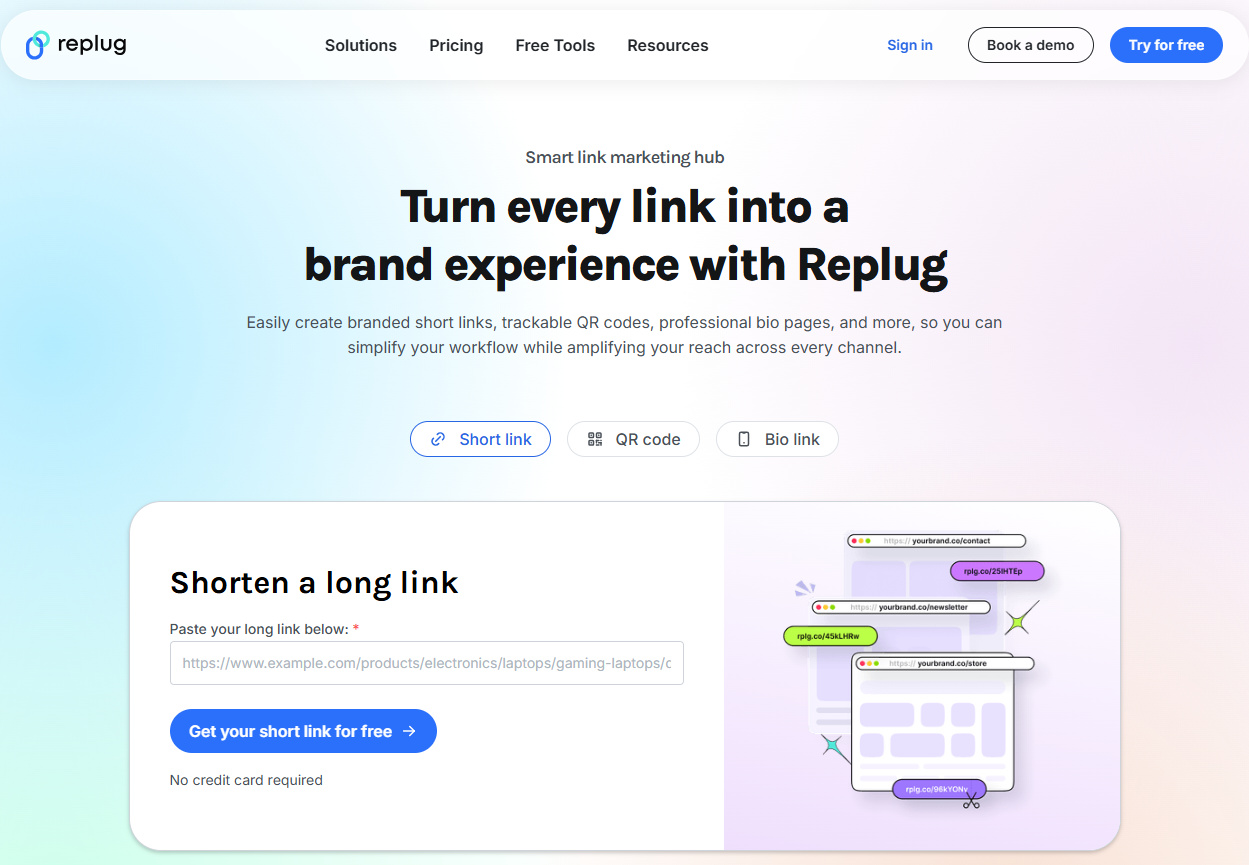
Step no 01: Begin by signing in to your Replug account, or if you’re new, create a free account.
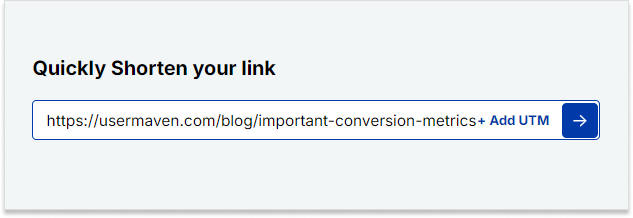
Step no 02: In the “Shorten your link” bar at the upper left corner, paste your Steam URL.
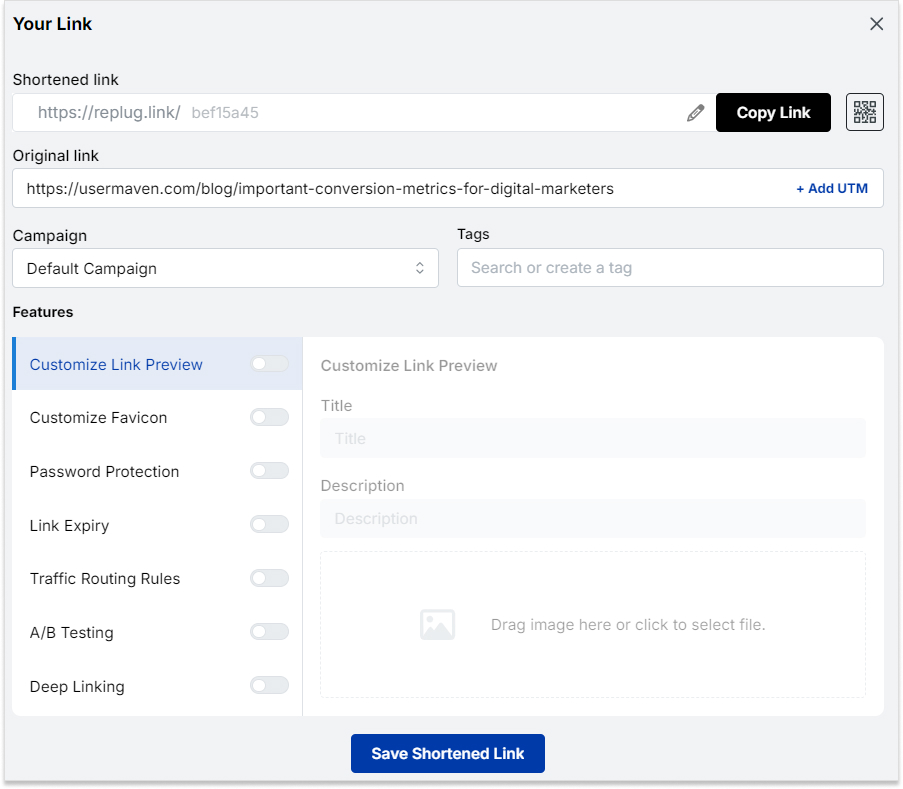
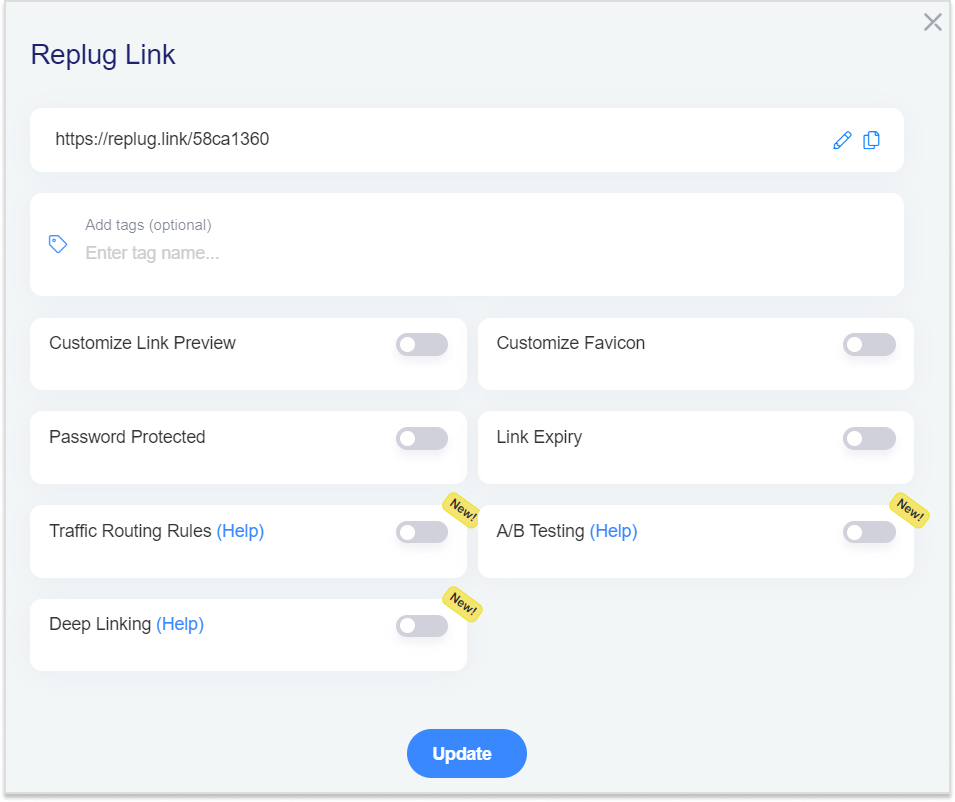
Step no 03: Once redirected, you can add a link preview, set an expiry date, and customize the link settings to your liking.
Step no 04: On this page, locate the top bar where you can edit the link slug to match your preference.
Step no 05: Press the tick button, scroll down, and save your newly shortened link. You’re all set!
Replug offers robust link tracking and analytics features. You can monitor the performance of your shortened links in real time. You can gain insights into the number of clicks, geographic locations of users, referring sources, and more.
This data empowers you to refine your strategies, tailor your content to your audience, and make informed decisions to optimize your link management efforts.
Maximize marketing ROI
by transforming ordinary URLs into branded short links that convert.
Try Replug for free
To create a Steam account, visit the official Steam website and click on the “Join Steam” or “Install Steam” button. Follow the prompts to set up your account.
Can I play games on Steam without purchasing them?
While many games on Steam are paid, the platform also offers free-to-play games that you can enjoy without any purchase.
How do I buy games on Steam?
You can buy games on Steam by adding them to your cart and proceeding to the checkout. Payment options include credit cards, PayPal, and other digital payment methods.
Can I share my Steam games with friends?
Steam offers a feature called “Family Library Sharing,” allowing you to share your game library with friends or family members on different devices. There are some restrictions and guidelines for this feature.
How do I shorten a Steam URL?
You can use online URL-shortening services or tools provided by platforms like Replug. Simply paste the original URL into the tool, and it will create short link version for you to use seamleassly.
Can I track the performance of a shortened Steam URL?
Yes, some URL shortening services, including Replug, offer tracking features. You can monitor clicks, locations, and referral sources to assess the impact of your shared links.
Many people are understandably cautious about clicking on links, whether due to annoying website pop-ups or emails from unfamiliar sources.
At the same time, this hesitation poses a challenge for marketers, as getting users to click on URLs is vital for engagement and conversions.
This is where a free link shortener with tracking capabilities comes into play. It helps you create short URLs quickly and hassle-free.
These attractive and concise links have become popular among influencers, brands, marketers, and bloggers. These professionals utilize them to enhance marketing efforts, engagement, and click-through rates across various platforms.
Let’s explore the concept of shortened URLs and the possibilities of using short, branded URLs to boost marketing campaigns.
What are short URLs?
A short URL is a compressed version of a longer web address, created using a URL shortening service like Replug.
These links redirect users to the original URL but take up far less space, making them ideal for social media posts, SMS messages, email campaigns, and print materials.
The primary purpose of using such URLs is to enhance readability, make links more shareable, and provide a cleaner, more professional appearance across digital platforms.
The ultimate goal is to enhance user experience and maximize click-through rates (CTR) by making links easier to recognize, trust, and remember.
In fact, Backlinko reports that the top Google result earns a 27.6% CTR, showing just how impactful optimized URLs can be, especially when they’re concise and keyword-rich.
Importance of Short URLs
🔗 Improved click-through rates (CTR): Shorter, cleaner links tend to attract more clicks, especially when customized with relevant keywords.
📱 Better user experience: Long URLs can be messy and irritating. Short links are easier to read, type, and share, particularly on mobile devices.
📢 Cross-platform compatibility: Short URLs work seamlessly across all channels, from emails and tweets to offline QR codes and posters.
🎯 Efficient space usage: Especially useful in character-limited platforms like Twitter, where every character matters.
📊 Trackable engagement: The best URL shorteners come with built-in analytics to track performance, including clicks, device types, locations, and referrers.
Branded short links are more than just shortened URLs. They’re powerful marketing tools that enhance brand visibility, trust, and campaign performance.
🧠 Increased Brand Awareness: Branded links (e.g., yourbrand.link/offer) keep your business name front and center, reinforcing brand identity.
🤝 Higher Trust & Credibility: Users are more likely to click a link that includes your brand name rather than a random string of characters.
📈 Enhanced Conversion Rates: Recognizable, trustworthy links can drive more conversions by reducing hesitation and building confidence.
🔍 SEO Benefits & Keyword Relevance: Branded short links with targeted keywords can improve link context and searchability.
🛠️ Campaign Differentiation: Marketers can create unique branded links for different campaigns or platforms, making it easier to measure effectiveness and ROI.
How to use short URLs for marketing purposes
In today’s fast-paced digital world, every character counts, especially in marketing. Short URLs not only help streamline your messaging across channels but also offer powerful branding, tracking, and optimization opportunities.
When used strategically, they can significantly uplift your campaigns’ performance, improve engagement, and boost brand recognition.
Select a branded domain
Branded short links do more than just save space; they make a lasting impression.
Raise trust
Generic short URLs (like bit.ly or tinyurl.com) can appear suspicious to users. A branded short domain (e.g., nyti.ms for The New York Times or amzn.to for Amazon) instantly signals credibility.
Consumers are more likely to click on links that clearly indicate their source, which reduces bounce rates and enhances user confidence.
Boost brand recognition
A consistent, customized short link reinforces your brand with every share. When your brand name is visible in the link (e.g., yourbrand.link/offer), it becomes a subtle yet powerful marketing asset.
Over time, this repeated visibility strengthens brand recall and sets your content apart from generic competition.
Create meaningful custom links using a URL shortener
A short URL should still tell a story.
Contextualize
Avoid ambiguous strings like bit.ly/3kYs8dQ. Instead, create links that provide immediate context, like yourbrand.link/fall-sale.
This not only improves click-through rates but also helps users understand what they’re about to view.
Utilize keywords
Including relevant keywords in your custom URL improves both SEO and user engagement.
For instance, a campaign for a new product launch might use yourbrand.link/new-smartwatch, instantly conveying value while helping search engines index the link contextually.
Take advantage of the tracking & analytics capabilities of a URL shortener
One of the greatest strengths of short URLs lies in the data insights they provide.
Monitor clicks
Track how many times your links are clicked, and when. This helps determine peak engagement hours, ideal publishing times, and overall campaign performance.
Segment data by channel
Most paid URL shorteners (like Bitly, Rebrandly, or Sniply) allow segmentation by traffic source. Whether the link was clicked via Instagram, email, or a QR code on a flyer, you can pinpoint which platforms drive the most traffic.
Track performance
Beyond raw clicks, evaluate metrics such as bounce rate, time on site, and conversions associated with each short link.
For instance, yourbrand.link/discount might drive 10,000 clicks but only 1% conversions, prompting a change in strategy or landing page design.
Monitor multi-channel campaigns
Use unique short URLs for each channel in a multi-channel campaign (e.g., yourbrand.link/email, yourbrand.link/facebook, etc.). This gives you precise insights into what’s working and what needs refinement across your marketing mix.
Refine campaigns
Data from short links isn’t just for reporting, it’s actionable. Low click-through rates on a particular platform may suggest poor copy or ineffective targeting. Conversely, high-performing links can serve as templates for future campaigns.
Gain insights into audience engagement
Are mobile users engaging more than desktop users? Are certain geographic regions clicking more frequently?
Link analytics can provide rich behavioral insights, enabling you to tailor your messaging and audience targeting more precisely.
Deploy the short links across all marketing channels
Short links excel in their flexibility and universal applicability.
Social media
Character-limited platforms like Twitter and Instagram bios benefit greatly from short links. For example, a post might include yourbrand.link/freeguide to maximize space and visibility without clutter.
Emails
Short URLs keep your emails clean and clickable. They’re especially useful in tracking which links recipients engage with the most, allowing for precise list segmentation and follow-up.
SMS campaigns
Text message or SMS marketing succeeds due to its conciseness. A short, branded link not only fits character limits but also makes the message feel more professional, increasing trust and CTR.
Content marketing
In blog posts or downloadable PDFs, short URLs are easier to remember and type. They’re especially useful in content upgrades or linking to gated assets (e.g., yourbrand.link/checklist).
Print & offline media
Short URLs often back QR codes. But even without a QR code, having a memorable short URL on a poster, business card, or flyer (e.g., yourbrand.link/event) makes it easier for users to engage offline.
Test & iterate
Effective marketing is a cycle of experimentation and refinement.
A/B testing
A/B testing is a method for comparing two or more cases to see which one performs better. Use multiple variations of your short URLs to test different messages, formats, or landing pages.
For example, test yourbrand.link/save20 vs. yourbrand.link/20off to see which resonates better with your audience.
Stay consistent
Consistency builds familiarity. Stick to a recognizable format and naming convention for your URLs to make them more memorable and reinforce your brand across all campaigns.
Short URLs are more than a space-saving tool; they’re a strategic marketing asset. When branded, customized, and tracked effectively, they enhance trust, boost engagement, and provide actionable insights that help refine your campaigns.
Whether you’re launching a new product, running a seasonal promotion, or simply sharing blog content, integrating short URLs across your marketing channels ensures your message is not only seen, but remembered and acted upon.
How to use short URLs for marketing campaigns: Some good examples at hand
Let’s explore five successful examples of brands using short URLs to drive marketing results effectively.
Coca-Cola’s “cokeurl.com”
Strategy: Coca-Cola created a custom branded short domain, cokeurl.com, to reinforce its brand identity in digital campaigns.
Use case: In global promotions like the “Share a Coke” campaign, they used short URLs to direct users to personalized bottle pages or social contests.
Why it works: These links were easy to remember and instantly associated with the brand, thereby improving engagement across platforms such as Twitter and SMS.
New York Times’ “nyti.ms”
Strategy: The New York Times uses nyti.ms, a branded short domain, for sharing articles across social media.
Use case: Each shortened link redirects to a full NYT article, especially effective on platforms like X (formerly Twitter), where character count matters.
Why it works: Branded URLs, such as nyti.ms/abc123, build trust, signaling to users that the link leads to a reputable source — a key factor in increasing click-through rates.
Amazon’s “amzn.to”
Strategy: Amazon uses the custom short domain amzn.to, powered by Bitly, for affiliate and product links.
Use case: Affiliates and marketers share these links on blogs, YouTube descriptions, and social media to drive sales and earn commissions.
Why it works: These URLs are concise, trackable, and clean, enabling both Amazon and its partners to monitor traffic, conversions, and optimize campaigns in real-time.
Spotify’s campaign-specific short links
Strategy: Spotify uses short URLs for sharing playlists, artist pages, and marketing campaigns, often through branded or campaign-specific domains.
Use case: During the launch of new features or artist collaborations (e.g., “wrapped” campaigns), Spotify uses custom short links to drive mobile traffic.
Why it works: These links enhance shareability and enable Spotify to collect user data, including location and device information, for retargeting and analytics purposes.
Pepsi’s QR & short link integration in campaigns
Strategy: Pepsi integrates short URLs alongside QR codes in product packaging and TV commercials.
Use case: During promotions like the “Pepsi Stuff” rewards program, they used memorable short links to direct users to sign-up pages and promo details.
Why it works: Combining visual codes with short, branded URLs ensures a seamless user experience, especially for mobile users who may not be able to scan a QR code (at times) but can easily type a simple URL.
The best URL shortener for online marketing in 2026
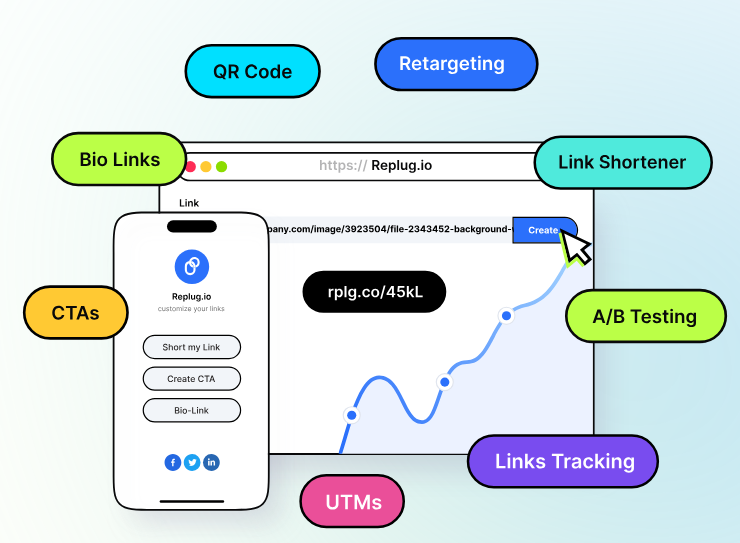
Replug.io is an all-in-one link management tool designed for brands, marketers, SEO specialists, and bloggers to create, manage, and analyze short URLs.
It’s a comprehensive URL shortening tool that provides several link management services to upgrade your social media marketing to the next level.
Thousands of happy customers worldwide trust Replug for the link shortening task. One major reason for its success is that it offers much more than the average URL shortener freely available online.
Users find URL shortening, tracking, bio links, and much more under the same umbrella. It’s, without a doubt, the best URL shortener for social media marketers.
Key features
Precise URL shortening
Custom domain configuration for branded short URLs
URL analytics to track and monitor URL performance
QR code management for links
Customizable call-to-actions
Pricing
Free: $0/month
Essentials: $9/month
Scale: $23/month
Agency: $79/month
Wrapping up
To sum up, short URLs have become vital tools for modern marketers, helping improve brand visibility, track campaign performance, and enhance user engagement.
By integrating branded short links into your digital marketing strategy, you can establish trust, drive higher click-through rates, and measure success with precision.
No matter for social media, email campaigns, or influencer collaborations, short URLs simplify link management and boost overall marketing efficiency.
As 2026 continues to reshape online marketing, choosing the right URL shortener is crucial for staying ahead.
Replug offers everything you need, from branded links to advanced analytics, making it the ultimate solution for professionals.
Try this amazing URL shortening tool today and advance your link management game!
Frequently Asked Questions
How do I use a short URL link?
To use a short URL link:
– Select a reliable service like Replug, and paste your long URL into their input field. – The tool then generates a shortened version, which is often customizable for branding purposes. – Copy the short link and paste it into emails, social posts, or websites. – When clicked, it redirects to the original URL seamlessly.
How to use short URLs for marketing on Facebook?
On Facebook, short URLs enhance marketing by making posts cleaner and more engaging, as they avoid long, cluttered links that hinder clicks.
Use tools like Replug to shorten links, add UTM parameters for tracking, and integrate them into ads, posts, or stories.
This enables monitoring of click-through rates, audience engagement, and campaign performance through built-in analytics.
How to use short URLs for marketing on Google?
For Google marketing, particularly in Google Ads or Search Console, use short URLs from services like Replug or Google’s own Firebase Dynamic Links (for apps) to create concise, trackable links.
Append UTM tags for analytics in Google Analytics, and embed them in ad copy or search results snippets. This improves click rates and provides data on user behavior across campaigns.
How to make money from shortened URLs?
Earn from shortened URLs via pay-per-click (PPC) services like AdFly, Linkvertise, or ShrinkMe, where you shorten links and share them. Each click views a short ad, earning you a commission (typically $1-10 per 1,000 views).
Sign up, generate links, and promote them on social media or websites, but comply with platform policies to avoid bans. Payouts vary by traffic quality and geography, with thresholds around $5-10 for withdrawal.
Can URL shorteners track clicks?
Yes, most URL shorteners offer built-in click tracking, providing metrics such as total clicks, geographic locations, referral sources, and device types.
Premium plans enhance this with advanced analytics, integration with Google Analytics, and real-time data. This helps marketers optimize campaigns without needing extra tools.
What is the relationship between short URLs and social media shares?
Short URLs boost social media shares by making links more aesthetically pleasing and shareable, fitting character limits on platforms like X (formerly Twitter), and improving click-through rates.
They correlate with higher engagement, as clean posts appear more professional and trustworthy. Analytics from shorteners also reveal share patterns, helping refine content strategies.
Should I shorten links even for email or social posts?
Yes, shortening links for emails and social posts is recommended to enhance readability, track engagement, and fit character limits, especially on mobile devices.
It prevents long URLs from breaking layouts or appearing spammy, while providing analytics on opens and clicks. However, use branded URL shorteners like Replug to build trust and avoid generic ones that might raise security concerns.
What are some of the most common challenges marketers face when using shortlinks?
Marketers often struggle with link trustworthiness, as shortened URLs can conceal malicious content, resulting in lower click rates or platform flags. Analytics accuracy can vary, with issues like bot traffic inflating metrics or service downtime causing redirect failures.
Additionally, dependency on third-party shorteners risks data privacy breaches or sudden policy changes that could affect campaigns.
So you’ve just shared an intriguing link on Twitter (X), and the preview doesn’t do justice to the content you’re promoting.
What if you could make that boring preview into an eye-catching image that grabs attention?
Meet Replug: a top-notch short URL shortener tool that not only makes your links look clean, but also allows you to fully customize how they appear on platforms like Twitter (X).
In this guide, you’ll learn how to take control of your link previews using Replug, ensuring your content always stands out.
Boost ROI with branded URLs!
Enhance your marketing campaigns by creating shareable, trackable, and fully multi-purpose
customizable branded URLs.
How to customize the Twitter (X) link preview using Replug?
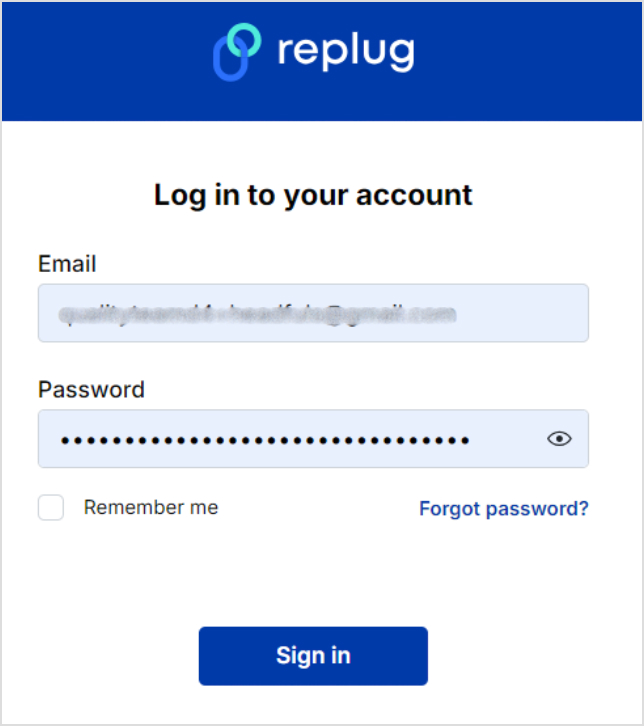
Log in to your Replug account. Sign up if you haven’t already. Replug offers a 14-day free trial – no credit card is required to try out.
Step no 01:
Once you’ve logged into your Replug account, set up your workspace.
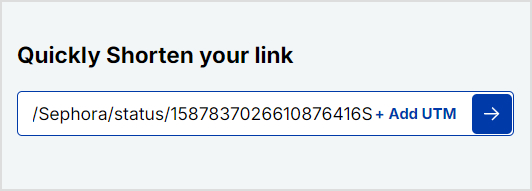
Then, go to your Home and locate the “Quickly shorten your link” bar. Paste the URL you want to share on Twitter (X) and press Enter.
Step no 02:
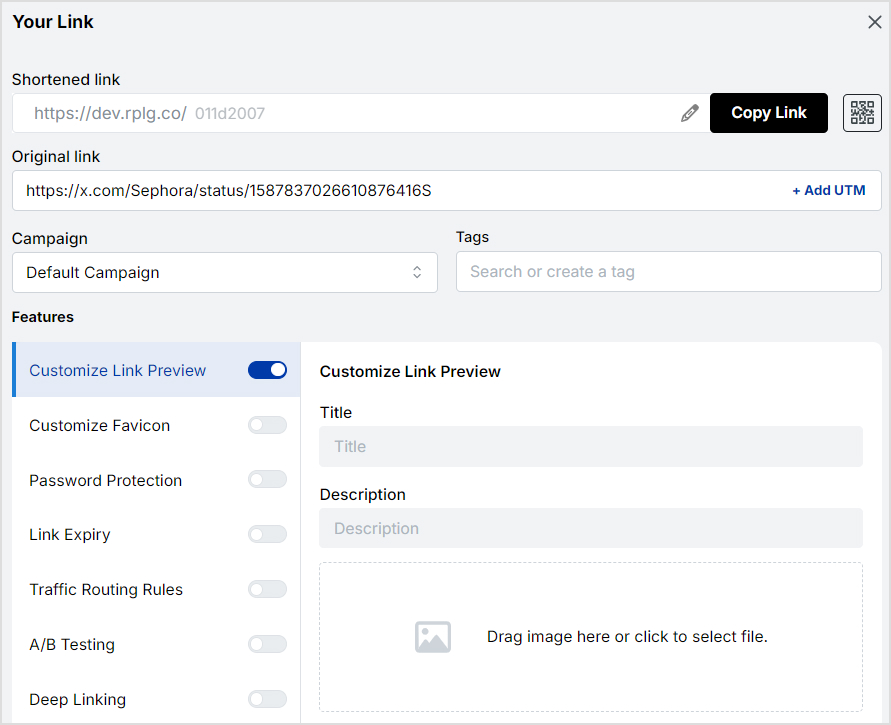
You’ll be redirected to a page where you can customize your URL. Here, you can adjust various settings like favicons and link expiry dates.
Maximize marketing ROI
by transforming ordinary URLs into branded short links that convert.
Try Replug for free
Step no 03:
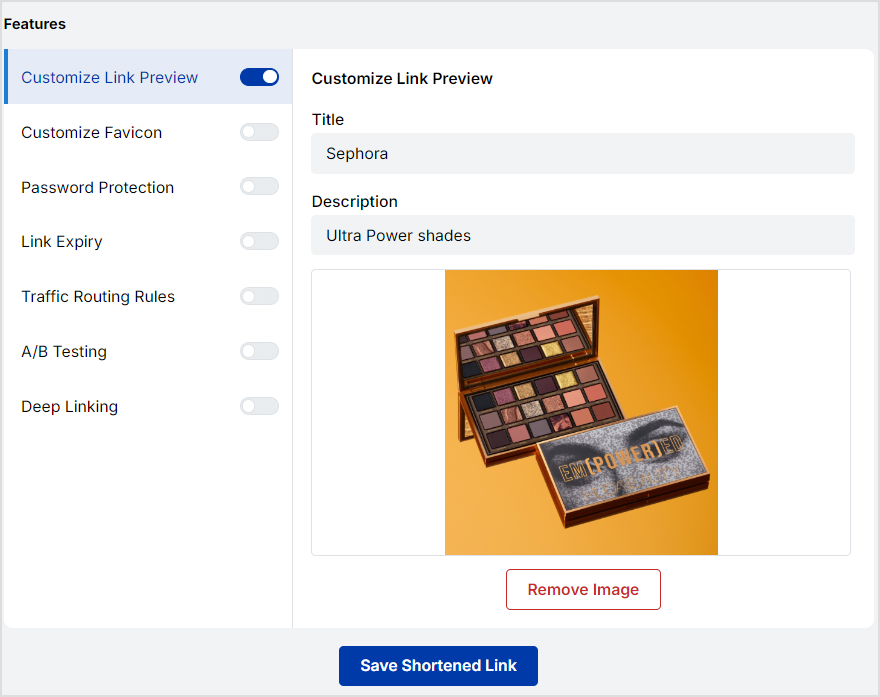
Now, this is where the magic happens! Replug allows you to customize the link preview that Twitter (X) users will see. Here’s what you can adjust:
Title: Craft a compelling headline that grabs attention.
Description: Write a brief summary that entices people to click.
Image: Upload an eye-catching image relevant to your content. This could be a product image, infographic, or branded visual.
After customizing the title, description, and image, click “Save.”
Replug will generate a shortened version of your link with the updated preview.
Step no 04:
Now that you have your customized link head over to Twitter (X) and paste the shortened URL into your tweet. The new preview will appear automatically and be complete with your custom image, title, and description.
So, try out Replug’s Twitter link shortener to create clean, branded URLs that not only look professional but also let you track clicks and engagement directly from your Replug dashboard.
If you’re looking for even more control over your Twitter (X) link previews, Replug’s premium plans offer advanced features:
A complete link management solution
for marketing professionals & agencies.
Try Replug for free
Advanced analytics: Gain high-end link insights into user demographics, referral sources, and more.
White-label options: Completely remove Replug branding and replace it with your own, offering a seamless experience for your audience.
Bio-link: A bio-link consolidates multiple URLs into one, providing a single, customizable link for social media profiles. This makes it easier for users to direct their audience to various online destinations from a single location.
Retargeting pixel: This allows advertisers to display targeted ads to users who have previously interacted with their site, enhancing ad relevance and engagement.
Deep links:Deep links direct users to specific pages or content within an app or website rather than just the homepage.
Conclusion
Replug.io offers an easy and effective way to take control of how your links appear on social media, including Twitter (X).
Customizing link previews allows you to align your content with your branding, boost engagement, and make a lasting impression.
Try it and see the difference a custom link preview can make.
FAQs on Twitter(X) link preview
Can I customize the preview for specific pages on my website?
Absolutely! Replug allows you to create custom previews for individual pages or categories.
Can I change link preview image on Twitter(X) through Replug?
Yes, you can customize the link preview image on Twitter (X) using Replug.
How long does it take for changes to take effect?
Usually, changes made to your preview will be reflected on Twitter within a few minutes.
What is the best free tool for changing link preview title on Twitter(X)?
Replug is the best free tool for changing the link preview title on Twitter (X).
Can I use Replug with other social media platforms?
Yes, you can use Replug with other social media platforms too.
Is there a limit to the number of links I can customize?
The number of links you can customize may depend on your pricing plan.
It’s no surprise that every website visitor who lands on the sales page or browses product pages doesn’t purchase the items right away – some of them convert later, and many of them don’t.
What if we told you that there is a way to re-engage the audience that has shown some interest in your product and left the website without taking any action?
Well, retargeting is the solution to this problem.
No idea what it is?
Stick around to learn what it is and how to use it to grow your business.
Unlike new ad campaigns that often miss the mark, retargeting focuses on those who have already shown interest, making it a preferred tactic for expert advertisers. To help you out, we have curated this guide. It will help you understand remarketing its benefits alongside a step-by-step guide on how to retarget on Twitter(X) using Replug.
Remarketing on Twitter(X)
X (formerly Twitter) is one of the top social media platforms with over 600 million monthly active users. Any major e-commerce, lifestyle, healthcare, and tech brand can’t design its social media marketing strategy without including this platform.
Remarketing on Twitter is inevitable if your social followers or customer base exists on this platform. It’s way easier to convert a prospective user who has shown interest in the product than a random user on social media.
How does retargeting work on X (Twitter)?
Retargeting campaigns on X work the same way they work on other social media platforms – the advertiser decides to reach out to an existing audience and provides the source of the audience to target.
To set up a retargeting campaign on X, the advertiser must create custom audiences. Custom audiences help businesses specify groups of users for retargeting.
It’s vital to create a custom audience to set up the retargeting campaign on X (Twitter). Therefore, X offers three custom audience generation methods to the advertisers:
Website visitors: It’s a group of visitors that have visited your website and you want to reach back through a Twitter retargeting campaign using the power of X Pixel. However, the data file being uploaded for retargeting must contain the Twitter handles of the target audience.
App users: It’s a group of people who have downloaded or taken a specific action on the app and can be reached via a retargeting campaign based on the tracking data provided by the tracking tool.
List members: List members can be yet another way of setting up a custom audience. Advertisers can upload email subscribers’ lists or a list of Twitter handles that match the actual active users on the platform.
So, that’s an overview of the retargeting methods on X (Twitter). The next step is to access and install the X Pixel.
Maximize marketing ROI
by transforming ordinary URLs into branded short links that convert.
Try Replug for free
How do I find my Twitter Pixel ID?
Finding the X (Twitter) Pixel ID might be overwhelming if you’re just getting started with social media advertising. Here’s how you can find it:
Step 01: Log in to your X account
First things first, log in to your X (Twitter) account.
Step 02: Go to the Ads section
Ads section is where all your advertising activities are managed, including setting up the X Pixel.
Once logged in, navigate to the Ads section, click on the “More” button from the left sidebar and the new options will appear including “Ads.”
Click on the “Ads” button.
Step 03: Head over to the “Events Manager”
Within the Ads section, locate the Tools drop-down menu. You’ll see the “Events Manager” in the drop-down menu.
Events Manager is an essential tool for tracking conversions and managing event data linked to your X Pixel, providing insights into user interactions.
You’ll find the X Pixel in the next step.
Step 04: Add an “Event Source”
In the Events Manager, you’ll need to create or add an Event Source. It involves selecting your website or app as the source, where the Pixel will track and record visitors’ specific actions.
So, click on the “Add event source” button on the top right side of the screen and agree to the terms.
Step 05: Install the Pixel
After generating the Pixel code, the next step is to install the Pixel in the source code of your website, landing page, or app. All you need to do is follow the installation instructions provided by X.
This typically involves adding the (Pixel) code snippet to your website’s header or using a tag manager to ensure it’s correctly implemented and starts collecting data.
How to retarget on Twitter(X) using Replug?
Replug is an excellent URL management tool and link optimization platform that provides several facilities, such as URL shortening, URL tracking, deep linking, A/B testing, bio links, and retargeting.
A complete link management solution
for marketing professionals & agencies.
Try Replug for free
Here’s the step-by-step guide on how to retarget on Twitter using Replug’s link retargeting tool:
Step 01: Log in to your Replug account. Sign up if you haven’t already. Replug offers a 14-day free trial – no credit card is required to try out.
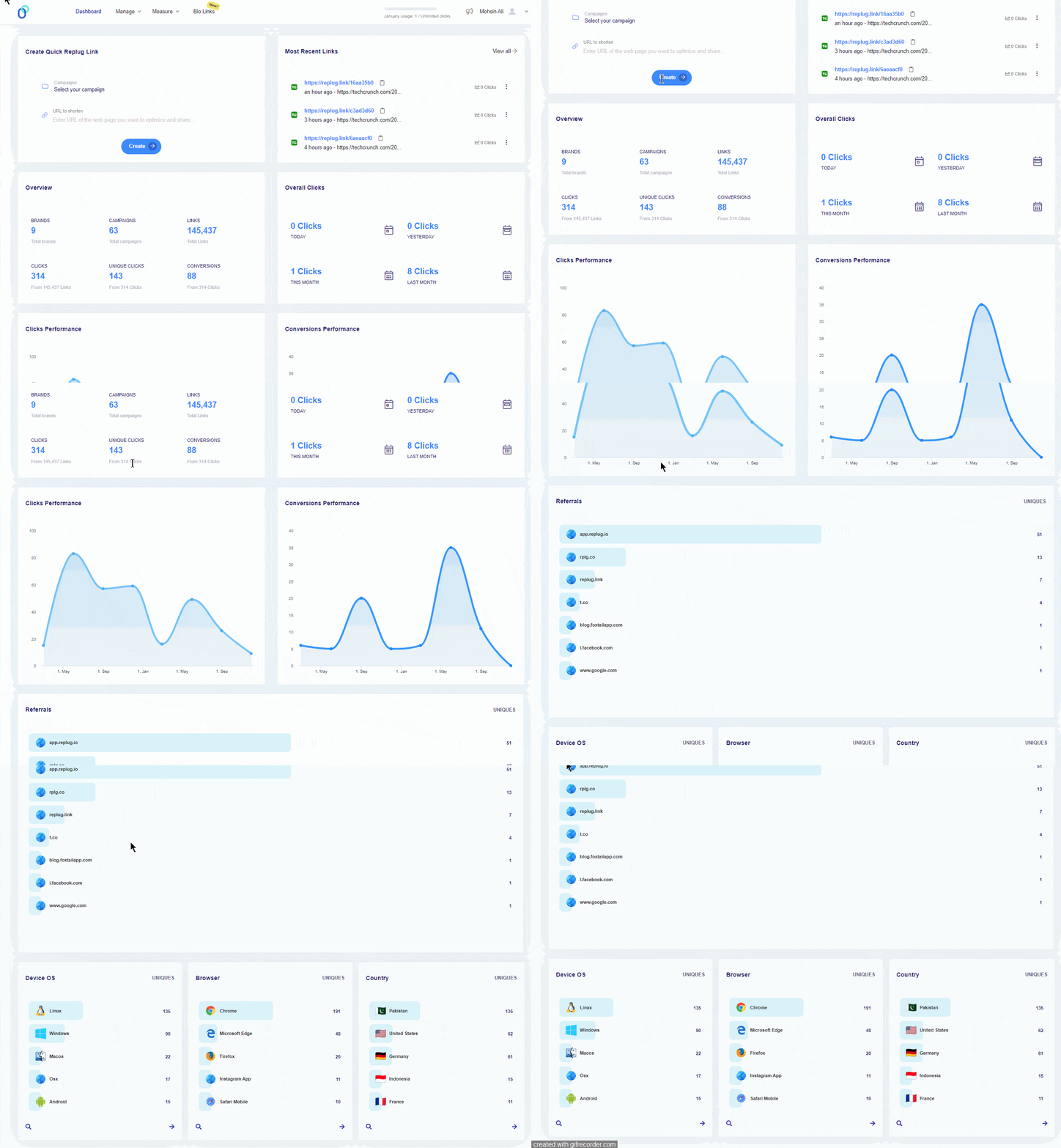
Once you’re logged in to your Replug account, you’ll see the main dashboard area where you can access the menus, profiles, campaigns, and statistics.
Step 02: The next step is to set up the brand and campaign to get started with retargeting on Twitter.
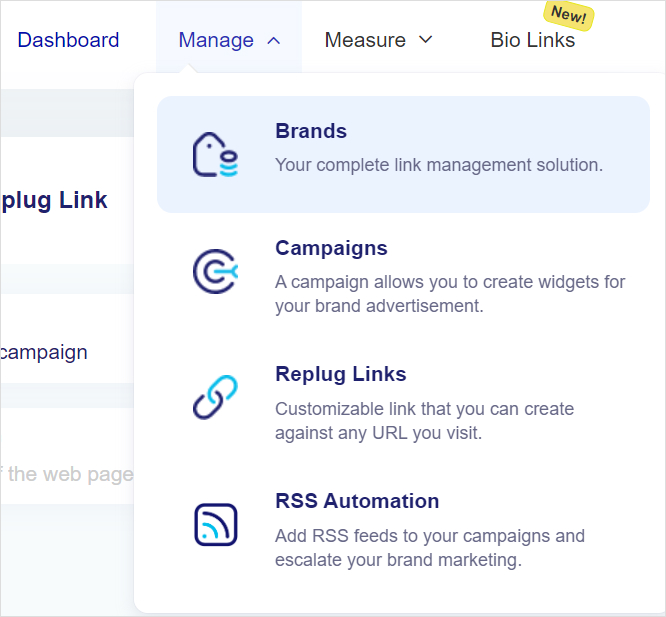
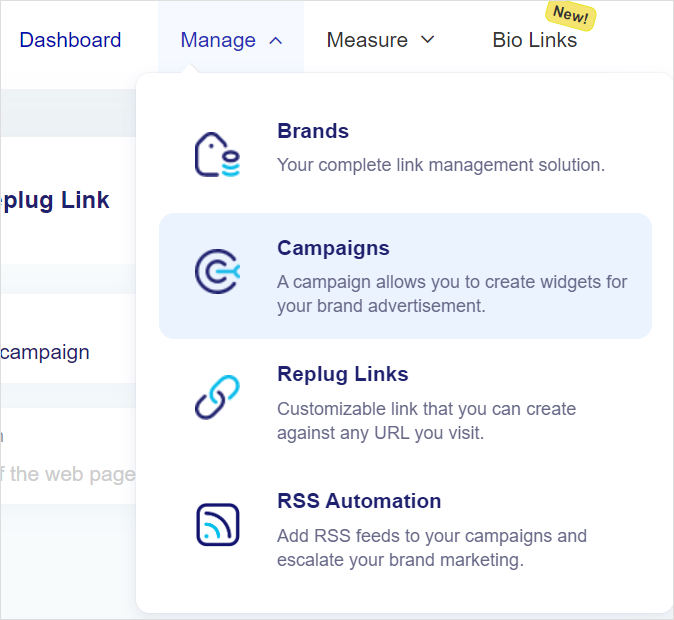
Start with the brand setup. Go to the Manage section and click the Brands option from the menu.
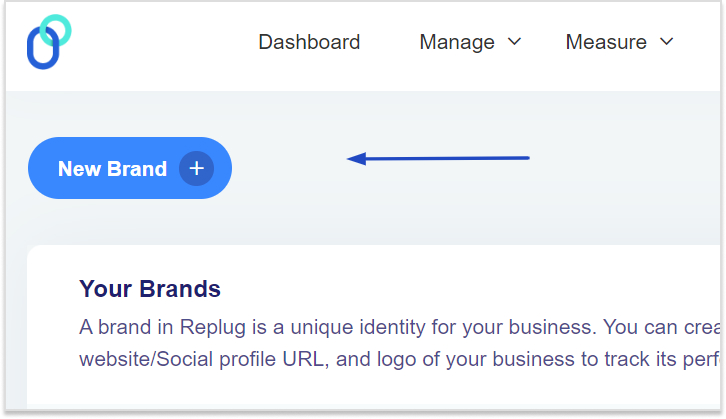
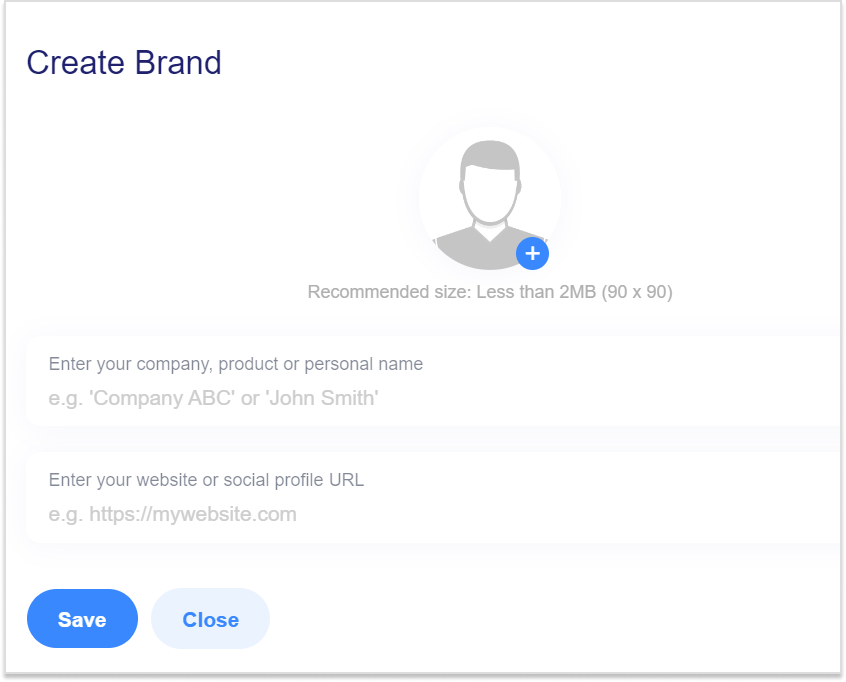
Then, click the New Brand button from the top and get ready to set up your brand.
Go ahead and fill up the form; provide the necessary details, such as brand name and URL.
Note: It’s necessary to set up a brand, especially if you’re running retargeting campaigns for multiple brands.
Once the brand is created, head over to the Manage section again and now click on the Campaigns option from the drop-down menu to create a campaign.
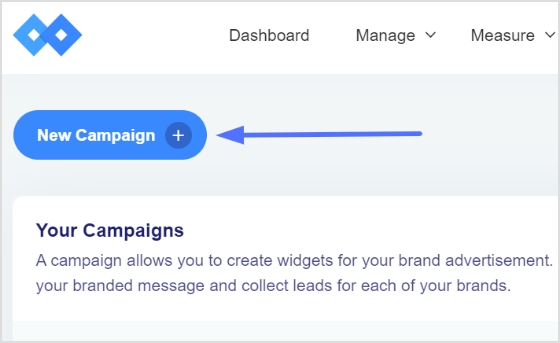
Once the Campaign page shows up, click on the New Campaign button to start creating the campaign.
Select the brand you just created for this campaign.
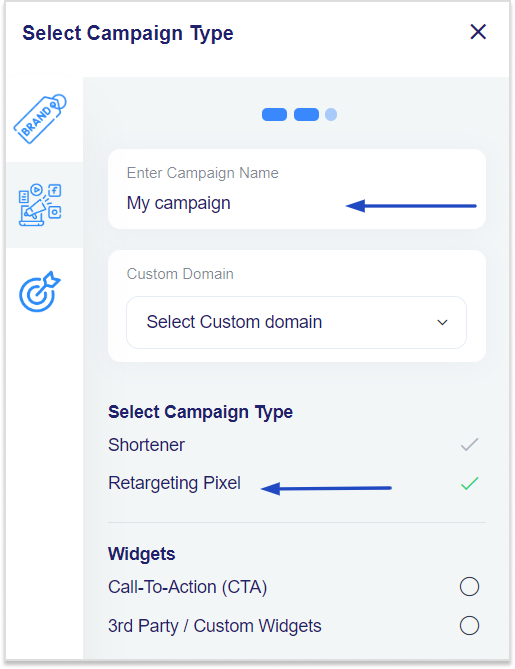
The next section will be the part where you have to select the campaign type.
Provide the essential details, such as the campaign name, custom domain (optional), and then finally, select the campaign’s type – it’s a crucial step for the whole retargeting campaign.
Step 03: In the next step, add your retargeting pixel.
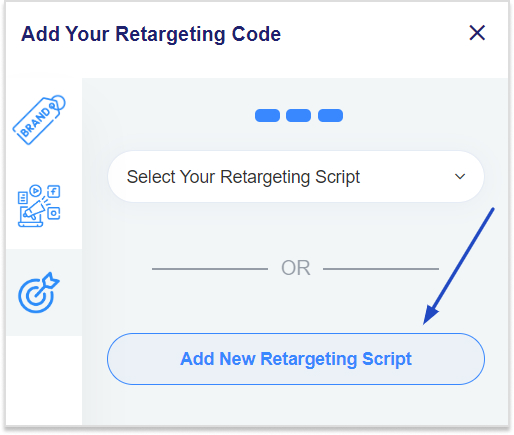
Choose from the drop-down menu if you have already created one. Otherwise, create a fresh one for Twitter retargeting.
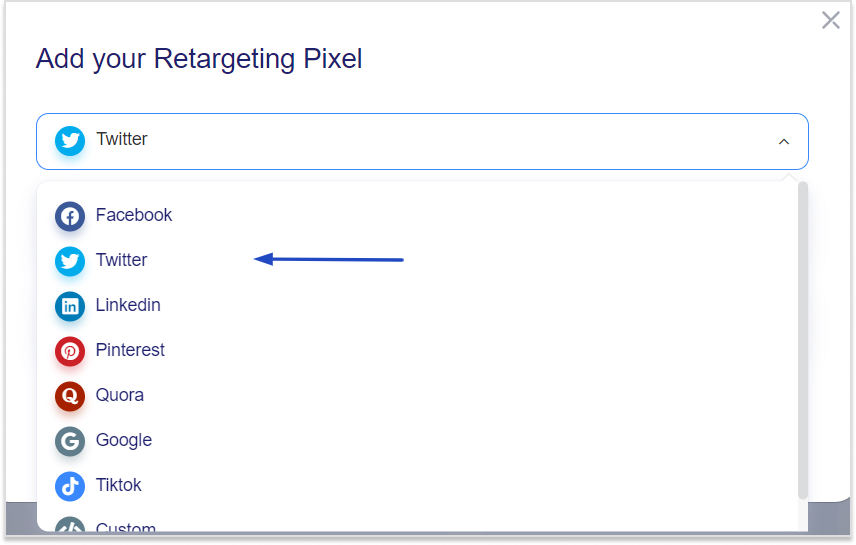
Click on the “Add New Retargeting Script” button to proceed. A popup window will appear; select Twitter from the Social Networks drop-down menu.
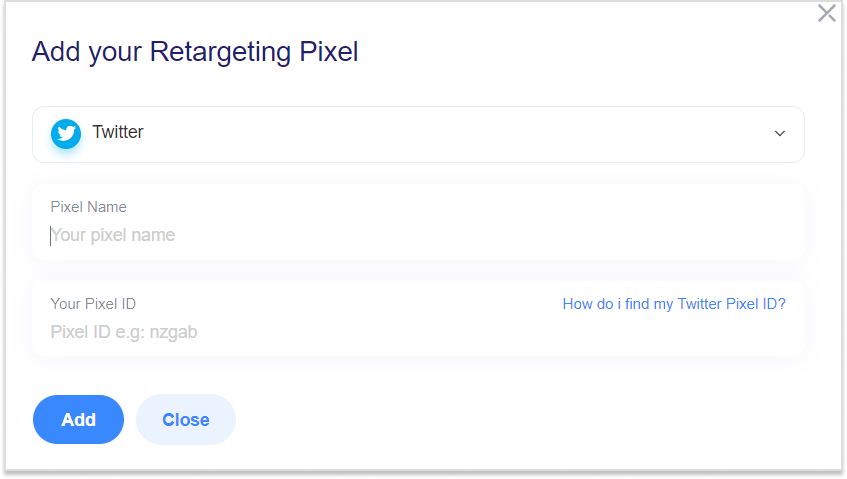
Name your Twitter Pixel and provide the Twitter Pixel ID that you got from Twitter.
Once it’s done, press the Add button to complete the step.
That wraps it up! But if you’re looking to customize your URL, here’s how you can do it:
It’s time to create short URLs under this campaign.
Using Replug’s Twitter link shortener, you can generate branded, trackable links that make your posts look professional while automatically adding your retargeting pixel for smarter audience targeting. Share these URLs on Twitter to start building your retargeting audience.
Spo, head over to the Replug’s main dashboard to start creating short URLs.
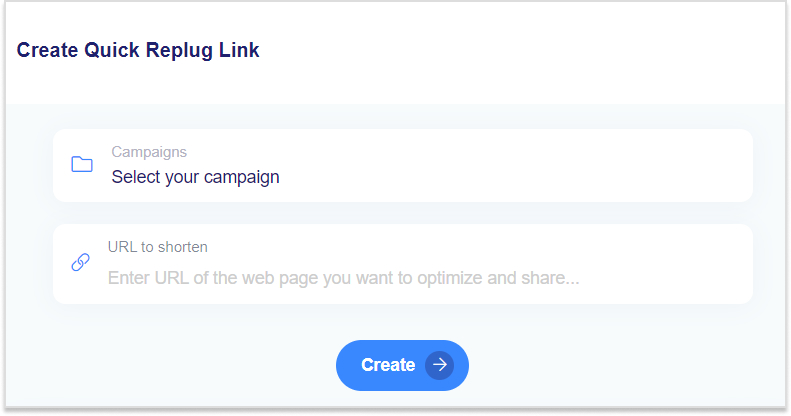
You’ll see the Create Quick Replug Links at the top of the dashboard. Choose the campaign and provide the long and clunky link to shorten it.
Now press the Create button to shorten your link. Keep shortening the URLs and sharing across social media, especially Twitter.
Lastly, retarget the custom audience that you created using the power of Replug short URLs.
However, give your Twitter retargeting campaign some time before you start retargeting the users who clicked on the short URLs.
It’s always a good idea to comprehend both the good and bad of a marketing strategy. Like any other social media marketing strategy, Twitter (X) retargeting also has a fair share of weak points that must be discussed. So, here we go:
Pros of Twitter retargeting
Cons of Twitter retargeting
Twitter provides higher engagement rates than other platforms. Users are generally active, leading to potentially higher interaction rates.
Twitter’s character limit and ad space can restrict message delivery, which can also affect the Twitter ads’ performance.
Custom audience is a useful feature in Twitter ads. Advertisers can create highly specific audience segments for precise targeting.
Twitter ad costs can fluctuate significantly, making budgeting a challenge for inexperienced digital marketers.
Brand positioning has never been this easier. Twitter ads help brands continuously engage with users who’ve interacted with the brand.
Don’t be too pushy with your Twitter retargeting campaign. Frequent or continuous retargeting may lead to ad fatigue, causing users to ignore or block your ads.
It integrates very well with other platforms for a cohesive retargeting strategy. For instance, users can retarget the audience on Twitter using Replug.
Twitter offers solid analytics to measure ad performance and adjust advertising strategy accordingly.
Brand positioning has never been this easy. Twitter ads help brands continuously engage with users who’ve interacted with the brand.
7 best Twitter (X) retargeting practices to follow
Hold your horses. Before you head over to the Twitter ads section for starting a Twitter retargeting campaign, read the following best practices for running Twitter retargeting campaigns:
1. Utilize a high-end retargeting tool
Retargeting tools automate the process of identifying and engaging with these potential customers, allowing you to reach them more efficiently and effectively.
This not only reduces the amount of time spent manually tracking and targeting audiences but also increases your return on investment by converting warm leads into customers at a fraction of the cost of traditional advertising methods.
Maximize marketing ROI
by transforming ordinary URLs into branded short links that convert.
Try Replug for free
2. Start retargeting with one retargeting platform
Starting your retargeting efforts with a single platform simplifies your strategy and enhances efficiency. By focusing on one retargeting platform, you streamline your campaigns, ensuring that all your resources are concentrated in one place. This approach allows for more precise targeting, easier management, and a clearer understanding of your campaign performance. It also reduces the complexity of juggling multiple tools and integrations, helping you optimize your retargeting efforts and achieve better results with less effort.
3. Segment your audience and target the right one
Segmentation does wonders in digital marketing. Break down your audience into specific segments based on factors like user behavior, interests, demographics, or previous interactions with your brand. It ensures that the advertiser delivers highly personalized and relevant ads that resonate with the prospects rather quickly.
4. Use compelling yet meaningful words in the ad copy
Besides paying attention to designing ad creatives, advertisers must also learn how to write compelling words through their ad campaign. Use strong visuals, concise messaging, and clear calls-to-action (CTAs) to help businesses and individuals capture attention and drive engagement.
5. Optimize ad frequency to avoid ad bombardment
It’s necessary to keep an eye on the ad frequency for the target audience. Setting frequency caps on your ads can avoid ad overexposure. The same ads bombardment often leads to ad fatigue and lower engagement rates. Advertisers must try to strike a balance between maintaining visibility and avoiding the irritation from frequent or continuous ads.
6. Test multiple ad formats
Don’t stick with just one type of ad. Instead, experiment with various ad formats, like video, carousel, or image ads, to determine which format performs best with your retargeted audience. Each ad format has unique properties, and testing helps you find the most effective way to deliver your message and put your brand out there.
7. Adjust your bidding strategy from time to time
Try to understand how the bidding strategy works and be ready to adjust as needed. Regularly monitoring bids and running campaigns will help you optimize your campaign. As a result, you get the most out of your ad spend without overpaying for impressions.
Conclusion
In conclusion, mastering retargeting on X (formerly Twitter) with Replug can significantly enhance your marketing strategy by re-engaging interested users and driving conversions.
By following the step-by-step process outlined, you can effectively reach your audience, maximize ROI, and stay ahead in the competitive digital landscape. Start leveraging the power of retargeting today to turn missed opportunities into successful conversions.
On top of that, enhance your retargeting campaigns using this efficient link shortener to create branded, trackable links that improve engagement and conversion tracking.
FAQs about retargeting on Twitter(X)
Can you do retargeting on Twitter(X)?
Yes, you can do retargeting on Twitter. There are a ton of resources on our blog to figure out how to do retargeting across different social media platforms.
What type of ads work best on Twitter(X)?
There is no right or wrong answer to this question. It depends on the niche, industry, and territory. In some cases, a video ad does well, whereas sometimes, a text-based ad outperforms others.
Are Twitter ads better than Facebook?
Both ad platforms are great for online advertising. Brands use both these advertising platforms. However, it comes down to where your audience exists. This perception may not be true, but Twitter ads are better than Facebook ads.
What is the minimum spend on Twitter(X) ads?
There is no minimum spend limit on Twitter ads. However, keep in mind that, on average, Twitter ads cost $0.26 to $0.50 per first action, so be prepared when budgeting for your Twitter ad campaign.
Affiliate marketing is a method that allows content creators to promote products and receive commissions when the audience makes purchases through their referral links.
With a global market value of approximately $17 billion, affiliate marketing is a significant revenue stream for millions of content creators worldwide, whether they’re bloggers, podcasters, Instagrammers, or YouTubers.
It’s also true that some affiliate marketers give up sooner or later because they fail to make any money with affiliate marketing. At the same time, many affiliate marketers make a ton of money with affiliate products.
Are you reading about taking your tiny affiliate marketing business to the next level? If yes, then you better start learning about high-ticket affiliate marketing right now.
What is high-ticket affiliate marketing?
High-ticket affiliate marketing refers to promoting affiliate programs that offer high commission rates such as Replug affiliate program. There are hundreds of thousands of high-ticket affiliate marketing programs on the market that almost anyone who meets the requirements can join. However, the core reason why high-ticket affiliate programs are a big deal is that not everyone gets accepted, at least in most cases.
This doesn’t necessarily mean these affiliate programs are secret or invite-only—they’re out there, but many affiliates are unable to find them.
It’s a common belief that these are the tier-1 affiliate programs that only allow well-known influencers, high-authority blogs, and large-scale publishers to join. However, it’s not always the case. A lot of companies have high-ticket affiliate programs that don’t have strict criteria for affiliates to join their program.
How much does a high-ticket affiliate marketing pay?
A high-ticket affiliate marketing commission can be anywhere between $100 to $2,500 per sale, depending on the product price. However, there may be luxurious products that pay more than that.
Top affiliate marketers, pro-bloggers, and social media influencers make a ton of money through various income streams. Affiliate marketing is surely one of their top income sources. These industry experts usually go for multiple high-ticket affiliate programs to make hundreds of thousands of dollars every month.
At this stage, keeping records of earnings is essential for tax filing and financial tracking. Using a tool like an employee pay stub can help affiliates stay organized
Jacky Chou is one of the popular bloggers in the SEO and affiliate marketing world. He makes a ton of money across different affiliate programs, such as Amazon Associates, and the Mediavine ad network.
23 best high-ticket affiliate marketing programs for beginners
Let us share some of the best high-ticket affiliate marketing programs for beginners to join in and start making money:
1. Replug
An all-in-one tool simplifies link management with shortening, tracking, and optimization features. Here’s what Replug.io offers:
Custom-branded URLs: Shorten links with your brand.
Become a Replug affiliate and access your unique referral link through our dashboard to start earning!
Commission: 30% on every new customer that signs up
Affiliate platform: FirstPromoter
Cookie period: 30 days
A complete link management solution
for marketing professionals & agencies.
Try Replug for free
2. ContentStudio
ContentStudio is a comprehensive platform designed to streamline content and social media management. Easily find and utilize trending content to keep your audience engaged and informed. Then, plan and schedule posts across multiple social media platforms from one place, saving you time and effort.
Besides all that, monitor the performance of your content with detailed analytics to understand what works and refine your strategy for better results.
Become a ContentStudio affiliateand earn a solid recurring commission for every customer you bring on board. The more creative you get in sharing its powers, the bigger your income stream grows.
Commission: 30% on every new customer that signs up
Affiliate platform: FirstPromoter
Cookie period: 30 days
3. Usermaven
Usermaven is a lightweight, feature-rich, and user-friendly product and web analytics tool. Which helps you turn user behavior into actionable insights to help you increase product adoption and reduce churn.
Here are some of the most prominent features of Usermaven:
Become a Usermaven affiliate and earn 20% recurring commissions for referring to Usermaven’s amazing website and product analytics tool.
Commission: 20% on every new customer that signs up
Affiliate platform: FirstPromoter
Cookie period: 30 days
4. Teachable
Teachable is yet another platform for creating online courses, coaching, and digital goods without relying on any third-party tools. It also has an affiliate program that pays well. If you’re in the online courses or coaching niche, then you might want to check this platform out.
Commission: Up to 30% (for a year)
Affiliate platform: Impact
Cookie period: 30 days
5. Authority Hacker
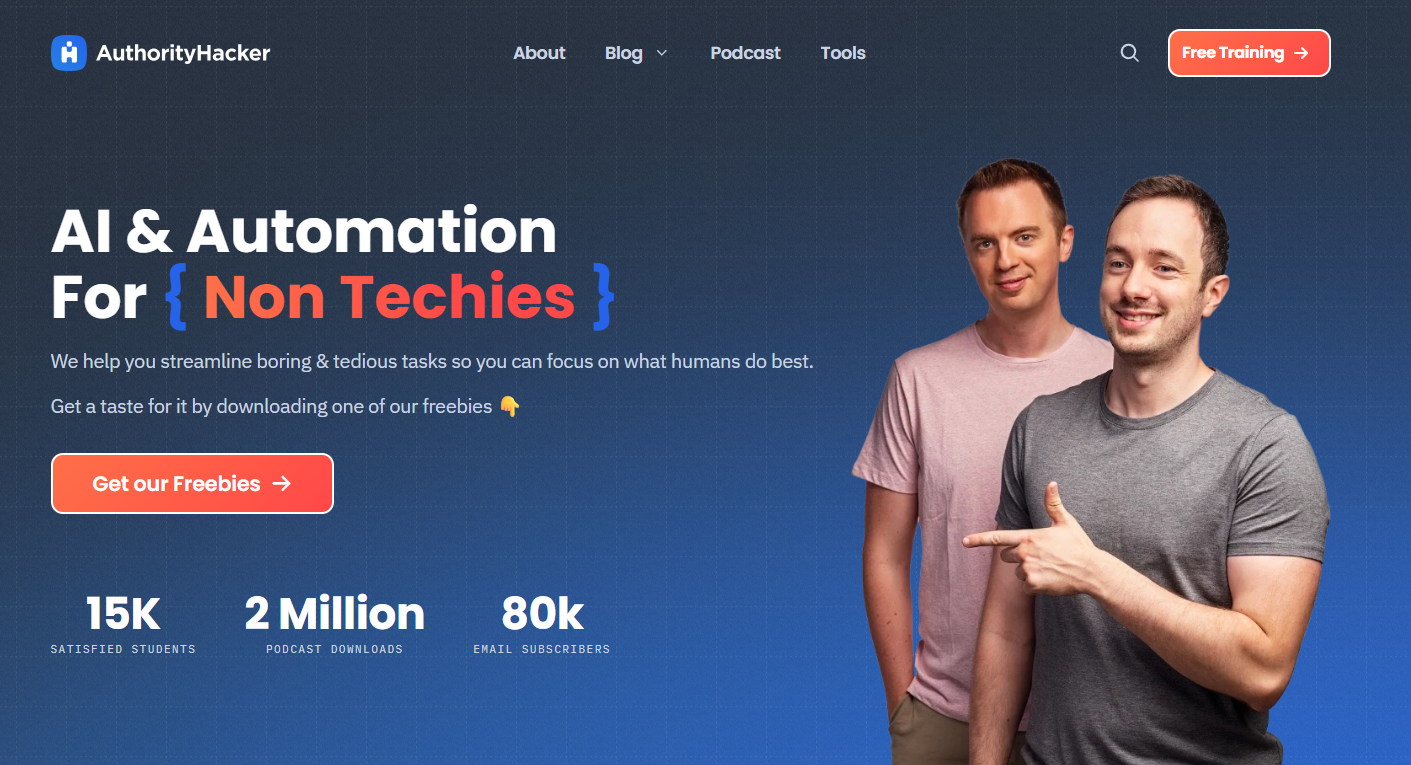
Authority Hacker is a well-established internet marketing platform that offers a paid course and community around building and growing a website. The Authority Hacker podcast is one of the most popular SEO and digital marketing podcasts in the industry. Above all, they have an attractive affiliate program that pays a hefty commission.
Commission: $1,979 per sale
Affiliate platform: In-house affiliate program
Cookie period: 60 days
6. Shopify
Shopify is a top-tier e-commerce platform used by hundreds of thousands of merchants and retailers across the globe. This e-commerce giant runs a successful, high-ticket affiliate marketing program. It’s a great affiliate program for mentors, entrepreneurs, and experts who teach and advocate the on demand business model.
Commission: $25 to $150
Affiliate platform: Impact
Cookie period: 30 days
Maximize marketing ROI
by transforming ordinary URLs into branded short links that convert.
Try Replug for free
7. BigCommerce
BigCommerce is one of the popular e-commerce platforms for setting up an e-commerce store. This e-commerce business offers a lucrative affiliate program that might interest affiliate marketers creating content around e-commerce niches.
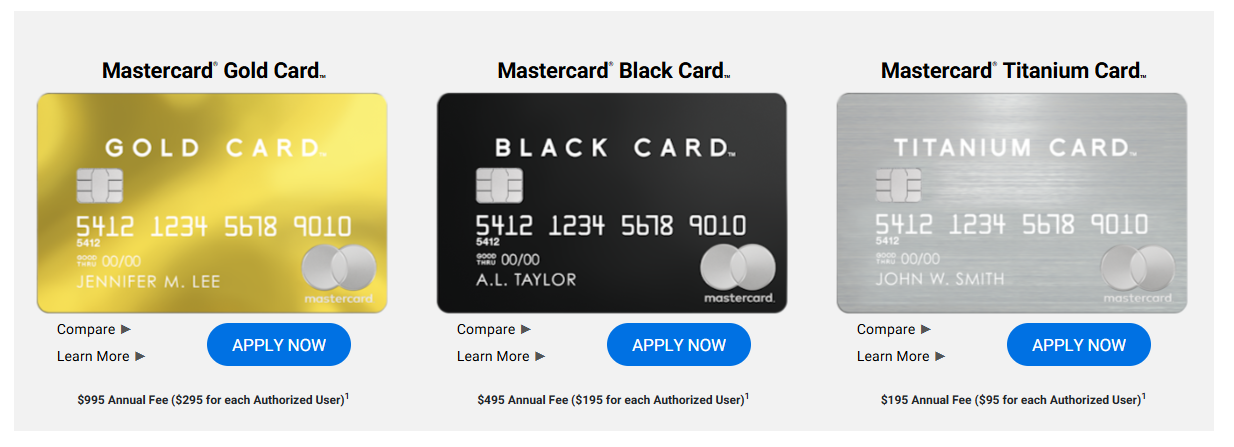
Luxury Card is a reputable brand that issues premium credit cards. These premium-quality credit cards are made of fancy metals. This credit card issuer has one of the highest-paying affiliate programs in the finance industry.
Commission: $405 per sale
Affiliate platform: FlexOffers
Cookie period: 30 days
9. Semrush
Semrush is a leading competitor analysis, keyword research, and website performance tracking tool in the digital marketing space. It’s widely used by content marketers, SEO experts, and pro-bloggers around the world. It offers a high-ticket affiliate marketing program that is worth checking.
Commission: $200 per sale
Affiliate platform: Impact
Cookie period: 120 days
10. Kinsta
Kinsta is a premium managed Web hosting service that offers high performance, reliability, and excellent customer support. It delivers blazing-fast and secure hosting solutions for businesses and developers. Kinsta’s affiliate program is highly rewarding, with competitive commissions and extended cookie duration.
Commission: 5% to 10%
Affiliate platform: In-house
Cookie period: 60 days
11. WP Engine
WP Engine is a high-end managed WordPress hosting provider known for its speed, security, and reliable customer support. It’s a popular choice among SEOs, web developers, and digital marketing agencies looking to scale their WordPress sites.
Commission: Starts from $200
Affiliate platform: ShareASale
Cookie period: 180 days
12. Bluehost
Bluehost is one of the largest and most reliable web hosting companies. It offers a range of services, including shared hosting, WordPress hosting, and VPS hosting. The Bluehost affiliate program is renowned for its high conversion rates and quick payouts.
Commission: 70% for each qualified sale
Affiliate platform: Impact
Cookie period: 30 days
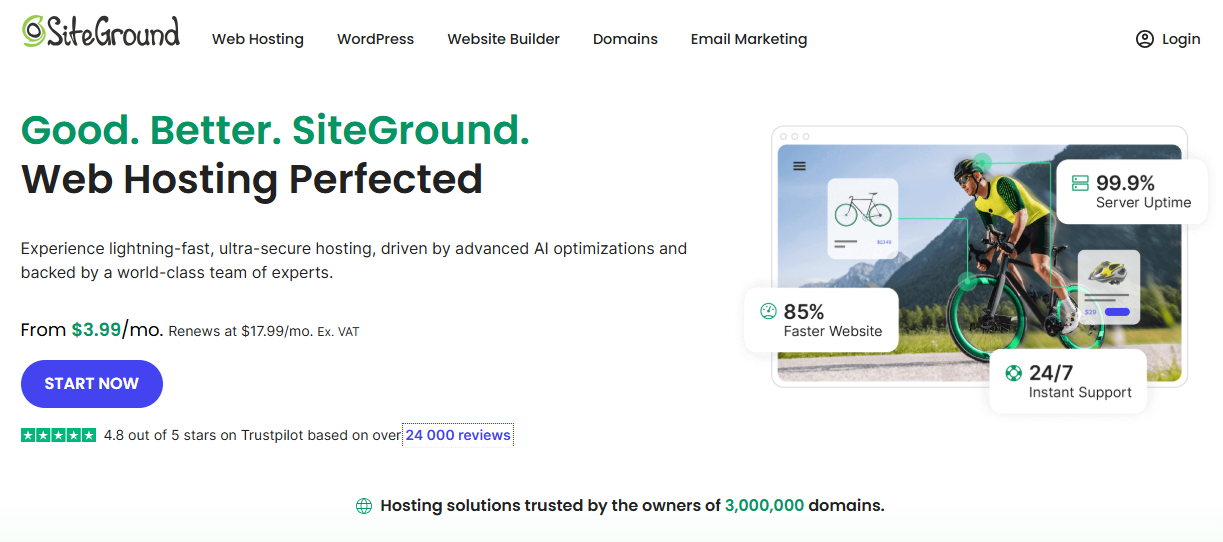
13. Siteground
Siteground is a popular website hosting service used and promoted by bloggers, affiliate marketers, and SEOs. They offer several hosting plans, such as shared, cloud, WordPress, and reseller. Siteground’s affiliate program is one of the best affiliate marketing programs for beginners.
Commission: $50 to $100 per sale
Affiliate platform: In-house
Cookie period: 60 days
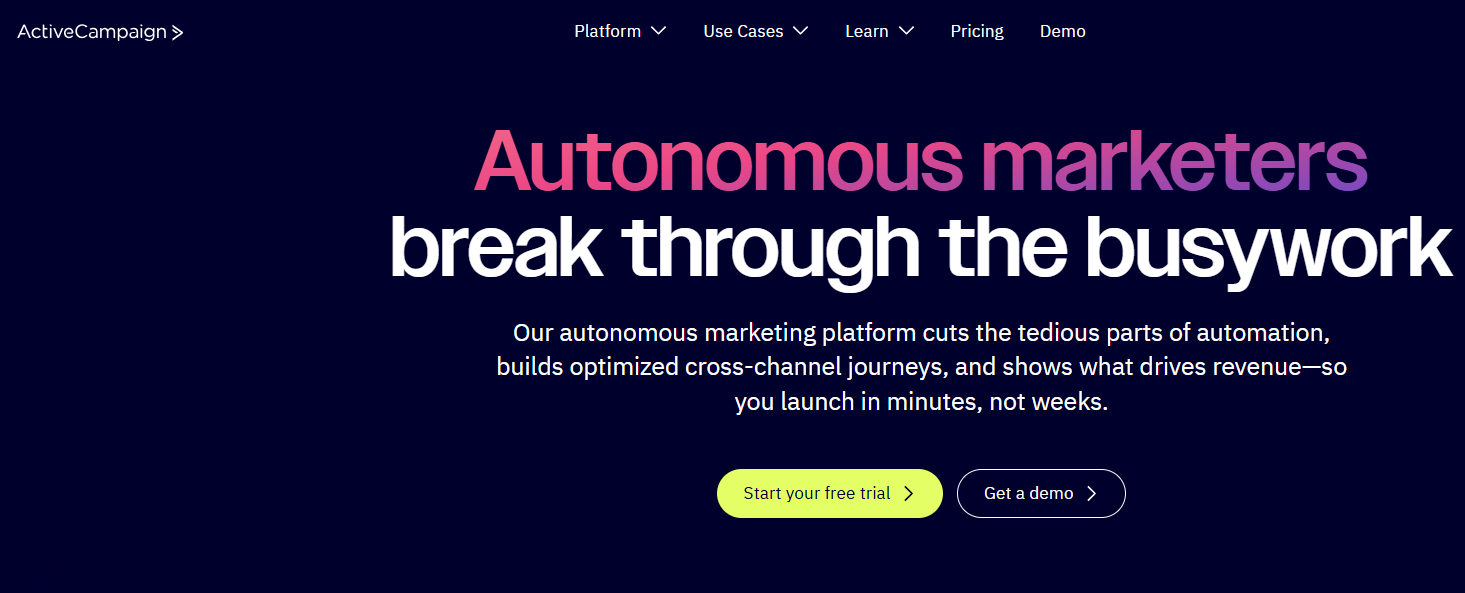
14. ActiveCampaign
ActiveCampaign is one of the leading players in the email marketing space. It offers a complete email marketing suite for businesses, agencies, and influencers to set up email campaigns. They have a generous affiliate marketing program for affiliate marketers that promotes email marketing software.
Commission: 20% to 30%
Affiliate platform: In-house
Cookie period: 90 days
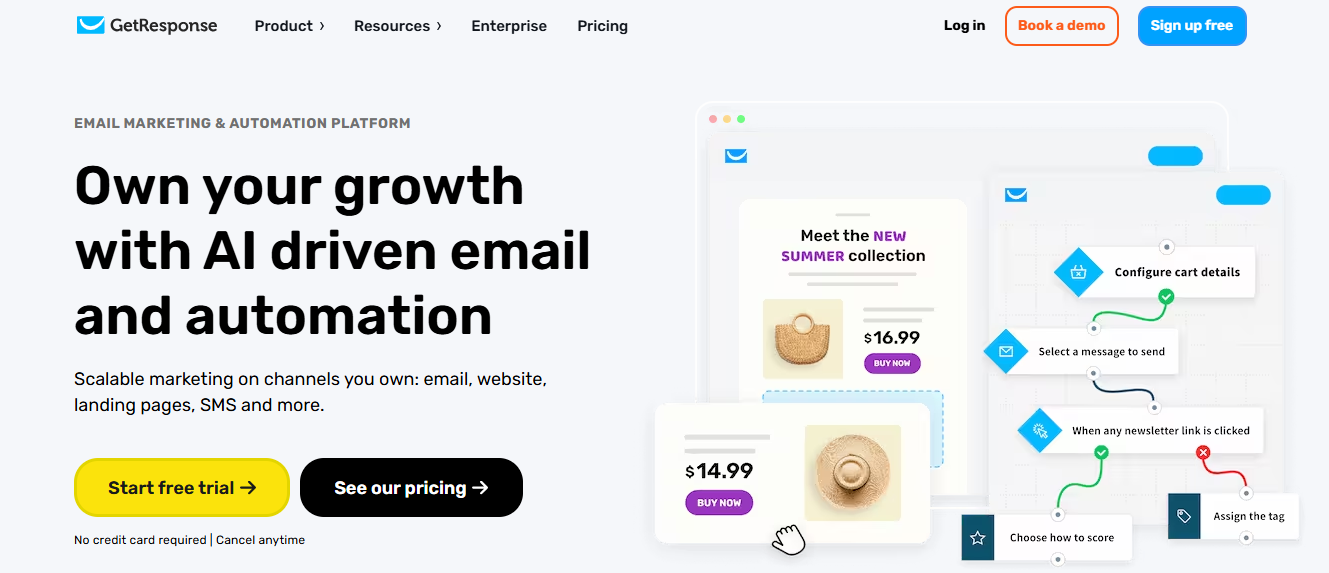
15. GetResponse
GetResponse is an email marketing service that caters to medium and large-scale organizations and brands. They offer a bundle of online marketing and engagement tools that include email newsletters, automation, live chat, SMS marketing, push notifications, conversion funnels, and much more. Check out their high-ticket affiliate marketing program.
Commission: 33% (recurring)
Affiliate platform: In-house
Cookie period: 120 days
Drive more clicks, conversions, and app installations by deep linking
to your favorite platforms.
Try deep links for free
16. Wix
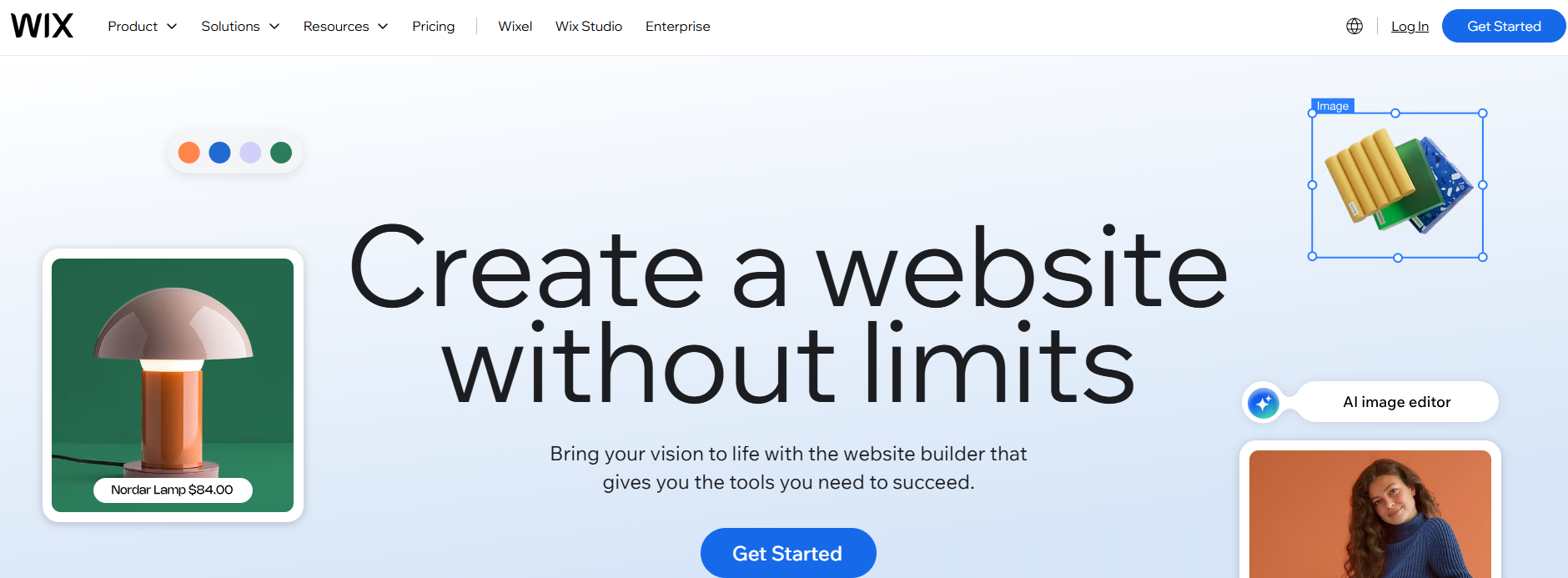
Wix is a leading website builder that allows users to create websites, blogs, and e-commerce stores using drag-and-drop tools. It’s popular among small business owners, entrepreneurs, and creative professionals for its ease of use and flexibility. Wix offers an excellent affiliate program with a generous commission rate.
Commission: $100 per sale
Affiliate platform: In-house
Cookie period: 30 days
17. Lasso
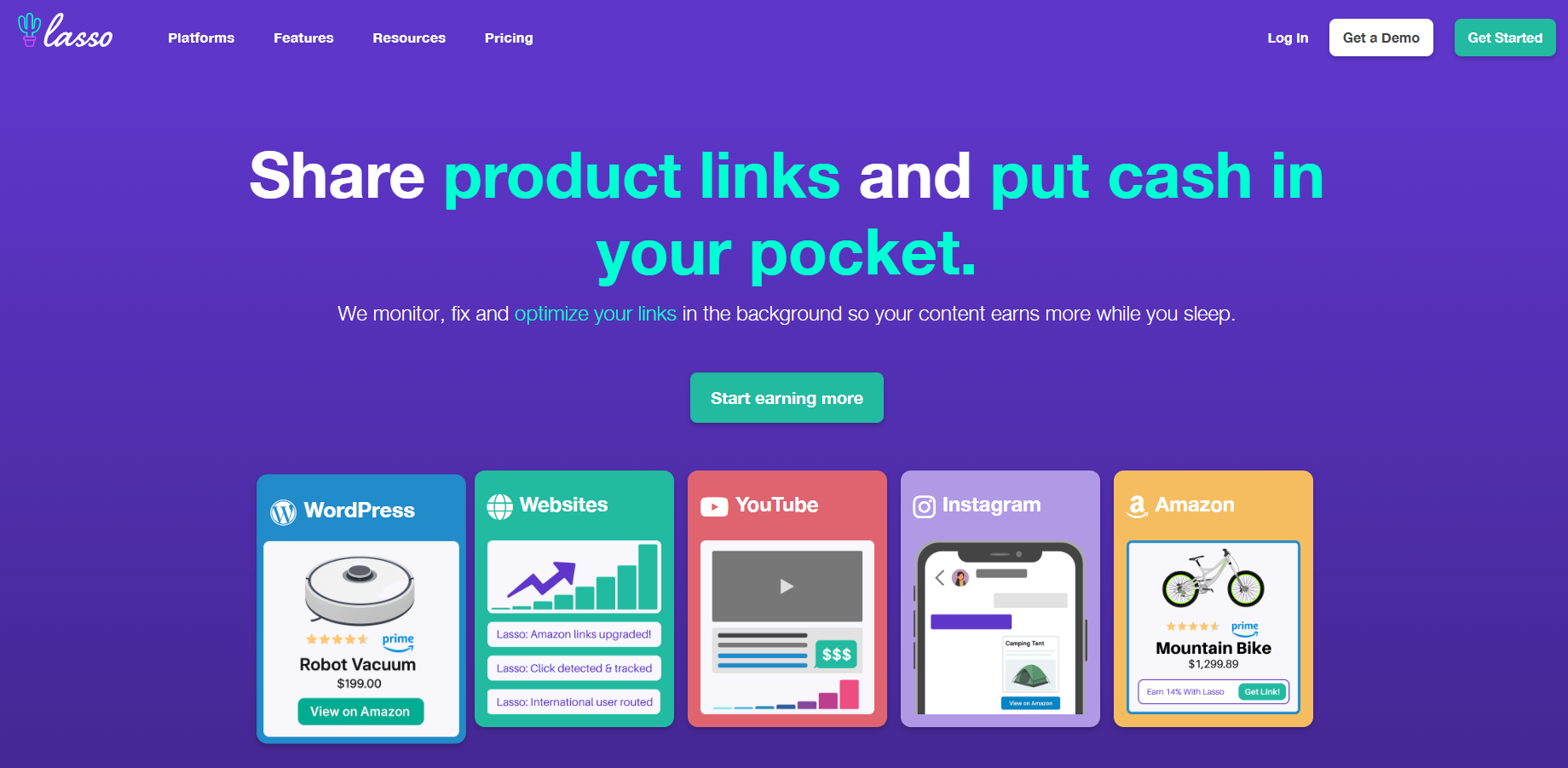
Lasso is an affiliate marketing WordPress plugin for bloggers and affiliate marketers to create, manage, and display affiliate product tables and boxes. Bloggers and affiliate marketers promote affiliate products to earn commissions on successful sales. Lasso has a high-ticket affiliate program that pays quite well.
Commission: 20% (recurring)
Affiliate platform: Tapfiliate
Cookie period: 30 days
18. ShareASale
ShareASale is a well-established affiliate marketing network that connects merchants and affiliates. It offers a wide variety of affiliate programs across multiple niches, making it a diversified platform for affiliate marketers.
Commission: $150 per sale
Affiliate platform: In-house
Cookie period: 60 days
19. SellHealth
SellHealth is a key player in the health and wellness affiliate marketing industry. It provides a variety of affiliate programs in the health niche, fitness, skincare, and wellness niches. SellHealth provides access to several health affiliate programs that offer generous commissions.
Thinkific is a popular platform for creating courses, membership sites, and digital products. It has a lucrative affiliate program for digital marketers, bloggers, and affiliates who talk about creating courses, building membership sites, and developing digital products.
Commission: 30% (lifetime)
Affiliate platform: PartnerSnack
Cookie period: 90 days
21. Frontpoint
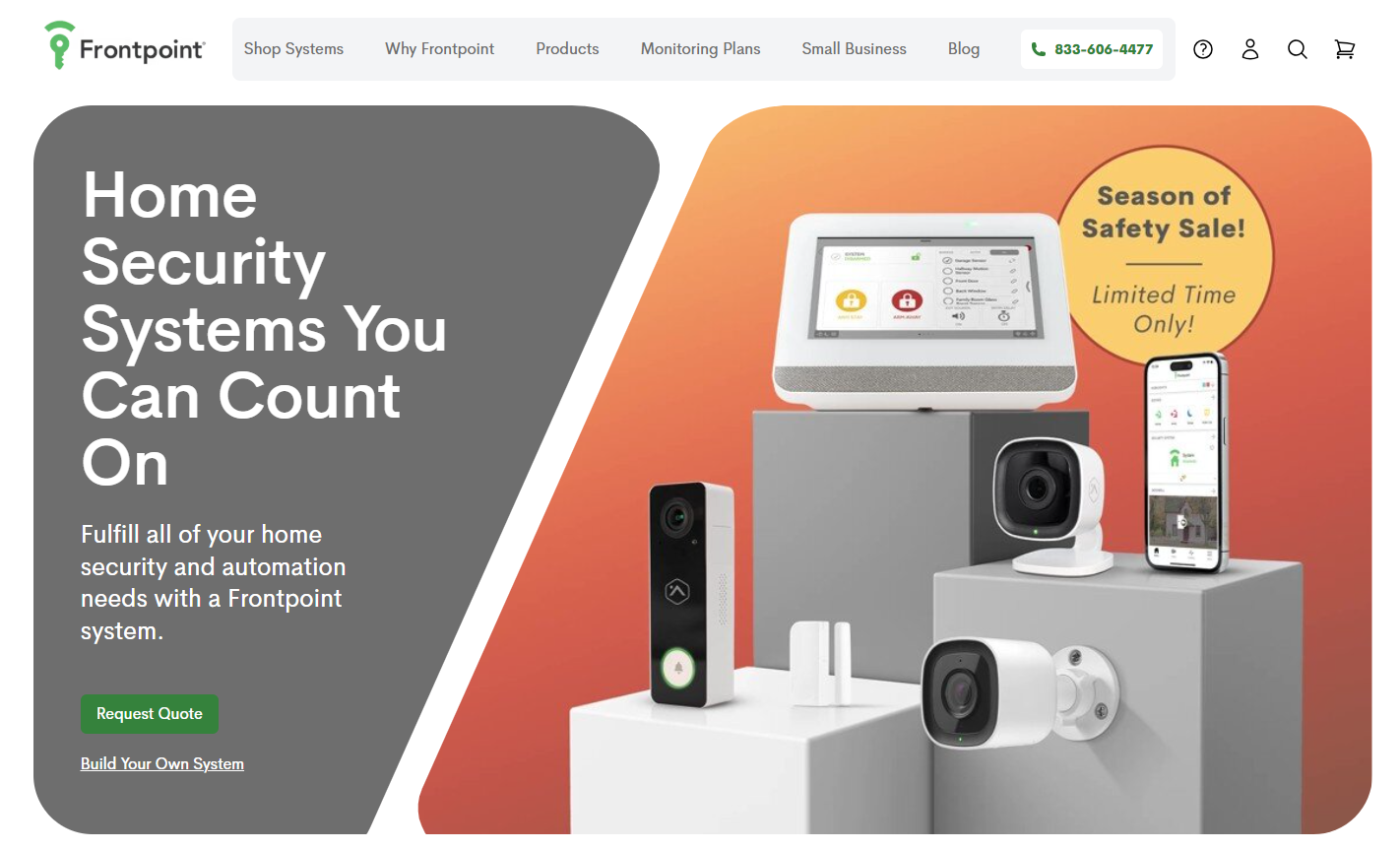
Frontpoint is a major player in the home security niche, known for its advanced technology, easy installation, and exceptional customer service. It offers comprehensive security solutions for homes and offices. Frontpoint has an attractive affiliate program with a reasonable commission rate.
Commission: $175 per sale
Affiliate platform: In-house
Cookie period: 20 days
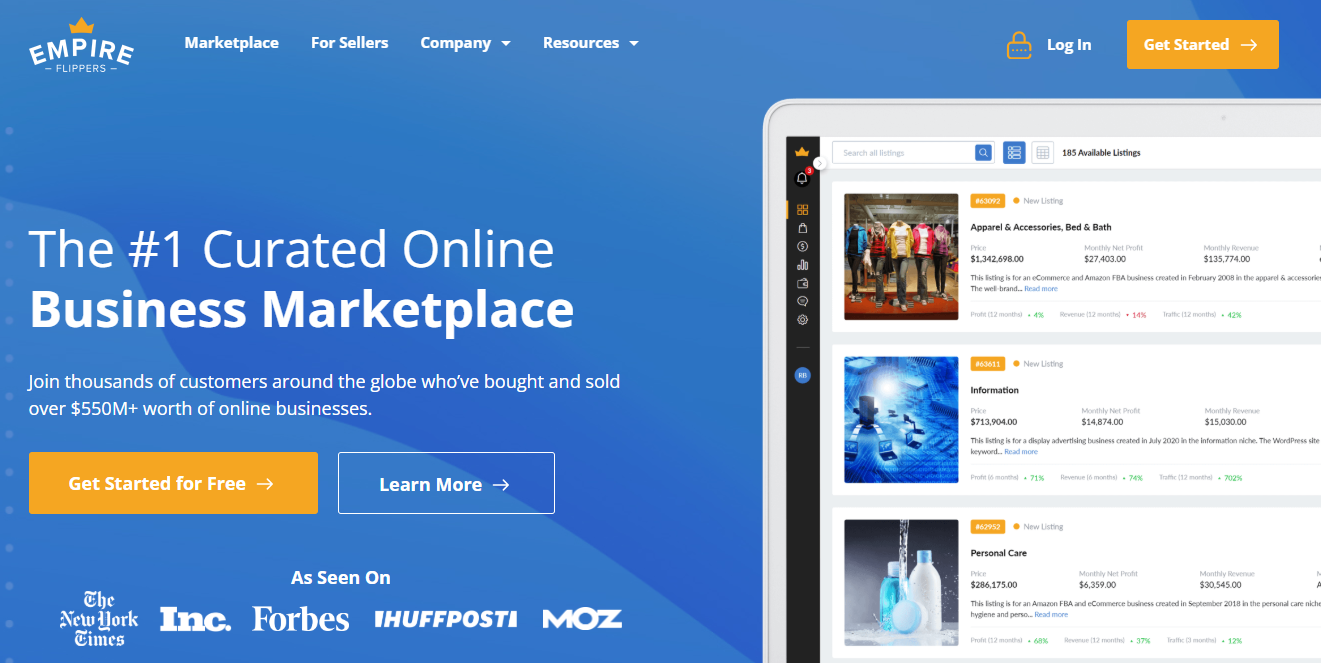
22. Empire Flippers
Empire Flippers is a website flipping marketplace that connects domains, websites, and other online real estate buyers and sellers. It’s one of the largest website and domain-buying platforms on the internet. They have a pretty decent affiliate program.
Commission: 20% (of EF’s commission)
Affiliate platform: In-house
Cookie period: 2 years
23. Flippa
Flippa is one of the most popular marketplaces for buying and selling domains, websites, online businesses, software tool companies, and other businesses. Flippa has a lucrative affiliate program that attracts experts in the domains and website flipping space.
Commission: 20% (Referral fee)
Affiliate platform: Partnerstack
Cookie period: 12 months
How to get started with high-ticket affiliate marketing?
The internet is full of tips and tricks on how to get started with affiliate marketing. It boils down to a few basic steps that are as follows:
1. Pick a niche with a noticeable audience
Start by picking a niche you know about or you’re interested in. It’s so important to opt for something that fascinates you or you have an experience of doing it.
Entering into an alien territory with no prior experience in the niche might not be a good idea. The reason is that affiliate marketers make money by helping guide readers; they must know what they’re talking about.
So, be cautious while choosing your affiliate marketing or blogging niche, as it’s a stepping stone to building something worthwhile.
2. Choose high-ticket affiliate products
It’s essential to understand the concept of high-ticket affiliate marketing. It doesn’t mean you don’t need to match the product pricing with your audience’s money-spending power.
For instance, you can’t sell private jet rides to mountain bike lovers. On the other hand, that the audience might be interested in buying gear and spare parts for the mountain bike.
Keep in mind that you’re picking the high-ticket items to promote on your blog no matter what niche you’re in. Go through two to three affiliate networks and try to find the best possible affiliate products to promote.
Choosing a great niche and finding the right affiliate products to promote will put you on the right path, but nothing will matter if your content sucks.
Your content, whether it’s articles, videos, or podcasts, must be top-notch so that it becomes irresistible for the audience. Try to deliver as much value as possible to create a connection with readers. In fact, always try to overdeliver value in your content, and it will turn things around for you.
4. Infuse affiliate products where it makes sense
While useful and helpful content creates a hook to keep the audience engaged, it’s also important to add affiliate products to your content to create conversions.
Boost ROI with branded URLs!
Enhance your marketing campaigns by creating shareable, trackable, and fully multi-purpose
customizable branded URLs.
We recommend using URL shorteners to create clean, clickable links for your affiliate products. Replug is a great option for this—try it for free and track your link clicks!
You’ll notice increased clicks and conversions once you start integrating affiliate products through product boxes, in-text links, and banners. It all comes together when your strategy is on point.
Keeping tabs on your affiliate links is key to boosting your earnings. By tracking how your links perform, you can see what’s working and make adjustments where needed. Replug makes this super simple, letting you shorten links efficiently and get insights on clicks and engagement. It’s like having a cheat code for your affiliate strategy. Use it to stay on top of things, and watch those commissions start rolling in!
Top 4 benefits of high-ticket affiliate marketing
The high-ticket affiliate products bring higher commissions. Therefore, the affiliate marketer earns more with high-ticket affiliate marketing.
One doesn’t have to make a ton of sales to make a handsome amount. A few high-ticket sales would do the job.
The high-ticket affiliate niches usually have high PPC and CPM rates, which means one can earn extra income with display ads, such as AdSense or Ezoic.
There is always less competition in such niches because most bloggers can’t find high-ticket products to promote, or most affiliate marketers run after the low to mid-range but popular products.
However, remember that most affiliate marketers find it tiresome to hunt for high-ticket affiliate products, not to mention create high-quality affiliate content for the audience.
What are the high-ticket affiliate items?
Let us share a list of several high-ticket affiliate items that could turn things around for you. In fact, these affiliate products might as well give you some idea on picking a profitable niche for affiliate marketing. Here we go:
Life/Car Insurance
Mortgage
Legal advice/lawyers
Personal Finance
SAAS products
Credit cards
Gardening
Automotive
Online courses
E-commerce
Web hosting
Travel
Car rentals
Hotels and restaurants
Lifestyle
Fashion
Home n decor
A complete link management solution
for marketing professionals & agencies.
Try Replug for free
What is the future of affiliate marketing?
Affiliate marketing has been a well-paid monetization strategy for bloggers, affiliate marketers, influencers, and YouTubers.
However, every affiliate marketer has a different approach to earning money with affiliate marketing. While some use email marketing to generate traffic, a lot of them stick to SEO, whereas others pivot toward social media traffic.
All of them have a common goal: to bring people on board, engage them with content, and push them to purchase the affiliate product via an affiliate link.
The reason why a lot of people are skeptical about the future of affiliate marketing is that Google seems to be targeting most content websites regardless of their quality unless they’re a huge publication like Forbes, Entrepreneur, Vice, or Huffington Post, etc.
Therefore, doubts are arising in the minds of bloggers and affiliate marketers who believe that bread and better are tied to SEO and affiliate marketing.
Some bloggers and affiliate marketers believe adding multiple traffic sources, such as social, email, and paid ads, is the way forward. However, the majority of internet marketers, bloggers, YouTubers, and social media influencers are still trying to maneuver and make something happen through SEO.
FAQs about high-ticket affiliate marketing
Let’s shed some light on the commonly asked questions about high-ticket affiliate marketing:
Which is better, high-ticket affiliate marketing vs. low-affiliation programs?
High-ticket affiliate marketing is way better than low-ticket affiliate programs, hands-down, unless you don’t know what you’re doing. However, there are no guarantees for every affiliate marketer who chooses high-ticket affiliate products to win at this. It all comes down to experience, exposure, and talent.
What is a high ticket affiliate marketing salary?
It’s hard to predict a salary in any type of affiliate marketing because there are various factors involved. But as far as the commission rates for high-ticket affiliate marketing are concerned, they can be anywhere between $200 to $2,000 per sale. Using a paystubs generator can help affiliates easily track and organize their earnings.
What is an example of high-ticket affiliate marketing?
There are various examples of high-ticket affiliate marketing programs mentioned earlier in the article, such as Replug, Authority Hackers, Thinkable, Teachable, Semrush, and others.
What are the 5 most popular high-ticket affiliate marketing programs?
The five most popular high-ticket affiliate marketing programs include Lasso, ShareaSale, SellHealth, Empire Flippers, and Flippa. However, there are several others mentioned earlier in the article.
White-label marketing tools cover a wide range of needs, each with its own specialty—whether it’s custom branding, social media management, SEO, or CMS services.
That’s why we’ve put together this guide to simplify your selection process.
Stick with us as we break down the options and help you find the perfect fit for your needs.
What is a white-label tool?
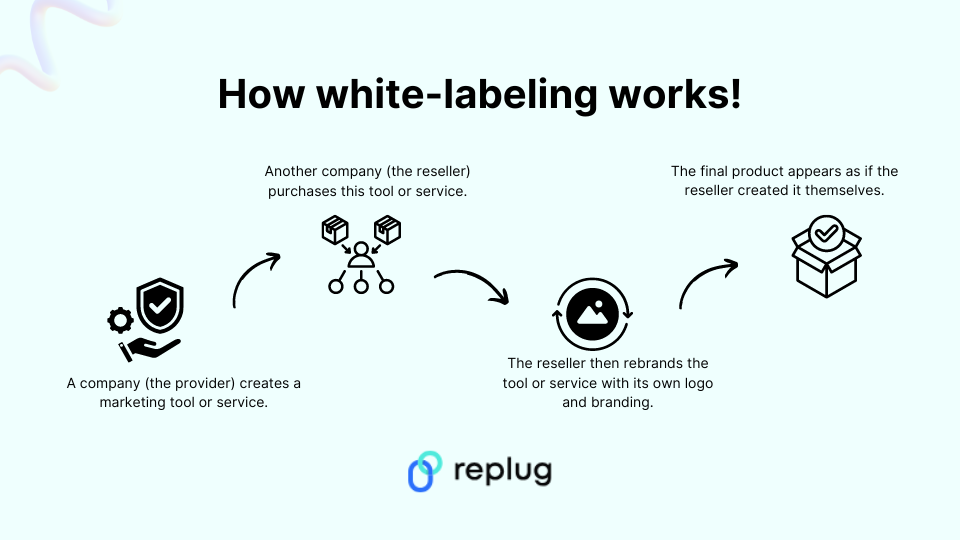
A white-label tool is a pre-built software application or service that can be customized with your own branding elements.
Here’s a breakdown of the concept:
The core product: A developer creates a software tool with all the essential features but without any specific branding.
Customization: You, the business owner, purchase this tool and personalize it with your brand identity. This could include:
Adding your logo and color scheme.
Modifying the user interface (UI) elements to match your brand style.
Customizing the content and messaging within the tool.
And much more…
The final product: You then offer the white-labeled tool to your customers or clients under your own brand name. This way they got a branded experience as if the tool was built specifically by your company.
White labeling can be applied to various aspects of a business. Some of the common include the following:
Category
Description
Software
Software companies can white-label software applications and resell them as their own. This allows them to offer branded solutions without the cost and time investment of developing software from scratch.
Marketing tools
Marketing and other types of agencies can white-label email marketing platforms, link management tools, or social media management tools to offer these services to their clients under their own brand.
Websites
Website builders can provide white-label solutions, allowing clients to create custom websites without any branding from the builder.
15 best SAAS white-label tools for agencies
1. Replug – White-label link management tool
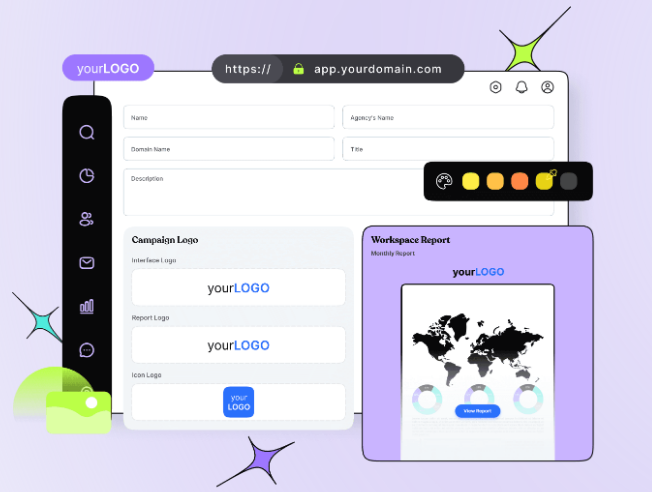
At the top of our list is Replug, an all-in-one link management tool packed with advanced branding features. With Replug’s white-labeling, you can customize everything to match your brand—from logos and favicons to titles, meta images, descriptions, agency names, domains, branded reports, and emails.
Replug makes it easy to generate optimized short URLs and unique slugs that represent your brand perfectly. You can also track click-through and conversion rates to see how well your links are performing.
Need to shorten a lot of links at once? No problem—Replug lets you import files for bulk link shortening. Plus, you can turn visitors into customers by adding retargeting pixels to your links or creating branded microsites for your clients using the bio link feature.
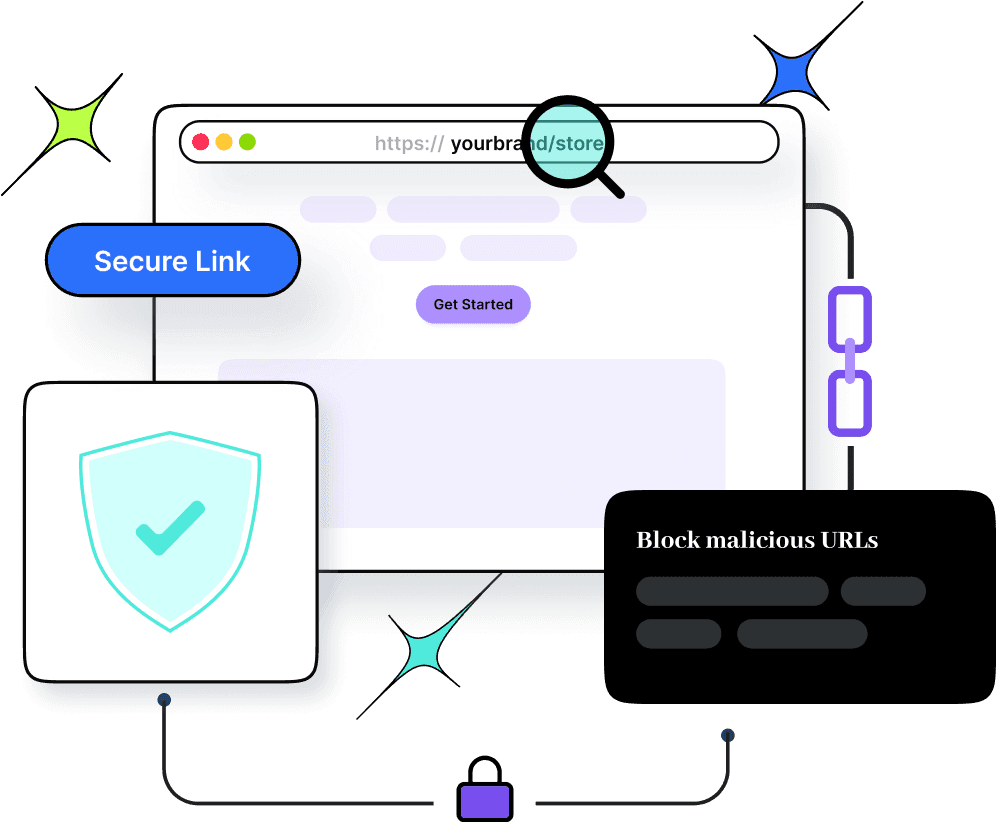
Safety is a top priority for Replug. The platform scans and checks links in real time, blocks malicious URLs and uses phishing detection algorithms to keep everything secure. The best part? Replug offers affordable and scalable pricing, so it can grow with your brand or agency’s needs.
Here’s what you get with the Replug white-label solution:
Replug’s pricing is both affordable and flexible, allowing you to scale your plan as your brand or agency grows. The white-label pricing plans start at $79 per month (with a free trial) and include a host of advanced features.
Maximize marketing ROI
by transforming ordinary URLs into branded short links that convert.
Try Replug for free
2. Short.io – White-label domain
Short.io is a user-friendly tool that helps you create branded short links, making long URLs shorter and easier to share. It’s perfect for social media, emails, and text messages.
While it doesn’t offer a white-label dashboard like Replug, you can still white-label your links with your custom domain. Additionally, you can track clicks and user behavior on your links, providing valuable insights for your marketing campaigns and website optimization efforts.
Regarding its pricing, there’s no specific mention of white-label links, although the platform does reference this on the homepage. Most of the tool’s advanced features are included in the enterprise plan, which costs $148 per month.
3. ContentStudio – White-label social media software
ContentStudio is your go-to solution for managing social media effectively. It helps you discover trending topics and curate engaging content to keep your audience glued.
Besides that measure metrics such as total engagement, audience growth, top-performing posts, and many more.
One of its standout features is the ability to white-label files or reports. This white-labeling feature is beneficial because it allows you to present your content as if it were created entirely by your own team, strengthening brand recognition and creating a smooth user experience.
These white-label reports are like tailor-made suits, perfectly fitting the needs and preferences of every client.
The tool offers three different pricing plans. The mid-tier plan starts at $49 per month and includes white-label reports along with many other advanced features.
SE Ranking offers a self-hosted, white-label, cloud-based tool, along with a customized, performance-based invoicing platform that easily integrates into your service offerings.
With SE Ranking, you can automate reporting, create comprehensive marketing plans, check keyword rankings, monitor backlinks, and much more. The platform is user-friendly and serves as your ultimate support for excelling in search engine results pages (SERPs).
The white-label services allow you to make the platform uniquely yours by configuring your personalized domain name and removing any references to SE Ranking. Impress your clients with professional, branded SEO reports that can be automatically sent from your corporate email or manually dispatched as needed.
Say goodbye to generic email marketing campaigns and hello to personalized, engaging content that drives results. HubSpot marketing automation platform puts the power of automation and analytics at your fingertips, allowing you to deliver the right message to the right person at the right time.
The platform allows you to fully white-label their product, replacing their branding with your own or your client’s logo across the platform, including the interface, email campaigns, notifications, and reports.
With automated white-label email campaigns featuring personalized messaging, you can guide prospects toward conversion, nurturing them through the purchasing process until they’re ready to buy. This is particularly advantageous for B2B businesses with extended sales cycles.
DashThis is a marketing reporting tool designed to simplify creating data visualizations and reports. It excels at combining data from various sources like SEO, social media, and analytics platforms into a single, informative dashboard.
The white-label feature allows you to remove all references to DashThis and customize your analytics dashboards to reflect your own branding effortlessly. Additionally, you can start with preset report templates that include all the essential KPIs.
Domo’s advanced analytics and visualization capabilities give you the tools you need to uncover insights, spot trends, and make smarter decisions.
Besides that domo ensures your client’s data remains secure within their environment while still allowing for comprehensive analysis. With its white label, you can completely customize the look and feel of the analytics reports platform to match your brand.
To obtain pricing information, please contact the platform’s sales team.
8. WordPress – White-label CMS Tool
WordPress offers a white-label option ideal for agencies and web developers who build websites for clients. Building a professional website doesn’t have to be complicated. With WordPress, you can create a stunning online presence that reflects your brand identity and engages your audience.
Remove all WordPress branding from the admin panel and public-facing website. This make sure your client’s brand takes center stage, fostering a professional image.
Need a CMS service that can handle complex websites and digital experiences? Look no further than Drupal. Drupal is a free and open-source content management system (CMS) used by millions to build and manage websites.
It allows users to personalize their profiles with their logo and preferred color scheme. It then automatically adds a white-label token to all outgoing URLs, ensuring email links and other links direct recipients to the user’s custom-branded website.
The basic Drupal modules are free, but there are no pricing details on the Drupal website. We recommend contacting the customer support team for specific information about your needs.
Create dedicated workspaces for each client, allowing you to organize projects, tasks, and communication under a specific client brand. While full white labeling isn’t available, you can utilize custom fields and integrations to incorporate your agency’s branding within the Asana interface. Or provide clients with a streamlined view of their projects without exposing them to the full Asana platform. This can be achieved through custom integrations or dedicated dashboards.
The platform offers pricing plans for individuals, small teams, and large teams. Custom branding features are available starting from the advanced pricing plan at $24.99.
Invoice Ninja is a free invoicing and expense management software ideal for freelancers and small businesses. It simplifies sending professional invoices, tracking time and projects, and managing client communication. With its user-friendly interface, you can create branded invoices, accept online payments, and automate recurring bills.
Plus, for a professional touch, Invoice Ninja offers a white-label option that removes their branding, allowing you to completely customize the software with your own logo and colors.
Invoice Ninja doesn’t list the white-label pricing on their main pricing page, but the enterprise plan allows you to remove platform branding for $16 per month.
12. DashClicks – CRM
Scale your business and automate your marketing efforts with DashClicks. Its white-label CRM and marketing automation solutions help you to manage leads, strengthen relationships, and track ROI – all from one intuitive platform.
Create stunning websites and online stores without writing a single line of code with Simvoly. Its drag-and-drop builder and white-label options make it easy to bring your vision to life and showcase your brand to the world.
Whether you’re a freelancer, agency, or entrepreneur, Simvoly gives you the tools you need to succeed online.
BlockSurvey is a privacy-focused survey tool that offers full white-label capabilities, making it ideal for businesses and agencies that prioritize data security. BlockSurvey ensures that your surveys are completely anonymous and encrypted, providing an additional layer of trust for your clients.
BlockSurvey’s pricing is flexible, with a white-label option available with a team plan starting at $55 per month. It’s an affordable solution for agencies looking to provide branded, secure surveys to their clients without sacrificing data privacy.
15. BotPenguin – White-label AI Automation Platform
BotPenguin provides agencies with a white-label platform to sell AI automation services without having to develop the technology themselves. You can offer AI chatbots, AI agents, and voice agents under your own brand.
Its tools help agencies cover common client needs, including lead generation, appointment booking, customer support, and marketing automation. There are also AI voice agents that manage automated calls, reminders, bookings, and lead qualification across different service packages.
You can customize logos, domains, dashboards, pricing, onboarding, and other customer-facing touchpoints. More than 80 integrations help connect client workflows with existing sales, marketing, support, and business systems.
The platform also lets you manage clients centrally, create subscription plans, and retain 100% of all client subscription revenue.
Pricing of BotPenguin
White-label plans start at $1,500 annually, while AI voice agents and AI agents become available from the higher King plan onward.
10 Things to look for in your white label tool
A complete link management solution
for marketing professionals & agencies.
Try Replug for free
When choosing a SaaS white-label tool, it’s important to consider some of the following factors:
1. Branding
Can you easily add your logo, color scheme, and fonts throughout the tool? Does it allow customization of login screens, email templates, and other branding elements?
2. Custom functionalities
Does the tool offer the level of control you need to tailor features and functionalities specific to your client’s needs? Can you disable unused features or create custom user roles?
3. Existing systems
Does the white-label tool integrate with your existing CRM, marketing automation platform, or other software you use?
4. Data security
How does the white-label provider ensure the security of your client data? Look for features like data encryption, access controls, and compliance with relevant security standards.
5. Uptime and reliability
Is the white-label tool hosted on a reliable platform with a high uptime guarantee? Ensure minimal downtime to avoid disruptions for your clients.
6. Scalability
Can the tool handle your growing client base and data volume? Choose a solution that scales with your business needs.
7. Support
Does the white-label provider offer adequate technical support to address any issues you or your clients encounter? Consider the availability and response times of their support team.
8. Pricing
Review the pricing structure of the white-label tool. Does it offer a model that aligns with your budget and client pricing strategies (e.g., per-user, tiered pricing)?
9. Ease of use
Is the white-labeled tool user-friendly for both you and your clients? Look for intuitive interfaces and available training resources.
10. Free trial or demo
Many white-label tool providers offer free trials or demos. Take advantage of these to assess the tool’s functionality and user experience before committing.
By carefully considering these factors, you can select a white-label SaaS tool that empowers your business to offer exceptional branded solutions to your clients while streamlining your operations and ensuring a positive user experience.
Remember, the ideal white-label tool allows you to deliver exceptional branded solutions to clients, streamline operations, and ensure a positive user experience. By carefully considering the factors outlined in this guide, you can make an informed decision that propels your agency’s success.
FAQs on White-label tools
I’m concerned about data security with white-label tools. What should I look for?
Data security is crucial. When choosing a white-label tool, ensure they offer features like data encryption, access controls, and compliance with relevant security standards. Don’t hesitate to inquire about their data security protocols to ensure your clients’ information remains protected.
What are some popular white-label marketing tools for social media management?
The guide highlights two excellent options: PromoRepublic and ContentStudio. Both offer advanced collaboration features and customizable white-labeling, allowing you to seamlessly manage social media for your clients under your own brand.
Can I use white-label tools for email marketing as well?
Absolutely! The guide explores two popular choices – HubSpot and Brevo. While HubSpot offers full white-labeling, Brevo focuses on user-friendly campaign creation and tracking with white-labeling capabilities. Consider your specific needs and budget when choosing an email marketing tool.
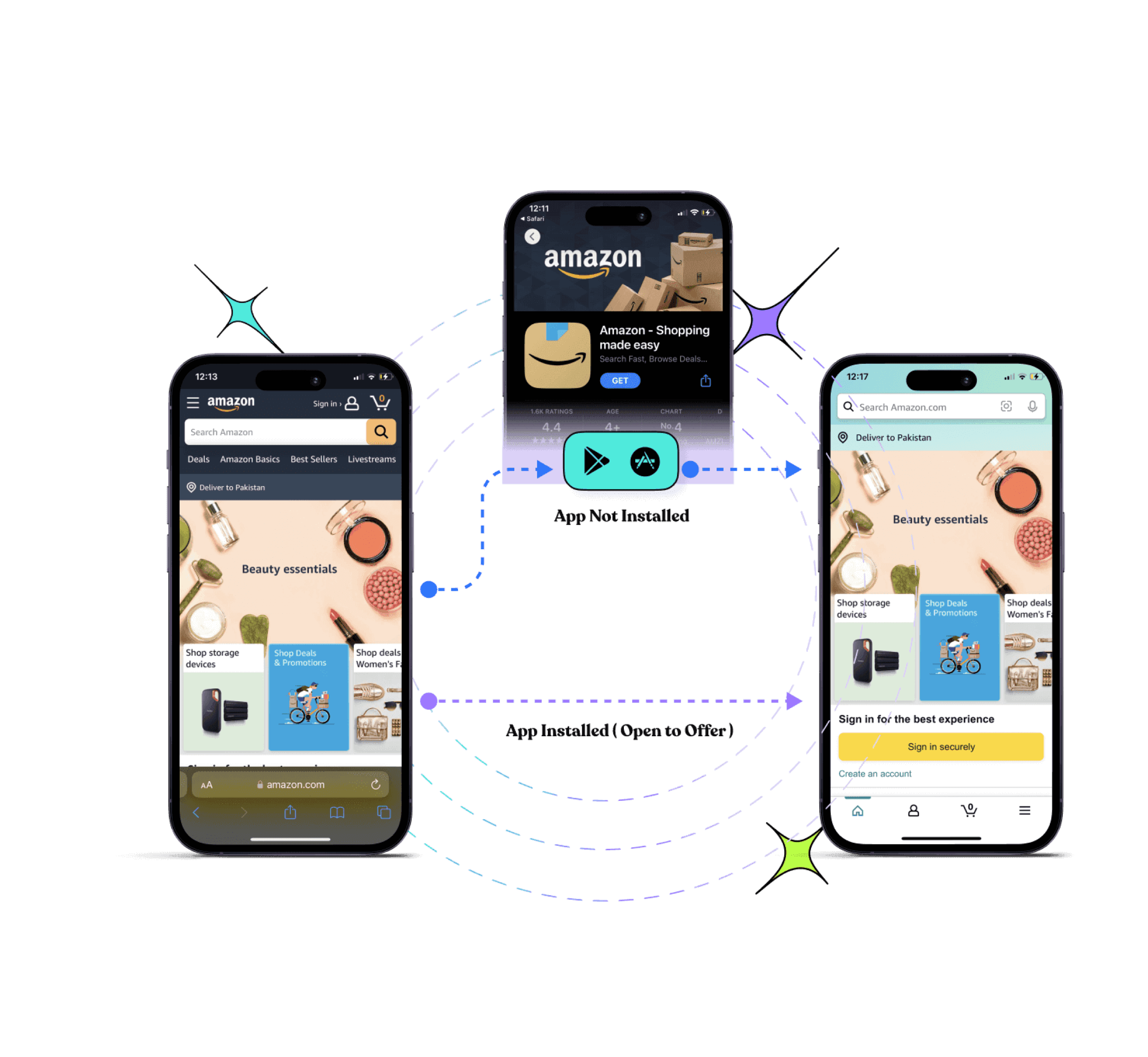
Deep linking on Facebook allows users to be directed straight to specific content within your app or website from a Facebook ad, post, or message. This can significantly improve user engagement and conversion rates by providing a seamless and targeted user experience.
Here’s a comprehensive guide to creating Facebook deep links.
Understand Facebook deep linking
Facebook deep linking involves creating URLs that link directly to specific pages or content within your mobile app. There are two main types of deep links:
Deferred deep links: These links work even if the app is not installed at the time the link is clicked. The user is directed to the app store to download the app, and once installed, they are taken to the intended content.
Regular deep links: These links only work if the app is already installed on the user’s device. If the app is not installed, the link usually fails.
Drive more clicks, conversions, and app installations by deep linking
to your favorite platforms.
Try deep links for free
Why are Facebook deep links important?
Enhanced user experience
Facebook deep links streamline the user journey by taking users directly to specific content within an app or website, reducing steps and creating a smoother, more efficient experience.
Improved engagement
By guiding users straight to relevant content from Facebook ads, posts, or messages, deep links can significantly boost engagement rates. Users are more likely to interact with content that is immediately accessible and relevant to their interests.
Higher conversion rates
Deep links in Facebook marketing campaigns can drive conversions by directing users to specific product pages or offers, increasing the likelihood of a purchase.
Personalized user journeys
Deep links enable personalized marketing on Facebook by directing users to content tailored to their preferences and past behavior, enhancing satisfaction and loyalty.
Efficient onboarding
For new users, Facebook deep links can simplify the onboarding process by taking them directly to the relevant section of an app after installation. This is particularly effective with deferred deep links, which function even if the app isn’t installed at the time the link is clicked.
Cross-platform consistency
Facebook deep links ensure a consistent user experience across different platforms and devices, directing users to the same specific content within an app or website whether they are on desktop or mobile.
Data and analytics
Facebook deep links provide valuable data and insights into user behavior and preferences. Tracking how users interact with deep links helps businesses optimize their content and marketing strategies.
Applications of Facebook deep links
Marketing campaigns: Enhance the effectiveness of Facebook ads, posts, and messages by directing users to targeted content.
User retargeting: Use deep links in Facebook retargeting ads to bring users back to specific content they previously interacted with.
Content sharing: Allow users to share specific app content through Facebook, improving content discoverability and virality.
Customer support: Direct users from Facebook to specific support articles or app sections to quickly resolve issues.
Drive more clicks, conversions, and app installations by deep linking
to your favorite platforms.
Try deep links for free
How to create a Facebook deep link using Replug?
Replug.io is a powerful tool for creating deep links that enhance user engagement by directing them to specific pages, sections, or content within a website or mobile application.
Follow the step-by-step process below using Replug’s #1 deep link generator:
Once logged in, go to your Replug dashboard. Locate the “drop-down icon” in the top right corner and select “Deep Links”.
Step 3: Select the social media category
Select “Facebook” as the platform for your deep link.
Step 4: Generate the deep link
Choose the type of Facebook link you want to create. Options include:
Event
Company event
Group
Company page photos
Company page
Newswire
Page profile
Profile
Click “Create Deep Link” to generate your link.
Step 5: Customize the deep link URL
Select the campaign you want to associate with this deep link and customize the deep link URL to make it more user-friendly or branded.
Step 6: Enable deep links
Toggle the switch to enable Deep Links. An indicator will confirm if the destination URL can be used as a deep link.
Step 7: Save the deep link
Click the “Save Link” button to save your deep link with the deep linking feature enabled.
Step 8: Implement in Facebook ads or posts
When setting up your ad or post on Facebook, use the Replug-generated deep link URL in the destination URL field.
Step 9: Track performance
Use Replug’s analytics dashboard to monitor the performance of your deep links. Analyze click-through rates, user engagement, and conversion metrics to optimize your campaigns.
Replug is a versatile deep link generator tool that allows you to create branded short links, add retargeting pixels, and track link performance. Using Replug for your Facebook deep links provides several advantages:
Ease of use: Replug’s intuitive interface makes it easy to create and manage deep links without needing advanced technical skills.
Custom branding: Create branded short links with Replug’s top-notch Facebook link shortener to improve click-through rates and build trust with your audience.
Comprehensive analytics: Track the performance of your links with detailed analytics, helping you to optimize your marketing strategies.
Retargeting capabilities: Add retargeting pixels to your links to capture and retarget users across different platforms.
Drive more clicks, conversions, and app installations by deep linking
to your favorite platforms.
Try deep links for free
Conclusion
Using Replug for creating Facebook deep links simplifies the process and enhances your marketing efforts. Following the steps outlined in this guide, you can efficiently create and manage deep links that direct users to specific content within your app or website.
Replug’s features, such as branded short links, comprehensive analytics, and retargeting capabilities, provide you with the tools needed to maximize the effectiveness of your Facebook marketing campaigns. Ensure thorough testing and continuous optimization to achieve the best results.
FAQs
What are Facebook deep links?
Facebook deep links are URLs that direct users to specific content within a mobile app or website from Facebook ads, posts, or messages, enhancing the user experience by minimizing the steps needed to reach the desired content.
Are Facebook deep links compatible with both iOS and Android?
Yes, Facebook deep links are compatible with both iOS and Android. Ensure you configure URL schemes for iOS and intent filters for Android, and include the necessary App Links metadata.
What data can I track with Facebook deep links?
If you create Facebook deep links through Replug, you will be able to track click-through rates, user engagement, conversion rates, and other valuable marketing metrics.
Did you know that over 68% of shopping carts get abandoned online?
Don’t worry eCommerce retargeting can significantly improve those odds.
In this blog, we’re going to reveal some insider secrets that can help businesses of all sizes double their monthly sales.
What is retargeting?
Retargeting is a marketing strategy used by brands to reconnect with individuals who have previously interacted with their website, social media profiles, or other digital content. It involves displaying targeted advertisements to these individuals across various online platforms, to re-engage them and encourage them to take a specific action, such as making a purchase or signing up for a newsletter.
Here’s how retargeting typically works:
Key retargeting features
Description
Tracking
Whenever someone engages with your website, clicks on an advertisement, or uses your application, a small piece of code (such as a pixel) tracks their actions. This code doesn’t disclose any personal information but helps distinguish individual users.
Targeting
Using the collected tracking data, you can create specific groups of users based on their interactions with your brand.
Ad display
With these targeted user groups identified, you can display tailored ads across the social media platforms they frequent. These ads serve as reminders of your brand, offer enticing incentives, or highlight relevant products and services.
Cart abandonment: Target users who left items in their cart without purchasing.
Product page: Show ads for viewed products to encourage purchase.
Cross-sell/upsell: Promote related products after a purchase.
Discounts/promotions: Offer special deals to entice users to buy.
Reactivation: Re-engage users who haven’t visited or purchased recently.
Dynamic: Display personalized ads based on past interactions.
Email: Send targeted emails to remind users of their abandoned carts or showcase product recommendations.
What are the differences between retargeting and remarketing?
While retargeting and remarketing are often used interchangeably, there are subtle differences between the two.
Feature
Retargeting
Remarketing
Definition
Retargeting primarily focuses on reaching users who have visited a specific website or interacted with a brand in some way, and to reconnect with past visitors or customers.
Remarketing, on the other hand, encompasses strategies primarily through personalized email campaigns
Purpose
To re-engage users who have shown interest in the brand or its products but have yet to complete a desired action, such as making a purchase.
To reconnect with users who have previously interacted with the brand and encourage them to take a specific action, such as completing a purchase or signing up for a newsletter.
Target audience
Users who have visited a specific website, viewed products, or interacted with digital content.
Users who have previously engaged with a brand’s website, social media profiles, or other digital channels.
Tracking method
Typically, it uses cookies or pixels to track user behavior and activities on a website.
Often relies on email addresses or contact information provided by users during previous interactions with the brand.
Conversion rate
Generally higher conversion rates as it targets users who have already shown interest in the brand or its products.
Conversion rates can vary depending on the remarketing campaign’s effectiveness and the messaging’s relevance to the target audience.
Ad-display
Utilizes targeted ads displayed across various online platforms, such as social media, search engines, and websites.
Primarily involves personalized email campaigns, although ads may also be displayed on websites, search engines, and social media platforms.
A complete link management solution
for marketing professionals & agencies.
Try Replug for free
Top 9 eCommerce retargeting strategies to follow
1. Segment your audience
The first step is to identify key segments and customize your eCommerce retargeting campaigns to cater to the specific needs and interests of each segment.
For example, you might create separate ad campaigns targeting users who abandoned their carts versus users who browsed specific product categories but didn’t make a purchase.
2. Catchy ad copy
Eye-catching visuals are a must in eCommerce retargeting, but stunning images alone can’t seal the deal. Without a compelling message, your ads risk getting lost in the scroll.
Here’s where powerful copywriting takes center stage. Great copy grabs attention, ignites emotions, and motivates action. By incorporating these elements, your retargeting efforts won’t just reconnect with past visitors, they’ll turn them into authentic buyers.
3. Inject FOMO to boost last-minute sales
When done right, retargeting ads can lead to great conversion rates. But there’s always room for improvement. You can boost your conversion rates by adding a sense of urgency, like creating FOMO (fear of missing out).
This can be done with countdown timers, last-minute deals, or limited-time offers. When your audience sees that a popular product is available for a limited time, it triggers their impulse to buy. You can also customize your ads with countdown timers to make them feel more urgent.
4. Cross-sell new and existing products
This usually depends on the type of products you sell. However, there’s a good chance that some of your products will complement one another.
You can utilize both customer and sales data to come up with a list that targets particular purchases. Then, you’ll show your audience ads that might be a product that complements their purchase. Your ad should make the value of the purchase clear to their mind. Show them how these purchases will complement one another.
Offering relevant cross-sell suggestions demonstrates that you understand your customers’ needs and preferences. This personalized approach enhances the shopping experience, fostering customer satisfaction and loyalty.
5. Retarget based on the sensitivity of pricing
One of the main reasons people abandon their shopping carts is the high shipping costs and finding a better deal elsewhere via a competitor.
For instance, millennials are quite careful about spending on non-essentials and spending less than the generations before them. Now that you know you’re dealing with price-sensitive customers, you can win them over by targeting them based on less.
You can target those people who have left at a specific point in the checkout process. For instance, right before they pick out shipping options. You can then offer them free shipping or give them discounts to entice them to come back and make a purchase.
6. Adjust your retargeting ads’ frequency
Most people are quite receptive to eCommerce retargeting ads, just as long as you don’t overdo it. If some ads are frequently popping up, this can hurt the relationship between the brand and the customer. Up to the point where the customer ends up frustrated with these ads because you’re someone intruding into their lives, in an almost creepy way.
7. Keep your content updated
Repeatedly using the same ad copies in your eCommerce retargeting campaign can quickly diminish its effectiveness. When your customers encounter these ads everywhere, they eventually tune them out, similar to how we overlook billboards or road signs.
This phenomenon, known as advertising blindness or banner blindness, reduces the impact of your messaging. To maintain engagement and combat this, it’s essential to keep your approach fresh by regularly updating your ads to capture your audience’s attention effectively.
8. A/B testing for optimization
Another way to increase ecommerce sales is by exploring diverse ad creatives, copies, and strategies using A/B testing. Experiment with variations to pinpoint what connects most effectively with your audience. If needed, develop new retargeted ads tailored to your user base. Test various elements such as headlines, images, and calls to action to fine-tune your retargeting strategy and enhance overall performance.
9. Monitor and analyze results
Regularly monitor the performance of your retargeting campaigns and analyze metrics such as click-through rates, conversion rates, and return on ad spend (ROAS) to identify areas for improvement and optimization.
What is the best tool for retargeting?
The choice of the best tool for retargeting can vary depending on factors such as the specific needs of your business, budget constraints, and the platforms you wish to target.
However, one of the best retargeting platforms is Replug. It’s affordable and easy to use, and it goes beyond basic retargeting, offering functionalities like link cloaking, traffic routing, cross-platform conversion tracking, and much more.
A complete link management solution
for marketing professionals & agencies.
Try Replug for free
Replug allows you to create specific campaigns designed for retargeting. Within this campaign, you can define which retargeting pixels you want to use.
This top-notch link optimization platform integrates with so many popular social platforms, that you can simply add the relevant pixel to your links.
Once you’ve set up your retargeting campaign with pixels, you can create branded shortened links as usual with this short URL shortener. When someone clicks on your Replug link, the retargeting pixel fires in the background, adding that user to your retargeting audience.
Why eCommerce businesses should prioritize retargeting?
Ever lost a potential customer who browsed your website but left without buying anything? eCommerce retargeting can bring them back!
1. Cross-device retargeting
Shoppers often research across multiple devices – phones, laptops, tablets. Cross-device retargeting ensures your ads follow them easily, keeping your brand top-of-mind no matter which device they use.
2. Email remarketing
Email remarketing is a powerful strategy for eCommerce businesses to tackle one of their most common challenges: cart abandonment. By implementing follow-up pixels in their email campaigns and pairing them with crm software outlook integration, businesses can effectively reduce cart abandonment rates and increase conversions.
Highlight the abandoned products, offer targeted discounts to incentivize completion, and provide a clear path back to checkout for a seamless recovery experience.
3. Social media retargeting
Retargeting pixels placed on your website to track visitors and then display targeted ads on their social media feeds. These ads can feature products they browsed, similar items, or special promotions, increasing the chances of re-engagement and conversion.
Besides that here are some of the major benefits of retargeting:
Increased conversion rates: Retargeted ads have higher conversion rates compared to regular display ads since they target users with demonstrated interest.
Brand awareness: By maintaining a presence in front of potential customers, retargeting helps reinforce brand awareness and credibility.
Customization: eCommerce retargeting campaigns can be tailored based on users’ browsing behavior, ensuring relevant and timely messaging.
Cost-effectiveness: Retargeting ads increase brand search by1046%. This helps you maximize the impact of the advertising budget by focusing on a warm audience.
Best examples of eCommerce retargeting
Here are some of the best examples:
1. Amazon
This Twitter retargeting ad example shows how brands can use Twitter’s native ad format to display relevant products or services in front of their targeted audience. The product being advertised here is for sale on Amazon, which means that those who visit this page can purchase it directly from Amazon without having to go through any other steps in between.
2. Udemy
The next in line is Udemy, If a user browses through Udemy’s course catalog but doesn’t enroll in any courses, Udemy may use browser retargeting to display targeted ads across other websites visited by the user.
These ads may showcase popular courses or highlight topics the user previously showed interest in, enticing them to return to Udemy and enroll in a course.
FAQs on eCommerce retargeting
How can businesses measure the success of their eCommerce retargeting efforts?
Businesses can measure the success of their eCommerce retargeting campaigns by tracking metrics such as click-through rates, conversion rates, return on ad spend (ROAS), and overall revenue generated from retargeted users.
What is the best tool for social media retargeting?
The choice of the best retargeting tool depends on factors such as business needs, budget, and targeted platforms. However, Replug is one of the top retargeting platforms in 2026, offering affordable pricing and advanced functionalities like link cloaking, traffic routing, and cross-platform conversion tracking.
What are some effective eCommerce retargeting strategies?
Some effective strategies include segmenting your audience, creating catchy ad copy, injecting FOMO (fear of missing out) to boost sales, cross-selling complementary products, retargeting based on pricing sensitivity, adjusting ad frequency, and much more…
Ow.ly, a link-shortening tool from the popular platform Hootsuite, has won over many users, but it’s not without its downsides. One big issue is that it’s tied exclusively to Hootsuite. So, if you’re not using Hootsuite for your social media or other tasks, Ow.ly won’t work for you.
That’s why it’s worth exploring ow.ly alternatives that offer more advanced link management features to meet the needs of today’s marketers and businesses.
One top alternative is Replug.
While Ow.ly covers the basics, Replug goes above and beyond with features like detailed analytics, customizable call-to-actions, white-label solutions, bio-links, retargeting pixels, and more.
Let’s take the next step and introduce you to Replug, where you can discover a whole new level of link management capabilities.
Replug.io
Replug.io is a comprehensive link management platform offering advanced features like detailed analytics, customizable call-to-actions, and white-label solutions, empowering marketers to optimize their campaigns effectively.
Ow.ly
Ow.ly is a link-shortening tool developed by Hootsuite, a popular social media management platform. It allows users to condense URLs into shorter, more manageable links, primarily for sharing on social media platforms. However, Ow.ly is exclusively tied to Hootsuite and lacks advanced features and flexibility compared to standalone link management alternatives.
Replug vs Ow.ly
A complete link management solution
for marketing professionals & agencies.
Try Replug for free
In this comparison, we’ll explore the key differences between Replug and Ow.ly to help you make an informed decision. While both platforms offer link-shortening capabilities, they differ in terms of features, integrations, and flexibility.
Link management capabilities
Let’s start with some of the most important link management feature comparisons to see what works best for your brand.
1. Advanced link shortening
First, we have link shortening. With Replug, users can enjoy advanced link-shortening features that not only condense URLs but also provide detailed analytics and customization options for each shortened link.
Whereas, Ow.ly offers standard link-shortening capabilities without the advanced analytics and customization features found in Replug.
If you’re looking to go beyond basic URL trimming, Replug’s advanced features make it the smarter way to shorten link while tracking and customizing every click.
2. Bio-links
Next, we have bio-links where Replug enables users to create bio-links, which serve as a centralized hub for multiple links, making it easier to share content across various platforms from a single location.
Ow.ly lacks the functionality to create bio-links, limiting users to sharing individual shortened links.
3. QR codes
Ow.ly does not offer QR code generation as part of its feature set. But in the case of Replug, users can generate QR codes for shortened links with Replug, making it convenient to share links offline or in print materials.
4. Deep links
Same as the QR codes, deep linking capabilities are not available within Ow.ly. Whereas with Replug marketers can create deep links, which enables direct access to specific sections or content within mobile apps, and enhance user experience and engagement.
5. Custom CTAs (call-to-actions)
When it comes to Replug, brands can use the free CTA generator to create custom call-to-actions associated with their shortened links, allowing for greater control over user interaction and conversion optimization.
Whereas, Hootsuite does offer AI content creation capabilities but still both the platforms lack advanced customization options for call-to-actions.
6. Retargeting pixels
Lastly, we have one of the most amazing features which is retargeting links. Here Ow.ly does not support retargeting pixel integration. However, users can integrate retargeting pixels with Replug’s shortened links, enabling targeted advertising campaigns and audience remarketing efforts.
White-label solution
Neither Ow.ly nor Hootsuite offers white-label boards. However, unlike these platforms, Replug provides an extensive range of branding options, including white-label boards. This feature allows you to create your personalized link management tool, allowing you to…
Replace Replug’s domain with your own for shortened links.
Customize the overall user interface to match your brand aesthetic.
Add your brand name, logo, favicon, title, meta image, description, and domain.
Design reports and emails sent to users with your branding.
Promote your brand with advanced characteristics such as retargeting links, catchy call-to-actions, traffic routing, and more.
Overall white-label service can help you scale up and meet the demands of launching new services without incurring additional costs.
Detailed link analytics comparison
Ow.ly
Being a more well-known service, Ow.ly likely offers a range of features, but in-depth link analytics might not be the main focus. Research-specific analytics offered by the platform include:
Total clicks on the link
Where the clicks came from (e.g., Facebook, Twitter, email)
Overall, keep in mind that Hootsuite is more focused on social media analytics. However, if you’re using Hootsuite, you can add tracking parameters to your Ow.ly links so that you can track them in an analytics tool like Usermaven.
Besides that the platform also allows you to filter your analytics to analyze data for specific brands you’re promoting. Or track the performance of individual marketing campaigns.
So my friends as you can see Replug is the clear winner.
A complete link management solution
for marketing professionals & agencies.
Try Replug for free
Integrations offered
Replug
Replug offers direct integrations with various social platforms, email marketing tools, social media management tools, and much more.
Whether it’s connecting with popular social media channels like Facebook, Twitter, or LinkedIn, or integrating with leading email marketing tools such as Mailchimp or Constant Contact, Replug allows users to optimize their outreach efforts and drive engagement effectively.
Additionally, Replug’s integrations with social media management tools like ContentStudio, and Social Bee streamline the process of content scheduling, creation, and publishing, as well as social media analytics tracking and much more..
With its comprehensive range of integrations, Replug excels as a solution for link management and marketing optimization.
Ow.ly
Ow.ly, being an integral part of the Hootsuite platform doesn’t have standalone integration capabilities. Instead, to integrate with other tools, users need to connect to Hootsuite itself.
“Handy Link Management Tool with URL shortener and more”
Says Alan N.
“Very convenient platform to create Branded Links with Marketing & Reporting”
Says Karen S.
Pricing comparison
Now, let’s talk about pricing. When choosing a link management tool, go for the one that meets your needs best. Here’s a quick pricing table for you:
Replug
Ow.ly
Basic = $19 /month
Professional plan = $99 per month
Professional = $49 /month
Team plan = $249 per month
Agency = $79 /month
Custom enterprise plan
Compare Replug’s features, functionality, and pricing against Ow.ly, and you’ll quickly see why it’s the clear winner.
With flexible pricing plans to suit every budget and requirement, Replug ensures that you get the most bang for your buck without compromising on quality or performance.
Conclusion
Considering the limitations of Ow.ly tied exclusively to Hootsuite, this article clearly explains why Replug is the best Ow.ly alternative. Enjoy advanced link management features, affordable pricing, top-notch customer support, and much more…
Faqs
What are social media management tools, and how do they differ from link management tools?
Social media management tools are platforms that help businesses schedule, publish, monitor, and analyze their social media content across various platforms like Facebook, Twitter, Instagram, and LinkedIn. While link management tools focus specifically on managing URLs and tracking link performance.
What are some key features to look for in link analytics tools?
When selecting a link analytics tool, consider features such as total clicks, click-through rate (CTR), demographics, referring sources, UTM parameters for campaign tracking, time series data, and customizable reports.
What’s the difference between Replug and Ow.ly?
Both Replug and Ow.ly offer link management solutions. Replug focuses on detailed link analytics and integrations with analytics tools, while Ow.ly emphasizes social media scheduling and team collaboration features.
Why is link management important?
Effective link management helps you:
– Improve SEO (Search Engine Optimization) ranking – Track the performance of your marketing campaigns – Analyze user behavior and content engagement – Maintain brand consistency – Shorten long URLs for better aesthetics and sharing
If you’ve ever wondered who’s tapping on the links in your Instagram bio, you’re not alone. It’s a common question among users looking to understand their audience better and fine-tune their content strategy.
In this guide, We’ll uncover what you can (and can’t) glean from Instagram’s native data insights, and we’ll introduce you to a handy third-party tool that can give you a deeper dive into bio link clicks.
Whether you’re an aspiring influencer, a savvy entrepreneur, or just someone who loves sharing cool stuff on Instagram, understanding how to track bio link clicks is key to making the most of your social media presence. So, let’s dive in and discover the secrets to optimizing your bio links for maximum impact!
Can you see who clicks on your Instagram bio link?
Instagram’s analytics tell you how many clicks your bio link gets and where they’re coming from, but it doesn’t tell you who exactly is clicking. You can see general info like age, gender, and location of the people clicking, but not their names or usernames.
So while you won’t know the specific individuals clicking on your link, you can still keep an eye on how well it’s doing overall and get a sense of who’s interested in your content based on the demographic info provided.
A complete link management solution
for marketing professionals & agencies.
Try Replug for free
How to use the Instagram insight feature and track link clicks?
Using Instagram insights can give you valuable insights into your account’s performance and your audience’s behavior.
Note: Make sure you have a business or creator account on Instagram. If you still need to set one up, you can learn how to do so.
Here’s how to make the most of this feature:
Step 1: Open the Instagram mobile app and go to your profile.
Step 2: Tap on the Insights action button. You can find this either by tapping directly on the Insights button or by going to the Menu in the upper right corner and selecting Insights from there.
Step 3: Once you’re in Insights, you’ll see various metrics under the Overview section, giving you a snapshot of your account’s performance. You can also dive deeper into specific content by tapping on it for a more detailed breakdown of its performance.
To check your bio link click on Instagram:
Step 4: Tap on the “Activity” tab in the Instagram insight.
Step 5: Scroll down to find the section that shows how many clicks your bio link received during the last week.
Step 6: You can compare this data with previous results to see how you’re doing over time. Similar to tracking the right time to post on TikTok, this helps you spot trends and adjust your strategy. This comparison also helps you track your progress and identify your audience’s behavior.
To understand how those audience patterns fit into the wider market, marketers can use Oxylabs, a data collection provider, to gather relevant public web data on competitor campaigns, customer sentiment, and emerging industry trends.
A complete link management solution
for marketing professionals & agencies.
Try Replug for free
Limitations of Instagram insights
While Instagram Insight offers valuable data on bio link performance, it does come with certain limitations worth noting:
Lack of individual click details: Instagram Insight only reveals the total number of clicks on your bio link, without specifying who clicked or providing any other individualized information.
Absence of click-through rates: Although you can see the total clicks, Instagram doesn’t show how many people saw the link and decided to click. This omission makes it challenging to calculate click-through rates or compare link performance effectively.
Limited demographic insights: While basic demographic data like age, gender, and location of link-clickers is available, it may not offer comprehensive insights into your target audience’s characteristics.
Weekly reporting: Instagram Insight provides data every week, restricting real-time tracking or comparisons across different periods. For instance, comparing this month’s link performance to last month’s isn’t feasible within Instagram’s analytics framework.
Exclusive to business accounts: Access to Instagram Insight for bio links is restricted to business accounts. This limitation may inconvenience individual users unwilling to switch or small businesses lacking the resources to manage a separate account. To elevate your social media strategy, leverage tools like the ImagineArt AI Video Generator, which enables you to create high-quality, engaging video content that boosts your Instagram profile and maximizes the effectiveness of your bio link.
Can I find out who clicks my link-in-bio?
Unfortunately, Instagram’s native analytics don’t provide detailed information about who clicks on your bio link, which can be frustrating for businesses and brands looking to track the effectiveness of their promotions.
When monitoring traffic and click analytics on desktop, it’s also important to stay mindful of data privacy. Using a Windows VPN helps protect your browsing data, keeps your analytics secure, and ensures your link tracking remains private when managing campaigns from a PC.
For deeper security assurance, many businesses also consult penetration testing companies to identify vulnerabilities and safeguard their data infrastructure.
For US-based businesses handling campaign analytics, customer data, or marketing attribution systems, regular penetration testing services can also help validate whether web assets, tracking flows, and connected dashboards are exposed to exploitable security weaknesses.
Try Replug for bio link management and tracking:
Replug.io emerges as a top-notch alternative to Instagram Insights, offering robust link management and bio-link tracking capabilities.
By using Replug, you not only gain detailed analytics on your shared links but also improve client management with insights into audience behavior and preferences. By generating a personalized shortened bio link through this brilliant link shortener and integrating it into your Instagram bio, you unlock a wealth of data, including click information, geographical details, and device usage.
Utilizing Replug’s bio-link analytics provides you with unparalleled insights into audience behavior. Armed with this valuable information, you can track key performance indicators, refine your marketing strategies as needed, and optimize your return on investment (ROI) effortlessly.
A complete link management solution
for marketing professionals & agencies.
Try Replug for free
FAQs
Can I see who clicks on my Instagram bio link?
Unfortunately, Instagram’s native analytics don’t provide individual click details. However, third-party tools like Replug offer detailed insights into link clicks, including information about the individuals clicking on them.
How can I track the effectiveness of my Instagram bio link?
While Instagram Insights offers basic metrics, such as total clicks, they lacks detailed analytics. To track the effectiveness of your bio link and gain insights into audience behavior, consider using third-party tools like Replug, which provide comprehensive analytics on link performance.
What information does Replug provide about link clicks?
Replug offers detailed analytics on link clicks, including data on click activity, geographical location, device information, and even insights into the individuals clicking on the links.
Do I need a business account to use Replug for Instagram bio links?
No, Replug can be used by individuals and businesses alike to manage and track bio links on Instagram. Whether you’re a small business owner or an influencer, Replug provides valuable insights into link performance.