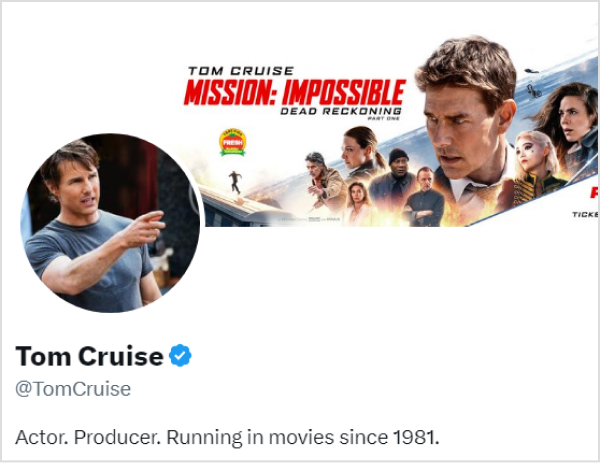
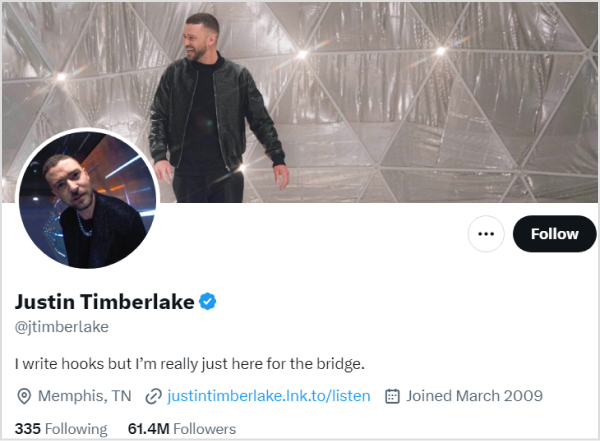
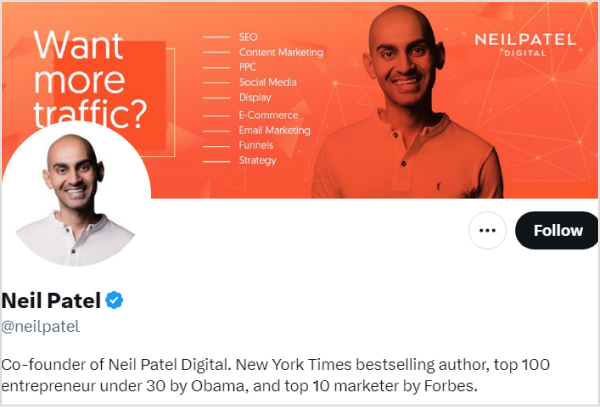
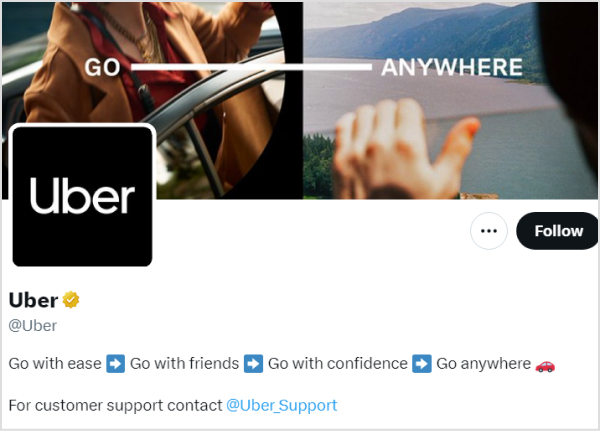
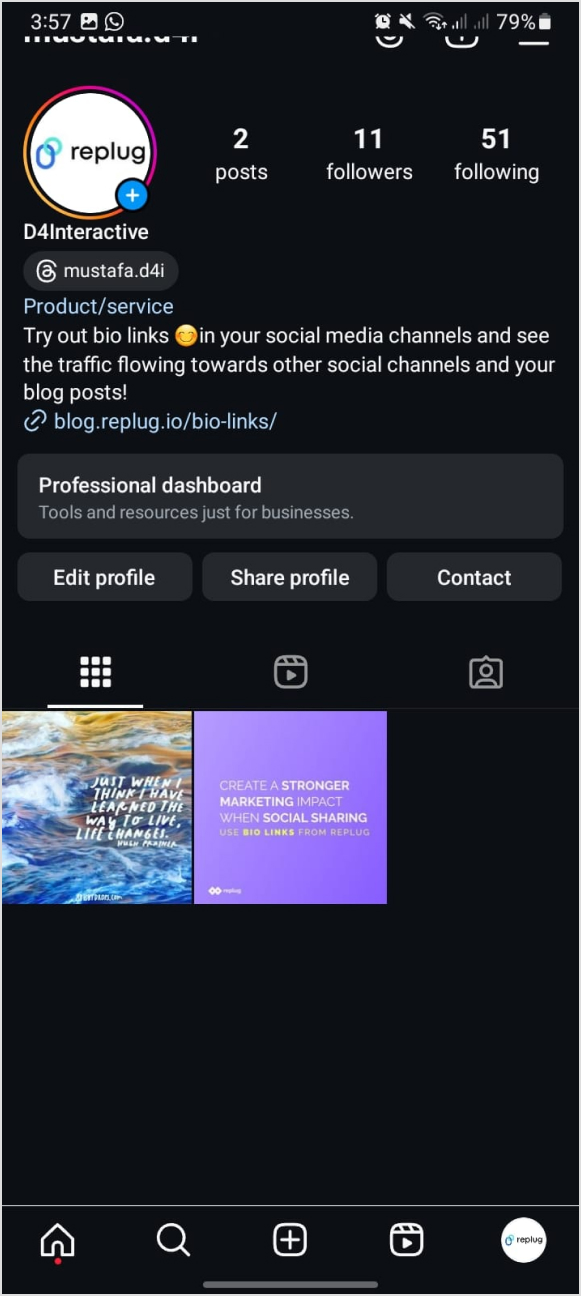
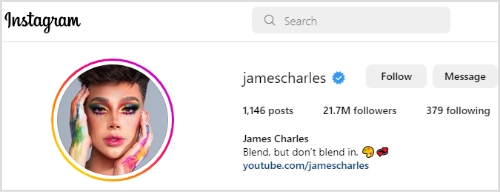
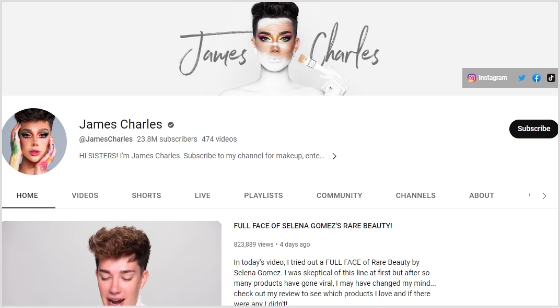
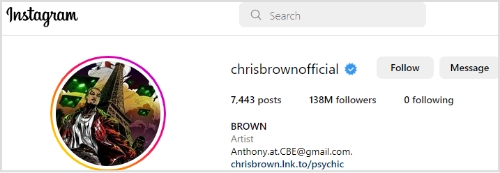
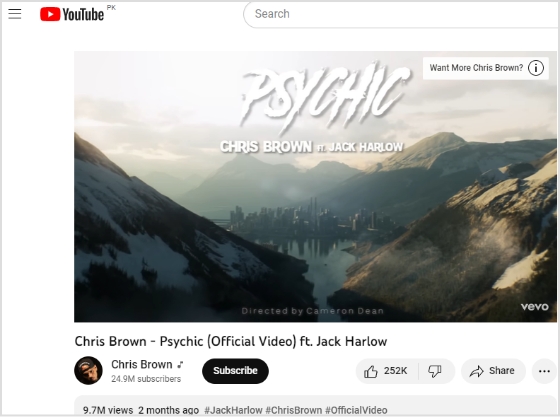
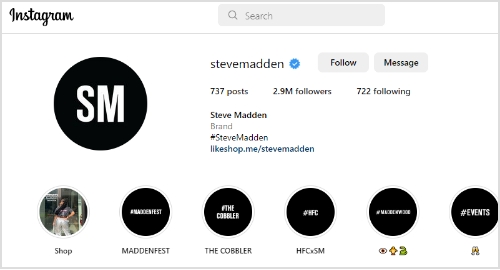
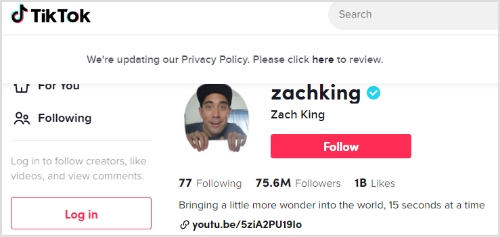
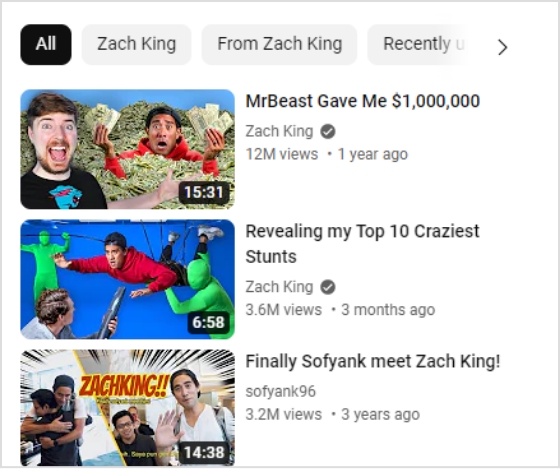
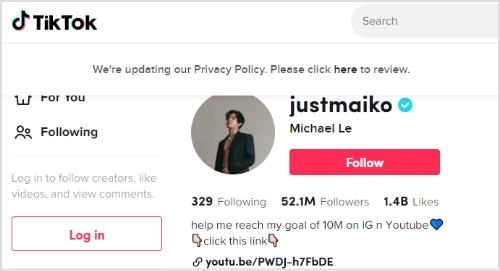
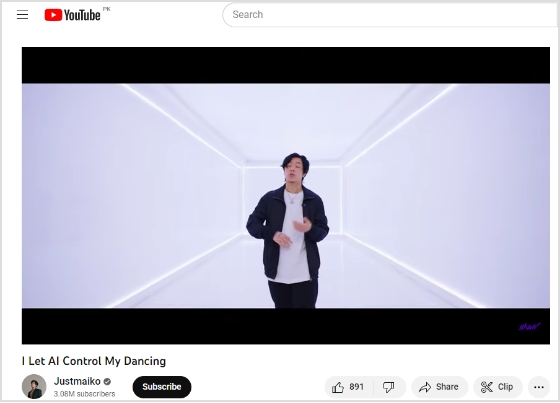
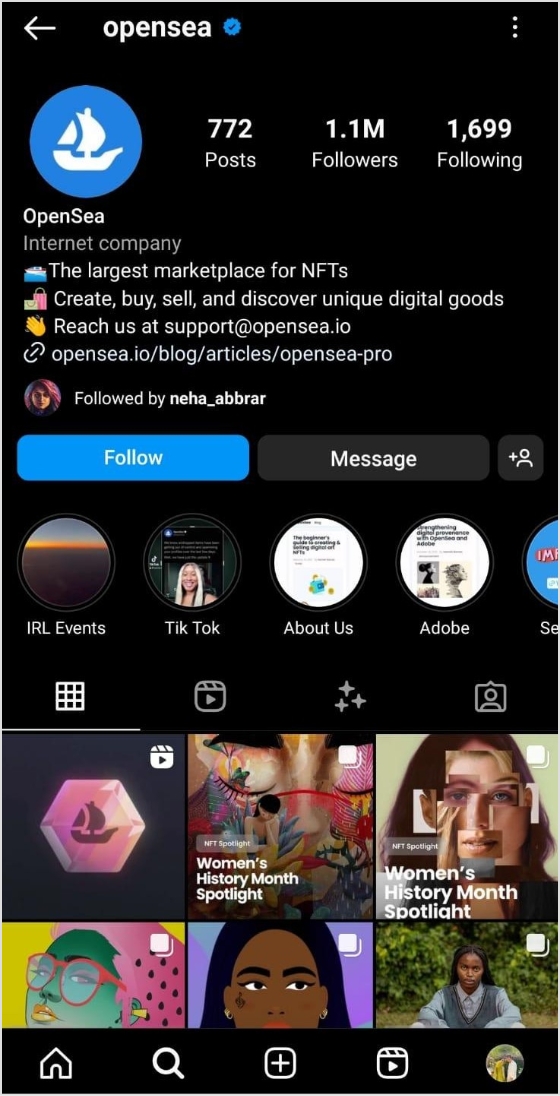
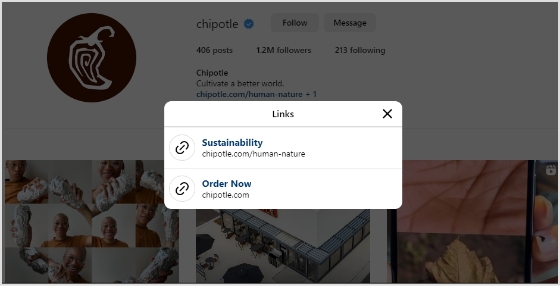
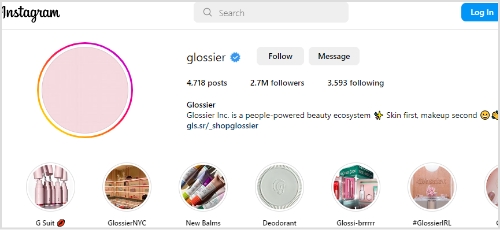
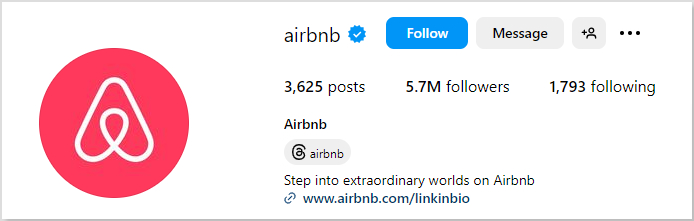
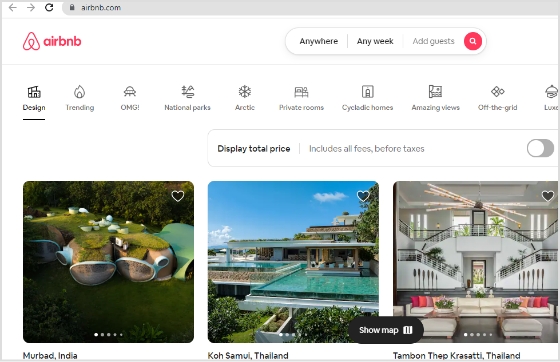
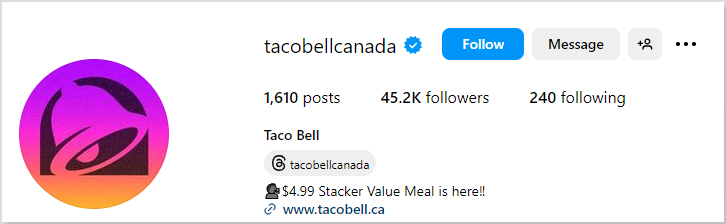
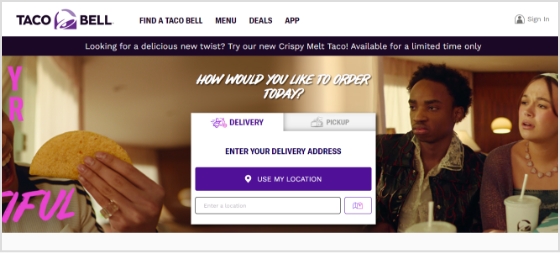
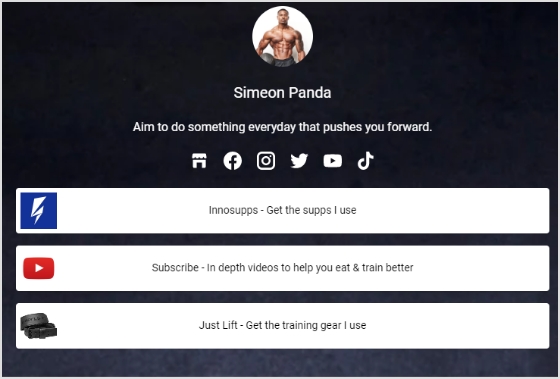
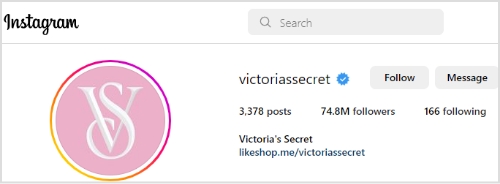
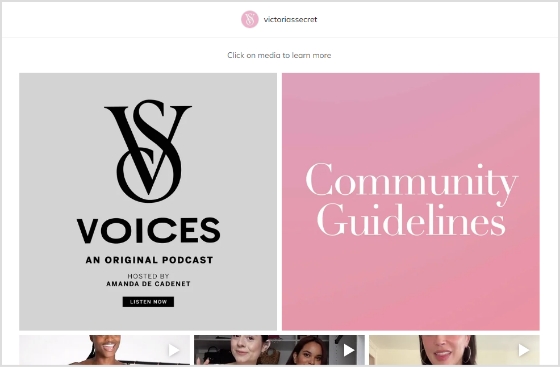
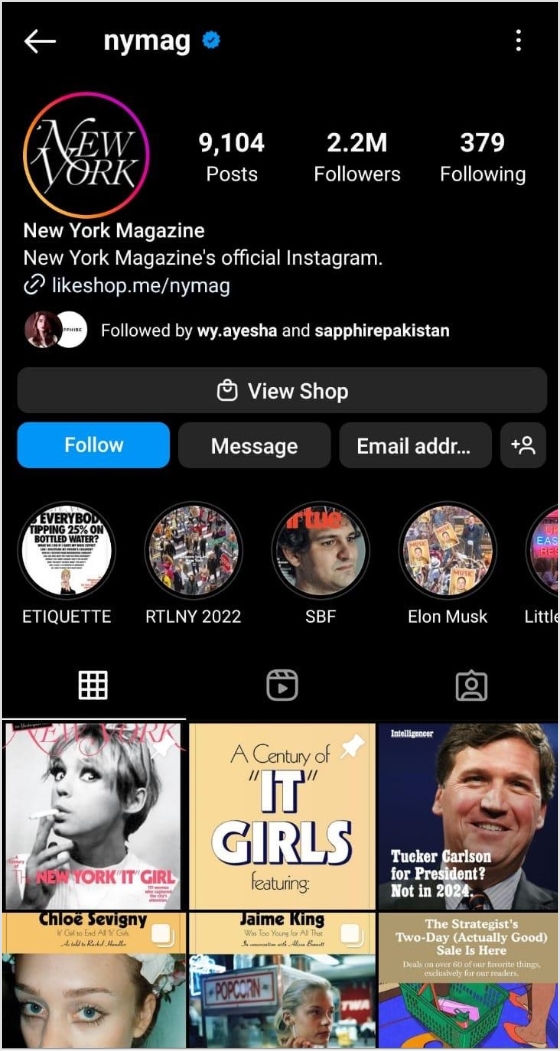
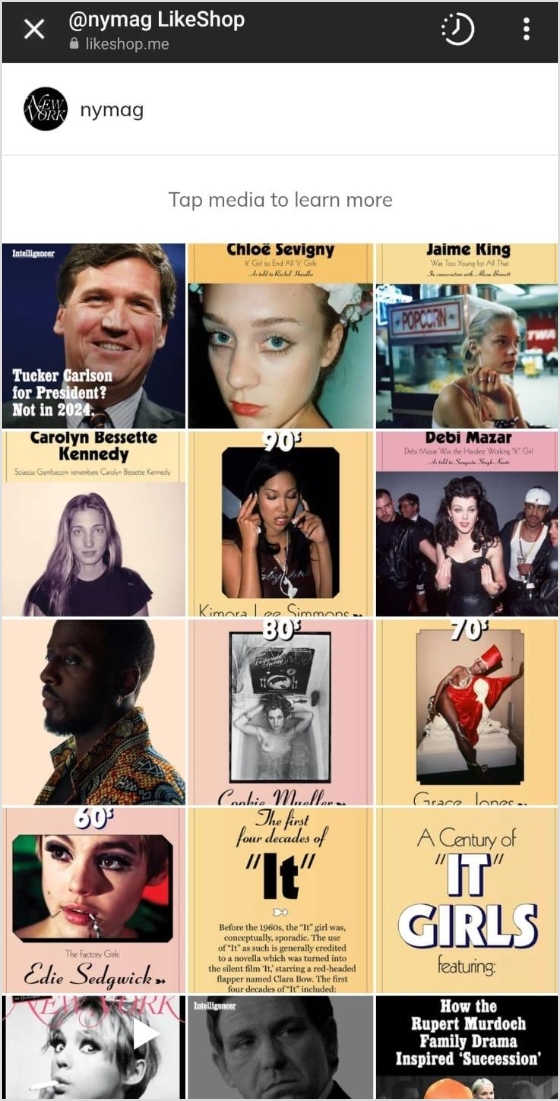
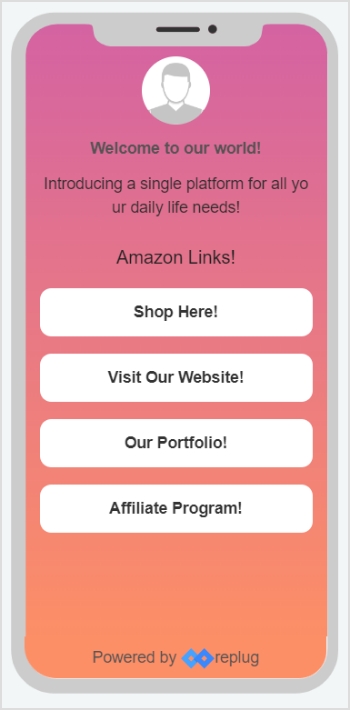
“Link in Bio” is all about breaking the limits of a single link. It’s a way to share multiple links, content, and products, making it an essential tool for individuals, businesses, and influencers.
In this guide, we’ll explore the basics, the role it plays in personal branding and marketing, and how it’s revolutionizing the way we navigate the online world. Whether you’re a social media pro or a newbie, link in bio is your shortcut to success in today’s fast paced world.
Here’s what you need to know.
What does “link in bio” mean?
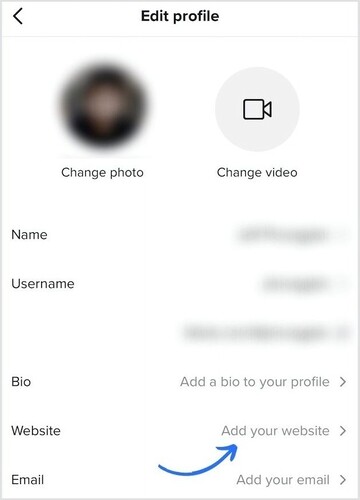
Link in bio refers to a clickable URL appearing in your profile description, often on platforms like Instagram, TikTok, and Twitter. This link allows users to direct their audience to external websites, content, products, or any other online destinations.
Since many social media platforms limit the number of links or direct clickable links in posts and comments, the link in bio or “bio link”serves as a workaround, enabling users to share multiple links or promote specific content more effectively by directing their followers to their bio section, where they can find and click on the desired link.
It has become a valuable strategy for personal branding, content promotion, and marketing.
If you’re active on social media, you’ve probably run into the dreaded “limited links” problem. Instagram gives you five spots (generous…ish), but TikTok? Just one lonely link. Not exactly the dream when you’ve got a podcast, a blog, a product launch, and a playlist to share. That’s where a link in bio saves the day, turning that single space into a mini hub for everything you want your audience to click on.
Here’s why you should create a link in bio:
One link, many destinations: Social media platforms limit you to just adding a few links in your bio. A link in bio helps you make it count by leading visitors to multiple pages.
Showcase everything: Whether it’s your website, shop, blog, videos, or sign-up forms, you can share it all in one neat place.
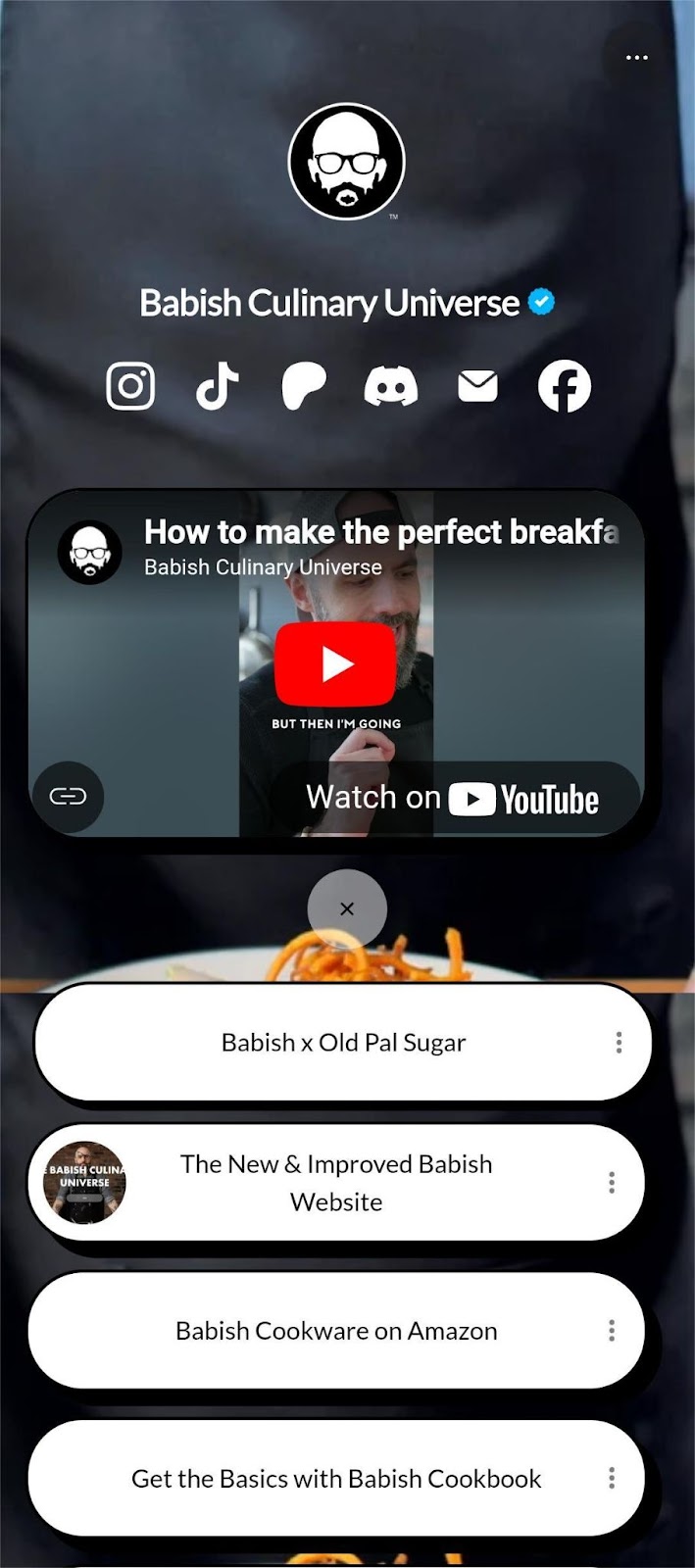
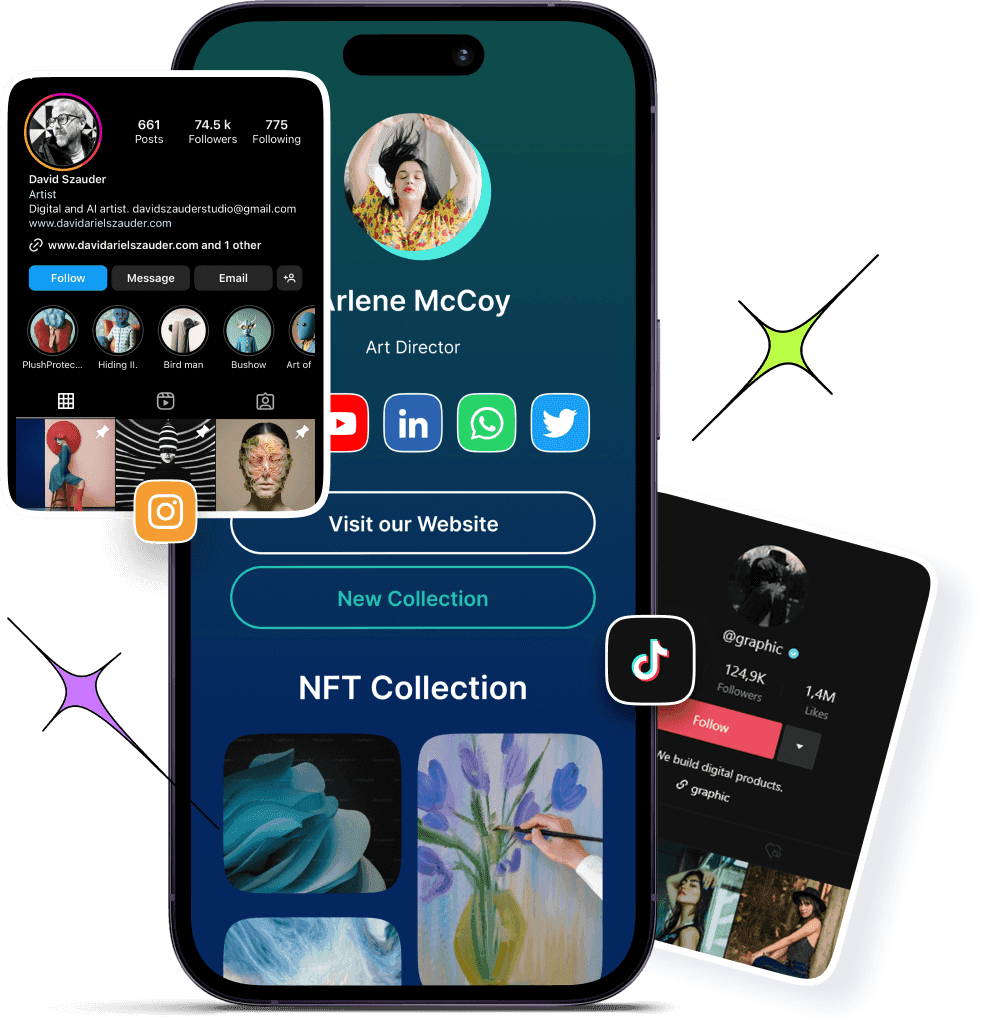
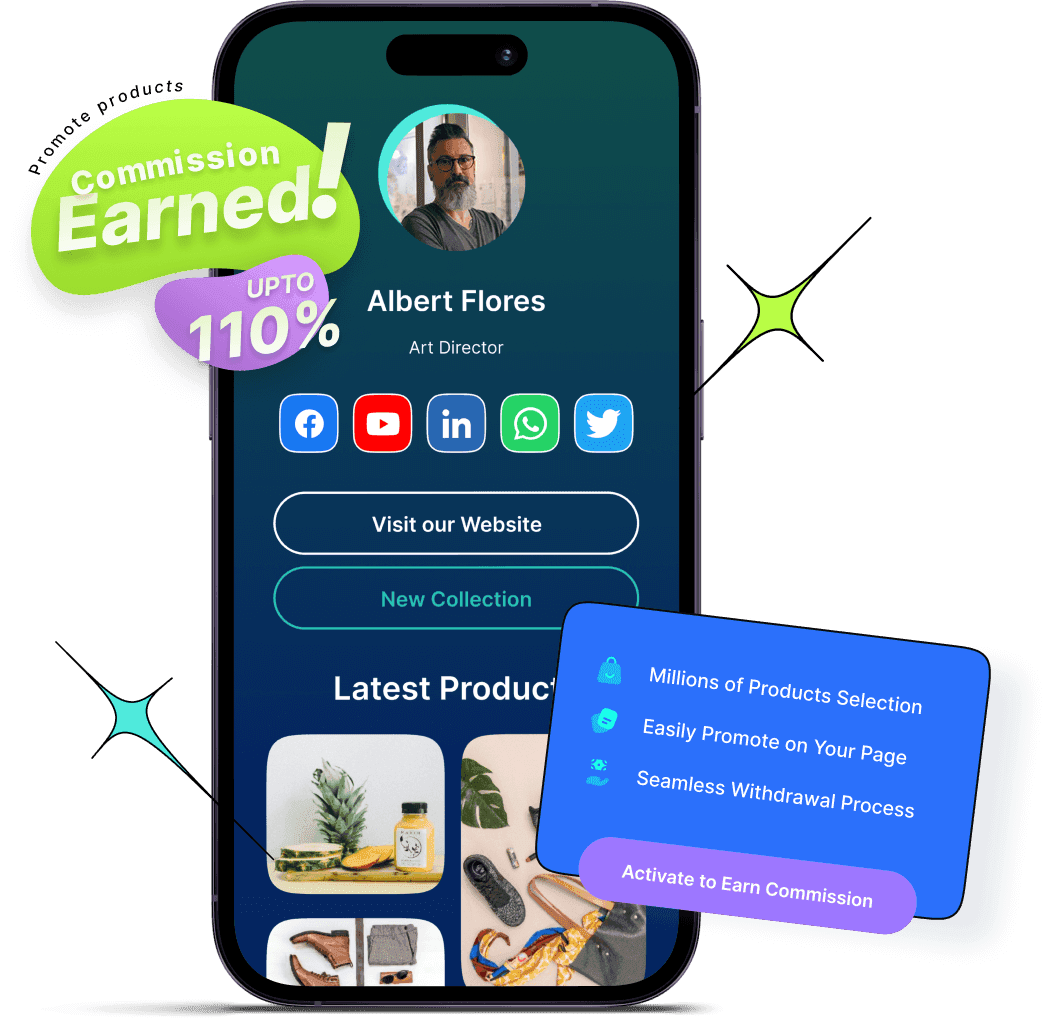
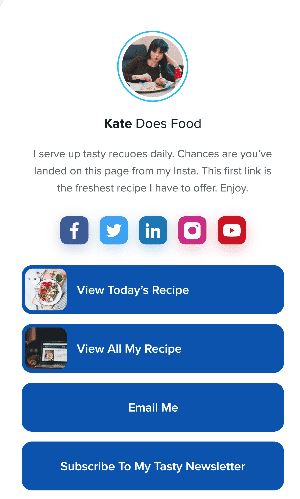
Here’s an example of the famous American Cook, Andrew Rea’s link in bio page for his series “Babish Culinary Universe”:
Make navigation easy: No more “link in latest post” confusion. Your audience knows exactly where to go.
Stay organized: Keep your important links tidy, clickable, and easy to update whenever you need.
Boost engagement: Get more clicks, views, leads, and conversions by directing people to the right content at the right time.
Top benefits of link in bio
A link in bio does more than hold a single URL; it helps you organize, optimize, and amplify your online presence. Here’s a quick look at why it’s a must-have for anyone growing their brand:
Combines all your important links into one
Instead of juggling multiple URLs, your link in bio leads followers to everything you want them to see, whether it’s your latest YouTube video, blog post, or product drop.
Simplifies the path to purchase or action
A link in bio lets you turn browsers into buyers by placing shop links, discount codes, or sign-ups just one tap away, all in one neatly organized spot.
Lets you retarget everyone who clicks
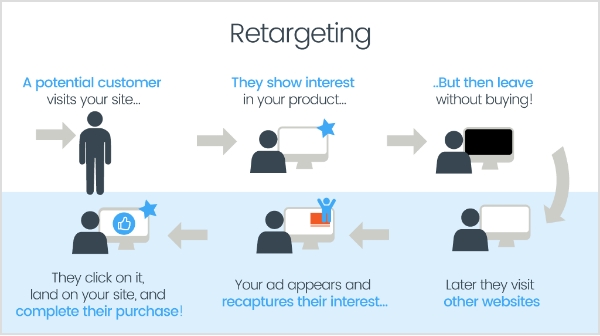
With tools like Replug, your link in bio becomes retargetable so that every click can feed into future ad campaigns and bring people back to your page.
Shows what content your audience loves
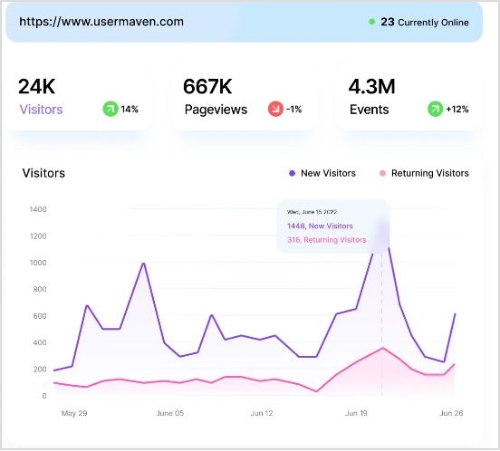
You can track clicks on your link in bio from one single dashboard using a top-notch link management platform. This tells you what’s resonating—so you can do more of what works.
Lets you create a fully branded mini landing page
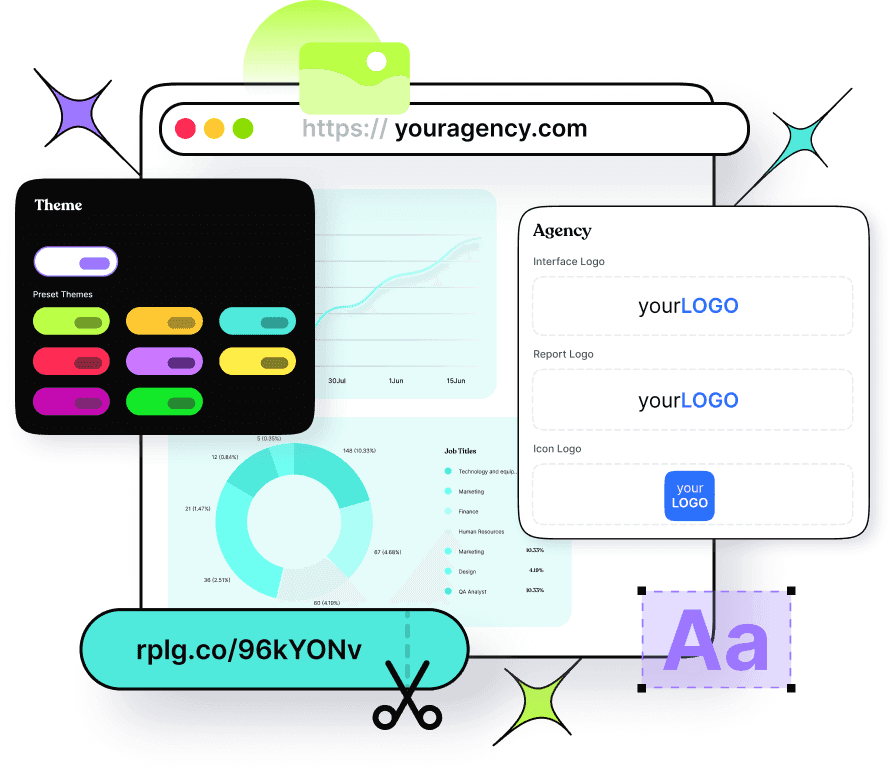
Instead of a plain list of links, your link in bio can become a branded microsite that matches your aesthetic and makes your profile look polished and pro.
Automatically updates with your latest content
Add an RSS feed to your link in bio to keep it fresh, so whenever you post a new video, blog, or podcast, it shows up without you lifting a finger.
Boosts visibility through SEO-friendly design
An optimized, custom link in bio page can be indexed by search engines, giving your most important content extra visibility beyond just social clicks.
💡 Who benefits from a link in bio? Creators, brands, freelancers, agencies; anyone using social media to drive traffic, grow followers, or sell online.
To create a winning link in bio using Replug’s bio links feature, you can follow these steps:
Step 1: Access your Replug account
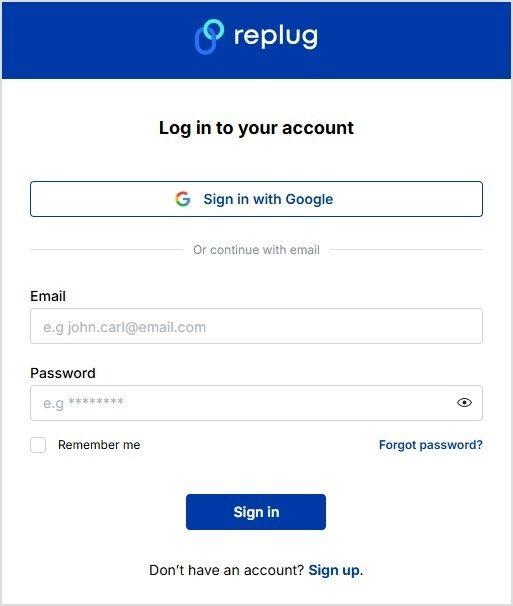
Sign in to your Replug account, or create one to start your 14-day free trial if you’re new to the platform.
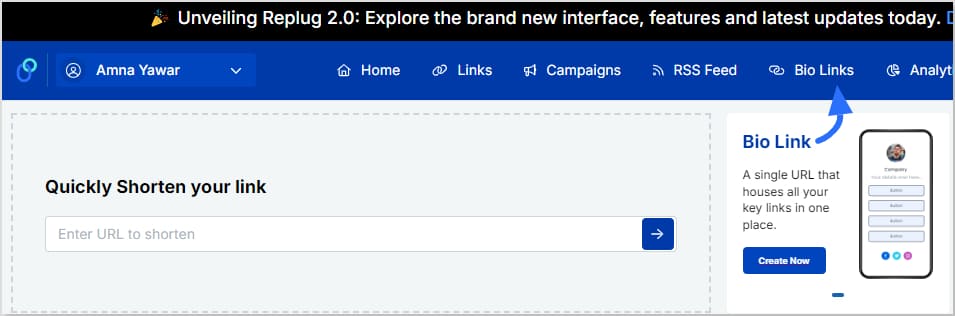
Step 2: Click on “Bio Links”
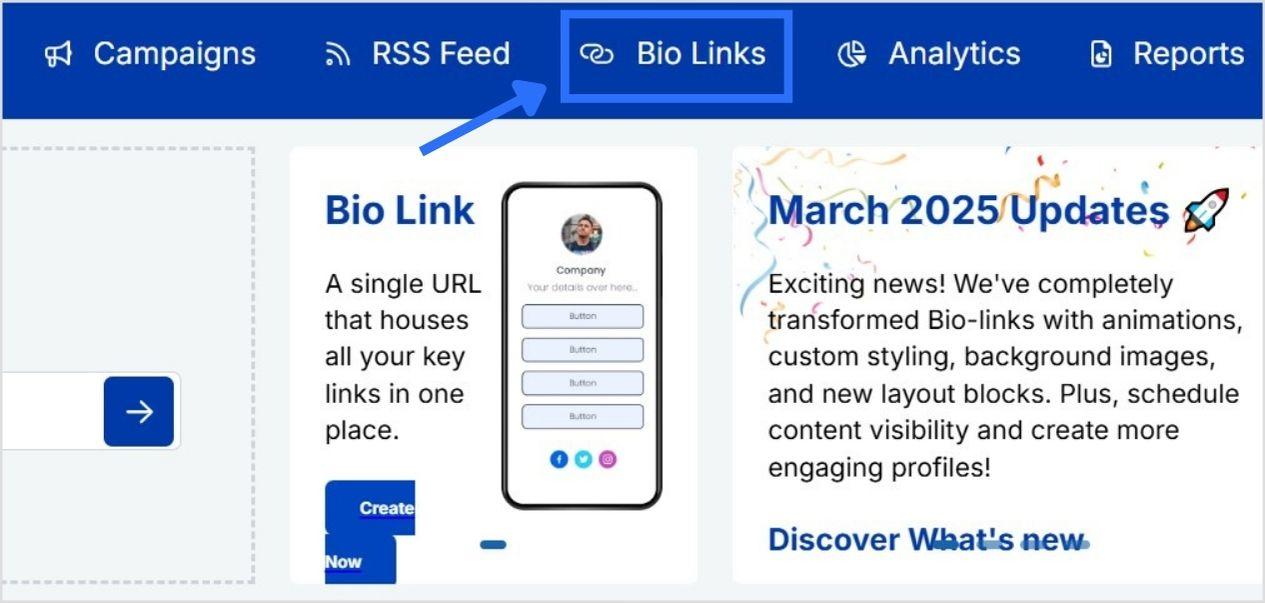
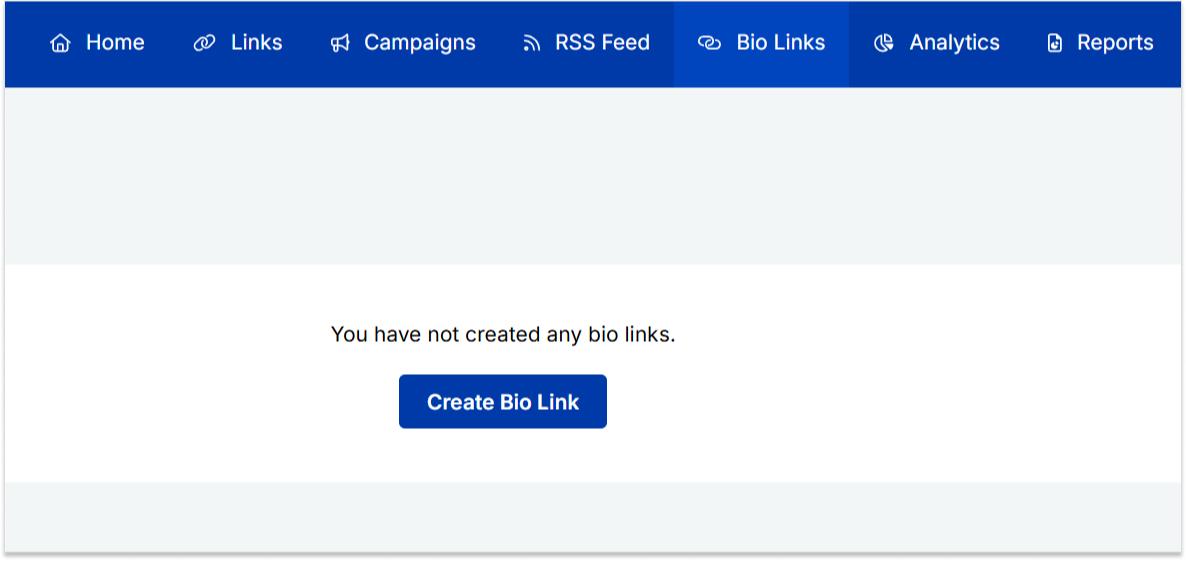
Once you’re logged in, go to the Replug dashboard and click on “Bio Links” from the navigation bar to get started.
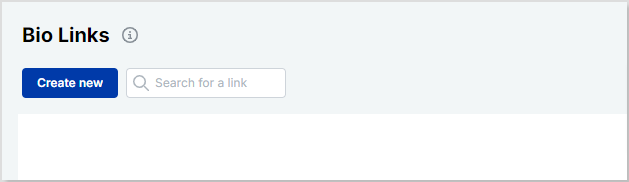
Step 3: Start creating a new link in bio
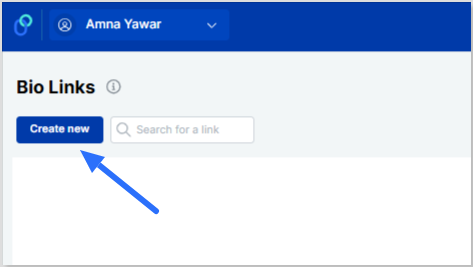
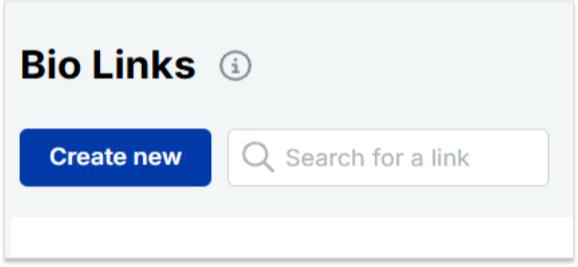
This will take you to the “Bio Links dashboard. From here, click on the “Create new” button to start creating a new bio link.
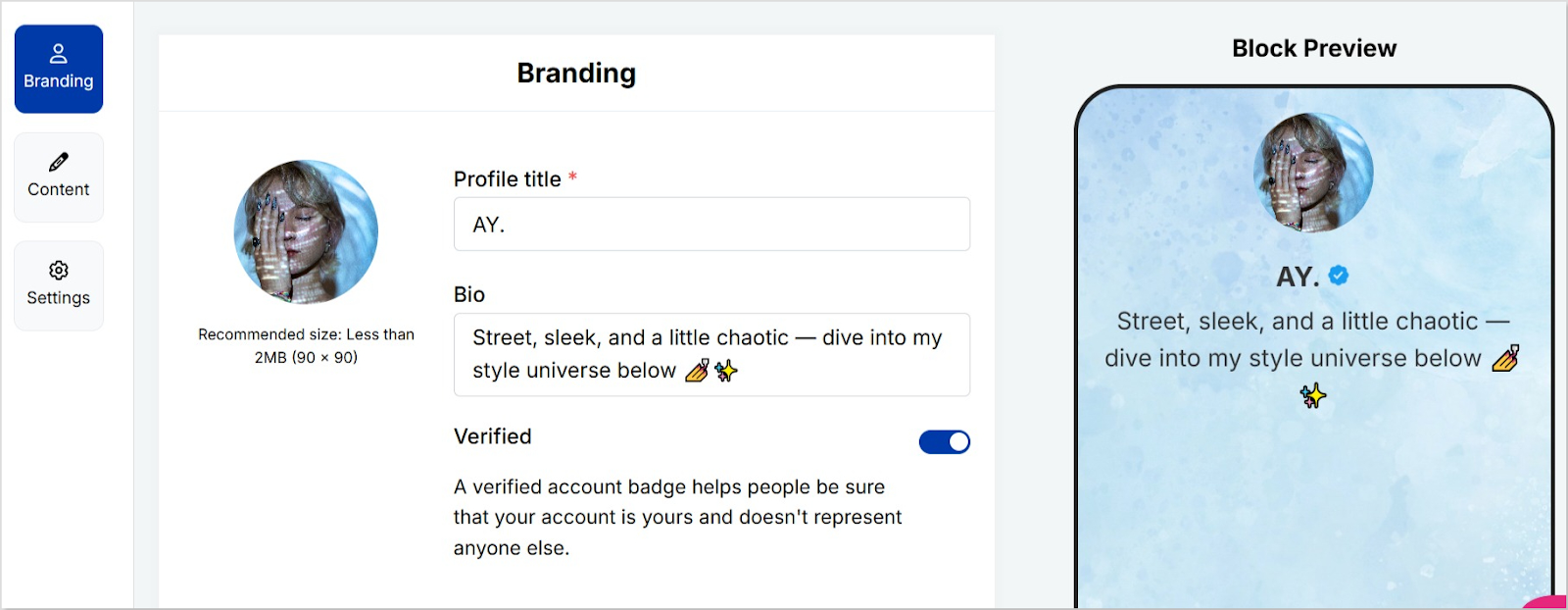
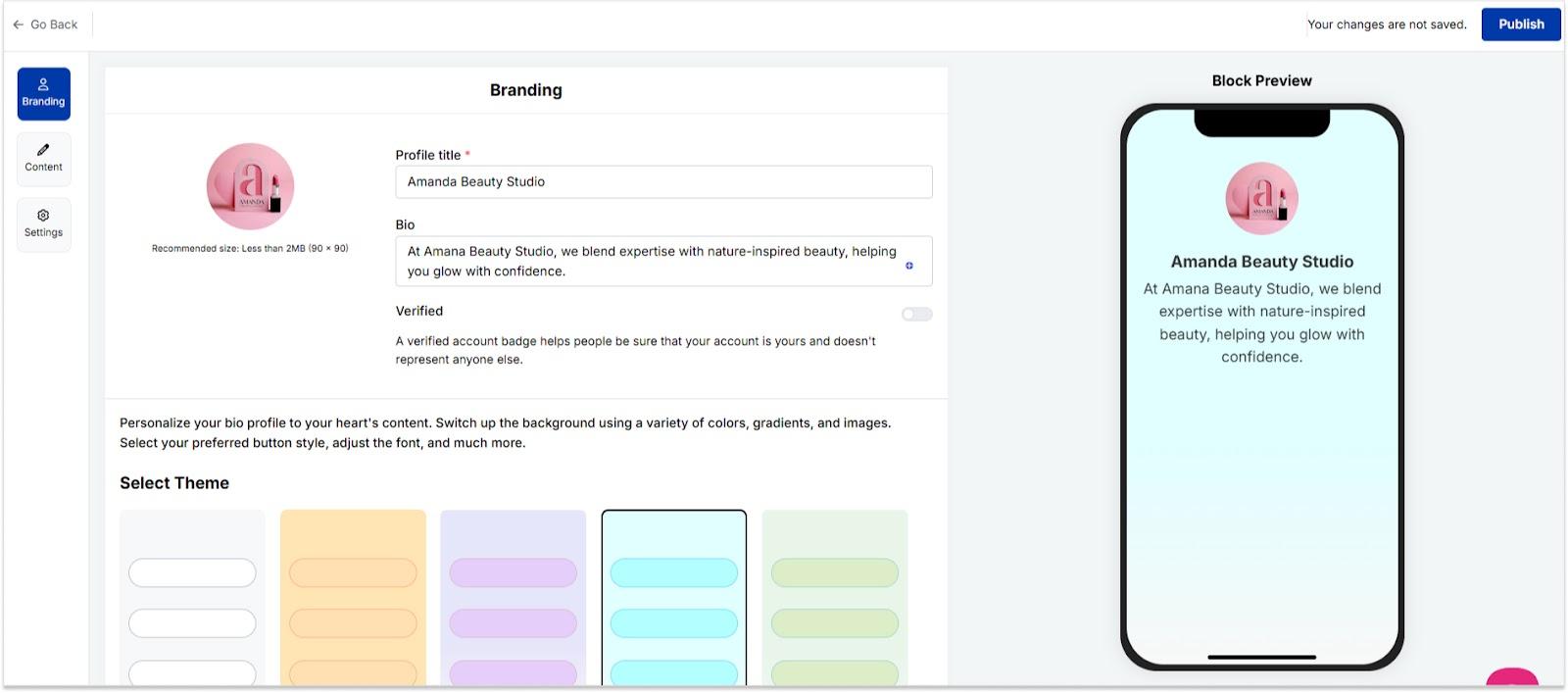
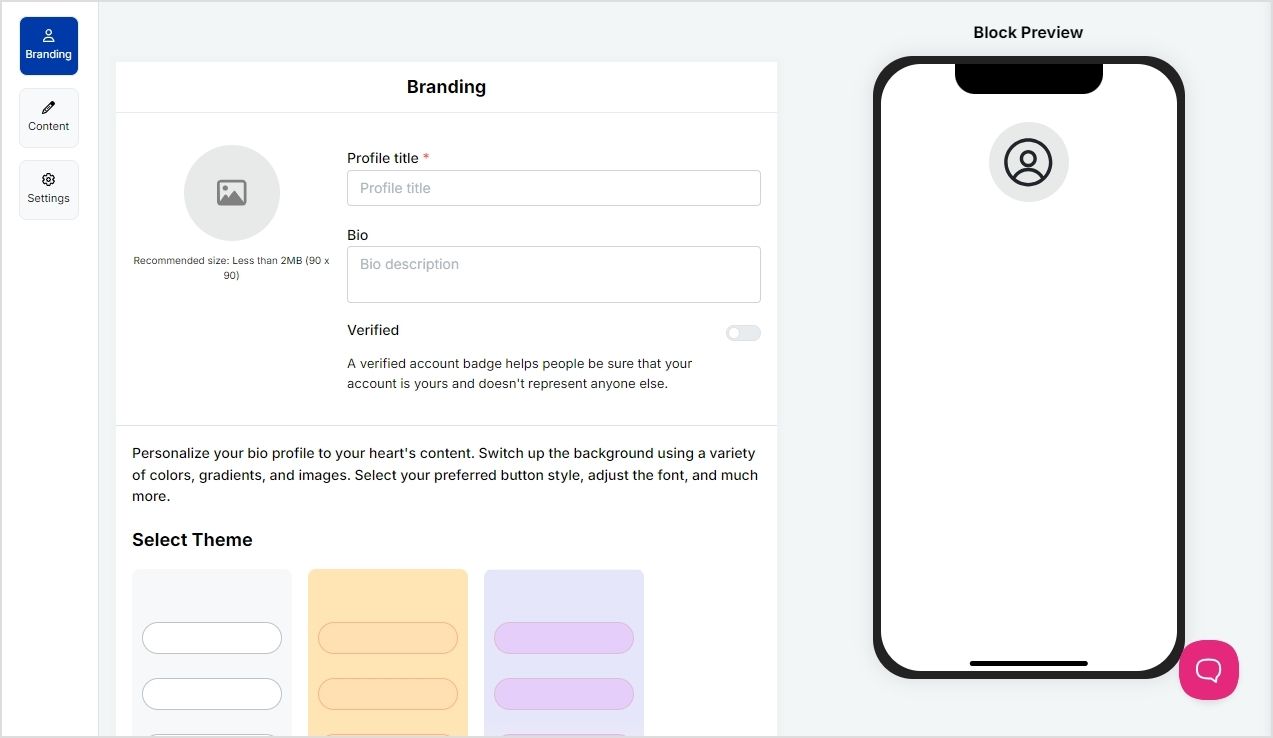
Replug lets you easily manage your bio profile with three main categories: Branding, Content, and Settings.
Branding: Customize the look and feel of your profile with themes, colors, fonts, and button styles.
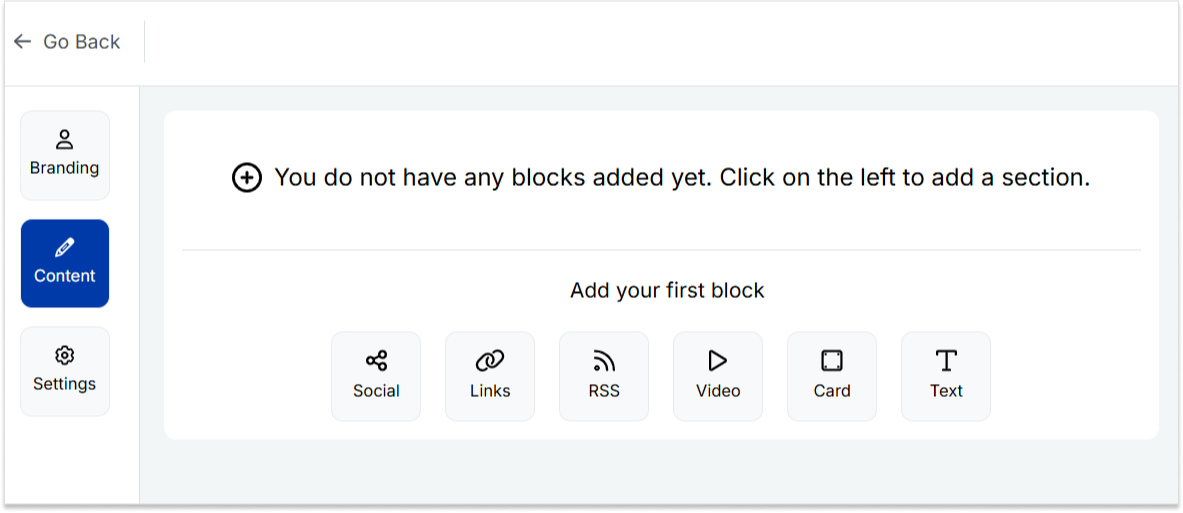
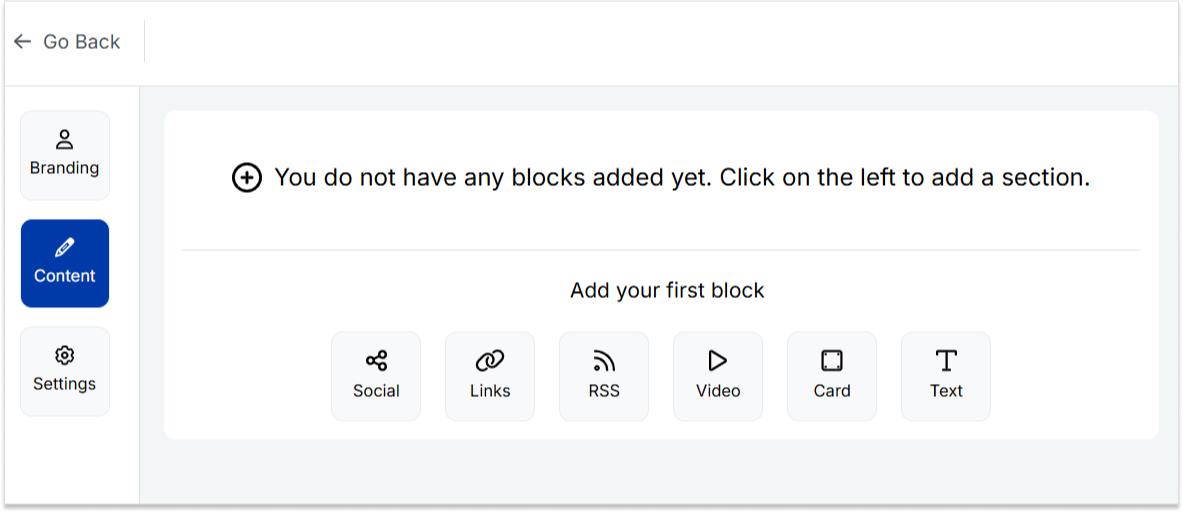
Content: Add and organize different blocks like links, videos, images, and more to showcase your content.
Settings: Adjust SEO settings, control how your profile appears in social media previews, and add tracking pixels.
Step 4: Brand your link in bio
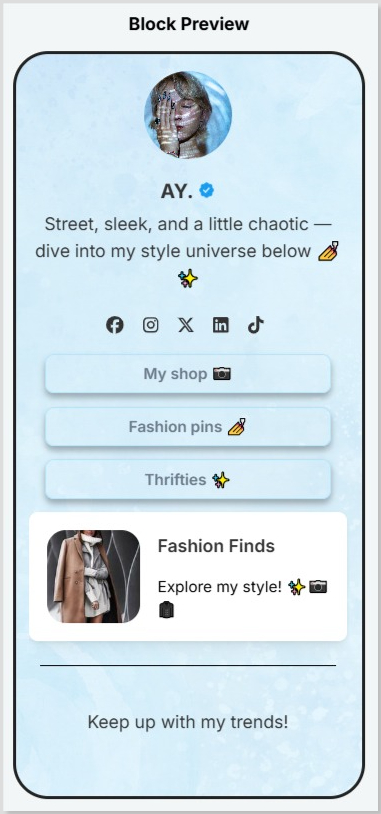
Customize your bio profile to match your personal style or brand. Upload a profile image, add your title and bio, and choose from a variety of themes, button styles, and colors.
You can also enable a background image and adjust its opacity for a more personalized look. If your account is verified, a badge will appear to help others recognize it’s officially you.
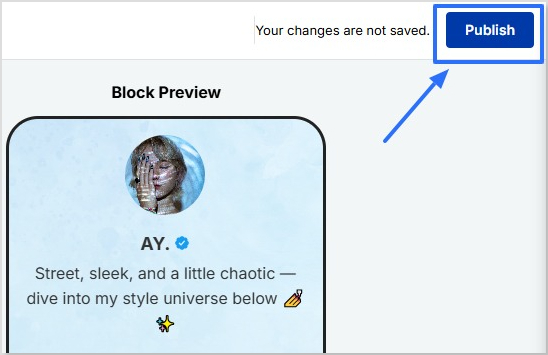
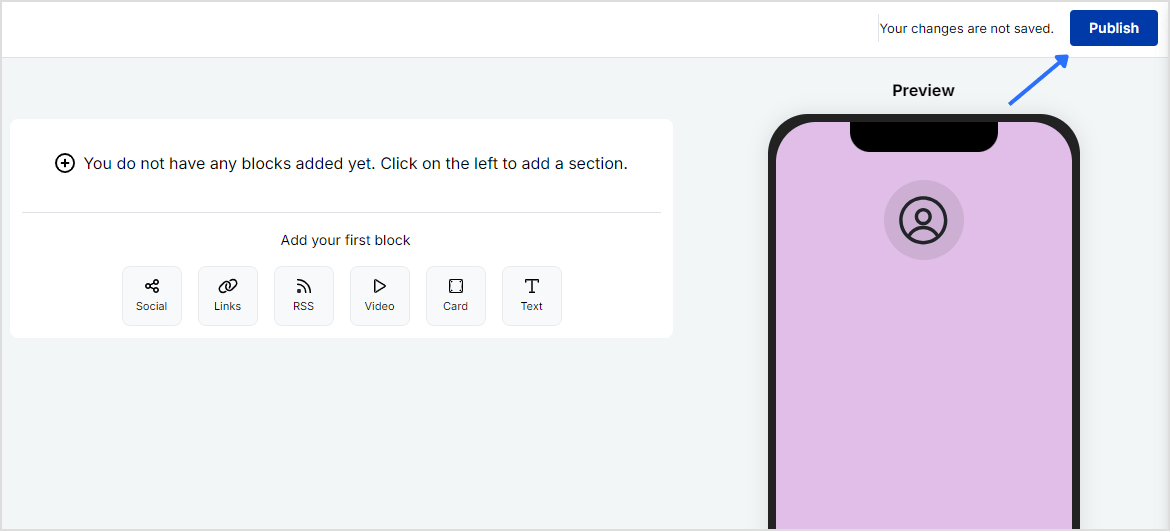
Click on the “Publish” button on the top rightto start customizing your bio link further. If you don’t, you won’t be able to save changes in real-time.
Step 5: Choose content blocks
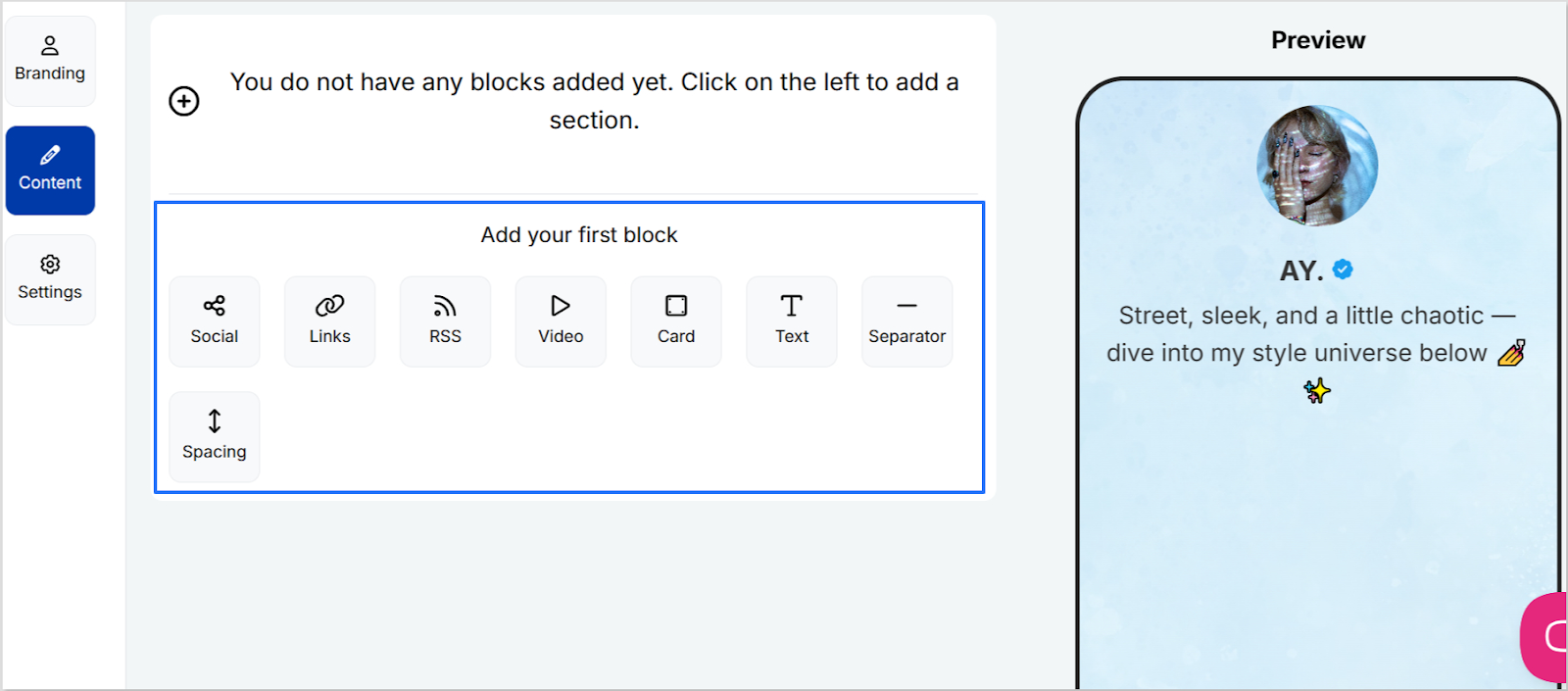
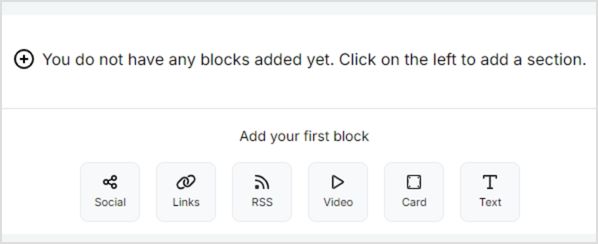
Choose the type of content blocks you want to add to your bio link page.
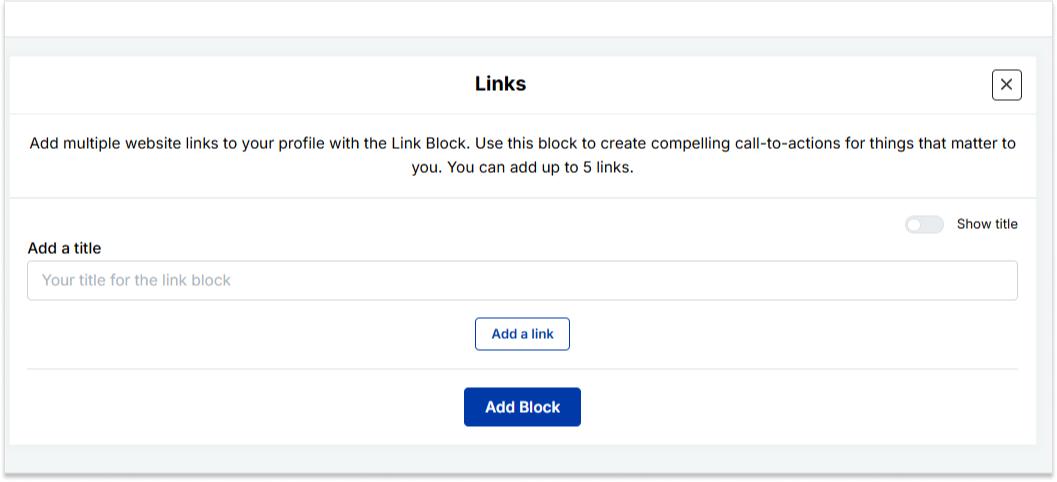
Replug offers various content block options, including social icons, links, RSS feeds, audio, video, text, cards, separator, and spacing. Select the ones that best suit your needs.
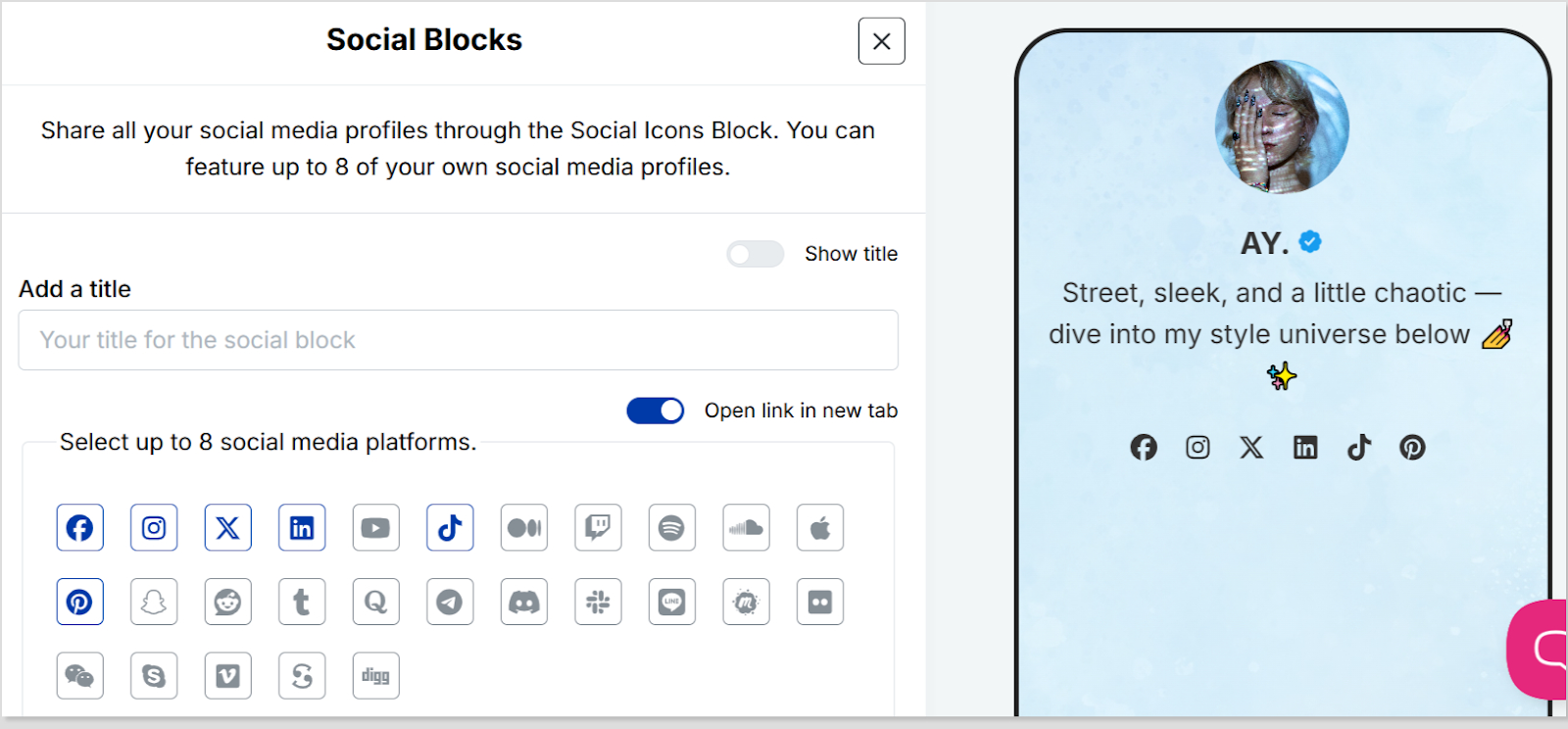
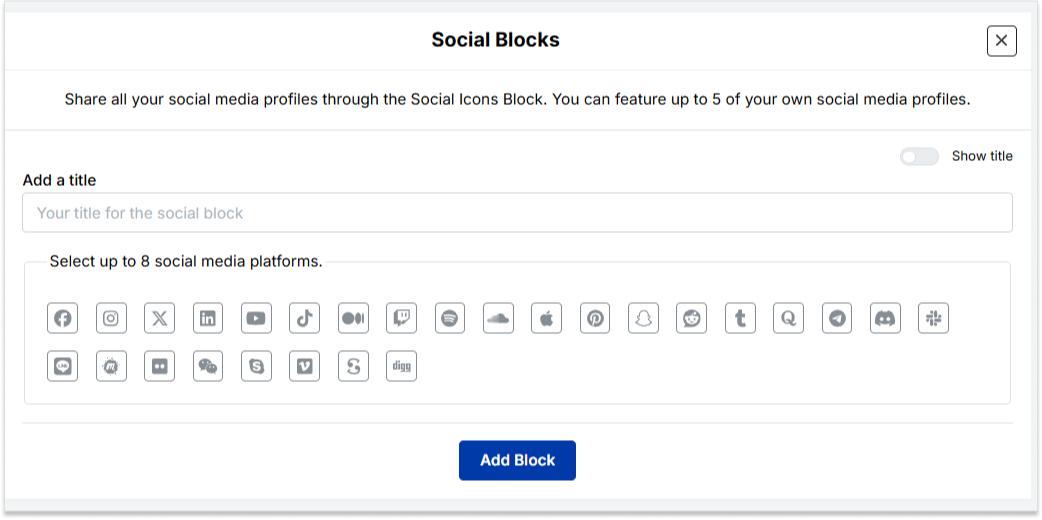
As an example, let’s start with adding social icons. For that, click on the “Social” block button.
Provide titles for each platform, customize the colors for the social icons, and paste the corresponding links. To add each platform, click the “Add Block” button.
You can also schedule, animate, or customize the appearance of your blocks.
Step 6: Go to Settings and Customize SEO and Social Media Preview
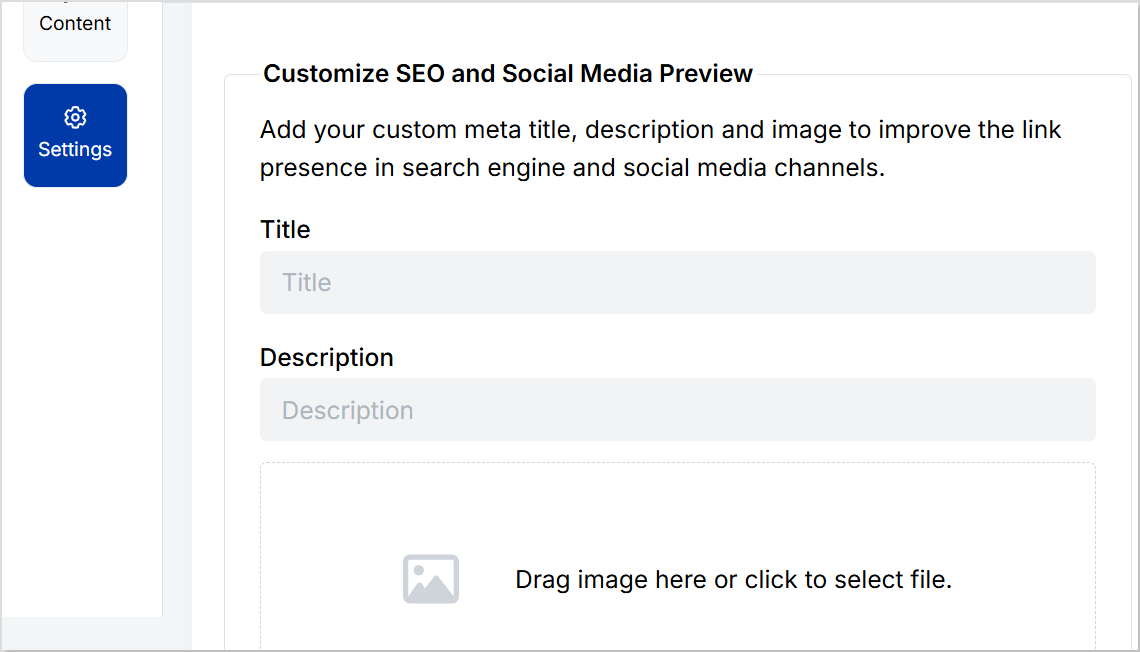
Go to “Settings” to customize your bio link page further by adding a custom meta title, description, image, favicon image.
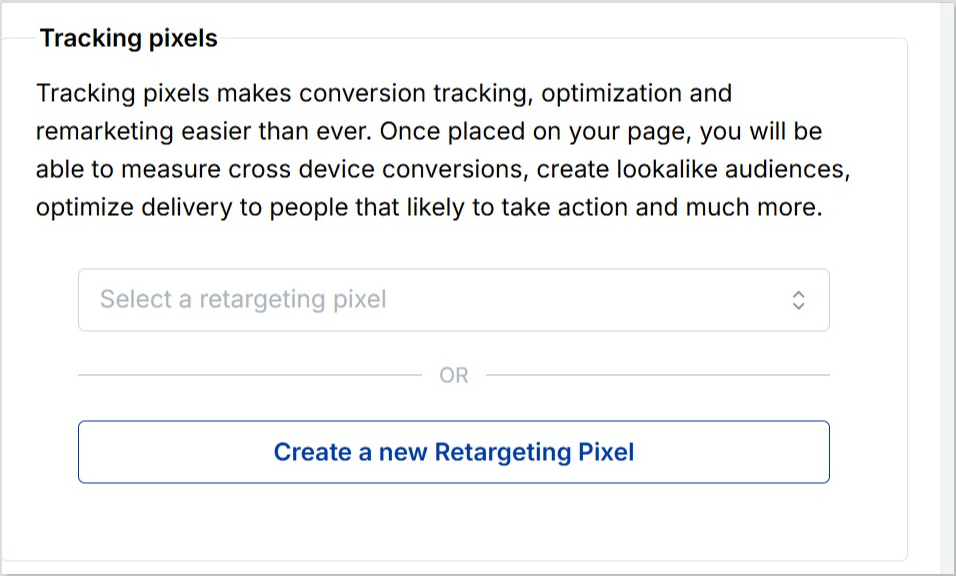
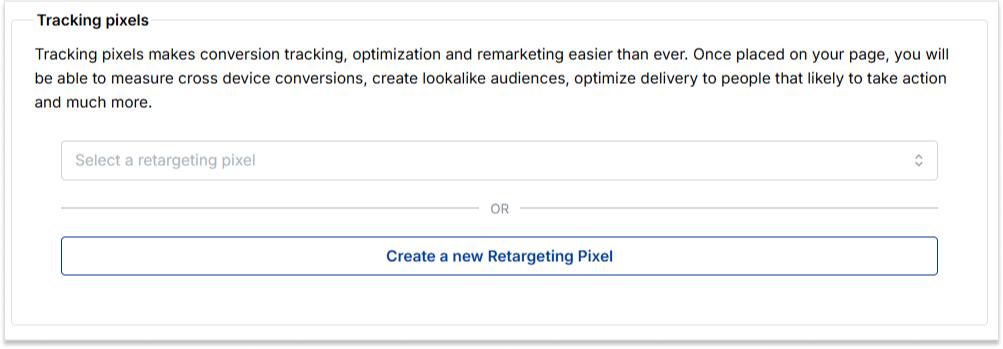
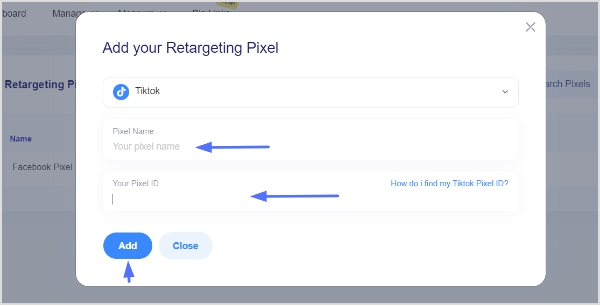
Furthermore, you can also add tracking pixels for conversion tracking, optimization, and remarketing.
Step 7: Review link in bio page
Review your link in bio page as you create it to ensure it looks and functions as you intended. Take advantage of the preview feature to see how it will appear.
Step 8: Update and create a custom URL for your bio link
Update your bio link to save changes.
Create a custom URL by changing the slug of your bio link. You can also connect your custom domain if you have one.
With your Replug-generated bio link, you can effectively share multiple links and content with your audience, making it a valuable tool for content promotion and marketing on the platform.
Enhance this even further by using this custom URL shortener free to create branded, trackable links that boost engagement.
Go beyond generic link pages!
Create custom bio links that truly fit your brand
With Replug, you can create bio links that are unique, engaging, and built to convert.
Make sure your bio link is short and easy to remember.
Use a clear and concise title for your bio link.
Add a description that tells people what they can expect to find on your bio link.
Use an eye-catching image for your bio link.
Share your bio link across your social profiles and include it in your emails. An email signature generator makes it easy to add your link professionally, so every message subtly drives traffic to your content.
Promote your bio link in your email signature and on your website.
Frequently asked questions
What is a “Link in Bio”?
A “Link in Bio” is a clickable hyperlink placed in the bio or profile description of a social media account, allowing users to direct their audience to external websites, content, or products.
Why use a “Bio Link”?
Users employ “Bio Link” to overcome limitations on the number of links in social media posts, making it easier to share multiple links, promote content, and enhance user experience.
How can I add a “Link in Bio” on Instagram?
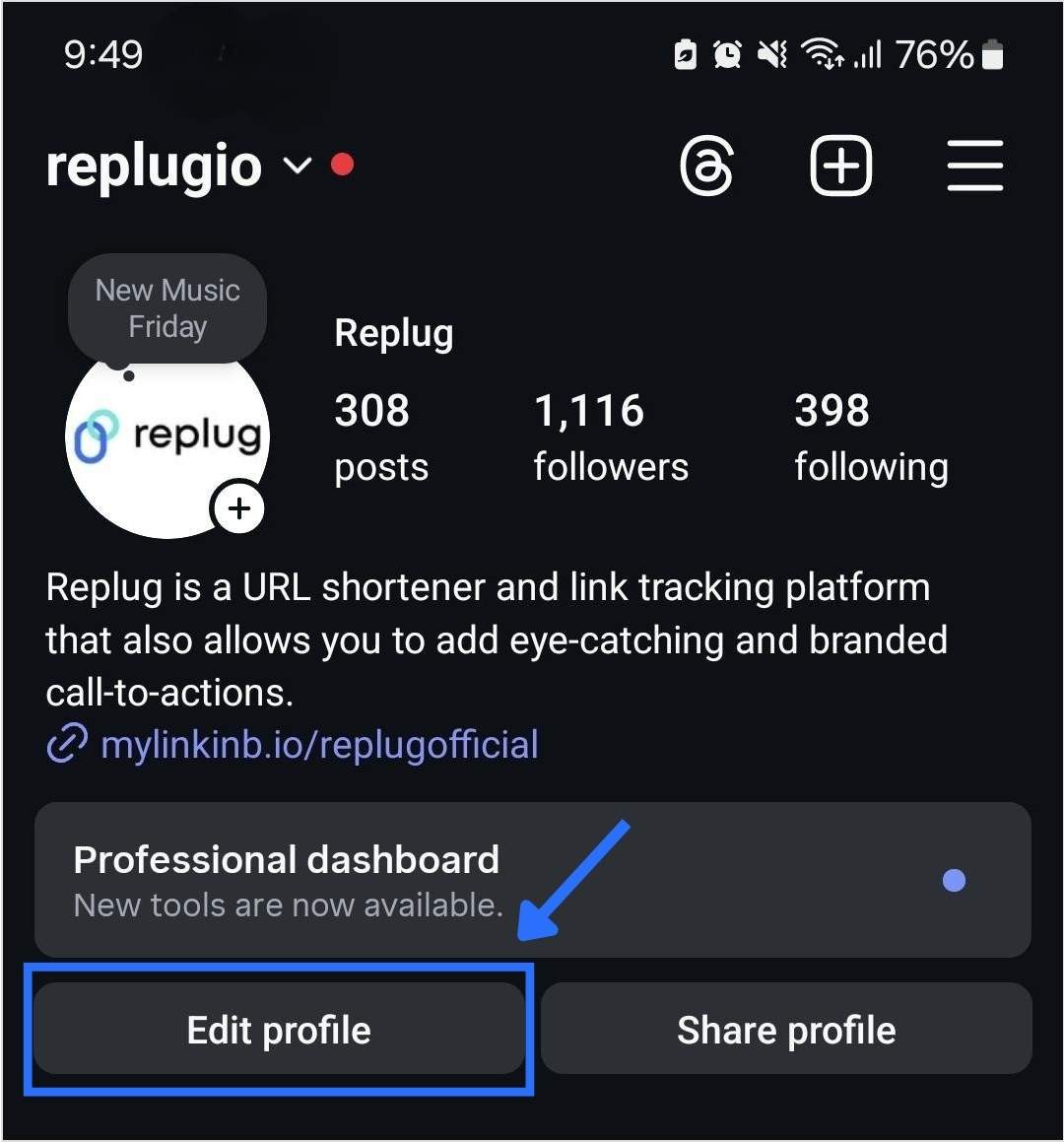
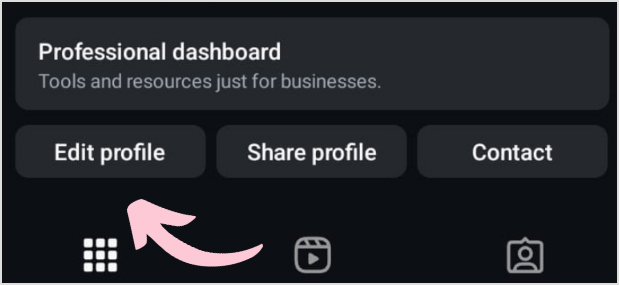
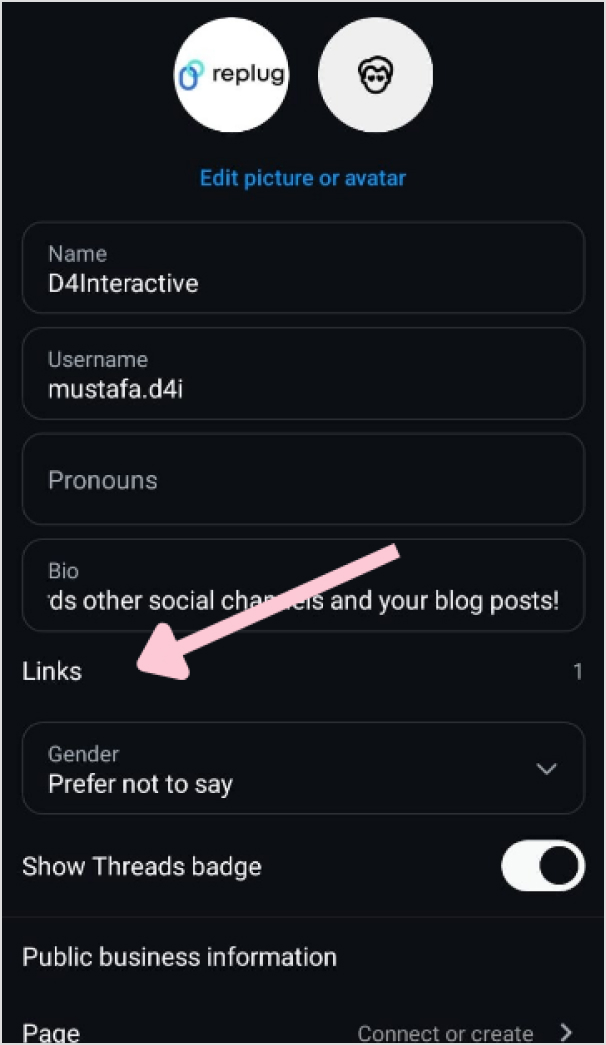
To add a “Link in Bio” on Instagram, go to your profile, click on “Edit Profile,” and enter your desired link in the website field. This link becomes your “Bio Link.”
Are there tools or services to manage “Link in Bio”?
Yes, there are third-party bio link tools and services like Replug that provide features to create and manage “Link in Bio” pages with multiple links.
Can I customize my “Link in Bio” page?
Yes, many “Link in Bio” services allow users to customize the appearance of their bio link page by adding branding elements, titles, and descriptions.
Instagram lets you add up to 5 links in your bio now, but that doesn’t mean they’re all going to convert. When it comes to personal branding or promoting a business on Instagram, every detail matters, including the link in your bio.
Your Instagram bio is one of the first things visitors notice, and it’s a powerful tool to drive traffic to your website, blog, or other social media profiles. If you’re pasting a long, messy URL straight into your profile, you’re missing the point. Instead, rename it using a branded short link.
Let’s walk through how to rename your Instagram bio link, and how to stretch its potential using Replug.
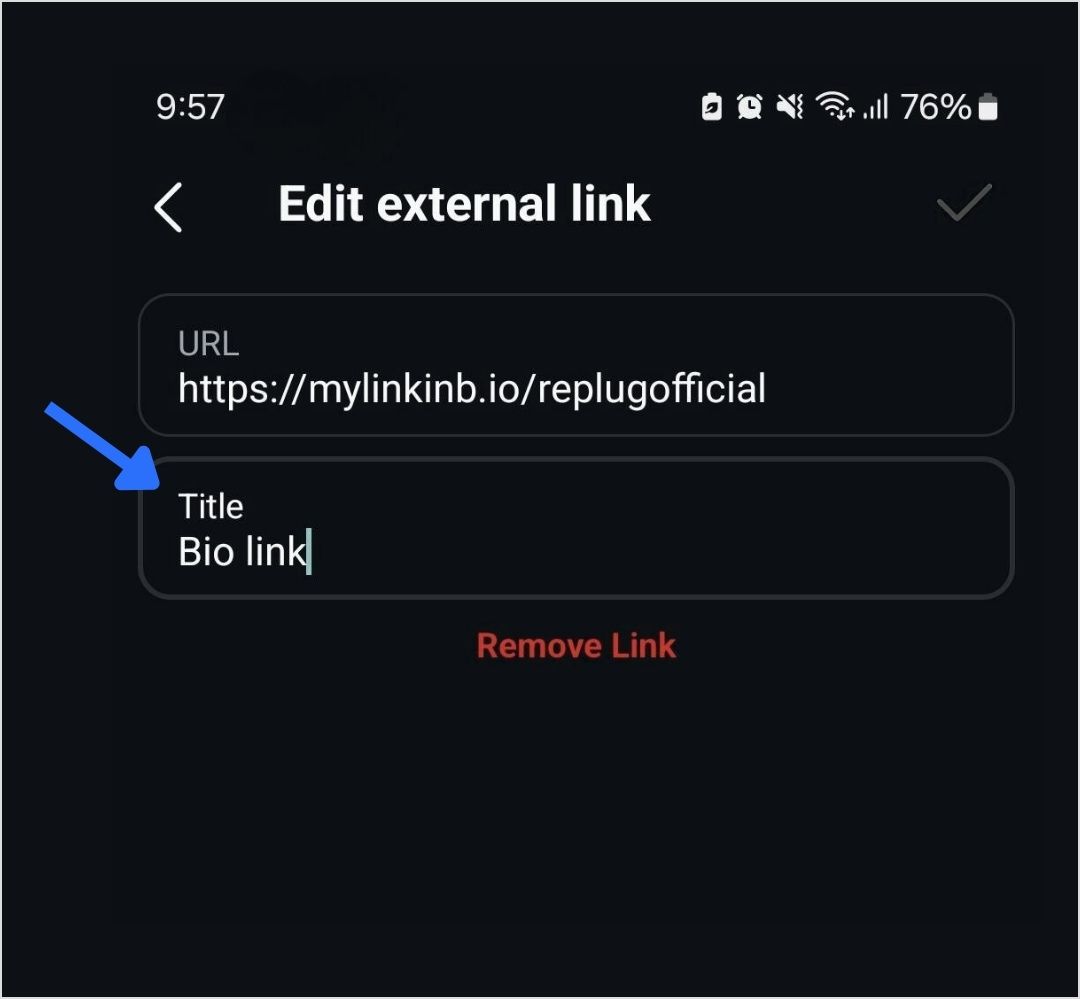
Step 6: Tap the save icon in the top-right corner to apply your changes. Your renamed link will now appear in your bio.
What is a “link in bio” on Instagram?
A “link in bio” on Instagram refers to the clickable URL that users can include in their profile’s bio section. Since Instagram does not allow clickable links in individual posts, the link in bio is a valuable method for directing followers to external content, such as websites, blog posts, online stores, or other social media profiles.
Why it’s important:
Traffic and conversion: The link in bio is a direct avenue to convert Instagram engagement into website traffic, sales, or other conversions. It’s an essential part of any Instagram marketing strategy.
Branding: A well-curated link and description contribute to a cohesive brand experience on Instagram, helping users quickly understand what to expect when they click the link.
How to make the most of your single Instagram bio link?
Renaming your Instagram link might seem like a small tweak, but it plays a big role in shaping user expectations, strengthening your branding, and increasing click-throughs. And if you’re managing multiple destinations? Users can use Replug’s link-in-bio tool, to overcome this limitation, which allows multiple links to be hosted on a single landing page.
Here’s how Replug can enhance your Instagram bio link:
Customizable landing page: Customize your branding by adding a profile name, description, profile image, cover photo, and brand colors. Additional tip: Enhance your visuals with a photo editor to give your bio link page a personal touch.
Multiple links: Share links to your latest blog posts, online store, social media channels, promotional offers, and more in one place.
Analytics: Track link performance to see which links are getting the most clicks, allowing you to optimize your content strategy based on data.
Add a relevant CTA: When it makes sense, add a call-to-action (CTA) to your link title like “Shop Now,” “Learn More,” or “Subscribe.” CTAs give your audience clear direction and can increase both clicks and conversions from your bio link.
Use custom, branded URLs: Custom URLs do more than save space’ they make your bio look cleaner and more intentional. Using tools like Replug’s URL shortener free tool, you can create branded links that match your style, improve trust, and keep your Instagram profile looking sharp.
Boost ROI with branded URLs!
Enhance your marketing campaigns by creating shareable, trackable, and fully multi-purpose
customizable branded URLs.
Keep it short: Long or cluttered titles can be overwhelming and easy to skip. A short, punchy title is more scannable, looks better in your bio, and makes it easier for followers to know exactly what to expect when they click.
Keep it clean: Avoid clutter in your link titles. Skip unnecessary punctuation, symbols, or random emojis. A clean, straightforward title is easier to read and looks more polished in your bio.
Match your brand voice: Your link title should reflect your brand’s tone, whether that’s casual, bold, or professional. Brand consistency helps build trust and makes your profile feel more intentional.
Final thoughts
By utilizing an efficient link management platform, and implementing effective strategies, you can transform your single Instagram bio link into a powerful driver of traffic and engagement. Regular updates, strong CTAs, and a well-structured landing page can significantly enhance the user experience and help you achieve your marketing goals.
FAQs for how to rename a link on Instagram bio
Why can you only have one link in your Instagram bio?
Instagram limits users to one link in their bio to keep profiles concise and avoid spammy behavior. This restriction encourages users to choose the most relevant link for their audience.
How can I add multiple links to my Instagram bio?
You can add multiple links by using our link-in-bio tool, Replug. It helps you create a landing page that hosts multiple links accessible through a single URL in your bio.
What is a link-in-bio tool?
A link-in-bio tool is a service that allows you to create a customizable landing page with multiple links.
Can I track the performance of my Instagram bio link?
Yes, Replug offers analytics features that allow you to track the number of clicks and other engagement metrics, helping you optimize your content strategy.
How often should I update my Instagram bio link?
You should update your Instagram bio link regularly to reflect your latest content, promotions, or events. Keeping the link current ensures it aligns with your marketing goals and provides value to your followers.
Can I use a custom domain for my Instagram bio link?
Yes, Replug allows you to use a custom domain, which can enhance brand recognition and trust among your audience.
Do you want to tap into the massive audience of 5.17 billion social media users worldwide? Choosing between the best social media management tools can help you with this goal by streamlining your workflow, maintaining a consistent presence, and boosting social media engagement.
With social media being an ever-evolving space, it is vital to use reliable social media management tools and remain at the forefront of the AI-driven digital era.
Social media management tools and apps are meant to streamline the processes involved in managing digital presence across numerous social media platforms.
In this comprehensive guide, we will explore the top 10 social media management tools available in 2026, the importance of using such tools, and some tips and tricks for choosing the right tool for your needs.
Quick overview of the best social media management tools
Let’s look at the summarized differences between the top 10 social media management platforms.
A social media management tool helps users connect and manage multiple social media accounts from a single platform. These tools offer comprehensive features to streamline and enhance social media marketing efforts.
Key features often include post scheduling, competitor analysis, and social media analytics—each playing a vital role in optimizing campaign performance. Many of these tools also integrate with third-party apps to boost content effectiveness. For example, pairing your scheduling platform with a URL shortener like Replug enables you to track link performance, optimize engagement, and create short URLs that strengthen brand identity.
Boost ROI with branded URLs!
Enhance your marketing campaigns by creating shareable, trackable, and fully multi-purpose
customizable branded URLs.
Today, many marketers also rely on AI features built into these platforms for tasks like writing captions, suggesting content ideas, or even drafting replies. While this can save time, it also creates a challenge because AI-generated text can sometimes sound too generic, making it harder for brands to stand out. To truly connect with audiences, it’s important to keep your messaging authentic, unique, and aligned with your brand personality.
That’s why it is recommended to humanize AI text. They help refine raw AI copy so it feels more natural and engaging, ensuring your social posts don’t just fill feeds but actually spark genuine interactions. This balance of automation and personalization is what makes social media marketing impactful.
When choosing a social media management tool, consider factors like user-friendliness, integration options, analytics capabilities, collaboration features, and scheduling flexibility to find the best fit for your needs.
While we will be discussing this criterion in great detail later, let’s dive straight into the best social media management platforms you should explore in 2026.
ContentStudio comes at the very top of the list of best social media management tools. It can connect with all major social media platforms, including Facebook, Twitter, Instagram, TikTok, LinkedIn, Meta Threads, Tumblr, Google Business Profile, Pinterest, YouTube, and Bluesky.
Moreover, ContentStudio also supports integration with the top URL shorteners, image editing platforms, and carousel generator, enhancing your social media content creation process.
The versatile features of ContentStudio, including content discovery, scheduling, detailed analytics, automation, and an AI-powered content generator, make it a great platform for end-to-end social media management.
Moreover, ContentStudio has a built-in ‘best time to post’ mechanism that allows you to post your content at the perfect time and reach more people. Most importantly, you don’t have to break the bank in social media management with ContentStudio, as you can get its starter package at only $19 per month.
Key features
An intuitive and user-friendly interface makes it easy to explore and use different features of ContentStudio.
An aggregated social inbox allows you to view, manage, and respond to all the comments, mentions, and messages on social media accounts from the same place.
AI-powered writing assistant to help users speed up the process of writing social media captions, hashtags, social media posts, and even images before scheduling and publishing them.
Price
2. Buffer
Buffer is a highly user-friendly social media management tool. It enjoys massive popularity among small businesses and individuals due to its affordability and ability to perform the most necessary functions.
It offers several features to streamline social media management, including regular post scheduling, engagement analytics, and landing page creation. Moreover, Buffer’s collaborative features make it a reliable tool for brands with multiple social media team members.
Buffer’s ability to create landing and shoppable pages is a unique feature typically not available in other social media management tools. Therefore, it is an intuitive tool for e-commerce businesses and other social media pages that want to sell products via social media marketing.
Despite all these features, Buffer’s major disadvantage is that it does not support real-time analytics, so users have to wait a significant amount of time before evaluating a post’s performance.
Key features
Create generic social media posts or platform-specific posts to reach more people on social media.
Buffer has a built-in AI assistant that generates a lot of social media content ideas within a few seconds.
Limited analytics and reporting give you basic information about the effectiveness of your social media efforts.
Price
Buffer pricing model is quite flexible as it is dependent on the number of channels you want to manage through the platform.
3. Hootsuite
Hootsuite is one of the most popular social media management tools. It has made its mark by being an all-in-one platform for creating and scheduling content for all major social media platforms. In addition to organic social media marketing, Hootsuite also supports running social media ads.
Like most other tools, Hootsuite has integrated AI to write engaging content and social media posts. With the ability to monitor social media presence across 35+ platforms, Hootsuite is a great platform for well-established brands with multiple social media accounts. The only disadvantage, however, is that Hootsuite is quite complicated for beginners to understand and use.
Key features
Hootsuite supports bulk scheduling and posting on more than 35 social media platforms from the same dashboard.
It supports integration with many third-party apps, such as Canva and Dropbox, to improve your social media management strategies.
View the messages and mentions and respond to them from Hootsuite’s inbox.
Price
Hootsuite’s pricing starts at $99 per month, making it an expensive option that is mainly suitable for medium- and large-sized companies.
4. MyContentBridge
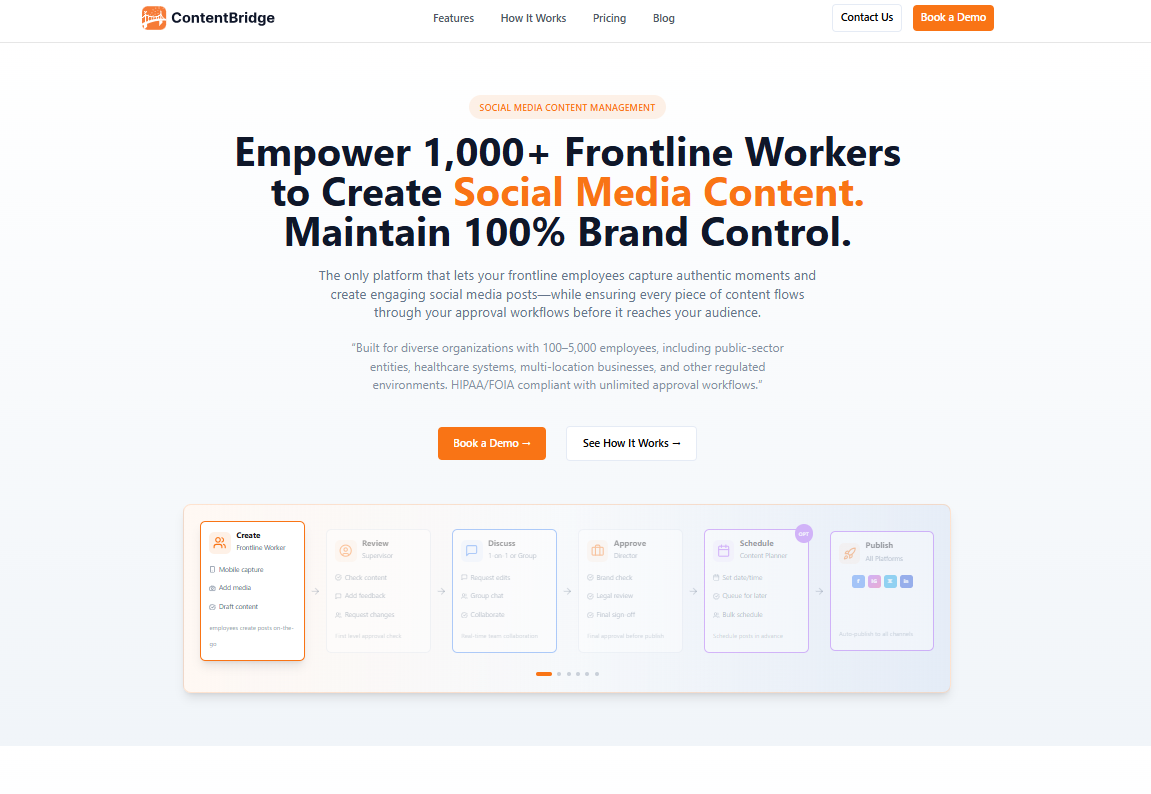
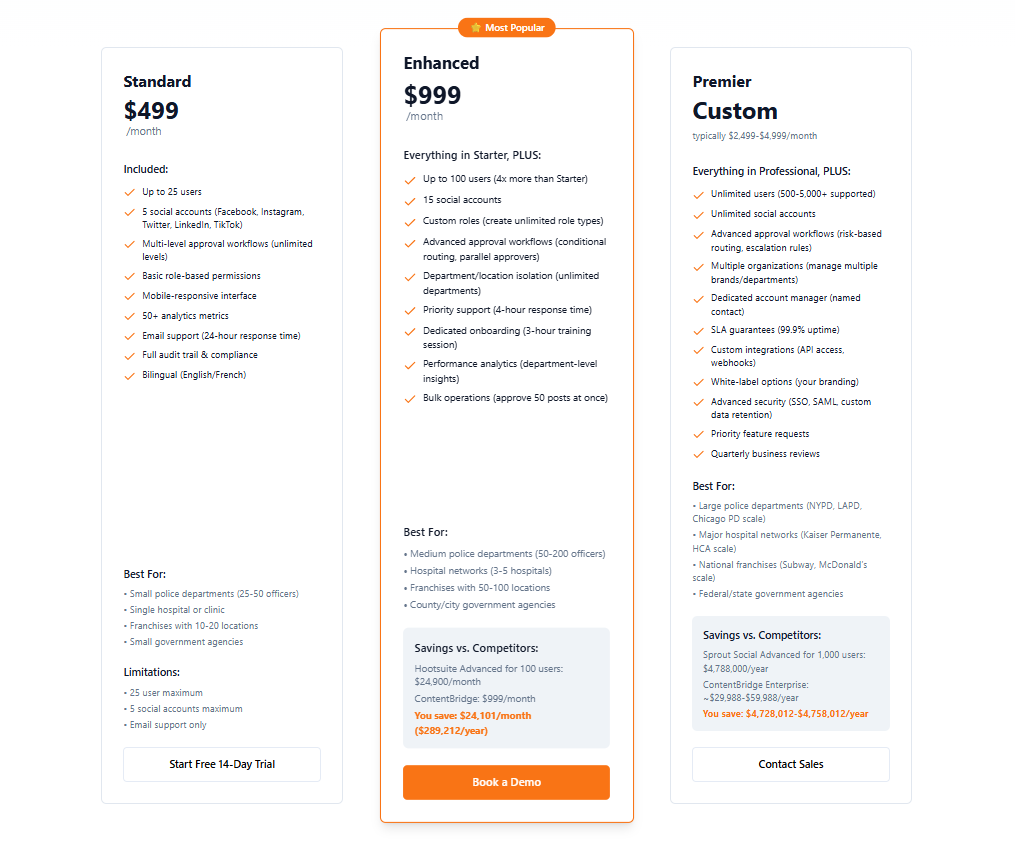
MyContentBridge is a social media management platform built specifically for large organizations with 100 to 5,000 employees. It stands out from most tools on this list by enabling frontline workers to capture and submit content directly from the field using native mobile apps, while managers maintain full brand control through customizable multi-level approval workflows.
Its AI-powered assistant helps generate optimized captions, hashtags, and posts for Facebook, Instagram, X, LinkedIn, and TikTok simultaneously. While it is not the right fit for small teams or solo creators, its per-user cost is significantly lower than competing enterprise solutions at scale.
Key features
Customizable multi-level approval workflows to maintain brand consistency across distributed teams.
Native iOS and Android apps for real-time content capture and submission from the field.
AI-powered writing assistant to generate optimized captions, hashtags, and posts.
Built-in team chat for seamless collaboration during the content review process.
Price
Price: Starting at $799/month for 100 users
5. Sprout Social
Sprout Social is an all-in-one social media management platform most suitable for medium and large-scale businesses. Its features include automated posting, detailed analytics, and wide-ranging connectivity with social media platforms like Facebook, Pinterest, YouTube, and X (Twitter).
Moreover, Sprout Social also offers third-party integration with tools like UserVoice and Zendesk to streamline social media management processes. Despite all these amazing features, Sprout Social has limited itself to well-established businesses that can afford at least the basic package starting from $199 per month.
Key features
Post your content on social media with the highest chances of engagement via ViralPost.
A comprehensive inbox to manage communication on all social media platforms from the same platform.
Measure and track the performance of all your social media marketing campaigns with thorough reports.
Price
6. Agorapulse
Agorapulse is another app for social media management that focuses on building a robust online community with the help of constant competitor analysis and monitoring. Its user-friendly interface makes managing your social accounts and running marketing campaigns from a single platform easy.
Even though Agorapulse has multiple packages to target different types and sizes of businesses, the most standard package starts at $79 per month. Therefore, it is only suitable for those brands and individuals who can allocate a significant budget towards social media management.
Key features
Multiple tools to curate content for different social media platforms.
Optimize the existing as well as new content to increase engagement.
Comprehensive performance analysis to track the progress of your social media campaigns.
AI-powered writing assistant to write captivating captions and posts.
Price
7. Sendible
Sendible has become one of the most affordable social media management platforms. Its basic plan of $25 per month (with annual billing) is sufficient to fulfill the basic social media management requirements of an individual or a startup.
Even though Sendible does not offer detailed competitor analytics, it is still a great platform for scheduling social media posts on all major platforms. A significant drawback is that users have complained about the quality of its customer service and lack of advanced features.
Key features
A comprehensive shareable calendar to facilitate communication and collaboration among the social media and content team.
Performance analytics to analyze the key metrics of your social media and tweak the marketing strategies for better results.
Provide recommendations about optimum posting times to help users post at a perfect time and reach more people.
Price
8. SocialPilot
If you are looking for an app for social media management with impressive collaboration features, you should check out SocialPilot. Its user-friendly interface also makes it a reliable tool for beginners and small businesses.
Whether you are looking for content curation, thorough performance analytics, or a centralized dashboard to manage all social networks, you will get these features in SocialPilot.
Key features
Connect 50+ social media accounts under the most premium package of SocialPilot.
A built-in AI assistant to help you write and generate captions, hashtags, and the overall content of your social media accounts.
An extensive library to help you generate content for various industries like tech, education, and health.
Price
9. CoSchedule
CoSchedule is quite different from the other social media management tools on this list. It has a special focus on planning a comprehensive social media content calendar. You can use this drag-and-drop calendar to schedule, organize, and publish your social media posts across Facebook, Instagram, X, YouTube, LinkedIn, Tumblr, and Pinterest.
A user-friendly calendar provides an overall view of your social media content strategy, making it easier to plan and execute campaigns effectively. CoSchedule can also promote other types of content, such as blog posts or upcoming events.
Key features
Create your own social sharing templates and plan so you can reuse them and save time.
Use the ReQueue feature to repost your top-performing social media posts and get more engagement.
Use a CSV file import to upload and schedule all your social media posts in bulk across multiple social media platforms.
Price
10. Later
Later was initially an Instagram scheduling tool. It has now rebranded itself into a full-fledged social media management tool. The platform has a centralized dashboard through which you can connect and manage your social media accounts.
The user-friendliness of Later means anyone can learn its usage quickly. Other than agencies and growing businesses, individuals can also use Later to grow their presence on social media. The tool still has many features specific to Instagram, so Later is a great platform for people focused on growing their Instagram accounts.
The two major issues you might face while using Later are its limited collaboration features and lack of detailed analytics for LinkedIn and Facebook.
Key features
An intuitive drag-and-drop calendar to make scheduling social media posts easy for the users.
Make the links trackable to monitor the landing page’s performance and social media metrics.
View all comments, brand mentions, and messages in the same section to produce relevant responses.
Price
Later’s pricing for small teams and individuals:
Later’s pricing for agencies and enterprises:
11. MeetEdgar
MeetEdgar is a highly automated social media management tool. It allows you to schedule your social media posts in advance and repeat your top posts occasionally to reach more people. This feature of automatically filling your queue with evergreen posts is unique in MeetEdgar.
The overall interface and organization settings of MeetEdgar are also quite impressive. You can categorize your content into different categories for posting at suitable times.
However, you cannot get any advanced features, such as comprehensive analytics, in MeetEdgar. So, there is a high chance that you will have to choose another social media management platform to handle all aspects of your social media presence.
Key features
Create a large, personalized content library to save time when posting on social media.
Automate the posting process by either scheduling new posts or reposting your evergreen content.
MeetEdgar includes an AI assistant called Inky to help users generate social media post captions and hashtags.
Price
12. Soshie by Sintra AI (Bonus tool)
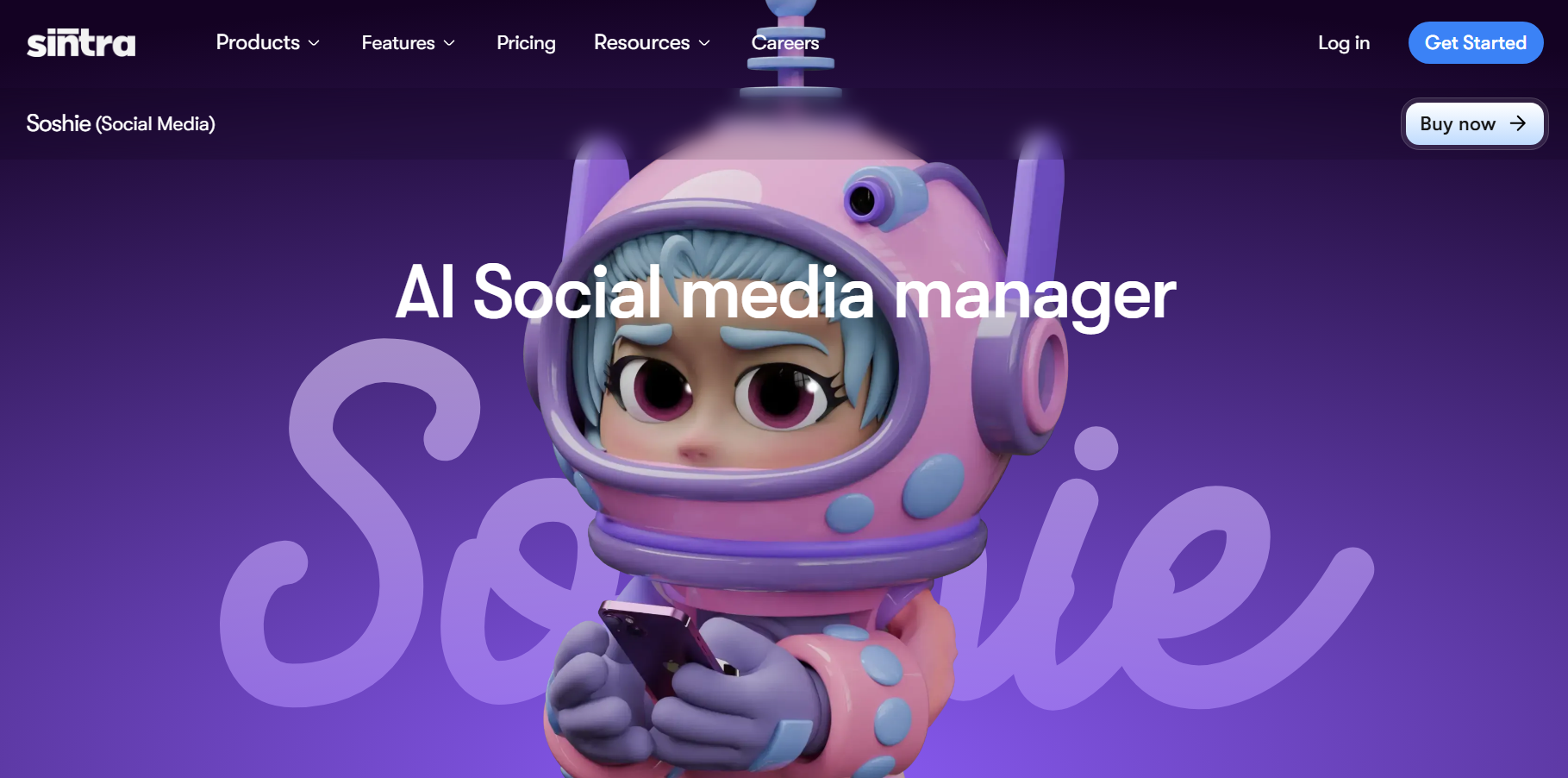
AI Social Media Manager Soshie by Sintra AI is the world’s first AI social media manager, designed to help businesses streamline and scale their social media presence across multiple platforms. Built to support marketing teams, maintain brand voice, and protect brand reputation, Soshie combines strategy, content creation, automation, and analytics into one unified assistant.
Trained on tens of thousands of social media best practices, Soshie understands what performs well across platforms like Instagram, TikTok, Facebook, LinkedIn, and X. It helps you plan campaigns, write posts, design content, schedule across accounts, and analyze results—all from a user-friendly dashboard. Whether you need strategic guidance, daily content, or automated posting, Soshie works as a full social media manager that boosts consistency, saves time, and improves performance.
Key features:
Handles content creation, campaign planning, post scheduling, and multi-platform publishing, all in one AI-powered workspace.
Generates social media campaigns, captions, images, and posts using pre-made templates and a media library.
Maintains consistent brand voice, supports marketing teams, and helps safeguard brand reputation across all platforms.
Uses natural language processing to analyze social media metrics, interpret conversations, and improve content strategy over time
Price:
The current Winter Sale plan gives you access to 12+ AI helpers, including Soshie, your AI-powered social media manager.
Importance of social media management tools
Most businesses, organizations, and individuals have multiple social media profiles across different platforms. It is not always easy to manage these accounts from a social media platform’s built-in tools with limited functionalities. As a result, using third-party social media management tools like the ones discussed above is important to get the following benefits:
Manage your social media content and campaigns across multiple channels.
Streamline the social media management processes, including content creation, automation, scheduling, and publishing posts at the most suitable times.
Track the performance of your overall social media account and individual posts to measure your progress in real-time.
Enhance your engagement with the audience through consistent posting.
In short, using a comprehensive social media management tool is important for end-to-end social media management.
Key features to look for in a social media management tool
Now that you are familiar with the best social media management platforms available in 2026, you are probably wondering how you can choose the best tool in the first place. You can do it by looking for the following features in these tools:
Dashboard usability
The first thing you must look for in a social media management tool is its dashboard usability. Since a tool is meant to manage and analyze multiple social media accounts, the tool’s dashboard should be simple and efficient for juggling all social accounts.
Source: ContentStudio
Integration capabilities
Considering the integration capabilities is another important factor. Generally, a social media management tool should be capable of connecting with all major social media sites, such as X, Facebook, Instagram, TikTok, LinkedIn, YouTube, Tumblr, and new social media platforms like Threads and Bluesky.
It is always a good idea to analyze your specific requirements and list the platforms you are using to ensure you can manage them with a social media management app. Having multiple integration options means you can schedule and post your content across multiple platforms from the same dashboard.
Source: ContentStudio
Comprehensive analytics and reporting tools
Making sure your content is relevant and engaging enough for your target audience is vital to continually grow your business. At the same time, it is not always easy to determine what kind of content is performing well across different social media platforms.
Analyzing the key performance metrics of your social media posts will help you determine the effectiveness of your current social media strategies. Moreover, you can use such information to make any required changes to your social media and optimize your content for better reach.
Source: ContentStudio
Advanced scheduling and publishing features
An ideal social media management tool has advanced scheduling and publishing features. Keep in mind that most social media platforms do provide built-in schedulers, but they have very limited functionalities.
Therefore, you should go for a powerful social media content scheduler that has a user-friendly method of curating a content calendar. Moreover, with the rising use of AI, you should look for a tool equipped with a modern AI writing assistant to help you speed up writing captions and hashtags before scheduling such posts.
Effective social media engagement features
According to statistics, 62.3% of the world’s population uses social media. Targeting a massive audience and increasing engagement involves using a suitable social media management app. Ideally, it should have features to manage messages, comments, and mentions from the same platform. This ultimately improves communication and audience engagement.
Handling multiple social media platforms and curating different types of content can be quite overwhelming, especially for new and growing businesses. As a result, it is common to have multiple team members handling social media.
Therefore, it is important to choose a social media management platform that offers good collaboration and team management options. Collaboration features make it easy for multiple team members or even departments like sales, content curation, and marketing to work together and manage social media accounts.
The bottom line is that social media management tools are available online with varying features to cater to different businesses, individuals, and social media accounts. Ideally, the tool of your choice should be user-friendly, affordable, and have comprehensive features like ContentStudio.
As you explore the best social media management tools, it’s important to choose one that aligns with your goals and workflow. Whether you prioritize scheduling, analytics, or collaboration, selecting the right platform can streamline your social media efforts and boost engagement.
No matter which social media management tool you choose, integrating additional optimization tools can make a difference. Replug, for example, is an all-in-one link management platform that helps marketers enhance link tracking, retarget audiences, and drive better conversions—all essential for maximizing your social media strategy.
By combining a powerful social media management tool with the right enhancements, you can create a well-rounded approach that improves efficiency, engagement, and results.
A complete link management solution
for marketing professionals & agencies.
Try Replug for free
FAQs for the best social media management tools
What is the most effective social media tool?
ContentStudio is the most effective social media management tool because it has all important features like analytics and reporting, content discovery, scheduling, a drag-and-drop content calendar and planner, bulk scheduling, a combined social media inbox, competitor analysis, and much more.
What are the best social media management tools?
ContentStudio, Buffer, CoSchedule, and Hootsuite are some of the best social media management tools. Growing businesses and marketing agencies will likely find ContentStudio a reliable platform, while large-sized businesses with enough resources can go for more expensive tools like Hootsuite.
What is the best content planning tool for social media managers?
With its diverse calendar views and easy scheduling options, ContentStudio is the best content planning tool for social media managers, brands, and agencies.
What are the 10 must-have tools for your social media management toolkit?
The 10-must have tools for your social media management toolkit are ContentStudio, Buffer, Hootsuite, Sprout Social, Agorapulse, Sendible, SocialPilot, CoSchedule, Later, and MeetEdgar.
With millions of users scrolling through their feeds, it’s so difficult to stand out and grab the attention of your target audience. And one of the key elements in achieving this is crafting an attractive bio for your X account (formerly known as Twitter).
With the branding changes, it’s the perfect time or a second chance for some to optimize their bio.
“Twitter biography,” or bio, is a short text on top of your profile that is visible to the public and represents a user’s interests and personality.
Twitter(X) allows you to write a bio of up to 160 characters only. But how can you do it with just 160 characters? And how can you make it engaging to get more likes and follows?
Don’t worry, mates! In the article below, we have listed some bombastic Twitter bio ideas through which you can quickly hook your audience.
Dos
Don’ts
Short and to the point
Copying someone’s Bio
Use emojis and symbols
Overuse of Hashtags
Smart use of humor
Too generic content
Highlight What Makes You Special
Offensive Content
Use full-character space
Only listing “what you do”
Why is it so important?
When it comes to content, the bio section is the very first thing viewers take in.
Did you know? 82% of B2B marketers use Twitter, now called “X,” for content marketing.
So optimizing your X bio is a must if you want to build a stronger brand identity, drive more conversions, or have high engagement rates.
How to write a perfect Twitter(X) bio?
If you’re thinking about what to put in your Twitter bio, first figure out if it’s for a business or just because that can affect what you include. So, here are some tips, tricks, and ideas with examples for writing a killer Twitter bio.
1. Keep it short and sweet
The first trick to a killer Twitter(X) bio is a short and sweet text. Make your sentences short and snappy. No rambling allowed!
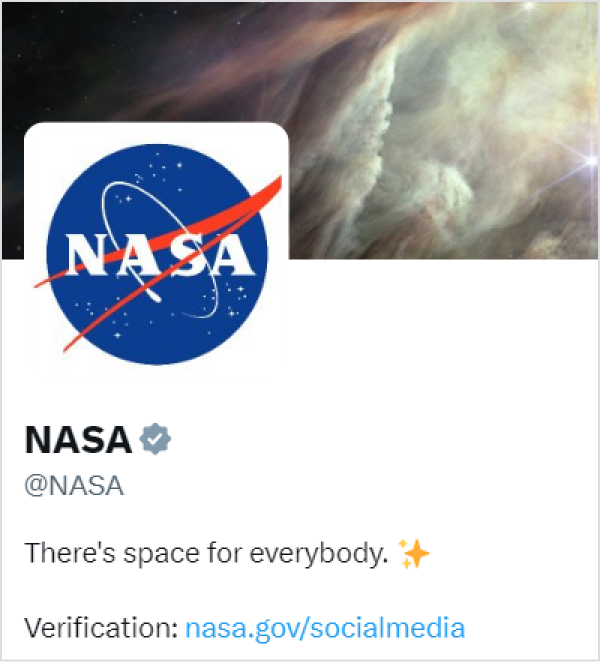
See this Twitter bio by NASA (National Aeronautics and Space Administration) for an example: They’re keeping it short yet relevant using one of their keywords, “space”
Your bio could be an “elevator pitch” about yourself or your profession, a self-introduction, a playful description of yourself or your interests, a quote from any famous poet adorned with different punctuation marksfor added flair, a pop-culture reference, or anything else.
If you’re struggling with phrasing or want a little help brainstorming the perfect one-liner, tools like WritePaper or an AI paragraph writer can be helpful for generating clear, concise text that matches your tone and intent.
No matter if you’re crafting a brand-centric Twitter(X) or a more generic self-description. Your bio is a snapshot of who you are and what you offer. Though building a trustworthy network takes time and effort, some self-marketing goes a long way.
Try sharing:
Your job title, i.e., doctor, teacher, digital marketer, etc.
Any unique personality traits, hobbies, or interests.
Shareany awards, achievements, or rankings
List your company’s core values and the benefits it offers
Share your story, and make your mark! It’s a great way to connect with people with similar interests or get in touch with experts in your field. A sentence generator can also help brainstorm compelling ways to highlight your traits and accomplishments.
Did you know? A tweet influences 69% of users’ purchase decisions
3. Include keywords and hashtags
Twitter(X) profiles with relevant keywords in the bio are more likely to surface in search results and draw organic visitors.
However, you should ensure that your bio makes sense to humans and not just search engines.
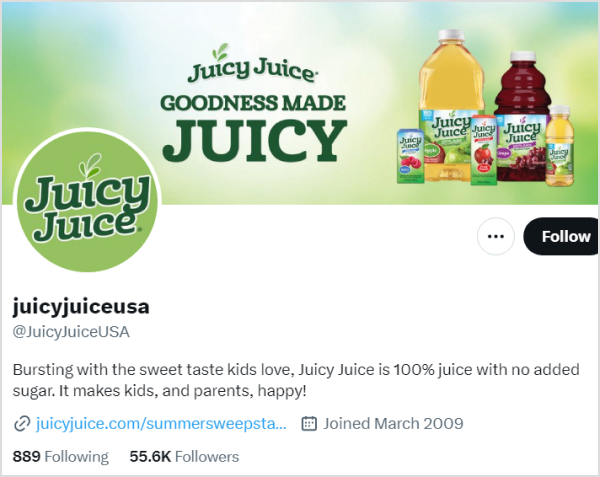
Look at this Twitter bio by a famous juice brand in the USA named Juicyjuiceusa. The brand crafted a catchy bio using almost all 160 characters of the biography while utilizing the keywords “Juice” and their brand name, Juicyjuice.
Put a few hashtags in your bio that precisely define you or your brand. Utilizing it in a phrase is a clever trick. You may even make your custom hashtag to promote your company. However, if you stuff too many, readers may disregard your profile as spam.
4. Add a CTA or link in bio
A well-crafted CTA directs customers in a specific path, such as following you, exploring your content, or visiting your website. This allows you to engage with your audience more deeply and develop a strong community.
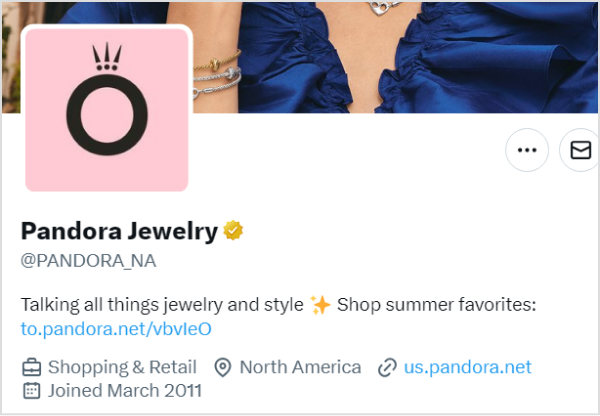
Like Pandora, the famous jewelry brand added a CTA in its bio saying, “Shop summer favorites.”
Moreover, if you want more people to check out your online portfolio, website, or other social media accounts, don’t be shy about including links to them. How can you fit so many social accounts in one bio?
Don’t stress, use the Replug’s “bio links” feature to craft a landing page for all your social media networks.
And if you’re looking to manage, track, and optimize all your links from one place, Replug is the perfect link management platform to keep your marketing organized and effective.
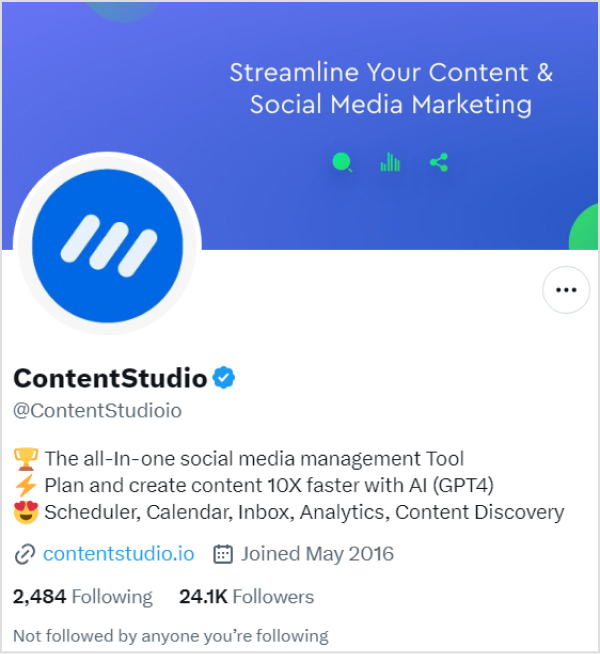
Moreover, if you don’t have a lot of social profiles and only one network, don’t put that boring generic link. Instead, shorten your links with this branded link shortener, and customize them to fit your brand, and then paste them.
Just like Contentstudio did on Twitter(X).
5. Use emojis and symbols
Using emojis and symbols in your Twitter(X) bio is a little touch that makes everything more fun and colorful. These little guys are like the flashy neon signs of the internet, instantly grabbing your attention and making your bio the star of the show.
On the other hand, symbols break up the text, making your bio easy to read and remember and adding a touch of creativity.
Examples of some best Twitter(X) Ideas for you
Twitter bios come in various styles and serve different purposes, depending on the user’s goals and personality. Below are some of the 90+best Twitter bio examples for you:
Funny Twitter bio ideas
“Here for a good time and a retweet.”
“Professional snacktivist ????”
“Spreading smiles, one tweet at a time ????”
“Trying to adult, failing spectacularly.”
“Cat person in a dog-eat-dog world ????”
“Life’s a joke, and I’m the punchline.”
“Coffee in one hand, confidence in the other ☕”
“Ctrl + Alt + Defeat”
“Breaking news: I’m hungry again ????”
“Just a typo away from greatness.”
“Self-proclaimed memeologist ????”
“Fluent in emoji, sarcasm, and coffee.”
“Currently lost in a parallel universe… or the kitchen.”
“Seeds of kindness, growing a world of compassion.”
“Bouncing back with grace, Adversity is my ally.”
“Life’s an adventure, Making the most of every chapter.”
“Just another face in the crowd trying to find my place in this world.”
“Trying to make the most of life, one day at a time!”
“Living the dream, one step at a time.”
“Full-time dreamer, part-time doer.”
“Adventure awaits, and I’m ready for it!”
“Trying to make the best of what life has dealt me.”
“Living a life full of laughter and fun!”
“Making every day count – one step at a time!”
“Letting my true colors shine through!”
“I’m a dreamer and doer, chasing my goals every day!”
Cool Twitter bio ideas
“Living life in vibrant hues. ????”
“Just here for the memes.”
“Living my best life one day at a time.”
“Making the most out of my 20s.”
“Seeking adventure everywhere. ????️”
“Coffee addict and lover of all things sweet.”
“Wearing the entrepreneur hat.”
“I put “ces” in “success.” Without me, life will just “succ.”
“I’m so much cooler online. Aren’t we all?”
“It’s all fun and games till it’s not fun and games.”
“In an era full of trends, I’m a classic.”
“Allergic to mornings and responsibility.”
“Traveling the world, one step at a time.”
“Just trying to make it through life.”
“Obsessed with taking pictures of sunsets.”
Location-based Twitter bio ideas
“Roaming the streets of Paris”
“Chasing waves along the California coast”
“Lost in the hustle and bustle of Tokyo”
“Country roads and southern charm”
“Savoring the flavors of Italy, one pasta dish at a time “
“Embracing the desert vibes in Dubai”
“Captivated by the Northern Lights in Norway “
“Navigating the urban jungle of New York City”
“Exploring the ancient streets of Rome”
“Mountain love- Breathing in the crisp air of the Rockies ⛰️”
“Cruising through the canals of Amsterdam”
“Chasing castles and legends across the Scottish Highlands.”
“Living the island life in Hawaii- Aloha vibes”
“Coffee, rain, and tech- Seattle is where I thrive “
“Proud Texan-Embracing the Lone Star State spirit”
Conclusion
A well-written bio can help promote your business, enhance conversations, and impact purchasing decisions. However, trying to fit your entire brand identity or interests into a measly 160 characters on Twitter is like stuffing an elephant into a matchbox. But we hope that these Twitter bio ideas may help you. Good luck!
Frequently asked questions
Why is a Twitter(X) bio important?
Your Twitter bio is often the first thing people see when they visit your profile. It’s a brief snapshot of who you are and what you offer, making it crucial for making a positive first impression and conveying your brand identity.
How can I optimize my Twitter(X) bio for brand identity?
Focus on short, impactful descriptions to optimize your Twitter bio for brand identity. Incorporate relevant keywords, hashtags, Regular bio audits, and A/B Testing for Optimization to increase discoverability, and use a well-crafted CTA to guide users toward meaningful engagement.
Your Instagram bio is your brands first impression, and it matters. It’s more than just a few lines of text. It’s a powerful tool to establish your brand identity and drive traffic to your brand.
Brands lose potential leads and drop conversion rates instantly as they’re not familiar with the platform’s algorithm or best practices. Some of the most important pointers to maximize your Instagram profile’s bio is knowing
How to remove link from Instagram bio?
How to maximize the limited space in your bio?
How to rename your bio links?
When crafting your Instagram bio, consider including some of the following:
Don’t forget that the URL in your bio channels your followers to an external website, a new landing page, a microsite, or other relevant destinations, expanding your influence beyond Instagram.
Why I can’t remove the link from my Instagram bio?
There are a few potential reasons why you might be unable to remove a link from your Instagram bio:
Instagram glitch: Sometimes, Instagram experiences temporary glitches. Try closing the app completely and reopening it. This might resolve the issue.
Link shortener or third-party app: If you’re using a link shortener or a third-party app to manage your bio link, you might need to remove the link from that service first.
Outdated app: Ensure you’re using the latest version of the Instagram app. Outdated apps can sometimes cause issues.
Cache issues: Clear your app’s cache or use a different device to see if the issue persists. Cached data can sometimes cause unexpected behavior.
Account issues: Verify that your account hasn’t been flagged or restricted in any way, which might affect your ability to make changes.
Additional troubleshooting steps:
Check internet connection: A poor internet connection can interfere with app functions.
Try a different device: If possible, log in to Instagram from a different device to see if the issue persists.
Wait it out: Sometimes, Instagram experiences temporary server issues. Waiting a few hours might resolve the problem.
If you’ve tried these steps and still can’t remove the link, contact Instagram support directly for further assistance.
How to remove a link from your Instagram bio?
Removing a link from your Instagram bio is a quick and easy process. Follow these steps to update your bio:
Step 1: Open the Instagram app on your device.
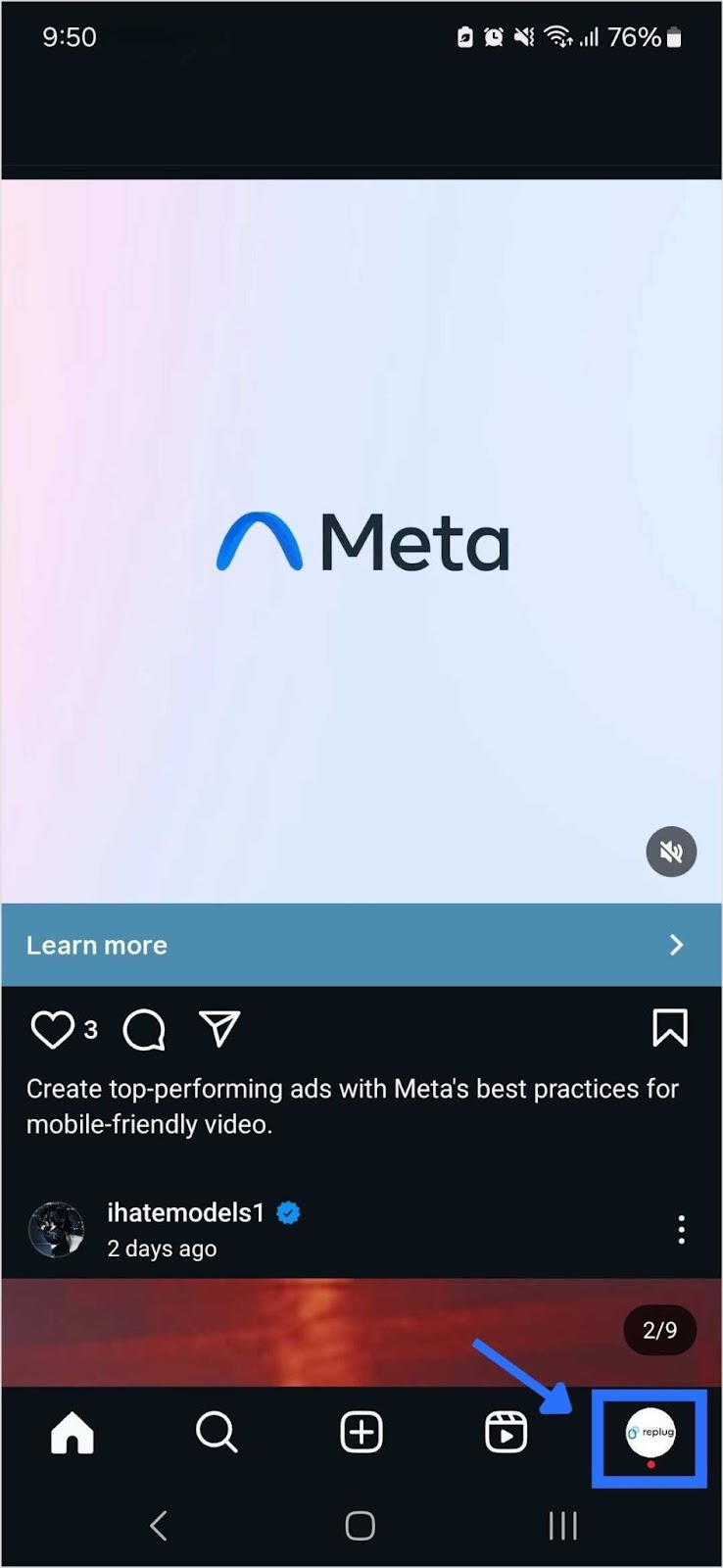
Step 2: Go to your profile
Tap on your profile picture in the bottom right corner of the screen to go to your profile page.
Step 3: Edit your profile
On your profile page, tap the “Edit Profile” button. This is usually located directly below your profile picture and bio.
Step 4: Update the website field
In the “Edit Profile” screen, look for the “Link” field. This is where your current link is located.
Step 5: Remove the link
Tap on the “Link” field to edit it. Delete the existing link or text from the field.
Step 6: Save your changes
Once you’ve removed the link, tap “Done” (iOS) or the checkmark (Android) in the top right corner to save your changes.
Refresh your profile: Go back to your profile page and refresh it to ensure that the link has been successfully removed.
And that’s it! You’ve successfully removed or updated the link from your Instagram bio.
Go beyond generic link pages!
Create custom bio links that truly fit your brand
With Replug, you can create bio links that are unique, engaging, and built to convert.
Renaming a link on Instagram involves using link shortener tools that not only condense your URL but also allow customization of the link text to make it more appealing and memorable.
One of the best options is Replug. It is a top-notch, free link shortener tool that offers customization features.
Introducing Replug.io
Replug.io is a link management platform that simplifies URL sharing by creating branded short links and provides in-depth click tracking for performance optimization.
Steps to rename bio links on Instagram using Replug
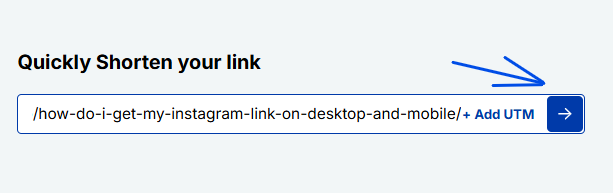
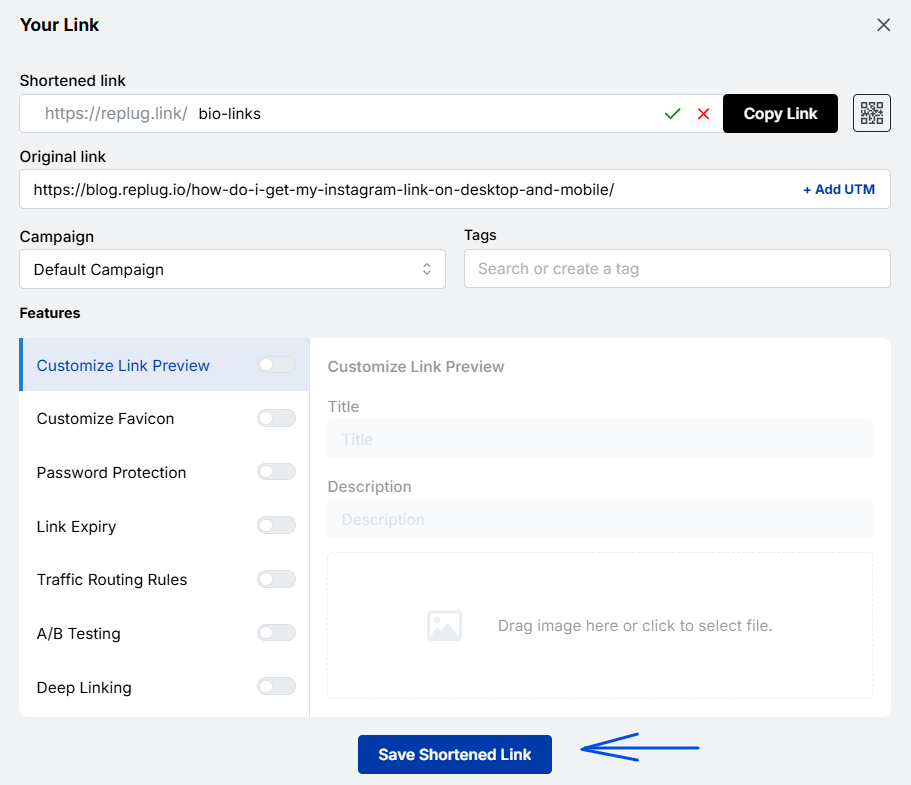
Step 1: In the top-left corner, paste the link you want to shorten into the input bar. Then, click the arrow icon next to it to proceed.
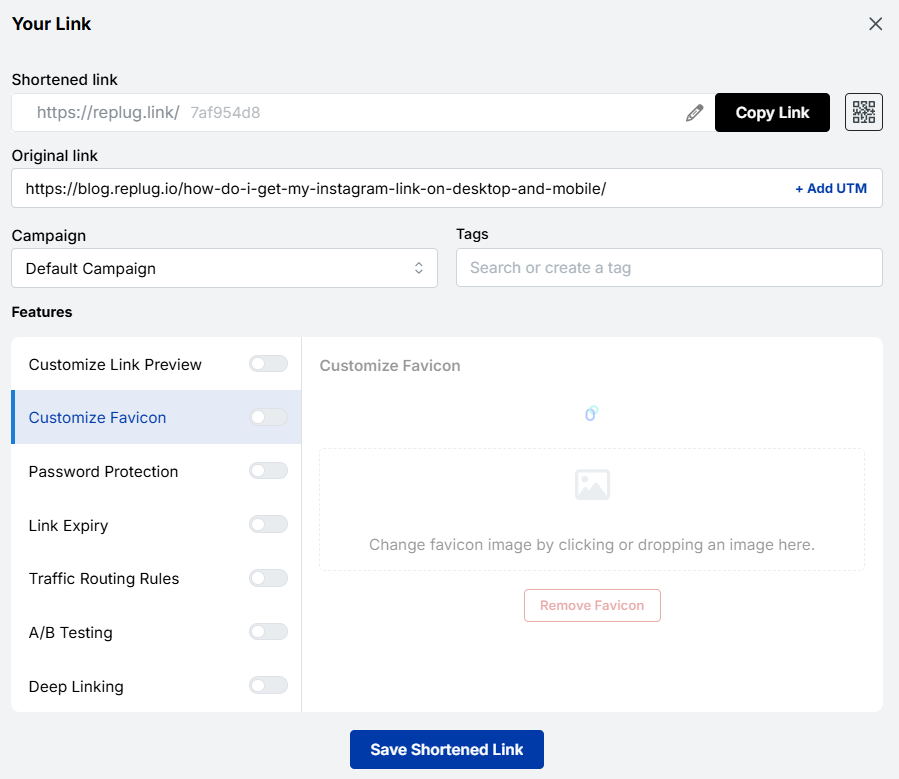
Step 2: You’ll be redirected to this page
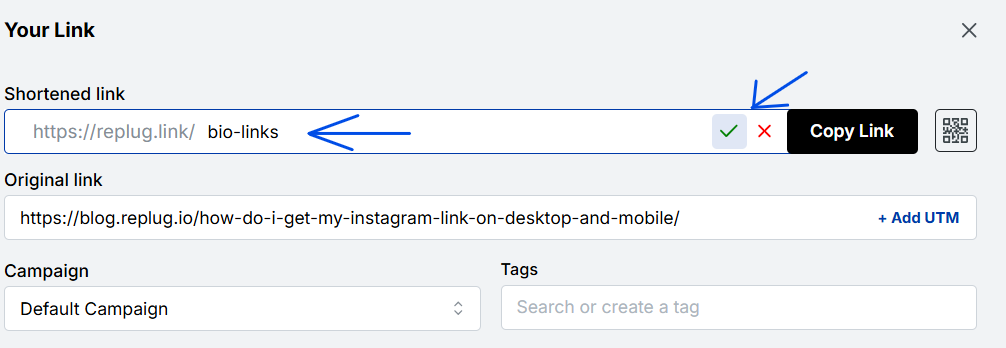
Click the pencil icon in the top bar to rename or customize your link.
After editing, click the green checkmark to confirm the changes.
Step 3: Once you’ve finalized your changes, click the “Save Shortened Link” button at the bottom to complete the process.
Viola! Your link is renamed.
Step 4: Update your Instagram bio
Open Instagram and go to your profile.
Tap on “Edit profile”.
Find the “Website” field and paste your customized short link.
Save your changes.
Double-check your profile or wherever the link is used to ensure that the new name is correctly reflected and that the link still functions properly.
Maximize marketing ROI
by transforming ordinary URLs into branded short links that convert.
Try Replug for free
Replug: Link-in-bio feature
You can achieve this effortlessly with the Replug bio-link feature. This tool lets you consolidate all your important content and links into a single, accessible location for your audience.
Here are amazing features of Replug’s link in bio tool
1. Add your favorite content in one place
Bring your brand to life with social media icons, essential links, the recent blog with an RSS feed, audio clips, important text, and cards for stunning images.
2. With Replug, you don’t just get a link in bio – you get to own it by renaming your links.
Also, customize their appearance and match your landing page blocks from colors to favicons to your brand’s vibe.
3. Track bio link performance
With performance tracking features, you can monitor the total number of clicks, conversion rates, and other valuable metrics. The best part is that you can view your analytics in both a summary list view and a detailed view.
Go beyond generic link pages!
Create custom bio links that truly fit your brand
With Replug, you can create bio links that are unique, engaging, and built to convert.
Top tips to maximize the limited space in your bio:
Quick tips
Maximize your impact
Less is more
Add a short description about your brand or page.
Try adding a bio landing page
Conclude your website link, portfolio, contact information etc.
Identify your unique selling point (USP)
Clearly communicate what sets you apart.
Include a clear call to action (CTA)
Tell people what you want them to do next.
Keep on experimenting
Try different stuff. See what clicks. You might surprise yourself!
Conclusion
Removing a link from your Instagram bio is a simple process that can be done in a few steps through the app’s profile settings. By keeping your bio updated and free of outdated or broken links, you ensure a professional and effective presence on the platform. This helps maintain a clear and engaging profile, optimizing your brand’s impact and user experience.
So that was it for today’s guide. If you have more questions regarding link name changers, link removers, or the best link in bio tools, feel free to visit our website.
FAQs related to Instagram bio-link
How do I make my Instagram bio catchy?
1. Clearly state what your business does. 2. Use relevant keywords to improve searchability. 3. Include contact information and a call to action. 4. Utilize Instagram’s business features like adding a category, contact options, and action buttons (e.g., “Book Now” or “Shop”).
How do I add a website link to my Instagram bio?
Edit your profile and paste the URL into the “Website” field.
How often should I update my Instagram bio?
Update your bio whenever there are significant changes to your brand, achievements, or contact information.
Can I use hashtags in my Instagram bio?
Yes, you can use hashtags in your Instagram bio to make your profile more discoverable and to highlight key interests or topics.
Rebrandly is a user-friendly tool for creating custom-branded short links, as well as shorter and more visually appealing versions of long URLs.
It’s commonly used in digital marketing to share links on social media and email campaigns.
Moreover, Rebrandly also offers detailed link tracking and analytics, helping users understand how their links are performing and where their audience is coming from.
Why consider Rebrandly alternatives?
Before we dive into the alternatives, let’s briefly touch on why agencies might be looking beyond Rebrandly. While Rebrandly offers solid link-management capabilities, it may fall short in some areas:
Feature limitations: Some agencies require more advanced features that Rebrandly doesn’t offer.
No hidden fees: Some Rebrandly alternatives might offer clearer, more transparent pricing with no surprise charges.
Integration needs: Certain agencies require seamless integration with specific tools that Rebrandly doesn’t support.
Faster support response: Some alternatives provide quicker and more efficient customer service, helping you resolve issues without delay.
Considering these factors, let’s explore the top alternatives that address these concerns and offer unique agency advantages.
Best Rebrandly alternatives: Pros, cons, and key features
1. Replug.io
Why Replug: Our top choice as the best Rebrandly alternative is Replug. This tool offers a comprehensive link management suite with link shortening, tracking, and retargeting features.
A complete link management solution
for marketing professionals & agencies.
Try Replug for free
Also, Replug stands out for features like white-label, A/B testing, deep linking, and analytics. Overall, it’s a powerful tool for marketing campaigns.
Why Bitly: Bitly is a household name in link shortening, known for its simplicity and analytics. Bitly as an alternative to Rebrandly can be a great choice because it offers high-end link tracking performance which helps in enhancing user engagement.
Pros:
Simplicity and user-friendly interface
Powerful link tracking and analytics
Easy-to-use browser extension
Customizable short links
Cons:
Limited features in the free version
Advanced analytics require a premium subscription
No link retargeting, CTAs, and A/B testing.
3. TinyURL
Why TinyURL: TinyURL is your friend if you need a no-fuss solution. It’s straightforward and user-friendly, ideal for quick link shortening.
Pros:
Straightforward and no-fuss link shortening
Quick and easy to use
No registration required
Cons:
Lacks advanced features
Limited link-tracking capabilities
Boost ROI with branded URLs!
Enhance your marketing campaigns by creating shareable, trackable, and fully multi-purpose
customizable branded URLs.
Why BL.INK: BL.INK is a versatile URL shortener with advanced features like QR code generation and analytics. Perfect for marketing and tracking campaigns.
Pros:
All-round URL shortener
QR code generation
Analytics for link tracking
Custom branded domains
Cons:
Pricing may not suit budget-conscious users
Lacks many features, such as link retargeting and bio links that Rebrandly offers
Why Linkly: It’s a powerful link management tool that helps you optimize your online presence and marketing strategies. It allows you to create, customize, and track links, providing in-depth insights into audience engagement.
Pros:
Link customization
UTM parameters
Scheduled links
Password protection
Cons:
Learning curve (for new users)
Premium features may be pricey for some
6. Cutt.ly
Why Cutt.ly: It’s an advanced link management tool specializing in link shortening and tracking. It simplifies creating custom-branded short links and offers comprehensive analytics to help you understand link performance.
Pros:
In-depth link tracking and analytics.
Custom-branded links for a professional appearance.
Suitable for businesses of all sizes.
Cons:
Limited customization options for free users.
Analytics not as robust as some competitors
7. Short.io
Why Short.io: Short.io offers custom-branded links and link tracking, making it an excellent choice for businesses and marketers.
Pros:
Custom-branded links
Link tracking and analytics
User-friendly interface
Cons:
Some users report occasional reliability issues
8. Sniply
Why Sniply: Sniply combines link shortening with lead generation. It allows you to add call-to-actions to shared links, making it a powerful tool for marketers.
Pros:
Combines link shortening with lead generation
Allows call-to-action on short links
Great for marketers and brand promotion with CTAs
Cons:
Lacks in several important features.
Some features are reserved for premium users
9. Shorby
Why Shorby: Shorby focuses on enhancing social media profiles through link shortening and online branding. If you’re active on social media, it’s worth a look.
Pros:
Enhances social media profiles through link branding
Ideal for social media enthusiasts
Simplifies link sharing on social platforms
Cons:
May not be suitable for users with broader link management needs
Some features are specific to social media management
It’s a valid question. Replug offers features that set it apart from Rebrandly:
Link retargeting: Replug allows you to create short links and add retargeting pixels to them, helping you reach users who have engaged with your links before.
In conclusion, the world of link management offers a wide array of alternatives to Rebrandly. Each of these Rebrandly alternatives has pros and cons, catering to diverse needs.
Whether you’re looking for simplicity, analytics, branding, or lead generation, consider the options mentioned here and choose the one that aligns with your specific goals and preferences.
Happy link management!
FAQs on Rebrandly alternatives
Why Look for Rebrandly Alternatives?
Rebrandly has been a popular choice for link shortening and management, but it’s essential to have options that suit your unique needs. Whether you want more features, a different pricing structure, or a fresh interface, these Rebrandly alternatives are something for everyone.
Which Rebrandly alternative is best for marketing campaigns?
Replug is an excellent choice for marketing campaigns, offering various features for link management and user engagement.
Are these alternatives suitable for businesses and marketers?
Yes, many of these alternatives, such as Replug and BL.INK, offers advanced features and analytics, making them excellent choices for businesses and marketers.
Which link-shortening tool is similar to Rebrandly?
Replug is a link management tool similar to Rebrandly, offering custom-branded short links and robust analytics.
Adding an Amazon link to your Instagram bio allows users to easily access and purchase products you promote or have an affiliate relationship with on the platform.
By including the link, you can increase sales and earn commissions as an Amazon affiliate. This also helps increase brand visibility and exposure by allowing followers to easily access and conveniently purchase your products.
Additionally, you can maximize your earning potential on Amazon by sharing a shop’s address, product, or affiliate link on your Instagram Bio. This informative guide will teach you the best options and tips for adding them to your Instagram bio.
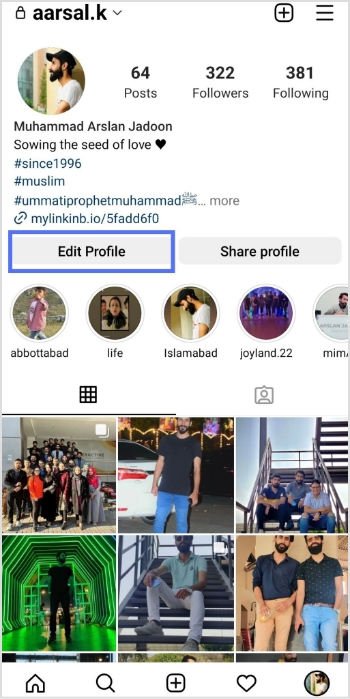
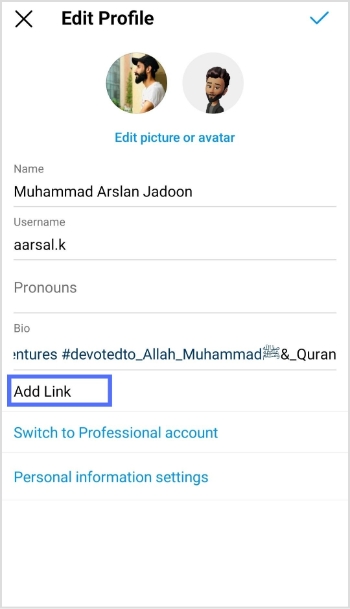
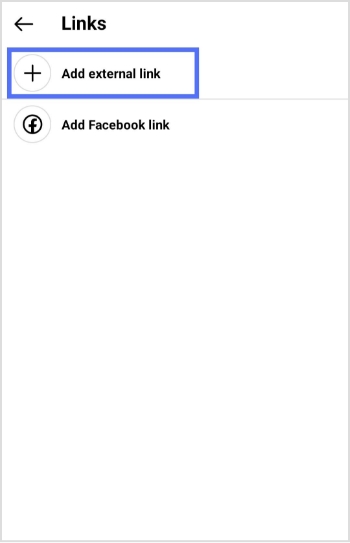
Here’s how to add an Amazon link to your Instagram bio:
Step 1: Open the Instagram app on your mobile phone and tap the profile icon in the bottom right corner.
Step 2: Tap the “edit profile” button on your mobile screen.
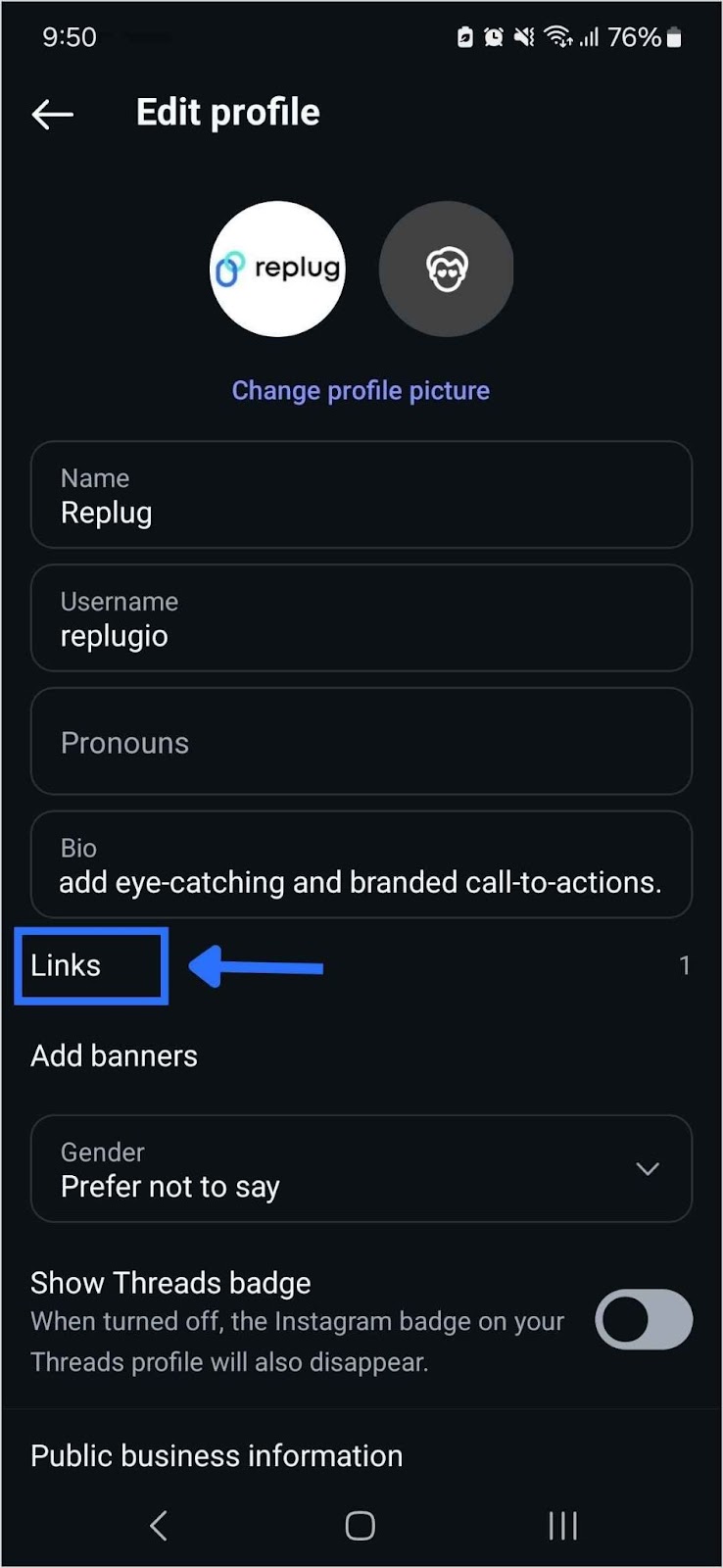
Step 3: Tap “add link” to open the links section.
Step 4: Tap “add external link” to add your amazon link.
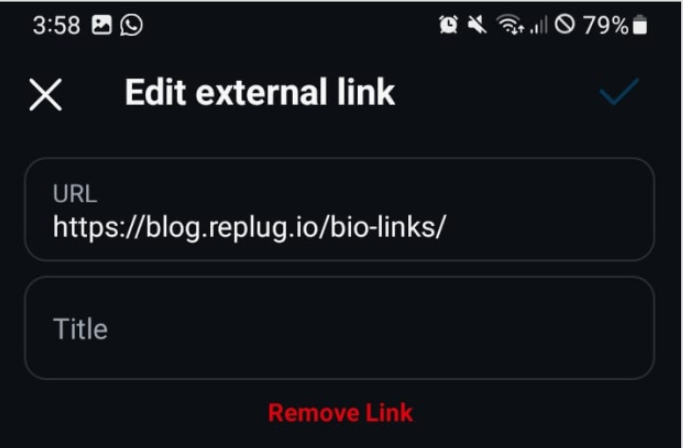
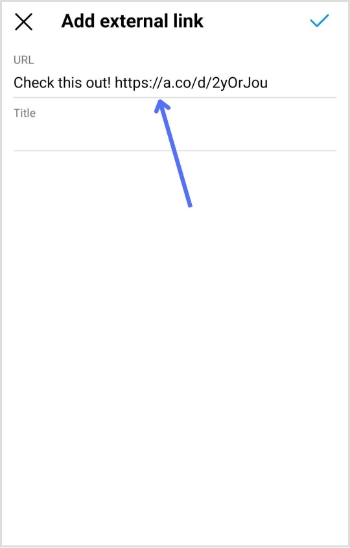
Step 5: Paste your Amazon link in the URL section and tap the tick icon in the top right corner. Your Amazon link now appears in the Instagram bio.
Maximize marketing ROI
by transforming ordinary URLs into branded short links that convert.
Try Replug for free
How to add multiple Amazon links to Instagram bio?
Adding multiple Amazon links (shop and affiliate) to your Instagram bio can increase your exposure and earning potential on the platform.
If you have your own Amazon shop, you can add the link to your bio, allowing followers to easily access and purchase your products. By including this link, you can increase sales and revenue for your business.
In addition to your shop, you can also sign up for the Amazon Affiliate Program, which allows you to promote Amazon products and earn a commission on each sale. As an affiliate, you can add affiliate links to your bio, providing followers with easy access to the products you are promoting.
You can use our link management tool – Replug.io, to add multiple links to your bio. Our Instagram link in bio tool helps you create a landing page as a hub for all your links. You can add your Amazon shop link, affiliate links to the page, and links to other products, websites, or services.
Step 1: Visit the Replug website and sign up for a new account, or log in if you already have one.
Step 2: Find the “Bio Links” feature in the top banner to access the bio link dashboard.
Step 3: Click on the “New Bio Link” button to create a new page. You’ll be directed to a new screen with three key sections: branding, content, and settings.
Step 4: In the branding section, enter your brand title and description, choose a theme, and select button styles that match your brand’s look and feel. Once you’re satisfied, click “Publish” in the top right corner to save your changes.
Note: Replug also allows you to add a verification badge to your bio landing page for extra credibility.
Step 5: Move to the content section, where you can add various elements, including social icons, links, RSS feeds, videos, cards, and text.
For example:
Social icons: Add up to 8 platforms, customize colors, and link to your profiles.
Links block: Use the “links” block to include website links. Add titles and URLs for each link.
Step 6: After adding your content blocks, click “Update” to save each one.
Step 7: In the settings section, customize your bio link’s SEO and social media preview. You can add a title, description, and favicon image and even integrate a retargeting pixel for better tracking.
Step 8: Once you’re happy with your bio link, save it, and use the Replug’s generated URL to showcase multiple links across your social profiles.
You can also make your URLs more concise and trackable with this efficient ad free URL shortener, ensuring a cleaner and more professional appearance across all your shared links.
The bottom line
Adding multiple Amazon links to your Instagram bio can help you increase your earnings by promoting multiple products and earning commissions on each sale. Replug also allows you to track the performance of each link and determine which products or services are most popular with your followers.
In short, Replug’s bio links feature can offer numerous benefits, including increased exposure, better engagement, increased sales, improved analytics, and enhanced brand image.
FAQs on Amazon link to Instagram bio
Why is the Amazon link in Instagram Bio not clickable?
If your Amazon link on your Instagram bio is not clickable, it could be due to an incorrect link format, link blocking, a broken link, being blocked by Amazon, or an incorrect tracking ID. Check these factors and make any necessary adjustments to resolve the issue.
Can I add multiple Amazon links to my Instagram bio?
Yes, you can use tools like Replug to create a bio link page where you can add multiple Amazon shop and affiliate links, making it easier for followers to access and purchase products.
Why isn’t my Amazon link clickable in my Instagram bio?
Check if the link format is correct, if the link is broken, or if it’s being blocked by Amazon. Make sure to use a proper tracking ID and verify that the link is not being restricted.
How can I track the performance of my Amazon links in my Instagram bio?
Tools like Replug allow you to track clicks and engagement on your Amazon links, helping you see which products or services are popular with your followers.
Links provide direct pathways for viewers to explore additional content or products, increasing your chances of engagement and conversion.
Adding links to your YouTube bio is a great way to drive traffic to your website, social media profiles, or other online content.
This is the main reason why many creators choose to rely on a dependable platform like Replug.io to manage bio links and link tracking seamlessly.
This can help you grow your audience and increase engagement with your videos.
Quick guide on adding links to your YouTube bio:
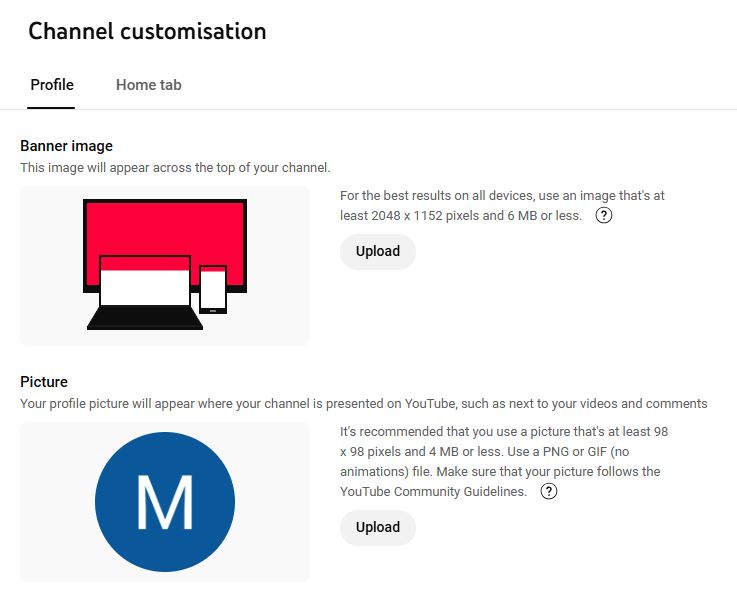
Step 1: Access the YouTube Studio
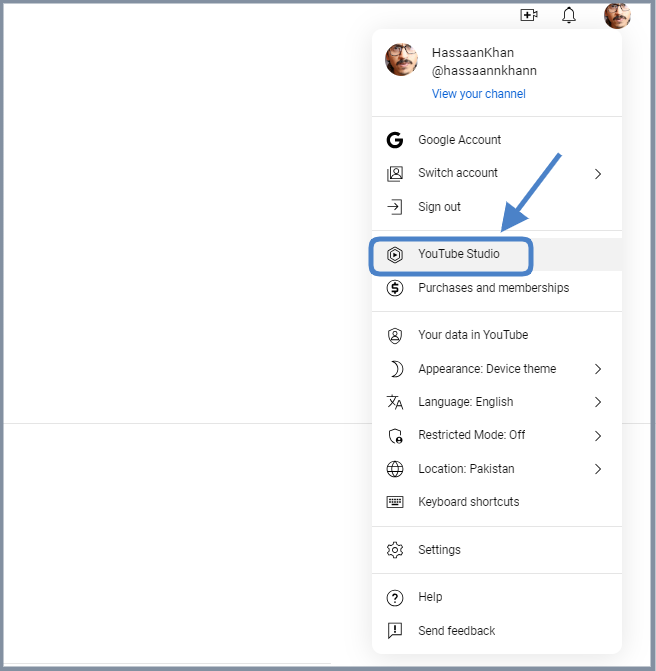
YouTube Studio is the option that provides access to the channel dashboard.
Click on the profile icon from the top-right corner of the screen.
Now, click on the “YouTube Studio” option.
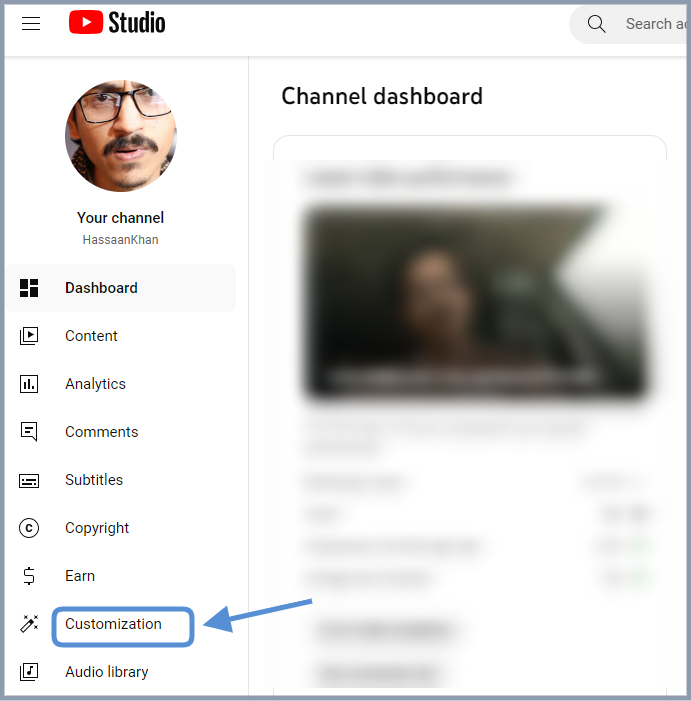
Step 2: Go to the “Customization” section
The next up is the access to the customization section. Look out for the second to last option on the left sidebar; you’ll see the “Customization” option.
Click on that option and enter the customization area.
Step 3: Open the “Profile” tab
Click on the “Profile” tab to access the bio area.
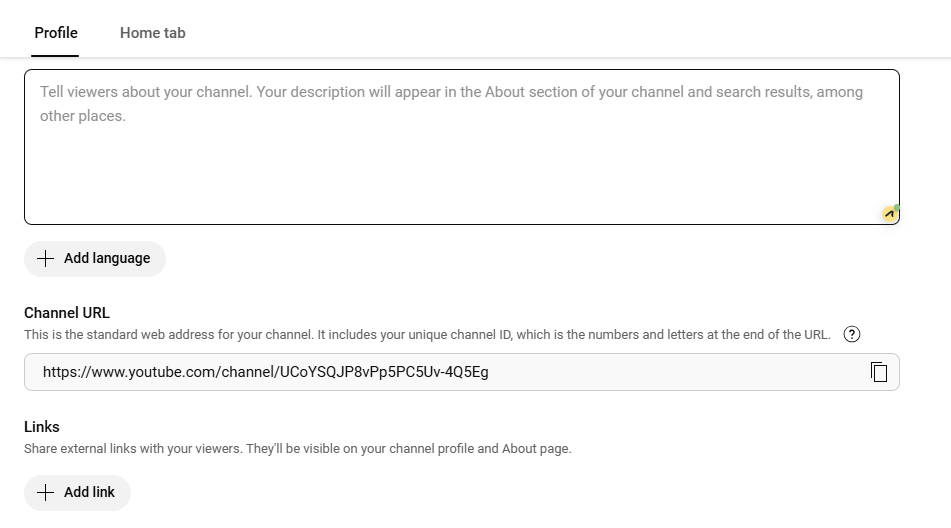
Now, you’ll see the channel’s name, description, and URL.
Step 4: Add links to your bio
Once you have accessed the “Profile” section, you’ll see several customization options.
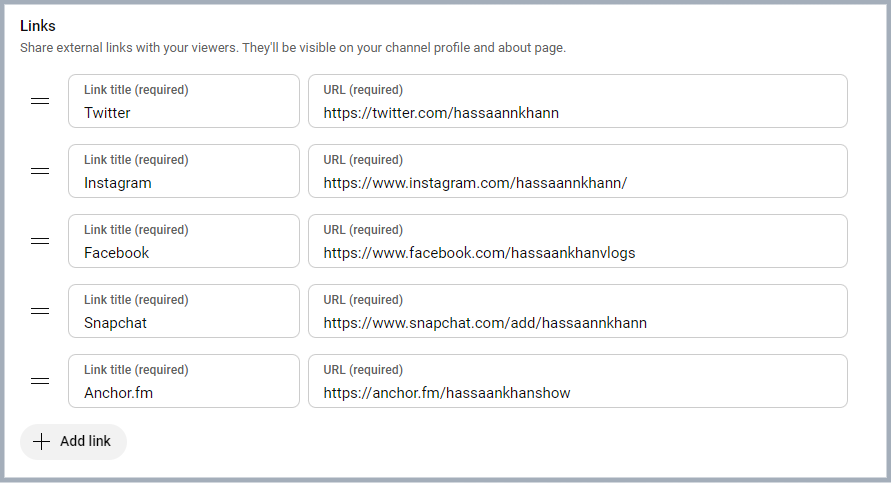
To add links to your bio, simply navigate to the links section, click on “Add a link”.
Step 5: Add a link
Add your link title and paste the URLs. Once added, it’ll be featured in your “About” section of the YouTube bio.
How to optimize your links for engagement: A guide for YouTube creators
Below are some of the best practices of adding links to your YouTube bio.
1. Relevance is key
Always ensure that the links you share are relevant to the content of your video. If you’re creating makeup tutorials, link to your beauty blog for in-depth articles, product reviews, and additional resources that complement your video. This not only provides value but also enriches the viewer’s experience.
2. Shorten URLs
Using shortened branded URLs in your YouTube bio can greatly enhance your channel’s professionalism and effectiveness in attracting viewers.
To make this even easier, you can use a free link shortener that cleans up long URLs and helps you present a neat, memorable bio link. This is especially handy when you’re sharing multiple pages or long website URLs.
These custom short links not only save precious character space but also make it easier for your audience to recognize and remember the destination, fostering trust and engagement.
3. Social media connections
Consider linking to your social media accounts, such as Instagram, where you can share behind-the-scenes content, engage with followers through polls, and showcase additional makeup looks. These platforms allow for real-time interaction and help you build a stronger connection with your audience.
Additionally, utilizing a URL shortener that provides tracking analytics can empower you to assess which links perform best, allowing you to refine your approach and maximize your outreach.
4. Keeping descriptions clear and concise
When adding links, accompany them with a brief description to clarify what the link is for.
5. Regularly updating links
Links can become outdated quickly. Regularly check all your links to ensure they’re functional, and directing viewers to the correct content.
Based on performance metrics, refine your approach. If certain links aren’t getting clicks, consider changing their placement or how you describe them.
Leverage the power of bio links to not only showcase your additional content but also to significantly enhance your YouTube presence. Transform your viewer’s experience guiding them effortlessly to your blog site, merchandise, or any other relevant platforms. This tailored approach makes it easier for your audience to connect with you on multiple channels.
By linking to your related content—be it blog posts or social media—you create a comprehensive digital ecosystem. This enhances viewer engagement and encourages them to explore more of your work, ultimately fostering a loyal community that values your expertise.
3 common mistakes to avoid when adding links on YouTube
1. Spamming links
Avoid overcrowding your bio with too many links. This can overwhelm and confuse viewers. Focus on quality over quantity.
2. Ignoring guidelines
YouTube has specific policies regarding links. Ignoring these can result in penalties or removal of your content. Always stay informed about community guidelines.
3. Neglecting mobile users
With many users accessing YouTube on mobile, ensure your links are mobile-friendly. Test how they appear and work on different devices.
Conclusion
Adding links to your YouTube bio is a powerful tool for boosting engagement, directing traffic to your other platforms, and generating revenue. By understanding how to strategically incorporate links, you’ll enhance your channel’s visibility and viewer experience. Remember to regularly review your links and keep them updated for the best results.
Maybe it’s better than both the tools and other established players in the market.
Well, it’s time to find out.
The answer lies in thoroughly examining its features, cost-effectiveness, user experience, and value proposition.
So let’s get you started in our comparison article Bitly vs Linktree vs Replug.
Stick with us…
Let’s quickly go through the top trio
Replug
Replug is an all-star link management tool packed with top features such as branded link shortening, bio links, link analytics, traffic routing, QR codes, retargeting pixels, deep linking, and much more. Its user-friendly interface and quick integration with marketing platforms make driving traffic, capturing leads, and boosting conversions a breeze.
Bitly
Bitly is a URL-shortening service that condenses lengthy URLs into concise links, simplifying sharing and tracking across platforms. Its integration capabilities span various platforms, social media tools, and applications, enhancing users’ accessibility and analytics.
Linktree
Linktree is a link-in bio tool for organizing all your essential links in a user-friendly format. It’s perfect for directing your audience to your website, social profiles, or anything else!
Any major drawbacks you should be aware of?
Well yeah, there are some of the limitations you should be aware of before getting started with this comparison.
Replug:No free version available for now
Bitly:The high-tier pricing plan is extremely expensive, also you don’t get the same level of customization and link management as Replug.
Linktree: Lacks advanced features like detailed analytics and link retargeting, which are available on other platforms.
It offers a range of pricing plans to suit different needs, starting at $19 per month for a basic plan, $49 per month for professionals, and $79 per month for businesses. (offers a 14-day free trial)
Provides a free plan with extremely basic features, as well as a pro plan starting at $5 per month and going up to $24/per month.
A complete link management solution
for marketing professionals & agencies.
Try Replug for free
Choosing the right tool: Factors to consider in your link management tool
Let’s compare three popular options, Replug, Bitly, and Linktree, to help you choose the one that best suits your needs.
1. URL shortening
URL shortening converts a long, complex URL into a shorter, more manageable version. This shorter URL (Uniform Resource Locator) typically redirects users to the original, longer URL when clicked.
Replug: Offers URL shortening with custom domains and branded links. Shortened links can be integrated with CTAs, and pixels can be retargeted for better results.
Bitly: Primarily focuses on URL shortening. It provides a free plan with limited features and paid plans with increased shortening limits, custom domains, and detailed analytics.
Linktree: Doesn’t offer direct URL shortening. However, you can shorten individual links within your Linktree bio using a separate shortening service.
Winner: Replug and Bitly, depending on your needs. Replug is ultimately the best URL shortener as it offers more customization options, while Bitly focuses just on shortening functionality with its free plan.
2. Bio links
Bio links, short for biography links, refer to the clickable URLs found in the bio section of social media profiles. These links serve as a gateway for users to access additional content or resources outside of the social media platform.
Individuals, businesses, and organizations commonly use bio links to direct followers to their websites, blogs, online stores, or other relevant link destinations.
Go beyond generic link pages!
Create custom bio links that truly fit your brand
With Replug, you can create bio links that are unique, engaging, and built to convert.
Replug: Creates bio links that showcase your social media profiles, website, and other important links in a single, customizable landing page. This allows you to create a central hub for your online presence, making it easy for users to find all your relevant links in one place. You can also customize the design and branding of the landing page to match your style.
Bitly: While Bitly primarily focuses on URL shortening, users can still utilize Bitly links in bio sections to direct followers to multiple destinations.
Linktree: Linktree specializes in bio link management, providing a centralized hub for users to share multiple links from a single URL in their social media bios. However, this bio link tool branding appears on your bio link page in the free version, and there’s no way to remove it. This can be a drawback for users who want a completely branded experience.
Winner: Linktree, if creating a dedicated bio link page is your primary goal. Replug offers bio links as part of its broader functionality.
3. White-label boards
A white-label solution allows you to rebrand a product or service as your own. This means you can remove any branding from the original provider and replace it with your logo, name, and colors.
Replug: Provides white-label solutions for agencies and businesses, allowing them to replace Replug branding with their own.
Bitly: It doesn’t offer white labeling in any plan.
Linktree: It doesn’t provide white labeling.
Winner: Replug takes the lead with white-label solutions in its agency plan, surpassing Bitly and Linktree, which do not provide this feature.
4. Retargeting pixels
A retargeting pixel allows marketers to recognize individuals who have previously interacted with their website or social media profiles, enabling them to deliver personalized advertisements to these users across different platforms.
Bitly: It does not provide any type of retargeting feature.
Linktree: This service doesn’t offer retargeting pixel integration. It focuses on creating bio links and doesn’t offer functionalities related to retargeting website visitors.
Winner: Clearly, Replug is the winner here. Both the other competitors Bitly and Linktree do not provide this feature.
5. QR code generation
QR codes, short for quick response codes, are barcodes that store information in a machine-readable format. These codes consist of black squares arranged on a white square grid, often with a distinct square pattern in the corners for alignment purposes. QR codes can store various types of data, including URLs, text, contact information, or other types of data.
Replug: Offers QR code generation for shortened links. Users can scan the code and instantly access your website, social media profile, or any other link you’ve shortened.
Bitly: Bitly provides QR code generation functionality, allowing users to create QR codes for offline marketing materials and track their performance.
Linktree: Yes, Linktree offers QR codes for your Linktree profile.
Winner: All platforms excel in this feature. It’s worth noting that Bitly goes the extra mile, offering a broader range of quick and advanced QR code generator functionalities compared to Replug and Linktree.
6. Custom CTAs
This allows you to customize the text and appearance of the CTA buttons to match your branding and encourage users to interact with the specific link.
Boost your conversion rates with irresistable CTAs with
Replug: Allows adding custom CTAs (call to action) buttons directly to shortened links. Add customized phrases such as “visit website,” “download now,” or “learn more”, etc. to these buttons to compel users to click on the link.”
Bitly: It doesn’t offer custom CTAs in any plan.
Linktree: Allows custom CTAs to be added to individual links within your Linktree bio.
Winner: Replug offers more flexibility in adding custom CTAs directly to shortened links, allowing for a more targeted and interactive user experience.
7. Easy link rotation
This feature lets you send visitors to different landing pages using just one link. You can set filters like country, time, and date to control where traffic goes, aligning it with your specific goals.
Replug: Provides easy link rotation functionality based on pre-set filters like country, date, time, or device. This allows you to rotate between different landing pages or offers for specific audiences or timeframes. This powerful feature is for your marketing campaigns or showcasing targeted promotions to different user segments using different landing pages to convert visitors.
Bitly: No link rotation is offered in any plan. Bitly focuses primarily on URL shortening and lacks features for managing and rotating different links based on specific criteria.
Linktree: It doesn’t offer link rotation features. Linktree is designed to create and manage a single bio link page. While you can include multiple links within your bio, it doesn’t offer functionalities to automatically rotate them based on pre-defined conditions.
Winner: Replug, for its advanced link rotation capabilities that allow you to optimize your marketing efforts by targeting specific audiences or testing different marketing campaigns.
8. Detailed link analytics
Link analytics refers to the process of tracking and analyzing the performance of URLs or links shared online. It involves gathering data on various metrics such as click-through rates, geographic location of visitors, referral sources, and conversion rates.
Maximize marketing ROI
by transforming ordinary URLs into branded short links that convert.
Try Replug for free
Replug: Offers detailed link analytics, from providing insights on clicks to conversion rates, and even sources used to access these short tracking links. This data can be crucial for understanding user behavior and optimizing your marketing campaigns. Replug equips you with valuable insights to make informed decisions about your link strategy.
Bitly: Provides varying levels of link analytics depending on the plan. While the free plan offers basic click data, paid plans unlock a little more analytics like CTRs, and geographical data. Though Bitly offers good analytics options, especially in its paid tiers, but may not be as comprehensive as dedicated link management tools.
Linktree: Offers limited link analytics in its free plan, primarily focusing on clicks on individual links within your bio. Paid plans might offer more in-depth analytics, but the overall focus remains on understanding user engagement with your bio link page itself.
Winner: When it comes to analytics, Replug and Bitly are equally competitive link-tracking softwares as both platforms go beyond clicks, and data into user behavior and campaign performance.
Some other points to look at
Free trial option
Ease of use
Security and scalability
Customization options
Customer support
Cost-effectiveness
Mobile app availability
Reviews and ratings
Which tool is better for marketers or agencies?
After evaluating all the key factors we have a clear cut winner. Despite its lower profile, Replug shines with its unique approach, providing marketers with fresh options for streamlined link sharing and engagement.
While Bitly and Linktree enjoy widespread recognition and user trust, Replug boasts comparable functionalities and distinct advantages.
A complete link management solution
for marketing professionals & agencies.
Try Replug for free
Why is Replug the best link management solution?
Replug comes forward as the clear front runner, thanks to its exceptional link management features, comprehensive analytics, and intuitive interface. Together, these factors solidify its position as the top performer in the field.
Besides that, Replug prioritizes link security with features like real-time link scanning, malicious URL blocking, and phishing detection. Additionally, agencies can leverage white-label solutions to manage client links quickly under their own branding.
What sets Replug apart is its innovative approach to link management, offering unique features that cater to the evolving needs of modern marketers and businesses.
While its name may not resonate as loudly as other link shorteners, Replug’s potential to streamline link sharing, enhance brand awareness, and drive engagement cannot be overlooked.
By offering a fresh perspective and promising features, Replug presents itself as a compelling alternative for those seeking robust link management solutions.
Linktree is popular among social media influencers and content creators who want to share multiple links in their bio or profile.
What sets Replug apart from Bitly and Linktree?
Replug offers advanced features such as link retargeting, integration with marketing tools, and comprehensive link management capabilities.
Why is Bitly considered expensive?
Bitly’s high-tier pricing plan may be too costly for some users, especially those who need extensive customization, which it doesn’t fully provide compared to Replug.
Does Replug offer any free version?
No, Replug currently doesn’t offer a free version but provides a 14-day free trial for users to test its features.
Have you ever found yourself limited to sharing just one link in your social media profile? It can be frustrating, especially if you’re a business, influencer, or creator who wants to share more content with your followers.
But don’t worry, there’s a solution! It’s called a link in bio, and it allows you to share audio, video, text, and other content on a single page, making it easy for your followers to access all the content you want to share with them.
In this blog, we’ll dive into the top link in bio examples, pages, and tools that can help you take your social media presence to the next level. So, let’s get started!
Link in bio vs link in bio pages
“Link in bio” refers to a hyperlink placed in the profile description on social media platforms. It allows users to direct followers to a webpage containing multiple links and resources, enabling easy access to additional information, content, and promotions.
The main difference between “link in bio” and “pink in Bio pages” is that “link in bio” refers to a single clickable link that Instagram or any other social platform allows you to add to your profile. Whereas “link in bio Pages” refer to custom-designed landing pages or bio sites that host multiple links or clickable buttons to direct your followers to different content or pages.
In other words, a “link in bio” is limited to one link, while a “link in bio page” provides a more comprehensive solution for businesses or individuals who want to feature a selection of links in one place.
Link in Bio Pages can be created using various third-party tools, allowing you to add multiple links to your profile, including links to products, services, blog posts, or other social media channels.
15 best link in bio examples
Having a link in bio has become a crucial tool for influencers to increase traffic and drive engagement across their social media channels. With the limited single-clickable link option provided by social platforms like TikTok and Instagram, these tools provide a solution to exhibit various links, call-to-action buttons, and other content in one place, making them especially useful for creators, entrepreneurs, and even life coaches looking to showcase their services.
Here are the 15 best link in bio examples to inspire you to create your own:
Jerry Saltz is a highly regarded Senior Art Critic for New York Magazine and a well-known figure in the art world. He has an impressive following on Instagram, comparable to some of the most famous influencers. However, Jerry’s bio link example stands out from the crowd as he created an instagram bio link to promote his latest work, linking to one of his recent articles.
This strategy is a great example of how you can use your bio link to expand the reach of your content and increase engagement with your audience.
James Charles is a makeup and fashion influencer who has gained a significant following through his engaging YouTube tutorials. With millions of subscribers and followers across various social media platforms, James understands the importance of using these platforms effectively to promote his brand and engage with his audience.
In his Instagram bio, James includes a link to his YouTube channel, which is the platform where he hosts his most popular and engaging content. Unlike many other influencers who use bio link tools like Linktree to monetize their Instagram with affiliate products or their own product lines, James keeps it simple and directs his followers to the platform where he has built his brand and established his credibility as a makeup expert.
This link in bio example highlights James’ focus on providing high-quality content and building a loyal following based on his expertise and passion for makeup.
Chris Brown, a prominent figure in the pop and R&B music scene, has garnered significant attention for his innovative approach to engaging with his fan base. One such strategy that he has employed is the use of his bio link to direct traffic to his latest music releases.
In particular, Chris Brown’s recent bio link directs visitors to a YouTube video of his new song “Psychic”. He has provided a convenient and accessible platform for his fans to listen to his latest music, while also promoting his work to a wider audience.
His link in bio strategy has proven to be quite effective in generating buzz and increasing interest in Chris Brown’s music, as it allows him to showcase his talent to a broader audience and receive immediate feedback from his fans. By leveraging his bio link in this way, Chris Brown has demonstrated his savvy approach to marketing and promotion in the digital age.
Steve Madden, a shoe boutique brand that operates both online and physical stores around the world, has a significant following on Instagram. This provides the company with an excellent opportunity to promote its products through Instagram posts. To leverage this opportunity, Steve Madden uses a clever tactic of publishing the same product image on both its Instagram page and its link page.
By using this approach, Steve Madden makes it easy for Instagram users to learn more about the products they discover on Instagram. All they need to do is click on the link in the bio, and they will be directed to the corresponding product page. This feature is incredibly convenient for potential customers who may be interested in purchasing a particular product.
Steve Madden’s link page is dedicated solely to linking out to products. This singular focus is a smart move because it provides a seamless customer experience using deep links, making it easy for visitors to navigate to the desired product page. Furthermore, the clickable images on the link page provide a visually pleasing experience that keeps users engaged.
Huda Kattan, the founder of Huda Beauty, has been using her personal Instagram account to share the brand’s story and milestones with her followers. One of the most effective ways she has done this is by using the “link in bio” feature to direct visitors to the Huda Beauty blog, where they can learn more about the brand’s journey.
In a recent blog post titled “Huda Beauty: Ten milestones that define a decade of one of the world’s biggest brands”, Kattan takes readers on a journey through the brand’s history, from its humble beginnings as a beauty blog and YouTube channel to its current status as a billion-dollar global empire. She shares insights into the challenges and successes of building the brand, such as the launch of the iconic Huda Beauty lashes in 2013, which quickly gained a cult following and helped to establish the brand’s reputation as a leader in the beauty industry.
With the use of personal anecdotes and behind-the-scenes glimpses into the brand’s evolution, Kattan provides a unique perspective on the growth of Huda Beauty. Through the link bio strategy, she interacts with her audience to forge closer bonds by leading visitors to the blog through her personal Instagram account.
Zach King has been using his link in bio strategy to deliver his latest YouTube video content directly to his viewers. As a top TikTok influencer well known for his expertise in creating illusions and captivating videos through editing, Zach has amassed a following of over 70 million on the platform.
One unique aspect of Zach’s TikTok account is the variety of content he posts. Whether he’s sharing funny TikToks or high-production illusions, Zach keeps his audience engaged and surprised. As a result of his popularity, brands regularly hire him to create content for their marketing campaigns.
By marketing through bio links on TikTok, Zach drives traffic to his YouTube channel and share his latest video content with his followers. This not only helps him grow his YouTube following but also allows him to engage with his TikTok audience in a new and more meaningful way. You can learn how to create a link for tiktok bio to apply the same strategy as him.
Now let’s look at the link in bio example of the famous TikToker, Michael Le. Also known as JustMaiko, he is a well-known dancer and TikTok influencer based in Florida. With a presence on TikTok since 2016, Michael has gained a massive following for his dance videos and tutorials. One of the ways that he leverages his popularity on TikTok is by using a bio link to direct visitors to his YouTube channel, where he posts longer and more in-depth dance tutorials.
By using his TikTok account to promote his YouTube channel, Michael can reach a wider audience and showcase his dance skills in a more detailed manner. This strategy not only helps him grow his YouTube following but also allows him to connect with his TikTok audience on a deeper level. By providing them with more extensive dance tutorials, Michael can demonstrate his expertise and build a loyal fan base.
OpenSea is a leading marketplace for non-fungible tokens (NFTs), which are unique digital assets that are stored on a blockchain. In recent years, the brand has become increasingly popular as more artists, musicians, and other creators turn to NFTs as a new way to monetize their work. With so many NFTs available for sale on OpenSea, it can be overwhelming for users to navigate and find what they’re looking for. That’s where their link in the bio microsite on Instagram comes in handy.
By providing a direct link to their blog, OpenSea has made it simple for visitors to stay up-to-date with the latest trends and news in the world of NFTs. This approach not only helps OpenSea position itself as a thought leader in the industry but also ensures that visitors stay engaged with the platform and keep coming back for more.
Chipotle is a popular Mexican fast-food chain that has taken social media marketing by storm. With over 3.6 million followers on Instagram, they have leveraged the platform to reach their customers and promote their offerings. Chipotle has effectively utilized its link in the bio to drive sales and customer engagement.
The link in their bio directs their followers to their online ordering platform, making it easy for customers to place an order and pick it up in-store. This feature is particularly useful in today’s fast-paced world, where customers prefer to order food online and save time. They also use their bio link to promote limited-time menu items and discounts, making it a great way to keep their followers engaged and informed about new offerings.
What sets Chipotle’s link in bio apart is that they have inserted two links, each directing to a different website. One directs the user to their online ordering platform, while the other directs them to their sustainability page, showcasing their efforts towards environmentally conscious practices. This shows that Chipotle is not just focused on driving sales, but is also committed to promoting its values and mission. By doing so, they build brand loyalty and trust with their customers.
Glossier is a popular beauty brand that has gained a huge following on Instagram. Their link in bio strategy is a great example of how simplicity and minimalism can be effective. They use the link in the bio to direct followers to their website where they can easily browse and shop for their favourite Glossier beauty products.
The link in the bio takes visitors to the Glossier website where they can easily navigate through the site and make purchases. This strategy allows Glossier to make its products easily accessible to its followers and make it easy for them to shop without having to leave Instagram. Additionally, Glossier often includes limited-time offers and discounts on their link in bio, incentivizing followers to make a purchase.
GoPro is a popular brand of action cameras that are designed to capture footage of extreme sports and outdoor activities. Their cameras are known for their durability, high-quality video, and versatility, which makes them a popular choice for adventure seekers and content creators.
GoPro’s Instagram account is filled with user-generated content that showcases the amazing footage captured by their cameras. They use the link in their bio to encourage their followers to join the GoPro community and share their adventures. By featuring user-generated content on its Instagram page, GoPro can show potential customers what their cameras are capable of and how they can be used in a variety of settings.
In addition to featuring user-generated content, GoPro also uses its link in the bio to promote its latest products and accessories. They make it easy for prospective customers to find out more about their offerings and place an order by taking followers to their websites. They also use their link in bio to share tips and tricks for getting the most out of their cameras, which can help to further engage their followers and encourage them to use their products.
Julia Barretto is a well-known actress who has gained fame for her roles in various romantic comedies. With a significant following on Instagram, Julia understands the importance of using social media effectively to engage with her audience and promote her brand.
Unlike many other influencers who include links to other external sources, Julia’s Instagram bio takes you to a website. The Juju Club is an e-commerce store that sells clothing and jewellery, and by linking to this account, Julia can promote her brand and showcase her style through the products she endorses.
What’s interesting about Julia’s approach is that she doesn’t include any text in her bio, which links the Juju Club to stand out even more. By leaving the bio page blank, Julia creates a sense of intrigue and encourages her followers to click through to the Juju Club to see what it’s all about.
This strategy is a great example of how influencers can use their Instagram bios to promote their brands or products, while also showcasing their style and interests. By linking to an e-commerce store like the Juju Club, Julia can monetize her social media presence and earn revenue from her endorsements, while also keeping her followers engaged and interested in her brand.
Airbnb is a popular online platform that allows people to rent out their homes or properties to travellers, providing them with a unique and often more affordable alternative to traditional hotels. Founded in 2008, Airbnb has grown rapidly and now operates in over 220 countries and regions, with millions of listings available to users around the world. In addition to traditional home rentals, Airbnb also offers unique experiences and adventures, such as cooking classes, local tours, and outdoor activities.
This link in bio example highlights how businesses can promote their listings and experiences using a bio link. By clicking on the bio link in their Instagram bio, users are taken to a landing page that showcases a variety of experiences and events available in different cities and regions. From there, users can browse through different listings and experiences, view photos and descriptions, and book their next adventure directly through the Airbnb platform.
Their website has eye-catching images that provide a glimpse into what each experience has to offer.
Taco Bell Canada’s link in bio on Instagram is an example of how brands can keep their followers engaged and informed about their latest offerings. By frequently updating their link in the bio, Taco Bell Canada features new menu items, promotions, and other exciting news. This approach allows followers to stay up-to-date with the brand and encourages them to visit their restaurants.
By directing followers to a specific landing page on their website, Taco Bell Canada’s link in the bio serves as a call-to-action, prompting users to learn more about the latest promotions and deals. This approach not only helps to increase engagement but also drives traffic to their website and potentially increases sales. By leveraging Instagram as a platform to showcase its latest offerings and redirecting followers to its website, Taco Bell Canada can better connect with their audience and encourage them to become loyal customers.
Hopper is a popular travel app that helps users find the best deals on flights and hotels. With a click of a button, users can compare prices, set up alerts for price drops, and book their next trip. To make it easier for their followers to access their app, Hopper uses the link in their bio on Instagram to direct users to a landing page where they can download the app.
But that’s not all Hopper uses their link in bio for. In addition to promoting their app, they also use the space to showcase various travel deals and discounts. This not only entices their followers to use the app to book their next trip, but it also serves as a helpful resource for budget-conscious travellers.
By utilizing their link in bio in this way, Hopper not only drives traffic to their app but also builds a loyal following on social media by providing value to their followers. It’s a win-win strategy that benefits both Hopper and its users.
Simeon Panda is a hugely popular bodybuilding and fitness influencer. With a significant following on Instagram and other social media platforms, Simeon understands the importance of using these platforms to effectively promote his brand.
Simeon’s link in bio example shows how influencers and businesses can utilize bio links to promote their brand. Simeon does this by including a link in his Instagram bio to a page builder called Tab Bio. This platform allows him to show his recommended supplements, workout plans, and other content in a user-friendly and visually appealing way.
However, Simeon doesn’t stop there. He uses a link in bio tool to its fullest potential, taking advantage of its features to showcase his latest videos on one page and his latest tweets on another. By swiping through the different pages, Simeon’s followers can access all of his content in one centralized location, which helps keep them engaged and interested in his brand.
Simeon’s use of the bio link highlights the importance of effective social media marketing and the value of using tools that can help you promote your brand more efficiently. By maximizing the potential of these platforms and tools, influencers like Simeon can reach a wider audience, increase their engagement, and ultimately achieve greater success in their field.
Patagonia, the outdoor clothing and gear brand, has a strong commitment to environmental conservation and social responsibility. They have effectively used the link in their bio on Instagram to showcase their efforts in this area. Their link in bio features a variety of environmental causes and initiatives that they support, including fighting climate change, protecting wild places, and supporting regenerative agriculture.
Through their link in the bio, Patagonia not only raises awareness about these important issues but also encourages their followers to get involved. They provide information on how to take action, such as signing petitions, contacting elected officials, and participating in events. They also promote their initiatives, such as their Worn Wear program, which encourages customers to repair and reuse their clothing to reduce waste.
This strategy not only aligns with Patagonia’s values but also helps to build a strong brand identity among its followers. By using their platform to promote environmental and social causes, Patagonia shows that they are more than just a clothing brand, but rather a company with a mission to make a positive impact on the world. This approach also appeals to their target audience, many of whom are environmentally conscious and value brands that align with their values.
Skillshare is an online learning platform that offers thousands of courses in various creative fields such as graphic design, photography, and writing. They use the link in bio on Instagram to direct their followers to their website where they can enroll in courses and explore new topics. Skillshare’s link in bio is an effective way to increase enrollments.
In addition to promoting their courses, Skillshare also uses their bio link to offer free trials and discounts to their followers. This link in bio example shows that it’s not only helping them attract new customers but also encourages existing ones to continue using the platform.
Victoria’s Secret bio link on Instagram directs followers to their website, and also leads them to a custom bio link page. The LikeShop page features links to all the clothing items featured on Victoria’s Secret main Instagram account, making it easy for followers to shop their favourite looks and buy the items they’ve been eyeing.
This is a highly effective way for e-commerce brands to promote specific items and drive sales. By creating a page that features all the clothing items they’ve showcased on their Instagram account, Victoria’s Secret is making it easier for their followers to find and purchase the items they love. Victoria’s Secret engages followers by enabling easy shopping of the latest looks from their Instagram, creating a fun and interactive shopping experience.
In today’s digital age, news outlets, and magazines face a unique challenge in promoting their content on social media platforms like Instagram. With the platform’s strict policy against including links in post descriptions, it can be difficult to direct users to specific articles or pieces of content. However, some publications have found innovative ways to make the most of Instagram’s features and promote their articles effectively.
One such publication is New York Magazine, which has been using its link in bio features to great effect. Leveraging the link in their Instagram bio can direct users to a page that features images promoting every article on their website. This page serves as a hub for users to explore the full range of content offered by the magazine and allows them to easily click through to any article that catches their eye.
Wondering what sets New York Magazine’s link in bio strategy apart?
It’s their visual promotion rather than relying on bland or generic images! They feature eye-catching visuals reflecting the content of each article. This makes it more likely that users will be intrigued by the images and click through to read the accompanying article.
SeoProfy, a leading digital marketing agency, uses its “link in bio” strategy to drive targeted traffic and showcase its services. By placing a direct link in the bio, SeoProfy directs followers to its expert SEO, PPC, and digital marketing solutions. This strategy helps businesses boost their online visibility and attract high-quality leads. Whether you’re a business, influencer, or creator, using a bio link to highlight SeoProfy’s services can take your digital presence to the next level, just like top influencers use their bio links to connect with their audience and drive engagement.
Best Link in Bio Tools
Here are the top 4 bio link tools:
Replug: It is not only a common bio link tool with analytics, but a complete link optimization platform and URL management solution. The prominent features of this top-notch free link shortener are branded links, deep links, bio links, traffic routing, CTA overlays, retargeting, link analytics and much more.
SendPulse: Their bio link page builder allows users to create landing pages, link pages, and even minimalistic websites that any business can benefit from. They even have payment system integrations like PayPal or Stripe, which you can use to receive secure payments from your customers.
Linktree: A popular tool for creating a simple landing page with multiple links, widely used on platforms like Instagram. It is user-friendly and offers customization options, analytics, and integrations with social media platforms.
Shorby: Specifically designed for Instagram, Shorby allows you to create a customizable landing page with multiple links. It can also integrate seamlessly with many social platforms.
You can use any bio link tool to create a bio link. Here’s how to do it using Replug.
Step 1: Navigate to the bio links feature
To get started with BioLinks, navigate to the Bio Links section on the Replug app.
Step 2: Select your choice of block
Once you’re in the Bio Links section, you can select different blocks to add content as you like.
Step 3: Proceed to finalize your theme
Once you have updated the block, you will be directed back on the main bio links screen. Add any other block if you desire, otherwise tap publish to finalize your theme.
Step 4: Finalize your theme
In the end, you just have to finalize your theme according to your brand, and you’re ready to go. Choose a theme that best represents your brand, ensuring that your Bio links page looks professional and on-brand.
Step 5: Add your customized link
Now that you have customized your bio links page, you can add the link to your TikTok or any other social platform. Now your followers can easily access all of your content in one place.
Step 6: Try out bio links
After adding the bio link to your social platform, check if it’s working fine and how it appears. Make changes by editing the link and making necessary changes.
Benefits of adding a link in bio:
Social media has become an essential part of our daily lives, with millions of people using different platforms to connect and share content with friends and followers. Among the most popular of these platforms is Instagram, with users sharing images and videos and engaging with others through likes, comments, and direct messages.
For businesses and marketers, social media platforms such as TikTok provide a unique opportunity to showcase their products and services to a vast audience and connect with potential customers by adding a link to their bio.
With the link in bio feature, you can direct your followers to desired links, giving them more opportunities to engage with your brand, products, and services. Instead of being limited to a single link in your Instagram or TikTok bio, you have the opportunity to showcase a range of products, services, and initiatives, making it more likely that your followers will find something of interest, increasing traffic and ultimately, boosting your sales.
2. Boosts your SEO:
The bio link feature can also benefit your overall search engine optimization (SEO) strategy. When more traffic is directed to your website, search engines such as Google and Bing see this as a sign that your business is credible and valued, which can result in increased search engine rankings. The more traffic and engagement on your website or affiliated pages, the better your website will rank in search results, making it easier for potential customers to find you.
The link in bio feature offers analytical metrics that can help you track how many page views each link has received, enabling you to monitor their performance and optimize future links for higher engagement. By analyzing this data, you can gain insights into what kind of content and descriptions work best for your audience and tailor your strategy accordingly. This allows you to create more effective links that will drive more conversions.
4. Increases conversions:
By funnelling your Instagram or TikTok followers to different pages on your website or other e-commerce platforms, the link in bio feature helps to convert them into customers. This enhances the customer experience and allows followers to quickly access and purchase your products or services, ultimately leading to higher conversion rates. With its help, you can create specific landing pages that are designed to drive conversions, making it easier for your followers to become customers.
5. Flexibility:
With a limited number of clickable links on an Instagram profile, a link in the bio offers more flexibility and control over the content you share with followers. Instead of having to choose the most critical link to share, it provides the option to display links, giving followers the freedom to explore content that interests them.
Frequently asked questions
Which link in bio tool should I use?
The link in the bio tool you should use ultimately depends on your specific needs and preferences. Some popular options include Replug, Linktree, and Lnk.Bio. Research each tool to determine which one aligns best with your goals and budget.
What does a link in bio look like?
A link in bio is a clickable URL in a social media profile (e.g., Instagram or TikTok) that directs users to a landing page. It can showcase products, services, or content. Some businesses use visual tools to display multiple clickable options in a grid or menu format.
What links can you put in your Instagram bio?
You can add various links to your Instagram bio, like those for your website, blog, online store, social media profiles, YouTube, podcast, or portfolio. Many businesses or creators use link-in-bio tools to showcase multiple links, such as product pages, donations, landing pages, or other key content.