In a sea of pins and boards, a compelling Pinterest bio is your chance to stand out and leave a lasting impression. It encourages users to explore, follow, and engage with your brand. An optimized bio is more than just a collection of words; it’s a strategy that establishes credibility, fosters connection, and ultimately drives engagement.
Learn to create a compelling, professional bio that attracts the right audience and boosts your followers. Dive into proven strategies for growing your business on this visual search engine and marketing powerhouse.
Let’s get started!
What is a Pinterest bio?
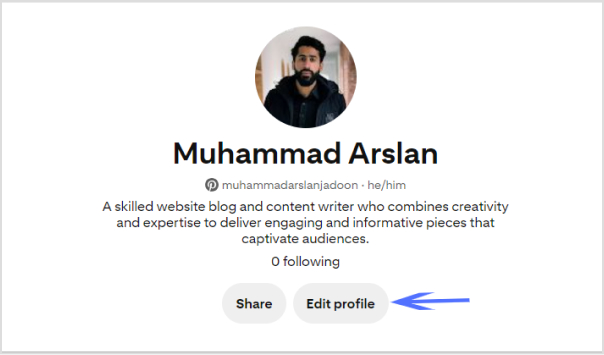
A Pinterest bio is a concise yet impactful “About You” section on your profile that encapsulates your brand identity and offerings for your target audience. It serves as the initial point of contact for Pinterest users, influencing their perception of your brand.
This brief introduction is a pivotal element in making a lasting first impression, as it highlights your values, uniqueness, and the essence of your content.
A well-crafted Pinterest bio is not only an introduction but a strategic tool that attracts the right audience, encouraging them to engage, follow, and explore more of what your brand has to offer on the platform.
How to write a Pinterest bio: 6 steps to success
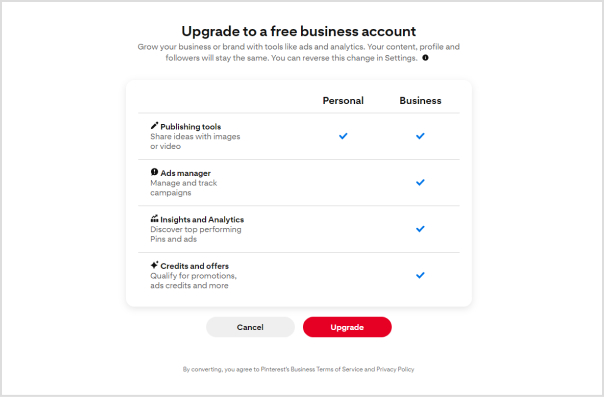
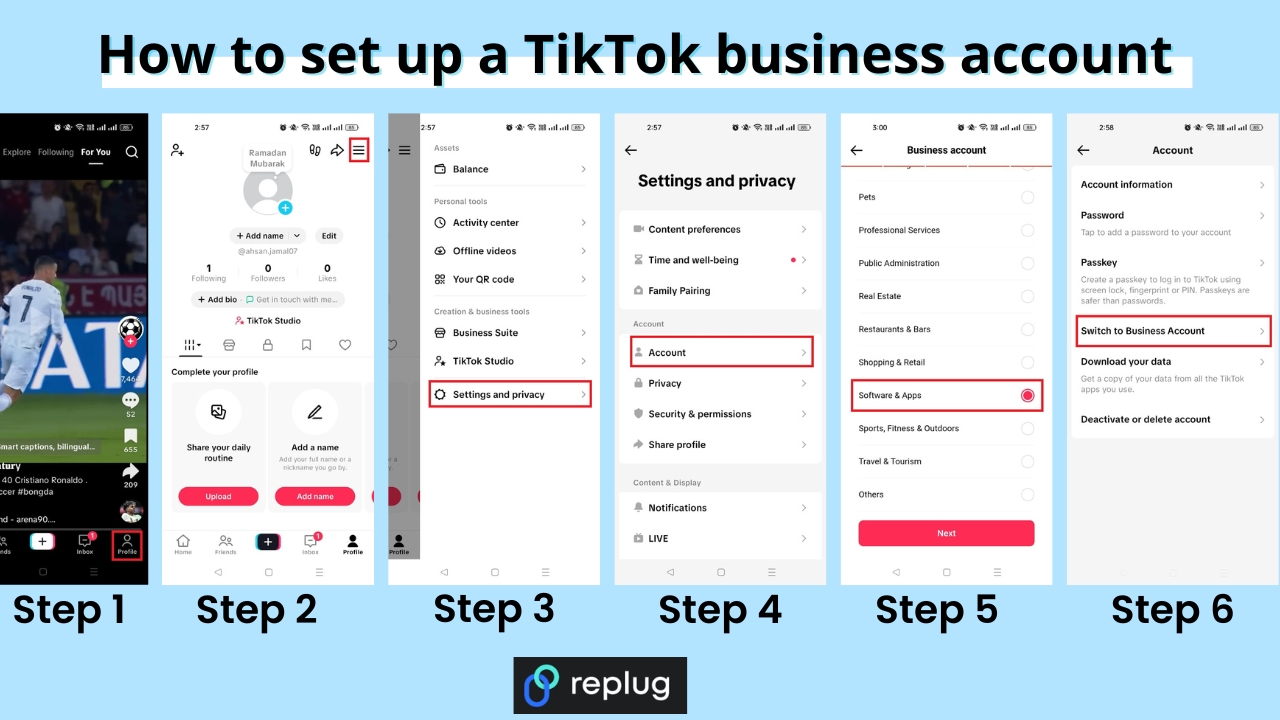
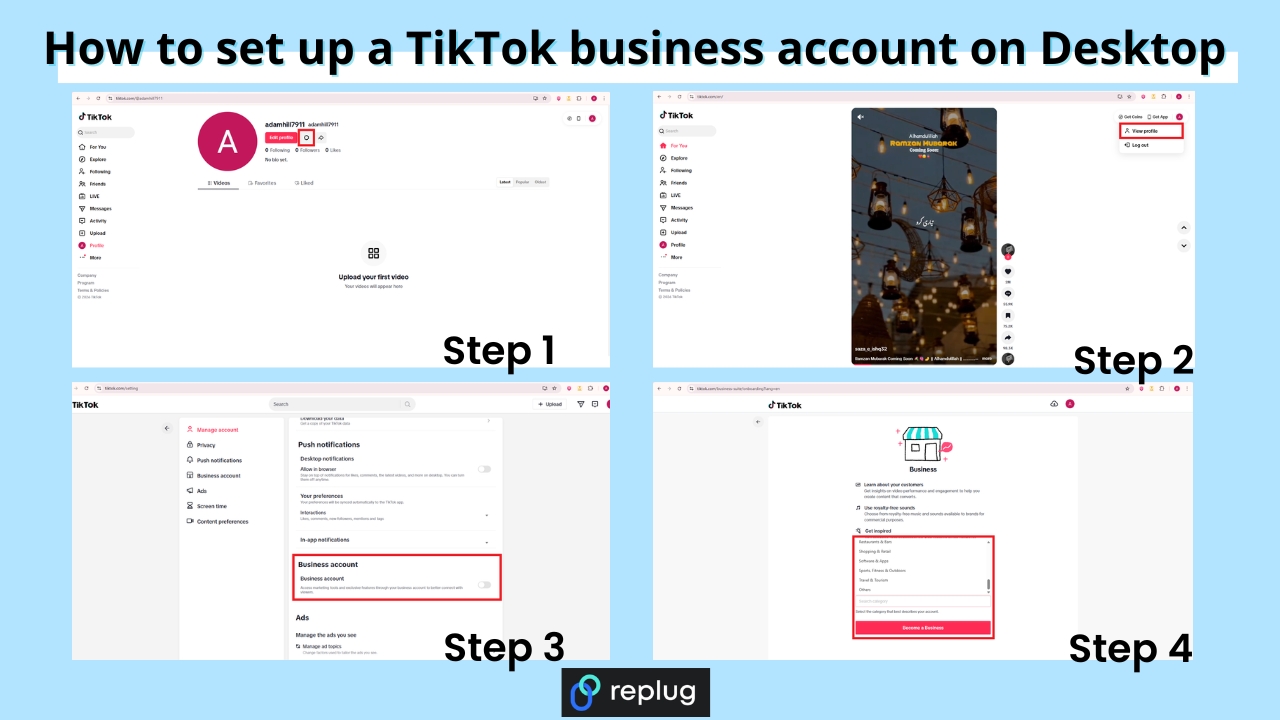
1. Switch to a business account
Ensure your Pinterest account is set up as a business account. This unlocks essential tools for setting up your shop, analyzing performance, and staying informed about trends. These resources empower you to make the most of the platform and enhance your overall experience.
2. Change your profile picture
Select a profile picture that strikes a balance between brand friendliness and visual appeal. For individual content creators or influencers, opt for a professional photograph that showcases your unique personality. Authenticity is key, as audiences seek genuine connections. If you represent a business, use your brand logo to enhance brand recall.
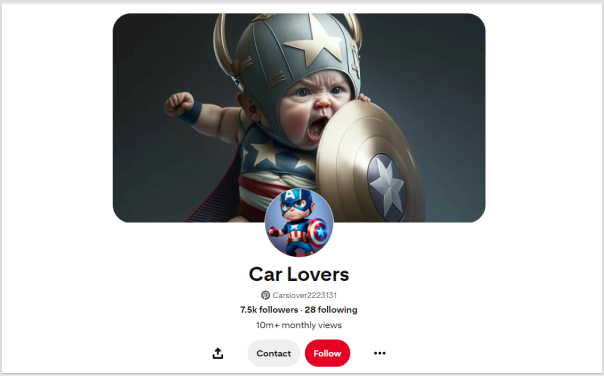
3. Customize your banner
Maximize the visual impact of your Pinterest cover by customizing it to entice new followers. Consider incorporating an irresistible lead magnet, such as a masterclass or free cheat sheet, to capture audience interest. Including a Replug QR Code on your banner allows followers to easily access additional offerings, providing them with a taste of the value your profile delivers.
4. Add your business name and keywords
Recognize that Pinterest users often search for specific topics rather than individual names. Enhance your discoverability by incorporating relevant keywords alongside your business name. Identify the pain points of your target audience and position your brand as a trusted solution.
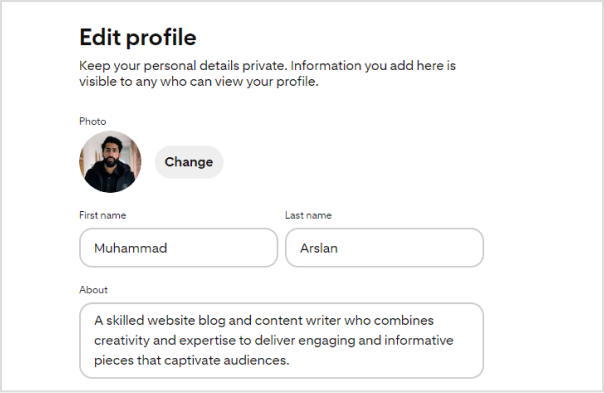
5. Write your bio under “About”
Focus your bio on your target audience rather than solely on yourself. Leverage a Pinterest keyword tool to identify what your audience is actively searching for and integrate relevant keywords into your bio. Remember that Pinterest operates as a visual search engine, so a keyword-rich bio enhances your chances of being found when users enter relevant searches.
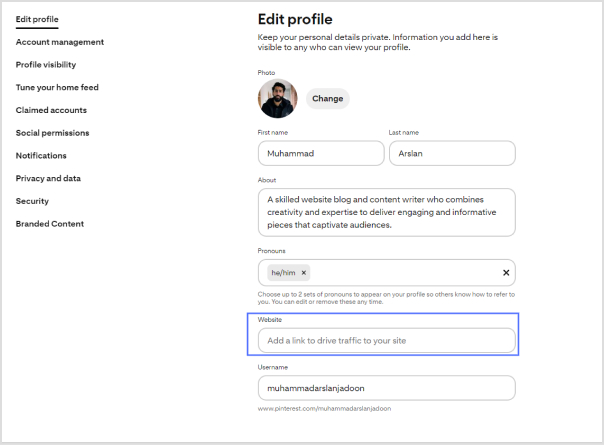
6. Add Replug link-in-bio on the website field
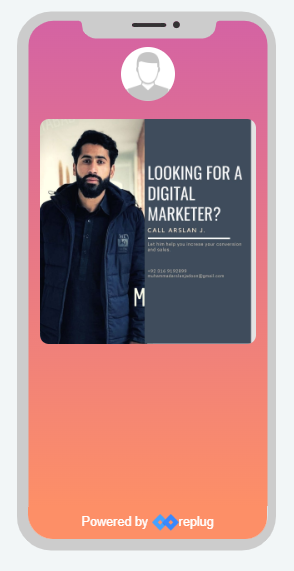
While Pinterest allows only one link in your bio, you can maximize this space with a personalized Pinterest link in bio. This dynamic link directs followers to a microsite of links, including your website, social media links, and more.
By creating a centralized hub, you make your content more accessible, boost brand visibility, and drive engagement.
Replug.io enables you to track each action, providing insights into the links that resonate most with your audience and empowering you to redirect traffic strategically.
To further streamline your link-sharing strategy, use a free link shortener to create clean, trackable URLs and enhance the performance of every link you share.
Go beyond generic link pages!
Create custom bio links that truly fit your brand
With Replug, you can create bio links that are unique, engaging, and built to convert.
How to add a Replug Link-in-bio to your Pinterest bio?
Here’s how to add a Replug Link-in-Bio to your Pinterest bio:
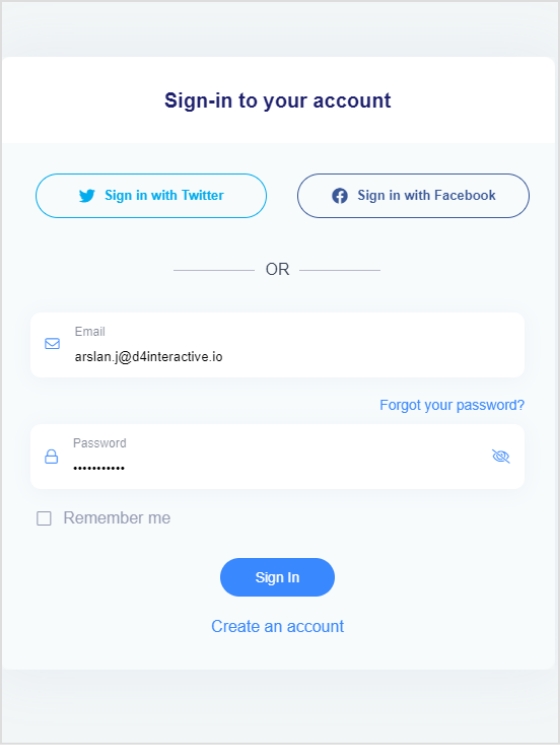
Step 1:Log in to your Replug account or create one if you’re new to the platform.
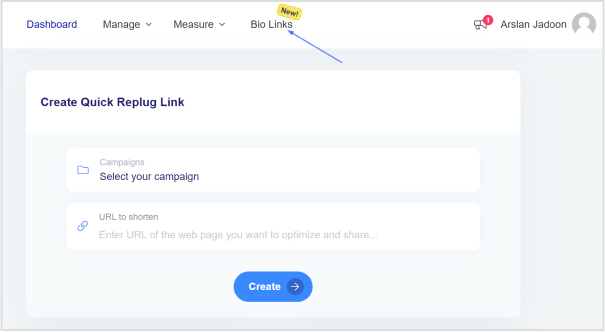
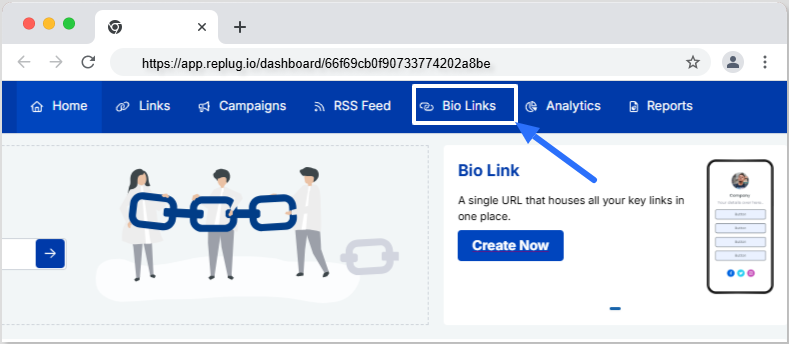
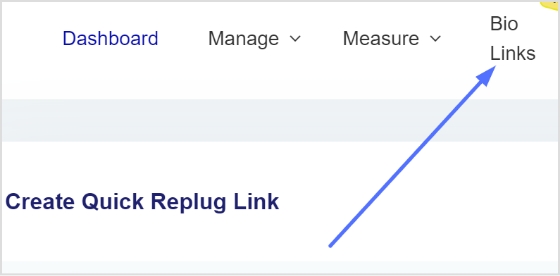
Step 2: Once logged in, head to the Replug dashboard and find the “Bio links” feature.
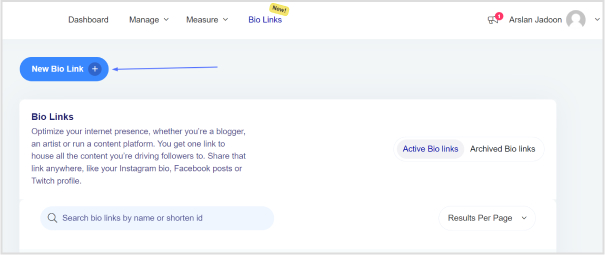
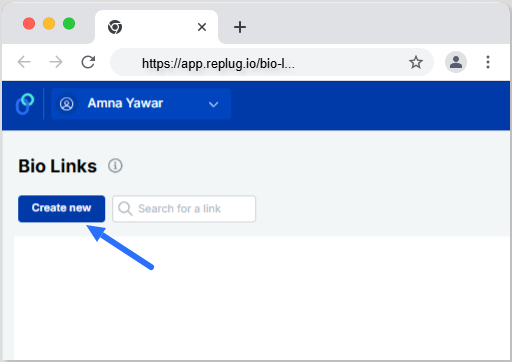
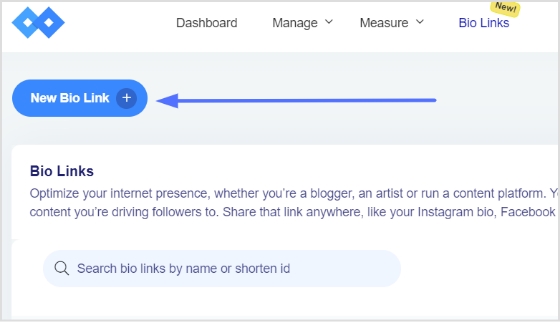
Step 3: Click on “New Bio Link” to initiate the creation of a new bio link.
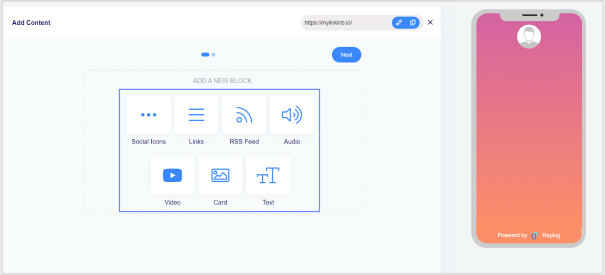
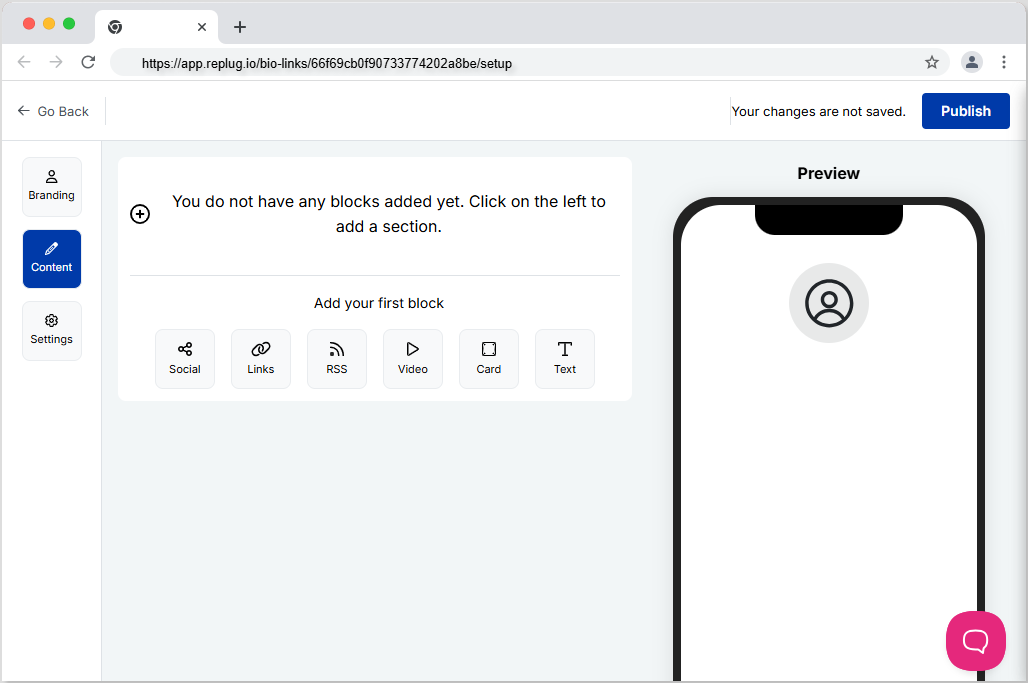
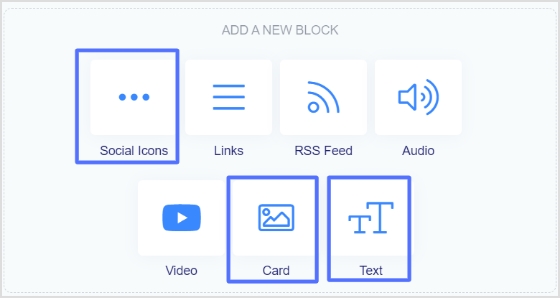
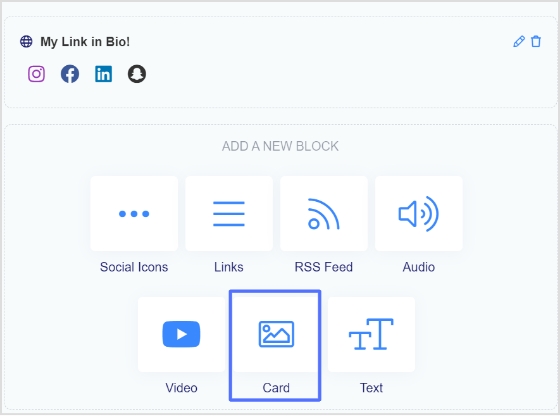
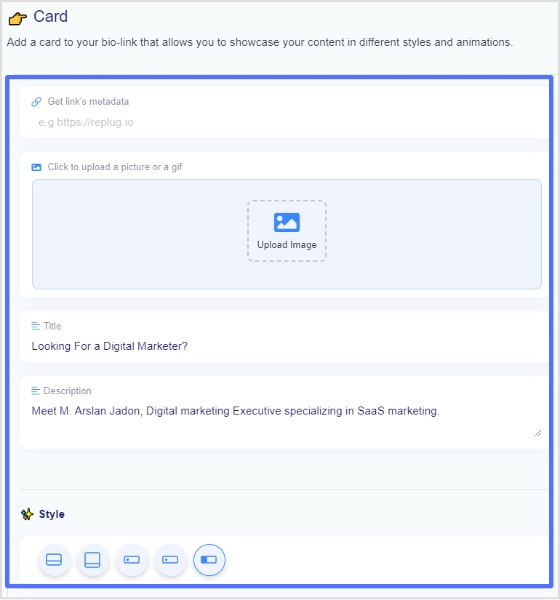
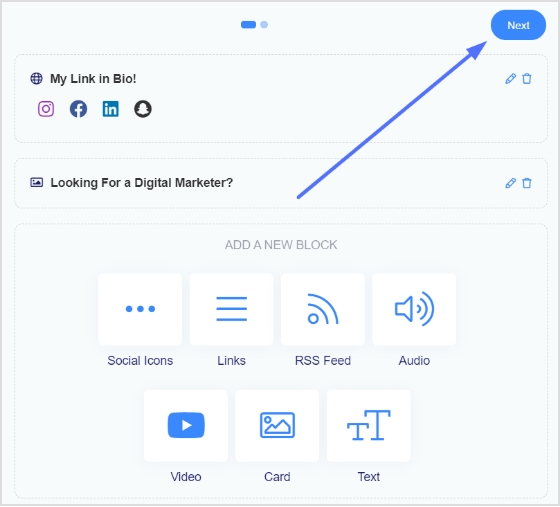
Step 4: Choose the type of content block you want to include on your bio link page. Replug provides various options such as social icons, links, RSS feeds, audio, video, text, and cards. Select the one that aligns with your needs. For instance, you can start with the “Social Icons” block.
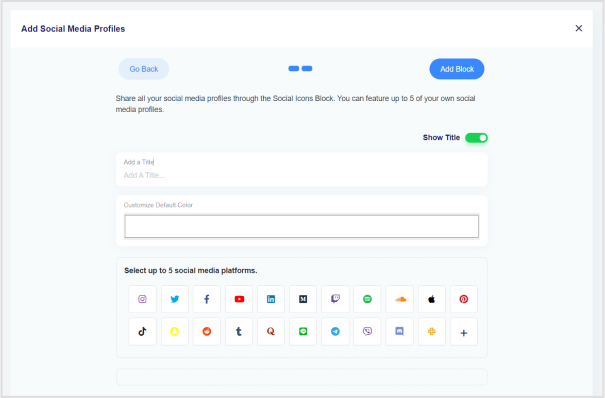
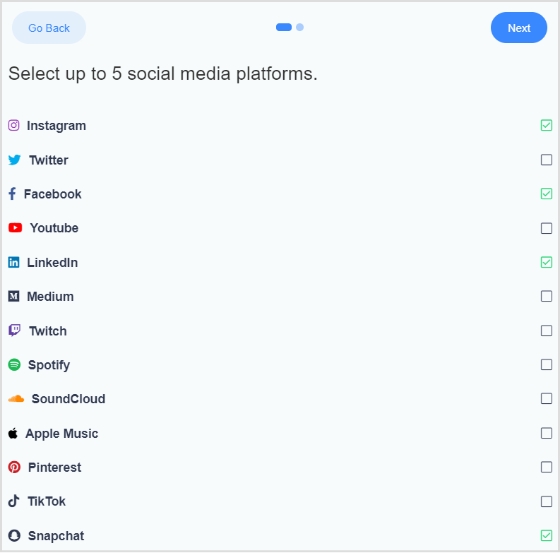
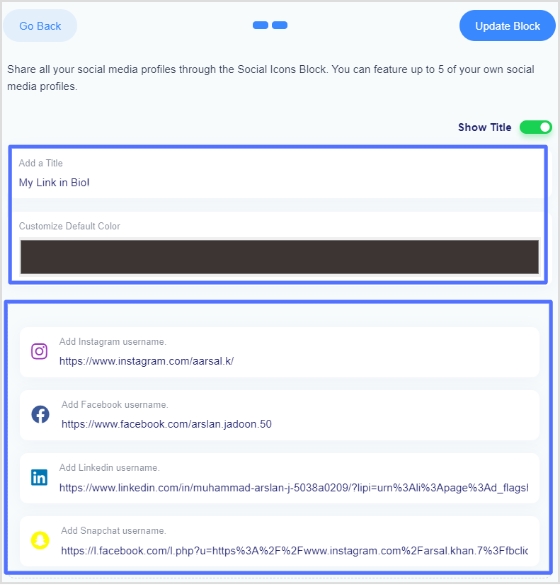
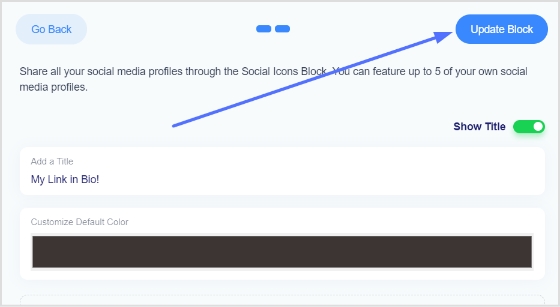
Step 5: Pick up to five social media platforms you wish to display on your bio link page. Customize the colors of the social icons, provide titles for each platform, and insert the respective links. Click “Add Block” to include each platform.
Step 6: Incorporate additional content blocks as necessary. For example, if you want to feature website links, opt for the “Links” block. Enter titles for the content blocks, as well as titles and URLs for the websites. Multiple website links can be added within this block.
Step 7: Once all desired content blocks are added, proceed by clicking “Next.”
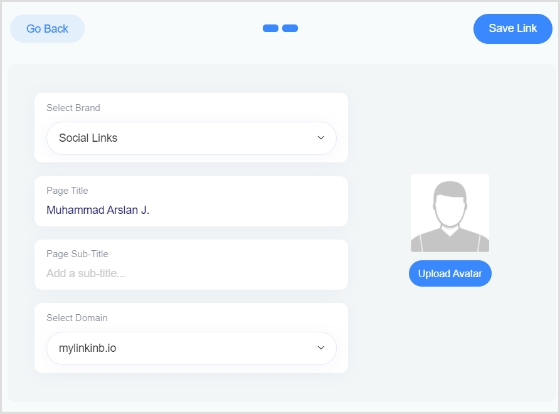
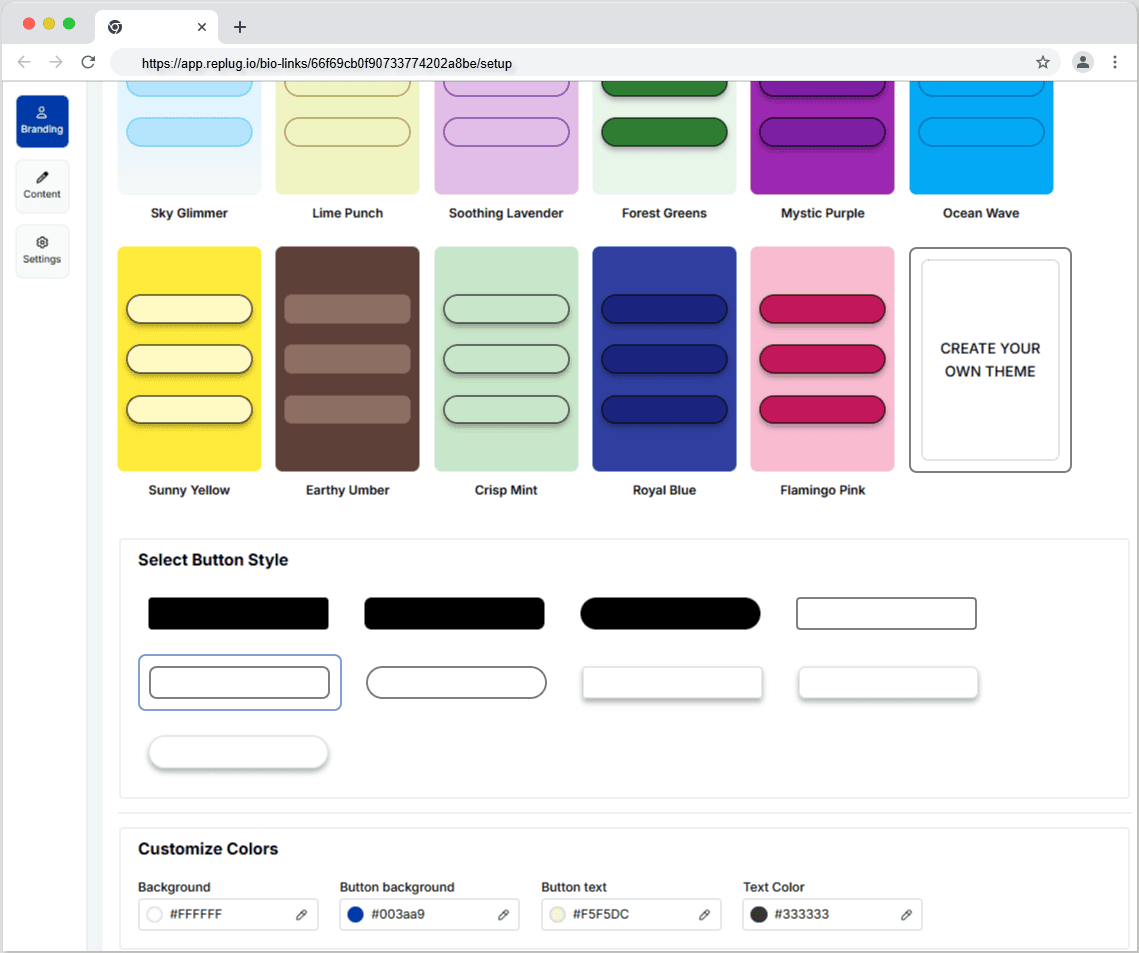
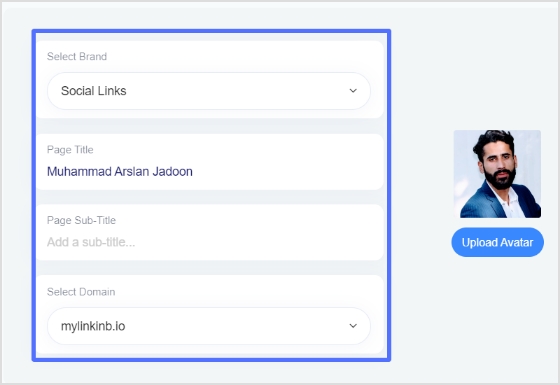
Step 8: Further personalize your bio link page by specifying your brand name, uploading an avatar, and adding a title and subtitle that best represents your content or brand.
Step 9: Review your bio link page during the creation process to ensure it looks and functions as intended.
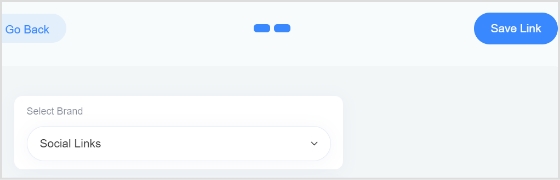
Step 10: Save your bio link, and it will be ready to be seamlessly integrated into your Pinterest bio.
Go beyond generic link pages!
Create custom bio links that truly fit your brand
With Replug, you can create bio links that are unique, engaging, and built to convert.
How do I switch my Pinterest account to a business account?
Visit your Pinterest account settings, and there should be an option to convert your account into a business account. Follow the prompts to set up your business profile.
What type of profile picture should I use on Pinterest?
Choose a profile picture that is visually appealing and aligns with your brand. For individuals, a professional photograph is recommended, while businesses may opt for their logo.
Can I customize my Pinterest cover/banner?
Yes, you can customize your Pinterest cover by adding a personalized touch to make it visually appealing. This is a great opportunity to showcase your brand or capture user interest.
How many links can I add to my Pinterest bio?
Pinterest allows only one link in the bio. Make sure to use this space wisely by including a link that directs followers to a relevant destination, such as your website or a specific landing page.
Should I include keywords in my Pinterest bio?
Yes, incorporating relevant keywords in your bio can improve discoverability. Think about what your target audience is searching for on Pinterest and include those keywords naturally and engagingly.
What is the importance of a call to action (CTA) in my Pinterest bio?
A well-crafted CTA encourages your audience to take action. For example, prompting them to click on a link for more information can enhance engagement and drive traffic to your intended destination.
If you’ve ever tried to promote multiple things on social media, you already know the struggle. Most platforms give you just one link in your bio. That single link has to handle everything: your website, latest content, store, newsletter, and more, and the stakes are high.
Studies show that about 78% of business Instagram profiles link to an external website in their bio, making it one of the main ways brands drive traffic off the platform.
Meanwhile, around 70 million creators worldwide now use dedicated link in bio tools to organize and share multiple links from a single page.
That’s exactly why these tools have become essential for influencers and brands alike. But with dozens of options available, which ones are actually worth using in 2026?
Before we step into the 10 best link in bio tools, let’s quickly understand what a link in bio tool actually is and how it works.
What is a link in bio tool?
First of all, let’s have a look at the link in bio meaning. A link in bio refers to the clickable URL placed in the bio section of a social media profile (like Instagram, TikTok, or X).
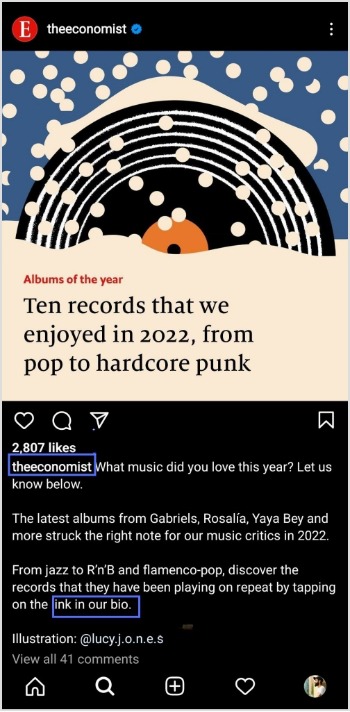
Since most platforms don’t allow clickable links inside posts or captions, creators often ask followers to “check the link in bio” to access more information, products, or content.
Link in bio example: an Instagram fitness coach uses one bio link that opens a page with buttons for workout plans, YouTube videos, a coaching signup form, and a supplement store.
A link in bio tool solves the “one-link” limitation. It lets you create a simple landing page that holds multiple links, such as your website, online store, latest video, newsletter, or portfolio, all accessible through that single bio link.
How it works: You create a page inside the tool, add all your important links, copy the generated URL, and place it in your social media bio. When someone clicks it, they see a neatly organized list of everything you want to promote.
Top link in bio tools you must try in 2026
With dozens of link in bio tools available today, choosing the right one can feel a bit challenging. Fortunately, some platforms clearly stand out; thanks to their features, pricing, customization options, and analytics.
To make things easier, we’ve compared the 10 best link in bio tools for influencers and brands in 2026. Take a closer look at the comparison table below to quickly see how these tools stack up in terms of features and overall value.
Tool name
Key strength
Starting price
Customization level
Analytics depth
Replug
Advanced bio link pages with branded links and campaign tracking
~$9/month
High
Advanced
Linktree
Simple and widely used multi-link bio hub
~$6/month
Medium
Moderate
Beacons AI
Creator-focused bio page with monetization and store features
~$8.33/month
High
Advanced
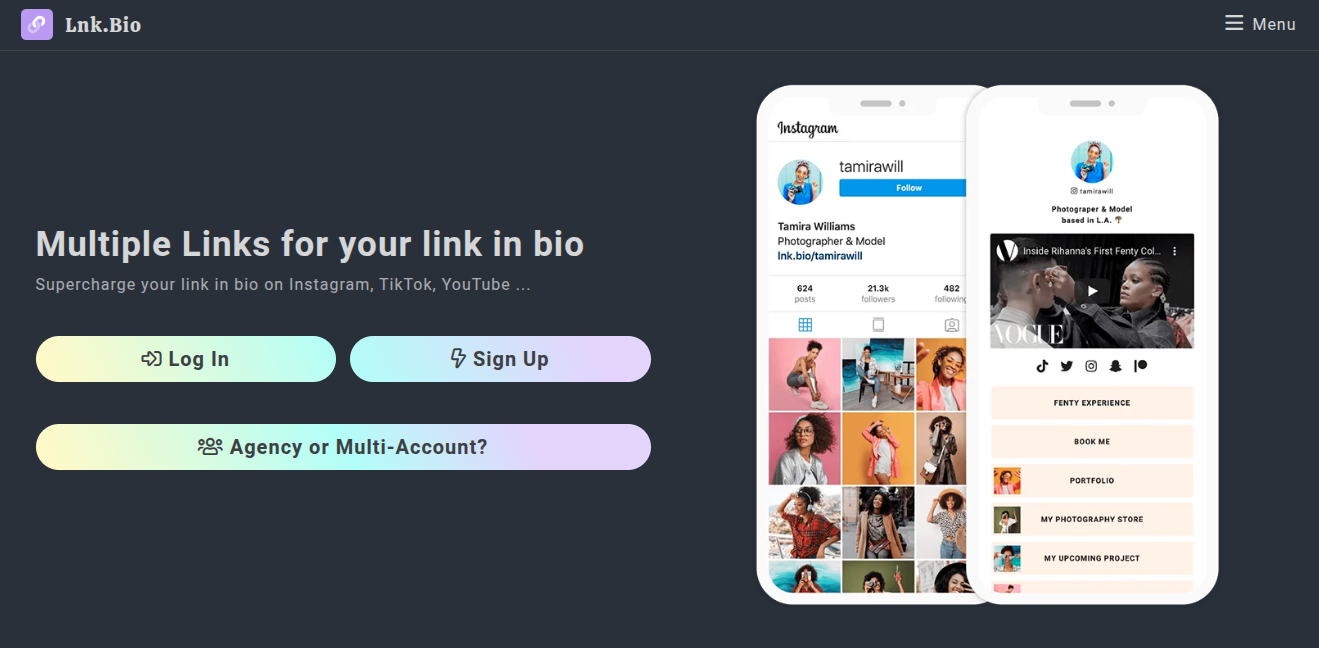
Lnk.Bio
Lightweight and budget-friendly multi-link bio page
~$0.99/month
Low–Medium
Basic
Linkin.bio (Later)
Clickable Instagram feed linked to bio page
~$18.75/month
Medium
Advanced
Taplink
Mini landing page style bio link builder
~$3/month
Medium
Moderate
Milkshake
Swipeable mobile bio site built directly from phone
~$2.99/month
Medium
Basic
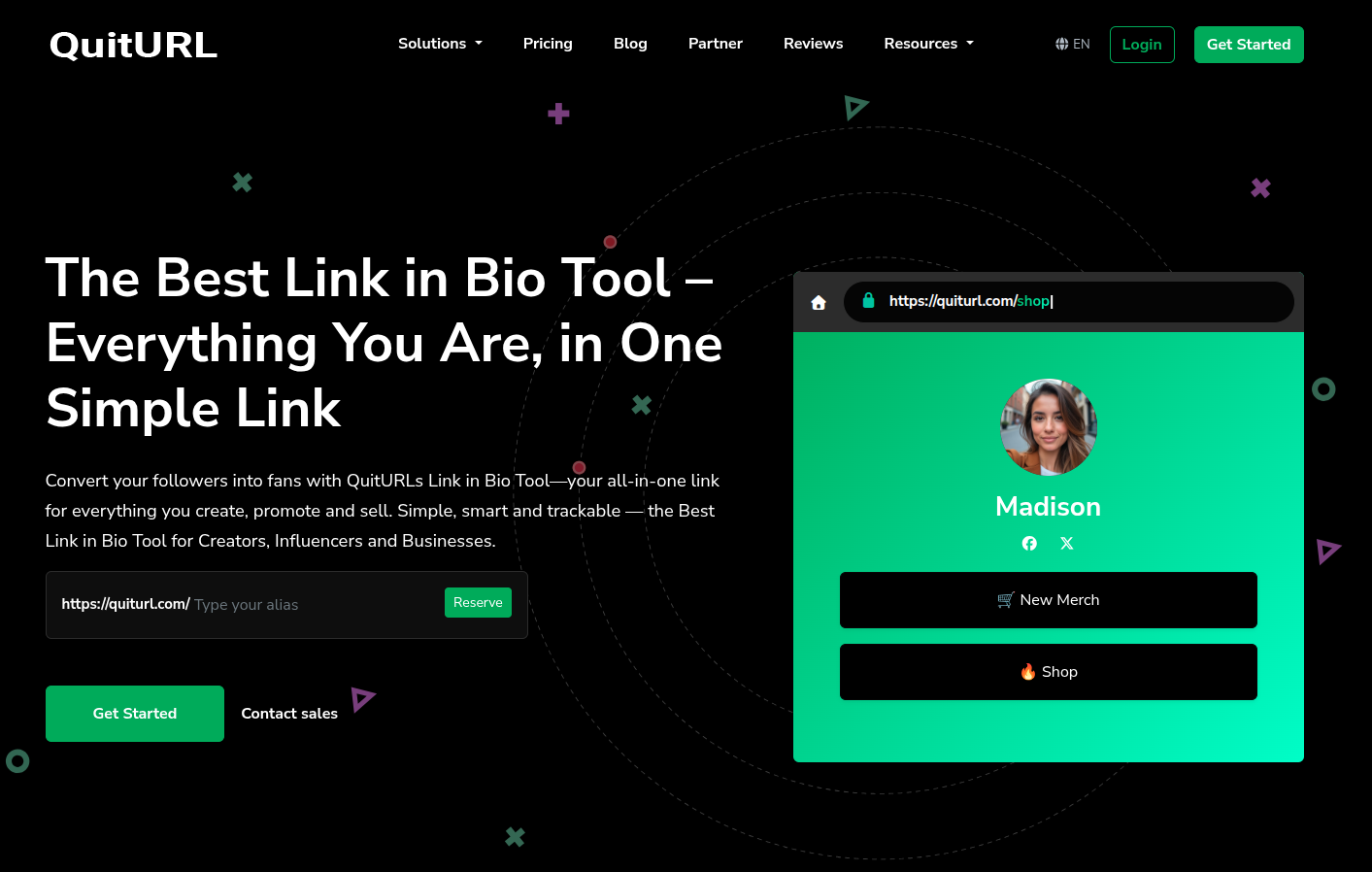
QuitURL
Bio page combined with campaign link tracking
~$3.33/month
Medium
Moderate
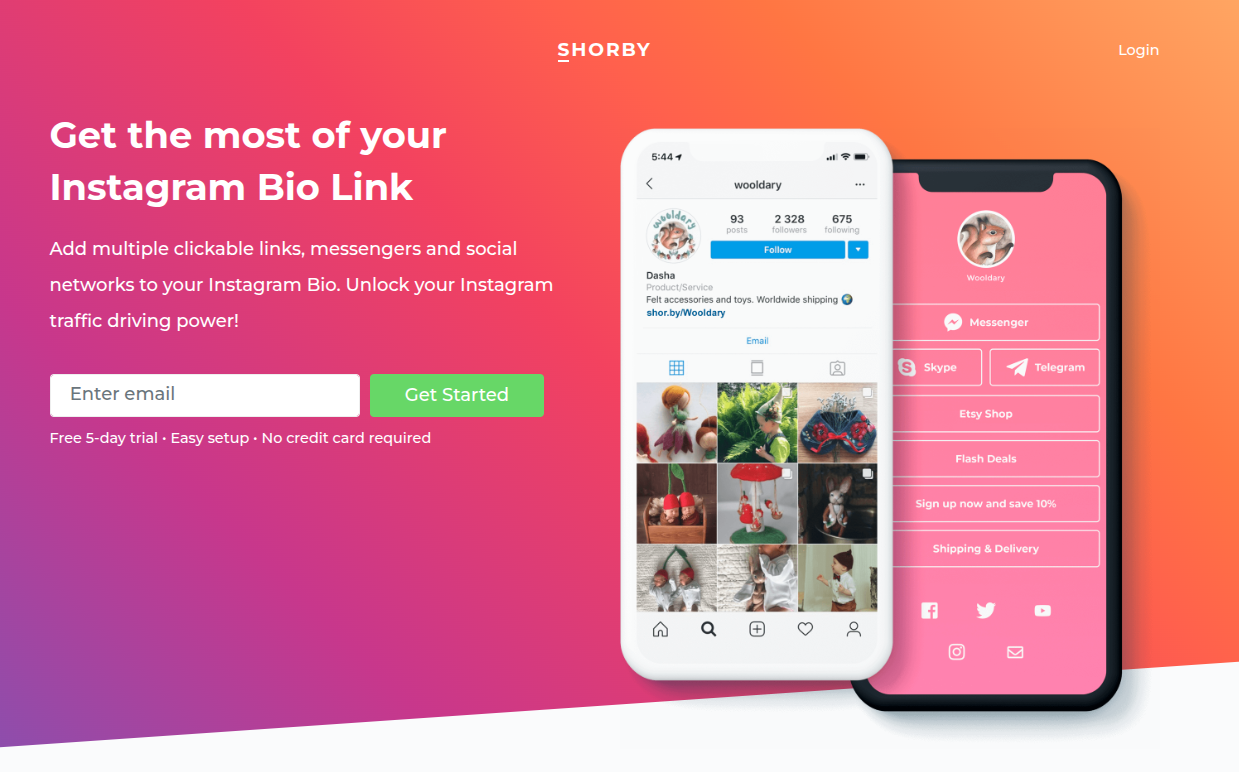
Shorby
Conversion-focused bio page with messenger integrations
~$12/month
High
Advanced
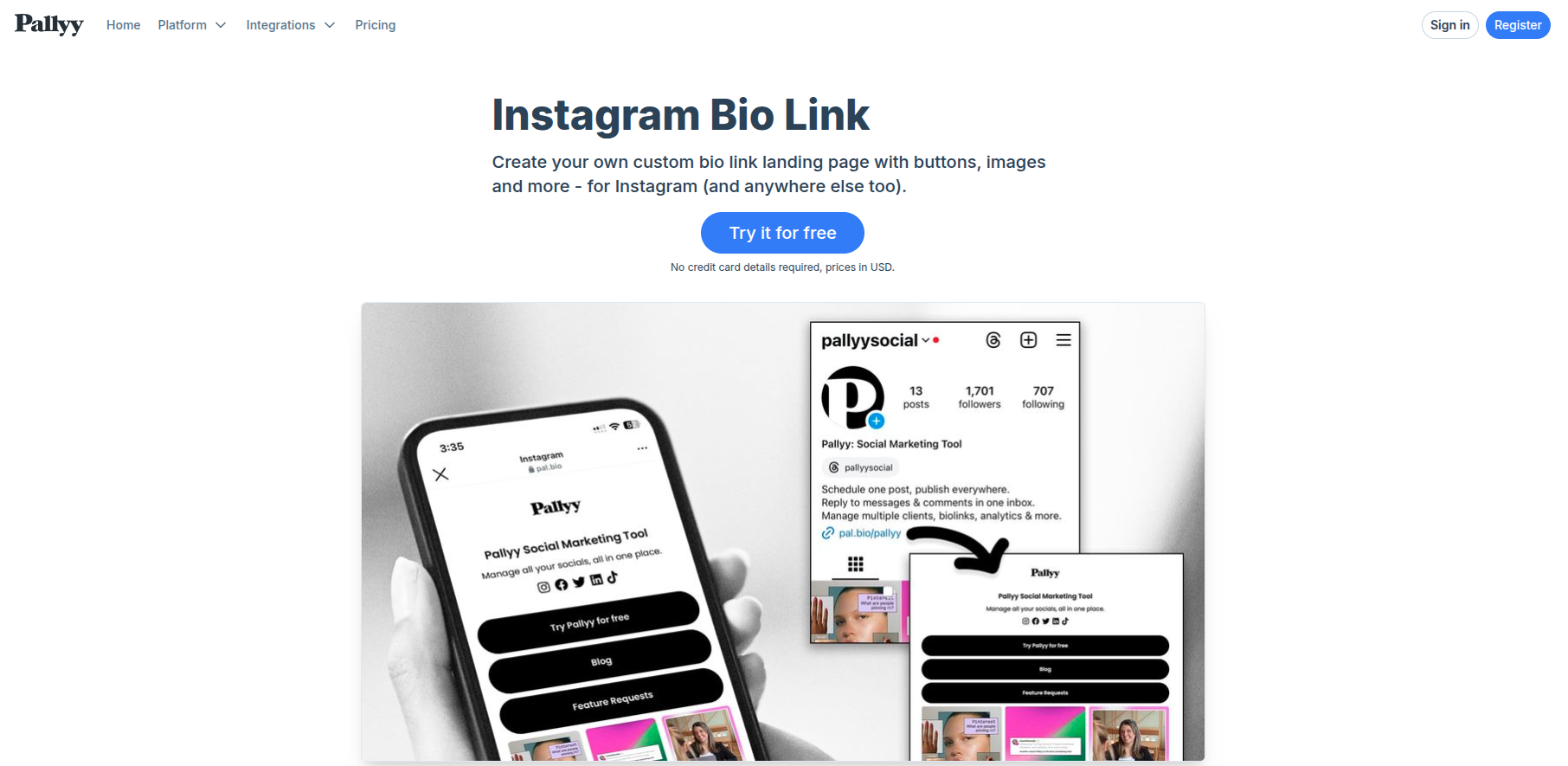
Pallyy
Bio link page integrated with social media planning
~$15/month
Medium
Moderate
1. Replug
Replug is a powerful link optimization platform designed to help marketers, influencers, and businesses manage, track, and improve their links. Along with branded URL shortening, it also offers a free bio link maker that lets you create a mini landing page containing multiple links for your social media profiles.
Go beyond generic link pages!
Create custom bio links that truly fit your brand
With Replug, you can create bio links that are unique, engaging, and built to convert.
Combines link shortening, tracking, and bio links in one tool
Strong analytics and marketing features
Supports branded domains for better credibility
Cons:
The dashboard can feel slightly complex for beginners
Best for:
Digital marketers, influencers, agencies, and businesses that want a complete, all-in-one solution with advanced tracking and a built-in bio links option.
2. Linktree
Ever wondered why so many creators simply say “check the link in bio” and send you to a single page with everything they offer? There’s a good chance that page is powered by Linktree. It’s one of the most widely used link in bio tools that helps influencers, brands, and businesses place multiple links behind a single URL for their social media profiles.
Key features:
Create a customizable link in bio page with unlimited links
Add videos, social icons, and embedded content
Built-in analytics to track clicks and audience activity
Sell digital products, courses, or promote affiliate links
Email collection and integrations with marketing tools
Pricing plans:
Free plan ($0/month)
Starter: about $6–$8/month
Pro: about $12–$15/month
Premium: about $30–$35/month
Pros:
Extremely easy to set up and use
Generous free plan with unlimited links
Strong monetization and analytics features
Cons:
Many customization options are locked behind paid plans
Branding removal requires a higher-tier plan
Advanced analytics only available in paid tiers
Best for:
Content creators, influencers, musicians, and small brands that want a simple and reliable link in bio tool to organize and share multiple links from one place.
3. Beacons AI
What if your link in bio could do more than just hold links? That’s exactly what Beacons AI tries to solve. It’s an all-in-one creator platform that lets influencers build a customizable link in bio page while also managing things like digital products, email lists, and brand partnerships from a single dashboard.
Key features:
Customizable link in bio page with unlimited links
Built-in store to sell digital products, courses, or memberships
AI tools for generating content and optimizing your page
Email marketing and subscriber list building
Media kit and analytics to track audience engagement
Pricing plans:
Free plan ($0/month)
Creator: about $8.33–$10/month
Creator Plus: about $25–$30/month
Creator Max: about $75–$90/month
Pros:
Combines multiple creator tools in one platform
Powerful monetization options for selling products
AI features for faster page creation
Cons:
Some advanced features are locked behind paid plans
Slight learning curve for beginners
Best for:
Content creators, influencers, and digital entrepreneurs who want a top-notch platform with built-in monetization and AI-powered creator tools.
4. Lnk.Bio
Sometimes the best tools are the simplest ones. Lnk.Bio focuses on doing one thing really well, i.e., helping creators build a clean link in bio page that holds multiple links behind a single URL for social media profiles. It’s widely used by creators who want a quick, no-fuss solution to organize their content, promotions, and social platforms in one place.
Key features:
Create a customizable link in bio page with unlimited links
Add thumbnails, videos, music, and social profile links
Link scheduling and activation controls for campaigns
Built-in analytics to track clicks and traffic
Link grouping, password-protected links, and monetization options
Pricing plans:
Free plan ($0)
Mini: about $0.99/month
Unique: about $24.99 one-time lifetime plan
Ultra: about $89.99/year
Pros:
Extremely affordable compared to many competitors
Unlimited links even on the free plan
Simple and quick setup
Cons:
Design customization is somewhat limited
Interface feels basic compared to newer tools
Best for:
Instagram and TikTok influencers, small creators, and freelancers who want a budget-friendly and straightforward link in bio tool without complex features.
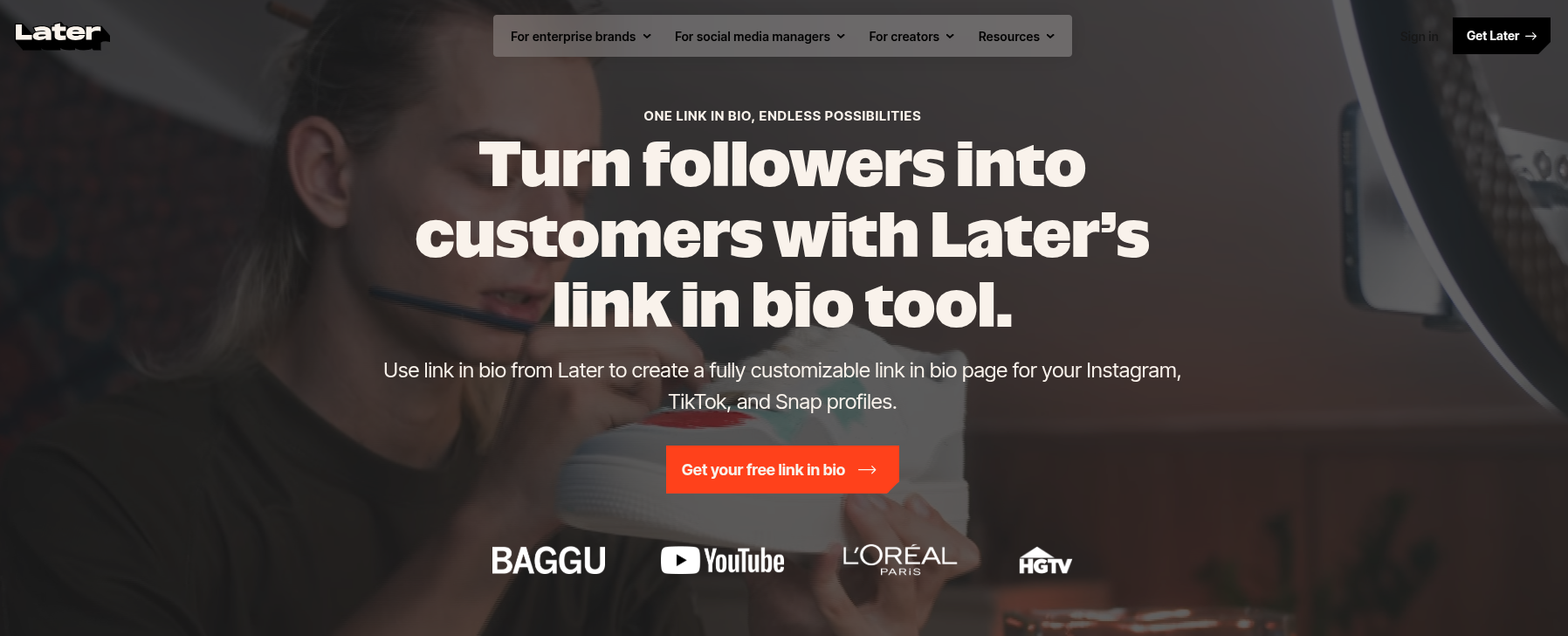
5. Linkin.bio by Later
Unlike most link in bio tools that simply list links, Linkin.bio by Later recreates your Instagram or TikTok feed as a clickable landing page. Each post can be linked to products, blog articles, or other pages, making it easier for followers to explore your content directly from your bio. It’s especially popular with creators and brands that rely on visual platforms.
Key features:
Turn Instagram and TikTok posts into clickable links
Unlimited buttons linking to external pages
Customizable link in bio page with themes, fonts, and colors
Analytics to track clicks and traffic sources
Integration with tools like Google Analytics, Mailchimp, and Shopify
Pricing plans:
Starter: around $18.75–$25/month
Growth: around $37.50–$50/month
Scale: around $82.50–$110/month
Pros:
Visual, shoppable feed layout
Powerful integrations and analytics
Works seamlessly with Later’s social scheduling tools
Cons:
No free plan available
The best experience requires using the Later platform
Advanced analytics and features require paid plans
Best for:
Instagram creators, e-commerce brands, and social media managers who want a visual tool connected to their social media scheduling workflow.
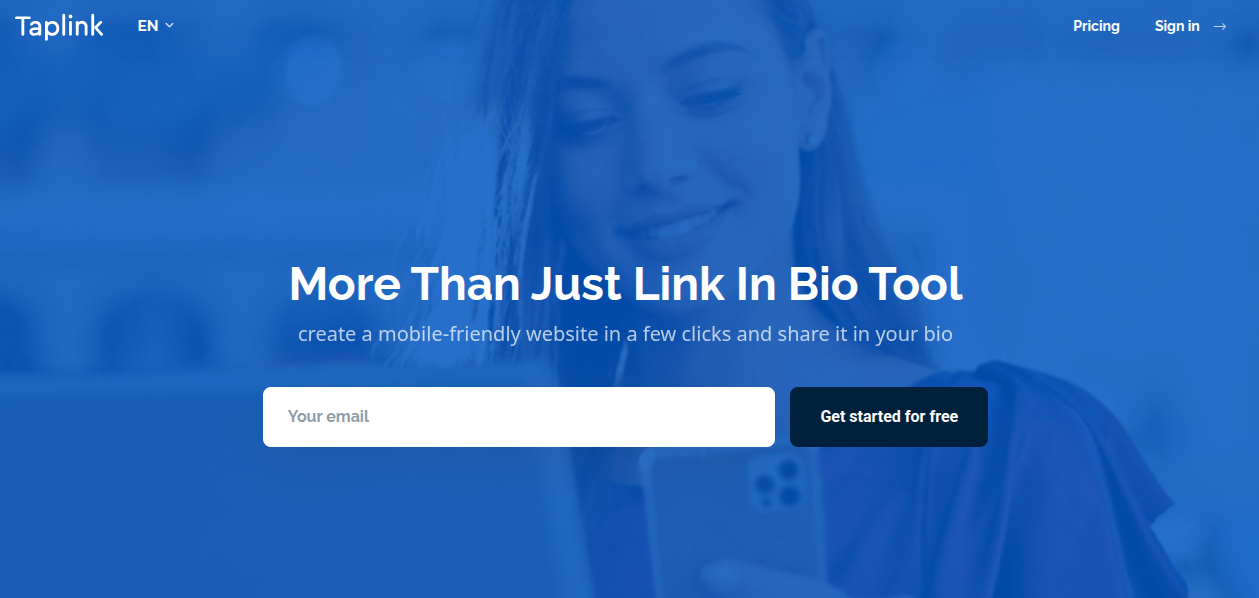
6. Taplink
What if your single bio link could act like a mini-website? That’s essentially what Taplink offers. Instead of just stacking links, Taplink lets you build a small landing page packed with content, contact options, and even payment features. This makes it a popular choice for creators and online businesses using Instagram or TikTok on a daily basis.
Key features:
Create a customizable link in bio page with unlimited links
Add images, videos, music, and rich content blocks
Smart contact buttons for messaging apps and social platforms
Built-in forms to collect leads and customer inquiries
Ability to sell digital products and accept payments directly
Pricing plans:
Basic: Free
Pro: around $3–$6/month
Business: around $6–$12/month
Pros:
Affordable compared to many competitors
Supports payments, forms, and CRM features
Highly customizable with templates and design blocks
Cons:
Some advanced marketing features require paid plans
Interface may feel slightly complex for beginners
Limited overall features stack
Best for:
Influencers, small businesses, and entrepreneurs who need a feature-rich link in bio tool that works like a mini landing page.
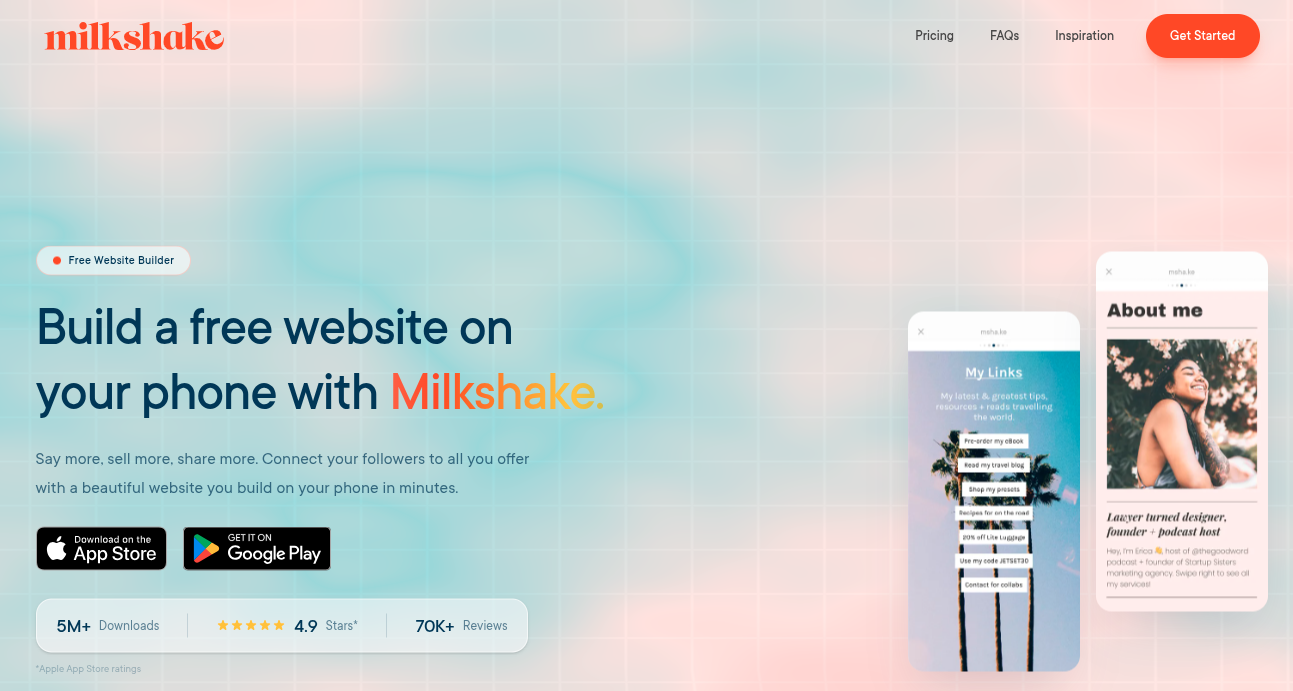
7. Milkshake
Milkshake is a mobile-first link in bio tool that lets creators build a simple, swipeable mini-website directly from their smartphone. It’s particularly popular among Instagram and social media creators who want to showcase multiple links, content, and promotions through a single bio link without needing design or coding skills.
Key features:
Card-based mini-website builder (swipeable pages)
Add links, images, videos, text, and contact buttons
Customizable templates, fonts, and colors
Built-in analytics for clicks and views
Mobile-only editor for quick updates on the go
Pricing plans:
Free: $0/month
Lite: around $2.99/month
Pro: around $5.00–$6.99/month
Pro+: around $8.33–$10.00/month
Pros:
Very easy to set up and mobile-friendly
Visually appealing card-style layouts
Affordable paid plans
Cons:
Mobile-only (no desktop version)
Limited customization and integrations
No built-in monetization tools
Best for:
Content creators, influencers, and small brands who want a quick, visually engaging link in bio page without a complex setup.
8. QuitURL
QuitURL is a versatile platform that combines URL shortening, analytics, and link in bio page creation in one dashboard. Rather than acting as just another “link list,” this tool lets you build a customizable link in bio page while also generating QR codes and tracking engagement. It’s designed to help creators and businesses manage multiple campaigns and links through a single branded URL.
Key features:
Customizable bio pages to host multiple links
Branded short links using custom domains
Detailed analytics (clicks, device, location)
Built-in QR code generator for campaigns
Smart targeting and campaign tracking tools
Pricing plans:
Starter: $3.33/month
Growth: $11.11/month
Pro: $22.22/month
Business: $77.77/month
Pros:
Combines link-in-bio, URL shortening, and analytics
Supports branded domains for professional links
Affordable entry-level plans
Cons:
The interface may feel complex for beginners
Some advanced features locked behind higher plans
Smaller ecosystem compared to big competitors
Best for:
Digital marketers, agencies, and creators who want an all-in-one link management and link in bio solution rather than a basic bio link page.
9. Shorby
Shorby is a powerful link in bio tool designed mainly for Instagram, YouTube, and social media marketers. It allows users to build customizable micro-landing pages that combine links, social profiles, and messaging apps in one place.
Key features:
Smart pages to organize multiple links
Messenger buttons (WhatsApp, Telegram, Messenger)
Customizable landing pages and branded URLs
Click tracking and analytics
Retargeting pixels for marketing campaigns
Pricing plans:
Rocket: around $12–$15/month
Pro: around $24–$29/month
Agency: around $82–$99/month
Pros:
Strong analytics and marketing integrations
Supports messenger apps for direct engagement
Highly customizable bio pages
Cons:
No free plan available
Pricing is a bit higher than some competitors
Advanced features limited to higher tiers
Best for:
Influencers, affiliate marketers, and businesses that want a conversion-focused link in bio page with analytics and marketing integrations.
10. Pallyy
What if your link in bio page could do more than just host links, like helping you plan and manage your entire social media strategy? That’s the main idea behind Pallyy. It combines a customizable link in bio builder with social media scheduling, analytics, and collaboration tools, making it a powerful option for creators who want both link management and content planning in one platform.
Key features:
Custom bio link landing page with buttons and links
Instagram grid integration for linking posts
Pre-designed themes and customization
Social media scheduling and calendar
Analytics and content management tools
Pricing plans:
Starter: $15/month
Pro: $25/month
Agency: $99/month
Scale: $199/month
Pros:
Combines link in bio with social media management
Affordable plans with a free trial
Useful analytics and scheduling tools
Cons:
Some posting and feature limits on lower tiers
Advanced collaboration tools are only available in higher plans
Best for:
Social media managers, agencies, and creators who want a link in bio tool integrated with social media scheduling and analytics.
Choose the right link in bio tool for your business: Key features to look for!
Before picking a link in bio tool, it’s important to know what actually makes one useful for your business. The right tool should not only display your links but also help you brand your page, track performance, and drive real conversions from your social media traffic.
Visual customization & branding
Your link in bio page should reflect your brand. Look for tools that allow you to customize colors, fonts, themes, backgrounds, and buttons so your page matches your brand identity. Many tools also allow custom domains and branded URLs, which make your page look more professional and trustworthy to visitors.
Analytics & tracking
Analytics help you understand how people interact with your links. A good tool should show click counts, page views, user behavior, and traffic sources so you know which links or campaigns are performing well. These insights make it easier to improve your marketing strategy over time.
E-commerce & monetization
If you plan to sell products or services, choose a tool that supports payment integrations, product links, or shoppable galleries. Some platforms allow you to sell digital products, collect payments, or link directly to your online store from your bio page.
Link management & performance
A good link in bio tool should make it easy to add, organize, schedule, or update links whenever needed. Some tools also let you prioritize certain links, shorten URLs, or track individual link performance to see what drives the most traffic.
Social integration & advanced functionality
Finally, make sure the tool integrates smoothly with platforms like Instagram, TikTok, YouTube, and other social networks. Some advanced tools also support email sign-ups, content embeds, automation, and marketing integrations, helping you turn your bio link into a complete growth hub.
If you focus on these key attributes, it becomes much easier to select a link in bio tool that actually supports your business goals instead of just listing links.
Are link in bio tools still worth it in 2026?
Yes, link in bio tools are still useful in 2026, especially for content creators, marketers, and businesses that rely on social media traffic.
Even though some platforms now allow more than one link in a profile, most still limit how links can be shared in posts or captions. That’s why many people still use a single bio link to organize everything in one place.
Why they still matter:
One central hub for everything: A single bio link can direct users to websites, products, blogs, newsletters, and social profiles from multiple platforms.
Works across platforms: Many networks still restrict links in posts, so the bio link remains the easiest way to send traffic elsewhere.
Better organization: Instead of updating multiple links everywhere, you can manage everything from one page.
Useful analytics: Most tools show clicks and traffic sources, helping you understand what content works best.
Supports monetization: Modern bio pages can sell products, collect emails, or promote offers like a mini-website.
In short, link in bio tools are still relevant. They’ve simply evolved from simple link lists into small marketing hubs.
Final verdict
To wrap things up, link in bio tools are still a smart way to turn social media traffic into real results.
Instead of constantly changing your profile link, you can share multiple pages, products, and resources through one simple hub. They also help you track clicks, organize campaigns, and guide followers toward the content or offers that matter most.
There are plenty of great tools out there, but the right one depends on your goals, features, and ease of use.
That said, if you want an all-in-one solution with strong link management, analytics, and branding options,Replug stands out as the overall best choice. It gives you more control over your links while helping you make the most of every click from your social media audience.
The most popular link in bio tool is Replug. It’s widely used by creators, influencers, and brands because it’s simple to set up and offers a free plan with basic features. Replug also supports analytics, integrations with many apps, and customization options. With millions of users worldwide, it remains one of the most recognized tools in this category.
What’s the best link in the bio app?
The “best” link in bio app depends on your needs, but tools like Replug, Linktree, Beacons, and Taplink are commonly recommended. They offer features like analytics, link tracking, customization, and monetization options.
If you want a complete link management and marketing solution, Replug stands out for its analytics and branding features, while Linktree and Beacons are great for beginners and creators.
What is the best link in bio tool for TikTok?
For TikTok creators, tools likeReplug’s Tiktok link in bio tool, Beacons, Stan Store, and Linktree work very well. These platforms allow creators to add product links, digital downloads, and monetization features directly from their bio page. Some tools even support direct purchases or email collection, which is helpful for turning TikTok traffic into sales.
What are the best link in bio tools for Instagram in 2026?
Some of the best link in bio tools for Instagram in 2026 include Replug’s Instagram bio link tool,Linktree, Taplink, Campsite.bio, and Pallyy. These tools offer customizable bio pages, analytics, and integrations that help creators drive traffic to websites, stores, and content from their Instagram profile.
What are the best link in bio tools for Reddit?
Reddit creators usually prefer simple and flexible tools that don’t look overly promotional. Good options include Linktree, Carrd, Beacons, and Campsite.bio because they allow clean landing pages, easy link organization, and analytics to track clicks. These tools help Reddit users share multiple resources without constantly editing their profile links.
What are the best link in bio tools for musicians?
Musicians often use tools like Replug, Linktree, Beacons, and Hoo.be because they support music streaming links, merch stores, and tour announcements. These tools let artists share Spotify, Apple Music, YouTube, and ticket links all in one place, making it easier for fans to access their music and updates.
What are the best link in bio tools for affiliate marketing online?
For affiliate marketing, tools like Beacons, Linktree, Taplink, and Replug work well. They allow marketers to organize multiple affiliate links, track clicks, and sometimes even collect email leads. This helps affiliates send traffic from platforms like TikTok, Instagram, or YouTube to multiple offers from a single bio link.
Ever felt frustrated by Instagram’s link limit? You’re not alone! While Instagram now allows up to five links in your bio, that might not be enough if you have multiple websites, social media accounts, or affiliate links to share.
That’s where Replug comes in. It lets you create a single, sleek bio link page where you can add unlimited links, making it easier for your audience to find everything in one place.
Let’s dive into how you can set up multiple links in your Instagram bio using this top-notch URL shortener!
Why add a Replug link to your Instagram bio?
Before we discuss the how, let’s know the why.
Why should you even consider integrating a Replug link into your Instagram bio?
Beyond the obvious advantage of offering an in-depth view of your presence, here are some compelling reasons:
Boost your follower base: Direct your Instagram followers to explore your other platforms, encouraging them to follow you on those as well. You can also add links to your Instagram in the bios of your other accounts to drive cross-platform engagement and get leads from social media.
Monetize your audience: Replug helps you turn Instagram followers into customers by linking to your e-commerce store, Etsy shop, or other products. Direct users to your purchasable content, turning your followers into potential buyers and boosting sales for Instagram business accounts.
Monitor analytics: Replug provides insights into user engagement, tracking clicks, views, and click-through rates (CTR). For influencers, this data is essential for refining your content strategy, helping you optimize performance and improve audience engagement across platforms.
Offline connection: Share your Instagram QR code with followers to connect them to your other platforms. Whether it’s for a restaurant menu or event info, the offline-to-online connection creates an easy way for users to engage with your content anytime, anywhere.
Customizable landing pages: Build a personalized landing page with Replug that reflects your brand’s style and identity. Customize everything from layout to colors to create an on-brand experience for your audience.
Unlimited links: Replug allows you to share an unlimited number of links through its bio link feature. From your website and blog posts to products and affiliate content, it gives you a simple place to drive traffic and keep your audience engaged.
Retargeting pixel support: Improve your ad campaigns with retargeting by tracking visitors who clicked your links. This feature helps you stay connected with your audience and drive conversions by reaching users who have shown interest.
Mobile-friendly and fast: Replug ensures that your landing pages and links work seamlessly on all devices, offering a fast and smooth experience for users accessing your content from smartphones, tablets, or desktops.
Step 2: Access the “bio links” feature on the Replug dashboard.
Step 3: Click the “New Bio Link” button to create a new bio link specifically for your Instagram bio.
Step 4: Personalize your bio profile to your heart’s content. With Replug, you can add a profile picture, profile title, bio description, and even a verification badge!
Now comes the creative and fun part. You choose from stunning pre-designed templates or create your own. You can also customize colours, select from button styles, and customize colours.
Step 5: Now customize the content you want on your bio link landing page. You can choose from multiple blocks, including social, links, RSS, video, card, and text. This is a great way to add all your links inside a single and clean landing page. It prevents your bio from looking cluttered and messy because of multiple links.
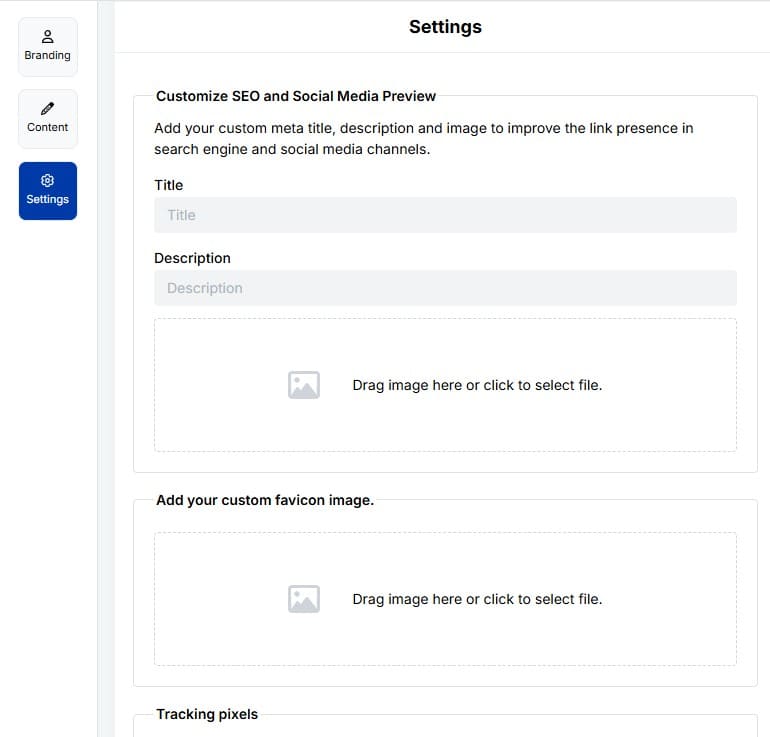
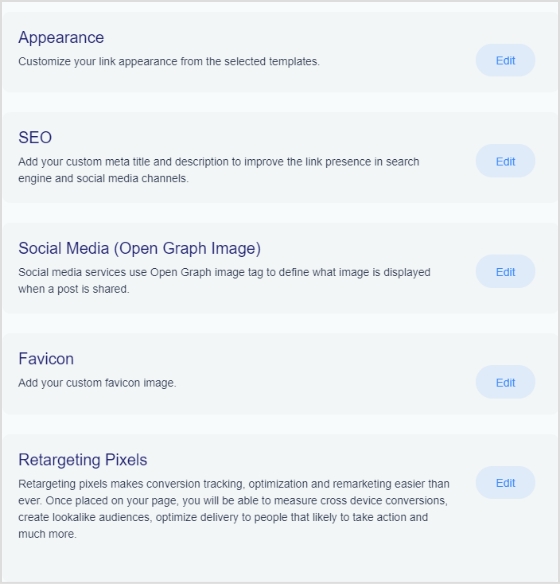
Step6: The final step is to customize SEO and social media preview. Here, you’ll have the option to add your custom meta title, description, custom favicon image, and retargeting pixel to improve the link presence in search engines and social media channels.
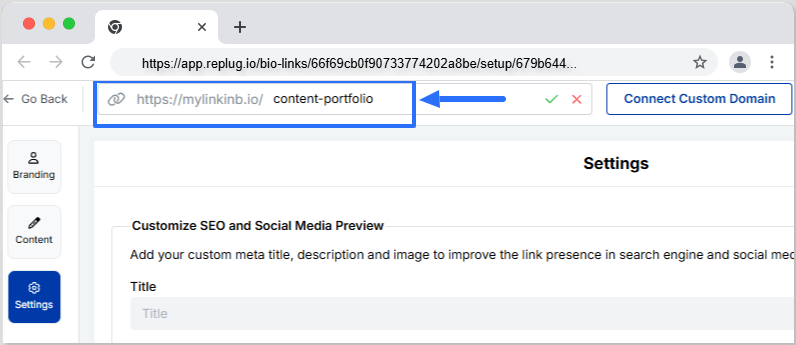
Step 7: Customize your bio link slug for a personalized touch.
Step 8: Update your bio link and preview it for final touches.
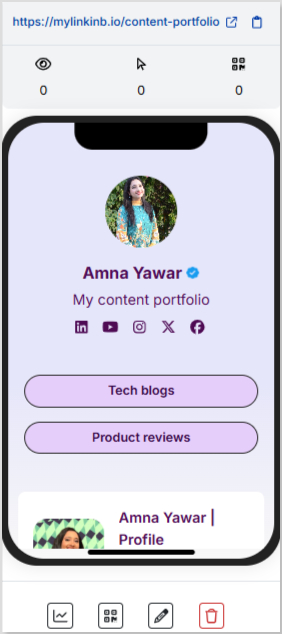
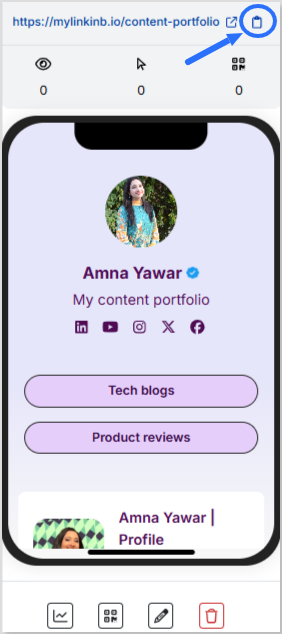
Step 9: Go back to your bio link dashboard. You will now see that your bio link has been generated and is live.
You can now copy your bio link URL, view your bio link analytics, download the QR for easy sharing, edit your bio link if required, or delete it permanently.
Add bio link URL to Instagram bio:
Step 1: Copy your bio link URL from Replug.
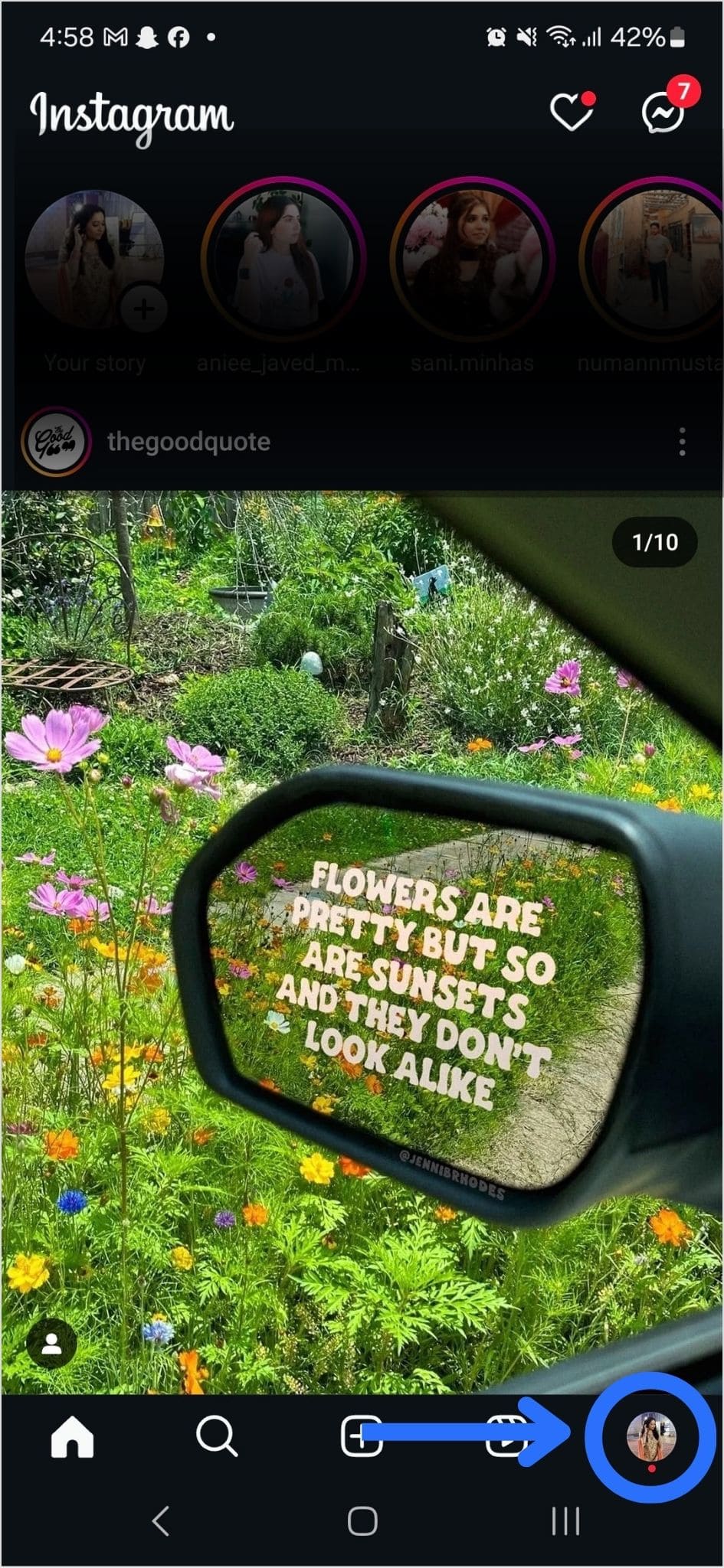
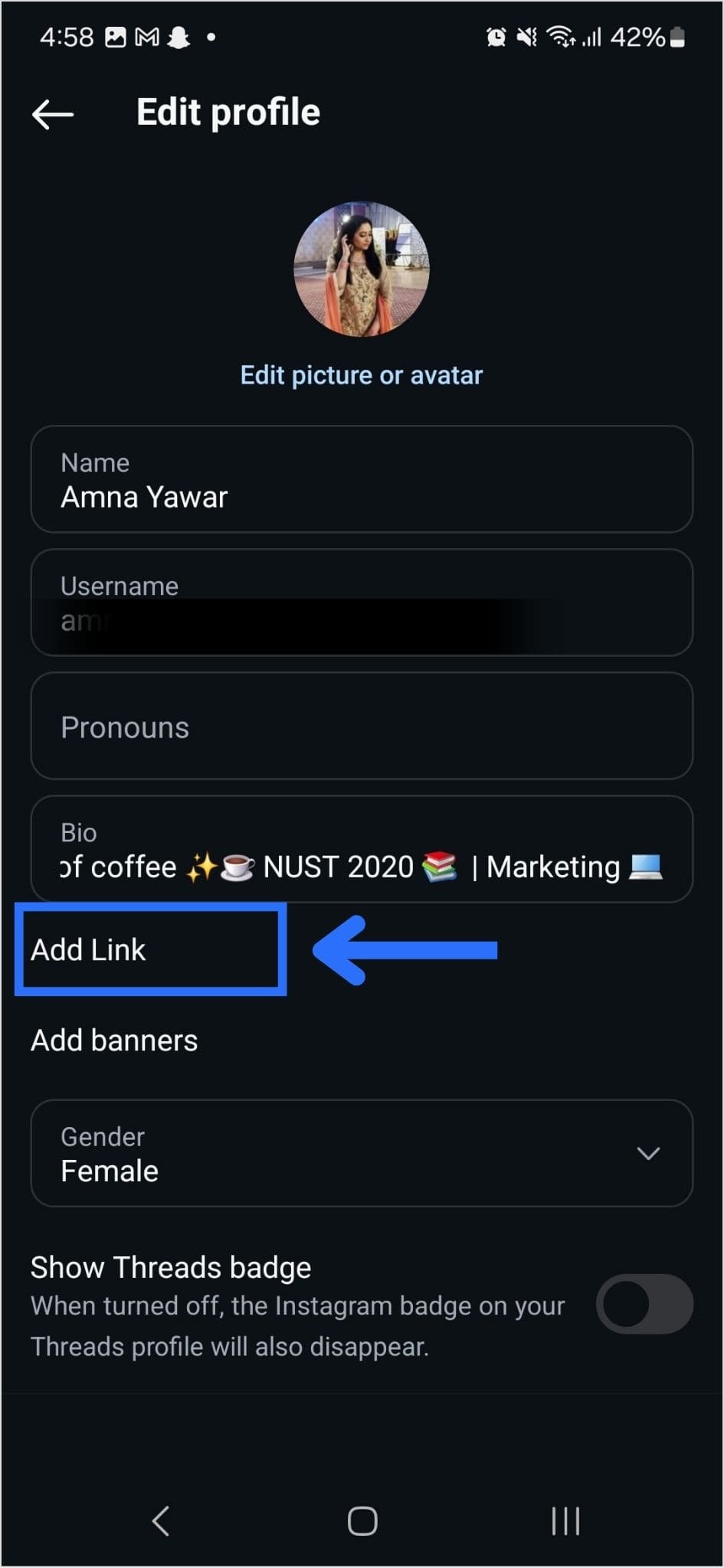
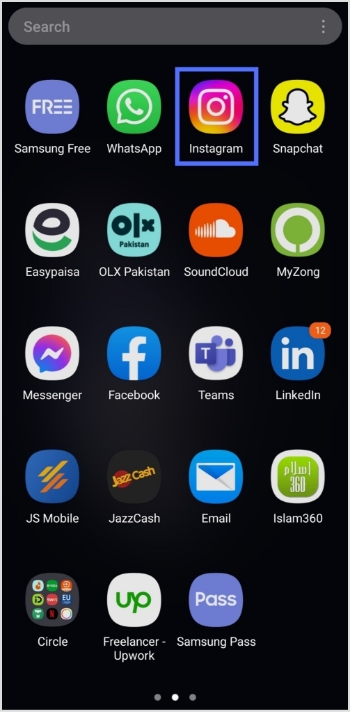
Step 2: Open Instagram on your mobile and tap your profile icon in the bottom right corner.
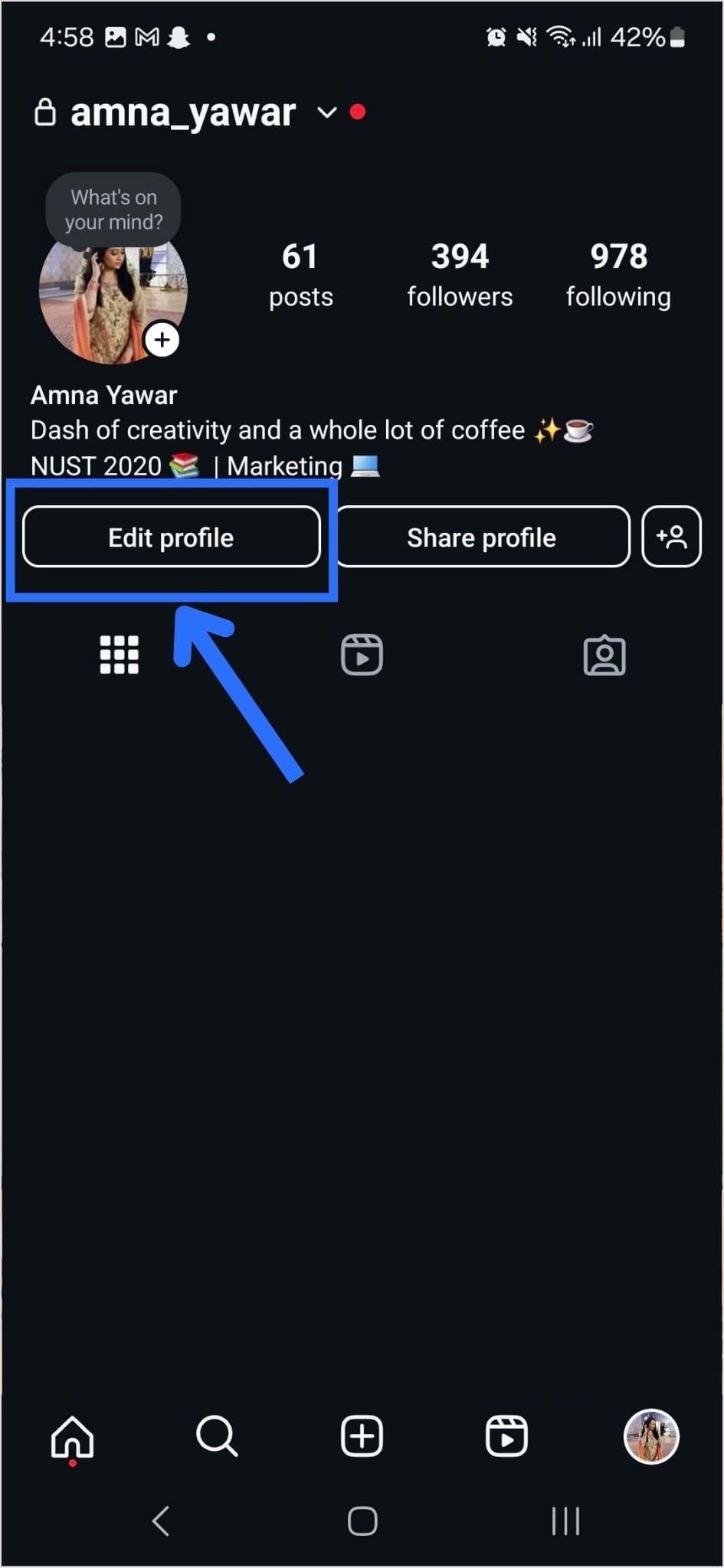
Step 3: Tap on the edit profile button on your profile page.
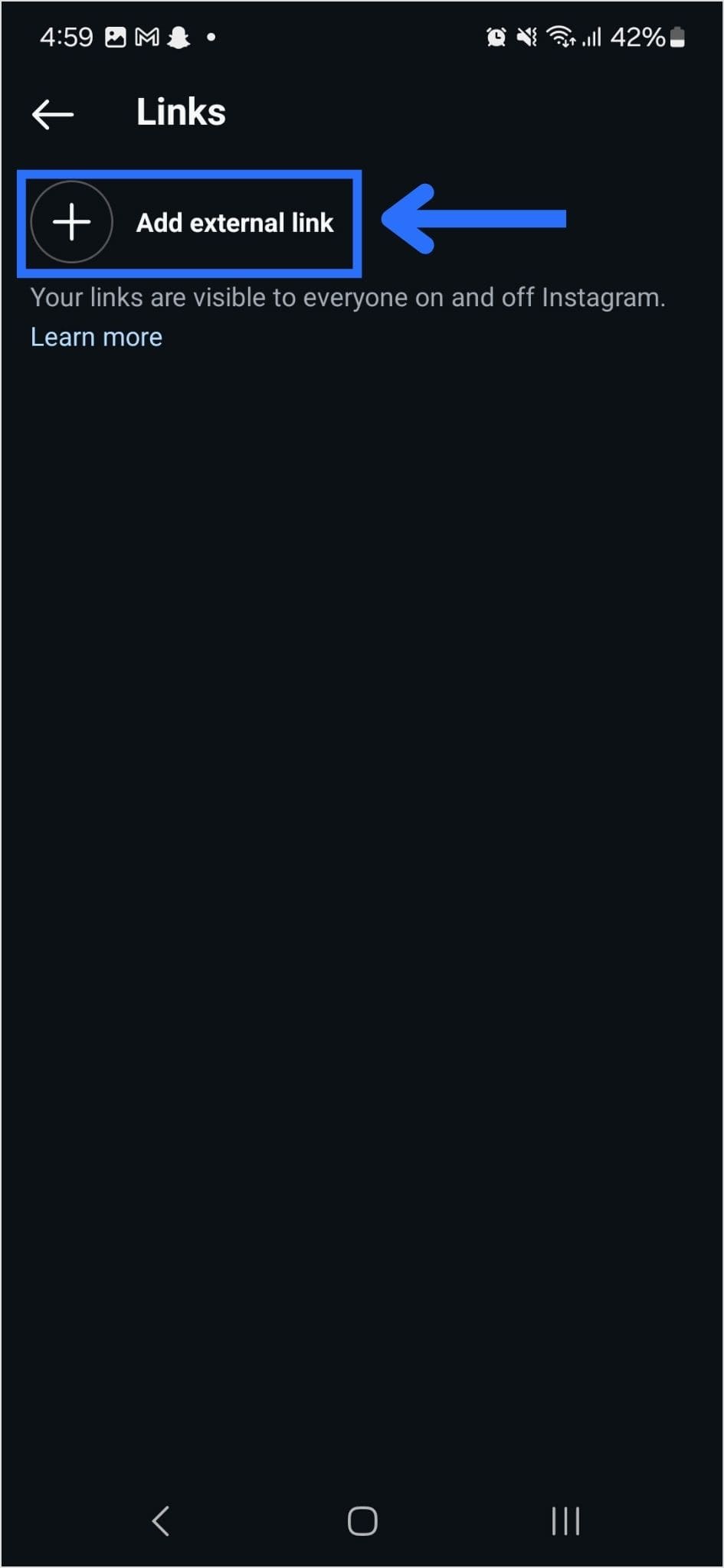
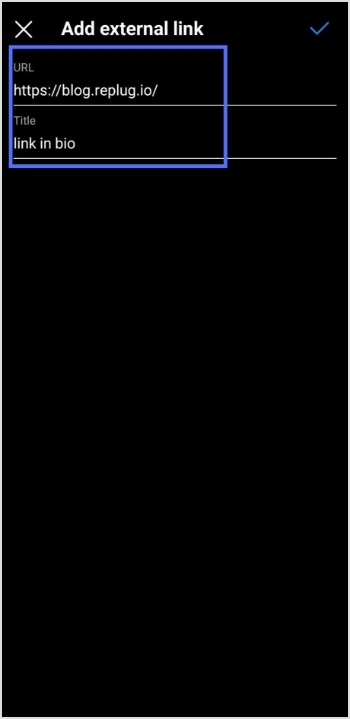
Step 4: Now, you will see the add link section on your mobile screen. Tap on it.
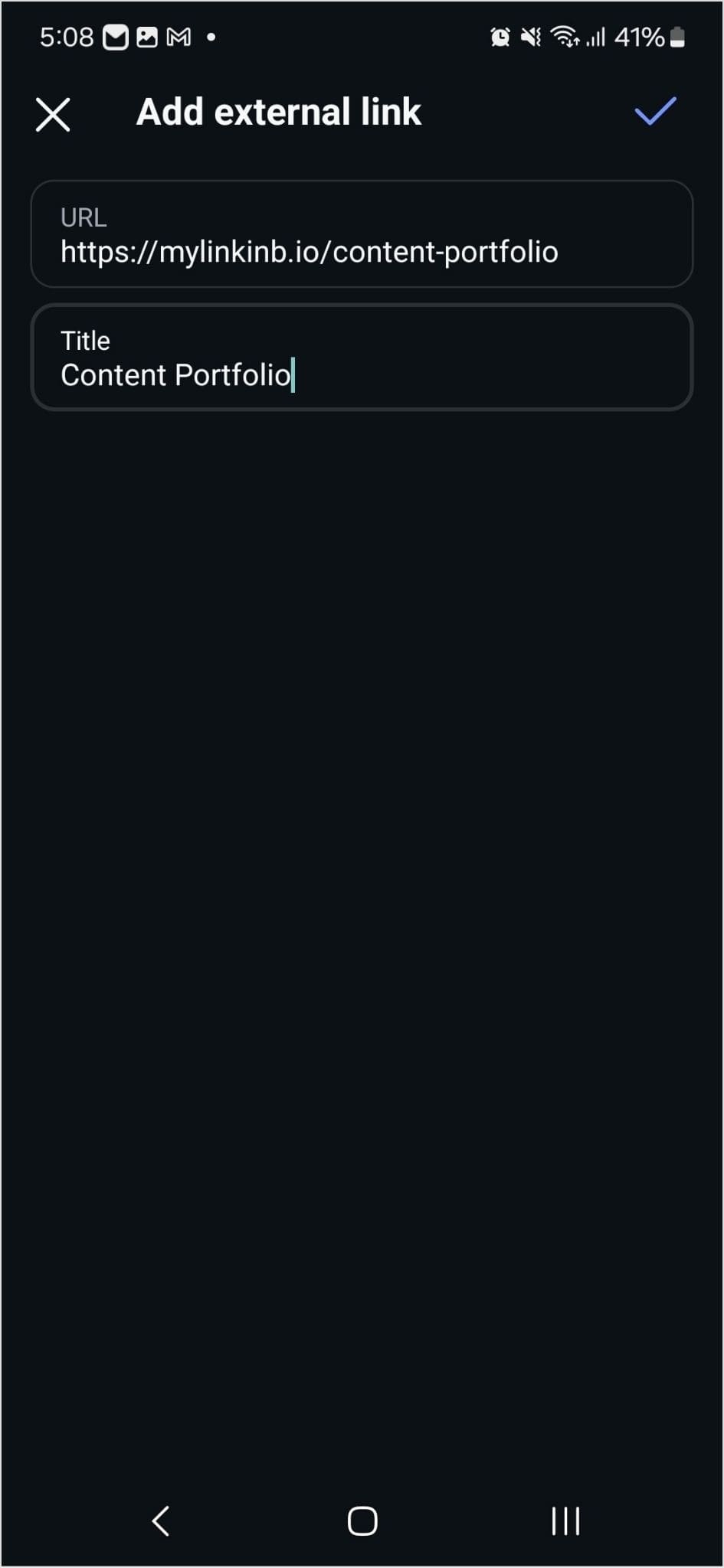
Step 5: Tap the add external link section to add your website address.
Step 6: Paste the bio link URL in the URL section and add a title in the title section.
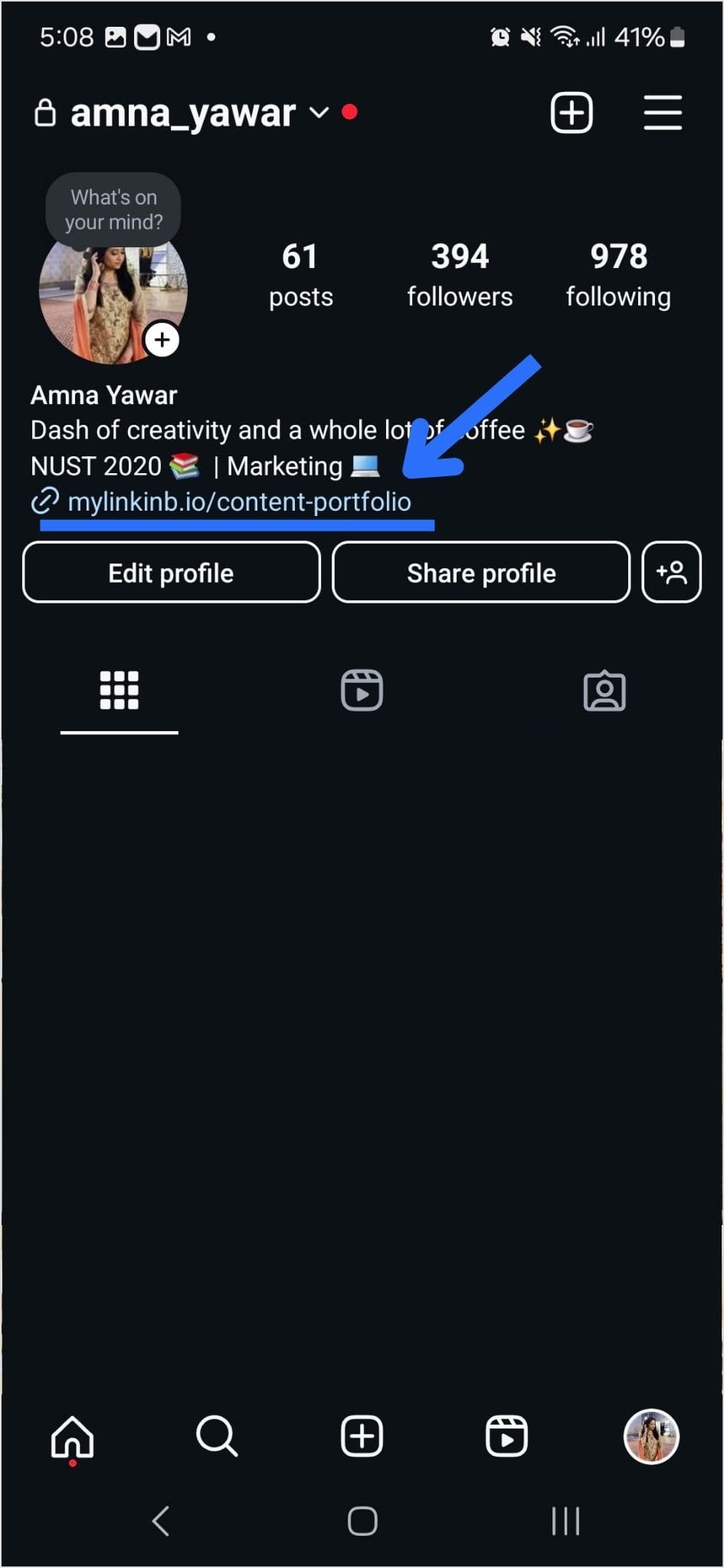
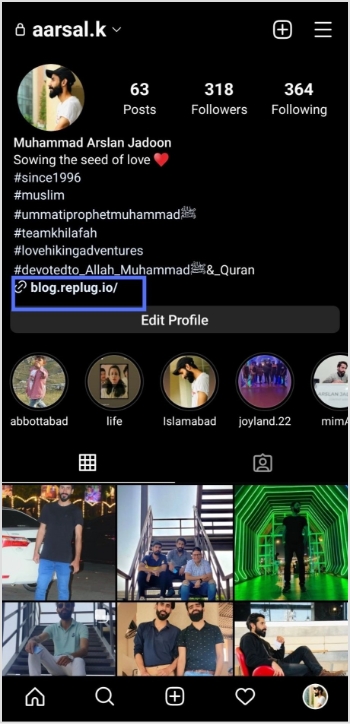
Step 7: Your link in the bio will now appear in your profile.
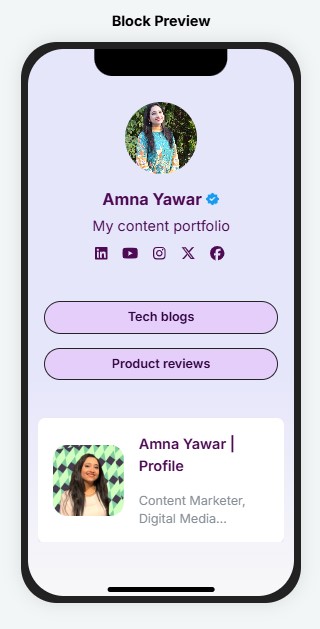
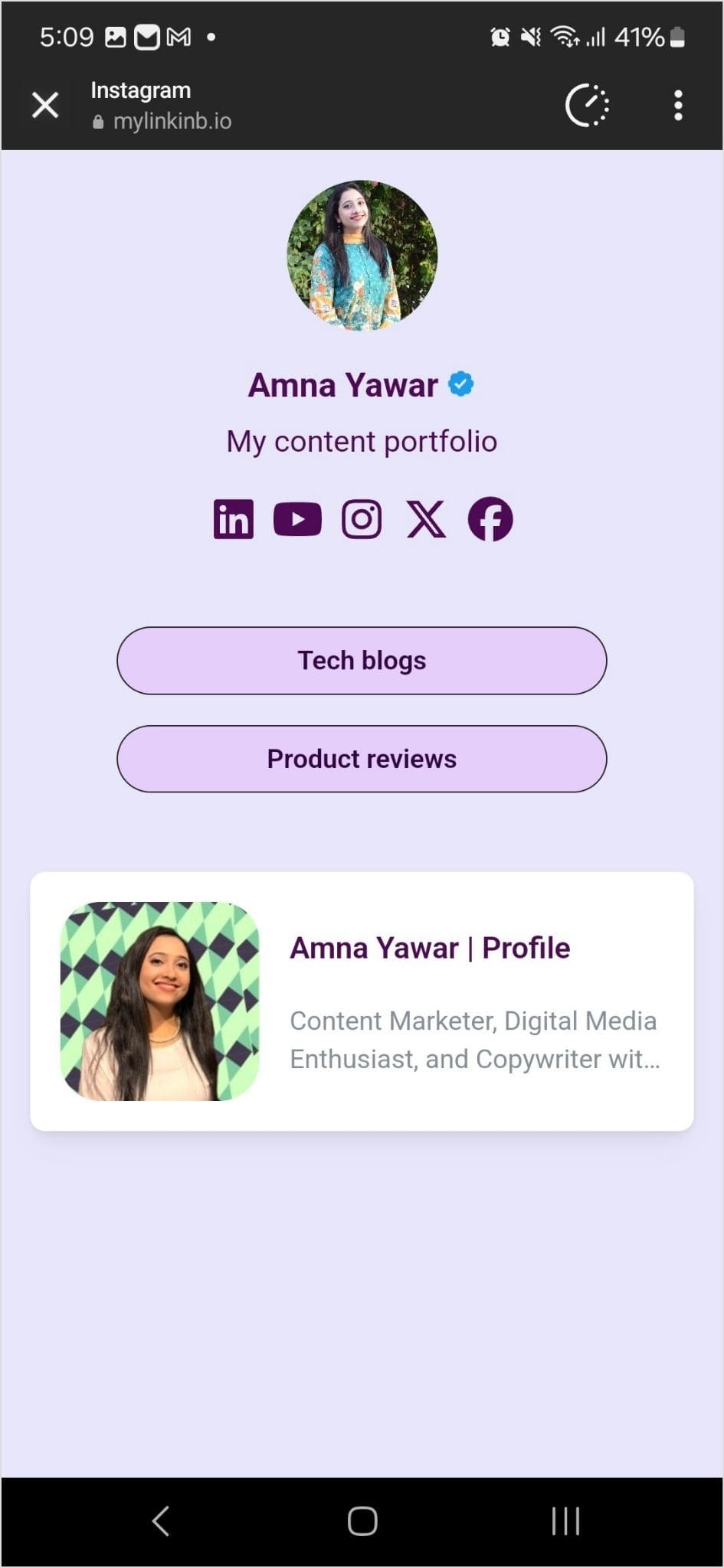
Step 8: Your Instagram profile now has multiple links in the bio. The bio link URL is now clickable. Here’s what the landing page looks like in our example:
Adding multiple links to your Instagram bio can enhance your profile’s functionality and engagement. By using services like Replug and following the steps mentioned earlier, you can efficiently manage and share multiple links within your Instagram bio.
Keep your audience informed and connected with your content. Explore the possibilities and make the most of your Instagram presence!
Are you a music lover looking to share your favorite tunes on TikTok? Adding a Spotify link to your bio is a great way to let your followers know what you’re listening to and discover new tracks. However, the process of adding a Spotify link to your TikTok bio may seem confusing at first.
Don’t worry, though – in this guide, we’ll show you exactly how to do it in just a few simple steps. Whether you’re a seasoned TikTok user or just starting out, you’ll be able to share your musical taste with the world in no time!
What is a TikTok link in bio?
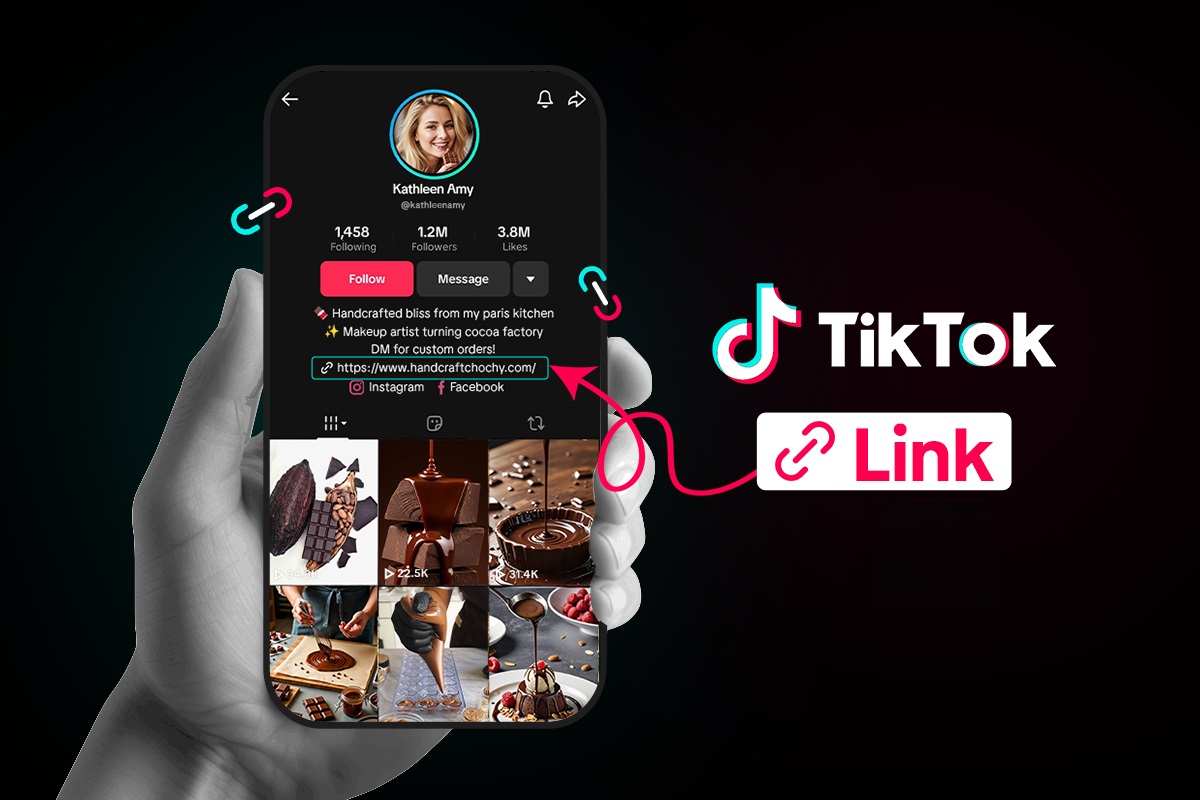
A TikTok link in bio is a clickable hyperlink that can be added to your TikTok profile page. This link appears in the “Bio” section of your profile and can be used to direct your followers to external websites, social media profiles, or any other online destination you want to promote
By default, TikTok only allows users to add one link to their bio. However, there are third-party tools like Replug that can be used to add multiple links to your bio section. This feature is especially useful for content creators, small business owners, and anyone else looking to promote their online presence to a wider audience.
How to add Spotify link to TikTok bio?
Adding a link to your TikTok bio is a great way to share more information with your followers and drive traffic to your website or other social media profiles. Here’s how to add a Spotify link to the TikTok bio:
Step 1: Open Spotify on your device and log in to your account.
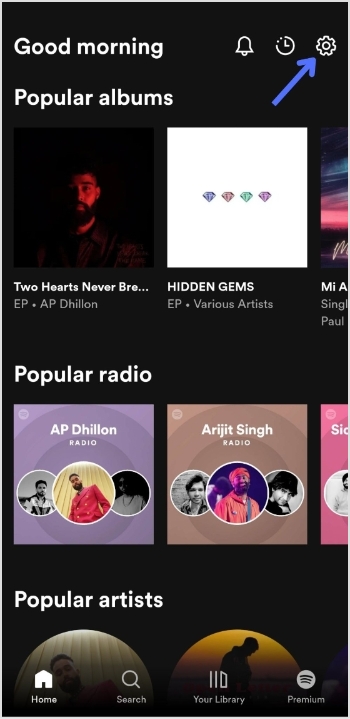
Step 2: Tap the “setting icon” in the top right of the screen.
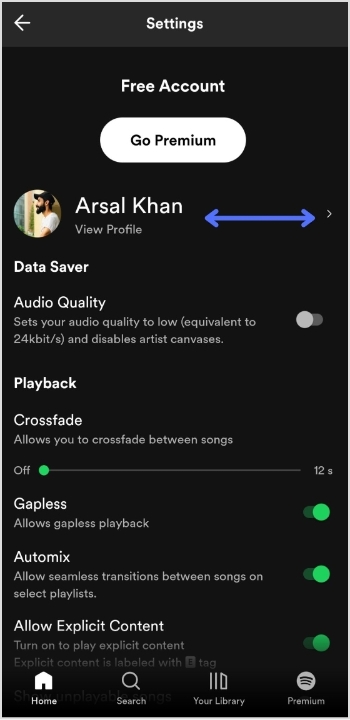
Step 3: Tap “view profile” under your profile name to open your profile.
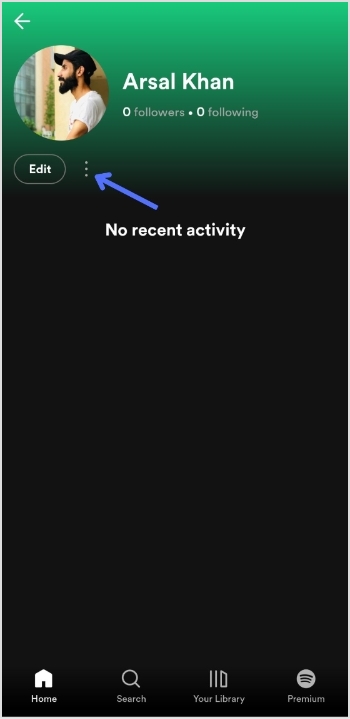
Step 4: Tap 3 “vertical dots” on your profile page.
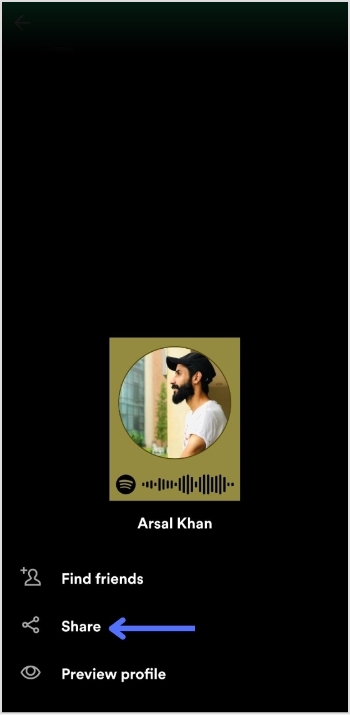
Step 5: Tap “share”.
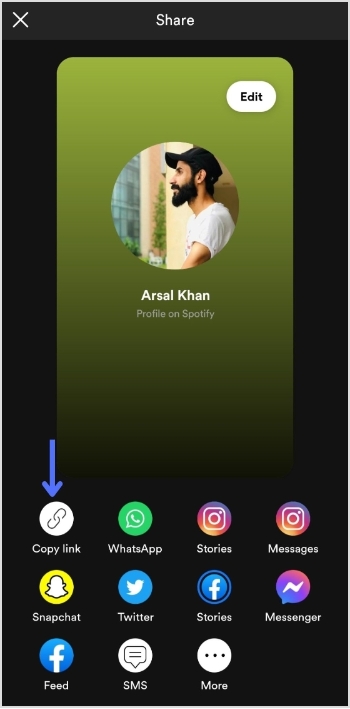
Step 6: Tap “copy link”.
Add this link to your TikTok bio:
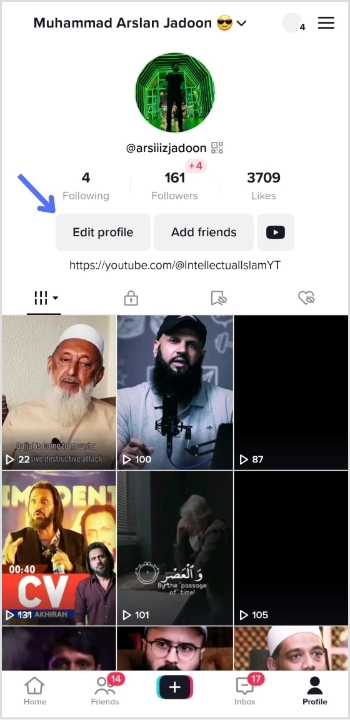
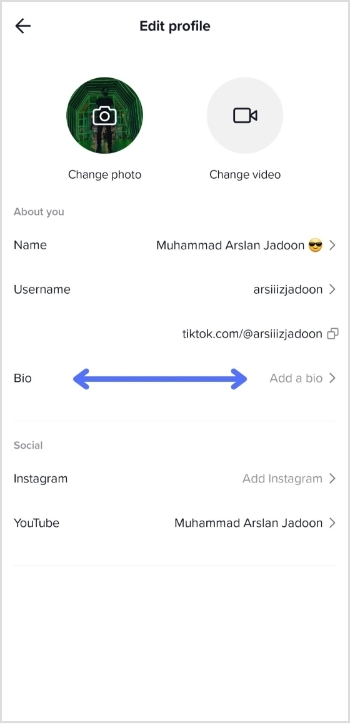
Step 1: Open TikTok on your mobile device and tap the “profile icon” in the bottom right corner.
Step 2: Tap “edit profile”.
Step 3: Tap “add a bio” to open the bio section.
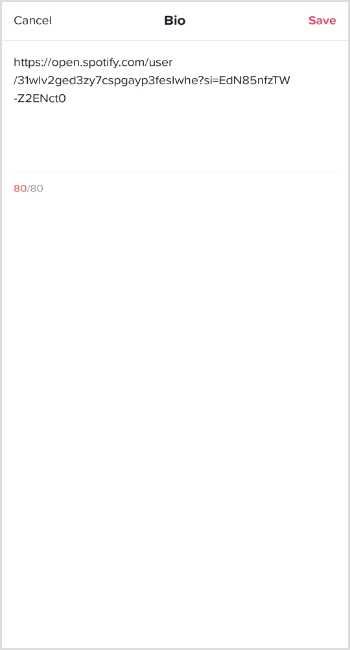
Step 4: Paste your Spotify link, tap “save” and you’re done.
Do you have more than one link you want to add to your TikTok bio?
Perhaps you want to share your social media profiles or promote your website alongside your Spotify account. Luckily, there’s an easy solution: Replug.
It offers a top-notch, free bio link maker that allows you to add multiple links to your TikTok bio, helping you to increase your reach and engagement on the platform.
With this efficient link optimization platform, you can create a single link that directs users to a landing page containing all of your important links. This means that you can easily promote your online presence in one convenient location.
Here’s a video showing you how to add multiple links to your TikTok bio using Replug.
FAQs
Can I add multiple links to my TikTok bio?
By default, TikTok only allows you to add one link to your bio. However, third-party tools or a dedicated online TikTok bio link tool can be used to add multiple links to your TikTok bio, hassle-free.
Is it free to use Replug to add multiple links to my TikTok bio?
Replug is a free link shortener with limited features inside its free plan. However, it also offers paid plans with more advanced functionality for its subscribed users.
How do I use Replug to add multiple links to my TikTok bio?
To use Replug to add multiple links to your TikTok bio, sign up for an account and create a branded landing page with your desired links. Then, copy the Replug landing page URL and paste it into the “Website” field in your TikTok bio.
Can I track clicks on my TikTok bio links with Replug?
Yes, Replug offers advanced analytics that allows you to track clicks and engagement on your TikTok bio links and other links across your online presence.
Are you tired of manually checking multiple websites for updates on your favorite topics? Do you wish there was a simpler way to stay informed without getting lost in the sea of information online? Enter RSS feed, a tool designed to streamline content delivery and help you keep up with your favorite websites and topics. But what exactly is an RSS feed, and why should you consider creating one for your website?
In this article, we’ll explore the ins and outs of RSS feeds and show you how this powerful tool can improve your website’s content delivery, increase engagement with your audience, and save you time in the process. So if you’re ready to take your content to the next level, let’s dive in and discover the power of RSS feed.
What is an RSS feed?
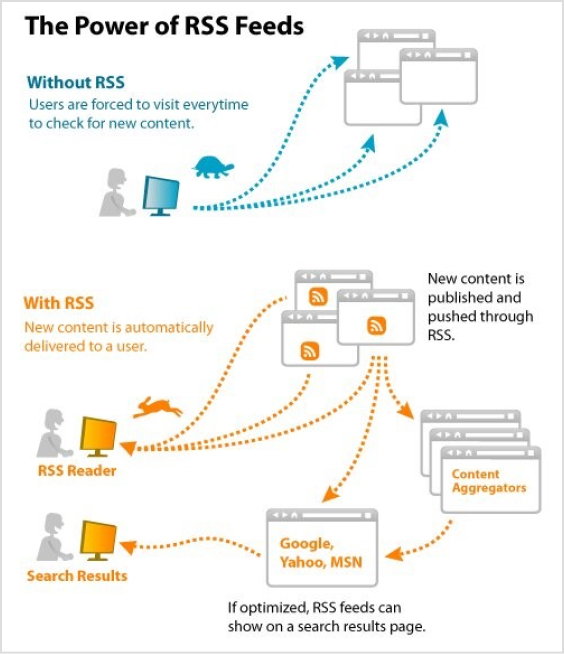
An RSS feed is a technology that allows websites to automatically syndicate their content to users who subscribe to their feed. In simple terms, it’s a way for websites to push new content to subscribers as soon as it’s published, without the need for users to manually check the website for updates.
Here’s an example of how an RSS feed works:
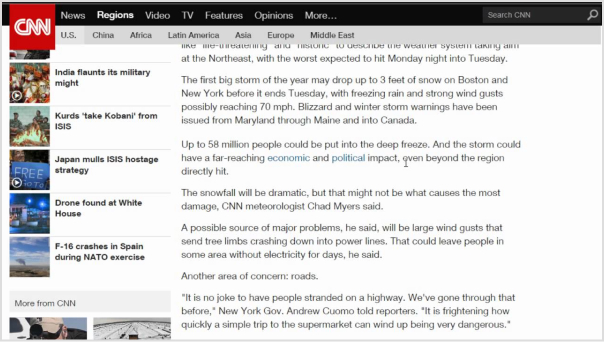
Imagine you are an avid reader of a CNN news website that covers a variety of topics. You want to stay up-to-date with the latest news, but checking the website multiple times a day for new articles is time-consuming and inefficient.
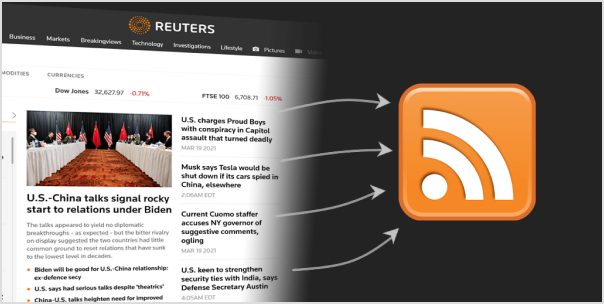
Therefore, CNN offers RSS feeds for various topics such as top stories, world news, politics, business, entertainment, and more. By subscribing to one or more of CNN’s RSS feeds, users can receive updates on the latest news articles as soon as they are published, without the need to constantly check the CNN website for updates.
In short, an RSS feed is a powerful tool that benefits both website owners and users, by streamlining content delivery and improving the user experience.
A brief history of RSS feeds:
The history of RSS feeds dates back to the late 1990s, with the emergence of the Really Simple Syndication (RSS) technology. It was developed as a means to simplify the distribution and aggregation of web content.
The roots of RSS can be traced back to a format called RDF (Resource Description Framework), which was developed by the World Wide Web Consortium (W3C) in 1997. RDF aimed to provide a standardized way of describing metadata for web resources.
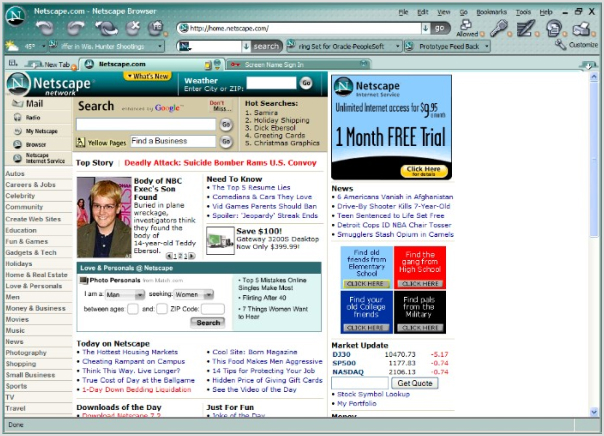
In 1999, Netscape, a prominent web browser at the time, introduced a simplified version of RDF called RDF Site Summary (RSS). It was created by Dan Libby and Ramanathan V. Guha, and its purpose was to allow websites to easily syndicate their content.
The initial versions of RSS were relatively basic, allowing websites to provide a list of headlines and summaries of their articles. However, as RSS gained popularity, new versions were developed to enhance its capabilities. RSS 1.0, based on RDF, offered more flexibility in terms of data representation and allowed for more detailed metadata.
In 2002, a different version of RSS emerged, known as RSS 2.0. It was developed by Dave Winer and included improvements such as better support for enclosures (allowing the inclusion of multimedia content) and increased compatibility with various web applications and platforms.
As the popularity of RSS feeds grew, many software applications and online services were developed to facilitate their use. RSS feed readers, also known as RSS aggregators, allowed users to subscribe to their favorite websites and receive updates automatically. Popular feed readers included Google Reader, Feedly, and Netvibes.
Yes, RSS feeds are still widely used in 2023. In fact, RSS feeds have not only endured the test of time but have also evolved into a convenient, efficient, and personalized method of staying up to date with the latest news and developments.
With RSS, you have the power to curate your own digital universe. Say goodbye to information overload and hello to a carefully crafted newsstand brimming with the sources you love. Customize your subscriptions with ease, effortlessly adding, removing, and organizing your favorite news outlets. What’s more, you can set up automated systems that whisk the latest updates right to your digital doorstep as soon as they hit the digital realm.
But it’s not just users who benefit from RSS feeds. Savvy businesses have tapped into the power of RSS as a marketing tool, offering subscription links on their websites or even exclusive promotions through RSS feeds. It’s a win-win situation, allowing businesses to reach wider audiences while still targeting the most engaged and interested customers.
How RSS works?
RSS (Really Simple Syndication) works based on a structured XML (Extensible Markup Language) format. Here’s a step-by-step breakdown of how RSS works:
Step 1: Content Creation
Website owners or content creators generate new articles, blog posts, or other forms of content on their websites.
Step 2: RSS feed generation
The website’s content management system or specialized software generates an RSS feed that contains the metadata and information about the new content. This includes the title, summary, publication date, and a link to the full article.
Step 3: RSS feed publication
The website publishes the RSS feed file on a specific URL, often indicated as the website’s RSS feed URL.
Step 4: User subscription
Users who are interested in receiving updates from the website subscribe to its RSS feed. They can do this by using an RSS feed reader, which is a software application or online service designed to read and aggregate RSS feeds.
Step 5: Feed reading
The RSS feed reader regularly checks the subscribed RSS feeds for updates. It sends a request to the website’s RSS feed URL to fetch the latest feed content.
Step 6: Content delivery
If there are new articles or updates in the RSS feed, the RSS reader retrieves the content and presents it to the user in a readable format. This typically includes the title, summary, and a link to the full article on the website.
Step 7: User interaction
Users can click on the links within the RSS reader to access the full content on the original website. They can read, share, or bookmark the articles based on their preferences.
Step 8: Update notifications
RSS readers can be configured to provide notifications or display unread item counts to keep users informed about new content.
Step 9: Synchronization
Some RSS readers offer synchronization across multiple devices, allowing users to access their subscribed feeds from different devices and keep their reading progress and subscriptions up to date.
The process repeats itself as new content is published on the website. RSS feeds provide a standardized and efficient method for content distribution, enabling users to stay updated with the latest information from multiple sources without the need to manually visit each website separately.
Using RSS feeds can significantly boost productivity by streamlining the process of accessing and managing relevant information. Here are some ways to leverage RSS feeds to enhance productivity:
Consolidate information
Subscribe to RSS feeds from your favorite websites, blogs, news outlets, and industry publications. By aggregating content from various sources into a single RSS feed reader, you can access all the updates and news in one central location, eliminating the need to visit multiple websites individually.
Efficient information consumption
RSS feeds allow you to scan headlines, summaries, and key points of articles without visiting the full web page. This enables you to quickly assess the relevance and importance of each item, saving time by focusing on the most essential content.
Customized content curation
Tailor your RSS feed subscriptions to specific topics, industries, or areas of interest. This customization ensures that you receive content that aligns with your needs and eliminates unnecessary noise. By fine-tuning your feed, you can access high-quality information that directly impacts your work or personal interests.
Time-saving automation
RSS feeds deliver updates automatically, eliminating the need to manually check each website for new content. Set up regular intervals for your RSS reader to refresh and fetch updates, ensuring you stay up to date without wasting time on repetitive manual checks.
Prioritize and organize
RSS readers often provide features to categorize and organize feeds. Take advantage of these capabilities to create folders or tags based on topics, importance, or urgency. This helps you prioritize the content you consume and ensures you don’t miss critical updates.
Mobile and cross-device access
Many RSS readers offer mobile apps and cloud synchronization, enabling you to access your feeds and read content across different devices. This flexibility ensures you can stay productive and consume information wherever you are, whether on your computer, smartphone, or tablet.
Reduce information overload
With RSS feeds, you have control over the sources and types of content you consume. By curating a focused selection of feeds, you can avoid being overwhelmed by excessive information. This reduction in information overload enables you to concentrate on what truly matters, improving your productivity.
By leveraging the power of RSS feeds, you can streamline information consumption, stay informed efficiently, and focus on content that is most relevant to your work and interests. With reduced distractions and improved content management, you can enhance your productivity and make the most of your valuable time.
To find the RSS feed of a website, you can try the following methods:
Method 1: Look for the RSS icon
Many websites that offer RSS feeds display a recognizable RSS icon or a link to their feed. Look for the RSS icon, usually in the header, footer, or sidebar of the website. It typically looks like a square or rectangle with a curved line in the corner resembling a Wi-Fi signal icon.
Method 2: Check the source code
Right-click on the website’s page and select “View Page Source” or “Inspect” (depending on your browser). This will open the HTML source code of the webpage. Search for “RSS” or “feed” using the browser’s search function (usually accessible by pressing Ctrl+F or Command+F). Look for URLs containing “RSS” or “feed” that may indicate the presence of an RSS feed.
Method 3: Use browser extensions or add-ons
Some web browser extensions or add-ons are specifically designed to detect and display RSS feeds for websites. Examples include “RSS Subscription Extension” for Chrome and “RSSPreview” for Firefox. Install these extensions, and they will automatically scan the webpage for RSS feeds and provide a convenient way to subscribe.
Method 4: Search the website
Use the website’s search functionality and enter keywords such as “RSS” or “feed” to see if any relevant results appear. Some websites may have dedicated pages or sections that provide information or links to their RSS feeds.
Method 5: Utilize online RSS feed directories
There are online directories that catalog RSS feeds from various websites. These directories can be searched by topic, website name, or keyword. Examples include Feedly,RSS.com, and Feedspot. Enter the website’s name or topic of interest in the search bar of the directory to see if the website’s RSS feed is listed.
It’s worth noting that not all websites offer RSS feeds, as some have transitioned to other content distribution methods. If you are unable to find an RSS feed for a specific website, it is possible that they do not provide one.
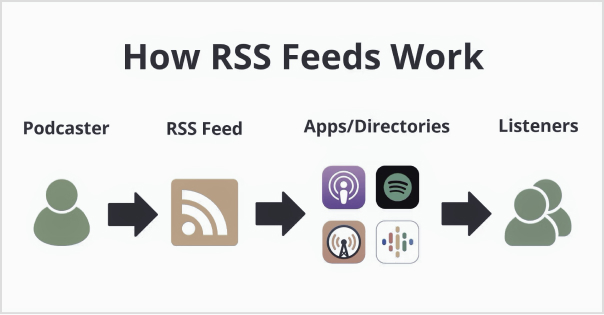
How to create an RSS feed for a Podcast?
To create an RSS feed for a podcast, you’ll need to follow the steps below:
Step 1: Choose a content hosting platform
Choose a podcast hosting platform that offers RSS feed generation as part of its services. Popular options include Libsyn,Podbean, and Buzzsprout. These platforms provide tools to upload and manage your podcast episodes, as well as automatically generate an RSS feed for your podcast.
If you’re comparing hosting options, a Libsyn vs Buzzsprout guide can help you evaluate differences in pricing, analytics, distribution features, and ease of use before making a decision.
Step 2: Sign up and set up your account
Create an account on your chosen podcast hosting platform. Follow the platform’s instructions to set up your podcast profile, including providing necessary details such as podcast title, description, cover art, and other metadata.
Step 3: Upload episodes
Use the hosting platform’s interface to upload your podcast episodes. Typically, you’ll need to provide the audio files, episode titles, descriptions, and any additional information required. The platform will store and organize your podcast episodes.
Step 4: Customize settings
Configure settings specific to your podcast, such as episode release schedule, episode numbering, categories, and tags. These settings help categorize and promote your podcast effectively.
Step 5: Verify and preview
Review and verify the information and settings for your podcast episodes. Ensure that the episode titles, descriptions, and other metadata are accurate and formatted correctly. Preview how your podcast will appear in the RSS feed.
Step 6: Obtain the RSS feed URL
Once you’ve uploaded your episodes and configured the necessary settings, your podcast hosting platform will generate an RSS feed URL for your podcast. This URL is crucial for distributing and sharing your podcast with various podcast directories and platforms.
Escalate your brand marketing through Replug RSS Automation
Replug RSS Automation is a powerful feature that can significantly enhance your brand marketing efforts. Here’s how Replug RSS Automation can take your brand marketing to the next level:
Efficient content distribution:
With Replug RSS Automation, you can automatically distribute your content to various channels, including social media platforms, email newsletters, and content aggregators. This ensures that your brand’s message reaches a wider audience without the need for manual sharing and promotion.
Customized messaging:
Replug RSS Automation allows you to tailor your marketing messages based on the specific content being shared. You can add personalized call-to-actions, branding elements, and tracking links to maximize engagement and drive desired actions from your audience.
Targeted audience segmentation:
Through Replug RSS Automation, you can segment your audience based on their interests, preferences, and behavior. This enables you to deliver highly relevant content to specific segments, increasing the chances of capturing their attention and driving conversions.
Data-driven insights:
Replug RSS Automation provides valuable analytics and performance metrics to help you optimize your content marketing strategy. You can track the engagement, click-through rates, and conversions generated from your automated RSS campaigns. These insights allow you to refine your approach and make data-driven decisions to improve your marketing efforts.
Yes, RSS feeds are completely legal to use either for personal or commercial purposes. But, as there is a rule for using anyone’s personal content commercially one must have its owner’s concern and the same goes for RSS feeds. RSS feeds are free and easy to use. That’s why everyone tries to add them to websites. Moreover, all these perks can be achieved if you are using RSS feeds in a legal way.
Can RSS feeds be tracked?
RSS feeds can be tracked easily with Replug’s analytics feature. It is the best tool for estimating the traffic on your websites and achieving meaningful data.
Are RSS feeds public?
Yes, RSS feeds are public as they facilitate users. It has a public URL link anyone can access. RSS feeds are unencrypted readable XML files that are acceptable by any platform that supports RSS. Private security functions are not built into RSS feeds.
Can RSS feed have images?
Yes, Images are the crux of all the content available. Generally, graphical representation gives more captivating looks so images play an important role in content ranking. Content can be of any type like images it can be as written media or audio media even. Images must support all the requirements for uploading like size, quality, and pixels so, it must not affect the performance of the website.
Does Google use RSS feed?
Google does use RSS feed indirectly but it doesn’t have any such ranking factor pre-defined in its algorithm. However, you can create an RSS feed on any niche by Google Alerts in the settings option. Its major role is, searching for new and updated content for users to get a high ranking. Google News uses RSS feeds to increase the audience and content visibility.
What replaced the RSS feed?
Yes, it is replaced by new advanced techniques. It is human nature that one is always curious to get into new things and the same goes for this RSS Feeds. Email subscriptions, push notifications, and even social media platforms like Facebook, and Twitter are based on a such algorithm that automatically generates user-demanding content on the basis of previous history. Whereas, RSS Feeds are still vastly used to enable the syndication of their content.
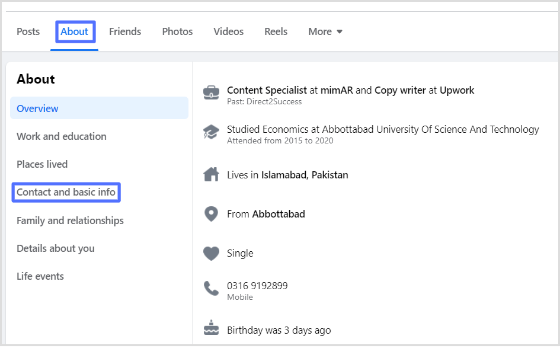
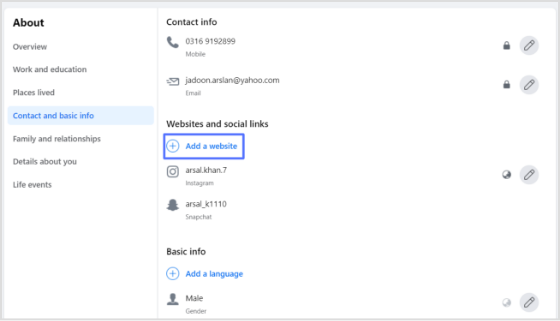
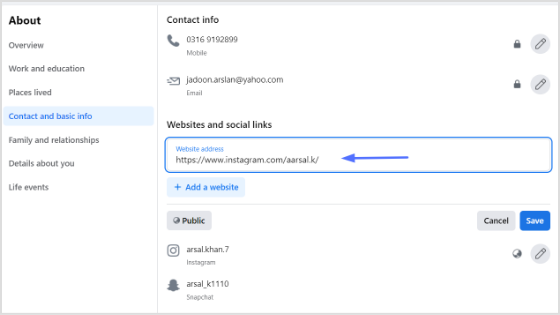
If you’re looking to promote your Instagram profile and boost your online presence, adding your Instagram link to your Facebook bio can be a highly effective strategy. By doing so, you can reach a broader audience and potentially attract more followers, which can help you take your social media game to the next level.
For creators and marketers who care about link performance, Replug.io lets you brand, shorten, and track your shared URLs so every click tells a story.
In this guide, we’ll explore the steps involved in adding an Instagram link to your Facebook bio on both computer and mobile devices, as well as some tips on how to make the most of Replug’s bio link feature.
How to add Instagram link to Facebook bio on a mobile device?
Here’s a step-by-step guide on how to add your Instagram link to your Facebook bio on a mobile device:
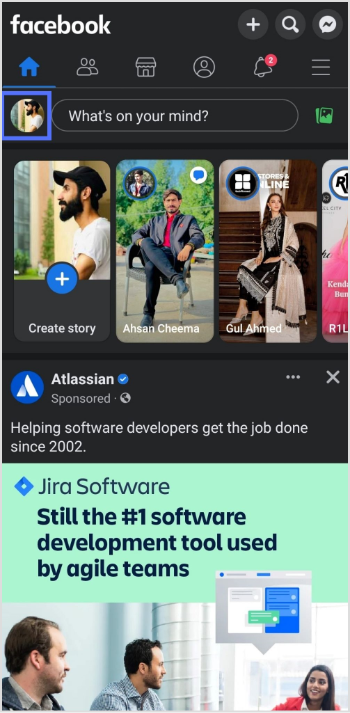
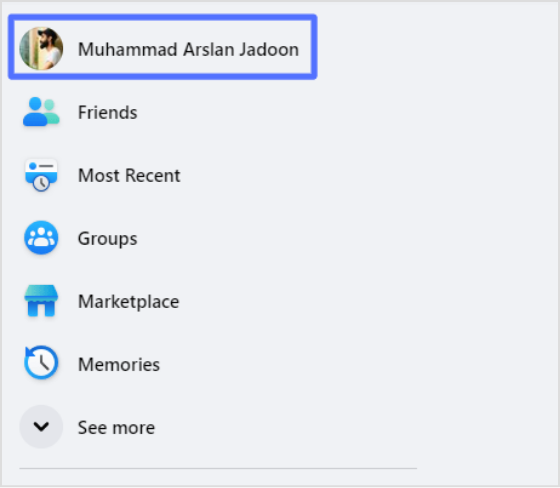
Step 1: Open the Facebook app on your mobile and tap your profile icon.
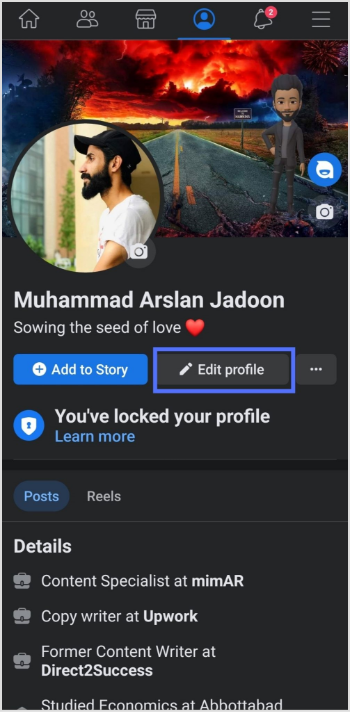
Step 2: Tap the “edit profile” button.
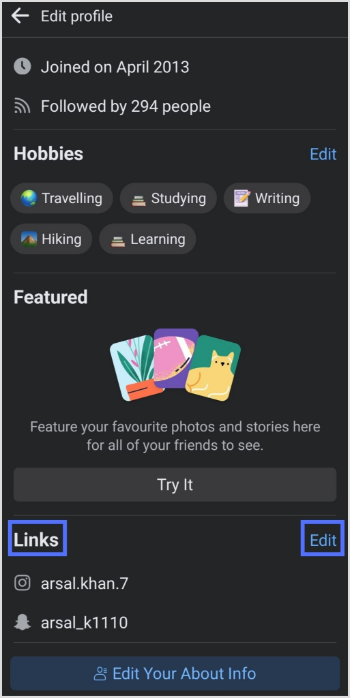
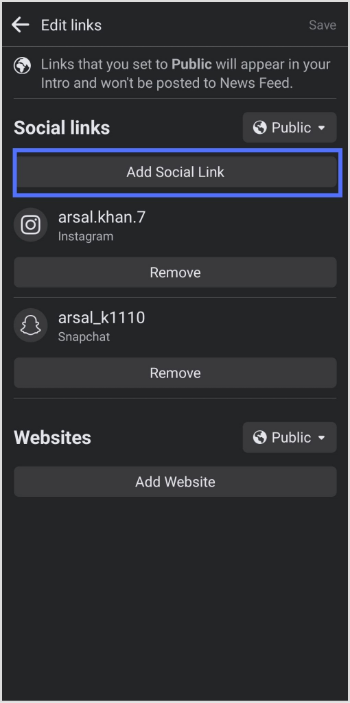
Step 3: In the edit profile section, scroll down to the “links” section and tap “edit”.
Step 4: Tap the “add social link” button.
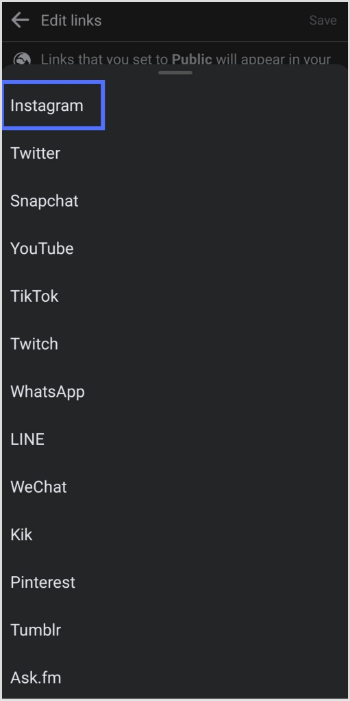
Step 5: Tap the “platform” button and choose Instagram from the list.
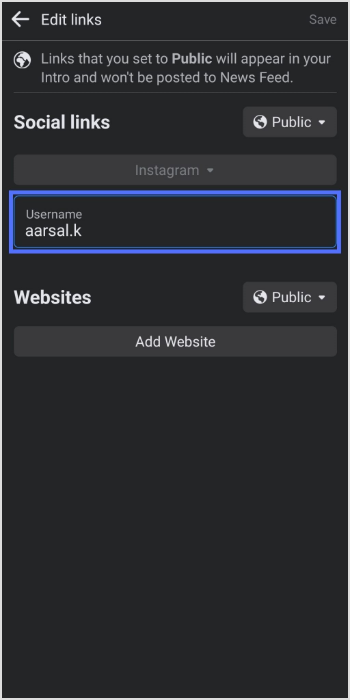
Step 6: Enter your Instagram account “user name” and tap save.
Also, don’t forget to give this Facebook link in bio tool a try. It will assist in boosting your engagement exceptionally.
Frequently asked questions
Why can’t I see my Instagram link in my Facebook bio?
If you cannot see your Instagram link in your Facebook bio, make sure you have added it correctly by following the steps above. Also, check that your Instagram account is not set to private, as private accounts cannot be linked to Facebook bios.
Why is my Instagram link not clickable in my Facebook bio?
If your Instagram link is not clickable in your Facebook bio, it may be because you have not entered the link correctly, or your Instagram account may be set to private.
Your TikTok bio has roughly 2-3 seconds to convince a stranger to hit follow, so it better be good.
With nearly 1.9 billion monthly active users on TikTok as of early 2026, the competition for attention has never been more proactive. Everyone’s scrolling fast, and your bio is often the first (and last) thing someone reads before deciding whether you’re worth their time.
The major problem?
Most people patch together a random quote, a few emojis, and call it a day. Then they wonder why their follower count is stuck.
A great bio doesn’t just describe you; it tells visitors exactly who you are, what you offer, and why they should stick around. That one tiny text box can genuinely make or break your growth.
So no matter if you’re a brand, a creator, or just getting started, we’ve got you covered with 500+ bio ideas for TikTok you can simply copy, paste, and make your own.
But first, what exactly is a TikTok bio, and why is it so significant?
What is a TikTok bio?
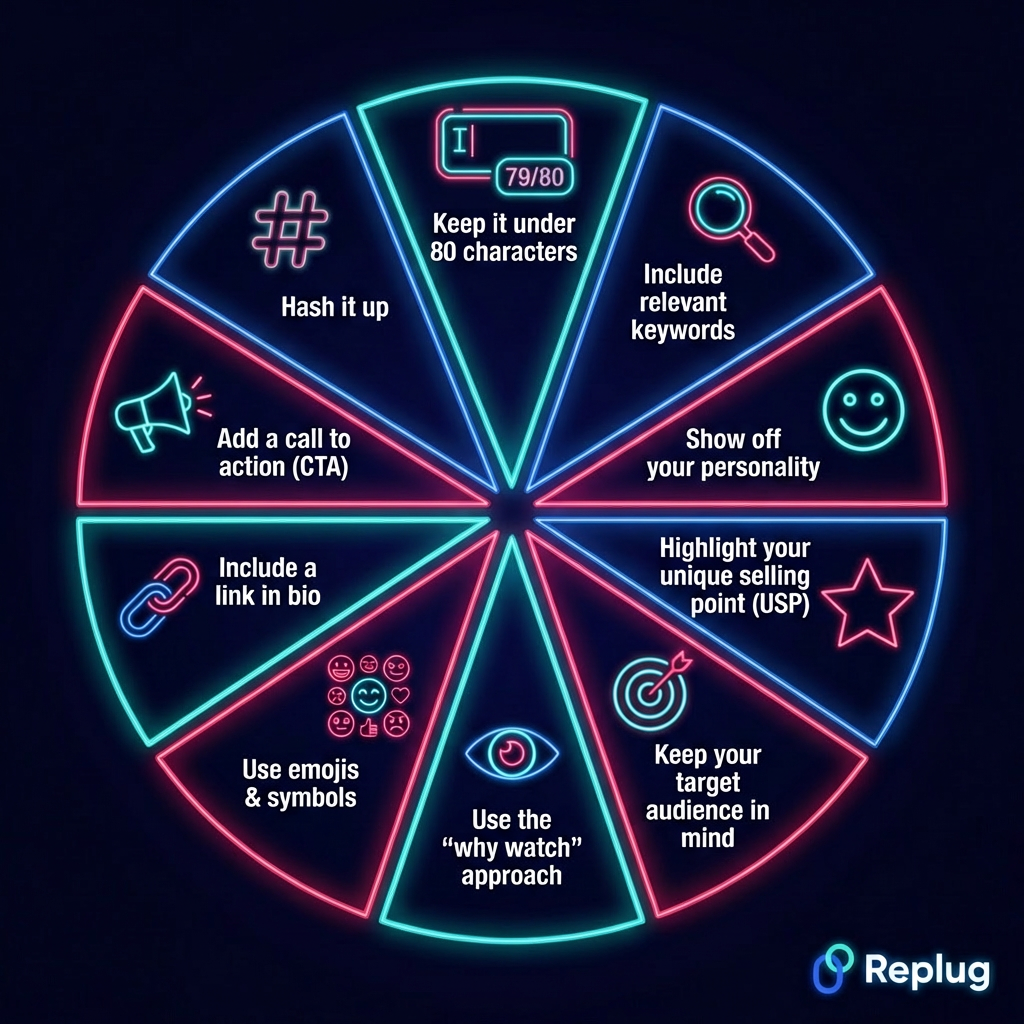
A TikTok bio is the short description that sits right below your profile picture and username on TikTok. You’ve got 80 characters to work with, that’s it. But don’t let the size fool you.
It’s basically your elevator pitch to every single person who lands on your profile. Its main job is simple: tell people who you are, what kind of content you make, and give them a solid reason to follow you.
Why is your TikTok bio important?
Here are the key reasons your TikTok bio is crucial and matters so much:
Acts as your first impression: Most people decide whether to follow you within seconds of visiting your profile. A clear, compelling bio makes that decision quite easy for them.
Enhances searchability (SEO): Using the right keywords in your bio helps TikTok understand your niche and makes your profile easier to find in search results.
Defines your brand & niche: It instantly tells people what you’re about, so the intended audience knows they’re in the right place.
Drives traffic: Your bio is the only spot on TikTok where you can drop a clickable link, making it a direct gateway to your website, store, or other platforms.
Increases conversions: A well-written bio with a clear call to action nudges visitors to follow, click, or buy, turning profile visitors into actual followers or customers.
Establishes credibility: A polished, focused bio signals that you’re serious about what you do, which naturally builds trust with new visitors.
A complete catalog of good TikTok bio ideas for every kind of profile!
No matter what your vibe is or what kind of content you create, there’s a perfect bio out there for you. Here’s a big collection of ideas broken down by style. Just pick what feels like you and run with it.
Short TikTok bio ideas
Sometimes less really is more. These bios say a lot without saying too much. Perfect if you want to keep it punchy and straight to the point.
Creating content that hits different 🎯
Just here to make you smile
Living my best life, one video at a time 🎬
Storyteller | Creator | Dreamer
Good vibes only 🔥 Scroll and stay a while!
Minimalist TikTok bio ideas
Less clutter, more personality! Minimalist bios work because they’re clean, confident, and let your content do the talking.
Creating | Growing | Evolving 🤍
▸ coffee + gym + sleep: on repeat
Quiet ambition; Loud results 🖤
Just a person with a camera and a vision
✦ here. present. making things.
Simple TikTok bio ideas
You don’t need to be clever or witty at all times. Sometimes a simple, clear bio is all it takes to connect with the right people.
👋 Hey! I make short video clips about everyday life and things I love
Sharing simple tips on food, fitness, and feeling good 💪
Book lover 📚 Sharing honest reviews and reading recommendations
Home decor ideas for people on a real budget 🏠
🎵 fan posting covers, playlists, and everything in between
Effective TikTok bio ideas
These bios are built with the purpose of converting visitors to followers. They’re clear about what you offer, who it’s for, and what someone should do next.
Helping small business owners grow online | New video every week | Free guide below 👇
🏋️ Fitness coach sharing workouts you can actually stick to | DMs open | Start here 👇
📈 Marketing tips for beginners | No fluff, just what works | Follow for weekly strategies
👩🍳 Easy recipes for busy people | 5 ingredients or less | New video every Tuesday 🍴
💸 Personal finance made simple | Saving tips + money hacks | Check the link below 👇
Funny TikTok bio ideas
A good laugh goes a long way. If humor is your thing, let your bio set the tone before people even watch a single video.
Professional overthinker. Part-time human 😂
Here for the comments and the snacks 🍕
My therapist said I need a hobby — so here we are😅
Warning: Following me may cause uncontrollable snorting 🤣
I put the “pro” in procrastination 😎
Sad TikTok bio ideas
Sometimes you just want your bio to reflect exactly how you’re feeling (raw, real, and honest). These bios hit that emotional note without being overdramatic.
Smiling on the outside, figuring it out on the inside 🌧️
Not every story has a happy ending — and that’s okay 🖤
Healing slowly 🌑 Some days are harder than others.
Tired eyes, full heart, empty hands 💔
Still blooming, even on the darkest days 🥀
Cute TikTok bio ideas
Adorable, warm, and instantly likeable, these bios give off the best kind of energy and make people want to stick around.
Spreading good vibes and soft energy, one smile at a time 🌸
Sweet, simple, and full of good stuff — just like my content
🐾 Dog mom | Snack enthusiast | Here to make your day a little brighter 🌈
Just a girl/guy who loves cozy days, good food, and happy moments ✨
Soft heart. Big dreams. Even bigger smile 🌻
Cool TikTok bio ideas
These bios have that effortlessly confident energy, the kind that makes people think okay, I need to follow this person.
Not trying to fit in. Never have, never will 😏
Creating my own lane — no GPS needed 🕶️
Built different | Moving different |Staying different ⚡
Too focused to be distracted. Too driven to stop 🔥
The cool you didn’t know you were looking for — until now 🖤
Creative TikTok bio ideas
Perfect for artists, designers, writers, and anyone who sees the world a little differently. These bios show off that imaginative side right away.
Turning ideas into visuals & feelings into content 🎨
Part-time artist and storyteller ✏️ | Full-time dreamer 💭
My mind never stops creating — and neither does my feed 🌀
Finding beauty in the ordinary, one frame at a time 📷
Stitching together creativity, color, and chaos 🧵 — Welcome to my 🌍
Attitude TikTok bio ideas
For those who walk into every room as if they own it. These bios carry confidence, boldness, and zero apologies.
Unbothered | Moisturized | Thriving 💅
Not everyone’s cup of tea — and I’m perfectly fine with that 👑
I don’t follow trends. I set them 🔱
Worked hard for this physique. I’ve earned it 😤
Underestimate me. That’ll be fun to watch ⚔️
Swag TikTok bio ideas
Dripping in sheer confidence and unique style. These bios are for the ones who know their worth and aren’t afraid to show it.
Drip too hard to be ignored 💎
Designer mindset. Hustle mentality. Zero excuses. 🥂
Fresh fits 👗 | Super fresh content
Born to stand out 🏆 — blending in was never the plan
Main character energy. Always and forever 💫
Savage TikTok bio ideas
No filter, no apologies! These bios are sharp, bold, and say exactly what needs to be said without sugarcoating a thing.
My vibe ain’t for everyone, honestly 😈
I don’t burn bridges. I just stop crossing them 🔥
Too real for fake people 💀 | Too smart for nonsense
Maybe they hate me, because I am too good ⚡
Sweet? Sometimes. Savage? Always.
Beautiful TikTok bio ideas
Elegant, warm, and genuinely heartfelt, these bios radiate beauty from the inside out and leave a lasting impression.
Beauty isn’t a look — it’s the energy you bring to the room 🌷
Glowing, growing, and grateful every single day ✨
Grace in every step. Light in every video clip 🕊️
Pretty on the outside, kinder on the inside 🌸
Blooming at my own pace — and loving every moment of it 💐
Nature TikTok bio ideas
For the outdoor lovers, earth souls, and anyone who feels most alive when they’re surrounded by trees, water, or open skies.
Chasing trails, sunsets, and fresh air — follow along 🌲
🌊 Ocean heart | Wild mind | Free spirit
Happiest when I’m off the grid and under the stars 🏔️
Living slow, breathing deep, and soaking up every bit of nature 🌿
Just a human who belongs in the woods more than the city 🦋
Impressive TikTok bio ideas
These bios instantly command respect and attention. Perfect if you want people to land on your profile and think this person means business.
Turning passion into purpose, one video at a time — Join the journey 📌
Helping people level up their mindset, money, and lifestyle 🎯 | Follow for weekly value
Big ideas. Real talk. Zero fluff — you’re in the right place 💯
From 0 to 5K+ followers, and still climbing 🚀 | New content every week
Building something real in public | Entrepreneur | Creator | Let’s grow together 🤝
Dance TikTok bio ideas
For the ones who let their body do the talking, these bios are full of rhythm, passion, and that contagious love for movement.
Born to 💃, forced to do everything else
If there’s 🎶, my feet are already moving — come dance with me
Turning every floor into a stage since day one 🕺
Dance is my love language — and I’ve got a lot to say 🥂
Not a backup dancer | Never the understudy | Always the main act 😎
Lyric-based TikTok bio ideas
Song lyrics hit different when they perfectly describe who you are. These bio ideas borrow that poetic energy to say what words alone sometimes can’t.
“Against the odds, I’d bet on myself ❤️🔥”
“Sunshine mixed with a little hurricane 🌪️”
“Somewhere over the rainbow 🌈, that’s where you’ll find me”
“Time isn’t healing, time is revealing ⏳”
“Nothing can stop me, I’m all the way up 🔥”
Fashion TikTok bio ideas
Style is self-expression, and these bios make that clear at first glance. Ideal for fashion creators, outfit posters, and trendsetters.
Your daily dose of outfit inspiration — no stylist required 👗
Fashion is my mood board, and my content is the proof 😉
Affordable style for real people 🛍️ | Outfit ideas that won’t break the bank
Dressing up is self-care — and I take my self-care very seriously 👠
Helping you find your style before you spend a single 💲
Stylish TikTok bio ideas
Cool, polished, and effortlessly put together, these bios give off that “I woke up like this” energy without trying too hard.
Style isn’t what you wear — it’s how you carry it 🖤
Minimal wardrobe | Maximum impact | Always intentional
Curating a feed as clean and sharp as my fits 🕶️
Less trend-chasing, more timeless — that’s the whole vibe here ✨
Every outfit tells a story — here’s mine 🪡
Personal TikTok bio ideas
Real, relatable, and genuinely you. These bios feel like a proper introduction, the kind you’d give to someone you actually want to connect with.
Just a regular person sharing the good, the bad, and the in-between 👋
☕ Coffee addict | 🐶 Dog parent | Figuring life out one day at a time
✈️ Traveler | 😋 Foodie | 🤔 Overthinker | Welcome to my little corner of TikTok
Living a simple life and documenting the parts worth remembering 📖
Not an influencer — just someone with a phone, a story, and a lot of feelings 🙋
Professional TikTok bio ideas
Whether you’re building a personal brand or growing a business, these bios strike the right balance between polished and approachable, because professional doesn’t have to mean boring.
These bios are perfect for educators, experts, and anyone whose content is all about teaching, explaining, or breaking things down in a way that actually makes sense.
🧠 Making complicated topics simple — one short video at a time.
Your go-to source for bite-sized facts, tips, and things worth knowing 📚
Science lover explaining the world around us in plain, everyday language 🔬
💡 Daily tips on health, wealth, and everything in between — follow to stay informed 🔔
Breaking down the news and current events so they actually make sense to you 🗞️
Inspirational TikTok bio ideas
For the creators who want to lift people up, spark something inside them, and remind their audience that better days are always possible.
Every day is a fresh start — your reminder to keep going lives here 🌅
Sharing stories, lessons, and moments that remind you how far you’ve come 💛
From rock bottom to rebuilding — sharing every honest step of the journey 🦋
Growth isn’t always visible, but it’s always happening | Stay the course 🌱
Helping you believe in yourself on the days it feels impossible to do so 🕊️
Motivational TikTok bio ideas
High energy, no excuses, and straight to the point! These bios are built to fire people up and keep them coming back for that daily push they didn’t know they needed.
Remember, discipline will carry you when motivation quits 🔥
Showing up every single day so you remember that you can too 💪
Hard work | Consistency | Results: That’s the only formula you need ⚡
Your daily reminder that the only competition that matters is yesterday’s version of you 🏆
Stop waiting for the right moment — this is it | Let’s get to work 🚀
Memorable TikTok bio ideas
These bios stick with you long after you’ve left the profile. Clever, punchy, and just unique enough to make someone stop scrolling and think okay, I like this person.
Plot twist: The best content on your feed is about to be mine 🎲
I can’t promise to change your life — but I’ll definitely make it more interesting 🌀
You came for the content. You’ll stay for the amazing, unmatched vibe 🤎
Something about this page just feels different — stick around, and you’ll see why 🪄
Professionally unforgettable | Accidentally hilarious | Always worth the follow
Thematic TikTok bio ideas
These bios are built around a central theme or concept. They give your profile a cohesive identity that instantly tells visitors what world they’re stepping into.
🎓 Dark academia enthusiast | Books, coffee, and candlelight | Welcome to my corner
🏰 Cottagecore living | Slow mornings, wildflowers, and homemade everything | Stay a while
🎃 Horror lover | Spooky content year round — not just in October | Enter if you dare
🌆 City life chronicles | Documenting the chaos, beauty, and everything in between
🚀 Sci-fi nerd | Space, technology, and the future | Come explore what’s possible
Niche-focused TikTok bio ideas
When you know exactly who you’re talking to, your bio should reflect that. These bios are laser-focused and speak directly to a specific target audience.
🐾 Pet nutrition tips for dog parents who want the best for their fur babies | Follow along
🎮 Gaming content for players who take their craft seriously | Reviews, tips & live streams
🧘 Yoga and mindfulness for beginners | No experience needed | Just show up and breathe
📸 Photography tutorials for hobbyists who want pro-level shots on a beginner budget
🌱 Sustainable living tips for people who want to go green without going broke
Christian TikTok bio ideas
Faith-filled, genuine, and grounded, these bios are ideal for creators who want their profile to reflect their relationship with GOD and their desire to spread positivity.
✝️ Living for something greater | Faith, grace, and daily reminders of God’s goodness
🙏 Sharing scriptures, prayers, and real talk about walking with God every day
📖 Bible study made simple | Growing in faith one verse at a time | Join the journey
🕊️ Saved by grace | Sharing my faith journey — the struggles, the blessings, all of it
💛 God first, always | Spreading love, light, and a little scripture to brighten your day
TikTok bio ideas aesthetic
Aesthetic bios are all about the look and feel. They use formatting, symbols, and carefully chosen words to create a visual mood before anyone even watches your content.
✿ coziness ✿ creativity ✿ calm ✿ come stay a while
·˚ ༘ wandering soul ♡ chasing light ₊˚
TikTok bio ideas copy and paste
Ready to use, zero effort required! Just pick the one that fits, copy it, paste it, and you’re good to go.
Content creator | Good vibes only | New videos weekly | Follow & stay a while 👇
Just a human sharing real moments, honest thoughts, and things that make life better ✨
Tips, tricks & real talk — Follow if you want content that actually adds value to your day 💡
Living simply | Creating intentionally | Grateful always | Welcome to my little 🌏
New here? Hit follow — you won’t regret it | Fresh content dropping every single week 🔥
TikTok bio ideas with emoji
Emojis aren’t just decoration; they add personality, break up text, and make your bio pop on a small screen. These bios use them in just the right way.
🎬 Creator by passion | 📜 Storyteller by nature | ☕ Coffee addict by choice | Follow along 👇
🌍 Traveler | 💼 Entrepreneur | 📚 Lifelong learner | Sharing the journey one post at a time 🚀
Music is life 🎧 | Covers, playlists & good vibes only 🌊 | New content dropping weekly 🔔
Fitness 💪🏋️ | Nutrition 🥗 | Real progress 📈 | No filters, no shortcuts — just honest results ✅💯
Spreading positivity one video at a time 🌸😊 | Good energy is contagious 💛 | Come get some ✨
Famous quotes TikTok bio ideas
A well-placed quote can say everything about you without using a single word of your own. These bios borrow wisdom from the greats and make it feel personal.
“Be yourself — everyone else is already taken.” | Just here doing exactly that!
“She believed she could, so she did.” — living proof that this one’s true ✨
“Work hard in silence. Let success make the noise.” That’s the whole plan 🔥
“In the middle of every difficulty lies an opportunity 🌱” | Einstein knew what he was talking about.
“Create the things you wish existed.” That’s exactly what I’m doing here every day 🌞
Entrepreneurial TikTok bio ideas
For the builders, the hustlers, and the ones betting on themselves every single day. These bios mean business, literally.
Building a brand from scratch | The wins, the losses, all of it | Follow the journey
Entrepreneur sharing real talk about startups, money, and making it work on your own terms 💼
📈 Went from 9-5 to full-time founder | Sharing everything, so you can do it faster
🔑 Business tips for people who are serious about turning their idea into actual income
Side hustle to main hustle 🚀 | Documenting the grind so you know it’s possible
TikTok bio ideas for boys
Confident, real, and straight to the point, these bios are built for guys who want their profile to reflect exactly who they are without overcomplicating it.
Just a random guy chasing goals, lifting heavy, and figuring the rest out along the way 🎯💪
🏀 Hoops | Hustle | Good times | Living life on my own terms and loving every second ❤️
🎮 Gamer | 🎬 Creator | 🍕 Lover | Come hang — the content’s actually worth your time
No excuses, no shortcuts | Just a guy putting in the work and documenting the results 🔥
🤙 Laid back but locked in | 🪂 Adventure seeker | Always down for something new | Let’s go!
TikTok bio ideas for girls
Fun, expressive, and full of personality, these bios are perfect for girls who want their profile to feel like a warm, genuine introduction.
Girl boss in the making 👩🏻💻 | Coffee in hand, goals in mind, good vibes always ✨
Beauty, fashion & real talk | Keeping it honest since the internet needs more of that 😇
Just a girl figuring it all out, and sharing every messy, beautiful part of the journey 🦋
Chasing dreams, building habits, and making memories worth posting about 📸🌻
💅 Confident, kind, and completely unbothered | Living my best life 🥂
TikTok bio ideas for men
Grounded, confident, and no-nonsense, these bios are for men who know what they’re about and want their profile to reflect that energy right away.
Husband | Father | Grinder | Building a better life every single day ✨
Sharing lessons on mindset, money, and becoming a better version of yourself 📝
⚙️ Engineer by day | ✍ Writer by night | Documenting the grind b/w both worlds 📲
🏕️ Outdoors | 🏋🏻💪🏻 Fitness | 👥 Real talk | Just a man who loves the simple things
Focused, disciplined, & moving forward 🎯 | Tips on career, health & life | Follow for weekly value
TikTok bio ideas for women
Empowering, authentic, and full of heart, these bios celebrate what it means to be a woman owning her story and building her life on her own terms.
Boss. Dreamer. Work in progress ⏳ | Sharing the real side of building something from nothing
Empowering women to show up fully, live boldly, & stop shrinking for anyone 🌺 | Join me!
💛 Wife | 💻 Entrepreneur | 🌿 Wellness lover | Sharing real life moments
A woman supporting women 🤝🏻 | Career tips, life advice & honest conversations | Pull up a seat
Not the one I was last year — and it’s just the beginning | Follow the glow-up 💫
TikTok bio ideas for moms
Real, relatable, and refreshingly honest, these bios are for the lovely moms who are managing everything and still somehow showing up every single day.
👶 Mama of three | Sharing the chaos, the cuddles & everything in between 🤗
🤱🏻 Stay-at-home mom keeping it real | No perfect parenting here — just pure love 🫶🏻
Mom life content for mommies who need a laugh, or a tip 💛
Motherhood is messy & magical 🌸 | Filming all of it so we can figure this out together 👉
👩🏻💻 Working mom | 👸🏻 Meal prep queen | 🎬 Nap time content creator
TikTok bio ideas for dads
Funny, warm, and proudly all about the dad life. These bios are for the fathers who are present, proud, and not afraid to show it.
👨🏻🍼 Girl dad | Loving every second of it ♥️
Dad of two little angels 🪽 | 💪 Fitness freak
🏈 Sports dad | 🍖 BBQ enthusiast | Having a great time in 🇺🇸
Professional dad joke supplier 😂 | Father of two 🧒👧 | Chief household snack officer 🍕
🛠️ Hands-on dad | DIY projects | Showing up for my kids every single day 💙
TikTok bio ideas for couples
Cute, fun, and totally couple goals, these bios are perfect for duos who create content together and want their profile to feel like an invitation into their world.
Two people. One adventure. Zero filters 💑 | Follow our story as it unfolds 🌍
He makes her laugh. She keeps him sane 👫 | Sharing our life, love & a lot of good moments 🥰🫶
Dating since [year] 🥂 | Traveling, cooking & figuring out life together ❤️
Just two people wildly in love and documenting every beautiful, messy moment of it 💞
Building a life, a home & a TikTok worth following | Couples content that keeps it real 💛🏠
TikTok bio ideas for baddies
Unapologetically bold, dripping in confidence, and owning every single inch of it. These bios are for the ones who walk differently from the rest and actually know it.
Dangerous in heels 👠 | Deadly with a vision 🧐 | Unstoppable by default 🔥
I’m not a handful — I’m a whole experience 🖤 Come find out why 😏
Bad vibes get rewarded 😈 | Good energy gets blocked 🚫 | Pick your side wisely
Flawless isn’t something I try to be — it’s in my blood by birth ❤️🔥
Too hot to be ignored | Too focused to be distracted | Too real to be replaced
TikTok bio ideas for LGBTQ+
Proud, vibrant, and beautifully authentic, these bios celebrate identity, community, and the courage it takes to show up exactly as you are.
🏳️🌈 Queer creator | Sharing my story, my truth & my community | Pride every single day
💜 Living out loud and loving it | LGBTQ+ content rooted in joy, realness & representation
🌈 Gay | Proud | Unbothered | Creating space for the community to feel seen and celebrated
✨ Trans and thriving | Documenting my journey so others know they’re never alone
🏳️⚧️ Queer joy is resistance | Spreading love, visibility & good vibes to everyone who needs it
TikTok bio ideas for influencers
Top-notch ideas for the creators who’ve built an audience and want their bio to reflect both their personality and their professional value in the same breath.
📲 Content creator & brand partner | Helping brands connect with real people | For collabs 👇
🏃 Pro Runner | Wellness advocate | Sharing the journey from couch to consistent
💚 Holistic health coach | Mind, body & gut health tips that actually fit into real everyday life
TikTok bio ideas for real estate agents
Professional yet personable, these bios help real estate agents build instant trust and show potential clients exactly why they should reach out.
Licensed real estate agent helping buyers find their perfect home 🏡 | Let’s make it happen 👇
Selling homes & simplifying the buying process 🔑 | Real estate tips you actually need to know
Your local property expert 🏘️ | Market updates, home tours & honest real estate advice | DMs open 📩
Helping first-time buyers navigate the market without the stress 📊 | Free consult available 👇
Real estate made simple 🏠 | From listing to closing, I’ll walk you through every single step
TikTok bio ideas for business professionals
Sharp, credible, and straight to the point, these bios are perfect for professionals who want to grow their personal brand while keeping things polished.
For the ones whose eyes light up at a menu and whose phone eats first, these bios are warm, delicious, and impossible not to love.
Food lover recording every incredible bite 🍜 | Restaurant reviews + home recipes
Home cook sharing easy, budget-friendly meals that taste like you spent hours in the kitchen 👨🍳
On a lifelong mission to find the best tacos on earth 🌮 | Come eat your way around the world with me
Pastry obsessed 🍰 | Baking tutorials for beginners who want impressive results
Foodie 🍽️ | Recipe developer 👩🏻🍳 | Honest restaurant reviewer | Your next favorite meal starts here 👇
TikTok bio ideas for chefs
For the culinary creatives who live in the kitchen and want their bio to taste just as good as their food looks on camera.
Professional chef sharing restaurant-quality recipes you can actually make at home | Cook with me 👨🍳
Classically trained, creatively driven 🔪 | Breaking down techniques so anyone can cook like a pro.
Bold flavors. Simple methods. Zero boring meals 🌶️ | New recipe dropping every single week 🍳
Private chef turned content creator 🍱 | Behind the scenes of real kitchens, real food, real passion
BBQ & grill master 🥩 | Teaching you how to nail every cook from weeknight dinners to weekend feasts
TikTok bio ideas for artists/art lovers
Whether you paint, sketch, sculpt, or simply appreciate the beauty in everything, these bios let that creative soul shine through instantly.
Visual artist sharing the full process | The sketches, the mistakes & the finished pieces too 🎨
Painting my way through life one canvas at a time 🖌️ | Art tutorials for all skill levels welcome
Illustrator & doodler ✏️ | Turning blank pages into entire worlds | Watch it happen here daily
Art lover & gallery enthusiast 🖼️ | Sharing pieces, artists & movements that deserve way more eyes
Where creativity has no rules and every imperfection is part of the art 🎭 | Come create with me
TikTok bio ideas for gamers
Amazing ideas for the players who live for the next level, the clutch moments, and the community that makes gaming so much more than just a hobby.
Full-time console gamer 🎮 | Walkthroughs, reviews & hot takes on everything dropping in the gaming world
🕹️ Casual gamer, serious opinions | Keeping it real about every game I play
RPG lover & strategy nerd ⚔️ | Deep dives, lore breakdowns & gameplay you’ll actually learn from
Competitive gamer chasing rank 🏆 | Follow the grind — wins, losses & everything the game throws at me
Retro gaming meets modern commentary here 👾 | Old school games deserve new school attention | Press start ▶
TikTok bio ideas for pop culture
Actually, for the ones who always know what’s trending, what’s dropping, and what everyone’s going to be talking about before they even know it themselves.
Your go-to source for pop culture news, hot takes & everything the internet is obsessing over 📺
🎬 Film & TV fanatic | Reviews, recaps & opinions delivered fresh before you’ve finished your coffee ☕
🎤 Music | 🎥 Movies | 📸 Moments | Covering the culture as it happens — no delay, no filter
🌐 Pop culture commentator keeping up so you don’t have to | Daily updates on everything worth knowing
Celebrity news, trending moments & cultural deep dives ⭐ | If the internet is talking, we’re covering it
TikTok bio ideas for travel/tourism
For the wanderers, explorers, and adventure seekers who see the whole world as their content and want to bring their audience along for every mile.
Adventure seeker documenting every destination, detour & unexpected moment along the way 🗺️
Beach chaser 🏝️ | City explorer 🏙️ | Mountain lover ⛰️ | Helping you plan trips you’ll never forget 👇
Solo traveler sharing real experiences 🎒 | The highlights, the hiccups & the lessons in between
Travel creator 🌏 | Affordable adventures for people who want to see the world without going broke
TikTok bio ideas for the best first impressions
You’ve got one shot to make someone stop and hit follow. These bios are crafted to do exactly that from the very first word.
👋 You just found your new favorite creator | Welcome, stick around & hit that follow button 🔔
Not sure what made you click on my profile — but now that you’re here, you won’t regret staying ✨
This is the part where you follow me and wonder why you didn’t do it sooner | Come on in 🙌
First impressions matter — so here’s mine: real content, real value & zero wasted scrolling time 💯
Welcome to the best decision you’ve made on TikTok today 🌟 | New content weekly | Let’s go 👇
TikTok bio ideas to grow your account followers
These bios are strategically written to turn profile visitors into followers by giving them a clear reason to hit that “Follow” button right now.
New video every Tuesday & Friday | Follow so you never miss what’s coming next 🔔 | See you there!
Thousands already following for a reason 📲 | Join them & find out what you’ve been missing
💡 Follow for daily [your niche] tips that actually make a difference | New here? Start below 👇
Growing together one post at a time 📈 | Hit follow & become part of a community that shows up
🎁 Free value. Every single week. No catch | Just follow, watch & take what helps you most 👇
TikTok bio ideas to boost engagement
Engagement doesn’t happen by accident. These bios invite interaction, spark curiosity, and give visitors a reason to comment, share, and come back for more.
Drop a comment on my latest video 💬. I read and reply to every single one | Let’s talk 📩
Share this page with someone who needs this content 🔁 | Let’s build something together in 2️⃣0️⃣2️⃣6️⃣
I post what my audience wishes for 🗳️ | Tell me in the comments what you need & I’ll make it happen 🪄
This is a community, not just a page 🤝 | Follow, engage & let’s grow something real together
Got a question about [your niche]? Drop it below 👇🏻 Your next answer might be my next video 🎬
How to write the perfect TikTok bio: Craft a creative & unique bio for your TikTok profile!
Writing a great TikTok bio isn’t rocket science, but it does take a little thought. You’ve got limited space, a short attention span to work with, and one shot to make someone hit follow.
Here’s exactly how to make every character count!
Keep it under 80 characters
TikTok gives you exactly 80 characters for your bio, so make every single one count. Skip the fluff, get straight to the point, and say more with less.
Include relevant keywords
Just like Google, TikTok’s search function picks up on keywords in your bio. Use words your target audience is actually searching for, like “fitness coach,” “recipe creator,” or “travel tips,” to make your profile easier to find.
Show off your personality
Your bio should sound like you, not a corporate tagline. No matter if you’re funny, warm, bold, or inspirational, let that come through so the right people instantly feel connected to your vibe.
Highlight your unique selling point (USP)
What makes you different from the other thousand creators in your niche? Spell it out clearly! Maybe it’s your approach, your experience, or your specific audience. Whatever sets you apart, lead with it.
Keep your target audience in mind
Write your bio for the people you actually want to attract, not just anyone scrolling by. When your ideal follower lands on your profile, they should immediately think, “this is made for me.”
Use the “why watch” approach
Give visitors a concrete reason to follow you before they’ve even watched a video. Think of it as a one-line pitch: what will they get from following you that they won’t get anywhere else?
Use emojis & symbols
Emojis break up text, add visual personality, and make your bio easier to scan in seconds. Use them to replace words where it makes sense, but don’t go overboard. Two to four well-placed emojis are usually the sweet spot.
Include a link in bio
Your bio is the only place on TikTok where you can drop a clickable link, so use it wisely. Whether it’s your website, a product page, a newsletter, or a Linktree, make sure it’s there and relevant.
Add a call to action (CTA)
Tell people exactly what you want them to do next (follow, click the link, watch your latest video, or DM you). A simple, direct CTA can make a surprisingly big difference in how many people actually take action.
Hash it up
Adding one or two relevant hashtags directly in your bio can improve your discoverability and signal to TikTok’s algorithm exactly what your content is about. Keep them niche-specific and genuinely relevant, not just trending for the sake of it.
Optimize your TikTok profile using Replug!
Once your bio is written, the next step is making sure the link inside it is actually working hard for you, and that’s exactly where Replug.io comes in.
Replug is a powerful free link shortener that does a whole lot more than just shorten URLs. Its standout feature is the link in bio tool, which lets you create a clean, branded landing page that lives behind your single TikTok link in bio.
Instead of sending followers to just one destination, you can direct them to multiple links at once (your website, latest content, store, newsletter, and more), all from one place.
Go beyond generic link pages!
Create custom bio links that truly fit your brand
With Replug, you can create bio links that are unique, engaging, and built to convert.
You can also use Replug to track clicks, monitor your TikTok status in real time, and see exactly how your audience is engaging with your links.
It’s genuinely one of the best link in bio free options out there for creators and businesses who want to turn profile visitors into actual customers.
It’s simple, effective, and completely worth adding to your TikTok setup!
Wrapping up
Your TikTok bio is one of the smallest things on your profile, but it carries some of the biggest weight.
No matter if you’re a content creator, a business owner, a fitness coach, or just someone building their personal brand, the right bio can genuinely change how fast your account grows.
With 500+ ideas covered across every style, niche, and personality type, you’ve now got everything you need to craft something that truly represents you.
Pick what fits, make it your own, and don’t forget to back it up with a solid link in bio tool like Replug.
Now go update that bio; Your next follower is already on their way. 🚀
Frequently asked questions
What is a good bio for my TikTok?
A good TikTok bio clearly tells visitors who you are, what kind of content you make, and why they should follow you (all within 80 characters). It should reflect your personality, include a relevant keyword or two, and ideally end with a simple call to action. The best bios feel natural, not forced.
What is a 3-line bio for TikTok?
A 3-line TikTok bio is a short, structured format that covers three quick things about you, usually who you are, what you do, and what someone should do next. Here’s a simple example:
Content creator & storyteller 🎬📜 Practical tips on marketing & growth 💡 Free resources — check the link below 👇
How to add a link to TikTok bio?
Adding a link to your TikTok bio is straightforward:
1. Open the TikTok app. 2. Go to your profile. 3. Tap “Edit Profile”. 4. Scroll down to the “Website” field. 5. Paste your link. 6. Hit “Save”.
Keep in mind that clickable links in bios are currently only available to business accounts and creators who meet TikTok’s eligibility requirements (at least 1,000 followers).
How to edit your TikTok bio?
To edit your TikTok bio, open the app, tap the “Profile” icon (bottom right), select “Edit profile,” and click on the “Bio” field to input your new text (up to 80 characters). Once finished, click “Save” to update your bio immediately.
Where is the TikTok bio located on the TikTok app?
Your TikTok bio sits right on your profile page, just below your profile picture and display name. It’s one of the first things anyone sees when they visit your profile, which is exactly why getting it right matters so much.
Why can’t I add a clickable link to my TikTok bio?
TikTok only allows clickable links in bios for business accounts and creators who meet certain eligibility thresholds. If you’re on a personal account or haven’t yet met the requirements, the link field may not be available to you. Switching to a business or creator account in your settings is usually the quickest fix.
What is the ideal TikTok bio length?
TikTok allows a maximum of 80 characters in your bio, which includes letters, spaces, emojis, and symbols. While you don’t have to use all 80, aim to use enough to clearly communicate who you are and what you offer. Short, punchy, and purposeful is always the way to go.
Are hashtags allowed in TikTok bio?
Yes, you can add hashtags to your TikTok bio, and they are clickable, meaning anyone who taps them will be taken to that hashtag’s feed. Using one or two niche-relevant hashtags in your bio can improve your discoverability and help TikTok understand what your content is about.
How often should I update my TikTok bio?
There’s no hard rule, but a good practice is to review your bio every one to three months or whenever something significant changes (like your content focus, a new offer, a fresh CTA, or a new link). Keeping it current ensures it always reflects exactly where you are and what you’re offering right now.
Provide a list of the 10 best TikTok bio quotes?
Here are ten quotes that work brilliantly in a TikTok bio:
1. 💡 Create the things you wish existed. — Unknown 2. 🔥 Work hard in silence. Let success make the noise. — Unknown 3. 🌱 Grow through what you go through. — Unknown 4. 👑 Be a voice, not an echo. — Albert Einstein 5. ✨ She believed she could, so she did. — R.S. Grey 6. 🎯 Done is better than perfect. — Sheryl Sandberg 7. 💪 Push yourself because no one else is going to do it for you. — Unknown 8. 🚀 Start before you’re ready. — Steven Pressfield 9. 🌊 Be yourself — everyone else is already taken. — Oscar Wilde 10. 🧠 The secret of getting ahead is getting started. — Mark Twain
A link in your Instagram bio is a great way to drive traffic to your website and increase engagement with your content. In addition, it allows you to direct potential followers to a landing page, portfolio, or blog post you want to promote.
You can also link to an email sign-up page, product page, or shop. This feature is handy for businesses, brands, and influencers who want to increase their reach and promote their content.
Follow this step-by-step guide to quickly find any profile’s link in the bio on mobile and desktop.
How to get to the link in the bio on Instagram on a mobile device?
Step 1:Open the Instagram app on your mobile device.
Step 2:Tap on the user’s profile name (username) on whose caption you noticed the Link in Bio.
Step 3:You will be taken to the user’s profile screen. Here you will see a website link that’s your “Link in Bio.” Just tap on the link to open it.
How to get to the link in the bio on Instagram on a computer device?
Here are two simple steps to find the Instagram link in the bio on a computer.
Step 1: Click on the profile that says Link in bio in a post.
Step 2:The website link will show up under their bio on their profile screen. Click on it to open the link.
How To Add A Instagram Link In Bio?
Adding an Instagram link in bio helps direct your followers and potential customers to your dedicated page.
As a result, makes it easier for them to find your profile and learn more about your brand. It also encourages followers to engage with your content, which can help drive sales and increase brand awareness.
Here’s how to add an Instagram link in the bio:
Step 1: Open Instagram on your mobile and tap your profile icon in the bottom right corner.
Step 2: Tap on the edit profile button on your profile page.
Step 3: Now, you will see the add link section on your mobile screen. Tap on it.
Step 4: Tap the add external link section to add your website address.
Step 5: Copy and paste the URL in the URL section and add a title in the title section.
Step 6: Your link in the bio will now appear in your profile.
Your Instagram profile now has a link in the bio.
Instagram bio page with multiple bio links – Is it possible?
Adding multiple bio links to your Instagram bio is a great way to drive more traffic to your website and other online resources. By adding links to your Instagram bio, you can easily direct your followers to your website, blog, YouTube channel, and other platforms where they can learn more about you and your business.
Additionally, including multiple bio links allows you to showcase your work, products, or services in an efficient and organized way. You can use a free link shortener to create a single, short URL that links to multiple websites.
Follow these steps to add multiple bio links to your Instagram profile.
Step 1:Sign in to your Replug account or create a new one if you don’t have one.
Step 2: You’ll be taken to the main dashboard page. Click on the bio links section from the main dashboard page.
Step 3: Click the new bio link button to create your bio link.
Step 4: Add Social Icons, Links, RSS Feed, Audio, Video, Card, and Text as part of your bio links. Our bio link page, for example, has social icons and a card.
Note: The above image shows you the options (blocks) you can choose for your Instagram bio or landing page.
Step 5: Choose social icons and click next. You can choose up to 5 social icons (profiles).
Step 6: Now, add a title to your social links, customize the icon’s color and enter the links or usernames for your social media accounts, as shown in the picture below.
Note: When someone clicks on any of your social icons, they will go to the relevant social media profile.
Step 7: Now, click the update block button to add other blocks, like card, text, video, etc.
Step 8: Now, choose another block, for example, a card.
Step 9: In the card section, add your destination URL add the card image,title, and description. Also, choose the style of the card and click the save block button.
If you want to see how any section or block looks, you can preview it side by side. Here is an example of how the card looks.
Step 8: Once you have added all the necessary blocks, click the next button.
Step 9: You are now on the final page. Upload your avatar, select a brand, add a title and sub-title, and choose a domain.
Note: Replug is an all-in-one link optimization platform that allows you to create a brand with a custom domain in seconds.
Step 10: As you scroll down, you’ll find other cool features, such as custom appearances,SEO, social media open graph images, favicons, and retargeting pixels. Make your bio link more appealing by adding these features.
Step 11: Once you’re done, click the save link button, and your bio link is ready to share on any social platform.
Frequently asked questions
Can you have more than one link in your bio?
Yes, you can have more than one link in your bio with the help of a free bio link tool like Replug. However, it is important to remember that a bio should be concise, so it is advisable to limit the number of links to two or three.
Can I create a link with multiple links on Instagram?
Yes, you can create a link with multiple links using a top-notch Instagram bio link generator online. Simply create an account and follow the instructions to create a link with multiple links, often called bio links.
Scrolling through TikTok, it takes one good post to send thousands of people to a profile in a single day.
TikTok now has well over a billion monthly users, and studies show that a large share of them search for brands, products, and creators before making a decision. Without a clear link in your profile, all that attention fades as fast as it came.
That is why knowing how to add links to a TikTok bio is a real power move for social media managers, creators, and marketers. A single tap can send people to a store, a newsletter, an affiliate page, or a long‑form video that closes the sale.
In this guide, you will see what a TikTok bio link is, who gets it, how to work around follower limits, and how tools like Replug help you turn one link into many, hassle-free!
Let’s start with the basics and answer what a TikTok link in bio actually is!
What is a TikTok link in bio?
A “TikTok link in bio,” or simply a “TikTok bio link,” is a clickable URL that appears right under your profile photo, name, and short bio on your TikTok profile. It sends people straight from your profile to a website, online store, funnel page, portfolio, or any other destination you choose.
TikTok only gives you one clickable website field, so it is prime space for anyone who cares about traffic and sales.
For content creators, marketers, and brands, that website field works as a bio link page. Videos bring the views, but the link in bio turns that attention into page views, sign‑ups, and purchases.
When someone taps your profile after seeing a post, that bio link is the bridge from casual interest to real action.
What do you need to add a link to your TikTok bio?
Many people open their TikTok profile, tap Edit, and notice there is no “website” field. This can feel confusing, but it usually comes down to TikTok rules about who can add a clickable link.
TikTok link in bio eligibility depends on your account type and follower count!
Here is a quick view of how it works by account type.
Account type
Bio website field access
Follower requirement
Extra notes
Personal account
The website field appears after TikTok grants access in your region
Often 1,000 followers or more
Some regions still limit the website field for personal profiles
Business account
The website field appears once you switch to business
No follower minimum
Best option when you need a link but do not have 1,000 followers yet
Underage account
Often no website field, even with followers
Not available in many cases
TikTok protects younger users with tighter link rules
New account
The website field may be missing while the account is still fresh
Not clearly stated
You may need some activity and time before all profile features show up
TikTok updates its rules from time to time, and rollouts can be different by region. The safest plan is to use a “Business account” if you need a clickable link as soon as possible.
How to open a business account on TikTok
A TikTok Business account gives you faster access to the website field, plus better analytics and other tools. The good news is that it is free and takes only a minute to set up.
Here’s how to set up a TikTok business account via the TikTok app
1. Open the TikTok app and go to your Profile tab at the bottom right. Make sure you are logged into the account you want to switch.
2. Tap the three‑line menu in the top right, then tap Settings and privacy. This opens the main control area for your account.
3. Tap Account. On most profiles, this sits near the top of the settings list and controls account type and region.
4. Tap Switch to Business Account. TikTok may show a short explanation of what a business profile can do before you confirm your choice.
5. Choose a category that best fits you, such as Education & Training, Software & Apps, or Others. This helps TikTok understand your content and may influence which features you see.
6. Add an email address and your bio (you can skip these if you want), and that’s all! You can always review those settings later if something looks off.
Here’s how to set up a TikTok business account from a desktop browser
1. Open a browser on your computer, go to the TikTok website, and sign in.
2. Move your mouse over your profile photo in the top-right corner and click View profile → Settings.
3. Look for the Business account section and turn on the toggle button.
4. Pick your business category and click the button labeled Become a Business. TikTok may ask for more details, such as country or business name, especially if you plan to run ads later.
After this, go back to your profile and check the Edit profile screen. You should now have access to the website field that allows a clickable bio link.
Note: Alternatively, register directly at business.tiktok.com using a business email to create a new, separate business-specific account.
How to add links to your TikTok bio on phone
Most people will add a bio link from the TikTok app, because this is where TikTok gives full control over profile fields. Once your account meets the rules for a clickable link, the process is quick.
Here’s how to add links to TikTok bio on mobile in a clear, step‑by‑step way:
Open the TikTok app and go straight to your Profile tab. Make sure you are on the account where you want the link to appear, especially if you manage more than one.
Tap Edit button. You will see fields for your name, username, bio, and other info. For Business accounts, you should also see fields for Website and email.
Find the Website field. If you see only options for Instagram, YouTube, or other socials, your profile may not yet meet the website rules, or you may need to switch to a Business account, as shown earlier.
Tap the Website field and paste or type your URL. This can be your store home page, a newsletter sign‑up, a podcast, or any other main call to action. It is often smarter to send people to a single bio site rather than a random page.
Double‑check the URL. Confirm that there are no spaces, missing dots, or spelling errors, because even a small mistake will break the link. You can copy the link from your browser beforehand to avoid typos.
Tap Save in the top right. Then go back to your public profile and tap the link to test it. If it opens the right page, you are good to go. If not, repeat the steps and correct the URL.
A clean link in the right field makes it effortless for people to move from your videos to your site.
How to add links to TikTok bio on PC
TikTok still keeps most profile edits on mobile, but in some regions, you can add or edit the website field in a desktop browser. Even when that field is missing, you can still change your business status and social links from a computer.
Here’s how to add links to TikTok bio on laptop/PC:
1. Open the TikTok website in a browser and log in to the right account.
2. Click your profile photo in the top right, then click View profile.
3. Click Edit profile. On a desktop, this button usually appears near your avatar and username.
4. Look for a field named Website. If it appears, click it and paste your full URL, starting with https. If it does not appear, your account or region is limited on desktop, so you will need to use the mobile app instead.
5. Scroll through any other fields you want to adjust, such as your bio text or social media icons, then click Save.
6. Refresh your profile page and click the link to test it.
How to add link to TikTok bio with 1000 followers
If your personal account has at least 1,000 followers and TikTok supports website links in your region, the setup is simple. The hard work was growing the audience; now you just need to plug in the link and keep it sharp.
Follow these quick steps once you reach that milestone:
1. Open the TikTok app and go to your Profile. Check the top of the screen to confirm your follower count is at or above 1,000. If it is close but not quite there, give the system a little time to update.
2. Tap Edit profile. TikTok often adds the Website field to personal accounts once they qualify under the TikTok link-in-bio eligibility rules for your region.
3. Look for the Website field and tap it. If it still does not show, try closing and reopening the app or updating TikTok from your app store.
4. Paste your main URL or a key landing page, then tap Save. Make sure the link starts with https, so it opens correctly.
5. Visit your public profile and tap the new link to check that it loads quickly and takes you to the right place. If you see any issues, fix the link and test again.
TikTok only gives you one clickable website field, which feels tight when you have offers, socials, and partner links to share. The smart way to handle this is to send that single link to a simple landing page that lists everything (all significant links) in a single, clean view. Tools such as Replug.io make this pretty easy and trackable.
Here is a simple process to turn one TikTok link into a full link hub:
1. Create a bio links page with the best link in bio tool online. This page serves as your mini-site and can display buttons for your store, newsletter, latest video, lead magnets, and affiliate links. You control the colors, layout, and branding so they match your profile and look like a professional bio extension.
2. Add key buttons to that page instead of clutter. Include links for:
Your main revenue source (services or flagship product)
One or two free resources
Your top social channels
Try not to overload visitors with too many options, because clear choices tend to get more clicks.
3. Copy the bio page URL from your Replug dashboard. If you use a branded short domain with a short path, the link will look clean on TikTok and other apps. This also helps people remember it if they see it in a video overlay.
4. Open TikTok, go to Edit profile, and paste that bio page URL into the Website field. Tap Save, then test it from your public profile. Every visitor now lands on your link hub instead of a single destination.
5. Update the contents of your bio link page over time without changing the URL in TikTok. When you launch new campaigns or features, just swap buttons or move them higher on the page. The TikTok link stays the same, but the experience stays fresh.
This approach gives you “multiple links in one link” and makes your TikTok bio much more flexible as your content plan grows.
Key benefits of adding links to your TikTok bio
Adding a clickable link to your TikTok bio transforms your profile from just a content hub into a powerful traffic and conversion channel. Instead of stopping at views or follows, you give users a clear next step, whether that’s visiting your website or signing up.
Here’s why it matters:
Drive consistent, high-intent traffic Every viral or high-performing video pushes new users to your profile. A well-placed bio link captures that attention and turns it into website visits, leads, or sales, creating a steady traffic stream over time.
Shorten the path from discovery to action TikTok is fast-paced. A strong bio link lets users move instantly from watching your content to taking action, which is crucial for impulse purchases, limited-time offers, and product launches.
Access better data and insights Using tracked links helps you understand which videos, hooks, and posting times drive the most clicks, so you can optimize content based on real performance data, not guesswork—especially when paired with collaborative inbox software.
Build a flexible, future-proof funnel Your bio link acts as a central hub. Even if TikTok features or trends change, you can update your destination link anytime without editing old content, keeping your traffic and strategy consistent.
Support multiple goals with one link A single bio link can direct users to a landing page that includes your offers, social profiles, affiliate links, or content, making it easier to guide different audiences in one place.
Wrapping up
A strong TikTok presence is much more than just random views. It is about where people go after they like a post, and that is where your link in bio does the heavy lifting.
You have seen how to add links to TikTok bio on phone and PC, how to work around follower limits, and how to use bio link tools to share more than one destination at once.
When you connect that link to a focused bio page and track every click, TikTok becomes a real growth channel instead of just an awareness play.
Replug brings this all together with bio link pages, analytics, and extra helpers such as a free TikTok downloader and caption generator, so you can publish faster and measure better. Set up your link, test it, and let every new view work harder for your brand.
Frequently asked questions
Can I add a clickable link to my TikTok bio without a business account?
Yes, but only if TikTok unlocks the Website field for your personal account, usually after ~1,000+ followers and good activity. Check via Profile → Edit profile. If the Website field appears, add your link and save. If not, add a short URL in your bio (non-clickable) or direct users to another platform like Instagram for a clickable link.
Can I add a link to my TikTok bio without 1,000 followers?
Yes, you can still use alternative methods until TikTok unlocks the Website field: – Switch to a Business account: In some regions, this allows adding a website link without needing 1,000 followers. – Use Instagram or YouTube buttons: Add your main link in those bios and direct TikTok users there. – Add a short URL in bio text: Not clickable, but easy for users to copy or type if it’s simple. – Grow toward 1,000 followers: Stay consistent so you can unlock the Website field and add your link directly later.
How to link a website or social media account to your TikTok profile?
You can link a website in the Website field and social profiles in the Social section of TikTok’s Edit profile option.
– For Instagram or YouTube, tap Add next to the relevant option, sign into that platform, and approve the connection. – For a website, paste your URL into the Website field and save.
Together, these features let your followers reach your main site plus other platforms in just a couple of taps.
Where is the TikTok bio located?
Your TikTok bio sits on your profile page, under your profile photo and username. You will see your short text bio first, then the clickable Website field if you have one, and then your linked social icons. When someone taps your profile name under a video, this is the section they see before scrolling down to your posted clips.
Why is my link in TikTok bio not clickable?
If your link appears as plain text, it is likely in the main bio text box rather than the Website field. Keep in mind, only the Website field creates a clickable link. Go to Edit profile, find the Website option, and enter your URL there. If the field is missing entirely, your account is not yet eligible for a clickable link, so you will need to meet the rules or switch to a Business account.
Can personal TikTok accounts have a link in bio?
Yes, many personal accounts can have a link in bio once they meet TikTok’s internal rules. In some regions, that means reaching 1,000 followers and maintaining a healthy account. Once TikTok flags your profile as eligible, a Website field appears in the Edit profile section on the app, and any link you place there becomes clickable on your public profile.
Most of us who use popular social media platforms are familiar with bio links. But many of us do not know about it or even how to add Instagram link in bio.
What does Link in Bio Mean?
It’s a clickable URL link that Instagram users can add to their Instagram profile. Many other social platforms such as Facebook, Twitter and others also have this option to add a link to their profile section.
The next question in your mind must be who can add Instagram links?
Anyone, either a regular Instagram user or a business account holder, can add Instagram links to their bio.
Anyone that hovers over your profile pic can view your Bio Link. They can also view this link when they visit your profile.
How to Add Multiple Links in Your Instagram Bio?
Replug enables users to easily add multiple short links. With the Instagram link in bio free tool, you can create a landing page for any link and add multiple CTA’s on that page routing to multiple destinations. It allows users to access more information about yourself or your business.
Why Do I Need An Instagram Link?
Here are some of the significant benefits of adding a BIO Link.
Keeps your audience engaged
Drives traffic to your desired website and social pages
What Mistakes to Avoid When Creating a Instagram Link in Bio?
We have identified inevitable mistakes to avoid when you add a link to your Instagram Bio.
Adding many links
Avoid long bios
Not adding a CTA
Do not boast about yourself
Unclear bio
Adding random links
How To Use Your Bio Link Effectively?
Here are some tips to use Instagram bio links to your advantage.
Follow a strategic approach when creating a link in bio free. Connect your account to ContentStudio and boost your engagement.
Use Bio links to direct users to access more information about yourself or your business.
Promote business products and services such as discount offers, free trials, ETC.
A solid way to get leads with tracking analytics.
That’s all from our side, just keep these tips in mind and start attracting solid leads with your Instagram bio Links. Now that you have learned how to add or even find an Instagram link within minutes, go create a bio link now and turn followers into customers.