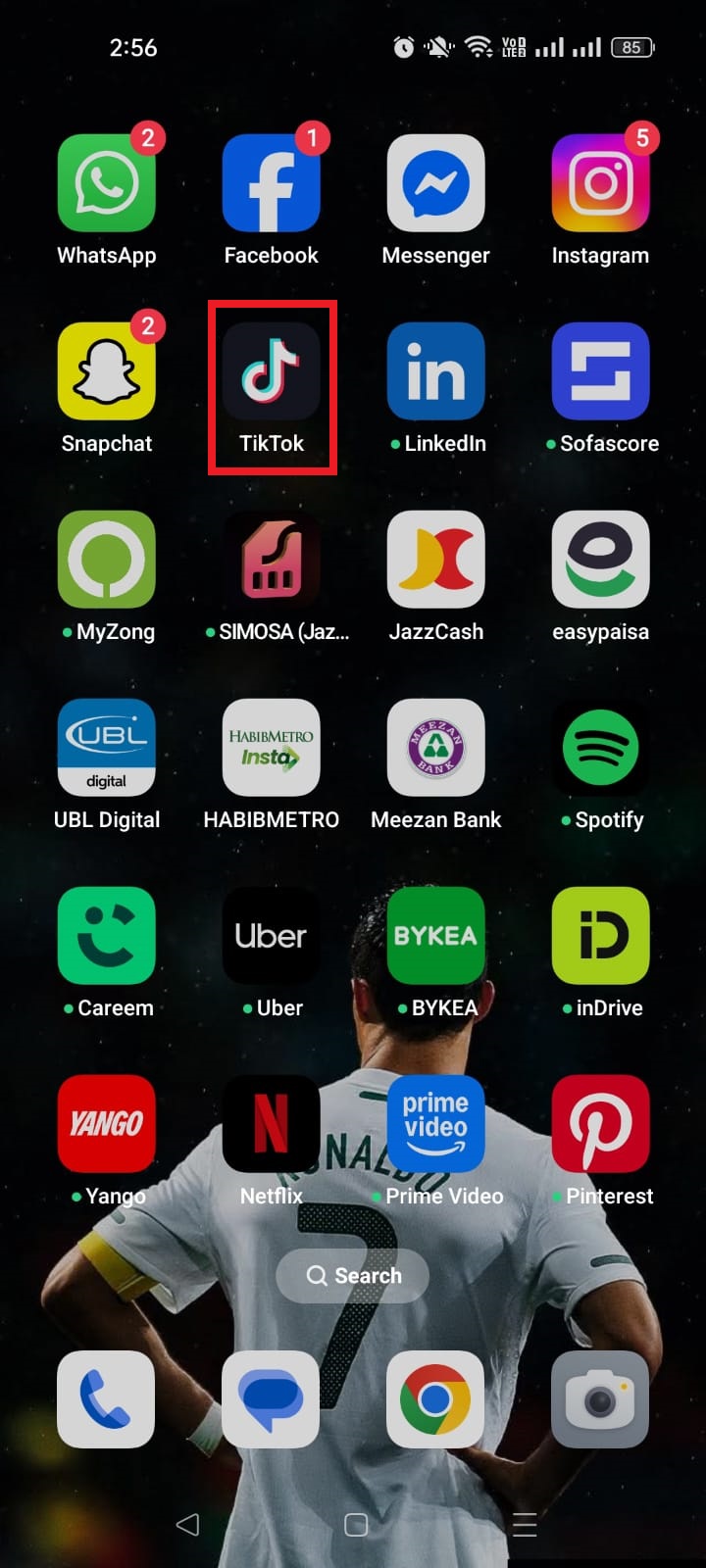
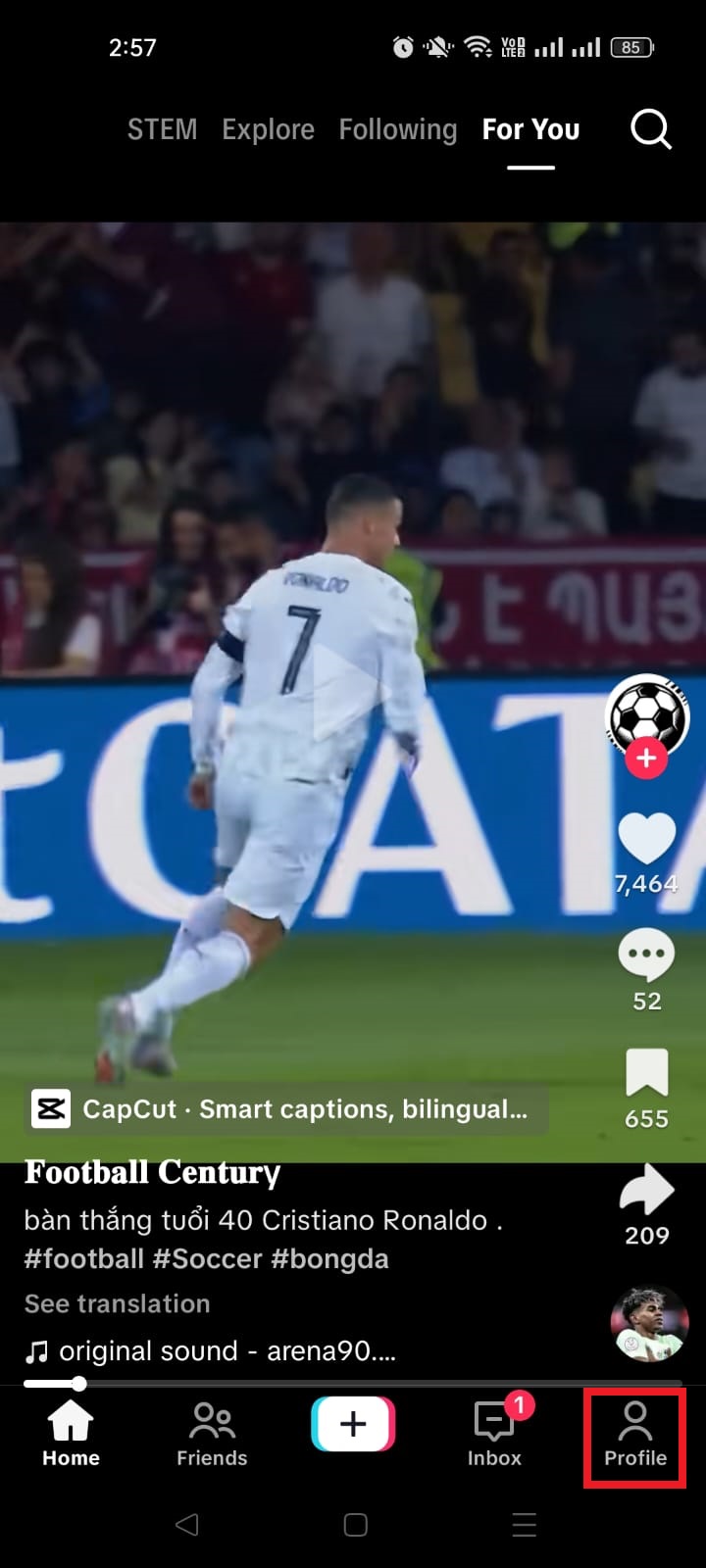
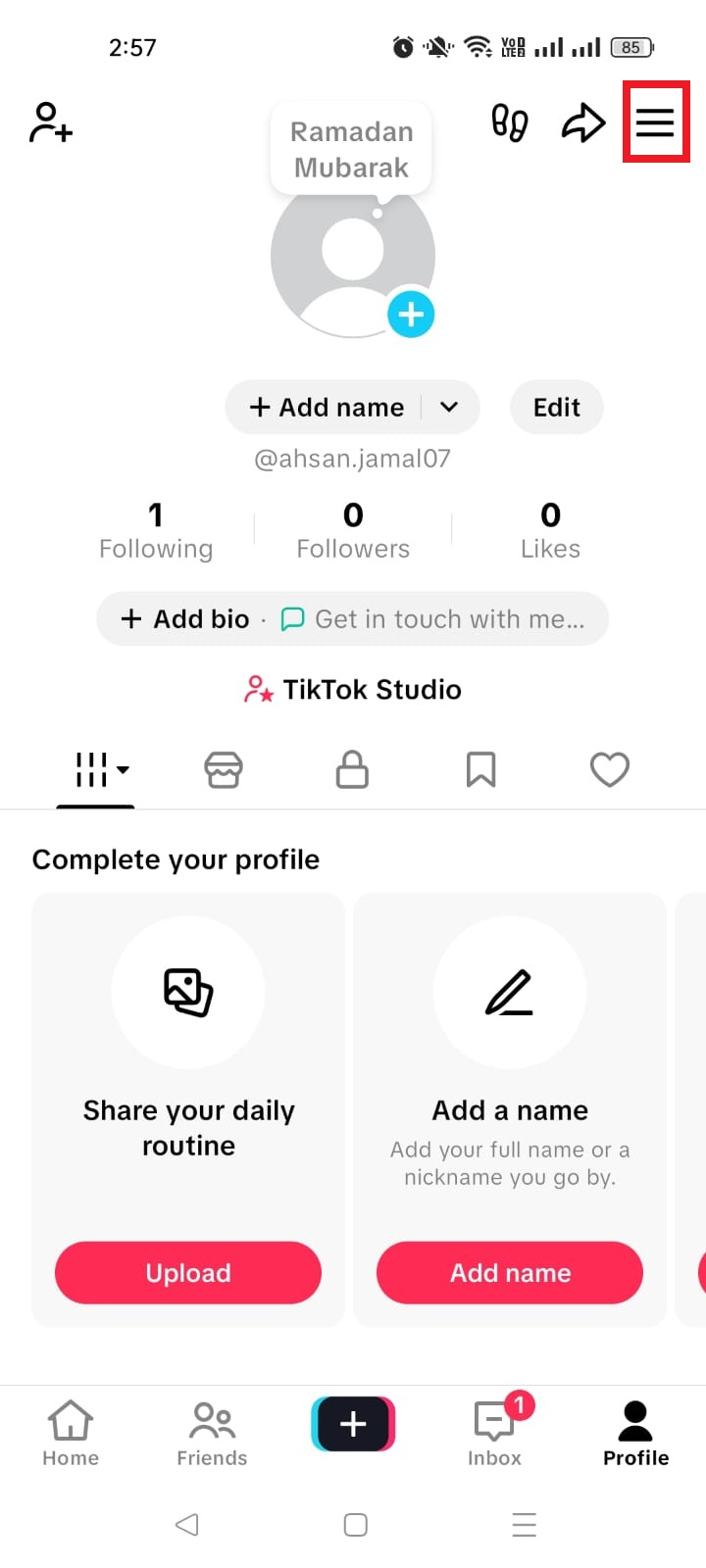
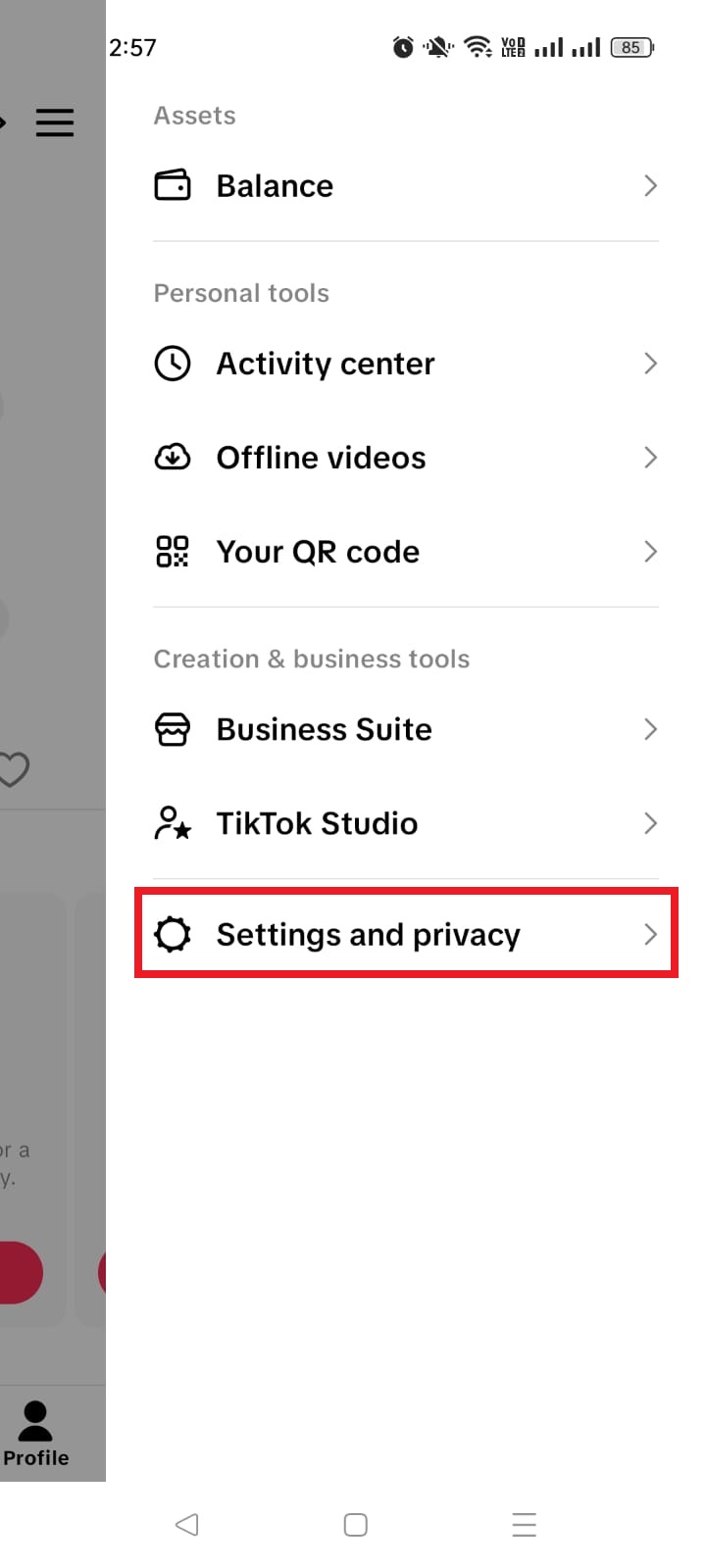
In a sea of pins and boards, a compelling Pinterest bio is your chance to stand out and leave a lasting impression. It encourages users to explore, follow, and engage with your brand. An optimized bio is more than just a collection of words; it’s a strategy that establishes credibility, fosters connection, and ultimately drives engagement.
Learn to create a compelling, professional bio that attracts the right audience and boosts your followers. Dive into proven strategies for growing your business on this visual search engine and marketing powerhouse.
Let’s get started!
What is a Pinterest bio?
A Pinterest bio is a concise yet impactful “About You” section on your profile that encapsulates your brand identity and offerings for your target audience. It serves as the initial point of contact for Pinterest users, influencing their perception of your brand.
This brief introduction is a pivotal element in making a lasting first impression, as it highlights your values, uniqueness, and the essence of your content.
A well-crafted Pinterest bio is not only an introduction but a strategic tool that attracts the right audience, encouraging them to engage, follow, and explore more of what your brand has to offer on the platform.
How to write a Pinterest bio: 6 steps to success
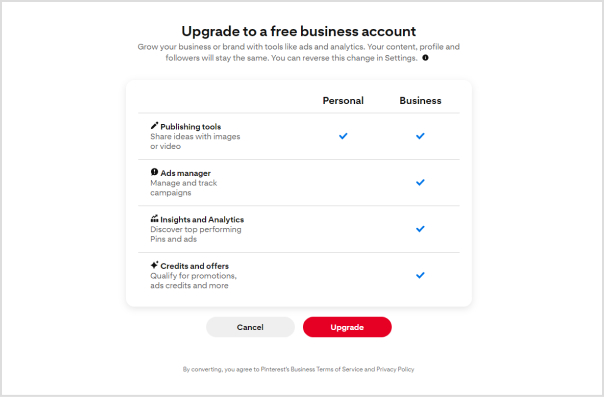
1. Switch to a business account
Ensure your Pinterest account is set up as a business account. This unlocks essential tools for setting up your shop, analyzing performance, and staying informed about trends. These resources empower you to make the most of the platform and enhance your overall experience.
2. Change your profile picture
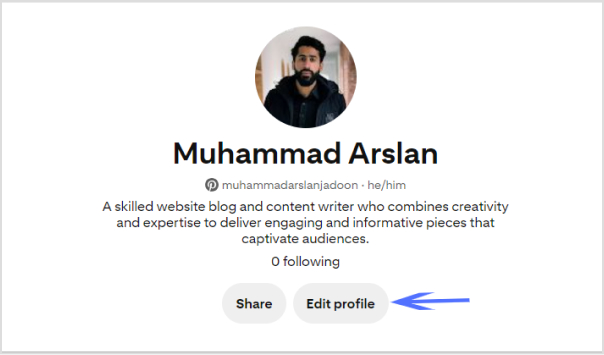
Select a profile picture that strikes a balance between brand friendliness and visual appeal. For individual content creators or influencers, opt for a professional photograph that showcases your unique personality. Authenticity is key, as audiences seek genuine connections. If you represent a business, use your brand logo to enhance brand recall.
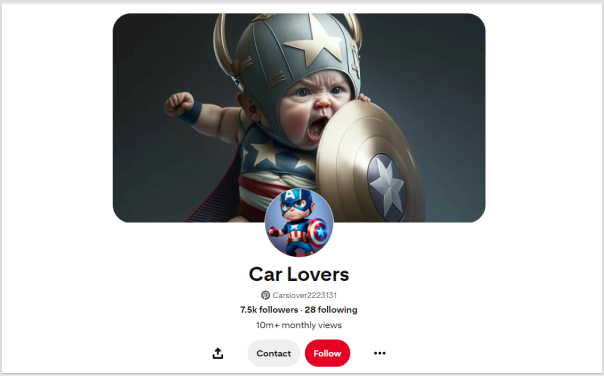
3. Customize your banner
Maximize the visual impact of your Pinterest cover by customizing it to entice new followers. Consider incorporating an irresistible lead magnet, such as a masterclass or free cheat sheet, to capture audience interest. Including a Replug QR Code on your banner allows followers to easily access additional offerings, providing them with a taste of the value your profile delivers.
4. Add your business name and keywords
Recognize that Pinterest users often search for specific topics rather than individual names. Enhance your discoverability by incorporating relevant keywords alongside your business name. Identify the pain points of your target audience and position your brand as a trusted solution.
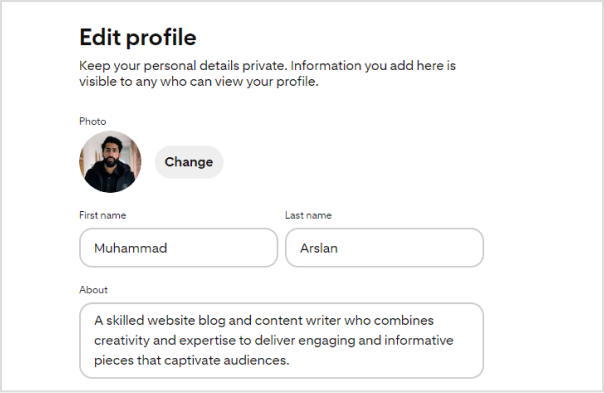
5. Write your bio under “About”
Focus your bio on your target audience rather than solely on yourself. Leverage a Pinterest keyword tool to identify what your audience is actively searching for and integrate relevant keywords into your bio. Remember that Pinterest operates as a visual search engine, so a keyword-rich bio enhances your chances of being found when users enter relevant searches.
6. Add Replug link-in-bio on the website field
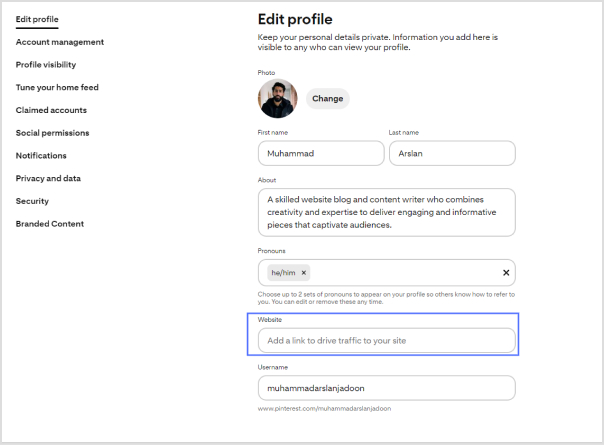
While Pinterest allows only one link in your bio, you can maximize this space with a personalized link in bio. This dynamic link directs followers to a microsite of links, including your website, social media links, and more.
By creating a centralized hub, you make your content more accessible, boost brand visibility, and drive engagement.
Replug.io enables you to track each action, providing insights into the links that resonate most with your audience and empowering you to redirect traffic strategically.
To further streamline your link-sharing strategy, use a free link shortener to create clean, trackable URLs and enhance the performance of every link you share.
Go beyond generic link pages!
Create custom bio links that truly fit your brand
With Replug, you can create bio links that are unique, engaging, and built to convert.
Step 4: Choose the type of content block you want to include on your bio link page. Replug provides various options such as social icons, links, RSS feeds, audio, video, text, and cards. Select the one that aligns with your needs. For instance, you can start with the “Social Icons” block.
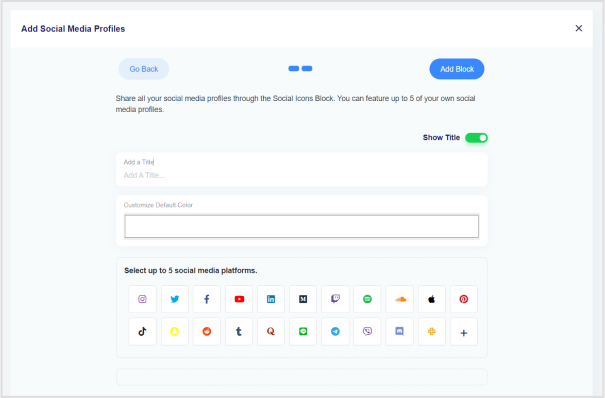
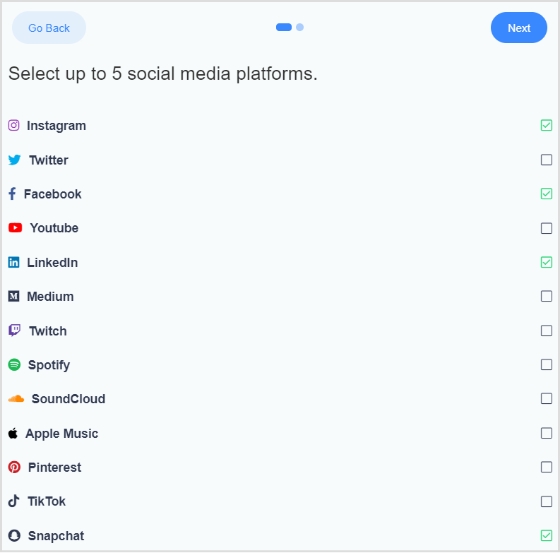
Step 5: Pick up to five social media platforms you wish to display on your bio link page. Customize the colors of the social icons, provide titles for each platform, and insert the respective links. Click “Add Block” to include each platform.
Step 6: Incorporate additional content blocks as necessary. For example, if you want to feature website links, opt for the “Links” block. Enter titles for the content blocks, as well as titles and URLs for the websites. Multiple website links can be added within this block.
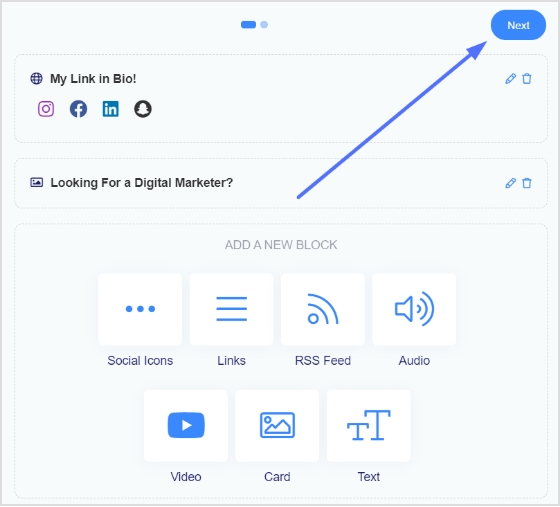
Step 7: Once all desired content blocks are added, proceed by clicking “Next.”
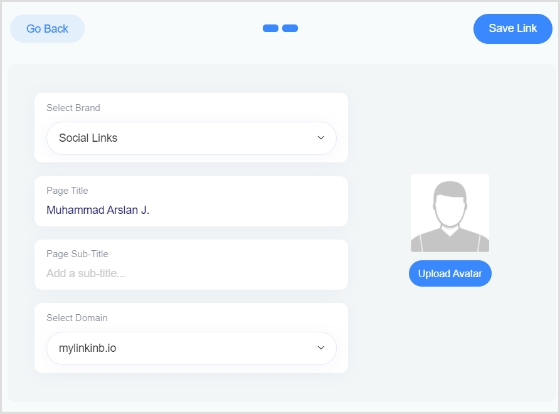
Step 8: Further personalize your bio link page by specifying your brand name, uploading an avatar, and adding a title and subtitle that best represents your content or brand.
Step 9: Review your bio link page during the creation process to ensure it looks and functions as intended.
Step 10: Save your bio link, and it will be ready to be seamlessly integrated into your Pinterest bio.
Go beyond generic link pages!
Create custom bio links that truly fit your brand
With Replug, you can create bio links that are unique, engaging, and built to convert.
How do I switch my Pinterest account to a business account?
Visit your Pinterest account settings, and there should be an option to convert your account into a business account. Follow the prompts to set up your business profile.
What type of profile picture should I use on Pinterest?
Choose a profile picture that is visually appealing and aligns with your brand. For individuals, a professional photograph is recommended, while businesses may opt for their logo.
Can I customize my Pinterest cover/banner?
Yes, you can customize your Pinterest cover by adding a personalized touch to make it visually appealing. This is a great opportunity to showcase your brand or capture user interest.
How many links can I add to my Pinterest bio?
Pinterest allows only one link in the bio. Make sure to use this space wisely by including a link that directs followers to a relevant destination, such as your website or a specific landing page.
Should I include keywords in my Pinterest bio?
Yes, incorporating relevant keywords in your bio can improve discoverability. Think about what your target audience is searching for on Pinterest and include those keywords naturally and engagingly.
What is the importance of a call to action (CTA) in my Pinterest bio?
A well-crafted CTA encourages your audience to take action. For example, prompting them to click on a link for more information can enhance engagement and drive traffic to your intended destination.
Ever felt the social media squeeze, where you’re stuck with just one link in your bio to showcase your whole brand vibe?
Instagram, Facebook, X (Twitter), TikTok—love ’em, but they’re link-limiting bandits! In such a case, try using a bio link tool.
What is a bio link tool?
A tool to create a clickable bio URL redirecting the audience from a social media profile to a custom-designed web page containing information regarding your e-commerce store, socials, or business that you want to promote and share.
Craft a unified landing page housing all your important links—a one-stop menu for your followers. From social profiles to promotions, blog or content highlights, newsletter sign-ups, and contact info, it’s all there.
Plus, guide your audience seamlessly to multiple destinations with link rotators or track their actions with retargeting pixels. Keep reading to make the most of your bio link tool!
Customizable web pages – Shopping gallery – Custom affiliate links
Free
Why should I use links in bio tools?
You might have thought on this point, why is it important to use links in bio tools?
See my friend! A link in the bio tool lets you create a microsite for your audience. That means you can share more stuff with your followers without changing that single link all the time.
Here are some of the benefits of using bio link tools.
Handle all your links in one spot
Turn leads into actual conversions
Use retargeting pixels for better audience targeting
Get more visitors to your website site & social channels
When it comes to bio link tools, Replug stands out as the ultimate choice for agencies as well as marketing pros. It’s not just a free URL shortener; it’s a complete link management solution packed with advanced features such as bio-links, branded link shortening, retargeting pixels, white-label, and more.
In short, you can create a microsite to promote your brand in 360 degrees. For example, you can add all social media profiles, product pages, RSS feed URLs, and other links—in one spot.
Simplify your brand promotion and make it convenient for your audience to connect and engage with your offerings. Amplify your sales by creating one bio link that is the door to all other links.
Best features of Replug
Add bio-links with retargeting pixels
Add social media profiles & catchy call-to-actions
“Very convenient platform to create Branded Links with Marketing & Reporting”
Karen R. – Consultant
2. Linktree
Linktree is a tool used primarily in social media marketing that allows users to create a personalized landing page housing multiple links. It acts as a bridge between an individual or a business’s social media bio and various online destinations, offering a single clickable URL where users can access a collection of links to websites, social profiles, articles, products, and more.
However, this tool has nine themes for a landing page to choose from. In addition, Linktree has a drag-and-drop page builder to assemble your brand information on one page. Also, you can also customize your conditions and terms for email and SMS links.
Limited analytics features as compared to its competitors
Risk of dependence on a third-party service
3. Shorby
Shorby is like your personal link concierge for social media. It takes all your social media and random links you want to share — your website, blog, products, social profiles — and neatly organizes them into a single, snazzy page.
You can link to all social media accounts and add the RSS feed for your latest content. Moreover, Shorby also helps to link with the messenger service for real-time client interaction and allows you to add a product/service list on the micro landing page.
Milkshake’s bio link opens doors to potential clients effortlessly. It’s the shortcut to growing your ideas and business with a slick landing page in minutes, with zero tech skills needed. Showcase your brand, products, and prices neatly on a single page hassle-free.
Share your website link across socials for a professional-client reach-out. Get insights into visitor behavior to tweak your marketing strategy and it works beautifully on any device. Integrates easily with email for broader marketing reach.
The free plan includes the Milkshake trademark on your pages
At times, the dedicated mobile app may encounter freezing or crashing incidents
Limited features & customization options
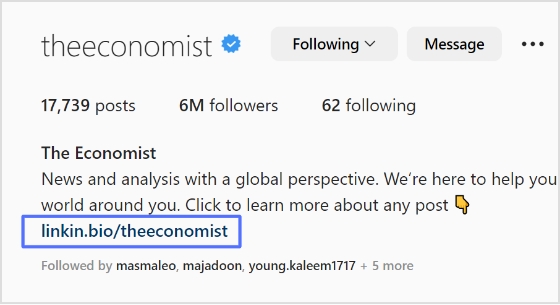
5. Later (Linkin. bio)
Later is an all-in-one social media management platform that simplifies the scheduling, planning, and publishing of content across various social channels. With an intuitive interface, it allows users to organize and visually plan their posts, stories, and videos in advance.
Moreover, Linkin. bio is a mini web page feature of this platform. It helps you build a landing page and make your brand shoppable by putting everything on a single page.
“It’s a great product but there are better options”
Nia P. – CEO
Limitations
Poor customer support
Isn’t as feature-packed as some of its competitors
6. Campsite.bio
Campsite is the go-to tool for bringing all your social accounts together in one simple spot. Get in-depth insights into your bio link traffic by using its Pro+ analytics feature, and retarget your audience using Google AdWords and Meta Pixel.
Moreover, build mobile-friendly landing pages in a snap—add unlimited links, customize titles, introduce yourself, and include social media links with ease.
Pally is worth a dime when it comes to features. It allows you to generate two distinct link types: one that reflects your Instagram page and another housing crucial URLs related to your brand.
Moreover, it provides analytics tools that help in refining your Instagram marketing strategy, making Pallyy a vital asset for maximizing your social media impact.
Woorise is a powerful marketing tool that makes running contests and campaigns a breeze, boosting audience engagement. It’s a go-to choice for businesses and influencers seeking to optimize their online presence
Moreover, Woorise introduces a game-changing Bio Link feature, streamlining multiple links into a singular, customizable hub. It empowers users to showcase a variety of content, including social media profiles, products, articles, and more, all within a single clickable destination.
“Lots of features, great functionality, tricky to learn”
Sarina B – Woorise User
Limitations
Costly than its competitors
Limited no of entries
The UI is average
9. Skedsocial
Sked Social is a comprehensive social media management tool designed to streamline scheduling and content creation across various platforms. Its user-friendly interface allows seamless management of posts, stories, and videos.
With advanced scheduling features, Sked enables users to plan and automate their social media content effectively. However, Sked’s pricing tiers might pose limitations for smaller businesses seeking advanced functionalities. Overall, it’s a complete solution for social media scheduling and content management.
C8KE is a great tool offering a bundle of unique features. It enables you to tailor a landing page that completely showcases your brand’s identity. Its standout feature, the shopping gallery, stands out—every picture or video in the gallery can hold a personalized affiliate link. Further, seamlessly integrate RSS feeds to your bio links.
Furthermore, C8KE facilitates combining affiliate and reward programs to motivate content contribution, effectively transforming customers into influential advocates. The benefit of the doubt is that it helps you make money by all means.
Pricing
Free
Limitations
Limited features
Poor customer service
What is the best link in bio tool?
The best link in bio tool in 2026 is none other than Replug, a complete link optimization platform and URL management solution for agencies and businesses of all tiers. Replug isn’t just another link in bio tool—it’s the standout, the top choice. Its strength lies in a range of features that boost your online presence and expand your audience reach.
Here’s what sets Replug apart:
Customizable CTAs: Craft calls-to-action that drive engagement and conversions.
Advanced Analytics: Monitor performance metrics to refine your strategy for the best outcomes.
UTM Parameters: Use UTM parameters for accurate campaign tracking.
A/B Testing: Experiment with various versions to optimize link performance.
Pixel Tracking: Make the most of pixels for retargeting and precise audience segmentation.
QR Codes: Create QR codes of your bio links, increase your reach through QR scans.
Here’s how to create a custom bio link using Replug
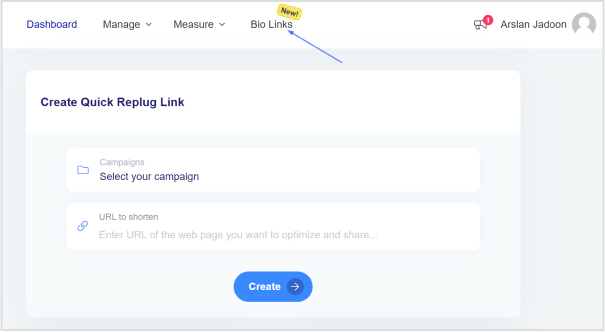
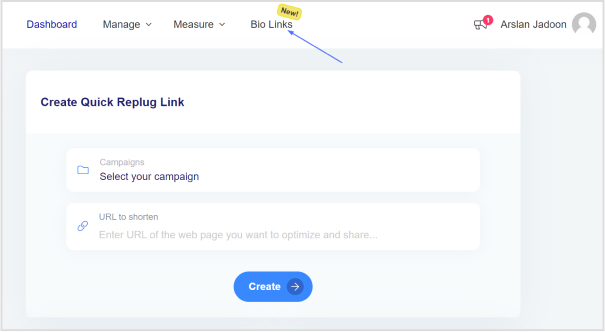
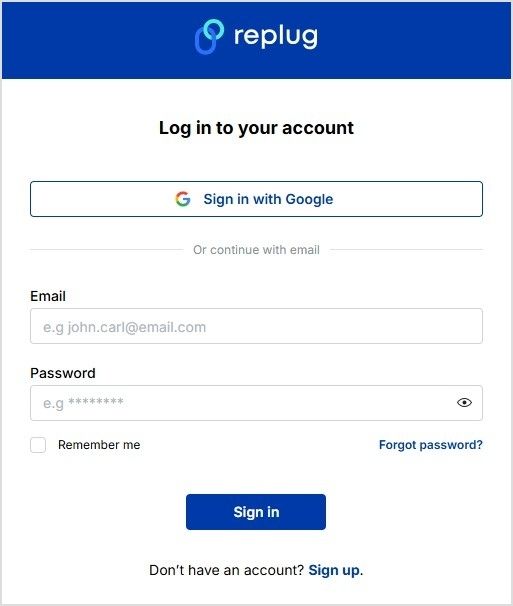
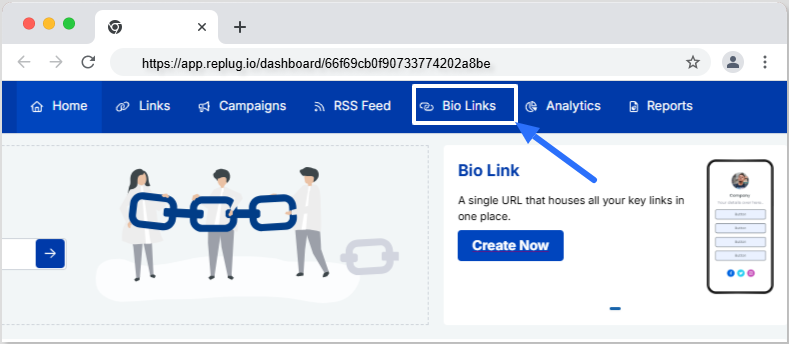
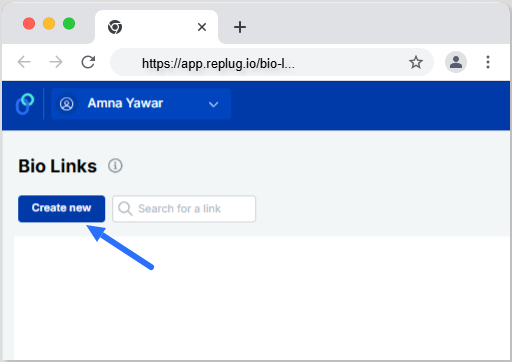
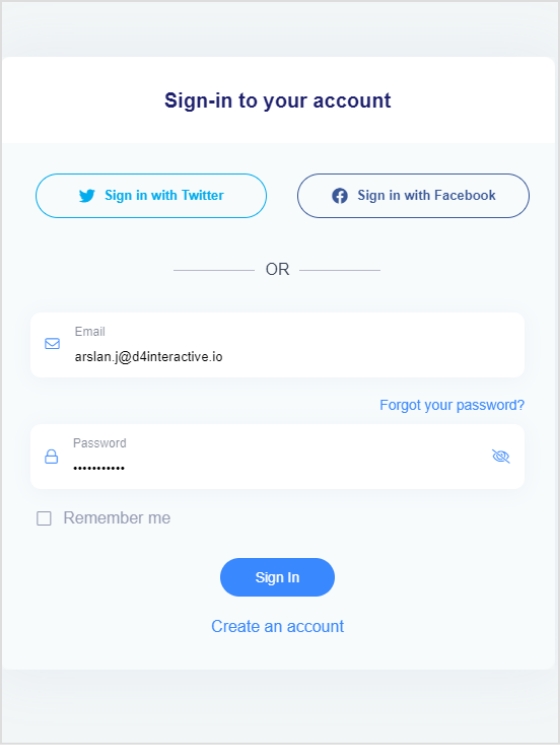
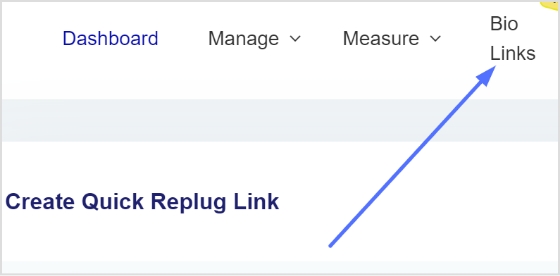
Step 1: Sign up to the Replug app and click on the “Bio Links”
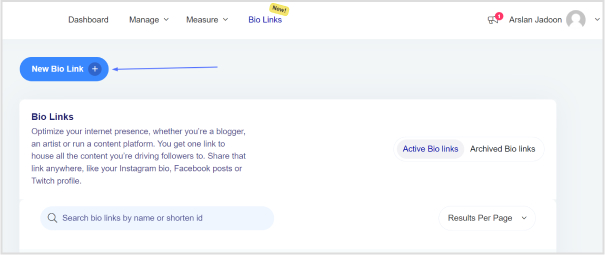
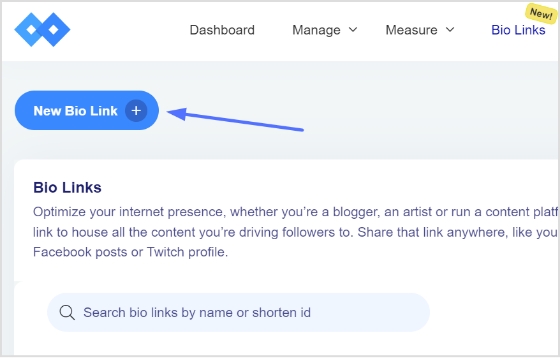
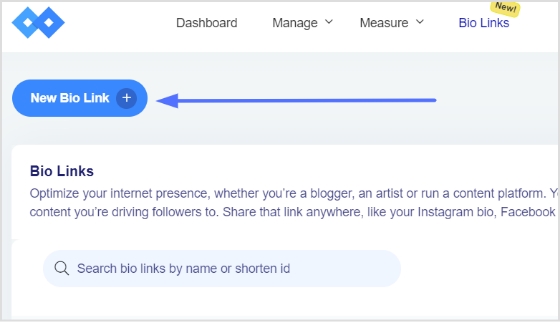
Step 2: Click on create a “New Bio Link”
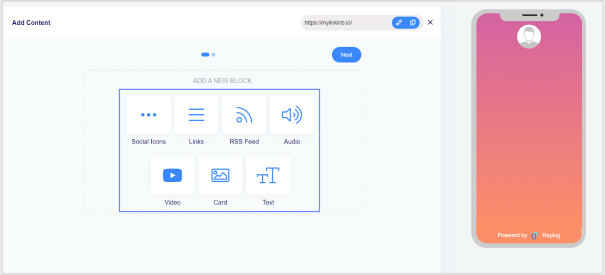
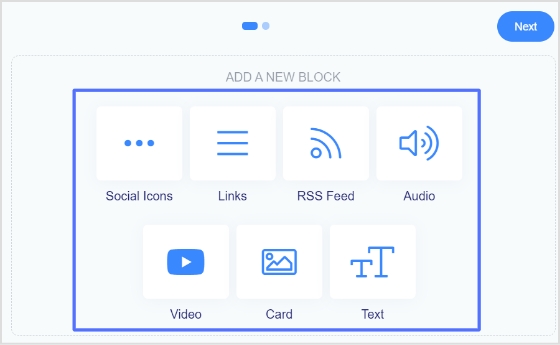
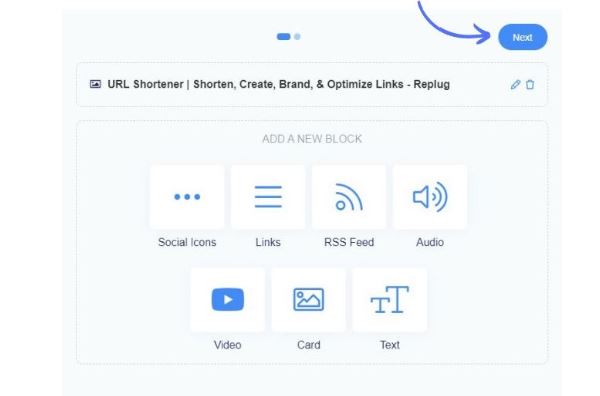
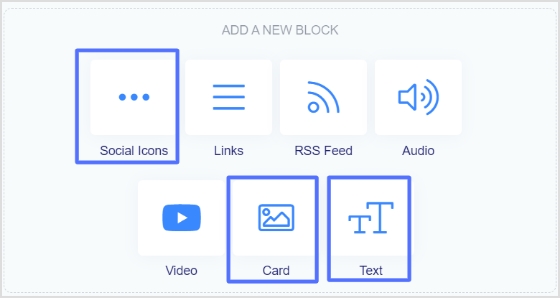
Step 3: Add a block of your preference
Social Icons block allows you to add various social icons to your bio link page.
Using the Link block users can add any URL.
RSS Feed block allows to add RSS feed links and posts.
Use an Audio block to add audio/podcast links from apps like SoundCloud, Deezer, Spotify etc.
Card lets you add pictures or images.
Similarly, add videos and text using the video and text blocks respectively.
Step 4: Customize your bio link card
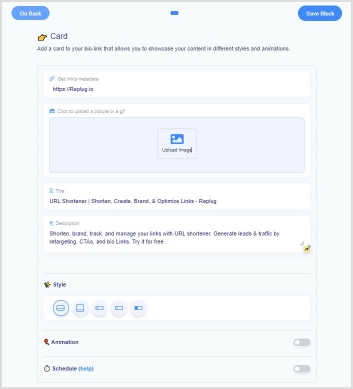
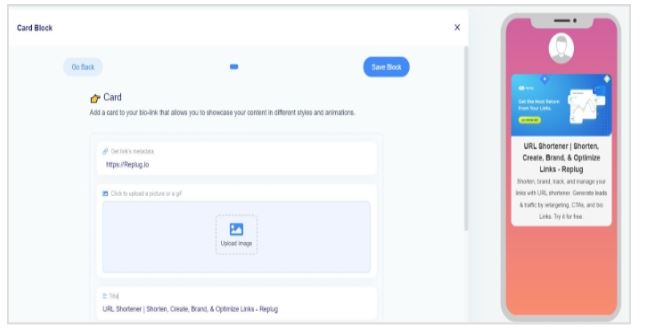
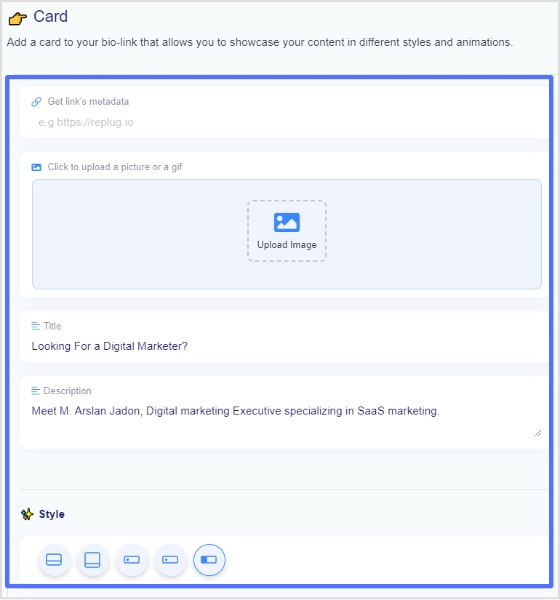
We are taking a bio link use case of Card block. Below you can see the interface of Card block.
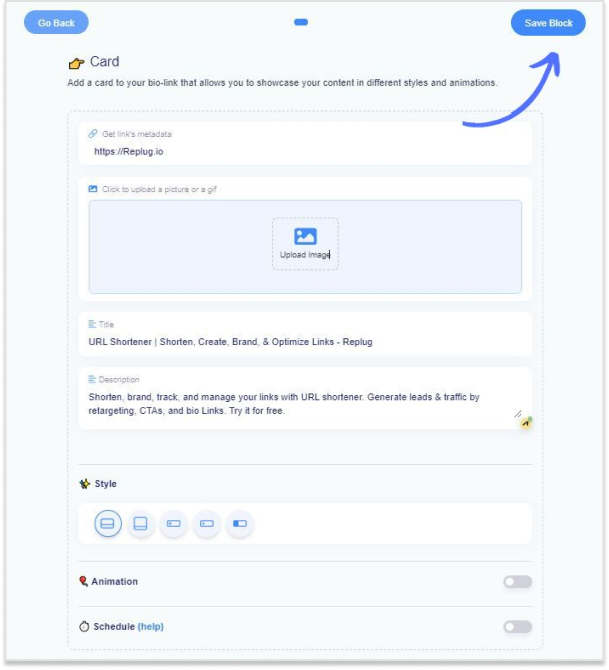
At this step, you can customize your bio link card by adding a title, description, image etc.
Or you can just add any URL, and the tool will fetch the OG image, title, and description of that URL.
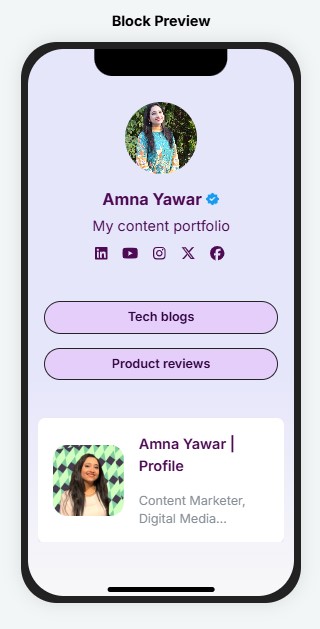
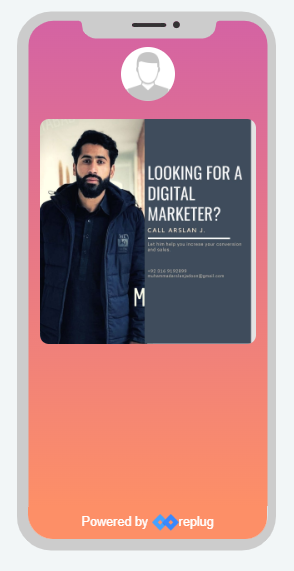
Below you can see the preview of your bio link at the right section of this page.
Step 5: Click “Save Block”
Once you’re done completing the previous step.Choose another card to add, or move on to complete the bio link process by clicking “Next”
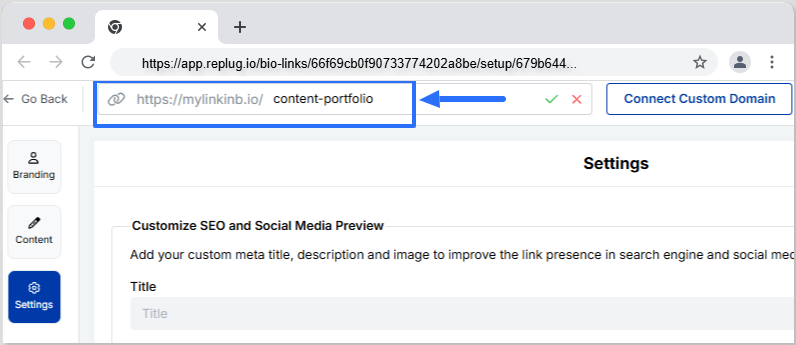
Step 6: Edit your slug
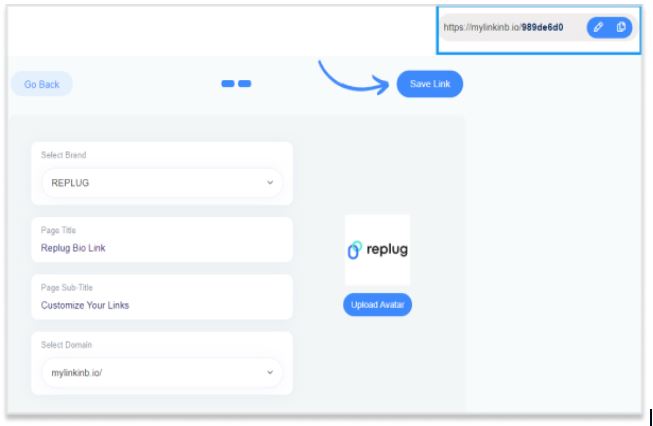
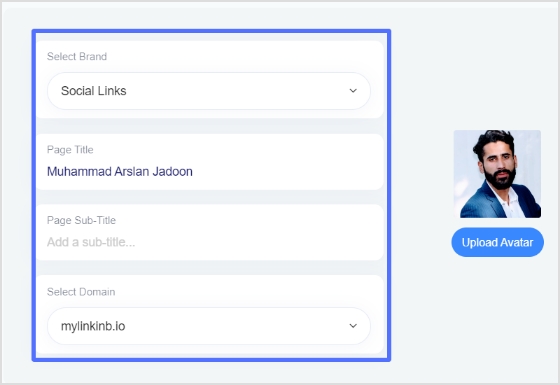
At this section, you are able to add a page title, subtitle, upload an avatar, select a brand and a domain etc.
You can also edit your slug at this stage. Once you are done, click the save link tab.
Step 7: Check bio-link analytics
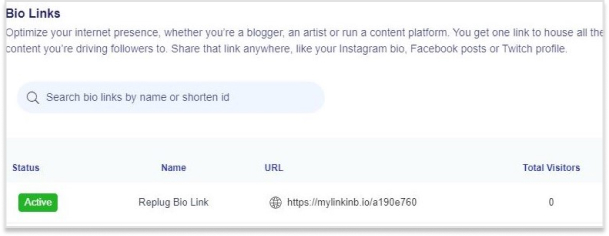
The link will be active which can be seen in the bio link section of the dashboard.
Frequently asked questions
Is there a way to see who clicks the link in your bio?
Yes, the Replug tool offers bio link analytics along with the landing pages. So,when you create a link in bio, you can also track audience interaction and demographics with it to plan your strategies accordingly.
Can bio-link tools help in boosting website traffic and social media engagement?
Bio link tools help bring more people to your website and make it easier for them to engage with your content.
Can I customize the appearance of my bio link page?
You can change how your bio link page looks by picking colors, and layouts, and adding pictures or logos. But make sure you follow best bio link practices so that you can gain maximum attraction on your bio site.
Ever felt frustrated by Instagram’s link limit? You’re not alone! While Instagram now allows up to five links in your bio, that might not be enough if you have multiple websites, social media accounts, or affiliate links to share.
That’s where Replug comes in. It lets you create a single, sleek bio link page where you can add unlimited links, making it easier for your audience to find everything in one place.
Let’s dive into how you can set up multiple links in your Instagram bio using this top-notch URL shortener!
Why add a Replug link to your Instagram bio?
Before we discuss the how, let’s know the why.
Why should you even consider integrating a Replug link into your Instagram bio?
Beyond the obvious advantage of offering an in-depth view of your presence, here are some compelling reasons:
Boost your follower base: Direct your Instagram followers to explore your other platforms, encouraging them to follow you on those as well. You can also add links to your Instagram in the bios of your other accounts to drive cross-platform engagement and get leads from social media.
Monetize your audience: Replug helps you turn Instagram followers into customers by linking to your e-commerce store, Etsy shop, or other products. Direct users to your purchasable content, turning your followers into potential buyers and boosting sales for Instagram business accounts.
Monitor analytics: Replug provides insights into user engagement, tracking clicks, views, and click-through rates (CTR). For influencers, this data is essential for refining your content strategy, helping you optimize performance and improve audience engagement across platforms.
Offline connection: Share your Instagram QR code with followers to connect them to your other platforms. Whether it’s for a restaurant menu or event info, the offline-to-online connection creates an easy way for users to engage with your content anytime, anywhere.
Customizable landing pages: Build a personalized landing page with Replug that reflects your brand’s style and identity. Customize everything from layout to colors to create an on-brand experience for your audience.
Unlimited links: Replug allows you to share an unlimited number of links through its bio link feature. From your website and blog posts to products and affiliate content, it gives you a simple place to drive traffic and keep your audience engaged.
Retargeting pixel support: Improve your ad campaigns with retargeting by tracking visitors who clicked your links. This feature helps you stay connected with your audience and drive conversions by reaching users who have shown interest.
Mobile-friendly and fast: Replug ensures that your landing pages and links work seamlessly on all devices, offering a fast and smooth experience for users accessing your content from smartphones, tablets, or desktops.
Step 2: Access the “bio links” feature on the Replug dashboard.
Step 3: Click the “New Bio Link” button to create a new bio link specifically for your Instagram bio.
Step 4: Personalize your bio profile to your heart’s content. With Replug, you can add a profile picture, profile title, bio description, and even a verification badge!
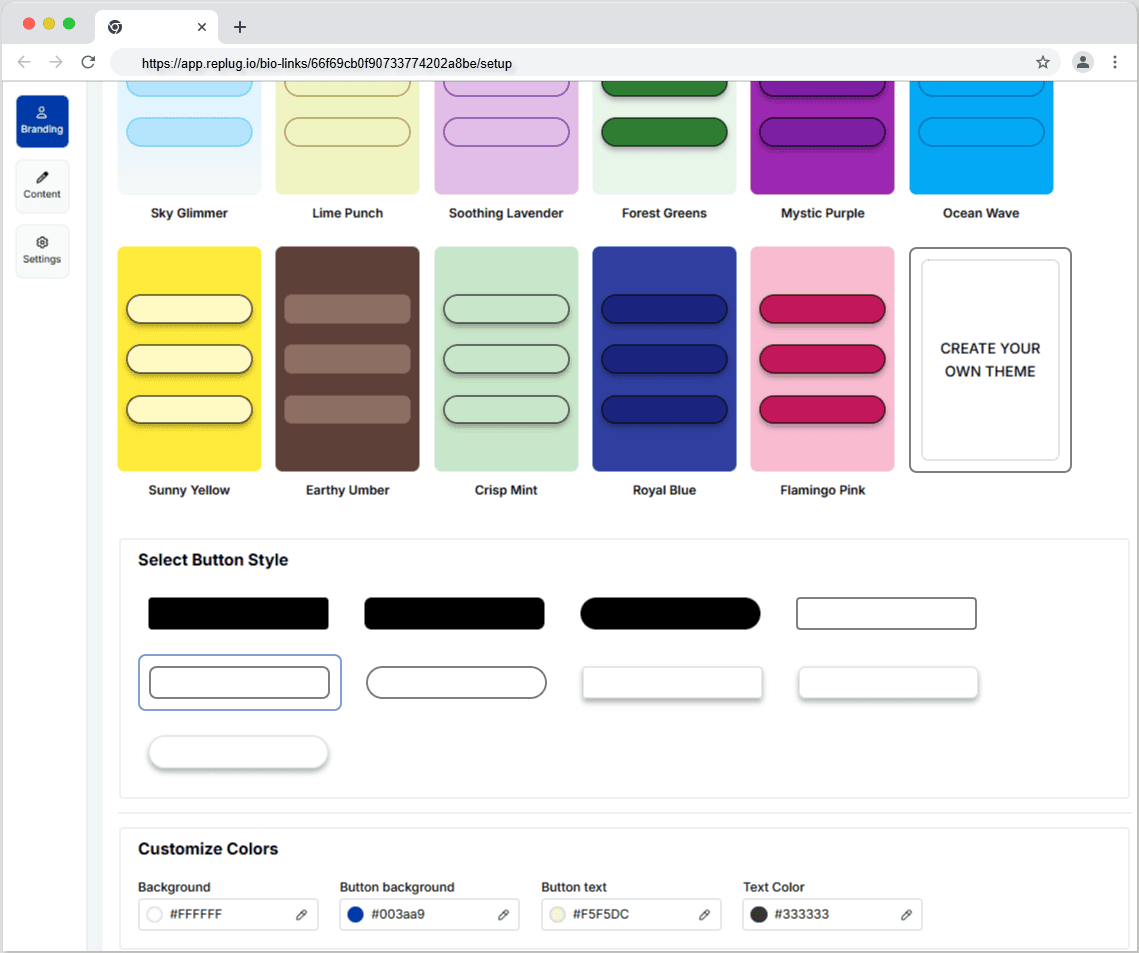
Now comes the creative and fun part. You choose from stunning pre-designed templates or create your own. You can also customize colours, select from button styles, and customize colours.
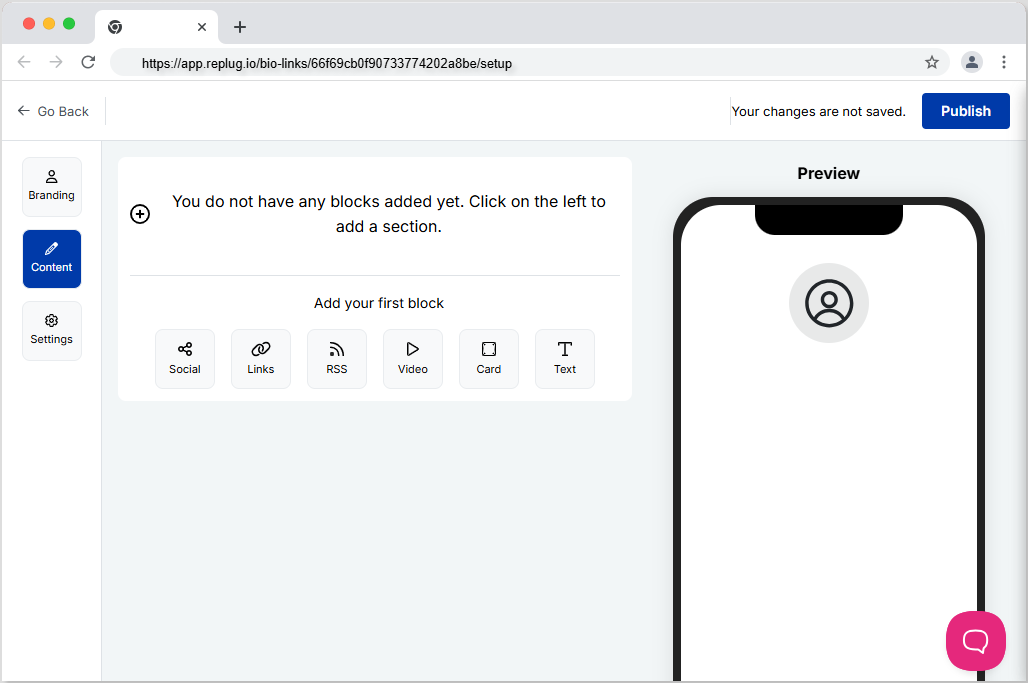
Step 5: Now customize the content you want on your bio link landing page. You can choose from multiple blocks, including social, links, RSS, video, card, and text. This is a great way to add all your links inside a single and clean landing page. It prevents your bio from looking cluttered and messy because of multiple links.
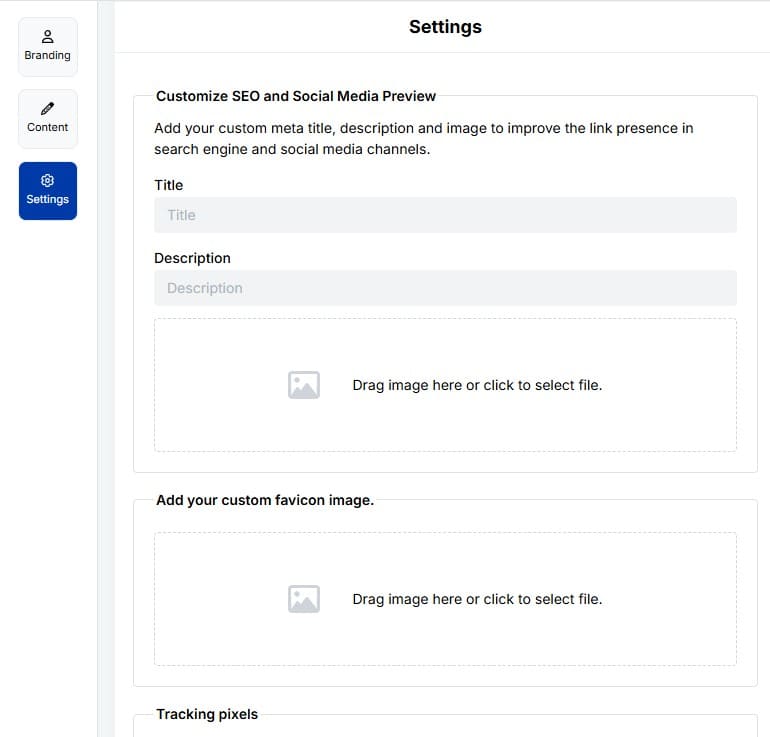
Step6: The final step is to customize SEO and social media preview. Here, you’ll have the option to add your custom meta title, description, custom favicon image, and retargeting pixel to improve the link presence in search engines and social media channels.
Step 7: Customize your bio link slug for a personalized touch.
Step 8: Update your bio link and preview it for final touches.
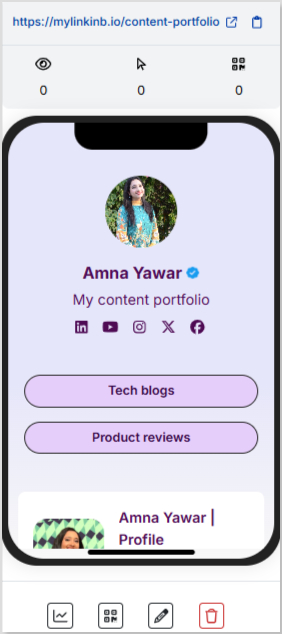
Step 9: Go back to your bio link dashboard. You will now see that your bio link has been generated and is live.
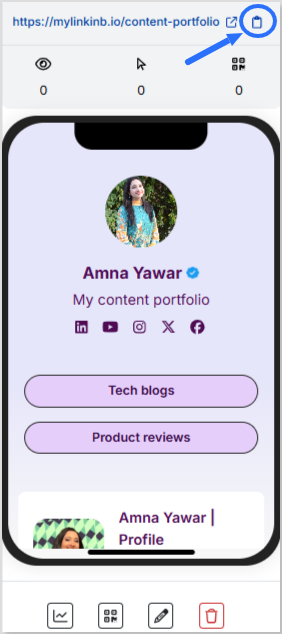
You can now copy your bio link URL, view your bio link analytics, download the QR for easy sharing, edit your bio link if required, or delete it permanently.
Add bio link URL to Instagram bio:
Step 1: Copy your bio link URL from Replug.
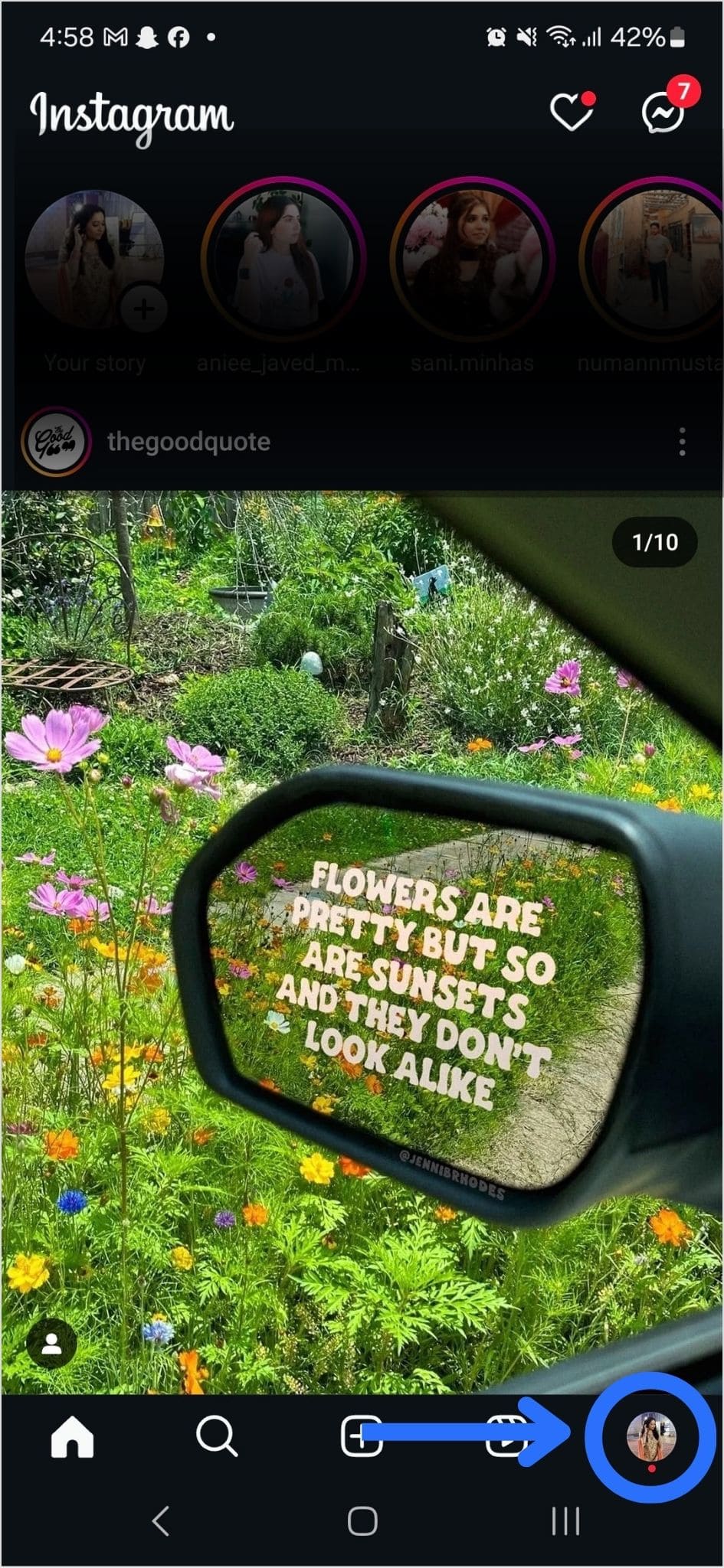
Step 2: Open Instagram on your mobile and tap your profile icon in the bottom right corner.
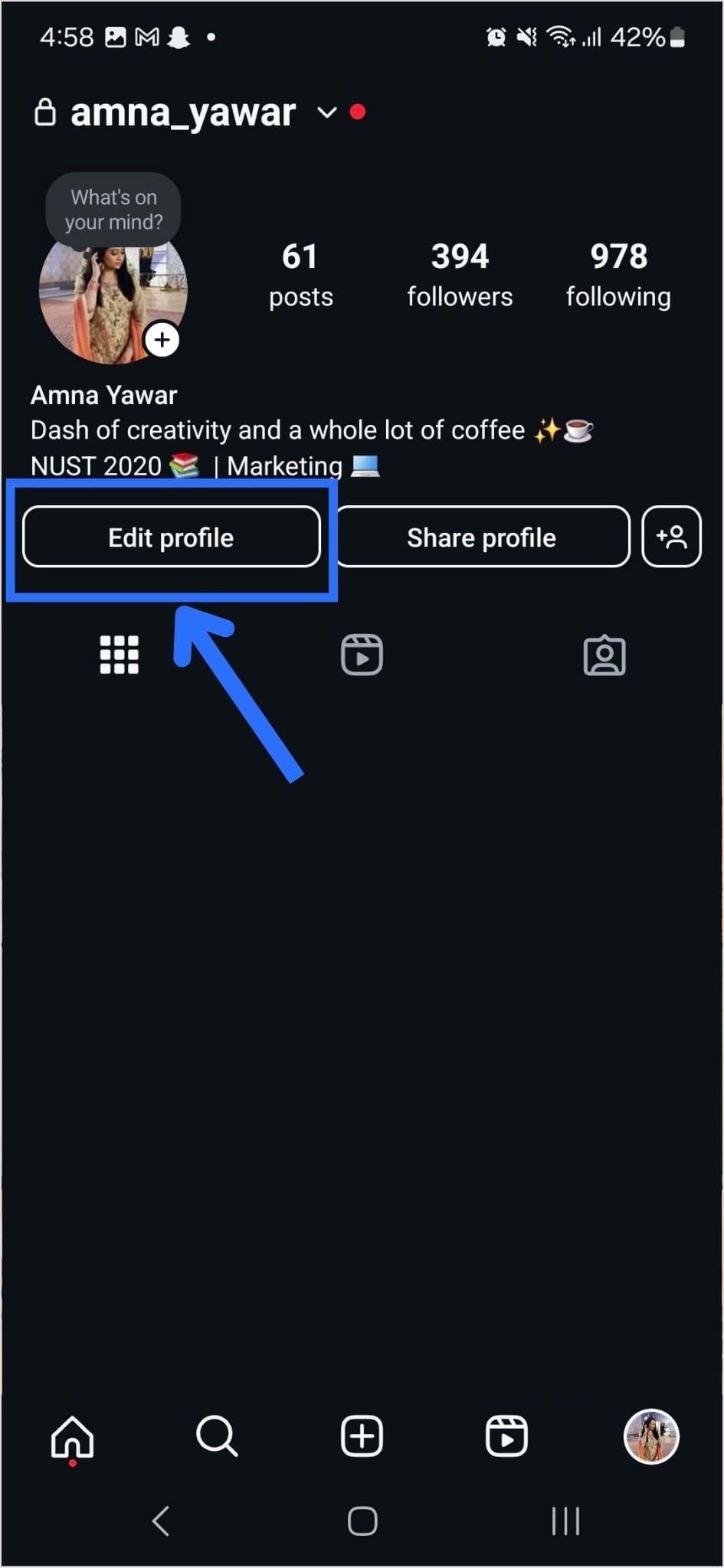
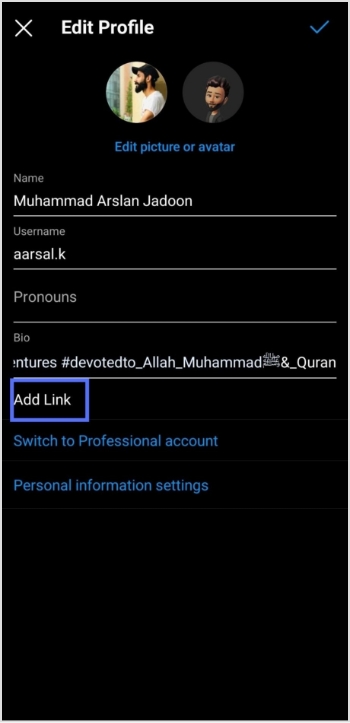
Step 3: Tap on the edit profile button on your profile page.
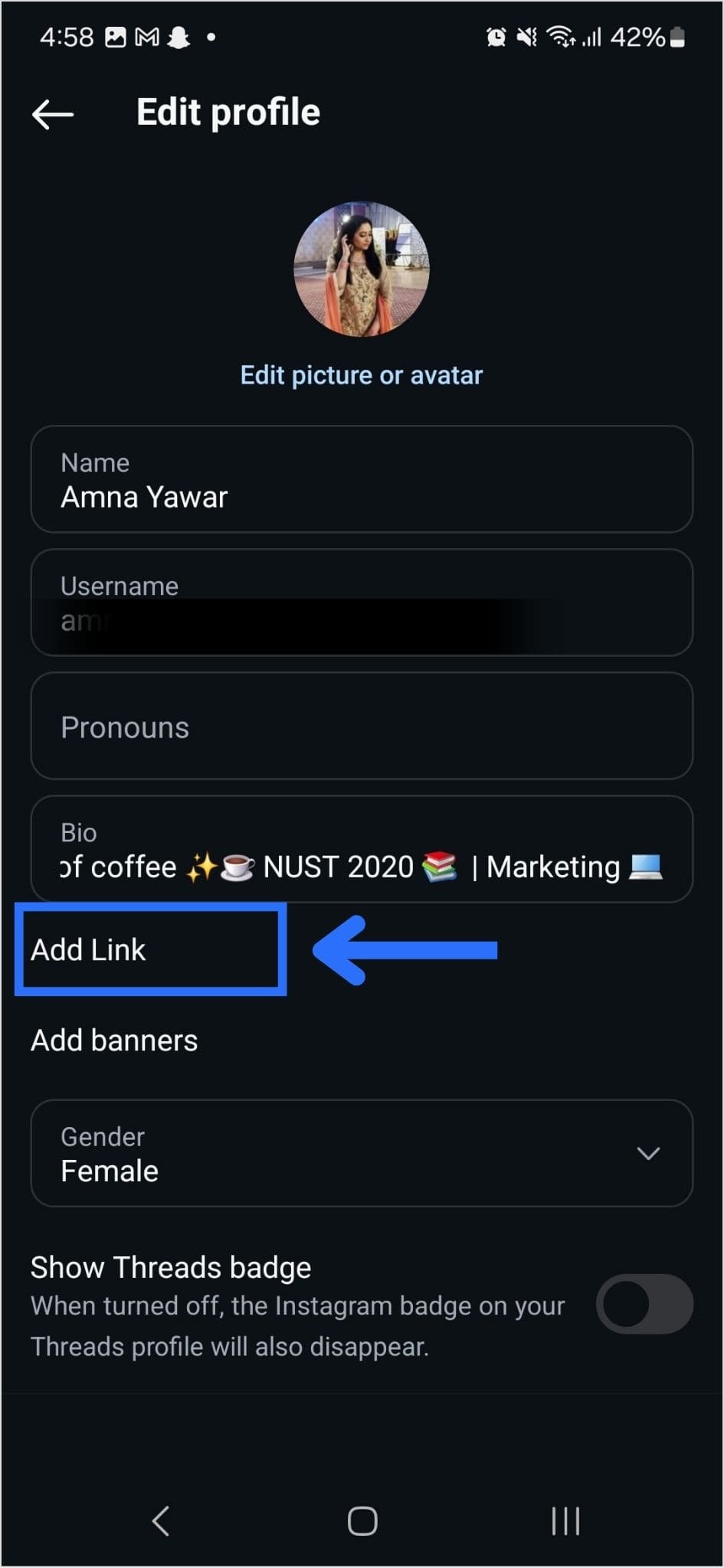
Step 4: Now, you will see the add link section on your mobile screen. Tap on it.
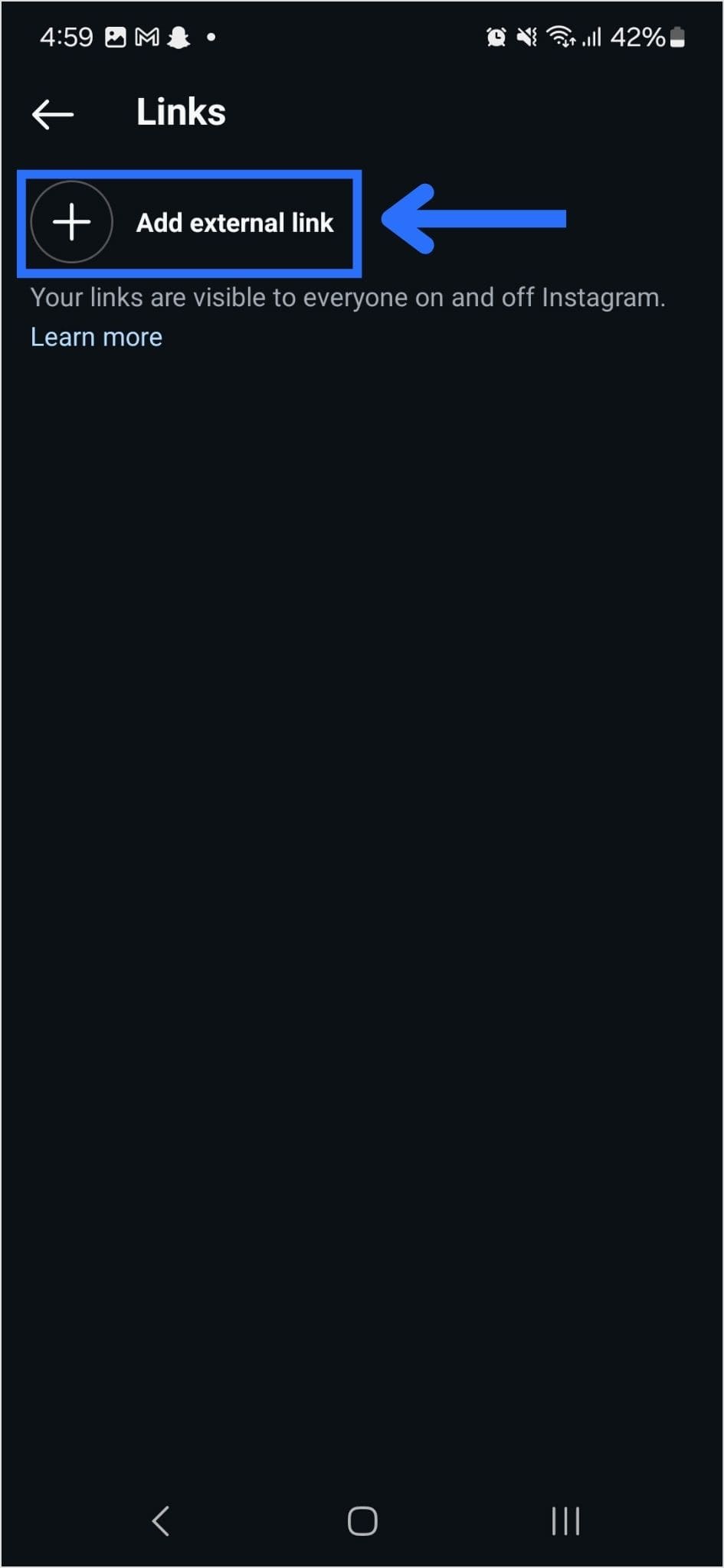
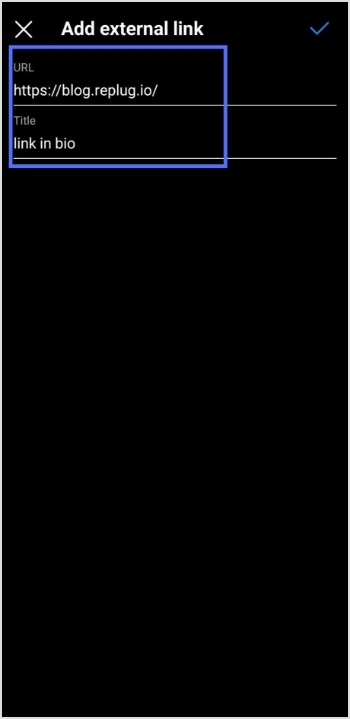
Step 5: Tap the add external link section to add your website address.
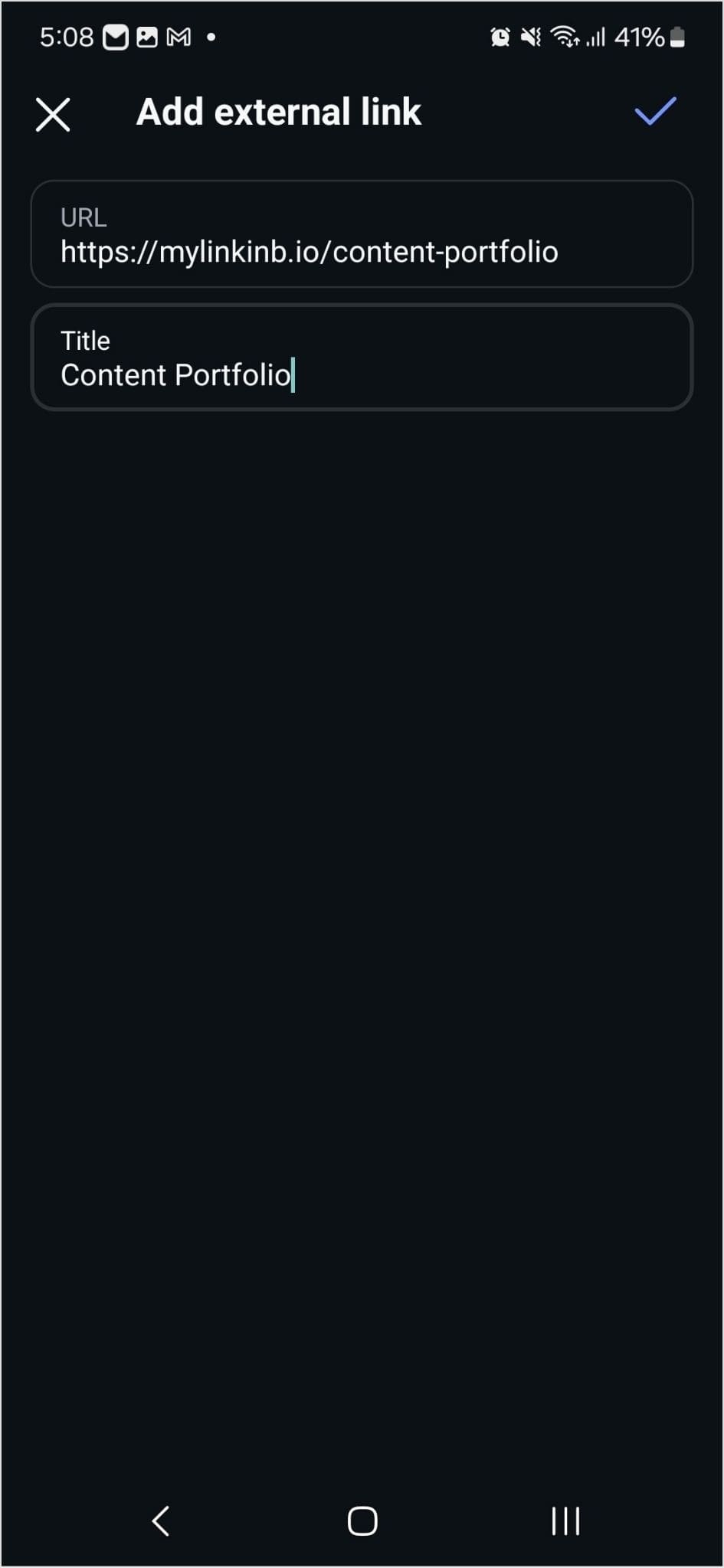
Step 6: Paste the bio link URL in the URL section and add a title in the title section.
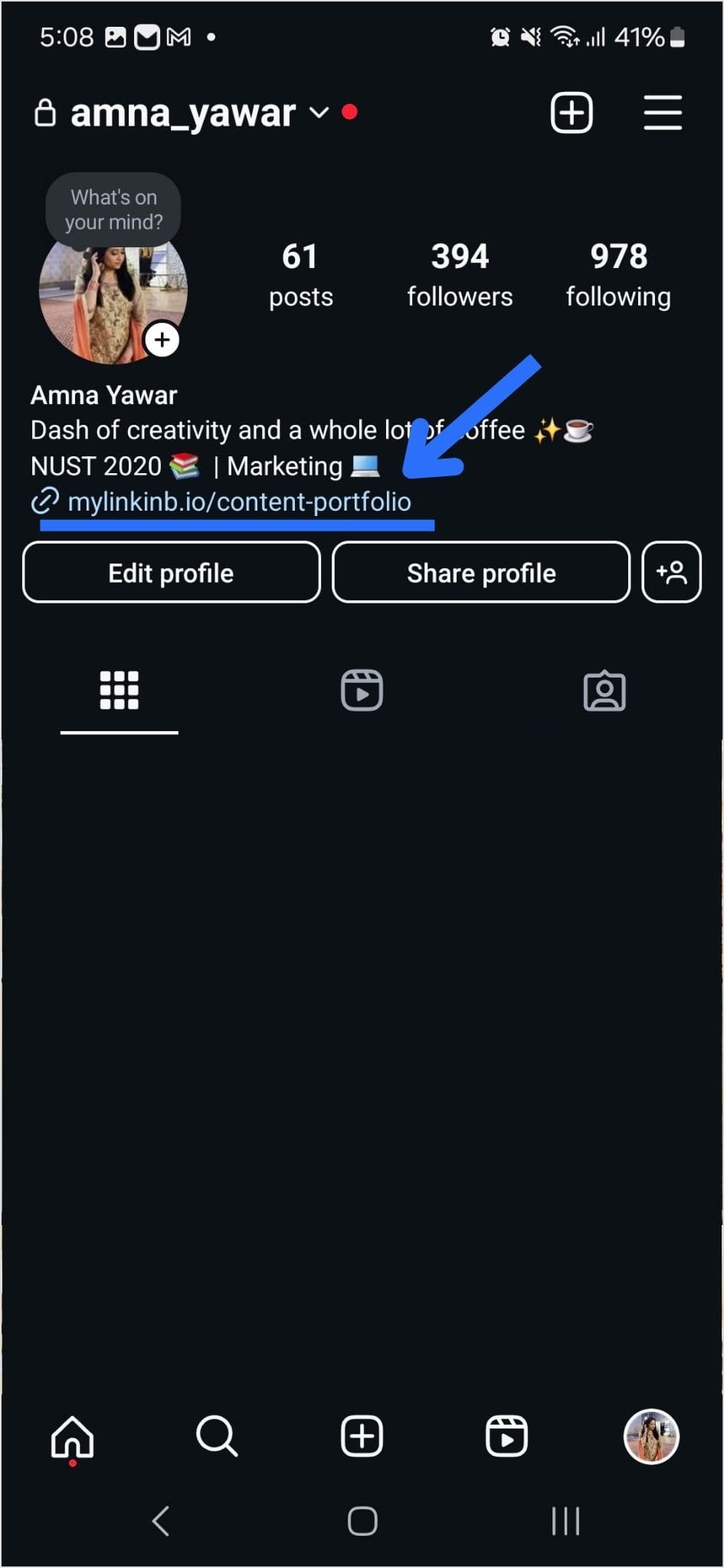
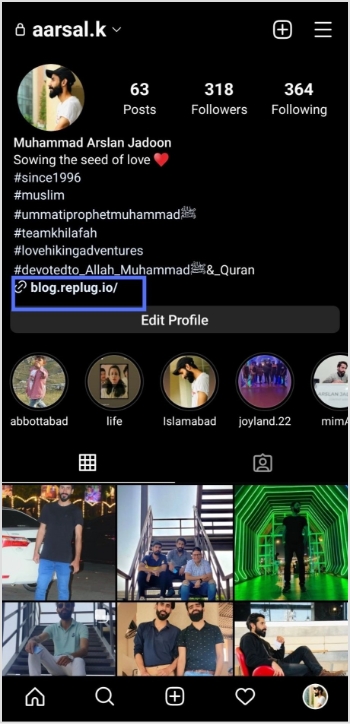
Step 7: Your link in the bio will now appear in your profile.
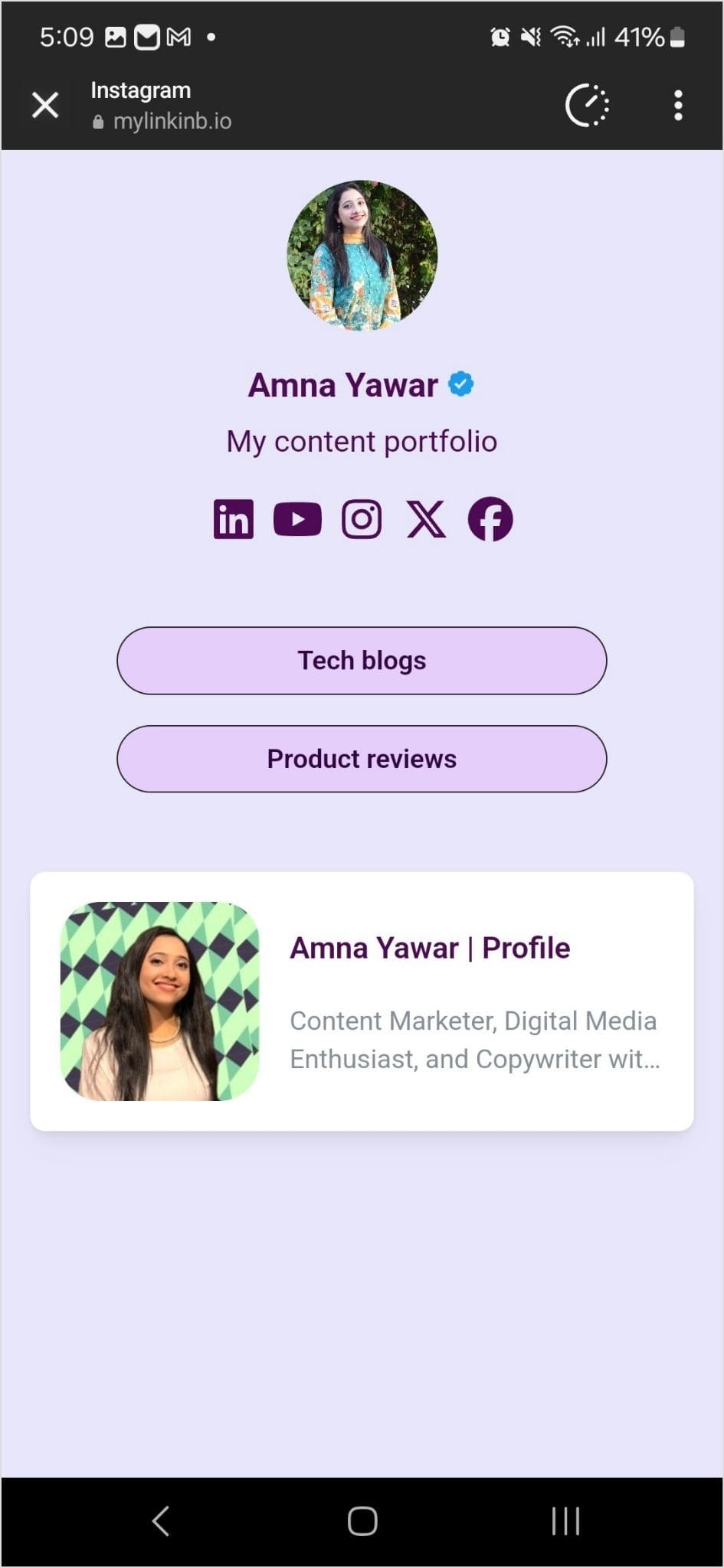
Step 8: Your Instagram profile now has multiple links in the bio. The bio link URL is now clickable. Here’s what the landing page looks like in our example:
Adding multiple links to your Instagram bio can enhance your profile’s functionality and engagement. By using services like Replug and following the steps mentioned earlier, you can efficiently manage and share multiple links within your Instagram bio.
Keep your audience informed and connected with your content. Explore the possibilities and make the most of your Instagram presence!
Are you a music lover looking to share your favorite tunes on TikTok? Adding a Spotify link to your bio is a great way to let your followers know what you’re listening to and discover new tracks. However, the process of adding a Spotify link to your TikTok bio may seem confusing at first.
Don’t worry, though – in this guide, we’ll show you exactly how to do it in just a few simple steps. Whether you’re a seasoned TikTok user or just starting out, you’ll be able to share your musical taste with the world in no time!
What is a TikTok link in bio?
A TikTok link in bio is a clickable hyperlink that can be added to your TikTok profile page. This link appears in the “Bio” section of your profile and can be used to direct your followers to external websites, social media profiles, or any other online destination you want to promote
By default, TikTok only allows users to add one link to their bio. However, there are third-party tools like Replug that can be used to add multiple links to your bio section. This feature is especially useful for content creators, small business owners, and anyone else looking to promote their online presence to a wider audience.
How to add Spotify link to TikTok bio?
Adding a link to your TikTok bio is a great way to share more information with your followers and drive traffic to your website or other social media profiles. Here’s how to add a Spotify link to the TikTok bio:
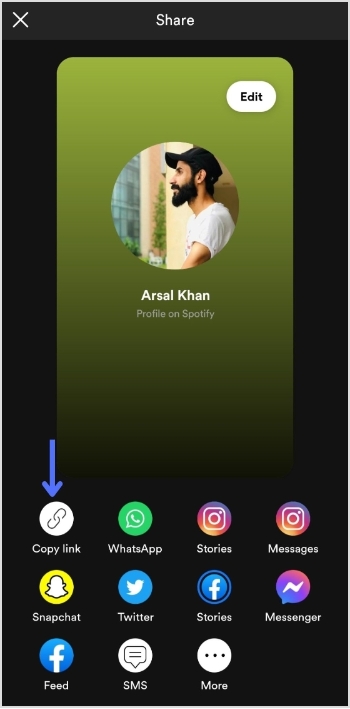
Step 1: Open Spotify on your device and log in to your account.
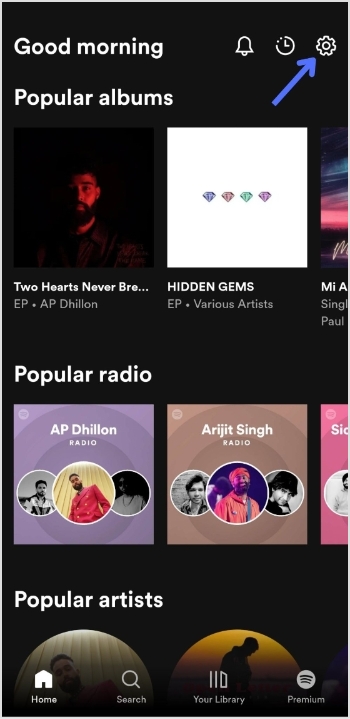
Step 2: Tap the “setting icon” in the top right of the screen.
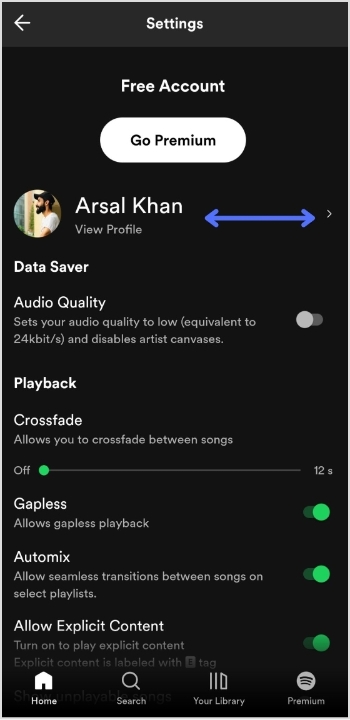
Step 3: Tap “view profile” under your profile name to open your profile.
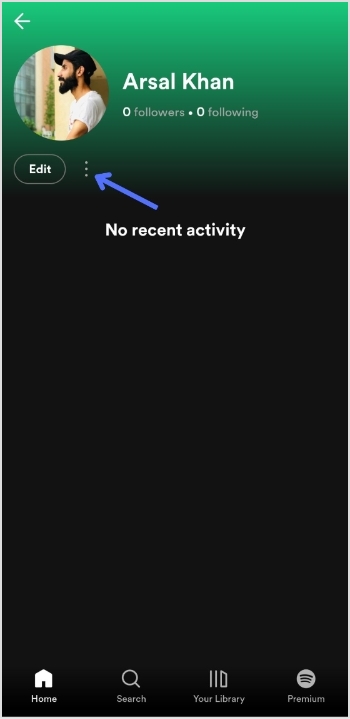
Step 4: Tap 3 “vertical dots” on your profile page.
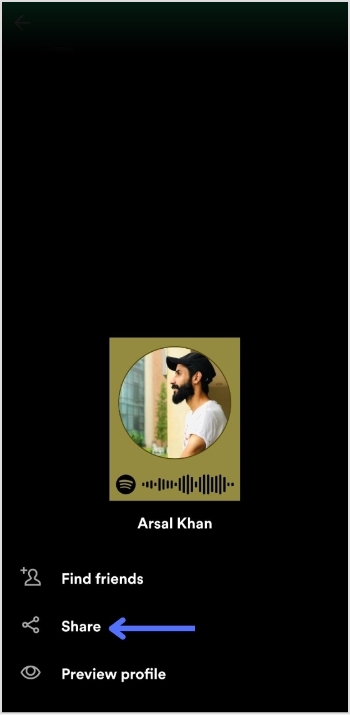
Step 5: Tap “share”.
Step 6: Tap “copy link”.
Add this link to your TikTok bio:
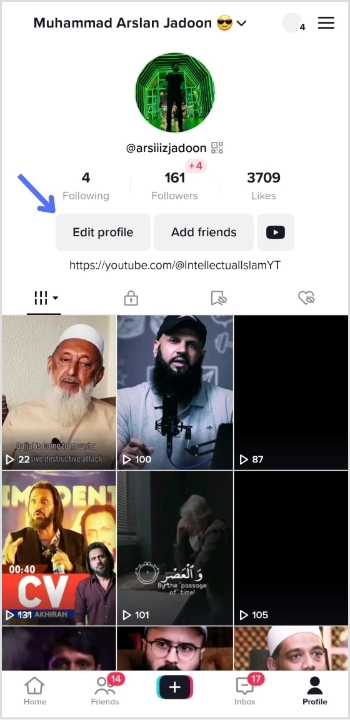
Step 1: Open TikTok on your mobile device and tap the “profile icon” in the bottom right corner.
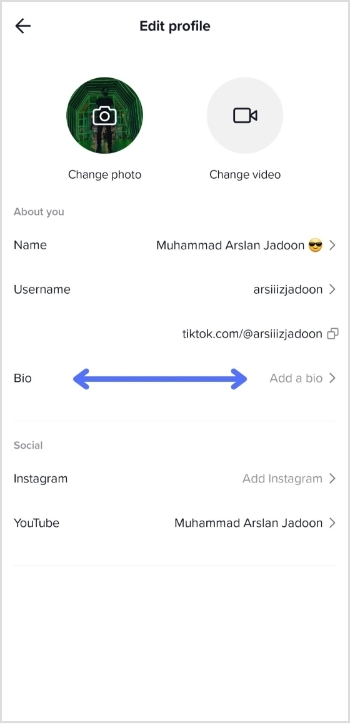
Step 2: Tap “edit profile”.
Step 3: Tap “add a bio” to open the bio section.
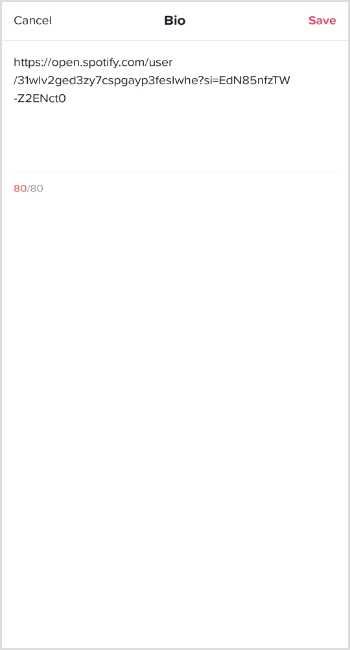
Step 4: Paste your Spotify link, tap “save” and you’re done.
Do you have more than one link you want to add to your TikTok bio?
Perhaps you want to share your social media profiles or promote your website alongside your Spotify account. Luckily, there’s an easy solution: Replug.
It offers a top-notch “bio links” feature that allows you to add multiple links to your TikTok bio, helping you to increase your reach and engagement on the platform.
With this efficient link optimization platform, you can create a single link that directs users to a landing page containing all of your important links. This means that you can easily promote your online presence in one convenient location.
Here’s a video showing you how to add multiple links to your TikTok bio using Replug.
FAQs
Can I add multiple links to my TikTok bio?
By default, TikTok only allows you to add one link to your bio. However, third-party tools like Replug can be used to add multiple links to your TikTok bio.
Is it free to use Replug to add multiple links to my TikTok bio?
Replug is a free link shortener with limited features inside its free plan. However, it also offers paid plans with more advanced functionality for its subscribed users.
How do I use Replug to add multiple links to my TikTok bio?
To use Replug to add multiple links to your TikTok bio, sign up for an account and create a branded landing page with your desired links. Then, copy the Replug landing page URL and paste it into the “Website” field in your TikTok bio.
Can I track clicks on my TikTok bio links with Replug?
Yes, Replug offers advanced analytics that allows you to track clicks and engagement on your TikTok bio links and other links across your online presence.
Are you tired of manually checking multiple websites for updates on your favorite topics? Do you wish there was a simpler way to stay informed without getting lost in the sea of information online? Enter RSS feed, a tool designed to streamline content delivery and help you keep up with your favorite websites and topics. But what exactly is an RSS feed, and why should you consider creating one for your website?
In this article, we’ll explore the ins and outs of RSS feeds and show you how this powerful tool can improve your website’s content delivery, increase engagement with your audience, and save you time in the process. So if you’re ready to take your content to the next level, let’s dive in and discover the power of RSS feed.
What is an RSS feed?
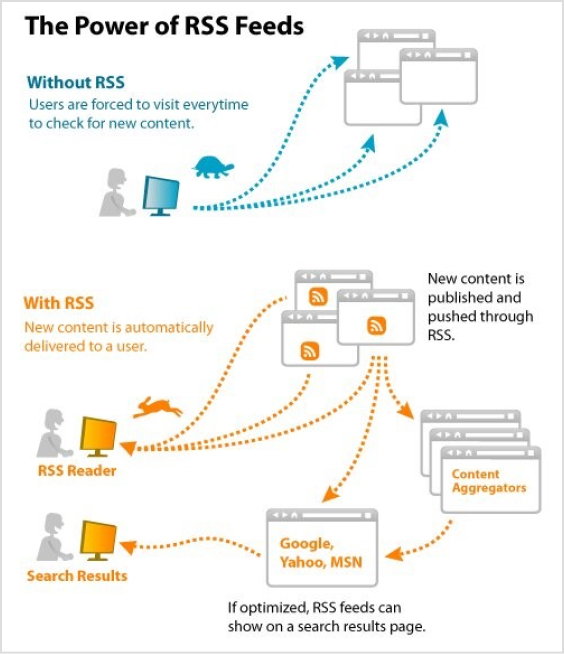
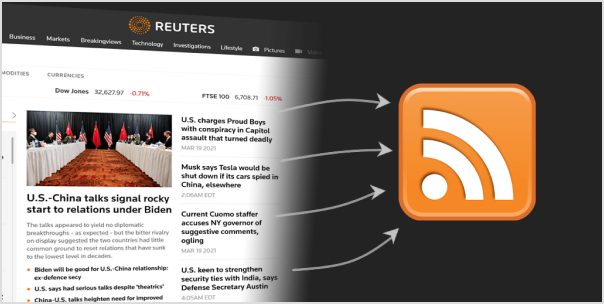
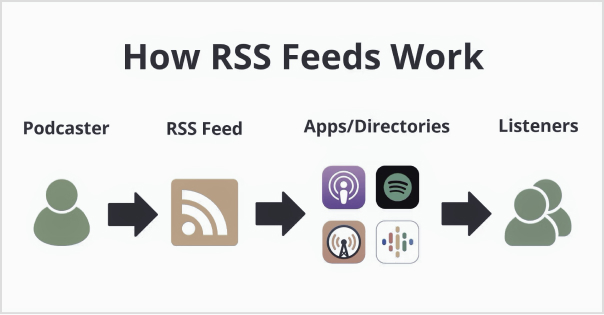
An RSS feed is a technology that allows websites to automatically syndicate their content to users who subscribe to their feed. In simple terms, it’s a way for websites to push new content to subscribers as soon as it’s published, without the need for users to manually check the website for updates.
Here’s an example of how an RSS feed works:
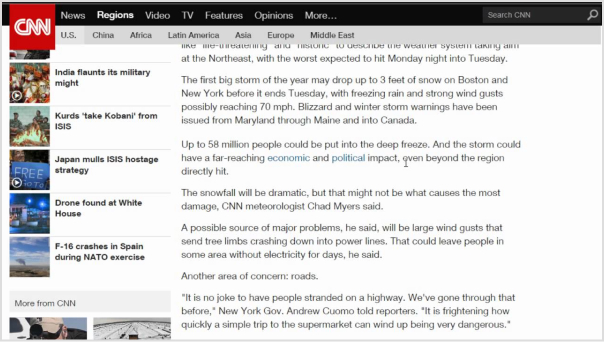
Imagine you are an avid reader of a CNN news website that covers a variety of topics. You want to stay up-to-date with the latest news, but checking the website multiple times a day for new articles is time-consuming and inefficient.
Therefore, CNN offers RSS feeds for various topics such as top stories, world news, politics, business, entertainment, and more. By subscribing to one or more of CNN’s RSS feeds, users can receive updates on the latest news articles as soon as they are published, without the need to constantly check the CNN website for updates.
In short, an RSS feed is a powerful tool that benefits both website owners and users, by streamlining content delivery and improving the user experience.
A brief history of RSS feeds:
The history of RSS feeds dates back to the late 1990s, with the emergence of the Really Simple Syndication (RSS) technology. It was developed as a means to simplify the distribution and aggregation of web content.
The roots of RSS can be traced back to a format called RDF (Resource Description Framework), which was developed by the World Wide Web Consortium (W3C) in 1997. RDF aimed to provide a standardized way of describing metadata for web resources.
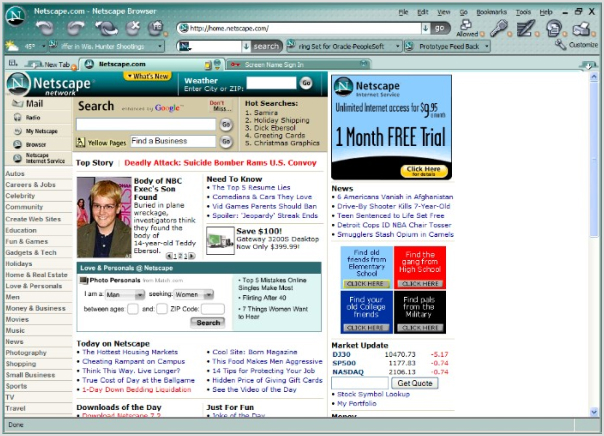
In 1999, Netscape, a prominent web browser at the time, introduced a simplified version of RDF called RDF Site Summary (RSS). It was created by Dan Libby and Ramanathan V. Guha, and its purpose was to allow websites to easily syndicate their content.
The initial versions of RSS were relatively basic, allowing websites to provide a list of headlines and summaries of their articles. However, as RSS gained popularity, new versions were developed to enhance its capabilities. RSS 1.0, based on RDF, offered more flexibility in terms of data representation and allowed for more detailed metadata.
In 2002, a different version of RSS emerged, known as RSS 2.0. It was developed by Dave Winer and included improvements such as better support for enclosures (allowing the inclusion of multimedia content) and increased compatibility with various web applications and platforms.
As the popularity of RSS feeds grew, many software applications and online services were developed to facilitate their use. RSS feed readers, also known as RSS aggregators, allowed users to subscribe to their favorite websites and receive updates automatically. Popular feed readers included Google Reader, Feedly, and Netvibes.
Yes, RSS feeds are still widely used in 2023. In fact, RSS feeds have not only endured the test of time but have also evolved into a convenient, efficient, and personalized method of staying up to date with the latest news and developments.
With RSS, you have the power to curate your own digital universe. Say goodbye to information overload and hello to a carefully crafted newsstand brimming with the sources you love. Customize your subscriptions with ease, effortlessly adding, removing, and organizing your favorite news outlets. What’s more, you can set up automated systems that whisk the latest updates right to your digital doorstep as soon as they hit the digital realm.
But it’s not just users who benefit from RSS feeds. Savvy businesses have tapped into the power of RSS as a marketing tool, offering subscription links on their websites or even exclusive promotions through RSS feeds. It’s a win-win situation, allowing businesses to reach wider audiences while still targeting the most engaged and interested customers.
How RSS works?
RSS (Really Simple Syndication) works based on a structured XML (Extensible Markup Language) format. Here’s a step-by-step breakdown of how RSS works:
Step 1: Content Creation
Website owners or content creators generate new articles, blog posts, or other forms of content on their websites.
Step 2: RSS feed generation
The website’s content management system or specialized software generates an RSS feed that contains the metadata and information about the new content. This includes the title, summary, publication date, and a link to the full article.
Step 3: RSS feed publication
The website publishes the RSS feed file on a specific URL, often indicated as the website’s RSS feed URL.
Step 4: User subscription
Users who are interested in receiving updates from the website subscribe to its RSS feed. They can do this by using an RSS feed reader, which is a software application or online service designed to read and aggregate RSS feeds.
Step 5: Feed reading
The RSS feed reader regularly checks the subscribed RSS feeds for updates. It sends a request to the website’s RSS feed URL to fetch the latest feed content.
Step 6: Content delivery
If there are new articles or updates in the RSS feed, the RSS reader retrieves the content and presents it to the user in a readable format. This typically includes the title, summary, and a link to the full article on the website.
Step 7: User interaction
Users can click on the links within the RSS reader to access the full content on the original website. They can read, share, or bookmark the articles based on their preferences.
Step 8: Update notifications
RSS readers can be configured to provide notifications or display unread item counts to keep users informed about new content.
Step 9: Synchronization
Some RSS readers offer synchronization across multiple devices, allowing users to access their subscribed feeds from different devices and keep their reading progress and subscriptions up to date.
The process repeats itself as new content is published on the website. RSS feeds provide a standardized and efficient method for content distribution, enabling users to stay updated with the latest information from multiple sources without the need to manually visit each website separately.
Using RSS feeds can significantly boost productivity by streamlining the process of accessing and managing relevant information. Here are some ways to leverage RSS feeds to enhance productivity:
Consolidate information
Subscribe to RSS feeds from your favorite websites, blogs, news outlets, and industry publications. By aggregating content from various sources into a single RSS feed reader, you can access all the updates and news in one central location, eliminating the need to visit multiple websites individually.
Efficient information consumption
RSS feeds allow you to scan headlines, summaries, and key points of articles without visiting the full web page. This enables you to quickly assess the relevance and importance of each item, saving time by focusing on the most essential content.
Customized content curation
Tailor your RSS feed subscriptions to specific topics, industries, or areas of interest. This customization ensures that you receive content that aligns with your needs and eliminates unnecessary noise. By fine-tuning your feed, you can access high-quality information that directly impacts your work or personal interests.
Time-saving automation
RSS feeds deliver updates automatically, eliminating the need to manually check each website for new content. Set up regular intervals for your RSS reader to refresh and fetch updates, ensuring you stay up to date without wasting time on repetitive manual checks.
Prioritize and organize
RSS readers often provide features to categorize and organize feeds. Take advantage of these capabilities to create folders or tags based on topics, importance, or urgency. This helps you prioritize the content you consume and ensures you don’t miss critical updates.
Mobile and cross-device access
Many RSS readers offer mobile apps and cloud synchronization, enabling you to access your feeds and read content across different devices. This flexibility ensures you can stay productive and consume information wherever you are, whether on your computer, smartphone, or tablet.
Reduce information overload
With RSS feeds, you have control over the sources and types of content you consume. By curating a focused selection of feeds, you can avoid being overwhelmed by excessive information. This reduction in information overload enables you to concentrate on what truly matters, improving your productivity.
By leveraging the power of RSS feeds, you can streamline information consumption, stay informed efficiently, and focus on content that is most relevant to your work and interests. With reduced distractions and improved content management, you can enhance your productivity and make the most of your valuable time.
To find the RSS feed of a website, you can try the following methods:
Method 1: Look for the RSS icon
Many websites that offer RSS feeds display a recognizable RSS icon or a link to their feed. Look for the RSS icon, usually in the header, footer, or sidebar of the website. It typically looks like a square or rectangle with a curved line in the corner resembling a Wi-Fi signal icon.
Method 2: Check the source code
Right-click on the website’s page and select “View Page Source” or “Inspect” (depending on your browser). This will open the HTML source code of the webpage. Search for “RSS” or “feed” using the browser’s search function (usually accessible by pressing Ctrl+F or Command+F). Look for URLs containing “RSS” or “feed” that may indicate the presence of an RSS feed.
Method 3: Use browser extensions or add-ons
Some web browser extensions or add-ons are specifically designed to detect and display RSS feeds for websites. Examples include “RSS Subscription Extension” for Chrome and “RSSPreview” for Firefox. Install these extensions, and they will automatically scan the webpage for RSS feeds and provide a convenient way to subscribe.
Method 4: Search the website
Use the website’s search functionality and enter keywords such as “RSS” or “feed” to see if any relevant results appear. Some websites may have dedicated pages or sections that provide information or links to their RSS feeds.
Method 5: Utilize online RSS feed directories
There are online directories that catalog RSS feeds from various websites. These directories can be searched by topic, website name, or keyword. Examples include Feedly,RSS.com, and Feedspot. Enter the website’s name or topic of interest in the search bar of the directory to see if the website’s RSS feed is listed.
It’s worth noting that not all websites offer RSS feeds, as some have transitioned to other content distribution methods. If you are unable to find an RSS feed for a specific website, it is possible that they do not provide one.
How to create an RSS feed for a Podcast?
To create an RSS feed for a podcast, you’ll need to follow the steps below:
Step 1: Choose a content hosting platform
Choose a podcast hosting platform that offers RSS feed generation as part of its services. Popular options include Libsyn,Podbean, and Buzzsprout. These platforms provide tools to upload and manage your podcast episodes, as well as automatically generate an RSS feed for your podcast.
Step 2: Sign up and set up your account
Create an account on your chosen podcast hosting platform. Follow the platform’s instructions to set up your podcast profile, including providing necessary details such as podcast title, description, cover art, and other metadata.
Step 3: Upload episodes
Use the hosting platform’s interface to upload your podcast episodes. Typically, you’ll need to provide the audio files, episode titles, descriptions, and any additional information required. The platform will store and organize your podcast episodes.
Step 4: Customize settings
Configure settings specific to your podcast, such as episode release schedule, episode numbering, categories, and tags. These settings help categorize and promote your podcast effectively.
Step 5: Verify and preview
Review and verify the information and settings for your podcast episodes. Ensure that the episode titles, descriptions, and other metadata are accurate and formatted correctly. Preview how your podcast will appear in the RSS feed.
Step 6: Obtain the RSS feed URL
Once you’ve uploaded your episodes and configured the necessary settings, your podcast hosting platform will generate an RSS feed URL for your podcast. This URL is crucial for distributing and sharing your podcast with various podcast directories and platforms.
Escalate your brand marketing through Replug RSS Automation
Replug RSS Automation is a powerful feature that can significantly enhance your brand marketing efforts. Here’s how Replug RSS Automation can take your brand marketing to the next level:
Efficient content distribution:
With Replug RSS Automation, you can automatically distribute your content to various channels, including social media platforms, email newsletters, and content aggregators. This ensures that your brand’s message reaches a wider audience without the need for manual sharing and promotion.
Customized messaging:
Replug RSS Automation allows you to tailor your marketing messages based on the specific content being shared. You can add personalized call-to-actions, branding elements, and tracking links to maximize engagement and drive desired actions from your audience.
Targeted audience segmentation:
Through Replug RSS Automation, you can segment your audience based on their interests, preferences, and behavior. This enables you to deliver highly relevant content to specific segments, increasing the chances of capturing their attention and driving conversions.
Data-driven insights:
Replug RSS Automation provides valuable analytics and performance metrics to help you optimize your content marketing strategy. You can track the engagement, click-through rates, and conversions generated from your automated RSS campaigns. These insights allow you to refine your approach and make data-driven decisions to improve your marketing efforts.
Yes, RSS feeds are completely legal to use either for personal or commercial purposes. But, as there is a rule for using anyone’s personal content commercially one must have its owner’s concern and the same goes for RSS feeds. RSS feeds are free and easy to use. That’s why everyone tries to add them to websites. Moreover, all these perks can be achieved if you are using RSS feeds in a legal way.
Can RSS feeds be tracked?
RSS feeds can be tracked easily with Replug’s analytics feature. It is the best tool for estimating the traffic on your websites and achieving meaningful data.
Are RSS feeds public?
Yes, RSS feeds are public as they facilitate users. It has a public URL link anyone can access. RSS feeds are unencrypted readable XML files that are acceptable by any platform that supports RSS. Private security functions are not built into RSS feeds.
Can RSS feed have images?
Yes, Images are the crux of all the content available. Generally, graphical representation gives more captivating looks so images play an important role in content ranking. Content can be of any type like images it can be as written media or audio media even. Images must support all the requirements for uploading like size, quality, and pixels so, it must not affect the performance of the website.
Does Google use RSS feed?
Google does use RSS feed indirectly but it doesn’t have any such ranking factor pre-defined in its algorithm. However, you can create an RSS feed on any niche by Google Alerts in the settings option. Its major role is, searching for new and updated content for users to get a high ranking. Google News uses RSS feeds to increase the audience and content visibility.
What replaced the RSS feed?
Yes, it is replaced by new advanced techniques. It is human nature that one is always curious to get into new things and the same goes for this RSS Feeds. Email subscriptions, push notifications, and even social media platforms like Facebook, and Twitter are based on a such algorithm that automatically generates user-demanding content on the basis of previous history. Whereas, RSS Feeds are still vastly used to enable the syndication of their content.
If you’re looking to promote your Instagram profile and boost your online presence, adding your Instagram link to your Facebook bio can be a highly effective strategy. By doing so, you can reach a broader audience and potentially attract more followers, which can help you take your social media game to the next level.
For creators and marketers who care about link performance, Replug.io lets you brand, shorten, and track your shared URLs so every click tells a story.
In this guide, we’ll explore the steps involved in adding an Instagram link to your Facebook bio on both computer and mobile devices, as well as some tips on how to make the most of this “bio links” feature.
How to add Instagram link to Facebook bio on a mobile device?
Here’s a step-by-step guide on how to add your Instagram link to your Facebook bio on a mobile device:
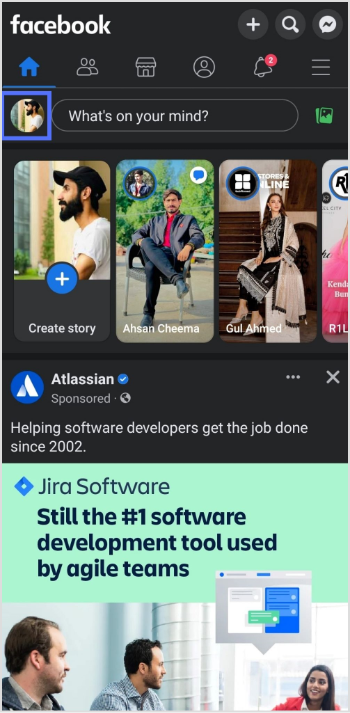
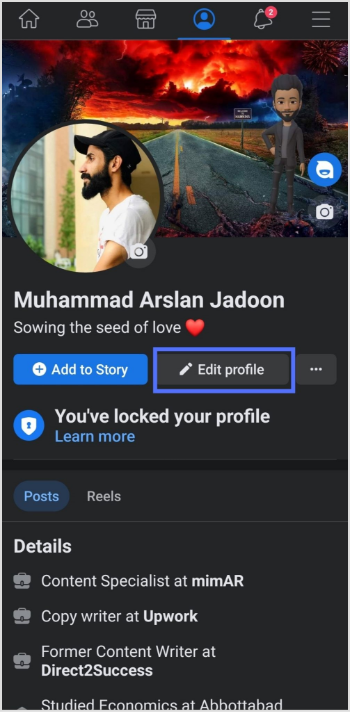
Step 1: Open the Facebook app on your mobile and tap your profile icon.
Step 2: Tap the “edit profile” button.
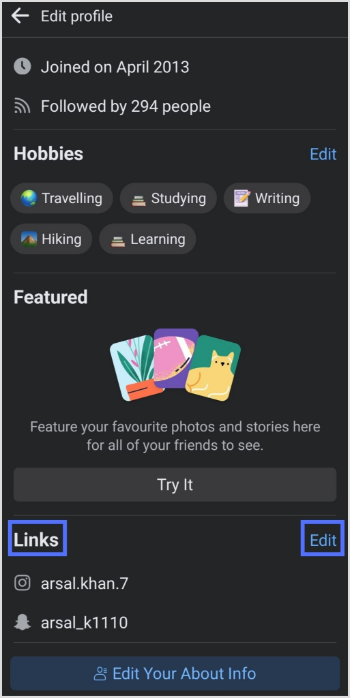
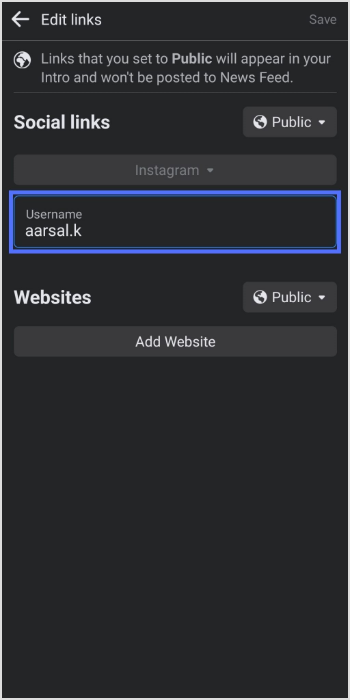
Step 3: In the edit profile section, scroll down to the “links” section and tap “edit”.
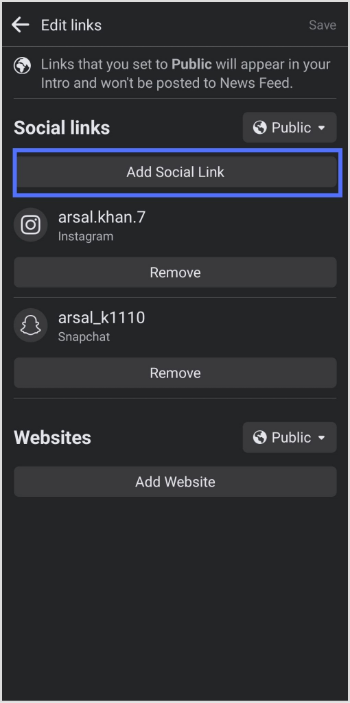
Step 4: Tap the “add social link” button.
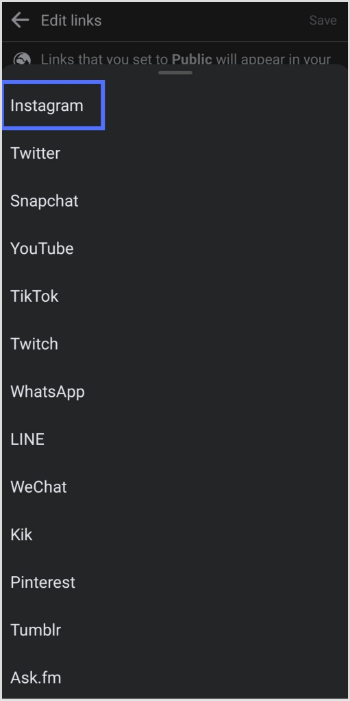
Step 5: Tap the “platform” button and choose Instagram from the list.
Step 6: Enter your Instagram account “user name” and tap save.
How to add Instagram link to Facebook bio on a computer device?
Step 1: Log in to Facebook on your computer browser.
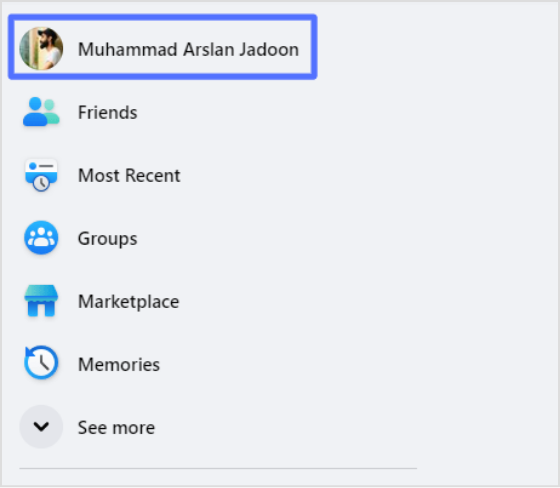
Step 2: Click on your profile name on the top left side.
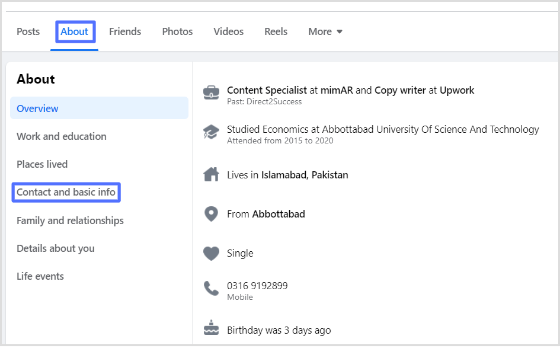
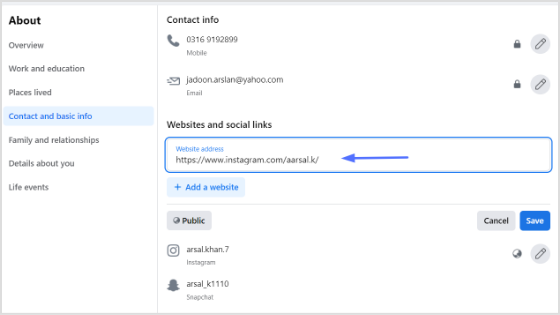
Step 3: Click “about”, then “contact and basic info”
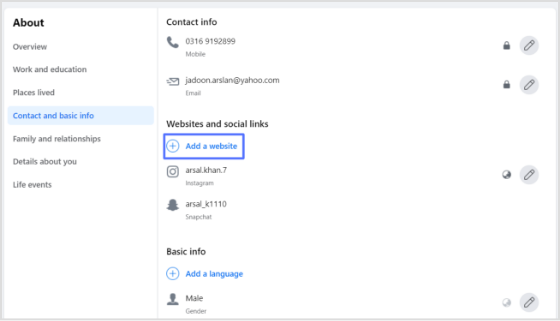
Step 4: Click the “add website button” under the “website and social links” section.
Step 5: Paste your Instagram URL in the URL field and click save. You’ll have your Instagram link in the Facebook bio.
Frequently asked questions
Why can’t I see my Instagram link in my Facebook bio?
If you cannot see your Instagram link in your Facebook bio, make sure you have added it correctly by following the steps above. Also, check that your Instagram account is not set to private, as private accounts cannot be linked to Facebook bios.
Why is my Instagram link not clickable in my Facebook bio?
If your Instagram link is not clickable in your Facebook bio, it may be because you have not entered the link correctly, or your Instagram account may be set to private.
It wasn’t long ago that TikTok was dismissed as just another fleeting trend, but today, it stands shoulder-to-shoulder with the biggest names in social media.
Its ability to drive engagement, spark conversations, and create overnight sensations has made it an essential platform for brands, influencers, and everyday users alike. No wonder this short, vertical video platform has over 1.04 monthly active users!
If you’re looking to attract more eyes to your profile, optimizing your TikTok bio is a must. For a quick and easy way to manage all your profile links, consider Replug.io (a go-to platform for organizing bio links and shortening URLs hassle-free).
A well-crafted bio isn’t just about introducing yourself; it’s a powerful tool to drive traffic to your website, landing page, or other social platforms. If you want to keep your bio-link clean and easy to share, use this link-in-bio tool to create a compact bio page that looks neat and drives clicks.
To help you further stand out, we’ve compiled a list of creative TikTok bio ideas and hacks that can boost your visibility and engagement.
Without further ado, let’s dive in!
Here are some TikTok bio ideas to inspire you and help you gain more views and followers.
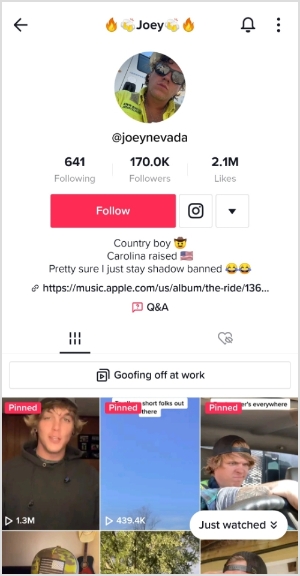
Joey shows self-pity in his TikTok bio using a bit of humor. This TikTok bio seems a little sarcastic but doesn’t attack anyone. Therefore, this makes it quite hilarious.
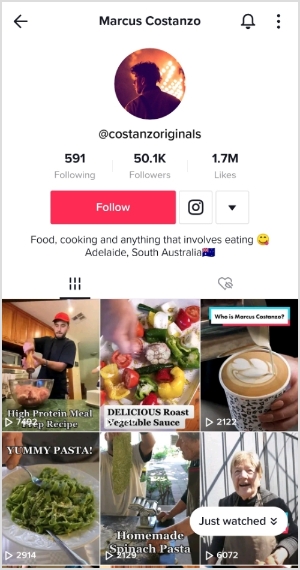
Marcus has quite a funny TikTok bio. It says, “food, cooking, and anything that involves eating,” which cracked me up.
The best thing about this TikTok bio was that it explained what the creator of the account is all about, but in a funny way. It sure is one of the funniest TikTok bio ideas I have ever read.
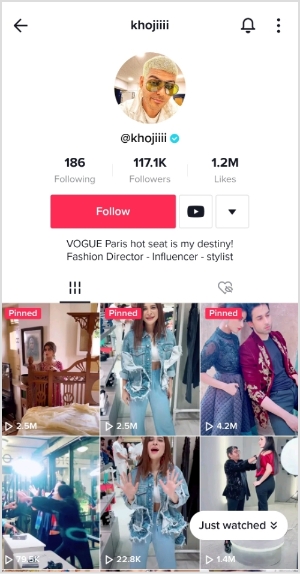
Khojiiii is a fashion expert. However, he came up with quite a motivational TikTok bio that anyone can take inspiration from. He says, “VOGUE Paris hot seat is my destiny.”
Well, some self-help experts and motivational speakers suggest writing down your goals somewhere. And that’s a practical example of that. I found this TikTok bio quite motivational, though.
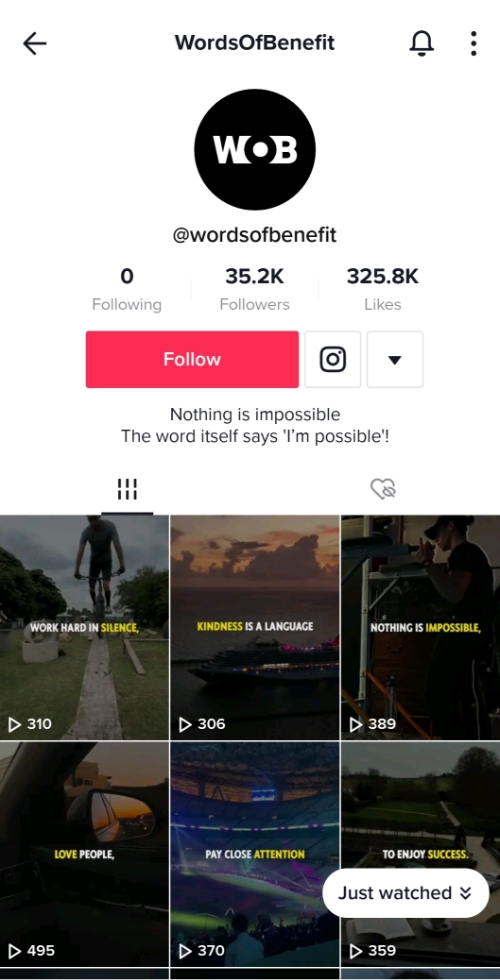
The “Words Of Benefits” TikTok account has a fascinating bio. It goes, “Nothing is impossible. The word itself says I’m possible.” This TikTok bio is simple yet meaningful and deep. No wonder it has made it to the list.
The motivational and self-help social media accounts must have thought-provoking, meaningful, and brief bios so that they’re quick to read and understand. This is surely one of these TikTok bio ideas.
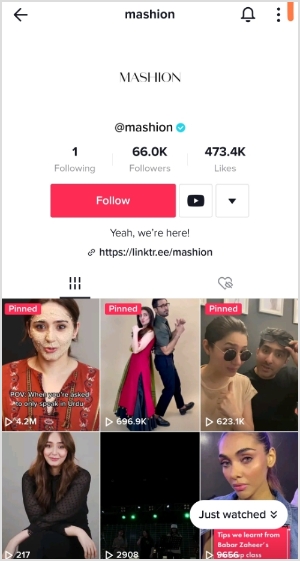
Mashion is a lifestyle and fashion news and updates platform. Their TikTok account has quite a stylish bio. It says, “Yeah, we’re here.”
It’s short, catchy, and entertaining. Isn’t it? The takeaway from their bio is that one can have a brief and to-the-point TikTok bio that grasps the audience’s attention.
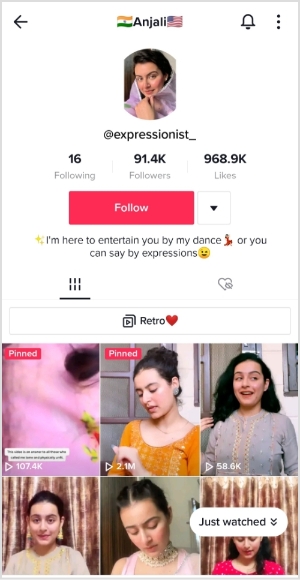
Anjali is a social media influencer. She has a very crystal clear TikTok bio. It says, “I’m here to entertain you by my dance or you can say by expressions.”
It seems like Anjali does expressions on TikTok, but also loves to dance. I found her TikTok bio quite stylish and entertaining.
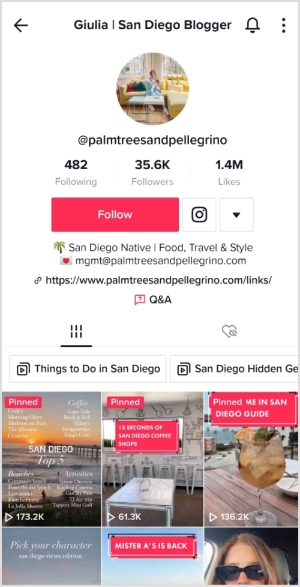
Guilia is a lifestyle blogger and content creator. She has mentioned “food, travel, and style” in her TikTok bio, which pretty much explains everything about her social media presence.
Most lifestyle influencers put out content about fashion, food, and travel. It allows them to collaborate and work with several brands along the way.
Romary is a food and lifestyle content creator on TikTok. Her TikTok bio says, “lifestyle, fashion, and food.” She often posts videos and photos about food.
I liked the way most lifestyle bloggers and influencers use food to create content and attract the audience. No wonder restaurants and food companies work with these TikTokers.
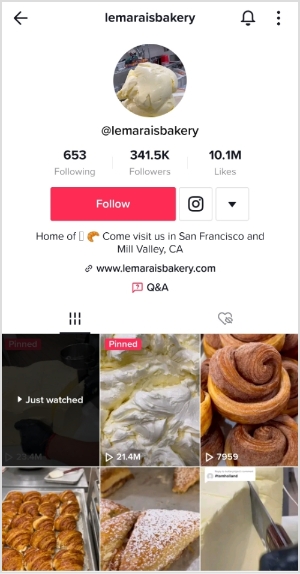
Le Marais is a bakery with branches in San Francisco and Mill Valley. They have quite a foodie TikTok bio. It says, “Home of (Croissant emoji). Come visit us in San Francisco and Mill Valley, CA.”
Since they have a bakery in their TikTok handle and the croissant emoji in their TikTok bio, it’s not difficult to figure out that they’re in the food business.
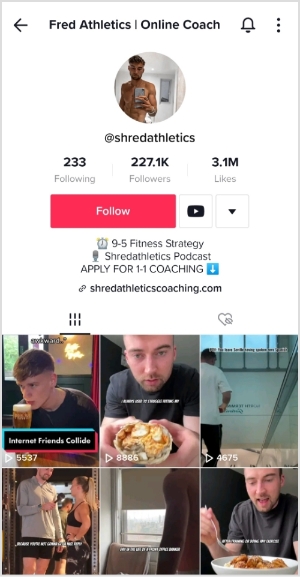
Fred is a fitness expert and coach. He has a fitness-related podcast called Shredathletics podcast. Plus, he also offers a 1-on-1 coaching program.
It looks like Fred has figured out the TikTok platform as he is making the most of the TikTok bio opportunity. He hasn’t bombarded his TikTok bio with loads of info but still manages to share three entities.
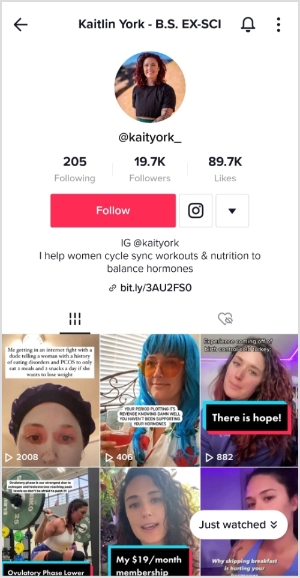
Kaitlin York
Kaitlin is a fitness expert and nutritionist who guides women on balancing hormones and suitable workouts.
Kaitlin has mentioned her Instagram handle in the TikTok bio. Plus, she has written quite a brief yet helpful TikTok bio line, which makes the viewers understand what exactly she does.
Shagufta Ejaz is a veteran TV actress from Pakistan. She has been creating a buzz on TikTok for the past few months.
Shagufta knows how to cross-promote social media channels to grow its followers. Her TikTok bio is quite a great example of cross-promoting social media accounts as she is promoting her YouTube channel and Instagram account.
However, the links for both platforms are missing out in her TikTok bio, but it still counts as a cross-promotion.
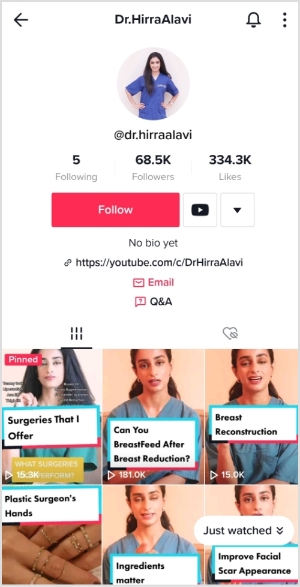
Dr. Hirra Alavi is a TikTok influencer. She came up with a rather creative TikTok bio. Her bio says, “No Bio Yet.” Furthermore, she added a YouTube channel link right away.
Even though her bio says that there is no bio yet, she still has a bio written on her TikTok profile. It’s a smart strategy to drive the audience toward the YouTube channel right away.
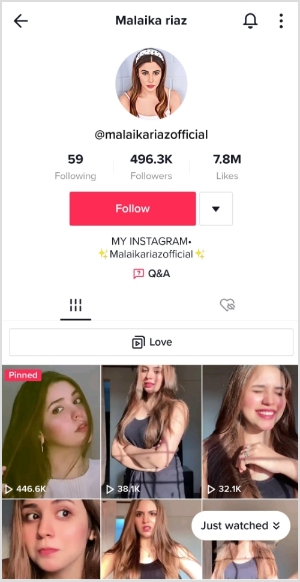
Malaika Riaz
Malaika Riaz is a TikTok creator from Pakistan. She only has her Instagram handle mentioned in her TikTok bio. That’s another example of a cross-promotion strategy as she directs her TikTok followers to the Instagram profile.
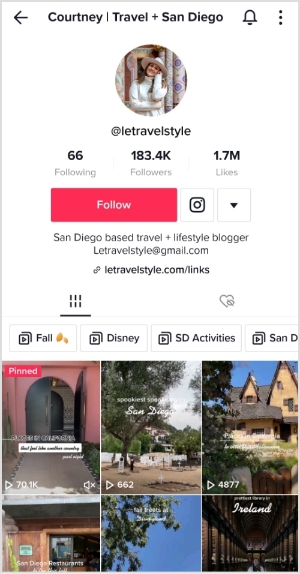
Courtney is a lifestyle blogger and traveler. She has a short, but clear TikTok bio. It says, “San Diego based travel + lifestyle blogger.” Plus, she goes on with adding her email address and website URL.
Influencers like Courtney often collaborate with San Diego marketing agencies, leveraging their local expertise to build partnerships with brands and businesses looking to expand their reach in the regional market.
The point is that Courtney knows how to maximize the TikTok bio opportunity. Not only does it explain what her brand is all about, but she also adds her email address and a bio link that leads to all important links.
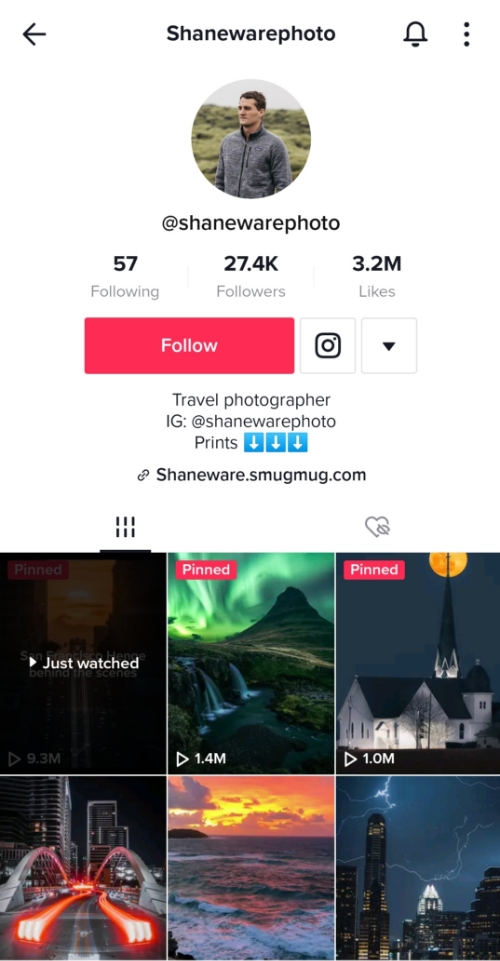
Shane is a travel and landscape photographer based in Austin, Texas. He has quite a simple yet attractive TikTok bio. It says, “Travel Photographer” on the first line, and then there is Instagram handle afterward.
So Shane is using the TikTok platform to showcase his photography as well as pointing the audience to buy his photographs via the link in the TikTok bio. Kudos to this smart move.
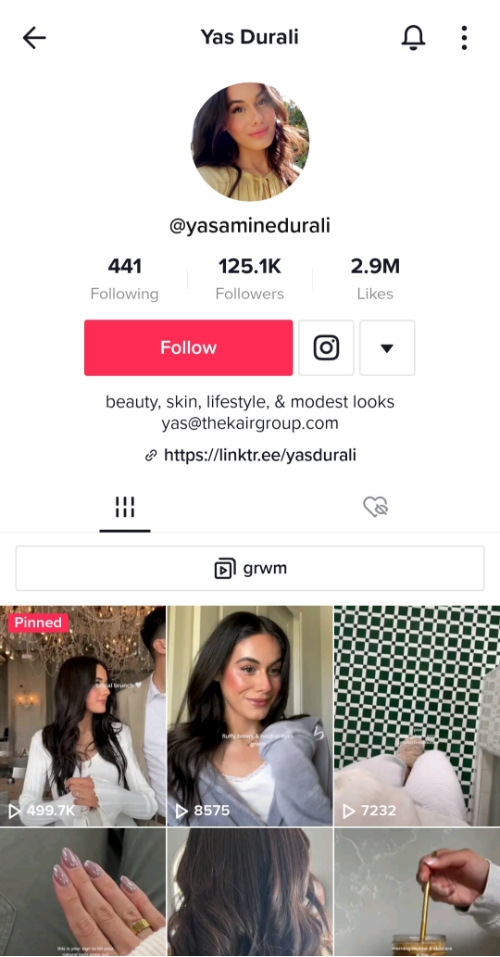
Yas is a lifestyle influencer. Her TikTok bio says, “skin, beauty, lifestyle, and modest looks.” Then, she got her email address mentioned beneath the first bio line.
Besides adding the Instagram handle to the default social media place on the TikTok profile, she also has a short bio link for more links in the add a website section of TikTok. It shows she knows how and where to drive traffic from TikTok.
So these were 15 TikTok bio ideas or examples to learn or take inspiration from for adding your TikTok bio. It’s always good to look up to the influencers and social media experts as compared to going blindfolded.
Are you uploading TikTok videos for a while and looking to get more views? First things first, you got to be smart about TikTok ideas to pull this off.
We’ve got you covered. All you need is a handful of tried and true TikTok bio hacks to turn things around.
Here are some of the tips and techniques for improving your TikTok bio:
How to drive traffic using your bio?
TikTok can surely be a website traffic source for brands, influencers, and experts. All it requires is the know-how to drive traffic. Since we’re discussing TikTok bio hacks, here are some of the things you could do to open the traffic flood-gate through TikTok:
Add your URL to the TikTok bio
TikTok bio is one of the undervalued real estate on social media. To start on the right foot, you must first add the URL where you want to drive traffic to from TikTok. Use the TikTok bio to make it happen.
Don’t clutter your TikTok bio
Most beginners who try to cash in on any social media profile bio make a common mistake, which is cluttering their bio. Bombardment your TikTok or Insta bio won’t help you. The reason is that you won’t properly point the visitors in the right direction.
Create videos relevant to your offer
One of the problems with the TikTok bio is that the content lacks relevancy. To make your TikTok bio work, you should start creating highly relevant and suitable content. Stick to your niche and try to help or entertain your audience with relevant content.
Collaborate with other TikTokers
Collaboration is a key to getting more attention on social media as it helps creators meet like-minded audiences. It’s the social media growth hack almost every social media influencer uses to grow. You’d find Instagram, TikTokers, and YouTubers collaborate with other creators because they know the importance of collaborating with other creators.
Point viewers to the TikTok bio
If you want to effectively drive people to your landing page, website, or sales page from TikTok, try pointing viewers to your TikTok bio. You could ask the viewers at the end of the video or just use the in-video text or description to tell the audience about the link in the bio.
Engage with the audience
Engagement fuels attention on social media. Plus, most social media platforms boost the reach of a profile that gets attention from the audience. One of the best ways to get attention is to have conversations through comments and DMs. If you want to drive visitors through TikTok bio, make sure that you’re getting some engagement on the platform.
Adding a bio to your TikTok account is not rocket science. However, you should know how important this section could be for growth hacking.
It doesn’t matter if you’re on TikTok to generate leads, build an email list, go viral, or drive website traffic – whatever target you’ve set, the TikTok bio would come in handy.
Here’s a simple five-step process for adding a bio on TikTok:
Open your TikTok app to get started with the process. (You could instantly get distracted by the music video or a funny skit, so stay focused).
Go to your profile to access the profile area, look at the profile option at the right bottom of the screen. Tap on the profile button to move forward.
Click on the “Edit profile” button on your profile to add a TikTok bio.
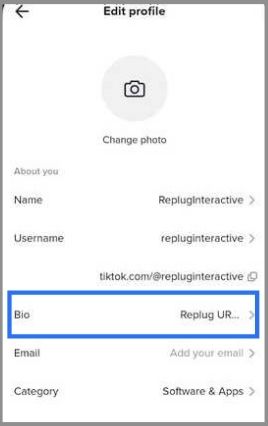
Tap on the “Bio” option; the new window would appear. Write down the TikTok bio. You could add up to 80 characters to your TikTok bio.
Save the bio once you’re done writing it.
That’s how you can add your TikTok bio.
How to Write a Call-to-Action for your TikTok Bio?
If you’re wondering what to write in your TikTok bio, then this section is tailored-made for you. Writing a random bio won’t make a difference unless there is a call to action with proper reasoning.
However, there are always some exceptions, for instance, if a TikToker goes viral, then any link in the TikToker’s bio would get some clicks no matter what.
Similarly, if a celeb adds a charity or donation link to the Instagram or TikTok bio, people would sure check it out.
Example: Casey Neistat – Donations Call
Casey Neistat is a popular filmmaker and YouTuber from New York City. He once shared the story of his friend in a video – A UPS delivery guy who needed money. Neistat’s followers donated a lot of money to the cause.
Precise yet meaningful: A short bio often gets the attention of the audience. Keep your TikTok bio short and precise so that the audience doesn’t bypass it.
Relevant to the audience: Writing some that the target audience doesn’t understand won’t help here. Always try to write a call-to-action in your TikTok bio that’s relevant to your audience.
Irresistible offer: Make your offering so attractive that it becomes hard to resist. Influencers and experts add coupon codes or affiliate links to their social media bio to monetize their social media presence.
Short and sweet links:Long and clunky URLs often push people away. Try using branded short URLs for your TikTok bio links.
Crystal clear meaning: Some social media users add unnecessary jargon to their social media bios to make them look good. As a result, it decreases their click-through rate on social media bio links. Both the social media bio and call-to-action must be understandable for everyone.
This is the right or wrong way to write a good call-to-action for TikTok bio. However, the above-mentioned tips would help you craft a perfect call-to-action for your TikTok bio.
How to add your other socials to TikTok?
TikTok allows you to add your Instagram and YouTube links to your TikTok account bio. Once you add other socials to your TikTok account, they’ll appear on your TikTok profile.
A four-step process of adding other social handles to your TikTok profile:
Log in to your TikTok account to get started with the process. If you’re already logged in to your TikTok account, move on to the next step.
Open your TikTok profile. The profile option is available at the right bottom of the app. Tap on the profile button to access your TikTok profile.
Tap on the “Edit profile” button on your profile to start the profile editing process. Once you tap that button, it’ll take you to the settings area to edit the profile.
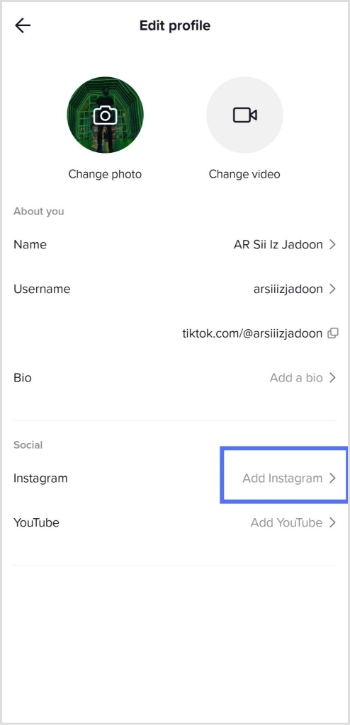
Scroll down to the social section. Tap on the YouTube and Instagram options to add the respective social media accounts. TikTok ensures that TikTokers could display their Instagram and YouTube handles on their TikTok profile.
Driving traffic from TikTok or capitalizing on the TikTok bio isn’t the problem. The only challenge is to establish a TikTok brand. When followers start to enjoy your content and become loyal followers, everything seems doable.
If you ever wish to start TikTok to make money or dominate the competition on social media through TikTok, try sticking to your basics.
The following three key elements will make a huge difference:
Picking a suitable niche
It all starts with the right niche. You can’t predominantly put out content if you aren’t confident about your expertise or passion. The solution is that pick something you’re good at or extremely interested in so that you could keep going no matter what.
Posting consistently
Consistency is the key to success on social media regardless of the social media platform. Don’t start a TikTok account unless you’re not sure about your niche. Figure out your niche first, and then get to work. This way, you would be able to post content for a long time.
Establishing a brand
Once you start enjoying the content creation process, you’re on the track to take off. Try understanding the power of brand building once you’re getting some attention on the platform.
An established social media brand won’t worry about using a short URL or normal URL in the bio; they’d know that followers will click on it anyway. However, it won’t hurt and is a much better practice to use a branded TikTok link in bio.
So these three key elements would immensely help anyone who wants to get big on TikTok.
Furthermore, don’t overlook establishing a bullet-proof TikTok content strategy to make sure that you’re off to a good start.
Capitalize on the opportunities the TikTok platform has to offer? Good luck!
Frequently asked questions
What is a good bio for TikTok?
A good bio for TikTok should be brief, catchy, and informative. Here are some tips to help you write a great TikTok bio: Keep it short Highlight your niche Show your personality Use keywords Add links Keep it updated
What can’t I comment on TikTok bio?
TikTok has recently introduced measures to restrict certain keywords in user comments, such as “shop”, “link”, “bio”, and “Instagram”. If you include these keywords in your comments, they may be subject to censorship or removal by TikTok. This is part of TikTok’s efforts to combat spam and ensure a positive and safe environment for its users.
Where is TikTok bio?
Your TikTok bio is a short description of yourself or your account that appears at the top of your profile.
A link in your Instagram bio is a great way to drive traffic to your website and increase engagement with your content. In addition, it allows you to direct potential followers to a landing page, portfolio, or blog post you want to promote.
You can also link to an email sign-up page, product page, or shop. This feature is handy for businesses, brands, and influencers who want to increase their reach and promote their content.
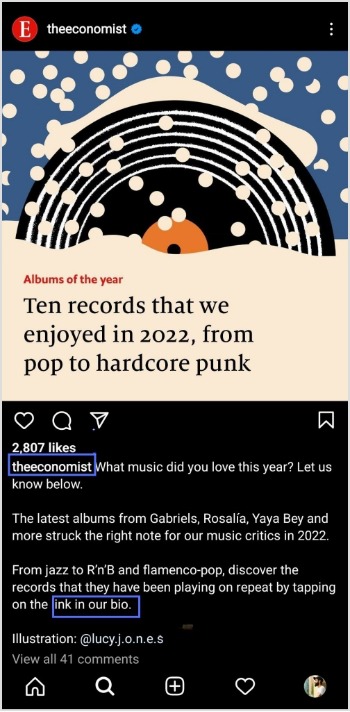
Follow this step-by-step guide to quickly find any profile’s link in the bio on mobile and desktop.
How to get to the link in the bio on Instagram on a mobile device?
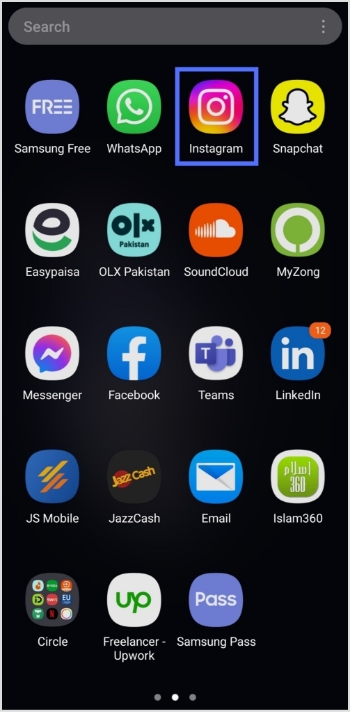
Step 1:Open the Instagram app on your mobile device.
Step 2:Tap on the user’s profile name (username) on whose caption you noticed the Link in Bio.
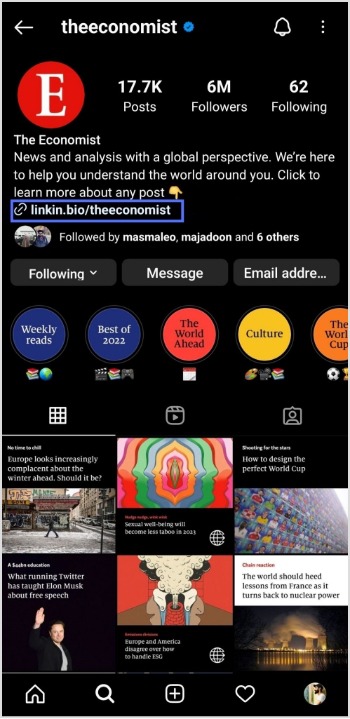
Step 3:You will be taken to the user’s profile screen. Here you will see a website link that’s your “Link in Bio.” Just tap on the link to open it.
How to get to the link in the bio on Instagram on a computer device?
Here are two simple steps to find the Instagram link in the bio on a computer.
Step 1: Click on the profile that says Link in bio in a post.
Step 2:The website link will show up under their bio on their profile screen. Click on it to open the link.
How To Add A Instagram Link In Bio?
Adding an Instagram link in your bio helps direct your followers and potential customers to your Instagram page.
As a result, makes it easier for them to find your profile and learn more about your brand. It also encourages followers to engage with your content, which can help drive sales and increase brand awareness.
Here’s how to add an Instagram link in the bio:
Step 1: Open Instagram on your mobile and tap your profile icon in the bottom right corner.
Step 2: Tap on the edit profile button on your profile page.
Step 3: Now, you will see the add link section on your mobile screen. Tap on it.
Step 4: Tap the add external link section to add your website address.
Step 5: Copy and paste the URL in the URL section and add a title in the title section.
Step 6: Your link in the bio will now appear in your profile.
Your Instagram profile now has a link in the bio.
Instagram bio page with multiple bio links – Is it possible?
Adding multiple bio links to your Instagram bio is a great way to drive more traffic to your website and other online resources. By adding links to your Instagram bio, you can easily direct your followers to your website, blog, YouTube channel, and other platforms where they can learn more about you and your business.
Additionally, including multiple bio links allows you to showcase your work, products, or services in an efficient and organized way. You can use a free link shortener to create a single, short URL that links to multiple websites.
Follow these steps to add multiple bio links to your Instagram profile.
Step 1:Sign in to your Replug account or create a new one if you don’t have one.
Step 2: You’ll be taken to the main dashboard page. Click on the bio links section from the main dashboard page.
Step 3: Click the new bio link button to create your bio link.
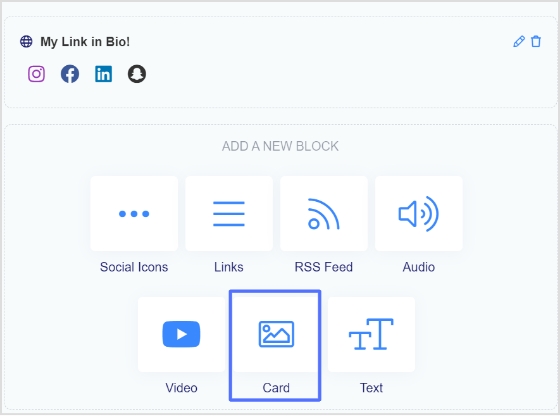
Step 4: Add Social Icons, Links, RSS Feed, Audio, Video, Card, and Text as part of your bio links. Our bio link page, for example, has social icons and a card.
Note: The above image shows you the options (blocks) you can choose for your Instagram bio or landing page.
Step 5: Choose social icons and click next. You can choose up to 5 social icons (profiles).
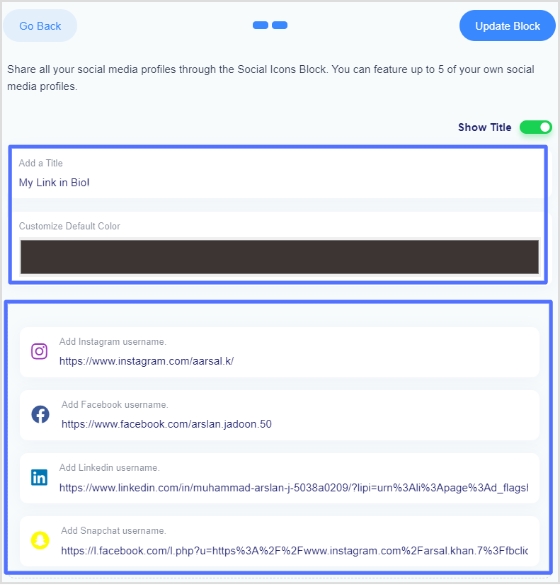
Step 6: Now, add a title to your social links, customize the icon’s color and enter the links or usernames for your social media accounts, as shown in the picture below.
Note: When someone clicks on any of your social icons, they will go to the relevant social media profile.
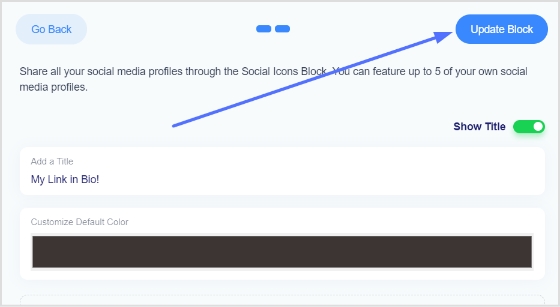
Step 7: Now, click the update block button to add other blocks, like card, text, video, etc.
Step 8: Now, choose another block, for example, a card.
Step 9: In the card section, add your destination URL add the card image,title, and description. Also, choose the style of the card and click the save block button.
If you want to see how any section or block looks, you can preview it side by side. Here is an example of how the card looks.
Step 8: Once you have added all the necessary blocks, click the next button.
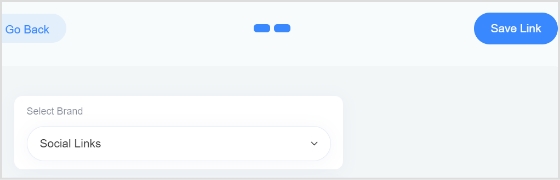
Step 9: You are now on the final page. Upload your avatar, select a brand, add a title and sub-title, and choose a domain.
Note: Replug is an all-in-one link optimization platform that allows you to create a brand with a custom domain in seconds.
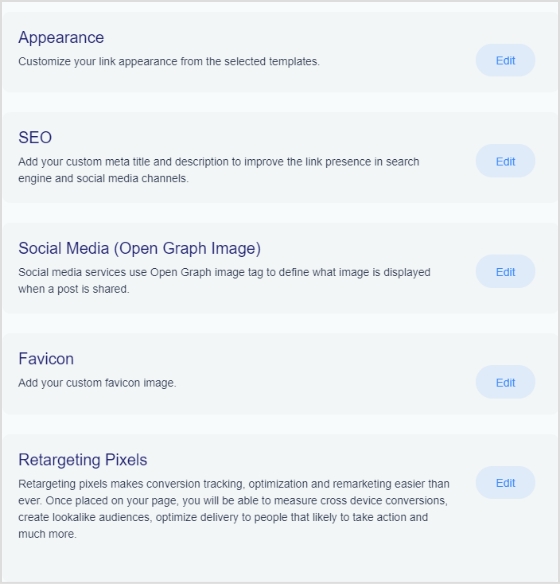
Step 10: As you scroll down, you’ll find other cool features, such as custom appearances,SEO, social media open graph images, favicons, and retargeting pixels. Make your bio link more appealing by adding these features.
Step 11: Once you’re done, click the save link button, and your bio link is ready to share on any social platform.
Frequently asked questions
Can you have more than one link in your bio?
Yes, you can have more than one link in your bio. However, it is important to remember that a bio should be concise, so it is advisable to limit the number of links to two or three.
Can I create a link with multiple links?
Yes, you can create a link with multiple links using Replug. Simply create a Replug account and follow the instructions to create a link with multiple links, often called Bio links.
Scrolling through TikTok, it takes one good post to send thousands of people to a profile in a single day.
TikTok now has well over a billion monthly users, and studies show that a large share of them search for brands, products, and creators before making a decision. Without a clear link in your profile, all that attention fades as fast as it came.
That is why knowing how to add links to a TikTok bio is a real power move for social media managers, creators, and marketers. A single tap can send people to a store, a newsletter, an affiliate page, or a long‑form video that closes the sale.
In this guide, you will see what a TikTok bio link is, who gets it, how to work around follower limits, and how tools like Replug help you turn one link into many, hassle-free!
Let’s start with the basics and answer what a TikTok link in bio actually is!
What is a TikTok link in bio?
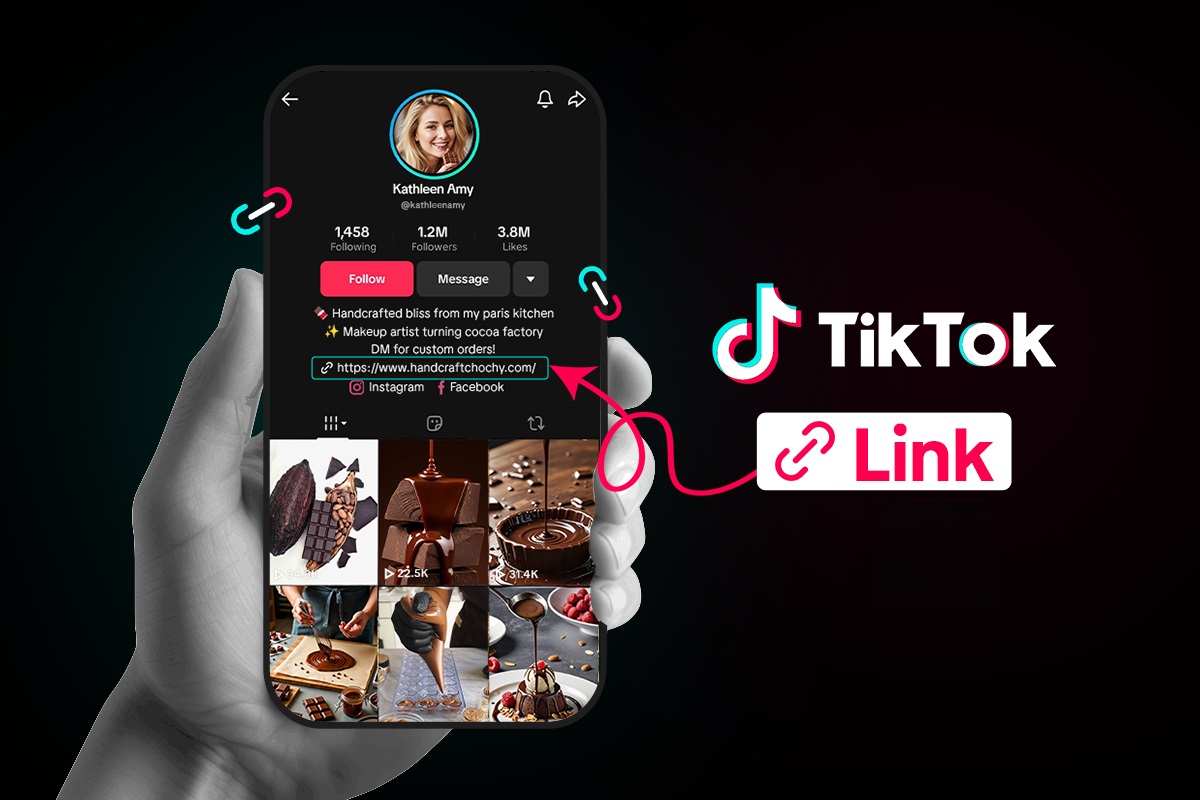
A “TikTok link in bio,” or simply a “TikTok bio link,” is a clickable URL that appears right under your profile photo, name, and short bio on your TikTok profile. It sends people straight from your profile to a website, online store, funnel page, portfolio, or any other destination you choose.
TikTok only gives you one clickable website field, so it is prime space for anyone who cares about traffic and sales.
For content creators, marketers, and brands, that website field works as a bio link page. Videos bring the views, but the link in bio turns that attention into page views, sign‑ups, and purchases.
When someone taps your profile after seeing a post, that bio link is the bridge from casual interest to real action.
Importance of a custom link in your TikTok bio
A custom link makes your profile look serious and safe to tap, because the URL matches your brand name instead of a long random string. That clear branding builds trust, which matters a lot when people decide whether to click from a short video to an outside site.
When people see the same domain on your TikTok bio link, website, and other social apps, they feel more confident that they are in the right place.
Besides, a custom link also:
Gives you control over where traffic goes, even when your content focus changes over time. You can send everyone to a special landing page for a product launch, then later switch that same link to a newsletter or affiliate hub without touching the profile field again. That kind of control helps you test offers, track performance, and keep your promotion in sync across campaigns.
Helps you improve your TikTok work, instead of guessing. When you use a managed link that connects to analytics, you can see how many clicks come from TikTok, which videos move people to your profile, and which pages convert best. Those numbers guide smart content choices, better calls to action, and a more focused professional bio that fits the audience you want.
Offers you more room to grow across platforms. Many creators use a branded bio link that lists their store, podcast, YouTube, email list, and partnerships in one place. That means a single tap on TikTok can spread your audience across every channel that matters to your brand.
Can’t add link to TikTok bio: Eligibility criteria defined!
Many people open their TikTok profile, tap Edit, and notice there is no “website” field. This can feel confusing, but it usually comes down to TikTok rules about who can add a clickable link.
TikTok link in bio eligibility depends on your account type and follower count!
Here is a quick view of how it works by account type.
Account type
Bio website field access
Follower requirement
Extra notes
Personal account
The website field appears after TikTok grants access in your region
Often 1,000 followers or more
Some regions still limit the website field for personal profiles
Business account
The website field appears once you switch to business
No follower minimum
Best option when you need a link but do not have 1,000 followers yet
Underage account
Often no website field, even with followers
Not available in many cases
TikTok protects younger users with tighter link rules
New account
The website field may be missing while the account is still fresh
Not clearly stated
You may need some activity and time before all profile features show up
TikTok updates its rules from time to time, and rollouts can be different by region. The safest plan is to use a “Business account” if you need a clickable link as soon as possible.
How to open a business account on TikTok
A TikTok Business account gives you faster access to the website field, plus better analytics and other tools. The good news is that it is free and takes only a minute to set up.
Here’s how to set up a TikTok business account via the TikTok app:
1. Open the TikTok app and go to your Profile tab at the bottom right. Make sure you are logged into the account you want to switch.
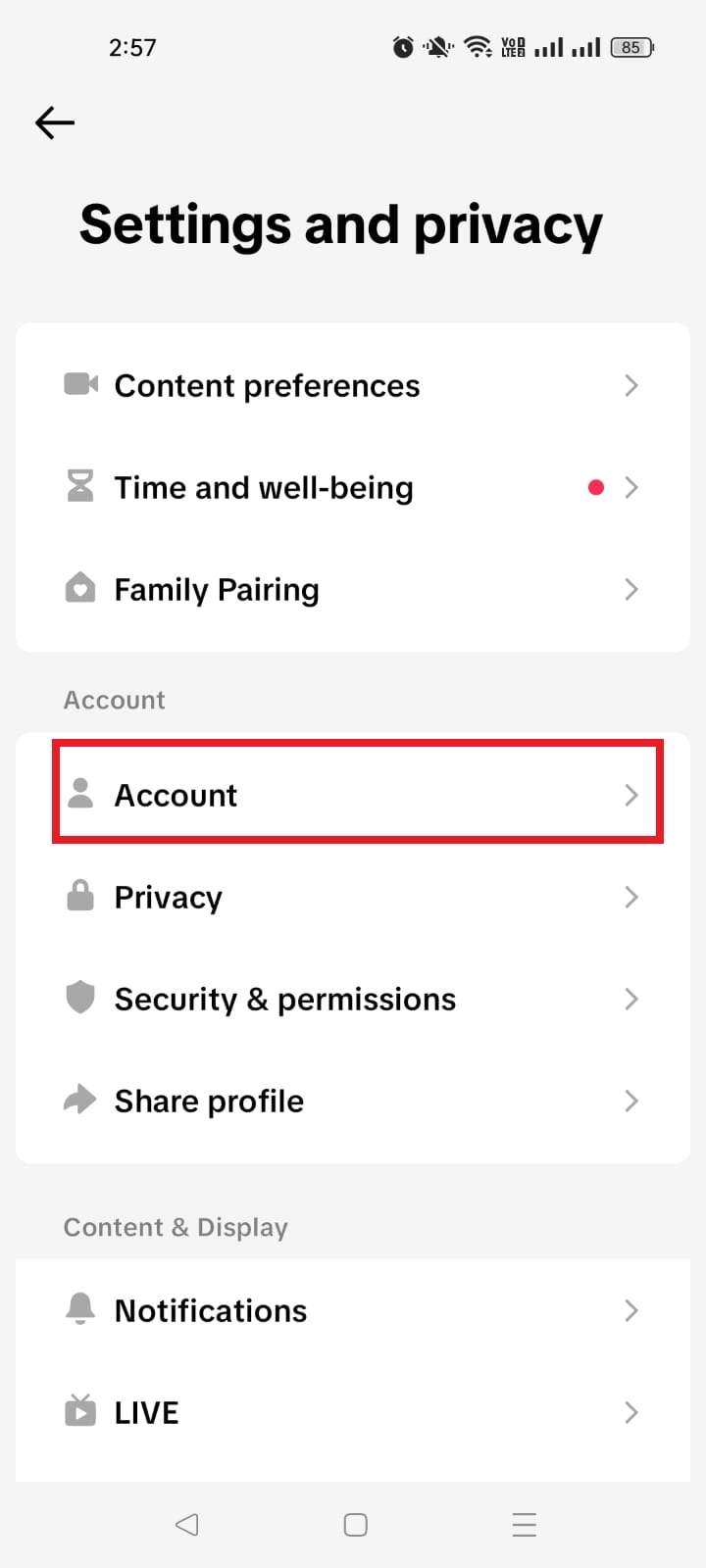
2. Tap the three‑line menu in the top right, then tap Settings and privacy. This opens the main control area for your account.
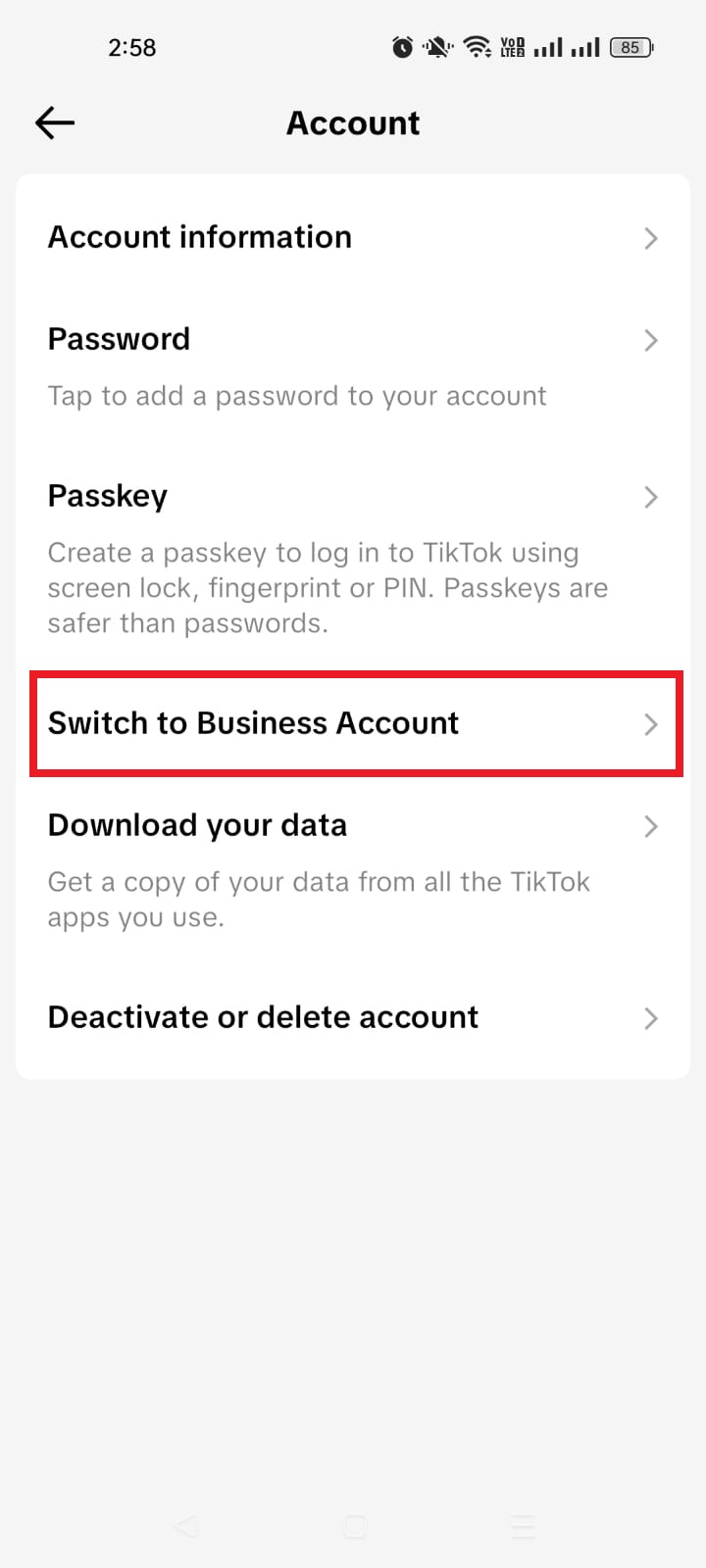
3. Tap Account. On most profiles, this sits near the top of the settings list and controls account type and region.
4. Tap Switch to Business Account. TikTok may show a short explanation of what a business profile can do before you confirm your choice.
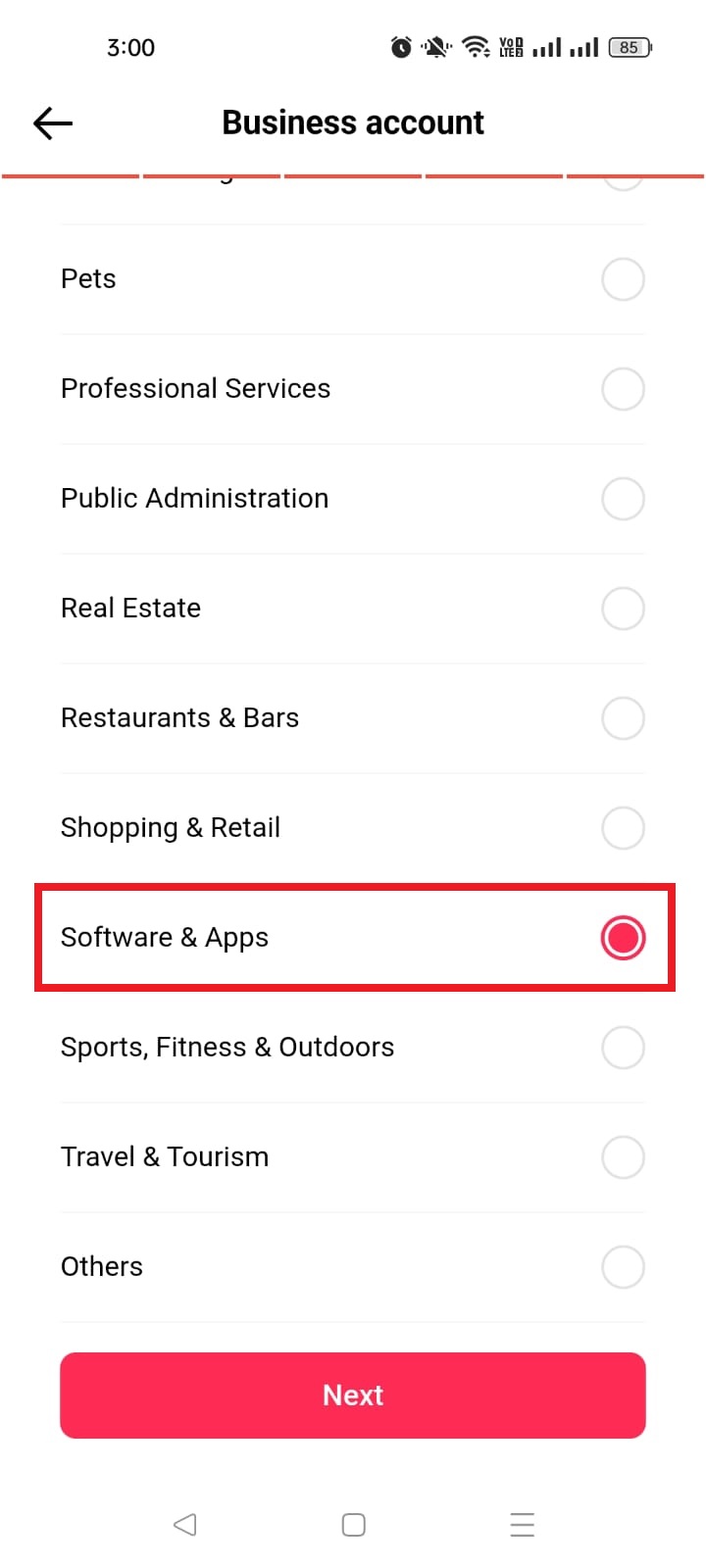
5. Choose a category that best fits you, such as Education & Training, Software & Apps, or Others. This helps TikTok understand your content and may influence which features you see.
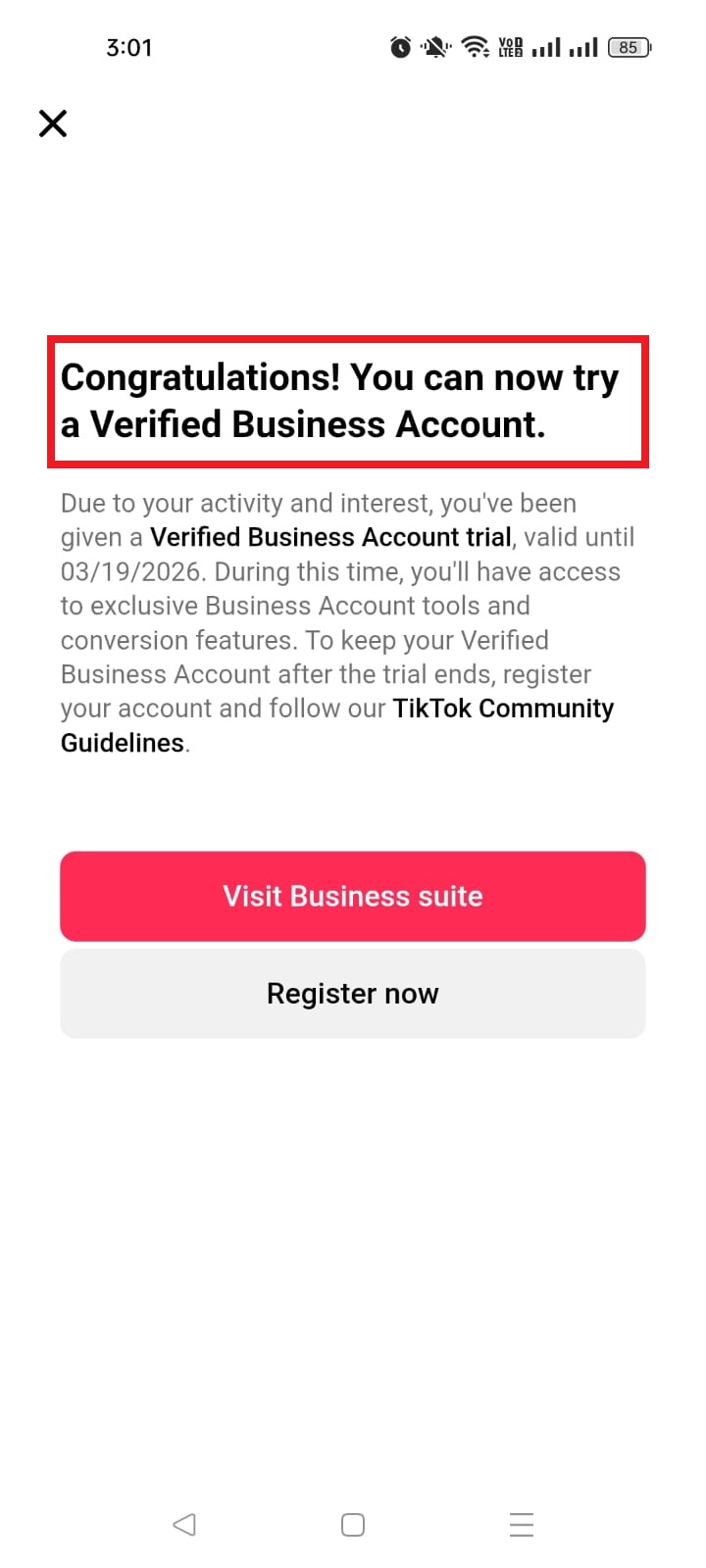
6. Add an email address and your bio (you can skip these if you want), and that’s all! You can always review those settings later if something looks off.
Here’s how to set up a TikTok business account from a desktop browser:
1. Open a browser on your computer, go to the TikTok website, and sign in.
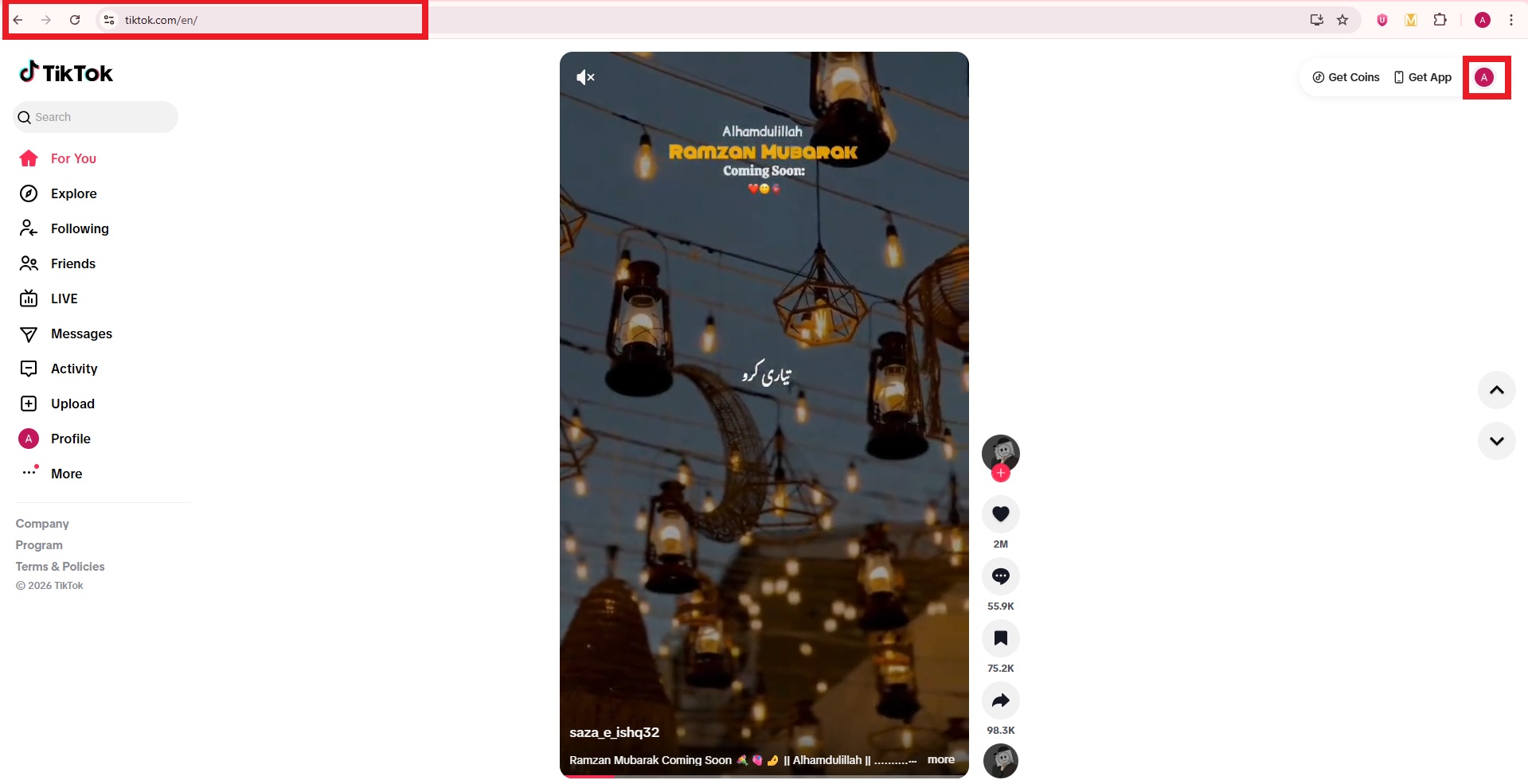
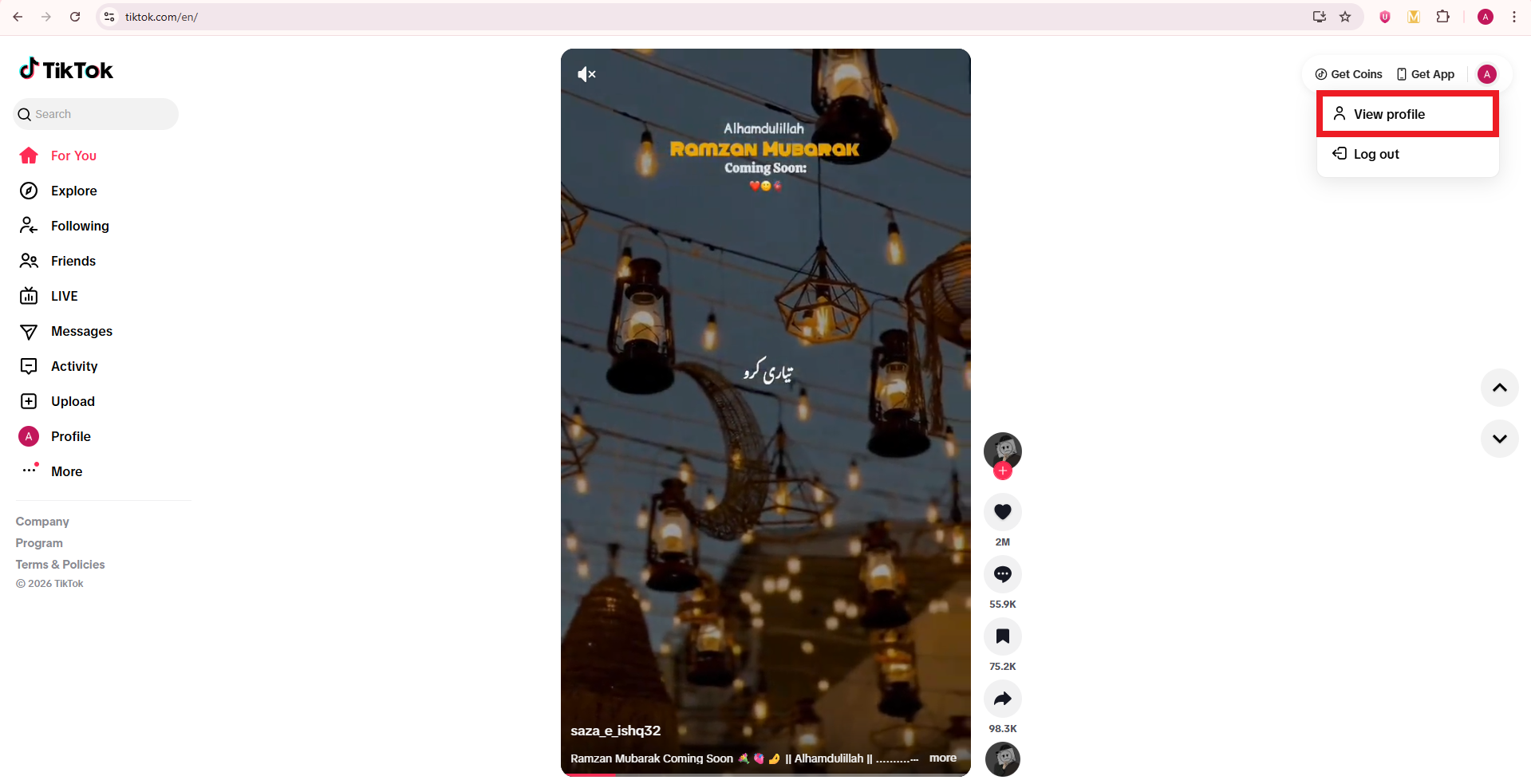
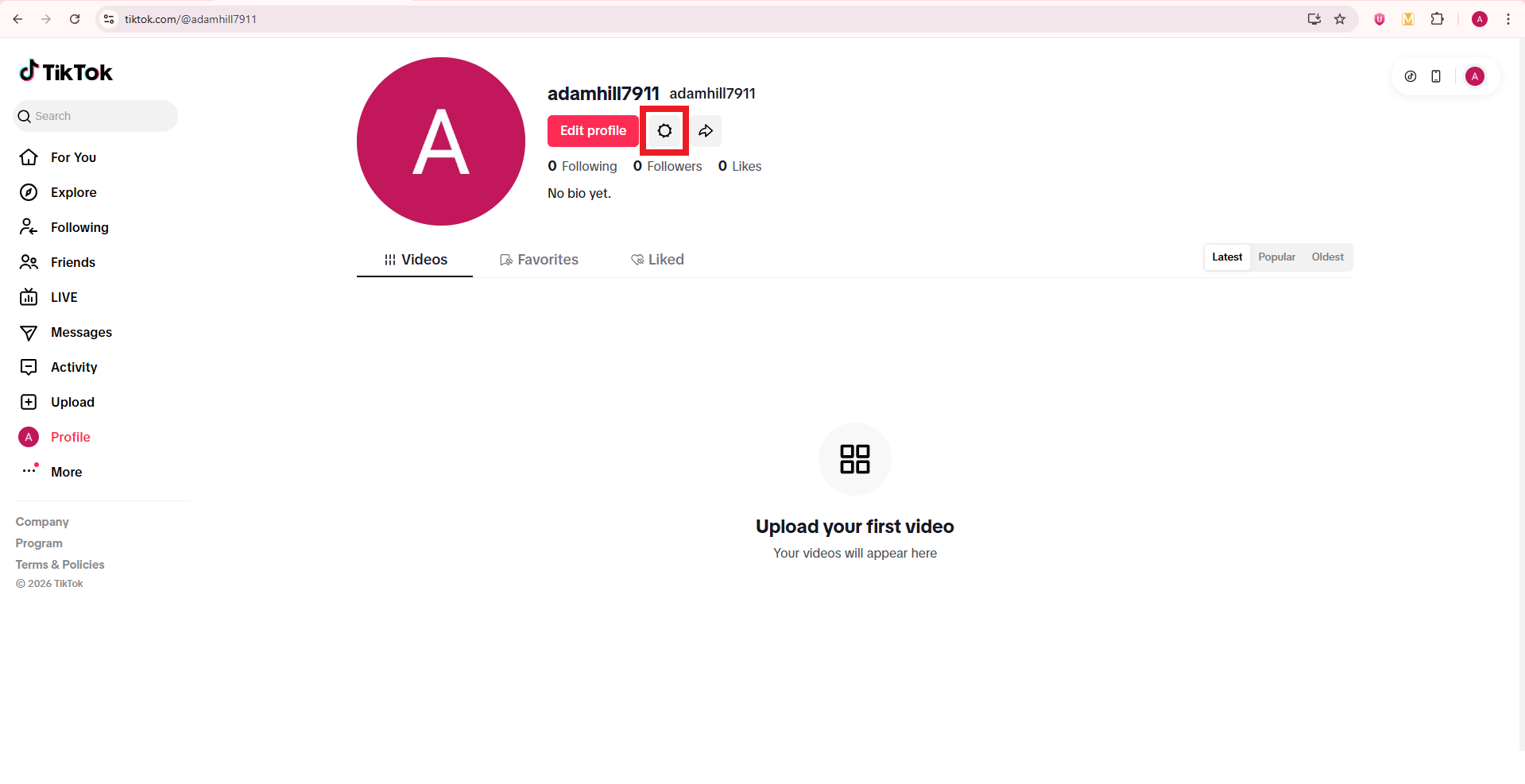
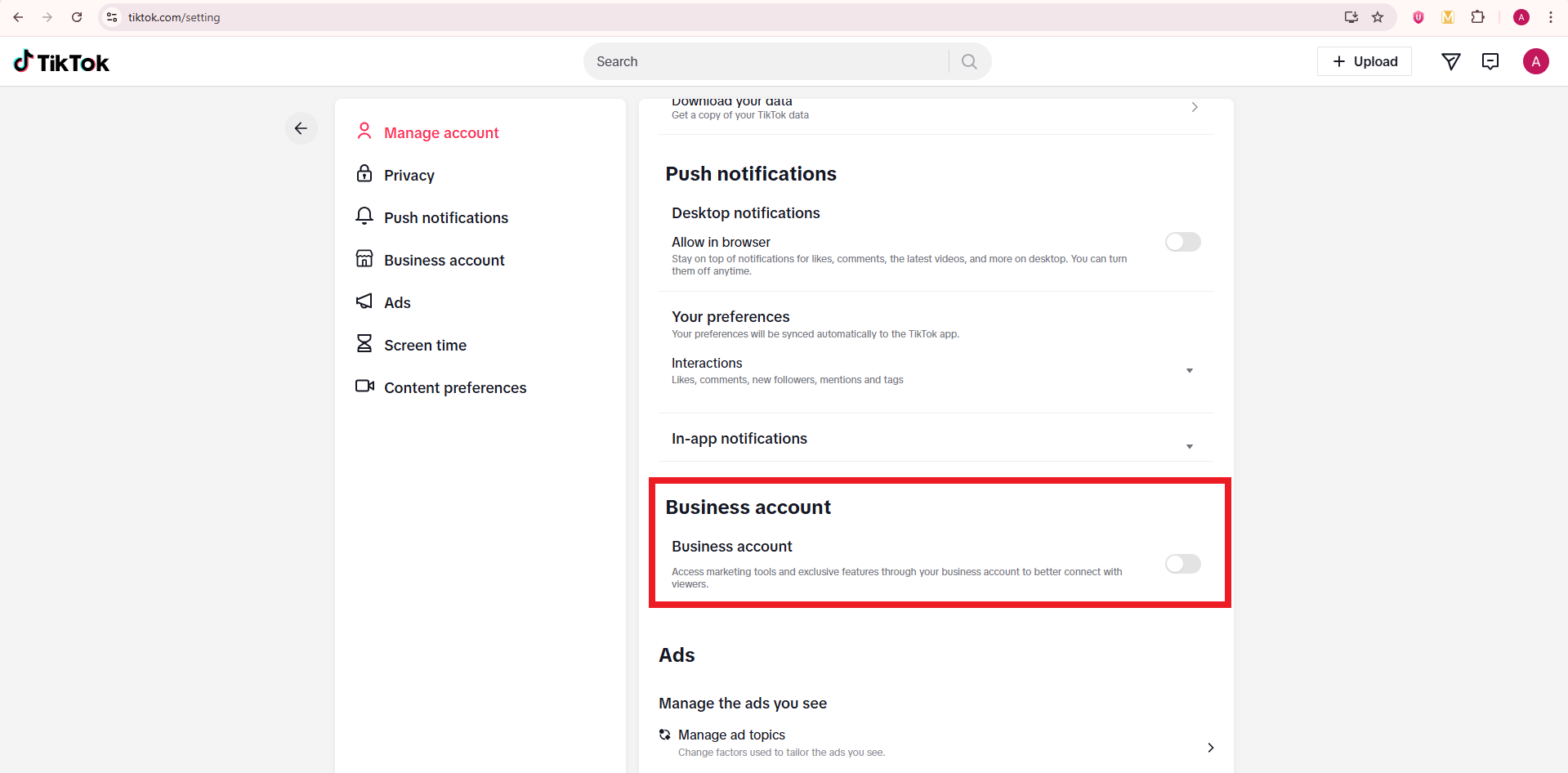
2. Move your mouse over your profile photo in the top-right corner and click View profile → Settings.
3. Look for the Business account section and turn on the toggle button.
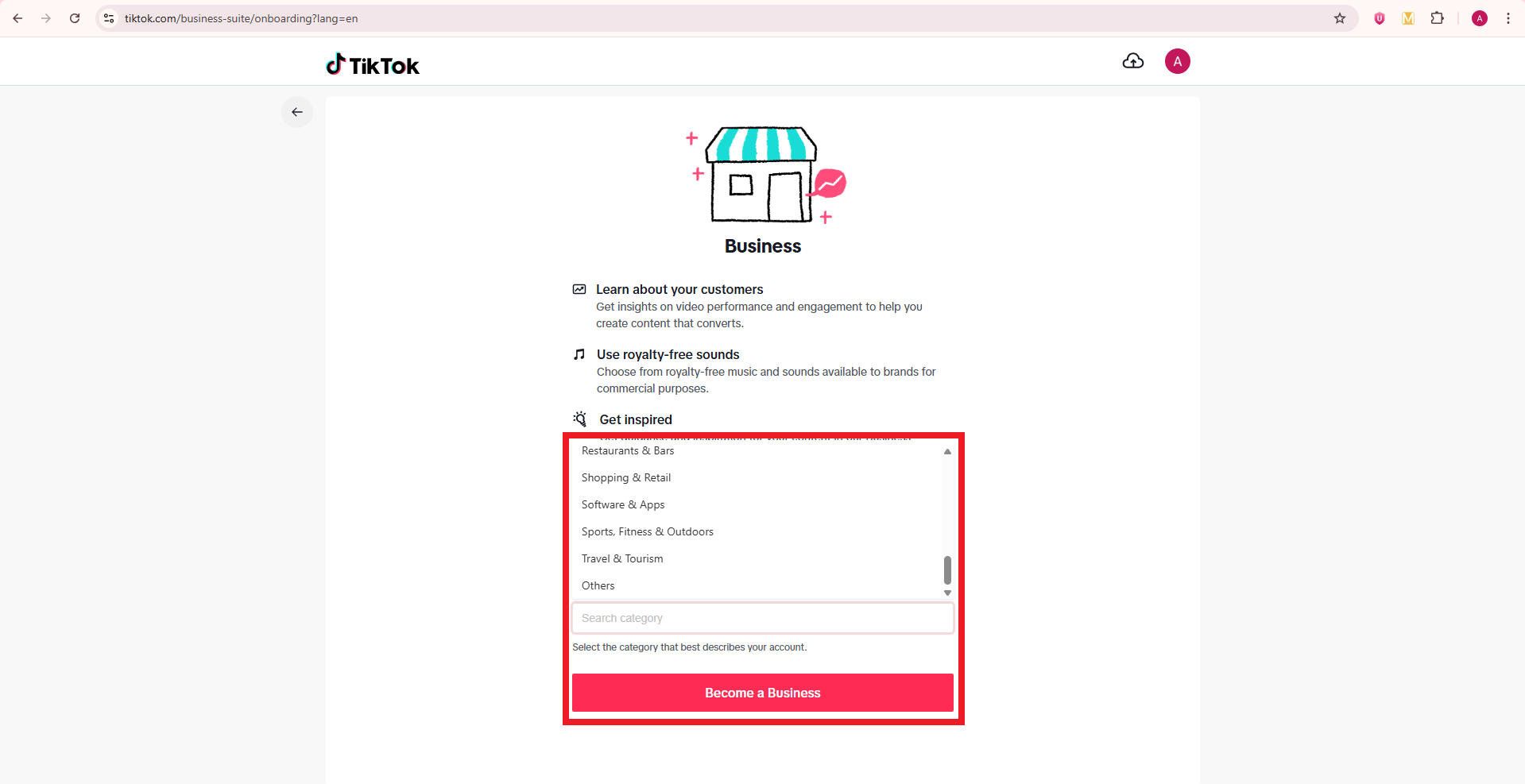
4. Pick your business category and click the button labeled Become a Business. TikTok may ask for more details, such as country or business name, especially if you plan to run ads later.
After this, go back to your profile and check the Edit profile screen. You should now have access to the website field that allows a clickable bio link.
Note: Alternatively, register directly at business.tiktok.com using a business email to create a new, separate business-specific account.
How to add links to TikTok bio on PC
Many managers like to work from a computer, so it is natural to ask how to add links to a TikTok bio on a PC.
TikTok still keeps most profile edits on mobile, but in some regions, you can add or edit the website field in a desktop browser. Even when that field is missing, you can still change your business status and social links from a computer.
Here’s how to add links to TikTok bio on laptop/PC:
1. Open the TikTok website in a browser and log in to the right account.
2. Click your profile photo in the top right, then click View profile.
3. Click Edit profile. On a desktop, this button usually appears near your avatar and username.
4. Look for a field named Website. If it appears, click it and paste your full URL, starting with https. If it does not appear, your account or region is limited on desktop, so you will need to use the mobile app instead.
5. Scroll through any other fields you want to adjust, such as your bio text or social media icons, then click Save.
6. Refresh your profile page and click the link to test it.
How to add links to your TikTok bio on phone
Most people will add a bio link from the TikTok app, because this is where TikTok gives full control over profile fields. Once your account meets the rules for a clickable link, the process is quick.
Here’s how to add links to TikTok bio on mobile in a clear, step‑by‑step way:
1. Open the TikTok app and go straight to your Profile tab. Make sure you are on the account where you want the link to appear, especially if you manage more than one.
2. Tap Edit button. You will see fields for your name, username, bio, and other info. For Business accounts, you should also see fields for Website and email.
3. Find the Website field. If you see only options for Instagram, YouTube, or other socials, your profile may not yet meet the website rules, or you may need to switch to a Business account, as shown earlier.
4. Tap the Website field and paste or type your URL. This can be your store home page, a newsletter sign‑up, a podcast, or any other main call to action. It is often smarter to send people to a single bio site rather than a random page.
5. Double‑check the URL. Confirm that there are no spaces, missing dots, or spelling errors, because even a small mistake will break the link. You can copy the link from your browser beforehand to avoid typos.
6. Tap Save in the top right. Then go back to your public profile and tap the link to test it. If it opens the right page, you are good to go. If not, repeat the steps and correct the URL.
A clean link in the right field makes it effortless for people to move from your videos to your site.
How to add link to TikTok bio without business account
Some creators prefer to stay on a personal account due to various reasons. In many regions, you can still add a website field on a personal profile once TikTok opens access for that account. The exact rules can depend on your country and TikTok’s current tests, but there are clear steps to follow.
Here’s how to put link in TikTok bio without business account:
1. Grow your follower base and keep your account active with steady posts, replies, and profile visits. TikTok often gives the website option to personal accounts that reach a follower milestone (1,000+ followers) and show healthy activity.
2. Keep your app updated. New versions of TikTok may change profile options, so check your app store for updates if you do not yet see the website field.
3. Open TikTok, go to your Profile tab, and tap Edit profile. On some personal profiles, a Website field appears once you reach a certain follower count (e.g., 1,000+ followers).
4. If you see the Website field, tap it and add your URL just like you would on a Business account, then tap Save. Test the link from your public profile to confirm that it works.
5. If you do not see the Website field, use a short, clear URL in your bio as a backup. People cannot tap it, but they can copy or type it. You can also push traffic to another platform, such as Instagram, where you keep a full link in your bio.
Staying on a personal profile gives you more freedom with sounds, but it may slow down access to clickable links depending on TikTok’s rules in your region.
How to add multiple links to TikTok bio
TikTok only gives you one clickable website field, which feels tight when you have offers, socials, and partner links to share. The smart way to handle this is to send that single link to a simple landing page that lists everything (all significant links) in a single, clean view. Tools such as Replug.io make this pretty easy and trackable.
Here is a simple process to turn one TikTok link into a full link hub:
1. Create a bio links page with Replug. This page serves as your mini-site and can display buttons for your store, newsletter, latest video, lead magnets, and affiliate links. You control the colors, layout, and branding so they match your profile and look like a professional bio extension.
2. Add key buttons to that page instead of clutter. Include links for:
Your main revenue source (services or flagship product)
One or two free resources
Your top social channels
Try not to overload visitors with too many options, because clear choices tend to get more clicks.
3. Copy the bio page URL from your Replug dashboard. If you use a branded short domain with a short path, the link will look clean on TikTok and other apps. This also helps people remember it if they see it in a video overlay.
4. Open TikTok, go to Edit profile, and paste that bio page URL into the Website field. Tap Save, then test it from your public profile. Every visitor now lands on your link hub instead of a single destination.
5. Update the contents of your bio link page over time without changing the URL in TikTok. When you launch new campaigns or features, just swap buttons or move them higher on the page. The TikTok link stays the same, but the experience stays fresh.
This approach gives you “multiple links in one link” and makes your TikTok bio much more flexible as your content plan grows.
How to add link to TikTok bio without 1000 followers
That “1,000 followers” number scares many new creators, but there are ways to have a functional link strategy before you hit that mark. The key idea is to use the tools TikTok does offer and make good use of your other profiles.
Follow these steps if you have not reached 1,000 followers yet:
1. Switch to a Business account if your region allows it. As covered earlier, many Business profiles can add a website link without any follower minimum. This is the fastest and most direct path when you care about traffic and sales.
2. If a Business account still does not show a Website field, use the Instagram and YouTube social buttons in your TikTok profile. Add your full link hub or store link in the bio of those platforms, then point TikTok viewers there through your videos and captions.
3. Place a short, easy domain in your TikTok bio text as plain text. Viewers cannot tap it, but if the domain is simple, they can type it into a browser seamlessly. A branded domain with a short path, made with a reliable free link shortener, helps a lot here.
4. Keep working toward 1,000 followers with focused content, smart hooks, and strong storytelling. Once TikTok gives your profile full website access, you can move your main link from those workarounds into the Website field and reuse the same URL.
How to add link to TikTok bio with 1000 followers
If your personal account has at least 1,000 followers and TikTok supports website links in your region, the setup is simple. The hard work was growing the audience; now you just need to plug in the link and keep it sharp.
Use this quick guide once you reach that milestone:
1. Open the TikTok app and go to your Profile. Check the top of the screen to confirm your follower count is at or above 1,000. If it is close but not quite there, give the system a little time to update.
2. Tap Edit profile. TikTok often adds the Website field to personal accounts once they qualify under the TikTok link-in-bio eligibility rules for your region.
3. Look for the Website field and tap it. If it still does not show, try closing and reopening the app or updating TikTok from your app store.
4. Paste your main URL or a key landing page, then tap Save. Make sure the link starts with https, so it opens correctly.
5. Visit your public profile and tap the new link to check that it loads quickly and takes you to the right place. If you see any issues, fix the link and test again.
Adding a clickable link to your TikTok bio turns your profile from a simple page into a real traffic and revenue tool.
Instead of letting viewers stop at Like and Follow, you give them a clear next step that helps your business or brand. When used well, a bio link supports everything from affiliate offers to client work.
Here are some of the most important advantages:
A bio link sends steady, targeted traffic to your website, shop, or email list. Each time a video hits the For You feed and pulls new views, some of those viewers click through to your profile. When your website field points to a focused page with a clear offer, a portion of that attention turns into leads or sales rather than random profile visits. Over time, this adds up to a large, reliable stream of visitors from TikTok.
A good bio link shortens the gap between discovery and action. People see a quick video, tap your name, and land on a page that matches the promise in the content. That direct flow matters a lot for impulse buys, time‑limited campaigns, and product drops, because it removes extra steps that often kill conversions. This is where a well‑built professional bio and a tight landing page work together.
A managed bio link gives you better data than TikTok alone. When you use a tool that tracks clicks, you see which topics, hooks, and posting times send the most visitors to your link. Then you can double down on what works, cut what does not, and plan content using real numbers rather than guesswork. This feedback loop is a big win for social media managers and paid media teams.
A smart bio link setup protects you from sudden changes inside TikTok. If one feature gets limited or a trend cools down, your followers already know that the link in bio is the main hub for everything you do. You can adjust that hub any time without editing all your older posts, which makes your whole presence more stable.
Make the most of your TikTok bio link with Replug!
Once you know how to add links to your TikTok bio, the next question is what link to place there. This is where Replug helps a lot.
Replug is an all‑in‑one link management platform that gives you a branded bio link page, deep click tracking, and a custom URL shortener so your URLs stay clean and on‑brand.
With Replug, you can build a simple bio site that acts as your TikTok control center. On that page, you can:
Add buttons for your store, email list, affiliate offers, and every other key asset
Connect up to eight social profiles
Embed video blocks
Organize the layout with text and card blocks so visitors immediately see what matters most
This turns your one TikTok link into a smooth path through your whole online presence.
Go beyond generic link pages!
Create custom bio links that truly fit your brand
With Replug, you can create bio links that are unique, engaging, and built to convert.
Replug also lets you shorten long URLs into branded links that fit TikTok’s tight character bio limit. You can add custom slugs, titles, and preview images, which make your links look sharp when people share them or see them on other platforms. Behind the scenes, Replug tracks every click, so you know exactly how much traffic your TikTok profile sends and which buttons people choose.
For advanced teams, Replug supports retargeting pixels and QR code generation. That means anyone who taps your TikTok bio link can later see tailored ads on other channels, and you can even send offline audiences to the same bio page through scannable codes. Put simply, Replug helps you turn that tiny TikTok bio space into a full traffic engine without adding extra work for your team.
Wrapping up
A strong TikTok presence is much more than just random views. It is about where people go after they like a post, and that is where your link in bio does the heavy lifting.
You have seen how to add links to TikTok bio on phone and PC, how to work around follower limits, and how to use bio link tools to share more than one destination at once.
When you connect that link to a focused bio page and track every click, TikTok becomes a real growth channel instead of just an awareness play.
Replug brings this all together with bio link pages, analytics, and extra helpers such as a free TikTok downloader and caption generator, so you can publish faster and measure better. Set up your link, test it, and let every new view work harder for your brand.
Frequently asked questions
Why can’t I put a link in my TikTok bio?
Most of the time, you cannot add a link because your account does not yet meet the TikTok link-in-bio eligibility rules. Personal accounts in many regions need at least 1,000 followers before the Website field appears, and some underage or very new accounts do not get it at all. Switching to a Business account often makes the website field available, so try that first if you need a clickable link quickly.
Do you need 1000 followers to add a link on TikTok?
You may need 1,000 followers on a personal account, but that is not the only path. Many Business accounts can add a website link with zero followers, as long as the feature is live in your region. If you want to skip the wait, switch to a Business account, then check the Edit profile screen on the TikTok app to see if the Website field appears.
How do I put a clickable link on TikTok?
To add a clickable link, open the TikTok app → go to your Profile → and tap Edit profile. If your account is eligible, you will see a Website field. Paste your URL there → tap Save, and then test the link from your public profile. If you do not see the Website field at all, you likely need either a Business account or more followers before TikTok enables this option.
How to link a website or social media account to your TikTok profile?
You can link a website in the Website field and social profiles in the Social section of TikTok’s Edit profile option.
– For Instagram or YouTube, tap Add next to the relevant option, sign into that platform, and approve the connection. – For a website, paste your URL into the Website field and save.
Together, these features let your followers reach your main site plus other platforms in just a couple of taps.
Where is the TikTok bio located?
Your TikTok bio sits on your profile page, under your profile photo and username. You will see your short text bio first, then the clickable Website field if you have one, and then your linked social icons. When someone taps your profile name under a video, this is the section they see before scrolling down to your posted clips.
Why is my link in TikTok bio not clickable?
If your link appears as plain text, it is likely in the main bio text box rather than the Website field. Keep in mind, only the Website field creates a clickable link. Go to Edit profile, find the Website option, and enter your URL there. If the field is missing entirely, your account is not yet eligible for a clickable link, so you will need to meet the rules or switch to a Business account.
Can personal TikTok accounts have a link in bio?
Yes, many personal accounts can have a link in bio once they meet TikTok’s internal rules. In some regions, that means reaching 1,000 followers and maintaining a healthy account. Once TikTok flags your profile as eligible, a Website field appears in the Edit profile section on the app, and any link you place there becomes clickable on your public profile.
How to add links on TikTok bio and posts?
In your bio, add links using the Website field. Posts are different because regular video captions do not support clickable links. To send people to a link from a post, add a strong call to action like “Link in bio” in your caption and say it in the video. Some ad formats and shopping tools allow extra buttons, but for normal posts, the main link lives in your profile bio.
How to add link to TikTok story or video?
To add a clickable link to a TikTok story, create your story → tap the Sticker icon → select Link → and paste your URL. Standard TikTok videos do not allow most users to add clickable web links within the content itself. Instead, you mention your link verbally and in on‑screen text, then direct viewers to tap your profile and hit the link in bio. If you run paid ads or use TikTok Shop, you may see extra action buttons in the ad or product cards, but those features sit under TikTok’s ad and commerce tools, not regular posts.
Who can add a link to their TikTok bio?
Two main groups can add a link:
– Business accounts in regions where TikTok allows website fields for all businesses, regardless of follower count. – Personal accounts that reach TikTok’s follower and activity thresholds, often around 1,000 followers.
TikTok may also limit links for younger users, so age and country can play a part, too.
How to add links to my TikTok bio via the TikTok app?
Open the TikTok app → go to your Profile tab → and tap Edit profile. If your account qualifies, you will see a Website field where you can paste your custom link. This can be a direct page or a Replug bio link that holds many links at once. Tap Save, then open your profile as a viewer and tap the link to confirm it loads the correct page on your phone.
How to add Instagram link to TikTok bio?
To link Instagram, open TikTok → go to Edit profile → and find the Social section. Tap Add Instagram, then sign into your Instagram account and approve the connection. After that, an Instagram icon shows on your TikTok profile. When people tap it, they go straight to your Instagram page, where you can place another bio link or more detailed profile information.
How to add Linktree to TikTok bio?
The steps are the same:
1. First, log in to your Linktree admin and copy your link from the Share menu. 2. Then, open TikTok, go to your Profile, and tap Edit profile. 3. Paste the copied URL into the Website field and hit Save.
Now, when someone taps the link on your profile, they land on your dedicated page.
How to add other links to TikTok bio?
No matter the site, the process is the same. Copy the full URL from your browser, open TikTok, go to Edit profile, and paste it into the Website field. As long as your account has access to that field, TikTok makes the link clickable on your profile. If you want to share multiple links, send people to a bio link page and place all other URLs there instead of swapping the TikTok link each time.
Provide a list of creative ideas for my TikTok link in bio?
You can send people to many kinds of pages through your TikTok link in bio. Popular ideas include:
– a “Start here” page that explains who you are – a free mini course – a PDF resource library – a quiz that matches people with products – a behind‑the‑scenes vlog playlist
How to write a standout TikTok bio in 2026?
A standout TikTok bio is focused on the viewer. Here are some tips for writing a winning TikTok bio:
– Use one line to say who you areand what you help people do, and one line to tell them what to tap next. – Add one or two emojis that match your style, plus a strong call to action pointing to your link in bio.
When your wording, visuals, and link all support one main goal, your professional bio turns profile views into real results.
Most of us who use popular social media platforms are familiar with bio links. But many of us do not know about it or even how to add Instagram link in bio.
What does Link in Bio Mean?
It’s a clickable URL link that Instagram users can add to their Instagram profile. Many other social platforms such as Facebook, Twitter and others also have this option to add a link to their profile section.
The next question in your mind must be who can add Instagram links?
Anyone, either a regular Instagram user or a business account holder, can add Instagram links to their bio.
Add an appealing bio if not added yet. Then, click on submit to complete the process.
Here’s a recap of the above steps
How Would Your Instagram Link Appear to Others?
Anyone that hovers over your profile pic can view your Bio Link. They can also view this link when they visit your profile.
How to Add Multiple Links in Your Instagram Bio?
Replug enables users to easily add multiple short links. With the Instagram link in bio tool, you can create a landing page for any link and add multiple CTA’s on that page routing to multiple destinations. It allows users to access more information about yourself or your business.
Why Do I Need An Instagram Link?
Here are some of the significant benefits of adding a BIO Link.
Keeps your audience engaged
Drives traffic to your desired website and social pages
Follow a strategic approach when creating a bio link. Connect your account to ContentStudio and boost your engagement.
Use Bio links to direct users to access more information about yourself or your business.
Promote business products and services such as discount offers, free trials, ETC.
A solid way to get leads with tracking analytics.
That’s all from our side, just keep these tips in mind and start attracting solid leads with your Instagram bio Links. Now that you have learned how to add or even find an Instagram link within minutes, go create a bio link now and turn followers into customers.