Your Instagram bio is your brands first impression, and it matters. It’s more than just a few lines of text. It’s a powerful tool to establish your brand identity and drive traffic to your brand.
Brands lose potential leads and drop conversion rates instantly as they’re not familiar with the platform’s algorithm or best practices. Some of the most important pointers to maximize your Instagram profile’s bio is knowing
When crafting your Instagram bio, consider including some of the following:
A short description of your brand
A branded call-to-action (CTA)
A bio-link
Your website link
A microsite link
Don’t forget that the URL in your bio channels your followers to an external website, a new landing page, a microsite, or other relevant destinations, expanding your influence beyond Instagram.
Why I can’t remove the link from my Instagram bio?
There are a few potential reasons why you might be unable to remove a link from your Instagram bio:
Instagram glitch: Sometimes, Instagram experiences temporary glitches. Try closing the app completely and reopening it. This might resolve the issue.
Link shortener or third-party app: If you’re using a link shortener or a third-party app to manage your bio link, you might need to remove the link from that service first.
Outdated app: Ensure you’re using the latest version of the Instagram app. Outdated apps can sometimes cause issues.
Cache issues: Clear your app’s cache or use a different device to see if the issue persists. Cached data can sometimes cause unexpected behavior.
Account issues: Verify that your account hasn’t been flagged or restricted in any way, which might affect your ability to make changes.
Additional troubleshooting steps:
Check internet connection: A poor internet connection can interfere with app functions.
Try a different device: If possible, log in to Instagram from a different device to see if the issue persists.
Wait it out: Sometimes, Instagram experiences temporary server issues. Waiting a few hours might resolve the problem.
If you’ve tried these steps and still can’t remove the link, contact Instagram support directly for further assistance.
How to remove a link from your Instagram bio?
Removing a link from your Instagram bio is a quick and easy process. Follow these steps to update your bio:
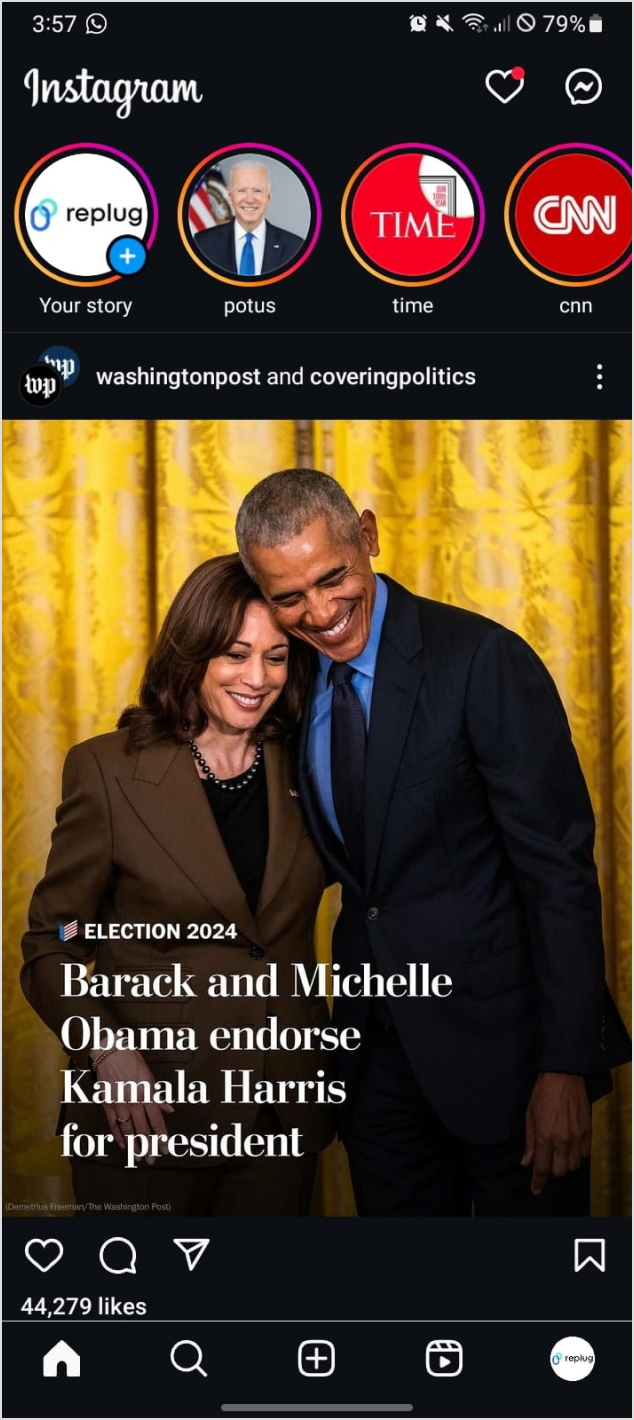
Step 1: Open the Instagram app on your device.
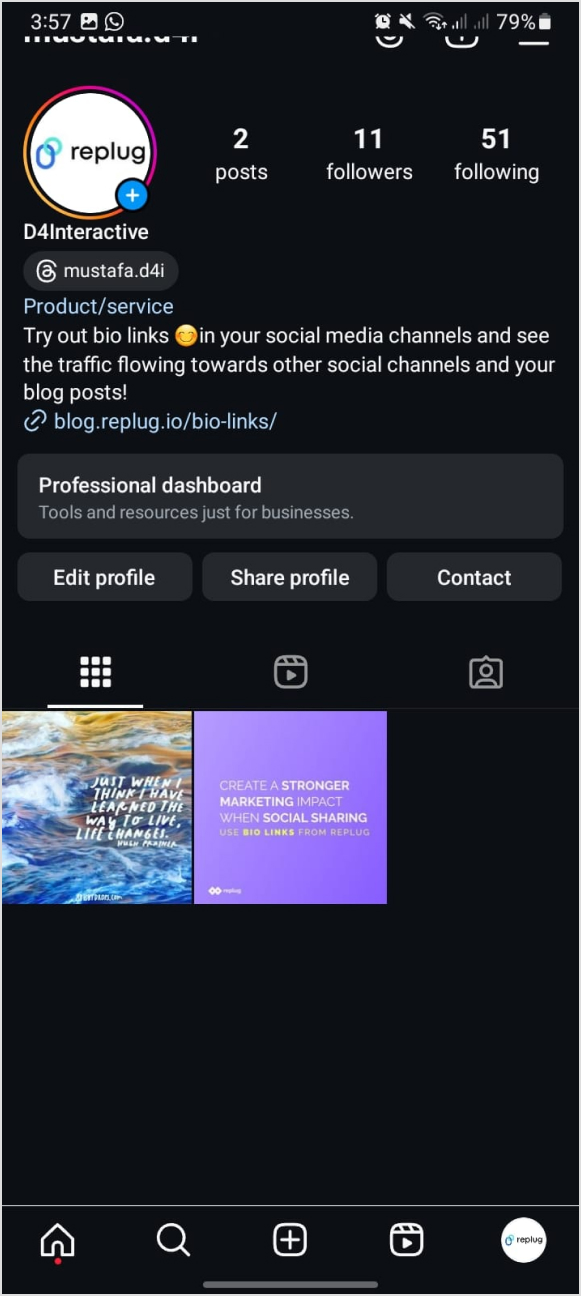
Step 2: Go to your profile
Tap on your profile picture in the bottom right corner of the screen to go to your profile page.
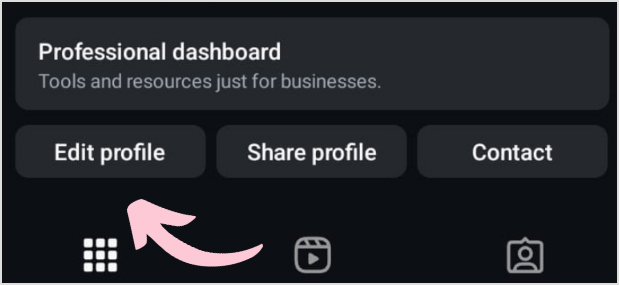
Step 3: Edit your profile
On your profile page, tap the “Edit Profile” button. This is usually located directly below your profile picture and bio.
Step 4: Update the website field
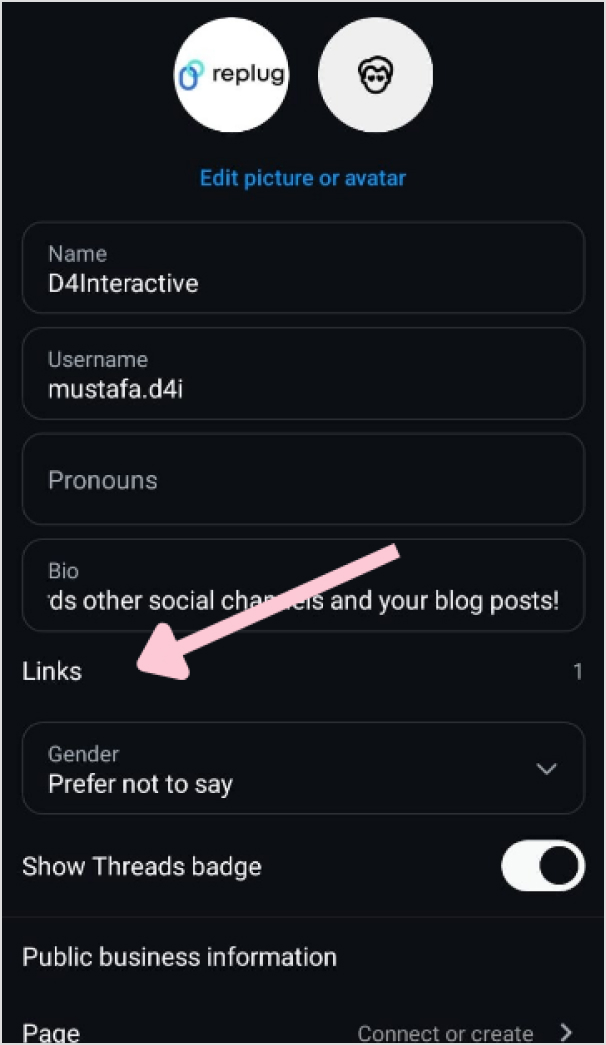
In the “Edit Profile” screen, look for the “Link” field. This is where your current link is located.
Step 5: Remove the link
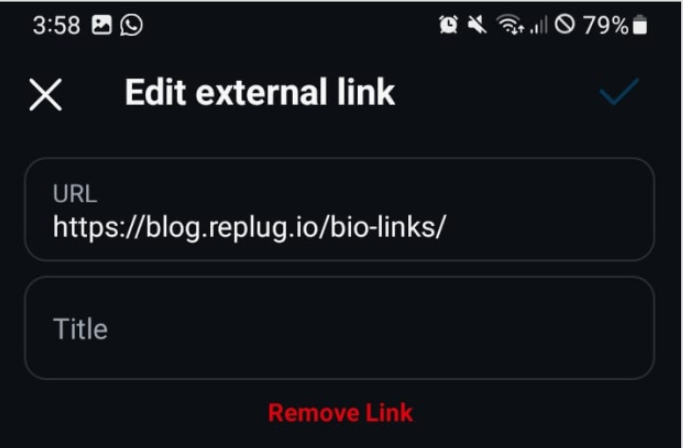
Tap on the “Link” field to edit it. Delete the existing link or text from the field.
Step 6: Save your changes
Once you’ve removed the link, tap “Done” (iOS) or the checkmark (Android) in the top right corner to save your changes.
Refresh your profile: Go back to your profile page and refresh it to ensure that the link has been successfully removed.
And that’s it! You’ve successfully removed or updated the link from your Instagram bio.
Go beyond generic link pages!
Create custom bio links that truly fit your brand
With Replug, you can create bio links that are unique, engaging, and built to convert.
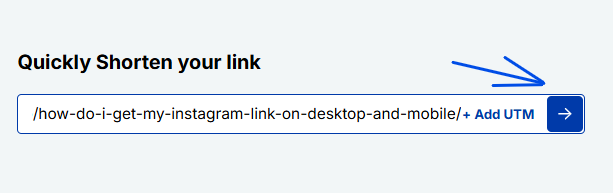
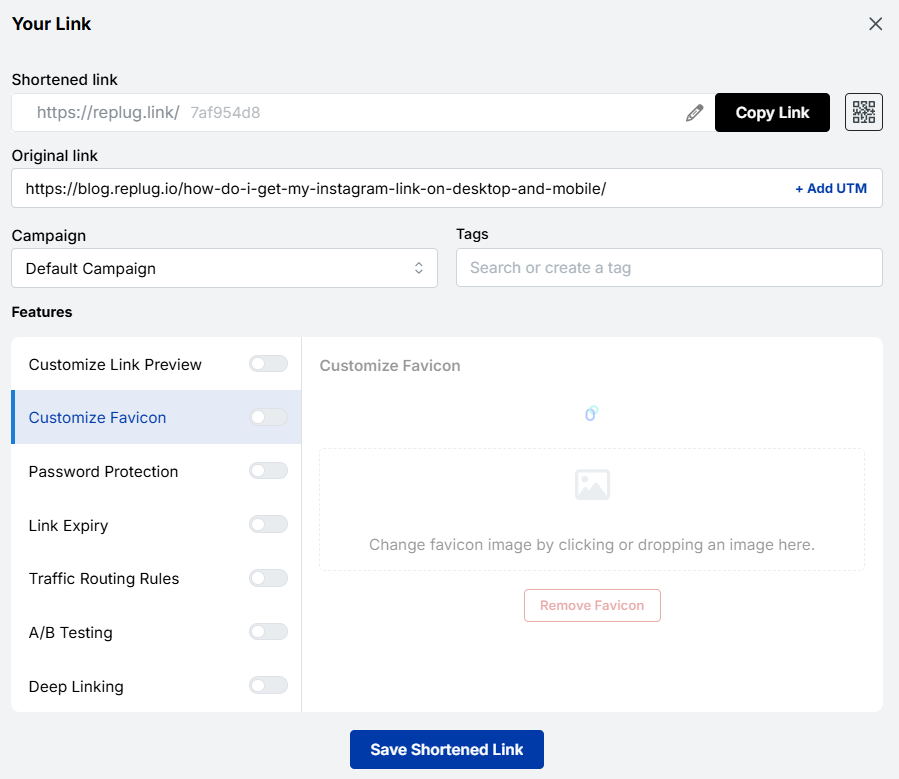
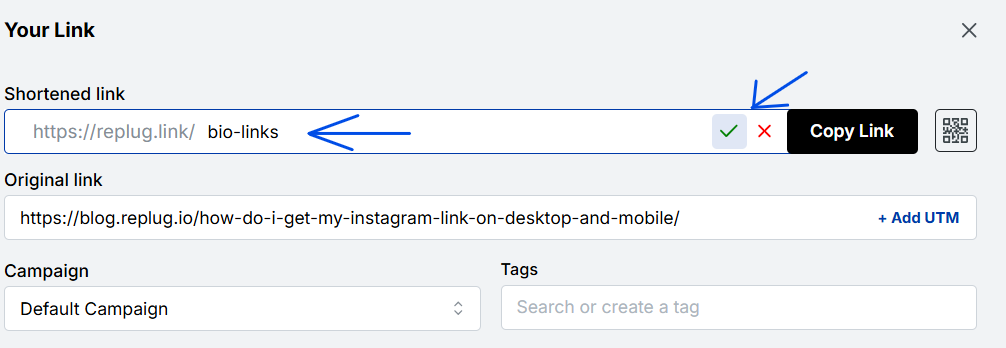
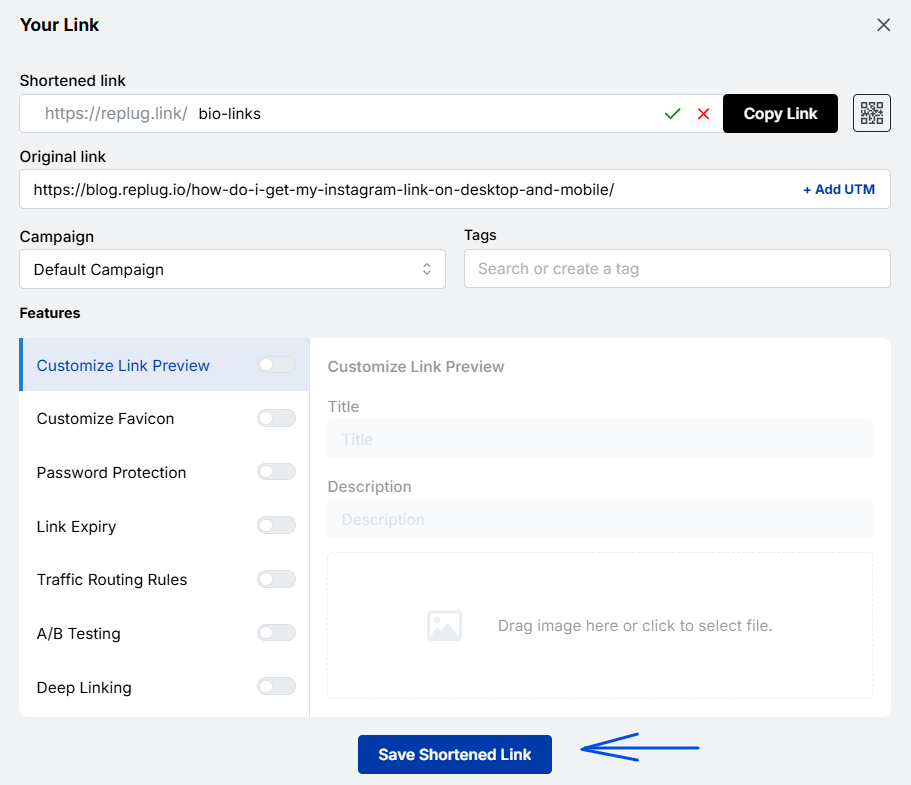
Renaming a link on Instagram involves using link shortener tools that not only condense your URL but also allow customization of the link text to make it more appealing and memorable.
One of the best options is Replug. It is a top-notch, free link shortener tool that offers customization features.
Introducing Replug.io
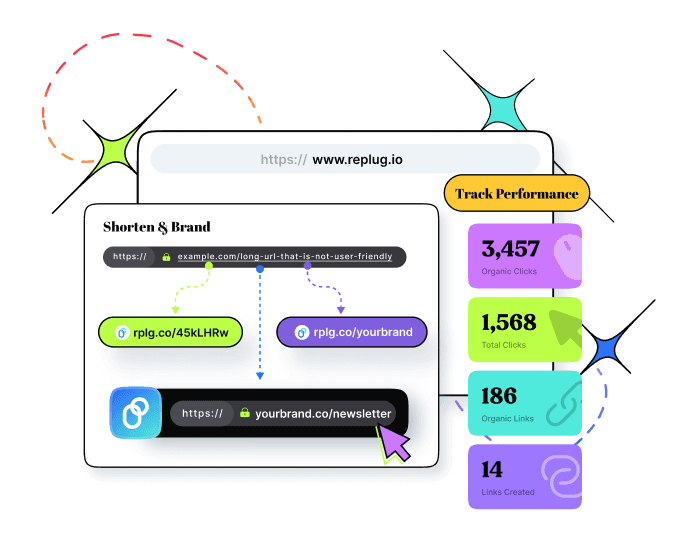
Replug.io is a link management platform that simplifies URL sharing by creating branded short links and provides in-depth click tracking for performance optimization.
Steps to rename bio links on Instagram using Replug
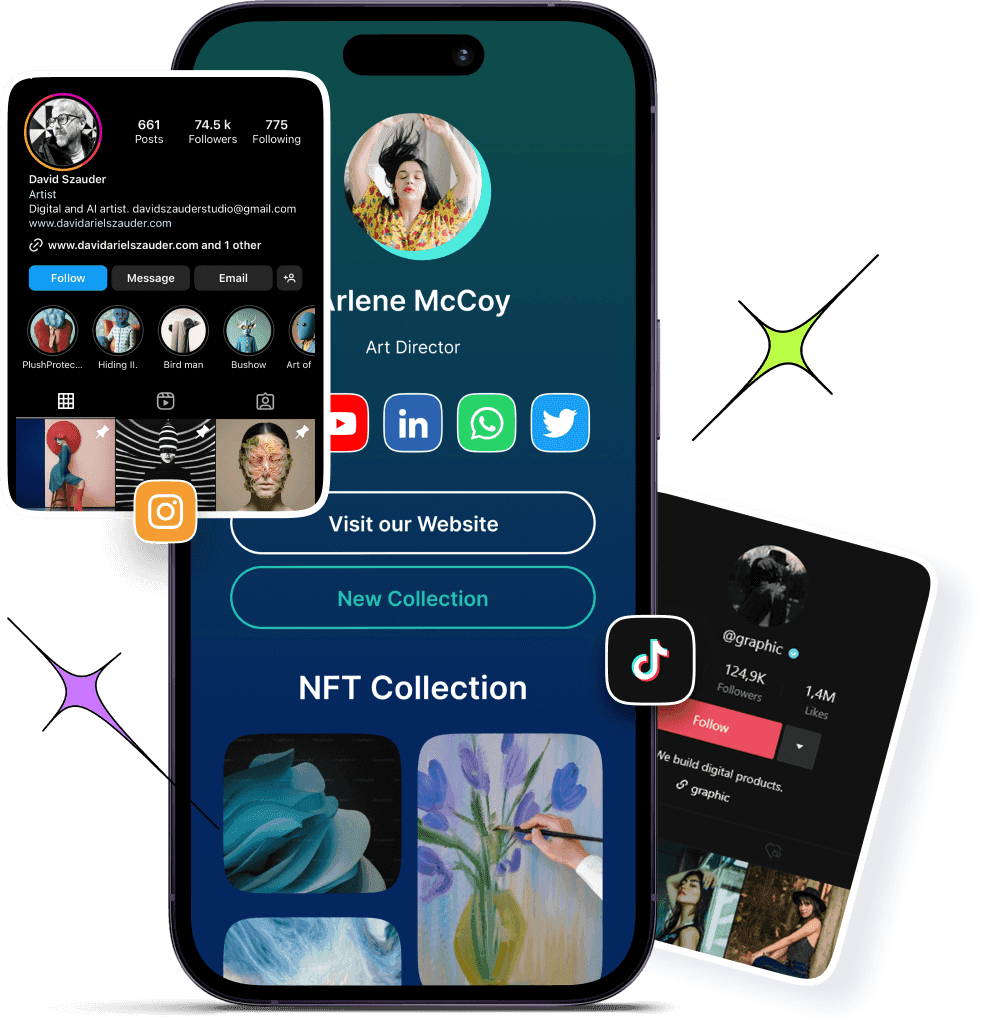
You can achieve this effortlessly with the Replug’s top-notch link in bio maker. This tool lets you consolidate all your important content and links into a single, accessible location for your audience.
Here are amazing features of Replug’s link in bio tool
1. Add your favorite content in one place
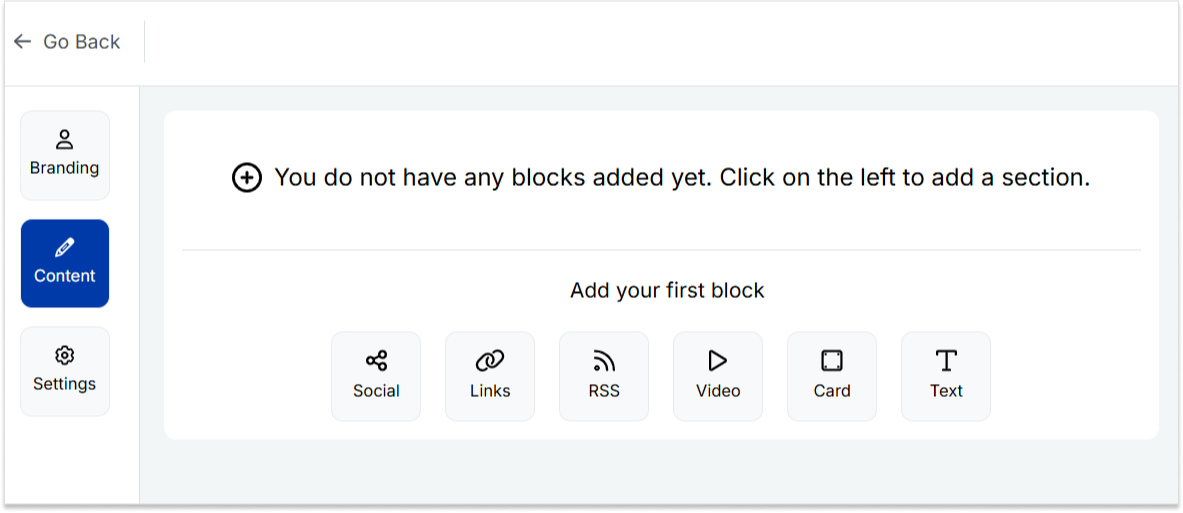
Bring your brand to life with social media icons, essential links, the recent blog with an RSS feed, audio clips, important text, and cards for stunning images.
2. With Replug, you don’t just get a link in bio – you get to own it by renaming your links.
Also, customize their appearance and match your landing page blocks from colors to favicons to your brand’s vibe.
3. Track bio link performance
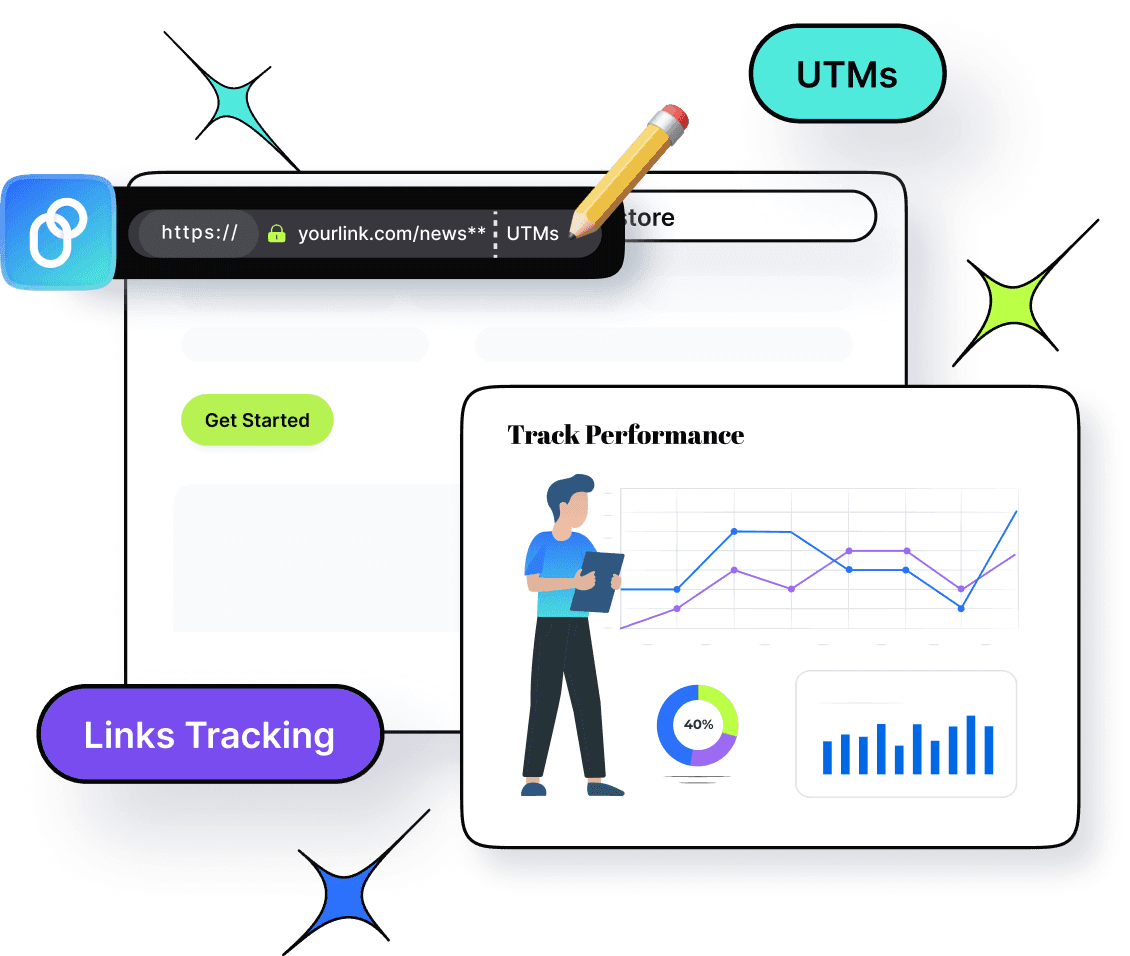
With performance tracking features, you can monitor the total number of clicks, conversion rates, and other valuable metrics. The best part is that you can view your analytics in both a summary list view and a detailed view.
Go beyond generic link pages!
Create custom bio links that truly fit your brand
With Replug, you can create bio links that are unique, engaging, and built to convert.
Top tips to maximize the limited space in your bio:
Quick tips
Maximize your impact
Less is more
Add a short description about your brand or page.
Try adding a bio landing page
Conclude your website link, portfolio, contact information etc.
Identify your unique selling point (USP)
Clearly communicate what sets you apart.
Include a clear call to action (CTA)
Tell people what you want them to do next.
Keep on experimenting
Try different stuff. See what clicks. You might surprise yourself!
Conclusion
Removing a link from your Instagram bio is a simple process that can be done in a few steps through the app’s profile settings. By keeping your bio updated and free of outdated or broken links, you ensure a professional and effective presence on the platform. This helps maintain a clear and engaging profile, optimizing your brand’s impact and user experience.
So that was it for today’s guide. If you have more questions regarding link name changers, link removers, or the best link in bio tools, feel free to visit our website.
FAQs related to Instagram bio-link
How do I make my Instagram bio catchy?
1. Clearly state what your business does. 2. Use relevant keywords to improve searchability. 3. Include contact information and a call to action. 4. Utilize Instagram’s business features like adding a category, contact options, and action buttons (e.g., “Book Now” or “Shop”).
How do I add a website link to my Instagram bio?
Edit your profile and paste the URL into the “Website” field.
How often should I update my Instagram bio?
Update your bio whenever there are significant changes to your brand, achievements, or contact information.
Can I use hashtags in my Instagram bio?
Yes, you can use hashtags in your Instagram bio to make your profile more discoverable and to highlight key interests or topics.
Rebrandly is a user-friendly tool for creating custom-branded short links, as well as shorter and more visually appealing versions of long URLs.
It’s commonly used in digital marketing to share links on social media and email campaigns.
Moreover, Rebrandly also offers detailed link tracking and analytics, helping users understand how their links are performing and where their audience is coming from.
Why consider Rebrandly alternatives?
Before we dive into the alternatives, let’s briefly touch on why agencies might be looking beyond Rebrandly. While Rebrandly offers solid link-management capabilities, it may fall short in some areas:
Feature limitations: Some agencies require more advanced features that Rebrandly doesn’t offer.
No hidden fees: Some Rebrandly alternatives might offer clearer, more transparent pricing with no surprise charges.
Integration needs: Certain agencies require seamless integration with specific tools that Rebrandly doesn’t support.
Faster support response: Some alternatives provide quicker and more efficient customer service, helping you resolve issues without delay.
Considering these factors, let’s explore the top alternatives that address these concerns and offer unique agency advantages.
Best Rebrandly alternatives: Pros, cons, and key features
1. Replug.io
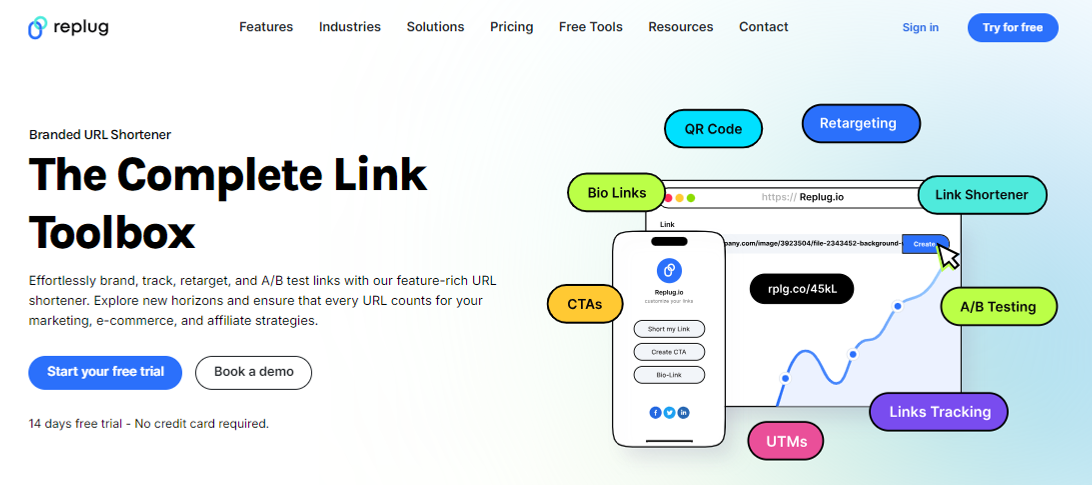
Why Replug: Our top choice as the best Rebrandly alternative is Replug. This tool offers a comprehensive link management suite with link shortening, tracking, and retargeting features.
A complete link management solution
for marketing professionals & agencies.
Try Replug for free
Also, Replug stands out for features like white-label, A/B testing, deep linking, and analytics. Overall, it’s a powerful tool for marketing campaigns.
Why Bitly: Bitly is a household name in link shortening, known for its simplicity and analytics. Bitly as an alternative to Rebrandly can be a great choice because it offers high-end link tracking performance which helps in enhancing user engagement.
Pros:
Simplicity and user-friendly interface
Powerful link tracking and analytics
Easy-to-use browser extension
Customizable short links
Cons:
Limited features in the free version
Advanced analytics require a premium subscription
No link retargeting, CTAs, and A/B testing.
3. TinyURL
Why TinyURL: TinyURL is your friend if you need a no-fuss solution. It’s straightforward and user-friendly, ideal for quick link shortening.
Pros:
Straightforward and no-fuss link shortening
Quick and easy to use
No registration required
Cons:
Lacks advanced features
Limited link-tracking capabilities
Boost ROI with branded URLs!
Enhance your marketing campaigns by creating shareable, trackable, and fully multi-purpose
customizable branded URLs.
Why BL.INK: BL.INK is a versatile URL shortener with advanced features like QR code generation and analytics. Perfect for marketing and tracking campaigns.
Pros:
All-round URL shortener
QR code generation
Analytics for link tracking
Custom branded domains
Cons:
Pricing may not suit budget-conscious users
Lacks many features, such as link retargeting and bio links that Rebrandly offers
Why Linkly: It’s a powerful link management tool that helps you optimize your online presence and marketing strategies. It allows you to create, customize, and track links, providing in-depth insights into audience engagement.
Pros:
Link customization
UTM parameters
Scheduled links
Password protection
Cons:
Learning curve (for new users)
Premium features may be pricey for some
6. Cutt.ly
Why Cutt.ly: It’s an advanced link management tool specializing in link shortening and tracking. It simplifies creating custom-branded short links and offers comprehensive analytics to help you understand link performance.
Pros:
In-depth link tracking and analytics.
Custom-branded links for a professional appearance.
Suitable for businesses of all sizes.
Cons:
Limited customization options for free users.
Analytics not as robust as some competitors
7. Short.io
Why Short.io: Short.io offers custom-branded links and link tracking, making it an excellent choice for businesses and marketers.
Pros:
Custom-branded links
Link tracking and analytics
User-friendly interface
Cons:
Some users report occasional reliability issues
8. Sniply
Why Sniply: Sniply combines link shortening with lead generation. It allows you to add call-to-actions to shared links, making it a powerful tool for marketers.
Pros:
Combines link shortening with lead generation
Allows call-to-action on short links
Great for marketers and brand promotion with CTAs
Cons:
Lacks in several important features.
Some features are reserved for premium users
9. Shorby
Why Shorby: Shorby focuses on enhancing social media profiles through link shortening and online branding. If you’re active on social media, it’s worth a look.
Pros:
Enhances social media profiles through link branding
Ideal for social media enthusiasts
Simplifies link sharing on social platforms
Cons:
May not be suitable for users with broader link management needs
Some features are specific to social media management
Why choose Replug over Rebrandly?
It’s a valid question. Replug offers features that set it apart from Rebrandly:
Link retargeting: Replug allows you to create short links and add retargeting pixels to them, helping you reach users who have engaged with your links before.
In conclusion, the world of link management offers a wide array of alternatives to Rebrandly. Each of these Rebrandly alternatives has pros and cons, catering to diverse needs.
Whether you’re looking for simplicity, analytics, branding, or lead generation, consider the options mentioned here and choose the one that aligns with your specific goals and preferences.
Happy link management!
FAQs on Rebrandly alternatives
Why Look for Rebrandly Alternatives?
Rebrandly has been a popular choice for link shortening and management, but it’s essential to have options that suit your unique needs. Whether you want more features, a different pricing structure, or a fresh interface, these Rebrandly alternatives are something for everyone.
Which Rebrandly alternative is best for marketing campaigns?
Replug is an excellent choice for marketing campaigns, offering various features for link management and user engagement.
Are these alternatives suitable for businesses and marketers?
Yes, many of these alternatives, such as Replug and BL.INK, offers advanced features and analytics, making them excellent choices for businesses and marketers.
Which link-shortening tool is similar to Rebrandly?
Replug is a link management tool similar to Rebrandly, offering custom-branded short links and robust analytics.
As e-commerce companies compete for consumer attention, choosing the most suitable marketing strategy is key.
Among these, influencer marketing has proven to be one of the most effective ones.
Research shows that consumers are more likely to purchase products endorsed by influencers, making this marketing strategy highly effective for brands looking to enhance their reach and engagement.
Influencer marketing’s global popularity is surging at an incredible pace, with the market projected to reach a staggering $22.2 billion by 2026.
Before we jump into influencer marketing for e-commerce, let’s go over the basics first.
What is influencer marketing?
Influencer marketing allows businesses to work directly with social media creators with a sizeable audience to increase brand exposure, generate sales, and get attention.
Since influencer marketing is comparatively cheaper than most online paid ads, businesses gladly pay influencers to review their products or discuss their offers.
Undoubtedly, influencer marketing is rising as the creator economy is the new normal in today’s digitally connected world, where many people work online.
One of the major impacts of the growth of the creator economy is that kids follow their favorite YouTubers and TikTokers more than A-list celebrities.
Why partnering with influencers can skyrocket your e-commerce success?
E-commerce brands and marketers try to squeeze every opportunity they can to get their hands on to generate sales or market their products.
One of the easiest routes to e-commerce success is influencer marketing. Here are the reasons why e-commerce brands partner up with well-known ecommerce influencers:
1. Underpriced marketing at scale
Influencer marketing turns out to be quite underpriced compared to traditional advertising or paid ads on social media. The fundamental reason for this is that a vast majority of influencers are willing to collaborate with brands, which paves the way for brands to get competitive pricing.
Furthermore, most small businesses and brands start with affordable micro-influencers to promote an e-commerce deal or specific product. So, that’s quite a reason for partnering up with influencers.
2.Meet the loyal influencers’ fan base
Social media influencers are known for their loyal and dedicated fan base, especially YouTubers and TikTokers. However, it goes for all major social media platforms, such as Instagram, TikTok, YouTube, Facebook, X, and Pinterest.
Brands see this as an opportunity to get the attention of such audiences as die-hard fans of certain social media influencers. Collaborating with such influencers makes it easier for the brands to get traction and build trust with the audience.
No wonder brands, agencies, and organizations feel proud to work with influential social media creators across the globe.
Companies are rapidly moving toward influencer marketing for many reasons, one of which is the diversity of social media platforms.
There are at least half a dozen mainstream social media platforms that allow brands to choose the relevant social media platforms and discover influencers on those platforms.
For instance, some brands are interested in Instagram influencer marketing for e-commerce opportunities, so they look out for Instagram influencers only.
4. Influencers have a longer audience attention span
The relationship between an influencer and their loyal audience is unique and fascinating. The audience is more likely to pay attention to their favorite influencer/creator than anybody else.
It turns out that the audience span is way longer on the social media content of their favorite creators than on other creators’ content. It gives e-commerce brands and marketers a chance to cash in on the longer audience attention span by sponsoring their videos or paying them to review their products.
Therefore, e-commerce brands are likely to benefit from such collaborations with influencers and content creators if they come across a perfect match for their brand.
Insider tips for discovering the perfect influencers for your online store
Connecting with the perfect influencer doesn’t happen on a whim. Brands and marketers have to analyze the market situation before they start to understand who they should reach out to and which creators to ignore.
So, here are the six tips for discovering the perfect influencers for an online store:
1. Explore social media platforms more than an average user
A powerful e-commerce influencer marketing strategy for a brand is based on a thorough market analysis. The best way to begin the influencer discovery is to start exploring the relevant social media platforms more than an average Joe.
What we mean by this is that an average user might have a short attention span or simply scroll the social media app for a few minutes and walk away.
On the contrary, a brand or individual looking for a perfect influencer from an ecommerce marketing standpoint should spend more time on social media exploration than an average user.
It’ll allow them to discover not just influencers for their online store but also new social media trends to capitalize on for social media marketing.
2. Hang out in the relevant social media communities
One of the underrated tips for discovering like-minded, relevant influencers for e-commerce marketing is to hang out in the social media communities. It could be Facebook groups, LinkedIn groups, X communities, Reddit communities, Quora spaces, etc.
Just ensure you’re in the relevant community regardless of the social media platform. Keep your eyes open, talk to people, and try to learn from others. Chances are, you’re going to discover the industry’s top guns.
That’s a surefire way to discover influencers for your e-commerce business.
3. Go through the related product reviews done by influencers
It’s important in digital marketing to do some competitor research and see what they have been up to. Utilize the same principle in your e-commerce influencer marketing strategy.
Try to find the product reviews done by influencers in your industry; it’ll allow you to see how the products have been reviewed, and you’ll stumble upon the influencers interested in your product line.
4. Follow social media influencers interested in your niche
It’s not the best idea to go on a follow-spree when eyeing social media influencers for your online store promotion. However, following some influencers who seem interested in your niche won’t hurt.
The benefit of following some influencers on Instagram, TikTok, or LinkedIn through your brand’s account is that they might notice your brand on social. As a result, it earns brands some profile views from influencers and eventually contributes to building a connection between the brand and the influencer.
5. Keep an eye out for micro-influencers in your follower base
Another important tip for discovering influencers for your e-commerce store is never to underestimate the power of micro-influencers, especially if they get engagement and reach.
For instance, if an Instagram creator has five thousand followers, but this creator is getting 20k reel views on average or 3k to 4k likes on Instagram posts, then this micro-influencer is worth a try.
Besides, looking out for the big guys, don’t underestimate the small guys that could bring you some quality traction without breaking the bank.
6. Hunt for the influencers that worked with your competitors
One of the most tried-and-tested methods of discovering the influencers for social media marketing or influencer marketing campaigns is to check out the competitors’ social media accounts and see which influencers they’re tagging or resharing.
You’ll likely discover influencers that have closely worked with your competitors in the past. Feel free to reach out to those influencers and find out what they’re charging for promotional or sponsored content.
Must-have tools to streamline your influencer marketing strategy
Let’s discuss some essential online tools that come in handy in running an influencer marketing campaign and massively influence the outcome of an influencer and brand collaboration.
Here are the must-have tools to utilize for implementing an influencer marketing strategy effectively:
1. Replug
Replug.io is an advanced link management tool for marketers, bloggers, and brands. It empowers users to take their URL management to the next level. It’s a top-notch link shortener that allows users to create, manage, and analyze short, branded URLs for digital marketing campaigns.
It flawlessly integrates with several third-party tools, such as software management tools, email marketing software, lead-gen widgets, and retargeting platforms.
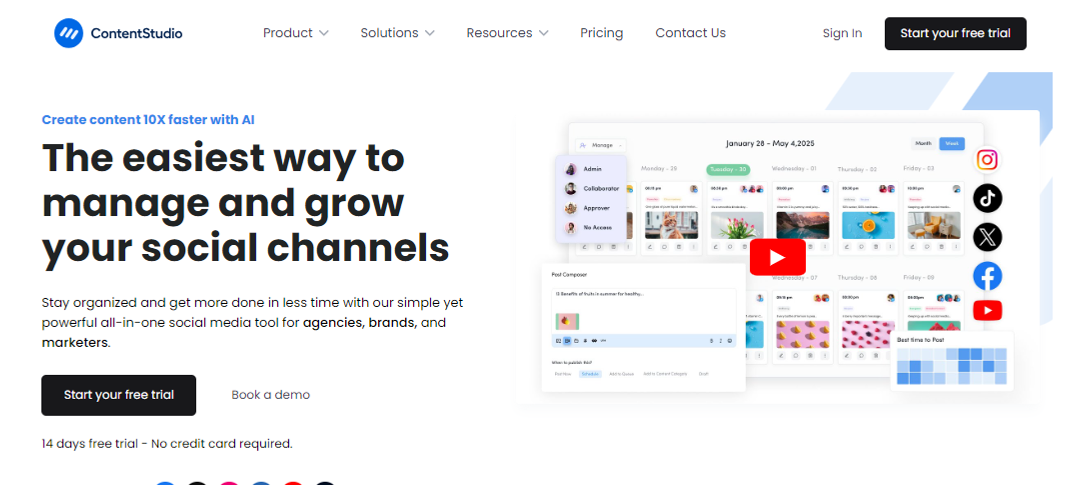
ContentStudio is an all-in-one social media management dashboard for brands, marketers, bloggers, and influencers.
It’s a comprehensive social media tool that makes social media marketing easier than ever. It offers a complete suite for publishing, scheduling, managing, and analyzing social media and blog publishing.
Not only does it help publish and schedule content across all major social media platforms, but it also lets users post blog content on different blogging platforms.
Moreover, it easily integrates with multiple online marketing tools and platforms that improve product efficiency and effectiveness.
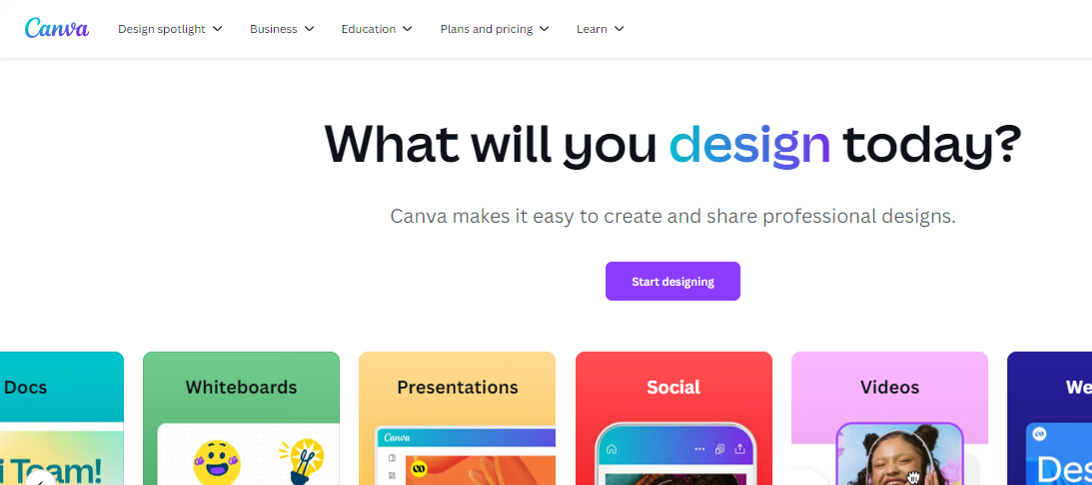
Canva is an online tool that helps users create images, videos, banners, infographics, logos, invitations, business cards, and other graphics designs. This is handy for designing social media, digital marketing, promotional, educational imagery, and video content.
Key features:
Text animations
Photo grids and designs
Icons and elements
Visual content templates
Background removal
Colors adjustment
Picture effects and editing
AI-powered photo enhancements
Integration with third-party tools
Pricing plan:
Canva pro: $55 per year (for one person)
Canva teams: $50 per year (per person)
Canva enterprise: Contact sales team
4. Capcut
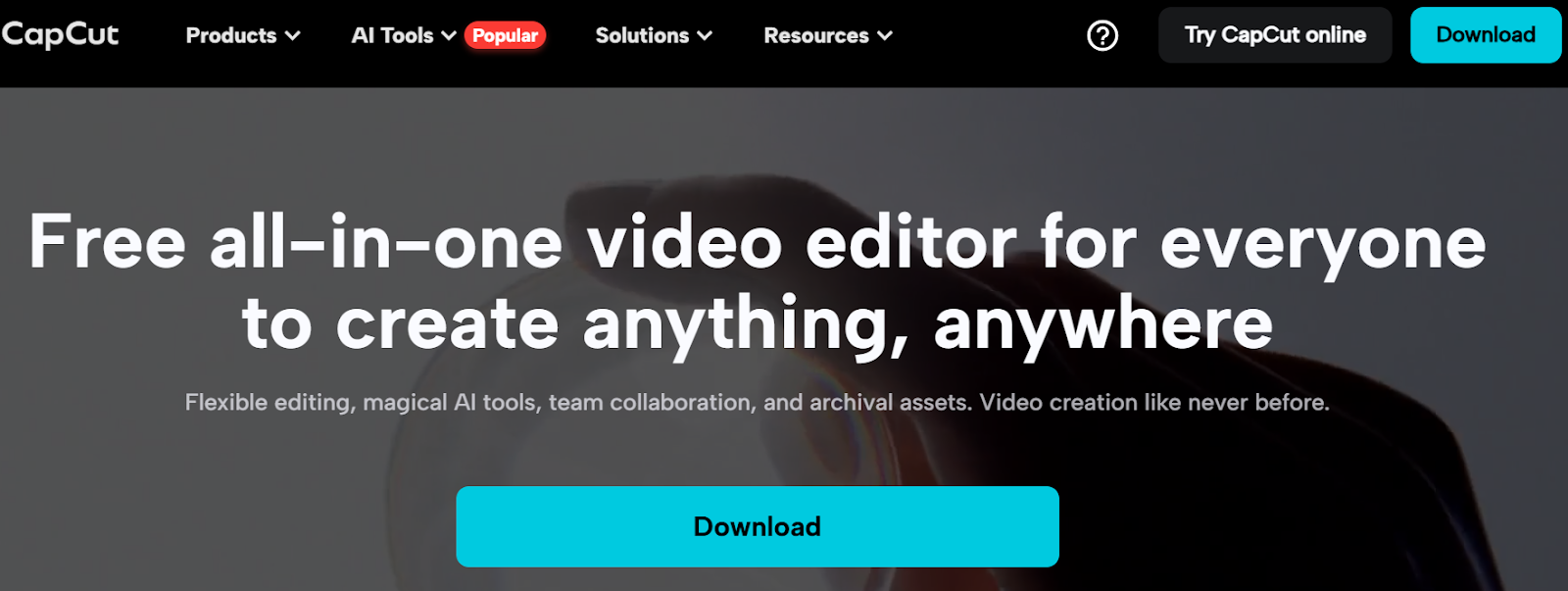
Capcut is a popular video editing tool available for both mobile and desktop users. It has empowered millions of creators and brands to get their hands on video editing. After the huge success of Capcut on mobile devices, the desktop edition is competing with most video editing software for beginners.
This video editor is fully equipped to manage video, audio, and text editing. Moreover, it offers various AI-based generators to create e-commerce influencer marketing content.
Key features:
Easy-to-use interface
AI-powered tools
Assets availability
Image and video enhancements
Mobile and desktop versions
Pricing plan:
Capcut PC Pro: $8 per month (or $75 yearly)
So, these are some of the important e-commerce marketing tools to keep an eye on when getting into e-commerce influencer marketing.
The best platforms to amplify your brand with influencer partnerships
E-commerce brands strive to find underpriced marketing opportunities to put their brand name in front of as many people as possible without spending a fortune.
It turns out that influencer partnership seems to be a reasonable option for most e-commerce companies to spread the word about themselves. Here are the five well-known influencer marketing platforms to collaborate with influencers:
1. Upfluence
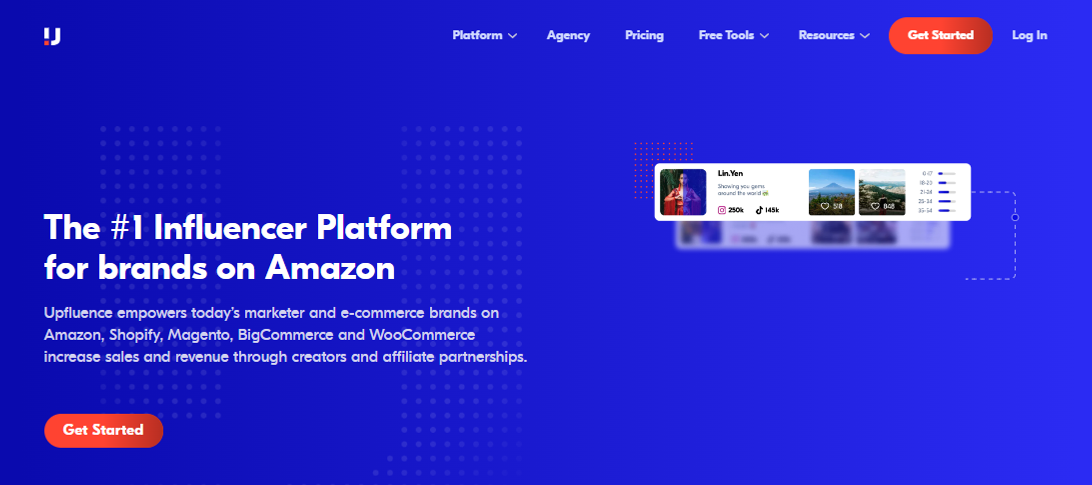
Upfluence is an all-in-one influencer marketing platform that connects social media influencers with e-commerce brands.
The brands can go through the influencers’ listings and handpick the most relevant influencers to work with. Upfluence handles the payment via Upfluence Pay and PayPal.
Why does Upfluence work for both brands and influencers?
It lets brands find suitable influencers via an influencer discovery feature.
It makes influencer management easier than ever, thanks to an effective creator workflow.
It works with e-commerce brands on Amazon, Shopify, Bigcommerce, and WooCommerce.
It provides hassle-free payment transfers via Upfluence Pay and Payment.
It lets brands send complimentary products to the influencers for reviews or testing.
It makes influencer e-commerce statistics measurement rather simple, allowing brands and influencers to analyze campaigns’ performances.
It seamlessly integrates with several marketing, email, and content-creation tools.
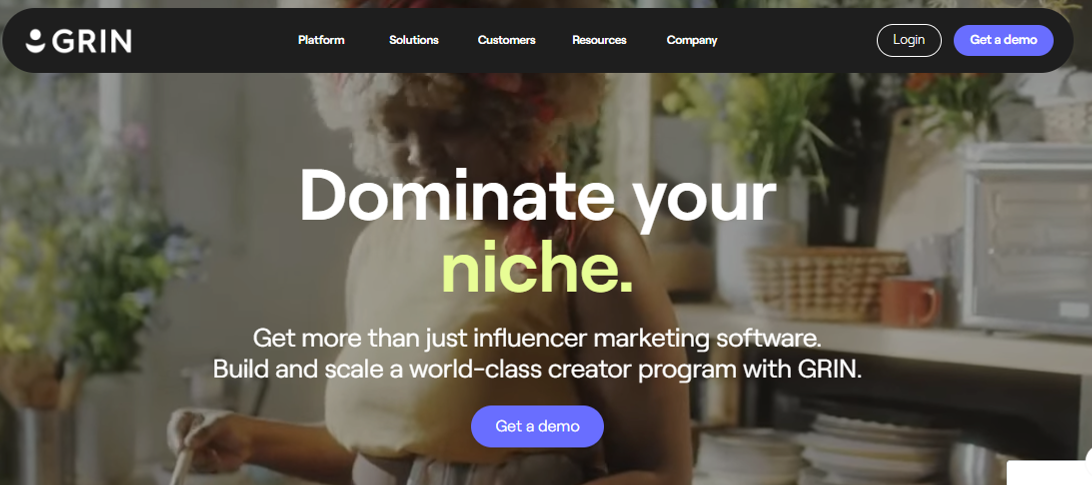
2. Grin
Grin is a top-notch influencer marketing platform that not only connects brands with influencers but also provides cutting-edge influencer marketing solutions to both parties.
This tool provides a platform to meet influencers, manage content, track campaigns, and make payments. All in all, it’s a comprehensive dashboard to run influencer marketing campaigns with ease.
Why does Grin work for both brands and influencers?
Grin offers a creator discovery section that lets brands find suitable creators around the globe.
It has a state-of-the-art content management system to manage social media content for influencer marketing campaigns.
The platform pays attention to relationship-building between brands and influencers.
Detailed reporting and analyzing monitoring allow brands to take a data-driven approach and make informed decisions.
The creator payment system is as simple as one can imagine, ensuring smooth and quick payments for influencers.
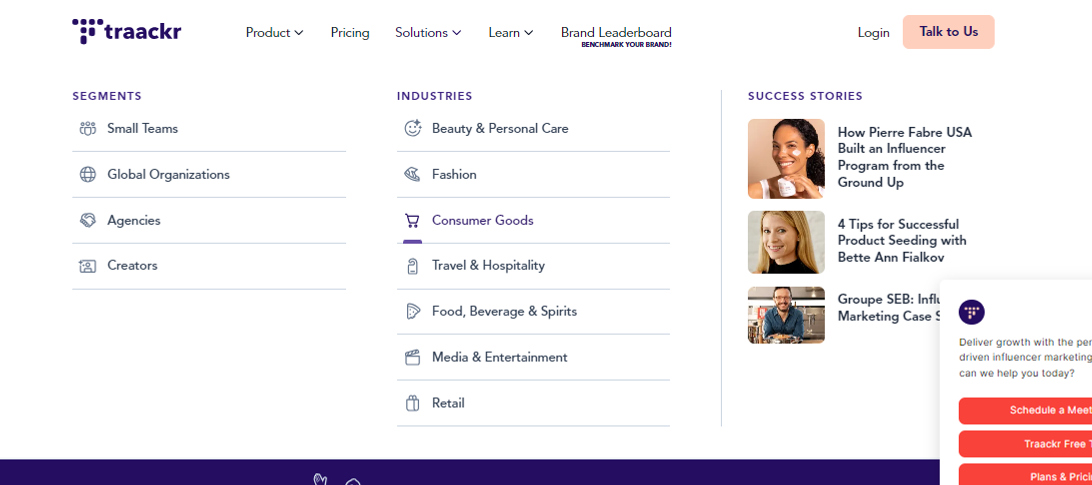
Traackr is yet another well-reputed influencer marketing platform that offers brands and influencers hands-on experience. It’s an advanced influencer marketing tool to find influencers, manage relationships, collaborate with creators, and analyze performance.
Undoubtedly, it’s a one-stop shop for managing influencer marketing campaigns for e-commerce brands and online businesses.
Why does Traackr work for both brands and influencers?
Traackr ensures that brands find the influencers that are the right fit for the campaign.
It assists brands and influencers in content collaboration, making influencer marketing more fun.
It offers a reliable payment system for paying influencers for their work.
The robust analytics section provides comprehensive reporting to analyze campaign performances.
It has a seamless recruitment and onboarding procedure for brands to manage influencers.
It provides insights into campaign data for optimization and scalability.
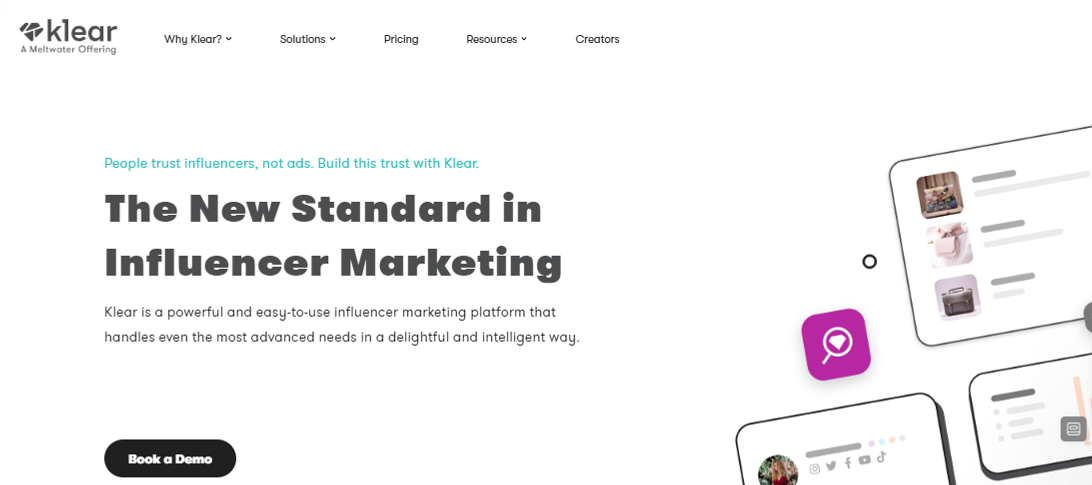
4. Klear
Klear is a robust, user-friendly influencer marketing platform designed to meet the most advanced needs with ease and intelligence.
It empowers e-commerce brands to streamline their influencer marketing efforts, offering an intuitive and powerful suite of tools to find, manage, and pay influencers for their collaborative campaigns.
Why does Klear work for both brands and influencers?
Klear has an advanced influencer search feature to help you find suitable influencers for every brand.
It has a powerful influencer relationship management system to stay connected with influencers.
It showcases in-depth influencer analytics to the brands to ensure that they go through all major statistics of the influencer’s social media profiles.
It offers an easy-to-manage campaign management section for accurate data monitoring and reporting.
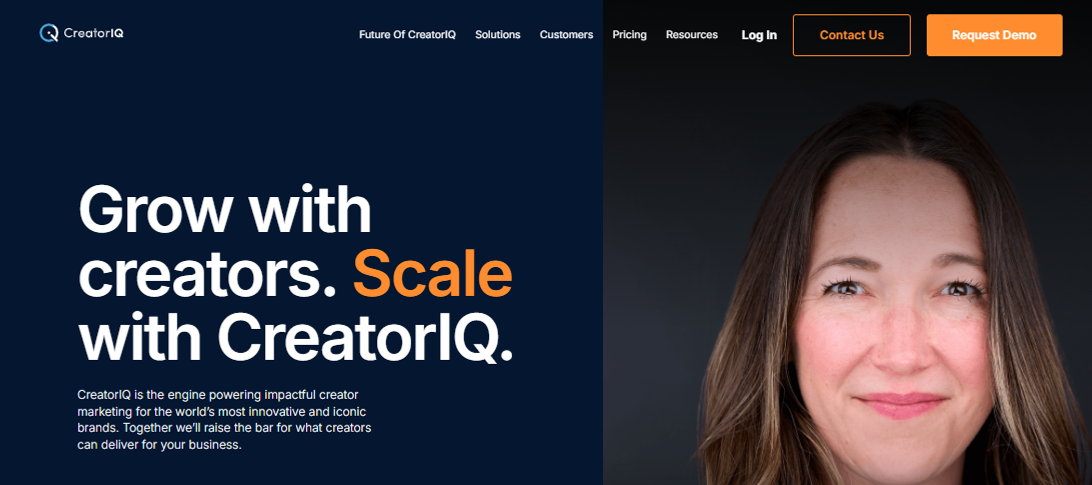
CreatorIQ is the go-to influencer marketing platform for large-scale e-commerce and SAAS tools.
It offers a complete ecosystem for building the most authentic, engaging, and scalable influencer marketing campaigns. This tool is equipped with several advanced features to streamline influencer marketing campaigns effectively.
Why does CreatorIQ work for both brands and influencers?
CreatorIQ allows brands to discover and manage influencers without relying on third-party tools.
It allows brands to build communities after connecting with like-minded creators and influencers.
It lets brands analyze trends to design their influencer marketing campaigns more efficiently.
Team collaboration is a huge plus that ensures that the influencer marketing campaign bears fruit.
Incentivizing the brands for their contributions hasn’t been this simple; the platform makes it easier to pay influencers without any hectic steps.
It offers robust analytics for brands to analyze the campaign statistics to measure the ROI.
The highs and lows of using influencers to boost your e-commerce business
Before designing an influencer marketing strategy for brands or using influencers to boost e-commerce sales, it’s vital to know the good and bad parts of the strategy.
Let’s shed some light on the highs and lows of utilizing influencers for e-commerce businesses:
The advantages of using influencers to boost e-commerce business growth
Here we go:
Brand visibility: One of the major benefits of using Influencers for e-commerce marketing is that they have established audiences that listen to them. Partnering with the right influencer can expose your e-commerce business to thousands or millions of potential customers, increasing brand awareness and visibility.
Targeted audience: E-commerce success comes when the e-commerce brand understands the target audience well and makes marketing strategies accordingly. Influencers usually cater to a specific niche audience. Therefore, by collaborating with influencers whose followers match your target demographic, e-commerce brands can significantly reach the right audience that might be interested in their products.
Authentic experience: Conversion is tied to authenticity and trust. When influencers genuinely use and recommend your product, it feels more like a trusted suggestion than a direct advertisement, fostering trust and credibility with their followers.
Higher engagement rates: Influencers often generate higher engagement rates than traditional ads. This phenomenon occurs because their followers are quite invested in their favorite creators’ lives, so they take action when influencers suggest they try something out.
Cost-effective marketing: Usually, there aren’t many types of influencer marketing. However, the term “micro-influencers” has popped up lately. The concept allows comparatively smaller creators and influencers with niche accounts and engaged audiences to work directly with brands, ensuring affordable alternatives to pricey PPC or social media ad campaigns. Plus, influencer marketing makes it easier for smaller e-commerce businesses to enjoy low-cost advertising facilities.
Most influencers are skilled content creators and can produce visually appealing and engaging content for your brand, such as social posts, video reviews, or product tutorials, which can boost e-commerce business sales.
The disadvantages of using influencers to boost e-commerce business growth
There are some hiccups to keep an eye on before going all in on influencer marketing:
Affordability issues: Influencer marketing is not all sunshine and rainbows. While micro-influencers can be affordable, collaborating with top-tier influencers can be expensive, especially for small e-commerce businesses. So, there are always affordability issues for newbies.
Little to no control over content: Usually, brands that work with influencers give their suggestions on product placement or mention it in the content. However, they still have limited control over how the product is displayed or presented in the content. So, it’s quite clear that e-commerce brands must rely on influencers to present their products in the content.
Campaign authenticity: The authenticity of the offers matters a lot in the conversion. If an influencer promotes too many products or only collaborates for financial gain, their recommendations can feel less genuine, leading to skepticism among followers and lower trust in the promotion. It can massively impact the ROI of the influencer marketing campaign for the brand.
Hard to track campaign ROI: One of the challenges influencers face is measuring the campaign’s effectiveness. Unlike direct sales channels, the return on investment (ROI) from influencer marketing isn’t always immediately clear or quantifiable.
Fake social media followers: Some influencers purchase social media followers to make an impact, but they cannot generate any traction with it. The artificially boosted follower counts using bots or fake accounts don’t last long, as sometimes social platforms crack down on those fake followers or remove inactive accounts.
Let’s conclude by explaining how to set up winning influencer campaigns!
Finding the right match for your brand is the secret sauce to setting up winning influencer campaigns.
There are three fundamental points that play a pivotal role in making any influencer marketing campaign a success, which are:
Understanding the brand’s strengths
Team up with the best influencer to work
Create an irresistible offer for the audience
Things start to roll when the conditions mentioned above are properly met in an influencer marketing campaign.
In every e-commerce brand’s journey, there comes a point where they have to decide whether to check out the influencer marketing platform or to find the influencer off the platform.
There is no right or wrong way of doing influencer marketing. However, some credible influencer marketing platforms do vetting before adding influencers to their network, which speeds up the process.
However, before deciding, one can always analyze the influencer’s content, publicly available statistics, engagement, and branding.
Remember that most brands opt for influencer marketing over other advertising mediums because it’s still underpriced compared to traditional online advertising.
Moreover, relevance is yet another essential angle to pay close attention to – if the e-commerce product line isn’t relevant to the influencer or their audience, the campaign will fall flat. So, bear that in mind when launching an influencer marketing campaign.
FAQs about e-commerce influencer marketing
Here are the commonly asked questions about e-commerce influencer marketing:
Is influencer marketing B2B or B2C?
Generally, influencer marketing is done to reach out to the audience of the influencer. Brands want to cash in on the traction influencers get on social media, which means targeting the audience. So, it’s safe to say that it’s B2C in most cases.
What is an e-commerce influencer?
An e-commerce influencer is a social media creator who has managed to create a brand persona around e-commerce. Plus, this creator must have a sizeable audience, at least on a single social media platform, to be qualified as an influencer.
How does B2B influencer marketing work?
B2B influencer marketing refers to the influencer marketing strategy that revolves around targeting businesses, unlike B2C influencer marketing, in which the influencers’ followers are the target audience.
What is the best influencer marketing platform for B2B?
ContentStudio does a pretty good job of finding influencers on social media. The feature is called “Influencer discovery,” which lets users find influencers in the niche.
Maybe it’s better than both the tools and other established players in the market.
Well, it’s time to find out.
The answer lies in thoroughly examining its features, cost-effectiveness, user experience, and value proposition.
So let’s get you started in our comparison article Bitly vs Linktree vs Replug.
Stick with us…
Let’s quickly go through the top trio
Replug
Replug is an all-star link management tool packed with top features such as branded link shortening, bio links, link analytics, traffic routing, QR codes, retargeting pixels, deep linking, and much more. Its user-friendly interface and quick integration with marketing platforms make driving traffic, capturing leads, and boosting conversions a breeze.
Bitly
Bitly is a URL-shortening service that condenses lengthy URLs into concise links, simplifying sharing and tracking across platforms. Its integration capabilities span various platforms, social media tools, and applications, enhancing users’ accessibility and analytics.
Linktree
Linktree is a link-in bio tool for organizing all your essential links in a user-friendly format. It’s perfect for directing your audience to your website, social profiles, or anything else!
Any major drawbacks you should be aware of?
Well yeah, there are some of the limitations you should be aware of before getting started with this comparison.
Replug:No free version available for now
Bitly:The high-tier pricing plan is extremely expensive, also you don’t get the same level of customization and link management as Replug.
Linktree: Lacks advanced features like detailed analytics and link retargeting, which are available on other platforms.
It offers a range of pricing plans to suit different needs, starting at $19 per month for a basic plan, $49 per month for professionals, and $79 per month for businesses. (offers a 14-day free trial)
Provides a free plan with extremely basic features, as well as a pro plan starting at $5 per month and going up to $24/per month.
A complete link management solution
for marketing professionals & agencies.
Try Replug for free
Choosing the right tool: Factors to consider in your link management tool
Let’s compare three popular options, Replug, Bitly, and Linktree, to help you choose the one that best suits your needs.
1. URL shortening
URL shortening converts a long, complex URL into a shorter, more manageable version. This shorter URL (Uniform Resource Locator) typically redirects users to the original, longer URL when clicked.
Replug: Offers URL shortening with custom domains and branded links. Shortened links can be integrated with CTAs, and pixels can be retargeted for better results.
Bitly: Primarily focuses on URL shortening. It provides a free plan with limited features and paid plans with increased shortening limits, custom domains, and detailed analytics.
Linktree: Doesn’t offer direct URL shortening. However, you can shorten individual links within your Linktree bio using a separate shortening service.
Winner: Replug and Bitly, depending on your needs. Replug is ultimately the best URL shortener as it offers more customization options, while Bitly focuses just on shortening functionality with its free plan.
2. Bio links
Bio links, short for biography links, refer to the clickable URLs found in the bio section of social media profiles. These links serve as a gateway for users to access additional content or resources outside of the social media platform.
Individuals, businesses, and organizations commonly use bio links to direct followers to their websites, blogs, online stores, or other relevant link destinations.
Go beyond generic link pages!
Create custom bio links that truly fit your brand
With Replug, you can create bio links that are unique, engaging, and built to convert.
Replug: Creates bio links that showcase your social media profiles, website, and other important links in a single, customizable landing page. This allows you to create a central hub for your online presence, making it easy for users to find all your relevant links in one place. You can also customize the design and branding of the landing page to match your style.
Bitly: While Bitly primarily focuses on URL shortening, users can still utilize Bitly links in bio sections to direct followers to multiple destinations.
Linktree: Linktree specializes in bio link management, providing a centralized hub for users to share multiple links from a single URL in their social media bios. However, this bio link tool branding appears on your bio link page in the free version, and there’s no way to remove it. This can be a drawback for users who want a completely branded experience.
Winner: Linktree, if creating a dedicated bio link page is your primary goal. Replug offers bio links as part of its broader functionality.
3. White-label boards
A white-label solution allows you to rebrand a product or service as your own. This means you can remove any branding from the original provider and replace it with your logo, name, and colors.
Replug: Provides white-label solutions for agencies and businesses, allowing them to replace Replug branding with their own.
Bitly: It doesn’t offer white labeling in any plan.
Linktree: It doesn’t provide white labeling.
Winner: Replug takes the lead with white-label solutions in its agency plan, surpassing Bitly and Linktree, which do not provide this feature.
4. Retargeting pixels
A retargeting pixel allows marketers to recognize individuals who have previously interacted with their website or social media profiles, enabling them to deliver personalized advertisements to these users across different platforms.
Bitly: It does not provide any type of retargeting feature.
Linktree: This service doesn’t offer retargeting pixel integration. It focuses on creating bio links and doesn’t offer functionalities related to retargeting website visitors.
Winner: Clearly, Replug is the winner here. Both the other competitors Bitly and Linktree do not provide this feature.
5. QR code generation
QR codes, short for quick response codes, are barcodes that store information in a machine-readable format. These codes consist of black squares arranged on a white square grid, often with a distinct square pattern in the corners for alignment purposes. QR codes can store various types of data, including URLs, text, contact information, or other types of data.
Replug: Offers QR code generation for shortened links. Users can scan the code and instantly access your website, social media profile, or any other link you’ve shortened.
Bitly: Bitly provides QR code generation functionality, allowing users to create QR codes for offline marketing materials and track their performance.
Linktree: Yes, Linktree offers QR codes for your Linktree profile.
Winner: All platforms excel in this feature. It’s worth noting that Bitly goes the extra mile, offering a broader range of quick and advanced QR code generator functionalities compared to Replug and Linktree.
6. Custom CTAs
This allows you to customize the text and appearance of the CTA buttons to match your branding and encourage users to interact with the specific link.
Boost your conversion rates with irresistable CTAs with
Replug: Allows adding custom CTAs (call to action) buttons directly to shortened links. Add customized phrases such as “visit website,” “download now,” or “learn more”, etc. to these buttons to compel users to click on the link.”
Bitly: It doesn’t offer custom CTAs in any plan.
Linktree: Allows custom CTAs to be added to individual links within your Linktree bio.
Winner: Replug offers more flexibility in adding custom CTAs directly to shortened links, allowing for a more targeted and interactive user experience.
7. Easy link rotation
This feature lets you send visitors to different landing pages using just one link. You can set filters like country, time, and date to control where traffic goes, aligning it with your specific goals.
Replug: Provides easy link rotation functionality based on pre-set filters like country, date, time, or device. This allows you to rotate between different landing pages or offers for specific audiences or timeframes. This powerful feature is for your marketing campaigns or showcasing targeted promotions to different user segments using different landing pages to convert visitors.
Bitly: No link rotation is offered in any plan. Bitly focuses primarily on URL shortening and lacks features for managing and rotating different links based on specific criteria.
Linktree: It doesn’t offer link rotation features. Linktree is designed to create and manage a single bio link page. While you can include multiple links within your bio, it doesn’t offer functionalities to automatically rotate them based on pre-defined conditions.
Winner: Replug, for its advanced link rotation capabilities that allow you to optimize your marketing efforts by targeting specific audiences or testing different marketing campaigns.
8. Detailed link analytics
Link analytics refers to the process of tracking and analyzing the performance of URLs or links shared online. It involves gathering data on various metrics such as click-through rates, geographic location of visitors, referral sources, and conversion rates.
Maximize marketing ROI
by transforming ordinary URLs into branded short links that convert.
Try Replug for free
Replug: Offers detailed link analytics, from providing insights on clicks to conversion rates, and even sources used to access these short tracking links. This data can be crucial for understanding user behavior and optimizing your marketing campaigns. Replug equips you with valuable insights to make informed decisions about your link strategy.
Bitly: Provides varying levels of link analytics depending on the plan. While the free plan offers basic click data, paid plans unlock a little more analytics like CTRs, and geographical data. Though Bitly offers good analytics options, especially in its paid tiers, but may not be as comprehensive as dedicated link management tools.
Linktree: Offers limited link analytics in its free plan, primarily focusing on clicks on individual links within your bio. Paid plans might offer more in-depth analytics, but the overall focus remains on understanding user engagement with your bio link page itself.
Winner: When it comes to analytics, Replug and Bitly are equally competitive link-tracking softwares as both platforms go beyond clicks, and data into user behavior and campaign performance.
Some other points to look at
Free trial option
Ease of use
Security and scalability
Customization options
Customer support
Cost-effectiveness
Mobile app availability
Reviews and ratings
Which tool is better for marketers or agencies?
After evaluating all the key factors we have a clear cut winner. Despite its lower profile, Replug shines with its unique approach, providing marketers with fresh options for streamlined link sharing and engagement.
While Bitly and Linktree enjoy widespread recognition and user trust, Replug boasts comparable functionalities and distinct advantages.
A complete link management solution
for marketing professionals & agencies.
Try Replug for free
Why is Replug the best link management solution?
Replug comes forward as the clear front runner, thanks to its exceptional link management features, comprehensive analytics, and intuitive interface. Together, these factors solidify its position as the top performer in the field.
Besides that, Replug prioritizes link security with features like real-time link scanning, malicious URL blocking, and phishing detection. Additionally, agencies can leverage white-label solutions to manage client links quickly under their own branding.
What sets Replug apart is its innovative approach to link management, offering unique features that cater to the evolving needs of modern marketers and businesses.
While its name may not resonate as loudly as other link shorteners, Replug’s potential to streamline link sharing, enhance brand awareness, and drive engagement cannot be overlooked.
By offering a fresh perspective and promising features, Replug presents itself as a compelling alternative for those seeking robust link management solutions.
Linktree is popular among social media influencers and content creators who want to share multiple links in their bio or profile.
What sets Replug apart from Bitly and Linktree?
Replug offers advanced features such as link retargeting, integration with marketing tools, and comprehensive link management capabilities.
Why is Bitly considered expensive?
Bitly’s high-tier pricing plan may be too costly for some users, especially those who need extensive customization, which it doesn’t fully provide compared to Replug.
Does Replug offer any free version?
No, Replug currently doesn’t offer a free version but provides a 14-day free trial for users to test its features.
Get ready for an exciting showdown as we compare two of the top link management tools: Replug vs. Pretty Links!
At first glance, you might assume these are two entirely different types of software.
Replug excels across various platforms—supporting websites, blogs, social media, email marketing, advertising networks, and more. On the other hand, Pretty Links is primarily tailored for WordPress users.
However, both tools share a wealth of features, including link cloaking, split testing for URLs, custom slugs, and affiliate link analytics.
Each tool offers unique strengths to cater to diverse user needs and preferences. So, get ready to discover why Replug is the best Pretty Links alternative.
In this article, we’ll dissect the strengths and weaknesses of both tools, ultimately determining which one deserves the title of best link management solution!
What is Replug? Replug.io is an all-star link management tool packed with top features such as branded link shortening, bio links, link analytics, traffic routing, QR codes, retargeting pixels, deep linking, and much more.
What is Pretty Links? Pretty Links is a WordPress plugin, mainly designed for affiliate marketers allowing them to create clean, branded URLs.
Don’t have time for a detailed comparsion? Don’t worry here’s a quick run-down just for you!
Feature
Replug
Pretty Links
User interface & ease of use
Modern, intuitive, clean dashboard, drag-and-drop features
Integrates with various platforms (email, social, CRM)
Limited to WordPress ecosystem and plugins
Pricing
Basic: $19/mo Professional: $49/mo Agency: $79/mo (20% off on annual plans)
Beginner: $99.50/year; Marketer: $149.60/year; Super Affiliate: $199.60/year
Free plan
No
No
Pros
Limited to WordPress Can be costly for small or mid-tier businesses
Adapts to various needs offers diverse integrations, provides value for money
Cons
No free plan (yet!)
SEO-friendly, Mainly for WordPress users
Reviews
Handy Link Management Tool with URL shortener and more.
Limited to WordPress, Can be costly for small or mid-tier businesses.
Quick verdict: Replug offers extensive features for marketers and businesses, ideal for those seeking detailed link tracking, advanced routing, and customizable CTAs.
Detailed feature comparison: Replug vs. Pretty Links
Regarding managing and optimizing URLs for marketing, both Replug and Pretty Links are popular tools offering various features. We’ll do a one-on-one comparison so you can choose the one that suits your needs.
1. User interface & ease of use
Replug:
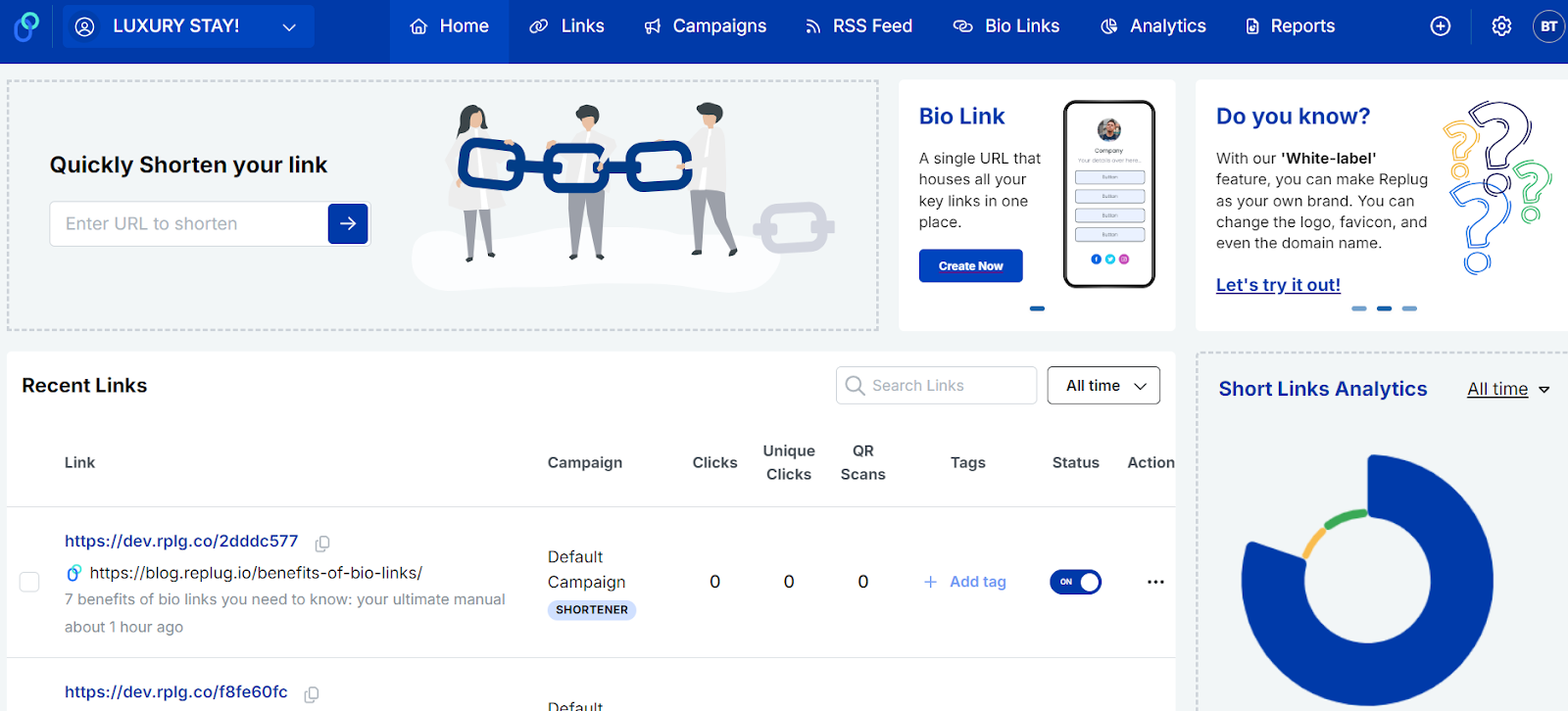
Design: Replug offers a modern and intuitive interface. The dashboard (Called Home) is clean, with easy navigation and a clear overview of all your campaigns.
User experience: The platform’s straightforward design and helpful tutorials make it quickly learnable for new users. The quick actions functionality enhances ease of use, particularly when creating campaigns.
Pretty Links:
Design: Pretty Links has a functional but slightly less modern interface. It integrates into the WordPress dashboard, which may be familiar to WordPress users but can be overwhelming for beginners.
User experience: While it provides extensive functionalities, the learning curve may be steeper for those who need to get used to WordPress plugins. Users often appreciate the vast options available but may find navigation less intuitive.
Winner Replug stands out as the winner due to its modern, intuitive interface and ease of use, making it accessible for beginners and efficient for managing campaigns.
Boost ROI with branded URLs!
Enhance your marketing campaigns by creating shareable, trackable, and fully multi-purpose
customizable branded URLs.
Shortening: Replug allows users to create short, branded links effortlessly with its innovative link shortener. Users can customize the link endings, making them memorable and relevant.
Features: Offers bulk URL shortening, link previews, CSV reports, password protection, link expiry, customize favicon, and the ability to set up auto-shortening for shared links.
Pretty Links:
Shortening: Pretty Links excels in URL shortening directly from the WordPress dashboard. It allows users to create clean, custom links easily.
Features: Offers detailed options for link customization, including tracking for each shortened link, which is ideal for WordPress users.
Winner While Pretty Links performs well within the WordPress ecosystem, Replug’s advanced customization options and functionalities make it a more comprehensive solution for URL shortening.
3. Affiliate cloaking
Replug:
Cloaking features: The platform supports link masking, which enhances aesthetics and improves click-through rates by making links appear more legitimate.
Pretty Links:
Cloaking features: Pretty Links is particularly strong in affiliate link cloaking, allowing users to create clean, branded links that hide the original affiliate URLs. This helps in preventing link hijacking and makes links more user-friendly and trustworthy.
Boost ROI with branded URLs!
Enhance your marketing campaigns by creating shareable, trackable, and fully multi-purpose
customizable branded URLs.
Winner Pretty Links, if creating dedicated affiliate links is your primary goal. As Replug offers a broad range of features alongside just affiliate link decloaking.
4. Link tracking
Replug:
Analytics dashboard: Provides comprehensive link analytics, including unique clicks, geographic data, and device information. Users can view real-time stats and historical performance data.
Link performance: This feature allows customers to filter the analytics by campaigns, links, and time to know which links perform best, helping users refine their marketing strategies.
Pretty Links:
Analytics dashboard: Offers just basic tracking features, showing analytics for pixel redirects. However, for advance analytics, one needs to integrate the tools with Google Analytics.
Winner Clearly Replug wins with its built-in, comprehensive analytics and real-time tracking.
5. Traffic routing
Replug:
Routing features: Replug allows users to route traffic based on specific criteria, such as geographic location or device type, enabling targeted marketing strategies.
Custom redirects: Users can set up custom redirects that enhance user experience by directing traffic to the most relevant pages.
Pretty Links:
Routing features: While Pretty Links primarily focuses on tracking and shortening, it also offers basic redirect capabilities but lacks advanced traffic routing features found in Replug.
Custom redirects: Offers options for permanent 301, temporary 302, and 307 redirects. However, the overall traffic routing is less sophisticated than that of Replug.
Winner Replug is the winner with its advanced traffic routing capabilities based on geographic location and device type, offering more precise targeting, whereas Pretty Links provides basic redirect options without the same level of customization.
Customization: Users can customize the foreground background colors and QR codes, which enhances brand visibility. You can also save the code in the format you require.
Track QR scans: QR Scans track how often users scan QR codes linked to specific URLs. Besides that, you can also monitor graphs in Analytics such as: “Clicks vs Unique Clicks vs QR Scans” for shortened links and “Views vs Unique Views vs Clicks” for bio-links.
Pretty Links:
QR code generation: The platform allows you to create QR codes for your links, but unlike Replug, you can neither customize the QR code nor save it in your required format.
Winner Replug takes the crown with its customizable QR codes, advanced tracking, and the option to save in any format.
7. Split testing
Replug:
A/B testing features: Replug offers top-notch A/B testing capabilities, allowing users to test different links or landing pages to optimize conversions.
Performance insights: Users can easily analyze the results of their tests through detailed reports and adjust strategies accordingly.
Pretty Links:
A/B testing features: Pretty Links lets you add up to 20 alternate URLs, and you can assign a “weight” to each one. However, a 50-50 split typically yields the best results.
Winner Pretty Links, if split testing links is your primary goal. Replug offers the split-testing feature as part of its broader functionality.
8. Customized CTAs
Replug:
CTA customization: Replug allows users to create customized calls-to-action (CTAs) that can be embedded within links or as standalone features. This helps in engaging users effectively and guiding them toward desired actions.
Flexibility: Users can create banners, exit-intent pop-ups, bridge pages, and scroll box CTAs to fit different marketing campaigns or target specific audiences, enhancing conversion rates.
Pretty Links:
CTA customization: With Pretty Links, you can enhance your affiliate links by adding Product Displays. This feature lets you showcase products and embed displays anywhere on your site.
Winner It’s challenging to declare a clear winner here, as both tools have their strengths. Replug shines with advanced CTA generation, including banners, pop-ups, and bridge pages, while Pretty Links focuses on product displays linked to URLs. Ultimately, the best choice depends on your specific needs.
9. Integration with other tools
Replug:
Integrations: Replug integrates seamlessly with various platforms, including email marketing tools, social media platforms, CRM systems, and advertising networks, enhancing its usability in diverse marketing strategies.
API Access: Offers API access for advanced users looking to integrate Replug with custom applications.
Pretty Links:
Integrations: Pretty Links primarily integrates within the WordPress ecosystem as a WordPress plugin. It works well with popular plugins and themes but may not offer as many external integrations as Replug.
Limited API: While it has some API capabilities, they are not as extensive as Replug’s.
10. Pricing plans
Replug provides three affordable pricing plans along with a 14-day free trial, making it ideal for affiliate marketers, agencies, and other marketers. In contrast, Pretty Links features tiered pricing that ranges from a basic plan for freelancers to more advanced options designed for agencies, depending on the features required.
Pretty Links
Beginner
Marketer
Super Affiliate
$99.60 / YEAR
$149.60 / YEAR
$199.60 / YEAR
Replug
Basic
Professional
Agency
$15 /mo Save 20 on yearly plans
$39 /mo Save 20 on yearly plans
$63 /mo Save 20 on yearly plans
A complete link management solution
for marketing professionals & agencies.
Try Replug for free
Some other points to look at
Free trial option
Security and scalability
Customization options
Customer support
Cost-effectiveness
Mobile app availability
Reviews and ratings
Our verdict
Both Pretty Links and Replug offer valuable features for managing and optimizing your links, but they cater to different needs.
Pretty Links is a fantastic option for those looking for a straightforward Link disguiser, while Replug – a top pretty links alternative is better suited for marketers and businesses that require more advanced features.
Your choice ultimately depends on your specific needs, budget, and level of expertise.
FAQs on Replug vs. Pretty Links
What are the key differences between Replug and Pretty Links?
Replug offers more advanced features like retargeting and CTA overlays, while Pretty Links focuses on simplicity and ease of use within the WordPress ecosystem.
Can I use both Replug and Pretty Links together?
Yes, you can use both tools together, especially if you want to leverage the strengths of each for different purposes.
Which tool is more cost-effective for small businesses?
Pretty Links is generally more cost-effective for small businesses.
Who wins the SEO battle?
Pretty Links can significantly enhance your SEO efforts by enabling you to efficiently manage and monitor your links. Climbing affiliate links and creating branded URLs can also improve your site’s credibility and click-through rates.
Replug’s advanced features, like retargeting and detailed analytics, can help you better understand your audience and optimize your SEO strategies. However, its complexity may be overkill for those just looking for basic SEO improvements.
There are plenty of reasons you might want to unlink your Facebook and Instagram accounts. Maybe you want to keep your personal information more secure by limiting data sharing, or perhaps you prefer managing your accounts separately to create tailored content for each platform.
If you’re thinking about making the switch, this guide will walk you through the easy steps to disconnect your accounts! Alongside some other ultimate hacks to 3x your social media success.
So let’s get going.
Step-by-step guide to unlink accounts
Now, remember that there are two ways to do this: one is through Instagram, and one is through Facebook. For your convenience, we’ll list both.
On Instagram:
Step no 01: Open the Instagram app and head to your profile (just tap your picture in the bottom right).
Step no 02: Go to settings: Tap the three lines at the top right, then select Settings.
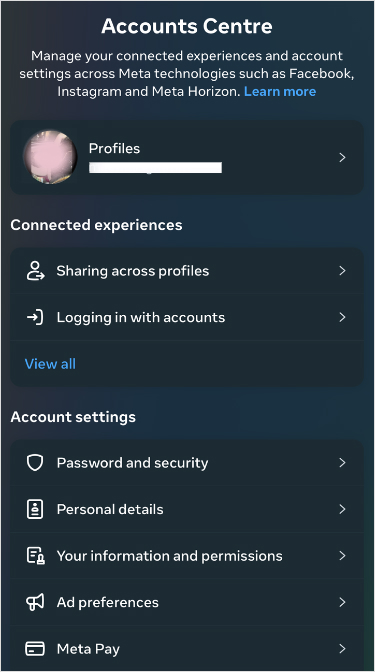
Step no 03: Find the account center at the bottom and tap it.
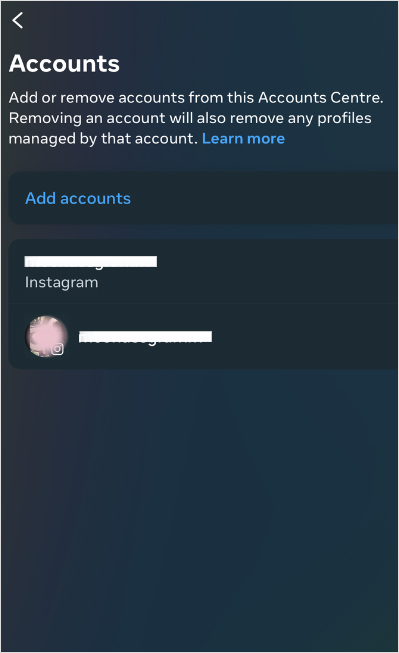
Step no 04: See linked accounts: Tap Accounts, and you’ll see your Facebook account there.
Step no 05: Unlink it: Tap on your Facebook account, choose Remove from Account Center, and confirm it. You’re done!
On Facebook:
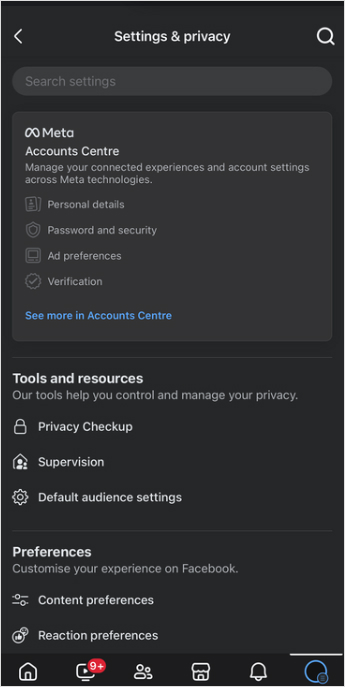
Step no 01: Open the Facebook app and tap the three lines at the top right.
Step no 02: Go to settings: Scroll down to settings & privacy, then tap ‘Settings’.
Step no 03:Open account center: Find Meta Account Center and tap it.
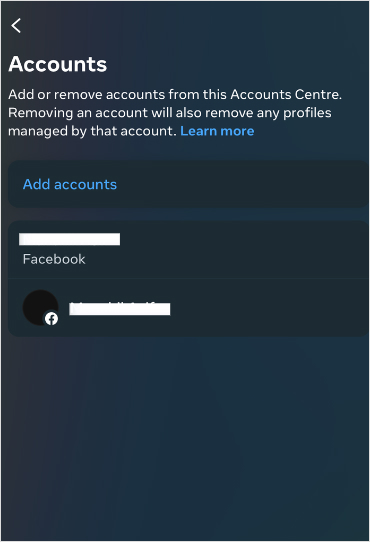
Step no 04:Unlink your Instagram: Tap Accounts, select your Instagram, and hit Remove from Account Center.
And that’s it! Your accounts will no longer be connected. Easy, right?
Once you’ve unlinked your accounts, consider implementing these strategies and tools to enhance your social media marketing:
1. Use bio-links to direct your audience
Why it matters: Platforms like Instagram limit you to just one clickable link in your bio, which makes bio-links crucial. This is your chance to direct followers to various resources and maximize the potential of that single link.
How to use: Use tools like Replug to create a single link that houses several destination links (e.g., blog posts, promotions, or products).
2. Branding matters: crafting custom URLs that convert
Why it matters: Custom URLs do wonders for your brand image. They not only improve recognition but also build trust with your audience, making them more likely to click through to your content.
How to use: Use an efficient URL shortener that allow for customization. Instead of a generic link, generate a branded shortened link. Try something more personalized, like yourbrand.com/promotion. It’s more memorable and adds a professional touch to your posts.
3. Re-engage your audience through smart link retargeting
Why it matters:Retargeting is a powerful way to reconnect with users who showed interest but didn’t take action. It’s about keeping your brand in front of them and encouraging them to engage.
How to use: Replug is a top-notch link optimization platform that lets you add retargeting pixels to your links hassle-free. Anyone who clicks on your links can be targeted with ads later, reminding them of what you offer. It’s a smart way to nurture leads and guide them toward making a purchase.
4. Track your links to see what works
Why it matters: To fine-tune your marketing strategies, you need to understand how users interact with your links. Link tracking gives you insight into clicks and conversions, helping you figure out what resonates with your audience.
How to use: Advanced tracking tools can help you track link performance. By analyzing this data, you can adapt your content strategy, optimize your posts, and ultimately drive more traffic where it matters most.
To manage all your social accounts effortlessly, Try using ContentStudio– An advance social media solution that allows you to schedule, automate, and distribute social media content efficiently to dominate the market.
Some of its key features include: 1. Unified social media management 2. Automated social media scheduling 3. Content discovery and curation 4. Engagement tracking and management
All in all, ContentStudio offers flexible pricing plans tailored to different needs, starting with affordable options for individuals and small businesses. Advanced plans are available for larger teams and enterprises, as well as feature-enhanced features and collaboration tools.
Conclusion
Unlinking your Facebook and Instagram accounts is a straightforward process that empowers you to manage your social media presence more effectively. You can enhance your social media strategy and drive better engagement by employing tools for link tracking, branded URLs, and efficient content management.
FAQs on unlink Facebook and Instagram
How do I unlink my Facebook and Instagram accounts?
To unlink your accounts, open the Instagram app, go to your profile, navigate to “Settings,” then “Account Center,” and finally select Facebook to remove it.
Why should I unlink my Facebook and Instagram accounts?
Unlinking can enhance your privacy, reduce data sharing, and allow you to manage your content more effectively on each platform.
Will unlinking my accounts delete any of my posts?
No, unlinking your accounts does not delete your posts on either platform. They remain intact and accessible.
What are some tips for managing social media effectively after unlinking?
Consider using link management tools, creating branded URLs, implementing link tracking, and utilizing retargeting strategies to improve your social media presence.
Have you ever seen a poster or a magazine ad that caught your eye and wished you could learn more instantly?
That’s where QR codes come in! These nifty little squares are revolutionizing the way we interact with advertising by creating a direct line from the physical world to the digital one.
With a quick smartphone scan, you can access exclusive deals and exciting videos and even connect with brands on social media. It’s like having a mini gateway to a world of information right in your pocket!
QR code usage in marketing has grown exponentially, with global scans increasing by 57% across 50 countries. Experts project that this trend will continue, forecasting a 22% rise in usage by 2025.
In this blog, we’ll explore how QR code advertising is not only enhancing consumer experiences but also helping businesses connect with their audience in new and engaging ways. Let’s get into the details!
What is QR code advertising?
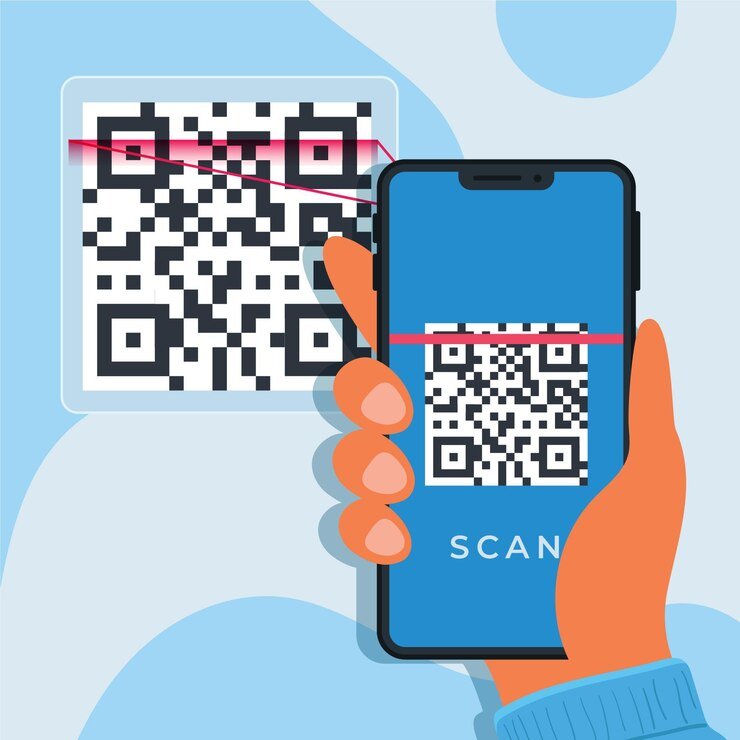
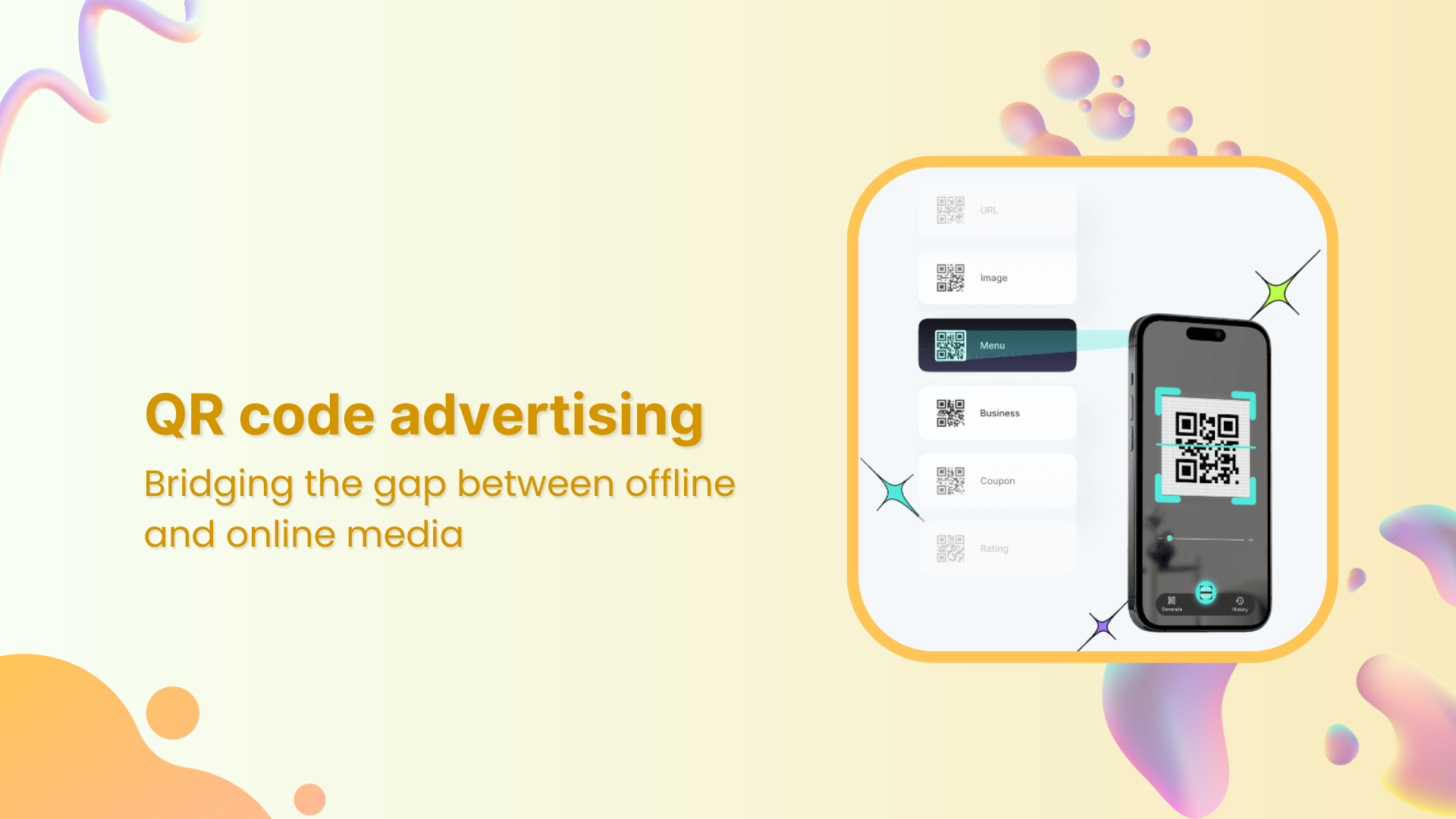
QR code advertising involves using Quick Response (QR) codes in promotional materials to connect users directly to the brand’s online content. These codes can be scanned using smartphones, leading consumers to websites, videos, social media pages, etc.
How do QR codes work?
QR codes are two-dimensional barcodes that store information in a grid pattern.
Scanning: Users scan the QR code using a smartphone camera or a dedicated QR code reader app.
Decoding: The scanner decodes the information stored in the QR code, which typically includes a URL or text.
Accessing content: After decoding, the user is directed to the encoded link, leading them to websites, videos, social media pages, or special offers.
Interactivity: QR codes can facilitate actions like downloading apps, adding contacts, or sending messages, enhancing user engagement.
Tracking and analytics: Businesses can track how often QR codes are scanned, providing insights into consumer behavior and campaign effectiveness.
Dynamic QR codes: The game changer for marketers
One of the most significant innovations in QR code technology is the rise of dynamic QR codes. Unlike static QR codes, dynamic codes can be updated after being printed. This means you can change the destination URL or the content the code links to without needing to print new materials.
Dynamic QR codes also offer advanced analytics, allowing businesses to track real-time user interactions. For example, you can see how many people scanned the code, where they scanned it, and what type of device they used. This provides valuable insights into customer behavior and helps you optimize your marketing efforts.
Benefits of QR code advertising
Benefits of QR code advertising
Personalized experiences
QR codes can be used to deliver personalized content based on user preferences or demographics.
Measurable results
By tracking the number of scans and user behavior, marketers can gain valuable insights into the effectiveness of their campaigns.
Real-time updates
It can be updated dynamically, allowing marketers to change or add information as needed quickly.
Cost-effective
QR codes can be easily incorporated into existing marketing materials, making them a cost-effective way to enhance campaigns.
Advanced accessibility
It can be used to provide information in multiple languages or formats, making it accessible to a wider audience, including those with disabilities.
17 creative ways to use QR code advertising
Now, here’s the exciting part about QR codes: they’re incredibly versatile! Not only can you print them on physical materials to reach your audience, but you can also share them digitally across online platforms.
This dual approach opens up endless possibilities for engaging your customers innovatively.
Let’s explore some of the bestexamples and effective uses of QR codes in both digital and offline worlds.
Digital QR code advertising
Digital platforms are the perfect space for QR code advertising. They allow brands to reach vast audiences while offering cost-effectiveness and precise targeting.
1) Add QR codes to your brand website
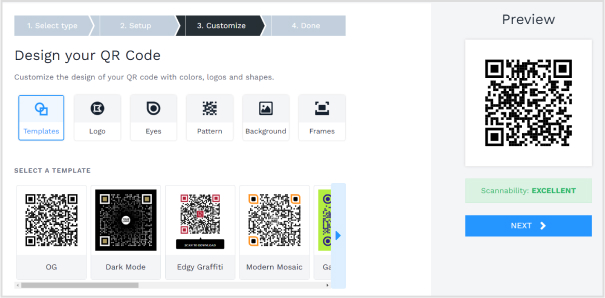
Adding QR codes to your website is a smart way to enhance user experience. These codes can direct visitors to product details, promotions, or downloadable resources. You can also track QR code scans using advanced QR code generators to gain insights into user preferences and behavior.
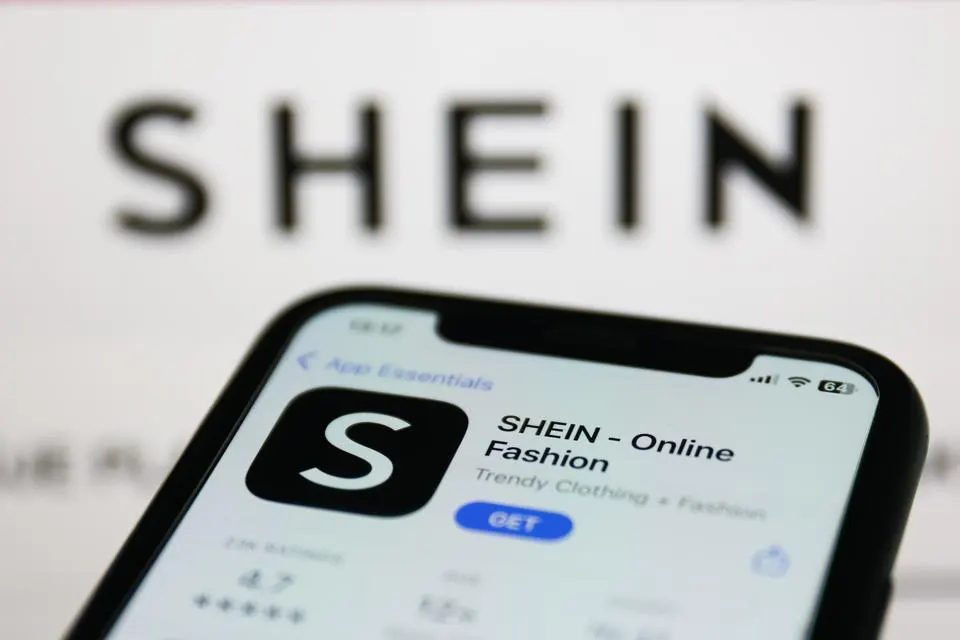
For example, the clothing brand Shein uses QR code advertising on their website to direct customers to their app, simplifying the shopping experience and increasing app downloads.
2) Utilize deep links in QR code advertising
Deep linking with QR codes allows you to guide users directly to specific content on your site or app. This is especially useful in email campaigns, mobile ads, and social media posts, where users want quick access to content.
For instance, deep linking can streamline the checkout process on e-commerce sites, directing users to their shopping cart or payment page.
Pro Tip: While QR codes can simplify navigation, don’t rely solely on them for frequent site visits. Short URLs are often easier for customers to remember.
3) Promote QR codes in social media posts
Integrating QR code advertising into your social media strategy is a highly visual way to engage followers. Platforms like Instagram, Facebook, and TikTok allow brands to post QR codes, encouraging users to scan for exclusive content or offers.
Event organizers, for example, can include QR codes in their posts to simplify ticket purchasing or RSVPs. Additionally, partnering with influencers to promote QR codes can greatly increase traffic and engagement.
4) QR codes in TV commercials
TV commercials featuring QR codes offer a new level of interactivity. Viewers can scan the code on the screen, taking them directly to your brand’s website or social media pages for more information.
During the Super Bowl 2022, Coinbase ran a successful QR code advertising campaign that led to a surge in app downloads when viewers scanned the code shown on TV.
5) Boost sign-ups with QR codes in email marketing
Including QR codes in your email newsletters is a powerful tactic to increase engagement. Subscribers can scan the QR code to access special discounts, product launches, or exclusive content.
As mobile device usage dominates online browsing, QR code advertising in mobile ads offers a fast, seamless experience for users. QR codes can direct them to multimedia content like videos or slideshows that tell your brand’s story.
Travel agencies, for instance, use mobile QR code advertising to provide instant access to boarding passes and itineraries.
7) Enhance virtual events with QR code advertising
For virtual events, QR codes simplify the registration and participation process. Attendees can scan the code to access live sessions, download materials, or engage with interactive event content.
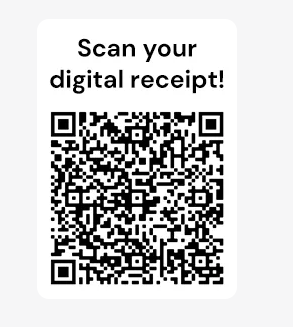
8) Use QR codes for digital receipts
Switching from paper to digital receipts with QR codes is both eco-friendly and convenient. Retailers can link digital receipts to loyalty programs or exclusive offers, encouraging repeat purchases and improving customer engagement.
9) Gather quick customer feedback with QR codes
Collecting customer feedback through QR codes can enhance your business. By placing QR codes on digital receipts, packaging, or promotional materials, customers can easily access a survey and provide feedback.
Offline QR code advertising
While digital advertising is essential, offline QR code advertising is equally effective. Integrating QR codes into print media, packaging, and physical locations can drive traffic and engagement.
10) QR codes in print advertising
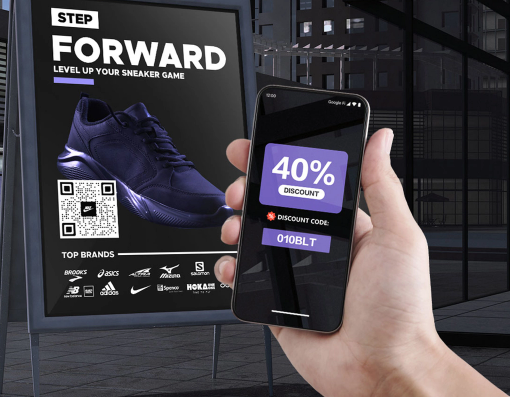
Print advertising comes alive when combined with QR code advertising. Whether it’s a brochure, magazine, or flyer, adding a QR code provides readers with instant access to more content. For instance, a local boutique, they could include a QR code in their magazine ad that directs customers to their online store.
11) QR codes on product packaging
Many brands are leveraging QR code advertising on their product packaging. Coca-Cola uses QR codes to give customers access to interactive content, such as games or special promotions.
This type of QR code advertising helps create a deeper connection with the brand and enhances the overall product experience.
12) Business cards with QR codes
Adding a QR code to your business card can make a memorable impact. Graphic designers often use QR codes to link their business cards to online portfolios, offering potential clients a seamless way to view their work.
Pro Tip: Use a short URL in situations where users have less time to scan QR codes, like networking events.
13) Enhance in-store promotions with QR code advertising
QR code advertising within in-store promotions enhances the shopping experience. For example, grocery stores can place QR codes next to sale items, linking customers to recipes or nutritional information, which can influence purchasing decisions.
14) Real estate listings with QR codes
In real estate, QR code advertising helps potential buyers access property details quickly. QR codes on For Sale signs can lead to virtual tours, photos, and pricing information, providing a convenient and pressure-free browsing experience. For example, real estate businesses can efficiently showcase numerous properties by incorporating high-resolution virtual tours into QR advertising. This approach captures consumer interest through interactive and immersive visual content
15) QR codes on restaurant menus
QR code menus in restaurants have become a standard in the hospitality industry. They allow customers to browse the menu, check out daily specials, or even place orders digitally, enhancing the dining experience.
16) QR code billboards
Billboards featuring QR code advertising provide a unique way for brands to engage passersby. For instance, a concert billboard with a QR code could lead directly to ticket sales or event information.
Brands like Nike have used QR codes on billboards to link to exclusive product launches or behind-the-scenes videos.
17) Authenticate purchases with QR codes
QR codes are also used for product authentication, particularly in industries plagued by counterfeiting.
Luxury brands like Louis Vuitton include QR codes on product tags, allowing customers to verify authenticity and access care instructions.
How to create a QR Code for advertising?
Creating a QR code is very easy. You just need to have an advanced QR code generator. Many QR code generators are available online, both free and paid. Look for one that allows customization and analytics tracking, such as Replug.
Replug is a link management platform that allows you to create short, branded links, including QR codes. It also offers a URL shortener free tool, making it easy for marketers to track engagement and analyze link performance without upfront costs.
Here’s how you can use Replug to create a QR code.
Sign up: Create an account on Replug’s website.
Create a link: After setting up your workspace, Input the URL or content you want to link to and customize it as needed.
Generate a QR code: Once you have your link, you’ll spot the option to copy the QR code for that link.
Download and share: Download the QR code and add it to your advertising materials.
Track performance: Monitor the analytics dashboard to see how your QR code is performing and adjust your strategy as needed.
Here are 3 top tips every marketer should follow when creating a QR code.
Use a reliable QR code generator: Opt for reputable QR code generators that offer high-resolution codes and customization options. This ensures that your QR code is scannable and visually appealing.
Optimize your QR codes: Ensure that the URL linked to your QR code is optimized for mobile devices. A mobile-friendly page will enhance user experience and increase the likelihood of engagement.
Test your QR code links before deploying: Before launching your advertising campaign, test different QR code links to see which one performs best.
Additionally, A/B testing multiple QR codes can provide insights into which offers or content resonate more with your audience.
In summary, QR code advertising represents a dynamic shift in the marketing landscape, seamlessly linking the physical and digital realms. This innovative approach not only enhances customer engagement but also provides brands with critical data to refine their strategies.
Frequently asked questions
Are QR codes still relevant in 2026?
Yes, QR codes remain relevant and increasingly popular due to their ease of use and ability to connect physical and digital experiences.
Do QR codes require an app to scan?
Most modern smartphones have camera apps that scan QR codes, so no additional app is necessary.
Can QR codes be customized?
Absolutely! Many QR code generators allow you to customize the design, color, and logo within the code to align with your brand.
How can I track the performance of my QR code?
You can use tracking features provided by many QR code generators, which allow you to see the number of scans and user interactions.
What type of content is best suited for QR codes?
QR codes work best with mobile-friendly content, such as landing pages, promotional offers, videos, or social media links.
Don’t underestimate the impact of a well-designed link preview—it can enhance your visibility and lead to more meaningful connections.
Crafting custom LinkedIn link previews is one of the most effective ways to capture your audience’s interest. A well-designed preview can instantly grab attention, entice clicks, and drive engagement.
In this guide, we’ll explore the significance of LinkedIn link previews and how you can use Replug to create visually stunning and informative previews that will make your posts shine.
Why customize your LinkedIn link previews?
LinkedIn has emerged as a premier platform for professionals across all industries, welcoming two new members every second. This remarkable growth highlights its diversity and significance for users.
Influential figures in digital marketing, such as Neil Patel, Ann Handley, Brian Dean, and Rand Fishkin, utilize LinkedIn because it offers access to a highly relevant audience and valuable opportunities for their brands.
Boost ROI with branded URLs!
Enhance your marketing campaigns by creating shareable, trackable, and fully multi-purpose
customizable branded URLs.
This means that in addition to optimizing your profile, every link you share on the platform should be carefully optimized. This approach helps you stand out in a crowded feed and effectively engage your target audience.
Specifically, be sure to include link previews for your links. By customizing the title, description, and thumbnail, you can capture attention and connect with the audience that matters most to your business.
And we’re done. Here’s your customized LinkedIn link preview.
Get your meta tags: Replug will generate meta tags that you can copy and paste into your website <head>. These meta tags will ensure that the customized preview appears correctly when shared.
A complete link management solution
for marketing professionals & agencies.
Try Replug for free
Step no 06:
Share your LinkedIn post and the customized preview will be displayed to your audience.
By following these steps and incorporating these tips, you can create customized LinkedIn link previews to make your posts more engaging and effective.
How using a URL shortener can enhance your customized LinkedIn links
Once you’ve created your custom LinkedIn link preview, the next step is to make that link even more powerful using a URL shortener. With Replug, you can shorten and personalize your LinkedIn URLs to align with your brand identity, making your links look cleaner, more professional, and instantly recognizable.
Using Replug’s LinkedIn link shortener, you can customize the URL slug, add your brand name or campaign keywords, and even change the favicon or thumbnail for added visual appeal. Plus, Replug’s analytics dashboard lets you track clicks, audience demographics, and engagement performance in real time.
Final verdict
Customizing your link previews can set your posts apart, instantly grabbing your audience’s attention and driving engagement. Replug offers a user-friendly, free website URL changer that empowers you to generate branded short links and create eye-catching previews in no time at all.
FAQs on custom LinkedIn link previews
Is the Replug LinkedIn link preview generator free to use?
Yes, Replug offers a free tool for creating and customizing link previews.
Can I use Replug to customize link previews for other platforms?
Yes, Replug allows you to create customized link previews for various social media platforms beyond LinkedIn.
Will customizing my link previews improve engagement?
Absolutely! Engaging and visually appealing previews are more likely to catch the eye of your audience, leading to increased clicks, shares, and overall engagement with your content.
How do I know if my custom link preview is effective?
Monitor engagement metrics such as clicks, shares, and comments on your posts. If you see an increase after customizing your previews, it’s a strong indication that your efforts are paying off.
Ever wished you could control how your links appear on Facebook? With Replug, you can! This powerful link shortener tool allows you to customize the link preview of your links, making them more visually appealing and engaging.
To get you started, we’ve put together this helpful guide. Let’s read.
How to customize the Facebook link preview using Replug?
Customizing the Facebook link preview using our Facebook link shortener is straightforward. Start by logging in to your Replug account.
If you haven’t already, sign up. Replug offers a 14-day free trial—no credit card is required to try it out.
Once you’ve logged into your Replug account, set up your workspace.
Then copy your URL from Facebook;
Step no 01:
Go to Replug Home and locate the “Quickly shorten your link” bar. Paste the URL you want to share and press Enter.
Boost ROI with branded URLs!
Enhance your marketing campaigns by creating shareable, trackable, and fully multi-purpose
customizable branded URLs.
You’ll be redirected to a page where you can customize your Facebook URL. Here, you can password-protect your links, add expiry dates to them, add traffic routing rules to them, and much more.
Step no 03:
Once you input the link, Replug will automatically fetch the meta details, such as title, description, and thumbnail image. But if you want to customize the details even more, you can:
Title: You can customize the title of your Facebook link preview by simply typing in your preferred text in the “Title” field.
Description: Adjust the description by writing a more engaging or relevant summary of your link in the “Description” field.
Image: Upload a custom, eye-catching thumbnail relevant to your content—use AI image-making tools for quick creation.
Step no 04:
After customizing, click “Save.” You can now share the customized Replug URL on Facebook. It will display your customized preview instead of the default one when posted.
A complete link management solution
for marketing professionals & agencies.
Try Replug for free
06 unique benefits of custom link previews on Facebook
Custom link previews offer your Facebook audience a more engaging and informative experience. Here are five unique benefits:
1. Enhanced click-through rates (CTRs)
A visually appealing and informative link preview can encourage users to click through to your content. Customizing the image and title can create a more compelling call to action.
If your posts with custom link previews receive more engagement (likes, shares, comments), it can serve as social proof, encouraging others to click through and interact.
3. A/B testing
A/B testing different links for the same content allows you to analyze which version drives more clicks and leads, helping refine your messaging.
4. Increased engagement
Custom link previews can lead to more likes, comments, and shares. A visually engaging post is more likely to capture attention and spark conversation.
5. Referral sources
Another great benefit is the ability to track links, for example, referral sources help you understand where clicks are coming from and can help identify which channels or campaigns are most effective in generating leads.
6. Better SEO
While not a direct benefit, custom link previews can indirectly improve your SEO. Your website’s ranking may improve if your posts are shared more frequently and receive more engagement.
Maximize marketing ROI
by transforming ordinary URLs into branded short links that convert.
Try Replug for free
Conclusion
Customizing link previews on Facebook and using Replug is a straightforward way to enhance the visual appeal and effectiveness of your shared content.
Tailoring titles, descriptions, and images can create more engaging previews that capture attention and encourage clicks. Whether you’re looking to boost your brand’s presence or make your links more attractive, Replug is a top-notch link optimization platform offering the tools to make your social media posts stand out.
FAQs on custom link previews
Do I need a Replug account to customize link previews?
Yes, you need a Replug account to customize link previews. You can sign up for a free trial if you’re new to the platform.
Can I use Replug to customize link previews for other social media platforms?
You can use Replug to customize link previews for other social platforms supporting link previews.
Will my customizations appear immediately after sharing the link?
Sometimes, social media platforms cache link previews. If your customizations don’t appear immediately, you might need to use tools like Facebook’s Sharing Debugger to refresh the cache.
Can I edit the link preview after sharing it?
Yes, you can update the link preview by editing the link in Replug and saving the changes. However, the updated preview may not immediately appear on social media due to caching.
So you’ve just shared an intriguing link on Twitter (X), and the preview doesn’t do justice to the content you’re promoting.
What if you could make that boring preview into an eye-catching image that grabs attention?
Meet Replug: a top-notch short URL shortener tool that not only makes your links look clean, but also allows you to fully customize how they appear on platforms like Twitter (X).
In this guide, you’ll learn how to take control of your link previews using Replug, ensuring your content always stands out.
Boost ROI with branded URLs!
Enhance your marketing campaigns by creating shareable, trackable, and fully multi-purpose
customizable branded URLs.
How to customize the Twitter (X) link preview using Replug?
Log in to your Replug account. Sign up if you haven’t already. Replug offers a 14-day free trial – no credit card is required to try out.
Step no 01:
Once you’ve logged into your Replug account, set up your workspace.
Then, go to your Home and locate the “Quickly shorten your link” bar. Paste the URL you want to share on Twitter (X) and press Enter.
Step no 02:
You’ll be redirected to a page where you can customize your URL. Here, you can adjust various settings like favicons and link expiry dates.
Maximize marketing ROI
by transforming ordinary URLs into branded short links that convert.
Try Replug for free
Step no 03:
Now, this is where the magic happens! Replug allows you to customize the link preview that Twitter (X) users will see. Here’s what you can adjust:
Title: Craft a compelling headline that grabs attention.
Description: Write a brief summary that entices people to click.
Image: Upload an eye-catching image relevant to your content. This could be a product image, infographic, or branded visual.
After customizing the title, description, and image, click “Save.”
Replug will generate a shortened version of your link with the updated preview.
Step no 04:
Now that you have your customized link head over to Twitter (X) and paste the shortened URL into your tweet. The new preview will appear automatically and be complete with your custom image, title, and description.
So, try out Replug’s Twitter link shortener to create clean, branded URLs that not only look professional but also let you track clicks and engagement directly from your Replug dashboard.
If you’re looking for even more control over your Twitter (X) link previews, Replug’s premium plans offer advanced features:
A complete link management solution
for marketing professionals & agencies.
Try Replug for free
Advanced analytics: Gain high-end link insights into user demographics, referral sources, and more.
White-label options: Completely remove Replug branding and replace it with your own, offering a seamless experience for your audience.
Bio-link: A bio-link consolidates multiple URLs into one, providing a single, customizable link for social media profiles. This makes it easier for users to direct their audience to various online destinations from a single location.
Retargeting pixel: This allows advertisers to display targeted ads to users who have previously interacted with their site, enhancing ad relevance and engagement.
Deep links:Deep links direct users to specific pages or content within an app or website rather than just the homepage.
Conclusion
Replug.io offers an easy and effective way to take control of how your links appear on social media, including Twitter (X).
Customizing link previews allows you to align your content with your branding, boost engagement, and make a lasting impression.
Try it and see the difference a custom link preview can make.
FAQs on Twitter(X) link preview
Can I customize the preview for specific pages on my website?
Absolutely! Replug allows you to create custom previews for individual pages or categories.
Can I change link preview image on Twitter(X) through Replug?
Yes, you can customize the link preview image on Twitter (X) using Replug.
How long does it take for changes to take effect?
Usually, changes made to your preview will be reflected on Twitter within a few minutes.
What is the best free tool for changing link preview title on Twitter(X)?
Replug is the best free tool for changing the link preview title on Twitter (X).
Can I use Replug with other social media platforms?
Yes, you can use Replug with other social media platforms too.
Is there a limit to the number of links I can customize?
The number of links you can customize may depend on your pricing plan.