Google’s goo.gl link shortening service has been a trusted tool for condensing long URLs for years. But come August 2025, Google will officially discontinue goo.gl, leaving millions of links inactive.
What does this mean? All those goo.gl links you’ve created will stop working, which could seriously impact websites, campaigns, and digital strategies relying on them.
If you’ve been using goo.gl for your business or personal projects, now’s the perfect time to explore new options.
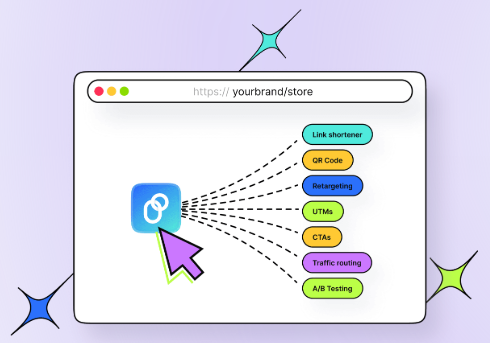
The good news? There are plenty of great alternatives out there, like Replug, TinyURL, and Rebrandly. However, one standout solution is Replug, offering advanced features like link retargeting and detailed analytics.
Boost ROI with branded URLs!
Enhance your marketing campaigns by creating shareable, trackable, and fully multi-purpose
customizable branded URLs.
In this blog, we’ll walk you through the best alternatives to goo.gl and show you how to switch without breaking a sweat, ensuring your marketing efforts run smoothly.
Why do you need to act now? With goo.gl links disappearing in August 2025, migrating to a new platform sooner rather than later will save you from headaches down the road. Plus, modern URL shorteners offer innovative tools like retargeting, branded links, and detailed analytics that goo.gl never supported.
Best goo.gl links alternative of 2026
There are plenty of alternatives to goo.gl that not only replace the service but also offer enhanced features for better link management. Among them, Replug stands out as the top choice. It’s the ultimate solution to ensure your marketing efforts keep thriving in 2026 and beyond.
Replug – The all-in-one link solution
Best for: Agencies and marketers who need more than just shortened links.
Best features:
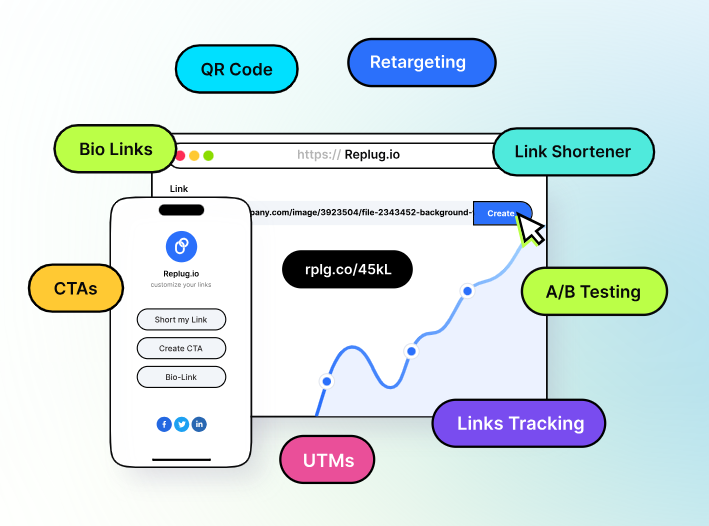
Custom-branded URLs to elevate brand visibility and credibility.
Password protection to keep your links secure and private.
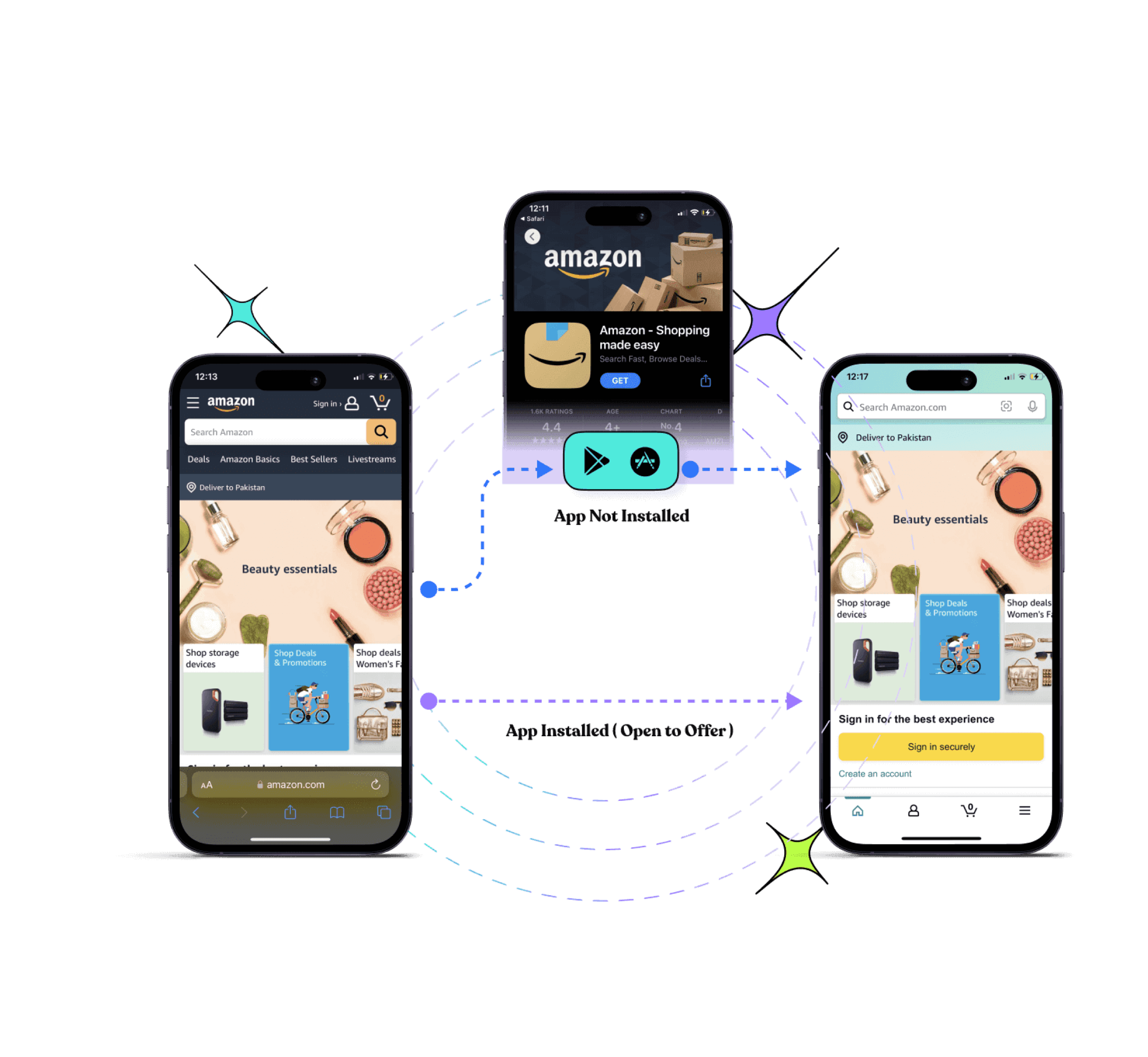
Deep linking to seamlessly redirect users to in-app content.
Design unique calls to action that stand out and resonate with your audience.
A/B testing to optimize your links based on performance data.
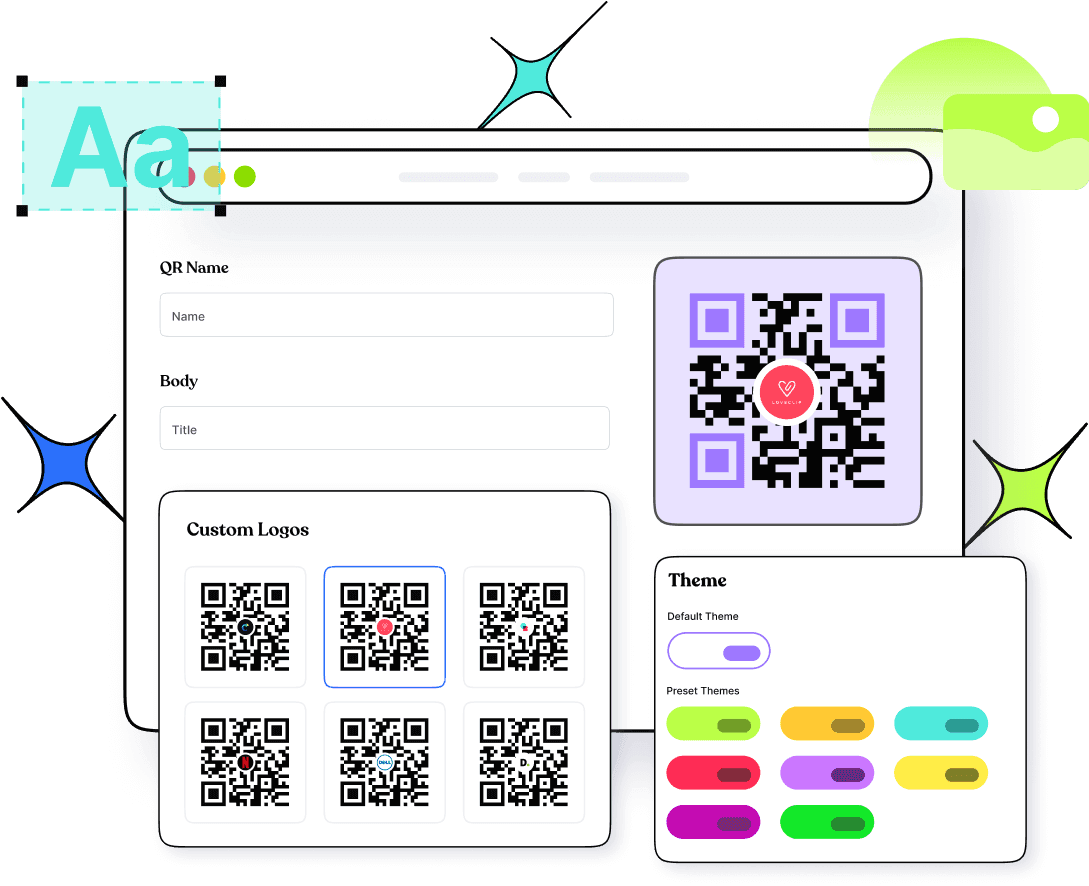
Branded QR codes that are easy to scan and share, aligning with your branding.
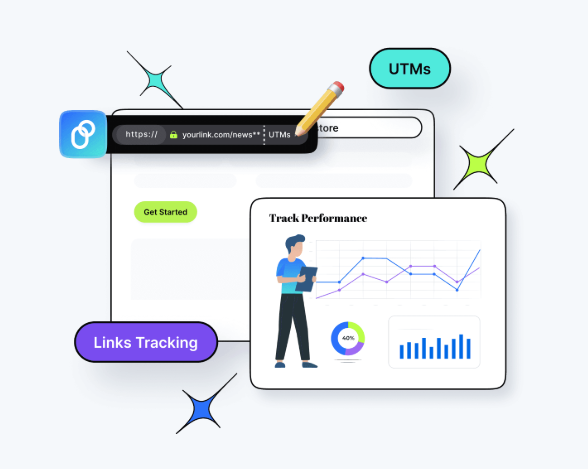
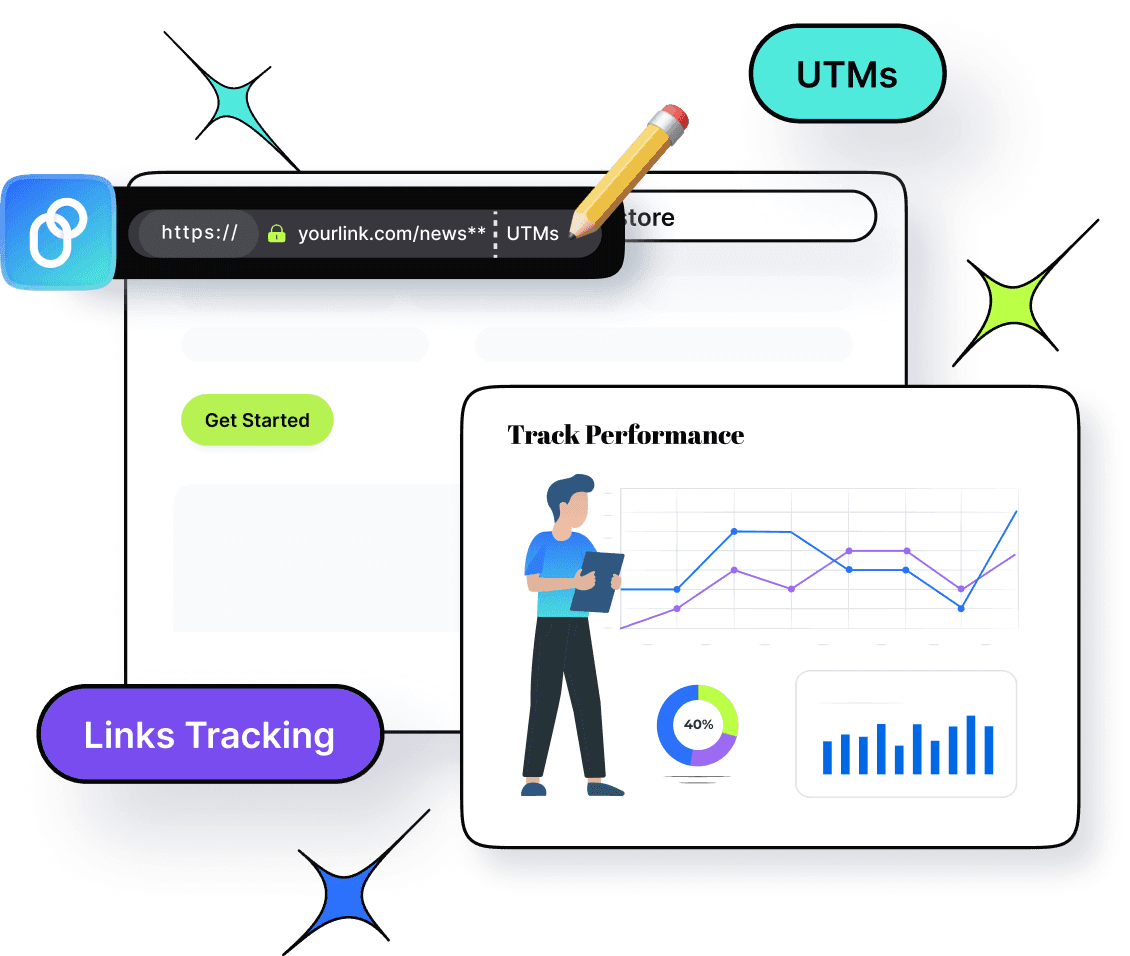
UTM tracking to monitor campaign performance with detailed insights.
White-label dashboards are needed to rebrand the platform fully without the Replug logo showing.
Replug makes marketing smarter and easier without burning a hole in your budget. If you’re a SaaS company chasing growth, an agency managing campaigns, or an e-commerce brand using powerful ecommerce software to expand your audience, Replug has your back.
A complete link management solution
for marketing professionals & agencies.
Try Replug for free
Get access to powerful features wrapped in a super intuitive interface, making it easy to use from day one. You can customize your links effortlessly, track performance in real-time, and get support whenever you need it, thanks to their 24/7 customer service.
Plus, with seamless integrations with popular platforms like Zapier, Google, Facebook, and more, it fits perfectly into your existing workflow.
Why is Replug the best alternative to goo.gl?
Replug offers a wide range of features, making it an excellent replacement for goo.gl.
Here are some of the key reasons why you should consider switching to Replug:
1. Customizable links
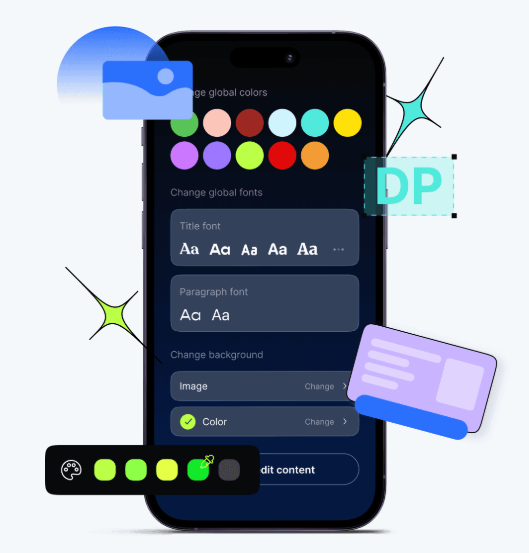
One of the standout features of Replug is its ability to further customize a shorten link the way you like. Unlike goo.gl, which provides generic short links, Replug allows you to create branded URLs consistent with your business identity.
This makes your links look more professional and helps with brand recognition and trust.
You can choose custom domains and add meaningful text to your short URLs, making them more clickable and relevant.
2. Advanced analytics
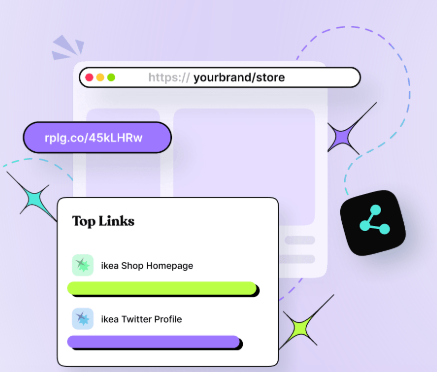
Replug doesn’t just shorten links—it also provides in-depth analytics to help you track the performance of your links. You can easily monitor the number of clicks, the geographic locations of your visitors, and the devices they use.
3. Retargeting features
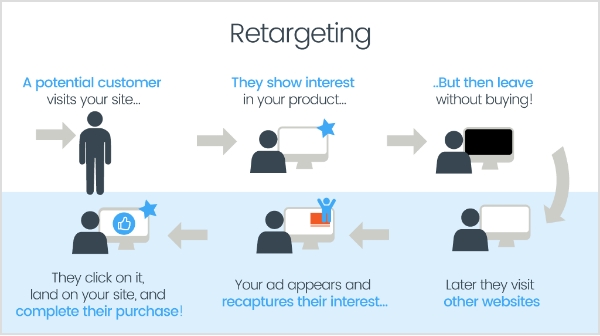
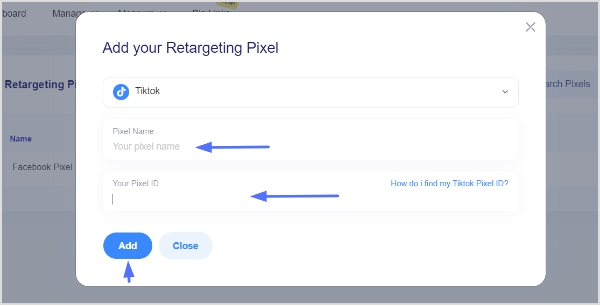
Another major advantage of Replug is its ability to add retargeting pixels to your links. This feature is ideal for businesses and marketers who want to retarget visitors with ads on social media platforms like Facebook, Instagram, and Google.
Adding a retargeting pixel to a Replug link lets you track and reconnect with users who clicked on your link but didn’t take the desired action. This feature is a game-changer for improving conversion rates and driving sales.
4. Link management dashboard
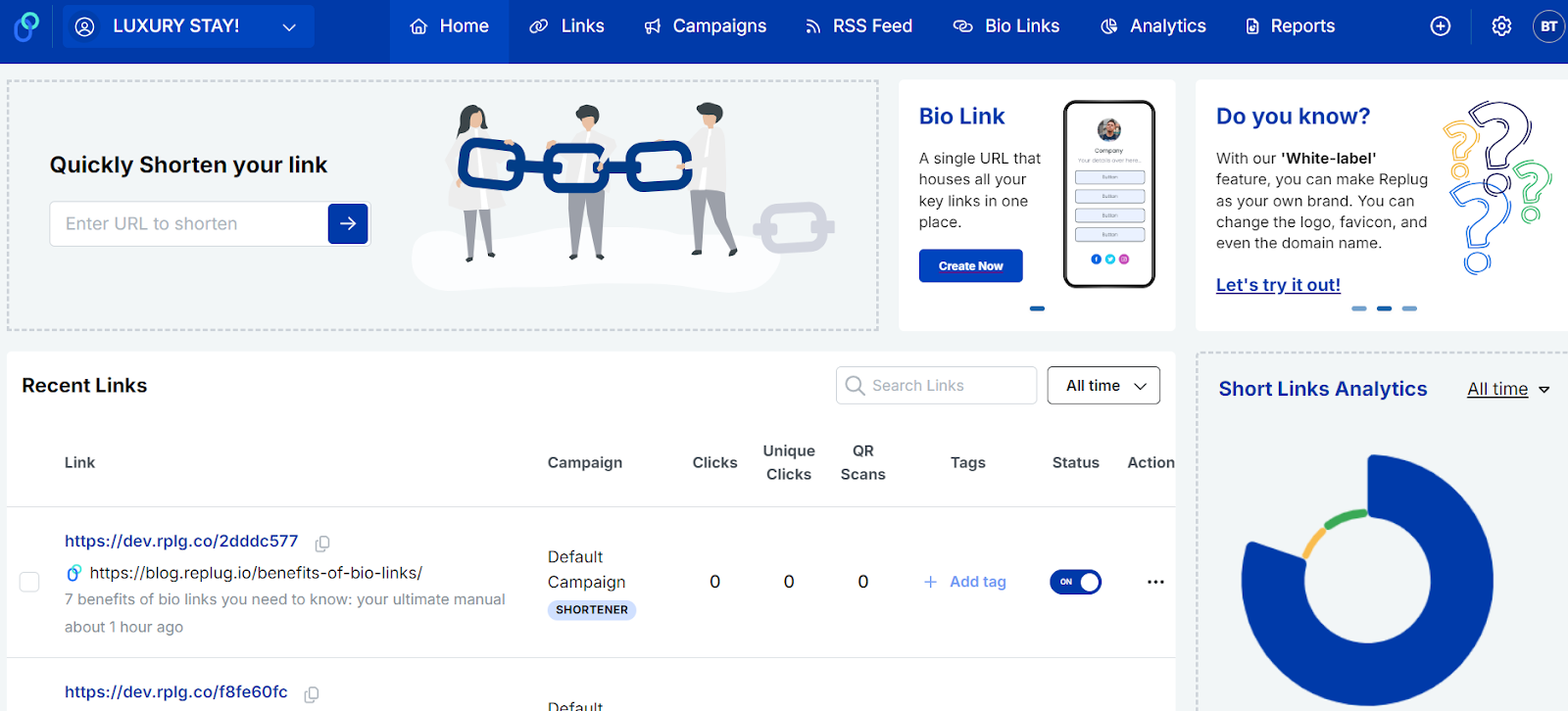
Replug provides an easy-to-use link management dashboard that allows you to organize all your shortened links in one place. You can categorize links by campaign, monitor their performance, and edit or delete them if necessary.
In addition, the dashboard offers several powerful features to optimize your link strategy, such as creating link previews, customizing favicons, and running A/B tests. You can also change link destinations, rotate traffic, and bulk import or export links for greater efficiency.
Drive more clicks, conversions, and app installations by deep linking
to your favorite platforms.
Try deep links for free
For added control, Replug enables you to set link expirations and password-protect your links, ensuring both flexibility and security in your link management process.
5. Team collaboration
For businesses with multiple team members, Replug offers team collaboration features that allow users to manage and share links with colleagues.
This is particularly useful for agencies or marketing teams working on many campaigns, as it ensures everyone is on the same page and can access the necessary data.
How to migrate from goo.gl to Replug?
Migrating from goo.gl to Replug is a straightforward process. Here’s how you can do it in just a few simple steps:
1. Export tour goo.gl link data
The Google URL shortener login lets you access your account and download your link data before goo.gl links are deactivated.
Exporting this data provides you with a record of all your long URL analytics and statistics, which can be crucial for making informed decisions moving forward.
2. Sign up for Replug
Visit the Replug website and choose the plan that best fits your needs.
You can start with a 14-day free trial to get familiar with the platform and its features or opt for a premium plan for more advanced capabilities.
3.Create custom links
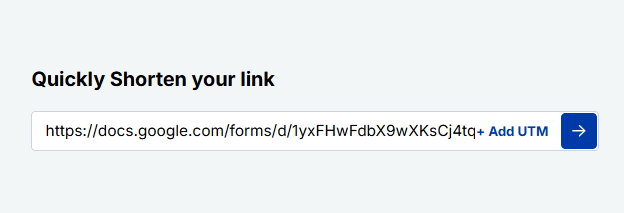
Once you’ve signed up, you can start shortening your URLs with Replug. Enter the long URL you want to shorten, and Replug will provide a custom short link.
You can also change the link name to make it more relevant and memorable by adding keywords or your brand name.
4. Update old goo.gl links
If you have existing goo.gl links, it’s time to replace them with Replug links. If those links are already shared across websites, social media, or email campaigns, it’s important to update them to ensure that your audience is directed to the correct destination.
You can also track these links with Replug’s analytics to see how they perform compared to the old goo.gl links.
5. Monitor link performance
Once your Replug links are live, use the platform’s analytics tools to track their performance.
Replug gives you detailed insights into how many clicks your links receive, where those clicks are coming from, and how they’re performing across different channels. This data will help you refine your campaigns and make necessary adjustments.
Benefits of switching to Replug before August 2025
With Google discontinuing goo.gl in August 2025, it’s important to start transitioning your links to a more reliable and feature-rich link optimization platform.
Here are a few key benefits of making the switch now:
No service interruptions: By migrating to Replug early, you ensure that your links continue to work without any downtime once goo.gl shuts down.
Improved link management: Replug’s advanced analytics, retargeting features, and easy link management tool dashboard give you greater control over your links and marketing campaigns.
Better branding opportunities: Customizable links allow you to build a stronger brand presence and make your links more memorable to your audience.
Future-proofing: As digital marketing continues to evolve, Replug’s features will keep you ahead of the curve with new updates and tools designed to enhance your marketing efforts.
Maximize marketing ROI
by transforming ordinary URLs into branded short links that convert.
Try Replug for free
Final thoughts
As Google’s goo.gl link shortening service heads for retirement, it’s essential to find a reliable alternative to keep your marketing campaigns on track.
Replug stands out as the best option with its powerful features, including customizable links, analytics, retargeting capabilities, and easy link management.
By migrating to Replug now, you can ensure a seamless transition and continue driving effective marketing campaigns long after goo.gl is gone.
Start using Replug today and experience the difference it can make to your link management and overall digital marketing strategy.
FAQs
Why is goo.gl shutting down?
Google will discontinue the goo.gl link shortener in August 2025 as part of its strategy to focus on other products and services.
How can I migrate my links from goo.gl?
You can easily export your goo.gl data, sign up for Replug, and replace your old goo.gl links with custom Replug URLs.
What are the benefits of using Replug over goo.gl?
Replug offers customizable branded links, detailed analytics, retargeting options, and a user-friendly dashboard, all of which goo.gl didn’t provide.
Is Replug suitable for businesses?
Yes, Replug is ideal for businesses of all sizes, offering advanced features like retargeting, custom domains, and analytics for effective marketing campaigns.
As 2026 unfolds, the race to find the ultimate link management tool is more intense than ever.
Marketers and businesses are no longer settling for basic link functionalities—they’re on the hunt for stronger solutions that deliver advanced analytics, retargeting, and branding capabilities.
If you’ve also been exploring tools like Linkly but feel room for improvement. This comparison will introduce you to Replug—a top Linkly alternative.
Both platforms are designed to empower marketers with branded links, redirecting features, and advanced branded management, but how do they truly stack up?
In this Linkly vs. Replug blog, we’ll compare these platforms side by side, dissecting their features, pricing, and limitations to help you discover the perfect fit for your link management needs.
A complete link management solution
for marketing professionals & agencies.
Try Replug for free
Overview
Linkly
Replug
Description
Linkly– a simple link management tool founded to provide marketers with a straightforward tool for link creation and basic analytics, Linkly has gained traction among businesses looking for a no-frills approach to link management.
Replug positions itself as a comprehensive link management and marketing platform. It goes beyond simple URL shortening to offer a suite of tools designed to enhance your marketing efforts across various channels.
Now that we have a basic understanding of Linkly and Replug, the ultimate Linkly alternative. Let’s dive into a detailed comparison of their features, user interface, and other important pointers. This will help you determine which platform aligns best with your specific needs.
Link management and organization
Link management involves organizing, tracking, and optimizing URLs across various digital marketing channels.
Linkly link management
Create branded links with a custom domain: Linkly allows you to use your own branded domain, enhancing brand visibility and trust with custom short links.
Offers simple tagging for categorization: Tags help categorize links for quick identification, but they may lack more advanced tagging options.
No option to create password-protected links: Unlike other platforms, Linkly doesn’t allow you to add password protection for extra security on short links.
Easily delete or disable links: Links can be quickly deleted or disabled from the platform, making it easy to manage active and inactive links.
Quick QR codes: Linkly enables you to generate custom QR codes for your links, streamlining access and providing valuable tracking insights.
Offers easy link cloaking capabilities: Link cloaking is simple to implement, helping you hide long URLs and protect affiliate commissions.
Create custom social media link previews: Customize how your links appear on social media platforms, improving click-through rates and engagement.
Replug link management
Advance URL shortener: Transform generic links into branded ones and share them with your audience to drive more traffic. Track performance with each click to measure your impact.
Provides a clear dashboard for tracking links and campaigns: The dashboard is user-friendly and provides a comprehensive view of your links and their performance.
Supports advanced tagging and categorization options: With Replug, you can apply link tags and categories, improving link organization and searchability.
Includes a search function to quickly locate specific links: A search feature allows fast access to specific links, ideal for large collections.
Allows creation of password-protected links or setting expiry dates: You can protect your links with a password or set an expiration date, adding a layer of security and control.
Instantly create dynamic QR codes for your links: Easily generate dynamic QR codes that can be updated without changing the original link, perfect for print and digital media.
Deep linking for smooth navigation: Deep linking ensures users are directed to the right content in-app, enhancing their experience and reducing drop-offs.
Drive more clicks, conversions, and app installations by deep linking
to your favorite platforms.
Try deep links for free
Add favicons to your links with ease: You can easily add favicons to links, creating a more personalized and professional look for your URLs.
Allows easy link cloaking capabilities: Replug also provides simple link cloaking options, ensuring a cleaner and more branded URL for your campaigns.
Link previews for social media, SMS, or custom use: Replug lets you customize link previews, making them more appealing on social media, SMS, or other platforms to boost engagement.
Replug’s more advanced organizational features give it an edge, particularly for users managing a large volume of links or complex marketing campaigns.
Slug customization: Linkly provides basic customization for the URL slug, but it lacks advanced options for optimizing links for SEO beyond the basics.
Bulk link creation capabilities: Allows users to create multiple short links at once, making it efficient for campaigns requiring numerous URLs.
Lack of advanced deep linking: Linkly doesn’t offer deep linking features that direct users to specific in-app pages for a seamless user journey.
SEO-friendly URLs: Linkly supports SEO-friendly URLs by allowing the inclusion of relevant keywords in the URL path, improving visibility in search engines.
Replug URL shortening
Dynamic link customization: Replug allows users to create dynamic URLs that can be updated with new destinations without changing the shared link.
Bulk link import functionality: You can import multiple links at once, which saves time when managing large link libraries.
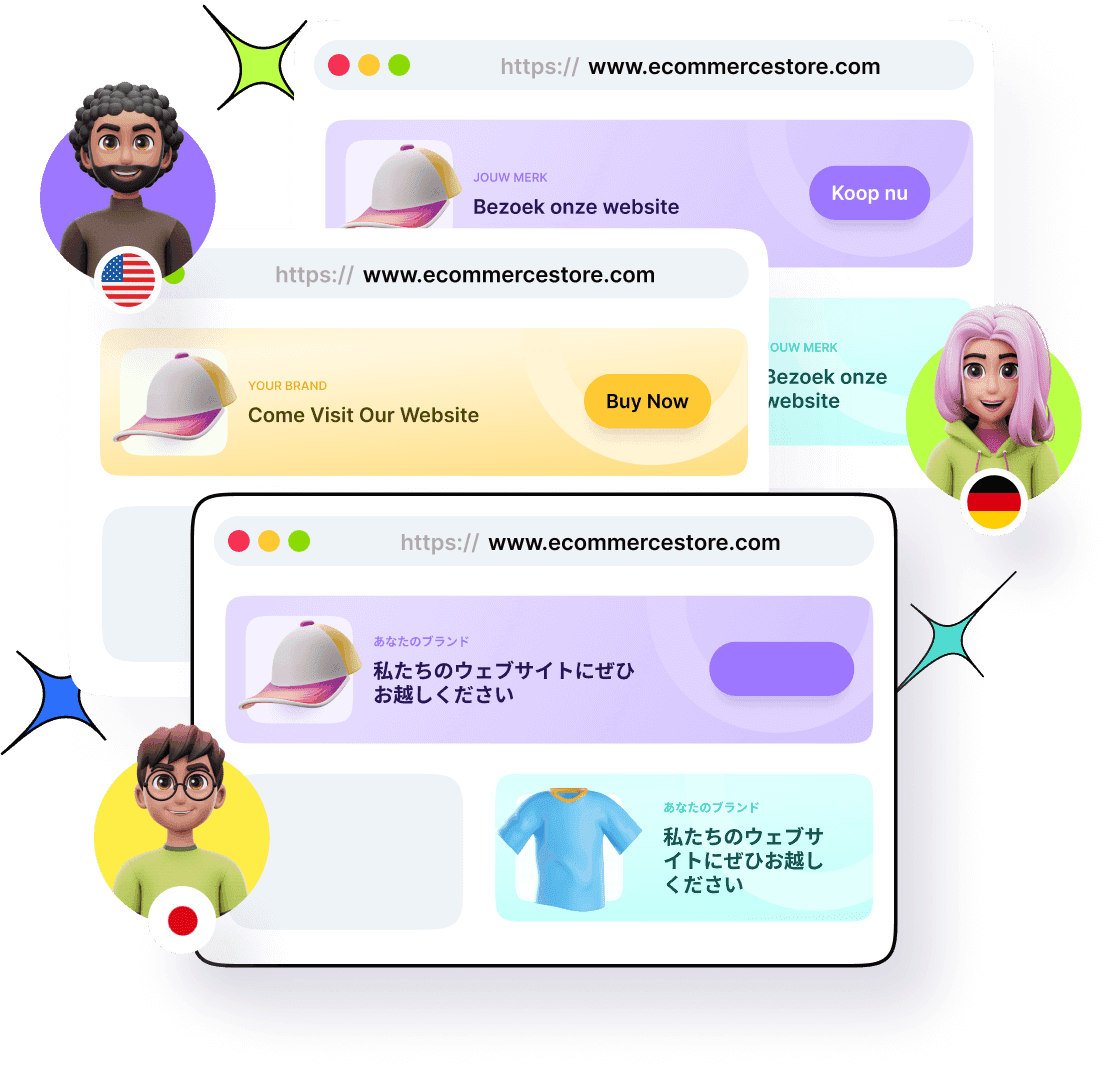
Custom domains for branded links: Replug supports the use of custom domains, allowing businesses to create branded short URL and links that help reinforce brand recognition.
SEO-friendly URLs: Replug ensures that users can create SEO-friendly URLs by customizing the slug and optimizing the link structure for better search engine performance.
Maximize marketing ROI
by transforming ordinary URLs into branded short links that convert.
Try Replug for free
Automated link customization: Replug includes automation features like link tagging, UTM presets, and bulk editing, saving time and effort for SEO optimization.
Custom-branded SMS links: Create personalized, branded links for SMS campaigns to boost trust and click-through rates.
Mobile-first optimization: Links created in Replug are optimized for mobile users, with options for app deep linking and responsive URLs for better user experience.
Bio-link pages
Linkly bio-link
Lacks the bio-link feature: Linkly does not provide the option to create customizable bio-link pages to consolidate multiple links like its competitors.
Replug bio-link
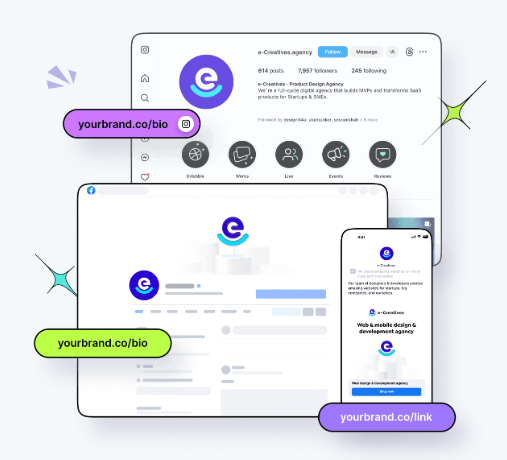
Customizable bio-link pages: Replug allows users to create personalized bio-link pages with branded designs matching their brand identity.
Add brand name to your bio link: Include your brand name directly in your bio link to strengthen brand visibility and recognition.
Go beyond generic link pages!
Create custom bio links that truly fit your brand
With Replug, you can create bio links that are unique, engaging, and built to convert.
Add multiple links to one page: Use a single bio-link page to house multiple URLs, including videos, text, cards, and social links, making it easy for users to navigate to specific content.
RSS feed: Automatically display your latest blog posts or updates on your bio-link page with an integrated RSS feed.
Add a tracking pixel to your bio-links: Enhance analytics by embedding tracking pixels to monitor audience engagement with your bio-links.
Traffic routing and retargeting
Linkly retargeting and traffic distribution
Simple routing rules: Enables straightforward link rotation setup of routing criteria without requiring technical expertise.
Manual traffic distribution:This allows you to control how much traffic is allocated to each variation in your links.
Redirect users based on country:This enables you to redirect users to specific URLs based on their country, ensuring they access region-specific content or offers.
Robot and spider blocking: Linkly allows you to block bots and search engine spiders from crawling your links, ensuring better control over your traffic and analytics.
Device-based routing: Directs users to mobile or desktop-optimized pages depending on the device they are using.
Simplified pixel setup: Provides an easy-to-use interface for attaching retargeting pixels to your links without technical hurdles.
Limited platform integrations: Offers basic retargeting support but integrates with fewer platforms like Meta, Google Pixel, etc, compared to advanced tools.
Replug retargeting and traffic distribution
Geo and device-based routing: Replug allows you to route traffic based on location or device type, ensuring a personalized experience for users.
A/B testing for campaigns: Test multiple URLs or landing pages to determine the best-performing version for your audience.
Custom routing rules: Set advanced rules to direct traffic to specific pages depending on user behavior or preferences.
Dynamic link rotator: Easily adjust traffic distribution between URLs during A/B testing based on performance insights.
Real-time analytics for optimization: Monitor real-time routing and testing results to tweak campaigns and maximize conversions.
Add retargeting pixels to every link: Replug allows users to attach retargeting pixels from social platforms like Facebook, Google, or LinkedIn to any shortened URL, enabling precise audience tracking.
Track pixel performance: Monitor how well your retargeting pixels perform directly from Replug’s analytics dashboard, ensuring you can tweak campaigns for better results.
Call-to-action campaigns
Linkly CTA campaigns
Missing CTA creation feature: Unlike Linkly alternatives, The platform has no option to add tailored call-to-action buttons to your links for enhanced conversion.
Replug CTA campaigns
Customizable call-to-action: Replug allows users to create fully customizable CTAs that align with their branding and campaign goals.
Personalized text and links: Customize CTAs with headlines, messages, links, and phone numbers for contact.
Brand-consistent design: Use your brand’s colors and theme for a seamless, professional look across your campaigns.
Multiple CTA Types: Users can create different types of CTAs, such as buttons, banners, or pop-ups, to drive user engagement.
Control timing and positioning: Schedule when your CTA appears and adjust its placement for maximum visibility.
Boost your conversion rates with irresistable CTAs with
Provides simple data visualization: Linkly offers clean and straightforward data visualization, making it easy to track clicks and key metrics through simple graphs and charts.
Limited options for data export: Linkly provides basic data export functionality, but advanced options for exporting analytics may be limited for users needing deeper analysis.
Click tracking: Get efficient click tracking, showing data like the number of clicks and the location of users to gauge engagement.
Geographic insights: It provides location-based analytics, helping you understand where your audience is coming from.
Device and browser tracking: Linkly can track the devices and browsers users are using to click on your links, aiding in more targeted campaigns.
Replug analytics
Real-time, in-depth analytics: The Linkly alternative – Replug, provides live click tracking and detailed insights into link performance, click analytics, and user behavior for immediate campaign optimization.
Geographic, device, and referrer insights: Understand where users come from, which devices they use, and what sources drive the most traffic to your links.
UTM parameter tracking: Create and measure campaign effectiveness by tracking UTM-tagged links and identifying top-performing traffic sources.
Campaign and link-specific tracking: Analyze performance at the campaign level or link level, track retargeting pixel data, QR scans, CTA campaign, and bio-link engagement.
Detailed custom link and SMS analytics: Dive deep into custom link or SMS campaign data, including click-through rates, user engagement, and interaction metrics.
Comprehensive data export options: Replug provides you a separate dashboard for all your reports. Export analytics data in flexible formats for further analysis, reporting, or integration with external tools.
Replug consistently offers more advanced and comprehensive options than Linkly in this feature-by-feature comparison. However, the best choice depends on your specific needs and the level of complexity you’re comfortable with in your link management tool.
Pros & cons comparisons – Linkly vs Replug
Linkly
Replug
Pros
– Strong traffic routing capabilities – Simple and straightforward user interface – Supports UTM tracking for campaigns – Quick and reliable performance
– Complete link management solutions – White-label dashboard- Advanced retargeting features – Customizable CTAs and bio-links – A/B testing for CTA effectiveness – 24/7 customer support – Excellent value for money
Cons
– Pricing may feel high for the feature set – Limited options for data export – Basic visualization tools – Lacks advanced customization features
– No free plan currently available
Overall performance and user interface
When it comes to link management tools, performance and interface are paramount. So consider your team’s technical expertise and the time you’re willing to invest in learning a new tool when deciding.
Let’s examine how Linkly and Replug measure up in these critical areas.
User interface
Linkly offers a clean and minimalistic interface designed for simplicity. It focuses on essential features without overwhelming users, making it an excellent option for teams who need straightforward link management and analytics.
Navigating through key functions like creating short links, adding UTMs, and accessing analytics is intuitive, even for those with limited technical experience.
On the other hand, the Linkly alternative – Replug takes a more feature-rich approach with its user-friendly interface. Despite offering advanced tools like CTA campaigns, bio-link creation, and retargeting options, Replug organizes its dashboard neatly, ensuring a smooth user experience.
Boost ROI with branded URLs!
Enhance your marketing campaigns by creating shareable, trackable, and fully multi-purpose
customizable branded URLs.
Its modern design caters to both beginners and experienced marketers, allowing teams to find and utilize features quickly without a steep learning curve.
Link loading speed
Linkly focuses on delivering reliable performance with a lightweight tool optimized for quick link creation and tracking. However, it may lack advanced features that growing teams or data-heavy campaigns might require. Besides that, you may notice limited information available on server response times.
In comparison, the Linkly alternative – Replug offers complex link management tasks while maintaining stability and speed. All while providing capabilities like advanced click analytics, deep links, and traffic redirects.
Replug’s customer support offers prompt and reliable assistance, ensuring users get quick solutions to their queries. With responsive support channels and helpful resources, navigating the platform is seamless for all users.
– Live-chat – Email support – Knowledge base – Release notes – Request a Linkly feature – Basic support
– Live-chat – Email support – Changelog – Knowledge base – Glossary – Help center – Dedicated support – Onboarding & call support
A one-on-one pricing comparison – Linkly vs. Replug
When choosing a link management tool, pricing is often a crucial factor. Let’s break down the pricing structures of Linkly and Replug to help you determine which offers better value for your investment.
Plan
Linkly
Replug
Free
Offers a free tier with 1000 clicks every month
Offers a 14-day free trial
Basic
Up to 25k clicks – $34/mo
Up to 10k clicks – $19/mo
Pro
Up to 50k clicks – $59/mo
Up to 50k clicks – $49/mo
Agency small
Up to 100k clicks – $94/mo
Unlimited clicks – $79/mo
Agency medium
Up to 200k clicks – $154/mo
Unlimited clicks – $149/mo
Agency Large
Up to 500k clicks – $289/mo
Unlimited clicks – $299/mo
Agency Enterprise
Up to 1m click – $499/month
Unlimited clicks – $499/mo
Custom plans
No
Yes
Note: Replug also offers annual billing with a discount.
Ultimately, the better value depends on your specific needs and budget. If you’re looking for a simple, no-frills link management tool and have the budget for it, Linkly could be a viable option. However, If you require advanced features, the Linkly alternative – Replug offers them at a more competitive price point.
Our verdict
If you’re looking for a tool that can grow with your marketing needs and integrate seamlessly with your existing workflow, Replug’s advanced features and integrations make it a compelling choice.
A complete link management solution
for marketing professionals & agencies.
Try Replug for free
FAQs on Linkly vs. Replug
Which URL shortener platform provides better value for money: Linkly or Replug?
Replug generally offers better value for money due to its more flexible pricing structure and comprehensive feature set, especially for businesses looking for advanced link management capabilities.
Which link management tool is better for small businesses: Linkly or Replug?
For small businesses with basic needs, Linkly might be sufficient. However, for small businesses looking to grow and leverage more advanced marketing strategies. The Linkly alternative – Replug’s scalable features and pricing make it a more versatile choice that can adapt to evolving needs.
What makes someone click on a retargeting ad?
The best retargeting ads are relevant, timely, and personalized. They resonate with the audience by addressing specific needs or interests, making them more likely to engage. These ads can effectively drive traffic to your website or product pages.
Why do I see ads for things I’ve already purchased?
This happens when retargeting campaigns don’t exclude previous buyers from their audience. Updating your audience settings can prevent unnecessary ads for items already purchased.
Cuttly keeps things simple, offering basic features that work well for personal use or small businesses, while Replug steps it up with advanced analytics, white-label dashboards, and serious customization.
Cuttly vs Replug – So, which one is right for you? Whether you’re a freelancer, a marketer, or a business owner looking to level up your link game, this detailed showdown will help you make an informed choice.
By the end of this article, you’ll have a clear picture of how Cuttly and Cuttly’s alternative – Replug, works.
So, let’s sharpen our focus and cut to the chase!
A complete link management solution
for marketing professionals & agencies.
Try Replug for free
Overview
Cuttly
Replug
About the tool
Cuttly is a URL shortening tool that allows users to create shortened links, track their performance, and manage them more effectively.
Replug.io is a powerful link management tool offering link shortening, retargeting, bio links, traffic routing, and detailed analytics—all in one platform.
Pricing starts from
$12 /month
$19 /month
Best for
Freelancers, individuals and small businesses.
Freelancers, individuals, and agencies, small, mid, and and large tier businesses.
An overall feature-by-feature analysis – Cuttly vs Replug
If you’re short on time and just need a quick overview, here’s a handy feature table for you!
Features
Cuttly
Replug
Link management
Link shortening
Yes
Yes
Custom links
Yes
Yes
SMS links
No
Yes
Link rotation
Yes
Yes
Deep links
Yes
Yes
A/B testing
Yes
Yes
Password short link
Yes
Yes
Custom back-half
Yes
Yes
Link expiration
Yes
Yes
Link redirection
Yes
Yes
Branded domains
Yes
Yes
Bulk link import
Yes
Yes
Bulk link export
Yes
Yes
UTM generator
Yes
Yes
UTM tags
Yes
Yes
Campaigns
Campaign management
No
Yes
Custom CTA’s
No
Yes
3rd-party/ Custom widgets
No
Yes
Link-in bio
Yes
Yes
Link shortening campaigns
Yes
Yes
Retargeting pixel
Yes
Yes
Bio-links
Editable template
Yes
Yes
Ability to add title, description
Yes
Yes
RSS feed
No
Yes
Custom theme
Yes
Yes
Multiple button style
No
Yes
Verification button
No
Yes
Social links
Yes
Yes
Cards
No
Yes
Images / Videos
Yes
Yes
Editable alias
Yes
Yes
White-label solution
White-label dashboard
No
Yes
Personalized favicons, colors, domain
No
Yes
QR-codes
Dynamic QR codes
No
Yes
Custom colors
Yes
Yes
Multiple download formats
Yes
Yes
Customizable QR codes
Yes
Yes
Analytics & reporting
Link analytics dashboard
Yes
Yes
Analytics of unique redirects
Yes
Yes
Conversion rate
Yes
Yes
Click performance
Yes
Yes
Visitors by country
Yes
Yes
Unique clicks
Yes
Yes
UTM tracking
No
Yes
QR scans
No
Yes
Branded domain 404 redirect
Yes
Yes
301 redirect code
No
Yes
Automated email reports
No
Yes
Chrome extension
No
Yes
Customer support
Dedicated support
No
Yes
Onboarding & call support
No
Yes
Teams
Team dashboard
Yes
Yes
Short links per team/month
50,000 /month
Unlimited
Team members per team
Up to 10
100
Inviting team members via email
Yes
Yes
Team member role – Admin
Yes
Yes
Team member role – Guest/ Viewer
Yes
Yes
Breaking down the capabilities of Cuttly vs Replug
Earlier, we shared a feature-by-feature analysis, but it lacked insight into the overall feature volume and customization potential. These details are critical for choosing the right tool.
We’ve prepared this in-depth comparison to ensure you have all the information. It highlights the most important aspects to keep in mind. Take a closer look before making your decision.
Overall link management
Replug link management
Replug is designed with businesses of all sizes in mind. It lets you manage multiple campaigns all in one place, with options to fully customize your shortened links—think branded domains, custom URL slugs, and even the ability to add link previews, set expirations, unlimited bulk shortening, and customize favicons.
A complete link management solution
for marketing professionals & agencies.
Try Replug for free
Plus, you can organize everything with tags to keep track of your campaigns easily. But that’s not all. Replug also packs some advanced features like traffic routing, A/B testing, deep linking, QR code generation, and UTM presets.
The best part? All these features are available even on the most basic plans, making it a great value for businesses that need comprehensive tools without breaking the bank.
Cuttly link management
Cuttly is simpler and more straightforward, making it a solid option for personal use or smaller businesses. Just like Cuttly’s alternative, it allows you to shorten links, track performance, A/B test links, add deep links, redirect links, and much more.
However, the downside is that most of these features aren’t available in the basic plans, so if you want to access these features or more advanced tools, you’ll need to upgrade to a higher plan.
While it offers basic link management and tracking, Cuttly falls short when it comes to organizational features like creating campaigns, centralized management, or limited bulk link shortening in the highest pricing plans.
It also doesn’t include helpful features like “broken link notification” which could be a dealbreaker if you need to keep your links in top shape.
Performance and analytics
Replug performance and analytics
Replug is the master when it comes to real-time analytics. Beyond basic click counts, you can gain insights into key metrics like click-through rates, device types, geolocations, referral sources, UTM links campaigns, UTM tracking, and more.
Replug also offers unlimited analytics history, ensuring you never lose valuable data over time. What’s more, you can filter analytics by campaigns or specific links, making it easy to track and analyze performance at a granular level.
For marketers running dynamic QR code campaigns, Replug provides data on QR scans alongside unique clicks, which you can compare using intuitive Clicks vs. Unique Clicks vs. QR Scans charts.
This rich level of detail helps marketers fine-tune their campaigns using actionable, data-driven insights, giving them an edge in maximizing performance.
Cuttly performance and analytics
Cuttly, on the other hand, offers good analytics like total clicks, unique clicks, and referrers, which can work well for simple tracking needs. However, it falls short when it comes to advanced click analytics and segmentation.
When it comes to analytics history, Cuttly provides a limited lookback period—up to 2 years for link analytics, 1 year for bio link clicks, and no data tracking for QR scans or UTMs.
As there’s no concept of campaigns or filtering, managing and analyzing multiple links can become cumbersome. This limitation might be a significant drawback for marketers who need detailed reporting.
Custom branding with URL shortening
Replug URL shortener
Replug functions as a feature-rich short URL shortener, enabling businesses to create fully customized, trackable links at scale without limitations.
It sets the gold standard for URL customization, offering a comprehensive suite of branding tools to help businesses as you can entirely personalize branded domains, slugs, and UTM parameters. Regarding the volume, you don’t have to worry about that because you can create unlimited links even if you buy the most basic plan.
Boost ROI with branded URLs!
Enhance your marketing campaigns by creating shareable, trackable, and fully multi-purpose
customizable branded URLs.
Cuttly is a well-known custom URL shortener that offers impressive customization options, providing features such as custom slugs, link prefixes, link titles, and pixel settings. It’s a versatile tool for branding, but one limitation is the link volume.
Even with its highest pricing plan, Cuttly allows a maximum of 50,000 links, which may be sufficient for businesses with low-volume link management needs. While it provides solid branding capabilities, it’s best suited for users with moderate requirements.
All you can do with bio-links
Replug bio-links
Replug’s bio links feature is like creating your own personal link playground! It lets you set up a stylish, fully customizable page where all your links live in one place—no more hopping between URLs. You can add your branding, change up the theme and button style, add a verification button, and make it look as fun or professional as you want.
Go beyond generic link pages!
Create custom bio links that truly fit your brand
With Replug, you can create bio links that are unique, engaging, and built to convert.
And the cherry on top? You can create up to 550 bio link pages in the biggest plan and up to 50 in the small agency plans. Moreover, get detailed analytics to see how your links are doing so you can fine-tune your strategy and keep your audience engaged. It’s the easiest, most fun way to share everything with just one link!
Cuttly’s bio Links feature is like your personal digital lounge, where all your important links hang out in one place! Whether you’re an influencer, a business, or just love sharing everything you do, this tool lets you create a single, easy-to-share URL. You can jazz it up with your brand colors, logo, and a layout that screams “you.”
A major drawback is the volume of link-in-bio pages, which is just 20 pages in the highest available plan, and the link analytics of bio links are only up to 1 year, which can be a problem for most users.
Custom CTA campaigns
Replug CTA
Another standout feature of Replug is its ability to add custom call-to-action (CTA) overlays to shared content. These overlays can take various forms, including buttons, forms, links, banners, pop-ups, bridge pages, and exit-intent prompts, making them a powerful tool for lead tracking, lead generation, and audience engagement.
Additionally, Replug allows you to customize each CTA campaign with your brand’s text and theme colors while providing detailed analytics to track the performance of your campaigns.
Cuttly CTA
Cuttly lacks the ability to create custom CTA campaigns, limiting its potential for driving traffic or conversions through shared content.
Replug’s white-label dashboard is a game-changer for agencies aiming to provide professional link management services under their brand name.
It allows you to create a lasting impression by customizing every detail, including the dashboard, logo, favicons, title, meta image, description, agency name, domain, branded reports, and emails.
With these features, Replug ensures your agency’s branding stays front and center, elevating your professional identity.
Cuttly white-label
Cuttly does not offer a white-label option, which can be a dealbreaker for agencies and businesses that prioritize branding and professionalism.
Responsive customer support
Replug customer support
Replug takes customer support seriously, offering prompt and responsive assistance to its users. Whether you’re troubleshooting an issue, learning about a feature, or seeking technical advice, Replug ensures you’re never left waiting.
The platform provides multiple support channels, including email, live chat, and a well-documented help center filled with guides, FAQs, and tutorials.
Let’s see what the reviews say about customer support.
“I didn’t know initially how to add my custom domain, and the support helped me, great support, and it is actually very easy to set up. They have also developped many features in these last years, so very happy I made this choice to use Replug a few years ago.”
Cuttly customer support
Cuttly offers functional customer support that lacks the immediacy and depth found in platforms like Replug. Support is available through email and a help center, but the resources are limited, and response times can vary.
While adequate for users with straightforward needs, Cuttly’s support system may feel lacking for businesses requiring quick resolutions or more in-depth guidance.
Let’s see what thereviewssay about customer support.
“Great tool for shortened links through API. The Support Team is very helpful and quick to respond in general. It would be helpful to put an automated email response when the team is off, so that the customer knows when to expect an answer.”
Some pros and cons you should be aware of
The following pros and cons are derived from user reviews and feedback on these tools.
Cuttly
Replug
Pros
Offers wide feature set Easy to use
Wide feature set Value for money Lightfast customer support Wide integrations
Cons
Limited features in the free plan Inaccurate link tracking Technical issues and downtime Lack of advanced customization options
No free plan is available for now
A one-on-one pricing comparison – Cuttly vs Replug
Compare Cuttly and its alternative pricing plans side by side to find the best value for your link management needs. Discover which tool offers the features you need at the right price!
“Great tool for shortened links through API. The Support Team is very helpful and quick responding in general. It would be helpful to put an automated email response when the team is off, so that the customer knows when to expect an answer.” Niki Beta
“Very convenient platform to create Branded Links with Marketing & Reporting” Karen S.
Summary
Cuttly is a straightforward URL shortener best suited for freelancers and small businesses. It offers essential link tracking and customization features but lacks advanced tools like custom CTAs or a white-label dashboard. While its pricing is budget-friendly, limited functionalities on lower plans may not satisfy growing business needs.
Replug is an all-in-one link management platform designed for businesses of all sizes. It provides advanced features, including detailed analytics, Custom CTAs and white-label solutions. Its responsive support and value-packed pricing make it a top choice for marketers and agencies.
Maximize marketing ROI
by transforming ordinary URLs into branded short links that convert.
Try Replug for free
Our verdict
It’s tough to give a definitive verdict because both tools perform admirably in the link management space. Cuttly is an excellent choice if you’re looking for something simple and budget-friendly. It’s straightforward, easy to use, and ideal for those who just need to shorten and track links without any extra bells and whistles.
However, Replug is a stronger Cuttly alternative that shines if you need more than the basics. With advanced features like in-depth analytics, customization options, retargeting pixels, and comprehensive link management tools, it takes the lead when it comes to powering more serious marketing efforts.
FAQs on Cuttly vs Replug
What is link management?
Link management helps track and optimize URLs, making it easier to monitor performance and improve marketing efforts.
What makes Replug a better alternative to Cuttly?
Replug offers advanced features like custom CTAs, dynamic QR codes, white-label solutions, UTM tracking, and detailed analytics, which Cuttly lacks. Additionally, its responsive customer support and feature-rich plans cater to businesses of all sizes.
Can both tools handle branded URLs and custom slugs?
Yes, both Cuttly and Replug allow you to create branded URLs and customize slugs. However, Replug’s features go further with white-label branding and unlimited link customization, even in basic plans.
Why use a link shortener?
Link shorteners create cleaner, shareable links and offer valuable analytics for better campaign tracking.
Which tool provides better analytics and tracking?
Replug provides detailed analytics, including UTM tracking, QR scan data, and real-time insights. In contrast, Cuttly’s analytics are more basic and have a limited history lookback, making Replug a better choice for data-driven marketers.
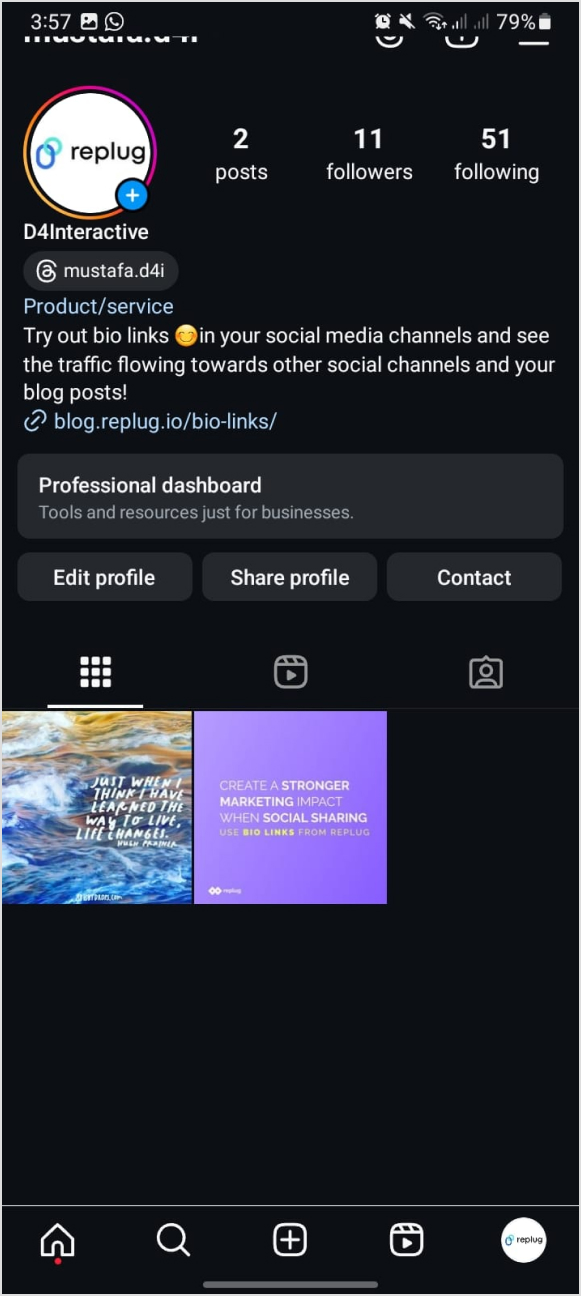
Your Instagram bio is your brands first impression, and it matters. It’s more than just a few lines of text. It’s a powerful tool to establish your brand identity and drive traffic to your brand.
Brands lose potential leads and drop conversion rates instantly as they’re not familiar with the platform’s algorithm or best practices. Some of the most important pointers to maximize your Instagram profile’s bio is knowing
How to remove link from Instagram bio?
How to maximize the limited space in your bio?
How to rename your bio links?
When crafting your Instagram bio, consider including some of the following:
Don’t forget that the URL in your bio channels your followers to an external website, a new landing page, a microsite, or other relevant destinations, expanding your influence beyond Instagram.
Why I can’t remove the link from my Instagram bio?
There are a few potential reasons why you might be unable to remove a link from your Instagram bio:
Instagram glitch: Sometimes, Instagram experiences temporary glitches. Try closing the app completely and reopening it. This might resolve the issue.
Link shortener or third-party app: If you’re using a link shortener or a third-party app to manage your bio link, you might need to remove the link from that service first.
Outdated app: Ensure you’re using the latest version of the Instagram app. Outdated apps can sometimes cause issues.
Cache issues: Clear your app’s cache or use a different device to see if the issue persists. Cached data can sometimes cause unexpected behavior.
Account issues: Verify that your account hasn’t been flagged or restricted in any way, which might affect your ability to make changes.
Additional troubleshooting steps:
Check internet connection: A poor internet connection can interfere with app functions.
Try a different device: If possible, log in to Instagram from a different device to see if the issue persists.
Wait it out: Sometimes, Instagram experiences temporary server issues. Waiting a few hours might resolve the problem.
If you’ve tried these steps and still can’t remove the link, contact Instagram support directly for further assistance.
How to remove a link from your Instagram bio?
Removing a link from your Instagram bio is a quick and easy process. Follow these steps to update your bio:
Step 1: Open the Instagram app on your device.
Step 2: Go to your profile
Tap on your profile picture in the bottom right corner of the screen to go to your profile page.
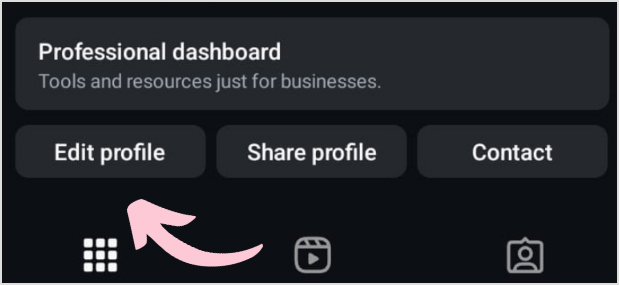
Step 3: Edit your profile
On your profile page, tap the “Edit Profile” button. This is usually located directly below your profile picture and bio.
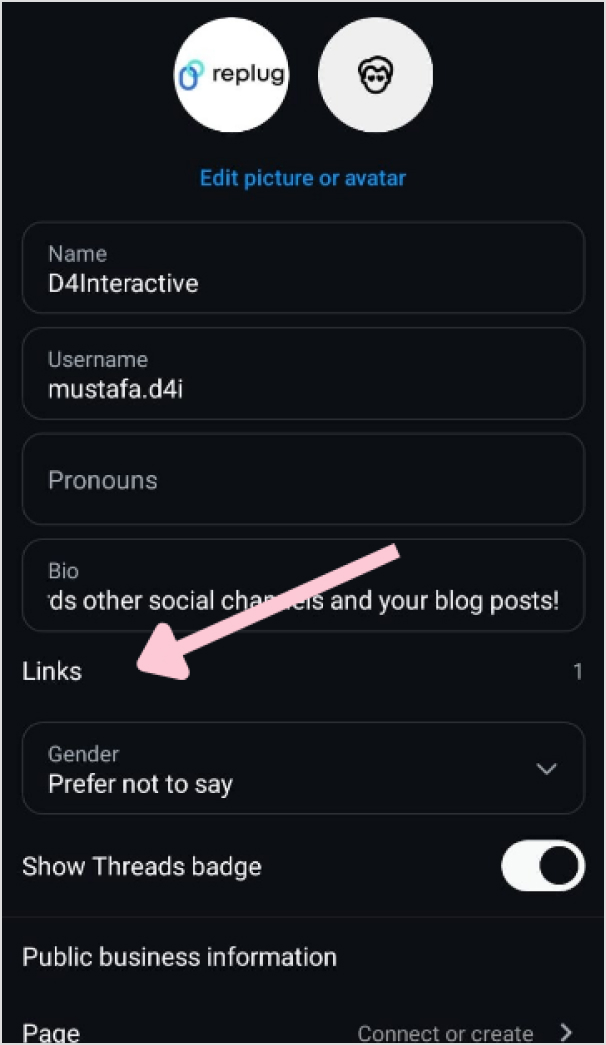
Step 4: Update the website field
In the “Edit Profile” screen, look for the “Link” field. This is where your current link is located.
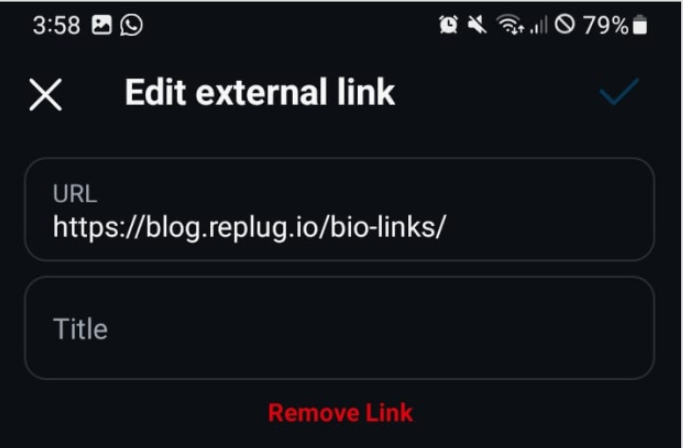
Step 5: Remove the link
Tap on the “Link” field to edit it. Delete the existing link or text from the field.
Step 6: Save your changes
Once you’ve removed the link, tap “Done” (iOS) or the checkmark (Android) in the top right corner to save your changes.
Refresh your profile: Go back to your profile page and refresh it to ensure that the link has been successfully removed.
And that’s it! You’ve successfully removed or updated the link from your Instagram bio.
Go beyond generic link pages!
Create custom bio links that truly fit your brand
With Replug, you can create bio links that are unique, engaging, and built to convert.
Renaming a link on Instagram involves using link shortener tools that not only condense your URL but also allow customization of the link text to make it more appealing and memorable.
One of the best options is Replug. It is a top-notch, free link shortener tool that offers customization features.
Introducing Replug.io
Replug.io is a link management platform that simplifies URL sharing by creating branded short links and provides in-depth click tracking for performance optimization.
Steps to rename bio links on Instagram using Replug
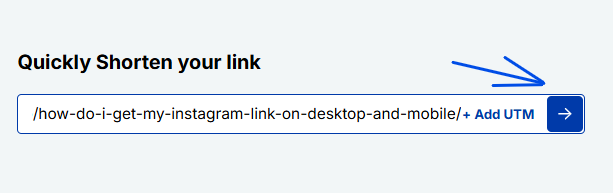
Step 1: In the top-left corner, paste the link you want to shorten into the input bar. Then, click the arrow icon next to it to proceed.
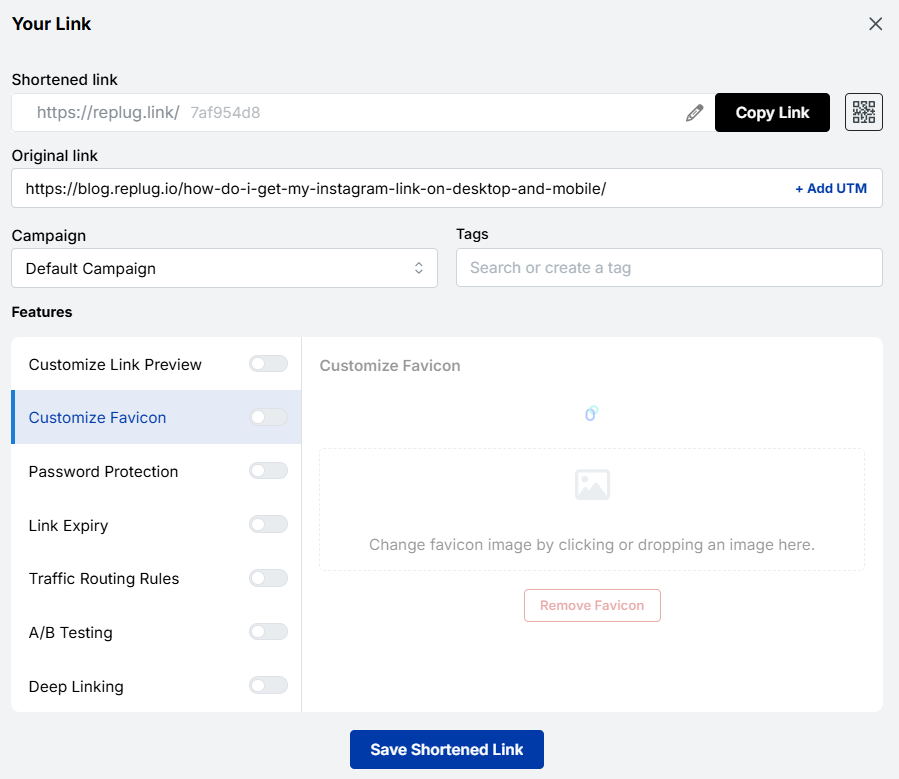
Step 2: You’ll be redirected to this page
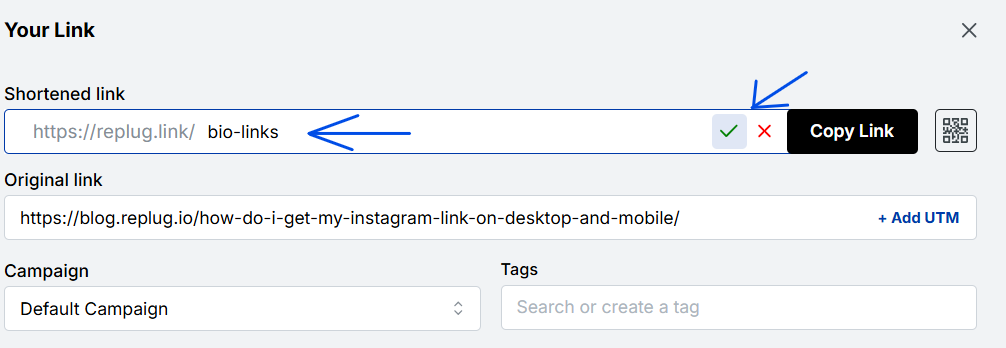
Click the pencil icon in the top bar to rename or customize your link.
After editing, click the green checkmark to confirm the changes.
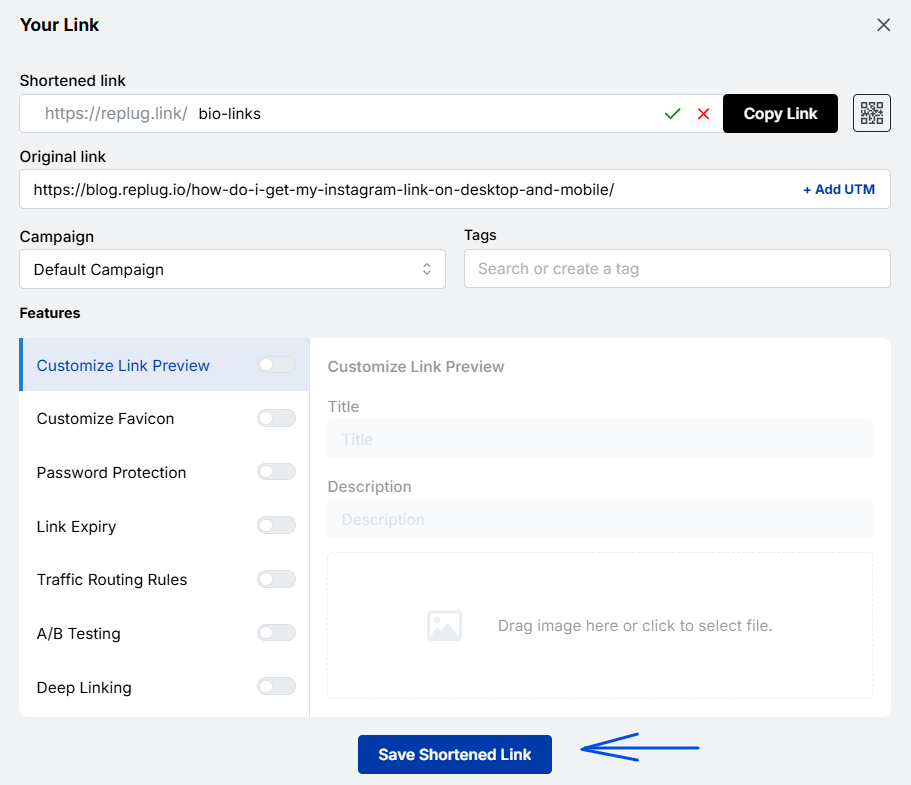
Step 3: Once you’ve finalized your changes, click the “Save Shortened Link” button at the bottom to complete the process.
Viola! Your link is renamed.
Step 4: Update your Instagram bio
Open Instagram and go to your profile.
Tap on “Edit profile”.
Find the “Website” field and paste your customized short link.
Save your changes.
Double-check your profile or wherever the link is used to ensure that the new name is correctly reflected and that the link still functions properly.
Maximize marketing ROI
by transforming ordinary URLs into branded short links that convert.
Try Replug for free
Replug: Link-in-bio feature
You can achieve this effortlessly with the Replug bio-link feature. This tool lets you consolidate all your important content and links into a single, accessible location for your audience.
Here are amazing features of Replug’s link in bio tool
1. Add your favorite content in one place
Bring your brand to life with social media icons, essential links, the recent blog with an RSS feed, audio clips, important text, and cards for stunning images.
2. With Replug, you don’t just get a link in bio – you get to own it by renaming your links.
Also, customize their appearance and match your landing page blocks from colors to favicons to your brand’s vibe.
3. Track bio link performance
With performance tracking features, you can monitor the total number of clicks, conversion rates, and other valuable metrics. The best part is that you can view your analytics in both a summary list view and a detailed view.
Go beyond generic link pages!
Create custom bio links that truly fit your brand
With Replug, you can create bio links that are unique, engaging, and built to convert.
Top tips to maximize the limited space in your bio:
Quick tips
Maximize your impact
Less is more
Add a short description about your brand or page.
Try adding a bio landing page
Conclude your website link, portfolio, contact information etc.
Identify your unique selling point (USP)
Clearly communicate what sets you apart.
Include a clear call to action (CTA)
Tell people what you want them to do next.
Keep on experimenting
Try different stuff. See what clicks. You might surprise yourself!
Conclusion
Removing a link from your Instagram bio is a simple process that can be done in a few steps through the app’s profile settings. By keeping your bio updated and free of outdated or broken links, you ensure a professional and effective presence on the platform. This helps maintain a clear and engaging profile, optimizing your brand’s impact and user experience.
So that was it for today’s guide. If you have more questions regarding link name changers, link removers, or the best link in bio tools, feel free to visit our website.
FAQs related to Instagram bio-link
How do I make my Instagram bio catchy?
1. Clearly state what your business does. 2. Use relevant keywords to improve searchability. 3. Include contact information and a call to action. 4. Utilize Instagram’s business features like adding a category, contact options, and action buttons (e.g., “Book Now” or “Shop”).
How do I add a website link to my Instagram bio?
Edit your profile and paste the URL into the “Website” field.
How often should I update my Instagram bio?
Update your bio whenever there are significant changes to your brand, achievements, or contact information.
Can I use hashtags in my Instagram bio?
Yes, you can use hashtags in your Instagram bio to make your profile more discoverable and to highlight key interests or topics.
Rebrandly is a user-friendly tool for creating custom-branded short links, as well as shorter and more visually appealing versions of long URLs.
It’s commonly used in digital marketing to share links on social media and email campaigns.
Moreover, Rebrandly also offers detailed link tracking and analytics, helping users understand how their links are performing and where their audience is coming from.
Why consider Rebrandly alternatives?
Before we dive into the alternatives, let’s briefly touch on why agencies might be looking beyond Rebrandly. While Rebrandly offers solid link-management capabilities, it may fall short in some areas:
Feature limitations: Some agencies require more advanced features that Rebrandly doesn’t offer.
No hidden fees: Some Rebrandly alternatives might offer clearer, more transparent pricing with no surprise charges.
Integration needs: Certain agencies require seamless integration with specific tools that Rebrandly doesn’t support.
Faster support response: Some alternatives provide quicker and more efficient customer service, helping you resolve issues without delay.
Considering these factors, let’s explore the top alternatives that address these concerns and offer unique agency advantages.
Best Rebrandly alternatives: Pros, cons, and key features
1. Replug.io
Why Replug: Our top choice as the best Rebrandly alternative is Replug. This tool offers a comprehensive link management suite with link shortening, tracking, and retargeting features.
A complete link management solution
for marketing professionals & agencies.
Try Replug for free
Also, Replug stands out for features like white-label, A/B testing, deep linking, and analytics. Overall, it’s a powerful tool for marketing campaigns.
Why Bitly: Bitly is a household name in link shortening, known for its simplicity and analytics. Bitly as an alternative to Rebrandly can be a great choice because it offers high-end link tracking performance which helps in enhancing user engagement.
Pros:
Simplicity and user-friendly interface
Powerful link tracking and analytics
Easy-to-use browser extension
Customizable short links
Cons:
Limited features in the free version
Advanced analytics require a premium subscription
No link retargeting, CTAs, and A/B testing.
3. TinyURL
Why TinyURL: TinyURL is your friend if you need a no-fuss solution. It’s straightforward and user-friendly, ideal for quick link shortening.
Pros:
Straightforward and no-fuss link shortening
Quick and easy to use
No registration required
Cons:
Lacks advanced features
Limited link-tracking capabilities
Boost ROI with branded URLs!
Enhance your marketing campaigns by creating shareable, trackable, and fully multi-purpose
customizable branded URLs.
Why BL.INK: BL.INK is a versatile URL shortener with advanced features like QR code generation and analytics. Perfect for marketing and tracking campaigns.
Pros:
All-round URL shortener
QR code generation
Analytics for link tracking
Custom branded domains
Cons:
Pricing may not suit budget-conscious users
Lacks many features, such as link retargeting and bio links that Rebrandly offers
Why Linkly: It’s a powerful link management tool that helps you optimize your online presence and marketing strategies. It allows you to create, customize, and track links, providing in-depth insights into audience engagement.
Pros:
Link customization
UTM parameters
Scheduled links
Password protection
Cons:
Learning curve (for new users)
Premium features may be pricey for some
6. Cutt.ly
Why Cutt.ly: It’s an advanced link management tool specializing in link shortening and tracking. It simplifies creating custom-branded short links and offers comprehensive analytics to help you understand link performance.
Pros:
In-depth link tracking and analytics.
Custom-branded links for a professional appearance.
Suitable for businesses of all sizes.
Cons:
Limited customization options for free users.
Analytics not as robust as some competitors
7. Short.io
Why Short.io: Short.io offers custom-branded links and link tracking, making it an excellent choice for businesses and marketers.
Pros:
Custom-branded links
Link tracking and analytics
User-friendly interface
Cons:
Some users report occasional reliability issues
8. Sniply
Why Sniply: Sniply combines link shortening with lead generation. It allows you to add call-to-actions to shared links, making it a powerful tool for marketers.
Pros:
Combines link shortening with lead generation
Allows call-to-action on short links
Great for marketers and brand promotion with CTAs
Cons:
Lacks in several important features.
Some features are reserved for premium users
9. Shorby
Why Shorby: Shorby focuses on enhancing social media profiles through link shortening and online branding. If you’re active on social media, it’s worth a look.
Pros:
Enhances social media profiles through link branding
Ideal for social media enthusiasts
Simplifies link sharing on social platforms
Cons:
May not be suitable for users with broader link management needs
Some features are specific to social media management
It’s a valid question. Replug offers features that set it apart from Rebrandly:
Link retargeting: Replug allows you to create short links and add retargeting pixels to them, helping you reach users who have engaged with your links before.
In conclusion, the world of link management offers a wide array of alternatives to Rebrandly. Each of these Rebrandly alternatives has pros and cons, catering to diverse needs.
Whether you’re looking for simplicity, analytics, branding, or lead generation, consider the options mentioned here and choose the one that aligns with your specific goals and preferences.
Happy link management!
FAQs on Rebrandly alternatives
Why Look for Rebrandly Alternatives?
Rebrandly has been a popular choice for link shortening and management, but it’s essential to have options that suit your unique needs. Whether you want more features, a different pricing structure, or a fresh interface, these Rebrandly alternatives are something for everyone.
Which Rebrandly alternative is best for marketing campaigns?
Replug is an excellent choice for marketing campaigns, offering various features for link management and user engagement.
Are these alternatives suitable for businesses and marketers?
Yes, many of these alternatives, such as Replug and BL.INK, offers advanced features and analytics, making them excellent choices for businesses and marketers.
Which link-shortening tool is similar to Rebrandly?
Replug is a link management tool similar to Rebrandly, offering custom-branded short links and robust analytics.
Let’s face it: even if we’re not die-hard TikTok addicts, we’ve all certainly stopped upon a funny TikTok meme at some point in our daily lives.
It’s because TikTok videos go viral in hours, if not minutes, and end up all over the web.
In this blog, we’ll showcase some of the most popular memes on TikTok that will make you LOL! Get ready to be entertained and amazed as we explore these hilarious internet gems.
Plus, we’ve got some meme ideas for all interested creators. And if you’ve got burning questions about memes on TikTok, like what is the best time to post on TikTok, how to check analytics on TikTok, etc., we’ve got you covered with some FAQs.
Let’s dive in!
What is TikTok meme marketing?
TikTok meme marketing promotes companies or products on the TikTok platform by using humorous and relatable memes. This strategy is based on originality, authenticity, and involvement with current trends and challenges.
Brands often collaborate with TikTok influencers to generate meme-based content that entertains and engages audiences.
Successful TikTok meme marketing is shareable, timely, and sensitive to the platform’s culture and sensibilities.
12 popular TikTok memes & trends
1. Hi Barbie!
Have you heard about Barbiecore? Or the “Hi Barbie.” Tiktok trend.
It’s about taking on everything pink, playful, and feminine, taking inspiration from the iconic Barbie doll, just like Kristinnicolemiller_ did for her daughter’s birthday party.
Meaning that the more attractive friend always gets the most attention or is thought to be the more attractive one.
The surprising twist at the end of the video is when the less conventionally attractive friend is shown to be the “pretty best friend” instead. Join the Two Pretty Best Friends challenge.
3. TikTok ASMR
Feeling stressed? Well, this one’s for you! ASMR TikTok videos are designed to induce a tingling, relaxing sensation through gentle, repetitive auditory or visual stimuli. Just like this Asmr video Jojoasmr did on TikTok.
4. Oh No! Meme
We all have those moments of surprises, right?
Well, the “Oh No” meme captures those reactions perfectly. It’s relatable and a great reminder of life’s little twists. Have a chuckle with some Oh No moments.
5. Flags Trend
You read that right! The Flag trend goes viral on TikTok and other platforms, where people point out red, green, and even beige flags in other people’s behaviors and traits! Check out Brooklynandbailey #beigeflags challenges.
6. Calm Down Dance
Remember when we heard Selena Gomez’s song “Calm Down”? People are dancing to it on TikTok, and it’s super trending right now.
Prepare to make choices! The “This or That” trend has users picking sides on screen, revealing their preferences in a fun and interactive way. Explore the “This or That” Choices.
8. Bad idea, right?
This meme involves a song by Olivia Rodrigo that has recently become one of the biggest TikTok trends.
People worldwide, especially females, use it for tutorials and transition videos. Check out the bad idea challenge.
9. I’m Just a Kid
The “I’m Just a Kid” challenge had users lip-syncing a simple plan song while sharing childhood photos. It’s a heartwarming journey down memory lane for everyone involved. Join the I’m Just a Kid Challenge!
10. Renegade Dance
Have you seen the “Renegade” dance that took TikTok by storm? People were nailing those complex dance moves left and right. It is a fantastic example of how TikTok brings people together through dance.
We spotted Charlie D’ Amelio, the most famous TikTok sensation, doing the Renegade dance challenge.
11. TikTok made me buy it
This is about a trend where TikTokers buy the most random gadgets they find on TikTok.
Some of these are great finds, and we recommend you follow this trend if you love buying things you didn’t know you needed! Go check out some Tiktokmademebuyit products.
12. Have an “ick” to share with the class?
This TikTok meme is a lighthearted way for users to express their pet peeves or share opinions on things they find strange or unattractive.
It’s all in good fun and often serves as a way to bond with others over shared “icks” or to poke fun at everyday quirks and behaviors. Newickunlocked.
Why meme marketing?
Here are a few reasons why you should go for meme marketing for your brand:
Sometimes, regular moments or phrases can become popular TikTok memes without warning.
TikTok’s “duet” feature brings people from different cultures together to create cool collaborations.
Trying out different formats, for example, short videos on TikTok, sparks creativity and storytelling.
On TikTok, some challenges go beyond just dancing. They include comedy, art, and education too.
Short-lived trends: It’s important to join in quickly before TikTok trends disappear, which brings people together.
Now, while some TikToks may go viral quickly, others may not reach that level of popularity. Success on TikTok often involves a combination of timing, creativity, trends, relatability, sharing, community engagement, etc.
Funny Memes
30-60%
Trend challenges
50%
Educational Content
20-50%
Vlogs & recipes
20-40%
DIYs & hacks
20-50%
Even if a TikTok doesn’t go viral, consistent posting and engaging with your audience can help you build a dedicated following and increase your chances of creating content that will become familiar to viewers over time.
To sum up,
TikTok’s popular memes and trends have changed how we connect and share funny things online. From the trend “Two Pretty Best Friends” to the trend “I’m Just a Kid,” these popular things on TikTok show how entertaining TikTok can be.
For marketers, it’s a place where creativity flourishes, providing chances to connect with audiences through meme marketing.
When sharing your meme-inspired videos or campaign links, you can quickly generate a clean, share-ready short link to keep your URLs tidy and professional.
If you’re serious about turning those clicks and social-media traction into real results, with branded URLs, link analytics, and consistent link management, check out Replug as a full-fledged link solution for creators and brands.
FAQs on TikTok memes
What is a TikTok meme?
A TikTok meme is a funny trend or joke that quickly spreads on TikTok. These memes usually include fun videos, sounds, or challenges that many TikTok users copy, change, and share.
Can businesses use TikTok memes for marketing?
Yes, businesses can leverage TikTok memes for marketing by incorporating trends or creating original, humorous content that aligns with their brand identity.
Are there any copyright considerations when using music in TikTok memes?
Yes, using copyrighted music can lead to issues with your videos on TikTok. Using licensed or royalty-free music or sticking to the available TikTok sound library is important to avoid copyright violations.
Can TikTok memes go viral outside of TikTok?
Yes, TikTok memes often cross over to other social media platforms, such as Instagram, Twitter, and YouTube, where they can continue to gain popularity.
As e-commerce companies compete for consumer attention, choosing the most suitable marketing strategy is key.
Among these, influencer marketing has proven to be one of the most effective ones.
Research shows that consumers are more likely to purchase products endorsed by influencers, making this marketing strategy highly effective for brands looking to enhance their reach and engagement.
Influencer marketing’s global popularity is surging at an incredible pace, with the market projected to reach a staggering $22.2 billion by 2026.
Before we jump into influencer marketing for e-commerce, let’s go over the basics first.
What is influencer marketing?
Influencer marketing allows businesses to work directly with social media creators with a sizeable audience to increase brand exposure, generate sales, and get attention.
Since influencer marketing is comparatively cheaper than most online paid ads, businesses gladly pay influencers to review their products or discuss their offers.
Undoubtedly, influencer marketing is rising as the creator economy is the new normal in today’s digitally connected world, where many people work online.
One of the major impacts of the growth of the creator economy is that kids follow their favorite YouTubers and TikTokers more than A-list celebrities.
Why partnering with influencers can skyrocket your e-commerce success?
E-commerce brands and marketers try to squeeze every opportunity they can to get their hands on to generate sales or market their products.
One of the easiest routes to e-commerce success is influencer marketing. Here are the reasons why e-commerce brands partner up with influencers:
1. Underpriced marketing at scale
Influencer marketing turns out to be quite underpriced compared to traditional advertising or paid ads on social media. The fundamental reason for this is that a vast majority of influencers are willing to collaborate with brands, which paves the way for brands to get competitive pricing.
Furthermore, most small businesses and brands start with affordable micro-influencers to promote an e-commerce deal or specific product. So, that’s quite a reason for partnering up with influencers.
2.Meet the loyal influencers’ fan base
Social media influencers are known for their loyal and dedicated fan base, especially YouTubers and TikTokers. However, it goes for all major social media platforms, such as Instagram, TikTok, YouTube, Facebook, X, and Pinterest.
Brands see this as an opportunity to get the attention of such audiences as die-hard fans of certain social media influencers. Collaborating with such influencers makes it easier for the brands to get traction and build trust with the audience.
No wonder brands, agencies, and organizations feel proud to work with influential social media creators across the globe.
Companies are rapidly moving toward influencer marketing for many reasons, one of which is the diversity of social media platforms.
There are at least half a dozen mainstream social media platforms that allow brands to choose the relevant social media platforms and discover influencers on those platforms.
For instance, some brands are interested in Instagram influencer marketing for e-commerce opportunities, so they look out for Instagram influencers only.
4. Influencers have a longer audience attention span
The relationship between an influencer and their loyal audience is unique and fascinating. The audience is more likely to pay attention to their favorite influencer/creator than anybody else.
It turns out that the audience span is way longer on the social media content of their favorite creators than on other creators’ content. It gives e-commerce brands and marketers a chance to cash in on the longer audience attention span by sponsoring their videos or paying them to review their products.
Therefore, e-commerce brands are likely to benefit from such collaborations with influencers and content creators if they come across a perfect match for their brand.
Insider tips for discovering the perfect influencers for your online store
Connecting with the perfect influencer doesn’t happen on a whim. Brands and marketers have to analyze the market situation before they start to understand who they should reach out to and which creators to ignore.
So, here are the six tips for discovering the perfect influencers for an online store:
1. Explore social media platforms more than an average user
A powerful e-commerce influencer marketing strategy for a brand is based on a thorough market analysis. The best way to begin the influencer discovery is to start exploring the relevant social media platforms more than an average Joe.
What we mean by this is that an average user might have a short attention span or simply scroll the social media app for a few minutes and walk away.
On the contrary, a brand or individual looking for a perfect influencer from an e-commerce marketing standpoint should spend more time on social media exploration than an average user.
It’ll allow them to discover not just influencers for their online store but also new social media trends to capitalize on for social media marketing.
2. Hang out in the relevant social media communities
One of the underrated tips for discovering like-minded, relevant influencers for e-commerce marketing is to hang out in the social media communities. It could be Facebook groups, LinkedIn groups, X communities, Reddit communities, Quora spaces, etc.
Just ensure you’re in the relevant community regardless of the social media platform. Keep your eyes open, talk to people, and try to learn from others. Chances are, you’re going to discover the industry’s top guns.
That’s a surefire way to discover influencers for your e-commerce business.
3. Go through the related product reviews done by influencers
It’s important in digital marketing to do some competitor research and see what they have been up to. Utilize the same principle in your e-commerce influencer marketing strategy.
Try to find the product reviews done by influencers in your industry; it’ll allow you to see how the products have been reviewed, and you’ll stumble upon the influencers interested in your product line.
4. Follow social media influencers interested in your niche
It’s not the best idea to go on a follow-spree when eyeing social media influencers for your online store promotion. However, following some influencers who seem interested in your niche won’t hurt.
The benefit of following some influencers on Instagram, TikTok, or LinkedIn through your brand’s account is that they might notice your brand on social. As a result, it earns brands some profile views from influencers and eventually contributes to building a connection between the brand and the influencer.
5. Keep an eye out for micro-influencers in your follower base
Another important tip for discovering influencers for your e-commerce store is never to underestimate the power of micro-influencers, especially if they get engagement and reach.
For instance, if an Instagram creator has five thousand followers, but this creator is getting 20k reel views on average or 3k to 4k likes on Instagram posts, then this micro-influencer is worth a try.
Besides, looking out for the big guys, don’t underestimate the small guys that could bring you some quality traction without breaking the bank.
6. Hunt for the influencers that worked with your competitors
One of the most tried-and-tested methods of discovering the influencers for social media marketing or influencer marketing campaigns is to check out the competitors’ social media accounts and see which influencers they’re tagging or resharing.
You’ll likely discover influencers that have closely worked with your competitors in the past. Feel free to reach out to those influencers and find out what they’re charging for promotional or sponsored content.
Must-have tools to streamline your influencer marketing strategy
Let’s discuss some essential online tools that come in handy in running an influencer marketing campaign and massively influence the outcome of an influencer and brand collaboration.
Here are the must-have tools to utilize for implementing an influencer marketing strategy effectively:
1. Replug
Replug.io is an advanced link management tool for marketers, bloggers, and brands. It empowers users to take their URL management to the next level. It’s a top-notch link shortener that allows users to create, manage, and analyze short, branded URLs for digital marketing campaigns.
It flawlessly integrates with several third-party tools, such as software management tools, email marketing software, lead-gen widgets, and retargeting platforms.
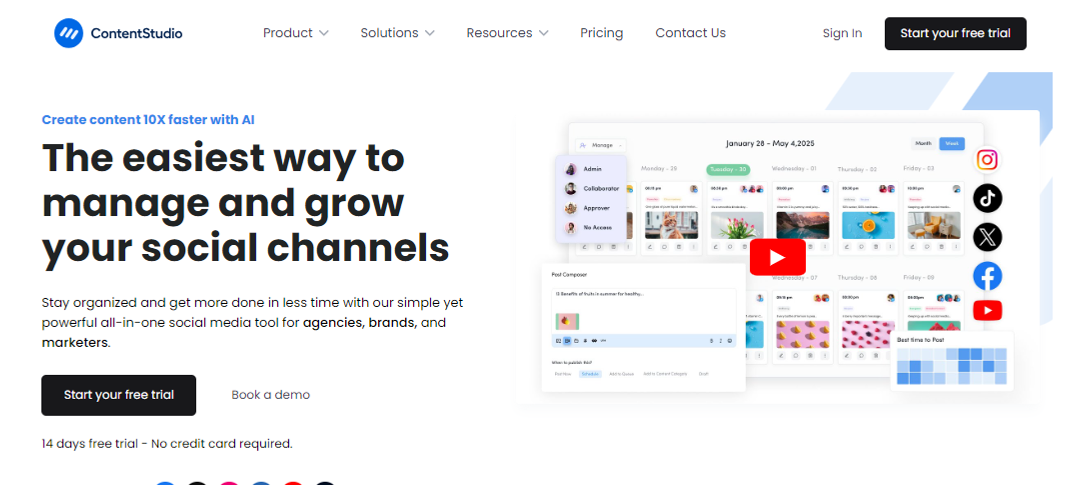
ContentStudio is an all-in-one social media management dashboard for brands, marketers, bloggers, and influencers.
It’s a comprehensive social media tool that makes social media marketing easier than ever. It offers a complete suite for publishing, scheduling, managing, and analyzing social media and blog publishing.
Not only does it help publish and schedule content across all major social media platforms, but it also lets users post blog content on different blogging platforms.
Moreover, it easily integrates with multiple online marketing tools and platforms that improve product efficiency and effectiveness.
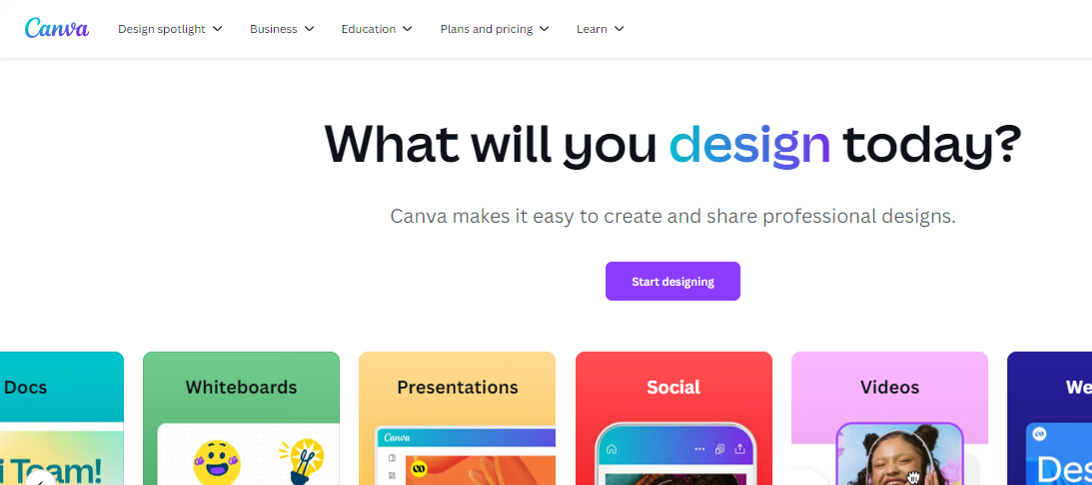
Canva is an online tool that helps users create images, videos, banners, infographics, logos, invitations, business cards, and other graphics designs. This is handy for designing social media, digital marketing, promotional, educational imagery, and video content.
Key features:
Text animations
Photo grids and designs
Icons and elements
Visual content templates
Background removal
Colors adjustment
Picture effects and editing
AI-powered photo enhancements
Integration with third-party tools
Pricing plan:
Canva pro: $55 per year (for one person)
Canva teams: $50 per year (per person)
Canva enterprise: Contact sales team
4. Capcut
Capcut is a popular video editing tool available for both mobile and desktop users. It has empowered millions of creators and brands to get their hands on video editing. After the huge success of Capcut on mobile devices, the desktop edition is competing with most video editing software for beginners.
This video editor is fully equipped to manage video, audio, and text editing. Moreover, it offers various AI-based generators to create e-commerce influencer marketing content.
Key features:
Easy-to-use interface
AI-powered tools
Assets availability
Image and video enhancements
Mobile and desktop versions
Pricing plan:
Capcut PC Pro: $8 per month (or $75 yearly)
So, these are some of the important e-commerce marketing tools to keep an eye on when getting into e-commerce influencer marketing.
The best platforms to amplify your brand with influencer partnerships
E-commerce brands strive to find underpriced marketing opportunities to put their brand name in front of as many people as possible without spending a fortune.
It turns out that influencer partnership seems to be a reasonable option for most e-commerce companies to spread the word about themselves. Here are the five well-known influencer marketing platforms to collaborate with influencers:
1. Upfluence
Upfluence is an all-in-one influencer marketing platform that connects social media influencers with e-commerce brands.
The brands can go through the influencers’ listings and handpick the most relevant influencers to work with. Upfluence handles the payment via Upfluence Pay and PayPal.
Why does Upfluence work for both brands and influencers?
It lets brands find suitable influencers via an influencer discovery feature.
It makes influencer management easier than ever, thanks to an effective creator workflow.
It works with e-commerce brands on Amazon, Shopify, Bigcommerce, and WooCommerce.
It provides hassle-free payment transfers via Upfluence Pay and Payment.
It lets brands send complimentary products to the influencers for reviews or testing.
It makes influencer e-commerce statistics measurement rather simple, allowing brands and influencers to analyze campaigns’ performances.
It seamlessly integrates with several marketing, email, and content-creation tools.
2. Grin
Grin is a top-notch influencer marketing platform that not only connects brands with influencers but also provides cutting-edge influencer marketing solutions to both parties.
This tool provides a platform to meet influencers, manage content, track campaigns, and make payments. All in all, it’s a comprehensive dashboard to run influencer marketing campaigns with ease.
Why does Grin work for both brands and influencers?
Grin offers a creator discovery section that lets brands find suitable creators around the globe.
It has a state-of-the-art content management system to manage social media content for influencer marketing campaigns.
The platform pays attention to relationship-building between brands and influencers.
Detailed reporting and analyzing monitoring allow brands to take a data-driven approach and make informed decisions.
The creator payment system is as simple as one can imagine, ensuring smooth and quick payments for influencers.
Traackr is yet another well-reputed influencer marketing platform that offers brands and influencers hands-on experience. It’s an advanced influencer marketing tool to find influencers, manage relationships, collaborate with creators, and analyze performance.
Undoubtedly, it’s a one-stop shop for managing influencer marketing campaigns for e-commerce brands and online businesses.
Why does Traackr work for both brands and influencers?
Traackr ensures that brands find the influencers that are the right fit for the campaign.
It assists brands and influencers in content collaboration, making influencer marketing more fun.
It offers a reliable payment system for paying influencers for their work.
The robust analytics section provides comprehensive reporting to analyze campaign performances.
It has a seamless recruitment and onboarding procedure for brands to manage influencers.
It provides insights into campaign data for optimization and scalability.
4. Klear
Klear is a robust, user-friendly influencer marketing platform designed to meet the most advanced needs with ease and intelligence.
It empowers e-commerce brands to streamline their influencer marketing efforts, offering an intuitive and powerful suite of tools to find, manage, and pay influencers for their collaborative campaigns.
Why does Klear work for both brands and influencers?
Klear has an advanced influencer search feature to help you find suitable influencers for every brand.
It has a powerful influencer relationship management system to stay connected with influencers.
It showcases in-depth influencer analytics to the brands to ensure that they go through all major statistics of the influencer’s social media profiles.
It offers an easy-to-manage campaign management section for accurate data monitoring and reporting.
CreatorIQ is the go-to influencer marketing platform for large-scale e-commerce and SAAS tools.
It offers a complete ecosystem for building the most authentic, engaging, and scalable influencer marketing campaigns. This tool is equipped with several advanced features to streamline influencer marketing campaigns effectively.
Why does CreatorIQ work for both brands and influencers?
CreatorIQ allows brands to discover and manage influencers without relying on third-party tools.
It allows brands to build communities after connecting with like-minded creators and influencers.
It lets brands analyze trends to design their influencer marketing campaigns more efficiently.
Team collaboration is a huge plus that ensures that the influencer marketing campaign bears fruit.
Incentivizing the brands for their contributions hasn’t been this simple; the platform makes it easier to pay influencers without any hectic steps.
It offers robust analytics for brands to analyze the campaign statistics to measure the ROI.
The highs and lows of using influencers to boost your e-commerce business
Before designing an influencer marketing strategy for brands or using influencers to boost e-commerce sales, it’s vital to know the good and bad parts of the strategy.
Let’s shed some light on the highs and lows of utilizing influencers for e-commerce businesses:
The advantages of using influencers to boost e-commerce business growth
Here we go:
Brand visibility: One of the major benefits of using Influencers for e-commerce marketing is that they have established audiences that listen to them. Partnering with the right influencer can expose your e-commerce business to thousands or millions of potential customers, increasing brand awareness and visibility.
Targeted audience: E-commerce success comes when the e-commerce brand understands the target audience well and makes marketing strategies accordingly. Influencers usually cater to a specific niche audience. Therefore, by collaborating with influencers whose followers match your target demographic, e-commerce brands can significantly reach the right audience that might be interested in their products.
Authentic experience: Conversion is tied to authenticity and trust. When influencers genuinely use and recommend your product, it feels more like a trusted suggestion than a direct advertisement, fostering trust and credibility with their followers.
Higher engagement rates: Influencers often generate higher engagement rates than traditional ads. This phenomenon occurs because their followers are quite invested in their favorite creators’ lives, so they take action when influencers suggest they try something out.
Cost-effective marketing: Usually, there aren’t many types of influencer marketing. However, the term “micro-influencers” has popped up lately. The concept allows comparatively smaller creators and influencers with niche accounts and engaged audiences to work directly with brands, ensuring affordable alternatives to pricey PPC or social media ad campaigns. Plus, influencer marketing makes it easier for smaller e-commerce businesses to enjoy low-cost advertising facilities.
Most influencers are skilled content creators and can produce visually appealing and engaging content for your brand, such as social posts, video reviews, or product tutorials, which can boost e-commerce business sales.
The disadvantages of using influencers to boost e-commerce business growth
There are some hiccups to keep an eye on before going all in on influencer marketing:
Affordability issues: Influencer marketing is not all sunshine and rainbows. While micro-influencers can be affordable, collaborating with top-tier influencers can be expensive, especially for small e-commerce businesses. So, there are always affordability issues for newbies.
Little to no control over content: Usually, brands that work with influencers give their suggestions on product placement or mention it in the content. However, they still have limited control over how the product is displayed or presented in the content. So, it’s quite clear that e-commerce brands must rely on influencers to present their products in the content.
Campaign authenticity: The authenticity of the offers matters a lot in the conversion. If an influencer promotes too many products or only collaborates for financial gain, their recommendations can feel less genuine, leading to skepticism among followers and lower trust in the promotion. It can massively impact the ROI of the influencer marketing campaign for the brand.
Hard to track campaign ROI: One of the challenges influencers face is measuring the campaign’s effectiveness. Unlike direct sales channels, the return on investment (ROI) from influencer marketing isn’t always immediately clear or quantifiable.
Fake social media followers: Some influencers purchase social media followers to make an impact, but they cannot generate any traction with it. The artificially boosted follower counts using bots or fake accounts don’t last long, as sometimes social platforms crack down on those fake followers or remove inactive accounts.
Let’s conclude by explaining how to set up winning influencer campaigns!
Finding the right match for your brand is the secret sauce to setting up winning influencer campaigns.
There are three fundamental points that play a pivotal role in making any influencer marketing campaign a success, which are:
Understanding the brand’s strengths
Team up with the best influencer to work
Create an irresistible offer for the audience
Things start to roll when the conditions mentioned above are properly met in an influencer marketing campaign.
In every e-commerce brand’s journey, there comes a point where they have to decide whether to check out the influencer marketing platform or to find the influencer off the platform.
There is no right or wrong way of doing influencer marketing. However, some credible influencer marketing platforms do vetting before adding influencers to their network, which speeds up the process.
However, before deciding, one can always analyze the influencer’s content, publicly available statistics, engagement, and branding.
Remember that most brands opt for influencer marketing over other advertising mediums because it’s still underpriced compared to traditional online advertising.
Moreover, relevance is yet another essential angle to pay close attention to – if the e-commerce product line isn’t relevant to the influencer or their audience, the campaign will fall flat. So, bear that in mind when launching an influencer marketing campaign.
FAQs about e-commerce influencer marketing
Here are the commonly asked questions about e-commerce influencer marketing:
Is influencer marketing B2B or B2C?
Generally, influencer marketing is done to reach out to the audience of the influencer. Brands want to cash in on the traction influencers get on social media, which means targeting the audience. So, it’s safe to say that it’s B2C in most cases.
What is an e-commerce influencer?
An e-commerce influencer is a social media creator who has managed to create a brand persona around e-commerce. Plus, this creator must have a sizeable audience, at least on a single social media platform, to be qualified as an influencer.
How does B2B influencer marketing work?
B2B influencer marketing refers to the influencer marketing strategy that revolves around targeting businesses, unlike B2C influencer marketing, in which the influencers’ followers are the target audience.
What is the best influencer marketing platform for B2B?
ContentStudio does a pretty good job of finding influencers on social media. The feature is called “Influencer discovery,” which lets users find influencers in the niche.
Maybe it’s better than both the tools and other established players in the market.
Well, it’s time to find out.
The answer lies in thoroughly examining its features, cost-effectiveness, user experience, and value proposition.
So let’s get you started in our comparison article Bitly vs Linktree vs Replug.
Stick with us…
Let’s quickly go through the top trio
Replug
Replug is an all-star link management tool packed with top features such as branded link shortening, bio links, link analytics, traffic routing, QR codes, retargeting pixels, deep linking, and much more. Its user-friendly interface and quick integration with marketing platforms make driving traffic, capturing leads, and boosting conversions a breeze.
Bitly
Bitly is a URL-shortening service that condenses lengthy URLs into concise links, simplifying sharing and tracking across platforms. Its integration capabilities span various platforms, social media tools, and applications, enhancing users’ accessibility and analytics.
Linktree
Linktree is a link-in bio tool for organizing all your essential links in a user-friendly format. It’s perfect for directing your audience to your website, social profiles, or anything else!
Any major drawbacks you should be aware of?
Well yeah, there are some of the limitations you should be aware of before getting started with this comparison.
Replug:No free version available for now
Bitly:The high-tier pricing plan is extremely expensive, also you don’t get the same level of customization and link management as Replug.
Linktree: Lacks advanced features like detailed analytics and link retargeting, which are available on other platforms.
It offers a range of pricing plans to suit different needs, starting at $19 per month for a basic plan, $49 per month for professionals, and $79 per month for businesses. (offers a 14-day free trial)
Provides a free plan with extremely basic features, as well as a pro plan starting at $5 per month and going up to $24/per month.
A complete link management solution
for marketing professionals & agencies.
Try Replug for free
Choosing the right tool: Factors to consider in your link management tool
Let’s compare three popular options, Replug, Bitly, and Linktree, to help you choose the one that best suits your needs.
1. URL shortening
URL shortening converts a long, complex URL into a shorter, more manageable version. This shorter URL (Uniform Resource Locator) typically redirects users to the original, longer URL when clicked.
Replug: Offers URL shortening with custom domains and branded links. Shortened links can be integrated with CTAs, and pixels can be retargeted for better results.
Bitly: Primarily focuses on URL shortening. It provides a free plan with limited features and paid plans with increased shortening limits, custom domains, and detailed analytics.
Linktree: Doesn’t offer direct URL shortening. However, you can shorten individual links within your Linktree bio using a separate shortening service.
Winner: Replug and Bitly, depending on your needs. Replug is ultimately the best URL shortener as it offers more customization options, while Bitly focuses just on shortening functionality with its free plan.
2. Bio links
Bio links, short for biography links, refer to the clickable URLs found in the bio section of social media profiles. These links serve as a gateway for users to access additional content or resources outside of the social media platform.
Individuals, businesses, and organizations commonly use bio links to direct followers to their websites, blogs, online stores, or other relevant link destinations.
Go beyond generic link pages!
Create custom bio links that truly fit your brand
With Replug, you can create bio links that are unique, engaging, and built to convert.
Replug: Creates bio links that showcase your social media profiles, website, and other important links in a single, customizable landing page. This allows you to create a central hub for your online presence, making it easy for users to find all your relevant links in one place. You can also customize the design and branding of the landing page to match your style.
Bitly: While Bitly primarily focuses on URL shortening, users can still utilize Bitly links in bio sections to direct followers to multiple destinations.
Linktree: Linktree specializes in bio link management, providing a centralized hub for users to share multiple links from a single URL in their social media bios. However, this bio link tool branding appears on your bio link page in the free version, and there’s no way to remove it. This can be a drawback for users who want a completely branded experience.
Winner: Linktree, if creating a dedicated bio link page is your primary goal. Replug offers bio links as part of its broader functionality.
3. White-label boards
A white-label solution allows you to rebrand a product or service as your own. This means you can remove any branding from the original provider and replace it with your logo, name, and colors.
Replug: Provides white-label solutions for agencies and businesses, allowing them to replace Replug branding with their own.
Bitly: It doesn’t offer white labeling in any plan.
Linktree: It doesn’t provide white labeling.
Winner: Replug takes the lead with white-label solutions in its agency plan, surpassing Bitly and Linktree, which do not provide this feature.
4. Retargeting pixels
A retargeting pixel allows marketers to recognize individuals who have previously interacted with their website or social media profiles, enabling them to deliver personalized advertisements to these users across different platforms.
Bitly: It does not provide any type of retargeting feature.
Linktree: This service doesn’t offer retargeting pixel integration. It focuses on creating bio links and doesn’t offer functionalities related to retargeting website visitors.
Winner: Clearly, Replug is the winner here. Both the other competitors Bitly and Linktree do not provide this feature.
5. QR code generation
QR codes, short for quick response codes, are barcodes that store information in a machine-readable format. These codes consist of black squares arranged on a white square grid, often with a distinct square pattern in the corners for alignment purposes. QR codes can store various types of data, including URLs, text, contact information, or other types of data.
Replug: Offers QR code generation for shortened links. Users can scan the code and instantly access your website, social media profile, or any other link you’ve shortened.
Bitly: Bitly provides QR code generation functionality, allowing users to create QR codes for offline marketing materials and track their performance.
Linktree: Yes, Linktree offers QR codes for your Linktree profile.
Winner: All platforms excel in this feature. It’s worth noting that Bitly goes the extra mile, offering a broader range of quick and advanced QR code generator functionalities compared to Replug and Linktree.
6. Custom CTAs
This allows you to customize the text and appearance of the CTA buttons to match your branding and encourage users to interact with the specific link.
Boost your conversion rates with irresistable CTAs with
Replug: Allows adding custom CTAs (call to action) buttons directly to shortened links. Add customized phrases such as “visit website,” “download now,” or “learn more”, etc. to these buttons to compel users to click on the link.”
Bitly: It doesn’t offer custom CTAs in any plan.
Linktree: Allows custom CTAs to be added to individual links within your Linktree bio.
Winner: Replug offers more flexibility in adding custom CTAs directly to shortened links, allowing for a more targeted and interactive user experience.
7. Easy link rotation
This feature lets you send visitors to different landing pages using just one link. You can set filters like country, time, and date to control where traffic goes, aligning it with your specific goals.
Replug: Provides easy link rotation functionality based on pre-set filters like country, date, time, or device. This allows you to rotate between different landing pages or offers for specific audiences or timeframes. This powerful feature is for your marketing campaigns or showcasing targeted promotions to different user segments using different landing pages to convert visitors.
Bitly: No link rotation is offered in any plan. Bitly focuses primarily on URL shortening and lacks features for managing and rotating different links based on specific criteria.
Linktree: It doesn’t offer link rotation features. Linktree is designed to create and manage a single bio link page. While you can include multiple links within your bio, it doesn’t offer functionalities to automatically rotate them based on pre-defined conditions.
Winner: Replug, for its advanced link rotation capabilities that allow you to optimize your marketing efforts by targeting specific audiences or testing different marketing campaigns.
8. Detailed link analytics
Link analytics refers to the process of tracking and analyzing the performance of URLs or links shared online. It involves gathering data on various metrics such as click-through rates, geographic location of visitors, referral sources, and conversion rates.
Maximize marketing ROI
by transforming ordinary URLs into branded short links that convert.
Try Replug for free
Replug: Offers detailed link analytics, from providing insights on clicks to conversion rates, and even sources used to access these short tracking links. This data can be crucial for understanding user behavior and optimizing your marketing campaigns. Replug equips you with valuable insights to make informed decisions about your link strategy.
Bitly: Provides varying levels of link analytics depending on the plan. While the free plan offers basic click data, paid plans unlock a little more analytics like CTRs, and geographical data. Though Bitly offers good analytics options, especially in its paid tiers, but may not be as comprehensive as dedicated link management tools.
Linktree: Offers limited link analytics in its free plan, primarily focusing on clicks on individual links within your bio. Paid plans might offer more in-depth analytics, but the overall focus remains on understanding user engagement with your bio link page itself.
Winner: When it comes to analytics, Replug and Bitly are equally competitive link-tracking softwares as both platforms go beyond clicks, and data into user behavior and campaign performance.
Some other points to look at
Free trial option
Ease of use
Security and scalability
Customization options
Customer support
Cost-effectiveness
Mobile app availability
Reviews and ratings
Which tool is better for marketers or agencies?
After evaluating all the key factors we have a clear cut winner. Despite its lower profile, Replug shines with its unique approach, providing marketers with fresh options for streamlined link sharing and engagement.
While Bitly and Linktree enjoy widespread recognition and user trust, Replug boasts comparable functionalities and distinct advantages.
A complete link management solution
for marketing professionals & agencies.
Try Replug for free
Why is Replug the best link management solution?
Replug comes forward as the clear front runner, thanks to its exceptional link management features, comprehensive analytics, and intuitive interface. Together, these factors solidify its position as the top performer in the field.
Besides that, Replug prioritizes link security with features like real-time link scanning, malicious URL blocking, and phishing detection. Additionally, agencies can leverage white-label solutions to manage client links quickly under their own branding.
What sets Replug apart is its innovative approach to link management, offering unique features that cater to the evolving needs of modern marketers and businesses.
While its name may not resonate as loudly as other link shorteners, Replug’s potential to streamline link sharing, enhance brand awareness, and drive engagement cannot be overlooked.
By offering a fresh perspective and promising features, Replug presents itself as a compelling alternative for those seeking robust link management solutions.
Linktree is popular among social media influencers and content creators who want to share multiple links in their bio or profile.
What sets Replug apart from Bitly and Linktree?
Replug offers advanced features such as link retargeting, integration with marketing tools, and comprehensive link management capabilities.
Why is Bitly considered expensive?
Bitly’s high-tier pricing plan may be too costly for some users, especially those who need extensive customization, which it doesn’t fully provide compared to Replug.
Does Replug offer any free version?
No, Replug currently doesn’t offer a free version but provides a 14-day free trial for users to test its features.
Get ready for an exciting showdown as we compare two of the top link management tools: Replug vs. Pretty Links!
At first glance, you might assume these are two entirely different types of software.
Replug excels across various platforms—supporting websites, blogs, social media, email marketing, advertising networks, and more. On the other hand, Pretty Links is primarily tailored for WordPress users.
However, both tools share a wealth of features, including link cloaking, split testing for URLs, custom slugs, and affiliate link analytics.
Each tool offers unique strengths to cater to diverse user needs and preferences. So, get ready to discover why Replug is the best Pretty Links alternative.
In this article, we’ll dissect the strengths and weaknesses of both tools, ultimately determining which one deserves the title of best link management solution!
What is Replug? Replug.io is an all-star link management tool packed with top features such as branded link shortening, bio links, link analytics, traffic routing, QR codes, retargeting pixels, deep linking, and much more.
What is Pretty Links? Pretty Links is a WordPress plugin, mainly designed for affiliate marketers allowing them to create clean, branded URLs.
Don’t have time for a detailed comparsion? Don’t worry here’s a quick run-down just for you!
Feature
Replug
Pretty Links
User interface & ease of use
Modern, intuitive, clean dashboard, drag-and-drop features
Integrates with various platforms (email, social, CRM)
Limited to WordPress ecosystem and plugins
Pricing
Basic: $19/mo Professional: $49/mo Agency: $79/mo (20% off on annual plans)
Beginner: $99.50/year; Marketer: $149.60/year; Super Affiliate: $199.60/year
Free plan
No
No
Pros
Limited to WordPress Can be costly for small or mid-tier businesses
Adapts to various needs offers diverse integrations, provides value for money
Cons
No free plan (yet!)
SEO-friendly, Mainly for WordPress users
Reviews
Handy Link Management Tool with URL shortener and more.
Limited to WordPress, Can be costly for small or mid-tier businesses.
Quick verdict: Replug offers extensive features for marketers and businesses, ideal for those seeking detailed link tracking, advanced routing, and customizable CTAs.
Detailed feature comparison: Replug vs. Pretty Links
Regarding managing and optimizing URLs for marketing, both Replug and Pretty Links are popular tools offering various features. We’ll do a one-on-one comparison so you can choose the one that suits your needs.
1. User interface & ease of use
Replug:
Design: Replug offers a modern and intuitive interface. The dashboard (Called Home) is clean, with easy navigation and a clear overview of all your campaigns.
User experience: The platform’s straightforward design and helpful tutorials make it quickly learnable for new users. The quick actions functionality enhances ease of use, particularly when creating campaigns.
Pretty Links:
Design: Pretty Links has a functional but slightly less modern interface. It integrates into the WordPress dashboard, which may be familiar to WordPress users but can be overwhelming for beginners.
User experience: While it provides extensive functionalities, the learning curve may be steeper for those who need to get used to WordPress plugins. Users often appreciate the vast options available but may find navigation less intuitive.
Winner Replug stands out as the winner due to its modern, intuitive interface and ease of use, making it accessible for beginners and efficient for managing campaigns.
Boost ROI with branded URLs!
Enhance your marketing campaigns by creating shareable, trackable, and fully multi-purpose
customizable branded URLs.
Shortening: Replug allows users to create short, branded links effortlessly with its innovative link shortener. Users can customize the link endings, making them memorable and relevant.
Features: Offers bulk URL shortening, link previews, CSV reports, password protection, link expiry, customize favicon, and the ability to set up auto-shortening for shared links.
Pretty Links:
Shortening: Pretty Links excels in URL shortening directly from the WordPress dashboard. It allows users to create clean, custom links easily.
Features: Offers detailed options for link customization, including tracking for each shortened link, which is ideal for WordPress users.
Winner While Pretty Links performs well within the WordPress ecosystem, Replug’s advanced customization options and functionalities make it a more comprehensive solution for URL shortening.
3. Affiliate cloaking
Replug:
Cloaking features: The platform supports link masking, which enhances aesthetics and improves click-through rates by making links appear more legitimate.
Pretty Links:
Cloaking features: Pretty Links is particularly strong in affiliate link cloaking, allowing users to create clean, branded links that hide the original affiliate URLs. This helps in preventing link hijacking and makes links more user-friendly and trustworthy.
Boost ROI with branded URLs!
Enhance your marketing campaigns by creating shareable, trackable, and fully multi-purpose
customizable branded URLs.
Winner Pretty Links, if creating dedicated affiliate links is your primary goal. As Replug offers a broad range of features alongside just affiliate link decloaking.
4. Link tracking
Replug:
Analytics dashboard: Provides comprehensive link analytics, including unique clicks, geographic data, and device information. Users can view real-time stats and historical performance data.
Link performance: This feature allows customers to filter the analytics by campaigns, links, and time to know which links perform best, helping users refine their marketing strategies.
Pretty Links:
Analytics dashboard: Offers just basic tracking features, showing analytics for pixel redirects. However, for advance analytics, one needs to integrate the tools with Google Analytics.
Winner Clearly Replug wins with its built-in, comprehensive analytics and real-time tracking.
5. Traffic routing
Replug:
Routing features: Replug allows users to route traffic based on specific criteria, such as geographic location or device type, enabling targeted marketing strategies.
Custom redirects: Users can set up custom redirects that enhance user experience by directing traffic to the most relevant pages.
Pretty Links:
Routing features: While Pretty Links primarily focuses on tracking and shortening, it also offers basic redirect capabilities but lacks advanced traffic routing features found in Replug.
Custom redirects: Offers options for permanent 301, temporary 302, and 307 redirects. However, the overall traffic routing is less sophisticated than that of Replug.
Winner Replug is the winner with its advanced traffic routing capabilities based on geographic location and device type, offering more precise targeting, whereas Pretty Links provides basic redirect options without the same level of customization.
Customization: Users can customize the foreground background colors and QR codes, which enhances brand visibility. You can also save the code in the format you require.
Track QR scans: QR Scans track how often users scan QR codes linked to specific URLs. Besides that, you can also monitor graphs in Analytics such as: “Clicks vs Unique Clicks vs QR Scans” for shortened links and “Views vs Unique Views vs Clicks” for bio-links.
Pretty Links:
QR code generation: The platform allows you to create QR codes for your links, but unlike Replug, you can neither customize the QR code nor save it in your required format.
Winner Replug takes the crown with its customizable QR codes, advanced tracking, and the option to save in any format.
7. Split testing
Replug:
A/B testing features: Replug offers top-notch A/B testing capabilities, allowing users to test different links or landing pages to optimize conversions.
Performance insights: Users can easily analyze the results of their tests through detailed reports and adjust strategies accordingly.
Pretty Links:
A/B testing features: Pretty Links lets you add up to 20 alternate URLs, and you can assign a “weight” to each one. However, a 50-50 split typically yields the best results.
Winner Pretty Links, if split testing links is your primary goal. Replug offers the split-testing feature as part of its broader functionality.
8. Customized CTAs
Replug:
CTA customization: Replug allows users to create customized calls-to-action (CTAs) that can be embedded within links or as standalone features. This helps in engaging users effectively and guiding them toward desired actions.
Flexibility: Users can create banners, exit-intent pop-ups, bridge pages, and scroll box CTAs to fit different marketing campaigns or target specific audiences, enhancing conversion rates.
Pretty Links:
CTA customization: With Pretty Links, you can enhance your affiliate links by adding Product Displays. This feature lets you showcase products and embed displays anywhere on your site.
Winner It’s challenging to declare a clear winner here, as both tools have their strengths. Replug shines with advanced CTA generation, including banners, pop-ups, and bridge pages, while Pretty Links focuses on product displays linked to URLs. Ultimately, the best choice depends on your specific needs.
9. Integration with other tools
Replug:
Integrations: Replug integrates seamlessly with various platforms, including email marketing tools, social media platforms, CRM systems, and advertising networks, enhancing its usability in diverse marketing strategies.
API Access: Offers API access for advanced users looking to integrate Replug with custom applications.
Pretty Links:
Integrations: Pretty Links primarily integrates within the WordPress ecosystem as a WordPress plugin. It works well with popular plugins and themes but may not offer as many external integrations as Replug.
Limited API: While it has some API capabilities, they are not as extensive as Replug’s.
10. Pricing plans
Replug provides three affordable pricing plans along with a 14-day free trial, making it ideal for affiliate marketers, agencies, and other marketers. In contrast, Pretty Links features tiered pricing that ranges from a basic plan for freelancers to more advanced options designed for agencies, depending on the features required.
Pretty Links
Beginner
Marketer
Super Affiliate
$99.60 / YEAR
$149.60 / YEAR
$199.60 / YEAR
Replug
Basic
Professional
Agency
$15 /mo Save 20 on yearly plans
$39 /mo Save 20 on yearly plans
$63 /mo Save 20 on yearly plans
A complete link management solution
for marketing professionals & agencies.
Try Replug for free
Some other points to look at
Free trial option
Security and scalability
Customization options
Customer support
Cost-effectiveness
Mobile app availability
Reviews and ratings
Our verdict
Both Pretty Links and Replug offer valuable features for managing and optimizing your links, but they cater to different needs.
Pretty Links is a fantastic option for those looking for a straightforward Link disguiser, while Replug – a top pretty links alternative is better suited for marketers and businesses that require more advanced features.
Your choice ultimately depends on your specific needs, budget, and level of expertise.
FAQs on Replug vs. Pretty Links
What are the key differences between Replug and Pretty Links?
Replug offers more advanced features like retargeting and CTA overlays, while Pretty Links focuses on simplicity and ease of use within the WordPress ecosystem.
Can I use both Replug and Pretty Links together?
Yes, you can use both tools together, especially if you want to leverage the strengths of each for different purposes.
Which tool is more cost-effective for small businesses?
Pretty Links is generally more cost-effective for small businesses.
Who wins the SEO battle?
Pretty Links can significantly enhance your SEO efforts by enabling you to efficiently manage and monitor your links. Climbing affiliate links and creating branded URLs can also improve your site’s credibility and click-through rates.
Replug’s advanced features, like retargeting and detailed analytics, can help you better understand your audience and optimize your SEO strategies. However, its complexity may be overkill for those just looking for basic SEO improvements.
There are plenty of reasons you might want to unlink your Facebook and Instagram accounts. Maybe you want to keep your personal information more secure by limiting data sharing, or perhaps you prefer managing your accounts separately to create tailored content for each platform.
If you’re thinking about making the switch, this guide will walk you through the easy steps to disconnect your accounts! Alongside some other ultimate hacks to 3x your social media success.
So let’s get going.
Step-by-step guide to unlink accounts
Now, remember that there are two ways to do this: one is through Instagram, and one is through Facebook. For your convenience, we’ll list both.
On Instagram:
Step no 01: Open the Instagram app and head to your profile (just tap your picture in the bottom right).
Step no 02: Go to settings: Tap the three lines at the top right, then select Settings.
Step no 03: Find the account center at the bottom and tap it.
Step no 04: See linked accounts: Tap Accounts, and you’ll see your Facebook account there.
Step no 05: Unlink it: Tap on your Facebook account, choose Remove from Account Center, and confirm it. You’re done!
On Facebook:
Step no 01: Open the Facebook app and tap the three lines at the top right.
Step no 02: Go to settings: Scroll down to settings & privacy, then tap ‘Settings’.
Step no 03:Open account center: Find Meta Account Center and tap it.
Step no 04:Unlink your Instagram: Tap Accounts, select your Instagram, and hit Remove from Account Center.
And that’s it! Your accounts will no longer be connected. Easy, right?
Once you’ve unlinked your accounts, consider implementing these strategies and tools to enhance your social media marketing:
1. Use bio-links to direct your audience
Why it matters: Platforms like Instagram limit you to just one clickable link in your bio, which makes bio-links crucial. This is your chance to direct followers to various resources and maximize the potential of that single link.
How to use: Use tools like Replug to create a single link that houses several destination links (e.g., blog posts, promotions, or products).
2. Branding matters: crafting custom URLs that convert
Why it matters: Custom URLs do wonders for your brand image. They not only improve recognition but also build trust with your audience, making them more likely to click through to your content.
How to use: Use an efficient URL shortener that allow for customization. Instead of a generic link, generate a branded shortened link. Try something more personalized, like yourbrand.com/promotion. It’s more memorable and adds a professional touch to your posts.
3. Re-engage your audience through smart link retargeting
Why it matters:Retargeting is a powerful way to reconnect with users who showed interest but didn’t take action. It’s about keeping your brand in front of them and encouraging them to engage.
How to use: Replug is a top-notch link optimization platform that lets you add retargeting pixels to your links hassle-free. Anyone who clicks on your links can be targeted with ads later, reminding them of what you offer. It’s a smart way to nurture leads and guide them toward making a purchase.
4. Track your links to see what works
Why it matters: To fine-tune your marketing strategies, you need to understand how users interact with your links. Link tracking gives you insight into clicks and conversions, helping you figure out what resonates with your audience.
How to use: Advanced tracking tools can help you track link performance. By analyzing this data, you can adapt your content strategy, optimize your posts, and ultimately drive more traffic where it matters most.
To manage all your social accounts effortlessly, Try using ContentStudio– An advance social media solution that allows you to schedule, automate, and distribute social media content efficiently to dominate the market.
Some of its key features include: 1. Unified social media management 2. Automated social media scheduling 3. Content discovery and curation 4. Engagement tracking and management
All in all, ContentStudio offers flexible pricing plans tailored to different needs, starting with affordable options for individuals and small businesses. Advanced plans are available for larger teams and enterprises, as well as feature-enhanced features and collaboration tools.
Conclusion
Unlinking your Facebook and Instagram accounts is a straightforward process that empowers you to manage your social media presence more effectively. You can enhance your social media strategy and drive better engagement by employing tools for link tracking, branded URLs, and efficient content management.
FAQs on unlink Facebook and Instagram
How do I unlink my Facebook and Instagram accounts?
To unlink your accounts, open the Instagram app, go to your profile, navigate to “Settings,” then “Account Center,” and finally select Facebook to remove it.
Why should I unlink my Facebook and Instagram accounts?
Unlinking can enhance your privacy, reduce data sharing, and allow you to manage your content more effectively on each platform.
Will unlinking my accounts delete any of my posts?
No, unlinking your accounts does not delete your posts on either platform. They remain intact and accessible.
What are some tips for managing social media effectively after unlinking?
Consider using link management tools, creating branded URLs, implementing link tracking, and utilizing retargeting strategies to improve your social media presence.