Author: Amna Yawar

  • Bitly vs. Cuttly vs. Replug: Which link tool takes the crown?

    Bitly vs. Cuttly vs. Replug: Which link tool takes the crown?

    Let’s face it. Links aren’t exactly the most glamorous part of marketing. But behind those tiny, short links lies a huge potential: more clicks, better branding, and data that can fuel your strategy.

    The challenge? Picking the right tool to get the job done.

    In one corner, you’ve got Bitly, the old reliable of link shorteners. In another, there’s Cuttly, a newer contender boasting strong security. And then there’s Replug, the marketer’s secret weapon for retargeting, deep linking, and creating stunning bio links.

    Each promises to take your links to the next level, but which one is actually worth your time (and budget)?

    We’ve done the heavy lifting for you! In this blog, we’ll compare their pricing and features to help you make the best choice. 

    Ready to decode the battle of the URL shorteners? Let’s shorten your decision-making journey!

    Why compare link management platforms?

    Let’s begin with the first round: You’ve got your links. You’ve got your audience. But do you have the right tools to make those links work their magic? 

    Bitly, Cuttly, and Replug promise to do much more than shorten URLs. They’re full-fledged platforms that can change how you engage with your audience.

    But why bother comparing them? 

    Simple: not all link management tools are created equal. Some focus on branding, others on analytics, and some pack a punch with advanced marketing features.

    In short, the right platform can:

    • Turn your links into branded, trusted assets.
    • Unlock insights to optimize every click.
    • Enhance your campaigns with features like retargeting, white-label, bio links, link rotation, deep linking, and more.

    So, if you’re ready to make every link count, stick around!

    Key factors to consider

    Here are the key factors to look out for if you want to enjoy the battle between Bitly vs. Cuttly vs. Replug:

    • Customization: Opt for platforms that offer branded links and custom domains to enhance your brand’s visibility and impact.
    • Analytics: Look for robust tracking features and reporting features to monitor link performance and measure ROI effectively.
    • User experience: Choose a platform with an intuitive and user-friendly interface to save time and effort in managing your links.
    • Advanced features: Explore additional functionalities such as white-label options, CTA campaigns, deep linking, and retargeting to elevate your marketing strategies.
    • Security: Prioritize platforms that provide strong protection to safeguard your links and data.
    • Team management and integrations: Ensure the platform integrates seamlessly with your existing marketing tools to streamline workflows and improve data sharing.

    By focusing on these factors, you can select a link management platform that aligns with your needs and maximizes your marketing potential.

    Now that you know what to look for, keep these key factors in mind as we explore how Bitly, Cuttly, and Replug measure up. We’ve factored them into our comparison, so you’ll see exactly how each platform performs!

    Bitly vs. Cuttly vs. Replug: Overview of the tools

    In this section, we’re going to take a quick look at three of these top players in the link-shortening world.

    Let’s break down what makes each one stand out. So, if you’ve been wondering which platform suits your needs, keep reading to discover which one might just become your new favorite!

    Replug: Beyond basic URL shortening

    Replug goes beyond traditional link shortening by combining robust link management tools. With features like link retargeting, white-label solutions for agencies, advanced analytics, and deep linking, it’s more of an all-in-one link optimization platform designed to help marketers optimize their link strategy and boost conversions.

    Whether you’re looking to shorten a link online or run advanced campaigns, Replug equips you with the tools to manage, brand, and optimize every URL with ease.

    Bitly: A trusted name in link shortening

    Bitly has been around for a while, and with years of experience under its belt, it’s established itself as a reliable tool for URL shortening. But its reputation isn’t just built on its simplicity. Bitly offers solid features, analytics, and integrations that make it a go-to for businesses big and small.

    Cuttly: The feature-packed newcomer

    Cuttly is the new kid on the block, but don’t be fooled by its fresh presence. With customizable options, advanced tracking, and intuitive functionality, Cuttly is rapidly making a name for itself as a go-to tool for those looking to get the most out of their shortened links.

    Pricing comparison: Which one fits your budget?

    Alright, let’s talk money.

    You don’t want to overpay, but you also don’t want to skimp on the important features. Luckily, Bitly, Cuttly, and Replug each offer flexible plans that cater to different needs and budgets.

    So, how do their prices compare, and which one gives you the best value for your money? Let’s break it down:

    PlatformFree planPain plan
    ReplugThe 14-day free trial offers full access to all advanced features.$19/mo – $499/mo
    BitlyYes. The free plan includes basic features with very limited volume.$35/mo – 199/mo
    CuttlyYes. The free plan provides basic link shortening.$12/mo – 149/mo
    Replug Branded Short Links CTA
    A complete link management solution
    for marketing professionals & agencies.
    Try Replug for free

    You may also like: Bitly vs Rebrandly vs Replug: Which is the best link management tool?

    Now, let’s break down the details to help you decide which tool is the best fit for you.

    Bitly vs. Cuttly vs. Replug: The ultimate feature battle

    URL shortening and link management

    When it comes to the ultimate showdown between Bitly vs. Cuttly vs. Replug, you need to keep in mind that the three tools cater to different needs; offering varying degrees of flexibility and scalability. Here’s how they compare:

    Replug
    Replug stands out with its unlimited short links across all plans, starting at just $19/month. Whether you’re an individual, a small business, or an enterprise, Replug ensures you have the tools to create unlimited custom URLs, branded domains (100 in the highest agency enterprise plan), link redirects and 404 pages, QR codes, SMS links, affiliate links, link previews, and custom favicons. 
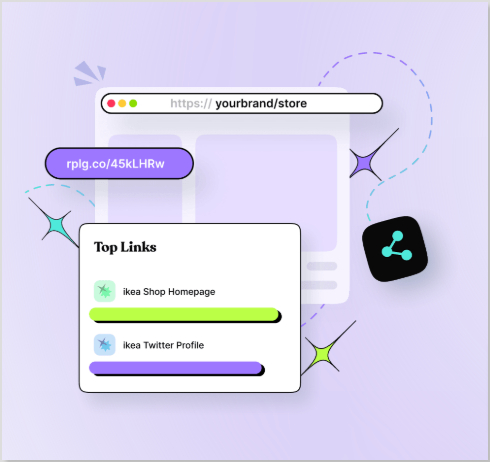
    Replug link management

    It offers bulk link import/export for hassle-free link shortening. Alongside, it provides the option to set an expiration date for your short links, which is especially beneficial for time-sensitive campaigns. You can also rotate your links based on country, device, browser, OS, date, days of the week, and IP, a feature that both Bitly and Cuttly don’t have.

    Bitly
    Bitly is known for its straightforward and reliable service. While the free plan offers limited short links (5 per month), the highest premium plan, priced at $199/month, allows up to 3,000 short and complimentary branded domains. 

    Custom slugs, bulk URL shortening, and QR code generation are solid features, but Bitly has fewer customization options than Replug, which may limit its appeal to marketers. It also does not offer the ability to set link expiration or the feature to rotate links.

    Cuttly
    Cuttly finds a middle ground, offering up to 50,000 short links per month and 99 branded domains in its highest plan ($149/year). With features like advanced QR code customization and custom aliases, Cuttly caters well to businesses looking for flexibility. 

    However, the free plan has more restricted advanced features than Bitly and Replug. Just like Bitly, Cuttly does not have features such as setting link expiration dates, link previews, or custom favicons, making it less attractive to marketers if they want a full suite of features.

    ToolMonthly linksCustom URLs
    ReplugUnlimited (all plans)Yes
    Bitly5 (free) / 3,000 (premium)Yes
    Cuttly50,000 (highest plan)Yes

    Verdict: Replug

    If you’re looking for a robust URL-shortening tool with unlimited links, advanced features, and a budget-friendly starting point, Replug is the clear winner. It combines the flexibility of Cuttly and the simplicity of Bitly, with a focus on scalability, customization, and powerful marketing tools.

    Analytics and reporting

    Replug

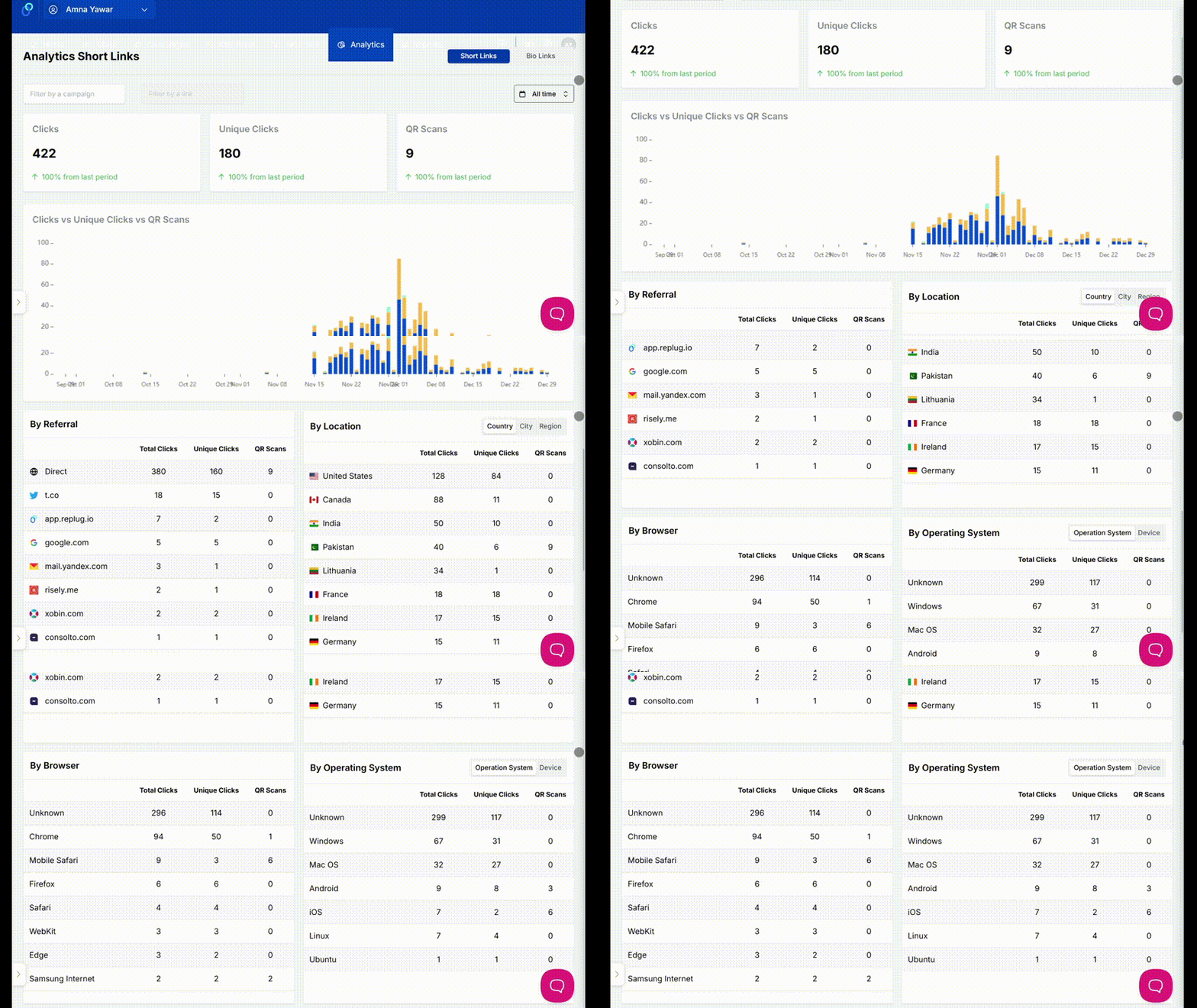
    Replug offers an extensive custom analytics suite for marketers needing precise campaign tracking. It allows you to add UTM parameters to your short links and campaigns, and provides extensive data for your total clicks, unique clicks, top links, and geoanalytics down to the city level. Replug also tracks data for retargeting, bio-link, and CTA campaigns, making it a versatile choice.
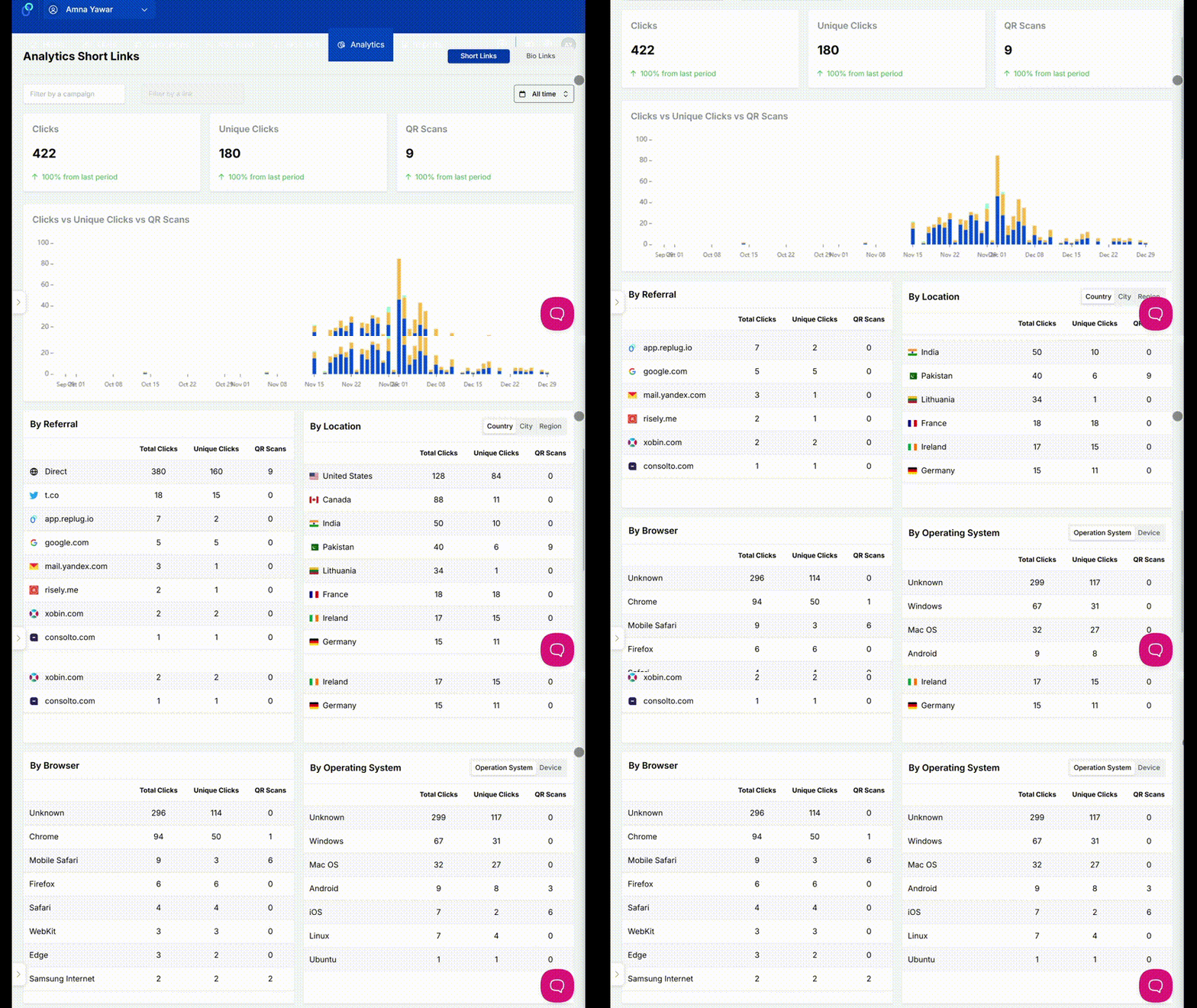
    Replug analytics dashboard

    Its clean dashboard is easy to navigate, and reports can be emailed daily, weekly, or monthly to selected team members. Replug also tracks clicks by device, browser, referrer, and OS, providing a well-rounded view of your audience. With a one-year link dashboard history preview, it ensures you don’t miss a thing.

    Bitly

    Bitly delivers essential analytics for those looking for simplicity. It tracks unique clicks, total clicks, and geoanalytics (limited to country and city). Data for bio-link campaigns includes landing page views, offering a decent level of insight.

    While Bitly lacks features for retargeting and CTA campaigns, it does provide analytics for clicks by OS, browser, referrer, and device. However, automated email reports are unavailable, and link history ranges from one to two years, depending on the plan.

    Cuttly

    Cuttly blends basic and advanced analytics features. It tracks unique clicks, total clicks, top links, and geoanalytics, including language data. It also supports retargeting campaigns and unique redirects, making it a strong choice for audience segmentation.

    Cuttly also tracks clicks by OS, browser, referrer, and device, ensuring comprehensive insights. However, it doesn’t offer automated email reporting or CTA campaign tracking. With two years of link history, it’s ideal for users focused on long-term data tracking.

    ToolLink historyCollaboration
    Replug1 yearYes
    Bitly2 yearsNo
    Cuttly2 yearsNo

    Verdict: Replug

    Replug stands out with its comprehensive analytics, retargeting support, CTA insights, and collaborative reporting options. Bitly is best for simpler needs, while Cuttly’s strengths lie in retargeting and unique redirects. For an all-in-one solution, Replug remains the best Bitly and Cuttly alternative.

    Security and privacy protection

    Replug 

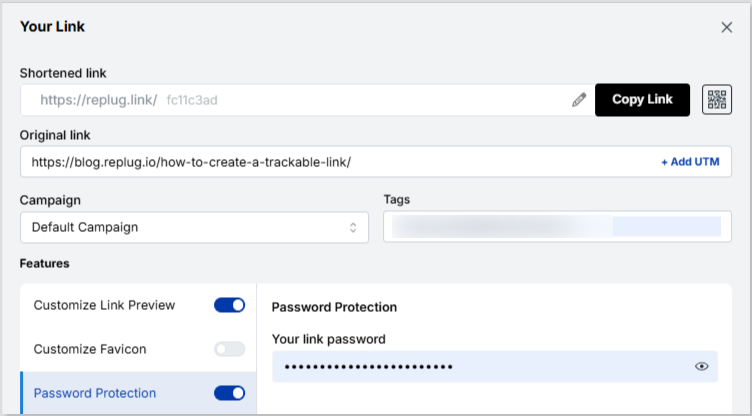
    Replug ensures the security of your links with HTTPS included in all plans. Additionally, you can password-protect your links for an extra layer of security. However, it doesn’t currently offer features like Single Sign-On (SSO), Two-Factor Authentication (2FA), or domain guard, which some users may find essential for extra protection. 
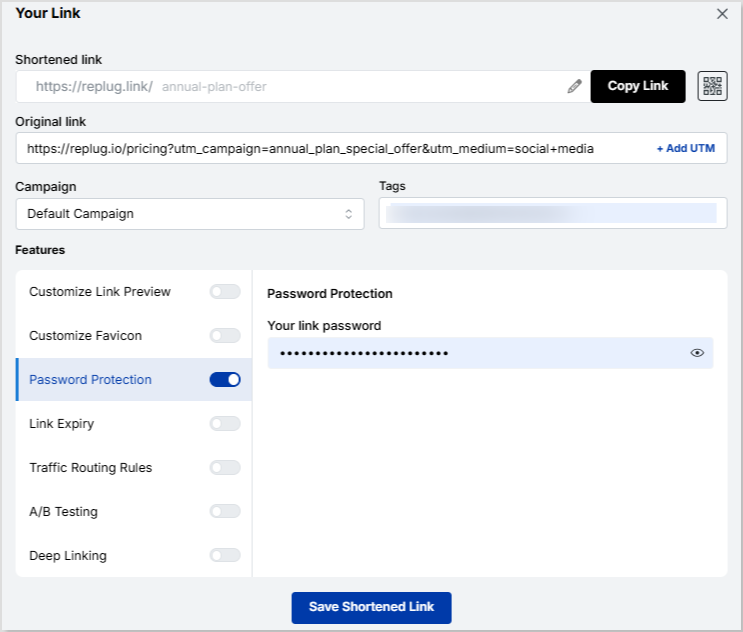
    Replug password-protected links

    While it lacks some advanced security options, it still provides basic protection for users seeking a straightforward solution.

    Bitly 

    Bitly is a strong contender in terms of security with features like HTTPS and 2FA, which help secure your account and links. Additionally, Bitly offers a domain guard feature to protect your custom domains from being hijacked. Bitly also provides Single Sign-On (SSO) for enterprise users, making it a more robust option for larger teams.

    However, Bitly doesn’t offer password protection for individual links, which might be a dealbreaker for those looking for more customizable security. 

    Cuttly 

    Cuttly shines in the security department by offering a range of protective measures, including HTTPS and the ability to password-protect links. It also provides a link checker to ensure the links are active and secure. Cuttly includes 2FA for added security, and it supports Single Sign-On (SSO), which is ideal for businesses. 

    However, Cuttly doesn’t offer domain guard, so while the other features provide solid protection, domain security could be a potential gap.

    ToolLink checkerPassword-protected links
    ReplugNoYes
    BitlyNoNo
    CuttlyYesYes

    Verdict: Cuttly

    Replug offers a secure environment with HTTPS and password-protected links, perfect for those looking for a user-friendly and simple tool. However, Cuttly takes the crown for security thanks to its additional advanced features, including a link checker and 2FA (2-Factor Authentication). Bitly provides robust enterprise-level security features but lacks some of the link management tools offered by Replug and Cuttly.

    Team management

    Replug
    Replug stands out with its exceptional team management features, offering a comprehensive dashboard designed for collaboration. Each team can create unlimited short links monthly, making it ideal for businesses of any size. In its highest plan, Replug allows you to add up to 100 team members per workspace across 100 workspaces, with specific roles such as Administrator, Collaborator, and Guest. A key advantage is that a single team member can be assigned to multiple workspaces, ensuring flexibility across projects.
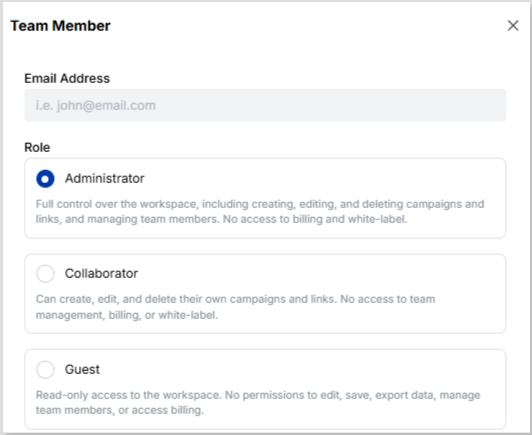
    Replug team management

    Replug also integrates seamlessly with 29 platforms spanning social media, email marketing, lead generation, and retargeting, empowering teams to streamline their workflows. This combination of scalability, flexibility, and integrations makes Replug a go-to solution for teams looking for efficient collaboration.

    Bitly
    Bitly provides a structured approach to team management with three distinct roles: Users, Group Admins, and Account Admins. Each role comes with specific permissions, allowing for organized access across groups and accounts. Bitly’s Enterprise subscription enables the creation of up to 150 groups, where users can organize data, manage custom domains, and analyze link performance.

    While Bitly offers 49 impressive integrations to enhance team workflows, its team management features are limited to its Enterprise plan, which may not be as accessible to smaller teams.

    Cuttly
    Cuttly’s team management features include a separate dashboard/workspace for each team, allowing better organization. The tool supports up to 20 team members per team in its highest plan (10 teams), with roles such as Owner, Admin, Moderator, User, and Viewer. Teams can invite members via email, create favorite link lists, and export links from the dashboard for easier management. 

    However, Cuttly is limited to 50,000 short links per month, which could be restrictive for larger teams or businesses with higher needs. Additionally, Cuttly offers only 5 integrations as of now, which limits its capability to support diverse workflows.

    ToolShort links/teamNo. of workspaces
    ReplugUnlimited100 (workspaces)
    BitlyUnspecified150 (groups)
    Cuttly50,00010 (teams

    Verdict: Replug


    While Bitly and Cuttly provide structured team management options, Replug takes the win with its unlimited short links, flexible team member allocations across workspaces, and 29 powerful integrations. These features make it the top choice for businesses seeking scalability, collaboration, and workflow optimization.

    Replug Branded Short Links CTA
    A complete link management solution
    for marketing professionals & agencies.
    Try Replug for free

    User experience

    Replug

    Replug offers a clean and easy-to-navigate interface that lets you view all your links on a single page and displays the link shortening bar right up front, making it link shortening more accessible. You can easily switch between sections like bio links, analytics, reports, RSS feeds, and campaigns through separate tabs. 
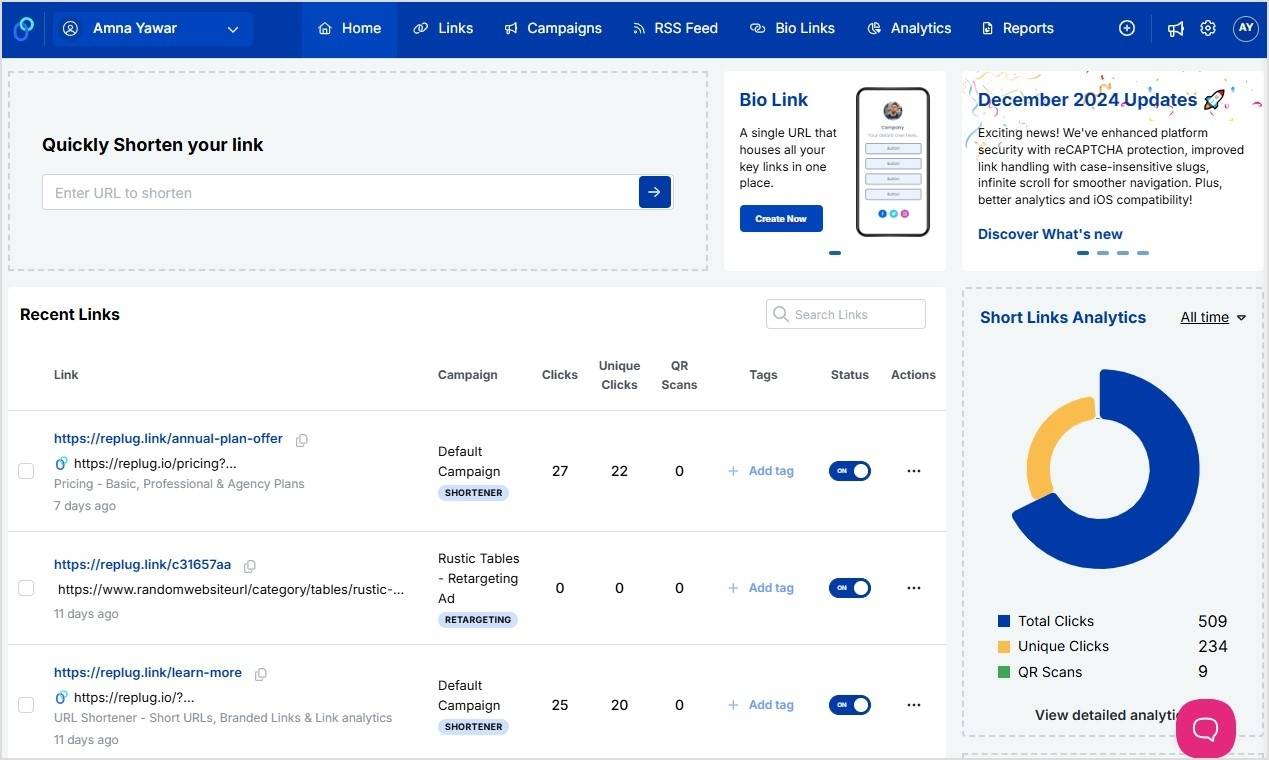
    Replug app dashboard

    This organization makes it simple to manage and track your links and campaigns with ease.

    Bitly

    Bitly also provides an intuitive and neat UI, ensuring ease of use. However, Replug’s dashboard has an edge since, with Bitly, you’ll have to click on a separate button to create a new short link, making the link-shortening process a little slower than Replug. 

    Bitly’s layout is still well-organized, but it requires a bit more navigation compared to Replug’s straightforward interface.

    Cuttly

    Cuttly’s interface feels a bit messy and congested at first glance. However, it’s still functional for those who want to get an overview of their link analytics quickly. The main dashboard displays the link shortening bar and analytics on the first page, with charts visible upfront. 

    While it’s not as clean as Replug or Bitly, it’s good for users who prioritize quick access to key metrics.

    ToolEasy access to analyticsClutter-free interface
    ReplugYesYes
    BitlyYesYes
    CuttlyYesDepends on preferences

    Verdict: Replug

    Replug takes the lead with a more organized and user-friendly interface that makes managing links and viewing analytics a seamless experience. Bitly follows closely, offering a clean design, though it requires slightly more navigation. Cuttly is a good Replug alternative for quick analytics, but its crowded interface may not be ideal for users who prefer a more streamlined experience.

    Bio links

    Replug

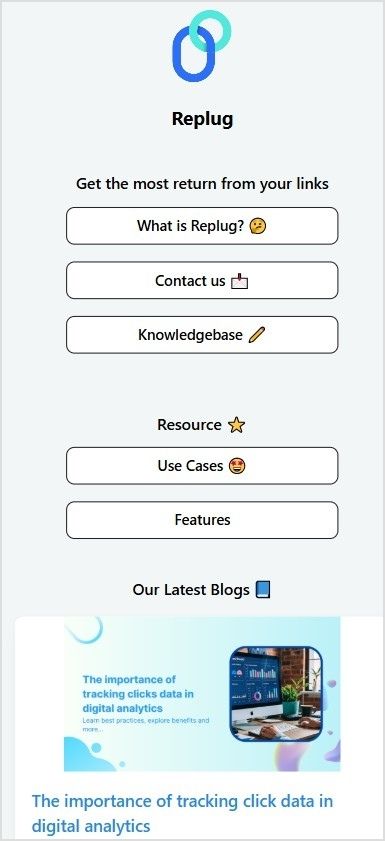
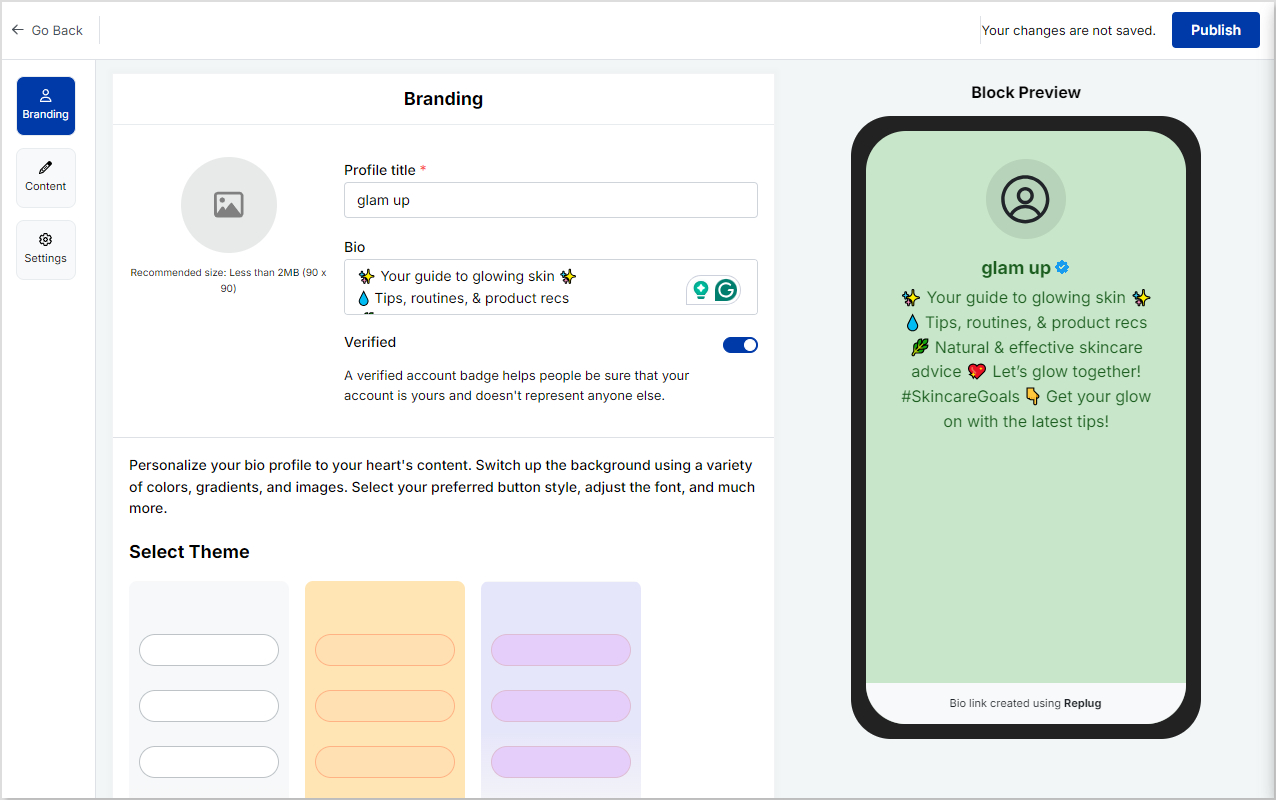
    Replug provides a robust bio link tool with an editable template and the ability to add titles, descriptions, a verification button, and a custom favicon image for a personalized touch. The platform supports an impressive 20+ social links and allows you to embed videos from platforms like YouTube, Facebook, X, Instagram, and TikTok. You can add blocks for your links, socials, RSS feeds, videos, cards, and text for enhanced customization.

    Boost ROI with branded URLs - Replug dashboard showing performance metrics and branded URL creation
    Turn your bio links into click-boosting machines
    Check

    Drive up to more clicks than plain URLs

    Check

    Share multiple destinations with one link

    Create bio links free

    Also, you can choose multiple button styles and colors, as well as customize your backgrounds with custom colors or select from pre-defined templates. Advanced marketing tools such as click analytics, a downloadable QR code for your bio-link, and a retargeting pixel make it ideal for marketers. 
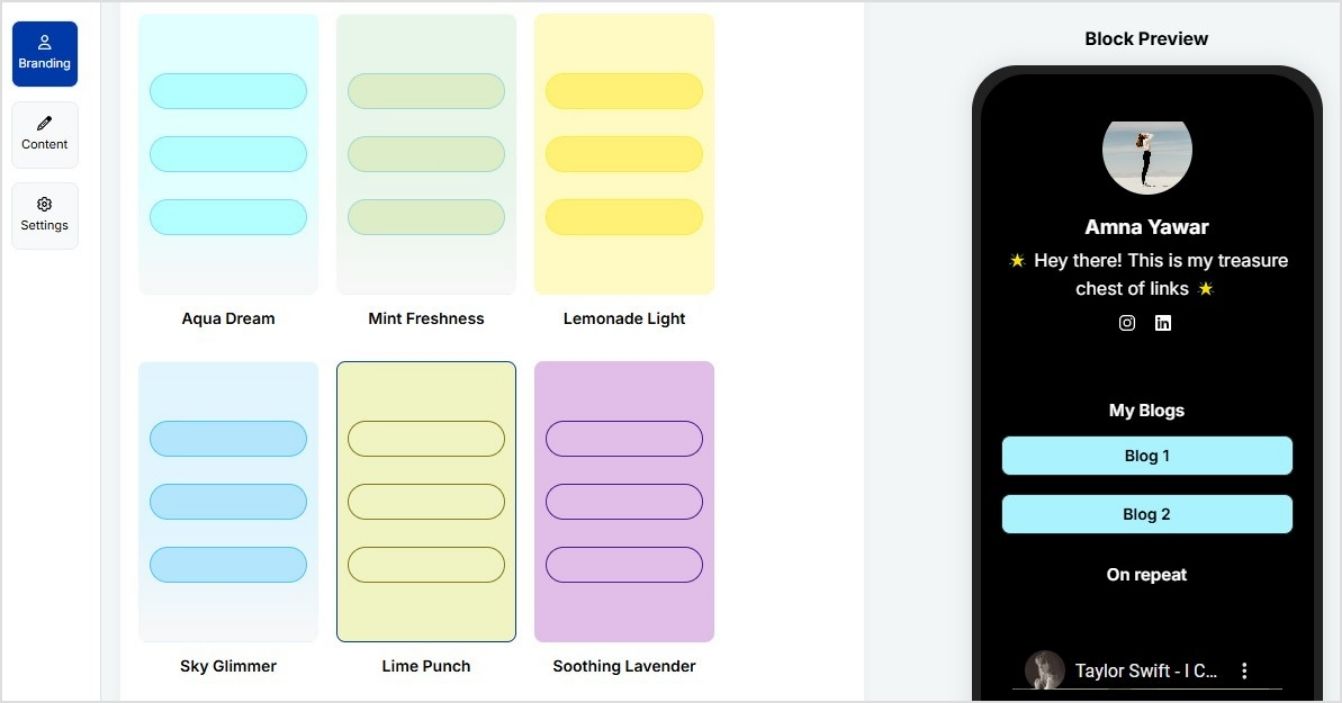
    Replug bio links

    However, it lacks editable fonts, grid or carousel image layouts, and landing page view tracking, which may limit some design and tracking preferences.

    You may also like: 7 benefits of bio links you need to know: your ultimate manual

    Bitly

    Bitly offers a bio link (landing pages) tool focused on design and simplicity. It includes an editable template, the ability to add titles and descriptions, and support for 19 social links. Customization is a highlight, with features like multiple button styles and colors, editable fonts, and backgrounds that can be customized with colors, gradients, or images. Paid plans even offer grid and carousel image layouts.

    For functionality, Bitly allows video embedding, but only from YouTube. It also provides click analytics and landing page view tracking, catering to users who need performance insights for higher landing page conversion. 

    However, it lacks advanced tools like retargeting pixels, RSS feeds, and a custom favicon image, which limits its appeal for marketers seeking deeper engagement features.

    Cuttly

    Cuttly focuses on simplicity with an editable template, the ability to add titles and descriptions, a verification mark, social links, videos, and a downloadable QR code for your bio links. Videos can be embedded from YouTube and Vimeo, and backgrounds can be customized with colors, images, or pre-defined styles.

    However, Cuttly offers limited customization and functionality. It doesn’t support RSS feeds, custom favicons, blocks, or advanced tools like retargeting pixels for bio links and landing page view tracking. Additionally, changes cannot be previewed in real-time, which makes the editing process less intuitive. While Cuttly handles basic needs, its lack of advanced features and real-time customization tools may frustrate users.

    ToolBio links volume (highest plan)Editable template
    Replug500Yes
    Bitly10Yes
    Cuttly20Yes

    Verdict: Replug

    Replug is the clear winner for bio link tools. It offers unmatched value with 500 bio links in its highest-paid plan, far surpassing competitors. With features like RSS feeds, retargeting pixels, and versatile block options, it outshines Bitly’s design flexibility and Cuttly’s simplicity. 

    QR codes

    Replug

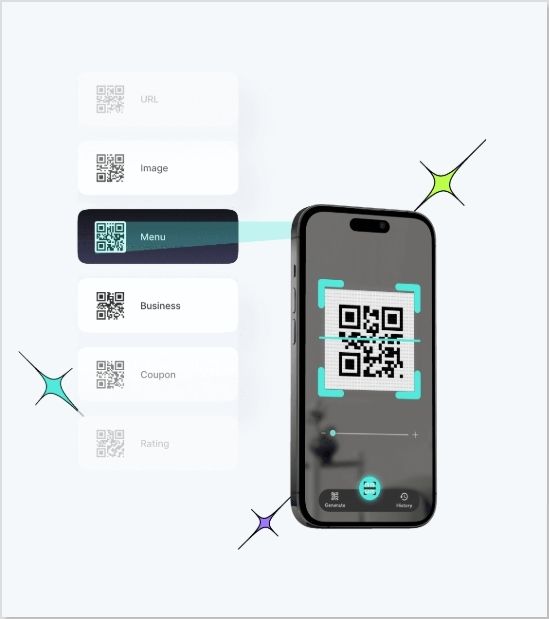
    Replug offers both static and dynamic QR codes, which is awesome for flexibility. You can tweak the background and foreground colors, plus download them in PNG and SVG formats. It also gives you analytics for tracking how your QR codes are performing. 
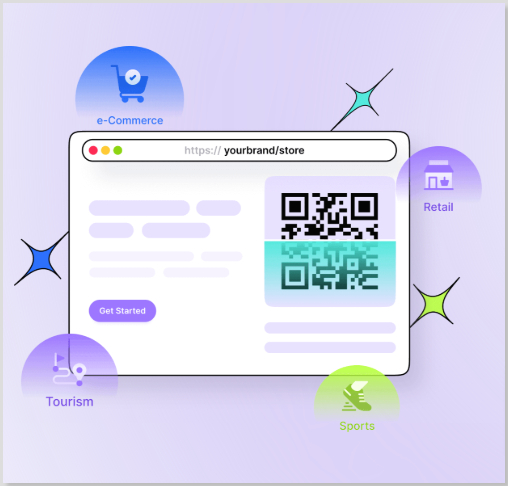
    Replug QR Codes

    But it doesn’t have features like dot color customization, dot style options, and branded QR codes as of yet. However, these features will be available soon. 

    Bitly

    Bitly really takes it up a notch. You get both dynamic and static QR codes, plus a ton of customization options. Background, foreground, dot colors, dot style, frames – you name it. Plus, you can create branded QR codes to keep things consistent with your brand. Detailed QR code analytics are included so that you can track engagement.

    Cuttly

    Cuttly’s solid, but it only offers static QR codes. That said, you’ve still got a lot of control with background and foreground colors, dot colors, dot styles, and frames. Plus, it gives you analytics so you can see how your QR codes are performing. The main downside is that dynamic QR codes aren’t an option here.

    Verdict: Well, that was a tough one, but we’ll have to give it to Bitly.

    Bitly and Cuttly have their strengths, but Bitly pulls ahead thanks to its dynamic QR code support. This extra flexibility makes it a winner if you need more control over your QR codes. While Cuttly offers great customization for static QR codes and solid analytics, the lack of dynamic QR codes means Bitly edges it out in this comparison. Replug is a great option if you’re looking for a quick and easy way to generate QR codes.

    You may also like: Uses of QR Codes: Marketing, Sustainability & Convenience

    Advanced features

    White-label solution

    Replug

    Replug’s white-label dashboard is a powerful tool for agencies looking to deliver professional link management services under their own brand.

    It enables you to leave a lasting impression by customizing everything from the dashboard and logo to favicons, titles, meta images, descriptions, agency name, domain, branded reports, and emails. These white-label features ensure your agency’s branding takes center stage, enhancing your professional image.

    Bitly
    Bitly does not offer a white-label solution, which can be a dealbreaker for agencies looking to provide branded link management services.

    Cuttly
    Cuttly also does not offer a white-label solution, making it unsuitable for agencies that require full branding control over their link management platform.

    ToolWhite-label dashboardWhite-label personalization
    ReplugYesYes
    BitlyNoNo
    CuttlyNoNo

    Verdict: Replug

    Replug is the clear winner when it comes to a white-label solution. Its extensive customization options allow agencies to maintain full control over their branding, offering a truly professional and seamless experience. Both Bitly and Cuttly don’t offer white-label solutions for agencies.

    Custom CTA campaigns

    Replug

    Replug shines with its custom call-to-action (CTA) overlays for shared content. These can be buttons, forms, links, banners, pop-ups, bridge pages, or exit-intent prompts, ideal for lead generation, tracking, and boosting audience engagement and conversion.
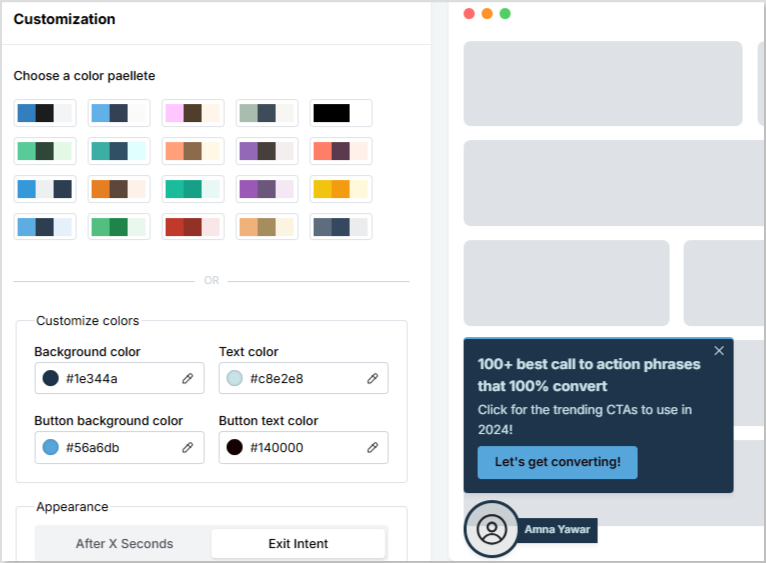
    Replug CTA campaigns

    Furthermore, Replug lets you tailor each CTA campaign to match your brand’s text and theme colors while offering in-depth analytics to track campaign performance.

    Boost ROI with branded URLs - Replug dashboard showing performance metrics and branded URL creation
    Boost your conversion rates with irresistable CTAs with

    for your marketing campaigns.

    Check

    Higher clicks

    Check

    More leads

    Check

    Better ROI

    Generate free CTAs

    Bitly
    Bitly does not offer call-to-action (CTA) campaigns, which limits its ability to drive lead generation and audience engagement compared to platforms like Replug.

    Cuttly
    Cuttly also lacks call-to-action (CTA) campaigns, making it less effective for lead tracking and audience interaction.

    ToolCustom CTA campaignsCTA campaign analytics
    ReplugYesYes
    BitlyNoNo
    CuttlyNoNo

    Verdict: Replug

    Replug stands out by offering customizable CTA campaigns, making it a valuable tool for agencies and marketers focused on lead generation and audience engagement. In contrast, both Bitly and Cuttly do not provide CTA campaigns, which limits their functionality in these areas. 

    Retargeting pixels

    Replug
    Replug offers a retargeting pixel feature with the added benefit of being able to track your campaigns.
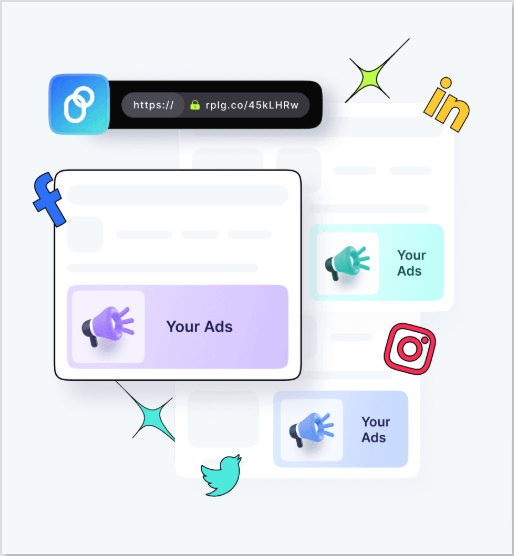
    Replug retargeting pixels

    You can choose from a wide range of platforms, including Meta, Google, Pinterest, Quora, LinkedIn, Reddit, X (Twitter), TikTok, and custom options. This flexibility makes it a powerful tool for running comprehensive retargeting campaigns.

    Bitly
    Bitly does not provide a retargeting pixel feature, which limits its functionality for users looking to track and optimize their retargeting campaigns.

    Cuttly
    Cuttly offers retargeting pixels and allows you to track your campaigns. It supports multiple platforms such as Facebook, Google, Quora, Twitter, Google Tag Manager, LinkedIn, Google AdWords, Pinterest, and Segment. This makes it a strong choice for users focused on retargeting efforts.

    ToolVolume (highest plan)Retargeting campaign analytics
    ReplugUnlimitedYes
    BitlyDoesn’t offerNo
    CuttlyUnlimitedYes

    Verdict: Replug and Cuttly

    We couldn’t choose which is better because Replug and Cuttly are head-to-head here, offering unlimited retargeting pixels with a wide range of supported platforms. Both tools cover comprehensive retargeting and analytics options.

    Deep linking

    Replug
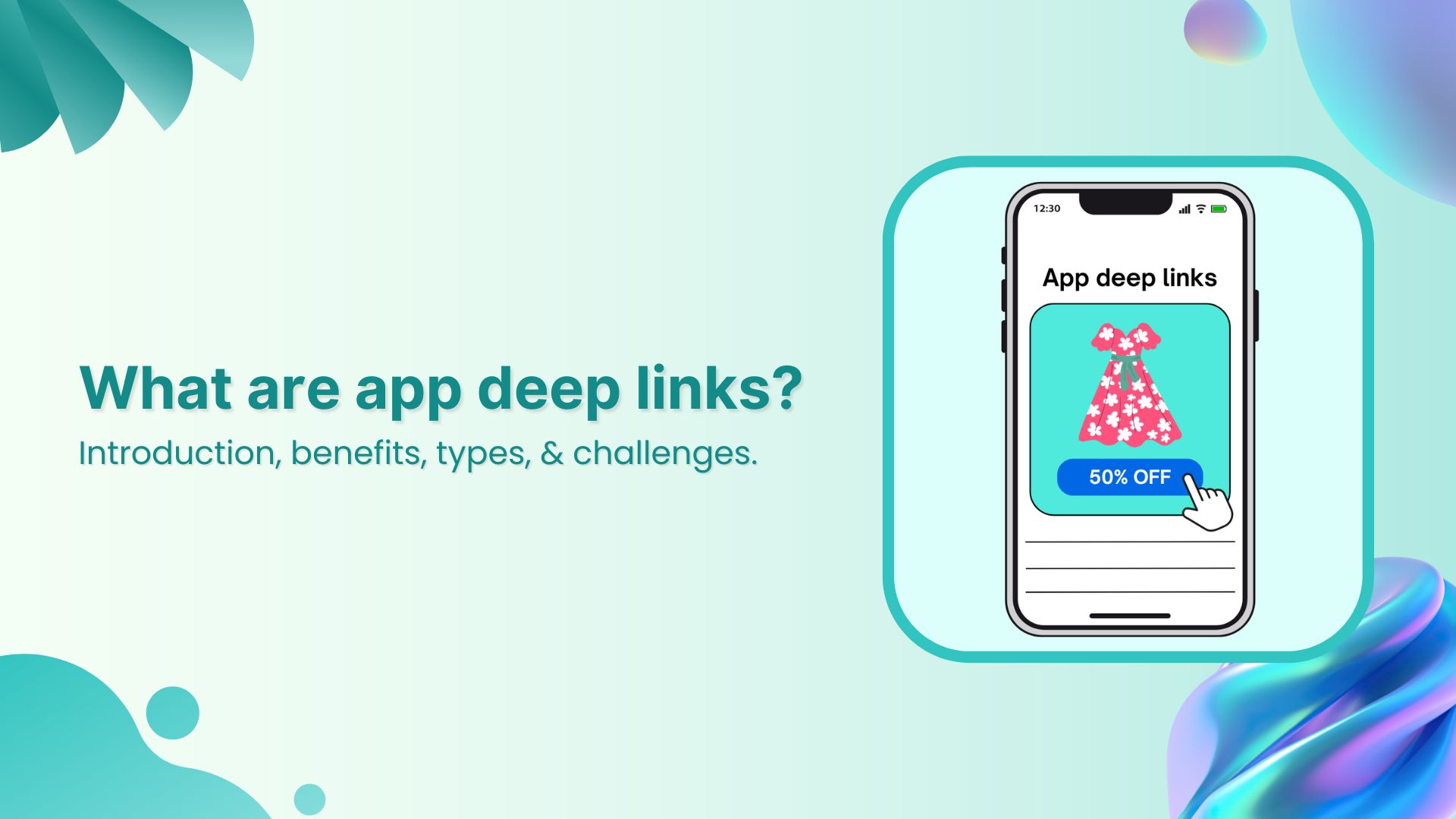
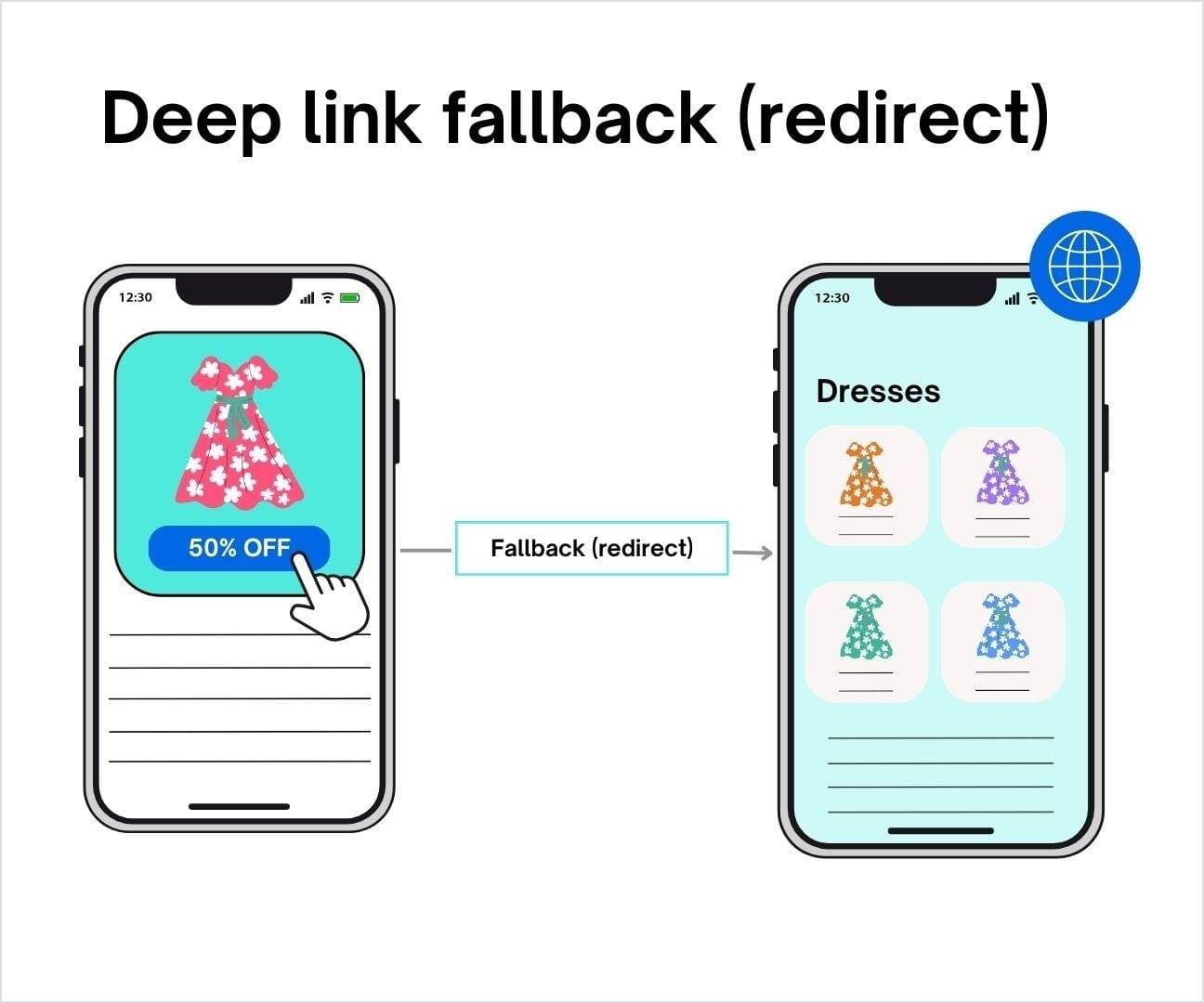
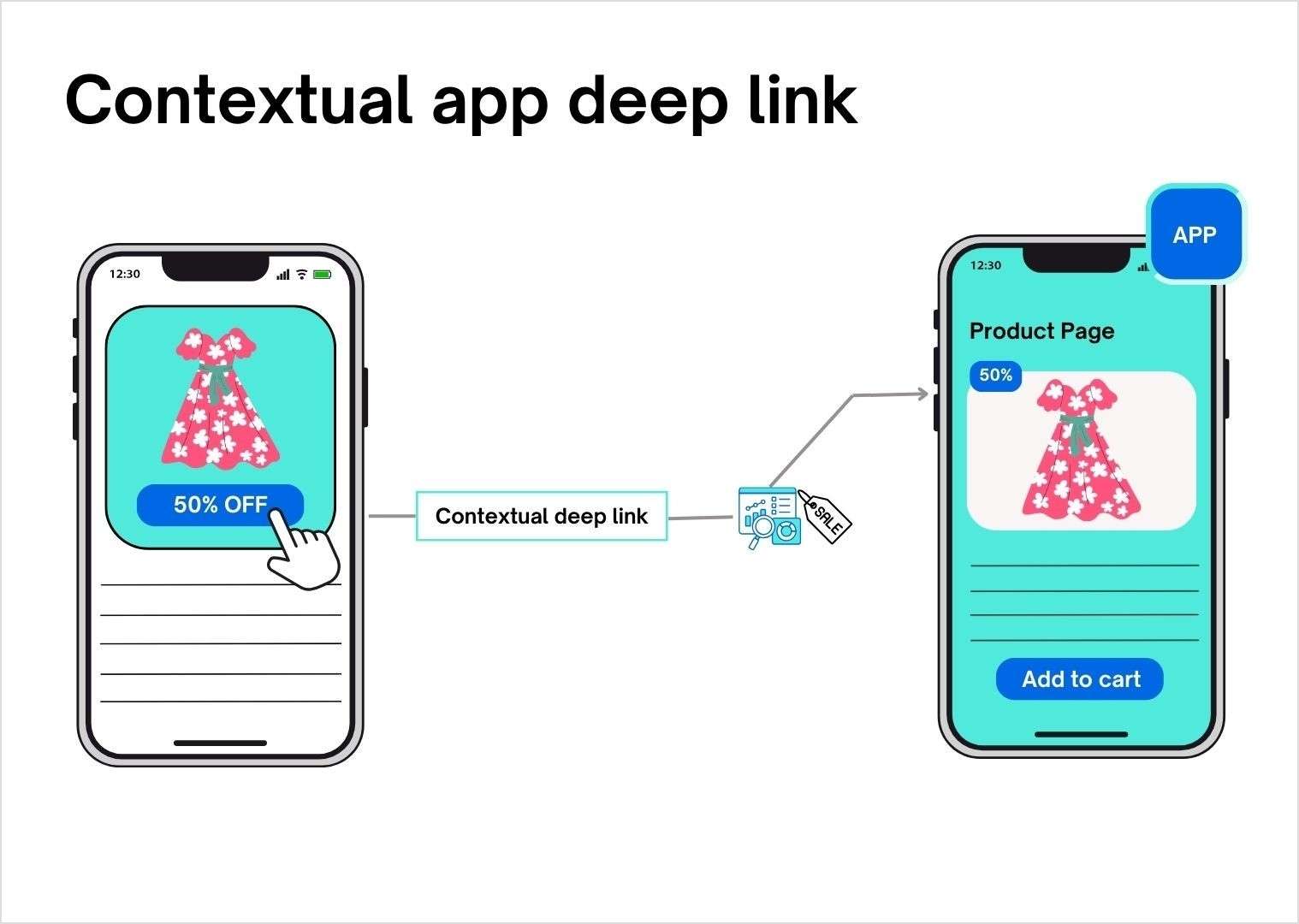
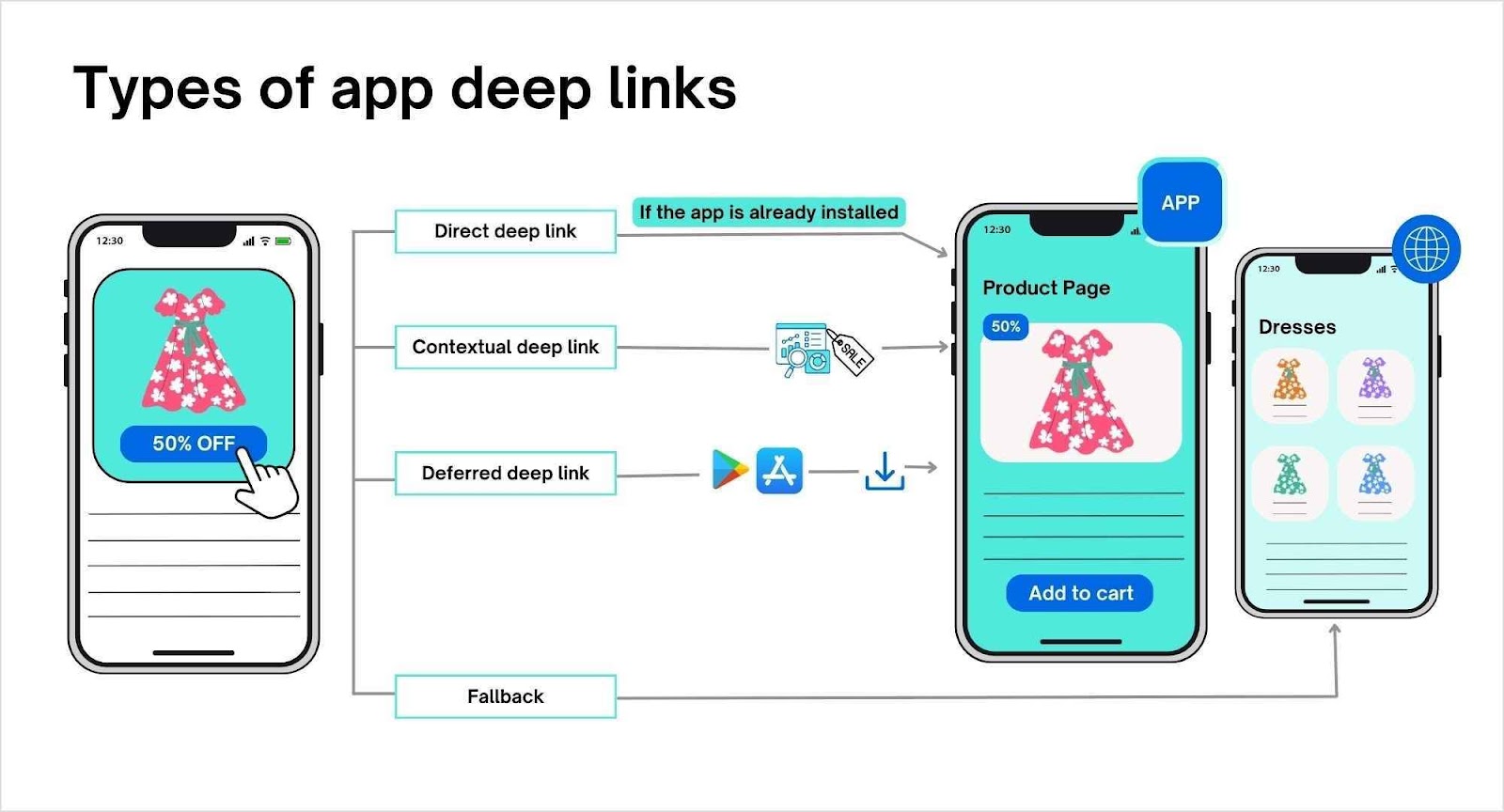
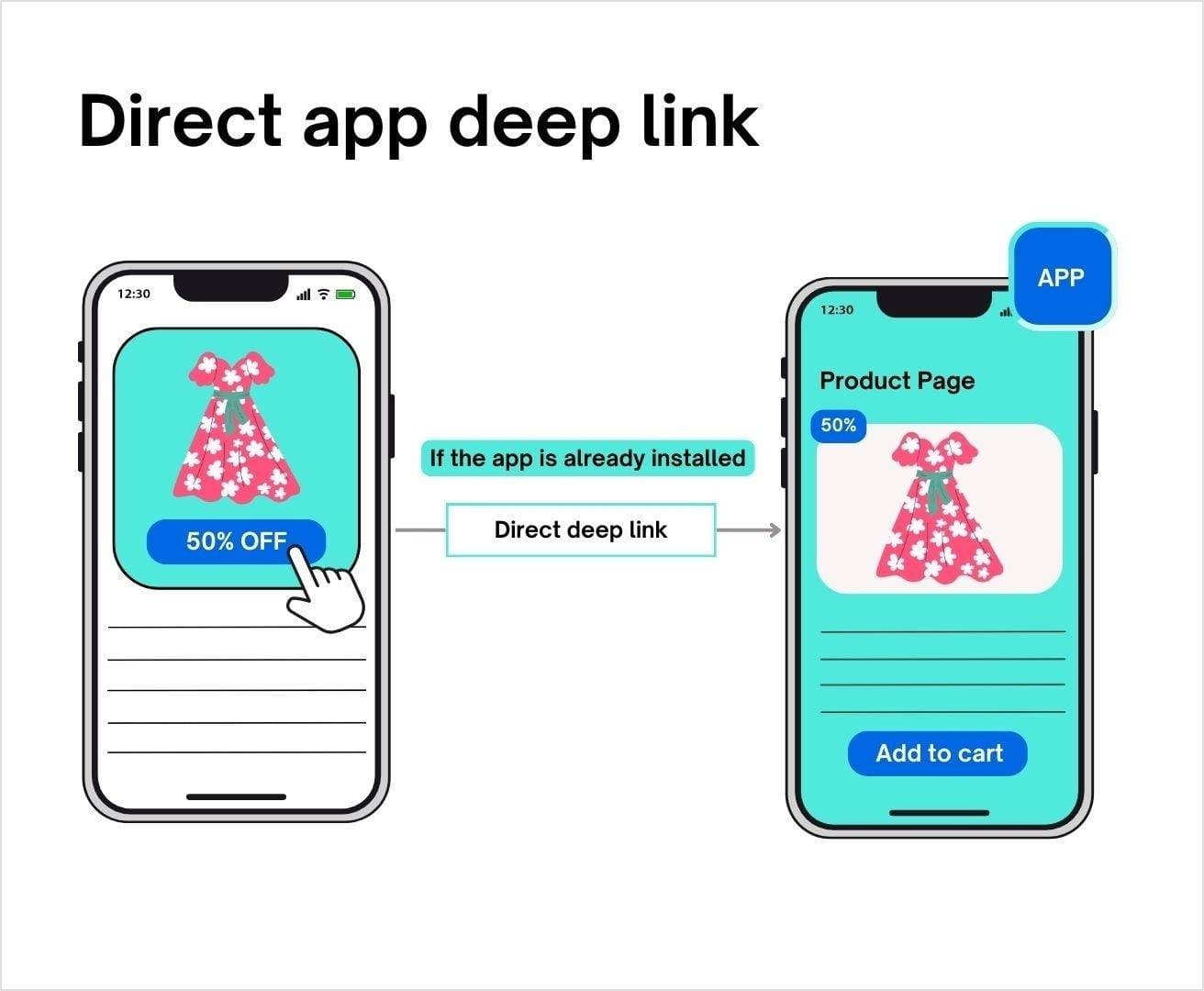
    Replug’s deep linking feature allows you to create links directly directing users to specific content within your website or app. Whether you’re promoting an article, a product page, or an exclusive offer, deep links enhance the user experience by minimizing unnecessary navigation.
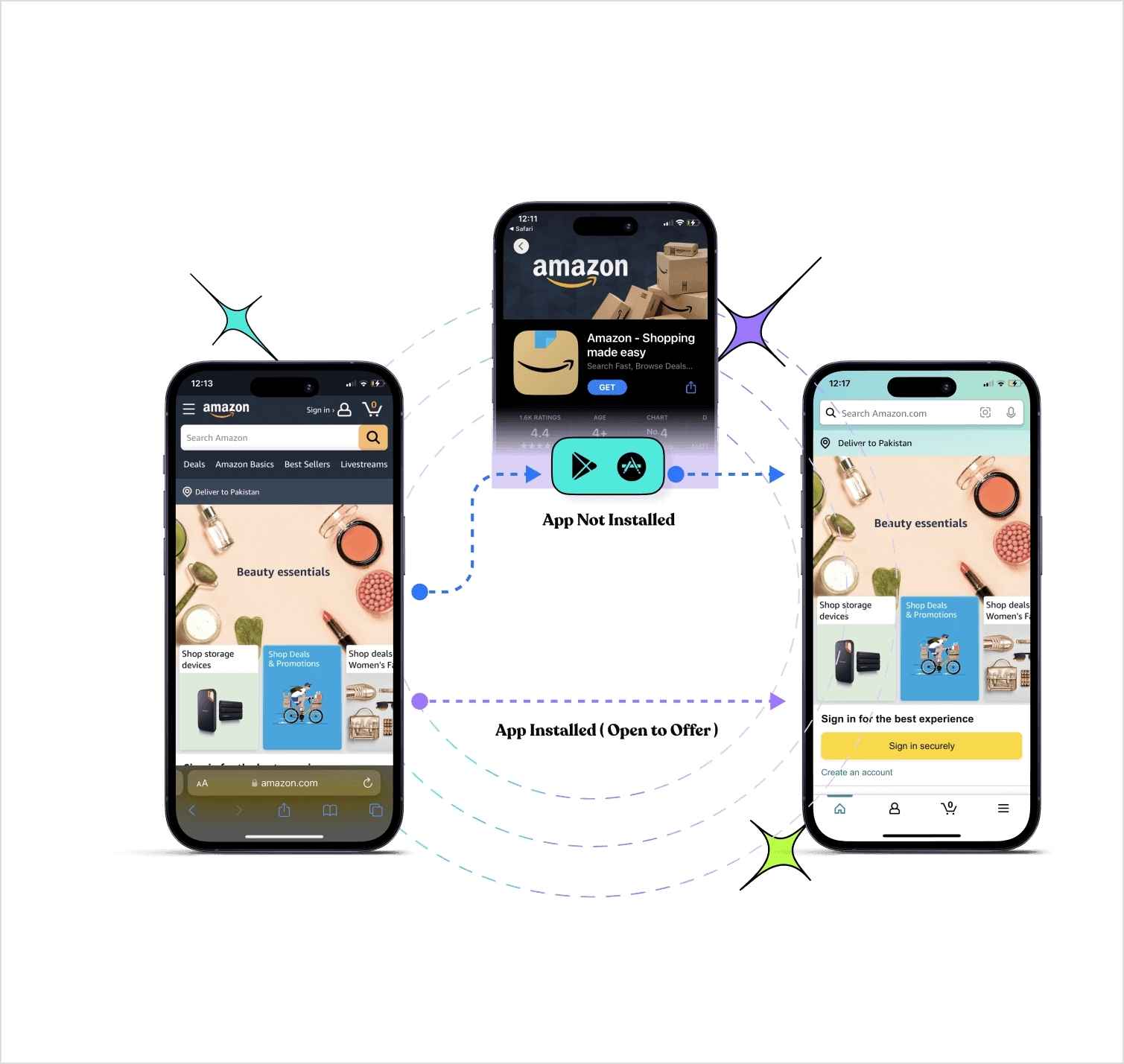
    Replug deep links

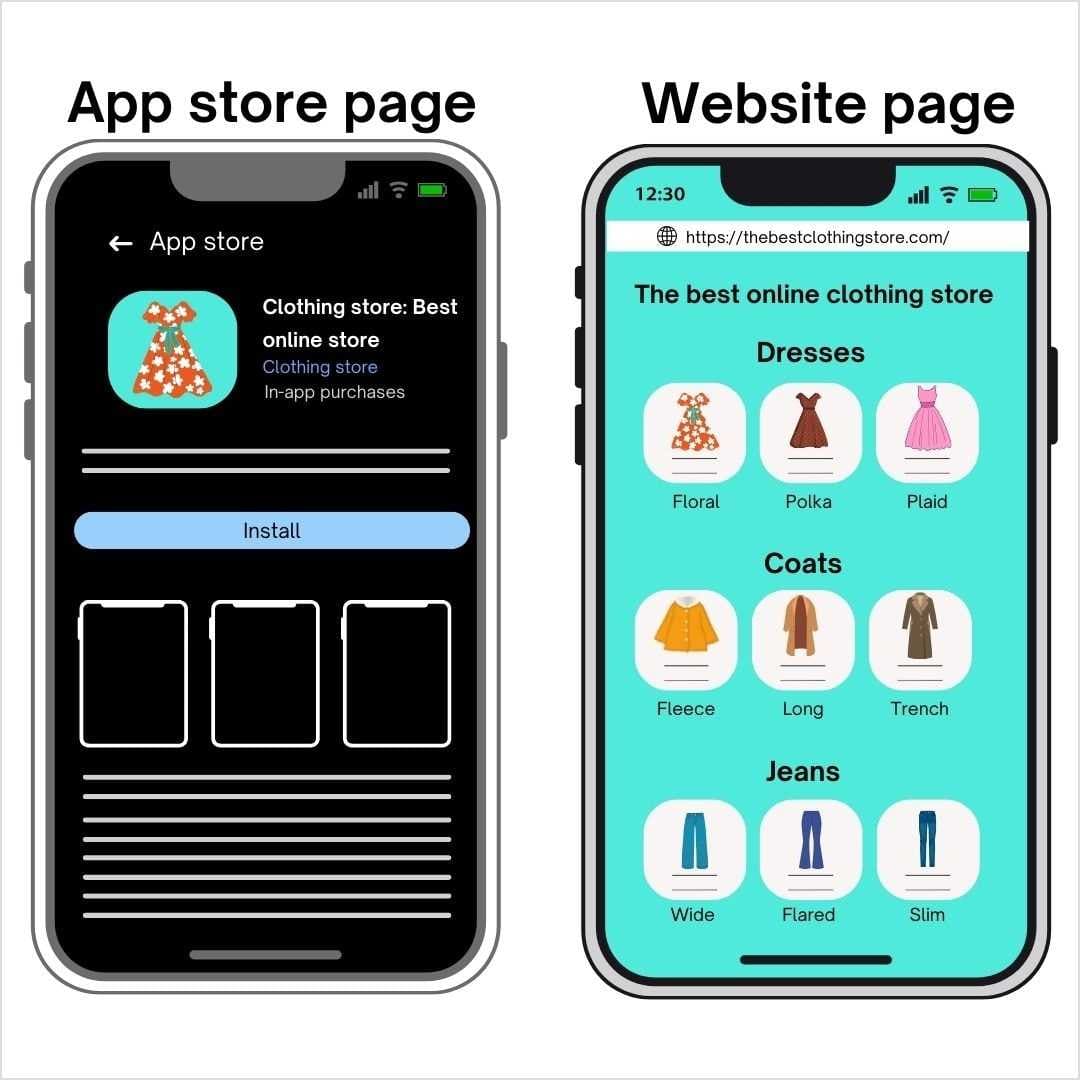
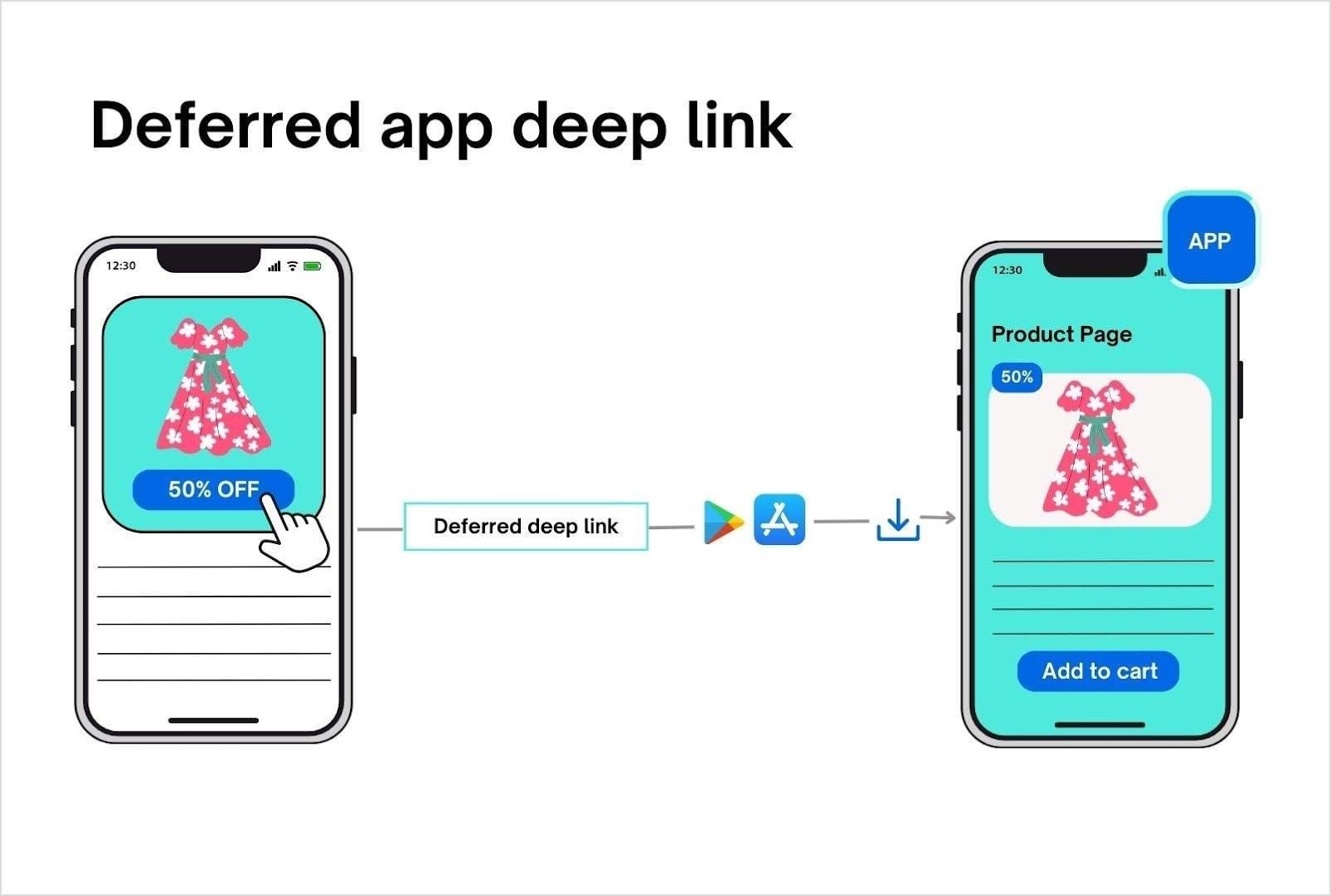
    Additionally, Replug’s deep links can also trigger app installations by guiding visitors to the appropriate app store (iOS or Android). You can use a single deep link across various channels, including email, ads, QR codes, smart banners, in-app notifications, social media, and more. This versatility makes Replug a powerful tool for improving user engagement and conversion rates.

    Bitly
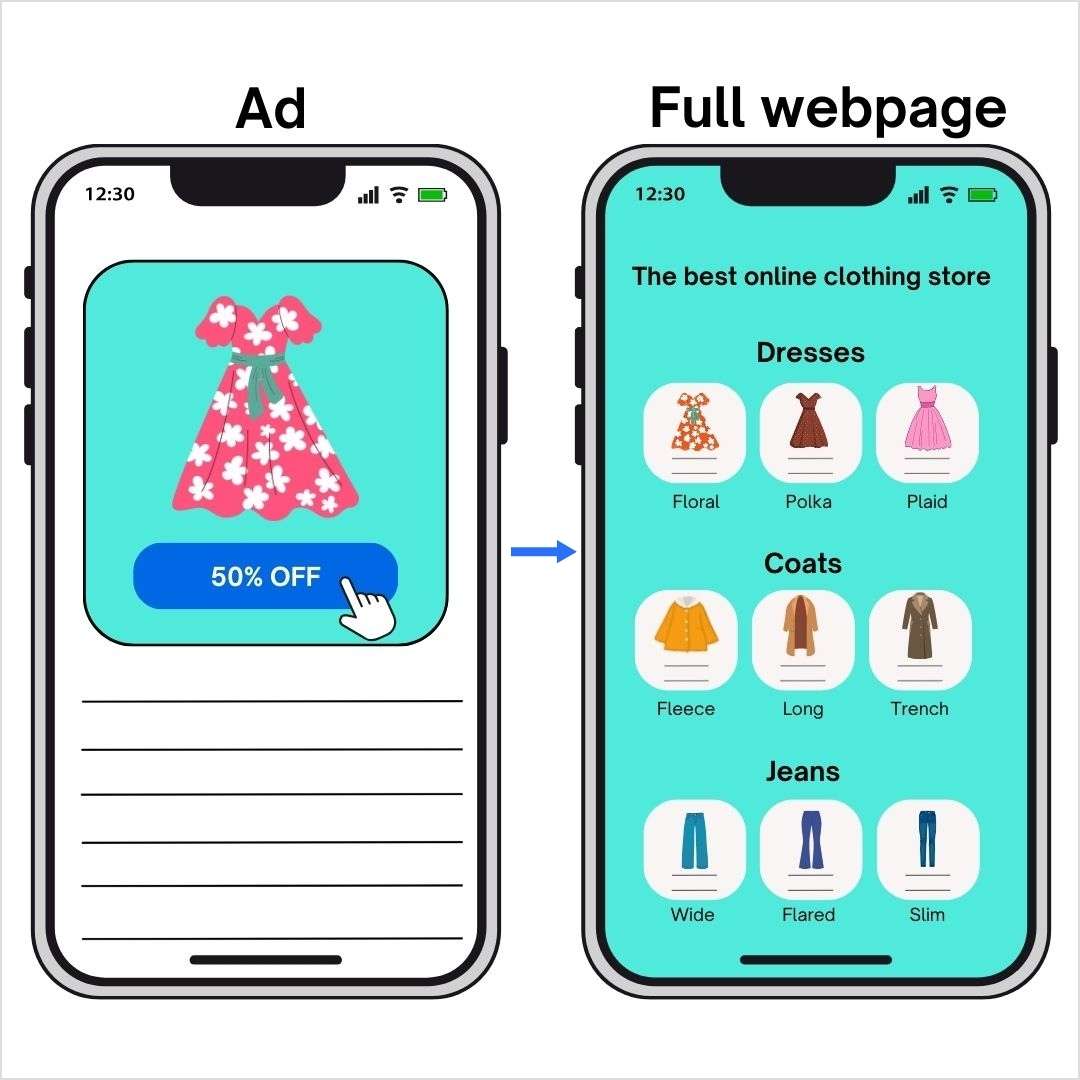
    Bitly does not offer deep linking capabilities. It only directs users to a general landing page, limiting the ability to target specific content or pages within your platform.

    Cuttly
    Cuttly provides a version of mobile deep linking through its “Mobile URLs” and “Deep Link Ready” features. This includes alternative redirects for Android, iOS, Windows Mobile, and other mobile devices. It also supports custom application schemes and offers additional support for Android Play Store and iOS App Store links. 

    However, Cuttly’s deep linking feature is still in beta, and it may not be as comprehensive as other options.

    Verdict: Replug


    Replug takes the lead with its comprehensive deep linking features, allowing precise targeting of content and even app installations. While Cuttly offers deep linking for mobile platforms, it’s still in beta and lacks the versatility of Replug’s solution. Bitly’s lack of deep linking makes it less flexible in this regard. 
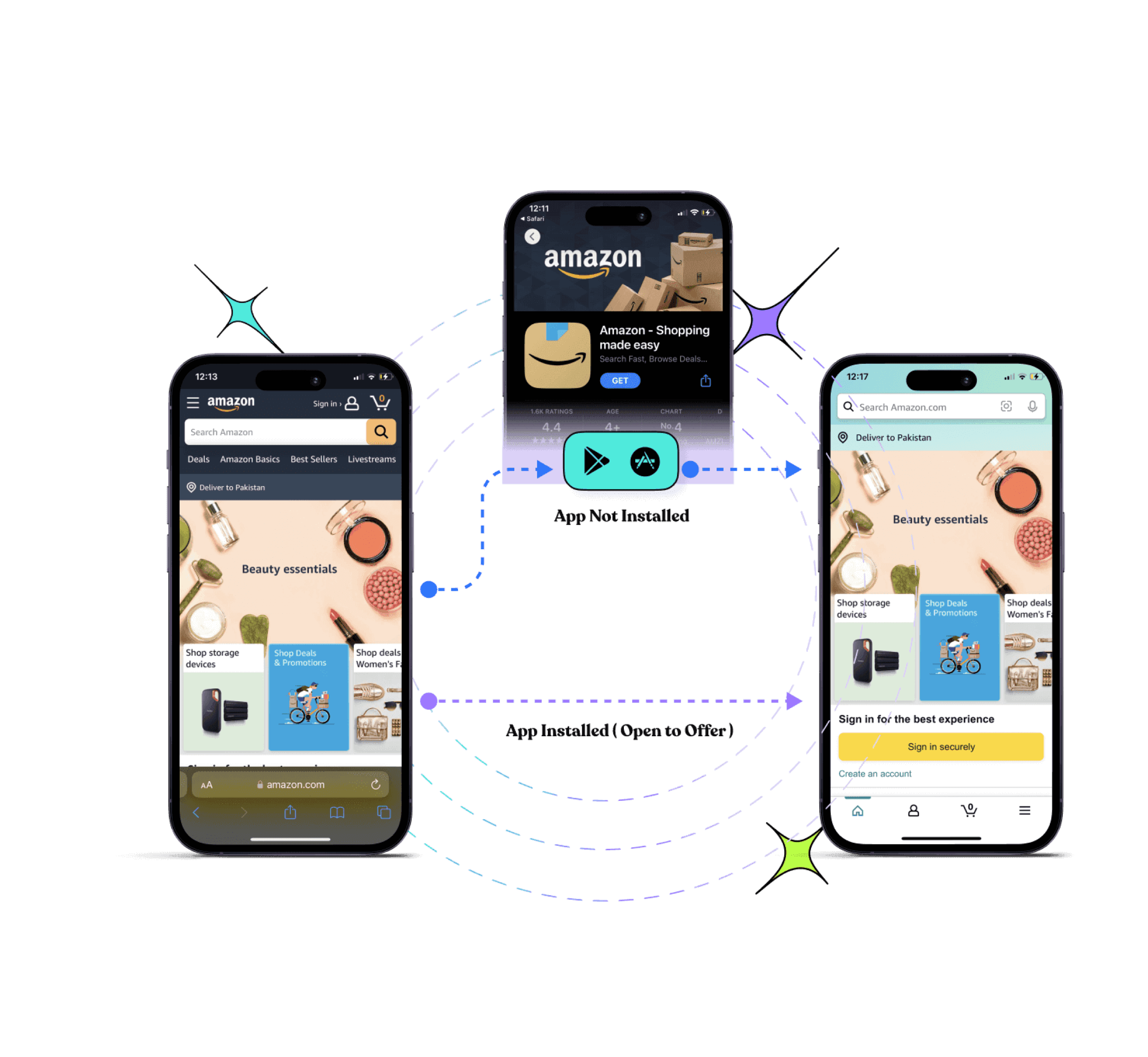
    Replug Branded Short Links CTA
    Drive more clicks, conversions, and app installations by deep linking
    to your favorite platforms.
    Try deep links for free

    A/B testing

    Replug
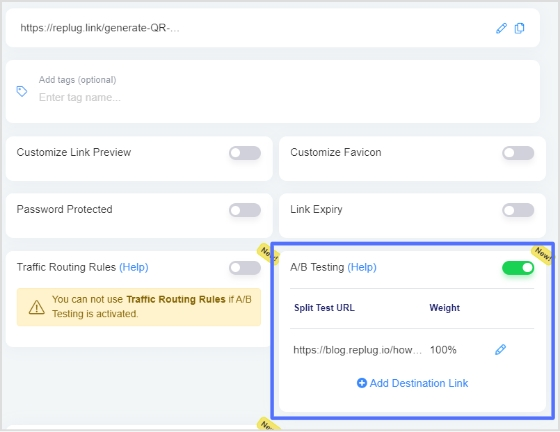
    Replug stands out with its robust A/B testing features, which are available across all plans except the basic one. This feature allows you to test up to 10 URLs, giving you complete control over the percentage distribution for each variation. This is ideal for analyzing and optimizing your links’ performance to determine what resonates best with your audience. 
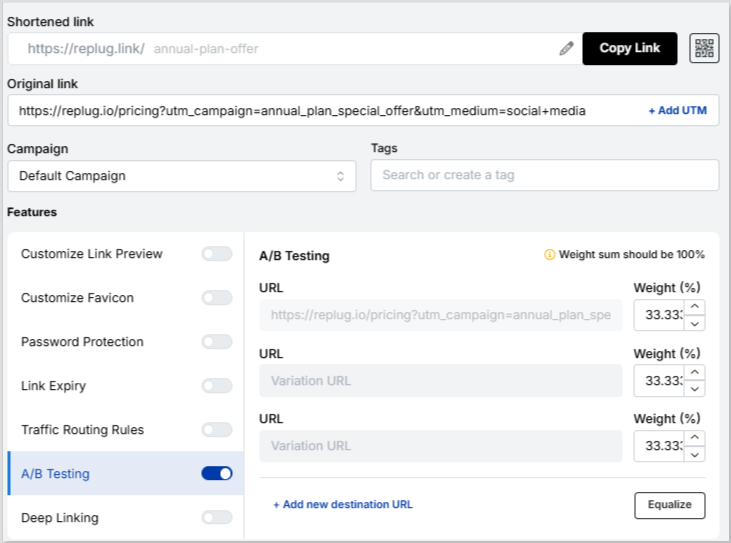
    Replug A/B testing

    Whether it’s email campaigns, social media posts, or ads, Replug’s advanced A/B testing empowers you to make data-driven decisions effectively.

    Bitly
    Bitly does not offer any A/B testing capabilities, which limits its ability to help users optimize their links through direct performance comparisons.

    Cuttly
    Cuttly offers a similar feature called “link rotation,” which enables A/B testing and even A/B/C testing by setting percentage distributions. However, this feature is capped at testing three links simultaneously, and the full capability is available only in its highest-tier enterprise plan. While effective, it does not provide the same level of flexibility or scalability as Replug’s solution.

    ToolNo. of URLsPercentage (%) allocation
    Replug10 URLsYes
    BitlyDoesn’t offerNo
    Cuttly3 URLsYes

    Verdict: Replug

    Replug takes the crown for its superior A/B testing functionality, offering the ability to test up to 10 URLs and greater flexibility in percentage allocation. Cuttly is a close Replug alternative but is limited by its three-link cap and enterprise-only access. Bitly, without A/B testing options, falls short in this area. 

    You may also like: 10 Best A/B Testing Tools For Click & Conversion Analytics

    And…

    There we go! The ultimate showdown of Bitly vs. Cuttly vs. Replug has officially concluded! Replug takes the lead with its vast array of features designed to streamline your link management, but Bitly and Cuttly are certainly worthy competitors. 

    Each platform brings something unique to the table, but the real champion in this race is you. By selecting the tool that aligns with your specific needs, you’re not just managing links; you’re shaping how you connect with your audience, track performance, and ultimately drive results. 

    This of it this way: Every link is more than just a URL. It’s a pathway to your audience’s attention, a connection to their interests, and an opportunity to convert. So take your time, choose wisely, and let your links tell the story you want them to because when they’re crafted with purpose, they have the power to transform your digital strategy.

    FAQs for Bitly vs. Cuttly vs. Replug

    What is the primary purpose of a URL shortener?

    URL shorteners streamline lengthy URLs into compact, shareable links. They enhance branding, simplify link sharing, and provide analytics for tracking user engagement.

    Between Bitly vs. Cuttly vs. Replug, which tool offers the best value for budget-conscious users?

    If you’re on a tight budget, Cuttly provides affordable plans starting at $5/month, while Replug offers a comprehensive 14-day free trial with all features unlocked.

    Can I integrate these platforms with other tools in my marketing stack?

    Yes, all three platforms support integrations. Replug boasts 29 integrations, making it ideal for comprehensive workflows, while Bitly offers 49 integrations, and Cuttly provides 5.

    How do Bitly vs. Cuttly vs. Replug differ in advanced marketing features?

    Replug leads with its deep linking, retargeting pixels, and custom CTA campaigns. Bitly is ideal for simplicity and branding, whereas Cuttly shines with its basic analytics and retargeting features.

    Which platform is best for creating bio links?

    Replug is the top choice for bio links, offering 500 customizable templates in its highest-paid plan, along with advanced features like retargeting pixels and analytics.

    Are these platforms secure for link management?

    Yes, all three platforms prioritize security. Replug and Cuttly support password-protected links, while Bitly and Cuttly offer 2FA and HTTPS for enhanced account and link safety.

  • The best T.LY alternative of 2026: Replug vs. T.LY

    The best T.LY alternative of 2026: Replug vs. T.LY

    Let’s face it: URLs aren’t just links anymore. They’re gateways to your brand, campaigns, and audience’s following action. That’s why picking the right URL shortener is more than just a choice; it’s a strategy.

    Today, we’re highlighting Replug as a powerful T.LY alternative. While T.LY is known for its simplicity and scalability, Replug stands out with its advanced features and customization options.

    OverviewT.LYReplug
    DescriptionA straightforward URL shortening tool focused on creating simple, trackable links with essential analytics to drive engagement.All-in-one link management and marketing tool with link shortening, customizable branded links, and advanced analytics and integrations. 
    Pricing starts from$10/month$19/month
    Best forSimple, no-fuss URL shortening with basic tracking.Customizable, branded links with advanced analytics and marketing features.

    So, which one will steal the show for your needs?

    Stick around as we break it all down – the features, the pros, the cons, and everything in between. By the end of this blog, you’ll know exactly which tool deserves a spot in your marketing arsenal. 

    Ready? Let’s dive in!

    Feature-by-feature analysis: Replug vs. T.LY

    FeaturesT.LYReplug
    Link management 
    Link shortening Yes Yes 
    Custom links Yes Yes 
    Unlimited clicksYesYes (In Agency plans)
    SMS links YesYes 
    Affiliate link cloakingNoYes
    Link rotation Yes Yes 
    White labelNoYes
    Deep links No Yes 
    A/B testing NoYes 
    Custom back-halfYes Yes 
    Link expiration Yes Yes 
    Link redirection Yes Yes 
    Custom faviconsNoYes
    Link previewNo Yes
    Free URL shorteningYesNo 
    Paid plansYesYes
    Branded domainsYes Yes 
    Bulk link importYes Yes 
    Bulk link exportYes Yes 
    UTM generator Yes Yes 
    UTM tags Yes Yes 
    API accessYesYes
    Campaigns 
    Campaign managementYesYes 
    Custom CTA’sNo Yes 
    3rd-party/ Custom widgetsNo Yes 
    Link in bio Yes (OneLinks)Yes 
    Link shortening campaigns Yes Yes 
    Retargeting pixel Yes Yes 
    OneLinks/Bio Links
    Editable templateYes Yes 
    Ability to add title, description Yes Yes 
    RSS feed No Yes 
    Custom theme Yes Yes 
    Multiple button styleNo Yes 
    Multiple button coloursYesYes
    Verification button No Yes 
    Social links Yes Yes 
    Cards No Yes 
    Images / Videos No Yes 
    Editable aliasYes Yes 
    QR codeYesYes
    Password protectionYesNo
    Tracking pixelsNoYes
    QR codes
    Dynamic QR codesYes Yes 
    Custom colors Yes Yes 
    Multiple download formatsYes Yes 
    Customizable QR codesYes Yes 
    Branded QRYes No (coming soon)
    Link security
    Password protected linksYes Yes 
    Link expander toolYesNo
    Analytics & reporting 
    Link analytics dashboardYes Yes 
    Unique clicksYes Yes 
    Unique visitsYesYes
    Click performance Yes Yes 
    Visitors by countryYes Yes 
    UTM tracking Yes Yes 
    QR scans Yes Yes 
    301 SEO-friendly redirectYesYes 
    404 redirectNoYes
    Automated email reportsNo Yes 
    Chrome extension
    Free to downloadYesYes
    Free to useYesNo 
    Link shorteningYesYes
    QR code generationYesYes
    Link expander toolYesNo
    Link historyYesYes
    User baseEstablishedGrowing
    Trial period5 days14 days
    Customer support 
    Dedicated supportYesYes 
    Onboarding & call supportYes Yes 
    Teams
    Team dashboardYes Yes 
    IntegrationYesYes
    Short links per team/month5,000,0000Unlimited
    Custom domains5,000100
    OneLinks/Bio links5,000 (OneLinks)500
    ClicksUnlimitedUnlimited
    Team members per team5,000100 
    Inviting team members via emailYes Yes 
    Team member role – AdminYes Yes 
    Team member role – Guest/ ViewerYes Yes 

    Price and link volume

    Here’s an overview of the pricing and the link volume of Replug vs. T.LY:

    Replug
    PlanPrice/moClicks/moShort links/moWorkspaces/mo
    Basic$1910,000Unlimited1
    Pro$4950,000Unlimited5
    Agency (Small)$79UnlimitedUnlimited10
    Agency (Medium)$149UnlimitedUnlimited20
    Agency (Large)$299UnlimitedUnlimited50
    Agency (Enterprise)$499UnlimitedUnlimited100
    T.LY
    PlanPrice/moClicks/moShort links/moWorkspaces/mo
    Personal$10Unlimited1,000
    Basic$20Unlimited4,000
    Pro$50Unlimited10,0005
    Business$100Unlimited20,00010
    Business (50K)$200Unlimited50,00050
    Business (100K)$400Unlimited100,000100
    Business (1M)$4,000Unlimited1,000,0001,000
    Business (5M)$20,000Unlimited5,000,0005,000

    A comprehensive comparison of Replug vs. T.LY

    Replug vs. T.LY: Link management

    Replug

    Replug stands out as a T.LY alternative with advanced capabilities like white-label and deep links, which are great for optimizing your marketing campaigns. You can also choose a custom favicon, add/remove/change link previews, and get customizable link rotation based on various factors like country, device, browser, OS, date, days of the week, and IP. These features are great for marketers looking to drill down into the specifics of how users interact with their links. 

    Replug Branded Short Links CTA
    A complete link management solution
    for marketing professionals & agencies.
    Try Replug for free

    In addition to that, you get tools like bulk link import/export, branded domains, short link tool and UTM tag generation to track performance across campaigns.

    T.LY

    T.LY offers unlimited clicks on all its plans, which is a major advantage for those expecting high traffic. While it doesn’t offer deep linking, white-label, or A/B testing, it does cover the essentials, like link shortening, custom links, and link redirection. Link rotation is available too, but with fewer customization options—only based on device, browser, and country. 

    T.LY’s upgraded Laravel API package is especially useful for teams who need automation or plan to integrate their link management into other systems. Additionally, the platform’s bulk link import/export tools provide solid functionality for larger teams.

    Which one should you choose?

    • Replug: Ideal for advanced campaign management, deep linking, and customizable link rotation. Lower plans limit clicks, but the Agency plan suits complex needs.
      T.LY: Perfect for unlimited clicks, simplicity, and scalability. While lacking advanced features like deep linking, it excels in ease of use and automation for high-traffic teams.
    Replug vs. T.LY: Campaigns

    Replug

    Replug shines when it comes to campaign management, offering a more customizable and interactive approach. You can easily manage your campaigns by shortening links and tracking their performance, but what sets Replug apart as a T.LY alternative is the ability to add custom CTAs. This lets you tailor your links to drive specific actions from your audience, whether it’s signing up for a newsletter or making a purchase. 

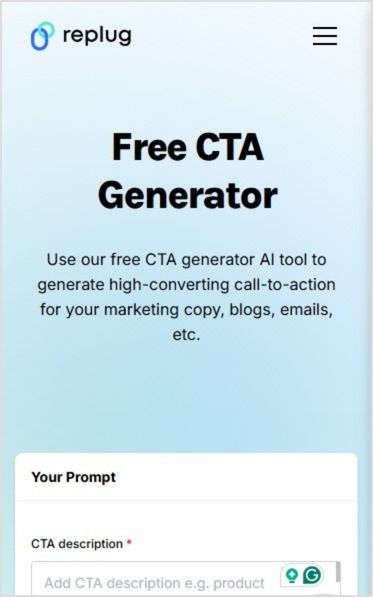
    Replug free CTA generator

    Replug also supports third-party and custom widgets, giving you the flexibility to create engaging campaigns that fit your brand. If you’re an influencer or a content creator, you’ll love the “bio links” feature, which lets you consolidate all your important links in one place. 

    Plus, Replug’s retargeting pixel lets you track visitors and re-engage them with tailored ads, boosting your chances of conversions.

    T.LY

    T.LY provides a more streamlined approach to campaign management. It’s a solid choice for those who want the basics without the added complexity. Like Replug, T.LY allows you to shorten links and track their performance, but it’s a bit more minimalistic in terms of customization. 
    There are no options to add custom CTAs or third-party widgets, which can make your campaigns feel more static compared to Replug’s interactive approach. However, T.LY does have a link-in-bio feature through OneLinks. T.LY also offers a retargeting pixel feature, but according to their latest update, they offer it only for Facebook and Adwords.

    While T.LY may lack some of the advanced customization features, it still provides the essentials for running effective campaigns.

    Which one should you choose?

    • Replug: Perfect as a T.LY alternative for marketers seeking flexibility with custom CTAs and widgets for dynamic, interactive campaigns.
      T.LY: Great for a simple, straightforward approach, offering essential campaign management and retargeting features.

    Replug vs. T.LY: Bio links

    Replug

    With Replug’s Enterprise Agency Plan, you can create 500 bio links. While this is less than what T.LY offers, Replug excels in customization which makes it an excellent T.LY alternative. You get the ability to add up to 8 social links from Facebook, Instagram, X (Twitter), LinkedIn, YouTube, TikTok, Medium, Twitch, Spotify, SoundCloud, Apple, Pinterest, Snapchat, Reddit, Tumblr, Quora, WeChat, Skype, Telegram, Discord, and much more!

    Boost ROI with branded URLs - Replug dashboard showing performance metrics and branded URL creation

    Go beyond generic link pages!

    Create custom bio links that truly fit your brand

    With Replug, you can create bio links that are unique, engaging, and built to convert.

    Start free trial

    But it doesn’t stop there. You can also integrate cards, text, RSS feeds, and videos into your bio links. Plus, you can fine-tune the SEO settings, customize your social media preview, and even add a retargeting pixel for more control over your marketing efforts. Replug also includes features like password protection and customizable layouts, ensuring that you can create a truly unique, branded bio link experience. 

    Replug bio link page

    With competitive pricing for the features offered, Replug is a great choice for those who want flexibility and personalization.

    T.LY

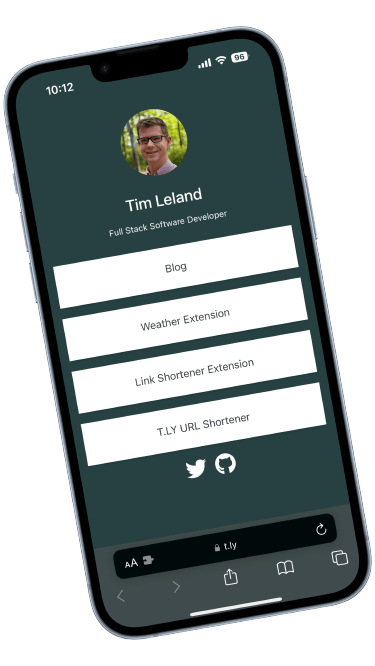
    Now, let’s look at T.LY’s Business Plan, which matches the price of Replug’s highest plan. With this plan, you get the ability to create up to 1,000 bio links (OneLinks), a much larger volume compared to Replug’s 500. 

    T.LY bio links

    Source: T.LY

    In addition, T.LY lets you add unlimited social profiles but you only have the option to choose from Twitter, Facebook, Instagram, YouTube,TikTok, Twitch, Snapchat, LinkedIn, SoundCloud, Discord, GitHub, X (Twitter), and Reddit. While T.LY doesn’t offer as much customization as Replug, it includes features like password protection, customizable layouts, and QR codes for easy sharing. 

    If your primary focus is on having a larger number of bio links with basic customization options, T.LY gives you more flexibility in terms of volume.

    Which one should you choose?

    • Replug: Best for customization and branding, offering 500 bio links with SEO control, social previews, and content blocks for personalized links.
    • T.LY: Ideal for higher volume, providing 1,000 bio links with unlimited social profiles at a similar price, though with fewer customization options.

    Replug vs. T.LY: QR Codes

    Replug

    Replug provides all the essentials for generating dynamic QR codes, allowing you to track scans and update destinations without changing the code itself. It also supports custom colors and two downloadable formats, i.e., PNG and SVG. 

    Replug QR code

    However, Replug does not offer branded QR codes yet (coming soon), so you can’t add your logo or other branding elements directly to the design.

    T.LY

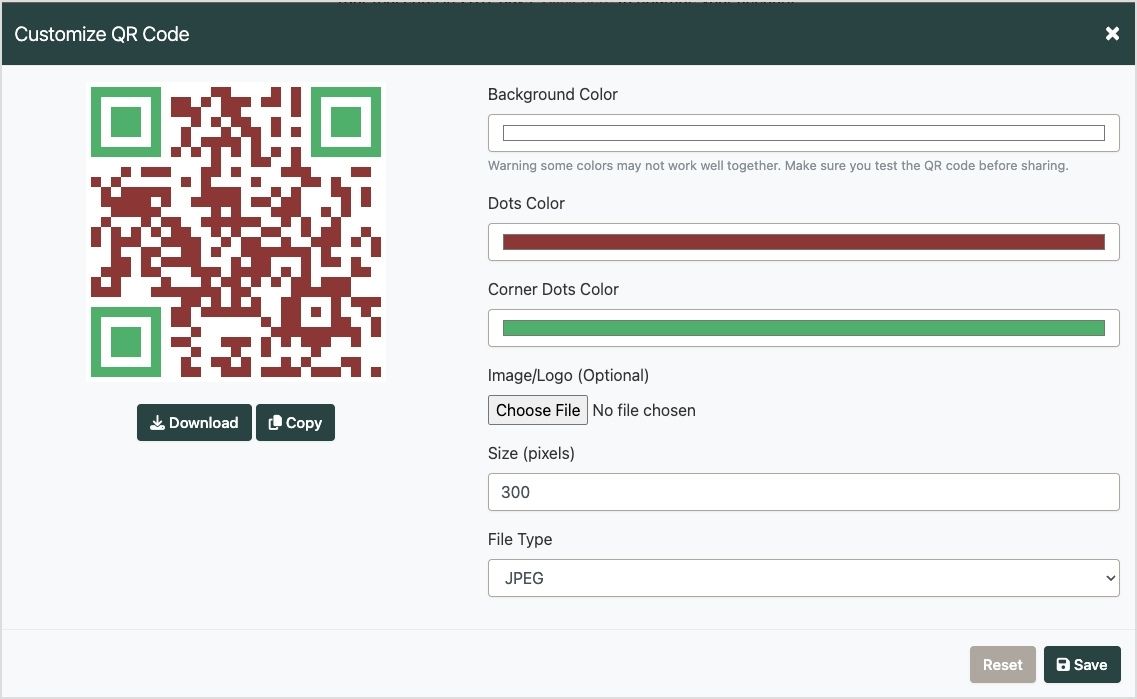
    T.LY, on the other hand, steps up with branded dynamic QR codes and advanced customization options. In addition to allowing dynamic QR codes, T.LY lets you add your logo for a unique, branded touch. 

    It also enables customization of corner dot colors, a feature that Replug doesn’t offer. Supported formats include PNG, JPEG, SVG, and WEBP, giving you flexibility for various use cases.

    T.LY QR code

    Source: T.LY

    Which one should you choose?

    • Replug: Ideal if you need basic QR code functionality with the ability to track and edit links dynamically.
    • T.LY: Perfect for those looking to create highly customizable and branded QR codes that stand out, especially if you want to incorporate logos or unique design elements.

    Also read: How to Create a QR Code Using Replug?

    Replug vs. T.LY: Link security

    Replug

    Replug enables you to create password-protected links, adding an extra layer of security for sensitive content. This feature makes Replug a strong T.LY alternative, ensuring that only users with the correct password can access your links, making it ideal for sharing exclusive offers, private content, or confidential files.

    Replug password protected links

    However, Replug does not include a link expander tool. If you’re dealing with shortened links from external sources and want to preview where they lead before clicking, you’ll need a separate tool for that.

    T.LY

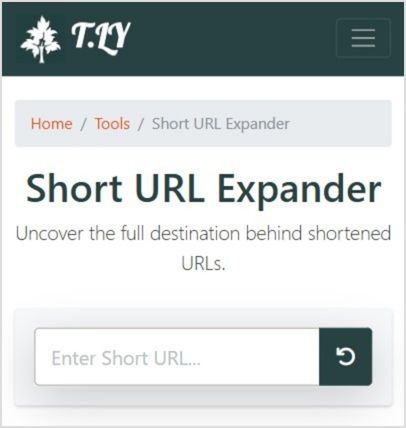
    T.LY also provides password-protected links, giving you control over who can access your content. Beyond this, T.LY stands out with its link expander tool, a handy feature that lets you preview the destination of shortened links. 

    T.LY link expander tool

    This tool is particularly useful for verifying links before clicking, ensuring they’re safe and relevant, and avoiding potential phishing risks.

    Which one should you choose?

    • Replug: Great if password protection is your only priority for securely sharing sensitive links.
    • T.LY: The better choice if you value the added security of a link expander tool for verifying shortened URLs alongside password-protected links.

    Replug vs. T.LY: Link analytics

    Replug

    Replug offers a comprehensive analytics dashboard designed to go beyond the basics. You can track unique clicks, visits, and CTR, making it a standout T.LY alternative for those who need detailed performance metrics. Additional tools like visitor location by country and UTM tracking position Replug as a powerhouse for marketers relying on data-driven strategies. 

    Replug link analytics dashboard

    A key highlight is the inclusion of automated email reports, which streamline workflows by delivering regular updates directly to your inbox. Combined with its sleek and advanced interface, Replug ensures a user-friendly experience even for handling in-depth analytics. This makes it the ideal T.LY alternative for marketers, agencies, or businesses seeking detailed insights and robust reporting capabilities to optimize their campaigns effectively.

    T.LY

    T.LY provides a basic analytics dashboard that covers essential metrics such as unique clicks, visits, and click performance. While it doesn’t include advanced features like tracking or automated email reports, it still supports key functionalities like UTM tracking and QR scan data.

    The interface is simple and user-friendly, catering to those who value ease of use over detailed customization. This makes it a suitable choice for small businesses, solo entrepreneurs, or casual users who need straightforward analytics without diving into complexities.

    However, T.LY does not offer a 404 redirect feature, which could be a downside for users looking for full link management functionality.

    Which one should you choose?

    • Replug: Replug is the best T.LY alternative if you’re running a data-heavy campaign and need in-depth analytics and advanced reporting tools to scale your campaigns.
    • T.LY: If you’re running a small campaign and are looking for a straightforward and user-friendly tool with just the essential analytics, T.LY fits the bill.

    Bonus features: A closer look at Replug and T.LY

    Replug vs. T.LY: Chrome Extension

    Replug

    Replug’s Chrome extension requires an account to access all features. It’s free to download, but the full set of features is available only once you sign up. You do get a 14-day free trial, allowing you to explore its capabilities before committing. 

    Once you’re in, you’ll have access to all features, but a paid plan is required for advanced functionalities.

    T.LY

    T.LY offers a more advanced Chrome extension with over 300K users. It’s free to download, and you immediately get access to a shortened link for any webpage, a customizable QR code, link history, and the link expander tool. 

    However, to access all the advanced features, you’ll have to subscribe to the tool after your 5-day trial period has ended.

    Replug vs. T.LY: Customer support

    Replug

    Replug offers dedicated customer support across all of its agency plans (small, medium, large, and enterprise). This ensures that users have access to dedicated and onboarding assistance whenever needed. 

    Replug Branded Short Links CTA
    A complete link management solution
    for marketing professionals & agencies.
    Try Replug for free

    Whether you’re troubleshooting an issue or need guidance on utilizing advanced features, Replug’s support team is ready to help.

    T.LY

    T.LY also provides dedicated customer support, but this feature is available in its Pro and Business plans. These plans range from 10K to 5M links, offering priority support for users with more extensive needs.

    Replug vs. T.LY: Team collaboration

    Replug

    Replug provides a comprehensive team dashboard with unlimited short links per team each month, making it ideal for teams of all sizes. Additionally, with unlimited clicks and the ability to add up to 100 team members per workspace (100 workspaces) in the highest plan, it’s a great tool for collaboration. Team members can be assigned specific roles, including Administrator, Collaborator, and Guest. Another great part is that you can assign the same team member to multiple workspaces!

    Replug also offers 29 integrations in various categories, such as social media, email marketing, lead generation, and retargeting, giving teams the flexibility to streamline their workflows.

    T.LY

    T.LY also features a team dashboard and allows you to add up to 5,000 team members in it’s highest-paid plan, i.e., Business 5M (5,000,000 short links). However, with T.LY, there is no information regarding the number of workspaces you can create.

    While T.LY provides unlimited clicks, it offers a more limited integration set, offering only a Zapier integration. Despite this, T.LY’s extensive link limits make it a solid option for larger teams with higher demands.

    Replug vs. T.LY: Weighing the pros and cons

    Here are the pros and cons for Replug and T.LY based on the analysis above:

    ReplugT.LY
    Pros– Advanced customization (white-label, deep linking, custom CTAs, bio links)- Comprehensive analytics (CTR, UTM, automated email reports, etc.)- Strong team features (role assignments, integrations, unlimited short links per team/month)- Retargeting pixels and detailed marketing tools– Simplicity and scalability with unlimited clicks across all plans- Branded QR codes and extensive QR customization- High link limits (up to 5 million short links)- Affordable starting price ($10/month)
    Cons– Higher starting price ($19/month)- No branded QR codes (coming soon)- Limited bio links (500 compared to T.LY’s 1,000)– Limited customization features- Basic analytics – Fewer integration options (only Zapier)

    The full picture

    Choosing the right tool comes down to weighing the benefits and limitations of your specific needs. Here’s a comparative snapshot to help you make an informed decision between Replug and T.LY:

    FeaturesT.LYReplug
    Advanced featuresBranded QR codes and an extensive volume of linksWhite-label, bio links, Deep linking, customizable CTAs
    Free plan5-day trial14-day trial
    CustomizationLimited customizationExtensive (custom analytics, widgets, layouts, retargeting pixels)
    AnalyticsBasic analytics (unique clicks, QR scans)In-depth (conversion rates, automated email reports)
    PricingStarts at $10/month, unlimited clicks in all plansStarts at $19/month with tiered Agency plans
    Team featuresExtensive link-sharing capacities, up to 5,000 team membersFlexible integrations and role assignment, up to 100 team members

    You may also like: Why is Replug the best Ow.ly alternative?

    Our verdict

    While both Replug and T.LY offer valuable features, Replug, a T.LY alternative, emerges as the stronger contender for marketers and agencies seeking advanced customization and robust tools. Its deep linking, A/B testing, and customizable CTAs set it apart, offering unparalleled flexibility for crafting tailored campaigns. Additionally, Replug’s detailed analytics and retargeting options make it the go-to choice for those who rely on precision and data-driven strategies to enhance engagement.

    On the other hand, T.LY is a solid option for users prioritize simplicity and unlimited clicks across all plans. However, its lack of advanced features and limited customization options may not meet the needs of those looking for more sophisticated marketing solutions.

    In the end, if you’re looking to maximize the impact of your campaigns with powerful tools and versatility, Replug offers a better overall experience.

    FAQs on Replug vs. T.LY

    Which tool offers better analytics capabilities?

    Replug, a T.LY alternative, provides more detailed analytics, such as clicks, unique clicks, and automated reports, making it ideal for data-driven campaigns. T.LY offers basic analytics suitable for smaller campaigns.

    Is there a free plan available for either tool?

    Replug has a 14-day free trial plan, whereas T.LY has a 5-day free trial. After that, you have to pay to access the full suite of advanced features.

    Which tool is better for team collaboration?

    Replug offers flexibility with integrations and role assignments for up to 100 team members. T.LY scales higher with up to 5,000 members but has fewer integration options.

    Can both tools generate QR codes?

    Yes, both tools generate QR codes. T.LY stands out with branded QR codes, while Replug focuses on dynamic QR codes with tracking capabilities.

    Which tool offers better customization?

    Replug excels as a T.LY alternative with features like custom CTAs, layouts, and widgets. T.LY provides basic customization but focuses on scalability and simplicity.

    How do Replug and T.LY ensure link security?

    Replug offers password-protected links and customizable expiration features, while T.LY adds a link expander tool for safe URL previews.

  • How to add long links within TikTok character limits?

    How to add long links within TikTok character limits?

    TikTok character limits have revolutionized digital marketing, but its character limits can present challenges when sharing long links. 

    Whether you’re running a digital marketing agency, managing an e-commerce business, creating content, or handling social media accounts, mastering these constraints is essential for successful campaigns. 

    Let’s explore effective strategies to incorporate long links within TikTok’s character limits and maximize your content’s impact!

    Understanding TikTok’s character limits and link restrictions

    TikTok has come a long way in how creators can express themselves in captions. It enforces various character limits and character restrictions across its platform to maintain a clean, user-friendly interface. 

    Initially, TikTok video captions were limited to just 300 characters, offering minimal space for creativity or detailed storytelling. Over time, this cap expanded significantly to 2,200 characters, yet creators still felt the need for more flexibility. So, what’s the current character limit?

    Here’s a quick breakdown of TikTok’s latest character limits:

    • Video captions: 4,000 characters
    • Comments: 150 characters
    • Bio: 80 characters
    • Username: 30 characters

    These limits are designed to keep content concise and boost TikTok views, aligning with TikTok’s fast-paced, visually-driven nature. 

    Why are TikTok character limits important for content creators?

    The TikTok character limits help content creators stay concise and focused, ensuring their message is clear and impactful. It also encourages creativity, prompting them to deliver high-quality content within a limited space.

    1. Express more about your content
      Gone are the days of struggling to fit everything into one concise line. With 4,000 characters, you can now share behind-the-scenes details, fun facts, or a backstory for your video without compromising clarity.
    2. Describe your video like never before
      Give your audience a detailed snapshot of what they can expect. Whether you’re sharing tutorials, product showcases, or entertainment content, you can outline the key points or even share step-by-step instructions directly in the caption.
    3. Get closer to your audience
      Captions offer a way to connect deeply. Use the extra space to ask questions, share personal anecdotes, or even spark meaningful conversations! The more relatable and engaging your caption, the more your audience will likely interact with your post.
    4. Make your content SEO-friendly
      With SEO becoming a more prominent feature on TikTok, the extended character limit allows for better keyword integration. You can now include multiple keywords naturally, enhancing your video’s discoverability without making it feel forced or cluttered.
    5. Encourage longer engagement
      Thoughtful, well-written captions can keep your audience reading longer, complementing their time watching your video. This increased engagement can signal to TikTok’s algorithm that your content is valuable, potentially boosting its reach.
    6. Offer value beyond the video
      Some creators use captions as mini-blog posts, offering insights, tips, or even educational snippets that viewers can take away after watching the video. This approach adds a layer of value that keeps audiences coming back for more.

    However, the TikTok character limit can pose challenges when you need to share lengthy URLs or detailed information. For marketers and creators, the main hurdle lies in fitting promotional links within these constraints, especially in captions and bios. Long URLs can quickly consume valuable character space, leaving little room for descriptive text or calls to action. 

    Read on to know how you can easily share long links on TikTok.

    Strategies to share long links on TikTok

    1. Using URL shorteners

    Link management tools are indispensable tools for condensing long links into manageable sizes. They create compact, redirecting URLs that occupy minimal space in your TikTok content. While several options are available, Replug stands out as a comprehensive solution for professional link management.

    Replug offers several advantages for TikTok marketers:

    1. Branded short links: Create custom short URLs that reinforce your brand identity.
    2. Advanced analytics: Track link performance to optimize your TikTok marketing strategy.
    3. Centralized management: Organize and update your links from a user-friendly dashboard.
    Replug Branded Short Links CTA
    Maximize marketing ROI
    by transforming ordinary URLs into
    branded short links that convert.
    Try Replug for free

    How to create a branded short link with Replug:

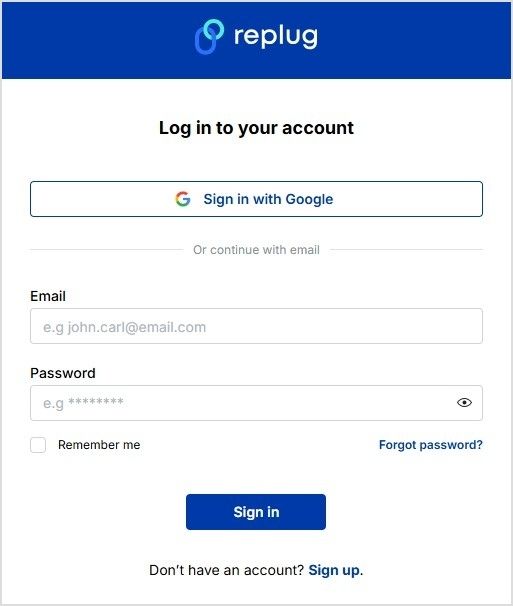
    Replug login or sign up
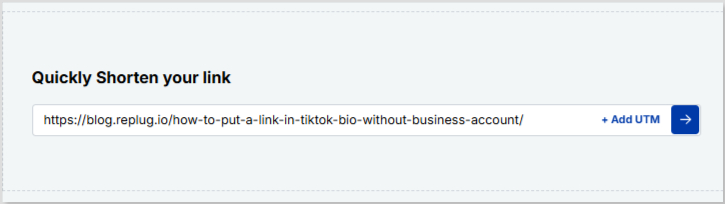
    • Paste your long URL in the bar under “Quickly Shorten your link”
    Shorten TikTok link
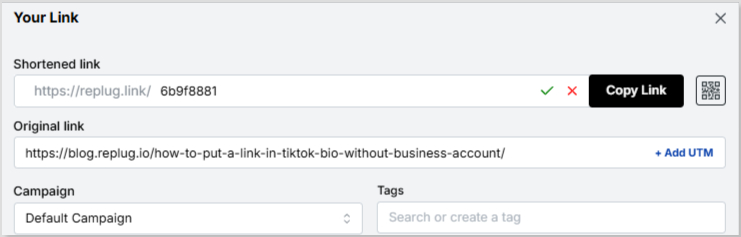
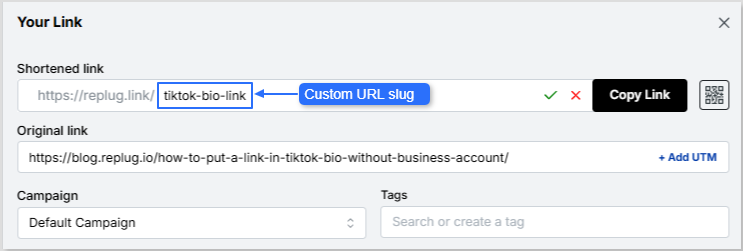
    • Proceed next and customize the URL slug if you want
    Shortened TikTok link

    Custom URL slug:

    Custom URL slug
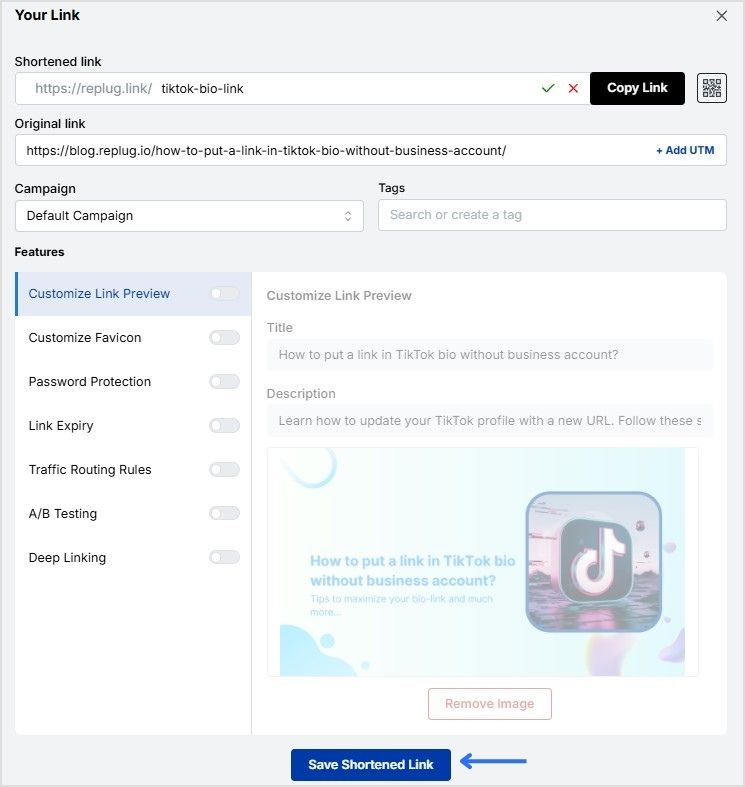
    • Save the shortened link and copy it. Now you can use your new, branded short link in your TikTok content!
    Save shortened link

    2. Make your bio stand out

    Your TikTok bio is prime real estate for sharing important links. With an 80-character limit, it’s crucial to use this space wisely:

    • Use a shortened, branded link created with Replug
    • Keep your bio text concise and compelling
    • Update your bio regularly to promote current campaigns or content

    3. Utilizing bio link tools

    Bio link tools allow you to share multiple links through a single URL in your bio. These tools create a landing page with buttons leading to various destinations.

    Replug offers this feature with added benefits:

    1. Customizable landing page design to match your brand
    2. Analytics for each link on your page
    3. Easy updates and management within the Replug dashboard

    Maximizing TikTok’s 4,000-character caption limit

    With TikTok’s expanded 4,000-character caption limit, you have more room to work with when sharing links. Here’s how to make the most of it:

    1. Strategic link placement

    • Place your most important link at the beginning or end of the caption for visibility
    • Use line breaks to separate your link from other text
    • Consider using emojis or special characters to draw attention to your link

    2. Caption optimization techniques

    • Keywords: Incorporate relevant keywords to improve discoverability
    • Call-to-action: Craft a compelling call-to-action that encourages clicks
    • Context: Provide context for your link to increase its value to viewers
    • Hashtags: Use hashtags, balancing visibility with character conservation

    Remember, while you have more space, it’s still important to keep your captions engaging and scannable. Use short paragraphs and bullet points for readability.

    Advanced link-sharing strategies for different TikTok features

    If you have a TikTok Business account for marketing, you have access to additional link-sharing options:

    • Website link in profile: Add a clickable website link to your profile page
    • Call-to-action buttons: Include buttons like “Shop Now” or “Learn More” in your videos
    • Product links: Tag products directly in your videos to increase online sales

    To make the most of these features, ensure your links lead to mobile-optimized landing pages for a seamless user experience.

    Cross-platform link sharing

    Leverage TikTok’s integration with other platforms to expand your link reach:

    • Share your TikTok content and social media links on Instagram, X (Twitter), Facebook etc.
    • Use Replug to create unique shortened links for each platform. You can also retarget your TikTok audience and track cross-platform performance.
    • Implement a consistent link strategy across all your social media profiles.

    Tips to track and optimize link performance

    Marketer analyzing TikTok link performance data

    To ensure your link-sharing efforts and click tracking are effective, it’s crucial to track and optimize performance:

    • Use Replug’s link analytics to monitor click-through rates and engagement
    • A/B test: A/B test different link placements and caption styles
    • Content drive: Analyze which types of content drives the most link clicks
    • Strategy: Adjust your strategy based on performance data
    Replug Branded Short Links CTA
    A complete link management solution
    for marketing professionals & agencies.
    Try Replug for free

    By consistently analyzing your results, you can refine your approach and improve the effectiveness of your TikTok marketing campaigns.

    The best (& FREE) TikTok caption generator

    Want captions that pop? Replug’s free TikTok caption generator makes creating engaging captions effortless. Follow these simple steps to get captions tailored to your needs:

    1. Enter your prompt: Briefly describe your TikTok content.
    2. Adjust word count: Choose the length that fits your style.
    3. Define the tone: Whether casual or professional, select the tone that aligns with your message.
    4. Toggle hashtags & emojis: Add hashtags and emojis or keep them minimal.
    5. Select variations: Decide how many caption options you need.
    6. Click ‘Generate’: Let Replug’s AI create your captions instantly.

    It’s fast, it’s easy, and it’s free. Try Replug’s free TikTok caption generator and get captions that work!

    Conclusion

    Navigating TikTok’s character limits when sharing long links doesn’t have to be a roadblock for your marketing efforts. By utilizing tools like Replug for branded link shortening and analytics, strategically placing links in your content, and leveraging TikTok’s various features, you can effectively drive traffic and engagement from your TikTok audience.

    Remember to keep your content authentic and valuable, using links to enhance rather than overshadow your message. With these strategies in place, you’ll be well-equipped to make the most of TikTok’s platform while maintaining your brand’s professionalism and impact.

    FAQs for TikTok character limits

    Can I add multiple links in one TikTok post?

    While you can include multiple links in a caption, it’s generally more effective to focus on one primary link per post. Use link-in-bio tools or Replug’s landing page feature for sharing multiple links.

    Are shortened links secure for TikTok?

    Reputable URL shorteners offer secure links. Look for tools that provide HTTPS encryption to stay safe while adhering to TikTok character limits.

    How do I make my links more clickable?

    Use clear calls-to-action, place links strategically in your captions, and consider using emojis or special characters to draw attention to them. Branded short links can also increase trust and clickability.

    What’s the best way to track link performance on TikTok?

    Utilize Replug’s analytics features to track click-through rates, engagement, and other key metrics for your shared links. This data will help you optimize your TikTok marketing strategy over time.

    Are there any restrictions on the types of links I can share?

    TikTok has community guidelines that prohibit sharing links to harmful or inappropriate content. Always ensure your links comply with TikTok’s policies to avoid potential account restrictions.

  • How to increase sales on Shopify: 25 winning strategies

    How to increase sales on Shopify: 25 winning strategies

    You’ve got a hot product, and your online store makes few weekly sales. It’s time to turn the dial on your Shopify game and set your sales on a growth trajectory. But how? That’s the million-dollar question. 

    This guide has your back, delivering straightforward techniques that drive traffic and boost sales. And the best part? They’re quick and easy to implement! 

    So, let’s dive into the strategies that will boost your Shopify success without any unnecessary fuss.

    Why do you need to increase your Shopify sales?

    Shopify is an ecommerce platform that empowers entrepreneurs to launch and quickly grow their online stores. It’s user-friendly, packed with features, and highly customizable to suit many businesses. In fact, Shopify stores have collectively generated over $1 trillion in global sales, making it a powerhouse in online retail! Mindblowing, isn’t it?

    That being said, with the stats to back it up, increasing your sales on Shopify could be the cherry on top to level up your ecommerce game. Also, consumer behavior has shifted drastically after the pandemic, with more people shopping online than ever before. This makes optimizing your Shopify store the ultimate game-changer for your business.

    That’s exactly why we’re blessing you with this golden content: to help you win the Shopify Hunger Games. 

    But before we spill the tea, let’s take a moment to pinpoint the reasons why you might be falling behind. Time to turn those weaknesses into winning strategies!

    Related: 25+ Ecommerce Marketing Tools For Successful Marketing

    Why isn’t Your Shopify store making sales?

    If you own a Shopify store but are struggling to generate sales, check out Tan Choudhury’s insightful video on this topic:

    Here are the 3 top reasons to consider why your Shopify store isn’t making sales:

    • Choosing random products to sell your e-commerce store.
    • Not spending quality time on writing a good product description and copy.
    • Using low-quality product pictures.

    Quick tips to increase sales on Shopify

    Here are some quick tips that will positively impact your Shopify sales:

    • Take advantage of Shopify’s built-in marketing tools.
    • Use social media to drive traffic to your store through Shopify links.
    • Use an email marketing tool to send regular newsletters to your customers and include strong calls to action phrases.
    • Offer discounts and free shipping incentives to encourage people to buy from your store.
    • Look into tools like CreateMyStore to simplify the process of building a highly optimized and user-friendly Shopify store.
    • Provide excellent customer service so that people have a positive experience shopping with you and are likely to return in the future.

    Related: Best Apps For Shopify To Create a Surge In Your eCommerce Sales

    25 winning strategies to increase sales on Shopify

    1. Focus on your niche & target audience
    2. Enrich the customer experience
    3. Streamline and optimize your checkout process
    4. Create a convincing web copy
    5. Enhance website navigation
    6. Make your store load fast
    7. Create a landing page that converts
    8. Design a great CTA (Call-to-action)
    9. Optimize product pages
    10. Focus on customer retention
    11. Optimize for mobile users
    12. Build brand trust
    13. Craft branded URLs for distinctive branding
    14. Highlight the main selling points
    15. Use SEO to increase your discoverability
    16. Leverage social media to increase sales
    17. Consider paid advertising
    18. Content marketing for organic growth
    19. Use Bio Links on social media
    20. Encourage customer referrals
    21. Leverage Email Marketing
    22. Building customer relationships and brand loyalty
    23. Monitor your inventory for smooth operations
    24. Up-sell and cross-sell to boost your sales
    25. Retargeting ads for Shopify stores

    1. Focus on your niche & target audience

    To succeed in online marketing, focusing on a specific niche and target audience is essential. Trying to appeal to everyone often dilutes your efforts. Instead, identify your ideal customer and tailor your marketing message to resonate with them. This increases engagement and improves conversion rates. You need to:

    • Attract the right customers: Craft your message to meet your ideal customer’s needs and pain points.
    • Boost conversions: When your marketing is relevant, you’re more likely to turn visitors into loyal customers.
    • Use first-party data: Understand your audience better and refine your targeting using data like customer behavior, purchase history, and interactions.

    Unlike third-party data, which is less personalized, first-party data allows you to create more effective marketing strategies. Here’s a video by Dan Shaffer from WebFX, sharing tips on how first-party data can amplify ecommerce sales:

    2. Enrich the customer experience

    For an ecommerce platform, positive customer experience is crucial for retaining customers and driving repeat sales. From the first interaction with your brand to post-purchase support, each touchpoint shapes their perception of your business. Customers encountering difficulties or dissatisfaction along the way are more likely to look elsewhere. Here’s how you can enrich the customer experience:

    • Create a streamlined shopping journey: Ensure your website is easy to navigate, with clear product descriptions and simple checkout processes.
    • Responsive customer support: Offering timely and helpful support can resolve issues quickly and build customer trust.

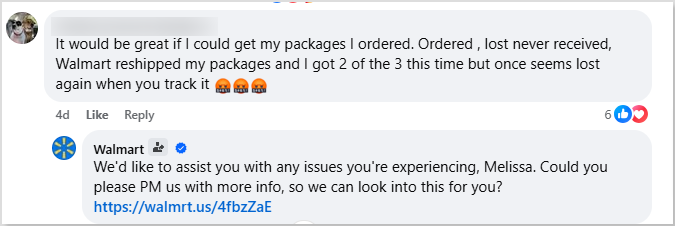
    Here’s an example of Walmart’s responsive customer support. Their excellent customer service is one of their biggest secrets behind ecommerce success:

    Walmart customer support

    The key to keeping customers happy is providing exceptional customer service. If you go the extra mile, customers are more likely to return and recommend your brand, leading to long-term success.

    3. Streamline and optimize your checkout process

    To reduce cart abandonment and boost conversions, simplify your Shopify checkout with these key strategies:

    • Allow guest checkout: Allow users to make purchases without registration to reduce friction.
    • Minimize steps: Eliminate unnecessary form fields or pages to make the process quicker.
    • Offer clear payment options: Ensure an intuitive, easy-to-follow process with progress indicators.
    • Enhance page design: Keep it clean, easy to navigate, and visually appealing.
    • Use secure payment gateways: Ensure a reliable and safe transaction.

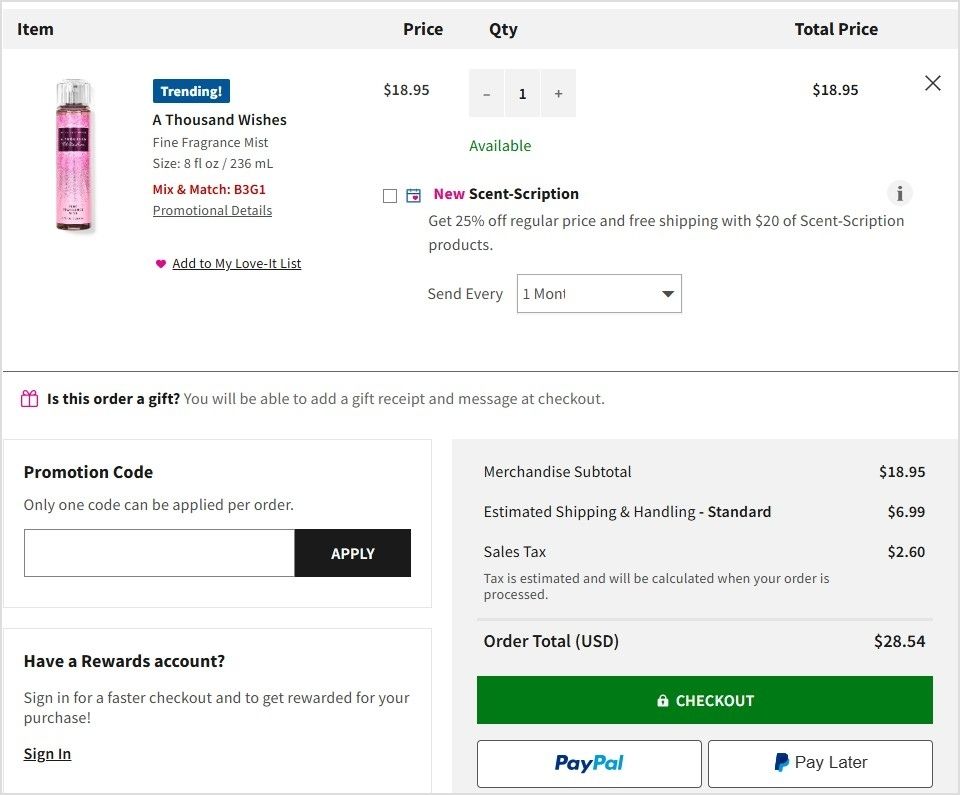
    For registered or returning customers, a one-step checkout can further streamline the process and encourage completion. Here’s an example of Bath & Body Works:

    Bath & Body works checkout

    Following the above strategies can easily improve user experience and increase sales on your Shopify store!

    Also read: Top 7 E-commerce Payment Trends of 2026

    4. Create a convincing web copy

    Your website copy plays a pivotal role in converting visitors into customers. It should be clear, concise, and persuasive, guiding users to take the desired actions, whether it’s making a purchase, signing up, or getting in touch.

    • Focus on benefits: Clearly articulate how your product or service improves your customers’ lives. Instead of just listing features, explain the specific, tangible benefits they’ll experience.
    • Use a conversational tone: Speak directly to your audience in a way that resonates with them. A friendly and approachable tone can make your message more relatable and engaging.
    • Proofread for perfection: Small errors like typos or grammatical mistakes can undermine your credibility and professionalism. Ensure your copy is polished before it goes live to maximize its effectiveness. Using a plagiarism checker can also help you maintain originality and ensure your content is completely authentic before publishing.

    You’ll build trust and increase Shopify sales by refining your web copy to address your audience’s needs and showcase your offering’s true value. When paired with a E-commerce SEO agency’s expertise, your website can become a powerful tool for driving conversions.

    5. Enhance website navigation

    A smooth and intuitive website navigation keeps visitors engaged and increases conversions. Studies show that the average bounce rate benchmark is approximately 55.43%, hence, making it easy for customers to find what they’re looking for is essential.

    • Use a straightforward, visible menu: Your homepage should feature a prominent navigation menu that’s easy to spot and use. Include categories like vendor, product type, or tags so users can quickly narrow their search.
    • Organize products logically: Group similar items together to help customers easily find related products. This improves the browsing experience and boosts sales by encouraging additional purchases.

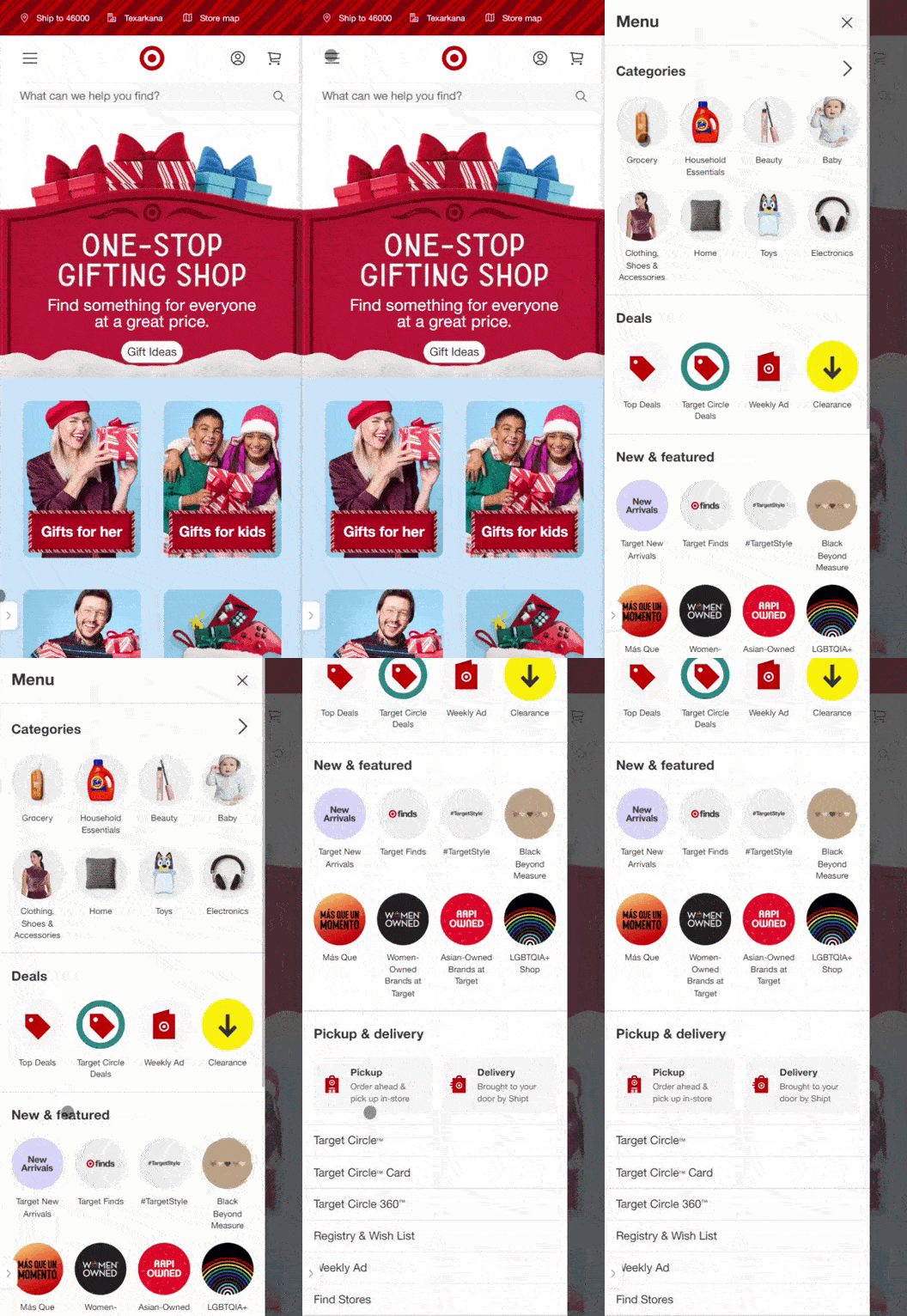
    Here’s an example of Target:

    Target website-navigation

    Streamlining the navigation makes it easier for customers to explore your products, increasing engagement and ultimately leading to more conversions.

    6. Make your store load fast

    A fast-loading ecommerce store is crucial for both customer satisfaction and SEO performance. Here’s why it matters:

    • Customer experience: A slow-loading site frustrates users and leads to high bounce rates. Visitors may leave before they even have a chance to explore your products.
    • Search engine ranking: Google favors fast-loading websites, meaning slow speeds can hurt your visibility.
    • Business sense: Fast sites run more efficiently, improving user experience and operational effectiveness.

    Research shows that conversion rates can drop by an average of 0.3% for every second of delay in load time. So, making sure your site loads quickly directly impacts your sales.

    Page-Load-speed

    To improve speed:

    • Choose a reliable hosting service that can handle high traffic volumes.
    • Optimize your images to reduce load time without compromising quality.
    • Ensure your URLs are SEO optimized for faster indexing.
    • Clean up your code to ensure smooth site performance.

    A fast store enhances user satisfaction, boosts conversions, and improves search engine rankings, helping you increase sales on Shopify.

    7. Create a landing page that converts

    A well-designed landing page can significantly boost your sales on Shopify. Here’s how to make sure your page works to convert visitors into leads or customers:

    • Attention-grabbing headline: Make sure your headline clearly communicates the value of what you’re offering and grabs visitors’ attention immediately.
    • Clear and concise offer: Ensure that your offer is easy to understand. Visitors should immediately know what they will get in exchange for information or purchase.
    • Strong CTAs: Use compelling calls-to-action that motivate visitors to take the next step. Make the action clear, such as “Buy Now” or “Sign Up for Exclusive Offers.”

    By focusing on these key elements, you can create a Shopify landing page that not only attracts visitors but also converts them into customers.

    8. Design a great CTA (Call-to-action)

    A well-designed call-to-action phrase is essential to driving conversions and guiding visitors to take action. Here’s how to make your CTAs compelling:

    • The offer: Ensure you’re offering something valuable or desirable to your audience. Whether it’s a discount, free trial, or more information, the offer should align with their needs.
    • The copy: Use clear, action-driven language. Words like “Get Started,” “Buy Now,” or “Claim Your Offer” give readers a clear direction on what to do next.
    • The design: Make your CTA button stand out. Use contrasting colors, enough whitespace, and clear visuals so it grabs attention without overpowering the rest of the content.
    • The prompt: Consider CTA buttons like “Get a Demo” or “Book Your Demo,” especially when the customer journey involves more touchpoints. 

    Here’s an example of Replug’s catchy call to action:

    Replug CTA

    By designing CTAs that are appealing, action-focused, and strategically placed, you’ll increase engagement and drive sales.

    9. Optimize product pages 

    Optimizing your Shopify product pages is key to driving conversions. Here’s how you can elevate your product pages:

    • Clear, detailed descriptions: Ensure your descriptions are informative, covering size, material, color, and usage. Here’s how Nike is doing it:
    Nike product description
    • High-quality images: Use 4-5 images from different angles to view your product comprehensively. High-quality visuals increase trust and make your offerings more attractive.
    • Infographics: Use infographics to explain product benefits or provide comparisons in a visually engaging way.
    • Videos: Create product demos or behind-the-scenes content to build trust and connect with customers.

    For your Shopify store, it’s essential to use visuals that grab attention and enhance the shopping experience. By crafting well-optimized product pages on Shopify, you help customers quickly find what they need, encouraging them to make a purchase and boosting your sales.

    In addition to strong visuals and persuasive descriptions, many Shopify merchants leverage Shopify product bundles to showcase related items together, encouraging larger purchases and increasing average order value as part of their overall sales strategy.

    Here’s an example of Apple’s unique and interactive product page:

    Killer tip: Incorporate GIFs! These dynamic, eye-catching animations can showcase product features or add a playful touch, making your store stand out and keeping visitors engaged longer.

    10. Focus on customer retention

    Retaining customers is key to increasing Shopify sales. Keeping them happy encourages repeat business, reducing the need for constant new customer acquisition. Here are ways to increase customer retention:

    • Loyalty incentives: Offer discounts or rewards for repeat purchases.
    • Stay in touch: Send follow-up emails or personalized messages to maintain engagement.
    • Refunds: A hassle-free return policy builds trust and encourages future shopping.
    • Free shipping: Offering free shipping, especially on high-margin products, boosts conversions and customer loyalty. 62% of customers don’t purchase without free shipping costs, so consider incorporating shipping costs into product prices to create a more transparent and appealing checkout experience.

    Zappos generated a total of $1,063.9M in global net sales by focusing on customer retention through free shipping and incentives.

    Zappos incentives

    Source: Zappos

    11. Optimize for mobile users

    Smartphones constituted around 68 percent of online shopping orders in 2024, so providing a seamless mobile experience is crucial. Here’s how to optimize your Shopify store:

    • Responsive design: Ensure your site adjusts perfectly to all screen sizes.
    • Fast loading speed: Mobile users expect quick page loads. So, optimize your images and reduce unnecessary elements.
    • Easy navigation: Simplify menus and ensure buttons are easy to click.
    • Mobile-friendly checkout: Optimize for mobile and integrate dynamic QR codes to let customers easily complete purchases.

    Optimizing for mobile devices improves user experience and boosts engagement and conversion rates.

    12. Build brand trust

    Building trust with your customers is essential for driving conversions. Here’s how you can do it:

    • Professional design: Ensure your Shopify store has a clean, well-organized layout that reflects your brand’s quality and professionalism. 
    • Social proof: Display customer reviews and testimonials prominently on product pages and throughout your site. Positive feedback from satisfied customers reassures new visitors that your products and services are reliable. Here’s an example of ContentStudio:
    Content Studio testimonials
    • Trust signals: Use security badges (such as SSL certificates) and clearly state your return policy, shipping terms, and satisfaction guarantees. These elements make customers feel more secure about making a purchase.

    Since over 99.9% of customers read reviews when they shop online, showcasing social proof builds credibility and enhances customer loyalty, leading to increased conversions and repeat business.

    Also read: Conversion tracking: Best tools, tips, and tricks

    13. Craft branded URLs for distinctive branding

    Customized URLs are a powerful way to enhance your branding efforts. By generating and using branded short links, you can reflect your brand’s identity exceptionally while boosting click-through rates.

    • Stand out with your brand: Replug is a top-notch link management platform that allows you to craft personalized URLs that align with your branding, making your links more memorable and professional.
    • Track performance: With built-in click-tracking capabilities, you gain valuable insights into how your links and campaigns are performing, helping you refine your marketing strategy.

    Branded URLs go beyond simple link shortening; they offer a more sophisticated and effective way to distinguish your brand in the crowded online marketplace.

    Boost ROI with branded URLs - Replug dashboard showing performance metrics and branded URL creation
    Boost ROI with
    branded URLs!

    Enhance your marketing campaigns by creating shareable, trackable, and fully multi-purpose customizable branded URLs.

    Try Replug for free

    14. Highlight the main selling points

    To stand out in the competitive ecommerce space, it’s crucial to communicate your main selling points clearly. Whether it’s your competitive pricing, superior quality, strong brand identity, fast delivery, or problem-solving capabilities, ensure these strengths are front and center in your marketing efforts.

    • Focus on what matters: Identify the key benefits that set your store apart from the competition and weave them into your product descriptions, ads, and website content.
    • Create a consistent message: Reinforce your unique value proposition across all customer touchpoints to ensure that your brand message is clear and resonates with your audience.

    Check out how Usermaven, a product and website analytics tool, highlights its selling point on its website:

    Usermaven selling points

    You can build trust and loyalty by emphasizing your strengths, ultimately driving more sales and conversions for your Shopify store.

    Also read: Online Branding: The Roadmap to Stand Out and Succeed Online

    15. Use SEO to increase your discoverability

    Search engine optimization (SEO) drives organic traffic to your Shopify store. You can attract more visitors and generate more sales by improving your site’s ranking in search results. Here’s how to optimize for SEO:

    • Use relevant keywords: Integrate keywords naturally into product titles, metadata, and URL slugs. This helps search engines understand your products and boosts your rankings.
    • Leverage content marketing: Create valuable content like blog posts, guides, and other resources targeting specific keywords. This not only enhances SEO but also attracts more visitors who are interested in your products.
    • Optimize product listings: Ensure each product listing is optimized for SEO and conversions. Use compelling descriptions, titles, and high-quality images to entice potential customers and improve your search ranking.
    • Drive traffic through SEM: Consider using search engine marketing (SEM) to pay for placement in search results, making it easier for customers to find your store.

    By focusing on SEO and optimizing your store for search engines, you can increase its discoverability, improve traffic, and ultimately boost Shopify sales.

    16. Leverage social media to increase sales

    Social media is a powerful way to drive sales and strengthen customer relationships. You can turn followers into loyal customers by actively engaging with your audience and leveraging key strategies. Here’s how:

    • Engage with your audience: Monitor comments, host live streams, and run polls to connect and understand customer preferences. Tools like Talkwalker help monitor and track consumer sentiments.
    • Find and nurture leads: Use hashtags to discover new customers, engage authentically, and build trust.
    • Sell everywhere: Expand your reach by selling on multiple platforms. Tools like ContentStudio and Replug simplify inventory and performance tracking.
    • Seal the deal: Close sales through direct messages or personalized interactions.
    Replug Branded Short Links CTA
    A complete link management solution
    for marketing professionals & agencies.
    Try Replug for free

    With the right approach, social media can turn followers into loyal customers and drive real results.

    Related: The 10 best social media management tools in 2026

    17. Consider paid advertising 

    Paid advertising (PPC) is vital to boosting the visibility of your store:

    • Paid advertising: Use PPC to appear at the top of search results by bidding on relevant keywords. Ads on Google and social media platforms like Facebook, Instagram, and Pinterest help target specific audiences and increase visibility.
    • Social media ads: Engage customers through creative ads on platforms like Facebook and Instagram to raise brand awareness and drive traffic.

    Here’s an example of paid Google search ads of Mascaras by different brands:

    Paid advertising can maximize your reach and effectively engage with customers, driving immediate traffic and long-term growth.

    Also read: Basics of e-commerce marketing, key strategies, and more

    18. Content marketing for organic growth

    Content marketing helps attract customers organically. By creating valuable content, you can boost your store’s visibility and strengthen your brand.

    Content creation: Produce original and engaging content like blogs, videos, and social media posts that resonate with your brand and products. This helps define your brand while improving SEO.

    SEO benefits: Quality content boosts search rankings, driving organic traffic to your store.

    Brand awareness: Engaging content builds trust and visibility, leading to increased customer engagement.

    Start using content marketing today to improve SEO, engage customers, and increase Shopify sales!

    Maximize your sales on Shopify by leveraging the bio link feature, particularly on platforms like Instagram. Here’s how to use it effectively:

    • Update regularly: Keep the link fresh by updating it to highlight specific products, promotions, or important content on your Shopify store.
    • Guide your audience: Use the link to drive users directly to key areas of your store, enhancing their journey and improving conversions.
    • Capitalize on engagement: Turn your social media activity into sales by linking to relevant pages, ensuring seamless navigation from your posts to your store.

    Here’s an example of Canva’s bio link page:

    Canva bio link page

    Using bio link strategically can help you drive more traffic and sales from your social media platforms.

    Boost ROI with branded URLs - Replug dashboard showing performance metrics and branded URL creation
    Turn your bio links into click-boosting machines
    Check

    Drive up to more clicks than plain URLs

    Check

    Share multiple destinations with one link

    Create bio links free

    20. Encourage customer referrals

    Harness the power of referrals by turning your satisfied customers into advocates:

    • Exceed expectations: Deliver exceptional service and products that exceed your customers’ expectations.
    • Offer incentives: Provide rewards, such as discounts or free products, to encourage customers to refer friends and family.
    • Encourage reviews: Ask for reviews and testimonials to build credibility and attract new customers through positive feedback.

    Here’s an example of Toms:

    Toms referral program

    By promoting customer referrals, you create a strong network of brand advocates that can help increase Shopify sales.

    Also read: How to Increase Brand Awareness: 9 Best Strategies

    21. Leverage Email Marketing 

    Email generates $42 for every $1 spent. That’s a staggering 4,200% ROI! Building a strong email list and sending targeted, personalized messages can increase sales, maintain customer recall, and enhance brand loyalty.

    Here’s how to make the most of email marketing:

    • Build a high-quality email list: Acquire genuinely interested subscribers in your products or services. Use pop-ups, landing pages, and lead magnets to capture email addresses.
    • Send targeted emails: Craft relevant content based on customer interests and needs. For example, offer special promotions, share product launches, or provide tips that align with customer preferences.
    • Special offers & reminders: Email marketing is perfect for promoting sales, special offers, and new products. Regular updates keep customers informed and connected, increasing loyalty.

    Here’s a vibrant and unique email subscription example of Passionfruit:

    Passion fruit email marketing

    By utilizing email marketing, you can drive conversions on your Shopify store, boost customer engagement, and stay top of mind.

    22. Building customer relationships and brand loyalty

    Building strong customer relationships and brand loyalty are crucial for long-term business success. Here are effective ways to nurture these connections after the sale:

    • Send a thank-you note: A simple, personalized note can go a long way in showing appreciation and building trust.
    • Follow-up: Checking in with customers through emails, phone calls, or social media ensures satisfaction and shows you care about their experience.
    • Offer discounts: Providing exclusive discounts or coupons for future purchases rewards customers and encourages repeat business.
    • Ask for feedback: Demonstrating openness to improvement by soliciting feedback helps enhance the customer experience and shows you value their input.
    • Reward loyalty: Implement loyalty programs offering perks like early access to sales, discount codes, and exclusive offers to keep customers engaged and coming back.
    • Use user-generated content: Featuring content from your customers on social media makes them feel valued and strengthens brand loyalty.

    We absolutely love how Blume is building customer relationships through their loyalty program, Blumetopia:

    Blume loyalty program

    Check out the full page here for inspiration: Blumetopia

    By focusing on these strategies, you’ll turn satisfied customers into loyal advocates, leading to increased sales for your Shopify store.

    23. Monitor your inventory for smooth operations

    Keeping track of your inventory on Shopify is essential to meet customer demand and prevent stockouts. Here’s how to effectively manage your stock:

    • Review sales data: Use Shopify’s sales analytics to understand which products sell well, helping you identify high-demand items to restock.
    • Track inventory levels: Shopify’s inventory management system makes it easy to monitor stock levels, ensuring you never run out of popular products.
    • Reorder in time: Leverage Shopify’s inventory alerts and trend analysis to reorder products before they run out, ensuring continuous availability.

    By staying on top of inventory management on Shopify, you can maintain a seamless shopping experience for your customers while avoiding lost sales opportunities.

    24. Up-sell & cross-sell to boost your sales

    Up-selling and cross-selling are powerful techniques to increase your revenue by encouraging customers to purchase more. Here’s a quick breakdown:

    • Cross-selling: This involves offering a related product to complement the customer’s initial purchase, like pairing a burger with chips. The goal is to suggest products that enhance the customer’s experience.
    • Upselling: Upselling encourages customers to upgrade their purchase, such as upgrading from a 500ml Coke to a 1000ml Coke. It’s about offering a higher-value version of the original item, often with added benefits.

    Here’s an image to demonstrate:

    Difference-between-upselling-and-cross-selling

    Source: goodfirmsdotco

    25. Retargeting ads for Shopify stores

    Retargeting ads are a powerful tool to re-engage visitors who’ve shown interest in your products but left without making a purchase. By displaying ads for products they’ve already viewed, you increase the chances of bringing them back to your Shopify store.

    Benefits of retargeting ads:

    • Reduces cart abandonment: Target shoppers who’ve added items to their cart but didn’t complete the purchase.
    • Increases conversions: Show ads with relevant products to keep your store top-of-mind to increase Shopify sales.

    Here is an example of a Facebook retargeting ad run by Myfix Cycles. The ad boosted their CTR by 6.38% and gained a revenue of $3,043.20 from an ad spend of $199.07, meaning that they earned $15 for a $1 ad spend.

    Check the retargeting ad below:

    Myfix-Cycles-retargeting-ads

    How to set up retargeting ads:

    • Use platforms like Facebook/Google ads: Integrate your Shopify store with these platforms to easily set up retargeting campaigns.
    • Segment your audience: Create different campaigns targeting users based on their actions such as cart abandoners or product page visitors.
    • Design engaging ads: Highlight the products users were interested in and include incentives like discounts or free shipping to encourage them to return.

    Retargeting ads can significantly increase your Shopify store’s sales by bringing back potential customers who are already interested in your products. Tools like Replug allow you to add retargeting pixels to recover lost sales.

    Conclusion

    Increasing sales on Shopify is about implementing tactics and building a sustainable strategy that focuses on customer experience, brand trust, and data-driven decisions. By combining niche targeting, optimized websites, SEO, and personalized customer interactions, you can create a holistic approach to driving growth. 

    Whether leveraging social media, crafting compelling web copy, or utilizing tools like email marketing and retargeting ads, these strategies will help you stand out in a competitive market. 

    Remember: Consistency and customer-centricity are the keys to long-term success!

    FAQs for how to increase sales on Shopify

    What are the most effective strategies to increase Shopify sales?

    Focus on niche targeting, optimizing product pages, using SEO, and implementing social proof. Combining these strategies with personalized customer experiences can significantly increase conversions.

    How can I improve my Shopify store’s checkout process?

    Simplify the checkout process by minimizing steps, allowing guest checkouts, and integrating secure payment gateways. A one-step checkout for registered users can also enhance the experience.

    How does social media help to increase Shopify sales?

    Social media enables you to engage with your audience, promote your products, and direct traffic to your store using bio links, hashtags, and targeted advertising. It’s a cost-effective way to build customer relationships and drive conversions.

    Why is SEO important for my Shopify store?

    SEO improves your store’s visibility in search engines, driving organic traffic and increasing sales. Use relevant keywords in product descriptions, meta tags, and URLs to enhance discoverability.

    How can I retain customers for repeat purchases?

    Offer loyalty programs, personalized follow-ups, and exclusive discounts. Providing excellent customer service and seamless shopping experiences also encourages repeat business.

    Are paid ads worth investing in for Shopify?

    Yes, paid ads can drive immediate traffic and sales by targeting specific audiences. Platforms like Google Ads and Facebook Ads help boost visibility and engage customers effectively.

  • What are app deep links? Here’s why marketers love them!

    What are app deep links? Here’s why marketers love them!

    Scrolling through social media has become part of our daily routine, hasn’t it? With attention spans now averaging just 8 seconds, even less than that of a goldfish, it’s no wonder marketers are struggling to keep up with the rapidly changing trends. 

    Just look at Instagram and TikTok! These platforms have skyrocketed in popularity just by nailing the art of quick, engaging content that immediately grabs our attention. Whether it’s a catchy reel on Instagram or a fun TikTok dance, they know exactly how to pull us in.

    And get this: Approximately 91% of social media users access their accounts via mobile devices. If marketing strategies aren’t mobile-optimized, that’s a huge missed opportunity! Because let’s face it—who’s pulling out their laptop at 5 a.m. when they can just scroll through their phone in bed?

    This is where mobile app deep linking comes into play. It makes everything easier by allowing users to jump straight from an ad or website into the app, landing right where they want to be. No fluff, just quick access to the content they’re looking for.

    So, what is app deep linking? Let’s break it down, explore the different types, and see how it can enhance user experience, while also tackling some challenges along the way.

    What is deep linking in mobile apps?

    App deep links are a quick way to send users directly to a specific piece of content within a mobile app, rather than just opening the app’s homepage and skimming through all the products or services. 

    Now, let’s consider a hypothetical scenario:

    A potential customer is scrolling through Instagram when they spot your company’s ad for a stunning outfit for brunch. 

    The catch? The jaw-dropping 50% discount sales promotion expires in a few minutes! 

    Excited, they decide to click on the ad, but, they’re taken to your brand’s homepage and have to skim through the entire website to find that one dress. 

    Time is ticking, and by the time they find it, it’s sold out. 

    Frustrated, the customer is dissatisfied with his online journey, which means you lost a future loyal advocate. 

    From a marketer’s perspective, that’s not just one lost sale; it’s a chance for churn and potential damage to your brand’s reputation. 

    Why are app deep links important for marketers?

    Given all of the above, it’s clear that without app deep links, your marketing strategy falls short. While there are plenty of ways to increase sales, app deep linking adds a crucial layer of personalization and efficiency. It’s not just a nice-to-have anymore—it’s essential for marketers if they want to stay ahead of the game.

    Replug Branded Short Links CTA
    Drive more clicks, conversions, and app installations by deep linking
    to your favorite platforms.
    Try deep links for free

    Now let’s suppose you did incorporate a mobile app deep link for that 50% sale. What happens then? 

    Here’s how it would be in this parallel universe:

    The smartphone user would click on your Instagram ad and if he already has the app installed, deep linking will take them straight to the product page of your app.

    Otherwise, they will be redirected to the relevant app store for app installation. They will install the app and then land straight on the product page of the outfit they want to purchase.

    They happily purchase the product without wasting any time, boosting your customer conversion rate instantly.

    As a result, the customer is satisfied with the overall service, you make the sale, and the customer comes back to your store again and again!

    Related: How to Create an Instagram Deep Link: Step-by-Step Guide

    So in a nutshell, app deep links make guiding through any kind of multi-journey between mobile web and apps much easier for users, including omnichannel and multi-platform experiences. It’s like having a GPS for mobile apps, guiding users right where they need to go.

    Here are the key benefits of app deep linking:

    • Enhances user experience
    • Boosts user engagement 
    • Improves app retention rates
    • Makes the onboarding process easy
    • Allows for easy retargeting
    • Increases ad conversion rates
    • Enhances trust and brand reputation

    Types of app deep links

    Now that we have cleared up what mobile deep linking is, let’s discuss the types of app deep links:

    types of app deep links

    1. Direct app deep links

    Direct deep linking is the simplest form of deep linking, sending users directly from an ad to a specific page within the app. However, if the user doesn’t have the app installed, they will hit a dead end with an error message.

    direct app deep link

    This works best for retargeting campaigns where most of your audience already has your app installed.

    2. Deferred app deep links

    Deferred deep linking, also known as indirect deep linking, takes things up a notch. If a user clicks on your ad but doesn’t have the app installed, they’re redirected to the relevant app store to install it. Once installed, they’re taken directly to the content they originally clicked on—no error messages, no dead ends. It’s a smooth, frustration-free process that keeps the user experience intact.

    Suppose that you published a Facebook Ad for the new floral dress that you launched. With deferred app deep links, if the user does not have the app installed, they will first be directed to the relevant store of installation. Once done, when they open the app, the product page will load.

    deferred app deep link

    Deferred deep linking ensures you don’t lose potential customers just because they didn’t have your app. It provides a smooth journey from the first click to conversion, making it the preferred option for many marketers.

    3. Deep link fallback (redirect)

    Ever clicked on a link and ended up in the app store, thinking, “But I don’t want to download another app right now!”? That’s where deep link fallback comes to the rescue. Instead of forcing users into the app store, a deep link fallback offers a smoother path—redirecting them to your mobile website or another relevant spot.

    deep link fallback

    And the best part? It doesn’t mess with deferred app deep links. So, later on, if a user has a change of heart and decides to install your app, they’ll still land right where you want them. No detours, no hassle. 

    4. Contextual app deep links

    Contextual app deep links allow you to add custom details like promo codes and referral sources to your links, giving you deeper insights when it’s time to analyze performance.

    Let’s say you’re having a discount on the dress you’re promoting. With contextual app deep links, you can throw in an exclusive discount code just for a specific influencer’s post. As the clicks come in, you’ll not only see how many people are engaging, but you’ll also know exactly where they’re coming from—whether it’s Instagram, TikTok, or a trendy fashion blog.

    contextual app deep link

    This kind of data is gold! It tells you which channels are truly converting, so you can tweak your marketing strategy and messaging for better results. Plus, you’ll have a clearer picture of what’s resonating with your audience, making it easier to drive those sales for the floral dress!

    You may also like: Deep Linking Types: Deep Links vs Universal Links vs App Links

    Common challenges with app deep linking

    Challenge #1: Platform-specific issues (iOS vs. Android)

    The platform-specific issue is one of the trickiest hurdles for app deep linking. The divide between Android deep links and iOS deep links isn’t just about two different operating systems—it’s a jungle of screen sizes, resolutions, and hardware variations. Both Android and iOS have their own unique methods for handling deep links, which means marketers need to optimize for both platforms to ensure an optimal user experience.

    Solution
    Start by getting to know your audience. Advanced analytics tools can give you the lowdown on which devices your users are using more. With that insight, you can fine-tune your deep linking strategy to prioritize the platforms your audience actually uses. 

    Challenge #2: App installation status

    The status of a user’s app installation can make or break the deep link experience. If the app isn’t already installed, a typical deep link might send them to a web browser or app store, causing unnecessary friction and potentially losing their interest.

    challenges of app deep links

    Solution
    Deferred deep links can resolve this issue. These clever links ensure that even if the app isn’t installed yet, the user is still guided to the right content after installation. They remember the link’s original intent and take the user directly to the intended spot once the app is ready to go—no detours, just an uninterrupted journey.

    You may also like: Deep Link vs. Deferred Deep Link: Differences, and Use Cases

    Challenge #3: Network disruptions

    Network disruptions can ruin the user experience, leaving users without the personalized touch they expect. This often happens when deep links lose context during the app install, causing users to land on a generic page instead of where they want to go.

    Solution
    Contextual deep links
    can resolve this issue. These smart links hold onto that crucial data throughout the installation process, making sure users land exactly where they expect, giving them a tailored experience.

    Challenge #4: Bad link routing and broken links

    Bad link routing can be a real buzzkill for users. Imagine clicking on a link, expecting to land on a cool product page, but instead, you’re dropped somewhere random—frustrating, right? This usually happens when URL schemes or Universal Links aren’t properly configured, leaving users lost and disengaged.

    You may also like: A Quick Guide To Deep Linking & Its Benefits

    Below is an illustration of bad link routing. Clicking on the “50% OFF” button leads to the full webpage of the clothing store, resulting in a bad user experience.

    challenges of app deep links

    Sometimes, the user might even be led to a broken page if the app deep link is not updated:

    broken app deep link page

    Solution
    Use a deep linking platform like Replug.io that has features like smart fallbacks, automatic updates, and routing paths. Such tools ensure your users land exactly where they should, regardless of the device or app version.

    Replug Branded Short Links CTA
    Drive more clicks, conversions, and app installations by deep linking
    to your favorite platforms.
    Try deep links for free

    Challenge #5: Security restrictions

    Deep linking can be a powerful tool, but it’s not always a smooth ride. Security-conscious operating systems sometimes throw up roadblocks to keep malicious apps from hijacking your links. This can lead to annoying pop-ups that might leave users feeling a bit confused.

    Solution
    Make sure your app is set up to play nice with deep links and give users a heads-up about why they might see those prompts. And most importantly, you need to work with your tech team to tackle these challenges head-on.

    The bottom line

    In today’s fast-paced digital landscape, every marketer knows the importance of grabbing users’ attention. But let’s not forget, it’s not just about us – it’s about the customer. At the end of the day, what truly matters is their experience. And that’s where deep linking comes in.

    By bridging the gap between platforms and streamlining the user journey, app deep linking doesn’t just boost conversions; it shows you care. It shows you’re invested in making every interaction count, and every tap meaningful. 

    So, prioritize your customers’ experience. Make their journey shorter, smoother, and more enjoyable. With deep linking, you’re not just optimizing your app; you’re building loyalty, trust, and a deeper connection.

    FAQs about app deep links

    What are app deep links?

    App deep links are URLs that take users directly to specific content within a mobile app, bypassing the app’s homepage. This improves user experience by cutting down unnecessary steps and guiding users exactly where they want to go.

    Why are deep links important for marketers?

    Deep links enhance personalization, increase ad conversion rates, improve user engagement, and help with retargeting. By sending users directly to relevant content, marketers can provide a smoother experience, leading to higher retention and sales.

    What are the different types of app deep links?

    There are four main types:

    1. Direct deep links: Send users directly to in-app content, but only work if the app is already installed.
    2. Deferred deep links: Guide users to the app store first if the app isn’t installed, and then take them to the desired content.
    3. Deep link fallback (redirect): Redirects users to a web page if they don’t have the app installed, avoiding dead ends.
    4. Contextual deep links: Add extra details like referral information, allowing marketers to track performance.

    What challenges do app deep links face?

    App deep links can encounter issues such as platform-specific compatibility (iOS vs. Android), broken links, and network disruptions. However, using tools that offer smart fallbacks and routing paths, like Replug, can mitigate these problems.

    How does deferred deep linking work?

    Deferred deep links allow users to install an app and then take them directly to the content they clicked on originally. This smooth journey helps minimize user frustration and boosts conversion rates.

    What is the best tool for app deep linking?

    One of the best tools for app deep linking is Replug. It is a top-notch short URL shortener tool that not only supports direct, deferred, and contextual deep links but also offers features like smart fallbacks, automatic link updates, and advanced analytics.

  • 7 hidden best bio link practices no one talks about

    7 hidden best bio link practices no one talks about

    “These links look absolutely horrible in my bio, but well, it’s not like I have a choice.”

    Wait, hold that thought. What if we told you that there is an option to make your bio not look like a hacker wrote it – you know, with secret codes and suspicious data-stealing links?

    We’re talking “bio links” here.

    Link in bio means combining multiple links into one neat, clickable link for your social bio. But to really make them work, you need to follow the best bio link practices—keeping things organized, user-friendly, and designed to boost engagement with just a single, clean link.

    And that’s just the beginning.

    This blog has everything you need to know about the best bio link practices. From what a bio link strategy is to the top bio link tools; this one’s for the bookmarks. 

    The click-worthy bio link strategy

    Initially, the bio link trend started with Instagram, but today, these links can be added across all social media platforms.

    Learn how: How To Add Social Media Links In One Place?

    Given that social media platforms typically limit users to just one external link, the bio link strategy allows individuals and brands to maximize that single link’s potential. Through this one link, you can send your fan following to a custom landing page (also known as a microsite, bio site, bio link page, and mini website), containing multiple clickable links to promote all the content goodies on your personal list. Now that’s a smart way to maximize your reach!

    Boost ROI with branded URLs - Replug dashboard showing performance metrics and branded URL creation

    Go beyond generic link pages!

    Create custom bio links that truly fit your brand

    With Replug, you can create bio links that are unique, engaging, and built to convert.

    Start free trial

    Alright, now that that’s clear. How and when did bio links become the talk of the social media town? Here’s a short story of how it all began:

    “Once upon a time, social media users were stuck with a single clickable link in their bios. Talk about frustrating! As if that wasn’t enough, those links were often long and looked like a random string of characters. 

    Enter the heroes of our story: link-shortening tools! Now, users can whip up short, eye-catching links—woohoo! 

    But wait, there was a catch… those short links still only led to one website. Major bummer, right? Well, guess what? Things took a wild and creative turn.

    You can now add up to five links in your bio! But even then, five links can feel like a crowded party in a tiny room—boohoo.

    Then came the “aha” moment! After countless experiments and a sprinkle of creativity, bio links were born! 

    Users can now easily include multiple links to everything they love—all with one sleek and tidy link!

    End of story… kind of.

    Since technology keeps evolving so we can’t guarantee you that the story of bio links ends here. However, one thing’s for sure: These innocent-looking bio links are more than what meets the eye. They have the potential to connect your audience to a vast world of content, products, and interactions. What once seemed like a simple addition has now evolved into a powerful marketing tool.

    Here are some key advantages of the click-worthy bio link strategy:

    • It simplifies navigation: Instead of scattering links across posts, users have one clean link that directs followers to a central hub.
    • It drives traffic: A well-optimized bio link can drive more traffic to websites, product pages, and other key content.
    • It boosts engagement: it makes it easy for followers to access multiple resources, leading to higher engagement and click-through rates.
    • It is customizable: Many bio link tools have a personal branding feature that aligns your branding with the user’s identity or business.

    Remember: Using best bio-link practices is essential to maximizing your link’s potential. For example, keeping your link page uncluttered and easy to navigate can significantly enhance user experience and engagement. It would be even simpler if you just use a reliable, free link in bio tool to create a bio page that looks aesthetically pleasing and still remains functional.

    Why do you even need a bio link?

    That’s a good question, actually. Why do you even need a bio link? 

    It might seem like a hassle to hunt down the best bio link tools, compare their pricing, check which one is value for money, and add it to your cart… just for a link that’s hardly, what? 20 characters?

    But as the saying goes: don’t judge a book by its cover.

    In a world where every click counts, having a bio link is not just a nice-to-have; it’s a strategic necessity that can enhance your overall digital presence. So, to give your marketing efforts an extra boost, it’s essential to follow the core best bio link practices.

    Imagine you wrote a food blog but had no idea how many people were clicking through. Or suppose you launched an email marketing campaign for a holiday discount on your entire menu but couldn’t track how many subscribers took advantage of the offer. Frustrating, right? Especially after all the time and money you poured into crafting that delectable content!

    But not anymore. With a well-structured bio link, you can smoothly connect your audience to multiple resources; from blog posts and product pages to social media profiles and promotional content. Not only does this streamline your marketing efforts, but it also helps you measure the flavor of engagement, tweak your strategy to taste, and serve up results that drive conversions.

    5 Reasons for using a bio link

    reasons to create a bio link

    Let’s look at some of the piping-hot reasons why you should consider creating a link in your bio to promote your online presence:

    1. Better user experience: With a single link directing users to a hub of content, you make it easy for your audience to find what they’re looking for, improving their overall experience.
    2. Improved analytics: Track clicks, conversions, and engagement metrics in one place to understand which links resonate most with your audience to refine your strategies.
    3. Brand consistency: Use branded links generated by a free link shortener to reinforce your identity and build trust with your audience. A clean, professional link showcases your brand’s quality.
    4. Flexibility and control: You can easily update links without changing the URL in your bio. This flexibility allows you to promote new content or campaigns on the fly.
    5. Call to action opportunities: Use your bio link as a strategic tool to encourage specific actions, whether it’s signing up for a newsletter, purchasing a product, or following your social media accounts.

    Bio links hold power beyond your imagination. 

    Related: 7 benefits of bio links you need to know: your ultimate manual

    What are the best bio link practices?

    Creating a bio link isn’t exactly rocket science, but there’s a delicate balance between crafting a link that’s irresistibly clickable and one that makes users cringe. 

    Sure, having a solid link management tool is fantastic for handling the nitty-gritty, but to truly make your bio link shine, you need to whip up a recipe with a pinch of creativity, a handful of research, and a cup of common sense. 

    So, let’s head to the kitchen and spice up your bio links with some essential best bio link practices.

    Tip 1: Don’t get too creative

    Like we said: Pinch of creativity. 

    Crafting your bio link is like preparing the perfect base for a culinary masterpiece. Just as a chef knows that too many ingredients can ruin a dish, a cluttered bio link can confuse your audience. 

    One of the best bio link practices is to keep it as simple as possible. Think of it as a well-crafted dish—no frills, no fuss, just a smooth, enjoyable experience for your audience. When people see a straightforward link, they’re more likely to take that first bite. After all, simplicity is your secret ingredient!

    Tip 2: Choose quality ingredients

    Now that we’ve trimmed the excess, let’s select our finest ingredients! Your bio link page should be as eye-catching as a rainbow cake. Go for vibrant, high-contrast colours that pop and fonts that resonate with your brand’s personality. Add in some snazzy buttons with shadows and use striking visuals. 

    When your design shines, it creates excitement and sets the stage for what’s to come. Your audience should feel a sense of delight when they see your link. Remember, first impressions matter!

    Here is a simple yet effective example: “The Pink Stuff” bio link page. Although not too fancy, the bright pink colour catches the eye and screams “The Pink Stuff”!

    The Pink Stuff bio link page

    Another example is the infamous, everyone’s go-to editing tool, Canva. They are using their signature brand colours and shadows with the buttons to make their microsite pop:

    Landing page of Canva

    Pro tip: When you think of following the best bio link practices consider colour psychology when choosing your palette. For example, red might evoke excitement, while yellow is associated with happiness. Pick colours that align with your brand message!

    Tip 3: Experiment with flavours

    Now, who doesn’t love a little culinary adventure? Just like some people crave a spicy Thai curry while others prefer a comforting bowl of tomato soup; your audience has diverse tastes. The same goes for bio links!

    To solve this problem, you need to do some comparative analysis—or in marketing terms, we call we call it A/B testing. This is one of the most powerful and best bio link practices. Through A/B testing, with link management tools, you can discover which URL resonates best with your followers. 

    Preview of Replug's A/B testing dashboard

    Pro tip: Try testing different URL slugs, like /best-recipe, /best-selling-dish, /chef-special, or CTAs like “Check it out!” versus “Don’t miss this!” to see which one gets more clicks. Small changes can lead to big results!

    Tip 4: Keep it fresh and seasonal

    Just as a seasonal menu entices diners to return for new flavours, your bio links need regular updates to stay relevant and exciting. No one wants to eat a dish that’s been on the menu for ages.

    A lively café that introduces new specials each month creates buzz and anticipation. You want your bio links to have that same energy, keeping your audience curious about what’s next. New promotions, seasonal offerings, or trending topics are all great ways to keep your links lively and your audience engaged. It’s all about freshness!

    Here’s a perfect example of how Starbucks is brewing up some fall magic, making use of the best bio link practices to keep its audience in the loop with all the latest seasonal treats and cosy offerings:

    Starbucks' bio links on Instagram

    Cadbury also keeps its fans updated on the latest news and offerings through bio links. In the example below, Cadbury added a link for its ‘Win A Day To Remember’ campaign, celebrating its 200th anniversary with the biggest prize and reward giveaway yet.

    Cadbury's bio links on Instagram

    Pro tip: Set a calendar reminder to update your bio links monthly. Also, Replug allows you to set an expiration time for limited-period offers without hassle. This ensures your content stays relevant and aligns with your current marketing goals.

    Tip 5: Measure your success

    Evaluating how your bio link performs is a crucial step in following the best bio link practices.

    After you’ve crafted the perfect bio link, it’s time to evaluate how well it’s being received. Picture your link as a dish just served—what are the diners saying? Are they raving about it? Did they recommend it to their friends or come back for seconds?

    Your link’s performance is about more than just looks; it’s about getting results! Is it driving subscriptions? Are people clicking it multiple times? Did that irresistible 50% off sale entice them? If your audience loves it, keep serving it up! If not, don’t be afraid to pivot and try something new.

    Pro tip: Dive deep into your analytics with tools like Replug. Measure conversions, track engagement, and gather rich insights. This detailed analysis reveals whether your bio link is a hit or if it needs a little extra seasoning!

    Preview of Replug's analytics dashboard
    Boost ROI with branded URLs - Replug dashboard showing performance metrics and branded URL creation
    Turn your bio links into click-boosting machines
    Check

    Drive up to more clicks than plain URLs

    Check

    Share multiple destinations with one link

    Create bio links free

    Tip 6: Serve it up with style

    Presentation is everything! Your bio link should not only be functional but should also look as appetizing as a perfectly plated dish. From the layout to the design, every element should work together to create a user experience that draws people in. But here’s the catch—don’t settle for the same recipe every time. Keep experimenting with new designs for your microsite, keep your content fresh, and try creative approaches to avoid falling into a boring routine.

    Remember: the key is to strike a balance between consistency and innovation so that your audience stays hungry for more!

    Pro tip: Incorporate visual elements like icons or images on your mini website. This not only enhances the aesthetic but also makes navigation easier for your audience.

    Here’s an example of Fossil’s landing page for inspiration. The incorporation of pictures on their mini website is a great depiction of how icons and images can make a huge difference in user experience:

    Fossil's bio link page

    Here’s another stellar and creative example of the famous YouTuber and influencer Ajey Nagar. His landing page is super interactive, unique, and easy to navigate:

    YouTuber Ajey Nagar's bio link page

    If this doesn’t tempt you to create your own microsite, you might be missing out on the easiest way to boost your online presence and drive more traffic from bio links!

    You may also like: How to create high-converting landing pages

    Tip 7: Include Add-ons

    Your bio link isn’t just a string of URLs—it’s your chance to present your audience with a full menu of your specialties.

    Give your bio links that extra “oof” by including add-ons like exclusive sales, tip jars, or exciting giveaways like product launches or holiday promotions. Create a personal menu that lists your services, and include an FAQ form to help visitors find answers quickly. And don’t forget to link to your portfolio, letting your work speak for itself.

    Penguin Books by Penguin Random House, the most renowned book publishing company in the world, uses multiple CTAs on its bio link page, including an FAQ section! Have a look:

    Penguin Books' landing page

    Here’s an example of Making Stories past link page showcasing their tip jar:

    An example of bio link page with tip jar

    Also, if you’re an influencer and creator, this is your moment to savour the best bio link practices! You can share exclusive promotions and affiliate codes that entice your audience. These small yet mouthwatering additions enrich the experience for your visitors, encouraging them to engage and explore.

    Here’s how the popular influencer Loren Gray is implementing the best bio link practices in her promotional efforts. She is using a coupon code CTA button on her bio link landing page to offer 15% off on her VEYES BEAUTY X LOREN GRAY collection:

    Influencer Loren Gray's bio link page

    Pro tip: Consider adding a “Featured” section in your bio link to highlight your most popular services or content. This can draw attention and encourage visitors to explore what you have to offer!

    Related: How To Put A Link In TikTok Bio?

    Common bio link mistakes to avoid

    Now that we’ve talked about the best bio link practices for cooking up an Oscar-worthy bio link recipe, it’s crucial to identify the blunders you must avoid if you want your fans to click that “vote” button. After all, you can’t serve the perfect curry if you mistakenly add sugar instead of salt.

    Through plenty of trial and error, countless experiments that missed the mark, and reviewing bio links that definitely don’t deserve a standing ovation, we’ve narrowed down some of the common mistakes you need to avoid when crafting the perfect bio link:

    Mistake 1: Link stuffing

    Link stuffing is equivalent to overloading your bio link with too many options. 

    Think of it like this. You have a steak dish on the menu and it says “marinated in a secret blend of 25 spices, served with a side of 12 sauces, topped with 10 different garnishes, and paired with an assortment of 8 sides”. Sounds overwhelming, right? 

    The same logic applies to bio links. When your audience sees a cluttered array of links, they might feel overwhelmed and skip the link-click. keep it simple and only add the links to your best content.

    Mistake 2: Neglecting to update broken links

    Neglecting to update broken links is like serving a delicious dish that’s gone stale.

    Imagine a diner excitedly ordering a special only to find it’s no longer available. Disappointment sets in, and they might not return. Similarly, if your bio link leads to a broken or outdated page, like a 15% discount on your entire menu that’s no longer valid, your audience may feel frustrated and lose trust in your brand.

    To follow the best bio link practices, regularly check your links to ensure they lead to active, relevant content. This way, your audience will have a delightful experience every time they visit!

    Mistake 3: Using non-branded or generic URLs

    Using non-branded or generic URLs is the same as serving a chef’s special dish on a disposable plate. This is an unspoken sin when it comes to implementing the best bio link practices.

    While the food might be fantastic, your unique touch matters! When your audience sees a long, generic URL filled with random characters, it can feel impersonal and unprofessional. It’s like saying, “This is just any dish; nothing special here!”

    Instead, opt for branded URLs that reflect your identity. For instance, you can use custom URL shorteners that offer advanced customization options.

    Mistake 4: Linking to spammy websites

    Linking to spammy websites is like serving food from a sketchy roadside stand.

    You wouldn’t want to serve a dish made with subpar or contaminated ingredients, right? Similarly, linking to untrustworthy or spammy websites can harm your reputation and make your audience wary of clicking.

    To keep your audience safe, always vet the websites to avoid URL phishing to make sure that they are credible and aligned with your brand values. This builds trust and encourages more clicks!

    Mistake 5: Adding excessive affiliate links

    Adding too many affiliate links is like piling on too many toppings on a pizza.

    While a few extra toppings can enhance the flavour, too many can overwhelm the palate. If your bio link is packed with affiliate links, it may feel more like a sales pitch than a genuine resource, turning off your audience.

    So, sprinkle in a few well-placed affiliate links while prioritizing valuable content. This balance keeps your audience engaged and more likely to click, ensuring that you’re on track with implementing the best bio link practices.

    Mistake 6: Including private/personal information

    Revealing private or personal information is like sharing your handwritten recipe with a crowd of strangers and can hinder you from putting the best bio link practices into action.

    While transparency can build trust, oversharing can lead to discomfort or vulnerability. Your audience doesn’t need to know every detail about you; they’re interested in what you can offer them.

    So, keep personal information to a minimum. Focus on sharing content that resonates with your audience while maintaining a professional boundary. 

    Top 3 bio link tools 

    Here are our top picks for the 3 best bio link tools that will turn your bio link strategy from “nay” to “yay”:

    ToolFeaturesPricing
    Replug.io• Add bio links with retargeting pixels
    • Add social media profiles & catchy call-to-actions
    • Helps you run advanced marketing campaigns
    • Add RSS feed block
    • Track your links in-depth
    • A/B test links
    White label solution
    • Keep links up to date
    • And much more
    Starts at $19/month
    Linktree• Bio link landing page themes – customization options
    • Comprehensive location/referrer-based analytics and conversion tracking
    • Data collection (email addresses and phone numbers) to build a custom visitor list
    •Marketing tech capabilities
    $9/month
    Campsite.bio• Create bio links
    • Advanced customization features
    • In-depth analytics to track views, clicks, referrals, geo and more
    • Powerful and versatile link types
    • Opt-in forms, Forms, Tracking Pixels, and more
    $7/month

    To wrap things up

    Cooking up the best bio link isn’t just about perfecting the recipe; it’s also about knowing which ingredients to leave out. Experiment, play around with your bio links, and learn from the missteps along the way. There’s no set recipe for success, but the core best practices? Those never go out of style.

    Ready to optimize your bio link strategy? Start by applying these best bio link practices today!

    FAQs for the best bio link practices

    What should I put in my bio link?

    Your bio link should include a selection of your most relevant and engaging content. Some content types you can add in your bio link are:
    – Links to your website
    – Recent blog posts
    – Social media profiles
    – Product pages
    – Any promotional offers.
    Aim for a mix of content that showcases your brand and provides value to your audience, keeping it organized and easy to navigate.

    What is the best link in bio?

    The best link in bio is one that effectively drives traffic to your most important content while providing a smooth user experience. It should be concise, visually appealing, and relevant to your audience’s interests.
    This can vary depending on your niche, but generally, a link that leads to a well-designed landing page with clear calls to action is ideal.

    What is the best link bio tool?

    There are multiple bio links tools in the market – it depends on your niche and specific needs. Our top pick is Replug since it offers multiple advanced features other than just bio link generation. Other than that you can opt for less advanced tools like Linktree, Campsite, Shorby, or Woorise. Through these bio link tools, you can easily implement the best bio link practices.

    Is link in bio effective?

    Absolutely! A link in bio is highly effective, especially for social media platforms with limited link options. It centralizes your important links, making it easier for your audience to find and engage with your content. You can:
    – Drive traffic from bio links
    – Get leads from your bio link
    – Enhance use experience
    – Increase engagement
    – Track the effectiveness of your promotions.

    Is “link in bio” correct?

    Yes, the term “link in bio” is correct and commonly used to refer to the practice of placing a single clickable link in a social media bio. This allows users to access multiple resources from one link, making it an effective way to share content on platforms with link limitations.

  • 7 benefits of bio links you need to know: Your ultimate manual

    7 benefits of bio links you need to know: Your ultimate manual

    Have you ever encountered a brand or social media profile where the bio section fails to provide the information you need? That’s where bio links come into play, simplifying the process and making everything you want to share just a click away.

    Whether it’s a YouTube video, social media post, blog post, or your latest product line, finding the right link sometimes feels like a treasure hunt. But no one has time to hop from page to page trying to find what they need. 

    The good news: we’re not stuck in the 19th century anymore. Phew! Thanks to some clever tech minds and a few social media revolutions, bio links were born. 

    From being an influencer to having a brand. From creating content to being an Agency—bio links let you gather all your important links, whether to your website, social profiles, or affiliate deals, into one easy-to-use spot. This one link does it all, making everything you want to share just a click away!

    Curious about the full benefits of bio links and how they can enhance your online presence? Let’s get started.

    What are bio links?

    Most people nowadays ask the question, What is link in bio“?

    Remember when Instagram didn’t let you add links to your posts? That’s when bio links or link in bio became a thing; a clever way to share a single link in your profile. Fast forward to now, and it’s not just an Instagram hack. You’ll find link-in-bio features everywhere, from TikTok to Pinterest and X (formerly Twitter).

    But here’s where it gets even better, i.e., bio link tools have evolved. Today, they don’t just let you share one link; they allow you to create a mini landing page, called a bio site, where you can link all your content, from product pages and online stores, to your latest blog posts or videos, hassle-free.

    One such link in bio free tool is offered by Replug, too, which helps you host all your important links in one place. It’s like having one convenient space that showcases everything your audience needs to see.

    The top 7 benefits of bio links 

    Bio links are loaded with powerful benefits! Here’s our list of the top 7 benefits of bio links to make your online presence stand out:

    Benefit #1: You can create one link for all platforms

    Done with the hassle of jumping across platforms to locate your links? Bio links are your go-to solution! They bring all your important stuff together in one easy spot, so your audience can find everything in a snap.  No more searching – just one link to rule them all!

    Let’s say you’re a music artist with a new EP. You want fans to listen on Spotify, Apple Music, SoundCloud, Deezer, iTunes Store, Amazon Music, and Tidal. Instead of placing one link into your social bio, you can use a bio link to create a single page with clickable options for each platform. It’s a simple and stylish way to share your music without the mess.

    Here’s how the famous pop music artist Bruno Mars is using a custom bio link to promote his hit single featuring Lady Gaga:

    Bruno Mars and Lady Gaga "Die With A Smile" bio link on Instagram

    Whether you’re showcasing a blog post, a YouTube video, or a product launch, the benefits of bio links are countless. Bio links feature organizes everything beautifully in one place. You can create a customized landing page that brings all your latest updates together, making it super easy for your followers to find and engage with everything you’re sharing. 

    You might like: Elevate Your Bio: Smart Links for Music Artists

    Benefit #2: They help you boost sales

    Looking to boost those sales numbers? With bio links, your audience can skip the link chaos and go straight to your website or app, making it super easy to shop, ultimately benefiting your business.

    Let’s say you’re launching a fresh line of eco-friendly skincare. Instead of cramming your bios with a million links, use a bio link to whip up a cool, all-in-one page. Show off direct links to buy your must-haves, like a refreshing face mist or a hydrating serum, and throw in a “Buy One, Get One 50% Off” deal on moisturizers. Your followers just click once and boom—they’re straight to your site. Easy shopping and more sales? Yes, please!

    Here’s an example of the popular eco-friendly skincare brand “cocokind” and how they’re reaping the benefits of bio links to drive sales:

    Cocokind bio link on Instagram

    The bio link that “cocokind” is using on Instagram leads the audience straight to either the website or their featured product page for their new advanced retinol gel. It’s a win-win!

    You might like: How to increase online sales: 17 Proven tips & hacks

    Benefit #3: You can retarget your bio links 

    One of the many cool benefits of bio links is that you can retarget your audience with them! With Replug, you can turn visitors into customers using cross-channel retargeting to those who interact with your bio links. This means you can keep your audience hooked by keeping them up to date with your latest offers or exciting promotions, all through that one handy link.

    Retarget bio links using Replug

    Retargeting pixels are a powerful tool to track interactions with your bio links and place personalized ads that keep your audience engaged and coming back for more.

    Related: 8 Best Retargeting Platforms To Retarget Your Potential Audience

    Benefit #4: They help you measure results 

    Okay, so here’s the thing—the benefits of bio links aren’t just limited to organizing your content. They’re also amazing for helping you understand if your marketing is resonating with your audience.

    For example, if your post is getting all the clicks and sign-ups, you know you’re onto something. The best part? No more guessing games—the data’s right there, literally telling you what you should do next. Just start tracking and watch those results glow up!

    But hold up, it gets even better. You’ll get the catch on what’s working—track clicks, conversions, and which posts are vibing with your audience. With the bio link analytics feature, you can also track exactly how many of your followers are clicking that link. Pretty cool, right?

    track bio link analytics using Replug

    Benefit #5: They help create branded landing pages

    Looking for a highly converting landing page that captures your brand’s unique vibe? With your favourite colours, fonts, and all the little details that make your brand pop? One of the endless benefits of bio links is that you don’t have to sit through endless design sessions or drop a ton of cash just to end up with something that doesn’t quite hit the mark!

    Replug is better than ordinary bio-link tools like Linktree when it comes to creating branded landing pages. You can easily create a microsite that reflects your style and keeps your audience engaged. Let us show you an example of a landing page created through Replug:

    Bio link landing page created using Replug

    This is just an example we cooked up in 2 minutes. Imagine the magic you can create in more time than that with Replug’s amazing bio link feature! This feature lets you craft a landing page that looks exactly how you imagined—all on your own and in no time. The cherry on top? You can even add a verified badge!

    Seriously, no cap.

    You may also like: Top 15 Link in Bio Examples, Pages & Tools

    Benefit #6: You can create an RSS feed

    Okay, this one’s super lit and unique. Link management tools let you set up an RSS feed through its bio link feature so your audience stays updated without doing a thing. Instead of scrolling through your profile or searching for that new blog post, everything hits their feed the second you publish.

    Here’s one of the coolest coolest benefits of bio links for RSS feeds. They’re not just for blogs—they work for podcasts, videos, whatever! You can keep your followers loyal without constantly pushing updates. Talk about a time saver.

    RSS feed using Replug

    Examples? Check out the RSS feeds of Microsoft, CNBC, or Gartner to stay on top of the latest trends and news:

    Example of Microft, CNBC, and Gartner RSS feeds

    So, checking out what’s trending or hunting for the latest in health care? RSS feeds have you covered with fresh updates straight to your feed—no extra effort!

    Slay.

    Benefit #7: You can boost your SEO game

    Let’s talk about the relationship between SEO and bio links. Link management tools allow you to create optimized landing pages, making your content easier to find and also giving your search rankings a major boost.

    Let’s say that your killer blog just dropped, packed with all the latest tips and tricks. By using a bio link to direct followers to your best posts, you’re leveraging the benefits of bio links. Search engines see all that traffic and engagement, which is like giving Google a high-five and saying: “Hey, this content is awesome!”

    So, make your SEO shine with smart bio links and watch your content climb those search rankings. It’s a simple way to make sure your best stuff gets the attention it truly deserves. 

    Who can use bio links?

    1. Agencies and marketers

    Bio links are like a personal toolkit for marketers and agencies. Whether it’s managing campaigns, lead magnets, or case studies, you can neatly combine everything into one link. Think of it as a well-organized closet—everything you need is in one place, easily accessible, and ready to go.

    Some other smart ways marketers and agencies can use bio links include:

    • Event sign-ups
    • Client testimonials
    • Portfolio highlights
    • Product demos
    • Content hubs for campaigns

    We absolutely love how Adobe uses a bio link to promote its portfolio:

    Adobe bio link

    Here’s how the popular marketing agency Dentsu is creatively using bio links to lead users straight to its YouTube page:

    Marketing Agency Dentsu using bio links

    Using bio links to redirect users to your website or your social media pages can boost traffic, and followers, and even get people to subscribe to your YouTube channel. How cool is that? 

    FYI, more YouTube subscribers can mean extra cash in your pocket. So, why not use bio links to boost your numbers and maybe get a little richer while you’re at it?

    2. Influencers and creators

    For influencers and creators, bio links are ideal for showcasing promotions and affiliate codes. Think of them as a secret doorway to exclusive deals, and adding a dash of creativity along with catchy flair can make them irresistible clicks for your followers. These hidden gems feel exclusive, making your followers feel like they’re getting a special treat just for them. 

    Some other cool uses of bio links for influencers and creators include:

    • Newsletters and subscriptions
    • Event registrations
    • Promoting new content
    • Portfolio Showcase
    • Merchandise sales

    Morgan Yates, a popular lifestyle YouTuber uses bio links for promotions on her European travel offer:

    Blogger Morgan Yates using bio links in Instagram bio

    Here’s how Natalie Franke uses bio links in her Instagram bio newsletter subscriptions: 

    Blogger Natalie Frank using bio links in her Instagram bio

    Another great example is Charli D’Amelio, the renowned influencer and American media personality. She effectively uses bio links on her TikTok to direct her followers straight to her merchandise landing page. One of the benefits of bio links for influencers like Charli is the ability to guide large audiences to a single, customized destination:

    Charli D'Amelio using bio links in her TikTok bio

    You can also creatively offer freebies through bio links just like Shannon LeBlanc does. Her mini website is to die for!

    Lifestyle blogger Shannon LeBlanc using bio link in her Instagram bio

    There’s just so much you can do.

    You may also like: How to add multiple links in one link

    3. E-commerce stores

    Having a bio link for e-commerce, from our research, is non-negotiable. Almost every other e-commerce store you see, whether it’s on Facebook, Instagram, TikTok, Pinterest, or wherever, is using bio links. For e-commerce stores, you can use bio links to guide your customers to different product categories, special deals, and fresh arrivals. 

    Some other great uses for bio links in e-commerce include:

    • Showcase new products and best-sellers
    • Featuring customer reviews
    • Leading users to an FAQ page
    • Linking to loyalty programs
    • Providing easy access to customer support

    Here’s how True Botanicals is using branded bio links to lead its followers to its “True Beauties Rewards” FAQ landing page:

    Another example that we absolutely love is Target:

    Target using bio link In instagram bio

    Now, isn’t Target’s landing page absolutely purrfect?

    4. Freelancers and entrepreneurs

    Think of bio links as your fastest ticket to getting clients. For freelancers and entrepreneurs, bio links are like a digital business card, but way cooler. If you’re a part of this clan, bio links should be your go-to tool for showcasing your portfolio, services, and contact information. This way, your clients won’t have to open thousands of messy links just to see your amazing work.

    Some other great uses for bio links for freelancers and entrepreneurs include:

    • Highlighting case studies
    • Sharing client testimonials
    • Featuring downloadable resources
    • Linking to booking calendars
    • Showcasing pricing packages
    • Promoting newsletters

    Here’s how the famous entrepreneur Tony Robbins is using a link in bio to lead his followers to his LinkedIn newsletter:

    Entrepreneur Tony Robbins using bio link in Instagram bio

    You might like: Successful influencer marketing campaigns: 7 best examples

    5. Bloggers and content writers

    Bio links are a total hack for bloggers and content writers. With one link, you can send your readers straight to your hottest posts, must-read articles, or even a newsletter sign-up. They make it easy for your audience to stay connected and binge your content. 

    More fun ways to use bio links in blogging:

    • Dropping your latest viral posts
    • Pushing eBooks or resources
    • Showcasing guest articles
    • Sharing writing resources
    • Giving VIP access to exclusive reads

    We absolutely adore how the Lifestyle & Home Decor Blogger Michelle Hsu is using bio links on her Instagram. Her microsite is beautiful, simple, and clean:

    Lifestyle blogger Michelle Hsu using bio link in Instagram bio

    6. Podcasters and YouTubers

    Bio links are a must-have for podcasters and YouTubers. With this one tiny yet powerful link, you can guide your audience directly to your newest episodes or videos. It’s like giving your followers special access to your latest content, making sure they are not behind on your latest content.

    Simple ways to use bio links for podcasts and YouTube:

    • Linking to your latest episodes
    • Promoting upcoming content
    • Sharing exclusive behind-the-scenes clips
    • Featuring guest appearances
    • Directing to merch or fan pages

    Here’s how Jay Shetty, the infamous podcaster is using a bio link on Instagram:

    Podcaster Jay Shetty using bio links in Instagram bio

    The bio link guides his fans to links to his podcasts on Spotify and Apple, and other relevant pages. He didn’t have to clutter his bio with multiple links, saving him from the mess and his fans from the confusion. 

    Long story short…

    Bio links aren’t just some fancy URL hack—they’re basically your online sidekick, making sure your followers can find everything you’ve got going on without doing the digital scavenger hunt. 

    Whether you’re trying to boost sales, flex your SEO game, or just keep your content organized, bio links do the heavy lifting.

    So, if you’re not using bio links yet… uh, what are you even doing? It’s time to give your audience a one-stop shop for all your good stuff. Because believe you me, your future self will thank you when those clicks start rolling in. 

    Ready to level up your online presence? Check out Replug’s advanced bio link feature to create stunning landing pages, and stop playing hide-and-seek with your links. And while you’re at it, try our link shortener free to track and optimize every click effortlessly.

    Frequently asked questions

    What are bio links and how do they work?

    Bio links are single URLs in social media bios that lead to multiple resources. One of the key benefits of bio links is simplifying user access, allowing followers to find everything they need with one click.

    How can bio links boost my sales?

    Bio links direct users to product pages or promotions with ease, which is one of the main benefits of bio links. This streamlined access can increase conversion rates and ultimately boost sales.

    What is the best free tool to generate Instagram bio?

    Replug is amongst of the most user-friendly and best tools to generate an Instagram bio. You just have to describe yourself and set the tone of your bio and tada! You’re done.

    Can bio links help with measuring marketing performance?

    Absolutely! One of the benefits of bio links is that they provide valuable analytics on clicks and conversions, allowing you to optimize your marketing strategies based on user interactions.

    How do bio links enhance branding opportunities?

    Bio links allow for customized landing pages that reflect your brand identity. This is one of the significant benefits of bio links, as it enhances brand recognition and creates a consistent user experience.

    In what ways can bio links improve my SEO?

    Bio links consolidate traffic to optimized pages, which is one of the benefits of bio links. This can signal to search engines that your content is valuable, improving your search rankings and increasing visibility.