Most marketing teams carry more subscriptions than they can list off the top of their head. A few dollars here and there for a bio link tool or URL shortener feels harmless, yet it all adds up, especially when the return is not clear. That is where a closer look at Linktree pricing becomes important.
Linktree is one of the best‑known names in the link‑in‑bio space. Many users move from the free tier to a paid one almost on autopilot. The real question is whether the current Linktree pricing model aligns with what marketers and organizations actually need, especially once transaction fees are factored in.
This blog post breaks down every Linktree plan, what each tier delivers, and how the seller fees work. It also looks at where the tool falls short for serious marketing teams and compares it with Replug, a link management platform built for conversion and tracking.
By the end, you will know if Linktree pricing fits your goals or whether a tool like Replug gives you better long‑term value. So, let’s get started!
How the Linktree pricing model is structured
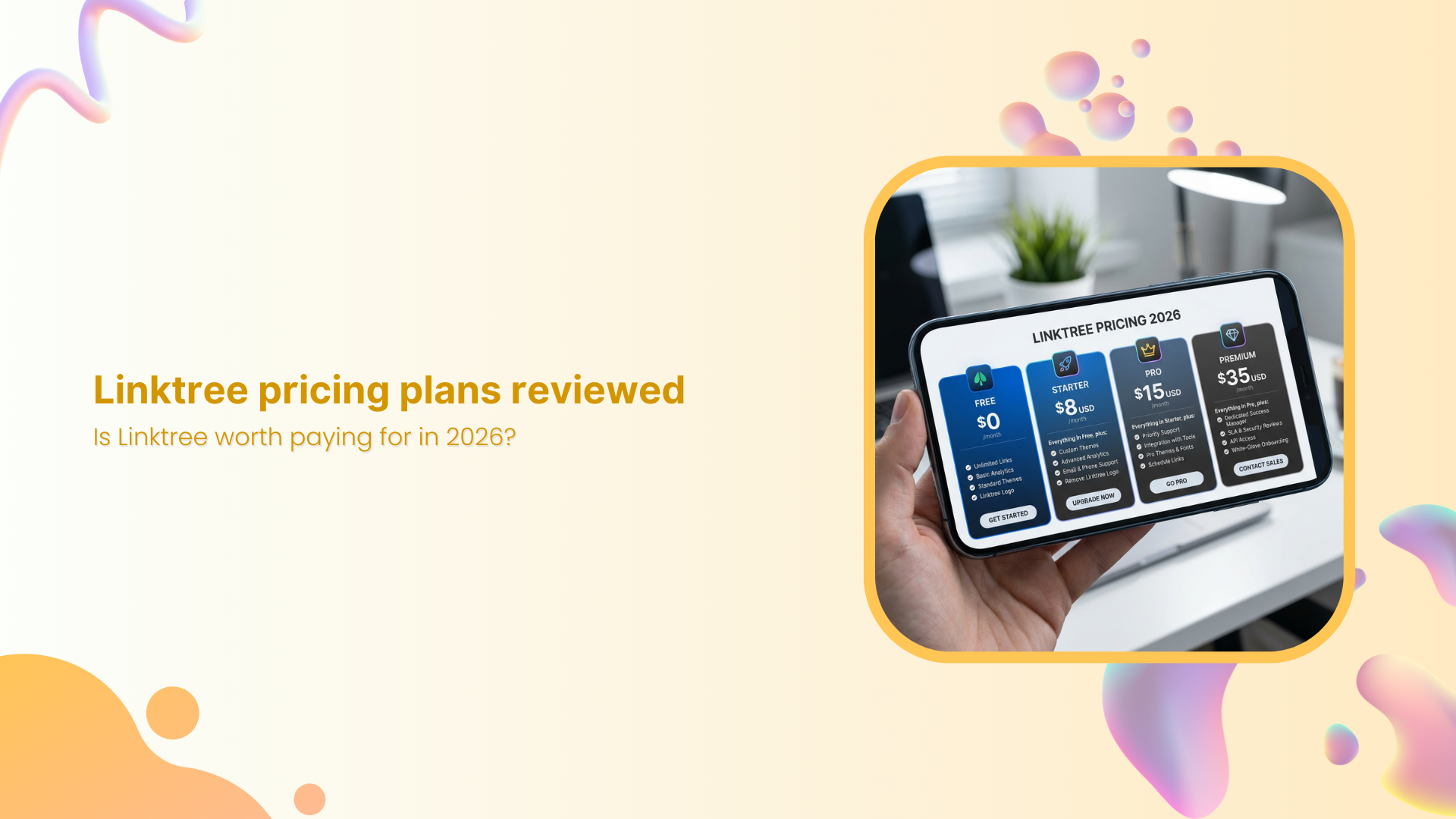
Linktree uses a tiered pricing model with five levels, ranging from casual creators to agencies. You can pay month to month or yearly, and the annual option gives a saving of up to about 20%.
Before judging value, it helps to see the full picture of Linktree pricing in one place.
| Plan | Linktree pricing per month | Linktree pricing annually |
| Free | $0 (Free, forever) | $0 (Free, forever) |
| Starter | $8 USD/month | $6 USD/month |
| Pro | $15 USD/month | $12 USD/month |
| Premium | $35 USD/month | $30 USD/month |
| Agency/Enterprise | Custom pricing | Custom pricing |
The “Free” plan suits simple personal use, while “Starter” and “Pro” add more advanced marketing features without requiring enterprise spend. “Premium” sits at the top of the public Linktree pricing tier and is aimed at brands with significant digital product revenue. Whereas “Agency or Enterprise” plans are custom and are shared only after a sales call.
There is also a seven‑day free trial on the Pro plan, which is handy if you want to test paid features with low risk. However, the right plan depends heavily on whether you need richer analytics, stronger monetization, or team collaboration rather than just a neat profile page.
What you actually get at each Linktree plan level
Linktree offers four main plans (Free, Starter, Pro, and Premium), each designed for different levels of creators, brands, and businesses. As you move up the pricing tiers, you unlock more customization options, advanced analytics, monetization tools, and automation features.
Here’s a breakdown of what you actually get with each plan level.
Linktree Free plan
On the Free plan, you can:
- Add unlimited links
- See simple analytics
- Generate a unique QR code
- Get social icons, videos & embeds
- Pick from basic, SEO optimized, high-converting themes
You can even sell digital products and courses, but every sale carries a 12% Linktree transaction fee, which cuts deeply into small orders.
Linktree Starter plan
The Starter plan keeps everything from Free and adds:
- Custom color palettes and extra themes so your page looks more on-brand
- Redirect links to send all traffic to one place during a launch or promo
- On‑page collection of email addresses and phone numbers
- Auto social media scheduling and publishing of posts
The seller fee drops to 9%, so more revenue stays in your business.
Linktree Pro plan
The Pro plan is the tier Linktree pushes hardest, and it is easy to see why. You can:
- Remove Linktree branding and add your own branded logo
- Use richer backgrounds so the page feels like part of your site
- Showcase what matters most with visually striking featured and animated links
- Discover which links perform best and optimize your content strategy for growth
- Drive more interaction and sales using automated replies to Instagram comments and messages
- Build custom branded short URLs that automatically include UTM tags for better campaign tracking
- Connect your Linktree audience to Mailchimp, Kit, Klaviyo, or Google Sheets for automatic syncing
The Linktree transaction fee for digital items stays at 9% here.
Linktree Premium plan
Premium includes everything in Pro but is aimed at heavy sellers and busy brands:
- Seller fee drops to 0%, so you keep all earnings from digital products and affiliate deals, aside from normal payment processor charges (100% commission guaranteed)
- Social scheduling becomes unlimited across up to three brands
- Analytics cover the full lifetime of the account
- Concierge onboarding and richer admin controls help larger teams get moving fast
- Maximize engagement via unlimited auto-replies with built-in typo detection
- Real-time team collaboration with chat and structured approval workflows
Is Linktree really worth the spend in 2026: Where does it fall short?
There is real value in Linktree for the right use case. Setup is fast and needs no coding, so creators can publish a working bio page in minutes.
The Free plan gives non‑profits and small teams a way to centralize links without touching their budget. On Pro, Meta Pixel support and UTM tracking bring real marketing value, and Premium’s 0% seller fee is attractive for businesses selling many digital products through their bio links.
For marketing teams, however, several gaps show up once campaigns become more advanced:
- Analytics focus mostly on clicks and views of the bio page, not on deeper behavior or what happens after visitors click through
- Meta is the only native retargeting pixel, so there is no direct support for networks such as LinkedIn, TikTok, X, or Google Ads
- There is no A/B testing for different link orders or calls to action
- You cannot use a branded short domain for cleaner, on‑brand URLs
- The page acts as a tidy directory, but there are no lead capture overlays or on‑page widgets that push visitors toward sign‑ups or trials
That idea matters here! Many marketers need more than a simple list of links; they want a measurable path from click to conversion.
That leads to a key idea for anyone reviewing Linktree pricing as of 2026. The product is built first for creators who want a simple link hub, not for performance‑driven marketers. If you are a digital marketer, is a link directory really enough?
Replug: A smarter Linktree alternative for marketers who need more efficient features
Before stepping into features, it helps to see how Replug and Linktree compare at a high-level in terms of focus and pricing. Both tools handle bio links, but only one is built from the ground up for campaigns that live and die by data.
| Platform | Main focus | Pricing snapshot | Free option | Trial |
| Replug | Conversion‑driven link management for teams | Paid plans with a 14‑day free trial; Scale plan at $23/month with unlimited bio links | Free plan (No credit card required) | 14‑day free trial on paid plans |
| Linktree | Simple link‑in‑bio pages for creators | Free tier, paid plans from $8 to $35/month on public plans | Yes, free forever plan | Pro tier has a seven‑day trial |
Linktree pricing makes sense when all you want is a clean page of links, and that is a fair starting point. For more advanced marketing teams, Replug turns that same idea into a full conversion hub that fits neatly into your wider campaigns.
Its bio links feature lets you:
- Build custom link‑in‑bio pages on your own domain
- Mix content blocks such as links, video, RSS feeds, text, and social icons
- Customize meta titles, descriptions, and favicons
That way, your bio link feels like a real brand asset, not a generic profile.
Replug also includes branded URL shortening and vanity URLs, so every shared link carries your name instead of someone else’s. You can add retargeting pixels for Facebook, Twitter, LinkedIn, Pinterest, TikTok, Quora, Google, and even custom platforms, with no hard cap on how many you use.
On top of that, customizable call‑to‑action widgets and lead-capture overlays turn passive clicks into email sign‑ups, trials, and demos in a way that Linktree cannot match at any price.
Testing and data are also backed by Replug. You can run A/B tests on up to 10 different URLs from a single short link and control how traffic splits between them in real time. Detailed analytics show click‑through rates, locations, devices, behavior, and conversion data, all tied to clear UTM tracking.
This goes far deeper than the click counts and simple charts that underpin most Linktree pricing tiers. It makes Replug stand out strongly among Linktree free alternatives, even though Replug itself uses a trial‑plus‑paid model rather than a permanent free plan.
For marketers who live in their analytics dashboard, the mix of tracking, branding, and conversion tools can make far more sense than stretching Linktree pricing to its top tiers.
You may also like: A detailed overview of Bitly pricing plans: Is Bitly really worth the spend in 2026?
Final verdict
Linktree earns its place as a popular bio link tool, but for performance‑minded marketers, though, the picture is different.
As needs grow to include multi‑network retargeting, branded short URLs, A/B testing, and on‑page lead capture, Linktree starts to feel more like a starting point than a long‑term home. The price gap between tiers does not close that feature gap.
If you want your bio link and short URLs to drive real conversions rather than just clicks, Replug is worth a serious look. Try the 14‑day free trial, connect it to your existing campaigns, and see how it compares with your current Linktree pricing in terms of data, branding, and actual results.
Frequently asked questions
Is Linktree totally free?
Linktree offers a Free plan that you can use without any time limit. This tier gives you unlimited links, basic themes, simple analytics, and some light social tools. However, many advanced features, such as deeper customization and better integrations, are available only with paid plans.
If you sell digital products or accept payments through Linktree on the free tier, you also pay a higher seller fee on each transaction. So the platform is free to start, but not every use case stays free.
How much does Linktree cost?
Public Linktree pricing ranges from $0 to $35 per month on standard plans.
– The Free plan costs $0,
– The Starter plan costs $8 monthly,
– The Pro plan costs $15 monthly, and
– The Premium plan costs $35 monthly
If you choose annual billing, those same tiers drop to $6, $12, and $30 per month for Starter, Pro, and Premium.
There are also Agency/Enterprise plans with custom pricing that Linktree shares only after a sales call. Pro includes a short free trial so you can test paid features before you pay.
What is Linktree nonprofit pricing?
As of 2026, Linktree does not clearly list a special nonprofit discount on its main pricing page. Many nonprofits use the Free plan because it gives them a simple way to share key links without adding another bill. Larger organizations that need paid features usually pick from the same Starter, Pro, or Premium tiers as other customers.
From time to time, Linktree may run campaigns or offer custom deals, so it is worth reaching out to their support team if you manage a large nonprofit program. Always check Linktree’s official site for the latest details before you budget.
Why did people stop using Linktree?
Some users move away from Linktree once their needs grow beyond a simple bio page. As campaigns become more advanced, teams often want branded short domains, multi‑network retargeting pixels, deeper analytics, and on‑page lead capture, which Linktree does not fully provide.
Others prefer to keep users on domains they own for brand and tracking reasons. In those cases, they switch to tools that combine bio links, URL shortening, and conversion features in one place.
What’s a free alternative to Linktree?
There are other bio link tools on the market that offer free plans, and a quick search will turn up several options. That said, many of those tools share the same limitations as the Linktree Free tier and primarily focus on listing links.
If you care more about advanced marketing features, Replug is a better fit, even though it does not have a forever‑free plan. Replug gives you a 14‑day free trial so you can test bio links, branded URLs, pixels, and A/B testing before you commit. This makes it a strong option when you want more than a basic free page.
What are the transaction and processing fees on Linktree?
When you sell digital products or accept payments through Linktree, the platform takes a seller fee on top of normal payment processor charges.
On the Free plan, this Linktree transaction fee is 12% of each sale, while Starter and Pro reduce it to 9%. Premium brings the seller fee down to 0%, so your only costs are standard processing fees from providers such as Stripe or PayPal.
Those payment processor fees vary by region but are usually a small percentage plus a fixed amount per transaction. If you expect high sales volume, it is important to factor both Linktree pricing and these fees into your choice of plan.