Tag: instagram bio

  • How to rename a link on Instagram bio?

    How to rename a link on Instagram bio?

    Instagram lets you add up to 5 links in your bio now, but that doesn’t mean they’re all going to convert. When it comes to personal branding or promoting a business on Instagram, every detail matters, including the link in your bio. 

    Your Instagram bio is one of the first things visitors notice, and it’s a powerful tool to drive traffic to your website, blog, or other social media profiles. If you’re pasting a long, messy URL straight into your profile, you’re missing the point. Instead, rename it using a branded short link.

    Let’s walk through how to rename your Instagram bio link, and how to stretch its potential using Replug.

    So, let’s get started!

    Boost ROI with branded URLs - Replug dashboard showing performance metrics and branded URL creation
    Turn your bio links into click-boosting machines
    Check

    Drive up to more clicks than plain URLs

    Check

    Share multiple destinations with one link

    Create bio links free

    How to rename a link in your Instagram bio?

    To rename a link in your Instagram bio, follow these easy steps:

    Step 1: Make sure you’re logged in so you can access your profile settings.

    Step 2: Tap the “profile icon” in the bottom-right corner of your screen to go to your Instagram profile.
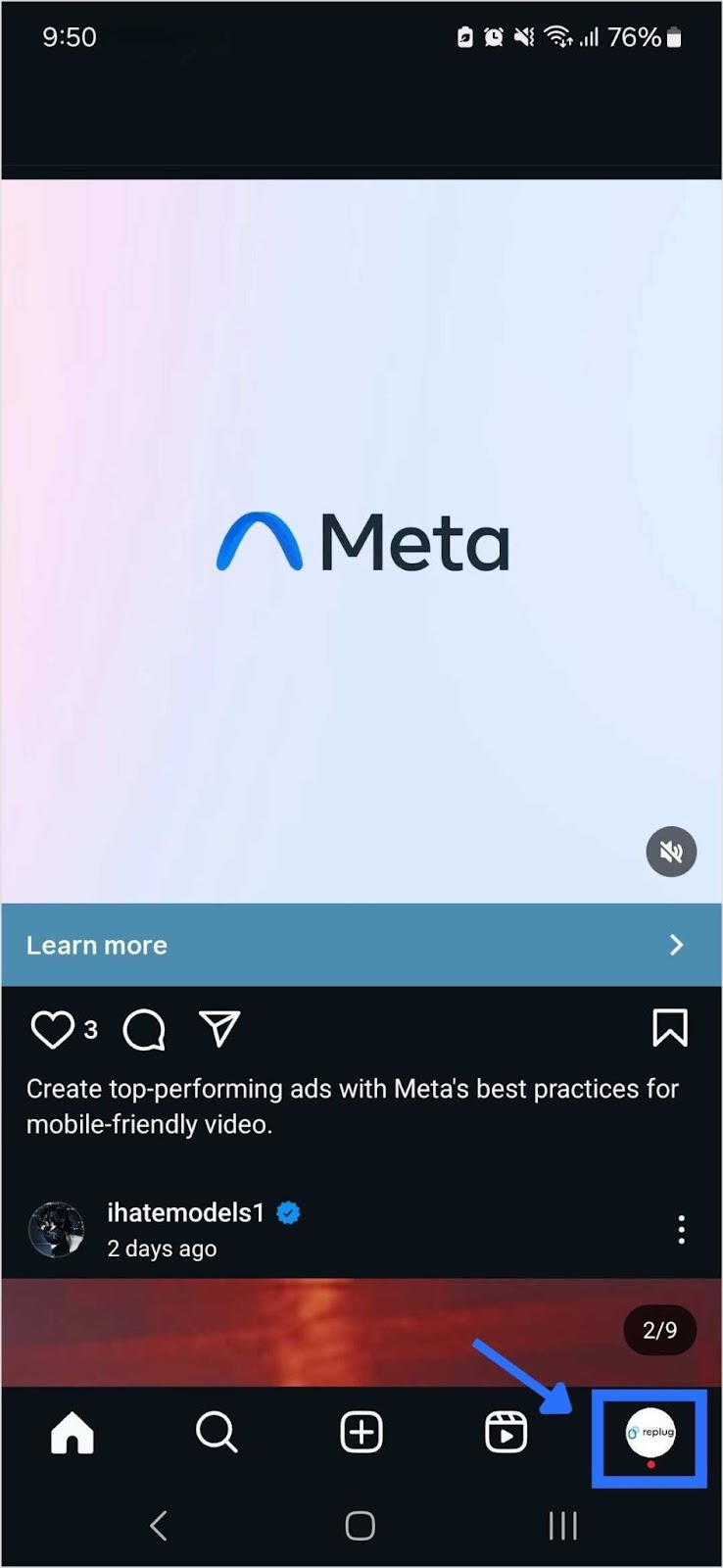
    Tap Instagram profile icon

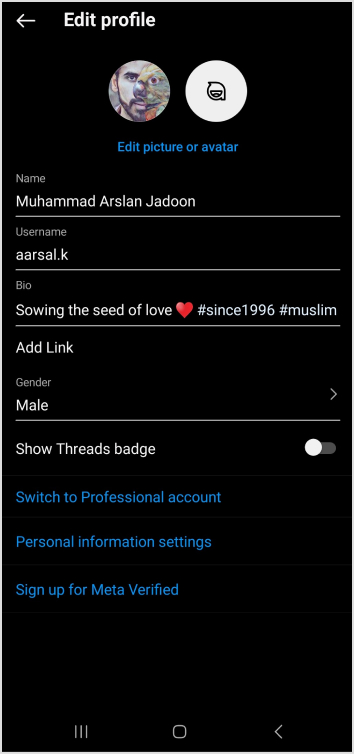
    Step 3: Once on your profile, tap the “Edit Profile” button. You’ll find it just below your profile picture and bio.
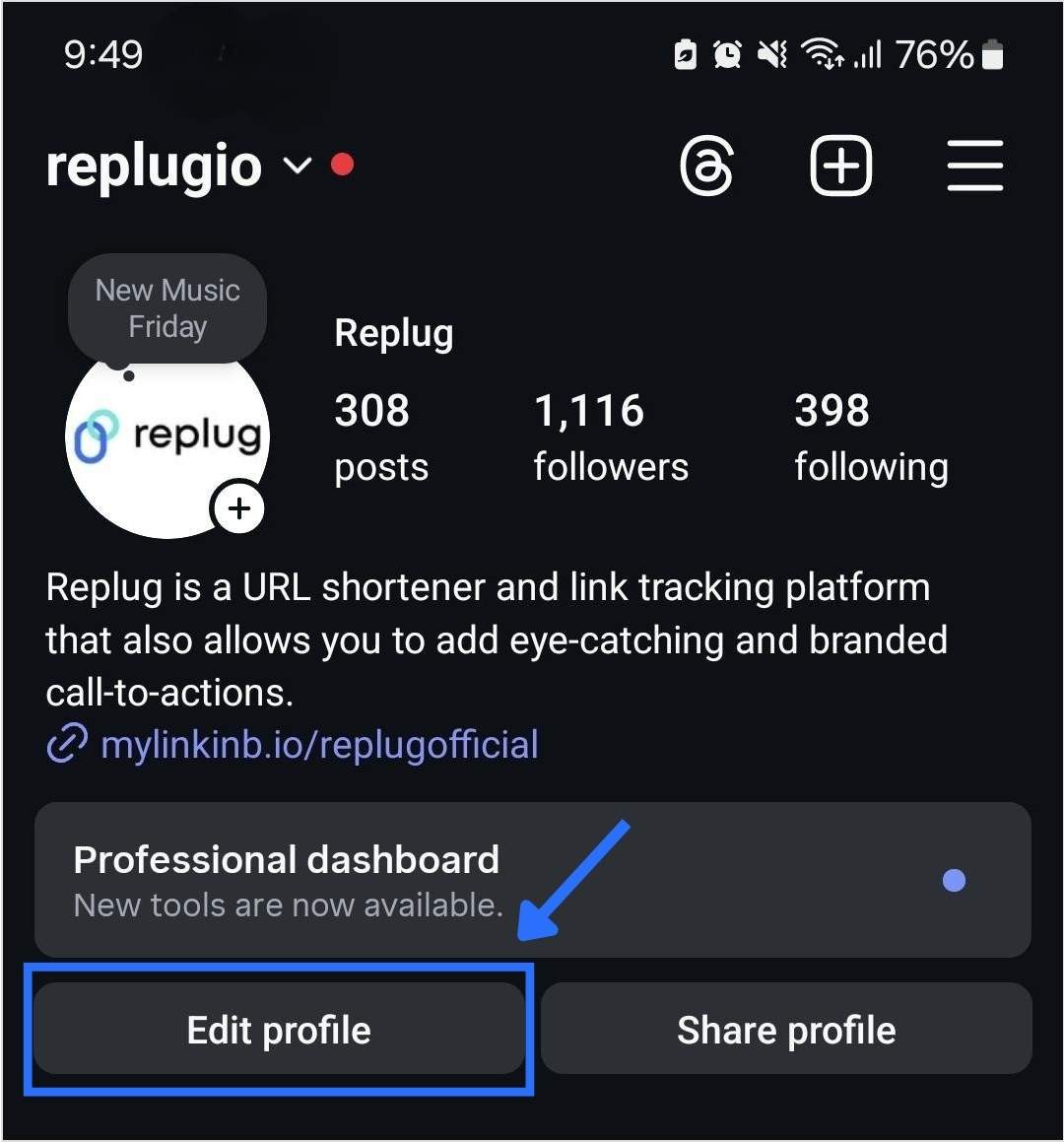
    Edit Instagram profile

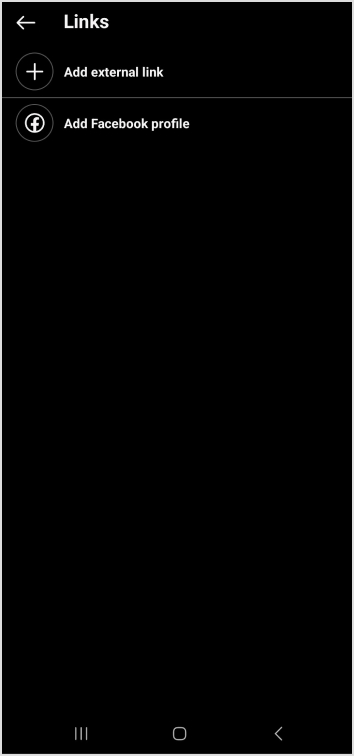
    Step 4: Click on “Links”. Choose the one you want to rename.
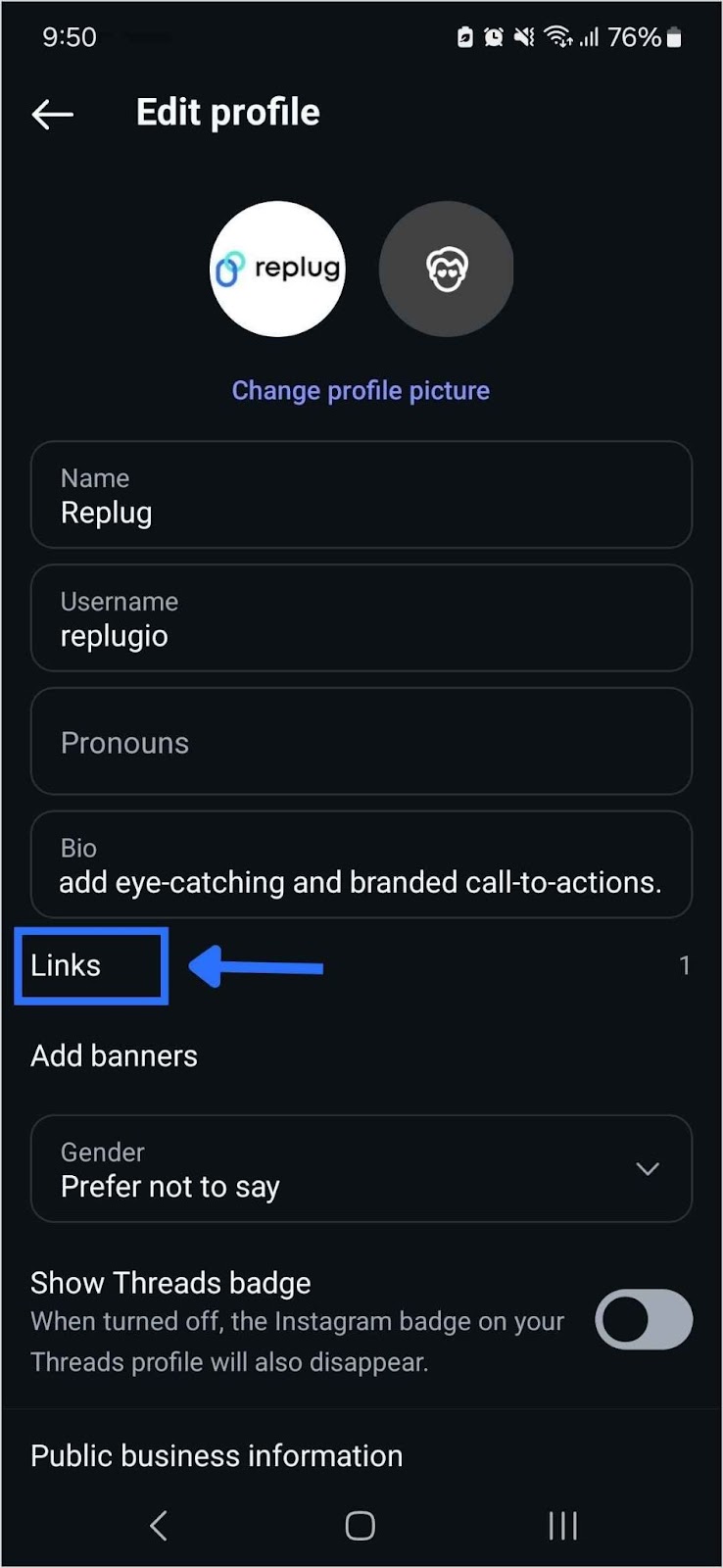
    Step 5: Change link name on Instagram by simply typing in your desired Title for the link you selected.
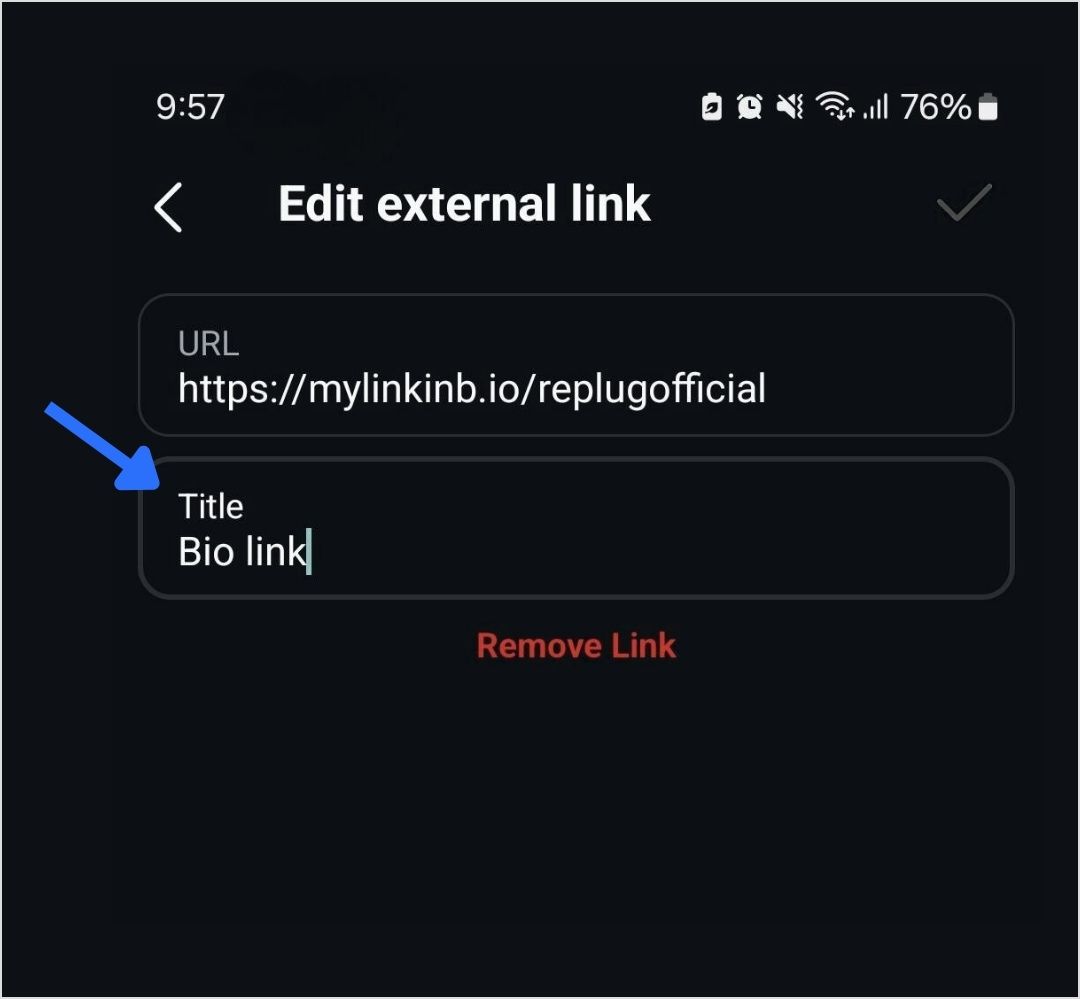
    Step 6: Tap the save icon in the top-right corner to apply your changes. Your renamed link will now appear in your bio.

    Read also: How to get to the link in the bio on Instagram?

    What is a “link in bio” on Instagram?

    A “link in bio” on Instagram refers to the clickable URL that users can include in their profile’s bio section. Since Instagram does not allow clickable links in individual posts, the link in bio is a valuable method for directing followers to external content, such as websites, blog posts, online stores, or other social media profiles. 

    Why it’s important:

    • Traffic and conversion: The link in bio is a direct avenue to convert Instagram engagement into website traffic, sales, or other conversions. It’s an essential part of any Instagram marketing strategy.
    • Branding: A well-curated link and description contribute to a cohesive brand experience on Instagram, helping users quickly understand what to expect when they click the link.
    Boost ROI with branded URLs - Replug dashboard showing performance metrics and branded URL creation
    Turn your bio links into click-boosting machines
    Check

    Drive up to more clicks than plain URLs

    Check

    Share multiple destinations with one link

    Create bio links free

    How to make the most of your single Instagram bio link?

    Renaming your Instagram link might seem like a small tweak, but it plays a big role in shaping user expectations, strengthening your branding, and increasing click-throughs.

    And if you’re managing multiple destinations, you can use Replug’s free bio link maker, which allows multiple links to be hosted on a single landing page.

    Here’s how Replug can enhance your Instagram bio link:

    • Customizable landing page: Customize your branding by adding a profile name, description, profile image, cover photo, and brand colors.
      Additional tip: Enhance your visuals with a photo editor to give your bio link page a personal touch.
    • Multiple links: Share links to your latest blog posts, online store, social media channels, promotional offers, and more in one place.
    • Analytics: Track link performance to see which links are getting the most clicks, allowing you to optimize your content strategy based on data.
    Boost ROI with branded URLs - Replug dashboard showing performance metrics and branded URL creation
    Turn your bio links into click-boosting machines
    Check

    Drive up to more clicks than plain URLs

    Check

    Share multiple destinations with one link

    Create bio links free

    Quick tips to make your Instagram bio link count

    • Add a relevant CTA: When it makes sense, add a call-to-action (CTA) to your link title like “Shop Now,” “Learn More,” or “Subscribe.” CTAs give your audience clear direction and can increase both clicks and conversions from your bio link.
    • Use custom, branded URLs: Custom URLs do more than save space’ they make your bio look cleaner and more intentional. Using tools like Replug’s URL shortener free tool, you can create branded links that match your style, improve trust, and keep your Instagram profile looking sharp.

    Boost ROI with branded URLs - Replug dashboard showing performance metrics and branded URL creation
    Boost ROI with
    branded URLs!

    Enhance your marketing campaigns by creating shareable, trackable, and fully multi-purpose customizable branded URLs.

    Try Replug for free
    • Keep it short: Long or cluttered titles can be overwhelming and easy to skip. A short, punchy title is more scannable, looks better in your bio, and makes it easier for followers to know exactly what to expect when they click.
    • Keep it clean: Avoid clutter in your link titles. Skip unnecessary punctuation, symbols, or random emojis. A clean, straightforward title is easier to read and looks more polished in your bio.
    • Match your brand voice: Your link title should reflect your brand’s tone, whether that’s casual, bold, or professional. Brand consistency helps build trust and makes your profile feel more intentional.

    You may also like: How to remove link from Instagram bio?

    Final thoughts

    By utilizing an efficient link management platform, and implementing effective strategies, you can transform your single Instagram bio link into a powerful driver of traffic and engagement. Regular updates, strong CTAs, and a well-structured landing page can significantly enhance the user experience and help you achieve your marketing goals.

    FAQs for how to rename a link on Instagram bio

    Why can you only have one link in your Instagram bio?

    Instagram limits users to one link in their bio to keep profiles concise and avoid spammy behavior. This restriction encourages users to choose the most relevant link for their audience.

    How can I add multiple links to my Instagram bio?

    You can add multiple links by using this high-quality Instagram bio link generator tool. It helps you create a landing page that hosts multiple links accessible through a single URL in your bio.

    What is a link-in-bio tool?

    A link-in-bio tool is a service that allows you to create a customizable landing page with multiple links.

    Can I track the performance of my Instagram bio link?

    Yes, Replug offers analytics features that allow you to track the number of clicks and other engagement metrics, helping you optimize your content strategy.

    How often should I update my Instagram bio link?

    You should update your Instagram bio link regularly to reflect your latest content, promotions, or events. Keeping the link current ensures it aligns with your marketing goals and provides value to your followers.

    Can I use a custom domain for my Instagram bio link?

    Yes, Replug allows you to use a custom domain, which can enhance brand recognition and trust among your audience.
  • How to add a location to your Instagram bio?

    How to add a location to your Instagram bio?

    Imagine this: you’ve just opened your store in a lively new neighborhood. Now, picture potential customers on Instagram, craving a nearby spot. They stumble upon a post about a cozy local cafe close by. Intrigued, they visit, and bam – you’ve become their new favorite.

    This magic is possible when businesses, like yours, add a custom location to their Instagram bio. It’s not just a digital tag; it’s a smart way to connect with locals, boost visibility, and amp up sales.

    Ready to try it yourself? Here’s a quick guide on adding a location to your Instagram link in bio – an easy trick to effortlessly connect with your audience and boost your digital presence.

    Here’s how to add a location to your Instagram bio:

    Whether you’re using a personal or business account, adding a location to your Instagram bio is a breeze. Just a heads up, you can only do this on your mobile, not your computer. Stick around, and we’ll show you how in a moment.

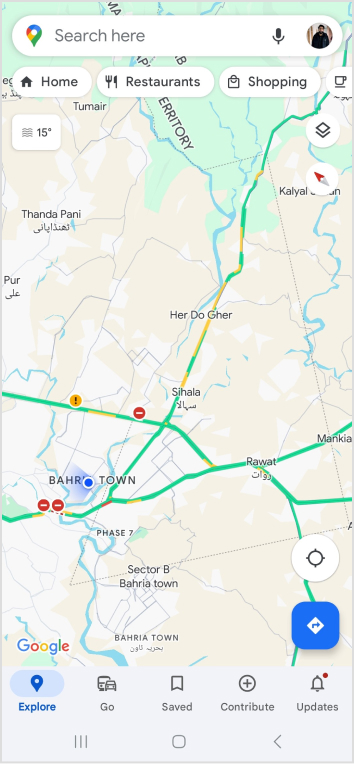
    Choose a location on Google Maps on your phone:

    Step 1: Open Google Maps on your phone and search for the specific location you want to add. Type the address into the search bar if needed.

    Step 2: Once you find the right spot on Google Maps, tap “Share,” then select “Copy.” This action copies the link to that exact location.

    Step 3: Close Google Maps and open Instagram. Go to your profile by tapping your profile picture at the bottom right of the app’s home screen.

    Step 4: Tap “Edit Profile.”

    Step 5: Under the “Links” section, select “Add Link.”

    Step 6: On the next screen, choose “Add External Link” and paste the link you copied from Google Maps. You can also give it a title, like your business name.

    Step 7: Hit “Done” and go back to your profile.

    Refresh the page by pulling the screen down, and there you have it! You’ve successfully added a location to your Instagram bio.

    Also read: How to Sell on Instagram: Top 10 Strategies for Success

    Boost ROI with branded URLs - Replug dashboard showing performance metrics and branded URL creation

    Go beyond generic link pages!

    Create custom bio links that truly fit your brand

    With Replug, you can create bio links that are unique, engaging, and built to convert.

    Start free trial

    How to add multiple links to your Instagram bio?

    Expand your Instagram profile’s impact using Replug to add multiple links to your bio. Overcome Instagram’s single-link constraint, by using our Instagram link in bio tool to create a single bio link page offering followers easy access to diverse content and destinations.

    Replug also serves as a comprehensive link management platform, helping you organize, track, and optimize all your links from one convenient dashboard. Streamline engagement and maximize your online presence with this dynamic and efficient link in bio tool.

    Here’s how to add multiple links to your Instagram bio using Replug:

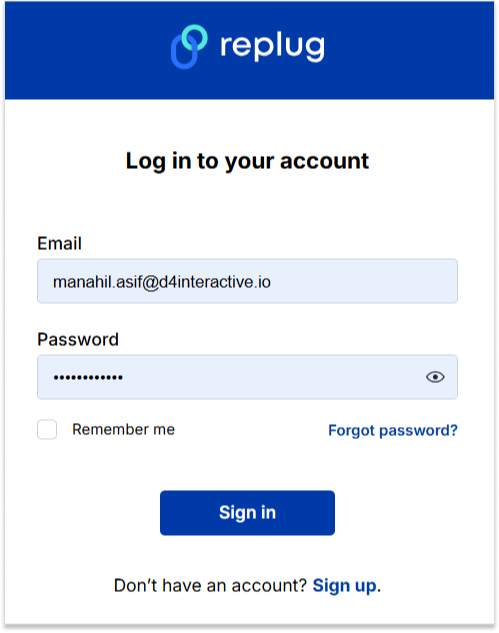
    Step 1: Sign in to Replug or create a free account.

    sign in to replug

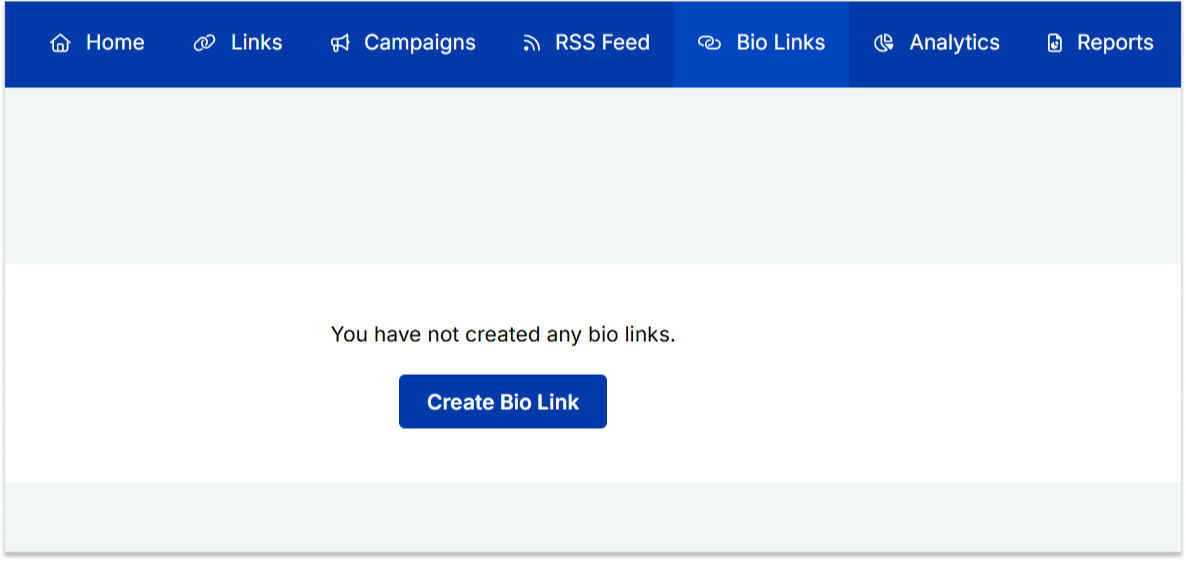
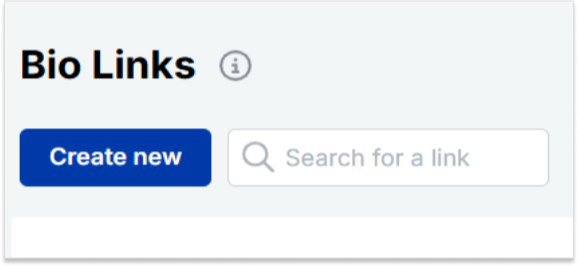
    Step 2: Locate the “Bio Links” feature in the top banner. The bio link dashboard will appear in front of you. 

    bio link

    Step 3: Click the “New Bio Link” button to start setting up your Tumblr bio. You’ll be directed to a new page where you’ll find three main categories: branding, content, and settings.

    create a new bio link

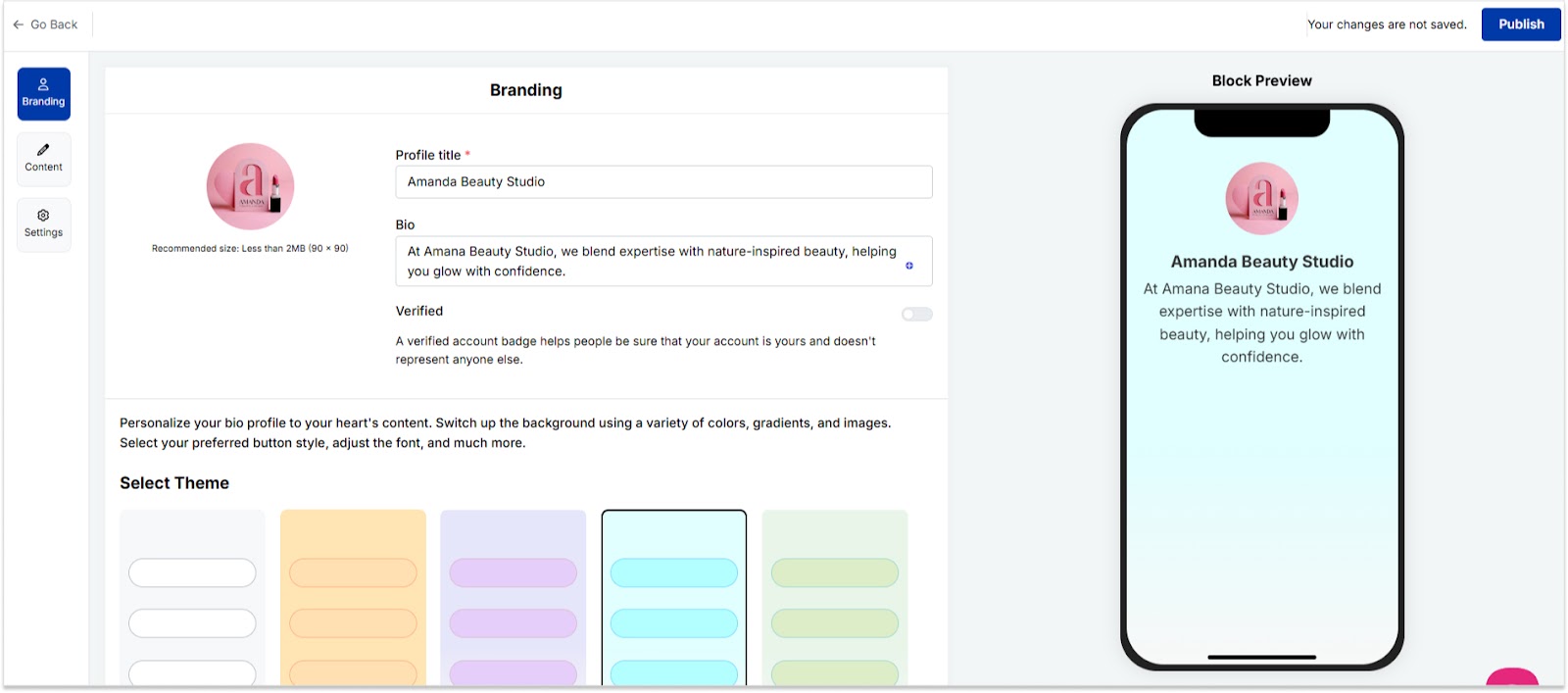
    Step 4: In the branding section, add a brand title and description, select themes, and choose button styles to match your aesthetic.

    bio link branding

    Once you’re done, click “Publish” in the upper right corner to save your changes.

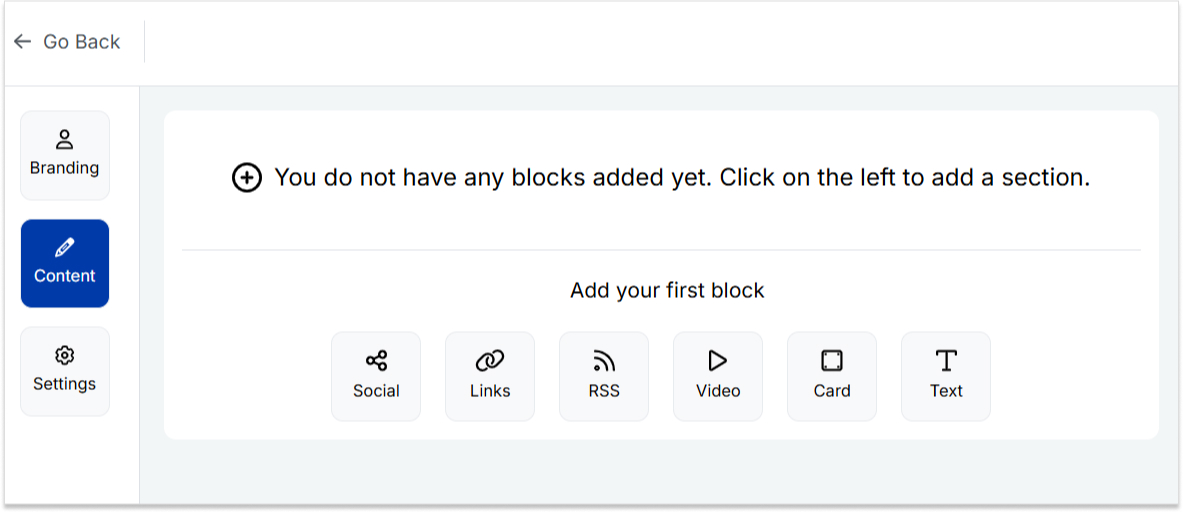
    Step 5: Head to the content category. Here, you can add social icons, links, RSS feeds, videos, cards, text, and more. 

    bio link content

    For example:

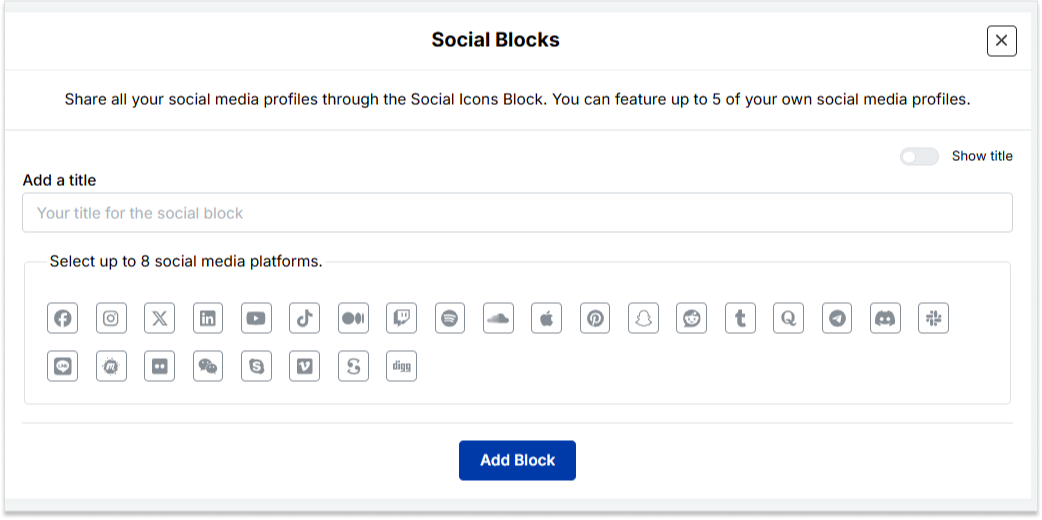
    • Social icons: Add up to 8 platforms, customize colors, and link to your profiles.
    add up to 8 social icons
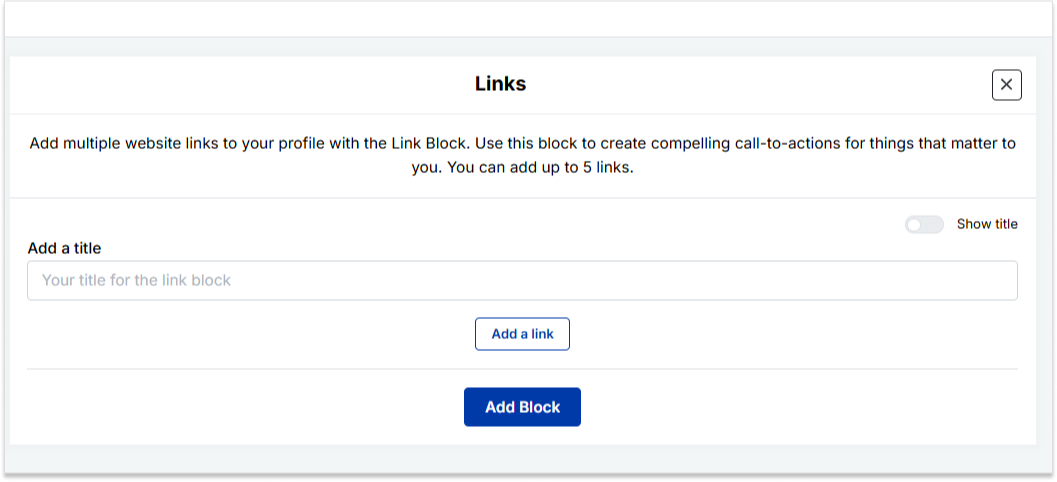
    • Links block: To include website links, use the “links” block. Add titles and URLs for each link.
    add up to 5 links

    Step 6: Once you’ve added the necessary blocks, click “update” to save each one.

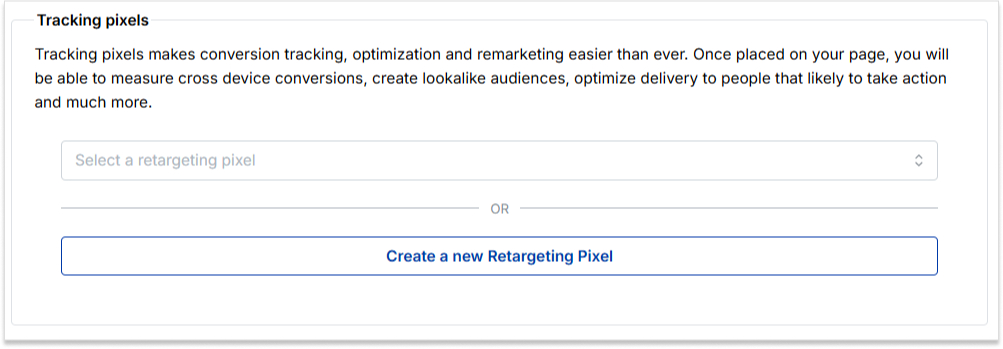
    Step 7: Go to the settings section to further customize your bio link’s SEO and social media preview. Add a title, description, favicon image, and even retargeting pixels if desired.

    add retargeting pixel

    Now you can add this bio link to your Instagram bio following the steps mentioned above and you’re done. 

    Also read: How to put your VSCO link in your Instagram bio?

    Boost ROI with branded URLs - Replug dashboard showing performance metrics and branded URL creation

    Go beyond generic link pages!

    Create custom bio links that truly fit your brand

    With Replug, you can create bio links that are unique, engaging, and built to convert.

    Start free trial

    FAQs on Instagram bio

    How do I change my location on my Instagram business account?

    Update your location by tapping “Edit Profile” on your Instagram profile and adjusting it under the “Public Business Information” section.

    Can I add multiple locations to my Instagram bio?

    No, Instagram allows only one location link, but you can use services like Replug to create a bio link with multiple links, including locations.

    Additionally, you can simplify and track your links effortlessly using this URL shortener free tool, making your shared URLs more manageable and professional.

    Why can’t I add a location to my Instagram bio on my computer?

    Editing Instagram bio links, including locations, is a mobile-only feature. You can make these changes using the Instagram app on your smartphone.

    Is it possible to remove a location from my Instagram bio later?

    Absolutely, to remove a location from your Instagram bio, go to “Edit Profile,” click on the location link, and either delete or replace it with a new one.