Category: Call to action

Discover blogs about CTAs – design, copy, and placement. Learn how to craft CTAs that drive clicks and conversions.

  • 150+ effective call to action examples for 2026: Boost conversions with high-converting CTAs!

    150+ effective call to action examples for 2026: Boost conversions with high-converting CTAs!

    Your CTA might be the smallest element on the page, but it often drives the biggest results. 

    In fact, personalized CTAs can convert up to 202% better than generic ones, and many marketers report 10%+ conversion gains just from optimizing their calls to action. That’s huge for something that usually takes just a few words and a button.

    If you want more clicks, leads, and sales in 2026, your CTA strategy needs to work quite smartly. This guide packs 150+ high-converting call to action examples you can swipe and use right away.

    But first, let’s quickly cover the basics, starting with what a call to action actually is!

    What is a call to action (CTA)?

    A “call to action (CTA)” is a short instruction in your marketing content that tells people exactly what step to take next, like “Buy now,” “Sign up,” or “Learn more.” Its job is simple but pretty powerful: move someone from passive interest to meaningful action.
    What is a call to action (CTA)

    In digital marketing, CTAs usually appear as buttons, links, or short lines of persuasive copy. They act as the bridge between your message and your goal, whether that’s getting more clicks, leads, or sales.

    Without a clear call to action, visitors often hesitate or leave without doing anything. In fact, studies show many users exit websites when no obvious next step is presented.

    Primary objective or purpose of a CTA:

    • Guide users toward the next step in the conversion journey
    • Reduce confusion about what to do next
    • Turn interest into measurable action (clicks, signups, purchases)

    Why does a good CTA matter so much: Importance of a strong call to action!

    A strong CTA isn’t just nice to have; it can make or break your conversions. Here’s why it matters:

    • Drives real action: CTAs are designed to prompt immediate responses and move users from browsing to engaging.
    • Clarifies the next step: A clear CTA removes guesswork so visitors know exactly what to do next.
    • Boosts conversion rates: Personalized CTAs convert far better than generic ones.
    • Prevents lost traffic: Many visitors leave without taking action when no clear CTA is visible.
    • Improves user experience: Well-placed CTAs reduce friction and make navigation feel effortless.
    • Creates urgency & motivation: Action-focused language encourages users to act sooner rather than later.

    Up next, let’s explore the different examples of CTAs you can use to maximize results!

    The ultimate list of proven call to action examples

    Looking for CTAs that actually get clicks? 

    Below is a curated list of powerful CTA examples across different use cases, so you can quickly find inspiration that fits your goal and audience.
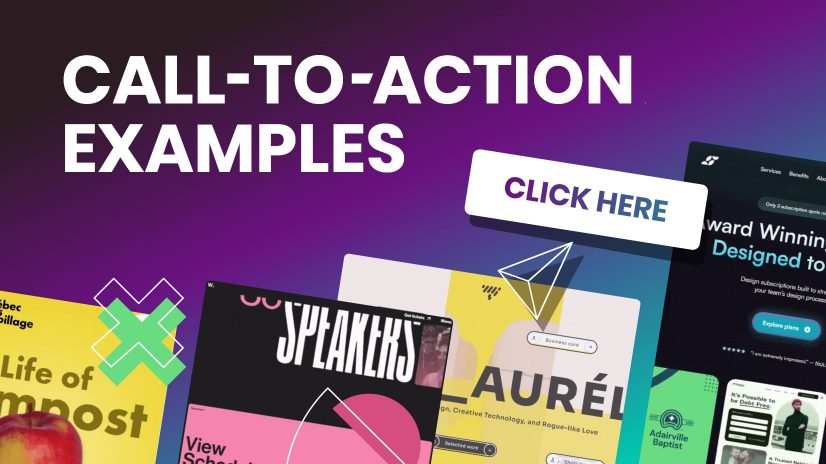
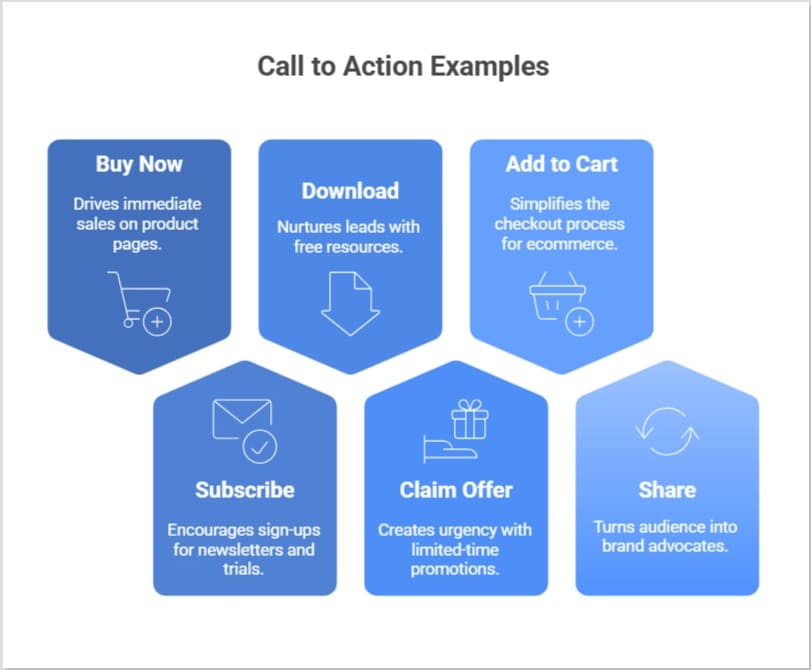
    Call to action examples

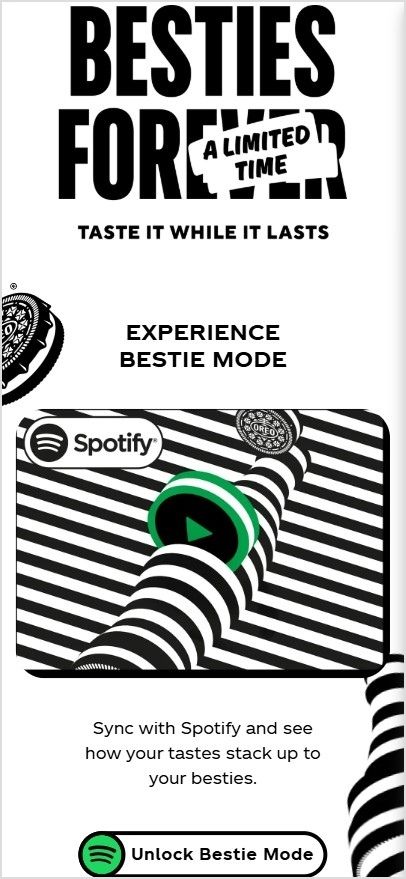
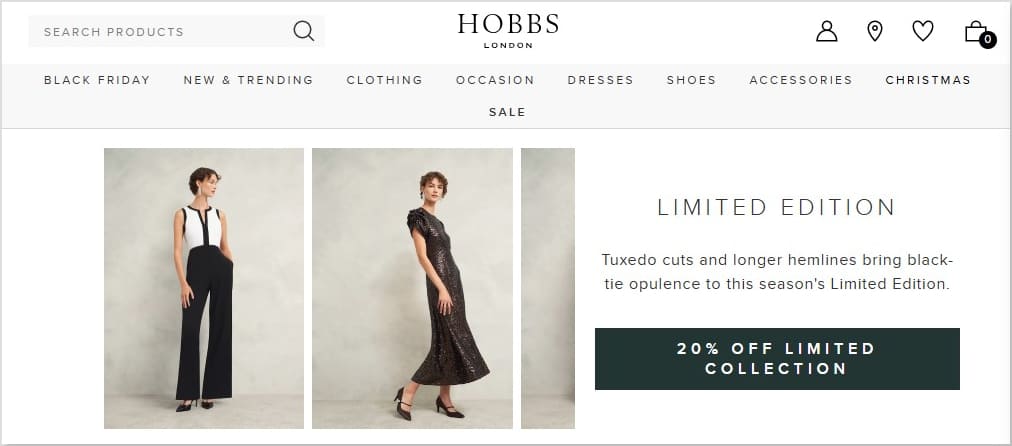
    Good call to action examples

    These are versatile, high-performing, good CTAs you can use almost anywhere (emails, blogs, ads, or popups).

    • “Get your free guide now”: Used at the end of a blog post offering a downloadable checklist.
    • “Start your free trial”: Placed on a homepage hero section to encourage sign-ups.
    • “See how it works”: Used on a product page for visitors who are still researching.
    • “Join thousands of happy users”: Added under social proof to build trust.
    • “Claim your offer today”: Used in a limited-time promo banner to create urgency.

    E-commerce call to action examples

    In online stores, your CTA must push shoppers toward purchase without dissent. Here are strong call to action examples for e-commerce in action:

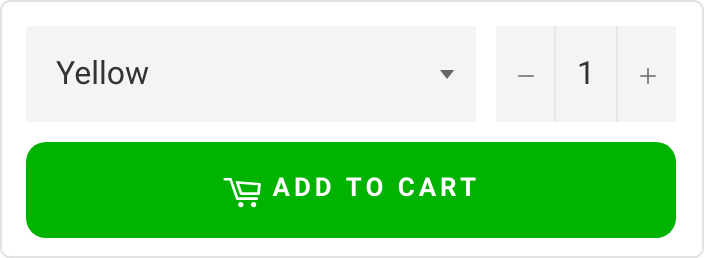
    • “Add to cart”: On a product page, when a shopper selects size and color.
    • “Buy now — only 3 left!”: Used during low-stock situations to trigger urgency.
    • “Unlock 20% off”: Appears in an exit-intent popup for abandoning visitors.
    • “Shop the collection”: Featured on a category banner for browsing shoppers.
    • “Get yours before it’s gone”: Used in flash sale emails.

    Marketing call to action examples

    A strong CTA in marketing campaigns helps move leads smoothly through the funnel.

    • “Download the full report”: Used in a LinkedIn lead-gen campaign.
    • “Book your free consultation”: Placed on a service business landing page.
    • “Reserve your spot”: Used in webinar promotion emails.
    • “Get the marketing playbook”: Featured in a lead magnet pop-up.
    • “Talk to an expert”: Used on B2B service pages for high-intent visitors.

    SaaS call to action examples

    For software companies, CTAs should reduce friction and quickly highlight value. These examples do exactly that:

    • “Start free — no credit card required”: Used on SaaS homepages to lower risk.
    • “Try the demo”: Placed near product feature sections.
    • “Create your account now”: Used after explaining core benefits.
    • “See the platform in action”: Embedded in product walkthrough pages.
    • “Upgrade when you’re ready”: Used inside freemium dashboards.

    Social & engagement call to action examples

    These CTAs focus more on interaction, shares, and community growth rather than immediate sales.

    • “Follow us for daily tips”: Used at the end of social posts.
    • “Drop a comment below”: Encourages engagement on Instagram or LinkedIn.
    • “Share this with a friend”: Used in viral content posts.
    • “Tap the ❤️ if you agree”: Common in short-form social content.
    • “Join the conversation”: Used in community-focused posts.

    Website call to action examples

    Always remember, your site needs clear direction points. These CTA examples for a website guide visitors smoothly.

    • “Explore features”: Used in the main navigation hero section.
    • “View pricing”: Placed for comparison-ready visitors.
    • “Get started today”: Featured prominently above the fold.
    • “Browse resources”: Used in knowledge hub sections.
    • “Contact our team”: Positioned on service pages.

    Landing page call to action examples

    Landing pages live or die by their CTA. These CTA examples for landing pages are specifically built for conversions.

    • “Yes — I want the free checklist”: Used on lead capture pages.
    • “Show me the results”: Placed after benefit-driven copy.
    • “Start my free trial”: Featured as the primary button.
    • “Get instant access”: Used for gated content offers.
    • “Claim my spot now”: Perfect for limited-seat webinars or events.

    Social media call to action examples

    These call to action examples for social media are designed to spark quick engagement, shares, and clicks across platforms.

    • “Save this post so you don’t miss it later”: Used at the end of an educational carousel to boost saves.
    • “Tag someone who needs this”: Added to a relatable meme to increase reach.
    • “Vote in the poll and tell us why”: Used in Stories to drive interaction.
    • “Swipe to see the full transformation”: Perfect for before-and-after posts.
    • “Turn on notifications for daily tips”: Used by creators who post frequently.

    Instagram call to action examples

    These top-notch call to action examples for Instagram work especially well with captions, Stories, and Reels.

    • “Double-tap if this helped you”: Used on quick tip Reels to boost engagement signals.
    • “Link in bio for the full tutorial”: Common in educational or how-to posts.
    • “Save this Reel for your next workout”: Used by fitness creators.
    • “DM us ‘START’ to get the details”: Great for lead generation via DMs.
    • “Comment ‘GUIDE’ and we’ll send it”: Used in growth-focused posts.

    Facebook call to action examples

    Facebook CTAs often work best when they feel community-driven and conversational.

    • “Click ‘Learn More’ to see the full story”: Used in inspired posts.
    • “Join our free Facebook group today”: Common for community building.
    • “Mark yourself as ‘Going’ to save your seat”: Used on event pages.
    • “Send us a message to get your quote”: Effective for service businesses.
    • “Share this with your friends who’d love it”: Used to expand organic reach.

    YouTube call to action examples

    On YouTube, timing and clarity matter a lot. These CTAs help turn viewers into subscribers and leads.

    • “Hit subscribe for weekly tutorials”: Delivered verbally near the intro or outro.
    • “Watch the next video on your screen now”: Used with end screens.
    • “Check the link in the description for the free resource”: Common in educational videos.
    • “Comment your biggest challenge below”: Encourages engagement signals.
    • “Turn on the bell icon so you don’t miss the next upload”: Used to boost notifications.

    TikTok call to action examples

    Short, punchy CTAs work best on TikTok. These high-quality call to action examples for TikTok match the platform’s fast pace, the best.

    • “Follow for part 2”: Perfect for storytelling or series content.
    • “Watch till the end for the surprise”: Helps increase retention.
    • “Try this and tag us”: Great for challenges or product demos.
    • “Drop a 🔥 if you agree”: Simple engagement booster.
    • “Check our bio for the full guide”: Used to drive off-platform traffic.

    WhatsApp call to action examples

    WhatsApp CTAs should feel personal and low-pressure since the platform is more intimate.

    • “Tap here to chat with us on WhatsApp”: Used on websites for instant support.
    • “Reply YES to confirm your booking”: Common in appointment reminders.
    • “Message us to get today’s price list”: Used by local businesses.
    • “Join our WhatsApp updates list”: For broadcast or community growth.
    • “Send your order details here”: Used in conversational commerce flows.

    Email call to action examples

    Email CTAs should be clear, benefit-focused, and easy to click on both desktop and mobile.

    • “View your personalized recommendations”: Used in product recommendation emails.
    • “Confirm your email to get started”: Sent right after account creation.
    • “Access your free resource”: Placed in lead magnet delivery emails.
    • “Update your preferences”: Used in re-engagement campaigns.
    • “Finish your order in two clicks”: Added to abandoned cart emails.

    Newsletters call to action examples

    Newsletter CTAs should encourage readers to go more in-depth after scanning the email.

    • “Read the full article”: Used after a short content teaser.
    • “See this week’s top picks”: Great for curated newsletters.
    • “Explore the full roundup”: Used in industry digest emails.
    • “Catch up on what you missed”: Perfect for weekly recaps.
    • “Discover more insights”: Used in thought-leadership newsletters.

    Google ads call to action examples

    Strong CTAs in Google Ads help capture high-intent search traffic quickly. Must use them wisely!

    • “Get pricing instantly”: Used in search ads for service businesses.
    • “Compare plans today”: Works well for SaaS and subscription offers.
    • “Find your perfect match”: Used in product comparison ads.
    • “Request your free quote”: Common in local service ads.
    • “Order online in minutes”: Used for fast-checkout products.

    Display ads call to action examples

    Display ad CTAs must be short, punchy, and visually clear since attention is quite limited.

    • “Reveal the deal”: Used in animated banner ads.
    • “Grab the limited time offer”: Perfect for seasonal promos.
    • “See what’s new”: Used in product launch banners.
    • “Unlock member pricing”: Works well for loyalty programs.
    • “Upgrade your setup”: Used in tech or software display ads.

    Sign-ups & subscriptions call to action examples

    These CTAs focus on reducing dissent and making commitment feel easy.

    • “Create my free account”: Used on registration pages.
    • “Join the insider list”: Common for email subscriptions.
    • “Start my membership”: Used on paid community pages.
    • “Get weekly tips in your inbox”: Great for blog subscriptions.
    • “Become a member today”: Used on gated content sites.

    Free trial call to action examples

    Free trial CTAs work best when they remove risk and highlight immediate value.

    • “Test drive the platform”: Used on SaaS feature pages.
    • “Try it free for 14 days”: Placed near pricing tables.
    • “Start exploring for free”: Used for freemium tools.
    • “Experience premium features”: Used in upgrade prompts.
    • “Begin your risk-free trial”: Featured on high-intent landing pages.

    Membership call to action examples

    Membership CTAs should highlight exclusivity and ongoing value to encourage commitment.

    • “Unlock member-only perks”: Used on a pricing page for premium access.
    • “Join the VIP community”: Featured on creator or brand websites.
    • “Become a premium insider”: Used for paid content platforms.
    • “Access exclusive benefits”: Placed near the membership comparison table.
    • “Upgrade to premium access”: Used inside free user dashboards.

    Digital product call to action examples

    When selling digital goods, your CTA should emphasize instant value and easy access.

    • “Download your copy instantly”: Used on an ebook sales page.
    • “Get the template bundle”: Featured on a creator storefront.
    • “Access the full course now”: Used on online course landing pages.
    • “Unlock the complete toolkit”: Placed under product previews.
    • “Grab the digital pack”: Used in limited-time creator promos.

    App downloads call to action examples

    App CTAs work best when they promise speed, convenience, or immediate benefit.

    • “Download the app and get started”: Used on mobile-focused landing pages.
    • “Install in seconds”: Featured in mobile ads.
    • “Get the app for smarter tracking”: Used by productivity tools.
    • “Open in the app for full features”: Used on mobile web prompts.
    • “Take it with you — download now”: Used in cross-device campaigns.

    Survey call to action examples

    Survey CTAs should feel swift, low-effort, and valuable to the user.

    • “Share your feedback with us”: Used in post-purchase emails.
    • “Tell us what you think”: Placed in customer experience surveys.
    • “Take the quick survey”: Used in in-app prompts.
    • “Help us improve your experience”: Featured after support interactions.
    • “Rate your experience today”: Used in service follow-ups.

    Referral call to action examples

    Referral CTAs should clearly communicate the reward and make sharing as easy as possible.

    • “Invite friends and earn rewards”: Used in referral dashboards.
    • “Give $20, get $10 back”: Featured in customer loyalty emails.
    • “Share your link to start earning”: Used in affiliate programs.
    • “Refer a friend today”: Placed in post-purchase flows.
    • “Send an invite in one click”: Used in app referral screens.

    Urgency-based call to action examples

    Urgency CTAs create momentum by encouraging users to act right now.

    • “Claim your bonus before midnight”: Used in limited-time promos.
    • “Secure your spot today”: Featured in event registrations.
    • “Don’t miss this drop”: Used in product launch campaigns.
    • “Last chance to save”: Placed in countdown emails.
    • “Act now — offer ending soon”: Used in retargeting ads.

    Upsell call to action examples

    Upsell CTAs should feel helpful (not pushy) by clearly showing the added value of upgrading.

    • “Add premium features to your plan”: Used inside the checkout flow.
    • “Upgrade for more power/features”: Placed in freemium dashboards.
    • “Complete your setup with this add-on”: Used on post-purchase pages.
    • “Go Pro for advanced tools”: Featured in feature-locked areas.
    • “Enhance your order in one click”: Used in cart upsell popups.

    Webinar call to action examples

    Webinar CTAs should highlight learning value and time sensitivity perfectly.

    • “Save my seat”: Used on webinar registration pages.
    • “Register for the live training”: Featured in promo emails.
    • “Join the free masterclass”: Used in social promotions.
    • “Reserve your webinar spot”: Placed on landing pages.
    • “Attend the live session”: Used in reminder campaigns.

    Lead generation/content call to action examples

    These CTAs focus on capturing leads by offering helpful content in return.

    • “Get your free checklist”: Used in blog content upgrades.
    • “Download the case study”: Featured on B2B pages.
    • “Unlock the full guide”: Used in gated resource hubs.
    • “Send me the PDF”: Used in inline blog forms.
    • “Access the resource library”: Placed on content hubs.

    Call to action examples for business

    These versatile CTA examples for business help companies drive inquiries, sales, and engagement seamlessly.

    • “Request a custom quote”: Used on service business websites.
    • “Schedule your consultation”: Featured on professional service pages.
    • “Work with our team”: Used on agency homepages.
    • “Check availability now”: Common for booking-based businesses.
    • “Start your project with us”: Used on creative agency sites.

    Call to action examples in conversion optimization

    In CRO, CTAs are tested and refined to remove friction and maximize clicks.

    • “Show me my results”: Used after interactive tools or quizzes.
    • “Continue to secure checkout”: Used in optimized cart flows.
    • “Reveal my savings”: Used in pricing calculators.
    • “See personalized pricing”: Featured after user input.
    • “Complete my setup”: Used in onboarding flows.

    Call to action examples to encourage action

    These CTAs are built solely to drive immediate action.

    • “Take the next step”: Used at the end of educational content.
    • “Make your move today”: Featured in motivational campaigns.
    • “Start making progress”: Used in productivity tools.
    • “Jump in and explore”: Used on interactive platforms.
    • “Let’s get you started”: Used in welcome screens.

    Types of CTAs with examples

    A call to action, or in simple words, a CTA, guides users toward the next step you want them to take intentionally. 

    Different types of CTAs serve different goals. Some drive sales, others build engagement or collect leads, etc.
    Types of CTAs with examples

    Primary CTAs

    Primary CTAs are your main drivers of conversion. They highlight the single most important action you want users to take on a page, so they’re usually bold and highly visible.

    Example: 👉 “Start your free trial” on a SaaS homepage.

    Secondary CTAs

    Secondary CTAs support the primary one by offering a softer or alternative action. They’re helpful for visitors who aren’t ready to commit yet.

    Example: 👉 “Learn more” placed next to a primary “Buy now” button.

    Direct-action CTAs

    Direct-action CTAs prompt users to take an immediate, specific step. They use strong action verbs and create a sense of urgency.

    Example: 👉 “Download the guide now” on a resource landing page.

    Informational CTAs

    Informational CTAs help users explore and learn more before making a decision. They’re common in blog posts and educational content.

    Example: 👉 “Read the full case study” at the end of an article.

    Social sharing CTAs

    Social sharing CTAs encourage users to share your content on social media, helping you expand reach and visibility organically.

    Example: 👉 “Share this post on LinkedIn” below a blog article.

    Personalized CTAs

    Personalized CTAs are tailored based on user behavior, location, or preferences. They feel more relevant and often convert better.

    Example: 👉 “Welcome back! Continue your course” for returning users.

    Lead nurturing CTAs

    Lead nurturing CTAs move prospects further down the funnel without pushing for an immediate sale. They focus on building trust and relationships.

    Example: 👉 “Get our weekly marketing tips” on a newsletter signup form.

    Purchase/sales CTAs

    Sales CTAs are designed solely to drive revenue. They appear when users are close to making a purchase and clearly signal the buy action.

    Example: 👉 “Add to cart” on an e-commerce product page.

    Event/promotion CTAs

    Event or promotional CTAs highlight time-sensitive offers, launches, or special campaigns. They often include urgency words.

    Example: 👉 “Register for the webinar, limited seats only!” or “Claim your 30% discount today.”

    Feedback/support CTAs

    Feedback or support CTAs invite users to share their opinion or get instant help. They improve the customer experience and show that support is readily available.

    Example: 👉 “Contact support” in a help center or “Rate your experience” after a purchase.

    How to write an effective CTA: Useful tips to keep in mind

    If you’re wondering how to create a call to action that actually gets clicks, it all comes down to clarity, value, and smart placement. 

    Below are practical tips you can use right away to make your CTAs more compelling and effective.
    How to write an effective CTA

    Tip #01: Use action-oriented, clear language

    Your CTA should clearly tell people exactly what to do (no guessing required). Strong verbs make your message feel direct and easy to follow. 

    Avoid vague phrases that leave users confused. Keep it short, specific, and focused on one action.

    Quick example: 

    👉 “Download your free checklist” (clear and action-driven) 

    “Click here” (too generic)

    Tip #02: Focus on value & benefit

    People don’t click buttons; they click benefits. Instead of describing the action, highlight what the user actually gains. This makes your CTA feel helpful rather than pushy. 

    Think from the reader’s perspective: What’s in it for me?

    Quick examples: 

    👉 “Get 20% discount on your first order.”

    👉 “Refer a friend and get 5% additional bonus!”

    These work better because the benefit is pretty obvious!

    Tip #03: Create urgency & scarcity

    When users feel they might miss out (FOMO), they’re more likely to act quickly. Adding urgency or limited availability can significantly improve conversions, but keep it honest and realistic.

    Use time limits, limited spots, or countdown-style wording.

    Quick examples: 

    👉 “Claim your spot now — only 5 seats left.”

    👉 “Offer valid till midnight. Avail now!”

    Just don’t overdo it, since fake urgency can seriously hurt trust!

    Tip #04: Optimize design & placement

    Even the best wording won’t work if your CTA is hard to find. Your button or link should stand out visually and appear exactly where users expect it.

    Key things to watch:

    • Use contrasting colors
    • Make the button large enough to notice
    • Add enough white space around it
    • Place CTAs above the fold and at natural stopping points

    Quick example:

    👉 A bright, high-contrast button (e.g., “Buy Now!”) right after product benefits usually performs better than a small text link seeded at the bottom.

    Tip #05: Personalize & test

    There’s no single perfect CTA. What works for one audience may flop for another. However, personalization and regular testing help you continuously improve performance.

    Try:

    • Using the user’s stage or behavior
    • Segment-based messaging
    • A/B testing different wording, colors, or placements

    Quick example:

    👉 New visitors: “Explore features.”

    👉 Returning users: “Continue where you left off.”

    Small tweaks can lead to surprisingly big gains over time!

    Best practices for high-converting CTAs

    If you want more clicks and conversions, your CTA needs more than just a nice button. These proven, most promising practices will help you create calls to action that actually get people to act.
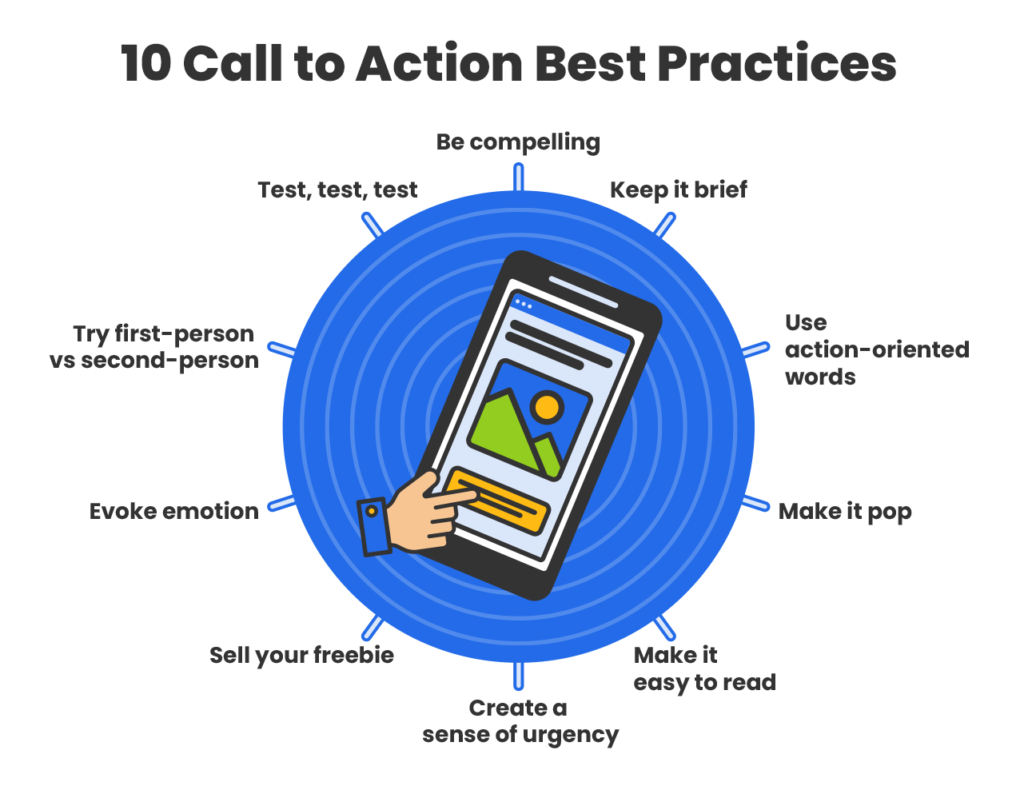
    Best practices for high-converting CTAs

    Keep it simple & concise

    Your CTA should be instantly clear. If someone has to think about what happens next, you’ve already lost momentum. Short, direct wording works best!

    Example:

    Instead of: “Click here to proceed with your free trial registration process”
    Use: “Start Free Trial”

    Use high-contrast design

    Your CTA must stand out visually from the rest of the page. High-contrast colors and ample white space help users spot the button quickly.

    Example:

    If your page is mostly white and blue, use a bold orange or green button with text like: “Get Started”

    Use action verbs

    Strong action verbs create a steady flow and tell users exactly what to do. Weak or passive language reduces clicks.

    Example:

    Instead of: “More information”
    Use: “Download the Guide”

    Align with intent

    Match your CTA with where the user is in their journey. Someone reading a blog post isn’t always ready to buy, and that’s okay.

    Example:

    • Top of funnel: “Read the Full Guide”
    • Mid funnel: “Compare Plans”
    • Bottom of funnel: “Buy Now”

    Build trust (use social proof)

    Most people hesitate when they’re unsure about something. Adding proof near your CTA reduces conflict and uplifts confidence.

    Example:

    CTA button: “Register Now”
    Under it: “Trusted by 50,000+ marketers.”

    Make it irresistible

    Give users a clear reason to click your CTA. Highlight what they gain, not just what they do.

    Example:

    Instead of: “Sign up”
    Use: “Get Your Free Marketing Toolkit”

    Why it works: Because it feels personal and benefit-driven.

    Create urgency

    Urgency pushes people to act now rather than later (often meaning never). Honesty use time limits or limited availability.

    Example:

    “Claim Your 30% Discount — Offer Ends Tonight”

    Highlight value

    Your CTA should answer the user’s silent question: “What’s in it for me?” Make the benefit quite obvious.

    Example:

    Instead of: “Subscribe”
    Use: “Get Weekly Growth Tips”

    Limit choices

    Too many CTAs on one screen create decision fatigue. Guide users toward one primary action whenever possible. Its the best practice!

    Example:

    Good: One main button, like “Start Free Trial”
    Not ideal: Five competing buttons in the same section.

    Strategic placement matters

    Even the best CTA can fail if it’s placed incorrectly. Position CTAs where users naturally decide to take action.

    High-performing placements:

    • Above the fold
    • After key benefits
    • At the end of the blog posts
    • Inside sticky headers or popups (used carefully)

    Example: 

    After explaining product benefits, place: “Try It Risk-Free”

    Generate compelling CTAs with Replug today!

    If you wish to create CTAs that actually get clicks, Replug makes the process simple and effective. 

    It’s an all-in-one link management platform designed to help marketers, creators, and businesses optimize their links, track performance, and boost conversions from a single dashboard.

    With Replug, you’re not just shortening URLs, you’re turning every link into a conversion opportunity. The platform offers powerful features like branded short links, bio-link pages, retargeting pixels, and detailed analytics to help you understand what’s working and what’s not.

    What really stands out is Replug’s built-in call to action generator. It can quickly create multiple CTA variations that match your brand voice, saving you time and creative effort.


    Boost ROI with branded URLs - Replug dashboard showing performance metrics and branded URL creation
    Boost your conversion rates with irresistable CTAs with

    for your marketing campaigns.

    Check

    Higher clicks

    Check

    More leads

    Check

    Better ROI

    Generate free CTAs

    You can also customize CTA buttons, banners, or pop-ups, control their placement, and even run A/B tests to find your best-performing message.

    In short, if you’re serious about improving clicks, leads, and ROI, Replug gives you everything you need in one place. This includes one of the most practical and easy-to-use call to action generators available today!

    Summing up

    A strong CTA isn’t just a button; it’s the ultimate bridge between your content and real results. 

    From understanding different CTA types to learning numerous examples, proven tips, and best practices, you now know what it takes to write CTAs that actually get clicks and conversions. The key is to keep things clear, value-driven, and aligned with what your audience wants.

    If you want to speed things up, using a smart free CTA generator can make the process much easier. Tools like Replug help you create, test, and optimize CTAs without the guesswork. 

    Start experimenting, keep testing what works for your audience, and you’ll see your conversions move in the right direction. 🚀

    Frequently asked questions

    What is an inspiring call to action?

    An inspiring call to action (CTA) is a short prompt that motivates people to take the next step by appealing to their emotions or aspirations. It goes beyond simple commands and connects to value, like “Start your journey today” or “Unlock your potential now.” An inspiring CTA feels more like encouragement than a sales pitch.

    What is a good call to action sentence?

    A good CTA sentence is short, specific, and tells the reader exactly what to do and what they get. 

    For example:

    “Download your free guide today”
    “Start your free trial now”
    “Join thousands of learners and grow your skills.”

    These use action verbs and promise immense value!

    When and how to use a call to action?

    Use a CTA whenever you want someone to take a clear next step, like signing up, buying, downloading, subscribing, or sharing. Place it at a point where users are ready to act (after useful information, at the end of an article, in an email, on a landing page). Use action verbs, keep the message clear, and explicitly explain the benefit.

    Where should I place my CTAs on my website?

    Your CTAs should be easy to see, and in places users naturally look:

    Above the fold (first thing people see)
    Homepage hero section
    Within the content (after key points in articles)
    End of pages (after engagement)
    Navigation bar or footer for consistent access

    You can repeat CTAs on long pages, but make sure not to clutter the page.

    What are calls to action for social media?

    On social media, CTAs are short prompts encouraging specific actions, such as:

    “Follow for more tips”
    “Like and share this post”
    “Comment your thoughts”
    “Save this for later”

    They should fit the platform style and audience behaviour optimally.

    How to write an effective CTA for social media in 2026?

    To write effective social media CTAs in 2026:

    1. Start with a strong action verb like Get, Try, Share, or Save.
    2. Include a clear benefit so people know what they gain.
    3. Keep it short and natural for the platform and audience.
    4. Add urgency only when real (“Limited time only”).
    5. Match the CTA to the content so it feels relevant and helpful.

    Example: “Save this tip and follow for more daily strategies!”

    Provide a list of CTA examples that combine strong copy with good design?

    Examples where the words and visuals work together to drive action:

    “Fill your calendar with appointments ➜ Get my free planner”: Clear value + strong visual cue.
    “Take the test in 30s ➜ Start now”: Communicates speed and invites action.
    “Shop best-sellers ➜ View collection”: Direct invite with clear purpose.
    “Try Dwell+ for FREE ➜ Start your trial”: Big benefit + contrasting design.
    “Get Free CRM ➜ Start using today”: Simple benefit + standout button color.

    These examples show strong action words matched with visible, contrast-boosting design.

    What are some of the best CTA examples that use the rule of threes?

    The rule of threes means the CTA follows a structure like action + benefit + urgency.

    Examples:

    “Start Free Trial + No Credit Card + Limited Seats”: Action, benefit, urgency.
    “Get Your Free Guide + Instant Access + Today Only”: Direct benefits + time-based prompt.
    “Join the Community + Learn More + Sign Up Now”: Action + value + prompt to act.

    This structure helps messages stick and gives clarity on next steps.

    Why CTA buttons matter so much and how to use them effectively?

    CTA buttons matter a lot because they’re where users take the action you want, such as signing up, buying, or subscribing, etc. If they blend in or are unclear, users simply won’t click. 

    To use them effectively, focus on the call-to-action button’s color and contrast so it clearly stands out from the page background. Plus, use clear, benefit-focused words, and place them where users naturally stop and decide. 

    Strong CTA buttons that are visible, in a contrasting color, and paired with compelling copy drive significantly more clicks and conversions.

    Provide CTA design best practices & tips?

    Quick, practical design tips:

    Use contrast: The button’s color should stand out clearly from background elements so users notice it right away.
    Solid buttons are better: Filled buttons usually convert more than outline-only “ghost” buttons.
    Give breathing room: Surround CTAs with whitespace to prevent them from getting lost in the layout.
    Size matters: Bigger (but not overwhelming) buttons are easier to spot and click.
    Use hover effects: Small changes when hovering can draw attention and signal interactivity.

    These practices make the CTA both noticeable and inviting.

    What are the common mistakes to avoid when writing your CTA?

    Sidestep these common mistakes:

    Generic text: Words like “Click Here” or “Submit” don’t tell users why they should act.
    Misaligned messaging: If the CTA doesn’t match the content or offer, users drop off.
    Poor placement: Hidden or low-visibility CTAs get ignored.
    No urgency or benefit: Weak language fails to inspire action.
    Too many CTAs: Too many buttons in one place confuse users and reduce focus.

    Avoiding these pitfalls helps your CTAs convert better.

    How can I measure my CTAs performance?

    To measure your CTAs performance, track key metrics that show how users engage with them. Start by monitoring click-through rates (the number of people who clicked your CTA relative to views) and conversion rates (the number of people who completed the desired action after clicking).

    You can use tools like Google Analytics, Usermaven, heatmaps, and built-in analytics in marketing platforms to test the effectiveness of your CTAs. A/B test different versions and compare clicks, placements, designs, and wording to see which converts best. These metrics give you clear insight into what’s working and where to improve.

    What is a CTA click rate, and how to measure it?

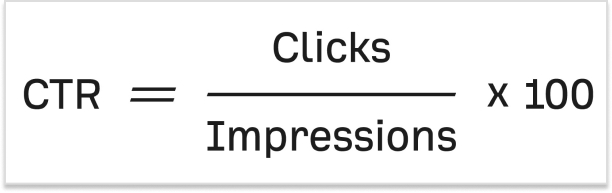
    A CTA click rate (often called click-through rate or CTR) is the percentage of people who click on your call to action after seeing it. You calculate it by dividing the number of clicks by the number of times the CTA was viewed, then multiplying by 100. 

    For example, if 1,000 people saw a button and 50 clicked it, the click rate is 5%

    You can also measure it using analytics tools or call-to-action tools (such as analytics dashboards or conversion-tracking features) that record how often your CTAs are shown and clicked.

    Why are CTAs important in marketing?

    CTAs are important in marketing because they guide your audience toward specific actions and make your marketing efforts measurable. A good CTA turns passive viewers into active participants, whether signing up, buying, or downloading content. 

    In a CTA campaign, compelling call to actions help clarify what you want users to do next, improve conversion rates, and give you clear data (like clicks and conversions) to judge how well your campaign is performing. Without CTAs, users might enjoy your content but never take the step you actually want them to take.

    How does a call to action influence consumer behavior?

    A call to action influences consumer behavior by giving people a clear next step and reducing uncertainty about what to do. 

    CTAs can create urgency (e.g., “Limited offer”), highlight benefits (e.g., discounts or freebies), and tap into psychological triggers such as the fear of missing out. This makes people more likely to act quickly rather than delay decisions.

    They simplify decision-making and guide consumers toward conversion by focusing their attention on a specific action.

    How to decide which type of call-to-action phrase to use?

    Determining which type of call-to-action phrase to use depends on a few key deciding factors:

    – Your specific goal (buy, sign up, learn), 
    – Where your audience is in the buying journey, and 
    – What outcome do you want? 

    If your audience is still exploring, softer call-to-action phrases like “Learn More” may work better. If they’re ready to commit, stronger phrases like “Buy Now” or “Start Free Trial” make sense.

    You also want to match the CTA phrase to the benefit you’re offering and keep it clear, direct, and relevant to the user’s intent. Testing different call-to-action phrases in your content will help you find what resonates best!
  • How to increase click-through rate (CTR) using branded links?

    How to increase click-through rate (CTR) using branded links?

    Driving traffic to your content is essential for success in the digital age. Whether you’re sharing content on social media, in emails, or through advertisements, your click-through rate (CTR) is a critical metric that directly impacts your online presence. 

    While there’s plenty of advice on improving CTR through content optimization, one often overlooked factor is the link itself. In fact, one of the most effective yet underused strategies to increase CTR using branded links is by turning generic, forgettable URLs into clear, trustworthy ones that reflect your brand identity.

    In this article, we’ll explore how branded links can significantly enhance your CTR and why they deserve a place in your marketing toolkit.

    Replug Branded Short Links CTA
    Maximize marketing ROI
    by transforming ordinary URLs into
    branded short links that convert.
    Try Replug for free

    Understanding CTR

    Before diving into the world of branded links, let’s establish a clear understanding of CTR. Click-through rate (CTR) is a vital metric in online marketing, expressed as a percentage. It’s the number of times a link is clicked divided by the number of times it’s viewed. Simply put, if your link gets ten views and one click, your CTR is 10%. Now, let’s delve into why CTR is so crucial.

    click-through-rate-CTR

    Let’s say you crafted a groundbreaking piece of content that has the potential to change lives, but no one reads it. Bummer, isn’t it?

    The quality of your content will only matter if it reaches your target audience. And the first step? Getting them to click.

    Your link is the bridge between you and your reader, making CTR a make-or-break factor for your content’s success.

    What are branded links?

    Branded links, also known as vanity URLs or custom short links, are URLs that have been customized to include a specific brand’s name or a relevant keyword. Unlike generic, lengthy, or complex URLs, branded links are shorter, more descriptive, and often feature the brand’s domain name or a recognizable keyword, making them more user-friendly and visually appealing.

    Example of a branded link:

    Original URL:

    Example of a long coffee house URL

    Branded Link:

    Example of a branded coffee house link

    Also read:  How to create a vanity URL?

    Now that we have a grip on the concept of CTR and branded links, let’s discuss how the way you use them can make or break your results. A well-crafted branded link can boost trust, clicks, and conversions; while a poorly executed one can do the opposite.

    In the next section, we’ll dive into the best ways to increase CTR using branded links, so you can use them to their full potential.

    7 best ways to increase CTR using branded links

    Let’s explore how you can leverage branded links to optimize your CTR.

    1. Include your brand name in the link:

    The domain is the first element of your link, and it’s imperative to include your brand name. Many people use link-shortening tools for brevity, but this often obscures the brand name. Branded links, also known as vanity URLs, remedy this by showcasing your brand, increasing trust, and building brand awareness.

    1. Use a unique top-level domain (TLD):

    After your domain, the choice of Top-Level Domain (TLD) can impact CTR. New TLDs can help your link stand out and convey relevance. For instance, using “.tech” for tech-related content or “.store” for online retail adds clarity and can attract more clicks.

    1. Include a keyword:

    The URL slug, the part that comes after the slash, is an essential component of SEO. Branded links allow you to choose your keywords, ensuring your link’s relevance and SEO-friendliness. This customization can set you apart from generic shorteners that offer limited options.

    1. Consider link length:

    Long URLs can hinder readability and may be truncated on social media. Short, concise links are more appealing to users. They are simple to maintain and encourage clicks. Use this best custom link shortener to generate short branded links in a matter of seconds.

    1. Use “https://” for secure links:

    ‘Https://’ before a URL signifies a secure connection with SSL certification, which builds trust in your brand’s links. Additionally, Google favors ‘https://’ sites in its search rankings, giving you an SEO boost.

    Not sure how HTTPS differs from HTTP? Here’s a helpful guide that explains the difference between the two.

    1. Make sure you keep your word:

    Your branded link should match the content it leads to. Consistency builds trust, and trust drives clicks. The best way to do this is by adding a custom link preview when sharing links on social media channels with proper metadata (title, description, thumbnail).

    1. Make them memorable:

    Branded links are easier to remember, and that makes them more shareable across channels, even offline. When your audience can recall your links, they’re more likely to revisit and click. Keep tracking performance and optimizing your branded URLs regularly to boost results over time.

    Also read: Branded Links vs. Short Links: Which is Right for Your Brand?

    Maximize your CTR with Replug’s branded link solution

    At Replug, we understand the importance of CTR in driving the success of your marketing campaigns. That’s why we’ve developed a comprehensive Branded link solution that takes your CTR optimization to the next level.

    Our platform combines the power of branded links with advanced features designed to supercharge your CTR:

    • Branding and trust: Replug’s branded links prominently display your brand name, building trust and credibility with your audience.
    • Customization: Tailor your branded links to fit your brand’s style and messaging, ensuring every link you share is aligned with your marketing goals.
    • Tracking and analytics: Gain real-time insights into link performance and user engagement, allowing you to make data-driven decisions for maximum CTR.
    • A/B testing: Don’t just set and forget. A/B test different slugs or CTAs in your branded links. Even small tweaks can lead to noticeable CTR improvements. 
    • Custom QR Codes: QR codes make your branded links scannable on physical materials like posters, packaging, or brochures. Replugs help bridge offline and online traffic through custom QR codes to boost engagement.
    • SMS links: Pair SMS marketing with branded links to increase trust and open rate. Clean, recognizable URLs in messages look more credible and drive higher CTR from your audience’s inbox.
    • Simplicity and memorability: Our user-friendly platform ensures that your links are not only effective but also easy to remember and share.
    Replug Branded Short Links CTA
    Maximize marketing ROI
    by transforming ordinary URLs into
    branded short links that convert.
    Try Replug for free

    End note

    Optimizing your CTR is crucial for the success of your online content. By understanding the importance of CTR and utilizing branded links, you can significantly increase the chances of your audience engaging with your content. These seven strategies are simple to implement and can yield substantial benefits.

    Start using branded links today and watch your CTR soar, bringing your content to a wider audience and achieving the impact it deserves.

    Replug Branded Short Links CTA
    Maximize marketing ROI
    by transforming ordinary URLs into
    branded short links that convert.
    Try Replug for free

    FAQs About branded links and CTR

    What is a good CTR (Click-Through Rate)?

    A “good” CTR can vary depending on the industry and platform, but generally, a CTR between 2% to 5% is considered average across most channels.

    Are branded links better for SEO?

    Yes. Branded links often include keywords and relevant slugs, making them more descriptive and SEO-friendly. Plus, when paired with https://, they signal trust and security to both users and search engines.

    Can I use branded links outside of social media?

    Absolutely! Branded links can be used in emails, SMS campaigns, printed materials, presentations, QR codes, and even podcasts. They’re memorable and easy to type, making them versatile for both online and offline channels.

    What tools can I use to create and track branded links?

    Replug is a great option. It lets you create custom, branded links and provides detailed analytics, including total clicks, unique clicks, geotargeting data, device info, browser, OS, and referral sources, to help you measure and improve performance.

    How do branded QR codes help increase CTR?

    By turning branded links into QR codes, you give users a quick and seamless way to access your content, especially in offline settings like events, packaging, or signage. A familiar brand in the URL builds trust and boosts the likelihood of a scan and click.

  • Best call to action button color to increase conversion rate

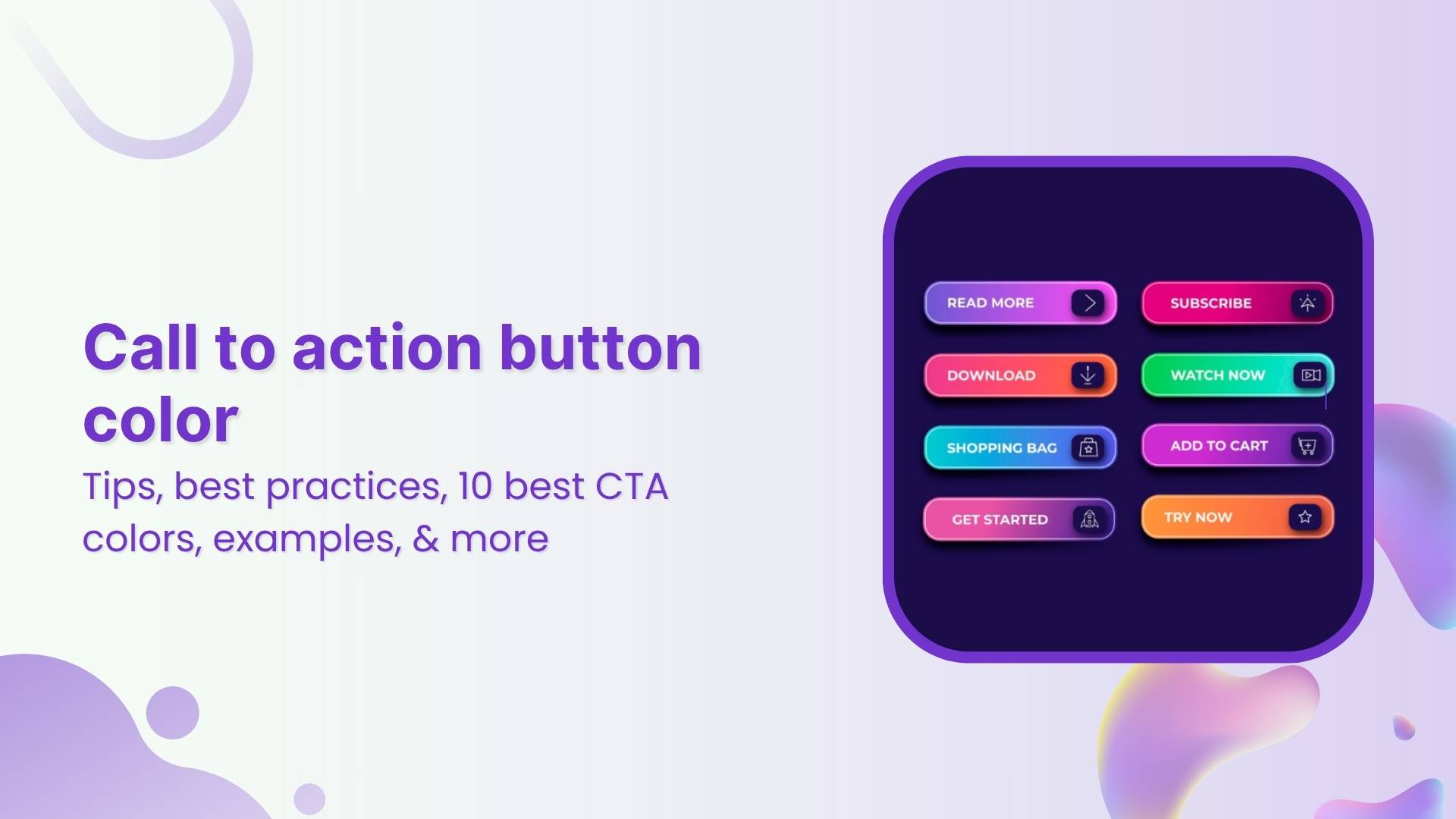
    Best call to action button color to increase conversion rate

    Let’s play a game.

    Think of the color “Blue”.

    What comes to your mind?

    The sky? Calm? Maybe “Monday blues”, or something cool and refreshing?

    Now think “Red”.

    How do you feel?

    In danger? Energized? Bold? Maybe even a little anxious?

    See what just happened?

    Colors don’t just look different; they feel different. They shape how we perceive, react, and decide. In marketing, that’s where color psychology steps in. It’s a quiet force, often overlooked, but it speaks louder than you might think.

    And that brings us to a crucial question: Can something as small as your call-to-action button color really influence clicks?

    YES! It can.

    At first glance, it might seem like a minor design choice. But it’s not. Color quietly guides what users notice, how they feel, and what they do next. The numbers back this up: 60% of people decide whether to accept or reject a product based on color alone. And consistent brand colors can increase recognition by up to 80%.

    But what makes a CTA button color work?

    Is it as simple as using red for urgency and blue for trust? Or is there more behind the choices?

    In this blog, we’ll explore what color psychology tells us, share real-life CTA button examples, and talk about how to choose colors that fit your brand and audience.

    Boost ROI with branded URLs - Replug dashboard showing performance metrics and branded URL creation
    Boost your conversion rates with irresistable CTAs with

    for your marketing campaigns.

    Check

    Higher clicks

    Check

    More leads

    Check

    Better ROI

    Generate free CTAs

    Why call to action button color matters for website conversion

    When you’re working to improve website conversion, it’s easy to focus on things like copy, layout, or adding eye-catching visuals. But, your call to action button color can quietly play a bigger role than you might expect. After all, your CTA button isn’t just a design element; it’s what guides your visitors toward the next step, whether that’s signing up, buying, or learning more.

    Colors influence what catches our eye first, how we feel about a brand, and how confident we feel about taking action. Research suggests that colors can even affect our heart rate, sense of urgency, and trust, all of which directly impact conversion optimization efforts. That’s why something as small as a CTA button can help increase CTR and maximize your conversion rate when chosen thoughtfully.

    Think of it like this: your CTA button is the tipping point between browsing and converting. And while great copy helps, the right color makes that message stand out. 

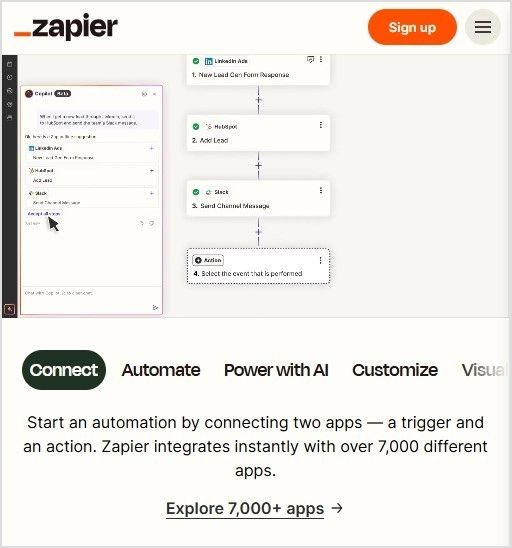
    Just imagine a bold orange “Start free with email” button on a white landing page. It’s almost impossible to miss, isn’t it?

    Example of Zapier orange Start free with email CTA button on a white background
    Source: Zapier

    Choosing a color that contrasts with your background, fits your brand, and aligns with your audience’s preferences can make all the difference.

    Now, let’s look at call to action button color psychology and explore how certain colors can trigger specific emotions and behaviors.

    Call to action button color psychology: How colors influence user behavior

    Call-to-action buttons may look simple, but there’s deep psychology behind what makes people click. Colors tap into emotions, perceptions, and even gender or cultural preferences. For instance, research shows women often prefer purple, green, and blue, while men lean toward blue, green, and black.

    But choosing the right color isn’t just about emotion. It’s about strategy.

    Your button must stand out from the background, reflect your brand tone, and stay consistent across your site. A color that pops in one layout might fade in another. A bold red may scream urgency on a white background but vanish into a dark hero image.

    Also, cultural context matters. White means mourning in China, while in Greece, it’s purple. Brand identity plays a role too: playful orange might feel off on a luxury brand, while elegant black could be too intense for a kids’ site.

    In short: color doesn’t just decorate, it directs. And when chosen wisely, it quietly nudges users to take action.

    Put theory into action with Replug

    Now that you know how much a button color can impact user behavior, here’s the real question: how do you bring this to life on your own pages?

    Replug has a custom CTA generator that helps you design high-performing CTA overlays and bridge pages that align with your brand. You can personalize every detail; text, colors, logos, button placement, and layout, so your CTAs feel intentional and not generic.

    Whether you’re using red for urgency or blue for trust, Replug gives you full creative control to test, tweak, and convert:

    • Button color, size, and placement
    • Backgrounds, layout, and design
    • Targeted messaging that connects with the right audience

    If you’re ready to stop guessing and start converting, Replug gives you the tools to make every CTA count.

    Image showing CTA campaign created in Replug
    Boost ROI with branded URLs - Replug dashboard showing performance metrics and branded URL creation
    Boost your conversion rates with irresistable CTAs with

    for your marketing campaigns.

    Check

    Higher clicks

    Check

    More leads

    Check

    Better ROI

    Generate free CTAs

    Best practices for using CTA button colors

    You’ve seen how colors can influence action, but just picking red or green isn’t enough. Here are a few best practices to make sure your CTA buttons actually convert:

    Contrast is key

    Your button should stand out, not blend in. Make sure it contrasts clearly with the background and surrounding elements.

    Stick to one primary CTA color

    Don’t overload your page with multiple button colors. Choose one primary action color and stick to it for consistency and clarity.

    Test what works for your audience 

    Color psychology is powerful, but it’s not one-size-fits-all. A/B test your CTA colors to see which one actually gets more clicks.

    Use a customizable CTA generator

    Use a CTA generator tool like Replug to design CTA buttons with full control over colors, fonts, and layouts. This way, your CTAs will always feel on-brand and eye-catching.

    Get inspiration from the best brands

    Look into how top brands craft their CTA buttons. Pay attention to color, text, and placement, and take notes on what grabs your attention.

    Pair color with strong copy

    Even the most vibrant button won’t convert if the copy’s vague. Use action-driven text like “Get Started”, “Try it Free”, or “See How It Works.”

    Make it mobile-friendly

    Your CTA should be big enough to tap and look just as good on mobile screens as it does on desktop.

    Now that we’ve doubled down on why the color of your call-to-action button matters and how to customize it using Replug, we’ve handpicked some of the best CTA button color examples for you. These real-world examples will give you a visual understanding of how different colors guide user perception, and how smart brands use them to drive clicks, signups, and sales.

    Ready to pick your favorite? 

    Scroll down and see which CTA makes you want to click!

    10 best call to action button colors (and when to use them)

    So, what is the best call to action button color?


    Marketers, designers, and honestly, entire Slack channels have debated this endlessly. But the answer isn’t as simple as “red always wins” or “blue builds trust.”

    Let’s break it down, color by color, with what psychology and research actually tell us:

    Call to action button cheat sheet

    1. Red: urgency, excitement

    Red is bold, loud, and great when you need to shout. It sparks urgency, perfect for flash sales, limited-time offers, or “Get Started” buttons. Also, red has been shown to increase heart rate.

    • When to use: Short-term offers, countdowns, or high-energy campaigns where you want quick clicks.
    • When to skip: If your brand is about calm, trust, or luxury, red might feel too aggressive or stressful.

    Examples:

    • Coca-Cola: Shop Collection — red evokes excitement and brand passion.
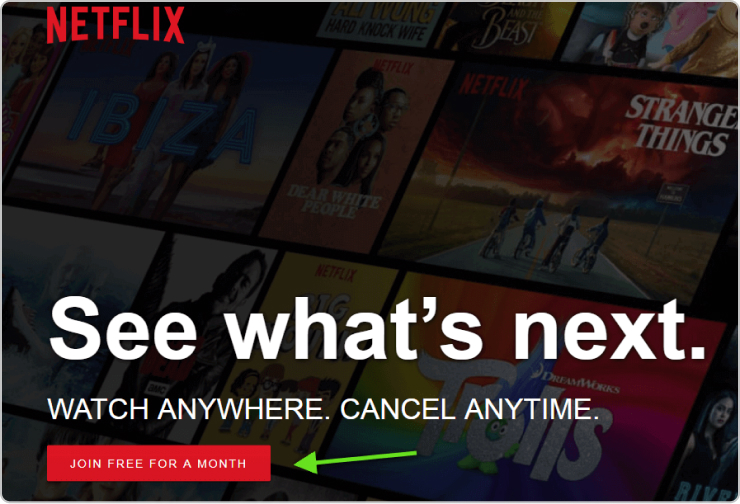
    • Netflix: Get Started — red hints at bold entertainment and immediacy.
    Coca-Cola’s bold red ‘Shop Collection’ CTA reflecting urgency and excitement aligned with its energetic branding
    Source: Coca-Cola
    Netflix’s red ‘Get Started’ button conveying instant access and bold entertainment.
    Source: Netflix

    2. Green: comfort, progress, and go-ahead vibes

    Green is reassuring. It whispers “Go ahead, it’s safe,” which is why it’s often used on checkout buttons or anything health-related. It’s tied to nature, wellness, and even prosperity.

    • When to use: Moments where you want users to feel comfortable and reassured as they take the next step.
    • When to skip: If your site already has a lot of green, your button might fade into the background.

    Examples:

    • Postnitro: Start creating free carousels — calm encouragement to begin.
    • Evernote: Get Evernote free — signals progress with a peaceful touch.
    Postnitro’s green ‘Start creating free carousels’ CTA offering a calm, go-ahead invitation.
    Source: Postnitro
    Evernote’s green ‘Get Evernote free’ button promoting ease and steady progress.
    Source: Evernote

    Also read: 100+ call-to-action phrases you NEED to use [+ best examples]

    3. Blue: trust, calm, and professional polish

    Blue is a crowd favorite. 57% of men and 35% of women rank it as their top color. It feels secure, stable, and reliable, which is why banks, SaaS tools, and corporate sites love it.

    • When to use: Professional services, information-heavy sites, or brands built on credibility.
    • When to skip: In food-related spaces (blue can suppress appetite) or when you want a more emotional, warm vibe.

    Examples:

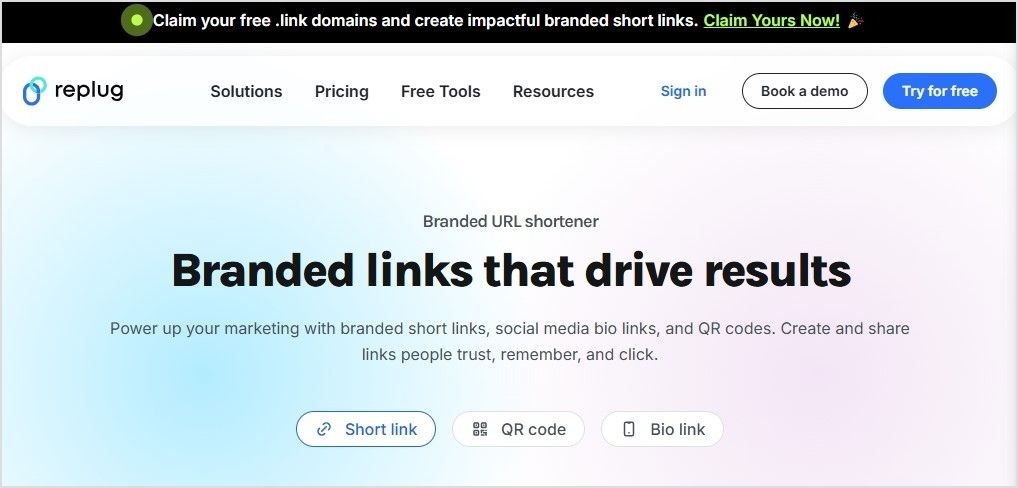
    • Replug: Get your short link for free with this efficient URL shortener online — stable, reliable call to action.
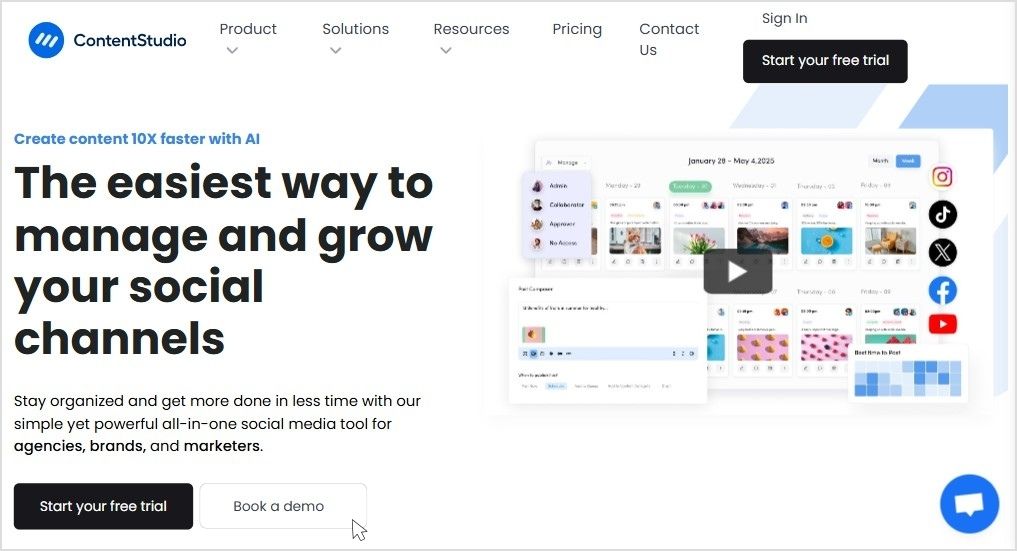
    • ContentStudio: Start your free trial — builds user confidence.
    Replug’s blue ‘Get your short link for free’ CTA reinforcing trust and reliability.
    Source: Replug
    ContentStudio’s blue ‘Start your free trial’ button designed to instill user confidence.
    Source: ContentStudio
    Boost ROI with branded URLs - Replug dashboard showing performance metrics and branded URL creation
    Boost your conversion rates with irresistable CTAs with

    for your marketing campaigns.

    Check

    Higher clicks

    Check

    More leads

    Check

    Better ROI

    Generate free CTAs

    4. Orange: friendly, fun, and attention-grabbing

    Orange is energetic and playful, combining red’s urgency with yellow’s cheerfulness. However, about 29% of people rank orange as their least favorite color. It can feel cheap or off-brand in serious contexts.

    • When to use: Playful brands or when you want fast engagement without feeling too aggressive.
    • When to skip: Luxury products or serious industries where a more premium feel is needed.

    Examples:

    • HubSpot: Get a demo — warm and inviting for curious prospects.
    • The Budgetnista: Take the 60 sec quiz — quick and casual engagement.
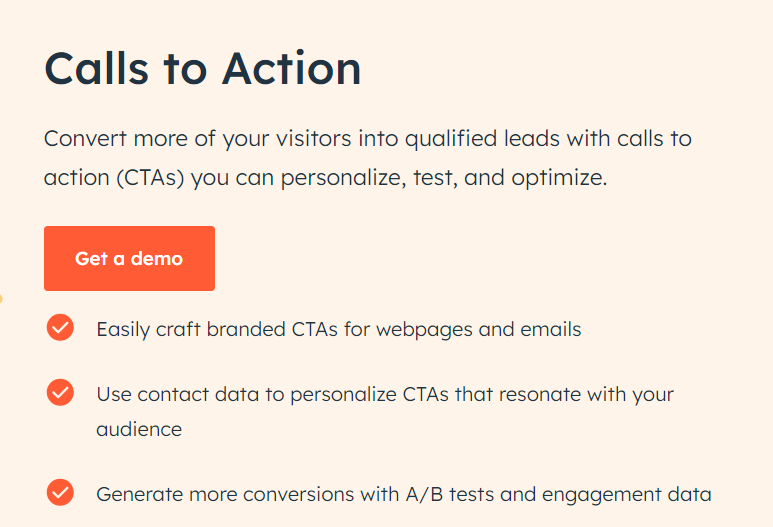
    HubSpot’s orange ‘Get a demo’ CTA blending energy with friendliness.
    Source: Hubspot
    The Budgetnista’s orange ‘Take the 60 sec quiz’ button encouraging quick user action.
    Source: The BudgetNista

    Also read: Call to action for social media: 15 best examples

    5. Yellow: Bright, optimistic, and grabs attention

    Yellow pops off the page and brings a sunny, cheerful energy. It’s hard to miss, which is great for catching eyes. But too much yellow can feel overwhelming or even cautionary, like a warning sign.

    • When to use: Secondary actions, highlights, or to draw attention to updates and offers.
    • When to skip: As your main CTA color. It can strain the eyes or create tension if overused.

    Examples:

    • charity: water: Join now — optimistic urgency for a cause.
    • Mailchimp: Start preview — energetic but not overwhelming.
    charity: water’s yellow ‘Join now’ CTA drawing attention with positive urgency.
    Source: charitywater
    Mailchimp’s yellow ‘Start preview’ CTA providing a cheerful invitation without pressure.
    Source: mailchimp

    6. Pink: playful, creative, and niche

    Pink feels fresh and youthful. It’s a favorite in beauty, lifestyle, and creative spaces.

    • When to use: Visuals and brands that embrace creativity, femininity, or trendiness.
    • When to skip: More minimalist, corporate, or gender-neutral designs where pink might feel out of place.

    Examples:

    • Barbie: Join #BarbieWatchParty on X — playful and on-brand.
    • Wool and the Gang: SHOP NOW — stylish with a soft edge.
    Barbie’s pink ‘Join #BarbieWatchParty’ CTA promoting playful community engagement.
    Source: Barbie
    Wool and the Gang’s pink ‘SHOP NOW’ CTA offering a trendy, creative shopping experience.
    Source: Wool and The Gang

    7. Purple: luxury, creativity, and prestige

    Historically tied to royalty, purple has always carried an air of exclusivity. It’s also linked to imagination and sophistication.

    • When to use: High-end products, boutique brands, or creative spaces.
    • When to skip: Mass-market audiences or when you want to appear approachable and mainstream.

    Examples:

    • Usermaven: Sign up free — smart and slightly premium.
    • Discord: Earn Orbs — community and creativity meet.
    Usermaven’s purple ‘Sign up free’ CTA signaling premium yet accessible value.
    Source: Usermaven
    Discord’s purple ‘Earn Orbs’ CTA reflecting creative community interaction.
    Source: Discord

    8. Black: sleek, bold, and modern minimalism

    Black buttons look powerful and stylish, especially for fashion, luxury, or tech brands. About 28% of famous companies use black as their brand colors for a cutting-edge feel.

    • When to use: Premium product lines, minimalist designs, or when you want to add weight to your button.
    • When to skip: Friendly, casual brands or spaces where black might come off as too harsh or impersonal.

    Examples:

    • Contentpen: Start with 3 free articles — sharp and direct.
    • Typeform: Get Started — it’s free — stylish and professional.
    Contentpen’s black ‘Start with 3 free articles’ CTA communicating professionalism and minimalism.
    Source: Contentpen
    Typeform’s black ‘Get Started — it’s free’ CTA showing modern sophistication.
    Source: Typeform

    9. Grey: neutral, calm, and understated

    Grey doesn’t compete for attention, making it ideal for secondary actions. It’s balanced and professional but easily blends into the background if not used carefully.

    • When to use: Supporting buttons, disclaimers, or actions that don’t need the spotlight.
    • When to skip: As your main CTA color, it can feel dull or signal a disabled state.

    Examples:

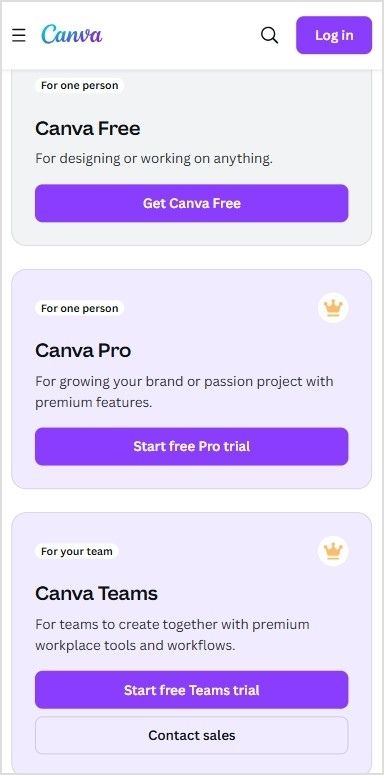
    • Canva: Read more — clear, but not dominant.
    • Etsy: Shop these unique finds — blends into a creative backdrop.
    Canva’s grey ‘Read more’ CTA quietly guiding users to secondary content.
    Source: Canva
    Etsy’s grey ‘Shop these unique finds’ button subtly supporting the overall visual theme.
    Source: Etsy

    10. White: pure, simple, and clean

    White lets other design elements shine. It creates a sense of space and minimalism when used well. But too much white can create visibility issues, especially with low-contrast backgrounds.

    • When to use: High-end, airy layouts or when your background is dark and you need something that pops.
    • When to skip: White-on-white designs or when the overall feel risks being too sterile or lifeless.

    Examples:

    • M&M’s: Personalize your M&M’S — lets color pop on the page.
    • Apple: Watch the clip — sleek, distraction-free experience.
    M&M’s white ‘Personalize your M&M’S’ CTA standing out with clean simplicity.
    Source: M&M’S
    Apple’s white ‘Watch the clip’ CTA blending into a premium, distraction-free layout.
    Source: Apple

    Quick recap

    • Warm colors like red, orange, and yellow can create urgency and excitement.
    • Cool colors like blue, green, and black often build trust or feel premium.
    • There’s no single “best color,” only the best choice for your brand, audience, and context.

    What experts say about CTA button colors and conversion optimization

    If you search online for the “best call to action button color”, you’ll quickly find lots of strong opinions, and sometimes, conflicting advice. Some marketers swear by red for urgency. Others love green for its calm and positive feel. And plenty argue that blue builds the most trust. 

    So, who’s right?

    Experts often fall into three camps when it comes to conversion optimization:

    Call to action camps for conversion optimization
    • The generalizers: They share broad best practices, like “warm colors grab attention” or “contrast your button against the background.” These tips help, but they don’t always explain why certain colors resonate more with specific audiences.
    • The pigeonholers: They believe there’s a secret formula, a single “winning” color that always boosts conversions. But, what works for one brand or campaign might not work for another.
    • The perpetual testers: They focus on experimenting over and over. For them, there’s no one-size-fits-all answer. The real key is trying different button colors, tracking what drives clicks, and refining based on results.

    The truth is, your call to action button color does matter, but context is everything. Replug users often run A/B tests on their landing pages to see which one performs best – and call to action button colour can be a potential variable as to why only one landing page is worth keeping. 

    For instance, some audiences might click more on a bold orange “Learn More” button, while another responds better to a calm blue “Get Started.” This testing-first mindset is what often helps brands increase CTR and see the real impact of color on your conversion rates.

    There isn’t a single color that works perfectly for every product or audience. Instead, it’s about choosing a color that fits your brand, contrasts well with your design, and feels right to your target users.

    Wrapping it up

    The right CTA button color can catch the eye, stir emotion, and even nudge someone to click.

    But there’s no one-size-fits-all formula.

    Your brand, audience, and goals should guide your palette. Want trust? Try blue. Need urgency? Red might do the trick. Going for luxury? Maybe black.

    So, test, tweak, and trust your data. And don’t be afraid to break the “rules” if it works for your people.

    Because at the end of the day, it’s not just about color psychology; it’s about connection.

    Boost ROI with branded URLs - Replug dashboard showing performance metrics and branded URL creation
    Boost your conversion rates with irresistable CTAs with

    for your marketing campaigns.

    Check

    Higher clicks

    Check

    More leads

    Check

    Better ROI

    Generate free CTAs

    FAQs for call-to-action button color

    What is the color palette for CTA buttons?

    There’s no fixed palette, but popular CTA button colors include red (urgency), green (go), blue (trust), orange (excitement), and black (luxury). The best color depends on your brand vibe and what action you want people to take.

    What is a good color for a button?

    A good button color stands out from your background and matches your message. Red and orange work well for urgent actions, while green and blue feel more calm and trustworthy.

    What color attracts people to click?

    Red and orange tend to drive the highest click-through rates in many tests. But ultimately, the most “clickable” color is one that contrasts well and aligns with user expectations on your site or campaign.

    What is call-to-action button color psychology?

    CTA button color psychology is the study of how different colors influence people’s decisions to click. For example, red can create urgency, blue builds trust, and green signals success. Choosing the right color can improve conversions—when done with context in mind.

  • Call-to-action overlays: Types, tips & templates [+ examples]

    Call-to-action overlays: Types, tips & templates [+ examples]

    Sharing useful content is part of every marketer’s daily routine; whether it’s an insightful article, a trending video, or a how-to guide your audience will love, But what if, instead of stopping there, you could guide your audience toward the next step you want them to take; right on top of the content you share? That’s where call-to-action overlays come in.

    Boost ROI with branded URLs - Replug dashboard showing performance metrics and branded URL creation
    Boost your conversion rates with irresistable CTAs with

    for your marketing campaigns.

    Check

    Higher clicks

    Check

    More leads

    Check

    Better ROI

    Generate free CTAs

    In this blog, we’ll explore what CTA overlays are, how they work, why they’re powerful, real examples, templates, best practices, and how tools like Replug make creating call-to-action overlays simple, even if you don’t code.

    What are call-to-action overlays?

    A call-to-action overlay is a small, non-intrusive, and interactive pop up or banner (like a CTA banner or CTA button) that appears over content.

    These overlays act as interactive prompts, encouraging users to:

    • Click a CTA button to visit your landing page
    • Subscribe to your newsletter
    • Download a resource
    • Follow your social channels

    Why use CTA overlays?

    Adding call-to-action overlays to content helps:

    • Increase traffic to your website or landing page
    • Build email lists faster
    • Promote offers, webinars, or digital products
    • Maximize conversions on your offers or promotions
    • Keep your brand visible even when sharing third-party content

    For example, if you share an article about marketing trends, your CTA banner could invite readers to download your free eBook on the same topic.

    With tools like Replug.io, you can add CTA overlays in minutes, turning every shared link into an opportunity to capture leads.

    How do call-to-action overlays work?

    You start by selecting a call-to-action generator like Replug; a tool that not only lets you add customizable call-to-action banners and pop-ups but also tracks clicks to see what’s working best.

    Next, you:

    • Pick the content you want to share. It can be anything; an article, video, or guide that your audience will find useful and engaging.
    • Design your overlay. This could be a button, banner, or popup form featuring a short message and a clear call to action, like “Subscribe now” or “Get the free guide.”

    Replug makes it easy to brand these overlays with your logo, colors, and style, so every shared link becomes a subtle marketing asset that drives traffic back to your website or landing page.

    How to create call-to-action overlays with Replug

    Adding CTA overlays with Replug is quick and doesn’t need any coding. Here’s how:

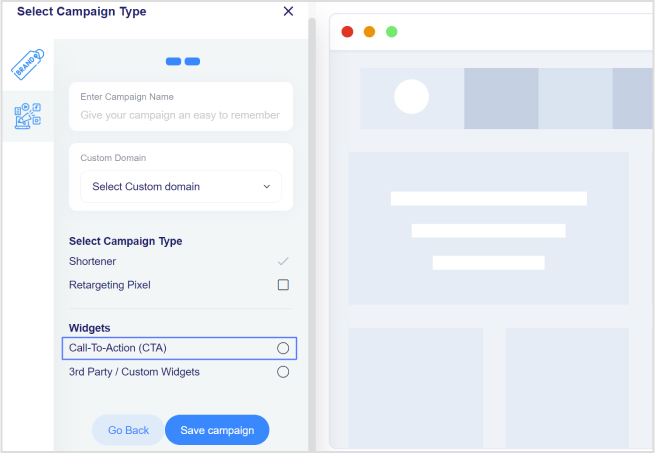
    Step 1: Log in to Replug or sign up for a 14-day trial with access to full features.

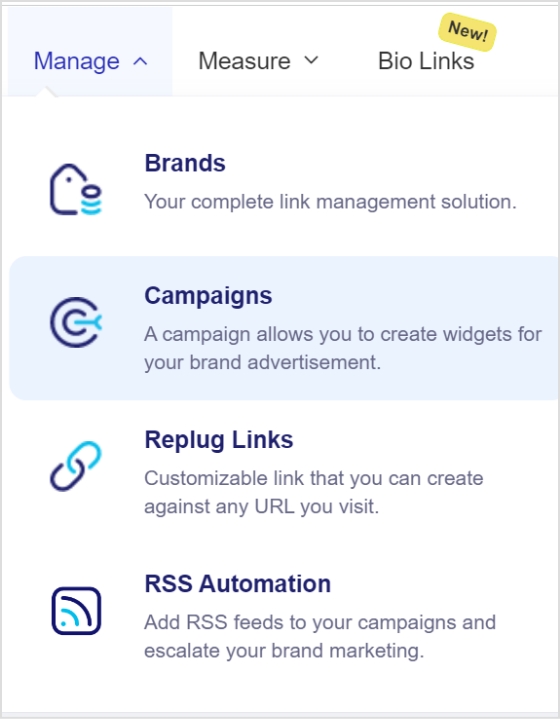
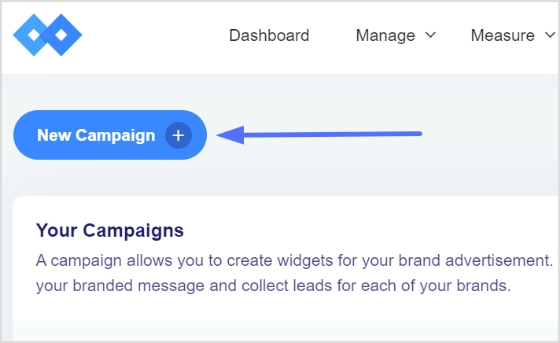
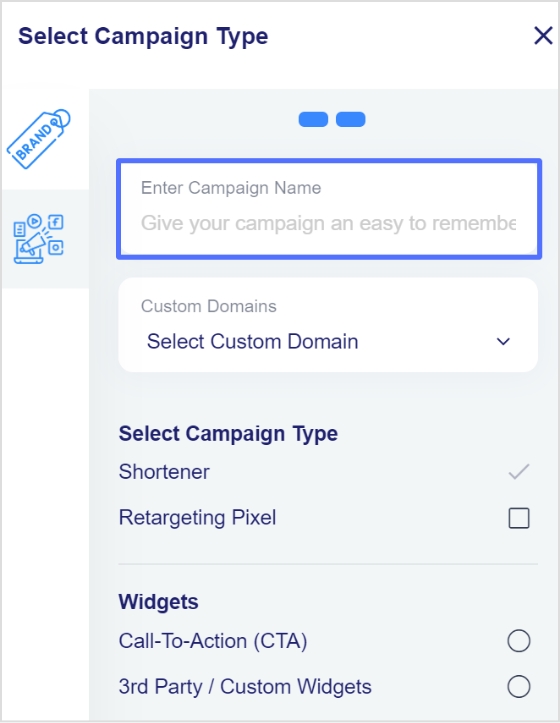
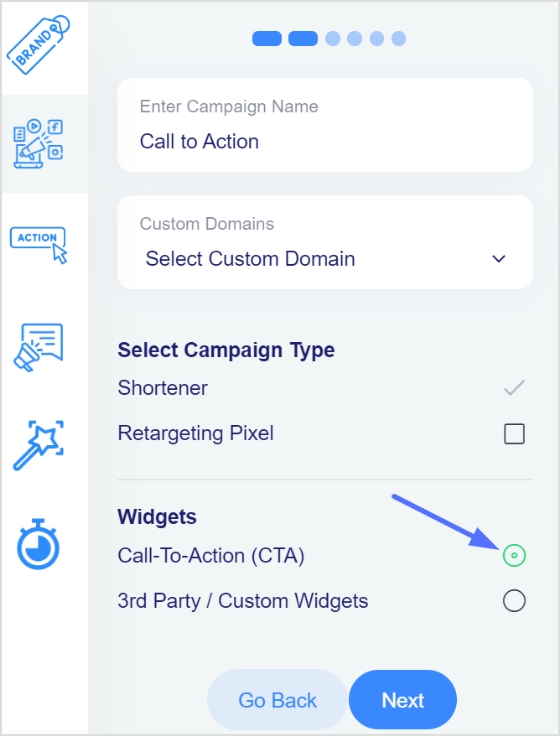
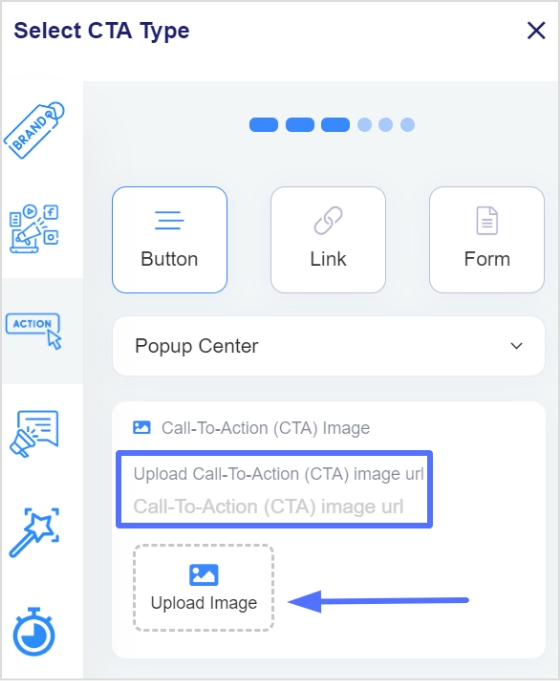
    Step 2: Create a new CTA from the campaign section

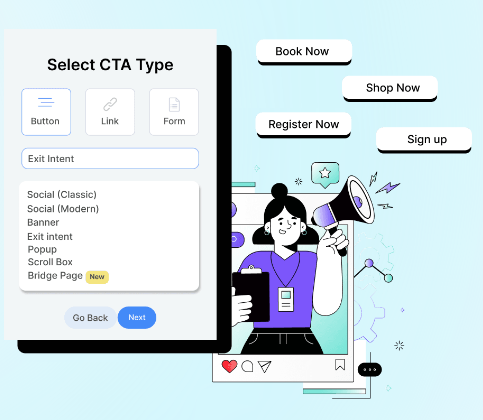
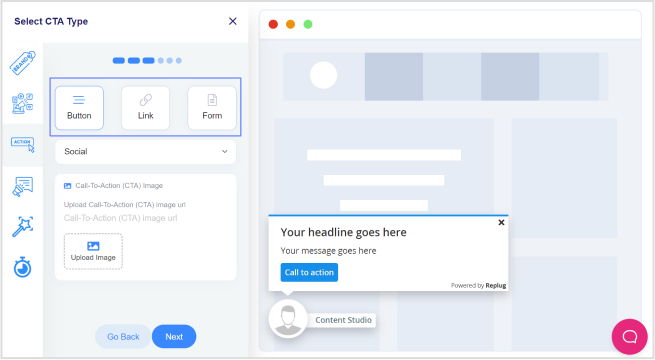
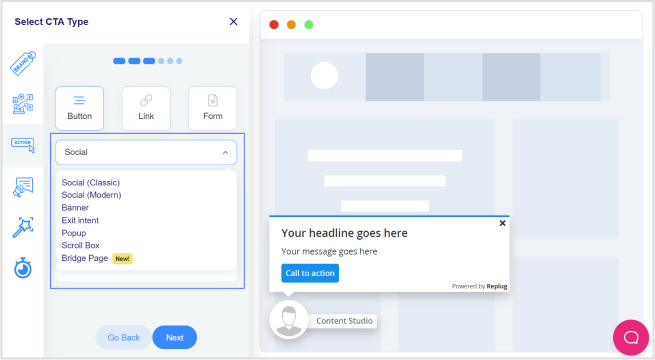
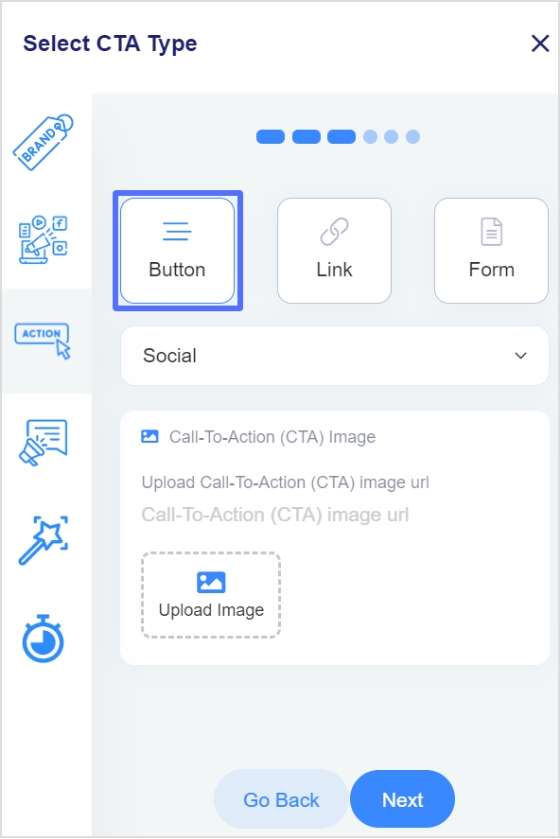
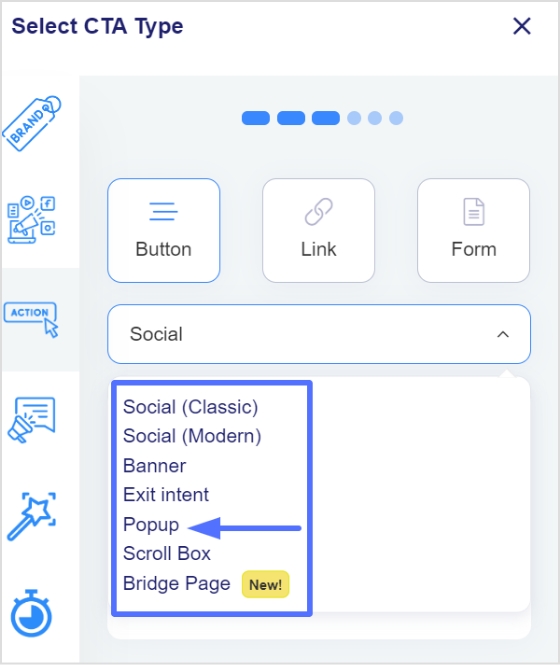
    Step 3: In the “Call-to-action” tab, select your button style (or call-to-action overlay).

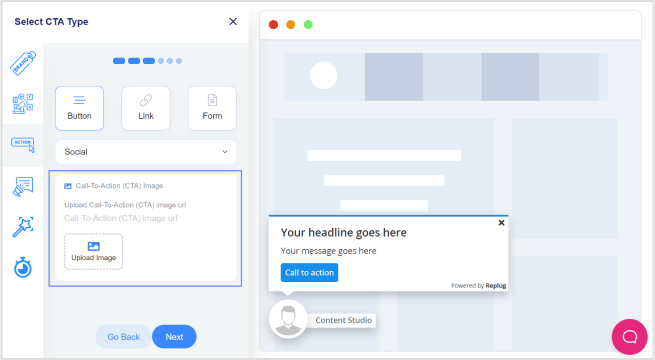
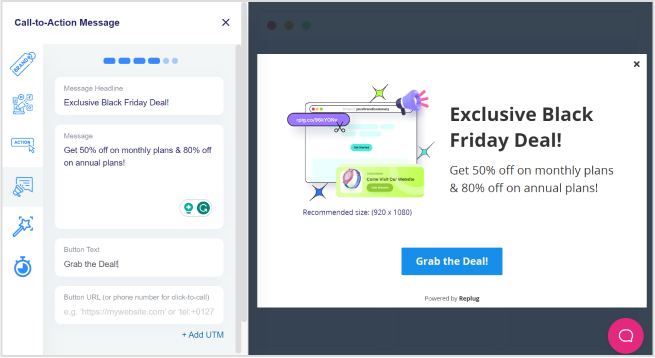
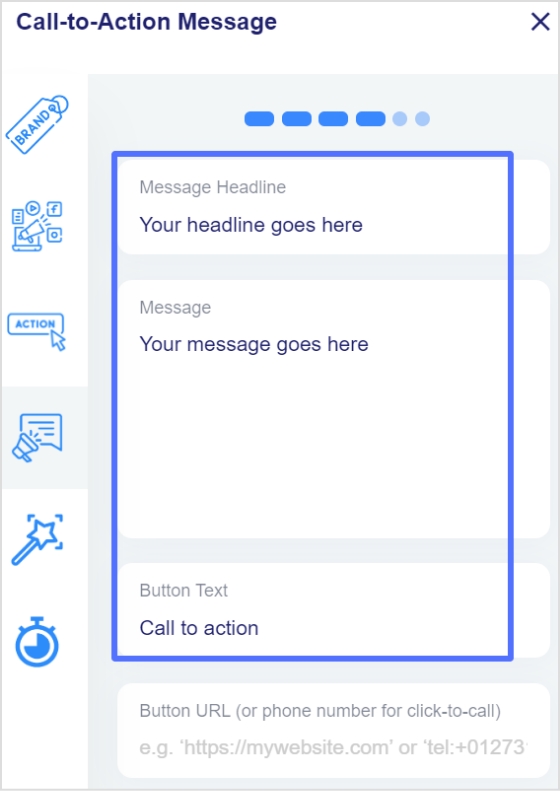
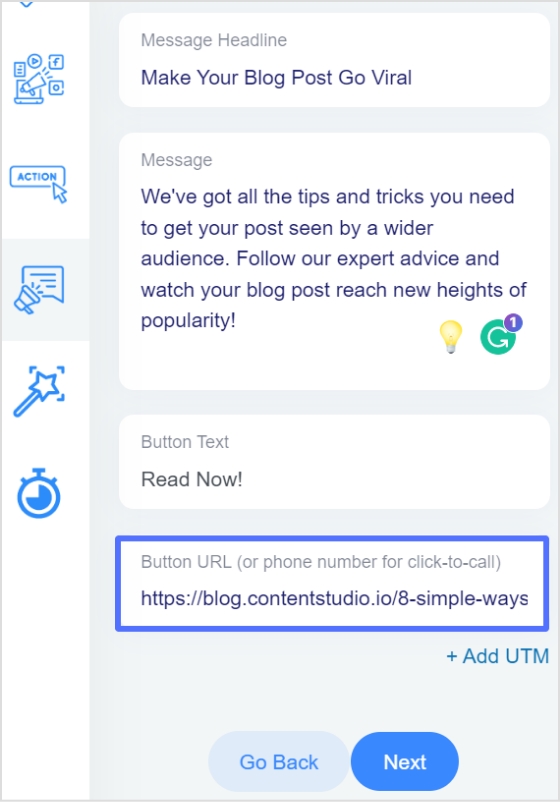
    Step 4: Click “Next”. Type in a catchy headline, message, button text, and link URL (or phone number) for your CTA campaign.

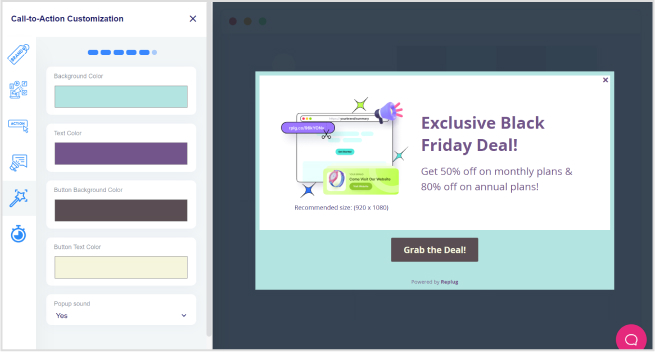
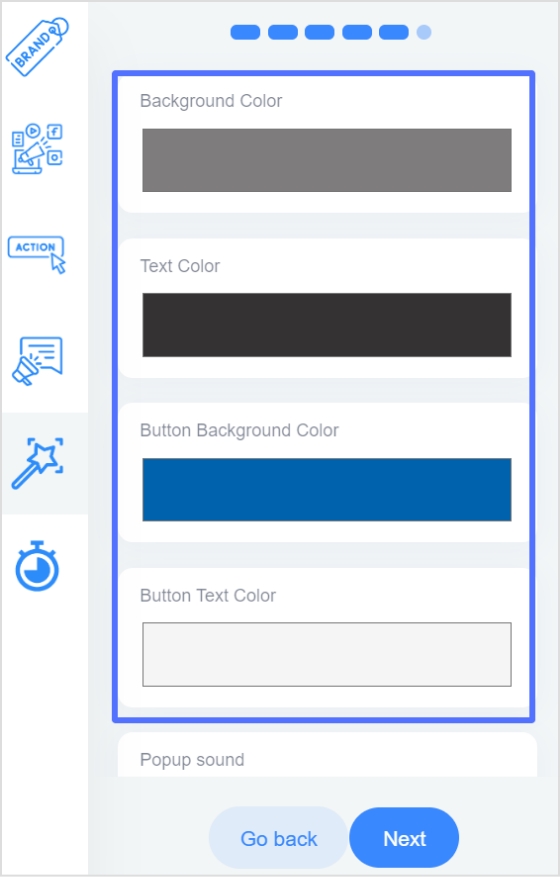
    Step 5: Customize the look. Pick a colour palette or adjust it yourself by changing the background, text colour, and tweaking the appearance.

    In just a few minutes, you’ll have a branded pop up, exit intent, banner, or social classic/modern CTA button ready to add to any shared link, helping you drive traffic to your landing page, collect leads, or promote special offers.

    Boost ROI with branded URLs - Replug dashboard showing performance metrics and branded URL creation
    Boost your conversion rates with irresistable CTAs with

    for your marketing campaigns.

    Check

    Higher clicks

    Check

    More leads

    Check

    Better ROI

    Generate free CTAs

    Types of call-to-action overlays

    Replug offers multiple types of call-to-action overlays so you can match your message with your marketing goal. Here’s a quick look:

    Overlay typeWhat it looks likePerfect for
    Pop upLarge overlay in the center of the screenGrabbing attention, collecting emails, limited-time offers
    BannerLong strip at the top or bottom of the pageSharing announcements, driving traffic to a landing page, subtle promotions
    Scroll boxAppears when a visitor scrolls a set percentage down the pageEngaging already-interested users, mid-article offers
    Exit intentShows up when someone is about to leave the pageSaving abandoned visitors, last-chance discounts, newsletter sign-ups
    Social classic and social modernSmall, always-visible button on the pageKeeping your brand visible, encouraging ongoing engagement, linking to social or special pages

    With Replug, adding these CTA overlays to your shared links is simple. You can turn every pop up, banner, or social classic/modern CTA button into a powerful tool to guide visitors back to your landing page, newsletter, or offer.

    Also read: CTA in marketing: What it means and why it matters

    Best practices for designing effective CTA overlays

    Your call-to-action (CTA) overlay isn’t just a button or banner; it’s the make-or-break moment between a visitor and a conversion. A few thoughtful tweaks can turn a passive visitor into an active user. 

    Here’s how to get it right:

    Keep it clear and actionable

    Use verbs that make the next step obvious: “Download your free ebook now,” “Start free trial,” or “Get my exclusive discount.” Avoid vague CTAs like “Click here” or “Learn more,” as they don’t clearly communicate the benefit to the user.

    Add your official contact information

    Include your business email, phone number, or website so people know the overlay is legitimate and can easily reach you.

    Make it stand out but stay on-brand

    Your CTA overlay should catch the eye without clashing with your overall design. Use contrasting colors that draw attention, while still fitting within your brand palette. Rounded corners and subtle shadows can also make buttons feel more inviting and clickable.

    Also read: Top call-to-action tools – Proven CTA tips and tricks

    Size and placement matter

    A call-to-action overlay should be large enough to notice, but not so large it feels overwhelming. Place it above the fold and repeat it after key sections or at the end of longer pages, so visitors always have an opportunity to take action without scrolling back.

    Test different variations

    Small changes, like updating text from “Sign up” to “Join free,” or adjusting the button color, can affect conversion rates. Use A/B testing to see which combinations work best for your audience.

    Create a sense of trust and urgency

    Adding phrases like “Secure checkout,” “Limited offer,” or “Offer ends today” helps encourage faster action and reassures users about the safety of their information.

    Keep it concise

    CTA text should typically stay between two to five words. Short, direct messages have more impact and are easier for users to process quickly.

    Tip: If you’re using tools like Replug to add CTA overlays to curated content, apply the same best practices: clear copy, contrasting design, and strategic placement. This will guide users toward your goal effectively.

    Examples of call-to-action overlays

    Here are some examples of the different types of call-to-action overlays:

    1. Replug

    – Top banner CTA overlay

    Example of Replug top banner CTA overlay

    2. ContentStudio

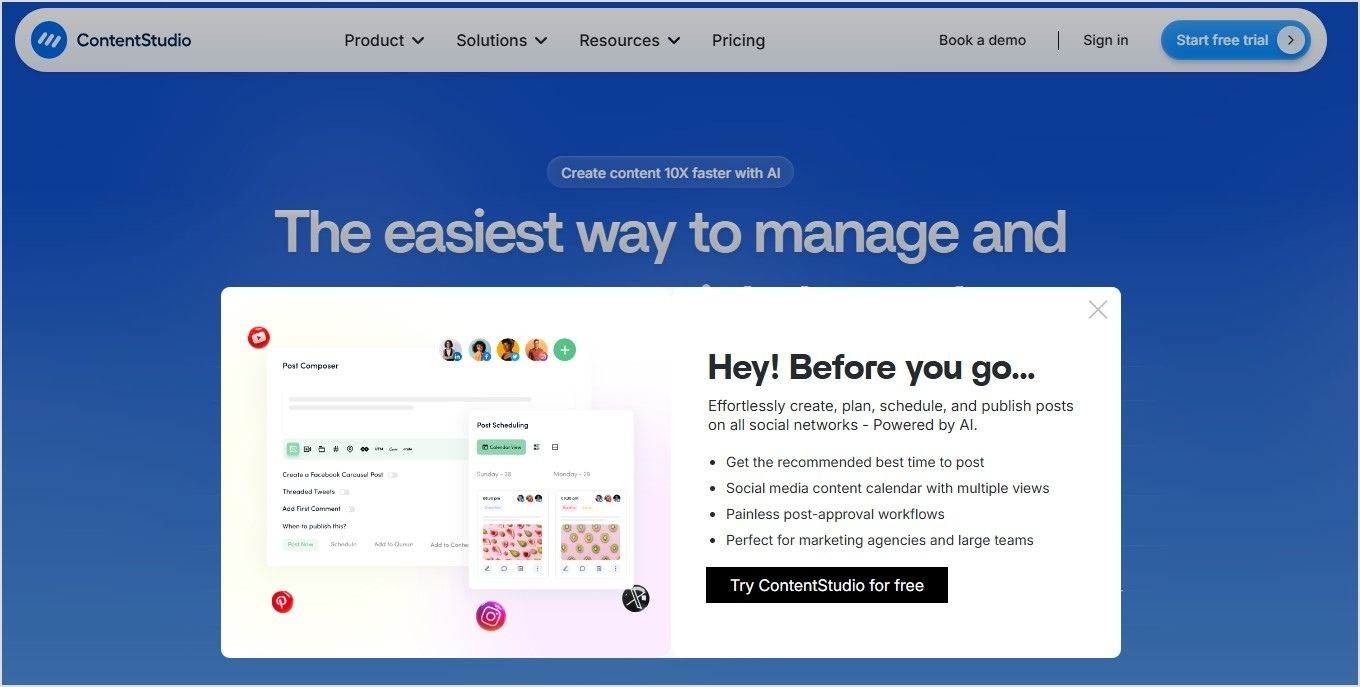
    – Exit intent CTA overlay

    Example of ContentStudio exit intent CTA overlay

    3. Usermaven

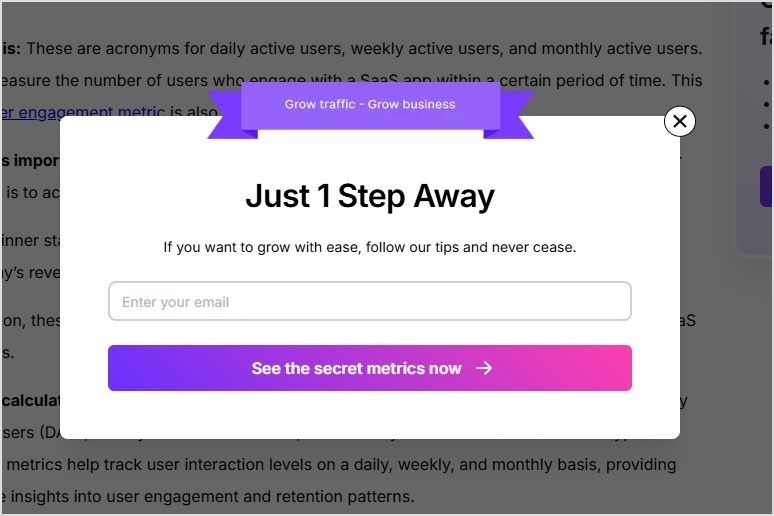
    – Popup CTA overlay

    Example of Usermaven popup CTA overlay

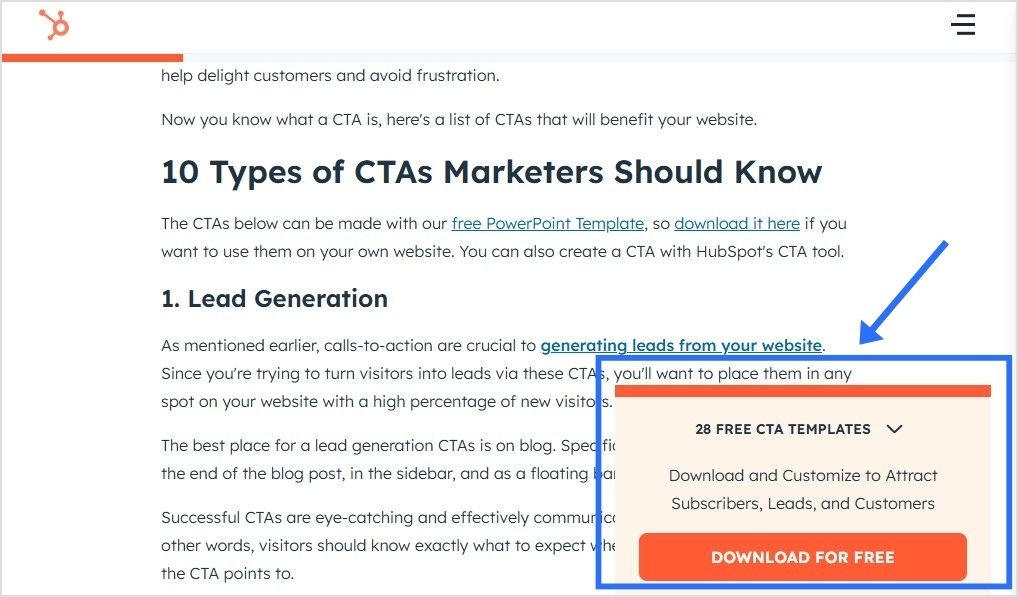
    4. HubSpot

    – Social classic/modern CTA overlay

    Example of Hubspot CTA social classic overlay

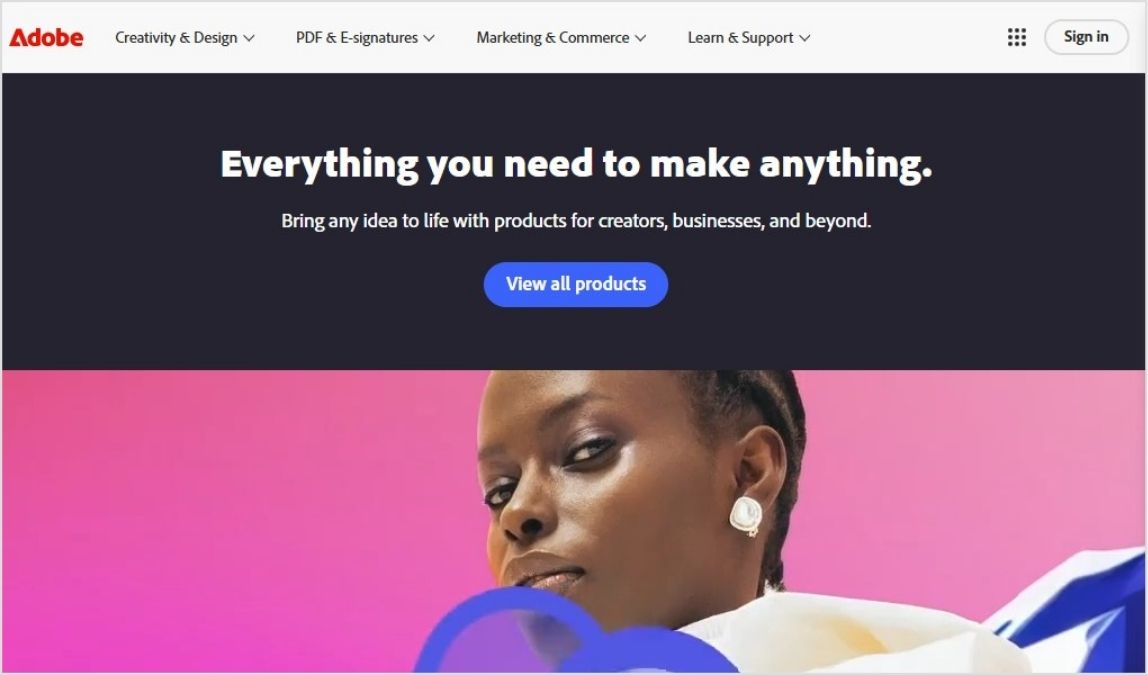
    5. Adobe

    – Top banner CTA overlay

    Example of Adobe top banner CTA overlay

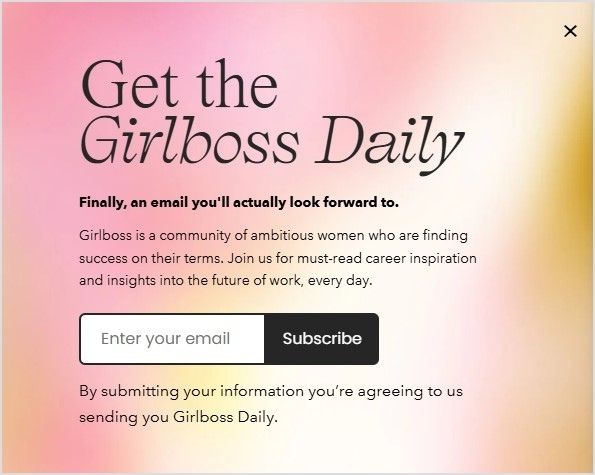
    6. GirlBoss Daily

    – Scroll Box CTA overlay

    Example of Girlboss Daily scroll box CTA overlay

    7. Backlink.io

    – Popup CTA overlay

    Example of backlink.io popup CTA overlay

    8. TechCrunch

    – Top banner CTA overlay

    Example of TechCrunch top banner CTA overlay

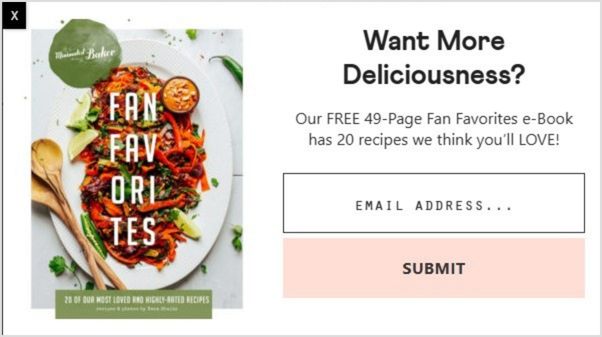
    9. Minimalist Baker

    – Popup CTA overlay

    Example of Minimalist Baker popup CTA overlay

    10. Canva

    – Bottom banner CTA overlay

    Canva bottom banner CTA overlay

    CTA overlay templates you can copy and paste

    Need a little spark to write your overlays? Here are real-life inspired CTA overlay templates or CTA button templates you can copy, tweak, and make your own. From popups to banners and scroll boxes, these aren’t your typical “click here” buttons; they’re punchy, playful, and crafted to get real clicks.

    ScenarioOverlay typeTemplate (headline + message + CTA button)
    Sharing a trending industry articlePopupHeadline: “Get our free 2026 social media checklist!”Message: “Stay ahead of trends with proven tips.”CTA button: “Show me the secrets”
    Sharing a product review blogBannerHeadline: “Limited-time offer!”Message: “Use code SAVE10 for 10% off your first purchase.”CTA button: “Yes, I want the deal”
    Sharing a whitepaper or reportBannerHeadline: “Need expert advice?”Message: “Book a free consultation to grow your business.”CTA button: “Let’s make a plan”
    Sharing a YouTube videoSocial modernButton text: “Send me fresh tips”
    Sharing a lifestyle blogExit intentHeadline: “Wait! Don’t miss this deal.”Message: “Sign up now and get 10% off your first order.”CTA button: “Unlock my discount”
    Sharing a blog on productivity hacksScroll boxHeadline: “Want to work smarter?”Message: “Book your free strategy call today.”CTA button: “Yes, boost my workflow”

    Also read: 100+ call-to-action phrases you NEED to use [+ best examples]

    Conclusion

    Call-to-action overlays transform every piece of shared content into a conversion tool.

    Whether you’re driving traffic to your landing page, collecting emails, or promoting offers, CTA overlays keep your brand in the spotlight, even on third-party content.

    Tools like Replug make adding CTA banners, popups, and buttons effortless, helping you capture more leads without extra effort. You can pair it with this powerful link shortener to track clicks and boost engagement effortlessly.

    Start turning your shared links into results today!

    FAQs on call-to-action overlays

    What are call-to-action overlays?

    They’re small popups or banners that appear over content, prompting users to take action (e.g., click, subscribe, visit a landing page).

    Why don’t CTA overlays work on every website?

    Some websites like Facebook, LinkedIn, or most Google pages, use iframe restrictions to protect their content. This means they don’t allow their pages to be displayed inside another page. When this happens, tools like Replug offer an option to create a summary page. Instead of showing the original site directly, your audience sees a branded page summarizing the content, along with your CTA overlay.

    Can I customize the design of my call-to-action overlay?

    Yes! With tools like Replug, you can change text, colors, and CTA button styles to match your brand.

    What is the best practice for CTA placement?

    Place CTAs where they naturally fit into the user journey: above the fold, at the end of content, or triggered by user behavior (like scrolling or exit intent). With call-to-action overlays, you can place them to appear as popups, banners, or scroll boxes, so they stay visible without being disruptive.

    Are call-to-action overlays compatible with all content?

    In most cases, yes! Call to action overlays are compatible with blog posts, articles, YouTube videos, product pages, and landing pages. Some sites may block iframe-based overlays, but you can counter this by creating a bridge page using Replug.

    What is an example of a call to action?

    A simple example: “Subscribe to get our free weekly tips.”

    As a call-to-action overlay, this might appear as a banner over an article you share, or as an exit intent popup inviting visitors to sign up, keeping your message front and center even when sharing external content.

    Is a CTA always a button?

    Not always! While CTAs often appear as buttons because they’re clear and clickable, they can also be banners, text links, floating widgets, or popups, especially when used as call-to-action overlays on shared content.

    What’s the difference between a CTA banner and a popup?

    A banner stays at the top or bottom of the page, while a popup appears in the center or corner, often for email capture.

  • CTA in marketing: What it means and why it matters

    CTA in marketing: What it means and why it matters

    Every marketing message needs a final spark; a clear, direct step that turns a passive visitor into an active customer. This is where the CTA, or call to action, plays its part. By guiding your audience from curiosity to action, it helps increase engagement and turns interest into measurable results.

    But what is a CTA in marketing, and why does it matter so much? 

    In this blog, we’ll look at what CTA stands for in marketing, explain the difference between soft CTA and hard CTA, look at powerful CTA examples in marketing, explore practical tips, and how tools like Replug help you create a CTA that increases your conversion rate.

    Boost ROI with branded URLs - Replug dashboard showing performance metrics and branded URL creation
    Boost your conversion rates with irresistable CTAs with

    for your marketing campaigns.

    Check

    Higher clicks

    Check

    More leads

    Check

    Better ROI

    Generate free CTAs

    What does CTA stand for in marketing?

    CTA stands for call to action. In marketing, it’s what tells your audience what to do next, like “buy now”, “subscribe”, or “download”.

    The call to action marketing definition is simple: it’s about guiding your audience from just looking to actually doing. CTAs appear as buttons, hyperlinks, banners, or even phrases in videos and emails. They might be as direct as “start free trial” or as gentle as “discover more”, but their purpose stays the same: lead people toward action.

    CTA in marketing: why it matters

    What does CTA mean in marketing? It means turning curiosity into clicks, and clicks into measurable business results.

    Think of your content as a conversation. Without a CTA, that conversation stops short; you’ve sparked interest, but you haven’t shown what to do next. Effective CTA marketing bridges that gap. It keeps visitors engaged, increases your ROI, and helps you guide each person through the customer journey, from awareness to consideration and finally to decision.

    In other words, CTA in marketing isn’t just about adding a button; it’s about creating a clear path your audience wants to follow.

    Even small branded elements, like custom pins, can serve as creative CTAs by drawing attention and encouraging action in a subtle way.

    Types of CTAs: soft CTA vs. hard CTA

    Successful marketing often uses a mix of soft CTA and hard CTA, matched to where your audience is in the funnel.

    TypeWhat it doesExamplesWhen to use
    Soft CTAEncourages low‑commitment, exploratory steps– Learn more
    – See how it works
    – Discover more
    Early stages: Building trust and educating
    Hard CTAPushes for a final, decisive action– Buy now
    – Subscribe
    – Download now
    Later stages: When your audience is ready to convert

    Using both keeps your CTA marketing natural: soft CTAs spark interest; hard CTAs convert that interest into results.

    Also read: Call to action for social media: 15 best examples

    Examples of CTA in marketing

    Call to action examples

    Here are some common yet, effective examples of effective CTAs in marketing and their primary purpose:

    • Buy now → ideal for product pages to drive immediate sales
    • Subscribe → great for email newsletters, free trials, or community sign‑ups
    • Download → offers free resources to nurture leads
    • Claim offer → works well with limited‑time promotions to create urgency
    • Add to cart → simplifies ecommerce checkout
    • Share → turns your audience into brand advocates by encouraging social sharing

    Each CTA is short, clear, and purpose‑driven, showing exactly what action you want the user to take.

    Want inspiration for call-to-action phrases for your marketing campaigns? Here’s our list of 100+ killer CTA phrases you don’t want to miss!

    How to create an effective call to action for marketing?

    There are many tools out there to help you craft a compelling call to action as part of your marketing strategy. However, Replug stands out because it offers a custom overlay creator designed to simplify the entire process.

    Inside Replug, you can create a dedicated CTA campaign, choosing your message, button text (buy now, subscribe, or any custom copy), and styling it to match your brand’s look and feel. You can also create dynamic CTAs that adapt based on your audience or campaign goals, helping you keep messaging fresh and personalized without starting from scratch.

    Moreover, you can decide where your CTA appears: as a pop‑up, using a banner template, or even on a bridge page when direct overlays aren’t supported on platforms like Facebook or Google.

    Boost ROI with branded URLs - Replug dashboard showing performance metrics and branded URL creation
    Boost your conversion rates with irresistable CTAs with

    for your marketing campaigns.

    Check

    Higher clicks

    Check

    More leads

    Check

    Better ROI

    Generate free CTAs

    This means you’re not just making a single button, you’re building a consistent, branded experience across all your links and content.

    If you’d like to see exactly how to set this up, check out our step‑by‑step guide to creating CTA campaigns in Replug.

    Best practices for effective CTA marketing

    Crafting CTAs isn’t only about writing clever text; it’s about understanding what will truly motivate your audience to act.

    Start by knowing your goal

    Before writing your CTA, decide what you want to achieve. Are you trying to get sign‑ups, drive direct purchases, or increase downloads? A clear goal ensures your CTA aligns with your content and your business strategy.

    Use action‑oriented language

    Strong verbs like “start”, “discover’, “join”, “buy now”, or “subscribe” add energy and clarity. They don’t just tell users what to do; they help them feel ready to do it.

    Focus on benefits, not just actions

    People click when they see what’s in it for them. Instead of “submit”, try “get your free guide”. This approach shifts attention to the value your offer provides.

    Design for visibility

    A CTA button should catch the eye without overwhelming the design. Contrast with surrounding colors, add whitespace, and keep fonts bold yet clean.

    Strategic placement matters

    CTAs don’t always belong only at the bottom. Try placing them after product descriptions, in blog posts, or as exit pop‑ups. Replug even lets you add branded CTAs on curated content you share, so every link becomes part of your funnel.

    Note on platform restrictions
    Some digital platforms like Facebook, Google, or YouTube restrict adding custom CTAs directly due to iframe or embed policies; which can be frustrating for users, especially affiliates. To work around this, you can use Replug to create a bridge page: a branded intermediate page that appears before the final destination. It hosts your CTA, so you still guide users to act, even when the original site doesn’t allow it.

    Also read: Top call-to-action tools – Proven CTA tips and tricks

    Keep it concise

    Users often skim online. A short, direct CTA like “shop the collection” or “download” now usually outperforms longer, complex phrases.

    Use CTAs in bio links and captions

    Add CTAs to Instagram bios, TikTok profiles, and captions to drive clicks. With tools like Replug, you can turn one bio link into a branded landing page with multiple CTAs. It is the all-in-one link management platform that is perfect for affiliates and creators who want to track every click.

    Boost ROI with branded URLs - Replug dashboard showing performance metrics and branded URL creation
    Turn your bio links into click-boosting machines
    Check

    Drive up to more clicks than plain URLs

    Check

    Share multiple destinations with one link

    Create bio links free

    Create urgency where appropriate

    Phrases like today, “limited‑time offer”, or “don’t miss out” gently nudge users to act sooner rather than later.

    Test, learn, repeat

    Use analytics and A/B testing to see which CTA marketing ideas resonate most. Even a single word change can move your conversion rate.

    Great CTA marketing is an ongoing process: set clear goals, test, learn, and refine.

    Benefits of using the right CTA 

    A well‑planned CTA strategy does more than increase clicks. It transforms how your audience experiences your brand:

    • Guide visitors to act with confidence: Clear, well‑placed prompts remove hesitation. When visitors know exactly what to do next, they’re more likely to take action; whether that’s buy now, subscribe, or download.
    • Focus on real value, not just clicks: Effective CTAs highlight what matters most to your audience: exclusive access, discounts, or helpful content, turning curiosity into meaningful engagement.
    • Track performance and refine your strategy: With tools like Replug, every click can be tracked. This means you see which CTAs get real results, run A/B tests, and keep improving your conversion rate over time.
    • Add CTAs even where platforms restrict them: Some platforms (like Facebook, Google, or YouTube) limit direct CTAs because of iframe or embed restrictions. Replug solves this by letting you create customizable bridge pages.
    • Build brand trust through consistency
      When your CTAs match your design and tone everywhere, from emails to shared links visitors feel a seamless brand experience. This consistency builds confidence and makes users more comfortable saying yes.
    Boost ROI with branded URLs - Replug dashboard showing performance metrics and branded URL creation
    Boost ROI with
    branded URLs!

    Enhance your marketing campaigns by creating shareable, trackable, and fully multi-purpose customizable branded URLs.

    Try Replug for free

    A/B testing: refine what really works

    When using a CTA in digital marketing, what works best isn’t always obvious. That’s why A/B testing (also called split testing) is essential: it helps you compare two or more versions of a call to action to see which performs better and drives more conversions.
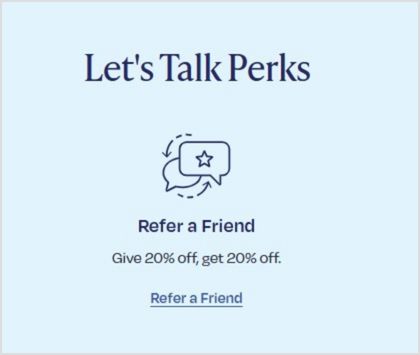
    Split testing allows you to test different elements like copy, color, size, placement, or design, to identify the most effective combination for engagement and conversions.

    For example, you might test:

    • Buy now vs. Get yours today
    • Button color or size
    • Placement at the top, middle, or end
    • Bold button vs. simple text link

    By systematically running these experiments and analyzing the data, you make data‑driven decisions instead of relying on guesswork. Over time, you can refine your CTAs by iterating on successful variations and discarding the ones that don’t perform.

    Tools like Replug make this process easier: you can quickly create multiple CTA versions, track clicks, and see what resonates best with your audience. That way, your CTA marketing strategy keeps improving, backed by real insights rather than assumptions.

    Start crafting CTAs your audience wants to click

    Using a CTA in your marketing campaigns isn’t just about telling people what to do. It’s about creating a moment that moves them from interest to action. 

    Using right wording, placement, and tools like Replug, you can craft CTAs that feel authentic and turn passive visitors into loyal customers.

    You can take your CTA strategy even further by using a short URL
    to track performance and enhance user experience, ensuring every click brings you closer to meaningful engagement.

    FAQs about CTA marketing

    What does CTA stand for in online marketing?

    CTA stands for Call to Action. It’s any prompt that directs your audience toward a desired action, like buying a product or signing up for updates.

    What is an example of a CTA?

    A CTA (call to action) can be as simple as “Buy now,” “Subscribe,” “Learn more,” or “Download your free guide.” It’s any prompt that encourages the audience to take a specific next step.
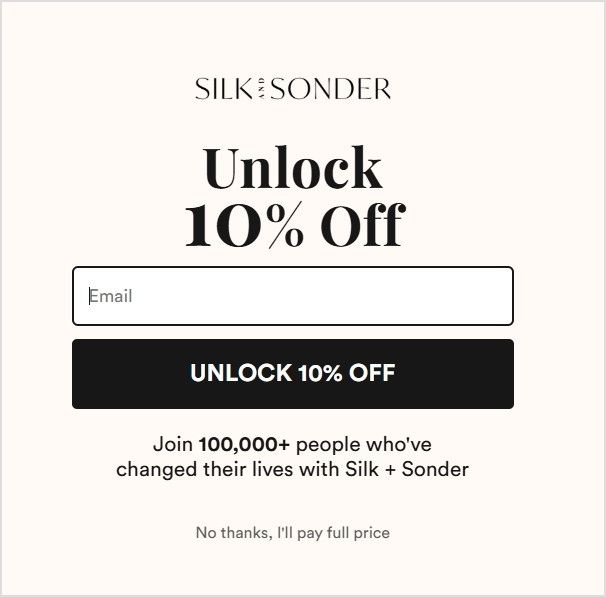
    What are the disadvantages of a CTA?

    If used poorly, CTAs can feel pushy, repetitive, or off‑brand. Overusing them may overwhelm visitors, while unclear or generic CTAs can confuse rather than guide, leading to lower conversion rates.

    What is a CTA button in marketing?

    A CTA button is a clickable element designed to stand out and prompt users to act. For example, adding an item to a cart, subscribing to a newsletter, or starting a free trial.

    Is there a tool to create and test CTAs easily?

    Yes. You can use tools like Replug to design, customize, and test CTAs across your marketing campaigns. It lets you create CTA campaigns, run A/B tests, track performance, and even add CTAs to shared links, including bridge pages when direct overlays aren’t supported on platforms like Facebook or Google. This makes it easier to refine what works and keep your branding consistent.

    How do CTAs impact SEO?

    While CTAs themselves don’t directly change your search ranking, they guide users to engage more deeply with your site. This can reduce bounce rates, increase time on page, and send positive user signals to search engines.

    What does CTA mean on Instagram?

    On Instagram, a CTA could be text in a caption like “Tap the link in bio,” stickers in Stories such as “Swipe up,” or buttons like “Shop Now” that encourage immediate engagement.

  • 100+ call-to-action phrases you NEED to use [+ best examples]

    100+ call-to-action phrases you NEED to use [+ best examples]

    Ever wondered why some calls to action make you want to click without a second thought? That’s the magic of a well-crafted call to action – it feels like it’s speaking right to you, not at you. You want something catchy, inviting, and, most importantly, something that gets people to click! 

    But where do you start? 

    A great CTA isn’t just about “Sign up” or “Buy now”; it’s about finding the words that connect with your audience and make them want to take that next step. Whether you’re trying to boost sales, build your email list, or just get people to check out your latest content, the right CTA can do wonders.

    In this post, we’ll walk through some of the best CTA phrases that’ll help you engage your audience in a way that feels natural and, most importantly, gets results. 

    Sound good? Let’s get calling!

    100+ best call-to-action phrases

    A call to action is used in all marketing funnels of the customer journey. We’ve categorized the types of call-to-action phrases into 10 types:

    1. Sign-up/join/community building
    2. Purchase/checkout
    3. Booking/scheduling
    4. Download resources
    5. Free trials/special offers
    6. Learn/explore/discover
    7. Watch/read/engage with content
    8. User-benefit 
    9. Personalized/custom recommendations 
    10. Urgency-based 

    Below are 100+ best call-to-action phrases (based on categories) that you can’t afford to miss if you want your campaign to be a hit:
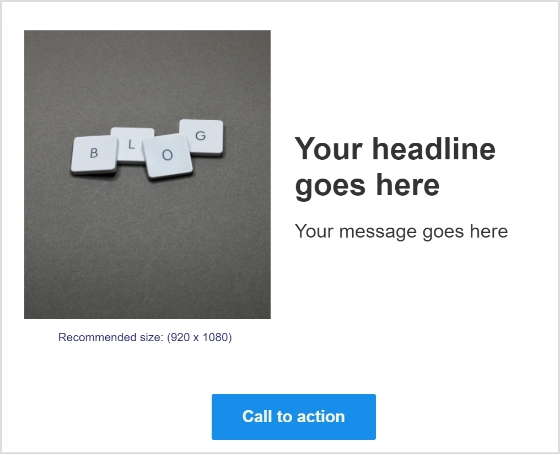
    1. Sign-up/join/community building

    CTAs that encourage joining a platform, signing up for a service, or subscribing:

    • Sign up for our newsletter
    • Sign up to [service offering]
    • Create an account
    • Sign in to access
    • Join now
    • Sign in
    • Subscribe to join the community
    • Join [platform name]!
    • Make your inbox (and life) happier—sign up!
    • Let’s grow together—start today.
    • Become a part of our community
    • Be the first one to know about new updates and offers
    • Ready to join?
    • Subscribe to unlock deals
    • Join 10,000+ happy users today!
    • Become part of the [platform name] family.
    • Your tribe is waiting—join now.

    2. Purchase/checkout

    CTAs that drive immediate purchases or encourage adding items to the cart:

    • Buy now
    • Add to cart
    • Add to bag
    • Complete your purchase
    • Treat yourself—you deserve it.
    • Order now
    • Shop deals
    • Shop gifts
    • Grab one today and boost your [user benefit].
    • Shop now
    • Checkout
    • Add one more item to get free shipping
    • Treat yourself today
    • Make it yours in just one click.

    3. Booking/scheduling

    CTAs that promote booking appointments or demos:

    • Book an appointment
    • Book a call
    • Book a demo
    • Talk to an expert
    • Your calendar is calling.
    • Pick the perfect time for you.
    • Set your plan in motion today.
    • Request a demo
    • Reserve your spot today!
    • Your next step starts here—book now.
    • Secure your spot before it’s gone.
    • Don’t leave your future self waiting—choose a time now.
    • Got a minute? Let’s schedule something amazing.

    4. Download resources

    CTAs focused on offering downloadable materials:

    • Download free guide
    • Download additional resources
    • Download e-book
    • Download the pdf to learn more
    • Get your copy
    • Get your free copy now!
    • Get the FREE case study now!
    • Access your free resource now.
    • Your free download is waiting.
    • Get actionable insights with this free resource.
    • Equip yourself with the ultimate [guide/tool].
    • What’s stopping you? Get your copy today.
    • Your freebie is just a click away!

    5. Free trials/special offers

    CTAs aimed at trying something free or availing offers:

    • Start your free trial
    • Get started for free
    • Only a few left—act fast!
    • Try it free for [number of days]
    • Kick off your 14-day free trial!
    • Get free [product offering]
    • Claim my exclusive offer now!
    • Your VIP pass awaits—grab it now.
    • Redeem my voucher
    • Try out for free
    • Don’t miss out—get exclusive access today.

    6. Learn/explore/discover

    CTAs that invite users to explore features, learn about tools, or discover resources:

    • Learn about [tool name]
    • Explore our [services]
    • Discover more
    • Discover your tailored recommendations
    • Find your nearest store
    • See it here
    • See what’s new
    • Peek inside and be amazed!
    • Ever wondered how? See for yourself.
    • Take a closer look—you’ll love what you find.
    • Find out what everyone’s raving about.
    • See for yourself
    • Explore features
    • Discover the full article
    • The wait is over—check it out.

    7. Watch/read/engage with content

    CTAs designed to promote media or storytelling content:

    • Watch the video
    • Read story
    • Read full story
    • Read more
    • Check it out
    • See it in action
    • Get a sneak peek
    • Find out how they did it
    • See the product for yourself with the seven-day free trial
    • Get the lowdown
    • See it in action—watch now.
    • Your binge-worthy content awaits.
    • Dive into the full story now.
    • Read the full scoop now.
    • Grab a coffee and dig into this.
    • It’s storytime—are you ready?

    8. User-benefit

    CTAs that emphasize immediate user benefits:

    • Change your life
    • See the difference
    • Unlock [user benefit] 
    • Boost your [user benefit] instantly!
    • Your [solution] is just a step away.
    • Refer a friend and get $X off
    • Say goodbye to [problem]—start now.
    • Get tools that work as hard as you do.

    9. Personalized/custom recommendations

    CTAs that emphasize immediate user benefits:

    • Discover your tailored recommendations
    • Start your [customer journey]
    • Find your [product]
    • Pick your favorite
    • Find out what everyone’s raving about.

    10. Urgency-based

    CTAs emphasizing urgency or limited-time offers:

    • Don’t miss this limited-time offer.
    • Act fast—limited stock available!
    • Limited edition, buy now.
    • Your VIP pass awaits—grab it now.
    • First come, first served—get yours today.
    • Only a few left—act fast!
    • First come, first served. Get yours today!
    • The wait is over. Check it out!

    Our top picks for the best call-to-action phrases

    Check out our top picks (category-wise) for the best call-to-action phrases that drive engagement and inspire users to take action:

    Examples of sign-up/join/community building CTAs

    Example #1: Replug – ‘Sign in’ & ‘Try for free’

    replug-call-to-action-phrase

    Source: Replug.io

    Why it works: A no-fuss approach that says, “You’re already part of the family—come on in and pick up where you left off.” or even better, if you’re not a part of the family, it gives new users the option to try the tool for free!

    Example #2: Lyft – Apply to drive/Sign up to ride

    lyft-call-to-action-phrase

    Source: Lyft 

    Why it works: Speaks to two audiences at once, making it easy for both hustlers and riders to feel catered to.

    Example #3: Sephora – Sign In to Access

    sephora-call-to-action-phrase

    Source: Sephora 

    Why it works: A hint of exclusivity that says, “Unlock the good stuff by signing in—it’s worth it, promise.”

    Example #4: Starbucks – Join now

    starbucks-call-to-action-phrase

    Source: Starbucks

    Why it works: Who can resist the promise of a free drink? This CTA combines immediate gratification with the allure of community.

    Example #5: Yango – QR Code, Download Yango ‘Open in browser’

    yango-call-to-action-phrase

    Source: Yango

    Why it works: This CTA makes downloading a breeze with a QR code and a clear option to open in the browser, making it convenient and accessible for any user.

    Examples of purchase/checkout CTAs

    Example #1: Walmart – Shop Deals

    walmart-cta-call-to-action-phrase

    Source: Walmart

    Why it works: Highlights “deals” to grab your attention and tempt your inner bargain hunter—because who doesn’t love a good steal?

    Example #2: Huda Beauty – Add to Bag

    huda-beauty-call-to-action-phrase

    Source: Huda Beauty

    Why it works: Feels natural and inviting, like tossing a must-have item into your shopping bag IRL—effortless and satisfying.

    Example #3: Apple – Shop Gifts

    apple-call-to-action-phrase

    Source: Apple

    Why it works: Appeals to your thoughtful side, positioning Apple products as the ultimate choice for those special gift-giving moments.

    Example #4: Wendy’s – Order Them New Things

    wendys-call-to-action-phrase

    Source: Wendy’s

    Why it works: Fun and casual, this phrase feels like a friend hyping up something fresh and exciting you need to try.

    Example #5: Disney – Get Tickets Now

    disney-call-to-action-phrase

    Source: Disney

    Why it works: Simple, urgent, and exciting—this CTA taps into the anticipation of Moana 2 and encourages users to get their tickets for the movie through the website.

    Examples of booking/scheduling CTAs

    Example #1: ContentStudio – Start your free trial

    contentstudio-call-to-action-phrase

    Source: ContentStudio

    Why it works: No risk, no pressure—just a friendly trial invitation to explore what could become your new favorite tool.

    Example #2: Niel Patel – Book a call

    niel-patel-cta-call-to-action-phrase

    Source: Niel Patel

    Why it works: Short and simple, this CTA eliminates barriers and makes reaching out for expert help feel effortless.

    Example #3: Tesla – Demo Drive

    tesla-call-to-action-phrase

    Source: Tesla

    Why it works: Test drive a Tesla? Say no more. This CTA doesn’t sell you; it lets the car do all the talking.

    Example #4: Hilton – Book Now and Save

    hilton-call-to-action-phrase

    Source: Hilton

    Why it works: A classic power duo—booking and saving. It’s like your vacation just got a free bonus round.

    Example #5: ClickUp – Book free 1:1 Session

    clickup-call-to-action-phrase

    Source: ClickUp

    Why it works: Combines personalization with a freebie—two things that make users feel valued and eager to engage.

    Example #6: Holded – Talk to Sales

    holded-call-to-action-phrase

    Source: Holded

    Why it works: By linking directly to a number, this CTA offers a quick and effortless way to connect, making the sales conversation fast and accessible.

    Examples of download resources CTAs

    Example #1: Hubspot – Download now: 28 Free CTA Templates

    hubspot-call-to-action-phrase

    Source: Hubspot

    Why it works: The promise of instant, actionable value makes this a no-brainer for marketers looking for quick wins.

    Example #2: Oxford University Press – Access the resources

    oxford-university-press-call-to-action-phrase

    Source: Oxford University Press

    Why it works: Straightforward and academic, it appeals to users looking for reliable, high-quality educational content.

    Example #3: Klaviyo – Get your copy

    klaviyo-call-to-action-phrase

    Source: Klaviyo

    Why it works: Short and conversational, it feels approachable while highlighting the benefit of receiving a helpful resource.

    Examples of free trials/special offers CTAs

    Example #1: Usermaven – 30-day free trial

    usermaven-cta-call-to-action-phrase

    Source: Usermaven

    Why it works: A whole month to try before you buy? This CTA removes hesitation while boosting confidence in the product.

    Example #2: Replug – Kick off your 14-day free trial

    replug-call-to-action-phrase

    Source: Replug

    Why it works: “Kick off” adds excitement, making the trial feel like the start of something productive and rewarding.

    You may also like: How to Create a CTA Campaign Using Replug?

    Example #3: Canva – Get Canva Free/Pro trial/Teams trial

    canva-call-to-action-phrase

    Source: Canva

    Why it works: Highlights multiple options to suit every need, making it easy for users to find the perfect fit, whether solo or with a team.

    Example #4: Hootsuite – Try it free for 30 days

    hootsuite-call-to-action-phrase

    Source: Hootsuite

    Why it works: Keeps it straightforward and inviting, making users feel they’ve got nothing to lose by trying it out.

    Examples of learn/explore/discover CTAs

    Example #1: Dolce and Gabbana – Discover More

    dolce-and-gabbana-call-to-action-phrase

    Source: Dolce and Gabbana

    Why it works: Invites curiosity and adventure, perfectly aligned with the brand’s luxurious and aspirational image.

    Example #2: Herseyland – Find a special treat to bake with your kiddos

    hersheyland-call-to-action-phrase

    Source: Hersheyland

    Why it works: Sweet, nostalgic, and family-centered—this CTA taps into all the warm fuzzies while selling a delicious experience.

    Example #3: Zapier – Explore 7,000+ apps

    zapier-call-to-action-phrase

    Source: Zapier

    Why it works: Highlights the sheer variety, making users feel excited to uncover tools that fit their exact needs.

    Example #5: Snickers Almond – Let’s go

    snicker-call-to-action-phrase

    Source: Snickers

    Why it works: Playfully intriguing, it pairs the quirky intro with a confident push to act—fun, engaging, and totally on-brand for Snickers!

    Example #5: Asana – Learn about goals 

    asana-cta-call-to-action-phrase

    Source: Asana

    Why it works: Straightforward and approachable, this CTA says, “Come on in—we’ll make achieving your goals feel simple.”

    Examples for watch/read/engage with content CTAs

    Example #1: Doritos – Watch more videos

    doritos-call-to-action-phrase
    doritos-call-to-action-phrase

    Source: Doritos

    Why it works: Snack on a video while you snack on chips—this CTA’s casual tone is all about fun and entertainment.

    Example #2: Dropbox – Read article

    dropbox-call-to-action-phrase

    Source: Dropbox

    Why it works: Straightforward and practical—perfect for those who want value without fluff or fanfare.

    Example #3: Intuit – Read their/her story

    intuit-call-to-action-phrase

    Source: Intuit

    Why it works: Personal and relatable, this CTA invites you to connect emotionally through real stories.

    Example #4: Help Scout – Get a sneak peek

    help-scout-call-to-action-phrase

    Source: Help Scout

    Why it works: Like peeking behind the scenes, this CTA teases exclusivity, making you want to see what’s next.

    Example #5: Proctor & Gamble (P&G) – See our iconic brands

    p&g-call-to-action-phrase

    Source: Proctor & Gamble

    Why it works: Invites users to explore well-known products, showcasing P&G’s history of quality and innovation.

    Example #6: NASA – December’s Night Sky (Leads to YouTube video)

    NASA-call-to-action-phrase

    Source: NASA

    Why it works: Taps into curiosity and the excitement of stargazing, encouraging users to engage with video content.

    Example #7: Old Spice – Read the Manbook (leads to the blog page)

    old-spice-call-to-action-phrase

    Source: Old Spice

    Why it works: Playful and on-brand, this CTA invites users to dive into Old Spice’s humorous and bold world, making reading feel like an adventure worth taking.

    Examples of user-benefit CTAs

    Example #1: Harvard Health Publishing – I want to get healthier

    harvard-health-publishing-cta-call-to-action-phrase

    Source: Harvard Health Publishing 

    Why it works: Personal and goal-oriented, this CTA appeals to users’ desire for self-improvement, motivating them to take action.

    Example #2: TOMS – Give 20% off, get 20% off ‘Refer a Friend’

    toms-call-to-action-phrase

    Source: TOMs

    Why it works: Highlights a win-win situation, encouraging users to spread the word while earning a discount.

    Example #3: Silk + Sonder – Unlock 10% OFF

    silk-sonder-call-to-action-phrase

    Source: Silk + Sonder

    Why it works: Creates excitement by making users feel like they’re unlocking a special offer just for them.

    Example #4: Heumor – Make my website memorable

    huemor-call-to-action-phrase

    Source: Heumor

    Why it works: Direct and results-focused, this CTA appeals to users looking to improve their online presence.

    Example #5: Duolingo – Get better at math

    duolingo-call-to-action-phrase

    Source: Duolingo

    Why it works: Appeals to users’ desire for self-improvement and connects the app’s features to real-world benefits.

    Examples of personalized/custom CTAs

    Example #1: Oreo – Build your OREO Cookie

    oreo-call-to-action-phrase

    Source: Oreo

    Why it works: Involves users in the creation process, offering an interactive and engaging experience.

    Example #2: PostNitro – Start Creating Your Viral Carousel

    postnitro-call-to-action-phrase

    Source: PostNitro

    Why it works: Positions users as innovators, making them feel empowered to create content that can go viral.

    Example #3: Microsoft – Find the right plan for your business

    microsoft-call-to-action-phrase

    Source: Microsoft

    Why it works: Customizes the experience, showing users that their specific business needs will be met.

    Example #4: Digital Silk – Calculate your Website

    digital-silk-call-to-action-phrase

    Source: Digital Silk

    Why it works: Offers immediate value by inviting users to understand their website’s performance and encouraging interaction.

    Example #5: Shopify – Pick a plan that fits

    shopify-call-to-action-phrase

    Source: Shopify

    Why it works: Emphasizes choice and flexibility, making users feel in control of selecting the best plan.

    Example #6: Mac – Try it on

    mac-call-to-action-phrase

    Source: MAC Cosmetics

    Why it works: Provides a hands-on, interactive experience, letting users virtually “try” the product.

    Examples of urgency-based CTAs

    Example #1: Docusign – Cyber Week deals have arrived ‘Redeem Now’ 

    docusign-call-to-action-phrase

    Source: Docusign

    Why it works: Uses the urgency of limited-time offers to motivate users to act quickly.

    Example #2: Victoria’s Secret – Limited-time ‘Shop Now’

    victorias-secret-call-to-action-phrase

    Source: Victoria’s Secret

    Why it works: The urgency of “limited-time” with an invitation to “shop now” makes users feel they might miss out if they wait.

    Example #3: Coca-Cola – Besties Forever ‘Unlock Bestie Mode’

    coca-cola-call-to-action-phrase

    Source: Cola-Cola

    Why it works: Playful and relatable, this CTA creates a sense of camaraderie, inviting users to share in a fun and social experience with their friends.

    Example #4: Coursera – Black Friday ‘Save $160 now’

    coursera-call-to-action-phrase

    Source: Coursera

    Why it works: Highlights a substantial discount with urgency, motivating users to act quickly to take advantage of the limited-time offer.

    Example #5: Hobbs London – 20% off limited collection

    hobbs-call-to-action-phrase

    Source: Hobbs London

    Why it works: Puts the fear of missing out to good use, urging shoppers to act before the exclusive 20% offer slips away.

    Creating irresistible call-to-action phrases: tips to boost engagement

    A well-crafted call to action (CTA) can be the difference between a casual visitor and a loyal customer. Here’s how to design CTAs that boost ROI, and drive clicks and conversions:

    1. Use action-oriented verbs:
      Your CTA should start with clear, action-driven words like shop, download, subscribe, or start. These words prompt the user to act and guide them on what to do next.
    2. Evoke emotion and urgency:
      Create a sense of excitement or urgency with phrases like “plan your dream vacation today” or “limited-time offer”. This taps into the fear of missing out (FOMO) and encourages immediate action.
    3. Highlight the benefit:
      A strong CTA should focus on what the user gains. Phrases like “sign up for 50% off” or “start your free trial” let users know the value they’ll get, making them more inclined to click.
    4. Keep mobile users in mind:
      On mobile devices, your CTAs should be short and direct. Use phrases like “call now” or “join today” that are easy to tap and act upon. For desktop, options like “learn more” or “get started” may be more effective as they can be slightly longer.
    5. Add numbers to create clarity:
      Specificity helps build trust. A CTA that says “order now for 1-day shipping” or “subscribe for 3 exclusive reports” sets clear expectations, making users more likely to follow through.
    6. Test and refine:
      Creating great CTAs is a continuous process. A/B test different variations to understand what wording, placement, and design resonate best with your audience. Small adjustments can lead to significant improvements in engagement.

    With these strategies, you can create CTAs that capture attention, resonate with your audience, and drive meaningful interactions.

    Bonus: What NOT to do

    • Avoid overhyping: Phrases like “Change your life forever!” can be off-putting if not backed up.
    • Avoid jargon: Complex language confuses rather than compels. Keep it simple and clear.
    • Don’t force decisions: Negative CTAs, such as “No thanks, I hate saving money,” can be off-putting.
    • Be specific: Phrases like “Click here” are vague. Be direct about what users will get.
    • Avoid misleading promises: Don’t use CTAs that exaggerate results, like “Instant success guaranteed.”

    How to generate catchy call-to-action phrases using Replug?

    Replug’s call to action feature allows you to create and optimize branded CTAs.

    The in-built CTA canvas is easy to use and helps you create pop-up CTA or button CTA from scratch. You don’t need any designer or technical knowledge to create one.

    Replug creates branded CTA in seconds and broadcasts them anywhere across the web to catch potential leads that will boost your conversions.

    It will also help you manage all your CTA data from a user-friendly dashboard to track progress: display, view, conversion, and clicks. Here’s how:

    1. Go to the Replug App. If you don’t have an account, sign up.
    2. Create a “New campaign”
    3. Give your campaign a name and connect your custom domain.
    4. Select “Call-to-action” and click “Next”
    5. Generate your CTA (button, link, form). You’ll have multiple options to choose from.
    6. Generate the message you want to convey through your call-to-action-phrase
    7. Customize your CTA (colour palette and appearance)
    8. Save your CTA.

    You can enhance your campaigns even further by combining Replug’s branded CTAs with its short URL shortener, ensuring every link you share is both trackable and optimized for maximum engagement.

    You may also like: Top call-to-action tools – Proven CTA tips and tricks

    FAQs about call-to-action phrases

    Why is having an effective CTA so important?

    CTAs guide your audience toward taking action, boosting engagement, and improving conversions.

    How do I pick the right CTA for my content?

    Know your audience’s needs and where they are in the buyer’s journey, then choose a phrase that connects with them.

    What’s the key to writing the best call-to-action phrase?

    A great call-to-action phrase is action-oriented, clear, and specific, without being pushy or vague. You can generate free call-to-action phrases using Replug’s free CTA generator.

    Can humor be used in call-to-action phrases?

    Yes, if it aligns with your brand, humor can make your CTA stand out and feel more relatable.

    Should I include a CTA in every piece of content?

    Yes, especially if you want to guide your audience to the next step. Just be sure it fits naturally.

    How can I create urgency in my CTAs?

    Use phrases like “Limited time only”“Act now”, or “Don’t miss out” to encourage immediate action.

    How do I measure if my call-to-action phrase is effective?

    Track key metrics such as click-through rate (CTR), conversion rate, and user interaction to assess performance. Replug gives you the option to easily track the performance of your campaigns.

  • Top call-to-action tools – Proven CTA tips and tricks

    Top call-to-action tools – Proven CTA tips and tricks

    You’re running an e-commerce store with top-notch products, vibrant themes, detailed listings, and genuine reviews. Coupled with high-end SEO and social media marketing campaigns.

    Everything seems in place, but your conversion rates need to hit the mark. Then what’s the missing piece? Let us clue you in – it’s the absence of an advanced call-to-action tool!

    Using an advanced call-to-action tool can make all the difference by converting your website visitors into paying customers. 

    With strategic placement and catchy texts, CTAs compel users to take specific actions. Which ultimately helps you in boosting brand revenue potential.

    Still confused? Don’t worry guys. In today’s blog, we’re covering everything from the finest CTA tips to the most cutting-edge CTA tools. Let us get you started.

    What’s a CTA?

    CTA stands for Call to Action. It’s an instruction that tells your audience what you want them to do next. These are commonly found in marketing and advertising but can be used anywhere you want to guide users toward a specific action.

    What is a good call-to-action example?

    A good example of a call-to-action is a clear and simple statement that tells users what to do next. For example, ContentStudio’s CTA “Try it for free” invites users to explore the tool without any commitments.

    Best call-to-action tips to use

    Call to action-

    1. Try to use action verbs

    Action verbs are the powerhouse behind persuasive CTAs. They prompt users to take immediate action, driving them toward the desired goal. Incorporate dynamic verbs like “discover,” “explore,” or “get” to instill a sense of urgency and motivation in your audience. Grab attention, Drive action!

    Related: 100+ call-to-action phrases you NEED to use [+ best examples]

    2. Focus on value

    Communicate the value proposition clearly in your CTAs. Highlight the benefits or rewards users will receive by clicking through, whether it’s accessing exclusive content, unlocking special discounts, or gaining valuable insights. The more value users perceive, the more likely they are to act.

    3. Create FOMO 

    Creating a sense of FOMO (Fear of Missing Out) is a potent tactic to drive action. Hint at limited-time offers, exclusive deals, or upcoming events to instill urgency in your audience. By suggesting that time is running out, you motivate users to act quickly to seize the opportunity.

    4. Use fancy graphics and colors

    Visual appeal is key to capturing attention and enticing clicks. Incorporate eye-catching graphics, vibrant colors, and captivating imagery to make your CTAs stand out. Choose visuals that align with your brand identity and message while grabbing the user’s attention.

    Related: How to create a call to action using a URL shortener?

    5. Catchy shapes or sizes

    Experiment with unique shapes or sizes for your CTAs to make them visually appealing and memorable. Whether it’s a bold button, a playful icon, or a custom design element, think outside the box to create CTAs that stand out and invite interaction.

    6. Keep the text brief

    Keep your CTA text concise and to the point. Avoid overwhelming users with too much information. Instead, focus on conveying your message succinctly, highlighting the key action or benefit users should take.

    7. A/B test multiple CTA’s

    Don’t settle for the first iteration of your CTAs. Experiment with different variations, including text, design, placement, and color scheme, to identify what resonates best with your audience. A/B testing allows you to optimize your CTAs for maximum effectiveness and drive better results over time.

    Top call to action tools to use

    1. Replug

    Replug Branded Short Links CTA
    A complete link management solution
    for marketing professionals & agencies.
    Try Replug for free

    Our top favorite is Replug – a powerful link management platform that allows users to create branded short links, track click data, and retarget audiences across various digital channels.


    In terms of CTA generation, Replug enables users to embed call-to-action (CTA) overlays or pop-ups on shared links, directing traffic to desired landing pages or offers.

    You can obtain detailed information about your website traffic, including the country, browser, device, and date, giving you precise insights into your audience.

    You can further streamline your campaigns by using this top-notch URL shortener to create branded, trackable links that complement your CTAs and enhance overall engagement.

    2. Hubspot CTA

    HubSpot’s CTA tool is part of its comprehensive marketing automation platform, designed to help businesses attract, engage, and delight customers. With its CTA tool, users can create visually appealing CTAs that seamlessly integrate with their website or email campaigns.

    Hubspot- Call to Action Tool

    Moreover, these CTAs are strategically placed to prompt visitors to take desired actions, such as downloading a resource or requesting a demo.

    Related: CTA button: Best examples & practices

    3. Sniply

    Sniply-Call to action tool

    Sniply is a unique tool that allows users to add custom messages or CTAs to any web page they share, even if they don’t own the page. 

    Users can create branded Sniply links that drive traffic back to their own website or landing pages. This CTA generation method leverages shared content to capture leads and drive conversions.

    Scalenut

    Scalenut is an AI-powered content marketing platform that helps businesses create, distribute, and optimize content at scale.

    The platform offers a free CTA generation tool. By understanding user intent and preferences, Scalenut assists in generating CTAs that resonate with target audiences.

    Canva

    Canva is a versatile design platform that empowers users to create stunning graphics, presentations, and marketing materials with ease.

    While not a dedicated CTA tool, Canva provides users with the tools to design eye-catching CTAs that complement their branding and messaging. Users can create custom graphics or templates for CTAs to be used across various digital channels, from social media posts to website banners.

    FREE AI Tools

    Things to consider when choosing your CTA tool

    Here are some of the most important things to consider when choosing your CTA tool.

    • Consider your budget: Free options offer good basic functionality, while paid tools might have advanced features like A/B testing or performance analytics.
    • Think about your needs: Do you need a simple CTA builder or a tool with AI-powered suggestions? How important is customization for you?
    • Read reviews and comparisons: Researching user experiences can help you find a tool that works well for others in your situation.

    You may also like: Call to action for social media: 15 best examples

    What is the best CTA generation tool?

    Replug Branded Short Links CTA
    Maximize marketing ROI
    by transforming ordinary URLs into
    branded short links that convert.
    Try Replug for free

    The best CTA generation tool is no other than Replug. This is because: 

    • Easy to Use: Replug doesn’t require coding knowledge. Get a free CTA builder specifically designed to craft compelling CTAs with customizable text, buttons, forms, and pop-ups.
    • Targeted CTAs: Replug allows you to define your target audience during CTA creation. This ensures the CTAs you build resonate with the specific user group you’re aiming for.
    • A/B Testing: Replug integrates A/B testing so you can track CTA performance and see which variations drive the most conversions. This data-driven approach helps you continually optimize your CTAs for maximum impact.
    • Retargeting capabilities: It enables users to maximize conversions by embedding CTAs directly within shared links, ensuring targeted audiences are directed to relevant landing pages or offers. 

    Overall, Replug’s combination of advanced features and ease of use makes it ideal for businesses looking to drive engagement and conversions effectively.

    Frequently asked questions

    What is an example of a call to action in AI?

    AI can analyze vast amounts of data to understand user behavior, preferences, and context, allowing businesses to tailor their CTAs for maximum impact. 

    Some of the common examples include:

    – Sign up today
    – Download now
    – See how it works
    – Join now

    What is a strong CTA?

    A strong CTA combines clarity, relevance, and urgency to compel users to take the desired action. It communicates the value proposition briefly and motivates users to act without hesitation.

    What is a call to value instead of a call to action?

    A call to value focuses on highlighting the benefits and value proposition offered to the user rather than explicitly instructing them to take action. 

    What is a secondary call to action?

    A secondary call-to-action serves as an alternative action for users who may need more time to be ready to commit to the primary CTA. It provides additional options for engagement, such as downloading a resource, exploring related content, or joining a mailing list, catering to diverse user preferences and behaviors.

  • CTA button: Best Examples & practices

    CTA button: Best Examples & practices

    Ever heard of the term CTA button? 

    Whether you’re familiar with it or not, chances are most of us have encountered different types of calls to action while browsing websites or social media platforms.

    For instance,

    You might have clicked on a “Learn More” button and ended up landing on a page containing more information related to that topic.

    Or you might have clicked on a “Buy Now!” call to action button that takes you to a product page or a similar web-page.

    Now why do they matter?

    CTA buttons matter as they point users towards a desired action.

    Hence, the name of the term is “Call to Action”.

    What is a call to action button?

    Call-to-action-buttons

    A call to action (CTA) button is a clickable button or link on a website, advertisement, or piece of content that encourages the audience to take a specific action.

    CTAs can drive a variety of different actions depending on the content’s goal, such as generating leads, making a purchase, or subscribing to a newsletter.

    CTAs are crucial to generating leads from a website, and can help motivate visitors into deeper engagement with a brand.

    Related: 100+ call-to-action phrases you NEED to use [+ best examples]

    Why is a CTA button important?

    CTA buttons are important because they act like helpful guides on your website, pointing visitors toward valuable content or actions that benefit both you and them. Here’s why:

    Benefits for visitors:

    • Clarity: They tell visitors what to do next, eliminating confusion and helping them find what they’re looking for faster.
    • Convenience: They offer a one-click path to things like downloading resources, starting free trials, or contacting you.
    • Value: They highlight content or actions that can solve their problems or improve their experience.

    Benefits for you:

    • Conversions: They encourage visitors to take specific actions, like signing up for a newsletter or making a purchase.
    • Engagement: They keep visitors actively interacting with your website and exploring what you offer.
    • Data: They provide valuable data about what actions users are most interested in, helping you make better decisions about your website content and marketing strategy.
    Replug Branded Short Links CTA
    Maximize marketing ROI
    by transforming ordinary URLs into
    branded short links that convert.
    Try Replug for free

    Different types of CTA buttons to boost your CTR

    CTA buttons can vary in style and size depending on your goal conversion and website style. Each type has a specific purpose and works best in different situations.

    Let’s explore some common ones:

    1. Lead generation:

    Imagine offering a free e-book in exchange for an email address. Your CTA button could be “Get Your Free E-book Now!” and placed prominently near the e-book description.

    Lead- Generation- CTA button

    2. Form submission:

    This CTA helps gather visitor information, like “Sign Up for Our Newsletter” on a blog or “Tell Us Your Needs” on a contact page.

    Form-Submission- CTA button

    3. “Read More” button:

    If you have snippets of longer content, this CTA encourages visitors to delve deeper, like “Read the Full Article” on a blog post preview.

    Read-More- CTA button

    Related: Call to action for social media: 15 best examples

    4. Product or service discovery:

    This CTA leads visitors to explore your offerings, like “Browse Our Collections” on a clothing website or “Discover Our Services” on a marketing agency page.

    CTA-Button- type-

    5. Download now:

    After someone signs up, a CTA like “Download Our Beginner’s Guide” keeps them engaged and learning more.

    CTA-Button-

    6. Purchase CTA button:

    On product pages, a bold “Buy Now” or “Add to Cart” button prompts immediate purchase.

    Closing-Sale- CTA button

    7. Demo/Trial CTA:

    Let visitors try before they buy with CTAs like “Start Your Free Trial” or “Book Your Demo Today.”

    Trial-CTA-Button

    8. Contact us:

    Make it easy for people to reach out with a clear “Contact Us” or “Chat with Us Now” button.

    Contact-us-CTA button

    8. Banner CTA

    A Banner CTA, is a visually prominent element usually displayed at the top or within a webpage, often in the form of a banner or button. These banners are strategically designed to be eye-catching, fostering user engagement and interaction with the intended goal.

    Backlinko-Banner-CTA-

    9. Social sharing CTA

    Social sharing CTA, or Call to Action, is a prompt strategically placed on a website or social media platform to encourage users to share content, such as articles, images, or videos, with their network.

    Related: How to create a call to action using a URL shortener?

    Best practices for designing an effective CTA button

    • Tell them what to do: Use strong verbs like “Download” or “Learn More.”
    • Highlight the benefit: What do they get by clicking? Free guide? Exclusive content?
    • Short and sweet: Keep the text easy to read.
    • Make it stand out: Use contrasting colors and good placement.
    • Mobile-friendly: Easy to tap on any device.

    Remember, good CTAs guide users and improve their experience.

    Bonus Tip: Replug.io is a tool that lets you design different types of CTAs like buttons, forms, and even pop-ups, without needing any coding skills. Plus, you can track how well your CTAs are performing to see what resonates with your audience. What’s best is that you can easily create short links to share your CTAs more efficiently and track their performance alongside your Replug campaigns.

    Related: How to create a CTA campaign using Replug?

    3 best call-to-action button examples

    Ready to see some great CTA strategies in action?

    Here are 3 stellar examples:

    1. Netflix: “Join Free for a Month”

    It is clear, concise, and gets straight to the point.

     Because it’s:

    • Free: Who doesn’t love trying something new for free?
    • Limited: Only a month to explore, so dive in quick!
    • Easy: Joining = binge-watching heaven awaits.
    • No pressure: A month lets you try before you commit.
    NETFLIX-CTA-Example

    2. Airbnb: “Try Hosting” 

    This button taps into users’ curiosity and encourages exploration.

    It is because;

    • Intriguing: “Try Hosting” piques curiosity without making a big commitment.
    • Open-ended: It invites users to explore the possibilities of hosting without pressure.
    • Low barrier to entry: “Try” suggests it’s easy to get started and see if hosting is right for them.

    Overall, it’s a smart way to encourage people to consider being Airbnb hosts without feeling overwhelmed.

    Air BnB- CTA-button-example

    3. “SPIN FOR A CHANCE TO SAVE” – TOMS

    The “Spin for a Chance to Save” technique used by TOMS can be an effective way to grab attention and spark interest, especially for younger audiences. Here’s why:

    It is because;

    • Gamification: Spinning a wheel is a fun and interactive way to engage users, making them more likely to participate compared to just clicking a button.
    • Surprise and anticipation: The mystery of what someone might win adds excitement and keeps them invested in the process.
    • Potential reward: Even if the savings aren’t guaranteed, the chance to win something appealing can motivate people to try.
    TOMS-CTA-Example

    Remember, your CTA buttons are your website’s secret weapon. Craft them with care, and track your clicks (and conversions) soar!


    FAQs

    What is a call to action button behavior?

    A Call to Action (CTA) button prompts users to take a specific action, such as making a purchase or signing up. Its behavior should be clear, compelling, and guide users toward the desired action.

    What should a call to action button say?

    CTA button text should be concise, action-oriented, and aligned with the desired action. Examples include “Buy Now,” “Sign Up,” or “Learn More.”

    How do I create a CTA button?

    Use Replug’s CTA builder to design and customize your button. Specify the action, craft compelling text, set the button link, define the target audience, and save and implement the CTA on your website.

    You may also like:

  • How to Create a CTA Campaign Using Replug?

    How to Create a CTA Campaign Using Replug?

    Supercharge your marketing with Replug’s Call to Action generator!

    Learn how to create irresistible CTAs to boost your brand’s visibility and multiply conversions.

    This guide will show you the easy steps to leverage Replug’s magnetic feature for maximum sales impact. Let’s turn your clicks into conversions and elevate your digital success with Replug!

    What is a CTA campaign in Replug?

    In Replug, a Call-to-Action (CTA) campaign serves as a powerful message to showcase your deals, offers, and sales to your audience. By using CTAs, you can effectively broadcast your message and prompt your audience to take specific actions that lead to sales.

    When you opt for the call-to-action feature in Replug, you encounter three distinct options in the subsequent step:

    1. Button: 

    Ideal for redirecting visitors to your primary source, this option enables you to create a clickable button or link, providing a direct pathway for your audience to take the desired action.

    1. Link: 

    Similar to the button, this option allows you to redirect visitors, providing flexibility in creating clickable links to guide your audience towards the intended action.

    1. Form: 

    If your goal is lead collection, selecting the Form option is key. This choice enables you to integrate with various third-party Email Services for effective lead gathering.

    Replug seamlessly integrates with several third-party email services, including but not limited to:

    • Convertful
    • MailerLite
    • MailChimp
    • Sendlane
    • ActiveCampaign
    • Moosend
    • Aweber
    • SendPuls
    • and more.

    By understanding and leveraging these options, you can tailor your Call-to-Action campaigns in Replug to effectively engage your audience and drive the desired outcomes, whether it’s through clickable buttons, links, or lead collection forms.

    Boost ROI with branded URLs - Replug dashboard showing performance metrics and branded URL creation
    Boost your conversion rates with irresistable CTAs with

    for your marketing campaigns.

    Check

    Higher clicks

    Check

    More leads

    Check

    Better ROI

    Generate free CTAs

    How to create a CTA campaign in Replug?

    Follow the steps below to create a CTA campaign in Replug.

    Step 1: Sign in to Replug or create a free account.

    Step 2: Navigate to the Manage section on the main dashboard and click on “Campaigns.”

    Step 3: Click the “Create New Campaign” button in the campaign section.

    Step 4: Select or create a brand for your new campaign and click the “Next” button.

    Step 5: Choose a name for your call-to-action campaign on the campaign type page.

    Step 6: Select the Call-to-Action option and click “Next.”

    Step 7: Choose your CTA type (e.g., Link, Button, Form).

    Step 8: Select a theme for your CTA; for example, you can choose a pop-up theme.

    Step 9: Enter your URL, upload an image for the CTA, and click “Next.”

    Step 10: In the CTA message section, write your headline, message, and CTA button text. Enter the URL for the CTA.

    Step 11: Move to the CTA customization section, where you can add colors for the background, text, CTA button background, and CTA button text. Click “Next.”

    Step 12: In the final step, select the seconds after which the CTA will be displayed to the user. Alternatively, choose the “On exit-intent” option to display the CTA when the user intends to exit the page.

    Step 13: Save the campaign.

    Boost ROI with branded URLs - Replug dashboard showing performance metrics and branded URL creation
    Boost your conversion rates with irresistable CTAs with

    for your marketing campaigns.

    Check

    Higher clicks

    Check

    More leads

    Check

    Better ROI

    Generate free CTAs

    Also read: How to create a call to action using a URL shortener?

    Track your CTA campaigns with Replug: 

    Effectively monitoring your Call-to-Action (CTA) campaigns with Replug is crucial to ensure their success and optimize for better results. Here’s what to monitor and analyze using Replug:

    1. Dashboard overview:

    Gain instant insights into your campaign’s success with overall statistics, including Clicks, Unique Clicks, Conversions, and Conversion Rate, displayed prominently on your dashboard.

    1. Clicks performance:

    Delve into the performance of your CTAs by analyzing the clicks metric. Understand how many users engaged with your call to action and track click trends over time.

    1. Conversions performance:

    Monitor the effectiveness of your CTAs by examining the Conversions metric. Track the number of desired actions taken by users and assess the overall success of your campaigns.

    1. Visitors by browsers:

    Understand your audience better by exploring the browsers they use. Identify popular browsers to optimize your CTAs for a seamless user experience across different platforms.

    1. Visitors by operating system:

    Gain insights into the operating systems your audience employs. Use this information to tailor your CTAs for compatibility, ensuring a smooth interaction on various devices.

    1. Visitors by country:

    Explore the geographical impact of your CTAs. Identify which countries are most responsive, allowing you to target specific regions more effectively.

    1. Visitors by source/referrer:

    Uncover the sources or referrers driving traffic to your CTAs. Determine the most successful channels and adjust your marketing strategy accordingly to maximize reach.

    By leveraging these monitoring features provided by Replug, you can track the key performance indicators of your Call-to-Action campaigns. Whether it’s understanding user behavior, optimizing for different platforms, or targeting specific regions, Replug equips you with the data needed to refine and enhance your CTAs for optimal results.

    Boost ROI with branded URLs - Replug dashboard showing performance metrics and branded URL creation
    Boost your conversion rates with irresistable CTAs with

    for your marketing campaigns.

    Check

    Higher clicks

    Check

    More leads

    Check

    Better ROI

    Generate free CTAs

    To further boost your campaign performance, consider using a short link generated by Replug to simplify sharing, improve tracking accuracy, and make every CTA more effective.

    FAQs

    How can Replug’s Call-to-Action campaigns benefit my business?

    Replug’s CTAs can significantly enhance your brand’s visibility, multiply conversions, and maximize sales impact. The platform provides a user-friendly interface to create compelling CTAs tailored to your specific goals.

    What types of CTAs can I create using Replug?

    Replug offers versatile CTA types, including buttons, links, and forms. You can redirect users, collect leads, or guide them to perform specific actions based on your campaign objectives.

    How do I track the performance of my Call-to-Action campaigns on Replug?

    Replug provides comprehensive statistics, including overall clicks, unique clicks, conversions, and conversion rates. You can monitor performance trends, analyze clicks and conversions, and gain insights into visitor behavior.

    Can I customize the appearance of my CTAs on Replug?

    Yes, Replug allows you to customize your CTAs extensively. You can choose different themes, add colors to the background and text, and optimize the appearance to align with your brand identity.

    What kind of analytics does Replug offer for my CTA campaigns?

    Replug provides detailed analytics such as click heatmaps, device and location insights, and even integration with third-party analytics platforms. This allows you to make data-driven decisions for refining and optimizing your campaigns.

    Can I use Replug’s CTAs for lead generation?

    Absolutely! Replug offers a Form option where you can integrate with various third-party Email Services to collect leads effectively. Choose the Form type when creating your campaign, select your preferred email service, and start gathering leads seamlessly.

    You may also like:

    How to make a call to action using a link shortener?

    Branded Link Management: Your Key to Online Success

    How to Create a Smart URL Link: Step-by-Step Guide

  • How to create a call to action using a URL shortener?

    How to create a call to action using a URL shortener?

    Creating a call to action using a URL shortener can effectively drive conversions and encourage users to take a specific action. Using a reliable URL shortener like Replug to create a call to action has a few key benefits.

    First, it can shorten link that are long and complex, making them easier to share and more visually to appeal. Sharing a link in a social media post or on a platform with limited space for long URLs can be beneficial. 

    Second, URL shorteners can help to track clicks on a link, which can help understand the effectiveness of your call to action. 

    Finally, URL shorteners can make creating custom and branded links easier, which can help build brand awareness and make your link more memorable.

    How to create a call to action using Replug?

    Use these simple steps to create a call to action that inspires users to take action that will benefit your business or organization.

    Step 1: Sign in to Replug or create an account if you’re new.

    signin or create account

    Step 2: Go to the manage section on the main dashboard page and select campaign. 

    click campaign

    Step 3: Click on the “create new campaign” button in the campaign section.

    new campaign

    Step 4: To create a new campaign, you must select a brand first. You may choose an existing brand or create a new one if not already been created.

    select brand

    Step 5: Click the next button once you’ve selected or created a brand. 

    brand and next

    Step 6: You will now see a page for choosing a campaign type. Choose a name for your call-to-action campaign here. 

    campaign name

    Step 7: Select the call to action option from the campaign type page and click the next button.

    select call to action button

    Step 8: Next, select your CTA type; here, we’ve selected a button CTA.

    button cta

    Step 9: After selecting the CTA type, you need to select the theme for your CTA. Your CTA’s appearance depends on your CTA’s purpose. As for this case, we have chosen a popup CTA theme to appear after clicking the shortened link.

    Note: Read more about the use cases for different theme types to understand which CTA theme is perfect for you.

    select cta theme

    Step 10: Enter your URL, upload an image for the CTA, and click Next.

    Note: Recommended size: Width = 920, Height = 1080

    image and url

    Step 11: You can view your CTA side-by-side.

    preview image and click next

    Step 12: You are now in the CTA message section. Write your headline, message, and CTA button text

    CTA message

    Step 13: Enter your CTA button’s URL or phone number in the last block, and click Next. 

    button url or number

    Step 14: You’re now in the CTA customization section, where you can add colors. (Background colors, text colors, CTA button background colors, CTA button text colors). Choose your colors and click next. 

    cta colors

    Step 15: In the final step, you will select the seconds, after which the CTA will be displayed to the user. Alternatively, you can select the “On exit-intent” option, which will display the CTA when the user wants to exit the page.

    appearance time

    Step 16: Save the campaign; now, you can share it across other platforms. Ensure that your newly created campaign appears in the campaigns section

    save compaign

    Did You Know?

    Replug is a top-notch link optimization platform that can also help to track the effectiveness of the CTA. It offers analytics tools that allow you to track how many clicks the CTA receives. This can help you determine which CTAs are most effective and optimize your marketing efforts accordingly.

    FAQs

    What are the 3 features of a strong call to action?

    Any CTA should have these three key features:

    1. Clarity: A strong call to action should be clear and straightforward so that the reader knows exactly what they are being asked to do. This means using actionable language, such as “click here” or “sign up now,” and avoiding vague or confusing phrases.

    2. Urgency: A sense of urgency can be a powerful motivator, and a strong call to action should convey a sense that the reader needs to take action immediately. This can be achieved through time-sensitive language, such as “limited time offer,” “act now,” or by highlighting the benefits of taking action immediately.

    3. Relevance: A strong call to action should be relevant to the reader and the context in which it appears. This means that it should be tailored to the specific needs and interests of the audience and should align with the overall goals and message of the campaign or piece of content. By focusing on the reader and their needs, a strong call to action can increase the chances of conversion.

    What elements are in CTA?

    There are a few key elements that are typically included in a CTA:

    Action verb: The CTA should include an action verb that tells the reader what to do. Some common action verbs used in CTAs include “click,” “sign up,” “download,” and “register.”

    Button or link: The CTA should include a button or link that the reader can click to take the desired action. The button or link should be prominently placed and easy to find.

    Benefit: The CTA should include a benefit or reason for the reader to take the desired action. This could be a discount, exclusive content, or a chance to win a prize.

    Sense of urgency: The CTA should convey a sense of urgency or time sensitivity to encourage the reader to take action immediately. This can be achieved through time-sensitive language or by immediately highlighting the benefits of taking action.

    Popular Topics:

    Call To Action For Social Media: 15 Best Examples

    Remarket your brand with a click of a button – Replug Chrome Extension