Author: Manahil

  • 7 retargeting best practices every marketer should follow

    7 retargeting best practices every marketer should follow

    Let’s be real, online shoppers are unpredictable; 

    They browse, they abandon carts, and sometimes, they forget you even exist. But fear not, marketers! Retargeting is here to save the day (and your conversion rates).

    What is retargeting?

    Retargeting allows brands to identify potential customers who have previously visited their website or socials and run targeted ads across various platforms to convince these visitors to take a specific action.

    But simply throwing up a generic ad for everyone who visits your site isn’t enough. To truly excel at retargeting, you need to be strategic, relevant, and, most importantly, not creepy.

    So, how do you navigate the fine line between reminding potential customers and not bombarding them with unwanted attention? Don’t worry we’re here to tell you how. In the following article, we have gathered some of the best retargeting practices, retargeting examples, retargeting pitfalls, retargeting benefits, and much more.

    But, first, let’s see how retargeting works.

    Here’s how retargeting works:

    Step 01 – Tracking
    When someone visits your website, clicks on an ad, or uses your app, a snippet of code (like a pixel) tracks their activity. This code doesn’t reveal personal information, but it helps identify unique users.
    Step 02 – Targeting
    This tracking data allows you to create specific audiences of users who have interacted with your brand in specific ways. For example, you can target users who:

    Browsed a specific product but didn’t buy it.
    Added items to their cart but abandoned checkout.
    And more…
    Step 03 – Ad display 
    Now, you can serve ads to these targeted audiences on all social apps they visit. These ads remind them of your brand, offer incentives, or promote relevant products or services.

    Let’s have a look at some of the major retargeting benefits

    Before moving on to the retargeting best practices lets check out what are the advantages of retargeting.

    • Increased conversion rates: Targets users who have already shown interest, increasing the likelihood of conversion. The click-through rate (CTR) of a retargeted ad is 10x higher than the CTR of a typical display ad.
    • Personalized user experience: Tailors ads based on the user’s previous interactions for a more relevant experience. 
    • Improved ad relevance: Delivers ads that align with users’ interests and browsing history.
    • Flexible targeting options: Allows segmentation and targeting based on behavior, demographics, and interests.
    • Optimized ad spend: Retargeting ads increase brand search by 1046%. This helps you maximize the impact of the advertising budget by focusing on a warm audience.
    • Analytics and measurement: Provides valuable insights and metrics for assessing campaign performance.
    • Reduced abandoned carts: For e-commerce businesses, retargeting links can help address abandoned shopping carts.
    Replug Branded Short Links CTA
    A complete link management solution
    for marketing professionals & agencies.
    Try Replug for free

    Some retargeting mistakes to avoid

    Retargeting best practices

    One of the retargeting best practices is to avoid common retargeting mistakes.

    Too many ads (Ad overload)Not setting limits on how often ads are shown can annoy users with constant repetition.
    Ads not about themDisplaying ads that don’t match users’ interests or previous actions can turn them off.
    Mixed-up messages across devicesHaving different messages on different devices can confuse users and harm the overall experience.
    One-size-fits-all approachNot tailoring ads based on user behavior and preferences can make retargeting less effective.
    Boring or generic adsUsing dull or generic ads may make users ignore or dismiss them.
    Ignoring negative feedbackNot paying attention to addressing negative feedback about retargeting ads can harm your brand’s image.

    Related: 14 Effective Ways to Boost E-commerce Sales Through Retargeting

    7 retargeting best practices every marketer should follow

    Here are some of the most important retargeting best practices every marketer should keep an eye on:

    1. Segment your audience

    Retargeting Best Practice-Segment Your audience

    The first and most important retargeting practice is to segment your audience appropriately. Don’t blast everyone with the same ad. Divide users based on browsing behavior, interests, purchase history, etc. Show abandoned cart reminders to cart abandoners, product recommendations to those who browsed specific categories, and exclusive offers to loyal customers. Each segment should receive ads tailored to their specific actions, maximizing relevance.

    Take for example:

    John adds a pair of sneakers to his cart but hesitates before checkout, comparing prices on other websites. You retarget John with an ad showcasing your price match guarantee and highlighting exclusive features his competitors don’t offer. This convinces him to buy from you, knowing he’s getting the best deal.

    2. Strategic timing of retargeting ads

    Strategically schedule your retargeting ads, so they align with the user’s journey. For instance, sending a retargeting ad shortly after a user abandons their cart can be more effective than waiting for an extended period. This timely approach can significantly impact user decisions.

    Related: How LinkedIn Retargeting Ads Work – A Complete Guide

    3. Personalized add content

    This is the most important retargeting practice of all – Creating content based on customer behavior. Adding personalized add content that speaks directly to user interests and past behavior, retargeting can become a powerful tool for re-engaging existing customers as well as reaching new, relevant audiences. 

    Let’s see how:

    Bob sees an ad for your grocery delivery service offering “convenient meals.” While he’s interested in healthy eating, the ad doesn’t resonate with his specific needs. So he’ll simply ignore it.

    Whereas, when Bob will see an ad for your grocery delivery service showcasing a curated selection of fresh, organic ingredients perfect for preparing healthy meals. This directly connects his interest in healthy eating with your service’s offering. Automatically increasing the likelihood of him clicking through to explore your service further.

    4. Set a frequency cap

    Timing is everything – Set frequency caps to control how often your ads are shown to the same user. It involves setting limits on the number of times a particular ad is shown to an individual user within a specified time frame. This practice helps prevent ad fatigue, ensuring that users are not overwhelmed by repetitive content and maintaining a positive user experience. As overexposure can lead to ad fatigue and a negative user experience.

    5. A/B testing for optimization

    Experiment with different ad creatives, copies, and strategies through A/B testing. Test variations to identify what resonates best with your audience. If necessary create new retargeted ads and test them about as per your user base. You can try different headlines, images, or calls to action to refine your retargeting approach and improve performance.

    Here’s an example for you:

    A travel app, “Globe Thrills”, retargets users who browsed specific destinations with generic ads showcasing various travel experiences. They experimented with two groups:

    Group A: Retargeted with generic ads featuring diverse travel experiences.

    Group B: Retargeted with ads customized to the specific destination each user browsed (e.g., beach visuals for Bali searches, ski scenes for Switzerland searches).

    Results:

    • Group B receives a 40% increase in click-through rate compared to Group A.
    • Additionally, Group B shows a 25% improvement in conversion rate (booking flights/accommodation) thanks to the relevant and relatable visuals.

    This insight allows “Globe Thrillers” to personalize their retargeting strategy for different audience segments, leading to improved campaign performance.

    Also, check: Google retargeting: The ultimate guide for 2026

    6. Optimized add landing pages

    Another important retargeting practice is aligning the content of the landing page with the retargeting ad, marketers can enhance the chances of conversion, providing users with precisely what prompted their initial interest. Moreover, it improves overall campaign effectiveness by minimizing bounce rates, boosting user engagement, and fostering a clearer path to desired actions, such as completing a purchase. 

    Retargeting best practices-landing-pages-

    7. Tracking the retargeted ads data

    Brands can use link analytics tools to track the performance of their retargeting campaigns. Monitor key metrics such as click-through rates, conversion rates, and return on ad spend. Track which ads and strategies lead to actual conversions. Analyzing this data helps you make informed decisions, optimize your campaigns, and allocate resources effectively.

    What is the best way to add a retargeting link?

    The best way is using a link management tool like Replug.io –  It allows you to create and manage retargeting campaigns across various platforms and channels, helping you reach potential customers who have previously interacted with your brand. Moreover, you can add CTAs, track audience, bio links, route traffic, A/B test your campaigns, and much more. 

    You can also simplify and track your campaign links effortlessly with this short URL shortener, ensuring smooth redirection and improved performance insights.

    Replug-Link-Management

    Retargeting Done Right, Sign up today!

    All in all to make retargeting work, follow best practices for a personalized and user-friendly experience. Use the three-step process of tracking, targeting, and displaying ads to effectively reconnect with interested users. Avoid common mistakes like too many ads, irrelevant content, and ignoring user feedback to ensure success.

    Frequently asked questions

    What is retargeting, and how does it work?

    Retargeting is a marketing strategy that involves identifying potential customers who have visited a website or social media platform and running targeted ads to convince them to take a specific action. It works through tracking user activity, creating specific target audiences, and displaying relevant ads on various platforms.

    How can a link management tool like Replug enhance retargeting efforts?

    Replug allows marketers to create and manage retargeting campaigns across various platforms and channels.

  • How to Get More Views on LinkedIn: 9 Proven Ways

    How to Get More Views on LinkedIn: 9 Proven Ways

    LinkedIn isn’t just a social network; it’s your digital passport to the professional world, connecting you with like-minded individuals across diverse industries. Your LinkedIn profile is your virtual business card, offering a snapshot of your identity and capabilities.

    Elevating your LinkedIn presence goes beyond mere self-promotion – it’s about forging meaningful connections, fostering engagement, and creating growth opportunities. 

    If you’re eager to take your LinkedIn game to the next level, buckle up as we discuss nine practical tips to amplify your profile and skyrocket your post views for unparalleled engagement.

    1. Craft compelling content

    • Create valuable content

    Elevate your LinkedIn game by crafting content that speaks directly to your target audience. Identify your audience’s needs and interests, and deliver tangible benefits, immediate results, or fascinating insights. Remember, it’s not about you; it’s about what your readers want. 

    Utilize a mix of text, infographics, gifs, and videos to keep your content diverse and engaging. Employ writing techniques such as short sentences, line spacing, emojis, storytelling, and visuals to enhance readability.

    • Republish Content

    Unlock the potential of your content by republishing it strategically. According to research, not everyone visits LinkedIn multiple times a day, so reposting content (with a 10-day gap) can increase reach and engagement. Focus on delivering unique insights with each repost, ensuring each post feels fresh and valuable to your audience.

    2. Complete your profile

    Your LinkedIn profile is your professional identity. Make sure to complete it. Ensure you have a standout header image, use your professional name, invest in a professional photo, and craft a compelling summary showcasing your talents. 

    Keep your work experience, education, certifications, and specializations up-to-date. Growing your network to at least 500 connections significantly boosts visibility.

    3. Shorten the links you share

    Long, unwieldy URLs can detract from the professionalism of your content. Replug’s link shortener not only cleans up your links but also provides valuable tracking metrics. It’s about more than just character count reduction – crafting connections that resonate with your audience.

    With our LinkedIn link shortener, you can share concise, branded URLs that stand out in professional posts and messages. This helps boost credibility, improve engagement, and make every LinkedIn share more impactful.

    Replug Branded Short Links CTA
    Maximize marketing ROI
    by transforming ordinary URLs into
    branded short links that convert.
    Try Replug for free

    4. Maximize Engagement

    • Respond to comments

    Engage with your audience by responding to comments on your posts. This not only pushes your content back to the top of feeds but also establishes a connection with your audience. Thoughtful responses create a sense of community and encourage future engagements.

    • Re-share other people’s content

    Expand your network and visibility by re-sharing content from other LinkedIn members. This not only puts you on their radar but can also make you visible to their network. Use this strategy to build on others’ insights, reinforcing your thought leadership.

    • Get your employees and executives involved

    Harness the power of employee advocacy by encouraging your team to engage and share company content. Employee posts can reach over 5X further than official company posts. Use eNPS questions to identify highly engaged employees who can serve as strong advocates. Implement processes to notify the team about content creation and leverage employee advocacy platforms for streamlined content sharing.

    Also read: 12 Unique LinkedIn Post Ideas

    Boost ROI with branded URLs - Replug dashboard showing performance metrics and branded URL creation
    Boost ROI with
    branded URLs!

    Enhance your marketing campaigns by creating shareable, trackable, and fully multi-purpose customizable branded URLs.

    Try Replug for free

    5. Tag people and pages

    Leverage the power of tagging to drive attention to your posts. Tagging influential individuals or relevant pages can not only attract their attention but also increase visibility to their networks. Use tagging strategically as part of a team-wide strategy to amplify your reach.

    6. Use hashtags

    Utilize the potential of hashtags to increase the visibility of your posts. Choose relevant and trending hashtags, but keep it limited to around 5 per post. Aligning your content with popular hashtags can connect you with individuals and groups interested in similar topics.

    7. Diversify your content

    Diversify your content to keep your profile fresh and appealing to different audiences. From text and image posts to engaging videos, document carousels, and interactive polls – incorporating variety adds depth to your profile and resonates with a broader audience.

    8. Consistent posting

    Posting regularly sets a rhythm for your audience and benefits the LinkedIn algorithm. It’s not just about frequency; it’s about establishing reliability. Consistency builds anticipation for your insights, updates, or industry thoughts, encouraging views and engagement.

    Also read: How to change your LinkedIn URL (Step-by-step guide)

    9. Visual content

    • Try native LinkedIn videos

    Embrace the power of video content on LinkedIn, focusing on native videos for a better user experience. Use captions for accessibility and convenience. Simplify video sharing across your team using platforms like ContentStudio.

    • Post regularly

    Consistency is key to maintaining a vibrant LinkedIn presence. Post updates regularly, aiming for at least 2-3 times a week. Test different posting days and times to align with your network’s online activity. Use social media scheduling tools to manage regular posting without overwhelming your team.

    Enhance your LinkedIn journey with Replug

    Professional, accessible linking is the secret sauce of a successful LinkedIn strategy. Replug.io is not just a link shortener; it’s your tool to craft connections, engage authentically, and grow confidently.

    Invest time in understanding Replug’s analytics. It’s not just about shortening links; it’s about understanding your audience’s behavior.

    Ready to take your LinkedIn game to new heights? Explore Replug’s pricing plans and elevate your LinkedIn profile with style.

    Replug Branded Short Links CTA
    A complete link management solution
    for marketing professionals & agencies.
    Try Replug for free

    FAQs

    Why craft engaging content on LinkedIn?

    Crafting engaging content on LinkedIn is crucial for boosting profile visibility, expanding your network, and creating valuable connections.

    How does Replug enhance URLs on LinkedIn?

    Replug’s link shortener improves the appearance of URLs on LinkedIn by making them cleaner, more professional, and trackable, enhancing overall content presentation.

    Why is posting consistently essential on LinkedIn?

    Posting consistently on LinkedIn is vital for building audience trust, staying relevant in feeds, and maximizing the algorithm’s benefits, resulting in increased visibility.

    What is the role of scheduling tools in LinkedIn marketing?

    A social media scheduling tool plays a crucial role in LinkedIn marketing by enabling users to plan and automate posts, ensuring consistent posting frequency and optimal audience engagement.

    How do scheduling tools help manage multiple LinkedIn accounts efficiently?

    Scheduling tools streamline the management of multiple LinkedIn accounts by coordinating posts, ensuring consistency, and optimizing content delivery for efficient social media marketing.

  • 12 Unique LinkedIn Post Ideas

    12 Unique LinkedIn Post Ideas

    It’s unbelievable how LinkedIn went from an ordinary job platform to a flourishing social network with more than 930 million members. 

    Over time, it has become a top choice for businesses, freelancers, digital marketers, and many other online professionals in the industry.

    If you often share links, like blog posts, case studies or resources, and want a simple way to manage, track, and brand them all in one place, Replug can help you keep your URLs organized and professional.

    But you know what’s the interesting part? Users of LinkedIn are going out of their way to keep the readers hooked, now-a-days.

    It’s pretty cool. If you also want to build a super-engaged audience on LinkedIn, you’ve landed in the right spot. 

    There are times when one might run out of post ideas. But worry not! We’ve got your back with many unique and captivating LinkedIn post ideas to help you overcome such conditions.

    What to post on LinkedIn?

    Long-form content
    Native document posts (PDFs)
    Carousels post 
    LinkedIn Live
    Posts containing polls or stats 
    Native Video Posts
    Posts including hashtags and emojis

    Consistently posting valuable content can lead to more profile views, connection requests, and, ultimately, more opportunities for career growth or business expansion.

    Below are the best LinkedIn post ideas with examples. Making these ideas part of your LinkedIn strategy, and start getting more likes and impressions on your LinkedIn posts.

    1. Share how-to guides, tips, or growth hacks

    Sharing little tips, ideas, or hacks is the best method to attract a broad audience and keep them involved in your content. Linkedin users enjoy methods, secrets, and techniques. But the key lies in understanding what sets your content apart. 

    You can share the following type of content:

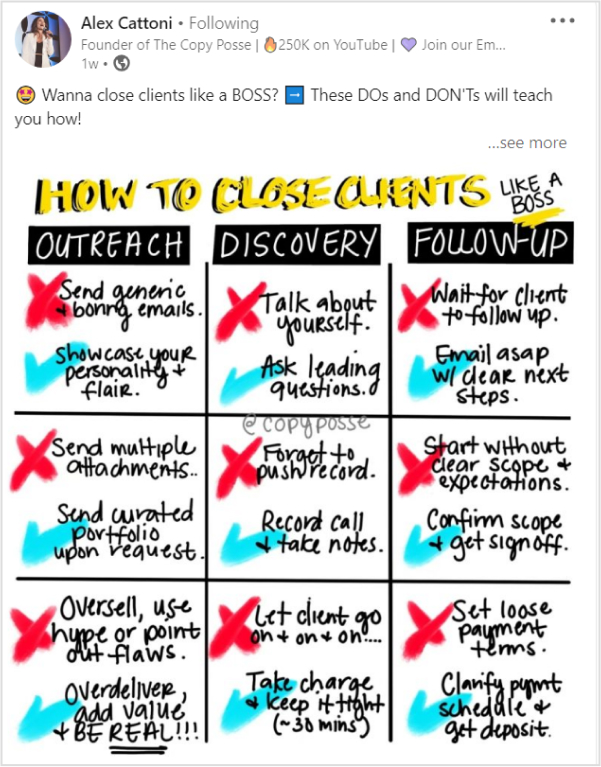
    •  List the dos and don’ts of your job
    Alex Cattoni shared a LinkedIn post about the dos and don'ts of finding clients.
    • Guide on how to enhance a specific skill
    • Recommend valuable or productive tools

    Erik Van recommending ChatGpt HR, a valuable AI tool.
    • Hacks to increase platform engagement 
    • Favorite book or online course
    • Tips for creating engaging Linkedin content
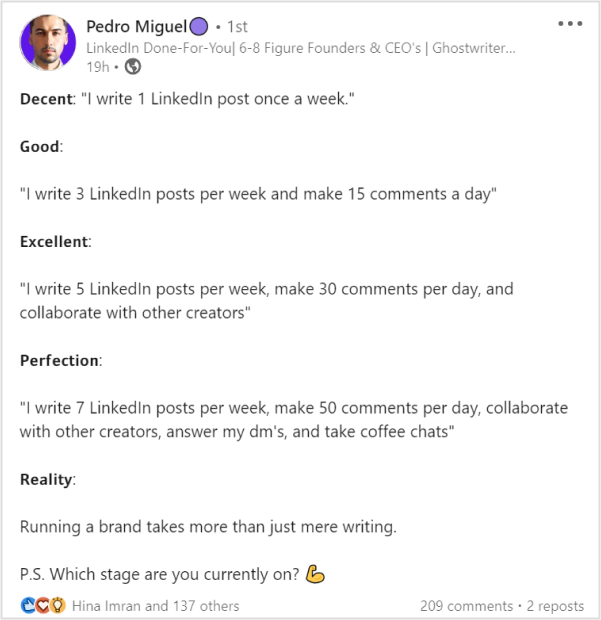
    Pedro Miguel shared tips on creating effective LinkedIn posts.
    • Share any personal experience
    • Personal branding tips 
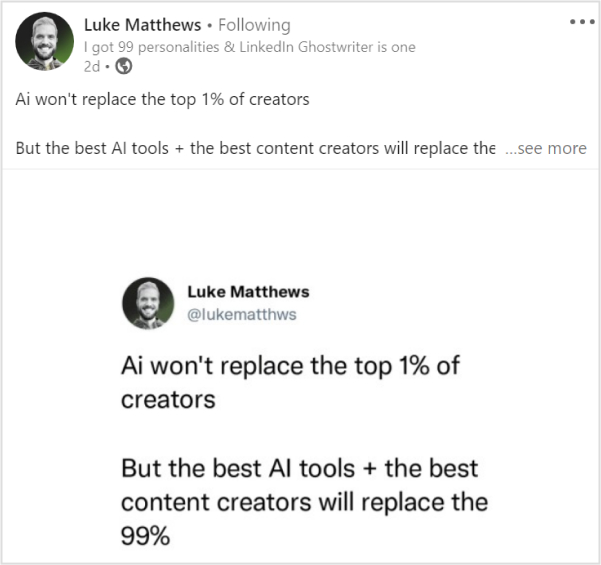
    • Updates in your industry 
    Luke Matthews-the top LinkedIn creator shared an industry update regarding Ai.
    • Views on any upcoming update
    • Best websites for working remotely
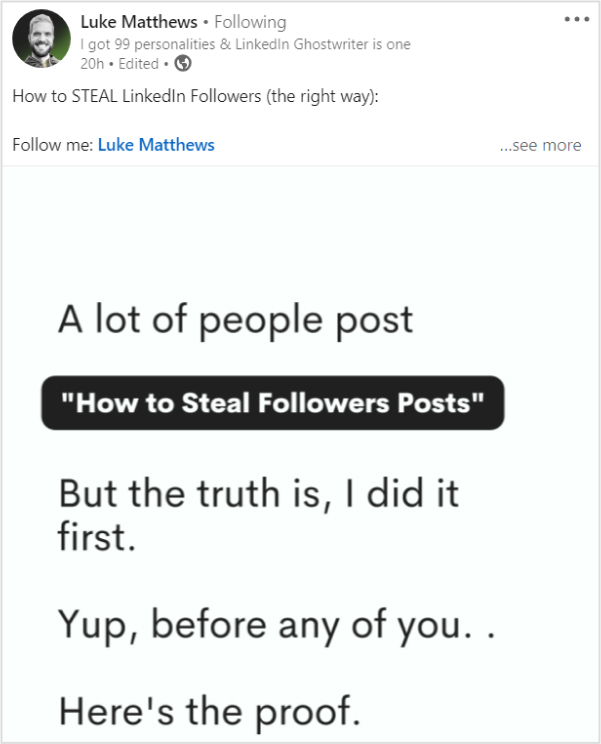
    • Tips on LinkedIn profile optimization
    Luke Matthews shared a post on How to grab LinkedIn followers quickly
    • Advice on communication with clients
    • Networking tips 
    • Any financial advice 
    Philip Musa on LinkedIn shared a post showing some financial advice to keep his audience engaged.

    What unique perspective or expertise do you bring to the table? Is there a fresh take on a popular topic or a hidden gem to be discovered? By pointing out these differences, you can create a sense of suspense, enticing the viewers to explore your content further.

    2. Native visuals posts

    Regarding LinkedIn, where professionals strive to showcase their expertise or brand, content acts as the backbone. 

    Images featuring catchy text

    A native image post generates 2x comment rate than a post without images. So craft a compelling image that perfectly aligns with your message. The key lesson here is to utilize the image + text strategy on LinkedIn.

    And we were amazed when we saw such a post by Richard van der Blom on LinkedIn.
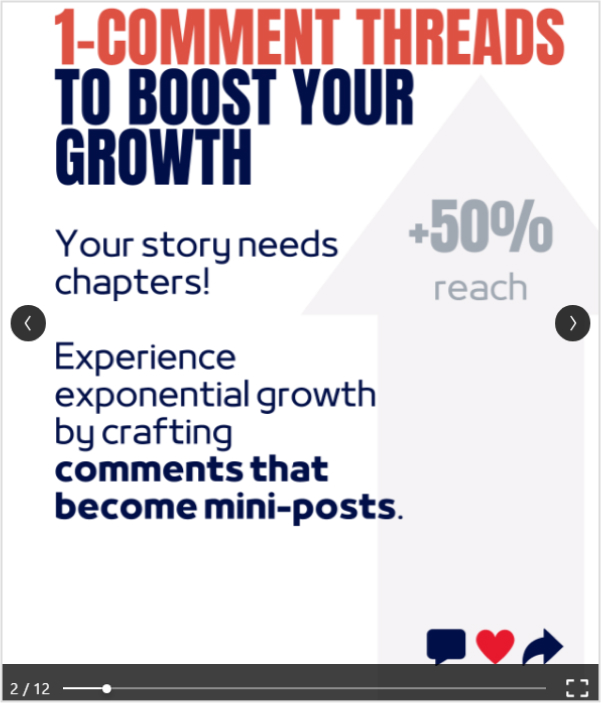
    Richard shared a post  regarding 5 Algorithm Secrets to boost LinkedIn engagement.

    LinkedIn carousel posts


    You can also use carousels, an updated style that lets you add multiple pictures and videos to a single post, giving your audience a visually appealing experience.

    Just like this carousel by Darren Pallatina regarding lead-generation marketing content. 
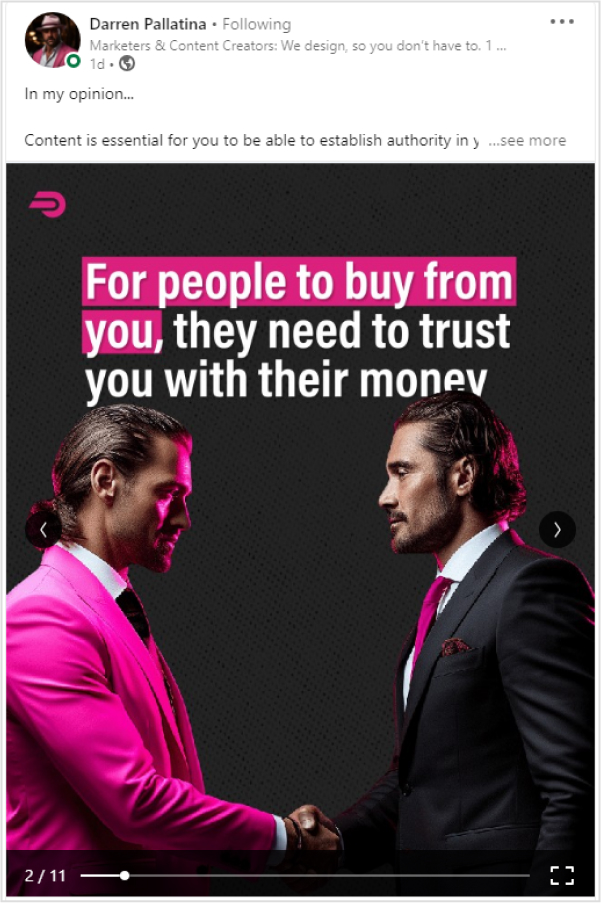
    Darren Pallatina ssharingt this  carousel regarding lead-generation marketing content. 

    With carousels, it’s easy to tell a behind-the-scenes story, like a step-by-step strategy, how a product is made and launched, shortcuts or processes, etc. 

    Native video posts

    Posting videos on LinkedIn has a 5x higher engagement rate than plain text posts. Whether it’s a thought-provoking industry insight, a behind-the-scenes glimpse of your work, or a captivating story, videos can captivate and engage your connections like never before.

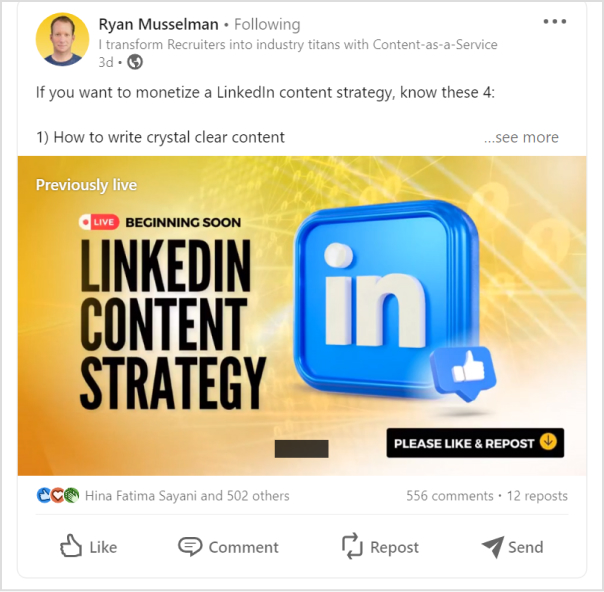
    Here we spotted Ryan Musselman sharing a video post on Linkedin.

    Here Ryan shared a native video post on LinkedIn.

    Add in some video teasers

    Speaking of visual content, putting video teasers on LinkedIn can warm up the audience before the actual LinkedIn video post emerges. It creates curiosity, and it helps you reach a new audience. You could upload the full version later on your LinkedIn profile.

    And when you need to download your LinkedIn videos for repurposing, consider using a LinkedIn video downloader to make the process hassle-free.

    3. Share long-form content

    Let’s say you haven’t designed any LinkedIn visual posts. Now what on earth should you post? Where to start? What else to publish for now? You can post long-form content, such as text-only posts, PDFs, articles, etc. 

    Here’s how 

    Long text-only LinkedIn posts

    It doesn’t matter if you write a concise two-liner or a 600-word text post; the length of the text has no significant effect on the value of your message. You’re good to go if it hits the bull’s eye. 

    Let’s look at Matt Barker’s post, a top LinkedIn content creator sharing his views on how to become an influencer (the right way) through a long text-based post.
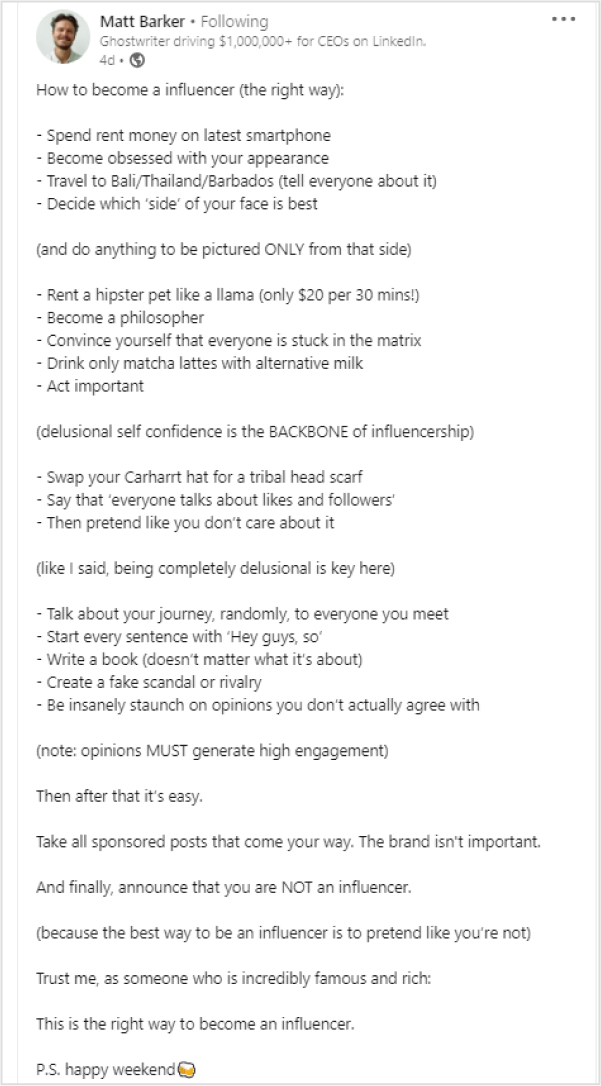
    Matt Barker's post, a top LinkedIn content creator sharing his views on How to become an influencer (the right way) through a long text-based post.

    Though long texts can be boring sometimes, try adding emojis, relevant hashtags, give value, be helpful, personalizing your posts, and be controversial, this will make your posts more engaging.

    Linkedin article 

    LinkedIn also allows users to share blogs and articles. Your posts may include links to external articles. And if you’re at a loss for words, turn any old video from YouTube or PDF file into an article and publish it. Also, this allows you to utilize existing material and present it in a different format for your audience. 

    Here Dan Koe on LinkedIn shared an article in his post. 
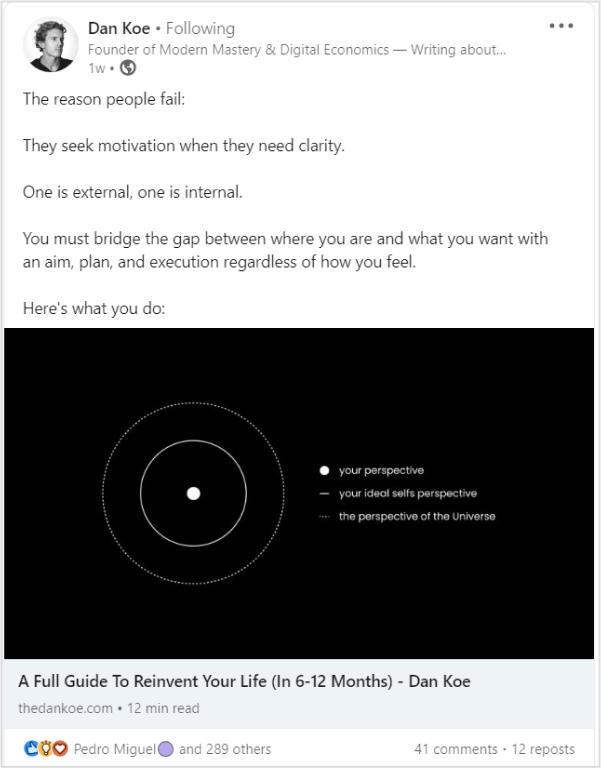
    Dan Koe on shared an article in his LinkedIn post. 

    The biggest perk of this tactic is that you post on LinkedIn more often. What else do you need?

    Share native documents

    Sharing LinkedIn documents while writing posts gives your audience a more comprehensive perception. Make a lasting impression and seize the attention of your LinkedIn network by sharing PPT or PPTx slides, PDF, Doc, and Docx, just like Jan Beger shared a PDF file on LinkedIn regarding how healthcare needs AI.

    Jan Beger shared a pdf file on LinkedIn regarding how healthcare needs AI.

    The deck has 15 pages, but the post is providing value and relevance in each slide. It will encourage the creators dedicated audience to explore his content further. 

    4. Post reviews & opinions

    Whether it’s a new gadget, a trendy fashion item, or even a restaurant, you recently dined at, writing a review allows you to express your opinions and provide valuable insights to your audience. 

    You can share reviews about

    • Top AI tools
    • New software in your particular industry 
    • Future of any specific skill 
    • Success secrets of any well-known brand
    • New books
    • Reactions towards a myth.
    • Replying to FAQs

    Try keeping up with what’s popular online by responding to current trends and events. Anything that has to do with your business can be a great way to keep up with the latest trends.

    Just like Alex Cattoni on LinkedIn shared a post regarding the hyped-up Barbie movie marketing campaigns. How copywriters, marketers, and business owners can grow from studying the Barbie Movie pre-launch campaign. ⁠

    Alex Cattoni on LinkedIn shared a post regarding the hyped-up Barbie movie marketing campaigns.

    By doing so, you can connect with your audience on a more personalized level and stay on top of the trends.

    5. Quiz your audience or throw infographics

    It’s readily apparent that people get bored when constantly bombarded with the same type of content. Therefore, trying out new things and deviating from the usual content-posting approach is beneficial. 

    Linkedin polls and quizzes

    Quizzing your audience or conducting polls on LinkedIn are some compelling ways to catch the users’ attention.

    LinkedIn has a poll feature you can try out alongside other LinkedIn posts and see how it works. Let’s take a good example of a Rich Lyons LinkedIn poll post.
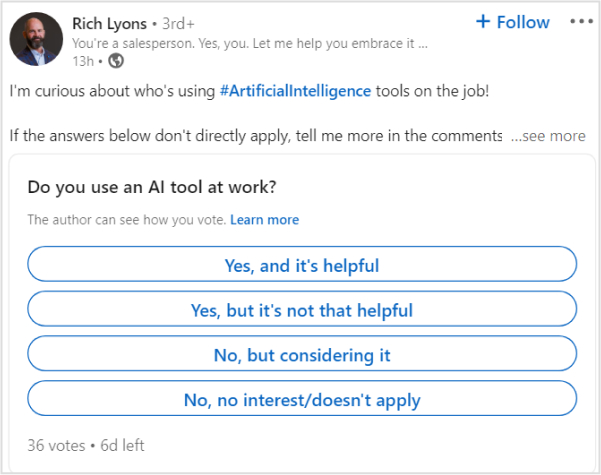
     Rich Lyons shared LinkedIn poll regarding Ai to keep his audience engaged.

    Now, Lyons has conducted an AI-related poll that is quite interesting and also relevant to his niche. Make sure you’re not asking your followers about something they don’t know or care barely about.

    LinkedIn stats posts

    Sharing statistics related to your industry, business milestones, or helpful data can be an effective strategy to initiate meaningful discussions and engage with people.

    Just like Samy Thuillier shared his new website traffic stats on his LinkedIn profile.
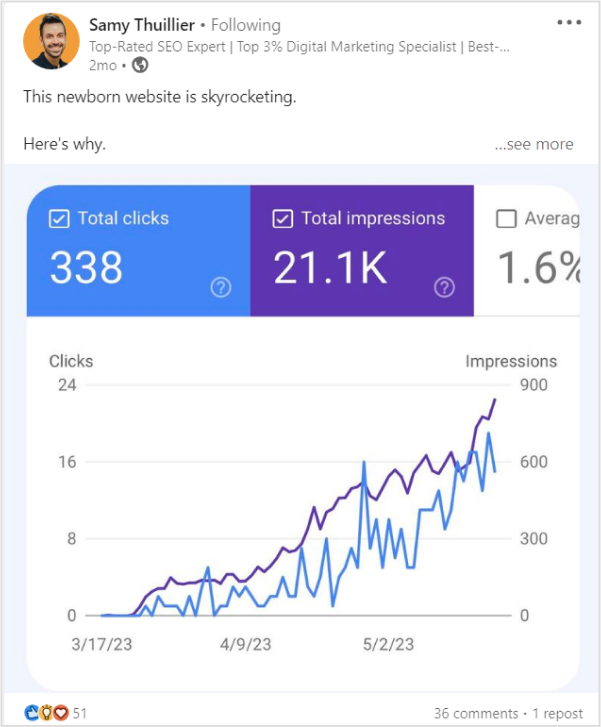
    Samy Thuillier Shared website traffic stats on his LinkedIn profile.

    6. Share industry news

    If you run out of new LinkedIn post ideas, just keep an eye out for news and changes in your field and share them with your readers.

    Just like: influencers and experts often share news related to their fields and get many responses through likes, comments, and shares.

    Still confused? Here’s one example:
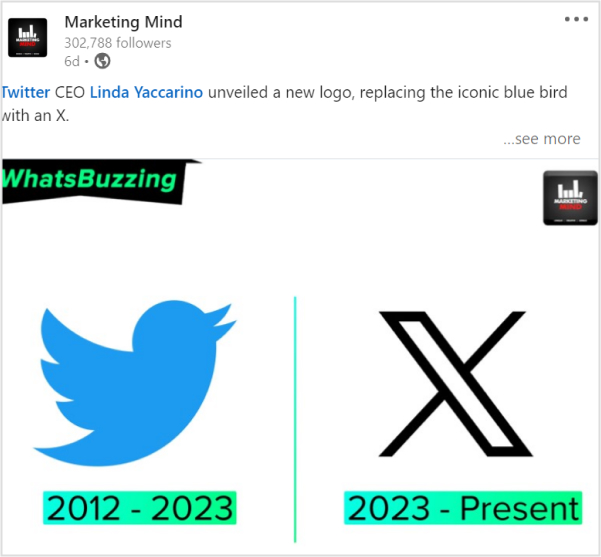
    Marketing Mind on LinkedIn shares news relevant to its niche, which is social media and digital marketing

    Marketing Mind shares news relevant to its niche, which is social media and digital marketing. They posted news about Twitter. How it went from being called Twitter to X. 

    7. Add short-form content

    Listen here, LinkedIn rockstars. You are mistaken if you believe only long-form content and native PDFs can help you succeed on LinkedIn. The ideal LinkedIn profile ought to balance lengthy and concise content. 

    Let’s look at the best types of short-form content. 

    Ask questions from your audience

    LinkedIn is the perfect platform to connect, learn, and have a little fun along the way. So go forth, my fellow LinkedIn friends, and let those questions fly! Ask questions from your audience just like famous LinkedIn content creator Bob Phibbs did so:
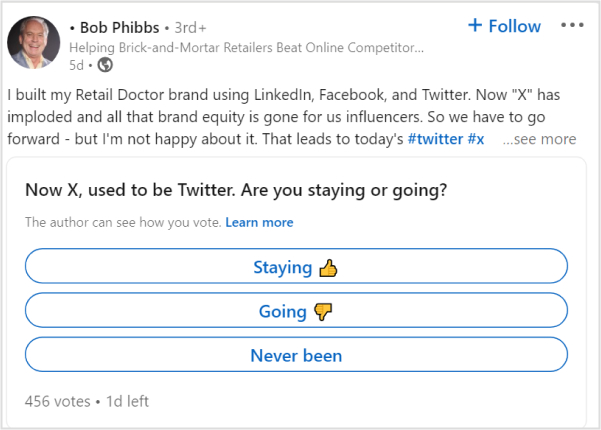
    Bob phibbs shared a Linkedin post to keep his audience angaged by asking them questions.

    Add funny posts 

    People love content they can relate to. So try adding humor to your content. Thus, you can effectively convey your message and engage your audience.  

    Share job openings

    From job posts shared by companies to recruitment updates from industry leaders, there’s always something new and exciting happening on LinkedIn. So, if you’re looking to stay in the loop or share some great job opportunities with your network.

    Share something from a book

    As avid readers, we all know that feeling when a particular quote or excerpt from a book resonates with us on a deep level. It acts like a little nugget of wisdom that we want to share with the world. Just like this insightful quote by Dan Koe.
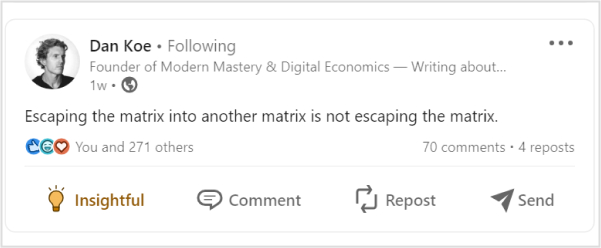
    Just like this insightful quote by Dan Koe.

    Event reminders

    Responding to ongoing trends and events can help you keep up with trends online. You can share new updates, event reminders, upcoming launches, and anything trendy. 

    8. Share snippets of communication & add hashtags

    You can share funny, valuable, informational, or any other general snippets on your LinkedIn posts. These can be with a conversation between you and your friend, any top-content creator, a general meme, etc. It will create a deeper, more personal connection between you and your audience. 

    Here we spotted Teslimat Ishaq sharing a chat snippet with one of her friends on LinkedIn.
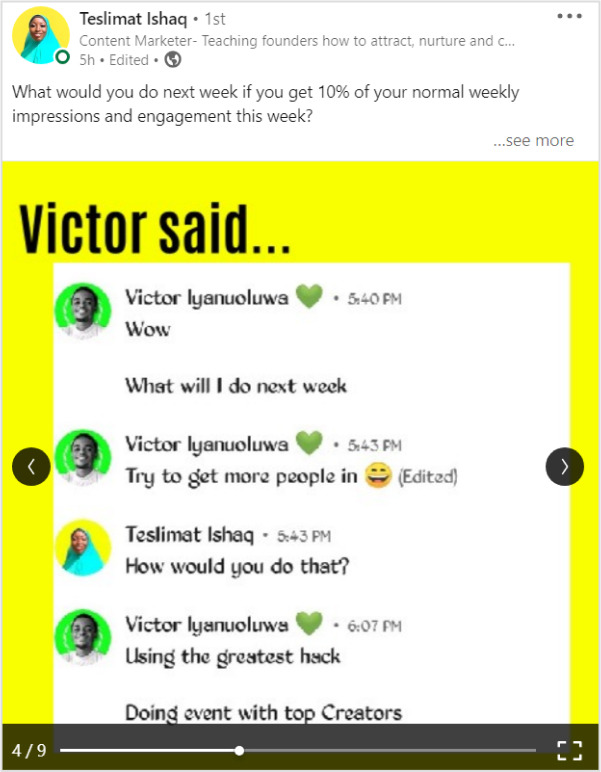
    Teslimat Ishaq sharing a chat snippet with one of her friends on LinkedIn.

    Add hashtags 

    Adding relevant hashtags to your LinkedIn posts can ultimately bring up your posts. It’s a crucial part of LinkedIn SEO. So, if you want to stay at the top, add useful, popular hashtags to your posts. Though the most trending hashtag on LinkedIn right now is #strategy – 5,064,006 followers,

    • #culture – 4,728,967 followers
    • #fashion – 4,215,758 followers
    • #business – 3,663,739 followers
    • #networking – 3,566,063 followers
    • #hiring – 2,443,907 followers
    • #health – 2,270,357 followers
    • #inspiration – 1,145,015 followers

    9. Share inspiring stories

    Have you ever found yourself in a situation where you don’t feel like creating unique, new LinkedIn posts? We’ve all been there. Whether it’s a lack of inspiration, a busy schedule, or simply feeling unmotivated, it’s completely normal to experience a temporary slump in your social media activity. 

    Here’s a genius yet creative idea. Share inspiring yet motivational stories on LinkedIn. It can be your personal story (User Generated Content) or someone else story. 

    We loved how Matt Swin on LinkedIn shared a post inspired by the global superstar Weekend’s life:

    Matt shared 3 branding lessons to learn from Global Superstar The Weeknd. How the artist is making serious waves in the industry. Guinness World Records declared that “The Weeknd is officially the world’s most popular artist.”

    10. Make bold predictions

    Let’s say you notice that everyone is following the same trend. And you also wanna pull up something regarding that trend but with a sense of spice and curiosity. 

    You can always share your opinion on future industry trends or make a bold prediction related to market changes. 

    Still confused? Check out this post by Tim Stoddart

    Tim Stoddart Shared a post on Linkedin the future of ai.

    How Tim shared a short-form content-making prediction regarding AI. However, the best thing about making predictions is that you are neither right nor wrong.

    11. Try LinkedIn live 

    Live videos have a massive 24x engagement rate and 7x more reactions. So if you want high engagement on your profile, share live content in unique ways. For example, 

    • Live webinars
    • Live how-to videos
    • Behind the scenes
    • Live audio events
    • Promotional videos
    • Facts about industry insights
    • Live interviews

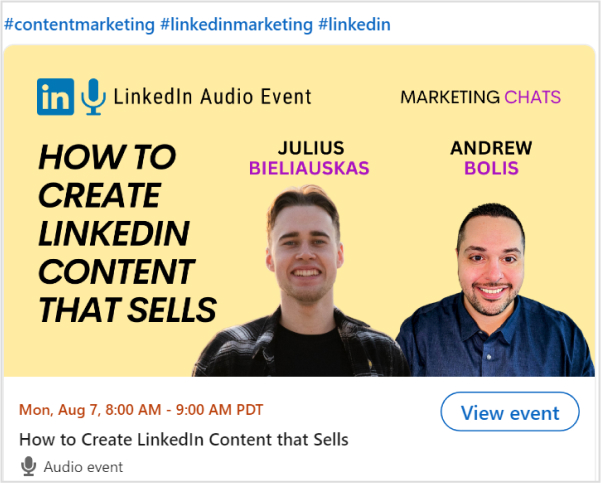
    Here we spotted Andrew Bolis sharing live audio event details on LinkedIn in collaboration with Julius Bieliauskas.
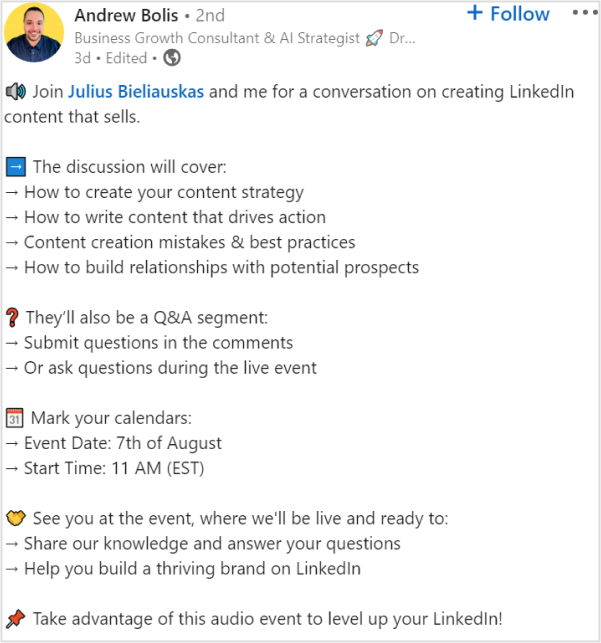
    Andrew Bolis sharing live audio event details on LinkedIn in collaboration with Julius Bieliauskas.

    As a result, both creators will grab high engagement and high-quality leads, as they will be assisting people with their LinkedIn branding tips and relevant content. 

    12.Create appreciation or celebration posts

    When facing writer’s block or running out of ideas, remind yourself of Newton’s law “every action has a reaction.” Similarly, this goes for LinkedIn content strategy as well. 

    You can create engaging posts through feedback or a response. It could be a praise, a celebration, a myth, or a frequently asked question. You can even look back to a milestone that you achieved or something you regret. 

    Still confused? Have a look at Paul Starbuck’s celebration post on LinkedIn. 
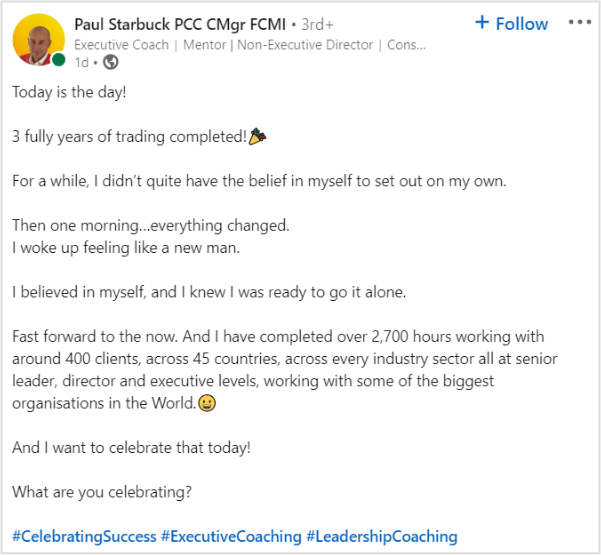
    Paul Starbuck's shared a celebration post on LinkedIn. 

    How to master your LinkedIn strategy?

    Do you want to take full advantage of your marketing efforts? Posting on LinkedIn should be a crucial part of your LinkedIn content strategy. As 92% of B2B marketers use LinkedIn to find quality content.

    That said, it’s no secret that content fuels your social media marketing engine. So put out helpful content to engage the readers. Here are a few tips for a perfect LinkedIn content strategy. 

    Connecting with the right audience

    Statistics showed that most LinkedIn users worldwide are between 25-34 age groups. So in order to maximize your brand content ROI. It’s necessary to take the right audience in the loop. 

    Engaging with people

    You can boost your LinkedIn engagement rates using these tips.

    1. Keep your profile updated to keep things fresh
    2. Showcase your work on LinkedIn with engaging descriptions
    3. A great profile photo and cover increase engagement
    4. Helping others with no expectations
    5. Post regularly and be active on LinkedIn

    Put out the best content

    Listen up, folks! The secret to social media success is as simple as sparking conversations with your amazing content. It doesn’t matter what you’re into, just get those chats rolling and watch the magic happen. Once people notice a healthy discussion, they start jumping on the bandwagon. And that’s how most brands win attention on social media.

    Use Branded Links

    LinkedIn is the best source to generate leads, as it is more effective compared to Facebook and Twitter. Rich leads can be grabbed by sharing branded URLs within your posts.

    Branded short links and CTA’s have proven successful for specific marketing campaigns. They are good for company branding and for analyzing your campaigns.

    Note: By using a custom URL shortener, you can turn long resource links into clean, branded URLs that look neat in your posts and are easier for your audience to click and remember.
    Get Started for Free

    Replug Branded CTA

    So, that’s it, guys! We appreciate the dedication to reading to the conclusion. Your time and effort are very much appreciated.

    Frequently asked questions

    What is a good first LinkedIn post?

    A good first LinkedIn post introduces you professionally, showcases skills, and expresses passion for your field. Keep it concise, engaging, and include a professional photo. Share goals or recent achievements for a positive impression and networking opportunities.

    What is the best time to post on LinkedIn?

    – Post during business hours
    – Posting on Tuesdays and Wednesdays

    What is a viral LinkedIn post?

    Any posts above 100 thousand impressions and 500+ likes is considered as a viral post.

    What is an impression on LinkedIn?

    An impression on LinkedIn refers to the number of times a post or content is displayed on users’ feeds or profiles. It represents the potential reach and visibility of the content, indicating how many users have been exposed to the post, regardless of whether they engaged with it.

    More popular blogs for you

    How To Boost Social Media Conversion: 10 Proven Tricks

    Effective Risk Management Strategies to Manage Social Media Risks
    Top 10 Social Media Hacks to 3X Your Brand Growth

  • Discover the Best PixelMe Alternatives for 2026

    Discover the Best PixelMe Alternatives for 2026

    PixelMe, a well-known name, has been a go-to choice for many marketers. But as we step into 2026, it’s essential to understand the changing demands and needs within this industry. This includes factors like competitive pricing, advanced features, strong customer support, and more.

    Unluckily, PixelMe lacks some advanced features and has higher pricing than most of its alternatives. But worry not, we have analyzed the best Pixelme alternatives for you.

    Switching to Replug could be a smart move. Explore further to find out why Replug is a great choice for managing your links in the digital world.

    In this article, we’ll check out what makes Replug better than PixelMe and other similar tools.

    But if your link needs are less extensive, feel free to explore the other options as well.

    Tool NameKey FeatureAgency PlanLimitations
    ReplugAdvanced analytics, link retargeting, customizable short links$79 /moNo Freemium Plan
    BitlyWidely recognized URL shortening with robust analytics$199 /moNo Retargeting
    Limited customization options
    Cutt.lyStraightforward link shortening with detailed analytics$99 /moNo Bio Links
    No CTA
    RebrandlyFocus on link branding and customization$99/moLacks robust analytics
    Higher pricing
    TinyURLLow value for money additional features$129/moLow value for money No additional features
    BL. INKFeature-rich URL shortening with advanced tracking and analytics$599/moHigher pricing
    Not beginner-friendly
    SniplyCustom calls-to-action for enhanced engagement$59 /moLimited link management features
    Variable pricing
    Short.ioUser-friendly URL shortening with custom short links$149 /moLimited advanced analytics
    Features for extensive management

    What is Pixelme?

    PixelMe is a versatile URL shortening and link management platform that provides users with tools to streamline link sharing, customization, and tracking.

    What they offerWhat they don’t 
    Retarget PixelsAgency features
    Custom DomainPassword-protected links
    Browser extensionBranding on micro landing pages
    Link analyticsWhite labeling
    Import linksComprehensive link branding

    Top alternatives to Pixelme:

    Below are some of the best Pixelme alternatives to look for in 2026.

    1. Replug

    Why Consider Replug?

    Replug is a custom URL shortener that offers advanced analytics and link retargeting options. It’s a powerful choice for marketers seeking in-depth insights into link performance.

    Replug-The ultimate link management tool

    Pros:

    • Advanced analytics for in-depth insights.
    • Link retargeting options.
    • Customizable short links.
    • Complete link management solution
    • User-friendly interface.

    Cons:

    • Currently, no freemium plan is available.

    2. Bitly

    Bitly is a widely recognized URL-shortening service that simplifies link management and provides robust analytics. 

    Bitly-url shortener

    Pros:

    • Widely recognized and trusted.
    • Robust link analytics.
    • User-friendly.

    Cons:

    • Does not offer as many advanced features as some competitors.
    • Limited customization options.
    Replug Branded Short Links CTA
    A complete link management solution
    for marketing professionals & agencies.
    Try Replug for free

    3. Cutt.ly

    Cutt.ly offers a straightforward approach to link shortening and management. With customizable short links and detailed analytics, it’s a suitable choice for those looking for an easy-to-use URL management solution.

    Pros:

    • Straightforward link shortening.
    • Customizable short links.
    • Detailed analytics.
    • Easy-to-use.

    Cons:

    • It may lack some advanced features.
    • Limited branding options.

    4. Rebrandly

    Rebrandly focuses on link branding and customization, allowing users to create branded short links. This can enhance brand visibility and recognition, making it a valuable business choice.

    Rebrandly-Link branding tool

    Pros:

    • Focus on link branding and customization.
    • Branded short links.
    • Enhances brand visibility.
    • Suitable for businesses.

    Cons:

    • It may not have as robust analytics as others.
    • Pricing may be higher for branding features.

    5. TinyURL

    TinyURL offers a quick and straightforward approach to link shortening. While it may not provide advanced analytics, its simplicity and speed make it a reliable choice for quick link management.

    Pros:

    • Quick and straightforward link shortening.
    • Simplifies link management.
    • Speedy solution for quick link tasks.

    Cons:

    • Lacks advanced analytics.
    • Limited customization and features.

    6. BL. INK

    BL.INK is a feature-rich URL-shortening tool with advanced link tracking and analytics. If you’re looking for a comprehensive link management solution, BL.INK is a strong choice.

    BL.INK url shortener

    Pros:

    • Feature-rich URL-shortening tool.
    • Advanced link tracking and analytics.
    • Comprehensive link management solution.
    • Suitable for data-driven marketing.

    Cons:

    • Pricing may be higher for the feature set.
    • It may not be as user-friendly for beginners.

    7. Sniply

    Sniply allows users to add custom calls-to-action to shared content. This unique feature can enhance user engagement and conversions, making it a compelling alternative to PixelMe.

    Pros:

    • A unique feature of adding custom calls-to-action.
    • Enhances user engagement and conversions.
    • Compelling for content marketing.

    Cons:

    • Lack of some link management features.
    • Pricing may vary based on usage.

    8. Short.io

    Short.io is a user-friendly URL-shortening service that simplifies creating custom short links. With its ease of use and detailed analytics, it’s a reliable choice for straightforward link management.

    Short.io-URL-shortening service

    Pros:

    • User-friendly URL-shortening service.
    • Simplifies creating custom short links.
    • Easy to use and quick.

    Cons:

    • Does not offer as advanced analytics as competitors.
    • Limited features for extensive link management.

    Why should you consider alternatives to pixel me?

    One should be considering alternatives to pixel me because the tool lacks lots of essential features. Luckily, Replug offers those features and a lot more useful features for agencies and marketers. Here are some reasons to choose Replug over PixelMe. 

    • Integration support is available.
    • Offers traffic routing and link rotation features.
    • Provides the option to add CTA to your links.
    • Offers link expiry feature.
    • Affordable pricing compared to its competitors.
    Replug Branded Short Links CTA
    Maximize marketing ROI
    by transforming ordinary URLs into
    branded short links that convert.
    Try Replug for free
    • QR codes are included.
    • RSS feeds option is available.
    • White-label features are offered.
    • Password-protected links are provided.
    • Easy setup process.
    • A free trial option is available.

    Conclusion

    All in all, if you value advanced features with high-end customer support with less pricing – Replug is a better option. But as you weigh your options, remember that each alternative presented here has its strengths, catering to different needs and preferences. The right choice depends on your marketing goals, budget, and desired features. 

    Make a smart choice that matches your plan for success within your industry. 

    Frequently asked questions

    What is the primary purpose of URL shorteners?

    URL shorteners like Replug or PixelMe are designed to make long, complex URLs more manageable and aesthetically pleasing, making them easier to share and track.

    How do I decide which alternative to PixelMe is right for me?

    Consider your marketing goals, budget, and required features. Each alternative has its strengths, so choose the one that aligns with your needs.

    Why choose Replug over Pixelme?

    Replug gives marketers many helpful tools that are perfect for today’s needs. It lets you customize and analyze links in a way that goes beyond what PixelMe can do.

    Are these alternatives user-friendly for beginners?

    Yes, most of these alternatives, especially Replug, offer user-friendly interfaces and provide tutorials and support to help beginners get started.

    You may also like:

  • 9 hottest content marketing platforms to look for in 2026

    9 hottest content marketing platforms to look for in 2026

    Ready to supercharge your content game?

    We’ve just uncovered the best content marketing platforms and tools that can transform your content creation journey.

    Without crafting a solid plan for distribution and promotion, putting out content could be a waste of energies. Therefore, what you should do is begin with choosing the right content marketing platforms instead.

    This lineup has everything from content management systems to powerful AI-driven tools.

    Sr.Content Marketing PlatformsCategory
    1.ContentStudioSocial Media Management
    2.HubspotCustomer Service Management
    3.BrevoEmail Marketing
    4.ReplugBranded Link Management
    5.CanvaGraphic & Image Editor
    6.WordPressContent Management System
    7.BuzzSumoSocial Listening Tool
    8.MediumContent Publishing Network
    9.ContentIdeasExplore Content Trends Tools

    What is a content marketing platform?

    A content marketing platform is a digital tool that assists businesses in creating, publishing, and managing marketing content effectively. To maximize its utility and ensure it stays ahead of technological advances and market trends, continuous platform development is essential, enabling the platform to support evolving content strategies and integrate seamlessly with other digital marketing tools

    Top 9 Content Marketing Platforms

    Many kick off their content marketing journey by developing a content plan, which isn’t a bad approach if you have a clear direction.

    But for most, the initial step should be choosing content marketing platforms carefully. This way, they can more easily map out a solid plan to create and spread their content.

    Below is a list of some of the best content marketing platforms:

    1. ContentStudio: Social media management

    ContentStudio is a content marketing and social media management platform that streamlines content discovery, curation, and publishing.

    Key Features:

    • Content curation
    • Social media analytics
    • Social media automation
    • Analytics and reporting
    • Social media management
    ContentStudio-Social media management platform

    Pros:

    • It helps you find trending content in your niche, making it easy to curate and share.
    • Allows you to automate social media posting for consistent engagement.
    • ContentStudio is suitable for teams with workflow and approval features.

    Cons:

    • Like any new tool, it may take time to understand its full capabilities.
    • More advanced features are locked behind higher pricing tiers.
    • It offers basic engagement analytics, but more detailed insights may require integration with other tools.

    Other honorable alternatives:

    • Hootsuite
    • Sprout Social

    2. HubSpot: Customer service platform

    HubSpot is an all-in-one inbound marketing, sales, and customer service platform that provides tools to help businesses grow.

    Key features:

    • CRM (Customer Relationship Management)
    • Email marketing and automation
    • Landing pages and forms

    Pros:

    • HubSpot offers a suite of tools, including CRM, marketing, sales, and service hubs, all under one roof.
    • It allows you to automate marketing campaigns, lead nurturing, and sales processes.
    • Provides detailed analytics and reporting to measure the success of your marketing efforts.

    Cons:

    • HubSpot can be complex for beginners, requiring time to master.
    • While it offers a free version, more advanced features come at a price.
    • Small businesses may find its array of features overwhelming.

    Other honorable alternative

    • Sprinkler
    • Share Spring

    3. Brevo: Email marketing tool

    Brevo (formerly Sendinblue) is an all-in-one marketing platform that offers email marketing, marketing automation, and transactional emails.

    Key Features:

    • Email marketing
    • Marketing automation
    • Transactional emails
    SendinBlue-Email Marketing tool

    Pros:

    • SendinBlue combines email marketing, SMS marketing, and marketing automation.
    • It’s beginner-friendly with a simple and intuitive interface.
    • Competitive pricing, especially for small businesses.

    Cons:

    • Some advanced marketing automation features may be limited.
    • Despite being user-friendly, it may take time to master all its capabilities.
    • Email deliverability rates may vary based on the quality of your email list.

    Other honorable alternatives:

    • Mailchimp
    • Moosend
    • Active Campaign

    4. Replug: Branded Link Management

    Replug is an efficient URL shortener and a complete link optimization platform that helps you optimize, manage, and track your links hassle-free.

    Key Features:

    • Link branding and shortening
    • White-label solution
    • Link tracking and analytics
    • Call-to-action overlays
    • SMS marketing
    • Link rotator
    • Bio-link generator 
    Replug-Link management tool

    Pros:

    • You can customize and brand your links to match your style.
    • Replug offers link analytics to track link clicks and performance.
    • Add call-to-action overlays to your shared links to boost conversions.

    Cons:

    • It’s not a content creation tool but focuses on link optimization.
    • Some advanced features may be behind a paywall.

    Other honorable alternatives:

    • Bitly
    • Rebrandly

    5. Canva: Graphic designing tool

    Canva is a user-friendly graphic design tool that empowers everyone to create visually appealing content.

    Key Features:

    • Template library
    • Drag-and-drop design tools
    • Collaboration and sharing

    Pros:

    • Canva’s intuitive interface makes design accessible to beginners and professionals.
    • It offers a vast library of templates for social media, marketing, and more.
    • Teams can collaborate in real time on design projects.

    Cons:

    • While great for basic design, it may not replace advanced graphic design software.
    • Brand consistency can be tricky, especially for larger organizations.
    • Some features may still require design skills to be used effectively.

    Other honorable alternatives:

    • Vengage
    • Adobe Express

    6. WordPress: Content management system

    WordPress is a popular open-source content management system that powers millions of websites and blogs.

    Key Features:

    • Themes and plugins for customization
    • SEO plugins for optimization
    • Blogging capabilities

    Pros:

    • It’s highly customizable and suitable for various website types.
    • WordPress is known for its SEO capabilities and offers numerous plugins for optimization.
    • A vast community ensures plenty of support and resources.

    Cons:

    • Regular updates and maintenance are necessary to secure your website.
    • Customizing and managing WordPress may require a learning curve.
    • You may need to invest in plugins and hosting for optimal website speed.

    Other honorable alternatives:

    • Wix
    • Blogger

    You may also like: 10 content marketing tips to drive conversions and build loyalty

    7. BuzzSumo: Social listening tool

    BuzzSumo is a content research and social listening tool that helps you find popular content and track your brand’s online presence.

    Key Features:

    • Content discovery and research
    • Social listening and monitoring
    • Influencer identification
    BuzzSumo-Social listening tool

    Pros:

    • Discover the most shared and trending content in your niche.
    • Monitor mentions of your brand or topics relevant to your business.
    • Find key influencers in your industry for collaboration.

    Cons:

    • Some advanced features may be available only in higher-priced plans.
    • Learning to use all features effectively may take time.
    • BuzzSumo primarily focuses on content research and may not cover all marketing needs.

    Other honorable alternative

    • Share Spring

    8. Medium: Content publishing network

    Medium is a publishing network that allows you to publish written content. There are several content categories to pick from while posting the content. It’s a complete interactive platform with features like the following system: a paid plan, commenting, and liking.

    Medium- Discover stories and opinions from writers

    Key Features:

    • Writing and publishing articles
    • Partner program for writers to earn income
    • Curation for recommended content

    Pros:

    • Medium is a go-to platform for written content.
    • It’s user-friendly and simplifies the process of publishing.
    • It comes with a built-in audience interested in long-form written content.

    Cons:

    • It focuses on written content, which may not suit all content needs.
    • There are limited options for writers to make money.

    Other honorable alternative

    • Scoop It

    You may also like: Content engagement: 9 key steps for writing engaging content

    9. ContentIdeas: Find top-performing content

    Curate trending content for a better social presence, get ideas for your next blog posts, find new link-building opportunities, or stay updated with the industry via ContentIdeas.

    Key Features:

    • Content topic generator
    • Keyword research
    • Competitor insights
    • Customizable filters
    • Content calendar integration

    Pros:

    • Save time and effort by generating content ideas in seconds.
    • Customize content ideas to match your specific niche and audience.
    • Plan, create, and schedule content all in one place.
    • Work seamlessly with your team on content projects.
    • Understand how well your content ideas are performing and make data-driven decisions.

    Cons:

    • The tool may require some time to learn and fully utilize.
    • Check if the tool integrates with your existing content management systems.
    • Requires a stable internet connection for real-time updates and collaboration.

    Other honorable alternatives:

    • Google Trends
    • Exploding Topics

    How to use content marketing platforms to drive business?

    A roadmap is necessary to achieve any goal. Here’s a road map on how to use content marketing platforms to drive business growth.

    • Choose the best platform for content publishing.
    • Streamline your workflow with cutting-edge software.
    • Distributing the content and boost engagement.
    • Analyzing analytics and conversions.
    • Optimize and necessary changes.

    How to plan a perfect content marketing strategy?

    Here’s what a proper content plan looks like

    A content plan is a roadmap of the content that guides your marketing strategy in translating what your brand wants to achieve through content. The emphasis of a content plan is more on the subject matter and the implication of content on the audience. 

    This is why selecting content marketing platforms was discussed before building the content plan. Understandably, once the content platforms have been selected, your content plan will be built accordingly. 

    Here are the key elements one should consider in building a content plan:

    Setting clear goals

    What do you aim to achieve with your content? Whether it’s generating leads, increasing brand awareness, or boosting sales, your goals should be specific, measurable, and attainable.

    Keyword research and SEO integration

    Keywords are the foundation of SEO. Identify relevant keywords and integrate them strategically into your content. Optimize meta tags, headers, and descriptions to enhance search engine visibility.

    Building a content calendar

    Plan your content in advance with a ContentStudio’s content planner. This helps you organize your topics, schedule posts, and stay ahead of important dates and events.

    Content creation

    This is where the magic happens. Craft compelling and valuable content that addresses your audience’s needs and interests. If you struggle with introductions, reviewing some hook sentence examples can help you grab attention from the first line. Ensure a consistent tone and style across all your materials.

    Analytics and conversion

    Regularly analyze the performance of your content. Utilize tools like Usermaven to track traffic, engagement, and conversions. Adjust your strategy based on the data.

    Creating evergreen content

    Evergreen content remains relevant over time. Balance your content strategy with timely and evergreen pieces to ensure consistent traffic.

    Content promotion

    Producing great content is just half the battle. Promote your content through social media, email marketing, and guest posting to reach a wider audience.

    What are the best platforms for sharing your content?

    You can share content on the following content platforms:

    1. Facebook

    Facebook connects billions worldwide, where you can share text, images, and videos. It’s your personal and business hub.

    Key Features:

    • News Feed for posts and updates
    • Messenger for private chats
    • Business Pages for brands
    • Advertising tools for targeting specific audiences
    Facebook- social networking site that makes it easy for you to connect and share with family and friends online

    Pros:

    • Facebook has a massive user base of over 2.8 billion people, providing a vast reach.
    • You can share text, images, and videos, allowing creative expression.
    • It’s a great place to engage with friends and family through likes, comments, and shares.
    • Businesses find it valuable for advertising, brand-building, and gaining insights into content performance.

    Cons:

    • Frequent algorithm updates can affect how many people see your posts without paid advertising.
    • Facebook has faced privacy concerns, which may worry some users.
    • Standing out in the crowd can be a challenge.

    2. Instagram

    Instagram, the visual wonderland, lets you share stunning images and videos. It’s a creative haven for influencers and brand promotion.

    Key Features:

    • Stories for temporary posts
    • IGTV for longer videos
    • Reels for short, engaging clips
    • Business profiles with insights
    Instagran- free, online photo-sharing application and social network platform

    Pros:

    • Instagram focuses on visual content, making it perfect for showcasing products and services.
    • It’s a hotspot for influencer marketing, with popular users promoting brands.
    • Advertising options are available to reach the right audience.
    • Features like IGTV and Reels keep users entertained.

    Cons:

    • Like Facebook, Instagram’s algorithm can affect organic reach because of continuous algorithm challenges.
    • If your content isn’t visually appealing, it may not perform as well.

    3. TikTok

    TikTok, the addictive platform, offers short, diverse videos. It’s the go-to platform for entertainment and creativity.

    Key Features:

    • Quick, music-filled videos with effects
    • Duets for collaboration
    • Challenges for engagement
    TikTok-social media platform for creating, sharing and discovering short videos.

    Pros:

    • TikTok’s clever algorithm suggests content users love, keeping them hooked.
    • Users can discover a wide range of content, from funny sketches to educational tutorials.
    • It’s incredibly popular with younger folks, making it a hit for reaching Gen Z.

    Cons:

    • TikTok has had its share of privacy concerns.
    • Content is limited to short videos, which may not suit all creators.

    YouTube

    YouTube, the video giant, hosts a wealth of content. It’s your source of learning, entertainment, and creativity.

    Key Features:

    • Personal channels for creators
    • Video editing tools
    • Live streaming
    • Options for making money
    • Youtube shorts
    Youtube-Video sharing platform

    Pros:

    • YouTube is the top platform for sharing videos, ideal for content creators.
    • Creators can make money through ads, memberships, and merchandise.
    • It’s a fantastic source for educational and how-to content.

    Cons:

    • The platform is saturated, making it challenging for new creators to gain attention.
    • High-quality video production may be required to stand out.

    Pinterest

    Pinterest is a visual treasure trove, inspiring users with captivating images and ideas. It’s a go-to for creative inspiration and visual discovery.

    Key Features:

    • Pins for sharing visual content
    • Boards to organize pins
    • Shopping features for e-commerce
    • Add others’ pins to your boards
    Pinterest-a visual discovery engine for finding ideas

    Pros:

    • Pinterest is the place to discover and get inspired visually.
    • It’s gold for fashion, home decor, and lifestyle businesses.
    • Pins last longer compared to typical social media posts.
    • Create boards related to your famous blog categories.
    • Post pins consistently to increase your chances of ranking.
    • Focus on quality over quantity in your content.

    Cons:

    • Pinterest attracts users with particular interests in visual discovery.
    • It’s best for businesses with highly visual products or services.

    You may also like: How to Create Highly Shareable Content?

    What’s the takeaway?

    The whole point of this article is to educate you on paying close attention to your content types, distribution methods, and the right platforms for getting business.

    The ultimate goal of your content marketing plan is to bring the customers, sell the products, and build an audience around your brand. It might not happen on a whim, but it takes time.

    If your content is working and you’re on the right platforms, things will show indications that you’re moving in the right direction.

    FAQs

    How do I choose the best content platform for my business?

    When choosing a content marketing platform, look for features like ease of use, content creation tools, SEO capabilities, and integration with your existing marketing stack.

    What’s the advantage of using Replug for link management?

    Replug allows you to create short links, track their performance, and add call-to-action features to enhance user engagement. It acts as a complete hub for easily managing all your branded links from one place.

    How do I analyze the conversions or traffic of my website?

    You can use tools like Usermaven to analyze website traffic or conversions.

    Which platform is best for e-commerce businesses?

    Shopify is a great choice for e-commerce businesses, as it provides features tailored to this industry.

    Which is the best social media management tool?

    Contentstudio is the best social media management tool brands can use. 

    Are these platforms suitable for small businesses?

    Yes, most of these platforms offer scalable solutions, making them suitable for businesses of all sizes.

    Other Popular Blogs:

  • Content engagement: 9 key steps for writing engaging content

    Content engagement: 9 key steps for writing engaging content

    Let’s talk about content engagement

    No, it’s not measuring how many people fall asleep on their keyboards while reading your blog.

    Although, if that were a metric, some of us would be setting records!

    We get it; creating engaging content in 2026 can be a real challenge.

    But worry not!

    We’ve put together a practical guide with tips and tricks to help you out. Let’s get started.

    What is content engagement?

    The term “content engagement” describes a level at which a person is interested in and involved with a specific content. This interaction can take various forms, such as:

    Why does content engagement matter?

    Engaging content builds trust and credibility, enhances visibility, and drives conversions. Moreover, it provides valuable feedback for content improvement and fosters long-term relationships with your audience.

    To make that process easier, from branding to tracking link performance, many content creators rely on Replug.io
    as their go-to solution for professional link management and optimization.

    Steps to create engaging content

    Step 1: Understand your audience – The secret key

    Before you put pen to paper, you need to get inside the minds of your readers. What are their pain points?

    What keeps them up at night?

    Tailoring your content to their needs and desires is the first step to engagement.

    Step 2: Craft a catchy headline – Reel ’em in

    Your headline is the first thing people see.

    Make it count!

    All the best headlines have the following qualities:

    • Emotionally compelling
    • Problems, questions, and curiosities
    • Relevant keywords
    • Perfect length
    • Clear and specific

    Without a catchy headline, your content won’t get a chance to engage readers. So craft headlines that stop readers and compel them to click through. Creating engaging challenges as part of your strategy can motivate readers to interact and participate, enhancing their overall experience with your content.

    Step 3: The storytelling magic

    The storytelling magic

    Stories connect with people. They remind us that we are more alike than we tend to think. That’s why storytelling is one of the most popular writing methods among marketers.

    Some of the stories you can tell:

    • Success stories
    • Case studies
    • Showcase your brand’s values
    • Your challenging beginnings
    • Choosing to take chances

    Remember, great storytelling combines high-quality content, using real-life stories and testimonials from customers and employees.

    Step 4: Formatting matters – Create digestible content

    Nobody has time for long, dense paragraphs. Format your content for easy scanning, making it accessible and engaging. Lists, for example, are shared more frequently than other types of content.

    Try Adding:

    • Contests
    • Quizzes
    • Assessments
    • Infographics

    Learning doesn’t have to be boring or monotonous. It can be a thrilling adventure that keeps you hooked and wanting more.

    Step 5: Add some personality – Don’t be a robot

    Readers can easily spot when something feels forced or insincere. Try adding some personality.

    Whether you’re writing a blog post, an article, or even a social media caption.

    Let your true self shine through.

    • Write as you talk
    • Be Relatable and Trendy
    • Use a “behind the curtains” approach
    • Build suspense
    • Use User-Generated Content
    • Be witty or humorous

    We know adopting a more formal or generic tone when writing is easy. But when you add relatable content, it builds trust with your readers and also keeps them coming back for more.

    Step 6: Power of visuals 

    Gone are the days when plain text alone could captivate an audience. In this age of “pics or it didn’t happen,” visual content is a must.

    A well-designed image or video can instantly capture the viewer’s interest. Stats showed that

    • Video content generates 1200% more shares than text content.
    • Infographics are shared 300% more often than text-only articles.
    • Images are shared 94% more often than text-only articles.

    This content format is highly suitable for sharing on social media platforms as it allows for compelling storytelling and visual representation of events.

    Step 7: Guide your readers with CTA’s

    Every piece of content should have a purpose. So craft compelling CTA’s (calls to action) that guide your readers toward the desired action, whether subscribing, sharing, or purchasing.

    Boost ROI with branded URLs - Replug dashboard showing performance metrics and branded URL creation
    Boost your conversion rates with irresistable CTAs with

    for your marketing campaigns.

    Check

    Higher clicks

    Check

    More leads

    Check

    Better ROI

    Generate free CTAs

    Some of the evergreen brand-friendly CTA’s include:

    • Learn more
    • Sign me up
    • Get for free
    • Shop now
    • Let’s do this
    • Check now
    • Try now

    Create benefit-oriented CTAs for your websites and multiply your conversion rate and lead generation.

    Step 8: Optimize your content

    SEO primarily drives traffic and improves a website's visibility in SERPs

    Increase your credibility with potential readers by making it easy for them to find the information they want in your content.

    Some tips to optimize your content

    • Target long-tail keywords
    • Use key phrases with less competition to rank better
    • Matching the search intent of a search query
    • Adding an optimized meta title, meta description, and URL
    • Fixing technical SEO issues affecting your website
    • Adding relevant internal links and working on your backlink strategy.
    • Answer frequently asked questions.

    While content optimization focuses on improving the user experience and providing value to visitors, SEO primarily drives traffic and improves a website’s visibility in SERPs.

    Step 9: Use of AI tools

    You can produce high-quality content that resonates with your audience, thanks to Ai. Here’s how AI helps you in the following fields:

    • Keyword Suggestions: AI tools can suggest topic keywords, helping you hit the bullseye with your content.
    • Content Structuring: They help structure your ideas, ensuring your content flows seamlessly and keeps readers engaged.
    • Data Analysis: AI tools analyze data and trends, giving you precious insights to make your content stand out in the crowd.
    • Grammar and Spelling: Bid farewell to embarrassing typos and grammar slip-ups. AI tools ensure your content is polished and error-free.
    • Enhanced Readability: AI paraphrasing tools offer style and tone suggestions, making your writing more engaging and enjoyable.
    • SEO Optimization: Boost your content’s visibility with AI’s SEO process. They analyze keywords and offer tips to improve your content’s search engine ranking.
    • AI Checker Support: Many creators now rely on an AI checker to ensure their content remains authentic, high-quality, and free from unintentional overuse of automation. Many writers now use an AI humanizer to make their content sound more natural and emotionally engaging, ensuring every piece feels authentic and truly written by a human.

    In short, AI tools have transformed content creation into an efficient, streamlined process, saving time and effort.

    How do we measure content engagement?

    There is a famous saying; ‘what doesn’t kill you makes you stronger.’ When you have a detailed report, you can measure your achievements and identify past mistakes Usermaven-Measure Content engagementHowever, tools like Usermaven provide privacy-friendly websites and product analytics with pre-built reports.

    Here are some key metrics to consider:

    1. Session metrics

    Understanding the average session length helps decipher user behavior. Long sessions signal that your content structure effectively guides users to explore more. Short sessions, on the other hand, can be positive if users quickly find what they seek.

    2. Page views and (CTR)

    Manage content engagement by analyzing page views and CTR

    These basic metrics show how many people view your content and click through to read more. While they don’t provide deep insights into engagement, they are still essential indicators.

    3. Time spent on page

    This metric tells you how much time users are spending on your content. A longer time spent typically indicates higher engagement as it suggests that users are reading or consuming the content rather than quickly bouncing away.

    4. Social shares and likes

    Boost Content engagement with Social likes and shares

    Monitoring how often your content is shared on social media platforms, and how many likes or reactions it receives, can provide insights into its popularity and appeal.

    Utilizing specialized analytics tools like ContentStudio and staying up-to-date with trends in the field is crucial for successful social media engagement tracking.

    5. Scroll depth

    This metric measures how far users scroll down a webpage. If users are scrolling deeply into your content, they find it engaging and valuable.

    6. Email sign-ups

    Email sign-ups are the link that connects visitors to leads and future customers. They represent an urge to remain connected. You may efficiently nurture leads by including a simple sign-up option within your content.

    7. CTAs & conversion rates

    Replug-Link management tool

    Conversion rates for various CTAs might shed light on how effective they are. However, if your content is part of a larger marketing funnel, track how many users take a desired action (e.g., signing up for a newsletter and purchasing) after going through your content. You may also like

    8. Bounce rate

    This is the percentage of visitors who leave your website after viewing only one page. A high bounce rate can indicate that your content is not engaging enough or irrelevant to the audience.

    Final Word

    To measure content engagement effectively, it’s essential to use a combination of these metrics and tools. Additionally, the specific metrics you focus on may vary depending on your goals and the type of content you’re producing.

    Regularly analyzing these metrics and adjusting your content strategy based on the insights gained is vital to improving content engagement over time.

    You can even use this brilliant link shortener to turn long, messy URLs into polished, branded links, making sharing easier and more trustworthy across social, email, and content platforms.

    Other Popular Reads

  • Everything you need to know about collaborative marketing

    Everything you need to know about collaborative marketing

    Using only tried-and-true advertising methods won’t cut it in the 21st century. Nowadays, consumers are flooded with knowledge, so companies need to do something creative to stand out. 

    In such a case, collaborative marketing is an innovative and fruitful marketing method. In this approach, two brands can work together to build positive connections, share resources, boost sales, and increase their respective audiences. 

    To make collaborative campaigns simpler and more trackable, especially when multiple partners are involved, many teams rely on a dedicated link management platform to organize, share, and monitor their marketing URLs.

    Let’s dive into the world of co-branding by looking at its advantages and some inspiring examples of how businesses use it to bring about incredible results.

    What is collaborative marketing? 

    Collaborative marketing is a straightforward and exciting idea. Instead of competing against each other, businesses typically choose to team up and form collaborative partnerships.

    This way, brands get to hit the jackpot in making sales and getting their brand out there to a broader audience.

    Collaborative marketing definition:

    When two or more companies work together to promote their goods and services, it’s known as the practice of collaborative marketing, frequently referred to as co-branding.

    How do brand collaborations work? 

    Brand collaborations aim to utilize each brand’s strengths and equity to achieve specific business goals. In the notion of co-branding, here’s how brand collaborations work.

    Determining the Goal
    Choosing Suitable Partners
    Establishing Responsibility and Values
    Creating Co-Branded Products or Services
    Quality Assurance and Product Growth
    Customer Engagement
    Success Metrics
    Retaining the Connection

    5 benefits of collaborative marketing

    Here are 5 benefits of collaborative marketing or co-branding: 

    1. Greater brand awareness and recognition

    Collaborative marketing leverages other businesses’ reach and resources to boost market presence. When two businesses work together to promote one another’s goods or services, it can boost both companies’ reputations and attract new customers.

    Note: By using branded and easy-to-share short link URLs for co-branded campaigns and cross-promotions, both partners make it easier for audiences to remember and engage, increasing the chance of conversion or sharing.

    2. New leads and a strong customer base 

    Having a new audience increases brand awareness and expands the sources of lead generation and potential customers for both companies. By introducing new and improved products through unique campaigns, co-brands have the potential to encourage potential customers to purchase their products and services. 

    Furthermore, brands can potentially attract conversions from customers not typically part of their target audience.  

    3. Cost-effective and better (ROI)

    Businesses can cut down on their marketing budgets by working together. This is a more cost-effective method of advertising for smaller companies. Also, brands can increase their return on investment (ROI) and build a growth marketing strategy with a more significant impact by combining their resources, experience, and marketing expenditures. 

    4. Greater credibility

    By engaging in strategic partnerships with established businesses, companies can strengthen their credibility and foster trust among their intended audience. This partnership may provide an image that is more dependable and trustworthy in the eyes of the customer.

    5. Data insights

    Collaborative efforts can provide access to valuable customer data and insights, helping brands better understand their target audiences and refine their marketing strategies for improved results.

    Steps to a successful collaborative marketing approach

    Identify Potential PartnersDetermine which brands or businesses align with your goals, target audience, and values. Look for mutually beneficial partnerships.
    Set goalsDefine clear goals for your collaborative marketing campaign, such as increasing brand awareness, expanding customer reach, or boosting sales.
    Plan a Marketing StrategyPlan a unique marketing strategy with the partner brand, including co-branded ads, PR campaigns, publications, discounts, shared social media, referral/commission plans, and joint promotions.
    Setup terms and conditionsOnce you establish a partnership, set up terms such as the products or services, promotional plans, launch plan, budget breakdown, and time frame.
    Create Co-Branded ContentCreate co-branded commercials, content, and materials that reflect both brands and connect to your mutual audience.
    Track and Measure ResultsContinuously monitor the campaign’s performance using key performance indicators (KPIs) and analytics to assess its impact and make necessary adjustments.

    Some creative examples of collaborative marketing

    Here are some examples of successful co-branding:

    1. Nike & Apple

    Nike and Apple’s collaboration resulted in the iconic Nike+ Running app seamlessly integrating with Apple devices. 

    This partnership encouraged users to track their runs, share progress on social media, and compete with friends, ultimately enhancing the user experience and benefiting both brands.

    2. Doritos and Taco Bell

    The collaboration between Doritos and Taco Bell resulted in the creation of the “Doritos Locos Tacos,” which quickly became a sensation. 

    This unique product showcased Taco Bell’s taco wrapped in a crunchy Dorito shell, maintaining the delightful flavors fans adore. The packaging featured clever co-branding to reach out to a wider audience.

    3. BMW & Louis Vuitton

    Louis Vuitton has developed an exclusive assortment of luggage specifically designed for the plug-in hybrid BMW i8 by BMW. The objective of this collaboration was to reach a specific, high-end audience by capitalizing on their shared values and admiration for talent and innovation.


    4. Burger King & McDonald’s

    In an unexpected move, Burger King collaborated with its competitor, McDonald’s, to promote each other’s brands. 

    The popular whopper food item was temporarily taken off the menu at Burger King in favor of a charitable project. The public’s response to this imaginative effort was overwhelmingly positive and highlighted an innovative viewpoint within the same field.

    You May Also Like: Learn the Art of Branding: 5 Best Branding Examples

    In conclusion, collaborative marketing is a powerful and adaptable tactic that is changing the face of business. Brands can get increased visibility, lower production costs, higher reputation, access to a wider range of expertise, and much more. 

    Other related reads:

    Vanity Domains Explained: Your In-Depth Guide to Online  Branding

    Brand Consistency:  Build Brand Consistency Using Branded Links

  • Success Guide To Tiktok Influencer Marketing

    Success Guide To Tiktok Influencer Marketing

    Bring your ideas to life and share them with the world effortlessly… All of that in just a few clicks.

    Use TikTok, where creativity knows no bounds. Create and share any type of visual content with its easy-to-use interface filled with endless possibilities. 

    Whether you’re a brand owner, a content creator, or simply want to be a part of this rising community- Tiktok is the answer. So far, it has captured the attention of millions of people worldwide.

    The majority of famous Titok content creators are influencers. When you collaborate with influencers and share hundreds of links (to products, landing pages, or campaigns), trust Replug to manage, brand, and track them like many marketers already do. This will keep your outreach professional and results measurable.

    Brands collaborate with well-known influencers to promote and advertise their products or services. It’s the perfect blend of marketing and entertainment and will make your audience say,

    “Wait, was that a sponsored post?!”

    Gone are the days when traditional advertising methods ruled the industry because influencer marketing has transformed the industry in a modern way. 

    Come with us and explore the perks and standard techniques used in Tiktok influencer marketing. 

    What is Tiktok influencer marketing?

    TikTok influencer marketing refers to brands collaborating with popular users on the Tiktok platform, known as influencers, to promote their products or services.

    By leveraging the influencer’s credibility and connection with their audience, brands can tap into a ready-made community. Creating a win-win situation – the brand gets exposure to a large, engaged audience, and the influencer gets paid for promoting the product. Plus, the influencer’s followers get to see cool new stuff and learn about products they might not have known otherwise.

    Why Tiktok and not any other social platform?

    With 1 billion monthly active users, TikTok has a massive audience just waiting to be captivated by your brand. Moreover, if your goal is to attract a younger audience, TikTok is the best social platform for you, as the majority of TikTok users are aged 18 to 24.

    With 1 billion monthly active users, TikTok has a massive audience.

    Below are some unique features that differentiate TikTok from other social media platforms.

    Reasons to use TikTok for influencer marketing
    1. Built on user interest
    2. Creative content possibilities
    3. Highly popular
    4. Low-cost advertising
    5. Best source for memes and funny content
    6. Get quick results
    7. Only social platform with family safety mode:
    9. No need to read through long lists of words
    • Built on user interest: TikTok’s foundation lies in its unique algorithm that tailors content to individual preferences, creating a personalized feed based on users’ interests and behaviors. 
    • Creative content possibilities: TikTok offers an expansive canvas for creativity, where users can craft everything from hilarious skits to heartwarming stories, unleashing their imagination within short, captivating videos.
    Tiktok Influencer Marketing
    • Very popular: TikTok has become a global trend, a hub where millions of people from all over the world come together to create, discover, and discuss content from all walks of life.
    • Best sources for memes and funny content: TikTok is a great place to find jokes and funny videos. It’s a hub where humor thrives, and laughter is just a swipe away.
    • Low-cost advertising: Benefit from cost-effective advertising solutions within the platform. With TikTok ads, your brand’s budget will thank you, and your rivals might even cry.
    An image displaying TikTok influencer marketing campaign stats and engagement rates.
    • Get quick results: The dynamic platform speeds up the success of marketing campaigns, providing quick and powerful results that leave competitors in the dust.
    • Only social platform with family safety mode: Tiktok requires users to be at least 13 years old to join the app. Furthermore, family safety mode allows you to control your children’s TikTok accounts.
    Tiktok logo
    • No need to read through long lists of words: Save time with TikTok’s bite-sized brilliance, where concise videos replace the need for slogging through lengthy text.

    Step-by-step guide to Tiktok Influencer Marketing

    Before you jump into creating an influencer marketing campaign, it’s essential to take a moment to consider a few key factors that will ultimately determine the success of your campaign.

    Step #1: Plan your influencer marketing campaign
    Step #2: Find the right influencers for your brand
    Step #3: Types of Influencer Marketing Campaigns 
    Step #4: Measure your TikTok influencer marketing campaigns

    So let’s dive in and explore what you must remember to ensure your campaign reaches its full potential.

    Related read: How to get more followers on TikTok?

    Step #1: Plan your influencer marketing campaign

    Proper planning and strategizing can make all the difference in the world of influencer marketing.

    1. Analyze
    2. Set goals
    3. Determine the budget

    1. Analyze your brand needs:

    This analysis serves as a guiding light, helping you make informed decisions and ensuring that your influencer marketing efforts yield the desired results. 

    Steps of Influencer marketing campaigns

    2. Set your campaign goals:

    Set clear goals of what you want to achieve with a specific campaign. i.e., increasing brand awareness, driving traffic, increasing sales or conversions.

    3. Set up a budget:

    Put a cap on your brand’s expenses, taking into account the needs of your brand and the outcomes you want to achieve with it.

    Related read: TikTok For Business: Strategies to Promote Small Businesses

    Step #2: Find the right influencers for your brand

    Let’s explore some tried-and-true methods to help you identify the right influencers for your brand.

     How to find the right influencers?
    1. Tiktok creator marketplace
    2. Google search
    3. Leverage social media platforms
    4. Influencer marketing platforms

    1. Tiktok creator marketplace:

    Jump on the Tiktok analytics bandwagon and sign up for an account. Once you get the green light, start hunting for influencers.

    2. Google search:

    Just hop on the Google train and search for your brand’s relevant keyword or hashtag. Keep your eyes open for the cream of the crop, the best in the industry.3.

    3. Leverage social media platforms:

    Conduct a thorough search on platforms like Instagram, YouTube, Facebook, etc. Check out current trends to look for professionals in your industry.

    4. Influencer marketing platforms:

    Using an influencer marketing platform like X (Formerly Twitter) makes it simple to locate and engage with influencers across all channels and track their performance.

    Before sliding into the DMs of influencers, make sure to do undercover detective work to see if their content, followers, and reputation fulfill your brand needs. 

    Influencer Tiers
    Nano-influencers: 1,000–10,000 followers
    Micro-influencers: 10,000–50,000 followers
    Mid-tier influencers: 50,000–500,000 followers
    Macro-influencers: 500,000–1,000,000 followers
    Mega-influencers: 1,000,000+ followers

    Are they a good fit for your brand in terms of engagements and parameters? If yes, reach out to those influencers, brief them about your campaign, and let the show begin. 

    Step #3: Types of influencer marketing campaigns to run

    Now comes the most crucial step- deciding what content you want from your collaborating influencers. 

    1Dance trends
    2Hashtag challenges
    3Duet collaborations
    4In-Feed advertisements
    5Product reviews 
    6Storytelling
    7Community challenges
    8Meme and comical content
    9How to content
    10Run discount campaigns
    11Unboxing and first impressions
    12Live streaming

    1. Challenges and trends

    Collaborate with influencers to create branded dance videos on trending sounds, showcasing your brand’s products or messages.

    Here’s an example:

    Charlidamelio, a well-known content creator on Tiktok, recently uploaded a dance video advertising the Milk Brand.

    Famous Titok influencer Charlidamelio performing a brand dance in her recent video.

    Moreover, the most frequent videos on TikTok FYPs (For You Page) are based on trends.

    Related read: TikTok Trends for Businesses, Brands, and Others

    2. Hashtag challenges

    Brands can run hashtag challenges where people are encouraged to generate content using a specific hashtag connected to the brand or a campaign.

    Here’s a trending NestlePH hashtag on Titok nowadays: #MILOEveryday, with over 52.3 million views.

     Trending NestlePH hashtag on Titok #MILOEveryday, with over 52.3 million views

    3. Duet collaborations

    TikTok allows users to create “duet” videos where they interact and collaborate with another user’s video. 

    4. In-Feed advertisements

    These are traditional video ads that appear in users’ TikTok feeds. Brands can collaborate with influencers to create engaging ad content seamlessly blending into users’ feeds.

    5. Product showcases and reviews 

    According to a study by Ad Week, over half of all TikTok users purchase after seeing an ad, promotion, or review for a brand on the app. 

    See this drumstick brand collaboration with famous Titoker Jason Derulo.

    Drumstick brand collaboration with famous Titoker Jason Derulo.

    6. Storytelling and narratives

    Influencers can create short videos that align with a brand’s values or messaging. These videos can be emotionally resonant and capture the audience’s attention.

    7. Community challenges

    TikTok influencers create these challenges based on a viral new TikTok trend. Community challenges are organic and aren’t linked to a specific brand. However, many creators give shoutouts to brands in their skits.

    8. Meme and comedy content

    Influencers can create humorous content or memes that align with the brand’s image if appropriate for the brand.

    9. Educational and how-to content

    Influencers can use TikTok’s short-form video format to provide quick tutorials or tips about a brand’s products or services.

    Just like Addisonre on Tiktok shared the recipe of her favorite summer drink brand Vital Proteins

    Addisonre on Tiktok shared the recipe of her favorite summer drink brand Vital Proteins. 

    10. Flash sales and discounts

    Influencers can promote limited-time offers, flash sales, or exclusive discounts to create a sense of rush and FOMO (fear of missing out) among the audience.

    11. Unboxing and first impressions

    The unpacking experience of a brand’s product can be shared by influencers, just like on other platforms, along with the creator’s initial impressions and reactions.

    12. Live streaming

    TikTok allows live streaming, where influencers can interact with their followers in real time. Brands can partner with influencers for live product launches, Q&A sessions, or demonstrations.

    Step #4: Measure your TikTok influencer marketing campaign’s success

    The next step in Influencer marketing campaigns on TikTok is usually measuring metrics and KPIs to see their effectiveness and impact. 

    1. Check engagement metrics (Likes, shares, views)
    2. Complete Follower Growth
    3. Total reach and impressions 
    4. Click-Through rate (CTR), conversion rates
    Content quality, and brand mentions
    5. Check audience Insights
    Conduct a brief sentiment analysis
    6. Total return on investment (ROI)
    7. Post-Campaign Analysis
    8. Request feedback from influencers and audience
    9. Adapt and improve based on analysis

    However, we would recommend you utilize TikTok’s built-in analytics, as well as third-party tracking tools, such as ContentStudio to gather data on engagement, reach, and other relevant metrics.

    Related read: How to get more TikTok views? 15 hacks that work

    Useful facts: TikTok influencer marketing in figures

    According to IZEA, the average cost per TikTok, depending on the influencer level, is as follows:

    Nano influencers (1,000 – 10,000 followers): $800 per post.

    Micro-influencers (10,000 – 50,000 followers): $1,500 per post.

    Medium influencers (50,000 – 500,000 followers): $3,000 per post.

    Macro influencers (500,000 – 1,000,000 followers): $5,000 per post.

    Mega influencers (1,000,000+ followers): $7,000+ per post.

    What makes TikTok marketing so special? 

    For starters, it offers a unique and highly engaging platform for brands to connect with their target audience. The app’s short-form video format allows for quick and captivating content that captures the attention of users scrolling through their feeds. 

    TikTok Content creators

    But it’s not just about the format. TikTok’s algorithm is designed to promote content that resonates with users, making it easier for brands to capture conversions on a large scale. Moreover, TikTok marketing is considered one of the best types of social media marketing.

    That was all for today’s blog. Give us your thoughts on TikTok influencer marketing? We’d love to hear what you think! 

    Note: You can use a simple, efficient URL shortener to turn long campaign links into clean, brandable URLs. Perfect for influencer bios or video descriptions when promoting your products!

    Frequently asked questions 

    Who are the main TikTok users?

    The main TikTok users are primarily Gen Z and Millennials, with a diverse audience enjoying short-form videos across various interests.

    What types of content do well on TikTok?

    Entertaining, creative, and authentic content such as challenges, dances, tutorials, and humor perform well on TikTok due to its dynamic and engaging nature.

    Why should you use TikTok for influencer marketing?

    TikTok offers a massive user base, high engagement rates, and a chance to connect with younger audiences, making it a valuable platform for influencer marketing.

    How do brands market on TikTok?

    Brands market on TikTok by partnering with influencers to create branded content, leveraging challenges and trends, and using paid advertising to reach and engage their target audience.

    How can I switch my profile to a business account?

    Go to ‘Settings and Privacy’
    and Select ‘Manage account.’
    Under ‘Account Control,’ select ‘Switch to Business Account’

    You may also like

    TikTok Bio Ideas & Hacks to Drive Traffic

    What Is a TikTok pixel & learn how to set it up

    From Likes to Love: Comprehensive Social Media Engagement Guide

  • How to Add Spotify Link to TikTok Bio?

    How to Add Spotify Link to TikTok Bio?

    Are you a music lover looking to share your favorite tunes on TikTok? Adding a Spotify link to your bio is a great way to let your followers know what you’re listening to and discover new tracks. However, the process of adding a Spotify link to your TikTok bio may seem confusing at first. 

    Don’t worry, though – in this guide, we’ll show you exactly how to do it in just a few simple steps. Whether you’re a seasoned TikTok user or just starting out, you’ll be able to share your musical taste with the world in no time!

    What is a TikTok link in bio?

    A TikTok link in bio is a clickable hyperlink that can be added to your TikTok profile page. This link appears in the “Bio” section of your profile and can be used to direct your followers to external websites, social media profiles, or any other online destination you want to promote

    By default, TikTok only allows users to add one link to their bio. However, there are third-party tools like Replug that can be used to add multiple links to your bio section. This feature is especially useful for content creators, small business owners, and anyone else looking to promote their online presence to a wider audience.

    How to add Spotify link to TikTok bio?

    Adding a link to your TikTok bio is a great way to share more information with your followers and drive traffic to your website or other social media profiles. Here’s how to add a Spotify link to the TikTok bio:

    Step 1: Open Spotify on your device and log in to your account. 

    Step 2: Tap the “setting icon” in the top right of the screen. 

    setting-icon

    Step 3: Tap “view profile” under your profile name to open your profile. 

    view-profile

    Step 4: Tap 3 “vertical dots” on your profile page. 

    three-dots

    Step 5: Tap “share”. 

    share

    Step 6: Tap “copy link”.

    copy-link

    Add this link to your TikTok bio:

    Step 1: Open TikTok on your mobile device and tap the “profile icon” in the bottom right corner. 

    profile-icon

    Step 2: Tap “edit profile”. 

    edit-profile

    Step 3: Tap “add a bio” to open the bio section. 

    add-a-bio

    Step 4: Paste your Spotify link, tap “save” and you’re done. 

    paste-link

    Also read: How to add your Discord link to TikTok bio (2 easy ways)

    How to add multiple links to your bio?

    Do you have more than one link you want to add to your TikTok bio? 

    Perhaps you want to share your social media profiles or promote your website alongside your Spotify account. Luckily, there’s an easy solution: Replug.

    It offers a top-notch “bio links” feature that allows you to add multiple links to your TikTok bio, helping you to increase your reach and engagement on the platform.

    With this efficient link optimization platform, you can create a single link that directs users to a landing page containing all of your important links. This means that you can easily promote your online presence in one convenient location. 
    Here’s a video showing you how to add multiple links to your TikTok bio using Replug.

    FAQs

    Can I add multiple links to my TikTok bio?

    By default, TikTok only allows you to add one link to your bio. However, third-party tools like Replug can be used to add multiple links to your TikTok bio.

    Is it free to use Replug to add multiple links to my TikTok bio?

    Replug is a free link shortener with limited features inside its free plan. However, it also offers paid plans with more advanced functionality for its subscribed users.

    How do I use Replug to add multiple links to my TikTok bio?

    To use Replug to add multiple links to your TikTok bio, sign up for an account and create a branded landing page with your desired links. Then, copy the Replug landing page URL and paste it into the “Website” field in your TikTok bio.

    Can I track clicks on my TikTok bio links with Replug?

    Yes, Replug offers advanced analytics that allows you to track clicks and engagement on your TikTok bio links and other links across your online presence.

    Trending:

    How to add Amazon link to TikTok bio?

    2 easy ways to add a Pinterest link to your TikTok bio

    How to get your TikTok Profile URL?

  • How to Use Instagram Threads: Discover Hidden Gems!

    How to Use Instagram Threads: Discover Hidden Gems!

    If you think the clash between Musk and Zuckerberg has cooled down, you’re wrong, as the show has just begun with the launch of Instagram Threads.

    Now, we’re guessing you’re here because exploring Threads has left you exhausted. Or you may be curious to discover its hidden features! 

    If you manage multiple social-media profiles, share content across platforms, or distribute many links, Replug can help you organize and optimize all your URLs in one dashboard, keeping link management simple as you explore new apps like Threads.

    And no need to worry anymore! We wrote this handy guide to help you get started. Discover new features, and develop your Threads account in no time.

    First, let’s begin by defining Threads, discovering its hidden characteristics, its future, and comparing it with Twitter.

    So, let’s get started!

    What is Threads?

    Threads is a text-based social app launched by Mark Zuckerberg in integration with Instagram on the 5th of July, 2023.

    Over 100 million people have signed up on the app so far. However, the total number of active users is undefined yet. With Threads, users can create, share or repost multiple types of content, such as short-term texts, images, videos, URLs, etc. 

    Moreover, the new app is tied to Instagram, so users can automatically be able to connect with all the people they follow on Instagram.

    Note: When sharing external links on Threads (or elsewhere), using a trusted short URL generator helps turn long or messy links into clean, easy-to-share URLs that look tidy in posts and are more user-friendly.

    How to use Instagram Threads?

    Threads offer a variety of popular features that are currently trending in the realm of social media. And have a very user-friendly interface. 

    Instagram Threads

    However, some of you may be experiencing challenges when trying to sign up for your Threads accounts or when attempting to post a Thread. 

    Allow me to assist you here.

    How do I sign up?

    You can sign up directly from your Instagram account. The software will automatically fetch all your data from Instagram, such as your name, username, login credentials, block lists, followers, etc. Additionally, the app can be downloaded for free on iOS and Android devices in over a hundred nations.

    Is Threads linked with Instagram?

    Yes, Threads is fully integrated with Instagram. It’s like having a mini social network within Instagram.

    I don’t have an Instagram account; can I still use Threads? 

    Currently, the only way to join Threads is through your Instagram account. So, if you want to sign up on the app, you must have an Instagram account first. 

    Is it safe to use Instagram threads?

    One of the most important aspects of any social media platform is privacy, and Threads doesn’t disappoint in this regard. Just like Instagram, this app offers a range of privacy features that allow you to have control over your interactions. For instance, you have the power to block or report any user who may be causing you discomfort or violating your privacy. 

    How can I create a Thread?

    It’s so simple. 

    Just tap on the new thread icon at the bottom of your screen.

    Create-New-Threads

    Add your content, such as text (up to 500 characters), video, or image (up to 10 visual items), and press Done.

    Add Instagram Threads

    And your thread will be shared on your profile and feed right away.

    Here’s a preview of the shared thread on profile.

    Threads-preview-Profile-

    Here’s a preview of the shared thread on feed.

    Threads Preview On Feed

    Related: How to get followers on Instagram fast?

    Few hidden gems in Threads

    You may have seen standard thread features like sharing text-based messages, images, video visuals, or reposting your threads post. But below are some hidden features on threads you may not know; 

    1. Managing replies

    Manage-Replies-on-Threads

    When you post a thread, a dialogue box will appear on your keyboard in the reply section. When you press that button, a menu with three choices will appear. Choose the one which suits you. 
    2. Modified shortcut

    If you press return three times, a new thread shortcut will be created immediately, just below the last thread you posted.

    3. Fast open the search bar

    If you long-press the search icon. It brings up the search bar and pulls up the keyboard alongside. Or you can double-tap on the search tab to search.

    4. Quick account following

    Tap-Profile-icon-Threads-feed

    To quickly follow an account, simply tap the Profile Icon on the user’s profile.

    tap-follow-Threads

    5. Mute a profile without unfollowing

    Tap-three-dots-for quick options

    If you don’t want to see threads from a specific user again. You can mute the user profile by tapping the three dots on the extreme right section of the profile that you want to mute.

    tap-Mute-Threads-profile

    Now just tap Mute and the selected user will be muted

    Note: You’d still be following the user, but none of their Threads will show up in your feed until you unmute him.

    6. Time limits option

    Go to your profile by tapping the Profile icon at the bottom corner of the Threads feed

    On the top right corner, tap on the right horizontal bars similar to the Hamburger Icon to navigate to the settings menu

    Tap on Account

    Tap on Take a break 

    Set the reminder as per your necessity, i.e. from every 10 minutes to 30 minutes

    Now the app will remind you to take a break every 10 to 30 minutes after use.

    Note: The earlier issues with the app have been resolved. The app now runs smoothly on iOS 17. Also, users can facepile, pill polish, expand pictures on profiles, make extra tall photos that are now fully viewable, trim the binary size, etc. However, Meta is still working on new features, such as following feeds, hashtags, editing posts, post search, web presence, like lists, translations, and many more.

    Limitations in the Threads app

    But even with all these perks, users are experiencing some limitations listed below. 

    1. If someone replies to your thread and you delete the Thread later on, that person’s reply will not be removed.
    2. You can only post a thread text of up to 500 characters.
    3. You won’t be able to view a response to your thread if it comes from a private profile you don’t follow.
    4. Thread feeds show you a mix of posts from people you follow and posts suggested by AI. 
    5. You cannot send direct messages to other users.
    6. Currently, no web version of the Threads service is available.
    7. You can only post up to 10 media items (visuals such as images, videos, gifs, etc).

    Related: How to add YouTube links to Instagram story?

    What does Adam Mosseri have to say about Instagram Threads?

    There are a lot of rumors and chatter of forthcoming modifications going about the app right now. Such as how Meta will modify Threads. What will happen to Twitter? Is Threads for politics and business? etc.

    Adam Mosseri says Threads is for public conversation, not business or politics

    He says in a statement that 

    “Politics and hard news are important, I don’t want to imply otherwise,” 

    Further, he says, 

    “But my take is, from a platform’s perspective, any incremental engagement or revenue they might drive is not at all worth the scrutiny, negativity (let’s be honest), or integrity risks that come along with them.”

    After that, users were confused about what to put on Threads and how to develop a network on that platform.

    In response to this, Mosseri said…

    Mosseri-on-Threads

    What are the key differences between Twitter and Threads?

    Twitter vs Threads

    Below are the key differences between Twitter and Threads;

    Instagram Threads Vs. Twitter
    DescriptionTwitterThreads
    Text Character per Post250 500
    Direct MessageYesNo
    Total no images per post410
    Video timeUp to 2 min 20 secUp to 5 minutes
    Trending newsYesNo 
    HashtagsYesNo 
    Active Users250 Million100 Million+
    Links YesYes 
    Edit PostNo No
    Polls YesNo
    Live audio roomsYesNo 
    Availability iOS, Android, and WebiOS and Android

    Related: How to Tweet a link without URL on X: A quick guide

    Is threads the Twitter Killer?

    You won’t hear anyone calling Instagram Threads the “Twitter Killer” other than Twitter itself.

    In contrast to Twitter’s public, real-time, and open character, Threads provides a platform for private chatting and exchanging information with close pals. 

    Twitter is widely used because of its general nature, rapid news publication, and accessibility. So, both systems can coexist, with users taking advantage of each for interaction and content creation.
    Elon’s rage against Instagram Threads

    Musk has threatened to file a lawsuit against the platform(Threads), accusing it of recruiting former employees to work on a ‘copycat’ software to compete with Musk’s original company. 
    Musk tweeted,

    “Competition is fine, cheating is not.”

    Twitter lawyer Alex Spiro wrote in a letter:

     ‘Twitter has serious concerns that Meta Platforms (Threads’) has engaged in systematic, willful, and unlawful misappropriation of Twitter’s trade secrets and other intellectual property.

    However, Meta has denied the claims, stating that no current or former Twitter workers are working within the Threads team.

    Also, Zuckerberg says he’s (Elon Musk)

    “very optimistic about how the Threads community is coming together.

    Competition between the two has become fierce. With Elon Musk rebranding Twitter’s bird logo with “X”. Musk has also repurchased its”X.com” domain (i.e. now redirected to Twitter’s original domain). This shows the intensity will only rise between the two platforms going forward.

    The Threads app has already seen 70% decline in its daily active users. While many of the Twitter (now X) users are hating the rebranding of the Twitter app. However, Threads is in its new stages, while Twitter is going through some drastic branding changes, so only time will tell who is going to win this battle.

    Frequently asked questions

    How do you delete your Threads account?

    You can delete your account on Threads; however, to do so, you will also need to erase your account on Instagram. After getting complaints from end-users over this issue, Mosseri announced that the organization is “looking into a way to delete your Threads account separately.

    What is the difference between Threads and Instagram?

    Threads is a social media app primarily using texts, while Instagram focuses on multimedia content, particularly visuals.

    What can you do on Instagram Threads?

    You can actively share images, videos, and text updates on Instagram Threads and effortlessly share real-time updates with your close contacts. 

    Are there any well-known people posting on the Threads?

    On Threads, there are a lot of well-known names, like Selena Gomez, who has more than 5.1 million followers. Kim Kardashian has more than 5 million followers; Mr. Beast has more than 4.6 million followers; and many other famous people.